Beyerdynamic has built its reputation making headphones and in-ear monitors for working professionals, spending decades refining products for studio and stage use. It should therefore come as little surprise that the company has introduced a new entry-level model for aspiring sound professionals, the DT 30 IE.
Priced at $149.99, the DT 30 IE brings some of the thinking behind Beyerdynamic’s more expensive DT 70-73 IE series stage monitors to a price point that students, musicians, engineers, and other working users can more realistically afford.
That matters because the professional market has very different priorities from the broader headphone category. While much of the industry continues to push wireless connectivity, ANC, apps, and spatial audio, Beyerdynamic is addressing a more practical problem: professionals still need durable, low-latency wired monitors that can survive daily use and deliver consistent sound without depending on batteries, codecs, or software.
For musicians and engineers, an in-ear monitor is a tool first. Sound quality matters, but so do isolation, fit, durability, and the ability to trust what you are hearing every time you plug in. Expectations are high, even at the entry level, because unreliable monitoring can become a much bigger problem than simply having a bad listening experience.
Advertisement
Related Reading:
Design, Fit & Durability
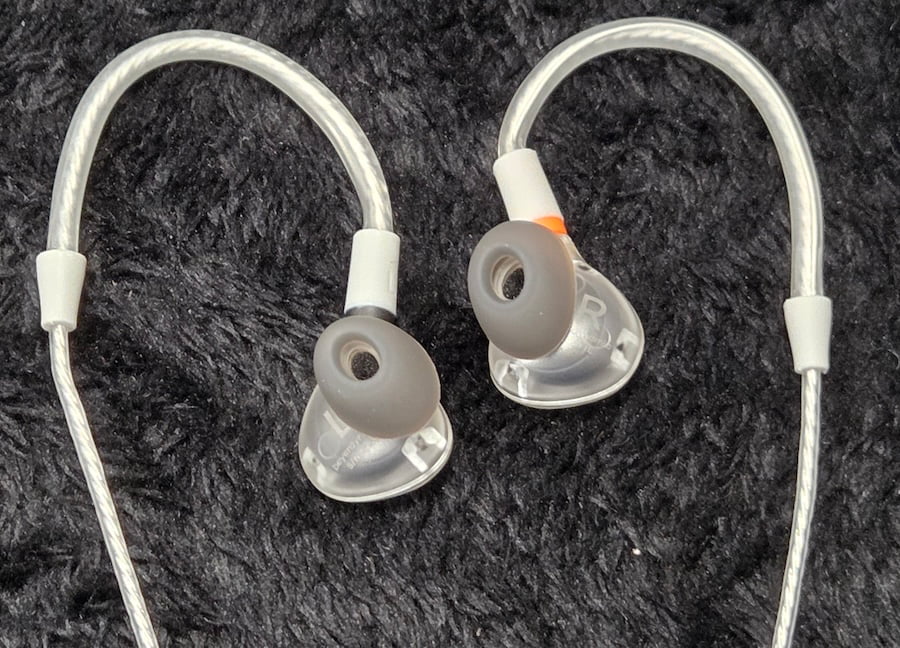
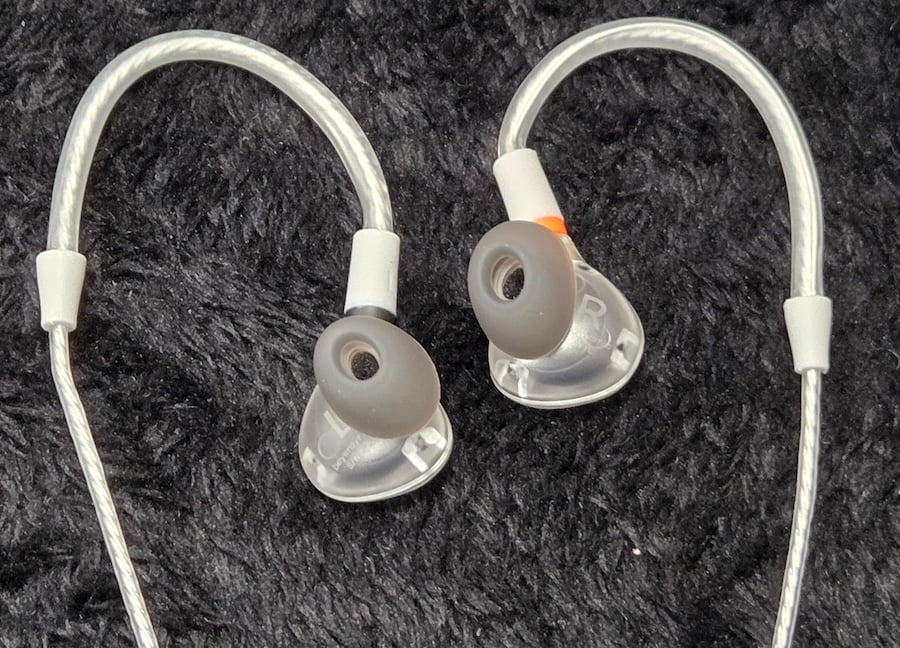
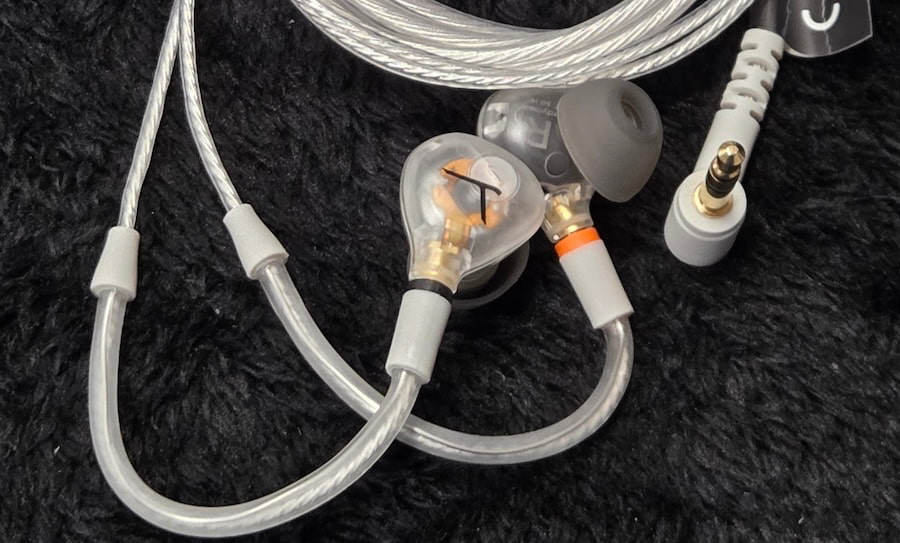
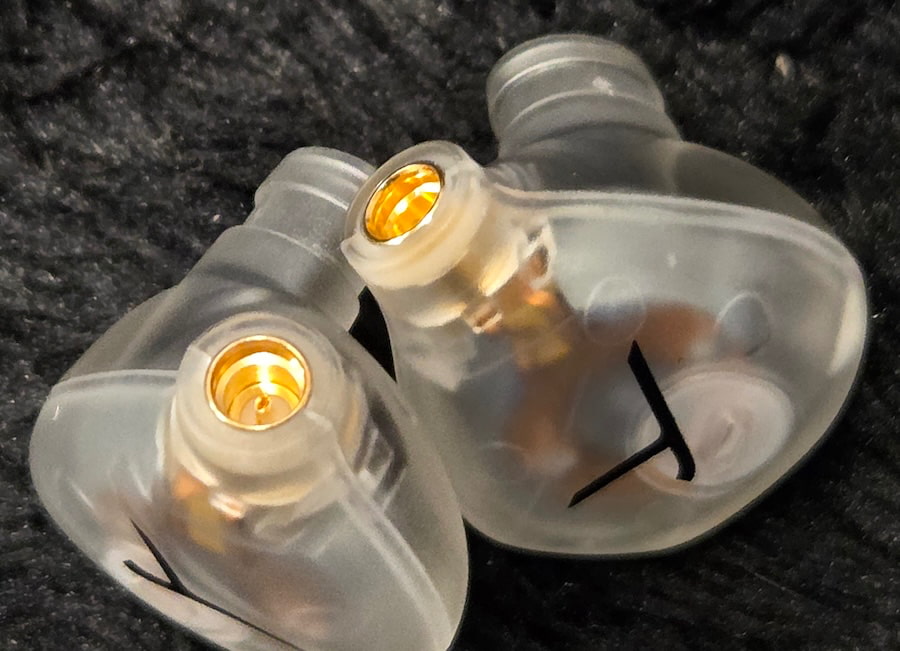
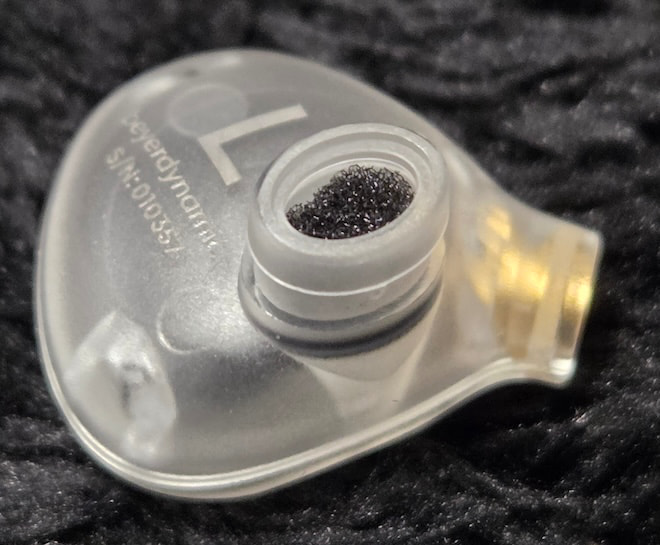
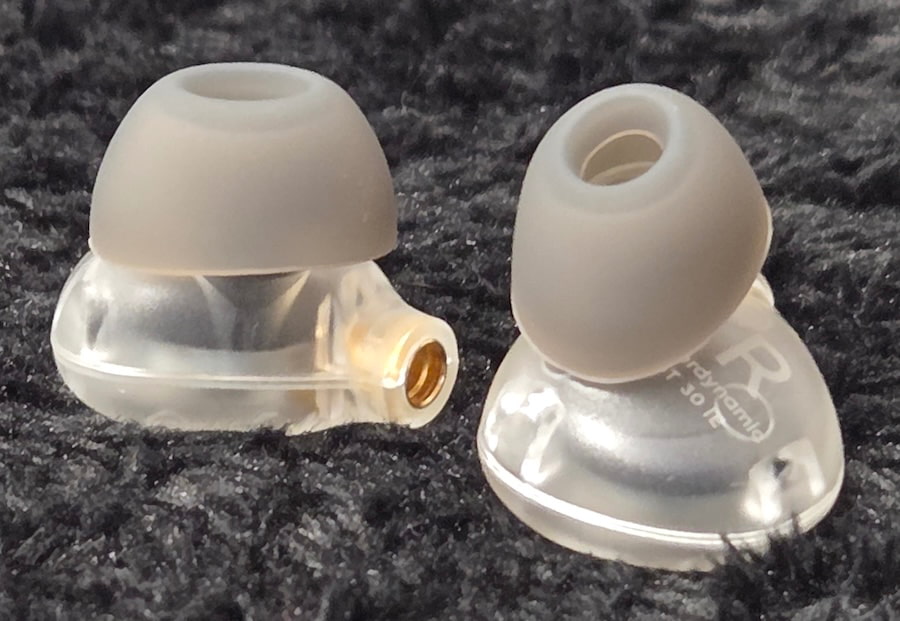
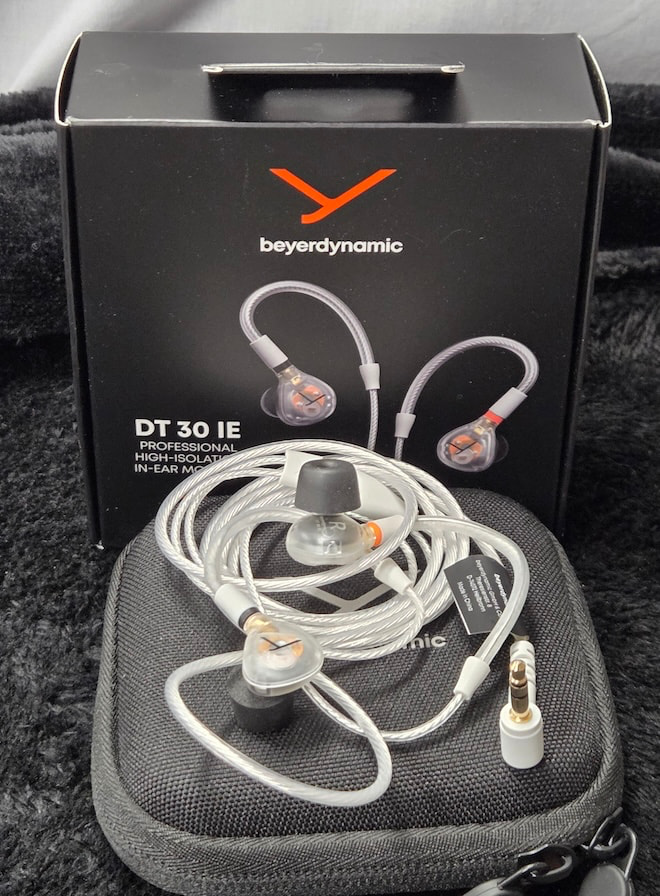
The DT 30 IE retains the basic shape and appearance of the earlier DT 70-series in-ears, but the earpieces are made from clear polymer rather than the black material used for their higher-end siblings. The cable is also similar in design to the DT 70-series version, with MMCX connectors, memory wires, a chin slider, and a 3.5 mm plug. Once again, color distinguishes the two, with the DT 30 IE sporting a white cable.
The case and accessories are also extremely similar to those supplied with the DT 70 series. A small square clamshell case holds the cable and earpieces separately, along with several sizes of both foam and silicone ear tips.
The overall construction feels purposeful rather than luxurious. This is an earphone meant to be used, packed away, and used again, not displayed. The clear polymer is deceptively tough. I had some initial concerns because I’ve encountered other products with what appeared to be similar construction that broke the first time they were knocked off a desk.
I put the DT 30 IE through a workout, some of it intentional and some accidental, and I can assure readers that the earpieces will survive a drop from table or even ear height. The cable is sturdy as well and should hold up to repeated gigs with reasonable care. Everything about the DT 30 IE suggests that this is an entry-level professional product rather than one designed primarily for consumers.
I selected the largest silicone tips, attached the cable, and prepared to begin my listening sessions, only to run into an issue. The DT 30 IE sits fairly shallowly in the ear, and while I could achieve a good seal when inserting the earpieces, the moment I wrapped the memory wire over my ear, that seal would break.
Advertisement
I tried repeatedly, both with and without my glasses, and never achieved an acceptable seal using the silicone tips. With glasses, it was a complete no-go. Without them, the earpiece would seal initially but pop loose as soon as I moved my head.
Back to the kit I went for the largest pair of foam tips. Those solved the problem, providing a good seal even with my glasses pressing against the memory wires. I also tried an Estron cable and found that it did not create the same issue, allowing me to use the large silicone tips without having to fight with the fit.
Advertisement. Scroll to continue reading.
Fit is crucial with any in-ear monitor, and the DT 30 IE sounds very thin when the seal is compromised. Because of its relatively shallow insertion depth, some listeners may need to use a larger tip than they normally would to maintain a proper seal. The foam tips also retain more low-end energy than the silicone alternatives, so anyone auditioning the DT 30 IE should spend some time with both before deciding which works best.
Advertisement
Internals & Drive Requirements
The DT 30 IE uses a single 11 mm dynamic driver rather than one of Beyerdynamic’s Tesla designs. Specific details about the diaphragm materials are difficult to come by, with Beyerdynamic describing it simply as a German-designed 11 mm driver.
Nominal impedance is rated at 18 ohms, with a frequency response of 5 Hz to 20 kHz and a sensitivity of 111 dB/mW. Those specifications place the DT 30 IE firmly in the extremely easy-to-drive category, making it suitable for everything from portable recorders and interfaces to phones and dongle DACs.
That high sensitivity does come with a potential downside. Pair the DT 30 IE with an amplifier or source with a higher noise floor, and some background hiss may become audible. There is also very little need for aggressive volume settings here; the DT 30 IE reaches useful listening levels with minimal power.
Specifications:
Type: Wired in-ear monitor
Driver: Single 11 mm dynamic driver
Driver Design: Non-Tesla
Frequency Response: 5 Hz – 20 kHz
Impedance: 18 ohms
Sensitivity: 111 dB/mW
Earpiece Material: Clear polymer
Cable Connection: MMCX
Cable: Detachable white cable with memory wire and chin slider
Source Connector: 3.5 mm
Ear Tips: Multiple sizes of silicone and foam tips
Included Case: Square clamshell carrying case
Listening
The first thing that stands out about the DT 30 IE is its sense of balance. It does not push the bass forward merely to create instant excitement, nor does it chase the exaggerated upper-treble brightness that is sometimes mistaken for detail.
Sub-bass extension is good, but you have to look for it. Tracks that do not emphasize the lowest frequencies can make the DT 30 IE sound somewhat deficient in this region, but recordings with meaningful sub-bass content reveal that it is more capable than first impressions might suggest.
Bass is tight and reasonably deep, with enough weight to give kick drums and electric bass a proper foundation. It is not especially tactile or punchy, but presence and control are both good, which fits the DT 30 IE’s professional focus.
Advertisement
The midrange is its strongest area. Vocals have excellent intelligibility, acoustic guitars retain their texture, and electric guitars have enough edge without becoming abrasive. Strings have good energy without turning harsh, while piano is reproduced with convincing body and clarity.
Treble is clean, moderately detailed, and reasonably extended. Cymbals have definition without sounding tinny, and smaller recording details are generally easy to locate. The tuning is slightly polite in this region, which helps reduce fatigue during long listening sessions or extended set lists.
That does not mean the DT 30 IE glosses over poor recordings. Nasal vocal tones and sibilance are still easy enough to hear when they are present, so the softer treble balance should not be mistaken for an overly forgiving presentation.
The soundstage is fairly intimate, with slightly more width than depth. Imaging benefits from solid instrument separation, and placing individual performers within an orchestral recording is relatively straightforward. Stereo separation is also good, and layered arrangements remain coherent at moderate volume, although some congestion begins to appear as volume increases with particularly dense material.
Advertisement
Overall, the DT 30 IE is especially well suited to vocal-heavy music, small jazz ensembles, acoustic recordings, and live performances. That balance between clarity, separation, and long-term listenability feels very much in line with what Beyerdynamic intended for an entry-level professional monitor.
Advertisement. Scroll to continue reading.
The Bottom Line
The Beyerdynamic DT 30 IE is aimed squarely at musicians, students, engineers, and working professionals who need an affordable, durable in-ear monitor with balanced tuning and low listening fatigue. Its controlled bass, articulate midrange, and restrained treble make it better suited to monitoring vocals, instruments, and live performances than chasing oversized bass or exaggerated detail.
Fit is the main caveat. Eyeglass wearers may struggle with the supplied memory-wire cable, and some listeners may need foam tips or an alternative cable to maintain a proper seal.
Advertisement
At $149.99, the DT 30 IE is an easy recommendation as a reliable backup for performers already using custom IEMs or Beyerdynamic’s more expensive DT 70-series models. For the gig bag, that kind of inexpensive insurance makes a lot of sense.
Pros:
Balanced, professional-focused tuning
Excellent midrange clarity and vocal intelligibility
Tight, controlled bass
Non-fatiguing treble
Good imaging and instrument separation
Very easy to drive
Durable construction
Detachable MMCX cable
Foam and silicone tips included
Strong value as a primary or backup stage monitor
Cons:
Sub-bass can sound restrained
Limited punch and physical bass impact
Soundstage is fairly intimate
Some congestion at higher volumes with dense recordings
Stock memory-wire cable can create fit issues
Eyeglass wearers may need foam tips or a different cable
High sensitivity may expose hiss from noisier sources
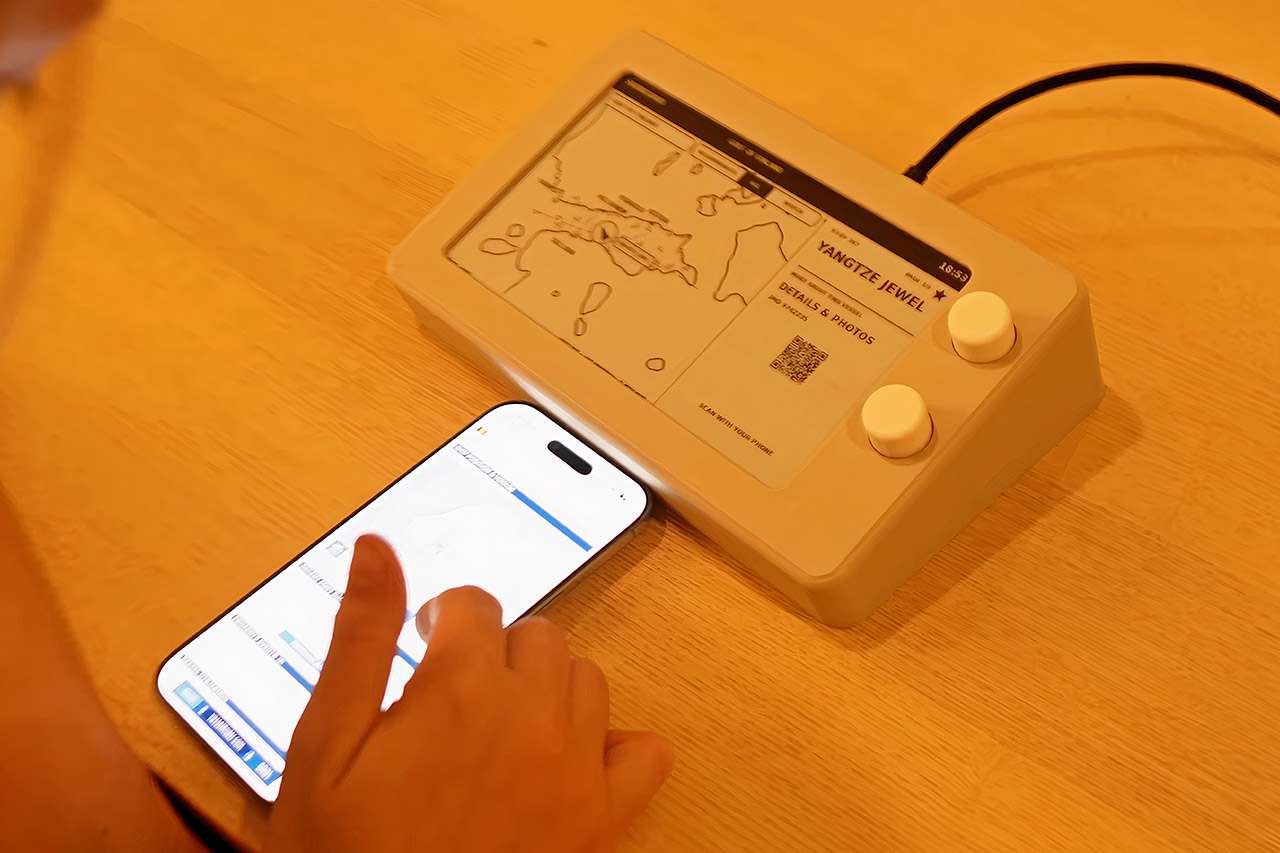
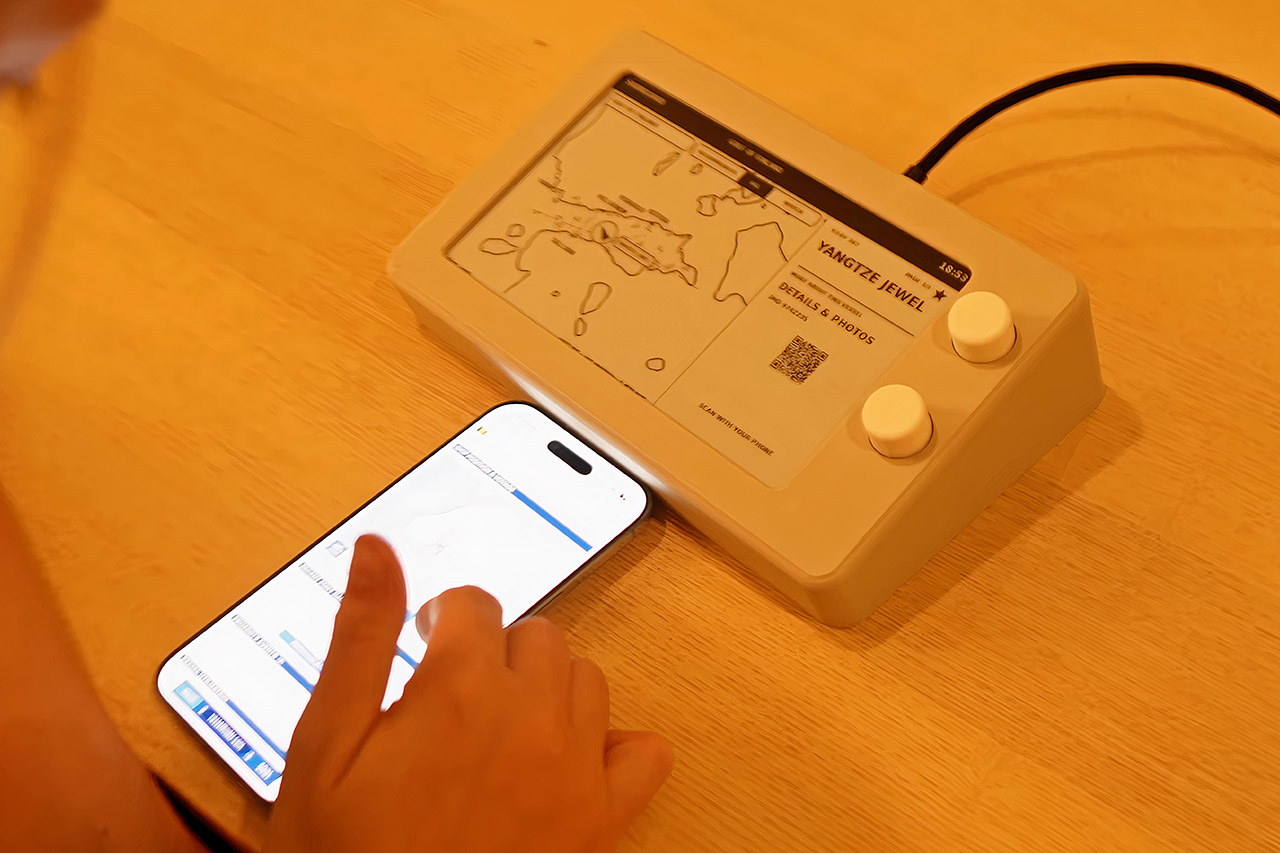
Paul Lagier builds spare, printable objects on YouTube, and Shiptracker began as a present. His girlfriend already followed cargo ships, tankers, and ferries on websites, reading destinations, speeds, and origins the way other people refresh a weather app. He wanted that ritual to live on a desk without a phone in hand, so he boxed a Raspberry Pi Zero W, a 7.5-inch Waveshare e-paper panel, and two rotary encoders into a pale 3D-printed shell that draws almost no power between screen updates.
Commercial trackers practically map almost every ship on the planet. You’d think MarineTraffic and other similar websites would provide an API you could use for your own small project, but they don’t, and scraping their pages is not an option. Finland managed to tackle their data challenge in a clever way. Fintraffic’s Digitraffic service simply broadcasts AIS locations and a plethora of other vessel metadata for free, at least for the Gulf of Finland, which extends between Finland, Estonia, and Russia. Norway and Singapore had similar feeds, but Finland’s stream was enough to generate a map with real ships on it.
A1 mini + LED Lamp Kit for Creative Light Projects: Bring your ideas to life with the included LED Lamp Kit. Simply print compatible lamp models and…
The Perfect 3D Printer for Beginners: A1 mini 3D Printer is designed to make 3D printing easy from day one with automatic calibration, simple setup…
Experience the Bambu Lab Ecosystem: Access MakerWorld’s huge library of ready-to-print models, manage prints through the Bambu Handy app, and enjoy…
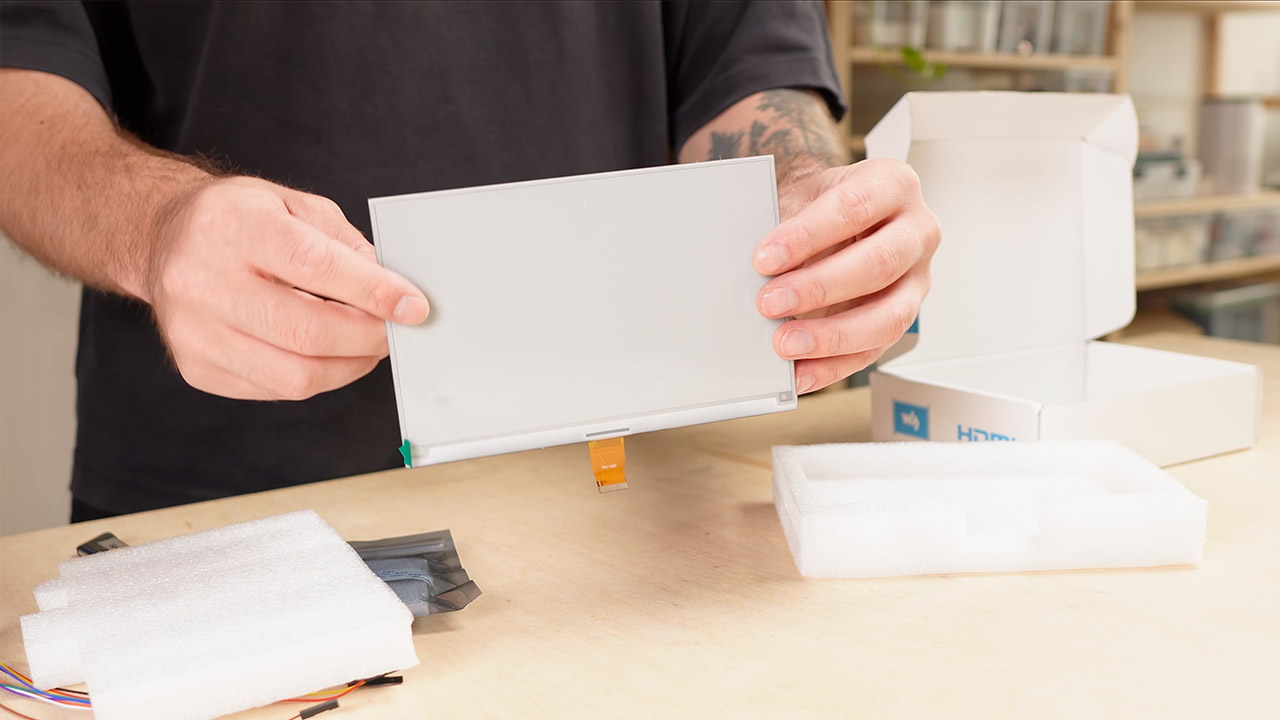
Now, the map is being drawn using a Waveshare 7.5-inch E-Paper HAT V2. Having multiple shades of gray makes the coastline and ship markers readable, and the greatest thing is that the screen only needs energy when the image changes, making it very power efficient. Uploading partial black-and-white updates isn’t too difficult, but partial grayscale updates take longer. That provided Paul a reason to reconsider his design later. Paul had planned to use a Pi Zero 2 W, but it proved to be too expensive, so he purchased a used Zero W with the header pins already soldered on because it was a much cheaper alternative. That older board can still connect via Wi-Fi and run current software until 2026. However, it still utilizes the largely obsolete micro-USB power port, so he had to wire a USB-C breakout directly to the power pins and order a 5-volt 3-amp supply just to be safe.
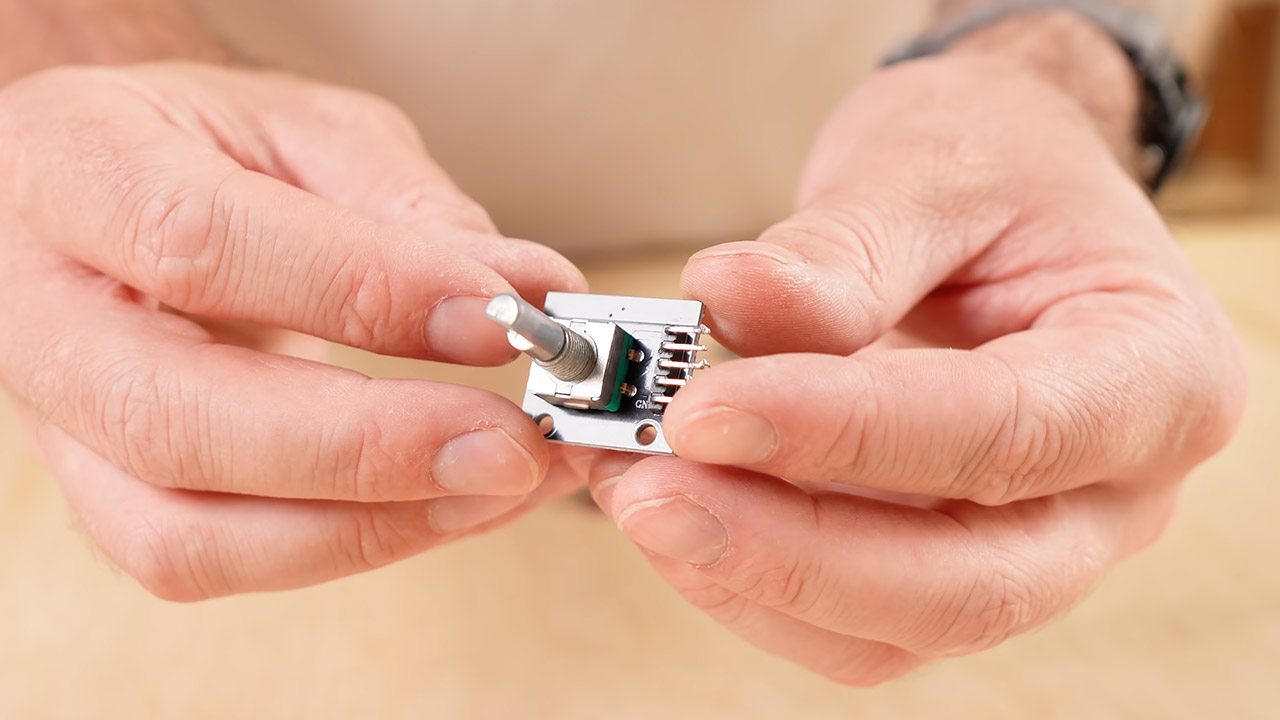
Instead of a touchscreen, two buttons do the trick, each having an encoder that spins both directions and has a pleasing click. One knob scrolls among lists and views, while the other allows you to read details about a specific ship, such as its destination, projected arrival time, speed, length, and beam. There are two options: recommended mode displays the larger or more interesting vessels, and full list allows you to scroll through every ship that is currently reporting in. You can even mark one as a favorite with a single button press. After sitting inactive for a while, the interface will switch to watch mode, a calmer layout that only shows one ship, allowing you to have it on in the background without requiring continual attention.
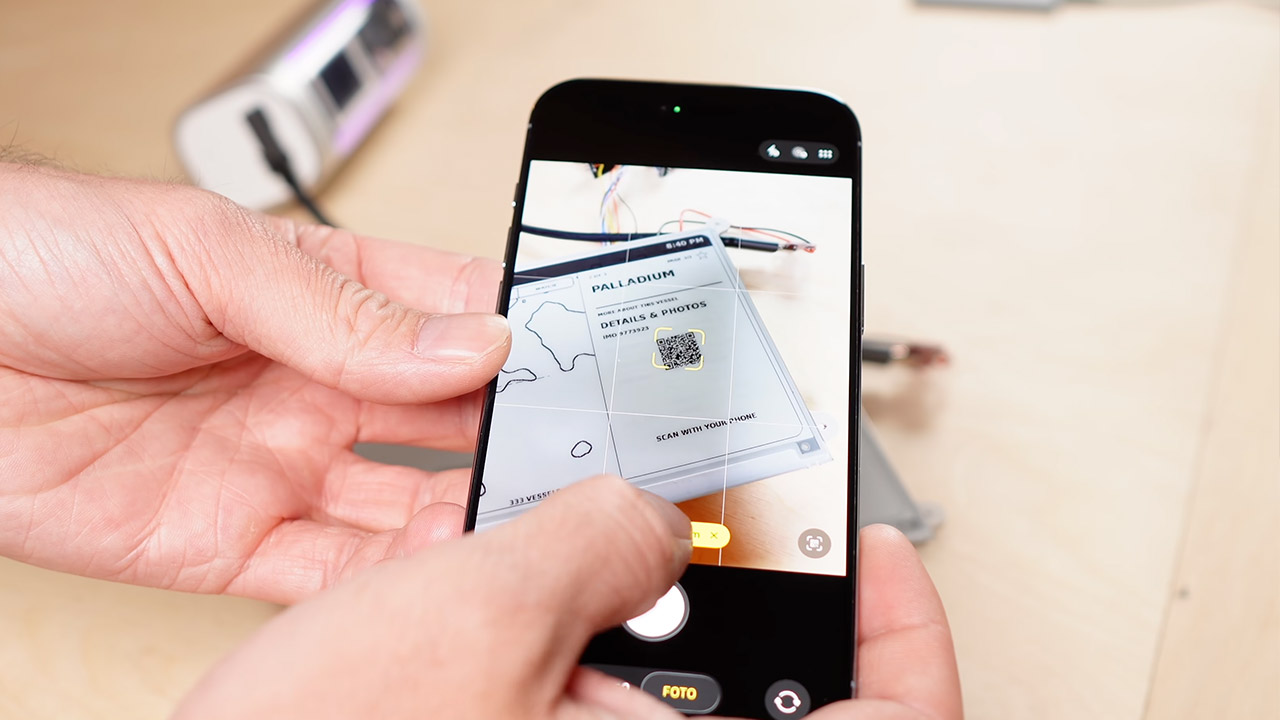
Having images of each ship seemed like a fantastic idea at first, but it turned out that it wasn’t an option in the end. These full-screen grayscale refreshes simply took too long. Instead, Paul simply removed the photos and added a QR code to the detail view instead. If you scan the QR code, you can easily see a snapshot as well as all of the extra records on your phone. If you prefer a written summary of the ship, an AI-generated synopsis is included in the same package. Menus are accessible in both English and German.
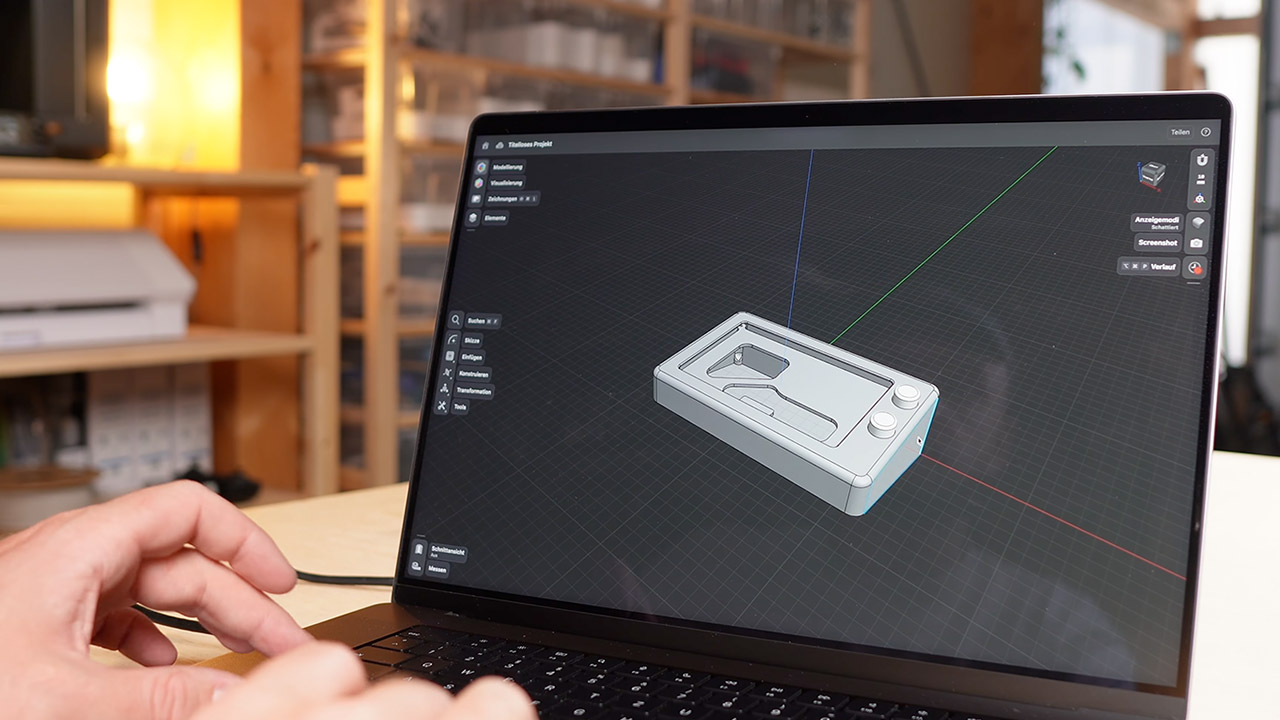
He worked on the enclosure using Shapr3D. The front is recessed to fit the display, but a separate back plate just holds the Pi on four screws, preventing any pressure from being applied to the glass. He also used foam tape to keep the display from sliding about. He made a several prototypes in Panchroma Muted White PLA until the holes lined up correctly, then added a bottom cover and matching knobs. You may obtain the 3mf files for the housing, cover, mounting plate, and knobs, as well as an illustrated wiring guide, directly from the shop. [Source]
There aren’t many episodes left of Ted Lasso season 4. In fact, only two more, including this week’s chapter, remain, so there’s not much time left for it to find a match-winning goal.
AFC Richmond Women will have to do so without their star striker Gemma following the potentially serious knee injury she suffered in last week’s entry. Who, if anyone, will step up and try to get the team promoted? We’ll have to wait for this week’s installment to arrive, so read on to find out when it will.
What is the launch time for Ted Lasso season 4 episode 9?
What’s got Keeley and Rebecca looking like this? (Image credit: Apple TV)
Ted Lasso season 4’s penultimate episode should come out in the US and Canada at 6pm PT / 9pm ET on Tuesday, September 29.
Advertisement
Latest Videos FromTechRadar
Publicly, Apple has always stressed that new episodes of its first-party shows premiere every Wednesday at 12am PT in North America. However, every episode of the hit soccer comedy-drama’s latest season has arrived on Tuesday evenings at the times listed above. Barring an unexpected launch date and time change, I’m confident season 4 episode 9 will do likewise.
As for the rest of the world, this week’s entry will air on Apple TV, aka one of the world’s best streaming services, on Wednesday, September 30. Read on to see what time it’ll be released near you:
Advertisement
US — Tuesday, September 29 at 6pm PT / 9pm ET
Canada — Tuesday, September 29 at 6pm PT / 9pm ET
UK — Wednesday, September 30 at 2am BST
India — Wednesday, September 30 at 6:30am IST
Singapore — Wednesday, September 30 at 9am SGT
Australia — Wednesday, September 30 at 11am AEST
New Zealand — Wednesday, September 30 at 1pm NZST
When is the final episode of Ted Lasso season 4 set to come out?
Is Alice cooking up a new, Gemma-less tactic for Richmond Women? (Image credit: Apple TV)
The 10th and final episode of the Apple TV show’s fourth season will kick off on Tuesday, October 6, in North and South America. Meanwhile, viewers on other continents will have to wait until Wednesday, October 7 to catch the series’ latest finale.
Advertisement
What’ll happen in it? Its story will be dictated by what goes down in its predecessor — i.e. season 4 episode 9. So, be sure to tune in to Ted Lasso‘s next chapter to see what it’ll set up ahead of this season’s last hurrah.
Sign up for breaking news, reviews, opinion, top tech deals, and more.
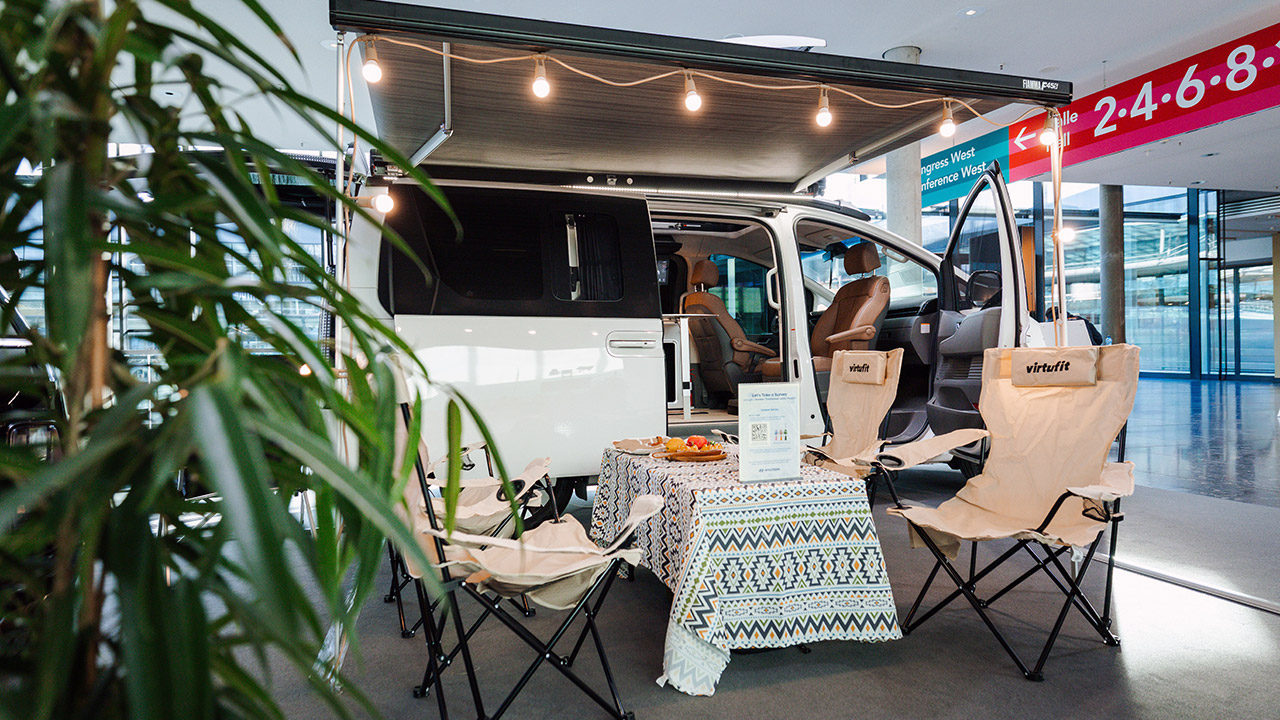
Hyundai rolled the Staria Camper Concept onto the CMT floor in Stuttgart in mid January 2026, only days after the Staria Electric made its Brussels debut. Visitors walked around a finished looking van with a body colored pop up roof, a galley, a shower, and a solar panel built into the lid. Officials called it a study aimed at European campers who want one vehicle for the week and the weekend. Nine months later it remains a concept. Hyundai is still collecting feedback and seeking approval before any factory build, with Europe first in line if the project moves. A recent report also raised the chance of a wider sale later.
The production version of this camper van will use the same hardware as the Staria Electric. This means it will employ an 84 kWh battery, the same 800 volt system as the Ioniq 5, Ioniq 6, and Ioniq 9, and a single 160kW front motor capable of 218PS. Official documentation estimate that the WLTP range is roughly 400km (249 miles) before the increased weight of the camper reduces that amount. The base van received a certified 430km rating in some regions, therefore we’re using the camper figure as a cautious starting point. Fast charging from 10 to 80 percent takes roughly 20 minutes on a good DC station. We might also expect 2,000 kg of braked towing capacity. To manage the extra load, they strengthened the suspension at both ends and added additional sound deadening to keep the highway runs quiet.
[Power 11 Devices] – With a 1024Wh capacity, Elite 100 V2 Solar Generator delivers 1800W AC output (2700W Lifting Power) and 11 ports, ideal for…
[35% Smaller] – Elite 100 V2 weighs 25 lbs and is compact at 17L. The concealed handle makes it easy to carry with one hand, whether working from…
[45-Minute Rapid Charging] – Powered by advanced 1200W TurboBoost AC fast-charging tech, this solar generator reaches 80% charge in roughly…
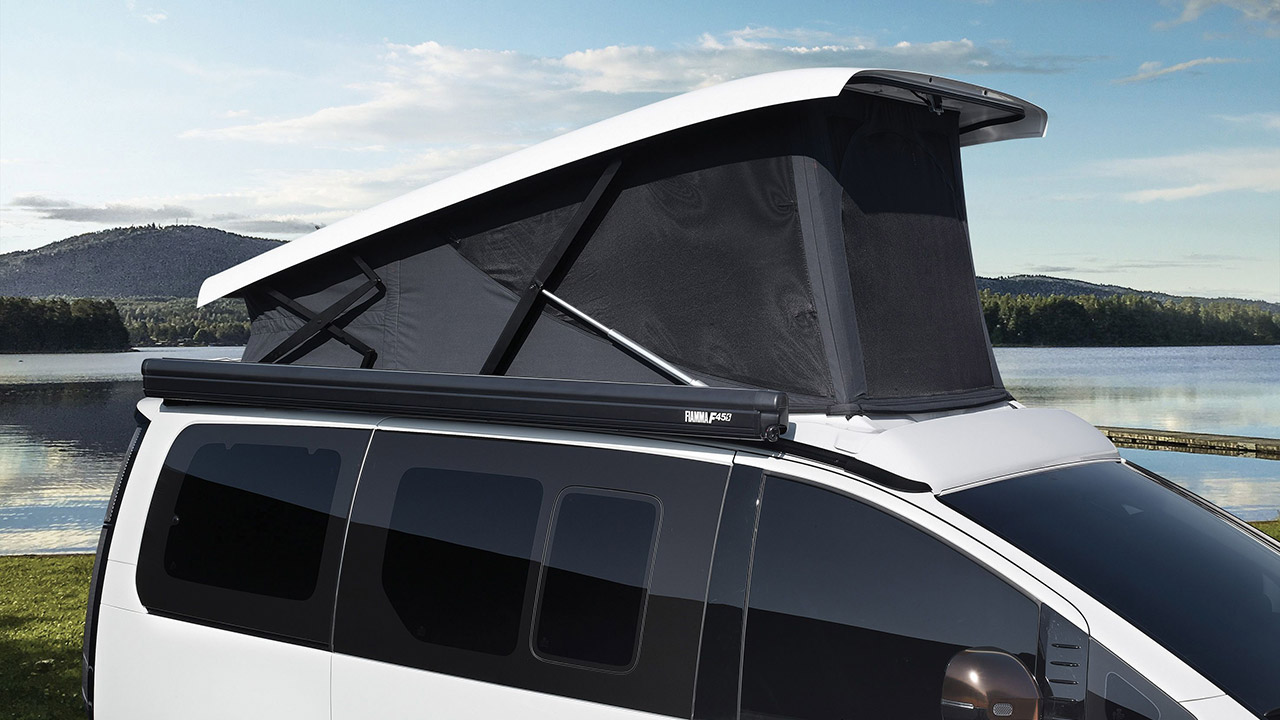
When you park, simply push a button to lift the fully integrated pop-up roof, which is finished in the same material as the rest of the body. Hyundai designed the lid to make the van as aerodynamic as possible in the air and to reduce wind noise when driving. Once lifted, it provides a great view of the cabin and makes the kitchen much easier to operate. A 520-watt lightweight composite solar panel is installed on the roof. According to Hyundai, this device can recharge up to 2.6kWh a day in just five hours of bright sunlight. That trickle can either charge the traction battery or power the living systems, saving you time searching for a camping hookup.
Front captain seats rotate 180 degrees, allowing two individuals to sit facing the rear lounge. With the stroke of a button, the rear seats fold flat to form a bed for two. Some coverage of the show cars revealed other sleeping choices, including floor rails allow you to take seats or bedding out for bikes and gear. In addition, there is a folding camping screen in the galley that stretches from the roof to the seats and rear windows. That glass is smart glass; you can electrically modify how clear or shaded it is from the screen, and it is meant to provide better UV, heat, and noise control than traditional windows. A foldable table may be used inside the van or dragged out the back for outdoor dining, and the display cars had a Fiamma awning on the passenger side and a shore power connection.
Living kit is simple and electric; think of it as no-frills but functional. A 36-liter fridge fits comfortably in the van’s galley. The portable shower gets its power from the battery, which is a very cool function. The climate control in the cabin can be powered by the battery pack or, if you have a roof panel, you can also charge it from there. Staria Electric vans already feature vehicle to load connectors that allow you to operate small appliances from the traction battery, which is very convenient. None of this is a full-on motorhome kitchen; rather, it is a tiny conversion that drives like a standard tall family van most of the time.
In reality, South Korea has already sold a Staria Lounge Camper with identical living quarters, but those home market vans are powered by combustion or hybrid engines and start in the low fifties, depending on specification. Europe might get an electric only version of the camper van if Hyundai decides to go for it though. Back in January, there was some conjecture that it will be ready in late 2026 or possibly 2027, and if a specialist converter like Westfalia gets involved, it is likely to cost around the mid-fifties in pounds if you wind up in the center of the price range. [Source]
The Microsoft co-founder said that the more present danger is bad actors with access to AI tools.
Chip Somodevilla/Getty Images
After several CEOs of leading AI companies have agreed on slowing down the pace of AI development, Bill Gates has offered supporting sentiments and called for more regulation and safeguards. In an interview with NBC News‘ Meet the Press, the Microsoft co-founder said that “it’s completely irresponsible not to require every AI to have these safeguards and monitoring capabilities.” To that end, Anthropic recently tapped Accenture to act as a third-party evaluator for its latest AI models.
As for other approaches to deal with AI’s rapid rate of evolution, California’s governor, Gavin Newsom, proposed a “kill switch” as part of a larger solution. When asked about the kill switch approach to curb AI, Gates said that, “I would never want to say that I’m against a kill switch,” but added that this approach wouldn’t address a more imminent danger. Instead, Gates said the more pressing concern is when bad actors tap into the power of AI to aid with bioterrorism or mass financial fraud incidents.
“The most dangerous thing we’re facing right now is people with bad intent using AI,” Gates said during the interview. “There’s never been a weapon as powerful as the combination of people with ill intent using the latest AI tools.”
Advertisement
When it comes to legislation, Gates supported law enforcement and politicians getting into the conversation of what safeguards and monitoring should be incorporated into AI companies. The former Microsoft exec said that this approach would add some overhead to the industry, but it wouldn’t be cause a “dramatic slowing of what they’re doing.”
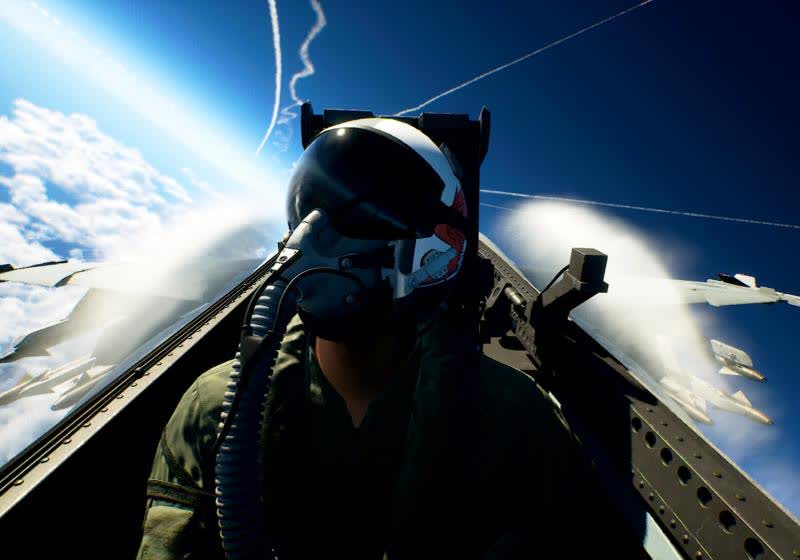
Ace Combat 8: Wings of Theve is earning strong reviews for its thrilling aerial combat, cinematic presentation, and excellent soundtrack. Critics call it one of the series’ best entries. Multiplayer adds 100-player lobbies, but the single-player campaign remains the star.
Considering how important it is for everything from navigation to keeping clocks in sync, satellite navigation systems are surprisingly vulnerable to a variety of attacks, ranging from simple jamming to more sophisticated spoofing attacks. This may be changing, though, as Galileo, Europe’s GNSS, recently demonstrated its first cryptographically-secured position fix under spoofing conditions.
Most GNSS systems, including GPS, have no verification measures to keep an adversary from transmitting a false signal at a higher power and hijacking a receiver; since GNSS signals are extremely weak by the time they reach the ground, this presents no great difficulty to a moderately well-equipped attacker.
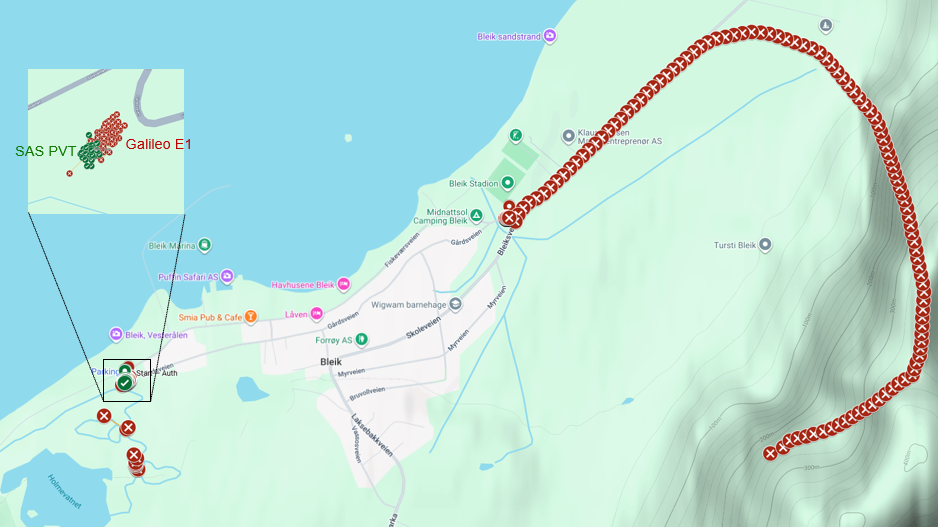
Galileo’s Signal Authentication System (SAS) aims to fix this. The Galileo ground station pre-selects signal spreading codes, which it then encrypts with a regularly-changing secret key and publishes. A receiver which anticipates needing a verified signal can then download these encrypted codes ahead of time and store them. Galileo satellites then transmit on the E6-C pilot signal, and the receiver records the signal. After transmitting a message block, it then transmits the decryption key on a separate signal, which the receiver uses to recover the spreading codes. The receiver then correlates these spreading codes with the recorded signal to find the satellite’s pseudorange.
It’s a rather complicated system, but it works: earlier this month in Andøya, Norway, the annual Jammertest GNSS testing event took place. For one week, a wide range of organizations tested the resilience of their GNSS systems against various attacks, including jamming, delayed retransmission, and spoofing. Using five Galileo satellites, the European Space Agency was able to obtain a stable lock on their receiver even during spoofing.
Advertisement
In principle, this method could be extended to other GNSS systems. There’s certainly motivation to do so; very large-scale attacks have been demonstrated recently.
Tesla announced its electric semi-truck back in 2017, but deliveries to its first customers are just about to start nearly a decade later in September 2026. On September 24th, Tesla held a launch event for the Semi at its manufacturing plant in Nevada, where it plans to build 50,000 Semis a year. It may seem like a lofty goal, but Tesla CEO Elon Musk said in a pre-recorded video message that there is already a big waiting list for the Semi. At $290,000 for a Long Range Semi, it’s predicted that Tesla will deliver 15,000 in 2026 at most.
One of those early customers includes Zero-Emission Truck Shipper-Carrier Alliance Leading Electrification (ZET SCALE), a shipper alliance with brands like Microsoft and PepsiCo that reportedly ordered 2,500 of the electric semis — the largest electric Class 8 order ever made in the U.S. Tesla’s announcement made it sound as if it was providing all 2,500 of the trucks, but it’s just the primary supplier along with other brands. The fleet of 2,500 electric trucks will be deployed in Los Angeles, Houston, Dallas, New York, Atlanta, and other freight hubs over the next few years.
Advertisement
Said Dan Priestley, Director for the Tesla Semi Program: “We are proud to have been the primary selection in this RFP and look forward to giving shippers and carriers a new competitive edge.”
Advertisement
Tesla Semi faces delays and big claims ahead of launch
The Semi has a pretty typical history, as far as Tesla goes. Musk announced the vehicle in 2017 and had lofty goals of launching it in 2019, claiming it would be cheap to operate, carry a full load, and reach 500 miles on a single charge. At the time, experts responded that this was nearly impossible to pull off due to technology limitations. Tesla continued to miss various launch dates, eventually shipping some early examples to PepsiCo in 2022. Next year’s launch date was also missed, although brands like Walmart, Costco, and the NFL were given one Semi to test. Those have now been used for over 5 million miles.
If that timeline sounds familiar, it’s likely because the second-generation Roadster was announced in 2017, delayed multiple times, and is finally getting a reveal October 2026. The Cybercab was revealed in 2024, Musk claimed 2 million would be produced a year, and as of 2026, there are only 69 active Cybercabs besting tested in a few cities.
“This is going to be a revolutionary truck that’s capable of carrying the heaviest loads over very far distances,” Musk stated ahead of the launch event. He also added that it will be the “funnest truck to drive” due to its fast acceleration, which echoes previous statements, noting it will get Full Self-Driving in the future. There will be a Standard Range Semi that has 350 miles and a Long Range that gets 500 miles.
Waymo’s self-driving car technology “continues to outperform human benchmarks,” the company claimed this week. “It was involved in 841 fewer injury-causing crashes — an 82% reduction compared to human drivers.”
Electrek reports:
We’ve seen various Waymo crash data before, with Waymo claiming crash reductions. That’s all well and good when the company says it, but we’ve also seen independent data confirming similar (though lower) crash reduction numbers…
Waymo has enough miles that it’s ready to start quoting how many injuries it has prevented, and the number is pretty high. Its newest crash data states that it had operated a total of 271 million driverless miles through June of this year, which is 50 million more miles added in the 3 months since its end-of-March update. Over those miles, Waymo says there was an 82% reduction in crashes that caused injury, and a 95% reduction in crashes that cause “serious injury or worse” [compared to human drivers].
Waymo also says that compared to human drivers it’s reduced injury-causing crashes involving pedestrians by 93%, cyclists by 86%, and motorcyclists by 82%.
Advertisement
Waymo’s analysis comes from San Francisco, Los Angeles, Austin, Atlanta, and Phoenix, and its blog post includes video showing some near-misses where it says its automated system prevented an injury-causing collision.
In this week’s Sunday Reboot, the Apple Watch is better for your health, but maybe the rumored screen-free wearable could be better for your peace of mind.
Sunday Reboot is a weekly column covering some of the lighter stories within the Apple reality distortion field from the past seven days. All to get next week underway with a good first step.
Keeping customers alive with simplification
The September event schedule usually covers the key portable touch points Apple has with its customers. That is, iPhone, AirPods, and the Apple Watch. This year was no different, and for the wearable side, that meant new wrist-mounted models.
There’s a lot to talk about, including things like Audio Intelligence and the privacy implications, as well as Siri‘s overhaul. But health is a big thing here, too.
Advertisement
It is a bit for me too, on a personal note. After attending a funeral earlier in the week, it certainly makes you think about your life and about doing something that stops you from being the perennially overweight guy. But I digress.
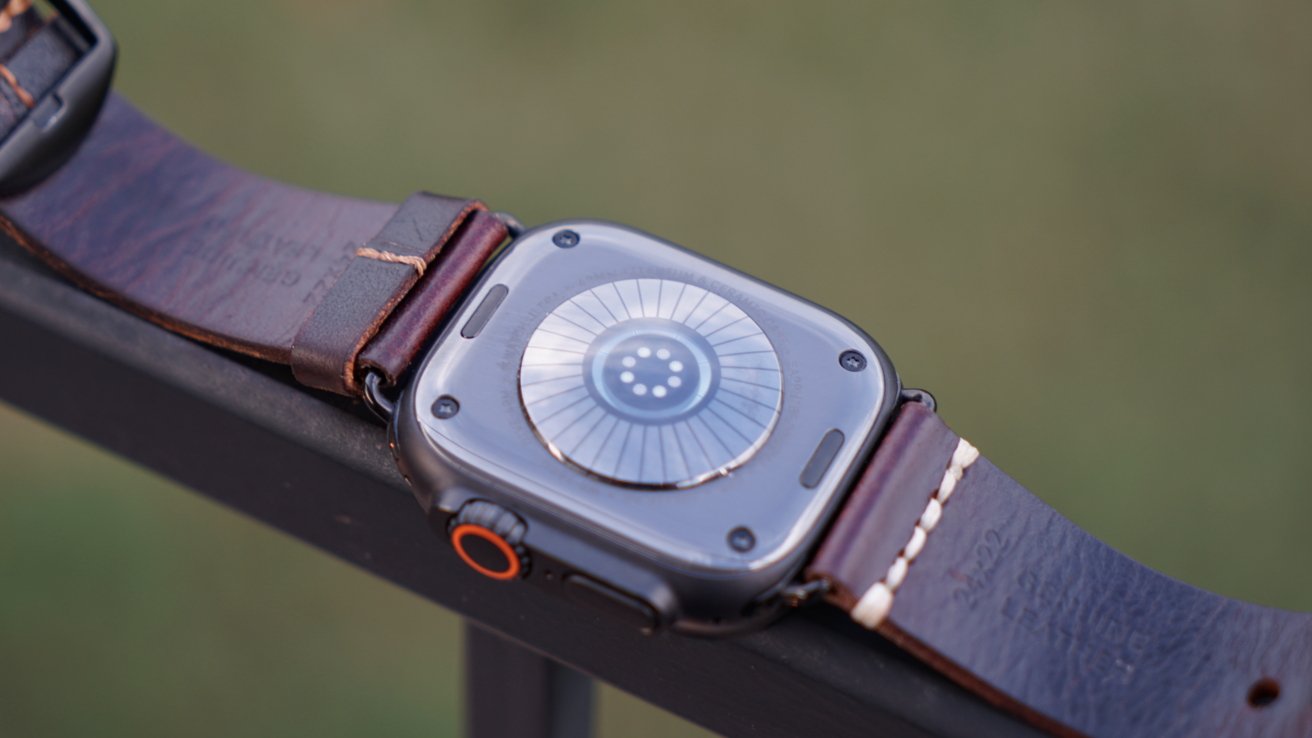
Apple’s added a new health-sensing system with an expanded electrode surface area, more electrodes, and a better photodiode array. It’s now checking your heart every five seconds, so you know how your heart varies throughout the day.
So many electrodes…
The new Readiness score also sounds like a decently simple way to measure your capacity to work out, or quite frankly, to deal with the day ahead. It’s a fairly clear signal to anyone that they need to care more about themselves.
Advertisement
It’s not quite the Apple Watch screaming “Get more sleep!” or “Work out more!” but it’s going to be helpful to some of its audience.
This all plays into Apple’s changes in the Health app on iPhone and iPad, with a greater use of Apple Intelligence. Though I fear many will look at Health Age with some trepidation.
Some people will see Apple Intelligence comparing them to someone five years younger and think they’re extremely fit for their age. Others will see a Health Age that’s added a few too many years, and quietly laugh it off if it’s brought up by anyone.
I fear that if I check that figure out, I’ll face questions from Apple Intelligence asking how I’m not dead yet.
Advertisement
Would you just stop already?
These notifications and metrics also tie into something else that came up this week. There were rumors that Apple was prototyping a new fitness and health tracker.
Specifically, a tracker that isn’t intended to be a mini iPhone on your wrist, but more a collection of sensors that hands off the data to your iPhone. Something similar to trackers like the ones sold by Whoop, which collects data on your activity and nothing else.
You may consider it to be a dumb Apple Watch, and you’re right. It’s not going to provide you with information directly, but that is the point.
I have been a long-time user of the Apple Watch Series 4, specifically the Nike Edition one. As if the swoosh will make me do more exercise.
Advertisement
The Apple Watch Series 4, still working on my wrist. It’s more scuffed now, though.
I have written before about how the Apple Watch is great at data collection, but also that it is also insanely good at nagging you. Every so often, your wrist dings as yet another notification comes in, and you’re too lazy to keep looking at your iPhone for once.
The amount of dings I get every day on my wrist is infuriating at times. On many occasions, I have wanted to punt the Apple Watch through a window because I hear the chime and immediately do Pavlov proud by looking at my wrist.
I have, in recent months, started wearing the Apple Watch with Do Not Disturb enabled. It has certainly helped me become less wound up and more relaxed because I’m able to ignore those wrist pings, but it doesn’t stop me from checking.
Advertisement
This is a problem that Apple has partially solved. With the introduction of the fitness tracking capability in the Beats Powerbeats Pro 2, it does mean I can do some workouts and exercise without the Apple Watch at all.
However, if I want to check my health from throughout the day, that’s not an option. I still have to stick with the Apple Watch and live with the potential auditory distraction.
At least the Whoop-like tracker will be there for keeping tabs on my day.
It’ll still be silently judging me, but that’s the point.
Advertisement
Last week’s Sunday Reboot discussed the Battersea Power Station Apple Store, and how it should be a more-used design in Apple’s retail landscape




































































You must be logged in to post a comment Login