Connect with us

Tech

DCU, UL research could help avoid cancer drug resistance

Published

on

The team says this new chemical strategy could avoid some of the typical mechanisms that cancers use to become resistant.

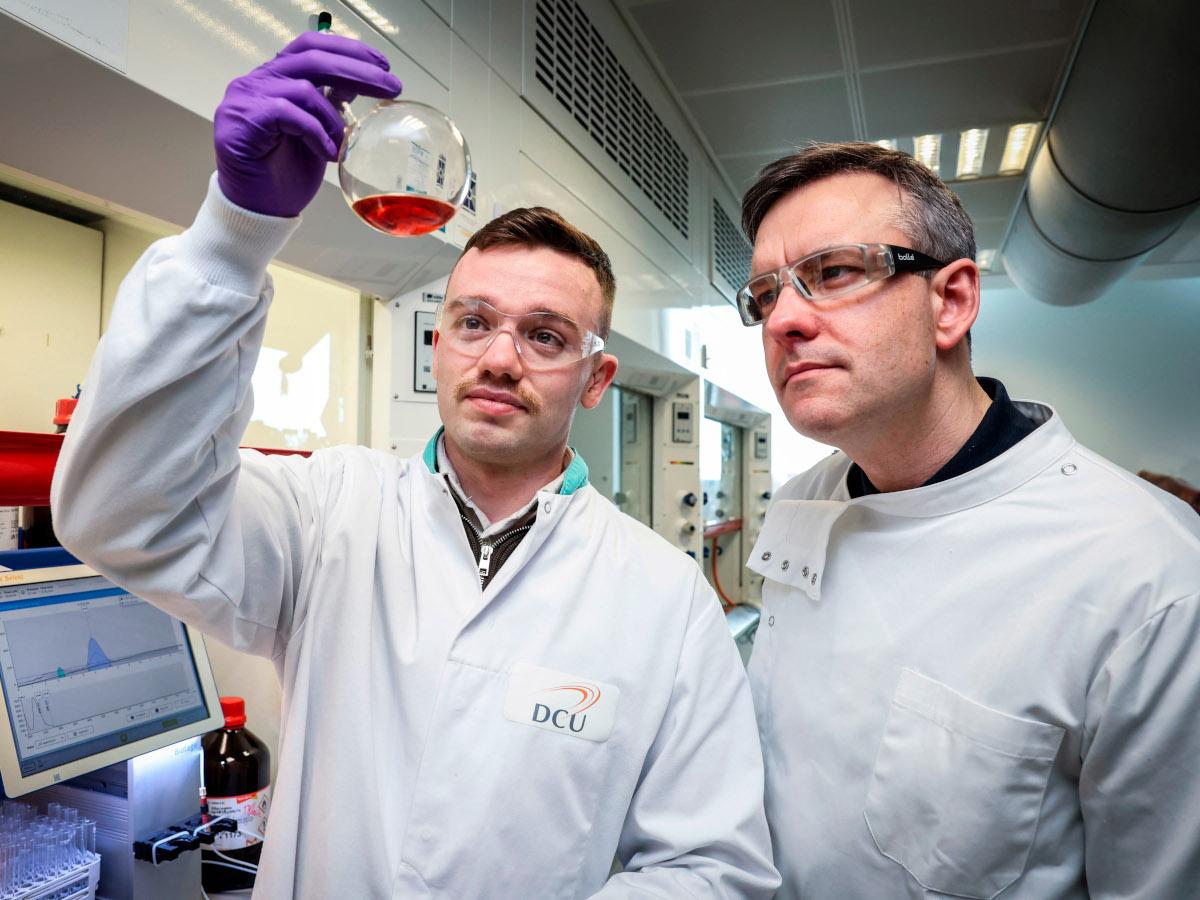
A consortium that includes scientists from Dublin City University (DCU) and the University of Limerick (UL) has developed a new chemical strategy for designing metal-based compounds capable of damaging cancer cell DNA.

The team includes researchers from Chimie ParisTech from France, and Chalmers University of Technology and the Sahlgrenska University Hospital from Sweden.

Led by DCU’s Prof Andrew Kellet, the European consortium has created a series of molecules that cut DNA through a distinct chemical mechanism when compared with existing chemotherapy drugs. Their research focuses on early-stage compounds that could form the basis of future therapies, particularly in cancers that become resistant to treatment.

Advertisement

To achieve their results, the scientists used “click chemistry” – a method used for assembling molecular components – to create a family of compounds known as “tri-click” ligands. When combined with copper ions, these ligands form artificial metal-containing agents designed to cleave DNA.

“Click chemistry has transformed how we build complex molecules, but its potential as a platform to assemble DNA-damaging chemotherapeutics is under-explored,” said Kellet.

“One of the major challenges in cancer treatment is drug resistance. By developing compounds that damage DNA in a different way, we aim to open up new possibilities for overcoming some of the limitations of existing therapies. While this research is still at an early stage, it provides a valuable platform for future drug development.”

Drug resistance remains one of the biggest challenges in cancer treatment. Tumours can adapt by repairing specific forms of DNA damage or by blocking the activity of conventional drugs. According to the team, this new chemical strategy could avoid some of the typical mechanisms that cancers use to become resistant. Their study has been published in the journal Nature.

Advertisement

“This work exemplifies the value of systematic, deep screening of molecular properties in the development of more effective medicines,” said Damien Thompson, the director of SSPC, the Research Ireland Centre for Pharmaceuticals and a professor of molecular modelling at UL.

“Support from SSPC, the Research Ireland Centre for Pharmaceuticals enabled strong collaboration between our experimental and modelling teams and this new design strategy marks a key milestone in developing sustainable, well-tolerated anticancer drugs.”

Don’t miss out on the knowledge you need to succeed. Sign up for the Daily Brief, Silicon Republic’s digest of need-to-know sci-tech news.

Advertisement

Source link

Continue Reading
Click to comment

Leave a Reply

Your email address will not be published. Required fields are marked *

Tech

Tim Chen’s Essence VC firm is raising a new fund to back more infrastructure startups

Published

on

Tim Chen. (Photo courtesy of Chen)

Essence VC, an early stage venture capital firm run by Tim Chen, is raising a new fund.

A SEC filing revealed the new fund. Chen confirmed that Essence is aiming to raise about $7 million for the fund, which is separate from the firm’s $41 million fourth fund raised last year.

Chen said the new fund will allow Essence to lead bigger pre-seed rounds and gives him more flexibility on deployment timeframes.

Chen, who is based in Seattle, said he’s “very excited” about vibe coding and agent infrastructure as the technology continues to evolve and generate higher quality code.

Essence raised its first fund in 2019. The firm focuses on developer tools and infrastructure, given Chen’s background. The University of Washington grad worked at Microsoft and VMware, helped launch open-source cloud startup Mesosphere, and later founded Hyperpilot, an “AIOps” company acquired by Cloudera.

Advertisement

Chen has built a niche around helping technical founders translate research and code into products and go-to-market strategies. Essence has backed Seattle startups including Clarify and MotherDuck. Its portfolio spans across the U.S. and beyond.

Previously: Tim Chen was deemed ‘too nerdy’ for venture capital. Now he runs one of the hottest startup funds in tech.

Source link

Advertisement
Continue Reading

Tech

HPE warns of critical AOS-CX flaw allowing admin password resets

Published

on

Hewlett Packard Enterprise HPE

Hewlett Packard Enterprise (HPE) has patched multiple security vulnerabilities in the Aruba Networking AOS-CX operating system, including several authentication and code execution issues.

AOS-CX is a cloud-native network operating system (NOS) developed by HPE subsidiary Aruba Networks for the company’s CX-series campus and data center switch devices.

The most severe security flaw today is a critical authentication bypass vulnerability (tracked as CVE-2026-23813) that attackers without privileges can exploit in low-complexity attacks to reset admin passwords.

“A vulnerability has been identified in the web-based management interface of AOS-CX switches that could potentially allow an unauthenticated remote actor to circumvent existing authentication controls. In some cases this could enable resetting the admin password,” HPE said.

Advertisement

“HPE Aruba Networking is not aware of any public discussion or exploit code targeting these specific vulnerabilities as of the release date of the advisory.”

IT admins who can’t immediately apply today’s security updates to patch vulnerable switches can take one of the following mitigation measures:

  • Restrict access to all management interfaces to a dedicated Layer 2 segment or VLAN to isolate management traffic.
  • Implement strict policies at Layer 3 and above to control access to management interfaces, allowing only authorized and trusted hosts.
  • Disable HTTP(S) interfaces on Switched Virtual Interfaces (SVIs) and routed ports wherever management access is not required.
  • Enforce Control Plane Access Control Lists (ACLs) to protect any REST/HTTP-enabled management interfaces, ensuring only trusted clients are allowed to connect to the HTTPS/REST endpoints.
  • Enable comprehensive accounting, logging, and monitoring of all management interface activities to detect and respond to unauthorized access attempts.

HPE has yet to find publicly available proof-of-concept exploit code or evidence that attackers are abusing the vulnerabilities in the wild.

In July 2025, the company also warned of hardcoded credentials in Aruba Instant On Access Points that could allow attackers to bypass standard device authentication.

One month earlier, HPE patched eight vulnerabilities in its StoreOnce disk-based backup and deduplication solution, including another critical-severity authentication bypass and three remote code execution flaws.

Advertisement

More recently, in January, the U.S. Cybersecurity and Infrastructure Security Agency (CISA) flagged a maximum-severity HPE OneView vulnerability as exploited in attacks.

HPE has over 61,000 employees worldwide, has reported revenues of $30.1 billion in 2024, and provides services and products to over 55,000 enterprise customers worldwide, including 90% of Fortune 500 companies.

Malware is getting smarter. The Red Report 2026 reveals how new threats use math to detect sandboxes and hide in plain sight.

Download our analysis of 1.1 million malicious samples to uncover the top 10 techniques and see if your security stack is blinded.

Source link

Advertisement
Continue Reading

Tech

Thinking Machines Lab secures NVIDIA investment

Published

on

The deal pairs one of the world’s most powerful chip companies with the AI startup founded by OpenAI’s former CTO, and the compute commitment alone runs to tens of billions of dollars.

When Mira Murati left OpenAI in September 2024, she declined to say much about what came next. What has become clear, roughly 18 months on, is that she was building something with serious ambitions,  and that she has found in Nvidia a partner prepared to back them at a scale that would have seemed extravagant even a year ago.

On March 10, 2026, NVIDIA and Thinking Machines Lab announced a multiyear strategic partnership under which Murati’s startup will deploy at least a gigawatt of NVIDIA’s next-generation Vera Rubin systems to train its models.

NVIDIA has also made what both companies describe as a “significant investment” in Thinking Machines, though neither has disclosed the figure.

Advertisement

The 💜 of EU tech

The latest rumblings from the EU tech scene, a story from our wise ol’ founder Boris, and some questionable AI art. It’s free, every week, in your inbox. Sign up now!

According to the Financial Times, the chip supply arrangement alone is worth tens of billions of dollars. Nvidia CEO Jensen Huang has previously said that one gigawatt of AI data centre capacity costs up to $50 billion.

Thinking Machines Lab, which Murati founded in February 2025, has now raised more than $2 billion since its inception. Investors include Andreessen Horowitz, Accel, and NVIDIA,  alongside, somewhat unusually, the venture arm of AMD, NVIDIA’s principal chip rival. The company has grown from roughly 30 employees a year ago to about 120 today.

Advertisement

A lab built on customisability

The company’s stated mission is to build AI systems that are, in its own words, “more widely understood, customizable and generally capable.” The emphasis on customisability is pointed: Murati and her team appear to be positioning

Thinking Machines as something distinct from OpenAI and Anthropic, which sell relatively fixed products, by building infrastructure that companies and developers can shape to their own requirements.

The partnership with NVIDIA includes technical collaboration as well as compute supply, specifically the optimisation of Thinking Machines’ products for NVIDIA’s hardware. That kind of close integration at the chip level has historically proved valuable,  it is, in rough terms, part of what allowed OpenAI to move as quickly as it did in the GPT era.

“NVIDIA’s technology is the foundation on which the entire field is built,” Murati said in a statement accompanying the announcement. “This partnership accelerates our capacity to build AI that people can shape and make their own.”

Advertisement

What this signals about the compute race

Thinking Machines is not the only frontier lab signing gigawatt-scale compute agreements. The broader AI industry is locked in a race to secure the infrastructure necessary to train the next generation of models, and the deals being signed now, in some cases before the hardware even exists,  reflect a bet that whoever secures the most compute earliest will have a durable advantage.

For NVIDIA, the investment serves a dual purpose: it generates revenue from chip sales while also giving the company a stake in a lab it clearly views as a potential long-term customer and strategic partner. NVIDIA has made similar investments in other AI companies, building a portfolio that tracks the industry’s frontier.

Murati, for her part, turned down an acquisition offer from Meta’s Mark Zuckerberg last year. The NVIDIA partnership suggests she intends to remain independent, and that she has secured the resources to make that case credibly. Whether a 120-person lab can genuinely compete with organisations ten times its size remains to be seen. But she is no longer short of compute to try.

Advertisement

Source link

Continue Reading

Tech

Why Colony is opening a coworking and event space in Setia Alam

Published

on

[This is a sponsored article with Colony.]

“Location gets people through the door. A premium experience is what they remember.” It’s this philosophy that has brought Colony to Setia Alam. 

Spanning 11,454 sq ft on the 9th floor of Sunsuria Forum, this expansion marks a new chapter for Colony, its first beyond the city centre. Some might find the choice of location a little odd, with it being roughly 40 minutes away from KL, but it was by no means a hasty decision.

In fact, Colony @ Setia Alam has been in the making since December 2022, before the COVID-19 MCO was even lifted.

Advertisement

Predicting the trend, Colony’s team quickly realised that people are no longer separating work, lifestyle, and social experiences in the same way.

“As hybrid work becomes more common, well-planned suburban townships (like Setia Alam) have evolved into self-contained ecosystems that can support premium venues, not just as alternatives to the city, but as destinations in their own right,” said Timothy Tiah, CEO of Colony.

Why Setia Alam, and why now?

From the outset, Colony @ Setia Alam was never treated as a secondary location. It’s designed to deliver the same sense of impact as Colony’s other locations in the city.

The space draws on its signature design-led approach. This latest location takes Neo-Regency influences and reinterprets it for a contemporary space, emphasising on bright and airy interiors, tall ceilings, and spatial clarity. 

Visitors will notice that this space builds upon the visual identity that’s also seen at Colony @ The MET, Mont Kiara. 

Advertisement

It takes on a similar modern-classic interior with a monochromatic colour palette and elegant wall panel mouldings. But where Colony @ The MET featured cosy Japandi aesthetic in some rooms, Colony @ Setia Alam offers event halls in rustic and English styles respectively.

This gives customers more design options when looking for a coworking or event space from the award-winning brand that better suits their needs. But one area that’s not to be missed is Colony @ Setia Alam’s heart—The Conservatory.

The ballroom is decorated with classic black and white checkered tiles, while its glass rooftop brings in natural night, transforming the space throughout the day. This versatility makes the space suitable for weddings, corporate events, and private celebrations of all kinds for up to 200 guests.

“Design is critical because it’s what shapes the first impression. It’s often what removes the initial hesitation people have about choosing a venue outside the city,” Timothy stated. “Guests usually arrive with assumptions about scale, quality or experience, and those assumptions are either reinforced or dismantled within the first few moments.”

Building impact through design

Thoughtful design aside, Colony’s CEO noted that two key things that turns a space from just a mere venue to one that provides an experience:

  1. How well the space is run.
  2. How customers are looked after from start to finish.

In other words, the level of care and detail when providing hospitality, a core learning from the closure of Colony’s Star Boulevard location.

The CEO shared with us back in February 2025 that the pandemic’s restrictions unfortunately led to Star Boulevard becoming a loss-making unit that had to be cut off. But the team saw it as a deliberate reset rather than a retreat. “It gave us the opportunity to reassess how we deploy capital and energy as the business grows.”

“We’ve always believed in running the company in a disciplined, tax-efficient way and reinvesting back into the business, not just during challenging periods, but even when things are going well. What that’s reinforced for us is the importance of being selective.”

Going forward, Colony is focused on establishing fewer but more selective locations where design, hospitality, and experience can be sustained. 

Advertisement
Juniper Room / Image Credit: Colony @ Setia Alam

This new Setia Alam venue is part of the brand’s renewed strategy, which pays more attention to evolving districts, as well as growing residential and commercial communities. 

With work and social boundaries continuing to blur, flexibility has become central to how people use space. Colony’s future locations are being designed to transition easily between focused work and collaborative events without feeling fragmented.

Taking a more selective approach

In the broader Malaysian coworking and event landscape, Colony observes a growing demand for high-quality work and event spaces beyond central KL.  

“We see Colony playing a role in shifting the idea that premium events and gatherings need to be anchored to city centres. As the way people live and work continues to decentralise, expectations are changing. People want the same quality of experience closer to where their lives already are,” Timothy remarked.

Juniper Room / Image Credit: Colony @ Setia Alam

Hence, the brand is making it their mission to bring those standards into emerging locations without diluting the experience. Their hope to support a more balanced ecosystem where work, events and social moments can happen meaningfully across different parts of the country.

Colony @ Setia Alam is now welcoming guests as part of its soft opening period in March 2026. Interested guests can learn more about the space and its offerings here.

Advertisement
  • Learn more about Colony here.
  • Read other stories we’re written about Malaysian startups here.

Featured Image Credit: Colony

Source link

Advertisement
Continue Reading

Tech

Yes, My Orange iPhone 17 Pro Turned Pink After I Did This. Here’s How Yours Could Too

Published

on

Last year, a Reddit thread emerged suggesting that the iPhone 17 Pro’s vibrant cosmic orange color could somehow turn bright pink and it turns out it’s absolutely true. In a previous version of this article I tested the Redditor’s claims by attacking my phone with various chemicals and at the time I didn’t notice much difference, but a couple of months on, things have changed. And when I put my phone against a fresh iPhone 17 Pro Max at MWC 2026, the difference was clear: mine was now bright pink. Here’s what happened and what you can do to protect yours. 

As PCMag’s Eric Zeman noted, discoloration can be caused by cleaning substances that affect a phone’s finish, with oxidation being to blame for the color shift from cosmic orange to hot pink. Sure, this might technically be a fault, but in all honesty I love pink phones (remember the pink Moto Razr V3?) and the idea of a hot pink iPhone 17 Pro filled me with joy. So I tested the theory with various cleaning fluids.

It’s important to note here that the iPhone 17 Pro I used was bought by CNET for the purposes of testing. Had I paid over $1,000 of my own money, I would never be so reckless in smearing it with chemicals that could potentially do it irreparable harm. And you shouldn’t either. If you need to clean your phone, do it safely. Disclaimer aside, let’s dive in.

Advertisement
iphone-17-orange-pink-tested-4

Do not do what I do. Keep this away from your phone.

Andrew Lanxon/CNET

The chemicals

I first bought two chemicals to test this out. Zeman explains that oxidation may have caused the color to change and that hydrogen peroxide could do this. I couldn’t find this over the counter in the UK at the time (but more on this later), so I instead bought an “oxy-active” stain remover spray that, among other things, contains “oxygen-based bleaching agents” which sounded ideal. Apple clearly states, “don’t use products containing bleach or hydrogen peroxide” on its support page — so, naturally, I bought some thick bleach too.

Advertisement

Watch this: iPhone Air, One Month Later: Camera and Battery Worries Put to Rest

Oxy application

I started by spraying the oxy cleaner on a microfiber cloth until it was noticeably wet from the liquid. I then liberally applied it all over the rear of the iPhone. The Reddit user with the affected phone showed that it only affected the metal parts, not the glass back panel, so I made sure to focus my attention on the sides and camera bar. 

iphone-17-orange-pink-tested-2

Smearing on the chemicals with a cloth.

Andrew Lanxon/CNET

With the phone well and truly doused in chemicals that have no business being anywhere near a phone, I left it to sit and think about what it had done for 30 minutes — after which time I wiped it dry and took a close inspection. Disappointingly, my phone was still factory orange, rather than “what the hell have you done to your phone” pink. Time to move on.

Advertisement

Bleach blast

I opened the bleach and, trying hard not to think about my days as a middle-school cleaner, applied a liberal blob of the stuff to a cloth. Again I smeared it over the defenceless phone, concentrating again on the metal areas. I definitely should have worn protective gloves for all of this, so please make sure you take better care of yourself than I do if you do anything with bleach. 

Again, I gave it a 30-minute settling-in period before cleaning it off and inspecting the results. The phone remained as orange as ever, looking as box fresh as it was the day before when it was, indeed, box fresh. 

iphone-17-orange-pink-tested-1

The orange iPhone 17 Pro survives, unscathed, and probably a bit cleaner.

Advertisement

Andrew Lanxon/CNET

Hydrogen Peroxide FTW

While I couldn’t find hydrogen peroxide in shops in the UK, it was readily available on Amazon. I bought a bottle and, using a piece of kitchen towel, rubbed some liberally around the phone’s metal parts. I did this a few times, leaving it to air dry between applications. I was disappointed at first that I didn’t literally see the orange transform into hot pink, but over time I did notice that, in the right light, there was a more pinkish hue going on. 

But it felt subtle and in some lighting it just looked as orange as ever. But a few weeks later, during Mobile World Congress 2026, I compared the phone with Patrick Holland’s cosmic orange iPhone 17 Pro Max and that’s when the difference became wildly apparent. Mine wasn’t just a slight shift to pink, it looked like I’d bought a completely different color variant. All the metal surfaces looked vibrantly pink against the orange of Patrick’s model, with only the glass parts — and the non-metallic slits of the antennas — remaining orange.

iphone-17-pro-cosmic-orange-pink-1

Side-by-side, it’s clear that my phone has changed color completely.

Advertisement

Andrew Lanxon/CNET

Is the pink iPhone 17 real?

My first version of this article had to conclude that maybe that vibrant pink iPhone seen on Reddit wasn’t the real deal. Or that something had gone wrong within Apple’s manufacturing and that customer had simply bought a fault model. But finally seeing my chemically-treated phone against a fresh Cosmic Orange model really showed me what can happen to a phone if not looked after properly. 

So yes, it’s absolutely possible for an iPhone 17 Pro to turn from orange to pink. But the reality is that this isn’t going to be an issue for the vast majority of owners, and I don’t believe this can be considered any kind of fault on Apple’s side. Apple’s guidance is very clear that strong chemicals should not be used on its phones and frankly, I don’t think that’s even guidance that needs to be given. What I did — entirely on purpose — was to attack the phone with chemicals so potent that I couldn’t even buy them in shops. 

If you have an orange iPhone and want to keep it that way, my advice is simple: Don’t cover your phone in hydrogen peroxide. You’re welcome. Sure, I’m being flippant and it’s of course worth keeping in mind that hydrogen peroxide can be found in other products, including hair dyes, so it’s possible you may have some on your hands and then pick up your phone to answer a call without thinking. A case would certainly help protect your phone further. 

But otherwise I don’t think you need to worry about keeping your phone in its original orange state. Of course, if you simply want a pink iPhone 17 Pro then that’s another matter entirely, but my guidance remains that smearing your phone in dangerous chemicals is not sensible. It could do serious harm to you and your phone and you’re much better off just hoping that Apple launches a new pink iPhone Pro in September. And it might — it has just launched a pink iPhone 17E, after all. 

Advertisement

Source link

Continue Reading

Tech

That Doom-running, human brain cell-powered computer is headed for data centers

Published

on


Cortical Labs made plenty of headlines last month when its latest hardware platform, the CL1, which uses living human neurons as the core of a fully functioning computer, was demonstrated running Doom.
Read Entire Article
Source link

Continue Reading

Tech

Apple A18 Pro vs M1: How do the chips compare?

Published

on

Apple’s affordable MacBook Neo is now available to buy, and we’re keen to learn more about its A18 Pro chip.

First introduced in the iPhone 16 Pro and iPhone 16 Pro Max, A18 Pro promised to usher in “a new era of pro performance”. So, how does the A18 Pro compare to Apple’s first in-house processor, the desktop-level M1? With a four-year age gap between the two, is it a guarantee that the newer A18 Pro offers a faster performance than the 2020 M1? Or, because the M1 is designed for PCs, does it still reign supreme?

We’ve dissected the specs of both the A18 Pro and M1 and highlighted the key differences between the two below. 

Want to know more about the MacBook Neo? Visit our MacBook Neo vs MacBook Air M1 and MacBook Neo vs iPad guides to see how the new affordable laptop measures up to its closest alternatives. 

Advertisement

Otherwise, make sure you check out our list of the best student laptops and overall best laptops to find your next purchase.

Advertisement

Which devices include the A18 Pro chip?

Apple’s A18 Pro chip can be found in the following devices:

Remember that the A18 Pro is not the same as the A18 Bionic chip, which powers the iPhone 16e, iPhone 16 and iPhone 16 Plus.

Advertisement
MacBook Neo lifestyleMacBook Neo lifestyle
MacBook Neo. Image Credit (Apple)

Which devices include the M1 chip?

The M1 chip launched back in 2020 and was found within the MacBook Air and MacBook Pro. Unsurprisingly, as it’s been nearly six years since the launch, the MacBooks sporting M1 aren’t readily available to buy.

M1 has up to 8-core GPU

When Apple launched the M1, it was hailed as including “Apple’s most advanced GPU” and featured up to eight cores (in the MacBook Pro, or seven within the MacBook Air) which could run nearly 25,000 threads at once. This enabled the chip to handle more intensive and demanding tasks like rendering 3D scenes and video editing easier.

Advertisement

In our MacBook Air M1 review, we concluded that the GPU unit was “very capable” and able to cope brilliantly with everyday tasks and intensive ones like rendering 4K HDR video and opening large Raw files in Lightroom. We also found that its GPU was able to output to the 4K Pro Display XDR Monitor, which was something that previous MacBook Airs had struggled with.

Front right angled view of a silver-gray Macbook Air M1 standing on a wooden tableFront right angled view of a silver-gray Macbook Air M1 standing on a wooden table
MacBook Air M1. Image Credit (Trusted Reviews)

Instead, the A18 Pro is fitted with a six-core GPU. Promised to be up to 20% faster than the previous generation, Apple claims that the A18 Pro’s GPU should drive graphics rendering for Apple Intelligence and visuals for gaming too. While in our experience some titles weren’t quite optimised, overall we found AAA games from the App Store ran brilliantly.

With this in mind, yes the A18 Pro is fitted with a slightly smaller six-core GPU, we still found that the chip runs brilliantly within the iPhone 16 Pro and iPhone 16 Pro Max.

Advertisement
iPhone-16-Pro-Max-review-7iPhone-16-Pro-Max-review-7
iPhone 16 Pro Max. Image Credit (Trusted Reviews)

M1 includes an 8-core CPU

Following on from the above, regardless of whether you opted for the MacBook Air or MacBook Pro, the M1 boasts an eight-core CPU. Made up of four performance and four high-efficiency cores, the CPU was once hailed by Apple as being the “world’s fastest” in a low-power silicon and “the world’s best CPU performance per watt”. 

Advertisement

A18 Pro, on the other hand, is fitted with a 6-core CPU with two performance and four energy cores. Apple promises that the CPU runs 15% faster while using 20% less power than its predecessor. While we’re yet to review the MacBook Neo, Apple does promise it will see up to 16-hours of battery life on a single charge, which is a promising claim. 

A18 Pro supports hardware accelerated ray tracing

One area where the A18 Pro has the edge over the M1 is with gaming, as it features hardware-accelerated ray tracing which enables the chip to showcase advanced light, shadow and reflection in video games. Essentially, it helps games look more realistic than otherwise.

In fact, the A18 Pro promises its hardware-accelerated ray tracing is up to two times faster than before.

Advertisement

In comparison, although the M1’s up-to-eight-core GPU will offer support for games, it does lack ray tracing capabilities, which means games won’t boast that photorealistic finish.

iPhone 16 Pro - gamingiPhone 16 Pro - gaming
Gaming on the iPhone 16 Pro. Image Credit (Trusted Reviews)

Advertisement

Both support Apple Intelligence

We should disclaim that although the MacBook Neo is powered by A18 Pro, it benefits from macOS and won’t run on iOS found on the iPhone. This is important to note, as it means the MacBook Neo will support desktop apps and not just rely on mobile ones.

Otherwise, both the A18 Pro and M1 chips are fitted with a 16-core Neural Engine and, subsequently, supports the Apple Intelligence toolkit, allowing you access to tools such as Image Playground, Notification Summaries, Live Translation and more.

Advertisement

Source link

Continue Reading

Tech

Netgear Nighthawk WiFi 7 router is back to its best price

Published

on

Slow home internet rarely comes down to your broadband plan alone, as outdated routers often struggle to keep up with modern streaming, gaming and smart home demands despite quietly running everything in the background.

But with the Netgear Nighthawk WiFi 7 Router (RS700S) now £549.99, down from £699.99, replacing an ageing router with something built for modern streaming and gaming demands becomes a far easier upgrade to justify.

Deal NETGEAR WiFi 7 Router Nighthawk Tri-Band WiFi 7 RS700SDeal NETGEAR WiFi 7 Router Nighthawk Tri-Band WiFi 7 RS700S

Netgear Nighthawk WiFi 7 router is back to its best price

The Netgear Nighthawk WiFi 7 router is officially back at its best price, offering a rare chance to grab top‑tier wireless performance without paying price.

View Deal

Advertisement

The Netgear Nighthawk WiFi 7 Router (RS700S) is built around the WiFi 7 standard, which pushes wireless speeds significantly beyond previous generations while helping reduce latency during heavy network traffic.

In practical terms, that means large game downloads, high-resolution video streaming and connected devices competing for bandwidth should run more smoothly without the frustrating slowdowns common with older routers.

Tri-band connectivity also plays a major role here, allowing devices to distribute themselves across multiple wireless bands so phones, laptops, televisions and consoles are not all fighting for the same signal.

Advertisement

Advertisement

Where this router really stretches its legs is raw throughput, with wireless speeds rated up to 19Gbps, giving it the headroom needed for 4K streaming, cloud gaming and large file transfers happening simultaneously.

The Whatsapp LogoThe Whatsapp Logo

Get Updates Straight to Your WhatsApp

Join Now

In fact, we actually ranked the Netgear Nighthawk RS700 as the fastest router in our Best Router guide, thanks to its ability to maintain exceptional speeds across demanding home networks.

Coverage is another major focus, with the antenna design aiming to deliver a reliable signal across up to roughly 3,500 square feet, helping larger homes avoid the frustrating dead zones common with weaker routers.

Advertisement

The Netgear Nighthawk WiFi 7 Router (RS700S) also includes security features designed to help protect connected devices, an increasingly important consideration as more smart home products rely on constant internet access.

For households packed with streaming devices, gaming systems and smart home tech, this discount makes RS700S a far more compelling upgrade than usual.

Advertisement

SQUIRREL_PLAYLIST_10148964

Advertisement

Source link

Continue Reading

Tech

Google upgrades Gemini for Workspace allowing it to pull data from multiple apps to create Docs, Sheets, Slides and more

Published

on

Lest you thought Microsoft would have all the fun introducing new AI features for white collar enterprise work this week with its Copilot Cowork announcement yesterday, Google is here to take back the spotlight.

The search giant and, increasingly, AI leader today announced a sweeping series of updates to its Gemini AI models embedded into Google Workspace — the productivity suite of cloud-based apps including Drive, Docs, Sheets, Slides, and more. They’re being made available both to individual consumers and enterprises, though you’ll need an AI Pro ($20 per month) or higher subscription plan for the former, and your enterprise will need to be enrolled in the “Gemini Alpha” program and have the features switched on by an administrator.

The biggest news: it’s now possible to have Gemini automatically create these file types from a single text prompt and fill them out with information gathered from other files and apps throughout you, the user’s Google Workspace, including emails, chats, files, and the open web via Google Search.

Advertisement

By synthesizing information across these disparate apps and experiences, Gemini acts as an assistant capable of drafting, iterating, and perfecting complex, finished, professional-grade content in seconds, effectively ending the era of the manual “dig” for information.

The message is simple: the era of searching across multiple windows, tabs, files and folders for your information is over — Gemini will do it and put it all together for you in a nearly finished product, simply from a plain English (or language of your choosing) natural language text prompt!

And best of all for enterprise technical leaders — this feature is now provided first-party by Google themselves, short-cutting or eliminating large parts of the need to build their own orchestration system (if they don’t wish to pursue this route and have most of their data in these Google applications, albeit).

Prompt to document, spreadsheet, slide deck and more

The rollout spans the entire Workspace suite, with specific features tailored to the unique demands of each application:

Advertisement

Google Docs: “Help me create”: The new “Help me create” experience allows users to generate fully formatted first drafts by simply describing their goal. Because Gemini can access Drive, Gmail, and Chat, a user can prompt: “Draft a newsletter using the meeting minutes from my January HOA meeting and the list of upcoming events”. The result is a contextualized document that includes smart chips and structured formatting, rather than a generic template.

Google Sheets gets a 9x speed boost: The most striking efficiency claim in this release involves “Fill with Gemini”. A 95-participant study conducted by Google found that using Gemini to auto-populate tables with categorized or summarized data was 9x faster than manual entry for 100-cell tasks. Users can now describe a goal—like optimizing a weekly schedule to maximize profit while balancing staff skills—and Gemini handles the multi-step construction from start to finish.

Google Slides gets narrative-first design: Slides is receiving updates that allow Gemini to act as a design collaborator. It can now turn rough brainstorm sketches into editable diagrams and generate slide layouts that balance visual weight and hierarchy while matching the theme of an existing deck. Google also teased an upcoming feature that will generate an entire presentation from a single prompt based on a reference document.

Google Drive: The Knowledge Base: Perhaps the most fundamental shift is in Google Drive, which is moving from “passive storage” to an “active knowledge base” that compiles data from multiple files and file types stored there and allows Gemini to access it and move it around as needed in creating and editing projects.

Advertisement
  • AI Overviews: Similar to Google Search, Drive will now provide a summarized answer with citations at the top of search results, removing the need to open multiple files to find a specific detail.

  • Ask Gemini in Drive: This allows for complex, cross-file queries, such as comparing multiple catering proposals or synthesizing months of research on a specific topic.

  • Projects: Users can now save curated lists of sources as “projects” to share with others, maintaining built-in security and compliance controls.

Not just Gemini — numerous Google AI models power this experience

While the user interface of the new Workspace updates is designed for simplicity, the backend architecture relies on a specialized ensemble of Google’s most advanced AI models.

These features are not powered by a single general-purpose engine but rather a suite of task-specific models developed by Google DeepMind and Google Research.

  • Gemini 3 Flash & Deep Think: The core text generation, summarization, and reasoning capabilities—such as “Help me create” in Docs and “AI Overviews” in Drive—are driven by the Gemini 3 family. Specifically, Gemini 3 Flash is utilized for high-speed summarization, while Gemini 3 Deep Think handles more complex reasoning tasks involving science, research, and engineering.

  • Google Research OR-Tools: To solve the “advanced optimization problems” in Sheets, such as complex employee scheduling or budget maximization, Google integrates its OR-Tools (Operations Research tools) alongside DeepMind’s logic models.

  • Nano Banana 2 (Gemini 3 Flash Image): The professional layouts and editable diagrams found in Slides are generated by Nano Banana 2, a state-of-the-art multi-image-to-image model. This model handles everything from text-to-image generation to complex style transfers, ensuring that new slides match a company’s existing brand aesthetics.

  • Veo & Lyria 3: For multimedia integration, Google utilizes Veo for high-fidelity video generation and Lyria 3 for professional-grade music and vocal arrangements, both of which include SynthID watermarking for AI identification.

Licensing and availability

Google is positioning these features as premium additions to its ecosystem. The new Gemini capabilities are rolling out in beta starting today.

Feature Set

Advertisement

Target Audience

Availability

Google AI Ultra & Pro

Individual power users

Advertisement

English (Global for Docs, Sheets, Slides)

Gemini Alpha

Business/Enterprise customers

English (Global for Docs, Sheets, Slides)

Advertisement

Google Drive Updates

U.S. Customers (Initial)

English (U.S. Only for now)

The Gemini Alpha program is a pre-release initiative that allows Google Workspace administrators to grant users early access to experimental AI features before they are made generally available.

Advertisement

To participate, your organization must have a supported subscription — such as Business Standard, Business Plus, Enterprise, or Education tiers — along with Google AI Pro or Ultra add-ons.

Participation is managed entirely by your Google Workspace administrator, as the program is turned off by default. An admin can manually enable accessvia the Google Admin console by navigating to Menu > Generative AI > Gemini for Workspace and selecting the Alpha features panel. Once enabled, eligible users can begin reimagining their content creation journeys using these next-generation tools.

For business users, Google emphasizes that these features are built with “enterprise-grade data protections,” ensuring that sensitive company data used to ground Gemini’s responses remains confidential and is not used to train global models

Community and leadership reactions

The announcement was met with immediate traction on social media, spearheaded by CEO Sundar Pichai. In a post on X, Pichai highlighted the practical, time-saving nature of the updates:

Advertisement

“New Gemini updates to make @GoogleWorkspace more personal, helpful and collaborative… no more digging through folders.”

The reaction from the broader tech community has focused heavily on the “9x faster” claim for Sheets, a metric that resonates with data analysts and project managers who spend a significant portion of their week on manual data entry.

Yulie Kwon Kim, VP of Product for Workspace, framed the release as a fundamental reimagining of content creation, stating that Gemini is no longer just a “tool” but a “partner that works alongside you throughout the creative process”.

As these features move from beta to general availability in the coming months, the true test will be how effectively Gemini handles the nuance of complex, real-world data without human intervention. For now, Google has signaled its intent: the era of starting with a blank page is officially over.

AI is the latest escalation in the cloud contest — and enterprise technical leaders should take note

For CTOs, CIOs, and product managers, the deep integration of Gemini into Google Workspace is not merely a suite of new features; it is a fundamental shift toward an “agentic” operating model.

Advertisement

This announcement arrives just 24 hours after Microsoft unveiled “Copilot Cowork,” a cloud-based AI agentic tool designed to compl

ete work on a user’s behalf across the entire Microsoft 365 suite. Both tech giants are now converging on a singular vision: the AI assistant as an execution layer that can navigate multiple files, formats, and data sources to independently plan and deliver finished workplace materials.

By transforming static storage into an active knowledge base, these platforms are providing technical leaders with a framework to reduce the “digital debt” of searching through siloed applications, effectively reimagining white-collar work as a series of delegated outcomes rather than manual tasks.

The scale of this transformation is underpinned by Google’s massive and rapidly expanding footprint. As of early 2026, Google Workspace has surpassed 3 billion monthly active users globally. Within this ecosystem, the paid enterprise segment is seeing explosive growth, with approximately 11 million paying business customers—up from 8 million just one year prior.

Advertisement

More specifically, over 8 million paid Gemini Enterprise seats have already been deployed across more than 2,800 companies. While Microsoft leverages a multi-model architecture incorporating Anthropic’s Claude models for its “Cowork” features, Google is doubling down on its own integrated stack of Gemini 3 and DeepMind logic to provide a seamless, context-aware environment for its vast user base.

From an interpretive standpoint, this “Gemini-fication” of work represents the democratization of advanced analytics. When a manager can use natural language to solve complex optimization problems in Sheets or generate entire presentations from a single prompt, the traditional boundaries of professional roles begin to blur.

While early studies suggest these agentic tools can lead to productivity gains of 15% to 35%, the real value for technical leaders lies in headcount leverage—the ability to maintain high output with leaner teams.

As AI assistants evolve into autonomous agents that navigate enterprise data to “do the work for you,” the role of the knowledge worker is shifting from “creator” to “orchestrator,” requiring a strategic pivot in how enterprises hire and measure human talent in an AI-first economy.

Advertisement

Source link

Continue Reading

Tech

Windows 11 KB5079473 & KB5078883 cumulative updates released

Published

on

Windows 11

Microsoft has released Windows 11 KB5079473 and KB5078883 cumulative updates for versions 25H2/24H2 and 23H2 to fix security vulnerabilities, bugs, and add new features.

Today’s updates are mandatory as they contain the March 2026 Patch Tuesday security patches for vulnerabilities discovered in previous months.

You can install today’s update by going to Start Settings > Windows Update and clicking on ‘Check for Updates.’

March Update
March 2026 Update for Windows 11

You can also manually download and install the update from the Microsoft Update Catalog.

This is the third ‘Patch Tuesday’ release in 2026, and it’s based on 24H2, which means 25H2 gets the same update. There are no exclusive or special changes. You’ll get the same fixes across the two versions of Windows 11.

Advertisement

What’s new in the March 2026 Patch Tuesday update

After installing today’s security updates, Windows 11 25H2 (KB5079473) will have its build number changed to 26200.8037 25H2 and 26100.8037 (24H2), and 23H2 (KB5078883 ) will be changed to 22631.6783.

Microsoft says this update includes additional high-confidence device targeting data, increasing coverage of devices eligible to automatically receive new Secure Boot certificates. This means more devices should get a Secure Boot update, but the installation is automatically handled by Microsoft.

In addition, a bug has been fixed that improves File Explorer search reliability when searching across multiple drives or “This PC”.

Microsoft says this update also improves how Windows Defender Application Control (WDAC) handles COM objects, allowing listing policies.

Advertisement

Here’s the full list of fixes and improvements:

  • [Emoji] New! The Emoji 16.0 release introduces a small thoughtfully curated set of new emojis, one from each major category. Each emoji carries timeless symbolism and practical versatility. These new emojis now appear in the emoji panel.

  •  [Backup & Restore] New! The first sign-in restore experience is now part of Windows Backup for Organizations, bringing this restore capability to more device types. This experience restores user settings and Microsoft Store apps automatically at first sign-in on Microsoft Entra hybrid joined devices, Cloud PCs, and multi‑user environments. This capability helps create a consistent setup process during device refreshes, upgrades, or migrations.

  • [Quick Machine Recovery] New! Quick Machine Recovery (QMR) now turns on automatically for Windows Professional devices that are not domain‑joined and not enrolled in enterprise endpoint management. These devices receive the same recovery features available to Windows Home users. For domain‑joined or enterprise managed devices, QMR stays off unless it is enabled by the organization.

  • Advertisement
  •  [Taskbar & System Tray]


    • New!  A built‑in network speed test is now available from the taskbar. You can open it from the Wi‑Fi or Cellular Quick Settings, or by right-clicking the network icon in the system tray. The speed test opens in the default browser and measures Ethernet, Wi‑Fi, and cellular connections. This feature helps check network performance and troubleshoot issues.

    • Improved: When the taskbar is set to uncombined and you have an app open with multiple windows, they no longer all move as a set to the overflow area when there is not enough space on the taskbar. Only the windows that don’t fit move to the overflow menu. This change prevents the overflow menu from appearing with large unused space.

  • [Accounts] New! The account menu on the Start menu now includes a new option that directs you to the benefits page, making it easier to explore and manage your Microsoft account benefits.

  • Advertisement
  • [Camera Settings] New! You can control pan and tilt for supported cameras in the Settings app. The controls appear under Settings > Bluetooth & devices Cameras, in the “Basic settings” section for your selected camera.

  • [Built-in Sysmon] New! Windows now brings System Monitor (Sysmon) functionality natively to Windows. Sysmon helps you capture system events for threat detection, and you can use custom configuration files to filter the events you want to monitor. Windows writes captured events to Windows Event Log, which allows security tools and other applications to use them.


    Built‑in Sysmon is off by default. You must enable it before you can use it.


    Advertisement

    Option 1: Settings


    1. Go to Settings > System Optional features > More Windows features, then select Sysmon.

    Option 2: PowerShell or Command Prompt


    Advertisement
    1. Run the following command: Dism /Online /Enable-Feature /FeatureName:Sysmon

    2. After the feature installs, complete the setup by running: sysmon -i

    Note: If you already installed Sysmon from the Sysinternals, uninstall it before enabling the built‑in version.


    Learn more about Sysmon functionality.

    Advertisement

  •  [Widgets] New! Widget Settings now open as a full‑page experience in the Widgets app instead of opening in a dialog. 

  • [Desktop Background] New! You can set WebP (.webp) images as your desktop background from Settings > Personalization Background, or by right‑clicking the image in File Explorer.

  • [Search on Taskbar]


    • New! Group headers now show the number of results, so you can quickly see when more results are available. Select a group header to see all results for that group and hide results from other groups.

    • Advertisement
    • New! You can preview search results by hovering over a result and selecting Preview to see the content without opening it.

    • Improved: Updated the icon for the Search process in Task Manager so it now shows a magnifying glass.

  • [Storage Settings] Improvements for Storage Settings include:


  • [Remote Server Administration Tools (RSAT)] New! This update adds support for Remote Server Administration Tools (RSAT) on Windows 11 Arm64 devices. IT administrators can now install and use tools such as Active Directory Domain Services and Lightweight Directory Services Tools, Active Directory Certificate Services Tools, Server Manager, Group Policy Management Tools, DNS Server Tools, and DHCP Server Tools. These tools are available as optional features and can be installed through Settings > System > Optional Features or from Control Panel > Programs > Turn Windows features on or off.

  • Advertisement
  • [Windows Update Settings] Improved: Responsiveness of the Windows Update settings page.

  • [Login and lock screens] Improved: Sign‑in screen reliability.

  • [Nearby Sharing] Improved: Reliability when sending larger files with Nearby Sharing.

  • [Projecting] Improved: Reliability of displaying the project menu after pressing Windows logo key + P.

  • Advertisement
  • [Printing] Improved: Performance of the Windows printing service (spoolsv.exe) to help printing run more smoothly and reduce slowdowns during high‑volume printing.

  • [File Explorer] 


    • Improved: You can now open a new File Explorer window more reliably. Holding the Shift key and selecting the File Explorer icon on the taskbar, or using the middle mouse button, now opens a new instance of File Explorer instead of the current one.

    • Improved: File Explorer now includes an Extract all option on the command bar when you browse non‑ZIP archive folders.

    • Advertisement
    • Improved: Reliability of displaying devices on the Network page in File Explorer.

  • [Display] 


    • Improved: This update improves reliability when your PC wakes from sleep.

    • Improved: Display-related performance improvements to help reduce the time for a PC to resume from sleep, especially when the system is under heavy load and in other scenarios.

  • Advertisement
  • [Other] Improved: This update improves visual consistency across Windows, including the taskbar when auto‑hide is on, credential fields in the Windows Security dialog, and the print dialog.

Microsoft is not aware of new issues with this month’s Patch Tuesday.

Malware is getting smarter. The Red Report 2026 reveals how new threats use math to detect sandboxes and hide in plain sight.

Download our analysis of 1.1 million malicious samples to uncover the top 10 techniques and see if your security stack is blinded.

Source link

Advertisement
Continue Reading

Trending

Copyright © 2025