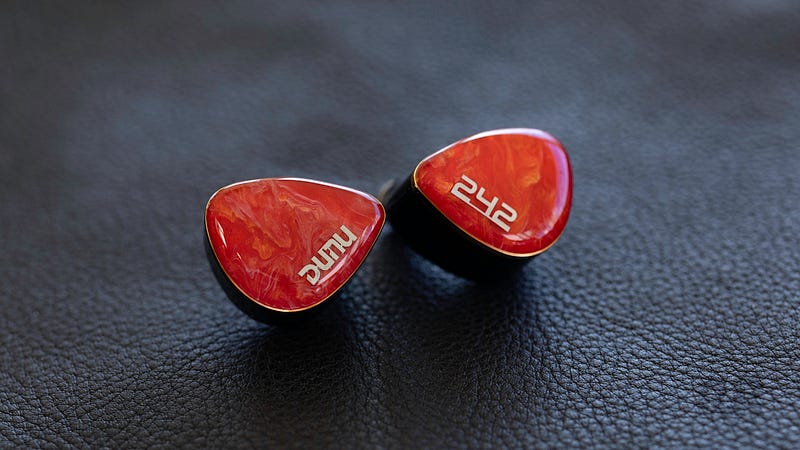
DUNU is a veteran Chinese audiophile brand. Over the 10+ years they’ve been in business, DUNU has released a wide variety of acclaimed IEMs. Their previous generation of IEMs, such as the DK3001 and Glacier, spawned entire fan-bases and modding sub-cultures. They’ve begun what looks to be a small shift in marketing and design direction, beginning with their new pair of tribrids, the DN142 and DN242. Whether it be trend-chasing or a genuine interest in exploring Chinese mythology, the new pair of DUNU tribrids lean heavily on the imagery and vision of traditional characters. They’ve simultaneously adopted a new, admittedly adorable, mascot.
The question that matters, though, isn’t whether the branding is eye-catching, but whether all this renewed creative energy translates into well-executed IEMs that actually deliver. Let’s get into it.
Listening Preferences & Review Context
This review is a subjective evaluation, shaped inevitably by my own listening priorities. I make a conscious effort to stay consistent and fair in my comparisons, but no amount of methodology fully removes personal bias. Transparency matters, so here’s the lens through which this review should be read.
My reference sound signature favors controlled, authoritative sub-bass with a textured and articulate mid-bass, a slightly warm and natural midrange, and treble that is extended and detailed without tipping into glare. I also have mild sensitivity to elevated treble energy, which influences how I assess brightness, fatigue, and long-term listenability.
Advertisement
Full details on my testing equipment, methodology, and evaluation standards can be found here.
For testing, I used a mix of dedicated DAPs and portable dongles, including the HiFiMAN SuperMini, Hidizs AP80 Pro MAX, and Astell & Kern PD10, alongside the Astell & Kern HCL, AudioEngine HXL, Meze Alba Dongle, and the Apple Dongle. This range covers everything from audiophile-leaning sources to everyday mobile use.
Unboxing
Build
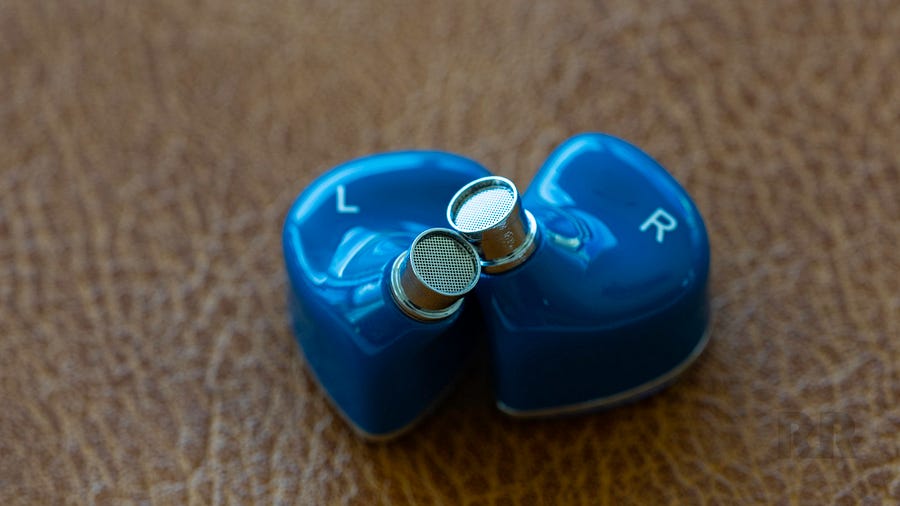
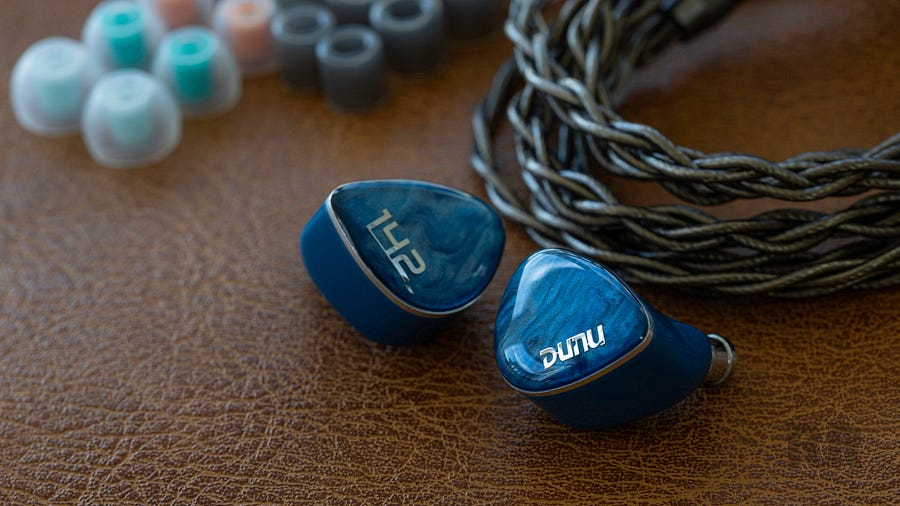
The DN142 (and its sibling, the DN242) feature 3D-printed resin shells, manufactured by HeyGears: a well-known 3D-printing outfit based in China. The DN142’s faceplates are pretty and are lined by a chromed piece of plastic. The construction is clean, as is the case with pretty much anything DUNU sells.
Advertisement
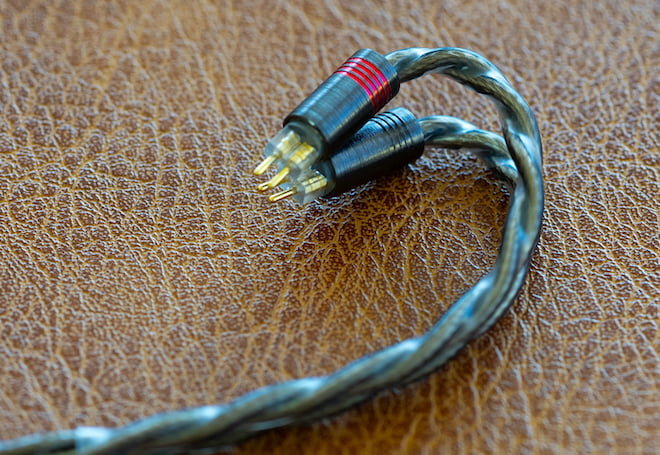
The top of the DN142’s shells houses standard 2-pin cable sockets, with no MMCX option offered. If MMCX is non-negotiable, you’ll need to look elsewhere in DUNU’s lineup. The 2-pin connectors are partially recessed, but clearance is generous enough to maintain compatibility with the vast majority of aftermarket cables.
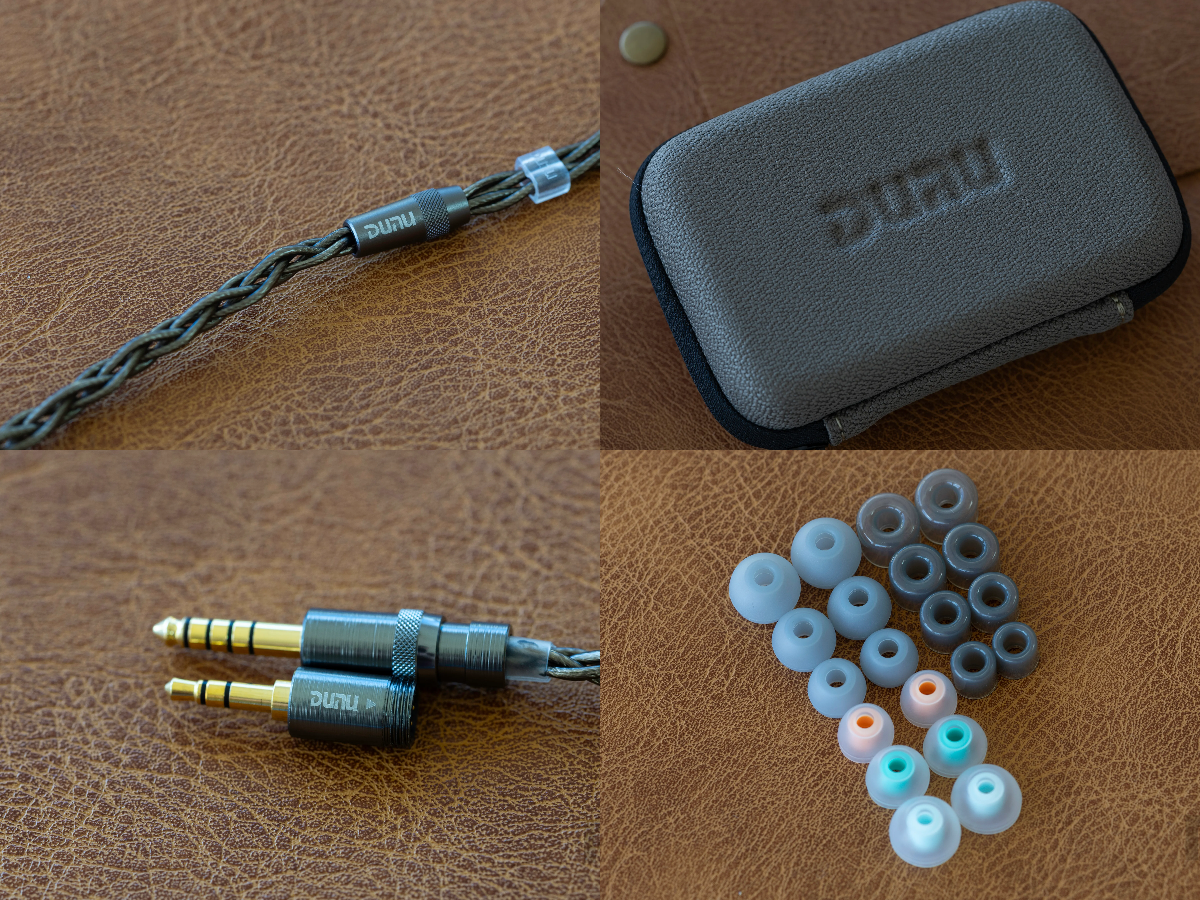
The DN142’s cable is identical to the one that comes with the ITO and DN242, which is to its benefit. This cable is well-built and uses DUNU’s excellent modular connection system. It comes with a 3.5mm and 4.4mm termination, though as of writing, you can get a free USB-C termination from DUNU when you order from their website. The cable itself is fairly soft and pliable. I can easily coil and store it in smaller cases. It’s not quite as “hefty-feeling” or comfortable as the cables that comes with pricier IEMs like the Vulkan II, but its more-than-acceptable for this price-point..
Comfort
Comfort is inherently personal and heavily dependent on individual ear anatomy, so mileage will vary.
To my ears, the DN142 is of average comfort. Its shells are on the larger side, but it is light and sculpted properly. If I don’t seat it well, I can become uncomfortable in as little as 30 minutes. If I place it carefully in my ear, I can get 1–2 hours of comfortable, uninterrupted listening.
Advertisement. Scroll to continue reading.
Advertisement
I’m pretty happy with the DN142’s passive isolation. Its nozzle size and length are compatible with my ears and allow me to block out an above-average amount of noise, even with the stock silicone eartips.
Accessories
Inside the box, you’ll find:
1 x 0.78 mm 2-pin cable
1 x 3.5 mm termination
1 x 4.4 mm termination
1 x semi-hard carrying case
3 x collectible cards
1 x 1/4-inch to 3.5 mm adapter
10 x pairs of silicone eartips
As is tradition with DUNU, the DN142 arrives well stocked. The carrying case, shared across several DUNU models, isn’t flashy, but is sturdy and does the job. The modular cable is the same proven design found elsewhere in the lineup and works exactly as intended. Tip selection is generous for silicone users, offering plenty of fit options out of the box. Foam eartips are absent, which is a bit of a letdown, but it’s consistent with DUNU’s usual approach.
Tech Specs
The DN142 is a seven-driver tribrid IEM built around a hybrid array that combines one dynamic driver for low and ultra-low frequencies, four custom balanced armatures split between midrange and treble duties, and two custom micro planar drivers handling the ultra-high frequencies. This configuration is managed by a four-way crossover architecture designed to maintain phase coherence and smooth handoffs between driver types, rather than sounding stitched together.
Per side, the DN142 weighs approximately 5.6 grams and is rated with a frequency response of 5 Hz to 40 kHz. Impedance is specified at 37 ohms with a sensitivity of 107 dB per milliwatt at 1 kHz, which places it firmly in the “easy to drive” category for most modern DAPs and dongles. Total harmonic distortion is rated below 0.5 percent at 1 kHz, suggesting competent control across the audible range.
The included cable is a 4-core, high-purity silver-plated OCC copper design measuring 1.2 meters in length, terminated with standard 0.78 mm 2-pin connectors and DUNU’s Q-Lock MINI modular plug system. Both 4.4 mm balanced and 3.5 mm single-ended terminations are included in the box.
Advertisement
Listening
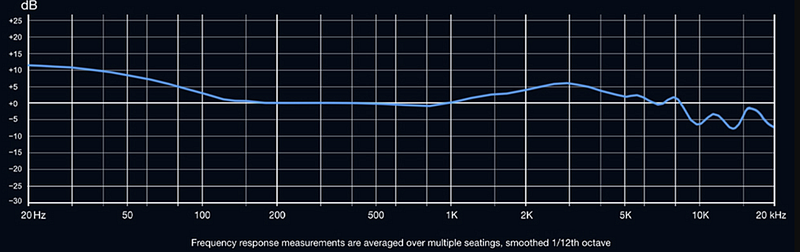
Graph, for the sniffers. Source: HiFiGO
The DN142 follows a U shaped, nearly V shaped, frequency response. It features emphasized sub-bass that gently blends down into the 200Hz range. Its lower-midrange is fairly linear and is not emphasized. The DN142’s upper-mids are energetic and forward, delivering a clear and distinct vocal range. Instrumental position is quite clear thanks to strategic emphasis in the upper-treble near the 6KHz and 8KHz ranges. Mercifully, DUNU properly-tamed the DN142’s 10KHz energy, pushing it down into a small valley to protect treble-sensitive listeners such as myself.
Dang Fine Treble Tuning
DUNU’s tuning team generally favors more treble energy than I do. Past models like the DK3001 and Falcon C are quite bright by my standards, so seeing “dual planar drivers” on the DN142 and DN242 spec sheets immediately set off alarm bells. My concern was not a lack of faith in DUNU’s engineering, but rather the industry’s uneven track record with micro planar implementations, which too often turn into bright, splashy, unfocused affairs.
The DN142 dispenses with these preconceptions, authoritatively. Its treble is lively and expressive without crossing into sharpness or sibilance. Extension is handled with control, delivering air and detail while staying composed. Tracks like “When I Come Around” by Green Day showcase the DN142’s treble resolution. It captures the fine nuances in the drummer’s hi hats, cymbals, and snare work with imaging quality that is hard to find below the $500 mark, let alone under $250. Metallic textures are rendered with convincing precision, giving transient details a lifelike, fleeting presence.
Upper treble attack and decay are handled with care, and the DN142’s ability to layer information without turning brittle makes it a genuinely formidable performer. Packing an IEM with treble energy is easy. Doing it without punishing treble sensitive listeners is not. The DN142 manages that balance well. It is not a mellow tuning, but it remains a largely safe listen. Even sharper tracks like “Satisfy” by Nero and “The Funeral” by Band of Horses introduce only the slightest hint of heat, so minor that I never felt compelled to adjust the volume.
Impartial Midrange Tone
The DN142, the first entry in DUNU’s new Delicate Series of IEMs, was designed to be generous, though transparent. While these aren’t wholly-congruent sonic ideals, DUNU did a good job of balancing them. Instrumental tone sits close to neutral, with a slight lean toward the brighter side of the spectrum. Guitar textures in tracks like “Holdin’ It Down for the Underground” by A Day to Remember come through cleanly and with purpose, without excess thickness or blur.
Advertisement
The DN142 is particularly adept at layering busy mixes while preserving separation. “Bring It on Back” by Jet is a good example, where competing instruments remain clearly defined rather than collapsing into a midrange haze. It also resolves deeper seated string elements well, even at lower listening volumes, which speaks to solid midrange resolution rather than brute force tuning.
Advertisement. Scroll to continue reading.
My main reservation with the DN142’s mids is a subtle sheen that can occasionally appear on higher pitched vocals. This effect tends to sit at the edges of vocal lines and shows up intermittently. Oliver Tree’s vocals on “Nothing’s Perfect” by NGHTMRE, already heavily processed in production, take on a bit more shine here than they would on an IEM with a calmer upper register.
Flexibly Tuned Bass
The DN142 features a sub bass focused low end. There is some mid bass presence, but not to the extent you would expect from an IEM tuned specifically for EDM. Modern, bass heavy mastering styles like those used by Joji pair well with this approach. The bass line in “Window” rumbles with satisfying depth and completeness, providing much needed contrast to the track’s high pitched vocals.
Advertisement
Rock and its many sub genres are genuinely enjoyable here, as the DN142 delivers enough weight and drive to create a lively and engaging soundstage. That said, it does not hit with the visceral force of a dedicated basshead IEM. “My Condition” by Dead Poet Society sounds clear, articulate, and weighty thanks to its robust sub bass foundation, but the drums offer only a modest sense of punch and air movement. “Little Monster” by Royal Blood is presented similarly, with a touch of punch and sufficient depth to properly fill out the lower register.
Balancing performance and fun is never easy, and doing so under $250 only magnifies the challenge. While the DN142 is not a basshead tuning, its ability to deliver an exciting low end without smearing or bleeding into the midrange is impressive. For all but the most ardent bass lovers, it makes an excellent match for rock and alternative music.
Electronic tracks are more of a mixed bag. The DN142’s relatively restrained mid bass means bass performance depends heavily on both listening volume and mastering style. “Quantum Immortality (AWAY Remix)” comes through with richness, weight, and a satisfying sense of fullness. By contrast, “One Minute” by Krewella rumbles convincingly but lacks real punch. “Double Edge” by Flux Pavilion is similarly dynamic and engaging, but once again leans more on sub bass rumble than outright impact.
Comparisons
DUNU ITO
The ITO is a $199 hybrid IEM from DUNU with resin shells and resin nozzles, a 2 pin connection, and the same modular cable used by the DN142 and DN242. Accessory bundles are nearly identical, but the additional $50 for the DN142 gets you metal nozzles, a meaningful upgrade for long term durability. Resin nozzles are more prone to cracking over time, especially in high UV or humid environments, while metal nozzles are effectively worry free.
Tuning is where these two clearly diverge. The ITO is unapologetically bass heavy, with significantly more sub bass and mid bass and a warmer overall presentation. The DN142 is cooler, brighter, and more energetic, with a cleaner and more articulate low end. While the DN142 still handles bass forward music competently, it resolves finer bass textures and mid bass detail that the ITO tends to smooth over. For electronic music, especially artists like Flux Pavilion and Taska Black, the ITO delivers more outright impact, though some listeners may find its bass overwhelming or intrusive in rock and alternative where it can bleed into the lower mids.
Advertisement
If I had to choose, the DN142 is the easy pick. The modest price increase buys a more flexible and technically capable IEM, along with more durable construction. Its carefully balanced treble also makes it a rare high energy tuning that I can enjoy despite my sensitivity. Bassheads and EDM focused listeners may still gravitate toward the ITO, but my preferences clearly favor the DN142.
DUNU DN242
The DN142 and DN242 may be marketed as siblings, but they sound far less alike than their shared shells and visual design suggest. Where the DN142 follows a U shaped, nearly V shaped, tuning, the DN242 is noticeably more linear. Its sub bass is dialed back, the lower mids are slightly warmer, and the upper mids are less pronounced. Treble on the DN242 is brighter overall, with more fill across the upper register, positioning it as a north of reference tuning with a modest sub bass shelf and elevated highs.
By comparison, the DN142 comes across as friendlier and more dynamic. The DN242 often sounds overly bright and, at times, glaring. Even relatively tame tracks that remain controlled on the DN142 can become sharp and fatiguing on the DN242. While the DN242’s leaner and brighter presentation may appeal to some listeners, it does not align well with my preferences.
Between the two, the DN142 is the clear choice for me. Its stronger bass presence, warmer midrange, and less aggressive upper register create a listening experience better suited to my music library and personal taste. The DN242’s higher price tag also works against it, offering little incentive given its tuning direction.
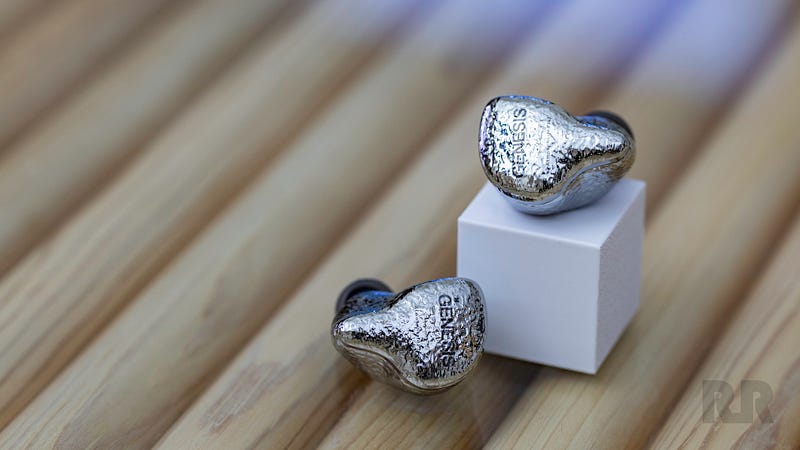
EarAcoustic Audio Genesis G318s
The Genesis G318 is an all metal IEM using a single dynamic driver per side and sells for $249, placing it directly against the DN142 on price. Both include solid cables, but I prefer the DN142’s. It makes more generous use of strain relief, features an excellent modular connector, and avoids the distracting microphonics present on the G318’s cable. The Genesis comes with a larger and more visually distinctive case, though it does not offer meaningfully better protection than DUNU’s standard zippered case. The DN142 also includes a far more comprehensive selection of stock eartips, easily surpassing the G318 in both quantity and overall quality.
Advertisement. Scroll to continue reading.
Advertisement
Sonically, the DN142 is cooler, brighter, and less bass focused than the G318. It lacks the warm, smooth, mocha latte like richness that defines the Genesis’ presentation. Instead, the DN142 relies on its multi driver configuration to balance energy and technical performance. To my ears, the G318 is the more charming listen. Its bass warmth, combined with solid technical ability and a well judged upper register, delivers a character that is relatively uncommon in the single dynamic driver segment.
That said, the DN142 offers a more electrifying experience overall. Its emphasized upper mids and treble introduce a sense of air and openness that the G318 cannot quite match. The DN142 also reaches deeper into the rear of the soundstage, resolving fine treble textures that the G318 tends to smooth over. If forced to choose just one, I would likely pick the G318 for its metal construction and richer, fuller low end, which pairs well with my library and taste. Listeners who prioritize technical performance, air, and clarity, or who are less inclined toward warmth, will likely find the DN142 the better fit.
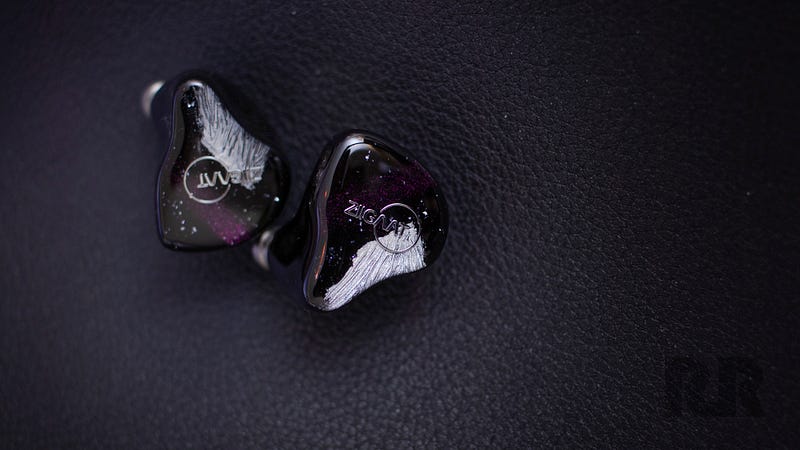
ZiiGaat Crescent
The ZiiGaat Crescents a four driver hybrid IEM with resin shells and a metal nozzle, priced at $279. It includes a basic modular cable that, frankly, does little to impress. The stock cable is among my least favorite I have encountered, lacking refinement and feeling uninspired in both handling and build. By contrast, the DN142’s cable is thicker, more flexible, less prone to tangling, and uses a far superior modular termination system.
Sonically, the Crescent presents a smoother and less dramatic upper register. Its upper mids are slightly less forward, while the lower mids carry a bit more warmth and the mid bass is marginally fuller than on the DN142. It delivers a touch more physical impact, but with slower transient response and less control. The DN142 extends further at both frequency extremes, and its added upper treble energy allows it to extract detail with greater vigor. While the Crescent’s relaxed top end is pleasant for casual listening, it does not resolve the same range of textures that the DN142 consistently reveals.
The DN142 also avoids the vocal sizzle that occasionally creeps into the Crescent’s presentation. Its more refined midrange, to my ears, highlights the quality gap between the two. As a result, the DN142 is my clear preference. The Crescent’s weaker accessory package and cable, combined with its higher price, are difficult to justify.
Advertisement
Kiwi Ears Astral
The Kiwi Ears Astral is a seven driver hybrid IEM using resin shells, metal nozzles, and flush 0.78 mm 2 pin sockets. It sells for $299, placing it $50 above the DN142. In terms of accessories, the comparison is not flattering. The Astral includes a worse case, fewer eartips, and a noticeably inferior cable. Judged on packaging alone, you would assume the DN142 is the more expensive product.
The Astral also adopts a modern U shaped tuning, but one that I find far less convincing. Its bass response lacks the natural weight and consistency of the DN142, especially with electronic music. Despite its unusual frequency response graphs, the DN142 blends sub bass into the mid bass smoothly and predictably.
The Astral, by contrast, rolls off more abruptly into the lower mids, resulting in a lopsided bass presentation. The DN142’s midrange is more linear and avoids the sterile character that creeps into the Astral. Upper mids are more energetic, treble presence is stronger overall, and importantly, the DN142 avoids the large upper treble spike that can make the Astral sound shrill and metallic.
While the Astral technically includes one more driver per side, it does not translate into superior performance. The DN142 retrieves just as much upper register detail, but without the odd timbral artifacts. The Astral’s cleaner sounding low end does not uncover additional texture or nuance, and the DN142 manages to keep pace without sacrificing mid bass body or musicality.
Between the two, the DN142 is the clear choice. Its more natural tuning, broader genre flexibility, and far better accessory package make it the stronger value. Factor in the lower MSRP and excellent stock eartips, and the savings become difficult to ignore.
Advertisement
The Bottom Line
The DN142 is a confident, well executed IEM that shows DUNU knows exactly what it is doing in the sub $300 space. It is tuned with intent, technically capable, and priced aggressively enough to make a lot of similarly “modern tuned” competitors feel awkwardly positioned. Build quality is solid, the accessory bundle is genuinely generous, and performance consistently outpaces what the asking price suggests.
This IEM is best suited for listeners who want an energetic, engaging sound without crossing into fatigue. If you enjoy clear vocals, strong treble resolution, and a sub bass focused low end that stays disciplined, the DN142 makes a lot of sense. Bassheads looking for maximum slam or listeners who prefer a very relaxed top end may want to look elsewhere, but for anyone chasing balance, detail, and versatility across genres, the DN142 is excellent value and one of the more complete packages in its price bracket.
Advertisement. Scroll to continue reading.
Pros:
Well judged U shaped tuning with strong sub bass and lively treble
Excellent treble extension without excessive sharpness or sibilance
Clear, articulate midrange with good separation and layering
Competitive technical performance
Durable metal nozzles and solid overall build quality
Outstanding accessory package, modular cable, and extensive eartip selection
Easy to drive
Cons:
Restrained mid-bass
Slight vocal sheen on higher pitched vocals
Larger shell size may limit comfort for smaller ears
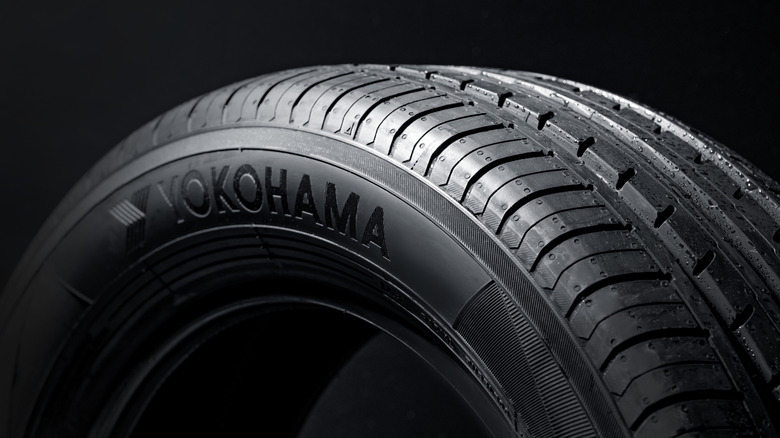
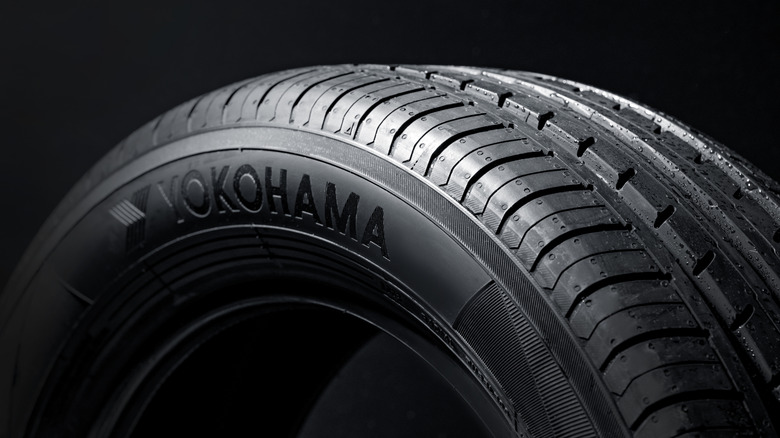
Nobody wants bad tires on their vehicle. They want them to be able to handle the terrain and climate conditions of their daily lives, perform well on wet roads, brake well, and last a significant number of miles before needing to be replaced. When it comes to choosing which tire is right for you, there are several brands that you might consider, like Michelin, Bridgestone, or other popular brands. Two tire brands you see quite often on the road are Yokohama and Goodyear.
Considering Japanese vehicle brands are consistently ranked among the most reliable in the world — particularly compared to American brands — one might assume this extends to tires as well, and that Yokohama would be more highly rated than Goodyear. However, according to Consumer Reports, that is most certainly not the case. Yokohama actually ranks very close to the bottom of Consumer Reports’ overall car brand ranking, whereas Goodyear places in the top half of that list. Tires from different brands were tested for factors like braking, traction, noise, hydroplaning, and more. Ultimately, 18 brands were given total overall scores, and Yokohama didn’t measure up to the competition.
The two areas where Yokohama consistently fell behind Goodyear were braking on wet surfaces and noise. Sometimes, the determined rating difference between them was small, depending on the particular tire, but there is clearly a noticeable trend that could be concerning to potential buyers. The gulf is even greater when you compare Yokohama to a brand like Michelin, which topped the Consumer Reports ranking.
Advertisement
Yokohama and Goodyear are not always competing head-to-head
ShamAn77/Shutterstock
One important caveat in the Consumer Reports tire brand ranking is that it is a holistic assessment of the respective brands. Of the seven different tire types Consumer Reports tested, there are only three where Yokohama and Goodyear are in direct competition with one another: all-season SUV tires, all-season truck tires, and all-terrain truck tires. In all three, Goodyear does come out on top, but there are four other tire types to contend with. Only Yokohama is represented in all-season, EV, and ultra-high-performance all-season tires, and Goodyear has no Yokohama competition in ultra-high-performance summer tires. Of the three categories that only have Yokohama tires, the Yokohama Avid Ascend GT all-season tires are the only ones to receive a stamp of recommendation from Consumer Reports. While the overall recommendation percentage is small, it does show there are some Yokohama tires that don’t necessarily deserve to be bunched together with a generally poorly rated brand.
There is also one key place where Yokohama tires generally receive better ratings than Goodyear ones, and that is handling snow and ice. The scores for those consistently tie or outperform the overall superior brand. Notably, the overall highest-rated Goodyear tire, the Goodyear Eagle F1 Asymmetric 6, doesn’t even have snow and ice handling ratings because it’s a summer tire. Yokohama may not rank highly in Consumer Reports’ eyes and lands roughly in the middle of SlashGear’s own ranking of tire brands, but it does have its particular strengths. For some situations, Yokohama tires may be exactly what you need, which is good to know, considering that they are generally less expensive than Goodyear tires.
Enterprises are “replatforming,” switching from traditional apps to AI, says Mistral CEO
Arthur Mensch notes many need the “right infrastructure in place” to get any real success out of AI
Gaps could emerge to separate companies that use AI versus those that don’t
Mistral AI CEO Arthur Mensch predicts that more than half of current enterprise SaaS software could be replaced by AI tools, raising questions and investor concerns over traditional software.
Mensch explained how, with the “right infrastructure in place” (and that’s an ongoing issue at the moment, per various other reports and studies), enterprises can easily and quickly built custom AI-driven applications to automate workflows without having to rely on traditional, third-party vendors.
He described this as a “replatforming” trend, where businesses are now faced with deciding between legacy IT systems and AI-powered alternatives.
Are traditional workplace apps being replaced by AI?
“AI is making us able to develop software at the speed of light,” Mensch said in an interview with CNBC.
While emerging “replatforming” is clearly a threat to traditional vendors who risk being left behind, Mistral AI is clearly not worried about this.
Quite the opposite. “The replatforming is a big opportunity for us,” he said, “because we now have more than 100 enterprise customers coming to us also with that will of maybe changing and replatforming their IT system.”
Advertisement
However, traditional software versus custom AI apps won’t be the only difference we could be set to see. A gap between companies with the right infrastructure and those without will also emerge, because infrastructure refers to far more than just servers.
Sign up to the TechRadar Pro newsletter to get all the top news, opinion, features and guidance your business needs to succeed!
Enterprises also need solid, clean data foundations, the right cloud and compute layer, top-notch security and of course a skilled workforce – and these are all challenges that companies consistently face when implementing AI.
While Mensch’s comments about replacing traditional apps with AI give us a good idea of what’s to come, it’s clear that the companies set to see the most success will be the ones to implement that “right infrastructure” to set the foundations of growth.
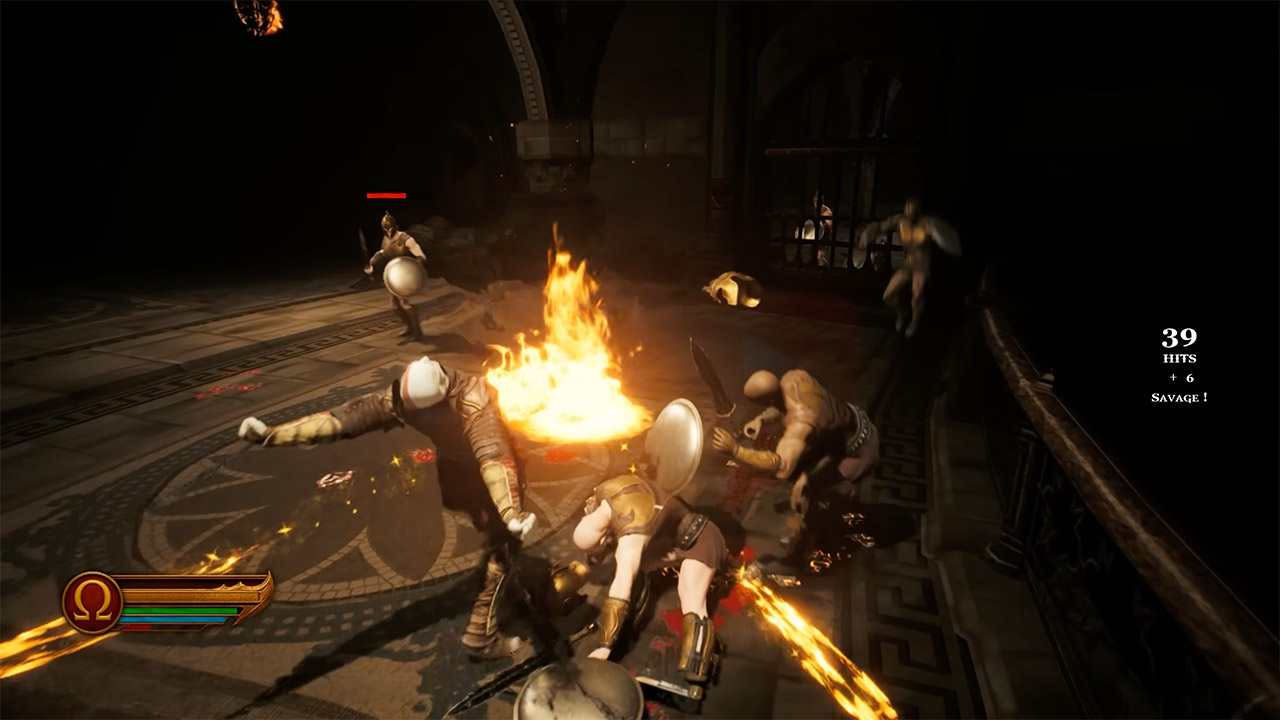
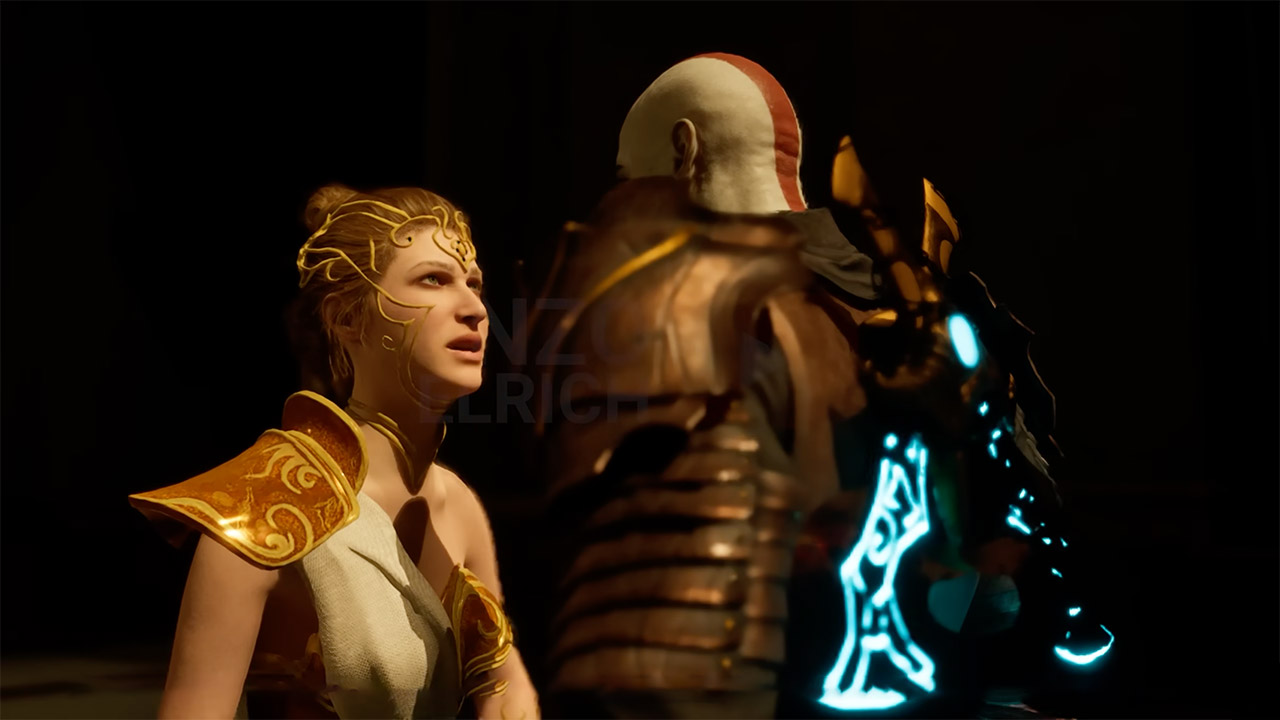
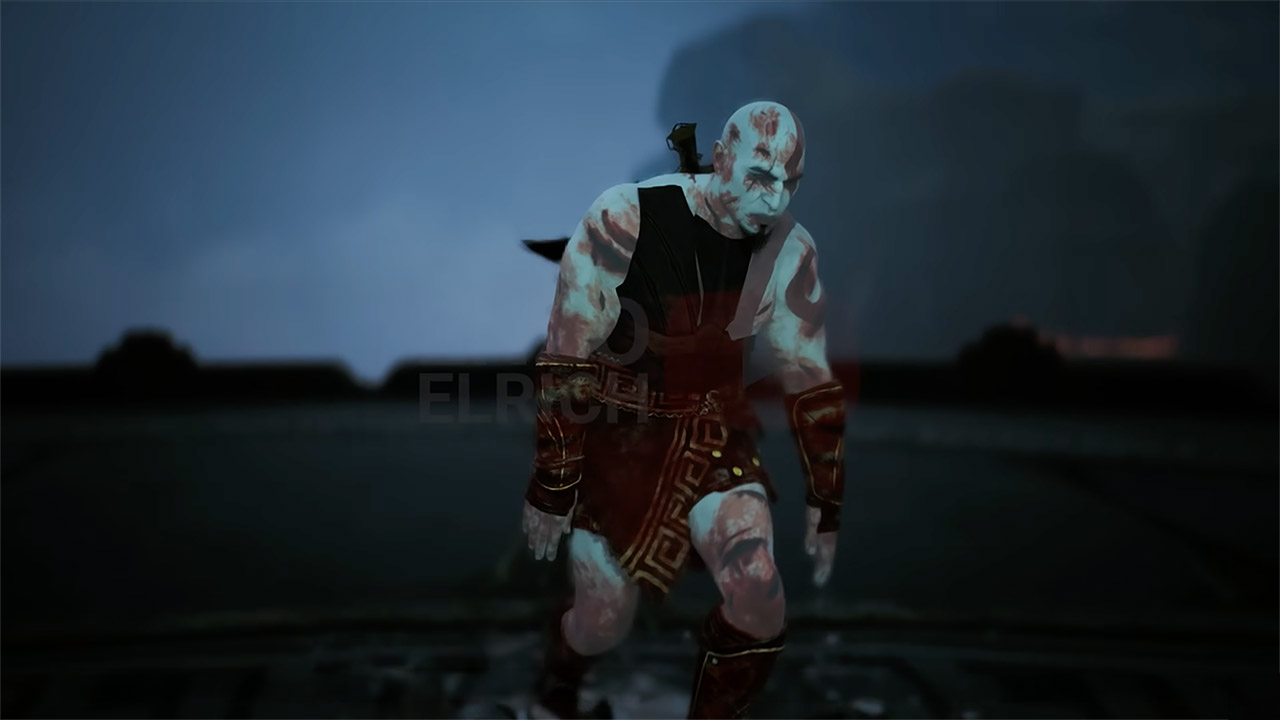
EnzoElRich spent three months building the intro to God of War 2 from the ground up with Unreal Engine 5.6. He effectively transformed Kratos’ spectacular entrance in Rhodes into a playable demo, complete with menus and visual settings.
Kratos charges in first, bursting through city gates with Blades of Chaos flying madly, drawing spearmen in close for the final blow. As he advances, blood splatters everywhere, and, as in the 2007 game, the camera zooms in tight during confrontations. Then there are the archers on rooftops, blasting arrows down, forcing Kratos to avoid, counter, and even perform some aerial juggling. Using an online tool, Enzo was able to extract over 2,500 models from the PS2 version, and he even got the textures to scale properly to match modern screens, all while maintaining the ultra muscular ash-white appearance.
Play Your Game Collection with Remote Play – PlayStation Portal Remote Player can play compatible games you have installed on your PS5 console…
Cloud Streaming from the Game Catalog and Classics Catalog – Discover an awesome library of PS5 games on the PlayStation Portal Remote Player with…
Cloud Streaming for PS5 Games in Your Library – With PlayStation Plus Premium, stream select digital PS5 games in Your Library from PlayStation Store…
Combat feels sharp, with six rapid attacks, two heavy assaults, and four air maneuvers. In addition, there are blocks and dodges that punish you severely if you make a mistake. Oh, and you may climb ladders, hang from beams, and do other fun things before reaching the Colossus of Rhodes. Phases increase the tension; it smashes walls and sends debris flying before lunging with its fists, cratering the ground. Kratos can climb up its arm and perform some quick time stuns while dodging lightning bolts from Poseidon’s powers that fly between the two of them in crackling chains. When you hit it, particles explode, and the Cyclone of Chaos special move causes some wild fire effects. If you get the right combo, the Wrath of the Gods unleashes a slew of strikes.
The animations are done frame-by-frame, with over 200 for Kratos alone. Enzo set them up with Unreal’s capabilities to make them all flow smoothly together. The environments received a beautiful combination of fog and post-processing to fit the game’s warm colors. The streets are alive with broken ceramics and flickering torches. The audio is directly from the source, with symphonic pieces booming with strikes, footfalls shifting on stone or wood, and magic simply humming along with electricity.
Menu choices allow you to customize settings, and the build includes DLSS 4 and multi-frame generation for smoother frames on modern GPUs. A 32-minute video from Enzo showcasing the demo side by side with the PS2 version is quite useful. It demonstrates how far the game has progressed; blocky PS2 bit-gone is replaced by sharp edges and dynamic shadows, but every enemy location and camera position remain unchanged. He also decided not to go overboard with the gore, preferring a simple core rhythm over violent, over-the-top brutality. [Source]
According to market intelligence firm Context, sales of refurbished PCs in the United Kingdom doubled in the fourth quarter of 2025 compared to the same period the previous year. Their growing popularity might sustain retailers’ profit margins as supply constraints impact memory and other components. Read Entire Article Source link
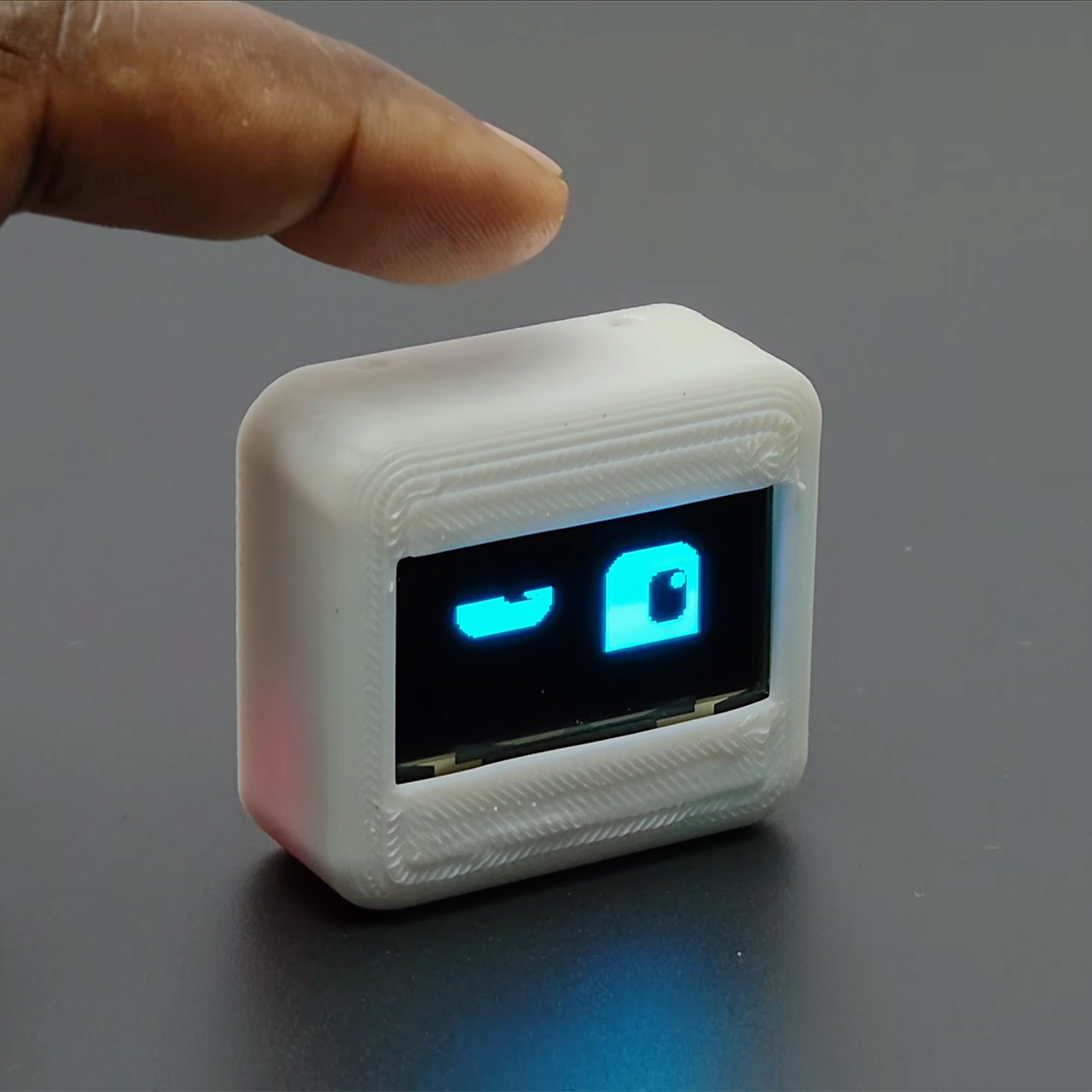
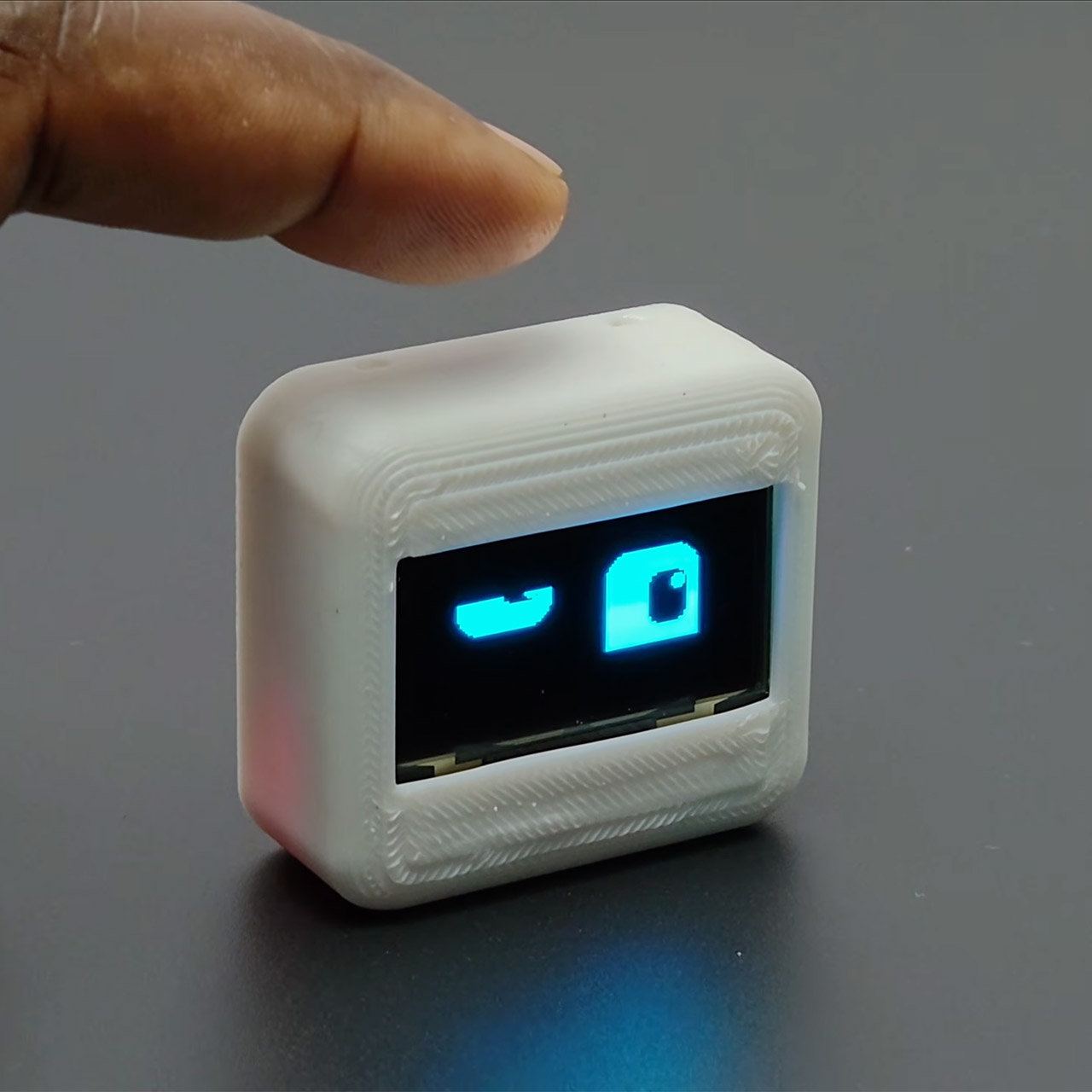
A small robot sits on your desk, its screen flickering with a cheery expression as it silently pulls in the most recent weather data. Deskbuddy does not go out of its way to get your attention with loud obnoxious noises or overly elaborate motions; instead, it just hangs out and keeps you company by doing simple animations and keeping you updated on time and weather, all wrapped up in a project that is ridiculously simple to build, even if you’re new to the hobby.
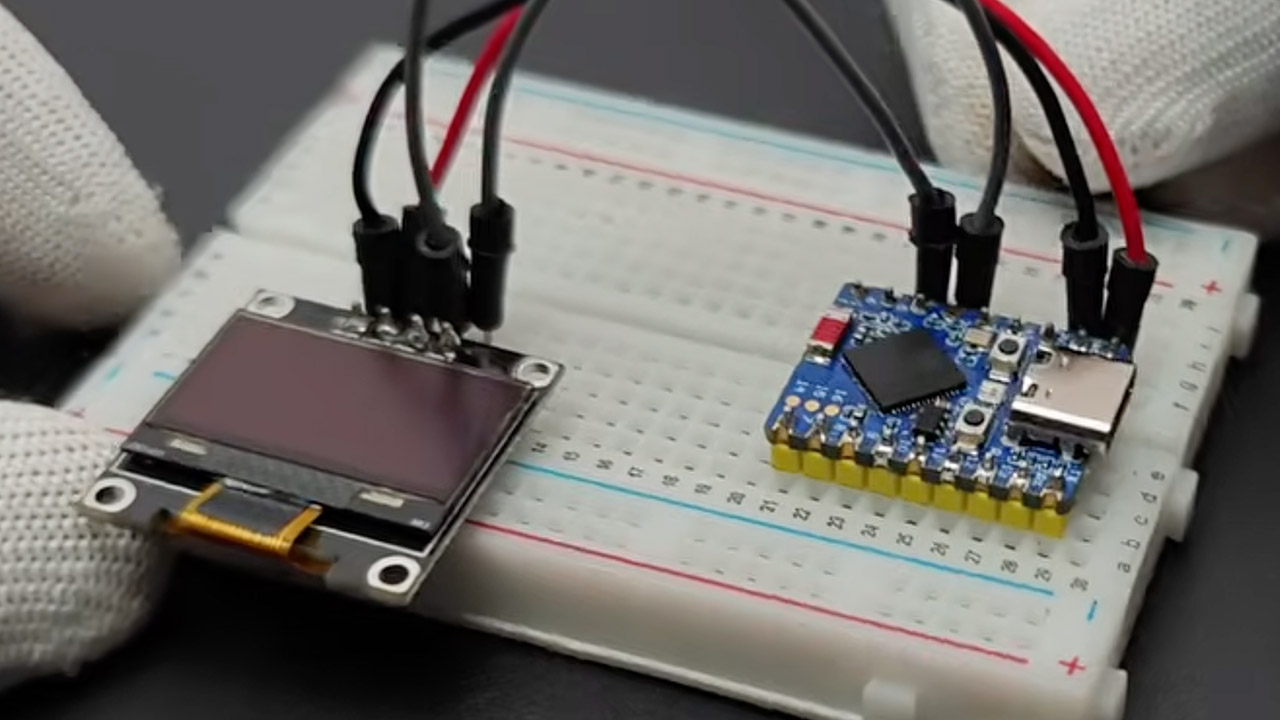
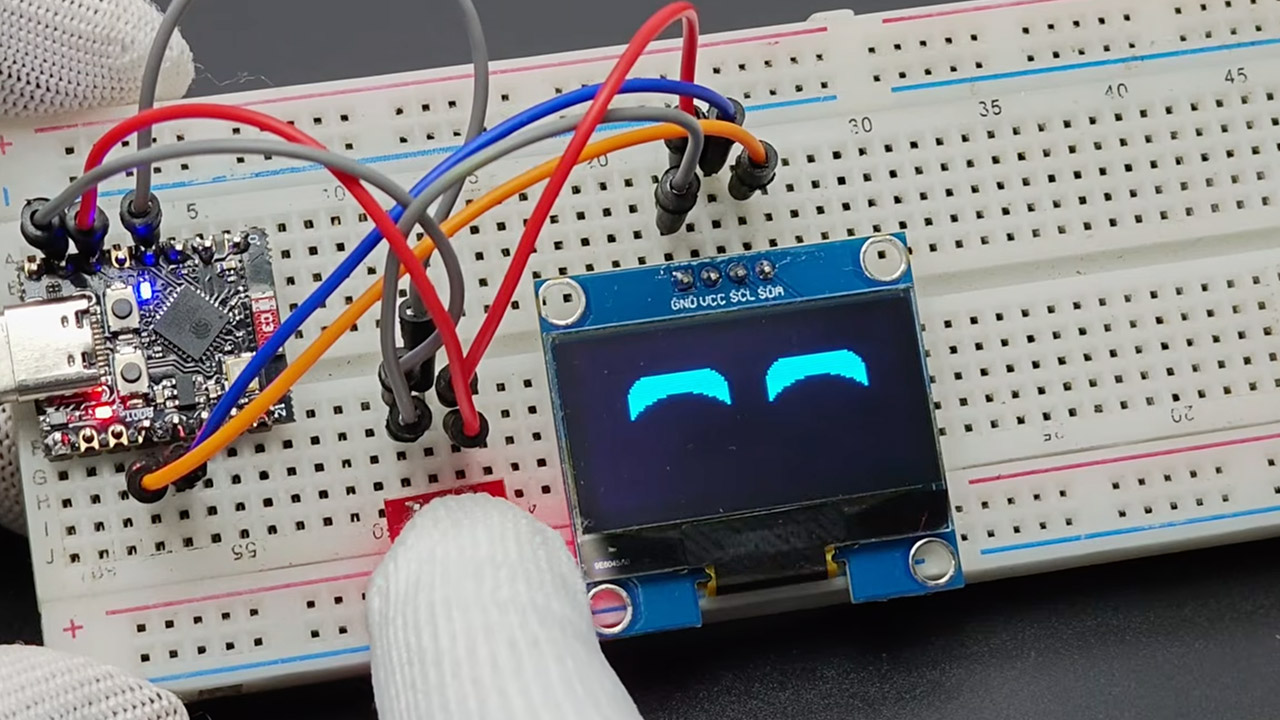
Rajesh from the Edison Science Corner YouTube channel came up with the idea for this robot, which uses everyday parts to keep prices down and choices open. At the center of it all is an ESP32-C3 Super Mini board, which Rajesh chose since it’s small and inexpensive, but you can use other ESP32 types if you wish. A 1.3-inch OLED display performs an excellent job of displaying expressive animations while also offering useful information such as the current time and local weather, which it obtains from OpenWeatherMap via WiFi.
🎁 Ideal Gift for Kids & Teens: This STEM solar robot kit celebrates child’s growing skills and important milestones. Whether for birthdays…
📚 STEM Educational Toy: This solar educational toy brings science to life! The fun DIY building experience sparks children’s curiosity in…
☀️ Powered by the Sun: Enjoy outdoor play with solar power or switch to a strong artificial light source indoors, such as a flashlight, ensuring…
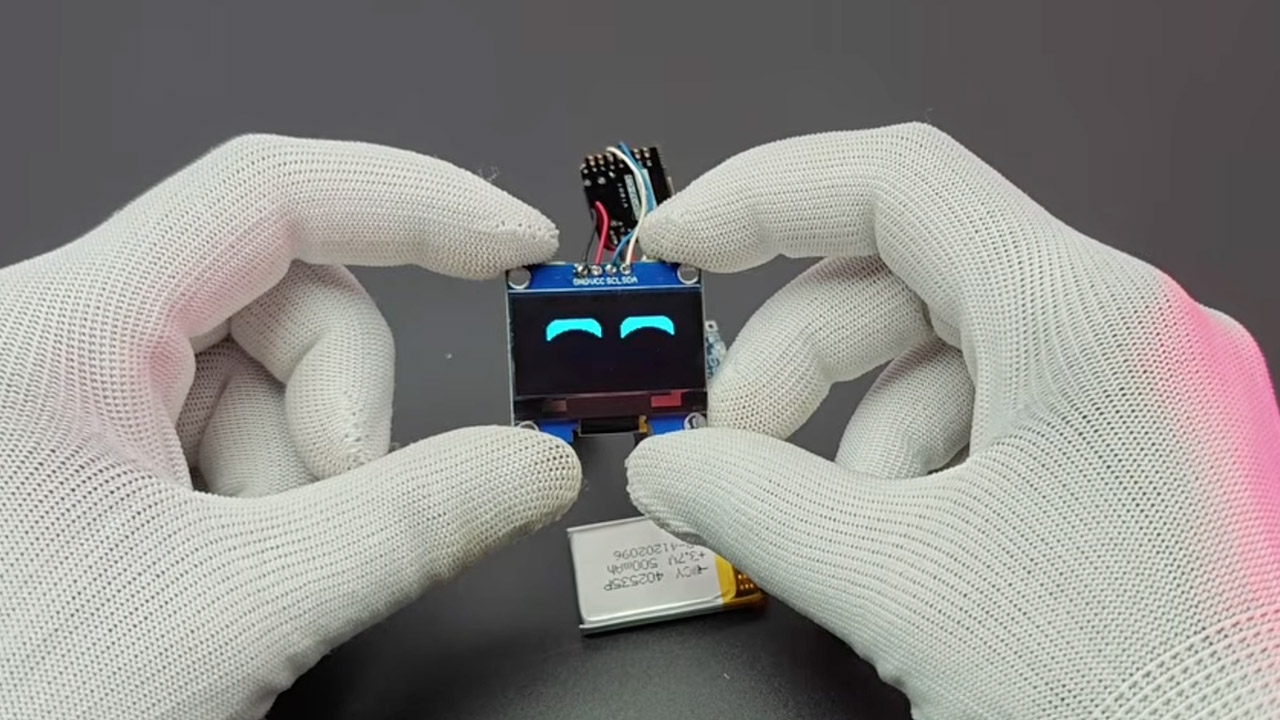
Deskbuddy is controlled by tapping a sensor on its body, which results in a reaction on the screen. The enclosure is a two-piece design that can be printed using any standard 3D printer in white PLA. It is shaped like a little case that fits perfectly next to your monitor or keyboard. Inside, the entire thing is powered by a rechargeable battery that connects via a charging module and a simple on/off button.
Advertisement
First, gather all of the necessary components: the microcontroller, the OLED screen, the touch sensor, the battery configuration, and a few wires. Once you have those, simply wire them together using a circuit diagram and upload your firmware via the Arduino IDE. After that, all you have to do is connect to your WiFi network and enter an API key to get the weather data to operate properly, and your robot will be fully operational. The animations are all handled by libraries such as Adafruit GFX, and the hardware is still quite adaptable, allowing you to swap and replace pieces to meet your needs.
All of the files for this project are fully open-source. You can download the Arduino sketches, wiring arrangement, and 3D enclosure models and play around with them as much as you want, adding additional expressions, changing data sources, and redesigning the shell from scratch.Community involvement will be an important element of future upgrades, with ideas already circulating for things like adding motion sensors so the robot wakes up as you approach, a speaker so it can make some noise, and possibly even a color screen to give it some genuine visual pizzazz. Of course, we may obtain a dedicated circuit board to make assembly easier, as well as improved power management to extend the battery’s life.
Deskbuddy is available in two versions: fully assembled for roughly $22 or as a kit with all of the pieces for about $14, which is fantastic for this project. From what I’ve seen, it just sits there silently on your desk, updating the weather, flashing a joyful expression when you tap it, and overall reminding you that a desk can have personality while also being functional without taking up too much room. [Source]
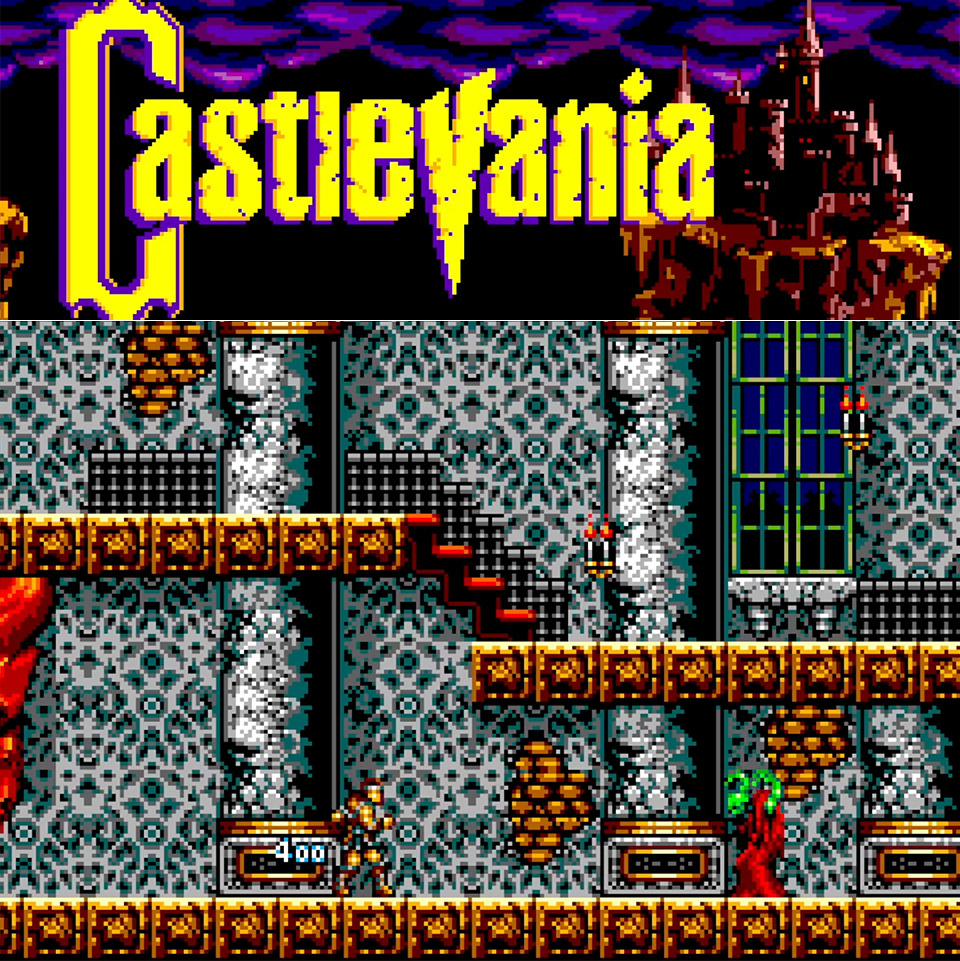
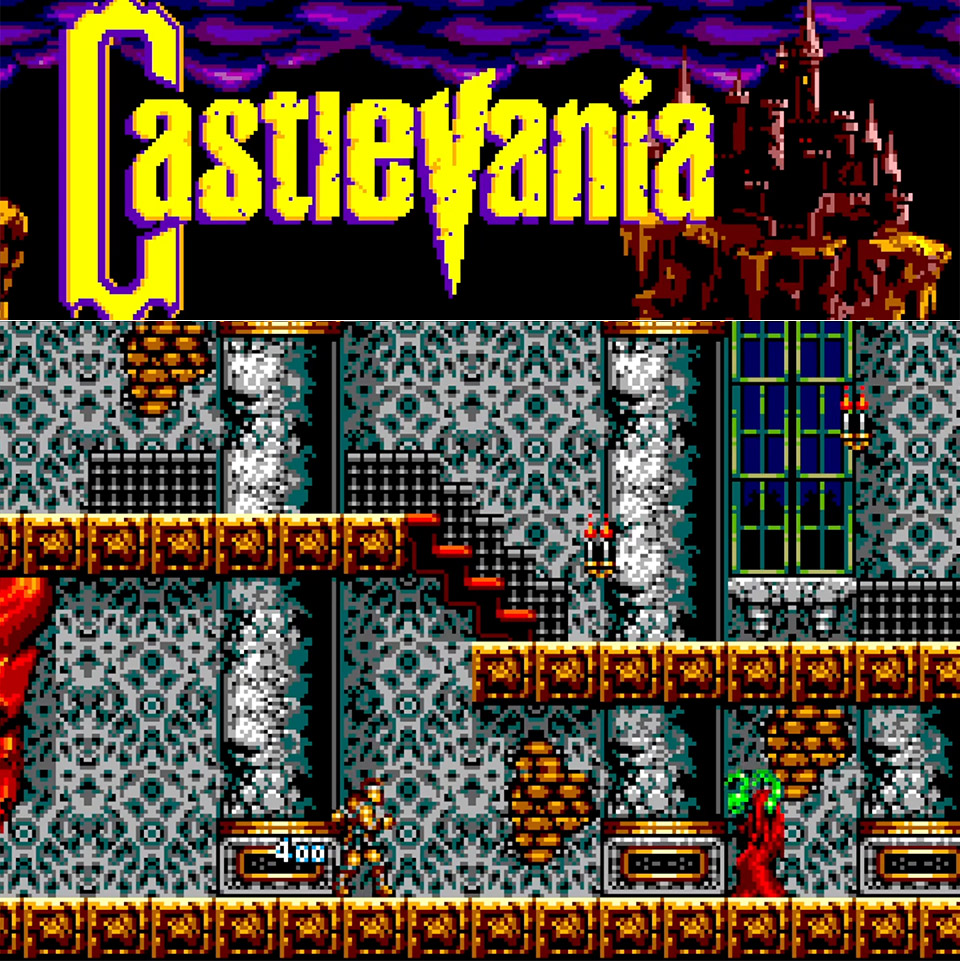
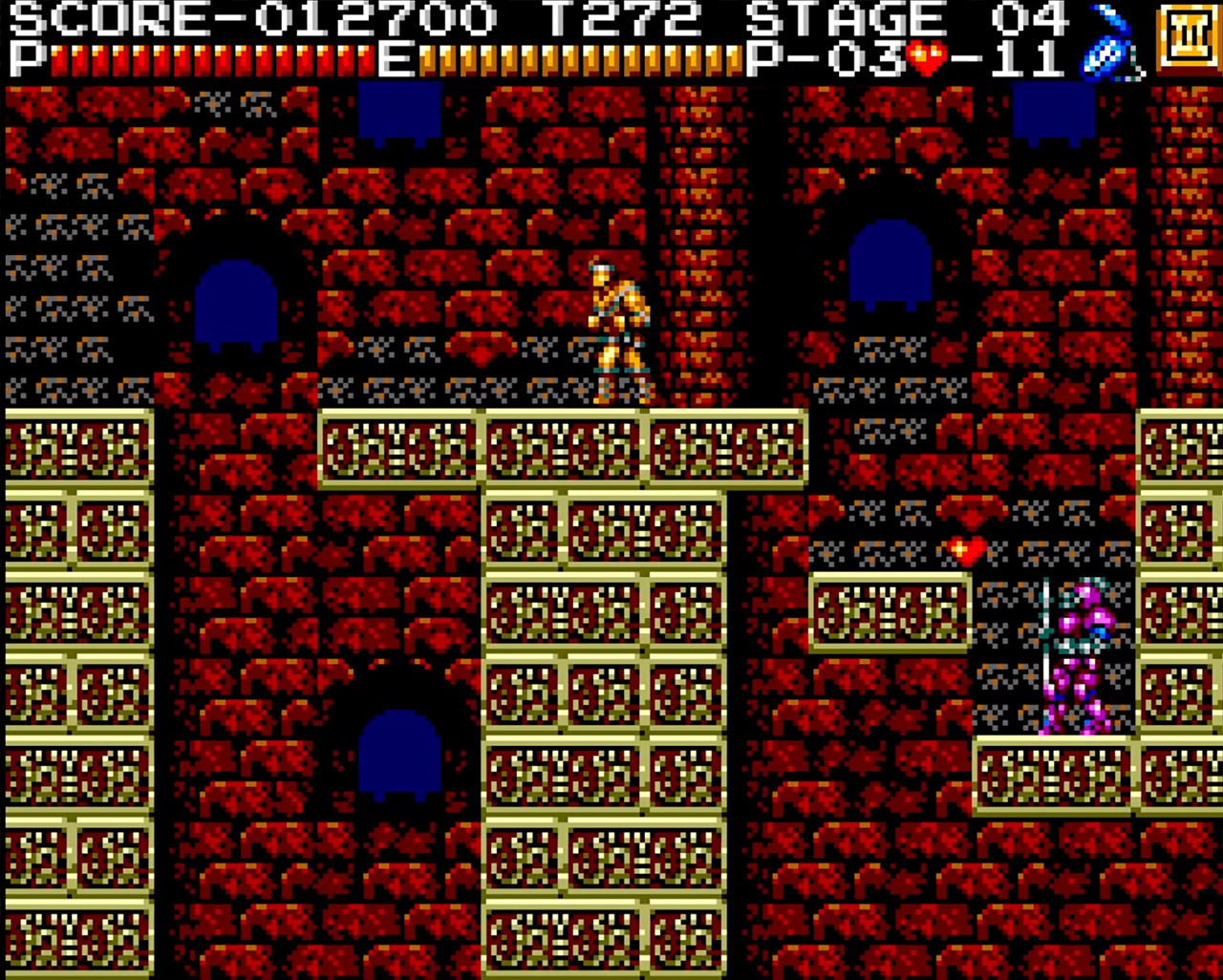
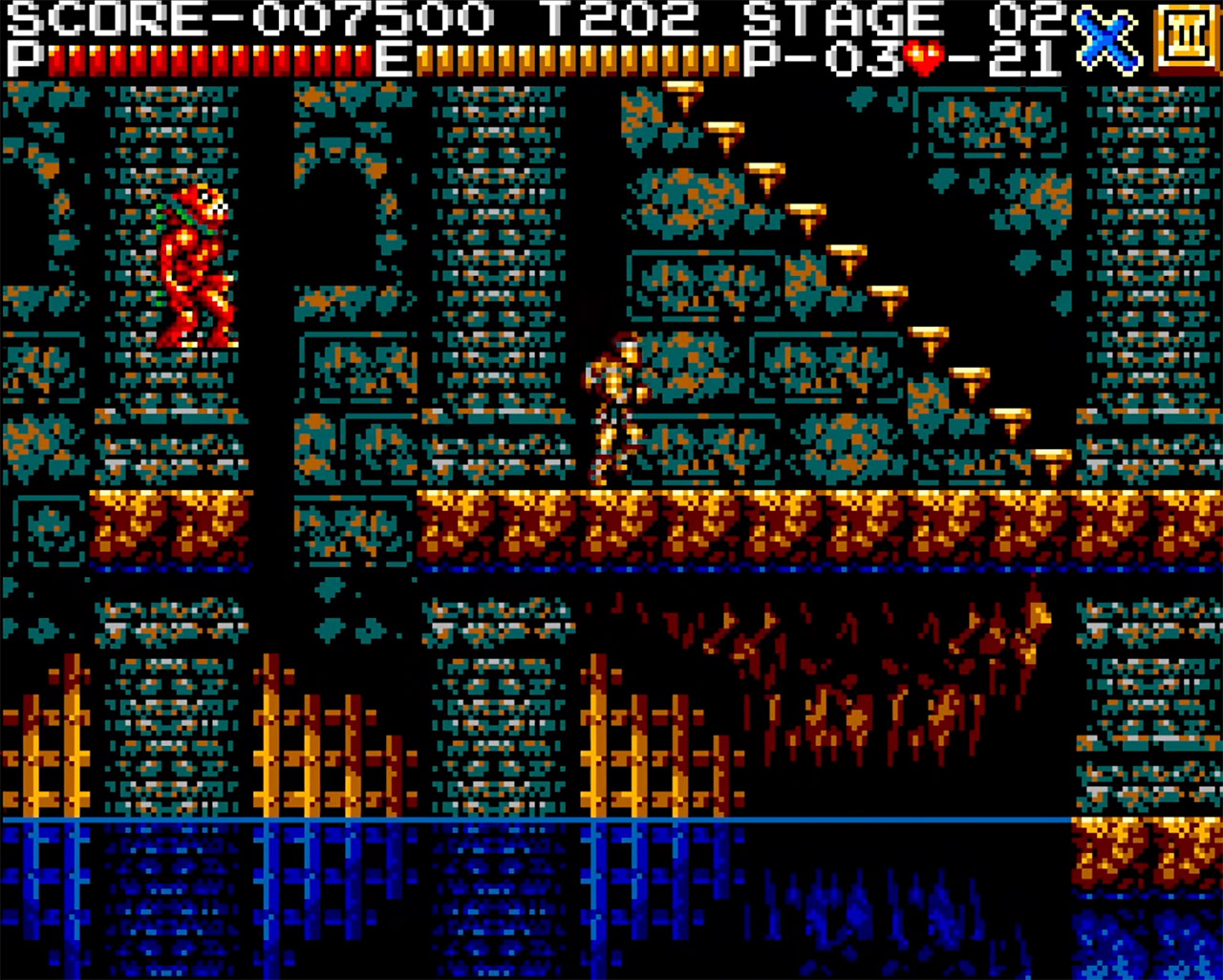
SEGA Master System owners can finally get their hands on a playable Castlevania. Developer xfixium stunned everyone by releasing sample version 0.1 on the SMS Power forums on February 14, 2026, right in the midst of Valentine’s Day. This homebrew project ports the 1986 NES classic to the 8-bit SEGA console, retaining the majority of the original while adding visual flare drawn from the X68000 version that inspired Castlevania Chronicles.
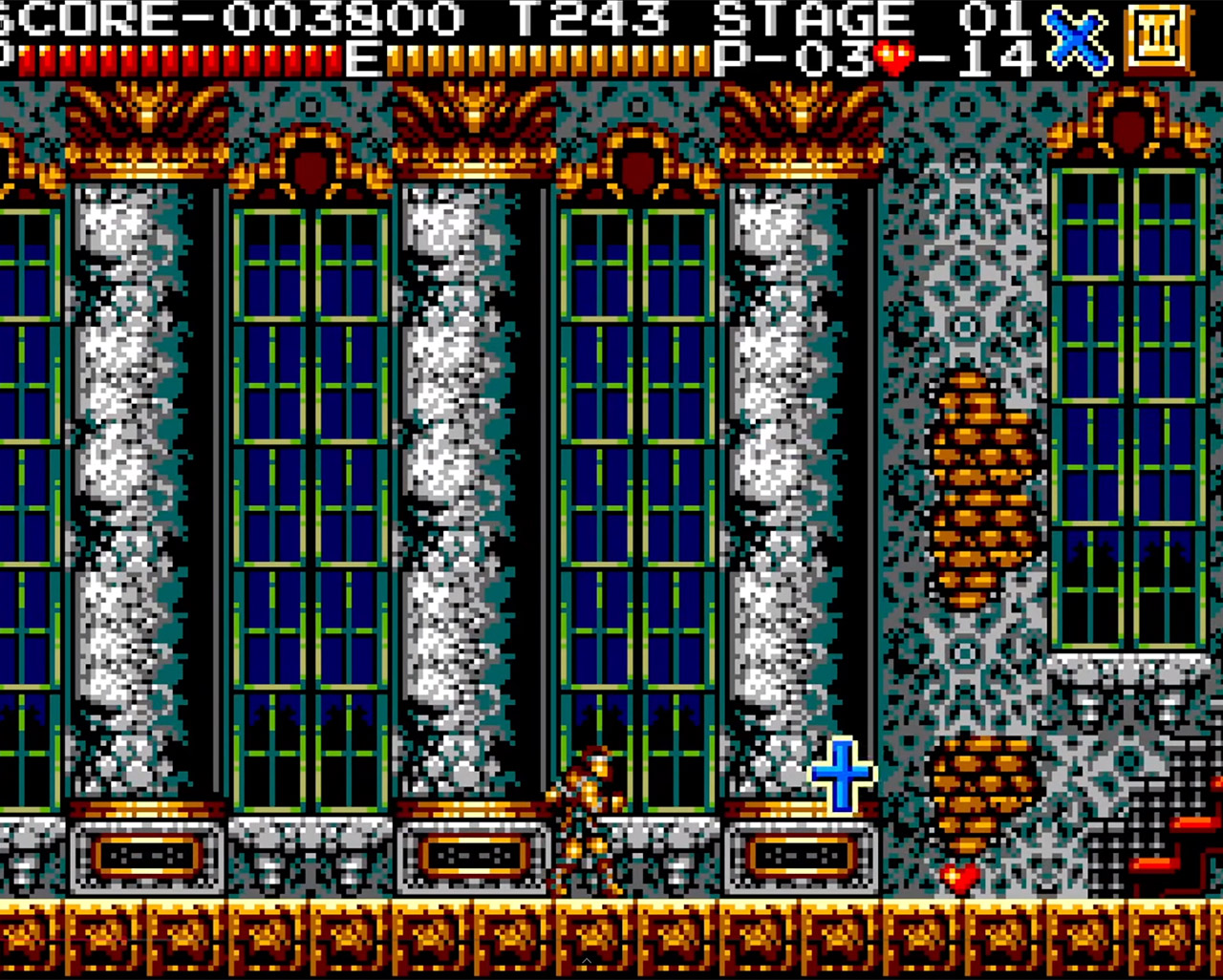
Xfixium handles the coding and visuals, while Mondo adds some great visual elements and Louis The Sega Nerd brings the soundtrack to life. When you boot up the ROM on an emulator or your actual hardware, you will see the title screen, intro sequence, and even a sound test. From there, you may choose between traditional mode, which looks like the NES, and enhanced mode, which has finer redrawn details that expand the Master System’s limited color palette.
All six stages are available for exploration, however for the time being, Trevor Belmont’s sprite from Castlevania III serves as a temporary hero, whipping through castles that are still mostly vacant. You can climb stairs, avoid hazards, and cross dangerous platforms, but power-ups and adversaries are currently placeholders, with large empty spaces begging for your attention. There are a few problems, but the movement feels robust, and xfixium developed smooth scrolling from the start as a proof of concept.
In enhanced mode, the graphics really come to life. On the Master System display, the colors are more bright, the backgrounds have some depth, and the sprites have lovely sharp edges.Side-by-side comparisons reveal the difference, as what appeared blocky on the NES now appears much more detailed and with deeper tones. According to forum members, it appears similar to what the Mega Drive was capable of years ago and has a higher visual impact than the 8-bit NES.
The soundtrack conversions are straight from the NES but have been reworked to accommodate the Master System’s PSG chip. Louis has done an excellent job on songs such as the stage themes and boss music, and he has made the entire set available online for anyone to listen to. Right now, the early plays reveal some beautiful melodies, however a few notes fall short of the NES versions. The FM sound chips will be upgraded in the future, but the existing mix is already receiving high accolades for making the best use of the hardware.
The standard two-button control scheme makes gameplay extremely simple. The whip button is on one side and the leap button on the other, while the D-pad controls all other movements with precision. There are no fancy additions yet, only pure action that requires you to properly timing your swings and hops. The good news is that real hardware testing show it operates extremely well, even on original Master Systems and newer clones, with no slowdowns in sight. Download it here. [Source]
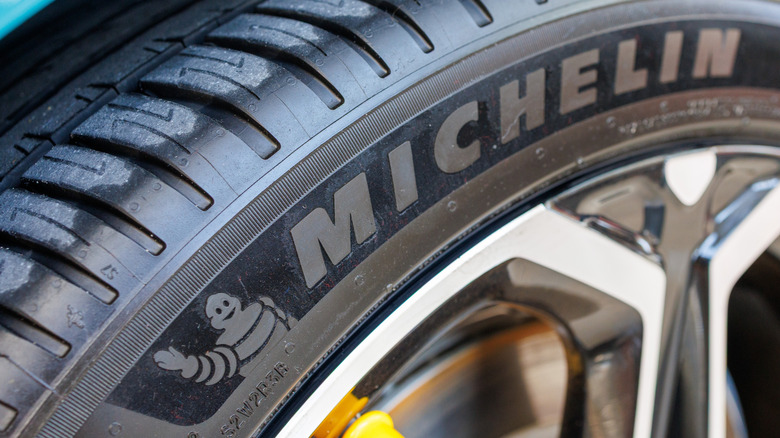
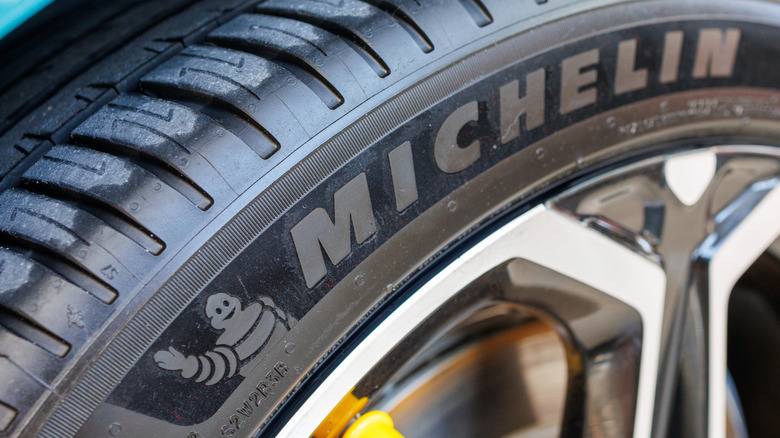
Michelin offers an 80,000-mile manufacturer treadwear limited warranty on two varieties of its Defender tires. These are the Defender2 and the Defender T&H MTP tires.
Michelin provides what it calls the Promise Plan to the buyers of its replacement tires, which excludes the tires that came on the vehicle as original equipment. The Promise Plan consists of three parts. The first part is a 60-day satisfaction guarantee, which lets buyers return their Michelin tires and exchange them for another new set of tires priced the same or less than the Michelins that were purchased. Next comes a roadside assistance component, which lasts for three years from the date of purchase. The roadside assistance service includes the changing of flat tires, including an up to 150-mile tow to the nearest Michelin retailer if an inflated spare is not available. It also covers battery jump starts, lockout service, and delivery of vehicle fluids. Finally, there’s the manufacturer’s limited warranty plus a treadwear warranty.
In the case of the Michelin Defender tires, the manufacturer’s warranty covers defects due to materials and workmanship, as well as a warranty for treadwear that lasts for 80,000 miles. Be aware that Michelin, which owns nine other tire brands, also puts a time limit on its warranty, which will expire six years after the date of purchase. So if you don’t put at least 13,333 miles per year on your tires, you might not be able to take full advantage of your warranty — unless the tires wear out before 80,000 miles.
Advertisement
What isn’t covered by Michelin’s 80,000-mile warranty?
There are some notable exclusions that apply to the Michelin 80,000-mile warranty. Should your car require tires that are different sizes front and rear, they will be unable to be rotated. This reduces the warranty to half of the stated mileage, or 40,000 miles in the case of the specified Defender tires. If you choose the run-flat version, known as Zero Pressure or ZP in Michelin-speak, the warranty is further reduced to 30,000 miles.
Advertisement
Some other things not covered by the warranty on these Michelin tires, which are made in factories located all over the world, are damage from use in racing-type events, damage as a result of a mechanical issue within the vehicle, road hazard-caused damage, and damage to tires that were taken off the car they were mounted on originally. If you are not the original owner of these tires and bought the car they are on used, the warranty does not apply.
Other reasons for non-coverage include improper maintenance, underinflation, overinflation, poor wheel alignment, flat spotting due to locking up your brakes or letting the car sit for long periods, and not rotating your tires every 6,000 to 8,000 miles. Also disallowed are commercial use of the tires for activities such as ride-sharing, cosmetic-type cracking due to either weather or ozone exposure, and the use of any substance besides air, carbon dioxide, or nitrogen being introduced into the tire for balancing or sealing purposes.
Advertisement
What happens if your Michelin tires wear out before 80,000 miles?
In the event that your Michelin tires with an 80,000-mile treadwear warranty do not make it to the maximum mileage within six years, there are two different scenarios that can apply. The first kicks in if your tires are less than one year old, with less than 2/32″ or 25% of the tread depth worn away. In this situation, Michelin will replace the tire free of charge with a tire that is comparable, including the mounting and balancing costs. Taxes and other charges are your responsibility.
If the wear exceeds this amount, or the tires are past a year from the purchase date, a replacement tire will be supplied on a pro rata basis, which means that the car owner pays a share of the new tire cost. The amount you will pay depends on both the percentage of the warrantied miles that you have received and the current retail price of the replacement tire. For instance, if your Michelin tires are worn down to the wear bars after 40,000 miles, you would be entitled to a replacement for around half of the current price. Of course, items like mounting, balancing, and taxes are on you.
Michelin is considered the best major tire brand in terms of customer satisfaction. By backing up their tires with not only a mileage warranty but also a 60-day return privilege plus roadside assistance services, Michelin seems very much interested in taking car of their customers for the long haul.
Looking for the most recent Mini Crossword answer? Click here for today’s Mini Crossword hints, as well as our daily answers and hints for The New York Times Wordle, Strands, Connections and Connections: Sports Edition puzzles.
Today’s Mini Crossword is a fun one, and it’s not terribly tough. It helps if you know a certain Olympian. Read on for all the answers. And if you could use some hints and guidance for daily solving, check out our Mini Crossword tips.
If you’re looking for today’s Wordle, Connections, Connections: Sports Edition and Strands answers, you can visit CNET’s NYT puzzle hints page.
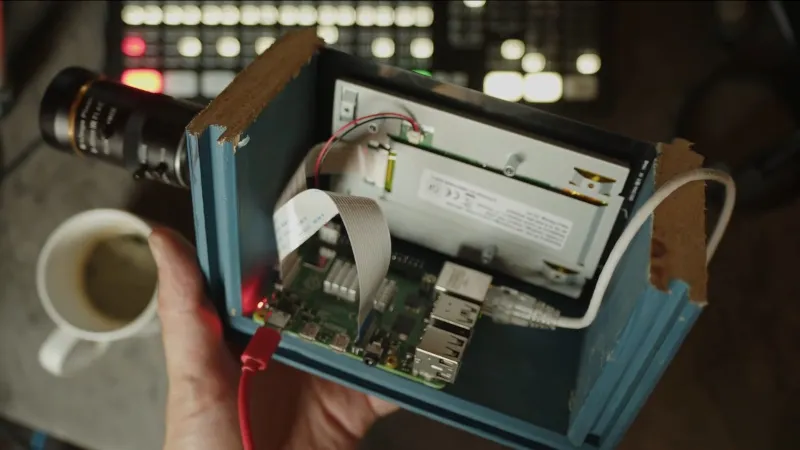
The Raspberry Pi has brought digital camera experimentation within the reach of everybody, with its combination of an accessible computing platform and some almost-decent camera sensors. If there’s a flaw in the Pi as a camera though, it lies in the software, which can be slow and frustrating to use. [Martijn Braam] is here with an interesting project that might yield some useful results in this direction, he’s making a Raspberry Pi studio camera.
His camera hardware is very straightforward, a Pi 5 and touchscreen with the HD camera module in a rough but serviceable wooden box. The interesting part comes in the software, in which he’s written a low-latency GUI over an HDMI output camera application. It’s designed to plug into video mixing hardware, and one of the HDMI outputs carries the GUI while the other carries the unadulterated video. We can see this used to great effect with for example OBS Studio. It’s for now a work in progress as you can see in the video below the break, but we expect that it can only get better.
The video below exposes the obvious flaw in many Pi camera setups, that the available lenses don’t match the quality of the sensor, in that good glass ain’t cheap. But we think it’s one to watch, and could provide competition for CinePi.
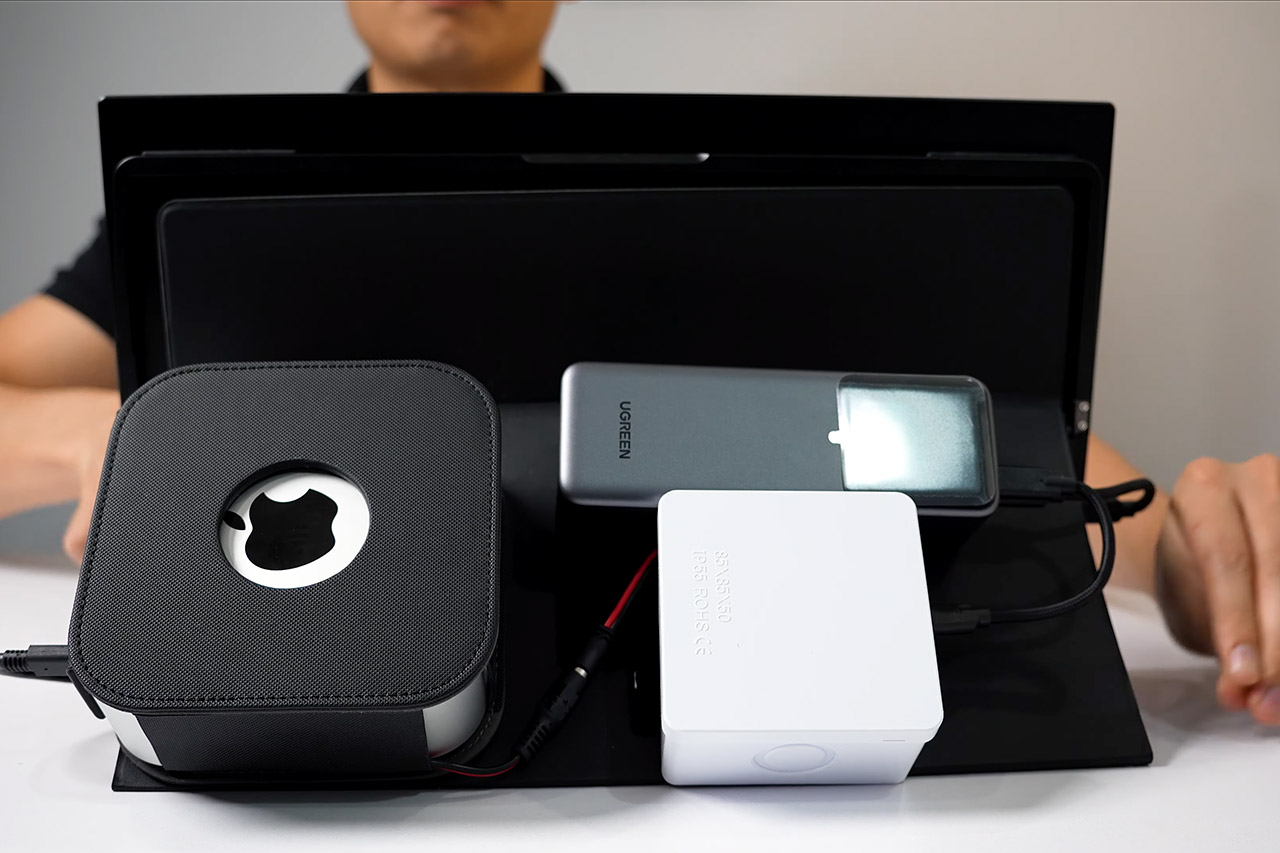
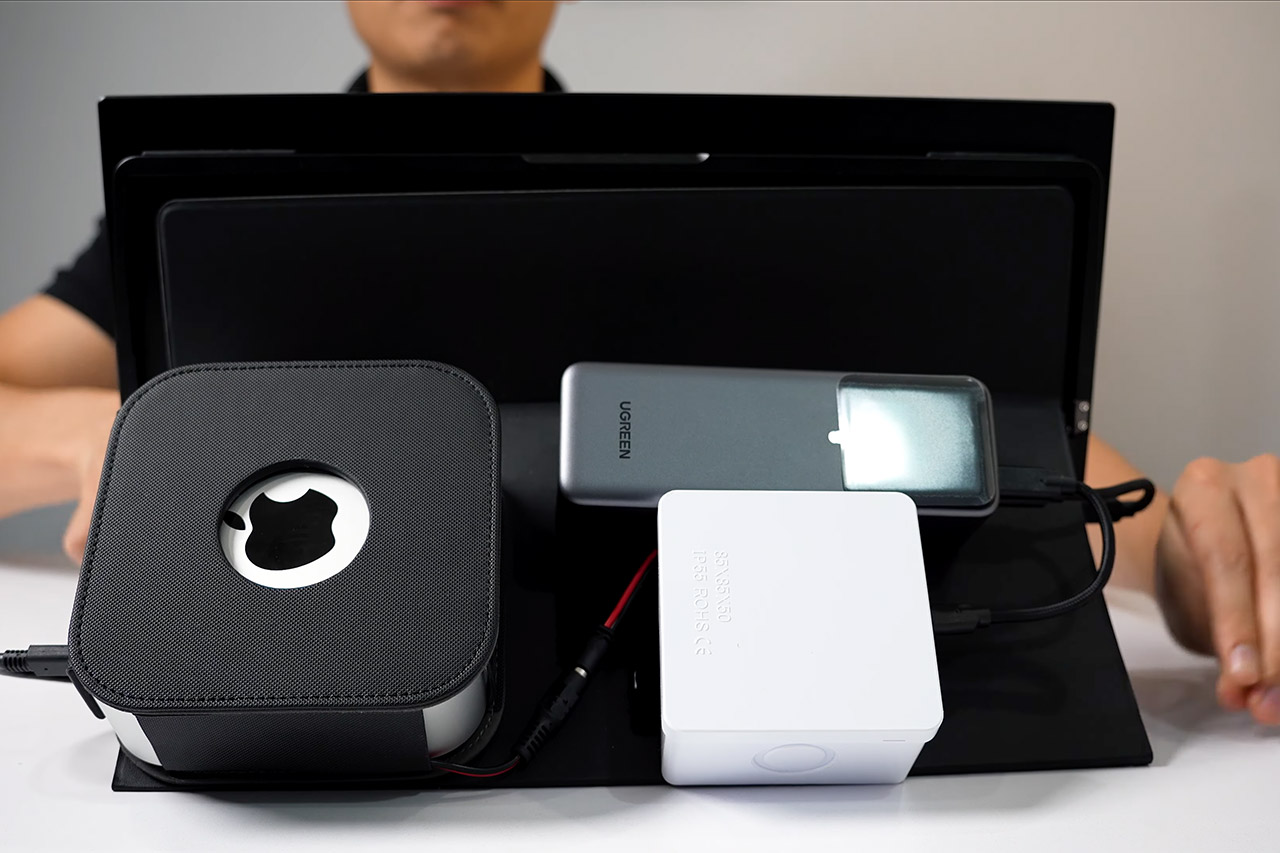
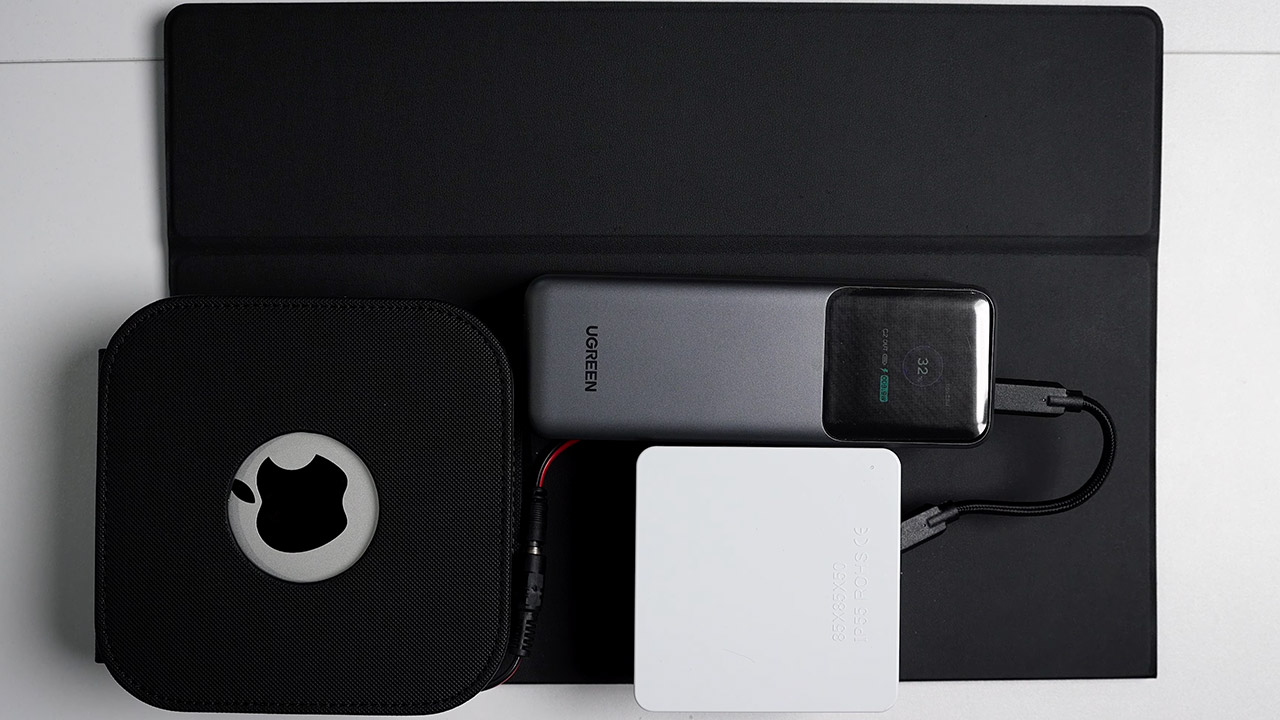
Modder Tommy Doan shows how to transform a Mac Mini M4 into a portable battery-powered machine that can function without being hooked into a wall outlet. People who stick with desktop computers are typically tempted to its sheer power and familiarity, but they miss out on the opportunity to work from anywhere.
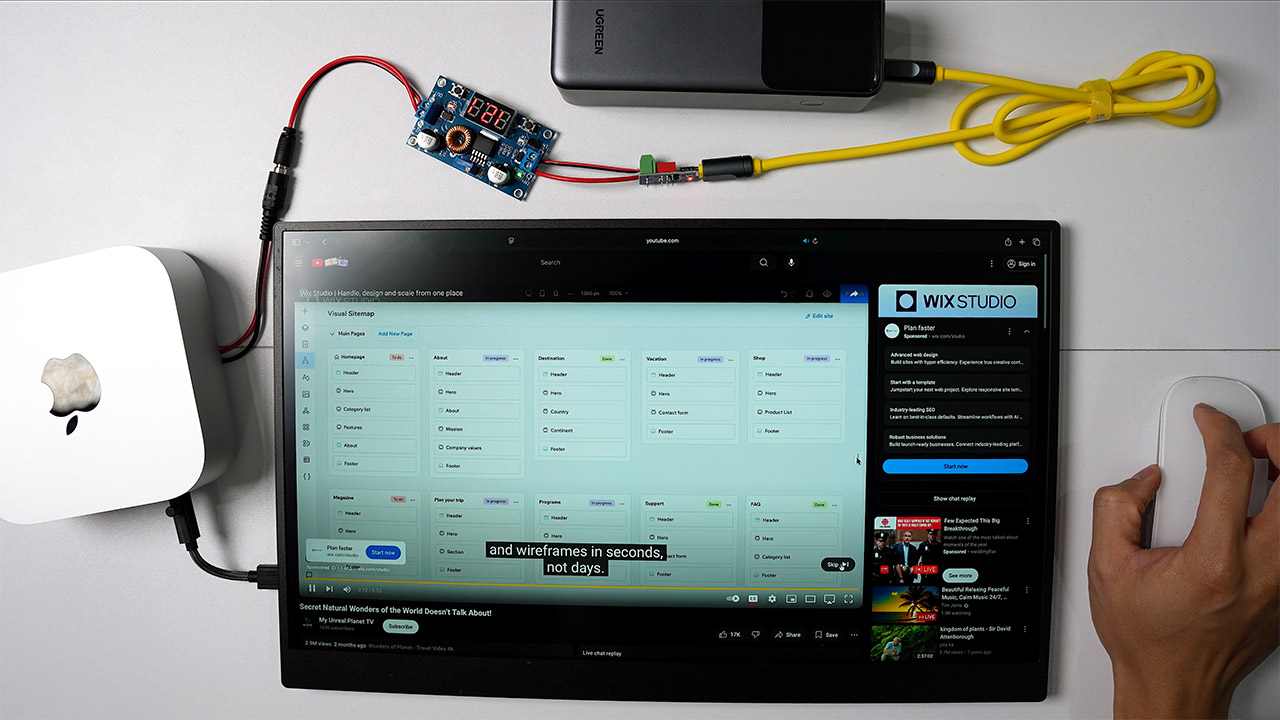
He discovers that the Mac Mini M4 consumes relatively little power. For simple tasks like web browsing, you’ll need 10 to 20 watts, but more intensive jobs like video rendering would require 25 to 40 watts. Apple includes an internal power source that converts AC from the wall to the 12 volts the device requires. Rather than hauling along an inverter-equipped battery pack, he bypassed the internal supply entirely and is now giving the Mac a clean 12-volt DC directly.
200W Total Output for Professionals:This power bank delivers up to 200W total output. Each USB-C port has its own maximum output: USB-C1 up to 140W…
25000 mAh Capacity: During long-distance travel or camping, this ugreen battery pack can be used as an emergency power supply to provide sufficient…
Charging 3 Devices at Once: Improving the flexibility of use, when you are at a party, usb c power bank can become a shared resource, everyone can…
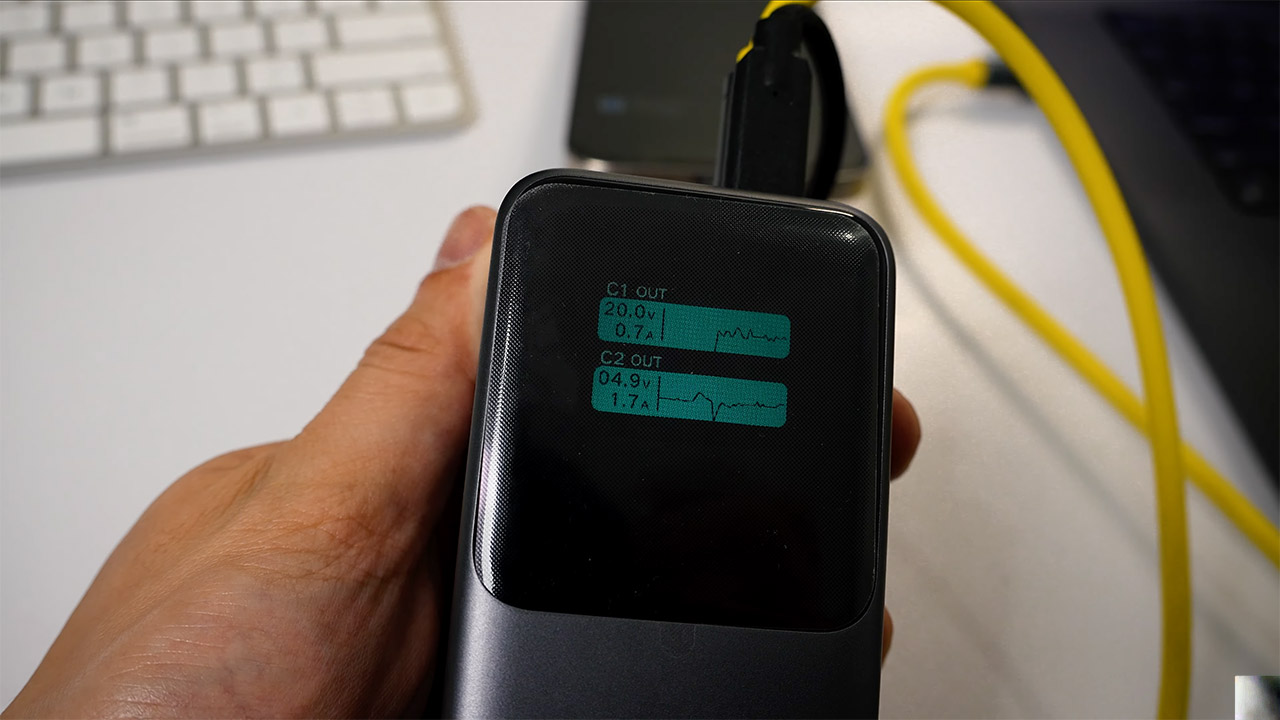
Tommy carefully opens the casing, locates the two tiny golden screws that designate the DC input points, and disconnects them. He then connects a barrel connector directly to those spots, ensuring proper polarity to avoid blowing anything. The power bank itself is a massive UGreen 25,000 mAh unit with high-output USB-C PD. It can’t deliver 12 volts on its own, so he devised a trigger circuit that instructs it to provide 20 volts at 5 amps instead. From there, a buck converter reduces the voltage to a consistent 12 volts. To keep things neat, everything connects to a basic junction box.
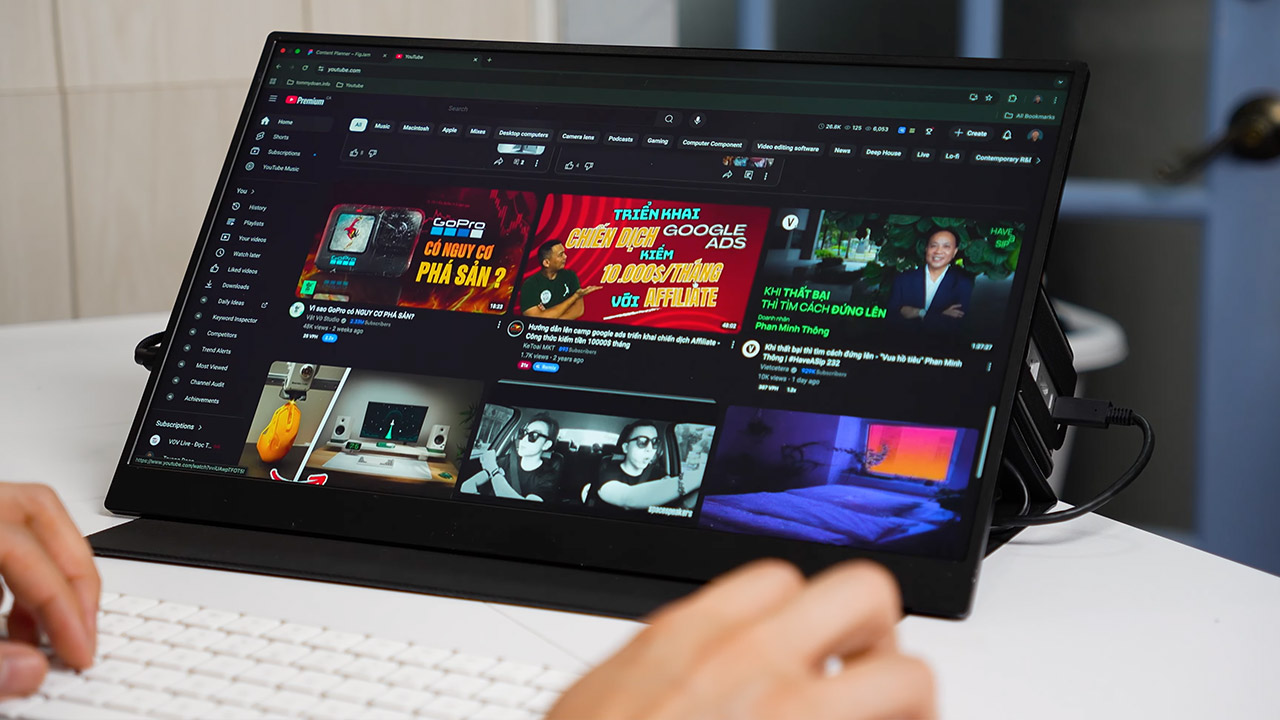
He paired the setup with a UPerfect UColor J5 portable display. This compact 17.3-inch 4K IPS panel works at a fast 120Hz, covers 100% of the sRGB and DCI-P3 color spaces, and weighs less than two pounds. It is, however, all in one USB-C cable, which is convenient because it provides power, video, and touch input. When you have all of the pieces close at hand, it takes around 30 seconds to put everything together.
He secures the Mac Mini, power bank, converter chain, and cables inside a repurposed UPerfect monitor case with sticky tape. Why? His 3D-printer was too small to print his custom enclosure design, which means the monitor attaches independently and easily fits into a bag.
In his real-world tests, the 25,000 mAh battery lasted 3 to 3.5 hours for light labor and just slightly less, about 2 hours, when loaded. The pass-through charging feature allows you to recharge the battery from a wall charger while the Mac is operating, which is a terrific method to keep going forever if you do find an outlet. After two weeks of daily use, the system remained rock stable for browsing, administrative chores, and editing, with no major crashes in sight; nevertheless, long-term stability is dependent on ensuring proper wiring.