At some point in 2025, Windows stopped feeling like an operating system and started feeling like a demo for AI. Open Notepad to jot something down, and there it was, nudging you to summarize. Fire up Edge, and Copilot would politely wave from the sidebar. Even apps like Microsoft Paint began to feel different, not because they got simpler, but because they suddenly wanted to generate, edit, and enhance images for you.
That’s roughly when the internet did what it does best. It coined a name: Microslop. Crude, catchy, and brutally effective. Borrowing from the broader idea of “AI slop,” which refers to low-quality, mass-produced AI output, the term quickly became shorthand for something more specific.
Not just bad AI, but unwanted AI.
The kind that shows up uninvited, sits too close, and insists on helping when you really just wanted to type a grocery list. It captured a growing frustration that Microsoft’s software was becoming noisier, heavier, and a little less predictable.
Advertisement
Microsoft says it won’t automatically install the Microsoft 365 Copilot app on Windows 11 PCs, at least for now.
This comes as the company faces growing backlash online, with users increasingly mocking it as “Microslop” over its aggressive Copilot push.
The backlash got loud enough that even CEO Satya Nadella publicly pushed back on the idea of AI being dismissed as “slop.” Ironically, that only made the term spread faster. By early 2026, it had become a full-blown cultural shorthand for dissatisfaction with Microsoft’s AI push, even getting banned in some official communities. At that point, this wasn’t just a meme anymore. It was feedback.
Advertisement
The Moment Microsoft Blinked
For a while, it felt like Microsoft would just keep pushing forward. But then, in March 2026, in a surprisingly candid blog post titled “Our commitment to Windows quality,” Microsoft acknowledged what users had been saying for months. The company talked about improving reliability, reducing friction, and making Windows feel smoother and more dependable again. Among other things, Microsoft said that it’d also be cutting down on Copilot’s presence across Windows.
Microsoft
And those weren’t just hollow promises. Across multiple apps, the company has reduced the number of entry points where AI showed up. Features that had been announced earlier, like deeper Copilot integrations in notifications, have quietly been shelved. What’s more, is that apps like Notepad, Photos, and Snipping Tool no longer have visible Copilot hooks.
Microsoft
On paper, it looks like exactly what users had been asking for. Less AI clutter. More focus. Naturally, the narrative became simple. Microsoft had heard the backlash and was scaling things back. But like most simple narratives, this one doesn’t quite hold up.
Why Microsoft Can’t Just “Turn Off” AI
Here’s the thing. Microsoft can’t actually walk away from AI, even if it wants to. This isn’t a feature toggle. It’s the foundation of everything the company is building right now. From Azure infrastructure to Microsoft 365 to Windows itself, AI is deeply baked into the strategy. Billions have already been invested. Entire product lines are being reshaped around it.
boliviainteligente / Unsplash
Microsoft was an early backer (read: billions of dollars) of OpenAI, heavily integrated ChatGPT in its products, and then borrowed rival Anthropic’s Claude AI to boost Copilot — all while developing its own AI models. The AI push even birthed a whole new breed of laptops with a Copilot+ branding and a dedicated Copilot button on the keyboard deck.
Yeah, “preposterous,” you might say.
Even now, while scaling back visible integrations, Microsoft is still pushing Copilot into enterprise tools, workflows, and services. So what you’re seeing isn’t a retreat. It’s a recalibration. AI isn’t going away. It’s just being repositioned by making it less visible, but silently seeping into the foundations.
Stealth Mode Activated?
You can see this most clearly in the small details. Take, for example, Notepad. A year ago, it had a bright Copilot button sitting right there in the interface. It was obvious, almost eager. In newer builds, that button is gone. In its place is a far more neutral “Writing Tools” icon. The features are still there. Rewrite, summarize, tweak tone. But the branding is gone. The loudness is gone.
Advertisement
Breaking: Microsoft quietly removes Copilot branding from Notepad and Snipping Tool on Windows 11.
Microsoft appears to be doing exactly what it promised after the Windows quality reset.
Notepad has now removed Copilot branding and replaced it with a simpler “Writing tools”… pic.twitter.com/eEmxoIZ2Wm
And this isn’t an isolated case. Across Windows, Microsoft is reducing how often Copilot shows up as a named feature while still keeping the underlying capabilities intact, from AI Features to Advanced Features, and whatnot. This is what some are calling “Stealth-Slop.” AI that hasn’t disappeared, but has learned to stay out of your way. Fewer announcements, more availability.
Advertisement
What’s fascinating is that Microsoft’s core belief hasn’t changed at all. The company still sees AI as the future of computing. If anything, it’s doubling down behind the scenes. What has changed is the delivery. The first phase was about visibility. Ship AI everywhere. Make sure users see it, notice it, and ultimately, try it. That worked, but it also backfired.
People didn’t just notice AI. They felt overwhelmed by it.
Now we’re in phase two. Integration. Microsoft is being more selective about where AI shows up and how it behaves. Executives have even said they want to focus on AI experiences that are “genuinely useful,” rather than just widely available. It’s a shift from proving capability to proving value.
The Real Shift
Microsoft hasn’t exactly “fixed” the problem, but that might not even be the right way to look at it. The backlash wasn’t about AI being bad; it was about it being everywhere in ways that felt unnecessary and intrusive. That distinction is important. Even now, criticism around forced integrations and limited user control hasn’t fully gone away, but at the same time, Microsoft is clearly trying to clean things up with a more focused, less cluttered Windows experience.
Microsoft
What’s really changing is not the presence of AI, but how it feels. Instead of being a loud, in-your-face feature, AI is being reshaped into something quieter and more natural. The goal now seems to be simple. Make it helpful without making it obvious. Because for AI to actually work at scale, it cannot feel like an add-on. It has to feel like it was always meant to be there.
Microsoft
That’s the lesson Microsoft seems to have learned the hard way. It didn’t remove AI from Windows. It just made sure you wouldn’t notice it quite as much anymore. Microsoft isn’t a slouch in the AI game. Earlier this month, Microsoft announced not one, but three foundation AI models. Its Phi series of open-source small language models is fairly popular and capable.
By next year, Microsoft wants to release its own frontier models that compete with the likes of ChatGPT, Claude, and Gemini. “We must deliver the absolute frontier,” Mustafa Suleyman, chief of Microsoft’s AI efforts, said in an interview. As I said, the AI push is here to stay. I just hope it evolves without muddying up everything that Microsoft offers to hundreds of millions of users across the world — including lifelong die-hards like me!
The fastest road-legal electric vehicle is probably not what you’d expect. It pulls up to the light, and it’s just 112 inches long and 2,150 pounds. The little yellow box with its comically tall roof and friendly headlights is quite unassuming — but Jonny Smith has made it into a supercar-beating machine.
Smith purchased the Enfield 8000 despite its flood damaged past, back when it originally produced 8 horsepower and had a top speed of 40 miles per hour. He clearly had a vision: With two 9.0in DC motors, the Enfield 8000, originally designed in the 1970s, now has 800 horsepower, 1200 lb-ft. of torque, and will most definitely smoke you at the light.
Advertisement
Now, the Enfield 8000 can reach 60 mph in under 3 seconds, and 113 miles per hour in 6 seconds. Its quarter mile record is 9.86 seconds, reaching 121 mph. “Everyone said it would be undriveable,” said Smith, “but it has exceeded expectations. I wanted to do an old EV and found this. I liked it immediately because it was odd, British and unlikely.”
Advertisement
Can the Enfield 8000 actually beat a Lamborghini Aventador SVJ?
Jonny Smith’s Enfield 8000 reaches incredible speeds very, very fast. But can it actually beat supercars? How does the Enfield 8000’s motors compare to the Lamborghini Aventador SVJ‘s 6.5 L V12? Well, the Aventador SVJ can reach 60 mph in 2.5 to 2.8 seconds and 124 mph in 8.6 seconds. Its quarter mile is 10.3 seconds at 136.4 mph. I’m no numbers cruncher or drag strip judge, but it does sound like the Enfield 8000 would beat the Aventador SVJ in a quarter mile with a photo finish.
The Enfield 8000 could also take on a McLaren 720s, a Porsche 911 GT3, and a Ferrari LaFerrari. What an entertaining drag race that would be! Of course, there has been an ongoing debate regarding the importance of 0-60 times now that even family-oriented SUVs can take off in just a few seconds thanks to the rise of EVs. But the Enfield 8000 can even keep up with the Tesla Model S P85D, which can hit 60 mph in 3.2 seconds in “Insane” mode.
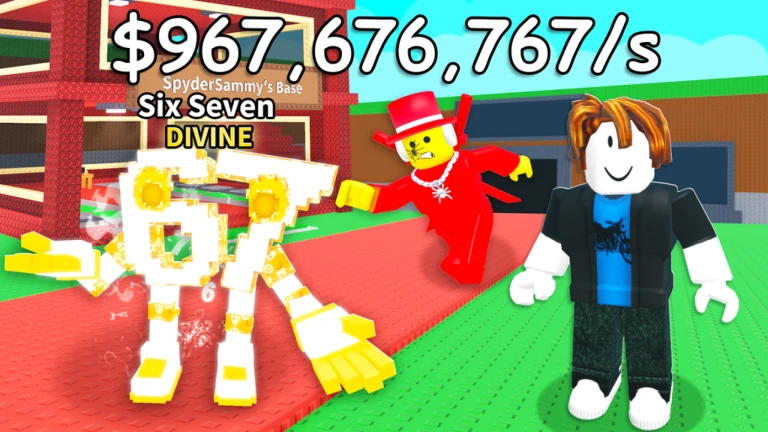
Getting La Grande Combinasion in Steal a Brainrot is a big deal. It’s not often that you find a Secret Brainrot that has a lot of characters and makes a lot of money. In this guide, we’ll talk about all the possible ways to get it without making things complicated.
The main reason La Grande Combinasion is special is that it is very powerful and hard to find. In the game, it costs about $1 billion, but it gives you $10 million every second, which makes it one of the best ways to make money. Its design is also very different from anything else. It looks strange but interesting because it’s a mix of different Brainrots.
Get La Grande Combinasion in Steal a Brainrot
La Grande Combinaison is hard to get, but you’re not limited to just one method. Compared to Los Combinasionas, you actually have better chances here.
1. Buy from Conveyor Belt
The conveyor belt method doesn’t involve any risk, which makes it the best option for many players. However, the biggest challenge is waiting. To increase your chances a bit, you can buy Server Luck for 249 Robux, but even then, it may still take time.
Advertisement
Save up $1 billion in cash.
Keep checking the conveyor belt regularly.
Buy it immediately when it appears.
2. Steal from Other Players
Stealing is the fastest way to get La Grande Combinasion, but you can’t just rush in. You need to watch the player for a bit and wait for the right moment when they’re not paying attention. If your timing is off, there’s a good chance you’ll get caught. So it’s better to plan things properly—know when to move and how you’ll get out quickly.
Keep changing servers until you find the Brainrot.
Watch the owner’s base and wait for a chance.
Use trap or stun items to stop them.
Take it and go back to your base right away.
3. Trade in Private Servers
It’s safer to trade on a private server than to steal from random players. The risk is lower because both sides agree ahead of time. But you should only do this with someone you trust, because mistakes or lying can make you lose your Brainrot.
Join a private server with a friend or someone you know.
Settle on a fair Brainrot trade.
Finish the trade by taking things from each other’s bases.
How to Protect La Grande Combinasion After Getting It?
After you get La Grande Combinasion, you really have to stay careful. It’s valuable, so people will try to take it from you. Make your base stronger, use traps, and don’t just leave it unattended. Even being away from the game for too long can cause problems if someone finds an easy way in.
If you’re trying to get it faster, keep hopping between servers instead of waiting in one place. Sometimes you’ll get lucky that way. Playing during updates can also help a bit. Server Luck is there, but don’t rely on it too much. Just be ready so that when you finally get it, you don’t lose it right away.
Looking for the most recent Connections answers? Click here for today’s Connections hints, as well as our daily answers and hints for The New York Times Mini Crossword, Wordle, Connections: Sports Edition and Strands puzzles.
Today’s NYT Connections puzzle is very tricky, especially the purple category. Read on for clues and today’s Connections answers.
The Times has a Connections Bot, like the one for Wordle. Go there after you play to receive a numeric score and to have the program analyze your answers. Players who are registered with the Times Games section can now nerd out by following their progress, including the number of puzzles completed, win rate, number of times they nabbed a perfect score and their win streak.
Here are four hints for the groupings in today’s Connections puzzle, ranked from the easiest yellow group to the tough (and sometimes bizarre) purple group.
Three Apple Store locations in struggling malls are set to close permanently as summer kicks off, with one of them the controversial unionized store in Towson, Maryland.
Apple Trumbull | Image Credit: Apple
The stores in question are Apple North County, in Escondido, California, Apple Trumbull in Trumbull, Connecticut, and Apple Towson Town Center in Towson, Maryland. Notably, Apple Towson was Apple’s first unionized store. Most employees will be shifted to nearby locations with no further action required by the employee, provided they agree to stay with the company. The unionized Towson employees will be eligible to apply for open roles at Apple, as per the existing bargaining agreement. Continue Reading on AppleInsider | Discuss on our Forums
Looking for the most recent Mini Crossword answer? Click here for today’s Mini Crossword hints, as well as our daily answers and hints for The New York Times Wordle, Strands, Connections and Connections: Sports Edition puzzles.
Need some help with today’s Mini Crossword? Read on for all the answers. And if you could use some hints and guidance for daily solving, check out our Mini Crossword tips.
If you’re looking for today’s Wordle, Connections, Connections: Sports Edition and Strands answers, you can visit CNET’s NYT puzzle hints page.
Naming AI products is a bit hit-or-miss. Some names sound as if they were polished in a branding lab for six months, while others feel as though they were just pulled from a hat. Claude has a certain elegance. Gemini is fine. ChatGPT, on the other hand, is a rubbish name and only became familiar through brute force when it was suddenly absolutely everywhere.
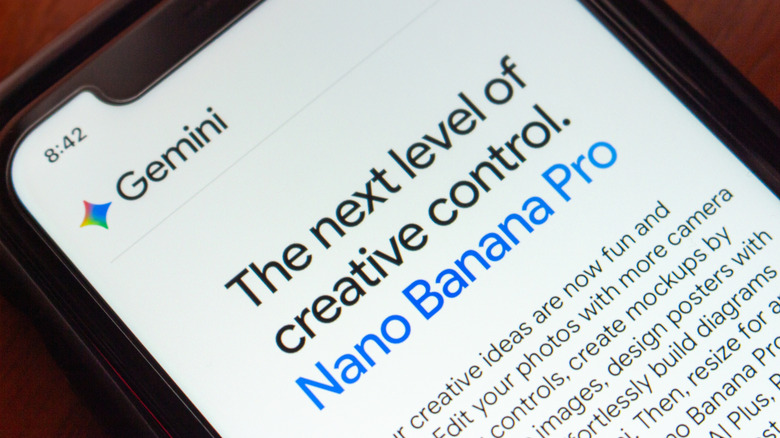
Nano Banana, Google Gemini’s AI image generator that enables anyone to create realistic-looking pictures, is called Gemini 3 Pro Image Preview in Google’s technical documentation. However, the name “Nano Banana” is both more official and less official than you might think. Google openly calls it Nano Banana Pro — and even Nano Banana 2, now — but that wasn’t the original plan.
Nano Banana Pro has such a weird name because that moniker was never intended to be taken seriously. The team needed a temporary name for Arena.ai (then called LMArena), the crowdsourced model-testing platform where systems are compared anonymously. The codename wasn’t chosen until the last minute. Product Manager Naina Raisinghani was pushed to come up with something on the spot and suggested Nano Banana. It was a combination of two of her nicknames. “Some of my friends call me Naina Banana, and others call me Nano because I’m short and I like computers. So I just smushed my two nicknames together,” Naina revealed on Google’s blog, The Keyword.
Advertisement
Nano Banana quickly caught on
Koshiro K/Shutterstock
Despite Google’s attempts to keep its identity secret on Arena.ai, some people were quick to speculate that the highly rated new image generation and editing tool was a Google product. It was initially uploaded to Arena.ai on August 12, 2025. Within days, users were sharing their AI-generated creations on social media. After a week of speculation, a couple of X posts fueled users’ suspicions. Product Lead for Google AI Studio, Logan Kilpatrick, posted a banana emoji, and Naina Raisinghani, the developer behind the name, shared a picture of a banana gaffer-taped to a wall. Nano Banana was officially launched on August 26, 2025, upstaging ChatGPT as the most popular AI image generator.
It’s not the first tech product with “banana” in its name. We might be more familiar with Apple, Blackberry, and Raspberry Pi, but you can also purchase a bananaphone — a banana-shaped Bluetooth headset to pair with your smartphone. There’s also a 2019 research paper with a BANANAS algorithm, which stands for Bayesian Optimization with Neural Architectures for Neural Architecture Search. (You have to respect the contrivance even if it doesn’t quite work.) Tech companies are still naming things after fruit. OpenAI internally used “Strawberry” for the project that became o1, and Meta is currently working on an AI model nicknamed “Avocado.”
Nano Banana may not have been meant as the official name, but it stuck because people liked it. Companies spend fortunes chasing that kind of stickiness, and Google stumbled into it. The model got noticed, the odd codename was memorable, and Google was smart enough not to crush the joke with a committee-approved replacement.
Looking for the most recent regular Connections answers? Click here for today’s Connections hints, as well as our daily answers and hints for The New York Times Mini Crossword, Wordle and Strands puzzles.
Today’s Connections: Sports Edition is a tough one. If you’re struggling with it but still want to solve it, read on for hints and the answers.
Connections: Sports Edition is published by The Athletic, the subscription-based sports journalism site owned by The Times. It doesn’t appear in the NYT Games app, but it does in The Athletic’s own app. Or you can play it for free online.
Hints for today’s Connections: Sports Edition groups
Here are four hints for the groupings in today’s Connections: Sports Edition puzzle, ranked from the easiest yellow group to the tough (and sometimes bizarre) purple group.
Yellow group hint: Get your glove ready!
Advertisement
Green group hint: Sweat equity.
Blue group hint: There used to be a ballpark.
Purple group hint: Not night.
Answers for today’s Connections: Sports Edition groups
GPUs handle prefill operations by converting prompts into key-value caches
SambaNova RDUs generate tokens at high throughput and low latency
Intel Xeon 6 processors manage workload distribution and execute compiled code
Intel and SambaNova Systems have introduced a joint hardware blueprint combining GPUs, SambaNova RDUs, and Intel Xeon 6 processors for large-scale inference workloads.
The system assigns GPUs to prefill operations, RDUs to decoding, and Xeon CPUs to execution and orchestration tasks across agent-driven environments.
“Agentic AI is moving into production — and the winning pattern we’re seeing is GPUs to start the job, Intel Xeon 6 to run it, and SambaNova RDUs to finish it fast,” said Rodrigo Liang, CEO and co-founder of SambaNova Systems.
Article continues below
Advertisement
CPU is the execution and control layer
This design is scheduled to be available in the second half of 2026 for enterprises, cloud providers, and sovereign deployments.
The architecture places Intel Xeon 6 processors at the center of system control, where they manage workload distribution, execute code, and coordinate tool interactions.
Advertisement
It includes handling compilation, validating outputs, and maintaining communication between simultaneous processes.
“When thousands of simultaneous coding agents are generating tool calls, retrieval requests, code builds, and encrypted inter-agent messages, the CPU is not a background component — it is the system’s executive and action layer,” said Harry Ault, CRO of SambaNova.
Sign up to the TechRadar Pro newsletter to get all the top news, opinion, features and guidance your business needs to succeed!
The statement defines the CPU as the primary layer responsible for system behavior rather than a supporting component.
Advertisement
According to SambaNova, Xeon 6 delivers more than 50% faster LLVM compilation times compared with Arm-based server CPUs.
It also delivers up to 70% faster vector database performance compared with other x86-based systems.
These figures relate to execution speed within coding and retrieval workflows, and in this configuration, GPUs process the prefill stage by converting prompts into key-value caches.
Advertisement
SambaNova RDUs operate as the decoding layer, generating tokens at high throughput and low latency.
Xeon 6 processors function as both host CPUs and execution engines, managing system-level operations and running compiled workloads.
“Production inference is moving toward heterogeneous hardware — no single chip type is optimal for every stage of an agentic workflow,” said Banghua Zhu, co-founder and CTO at RadixArk.
He added that combining RDUs with Xeon CPUs allows systems to maintain compatibility with existing software environments.
Advertisement
The system is designed to run inside existing air-cooled data centers without requiring new builds.
According to the companies, this allows scaling of inference workloads without additional strain on water and energy resources.
As Nvidia and Groq continue to focus on improving inference throughput and latency, this announcement adds a layer of competition.
It offers an alternative approach that distributes workloads across multiple hardware layers rather than relying on a single processing model.
If you started with computers early enough, you’ll remember the importance of the RAMdisk concept: without a hard drive and with floppies slow and swapping constantly, everything had to live in RAM. That’s not done much these days, but [Quackieduckie]’s solar powered Pi Zero W web server has gone back to it to save its SD card.
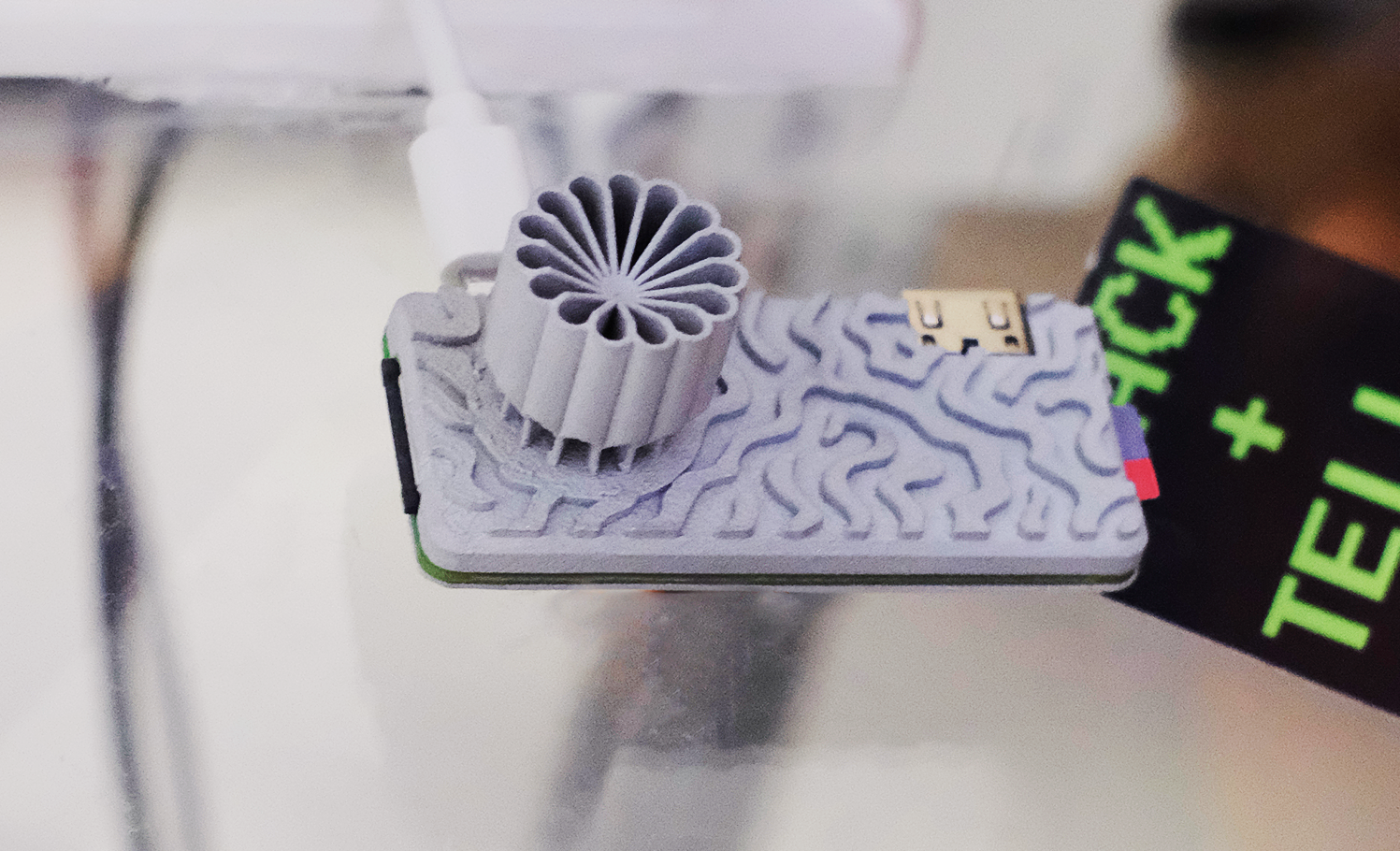
Sustainability and low power is the name of the game. Starting with a Pi Zero W means low power is the default; a an SLS-printed aluminum case that doubles as the heat sink– while looking quite snazzy–saves power that would otherwise be used for cooling. The STLs are available through the project page if you like the look and have a hankering for passively cooled Pi. Even under load [Quackieduckie] reports temperatures of just 29.9°C, less than a degree over idle.
The software stack is of course key to a server, and here he’s using Alpine Linux running in “diskless mode”– that’s the equivalent of what us oldsters would think of as the RAMdisk. That’s not that unusual for servers, but we don’t see it much on these pages. It’s a minimal setup to save processing, and thus electrical power, with only a handful of services kept running: lighttpd, a lightweight webserver, and duckiebox, a python-based file server, along with SSHD and dchron; together they consume 27 MB of RAM, leaving the rest of the 512 MB DDR2 the Pi comes with to quickly serve up websites without the overhead of SD card access.
As a webserver, [Quackieduckie] tested it with 50 simultaneous connections, which would be rather a lot for most small, personal web sites, and while it did slow down to an average 1.3s per response that’s perfectly usable and faster than we’d have expected from this hardware. While the actual power consumption figures aren’t given, we know from experience it’s not going to be drawing more than a watt or so. With a reasonably sized battery and solar cell– [Quackieduckie] suggests 20W–it should run until the cows come home.


























































You must be logged in to post a comment Login