If you started with computers early enough, you’ll remember the importance of the RAMdisk concept: without a hard drive and with floppies slow and swapping constantly, everything had to live in RAM. That’s not done much these days, but [Quackieduckie]’s solar powered Pi Zero W web server has gone back to it to save its SD card.
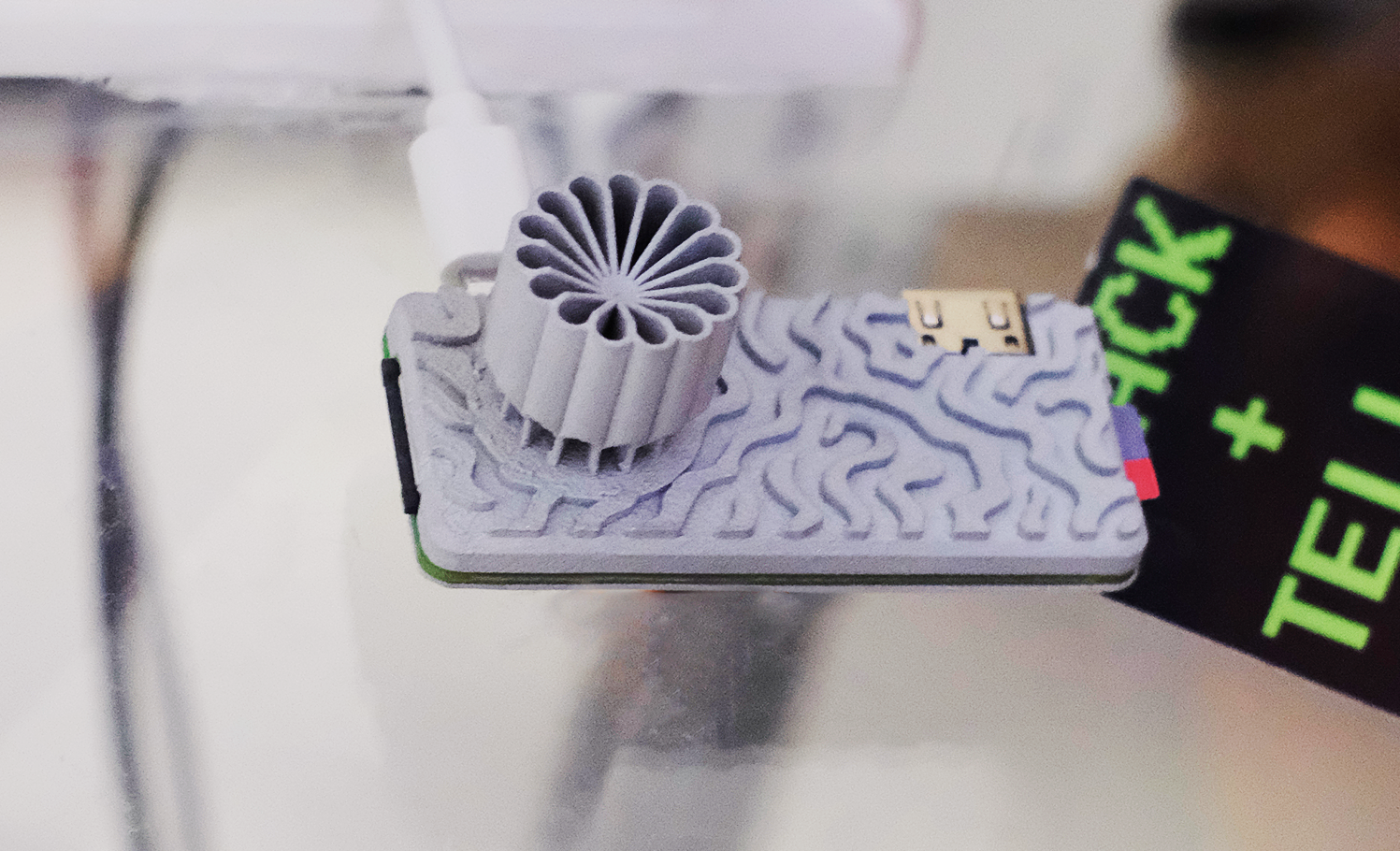
Sustainability and low power is the name of the game. Starting with a Pi Zero W means low power is the default; a an SLS-printed aluminum case that doubles as the heat sink– while looking quite snazzy–saves power that would otherwise be used for cooling. The STLs are available through the project page if you like the look and have a hankering for passively cooled Pi. Even under load [Quackieduckie] reports temperatures of just 29.9°C, less than a degree over idle.
The software stack is of course key to a server, and here he’s using Alpine Linux running in “diskless mode”– that’s the equivalent of what us oldsters would think of as the RAMdisk. That’s not that unusual for servers, but we don’t see it much on these pages. It’s a minimal setup to save processing, and thus electrical power, with only a handful of services kept running: lighttpd, a lightweight webserver, and duckiebox, a python-based file server, along with SSHD and dchron; together they consume 27 MB of RAM, leaving the rest of the 512 MB DDR2 the Pi comes with to quickly serve up websites without the overhead of SD card access.
As a webserver, [Quackieduckie] tested it with 50 simultaneous connections, which would be rather a lot for most small, personal web sites, and while it did slow down to an average 1.3s per response that’s perfectly usable and faster than we’d have expected from this hardware. While the actual power consumption figures aren’t given, we know from experience it’s not going to be drawing more than a watt or so. With a reasonably sized battery and solar cell– [Quackieduckie] suggests 20W–it should run until the cows come home.
Samsung is getting ready to launch two new foldable phones in July, and if a recent leak is accurate, the company is about to flip its naming convention completely, and it’s going to confuse a lot of people.
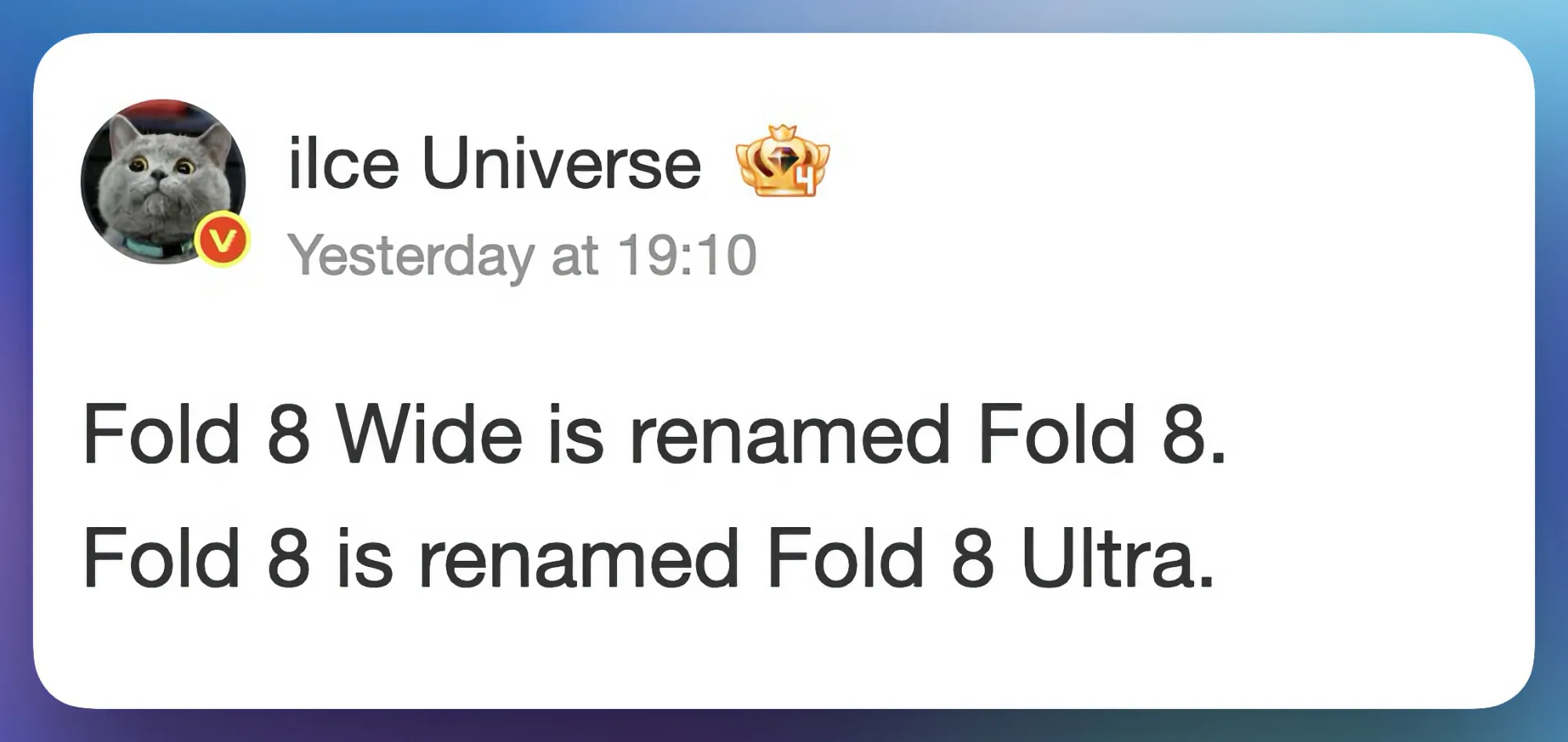
Tipster Ice Universe has claimed on Weibo that the phone we have been calling the Galaxy Z Fold 8 Wide will actually launch simply as the Galaxy Z Fold 8. The device we expected to be the standard Galaxy Z Fold 8 will instead become the Galaxy Z Fold 8 Ultra.
Ice Universe / Weibo
While I can see why Samsung is considering the new naming scheme, there’s no denying it’s going to cause a whole lot of confusion.
Does the name change actually make sense?
I don’t think so. Yes, the wider Galaxy Z Fold 8 Wide is supposedly packing only dual rear cameras and a 4,800mAh battery, and the regular Fold 8 (which will be renamed to Ultra) will pack a triple rear camera system and a bigger battery. So on paper, the better-specced device getting the Ultra name is logical enough.
But the problem is that anyone who has followed the Galaxy Z Fold lineup will walk into a store expecting the Galaxy Z Fold 8 to be a direct successor to the Galaxy Z Fold 7. Instead, they are getting a wider, passport-style device that is a completely different form factor. That is not an upgrade; that is a different product wearing a familiar name.
Advertisement
Android Headlines
Samsung is essentially asking buyers to unlearn years of brand familiarity, and that rarely goes smoothly. Many people will be confused at the point of purchase, and that confusion could easily cost Samsung sales.
Is the Galaxy Z Fold 8 Ultra worth the name?
The Ultra name carries serious expectations, and Samsung better deliver. Rumors only suggest a small spec bump with better cameras and a bigger battery. In fact, leaks suggest that the Galaxy Z Fold 8 will miss out on a number of new features, so Samsung will have to surprise us with something extraordinary to earn the Ultra moniker.
After making a medical clinic’s network rather ill, she ‘kept working until I somewhat knew what I was doing’
WHO, ME? Welcome once again to “Who, Me?” – The Register’s Monday column in which we celebrate the
things you get wrong at work, and your skill at emerging unscathed.
This week, meet a reader we’ll
Regomize as “April,” who told us that early in her career, she worked for a
company that operated several medical clinics.
Advertisement
April admitted she did not feel
she was a great candidate for the job as she had recently completed her CompTIA
A+ certification – one of the most entry-level certs – and had only tangential experience
supporting doctors as they struggled to use a single application.
That résumé was enough to score a
job imaging new PCs, deploying them, and handling whatever other tasks popped up.
“One day I received a task to
convert an unused space into offices, so I loaded an armload of PCs and a dozen VoIP
phones into my car and drove the 45 minutes to the clinic,” April wrote.
“The deployment went
smoothly – or so I thought – because at each of the desks one of the people who
knew what they were doing had already put two network drops, one for the phone
and one for the PC.”
Advertisement
April was therefore able to
methodically get through the job, then slow down to tackle the slightly tricky
elements.
“Some of the desks needed two
computers,” she wrote. “On those, I was expected to use the secondary Ethernet
port on the phones to get internet to those PCs.”
April hooked everything up with time
to spare and decided to put her feet up for the 15 minutes that remained until 5pm – meaning she would glide into an unusually early end to her working day.
“My paid respite was interrupted
quickly by a nurse who found me and let me know none of the computers in the
entire clinic could access the internet,” April wrote.
Advertisement
“I wasn’t trusted with any tasks
that could actually break anything, so I was convinced that something major had
happened like a fiber line getting cut, or an outage with our ISP,” she told
Who, Me?
She investigated anyway and found
pings produced no results, so in a panic called head office and hoped
colleagues hadn’t already left for the day.
“I spent maybe an hour running
around frantically searching for anything with one of my superiors giving me
commands over the phone until someone who knew what they were doing could get
to the site and take a look in person,” she wrote.
That person eventually arrived and
quickly spotted the problem: April had made a single mistake by plugging both of
one phone’s Ethernet ports into the network, which disrupted every other
connection.
Advertisement
“They unplugged one and everything
came back up almost instantaneously,” she confessed. “I was genuinely surprised
they weren’t absolutely furious. They just clapped me on the back and said: ‘Well,
you won’t do that again.’”
April was so upset by her mistake
that she amended her timesheet to record that she finished work at 5pm. “If
anyone deserved an hour and a half of OT, it wasn’t me,” she wrote, adding that
she soon took it upon herself to acquire a networking certification at her own
expense.
“I kept working there for a few
more years until I became one of the people who at least somewhat knew what
they were doing,” she said.
Have you been asked to
tackle a task you weren’t properly trained to complete? Or been hired without
all the necessary skills? In either case, feel free to demonstrate your
storytelling competence by clicking here to share your tale with Who, Me? Let’s shine a light on the shoddy bosses who dumped
you into these messes! ®
The €33-per-share proposal lands at a slight discount to Friday’s price, but with Uber already sitting on a quarter of the company and DoorDash circling, the bid is the start of the negotiation, not the end of it.
Delivery Hero confirmed on Saturday that Uber has tabled a formal takeover offer for the Berlin-based food-delivery group, at €33 a share.
The price is, awkwardly for Uber, a 1.76% discount to where Delivery Hero closed on Friday, and it arrives roughly a month after Uber almost tripled its stake in the company to 19.5%, with another 5.6% held through derivatives. On any reasonable measure, this is the opening bid.
The numbers, according to the company’s statement, are an indicative proposal of €33 per share to all shareholders. The Financial Times put the implied price tag at about $11bn (€10bn). Uber’s chief executive Dara Khosrowshahi flew to meet Delivery Hero’s supervisory board chair Kristin Skogen Lund in person before the bid was filed, the FT reported.
Advertisement
Delivery Hero, for its part, said only that it remains “fully focused” on the strategic review already underway and declined to disclose further terms.
The strategic review is the reason any of this is happening on this timeline. Several of Delivery Hero’s largest shareholders have been pressing for it for months, and chief executive Niklas Östberg, who co-founded the company in 2011, announced last week that he would step down once a successor is in place.
The succession is targeted for the end of 2026, no later than March 31, 2027. The board has appointed advisors and opened the process; Uber has now put a number on the table inside it.
It is not the only number. DoorDash, sources told the FT, has explored a full takeover of its own and has separately expressed interest in Delivery Hero’s Middle Eastern business, Talabat.
Some shareholders have been arguing for a price closer to €40 a share. The combination of a slight-discount offer, a sitting blockholder, a parallel competing approach, and an ongoing succession review is the structural setup of a deal that gets renegotiated in public over the next several weeks.
Advertisement
For Uber, the logic for going hostile-adjacent is straightforward. Delivery Hero operates in more than 60 countries across Europe, the Middle East, Asia, Africa, and Latin America, through brands including Foodpanda, Glovo, Talabat, and South Korea’s Baedal Minjok.
It is the largest non-US food-delivery footprint in the world and, with DoorDash already absorbing Deliveroo last year and Just Eat Takeaway having sold to Prosus for $4.3bn, it is also the last one of scale that has not been claimed.
A full acquisition would give Uber Eats a delivery network across the markets where DoorDash now competes most directly with it.
Uber’s capital allocation in 2026 has otherwise been pointed elsewhere. The company has committed roughly $10bn to its robotaxi programme, including a $1.25bn investment in Rivian for a fleet of up to 50,000 autonomous R2 vehicles, alongside partnerships with Wayve, Nissan, Lucid, Nuro and MOIA.
Advertisement
Khosrowshahi has framed the strategy, in successive earnings calls, as building “everyday utility” across mobility, delivery, and commerce.
Q1 2026 results showed gross bookings up 25% year on year and autonomous trips up tenfold. Bolting Delivery Hero onto the delivery leg fits the framing.
Whether it fits at €33 is the open question. Uber shares slipped 1.6% on Friday after Bloomberg first reported the talks. The 1.76% discount to Delivery Hero’s Friday close gives investors arguing for €40 a clear rhetorical wedge, and gives the German board cover to ask for more.
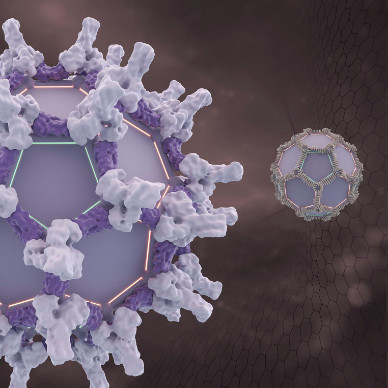
A computer-designed protein that forms a cage-like structure of pentagons and hexagons. (UW Institute for Protein Design Illustration)
Medical experts use gene therapies for a variety of ailments — treating hemophilia with a clotting-factor gene or dosing a cancer patient with therapeutic DNA or RNA.
But doctors need a means of delivering that curative gene to a target in a patient’s body. Their solution has been harnessing viruses to shuttle the material, but the treatments are very expensive, limited in how much genetic material can be delivered and can trigger negative reactions.
Now researchers in the lab of Nobel laureate David Baker at the University of Washington’s Institute for Protein Design have created a way to build virus-like protein cages that could one day serve as delivery capsules for life-saving payloads.
Two strategies for engineering the protein cages are described in back-to-back papers published today in the journal Nature.
The discoveries open new possibilities for designing proteins from scratch, said Shunzhi Wang, a former Baker Lab postdoctoral scholar. He is now an assistant professor at New York University’s Grossman School of Medicine. Wang was a lead author on the papers, joined by Sangmin Lee, David Chemielewsk, Baker and others.
Advertisement
To visualize the new protein cages, imagine a soccer ball, which is built from pentagons and hexagons in a repeating pattern described as “quasisymmetry” because the subunits are identical but have different neighbors.
Shunzhi Wang. (UW Photo)
Scientists could previously make symmetrical protein cages from one or two types of building blocks, but that limited their overall size. During a casual Friday afternoon conversation, Wang, Lee and Baker hatched the idea of mixing building blocks by swapping partners from previous protein configurations.
“It was actually a serendipitous discovery,” Wang said.
The process didn’t go smoothly at first with proteins often assembling into globs. But by accounting for different geometric features and running many experiments, the scientists developed instructions that produced proteins with a curvature. As those curved proteins came together, they sensed a more crowded environment and responded by forming a mix of pentagons and hexagons to create a roomier configuration.
The resulting quasisymmetrical cages were two to three times larger than those formed by a single shape, bringing the scientists closer to the complex designs found in naturally occurring viral structures and making space for larger genetic payloads.
Advertisement
“These papers show that protein design is beginning to capture some of the architectural principles that nature uses to build at very large scales,” Baker said in a statement.
Additional studies are needed before the protein cages would be ready for human research and treatments. That includes tests of their immunogenicity — the immune response they might trigger if the body perceives them as dangerous invaders.
Farther down the line, Wang envisions the structures operating like a computer motherboard on which essential, modular components can be layered. In this case, that could include adding binding sites for directing the protein cage to a specific cellular target.
“That’s the beauty of this,” he said. “We can make tailored capsules for building and making more precise genetic medicines.”
Advertisement
The Nature papers are titled: “Design of one-component quasisymmetric protein nanocages” and “De novo design of quasisymmetric two-component protein cages.” Institutions leading the research were the IPD, NYU’s Langone Health, and South Korea’s Pohang University of Science and Technology. Collaborators included the Holt Lab at NYU’s Grossman School of Medicine, and the DiMaio and Veesler labs at the UW.
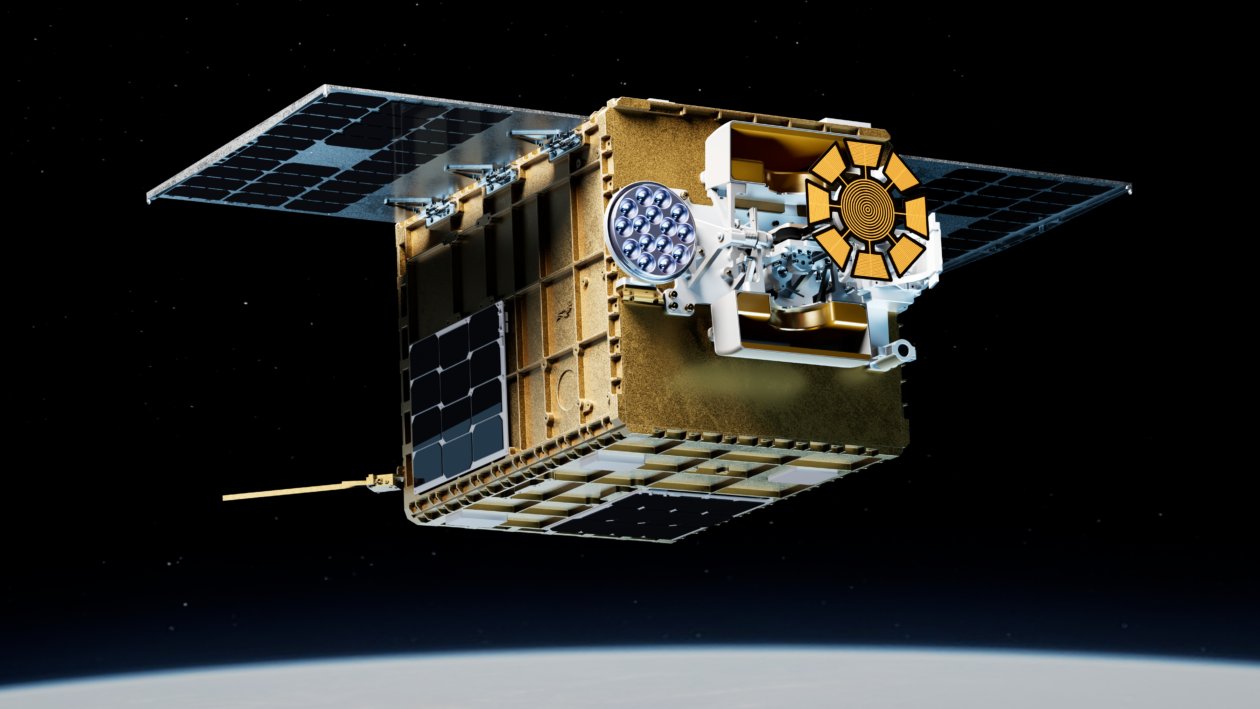
An artist’s conception shows Starfish Space’s Otter Pup 2 satellite in orbit. (Starfish Space Illustration)
Eleven months after launch, Starfish Space’s Otter Pup 2 satellite is finally kicking its test mission into high gear, closing in for a rendezvous with a newly designated target.
If all goes according to plan, Otter Pup 2 will dock with Australia-based Gilmour Space’s ElaraSat satellite sometime in the next few months. ElaraSat became the new target after earlier plans to connect with a D-Orbit ION satellite were scrubbed for undisclosed reasons.
Trevor Bennett, one of the founders of Tukwila, Wash.-based Starfish Space, said ElaraSat was launched on the same SpaceX satellite rideshare mission that sent Otter Pup 2 into orbit last June. Gilmour Space was “more than willing and excited to jump on and do something a little bit ambitious and crazy with us,” he told GeekWire.
Mark Grimminck, Gilmour Space’s head of satellites, said in an emailed statement that his company was “excited to support Starfish Space on this pioneering mission.”
“Autonomous rendezvous and docking are capabilities that will transform the future of sustainable space operations,” Grimminck said. “Congratulations to the Starfish team on this important milestone.”
Advertisement
The goal for Otter Pup 2 is to test the technologies and procedures for Starfish’s full-scale Otter spacecraft, which is meant to rendezvous with other satellites for inspection, servicing or safe disposal. The first Otter Pup prototype ran into logistical difficulties shortly after its launch in 2023 and wasn’t able to execute a satellite docking, but it did manage to demonstrate some of the technologies that Starfish developed for proximity operations.
An orbital test that was conducted last year in partnership with Impulse Space proved that Starfish’s software suite for guidance, navigation and control could be used on a different company’s satellite to make an autonomous approach to another spacecraft in orbit. Now, Otter Pup 2 is ready to take on the crucial satellite docking.
Bennett said the satellite is still in good health even though it was launched nearly a year ago. “Our goal is to continue to take the actions as we have to keep the vehicle healthy — for a whole year at least — and continue to do so for the next few months as we go through some of these critical, critical next steps all the way up to docking,” he said.
The ability to switch targets from D-Orbit’s satellite to ElaraSat is “a testament to how we’ve designed Otter Pup and some of our core technologies,” Bennett said.
Advertisement
“We can just go switch clients and orbits, and go chase them down, and have both the onboard capacity and the vehicle health and the opportunity through our core technologies that allow us to just go dock with an unprepared spacecraft,” he said.
Over the past couple of months, the Starfish team has been maneuvering Otter Pup 2 into the proper orbit to catch up with ElaraSat. The next phase will be to close the gap between the two satellites to about 6 miles (10 kilometers). Then Otter Pup 2 will transition into an acquisition phase. “Acquisition is the stage for us where Otter Pup’s onboard cameras start taking pictures of a large satellite regularly — lock onto it, if you will — and start maneuvering much, much closer,” Bennett said. “This is what will bring us down to the kilometer-type range.”
Otter Pup 2 will fly itself around ElaraSat for a thorough inspection and calibration of Otter Pup’s sensors and control system. Then the satellite will close in to attach itself to ElaraSat using an electrostatic docking mechanism.
“Our intention is to livestream this, the docking phase of the mission, and actually show the process as we move into docking,” Bennett said. The real-time view will probably be a computer-generated animation based on telemetry received from Otter Pup 2. In that scenario, actual imagery from the encounter would be downlinked later, Bennett said.
Advertisement
“We’ll share information as we’re able to through that whole process,” he said. “The spacecraft is really going to prioritize being safe and docking, so we’ll make sure that what we can share, we will share. … It’ll be an exciting time to show real telemetry, real data, both visual and positional.”
Then what? “Making good contact at one point for even a short period of time is what we’re targeting as the larger goal here,” Bennett said. “After that, if we still have a healthy vehicle and we are sobered up from celebrating, then I think it’s a great opportunity to think about what more we could do with that spacecraft.”
Starfish has been funding the Otter Pup missions internally to gather the data needed to develop the full-scale Otter. Bennett declined to discuss the current status of the Otter development effort but said he “will definitely have more to share” in the days to come.
The company already has won several contracts for Otter’s on-orbit services, including:
Starfish was founded in 2019 by Bennett and Austin Link, both of whom are alumni of Jeff Bezos’ Blue Origin space venture. The startup has raised more than $150 million in total investment, including a $111.7 million Series B funding round that was reported last month.
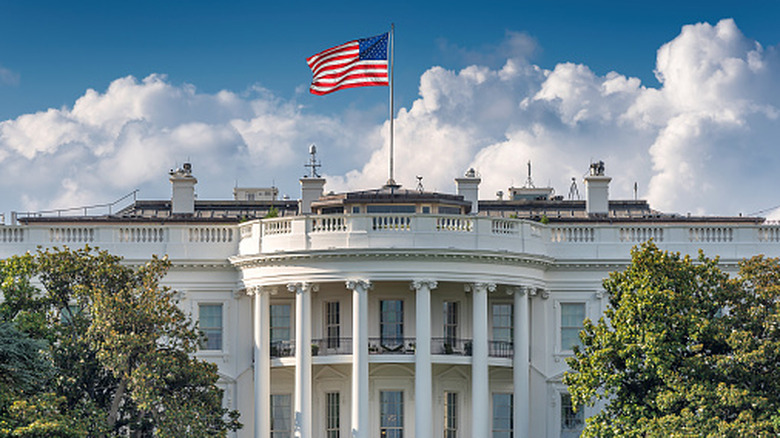
The Trump administration is planning to automatically install its White House app on government employees’ work phones, according to a report from Government Executive. The report detailed that at least one agency will start installing the official White House app onto government devices as soon as next week, but the scope spans across “all government-furnished mobile phones in the executive branch,” according to internal emails seen by Gov Exec.
The Trump administration released the White House app two months ago, with the promise of offering “unfiltered, real-time upgrades straight from the source.” When going through the app, users will find press releases and official media, along with selective news articles and statistics. The app even gives you an option to “Text President Trump,” which ultimately leads to signing up for a marketing blast. It’s not clear if the app will offer more capabilities to federal employees, but Gov Exec reported that the app being installed on government work phones will be the same exact app that the public has access to. Olivia Wales, a White House spokesperson, told the outlet that “government devices typically include pre-installed apps that provide value to government employees’ day-to-day work.”
However, the White House app could provide for privacy risks instead, according to some cybersecurity experts. Following the app’s release in March, early reports found that the app used location tracking and raised concerns about how it could share personal data with third-party sources. Now that the app will be found on government employee phones, it could introduce even more security vulnerabilities.
A woman has credited her iPhone with saving her life after it automatically called emergency services when her car left the road and slid 330 feet down a mountainside.
The woman lost control of her vehicle on a winding road in scenic Denbighshire, UK. It then rolled down the hill before bursting into flames moments after she was able to escape.
Emergency services arrived at the scene 20 minutes later, including a mountain rescue team and firefighters. Both had been alerted to the accident by the woman’s iPhone and its automatic Crash Detection feature.
“I’m grateful to Apple for what the iPhone did,” the woman told the BBC. “I don’t think that I would have been able to get help that quickly.”
Advertisement
Unfortunately, the rescue was just the beginning of a long road to recovery. The driver spent four months in the hospital and required multiple surgeries as a result of the crash. She was left with life-changing damage to her ankle and her spine.
The feature uses sensors to detect severe car crashes and then sounds an alarm and displays an on-screen alert for 10 seconds. If the alert is not dismissed, Crash Detection automatically places a call to emergency services.
What makes the feature so vital is its ability to send first responders right to the crash site. Crash Detection shares the device’s location and the device owner’s Medical ID if one has been set up.
Advertisement
Crash Detection has proven to be particularly important in crashes where the driver has been rendered unconscious. In these instances, Crash Detection has been able to summon emergency services long before they might otherwise be called.
Welcome back to TechCrunch Mobility — your central hub for news and insights on the future of transportation. To get this in your inbox, sign up here for free — just click TechCrunch Mobility!
Robotaxis are here! And yet, they’re not.
That contradiction neatly captures Waymo’s current reality. Anyone walking around San Francisco could reasonably declare that robotaxis have arrived. But arrival, even at scale, doesn’t guarantee permanence. Such is the dogged threat hanging over every company trying to commercialize autonomous vehicles.
Waymo paused operations in Atlanta, Dallas, Houston, and San Antonio because its robotaxis are struggling to deal with heavy rain and flooded roads — and specifically knowing when not to enter them. As I prepared to send this newsletter, we learned the company extended that to Austin and Nashville as well. It’s been a persistent problem for Waymo, which prompted the company to issue a recall last week.
Advertisement
In the same week, Waymo halted robotaxi operations on freeways in San Francisco, Los Angeles, Phoenix, and Miami as it works to improve performance in construction zones.
For now, the arrival of robotaxis is conditional. That doesn’t mean this conditional status will last forever, but it’s a reminder that launching commercially is not mission accomplished. Waymo — arguably the leader in commercial robotaxi ridership and fleet size — is in the thick of that process. For every new city it enters or capability it unlocks, a new edge case is discovered.
Situationship or corporationmaxxing?
I’m ditching my “Little bird” section this week to dive into SpaceX, its IPO, and the situationship in the Elon Musk business universe.
I typically don’t dedicate too much space in this newsletter to space. Heh. But the SpaceX IPO filing dropped this week, and the man at its helm is also deeply tied to Tesla. So, here we are, talking about space and, more specifically, how Elon Musk uses resources from one company to service another.
Advertisement
The interconnected nature of Tesla and SpaceX isn’t a secret; Tesla is a publicly traded company and does disclose financial transactions with other Musk-affiliated entities. This new IPO filing does the same and with a bit more detail. And now that Musk’s company xAI has merged with SpaceX, the IPO puts all of these transactions under one company.
For example, SpaceX purchased $506 million of Tesla’s commercial energy storage products, called Megapack, in 2025 — nearly a threefold increase from the previous year. SpaceX also bought $131 million of Cybertrucks last year. SpaceX paid Musk’s infrastructure firm, The Boring Company, $1 million to construct tunnels in Bastrop, Texas. Musk’s social media company X, which was acquired by xAI last year and has since merged with SpaceX, also spent $1 million leasing space from The Boring Company.
Then there is Tesla’s investment in xAI. Following SpaceX’s acquisition of xAI, that investment was converted into an equity interest in SpaceX.
These costs will likely be eclipsed by two future SpaceX-Tesla projects: building Terafab, a chip-manufacturing facility, and Macrohard, an AI platform the two companies are developing that will use autonomous agents to augment the work of humans.
Advertisement
All of this leads to my question for you. Will SpaceX and Tesla merge?
To participate in our polls, sign up here to get TechCrunch Mobility directly in your inbox!
For other SpaceX coverage, check out these stories:
Aboard, a Southern California-based startup developing extended-range electric travel trailers, raised $13 million in a pre-Series A round led by Ondine Capital and Llama Ventures. Fun fact: The company hired Richard Kim — an automotive designer known for his work on the BMW i3 and i8 and as co-founder of the defunct EV startup Canoo — as a consultant.
Quartermaster, an Arlington, Virginia-based startup developing a distributed sensing network for ships, raised $43 million in a Series A funding round co-led by First Round Capital and Quiet Capital.
May Mobility, an autonomous vehicle technology startup, formed a strategic agreement with Ecarx, an automotive tech company backed by Geely founder Li Shufu. Under the deal, Ecarx will supply May Mobility with thousands of purpose-built robotaxi vehicles. The companies plan to partner with a third party to initially deploy the AVs next year and scale to commercialization by 2028. The total value of the project is estimated to be about $750 million over its entire duration.
Scapia, an Indian travel booking startup, raised $63 million in a funding round led by General Catalyst, with existing investors Peak XV Partners and Z47 also participating.
Uber increased its stake and now owns 19.5% of German food delivery company Delivery Hero, Bloomberg reported.
Advertisement
Notable reads and other tidbits
Image Credits:Bryce Durbin
Bryan Reimer, a research scientist at MIT, shared his recent presentation on AI and how its future depends on human behavior, governance, and trust.
Lyftpublished a blog that lays out the company’s position on autonomous vehicles. In its view — and one that is similar to rival Uber — a ride-hailing service requires human drivers and robot ones. This makes sense politically; Lyft doesn’t want to rattle its human gig workers. It also reflects the realities of where robotaxis are, in terms of scale. The upshot: Robotaxis are not a part of daily life for most people in the United States.
Self-driving tech startup Nuro hired Michael Mancini as its chief financial officer. Mancini was previously CFO at Energy Recovery, Astranis Space Technologies, and Aerion Supersonic.
Stellantis, the automaker behind the Jeep and Ram brands, has tapped self-driving startup Wayve to bring hands-free driving to its vehicles in 2028. Meanwhile, Stellantis unveiled its $70 billion turnaround plan, which includes 11 new models for North America — and even some Chryslers!
Advertisement
Tesla’s Full Self-Driving (Supervised) driver-assistance software is now available in Lithuania. This is the second European country to approve its use. Reminder: Making FSD available in Europe is critical to Tesla’s and CEO Elon Musk’s ambitions. It’s also financially important for Musk, whose $1 trillion pay package is tied to hitting a number of product goals, including hitting “10 million active FSD subscriptions” by 2035.
A San Francisco doctor who sued Waymo because its identity-verification system misidentified him as a terrorist dropped the lawsuit after the company resolved the issue.
One more thing …
Image Credits:Kirsten Korosec
The last time I was in a Nissan Leaf was two years ago when I test drove a 2024 Nissan Leaf SV Plus, which cost $37,815 (including the destination fee). And at the time, I described the experience as a mixed bag. I recently got back in one, this time a 2026 Nissan Leaf Platinum+, priced at $42,635, including destination charges and some special add-ons like two-tone paint and the floor mat package.
This model, the third generation of the Leaf, had an improved EPA estimated range of 259 miles (and some versions go above 300 miles). But that wasn’t the first upgrade I noticed. This new Leaf had a lighter, more modern, dare I say upscale, interior cabin. I won’t quite say “sleek,” but it was enjoyable and a notable upgrade. (Notice the cool lighting at night in the picture above?) My version, which should be noted was the top trim, came with a wireless phone-charging pad, dimming panoramic roof, a heads-up display, and a long, curved 14.3-inch central screen.
Last time, I complained about the lack of tech for a vehicle priced above $30,000 — like a backup camera with high resolution. There are several notable improvements that come standard and correct my previous criticism, including a 360-degree camera, wireless Apple CarPlay or Android Auto, and adaptive cruise control. This time around, I was happy to get back in a Nissan Leaf.
A new Quordle puzzle appears at midnight each day for your time zone – which means that some people are always playing ‘today’s game’ while others are playing ‘yesterday’s’. If you’re looking for Sunday’s puzzle instead then click here: Quordle hints and answers for Sunday, May 24 (game #1581).
Quordle was one of the original Wordle alternatives and is still going strong now more than 1,400 games later. It offers a genuine challenge, though, so read on if you need some Quordle hints today – or scroll down further for the answers.
Enjoy playing word games? You can also check out my NYT Connections today and NYT Strands today pages for hints and answers for those puzzles, while Marc’s Wordle today column covers the original viral word game.
Advertisement
SPOILER WARNING: Information about Quordle today is below, so don’t read on if you don’t want to know the answers.
Latest Videos From
Quordle today (game #1582) – hint #1 – Vowels
How many different vowels are in Quordle today?
• The number of different vowels in Quordle today is 3*.
Advertisement
* Note that by vowel we mean the five standard vowels (A, E, I, O, U), not Y (which is sometimes counted as a vowel too).
Quordle today (game #1582) – hint #2 – repeated letters
Do any of today’s Quordle answers contain repeated letters?
• The number of Quordle answers containing a repeated letter today is 1.
Advertisement
Quordle today (game #1582) – hint #3 – uncommon letters
Do the letters Q, Z, X or J appear in Quordle today?
• No. None of Q, Z, X or J appear among today’s Quordle answers.
Split-tunneling and ad blocker arrived in beta across more NymVPN apps
A first phase of post-quantum security has also been deployed
A redesigned app is due soon, promising a “cleaner, simpler” interface
NymVPN has spent the past two months in shipping mode. Between March and April 2026, the privacy-focused provider pushed out a string of upgrades that touch nearly every part of its service.
In a recap covering the period, NymVPN confirmed that beta versions of split-tunneling and ad blocking are now live, alongside the first phase of a post-quantum security rollout built on what the team describes as a novel protocol. An innovative payment option has also gone live, letting users access the network without an account, a subscription, or any identifying details.
That’s a lot of ground covered for a service that only celebrated its first birthday in March, and it edges NymVPN closer to the feature set users expect from any best VPN contender, while keeping the anonymity-first design that sets it apart.
Split-tunneling and an ad blocker go wider
The most important addition of the period is split-tunneling, a feature long requested by NymVPN users who want to route some apps through the mixnet while letting others connect normally.
Beta builds rolled out across more Linux and Android devices earlier this month, after Mac users got it at the beginning of April and Windows aficionados gained access to the feature less than three weeks after that.
NymVPN just shipped post-quantum encryptionsplit tunnelingcustom DNSWhile governments built Digital ID, phone scanning, facial recognition and age verification.We’re not slowing down. Neither are they.https://t.co/8jxqxifsIvMay 20, 2026
Alongside it, a new in-app ad blocker is now in beta, too, but only on Android.
Advertisement
Nym has been clear that both features are still being refined, and the team has actively asked users to share feedback on how the betas behave in the wild.
Post-quantum security arrives in its first phase
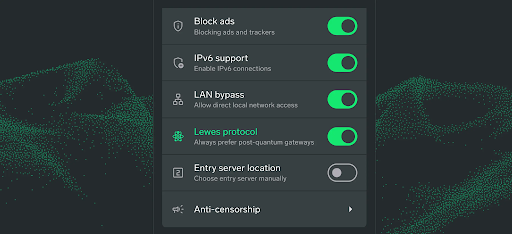
Arguably, the most technically significant change is the first phase of post-quantum encryption(PQE), using what Nym calls a novel Lewes Protocol.
PQE is available across all platforms for the Fast mode option.
Advertisement
(Image credit: NymVPN)
The move puts NymVPN among the small group of providers actively shipping protections against the “harvest now, decrypt later” threat, where adversaries store encrypted traffic today in the hope of breaking it with future quantum hardware.
Nym hasn’t yet detailed the full technical stack publicly, but framing this as a “first phase” suggests further hardening is on the way over the coming releases.
Advertisement
Pay as You Go ditches the account entirely
The other big release is Pay as You Go, a new way to access the Nym network using decentralized $NYM payments and zero-knowledge credentials.
There’s no account to create, no subscription to renew, and no identity tied to your usage. It remains one of the more unusual billing models in the VPN space.
A redesign and a market push are next
That’s a sneak peak of the redesigned NymVPN app (Image credit: NymVPN)
Looking ahead, Nym says a redesigned NymVPN app is “less than two weeks” away from launch, promising a cleaner and simpler interface without losing any of the underlying tech.
Advertisement
The company also plans to back the refresh with targeted advertising, a community referral program, and what it calls “guerrilla outreach” to users in countries dealing with internet censorship.
It’s a busy schedule, and one that reflects the more activist tone CEO Harry Halpin has been striking lately, including in his recent anti-Palantir manifesto.
For now, the takeaway is simple: in eight weeks, NymVPN has closed several long-standing feature gaps, added a genuinely forward-looking piece of cryptography, and made its most privacy-pure access option yet generally available.
If the redesign lands as promised, the next recap could be just as full.






































You must be logged in to post a comment Login