Operating systems are great things to have for general purpose computing, but sometimes they can just get in the way. There’s RAM overhead and processor cycles required for all that operating, after all. For something like a game system, it seems unnecessary. The NES certainly did well enough without an OS, as did its various successors for several console generations.
[Inkbox] wanted to get back to those heady days by programming bare-metal games for a Rasberry Pi 3 that had sat unused since 2016. Games are on cartridge, running bare metal, in assembly — as God and Masayuki Uemura intended. Also, the console is a dodecahedron, because the name GameCube was already taken.
The GitHub link above doesn’t exactly have documentation, at least as of this writing, so you’ll need to watch the video to get the full details. The dodecahedron form factor might not be ideal for packing away in a bag, but as a handheld we have to admit it does look comfortable to hold. Two faces of the dodecahedron get a half-dozen buttons each, which are wired to a GPIO pin on the Pi via a Schmitt trigger for hardware debounce. Like all good consoles, it uses cartridges, these ones being adapted from SD cards on large PCBs derived from a project we featured before.
That all sounds great, but it’s the assembly programming we’re really interested in — skip to around the seven-minute mark in the video for that. Ultimately it’s a build video, so not the ideal tutorial for ARM assembly programming, but it might not be a bad introduction for some. Unfortunately you don’t get line-by-line of the PacMan game he put together — but he does have it in the repository for you to examine. The repo also has STLs if you want to make a dodecahedron of your own.
Advertisement
Of course he’s got a RetroPi cartridge as well, loaded with emulators, and we suspect that’s mostly how this GameDodecahedron will get used. Still, we’ll always have a soft spot for assembly code and projects that use it — be it on ARM, good old 6502, the open-source RISC V architecture, or even the absolute monster of op codes that is x86.
Forward-looking: Valve’s Steam Machine signals the company’s willingness to push Steam beyond software and into a proper hardware platform. But hardware is only half the story. Alongside gaming devices, Valve has been quietly laying the groundwork for something potentially more significant: a version of SteamOS that runs on just about any PC you care to throw at it.
SteamOS has spent most of its life as a closed ecosystem, optimized almost exclusively for Valve’s own devices. That’s beginning to change. The company recently updated its Arch Linux-based OS to broaden hardware compatibility, and the move is backed by active collaboration with some of the biggest names in the PC industry.
The SteamOS 3.8.10 release is where the signals start to add up. The update adds initial support for upcoming Steam Machine hardware and meaningfully improves compatibility with Intel-based handhelds, along with better support for recent Intel and AMD processor platforms more broadly. On paper, it reads like a routine maintenance release. In practice, it looks like Valve is quietly building out the foundation for a much wider platform.
In a recent interview with The Verge, Valve confirmed the Intel relationship goes deeper than a few driver patches. The company is working closely with Intel’s engineers to optimize SteamOS at the graphics stack level, ensuring the OS runs properly on Panther Lake – Intel’s latest computing platform, and the architecture behind the Arc G3 Extreme SoC powering upcoming handhelds like the MSI Claw 8 EX AI+.
Advertisement
The Claw 8 EX AI+ ships with Windows, but Intel has acknowledged real user demand for a Linux alternative. No firm timeline for official SteamOS support has been given.
That device, like the new Steam Machines, carries a price tag that reflects the moment we’re in. The MSI Claw 8 EX AI+ retails for a hefty $1,799 – a figure that would have seemed implausible for a handheld a few years ago. It remains to be seen if the halo device sells in any meaningful quantities at that price level, too.
MSI’s product marketing lead Andy Chu has been straightforward about why: memory and storage costs have surged, largely on the back of AI industry demand, and OEMs have run out of room to absorb them. Chu says MSI exhausted every option trying to bring the price down and still landed here. He’s also warned the situation could get worse before it gets better.
Advertisement
Against that backdrop: expensive hardware, a fragmented ecosystem, and a Windows-centric status quo – Valve’s SteamOS ambitions start to look more strategic than incidental. Valve engineer Pierre-Loup Griffais has said that starting with the 3.8 release, users can now build their own Steam Machines using whatever PC hardware they have on hand. The experience, Griffais says, will closely resemble a docked Steam Deck, with some caveats.
Nvidia support is the most notable gap. Valve is actively collaborating with Nvidia on driver support, but Griffais was measured about the timeline. Most reporting puts realistic availability at 2027 at the earliest. SteamOS is an immutable OS with a read-only filesystem, which makes bundling Nvidia’s proprietary drivers a fundamentally different problem than the open-source AMD and Intel drivers already baked in.
Previous attempts to install SteamOS outside of Valve hardware meant navigating the Steam Deck recovery image, a process that made most mainstream Linux installs look effortless by comparison. What’s happening now is that the OS is being deliberately expanded to meet the broader PC ecosystem, rather than waiting for the ecosystem to come to it.
Team DuggAI, from left: Ashish Naik, Shaurya Duggal and Kruthik Ankam, hoist the championship trophy at the 2026 TiE Young Entrepreneurs (TYE) Global Pitch Competition in Bellevue, Wash. (TYE Photo)
A team of Seattle-area high school students won the 2026 TiE Young Entrepreneurs (TYE) Global Pitch Competition earlier this month, notching a three-peat for the TYE Seattle chapter.
More than 35 teams from 27 chapters around the world competed in the finals, which were held simultaneously at Bellevue College in Bellevue, Wash., and Kerala Startup Mission (KSUM) in India, from June 11-13.
With another team finishing third, the Seattle chapter has produced five winning teams at the global event over the past three years.
DuggAI won first place and a $3,000 prize. The startup’s AI agent is built to handle the “unglamorous side” of software development: triaging, contextualizing, and resolving engineering tickets so developers can stay focused on shipping product. Team members Ashish Naik, Shaurya Duggal, and Kruthik Ankam are all from Skyline High School in Sammamish, Wash.
Team Hydrobin, from left: Ananya Sharda, Aarav Narayan, Yatharth Kothari, Adithya Gogini, and Nissi V. finished third at the 2026 TiE Young Entrepreneurs (TYE) Global Pitch Competition in Bellevue, Wash. (TYE Photo)
Hydrobin took third place and a $1,000 prize. Operating under EcoProducts LLC, the startup turns ocean-bound plastic into reusable packaging designed to displace single-use containers across consumer and shipping use cases. Team members Ananya Sharda, Aarav Narayan, Yatharth Kothari, Adithya Gogini, and Nissi V. are from Interlake High School in Bellevue, Wash.
TYE is a program under The Indus Entrepreneurs global network that gives students in grades 9-12 experience building companies from scratch. The program has been running for more than 20 years, now encompassing more than 40 cities around the world.
TYE Seattle credits its winning ways to a dedicated assortment of mentors, judges, and sponsors. For the 2025-2026 cohort, 22 mentors from Seattle-area tech leadership contributed, and more than 25 sponsors backed the program.
TYE leaders, from left: Aalok Doshi, TYE program co-chair; Aravind Bala, TYE instructor; Yash Wagh, TYE program chair; Kishore Panpaliya, TiE board member; Sonu Aggarwal, TYE chapter president. (TYE Photo)
The Seattle chapter finals and the global semifinals attracted 10 judges with questions and targeted feedback for contestants. Bellevue College hosted the semis on June 12, where judges picked three teams from a field of 18 from the U.S., Canada, and Singapore to advance. On June 13, those three teams went head to head with the top three from India for the global title.
TYE Seattle’s leadership team includes Aravind Bala (instructor), Kishor Panpaliya (board member), Yashovardhan Wagh (program chair), and Aalok Doshi (program co-chair). Several are founders themselves who have spent years iterating on a blueprint for coaching high school entrepreneurs on aspects of customer discovery, prototyping, and pitch prep.
Advertisement
“In the world of AI, the earlier you get into entrepreneurship, the better. It teaches students how to actually build their own products, and puts more of them in position to change the world,” said Wagh, who is founder of Renton-based recommerce company gone.com. “We want to create a country-wide program, and ultimately an ecosystem, that lets students experience the real world and bring that experience back into their education.”
A high-severity SSRF vulnerability, tracked as CVE-2026-20230, in Cisco Unified Communications Manager Server is now being exploited in attacks.
Cisco released security updates for the CVE-2026-20230 flaw on June 3, warning that exploitation could give attackers root privileges on the device.
“A vulnerability in Cisco Unified Communications Manager (Unified CM) and Cisco Unified Communications Manager Session Management Edition (Unified CM SME) could allow an unauthenticated, remote attacker to conduct server-side request forgery (SSRF) attacks through an affected device,” warned Cisco.
“This vulnerability is due to improper input validation for specific HTTP requests. An attacker could exploit this vulnerability by sending a crafted HTTP request to an affected device. A successful exploit could allow the attacker to write files to the underlying operating system that could be used later to elevate to root.”
The flaw was disclosed to Cisco by SSD Secure, who did not share any technical details at the time.
Advertisement
Today, threat intelligence firm Defused warned that the flaw is now being actively exploited in attacks.
“Over the weekend we observed exploitation of CVE-2026-20230 – Cisco Unified CM (CUCM) WebDialer SSRF → root file-write (CVSS 8.6) No previously recorded exploitation, and not yet listed in CISA KEV,” Defused warned on X.
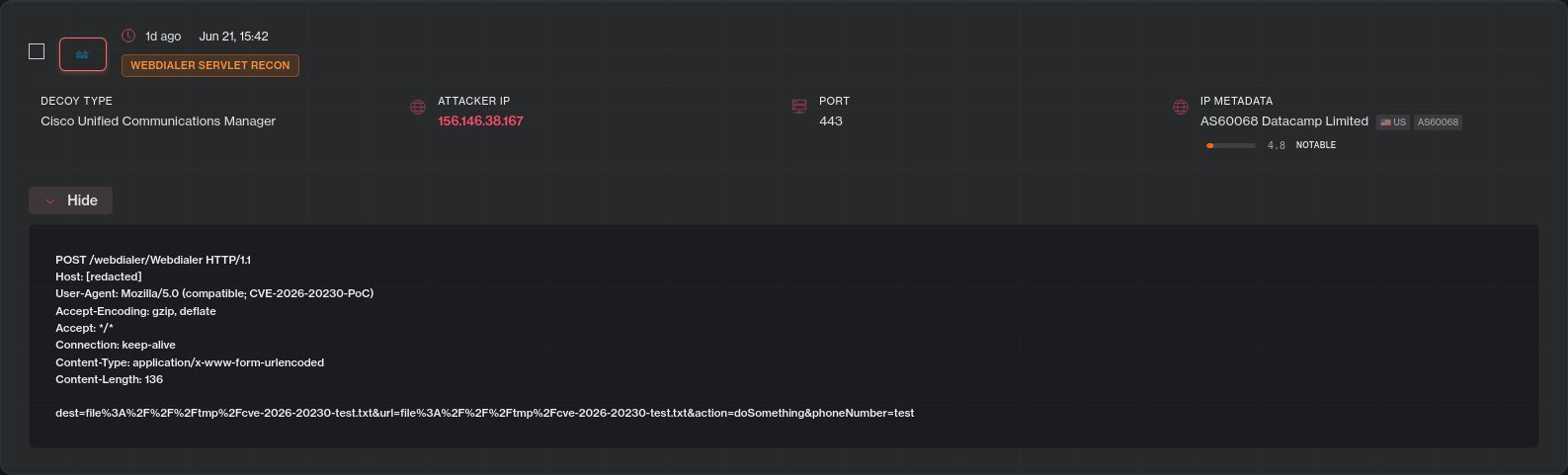
Defused says the attacks are originating from a single IP address and use properly constructed file:// payloads to create files on the device.
Cisco CVE-2026-20230 exploit on honeypots Source: Defused
While the flaw can be exploited in attacks to drop webshells and gain root privileges, the PoC observed by Defused appears designed to identify vulnerable devices by attempting to write a text file named ‘/tmp/cve-2026-20230-test.txt’ to them.
After the exploitation was disclosed, SSD Secure published a technical write-up of the flaw explaining how the vulnerability works and sharing a proof-of-concept exploit.
Advertisement
The researchers found that an unauthenticated attacker could abuse the Webdialer component’s handling of user-supplied URLs to force the application to write arbitrary files to the operating system using file:// URIs.
By controlling the file path and the content written to disk, an attacker could exploit the bug to achieve remote code execution and ultimately gain root privileges on vulnerable devices.
SSD Secure noted that exploitation requires the attacker to first obtain the target system’s hostname before carrying out the file-write attack. However, the researchers demonstrated how that information can be retrieved from the device before exploitation.
While the current exploitation appears to be reconnaissance in nature, now that the flaw has been fully disclosed, we will likely see more threat actors target these servers.
Advertisement
BleepingComputer contacted Cisco to ask if they, too, are seeing the flaw exploited in attacks and if any IOCs can be shared with defenders, and will update the article if we receive a response.
Security teams log 54% of successful attacks and alert on just 14%. The rest move through your environment unseen.
The Picus whitepaper shows how breach and attack simulation tests your SIEM and EDR rules so threats stop slipping by detection.
A good power bank isn’t exciting until your phone drops to 5% during a flight, a commute, or a long day away from an outlet. That’s when having a reliable backup battery suddenly feels essential. Prime Day is packed with portable charger deals, but many of them are generic products that look good on paper and disappoint in daily use. For this shortlist, I focused on trusted brands, practical features, portability, and unique use cases. Whether you want a dependable everyday charger, a MagSafe companion, or an emergency battery for outdoor adventures, these are the power banks I’d consider buying during Prime Day.
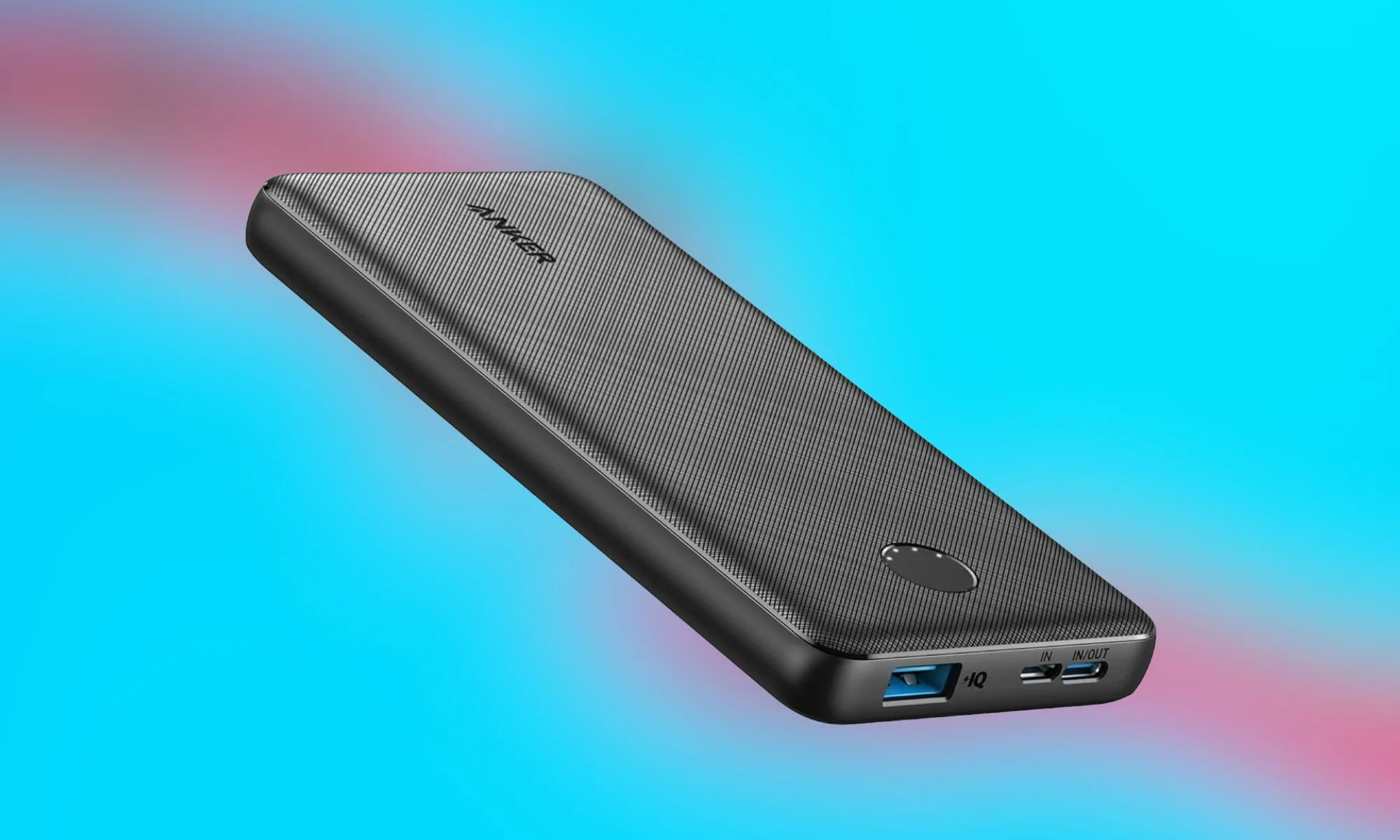
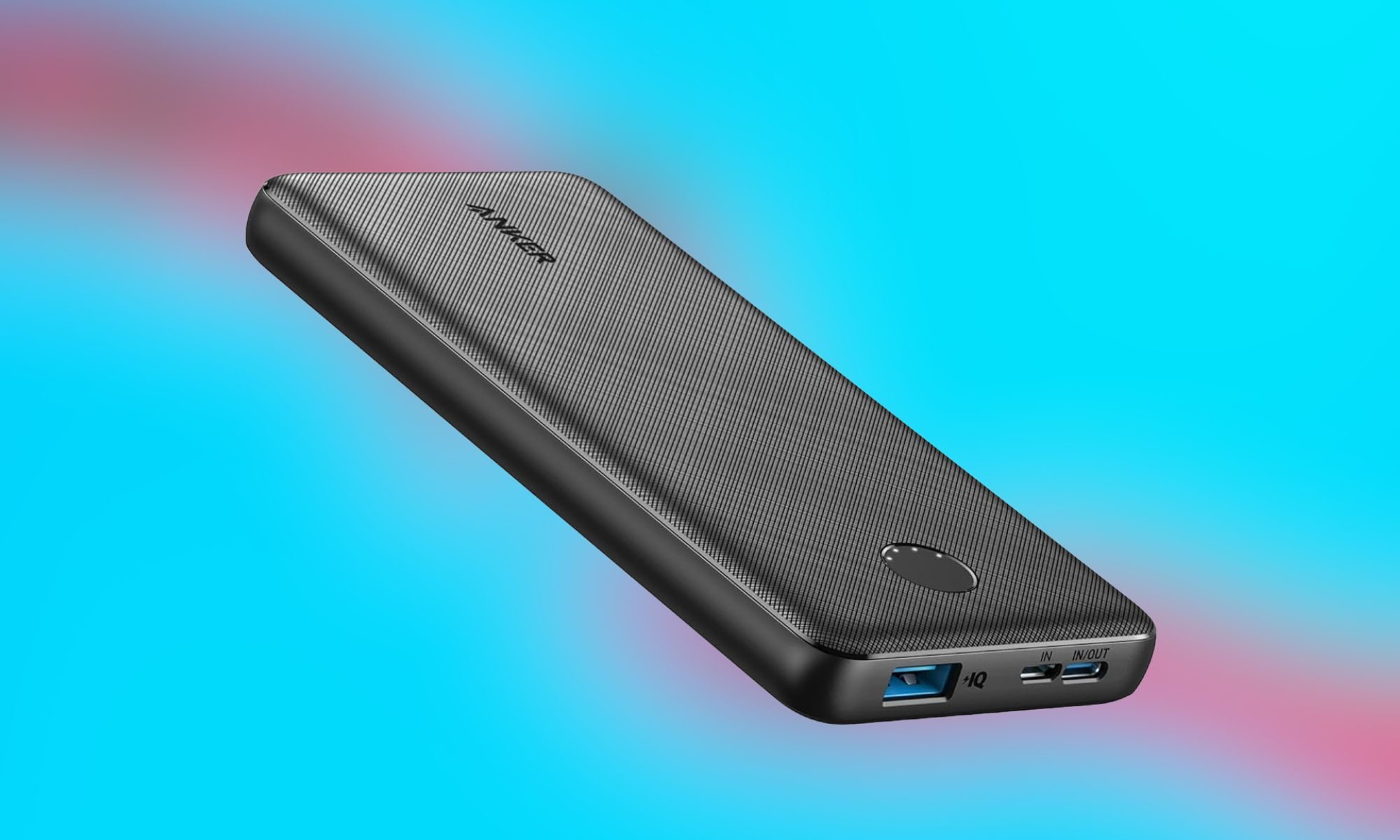
Anker PowerCore 10K – My everyday favorite power bank
Anker
Pros
Extremely lightweight and portable
Highly affordable budget price
Impressive scratch-resistant exterior
Reliable overcharge safety protection
Useful low-power trickle mode
Cons
Frustratingly slow recharge times
Lacks pass-through charging capabilities
Cannot charge multiple devices
No laptop Power Delivery
If someone asks me to recommend a portable charger without any qualifications, Anker is usually where I start. The PowerCore 10K strikes an ideal balance between capacity, portability, and reliability. With enough power to recharge most smartphones nearly twice, it’s compact enough to slip into a backpack, jacket pocket, or carry-on without adding noticeable weight. Anker has also built a reputation for dependable charging technology and strong safety features, making this one of the safest recommendations on this list. For travelers, students, and commuters, it’s difficult to find a more practical all-around option.
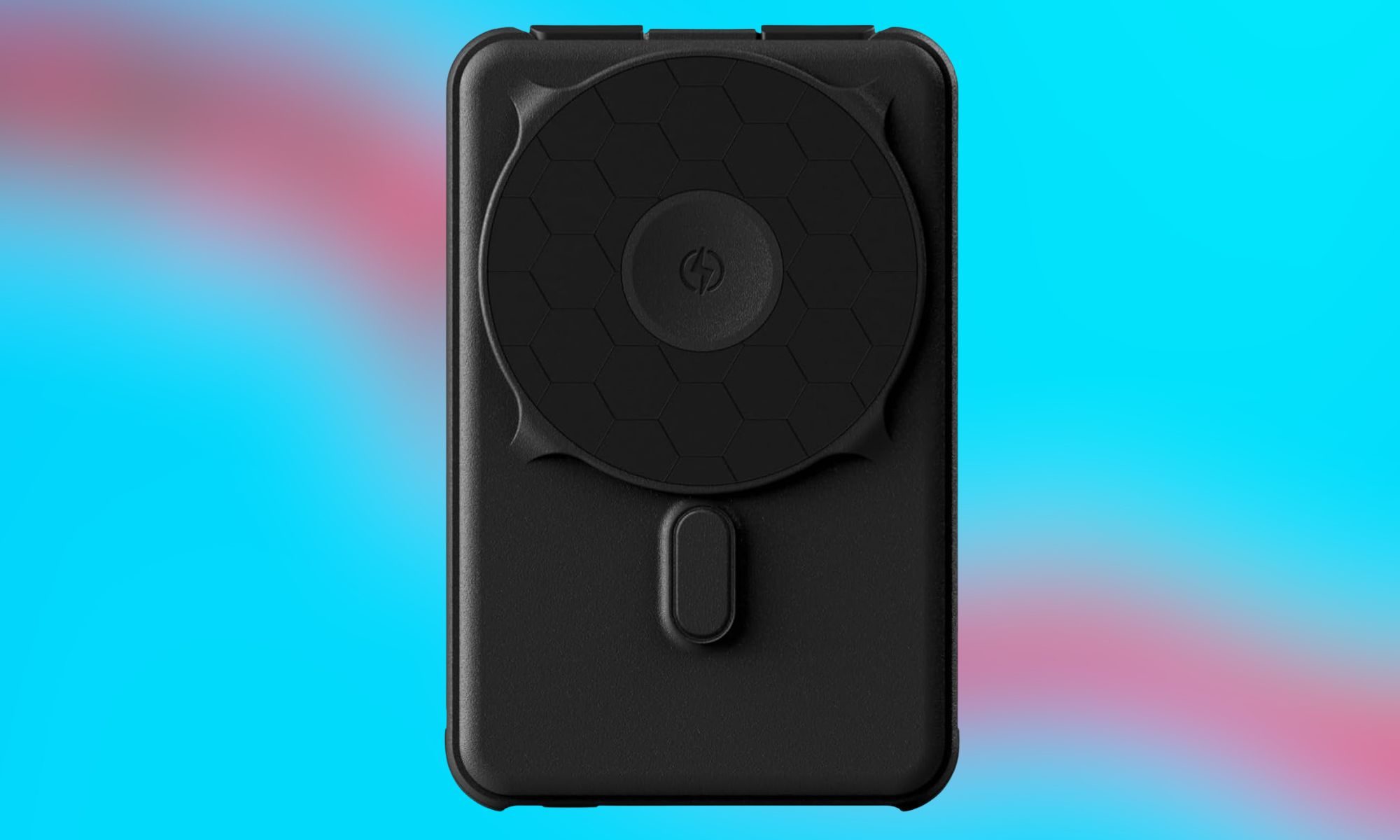
Ridge Magnetic Power Bank – Best deal for iPhone users
Ridge
Pros
Extremely lightweight and portable
Highly affordable budget price
Impressive scratch-resistant exterior
Reliable overcharge safety protection
Useful low-power trickle mode
Cons
Frustratingly slow recharge times
Lacks pass-through charging capabilities
Cannot charge multiple devices
No laptop Power Delivery
Magnetic charging accessories have become incredibly popular among iPhone users, and the Ridge Magnetic Power Bank embraces that convenience. Instead of carrying cables everywhere, you can simply attach the battery to the back of a compatible device and continue using your phone while it charges. The slim design makes it particularly appealing for travel and daily commuting, while the premium construction aligns with Ridge’s reputation for durable everyday-carry products. If convenience matters more than maximum capacity, this is one of the more attractive Prime Day options available.
BLAVOR Solar Power Bank – Best one for outdoor adventures
BLAVOR
Pros
Extremely lightweight and portable
Highly affordable budget price
Impressive scratch-resistant exterior
Reliable overcharge safety protection
Useful low-power trickle mode
Cons
Frustratingly slow recharge times
Lacks pass-through charging capabilities
Cannot charge multiple devices
No laptop Power Delivery
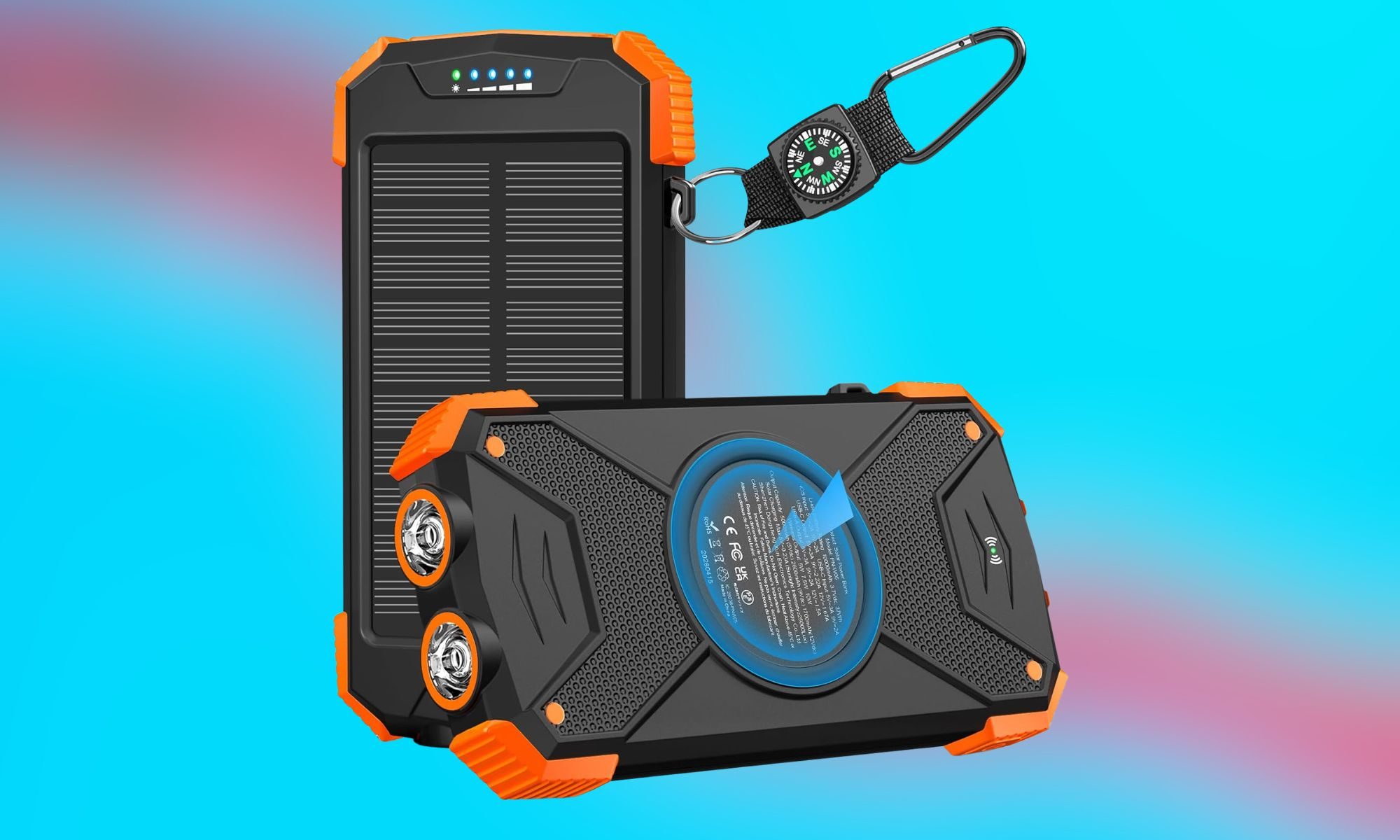
Most power banks are designed for urban life, but the BLAVOR Solar Power Bank takes a different approach. Built with outdoor use in mind, it combines a 10,000mAh battery with solar charging support, a flashlight, and a rugged design. While solar charging isn’t fast enough to replace traditional charging methods, it can provide valuable backup power during camping trips, hikes, or emergencies. If you’re building an emergency preparedness kit or spending time away from conventional power sources, this is one of the most versatile products in the category.
Aaoyun Portable Charger – Extremely convenient for everyday use
Aaoyun
Pros
Extremely lightweight and portable
Highly affordable budget price
Impressive scratch-resistant exterior
Reliable overcharge safety protection
Useful low-power trickle mode
Cons
Frustratingly slow recharge times
Lacks pass-through charging capabilities
Cannot charge multiple devices
No laptop Power Delivery
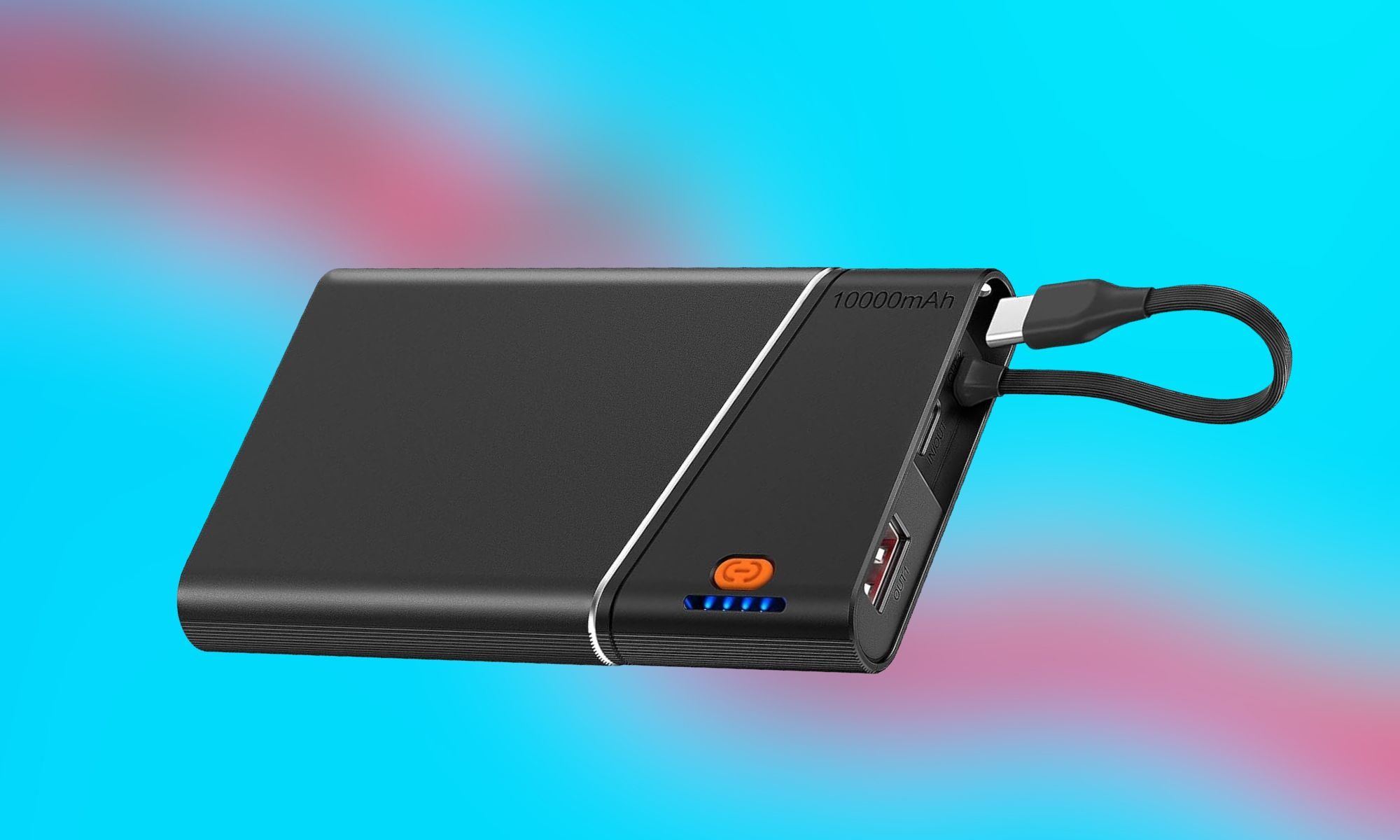
The biggest annoyance with portable chargers is often remembering to carry a cable. That’s what makes the Aaoyun Portable Charger interesting. Its compact design and integrated charging solution reduce the number of accessories you need to carry, making it particularly convenient for people who prioritize portability. It won’t replace a high-capacity travel charger, but it serves as a useful everyday backup for keeping a smartphone alive through long workdays, concerts, festivals, and travel delays.
Belkin USB-C Power Bank – Wins the reliability game
Belkin
Pros
Extremely lightweight and portable
Highly affordable budget price
Impressive scratch-resistant exterior
Reliable overcharge safety protection
Useful low-power trickle mode
Cons
Frustratingly slow recharge times
Lacks pass-through charging capabilities
Cannot charge multiple devices
No laptop Power Delivery
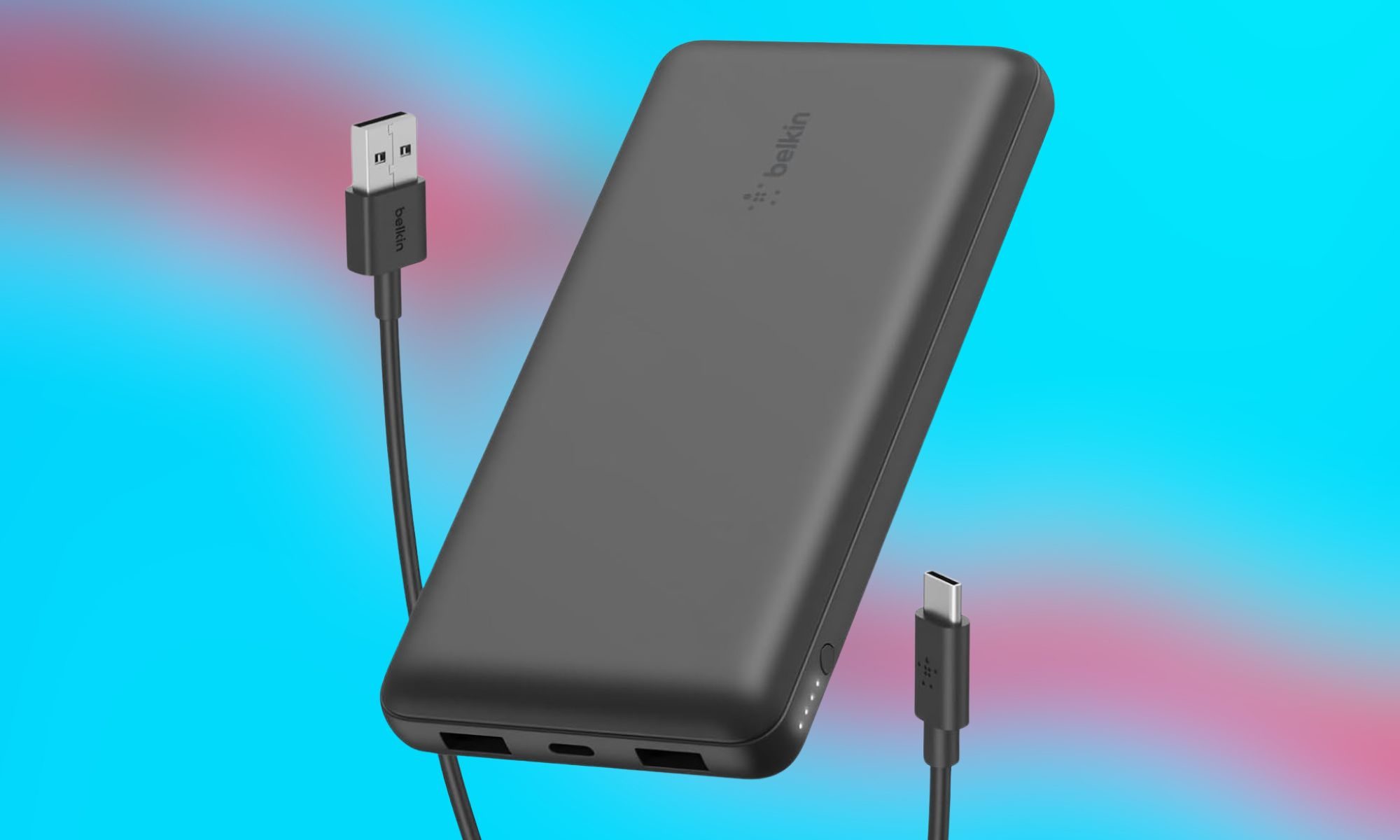
Belkin has spent years building accessories for major technology brands, and that experience shows in its portable charging products. The company’s USB-C power bank focuses on reliability, compatibility, and straightforward performance rather than flashy features. It’s an excellent choice for professionals, frequent travelers, and anyone who values dependable charging from a well-established brand. While it may not offer solar charging or magnetic attachments, it delivers exactly what most users need: consistent power when their devices run low.
Prime Day is full of portable charger deals, but these five products stand out because each serves a different need. The Anker PowerCore 10K is the safest overall recommendation, the Ridge Magnetic Power Bank is ideal for iPhone users, the BLAVOR Solar Power Bank is built for outdoor adventures, the Aaoyun Portable Charger prioritizes convenience, and the Belkin USB-C Power Bank focuses on reliability. If you’re planning to pick up a backup battery this Prime Day, these are the models I’d shortlist first.
A 29-year-old bug in the Squid web proxy, dubbed Squidbleed and tracked as CVE-2026-47729, can let an authorized proxy user retrieve fragments of another user’s cleartext HTTP requests, including credentials and session tokens. The security researcher who reported the flaw credited Anthropic’s Claude Mythos Preview for the discovery. The Hacker News reports: Squid describes this as an attack by a trusted client: someone already permitted to use the proxy, not any random host on the internet. That matches Squid’s usual home, shared networks like schools, offices, and public Wi-Fi. In those setups, the attacker is just another user of the same proxy. The leak also only reaches traffic that Squid can read. Normal HTTPS rides an opaque CONNECT tunnel, so Squid never sees inside it; the exposed traffic is cleartext HTTP, plus TLS-terminating setups where Squid decrypts and inspects. The attacker also needs the proxy to reach an FTP server they control on port 21. Both FTP and that port are on by default.
[…] If you patch, verify the fix, not just the version. Confirm the guard is in FtpGateway.cc, or check your distribution’s backport, since distros ship their own builds (Debian packages Squid 5.7). The public thread is still inconsistent: maintainer Amos Jeffries first said Squid 7.6 carried the fix, then corrected that to 7.7, and on June 22 Debian’s Salvatore Bonaccorso noted the referenced commit looks like it is already in 7.6. The fix is small, a null-terminator check before the vulnerable strchr calls, merged to the development branch in April and v7 in May. Squid 7.6 does separately patch CVE-2026-50012, an unrelated cache_digest heap overflow.
The cleaner move is the one the researchers recommend anyway: turn FTP off. Chromium dropped FTP years ago, and most networks carry almost none of it, so disabling it removes this attack surface for free, whatever build you run. The risk is real but bounded. SUSE rates it moderate, CVSS 6.5, and the vector explains the score: the attacker needs proxy access (low privileges), and the only impact is confidentiality, nothing on integrity or availability.
Look, I get it. I was a holdout on bidets. Like most Americans, I didn’t grow up with one. I hadn’t tried it, but didn’t like the idea of jets of water pointed at my keister.
And then I moved into a house that already had one installed, and became a convert in less than a week. Turns out that the French, the Japanese, and the self-righteous citizens of South Park were correct, and I was wrong. I now feel extra-clean, all the time. But here’s the problem: A large percentage of American bathrooms don’t have a power outlet easily accessible from the toilet. This includes my new front bathroom. Which means a lot of the best bidet models, the ones with heat and lights and fans and fancy doo-dads, are inaccessible to me.
The Tushy Classic 3.0 is a great option for that problem in particular. I didn’t really need all that to begin with, to have a clean bottom. For a lot less money, a company called Tushy specializes in bidet attachments that don’t require electricity. They instead hook in easily to the room-temperature water hose that connects to your toilet tank. Analog knobs control the water jets.It slips under your existing toilet seat for extra-easy installation, and right now, it’s also on sale for less than $100.
My colleague Nena Farrell tested this model for well over a year, and said that while she noted a few cracks on some of the rotating flanges inside of the housing (which you have to remove to even see), hers is still going strong. Note also that the Classic comes in a few colors, but there’s a chance it won’t exactly match your existing toilet.
The Classic is not the model I’ve tested, however. I have an updated model of the Wave, whose O.G. model is also on sale for a hefty discount on Prime Day, just $141. The Wave actually replaces your existing toilet seat, with a couple different shapes depending on the shape of your toilet bowl. (Make sure to check whether your toilet is “round” or “elongated” for proper fit.)
An enterprise beta is already live, with public launch targeted for early July. CEO Liang Rubo told the conference that climbing the AI summit is the company’s top priority, with its model-as-a-service business evolving into a foundational operation backed by long-term investment.
The headline upgrade is reference capacity: the model accepts up to 50 multimodal inputs, including images, audio clips, 3D white models, and style references, up from 12 in its predecessor. Those inputs give Seedance 2.5 far more granular control over style, motion, and composition than a text prompt alone.
The model generates at 4K natively rather than upscaling from a lower resolution, a distinction that matters for professional production pipelines. It supports 10-bit colour depth for smoother gradients and more room for post-production colour grading. ByteDance also claims 20 percent better prompt adherence, meaning fewer generations before a usable result.
Advertisement
Audio is now co-processed within the same latent space as visual signals, producing native synchronisation between onscreen actions and their corresponding sound effects. A new 3D white-box preview function lets creators generate low-fidelity animations before committing to a full-quality render. Together, the features position the model as a production tool rather than a novelty generator.
The announcement comes three months after ByteDance was forced to add watermarking and IP guardrails to Seedance 2.0 following cease-and-desist letters from Disney, Warner Bros Discovery, Paramount, and Netflix. A viral deepfake of Tom Cruise fighting Brad Pitt on a rooftop drew a formal complaint from the Motion Picture Association and a rebuke from SAG-AFTRA.
ByteDance paused the global rollout in mid-March and did not resume it through CapCut until late March, with face-blocking filters, C2PA watermarks, and copyrighted character detection in place. No timeline has been offered for making the new model available in the United States.
The competitive context has shifted dramatically since February. OpenAI shut down Sora in March after the video tool peaked at roughly one million users and reportedly cost about a million dollars a day to operate, generating just over two million dollars in total revenue.
Advertisement
Google’s Veo 3.1 has filled much of the vacuum, offering native 4K output, audio generation, and up to three reference images for style control. But the new ByteDance model substantially exceeds Veo’s reference input capacity, accepting 50 inputs to Veo’s three, a gap that matters for professional workflows.
Whether the new model can reach global markets without reigniting the copyright battles that stalled its predecessor remains the central question. ByteDance has the model, the distribution through CapCut’s 400 million monthly active users, and the vertical integration from generation to editing to sharing. What it does not yet have is a settlement with Hollywood, and every feature that makes the model more capable also raises the stakes of that unresolved conflict.
We may receive a commission on purchases made from links.
While the terms are often used interchangeably, not every power strip offers surge protection. Fortunately, determining if your power strip is a surge protector is fairly easy, even if these devices look very similar. Power surges in the home are a result of things like varying voltage levels entering the home, appliances kicking on and off, and even disruptions due to storm activity. Plugging your TV into a surge protector is a way to mitigate some of the risks associated with brief spikes in voltage. However, you may have noticed coax connectors on protective power strips. What are they for?
Advertisement
Coaxial cables are often used in the home for cable and satellite TV and internet access, to name a few. These cables excel at stopping outside electromagnetic interference by incorporating braided wiring and foil around the conductor to shield the signal. However, they can also experience surges that could carry into electrical devices.
Some power strips and surge protectors include coaxial cable protection that offers two connectors — one in and one out, for example. This is meant as an additional measure to help protect devices that have coaxial cables attached to them.
Advertisement
Should you run coaxial cable through your power strip?
Piotr Wytrazek/Getty Images
While more robust coaxial cable surge protectors can help protect certain home setups as one component of a multifaceted strategy, the one on your power strip may not do much. In fact, it could instead result in signal loss. Systems like satellite TV are grounded (via a brass ground block), which provides specific protections to coaxial cables from surging voltage. This means the heavy lifting in terms of protection is already in place. In fact, by adding an additional connection on your power strip, you can weaken your signal or introduce noise.
Scenarios where you may want to incorporate coaxial surge protection are in relation to roof mounted TV and radio antennas. Though again, this is only a secondary measure in addition to properly grounding your equipment. Antennas are particularly susceptible to lightning strikes, which on average have the energy of around 1 billion joules. While no device can provide protection from a power surge created by a direct lightning strike, a basic power strip rated up to 2,000 joules will do little to prevent damage.
Advertisement
Better surge protection options for coaxial cables
Metal oxide varistors (MOVs) are a type of surge protection used by some power strips with coaxial cable connections. These help soak up the extra voltage from spikes by actively conducting during a surge and preventing damage. While MOVs work well with AC applications, like your home electronics, they do suffer degradation over time. This is why you might want to throw away your old surge protectors ASAP. In addition, they can also affect signal integrity over cables carrying high-speed data, like coaxial.
There are more effective, dedicated products like coaxial cable surge arrestors, which feature a place to attach a ground wire and utilize gas discharge tubes (GDT). The GDT comes in the form of a small cylinder within the arrestor in between the connection of two different coaxial cables. Essentially, inside the cylinder there are electrodes and an inert gas. When a surge reaches the GDT, the gas ionizes and creates a brief short circuit, preventing excess current from flowing to sensitive electronics. It’s recommended to place these arrestors near the equipment like a radio, rather than placing it near the antenna. These can help protect against power spikes as a result of indirect lightning strikes.
The White House is drastically shortening the deadline for government agencies and organizations to adopt new quantum-resistant encryption systems that will withstand attacks that use quantum computers, as the federal government seeks to protect decades’ worth of secrets belonging to militaries, banks, governments, and most individuals on Earth.
The executive order, titled Securing the Nation against Advanced Cryptographic Attacks, requires computing systems for “high-value assets” and “high-impact systems” to transition to post-quantum cryptographic key establishment schemes by December 31, 2030, and to quantum-safe digital signature schemes by December 31, 2031.
Heading off a significant threat
The new deadline, which for many organizations is about five years sooner than the previous one, comes on the heels of recent research showing that the resources and cost for building a cryptographically relevant quantum computer are far less than previous consensus estimates. In response, Google, Cloudflare, and other companies recently tightened their timelines for moving off vulnerable systems to 2029.
“The advent of large-scale quantum computers, particularly in the hands of adversaries, will pose a significant threat to widely used cryptographic security systems,” Monday’s executive order stated. “Ongoing cyber activity against our Nation also presents the risk of adversaries collecting United States information now, and decrypting it later once large-scale quantum computers are operational.”
Advertisement
Under a timeline the National Security Agency published in 2022, “National Security Systems”—a class including only defense and intelligence systems under the authority of the agency—were under orders to be quantum-ready between 2030 and 2033. Most other organizations had until 2035 to complete the transition. Now, many of them will be required to transition much sooner.
“So, for any system that falls into this new bucket of high-value assets and high-impact systems, their transition timelines just got shortened by 4-5 years (from 2035 to 2030/2031),” Brian LaMacchia, a cryptography engineer who oversaw Microsoft’s post-quantum transition from 2015 to 2022 and now works at Farcaster Consulting Group, told Ars. “That is a significant shortening of the transition timeline for these systems, and it follows similar timeline revisions from Google and Cloudflare that we saw announced back in late March/early April.”
Across the United States, K-12 schools have spent the past decade building one-to-one device programs. These initiatives have established an essential baseline for digital access, making it easier for students to complete daily schoolwork across grade levels and subjects. By putting a device in the hands of every learner, districts have created a standard foundation for digital literacy, research and everyday classroom engagement.
As STEM programs continue to grow and mature, however, school leaders are beginning to encounter new questions about how well those devices support more advanced coursework. Pathways in fields like robotics, engineering, cybersecurity and data science increasingly rely on specialized professional applications that reach well beyond general-purpose classroom software.
In many cases, students can successfully complete introductory work on school-issued devices. But as instruction progresses, the tools required for STEM programs place different demands on student computing resources. As a result, educators and technology directors are taking a closer look at how hardware capacity can keep pace with shifting curricular needs.
STEM Tools and Computing Demands
Advertisement
While web-based applications work well for introductory coursework and daily assignments, many expanding STEM pathways introduce entirely different technical requirements. Courses in engineering, 3D modeling, cybersecurity and data science rely on industry-standard applications that demand substantial local computing capacity, robust memory and dedicated graphics processing.
A prime example is SolidWorks, a professional computer-aided design (CAD) platform used in both higher education and engineering industries. When students build detailed, multi-part models or run stress-test simulations, the performance of the device they’re using directly affects how efficiently they can work. Insufficient hardware can lead to severe rendering delays, software lag or sudden crashes that disrupt the entire classroom flow.
This reality highlights a practical procurement consideration for districts: As STEM curricula mature beyond basic web-browsing activities, classroom devices must have sufficient local processing power to keep up.
Credit: ASUS Education
A Robotics Program in Practice
Advertisement
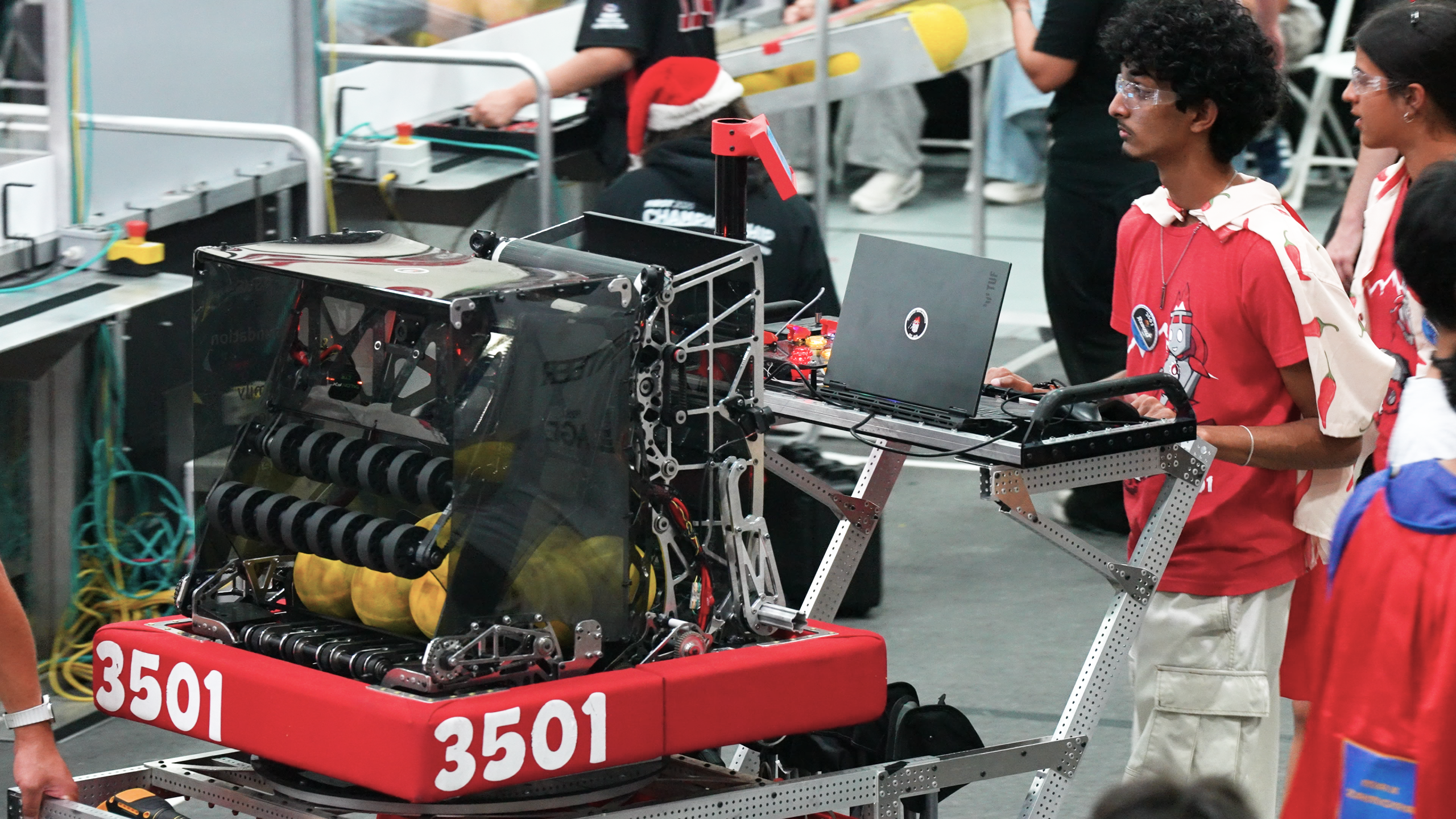
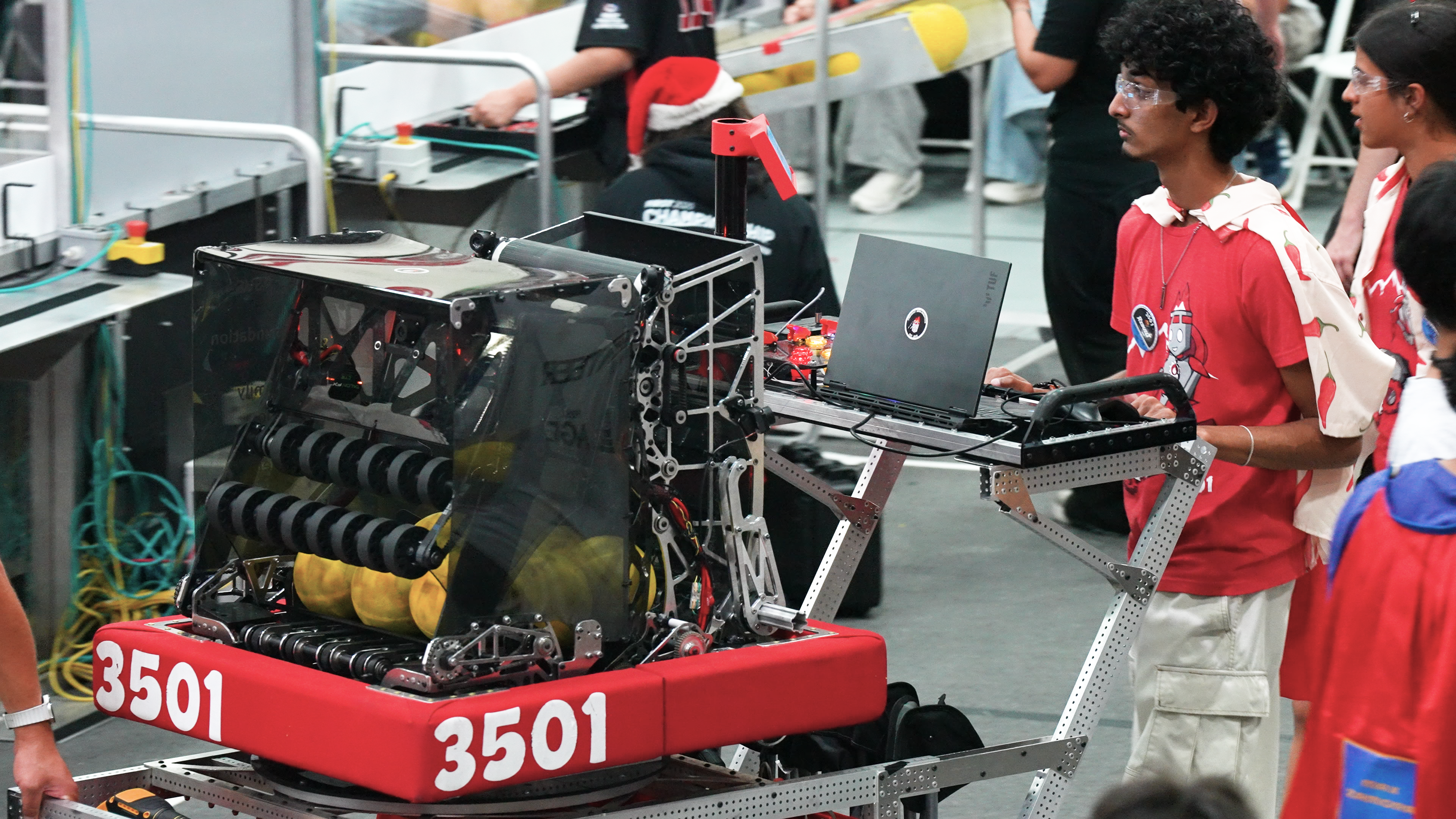
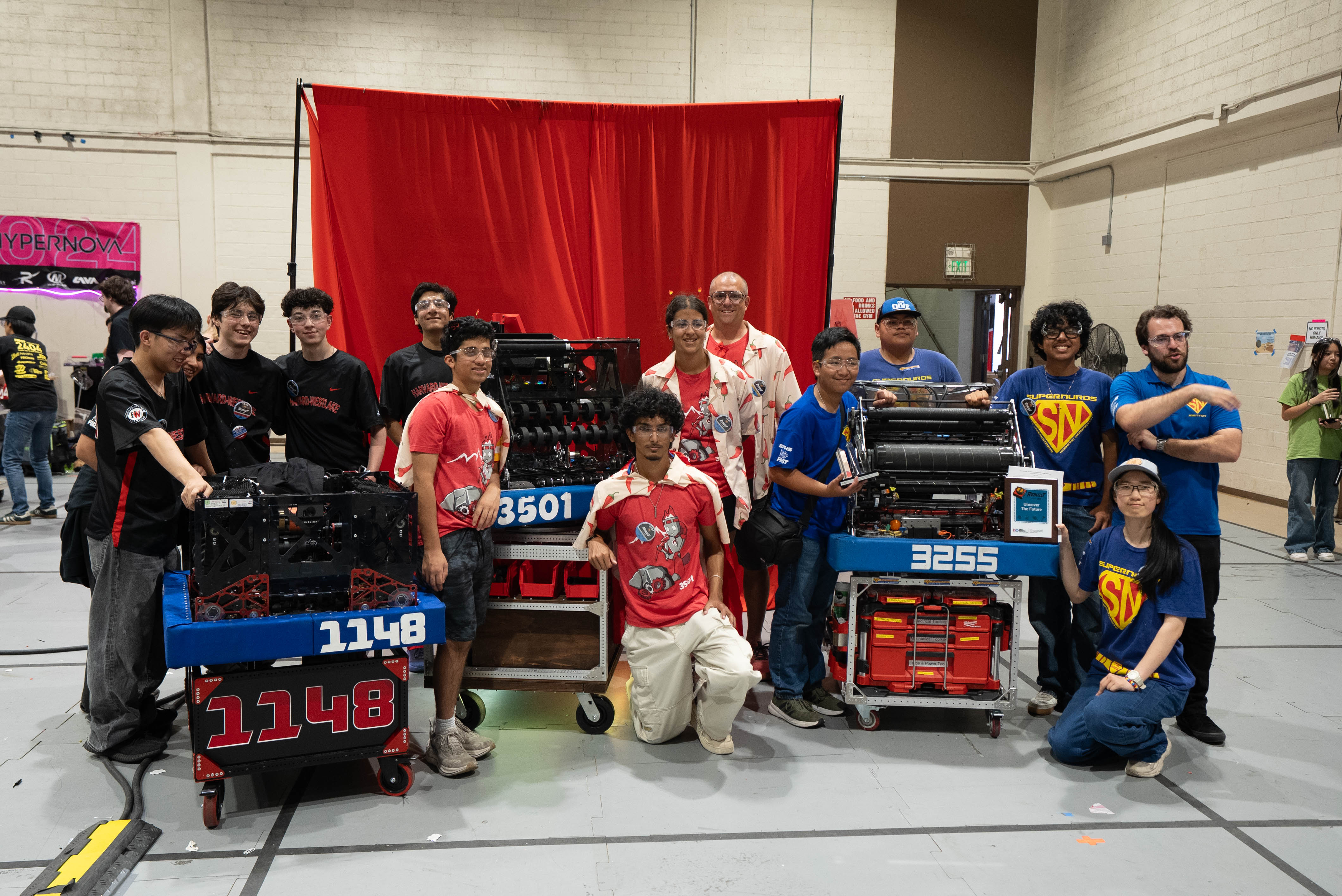
To see how these hardware dynamics play out in a real classroom, consider the experience of the Firebots robotics team at Fremont High School in Sunnyvale, California. The team competes each year in the FIRST Robotics Competition, a global program where students design, build and program large robots to complete complex engineering challenges under tight, real-world constraints.
Credit: ASUS Education
The work inside a competitive robotics program closely mirrors a commercial engineering environment, spanning mechanical design, fabrication, electrical systems and software development. Students use CAD tools to design components from scratch, test digital iterations and refine mechanisms on a tight competition timeline.
Reliable on-device performance eliminates a common source of classroom friction. When software runs consistently and responsively, students can spend their limited class time troubleshooting their designs rather than troubleshooting their devices. Free from technical slowdowns and long file loads, they can focus on testing solutions and iterating on ideas. Ultimately, the Firebots’ systematic approach and focus on execution earned the company the FIRST Excellence in Engineering Award, which recognizes strong engineering design and system integration.
Advertisement
Credit: ASUS Education
What This Means for STEM Instruction
The experience of programs like the Firebots raises a broader question for school leaders and instructional technology directors: How should district-wide device strategies evolve as STEM instruction becomes more technically demanding?
One-to-one computing programs continue to serve as the foundation for most day-to-day classroom learning, providing the baseline connectivity and performance needed for a modern education. At the same time, STEM courses can reveal distinct moments where standardized, general-purpose devices reach the limits of demanding software and workflow requirements.
In many districts, this variation is already being managed through a mix of approaches. Some schools rely on shared physical lab spaces equipped with higher-performance workstations dedicated to specialized software. Others use cloud-based streaming solutions where possible, while reserving more resource-intensive local applications for specific instructional settings.
Advertisement
The goal is not to dismantle existing one-to-one initiatives, but to recognize where a single hardware standard may limit technical pathways. As STEM education continues to expand and diversify, school leaders find themselves balancing the competing priorities of deployment consistency, procurement cost and instructional fit. In this changing landscape, device planning is no longer treated as a separate IT purchasing decision. Instead, it is increasingly part of a larger conversation about how schools design learning environments that accurately reflect the kinds of hands-on work students are being asked to do.
Recommended Resource
Learn more about ASUS Education Solutions: Accessible, adaptive education technology






























































You must be logged in to post a comment Login