Google made an unexpected cameo on Macs with the launch of a native Gemini app. What’s even more interesting (and a bit funny) is that the app arrived at Apple’s long-promised Siri upgrade (and a rumored standalone app for the voice assistant).
The free app is available on macOS 15 and above. Though the app isn’t available on the App Store (yet), you can download it from Google’s official landing page.
Google
What can the Gemini Mac app actually do?
Quite a bit, actually. Once you install the app, you can summon Gemini by pressing Option + Space keys. Doesn’t matter where you are and what you’re doing; using the shortcut opens a quick-access mini chat overlay. Don’t press the wrong key (Command), or you’ll end up invoking the Spotlight search bar.
You can open the full Gemini interface by pressing Option + Shift + Space. Further, the app includes built-in tools for generating images and videos, analyzing content on your screen (including documents, spreadsheets, and images), and understanding files. Of course, you can talk to the Gemini AI assistant.
The list of available tools includes Canvas, Deep Research, NotebookLM integration, and Personal Intelligence, which taps into your connected Google apps, including Gmail, Photos, Calendar, etc., to fetch relevant information for you.
If you don’t know this already, Gemini is among the last AI services to have launched a dedicated Mac app. Other giants — OpenAI, Anthropic, and Perplexity — have had Mac apps for quite some time.
For Mac users who’ve been using Gemini in Chrome or Safari, the native app is a welcome upgrade. The powerful, context-aware AI is now one keyboard shortcut away on your Mac.
By establishing Gemini on macOS now, Google secures mindshare and daily habit formation before Apple can actually flip the switch with the dedicated Siri app later this year.
Neither Samsung or the US Department of Justice could stop the request in US courts to try to get data crucial to Apple’s US antitrust defense from the top of Samsung’s corporate structure in South Korea.
Apple is on trial for allegedly stifling competition through proprietary hardware and software. The US Department of Justice seeks to prove that Apple keeps companies like Samsung from easily serving its customer base.
The trial has barely entered the evidence gathering phase, and Samsung’s US headquarters refused to cooperate. So, Apple asked for and has now been approved to utilize the Hague Convention to get the South Korean Government involved, and force Samsung’s compliance in that country.
AppleInsider has seen the brief document submission showing that the request was approved. It states that “the court shall execute the submitted Letter of Request For International Judicial Assistance.”
Advertisement
Basically, Samsung says it can’t hand over evidence that is stored within the South Korean parent company’s databases. Since it isn’t part of Samsung America, it hoped that the court would agree that it isn’t relevant.
The DOJ also complained that Apple’s request should be denied. It argued that Apple waited too long to submit the filing.
Neither argument landed and Apple’s request was narrow enough that it was granted. Now, the court will submit a request to the South Korean government, asking it to compel Samsung to hand over relevant documents.
This doesn’t mean Apple will have its way just yet. The South Korean government could disagree with the scope of the request or deny it altogether. There’s also a chance Samsung could fight back in Korea as well.
Advertisement
It is very early days for this case. Apple was sued by the DOJ in March 2024, and early evidence requests were made in October 2025.
Expect that this case will take the better part of the next decade to reach some kind of conclusion.
You can purchase the $1 Innovation coin featuring Apple’s Steve Jobs from the US Mint, starting today, May 12 at 12PM Eastern time. The US Mint has been releasing specialty coins every year since 2018 to honor American innovation and the “pioneering efforts of individuals or groups.” Late last year, it revealed the designs for the 2026 Innovation coins, with Jobs’ depicting him as a younger man sitting cross-legged in front of a quintessential California landscape with rolling hills and oak trees.
“His posture and expression, as he is captured in a moment of reflection, show how this environment inspired his vision to transform complex technology into something as intuitive and organic as nature itself,” the Mint said at the time. The coin’s inscription on the tails side includes Jobs’ name and the words “Make something wonderful.” On the heads side is a profile of the Statue of Liberty, along with a Liberty Bell with an inscription that reads “250” to commemorate the country’s 250th anniversary. On the edge of the coin, you’ll find the mint mark and the year of minting.
The $1 Steve Jobs coin will be available for purchase in 25-roll coins for $61, amounting to $2.44 each, and in 100-coin bags for $154.50, or $1.55 each. You’ll be able to buy coins minted in Philadelphia and Denver today, and yes, you’ll be able to choose between the two. Coins minted in California will be available in the third part of 2026.
The company did not say what it had given the hacker group in exchange for the terms.
Instructure, the parent company behind Canvas, the education management platform reportedly hacked by ShinyHunters, has reached an agreement with the cyber gang, it said yesterday (11 May). Hackers had given affected universities until tomorrow (12 May) to negotiate a settlement.
As per the agreement, the cyber extortion group has returned stolen data and deleted copies, and has agreed not to extort the institutions affected in the hack, Instructure said. The company did not say what it had given the hacker group in exchange for the terms.
Reportedly formed around 2020, ShinyHunters has claimed responsibility for an array of high-profile, financially motivated attacks in recent years on groups such as Salesforce, Allianz Life, SoundCloud, Ticketmaster and Tinder-parent Match Group.
It reportedly began targeting edtech giant Instructure late last month, which started noticing unauthorised activity in Canvas on 29 April, and later on 7 May.
ShinyHunters claimed responsibility for the attack and said it stole 280m records. The threat actor also published a list of more than 8,800 institutions that were affected by its attacks on Canvas. In a 3 May ransom note, it threatened to leak “several billions of private messages among students and teachers.”
In Ireland, the platform is used by the likes of University of Galway and Munster Technological University – both of which faced disruptions following the hack.
Advertisement
Instructure, at the time, said the stolen information includes user identifying information such as names, email addresses, messages and student ID numbers at affected institutions. It has reported the breach to the US FBI and the Cybersecurity and Infrastructure Security Agency and other law enforcement agencies, it said.
In its latest update, the company said that the unauthorised actor exploited an issue related to its ‘free-for-teacher’ accounts to hack Canvas. As a result, the feature has been temporarily shut down. Other services, however, are fully operational, it added.
“ShinyHunters timed this attack to sting as much as possible,” said Raluca Saceanu, the CEO of Smarttech247.
“With exam season underway and academic years drawing to a close, schools and universities needed Canvas working. That dependency gave ShinyHunters the leverage to lay out the terms of their deal. For Canvas, and its parent Instructure, it was agree to terms or lose customers.”
Advertisement
“While technical recovery time from ransomware attacks is accelerating, attackers are responding by shifting their focus and making the broader organisational consequences more damaging than ever.”
“It’s not just a question of causing as much potential damage as possible. From the attackers’ point of view, these newer approaches are faster, cheaper, stealthier and carry lower technical risk. And the core law of extortion anywhere holds – even if a victim pays, there’s no guarantee data won’t be exposed anyway, and the organisation has now marked itself as a valuable target,” Saceanu added.
Don’t miss out on the knowledge you need to succeed. Sign up for the Daily Brief, Silicon Republic’s digest of need-to-know sci-tech news.
Looking for the most recent regular Connections answers? Click here for today’s Connections hints, as well as our daily answers and hints for The New York Times Mini Crossword, Wordle and Strands puzzles.
Today’s Connections: Sports Edition is a tough one. If you’re struggling with the puzzle but still want to solve it, read on for hints and the answers.
Connections: Sports Edition is published by The Athletic, the subscription-based sports journalism site owned by The Times. It doesn’t appear in the NYT Games app, but it does in The Athletic’s own app. Or you can play it for free online.
Hints for today’s Connections: Sports Edition groups
Here are four hints for the groupings in today’s Connections: Sports Edition puzzle, ranked from the easiest yellow group to the tough (and sometimes bizarre) purple group.
Yellow group hint: Need to work on your skills.
Advertisement
Green group hint: Wimbledon essentials.
Blue group hint: Formerly the Seattle SuperSonics.
Purple group hint: What time is it?
Answers for today’s Connections: Sports Edition groups
What are today’s Connections: Sports Edition answers?
The completed NYT Connections: Sports Edition puzzle for May 12, 2026.
NYT/Screenshot by CNET
The yellow words in today’s Connections
The theme is out of practice. The four answers are cold, off, rusty and sluggish.
The green words in today’s Connections
The theme is parts of a tennis racket. The four answers are butt, grip, grommets and strings.
Advertisement
The blue words in today’s Connections
The theme is members of the Oklahoma City Thunder. The four answers are Dort, Holmgren, Joe and Wallace.
The purple words in today’s Connections
The theme is ____ clock. The four answers are game, pitch, play and shot.
Toughest Connections: Sports Edition categories
The Connections: Sports Edition puzzle can be tough, but it really depends on which sports you know the most about. My husband aces anything having to do with Formula 1, my best friend is a hockey buff, and I can answer any question about Minnesota teams.
That said, it’s hard to pick the toughest Connections categories, but here are some I found exceptionally mind-blowing.
Advertisement
#1: Serie A Clubs. Answers: Atalanta, Juventus, Lazio, Roma.
#2: WNBA MVPs. Answers: Catchings, Delle Donne, Fowles and Stewart.
“Sonos went back to the drawing board and delivered a truly rewarding hybrid speaker.”
Pros
Clean looks and solid build quality
Packs quite an audio punch
waterproofing is an underrated perk
Good mileage and replaceable battery
Doubles as a power bank
Cons
No power brick in retail box
You can’t take calls
Stereo pairing only over Wi-Fi
Limited Bluetooth functionality
Quick Take
Sonos has had a rough couple of years. The 2024 app rollout turned into a disaster that still shows up in the support forums, and the hardware pipeline went quiet for so long that I’d genuinely started to wonder whether the company had decided to take a sabbatical from making new speakers. So when the Sonos Play showed up in the lineup at $299, I was obviously skeptical.
After six weeks of using it as my primary kitchen speaker, my weekend patio speaker, and my impromptu bathroom-radio speaker, I can confirm something I didn’t expect while unboxing this speaker. This one can bring back the irked Sonos fans. It sits between the Roam 2 and the Move 2, while delivering the best of both worlds.
At $299, in a market crowded with cheaper Bluetooth options on one side and pricier smart speakers on the other, it had to land precisely. Somehow, it did. It sounds good, packs a replaceable battery, doubles as a power bank, and still remains portable. It just loves Wi-Fi a little too much, and that often turns into a functional drawback.
Sonos Play specs: What you get from this middle-weight warrior?
Amplifiers
Three class-H digital amplifiers tuned for the acoustic architecture.
Drivers
Two angled tweeters for crisp highs and one mid-woofer for deep bass.
Microphones
Far-field array with beamforming and echo cancellation.
Audio Tuning
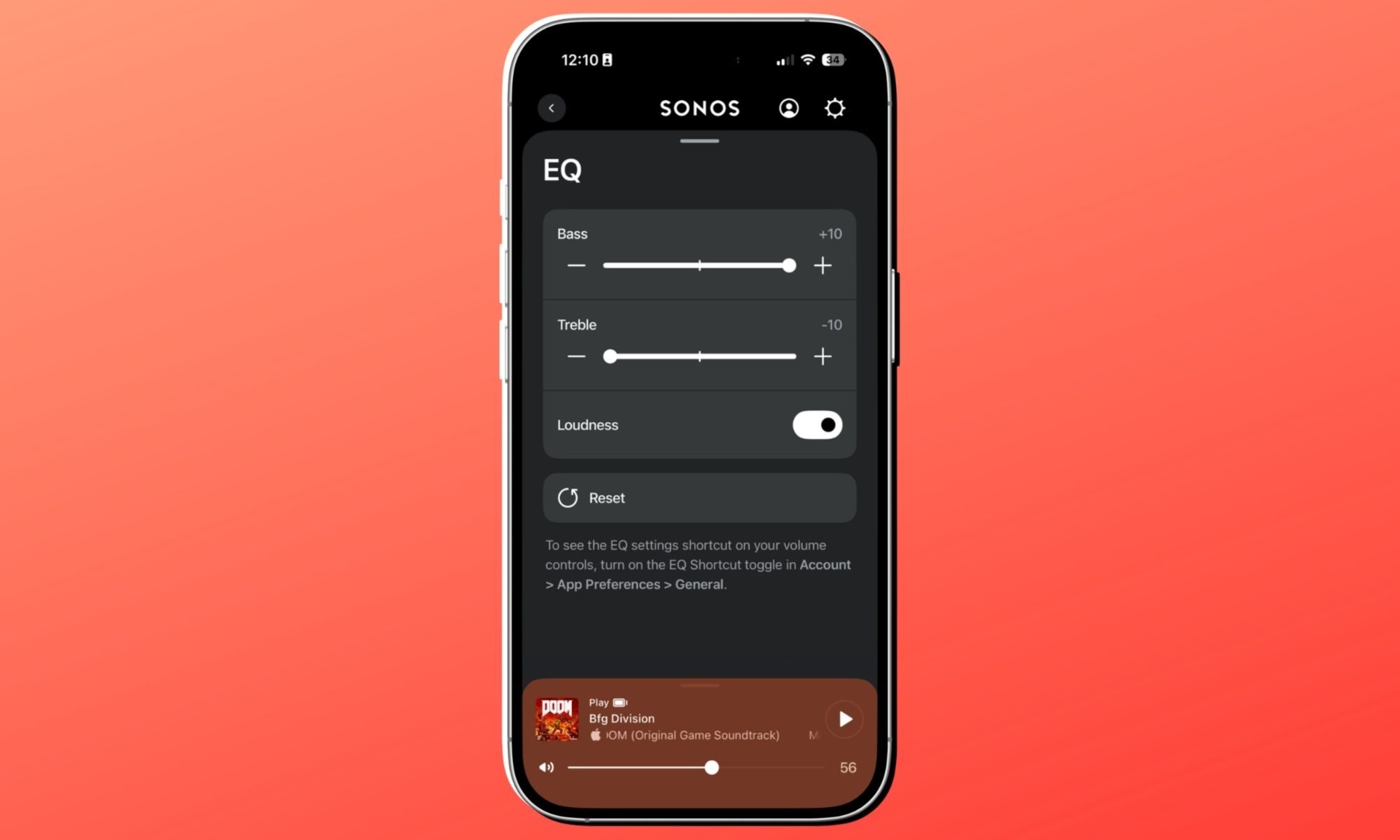
Automatic Trueplay and adjustable EQ (Bass, Treble, Loudness).
Battery Life
Up to 24 hours of continuous playback; user-replaceable battery.
Charging
Includes Wireless Charging Base; supports USB-C PD (18W+).
Durability
IP67 rating (waterproof up to 1m for 30m) and drop resistant.
Connectivity
WiFi (802.11a/b/g/n/ac) and Bluetooth® 5.0.
Dimensions
192.3 x 112.5 x 76.7 mm (7.57 x 4.43 x 3 in).
Compatibility
Sonos app (S2), Apple AirPlay 2, Spotify/TIDAL Direct Control.
Controls
Tactile buttons for playback, volume, and a physical mic privacy switch.
Sustainability
Made with bio-based plastics and FSC-certified recyclable packaging.
Box Contents
Sonos Play speaker, Wireless Charging Base, and Quickstart Guide.
Sonos Play design and build quality: Clean, mean, and easy to lug around
Nadeem Sarwar / Digital Trends
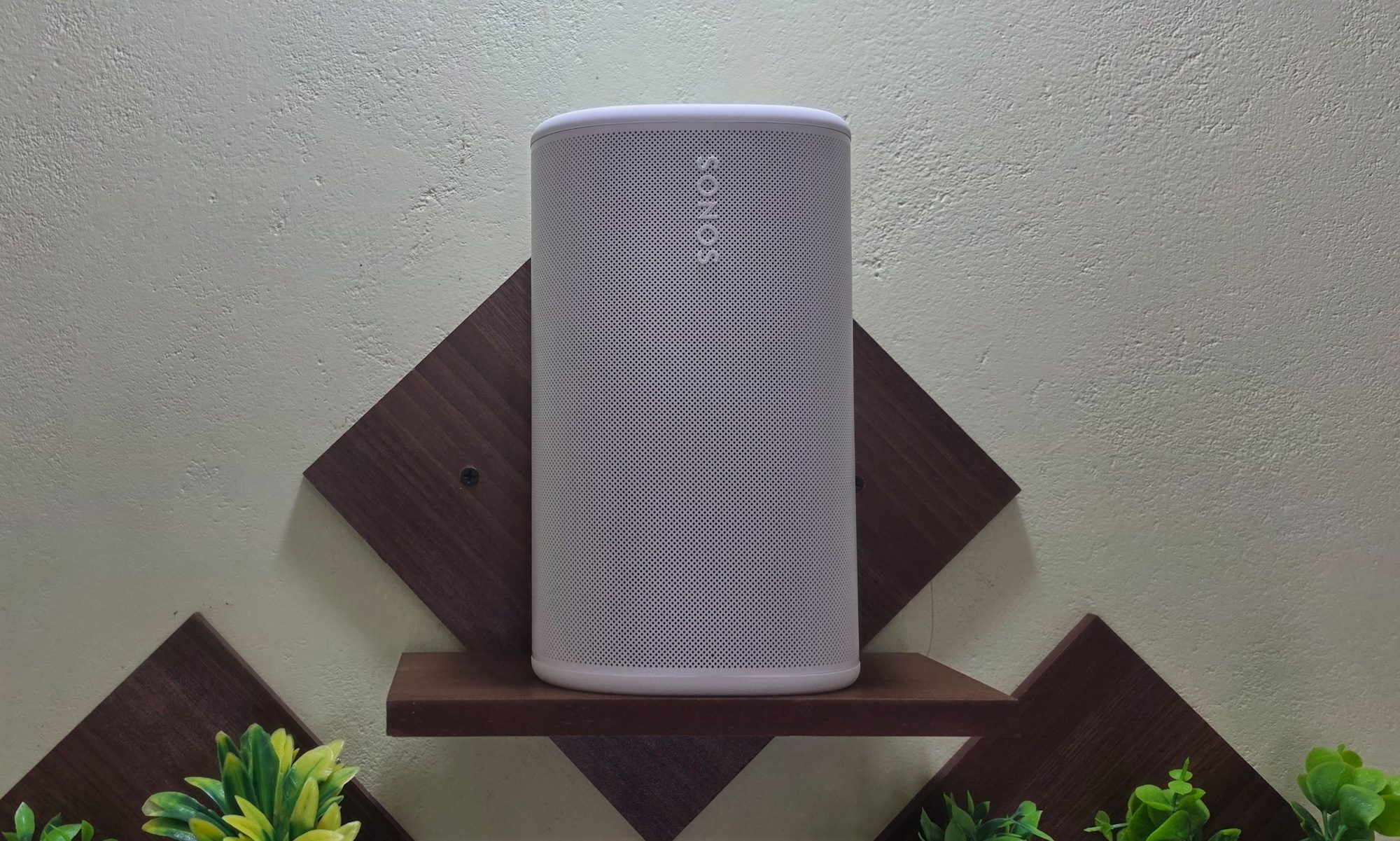
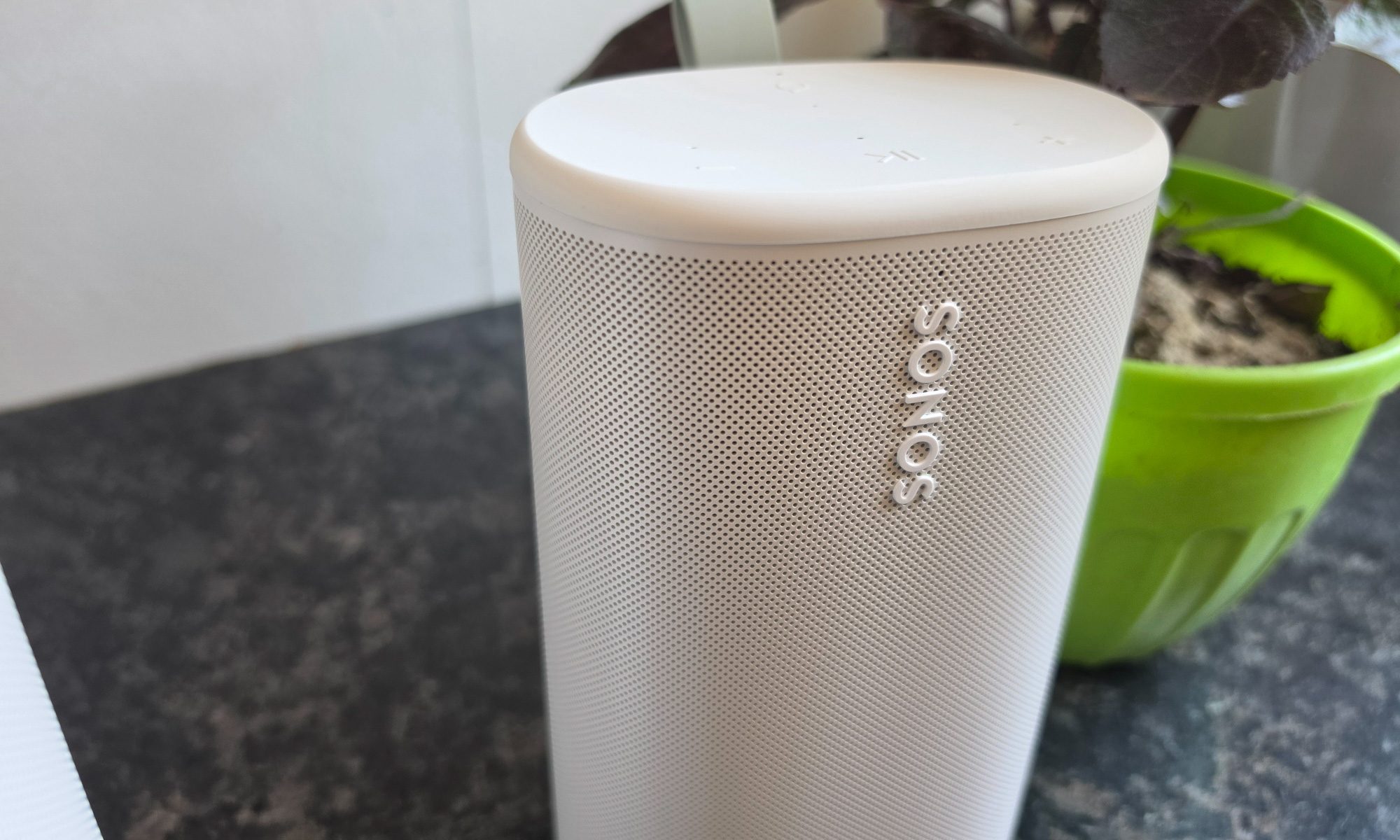
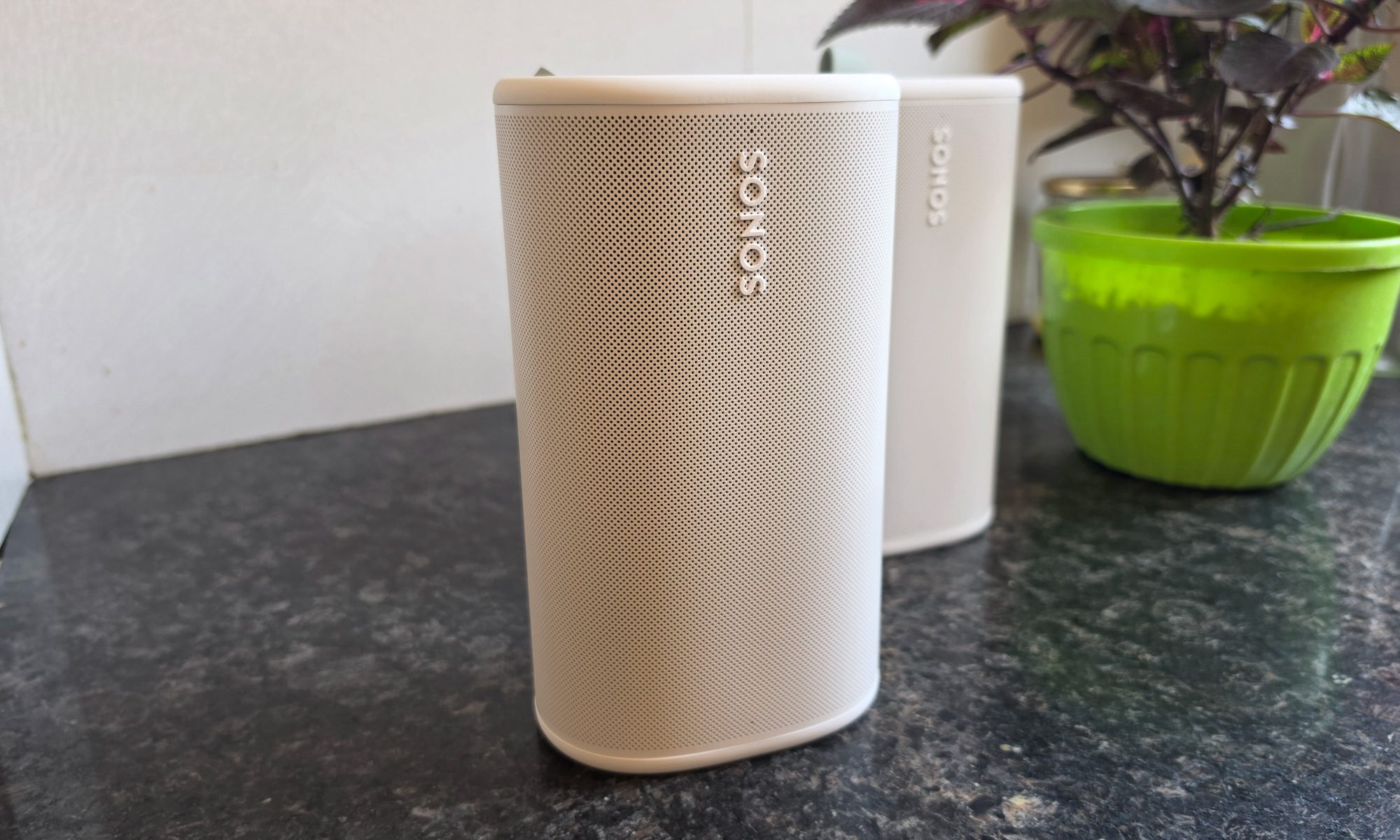
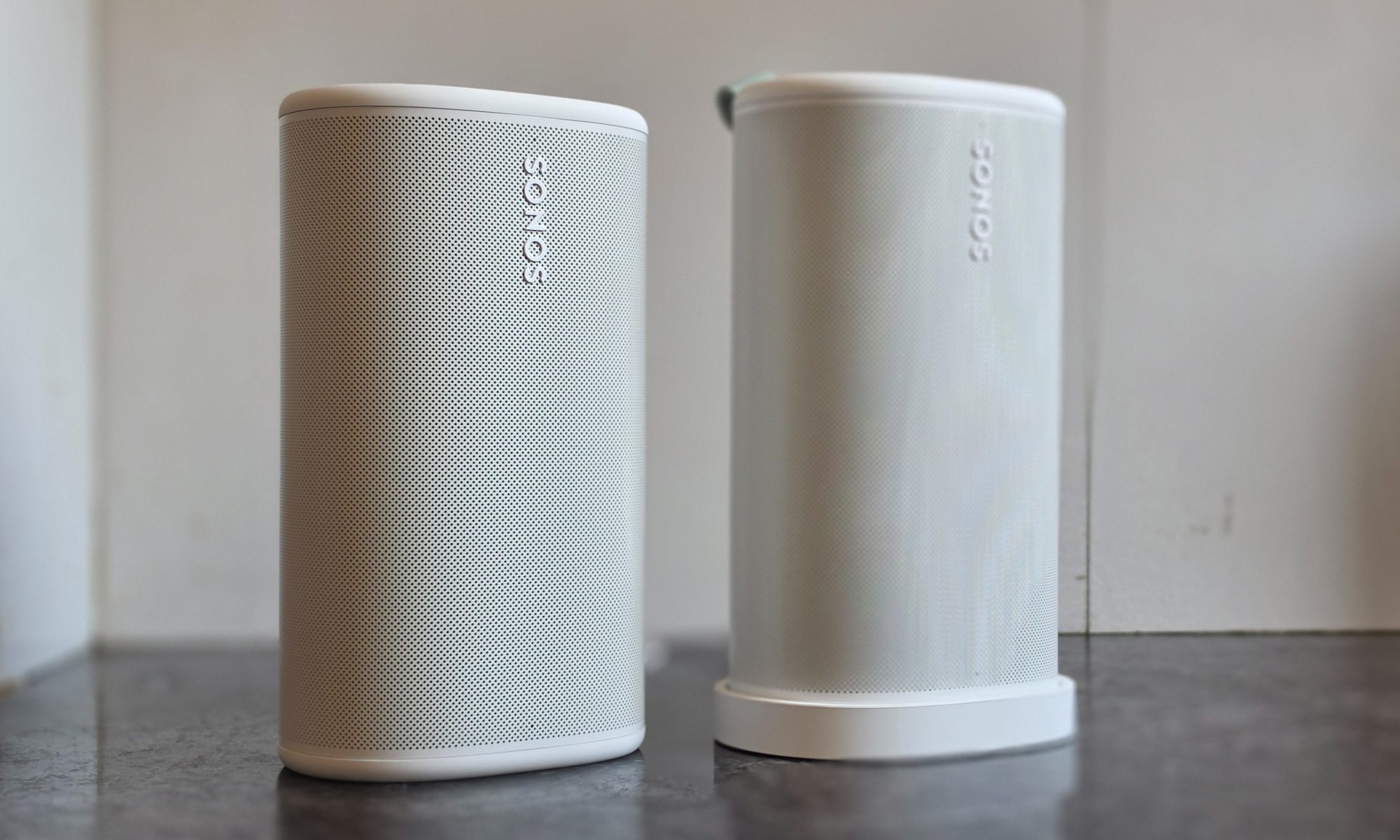
Pick up the Sonos Play, and the first thing you notice is the density. It weighs 2.87 pounds, which is deceptively heavier than what its size suggests. But that’s in a way well-built things tend to be. It stands a hair under eight inches tall, flaunting a stout tubular body with a subtle taper and a polycarbonate mesh. At the top, you’re greeted with a soft matte layer that hides fingerprints better than I expected.
Mine came in white. There’s a black option on the table, as well, but I’d pick the white variant because it blends more easily with the interiors, whereas the latter color option stands out as a dark monolith. Either way, this is firmly in the “grown-up audio” school of design. The speaker disappears onto a bookshelf or kitchen island instead of screaming for attention the way some rugged portables do.
Advertisement
Nadeem Sarwar / Digital Trends
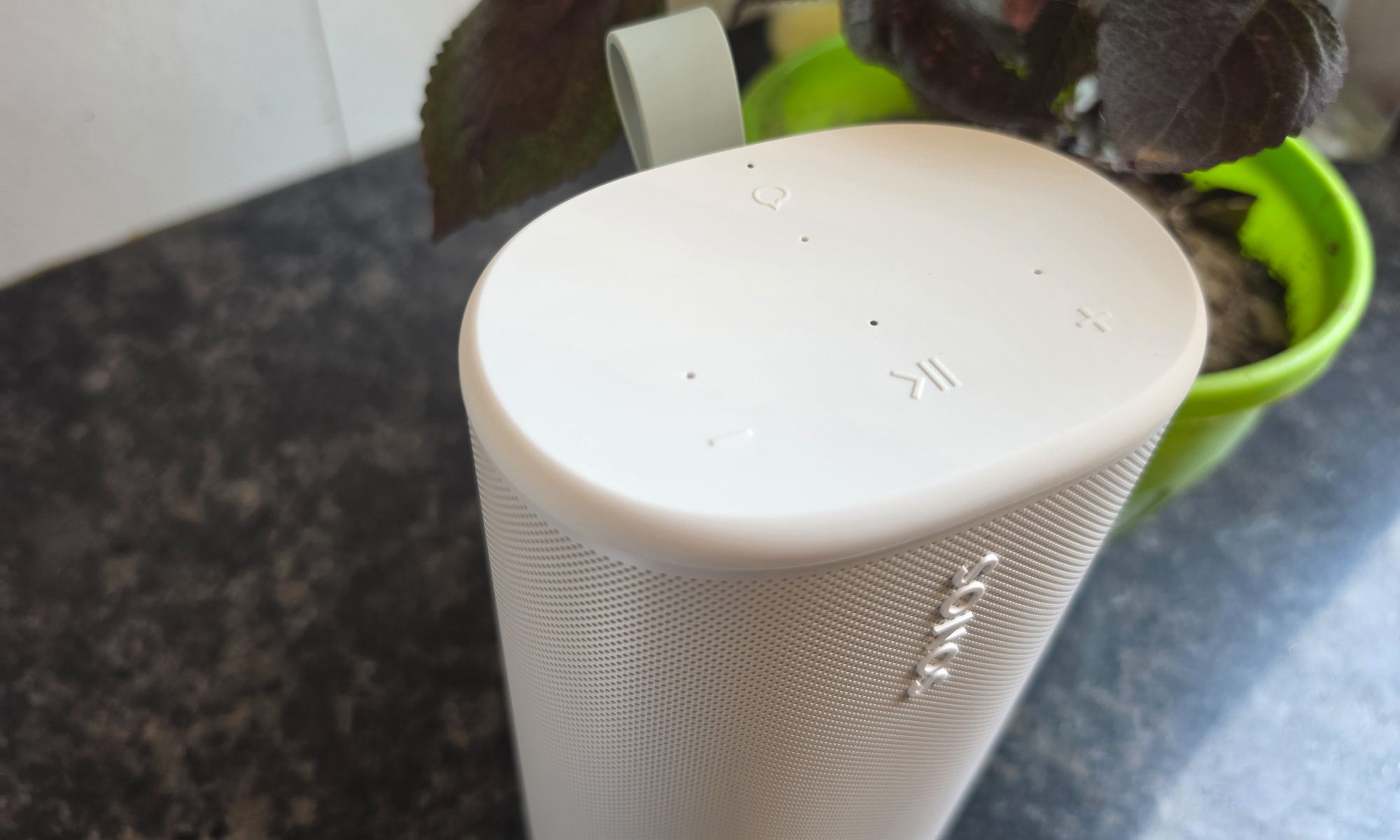
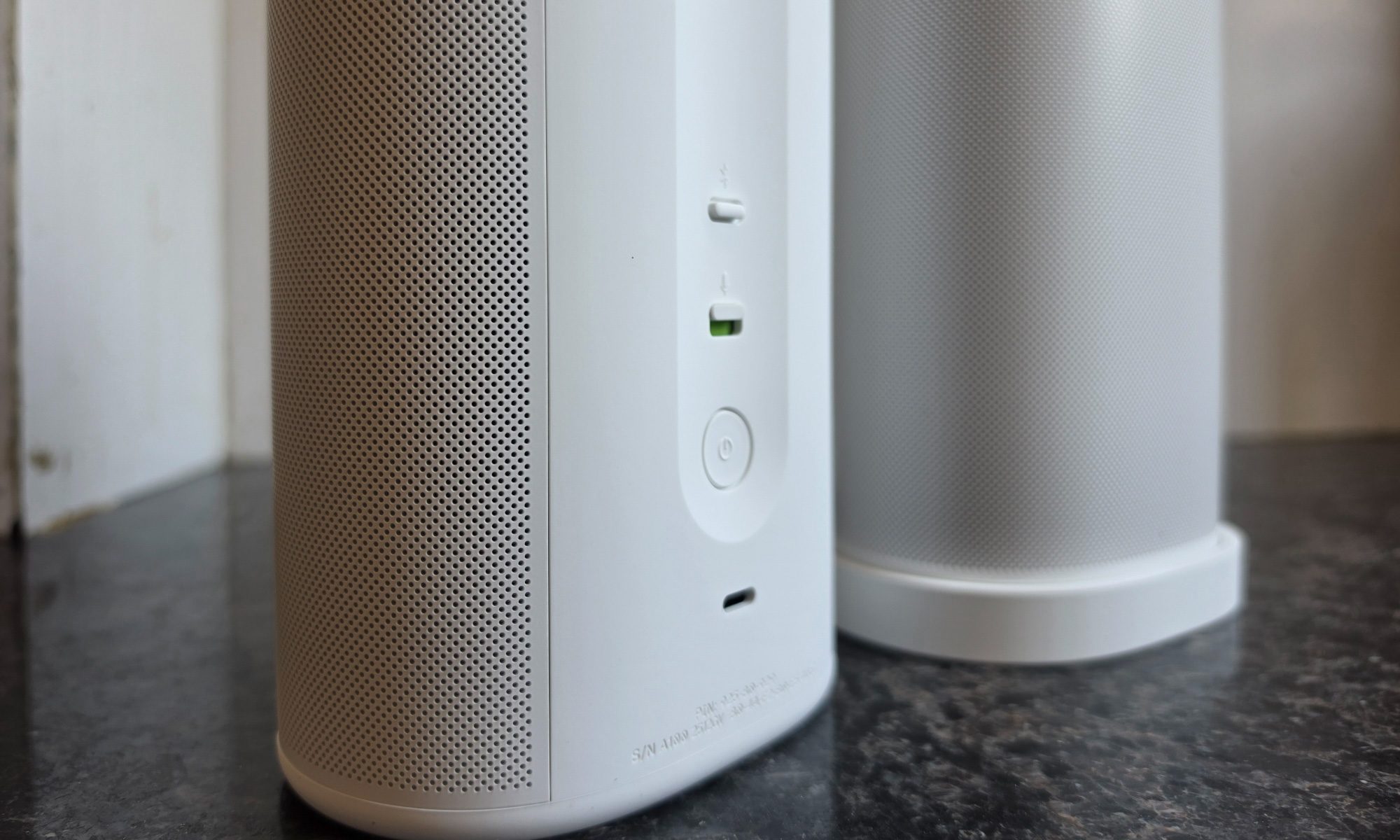
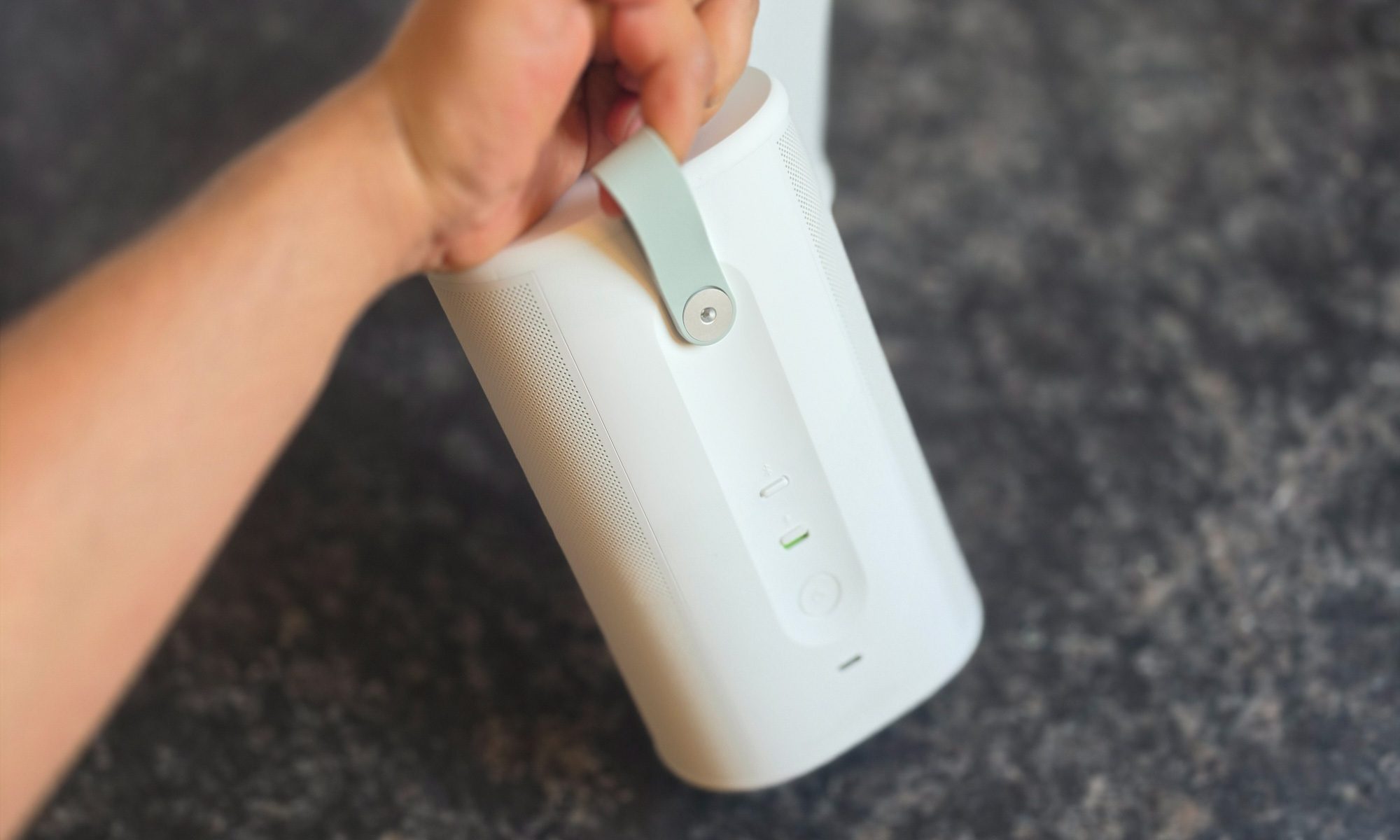
The small choices are where you can tell Sonos really pored over the details. The controls on top are real, clicky, physical buttons, and not the finicky touch-capacitive sliders you’ll find on the Era line. That difference becomes apparent the moment your hands are wet, or you’re outside in 45-degree weather with sweaty palms, or you’re trying to skip a track with moist fingers after a workout.
The touch-cap sliders feel premium in the showroom and tactically infuriating in the kitchen. Sonos clearly took notes and went with a thoughtful approach. The rear has a rubberized utility loop you can hook a finger through, and I kept catching myself grabbing the speaker by that loop and moving it from counter to patio table without consciously thinking about it coming loose or snapping. It’s a small thing that turns out to matter every day, and I’m glad Sonos didn’t compromise on the material quality here.
Nadeem Sarwar / Digital Trends
Durability has been baked in seriously. The IP67 ingress protection rating means the device is fully dust-proof and can withstand submersion in up to one meter of water for 30 minutes. But let’s be honest here. You likely aren’t going to treat this speaker to a “pool oopsie” and watch it prove the durability claims. It doesn’t float, which is the one trick the Bose SoundLink Plus has over it.
The shock-absorbing mesh exterior and the ruggedized internal housing have already shrugged off a couple of careless bumps during my testing without a cosmetic scuff to show for it. Phew! The whole design philosophy here is hybrid. The Sonos Play is just as happy docked on the wireless charging base in your living room as it is blasting music in wireless mode atop a fridge, and it feels equally at home if you’re lugging it around.
Nadeem Sarwar / Digital Trends
Yanked off the base and tossed in a tote bag with a wet towel, it acts like a rugged outdoor speaker. Most products in this price band can do one of those two jobs convincingly. The Play does both, and that’s no mean feat. Whether you want a speaker to complement your lifestyle or the adventure mood swings, the latest from Sonos fares well on either end of the spectrum.
Score: 9/10
Sonos Play audio quality: Pleasing, with a serious stereo ace up its sleeve
Nadeem Sarwar / Digital Trends
Sound quality is where Sonos earns the premium asking price. Even though the audio cabinet is small enough to carry in one hand, it somehow houses three Class-H digital amplifiers driving two angled tweeters and a dedicated mid-woofer, plus a pair of passive radiators handling the low end.
The tweeters fire at roughly right angles to each other, which is the engineering trick that gives the Play a soundstage no single-enclosure portable has any right to produce. Most speakers this size sound like they’re firing from one point in space. The Play sounds like it’s coming from a wider strip than the actual cabinet, and on tracks with strong stereo imaging and separation, you actually hear the trick working.
Advertisement
It’s not magic, exactly, but for a sub-eight-inch speaker, it’s the closest thing to it. The midrange is where the signature Sonos character lives, one that has been the company’s audio fingerprint for years. Vocals come out pleasant and natural, with a warmth-inclined, slightly-forward presence that makes it a lovely choice for podcasts and audiobooks.
Nadeem Sarwar / Digital Trends
If you’re into listening to your morning news briefings, they sound like a real person standing in the room rather than an audio stream with weird tinny resonance. On denser tracks, the speaker keeps everything legible without me having to crank the volume to compensate. The bass isn’t earth-shaking, but you can still feel the thump. It isn’t quite the kick-in-your-chest low-frequency output, but there’s still enough oomph to enjoy those bass-boosted playlists.
The dual passive radiators add real weight to the low-mids, and on dance tracks at outdoor volume, the speaker holds its own instead of turning the instruments into a screeching cacophony of distortion. I’ve spent a lot of time with portable speakers that sound great at certain volume levels but awful at others. The Play is a rarity, thanks to a flatter volume curve that maintains composure across the board range.
Between the crooning of Hamaki and Nayyara Noor, and the autotuned drops by T-Pain, there’s barely any mainstream track the speaker can’t handle. If you’re listening to layered instrumentals, some overlap happens once you cross the 60% volume levels, but within the halfway threshold, the likes of Tom Holkenborg are a blast to hear.
One reasonably clever trick is Automatic Trueplay. The Play’s onboard microphones continuously sample the room and adjust the EQ on the fly. The first time I really noticed it working was when I carried the speaker mid-song from a cramped bathroom into a spacious living room.
Advertisement
Nadeem Sarwar / Digital Trends
The tuning shifted within a couple of seconds, and the bloated bass that had been booming in the bathroom got pulled back to something sensible. It’s not a fix-everything feature, and on a windy patio with no walls to reflect from, the soundstage understandably narrows. But in practice, it means you don’t have to think about where you’re putting the speaker. I’d call it a win.
Score: 9/10
Sonos Play app and software: Gets the job done, but still needs some polish
Nadeem Sarwar / Digital Trends
Let’s address the elephant in the room, which is the Sonos companion app. After the 2024 redesign meltdown, a high number of long-term loyalists had a genuinely bad spell with woes such as randomly disconnecting speakers, lost groups, and broken Trueplay, to name a few. I won’t pretend the experience is fully back to where it was before the redesign, but it’s much, much closer than it was six months ago.
Stereo pairing works without any hiccups. Settings stick instead of mysteriously resetting overnight. The integration is still the actual reason you’d pay Sonos money over any random Bluetooth speaker. If you want Apple Music, Spotify, Tidal, YouTube Music, and a handful of internet radio stations on call from one app, this is the cleanest way to do it on the market.
Nadeem Sarwar / Digital Trends
What I like more than anything else, though, is that the Play has finally fixed the Bluetooth/Wi-Fi schism. Older Sonos speakers forced you into a binary. You had to pick between the high-fidelity multi-room Wi-Fi convenience or the dumber Bluetooth world. Switching modes felt like punishment, and you couldn’t group across modes at all.
The Play now supports Bluetooth grouping of up to four Play speakers, or you can pair two Plays over Wi-Fi for stereo syncing. Bring them home, drop them on their wireless bases, and they automatically rejoin the rest of your Sonos system. I love these quality-of-life conveniences.
Nadeem Sarwar / Digital Trends
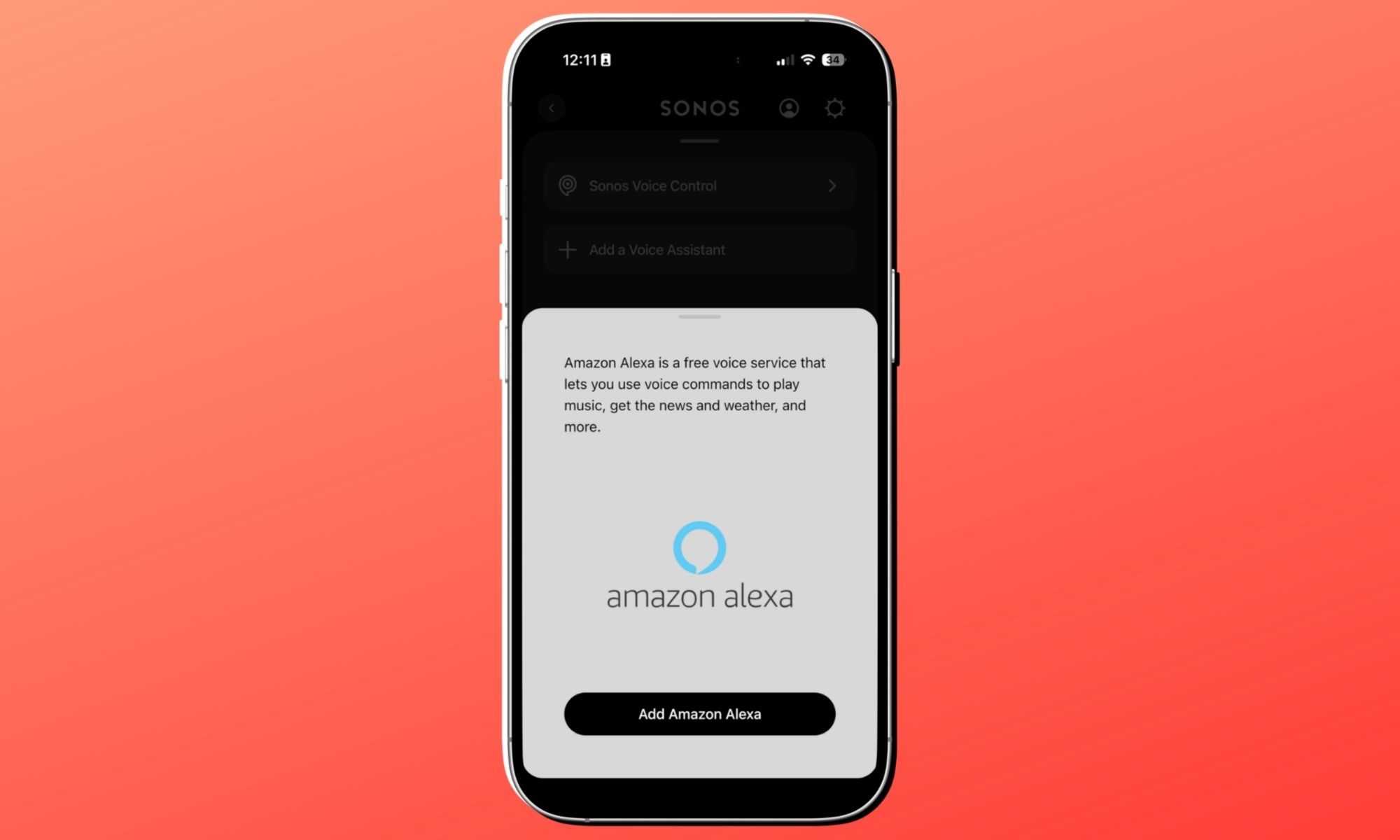
Voice control comes in two flavors. Amazon Alexa works the way it works everywhere else, with the same charms and the same low-level eavesdropping concerns. Sonos Voice Control is the more interesting option, by the way. It processes commands locally on the speaker itself, so nothing leaves the device. Plus, the assistant who does all the talking has the voice of Giancarlo Esposito of “Breaking Bad” fame.
Nadeem Sarwar / Digital Trends
It’s a small touch but a delightful one, and the voice is pretty soothing to hear. The local processing also means it’s noticeably snappier than cloud-based assistants for the small handful of commands it actually supports. It’s not outrageously smart. For the most part, it handles play, pause, next, volume, group, and ungroup. You get the drift. In hindsight, these are the core commands you actually use 95% of the time.
The one persistent nag is that getting the speaker into the Sonos system still requires Wi-Fi for the initial setup and any system-level configuration. If you only ever plan to use the Play as a dumb Bluetooth speaker on a beach somewhere and never touch the app again, that’s a big hurdle.
Advertisement
Nadeem Sarwar / Digital Trends
The newer Wi-Fi 6 and Bluetooth 5.3 radios are up to the mark, though not the latest protocols. In my testing phase, pairing has been quick and reliable. Reconnections, however, are iffy. Plus, there’s still a sub-second delay between issuing an in-app command and it registering on the speaker. But the drill is clear. Sonos still very much wants you to live in their app, and the Play isn’t shy about reminding you of it, with the connectivity limitations in tow.
Score: 8/10
Sonos Play battery life: This one’s built for longevity
Nadeem Sarwar / Digital Trends
Sonos quotes 24 hours of playback on a charge. In real life, while listening at moderate to loud volumes (imagine filling a kitchen during or a moderate lobby), I’m seeing 14 to 17 hours, which is not too bad for a speaker of this acoustic class. The charging story is the most thoughtful part of the whole package.
Nadeem Sarwar / Digital Trends
The Play ships with a wireless charging base that doubles as a permanent docking station. You simply drop the speaker on the base, and it picks up where it left off in the multi-room system without any manual fussing. For travel, the bottom has a USB-C port that’s also bi-directional, meaning the Play can charge a dead phone from its own battery in a pinch.
I haven’t had to use that yet, because I always carry a wireless power bank with me, but it’s the kind of feature you’ll be grateful for exactly once and remember forever. The base itself sits flush enough on a counter that I keep mine permanently on the kitchen island, and the speaker just lives there, fully charged, ready to grab.
Nadeem Sarwar / Digital Trends
The biggest surprise is that the battery is user-replaceable. It shouldn’t come as a surprise that Lithium cells degrade over time. Whether it’s your tiny earbuds or the hulking cell packs in an electric car, the electrochemical degradation is unavoidable. After three or four years of daily use, every portable speaker on earth gets noticeably worse at holding a charge. The solution? Buy a new one and add to the e-waste pile.
Sonos is taking a better route. The Play lets you swap the cell yourself with a few screws and a replacement part, extending the useful life of a $299 piece of hardware potentially by another half-decade. This should be a checkbox feature for the entire industry, but it isn’t, so credit where it’s due. Sonos took the complex (read: more expensive) engineering path here, and the world is better for it.
Nadeem Sarwar / Digital Trends
The one thing missing from the box is the wall adapter. You get the wireless base and a cable, but if you don’t already own a USB-C PD brick rated at 18W or 45W, you’ll have to fork extra cash for it. Sonos frames this as a sustainability decision, just like Apple and Samsung, which means fewer bricks ending up in landfills, since most of us already have one lying around.
That argument is at least partially honest, but on a $299 product, it still feels like a pinch. If your customer is paying premium money for a premium speaker, just throw in a brick, will ya? That’s the one piece of friction in an otherwise unnaturally well-thought-out package.
Advertisement
Score: 10/10
Should you pick up the Sonos Play?
Nadeem Sarwar / Digital Trends
The Play is the most coherent answer Sonos has had to “which one should I buy?” in years. If you want a speaker that lives in the kitchen on weekdays, follows you to the patio on Saturday, and comes camping with you on Sunday, this is the one. The acoustic step-up is significant for its class, especially if you are confused between the Era 100 and the Roam.
The Play is for the hybrid user: someone who wants Sonos’s seamless ecosystem at home but doesn’t want to own a separate, cheap Bluetooth speaker for outdoor use. If you’ve ever found yourself with two speakers in two different ecosystems and wished one device could do both jobs without compromise, the Play is the one to pick.
It’s a thumping comeback for Sonos. The hardware is excellent. The software is mostly recovered. The price is fair for what you’re getting. This is the kind of device you ship to win customers after a fiasco. Whether one good product is enough to repair the trust is a longer question, but as a piece of hardware in 2025, the Play deserves all the applause (and easy recommendation).
Why not try
Nadeem Sarwar / Digital Trends
If the Sonos Play doesn’t quite fit the bill for you, there’s a healthy bench of options you can consider:
Bose SoundLink Plus: The closest competitor to the Play. Priced at $269, it delivers a warmer sound profile and the genuinely useful trick of floating in water if you drop it in the pool. What you give up is the Sonos ecosystem. No Wi-Fi multi-room, no app-based streaming integration, and no whole-house grouping. If you’ve never owned a Sonos and never plan to, the Bose is the simpler choice without sacrificing audio quality.
Advertisement
Sonos Move 2: It’s the bigger sibling for buyers who need a primary-room speaker that occasionally travels rather than the other way around. At $499, it’s significantly pricier, but the extra cabinet volume translates into genuinely deeper bass and substantially higher peak loudness. If you regularly host backyard parties or you want a single speaker capable of filling a large living room, the Move 2 earns its weight.
JBL Charge 6: The budget-conscious pick at $170, though the sticker price is $200. It’s rugged, loud, and ships with its own power bank trick. You’re giving up the soundstage, the Wi-Fi, the multi-room, and the smart-home integration. But if good ‘ol Bluetooth is all you need, it’s a hard speaker to argue against on pure value.
UE Everboom: This one typically goes for $179.99 and leans heavily into a punchy sound output. The audio fidelity isn’t in the same league as the Play, but the design and durability are excellent for the money. If the Play is the grown-up choice, the Everboom is the fun one. Both have their place, but the Boom app is loaded with features that are tailor-made for outdoor parties.
How we tested
Nadeem Sarwar / Digital Trends
For a spell of three weeks, the Sonos Play speaker had a place atop my kitchen counter and my workstation. I used it standalone and in a stereo pair, as well. Over the course of testing, it was pushed at movies, music streaming (Apple Music, Amazon Music, and Spotify), live TV, and podcasts. It was connected to a 500Mbps Wi-Fi connection and linked to an iPhone 17 Pro.
I also traveled with the Sonos Play speaker, using it as a portable speaker in the car, camping sites, and exclusively as a Bluetooth speaker in a large hall that also served as my vacation work spot. I used a generic 50W power brick to charge the speaker and a generic USB Type-C cable to use the speaker as a power bank to charge my phone.
Advertisement
For comparison, I tested it against rival speakers in a closed room with minimal acoustic interference, playing the same tracks via Apple Music.
If you’re not sure what balancing tires means or what the process entails, here’s a brief explanation: When your car is speeding down the highway, its tires are spinning at nearly 1,000 revolutions per minute, depending on the size of the tires and the speed you’re traveling. With that much mass spinning at those speeds, the tire and wheel assembly needs to be balanced to limit vibration. While it’s possible to get a tire close to balanced using rudimentary methods, like the Pittsburgh portable wheel balancer from Harbor Freight, a spin balancer provides more accuracy.
Regarding the question about perfectly balancing a tire without any wheel weights, the answer is yes, it is possible. However, the odds of a broken analog clock being right twice a day are higher.
Advertisement
In the short video above, YouTuber CarHax posed a theory that aligning the red dot found on some tires with the wheel’s valve stem is key to improving the odds of achieving balance in the tire-wheel combo without wheel weights. The video evidence of their success documents the absence of any added weights on the wheel and the technician’s preferred red dot alignment before spinning the wheel on the tire machine, which returns messages indicating a perfect balance on the machine’s screen.
So, it’s possible to randomly get balanced tires without weights, but we don’t recommend relying on the red dot alignment without verifying the balance in some way. Also, you’re likely to find yellow dots in addition to red ones on some tire sidewalls.
Advertisement
What the colorful dots on tire sidewalls mean
Roman Vyshnikov/Shutterstock
In addition to opting for the most fuel-efficient tires in 2026, ensuring they are properly mounted will help get the most out of those new tires both in terms of efficiency and life expectancy. While it’s possible to mount a tire on a wheel yourself without using fire or an expensive machine, it’s usually best to let the professionals do that job. However, knowing what to look for when the job is finished will help you advocate for yourself to get the best service possible.
Let’s be honest, the host of the CarHax video got lucky when they got a perfectly balanced tire by placing the red dot in alignment with the valve stem, but that doesn’t mean tire technicians should ignore the red dots when mounting tires on automobile or motorcycle rims.
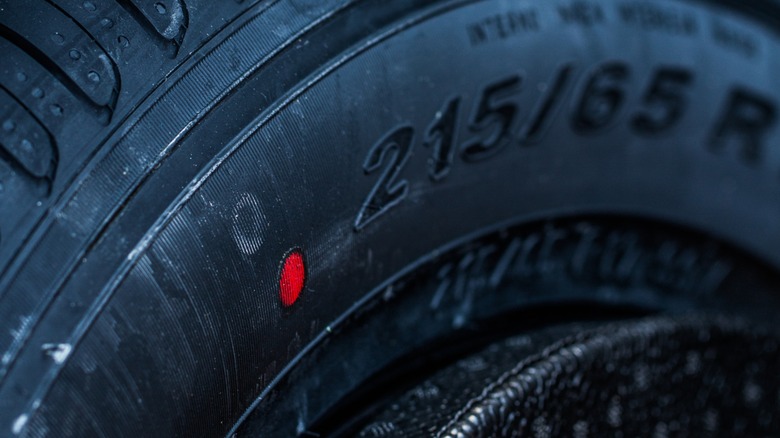
The colored dots signify variations in the tire that occur during the manufacturing process despite tire makers best efforts to make them perfect. Red dots signify the part of the tire with the most radial force variation, or the high spot when it’s spinning.
Yellow dots, on the other hand, indicate the lightest part of the tire. In addition to red and yellow dots, you could encounter other colors like blue or green. These are typically used to indicate quality control checks during the manufacturing process. Finally, some tires don’t have any colored dots at all, so don’t worry if yours don’t have them.
Advertisement
How tire techs use the colored dots for optimal tire balance and performance
Andresr/Getty Images
If a tire has a yellow dot on the sidewall, tire technicians should mount the tire so that the yellow dot, signifying the lightest part of the tire, is nearest to the valve stem. This is because the valve stem, especially when attached to a tire pressure monitor, adds weight, making that area the heaviest part of the wheel. This relationship allows the tire to balance properly, preventing your car from feeling shaky at 60 mph, while also using as little added weight as possible.
When technicians encounter tires with red dots, they’ll often prioritize them over yellow dots, since it’s not likely that both the yellow and red dots will line up where they’re needed. Red dot priority is especially important if the installation process includes a road force balance. Road force balancing uses a power-driven roller to spin the tire under a load after it’s installed on the vehicle to simulate driving conditions. When mounting the tire, the red dot is matched up to a mark on the wheel that indicates its lowest point of radial runout.
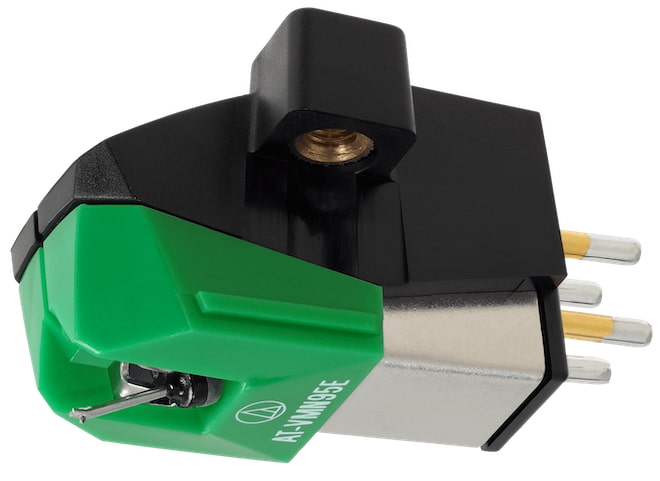
Audio-Technica has owned a large chunk of the entry-level phono cartridge conversation for years, and the reason is not complicated: its VM95 Series cartridges are affordable, easy to mount, widely supported, and found on a lot of turntables that people can actually afford.
Alongside Ortofon, the Japanese cartridge maker has become one of the default installs on tables below $450, where every dollar matters and cartridge upgrades need to be simple, reliable, and sonically worthwhile.
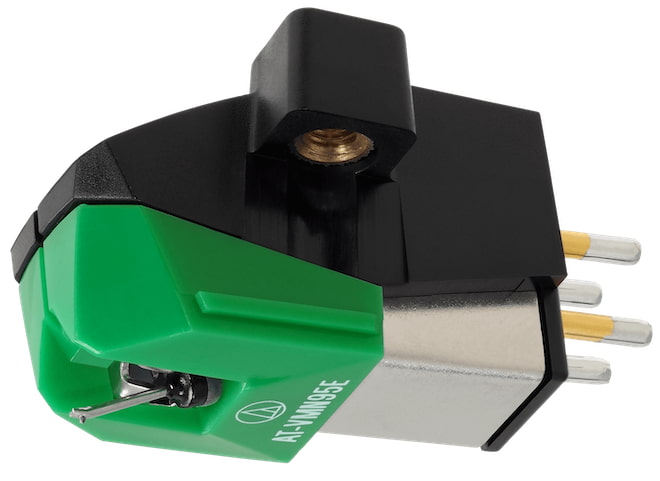
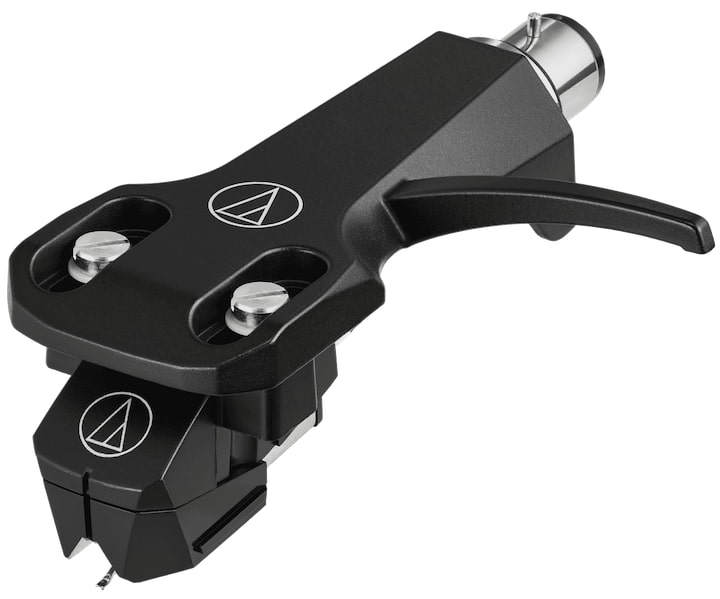
Now Audio-Technica is expanding that formula with the AT-VM95EBK Dual Moving Magnet Cartridge and AT-VM95EBK/H Headshell/Cartridge Combo Kit, two new black-finished versions built around the same VM95 Series platform.
The cartridge uses a 0.3 x 0.7 mil elliptical stylus, delivers 4.0 mV output, fits standard half-inch mount turntables, and remains compatible with all six interchangeable AT-VMN95 replacement styli.
Advertisement
The cartridge sells for $74, while the pre-mounted headshell combo kit comes in at $109, making this less of a reinvention and more of a smart cleanup job for one of vinyl’s most practical upgrade paths.
Why the VM95 Series Matters
The VM95 Series is one of the reasons Audio-Technica has become such a force in affordable vinyl playback. The concept is simple but effective: one cartridge body, multiple stylus options, broad turntable compatibility, and pricing that does not require a financial intervention from the rest of the household — think about all of the records one can buy that they will never know about if they think you showed some fiscal restraint and stayed below $300.
At the core of the VM95 platform is Audio-Technica’s Vertical Dual Magnet design, which mirrors the 90-degree V-shaped configuration of the cutter head used to create the original vinyl master. Audio-Technica says this helps the cartridge deliver accurate tracking, strong channel separation, a more defined stereo image, and clarity across the frequency range.
The bigger selling point for real-world users is flexibility. Every VM95 cartridge uses the same body design, which means owners can upgrade or replace the stylus without replacing the entire cartridge. The series supports multiple stylus profiles, including conical, elliptical, nude elliptical, Microlinear, Shibata, and 78 RPM conical options. That gives listeners a clear path from an entry-level setup to something more refined without starting over.
Installation is also part of the appeal. All AT-VM95 cartridges fit standard 1/2-inch mount headshells, and the threaded cartridge body allows mounting with two screws and no tiny nuts to drop into the carpet, where they immediately join the witness protection program.
Advertisement
That matters because the VM95 Series is aimed squarely at the part of the market where most vinyl listeners actually live: affordable turntables, modest systems, and users who want better tracking and detail without turning a cartridge upgrade into a weekend engineering project. The new AT-VM95EBK and AT-VM95EBK/H do not change the formula. They make one of Audio-Technica’s most practical cartridge platforms look cleaner in black while keeping the upgrade path intact.
Want More? The AT33x Series Is the Next Step Up
For listeners who want to move beyond the VM95 Series, Audio-Technica’s AT33x Series is the next serious step. Unlike the affordable VM95 moving magnet platform, the AT33x models are moving coil cartridges, handcrafted in Japan and aimed at listeners with better tonearms, more capable phono stages, and records clean enough to tell the truth.
Advertisement. Scroll to continue reading.
The lineup includes three stereo models — AT33xEN, AT33xMLD, and AT33xMLB — plus two mono versions, the AT33xMONO/I and AT33xMONO/II. Prices start at $449 for the mono models and $699 for the stereo versions, topping out at $899 for the AT33xMLB. The range adds more advanced materials, including a die-cast zinc base, hybrid body construction, refined suspension, PCOCC copper coil wiring, and upgraded cantilever/stylus options.
This is where Audio-Technica starts asking more from your system, your setup skills, and your phono stage. Cheap turntable with a built-in phono preamp? Wrong neighborhood. Better deck, proper MC gain, and a little patience? This is where this type of upgrade would make sense. Just don’t tell the family.
Advertisement
The Bottom Line
The Audio-Technica AT-VM95EBK is not a radical new cartridge platform, and that is the point. It brings the proven VM95 Series formula into a cleaner black finish with easy installation, an elliptical stylus, interchangeable stylus upgrades, and strong entry level performance for under $100. The AT-VM95EBK/H combo kit makes even more sense for listeners who want a premounted, ready to install option without turning a simple cartridge upgrade into a lost weekend.
For affordable turntables, this is exactly where Audio-Technica continues to win: practical, upgradeable, widely compatible, and priced for people who still need money left over for records.
NASA has successfully tested an improved flight system designed for Mars’ hostile environment. The new technology can be accelerated beyond the speed of sound (Mach 1), the space agency said, and is expected to significantly enhance the operational capabilities of future exploration missions on the Red Planet. Read Entire Article Source link
Both privilege escalation vulnerabilities stem from bugs in the kernel’s handling of page caches stored in memory, allowing untrusted users to modify them. They target caches in networking and memory-fragment handling components. Specifically, CVE-2026-43284 attacks the esp4 and esp6 () processes, and CVE-2026-43500 zeroes in on rxrpc. Last week’s CopyFail exploited faulty page caching in the authencesn AEAD template process, which is used for IPsec extended sequence numbers. A 2022 vulnerability named Dirty Pipe also stemmed from flaws that allow attackers to overwrite page caches.
Dirty Frag belongs to the same bug family as Dirty Pipe and Copy Fail, but it targets the frag member of the kernel’s struct sk_buff rather than pipe_buffer. The exploit uses splice() to plant a reference to a read-only page-cache page (for example, /etc/passwd or /usr/bin/su) into the frag slot of a sender-side skb. Receiver-side kernel code then performs in-place cryptographic operations on that frag, modifying the page cache in RAM. Every subsequent read of the file sees the corrupted version, even though the attacker only ever had read access.
CVE-2026-43284 is found in the esp_input() process on the IPsec ESP receive path. When an skb object is non-linear but lacks a frag list, the code skips skb_cow_data() and decrypts AEAD in place on the planted frag. From there, an attacker can control the file offset and the 4-byte value of each store.
CVE-2026-43500, meanwhile, resides in rxkad_verify_packet_1(). The process decrypts RxRPC payloads using a single-block process. Splice-pinned pages become both a source and destination. That, paired with the decryption key being freely extracted using the add_key (rxrpc), allows an attacker to rewrite contents in memory.
Advertisement
Either exploit used separately is unreliable. Some Ubuntu configurations use AppArmor to prevent untrusted users from creating namespace contents. That, in turn, neutralizes the ESP technique. Most other distributions by default don’t run rxrpc.ko, which neutralizes the RxRPC arm. When chained together, however, the two exploits allow attackers to obtain root on every major distribution Kim tested. Once the exploits run, attackers can use SSH access, web-shell execution, container escapes, or compromise low-privilege accounts.
“Dirty Frag is notable because it introduces multiple kernel attack paths involving rxrpc and esp/xfrm networking components to improve exploitation reliability,” Microsoft researchers wrote. “Rather than relying on narrow timing windows or unstable corruption conditions often associated with Linux local privilege escalation exploits, Dirty Frag appears designed to increase consistency across vulnerable environments.”
Researchers at Google-owned Wiz said exploits will be less likely to break out of hardened containerized environments such as Kubernets with default security settings in place. “However, the risk remains significant for virtual machines or less restricted environments.”
The best response for anyone using Linux is to install patches immediately. While fixes likely require a reboot, protection from a threat as severe as Dirty Frag outweighs the cost of disruptions. Anyone who can’t install immediately should follow the mitigation steps laid out in the posts linked above. Additional guidance can be found here.
The Entertainment Software Association (ESA) has come out against California bill AB 1921, a state bill that would compel developers to offer remedies before deactivating servers for online games. Stop Killing Games has been fighting this battle for the last couple of years and was quick to condemn the ESA’s position. Read Entire Article Source link










































































You must be logged in to post a comment Login