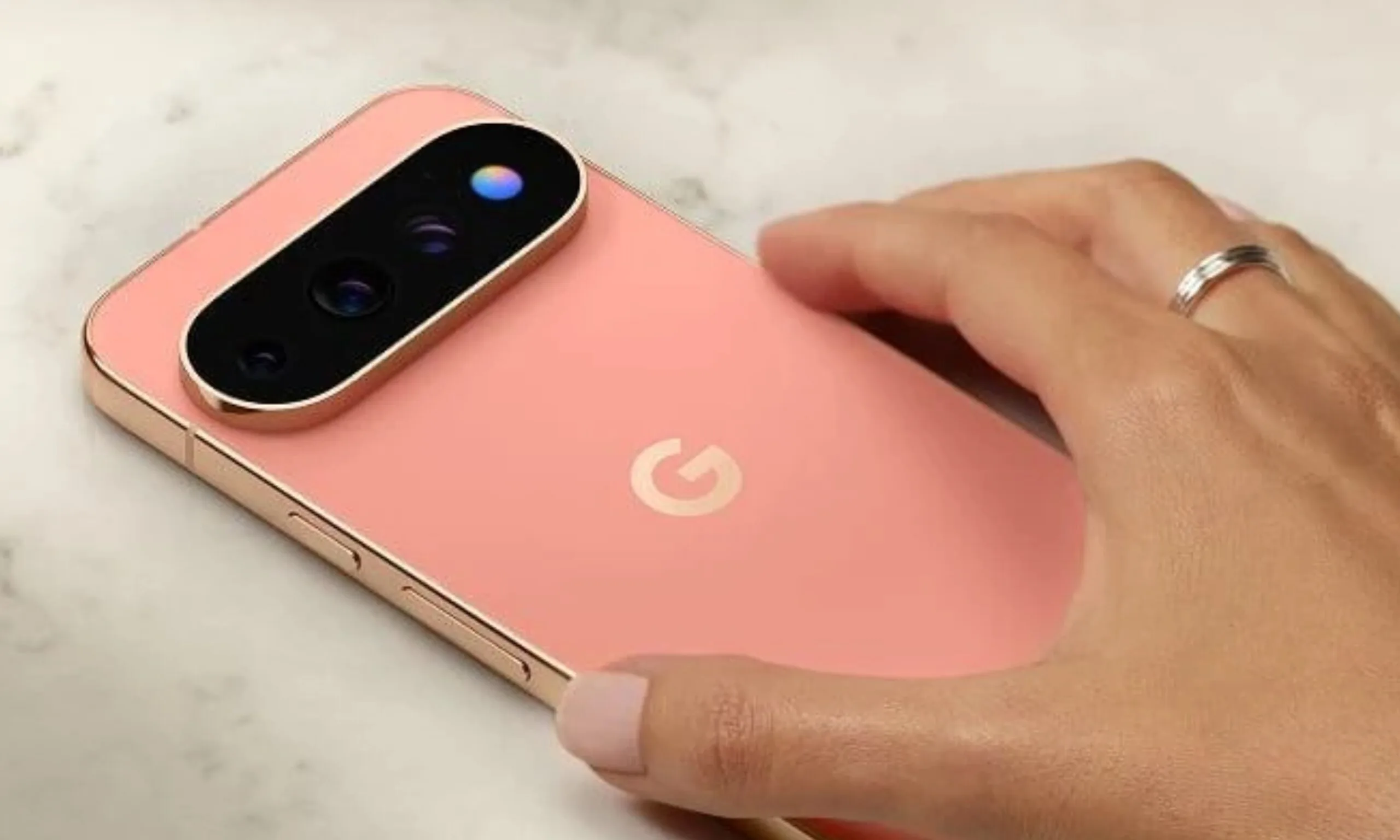
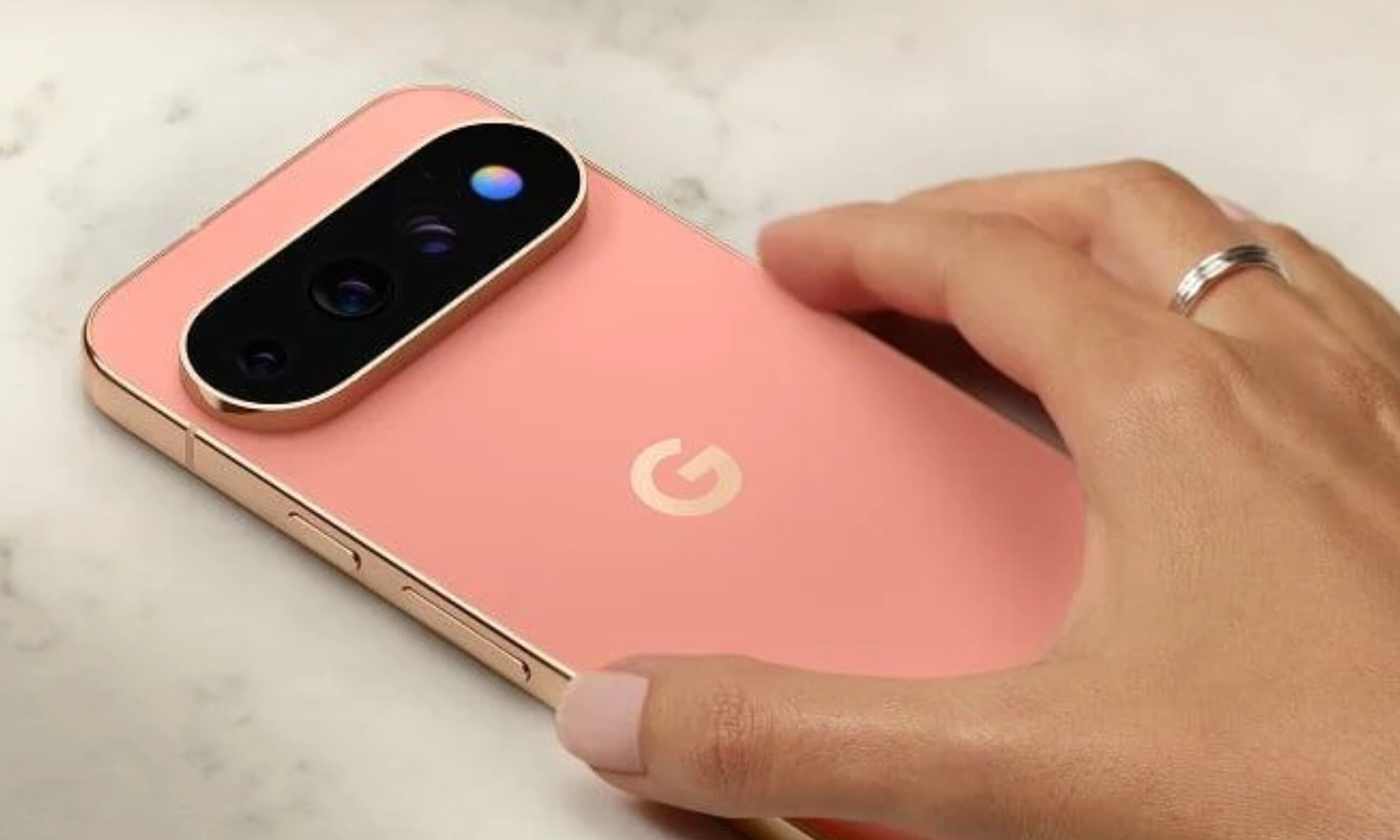
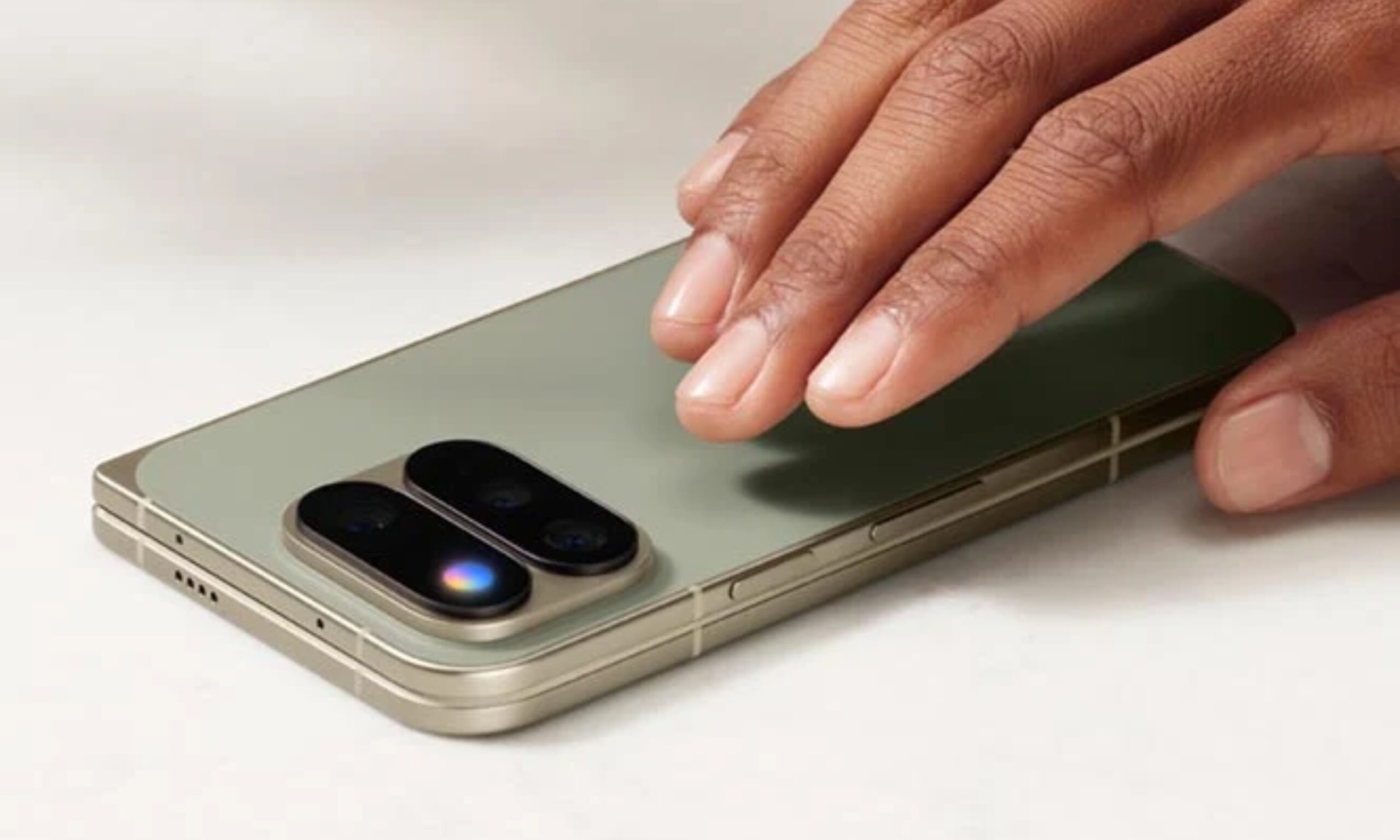
I have been following rumors about Google’s new HiLight feature long before the company even announced its name. A few weeks ago, reports spoke about the feature as Google’s AI interface, something that glows when users speak to Gemini.
Now that the company has wrapped the Pixel 11 launch event, everything’s out in the open, and one of the only two things it does is light up when you speak to Gemini. So, after all the speculations and build-up, Google’s big reveal is… basically the same thing we thought it was, and I have some strong thoughts about that.
Google
I thought Google was onto something
My excitement (and disappointment) about HiLight comes from how the smartphone industry has treated LED notification lights. While an always-on display informs you about notifications, it also demands more attention, making it harder not to pick up the phone and respond. In comparison, I find LED indicators on the back, like those on Nothing and CMF phones, less intrusive.
While they tell us there’s a notification, they don’t compel us to pick up the phone immediately. They also let you rest your phone face-down on the table while you’re enjoying a dinner with your family or friends, playing an intense game of UNO, or enjoying a new release at the theater.
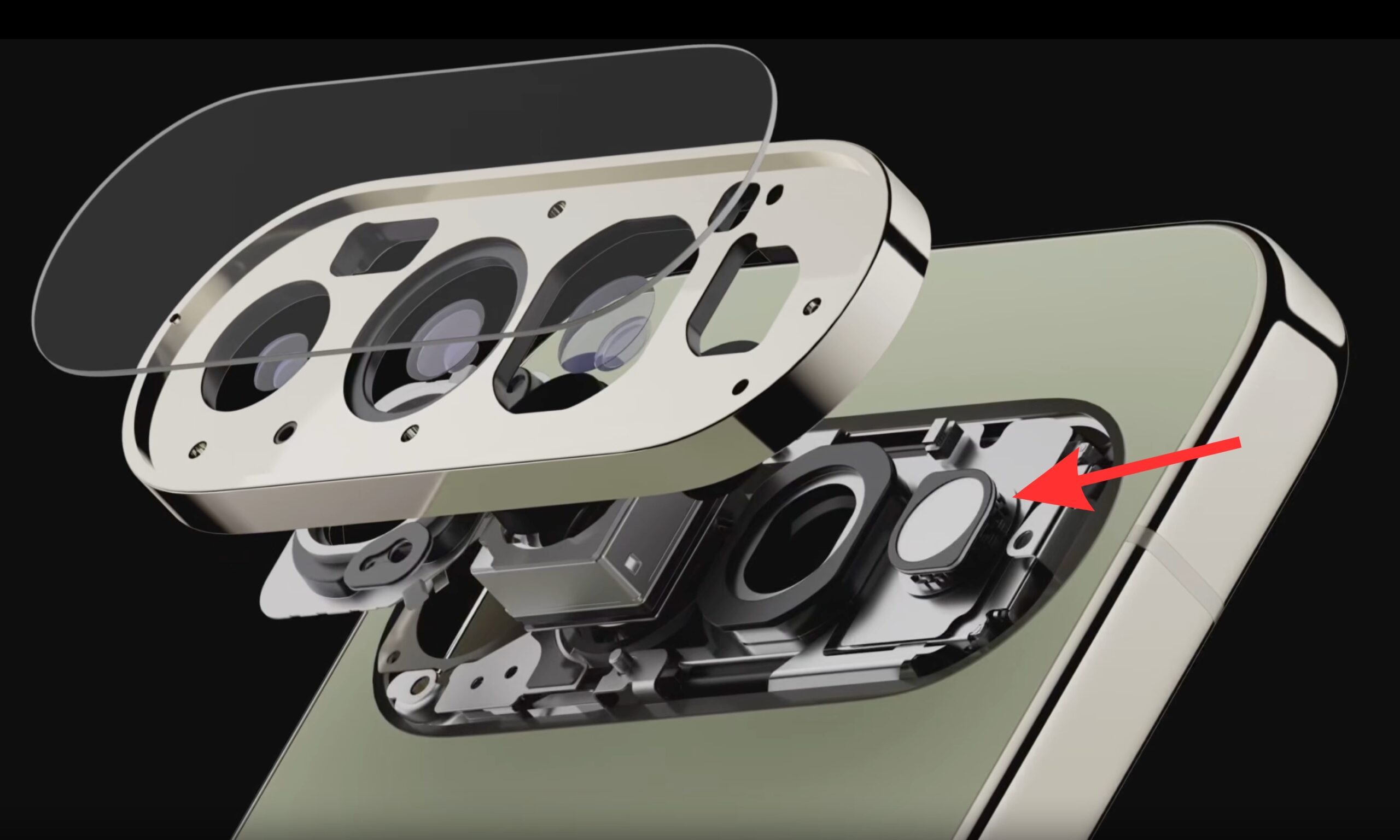
That’s exactly what I, or someone who has seen the smartphone market evolve over the years, seeing all the phases of LED notification indicators, would expect HiLight on the Pixel 11 Pro phones to do. It sounded like the perfect idea on paper. Little did I know that the company planned to chain it to a hyper-restricted software experience.
Advertisement
Google
Here’s what HiLight can do at the moment
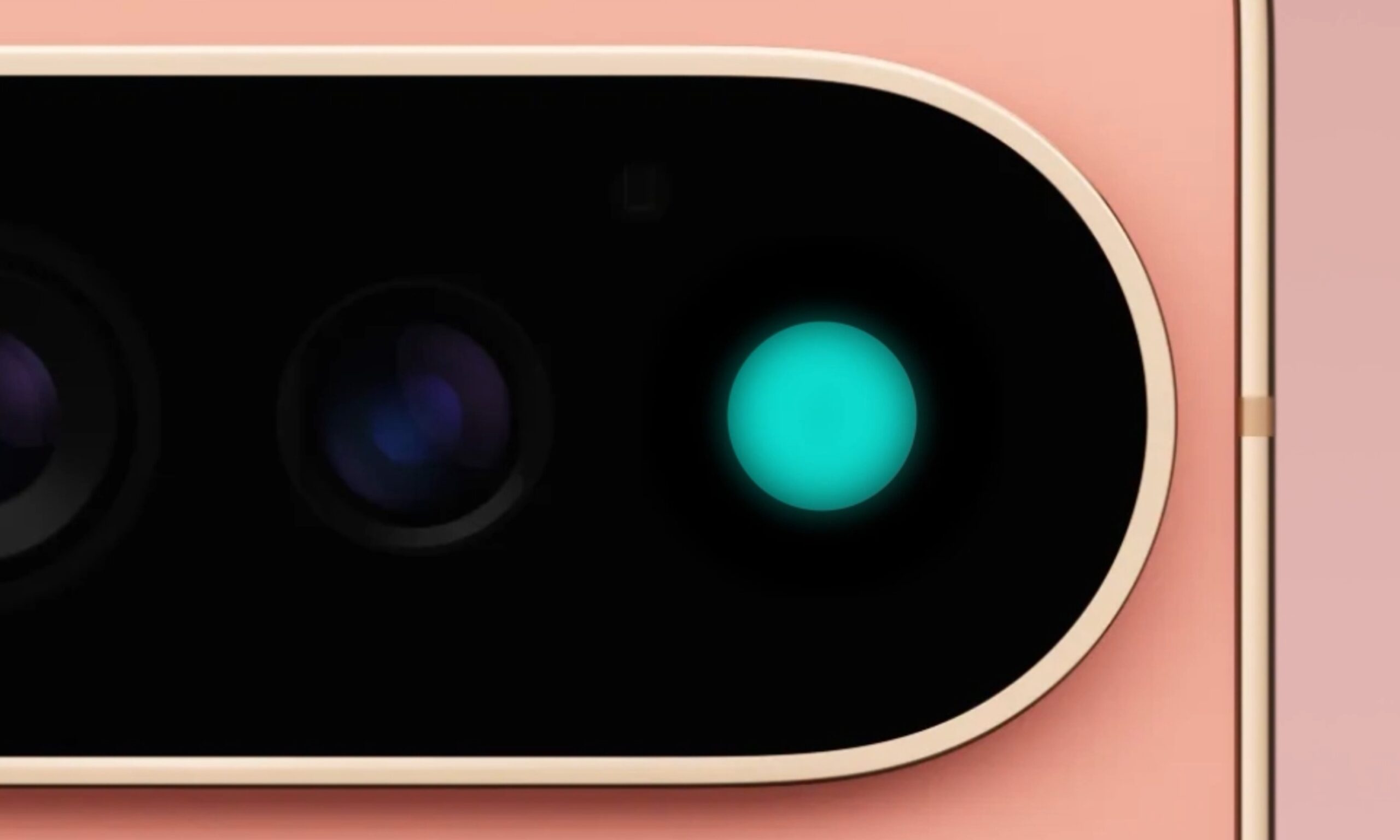
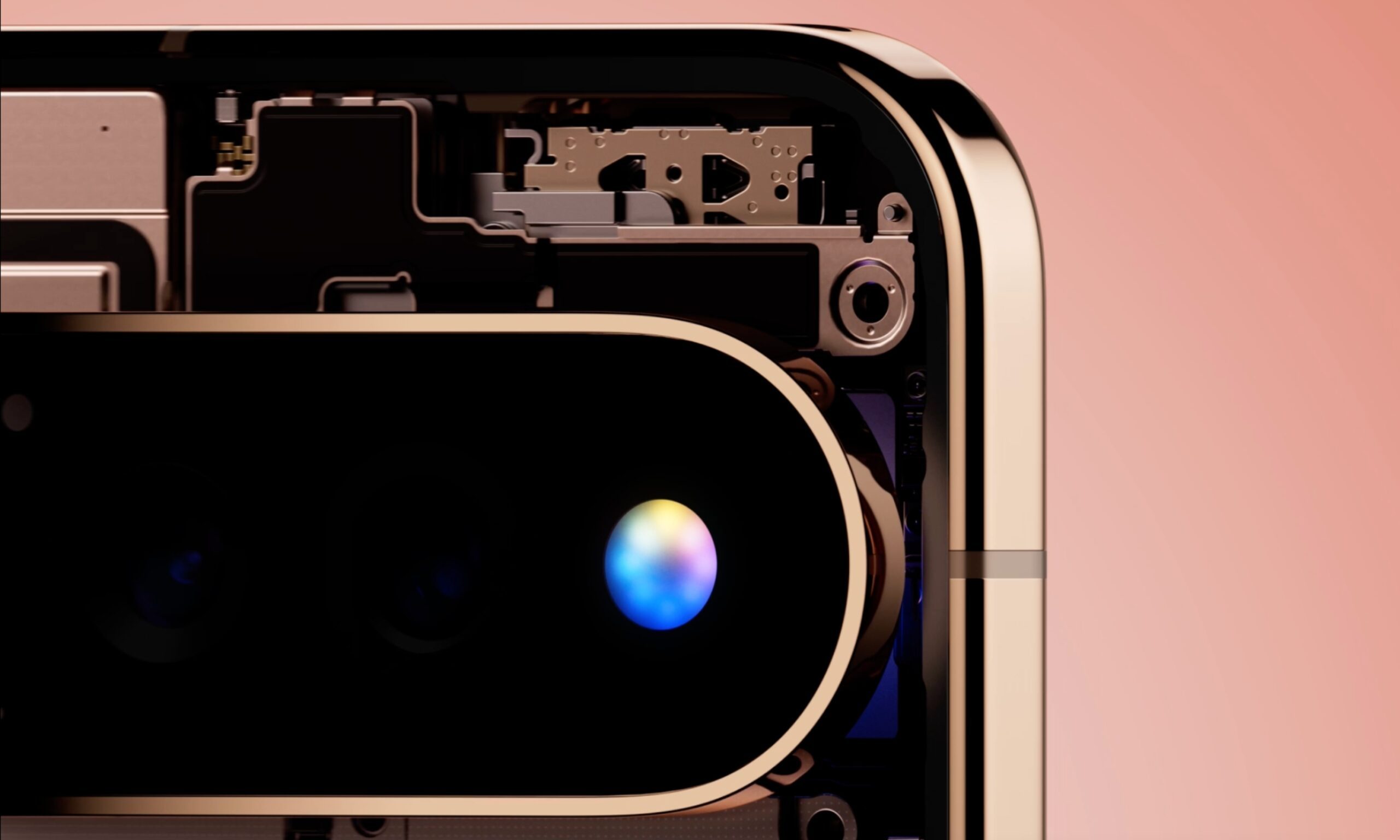
Exactly two things. First, it works as a Gemini conversation indicator, switching between different glow patterns for listening, thinking, and responding. Basically, it gives you visual confirmation that the assistant heard you without you having to pick up the phone. Fair enough. We’ve seen similar implementations on Amazon’s Echo speakers and Google’s own Home Speaker.
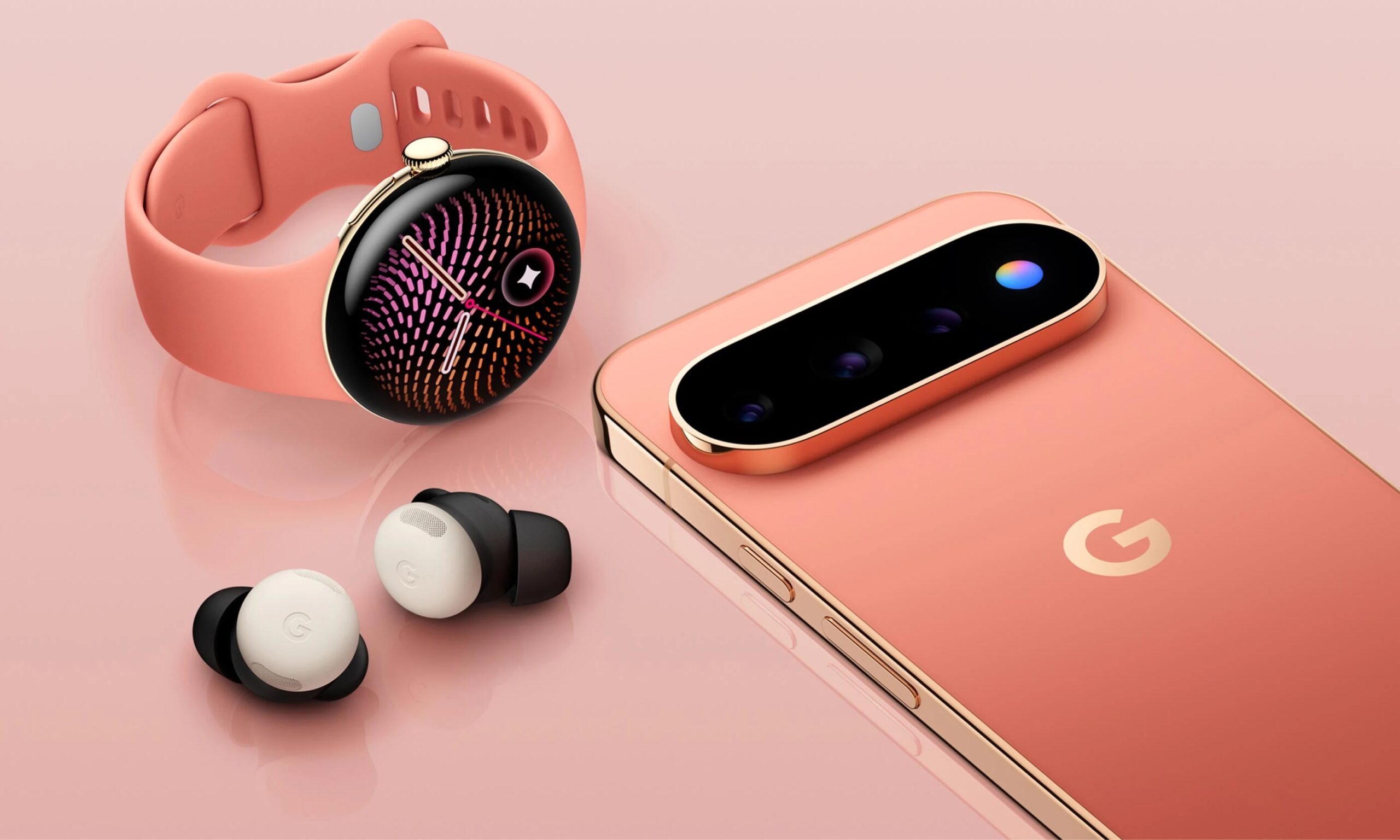
Second, it lights up in one of five colors when a favorite contact calls. This works with both the Phone app and WhatsApp (the only third-party app it supports, via 9To5Google). And while you might think you could choose the color you associate with a favorite contact, you can’t. Google picked five colors for you, and you simply assign them to people.
Google
So, at launch, one of the most hyped Pixel 11 Pro features can essentially only do these two things, which feels like a frustratingly small use of what could have been a genuinely useful RGB light on the back of a phone.
The fact that Google handed you give colors and called it a day, even though the RGB light ring can physically render so much more than that, isn’t even the worst part of it.
Google
The problem becomes obvious when you actually use it
The biggest caveat of Google’s stringent approach to an otherwise perfect idea is the lack of third-party app support.
According to an Android Headlines report by Alexander Maxham, Google has no plans to unlock the restricted HiLight for other apps within its own ecosystem or open it to third-party apps. The closest thing to a roadmap Google offered was a mention of RCS messaging support arriving down the line, but that’s pretty much it.
The entire point of having a rear-facing RGB light is to keep the user informed when the phone is sitting face-down. Among the few things Pixel 11 Pro owners are missing out on, despite having the physical hardware sitting right there on the device, are general notifications from apps you could be using daily, including Slack, Teams, social media apps like Instagram, or even Uber, for that matter.
Advertisement
Google
Then comes charging or battery indication. I know it’s an RGB ring, and integrating progress levels that are otherwise shown through horizontal UI elements is tough. However, how difficult would it be to use the light to tell the user the battery is dying? Is blinking red twice or three times really that difficult? I’m not even talking about a live charging status.
If the hardware actually supports full-spectrum RGB LED capabilities, I don’t get why it’s locked to only five color options. Would a color-coded system in the app be too difficult for users to understand and customize? Pink for Instagram, purple for Teams, or yellow for Snapchat?
Perhaps a yellow or amber flickering light when someone captures a self-portrait from the rear-facing camera, supporting the timer beeps that the phone already makes? I’m just thinking about ways Google could have made the hardware addition more useful and more interesting.
Google
I’m not asking Google to cram every one of these functionalities into HiLight at once. In fact, I know for a fact that implementing all of them together would invite more chaos than it would solve problems. But Google can gather a team of engineers and designers to brainstorm intuitive ways to integrate the hardware deeper into the Pixel experience and make it sound or feel much less gimmicky than it currently does.
It’s not too late; Google can still turn this around
There’s no point in comparing Google’s HiLight RGB light with Nothing’s circular or horizontal LED modules. By nature of their shape and design, Nothing’s LEDs are better suited to simpler depictions of Live Updates on Android phones. However, that doesn’t mean Google can’t make HiLight highlight other things.
Google
While HiLight is one of the most lethargic rear-facing LED implementations on a smartphone, it doesn’t have to stay that way forever. Fixing it doesn’t really require reinventing anything: open the API to developers, let people assign custom colors through a color wheel or similar setup, add a charging or power indicator, and ship the messaging feature that’s already been promised.
If Google genuinely wants people to put their phone face-down and be present in the moment, it also needs to trust those same people and grant them more control over what HiLight does for them. I’m rooting for an omnipresent HiLight interface that can cover far more than it does today, and I’ll remain optimistic that Google will eventually move in that direction.
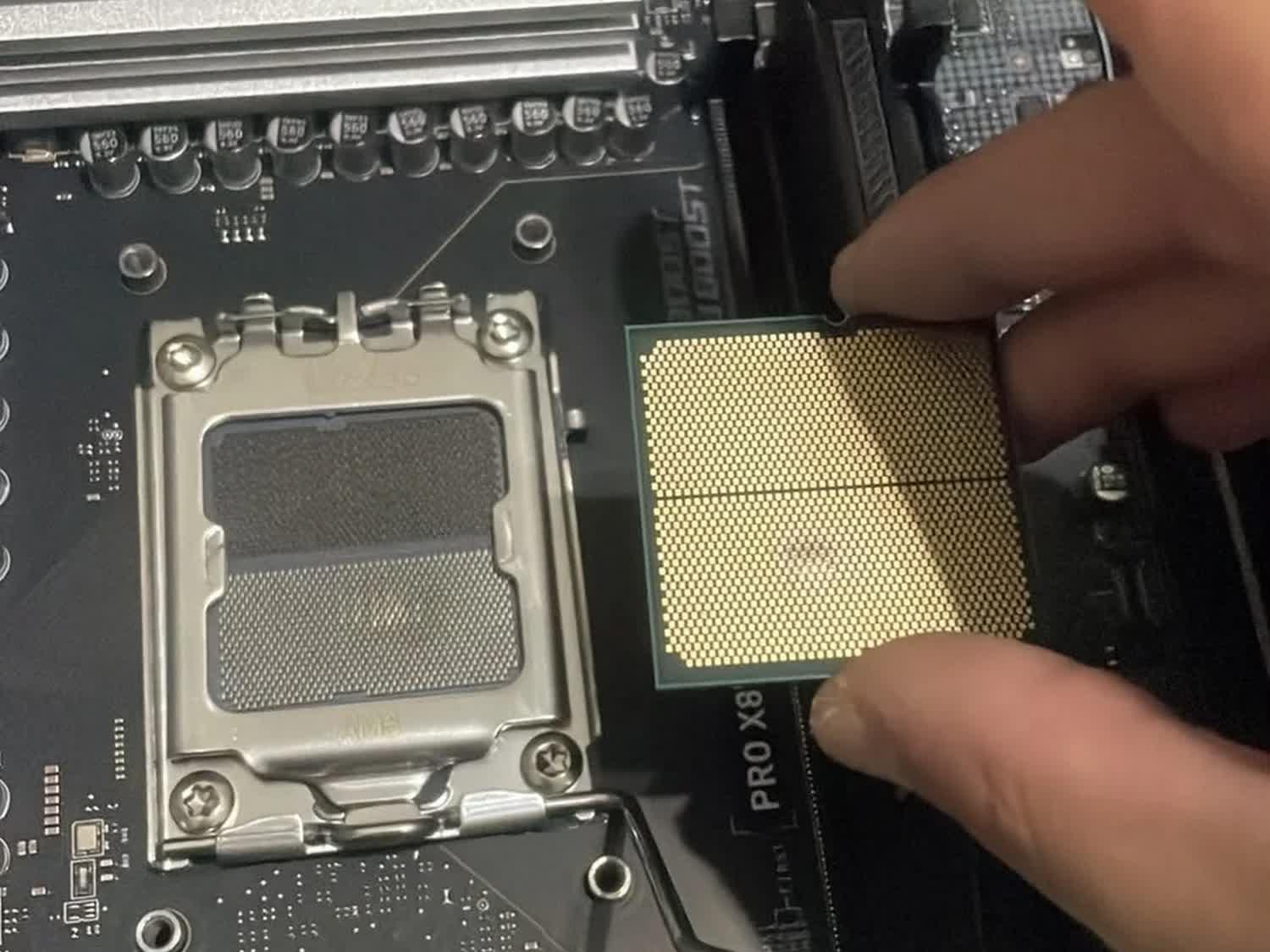
What we know so far: AMD’s Ryzen 7000 CPUs were once notorious for self-destructing on AM5 motherboards with older BIOS versions, but Team Red rolled out a firmware update to fix the problem in 2023. While there’s no indication that the issue has returned, a Redditor is now reporting that their friend’s Ryzen 7 7800X3D swelled up and burned out while running with the default BIOS settings after only three months of use.
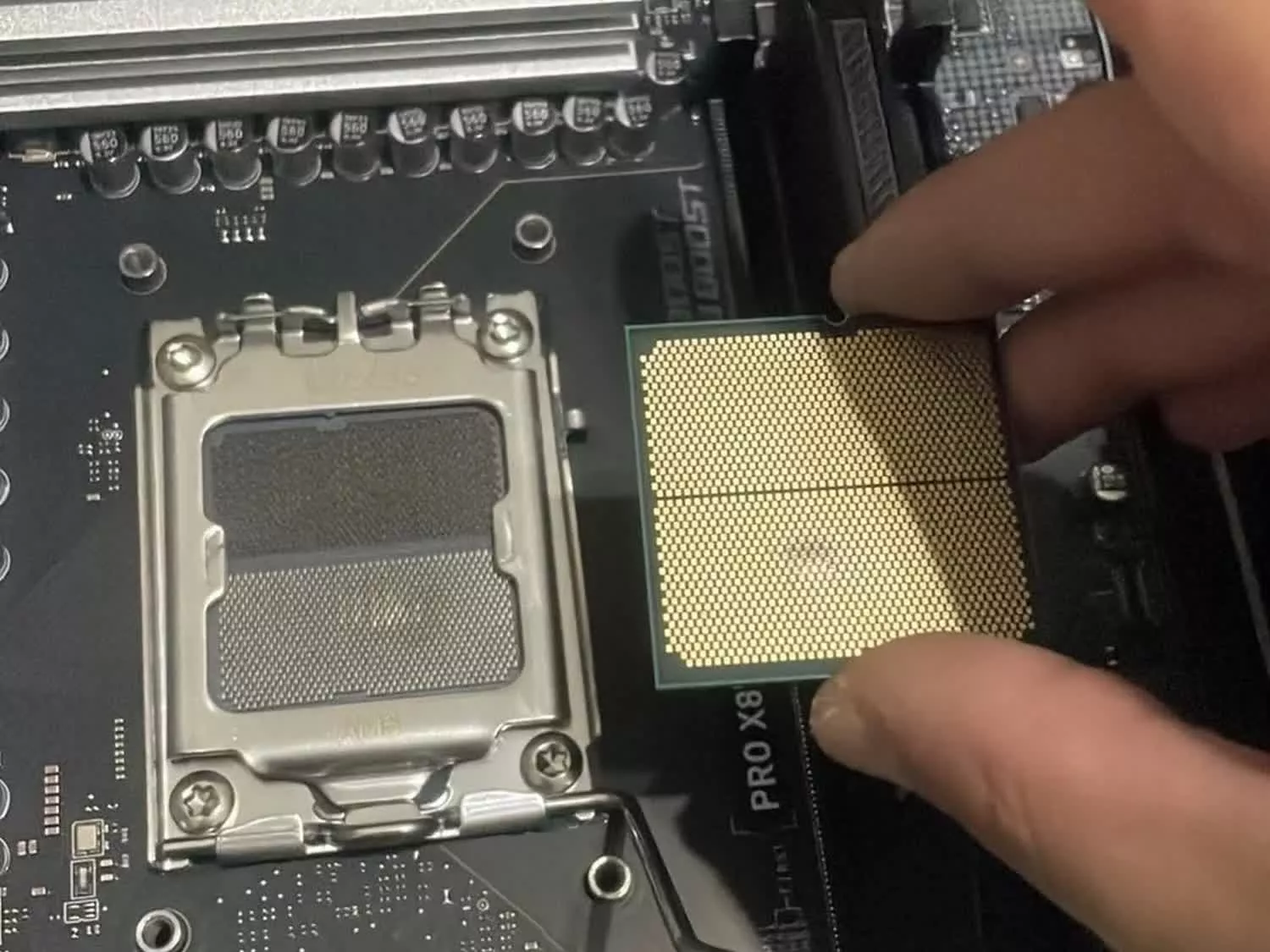
According to Redditor Magoth04, a three-month-old Ryzen 7 7800X3D was irreparably damaged while installed in a fully updated MSI PRO X870-P WIFI motherboard. The post claims that the system abruptly shut down while gaming a few days ago and then entered a boot loop before dying for good.
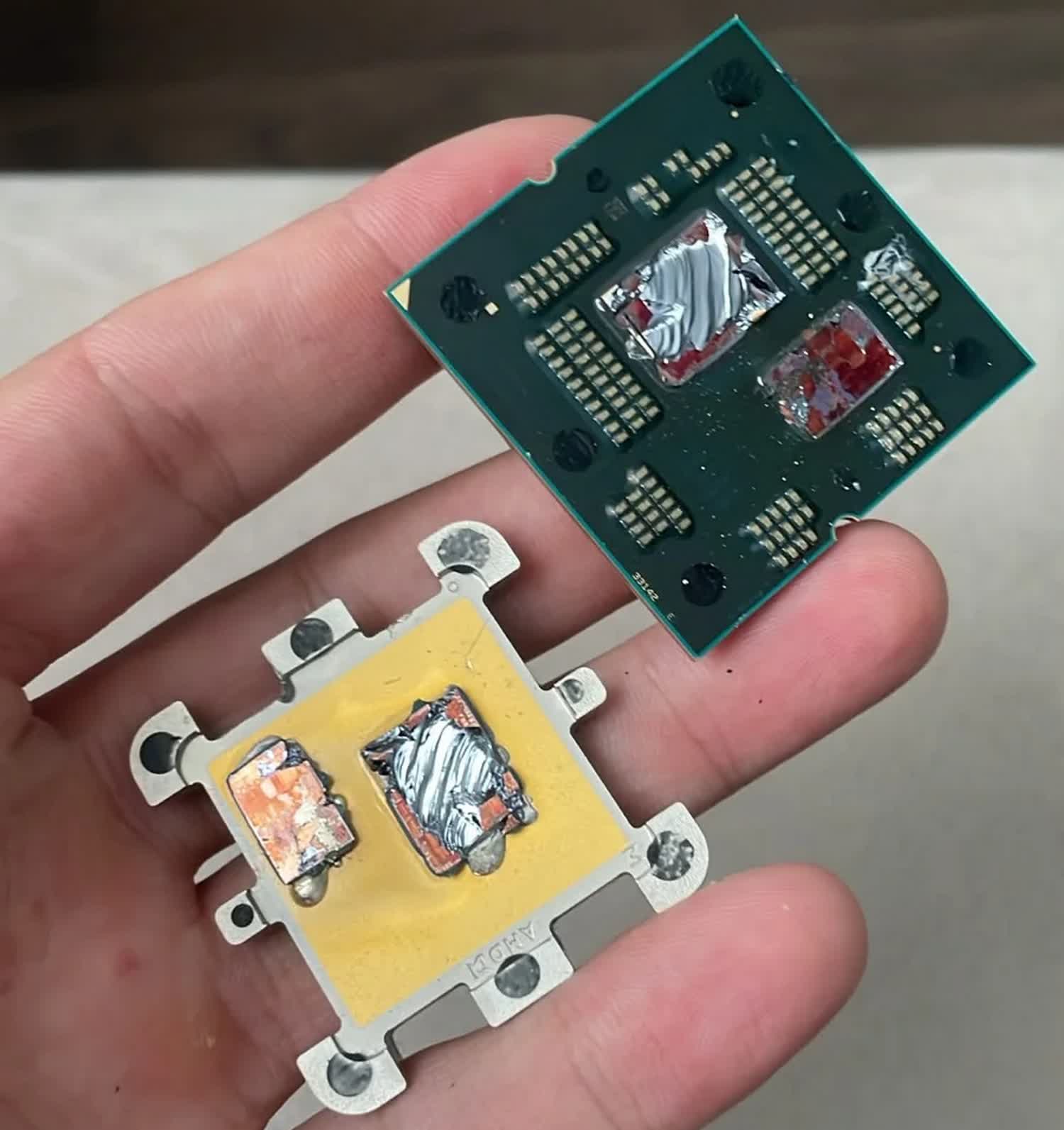
When the owner opened the case to troubleshoot the problem, both the CPU and motherboard reportedly had “visible burn marks,” and the chip also appeared to have swollen slightly. Both the processor and motherboard were reportedly rendered unusable following the incident.
The user claims that the CPU was not overclocked and that the voltage and current limits had not been manually tuned, either. However, AMD’s EXPO setting had been manually activated to allow the memory to run at its advertised speed. The poster added that the CPU was cooled by a 360mm AIO and that system temperatures appeared normal before the catastrophic failure.
Advertisement
When asked whether they had contacted AMD to request a refund or replacement, the Redditor said that the RMA process was already underway. However, it’s unclear whether AMD will honor the warranty, since the chip had already been delidded before the RMA was requested.
The report of yet another Ryzen 7000 failure is bound to send shockwaves through the AMD community, given that this is not the first time something like this has happened. Back in 2023, users began reporting that some Ryzen 7 7800X3D CPUs were burning up and damaging or destroying their X670-series motherboards.
AMD claimed to have fixed the problem with an AGESA update that capped the voltage at 1.30V across all AM5 motherboards. The update appeared to have resolved the issue for a while, but in late 2024 and into 2025, users once again started reporting swelling, boot-looping, and burnout issues, this time involving the Ryzen 7 9800X3D.
AMD blamed motherboard manufacturers for allegedly ignoring its recommended voltage and current limits. Some motherboard makers, such as ASRock, even admitted that at least some of the failures could be attributed to aggressive PBO settings.
Advertisement
The root cause of the latest failure remains unclear, but it appears that the fixes rolled out by AMD and the precautions taken by motherboard manufacturers may not prevent every potential voltage spike during EXPO memory training, potentially leaving some systems vulnerable to permanent damage.
When the iPhone X debuted in 2017 for a record-high price of $1,000, people were wondering: How long will this phone last? Now we have an answer.
On Thursday, Apple classified the iPhone X as obsolete. To be clear, the device won’t suddenly stop working. “Obsolete” is a classification for devices that Apple stopped selling seven years ago, and the company will no longer offer hardware service. This is a step down from the “vintage” category, which refers to devices that Apple last sold five to seven years ago.
I never owned an iPhone X, but I admit I envied the people who did. It was the iPhone that made me start paying closer attention to smartphones.
I remember seeing the iPhone X advertised on a billboard over San Francisco’s Union Square. Its curved corners and minimal bezels gave it a space-age vibe and made all other phones look dated by comparison. There was even something futuristic about that controversial front camera cutout, which everyone decided to call the “notch.” (Apple never used the term, at least not in the iPhone X’s press release.)
Advertisement
In 2017, the iPhone X showed us what most phones would eventually look like.Sarah Tew/CNET
The iPhone X “is the beginning of the next ten years for iPhone,” said Apple’s senior vice president of Worldwide Marketing, Philip Schiller, in 2017.
Schiller’s prediction was spot-on. The all-screen form factor continued to show up in each generation of flagship iPhones, even as the notch evolved into the Dynamic Island on the iPhone 14 Pro. Today, there’s only one iPhone model that still has a notch: the entry-level iPhone 17E.
Nine years after the iPhone X’s debut, another contender for the most expensive new iPhone may soon be appearing. Apple’s foldable iPhone is heavily rumored to launch next month with an expected price tag of at least $2,000. And with the ongoing RAM crisis driving prices higher, it seems almost quaint to imagine a $1,000 flagship phone today.
We’re also set to see Apple’s 20th anniversary iPhone next year. While I can’t imagine the “iPhone 20” will be as revolutionary as the iPhone X, maybe Apple will surprise us once again.
Jason Chun is a CNET writer covering a range of topics in tech, home, wellness, finance and streaming services. He is passionate about language and technology, and has been an avid writer/reader of science fiction for most of his life. He holds a BA from UC Santa Barbara and an MFA from The New School.
See full bio
Google VP Josh Woodward just announced that users will be able to remove visible watermarks from AI-generated images and videos. A toggle will soon be available for the Nano Banana, Omni and Lyria models, which all use the familiar sparkle icon to denote AI. It’s also coming to Gemini and the video editor Flow in the future.
This kind of defeats the whole point of visible watermarks, as they exist to give people a fast way to spot AI-generated content out in the wild. However, users will still have slightly harder methods to identify this type of thing. This move will not impact the invisible SynthID watermark and C2PA metadata, as there are are no toggles to shut those off. However, both of these require a user to take action like asking a chatbot or uploading to a portal to get to the bottom of things.
Advertisement
Woodward says the watermark toggle is rolling out just about everywhere, “except in countries where it’s required by law to keep them.” This includes the EU, which recently announced new rules on AI transparency that mandate visible watermarks on any “authentic-looking” deepfake content. South Korea made a similar move earlier this year.
Google’s change reflects the industry’s ever-evolving approach to labeling AI-generated content. Visible watermarks are a great tool to help regular people quickly identify deepfakes, which in turn can help us live in a shared reality. However, they can be a hindrance to those who use AI tools for creative work. “We’re striking a balance here between creative control and safety,” Woodward added.
This is just the latest watermark news impacting the world of AI. Suno just announced new “transparency tools” that include some kind of labeling system that shows if a song has been AI-generated when it appears on another platform. Anthropic also just made a fairly major move, announcing it was adding invisible C2PA-based watermarks on text and files generated by Claude. This is to comply with the aforementioned EU regulations.
Longtime Slashdot reader AmiMoJo shares a report from Kyiv Post: Ukraine’s military intelligence (HUR) has identified an Nvidia Jetson Orin computer module inside Russia’s new S-71 Monochrome air-launched cruise missile, potentially indicating the use of artificial intelligence technology in the weapon, the agency said Wednesday, Aug. 12. The finding was published in the ‘Components in Weapons’ section of the HUR’s War&Sanctions portal, which documents foreign electronic components found in Russian weapons used against Ukraine.
The latest research identified 35 electronic components in Russian weapons, according to the HUR. HUR specialists identified the Nvidia Jetson Orin module in the S-71 Monochrome, a new Russian air-launched cruise missile. The agency said the use of the computer module may indicate the integration of artificial intelligence technologies into the missile. The HUR did not provide further details on the specific functions performed by the Nvidia module in the weapon.
Aircraft, ships and vehicles now carry many radio systems in a small space, so designers must know how much energy leaks from one antenna into another before any hardware is built. This leakage is described by the mutual s-parameters between the antenna ports, and it decides whether two systems can operate at the same time on the same platform. Measuring it by trial and error at every candidate position is slow and costly. Predicting it by simulation is difficult for two reasons. First, the platform is electrically large, which means that its dimensions span several hundreds of wavelengths, so the model needs a large number of unknowns. Second, the coupling levels of interest are very low, in some cases down to -100 dB, which leaves little margin for numerical error. This White Paper addresses both problems with a full-wave solution based on the Method of Moments applied to the Surface Integral Equation, using higher-order basis functions to keep the number of unknowns low. Two examples are studied in detail: a metallic cube carrying two quarter-wavelength monopoles, and a realistic airliner carrying five monopoles at 1.06 GHz, where the fuselage is about 140 λ long. Three modelling techniques for obtaining accurate low-level results are compared in terms of accuracy and the number of unknowns each one requires, and the complete geometry of each model is documented so that every result can be checked independently.
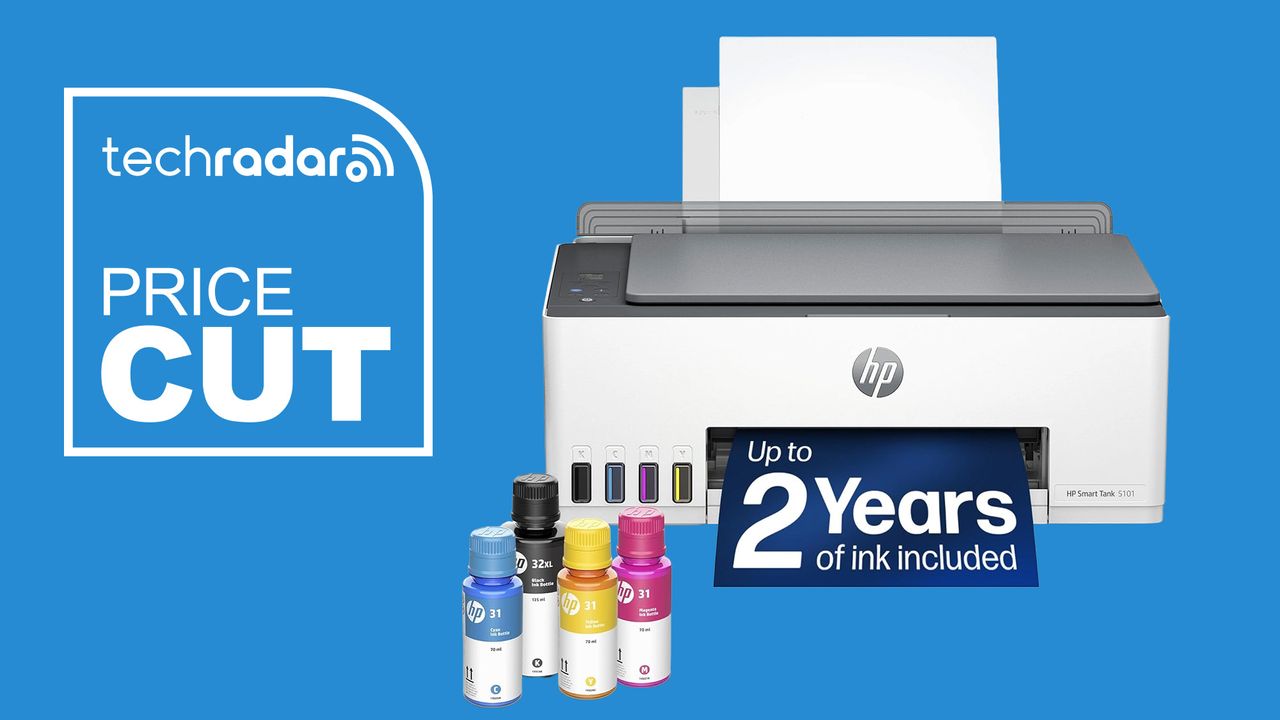
Based on our experience testing HP printers, this one’s an easy recommendation for home offices, as well as the back-to-school prep and dorm rooms. First, the bottled ink refills are much cheaper than traditional inkjet cartridges, saving you money – and it includes two years’ of ink in the box. Second, the model features a built-in scanner and copier for work and study.
Why we recommend it
Having tested all the best HP printers, the brand is one of our top-rated in the printing field (our hardware editor has been using his HP printer for almost ten years now).
Advertisement
Refillable ink tank printers have become the more sensible long-term option for anyone who prints regularly, since the upfront ink supply eliminates the recurring cartridge cost that makes budget inkjets expensive over time.
HP, including two years of ink in the box with the Smart Tank 5101, removes a lot of the math you’d otherwise have to do around break-even points.
It also covers the basics well: printing, scanning, and copying are all handled through the HP Smart app, and setup requires nothing beyond connecting to Wi-Fi.
This is the general sale price for the HP 5101, and it’s been this price since at least July as part of a series of back-to-school deals. Back in December 2024, it briefly dropped to $140 for an all-time low, but I’d consider that relatively rare and I haven’t seen that price since then.
A $90 discount off $259.99 comes out to about 35 percent off, one of the more substantial cuts in this roundup. Given that the ink already included would otherwise cost a meaningful amount on its own, the effective value here is higher than the sticker discount alone suggests.
Advertisement
Should you buy it?
✅ Buy the HP Smart Tank 5101 if…
You print often enough that cartridge costs add up, you want to avoid replacing ink cartridges every few weeks, or you’re comparing refillable-tank printers and want a known brand at a lower price.
❌ Skip the HP Smart Tank 5101 if…
Your router setup relies on 5GHz for reliable wireless printing, you need faster print speeds for high-volume jobs, or you want a unit we’ve already reviewed hands-on.
Advertisement
The Catch: What to know before you buy
We haven’t tested this unit ourselves, so we’re going off HP’s general reputation and our testing experience with other Smart Tank printers rather than hands-on verification. It’s also worth noting the wireless connection is 2.4GHz only, not dual-band, so if your router setup leans on 5GHz for print traffic, you’ll want to confirm compatibility before buying.
Troublesome electromagnetic catapults look set to be replaced with old-fashioned technology
President Trump has ordered the US Navy to draw up plans to replace electromagnetic aircraft catapults and weapons elevators with old-fashioned steam and hydraulic systems.
America’s commander-in-chief issued a presidential memorandum directing the secretary of defense, in consultation with the secretary of the Navy, to come up with a plan to replace the Electromagnetic Aircraft Launch System (EMALS) on the future USS Doris Miller (CVN-81) with the older steam-powered system.
Advertisement
The same note stipulated the replacement of the electromagnetic Advanced Weapons Elevators with the hydraulic versions used in older carriers.
These directives were part of a broader memorandum aimed at shaking up shipbuilding for the US Navy, which is often seen as glacial and moribund.
EMALS was introduced on the USS Gerald R Ford (CVN-78), which was the first of an improved design of US aircraft carriers. It basically uses a linear induction motor to accelerate an aircraft along the flight deck, in place of the old-fashioned system that employs a steam piston.
The premise of EMALS is that it doesn’t require a head of steam, and as it is electromagnetic, it should be easy to adjust the power to match the size and weight of aircraft being launched.
The Advanced Weapons Elevators, which also use linear motors, have likewise proven problematic.
Earlier this year, it was reported that there was a study underway to review the Ford-class carrier design and determine whether it should be altered for the next two in the class.
“We are looking at 82 and 83 to review the costs, the designs, the systems, to make sure that they make sense, and they have all the systems and requirements that we want going forward,” then-secretary of the Navy John Phelan is quoted as saying.
Advertisement
One of the concerns was said to be with the sortie generation rate of the Gerald R Ford – the number of takeoffs possible – which was promised to be higher with EMALS.
We asked the White House if this directive would apply to all subsequent US carriers, but a spokesperson simply referred us to the announcement, which mentions only CVN-81.
The rest of the president’s memorandum takes aim at naval shipbuilding in America. One directive is to establish a fifth naval shipyard to increase submarine and aircraft carrier repair capacity.
Trump is also sanctioning foreign involvement in building up to three ship classes of US Navy vessels.
Advertisement
His memorandum directs the secretary of defense to come up with “a new competitive acquisition approach” for surface combatants to perform anti‑submarine warfare, surface warfare, and convoy escort duties, plus Consolidated Cargo Replenishment at Sea (CONSOL) tankers and Roll-On, Roll-Off vessels – the latter typically used for transporting tanks and other military vehicles.
The president proposes using a similar approach to the memorandum of understanding (MoU) between the US and Finland with regard to acquiring icebreaker ships last year.
This will allow foreign suppliers to take part in US Navy procurement, provided they agree to build a new shipyard in America or assume ownership or a majority stake in an existing one, and construct all ships after the first two in US shipyards.
Tellingly, the memorandum states that the US Navy “shall not impose iterative design changes upon the original mature parent designs within the above programs,” and that no changes from the original designs shall be made without the approval of the secretary of defense.
Advertisement
Last year, the Trump administration canned the Constellation-class frigate program, which had been based on an Italian design to reduce technical risk, after so many changes were made that the US design had just 15 percent commonality with the original and the program was years behind schedule. ®
iVANKYFusionDock Ultra packs 26 ports into a desktop workstation dock
Four external 6K displays can run natively on compatible Apple Silicon Macs
Up to 120Gbps bandwidth supports demanding display-focused professional workflows simultaneously
The iVANKY FusionDock Ultra is a 26-port desktop dock designed specifically for Apple Silicon Macs and demanding professional workstations.
The company says its docksupports native quad 6Kmonitors, high-speed connectivity, and charging capabilities for professional users.
Unlike many universal docking stations, this model does not support Windows PCs, Intel Macs, or Chromebooks, limiting its audience considerably.
Latest Videos FromTechRadar
Advertisement
Built around high-end Apple Silicon workstations
The dock uses a dual-chip architecture intended to keep multiple displays, storage devices, networking equipment, and peripherals operating simultaneously under sustained professional workloads.
It supports up to 80Gbps bidirectional bandwidth, while display-heavy configurations can reach 120Gbps through asymmetric data allocation across connected devices.
An included 80Gbps active cable is designed to support the connection speeds required by demanding storage and multi-display workflows during professional production sessions.
On compatible Apple Silicon systems, the dock can drive four external 6K displays without relying on DisplayLink or third-party display drivers.
Sign up to the TechRadar Pro newsletter to get all the top news, opinion, features and guidance your business needs to succeed!
However, the number of supported screens, resolutions, and refresh rates still depends on the specific Mac chip and connected monitors.
Advertisement
That native approach may appeal to creators who want additional displays without introducing another software layer into their macOS workstation.
Apple’s hardware limitations are not bypassed, meaning buyers still need a compatible Mac capable of supporting their intended display configuration.
The dock also provides 10Gb Ethernet, giving users a high-speed wired connection for network storage, shared files, and other demanding workflows.
Advertisement
Its 26 ports include USB-C and USB-A connections, DisplayPort 2.1, HDMI 2.0, UHS-II card readers, and optical audio.
It features front and rear 3.5mm audio connections, allowing microphones, headphones, speakers, and other audio equipment to remain connected.
The magnetically articulated dual-cable connectors are designed to accommodate different Apple Silicon computers, including MacBook Pro, Mac mini, and Mac Studio.
Advertisement
Cooling and power for extended workloads
Power delivery is another major part of the dock, with up to 140W available for compatible MacBook Pro systems during demanding workloads.
A separate 45W USB-C power-delivery port can charge devices such as an iPad, iPhone, or another compatible accessory.
The cooling system combines passive heat dissipation with two adaptive fans that increase cooling activity as workloads become heavier.
iVANKY claims noise levels of 44 to 46 dBA at one centimeter under controlled conditions, with lower noise expected farther away.
Advertisement
That cooling design is intended to maintain stable connections and performance during extended sessions involving displays, storage, networking, and other peripherals.
At a promotional price of $649.99, reduced from an RRP of $749.99, the FusionDock Ultra enters an expensive docking market.
The company says the current price represents a 13% discount, although buyers should consider their actual requirements before paying for its extensive connectivity.
If you are not running an Apple Silicon Mac, this particular dock was never really built with you in mind.
Advertisement
Windows users, Intel Mac owners, and Chromebook owners are shut out entirely, regardless of how much they might want in.
Open ear earbuds have become the wireless audio industry’s latest land grab. Bose helped push the clip format into the premium mainstream, Sony, Shokz and Soundcore followed, and prices quickly marched toward $200 and beyond.
CMF has chosen a simpler strategy: offer most of the features people actually want for $99 and leave the luxury tax to everyone else. The CMF Clip Pro is the brand’s first open ear model. Each earbud clips around the ear, leaving listeners naturally aware of traffic, coworkers, children and other hazards that refuse to respect a playlist.
Related Reviews:
What Makes the CMF Clip Pro Different?
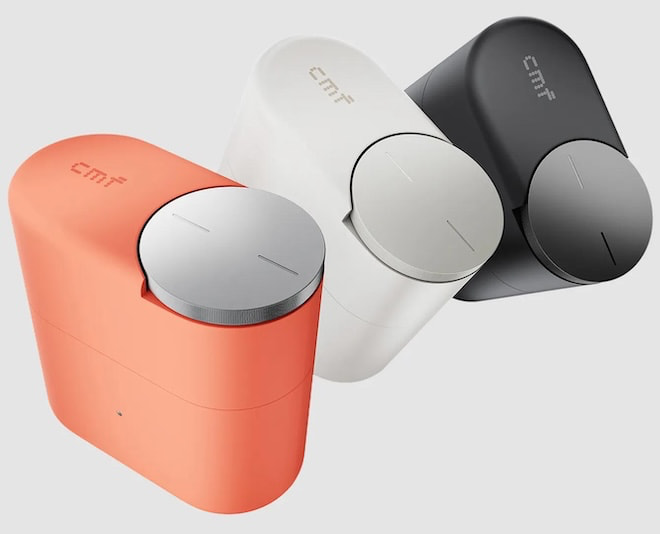
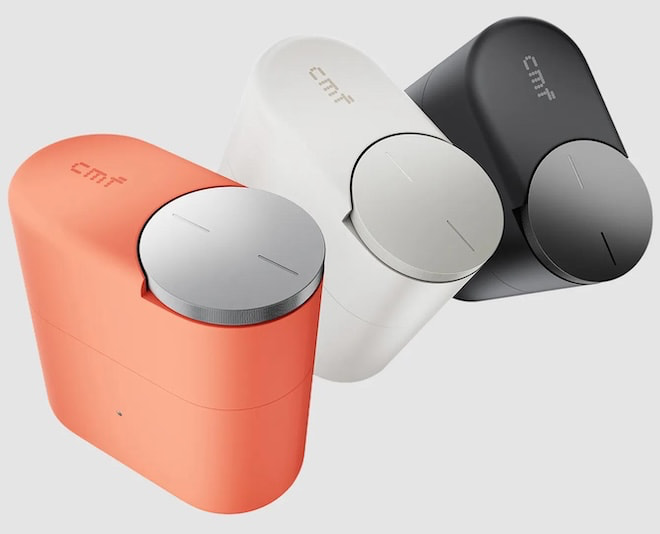
The most distinctive feature is not attached to the earbuds. CMF has built a Smart Dial into the charging case, providing a tactile rotary control for volume, playback, calls and Bluetooth pairing without reaching for a phone. Earbud cases are usually plastic waiting rooms with a battery inside, so giving one a useful control is a welcome change.
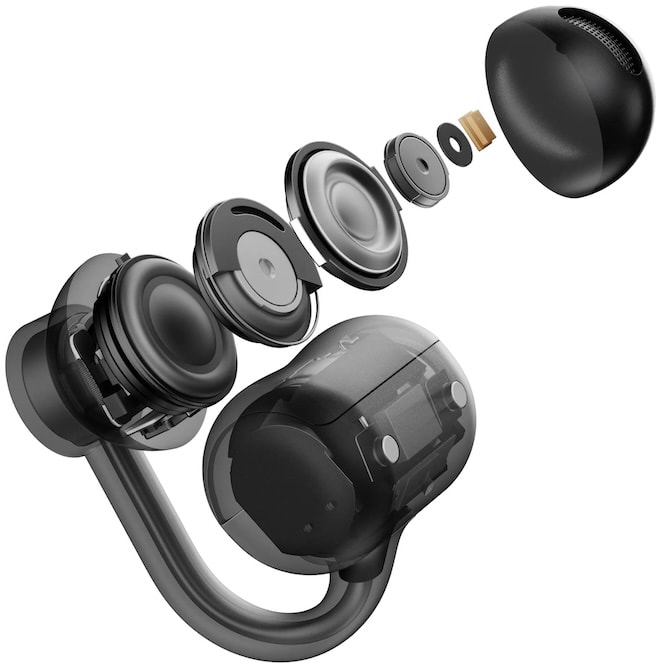
The earbuds use a three point support system and an elastic titanium wire core designed to distribute pressure across the ear. Each unit weighs 5.9 grams, while skin friendly materials and a compact listening ball are intended to improve long term comfort.
Sound comes from a 10.8mm dual magnet dynamic driver. CMF also includes Ultra Bass Technology to compensate for the low frequency loss that remains one of the category’s biggest weaknesses. Hi-Res Audio certification and LDAC give compatible Android devices a higher bitrate option, with AAC and SBC included for everything else.
Advertisement
CMF’s Sound Seal system attempts to reduce leakage by managing midrange and treble output, with separate settings for calls or all audio in the Nothing X app. Four microphones and a VPU powered Clear Voice system handle calls and background noise reduction.
Battery Life and Everyday Features
Clip Pro offers up to 10 hours of playback per charge and 32.5 hours with the case. A 10 minute charge provides up to four hours of listening.
Bluetooth 5.4, multipoint connectivity, Google Fast Pair, Microsoft Swift Pair, a low latency gaming mode and IP54 protection are included. The earbuds also have physical controls, which should prove more reliable than touch panels during workouts or while wearing gloves.
Main Competitors
Soundpeats UU2
At $99, Clip Pro undercuts most of its closest rivals. Shokz OpenDots Air costs $129.95 and offers 36 hours of battery life, IP55 protection and interchangeable left and right earbuds. Soundcore AeroClip carries a $169.99 list price, with 12mm drivers, multipoint and up to 32 hours of playback.
Sony’s LinkBuds Clip have a $229.99 MSRP and offer up to 37 hours of playback, three listening modes and AI assisted voice pickup. Bose Ultra Open remains the premium option at $299, with Immersive Audio and up to roughly seven hours per charge.
However, the new SOUNDPEATS UU2 might be the better value at $49.99. It features a larger 12mm dual magnet driver and upgrades to Bluetooth 6.0. CMF answers with the Smart Dial, Sound Seal and a more ambitious calling system.
Advertisement
Advertisement. Scroll to continue reading.
CMF Clip Pro Specifications
Driver: 10.8mm dual magnet dynamic
Codecs: LDAC, AAC and SBC
Battery: Up to 10 hours; 32.5 hours with case
Fast charge: 10 minutes for up to four hours
Bluetooth: 5.4
Microphones: Four HD microphones with VPU Clear Voice
Connectivity: Multipoint, Google Fast Pair and Microsoft Swift Pair
Protection: IP54 rated earbuds
Weight: 5.9 grams per earbud
Colors: Coral, Light Grey, Dar Grey
The Bottom Line
CMF is not reinventing open ear audio, but it may be stripping away one of the category’s least appealing features: inflated pricing.
The Clip Pro combines a lightweight titanium core design, LDAC, a useful case mounted control, 10 hour battery life and leakage management for $99. That makes it a strong option for commuters, office users, walkers and anyone who dislikes having an ear canal plugged for hours.
Travelers seeking isolation, subway riders battling serious noise and listeners who demand deep, physical bass should still buy sealed ANC earbuds.
The open ear category was already crowded. It just became considerably less comfortable for everyone charging twice as much.
Advertisement
Price & Availability
Open sales begin August 15, 2026 through Nothing’s U.S. website and selected partners. Nothing currently lists an introductory preorder price of $79, reduced from the $99 MSRP.
Imagine this: you have a big collection of physical books that’s been in your family for decades. As with anything, however, books start showing their age after years of use. After all, no one wants their precious collection to disappear like that. One great way to preserve them is by digitizing the books instead. This will give you a copy to keep forever. While you can just take a photo of your pages, smartphones aren’t professional book-scanning tools. Photos from a phone can have reflections, and sorting the pages afterward can be a headache. That’s exactly the problem CZUR’s ET Max aims to solve.
It’s a book scanner that takes away the hassle of scanning every page and formatting it correctly. Instead, you just need to flip the pages. This could also be extremely useful in office spaces that manage a lot of paper. Given that promise, when CZUR reached out to me, I had to review the ET Max. It’s been a few weeks since that email, and I’ve used it to scan about five books. Spoiler alert: it impressed me. To find out why, read along.
CZUR ET Max Review
Hisan Kidwai
Advertisement
Summary
The CZUR ET Max takes what would normally be a tedious process, scanning hundreds of individual pages, and turns it into something much more manageable. You flip the page, let the scanner do its work, and move on to the next one. I expected some distortion when scanning a hardcover book, but the ET Max produced straight pages without the shadows and warping. Not to forget, the OCR functionality, editing tools, and ability to display book pages on a projector are also useful additions.
Advertisement
Setup & Software
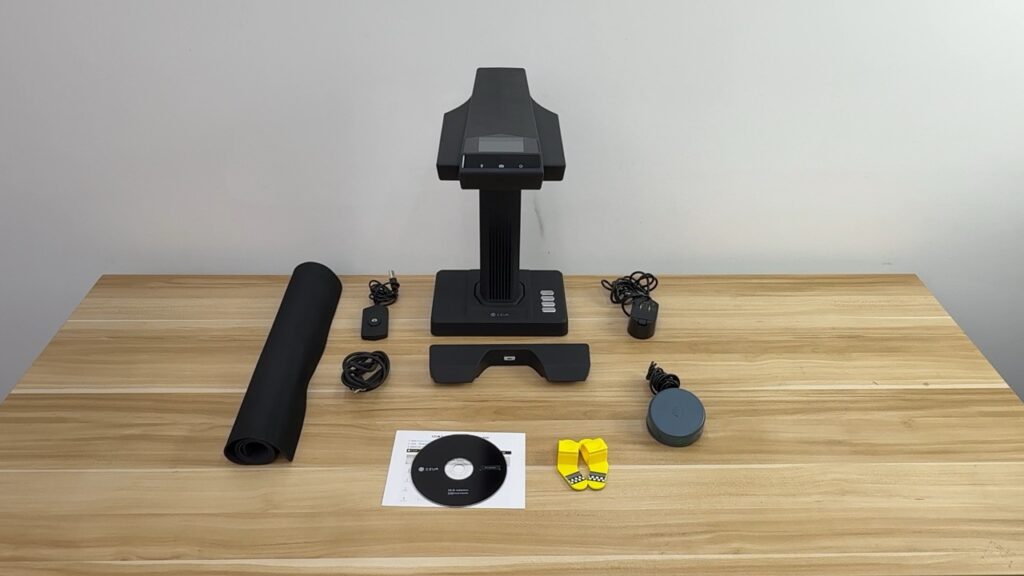
Unboxing the CZUR ET Max was a pretty interesting experience. Not only does CZUR give you the scanner itself, but it also includes plenty of accessories. These include a physical button for scanning individual pages, a foot pedal to scan, a power cable with plugs for different countries, a black scanning mat, side lights for better visibility, and a book page holder. Setup is pretty straightforward and is handled through the CZUR app, which is available on both macOS and Windows. You can download the app either by going to the CZUR website or using the included physical disk for installation.
I was able to get everything running quickly by connecting the scanner to my MacBook using the included cable. It was recognized pretty much instantly, and from there it was just a matter of opening the app. Just a quick note: you do need to enter the serial number of your scanner to pair with the app. You’ll find it on the bottom of the device.
On top of the scanner, there’s a preview screen, which, as the name suggests, helps you see what’s being captured. It was super helpful when scanning bigger books, as I needed to know if everything was inside the frame. Beyond that, the app lets you scan books into multiple formats, including JPEG, PDF, and Word. The scanner also uses AI to mark the edges of a book, preserve the colors of the drawings, and correct distortion. You also get OCR functionality, and to prevent distortions in the digital copy, there’s laser technology that measures distortions and helps smooth them out.
Scanning Experience
The ET Max uses a 38MP CMOS sensor to capture books. And to put that to the test, I started by scanning some research papers. Since there are no curved surfaces on those, the process was easy enough. I placed the paper in the frame, and the ET Max automatically captured it and processed the information into a very tidy digital copy. You don’t even have to center the documents inside the frame, as the scanner automatically detects the area and scans just that. The resolution was more than enough, and I could zoom into individual words without losing any detail. The only small hitch was that sometimes colors in pictures looked washed out, but nothing major.
To kick things up a notch, I also scanned a hardcover book. If you’ve read such books before, you know how difficult it can be to keep these books flat. They are always curved, meaning I had to use “Facing Page” mode. This mode projects lasers onto the book surface to measure the amount of deformation and correct it afterward. But does it work? Absolutely. The resulting scans came out straight without any deformation, weird edges, or shadows. However, if you’re not satisfied with the result, you can also manually correct the dimensions inside the app.
About these controls, the software lets you adjust the contrast and colors of every scanned image, change the edges, use a different crop, and more. I found all these options helpful in giving me the look I had in mind. But that’s not all. You can hide specific sections of a document and remove handwriting from old books. The latter didn’t work that well because it covered the handwritten parts with a white overlay, which looked out of place. What did work quite well was using the ET Max as a document camera. I hooked it up to my home projector and projected the book onto a 100-inch screen, with plenty of detail visible. This could be another helpful feature for teachers and project managers.
Given that most offices scan documents to create digital copies, OCR functionality becomes very important. And if you’re in the market for such a machine, then the ET Max performed well in my testing. The scanner did a good job of recognizing text from different books and research papers and converting them into PDFs. CZUR says it can accurately detect over 180 different languages, but I only tested with English books, so your mileage may vary.
Pros & Cons
Pros
Fast and largely automated scanning
Good results with both flat documents and curved books
Useful editing controls in the software
Multiple export formats, including JPEG, PDF, and Word
OCR worked well with English documents
Can double as a document camera
Plenty of accessories included in the box
Cons
Handwriting removal needs improvement
Some images can lose color during scanning
Conclusion
At $689 on the official store website, the CZUR ET Max is clearly aimed at professionals. But after scanning several books, I can see why something like this exists. The ET Max takes what would normally be a tedious process, scanning hundreds of individual pages, and turns it into something much more manageable.
You flip the page, let the scanner do its work, and move on to the next one. I expected some distortion when scanning a hardcover book, but the ET Max produced straight pages without the shadows and warping. Not to forget the OCR functionality, editing tools, and ability to display book pages on a projector are also useful additions. Like everything, though, it’s not perfect. Handwriting removal could use some work, and some images inside books lose color. Still, I think the CZUR ET Max is a capable machine worthy of a recommendation.





























































You must be logged in to post a comment Login