Connect with us
DAPA Banner

Tech

How to Speed Up WordPress Sites with Large Document Files

Published

on

Big document files, like PDFs, can slow down WordPress sites. When a website stores many large files in its media library, pages take longer to load. Slow loading pages often make visitors leave before seeing the content. Search engines also pay attention to how long a page takes to load, which can affect how a site shows up in results.

Large document files affect WordPress site performance by increasing page load times due to server requests during downloads. This slows user experience, especially on mobile, and harms SEO through lower Core Web Vitals scores. Careful compression alongside server improvements can help reduce these issues while maintaining content quality.

Finding the right balance between file size reduction and keeping document quality requires awareness of the available tools and techniques. With proper optimisation strategies, WordPress administrators can keep their sites responsive even when hosting large document libraries.

Why Large Document Files Slow Down WordPress Sites

Large document files create a heavy burden on WordPress websites. When visitors try to access pages containing these files, their browsers must download the entire document before displaying it. This process takes time, especially for users with slower internet connections.

Advertisement

The relationship between file size and page speed is direct. As the size of a PDF increases, browsers must handle more data, which adds to the loading time. Factors such as server response, network speed, and whether files are compressed will all influence the actual delay. Larger files consistently require more time to transfer between server and visitor.

PDFs are often the main culprits, but other formats cause problems too. Microsoft Word documents (DOCX), PowerPoint presentations (PPT), and spreadsheets (XLSX) can all slow down sites when not properly optimised. Many site owners do not realise a single 20MB product catalogue can shrink PDF file sizes dramatically with proper compression.

Real-world examples show how document optimisation can directly improve site performance. Businesses that have compressed large PDF catalogues report noticeably faster page loading and a smoother experience for visitors. This reduces abandonment rates on key landing pages. Industry benchmarks highlight the risk: median bounce rates rise sharply on pages where assets like PDFs exceed 5MB.

Identifying Problem Documents in Your WordPress Media Library

Finding oversized documents requires a careful approach. First, accessing the WordPress media library and sorting files by size reveals which documents are consuming the most space. These large files are often the source of slowdowns. Sorting your media library by file size, especially focusing on documents over 5MB, helps identify files that are likely to cause delays.

Advertisement

WordPress does not offer native tools for detailed file analysis, but several plugins can help. Media Library Assistant and Media Cleaner provide information about file sizes and usage patterns. These tools make it easier to spot problematic documents that need attention. WordPress plugin directory for compression can also assist in identifying and managing large files.

Performance monitoring tools like GTmetrix or Google PageSpeed Insights help spot slow-loading pages. Running tests on pages containing document downloads or embeds shows which ones perform poorly. Pages taking more than three seconds to load should be reviewed first.

When creating an optimisation workflow, documents on the most visited pages should receive priority. Product catalogues, frequently downloaded manuals, and resources linked from the homepage should top the list. Creating a spreadsheet to track large files, their current sizes, and compression targets sets up an efficient system.

Effective PDF Compression Techniques for WordPress

Compressing PDFs requires balancing size reduction against quality loss. For text-heavy documents, major compression with minor quality changes is achievable. Documents with many images require more careful handling to maintain visual clarity. Pre-upload compression tools such as Adobe Acrobat’s “Optimised for Web” setting or online services like Smallpdf provide precise quality control before files are added to the site.

Advertisement

Adobe Acrobat provides trusted compression tools with several quality options. The “Reduced Size PDF” feature works well for most documents, while “PDF Optimiser” offers more control over specific elements. For WordPress sites, the “Optimised for Web” setting achieves a good balance between size and quality.

Server-side compression happens automatically when documents are uploaded, while client-side compression requires manual work before uploading. For WordPress sites with many documents, server-side solutions save time. However, these solutions offer less control over the results. WoowPDF can automate PDF compression on upload, and image optimisation plugins like ShortPixel also support PDF files, making bulk processing easier for site owners.

Batch processing is especially helpful for sites with large document libraries. Tools like Adobe Acrobat Pro, PDF Compressor, or online services like Smallpdf can process multiple files at once. This method saves hours of manual work when dealing with dozens or hundreds of documents.

Compression results vary based on the type and content of the document. While some product catalogues and resource documents become much smaller after processing, the exact percentage of size reduction depends on factors like image density and initial optimisation.

Advertisement

Advanced WordPress Configuration for Document Handling

Lazy loading prevents documents from loading until users scroll near them. This technique improves initial page load times by deferring resource-intensive elements. A3 Lazy Load can apply lazy loading to embedded documents.

Browser caching stores document files locally after the first download. When set up correctly, returning visitors experience much faster load times because their browsers do not need to download the same files again. Caching rules added to the .htaccess file or using caching plugins like W3 Total Cache provides this benefit.

Content Delivery Networks (CDNs) store copies of documents on servers worldwide. When visitors access the site, they download files from the nearest server rather than the host. This method reduces latency and speeds up document delivery. Popular options include Cloudflare, BunnyCDN, and KeyCDN. Increasing PHP memory in the wp-config.php file can also help large sites handle document processing more efficiently.

Several WordPress plugins specifically improve document handling. PDF Embedder offers better display of PDFs on sites. Enable Media Replace makes it easy to swap out documents with optimised versions without breaking links.

Advertisement

Alternatives to Hosting Large Documents Directly on WordPress

External document hosting services provide specialised infrastructure for file delivery. Hosting documents offsite shifts the bandwidth demand away from the primary server. This can improve the loading times for users accessing large files through WordPress. Embedding files from dedicated document platforms allows sites to handle higher traffic without the usual risk of server slowdowns.

Using private cloud infrastructure or a self-managed server is another way to store documents externally without relying on commercial third-party services. Integrating these options with WordPress can streamline file delivery to visitors and free up valuable website resources. Purpose-built solutions tailored to business requirements often offer features such as granular access control and detailed file analytics.

Document preview systems show thumbnails or first pages instead of full documents. Visitors can then choose to download only what they need. This approach reduces initial page load times while still providing access to complete documents.

Converting documents to web-native formats often leads to better performance. Transforming PDFs into HTML pages gives faster loading speeds and mobile compatibility. Tools like Aspose PDF to HTML or online converters can automate this process for multiple documents.

Advertisement

These strategies help WordPress site owners maintain strong document libraries without reducing performance. The key is finding the right balance between accessibility, quality, and speed for specific audience and content needs. For businesses needing ongoing help with technical maintenance, WP Tech Support offers regular support and services tailored to optimising WordPress sites. 

Source link

Advertisement
Continue Reading
Click to comment

You must be logged in to post a comment Login

Leave a Reply

Tech

There’s a Secret Ingredient to Making Luxury Ice at Home

Published

on

If you don’t want to bother with cutting your own cubes, then Klaris has you covered. Klaris has labored to make a kitchen countertop version of the classic Clinebell machine, and we loved it. Trouble is, it costs a hard-to-swallow $550. Now, however, the company has created a new, cheaper version called the Klaris Mini, which retails at a much more palatable $300. The small 8 x 8 x 8-inch box produces two ultra-clear, 2-inch cubes at a time, which can then be stored away in your freezer if you’re stocking up before a party.

Nice Ice

Now, these methods effectively banish those pesky bubbles, but what about replicating that glacial purity in your homegrown luxury ice? It turns out there are three solutions here, and all are easily attainable at home—the last one remarkably so.

“Glacial ice is quite pure because it comes from rainwater,” Salzmann says, adding that the way to get cleaner water at home is to remove the ionic impurities (dissolved inorganic salts, minerals, and metals that carry a positive or negative charge, such as calcium, sodium, chloride, and sulfates). Salzmann says a water filter will remove much of the tap water impurities and pollutants, or you can use what Salzmann recommends: deionized water—”the kind you would use for doing the ironing.”

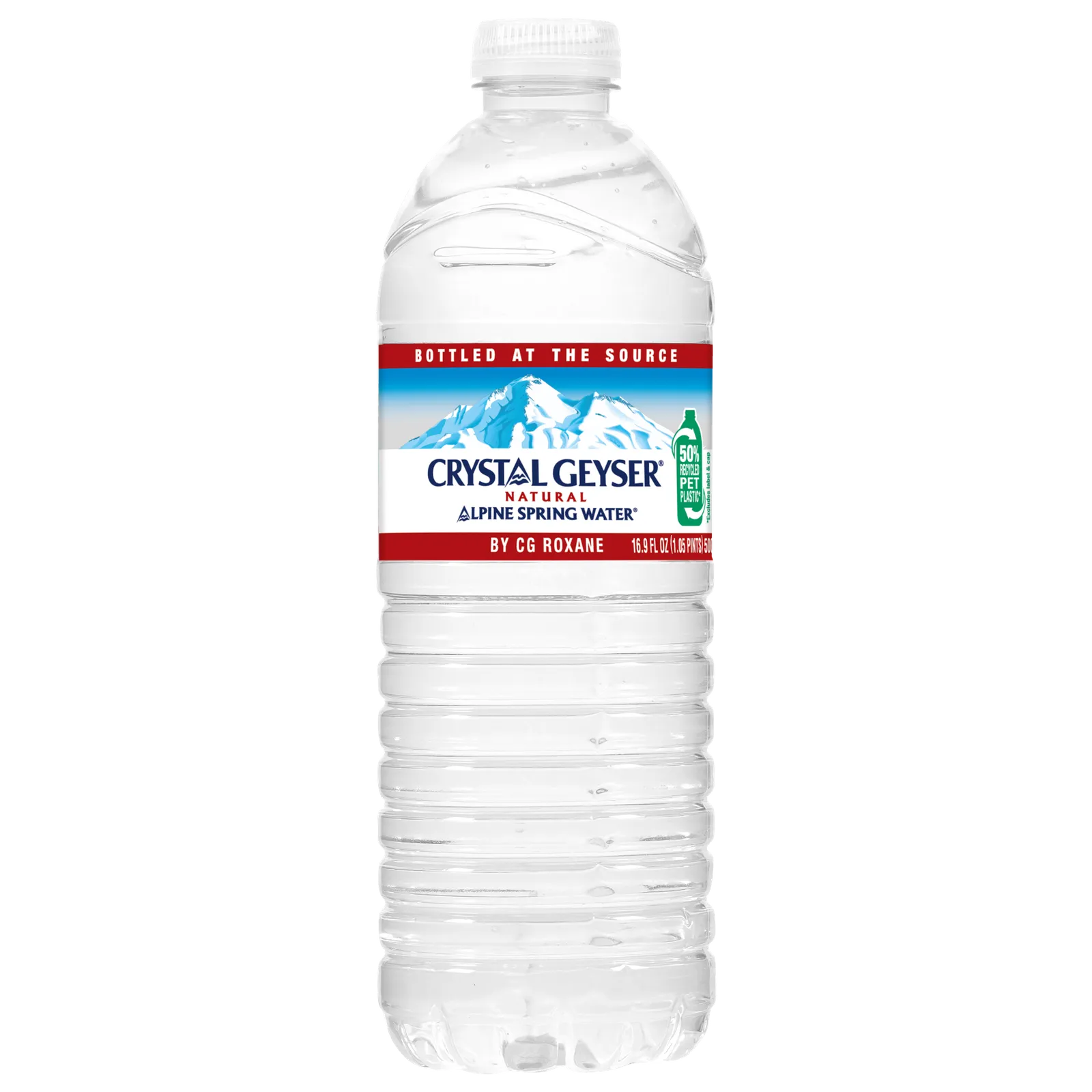
Image may contain Bottle Water Bottle Beverage Mineral Water and Shaker

Clear choice: is this the best water for luxury home ice?

Advertisement

Photograph: Crystal Geyser

But we’re not done yet. Now you have to get rid of the gases in your water that will increase the chances of cloudy ice. To do this, boil your water first to force out any gas, then freeze it before it can reabsorb any more.

There’s a nasty problem with drinking too much very pure water. “Within your cells in your body, there’s a lot of water—but there’s also lots of other stuff, dissolved materials that exert osmotic pressure on your cell membranes,” Salzmann says. “If the medium surrounding your cells does not have the same content of dissolved materials, there’s a different osmotic pressure. So, the bottom line is, if you drink too much deionized or super-pure water, it would be quite bad for you.” Now, we should point out here that you’d have to drink an awful lot of this pure water to run into trouble—a few ice cubes won’t come anywhere near close to causing you any problems.

Still, we can swerve even this last potential pitfall by turning to the sage advice of Kevin Clinebell, grandson of Virgil, who now runs the family company with his brother Scott.

“I’ve got a customer in Las Vegas that studied [using water filters], because Las Vegas has very poor water,” Clinebell says. “Their dissolved solids are something to the tune of 450 parts per million, whereas here [in Colorado], it’s 45 to 48 parts per million,” adding that the system was also very inefficient. “So he started playing with different bottled waters—Fiji, Aquafina, all different types. The one that he found that was as close to perfect as you could get is Crystal Geyser bottled water. That one gave him the best results of any water that he’s ever tried, and he’s running reverse osmosis and everything else.”

Advertisement

Source link

Continue Reading

Tech

Someone Turned This Tiny 1970s Car Into A Lamborghini-Beating Machine

Published

on


The fastest road-legal electric vehicle is probably not what you’d expect. It pulls up to the light, and it’s just 112 inches long and 2,150 pounds. The little yellow box with its comically tall roof and friendly headlights is quite unassuming — but Jonny Smith has made it into a supercar-beating machine. 

Smith purchased the Enfield 8000 despite its flood damaged past, back when it originally produced 8 horsepower and had a top speed of 40 miles per hour. He clearly had a vision: With two 9.0in DC motors, the Enfield 8000, originally designed in the 1970s, now has 800 horsepower, 1200 lb-ft. of torque, and will most definitely smoke you at the light. 

Advertisement

Now, the Enfield 8000 can reach 60 mph in under 3 seconds, and 113 miles per hour in 6 seconds. Its quarter mile record is 9.86 seconds, reaching 121 mph. “Everyone said it would be undriveable,” said Smith, “but it has exceeded expectations. I wanted to do an old EV and found this. I liked it immediately because it was odd, British and unlikely.”

Advertisement

Can the Enfield 8000 actually beat a Lamborghini Aventador SVJ?

Jonny Smith’s Enfield 8000 reaches incredible speeds very, very fast. But can it actually beat supercars? How does the Enfield 8000’s motors compare to the Lamborghini Aventador SVJ‘s 6.5 L V12? Well, the Aventador SVJ can reach 60 mph in 2.5 to 2.8 seconds and 124 mph in 8.6 seconds. Its quarter mile is 10.3 seconds at 136.4 mph. I’m no numbers cruncher or drag strip judge, but it does sound like the Enfield 8000 would beat the Aventador SVJ in a quarter mile with a photo finish. 

The Enfield 8000 could also take on a McLaren 720s, a Porsche 911 GT3, and a Ferrari LaFerrari. What an entertaining drag race that would be! Of course, there has been an ongoing debate regarding the importance of 0-60 times now that even family-oriented SUVs can take off in just a few seconds thanks to the rise of EVs. But the Enfield 8000 can even keep up with the Tesla Model S P85D, which can hit 60 mph in 3.2 seconds in “Insane” mode. 

Advertisement


Source link

Advertisement
Continue Reading

Tech

How To Get La Grande Combinasion in Steal a Brainrot?

Published

on

Getting La Grande Combinasion in Steal a Brainrot is a big deal. It’s not often that you find a Secret Brainrot that has a lot of characters and makes a lot of money. In this guide, we’ll talk about all the possible ways to get it without making things complicated.

The main reason La Grande Combinasion is special is that it is very powerful and hard to find. In the game, it costs about $1 billion, but it gives you $10 million every second, which makes it one of the best ways to make money. Its design is also very different from anything else. It looks strange but interesting because it’s a mix of different Brainrots.

Get La Grande Combinasion in Steal a Brainrot

La Grande Combinaison is hard to get, but you’re not limited to just one method. Compared to Los Combinasionas, you actually have better chances here.

1. Buy from Conveyor Belt

The conveyor belt method doesn’t involve any risk, which makes it the best option for many players. However, the biggest challenge is waiting. To increase your chances a bit, you can buy Server Luck for 249 Robux, but even then, it may still take time.

Advertisement
  • Save up $1 billion in cash.
  • Keep checking the conveyor belt regularly.
  • Buy it immediately when it appears.

2. Steal from Other Players

Stealing is the fastest way to get La Grande Combinasion, but you can’t just rush in. You need to watch the player for a bit and wait for the right moment when they’re not paying attention. If your timing is off, there’s a good chance you’ll get caught. So it’s better to plan things properly—know when to move and how you’ll get out quickly.

  • Keep changing servers until you find the Brainrot.
  • Watch the owner’s base and wait for a chance.
  • Use trap or stun items to stop them.
  • Take it and go back to your base right away.

3. Trade in Private Servers

It’s safer to trade on a private server than to steal from random players. The risk is lower because both sides agree ahead of time. But you should only do this with someone you trust, because mistakes or lying can make you lose your Brainrot.

  • Join a private server with a friend or someone you know.
  • Settle on a fair Brainrot trade.
  • Finish the trade by taking things from each other’s bases.

How to Protect La Grande Combinasion After Getting It?

After you get La Grande Combinasion, you really have to stay careful. It’s valuable, so people will try to take it from you. Make your base stronger, use traps, and don’t just leave it unattended. Even being away from the game for too long can cause problems if someone finds an easy way in.

If you’re trying to get it faster, keep hopping between servers instead of waiting in one place. Sometimes you’ll get lucky that way. Playing during updates can also help a bit. Server Luck is there, but don’t rely on it too much. Just be ready so that when you finally get it, you don’t lose it right away.

Source link

Continue Reading

Tech

Today’s NYT Connections Hints, Answers for April 13 #1037

Published

on

Looking for the most recent Connections answers? Click here for today’s Connections hints, as well as our daily answers and hints for The New York Times Mini Crossword, Wordle, Connections: Sports Edition and Strands puzzles.


Today’s NYT Connections puzzle is very tricky, especially the purple category. Read on for clues and today’s Connections answers.

The Times has a Connections Bot, like the one for Wordle. Go there after you play to receive a numeric score and to have the program analyze your answers. Players who are registered with the Times Games section can now nerd out by following their progress, including the number of puzzles completed, win rate, number of times they nabbed a perfect score and their win streak.

Advertisement

Read more: Hints, Tips and Strategies to Help You Win at NYT Connections Every Time

Hints for today’s Connections groups

Here are four hints for the groupings in today’s Connections puzzle, ranked from the easiest yellow group to the tough (and sometimes bizarre) purple group.

Yellow group hint: Let’s all go to the movies.

Advertisement

Green group hint: Abracadabra!

Blue group hint: Television people.

Purple group hint: Think hats.

Answers for today’s Connections groups

Yellow group: Seen outside a theater.

Advertisement

Green group: Accessories for a magician.

Blue group: TV show title surnames.

Purple group: They have caps.

Read more: Wordle Cheat Sheet: Here Are the Most Popular Letters Used in English Words

Advertisement

What are today’s Connections answers?

completed NYT Connections puzzle for April 13, 2026

The completed NYT Connections puzzle for April 13, 2026.

NYT/Screenshot by CNET

The yellow words in today’s Connections

The theme is seen outside a theater. The four answers are box office, marquee, ticket line and velvet rope.

The green words in today’s Connections

The theme is accessories for a magician. The four answers are cape, handkerchief, magic wand and rabbit.

Advertisement

The blue words in today’s Connections

The theme is TV show title surnames. The four answers are House, Lasso, Montana and Soprano.

The purple words in today’s Connections

The theme is they have caps. The four answers are baseball player, camera lens, mushroom and pen.

Source link

Advertisement
Continue Reading

Tech

Three Apple Stores closing in June, one was unionized

Published

on

Three Apple Store locations in struggling malls are set to close permanently as summer kicks off, with one of them the controversial unionized store in Towson, Maryland.

Bright modern Apple retail store with glass front, wooden tables displaying iPhones, iPads, laptops and accessories, illuminated product posters on both walls, and large glowing Apple logo overhead
Apple Trumbull | Image Credit: Apple

The stores in question are Apple North County, in Escondido, California, Apple Trumbull in Trumbull, Connecticut, and Apple Towson Town Center in Towson, Maryland. Notably, Apple Towson was Apple’s first unionized store.
Most employees will be shifted to nearby locations with no further action required by the employee, provided they agree to stay with the company. The unionized Towson employees will be eligible to apply for open roles at Apple, as per the existing bargaining agreement.
Continue Reading on AppleInsider | Discuss on our Forums

Source link

Continue Reading

Tech

Today’s NYT Mini Crossword Answers for April 13

Published

on

Looking for the most recent Mini Crossword answer? Click here for today’s Mini Crossword hints, as well as our daily answers and hints for The New York Times Wordle, Strands, Connections and Connections: Sports Edition puzzles.


Need some help with today’s Mini Crossword? Read on for all the answers. And if you could use some hints and guidance for daily solving, check out our Mini Crossword tips.

If you’re looking for today’s Wordle, Connections, Connections: Sports Edition and Strands answers, you can visit CNET’s NYT puzzle hints page.

Advertisement

Read more: Tips and Tricks for Solving The New York Times Mini Crossword

Let’s get to those Mini Crossword clues and answers.

completed-nyt-mini-crossword-puzzle-for-april-13-2026.png

The completed NYT Mini Crossword puzzle for April 13, 2026.

Advertisement

NYT/Screenshot by CNET

Mini across clues and answers

1A clue: Symbol in the middle of Captain America’s shield
Answer: STAR

5A clue: Chanel’s interlocking C’s, e.g.
Answer: LOGO

6A clue: Content creator’s output
Answer: VIDEO

Advertisement

7A clue: Two-word denial
Answer: IDONT

8A clue: Fits one inside of the other
Answer: NESTS

Mini down clues and answers

1D clue: Part of an office presentation
Answer: SLIDE

2D clue: List that might have check boxes
Answer: TODOS

Advertisement

3D clue: Contract negotiator
Answer: AGENT

4D clue: Jimmy Fallon’s house band, with “The”
Answer: ROOTS

6D clue: French for “wine”
Answer: VIN

Advertisement

Source link

Continue Reading

Tech

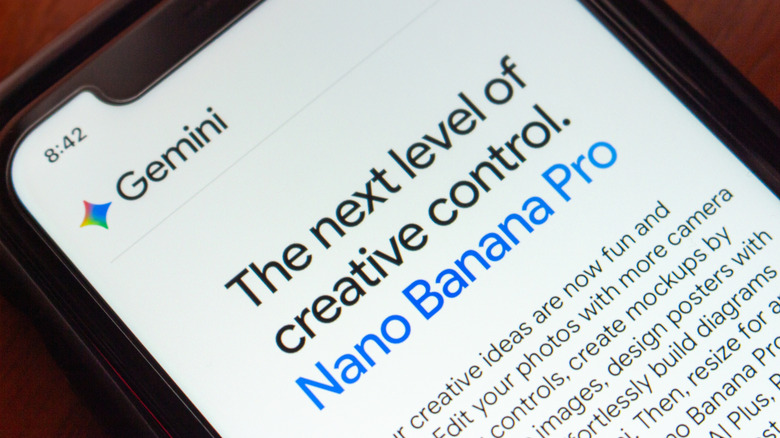
Why Google’s Nano Banana Pro Image Model Has Such A Weird Name

Published

on


Naming AI products is a bit hit-or-miss. Some names sound as if they were polished in a branding lab for six months, while others feel as though they were just pulled from a hat. Claude has a certain elegance. Gemini is fine. ChatGPT, on the other hand, is a rubbish name and only became familiar through brute force when it was suddenly absolutely everywhere

Nano Banana, Google Gemini’s AI image generator that enables anyone to create realistic-looking pictures, is called Gemini 3 Pro Image Preview in Google’s technical documentation. However, the name “Nano Banana” is both more official and less official than you might think. Google openly calls it Nano Banana Pro — and even Nano Banana 2, now — but that wasn’t the original plan. 

Nano Banana Pro has such a weird name because that moniker was never intended to be taken seriously. The team needed a temporary name for Arena.ai (then called LMArena), the crowdsourced model-testing platform where systems are compared anonymously. The codename wasn’t chosen until the last minute. Product Manager Naina Raisinghani was pushed to come up with something on the spot and suggested Nano Banana. It was a combination of two of her nicknames. “Some of my friends call me Naina Banana, and others call me Nano because I’m short and I like computers. So I just smushed my two nicknames together,” Naina revealed on Google’s blog, The Keyword.

Advertisement

Nano Banana quickly caught on

Despite Google’s attempts to keep its identity secret on Arena.ai, some people were quick to speculate that the highly rated new image generation and editing tool was a Google product. It was initially uploaded to Arena.ai on August 12, 2025. Within days, users were sharing their AI-generated creations on social media. After a week of speculation, a couple of X posts fueled users’ suspicions. Product Lead for Google AI Studio, Logan Kilpatrick, posted a banana emoji, and Naina Raisinghani, the developer behind the name, shared a picture of a banana gaffer-taped to a wall. Nano Banana was officially launched on August 26, 2025, upstaging ChatGPT as the most popular AI image generator.

It’s not the first tech product with “banana” in its name. We might be more familiar with Apple, Blackberry, and Raspberry Pi, but you can also purchase a bananaphone — a banana-shaped Bluetooth headset to pair with your smartphone. There’s also a 2019 research paper with a BANANAS algorithm, which stands for Bayesian Optimization with Neural Architectures for Neural Architecture Search. (You have to respect the contrivance even if it doesn’t quite work.) Tech companies are still naming things after fruit. OpenAI internally used “Strawberry” for the project that became o1, and Meta is currently working on an AI model nicknamed “Avocado.”

Nano Banana may not have been meant as the official name, but it stuck because people liked it. Companies spend fortunes chasing that kind of stickiness, and Google stumbled into it. The model got noticed, the odd codename was memorable, and Google was smart enough not to crush the joke with a committee-approved replacement.

Advertisement


Source link

Advertisement
Continue Reading

Tech

Today’s NYT Connections: Sports Edition Hints, Answers for April 13 #567

Published

on

Looking for the most recent regular Connections answers? Click here for today’s Connections hints, as well as our daily answers and hints for The New York Times Mini Crossword, Wordle and Strands puzzles.


Today’s Connections: Sports Edition is a tough one. If you’re struggling with it but still want to solve it, read on for hints and the answers.

Connections: Sports Edition is published by The Athletic, the subscription-based sports journalism site owned by The Times. It doesn’t appear in the NYT Games app, but it does in The Athletic’s own app. Or you can play it for free online.

Advertisement

Read more: NYT Connections: Sports Edition Puzzle Comes Out of Beta

Hints for today’s Connections: Sports Edition groups

Here are four hints for the groupings in today’s Connections: Sports Edition puzzle, ranked from the easiest yellow group to the tough (and sometimes bizarre) purple group.

Yellow group hint: Get your glove ready!

Advertisement

Green group hint: Sweat equity.

Blue group hint: There used to be a ballpark.

Purple group hint: Not night.

Answers for today’s Connections: Sports Edition groups

Yellow group: Field a baseball.

Advertisement

Green group: Work hard.

Blue group: Former MLB stadiums.

Purple group: ____ day.

Read more: Wordle Cheat Sheet: Here Are the Most Popular Letters Used in English Words

Advertisement

What are today’s Connections: Sports Edition answers?

completed NYT Connections: Sports Edition puzzle for April 13, 2026

The completed NYT Connections: Sports Edition puzzle for April 13, 2026.

NYT/Screenshot by CNET

The yellow words in today’s Connections

The theme is field a baseball. The four answers are catch, field, pick and scoop.

The green words in today’s Connections

The theme is work hard. The four answers are grind, labor, strain and toil.

Advertisement

The blue words in today’s Connections

The theme is former MLB stadiums. The four answers are Polo, Shea, Turner and Veterans.

The purple words in today’s Connections

The theme is ____ day. The four answers are draft, game, opening and Ryan.

Source link

Advertisement
Continue Reading

Tech

Intel and SambaNova just built a three-chip AI machine that splits work between GPUs, RDUs, and Xeon

Published

on


  • GPUs handle prefill operations by converting prompts into key-value caches
  • SambaNova RDUs generate tokens at high throughput and low latency
  • Intel Xeon 6 processors manage workload distribution and execute compiled code

Intel and SambaNova Systems have introduced a joint hardware blueprint combining GPUs, SambaNova RDUs, and Intel Xeon 6 processors for large-scale inference workloads.

The system assigns GPUs to prefill operations, RDUs to decoding, and Xeon CPUs to execution and orchestration tasks across agent-driven environments.

Source link

Advertisement
Continue Reading

Tech

Amazon laid off 30,000 workers while CEO Andy Jassy got a 30% pay bump

Published

on


Amazon published its annual proxy statement yesterday, revealing Jassy’s compensation for last year.
Read Entire Article
Source link

Continue Reading

Trending

Copyright © 2025