This is really useful if you, like me, tend to swap out your Bluetooth trackers between items as you’re using them. If you’ve attached a Pebblebee Clip to your luggage, you can pop it out and put it in your pocket for when you grab dinner by yourself while you’re traveling. Pebblebee works with both Apple Find My and Google Find Hub. If you’re nervous about triggering the siren, you can also grab the Pebblebee Card 5 ($35), which is the same price and doesn’t have the siren.
Tips and Tricks for Finding Your Luggage
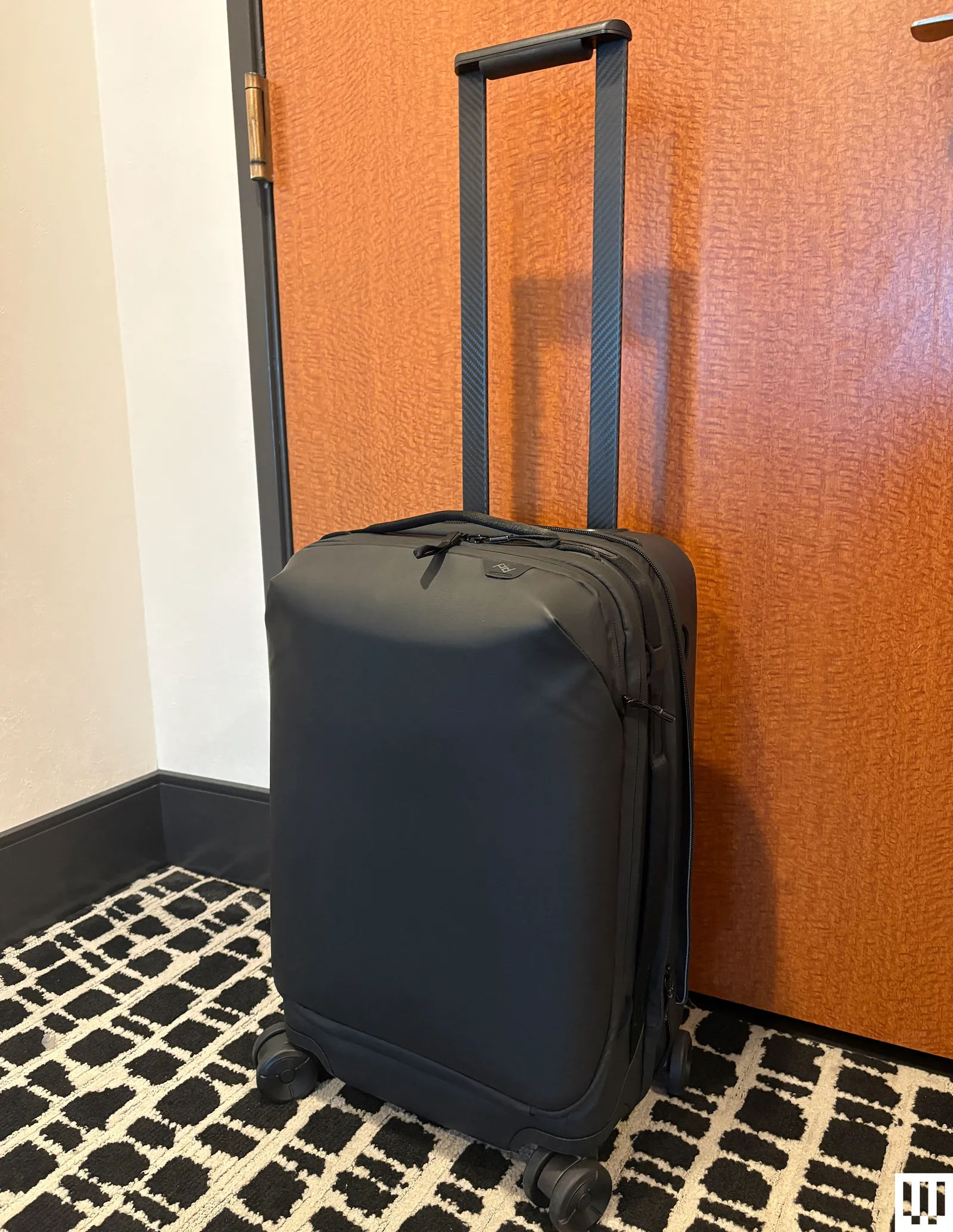
Photograph: Adrienne So
I have been losing my luggage since I was four years old, getting sent on planes halfway around the world. Here are a few ways I’ve learned to keep track of my luggage (and how to deal with the disappointment when I inevitably don’t).
Zip your tracker into an interior pocket. You don’t want to just place it loose in your belongings. Maybe it will slide into the middle of your clothes, where the Bluetooth signal will get blocked, or you or a careless TSA employee might accidentally shake it out onto the floor. Some of my favorite carry-on suitcases, like the Peak Design Roller Pro ($600), have AirTag pockets built into the bag, so you don’t have to worry about them falling out.
Advertisement
Label your individual trackers. It’s pretty easy to change the name and emoji of your trackers in Find My or Find Hub, and you should! It’s hard to keep track of which item you’ve lost when you have six AirTags, all labeled “Adrienne’s Luggage.”
Check the battery before you leave. If you’re not traveling often, it’s easy to let your luggage Bluetooth trackers sit unused for months.
What about GPS trackers? GPS trackers use satellites, whereas AirTags and other similar trackers use Bluetooth and a crowdsourced network of compatible devices they can communicate with, such as phones. While you may experience small gaps in coverage with Bluetooth trackers when you’re locating your luggage—for example, your suitcase got loaded onto the cart and isn’t within 30 feet of an iPhone while it’s making its way to baggage claim—you’re pretty much guaranteed to have a lot of devices on the Find My or Find Hub network at an airport to help establish the tracker’s position. GPS trackers usually require a subscription, so I don’t recommend them for luggage tracking if you’ll only use them a few times a year.
Flip-phones are not only a fun way to get a hit of nostalgia, but they’re quickly becoming seriously useful everyday smartphones too.
Motorola has reinvented its iconic Razr flip-phone and recently introduced the Razr 70 series, which is headlined by the premium Razr 70 Ultra. But how does it measure up to Samsung’s own Galaxy Z Flip 7?
While we haven’t reviewed the Razr 70 Ultra just yet, we’ve compared its specs to the Z Flip 7 and highlighted the key differences between the clamshell flip phones below. Keep reading to decide which handset is likely to suit you best. Alternatively, we’ve also compared the Motorola Razr 70 Ultra vs 70 Plus vs 70, so you can see the entire collection side-by-side.
The Galaxy Z Flip 7 is readily available to buy now, and has an official RRP of £1049/$1099.99, However, as the phone is nearly a year old, it is possible to find the handset with a decent price cut.
SQUIRREL_PLAYLIST_10207784
Advertisement
Motorola Razr 70 Ultra runs on Snapdragon 8 Elite
Motorola has opted to fit the Razr 70 Ultra with Qualcomm’s 2025 Snapdragon 8 Elite, rather than the newer Snapdragon 8 Elite Gen 5. This is somewhat understandable, as the Razr 70 Ultra isn’t necessarily a productivity handset, so doesn’t necessarily need the oomph of the newer processor.
It’s a similar situation with the Galaxy Z Flip 7, with Samsung kitting the foldable with its own Exynos 2500 chip, rather than Snapdragon 8 Elite for Galaxy which is found in the Z Fold 7. Even so, we don’t think you’re likely to notice that much of a difference in real-world use, as the Z Flip 7 feels fast and responsive for most uses-cases, without any noticeable slowdown or overheating.
Image Credit (Motorola)
Advertisement
Sure, Exynos 2500 doesn’t achieve the same high benchmark scores as phones running on Snapdragon 8 Elite, but it’s still a solid processor that performs well.
Otherwise, although we haven’t reviewed the phone just yet, Motorola promises that the Razr 70 Ultra is the “most powerful Razr” ever. It actually uses the same chip as its predecessor, the Razr 60 Ultra, which we concluded offered a solid performance across everything from casual uses to even casual gaming too.
Advertisement
We’ll have to wait until we review the Razr 70 Ultra to see how it really performs in everyday use.
Samsung Galaxy Z Flip 7 will see Android updates until 2032
One of the most appealing features of the Galaxy Z Flip 7 is that Samsung promises it will see Android and security updates right up to July 2032 – taking the handset to Android 23. Considering the Z Flip 7 is upwards of £/$1000, this makes the cost seem like more of an investment, as you won’t necessarily need to buy a new phone in the next six years.
Unfortunately, the Razr 70 Ultra doesn’t quite boast the same promise. While the Razr 70 Ultra will see five years of security updates, it’s only promised three years of Android OS updates. That will take the phone up to Android 19.
Samsung Galaxy Z Flip 7. Image Credit (Trusted Reviews)
Advertisement
Motorola Razr 70 Ultra has a larger battery
With a 5000mAh cell, the Razr 70 Ultra boasts a considerably larger battery capacity than the Z Flip 7. In fact, Motorola states that this is the largest battery found among flip phones. With this in mind, we expect the handset to offer a pretty generous all-day battery life, but we’ll have to wait until we review the 70 Ultra to confirm this.
Advertisement
Although at 4300mAh, the Z Flip 7’s battery is considerably smaller, we should disclaim that we never struggled with its efficiency. During our testing, we found the phone comfortably saw us through a day’s worth of use before needing to be topped up.
Samsung Galaxy Z Flip 7. Image Credit (Trusted Reviews)
Speaking of topping up, the Razr 70 Ultra does benefit from faster charging speeds than the Z Flip, with support for 68W wired and 30W wireless speeds. In comparison, the Z Flip 7 supports a pretty measly 25W wired and 15W wireless.
Samsung Galaxy Z Flip 7 has a larger cover display
At 4.1-inches, the Z Flip 7 has a slightly larger cover display than the Razr 70 Ultra’s four-inch alternative. However, there are a few caveats to keep in mind.
Firstly, we found the Z Flip 7’s cover display to be more cumbersome to use and much less optimised than Motorola’s efforts. There are only a few pre-selected apps that you can launch on the outer screen and to enable others, you’ll need to download Multistar or other workarounds, which isn’t particularly ideal. Plus, its keyboard isn’t as easy to use as Gboard either.
Advertisement
Advertisement
Image Credit (Motorola)
Instead, more apps are optimised by default on the Razr 70 Ultra’s cover display, and the keyboard is much easier to type on when you don’t want to open up the handset. It’s also worth pointing out that the 70 Ultra’s cover screen sports many of the same specs as the 60 Ultra, and you can learn more about the differences between the two in our dedicated Razr 70 Ultra vs 60 Ultra guide.
Motorola Razr 70 Ultra has three 50MP cameras
Although both handsets have a total of three cameras, including two rear and one internal lens, they differ with their exact resolutions. Like its predecessor, the Galaxy Z Flip 7 is fitted with a 50MP main and a 12MP ultrawide at its rear, while its internal camera is 10MP. Generally, we found the hardware is able to take great shots in most lighting conditions, though our best camera phones have options better suited to keen photographers.
In comparison, the Razr 70 Ultra is equipped with three 50MP lenses, including a main and ultrawide/macro combination at the rear and one internal. Motorola has also introduced new shooting modes to the entire Razr 70 series, including Camcorder Rotate to Zoom which uses AI to automatically identify and zoom in on a subject. This mode leans into Motorola’s nostalgia, as you have to hold the phone like a camcorder.
Early Verdict
If you’re keen to try out a flip-phone, then the Motorola Razr 70 Ultra and Samsung Galaxy Z Flip 7 are two great options. If you’re looking for a more usable cover display, plenty of nostalgic features and a mighty batter, then the Razr 70 Ultra seems like a brilliant option. However, if you want a phone that’ll see Android updates for many years, the Galaxy Z Flip 7 is hard to beat.
Advertisement
Advertisement
We’ll be sure to update this versus once we review the Motorola Razr 70 Ultra.
A new study examines how large language models perform in a variety of medical contexts, including real emergency room cases — where at least one model seemed to be more accurate than human doctors.
The study was published this week in Science and comes from a research team led by physicians and computer scientists at Harvard Medical School and Beth Israel Deaconess Medical Center. The researchers said they conducted a variety of experiments to measure how OpenAI’s models compared to human physicians.
In one experiment, researchers focused on 76 patients who came into the Beth Israel emergency room, comparing the diagnoses offered by two attending physicians to those generated by OpenAI’s o1 and 4o models. These diagnoses were assessed by two other attending physicians, who did not know which ones came from humans and which came from AI.
“At each diagnostic touchpoint, o1 either performed nominally better than or on par with the two attending physicians and 4o,” the study said, adding that the differences “were especially pronounced at the first diagnostic touchpoint (initial ER triage), where there is the least information available about the patient and the most urgency to make the correct decision.”
Advertisement
In Harvard Medical School’s press release about the study, the researchers emphasized that they did not “pre-process the data at all” — the AI models were presented with the same information that was available in the electronic medical records at the time of each diagnosis.
With that information, the o1 model managed to offer “the exact or very close diagnosis” in 67% of triage cases, compared to one physician who had the exact or close diagnosis 55% of the time, and to the other who hit the mark 50% of the time.
“We tested the AI model against virtually every benchmark, and it eclipsed both prior models and our physician baselines,” said Arjun Manrai, who heads an AI lab at Harvard Medical School and is one of the study’s lead authors, in the press release.
Techcrunch event
Advertisement
San Francisco, CA | October 13-15, 2026
To be clear, the study didn’t claim that AI is ready to make real life-or-death decisions in the emergency room. Instead, it said the findings show an “urgent need for prospective trials to evaluate these technologies in real-world patient care settings.”
Advertisement
The researchers also noted that they only studied how models performed when provided with text-based information, and that “existing studies suggest that current foundation models are more limited in reasoning over nontext inputs.”
Adam Rodman, a Beth Israel doctor who’s also one of the study’s lead authors, warned the Guardian that there’s “no formal framework right now for accountability” around AI diagnoses, and that patients still “want humans to guide them through life or death decisions [and] to guide them through challenging treatment decisions”.
When you purchase through links in our articles, we may earn a small commission. This doesn’t affect our editorial independence.
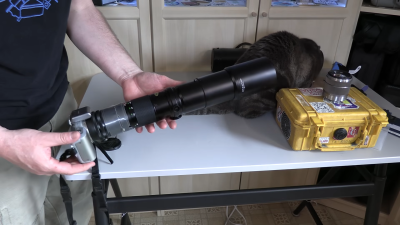
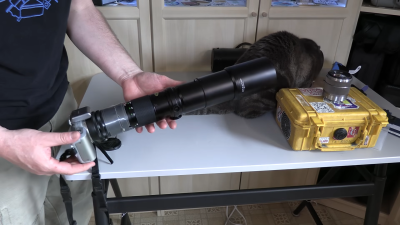
The cool thing about the digital photography revolution is that there is a lot of old film gear that can be had for cheap. In this case, [saveitforparts] found a 400mm Sigma XQ lens with a 2x teleconverter for just $14.99. Paired with an adapter, it sat nicely on a Sony NEX-3 digital camera, ready to try and capture the ISS as it passed overhead. As you might imagine, aiming at the space station is not a point-and-shoot job. N2YO.com was used to figure out the best time to try and capture it. [saveitforparts] was able to capture the ISS as a white dot as it passed over, but couldn’t quite get enough zoom to really see the ISS in detail. [saveitforparts] was also able to repeat the feat with a Canon camcorder, too, but the image was still pretty blobby and didn’t show much. Later attempts involved capturing transits as the ISS passed by the Sun, though the ISS mostly appeared as a small speck.
[saveitforparts] did technically capture the ISS, just not closely enough to see much beyond a dot. It’s not the first time we’ve seen this attempted, though! If you try and capture the ISS with something truly ridiculous, like a Game Boy Camera or Kodak Charmera, you are honour-bound to tell us on the tipsline. Video after the break.
The underlying concept is not new. Acoustic fire suppression has been studied for years as a means of disrupting combustion by pushing oxygen away from the fuel surface. Read Entire Article Source link
Suppose your giftee loves growing mushrooms but has graduated to more challenging varieties. In that case, North Spore makes an automated monotub ($165) that can be paired with either substrate or the brand’s fruiting blocks. It keeps the growing environment with the proper airflow and humidity, and I’ve grown so many mushrooms in mine that I’ve turned into a Crazy Mushroom Lady, leaving bags on neighbors’ porches and chasing down acquaintances in the grocery store.
(Note that the photo above shows golden oyster mushrooms, which mycologists are investigating as a potential invasive species. North Spore says it is currently phasing out its yellow oyster mushroom kits while it works on developing a sporeless strain.)
A Decorative Indoor Trellis and Plant Saucers
If your friend or loved one is supporting their vines or floppy potted plants with bendable moss poles or, worse, a jerry-rigged ladder made out of duct taped pencils (it was an emergency, OK?), treat them to one of these hand-finished, laser-cut plant supports. There are staked and modular versions (my favorite is the wonderful-smelling, extendable redwood Zella) as well as coasters, wall mounts, and saucers that water your plants from the bottom. I have tested many of them—including the classic versions—and all have added a dash of style while lending critical structure to floppy and vining plants. Can’t pick just one? Check out Treleaf’s collection of gift bundles.
Advertisement
Succulents in the Mail
Lula’s Garden
Succulent Gift Box
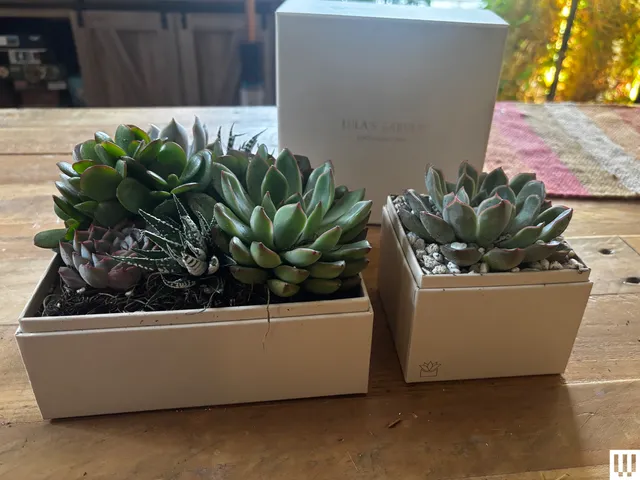
Lula’s Garden’s heart-shaped box is featured in our guide to the Best Flower Delivery Services, and since then, I have had multiple people recommend the brand to me. I have now tried it, and I have to agree—this is an excellent gift. It’s fun, stylish, and priced the same as or even less than transient flowers. Not everyone is inclined to take care of a houseplant, but succulents are super easy to care for, and the box they arrive in doubles as a planter. All you have to do is unbox and use the included pipette to add a few squirts of water. The gardens are contemporary yet neutral enough to fit in with just about any decor. Just a heads up that unboxing the gardens that come with rocks (like the Bliss) may be a little messy, but the more premium gardens (like the Urban) don’t have any loose parts and come out of the box looking exactly as they do online.
For Making Compost Indoors
Advertisement
Reencle
Prime Electric Composter
As seen in our guide to the Best Kitchen Composters, the Reencle Prime doesn’t fully make ready-to-use compost, but it comes the closest out of any of the major brands. It functions a lot like a heated trash can—just throw your kitchen scraps in, and microbes will break them down over time into a sort of loamy mixture. When the volume of the Prime reaches the fill line, the mixture can be scooped out and added at a 1:4 ratio with potting soil, then left to cure for three weeks. After this, it can be used for both outdoor and indoor plants. Not only will it free up space in your giftee’s trash can and cut down on dangerous greenhouse gas production, it will make their plants happy.
Modular Landscape Blocks
Beauta
PolyRock Landscape Edging
Advertisement
It’s frustrating to spend untold time and money on your garden vision, only to find that landscaping elements like real rock walls and edging can cost thousands of dollars. If your giftee loves making their garden pop, these PolyRock blocks come in modular, six-block sections about 4 feet long. They slot neatly together like Legos, look exactly like real rock, and are flexible, so you can use them straight or curve them into a circle. No digging or leveling is required, and they’re easy to detach and move around if you change your mind or design plans. You can choose from gray, brown, black, or white tones. I have a strip of gray blocks installed along the front of my house, and more than one neighbor has thought it was real rock. The adjacent grass has even been cut with a string trimmer every week for months, and there’s still nary a scratch on the blocks.
A Do-It-All Cart
Gorilla
Poly Garden Dump Cart
Don’t torture yourself with an inefficient wheelbarrow! A garden cart might seem like an odd gift at first, but this is the all-category MVP of my yard and household. It not only carries mulch, plants, and yard tools, but it can also tote up to 600 pounds for the small version and 1,200 pounds for the large, which has allowed me to transport everything from giant pizza ovens to bags of smoker pellets. The cart’s got a quick-release dump latch on the front and pneumatic tires that handle mud and sand with no problem. I’ve tested other carts in the past, but this is the only one that has earned a permanent spot in my garage. If your giftee lives on a large plot of land or needs to transport a lot of pots or other supplies around their house, this will be an invaluable companion. Note that it will require some assembly, but it didn’t take more than an hour.
Advertisement
A Candle That Smells Like Tomatoes
LAFCO
Classic Candle: Tomato Season
Flamingo Estate
Advertisement
Roma Heirloom Tomato Candle
You might be thinking: Why on earth would someone want a candle that smells like a tomato? I certainly did, when WIRED reviewer Louryn Strampe crowned a tomato-scented candle as the overall best pick in her Guide to the Best Scented Candles. However, now that I’ve smelled it myself, along with a handful of other versions (LAFCO’s is my second favorite), I completely get it. I was immediately transported back to being amid sun-warmed tomato leaves in my grandfather’s garden, but my teen son, who doesn’t have the same association, also immediately recognized it as a distinctly summer smell. It’s warm and vegetal, but still sweet and fresh. It’s sure to remind your favorite gardener of the good times ahead.
A Quality Pair of Gloves
Digz
Advertisement
Large Long Cuff Garden Gloves
I’ve used a lot of gardening gloves over the years, but these two are my all-time favorites. Digz’s long-cuff garden gloves keep dirt, leaves, and other detritus out when you’re reaching down deep into something, and they’re invaluable for pulling out blackberry vines, goosegrass, and other long and/or sticky weeds. (Digz also makes some excellent tools with soft, ergonomic handles, but those aren’t as widely available.) If you’re looking for something sturdier, longer-lasting, and more versatile, Vermont Glove has been hand-sewing goat-leather gloves since 1920, and the Flatlander design dates from that time. These gloves are both ridiculously soft and insanely sturdy—my husband and I have both used them for all manner of yard work, including pulling thorny weeds, and they have stood up beautifully despite their lightweight feel.
Amazon has dominated the e-reader market for years, but a surprise contender is starting to chip away at that lead.
The Xteink X4, a compact, low-cost e-reader that has gone viral online, has entered Amazon’s top 10 best-selling e-readers list and is even outpacing several Kindle models in the process.
A big part of its momentum comes down to timing and price. At around $70, the Xteink X4 undercuts almost everything else in the category. It’s also been boosted heavily by short-form video content online. There, its ultra-compact design has made it something of a social media curiosity rather than just another reading device.
Advertisement
Image Credit (Xteink)
Advertisement
That design is really the main hook. The X4 is small enough to slip into a pocket, and it even includes built-in magnets for attaching to the back of Qi2-compatible phones. This feature includes compatibility with newer iPhones and Pixel devices, and makes it easy to carry around as a secondary screen for reading on the go. You do this without feeling like you’re carrying a full-sized device.
User feedback has been mixed on the software side, though. Out of the box, the X4’s system is fairly basic, so some owners recommend switching to third-party software like Crosspoint for a smoother reading experience. Once set up, however, users say it becomes a surprisingly capable pocket e-reader that works well for casual reading sessions.
The timing of its rise isn’t ideal for Amazon either. The company’s recent decision to discontinue support for some older Kindle devices has frustrated parts of its user base, potentially pushing them to look elsewhere. And when they do, the Xteink X4 now sits right there in Amazon’s own bestseller rankings. This makes it an unusually visible alternative to the Kindle ecosystem.
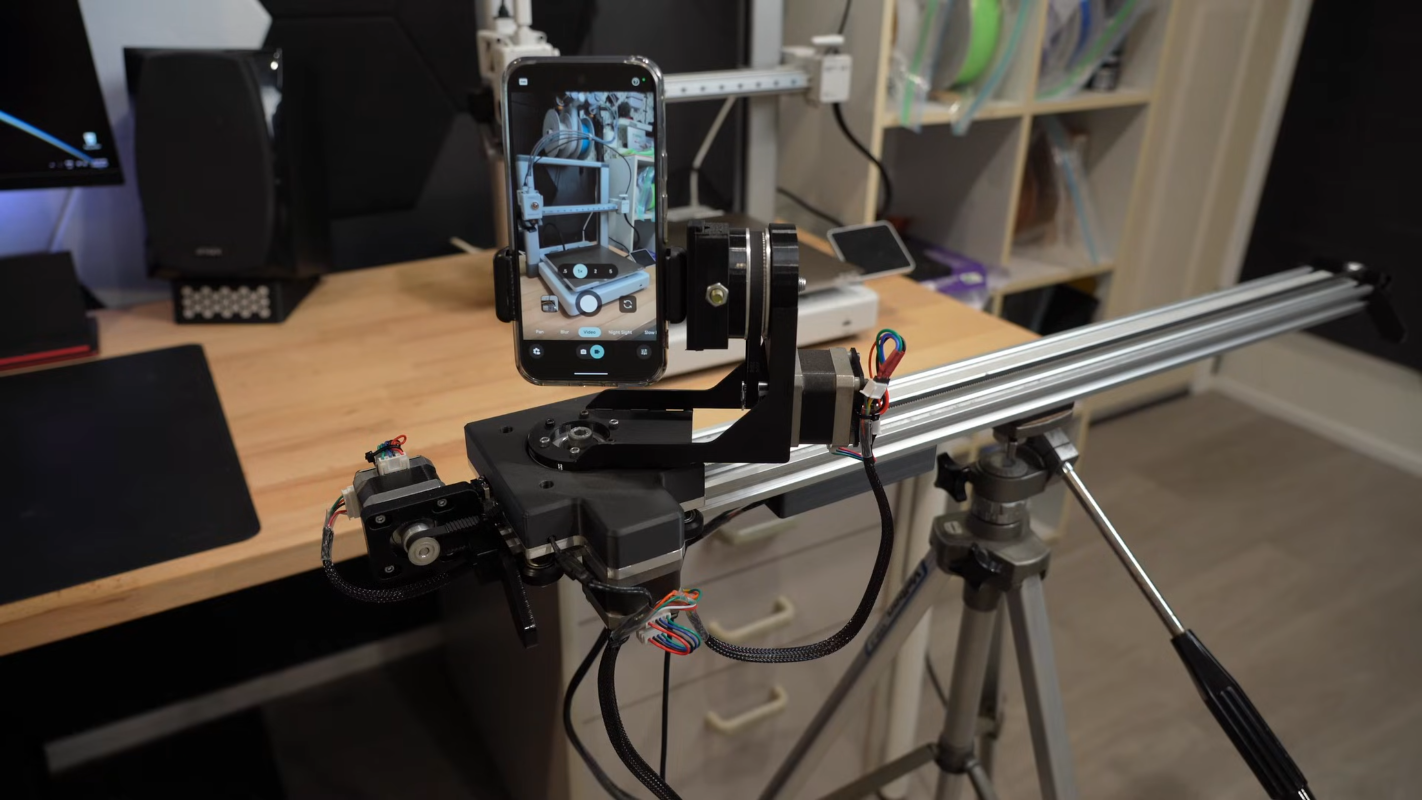
There’s a great reason 3D printers are made with things like extruded aluminum rails and other commodity, off-the-shelf parts. These things are designed not only for ease of construction and prototyping, but they’re also fairly strong especially given how modular they are. And they are excellent platforms for other projects as well. [CNCDan] has been using plenty of on-hand 3D printer parts to build a three-axis camera slider to film parts of his other projects, and this video documents his build and the latest upgrades to this platform.
After sorting out some issues with underpowered motors by improving their gear ratios, he found that many of the sizes and clearances on the existing platform changed enough that he needed to redo other parts of the carrier, including the mounting plate. He cut a new plate from steel and pressed bearings in, and then started putting together the other axes including a quick release mechanism for his camera. With a camera that weighs about 1.4 kg, getting the motors to move the camera smoothly was its own challenge. He re-worked all of his driver code over the course of a few weeks and eventually got his new system working much better than the original version.
With everything said and done, the camera slider can be controlled wirelessly with a GUI on another computer. Everything runs on an ESP32, and the slider can support other cameras besides his heavier one, including smartphones. He notes that this wasn’t the easiest way to build a project like this, but worked for him eventually because he had the parts and tools on hand to make it work. He’s also put the project files up on a GitHub page for anyone interested. Camera sliders like these have some niche uses as well; take a look at this high-speed camera slider for some examples.
Get caught up on the latest technology and startup news from the past week. Here are the most popular stories on GeekWire for the week of April 26, 2026.
The debate over progressive taxation in Washington state has been building for months, with the tech community largely alarmed by what it sees as a hostility toward business in the region. … Read More
Amid the feud between two of tech’s most polarizing personalities, Elon Musk and Sam Altman, Microsoft might seem like a subplot, but its actions are at the heart of the case. … Read More
Microsoft’s Azure cloud business accelerated in the March quarter, growing 40% and topping the company’s own forecast, giving the tech giant a new answer to questions about its ability to translate record capital spending on AI infrastructure into stronger financial results. … Read More
Flying Fish Partners, a Seattle-based VC firm with less than $250 million under management, broke into the $1.1 billion seed round for Ineffable Intelligence, the new startup from AlphaGo creator David Silver. … Read More
Amazon Web Services growth accelerated to 28% in the first quarter — its fastest pace in nearly four years — pushing Amazon’s results past Wall Street’s expectations and validating, at least for now, the company’s controversial $200 billion bet on artificial intelligence infrastructure. … Read More
Angus Norton, a former exec from Microsoft and Amazon, is CEO of IP transfer company Inteum, while Veeam and mpathic name two new leaders and Peter Hamilton shares details on his tech move. … Read More
Fusion startup Zap Energy is adding fission to its quest for nuclear power, naming Zabrina Johal as CEO to lead the new dual-purpose effort. … Read More
AWS is expanding line of Amazon Connect business apps into a suite of agentic AI products, including new tools for supply chain planning and high-volume hiring built on Amazon’s own operational experience and insights. … Read More
Grab steeper discounts on Apple’s new MacBook Pro for May.
Apple retailers have issued steeper discounts on the MacBook Pro for May, resulting in record-low prices on several M5 Pro and M5 Max 14-inch and 16-inch configurations.
Prices have dipped to as low as $1,949 for the 2026 MacBook Pro, with a variety of 14-inch and 16-inch configurations now up to $250 off. You can check out top deals below, with a full rundown of markdowns in our 14-inch MacBook Pro 2026 Price Guide and 16-inch MacBook Pro Price Guide.
14-inch MacBook Pro M5 Pro and M5 Max deals
Advertisement
M5 Pro, 15C CPU, 16C GPU, 24GB, 1TB, Standard Display: $1,949 ($250 off) at B&H
M5 Pro, 15C CPU, 16C GPU, 24GB, 2TB, Standard Display: $2,394.50 ($205 off) at Amazon
M5 Pro, 18C CPU, 20C GPU, 24GB, 2TB, Standard Display: $2,637.49 ($162 off) at Amazon
M5 Max, 18C CPU, 32C GPU, 36GB, 2TB, Standard Display: $3,359 ($240 off) at Amazon
16-inch MacBook Pro M5 Pro and M5 Max sale
M5 Pro, 18C CPU, 20C GPU, 24GB, 1TB, Standard Display: $2,549 ($150 off) at Amazon
M5 Pro, 18C CPU, 20C GPU, 48GB, 1TB, Standard Display: $2,899 ($200 off) at Amazon
M5 Max, 18C CPU, 32C GPU, 36GB, 2TB, Standard Display: $3,699 ($200 off) at Amazon
M5 Max, 18C CPU, 40C GPU, 48GB, 2TB, Standard Display: $4,199 ($200 off) at Amazon
In our M5 Max 16-inch MacBook Pro review, we found the M5 Max chip is blazing fast with great graphics and AI performance. We’re also pleased to see support for Wi-Fi 7 in the 2026 line.
Four hundred dollars is a significant amount: it could be a weekend trip, a decent mirrorless lens, or a perfectly capable budget Motorola smartphone. Yet here we are, staring at two Razr phones that look remarkably alike, run the same version of Android, share the same rear camera array, and flip the same way into your pocket — the $1,099 Razr+ and the $1,499 Razr Ultra.
While the base Razr (2026) sits in a totally different category, the real confusion lies between the Razr+ (2026) and the Razr Ultra (2026). To help you with that, I’ve spent hours juggling between the product’s spec sheets and zooming in on every single detail. For me, it’s not about declaring the winner, but about finding out which is the right Motorola flip phone for you.
Razr+ 2026Motorola
Razr+ (2026) vs. Razr Ultra (2026): Specifications at a glance
6.9″ Extreme AMOLED, LTPO 165Hz, 3,000 nits, 414 ppi
7.0″ Extreme AMOLED, LTPO 165Hz, 5,000 nits, 462 ppi
10 grams heavier and a hair thicker
Cover display
4.0″ LTPS AMOLED, 165Hz, 2,400 nits
4.0″ LTPO AMOLED, 165Hz, 3,000 nits
LTPO with higher brightness
Processor
Snapdragon 8s Gen 3 (4nm)
Snapdragon 8 Elite (3nm)
Faster and more efficient chip
RAM / Storage
12GB / 256GB
16GB / 512GB
More RAM and storage
Rear cameras
50MP (f/1.8, 1/1.95”) + 50MP (f/2.0) ultrawide
50MP (f/1.8, 1/1.56”) + 50MP (f/2.0) ultrawide
Larger primary sensor
Front camera
32MP (f/2.4)
50MP (f/2.0) LOFIC sensor
Higher resolution, wider aperture
Battery
4,500mAh
5,000mAh
More battery capacity
Wired charging
45W wired, 15W wireless
68W wired, 30W wireless
Less charging time
Cover glass
Gorilla Glass Victus
Gorilla Glass Ceramic 3
Stronger glass
Materials
Woven jacquard (Mountain View)
Alcantara / Natural wood veneer
Operating System
Android 16 (same)
Android 16 (same)
Identical
Water resistance
IP48 (same)
IP48 (same)
Identical
Price and availability
Both phones will be available for pre-orders starting May 14, 2026, and hit shelves on May 21, 2026. The Razr+ comes in at $1,099, a $100 hike over last year, while the Razr Ultra jumps $200 to $1,499.
Razr Ultra in Pantone Cocoa finishMotorola
The more overlooked difference is how you actually buy them. The Razr+ is available through AT&T at launch and T-Mobile later in 2026, meaning carrier financing, trade-in deals, and installment plans are all on the table. The Razr Ultra skips carrier retail entirely.
Razr+ 2026
Razr Ultra 2026
Price
$1,099 (+$100 vs. 2025)
$1,499 (+$200 vs. 2025)
Pre-order
May 14, 2026
May 14, 2026
On sale
May 21, 2026
May 21, 2026
Where to buy
Motorola.com, Best Buy, Amazon, AT&T, T-Mobile (later)
Motorola.com, Best Buy, Amazon only
Carrier retail
AT&T (launch), T-Mobile (later), no Verizon retail
No carrier retail
Network support
AT&T, T-Mobile, Verizon, most MVNOs
AT&T, T-Mobile, Verizon, most MVNOs
Similar form factors yet different in-hand feel
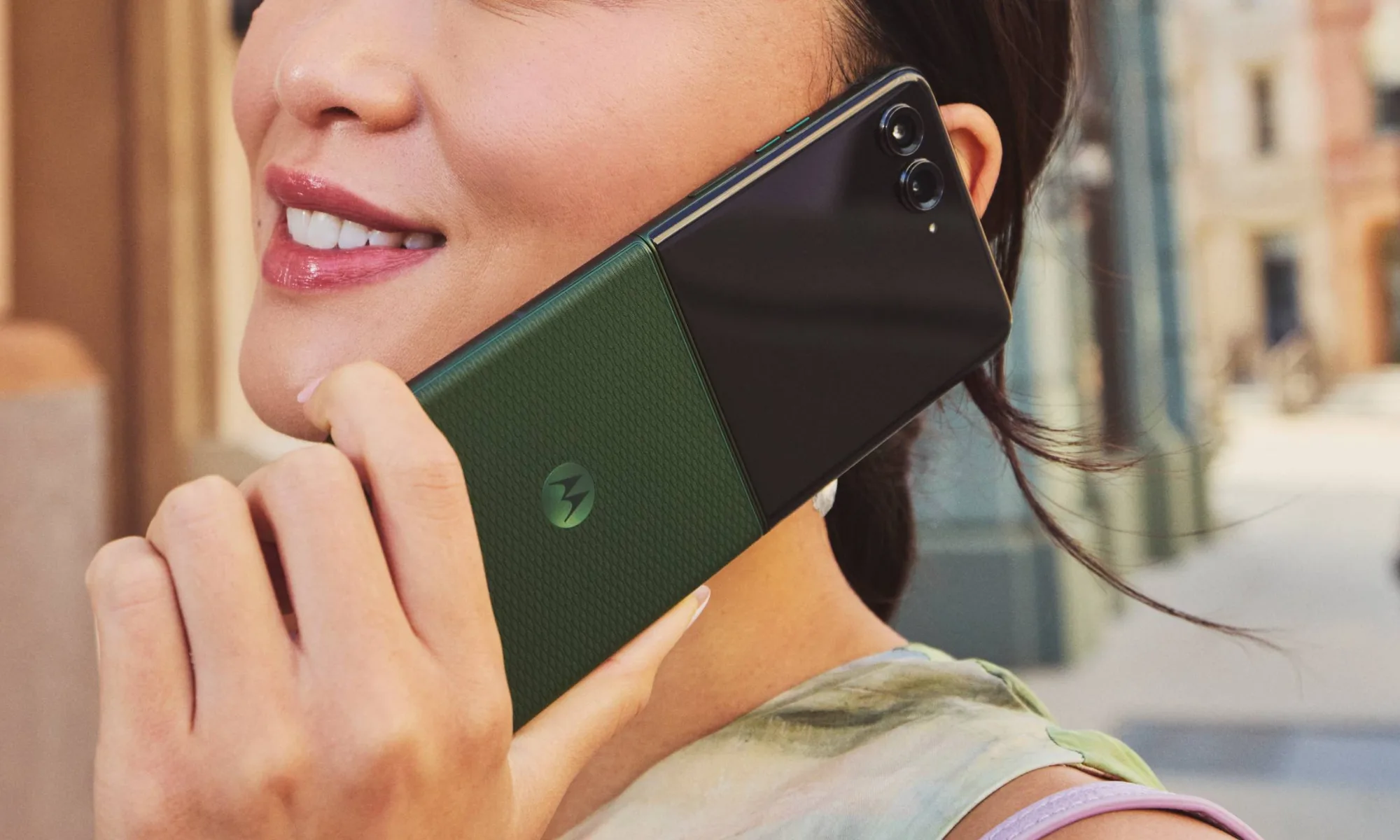
Unfold the phones, and you’d struggle to tell them apart due to nearly identical dimensions, the same titanium hinge inner structure and four-inch cover display, and the identical IP48 ingress protection rating. Yes, the Ultra is 0.4 mm thicker and 10 grams heavier, but these aren’t the real-world differentiators.
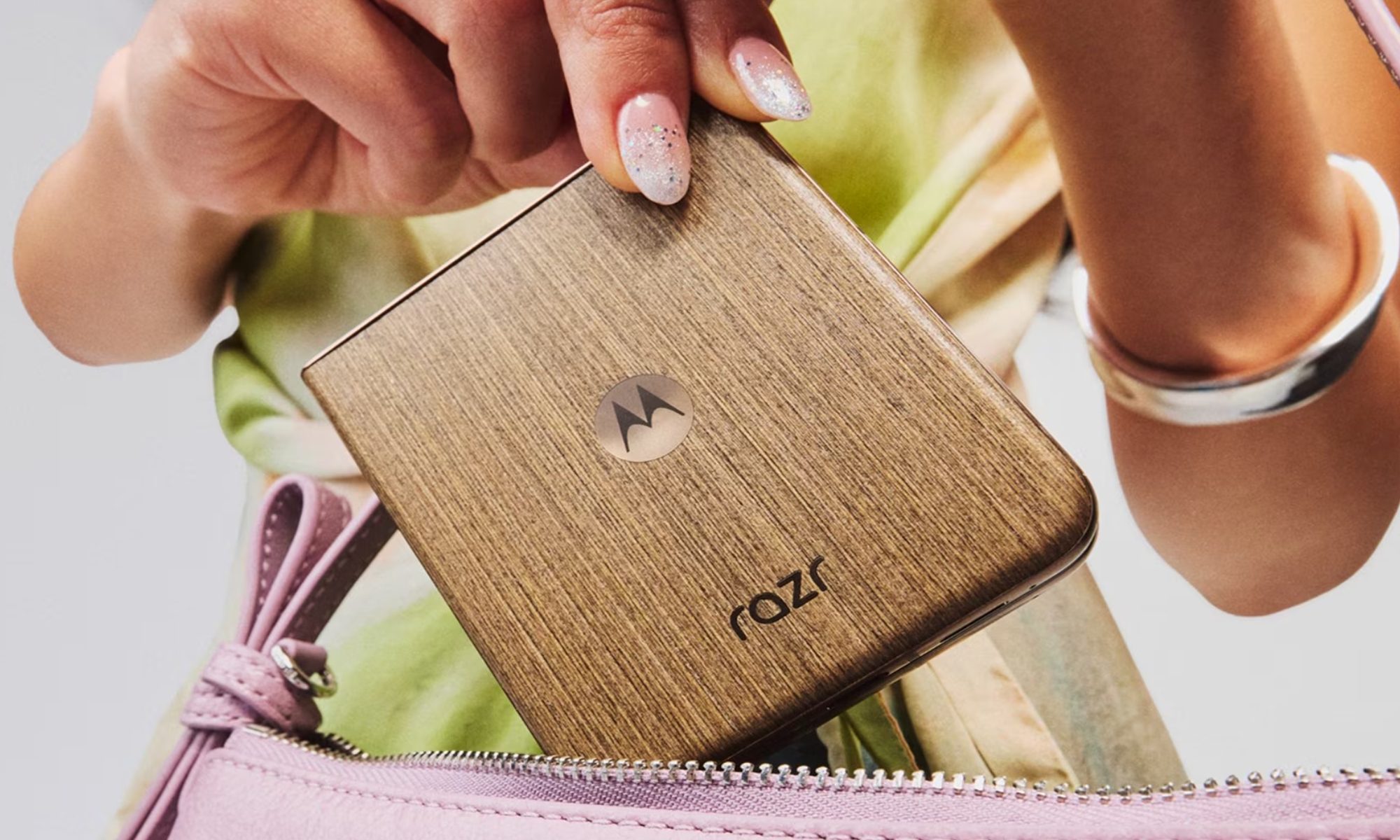
It’s the Razr Ultra’s Alcantara back that sets it apart from anything else in the segment: warm, grippy, fingerprint-resistant, and reminiscent of a luxury car interior. That’s where part of the additional $400 goes.
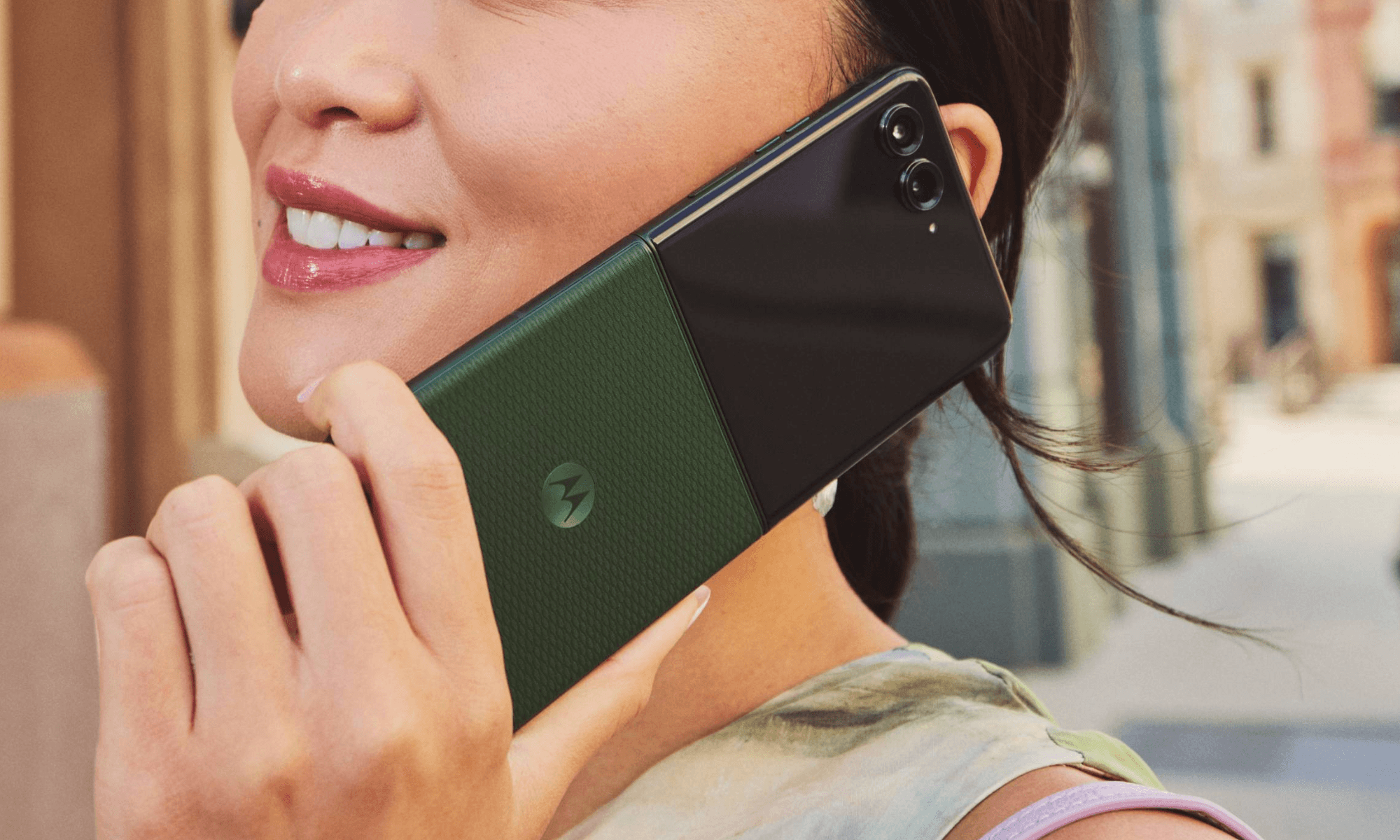
The Ultra also comes in a Cocoa wood veneer variant, which carries a grain texture beneath a protective coating that saves it from daily wear and tear. The Gorilla Glass Ceramic 3 on the cover screen rounds out the design that’s built to take daily life.
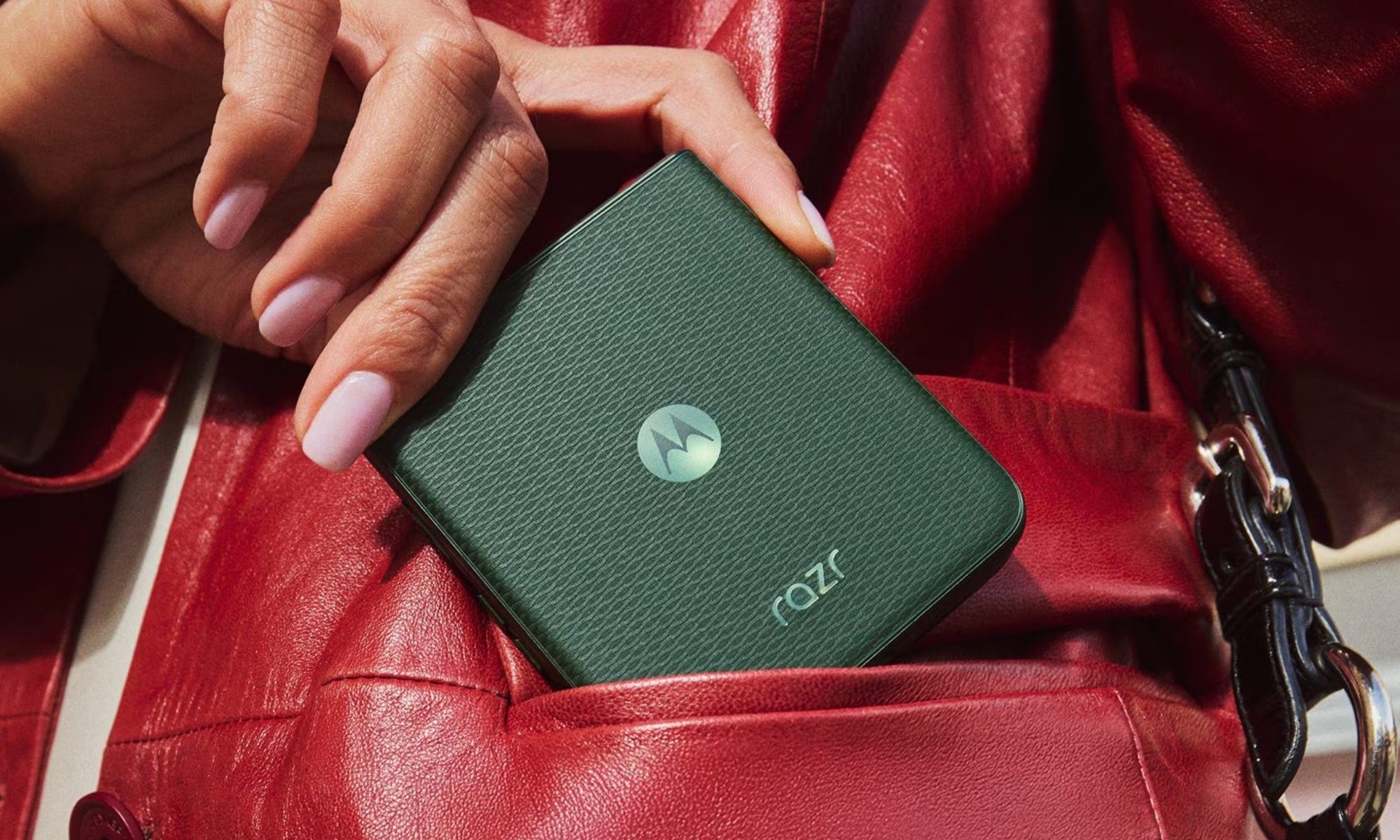
The Razr+, meanwhile, comes in one Pantone Mountain View variant, with a woven jacquard finish. I think it’s unique as well, just not as exquisite as the Ultra. If you prefer going caseless, the Ultra has no equal.
Ask yourself: where do you use your phone the most?
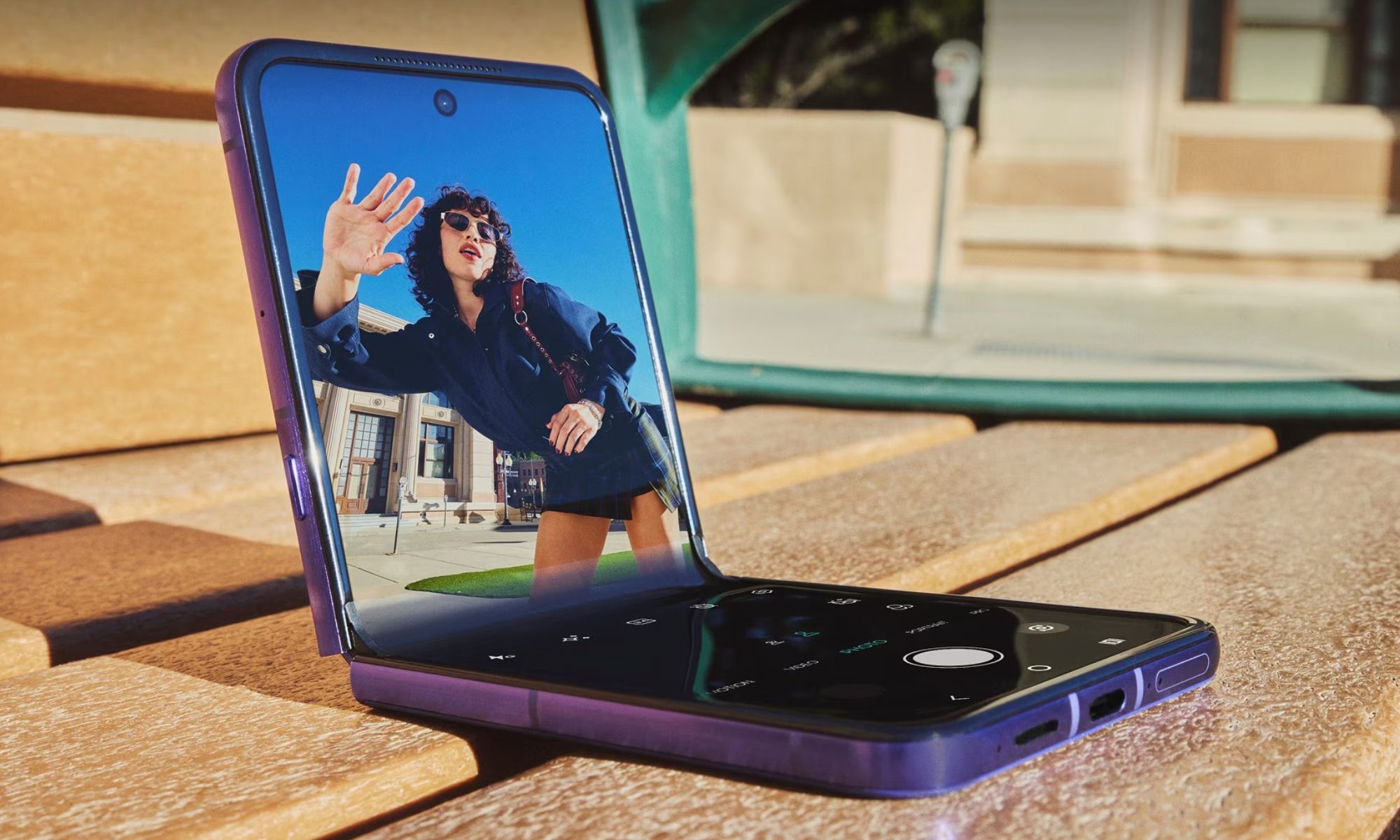
In a dim room, the 7-inch (Ultra) and the 6.9-inch (Razr+) LTPO AMOLED foldable screens look identical, both while scrolling through the UI or watching content on YouTube or Netflix. However, the real gap shows outside, under direct sunlight.
If you live and work in a region where the peak summer sun often makes you squint at smartphone screens, both phones solve that problem, but the Ultra does it with even less squinting involved. The Ultra’s inner screen peaks at 5,000 nits, which is considerably more than the 3,000 nits ceiling of the Razr+.
Razr Ultra’s cover screenMotorola
There’s a rather modest brightness difference between the cover screens: 3,000 nits on the Ultra versus 2,400 nits on the Razr+. Further, the Ultra swaps the LTPS panel for LTPO, which enables smarter, more efficient refresh rate adjustments.
So, checking turns on a navigation map, reviewing a photo you just shot, or simply checking a message without cupping your hand over the phone screen, is relatively easier on the Ultra, particularly outdoors. However, if you predominantly live indoors or in office environments with artificial yet soothing lighting conditions, the Razr+ is no slouch.
Advertisement
Both phones get the same chip as last year, but the gap still matters
The Razr+ ships with the Snapdragon 8s Gen 3 (4nm), while the Razr Ultra retains the Snapdragon 8 Elite (3nm), and even in 2026, the performance gap between them is quite real. The Elite carries a 30-40% performance delta (in CPU and GPU tasks), and it’s also more efficient, thanks to 3nm fabrication technology.
Even so, I’d say that the Razr+ packs sufficient punch for day-to-day tasks like scrolling, messaging, multitasking, streaming, and casual gaming. What’s different on the Ultra is that everything feels more snappy, thanks to Elite’s Oryon afterburners.
The 8 Elite also brings 16GB of RAM and 512GB of storage, versus the Plus’s 12GB and 256GB, which might not matter today, but if I were to hold onto a device for, let’s say three to four years (given that you’re getting three years of OS support), I’d definitely want some memory and storage headroom to begin with.
Qualcomm
On the software front, I don’t have much to talk about, except the new Daily Drops feature, which obviously is Motorola’s take on Samsung’s Now Brief. Essentially, it’s a personalized daily feed with curated headlines, weather updates, and Google Photos Memories.
There’s the Google Photos Wardrobe feature that lets you try on outfits virtually from your own photo gallery. Pick your own poison from the multiple AI assistants and make use of the Moto AI suite with notable features like Catch Me Up and Next Move. The only difference is that the 8 Elite’s NPU handles on-device AI tasks faster.
Advertisement
If you’re a photography enthusiast, Ultra is the one for you
I’ll admit Motorola had me with the deceptively similar specs: a 50MP (f/1.8) primary and a 50MP (f/2.0) ultrawide with Macro Vision on both phones. Upon digging deeper, though, the Ultra pulls ahead.
Using the primary camera to capture a selfie on the Razr UltraMotorola
Its primary sensor is physically larger at 1/1.56 inches versus the Razr+’s 1/1.95 inches, and that extra real estate makes the sensor faster in daylight and cleaner in poorly-lit conditions. On top of that, the Ultra uses a Sony LOFIC (Lateral Overflow Integration Capacitor) sensor, which, in theory, captures up to six times more dynamic range.
The Ultra handles harsh afternoon sun, backlit subjects, and high-contrast scenes better. Further, it supports Dolby Vision capture for video and shoots up to 8K in 30 fps (most users won’t need it, but I had to mention it).
Motorola Razr+ Camcorder modeMotorola
On the selfie front, the Ultra ships with a 50MP (f/2.0) sensor with a wider aperture and bigger pixels than the 32MP (f/2.4) shooter on the Razr+, translating to better low-light selfies. Both phones share Camcorder Rotate to Zoom, Frame Match, and Group Shot.
Like the screen, the chipset, and the differences in cameras all add up to the $400 difference, but they’ll matter most to content creators and vloggers. For most users, the Razr+ does hold its ground quite well.
The Ultra pulls ahead in usage and charging times as well
Unlike the Flip 7, which still sticks with a lithium-ion battery, both the Razr+ and the Razr Ultra come with the newer silicon-carbon battery tech, which allows manufacturers to pack in more battery capacity into slimmer bodies.
The Razr+, with its 4,500 mAh battery, claims to offer over 31 hours of battery life, while the 5,000 mAh cell on the Ultra takes the number to 36+ hours. Now, these are lab numbers, and your mileage will vary. I’d say that under mixed usage, the Razr Ultra should provide an hour or two of screen-on time over the Razr+.
The Ultra charges faster as well, both when wired (68W vs. 45W) or wirelessly (30W vs.15W), which means that midday top-ups or unplanned charging sessions in the morning will be quicker. The Razr+ will last the day just fine, but heavy users might want to stick with the Ultra.
Bottom line: Should you spend the extra $400?
The $400 gap between the Razr+ (2026) and the Razr Ultra (2026) is real, as is quite evident from the section-wise discussions we’ve just gone through. However, whether those differences matter depends entirely on how you use your smartphone.
Razr UltraMotorola
If you spend a lot of time outdoors, shooting video content, showing off your phone to other people, and tend to hold onto a device for three to four years, the Ultra earns its premium over the Razr+. Together, the brighter display, faster chip, superior primary and selfie camera, faster charging, and premium build add up to a meaningfully better phone in ways that show.
Razr+ 2026Motorola
However, if you’re a casual user who isn’t particular about all those things, but just doesn’t want to go with the Razr 2026, the Razr+ (2026) strikes the sweet spot between functionality and affordability. It’s a capable, well-rounded phone that covers all the bases without breaking your bank and letting you save enough for the weekend trip.
Frequently Asked Questions (FAQs)
Does the Motorola Razr+ 2026 have wireless charging? Yes: 15W wireless and 5W reverse wireless charging, same as last year.
Are the Razr+ 2026 and Razr Ultra 2026 waterproof? Both are IP48-rated: splash and submersion resistant, but not fully dustproof.
Does the Razr+ 2026 use the same chip as last year? Yes: Snapdragon 8s Gen 3, unchanged for the third consecutive year.
Which phone is better for photography: the Razr+ or the Razr Ultra? The Ultra: bigger sensor, LOFIC technology, and a significantly better front camera.


-Reviewer-Photo-SOURCE-Adrienne-So.jpg)









-Reviewer-Photo-SOURCE-Kat-Merck.jpg)

















































You must be logged in to post a comment Login