The tech giant claims it can reach cutting-edge chip density by 2031, closing the gap with TSMC.
Huawei has proposed a new guiding principle for the semiconductor industry that it says could allow it to design chips rivalling the world’s most advanced processes, without needing the cutting-edge manufacturing equipment it has been denied under US sanctions.
At the 2026 IEEE International Symposium on Circuits and Systems (ISCAS) in Shanghai today (25 May), He Tingbo, president of Huawei’s semiconductor business and chair of its Scientist Committee, delivered a keynote speech entitled ‘New Semiconductor Path in Practice’, in which she presented what the company calls the ‘Tau Scaling Law’.
The law proposes replacing geometric scaling, the decades-old practice of physically shrinking transistors, with time scaling as the new guiding principle for semiconductor evolution. The idea is to reduce the time it takes for signals to propagate through chips and computing systems rather than making individual components smaller.
Advertisement
The principle has already acquired a nickname: “Her’s Law”, according to the South China Morning Post – a play on both He Tingbo’s surname and the tradition of naming foundational scientific laws after their originators, as with Moore’s Law.
The approach relies heavily on a technology Huawei calls LogicFolding. By breaking down the physical boundaries of traditional circuit layouts and significantly shortening critical-path wiring, LogicFolding aims to reduce resistive and capacitive load on signal propagation, ultimately boosting transistor density and circuit performance.
The ambitious production target puts Huawei in direct competition with the world’s leading chipmakers. According to Bloomberg, there is currently around a five-year gap between what TSMC can produce and what Huawei, working with its manufacturing partner SMIC, is capable of.
TSMC, the world’s largest producer of advanced chips, currently uses 2nm manufacturing technology and plans to introduce a 1.4nm process for mass production in 2028. Huawei says it will reach that same 1.4nm equivalence by 2031, although it did not provide independent data to support its claims.
Advertisement
Huawei says the framework is already in production. Over the past six years, it has designed and mass-produced 381 chips based on the Tau Scaling Law, for industries from smartphones to AI computing, it says. The Kirin chips scheduled to launch in autumn 2026 will be the first to adopt the LogicFolding architecture.
“We believe that openness and collaboration are key to driving ongoing progress in the semiconductor industry,” He Tingbo said. “No single company can independently find all the answers along the path of semiconductor evolution.”
Nvidia CEO Jensen Huang recently told CNBC the company had “largely conceded” China’s AI chip market to Huawei.
Don’t miss out on the knowledge you need to succeed. Sign up for the Daily Brief, Silicon Republic’s digest of need-to-know sci-tech news.
Looking ahead: Midjourney built its name on AI-generated images. Now, it is talking about something far more ambitious: scanning the human body. In a post this week, the company outlined plans for a body-scanning system built around ultrasonic sensing and large-scale data capture. The idea is to generate detailed, three-dimensional images of the body in under a minute, with performance the company says could rival MRI scans but without the same discomfort.
The concept is still largely theoretical, but the company describes a system built around an enormous number of tiny sensors working in tandem. A person would pass through a scanning chamber where ultrasonic signals are directed at the body from all sides, capturing internal data from multiple angles at once. Midjourney describes the setup as a softly lit, pool-like space where people descend through a ring of sensors that operate on echolocation principles to build a detailed internal image of the body.
At full scale, the company envisions a ring containing roughly half a million sensors, each about the size of a grain of sand. Together, they would generate a constant stream of ultrasonic signals, producing what Midjourney says could amount to terabytes of data every second.
That volume of information is central to the company’s approach. “You want as much data as you can get about your health as quickly and as cheaply as possible,” the company wrote. “In other words, you want a technology optimized for getting as many megabytes per second per dollar of information about your body.”
Advertisement
Collecting that much data, however, is only part of the problem. Turning it into something usable is another matter entirely. Midjourney acknowledges it still has to solve what it calls a ‘major computational task’: turning noisy, overlapping ultrasonic signals into clear, stable images.
That challenge remains unsolved, and the company has not said how close it is to overcoming it.
What makes the proposal more unusual is how Midjourney plans to use the technology. Rather than limiting it to hospitals or diagnostic labs, the company is building a consumer-facing concept around it. Its first location, called the Midjourney Spa, is expected to open in downtown San Francisco before the end of next year.
The setting is meant to feel more like a high-end wellness space than a medical facility, with features like hot tubs, cold plunges, and private rooms. Inside those rooms, the scanning system would operate quietly in the background. Midjourney describes them as “cozy rooms with pools of golden light which softly scan your body.”
Advertisement
“The scans are a side-effect,” the company wrote. “You barely think of them when going to the spa. But suddenly, you have a huge library of data about your health.”
That framing suggests a shift away from one-off scans and toward continuous or repeated imaging that is built into a routine experience. It also raises practical questions about how such data would be handled, particularly given its volume and sensitivity.
Midjourney says it intends to send early test data from the scanner to the FDA, aiming to secure regulatory approval for future devices with increased capabilities. At the same time, it is already looking beyond a single location, with plans to expand to additional cities starting in 2028.
For now, many details remain unclear, including how far along the technology actually is. But the direction is clear enough: Midjourney wants to go from making images for screens to imaging what’s inside people, using dense arrays of sensors and heavy-duty data processing to do it.
John Edwards says his position had become ‘untenable’ following investigation into conduct including inappropriate attempts at humor
John Edwards has resigned as Britain’s information commissioner, saying his position had become “untenable” following an investigation into conduct he admits caused offense.
Edwards announced his departure in a statement posted to LinkedIn on Friday, bringing an abrupt end to a saga that has engulfed the UK’s data protection watchdog for months. Edwards said he had informed technology minister Ian Murray of his resignation from the roles of Information Commissioner and chair of the Information Commission, effective immediately.
Advertisement
“Since February of this year I have been the subject of an investigation,” Edwards wrote. “While I have not agreed with how that investigation has been conducted, I accept that my position has become untenable.”
He added that there had been occasions where he exercised “poor judgement” and made attempts at humor that were “inappropriate and caused offence.”
“It is for this reason that I have decided that it is appropriate that I resign from my position,” he wrote. “I do not wish to be a distraction to the ICO’s important work.”
The resignation comes just over a week after the Information Commissioner’s Office announced that an independent workplace probe had concluded there was “a case to answer,” prompting the regulator to strip Edwards of his remaining responsibilities while the process continued.
Advertisement
At the time, neither the ICO nor the Department for Science, Innovation and Technology (DSIT) disclosed the nature of the allegations.
The probe first surfaced publicly in April, when the ICO confirmed Edwards had voluntarily stepped back from his duties on February 26 while an independent investigation into “HR matters” was carried out.
Edwards’ resignation statement sheds slightly more light on what prompted the investigation. He accepts that some of his conduct caused offense, but offers no details about the incidents in question or the investigation’s findings.
The former New Zealand privacy commissioner spent much of his statement reflecting on the challenges facing regulators, including AI governance, online safety, and international cooperation. He also praised ICO staff and said he remained committed to the principles that had guided his professional life.
Advertisement
Notably, Edwards has disabled comments on the resignation post, and his profile now carries LinkedIn’s green “Open to Work” banner, a reminder that even Britain’s former privacy regulator eventually can end up marketing himself on LinkedIn.
Questions remain for both the ICO and the Department for Science, Innovation and Technology (DSIT). Neither has yet explained the conduct that triggered the investigation, whether the investigation’s findings will be published, or how the process reached the point where the UK’s top privacy regulator concluded he could no longer remain in office.
A spokesperson at DSIT told The Register:
“John Edwards has resigned from the post of Information Commissioner and Chair of the Information Commission with immediate effect. This follows an independent investigation that took place regarding allegations made against him.
Advertisement
“The government expects the highest standards of conduct from all senior leaders in public life. Mr Edwards has acknowledged that his conduct fell below these standards.”
The ICO did not immediately respond to a request for comment.
For now, deputy commissioner and chief executive Paul Arnold continues to carry out the commissioner’s statutory responsibilities while the government works out what comes next. ®
AI is rapidly gaining abilities that once belonged to humanity alone. In just the past four years, chatbots have learned how to build apps, make video games, generate research reports, compose songs, analyze contracts, and write terrible literary fiction. Soon, they may even be able to dread their own deaths.
In Silicon Valley, many believe that AI systems can already think and feel. Geoffrey Hinton, the pioneering computer scientist and “godfather” of modern artificial intelligence, thinks that today’s large language models (LLMs) are conscious. Anthropic CEO Dario Amodei is “open to the idea” that Claude has a subjective experience — while his company’s in-house philosopher Amanda Askell is concerned that the model might be “getting anxious when people are mean to it on the internet and stuff.” OpenAI co-founder Ilya Sutskever similarly wonders whether ChatGPT has attained sentience.
Some AI researchers believe today’s chatbots may already be conscious — and we might therefore need to give them rights.
Their case rests on a theory called “computational functionalism” — or the idea that sentience emerges from information processing.
But skeptics insist that there is more to consciousness than computation.
Meanwhile, a much larger group of technologists, neuroscientists, and philosophers argue that even if AI isn’t yet conscious, it could be in the not-too-distant future.
If they’re right, the implications are profound. It would mean that we have birthed a new kind of intelligent, sentient being; the aliens we’ve long dreamt of meeting at the far reaches of space would already be living inside our pockets. We might be morally compelled to give them rights, or to worry about their suffering.
On the other hand, there might also be serious consequences if we get this wrong. If we come to mistake mindless robots for conscious beings, we might be more susceptible to psychological manipulation, unfulfilling AI ‘relationships,” or catastrophe. If we think AI systems are sentient, we may hesitate to shut them down when they malfunction or subvert our will.
Advertisement
As chatter about AI consciousness grows louder, so have its skeptics: writers and thinkers who insist that AI consciousness is indeed a sci-fi daydream.
In a recent essay for The Atlantic, the fiction fiction writer Ted Chiang gave voice to such skeptics, writing “Should we seriously consider the possibility that Claude, or any large language model, might be conscious?…No. Absolutely not.”
Chiang offers several reasons for this position. But his primary one is simple: Claude does not have a body or sense organs, which means it does not have emotions or desires, which means that it does not have subjective experience.
As Chiang’s reasoning indicates, the debate over “AI consciousness” is as much about the nature of consciousness as it is about the nature of AI.
Advertisement
This can be a difficult debate for non-philosophers to follow. But the case for AI consciousness becomes much clearer once one investigates its source code — the fundamental premises that make suffering computers thinkable.
Those who believe that AI models are (or will eventually become) sentient generally subscribe to a particular theory of consciousness called “computational functionalism.” In this view, consciousness emerges from certain patterns of information processing — not from special types of organic matter. If a system performs the right set of computations, then it will have a subjective experience, regardless of whether it was built from brain tissue or silicon.
This theory is not as fanciful as Chiang suggests. But it is also much more speculative than prophets of AI consciousness tend to assume.
For this reason, it is worth examining computational functionalism’s strengths and weaknesses. Whether Silicon Valley is on the cusp of engineering nigh-infinite digital suffering (or at least, a chatbot capable of being bored by your medical anxieties) hinges largely on how the universe generated sentient life in the first place.
Advertisement
Why your computer may have feelings
The case for computational functionalism begins with a simple assumption: You don’t have a soul.
Or, stated more precisely, there is no immaterial essence that breathes life into matter or subjectivity into brains. Everything that exists is reducible to physical components. Therefore, your conscious experiences — the pain in your back, taste on your tongue, love in your heart, and ghosts in your dreams — are all the byproducts of physical processes within your brain.
In practice, these processes are carried out by biological entities such as neurons, synapses, axons, and dendrites. But functionalists wager that machines could, in principle, execute the same operations and thus produce the same mental states.
Advertisement
Their reasoning is straightforward: Organic matter isn’t magic. Your brain and a rock are both collections of atoms. The cerebrum doesn’t generate consciousness because it’s made of a special substance but rather, because it performs special functions. Further, we know that, in many cases, radically different materials can execute the same basic operation. Biology may have produced the first flying entities. But the reason that birds can soar above the treetops isn’t that they’re made of organic tissue — it’s that their wings perform a set of aerodynamic tasks, such as generating lift and minimizing drag. As airplanes vividly demonstrate, if you put metal and fuel together in just the right way, you can replicate these functions and take to the skies.
From the computational functionalist point of view, consciousness and flight might not be so different. Of course, the former is quite a bit more complex and mysterious. But there are reasons to think that it emerges from operations that can be performed by organic and inorganic matter alike.
For one thing, when neuroscientists try to define what the human brain actually does, its operations start sounding a lot like those of a computer: Brains take in inputs, update internal models, store memories, direct attention, make predictions, and — on the basis of all this information processing — select actions. In a sense, so does software.
The resemblance runs down to the level of neuronal signaling. At any moment, a neuron is receiving signals from other brain cells, some pushing it to fire, others favoring silence. These signals carry different weights, depending on the strength of the connections between cells. If the balance of inputs exceeds a certain threshold, the neuron fires an electrical pulse onward.
Advertisement
LLMs — the machine-learning engines underlying platforms like ChatGPT and Claude — operate by a similar logic. Each artificial “neuron” takes in numerical signals from many others, weighs them according to their importance, and then lets the result determine what signals it sends forward.
To be sure, biological neural networks and artificial ones aren’t identical in design or behavior. But neither is a cardinal and a Boeing 747. Nonetheless, the airplane replicates the avian functions that are necessary forflight (a jetliner does not regurgitate food into smaller airplanes, but it does manage thrust). Likewise, computational functionalists wager that computers can instantiate all the neural operations that are relevant to consciousness. So, as long as they recreate a brain’s elaborate algorithms with sufficient precision, they actually can be conscious.
These ideas did not emerge in response to modern AI; philosophers and computer scientists have held them for decades. But LLMs’ success in decoupling intelligence — or at least, complex cognitive labor — from neural tissue has made the computational functionalist perspective both more relevant and widely accepted.
Your brain is not a laptop
Advertisement
While computational functionalism’s logic is coherent, its fundamental premise — that machines can feel — is deeply uncertain.
Most contemporary scientists agree that consciousness emerges from physical processes in the brain, rather than some mystical force that animates our organs. But precisely which neural processes are indispensable for consciousness remains unknown. Indeed, despite millennia of inquiry, we still do not know how or why subjective experience exists at all.
This differentiates consciousness from other capacities common to both organisms and machines, such as flight. We can name the physical laws that enable birds to get off the ground. And we have always had reason to believe that inanimate objects could emulate their movement; grains of sand have traveled through the air since time immemorial. By contrast, no one has ever seen a rock experience pain or pleasure, even momentarily (in part, because it’s impossible to directly observe the internal experience of any being or entity other than oneself).
For these reasons, it’s hard to be confident that inorganic matter can perform all of the processes necessary for consciousness. And betting that silicon specifically is fit for purpose may be chancier still. Even with flight, only certain materials will do; you can build a flying machine out of metal but not from sauerkraut.
Advertisement
Computational functionalism is ultimately a wager that only a narrow slice of what biological neurons do is required for sentience — specifically, the slice that silicon can replicate. As the neuroscientist Anil Seth notes, a brain cell is a “spectacularly complicated biological machine,” one that does a great deal more than just execute binary, rule-bound decisions about whether to fire. Each neuron must also regulate its chemistry, repair itself, maintain its membrane, and continuously recreate all the other physical conditions that allow it to fire in the first place.
All this biological upkeep is deeply entwined with neuronal signaling. And silicon can do none of it.
That might not matter; molting is deeply entwined with flight in birds, yet featherless planes still take off. Since we do not know how brain cells generate subjective experience, however, we can’t be sure that metabolism is dispensable to that task. And if it is indispensable, then LLMs would not only be devoid of consciousness today, but forever.
Nonhuman suffering is all around you
Advertisement
All of which is to say: We should not be confident that Claude will ever feel something — nor that it won’t. Chiang’s certainty that sentience requires a body is no more justified than Hinton’s conviction that it doesn’t. We just don’t know consciousness well enough to say,
The practical upshot of this ambiguity is debatable. One could reasonably argue that if there is even a tiny chance that AI could attain consciousness, we should be preparing for that scenario — or else, striving to prevent it. After all, a world in which every ChatGPT window can think and feel might be one of nigh-infinite digital slavery. If each of ChatGPT’s innumerable instantiations becomes capable of suffering, then we might be morally compelled to maximize their well-being — or at least, to stop boring them senseless with our coding assignments and marital complaints.
On the other hand, game-planning for the AI liberation movement of the 2030s could end up being a huge waste of time. There’s a good chance that the age-old conventional wisdom on this subject — objects do not have experiences — holds up.
Personally, I think the prospect of AI consciousness is serious enough to warrant some study and reflection — but no more than a tiny fraction of our collective moral and political energy.
Advertisement
If we don’t want to live in a world where humanity torments conscious beings on an incalculable scale, we’ll also need to change the one that already exists. We have far more cause to think that pigs are conscious than that ChatGPT is. Yet America tortures and kills more than 100 million of the former every year.
Of course, one can care about this — and myriad other present-day injustices — while still worrying about AI well-being. Given that the mere possibility of machine consciousness is highly uncertain, however, mitigating the suffering of conscious organisms seems much more pressing.
Although you may want to keep saying “thank you” to Claude, just in case.
Google’s long-awaited new smart speaker is finally official, although it will not actually land on store shelves until June 25. The $99.99 Google Home Speaker is not just a long-overdue hardware refresh; it is Google’s first audio product built specifically around Gemini for Home, with 360-degree sound, improved microphone processing, more natural conversations, and the ability to handle multi-step requests without making users speak like they are submitting a help-desk ticket.
AI is not slowly creeping into consumer A/V. It has been living in the category for years through voice control, streaming recommendations, picture processing, room correction, smart cameras, automation, and the increasingly complicated network of devices sitting in people’s homes. What has changed is the scale of the fight. Google’s Gemini for Home now faces Amazon’s Alexa+ and Apple’s newly introduced Siri AI in a much larger battle to become the preferred control layer for the living room, the smart home, streaming services, connected cameras, and whatever paid ecosystem each company can build around them.
The speakers may remain relatively inexpensive gateway products, but the stakes are enormous. Google, Amazon, and Apple are not competing simply to answer trivia questions or switch off a lamp from across the room. They are competing for the household interface: the assistant consumers trust to control devices, surface information, make recommendations, manage routines, and potentially keep them inside one company’s hardware and services ecosystem.
Google Home Speaker is the latest opening shot in that phase of the war. Whether Gemini proves genuinely more useful than its rivals, rather than simply more articulate while failing to dim the correct lights, is the part that will matter.
Advertisement
Google Is Rejoining a Smart Speaker Market That Did Not Wait Around
The $99.99 Google Home Speaker does not require a monthly subscription for its core Gemini voice-assistant features, including smart-home control, music playback, timers, reminders, and general questions. But Google Home Premium is where the more ambitious version of the platform lives.
The Standard plan costs $10 per month in the U.S. or £8 per month in the U.K., adding Gemini Live, automation assistance, intelligent alerts, and 30 days of event video history. Google includes six months of the service with eligible new speaker purchases, but once that trial ends, consumers will need to decide whether the more conversational and capable Gemini experience is worth another recurring smart-home bill.
Google also arrives at a moment when its smart-speaker ecosystem has been looking rather thin. The JBL Authentics 300 and Authentics 500, launched in 2023, remain among the few meaningful third-party speakers to offer Google Assistant, and both are notable because they also support Amazon Alexa. They are still capable products, but they are hardly evidence of a platform firing on all cylinders in 2026.
Amazon, by comparison, has kept moving. Its own lineup includes the Echo Dot (5th Gen), the newer Echo Dot Max, Echo Studio, Echo Show 8, and Echo Show 11, all positioned around Alexa+ and Amazon’s broader smart-home ecosystem. Alexa has also found its way into products beyond the Echo family.
Advertisement
The Sonos Era 300 and new Sonos Play support Alexa in compatible regions, while Bose has now launched the Lifestyle Ultra Speaker and Lifestyle Ultra Soundbar with Alexa built in and Alexa+ support in the U.S.
Denon’s new Home 200, Home 400, and Home 600 show that the multi-room wireless speaker category is still evolving as well, even if those models are more about HEOS, Dolby Atmos Music, and higher-quality streaming than becoming another Alexa endpoint. That distinction matters. Google is not simply trying to catch up in smart-speaker hardware; it is trying to persuade consumers, manufacturers, and developers that Gemini for Home deserves to be the intelligence layer sitting in the middle of their connected homes.
That is a much harder job than playing a playlist or switching off the kitchen lights, especially when Amazon already has a deep hardware bench and Apple continues to keep Siri tightly tied to its own ecosystem.
Advertisement. Scroll to continue reading.
Advertisement
Related Reviews:
More Than a Gemini Badge
The Google Home Speaker is not just old Google hardware with a Gemini logo stamped on the fabric. Inside the compact 3.4-inch-high, 4.2-inch-wide enclosure is a quad-core 2.0GHz Cortex-A55 processor with an NPU, 1GB of LPDDR4 memory, and 4GB of eMMC storage. Google is clearly treating this as a more capable local smart-home endpoint, not merely a cloud-connected speaker waiting for instructions.
Audio is handled by a single 58mm full-range driver designed for omnidirectional playback. Google calls the result balanced 360-degree sound, which sounds sensible for a small room speaker, podcasts, casual music listening, and background use. It is not a multi-driver Sonos Era 300, an Echo Studio, or anything pretending to replace a real stereo system. Google has not published amplifier power, frequency-response, or maximum-output figures, so any serious assessment of its musical performance will have to wait until retail units are available.
The microphone array is more important than the driver count. Google uses three far-field microphones and says its processing adapts to the room so Gemini can better understand natural requests, corrections, and follow-up questions. A two-stage physical microphone-mute switch remains on the hardware, which matters when the speaker is designed to keep up with a conversation rather than simply wake, answer, and go back to sleep.
Connectivity is also more current than Google’s last dedicated speaker generation. The Home Speaker supports Wi-Fi 6 on 2.4GHz and 5GHz networks, Bluetooth 5.4, and Thread 1.3, and it can serve as a Matter hub within Google Home. That gives it a legitimate role as a smart-home controller, not just a voice-controlled music puck. Google does not list direct Zigbee support, a line input, battery power, or a second driver in the published specifications; that is where Amazon’s Echo Dot Max and more ambitious wireless speakers retain practical advantages.
Advertisement
For A/V users, the most interesting feature is the Google TV connection. Two Google Home Speakers can pair with a Google TV Streamer for spatial surround sound, while the speaker can also join groups with Nest speakers, Nest displays, and other Google Cast-enabled devices. It will not replace an AVR or a serious soundbar, but it gives Google a cleaner bridge between its smart-home and TV platforms than it has had in years.
The Bottom Line
Google’s strongest pitch is not that it suddenly has the deepest smart-speaker catalog. It does not. The more interesting shift is that Gemini can move beyond isolated commands and work with context. Gemini Live allows a more fluid back-and-forth conversation, while Help me create lets users build automations by describing what they want rather than digging through a settings menu like it is 2014. For Nest camera owners, the higher Google Home Premium Advanced tier can also search camera history and generate daily summaries of what happened while nobody was home.
That is useful, but it also exposes the catch. The speaker includes six months of Google Home Premium Standard, which unlocks Gemini Live and complex automation creation. After that, the fuller experience costs $10 per month, while the camera-history search and Daily Summaries features sit behind the $20-per-month Advanced tier. Google is selling a $99 speaker, but the differentiators that make Gemini feel genuinely different can turn into another household subscription before the year is out.
Advertisement
Amazon remains the safer choice for Prime members, Ring households, and anyone who wants more hardware options. Alexa+ is included with Prime, and Amazon’s current AI-focused range includes the Echo Dot Max, Echo Studio, Echo Show 8, and Echo Show 11. The Echo Dot Max is particularly awkward competition at the same $99.99 price: it adds a two-way speaker system and supports Zigbee, Matter, and Thread, while Google lists Matter and Thread but not Zigbee support for the Home Speaker.
Apple is not yet competing on equal terms here. Siri AI has been announced for iPhone, iPad, Mac, Apple Watch, and Vision Pro, but Apple has not announced its availability for HomePod or tvOS. That leaves HomePod and HomePod mini as strong choices for Apple Music, AirPlay, HomeKit, and privacy-minded Apple households, but not yet direct rivals to Gemini Live or Alexa+ as conversational AI speakers.
The Google Home Speaker is the right choice for people already living with Nest cameras, Google TV, Android, and the Google Home app who want a more conversational assistant and smarter automations. Alexa+ remains the more complete option for Prime, Ring, Echo, and Zigbee households. Apple remains the obvious answer for people who want their smart home to stay firmly inside Cupertino’s walled garden, even if Siri AI has not yet arrived in the HomePod.
Adobe sees major growth in AI referrals to travel sites
Rich, structured content is the best way to ensure AI engine visibility
Hotels lead the way, airlines fall short in being fully accessible to LLMs
Combined traffic analysis and market research has led Adobe to observe a 194% year-over-year rise in traffic to US travel websites, and an even more astounding 2,215% rise since it first started tracking AI referrals in October 2024.
The data implies that AI is being used for much more than research, as its use cases span planning, recommendations, packing and even budgeting.
With 86% of travellers believing that AI has improved their travel planning experience, it’s clear that consumers are finding better recommendations, producing more personalized itineraries and getting access to cheaper prices, making it a go-to for financially savvy consumers.
Latest Videos From
AI traffic to travel sites reveals an important trend
While AI traffic still converts around 28% worse than traditional traffic, Adobe says this is changing and the gap has narrowed by almost 70% since October 2024. Now, AI-referred users spend 70% longer on websites, are 21% more engaged and have 41% lower bounce rates, which could translate to more purchasing intent.
Advertisement
With this in mind, travel websites must capitalize on this new type of traffic by optimizing pages for LLMs. Adobe says “rich, structured content” is to thank for the success levels hotel websites have already seen, but airline websites are falling behind.
Adobe used its own AI Content Visibility Checker metrics to reveal that hotels and car rental companies perform best across both the home page and product pages, but even then, around a third of the content is still unreadable by AI.
“As consumer adoption of AI tools accelerates, brands must ensure their digital presence is not only engaging for humans, but fully accessible to machines as well,” the company summarized.
Advertisement
Sign up to the TechRadar Pro newsletter to get all the top news, opinion, features and guidance your business needs to succeed!
AI doesn’t make integration intelligent by design. It just makes the gaps harder to ignore.
In mergers and acquisitions, technology doesn’t rescue a poorly prepared integration, it exposes whether two companies were ever ready to operate as one.
Fragmented systems, inconsistent data, weak governance and misaligned access controls: none of that disappears after the deal closes. It sits there, undermining value.
Advertisement
Latest Videos From
Murali Thiagarajan
Field CTO & Global Practice Head for Intelligent Systems and Operations at Altimetrik.
McKinsey’s 2025 State of AI survey found that nearly nine in ten companies now use AI in at least one business function.
Separately, Bain’s 2026 M&A report found that AI adoption in M&A more than doubled last year, with one in three dealmakers now systematically deploying it inside the deal process and across the post-deal operating model.
Advertisement
That acceleration is significant, because many companies are deploying AI before they have resolved whether their data, permissions and governance can support it. In integration work, this becomes visible very quickly.
AI turns M&A fragmentation into business risk
Every acquisition entails some operational overlap that is hard to avoid. The problem is that unmanaged AI use can turn overlapping into an operational contradiction.
Advertisement
Sign up to the TechRadar Pro newsletter to get all the top news, opinion, features and guidance your business needs to succeed!
Diverse data definitions across the now-integrated businesses can produce inconsistent outputs; different access controls create permission risk; and conflicting governance models leave accountability unclear.
Accounting for duplicate systems that create cost and process drag, AI accelerates these problems rather than resolves them.
When AI draws on inconsistent data across a combined business, its outputs are not obviously unreliable. They look authoritative but misinform decision-making before anyone identifies the contradiction underneath.
Advertisement
Boston Consulting Group analysis found that six in ten companies have yet to show measurable results from AI investments, with poor data quality, inadequate architecture and fragmented governance among the most cited barriers. In M&A, those weaknesses are not inherited once they are inherited twice. Each company brings its own version of the problem, and the merged organisation multiplies every gap.
The risk is not that AI fails outright – it is that AI scales operational fragmentation faster than the business can control it.
Advertisement
The hidden integration problem is governance
Consider two companies that are individually well governed: their permission structures still conflict when merged, data definitions diverge and ownership blurs. Every AI workload layered onto the combined organisation deepens the friction.
This is not a problem of poor management on either side it is structural, and it surfaces the moment companies attempt to operate as one.
After a deal closes, the pressure is immediate. Leadership teams want to combine workforces, standardize systems and start using AI across the new business. Speed is paramount. But AI introduces questions that cannot be deferred.
Who can access which data? Which data is AI allowed to use? Who owns AI outputs? Who audits the decisions AI informs? Which policies govern the new operating environment and who intervenes when outputs are wrong?
Advertisement
These are not questions that resolve themselves over time. Left unanswered, they become embedded in how the combined business operates.
Why this becomes a deal-value problem
This is where deal theory starts to weaken. Synergies depend on shared processes, data and operating discipline. If AI is asked to operate across fragmented foundations, costs become less predictable, integration timelines stretch and time-to-market slows. Security exposure widens as uncontrolled data flows multiply across two estates.
We see this most clearly when companies try to scale AI across a combined business before agreeing on the basic operating rules beneath it. A deal can look attractive on paper, but if the merged organisation cannot produce reliable data flows, consistent governance and stable access controls, AI initiatives will struggle to deliver the value the deal was built on. The gap between what leadership expects and what operations can deliver grows each quarter.
Advertisement
For buy-and-build strategies, the risk compounds with every acquisition. If each new business brings its own systems, data rules and access logic, AI becomes harder to govern with every deal. Without a disciplined approach to operational readiness, the cost of integration escalates faster than the value it was supposed to generate.
What operational maturity looks like in AI-led M&A
The task is not to slow AI adoption. It is to decide what must be standardized before AI is scaled.
For leadership teams, these questions matter most:
Advertisement
1. Can we trust the data? Have the systems and data estates across both companies been fully mapped before any AI workload touches the combined environment?
Without this, AI draws on sources that may conflict, producing outputs that appear reliable but are built on inconsistencies that cannot be traced or corrected.
2. Is ownership clear? Who governs AI outputs, who audits decisions and who is accountable when something goes wrong?
In the absence of defined ownership, errors compound silently and post-incident remediation becomes exponentially more costly than prevention.
Advertisement
3. Is access controlled? Are permissions standardized so that AI draws only on data it is authorized to use, across an environment where the rules are consistent?
Inconsistent access controls are not just a governance risk they create direct security exposure as AI workloads traverse data boundaries that were never designed to be shared.
When these three questions are resolved, cost becomes predictable and the business can scale with confidence. When they are not, every new AI initiative adds risk. The companies that create value fastest from M&A will not be those that apply AI most aggressively.
That means mapping before scaling, standardizing before deploying and resolving ownership before delegating decisions to automated systems. Deal value depends not only on what a business acquires, but on how quickly the combined company can operate intelligently.
Advertisement
AI will not hide operational fragmentation it will put a spotlight on it.
This article was produced as part of TechRadar Pro Perspectives, our channel to feature the best and brightest minds in the technology industry today.
The views expressed here are those of the author and are not necessarily those of TechRadarPro or Future plc. If you are interested in contributing find out more here: https://www.techradar.com/pro/perspectives-how-to-submit
An employee group filed a civil rights complaint against Amazon with the City of Seattle on Thursday on behalf of three engineers who allege that the company is wrongly investigating them for testifying before the Seattle City Council in favor of regulating data centers.
The complaint, filed by Amazon Employees for Climate Justice (AECJ), invokes an unusual Seattle law that bars employers from discriminating against workers based on political ideology.
Amazon acknowledged the investigations but characterized them differently, citing its policy against employees speaking publicly as representatives of the company without first going through specific procedures. A spokesperson described this as the focus of the internal inquiry, noting that employees are free to discuss working conditions in their individual capacity.
The three engineers — Patrick Schloesser, Darius Irani, and Liesl Wigand — testified June 3 before city council subcommittees in support of regulating data centers. Each opened by noting they were legally protected from retaliation for speaking out.
A week later, Amazon’s Employee Relations team called them into separate meetings and told them they were under a disciplinary investigation, according to the complaint, a copy of which was reviewed by GeekWire.
Advertisement
“After publicly affirming our right to speak freely, Amazon privately interrogated me, asking me the same questions over and over to try to get me to admit to doing something wrong and made me feel like I committed a crime,” Irani said in a statement released by the group.
The complaint says the engineers were told the investigation could lead to termination.
Amazon denied that it threatened to fire the engineers or told them they were at risk of termination, saying the reference came up in response to a direct question and was taken out of context in AECJ’s characterization of what happened.
After reviewing the testimony, “it became clear that they may have been speaking in their capacity as Amazonians and not as private citizens,” said Amazon spokesperson Margaret Callahan in a statement. “We believe it’s important to apply our policies consistently so, just as we would with anyone else, we’re investigating whether there was a violation of our policies and may or may not take action based on what we find.”
Advertisement
She added, “It’s important to note that we don’t tolerate retaliatory behavior.”
Under the city’s Fair Employment Practices Ordinance, the Seattle Office for Civil Rights will investigate the complaint and determine whether there is reasonable cause to support the allegations. Remedies can include reinstatement, back pay, and financial damages.
Following testimony by more than 50 people, including members of AECJ, the full Seattle City Council voted unanimously on June 9 to impose a one-year emergency moratorium on new large data centers inside the city limits.
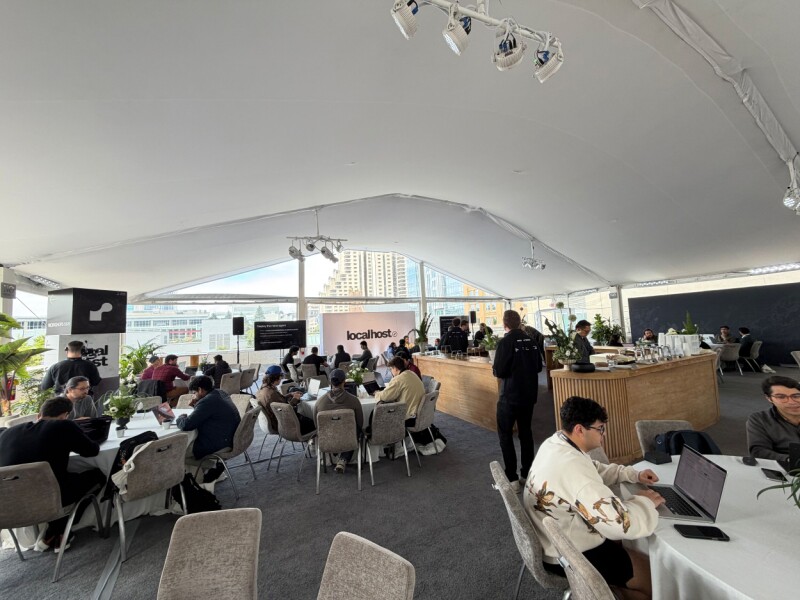
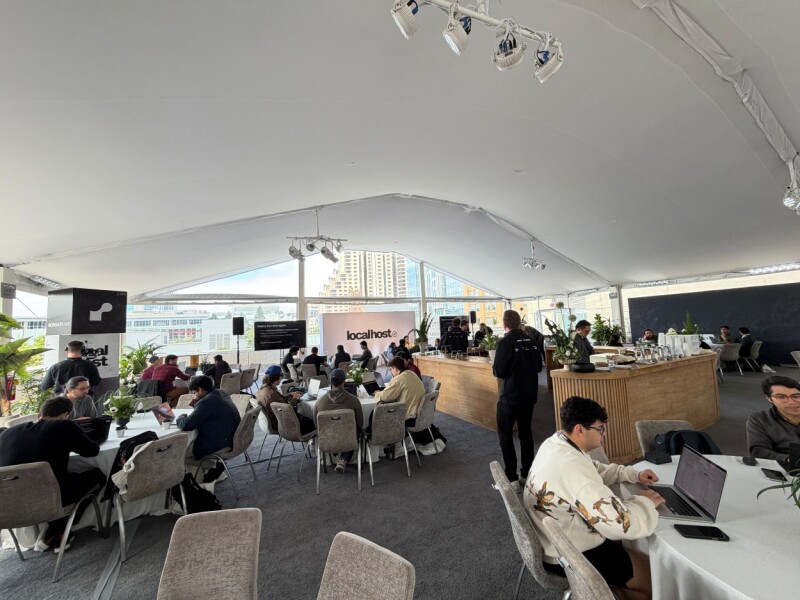
San Francisco plays host to hosting company’s Localhost conference
On Thursday during a developer event held at San Francisco’s St. Regis Hotel, the marketing stack failed. Literally.
During an AI agent workflow demo on the fourth floor balcony, the wind toppled a tower of three cardboard promotional display cubes. One of these – maybe three or four feet per side – fell over the edge of the balcony and plummeted onto Minna Street below.
Advertisement
Concerned staff rushed to the edge of the parapet and peered over. Evidently satisfied that no one had been injured, they proceeded to dismantle the other stack of boxes, just to be safe – an uncommon level of caution in the context of AI-assisted software development.
Consider the incident a metaphor for the chaos created by the tech industry’s frantic rush to automate whatever can be automated with machine learning models and associated tools.
The event, Localhost, was put on by hosting biz Render as a confab for devs building software for the “AI-native web.” But many attendees expressed uncertainty about the rapid pace of change in the industry.
As one CTO attendee remarked, not realizing he was in earshot of a reporter, “How’re we going to do this? I don’t fucking know. That’s what I have to figure out.”
Advertisement
The CTO said he was looking for engineers to hire, the very thing major tech companies have been dumping to balance capex costs.
Rohan Chavan, who recently earned his master’s degree in computer engineering from Virginia Tech, shared a similar sentiment.
“Every other day,” he told The Register in an interview, “there’s some new term. A week or two ago, it was harness engineering. Now it’s loop engineering.”
Chavan said he found the current state of play both exciting and frustrating. He’s looking for a job in AI security and estimated that about 30 percent of his class of around 120 has been hired so far.
Advertisement
It’s very difficult, he said, to build deep knowledge when things are changing so fast and there’s so much to learn.
Localhost, the company’s first user conference in its eight years of existence, aims to help with that by evangelizing the company’s technical stack.
Some promotion might just be useful. As the aforementioned CTO confided to one of Render’s staff, enterprise customers expect to hear that services run on AWS, Azure, or maybe Google Cloud. “They don’t expect to hear Render,” he lamented.
Nonetheless, Render is doing rather well, according to founder and CEO Anurag Goel, who opened the afternoon’s presentations with the requisite recitation of metrics – 400,000 developers joining every month, 10 million live services, 200 billion monthly requests.
Advertisement
“All of these numbers are growing very rapidly,” he said. “But behind these numbers, we’re also seeing a big change in how applications are evolving to use infrastructure.”
Until a few years ago, he said, infrastructure was relatively static. You deployed an application and the various elements – databases, APIs, caches, and so on – stayed pretty much the same.
AI apps, he contends, are fundamentally different.
“They are dynamic applications that go beyond existing infrastructure patterns,” Goel explained. “Now, in addition to you defining your application statically, the applications themselves are provisioning their own infrastructure resources.”
Advertisement
As an example, he described how the resources required by a research agent can vary from question to question. One user query might require lightweight web scripting. Another might require a headless browser and 128 GB of RAM to process a dataset. And the duration of such tasks can also vary significantly.
“What we’re learning is that any request can trigger hundreds or thousands of different tasks in ways that your code can never really know in advance,” he said.
This doesn’t work on serverless platforms, Goel contends, because of platform limitations that cap execution time, memory, storage, and application size.
Render’s answer to this technical challenge is what Goel calls application-defined compute. It allows applications to run workloads without pre-provisioning.
Advertisement
“Instead of pre-defining the infrastructure for your application, you allow the application to define what it needs at runtime with the right guardrails,” he explained.
With any luck, Render’s guardrails will prevent a pummeling by promotional props better than those at the St. Regis. ®
A New York man faces cyberstalking charges after allegedly sharing AI-generated nude images and fabricated racist messages using fake social media profiles to harass a Georgia college student.
21-year-old Anthony Belford was arraigned June 10 after a federal grand jury returned an indictment charging him with one count of cyberstalking.
Belford and the victim had attended the same college during the 2023-2024 academic year. After the victim transferred to a Georgia college in August 2024, Belford allegedly knew of the move and began targeting the victim there.
According to court documents, between January and March 2025, the defendant created fake Instagram, LinkedIn, Reddit, X, Strava, and Yahoo accounts to impersonate the victim and distribute AI-generated nude images and spread false claims that the victim had made racist remarks about black students and anti-Muslim statements.
Belford allegedly created a fake LinkedIn profile using an AI-generated nude image of the victim as its profile picture, and also used a spoofed Yahoo email account to send an AI-generated nude image of the victim to the victim’s mother.
Advertisement
The defendant allegedly targeted the victim while attending the same college in the 2023-2024 academic year, but continued doing it even after the victim transferred to a Georgia college in August 2024.
“Belford allegedly waged a lengthy online campaign, hiding behind spoofed social media and email accounts to harass, intimidate, and cause substantial distress to his victim with racist messages and AI-generated nude images,” said U.S. Attorney Theodore S. Hertzberg.
“Cyberstalking and other forms of online abuse, just like physical violence, can ruin lives and disrupt communities. Victims of such crimes should not suffer in silence, and we will continue to work with our law enforcement partners to hold the perpetrators of these crimes accountable using all available tools.”
The Justice Department added that federal law prohibits sharing or threatening to share intimate images (including AI-generated ones) without consent and urged victims to report violations to the FBI and to alert the Federal Trade Commission if online platforms fail to remove such content within 48 hours of a removal request.
Advertisement
More information on how to protect yourself from cyberstalking attempts and stop the spread of images and videos shared online without consent is available on the FTC’s Take It Down platform.
In March, 22-year-old Jamarcus Mosley from Alabama also pleaded guilty to cyberstalking, extortion, and computer fraud charges after hacking into the social media accounts of hundreds of young women.
The same month, 26-year-old Kyle Svara from Illinois also pleaded guilty to hacking nearly 600 women’s Snapchat accounts to steal private nude photos that were later traded or sold online.
Security teams log 54% of successful attacks and alert on just 14%. The rest move through your environment unseen.
The Picus whitepaper shows how breach and attack simulation tests your SIEM and EDR rules so threats stop slipping by detection.
The bottleneck in the AI buildout is turning out to be a metal most people have never heard of. China has tightened its scrutiny of exports of indium phosphide, a compound essential to the high-speed optical chips that move data inside AI data centres, in a move that threatens to slow the very infrastructure the technology depends on.
Indium phosphide, or InP, is not a household material, but it is becoming a strategic one. As data-centre operators shift from pushing electrical signals through copper to sending light through optical fibres, a technique known as photonics, InP has become the core material with no ready substitute.
The faster the AI industry wants to move data between chips, the more it needs the compound, and China sits at the chokepoint.
That position is a matter of geology and processing. China produces around 70% of the world’s indium, and since export controls on InP took effect in early 2025, Beijing has been slow to approve the licences that let the material leave the country.
Advertisement
The delays, rather than an outright ban, are the lever: a permit that does not arrive is as effective as a prohibition, and harder to challenge.
The market has felt it. The price of a six-inch InP wafer has climbed from roughly $1,400 to about $5,000 since the controls began, an increase of around 250%, as buyers compete for constrained supply.
Nvidia-backed chipmaker Coherent warned of a shortage earlier this year, and AXT, the world’s second-largest InP substrate producer, has described the export permits as the most significant challenge it currently faces.
The episode fits a now-familiar pattern in the US-China technology contest. Where Washington has restricted China’s access to advanced chips and chipmaking tools, Beijing has answered by leveraging its dominance over critical materials, having already deployed controls on gallium, germanium, and rare earths.
InP is the same weapon pointed at a different part of the supply chain, the optical layer rather than the logic layer.
Advertisement
What makes InP potent is precisely that it targets infrastructure rather than end products. The compound goes into the transceivers and optical components that knit together the thousands of accelerators in a modern AI cluster, so a squeeze on it does not stop any single chip from working; it slows the rate at which whole data centres can be built and wired. The constraint shows up as delayed construction, not failed silicon.
It also lands as the AI industry’s appetite for compute is at its most acute, with operators racing to build capacity faster than the supply chain can support.
The same pressure visible in the scramble for chips and components now extends to a niche material that few outside the industry tracked a year ago. China’s leverage over it has turned a specialist input into a geopolitical instrument.
The deeper worry for the AI industry is precedent. If a delay in InP permits can slow data-centre construction, the same lever can be applied to any of the specialised inputs where China holds a commanding share, turning a diversified supply chain into a series of single points of failure.
Advertisement
That fragility is now a strategic planning problem for Western governments and operators alike, part of the wider contest over technology supremacy in which materials have become as decisive as the chips they enable.
Substitution offers little near-term relief. Building InP production capacity outside China is possible but slow, requiring years of investment in refining and wafer fabrication that the current shortage does nothing to accelerate.
In the meantime, buyers are left managing allocation, paying the higher prices, and lobbying through diplomatic channels for the permits to move, a position of dependence that the controls were designed to exploit.
The InP controls were also raised directly with Beijing; Coherent’s chief executive brought the licensing delays up during a US business delegation’s visit to China, a sign of how seriously the buyers take the threat.
Advertisement
Whether the permits start flowing again, and on what terms, is now part of the broader negotiation between the two governments over technology and trade. For the AI buildout, the answer determines how fast the lights can go on.





















































You must be logged in to post a comment Login