Connect with us
DAPA Banner
DAPA Coin
DAPA
COIN PAYMENT ASSET
PRIVACY · BLOCKDAG · HOMOMORPHIC ENCRYPTION · RUST
ElGamal Encrypted MINE DAPA
🚫 GENESIS SOLD OUT
DAPAPAY COMING

Tech

iOS 26 review one year later

Published

on

Most of the conversation around iOS 26 got lost behind social media’s need for it to be as controversial a change as iOS 7. The bigger story is the lack of a revitalized Apple Intelligence.

My iOS 26 review is going to focus on the changes that actually affected our day-to-day use of the iPhone. There are a lot of new features, app updates, and the Liquid Glass material, but the elephant in the room is the ongoing delays in AI.

If you’re here for me to pile onto the Apple failure bandwagon, this isn’t the review for you. In fact, I am still fully of the opinion that Apple’s admittedly embarrassingly slow start in artificial intelligence might be one of its biggest victories in tech in decades.

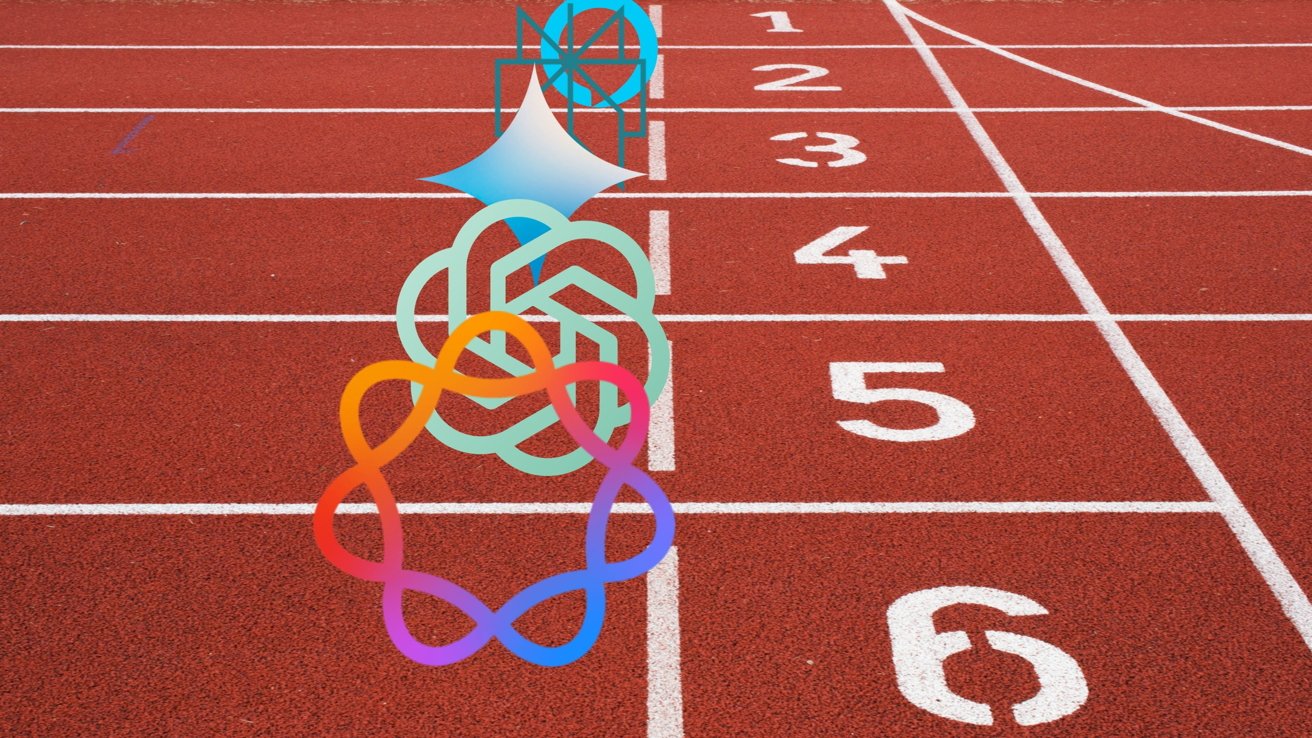
Apple didn’t plan for it to go this way, but boy is it shaping up to be quite the coup. The true winner of the AI race was the one that waited to start the race after all of the others paved the track and painted the finish line.

Advertisement

I’ll get to the AI of it all and my thoughts at the end of this review, but for now, let’s actually discuss what iOS 26 actually gave us.

iOS 26 one year later review: Liquid Glass

As I sit here and write this on an iPad Pro connected to an external display, my Slide Over window of Drafts has a clear glass edge. The YouTube video playing underneath of the 2025 WWDC keynote bleeds through colors splashing across the edge of the video.
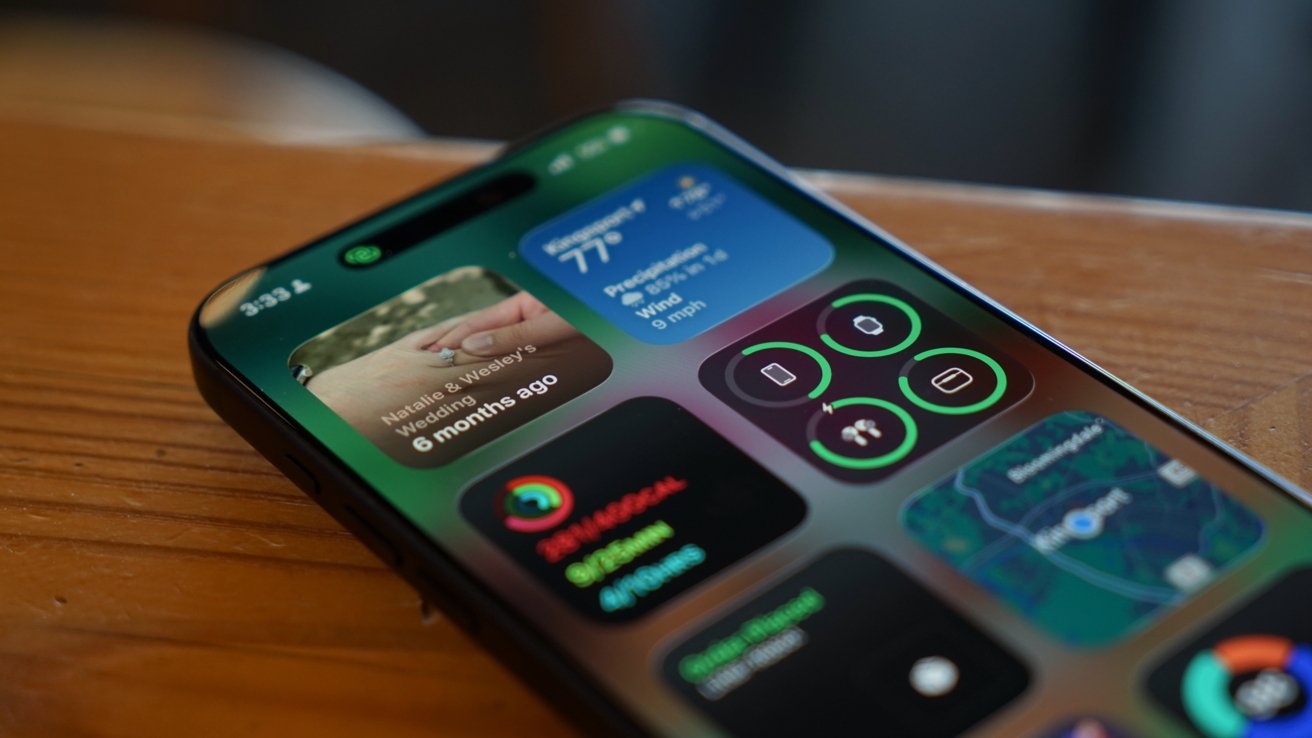
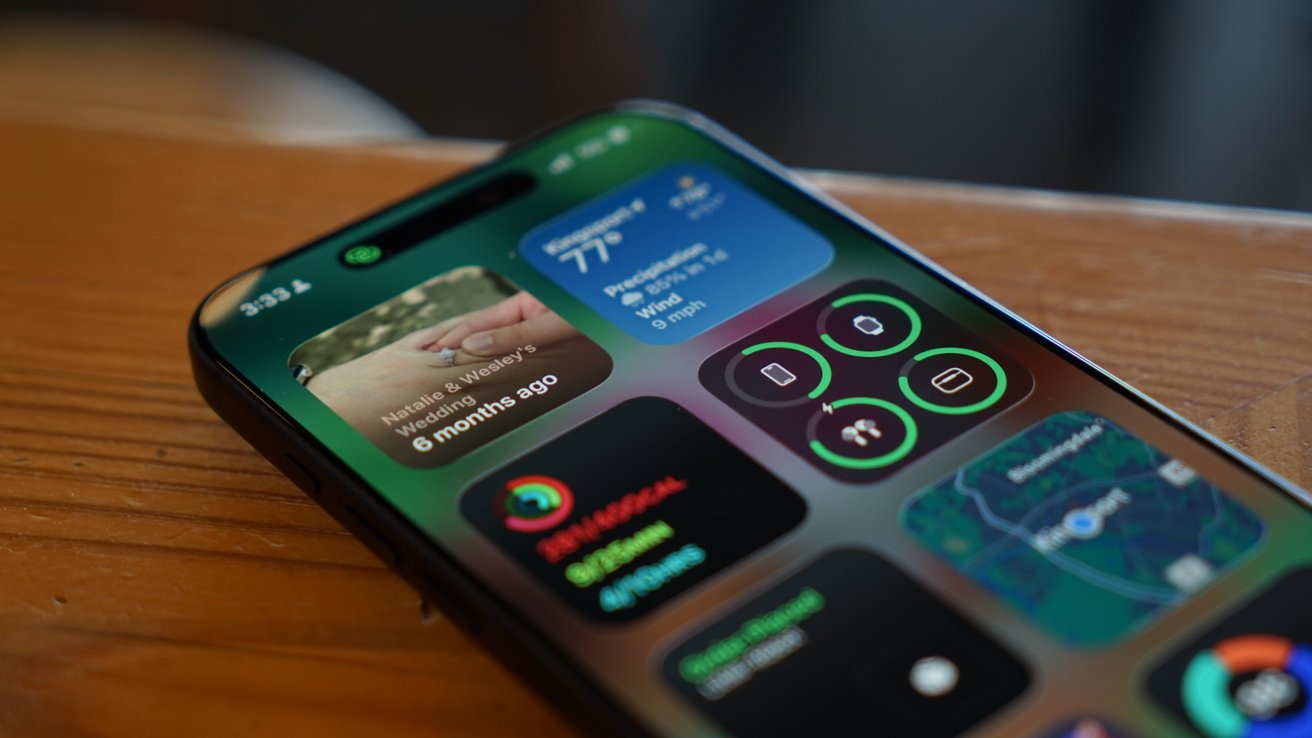
iPhone lying on a wooden surface, screen displaying colorful widgets including weather, photos, health and activity rings, app icons, and a small map in the lower-right corner

iOS 26 review: Liquid Glass is more obvious in some places, less in others

Liquid Glass wasn’t limited to iOS 26, but I’ll keep my conversation about it limited to that platform. The new material stands out most on the Home Screen and Lock Screen.

Advertisement

Every Apple app quickly adopted the new material throughout. Popover lists are a smoky glass, icons and buttons have a distinct glassy edge, and everything is reflective.

If an object moves in front of another object, some of the underlying layer peeks through. Grab an element and it warps and moves as you interact with it.

Sliders behave like bubbles while more elements move into menus. The entire design philosophy focuses on minimalist presentation with flashy visuals.
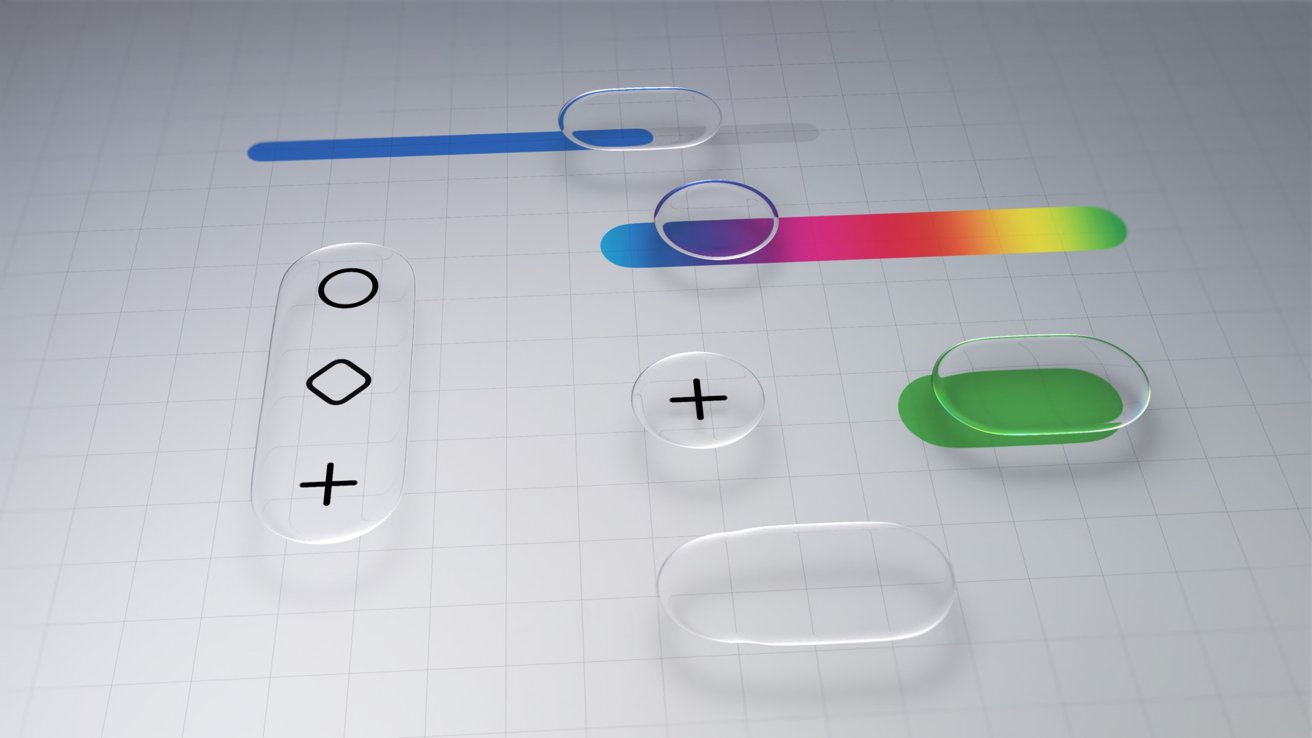
Minimalist UI mockup with translucent rounded buttons, sliders, and plus and diamond icons on a light grid background, featuring blue, green, and rainbow color accents

iOS 26 review: Liquid Glass changed how elements looked across the platform

Advertisement

The driving force behind Liquid Glass is Apple Silicon. I have no doubt that Apple’s claims about other smartphones being unable to replicate the material are true.

I personally enjoyed the introduction of Liquid Glass. It had its flaws, and still does, but it was an interesting departure from the flat and boring state iOS was in.

The biggest winner of Liquid Glass was the intuitive UI interactions. When you tap a button, the menu appears where the button was tapped, for example.

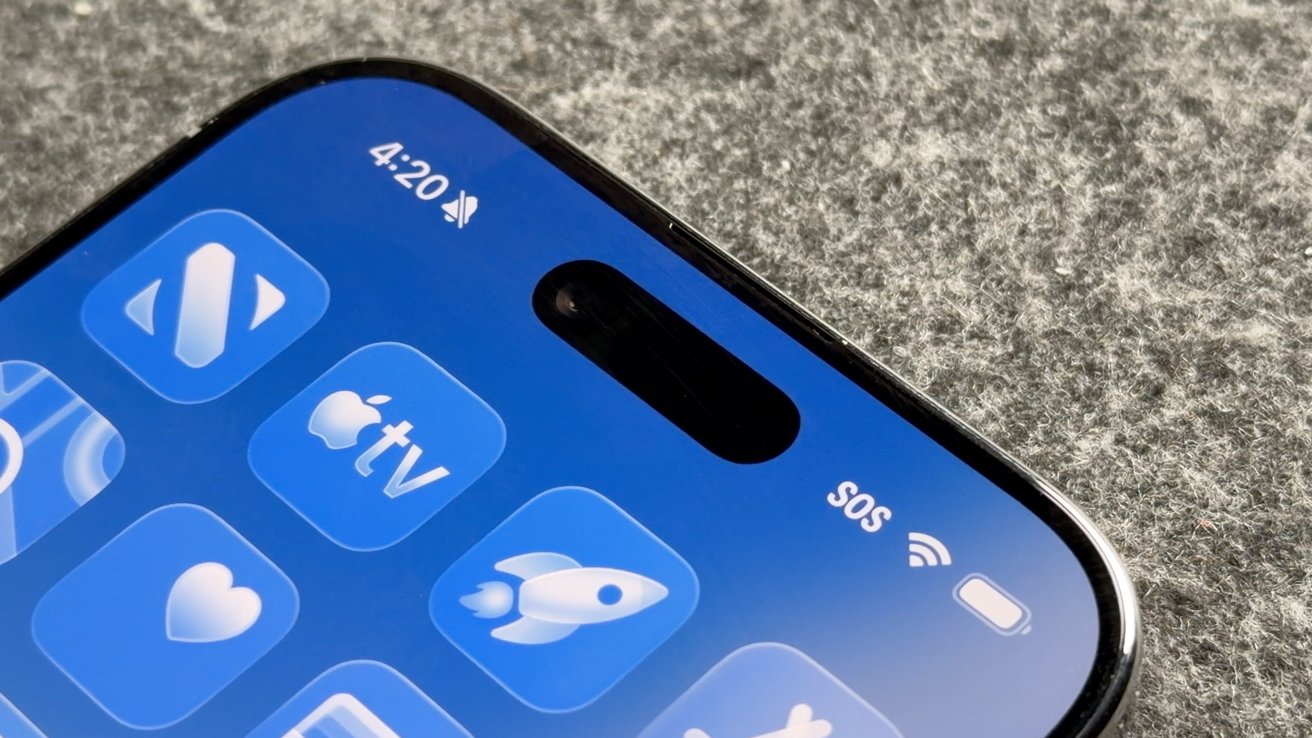
The Lock Screen and Home Screen really take advantage of Liquid Glass too. You can either have a completely transparent set of icons or tint everything to be a specific color.
Advertisement
Close-up of a modern smartphone's top screen showing blue app icons, time 4:20, muted icon, SOS and WiFi indicators, front camera pill cutout, on a gray fabric background

iOS 26 review: Liquid Glass isn’t going anywhere

Apple’s slow evolution of Liquid Glass is apparent throughout the iOS 26 release cycle. Small changes have been made with each update, but it has fallen short of giving users the ability to turn the material off entirely.

If you’re holding your breath for such a button, it is best to stop waiting. Apple has made it clear the Liquid Glass will be mandatory for all apps soon and it isn’t going anywhere.

Expect more refinements over time, but this Apple Silicon-driven UI is here to stay.

Advertisement

Of course, this is a review of iOS 26 after a year of dealing with it, so let’s move past the refresher.

iOS 26 one year later review: customization

One of the more surprising aspects of iOS 26 and Liquid Glass is just how many people in my life noticed it. Not only did they notice, but they were genuinely happy with it and utilized the new customization features.
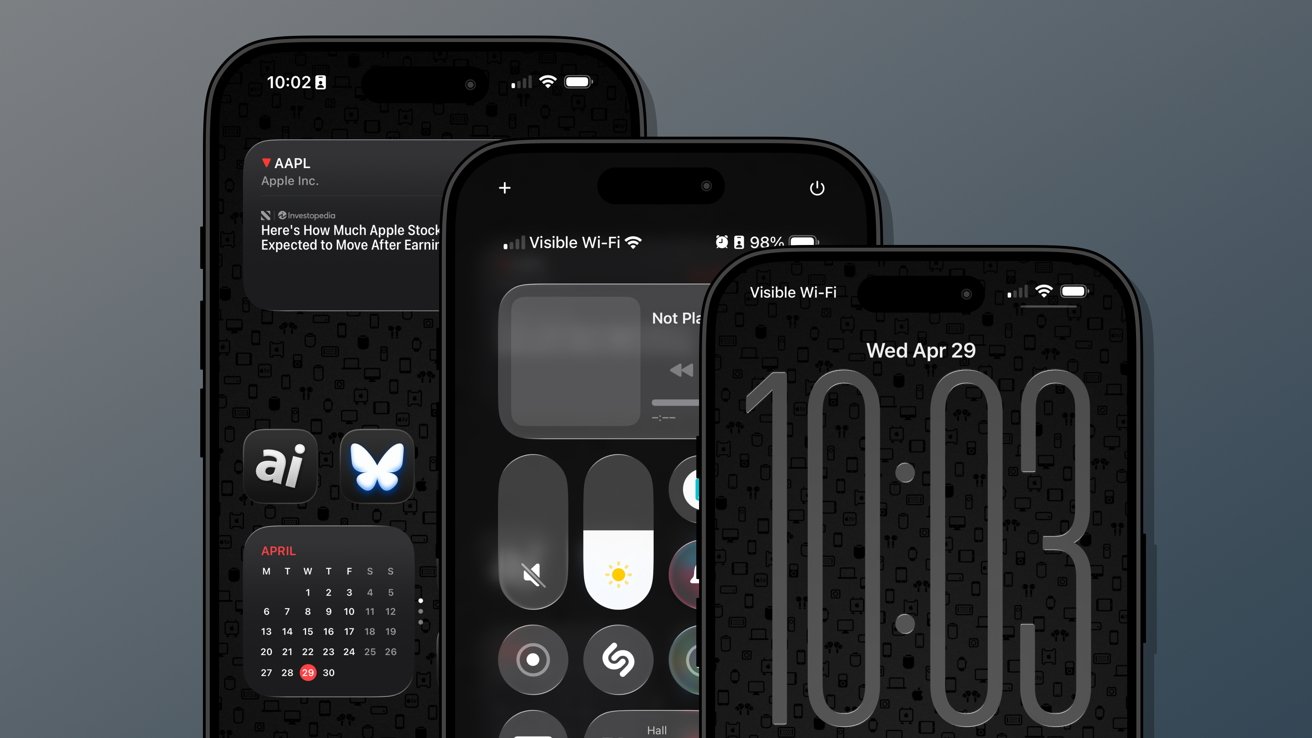
Three overlapping iPhones with dark, minimalist home and lock screens displayed, featuring large digital clock, control center, stock widget, calendar widget, and app icons on a patterned black background

iOS 26 review: Customization options from the Home Screen to the Lock Screen

Several jumped on the new transparent icon setting for the Home Screen. Though, beyond that and the new clock on the Lock Screen, there’s not much else to speak of.

Advertisement

That isn’t to say these aren’t significant changes, but just fewer overall compared to previous years. I’m happy that Apple is still committed to pushing customization forward each year, but iOS 26 was the bare minimum.

The new material likely took up any attention Apple might have otherwise had to develop new customization options. I expect iOS 27 will have more and likely have a focus on any Liquid Glass improvements.

Since Liquid Glass was more of a reskinning of iOS than a full redesign, I didn’t feel the need to rethink my Focus Modes or Home Screens as much as I might have usually. I tried the transparent icons on a fitness Focus, but otherwise didn’t bother.

I’m quite happy with the dark icons and tinted wallpaper options.
Advertisement
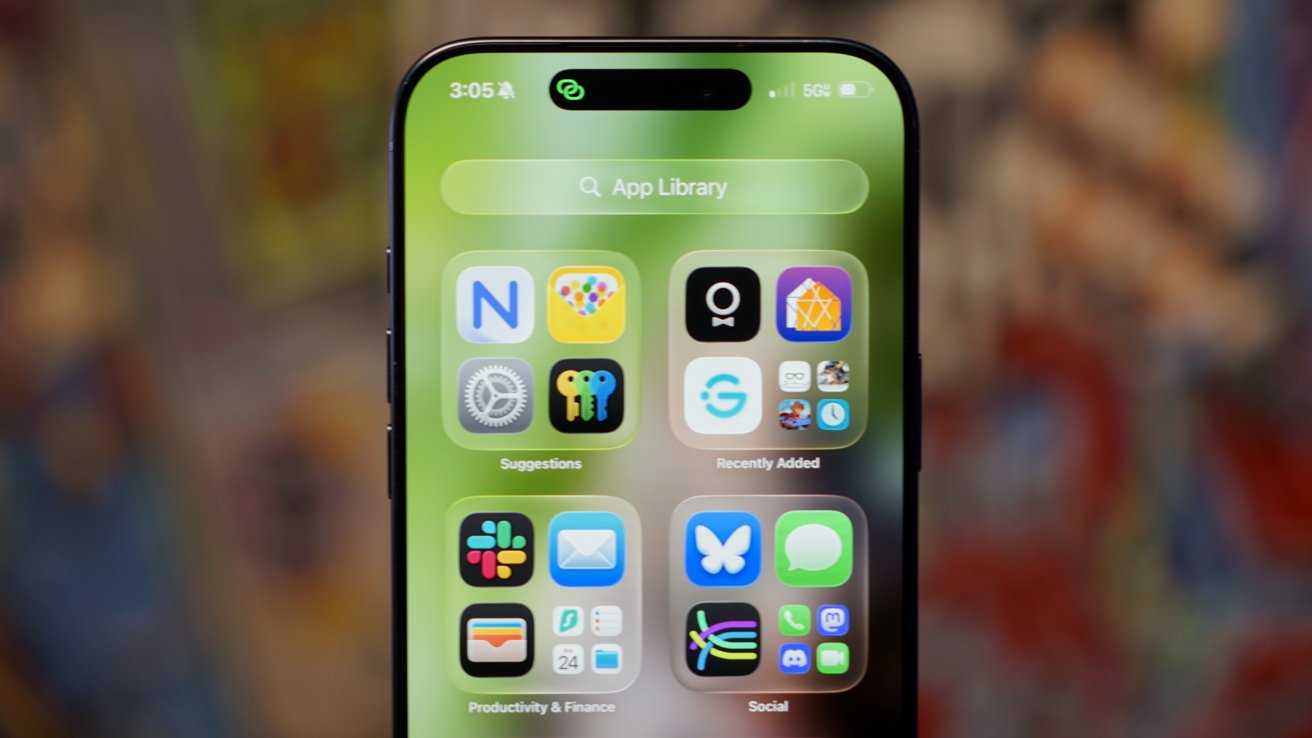
Close-up of an iPhone displaying the App Library screen with colorful app folders on a green background, time 3:05 at the top, and blurred multicolored backdrop behind the phone

iOS 26 review: Liquid Glass affects how everything looks

The new clock on the Lock Screen is the star of the show and perfectly showcases Liquid Glass. I never grow tired of it shrinking as I scroll the notifications.

I’ll also give a special shout out to all of the Apple Music design updates. While these aren’t customization options, they make the iPhone look better with animated Lock Screen art.

I do wish that Apple had gone a little further. There shouldn’t be such a small limit to Focus Modes (currently 10), and there needs to be way more Focus Filters available for system actions.

Advertisement

Apple should also have a much better wallpaper, icon, and widget management system. What we have today works well enough, but it would be better as an independent app.
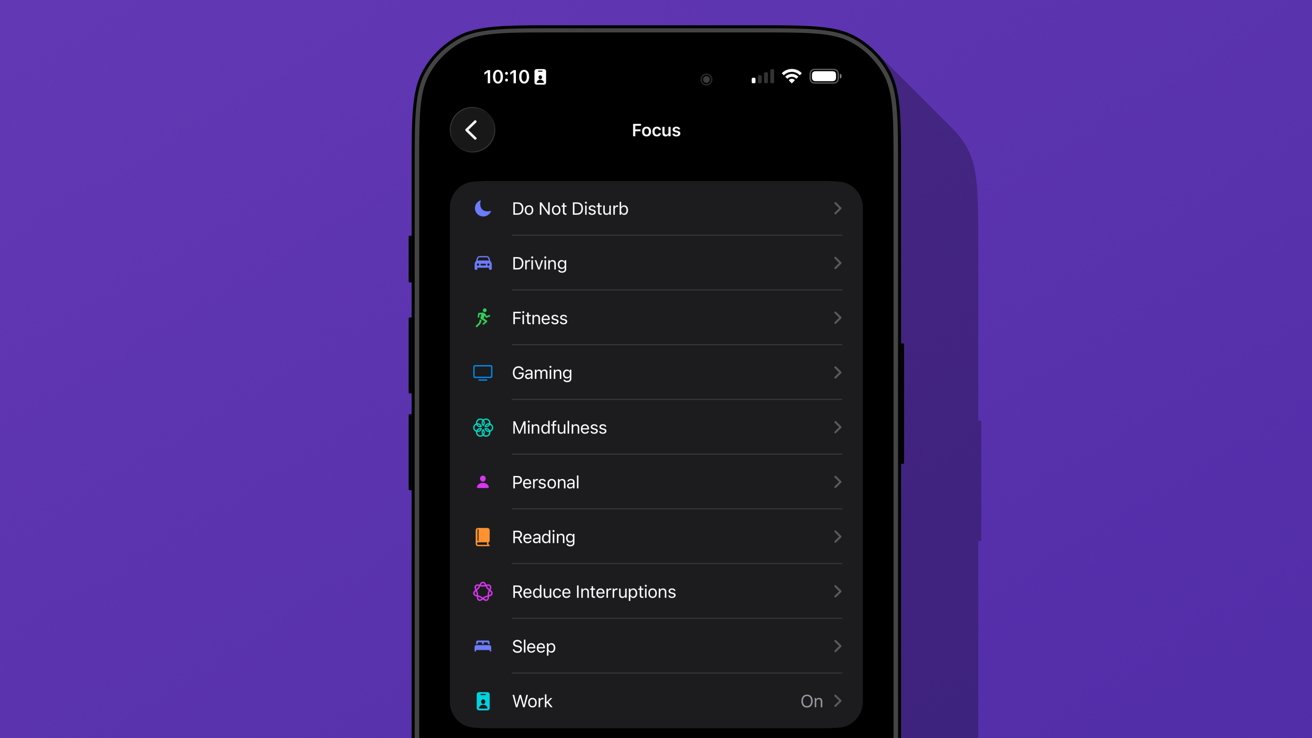
iPhone screen showing Focus settings list on dark mode with options like Do Not Disturb, Driving, Fitness, Gaming, Mindfulness, Personal, Reading, Reduce Interruptions, Sleep, and Work

iOS 26 review: we’re gonna need more Focus Modes

I love having unique wallpapers and icons, but implementing them requires too many menus. Plus, I wish I didn’t need to have the images in my Photos app to use them as a wallpaper.

Ideally, everything should be going through Files or a separate repository in this theoretical iPhone design app. Perhaps we’ll get some of that soon, as rumors continue to point to iPhone customization via AI.

Advertisement

iOS 26 one year later review: social

The new unified Phone app layout is one of those changes that annoys people at first, but you can’t go back once you’ve used it. Spam no longer clogs my recents list, and I no longer accidentally dial someone by simply tapping the screen.
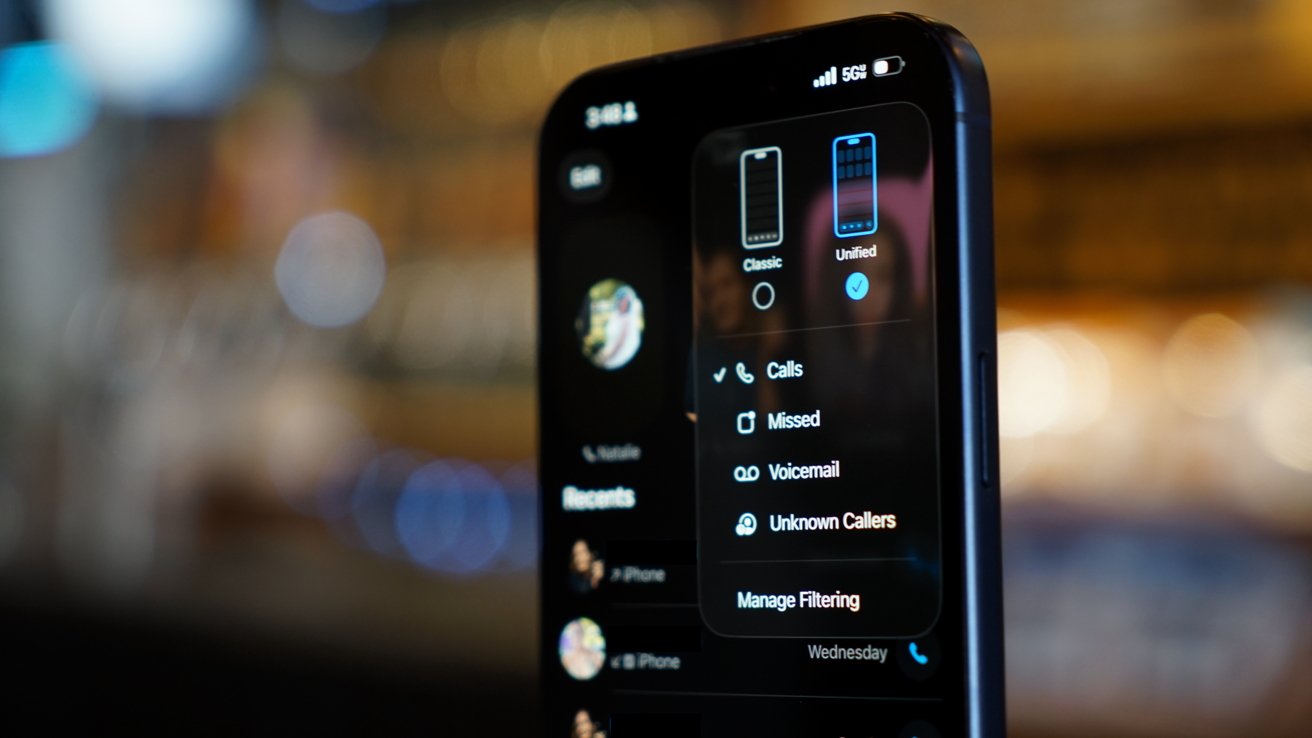
iPhone in dark mode displaying phone call filter options, including calls, missed, voicemail, and unknown callers, with a blurred warm background of lights and indistinct shapes

iOS 26 review: a new unified view in the Phone app

While some of my family were reluctant to change the layout, they gave it a shot. The new setup takes great advantage of Contact Posters and makes it simple to access various functions of the Phone app.

I’m still of the mind that there are too many apps in Apple’s social sphere. Ideally, everything would be run through Contacts so there wouldn’t be a need for Phone, FaceTime, and Contacts apps.

Advertisement

Messages makes sense on its own, but more on that app later.

I make this assertion because the Phone app has the entirety of the Contacts app embedded within a single tab. Perhaps it would be too confusing to suddenly have two very important and prominent apps disappear, but I find the redundancy odd.

The unified layout is a step in the right direction. It puts contacts front-and-center since the contact card is what is shown when you tap on a recent call.

You can even jump straight to a video call or iMessage chat with a long press. Perhaps Apple is heading towards a unified social experience, but it is sure taking its time getting there.

Advertisement

The changes to the Phone app aren’t all iPhone users got with iOS 26. Perhaps the most impactful updates are Call Screening and Hold Assist.
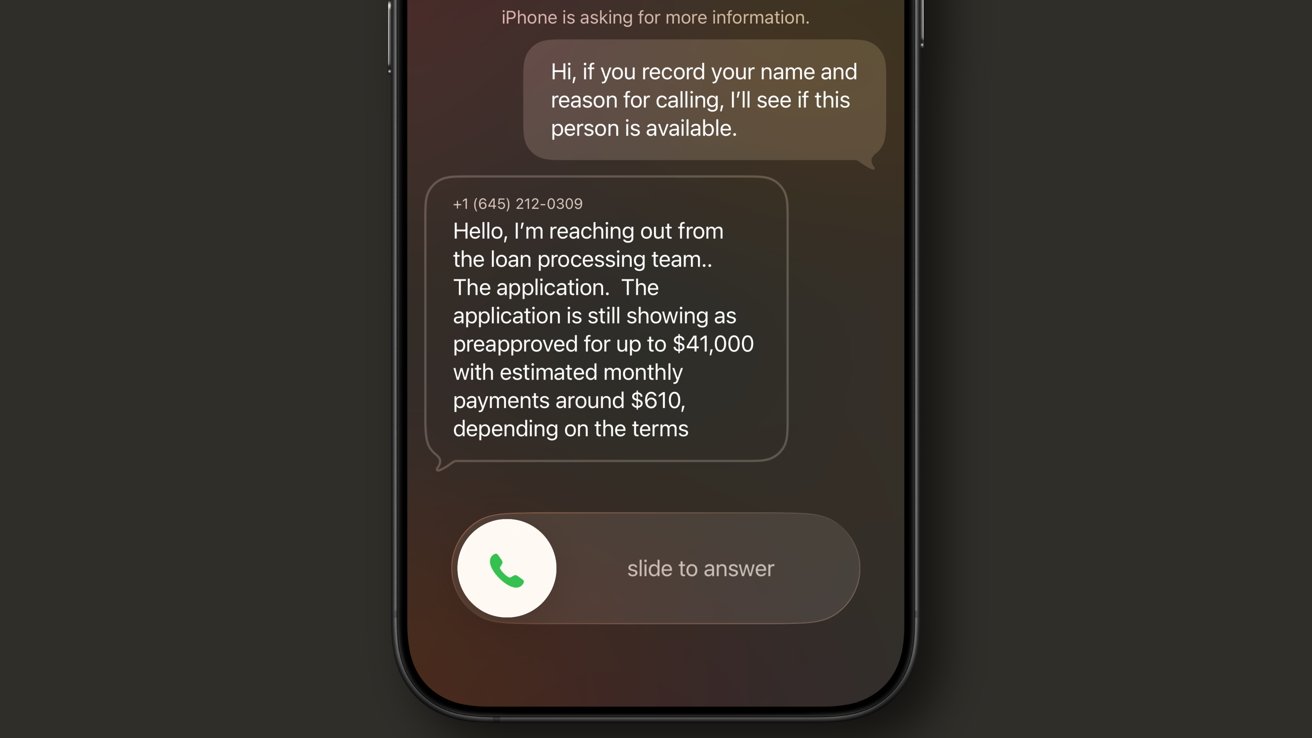
iPhone call screen showing voicemail-style text transcription of a loan processing team message about a 41000 dollar preapproval with 610 dollar monthly payments and a slide to answer button

iOS 26 review: Call Screening is a very useful spam filter

Call Screening does what it sounds like. Incoming calls are filtered by Siri and the caller is asked to provide a reason for the call. The user can see this interaction from the Lock Screen and decide whether to answer or not.

It isn’t a perfect system. My phone number got onto one of those call lists that seems to call from a near-infinite set of phone numbers each day to “update you on your loan application status.”

Advertisement

For whatever reason, the spam filter doesn’t catch this, nor does the Siri Call Screening. It’s a robot, not a human, but sounds human enough to make it through.

My phone inevitably rings, and I have to dismiss the call, block the number, then report it as spam. Rinse and repeat this each and every day, and it gets old.

I like this feature and don’t want to turn it off, but the previous “send unknown callers direct to voicemail” was much more efficient. If the call was important, they’d leave a voicemail.
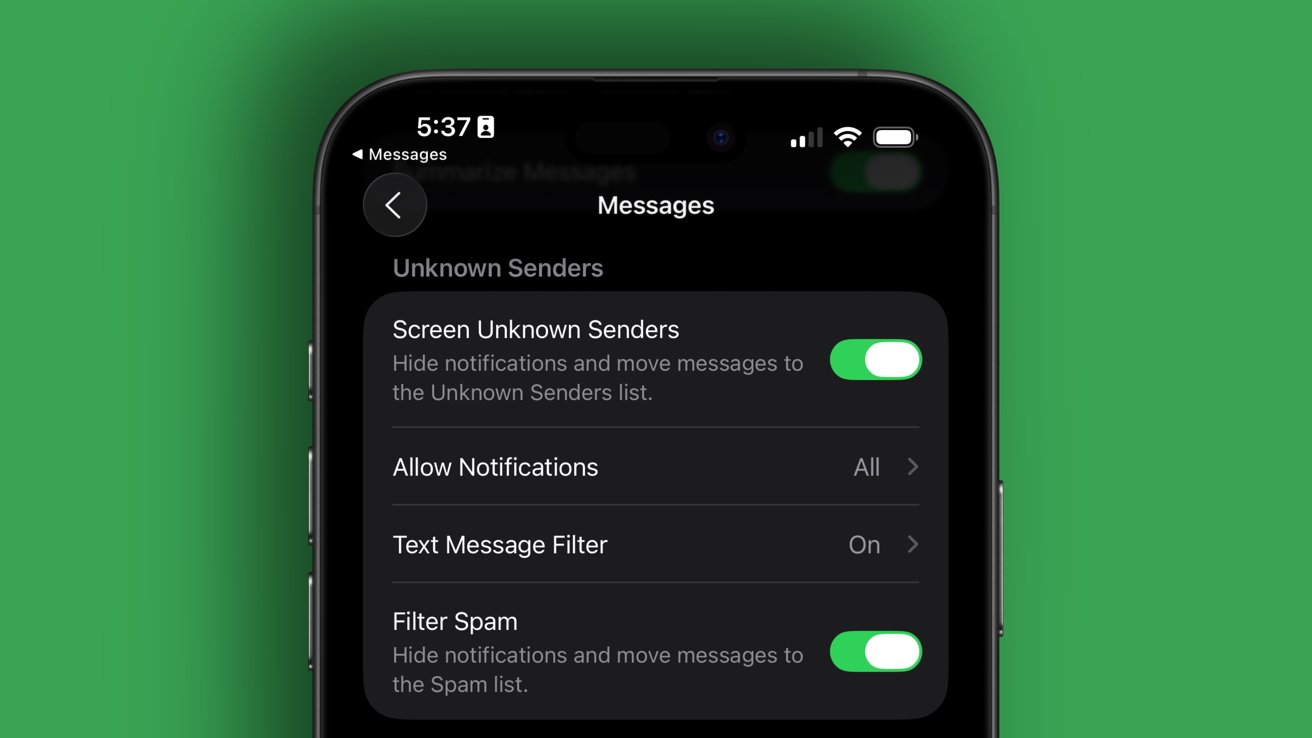
iPhone screen showing Messages settings for Unknown Senders, with toggles for screening unknown senders, allowing notifications, text message filter, and spam filtering, all enabled against a green background

iOS 26 review: Call Screening needs more aggressive options

Advertisement

Something in the middle would be much better. Siri should screen calls, but only from numbers that fall into the “might be known” category. All unknown numbers I’ve never interacted with before should be immediately dismissed.

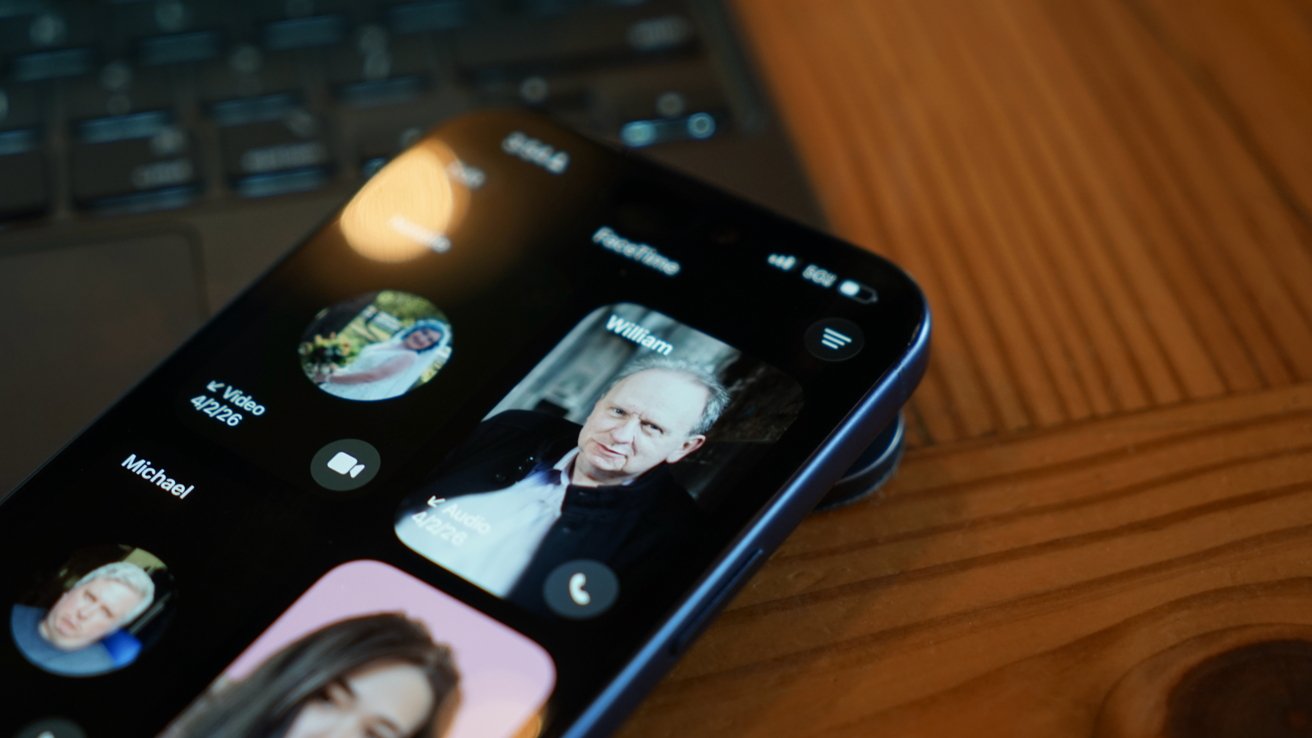
The FaceTime app got a similar redesign to the Phone app where it features Contact Posters in a grid. If someone ever left you a FaceTime video message (think voicemail, but video), a thumbnail of that video is shown instead.

I’m not sure anyone in my life knows this feature exists or has ever tried to use it. I really like what Apple has set up here, but I find it annoying that it can only be used if the person you’ve called doesn’t answer.

I think it would be way more fun if I could choose to send a video message on a whim. Like, instead of texting “can I FaceTime you,” let me send a video that shows up in the FaceTime app in the moment I’m trying to share via the call.
Advertisement
iPhone lying on wooden table, showing FaceTime call screen with several contact photos and names visible, including a highlighted profile of an older man named William

iOS 26 review: FaceTime also got a new unified view

It would also be nice if FaceTime was part of a unified social app, but I’m not sure Apple will ever actually do that.

Finally, the Messages app saw some pretty good upgrades this time around. These might be the ones most users notice and use since they’re a bit more in their face.

The Messages app has a new layout that separates unknown texts, promotional messages, and potential spam into separate categories. There’s also the ability to add backgrounds to every chat.

Advertisement

Group chats gained typing indicators, and all chats also can utilize polls to get votes from participants. Small, but welcome changes.

The background feature has been quite a lot of fun, especially in group chats. I love that they act as an extra layer of verification that you’re typing into the correct chat.
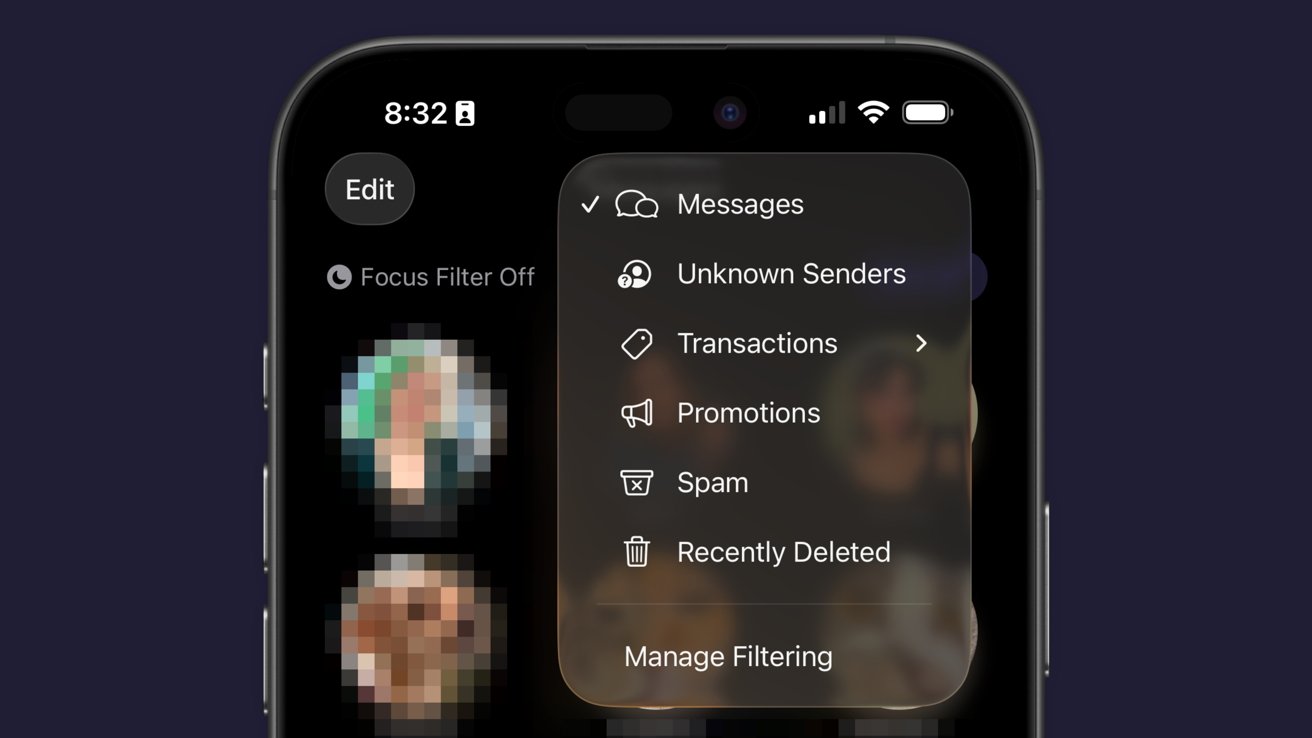
iPhone Messages app showing a filtering menu overlay with options for Messages, Unknown Senders, Transactions, Promotions, Spam, Recently Deleted, and Manage Filtering against a blurred conversation list background

iOS 26 review: Messages has new filtering options

Just an aside, Apple Vision Pro places the background on a separate layer as the chat bubbles, so it adds an extra cool effect to Messages.

Advertisement

Some images work better than others as backgrounds. Solid colors and abstracts will always be winners, but the occasional photo or meme works too.

The effect might be a bit overwhelming for some users, so the plain black or white backdrop is still an option.

Outside of Liquid Glass, Apple’s biggest upgrades in iOS 26 focused on social. I’m happy to see that Apple has continued the trend of improving social aspects of its experience with each release.

I’m going to continue to hope for more half-steps into a full-on Apple social media, but these are few and far between. The biggest thing we’re missing today beyond public profiles (i.e. making your Contact card into a public profile) is some kind of public feed. Maybe next time.

Advertisement

iOS 26 one year later review: apps

There are three apps that Apple released or updated specifically for iOS 26. There’s been a lot of other updates since, and the new Apple Creator Studio, but that’s beyond the scope of this review.
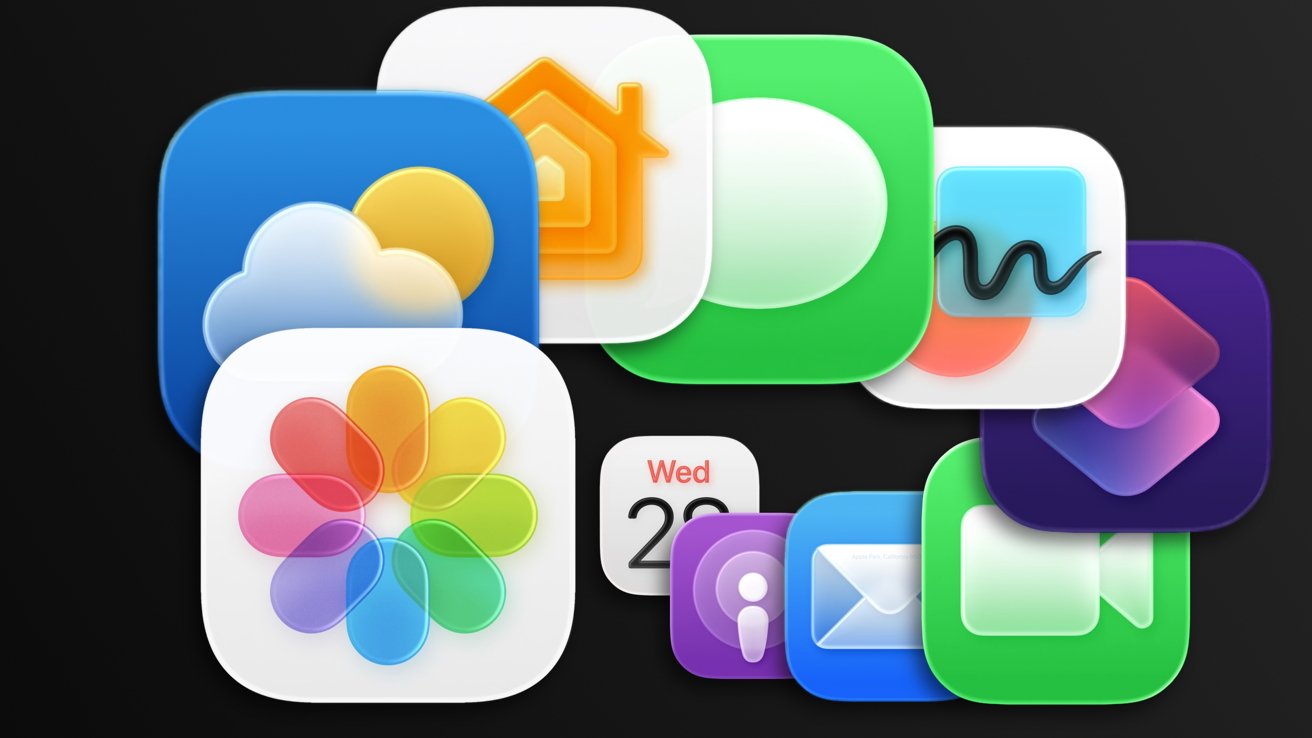
Colorful overlapping Apple app icons, including Photos, Messages, Calendar, Mail, Weather, Home, Podcasts, FaceTime, and other rounded squares, arranged against a dark background.

iOS 26 review: Apple’s apps got some updates too

I think we’ve all grown accustomed to Apple’s new Camera app and the two tabs in Photos. And while some might like Preview, it has become an addition to the “other” folder for many.

I feel like those features have been tread enough over the past year, so I’m going to discuss four main apps in iOS 26: Apple Games, Apple Journal, Safari, and Wallet.

Advertisement

Apple Games

Never bet on Apple doing something right in gaming. Apple Games sounded like an interesting idea when it was announced, but like other new Apple apps, it kind of fell flat.

Apple Games has all of the necessary parts to be great. It integrates with Apple’s social features like SharePlay, FaceTime, and Messages, and it shows Game Center data.
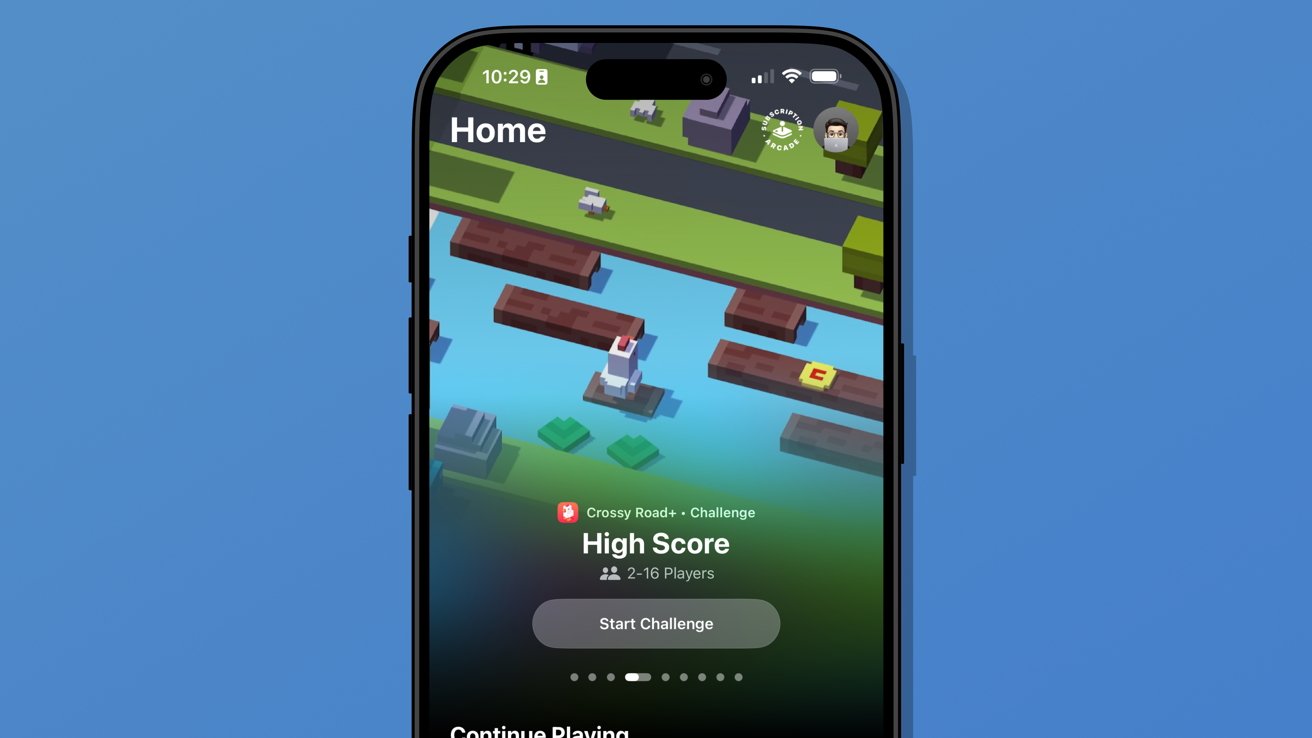
iPhone screen showing a colorful Crossy Road style game challenge page titled Home and High Score with start challenge button, against a plain blue background

iOS 26 review: Apple Games isn’t well thought out

However, it has failed to become the go-to game hub that it could have been. Like Invites and Journal, Apple kind of released the app into the world without much fanfare.

Advertisement

It’s better in some ways than something like what Backbone offers. There’s less of a spammy collection of icons and no paid subscription, but it also feels like it is missing something.

When I open Apple Games, it feels like I’m browsing someone else’s iPhone. It seems to have little real awareness of the games I play or what I might want to launch in that moment.

There’s also a notable absence of emulation or streaming apps. If it isn’t from the App Store or Apple Arcade, it doesn’t exist.
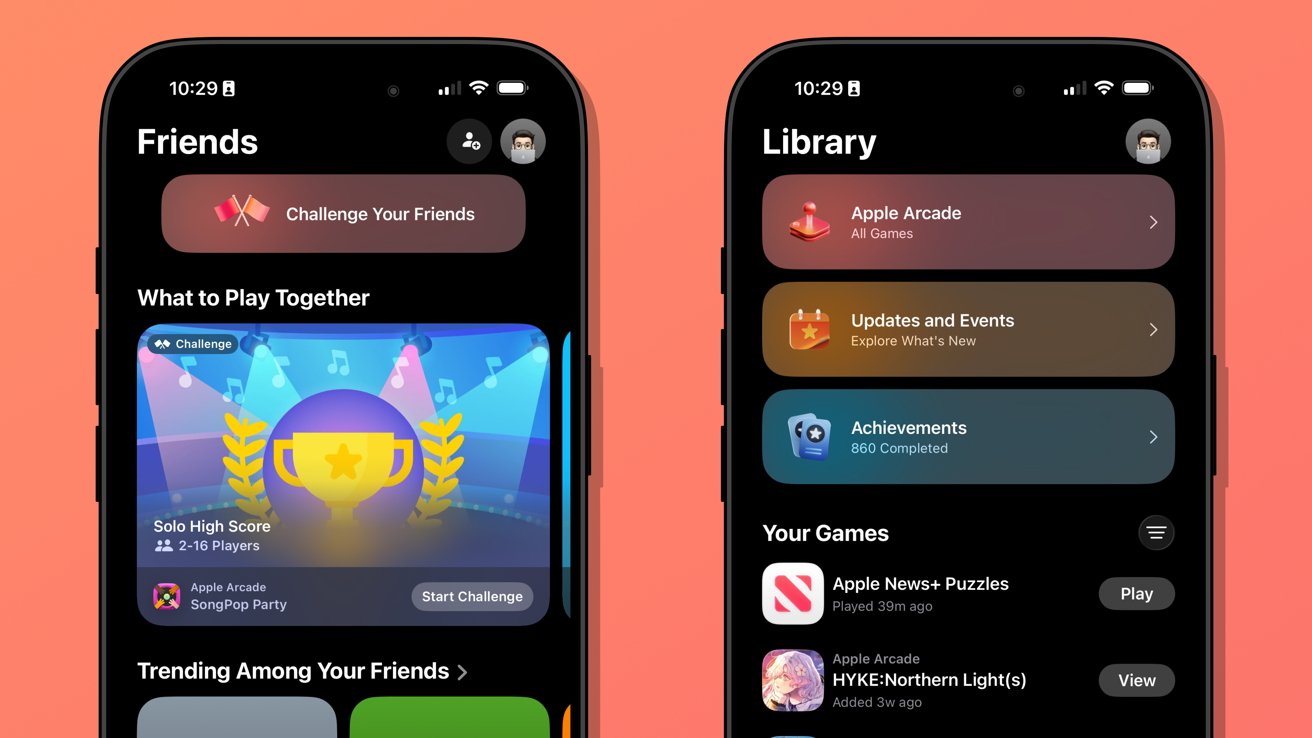
Two iPhones on a coral background display Apple Arcade Friends and Library screens, showing game challenges, achievements, updates, and a colorful trophy banner in dark mode interface

iOS 26 review: Apple Games could learn from game consoles

Advertisement

When I launch my PlayStation 5, I’m met with my most recent games in descending order. Below that list is a selection of news from games I follow.

Apple Games opens to a score a friend beat in a game I haven’t touched in months. It offers to continue playing Apple News, which is where I play the Emoji Game each day.

The social aspects are also lacking. There don’t appear to be any matchmaking tools, nor any way to generate iMessage group chats or SharePlay sessions on the fly.

Apple Games could be a go-to destination for iPhone gaming in the future. Today, it’s a barely functional catalog without direction.

Advertisement

Apple Journal

There were some much-needed updates to Apple Journal. First, it is now available across iPadOS and macOS, and it has the ability to have multiple journals.
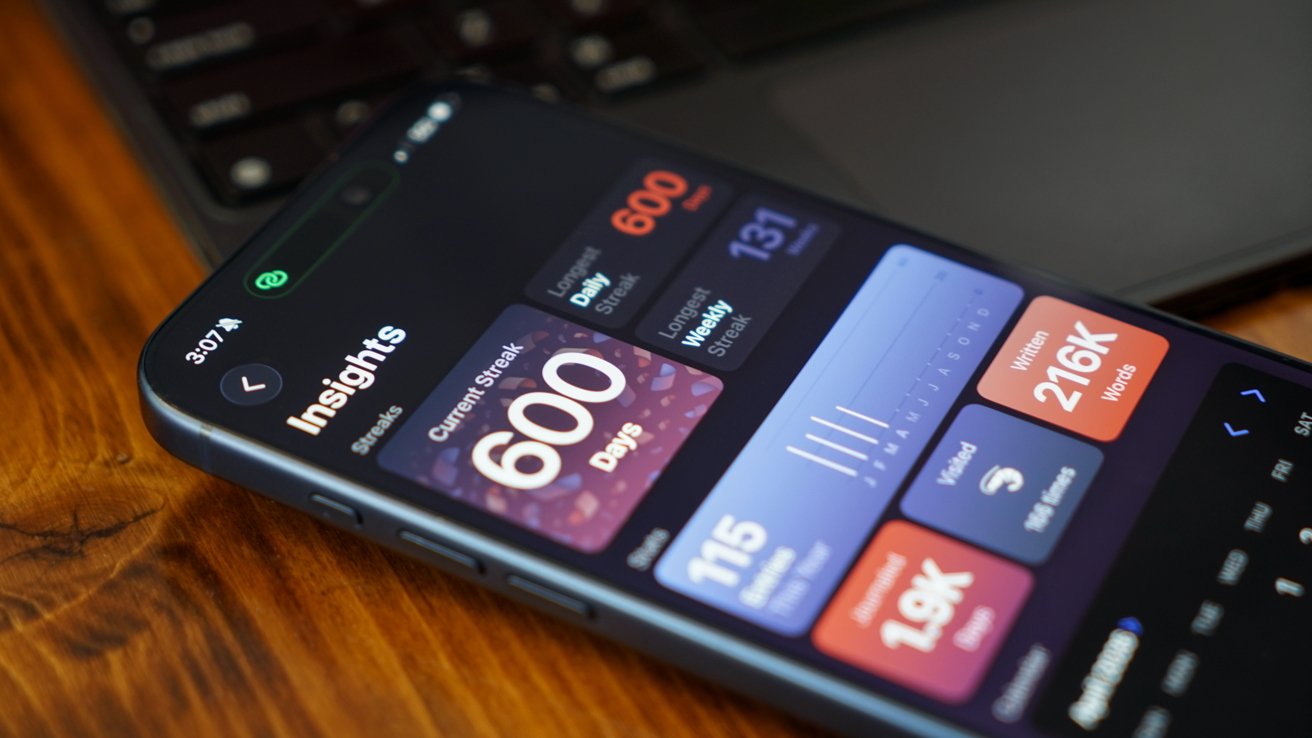
iPhone on wooden desk showing a colorful statistics dashboard with a 600 day streak and various activity insights, partially overlapping a laptop keyboard in the background

iOS 26 review: Apple Journal got quite the expansion

Journal might appear to be a simple app on its surface, but it has the ability to get details from your device to generate entries. The biggest limitation it has today is that these suggested entries are only tied to Apple-based events.

Maps can see where you’ve been, Fitness shares your recent workouts, Music shares what you’ve been listening to, and Photos can donate what you’ve captured. It’s all quite nice, but lacks a few details I’d like to see in iOS 27.

Advertisement

First, there’s still no good way to get an archive of journal entries from a third-party app into Apple Journal. I’ve got my Day One backed up through various options to ensure I still have those entries, but Apple hasn’t provided an official way to sync them.

I once tried a trusted person’s shortcut to generate each entry with images and text, but it only half worked. It did get on foot in the door for covering my 1,000+ entries, but a lot went wrong too.

So, I’ve spent my spare time going through each day in Apple Journal alongside my Day One journal to see what synced and what didn’t. The parts that are wrong or broken are edited, then the original entry is deleted in Day One.
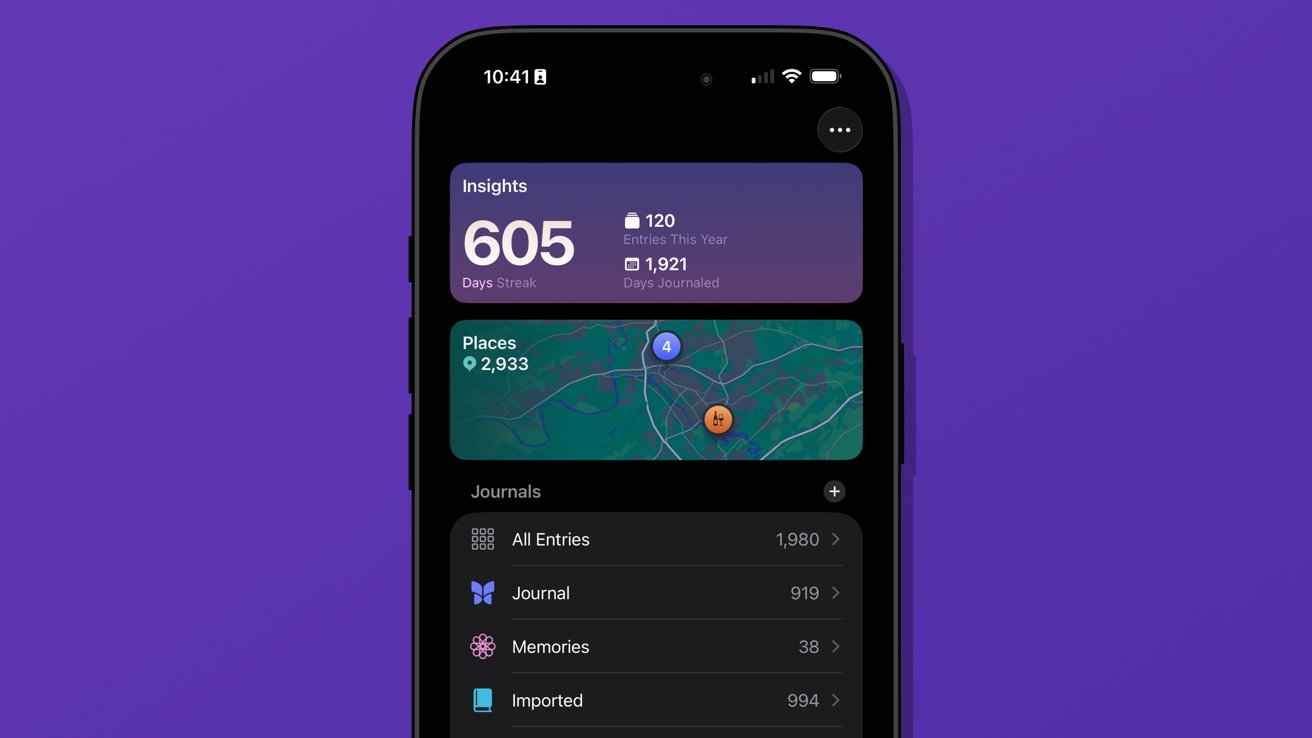
iPhone screen showing journaling app with 605 day streak, yearly and total entry stats, map of visited places, and list of journal categories on a purple background

iOS 26 review: multiple journals was a must-have feature

Advertisement

I’ve knocked out chunks, but Day One shows I’ve still got about 962 entries to check. Not ideal.

The only reason I can do this at all is because of the ability to generate multiple journals. I’ve got several.

Journal is the default and where everything goes each day. Imported is my Day One list of entries.

I’ve also got a Memories journal that consists of any entry I want to make based on photos or other information pertaining to a date in the past. For example, if I want to write about something I did on deployment in the Navy, it would go into Memories.

Advertisement

I have a little-used Dream journal. It’s one of those things that when I need it, I need it, because I can have some pretty surreal dreams.

And finally, I’ve experimented with writing about video games that require a little more thought and planning. I made a Minecraft journal to catalog things I’m building or exploring along with a few screenshots taken that day.
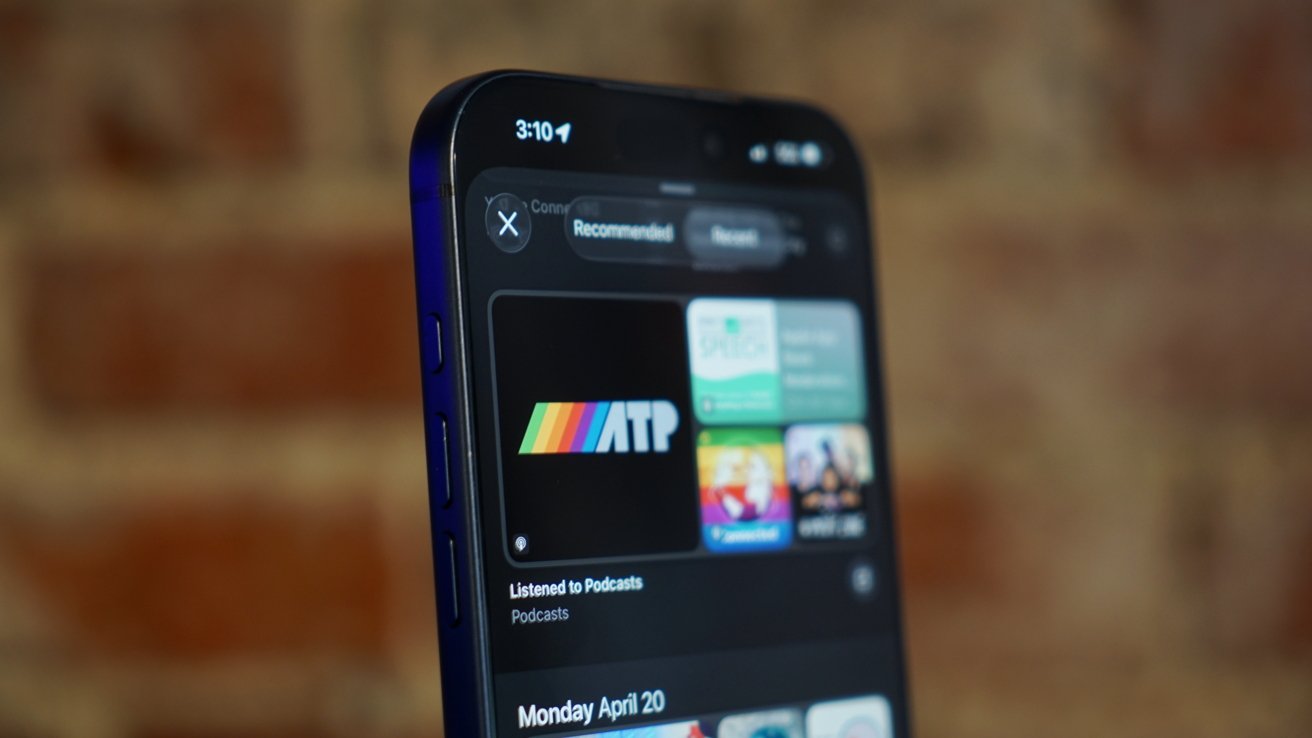
Close-up of a blue smartphone showing a podcast app with colorful show tiles on the screen, against a blurred warm-toned brick wall background

iOS 26 review: Journal suggestions need third-party apps in a future update

Journal is a fun app, and I think everyone should be using it. There’s no need to worry about data scraping for AI use, at least.

Advertisement

I’ve discussed what I’d like to see from Apple as a social platform in the future, and I think Journal could weirdly be a part of that. Imagine shared journals where each member could submit entries containing the same data that’s available to regular entries.

A friend could create an entry about going out in town with a friend along with map pins, photos, and music they heard. The other members in the shared journal could react and comment to the entry and post their own entries.

Yes, a social media feed, but micro-social. Private, local, free of ads, chronological, and only the people and things you care about.

Come on, Apple, it’s right there.

Advertisement

My more realistic request is for Apple to let users name the location pins in the map entries. Every time I make an entry at home, I have to go in and change the address to read “Home” instead. It should be automatic.

Safari

Safari benefited from several design upgrades centered around the introduction of Liquid Glass. I heard of many tech nerds looking for a toggle to reverse the changes immediately, but I liked the change and embraced it.
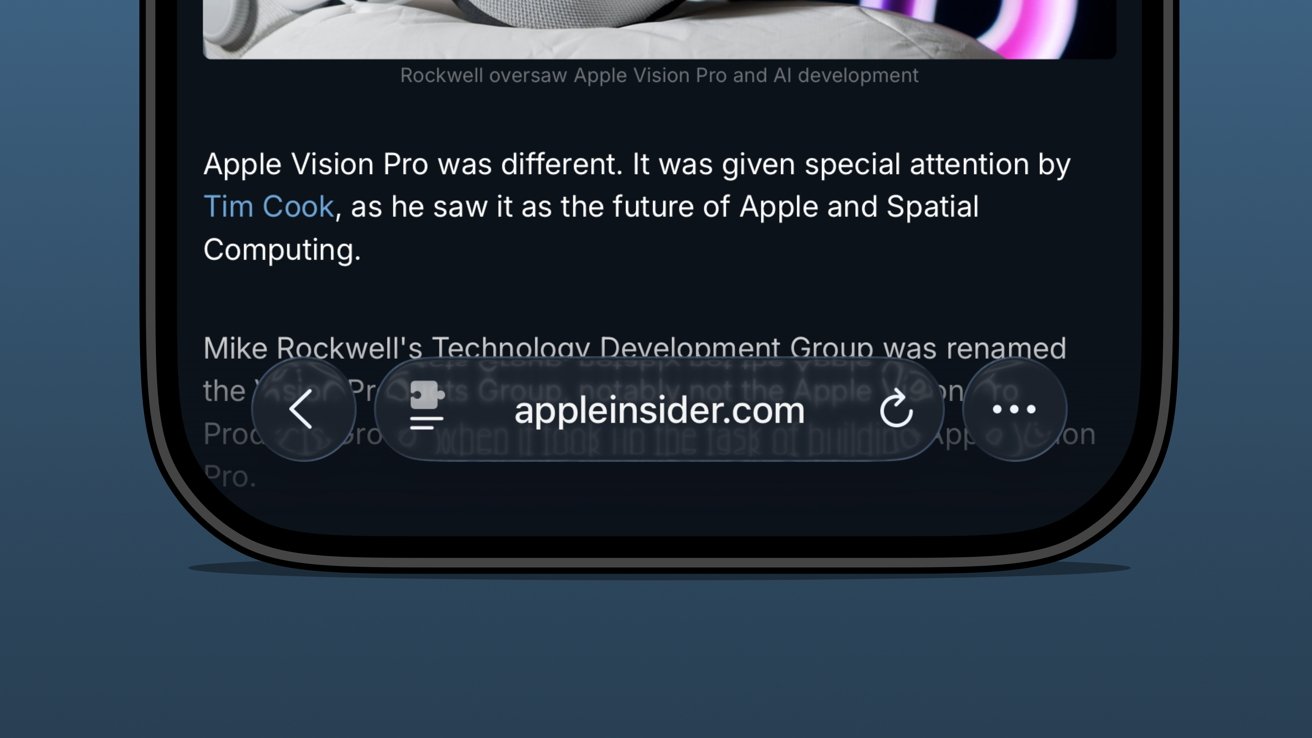
Close-up of an iPhone screen showing a dark-mode article about Apple Vision Pro, with a Safari toolbar bubble displaying appleinsider.com and navigation, refresh, and options buttons over blurred text

iOS 26 review: the bottom address bar is compact and easy to use

I was already a bottom address bar user, so the move to Liquid Glass and even more limited UI was a natural transition. The content gets to own the display while the tools get out of the way.

Advertisement

There are plenty of screenshots showing that the address bar is unreadable when some images or text are behind it. The thing is, that’s never really a problem because you can just keep scrolling.

There are three distinct control areas in this bottom bar setup. The forward and back buttons are self-explanatory, then there’s the address bar, and finally an ellipsis.

In pure Apple fashion, each of these items has various shortcuts, long presses, and more. For example, long press on the forward/back buttons to see a recents popover.

The ellipsis is very simple as it just opens the tab controls, bookmarking tools, and Share Sheet. It’s not ideal that the Share Sheet button is hidden, but I’m not overly upset.
Advertisement
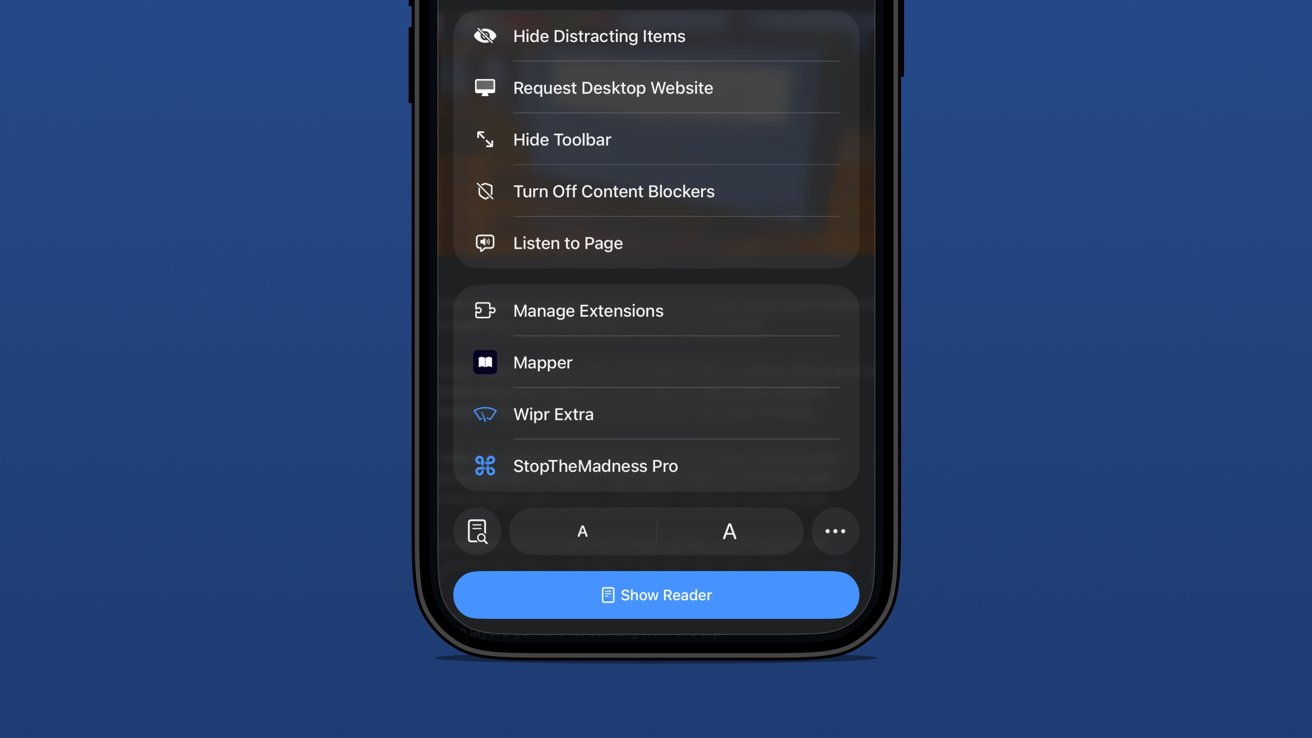
Close-up of an iPhone Safari menu showing options like Hide Distracting Items, Manage Extensions, and Show Reader against a solid blue background

iOS 26 review: extension and tab options in one menu

The address bar is perhaps the most complex and sometimes frustrating part of the setup. Long press gets you some window controls, a copy command, the Share Sheet, and a Voice Search option.

In case you’ve never used it, tapping Voice Search just triggers speech to text in the address bar and does a web search with your default engine.

Tapping the address bar lets you type in a URL or search query. There’s also the refresh button on the right.

Advertisement

Then there’s the tricky left side button that is a puzzle piece with two lines below it. Long press that and you’re in Reader Mode or tap it and it’s a long list of actions.

Be careful though. That button is highly variable as it might briefly show a shortcut to the translate tool or Reader Mode. That’s right, a simple tap doesn’t always perform the same action.

The menu itself is filled with your Safari Extensions and various configurable controls.
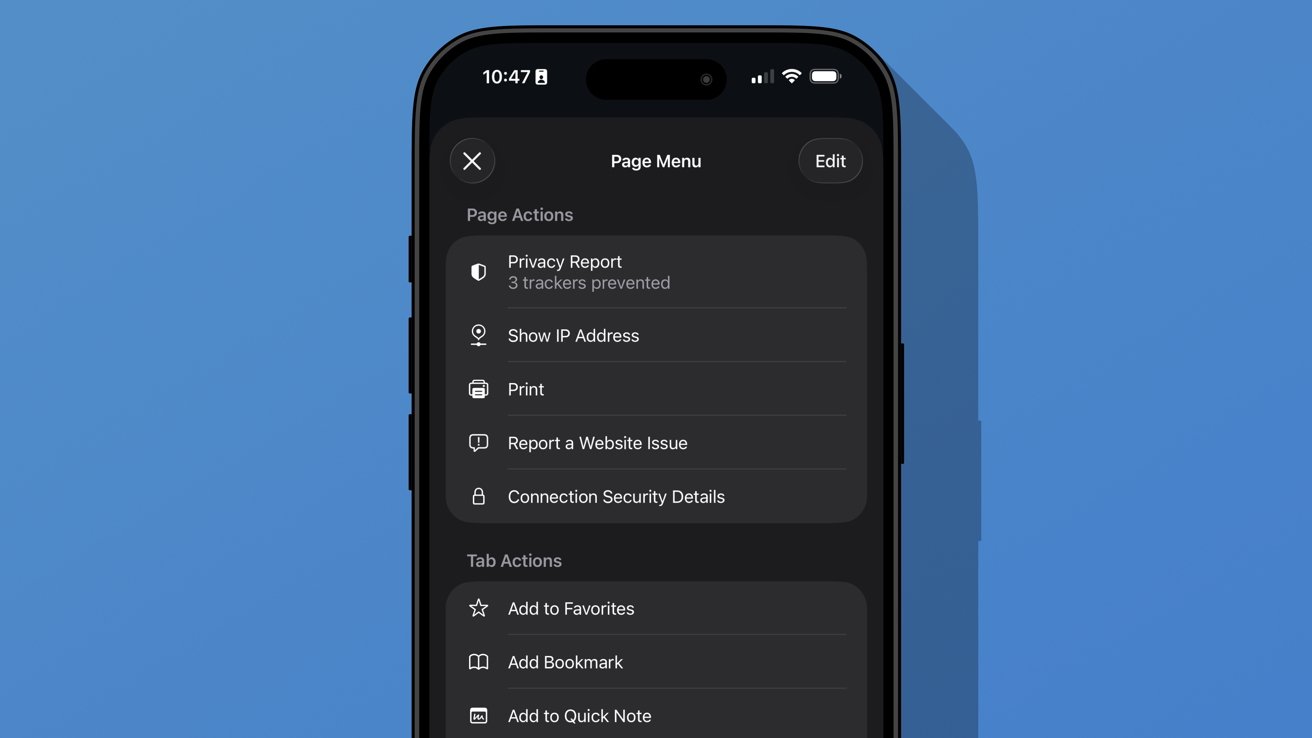
iPhone screen showing Safari Page Menu in dark mode with options like Privacy Report, Show IP Address, Print, Report a Website Issue, and Connection Security Details against a plain blue background

iOS 26 review: additional options found in the ellipsis menu

Advertisement

A new ellipsis at the bottom right of the menu will open an even more complex Page Menu. This section has specific options for the website or page you’re viewing and includes an edit function for customizing the controls in the previous menu.

I don’t think Safari on iPhone has reached its permanent form just yet. It feels a little too fidgety for my liking, though the configuration I’m using is my preference.

The address bar’s ability to shrink and get out of the way while scrolling is excellent. The transparency helps amplify the full-screen effect of the webpage too.

Apple introduced a new Immersive Browsing experience for Apple Vision Pro with visionOS 26. It feels like a combination of the Apple News format (sans ads) and Reader Mode. I’d love to see that evolve and come to iOS Safari.

Advertisement

Sure, Immersive Browsing would lack the 3D effects found in Apple Vision Pro, but I think it could create quite the interesting experience. I’m already a fan of the simplicity of Reader Mode, so something designed specifically to enhance the browsing experience might be fun.

iOS 26 one year later review: artificial intelligence

Apple may have pulled back on Apple Intelligence during WWDC 2025, but it was peppered throughout the keynote. There wasn’t anything overpromised this time.
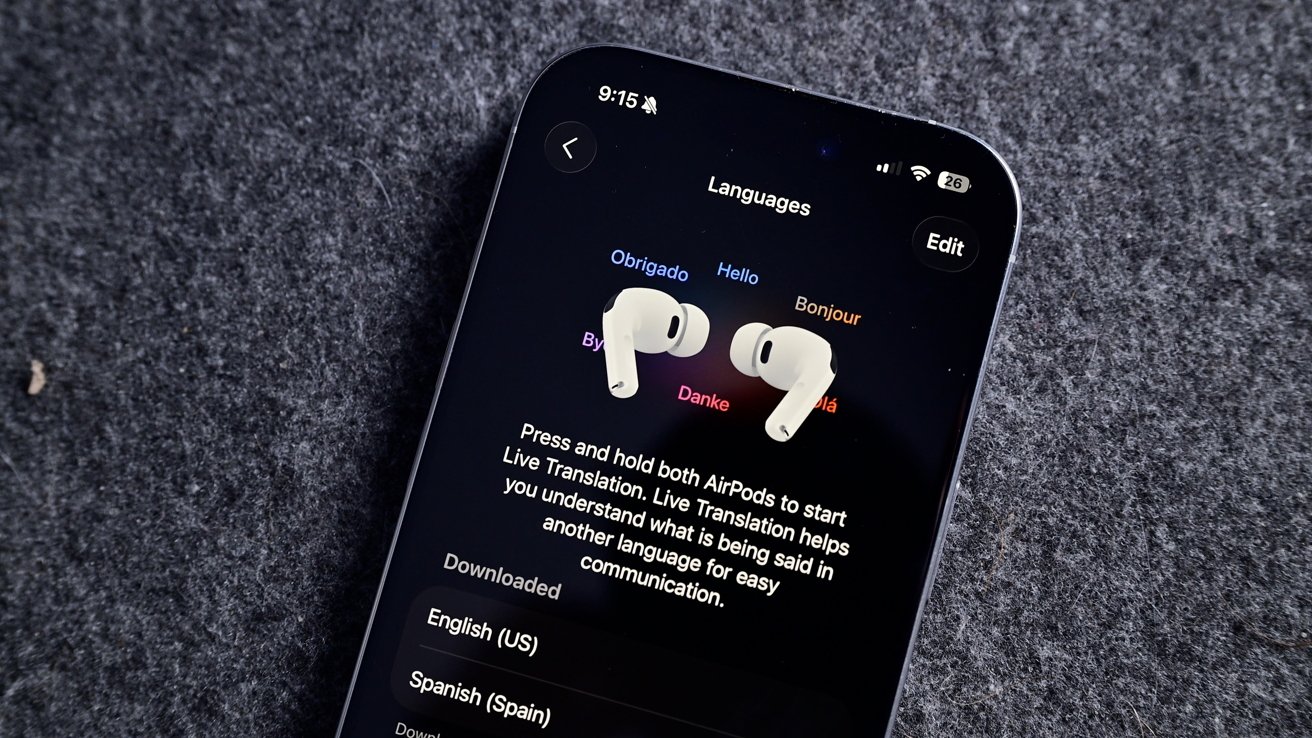
iPhone on gray fabric showing language settings and live translation instructions, with two white wireless earbuds resting side by side on the screen

iOS 26 review: Live Translation is an excellent example of a useful AI-powered tool

I haven’t encountered a situation where I might need Live Translation, but I’m glad it is there. The real-world demos I’ve seen of the tool all seem quite promising, and it will only get better over time.

Advertisement

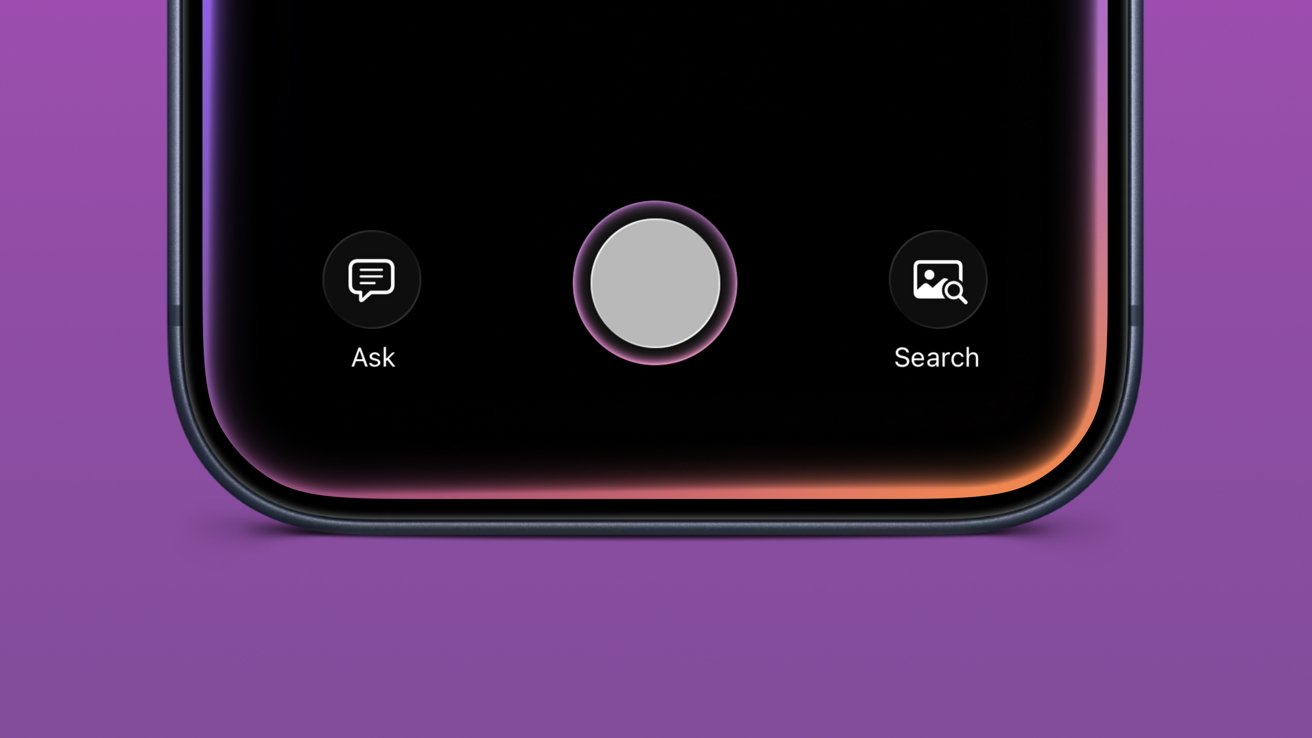
Visual Intelligence is now part of the screenshot tool. It’s not something I’ve used often, but it has come in handy a few times. Particularly, I like that reverse image search for Google is right in the interface.

Image Playground and Genmoji gained ChatGPT support, which hasn’t proven useful really. Of course, ChatGPT can make better images, but it requires sending your data off device. Even with the added privacy promises between Apple and OpenAI, it still feels icky.

Then of course there’s also the problem with OpenAI clearly having used copyrighted material for references. Every anime-filtered prompt is unmistakably close to a style from a favorite film or show.

I’m not sure Apple can escape that problem even when its own models are better at image generation. However, at least those supposed future models would be on-device or in an Apple server running on renewable energy. It’s not much, but those thoughts help the tools feel a little less gross.
Advertisement
Close-up of a iPhone bottom screen showing large central circular button, with smaller Ask chat icon on left and Search photo icon on right, above a purple background

iOS 26 review: Visual Intelligence got a small upgrade

Apple also opened up third-party access to Apple Foundation Models, including in Apple Shortcuts. I’m going to be completely honest here and say I’ve basically missed this entire aspect of iOS 26.

I mostly use Apple apps and don’t really deal with AI in any aspect. I don’t use ChatGPT, Claude, or the others, nor do I even have an account with them. I’ve never spent money on a token or done “research” with AI.

I’ve seen some clever adaptations, like Carrot Weather and others utilizing Apple’s models for chatbot experiences and the like. It’s just not for me.

Advertisement

The closest thing to AI that I use in my day-to-day beyond Proofread in Writing Tools is an app called FoodNoms. It uses OpenAI’s models to scan photos of food or food labels to generate estimated nutritional values.

Package tracking in Mail added to Wallet

I had honestly forgotten that the new Deliveries in Mail (beta) had begun in iOS 26. In preparation for the new feature, I deleted my other package tracking tools and went all in.
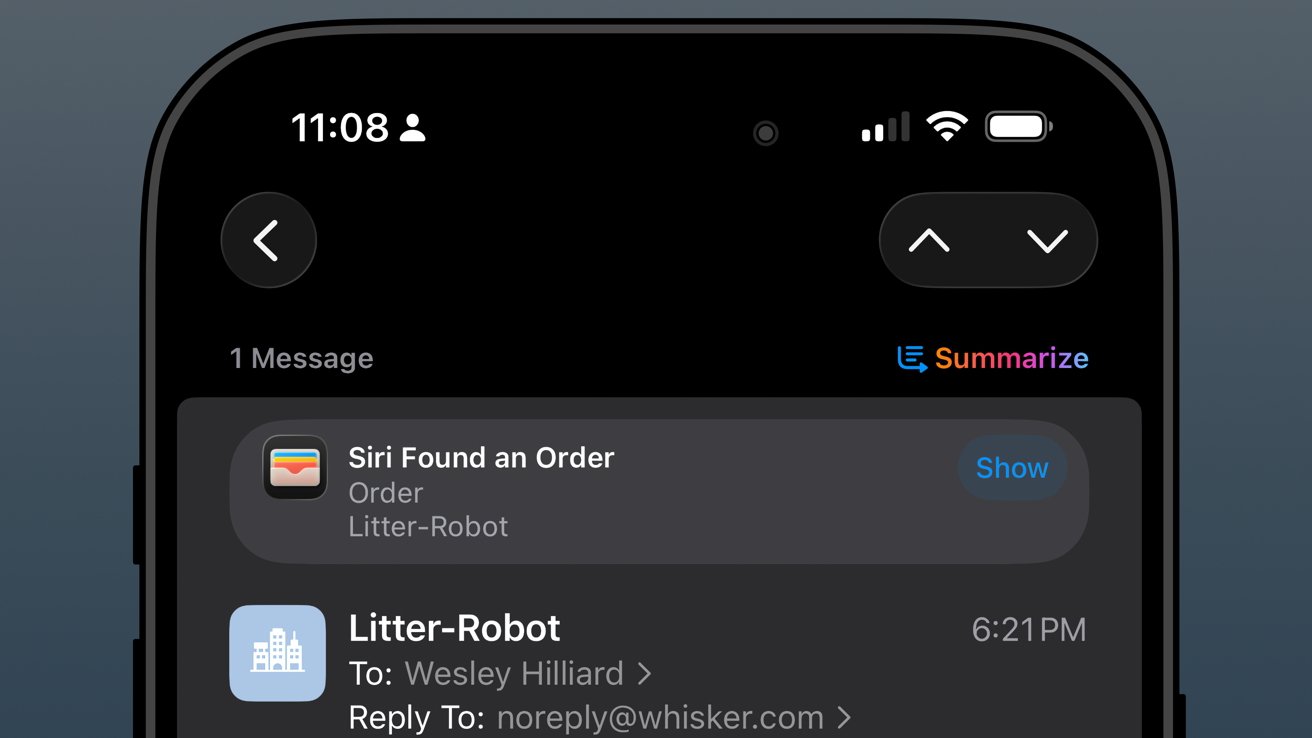
iPhone Mail app screen showing a Litter Robot order email, with Siri Found an Order notification and a colorful Summarize button near the top of the dark interface

iOS 26 review: orders found in Mail are sent to order tracking in Wallet

The past year has been filled with quite a lot of packages from all kinds of places: Amazon, SimpleHuman, Best Buy, and a variety of stores that use Shopify.

Advertisement

As usual, the Shopify purchases go into Apple Wallet natively. Some others support Wallet, but most, like Amazon, appeared when Mail was synced.

The system worked, more or less, but I wish it was 10% more intelligent. For example, if an incoming email has been identified as a delivery update, automatically move that mail to a deliveries folder and mark it as read while adding the data to Wallet.

I could write a mountain on Mail categorization and sorting, but that’s not a part of this review.
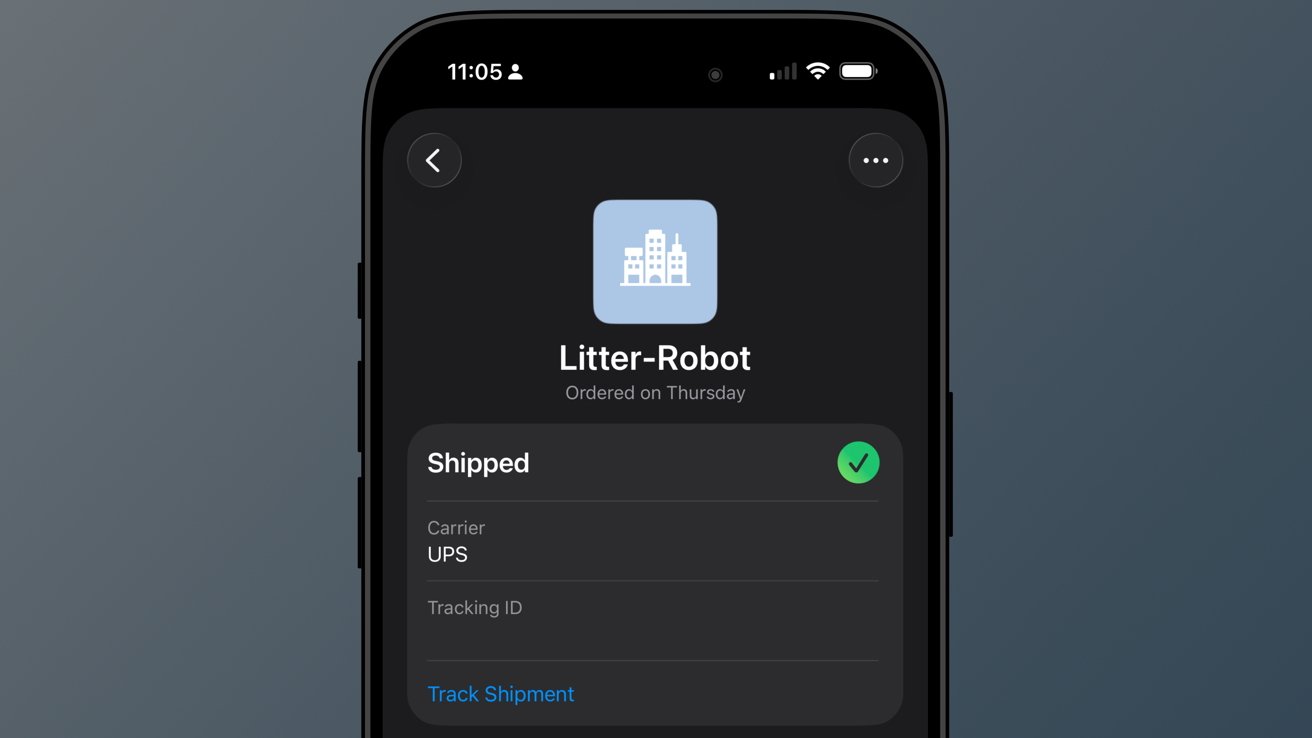
iPhone screen showing a dark-mode order status for Litter-Robot, marked Shipped with a green check, UPS listed as carrier, and a blue Track Shipment link below.

iOS 26 review: a good-enough tracking tool buried in Wallet

Advertisement

So far, I’ve not really missed my other delivery tracking tools, and I like the automatic nature of Apple’s implementation. However, it is far from perfect.

When I buy a game from PlayStation Network, a digital product, I sometimes get a delivery tracking notification in Wallet. Obviously, I can just delete it, but it seems odd that it can’t differentiate between that and an actual delivery.

The feature will improve with time, though there are two significant problems I have with it today.

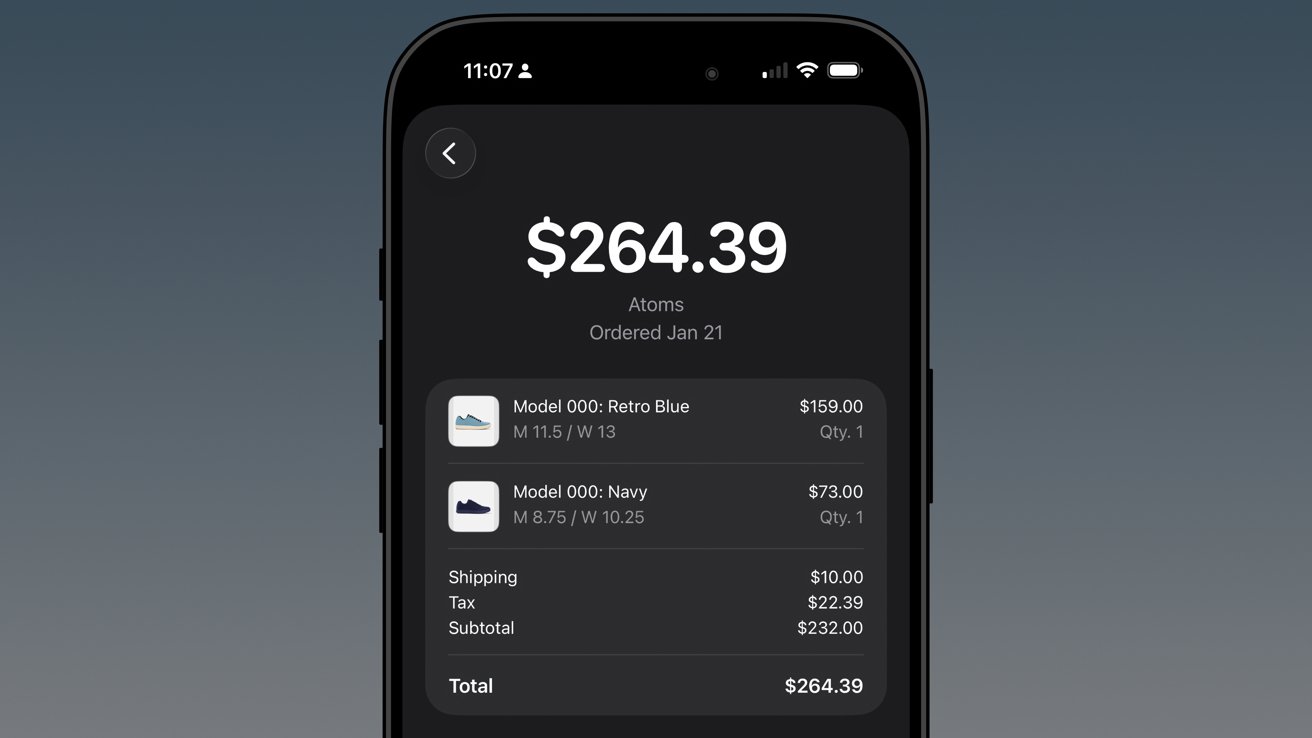
First, Apple still doesn’t support Wallet order tracking natively. It does now via the Mail tracking option, but that’s silly. Apple should be showing my orders and receipts in Wallet.
Advertisement
iPhone screen showing a dark-themed shopping receipt for Atoms shoes totaling $264.39, listing two pairs, shipping, tax, subtotal, and total with clear white text on black background

iOS 26 review: native order tracking like what Shop supports even provides in-Wallet receipts

Second, Apple has buried the feature in an ellipsis in Apple Wallet. It is beyond time that Apple Wallet gets a tabbed interface.

The payment cards could be the main tab, then the passes in a second tab, and a third tab for order tracking. I’d even take it a step further and add a special App Store section for the fourth tab, which would showcase apps and services that utilize Apple Wallet.

In any case, there’s work to do.

Advertisement

Apple Music Playlist Playgrounds

Playlist Playgrounds arrived late in the cycle, but it is still a part of iOS 26 and a bit of a surprise. Apple didn’t mention the feature once prior to its release, so that shows the restraint the company is having post-AI embarrassment.
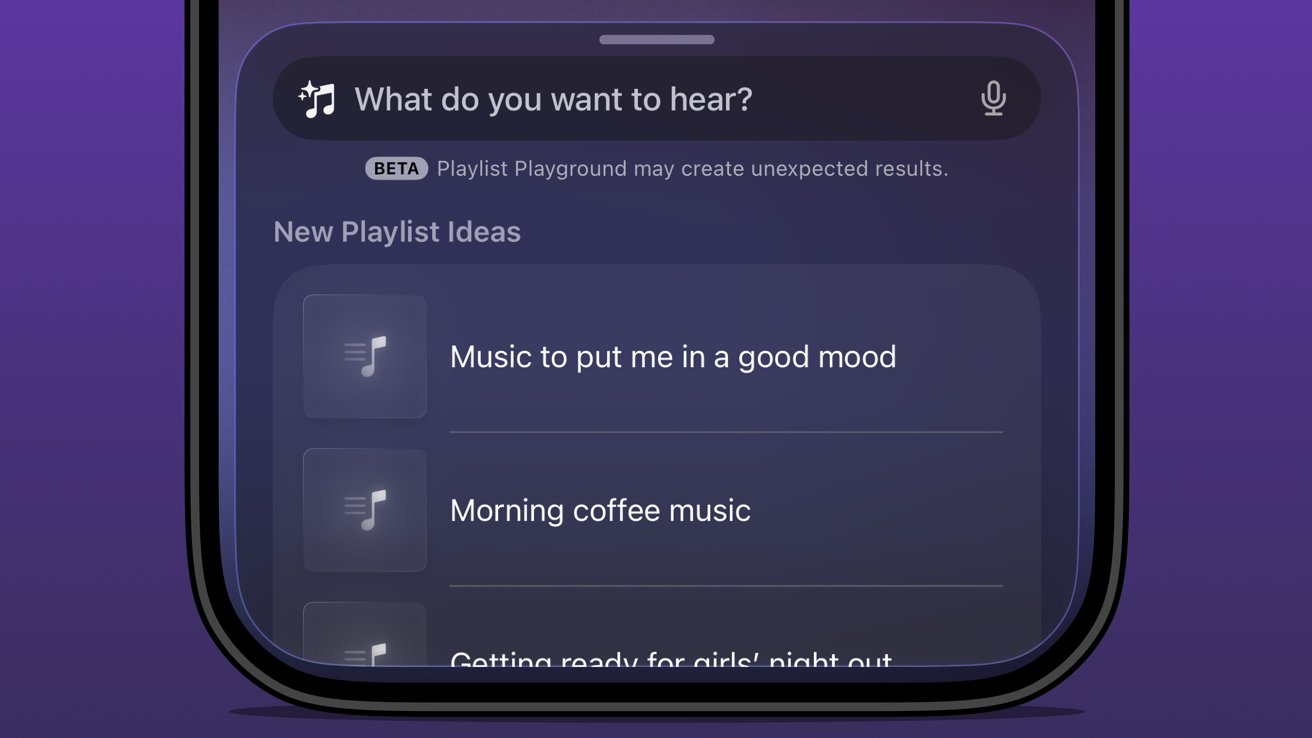
Close-up of a smartphone music app asking What do you want to hear, showing beta notice and playlist suggestions like Music to put me in a good mood and Morning coffee music

iOS 26 review: Apple Music Playlist Playground produces mixed results

Music playlists are a bit of an art, and I’m not entirely excited to hand their creation over to AI. I’m not particularly talented at putting playlists together either, but I do enjoy Apple Music’s human-curated selection.

I did like Beats Music’s The Sentence, which let you generate a playlist based on presets like activities and moods. It was very clearly machine learning and kind of worked.

Advertisement

The problem with Playlist Playground is that it lacks understanding and specificity. You can make the prompt as long as you like (at least I didn’t hit a limit), and yet it is clearly looking for very specific keywords.

If you want to generate a playlist that’s based on a genre, era, artist, or song, it will do the job. But something about it seems off.

Honestly, it just feels easier to type in search terms and grab the dozens of playlists already available. I’m not sure AI is solving anything here, but perhaps it’ll get better and more nuanced with time.

The Apple Intelligence problem

Apple obviously made a mistake when it pre-announced an Apple Intelligence that would be proactive and personal in 2024. It believed that the results they were seeing internally could be improved and become shippable by the spring.
Advertisement
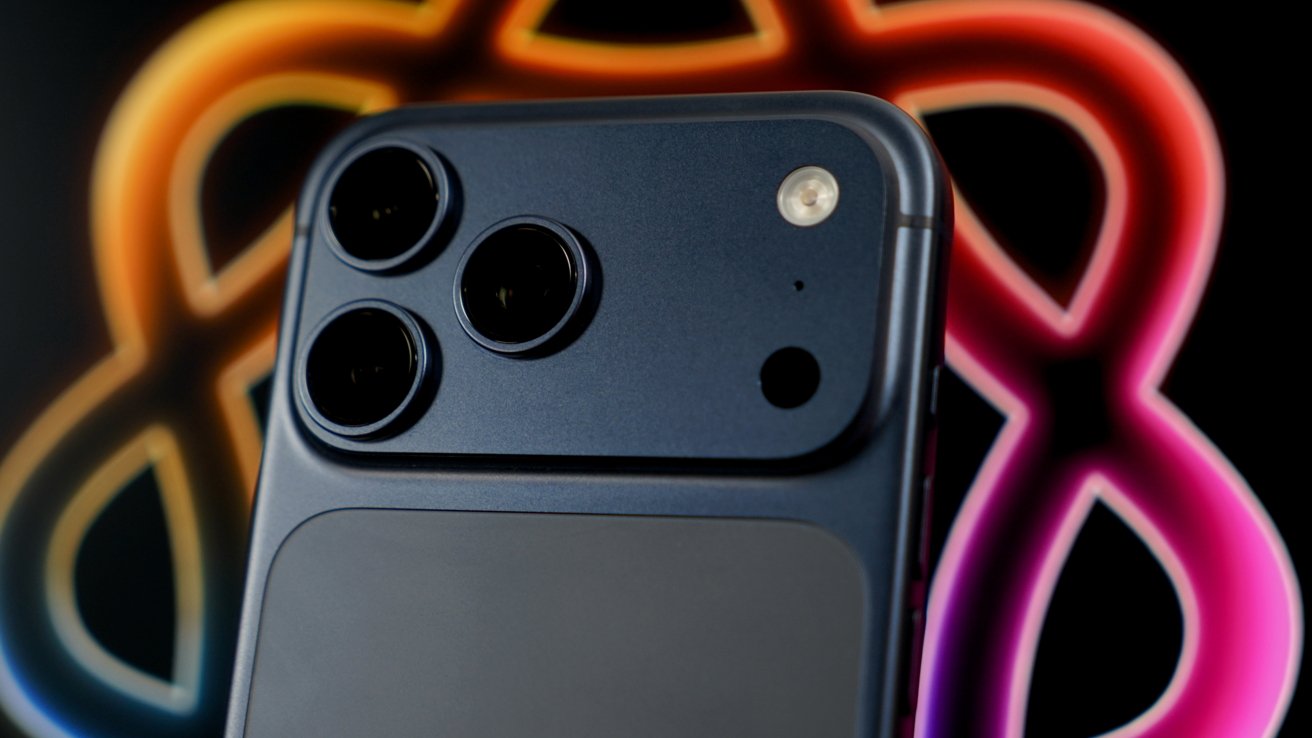
Close-up of an iPhone 17 Pro Max triple-lens rear camera and flash, set against a blurred, glowing multicolor background forming abstract looping shapes

iOS 26 review: the promise of Apple Intelligence still hasn’t been kept

I’m not sure where the fault lies, but clearly the engineers working on Apple Intelligence didn’t account for the inherent failures built into all AI systems. Apple has a high standard, and hallucinating details approximately 30% of the time just wasn’t an option.

There was another problem that Apple seemingly didn’t foresee — Siri.

The aging smart assistant that created an entire software category still runs with a machine learning backend. Apple hoped to just drop Apple Intelligence on top and have the logic sort out the details, but it introduced too many opportunities for error and hallucination.

Advertisement

That 30% hallucination rate was being multiplied across every exchange between the AI and ML systems. The only option was to scrap everything and build it with AI from the ground up.

Here we are two years later, and Apple is on the cusp of being ready to release what it originally announced, and then some. However, the timing was knocked off kilter once again by unforeseen circumstances.
Glowing multicolored atomic-shaped loop surrounding a soft rainbow diamond on a black background, with a subtle reflection beneath the vibrant neon symbol

iOS 26 review: rebuilding Siri with an LLM backend took some time

All signs pointed to a spring release of something until another strategy shift changed plans. Apple seemingly, until very recently, thought it could use Gemini to train Apple Foundation Models and implement it across its systems before WWDC.

Advertisement

Cooler heads prevailed, and more restraint has been shown, though to the annoyance of Apple fans that are looking forward to the AI upgrades. It seems, as of this review, that Apple won’t touch anything related to Apple Intelligence or Siri until after iOS 27 launches in the fall.

WWDC 2026 is on June 8 and will reveal the upgrades, but what will follow is a summer of beta testing. There’s actually a fairly good chance that these new AI models won’t even be available until after iOS 27 launches to the public.

Apple doesn’t upgrade its models via the software updates. Those go out via a background process, so there is no telling when such updates could go out.

The only way they might arrive sooner is if Apple lets developers test against them during the summer.
Advertisement
Red running track finish line with white lane numbers, overlaid by colorful abstract tech logos stacked vertically along the center lane

iOS 26 review: Apple doesn’t need to participate in the AI race

I’ve been talking about Apple Intelligence and its place in the artificial intelligence “race” since its inception. There has been talk about how Apple is behind and could likely never catch up. As if it somehow missed out on a revolution.

The reality is that Apple dodged a bullet.

Had Apple launched the personalized Siri and Apple Intelligence features it revealed in 2024 that October, it would have been ten times worse in terms of PR and backlash. Imagine if Apple’s models had been set loose in that state to parse personal data and provide proactive, contextual actions.

Advertisement

Every hallucination would have become ammo. We saw a tiny version of this with the poor notification summaries that sparked a backlash from publishers.

In the time since Apple’s AI delays, we’ve seen a bubble grow to its absolute limit. Instead of a violent pop that would have ruptured the global economy, we’ve seen more of a slow deflation in recent months.
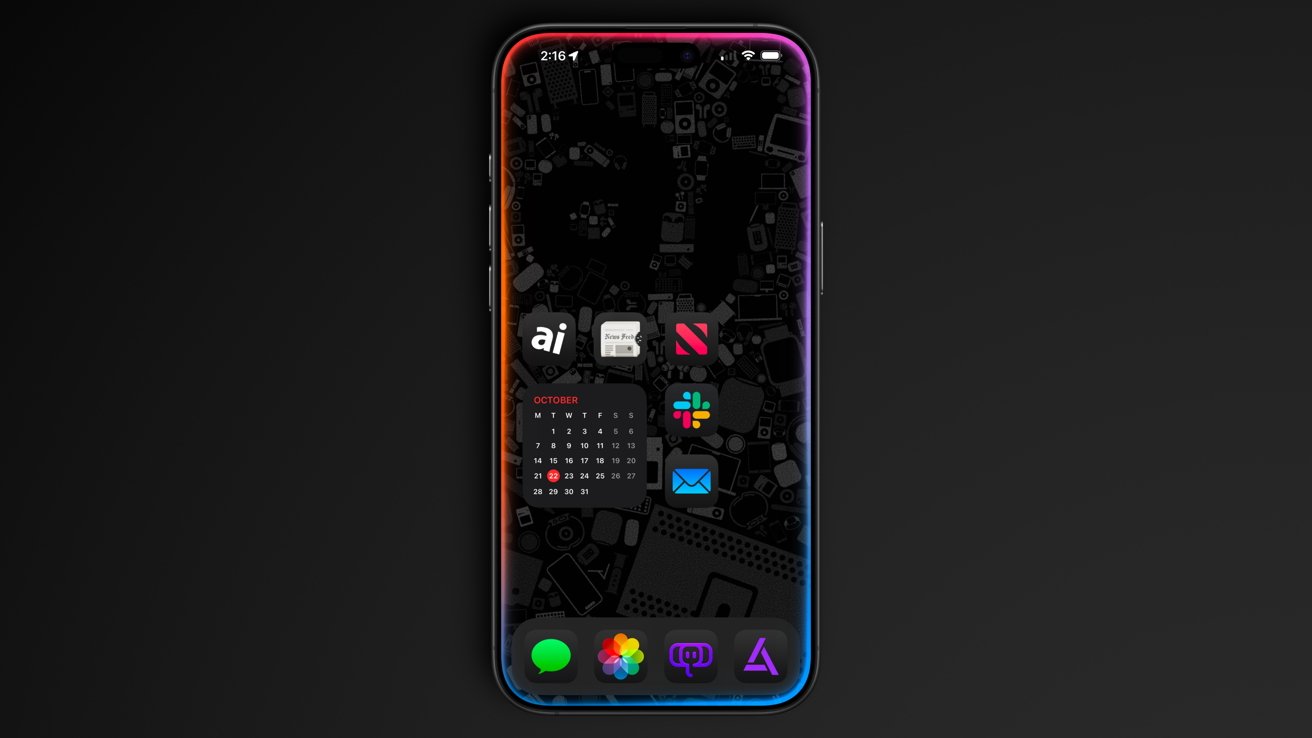
iPhone with dark Apple-themed wallpaper, colorful glowing edges, and neatly arranged home screen icons including calendar, Slack, Mail, News, Photos, Messages, and other apps on a black background

iOS 26 review: Apple could release a whole new AI platform backed by its upgraded models

Sure, the grift is going harder than ever, but the public is more jaded than it has ever been so far. And as odd as it might sound, I think Apple’s missteps and delays have led it to stumble into the perfect release window for its new offerings.

Advertisement

While time will tell if I have to eat these words, I expect Apple will finally launch the AI platform we’ve been waiting for. A private, secure, local-first set of proactive and personalized AI tools that can interact with third-party models of the user’s choosing.

Apple has always been the only company truly capable of executing this, even though others have tried to claim that they’ve done it already.

As soon as fall 2026, iOS 27 users should see Apple Foundation Models powering Siri and Apple Intelligence. Too bad this review is about iOS 26.

iOS 26 one year later review – Pros

  • Liquid Glass is a new, if divisive design
  • Smart changes like having menus appear where a button was tapped
  • A thoughtful rollout of AI features
  • Separating people from spam in social apps
  • Excellent upgrades to apps like Journal and Safari

iOS 26 one year later review – Cons

  • Continued lack of AI features promised in 2024
  • Liquid Glass makes some elements difficult to read
  • Some apps remain neglected and untouched, like Apple Home

Rating: 3.5 out of 5

Overall, iOS 26 was a solid release with minimal issues across the board. You’ll find plenty of loud, angry people online, but they’re the vocal minority.

Apple changed the system-wide UI into live-rendered material that showcases Apple Silicon without completely frying the system. It’s an impressive feat, even if not everyone is a fan.

Advertisement

It is frustrating that a company the size of Apple continues to be stuck in this flip-flop app update cycle. The apps that got attention in iOS 26 will likely be virtually ignored until iOS 28, while others will see some changes in iOS 27.

I expect iOS 27 will be one focused on tweaks and adjustments considering the upheaval that occurred in iOS 26. That, and Apple Intelligence could dominate the WWDC 2026 keynote, for better or worse.

Source link

Advertisement
Continue Reading
Click to comment

You must be logged in to post a comment Login

Leave a Reply

Tech

KDE Receives $1.4 Million Investment From Sovereign Tech Fund

Published

on

The German Sovereign Tech Fund has invested 1.2 million euros ($1.4 million USD) in KDE Plasma technologies to help strengthen the structural reliability and security of the desktop environment’s core infrastructure, including Plasma, KDE Linux, and the frameworks underlying its communication services. Longtime Slashdot reader jrepin shares an excerpt from the announcement: For 30 years, KDE has been providing the free and open-source software essential for digital sovereignty in personal, corporate, and public infrastructures: operating systems, desktop environments, document viewers, image and video editors, software development libraries, and much more.

KDE’s software is competitive, publicly auditable, and freely available. It can be maintained, adapted, and improved in-house or by local software companies. And modifications (along with their source code) can be freely distributed to all users and departments within an organization.

KDE will use Sovereign Tech Fund’s investment to push its essential software products to the next level, providing every individual, business, and public administration with the opportunity to regain their privacy, security, and control over their digital sovereignty. Slashdot reader Elektroschock also shared a statement from Fiona Krakenburger, Technical Director at the Sovereign Tech Agency.

“We have long invested in desktop technologies for a reason: they are the primary way people access and use digital services in everyday life,” says Krakenburger. “The desktop holds personal data and mediates nearly every service we depend on, from booking the next medical appointment, to education, to the way we work. We are investing in KDE because it is one of the two major desktop environments used across Linux and plays a key role in how millions of people experience open technology. Strengthening KDE’s testing infrastructure, security architecture, and communication frameworks is how we invest in the resilience and reliability of the core digital infrastructure that modern society depends on.”

Advertisement

Source link

Continue Reading

Tech

The Steam Controller Wilhelm Scream Easter Egg Is Incredible

Published

on

Thanks to Reddit, one of the best little secrets of the Valve Steam Controller has been discovered. Now I can’t stop dropping it, because it turns out it makes a Wilhelm scream if it does. I tested it, and can confirm. You don’t even need the controller paired to anything to make it happen.

Throughout my several-week review of Valve’s new game controller, I never knew that it made the infamous Wilhelm scream, a stock sound effect that has been used in hundreds of movies, when dropped. How would I know it did that? I don’t drop controllers. Or I don’t intend to. 

But that’s exactly what the controller does when dropped even lightly on any surface. I picked up and dropped the controller a bunch of times onto my sofa, from about 3 feet, and that iconic scream that my kids love happened. Check out the video below.

Advertisement

The scream is randomized: It’s not about how hard you drop it, so don’t do that. A harder accidental fall onto the floor produced no scream. Two straight drops made screams. Then none for a bunch after that. That’s the fun of it.

Apparently, the scream is happening via the motor haptics in the controller, which act as a speaker. Or, is it a speaker? It sounds really good, it’s stunning.

The effect occurs even if the Steam Controller isn’t paired to anything. I just turned the controller on, and while it was cycling for Bluetooth pairing, it still made the drop screams, no Steam Deck or PC on or nearby.

I don’t generally recommend dropping $99 game controllers, but this Easter egg is so amazing that I want all game controllers to make little noises now. What if Joy-Cons made Mario sounds? PlayStation DualSense made AstroBot chirps?

Advertisement

I already loved the Steam Controller. I love it even more now.

Source link

Advertisement
Continue Reading

Tech

Best Desks of 2026: I’ve Spent Nearly 4,000 Hours Testing Desks. These Are the Ones You Want

Published

on

Testing desks is something of a subjective game. Much like office chairs, the tests are based on comfort, reliability and ease of setup rather than things you can test in electronics such as wattage and battery usage. I still tested each one rigorously and will continue to test them for longevity in the coming months.

I tested these desks by asking three people to try each one. Each of them used the desk for at least 16 hours and then gave me their impressions. The three people were 6 feet, 1 inch tall; 5 feet, 8 inches tall; and 5 feet, 4 inches tall respectively, to give me a good cross-section of average user height.

A busted up box containing a desk

James Bricknell/CNET

Setup time and package quality

Building desks can often be difficult and time-consuming. For each desk, I timed how long it took to unpack and assemble, and I noted whether the manual was easy to follow. I followed the instructions as closely as possible so that each build was performed as if I had never built one before. I also thoroughly checked the packaging, to make sure it wasn’t damaged, and if it was secure enough to carry the desk it had in it. Any damage was noted, and images were sent to the manufacturers for review.

Structural integrity

Modern desks need to be able to hold a good amount of weight. If you’re at a writing desk you might only have a small laptop, but if you’re using a gaming desk, it likely has two monitors and a giant gaming PC as well. For each desk, I checked the maximum load specification, and I tried to match that with the materials we actually use on our desks.

Advertisement

I used:

  • A heavy gaming PC tower
  • Two 27-inch gaming monitors on a dual monitor arm
  • A MacBook Pro
  • Two different keyboards and assorted mice and trackpads
  • My Oculus Quest 2
  • My phone stand and USB hub
  • A podcasting mic and headphones

Depending on the length and weight capacity of the desk, I mix and match these items, then check for any bowing of the top or inconsistencies in how the desk felt as I worked.

Giant black standing desk with rainbow lights

James Bricknell/CNET

The wibble-wobbles

This is a bit of a throwback from when my dad used to make furniture. Anything my dad built would be critiqued by my mum, and if it didn’t pass muster, she would say, “It’s a bit wibbly-wobbly, isn’t it, dear?” Once I’ve built each desk and loaded it for normal use, I would check it for the wibble-wobbles. This means rocking it from side to side and forward and backward to check that all the screws, bolts and fixtures kept everything rigid.

Source link

Advertisement
Continue Reading

Tech

Origin Lab raises $8M to help video game companies sell data to world-model builders

Published

on

As AI begins to interact with the physical world, new types of labs are working to build world models that could be used to operate physical robotics or model objects in physical space. Unlike large language models, there isn’t an easy source of data for those models, which has left many labs scrambling to assemble the necessary training sets.

Now, one startup is emerging with an unlikely data source: the video game industry.

That’s the premise of Origin Lab, which just announced an $8 million seed funding round led by Lightspeed Ventures. SV Angel, Eniac, Seven Stars, and FPV also participated, with angel funding from Twitch co-Founder Kevin Lin and Cruise founder Kyle Vogt.

“The AI systems that are being built now need to understand how the physical world works and how things move,” co-CEO and co-founder Anne-Margot Rodde told TechCrunch. “That data essentially lives in video games.”

Advertisement

In simple terms, Origin Lab will serve as a marketplace where world-model-focused labs such as Yann LeCun’s AMI Labs or Fei-Fei Li’s World Labs can buy high-quality licensed data. On the other side of the trade, video game companies can squeeze additional revenue out of the digital assets they’ve already created. In the middle, Origin Lab will convert the video game assets into a form that works as training data — something that could be as simple as a rendering run or as complex as automating hours of walkthrough footage.

“It became clear that the video game industry was sitting on some incredibly valuable data, but there was no real way or infrastructure to basically connect AI labs and the video game industry,” says Rodde. “So essentially, we built that bridge.”

Labs have long been interested in video game footage as a data source, but licensing and data quality issues have often gotten in the way. In December 2024, OpenAI caused a minor scandal when the first version of its Sora video-generation model seemed to regurgitate footage of popular video games and streamers — presumably because it had been trained on Twitch streams. Amazon has been open about its interest in using Twitch footage to train models.

Origin’s success in fundraising is a sign of a growing market — not just for training data, but for startups that can serve as essential suppliers to major AI labs. Faraz Fatemi, a partner at Lightspeed who led the Origin investment, says the success of companies like Scale.AI has made the opportunity impossible to ignore.

Advertisement

“We’ve seen how sharp the revenue scaling can be for data vendors that are serving the major labs,” Fatemi told TechCrunch. “These are very well-capitalized businesses, and the bottleneck for all of them is data.”

When you purchase through links in our articles, we may earn a small commission. This doesn’t affect our editorial independence.

Source link

Advertisement
Continue Reading

Tech

A big price cut makes the Kindle Colorsoft much easier to recommend

Published

on

Colour displays on e-readers have always come at a premium steep enough to make most readers pause and quietly settle for black and white instead.

The Kindle Colorsoft is Amazon’s answer to that hesitation, and it is now down from £239.99 to £174, with £65.99 off its usual retail price.

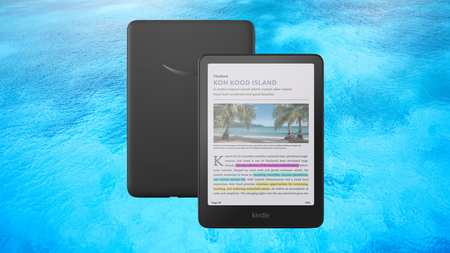
Amazon Kindle Colorsoft on a watery blue backgroundAmazon Kindle Colorsoft on a watery blue background

A big 27% price cut brings the Kindle Colorsoft under £175, making a colour Kindle far more affordable

The Kindle Colorsoft is Amazon’s answer to the steep prices of colour e-readers, and it is now down to £174.

Advertisement

View Deal

This is not simply a standard Kindle with a colour filter dropped over the top; the Colorsoft uses a purpose-built 7-inch Colorsoft display optimised specifically for colour reading, delivering 300ppi in black and white and 150ppi in colour, with a paper-like quality that makes book covers and illustrated content genuinely worth looking at.

Advertisement

The adjustable warm light shifts the display from white to amber, which means comfortable reading holds up whether you are outside in direct sunlight at midday or winding down under a lamp late at night.

Battery life reaches up to eight weeks on a single charge, based on half an hour of reading per day with wireless off and the light at a moderate setting, so the colour display does not come at the cost of the long battery life Kindle readers expect.

Advertisement

The Whatsapp LogoThe Whatsapp Logo

Get Updates Straight to Your WhatsApp

Advertisement

Join Now

Storage sits at 16GB, which is enough to hold thousands of books locally, and free cloud storage covers the rest of your Amazon content library without taking up any space on the device itself.

Advertisement

Waterproofing is rated to IPX8, meaning the Kindle Colorsoft can handle submersion in two metres of fresh water for up to 60 minutes, making it genuinely bath-safe and pool-safe rather than just splash-resistant in name.

Highlighting works across four colours, yellow, orange, blue, and pink, which makes it a more active reading tool for anyone who annotates regularly and wants to distinguish between different types of notes across a single book.

This deal makes strong sense for readers who have been watching the colour Kindle category and waiting for the price to become more reasonable, with the Colorsoft now sitting at its most accessible since launch.

Still want to explore the full Kindle lineup before deciding? Our best Kindle 2026 guide has every current model tested and ranked to help you find the right fit.

Advertisement

Advertisement

SQUIRREL_PLAYLIST_10148964


Source link

Advertisement
Continue Reading

Tech

Turning AI cost spikes into strategic growth opportunities

Published

on

Presented by Apptio, an IBM company


AI spending is surging, but the full impact often remains an open question. Closing the gap requires clear answers to how AI is governed, measured, and tied to business outcomes.

ROI uncertainty isn’t unique to AI: In the Apptio 2026 Technology Investment Management Report, 90% of technology leaders surveyed said that ROI uncertainty has a moderate or major impact on overall tech investment decisions, a 5-percentage point year-over-year increase. In other words, tech leaders are increasing their reliance on ROI – even if they don’t fully know how to measure it. And AI economics involves new and unpredictable costs, further complicating ROI calculations. Faced with increasing uncertainty and increasing budgets, technology leaders need a clear, reliable framework for evaluating AI ROI.

Organizations increasingly expect scaled AI to pay its own way, at least partially. According to Apptio’s technology investment management report, 45% of organizations surveyed intend to fund innovation by reinvesting savings from AI-driven efficiencies. That model assumes that such savings are both achievable and quantifiable. Meanwhile, the two-thirds of organizations planning to reallocate existing budget capital to AI will need clarity on the trade-offs involved.

Advertisement

Much like the early days of public cloud, AI costs and returns are difficult to predict. Pricing varies widely across providers and continues to evolve, while consumption is unpredictable. The pressure to adopt quickly is also formidable as organizations navigate the threat of disruption by more agile competitors.

The new math of AI ROI

Considering the many variables, tech leaders should view AI ROI as a matter of optimization. At a high level, the implementation of AI initiatives is inevitable. The question is how to achieve the greatest possible returns — both financial and organizational.

Start with the business problem. There are many ways AI can deliver positive impact, but organizational resources and focus may be limited. Make sure you’re prioritizing the right initiatives by basing your AI investment strategy on quantifiable goals tied to real business outcomes. Are you trying to improve decision-making speed? Increase throughput or capacity? Or chasing cool edge cases with high potential returns but minimal strategic relevance?

Determine what success looks like. AI can introduce a new capability or augment an existing one. For new capabilities, articulate the possibilities you’d like to unlock, such as new revenue opportunities, workflows, or decision-making processes. For augmentations, establish baseline performance and the expected lift you aim to achieve with AI.

Advertisement

Consider how finances will influence your evaluation. Some use cases may show minimal results in the near-term but drive significant value in the long-term. What’s your timeframe for return? On the other hand, more successful rollouts with rapid adoption can generate unexpectedly high inference bills. Would that mean pulling the plug — or leaning in further? What should your cost and return curve look like over the years? As you map your timeline, establish clear thresholds to determine whether you’ll proceed, pause, stop, or accelerate your investment.

Identify the right KPIs. The returns on an AI investment can be even more difficult to evaluate than the costs. Usage, efficiency, and financial impact all matter. But AI success metrics won’t always be straightforward. There may be new usage patterns you don’t yet have a way to measure. Your technology environment may experience follow-on shifts that call for further evaluation. Will you be able to lessen your reliance on other tools, such as reducing seats in your data analytics platform? How will you factor in cross-tool pricing comparisons for multiple AI providers with shifting rates?

To gain full context and insight, you must also take into account the alignment of the initiative with your broader strategy and consider the opportunity cost of the investments you might otherwise have made. Remember that you’re not evaluating AI business value in isolation; you’re deciding whether it’s the best use of finite capital across all your investments.

These decisions will call for a level of insight far exceeding what was needed to justify traditional purchases like network infrastructure or enterprise software. Tech leaders navigating the complexities of AI economics should consider a new framework for data-driven decision-making.

Advertisement

Making AI investment sustainable with TBM

Technology business management (TBM) helps make ROI more concrete and measurable, so it can be relevant to the business. By bringing together IT Financial Management (ITFM), AI FinOps (cloud financial management for AI workloads), and Strategic Portfolio Management (SPM), a TBM framework connects financial, operational, and business data across the enterprise.This makes it possible to account for AI value and cost across a wide array of dimensions — and translate hypothetical innovation into board presentations and budget justifications that hold up under scrutiny.

TBM can help leaders build a trustworthy cost foundation that captures AI spend across labor, infrastructure, inference, storage, and applications. As AI workloads shift dynamically, TBM provides visibility into how that spend is distributed across on-premises systems and cloud environments — both of which require different capacity planning for specialized skill sets. The framework also connects investments to business outcomes, aligning AI initiatives with strategic priorities and measurable results. With increased visibility, you’re able to identify issues and make decisions fast, such as catching cost spikes early. Early detection can help to determine if the usage shift merits shifting funding. This unified view of financial and operational data helps leaders scale what’s working and reassess what isn’t as adoption increases. TBM provides essential visibility and context across the entire AI spend management conversation. Even as pricing evolves, tooling changes, and workflows shift, you can apply the same analytical approach and understand what’s actually working and demonstrate ROI. Leaders who operationalize AI within a TBM framework can:

  • Evaluate ROI at both project and portfolio levels

  • Spot unexpected cost spikes

  • Compare multiple AI tools

  • Understand ripple effects across run-the-business systems

  • Defend investment decisions with confidence

  • Understand and manage total costs and usage across the AI investment lifecycle

From theory to practice

Organizations are moving beyond AI experiments, and we’re past the point where these investments can be funded on optimism alone. Amid heightened uncertainty and cost sensitivity, boards are asking more strategic questions and finance wants trustworthy data.

Enterprise leaders who treat AI as a managed investment, rather than a bet on innovation, are those who will scale it successfully. To fund AI responsibly, leaders must establish clarity around scope, outcomes, cost drivers, and readiness. A TBM-driven approach provides the data foundation, visibility, and accountability to make those decisions.

Advertisement

Learn more here about how Apptio TBM transforms IT spend management in the AI era.


Ajay Patel is General Manager at Apptio, an IBM Company.


Sponsored articles are content produced by a company that is either paying for the post or has a business relationship with VentureBeat, and they’re always clearly marked. For more information, contact sales@venturebeat.com.

Source link

Advertisement
Continue Reading

Tech

Supreme Court Breaks Another Election To Make Sure Black Voters Are Disenfranchised

Published

on

from the voter-certainty-be-damned dept

Again, I feel like I’m going crazy here, but the obviously extremely partisan Supreme Court has struck again. I will repeat some of the basics, because it’s hard to believe how blatant all of this is. In November, a (Trump-appointed) judge threw out Texas’s new congressional maps, noting that the Texas state government had made it quite clear it was done for racial reasons, making it a violation of the Voting Rights Act. The judge wrote a detailed 160-page ruling showing how the Trump administration itself had essentially locked in the Texas legislature’s need to draw maps based on race, by threatening them with a civil rights complaint if they didn’t.

The Supreme Court, however, blocked that new map in December, saying that because of the upcoming midterm elections (still months away in December), Texas had to use those new maps (which had only been created in August) because (according to Samuel Alito) Texas voters needed “certainty.” Of course, they could have gone right back to the maps Texas had been using up until August — but somehow that would have shaken things up too much.

Then, a few weeks ago, the Supreme Court issued its Callais decision, effectively wiping out the remaining bits of the Voting Rights Act. Louisiana immediately declared a state of emergency and sought to throw out the map it had already started using for primary season — to redraw it in a much more racist way. And Samuel “the voters need certainty” Alito helped them along by rushing the certification of the Callais decision.

Now, just a few days later, the conservative majority on the Supreme Court has also vacated an even more detailed ruling rejecting maps in Alabama for being racist. The conservative majority claims that this is in light of the ruling in Callais:

Advertisement

The judgment of the United States District Court for the Northern District of Alabama in that case is vacated, and the case is remanded to the United States Court of Appeals for the Eleventh Circuit with instructions to remand to the District Court for further consideration in light of Louisiana v. Callais

Now, that’s already odd for the same reason I raised earlier about the Supreme Court (led by Justice Alito) claiming back in December that they couldn’t overturn Texas’ new map (which has only been announced, and never actually used, months earlier) for the sake of “voter certainty.” Yet here they are issuing a ruling EIGHT DAYS before the Alabama primary.

What the fuck?

It’s bizarre for multiple other reasons as well, including that the Supreme Court already heard a related case regarding the map in Alabama and ruled that it violated the Voting Rights Act (Alito, naturally, dissented). The state went to redraw its map based on that, but the lower court rejected the new maps almost exactly a year ago in an astounding 571-page ruling.

Notably, while that ruling does find that the new maps violate the Voting Rights Act (in multiple ways), it also found that the maps directly violate the Fourteenth Amendment (this discussion is towards the end of that 571-page ruling, so perhaps Alito and the other conservative Justices didn’t read that far?). And, as much as the Court believes it can invalidate the Voting Rights Act, it cannot invalidate the Constitution.

Advertisement

So we have a ridiculously thorough 571-page district court ruling — finding that the maps violate not just the VRA but also the Fourteenth Amendment — and the conservative majority just waves it away. Yet the conservatives on the Supreme Court — the same group who said no last-minute map changes for “voter certainty” — just ordered that clearly discriminatory, unconstitutional map into use, because of how they changed their interpretation of the Voting Rights Act.

But, as Justice Sotomayor points out in her dissent, that would totally ignore the Fourteenth Amendment part!

At the end of that trial, the District Court concluded “with great reluctance and dismay and even greater restraint” that Alabama had not merely spurned the opportunity to remedy past discrimination, but in fact had intentionally violated the Fourteenth Amendment.

Given that, the ruling in Callais could only possibly impact the VRA part of the lower court decision. Not the Fourteenth Amendment bit. But the majority on the Supreme Court just ignores that.

Nothing in the District Court’s Fourteenth Amendment analysis is affected by this Court’s opinion in Callais. Most obviously, Callais changed the legal standard for vote-dilution claims under §2. See 608 U. S., at ___ (slip op., at 19) (“[W]e must understand exactly what §2 of the Voting Rights Act demands”). It said not a word about the standard for Fourteenth Amendment intentional-discrimination claims like the one that the District Court decided on remand in round two.

Even worse, Sotomayor points out that in Callais itself, the majority had claimed that the earlier 2022 ruling regarding the Alabama maps (where they said it violated the VRA) remains good law. But this new ruling clearly contradicts that claim.

Advertisement

Callais also insisted that this Court’s prior decision in Allen remains good law. See id., at ___ (slip op., at 36) (“[W]e have not overruled Allen”). These cases are, of course, Allen. So if Allen is good law anywhere, then it must be good law here. This Court’s finding of racially discriminatory vote dilution is an inextricable, permanent feature of this case, and Alabama’s willful decision to respond by entrenching rather than remedying that dilution is, as the District Court correctly recognized, evidence of discriminatory intent

So, was Alito lying a week and a half ago when he said that Allen was still good law? Or did he just change his mind now, because he’s decided that he needs to proactively strip Black voters of their franchise for the sake of helping Republicans get a few more seats in the House?

And John Roberts wonders why people claim the Supreme Court is “partisan.”

Sotomayor also points out the ridiculousness of doing this a week before the election:

Even if Callais had something to say about the evidence necessary to establish discriminatory intent, it still would not be appropriate to vacate the decision below at this time. That is because Alabama’s congressional primary election is next week, and vacating the District Court’s injunction will immediately replace the current map with Alabama’s 2023 Redistricting Plan until the District Court acts, even though voting has already begun. Vacatur is an equitable remedy, and the Court should not lightly wield it to unleash chaos and to confuse voters.

Honestly, I’m a bit disappointed that she didn’t point to Alito’s “voters need certainty” claim for refusing to block Texas’ new maps back in December.

Advertisement

There is no good-faith reading of these events. Alito said Allen was still good law — then acted as if it wasn’t, twelve days later and eight days before an election. He said voters need “certainty” — then vacated a 571-page ruling finding unconstitutional discrimination with a week to go before Alabama’s primary. And the majority just waved away the Fourteenth Amendment finding entirely, as if they simply didn’t notice it was there.

John Roberts keeps insisting the Court isn’t partisan. At some point, the gap between that claim and what the Court actually does becomes its own kind of answer.

Filed Under: 14th amendment, alabama, john roberts, racism, redistricting, samuel alito, sonia sotomayor, supreme court, texas, voting rights act

Advertisement

Source link

Continue Reading

Tech

Ken Paxton Pretends To Care About Consumers, Sues Netflix To ‘Protect The Children’

Published

on

from the hollow-performative-populism dept

Flimsy and corrupt authoritarian populism is dedicated to pretending that the oligarchs and autocrats really care about the people. One way Trumpism has done this is by pretending they actually care about reining in corporate power. That’s included an elaborate, multi-year performance about how MAGA Republicans were going to curb abuses by “big tech” and bring back meaningful antitrust reform.

As we’ve warned and witnessed repeatedly, that’s always a lie. The Trump administration has relentlessly dedicated his second administration to devastating whatever was left of regulatory autonomy, consumer protection, and antitrust reform. If MAGA is taking aim at a company it’s almost always either to harass them for doing something Trump doesn’t like, or to help benefit a billionaire ally.

Texas AG Ken Paxton is no exception. Every so often Ken likes to take a break from fueling dangerous conspiracy theories and harassing trans people to pretend he’s being tough on corporate power. Ken’s latest gambit is a new lawsuit against against Netflix for… monetizing streaming advertising viewer data and creating “addicted” users:

“Netflix’s years-long bait-and-switch has led the company right to where it promised never to be: addicting children and families to its platform, mining those users for data, and then converting that data into lucrative intelligence for global advertising juggernauts.”

Granted Netflix is not unique here. In a country too corrupt to pass meaningful privacy laws (because MAGA Republicans just like Ken routinely work to kill them), nearly every company you interact with on a daily basis now monetizes your every movement and online choices, “anonymizes” it (a meaningless term), sells access to dodgy international data brokers, then repeatedly lies about it.

Advertisement

They do this because Republicans, corporate lobbyists, and many “centrist” Democrats have, quite unsubtly, worked tirelessly to dismantle corporate oversight and regulatory autonomy. Most companies have been eager to take advantage, including Netflix CEO Reed Hastings, who, like countless other CEOs, used to at least pay empty lip service to never tracking or monetizing consumer data.

Paxton’s lawsuit insists Netflix has built a vast surveillance economy that includes peoples’ kids viewing habits, violating Texas consumer protection law:

“Netflix built this surveillance machinery to scrutinize how users and their children behave—what they click, how long they linger, what they avoid, when they pause, what draws them in, what they replay or skip, where they are, what devices they use, what other devices are in their home, what other apps they interact with, and much more. Each action is a data point revealing something about the user. This is not simply about deciding what show to queue up next.It is about learning who the users and their children are.”

Again: almost every single company you interact with does this now. Many in ways that are far worse than Netflix (see: the entire unregulated data broker economy). Paxton knows this. So why single out Netflix? And why now?

Well, Netflix has been a recent thorn in the side of Trump-allied billionaire Larry Ellison’s efforts to acquire Warner Brothers, CNN, and HBO. Starting earlier this year, Trumpland made Netflix public enemy number one, pushing a pretty broad misinformation campaign targeting the company. Missouri Senator Josh Hawley went before Congress to accuse them of “pushing trans ideology.” More recently, Paramount has been trying to blame Netflix for all the negative criticism of their giant, terrible Warner Bros merger.

Advertisement

These sorts of lawsuits take a while to build momentum, so I suspect Paxton’s inquiry began during the mad conspiratorial heat of MAGA’s Netflix breakdown earlier this year, and is only culminating now. And I suspect Paxton will be eager to share any juicy and harmful tidbits found during trial prep to help frame the company (which in reality has been pretty amicable toward Republicans and trans bashing comedians) as a useful “woke” culture war prop.

That’s not to say Netflix doesn’t do anything wrong and isn’t (like every tech company) abysmal on surveillance and privacy, but it is to say that authoritarians don’t actually care about the public interest. And they certainly don’t actually care about mass commercialized surveillance, given they’ve played a starring role in cementing it and eliminating all accountability for it.

The American public’s broad and growing hatred of corporations and the extraction class has long been a fertile recruitment playground for autocratic zealots like Trump and Paxton, who love to put on adorable little stage plays where they pretend to be “reining in corporate power” and “embracing meaningful antitrust reform.” But it’s uniformly a performance always driven by ulterior motives.

If guys like Trump and Paxton actually cared about consumer privacy, they’d openly and loudly support a national privacy law that holds all companies (and executives, personally) accountable for privacy and security failures when it comes to consumer data. If they cared about consumer privacy, they’d relentlessly target data brokers that sell oceans of consumer data to any nitwit with a nickel (including foreign intelligence). They’d fund and staff U.S. regulators tasked with policing privacy abuses.

Advertisement

They don’t do that because that might impact them and their friends financially, and disrupt the U.S. government’s ability to spy on Americans without a warrant. So instead you get these highly selective and flimsy populist performances that single out administration “enemies” for failing to adequately bend the knee, while tricking rubes into thinking they’re being tough on corporate power.

Filed Under: ken paxton, privacy, regulations, state law, streaming, surveillance, texas, video

Companies: netflix

Advertisement

Source link

Continue Reading

Tech

Measure The Earth’s Rotation Victorian Style

Published

on

You’ve probably seen a Foucault pendulum in a museum. This Victorian-era science demonstration is named after physicist Léon Foucault and shows how the Earth rotates compared to a pendulum moving in a fixed plane. [RyanCreates] shows you how you can make your own, and it is surprisingly simple.

All you need is a heavy weight like a small mushroom anchor, fishing line, and a swivel — all things you can pick up at any sporting goods store. You’ll need a way to suspend it all, such as an eye hook in the ceiling.

In addition to the mechanical parts, the build calls for a camera to record the results and a lighter or other source of flame. The reason? To release the pendulum, you burn a thread that prevents it from swinging. This allows for a clean release with no sideways force.

Advertisement

The amount of your rotation depends on your latitude. At 33 degrees north, for example, you can expect 360*sin(33)/24 or 8.17 degrees per hour of rotation. [Ryan] measured a somewhat larger number, which was probably due to an error source, especially since he is measuring the angle using captured camera frames in Photoshop. That has to introduce some error, and small pendulums like this are incredibly sensitive to errors.

If you try it and find the source of the error, we’re sure [Ryan] would love to hear from you. Museum pieces are typically much larger, have ultra-low-friction pivots, and use electromagnets to keep the pendulum moving since, after all, even a Foucault pendulum can’t run forever.

Advertisement

Source link

Continue Reading

Tech

9 essentials tools to launch a business for under $650

Published

on

A few bottles of decent whisky, a legendary meal out with friends, or a new PS5. In 2026, $650 is the price of an enjoyable weekend. It’s fun, yet it’s fleeting.

But what if you could spend $650 to launch your dream business? What if, for the price of a games console, you could confidently hand in your letter of resignation?

Is it possible? The answer is yes. But only if you know which tools to leverage and which ‘start-up traps’ to skip. Over the last decade, I’ve launched 4 successful businesses. If I had to do it all again with $650 in my pocket, this is exactly how I would spend it.

Source link

Continue Reading

Trending

Copyright © 2025