

There are many ways to bomb a college commencement speech.
Tech
Is college worth it? The data says yes, even in a rough job market.


You can tell everyone you composed the talk while high on ayahuasca, like Chris Pan at Ohio State. You can deliver the entirety of your speech in the voices of your incredibly annoying cartoon characters, like Tom Kenny and Bill Fagerbakke at the University of Vermont. You can even, like my graduation speaker in 2001, admonish the graduating class for depending too much on their parents and generally being an ungrateful lot, before later being convicted of multiple counts of sexual assault and undergoing a dramatic fall from grace. (Yes, that was none other than Bill Cosby, whose convictions were later overturned.)
But the surest way to turn your graduate audience hostile in 2026 is to refer positively to AI, as speakers ranging from former Google CEO Eric Schmidt at the University of Arizona to real estate executive Gloria Caulfield at the University of Central Florida to record label honcho Scott Borchetta at Middle Tennessee State University discovered. And that’s because AI has — not unreasonably — become the symbol of growing fears that a college degree is no longer as valuable as it once was, and that today’s college grads are uniquely screwed. (The only speaker I could find whose comments on AI were well received was The Daily Show’s Ronny Chieng at Harvard, probably because they included the line: “fuck AI, fuck AI, fuck AI.”)
In a late-2025 NBC News poll, 63 percent of voters said a college degree isn’t worth it, against just 33 percent who said it was. A Gallup poll found that the share of Americans who say college is “very important” had fallen to 35 percent in 2025, a huge drop from 75 percent in 2010. And that pessimism has real grounding. Recent graduates ages 22 to 27 had an unemployment rate of about 5.7 percent in early 2026, above the national average of 4.3 percent. Hiring has slowed to the lowest rate outside the pandemic since 2014, while entry-level postings have fallen roughly 35 percent over the past 18 months.
So there’s no doubt that 2026 will be a rough launch for new college grads. But a rough launch doesn’t mean a rough life, and while the longer-term impact of AI is unknowable, it’s far from the worst time even in recent memory to graduate into the workforce. The data still says, for most graduates, a college degree is more than worth the investment.
The vibes out there for college grads are not good. But when the bad vibes are outpacing the actual reality, that qualifies as qualified good news.
One of the best investments you can make
Let’s start with the number the college panic ignores. In 2025, the Federal Reserve Bank of New York asked the question “Is college still worth it?” and came back with a very specific answer: Yes — to the tune of 12.5 percent.
That was the median return on investment in a college degree, after accounting for the cost of tuition and the amount lost by not spending those years working. College graduates in recent years have earned a median of around $80,000 a year, compared to around $47,000 a year for high school graduates. Government data in 2024 put median weekly earnings for workers with a bachelor’s degree at $1,543, compared with $930 for workers with only a high school diploma — about 66 percent more. And while it’s true that the growth of this premium has largely flattened over the past two decades, after roughly doubling between 1980 and 2000, it hasn’t disappeared. Graduating from college, even in 2026, still puts you on a better path than skipping it.
It’s telling that when you shift from the abstract idea of college to the value of individual degrees, the vibes change. Asked about their own degree, according to a 2026 Gallup poll, about 80 percent of bachelor’s graduates call it critical or important to their careers, while 71 percent say they landed a good job within six months. It’s a bit like the perennial attitude toward Congress: People hate the institution and yet tend to rate their own representatives highly. Abstract views are influenced by the deluge of content about the crisis of college, while individual views are influenced by what is actually happening to people.
It’s the timing, not the degree
Speaking as a proud member of the college class of 2001, I can tell you that 2026 is far from the first year when it was tough to graduate into the workforce. My friends one year above me in college entered an economy that had an astoundingly low unemployment rate of 1.4 to 1.7 percent for college grads ages 25 to 34, while real hourly wages for young college graduates had grown at 3 percent a year between 1995 and 2000. My classmates assumed we were headed for the same golden outcome.
“Psych!”, as we used to say back then. By the spring of 2001, the dot-com crash was in full effect, wiping out startups and jobs. More than a few people I knew had lined up lucrative starting jobs at investment banks and consulting businesses, only to have those gigs rescinded as they were preparing to receive their diplomas. (I cleverly avoided this by never getting those offers in the first place and instead entering the thriving field of journalism.) By December 2001, in the aftermath of 9/11, the unemployment rate for college grads ages 25 to 34 had jumped to 4 percent.
The class of 2010 had it even worse — recent college grads had a 7 percent unemployment rate. But though both the classes of 2001 and 2010 experienced what economists call “recession scarring” that had lasting effects on their income, those scars largely, though not completely, faded as time passed and the economy improved. The lesson? You can’t control when you graduate college, but you can largely control whether you graduate college at all — and finishing school is likely to still benefit you over the long term.
It’s true that the class of 2026 is facing an extra layer of uncertainty: the fear that AI is eating away at the bottom rung of the career ladder before graduates can reach it. Goldman Sachs finds unemployment among 20- to 30-year-olds in tech-exposed roles is up nearly 3 percentage points since early 2025, while research from Stanford has counted a roughly 20 percent drop in employment for young software developers in highly automatable jobs.
But every time you think the case has been made that AI is causing a jobpocalypse, new data complicates the picture. Vanguard reports that employment in highly AI-exposed occupations rose 1.7 percent between 2023 and 2025, while a Federal Reserve study this year of more than a million firms found no clear connection between adopting AI and posting fewer jobs so far. At the moment, hiring problems have more to do with a cautious, high-interest-rate economy. And employer hiring plans for the class of 2026 are actually being revised upward — not the move you make while deleting the entry level.
“To you, the class of 2026, I say…”
None of this data means that college bet is a sure thing for everyone. Tracking by the Burning Glass Institute and Strada finds that 52 percent of graduates are underemployed a year out, and 45 percent are underemployed a decade later. A college grad who takes a first job that doesn’t require a degree is 3.5 times more likely to be underemployed 10 years on. For that group, the earnings premium over a high school grad shrinks to about 25 percent — roughly the same as a college dropout.
Outcomes are also influenced by what a graduate chooses to study: Underemployment runs under 10 percent for nursing graduates and above 65 percent for criminal justice majors. (I realize telling someone who just claimed their diploma that maybe they should have picked a different major is not exactly actionable advice.) And the financing has gotten tougher — for Gen Z, it cost 32 percent of the typical American family’s annual income to pay for one year at a state university in 2021, compared to mid-20s for Gen X in the 1990s and 15 percent for Boomers in 1975.
But generational comparisons obscure as well. When people say college doesn’t pay like it used to, they may not realize they’re comparing against a past when a far smaller and more homogenous slice of Americans got their degree: Among 25- to 29-year-olds, the share holding a bachelor’s has roughly doubled between 1980 and 2021, from about a fifth to nearly two in five. That much larger and more varied pool of graduates skews the individual outcomes, even if the average largely holds up.
So what would I tell the class of 2026 if someone were misguided enough to put me on the dais? Mustering my best commencement-grade metaphors, I’d tell them that, yes, they are graduating into a sea of troubles, but that they are far from the first academic sailors to make such a voyage, and that the diploma they hold is still the most oceanworthy raft they can find. (Can you tell I was an English major?) And if I were so bold as to mention AI, I’d lean more Ronny Chieng than Eric Schmidt.
A version of this story originally appeared in the Good News newsletter. Sign up here!

Continue Reading
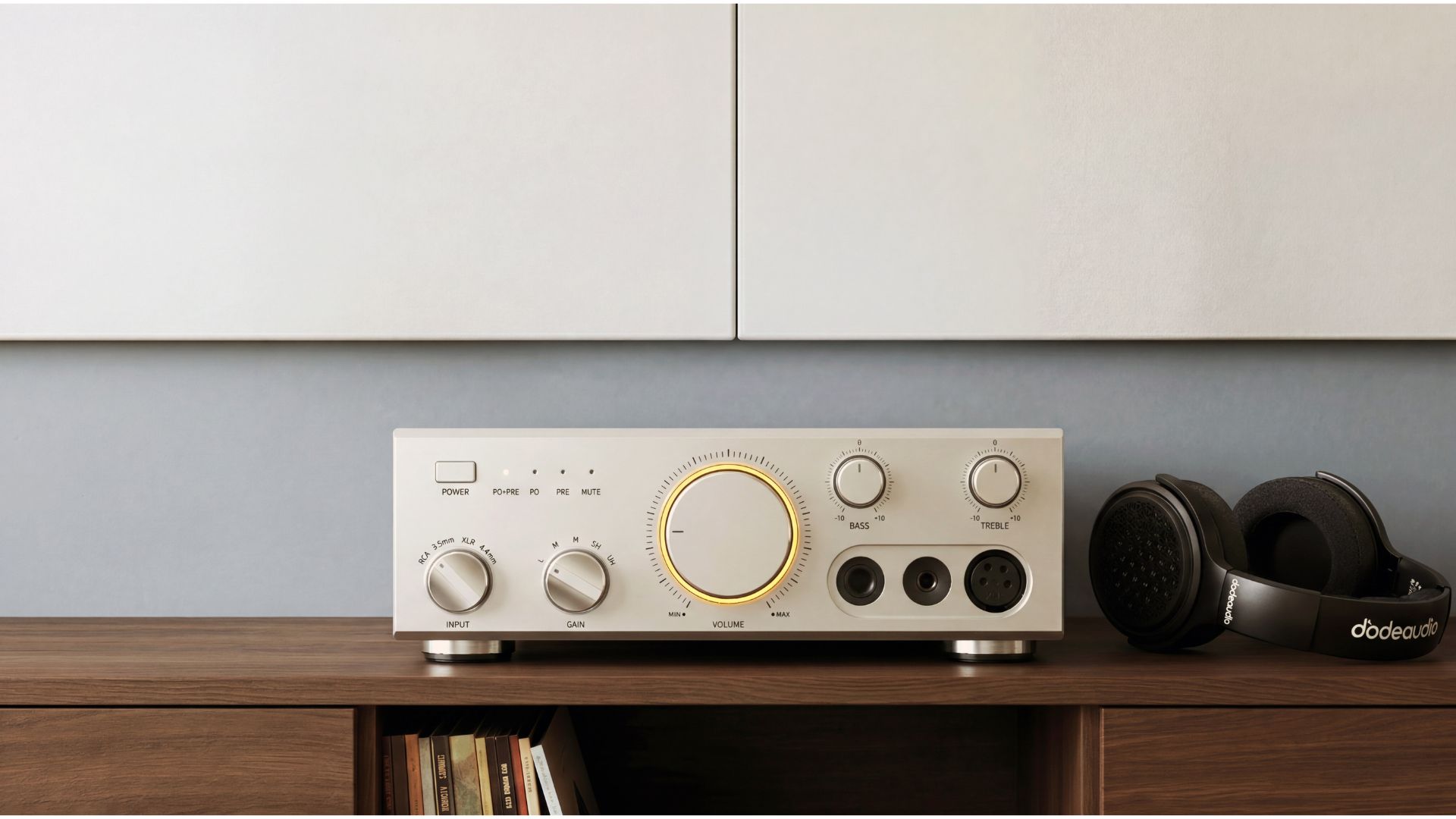
FiiO has expanded its hi-fi line-up with three new products, headlined by the JT9 planar magnetic headphones.
The latest products from FiiO lean heavily into high-power desktop audio but keeps portability and modern connectivity in view.
The JT9 is the most immediately consumer-facing of the trio. It uses a large 95 × 86mm planar magnetic driver paired with an ultra-thin diaphragm. This design is claimed to resolution, transient response, and overall tonal accuracy. FiiO also highlights its dual-coating diaphragm technology and a uniform magnetic field structure, which aim to reduce distortion and improve detail retrieval across the frequency range.
Despite the scale of the driver system, the JT9 remains relatively lightweight at 365g for a pair of planar headphones. Unusually for this type of headphones, it includes a foldable design for easier storage. A sensitivity rating of 95 dB/mW allows it to remain usable across a range of sources, and FiiO has included both 3.5mm and balanced 4.4mm cables in the box to cover different setups.
Alongside the JT9, FiiO brings forth its LEVEL 1 desktop amplifier, which sits firmly in the high-power category with up to 2 × 300W output based on the Texas Instruments TPA3255 Class D amplifier. It supports a wide range of inputs that includes RCA line-in, USB, coaxial, and Bluetooth 6.0 with LDAC.
The LEVEL 1 also adds subwoofer and pre-out connections, and includes physical bass and treble controls that give it a slightly retro, hands-on feel. Internally, FiiO has used a six-layer immersion gold PCB and a mix of German and Japanese capacitors. The chassis combines aluminium with wood accents to soften its otherwise industrial design.
Rounding out the announcement is the fully discrete Class A headphone amplifier. It delivers 1000mW + 1000mW output through a custom 60W toroidal transformer and regulated power supply system. It includes five gain levels and a wide set of connectivity options. These include 3.5mm, 4.4mm, XLR, and RCA in/out, alongside 12V trigger support for integration into larger audio systems.
Pricing for all three products is yet known at this moment in time, but will be announced during Vienna High End later this week.
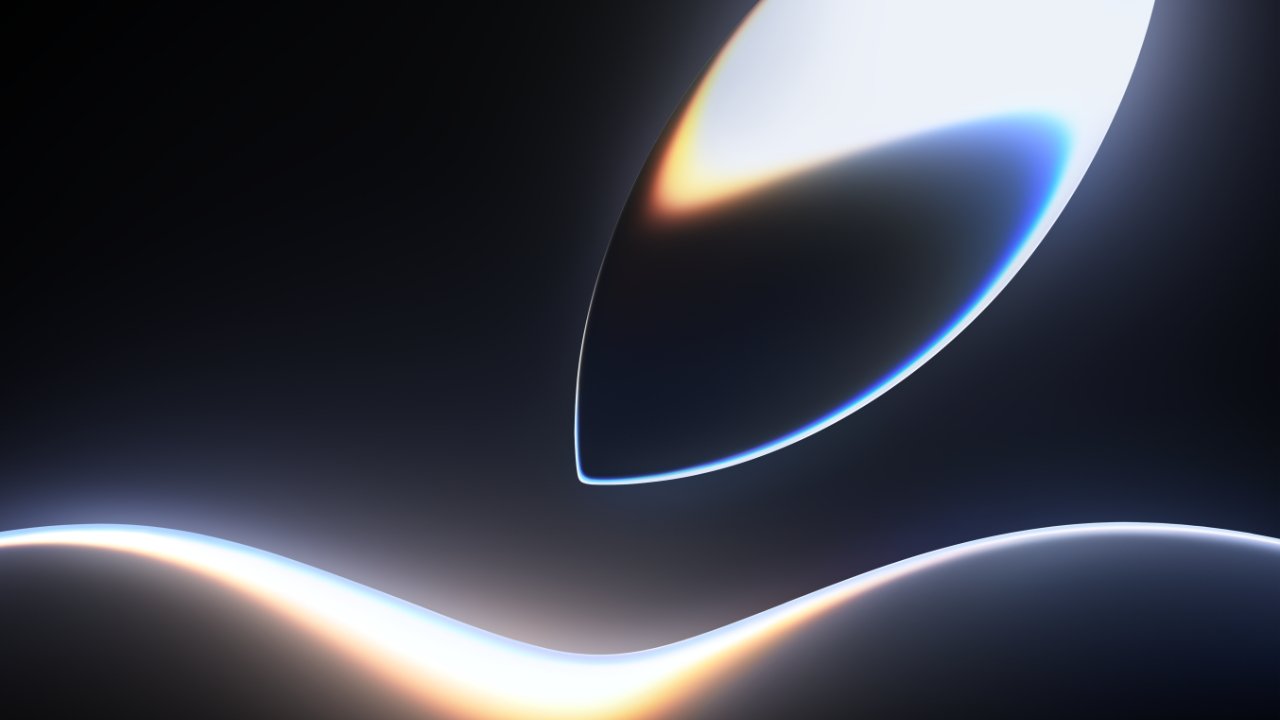
We’re excited about WWDC 2026 , and after talking to some of you, you are too! Here’s new wallpapers, an Apple Music playlist, and tips for developers, all from Apple, to keep the hype going.
For WWDC 2025, Apple announced it with the line “On the horizon,” but changed it to “Sleek peek,” with one week to go. That change was revealed by Apple’s senior vice president of Worldwide Marketing, Greg Joswiak.
Now, again exactly a week ahead of WWDC, Joswiak has revealed a change alongside a new animation. WWDC 2026 has been given the headline “All systems glow.”
Apple has also been adding to its WWDC promotion across its developer site and services. There’s a WWDC 2026 playlist on Apple Music, for instance, with more to come.
It’s also now possible to download new WWDC wallpapers. They each feature a still, typically a close-up, of the glowing, liquid logo from the latest animation, in versions for the Mac, iPhone, and iPad.
Plus a new video guides developers on how to prepare for the conference. It includes details of the newly updated Apple Developer app, plus how to sign up for WWDC’s sessions.
WWDC 2026 is a week-long developer conference that runs from June 8 to June 12. The opening keynote will be where Apple makes its major announcements for macOS 27, iOS 27, and more.
As ever, AppleInsider will be at Apple Park for the event. It’s expected that Apple will once again showcase its Apple Intelligence AI features, this time most significantly with a dramatic update to Siri.
If Apple stays true to form, the majority of the event will concern iOS 27 for the iPhone. But there will certainly be updates for at least most of Apple’s platforms, including the Apple Watch‘s watchOS and Apple Vision Pro‘s visionOS.
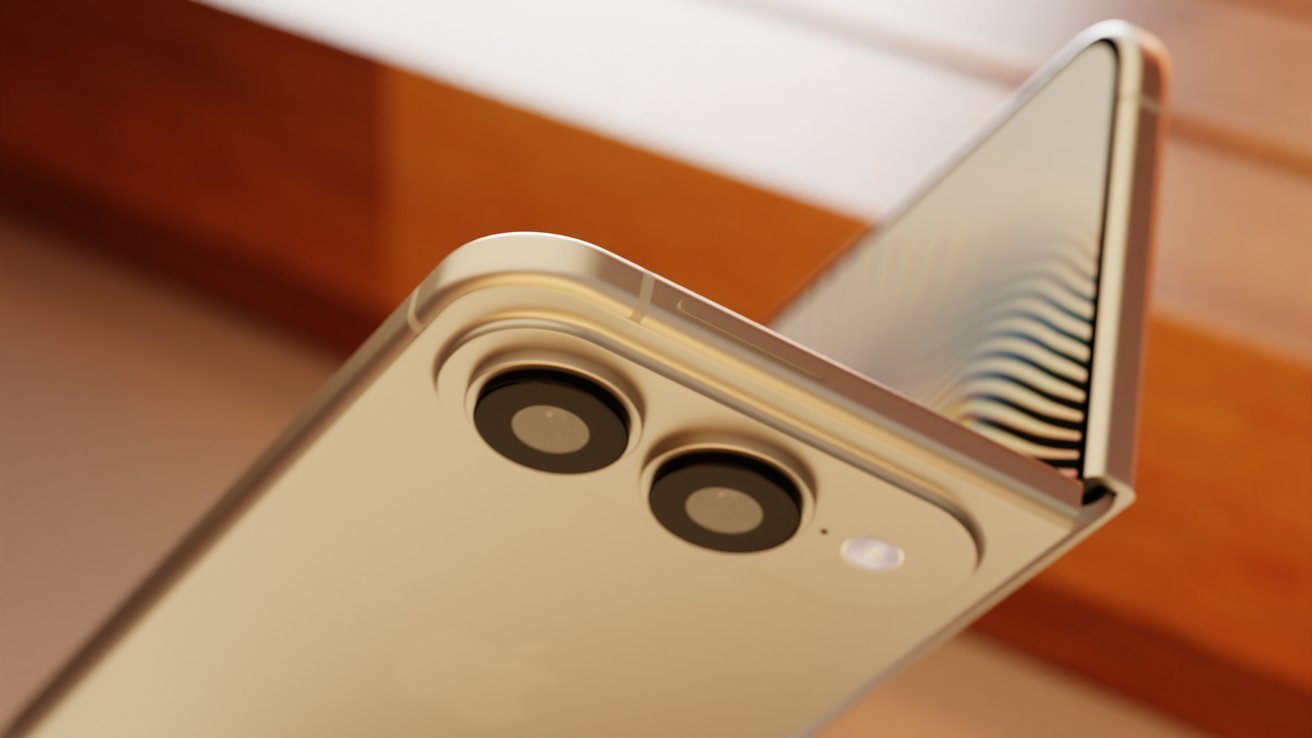
Problematic hinge and motherboard claims aside, the rumor mill has decided that the iPhone Fold will be coming out in the fall of 2026. Only Apple really knows
The iPhone Fold has been a hot topic of rumors, and in later weeks, has been subject to claims that there are production problems. Despite the varying viewpoints, that hasn’t stopped more reports from surfacing about the flexible smartphone.
The newest claim is from serial Weibo leaker Fixed Focus Digital. Posting on Monday, the leaker says that, despite rumors of manufacturing issues, the release is still planned to occur in September.
Fixed Focus Digital assures their followers while acknowledging other claims that the manufacturing process is troubled ahead of the final assembly of the model. Early-stage products are experiencing “ramp-up difficulties,” they say in a machine-translated post.
On the bright side, the foldable model apparently has good heat dissipation and cooling performance. This is believed to be from Apple making a significant investment in thermally managing the product.
As with all Weibo leakers, we must warn that they tend to be less reliable than other rumor sources. This is in part due to needing to maintain their audience of followers by providing a steady flow of posts.
In the case of Fixed Focus Digital, they have a middling record for accuracy. It also doesn’t help that their comment is made with no additional evidence or reasoning to bolster its release schedule claim.
Questionable trouble
Fixed Focus Digital doesn’t specify what the apparent issues are, but there have been quite a few reports about what they could be referring to. Including their own posts.
On May 26, Fixed Focus Digital said Apple didn’t have manufacturing difficulties for the iPhone Fold. There was, however, an issue in getting the model into mass production due to an issue with a circuit board component manufacturing technique.
At the time, they said that the situation was “not optimistic.”
Earlier in the month, on May 18, Instant Digital said that there was a problem with the hinge caused through repeated opening and closing. They did not explain what the exact problem was, though a social media post that was circulating at the time alleged that there was a rattle in the hinge.
Previous rumors have also included disputes about the launch timing for the model and even the name.
While they can’t get the story straight about such a major launch, at least the rumor mill is excited about the iPhone Fold.
Tech
A top economist says there's "zero evidence" AI is killing jobs, despite thousands of actual layoffs


Writing in a post last week titled “Zero Evidence of AI-Related Job Losses,” Sløk points to ADP employment data to support his conclusion. The report found that private companies added almost 110,000 people to their payrolls in April.
Read Entire Article
Source link
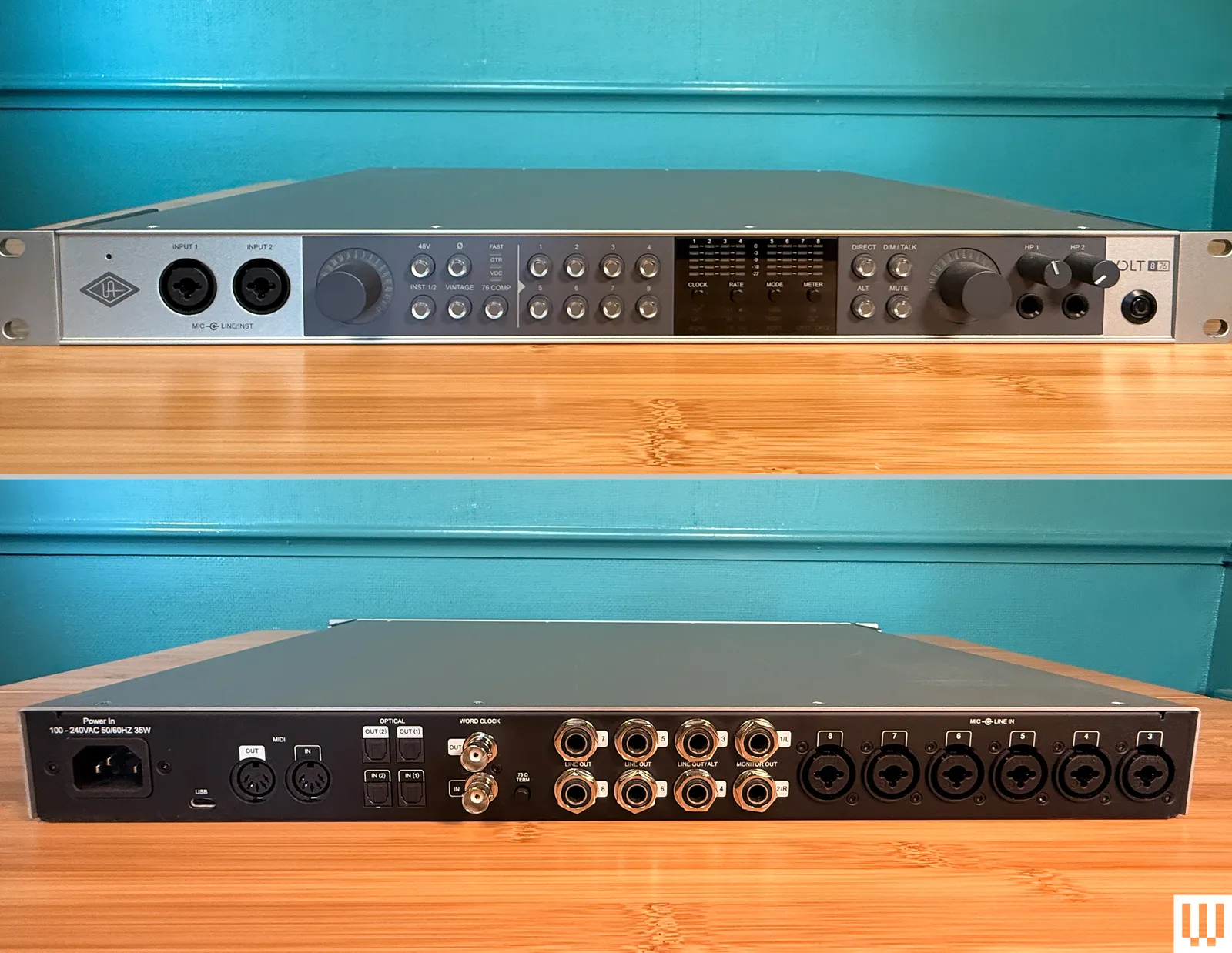
In the fall of 2006, I decided emo was out and IDM was in. Fueled by the hope of becoming the next Four Tet or Aphex Twin, I marched into my local Guitar Center and purchased an audio interface to convert my guitar and vocals into ones and zeroes, then mangle them in Ableton Live.
When I got home, I plugged a brand-new M-Audio Fast Track Pro into my Windows desktop and immediately hit a brick wall of audio driver configuration hell. I eventually got the thing to work after hours of troubleshooting, but latency—the gap between when you make a sound and when it hits your computer—rendered the box unusable.
I was tempted to throw the Fast Track out the window and sample the sound of it hitting the pavement with an analog tape recorder. Instead, I went back to Guitar Center, traded the interface for a Line 6 DL4 delay pedal, and set my sights on ripping off Explosions in the Sky in a proper band setting.
Had something quick and painless like the Universal Audio Volt 876 existed at the time, who knows where my life would be now. I probably wouldn’t be opening for Four Tet and Fred Again … at the O2 Academy, but my entrée into computer-based music would have gone much more smoothly than it did in 2006.
For the Masses
Audio interfaces have come a long way since then. Prices are down, quality is way up, and latency is negligible in most home studio environments. Interfaces that pair with proprietary software and drivers still exist, but the genius of class compliance—meaning you can plug a device into your computer without needing the aforementioned—makes it easy for audio gear manufacturers to build boxes that are effortlessly plug-and-play on most operating systems. Even iOS and Android, in many cases. Anyone can find a decent-sounding interface on Amazon for $200 or less and plug it into their iPhone, then plug in a cheap mic and mumble their way to TikTok superstardom.
Photograph: Pete Cottell

We may receive a commission on purchases made from links.
It’s no secret that Ryobi primarily caters to DIY home repair enthusiasts. There are some tools the pros use and others that are more powerful than those from better-known competitors, but in general, Ryobi sells decent tools at a reasonable price and aims those products directly at people who prefer to do things themselves. Most of Ryobi’s tools are also fairly inexpensive, often costing much less than similar products from bigger competitors, making them an excellent value brand to shop for DIY home repair tools.
When you can get tools for less than competitors, the question is, how low do the prices go, and what tools can you get for that price? Ryobi’s product lineup is mostly cordless power tools, so there is a floor when it comes to cost. However, it turns out that Ryobi has a fairly healthy library of home repair tools under $50 if you know where and how to look. These less expensive tools can easily help bolster an existing library of Ryobi tools and give you more flexibility when tackling a project.
To temper expectations, you’re not going to find a miter saw or something like that on a list like this. Even Ryobi sells those for more than $50. In this range, you’ll find some useful power tools, though, and the list below will get you started on useful home improvement tools you can get from Ryobi for under $50.
Ryobi One+ 18V 1.5 Ah Battery
The first thing you should consider is a spare battery. Ryobi’s One+ 18V system has hundreds of tools, and they all take the same One+ 18V battery. In many cases, you get a battery when you buy a tool, and if you buy multiple tools, you’ll have multiple batteries. Even so, it’s not a terrible idea to pick up a spare battery in case the occasion calls for it, especially if you have a longer home improvement job planned.
If you shop at Home Depot, the smallest battery you can find there is the One+ 18V 2.0 Ah Ryobi battery, which goes for $90. These are an okay value, and 2.0 Ah lasts a decent while on most of the brand’s power tools. It turns out that Ryobi sells one slightly smaller at almost half the price directly from its website, and that’s the One+ 18V 1.5 Ah battery. This little guy is 75% of the size of the 2.0 Ah battery but comes in at 50% of the price at $45 when not on sale.
This serves quite well as a backup battery, with hundreds of customers agreeing that the battery is worth the price here. It charges on any regular One+ 18V charger, so you don’t need to buy anything else in order to use it if you already have a charger at home. Of course, you can always pick up a spare charger for around $35, allowing you to charge multiple batteries at once.
Ryobi 18V One+ Hand Vacuum
Ryobi has several cleaning tools in its arsenal, including some niche items like a pool vacuum, a carpet washer, and a patio scrubber. For this list, we think the Ryobi One+ 18V Hand Vacuum is the way to go. When performing home repairs, you’ll almost certainly make a mess. It could be drywalling dust, sawdust, or just general debris from whatever you’re working on. A hand vacuum that takes the same batteries as your power tools keeps your area clean, which matters quite a lot in terms of safety and health.
The vacuum itself is $35 for just the tool (no battery), and according to its numerous positive customer reviews, it does the job well enough. It excels at dry materials and surfaces, and there is a four-piece attachment kit (sold separately) that lets you clean more things more efficiently. This may not compete with the very best hand vacuums designed for cleaning houses but for cleaning up sawdust off your garage floor so you don’t slip on it, it does the job nicely.
There is a second vacuum in this price range that Ryobi calls the 30th Anniversary Performance Edition. The design is different and it appears to be larger overall. It also costs $50 on the nose, so you can decide if the extra $15 is worth it. Both models have excellent reviews overall, and keeping things cleaned up is a valuable part of the home repair process.
Ryobi One+ 18V LED Area Light
Lighting is also important when working on home repair or home improvement. The sun can only do so much, especially if your work is inside the house, so having a good light can make a lot of your tasks easier. Ryobi has several lights to choose from, but for general use, we think the Ryobi One+ 18V LED Area Light is the one to go for. This is a lantern style light that can stand on its own or be hung from a wall and be used like a lamp that disperses light across a wide area.
The specs are pretty good as well. It boasts up to 850 lumens of output across three light settings, which will certainly light up a small room. It also has a 2-amp USB charging port included so you can charge your phone or a USB-powered tool while also providing light. It also doesn’t weigh a lot, which lets you hang it from almost anything without worries about damaging or falls. It takes the same One+ 18V batteries as Ryobi’s other power tools. That means you don’t have to buy extra batteries or, if you do, those batteries will still work with your drill or other tools.
The area light costs $40, which keeps it under that $50 mark. However, nearly all of Ryobi’s lights are under $50, so if this one isn’t doing it for you, this One+ 18V Clamp Light or this light and magnifying glass combo may be more helpful, depending on what you need.
Ryobi USB Lithium Screwdriver
Ryobi doesn’t sell many hand tools, so you won’t find a bunch of wrenches, screwdrivers, or hammers on a list like this. Ryobi does sell electric versions of many of those tools, though, and that includes the Ryobi USB Lithium Screwdriver. This little guy is basically a screwdriver that does the turning for you. It comes with a rechargeable battery that charges over USB-C, so it’s not the same battery system as the One+ 18V collection, but it’s also much smaller and is compatible with Ryobi’s other USB Lithium products.
The tool includes two 1-inch bit holders, dual LEDs so you can see what you’re driving, and a battery indicator to let you see the charge level. In terms of usability, it doesn’t do too much that a regular, everyday screwdriver can’t do. It does carry the same benefits as every other electric screwdriver, in that it saves your wrist from having to manually twist in each screw. You may not see the benefit if you only need to use it on one or two screws, but if you’ve ever put a deck together, you already know how much work a little power tool like this can save you.
Ryobi sells its electric screwdriver for $50, which is a decent value since you get a battery and a charging cable with it. The ability for the screwdriver to twist into multiple shapes also gives it a leg up on some competitors.
Ryobi 18-inch Tool Bag
Tool bags are nice to have, even if you’re a DIYer. You can pack it up with your most commonly used tools and carry all of them together wherever they need to go instead of carrying armfuls of tools back and forth. As a DIYer myself, I can attest that having a bag is much better than not having a bag. Ryobi sells several tool bags, but the brand’s 18-inch Medium Tool Bag is arguably the best option of the bunch. It costs $50 but is a pretty big step up in terms of storage capacity and quality from its cheaper bags.
This particular tool bag comes with 18 total pockets, a main storage compartment, a carry handle, and a shoulder strap, which should take care of every possible way you would want to use the thing. There are also a tape measure clip and a dedicated level strap, so you don’t have to waste storage space on those two items. It’s one of the few Ryobi products with a limited lifetime warranty, which is always nice to have.
In short, this is a tool bag with few, if any, weaknesses, and customer reviews seem to reflect this, with nearly all of them being positive. People carry regular hand tools, power tools, batteries, and all sorts of other stuff in it. The inner pockets are a bit too small for power tool batteries, but otherwise, it’s about as good as a tool bag gets in this price range.
Ryobi 18V One+ ⅜-inch Cordless Drill
The power drill is one of the most useful and ubiquitous power tools on the market. It’s often among the first power tools a DIYer purchases, which includes me, and given how many things are held together with screws, you’ll find a use for it whether you know it or not. Ryobi has one of the best power drill deals on the market with its One+ 18V 3/8-inch Drill. For $50, you get a power drill, a battery, and a battery charger, and that price tag is also not on sale. This is the gateway into Ryobi’s tools. The cheap price doesn’t reflect low capability either, since Ryobi’s drills are just as good as many competitors.
I have owned one of these for a few years now. It has done everything I’ve ever needed it to do without much hassle. It struggled a bit drilling holes into solid wood shelving large enough to fit a Philips Hue Lightstrip, but to be fair to Ryobi, the wood was 2 inches thick and would’ve been rough for any drill. In any case, it fits standard 3/8-inch bits, so you can buy those from anywhere, and the variable speed trigger is helpful for not stripping screws or overdoing it when drilling holes.
Ryobi often sells this in combo kits with an impact driver for $100. When you take into account two batteries, a charger, a bag, and two tools, it averages out to $50 per tool and battery, which is a good deal.
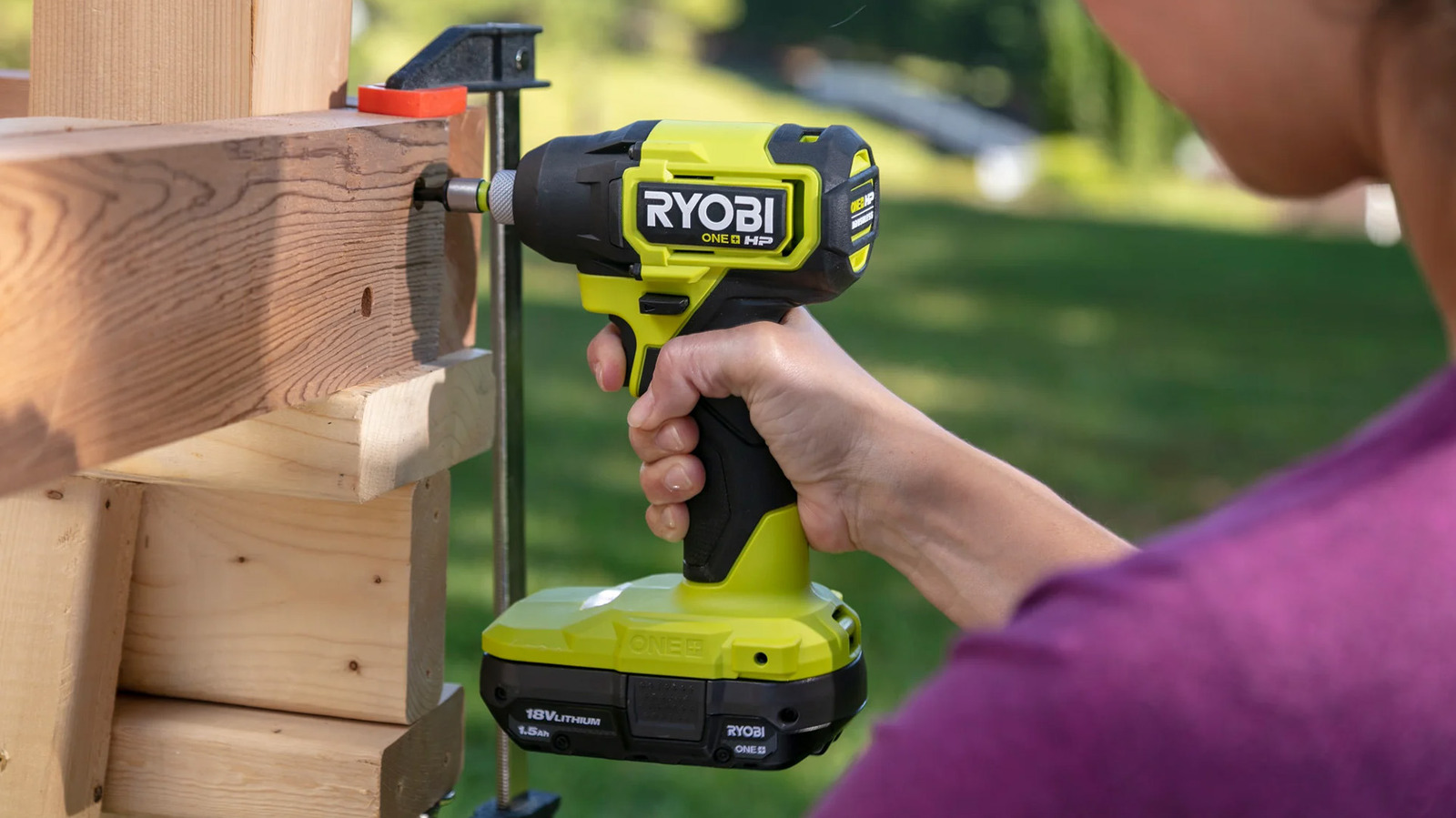
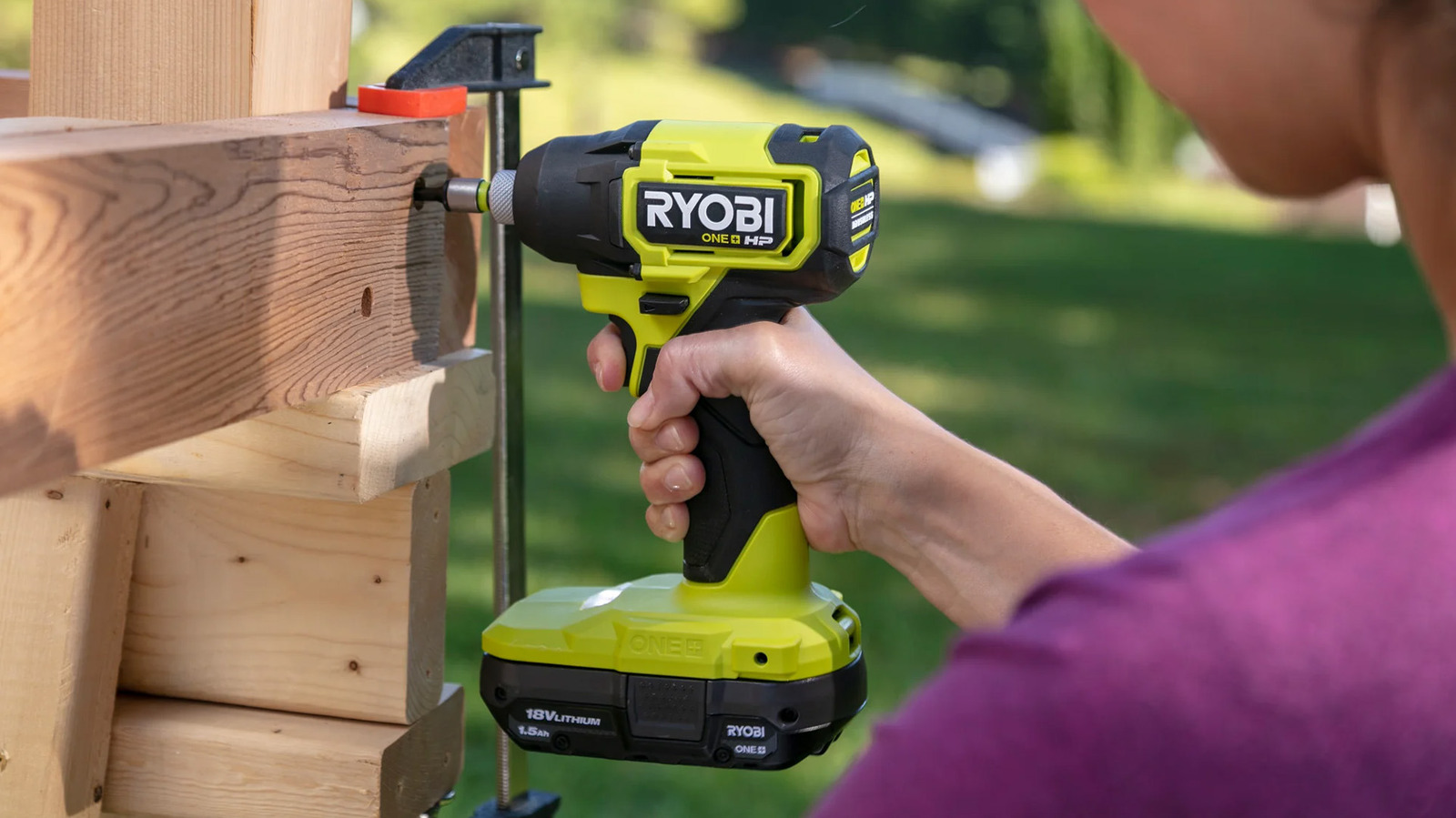
Ryobi 18V One+ ¼-inch Cordless Impact Driver
Beginners may get a little confused about the difference between an impact driver and power drill, and for good reason because they are similar. The biggest difference is that impact drivers have more torque and better contact with screw heads, making them superior for longer screws and harder materials like metal or concrete. Ryobi sells such an impact driver for under $50 with the One+ 18V 1/4-inch Impact Driver. It’s $59 at Home Depot, but you can buy it directly from Ryobi for $48.
This little guy provides 1,800 inch-pounds of torque at 2,800 RPM, which is faster than the 600 RPM of Ryobi’s 3/8-inch drill. Just that spec along gives you a pretty good idea what the difference is between a drill and an impact driver. These take 1/4-inch bits, and it is a universal fit, so any 1/4-inch bit set will do the trick here. It comes with a variable speed trigger and Ryobi’s standard three-year power tool warranty.
The only downside is that this is for just the tool, so you’ll need a battery on hand to use it. As mentioned previously, Ryobi likes to package these in combo kits with a drill for under $100, giving you two tools for roughly $50 each along with batteries. That’s a superior deal overall, but if you already have a drill and a battery, you can still get an impact driver for pretty cheap.
How we chose these Ryobi tools
Ryobi sells a ton of products for under $50, but the overwhelming majority of them are accessories like drill bit sets and replacement parts for power tools with wear items like saws. So, putting together a list of Ryobi tools for under $50 is pretty simple since you just filter out those accessories and replacement parts, and you’re left with power tools.
From there, we chose tools that are specifically good for DIY home repair and home improvement. You can get a Ryobi tire inflater for under $50, but it doesn’t really help you fix or build anything, so tools like that were left off of the list. We also kept the list to a single light, tool bag, and cleaning product. Those do help you repair or improve your home, but Ryobi has a bunch of those and saturating the list with what is essentially the same item over and over would’ve been low effort.
Finally, all products needed at least a 4.0-star rating across 100 reviews and over. Nearly every product on the list has high ratings and more numerous reviews than that, but there are some questionable Ryobi tools that we made sure to keep off of the list. We also made sure most tools were part of its main One+ 18V lineup, so if you did buy any of these, they’d be compatible with other Ryobi tools you might purchase in the future.
Tech
This solar-powered desalination device turns seawater into drinking water, can also extract lithium


The work, led by Chunlei Guo, a professor of optics and physics, centers on a specially treated surface known as superwicking black metal. The material is created by texturing a metal surface with femtosecond laser pulses, altering its structure at microscopic scales. This process gives the surface two key properties:…
Read Entire Article
Source link


Microsoft says an ongoing incident is preventing users of its Teams collaboration platform and Office for the web cloud-based productivity suite from opening files.
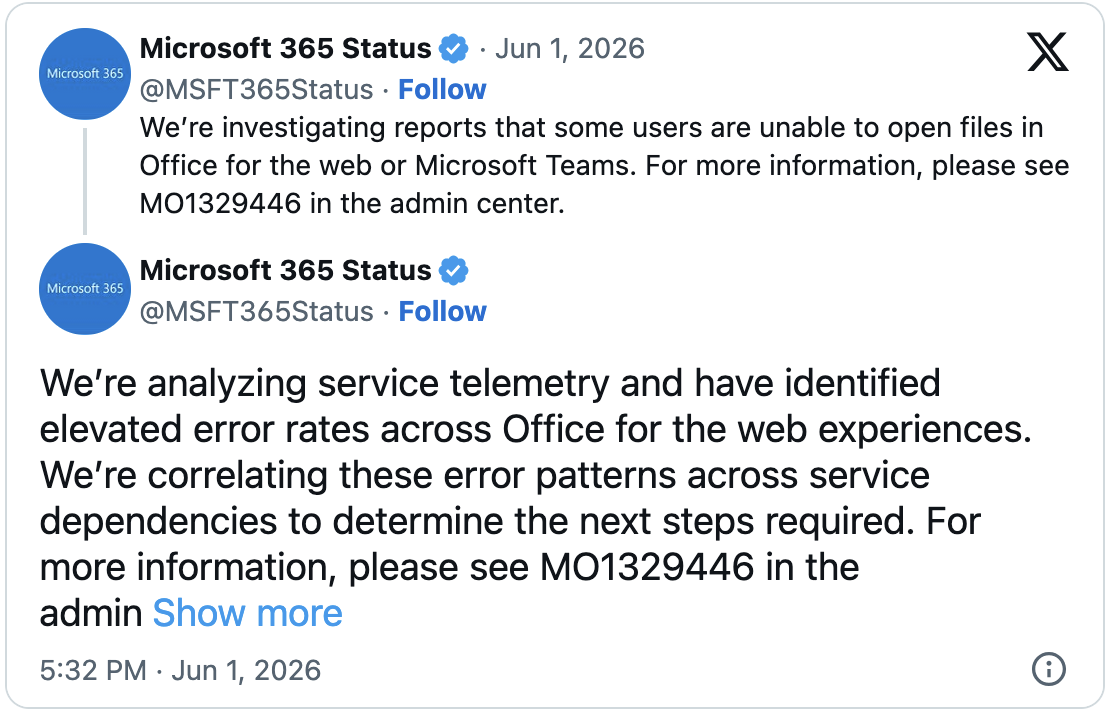
“We’re investigating reports that some users are unable to open files in Office for the web or Microsoft Teams,” the company’s Microsoft 365 Status tweeted earlier.
According to further information shared in the admin center under MO1329446, this issue impacts multiple Office Apps, including Microsoft Excel for the web.

“Users may be unable to open files in Office for the web. Impacted Office Apps include, but are not limited to Excel, PowerPoint,” Microsoft added. “When users open documents, impacted users are shown the following the following error message’ Office Online services aren’t available right now. We’re working to restore all services as soon as possible.”
While it hasn’t specified which regions are affected or provided a final timeline for full remediation, the company says it’s currently investigating service telemetry to isolate the root cause of the issue.
In a subsequent update, the company revealed that “initial analysis indicates a potential cross-service issue impacting Office for the web experiences.”
Microsoft has also tagged this ongoing outage as an incident, a term commonly used for critical service issues involving noticeable user impact.
Earlier today, Microsoft addressed another incident that blocked customers from setting up multi-factor authentication (MFA) on some accounts or from accessing the MySignIn service.
The company blamed the platform access issues on a recent cache configuration change that required a failover, triggering high CPU and memory utilization as traffic from European Union customers began to peak.
In April, Microsoft also fixed a known issue caused by a recently deployed backend change that blocked some Microsoft Teams Free users from chatting and calling others, as well as a bug introduced by a Microsoft Edge browser update that prevented Windows users from joining Teams meetings.
The same month, it reverted a recent service update that had blocked some Teams users from launching the desktop client, leaving them stuck on the loading screen with a “We’re having trouble loading your message. Try refreshing.” error.
This is a developing story…

Automated pentesting tools deliver real value, but they were built to answer one question: can an attacker move through the network? They were not built to test whether your controls block threats, your detection rules fire, or your cloud configs hold.
This guide covers the 6 surfaces you actually need to validate.
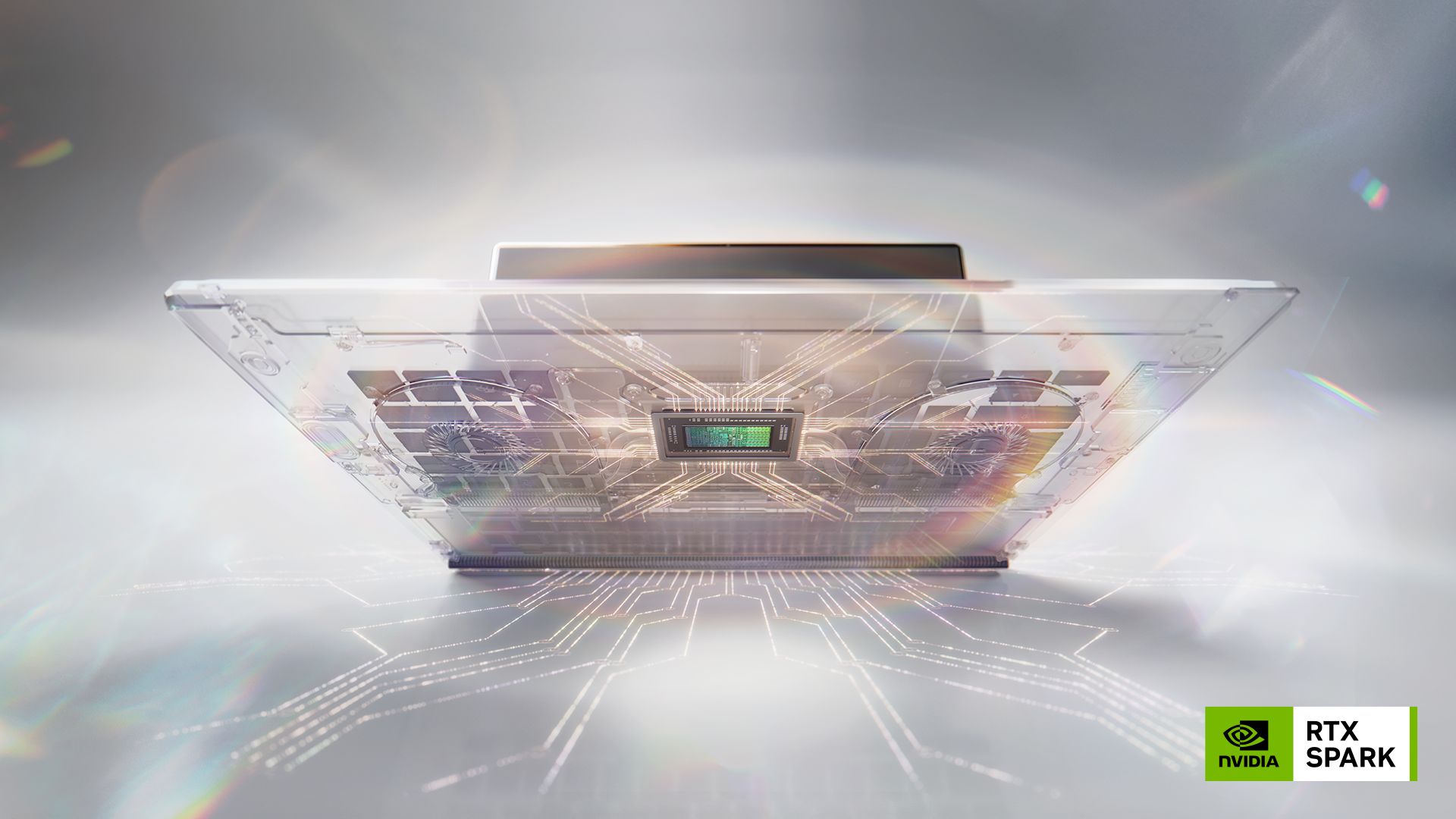
Nvidia’s RTX Spark marks one of the most aggressive pushes yet toward turning the PC into an agentic AI system by redesigning both hardware expectations and how Windows is meant to be used.
At the centre of the platform is the RTX Spark Superchip, a Windows-on-Arm design announced at Computex 2026 that combines up to 20 Arm CPU cores with a Blackwell-based GPU featuring 6,144 CUDA cores. It pairs up to 128GB of LPDDR5X unified memory with up to 300 GB/s of bandwidth, all tied together via NVLink C2C.
Nvidia says this architecture specifically handles AI agents running locally. In other words, systems that don’t just respond to commands but actively plan, execute tasks, and refine outputs over time.
That shift is important because Nvidia is effectively redefining what “using a PC” means. Instead of relying on traditional mouse-and-keyboard workflows, users would interact with natural language prompts. By doing this, they hand off complex tasks to AI agents that can continue working in the background, even when the system is idle or overnight.
Beyond AI workloads, Nvidia is also positioning RTX Spark as a full premium computing platform. It promises up to “100 FPS 1440p gaming” using DLSS 4.5 and Multi Frame Generation. There is also support for demanding creative workflows such as high-resolution video editing and large-scale 3D projects.
Nvidia even claims the memory configuration will allow handling of extremely large assets, suggesting the system can handle 12K video timelines without running into typical resource bottlenecks.
A major part of the pitch is software integration. Nvidia says it is working with Adobe to rebuild core parts of Photoshop into a fully GPU-accelerated application, enabling more advanced generative workflows and HDR editing. Adobe is also reworking Premiere to better support AI-driven editing and effects, and to provide deeper integration of agent-style controls via Model Context Protocol.
Hardware partners, including Dell, HP, Lenovo, Microsoft, Asus, and MSI, plan to ship RTX Spark systems from autumn 2026 onwards, spanning both high-end laptops and compact desktops. Nvidia claims these machines will deliver consistent performance whether plugged in or on battery, will support tandem OLED G-Sync displays and feature premium chassis designs.
Taken as a whole, RTX Spark isn’t just another laptop platform refresh. It’s Nvidia attempting to reframe the Windows PC as an always-on AI workspace, where performance, memory, and software are built around delegating work to intelligent agents rather than running apps manually.
Apple Watch Series 11 for $399: If you already have an Apple Watch Series 4 or later, you can use it to track your sleep. Between the heart rate sensor and the accelerometer, your Apple Watch can break your slumber down into four stages. Newer models can also measure blood oxygen and temperature. It feels like a general overview compared to some of the other sleep trackers I tried, and there’s no sleep score, though this is obviously by design (it’s debatable whether you need more data).
Garmin Epix Pro (Gen 2) for $1,000: All of Garmin’s fitness trackers track sleep to some extent, but the Epix Pro has what Garmin calls advanced sleep monitoring, or the ability to track sleep stages, your blood oxygen saturation, your respiratory rate, and restlessness. Contributor Adrienne So found that the Epix Pro regularly accounted for her getting a half-hour to an hour more sleep than she actually got most nights, as double-checked by a Whoop and Oura. It also doesn’t add naps to your sleep score.

Photograph: Simon Hill
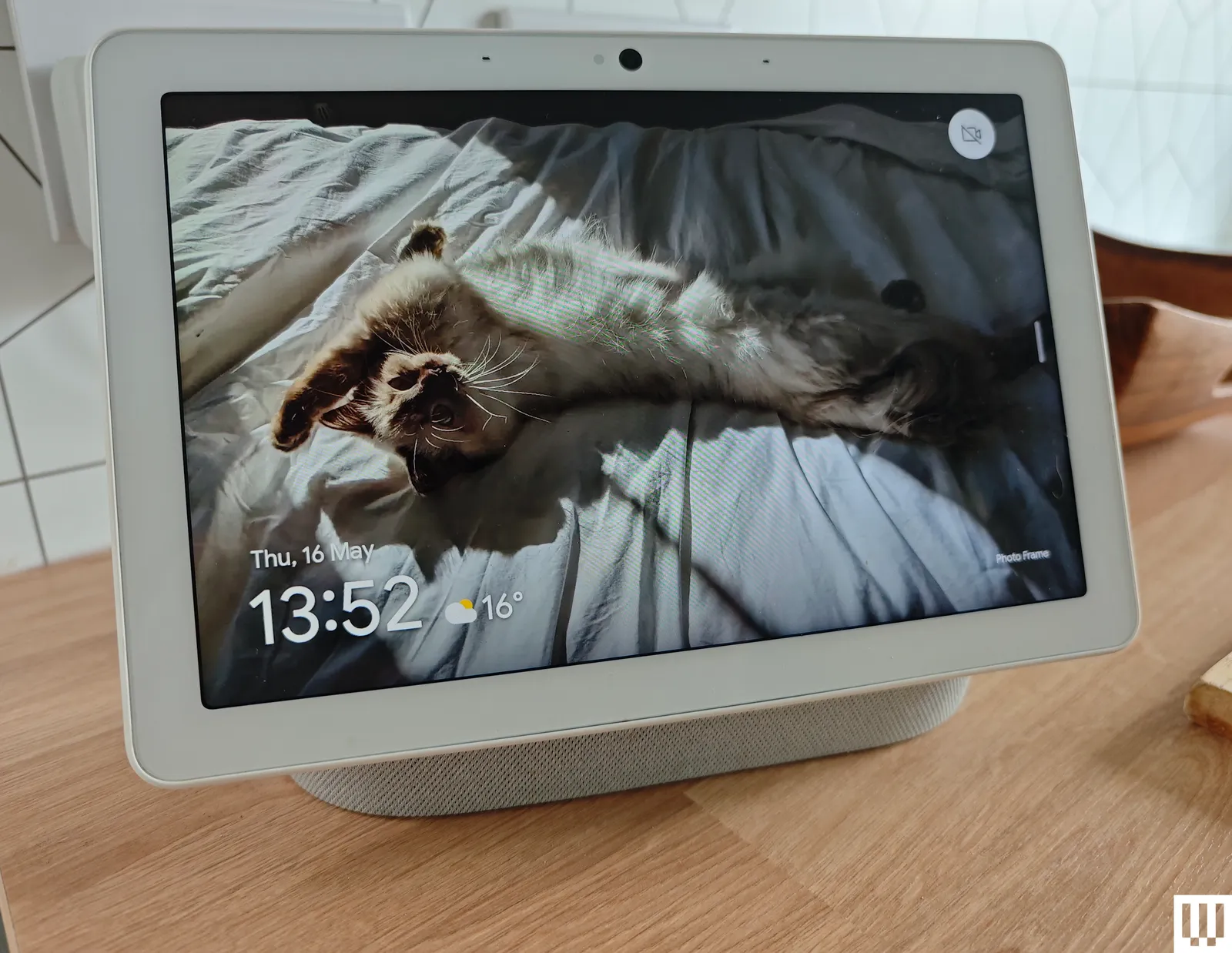
Google Nest Hub Max for $229: The Nest Hub Max uses radar to track your sleep, which means you don’t need to wear a tracker; it also has a microphone to track snoring, sleep talking, and other nocturnal sounds. I love the Nest Hub on my nightstand for smart home controls, family photos, and listening to sleep sounds or podcasts in bed, but the sleep tracking consistently overestimated my REM phases and missed periods of wakefulness that other trackers recorded. When I used multiple trackers simultaneously, the Nest Hub was the outlier. The second-generation Nest Hub ($100) offers a similar sleep-tracking experience if you’re looking for something cheaper. —Simon Hill
Muse S Athena Headband for $475: This headband has sensors capable of tracking your brain activity, similar to an electroencephalogram (EEG), alongside an accelerometer and gyroscope, and a PPG sensor to measure heart rate and blood circulation. It’s chiefly a meditation aid designed to help you relax, but it can also track your sleep by recording your heart rate, respiration, time to fall asleep, and how much you moved around for an overall sleep score. Sadly, I found it uncomfortable to wear and often woke to discover the sleep tracking had failed, usually because I’d removed it during the night. —Simon Hill
Withings ScanWatch 2 for $370: Wear the Withings ScanWatch 2 to bed and you will get a sleep score out of 100 in the morning. It covers the same four stages as other trackers (awake, REM, light, and deep) but boasts a PPG sensor for measuring your respiratory rate. It can also track your heart rate, temperature, and blood oxygen levels. The ScanWatch 2 provides a wealth of data and advice in the Withings app. Some folks may find it bulky and uncomfortable for sleep, though, and it had problems distinguishing between light sleep and when I was lying awake in bed. —Simon Hill
-SOURCE-Simon-Hill.jpg)
Photograph: Simon Hill
Withings Sleep Tracking Mat for $200: Another alternative to wearables, this sensor-packed mat from Withings slips underneath your mattress where your chest rests. You need to calibrate it during the initial setup, but it’s quick and easy. It tracks your movements, breathing, and heart rate throughout the night, detects snoring or other sounds, and alerts you about potential breathing problems that might indicate sleep apnea. I have doubts about the accuracy as it assumes you are trying to sleep if you are lying still in bed watching TV or reading, and that can skew your score (though it’s best to only use your bed for sleep if you suffer from insomnia). I found it often marked periods of wakefulness as light sleep. It requires a power outlet, but that does mean you never need to worry about charging). —Simon Hill
Sleep Routine: Tracker & Alarm for $60/year (iOS/Android): Sleep Routine is a sleep-tracking app that provides a report for each night, breaking your sleep into stages. Reviewer Simon Hill says the results were somewhat accurate and broadly matched the Ultrahuman Ring Air, but the app can be a bit wonky. There were frequent occasions where he’d get an error message the morning after with no report or a brief recorded sleep. There was also no indication of why it failed. You can test Sleep Routine for a week before you need to subscribe.

Crypto World2 minutes ago
Founder Vows to Make Users Whole

Entertainment3 minutes ago
Daphne Joy Reacts To Viral Intimate Video Of Her, Diddy & Escort

Politics5 minutes ago
The Health Benefits Of Drinking Three Cups Of Coffee A Day


-

 NewsBeat5 days ago
Israel says it has killed new Hamas military leader in Gaza City airstrikes
-

 Tech5 days ago
NASA taps Blue Origin to deliver lunar rovers for Moon Base initiative
-
 Sports7 days ago
2026 NBA Finals schedule, odds: Knicks await Thunder or Spurs after winning East
-

 News Videos6 days ago
XRP *JUST* SUCCEEDED!!!! CLARITY ACT EXPOSED!!! (SHE EXPOSED IT)
-

 News Videos3 days ago
This is BROKEN! INSANE 5x MONEY CAR WASH WEEK! The NEW GTA Online UPDATE Today! (GTA5 New Update)
-
 Crypto World6 days ago
Micron Crosses $1 Trillion Market Cap as AI Demand Reshapes Memory Sector
-
 NewsBeat7 days ago
Hottest May day ever as London hits 34.8C in 2C leap from previous records
-

 Business6 days ago
Selena Gomez Reportedly Upset Over Benny Blanco’s Comments on Her ‘Terrible’ Diet
-

 Business7 days ago
Nikkei 225 Surges Past 65,000 for First Time as Iran Peace Hopes Fuel Record Rally
-
 Tech7 days ago
China assigns ID codes to 28,000+ humanoid robots
-

 Tech4 days ago
Waymo dominates autonomous vehicle registrations as Tesla trails behind
-
 Entertainment7 days ago
‘Breaking Bad’ Star’s Easy-to-Binge 6-Part Crime Series Spin-Off Is Finally Heading to Free Streaming
-

 Tech5 days ago
The Samsung pay deal is the moment Korean unions changed register
-
 Tech2 days ago
SpaceX just won a second Golden Dome contract. This one is $4.16 billion.
-

 Entertainment6 days ago
Days of our Lives 2-Week Spoilers May 25-June 5: Gwen Rages, Abe Confesses & 2 Tragic Anniversaries!
-
 NewsBeat3 days ago
FIRST NIGHT REVIEW: Take That bring the Circus back to life in spectacular sun-soaked style
-
 Entertainment7 days ago
Taylor Swift Fans Label Travis Kelce’s Beer-Chugging A ‘Red Flag
-

 News Videos3 days ago
SHE IS KILLING XRP!!! WATCH URGENT AND ACT FAST
-

 Tech6 days ago
Millions of AI agents imperiled by critical vulnerability in open source package
-
Crypto World5 days ago
SpaceX’s $2 Trillion IPO: Why Tech Giants Nvidia (NVDA), Apple (AAPL), and Microsoft (MSFT) May Face Pressure
You must be logged in to post a comment Login