175 million people in Brazil now use its instant-payment system “Pix”, developed by the country’s central bank for real-time payments using QR codes or keys, and American Banker notes that the central banks of Argentina and Costa Rica also have developed their own widely used digital systems for instant payments.
Latin America has been able to build up sleek and effective payment systems in record time because it is not held back by legacy payment technology that isn’t built for instant money movement. In the likes of the U.K., U.S. and Europe, payment systems are built on infrastructure that is often decades old. The process of building new systems is therefore incredibly operationally complex. Money must continue moving, so these systems can’t just be “switched off.”
Emerging markets, such as those in Latin America, did not have to contend with legacy technology on the same scale. Many of these communities were cash dominant until recently, due to the high fees associated with card usage and the lack of banking infrastructure in rural regions. However, while many people didn’t have a local bank on their corner, they did have mobile phones… Through these digital channels, money moves instantly, via account-to-account transfers, QR codes and mobile wallets… Beyond this, real-time and traceable digital payments generate valuable cash-flow data that can transform credit underwriting for small and medium-size businesses, or SMEs. Historically, many SMEs in emerging and cash-reliant markets have struggled to access credit due to a lack of documented transaction histories, audited accounts or formal credit records…
Mexico is now poised to be the next success story. In Mexico, a third of people are unbanked, but 96% of the population owns a mobile phone. This creates the perfect launchpad for a digital-first payment system that can reach those historically excluded from traditional banking systems. In fact, something already changed in 2025. Bloomberg reports that for the first time, digital payment transfers in the U.S.-to-Mexico remittance corridor exceeded cash transfers (with physical pickup locations like Western Union), according to Mexico’s central bank. It’s part of a Latin American market “worth more than $160 billion a year, roughly $62 billion of which goes to Mexico.”
Self-similar images are rather common, which are images in which the same image is repeated on a smaller scale somewhere within the image that one is looking at, something which is also referred to as the Droste effect. Yet in [MC Escher]’s 1956 Prentententoonstelling (‘picture gallery’) drawing, this self-similar image is somehow also the foreground image, from where it just keeps looping around in an endless dance. How this effect is accomplished and what the mathematical transformations behind it are and how they work is explained in a recent video by [3Blue1Brown].
The video uses previous work by [B. de Smit] and [H. W. Lenstra Jr] whose 2003 paper detailed the underlying transformations, as well as the mystery of the center of the work.
Although [MC Escher] created a transformation grid with square rectangles into which a non-transformed image could be copied verbatim, he left the center as a void with just his signature in it, leaving many to guess how one might be able to fill in this area with something that made sense. In the work by [Smit] et al. it was postulated that by treating the work as having been drawn on an elliptic curve over a field of complex numbers this might be possible.
While the transformation is simple enough at first, with just four rectangles at different zoom levels to make up the corners, the trick is to connect these rectangles. Using the demonstrated complex method this can be automated, with the central void now filled in and creating its own Droste effect. This once again demonstrates the beautifully complex mathematics in [Escher]’s works, despite him never having had any formal mathematical education.
There will always be a use case for owning both a laptop and a tablet as stand-alone products. But the 2-in-1 laptop is the utopian dream of combining these two into a single device.
Of all the models I’ve tested, no 2-in-1 laptop is equally good at being both a tablet and a laptop. They always lean toward one or the other. But that doesn’t mean you shouldn’t buy one, especially since the convenience of having both in one device makes it an easier pill to swallow, price-wise.
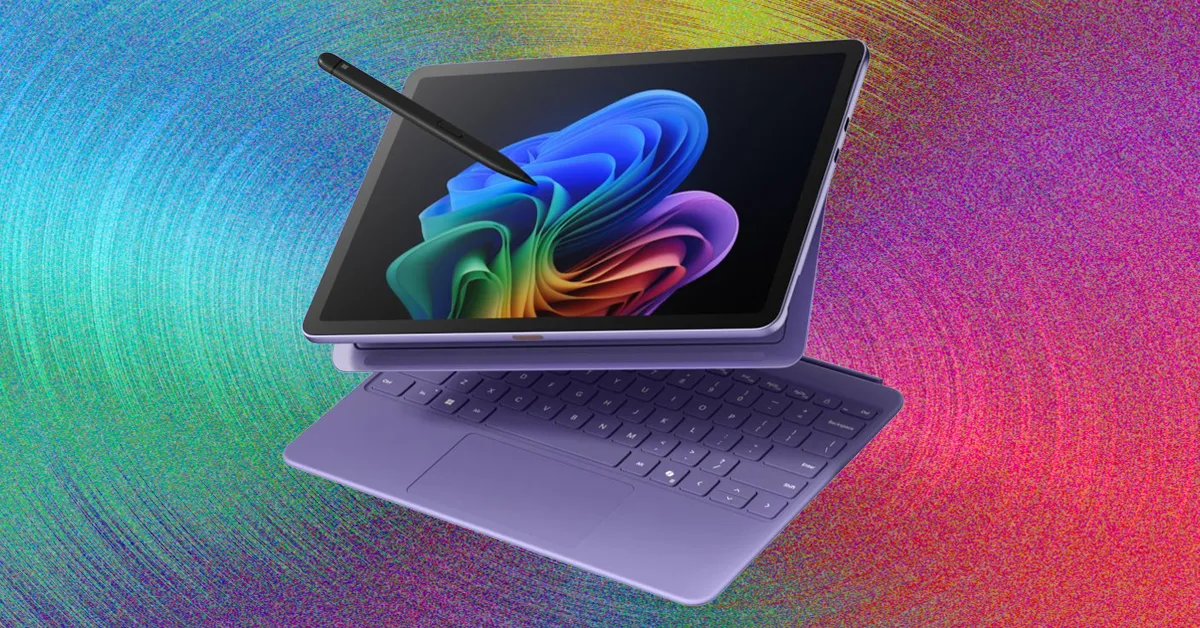
If you want a 2-in-1, think first about a detachable tablet. These are basically tablets that attach to a keyboard. This form factor emphasizes being able to switch between tablet and laptop modes. It’s just as functional as a tablet as it is as a laptop. The Surface Pro is the epitome of this design, pioneering the idea of a tablet with a built-in kickstand that runs a full version of Windows.
Advertisement
Microsoft has refined the hardware over the years, but it wasn’t until the 2024 model that it came into its own. That’s largely thanks to the Qualcomm Snapdragon X Elite (and Plus) processor, which finally gave the device an appropriate amount of performance and battery life. While it’s not cheap (especially once you include the Type Cover), I love that you can now use the keyboard while detached from the screen, making it even more adaptable in scenarios away from a desk. To compete with the iPad Pro, there’s even an OLED model (with 120-Hz refresh rate) available, which really brings visuals on the display to life.
Last year, Microsoft came out with a smaller and more affordable model, the Surface Pro 12. This is the most successful small tablet Microsoft has ever made, and a big reason is because it doesn’t cheap out on quality or shrink down the size too much. With a 12-inch screen, it still allows the keyboard to be large enough to be comfortable typing on. It doesn’t have the option for an OLED screen, but this is still a surprisingly premium-feeling device that is even more portable than its older sibling.
Not only is the Surface Pro 12 cheaper overall, it’s also the only 256-GB storage model on offer. Because Surface devices run a full version of Windows, they are the best 2-in-1 devices to use as full laptop replacements. While the hardware is there to make for a good tablet, Windows isn’t so friendly with touch and doesn’t have a touch-first app ecosystem to support it. That’s where iPads come into play.
The iPad Air and iPad Pro are the best tablets you can buy, largely thanks to the breadth of touch-first apps available in the App Store. In many ways, that’s what makes an iPad such an ideal 2-in-1 laptop, especially if you actually want to use it as a tablet. They are also easier to hold in one hand, as they are lighter than the Surface devices. These days, these iPads are increasingly legitimate laptop replacements too. With the Magic Keyboard attachment, you can add an additional USB-C port and a full-size keyboard and trackpad. I like that this design doesn’t rely on a kickstand either, which makes it easier to use on your lap than the Surface.
Advertisement
iPadOS still isn’t perfect, but with the introduction of windowing and better cursor support, they work as laptops better than ever. The latest model I tested, the M4 iPad Air, is immensely powerful, and with the Magic Keyboard attached, it’s a really solid 2-in-1 laptop that comes in cheaper than the Surface Pro with the keyboard included. It’s plenty of performance for just about anything you’d want to do with an iPad, especially if you opt for the larger 13-inch model. My only real complaint is that the palm rests on the Magic Keyboard are quite small.
There are now thousands of satellites orbiting Earth, but there’s still a surprisingly basic thing we haven’t yet targeted well. The Earth is often bombarded with solar storms, but so far, we’ve yet to observe the planet’s magnetic field respond to them in real time. Now, a spacecraft built jointly by China and Europe is on the verge of doing just that. The spacecraft is launching as part of SMILE, which stands for Solar wind Magnetosphere Ionosphere Link Explorer.
The venture is the first comprehensive, mission-level space science partnership between the Chinese Academy of Sciences and the European Space Agency. That includes designing, building, and operating the whole thing. The collaboration actually traces back to 2015. That’s when ESA and CAS put out a joint call for mission ideas. SMILE was picked from 13 proposals and entered its study phase a decade ago, in early 2016.
Advertisement
Once SMILE launches, it will head for an unusually elliptical orbit that will swing from just 5,000 kilometers over the South Pole to a whopping 121,000 kilometers above the North Pole. The point of the wider arc is to give the instruments a better vantage point for watching how solar wind slams into Earth’s magnetosphere. That’s important because when that interaction is strong enough, it can trigger geomagnetic storms, which can sometimes be dangerous. Moreover, solar storms can even be a problem for satellites in low-Earth orbit.
Scientists currently have a decent understanding of how the interaction takes place. But the picture is incomplete. There are existing missions like the NASA MMS and the ESA-NASA SOHO spacecraft built for similar purposes. But they’re designed for individual events affecting localized areas, rather than a broad global perspective.
Advertisement
What SMILE aims to learn
Since none of the existing solutions can show the full picture at once, SMILE is designed to fill in this gap. It features a soft X-ray imager, which will map the boundaries of the magnetosphere globally for the first time. The goal is to watch how Earth’s magnetic shield changes shape when solar eruptions pass by.
Better observations could also help predict geomagnetic storms before they hit. Some of these storms are powerful enough to disrupt satellite navigation and radio communications around the world. The last notable one, which hit in May 2024, did just that. Then there was the much worse one from back in 1989, which actually knocked out Quebec’s entire power grid for nine hours, leaving millions without electricity. It’s a reminder of why solar storms affect power grids in the first place. Problems like these can be prevented with better forecasting, as they would give operators time to shut down vulnerable systems in advance.
That said, as is often the case with ambitious space missions, SMILE has run into some snags. It was supposed to lift off on April 9 from Europe’s spaceport in French Guiana. However, ESA announced that the launch had been postponed due to a technical issue on a subsystem component production line. As of writing, we don’t have a new launch date yet.
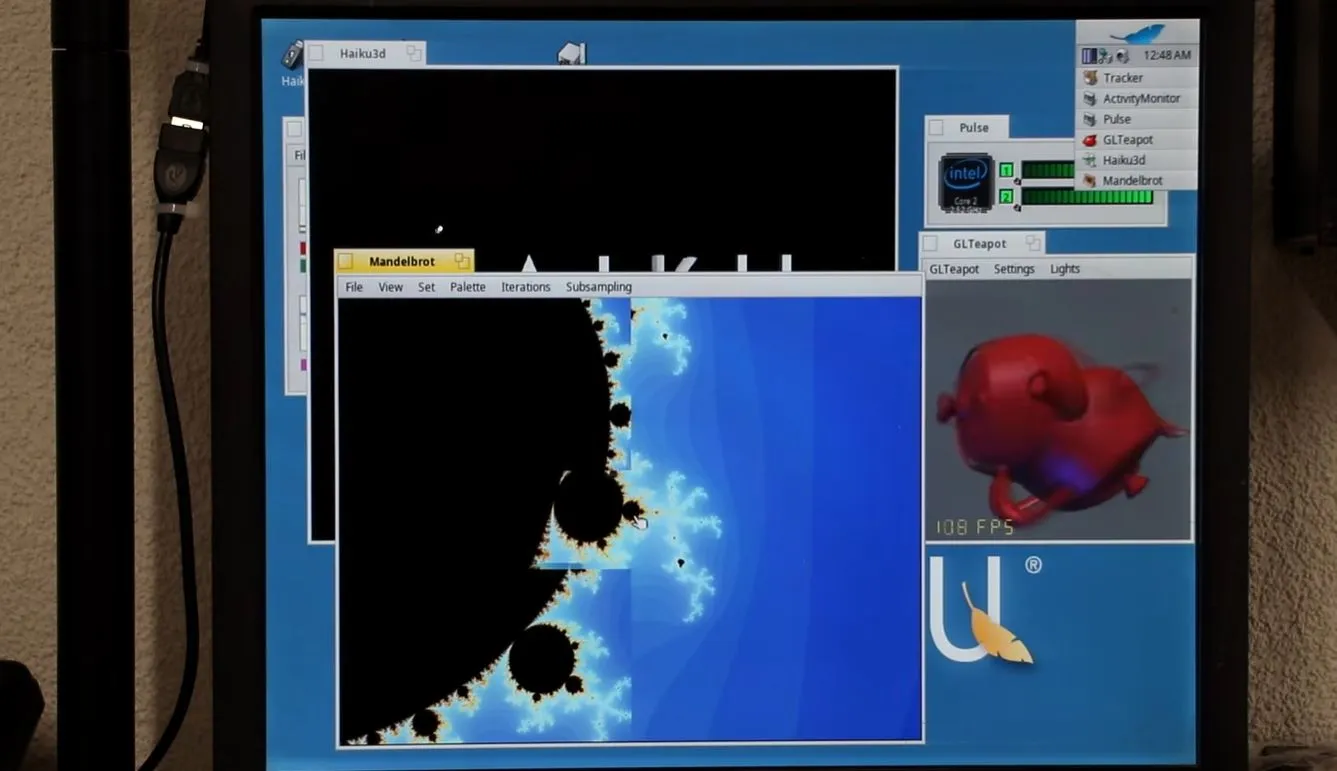
Although the number of uses for a 2009-era Mac Mini aren’t very long, using them to run new-and-upcoming operating systems like Haiku on would seem to be an interesting use case. This is what [The Phintage Collector] recently took a swing at, using both the 2024 Beta 5 release and a current nightly build. The focus was mostly on the 32-bit build, as this has binary compatibility with BeOS applications, but the 64-bit version of Haiku was of course also installed.
One of the main issues with these Mac systems is that they use EFI for the BIOS, so you’re condemned to either take your chances with the always glitchy CSM ‘classical BIOS’ mode, or to make Haiku and EFI get along. While for the 64-bit version of Haiku this wasn’t too much of a struggle, the 32-bit version ran into the problem that the 64-bit EFI BIOS really doesn’t like 32-bit software. After a while the 32-bit version of Haiku was thus abandoned for a later revisit.
With the 64-bit version a lot of things just work, though audio couldn’t be made to work even with a USB dongle, and there’s no hardware acceleration for graphics, so gaming isn’t really going to happen either. The positive thing here is probably that as a test system for 64-bit Haiku such a Mac Mini isn’t too crazy, it being just an Intel system with an Apple-flavor EFI BIOS.
Advertisement
If you’re into giving it a shot yourself, the video description page contains a lot of resources to consult.
The spot price of a 16GB DDR4 chip has reportedly fallen by around 5% to $74.10 over the past month, following more than a year of unrelenting increases. This modest correction marks the first monthly decline in DRAM spot pricing since the rally began in early 2025, when a 16GB… Read Entire Article Source link
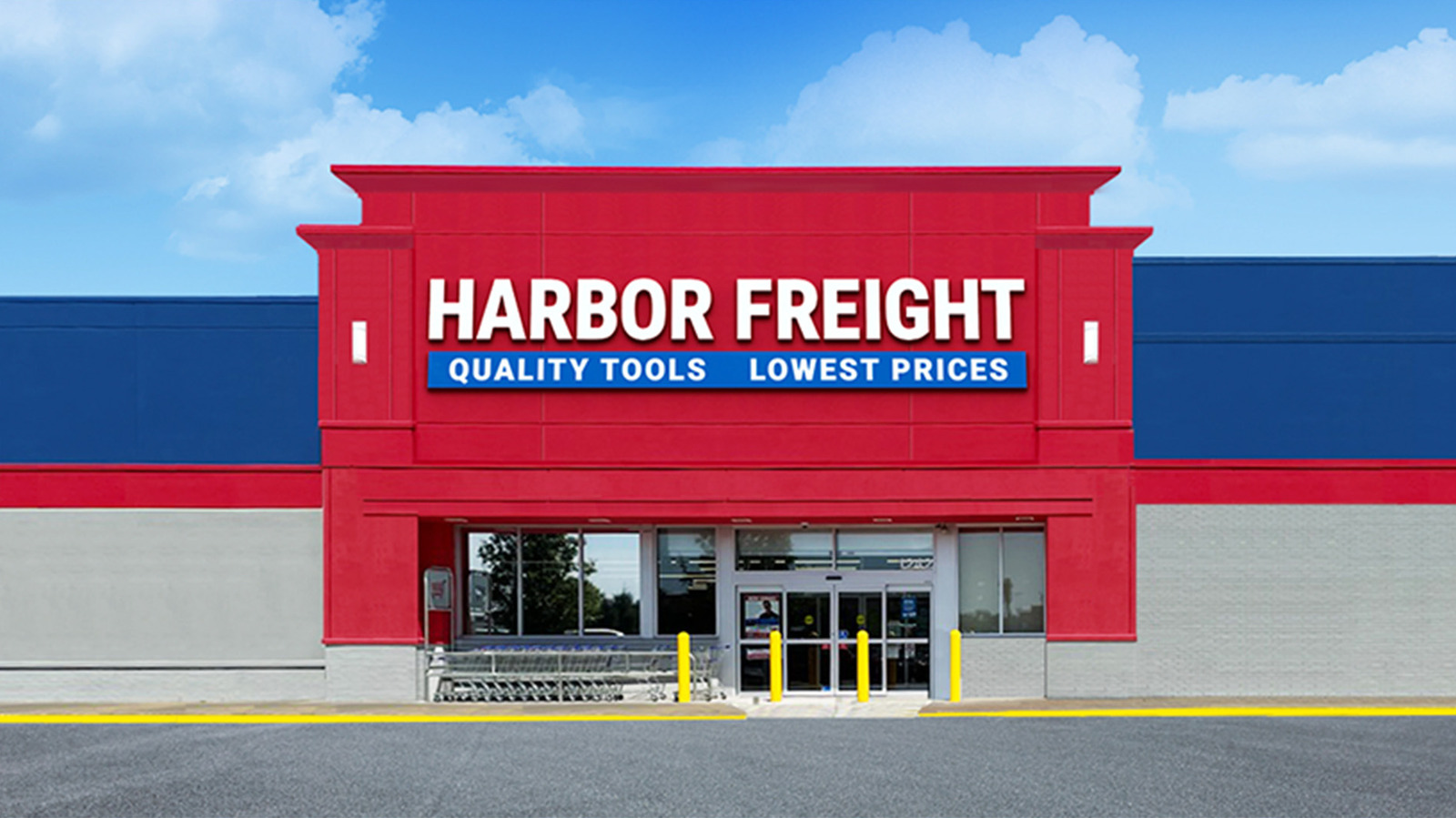
Harbor Freight has used deals to get people in the door since the company’s inception. April 2026 is no exception, as the store is celebrating a few sales, including its Spring Black Friday sale over the first couple of weeks of the month, additional coupon deals that are available, various brand deals, and special deals for the company’s Inside Track members. All told, there are more than a few hundred items on sale, which is a lot to keep up with. It takes hours to scroll through that many deals to see if any of them are any good.
That’s precisely why we went ahead and did just that and then posted the best deals we could find below. They are a mixture of all the deals seen above, excluding the store’s Dollar Days deals since they’re mostly odds and ends that are lightly discounted. The list below also only contains items that are at least 25% off and consist of things we think might be helpful around the house, garage, or workshop. Harbor Freight sells all kinds of niche and obscure tools, so if you need them, some are on sale as well.
Advertisement
Many of these deals finish up by mid-April, so if you’re reading this later, you may want to check again for a fresh set of deals, as most will have expired by then. Good luck and happy shopping. Should none of the deals below appeal to you, you can find the full list of deals here.
Advertisement
Bauer 1,800 PSI Portable Pressure Washer
The Bauer 1,800 PSI Portable Pressure Washer is a pretty decent tool for light power washing work around the homestead. It boasts 1.2 gallons per minute (GPM) of flow, which doesn’t quite stack up to industrial strength power washers, but is more than good enough for DIY stuff at home. Bauer says this electric power washer is best used for cleaning patio furniture, barbecues, bikes, campers, and other stuff, and it should stack up well with competitors for car cleaning. It should also be strong enough to clean the actual patio itself and other similar tasks. It’s also relatively small, making it easier to store when you’re done.
The power washer is on sale for $70, down from its typical $100 price tag, which means it’s 30% off until mid-April. For the money, you get a reasonably competent pressure washer that comes with three quick-connect nozzles that includes one for soaping, a 15-degree wide-area nozzle, and a high-power nozzle. You also get a 35-foot power cord with GFCI protection, and a 20-foot hose that can also be used with soap. Everything can be stored on the device itself, and it weighs a total of 14.8 pounds, which is light enough to carry around.
Current owners seem to like it as well. Bauer’s pressure washer scores a 4.6 rating with 197 customer reviews. Owners say you may have to buy a replacement nozzle every now and then, but otherwise, the machine works as described and works best for small tasks.
Advertisement
U.S. General Magnetic Paper Towel Holder
Having a clean roll of paper towels handy is imperative for any garage or workshop, and the U.S. General Magnetic Paper Towel Holder can solve the problem of having paper towels readily handy without breaking the bank. This one is quite simple. It comes in two pieces that each have powerful magnets. You affix them to virtually any toolbox or some other metal surface at the correct distance, and then you hang a roll of paper towels on it. U.S. General says this design helps accommodate any width for paper towels, so no need to buy special ones just for this holder.
The magnetic paper towel holder is on sale for $10, which is 33% off of its usual $15 price tag. This one is for Inside Members only and the deal expires on April 30. It comes in nine colors, including some pretty bright ones in case you want to match your decor or place it somewhere inside the house. U.S. General says that the magnets are rubber coated, so it won’t damage the surface if it happens to slide around. Each magnet is rated to hold two pounds, which is more than enough for a paper towel holder.
Advertisement
Customers have few negative things to say about it. It has a 4.9 rating with nearly 5,000 reviews, and if it had a chronic issue, it probably wouldn’t have such stellar review numbers. Owners praise it for doing what it’s supposed to do, and that’s about all anyone says about it.
Advertisement
Predator 3500-Watt Inverter Generator
There are benefits to keeping a generator around, up to and including having power during an outage or having power while camping. The Predator 3,500-Watt Inverter Generator is a reasonable pickup for folks looking for a backup plan. Predator’s generator includes two 120-volt 5-20R outlets, which are your standard three-prong house outlets. It also comes with a 120-volt L5-30R twist-lock outlet, and one 12-volt DC plug. It won’t have enough electricity to power your entire house, but it should be more than enough to keep your fridge, freezer, and a few lights going until the power comes back on.
Harbor Freight is selling this one for $600, which is $200 off of its list price, or about 25%. It’s expensive, but generators often are. Predator says that the best use for this is for powering RVs and campers, and even comes with an RV adapter. It runs at 56 dBA, which is reasonably quiet, and it can run for over 11 hours at 25% capacity. There are also automatic shutdowns in case a harmful amount of carbon monoxide is detected. Even so, you shouldn’t use this indoors ever.
Despite its higher price tag, there are still plenty of customer reviews. This inverter generator scores a 4.7 out of 5 rating with 755 total reviews. Customers note that it works best for camping applications, as a temporary backup for homes, and even on some jobsites. Users also enjoy the push-button start
Advertisement
Bauer 15-Amp Cut Off Saw
There are tons of uses for a saw, and there are many saws for various occasions. You can check one of them off the list with the Bauer 15-Amp Cut-Off Saw. This little guy mounts to a work surface with a vise, and then you can use its 15-amp, 3.8-horsepower motor to cut through a bunch of different things. Bauer says it’s designed for metal use, but also works for drywall track, angle iron, conduit, piping, tubing, and rebar. It also comes with features such as a depth stop for more precise cutting, a 45-degree miter angle, and a vise that holds material in place while you cut.
This one is on sale with a coupon, so you won’t see the sale if you go to the product listing. Instead, you’ll need to head to Harbor Freight’s coupon webpage and find it there. The coupon brings the price down to $120, which saves you 25%. The saw is otherwise pretty simple. It plugs into the wall and cuts stuff. It’s not the most powerful saw on the market, but for basic DIY use, it’s more than good enough. It also has a 4.5-star rating with nearly 300 reviews, so people tend to like what it offers.
Advertisement
Even if you don’t go for the saw, the link above to the coupon webpage is worth your time to check out, since those sales aren’t listed on the product webpages.
Advertisement
Pittsburgh 6,500 lb. Portable Ramp Set
It’s generally recommended to have something more reliable than a floor jack when working on a car. Car ramps and jack stands do the trick nicely, and Harbor Freight had jack stands on sale last month. This month, the store has the Pittsburgh 6,500 lb. Capacity Portable Ramp Set on sale. This is a pretty simple product. You get two ramps, each of which is capable of holding up to 3,250 pounds of weight while you do something like change your car’s oil. The ramps offer six inches of lift, which isn’t as much as a jack stand, but it’s close enough for basic maintenance tasks.
The ramps are on sale for $40 and retail for $60, for a 33% savings. Pittsburgh says that it can support vehicles with a gross vehicle weight rating (GVWR) of up to 13,000 pounds, which should handle just about every car a consumer can own, including some of the heaviest ones known to exist. It also helps that Harbor Freight car ramps have a decent reputation, making it a solid purchase.
For reference, these are not made for loading things into vehicles. However, if you are in the market for something like that, Harbor Freight has the Haul-Master Steel Loading Ramps on sale for $50, 41% off the list price of $85. They support 1,000 pounds and work with trucks, trailers, and vans.
Advertisement
Doyle 4.5-inch Swivel Vise
Vises are one of those things you may have seen in your parents’ garage that was there before you were born and will be there until the garage collapses. Harbor Freight has such an item on sale right now with the Doyle 4.5-inch Swivel Vise. This is a simple tool that does one thing really well, which is to hold something in place while you polish, cut, or otherwise work on it. The base screws into the work surface for extra stability, and steel jaws are replaceable, so you can keep using it without having to replace the entire contraption. The base also swivels, which, while niche, can be useful from time to time.
This vise is on sale at Harbor Freight for $100, which is 33% off of its $150 price tag. It seems like a lot, but these types of vises can last for decades with proper care, and potentially even longer since this tool has a lifetime warranty from Harbor Freight, like most of the brand’s hand tools. It also weighs 39 pounds, so the screw holes to secure it to your work surface are likely necessary to keep this thing in place.
Advertisement
The vise is quite popular among those who purchased it, garnering a 4.9 rating with a little over 300 reviews. Customers say that the vise is sturdy, functions well, and the swivel moves smoothly when you do need to engage with it.
Advertisement
A bunch of Icon and Quinn hand tools
Perhaps the most enticing items on sale are a slew of screwdrivers and pliers from Doyle, Icon, and Quinn that are on sale. There are a few dozen tools and tool sets on sale, including screwdriver sets, bolt cutters, needle nose pliers, a pliers wrench, and basically any other clamping or screwdriver tool you can imagine. This is an excellent opportunity to fill any gaps in your toolbox, especially since Harbor Freight offers lifetime warranties on all hand tools, regardless of brand.
The prices vary from item to item, but everything on this webpage is 35% off until around mid-April. Harbor Freight tools tend to work as well as their big brand-named counterparts, and usually cost less. In terms of tool hierarchy, Quinn is closer to a budget brand while Icon is Harbor Freight’s higher-end brand. Doyle is the brand Harbor Freight uses to sell tools that are expected to get professional use.
There are too many sets, tools, and deals here to list them all individually, so the link above is a good place to start learning more about what tools are available, how much they cost, and what they do. Harbor Freight also has sales like this going for lighting, gloves, cordless power tools, and other tools as well, if the hand tool angle isn’t your thing. The savings range from 30% to 40%, depending on the category you look at.
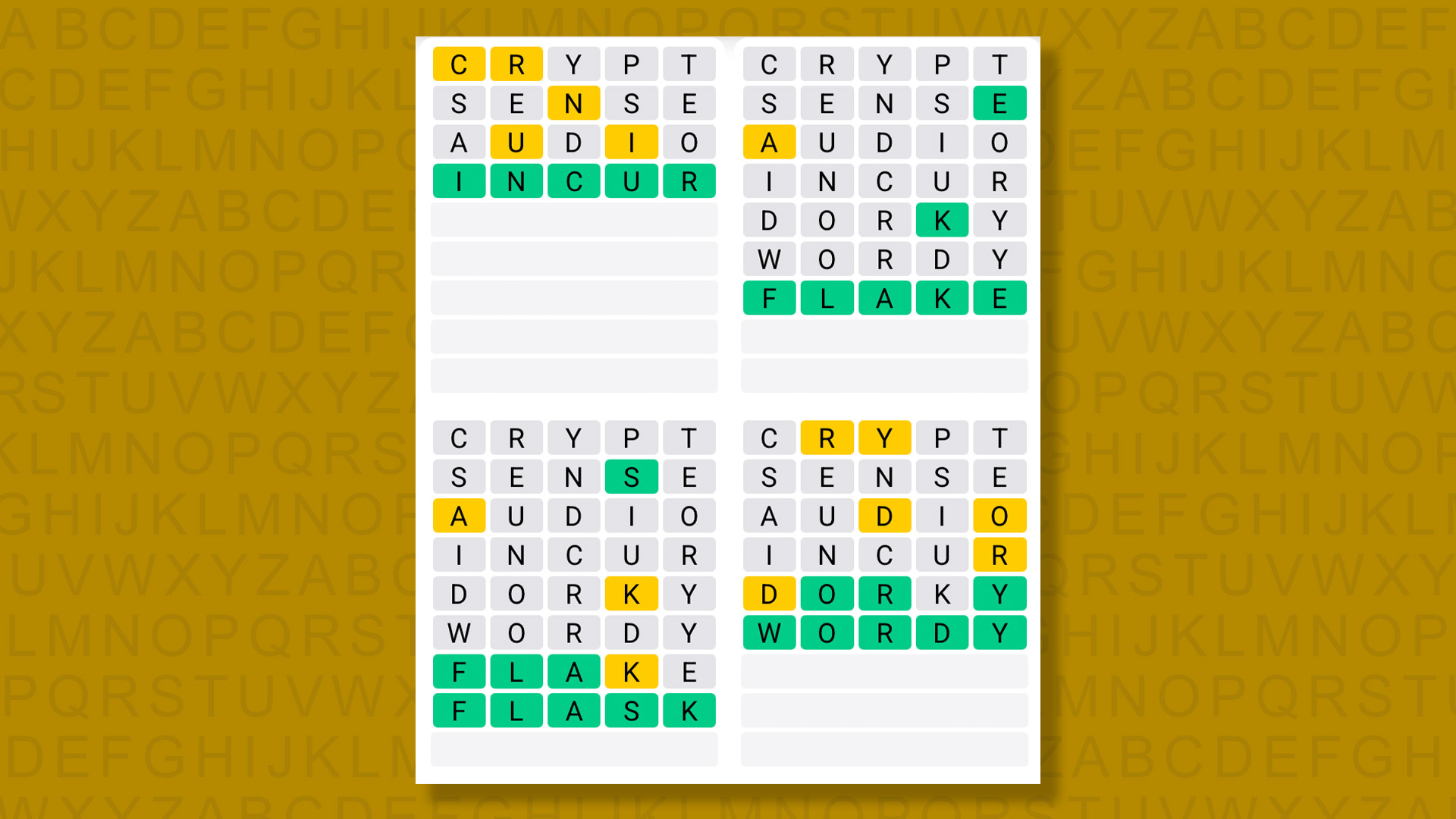
A new Quordle puzzle appears at midnight each day for your time zone – which means that some people are always playing ‘today’s game’ while others are playing ‘yesterday’s’. If you’re looking for Sunday’s puzzle instead then click here: Quordle hints and answers for Sunday, April 12 (game #1539).
Quordle was one of the original Wordle alternatives and is still going strong now more than 1,500 games later. It offers a genuine challenge, though, so read on if you need some Quordle hints today – or scroll down further for the answers.
Enjoy playing word games? You can also check out my NYT Connections today and NYT Strands today pages for hints and answers for those puzzles, while Marc’s Wordle today column covers the original viral word game.
Advertisement
SPOILER WARNING: Information about Quordle today is below, so don’t read on if you don’t want to know the answers.
Article continues below
Quordle today (game #1540) – hint #1 – Vowels
How many different vowels are in Quordle today?
• The number of different vowels in Quordle today is 5*.
* Note that by vowel we mean the five standard vowels (A, E, I, O, U), not Y (which is sometimes counted as a vowel too).
Advertisement
Quordle today (game #1540) – hint #2 – repeated letters
Do any of today’s Quordle answers contain repeated letters?
• The number of Quordle answers containing a repeated letter today is 0.
Quordle today (game #1540) – hint #3 – uncommon letters
Do the letters Q, Z, X or J appear in Quordle today?
• No. None of Q, Z, X or J appear among today’s Quordle answers.
Even if you’ve never subscribed to a VPN service, there’s a good chance that you’ve already heard about its importance. Constantly advertised on podcasts and around the web, VPNs have taken off in the last few years and while it’s easy enough to get caught up in the noise of it all, just know that they are worth the hype, and we should know – we’ve tested the best of them.
For anyone who’s completely out of the loop, virtual private networks are able to mask the location of the device you’re using to browse the web, which means that bad actors aren’t able to track your whereabouts, nor are they able to access your device if you’re connected to a public Wi-Fi network.
Although masking your IP address and keeping your online activity safe is the core appeal of having a VPN, there’s a lot more to it. For instance, if you’re travelling abroad and want to read the news in your mother tongue, then you can use a VPN to have your browser believe that you’re back in your home country.
When it comes to signing up for a VPN, there’s almost always a ton of deals available for first-time customers, so it helps to shop around to get the best price. As with most bits of tech however, you’ll always find the best deals for VPNs if you shop around Black Friday in November.
Advertisement
Regardless of when you sign up, this guide can pair you with the best VPN for your needs as we’ve highlighted the areas that each service excels in. Keep on reading to see which VPNs most impressed our tech experts, but if you’re completely strapped for cash and want to keep your devices free of malware then our guide to the best free antivirus may serve you better.
Which is the best VPN?
Advertisement
Learn more about how we test VPNs
We carry out speed tests to get a general feel for how each service performs. We test all services using their clients’ default settings.
We run tests from a London-based connection that typically sees speeds between 500Mbps and 700Mbps, which means that we’re able to get a good idea of what each VPN’s maximum speeds currently are. We test multiple endpoints from each provider in three locations: the UK, the Netherlands and the US.
Advertisement
Pros
Fast HTTPS transfer speeds
Wide range of endpoint countries
No price increase on renewal
Cons
More expensive than many rivals
Pros
Blisteringly fast
Good for streaming
Unlimited devices
Great value subscriptions
Cons
Subscriptions renew at a higher rate
You have to interact with a human being if you wish to cancel your subscription
Pros
Large number of servers
Wide range of security features and endpoints
Clear, audited no-logging policy
Great for streaming
Cons
Relatively expensive
Subscriptions renew at a higher rate
Pros
Unlimited-bandwidth free tier
Wide range of endpoint countries
Paid version is great for streaming
Quick download speeds
Cons
Subscriptions renew at a higher rate
Pros
Fast speeds
Low, consistent price of €5 a month
Great range of cross-platform clients
Cons
Not reliable for streaming
Fast HTTPS transfer speeds
Wide range of endpoint countries
No price increase on renewal
More expensive than many rivals
If you don’t want to spend any time diving into the details and would rather get straight to enjoying the benefits of having a VPN, then ExpressVPN is where your search ends. This is by far the best VPN that we’ve tested, with incredible speeds and a variety of countries to connect to.
Advertisement
During our testing we picked up on unbelievable download speeds across the board, including 278.4Mbps in the UK and 195.2Mbps in the United States. For productivity users who don’t want to be caught out by web pages that take an age to load, this is the service to go for.
It’s not just the speed of ExpressVPN that’s impressive though, as the service boasts one of the most expansive suites of extras that we’ve come across. There’s ExpressKeys which can be used to safely store and access all of your passwords, and can be handy if you’re constantly forgetting them, alongside ExpressMailGuard which can stop phishing emails from ending up in your inbox.
One of the most recent additions to the company’s toolbox is ExpressAI. This service lets you converse with an AI chatbot for help with any queries or issues that you might typically use AI for, except that unlike those other options, ExpressAI doesn’t log your conversation so it’s all private.
It should be said that ExpressVPN isn’t the cheapest VPN service available, but for all that you get here, it’s well worth the expense as you certainly won’t be wanting for anything. The company also lets you connect with no less than 105 countries so you have plenty of options available to you when hiding your IP address.
Advertisement
Blisteringly fast
Good for streaming
Unlimited devices
Great value subscriptions
Subscriptions renew at a higher rate
You have to interact with a human being if you wish to cancel your subscription
Advertisement
Although ExpressVPN, for our money, provides the best overall VPN package that you can buy right now, if you’re someone who is solely focused on speed and wants to make sure that they can access the fastest possible internet connection whilst masking their IP address then Surfshark VPN is the option for you.
When putting the service to the test, we picked up on 264.8 Mbps download speeds in the UK, 297.6 Mbps in the Netherlands and 228 Mbps in the US, which averaged out to around 263.47 Mbps. That average comes in only ever so slightly behind NordVPN in our tests, but consistency is the name of the game with Surfshark – helpful for when you’re working for a long period of time and need to keep a connection going without interruption.
In terms of security, Surfshark is one of the best companies out there for transparency so you can surf the web with peace of mind in knowing that your data and browsing history isn’t logged. The company also publishes a Transparency Report to let you know if it’s been contacted by government agencies over access to information.
Going one step further, Surfshark also makes use of independent audits to make sure that everything’s in check and that there’s nothing for customers to be worried about. It’s gestures like these that go a long way towards consumer confidence in a VPN service, and we would love to see them adopted industry-wide.
Advertisement
With regards to the connections on offer, Surfshark currently uses more than 4500 servers across 100 countries. Although that’s slightly less than the 105 countries connected to ExpressVPN, it’s still a significant amount and won’t leave you wanting. Just bear in mind that Surfshark’s renewal prices can be higher than what you initially paid to sign up, so double-check the rate ahead of renewal to make sure you’re happy with the cost.
Large number of servers
Wide range of security features and endpoints
Clear, audited no-logging policy
Great for streaming
Advertisement
Relatively expensive
Subscriptions renew at a higher rate
Out of all the VPN services we’ve tested, it’s NordVPN that provides the best alternative package to ExpressVPN. Although the latter can be more affordable in the long run, you may appreciate NordVPN’s more robust approach to online security, so it’s best to compare the features that these two services have before deciding on which to sign up to.
For starters, NordVPN can connect up to six devices simultaneously, so if you live in a large household and you want to protect everyone as they browse the web then this is the option for you. Plus, with dedicated apps for iOS, Android, Windows, MacOS, Linux and Google TV, NordVPN has put in the work to meet you where you’re at and make the process of getting connected a simple one.
Once you are connected to the service, you have a ton of features at your fingertips. Anyone who uses the Tor browser can enable Onion over VPN so that Nord and Tor can work hand in hand for a highly secure session. Regardless of your chosen browser, Nord’s Threat Protection Pro goes one step further than an average VPN by ensuring that phishing scams and malware can’t access your device, so you have an extra layer of security as you search.
Advertisement
In terms of your own data and how it’s stored by NordVPN, the company presents a clear no-logging policy so your internet history isn’t tracked, and the brand has built up a solid degree of trust in this area thanks to regular audits to ensure that everything is still working to the company’s vision.
NordVPN now provides access to servers in 211 locations which isn’t quite as varied as what we’ve seen on some of the other services we’ve tested, but what you do get from those locations is an impressively stable connection. In fact, NordVPN came out on top with regards to the average speed recorded when all of our test locations were taken into account.
Advertisement
Unlimited-bandwidth free tier
Wide range of endpoint countries
Paid version is great for streaming
Quick download speeds
Subscriptions renew at a higher rate
As much as we recommend opting for a paid VPN service as you’ll get so much more in return, especially with features like malware protection and an onboard password manager which feel more essential than ever in the modern age, there are options available to you if you have no cash to spend. While quite a few free VPNs have popped up in the last few years, the only one you need to concern yourself with is ProtonVPN.
What’s most surprising about ProtonVPN is that unlike a lot of free VPNs which throttle the available bandwidth as a means of enticing you towards a paid version of the same service, ProtonVPN lets you surf the web with unlimited bandwidth. This is great if you have a particularly speedy router at home as you won’t feel capped by going down the freebie route.
Advertisement
ProtonVPN has also made privacy a core tenet of its business practices. The company has a regularly updated transparency report to let users know of any changes they should be aware of, but the company does currently employ a strict no-logging rule so your data isn’t stored. However, the Swiss Government does have the right to order the collection of data in the event of a criminal case.
There’s also a kill switch feature built into the brand’s free VPN service so you don’t have to worry about any gaps in your internet connection that bad actors could exploit. Although there’s a decent number of countries included with the free tier, it’s worth upgrading to the paid version of ProtonVPN if you want a wider variety of locations to choose from.
Still, if speed is your main concern then we reckon that you’ll be quite pleased with what ProtonVPN is able to offer. Across our testing of speeds in the UK, the Netherlands and the US, we noted an average speed of 164.27Mbps which is more than enough for the average user and excellent value when you consider that it’s available at no cost whatsoever.
Advertisement
Fast speeds
Low, consistent price of €5 a month
Great range of cross-platform clients
Not reliable for streaming
If there’s one complaint that can be thrown at most VPN services, it’s that things can get a bit out of control when it comes to renewing your subscription. Oftentimes you’ll see very tempting introductory prices which get you through the door, but once your subscription runs out you can be presented with a nasty bill if you’re not careful. For those who would rather avoid that scenario entirely, Mullvad VPN is our go-to pick.
Advertisement
Mullvad VPN costs just €5 (roughly £4.35/$5.84) a month, and in the face of rising costs for pretty much every aspect of the tech industry, that monthly rate has stayed the same. It’s brilliant value for money, and a much better option for anyone who doesn’t want to get tied into a long-term contract or who only needs a VPN for a few months.
What’s even more impressive is what you get for that low monthly cost. Mullvad has a strict no-logging policy, and that was put to the test in 2023 when authorities carried out a search warrant at the company’s office in Gothenburg and came away with no customer data. The brand also uses RAMdisk servers which are far more secure than the standard servers typically used by VPN companies.
Beyond that, a Mullvad subscription comes with a ton of extra security features including a kill switch (ensuring that you’re never connected to the internet unless there’s a VPN protocol to go with it), split tunnelling and an ad blocker that can stop you from accidentally clicking on junk ads as you surf the web.
It’s not a perfect service however as we did notice some irregularities when trying to access streaming websites, although the general speeds that we noted were fairly solid. Across our three test countries, we noted an average download speed of 229.87 Mbps which is very respectable. Unless you want a wider suite of features, the likes of which ExpressVPN and Nord VPN can provide, Mullvad is a great option to go with.
Older iPad tablets often remain in daily use years after purchase, making long-term maintenance increasingly important as hardware ages. Here’s how to restore their usefulness and keep them running safely.
The iPad rehab guide
Many iPads become obsolete before they cease functioning due to the evolution of demanding workflows. Consequently, they are often repurposed for lighter tasks such as smart home control, media playback, or casual browsing. Despite steady pressure to upgrade, most iPads can remain useful for years with basic maintenance and realistic expectations. This guide covers how to clean and protect aging hardware, manage safety risks, and find new roles once performance starts to taper. Continue Reading on AppleInsider | Discuss on our Forums
We may receive a commission on purchases made from links.
Managing a home with multiple people can feel like a thankless and never-ending project management exercise. From making sure the plants get watered, the pets are fed, the bathrooms are clean, and the kitchen is stocked up, it’s a logistical feat just to get to the end of the week.
Advertisement
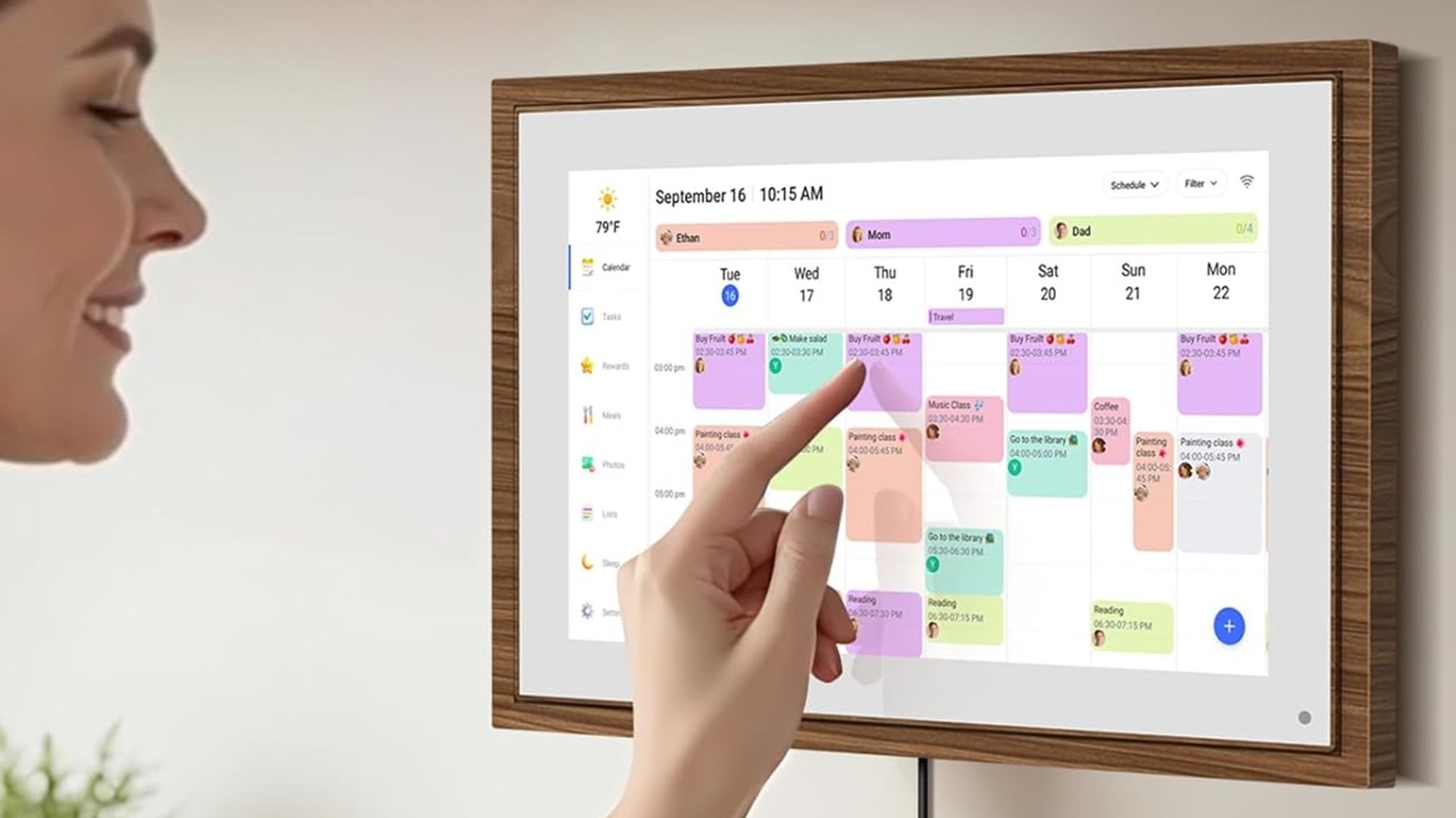
This challenge only gets harder when there are multiple people of different ages in your home that need to be on the same page, which is why you might want to invest in a digital calendar. These days, one of the most popular options is the Skylight Digital Calendar, which starts at just under $160. Although there are several digital calendar alternatives, it can be hard to find one that doesn’t cost an arm and a leg up front and may include subscription fees.
If you’re looking for a cheaper way to keep everyone in your home aligned, you could use an old iPad to be a smart home hub that doubles as a calendar. But if you don’t have one lying around your house, there are plenty of budget-friendly options that might work for you instead. To help you know what’s out there, we’ve rounded up some highly rated digital calendar options that are under $100. For more details on why we think they might be great for you, we’ve elaborated more on our methodology at the end. But, if you’re in desperate need to make sure no one feeds the dog twice, keep reading.
Advertisement
YPI 10.1-inch Digital Calendar
Available in seven sizes, budget conscious customers can opt for YPI’s cheapest offer, the 10.1-inch Digital Calendar that retails for $89.99. Measuring 10.5 inches by 7.3 inches, it has a 10.1-inch HD touch screen that can be used in both portrait or landscape with its included stand. You can sync with all kinds of calendar providers, such as Google Calendar, Microsoft’s Outlook, and Apple’s iCloud. With its own eCalendar app, you can also color code schedules of up to 20 users. Apart from a calendar, it lets you display tasks, meals, photos, and more.
On Amazon, the YPI Digital Calendar has an average rating of 4.3 stars from 450+ customers. Among the 74% of users who rated it a perfect rating, an iPhone owner mentioned that it takes less than a minute to set up. Some of the recurring positive feedback also mentions its screen for its automatic brightness adjustment, visibility from multiple angles, and responsive screen. That said, there were about 10% of people who rated it a single star that said that they had issues with connecting to the Wi-Fi, the app crashing, and poor customer service.
Advertisement
DXMART 10.1-inch Digital Calendar
Priced at $99.99, the DXMART 10.1-inch Digital Calendar sets itself apart with its LED reminder light border, plus a built-in speaker that you can use for audible reminders. Apart from auto sync features with major calendar apps, it has interactive tasks and rewards systems, meal planning, and custom lists.
With its dashboard, you can switch between day, week, and month views. It’s made to be wall-mounted or standing in either portrait or landscape mode. It also doubles as a digital photo frame, and you don’t need a subscription to display screensavers. For people who are particular about their privacy, the European-owned brand also boasts both GDPR and CCPA-compliance.
Advertisement
DXMART also has a larger model, and together, both models have an average rating of 4.3 stars from 200+ Amazon users, wherein 71% of people gave it a perfect 5 stars. While it markets itself as a calendar, there are a lot of people who mentioned how they thought it was great value for displaying photos. One person even noted how their kids would drop photos while they’re on holiday, which they could view from their home. But take note, there were also a few dissatisfied customers, such as the 7% who rated it a single star. They lamented how there were issues with durability and not being able to connect to the internet.
Advertisement
Roxicosly Large Digital Display Calendar
The Roxicosly Digital Calendar is designed specifically with the elderly in mind. Measuring 7.2 inches by 4.65 inches, it’s one of the most compact options in this list. With a dozen different theme options, it also comes with 18 ring times for alarms with a 9-level volume, which you can use for everything from wake up to medication reminders. Aside from the calendar function, wherein it lets you see the date, time, and what period of the day it is; it lets you share photos via microSD and USB flash drive.
Available in two colors (black and white), you also have the option to get a plugged AC-powered model ($29.99) or one with a rechargeable battery ($37.99). An Amazon’s Choice product, the Roxicosly Digital Display Calendars have a 4.6-star average from more than 1,400 customers. In addition, 81% of users have rated the elderly-friendly calendar an impressive 5 stars, while only 4% have it a single star.
It’s not a perfect product, since multiple people complained that it can be difficult to set up, there were more users who were satisfied with it. In fact, several people shared that their elderly loved ones who had bad eyesight liked how it was easy to read. Apart from seniors, some customers mentioned that it also worked well for students and for their home school set up.
Advertisement
Canupdog 10.1-inch Digital Calendar
For fans of the mid-century interior design look, the $89.99 Canupdog 10.1-inch Digital Calendar can mesh well with your vintage, hardwood furniture. Compatible with major calendar apps, like Google, iCloud, Microsoft, and Yahoo, you can also see the integrated calendar across multiple accounts via its app. It also has streamline lists, for things like to-dos or groceries. It also has a chore chart and a reward system once tasks are accomplished.
Canupdog also sells larger sizes as well. All together, more than 700 Amazon users have rated them 4.2 stars on average, wherein 71% thought they were worth 5 stars. In particular, a lot of people mentioned that they thought it looked stylish, were impressed with the high storage capacity, and that it didn’t need a subscription to work. In fact, one reviewer even called it one of the best purchases they had made.
Advertisement
That said, there were also a significant number of customers who thought it didn’t deliver its promises. With 12% of people rating it a single star, one of the most common negative feedback items is that it tends to freeze, experience calendar sync glitches, and shut down for no reason. Not to mention, multiple people lamented the poor tech support whenever they encountered any problems.
Advertisement
Dragon Touch Digital Calendar
For people who want to integrate rewards and meal prep, the Dragon Touch Digital Calendar has features that do both. Apart from the standard multi-view calendar features and 32GB capacity photo display, it has both sleep more and alarm functions for wake up times and reminders. Not to mention, you can create rewards for yourself (or your kids) whenever you check off things from your lists. If sustainability matters to you, this particular digital calendar has been certified by Global Recycled Standard on Amazon for being made of recycled materials, safer chemicals, and manufactured with worker well-being in mind.
Available in two colors, you can opt to get the 10-inch white ($89.99) or black ($97.99) model. Dragon Touch also lists 21-inch models and collectively, they have been rated 4.5 stars on average by 350+ Amazon customers. In general, it holds a pretty positive ratio of satisfied customers — 79% of buyers thought it was perfect rating material.
Among 5-star reviewers, people have mentioned how they liked the screen quality and enjoyed the breadth of features without a subscription fee, such as the automatic grocery list maker. On the other hand, the 7% of people who didn’t like it so much and rated it a single star mentioned that their unit arrived broken and with cracks, struggled to connect to Wi-Fi, or stopped working within months.
Advertisement
Methodology
To make this list of budget-friendly digital calendars, we’ve rounded up different models that range from $29.99 to just under $100. For people with higher budgets, we’ve also listed similar items from the same manufacturers that offer larger screen sizes.
Next, we narrowed down to products that have a general average rating of 4 stars from more than 200 customers. Then, we selected digital calendars that at least 70% of users have rated a perfect rating, as well as 15% or less rating 1-star. When possible, we also noted if it was listed as an Amazon’s Choice product to highlight how it stands out in its category.
Advertisement
To help you differentiate the options, we noted any special features that the digital calendar might have, as well as who we think might benefit from it, such as if it’s designed for the elderly, children, or particular aesthetics. While it didn’t affect their inclusion in our list, we also mentioned unique aspects, such as LED lighting, speakers, notable sustainability certifications, or privacy features.





 Self-similar images are rather common, which are images in which the same image is repeated on a smaller scale somewhere within the image that one is looking at, something which is also referred to as the Droste effect. Yet in [MC Escher]’s 1956 Prentententoonstelling (‘picture gallery’) drawing, this self-similar image is somehow also the foreground image, from where it just keeps looping around in an endless dance. How this effect is accomplished and what the mathematical transformations behind it are and how they work is explained in a recent video by [3Blue1Brown].
















































You must be logged in to post a comment Login