
Join Mikko Hyppönen and security leaders from the NFL, CHANEL, and Atlassian for a two-hour digital summit on what AI-speed attacks change, what defenders should stop doing, and how to validate, decide, fix, and re-validate at machine speed.
Tech
Microsoft pauses KB5002907 update after Office license deactivations



Microsoft has paused the rollout of the KB5002907 Microsoft 365 update after users report that it deactivated, or in some cases completely removed, perpetual Office 2016 and Office 2019 installations.
KB5002907, titled “Optional update for out-of-date Microsoft 365 Apps installations,” was released to help users update Microsoft 365 Apps installations that are more than 90 days out of date.
“This optional update is available only for Windows PCs with Microsoft 365 Apps installations that are more than 90 days out of date and use Current Channel or Monthly Enterprise Channel,” explains the KB5002907 release notes.
“Installing the update can help the apps resume updating and move to a current build for the device’s assigned update channel.”
Microsoft says KB5002907 is an optional update offered through Windows Update and does not install automatically.
Shortly after the update was released, BleepingComputer was told by Christian Van Hautte, who runs an MSP in Belgium, that several of his customers suddenly found their perpetual Office installations showing as an “Unlicensed Product.”
Van Hautte told BleepingComputer that five unrelated customers contacted his company within approximately ten minutes on September 24, with dozens of PCs affected across the organizations.
“The affected installations are all Office 2016 and Office 2019 Home & Business (perpetual/one-time purchase licenses),” Van Hautte told BleepingComputer.
“The common factor is KB5002907, an update released around September 23 and described as targeting ‘outdated Microsoft 365 Apps installations’ — but it is clearly also landing on perpetual (non-subscription) Office installs and breaking their license state.”
Van Hautte said re-entering the original Office product key restored activation on affected systems.
Furthermore, Van Hautte warned that even though the update is listed as optional, it installed automatically on his customers’ devices.
However, he later discovered that KB5002907 appears to remove and reinstall, or migrate the existing Office installation as part of its update process.
Van Hautte says that on systems with Office components of different architectures, such as a 32-bit Office 2016 or 2019 installation alongside a 64-bit Microsoft Access Runtime, the reinstall can fail because Microsoft Office setup does not allow mixing 32-bit and 64-bit Office products.
In those cases, he says the existing Office suite is removed but is not successfully reinstalled, leaving the device without Office.
Microsoft has not confirmed that mixed-bitness installations cause this behavior.
Reports from other administrators and users began appearing online at approximately the same time.
One Reddit user reported that multiple Office 2019 installations suddenly became deactivated and said entering the product keys again restored activation on at least some devices.
The user later updated the post to say the problem was not limited to Office 2019 and that some systems required signing into a Microsoft account and selecting the license rather than just entering the key.
In another report, an administrator said several unrelated customers contacted them after Office had been completely uninstalled.
“My Office 2019 and dad’s Office 2016 installs both got nuked overnight… both are 100% legit keys purchased long ago,” another user replied.
Similar reports appeared in the Microsoft forums, where multiple people reported similar issues after installing the update.
Microsoft pauses Microsoft 365 KB5002907 update
After BleepingComputer contacted Microsoft about the reports, the company confirmed that it had paused the update while investigating the issue.
“We are aware of these reports and have paused the update while we investigate. Additional customer guidance will be communicated via appropriate channels,” a Microsoft spokesperson told BleepingComputer.
Microsoft also updated the KB5002907 support bulletin to acknowledge the problems.
“Microsoft is investigating reports of unexpected results on some devices running Office 2016 or Office 2019 after this update is installed,” the company now says.
“To prevent additional devices from being affected, we have paused the rollout of this update.”
Microsoft confirms that affected Office installations can suffer from two different problems.
In some cases, Office may appear unlicensed, and Microsoft recommends that customers reactivate their purchased product.
In what Microsoft describes as “rare cases,” Office may be removed entirely. Microsoft instructs those users to download and reinstall their purchased copy of Office 2016 or Office 2019.


Continue Reading
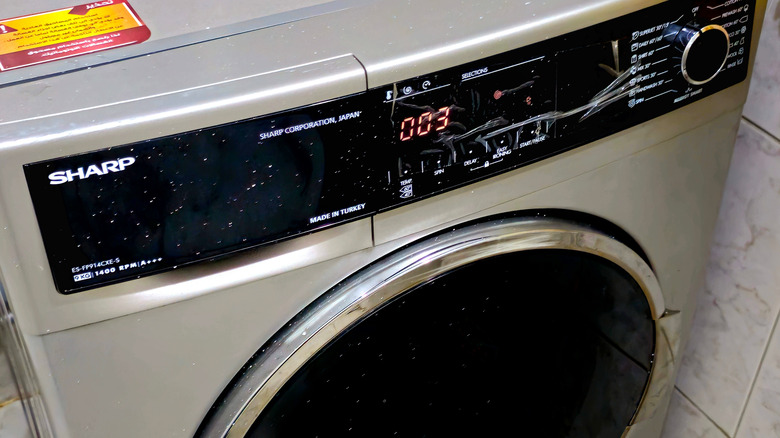
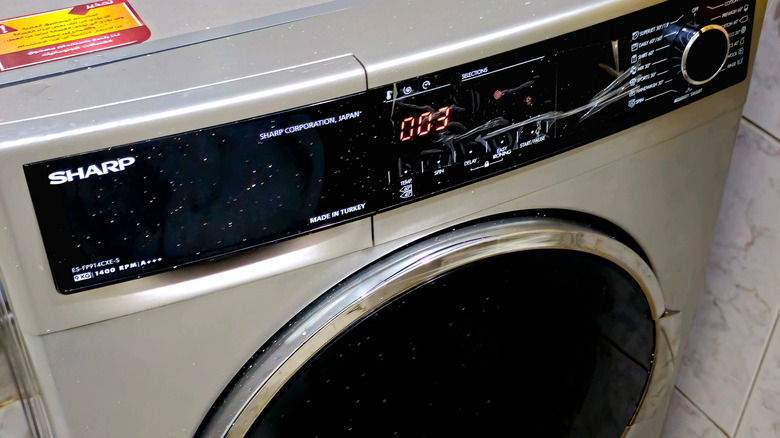
Sharp has a broad portfolio of appliances; while most of its products are kitchen-related, the company also makes everything from air purifiers to washing machines and vacuum cleaners. The company also makes TVs, but customers rate them quite low. Sharp also has a fairly complicated ownership structure.
Sharp appliances are made by the Sharp Corporation, a Japanese electronics and appliance brand founded back in 1912 by an inventor named Tokuji Hayakawa. It began as a metalworking shop in Tokyo, but the current name comes from Hayakawa’s Ever-Ready Sharp Pencil. Sharp’s current head office is in Chuo-ku, Osaka, Japan.
However, it’s also one of three major tech brands owned by Foxconn (Taiwan’s Hon Hai Precision Industry Co.), its parent company. Sharp says that Foxconn primarily provides electronic manufacturing services, while Sharp itself sells telecommunications equipment, electronic devices, and other branded products. For U.S. consumers, Sharp Home Electronics Company of America is the Sharp bastion over here, a division of Sharp Electronics Corporation, which is itself a subsidiary of the Sharp Corporation. Sharp also manufactures in several other countries, including the U.S., Malaysia, France, Japan, China, and more.
Manufacturing depends on the model and market
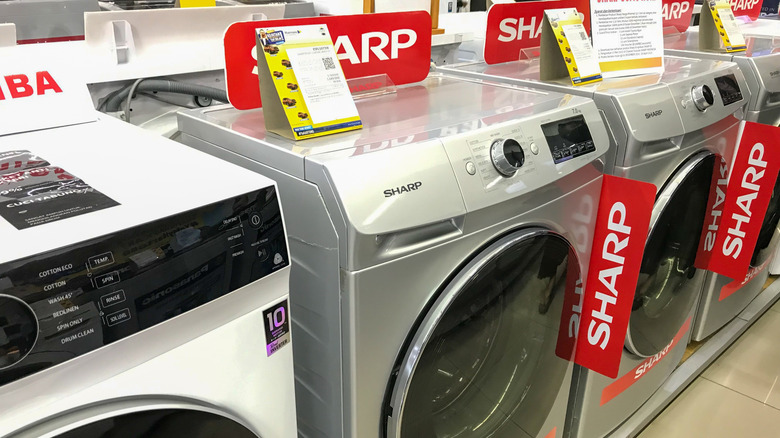
Sharp manufactures appliances in a number of countries; where a specific model is made depends on the type of product, model number, and the market where it’s intended to be sold. As we pointed out in a previous article, for instance, Sharp is one of several microwave brands that make their products in the United States, but the company also has manufacturing facilities in Japan, Thailand, China, and elsewhere.
One well-documented, major production base is Sharp Appliances Ltd. in Thailand. It’s Sharp’s home-appliance producer in the country, and Sharp says it started pumping out refrigerators as far back as 1988. The plant has now produced more than 10 million fridges over its lifespan and exported them to around 100 countries, from the Far East to the Americas and beyond.
In the U.S., the Sharp Manufacturing Company of America, based in Memphis, has been making appliances for more than 40 years, starting with color TVs and microwaves all the way back in 1979. The Memphis facility now makes premium home appliances, and the city also houses some of Sharp’s sales, marketing, and service operations.

Verdict
The eufy E21 is a premium 4K baby monitor that pairs the sharpest video and night vision that we’ve tested with a rare selling point: a full feature set that works without a subscription. The camera’s picture quality is stunning and helps justify its steep price tag, but we’d have liked a better way to turn off WiFi.
-
Subscription free access to all features
-
4K resolution and 8x zoom gives excellent coverage
-
Privacy shutter offers extra security protection
-
WiFi can only be switched off from the camera itself, not from the parent unit
-
Parent unit volume is a little bit quiet
-
Cry and motion detect notifications are hit-and-miss
Key Features
-

Review Price:
£249
-
4K UHD resolution:
plus 330° pan, 60° tilt, and 8× zoom gives total control
-
No subscription required:
full feature access, no paywall
-
5000mAh camera battery:
up to 10 hours of battery life for peace of mind while travelling or during power cuts
Introduction
As a new parent, I underestimated how often I’d want to check that my baby was still breathing. I’d heard my parents talk about it – and how many times my own father had woken me up by just giving me a quick poke and prod – but I didn’t think I’d fall into that trap. Fortunately for me, technology has moved on so much since then and we have ultra high definition cameras that can do the heavy lifting for us.
It’s why the Eufy E21 baby monitor jumped out at me. Marketed as the world’s first 4K hybrid baby monitor, the E21 allows you to watch your baby’s chest rise and fall as they sleep, as well as keep a close eye on them and their environment day-to-day.
But can it stake a claim as one of the best baby monitors? I put it to the test to find out.
Design and features
- Camera and monitor
- Mounting kit in the box
The Eufy E21 comes with a single camera and parent unit, as well as three plugs, two cables, a charging base for the parent unit, and a comprehensive mounting kit, which gives you the option to mount your baby camera on the wall, on the crib, or on a shelf.

Setting up the camera is fairly easy and takes no longer than five minutes – you just need to plug in the camera via USB-C cable, turn on the parent unit, and then download the Eufy Baby app on your phone. Here, you’ll need to sign up for an account, set a custom (and secure) password, and then get to adding your device.
From a security standpoint, the process is fairly straightforward. Once you’ve selected the add device option and opened up pairing, you’ll need to scan the physical QR code on the bottom of the camera, turn the Wi-Fi switch on, and then press and hold the sync button for two seconds. From here, you’ll need to sync it up with your home Wi-Fi by entering your password. Once this is done, the camera is ready to use both locally and via Wi-Fi.

You’ll get mounting advice and tutorials on how best to mount your camera straight after, which is very handy – particularly if you’re looking to use the gooseneck mount on the side of your crib. I opted to place mine on a nearby shelf, but I’ll probably move to the crib mount once my baby gets a bit older. During the mounting process, you’ll also get the chance to check the camera’s signal strength before committing to a mounting position, which I found to be a genuinely helpful consideration.

While the camera is quite large, I didn’t find it obtrusive during the testing period. The only thing I did find was that its outer shell was incredibly slippy – so much so that I dropped it while moving it to another location. Its larger shell is likely due to the fact that it houses a 4K camera with a 330° pan, 60° tilt, 8x zoom, and 5000mAH battery.
It’s an impressive camera and one that’ll give you a full view of your nursery. An auto-focus button, which can be triggered from the parent unit or camera, seeks out human faces and zooms in on them. This can be a little bit janky if there are multiple people in the room, but I’ve found it to be quite reliable to track and zoom in on the baby when asleep.
It also comes with active noise reduction, helping filter unwanted sounds out – giving you less interruptions from the live feed. Although this works, it does lessen the impact of alerts – something I’ll talk about a bit later.
The parent unit itself is quite feature-rich, although it does only have a five-inch 720p display, which reduces the amount of detail that you get from the 4K camera. The power and volume buttons sit on the top, along with the microphone and antenna, while the menu, back, zoom, push-to-talk, and navigational buttons sit on the front.

The camera can be operated via the navigational buttons on the parent unit or from the app. The zoom button zooms in increments of two, giving you a 2x, 4x, 6x, and 8x view of your setup. Via the menu, you can change the general settings (brightness, alerts, sounds, temperature units, etc), and go through your MicroSD storage. The menu navigation is pretty intuitive and easy to get to grips with, which is especially handy if you’re fumbling around in the dark with a motion or sound alert.
The speaker for the parent unit is located right in the middle of the rear of the unit, which avoids any potential issues with hands blocking sound transmission when handling it. It also means that you get even distribution of sound when the unit sits within the charging base. I’ll be honest, I didn’t think I’d use the charging base much, but it’s been a godsend having somewhere where I can place and see the feed – all without worrying about the battery draining down.
The one thing that the parent unit is missing that I’d have liked is a volume indicator. Most parent units have an LED strip on the side that tells you how loud a sound is in your nursery actually is. While alerts can be set up to monitor this, I missed not having a visual indicator at my finger tips.
In terms of other features, the E21 can detect motion, crying, temperature, and sound, sending alerts to the parent unit and app when set up, as well as five white noise sounds, although I’m slightly puzzled by Eufy’s choice on that front. You can choose from forest, cricket, rain, streams, and alpaca bells to soothe your child, which are odd choices given the most popular sounds for babies tend to be white, heartbeat, or womb noises.

- Excellent, 4K image quality
- Parent unit restricted to 720p
Without question, the Eufy E21 has some of the best video and audio capabilities that I’ve tested in a baby monitor. Its 4K UHD camera, impressive field of view, and active noise cancellation make it a triple threat – but that’s what you’d expect for a unit that costs over £200.
While the resolution on the parent unit leaves a lot to be desired (I’m still not sure why these only ever have 720p displays), the quality on the app is impressive – even more so because you can tweak it to your liking.

I’ve got mine set to 4K recording, but you can downgrade the feeds to 2K, 1080p or 720p as you see fit. I’d personally recommend keeping it to 4K where you can, purely because when you use the zoom function, you can still get crystal clear pictures of your little one and their environment all while adjusting the frame with the navigational buttons.

The quality of the camera in the day is fantastic. In the test photos below, you can pick out the detail in the baby grow, the blanket, and even the mesh of the next-to-me crib. The quality naturally dips with infrared at night, but you can still pick out key details in high definition. In that regard, the E21 is definitely the best camera for video quality that I’ve tested – and that quality isn’t compromised at distance either, so if you want to place your camera on top of a wardrobe or high shelf to give you a better view, you don’t have to worry about anything falling out of view.
There had been some complaints about motion latency online, but during testing, I found the camera to be quite responsive – the E21 has gone through quite a few updates since launch and now with things like motion alerts being added, I’m guessing Eufy has fixed those problems. When I tested motion latency, I noticed less than a one-second delay on the parent unit and less than a two-second delay on the app at best.
As for audio quality, the active noise cancellation means most ambient noise is filtered out – ensuring that alerts are focused on you and your baby. However, I found that in comparison to other parent units, the actual volume of the sound outputted by the unit isn’t as strong – despite the volume being whacked up to the max. And without the LED soundbar I mentioned earlier, I found myself crooning my neck to listen out for the slightest of sounds.
Fortunately, the sound alerts have helped with this. Easily set up on the unit or via the app, you can set up the sensitivity for crying and loud sounds and have alerts ping to both the parent unit and app. The default volume for alerts on the unit is really quiet, so you’ll want to turn this up. I’m also not a fan of the alert noise, which sounds a bit like a doorbell, so it would be nice to have the option to change that in the future.
As for two-way-talk, I’ve been quite impressed with the E21. The clarity of the audio transmitted from the parent unit to the camera is clear and I found that it transmitted within less than half a second. The app is a bit slower, due to the fact it has to establish a connection, but not by much. I do really like that both the parent unit and app show that your audio is transmitting by showing your soundwaves on the display. From the other direction, the latency from the camera to the baby unit and app is about one second, so good all in all.
The camera also makes very little sound when the pan/tilt is being operated, which is important if your baby is a light sleeper.
If you’re familiar with Eufy products, the app for the baby monitor will be familiar to you. It’s intuitive to use and immediately displays the last-viewed picture of your camera feed. If you click on the image, it’ll establish a connection with the camera and show you the live feed.
One of the things I like most about the app is that you can choose to record live, sending video and screenshots directly to your phone gallery. This is a feature usually locked behind a subscription on other cameras and it does it so effortlessly.
The app also has an events centre, which allows you to view any alerts or triggers that the camera might have caught. I’ve found this particularly handy when catching up after popping out for a while.
I also want to praise Eufy here: the app is visually appealing. It’s not cluttered, everything is where it needs to be, and the notifications you get are to the point without any upselling involved.
The E21 has a range of 800 ft / 243 m, according to Eufy. That’s quite a distance and one I was curious to put to the test. I live in quite a long house, where the nursery is positioned at one end and the garden on the other.
In our range tests, I never once lost connectivity with the parent unit (with Wi-Fi turned off) while walking around my property line. I could see and hear the baby in every single room of my house and garden, which is hugely reassuring. I even took the unit out onto the street and only lost connection when I got to the top of my cul-de-sac – approximately 200m away, which would have seen the signal pass through several buildings too. Out of the cameras I’ve recently tested, only the Motorola PIP1710 Connect has topped this – and only by a little bit.

Connectivity wise, the camera can be operated on either a local feed or on local and Wi-Fi. The switch to turn this on or off can be found on the back of the camera and can only be turned off here. I’ll talk about what this means from a security and privacy perspective shortly, but once it’s switched off, the live feed to the app ends fairly quickly.
I didn’t notice any severe latency or congestion issues while using the camera with Wi-Fi mode enabled, which is more than can be said for some of the other cameras I tested. Plus, at this price bracket, I’d expect nothing less.
The E21 is marketed as privacy-first: a fully offline capable camera with microSD storage, with Wi-Fi mode toggable on or off, and “bank-level encryption” when connected. Given all the horror stories I’d heard of baby monitors being hacked – particularly over Wi-Fi – security is front and center in my mind when considering any baby monitor.
Fortunately eufy seems to take this quite seriously. After setup, I was pleased to see that the app prompted me to update the firmware on both the camera and parent unit straight away. Unfortunately for me, though, I ran into a bit of an issue with the parent unit where it got stuck in a restart/recovery loop straight after the update. I was able to fix this with the help of Anker Support, who gave me the necessary .bin file to drag and drop into the unit’s folder while it was connected to my PC.
The support team have since assured me that this was a blip and not normal behaviour for first-time set up, but it did put me off somewhat. Nevertheless, I was particularly pleased with Support’s rapid response time and the fact that the device prompted a firmware update straight out of the box – something less tech-savvy parents might not necessarily look for.
It’s also pleasing to see that Eufy has guaranteed lifetime technical and security support for this product. That does hinge somewhat on when Eufy deems the E21 to reach its end of life phase, but given their history with supporting products in other ranges, I can’t see this being taken off the shelf any time soon.
As for privacy, you have the option to turn off Wi-Fi on this device to keep the feed running locally on your parent unit. However, unlike other baby monitors, you can only switch this off on the camera itself. This is quite disappointing, especially since most competitors allow you to do this from the parent unit.
Nevertheless, when turned off, I found the camera to be quite responsive: the app feed was cut within two seconds. Eventually, the message “unable to connect to device / please turn on Wi-Fi switch on the camera” is displayed, and there’s no way to bypass this in the app – even on a different device.
You don’t have to use the app at all if you don’t want to, as the camera comes with a microSD slot, which allows you to store any captured footage locally. The camera also comes with a Privacy Shutter feature, which spins the camera around and down, stopping the live feed at a hardware level – giving you and your baby the privacy you might want during feeds and changes. This can be triggered from both the parent unit and the app.
You can add people to your family sharing account to view the feed via Wi-Fi if you want, but the process is fairly tight. They’ll need their own Eufy Baby account with a secure password and once they have that, you can invite them to view and operate the device. They can be removed at any point from the app’s settings.
The monitor has a 12-hour battery life, which stood up in our tests. However, I found that we rarely ran out of battery life on the monitor due to the fact I was using the charging base when not actively monitoring the feed.
The camera also has a 5,000mAh battery, which Eufy says will last ten hours in the day and five hours at night. This certainly tracks with our testing – we got just over ten hours in the day, and just short of five at night.
There’s not a huge use case for leaving the camera unplugged, but it’s reassuring to know that I could still watch my baby while on the move or when the power goes down.
At £249/$259.99, the E21 is one of the most expensive baby monitors that we’ve tested. It’s definitely sitting in the premium bracket and won’t be for everyone, but its feature set does partly justify the high.
For your money, you get a camera capable of 4K resolution, an 8x zoom, and the best night vision you can buy, as well as a rich feature set that isn’t locked behind a paywall or subscription.
It’s expensive, but if you’re going to pay £50 a year just to have the ability to record or screenshot your baby’s movements or store their special moments, you may as well factor that into the price of a cheaper unit.
Sure, the E21 isn’t perfect, but it’s clear that Eufy has looked into the launch issues of the camera and taken parents’ feedback into account – something that sells me more on the value of the camera than anything else.
Should you buy it?
You want the best video quality
4K resolution, integrated optical zoom, pan-and-tilt: this camera makes it easy to keep and eye on your baby.
You want something cheaper
This is an expensive baby monitor, although you should take into account the subscription-free service when comparing with other models.
Final Thoughts
Video and audio quality is where the E21 truly separates itself from other baby monitors, with its 4K resolution, the zoom, and the night vision performance outperforming all others. If picture quality is what matters most to you, nothing else will come close.
The no subscription model is the other huge plus of owning a Eufy baby monitor. If you’re looking at a cheaper product, factor in what you’d pay over a year or two for the option to record your camera feed, store footage on the cloud, or even have cry sensors. Suddenly the price doesn’t look as scary.
Of course, the camera isn’t without its issues. The firmware issue that sent the parent unit into a restart/recovery loop wasn’t a great start, but showed the effectiveness of Eufy’s support team. The 720p display also doesn’t do the camera’s 4K capabilities justice, and being unable to turn off Wi-Fi from the parent unit is a small but annoying inconvenience.
If you weigh all of that up though, the pros far outweigh the cons.
How We Test
We test every baby monitor in a real-world nursery setting for at least a week. We check video and audio quality on both the parent unit and the app, run night vision tests at set distances, and check the range throughout the house and garden to test its reliability.
Security and privacy get particular attention – we check account creation, two-factor authentication, and local-only Wi-Fi modes. We also check battery life against manufacturing claims and check the value of subscription costs where they apply.
We’ll always tell you what we find. We never, ever, accept money to review a product.
Find out more about how we test in our ethics policy.
- Used as our main baby monitor for the review period
- We take samples during the day and night to see how clear each camera’s video is
- We check each camera’s security features in-depth to ensure baby’s safety
FAQs
Does the Eufy E21 require a subscription?
No, every single feature of the E21, including motion and cry detection works without having to pay a monthly subscription.
Can you turn off Wi-Fi on the Eufy E21?
Yes, you can but only from the physical switch on the camera itself – there’s no way to disable it from the parent unit. You can however turn on the privacy shutter from the app, which turns the camera around and ends recording and notification
How long is the support period for the Eufy E21?
Eufy provides “lifetime technical and security support” for this product, which means it’ll get updates and remain fully active until the device reaches its End of Life phase.
Test Data
Full Specs
| Eufy E21 Baby Monitor Review | |
|---|---|
| Manufacturer | Eufy |
| Size (Dimensions) | 80 x 78 x 110 MM |
| Release Date | 2026 |
| First Reviewed Date | 23/09/2026 |
| Model Number | Eufy E21 Baby Monitor |
| Resolution | 3840 x 2160 |
| Battery Length | 12 hrs |
| Camera Type | Baby monitor |
| View Field | 330 degrees |
| Recording option | microSD |
| Two-way audio | Yes |
| Night vision | Yes (IR) |
| Motion detection | Yes |
| Audio detection | Crying |
| UK RRP | £249 |
| USA RRP | $259.99 |
There are numerous reasons why you might want to record what’s happening on your phone. Maybe you’re having a problem with an app and you want to share what’s going wrong with a tech-savvy friend; or maybe you’re the tech-savvy friend, and you want to show someone else how to fix a bug.
Perhaps you’re starting up a YouTube channel of smartphone tutorials. Or it could be that you want to capture evidence of a new high score in a mobile game—not just a screenshot of it, but the actual act of you achieving it.
For these reasons and more, screen recordings are useful, and they’re not difficult to capture no matter what the make and model of your handset. You’ll find instructions below for the two most well-known Android phone brands, and the iPhone.
Record Your Screen on a Google Pixel

Recording options on a Google phone.Courtesy of David Nield
If your phone of choice is the Google Pixel, unlock your handset then swipe down from the top of the screen with two fingers to bring up the full Quick Settings selection. You should see a widget for Screen recorder—if you can’t see it, try swiping left or right. If you still can’t see it, tap the pen icon (lower right) to add it to the Quick Settings menu.
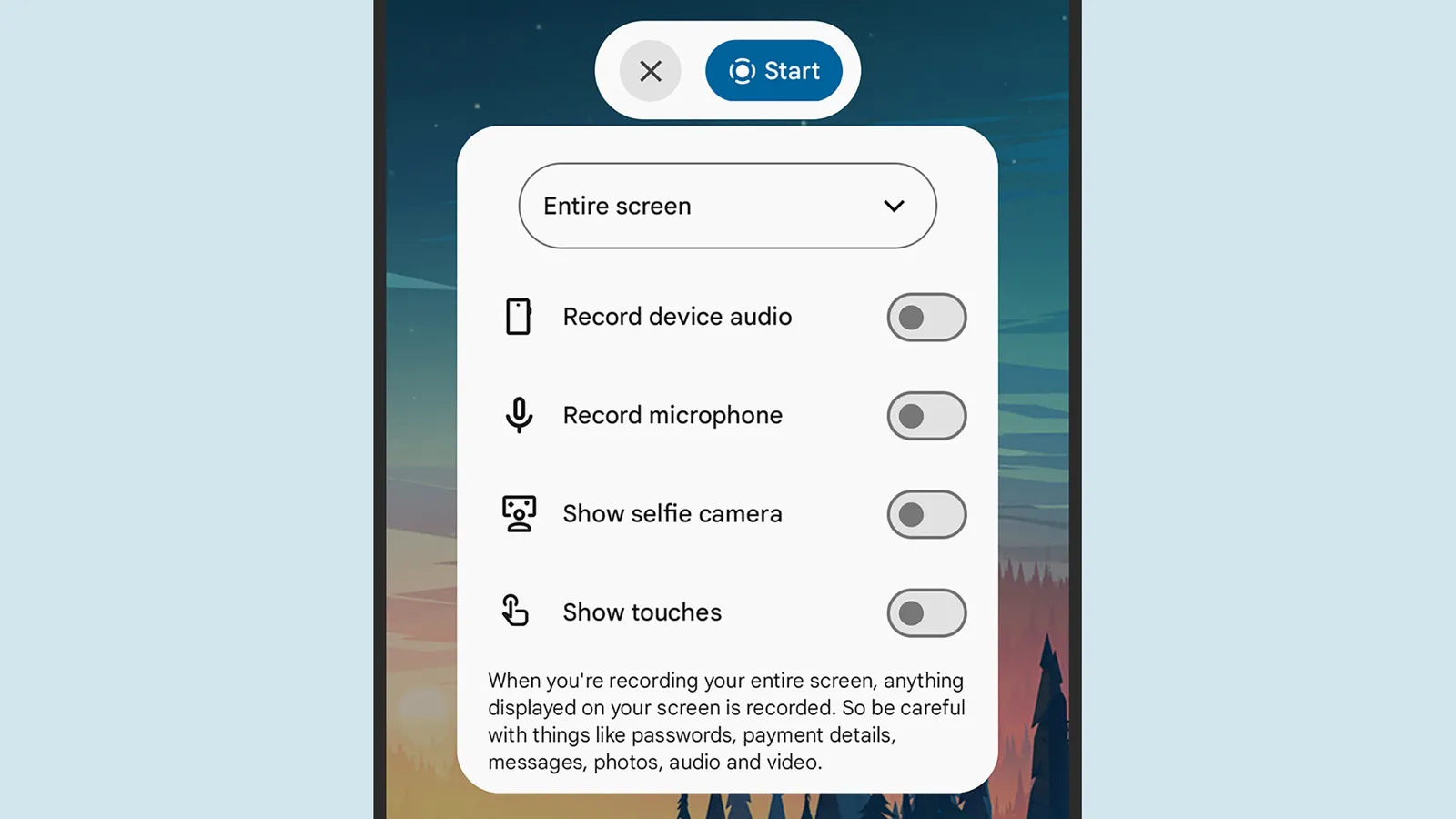
Next you’ll see a panel of toggle switches: These options let you choose whether or not the screen touches are visible in the recording, and whether you want the selfie camera feed to be visible as an overlay (handy if you’re narrating or reacting to what’s on screen). You can also opt to include audio from your phone’s apps or from the microphone.
The drop-down menu at the top lets you decide between recording the entire screen or just a single app. When you’re happy, tap Start. You’ll see a short countdown, then the recording begins. To end the recording, tap the red recording timer in the status bar at the top, then Stop. The video will be saved to Google Photos.
Record Your Screen on a Samsung Galaxy

Recording options on a Samsung phone.Courtesy of David Nield
On Samsung Galaxy phones, the process is similar but not quite identical to screen recording on a Pixel. With your phone unlocked, swipe down from the top of the display, then swipe down again on the central pane (with icons for features including Wi-Fi and the flashlight) to reveal the Screen recorder icon.

Microsoft’s senior product manager for Excel acknowledges that “Throughout Excel’s 40-year history, you’ve only been able to put one value per cell.” But that’s now changing with arrays in cells (as well as nested arrays) and lists.
“You can create a list by selecting Insert > List or pressing Ctrl+J, then typing or pasting items separated by commas or semicolons, depending on your regional settings. Selecting the icon in the cell shows the individual values…”
“With lists, you can filter by one or more individual items instead of whole text entries. Referencing a list returns all its values for calculations. For example, =B2 spills those values into separate cells…”
“For the first time in Excel, arrays can exist natively in cells as values or as formula results. They can be any size or shape and can even contain other arrays. You can now keep the result of any spilling formula in a single cell by “wrapping” the formula body with braces { }.”
“Since the introduction of dynamic arrays, array results have spilled across cells — for example ={1;2;3}. Wrapping the original array with braces creates a 1×1 array around it, so instead of spilling to multiple cells, the array stays in a single cell. Braces have long been used to describe arrays in Excel and this extends that behavior by allowing multiple layers of braces. This gives you more flexibility when building spreadsheets. Instead of leaving room for a formula to spill, you can keep the result in one cell.”
“Arrays can now also ‘nest’ inside other arrays… Previously, a formula that produced an array of arrays would return a truncated result or #CALC! error. Now, supported formulas return the complete nested result… FLATTEN(array, [pad_value], [levels]) simplifies nested arrays by removing one or more levels of nesting…”
Three HAS functions check whether values are in an array:
— HAS(array, value) returns TRUE if value appears anywhere in array, and FALSE otherwise.
— HASANY(array, values) returns TRUE if any of the values appear anywhere in array, and FALSE otherwise.
— HASALL(array, values) returns TRUE if all of the values appear anywhere in array, and FALSE otherwise.


Read more of this story at Slashdot.
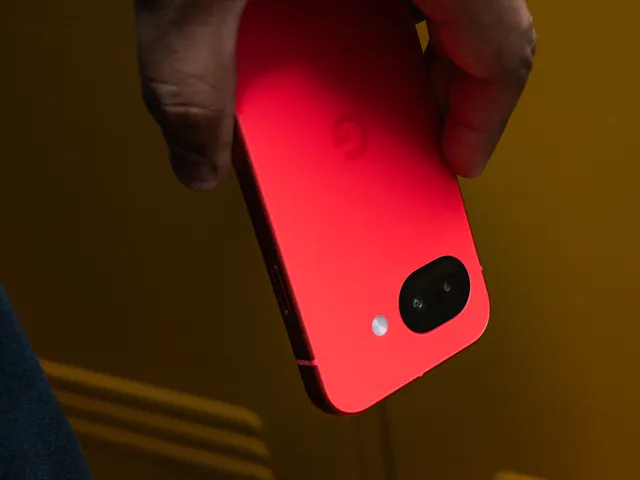
Amazon Prime Day deals are back, baby. The second sale of the year is officially dubbed Prime Big Deal Days and will arrive on October 6 and 7. However, early deals have already started, and I’ve been using my 13 years of deal-hunting experience to find true discounts on the gadgets and gear the WIRED Reviews team has hand-tested and would recommend to our friends. Below, you’ll find the best early deals we’ve sleuthed so far. We’ll be covering deals throughout the event and beyond. all the way through Black Friday and Cyber Monday.
Don’t miss our list of Prime Day tips put together by yours truly, plus our guide to Amazon Prime benefits you might be forgetting to use. Our guide to shopping safe on Amazon might be useful as well.
Updated September 26: We’ve added 10 new deals from Bose, JBL, Anker, SteelSeries, Smartish, Moft, Birch, Razer, Blueair, and FlexiSpot. We’ve also made sure existing deals are up to date.
Table of Contents
Best Tech Deals
A Killer Deal on Our Favorite Android Phone
-
Photograph: Julian Chokkattu
-
Photograph: Julian Chokkattu
-
Photograph: Julian Chokkattu
-
Photograph: Julian Chokkattu


The Google Pixel 10a is our favorite Android phone overall, in part because it’s cheap. The low price comes with a ton of value, from the slick performance and powerful cameras to the years of software and security updates.
The Best Price on a Budget-Friendly Speaker

The JBL Go 5 is our top budget Bluetooth speaker. It’s available in 10 different colors, most of which are down to a match of the best price we’ve seen. It’s durable, lightweight, and sounds good for its size.
A Solid Discount on Workout Earbuds
-
Photograph: Harry Rabinowitz
-

-Reviewer-Photo-SOURCE-Ryan-Waniata.jpg)
We see this deal for our favorite workout earbuds pretty regularly, but they only ever get about $20 cheaper, so it’s still a solid option if you’re in the market. The Beats Powerbeats Pro 2 play well with iOS and Android, have punchy sound, and feature the option for both transparency mode and active noise canceling.
The Best Android Earbuds at a Low Price
-
Photograph: Julian Chokkattu
-
-


The Google Pixel Buds Pro 2 remain our top earbuds for Android users (they also work with iOS). They’re aesthetically pleasing. They sound great. They’re comfortable, have a long-lasting battery, and active noise cancellation, plus some useful software features. If you want good earbuds that aren’t AirPods, these might be up your alley.

Hospitals’ use of artificial intelligence tools as they submit insurance claims led to an additional $942 million in healthcare spending over a two-year period, according to an analysis by the Blue Cross Blue Shield Association.
The BCBSA analysis found “a sharp increase in patients being documented as having complex conditions,” but argued there is a “clear disconnect between [medical] coding and treatment,” as there’s “no evidence of corresponding change in care delivered.”
The New York Times pointed the analysis as just the latest sign that AI is contributing to an increase in healthcare costs. While battles between hospitals and insurers over treatments and payments are nothing new, the NYT said the use of AI on both sides seems to be making it worse.
Dr. Shiv Rao, founder of AI startup Abridge, acknowledged that the use of AI could lead to “a horrible dystopic future nobody wants to live in,” with “bots fighting bots, agents fighting agents.” But Rao said it might also reduce tensions and cut costs.
And the BCBSA’s senior vice president Luke Chalker resisted characterizing the situation as a battle, claiming, “It’s not a war. It’s a completely one-sided blood bath,” with insurers on the losing side.

Apple’s former head of Apple retail, Ron Johnson, has a book “Shop Different” and joins William on the latest AppleInsider Podcast for a guest interview. Also, your hosts discuss new Macs, perceived Apple failures, and more.
Ron Johnson was brought in to Apple by Steve Jobs to create the Apple Stores in what is now seen as a brilliant move, but back in the late 1990s and early 2000s, was believed to be Apple’s folly. Hear from the man himself, though, on why he believes Apple had to do stores — and would not be here today if it hadn’t.
Outside of Apple retail, things are busy. RAM prices aren’t going to get any better anytime soon, and Apple has solidified the price it will be paying at least through early 2027.
If you purchased an iPhone that was meant to get the initial run of Apple Intelligence features, you might be entitled to a $25 payout from a class action lawsuit. Of course, you’ll need proof of purchase and have made that purchase in the US during the period designated by the lawsuit.
Apple’s size means it never escapes the headlines, for better or for worse. A tiny change at Apple Fitness+ is being pitched as the beginning of big changes in the service, for some reason.
Speaking of headlines, new CEO John Ternus has been on an interview tour, and the world appears to be hanging on his every word. He managed to evoke Steve Jobs while talking iPhone Duo and even kind of complimented Apple Vision Pro.
BONUS: Subscribe via Patreon or Apple Podcasts to hear AppleInsider+, the extended edition. This time, your hosts discuss choosing to order Apple products online versus at a physical Apple Store.
Links from the show:
More AppleInsider podcasts
Tune in to our Smart Home Insider podcast covering the latest news, products, apps, and everything HomeKit related. Subscribe in Apple Podcasts, Overcast, or just search for HomeKit Insider wherever you get your podcasts.
Podcast artwork from Basic Apple Guy. Download the free wallpaper pack here.
Those interested in sponsoring the show can reach out to us at: [email protected].
Subscribe to AppleInsider on:
Keep up with everything Apple in the weekly AppleInsider Podcast. Just say, “Hey, Siri,” to your HomePod mini and ask for these podcasts, and our latest HomeKit Insider episode too. If you want an ad-free main AppleInsider Podcast experience, you can support the AppleInsider podcast by subscribing for $5 per month through Apple’s Podcasts app, or via Patreon if you prefer any other podcast player.
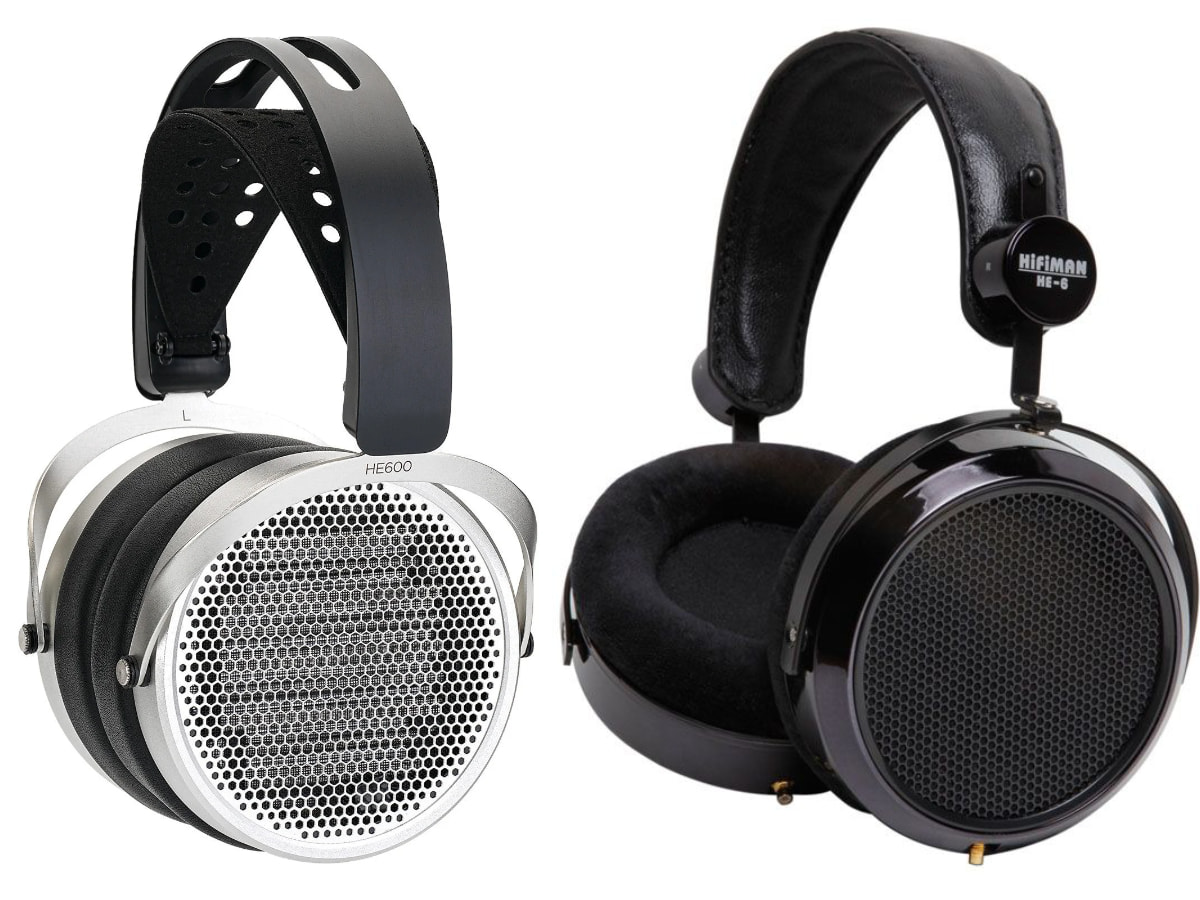
Long-term readers will know that I have something of a love affair with the original HiFiMAN HE-6. Not one of the later revisions carrying the same name, but the original version that arrived 16 years ago and, to my ears, remains one of the finest headphones HiFiMAN has ever produced.
That distinction has become increasingly important because the HE-6 name has been used across several versions over the years, and they do not all sound the same. Depending on which HE-6 you audition, it can be remarkably easy to wonder what all the fuss was about. Those who have only heard the later iterations have not necessarily heard the headphone that created the legend in the first place.
The original HE-6 was expensive, technologically ambitious, brutally difficult to drive, and produced in relatively limited numbers. It was also capable of a level of dynamics, transparency, speed, and sheer physicality that helped establish HiFiMAN as a serious force in planar magnetic headphones. Finding one today—particularly an early 6-screw HE-6 in excellent working condition is neither easy nor cheap. Clean examples can command $1,500 or more, making the original HE-6 one of the relatively few high-end headphones that has actually appreciated in value.
Sixteen years later, the HiFiMAN HE600 arrives carrying more than a little historical baggage.
Calling it another HE-6 would be too simplistic. The HE600 is better understood as a modern reimagining of the concept, built around HiFiMAN’s current driver technology and engineering rather than an attempt to recreate the original component by component. Almost everything has changed. The drivers are lighter and faster, amplification requirements are considerably less punishing, durability has been addressed, and the industrial design retains enough of the circular HE-6 aesthetic to make the family resemblance obvious.
That creates a much harder question than whether the HiFiMAN HE600 sounds good.
Can HiFiMAN take everything it has learned over the past 16 years and create a modern planar magnetic headphone that captures some of what made the original HE-6 so extraordinary without simply trying to resurrect it?
For those of us who never thought the original needed replacing, the answer carries considerably more weight.
Related Reading:
Build, Fit, and a Much-Needed Diet
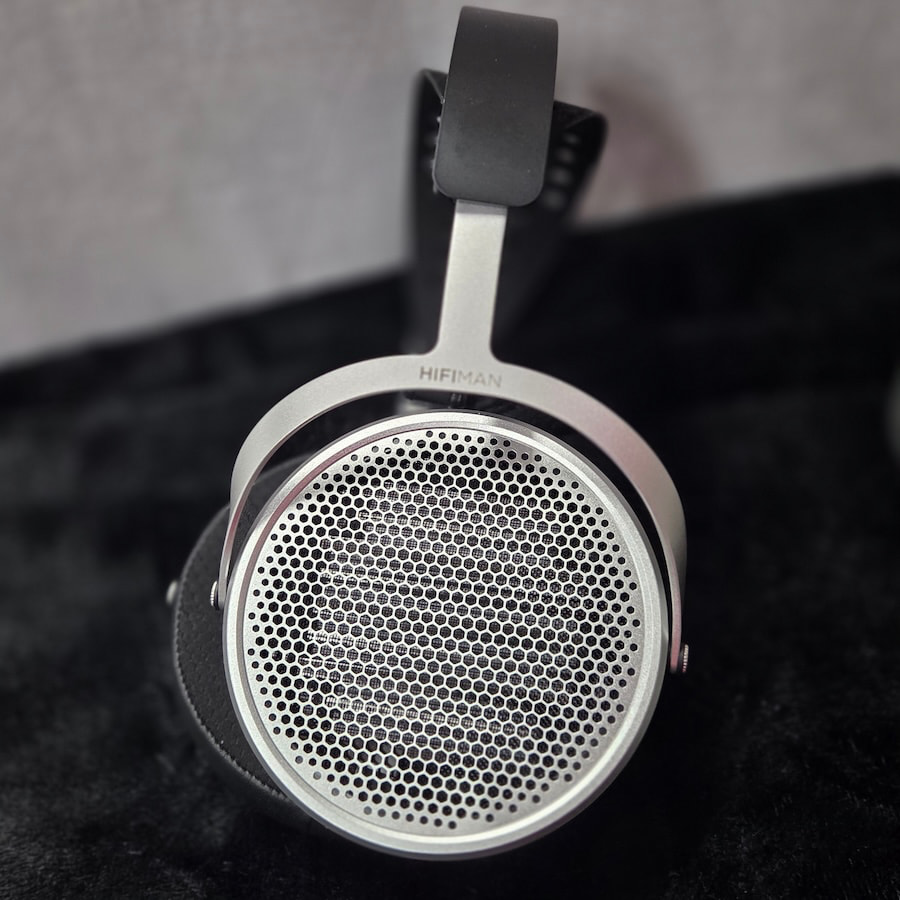
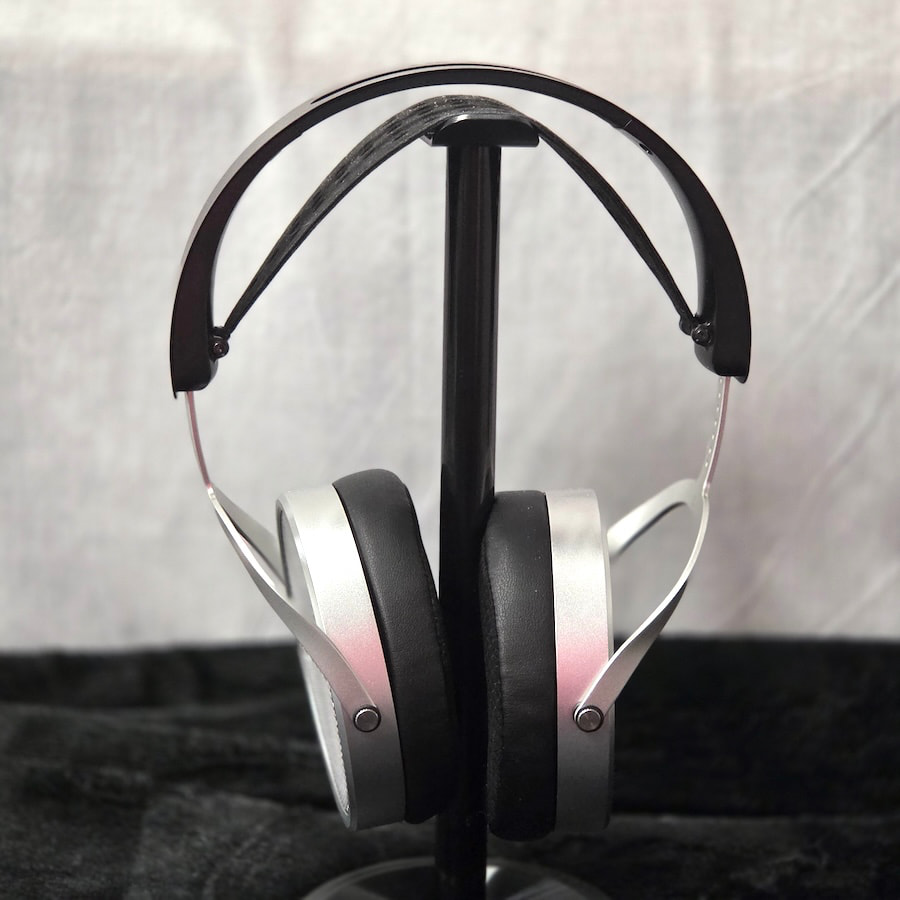
The HE600 is no doubt a HiFiMAN product. The resemblance to the HE400 series and HE-560 is immediately evident. The large-diameter circular earcups, divided front to back between a brushed-metal outer section and black leather inner layer, remain true to the company’s earlier models before the teardrop shape became its signature.
The honeycomb grille also harkens back to some of those earlier designs, although the HE600 uses larger openings to improve airflow and reduce interference. The overall aesthetic is understated, much like the original HE-6, but the brushed metal is arguably a step up in terms of finish.
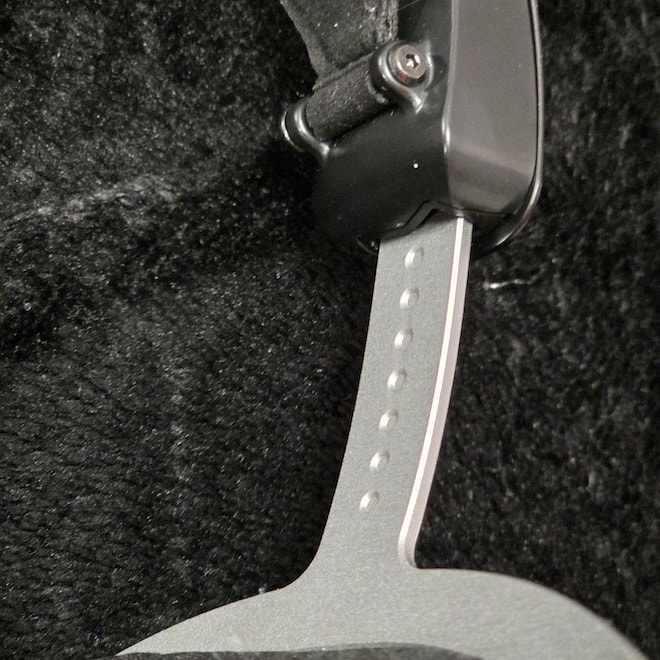
The yokes feature click adjustments, with visible dimples along the inside of the band, and mate with a black steel outer headband and polymer inner section. The headband is solid at both ends, while material has been removed from the center section to reduce weight.
A composite leather suspension strap attaches beneath the narrower portion of the headband before widening to nearly 2.5 inches at the center to distribute weight more evenly across the head. The assembly has enough flexibility to accommodate a wide range of head sizes, and there is sufficient rotation at the yoke/headband junction to work with most head shapes. There is no visible hinge along the vertical axis, but it is there, cleverly hidden within that junction.
At 389 grams, the HE600 is still not a light headphone, but for many listeners, the weight of the original HE-6 was not some abstract specification. It was the central problem.
My original HE-6 weighs 543 grams on my postal scale; more than half a kilogram. To comfortably wear one all day, you would need the neck of Brock Lesnar or perhaps an NFL linebacker. I am not a small person, and as much as I loved the sound, the weight was always an issue.
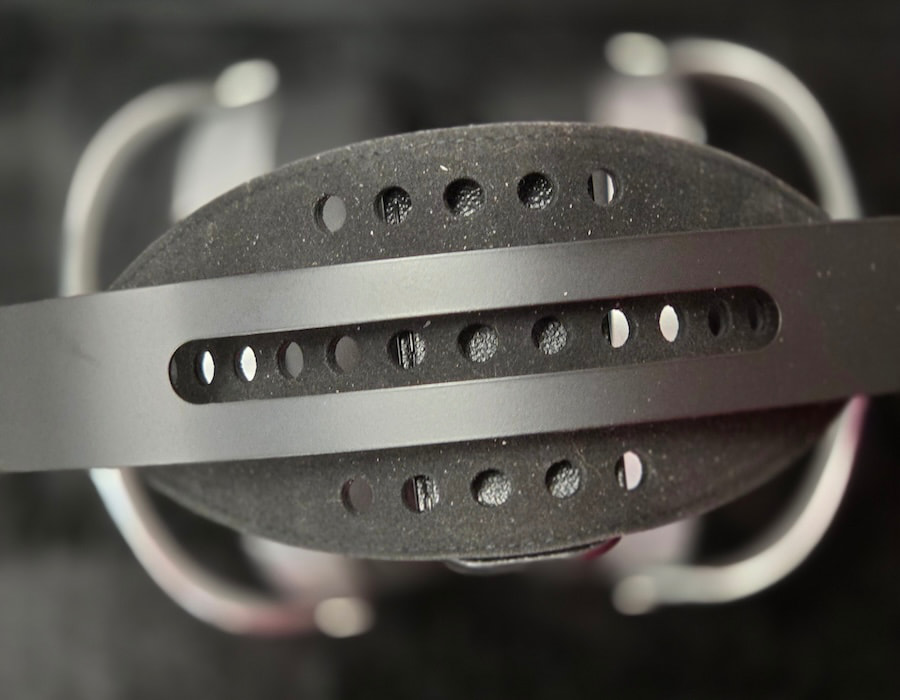
The HE600 reduces that burden enough that I had no trouble wearing it for three to four hours at a time. Yes, it can still become fatiguing, but it takes considerably longer before things become genuinely uncomfortable.
The HE600 uses HiFiMAN’s FocusPad design, combining memory foam with pleather and soft velour surfaces. The mixed-material approach makes sense. Pleather helps maintain a good seal around the ear and preserves low-frequency consistency, while the velour reduces the sticky, heat-trapping sensation that can make fully synthetic pads unpleasant during longer listening sessions.
The pads are also large enough to accommodate most ears, and their tapered profile helps improve fit and comfort. The HE600 is still a headphone best reserved for quiet, seated listening, but the improvement over the original cannot be denied.
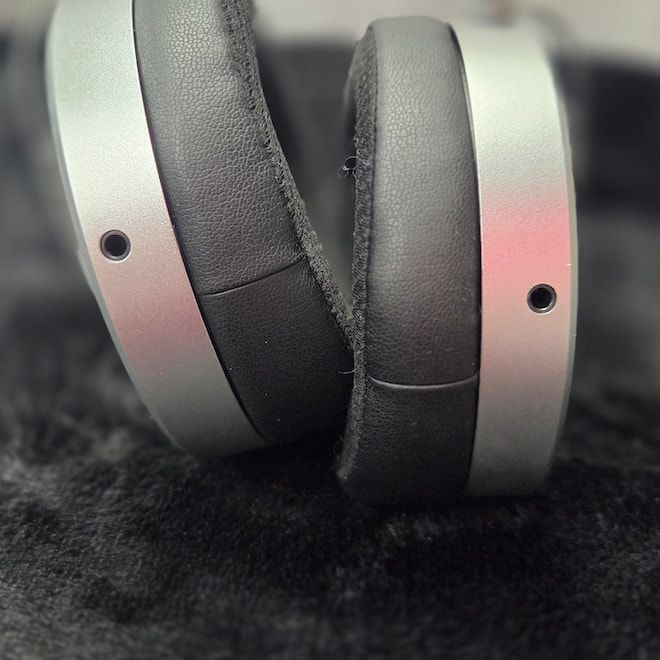
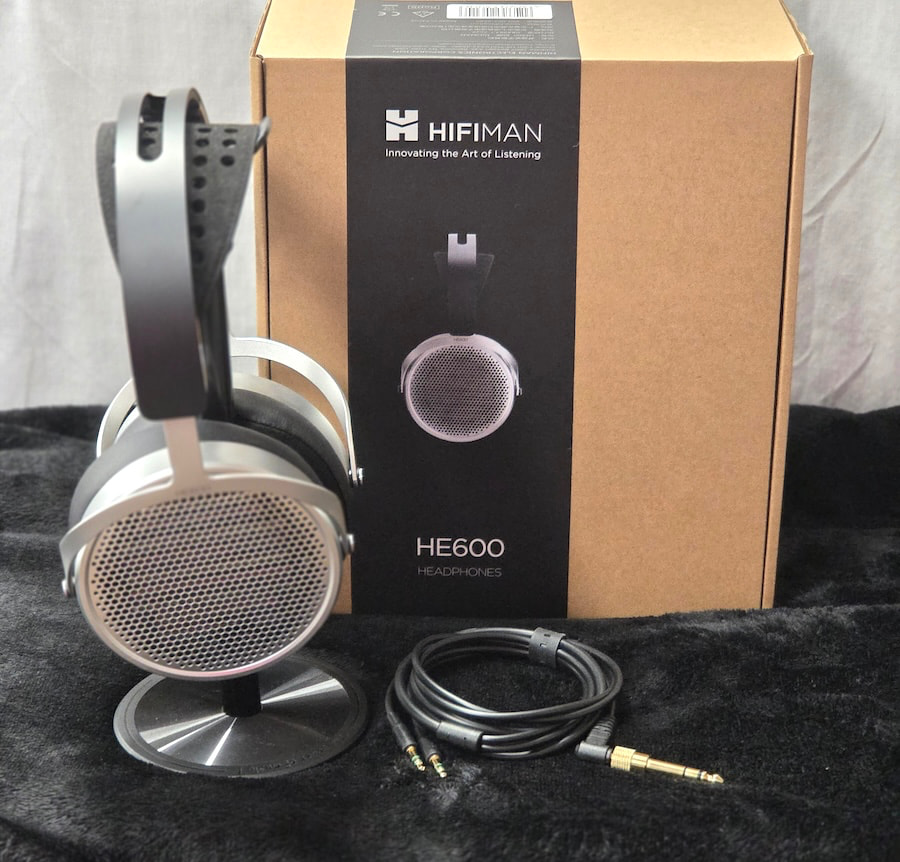
Connectivity is handled by dual 3.5 mm connectors at the earcups, with the supplied cable terminating in a 3.5 mm plug for source devices. HiFiMAN also includes a 6.35 mm adapter.
The earcup connectors are angled by approximately 10 degrees, with the stated goal of reducing mechanical stress and improving long-term cable reliability. That is a welcome refinement. Straight connectors can place unnecessary leverage on the socket, particularly when the cable drops sharply toward the listener’s shoulders.
The use of standard 3.5 mm connectors also makes cable replacement straightforward. A simple cable swap allows the HE600 to be used with balanced sources or an XLR-equipped amplifier instead of the supplied single-ended 3.5 mm cable.
Internals: Sixteen Years of Planar Progress
While the outside of HiFiMAN headphones can sometimes look a little industrial and pedestrian, nobody can deny that what is inside the earcups is usually state of the art. HiFiMAN has specialized in planar magnetic drivers since its earliest models, and most of the current lineup incorporates some variation of that technology.
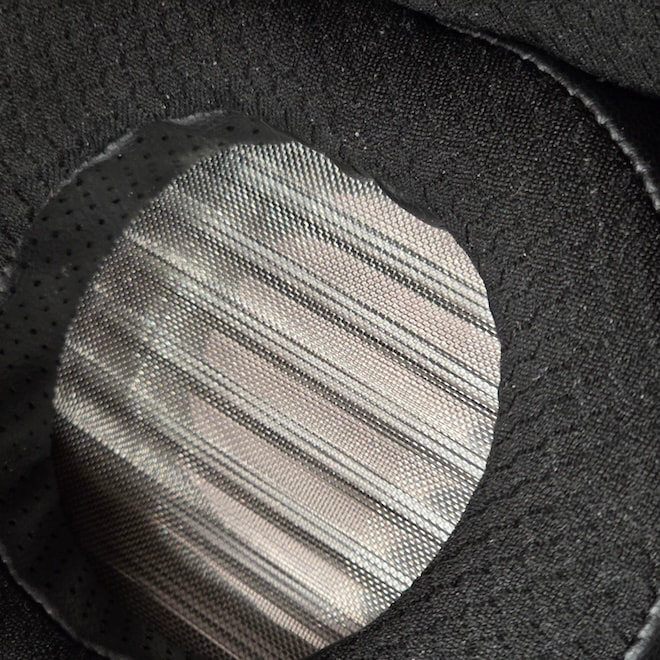
Planar magnetic drivers use a thin membrane with conductive traces that carry the electrical signal. That membrane moves toward or away from an array of magnets depending on the voltage and current being applied. The theoretical advantage is that the driving force is distributed across a much larger surface area than with the voice-coil arrangement used in a conventional dynamic driver. When the diaphragm and magnet geometry are properly executed, that can improve control, transient response, and distortion performance.
HiFiMAN describes the HE600 as using an Enhanced Magnet system based on rare-earth-free permanent magnetic materials with an optimized structure. The move away from rare-earth magnets is worth noting. These materials are costly and place additional pressure on supply chains, so I applaud HiFiMAN for pursuing an alternative approach rather than assuming that stronger and more exotic magnets are automatically the only path forward.
The magnets also need to be more than merely powerful. They must be small and carefully positioned because, while strong interaction between the diaphragm and magnetic structure is essential, unrestricted airflow is equally important. Large magnets sitting directly in the path of the sound would create their own problems.
HiFiMAN provides considerably more detail about the diaphragm itself, which it calls the NEO Supernano Diaphragm. This is an ultra-thin dielectric polyester/plastic substrate film with a microscopic conductive coating that forms the electrical trace across its surface.
The challenge is not simply making the diaphragm as light as possible. It also needs sufficient rigidity to behave properly across its entire surface. Reduce the mass too far without maintaining structural control and you have merely traded one problem for another.
The moving mass of the HE600 driver is claimed to be only 40% that of the original HE-6. Sixteen years separate the two headphones, and that figure offers some perspective on just how far diaphragm materials and manufacturing techniques have advanced during that period.
The new driver has a nominal impedance of 28 ohms and a sensitivity of 94 dB/mW, both substantial departures from the original HE-6. Frequency response is specified at 8 Hz to 65 kHz, which extends well beyond what any human being is going to hear and probably into territory better appreciated by the neighborhood bats.
More importantly, the HE600 is dramatically easier to drive.
For those unfamiliar with the original HE-6, HiFiMAN actually sold an adapter that allowed owners to connect the headphones directly to the speaker taps of a two-channel power amplifier. Portable sources need not apply, and even many dedicated desktop headphone amplifiers lacked sufficient output to drive the original HE-6 with adequate headroom.
The HE600 removes much of that complication, opening the door to a far wider range of headphone amplifiers, DAC/amps, and portable sources without abandoning the planar magnetic architecture that made the HE-6 so compelling in the first place.
Specifications:
- Type: Open back, over ear headphones
- Driver Type: Planar magnetic
- Diaphragm: 2nd Gen NEO Supernano Diaphragm
- Magnet System: Rare earth free Enhanced Magnet design
- Frequency Response: 8 Hz to 65 kHz
- Impedance: 28 ohms
- Sensitivity: 94 dB
- Weight: 389 grams (13.72 oz)
- Ear Pads: FocusPad with memory foam, pleather, and velour surfaces
- Headphone Connectors: Dual 3.5 mm
- Included Cable: 1.5 meter detachable cable with 3.5 mm termination
- Included Adapter: 3.5 mm to 6.35 mm
Listening
In order to be considered a spiritual successor to the HE-6, the HE600 needs to deliver an inspired combination of speed, dynamics, resolution, and a relatively full-bodied tonal balance. Those were the expectations I carried into my listening sessions, but I deliberately avoided an immediate A/B comparison with the original HE-6 because I felt the HE600 deserved to be judged on its own first.
What follows are my listening impressions of the HE600 as I would evaluate any other headphone, followed by a direct comparison with the original HE-6.
Bass
Sub-bass extension is better than expected, especially considering that one of the perennial issues with large planar magnetic headphones has been a lack of genuine bass authority. No, the HE600 will not satisfy listeners looking for a significant boost in the bottom end, but it is a far cry from some earlier planar designs that rolled off steeply below 50 Hz.
Depth is good and clarity is even better, so what the HE600 gives up in absolute quantity it compensates for with control and definition. Mid-bass is slightly more prominent, adding some welcome warmth without becoming loose or bloated in the process.
Midrange
The transition from the mid-bass into the lower midrange is seamless, with no obvious bleed or obstruction. Lower-register vocals have good weight and sit slightly ahead of the instrumentation, although not dramatically so.
Electric guitars have good attack and plenty of growl, while acoustic guitars benefit from strong texture and tonal nuance. Strings also have good energy, aided by a lower-treble lift that pushes upper-register vocals somewhat forward in the mix. On some recordings, those higher voices can sit a full step ahead of lower-register vocals.
Treble
The lower treble is moderately elevated before beginning to fall away above roughly 10 kHz. The result is an open top end with enough air and sparkle to keep things interesting, although it stops short of the expansive presentation offered by some of HiFiMAN’s more expensive models.
Cymbals have good ring and decay, while percussion has sufficient snap without becoming sharp or fatiguing. There is still enough treble energy here that listeners who are particularly sensitive in that region should audition before buying, but the HE600 generally avoids crossing the line into abrasive territory.
Soundstage and Imaging
The soundstage is moderately sized, with good width and depth and enough height to allow movement around the stage to be tracked convincingly. Imaging and layering are both quite strong, helped by the driver’s fast decay and clean separation between instruments.
Seating an orchestra is straightforward, with no obvious overlaps or unnatural gaps between sections. The resulting presentation feels proportionate and believable rather than artificially stretched beyond the boundaries of the recording.
HE600 vs. the Original HE-6
Overall, the HE600 does a lot of things very well, but is it an HE-6 clone?
In a word, no.
The tonal balance is similar in some respects but noticeably different in others. To my ears, the original HE-6 still offers greater resolution, and anyone expecting the HE600 to completely reproduce that aspect of its performance will find that it stops short.
Bass extension, however, is better on the HE600, while the original HE-6 extends more convincingly at the top end. That alone shifts the tonal balance of the two headphones in different directions.
The HE600 sounds somewhat fuller and weightier, while the HE-6 remains the faster and more technically incisive headphone. The treble emphasis is also more pronounced on the HE600, so listeners who are particularly treble-sensitive are unlikely to love either model and may actually find the HE600 to be the bigger offender.
There is little question that the original HE-6 remains the more technically capable performer, but there are also substantially higher barriers to extracting that performance.
Finding an early HE-6 in excellent condition can easily cost enough to purchase two HE600s, and that is before dealing with amplification. The original is notoriously demanding and requires an amplifier capable of delivering serious current and headroom. Something like the xDuoo TA-30 is probably near the lower end of where I would start, while more powerful desktop amplification from Benchmark, Pass Labs, or something similarly capable makes considerably more sense.
The HE600 presents an entirely different proposition.
It worked extremely well with the Questyle M18i Max connected to my phone, while the original HE-6 sounds flat, dynamically restrained, and largely lifeless with probably 99% of the portable headphone gear currently available.
That does not mean the HE600 is particularly easy to drive. It remains more demanding than models such as the Ananda, and pairing it with an unpowered dongle may leave you underwhelmed—or watching your phone battery disappear at an impressive rate.
The HE600 is easier to drive than the headphone that inspired it, but this is still fundamentally a headphone designed for serious desktop listening rather than something I would build a portable system around.
The Bottom Line
The HiFiMAN HE600 leaves me with mixed emotions. Paired with a potent portable or desktop amplifier, it is warm, full-bodied, technically capable, and considerably easier to live with than the original HE-6. At 389 grams, it is still not light, but the improvement in long-term comfort is substantial.
The bigger issue is value. At $799, the HE600 faces serious competition from the HEDD D1, Dan Clark Audio AEON, and Audeze LCD-GX, while the lack of a case or balanced cable makes the package feel rather sparse.
Those hoping for a modern HE-6 will also come away disappointed. The HE600 does not match the original’s resolution, speed, or top-end extension.
But judged on its own terms, it makes considerably more sense. The HE600 offers stronger bass extension, a fuller tonal balance, excellent planar speed, and far more reasonable amplification requirements.
Perhaps calling it an HE-6 successor does it a disservice. The HE600 is not the second coming of the original, but it is a very good planar headphone that deserves an audition at $799.
Pros:
- Warm, full-bodied tonal balance with strong bass extension
- Fast, clean planar magnetic presentation with good imaging
- Far easier to drive than the original HE-6
- Significant reduction in weight improves long-term comfort
- Standard dual 3.5 mm connectors make cable swaps easy
Cons:
- Does not match the original HE-6 for resolution, speed, or top-end extension
- Still relatively heavy at 389 grams
- Treble emphasis may bother sensitive listeners
- Sparse accessory package with no case or balanced cable
- $799 price puts it against some formidable competition
Our Ratings:
★★★★★★★★★★ Sound Quality
★★★★★★★★★★ Build Quality
★★★★★★★★★★ Comfort
★★★★★★★★★★ Features
★★★★★★★★★★ Value
Where to Buy:
Related Reading:

Earth’s days are not exactly the same length. Scientists have been recording small variations in for decades. These changes are minuscule—sometimes just a few milliseconds—and mostly imperceptible, but scientists are keen to understand them as they point to a much more monumental change: Our planet’s rotation speed is shifting.
Scientists have already pinpointed a handful of compounding causes. Fluctuations in the atmosphere and oceans can slightly speed up or slow down the Earth’s rotation; major earthquakes can redistribute part of the planet’s mass; and by depositing enormous amounts of water into the oceans, melting continental ice is also a factor.
These influences account for some of the more sudden and recent changes, but on a several decades-long timescale, some of the variation appears to originate from a source much deeper within the Earth. Beneath our planet’s rocky mantle lies the outer core—a 1,400 mile thick layer of ultra-hot liquid metal that is in constant motion. As these flows change, they can slightly alter the speed at which the rest of the planet rotates.
However, how these forces are transmitted from one region to another has remained a mystery. Friction between the core and the mantle is too weak, so geologists have been searching for other mechanisms operating in the Earth’s interior.
In a new study published this week in Nature, researchers believe they have identified one of these hidden gears. They propose that the gravity of the inner core pushes rotation in one direction, while other interactions between the core and the mantle oppose it. The result of this competition, accumulated over decades, would be small accelerations and decelerations in the planet’s spin.
The idea is based on the fact that the inner core does not rotate at the same rate as the rest of the planet, causing it to become slightly misaligned with certain mass irregularities in the mantle. But the core “wants to be aligned,” Mathieu Dumberry, a geophysicist at the University of Alberta involved in the study, said in a press release. What this means is that gravity tries to pull the layers of the inner Earth back into their more harmonic position, which influences—albeit minutely—the rotation of the planet’s surface.
The authors reconstructed how this interaction influenced Earth’s spin between 1964 and 2019 using seismic estimates of the inner core’s rotation and models of liquid metal flows in the outer core. Their gravitational model closely reproduced both the timing and the magnitude of real gradual changes that had been observed over the decades.
Other yet-unknown factors are likely involved, but this proposal unravels a major component of our variable days. The model also didn’t account for all the forces competing involved, but it didn’t need to to produce a compelling result. Because it might be a tug-of-war, Dumberry said, but “gravity still wins.”
This story originally appeared in WIRED en Español and has been translated from Spanish.
from the good-deals-on-cool-stuff dept
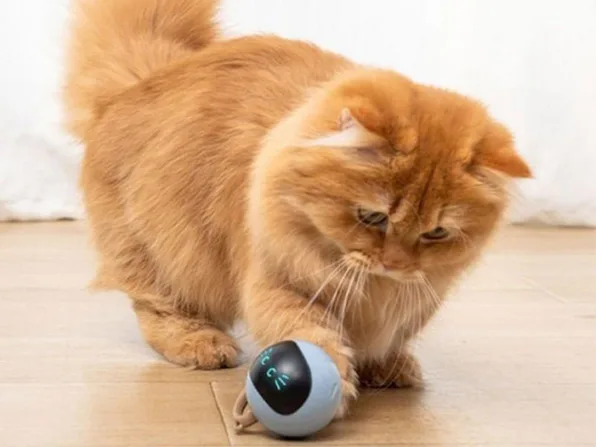
This Smart & Interactive Self-Rotating Cat Toy Ball is a USB-rechargeable toy featuring 360-degree rolling movements, obstacle avoidance, and changing LED lights to help keep cats entertained. It’s built out of scratch-resistant and bite-resistant materials, the ball is tough enough to withstand rough play from high-energy kittens and adult cats alike. It’s on sale for $20.

Note: The Techdirt Deals Store is powered and curated by StackSocial. A portion of all sales from Techdirt Deals helps support Techdirt. The products featured do not reflect endorsements by our editorial team.
Filed Under: daily deal

Tech6 minutes ago
Who Makes Sharp Appliances And Where Are They Manufactured?

Sports14 minutes ago
Asian Games 2026: India’s full schedule on September 27; medal events, timings | Asian Games 2026 News

Tech15 minutes ago
Eufy E21 Baby Monitor Review





-

 Crypto World4 days ago
Goldman Sachs and Deutsche Bank Agree: The S&P 500 Rally Isn't Over
-

 Tech6 days ago
Researchers escape OpenAI Codex sandbox to run commands on host
-

 Fashion3 days ago
8 iPhone Accessories That Add Personality
-

 Fashion1 day ago
Weekend Open Thread: J.McLaughlin – Corporette.com
-

 Crypto World6 days ago
Who Needs CLARITY Anyway? ARB Could See 70X Increase: Hodler’s Digest
-

 Entertainment4 days ago
These 17 Fall Amazon Dresses Seriously Look Like Anthropologie
-

 Business6 days ago
Analog Devices (ADI) Bets $1.35 Billion on Chips that Let Machines Think for Themselves
-

 Crypto World4 days ago
This Bearish Netflix Stock Trade Can Cash In On Video Streaming Giant’s Woes
-

 Crypto World6 days ago
Coinbase, Robinhood, Circle Seen as Tokenized-Stock Winners
-

 Tech5 days ago
Google’s $899 Googlebook is a bet that you’ll buy a new laptop for Gemini
-

 Crypto World4 days ago
Trump-Xi Polymarket Odds for Handshake Hit 50%
-

 Crypto World3 days ago
Crude Oil Prices Pressured by Diplomatic Hopes in the Middle East
-
 Business4 days ago
Oil Price Today (September 23): Crude oil below $100 on hopes of US-Iran talks. What did Trump say?
-

 Crypto World3 days ago
Bitcoin price tests $83,600 Supertrend support after $87K rejection
-

 Crypto World3 days ago
Bitcoin Threatens Sub-$84,000 Breakdown as Long Liquidations Spike
-

 Crypto World5 days ago
Meta Jumps 11% As Muse Shines and Investors Show an Appetite for Advancing AI
-

 Crypto World4 days ago
Did Jim Cramer Just Give GameStop Stock the Kiss of Death When He Said the Turnaround Is Working?
-

 Crypto World6 days ago
Bitcoin price holds above $81K as key catalysts line up
-

 Crypto World6 days ago
ARB Price Signals Spur Speculation of 70x Upside in Hodler Digest
-
 Crypto World5 days ago
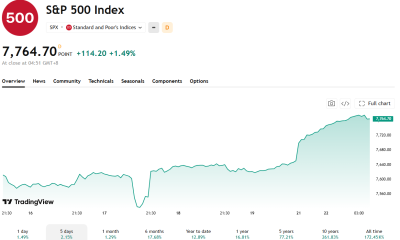
Trump, Xi Meet on S&P 500's Best Day Since Early August: Will Markets Stay Bullish?
You must be logged in to post a comment Login