Connect with us

Tech

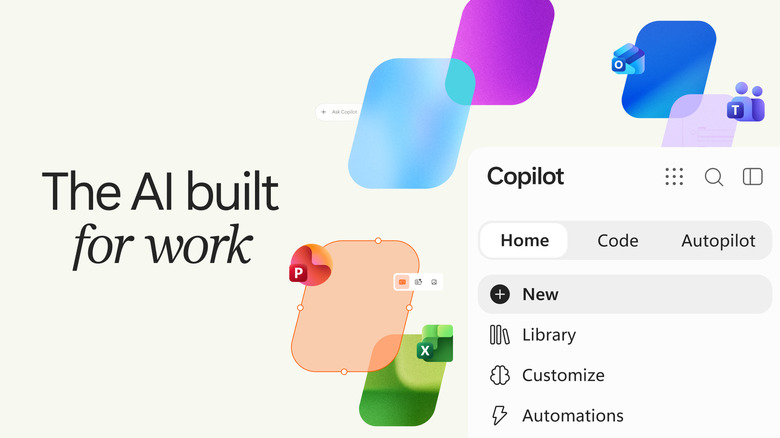
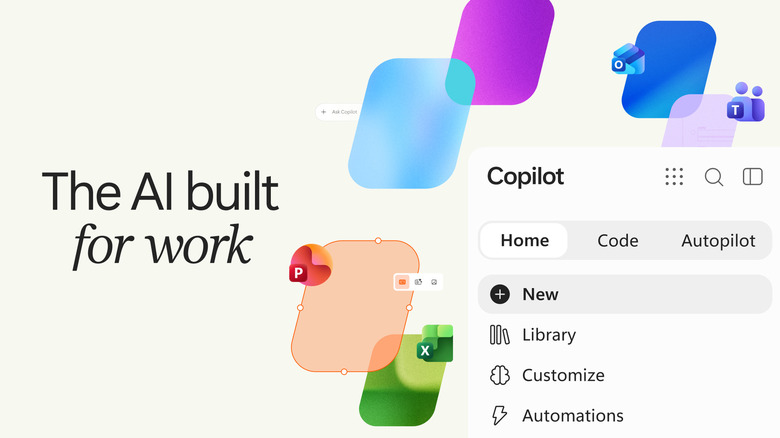
Microsoft’s Copilot App Adds Office, Natural Coding And Automation

Published

on

It’s yet another facelift for Microsoft’s AI app.

Microsoft may be taking a step back from shoving AI and Copilot features into Windows, but the company is still trucking along with upgrades for its dedicated Copilot app. Following a minor refresh earlier this year, the Copilot app will debut a new tabbed interface, as well as direct integration of Office apps. It’s all part of a move towards making Copilot more useful for consumers and businesses, alike. While the company hasn’t really made the case for serious consumer Copilot adoption, it’s another story for enterprises who need to constantly process data, generate reports and create presentations.

The new Copilot app will feature a “Home” tab, where your typical AI chats and other work occurs. Eventually, the company says the Home tab will also be able to intelligently route your requests between Copilot’s different modes. For example, a simple question may stay within the Chat mode, while a more complex query might trigger the Copilot mode, where you can delegate work to Copilot. 

The “Code” tab, meanwhile, lets you create small tasks through natural language requests, no programming skills required. “Describe an app, tracker, dashboard, automation, or workflow in natural language, and Copilot chooses an approach and builds it,” Jared Spataro, Microsoft’s Chief Marketing Officer of AI at Work, said in a blog post today. Copilot can spit out things like simple desktop widgets, to dashboards for managing your data. 

Advertisement

Finally, the new “Autopilot” tab unlocks agentic capabilities. You can have Copilot automatically respond to threads or deal with recurring tasks without any input from your end. “It can do things like set up and manage a full supplier review process: building the schedule and workback plan, then handling prep, meetings, and follow-ups on its own, right down to reaching out to stakeholders for updates,” Spataro wrote.

Source link

Advertisement
Continue Reading
Click to comment

You must be logged in to post a comment Login

Leave a Reply

Tech

Nobody wanted an “AI PC,” so Microsoft stopped calling it that

Published

on

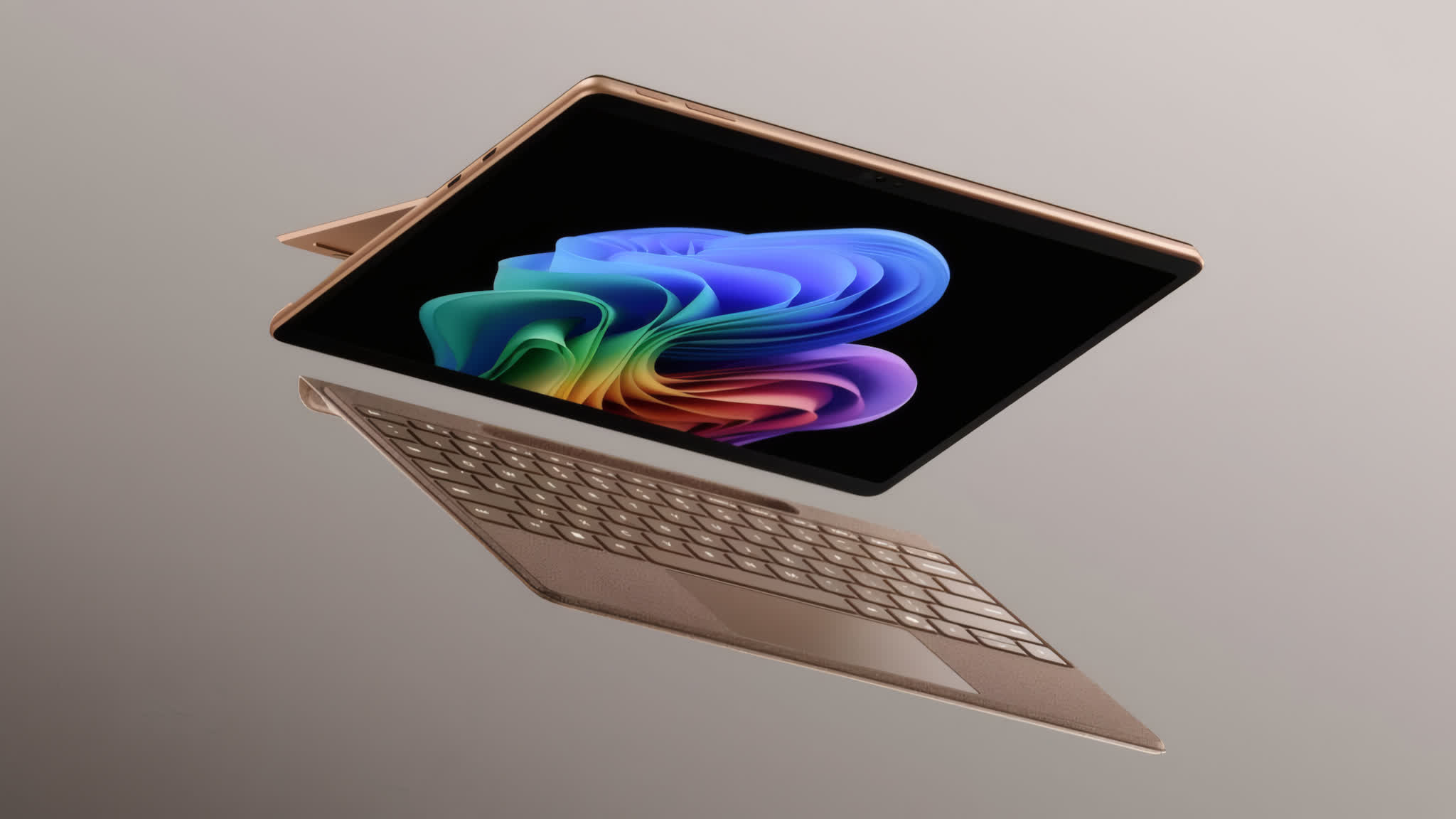
The takeaway: Two years ago, Microsoft and Qualcomm launched “Copilot+” as their take on what they and Intel called the “AI PC” era. However, the term “Copilot+” is nowhere to be found in the PR for Microsoft’s latest Surface devices. In fact, manufacturers across the board seem to be backing away from explicit AI PC branding while continuing to promote generative AI features.

At the Snapdragon 2026 Summit, Microsoft and Qualcomm spokespeople confirmed to Windows Central that they are no longer describing new Microsoft Surface products or other devices as Copilot+ PCs. While Microsoft has remained committed to promoting its Copilot AI assistant, the comments are a tacit admission that customers have not responded to the idea of rebranding PCs as AI devices.

Brett Ostrum, the Surface division’s corporate vice president, told the publication that Microsoft is still leaning into the AI narrative and offering the same capabilities as before, but that its new devices are not being called Copilot+ PCs. Kedar Kondap, Qualcomm’s senior vice president of compute, echoed those comments, confirming that the companies are offering the same experiences as before, just without the Copilot+ PC terminology.

Microsoft and Qualcomm debuted the Copilot+ branding when they launched the first wave of Arm-based Windows PCs in 2024. Copilot+ was their version of what Intel dubbed an “AI PC” – PCs with at least 16GB of RAM and NPUs capable of at least 40 TOPS of AI compute. Other manufacturers hopped on the bandwagon, and AMD even renamed its mobile CPUs to include the word “AI.”

Advertisement

However, data quickly showed that while AI PCs were selling, customers were buying them because they needed new PCs and the new systems happened to include NPUs, rather than because they specifically wanted AI PCs. Manufacturers have since quietly retreated from AI-related branding.

One of the biggest signs came in January, when Dell revived the XPS brand after killing it a year earlier – admitting that AI alone isn’t a good enough selling point for new PCs. Microsoft’s latest Surface laptop refresh even includes models with only 8GB of RAM, meaning they no longer meet the original AI PC benchmark.

Ironically, AI-driven memory shortages are partly to blame. Early next month, Microsoft plans to unveil new high-end Surface laptops in collaboration with Nvidia, which has historically preferred running AI workloads on its own RTX GPUs rather than NPUs.

Advertisement

Source link

Continue Reading

Tech

I Experienced Dolby Vision 2 On A Hisense RGB Mini-LED TV, And It’s A Must-have Feature

Published

on

“It looks better.” That’s the thought that immediately ran through my head when I turned on the Hisense UR9 RGB Mini-LED TV after it received its long–awaited Dolby Vision 2 Max update. The update arrived unannounced one evening as I sat down to re-watch an episode of Pluribus. I installed it, went back to watching, and it was like I was staring at an entirely new TV.

Dolby Vision 2 is an updated version of the Dolby Vision HDR format that brings several important upgrades. On the display side, TVs that support Dolby Vision 2 primarily benefit from a new “image engine” designed to enhance not just forthcoming content with Dolby Vision 2 metadata, but legacy Dolby Vision content as well.

On the creative side, Dolby calls its new tool set Content Intelligence, and this lets producers safeguard their carefully mastered works from the vagaries of home viewing conditions, with everything from dark mancaves to well-lit living rooms accounted for. Regular Dolby Vision already did this to an extent by dynamically tone mapping images to fit the specific brightness capabilities of TVs, and it has been helped along by features such as Dolby Vision IQ, which uses the TV’s light sensor to automatically adjust brightness based on room lighting. But the more powerful processors and higher brightness capabilities of newer TVs allow for even more advanced features, which is where Dolby Vision 2 steps in.

Future TVs supporting the basic version of the new format will provide Dolby Vision 2 picture modes with an “intensity slider” allowing for user adjustment. TVs that support Dolby Vision 2 Max, a group that at present is limited to the 2026 Hisense UX, UR9, UR8, and U7 series (the first models to get the update, which is rolling out now) and TCL X11L and QM8L series (update expected in late 2026) will benefit from these additional features:

Advertisement
  • Authentic Motion – Lets creatives dynamically adjust picture frame rates to eliminate motion judder when played back on TVs supporting the feature.
  • Light Sense 2 – An evolution of Dolby Vision IQ that dynamically adjusts picture brightness based on room lighting conditions without compromising black levels.
  • Pro settings – Dolby Vision 2 picture modes and settings that allow for additional adjustment of parameters including white balance.

Dolby has stated that Dolby Vision 2 content will be available in the future on streaming sources including CANAL+, iQIYI and Peacock. It’s possible it will also be used for mastering 4K Blu-ray discs, though there have not yet been any official announcements from the Blu-Ray Disc Association for confirm this. For now, however, Dolby Vision 2 can be used to enhance the massive library of existing Dolby Vision content, and the benefit of the new image engine is easy to appreciate.

IMG_9418
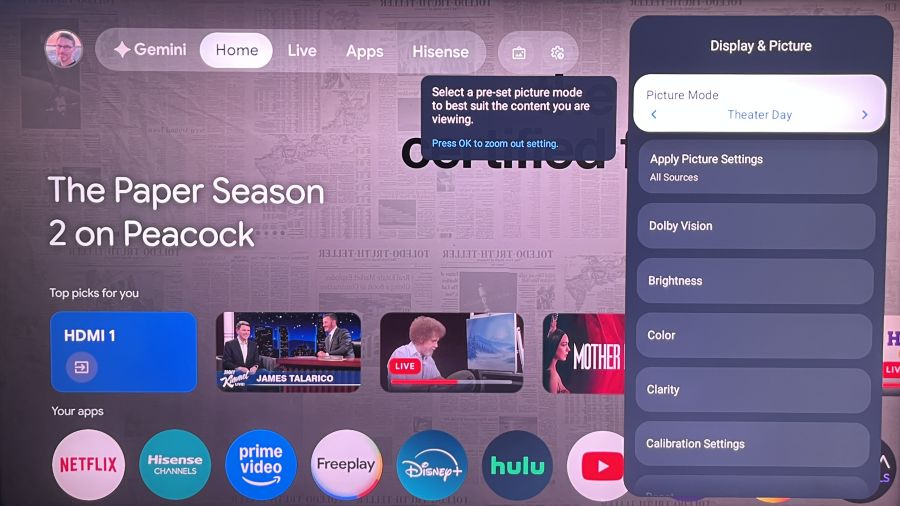
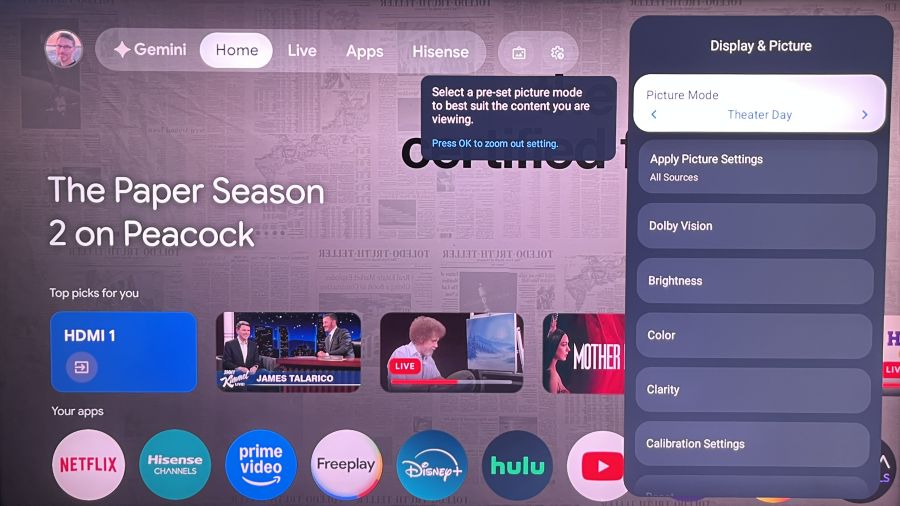
A new “Dolby Vision” tab now appears in the Hisense UR9’s Display & Picture settings menu, once the software update has been applied.

The New Modes

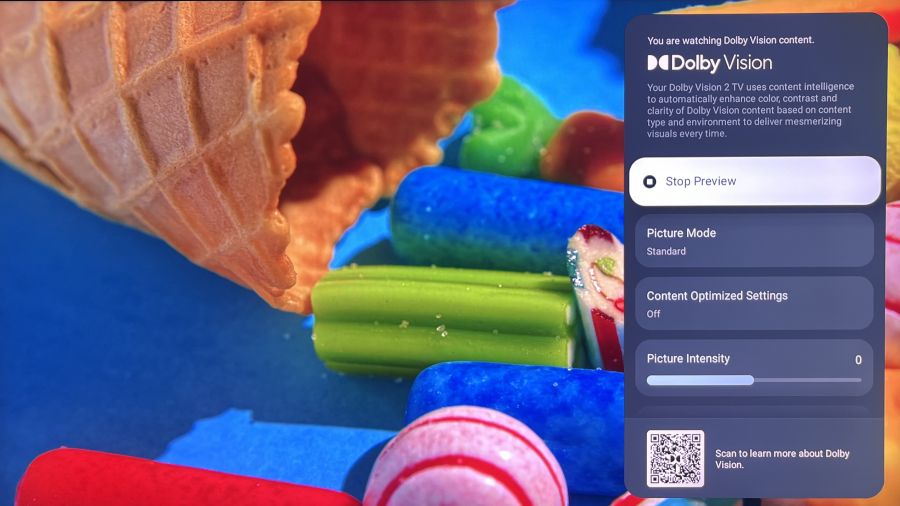
When you look at the Picture Settings menu on a Dolby Vision 2-supporting TV such as the Hisense UR9, you’ll see a new tab in the Display & Picture menu labeled Dolby Vision. Clicking this calls up a Dolby Vision 2 menu, where you can view a sample clip and preview a selection of related menu settings even when the TV isn’t playing Dolby Vision content.

IMG_9408
A preview menu lets you view and check out the new Dolby Vision 2 settings even when you don’t have access to Dolby Vision content.

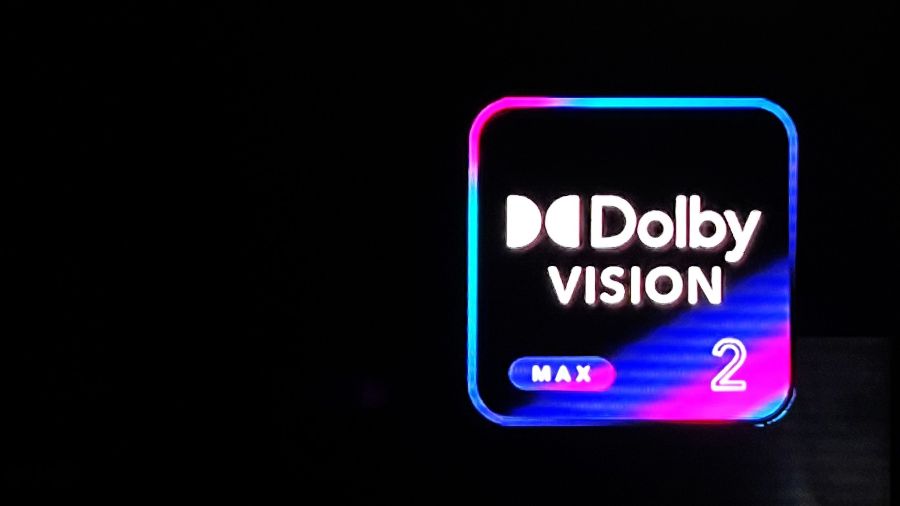
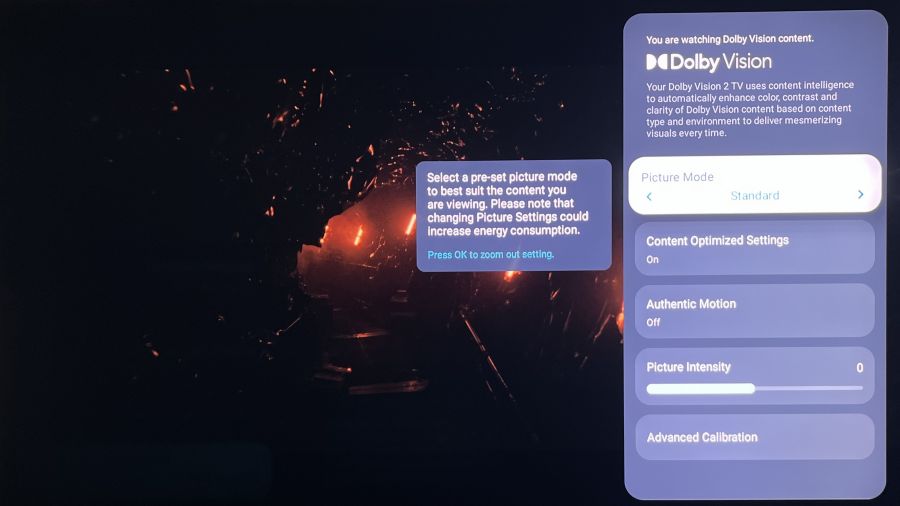
When you are playing actual Dolby Vision content, a Dolby Vision 2 logo pops up at the screen’s upper right, and clicking that same Dolby Vision tab in the Display & Picture menu will reveal a settings and adjustment menu with various presets. Custom and Game are two basic ones, with each providing only a Picture Intensity slider to boost or reduce the effect of the image engine, which adjusts multiple picture parameters at once. The Standard and Pro Reference presets both feature additional adjustments. Some of these can be used now for existing Dolby Vision programs, while others, like Authentic Motion and Precision Black, are intended for future Dolby Vision 2-authored content, and can be enabled by turning on the Content Optimized settings switch.

IMG_9420
A Dolby Vision 2 Max logo appears onscreen when you are watching Dolby Vision content.

Along with a Picture Intensity slider, the Standard preset features an Advanced Calibration menu with a 20-point white balance adjustment. The Pro Reference preset also provides an Advanced Calibration Menu, but in place of the Picture Intensity slider it has Peak Luminance and Minimum Luminance adjustments that let you set your own tonal curve for the high and low ends of the brightness range.

IMG_9413
The main Dolby Vision 2 Pro Reference mode adjustment mode. Note the Peak and Minimum Luminance sliders in place of a single Picture Intensity slider.

Upping the Intensity

After playing with the various Dolby Vision 2 presets, I found that Standard provided the most consistently satisfying picture quality enhancement. It could sometimes make blacks look a bit elevated, but for the most part, all of the Dolby Vision content I watched looked significantly better.  

Advertisement

The Dolby Vision 2 Picture Intensity slider provides five steps in either direction of the zero default to boost or reduce enhancement, with the -5 setting effectively turning it off. When watching a few reference Dolby Vision movie scenes on 4K Blu-ray, even with the Picture Intensity slider at its default zero setting I noted an increase in color richness and shadow and highlight detail. The effect made darker scenes in the James Bond film No Time to Die noticeably more three-dimensional. And in the movie’s brighter scenes, the boost in color richness and detail didn’t negatively impact the naturalness of skin tones.

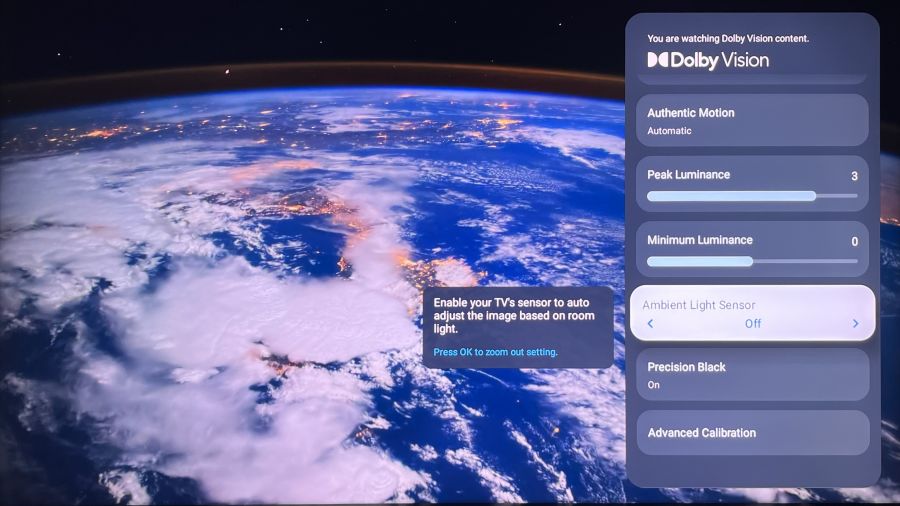
IMG_9414
Features such as Authentic Motion and Precision Black are intended for forthcoming Dolby Vision 2-mastered content.

I found the benefits of Dolby Vision 2 most apparent when watching scenes from House of the Dragon on HBO Max. This show has many interior shots that take place in dark castles, and it can be difficult to make out objects, and even characters, in the gloomy backgrounds. But watched with the Dolby Vision 2 Standard preset active on the Hisense UR9, those same dim scenes had a more lively and detailed look while maintaining solid contrast. Colors, such as the crimson of a robe worn by Rhaenyra, were also now visible in certain shots where they had previously appeared muted. It’s almost as if Dolby Vision 2 was created specifically to improve the look of House of the Dragon.

Advertisement. Scroll to continue reading.
IMG_9415
The Pro Reference mode’s 20-point white balance adjustment menu

The Pro Reference preset also improved the appearance of Dolby Vision content at its default settings, though I found pictures looked flatter than with Standard when I tested it. For example, when I watched the “space waltz” scene from 2001: A Space Odyssey, where floating spaceships are accompanied by The Blue Danube, the picture in Pro Reference lacked the same level of visual “pop” as in Standard, which retained a full level of highlight detail even with the Picture Intensity slider pushed to its maximum setting. Adjusting the Pro Reference mode’s Peak Luminance and Minimum Luminance sliders let me get results that were reasonably close to Standard, but the latter still delivered a richer, more detailed and three-dimensional looking picture.

IMG_9411
The Dolby Vision 2 Standard mode is the one most viewers are likely to use, and it provided excellent results on the Hisense UR9 simply by adjusting the Picture Intensity slider

The Bottom Line

I’ll need to evaluate the Dolby Vision 2 on more than one TV to get a complete idea of its effect on regular Dolby Vision content – something that presumably can happen when TCL updates its sets with the feature. In the meantime, I’m thoroughly impressed with the improvements Dolby Vision 2 has brought to the Hisense UR9. I’ll admit to having considered Dolby Vision 2 mainly as a “future” thing that would only matter when actual Dolby Vision 2 content became available. But based on the picture quality enhancements I’ve already seen it bring to regular Dolby Vision content, Dolby Vision 2 looks to be a must-have feature.

Advertisement

Source link

Continue Reading

Tech

This amazing DIY desk uses a camera and a motor to charge your phone wherever you set it down

Published

on

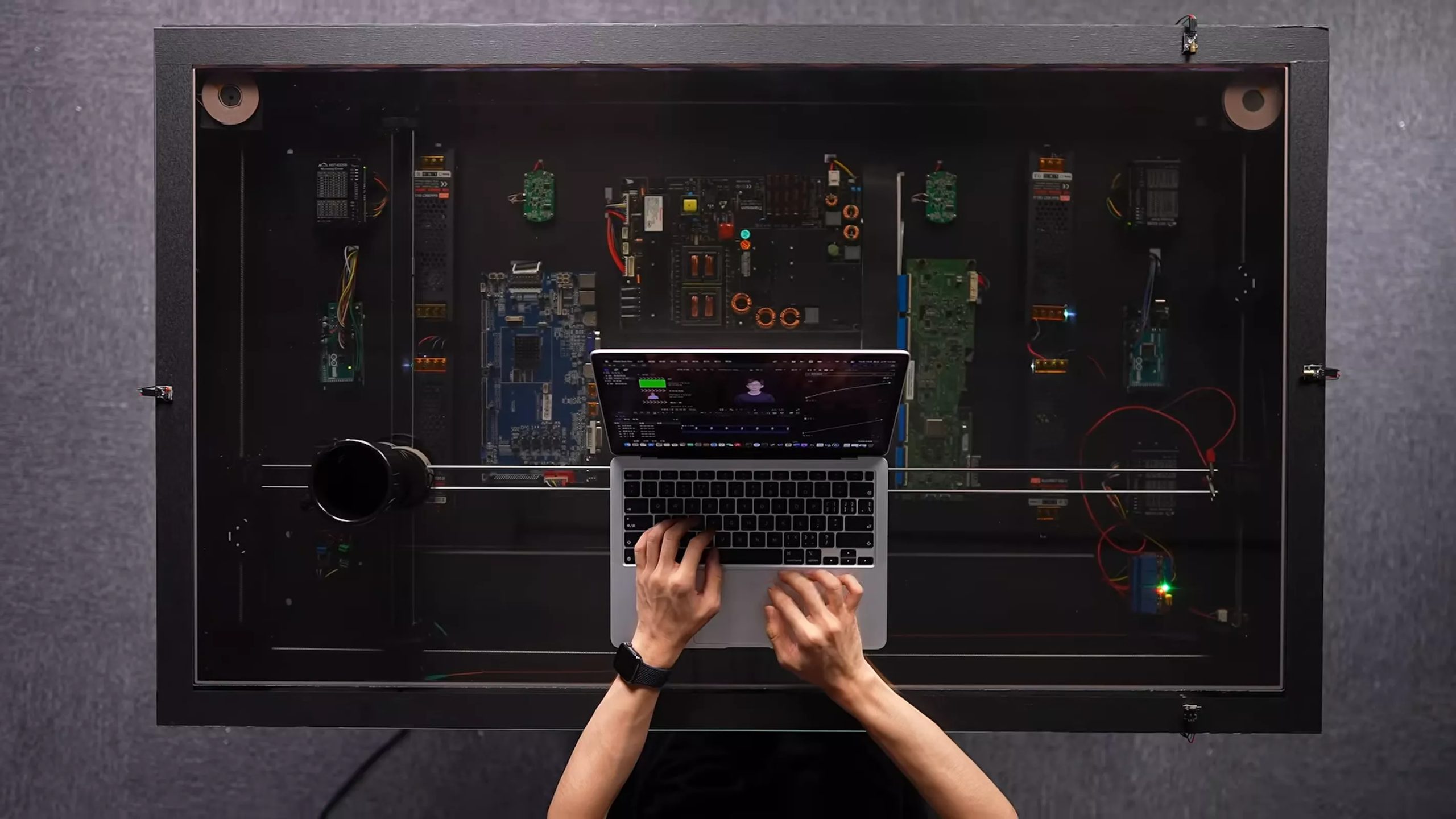
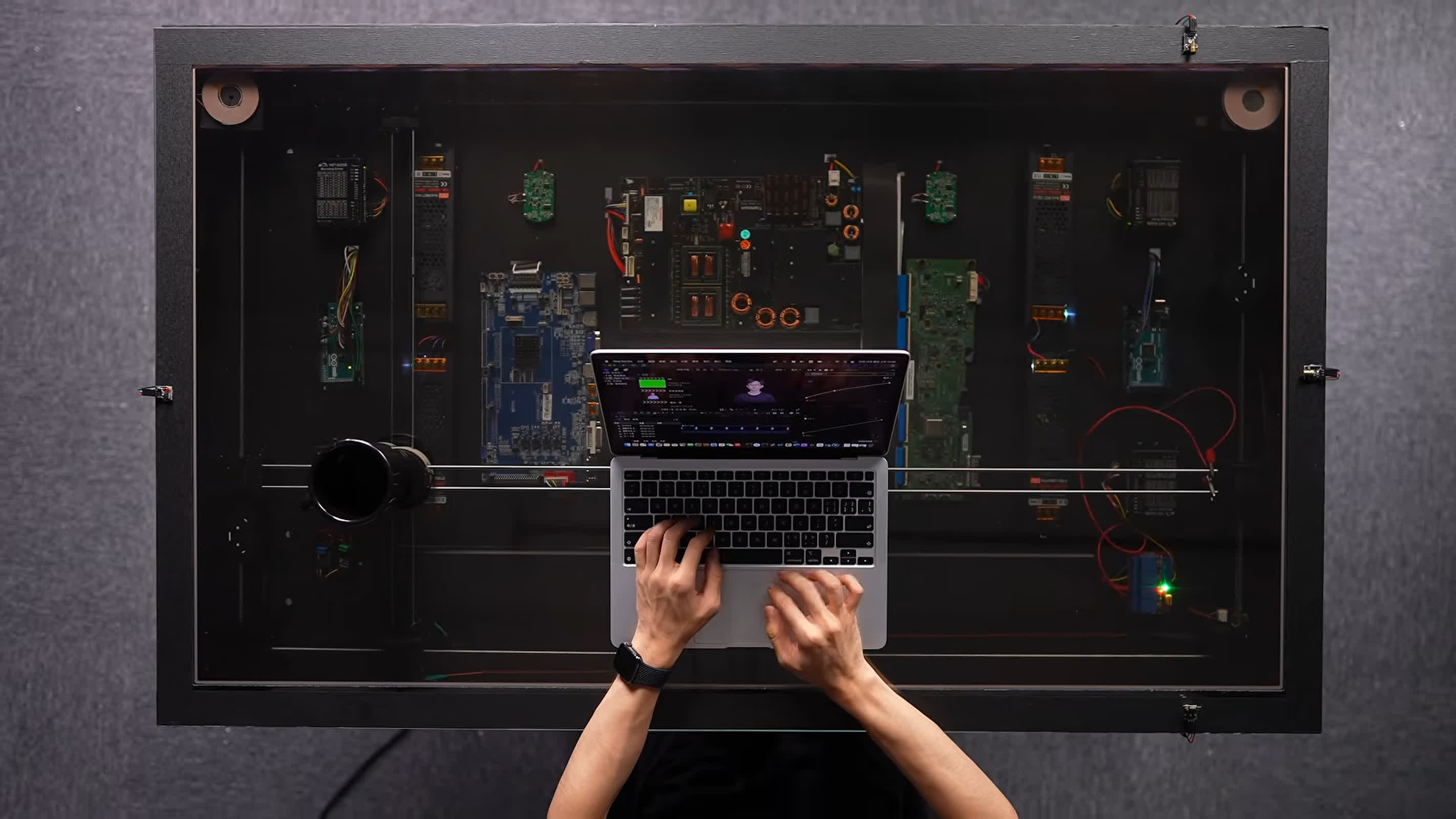
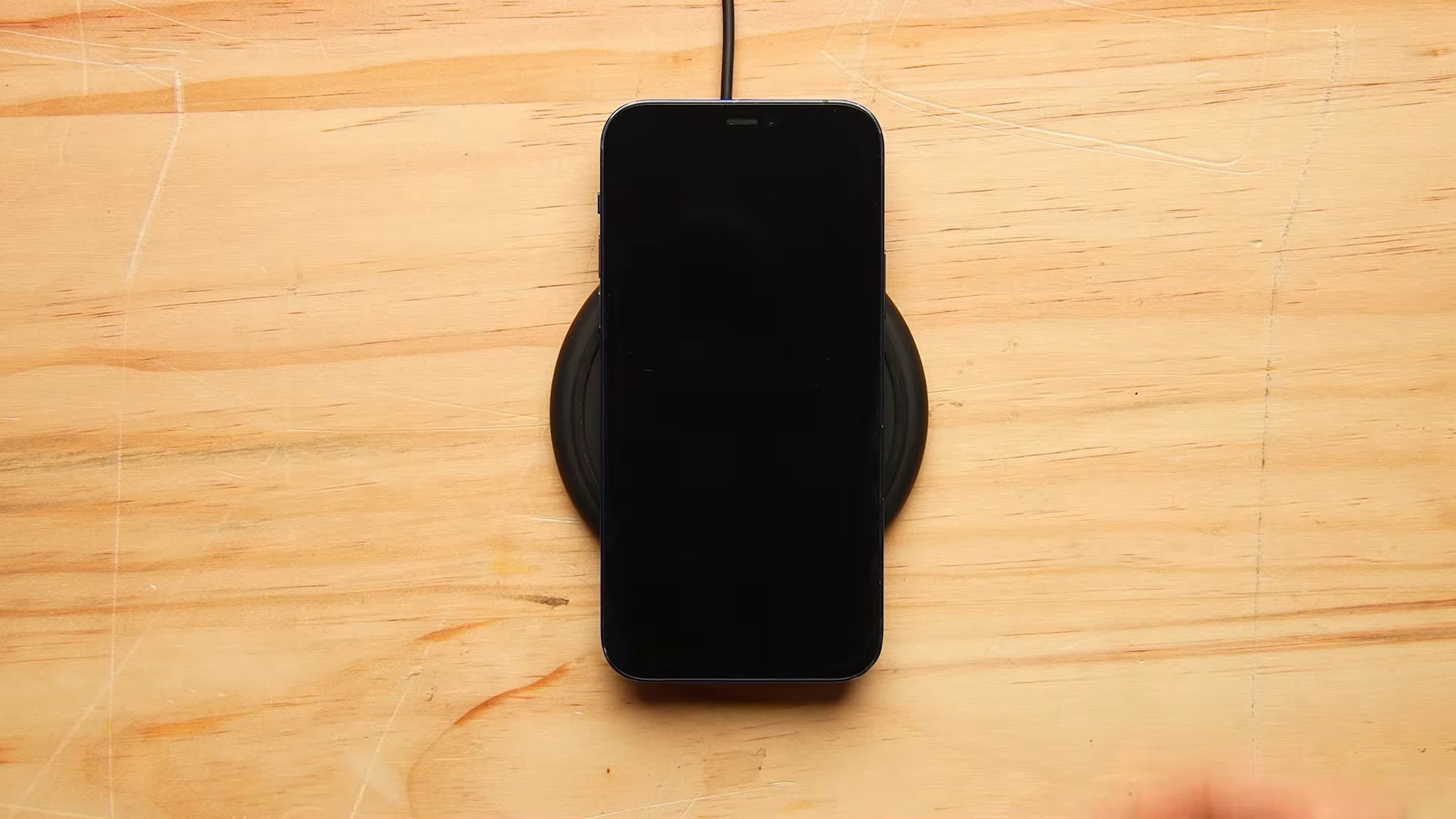
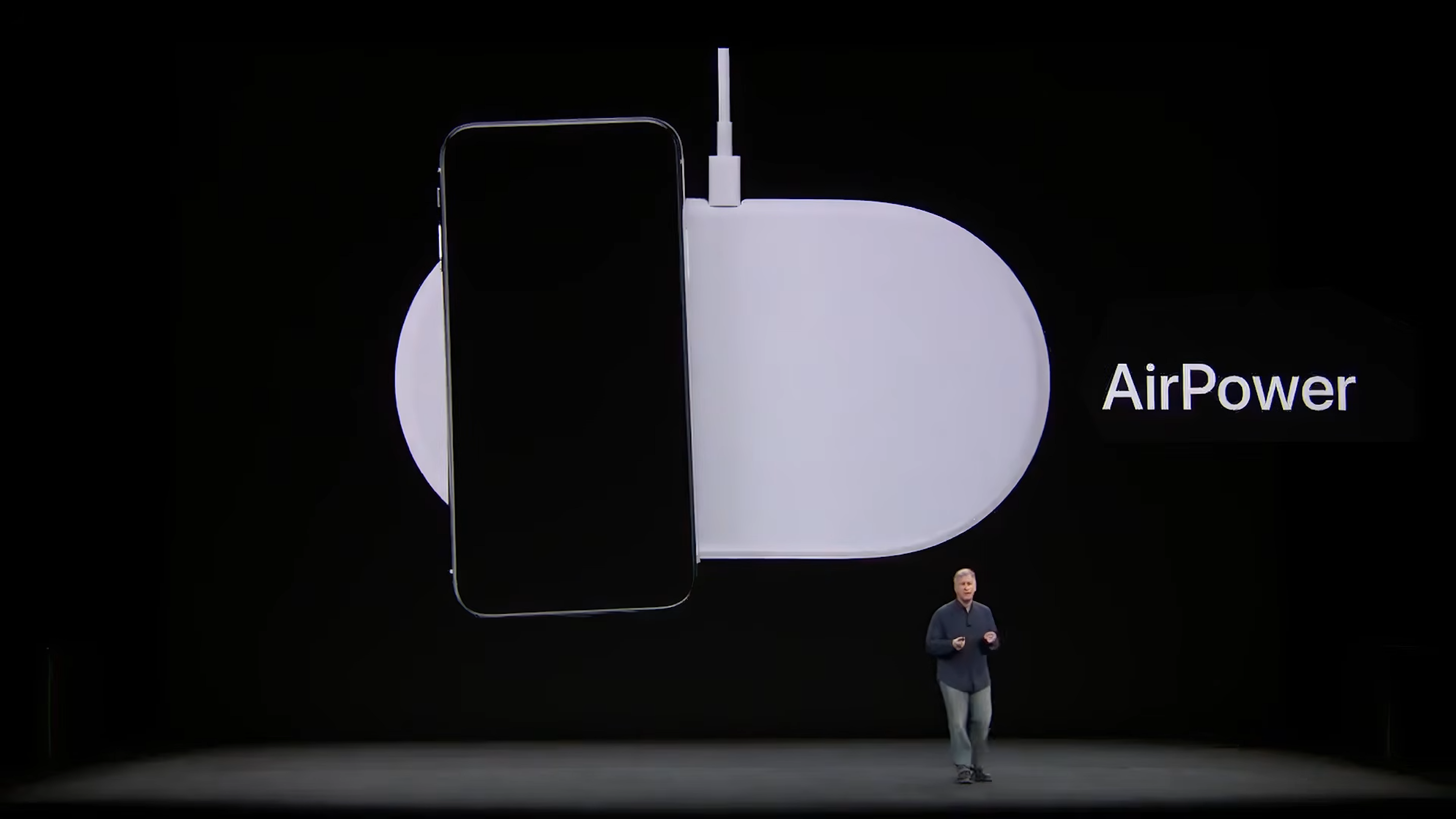
First look: HTX Studio has built a desk that can find a phone, move a wireless charging coil beneath it and begin charging without requiring the device to sit on a dedicated pad. The build was inspired by Apple’s AirPower, the charging mat Apple showed in 2017 but later canceled. AirPower was meant to let users place compatible devices freely on a mat rather than lining them up over a specific charging spot. HTX Studio applied that idea to an entire desk surface.

HTX Studio spent about two months building the desk. The creator documented the project in a YouTube video that shows the build process and the system’s various functions. The project combines camera-based device detection, motor control, wireless charging, a transparent display and desk automation in one system. Its main idea is simple: instead of placing a phone on a charging coil, the desk brings the coil to the phone.

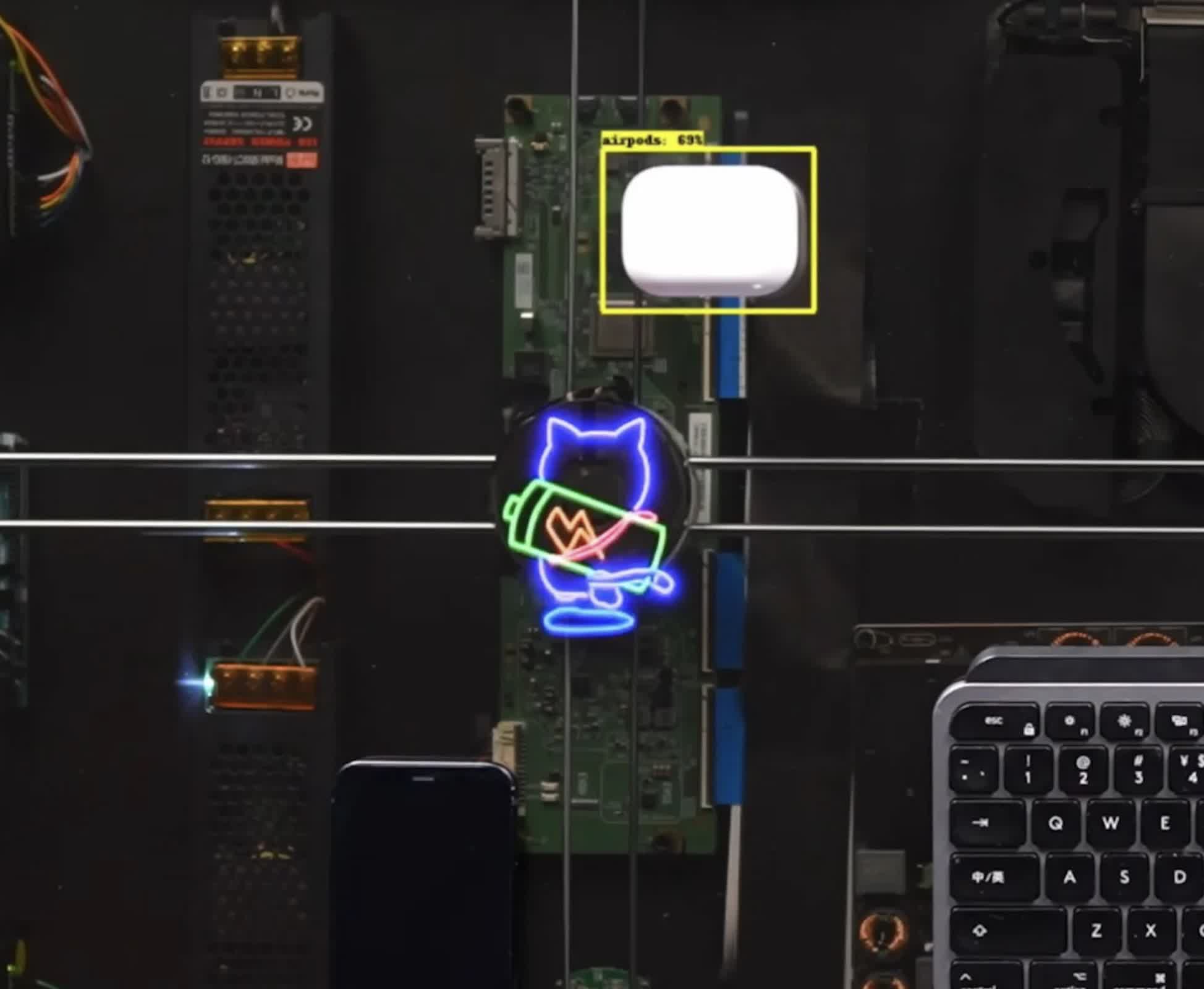
A camera mounted above the desk identifies where the phone has been placed. That information is sent to a motorized system under the desktop, which moves a single charging coil into position.

Installing fixed coils across the desktop was not practical; the creator estimated it would take about 600 coils to cover the surface. Instead, the desk uses one coil that travels beneath the top panel.

Advertisement

The first version showed the idea could work, but it had limitations. The motors were slow, cables could become tangled and the system did little other than charge a phone. The finished version adds a display, a computer, standing-desk controls and several automation features.

The desktop includes a transparent display that activates when you place a phone on it. An animated cat appears over the charging area and follows the coil as it moves below the device. The display can also show basic information and a task tracker.

The desk cannot use its moving coil to charge several devices at once in different locations. But the coil can move from one detected device to another. HTX Studio added two fixed charging coils in the desk’s corners for additional devices.

The same moving-coil system can charge a keyboard. When the coil returns to its home position, it aligns with a receiver coil inside the keyboard and begins charging it.

Advertisement

A Mac mini is built into the desk and can be connected to a monitor, turning the project into a working computer setup. The display surface shows charging effects and task information while the Mac mini handles the computer side of the workstation.

HTX Studio also linked the desk’s motorized legs to the system. After detecting that the user has been seated for about an hour, the desk displays a reminder. An on-screen button can then raise it to a saved standing height.

The project includes a hydration reminder as well. An electromagnet on the moving assembly can pull a compatible cup across the desk toward the user. The movement is intended to prompt the user to drink water during the workday.

Focus Mode is designed to reduce phone use. Starting the mode displays a 25-minute timer beneath the phone. If the user picks up the phone before the timer ends, the desk will not charge it again when it is placed back on the surface.

Advertisement

Source link

Continue Reading

Tech

Ace Combat 8: Wings of Theve review: soaring combat, snoreworthy story

Published

on

Why you can trust TechRadar


We spend hours testing every product or service we review, so you can be sure you’re buying the best. Find out more about how we test.

Ace Combat 8, the latest installment in Project Aces’ long-running arcade flight sim series, is here. Packed inside this game’s cargo hold is a medley of melodrama, mission types, and a beautiful new look, but it’s somewhat over capacity when it comes to cutscenes.

Review info

Platform reviewed: PC
Available on: PS5, Xbox Series X|S, PC
Release date: October 2, 2026

Advertisement

You’ll discover this right from the off: Ace Combat 8 is the first game in the series where its cutscenes are entirely from a first-person perspective.

Source link

Continue Reading

Tech

SpaceX Starship’s First Orbital Flight Test On Track After Successful Launch Rehearsal

Published

on

The vehicle is scheduled for launch on September 28.

SpaceX has successfully conducted a wet dress rehearsal for Starship, making sure it’s in working condition for its next test flight that’s bound to become a major milestone for the vehicle if everything goes according to plan. “Launch rehearsal complete ahead of Starship Flight 14,” the company has announced on X. 

In a wet dress rehearsal, the rocket goes through a full launch simulation. It’s loaded with liquid propellants and powered on before it goes through final checks to ensure its fuel lines, software and communications with the ground team are all working. The launch team even runs it through the full countdown sequence, demonstrates procedures for scrubbing launches in the event of poor weather conditions and then drains the fuel to simulate offload procedures. In other words, the rocket goes through the whole launch sequence without actually lifting off. 

With the success of this rehearsal, Starship is on track to launch for its 14th test flight scheduled for September 28, with a 75-minute launch window opening at 8:15AM Eastern Time. It will be the vehicle’s first orbital flight after multiple suborbital tests. Starship will be orbiting our planet six times within the course of 10 hours before re-entering our atmosphere and crashing into the ocean. It will also ferry 26 Starlink V3 satellites to orbit, which will be the first next-gen models to be added to SpaceX’s satellite internet constellation. You’ll be able to watch the Starship launch on September 28 on X. 

Advertisement

Source link

Advertisement
Continue Reading

Tech

Apple Store co-creator Ron Johnson talks about Apple’s huge retail gamble

Published

on

Steve Jobs and Ron Johnson were mocked by business and finance press over the Apple Store, and in an interview with AppleInsider, Johnson reveals that if they hadn’t opened them, Apple itself would not have survived.

You’ve been in an Apple Store, or at least if you haven’t, the odds are that there is one near you. These stores are everywhere, they are an unquestioned and unparalleled success, plus Apple has enough money that if a store fails, it isn’t the end of the world.

Back in the late 1990s, though, Apple was only slowly climbing back away from what had seemed like a death spiral. It was close to bankruptcy when Steve Jobs returned to the company, and the stories that the iMac and the iPod saved Apple are true.

Yet as great as those devices were, Apple could not get customers to buy them. At that point, they were only really sold in big box retailers alongside PCs that couldn’t match what the Mac could do, but invariably beat it on price.

Advertisement

What Jobs saw then was that Apple Stores could be the answer. It was a gamble costing many millions of dollars at a time when Apple couldn’t really afford to lose that much.

So the story of the Apple Store is fantastic. It’s a slice of Apple history, it’s an example of invention and risk taking saving the day. And it’s as much the story of how Apple makes products as any account of the iPhone or Mac is.

This is why Ron Johnson’s new book, “Shop Different,” is significant. There’s so much to this story that you will be left wanting more, but the book is the inside man’s account of what went right, and what went wrong.

Johnson spoke with William Gallagher for the AppleInsider podcast. Here’s A lightly edited and condensed transcript of their conversation.

Advertisement

Speaking with Ron Johnson

WILLIAM GALLAGHER: Actually, I would like, if you don’t mind, to just forget everything you’ve done and leap forward to write now because just as your book is coming out, Apple has had this massive launch, yet we’re not going to have queues outside Apple stores anymore. Do you think we’re missing out on something now? Have we lost something?

RON JOHNSON: Well, I do. [But] I do think when the iPhone Duo comes out, the stores will be as busy as they’ve been in years. Because it’s been since 2015, really when Apple Watch was announced, that you had a dramatically different form factor for people to check out.

But everyone uses an iPhone. And whether you’re gonna buy this new duo or not, you’re gonna want to check it out. And the stores will be packed.

Apple’s done such a fabulous job since I left. But I loved lines, you know, and Apple got to a point where they just didn’t like the idea of having lines outside, but, you know, customers chose to line up. They didn’t have to. [It] was an event for them.

Advertisement

We used to see families gather outside and fathers and sons and grandparents and grandsons, and they would stay overnight and we’d bring them water and it was a beautiful thing. It was a beautiful thing, I thought, and the employees loved it. It got energy.

I remember line at our Ginza store in Tokyo went 10 subway stations long – in a typhoon warning. You know, those were the days. Those were the days.

WG: I know from your book that you saw queues, but did you ever actually join the line to see what it was like?

RJ: Oh, I would walk. I love to go out in the lines. Every day when I was at an opening, I would go out and talk to people in the line, just to get to know them, to understand why they came. Right before the launch, I just walked the line with a couple of other employees to see how long it was and to thank people for coming.

Advertisement

I’ll never forget, we opened a store at Shibuya-ku in Tokyo, and we went out. It was a super hot summer day. We walked the line, and then we realised we couldn’t get back in time for the opening. So we had to run back by the time I got there, I was sweating from just being outside in the warm heat. But those were moments that you never forget.

WG: You say in your book that Apple reached out to you, that Steve Jobs’s recruiter was the first one to contact you. But as a retail man at that moment, did it seem sensible to you that Apple would want stores?

RJ: Well, I understood why Apple would want stores. In 2000 when I joined Apple, Apple had been a company for 25 years, and the perspective was that Microsoft had won. Microsoft had 95% market share.

And arguably, Apple had beautiful products and great software and they were a little overpriced or higher price than the PCs, but the market here was way too [small]. And so if you looked at the go to market strategy where you could buy Max.

Advertisement

Well, in the US, you couldn’t buy them at Best Buy or Circuit City, they didn’t carry the Mac, and they are the two most popular consumer electronics stores.

So if Apple was going to win, Steve concluded that it had to take the experience directly to the customer. So it had to do its own stores. And I believed it because I was a retail guy and I just brought design to all at Target.

I had this dream. Why does good design have to be expensive? And we did this big design initiative that a lot of people thought was kind of crazy in its own right. But it succeeded. It was fabulous. Customers loved it.

And I figured if we could bring design to Target, we could figure out how to sell a great product like a Mac to customers.

Advertisement

WG: Yes, but Target is a more familiar, more typical retailer with shelves and shelves of products. As you say in the book, Apple had four products or something. So a lot of empty space to fit.

RJ: I was surprised, I honestly was surprised. The night I met Steve, that first interview, after about two hours of chatting, he said, well, do you want to see the product line? And I said, sure. And we walked down to another room, actually the boardroom.

And there were four products on a little credenza. Two [Mac] portables and two desktops. And we were going to build these big, beautiful stores.

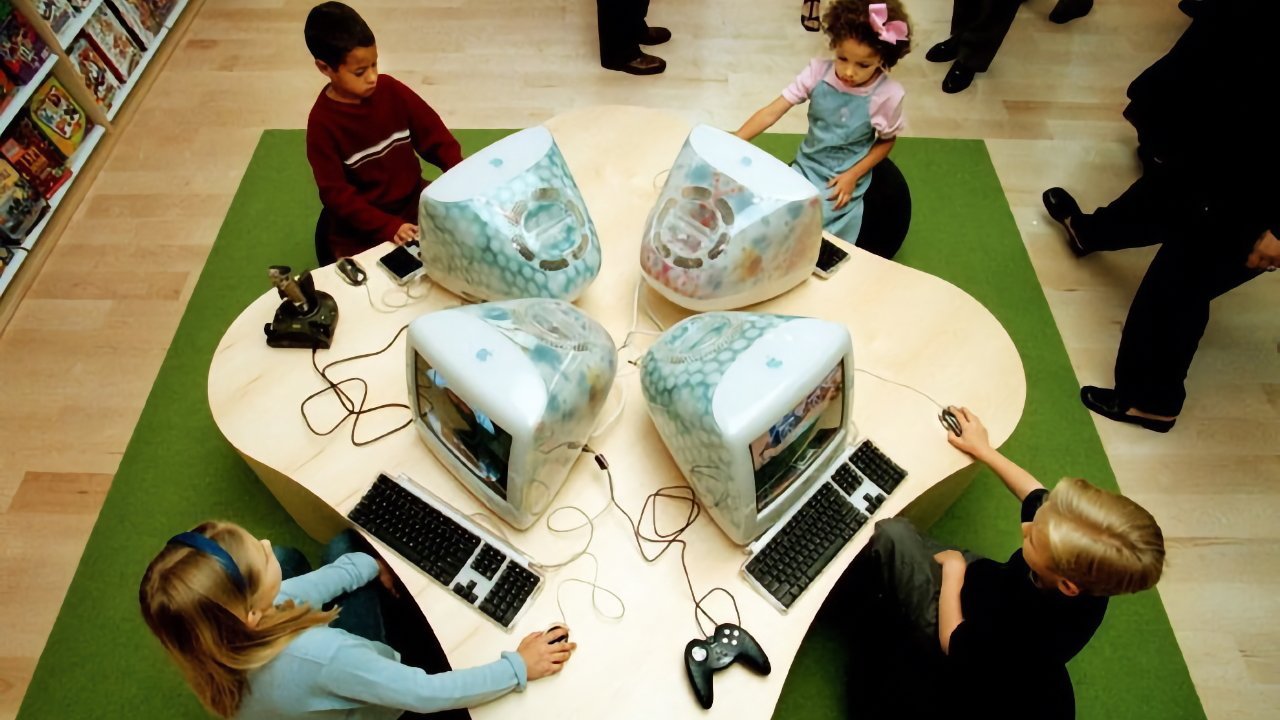
Several children sit around a clover-shaped table, each using colorful bulky desktop computers with keyboards and mice, playing or working together in a bright, modern room.

Children playing on iMacs in the first Apple Store on the first day. They will now be 25 years old but it’s not recorded whether they ever bought a Mac.

Advertisement

But it actually was the opportunity. Because most retail stores back then were just packed with products, and they were almost overwhelming to a customer, right?

And because we had all that space, we could get a lot of products for people to try, [and] we could create all these other services that became important to getting someone to decide to buy a Mac. Theaters and Genius Bars and things like that that ultimately became the support the stores became famous for.

WG: It took a while to get the name Genius Bar, though, I’ve just learned from your book. What were the other ones you went through?

RJ: Well, Steve wanted to call it the Geek Bar. Because he said, you’ve been to a bar before, [it can be] kind of fun to go up to a bar. Bartenders are conversational and they can make any drink you want. It’s kind of fun. We thought, what if you could get advice for technology, like you’re going up to a bar?

Advertisement

That would demystify the fear that a lot of people had of having to talk to someone about technology because it’s over people’s heads. I told Steve, we’re going to get these people who are really good at technology, but they love people in their conversational.

And he said, they don’t exist. Everyone who knows technology is kind of geeky. Maybe you call it the geek bar.

But then I’d seen Apple’s genius campaign, and I felt like if we called a Genius Bar, People would come out of the woodwork wanting that job. Because who wouldn’t want to be the smartest Apple person in every city?

Large crowd of people tightly packed inside an Apple Store, many standing in organized lines near a glowing Apple logo, suggesting a product launch or major retail event

The queues are not completely gone. This is a Shanghai Apple Store so busy that this is the queue just to get in — image credit: Apple

Advertisement

After a minute, Steve, yeah, after a minute, basically called up our general counsel, and said, hey, could you trademark the name Genius Bar? So I knew we had a chance to go do it.

WG: You opened two stores at the same time, but before then, you had this famous warehouse where you were trying things out. It’s often been reported that there was a massive change right towards the end, but in your book, you specified that it was around the iMac and that basically it was your fault.

RJ: Well, it was all what happened was we were ready to open our first store and we had spent a lot of time designing it.

Then I had this interesting conversation with Steve because Steve, you know, had been positioning the iMac as one, two, three, you’re on the internet. It was the easy getting on the internet.

Advertisement

But we were starting to make these apps, like iMovie, an iPhoto, and I told Steve that this is so interesting. I was still commuting back to Minneapolis on the weekends and [there] I’m in an analogue world. Then in Cupertino. I’m in a digital world all day long and I kind of go between these two things.

And I said, you know, if the Mac’s success, it’ll be the center of your digital life. And he came into the executive team meeting the next Monday, and I’m not saying it was solely that conversation, he probably had a lot of conversations about similar things, but he got all excited and stood at the whiteboard and drew a picture.

He goes, “I figured out the future of the Mac, we’re going to call it the digital hub. And the Mac will be at the centre of your devices and our software will bring it together and that’s how we’ll market the Mac.”

After I heard that, that night I was thinking about it, I woke up and I thought, well, if Steve’s going to market the Mac as the digital hub, our store’s [need to do that]. Our store was like any retail store, it was is built around products. We had portables and desktops.

Advertisement

I told Steve, well, maybe we ought to organize a store on movies and music and photos and the things you do. And he got really upset. I mean, it we’re going to the warehouse for our weekly design meeting.

And he said, “Ron, do you know how much time I put into the store?” And “I don’t know if I had the energy to do another one. So you might be right, but don’t bring it up today.”

I said, okay. And we would drive together and we rode over in the car and it’s perfectly quiet. And we walked into the warehouse and the store was pretty much done. Everything’s laid out and Steve looked, everyone’s standing there, about 15 people, and he’s looking around.

Then he goes, “you know, Ron thinks we’ve got this store all wrong, and he’s right. So I’m going to leave now and you guys can figure it out how.”

Advertisement

But then he told a story before he left about everything great he had done, especially with the Pixar movies. He said, “I had to hit the rewind button at some point when I knew it could be better. And it often involved a delay, but you get one chance to do something, so you’ve got to do it right.

So it took us about six extra months to get the store ready. But we launched and it was a much better store.

The front half of the store [was] about the products. So iBook was here, the PowerBook pro computer was there. We had it spread out like that, with the iMac was in a bay. But we said, no, let’s not do that.

Let’s have a bay for photography where we put together digital cameras with a Mac, digital cameras with an iBook with each of our products to show how you would do digital photography on a Mac.

Advertisement

And it actually is really interesting because that’s what got people to want to buy Macs. Because it was pretty easy to communicate.

They could buy online, but nobody understood how the product could really allow you to do great things with movies and photography and music. And so it became a much more inviting store

WG: Retail space is expensive. Had you already bought the Tyson’s corner site before you delayed six months?

RJ: We had already hired all the store leaders, so we had a lot of cost to carry. We had to carry the leases, but it opened up a great opportunity because the Ritz Carlton, who we were inspired by because they delivered the best service in the world in hospitality, invited our first store leaders to go help them open Ritz Carlton hotels.

Advertisement

And so we sent half of the group down to a hotel in Dallas, another half to a hotel, I think, was in Washington, DC, and they spent better part of a week just learning how to launch a hotel. And a lot of the things that the Ritz did from a service perspective, we incorporated into our service strategy.

If you look at the Apple stores, what they’re really famous for is the experience you have from an employee [and], how these really smart, nice people take care of things for you. We learned a lot of that from Ritz.

Busy Microsoft retail store with large colorful square logo above glass entrance, many people walking in and out, and customers inside trying computers and devices along bright display tables

The way to tell that this is a Microsoft promotional photo for its stores is to count the people. There were never this many in real Microsoft Stores – image credit: Microsoft.

So if we had opened on time, not only would we have had an inferior store design, we wouldn’t have had the culture ready to go the way we did six months later. So it turned out to be a great delay.

Advertisement

WG: Why did you start by opening two stores? Wouldn’t it have been better to try one first and see if it worked?

RJ: The reality is, Steve and I both believed Apple wouldn’t work without stores. I had this conviction that a great Apple store in a high traffic location would get traffic and people would buy products.

Then Apple is a global company. At that time, Apple was big in Japan, big in France, big in many of the countries in continental Europe, big in the United States, big in the Canada. And we had to get on with this, you know? So we concluded that we would open 25 stores a year every year.

After four years, you know, it was interesting after 4 years, we had around 100 stores. That’s when we opened our Fifth Avenue store.

Advertisement

They were getting bigger and better, but we had the footprint that when Apple launched a great product, wow, everyone could experience that, you know, because we did a really good job.

Our real estate team found all these great sites and we used to get packed stores with these new product launches.

WG: Today, if someone didn’t know any of this, they would shrug: 25 stores a year is easy for Apple with its trillions of dollars. But back then, it was a huge and expensive gamble.

RJ: When Steve came back three years before the stores, we had 30 days of cash. And, you know, Tim [Cook] did a lot of things on inventory management to generate cash and Bill Gates wrote a $100 million check, as you recall, you know, to help Apple stay afloat.

Advertisement

Steve understood how important cash was. Steve never delivered a dividend during his time as CEO, he never bought back stock. He had been too close to the edge [so] he wanted to protect all the money Apple had.

When Tim came in, Tim had a different approach to the balance sheet and a big part of one of his good financial moves was buying back stock all the time, you know, which helped the stock price did a lot of benefits.

But Steve was [always saying] let’s protect our cash, you never know where you need it. We might have a rainy day. You just never know. So it was a big bet, but it was the only bet Apple could make.

WG: You mentioned the Fifth Avenue store, it’s an amazing store, and a fantastic location, except it isn’t on Fifth Avenue. It’s underground. Who’s made idea was that?

Advertisement

RJ: It’s one of my favorite chapters in the book. George Blankenship [who found Apple Store locations] had a site right in the heart of Fifth Avenue, closer to Rockefeller Plaza. You only get one chance to open a star on Fifth Avenue as a retailer, it’s a a dream.

It’s the world’s most famous shopping street. You want to get it right.

But that [first site considered] was like most Fifth Avenue stores in a tall 55-story building filled with columns. You couldn’t do anything special. You could just put a store in and have traffic.

But we had this other site that was where we ended up putting this door underground, which was basically taking over a parking garage in the General Motors building. The space hadn’t been leased for 7 years because nobody wanted to put a store there.

Advertisement
Evening city plaza with people walking around a glass cube displaying a giant virtual reality headset, surrounded by tall office buildings and illuminated circular ground lights

Apple uses its Fifth Avenue glass cube to promote new launches, here with the Apple Vision Pro – image credit: Apple

So much is about thinking different, though, that’s what I loved about Steve. Even though it wasn’t in the heart of the retail district and Fifth Avenue, it would always be the first store on Fifth because it was right by Central Park

That’s kind of a nice spot to be, and if we could put a store underground, that would be super low cost. Because we’re paying the rent of a parking garage, not of an above ground retail store.

And so all we do is figure out how to design something that people would find inspiring. And Peter Bohlin, our architect, came up with, he said, you know, well, we could do something like I. M. Pei did at the Louvre.

Advertisement

We’ll just figure out a different shape and he came up with a cube. And then we realized we could create a plaza for city of New York because we’re leasing the whole space underground.

We created the first Wi-Fi public plaza, was a gift to the city of New York. We opened that store and people came, and we ended up opening it 24 hours a day.

We were so excited about it.

WG: You mentioned Bill Gates earlier, and Microsoft famously launched stores, which were, shall we say, a homage to the Apple Store design. But I would walk by some and there’d be nobody but staff in there. What did they not get?

Advertisement

RJ: Retail’s really hard. Like, you’ll see, you go by restaurants, and one packed, you can’t get in, and the next five are empty. They’re in the same location, they’re serving you dinner, they’re open the same hours.

They have staff, but some are really popular and some aren’t. And it usually comes down to the secret sauce. And I’m not talking about a recipe, but there’s a recipe for a store.

It’s a combination of the store design, mainly the people that work there, and the type of services you offer. Things like a Genius Bar really connected.

Microsoft didn’t have a genius bar. It’s hard to know why things don’t work. But the big lesson I got from that is [that] it’s never good to copy, because customers pick that up.

Advertisement
Large white stone corner building with tall arched windows and a flag, busy city street in front with pedestrians, bicycles, and outdoor seating under cloudy sky

Apple now preserves architecturally significant buildings, such as this almost 150-year-old one that houses Apple Birmingham in the UK.

Yeah, Microsoft not only built a store about the same size with the same layout as ours, they located them right next to us. Well, people saw the original and then they saw the copy. And I think they expected more, quite honestly, they expected more from Microsoft, you know, and I think it was a letdown to people.

WG: Eventually you famously quit Apple to join JCPenney. What made you take that leap?

RJ: In hindsight, I kind of regret it [because] Apple was the best job I had in my life. I had been there 12 years and we were designing our 400th store around the world.

Advertisement

They were getting bigger and better, they were all working, and I had such a good team. I felt like a parent who used to coach his young kid. As the kid grew up, you watched him from the sidelines.

You know, I enjoyed my work, but it was like a hobby. And I kind of missed the days like when I was with a team, a small group trying to invent the Apple Store or being a target, or how to compete with Walmart when they had lower costs.

And I just figured I was turning 50 at that time. If I’m going to do something different, it’ll take a good decade, you know, I should probably think about making that move.

I wanted to be in retail, though. I’ve always loved stores. And so I wanted another retail challenge, and the opportunity to go try to transform the department store came along, so I took it.

Advertisement

But that’s a long story. I spent a lot of time in the book talking about that. It was a very difficult time for me personally. It didn’t work well, I made a lot of mistakes, that hadn’t at Apple and elsewhere.

Futuristic glass dome floating on calm waterfront beside curved pedestrian boardwalk, rows of palm trees, and modern city buildings under a cloudy sky

Apple also now designs incredibly impressive new stores, such as this one in Singapore.

I just wanted one more challenge and it was probably, in hindsight, not the right decision.

WG: Apple Stores have changed a lot, perhaps most noticeably in how staff used to sometimes tell you no, we don’t have what you need, but that store over there does.

Advertisement

RJ: We always said to our teams, when I was there, never sell the customer more than they need. We spent a lot of time asking customers, what are you going to use your product for, and we get them to the right memory configure it, the right model for them.

We didn’t want people to spend more than they had to to solve the problem they were trying to solve. That’s just good human decency.

When I left, other leaders came in who put their own imprint on the store and a lot of that’s been very good. But I think the stores today, and I’m talking about right now, are kind of back to where they were when we launched the stores, from a culture perspective.

I have had amazing experiences over the last three months in a variety of stores around the world, and that energy’s back, that love of the customers back. I really feel a huge difference [and] I am really proud of what the stores are doing right now.

Advertisement

WG: About an hour after the iPhone Duo launch, I noticed that the video on YouTube had been watched by 26 million people. But with that reach, does Apple actually need any stores at all anymore?

Middleaged man in a navy sweater speaking onstage, gesturing with one hand, with a book titled Shop Different displayed prominently beside him against a plain white background

Ron Johnson and his book “Shop Different”

RJ: Absolutely. It’s really important to have stores and it’s going to become really important for this iPhone Duo because everyone will be able to check it out.

You can go read about it online. That’s going to be nothing like holding that in your hand and seeing if it fits in your pocket and seeing the magic of opening that display. Right?

Advertisement

And so these stores are going to help that product flourish.

The reality is, every retailer in the world, except Amazon. has an omni-channel strategy where they have stores and online and they bring it together. And that’s how everyone goes to the market.

This idea that stores are dying is just not true. You know, stores have never been more important to a go-to-market strategy.

Learn more

You can see the whole Ron Johnson interview on the AppleInsider Podcast. Plus his book, “Shop Different,” co-written with Zander Nethercutt, is available on Amazon for $32.

Advertisement

Source link

Continue Reading

Tech

What Should Pine64 Build With Microcontrollers?

Published

on

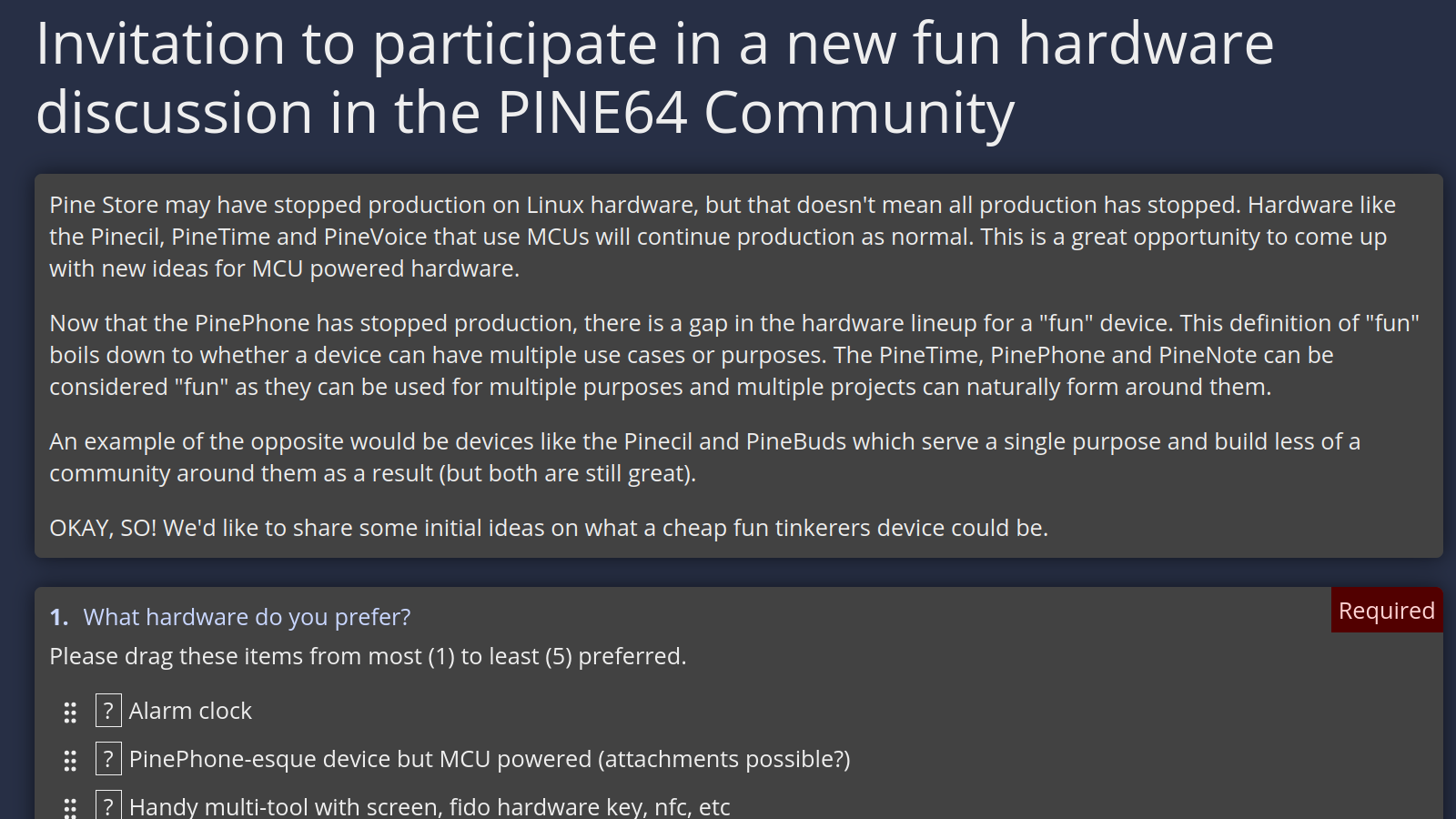
Pine64 is an open-source-community-centered project of mostly-open hardware, known for such hits as the PinePhone, the Pinecil soldering iron, and the PineTime. Now, the Pine64 project wants to know what kind of MCU-powered device you’d want to see built next, and there’s an online form you can fill out to let them know about any fun ideas they could bring to reality, as we all recover from the second round of Hardware Horrors Of 2020s.

In the age of RAM and storage shortage, it’s evident we’re not about to see a new Pine64 Linux SBC – but there’s plenty that can be done with regular microcontrollers, especially seeing how far modern microcontrollers have come in capabilities. On their Discord server and other linked platforms, you can see the announcement post giving you more details, as well as examples of devices that would fit the bill. An MP3 player? An alarm clock? Some sort of electronics multi-tool? PinePhone-esque device but based on an MCU? Digital camera? Whether you have full-on device ideas or specific feature requests for the aforementioned, check out the form and let them know.

Of course, any suggestions will ultimately have to be considered for viability by the Pine Store, the Pine64 hemisphere that actually decides on what to manufacture, so no promises can be made, but we consider this more than promising enough that you ought to have a say. Pine64 has come incredibly far in the 10 years it’s been around, and despite the troubles, we hope they’re here to stay, doing their thing releasing hardware that so often runs circles around the competition, and dropping by hacker cons all over the globe.

Advertisement

Source link

Advertisement
Continue Reading

Tech

Samsung Spent a Decade Fighting OLED With QLED: Now It May Be Moving On?

Published

on

Samsung spent the better part of a decade convincing TV buyers that QLED was the premium LCD alternative to OLED. According to a new report from South Korea, that strategy may now be heading for a rather abrupt rewrite.

ETNews reports that Samsung Electronics has cut production of quantum dot LCD TVs from roughly 10 million units in 2025 to between 2 million and 3 million in 2026, a reduction of as much as 80%. The publication also reports that Samsung plans to reduce Neo QLED output further in 2027, with one industry source claiming production could fall to roughly half of this year’s level before potentially ending as early as 2028. Samsung has not announced the end of QLED or Neo QLED, so that timeline should be treated as an industry report rather than a confirmed product roadmap.

samsung-qled-tv-introduction-ces-2017
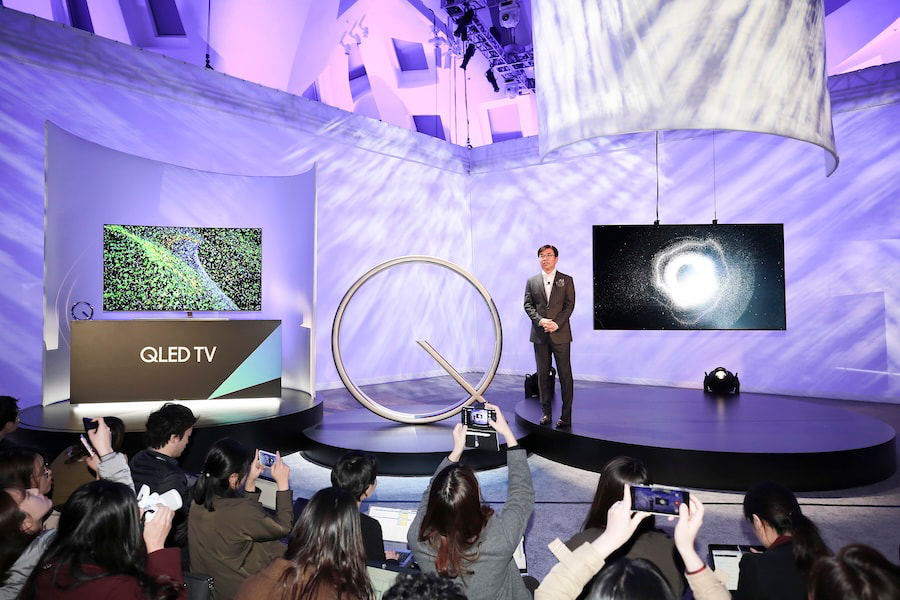
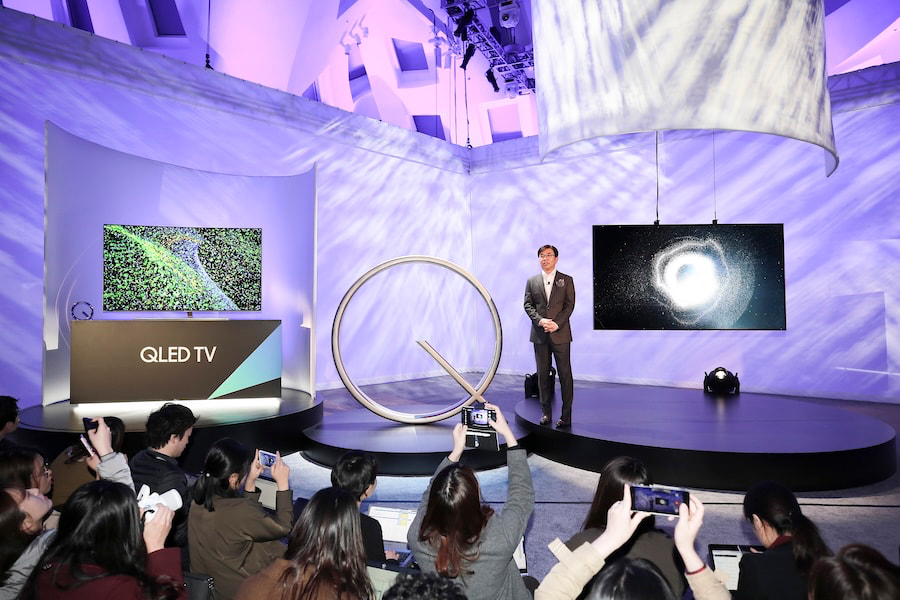
Hyun Suk Kim, President of the Visual Display Business at Samsung Electronics, introduces the company’s new QLED TVs at CES 2017.

Samsung’s QLED Retreat Is Already Visible

Samsung introduced the QLED name in 2017 with its Q9, Q8 and Q7 series, positioning quantum dot enhanced LCD as its premium display platform and a direct technological counterweight to OLED. QLED did not mean that quantum dots created the image themselves; these were LCD televisions using quantum dots to improve color reproduction.

Neo QLED arrived later, combining quantum dots with Mini LED backlighting. For years, that combination occupied a large portion of Samsung’s premium LCD lineup, but the 2026 range already tells a different story.

Samsung now sells the M70H, M80H and M90H as Mini LED TVs, while the QN70H and QN80H remain under the Neo QLED banner. Its current U.S. lineup prices the 65 inch M80H at $799.99, compared with $1,599.99 for the 65-inch QN80H, illustrating how much space Samsung has created between conventional Mini LED and its remaining Neo QLED models.

Advertisement

ETNews reports that Samsung replaced its entry QLED tier with Mini LED models that do not use quantum dot film and attributes the strategy in part to aggressive pricing from Chinese manufacturers. Quantum dot LCD becomes a much weaker premium differentiator when TCL, Hisense and others can sell similarly labeled televisions for substantially less.

Micro RGB Changes the Equation

Samsung is not walking away from LCD. It is changing what sits at the top of the LCD food chain, and Micro RGB is increasingly looking like the technology it wants consumers to notice.

The company has expanded Micro RGB from the original 115 inch model into a 2026 range spanning 55, 65, 75, 85, 100 and 115 inches. Instead of relying on a conventional blue or white backlight combined with quantum dots, Samsung’s Micro RGB system uses tiny red, green and blue LEDs behind an LCD panel.

Advertisement

We have already measured the technology. In our testing of the Samsung R95H Micro RGB, it covered 92% of the BT.2020 color gamut in Filmmaker Mode, compared with 76.5% for Samsung’s QN90F Mini LED TV. The R95H also reached 1,541 nits on a 10% HDR window in Filmmaker Mode.

Micro RGB is still an LCD technology, so it does not suddenly acquire OLED’s self emissive pixels or perfect black capability. Its wider color gamut and strong brightness, however, give Samsung a far more obvious technology to position at the top of its LCD range than another variation on the QLED formula.

samsung-s85h-s95h-s90h-oled-tvs-2026
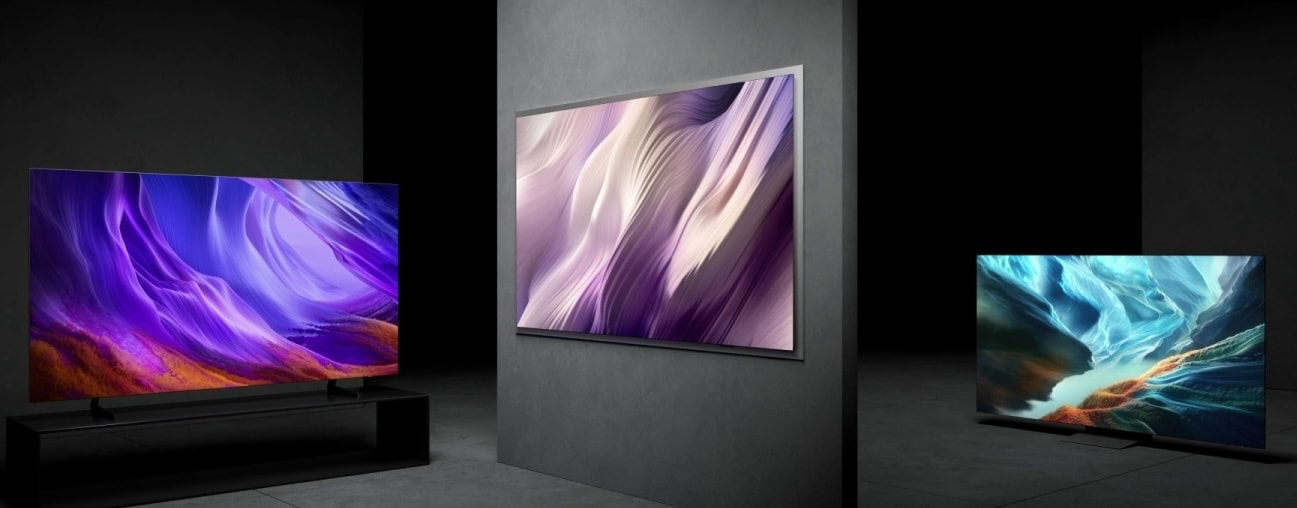
Left to right: 2026 Samsung S85H, S95H, S90H OLED TVs

And Then There Is OLED

The irony is rather difficult to miss. Samsung spent years positioning QLED as the answer to OLED, yet its 2026 premium lineup now includes the S85H, S90H and S95H OLED TVs, with Samsung using both QD-OLED and WOLED panels depending on model and screen size. Guess OLED isn’t dead after all.

Advertisement. Scroll to continue reading.
Advertisement

That does not mean Samsung is abandoning quantum dots entirely. The production cuts reported by ETNews concern quantum dot enhanced LCD televisions. Samsung Display’s QD-OLED panels also use quantum dots, but within a fundamentally different display architecture. Saying Samsung is “getting out of quantum dots” would therefore be inaccurate.

The more interesting development is that Samsung no longer appears to need QLED as its primary weapon against OLED. It sells OLED itself, while Micro RGB gives the company a new premium LCD story for customers who want higher brightness, very wide color reproduction and increasingly large screen sizes.

Why This Matters

For consumers, this is more than Samsung rearranging letters on a box. QLED became one of the most recognizable labels in the television market, but it also became so widely used that the name stopped telling shoppers very much about how a TV would actually perform.

Two televisions can both contain quantum dots while delivering dramatically different brightness, local dimming, processing, contrast and HDR performance. Samsung’s evolving lineup suggests the company may see more value in differentiating its TVs by the actual backlight and display architecture rather than continuing to stretch QLED across multiple price categories.

Advertisement

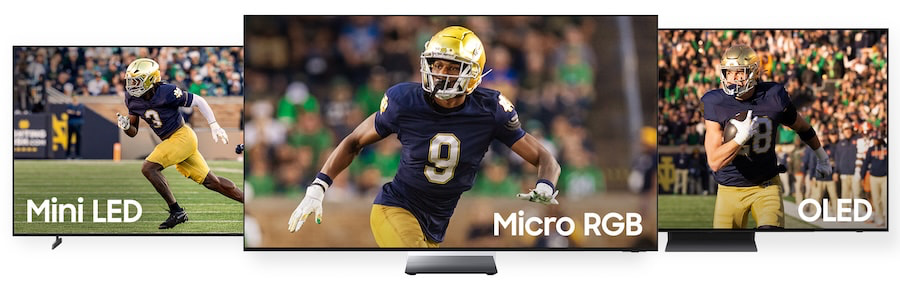
The emerging hierarchy is fairly easy to understand. Conventional Mini LED can attack aggressive price points, Micro RGB can carry the premium LCD banner, and OLED can serve buyers who prioritize black levels, viewing angles and pixel level light control.

samsung-mini-led-micro-rgb-oled-tvs

The Bottom Line

Samsung is not shutting down QLED tomorrow, and Neo QLED remains part of its 2026 lineup. But a reported 80% reduction in quantum dot LCD production is hardly a minor inventory adjustment when Samsung has already inserted conventional Mini LED beneath Neo QLED and Micro RGB above it.

If ETNews is correct about the 2028 timeline, QLED will have gone from Samsung’s great OLED challenger to a technology the company largely outgrew in little more than a decade. OLED survived the assault, LCD survived as well, and the real casualty may simply be the idea that adding a Q to the box was enough to make one LCD TV special.

Advertisement

Source link

Continue Reading

Tech

These Lightweight Audio Memory-Recording Glasses Might Be Meta’s Next Step (and Apple’s)

Published

on

The multiple pairs of smart glasses prototypes I’m trying on are attractive, familiar and lightweight. They look normal, fit my face well and have no cameras. All they have on board is audio and microphone support. These Vonder smart glasses are all about listening to you as much as to others. And they can tell the difference.

Meta announced its own camera-free audio glasses this week, but Vonder, a company founded by execs from display glasses maker Viture, along with Guillaume Hamon, the chief brand officer, goes further. I met with Hamon and David Jiang, Viture’s CEO and co-founder, in New York a few weeks ago to learn about their new $299 to $399 glasses, which fit a wide range of eye prescriptions but also require a monthly paid AI subscription. 

Several smart glasses that look like normal plastic frames
Viture’s frames look totally normal, are lightweight, and lack cameras.Scott Stein/CNET

Bone conduction inside

Viture’s tethered wearables are more like wearable monitors in glasses form with augmented-reality bells and whistles. Vonder has no displays and leans on extended battery life and a unique approach to audio technology, using bone conduction in the glasses to help with privacy to filter personal voice memos versus recording external voices in a room.

The onboard array of microphones can listen in on conversations and summarize them using AI, which then appears in a phone app or a web app. But the glasses don’t keep any audio recordings. Apple is doing something similar on its Apple Watches and iPhones later this year via Siri Recap. Meta, meanwhile, hasn’t gotten into the memory-recording audio space yet.

Scott Stein wearing Vonder smart glasses
I wore Vonder’s glasses. They look good.Scott Stein/CNET

I found the bone conduction microphones in the glasses’ arms to be the most interesting feature, which can listen to your own voice even at a whisper. I hadn’t seen that idea before in the glasses I’ve worn. According to Jiang and Hamon, Vonder’s glasses can either record just your own voice for memos and personal notes or a conversation with others. The bone conduction microphones help differentiate between your voice and whoever you’re speaking to.

In conversation modes where the glasses are recording others, a small side LED light turns on after you press a recording button on the glasses’ arm. In personal modes, there’s no light.

A laptop screen showing lines connecting points with words next to them
Vonder’s memory graph becomes a mind map of related memories that’s cloud stored. I saw a demo on a laptop in the web app.Scott Stein/CNET

A memory assistant, for a monthly subscription

“The idea of Vonder is fashion-forward glasses that allow you to basically reduce your cognitive load and rely on Vonder as a second memory, almost, so you can stay in the flow of your life, your conversations and rely on Vonder to keep track of what matters,” Hamon tells me.

These glasses aren’t designed as phone replacements. “It’s utopic, I think, at this current stage, to ask people to ditch the phone,” Jiang says. Jiang’s other company, Viture, also uses glasses (display-enabled ones) as phone accessories, not self-contained face computers.

Advertisement
A phone showing a screen for the Vonder smart glasses app
Vonder’s phone app and its discrete recording and microphone controls.Scott Stein/CNET

It’s also utopian – some would say dystopian – to imagine AI platforms as true memory extensions. That was how I tried to live for a month with a pendant called Looki, and it didn’t go well. I don’t know how Vonder’s Personal Memory Graph, its cloud and phone app-based AI system that pulls from OpenAI, Gemini and Claude models, will actually work in practice. Vonder’s AI service won’t directly log into those other AI services; it’ll draw from their AI models instead, similar to how AI glasses services like Rokid’s work.

A phone screen showing an AI summary about Scott Stein
Vonder’s AI services can also proactively summarize and brief, like it did for my name.Scott Stein/CNET

Vonder’s memory-mapping platform aims to be a safe place to store all your conversations and personal memos, creating a searchable mind map. Seeing an early preview of the software in a web browser, I was skeptical. Every company wants to be our collective memory now: How do we trust collecting those memories, though? Vonder’s pitch is also a subscription one: The required AI service is priced in tiers based on how much it’s used, from $5 to $30 a month. I don’t like the idea of subscription memories, not at all.

A blue case with a lot of glasses frames inside
There are lots of good looking Vonder glasses styles I saw.Scott Stein/CNET

No cameras here

I do like how small Vonder’s glasses frames are, though, and how they’re styled. At 30 grams, they feel exactly like regular glasses and have flexible arms for a comfortable temple fit. They’re notably lighter than Meta’s smart glasses, which hover around 50 grams. They’re also lighter than the small Even Realities G2 glasses I wore earlier this year.

And Vonder’s leaning completely on audio at a time when the rest of the smart glasses industry may be seeing a similar pivot. With the ongoing backlash against smart glasses cameras, privacy features will be what Meta’s new glasses, and Google and Samsung’s, will be judged against. Meta’s already promising more private computing in the year ahead. How will Vonder measure up? And, with Meta now promising better battery life on its Ray-Ban Audio glasses, could audio-recording memory modes like these be on deck next? Or Apple, for that matter?

Vonder says its glasses will last over 16 hours on a single charge, even when recording continuously. They truly could be used all day. Apple’s promising all-day battery life in its upcoming Siri Recap recording mode, too. To do this, Vonder’s using a chipset also found in earbuds instead of a higher-end Qualcomm glasses-focused processor, making the glasses more power-efficient.

I won’t know more till I try a pair, but Vonder’s frames are the nicest-looking I’ve seen. Will the AI services be worth it, too? I expect a lot out of any device promising to extend my memory. I’m very protective about my memories, too, so we’ll see.

Source link

Advertisement
Continue Reading

Tech

S’pore minister salaries are still lower than ever since the 2000 reform

Published

on

Disclaimer: Unless otherwise stated, any opinions expressed below belong solely to the author.

The topic of ministerial salaries in Singapore has garnered a lot of attention in recent weeks, after it was announced that the baseline salary grades for the cabinet would be increased by 64% for the first time in 15 years.

As a result, the fundamental MR4 grade—based on which all other salaries are calculated—would jump from S$1.1 million to S$1.8 million.

This sounds like a massive boost for the world’s already best paid ministers. Who else gets a raise of over 60%?

Advertisement

Well, not many people—and neither do ministers, at least not immediately.

The number will remain only as a future reference, while the immediate pay bump will be limited to just 9% effective Oct 2026, raising the MR4 level to S$1.2 million.

This, mind you, is the first pay rise they received since 2011.

Inflation bites everyone

There’s a reason the Government is making this adjustment now, 15 years after the last one.

Cabinet salaries have been gradually eroded by inflation over the years, with their real value now at one of the lowest levels since the landmark 2000 pay reform that introduced the MR4 system.

Advertisement

The entry-level ministerial pay was already at around S$1 million 25 years ago.

Today, even the newly revised S$1.2 million MR4 benchmark is worth just S$750,000 in 2000 money, back when Singapore’s GDP per capita was mere US$24,000 and budget revenues were around S$34 billion—four times less than today.

Prior to 2011, the salaries were also benchmarked to the top earners in the private sector, though they were adjusted regularly in line with the collected data as well as the economic situation—with a few notable cuts during the post 9/11 panic in 2001, the SARS epidemic in 2003, or the financial crisis of 2008/2009.

It is also when they were at their peak, in the good years.

Following the 2011 election, which saw the Workers’ Party win its first GRC, the Government introduced a new methodology for calculating political salaries. The result was a substantial cut in ministerial pay, and it ended up freezing them for, as it turned out, another 15 years.

Advertisement

Meanwhile, compounding inflation has progressively eroded their value, pushing them below what they used to be even in much less prosperous times.

As a result, as of 2026, ministerial salaries in Singapore have reached their lowest level on record—lower than at any time since the 2000 reform.

What’s more, even the 9% increment that’s due to kick in next month, as well as the official forecast that all ministers would eventually reach a S$1.35 million base by the end of the term in 2030, will do little other than preserve the status quo.

Given the uncertainty surrounding energy prices and artificial intelligence, inflation may return to moderate levels for the foreseeable future. It has already jumped back up to 2.2% and is likely not the end yet.

At an average rate of 2.5% to 3% annually, ministerial salaries would essentially remain stuck in place in real terms even if they nominally increase to S$1.35 million in the next four years. If they do not, their value will keep going down.

Advertisement

Singaporeans outpace their ministers

An even more interesting comparison might be one putting ministerial incomes next to the median income from work earned by the public.

Back in 2000, the median income for residents was around S$2,200. This year, it is expected to hit around S$6,000. In nominal terms, therefore, it is almost three times what it used to be.

When we correct it for inflation, which eats into purchasing power, real median incomes have grown by 70%.

Meanwhile, ministerial salaries have largely been frozen at the same nominal level for 25 years, eaten away by inflation—dropping their real value by 23%, to just 77% of what they were worth at the turn of the century.

At the same time, both the GDP per capita and national budget revenues have quadrupled in size.

Advertisement

You’d struggle to find executives in any private sector company who would have accepted getting paid less and less despite an overall four times growth in the business.

For political reasons, Singapore ministers might want to be careful in adjusting their own salaries. But the figures show that they seem to be rather underpaid.

  • Read other articles we’ve written on Singapore’s current affairs here.

Featured Image Credit: Singapore’s cabinet reshuffle (Jul 2026)/ MDDI

Advertisement

Source link

Continue Reading

Trending

Copyright © 2025