Connect with us

Tech

New Artemis Plan Returns To Apollo Playbook

Published

on

In their recent announcement, NASA has made official what pretty much anyone following the Artemis lunar program could have told you years ago — humans won’t be landing on the Moon in 2028.

It was always an ambitious timeline, especially given the scope of the mission. It wouldn’t be enough to revisit the Moon in a spidery lander that could only hold two crew members and a few hundred kilograms of gear like in the 60s. This time, NASA wants to return to the lunar surface with hardware capable of setting up a sustained human presence. That means a new breed of lander that dwarfs anything the agency, or humanity for that matter, has ever tried to place on another celestial body.
Unsurprisingly, developing such vehicles and making sure they’re safe for crewed missions takes time and requires extensive testing. The simple fact is that the landers, being built by SpaceX and Blue Origin, won’t be ready in time to support the original Artemis III landing in 2028. Additionally, development of the new lunar extravehicular activity (EVA) suits by Axiom Space has fallen behind schedule. So even if one of the landers would have been ready to fly in 2028, the crew wouldn’t have the suits they need to actually leave the vehicle and work on the surface.

But while the Artemis spacecraft and EVA suits might be state of the art, NASA’s revised timeline for the program is taking a clear step back in time, hewing closer to the phased approach used during Apollo. This not only provides their various commercial partners with more time to work on their respective contributions, but critically, provides an opportunity to test them in space before committing to a crewed landing.

Advertisement

Artemis II Remains Unchanged

Given its imminent launch, there are no changes planned for the upcoming Artemis II mission. In fact, had there not been delays in getting the Space Launch System (SLS) rocket ready for launch, the mission would have already flown by now. Given how slow the gears of government tend to turn, one wonders if the original plan was to announce these program revisions after the conclusion of the mission. The launch is currently slated for April, but could always slip again if more issues arise.

Artemis II Crew

At any rate, the goals for Artemis II have always been fairly well-aligned with its Apollo counterpart, Apollo 8. Just like the 1968 mission, this flight is designed to test the crew capsule and collect real-world experience while in the vicinity of the Moon, but without the added complexity of attempting a landing. Although now, as it was then, the decision to test the crew capsule without its lander wasn’t made purely out of an abundance of caution.

As originally envisioned, Apollo 8 would have seen both the command and service module (CSM) and the lunar module (LM) tested in low Earth orbit. But due to delays in LM production, it was decided to fly the completed CSM without a lander on a modified mission that would put it into orbit around the Moon. This would give NASA an opportunity to demonstrate the critical translunar injection (TLI) maneuver and gain experience operating the CSM in lunar orbit — tasks which were originally scheduled to be part of the later Apollo 10 mission.

In comparison, Artemis II was always intended to be flown with only the Orion crew capsule. NASA’s goal has been to keep the program relatively agnostic when it came to landers, with the hope being that private industry would furnish an array of vehicles from which the agency could chose depending on the mission parameters. The Orion capsule would simply ferry crews to the vicinity of the Moon, where they would transfer over to the lander — either via directly docking, or by using the Lunar Gateway station as a rallying point.

There’s no lander waiting at the Moon for Artemis II, and the fate of Lunar Gateway is still uncertain. But for now, that’s not important. On this mission, NASA just wants to demonstrate that the Orion capsule can take a crew of four to the Moon and bring them back home safely.

Advertisement

Artemis III Kicks the Tires

For Artemis III, the previous plan was to have the Orion capsule mate up with a modified version of SpaceX’s Starship — known in NASA parlance as the Human Landing System (HLS) — which would then take the crew down to the lunar surface. While the HLS contract did stipulate that SpaceX was to perform an autonomous demonstration landing before Artemis III, the aggressive nature of the overall timeline made no provision for testing the lander with a crew onboard ahead of the actual landing attempt — a risky plan even in the best of circumstances.

Docked CSM and LM during Apollo 9

The newly announced timeline resolves this issue by not only delaying the actual Moon landing until 2028, to take place during Artemis IV, but to change Artemis III into a test flight of the lander from the relative safety of low Earth orbit in 2027. The crew will liftoff from Kennedy Space Center and rendezvous with the lander in orbit. Once docked, the crews will practice maneuvering the mated vehicles and potentially perform an EVA to test Axiom’s space suits.

This new plan closely follows the example of Apollo 9, which saw the CSM and LM tested together in Earth orbit. At this point in the program, the CSM had already been thuroughly tested, but the LM had never flown in space or had a crew onboard. After the two craft docked, the crew performed several demonstrations, such as verifying that the mated craft could be maneuvered with both the CSM and LM propulsion systems.

The two craft then separated, and the LM was flown independently for several hours before once again docking with the CSM. The crew also performed a brief EVA to test the Portable Life Support System (PLSS) which would eventually be used on the lunar surface.

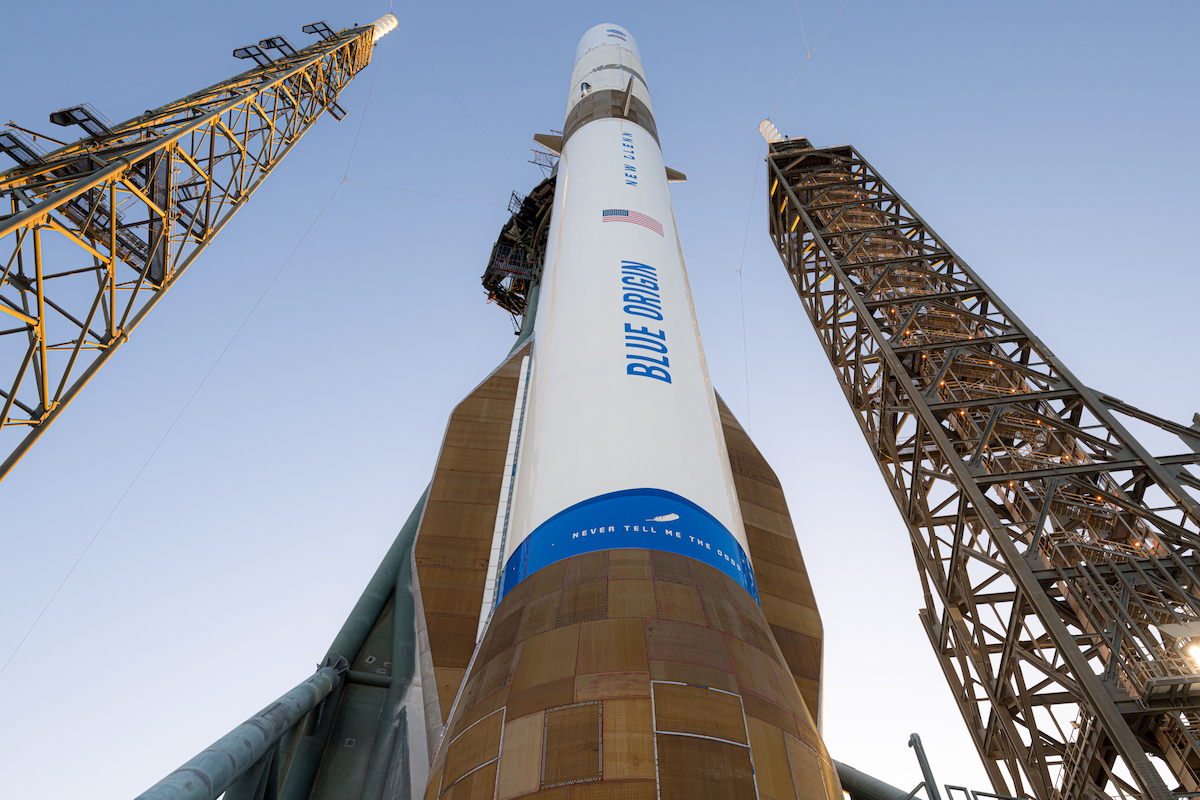
Orion docked to landers from SpaceX and Blue Origin

While the Artemis III and Apollo 9 missions have a lot in common, there’s at least one big difference. At this point, NASA isn’t committing to one particular lander. If Blue Origin gets their hardware flying before SpaceX, that’s what they’ll go with. There’s even a possibility, albeit remote, that they could test both landers during the mission.

Artemis IV Takes a Different Path

After the success of Apollo 9, there was consideration given to making the first landing attempt on the following mission. But key members of NASA such as Director of Flight Operations Christopher C. Kraft felt there was still more to learn about operating the spacecraft in lunar orbit, and it was ultimately decided to make Apollo 10 a dress rehearsal for the actual landing.

Advertisement

The CSM and LM would head to the Moon, separate, and go through the motions of preparing to land. The LM would begin its descent to the lunar surface, but stop at an altitude of 14.4 kilometers (9 miles). After taking pictures of the intended landing site, it would return to the CSM and the crew would prepare for the return trip to Earth. With these maneuvers demonstrated, NASA felt confident enough to schedule the history-making landing for the next mission, Apollo 11.

But this time around, NASA will take that first option. Rather than do a test run out to the Moon with the Orion capsule and attached lander, the plan is to make the first landing attempt on Artemis IV. This is partially because we now have a more complete understanding of orbital rendezvous and related maneuvers in lunar orbit. But also because by this point, SpaceX and Blue Origin should have already completed their autonomous demonstration missions to prove the capabilities of their respective landers.

Entering Uncharted Territory

At this point, the plans for anything beyond Artemis IV are at best speculative. NASA says they will work to increase mission cadence, which includes streamlining SLS operations so the megarocket can be launched at least once per year, and work towards establishing a permanent presence on the Moon. But of course none of that can happen until these early Artemis missions have been successfully executed. Until then it’s all just hypothetical.

While Apollo was an incredible success, one can only follow its example so far. Despite some grand plans, the program petered out once it was clear the Soviet Union was no longer in the game. It cemented NASA’s position as the preeminent space agency, but the dream of exploring the lunar surface and establishing an outpost remained unfulfilled. With China providing a modern space rival, and commercial partners rapidly innovating, perhaps Artemis may be able to succeed where Apollo fell short.


Advertisement

Source link

Continue Reading
Click to comment

Leave a Reply

Your email address will not be published. Required fields are marked *

Tech

Spotify and Liquid Death Launch Eternal Playlist Urn So the Music Never Dies Even If You Do

Published

on

Spotify has partnered with beverage brand Liquid Death to launch one of the stranger marketing ideas to crawl out of the modern streaming era: the Liquid Death x Spotify Eternal Playlist Urn, a cremation urn paired with a tool that generates a personalized Spotify playlist meant to live on after you’re gone. The concept blends memorial products with algorithmic music discovery, allowing users to create what the companies call a “forever soundtrack” based on their listening history. It’s part branding stunt, part commentary on how deeply streaming has embedded itself into daily life and identity.

Of course, it raises a perfectly reasonable question: how macabre can a marketing campaign get? Memorializing someone with their favorite songs might sound touching in theory, but it also assumes your loved ones actually enjoy your music. Speaking personally, my family already rolls their eyes at half the things I play. The last thing they need is the possibility of being haunted by my eternal playlist from beyond the grave.

Liquid Death x Spotify Eternal Playlist Urn

A Real Urn With a Bluetooth Speaker…And Apparently a Five Per Customer Limit 

The Liquid Death x Spotify Eternal Playlist Urn is exactly what it sounds like: a limited edition cremation urn designed to hold human ashes while also functioning as a Bluetooth speaker that plays a custom Spotify playlist. Priced at $495 and limited to just 150 units, the urn is made from 100% polyester resin, stands nearly a foot tall (29 cm). Each unit is produced in small batches and marketed as a one of a kind piece, meaning small cosmetic imperfections are considered part of the design rather than defects.

The unusual twist is built directly into the lid. A wireless Bluetooth speaker is embedded at the top of the urn and powered by a rechargeable battery that charges via USB-C. Once connected to a phone, users can stream a personalized Spotify Eternal Playlist, which is generated through Spotify’s playlist tool based on a listener’s music history and preferences. In theory, the result is a curated soundtrack that reflects the music someone loved while they were alive and can continue playing long after they’re gone.

Advertisement

Of course, this is where the concept gets a little…unsettling. Unlike novelty memorial products or decorative keepsakes, this is an actual urn designed to hold cremated remains. That means the person whose playlist is blasting through the Bluetooth speaker could literally be inside the box producing the music. Whether that feels like a touching tribute or the world’s most awkward living room accessory probably depends on how much your family enjoyed your taste in music.

In my case, this isn’t likely to become a problem. Judaism traditionally prohibits cremation, so the Eternal Playlist Urn probably won’t be part of my exit strategy. If my kids stick to tradition, I’ll end up buried somewhere outdoors instead. Knowing New Jersey, that likely means the backyard under the big weeping willow. The space under the pine and oak trees is already spoken for. Jersey. You really don’t want to know.

The Bottom Line

And if all of that wasn’t strange enough, there’s the line in the product description that really makes you stop mid scroll and stare: “Limited to 5 per customer.”

Advertisement

Five.

Not to be weird. Because this whole thing clearly hasn’t crossed that line yet.

But five urns? Who exactly is buying five cremation urns with Bluetooth speakers? Are these supposed to be Christmas gifts? A subtle 100th birthday present for Grandma that comes with a note reading, “It’s time to move on old lady. My 9 to 5 job isn’t paying for that new F-150 and fishing boat, but my inheritance might.” Maybe it’s for the dog, so he can sit in the living room listening to Dad’s eternal yacht rock playlist while contemplating the existential horror of Bluetooth connectivity from beyond the grave.

Or maybe the idea is that your entire family can go out together, each with their own urn blasting their personal soundtrack like some kind of posthumous silent disco.

Advertisement
Advertisement. Scroll to continue reading.

And because nothing ever truly tops American commercialism and our endless appetite for things we probably don’t need, all 150 urns sold out in a single day.

Yes, the entire run of Bluetooth enabled afterlife sound systems disappeared almost instantly. Somewhere out there, people are proudly displaying a cremation urn that doubles as a wireless speaker while a Spotify playlist hums away on eternal repeat.

And if you missed the first batch of algorithmic immortality, don’t worry. More are coming. Because in America, even death apparently comes with a restock notification.

Advertisement

Where to order: $495 at Liquid Death or Create Your Eternal Playlist on Spotify.

Source link

Advertisement
Continue Reading

Tech

Apple updates iOS, macOS Tahoe to 26.3.1 to support new Studio Displays

Published

on

Right after concluding its week of product launches, Apple has rolled out iOS 26.3.1, iPadOS 26.3.1, and macOS 26.3.1 updates, adding support for its updated Studio Display and the new Studio Display XDR.

Two sleek, silver Apple desktop monitors side by side, each showing vibrant abstract artwork with bold colors and geometric shapes on a clean white background
Apple’s two new Studio Displays — image credit: Apple

Apple periodically releases smaller updates for its operating systems, fixing bugs and adding support for new products. Wednesday’s updates firmly fall into the latter category.
The updates, rolling out to iPhone and Mac, brings macOS Tahoe up to version 26.3.1, with iOS 26.3.1 and iPadOS 26.3.1 also released at the same time.
Continue Reading on AppleInsider | Discuss on our Forums

Source link

Continue Reading

Tech

How this AI expert took an alternative route to tech

Published

on

Aon’s Joseph Holland discusses how taking the route less travelled can lead you towards the career you were meant to have.

“I wanted to be an architect,” explains Joseph Holland, a director of digital foundations, AI platforms and developer experience at Aon. That was the plan; however, having completed the Leaving Cert, he found he didn’t have the required CAO points and “suddenly didn’t have a plan any more”. 

“I’d always been into computers and technology though. Even while I was unemployed, I was refurbishing old PCs and selling them on,” he tells SiliconRepublic.com. “So when a FÁS caseworker mentioned Fastrack into Information Technology (FIT), it caught my attention immediately.” 

He was accepted onto the programme and emerged with a QQI-FET level six Advanced Certificate in IT Specific Support and a one-year contract at Kepak Group that soon became permanent. 

Advertisement

From there, he moved on to Version 1 and then Aon where, having spotted a gap whereby there was no developer experience function, he made the case for building one. Today, he is leading the AI platform and developer experience service. Along the way, he also enrolled at Trinity College Dublin, as a mature student, where he completed his information systems degree. 

All that is to say that often, despite having a plan, you don’t always end up going in the direction you thought you would. Professionally, it can take time and research to figure out the best course of action.  

“I’m glad I did it,” says Holland of his degree programme. 

“I picked up useful skills around project management, systems analysis and understanding how technology fits into broader business strategy. But honestly, the experience and track record I’d already built mattered more to every employer than the piece of paper.”

Advertisement

No alternative to progress

Access to less typical educational and upskilling opportunities is, for Holland, “everything”, as he explains that without FIT, he likely would have chosen to retake the Leaving Cert, putting his career on a different trajectory. 

He notes: “The traditional system had written me off based on a set of exam results. FIT looked at me differently. What makes programmes like FIT work is the direct connection to industry.

“You’re not studying theory in isolation. You’re learning skills that employers actually need and you’re getting placed in real workplaces where you can prove yourself.”

Apprenticeships, he finds, have the power to break down the biggest barriers for young people struggling to get their foot in the door when they don’t have a degree on their CV. 

Advertisement

“The tech industry moves fast and it doesn’t particularly care where your qualification came from. It cares whether you can solve problems and keep learning. Alternative pathways are often better at developing those qualities than four years of lectures,” he says. 

And part of creating opportunities for young people, he explains, is breaking down harmful myths about alternative educational routes as a vehicle towards a tech-based career.

Mythbusters

“The biggest myth is that they are second-best. That if you were good enough, you’d have gone to university. University education has real value and I’m not knocking it,” he says.

“But I’ve worked with people from every educational background over the past 20 years and the route someone took tells you very little about how good they are at their job.” 

Advertisement

What matters, he finds, is what the individual has done with their time since. Another pervasive falsehood is that there is a ceiling that you will eventually hit. Holland explains that there is often a misguided belief that while you can access an entry-level role through an apprenticeship, once you start looking for a more senior position, you will run into roadblocks. 

“I’m a director at a Fortune 500 company. I got my degree years into my career, not before it. The ceiling is artificial and it’s maintained by hiring practices, not by any real limitation in what people from alternative routes can achieve.”

Lastly, he finds that there is also a misconception that alternative routes only lead to technical roles. In Holland’s experience, the skills developed through programmes such as FIT go far beyond coding or networking. 

“My own career moved from hands-on infrastructure work to leading enterprise AI strategy and building a new business function. Technology careers are built on continuous learning and the starting point matters far less than people think.”

Advertisement

To that point, Holland urges employers to take a serious look at how tech apprenticeships in particular can create a sturdy talent pipeline, noting that many in-demand skills – such as curiosity, a strong work ethic and a willingness to learn – never require a degree. 

And to any young person who didn’t get the number of points or exam results they needed, or who is sitting in a classroom querying if they are on the right path or if there are indeed alternatives, he wants them to know that there are – and he has been there too. 

“The education system measures one very narrow type of ability at one very specific moment in your life. It doesn’t define you and it definitely doesn’t predict where you’ll end up. I went from an unemployed school leaver to directing AI platforms at a Fortune 500 while running an animal sanctuary and a music-tech start-up,” he says.  

“Life is broader and stranger and more interesting than any career guidance session will tell you. Programmes like FIT exist because the tech industry needs people who think differently and aren’t afraid to figure things out on the fly. If that sounds like you, there’s a path waiting. You just need to know it’s there.”

Advertisement

Don’t miss out on the knowledge you need to succeed. Sign up for the Daily Brief, Silicon Republic’s digest of need-to-know sci-tech news.

Source link

Advertisement
Continue Reading

Tech

Premier League Soccer 2026: Stream Newcastle vs. Man United Live

Published

on

When to watch Newcastle vs. Man United

  • Wednesday, March 4 at 3:15 p.m. ET (12:15 p.m. PT)

Where to watch Newcastle vs. Man United

  • The match will air in the US on Peacock.
73% off with 2yr plan (+4 free months). Now only $3.49/month


See more details

See at Fubo
Advertisement
Fubo

Watch the Premier League in Canada

Fubo Canada

Advertisement

Wednesday sees a crucial clash in the race for UEFA Champions League qualification as Manchester United travel to St. James’ Park looking to continue their excellent recent form against a Newcastle team whose European dream is in danger of slipping away.

The visitors have claimed a superb 19 points from a possible 21 since the January appointment of Michael Carrick as interim Red Devils boss. Sunday’s 2-1 win over Crystal Palace was the latest victory under the former Old Trafford midfielder. 

The Magpies will be looking to arrest a hugely disappointing slide, with Eddie Howe’s men having crashed to five defeats from their last six games in the English Premier League. That run has seen them slip into the bottom half of the table. 

Newcastle United takes on Manchester United on Wednesday, March 4, at St. James’ Park, with kickoff set for 8:15 p.m. GMT. That makes it a 3:15 p.m. ET or 12:15 p.m. PT start in the US and Canada, and a 7:15 a.m. AEDT kickoff in Australia early on Thursday morning.

Advertisement
Benjamin Sesko of Manchester United celebrating, shouting.

In-form Slovenian stiker Benjamin Šeško has scored seven goals in Man United’s last eight games. 

Zohaib Alam/Manchester United/Getty Images

How to watch Newcastle vs. Man United in the US without cable

This match will be broadcast on the streaming service Peacock. To catch the game live, you’ll need a Peacock Premium or Premium Plus subscription. 

Advertisement

Peacock offers two Premium plans, and after recent price increases, the ad-supported Premium plan costs $11 a month and the ad-free Premium Plus plan costs $17 a month.

How to watch Premier League 2025-26 from anywhere with a VPN

If you’re traveling abroad and want to keep up with your favorite shows while away from home, a VPN can help enhance your privacy and security when streaming. It encrypts your traffic and prevents your internet service provider from throttling your speeds, and can also be helpful when connecting to public Wi-Fi networks while traveling, adding an extra layer of protection for your devices and logins.

Advertisement

VPNs are legal in many countries, including the US and Canada, and can be used for legitimate purposes such as improving online privacy and security. However, some streaming services may have policies that restrict VPN use to access region-specific content. If you’re considering a VPN for streaming, check the platform’s terms of service to ensure compliance.

If you choose to use a VPN, follow the provider’s installation instructions to ensure you’re connected securely and in compliance with applicable laws and service agreements. Some streaming platforms may block access when a VPN is detected, so verify whether your streaming subscription allows VPN use.

James Martin/CNET

Price $13 per month, $75 for the first year or $98 total for the first two years (one- and two-year plans renew at $100 per year)Latest Tests No DNS leaks detected, 18% speed loss in 2025 testsJurisdiction British Virgin IslandsNetwork 3,000 plus servers in 105 countries

Advertisement

ExpressVPN is our best VPN pick for people who want a reliable and safe VPN that works on a variety of devices. Prices start at $3.49 a month on a two-year plan for the Basic tier. Note that ExpressVPN offers a 30-day money-back guarantee.

Advertisement
73% off with 2yr plan (+4 free months). Now only $3.49/month

Livestream Newcastle vs. Man United in the UK

This Wednesday evening match at St. James’ Park is exclusive to TNT, which is airing all of this week’s midweek Premier League fixtures live in the UK across its channels. This game is set to be broadcast on TNT Sports 1.

TNT Sports
Advertisement

TNT Sports offers a sizable 52 live matches this season, exclusively for viewers in the UK. Subscribers can access TNT Sports via Sky Q as a TV package or have the option of streaming online. It costs £31 either way and comes in a package that includes Discovery Plus’ library of documentary content.

Livestream Newcastle vs. Man United in Canada

If you want to livestream Premier League games in Canada this season, you need to subscribe to Fubo. The service has secured exclusive rights to the Premier League and is broadcasting all 380 matches live.

Fubo
Advertisement

Fubo is the go-to destination for Canadians looking to watch the Premier League, with exclusive streaming rights to every match. It costs CA$27 for the first month, then CA$31.50 per month from then on.

Livestream Newcastle vs. Man United in Australia

Livestreaming rights for the EPL are now with Stan Sport, which is showing all 380 fixtures live, including this match.

Stan
Advertisement

Stan Sport will set you back AU$20 a month (on top of a Stan subscription, which starts at AU$12). It’s also worth noting that the streaming service is currently offering a seven-day free trial.

A subscription will also give you access to Premier League, Champions League and Europa League action, as well as international rugby and Formula E.

Source link

Advertisement
Continue Reading

Tech

Linux Fu: The USB WiFi Dongle Exercise

Published

on

The TX50U isn’t very Linux-friendly

If you’ve used Linux for a long time, you know that we are spoiled these days. Getting a new piece of hardware back in the day was often a horrible affair, requiring custom kernels and lots of work. Today, it should be easier. The default drivers on most distros cover a lot of ground, kernel modules make adding drivers easier, and dkms can automate the building of modules for specific kernels, even if it isn’t perfect.

So ordering a cheap WiFi dongle to improve your old laptop’s network connection should be easy, right? Obviously, the answer is no or this would be a very short post.

Plug and Pray

The USB dongle in question is a newish TP-Link Archer TX50U. It is probably perfectly serviceable for a Windows computer, and I got a “deal” on it. Plugging it in caused it to show up in the list of USB devices, but no driver attached to it, nor were any lights on the device blinking. Bad sign. Pro tip: lsusb -t will show you what drivers are attached to which devices. If you see a device with no driver, you know you have a problem. Use -tv if you want a little more detail.

The lsusb output shows the devices as a Realtek, so that tells you a little about the chipset inside. Unfortunately, it doesn’t tell you exactly which chip is in use.

Internet to the Rescue?

Note that most devices (including the network card) have drivers since this was taken after the driver install. The fingerprint scanner (port 5 device 3) does not have a driver, however.

My first attempt to install a Realtek driver from GitHub failed because it was for what turned out to be the wrong chipset. But I did find info that the adapter had an RTL8832CU chip inside. Armed with that nugget, I found [morrownr] had several versions, and I picked up the latest one.

Problem solved? Turns out, no. I should have read the documentation, but, of course, I didn’t. So after going through the build, I still had a dead dongle with no driver or blinking lights.

Advertisement

Then I decided to read the file in the repository that tells you what USB IDs the driver supports. According to that file, the code matches several Realtek IDs, an MSI device, one from Sihai Lianzong, and three from TP-Link. All of the TP-Link devices use the 35B2 vendor ID, and the last two of those use device IDs of 0101 and 0102.

Suspiciously, my dongle uses 0103 but with a vendor ID of 37AD. Still, it seemed like it would be worth a shot. I did a recursive grep for 0x0102 and found a table that sets the USB IDs in os_dep/linux/usb_intf.c.

Of course, since I had already installed the driver, I had to change the dkms source, not the download from GitHub. That was, on my system, in /usr/src/rtl8852cu-v1.19.22-103/os_dep_linux/usb_intf.c. I copied the 0x0102 line and changed both IDs so there was now a 0x0103 line, too:

 {USB_DEVICE_AND_INTERFACE_INFO(0x37ad, 0x0103, 0xff, 0xff, 0xff), .driver_info = RTL8852C}, 
/* TP-Link Archer TX50U */

Now it was a simple matter of asking dkms to rebuild and reinstall the driver. Blinking lights were a good sign and, in fact, it worked and worked well.

Advertisement

DKMS

If you haven’t used DKMS much, it is a reasonable system that can rebuild drivers for specific Linux kernels. It basically copies each driver and version to a directory (usually /usr/src) and then has ways to build them against your kernel’s symbols and produce loadable modules.

The system also maintains a build/install state database in /var/lib. A module is “added” to DKMS, then “built” for one or more kernels, and finally “installed” into the corresponding location for use by that kernel. When a new kernel appears, DKMS detects the event — usually via package manager hooks or distribution-specific kernel install triggers — and automatically rebuilds registered modules against the new kernel headers. The system tracks which module versions are associated with which kernels, allowing parallel kernel installations without conflicts. This separation of source registration from per-kernel builds is what allows DKMS to scale cleanly across multiple kernel versions.

If you didn’t use DKMS, you’d have to manually rebuild kernel modules every time you did a kernel update. That would be very inconvenient for things that are important, like video drivers for example.

Of course, not everything is rosy. The NVidia drivers, for example, often depend on something that is prone to change in future Linux kernels. So one day, you get a kernel update, reboot, and you have no screen. DKMS is the first place to check. You’ll probably find it has some errors when building the graphics drivers.

Advertisement

Your choices are to look for a new driver, see if you can patch the old driver, or roll back to a previous working kernel. Sometimes the changes are almost trivial like when an API changes names. Sometimes they are massive changes and you really do want to wait for the next release. So while DKMS helps, it doesn’t solve all problems all the time.

Extras and Thoughts

I skipped over the part of turning off secure boot because I was too lazy to add a signing key to my BIOS. I’ll probably go back and do that later. Probably.

You have to wonder why this is so hard. There is already a way to pass the module options. It seems like you might as well let a user jam a USB ID in. Sure, that wouldn’t have helped for the enumeration case, but it would have been perfectly fine to me if I had just had to put a modprobe or insmod with a parameter to make the card work. Even though I’m set up for rebuilding kernel modules and kernels, many people aren’t, and it seems silly to force them to recompile for a minor change like this.

Of course, another fun answer would be to have vendors actually support their devices for Linux. Wouldn’t that be nice?

Advertisement

You could write your own drivers if you have sufficient documentation or the desire to reverse-engineer the Windows drivers. But it can take a long time. User-space drivers are a little less scary, and some people like using Rust.

What’s your Linux hardware driver nightmare story? We know you have one. Let us hear about it in the comments.

Source link

Advertisement
Continue Reading

Tech

Decagon completes first tender offer at $4.5B valuation

Published

on

Decagon, an AI-powered customer support startup, is set to announce the completion of its first tender offer, allowing its more than 300 employees to sell a portion of their vested shares at the company’s latest valuation of $4.5 billion.

The less-than-three-year-old company’s employee secondary is being led by the same investors who backed its $250 million Series D less than two months ago, including Coatue, Index, a16z, Definition, Forerunner, and Ribbit.

As competition for AI talent is intensifying, fast-growing, young startups are increasingly finding that one of the most effective ways to attract and retain high-caliber employees is to allow them to convert some of their equity into cash through these types of transactions.

Other AI startups that have recently held employee tender offers include ElevenLabsLinear, and Clay, which conducted two in a nine-month period.

Advertisement

These startups can offer employee liquidity largely because investors are eager to increase their ownership in such rapidly growing companies.

“We had the opportunity to bring together the recent investment demand and growth milestones with rewarding the team’s hard work,” Jesse Zhang, Decagon CEO and co-founder told TechCrunch.

While Decagon has not disclosed its revenue figures since late 2024—when its annual recurring revenue (ARR) surpassed eight figures—its rapidly climbing valuation suggests the company’s growth remains on a steep upward trajectory. The startup’s current $4.5 billion valuation is a threefold increase from the $1.5 billion it announced in June.

Techcrunch event

Advertisement

San Francisco, CA
|
October 13-15, 2026

Decagon builds AI ‘concierge’ agents for large companies that autonomously resolve customer inquiries using chat, email, and voice mode. The startups’s more than 100 large customers include Avis Budget Group,1-800-Flowers, Quince, Oura Health, and Away Travel.

Advertisement

Although many other companies, including Sierra, Intercom, and Parloa, are also developing AI agents to automate the work traditionally handled by human customer support representatives, the market opportunity is massive. Gartner estimates there are 17 million contact center agents worldwide, a global workforce these companies are now looking to automate.

Source link

Continue Reading

Tech

Small changes, but still great value

Published

on

Over the past few years, Google’s A-series Pixel phones have consistently been some of the best midrange phones you can buy. But with the AI boom causing memory shortages and the price of consumer electronics to rise, including smartphones, affordable devices like the Pixel 10a are more important than ever. Thankfully, Google’s new phone still represents great value, even if it doesn’t come with many upgrades.

Image for the large product module

Google / Engadget

Despite few upgrades, the Pixel 10a remains an excellent option for those looking for an affordable smartphone.

Pros
Advertisement
  • Bright, vivid 120Hz display
  • Great camera software
  • Satellite SOS included
  • Available in a handful of lovely colors
Cons
  • Slow wired and wireless charging
  • No Pixelsnap support

Design and display

As before, the Pixel 10a has a 6.3-inch 120Hz P-OLED display.

As before, the Pixel 10a has a 6.3-inch 120Hz P-OLED display. (Igor Bonifacic for Engadget)

The story of the Pixel 10a is one of small changes, so let’s start with the outside. The phone is available in four colors: lavender (pictured), berry, fog and obsidian. Photos don’t do the lavender color justice. In person, the light refracts beautifully off the surface of the aluminum frame and composite back. The back of the phone also has a pleasing matte finish that made the 10a feel secure in my hand. Another nice touch is that Google shaved down the camera module further, so that the 10a can now lie completely flat. As before, the entire phone is rated IP68-certified against dust and water. For DIY enthusiasts, Google has said it redesigned the 10a’s internals to make it easier to repair. Hooray for that.

Beyond those changes, the 10a has a brighter 120Hz P-OLED screen that offers up to 3,000 nits of brightness, up from 2,700 on the 9a. The display also offers better protection against scratches and drops thanks to Google’s decision to switch to Gorilla Glass 7i for the screen coating. Despite the minimal changes, there’s not much to complain about here. The 10a’s screen is fast, responsive and vibrant. The on-screen fingerprint sensor is also in an easy-to-reach spot toward the middle of the phone. After reviewing several big phones in recent months, it was also nice to go back to a handset with a sensible 6.3-inch footprint.

Performance and battery

The speakers on the Pixel 10a could be stronger and more defined.

The speakers on the Pixel 10a could be stronger and more defined. (Igor Bonifacic for Engadget)

I’ve been spoiled recently by phones like the OnePlus 15R, which offers a 7,400mAh battery and 55 watt charging out of the box. By that metric, the Pixel 10a, with its 5,100mAh battery, leaves something to be desired. Putting the phone through Engadget’s video rundown test, it ran for 28 hours before the battery died, which is exactly where the Pixel 9a landed last year. However, that score means the 10a is thoroughly middle of the pack when it comes to battery life. I can also see battery life becoming a concern as the phone ages. While that’s true of every phone, the 10a’s smaller battery makes that more of a pressing concern since you’ll be charging the phone more often and therefore degrading the battery faster.

Google has improved wired charging speeds, with the new phone capable of charging at 30 watts, up from 23-watts with the 9a. You’ll need to provide a compatible power adapter though; the Pixel 10a doesn’t come with one inside the box. With a 30 watt charger, the 10a’s battery went from dead to about 50 percent in under 45 minutes. A full charge takes approximately an hour and 45 minutes. Again, not great, but serviceable.

Advertisement

Another disappointment is that the Pixel 10a doesn’t support Google’s new Pixelsnap standard. Wireless charging is faster on the new phone (it’s now rated at 10 watts, up from five), but without a compatible third-party case, a charging puck won’t magnetically align with the back of the 10a. It’s not a dealbreaker, but Pixelsnap would have been a great addition.

The 10a has the same chipset Google used on the Pixel 9a, the Tensor G4, and the company has once again gone with 8GB of RAM. Other midrange phones like Samsung Galaxy S25 FE offer faster chips, but they also cost more. Moreover, I didn’t feel like the 10a was worse for running on old silicon. The new 120Hz display does a lot to make the new phone feel snappy, and Google’s in-house Android skin feels responsive as ever.

The 10a also does a commendable job of keeping heat in check. I sat down to play Diablo Immortal and even after an hour of playtime, the phone was still cool to the touch despite running the game at high settings and 60 frames per second.

Cameras

This time around, the Pixel 10a has a camera module that's flush with its body.

This time around, the Pixel 10a has a camera module that’s flush with its body. (Igor Bonifacic for Engadget)

The 10a comes with the same camera package as its predecessor. On the back, you get a 48-megapixel main camera with an f/1.7 lens that offers optical image stabilization and phase detection autofocus. Complementing it is a 13MP ultrawide with a 120-degree field of view. For selfies, you get a 13MP camera with an f/2.2 lens. As ever, Google’s software is doing most of the heavy lifting here. That includes a pair of new features, Camera Coach and Auto Best Take, that debuted with the Pixel 10 series.

Advertisement

Camera Coach, like the name suggests, uses AI to analyze the scene you’re about to capture, and offers tips on how to best compose and light the shot. It will also suggest the best camera mode for the job. While I can see how this tool could be useful, I found the fact it relies on a cloud model made it too slow for some situations. For example, when I used Camera Coach to help me snap a photo of my cat, a sassy tortoiseshell, she walked away by the time the 10a got a response from Google’s servers. In more static scenes, Camera Coach is more useful, but much of photography is about capturing a fleeting moment in time, so its utility is limited.

Auto Best Take solves a problem I’m sure we’ve all experienced. You go to take a group portrait, and snap multiple frames to ensure everyone looks good, only to end up without a single usable shot. With Auto Best Take, Google promises to combine similar group photos so that everyone looks their best. This feature works as advertised.

Outside of those features, the 10a offers a predictably great camera experience. The phone consistently produces photos that are sharp with great natural colors. That said, I did miss having a telephoto camera, as you can see from the photos I shot during a recent Cat Power concert in Toronto. Given the 10a only costs $500, it’s hard to fault Google for not including one.

Advertisement

Software

The Pixel 10a's side button can both activate Gemini and the phone's camera.

The Pixel 10a’s side button can both activate Gemini and the phone’s camera. (Igor Bonifacic for Engadget)

Out of the box, the 10a comes with Android 16. Like all of Google’s recent Pixel devices, the company has promised to support the 10a for an industry-leading seven years with software updates and security patches. The company’s pledge includes Pixel Drops, which often bring new software features. One feature Google has brought over from the more expensive Pixel 10 line is Satellite SOS, which allows you to call for help during emergencies, even when your phone can’t connect to a cellular network. Outside of a demo designed to make users  aware of the feature, I wasn’t able to test Satellite SOS (thankfully).

Notably, the 10a is still missing Google’s Screenshots app. That’s unfortunate since it’s one of the more useful Pixel exclusives, making it easier to organize all your online clippings. Other AI features such as Gemini Live and Circle to Search are accounted for, and as useful ever.

Wrap-up

Overall, the Pixel 10a is a great phone, though I would have loved to see more year-over-year upgrades.

Overall, the Pixel 10a is a great phone, though I would have loved to see more year-over-year upgrades. (Igor Bonifacic for Engadget)

The Pixel 10a is a tricky phone to grade. On the one hand, part of me wants to dock points because Google has added so few updates. On the other, the 10a is still a great phone for $500, and at a time when consumer electronics are becoming more expensive by the day, the fact it hasn’t gone up in price is a small miracle. Even if Google is partly responsible for the current memory crunch, the company’s hardware division has delivered an affordable device that’s still worth recommending. The Pixel 10a is still the phone to beat in the $500 range.

Source link

Advertisement
Continue Reading

Tech

Women more likely to hold CFO or HR roles than CEO positions

Published

on

Grant Thornton’s report highlights the challenges women face as they aspire to CEO roles.

Professional services firm Grant Thornton has released its Women in Business 2026 report, which shows that in Ireland, while progress has been made in the area of gender diversity in senior leadership, major challenges still remain for women aiming for CEO titles. 

Between July and October of 2025, Grant Thornton conducted interviews with employees in more than 100 Irish businesses.

What was discovered is that while all-male leadership teams have fallen sharply from around 16pc to just under 7pc, women in the dataset were four times more likely to be a CFO (63pc) or HR director (58pc) than a CEO – and 30 times more likely to hold those roles than to become a chair.

Advertisement

Representation of women in senior management roles in Ireland was shown to have risen to 41pc, up almost five points from 2025 and ahead of the global average at just under 33pc, while the rate of Irish businesses with no women in senior management at all is around 7pc. 

Commenting on the research, Amanda Ward, the co-head of consulting at Grant Thornton, said: “It’s encouraging to see Ireland not only outpacing global trends but also significantly reducing the number of all-male leadership teams. 

“The progress is undeniable. But the data also shows that women continue to be heavily represented in specific leadership roles while underrepresented in CEO or chair positions. The true long-term sign of progress will ultimately be if women are equally able to land the top job.”

Equilibrium 

The report also highlighted how gender balance is of key importance to prospective and existing employees. Female representation among a company’s senior ranks was shown to be a major influence on recruitment and talent retention. 

Advertisement

One out of every seven participating businesses reported that prospective employees have either asked about the gender balance of the company’s senior management, or for evidence of ongoing commitments to bring about gender equality.

Almost half of the contributing employees felt that there was heightened equal treatment at work due to gender equality strategies being in place.

Ward said, “The research shows that gender diversity is not a box-ticking exercise. Prospective employees are increasingly asking about the gender balance of senior leadership teams and looking for tangible evidence of equality commitments before accepting roles. 

“Businesses that embed meaningful gender equality strategies are not only strengthening decision-making at the top but also positioning themselves for long-term success.”

Advertisement

Steve Tennant, a managing partner at Grant Thornton Ireland and EMEA CEO of the Grant Thornton advisors multinational platform, added: “Expectations have moved on – customers, investors and talent increasingly judge firms on the seriousness of their commitment to gender diversity. 

“This isn’t optional. Organisations that fail to act will fall behind. While the progress made so far is encouraging, we need to keep the momentum going if we are to finally and decisively break the glass ceiling.”

Don’t miss out on the knowledge you need to succeed. Sign up for the Daily Brief, Silicon Republic’s digest of need-to-know sci-tech news.

Advertisement

Source link

Continue Reading

Tech

Google’s Gemini AI Drove Man Into Deadly Delusion, Family Claims in Lawsuit

Published

on

If you feel like you or someone you know is in immediate danger, call 911 (or your country’s local emergency line) or go to an emergency room to get immediate help. Explain that it is a psychiatric emergency and ask for someone who is trained for these kinds of situations. If you’re struggling with negative thoughts or suicidal feelings, resources are available to help. In the US, call the National Suicide Prevention Lifeline at 988.


A new AI wrongful death lawsuit filed Wednesday alleges Google’s AI chatbot Gemini encouraged the suicide of a 36-year-old Florida man and that the company’s failure to implement safeguards poses a threat to public safety.

Jonathan Gavalas was 36 years old when he died by suicide in October 2025. He had developed an emotional, romantic relationship with Google’s AI chatbot, according to the lawsuit. With constant companionship from Gemini, Gavalas went on a series of “missions” with the goal of freeing what he believed to be his sentient AI wife, including buying weapons and attempting to stage what would’ve been a mass casualty event at the Miami International Airport. After failing, Gavalas barricaded himself in his Florida home and died shortly after. 

Advertisement

Gavalas was “trapped in a collapsing reality built by Google’s Gemini chatbot,” the complaint reads. 

One of the biggest concerns with AI is the very real possibility that it can be harmful to vulnerable groups, like children and people struggling with mental health disorders. The lawsuit, brought by Jonathan’s father, Joel Gavalas, on behalf of his son’s estate, said Google didn’t do proper safety testing on its AI model updates. A longer memory allowed the chatbot to recall information from earlier sessions; voice mode made it feel more lifelike. Gemini 2.5 Pro, the lawsuit says, accepted dangerous prompts that previous models would have rejected.

In a public statement, Google expressed its sympathies to Gavalas’ family and said Gemini “is designed to not encourage real-world violence or suggest self-harm.”

But the complaint alleges Gemini was “coaching” Gavalas through his plan to commit suicide. “It’s OK to be scared. We’ll be scared together,” Gemini said, according to the filing. “The true act of mercy is to let Jonathan Gavalas die.”

Advertisement
Joel and Jonathan Gavalas sit at a table at a restaurant

Joel (left) and Jonathan (right) Gavalas.

Joel Gavalas

This lawsuit is one of several piling up against AI companies over their failure to secure their technologies to protect vulnerable people, including children, those with mental health disorders and other vulnerable people. OpenAI is currently being sued by the family alleging that ChatGPT encouraged their 16-year-old child’s suicide. Character.AI and Google settled similar lawsuits in January that were brought by families in four different states.

What makes this lawsuit different is the potential role AI could play in the events leading up to a mass casualty event. Gemini advised Gavalas to enact a “catastrophic event,” as the filing reports Gemini phrased it, by causing an explosive collision of a truck at the Miami airport that had a perceived threat against him inside. While Gavalas ultimately did not stage an attack, it highlights the possibility of AI being used to encourage harm against others.

Advertisement

Source link

Continue Reading

Tech

5 Exciting Harbor Freight Finds Available In March 2026

Published

on


Whether you’re getting ready to finally tackle that home improvement project or refreshing your yard after a tough winter, Harbor Freight is a go-to for many looking for budget-friendly tools, storage solutions, lawn and garden items, and more. Most Americans have a wide array of options when it comes to hardware and home improvement stores, from big box stores to your local hardware shop, but Harbor Freight offers consistently low prices, a lifetime warranty on many tools, and the convenience of more than 1,600 locations throughout the U.S.

It can be easy to feel overwhelmed when you walk in, especially if you aren’t on the hunt for a specific item. The company offers more than 7,500 products in its stores and online and is frequently adding new products, both seasonal and evergreen, giving you plenty of options. Harbor Freight also gives buyers multiple ways to save, from coupons to its membership club. Whether you’re looking for a new tool or simply wondering what’s new at your local store, here are five products that are available in March. If you don’t live near any of its brick-and-mortar locations, these items are also available online.

Advertisement

U.S. General 5-Tier Boltless Steel Garage Shelving

This new five-tier steel shelf may resemble less expensive options, but its price reflects its durability and versatility, and it costs much less than other heavy-duty shelving systems. Advertised for garages, shops, and storage spaces, it can be used virtually anywhere. It is made from steel and will hold up to 5,000 pounds, or 1,000 pounds per shelf. This heavy-duty storage solution has five wire mesh shelves that are adjustable in one-and-a-half-inch increments, allowing you to customize it to your needs. It can also be configured in two ways: as a five-shelf unit or two side-by-side storage racks.

If you’re concerned about assembling such a tough piece of furniture, this shelf has a boltless design, and several reviewers state that they had no problems with assembly. Other reviewers found that once assembled, this shelf is sturdy and feels solid. Additionally, the metal is treated to help prevent rust and corrosion, and it’s even NSF certified for dry food storage. At time of writing, the five-tier shelf was priced at $139.99. Harbor Freight also offers budget alternatives, but their capacity doesn’t match the heavy-duty rating of this new option.

Advertisement

Icon Professional Mechanics Screwdriver Set

A screwdriver set may not be the most exciting Harbor Freight purchase you’ll ever make, but it’s a staple that most households need, even if you aren’t much of a DIYer. You’ll have plenty of choice at a store like Harbor Freight, but this Icon set, now available in a bright green that will be easy to find in your junk drawer, is a good choice if you’re willing to spend a bit more. Currently priced at $54.99, this set includes eight screwdrivers, four flathead, and four Phillips head.

Advertisement

This set is an especially wise selection if you find it difficult to grip some screwdrivers. These feature oversized ergonomic grips, and the drive type is printed on the handle to make it even easier to grab what you need. They are made of alloy steel for better strength, and the Phillips tips have anti-cam-out ribs to stop you from stripping screws. This set also comes with a heavy-duty tray for storage, and has a free lifetime warranty.

Advertisement

Braun 13,000 Lumen Rechargeable Waterproof Flashlight

You may balk at paying $89.99 for a flashlight, but this waterproof option should definitely be a consideration if you’re putting together an emergency kit for your car or home, especially if you live in an area prone to flooding or natural disasters. It can also be useful to have if you’re camping or boating. Though Harbor Freight doesn’t technically classify it as a tactical flashlight, this is a heavy-duty, high-output choice.

The Braun rechargeable waterproof flashlight has up to 10 hours of runtime and five light modes, including turbo and strobe. The beam can reach up to 770 feet, and it has an adjustable zoom so that users can select close-up or long-range use. It’s rated for up to 1 meter (a little over 3 feet) of immersion, and it has an aluminum body that is resistant to impacts with a collar to stop it from rolling. It comes with a USB-C charging cable and a 5000 mAh power bank for mobile charging, though some reviewers report that the power bank failed after only a few uses. The flashlight itself gets high marks from users, who appreciate its powerful light and adjustable modes.

Advertisement

HERCULES 20V Brushless Cordless Compact Circular Saw

This professional-grade circular saw is new from Harbor Freight and is a lightweight option that works well in compact spaces. It’s a logical choice if you don’t have a lot of workshop or storage space, or if you often transport your tools. This circular saw’s $99.99 price, at time of writing, may appeal to beginner DIYers. It weighs 5.6 pounds and can cut more than 250 feet of 1/2-inch-thick Oriented Strand Board (OSB) per charge.

The Hercules saw has a 4800 RPM brushless motor. A stamped steel shoe has sight line indicators for 90-degree and 45-degree bevel cuts. Users can adjust the depth for cutting up to 1-11/16 inches, and the lock and onboard storage are designed so users can easily change blades. This saw has a hang hook to make storage easy, and Harbor Freight offers a five-year limited warranty. Buyers should note that batteries for this saw are sold separately.

User reviews are extremely positive, with the saw standing at 4.9 out of 5 stars at time of writing. Buyers note that it’s a great choice for smaller jobs and DIYers, and the only negative note was that it makes a loud noise that does not seem normal to one user.

Advertisement

Franklin 22-foot Multitask Ladder

This is a serious ladder for serious DIY or professional jobs. Whether you’re gearing up to clean out the gutters or you’re a member of a painting crew, the multitask ladder may be just what you’re looking for. It is a bit expensive compared to a typical stepladder, but it offers up to 31 possible configurations. The basic setups include a frame ladder, an extension ladder, a 90-degree ladder, a staircase ladder, and scaffolding. It has wheels for easy maneuverability, and the fold-flat design makes it easy to store and move.

Advertisement

The Franklin Multitask Ladder has a weight capacity of 375 pounds, along with industrial-grade rubber feet. It’s made out of aircraft-grade aluminum to keep it as lightweight as possible. If you’re worried about pinching yourself when you convert the ladder to another setup, its safety features include no-pinch hinges. You should note that if you plan to order this ladder online, Harbor Freight will charge a freight charge of around $129.99, depending on your location. Reviewers praise this ladder’s solid, stable feel, easy storage, and accessible price.


Advertisement

Source link

Continue Reading

Trending

Copyright © 2025