A threat actor tracked as UNC6783 is compromising business process outsourcing (BPO) providers to gain access to high-value companies across multiple sectors.
According to the Google Threat Intelligence Group, dozens of corporate entities have been targeted through this method to exfiltrate sensitive data for extortion.
Austin Larsen, GTIG principal threat analyst, says that UNC6783 typically relies on social engineering and phishing campaigns to compromise BPOs working with targeted companies.
However, there have been instances where the hackers have also contacted support and helpdesk staff within targeted organizations, in an attempt to obtain direct access.
The researchers say that UNC6783 may be linked to Raccoon, a persona known to have targeted multiple BPOs that provide services to large companies.
Advertisement
In social engineering attacks over live chat, the threat actor directs support employees to spoofed Okta login pages hosted on domains that impersonate those of the target company and follow the pattern [.]zendesk-support<##>[.]com.
Larsen says that the phishing kit deployed in these attacks can steal clipboard contents to bypass multi-factor authentication (MFA) protection, enabling the attacker to register their device with the organization.
Google has also observed attacks where UNC6783 distributed fake security updates to deliver remote access malware.
After stealing sensitive data, the threat actor proceeds to extort victims, contacting them via ProtonMail addresses with payment demands.
Advertisement
While GTIG did not offer more information about Raccoon, threat intelligence account International Cyber Digest recently disclosed that someone using the alias “Mr. Raccoon” claimed a breach at Adobe, which the company has yet to confirm.
The attacker claimed to have gained access to Adobe data after compromising an India-based BPO working for the company. They deployed a remote access trojan (RAT) on an employee’s computer and subsequently targeted the employee’s manager in a phishing attack.
Mr. Raccoon said that they stole 13 million support tickets containing personal data, employee records, HackerOne submissions, and internal documents.
In conversations with BleepingComputer, the threat actor behind the CrunchyRoll breach confirmed that they were also behind the Adobe attack, but did not provide any evidence.
Advertisement
Google’s Mandiant listed several defense recommendations against UNC6783 attacks, including deploying FIDO2 security keys for MFA, monitoring live chat for abuse, blocking spoofed domains that match Zendesk patterns, and regularly auditing MFA device enrollments.
Automated pentesting proves the path exists. BAS proves whether your controls stop it. Most teams run one without the other.
This whitepaper maps six validation surfaces, shows where coverage ends, and provides practitioners with three diagnostic questions for any tool evaluation.
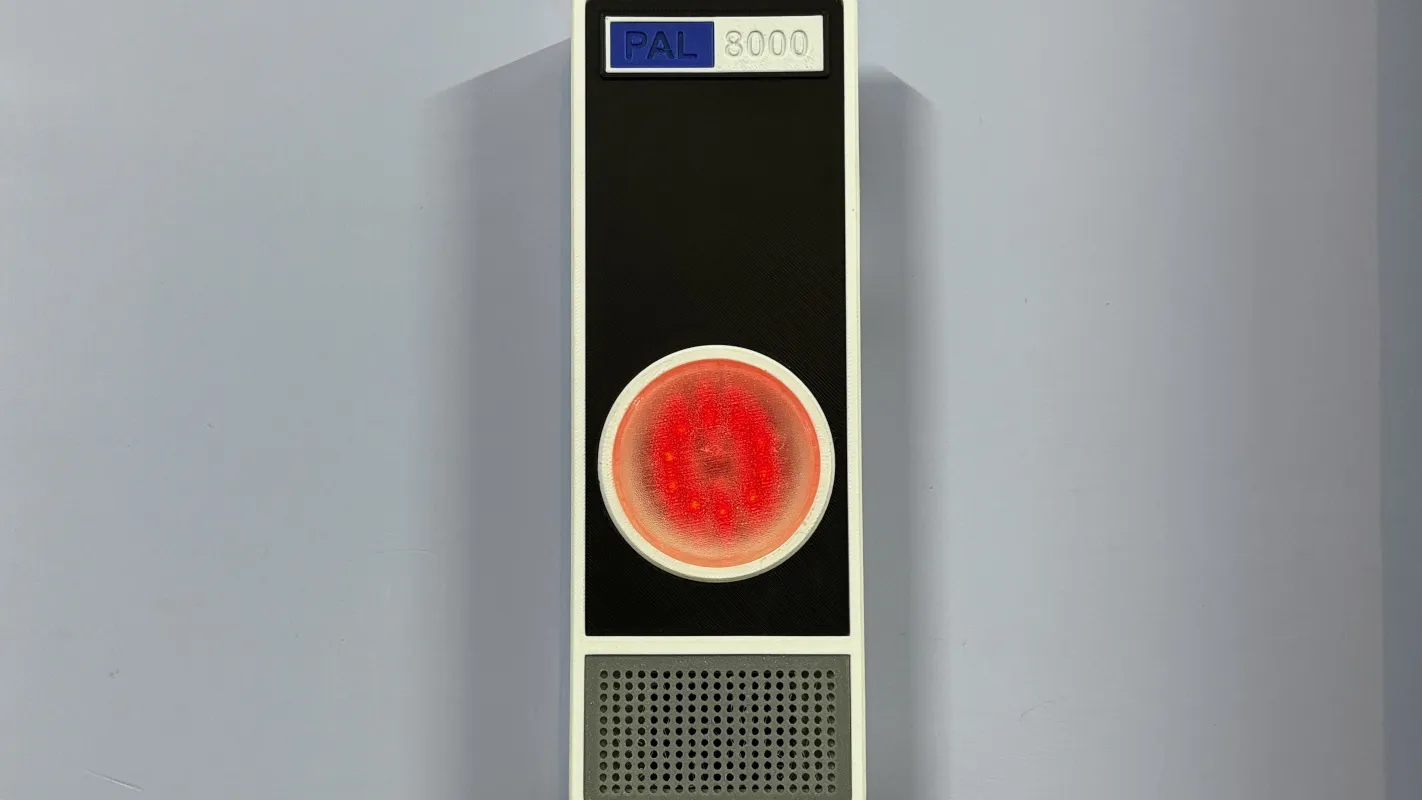
2001: A Space Odyssey not only pushed the boundaries of filmmaking, but introduced us to one of the most enduring villains in all of media. The HAL 9000 artificial intelligence was human-like but inhuman, a singular uncanny red light on a wall, tasked not only with control of a spaceship and its inner workings but also with being a companion for its occupants. It’s gone on to be the inspiration and basis of many projects around here, where it is generally given much less scope than control of a space ship and instead is tasked with something like monitoring air quality in a home.
Called the PAL 8000 by its creator [Arnov], this uses a Raspberry Pi Pico 2 at its core which monitors a volatile organic compound (VOC) sensor to take air quality measurements. The device features a custom 3D printed enclosure with glowing LEDs and plays contextual audio responses based on air quality levels, completing the HAL 9000 theme. The project also includes a local web dashboard which reports on its data, allowing users to see information in real time rather than relying on HAL’s voice reports alone.
For those looking to build other HAL-inspired projects, [Arnov] has made many of the printing files available on the project’s site. It’s a well-polished build faithful to the source material and could be a great addition to any home automation system for many other tasks beyond air quality monitoring. Perhaps something like a more general-purpose voice assistant, minus the megalomania.
The Asus Zenbook A14 (2026) is a beefy and super light Windows laptop that impresses with its potent internals from a new chip, immense endurance and a stylish look. The needle has moved a lot in price against the old model, though, and a 1920×1200 screen for the price feels a little off.
Lightweight and super portable
Increased grunt from Snapdragon X2 Elite chip
Immense battery life
More expensive than its predecessor
1920×1200 resolution feels off for the price
Key Features
Advertisement
Review Price:
£1599
Snapdragon X2 Elite inside:
Advertisement
The new Zenbook A14 (2026) packs a lot of power into a small chassis with its use of Qualcomm’s new Snapdragon X2 Elite processor.
Sub-1kg chassis:
Advertisement
This grunt is packed into a slender and light chassis that keeps this as one of the lightest 14-inch laptops you’ll find today.
70Whr battery:
Advertisement
Asus is also touting upwards of 32 hours of battery life from the capacious cell inside the Zenbook A14 (2026).
Introduction
The Asus Zenbook A14 (2026) beefs up this lightweight marvel with one of Qualcomm’s shiny new processors.
Similar to the Zenbook A16 (2026), Asus has packed in a beefy 18-core Snapdragon X2 Elite chip with this laptop alongside 32GB of RAM and a 1TB SSD. Other core specs remain similar to the original Asus Zenbook A14 that I really enjoyed using, including its sub-1kg chassis, solid 1920×1200 OLED screen and a capacious 70Whr battery.
Advertisement
The problem this laptop has against its predecessor, though, is price, clocking in at £1599, making it some £500 more expensive at retail than the last model. This changes its key rivals somewhat, pushing it more towards pro-grade choices such as the Apple MacBook Pro M4 and the Acer Swift Edge 14 AI.
Advertisement
I’ve been putting the Zenbook A14 (2026) through its paces for the last couple of weeks to see if it’s one of the best laptops we’ve tested.
Design and Keyboard
Incredibly lightweight and sturdy
Excellent port selection
Satisfying keyboard and large trackpad
The fit and finish of the Zenbook A14 (2026) hasn’t changed too much against its predecessor, with a similar sand dune-inspired colourway for my sample that’s different to other laptops you’ll find out there. It is also available in a grey colour if you’d prefer something a bit more conventional.
Asus has also kept the weight down with this new iteration, with it tipping the scales at 990g, a marginal increase over the previous model, for a large boost in performance from the new Snapdragon X2 Elite chip inside. It’s super light for a 14-inch laptop and makes it effortlessly portable – you barely notice it in your bag thanks to how light the chassis is and how thin it is.
Advertisement
Image Credit (Trusted Reviews)
Advertisement
The reason for this being so lightweight is because of Asus’ use of their own innovative ceraluminium material. This has been carried over from the previous generation, plus has been featured on Asus’ other recent laptops, including the Zenbook S 14 (2026).
As the odd name suggests, ceraluminium is an alloy that blends ceramic and aluminium for a rugged, yet lightweight finish. The former material is quite uncommon in laptops and tech generally, and is one I’ve seen more in the world of watches in bezels, cases and bracelets for fantastic durability and lightness.
Image Credit (Trusted Reviews)
The Zenbook A14 is also just 13.3mm thick, and comes with a better port selection than modern MacBook Airs. Whereas a new MacBook Air will come with a pair of USB-C ports, headphone jack and Magsafe charging, this Asus laptop features a full-size HDMI, headphone jack and a pair of USB4-capable Type-C ports on the left side, and a USB-A on the right. That’s more Pro than Air.
Being a more compact laptop, the fact that there’s a smaller keyboard layout here isn’t a surprise. It’s a 65 percent option complete with arrow keys, function row and surprisingly deep travel. The 1.3mm of total travel means keypresses have a certain substance to them, and provides a satisfying typing feel. I also found the white backlighting is vibrant and crisp, with a strong white shine that is excellent for after-dark working.
Image Credit (Trusted Reviews)
Advertisement
For its size and form factor, I’m also impressed with the size of the Zenbook A14 (2026)’s trackpad. It’s large for such a small and light laptop, with slick and smooth inputs and a good amount of real estate for gestures to boot.
Advertisement
The packaging here seems to be entirely plastic-free, with the laptop coming in a cardboard box and paper bag, along with the cable and power brick.
Display and Sound
Deep blacks and fantastic contrast
Resolution and refresh rate seem a little low
Middling speakers
The needle also hasn’t moved on the display front too much from the old model, as the Zenbook A14 (2026) features a 14-inch 1920×1200 resolution OLED panel, albeit with only a 60Hz refresh rate.
This is just okay in terms of overall detail and responsiveness against a range of rivals – while new MacBooks don’t come with an OLED screen, they do pack in a higher resolution for more detail. Likewise, the Zenbook S 14 (2026) has more detail and a zippier 120Hz refresh rate.
Nonetheless, this panel impresses on immediate use with its excellent colours, while this is also backed up when taking out my colorimeter. I saw perfect 100% coverage of both the sRGB and DCI-P3 spaces, plus an excellent 95% coverage of the trickier Adobe RGB (94%) gamut. This makes this screen suitable for productivity and more colour-sensitive workloads alike.
Advertisement
Advertisement
Image Credit (Trusted Reviews)
In addition, it offers virtually perfect blacks and fantastic colour temperature with levels of 0.01 and 6600K, respectively, measured both out of the box and with brightness cranked all the way up. Peak SDR brightness here beats our 300-nit target, with a measured 379.4 nits. That isn’t the brightest we’ve tested, but it is suitable for indoor and outdoor use, although is weirdly lower than last year’s model.
In addition, a measured contrast ratio of 29500:1 is impressive and lends the Zenbook A14 to having some excellent dynamic range. There is support for HDR with HDR True Black 600, and here Asus quotes a peak brightness of 600 nits for even more punch.
Image Credit (Trusted Reviews)
The speakers here are reasonable, if unremarkable. They’re downwards-firing, so you’ll want to ensure the Zenbook A14 (2026) is placed on a harder surface, such as a desk, to avoid sounding muffled. There’s a decent mid-range, although they lack top-end precision and extension in the low end. You can use them for basic tasks, although I’d suggest utilising the headphone jack for any serious content consumption.
Performance
Beefier Snapdragon X2 Elite processor
Improved integrated graphics
Capacious RAM and SSD arrangement
Advertisement
Where Asus has overhauled the Zenbook A14 (2026) is internally, rather than changing the outside too much. The original model from last year was supplied with Qualcomm’s base Snapdragon X chip, with eight cores and more pared-back performance against other x86-based ultrabooks in its more premium price range.
For 2026, this laptop is supplied with Qualcomm’s new Snapdragon X2 Elite processor, the second-in-command to the Snapdragon X2 Elite Extreme that ships with this laptop’s bigger brother. There are two variants of this processor available to manufacturers, with 12-core and 18-core options – the Zenbook A14 (2026) ships with the latter.
Image Credit (Trusted Reviews)
The difference between this chip and the Snapdragon X2 Elite Extreme appears to be clock speeds, with this chip rated for a max boost clock across single or dual cores of 4.7GHz (against the Elite Extreme’s 5GHz) and a max multi-core frequency of 3.4GHz (against the Elite Extreme’s 3.6GHz).
Qualcomm is touting major gains in both single and multi-core performance with this new 18-core chip, which I’d certainly wager is true in comparing it to laptops with the Snapdragon X Elite chip.
Advertisement
Image Credit (Trusted Reviews)
Advertisement
As you’d expect, the numbers here aren’t quite as strong as with the 16-inch variant, but the difference is only a few percentage points in the synthetic benchmarks. It is much the same story, though, with especially high single-core scores in Geekbench 6 that push this laptop into Apple Silicon territory for comparison, plus much-improved multi-core scores, too.
The improvements in Cinebench R23 are slightly more modest and peg this laptop back a smidgen, but there are nonetheless some substantial improvements to be proud of in synthetic terms against the original Snapdragon X Elite chip.
Image Credit (Trusted Reviews)
There is also a major improvement to the Adreno iGPU with the Snapdragon X2 Elite, which provided a doubling in the 3DMark Time Spy test and brings it more into line with more recent iGPUs fitted to x86-based laptop chips from Intel and AMD.
Gaming is technically plausible on the Zenbook A14 (2026) as a result, although the 23.76fps and 23fps at 1080p in Cyberpunk 2077 and Returnal are an indication that there’s still some way to go before these Arm-based chips can go up against Panther Lake.
Image Credit (Trusted Reviews)
Advertisement
We’ve got 32GB of DDR5 RAM with this laptop to provide lots of headroom, plus a capacious 1TB SSD. Speeds here are pretty good, too, with tested reads and writes of 7066.43MB/s and 6021.67MB/s, respectively.
Advertisement
Test Data
Asus Zenbook A14 (2026)
Asus Zenbook A16 (2026)
Apple MacBook Pro M4
Acer Swift Edge 14 AI
PCMark 10
–
–
–
7208
Cinebench R23 multi core
12396
14569
13830
9375
Cinebench R23 single core
1593
1579
2187
1928
Geekbench 6 single core
3699
3711
3767
2740
Geekbench 6 multi core
19254
21940
14955
11294
3DMark Time Spy
3965
4317
–
4449
CrystalDiskMark Read speed
7066.43 MB/s
7101.27 MB/s
2911.8 MB/s
4803.75 MB/s
CrystalDiskMark Write Speed
6021.67 MB/s
5739.05 MB/s
3335.7 MB/s
3910.54 MB/s
Brightness (SDR)
379.4 nits
467.4 nits
900 nits
380.7 nits
Brightness (HDR)
600 nits
1000 nits
1500 nits
–
Black level
0.01 nits
0.01 nits
–
0.01 nits
Contrast ratio
29500:1
34100:1
–
27800:1
White Visual Colour Temperature
6600 K
6600 K
–
6700 K
sRGB
100 %
100 %
–
100 %
Adobe RGB
95 %
94 %
–
92 %
DCI-P3
100 %
100 %
99 %
100 %
PCMark Battery (office)
22.5 hrs
19.25 hrs
–
16 hrs
Battery discharge after 60 minutes of online Netflix playback
-2 %
2 %
94 %
7 %
Battery recharge time
68 mins
95 mins
–
80 mins
Cyberpunk 2077 (Quad HD)
–
16.69 fps
–
–
Cyberpunk 2077 (Full HD)
23.67 fps
28.24 fps
–
–
Cyberpunk 2077 (Full HD + RT)
–
4.33 fps
–
–
Returnal (Quad HD)
–
24 fps
–
–
Returnal (Full HD)
23 fps
31 fps
–
–
Software
Copilot+ PC offers AI smarts
Reasonably clean Windows 11 install
Small compatibility issues, being Arm-based
The Zenbook A14 (2026) comes with Windows 11 and a reasonably clean install, too. There isn’t much in the way of bloatware with regard to an unwanted anti-virus or similar, although there are some pieces of software courtesy of Asus that come pre-installed.
There is MyAsus, which comes as part of the taskbar when you first open the Zenbook S 16. This is where you can check on everything from battery level and enabling battery care modes to choosing which type of workload this laptop’s network connection prioritises.
Image Credit (Trusted Reviews)
Advertisement
In addition, there is GlideX, where you can manage tasks such as wirelessly casting or mirroring the Zenbook A14 (2026)’s screen to other devices, or transferring files over the same network. You can also enable remote access to a mobile device, too. The Storybook app is designed as another way to organise photos and videos, using AI to recognise faces and file them for you, which is handy.
There is also enough AI horsepower from the Snapdragon X2 Elite Extreme chip inside to mark this laptop as a Copilot+ PC, providing access to Microsoft’s AI functionality for generative powers and filters in the Photos and Paint app, as well as the clever Windows Studio webcam effects for background blurring, auto framing and maintaining eye contact. With the latest version of Windows 11, there is also the controversial Microsoft Recall feature.
Image Credit (Trusted Reviews)
Being ARM-based, the Zenbook A14 (2026) also has minor compatibility issues. This is because Windows has traditionally run on x86-based systems, so to run on ARM, apps have had to be translated using Microsoft’s Prism translation software. For the most part, I had few compatibility issues when running a range of benchmark software, as well as Photoshop and similar apps.
As with other Arm-based Windows laptops I’ve looked at, the PCMark 10 benchmark app doesn’t run fully, but that’s an issue we’ve seen on other Arm-based Windows systems. I weirdly had an issue running Rainbow Six Extraction in our benchmark testing, which hasn’t happened on other Arm-based laptops in the past.
Advertisement
Battery Life
Lasted for 22 hours 25 minutes in the battery test
Capable of lasting for three working days
Advertisement
Asus has managed to fit a larger 70Whr cell inside the Zenbook A14 (2026), which, alongside the excellent efficiency that these Qualcomm chips have traditionally yielded, should result in great battery life for this laptop. To this end, Asus quotes this laptop up to 32 hours on a charge, which would easily make it one of the best choices for endurance.
In dialling the brightness down to the requisite 150 nits and running a video loop test in PCMark 10, this Asus laptop lasted for 22 hours and 25 minutes – that’s just about enough for three working days. That makes for a substantial improvement over the previous model by around three hours, and increases Asus’ lead over key rivals such as the Acer Swift Edge 14 AI. It’s still not enough to dethrone our battery life champion, the Dell Pro 14 Premium, which has around half an hour on this Asus choice.
Asus has also provided a small, yet beefy 100W power brick with the Zenbook A14 (2026) that does a decent job of putting juice back into this laptop briskly, taking 28 minutes to get it back to 50 percent, while a full charge took 70 minutes.
Should you buy it?
Advertisement
You want oodles of power in a lightweight chassis:
The Zenbook A14 (2026) packs a lot of performance with its Snapdragon X2 Elite processor into a slender and lightweight chassis.
Advertisement
You want something more affordable:
The much higher price tag of this year’s model leaves a sour taste against last year’s, and it is a fair jump up in price. You can still go for the older model and feel happier with a few extra hundreds in your pocket.
Advertisement
Final Thoughts
The Asus Zenbook A14 (2026) is a beefy and super light Windows laptop that impresses with its potent internals from a new chip, immense endurance and a stylish look. The needle has moved a lot in price against the old model, though, and a 1920×1200 screen for the price feels a little off.
Against the older Asus Zenbook A14, you’re getting a lot more grunt and a little more in the way of battery life, although for £500 more in terms of retail price. The Acer Swift 16 AI (2026) provides similar grunt with an Intel Panther Lake chip, plus a larger and higher-res OLED screen (although at the expense of 12 hours of runtime) for a similar outlay, while the Acer Swift Edge 14 AI has a higher-res OLED screen with a 120Hz refresh rate and similar computing power for a lower price tag.
Don’t get me wrong, the Asus Zenbook A14 (2026) is a lovely laptop, and a lot of it is in part due to the Snapdragon X2 Elite chip inside, but rising costs mean it suffers the same price-driven criticism as the Samsung Galaxy Book6 Pro. For more options, check out our list of the best laptops we’ve tested.
Advertisement
Advertisement
How We Test
This Asus laptop has been put through a series of uniform checks designed to gauge key factors, including build quality, performance, screen quality and battery life. These include formal synthetic benchmarks and scripted tests, plus a series of real-world checks, such as how well it runs popular apps and extensive gaming testing.
FAQs
What’s different between the Asus Zenbook A14 (2026) and the Asus Zenbook A14 (2025)?
The Asus Zenbook A14 (2026) comes with a newer and faster Snapdragon X2 Elite processor, plus increased battery life and 10g increase in its weight. It’s also a lot more expensive in terms of RRP.
Advertisement
Test Data
Asus Zenbook A14 (2026)
Cinebench R23 multi core
12396
Cinebench R23 single core
1593
Geekbench 6 single core
3699
Geekbench 6 multi core
19254
3DMark Time Spy
3965
CrystalDiskMark Read speed
7066.43 MB/s
CrystalDiskMark Write Speed
6021.67 MB/s
Brightness (SDR)
379.4 nits
Brightness (HDR)
600 nits
Black level
0.01 nits
Contrast ratio
29500:1
White Visual Colour Temperature
6600 K
sRGB
100 %
Adobe RGB
95 %
DCI-P3
100 %
PCMark Battery (office)
22.5 hrs
Battery discharge after 60 minutes of online Netflix playback
-2 %
Battery recharge time
68 mins
Cyberpunk 2077 (Full HD)
23.67 fps
Returnal (Full HD)
23 fps
Full Specs
Asus Zenbook A14 (2026) Review
UK RRP
£1599
CPU
Qualcomm Snapdragon X2 Elite
Manufacturer
Asus
Screen Size
14 inches
Storage Capacity
1TB
Front Camera
1080p webcam
Battery
70 Whr
Battery Hours
22 25
Size (Dimensions)
310.7 x 213.9 x 13.4 MM
Weight
990 G
Operating System
Windows 11
Release Date
2026
First Reviewed Date
07/04/2026
Resolution
1920 x 1200
HDR
Yes
Refresh Rate
60 Hz
Ports
2x USB 4.0 Gen 3 Type-C with support for display / power delivery (data speed up to 40Gbps) 1x USB 3.2 Gen 2 Type-A (data speed up to 10Gbps), 1x 3.5mm Combo Audio Jack 1x HDMI 2.1 TMDS
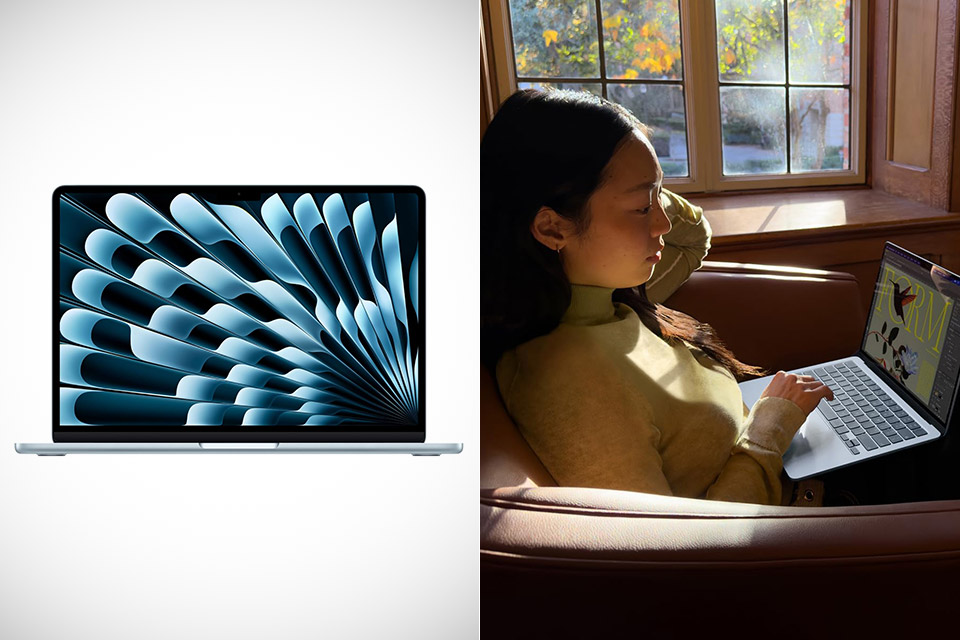
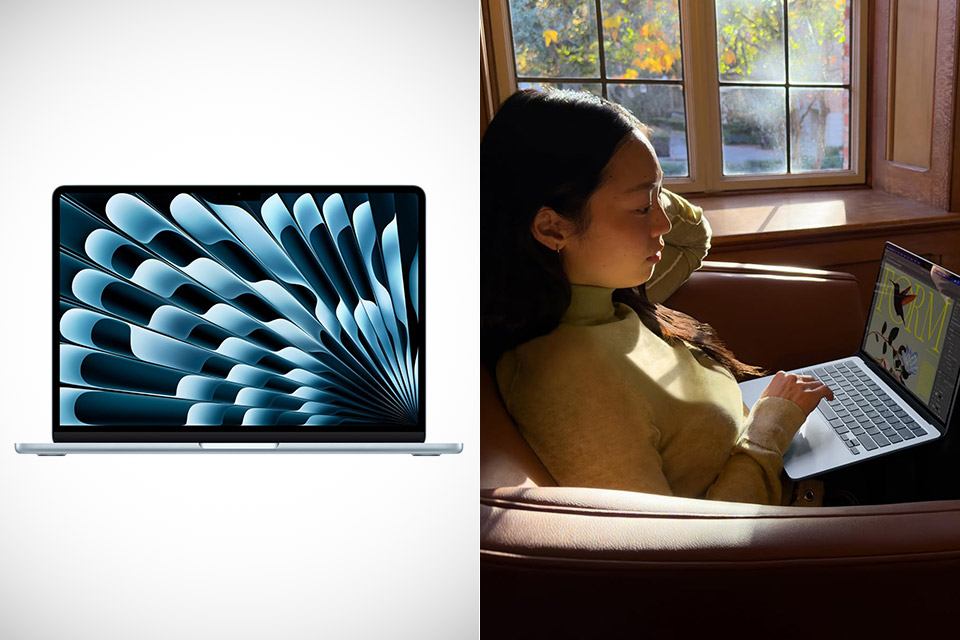
Apple released the new 13.6-inch MacBook Air with an M5 chip in March of this year, and its impact is being noticed by users whose mobile lifestyles rely on capable hardware and portability. People who are constantly on the move, such as video content providers, or students who carry their gadgets across campus on a daily basis, benefit from this combination. The aluminum shell weighs 2.7 pounds but is only 0.44 inches thick.
The 13.6-inch Liquid Retina display supports screen resolutions of up to 2560 by 1664 pixels. Brightness is up to 500 nits, and it supports one billion colors and a wide gamut, making what you see in images and videos much more lifelike. The text remains incredibly fine at 224 pixels per inch, allowing you to work late into the night editing documents or spreadsheets without suffering from eye strain headaches. Plus, the True Tone technology is sophisticated enough to automatically alter the white balance to fit the lighting in the room, which is quite useful while staring at a computer for long periods of time.
MIGHT TAKES FLIGHT — MacBook Air with the M5 chip packs blazing speed and powerful AI capabilities into an incredibly portable design. With Apple…
SUPERCHARGED BY M5 — With its faster CPU and unified memory, the M5 chip delivers even more performance and fluidity across apps, making…
APPLE INTELLIGENCE — Apple Intelligence is the personal intelligence system that helps you write, express yourself, and get things done…
Under the hood is the M5 chip, a 10-core CPU with four performance cores and six efficiency cores for maximum efficiency. You start with an 8-core GPU and can upgrade to a 10-core GPU if you desire. A 16-core neural engine handles heavy tasks in real time, and memory bandwidth is 153 gigabytes per second.
Advertisement
The battery life lasts for even the longest of days, according to Apple, and the 18 hour mixed use rating includes video conversations, document editing, as well as streaming, so you don’t have to constantly run to the outlet. When you use the included adapter, it charges quickly and returns to full speed in about an hour.
On the left side, you’ll find two Thunderbolt 4 ports that can handle charging connections, external drives, and displays. The other edge features a headphone connector for connecting wired audio. Wireless connectivity is also excellent; Wi-Fi 7 keeps you connected even in congested places, and Bluetooth 6 provides crystal-clear links to your headphones or other peripherals. If you want to expand your workspace, the laptop allows you to connect two monitors at the same time when the lid is closed.
Typing feels completely natural on the illuminated keyboard, as the keys have just enough travel to provide feedback without all the unpleasant clacking. The trackpad responds quickly to your gestures, and the big area gives you an excellent idea of where your fingers are. Furthermore, Touch ID makes it extremely simple and quick to log in, eliminating the need to fumble for passwords or other credentials. The 12-megapixel camera in the bezel above the screen keeps your face crisp during video conversations, while the four speakers fill the room with sound for movies or music, including spatial audio.
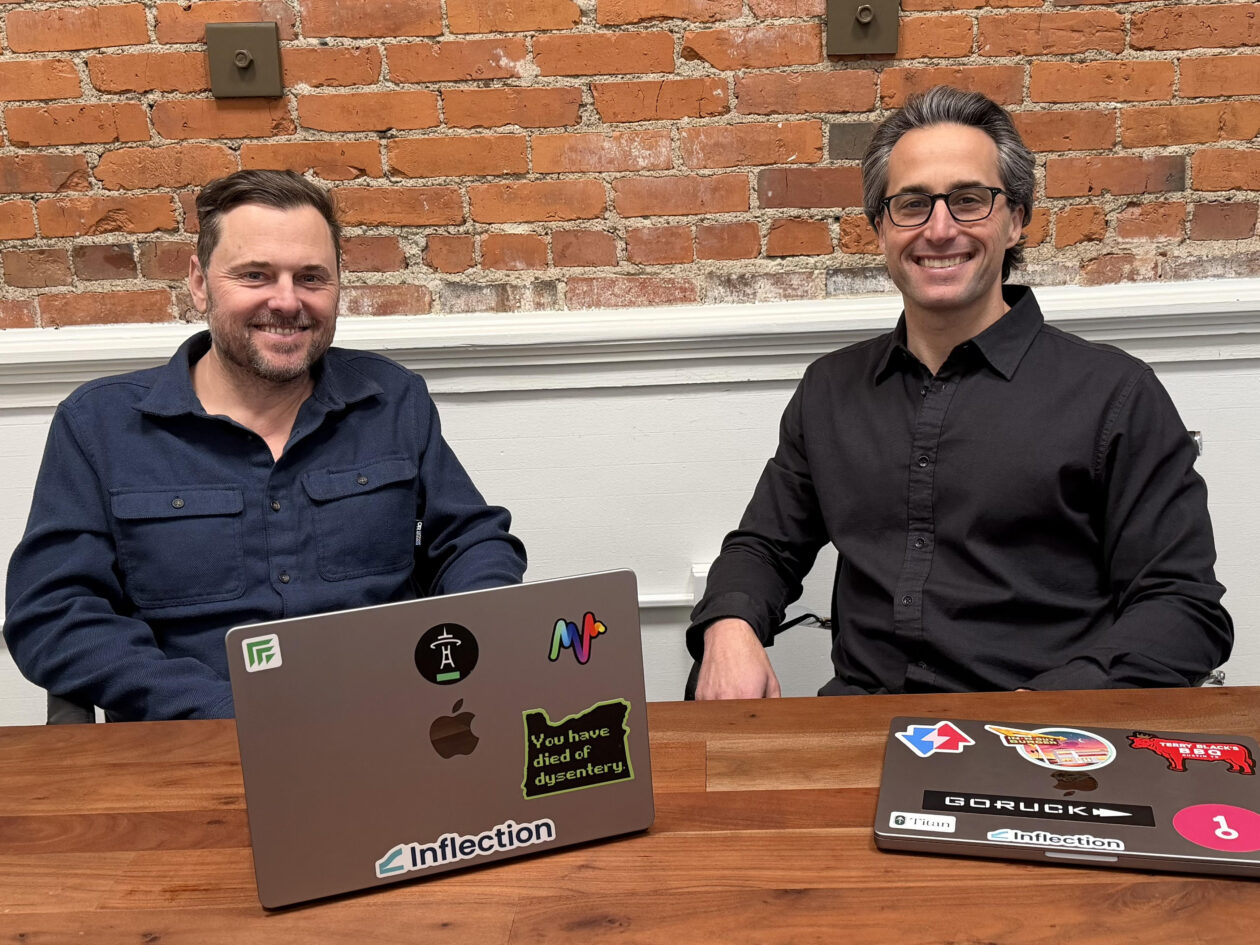
Inflection.io CEO Aaron Bird, left, and new CMO Adam Schoenfeld at the company’s office in Seattle’s Pioneer Square. (Inflection.io Photo)
Two Seattle startups with intertwined histories are joining forces.
Inflection.io, a B2B marketing automation company, announced Wednesday that it has acquired Keyplay, a startup that helps sales teams identify and score target accounts.
The deal reunites Inflection CEO Aaron Bird and Keyplay CEO Adam Schoenfeld, who have known each other for 15 years, and collaborated and invested in each other’s companies.
Schoenfeld is joining Inflection as CMO, and his Keyplay co-founder Andrew Rothbart is joining the company as a senior member of the engineering team.
As Schoenfeld put it, Inflection is building the platform he wishes he’d had as a marketer, putting him in the role of both marketing leader and target customer for the product.
Advertisement
Terms of the deal were not disclosed. Keyplay had raised $3 million in a seed round in 2022. Inflection has raised about $14 million to date, most recently a $7.6 million round in June 2024.
The combined company will have 47 employees globally, with team members across North America and an office in Bangalore, India. Inflection just opened a new office in Seattle’s Pioneer Square neighborhood, where its CEO, CMO, SVP of Customer Experience, and senior engineers are based.
The backstory: Schoenfeld said the acquisition reflects how the market has shifted since Keyplay was founded in 2022, focusing on helping B2B companies identify their best target accounts. He came to realize, around the middle of last year, that this was more feature than company.
He explained that it “became clear that buyers are driving toward a smaller number of core platforms built for AI agents. I didn’t see a path for Keyplay to become a consolidator.”
Advertisement
It was a hard thing to admit after building his career as an entrepreneur by capitalizing on and operating within niches, but he ultimately concluded that Keyplay needed to attach itself to a broader platform.
“When agents start building campaigns, writing emails, picking audiences, the question stops being ‘what’s the best account scoring tool?’ and becomes ‘does my execution layer have the context it needs to act?’ ” Schoenfeld said.
Bigger platform: Inflection is positioning itself to provide that context, as an AI-native alternative to Marketo, the B2B marketing automation software that has dominated the category for two decades.
Bird knows the market (and Marketo) well. He founded Bizible, a Seattle marketing analytics company, in 2011. Marketo acquired Bizible in 2018 and was itself acquired by Adobe later that year for $4.75 billion.
Advertisement
Bird served as SVP of Product at Adobe Marketo before leaving to launch Inflection in 2021 with former Bizible colleagues Dave Rigotti and Vic Davis.
Answering questions about the acquisition, Bird said he was “highly motivated” to bring in Schoenfeld, Rothbart, and their team, recognizing how they could accelerate Inflection in both marketing and engineering, while adding more senior talent to the startup’s Seattle office.
He said Rothbart has been “on the leading edge of how modern engineering teams should work with AI, and he has deep domain expertise right in our sweet spot — building and scaling intelligence-driven GTM systems.”
Shared history: Schoenfeld, previously co-founder of Simply Measured, the Seattle social media analytics startup acquired by Sprout Social, was on Bizible’s board during its growth and acquisition, and invested in Inflection’s $5 million seed round.
Advertisement
Bird, in turn, invested in Keyplay’s $3 million seed round.
Schoenfeld called the cross-investment “a funny small-world scenario,” noting that their long friendship naturally led to supporting each other’s startups as angel investors.
“This didn’t have a direct impact on the deal,” Schoenfeld said. “But because we’d been closely following each other from the start, in both directions, it helped us get up to speed on the strategic fit much faster than two strangers would have.”
Bird had floated the idea of a deal early in Keyplay’s life, making offhand comments like “someday we should buy you.” Keyplay was engaged with a few possible buyers, but Inflection rose to the top of the list. Talks got serious in January, and the deal closed in mid-March.
Advertisement
What’s next: Inflection plans to integrate Keyplay’s account scoring and intelligence into its platform starting this quarter, giving its AI agents built-in knowledge of which accounts to target and why. Existing Keyplay customers will continue using the standalone product for now, with a path to access its capabilities inside Inflection over time.
I’ve never been a fan of Apple’s MacBook, but I have to admit that the platform is getting a lot of things right. Living with Windows has been a hassle recently, and Apple has been inching ahead for all the right reasons. While I still rely on Windows, familiarity alone isn’t the whole game anymore.
In 2026, there are some macOS conveniences that feel less like luxury perks and more like basic computing features Microsoft should have figured out by now. And the annoying part is that Apple’s advantage is not always raw power or flashy AI. A lot of the frustration comes from smaller, more practical things. These are the sort of features that quietly save time, make things feel super smooth, and make a computer feel like it belongs in the same world as the phone in your pocket.
Sharing Wi-Fi passwords should not still feel this good on a Mac
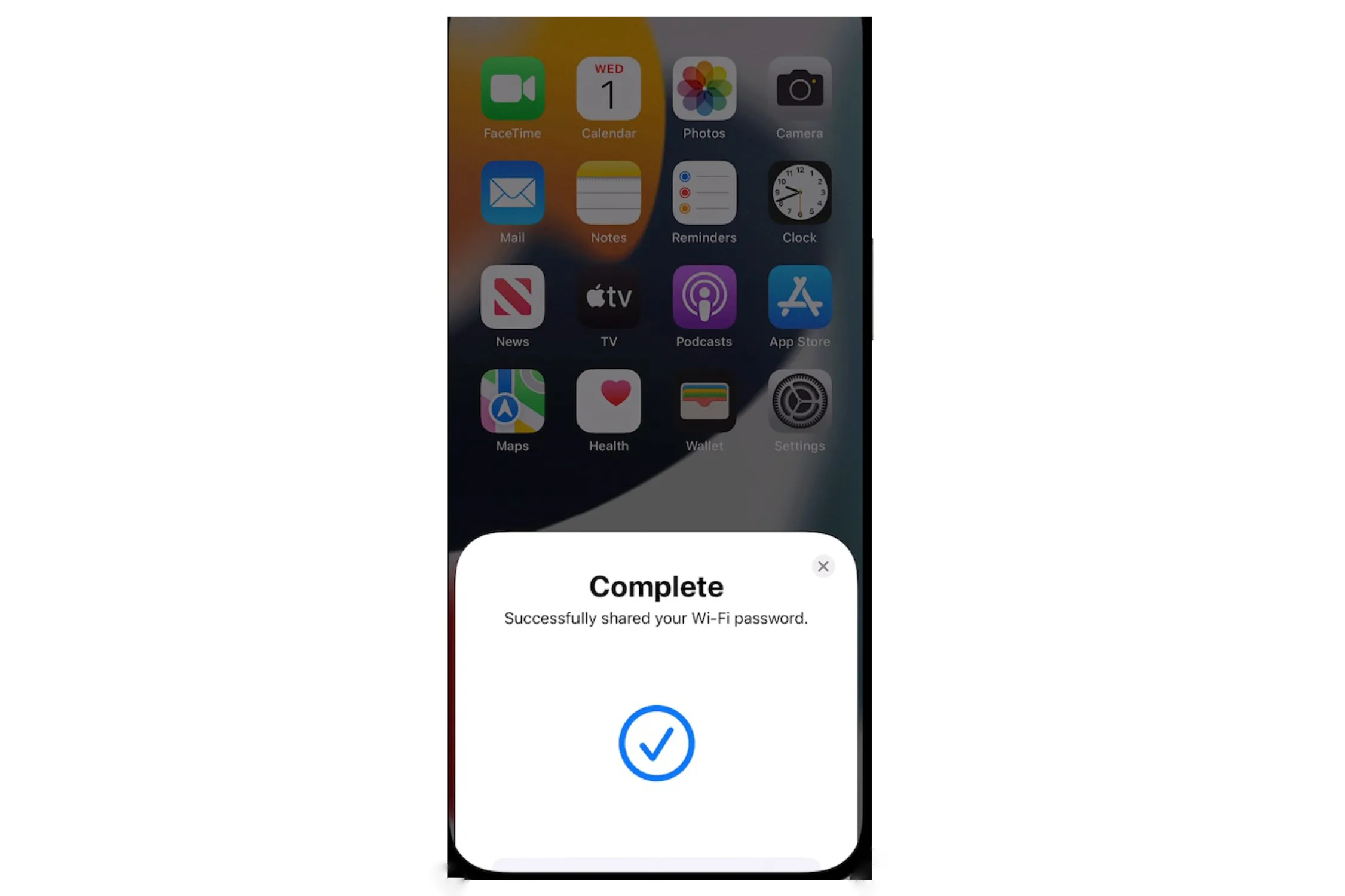
This is the one that always gets me. Apple lets you share Wi-Fi passwords from an iPhone, iPad, or Mac to another nearby Apple device almost instantly, as long as the devices are nearby and the accounts are properly set up. I’ve seen people around me use this feature for years, and it feels like I’m locked out of it.
Apple
You can even share Wi-Fi passwords from a Mac to another Mac, iPhone, or iPad. It is such a small thing, but it feels magical in the exact way modern computing should. Meanwhile, Windows still makes something this basic feel manual. You’re still stuck relying on good old memory. But in 2026, this is just embarrassing.
Universal Clipboard is still one of Apple’s most unfair advantages
Seamless is the thing you come to expect from the Apple ecosystem, and nothing showcases this more than the Universal Clipboard feature. Copy something on your iPhone, paste it on your Mac. Copy an image on your Mac, drop it into a message on your iPad. Apple’s Universal Clipboard sounds boring until you actually use it, and it becomes the kind of feature you start to miss immediately when you go back to a less-connected setup.
Apple officially supports this across iPhone, iPad, and Mac as a part of its Continuity stack. And this is what puts macOS ahead. It makes the ecosystem with multiple devices feel like extensions of one workspace. To be fair, Windows has gotten a lot better about linking to phones, but Apple still makes the handoff feel more invisible and more natural.
Unlocking your Mac with an Apple Watch is exactly the kind of laziness I respect
This may be the most Apple thing on the list, but I mean that as praise. If you are wearing an unlocked Apple Watch, your Mac can automatically unlock when you wake it, and the watch can also approve password prompts and admin requests. Apple supports this officially as Auto Unlock, and the convenience is obvious.
Apple
Is it life-changing? Probably not. Is it the exact sort of effortless quality-of-life feature that makes a platform feel more premium and more thoughtful? Absolutely.
Honorary Mention: Continuity Camera
Apple letting an iPhone become a Mac webcam is one of those features that sounds like a gimmick right until you realize how useful it is. Continuity Camera lets a Mac use the iPhone’s vastly better camera system wirelessly or over USB, and Apple also supports some nifty tricks like Center Stage, Portrait mode, Studio Light, and even Desk View.
Apple
You can also use the same Continuity feature to scan documents or snap photos straight into Mac apps like Notes, Finder, and others. Windows has caught up with native smartphone camera support with Phone Link, but it isn’t as feature-packed as Apple’s solution.
My problem with macOS is that it keeps getting the little things right
So my jealousy just comes down to Apple constantly solving everyday annoyances before Microsoft does, and once those solutions exist, it becomes harder to go back. Sharing Wi-Fi passwords, copying across devices, and unlocking your computer with a watch aren’t enough individually to make me abandon Windows overnight. But together, they create a kind of convenience stack that feels annoyingly mature.
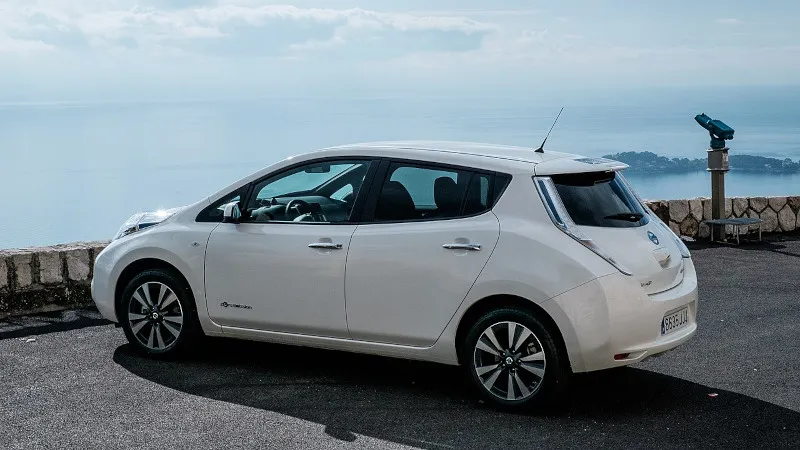
Back in late February Nissan Leaf owners began to receive messages from Nissan informing them that the remote features in their cars would cease operation as the NissanConnect app would drop support for Leaf EVs produced before 2020 as well as eNV200 vehicles that were produced until 2022. The indicated cut-off date was March 30, giving affected users about a month to come to terms with the fact that their vehicle would soon to losing any and all remote control features.
What this highlights is an increasingly pertinent question when it comes to ‘connected cars’, which feature a built-in wireless modem to provide a range of additional features. These require access to a remote server for even simple remote features like controlling the charging process or turning on the heating. This has left many Leaf users rather dissatisfied.
While for such basic remote features you could make the argument that they’re just silly convenience features that do not affect the car’s functionality, modern cars are increasingly becoming reliant on such remote features, including for things like navigation and checking subscriptions for features like heated seats.
Advertisement
Increasingly it would seem that we’re looking at the Car-as-a-Service (CaaS) model being implemented.
I know we’re all excited for the upcoming iPhone Fold, but be wary of fake leaks — like the supposed unboxing video that’s been making the rounds online.
Upcoming phones will always be the subject of rumors and leaks, and no device is more hyped than the foldable that Apple has purportedly been working on for years. Lots of that early info points toward a release later this year during the usual September iPhone release window, which makes the lead-up fertile territory for falsified leaks like the aforementioned video.
Unfortunately, with the advance of generative AI tools that fabricate videos based on text prompts and other inputs, it’s easier than ever to fake your way to internet fame. Nowadays, videos churned out by gen AI tools have the correct number of fingers on hands, better lighting and far fewer indicators that they’re inauthentic.
Advertisement
But there are still some tells that you’re not seeing the real deal — both in the video and when it’s released.
Developers 2 days ago: No way, that iPhone leak is fake. It would be terrible Developers today: Wow, Apple foldable phone is going to change everything https://t.co/jpMRykRD2Kpic.twitter.com/zjI4VL0Fx4
First, let’s dissect the video. A person in a gray long-sleeved shirt or sweatshirt rotates a box labeled “iPhone Fold” and pulls it open. On the first watch, a lot of signature Apple elements are present. The product is tucked inside snug packaging and presented screen-side-out to the opener, and there’s both a charging cord and supplementary materials tucked underneath. It all looks authentic enough — at least believably not generated by AI.
But AI or not, there are a few details that are strong evidence that this isn’t an actual Apple device. When opening the package, there’s a peel-off protector for the inner screen, not the outer. The multicolored insert claims the device is IP68 dust- and water-resistant, which is rare for foldables. Only the Google Pixel 10 Pro Fold and Honor Magic V6, among a handful of others, have water-resistant ratings.
Advertisement
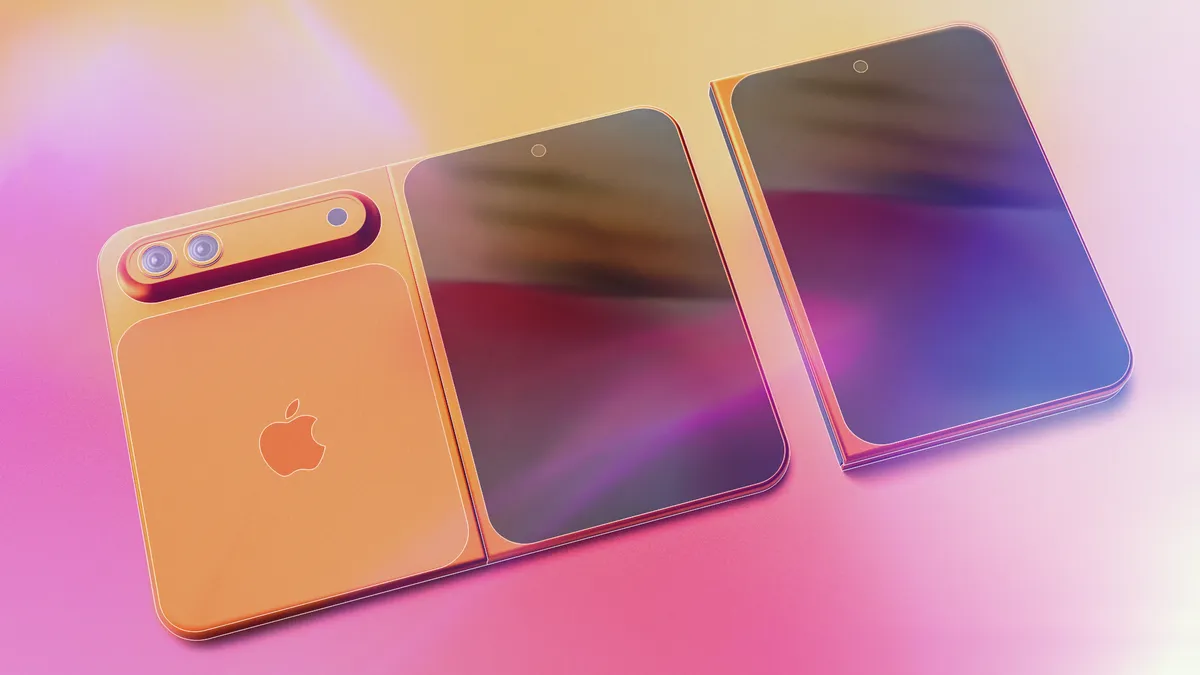
The device itself is suspect, and if not AI-generated, it’s likely 3D-printed. The cream-colored back makes an odd sound when scratched (unlike what glass or ceramic sounds like), and the device’s halves don’t fold neatly against each other — another thing that the design-obsessed Apple likely wouldn’t allow. What’s more, when it’s fully unfolded, the back of the supposed foldable has a big gap between both halves over the hinge, which other phone makers have solved in their flexible-screen devices.
There’s skepticism around its design, too. Yes, Apple’s patents point toward a wider style of foldables similar to the first Google Pixel Fold, but the supposed iPhone Fold in the video is so squat in its dimensions that its internal screen would make for bizarre dimensions that aren’t tall enough to fit the aspect ratio of, say, an iPad.
iPhone Fold may or may not be the final name of the device, as rumors have disagreed for years on its product designation, with the most recent suggesting it could be deemed the iPhone Ultra.
Since we don’t see it turn on, there’s no indication of how its software is laid out — which form of iOS or even iPadOS it might use. That makes this short, squat design even more suspect.
Advertisement
And then there are the factors outside of the video. Apple leaks happen, but we’ve only had a few pre-release leaks like CAD files, official renders or cases that agree on a design — and yet, this is supposedly the iPhone Fold’s final form, which looks somewhat but not completely like a recent CAD render.
To the video’s credit, taking this many words to suspect and disprove its authenticity is a credit to its plausibility. There’s a lot of commitment to Apple staples, from product packaging to theorizing the final design of the foldable itself. If nothing else, it’s a functional guess at what the supposed iPhone Fold might look like, and how it might look coming out of the box.
We’ll know in September at the earliest if Apple chooses to release its foldable in that window — and I’m sure we’ll see plenty of other leaks and rumors on the device before then.
After achieving an 8.5 out of 10 repairability score, the Pixel 10a is one of the most serviceable mid-range smartphones currently on the market.
Following a teardown of the handset, PBKreviews awarded the Pixel 10a maximum marks in three of five repairability categories: finding replacement parts, replacing the screen, and replacing the battery.
This strong repairability result is a big win for the Pixel 10a, especially when considering its £/$499 RRP, as many rivals in the same price range score significantly lower. With this in mind, consumers could be more likely to opt for a Pixel 10a and seek out repair options, rather than buying replacements.
A rubberised mesh gasket protects the speaker from water ingress, a design detail that contributes to the phone’s IP68 water resistance credentials while keeping the internal layout accessible enough to avoid significantly complicating disassembly during repair procedures.
Advertisement
The teardown process also requires a hair dryer or heat gun to loosen the adhesive securing the back plate which although is a common approach among mid-range smartphones, this does add a step that less experienced users may find challenging without the right tools.
Advertisement
However, the Pixel 10a does lose ground in one area, with the USB port soldered directly onto the mainboard proving the trickiest fix in the entire teardown. This is an issue because soldered ports typically require mainboard-level replacement rather than a straightforward component swap, a limitation that offsets some of the accessibility gains elsewhere in the internal layout.
The internal organisation and time required for repairs sit in a middle ground, with the overall layout considered enough to avoid major disassembly headaches but not streamlined enough to match the simplicity of the battery and screen replacement processes.
The Pixel 10a officially launched in March, with an RRP of £/$499 for the 128GB model and £/$599 for the 256GB variant, both with 8GB of RAM.
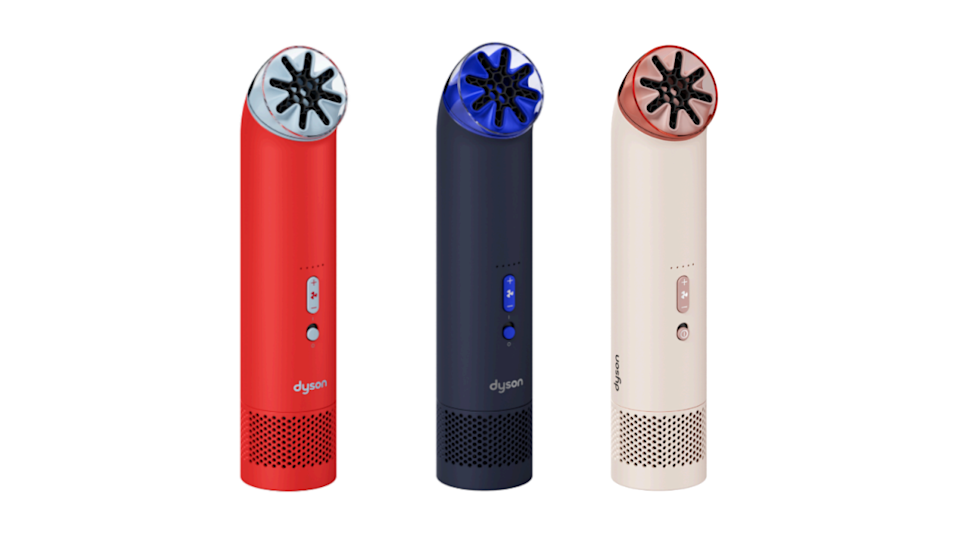
Dyson just announced its first-ever handheld fan, the HushJet Mini Cool. As the name suggests, it uses the company’s proprietary HushJet air projection system. This tech first showed up on an air purifier that .
Dyson promises the fan can deliver focused airflow of up to 25m/s, which works out to 55mph. The brushless motor spins up to 65,000 RPM. This thing looks like a legitimate cooling system, despite its size. It also weighs just 7.5 ounces.
It offers five speeds and a boost mode, which should be useful during that next heat wave. It charges via USB-C and ships with a charging stand. The fan can also stand on its own, making it a decent choice for a desk. The rechargeable battery can get up to six hours of use per charge.
Dyson
The HushJet Mini Cool costs $100, which is cheap for a Dyson product but expensive for a handheld fan. It’s available in a trio of colorways. The gray model is available tomorrow. The red version goes on sale this May and the blue one will be available for purchase in June.
The courts keep pounding the nails home. What this government is engaged in is illegal, on multiple levels. If you subtract the pro-MAGA Fifth Circuit and 6/9ths of the Supreme Court, you have a judicial quorum that says rights are still rights, despite this administration’s claims otherwise.
DHS has issued memos claiming (without facts or law in evidence) that officers can arrest people and enter homes without signed judicial warrants. This has always been false. And it’s not edging any closer to the truth no matter what this administration might say in Truth Social posts and/or court filings.
The administration is losing repeatedly in its bigoted war on non-whites. But it never accepts obvious defeat. It always heads back to court, full of steam and bullshit. And, in most cases, its losses are even more obvious the second time around.
A federal judge in California found on Wednesday that U.S. Customs and Border Protection officials had violated a previous order regarding warrantless arrests, and ordered agents operating in her judicial district to fully document their reasons for making any future stops.
The judge, Jennifer L. Thurston of the Federal District Court for the Eastern District of California, had previously found that immigration operations in Kern County, Calif., appeared to have been based on racial profiling, with agents making arrests when people they stopped could not produce proof of citizenship on the spot. Last year, she restricted the agency from continuing to carry out random immigration sweeps in the region, citing a “pattern and practice of agents performing detentive stops without reasonable suspicion.”
Advertisement
On Wednesday, Judge Thurston found that border agents appeared to have violated that order when they carried out an immigration sweep last year in a Home Depot parking lot in Sacramento.
The opinion [PDF] doesn’t cut corners or grant Trump’s DOJ more respect than it has earned. (It’s running in the red at the moment.) Multiple people who were arrested following a “targeted” operation, that saws mostly involved federal officers waiting in a Home Depot parking lot in hopes of rounding up day laborers, sued the government. The government has already lost once. This order clearly explains why the government is losing twice. Pretending conjecture is the same thing as established facts does nothing more than inform the court that you suck at your job.
The surveillance two days earlier somewhat contributes to understanding the statistical relationship, revealing that on one prior occasion, two out of a group of 20 individuals gathered in that location were noncitizens (roughly 10%). Yet, that statistic, which leaves the remaining 90% of the group unclassified, does little to dispel the concern that seeking work as a day laborer may be “[a] characteristic common to both legal and illegal immigrants.” See Manzo-Jurado, 457 F.3d at 937. Nor does it demonstrate that the Home Depot parking lot is used “predominantly” by noncitizens seeking day labor work.33 See id. at 936. Rather, the present record reveals little more than that the Home Depot parking lot is “a location . . . frequented by illegal immigrants, but also by many legal residents, [which] is not significantly probative to an assessment of reasonable suspicion.”
Yep. Fuck your “Kavanaugh stops.” Probable cause has never been “wow, they look kinda Mexican.” Hanging around places where you have a [checks government’s claims in support of its actions] 10% chance of catching illegal immigrants isn’t “probable.” It’s an inadvertent admission that you might be wrong 90% of the time.
The upshot of the ruling is this: The government needs to provide individualized reasonable suspicion, if not actual probable cause, to arrest migrants in California. The court does grant some concessions this DOJ definitely hasn’t earned, but at least it adds some guardrails:
Advertisement
The Court declines to preclude Defendants from using “boilerplate” when documenting stops and/or arrests pursuant to the PI Order and this clarification. However, Defendants are cautioned that copy and paste language may give rise to an inference that an individualized assessment was not made.
In short, if the government wants to claim its anti-migrant arrests are supported by reasonable suspicion and/or probable cause, it needs to show its work. And if the only work it can show has been cribbed from other cases, it should expect its overtures to be rejected by the court.
While this may not seem like much, it is at least worth the paper it’s printed on. The Trump administration seems incapable of flooding the zone at this point. It ran out of energy (and personnel) barely over a year into its unexpected resurrection. The DOJ no longer has enough lawyers to do everything the administration demands of it, much less press the dubious “but I’m a king tho” assertions Trump seems to feel it should be doing day in and day out.
Running a fast-break offense and a bet-you-miss defense only works until it doesn’t. The courts are delivering a counter-flood and the DOJ doesn’t have enough loyalists left to overpower the full-court press. The administration is headed towards an institutional collapse because whatever can be considered the “center” of this whirlpool of bigoted fuckwits will never hold. We’ll take every win we can get until we can finally celebrate the demise of a president who seems to think he’s the King George incarnation that makes his voter base so erect it will vote against its own interests.















































You must be logged in to post a comment Login