Connect with us
DAPA Banner

Tech

OCSF explained: The shared data language security teams have been missing

Published

on

The security industry has spent the last year talking about models, copilots, and agents, but a quieter shift is happening one layer below all of that: Vendors are lining up around a shared way to describe security data. The Open Cybersecurity Schema Framework (OCSF), is emerging as one of the strongest candidates for that job.

It gives vendors, enterprises, and practitioners a common way to represent security events, findings, objects, and context. That means less time rewriting field names and custom parsers and more time correlating detections, running analytics, and building workflows that can work across products. In a market where every security team is stitching together endpoint, identity, cloud, SaaS, and AI telemetry, a common infrastructure long felt like a pipe dream, and OCSF now puts it within reach.

OCSF in plain language

OCSF is an open-source framework for cybersecurity schemas. It’s vendor neutral by design and deliberately agnostic to storage format, data collection, and ETL choices. In practical terms, it gives application teams and data engineers a shared structure for events so analysts can work with a more consistent language for threat detection and investigation.

That sounds dry until you look at the daily work inside a security operations center (SOC). Security teams have to spend a lot of effort normalizing data from different tools so that they can correlate events. For example, detecting an employee logging in from San Francisco at 10 a.m. on their laptop, then accessing a cloud resource from New York at 10:02 a.m. could reveal a leaked credential.

Advertisement

Setting up a system that can correlate those events, however, is no easy task: Different tools describe the same idea with different fields, nesting structures, and assumptions. OCSF was built to lower this tax. It helps vendors map their own schemas into a common model and helps customers move data through lakes, pipelines, security incident and event management (SIEM) tools without requiring time consuming translation at every hop.

The last two years have been unusually fast

Most of OCSF’s visible acceleration has happened in the last two years. The project was announced in August 2022 by Amazon AWS and Splunk, building on worked contributed by Symantec, Broadcom, and other well known infrastructure giants Cloudflare, CrowdStrike, IBM, Okta, Palo Alto Networks, Rapid7, Salesforce, Securonix, Sumo Logic, Tanium, Trend Micro, and Zscaler.

Image 1

The OCSF community has kept up a steady cadence of releases over the last two years

The community has grown quickly. AWS said in August 2024 that OCSF had expanded from a 17-company initiative into a community with more than 200 participating organizations and 800 contributors, which expanded to 900 wen OCSF joined the Linux Foundation in November 2024. 

OCSF is showing up across the industry

In the observability and security space, OCSF is everywhere. AWS Security Lake converts natively supported AWS logs and events into OCSF and stores them in Parquet. AWS AppFabric can output OCSF — normalized audit data. AWS Security Hub findings use OCSF, and AWS publishes an extension for cloud-specific resource details. 

Advertisement

Splunk can translate incoming data into OCSF with edge processor and ingest processor. Cribl supports seamless converting streaming data into OCSF and compatible formats.

Palo Alto Networks can forward Strata sogging Service data into Amazon Security Lake in OCSF. CrowdStrike positions itself on both sides of the OCSF pipe, with Falcon data translated into OCSF for Security Lake and Falcon Next-Gen SIEM positioned to ingest and parse OCSF-formatted data. OCSF is one of those rare standards that has crossed the chasm from an abstract standard into standard operational plumbing across the industry.

AI is giving the OCSF story fresh urgency

When enterprises deploy AI infrastructure, large language models (LLMs) sit at the core, surrounded by complex distributed systems such as model gateways, agent runtimes, vector stores, tool calls, retrieval systems, and policy engines. These components generate new forms of telemetry, much of which spans product boundaries. Security teams across the SOC are increasingly focused on capturing and analyzing this data. The central question often becomes what an agentic AI system actually did, rather than only the text it produced, and whether its actions led to any security breaches.

That puts more pressure on the underlying data model. An AI assistant that calls the wrong tool, retrieves the wrong data, or chains together a risky sequence of actions creates a security event that needs to be understood across systems. A shared security schema becomes more valuable in that world, especially when AI is also being used on the analytics side to correlate more data, faster.

Advertisement

For OCSF, 2025 was all about AI

Imagine a company uses an AI assistant to help employees look up internal documents and trigger tools like ticketing systems or code repositories. One day, the assistant starts pulling the wrong files, calling tools it should not use, and exposing sensitive information in its responses.

Updates in OCSF versions 1.5.0, 1.6.0, and 1.7.0 help security teams piece together what happened by flagging unusual behavior, showing who had access to the connected systems, and tracing the assistant’s tool calls step by step. Instead of only seeing the final answer the AI gave, the team can investigate the full chain of actions that led to the problem.

What’s on the horizon

Imagine a company uses an AI customer support bot, and one day the bot begins giving long, detailed answers that include internal troubleshooting guidance meant only for staff. With the kinds of changes being developed for OCSF 1.8.0, the security team could see which model handled the exchange, which provider supplied it, what role each message played, and how the token counts changed across the conversation.

A sudden spike in prompt or completion tokens could signal that the bot was fed an unusually large hidden prompt, pulled in too much background data from a vector database, or generated an overly long response that increased the chance of sensitive information leaking. That gives investigators a practical clue about where the interaction went off course, instead of leaving them with only the final answer.

Advertisement

Why this matters to the broader market

The bigger story is that OCSF has moved quickly from being a community effort to becoming a real standard that security products use every day. Over the past two years, it has gained stronger governance, frequent releases, and practical support across data lakes, ingest pipelines, SIEM workflows, and partner ecosystems.

In a world where AI expands the security landscape through scams, abuse, and new attack paths, security teams rely on OCSF to connect data from many systems without losing context along the way to keep your data safe.

Nikhil Mungel has been building distributed systems and AI teams at SaaS companies for more than 15 years.

Welcome to the VentureBeat community!

Advertisement

Our guest posting program is where technical experts share insights and provide neutral, non-vested deep dives on AI, data infrastructure, cybersecurity and other cutting-edge technologies shaping the future of enterprise.

Read more from our guest post program — and check out our guidelines if you’re interested in contributing an article of your own!

Source link

Advertisement
Continue Reading
Click to comment

You must be logged in to post a comment Login

Leave a Reply

Tech

Credential management as a financial risk control

Published

on

Passwork logo

Author: Eirik Salmi, System Analyst at Passwork

When a threat actor walks into your network using a legitimate username and password, which control stops them?

For most financial institutions, the honest answer is: nothing catches it immediately. The attacker looks like an authorised user. They move laterally, escalate privileges, and map critical systems for an average of 186 days before the breach is even identified — and a further 55 days to contain it — according to IBM’s Cost of a Data Breach Report (2025).

By then, the operational damage is done, and the regulatory clock has already started.

Advertisement

On January 17, 2025, the Digital Operational Resilience Act (DORA) entered into application across the EU. Article 9 of the regulation makes credential security a binding financial risk control, with supervisory consequences for institutions that fall short.

The question is no longer whether your authentication posture meets best practice. It is whether it meets the law — and whether you can prove it.

This article traces the specific Article 9 requirements that govern credential management, explains why a compromised password is an operational resilience failure under DORA’s framework, and outlines the practical controls that close the gap.

The threat that DORA was built to counter

Stolen credentials are the single largest initial access vector in 2025, accounting for 22% of all data breaches, per Verizon’s Data Breach Investigations Report. For financial institutions, the sector-specific cost of that exposure averages $5.56 million per incident, according to IBM’s Cost of a Data Breach Report — down from $6.08 million in 2024, yet still the second-highest of any industry globally.

Advertisement

The supply side of credential theft has been fully industrialised. Initial Access Brokers sell verified corporate network access for an average of $2,700, with 71% of listings including privileged credentials — pre-packaged access that requires no technical skill to exploit, according to Rapid7 research.

Infostealers such as Lumma, RisePro, StealC, Vidar, and RedLine automate credential harvesting at scale. IBM X-Force data shows their delivery via phishing increased 84% year-on-year in 2024, with 2025 data pointing to an even steeper trajectory.

DORA’s Article 9 exists precisely to interrupt this chain. The regulation reflects a documented, ongoing threat to the operational continuity of European financial markets.

DORA Article 9 requires strong authentication, least-privilege access, and documented controls.

Advertisement

Passwork delivers all three — self-hosted, ISO 27001 certified, with full audit logs your compliance team can export on demand.

Try Passwork Free

What DORA Article 9 actually requires

Article 9 of DORA — titled “Protection and Prevention” — sits within the ICT risk management framework mandated by Article 6. It sets out specific technical and procedural obligations that financial entities must implement.

Two provisions are directly relevant to credential management.

  • Article 9(4)(c) requires financial entities to “implement policies that limit the physical or logical access to information assets and ICT assets to what is required for legitimate and approved functions and activities only.” This is the least-privilege principle, stated as a legal obligation.

  • Advertisement
  • Article 9(4)(d) goes further, requiring entities to “implement policies and protocols for strong authentication mechanisms, based on relevant standards and dedicated control systems, and protection measures of cryptographic keys whereby data is encrypted based on results of approved data classification and ICT risk assessment processes.”

Unpacking that language in operational terms: MFA is mandatory. The reference to “relevant standards” points directly to FIDO2/WebAuthn — the most widely deployed authentication standard currently resistant to Adversary-in-the-Middle (AiTM) phishing kits, which can bypass SMS and TOTP-based MFA in real time. Cryptographic key management is a regulatory requirement.

Privileged access management (PAM) tools are not named explicitly in the regulation — but the controls they deliver map directly onto Article 9’s requirements. Session recording, just-in-time (JIT) access provisioning, and privileged credential vaulting are precisely the “dedicated control systems” the regulation describes.

Institutions that have not deployed these controls face a compliance gap that supervisors can act on.

The European Banking Authority (EBA) and ESMA’s Regulatory Technical Standards under DORA provide additional specificity on ICT risk management requirements, reinforcing the Article 9 baseline with sector-specific implementation guidance.

Advertisement

Credential compromise as an operational resilience failure

DORA’s stated purpose is to ensure financial entities can withstand, respond to, and recover from ICT disruptions. A credential compromise looks entirely different through that lens than it does through a security incident lens.

With an average dwell time of 186 days, a compromised credential does not produce a discrete security event. It produces a sustained, invisible threat to operational continuity — an attacker moving laterally, escalating privileges, and mapping critical systems while appearing as a legitimate user. It is a direct threat to the operational continuity DORA is designed to protect.

The breach of France’s national bank registry in January 2026 made the mechanics concrete. A threat actor obtained the credentials of a single civil servant with access to Ficoba — the interministerial database holding records on every bank account opened in France.

Using only that one account, the attacker accessed and extracted data on 1.2 million bank accounts, including IBANs, account holder names and addresses, and tax identification numbers.

Advertisement

The affected system was taken offline, operations at the registry were disrupted, and the incident was reported to France’s data protection authority, CNIL. The attack required no technical sophistication.

Under DORA, an incident of that scale at a financial entity would trigger mandatory reporting obligations under Article 19 — an initial notification within 4 hours of classification (and no later than 24 hours after detection), an intermediate report within 72 hours, and a final report within one month.

The third-party dimension: Vendor credentials are your credentials

DORA’s Chapter V places explicit obligations on financial entities regarding ICT third-party risk. The compliance perimeter does not stop at the institution’s own systems.

The Santander breach in May 2024 is the European reference point. Attackers used credentials stolen from employees of Snowflake to access a database containing customer and employee data across Spain, Chile, and Uruguay.

Advertisement

The credentials had been harvested months earlier by infostealer malware infecting contractor workstations. None of the compromised Snowflake accounts had multi-factor authentication enabled.

The entry point was not inside Santander. It was a vendor’s weak authentication posture — and it exposed data belonging to one of Europe’s largest banks without a single exploit being written.

Under DORA, a financial institution whose critical ICT provider suffers a credential-based breach faces direct regulatory exposure. Institutions must contractually require equivalent authentication standards from their vendors and audit compliance against those requirements.

A vendor’s password policy gap is not the vendor’s problem alone — it is the financial entity’s regulatory liability.

Advertisement

Building a DORA-compliant credential management

Meeting Article 9’s requirements demands a structured programme across four areas.

  • Deploy phishing-resistant MFA first. FIDO2/WebAuthn-based authentication — hardware security keys, passkeys, platform authenticators. SMS and TOTP-based one-time passwords are not adequate against current attack techniques. Enforce phishing-resistant MFA for all users, with particular rigour on privileged accounts and remote access paths.

  • Enforce least-privilege access. JIT provisioning — granting elevated access only for the duration of a specific task — eliminates the standing privileges that make credential theft so damaging. Deactivate accounts immediately on offboarding. Dormant accounts are among the most common and most avoidable attack vectors.

  • Vault all credentials. Service account passwords, API keys, and privileged credentials must be stored in an encrypted, access-controlled credential vault. Manual credential management at scale is operationally unworkable and produces no audit trail. A business password manager Passwork — deployed on-premise within the institution’s own infrastructure — provides the encrypted vaulting, granular access controls, and complete activity history that Article 9 demands.

  • Advertisement
  • Monitor continuously. Anomalous login behaviour — unusual geolocations, off-hours access, lateral movement patterns — must trigger automated alerts. Reducing that 186-day average dwell time is the single most effective lever for cutting both financial exposure and DORA incident reporting obligations.

All four controls depend on the same foundation: how credentials are stored, shared, accessed, and monitored. Without structure at that layer, even well-designed policies fail at execution.

How Passwork supports DORA compliance in practice

Passwork is a corporate password manager certified to ISO/IEC 27001 and available as a self-hosted deployment — meaning your credential data never leaves your own infrastructure.

For financial entities navigating DORA’s Chapter V supply chain obligations, that distinction matters: a third-party SaaS credential store introduces exactly the kind of ICT dependency the regulation requires you to govern.

For institutions working through the four controls above, Passwork addresses the credential management dimension of each.

Advertisement
  • MFA enforcement across the credential layer. Passwork supports biometric, passkey, and security key MFA natively, with SAML SSO and LDAP integration for enterprise environments.

  • Role-based access control and least privilege. Permissions are assigned at vault and folder level, inherited from AD or LDAP groups, and updated automatically on directory changes. Offboarding revokes access to shared credentials in a single operation — logged and timestamped, producing the evidence an investigator will request under Article 9(4)(c).

  • Privileged account inventory and secure sharing. Passwork provides a structured, searchable repository of all organisational credentials, including shared administrative accounts. Encrypted vault sharing replaces informal channels that leave no audit trail and cannot be revoked.

  • Audit logs for compliance documentation. Every credential access, permission change, password reset, and sharing event is recorded in a tamper-evident log, exportable for compliance reporting and integrable with SIEM systems. A structured activity history is a substantively stronger response to a regulator than a policy document alone.

DORA compliance is as much an evidence problem as a technical one. The institutions that navigate enforcement most effectively are those that can produce documentation on demand.

Advertisement

Act before the audit

DORA has converted credential management from a security best practice into a binding financial risk control. Articles 9(4)(c) and 9(4)(d) are explicit: least-privilege access, strong authentication, and cryptographic key protection are legal obligations for every financial entity operating in the EU.

Operational resilience begins with identity — and identity begins with controlling who holds the keys.

Audit your credential controls against Article 9, document the findings, and have the evidence ready before a regulator asks. Under DORA, the absence of documentation is itself a finding.

Passwork is designed for exactly this situation: a self-hosted password manager that keeps credential data inside your own infrastructure, enforces MFA across every access point, and generates the tamper-evident audit logs that turn a compliance conversation from a liability into a demonstration. ISO/IEC 27001 certified, with LDAP and SAML SSO integration for enterprise environments.

Advertisement

Start your free Passwork trial — full functionality, no limitations.

Sponsored and written by Passwork.

Source link

Advertisement
Continue Reading

Tech

New ‘Pack2TheRoot’ flaw gives hackers root Linux access

Published

on

New ‘Pack2TheRoot’ flaw gives hackers root Linux access

A new vulnerability dubbed Pack2TheRoot could be exploited in the PackageKit daemon to allow local Linux users to install or remove system packages and gain root permissions.

The flaw is identified as CVE-2026-41651 and received a high-severity rating of 8.8 out of 10. It has persisted for almost 12 years in the PackageKit daemon, a background service that manages software installation, updates, and removal across Linux systems.

Earlier this week, some information about the vulnerability has been published, along with PackageKit version 1.3.5 that addresses the issue. However, technical details and a demo exploit have been not been disclosed to allow the patches to propagate.

image

An investigation from the Deutsche Telekom Red Team uncovered that the cause of the bug is the mechanism PackageKit uses to handle package management requests.

Specifically, the researchers found that commands like ‘pkcon install’ could execute without requiring authentication under certain conditions on a Fedora system, allowing them to install a system package.

Advertisement

Using the Claude Opus AI tool, they further explored the potential for exploiting this behavior and discovered CVE-2026-41651.

Redacted PoC exploit for Pack2TheRoot
Source: Deutsche Telekom

Impact and fixes

Deutsche Telekom’s Red Team reported their findings to Red Hat and PackageKit maintainers on April 8. They state that it’s safe to assume that all distributions that come with PackageKit pre-installed and enabled out-of-the-box are vulnerable to CVE-2026-41651.

The vulnerability has been present in PackageKit version 1.0.2, released in November 2014, and affects all versions through 1.3.4, according to the project’s security advisory.

Researchers’ testing have confirmed that an attacker could exploit the the CVE-2026-41651 vulnerability in the following Linux distributions:

  • Ubuntu Desktop 18.04 (EOL), 24.04.4 (LTS), 26.04 (LTS beta)
  • Ubuntu Server 22.04 – 24.04 (LTS)
  • Debian Desktop Trixie 13.4
  • RockyLinux Desktop 10.1
  • Fedora 43 Desktop
  • Fedora 43 Server

The list is not exhaustive, though, and any Linux distribution using PackageKit should be treated as potentially vulnerable to attacks.

Users should upgrade to PackageKit version 1.3.5 as soon as possible, and ensure that any other software using the package as a dependency has been moved to a safe release.

Advertisement

Users can use the commands below to check if they have a vulnerable version of the PackageKit installed and if the daemon is running:

dpkg -l | grep -i packagekit

rpm -qa | grep -i packagekit

Users can run systemctl status packagekit or pkmon to check if the PackageKit daemon is available and running, which indicates that the system may be at risk if left unpatched.

Although no details about the state of exploitation have been shared, the researchers noted that there are strong signs showing compromise because exploitation leads to the PackageKit daemon hitting an assertion failure and crashing.

Advertisement

Even if systemd recovers the daemon, the crash is observable in the system logs.


article image

AI chained four zero-days into one exploit that bypassed both renderer and OS sandboxes. A wave of new exploits is coming.

At the Autonomous Validation Summit (May 12 & 14), see how autonomous, context-rich validation finds what’s exploitable, proves controls hold, and closes the remediation loop.

Claim Your Spot

Source link

Advertisement
Continue Reading

Tech

Enjoy cinematic sound on a budget

Published

on

Although there are plenty of premium soundbars available to buy, and the very concept was,at one point, an expensive accessory that only a few home theatre enthusiasts could enjoy, it’s now possible to pick up a soundbar with a budget price tag attached. Even if you only have around £100 / $100 to spend, you can still find a soundbar to elevate your TV’s audio, and thanks to the hard work of our tech experts, we know which ones are best to buy.

Even though soundbars have been around for quite some time, and we’ve honestly tested more than we care to count, there’s a good chance that you might be someone who’s looking to buy their very first soundbar, and in which case it’s worth covering the basics before we move on to the options that our team recommend.

As TVs have only gotten slimmer over the years, this has usually come at the expense of built-in speakers as there’s only so much sound quality you can derive when there isn’t a lot of space available. Soundbars offer a return to form, acting as dedicated speakers that can focus on delivering amazing audio, whilst your TV works solely on the visual side of things.

If you care about good audio quality even a little bit then we can’t recommend soundbars enough. They’re fantastic for everything from elevating vocals so that you can actually hear what characters are saying, to delivering powerful bass that makes action scenes even more intense. Regardless of how much a soundbar costs, we put them all through a series of rigorous tests to see how they perform across multiple use cases.

Advertisement

You can read about our testing process in greater detail below, or skip ahead to get straight to our current recommendations for soundbars that don’t break the bank. If you decide that you’d rather save up and go with a brand that costs a little more then you can find more premium options in our round-up for the best soundbars overall. Similarly, anyone wanting to do a full visual/audio upgrade in one go can also check out the best TVs.

Best cheap soundbar at a glance

Advertisement

SQUIRREL_ANCHOR_LIST

How we test soundbars

Soundbars were created to boost TV sound quality – which means we end up watching a lot of TV. We play everything – news reports for voices, movies for scale and effects steering – to ensure that the soundbars that come through the doors at Trusted Reviews are given a proper challenge. We’ll play different genres of music, too, since a good soundbar should be capable of doubling-up as a great music system.

Advertisement

More complex soundbars feature network functionality for hooking up to other speakers and playing music around the home, so we test for connectivity issues and ease of use. We cover the spectrum of models available, everything from cheap soundbars costing less than £100/$100 to those over £1000/$1000, to ensure our reviews benefit from our extensive market knowledge. Every product is compared to similarly priced rivals, too.

  • Great with movies and music

  • Well-integrated bass

  • Low-profile and well-made cabinet

  • Exceptional value

  • Easy setup

When it comes to budget soundbars, the one that’s been the top of our list for several years is the Wharfedale Vista 200S. It’s been on the market since around 2019, and while the price has fluctuated, you can get it now for a reasonable price..

Advertisement

The design is one we found attractive in appearance while the build quality is durable. The black finish and glossy top surface doesn’t scream cheap, and with a width of 900mm, it’s made to partner TVs up to 65-inches in size. Its slim form factor also means you won’t be living in fear of the soundbar blocking the picture.

In terms of features, There’s not much aside from its active wireless subwoofer. If you want wireless connectivity, you’d be better off seeking the smaller but slightly more expensive Sonos Ray. There are three preset EQ settings for media playback in Movies, Music and News to optimise the soundbar’s sound for those types of content.

Our reviewer found the sound was especially good, with the 200S putting in a great performance across the frequency range with a top-end that didn’t suffer from a lack of detail along with some punchy bass. We also observed the Vista 200S could get loud without sounding harsh or compressed due to its 120W of built-in amplification. It dealt with dialogue well, even without a dedicated centre channel, and if you’re interested in playing music, then it delivers on a smooth and clear performance.

Alternatives around this price include the Sharp HT-SBW202 and the Yamaha SR-C30A, but even after a few years, we haven’t heard a rival that offers as much performance-per-pound at this price as the Wharfedale.

Advertisement
  • Clean and powerful TV audio

  • Surprising amount of bass

  • Wide soundstage

  • Optional surround sound

  • Remote setup can be fiddly

  • Better at TV than music

Advertisement

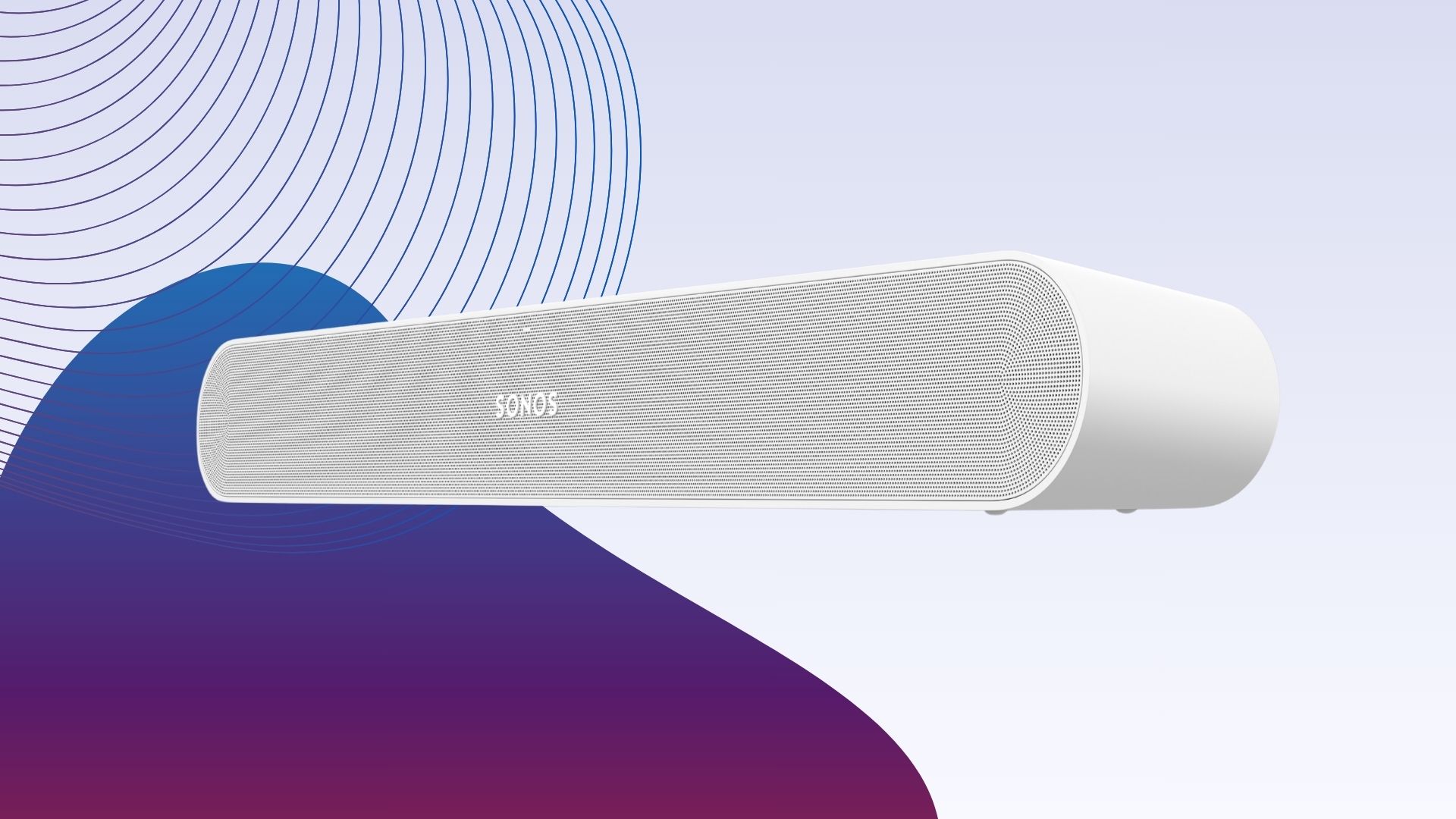
If you’re looking for a compact and affordable soundbar, the Sonos Ray is our top pick. Designed to make non-HDMI TVs sound better, the Ray is smaller and has fewer features than other Sonos soundbars, but that doesn’t mean it doesn’t offer powerful sound.

The Sonos Ray has a thin and compact design with curved ends forming a lozenge shape and the option of a black or white finish. The Ray is only slightly smaller than the Sonos Beam at 71 x 559 x 95mm and, like the Polk Signa S4, pairs well with TVs that measure up to 55-inches. You can choose to sit the soundbar in front of your TV, mount it on a wall or event place it in an open cabinet if it’s big enough to accomodate.

The Ray doesn’t come with an HDMI port, sticking with just an optical S/PDIF input and providing a cable in the box. There are touch controls on top of the soundbar for controlling playback, skipping tracks, and adjusting the volume.

The setup is quick and the Trueplay configuration allows you to tune the soundbar to your room. The Ray has an IR input, so you can tune it to use your TV’s remote to control the volume.

Advertisement

Then there’s the app, which makes it easy to connect and disconnect from rooms with multiroom support, as well as play music from Spotify, Apple Music, Tidal, Deezer or via AirPlay 2.

There’s no Dolby Atmos audio but Dolby Digital still sounds great, albeit not as clean and detailed. There’s also no microphone for voice commands. You can set up skills and control the soundbar with your favourite voice assistant, but you’ll need a separate smart speaker to do so.

Despite its small size, the Sonos Ray has a surprisingly wide soundscape, offering a clear improvement over the audio from the TV we had paired it with. The Speech Enhancement setting boosts voices, and there’s a Night Sound feature for boosting quiet sounds and limiting loud sounds later in the evening. The bass is effective too, though not as room-shattering as the Sonos Arc’s bass response.

Advertisement
  • Great bass

  • Customisable RGB lighting

  • Razer Synapse companion app

  • Full and warm sound during music and gaming

  • Subwoofer too large for a desk

  • Lack of ports

  • Bluetooth audio is less reliable

The Razer Leviathan V2 is our top affordable gaming soundbar, delivering great audio whether you’re gaming or listening to music.

Advertisement

The Leviathan V2 is one of the more toned-down devices we’ve tested from Razer. Both the soundbar and subwoofer sport a matte black finish, with the latter also free of any RGB lighting or other effects. The soundbar is small and slim, fitting snuggling under a monitor for a clean look, though you may need to place the subwoofer under your desk depending on the size of your furniture.

The soundbar feels sturdy and comes with another set of feet for tilting it upwards, but the port selection is lacking. Razer removed the 3.5mm input found on its predecessor, leaving just USB-C and Bluetooth. There’s also a simple selection of buttons, including power, volume, source, and Bluetooth.

18-zone custom RGB lighting lets you customise the soundbar to fit the rest of your gaming setup, as well as match the cues in games and songs. There’s a range of audio presets in the Razer Synapse app, with custom settings for music and gaming, as well as a Bass Boost mode and THX Spatial Audio support to give the sound a more immersive feel.

The audio quality is warm and balanced with an emphasis on bass that feels perfect for FPS games. The sound can easily fill a room, with THX Spatial Audio creating an immersive soundstage, despite not quite being as accurate as Dolby Atmos. Even slower games like Stardew Valley are enhanced with this soundbar, as details are given more clarity and attention.

Advertisement

We found that the wired connection was stronger than Bluetooth, offering better clarity and depth than the wireless connection, though we still appreciated the inclusion of Bluetooth as an option.

  • Huge, open movie soundstage

  • Punchy and detailed music

  • Controlled, well-timed bass

  • Fine build

Advertisement
  • Front soundstage can feel restrained

  • Menu scrolling/selection is fiddly

  • No Wi-Fi or streaming platforms

Yes, before you say anything, £549.99 is lot more to fork out than most options on the list, but the reason why we’ve included the Sharp HT-SBW55121 is that in the context of what surround sound systems cost, that price is actually something of a bargain. Of course, you can ignore this completely if it doesn’t fit your budget, but if you are tempted by the idea of having a sphere of sound envelope you then this is the one to go for.

As part of the Sharp HT-SBW55121, you’re getting a soundbar, a subwoofer and two surround speakers, all of which combine to provide 7.1.4 channels of immersive audio. It’s the type of soundscape that really does make it feel like you’ve travelled to your local cinema as everything happening onscreen takes on a more three-dimensional depth that puts you in the centre of it all.

There’s full support for Dolby Atmos and DTS:X so you get to enjoy the audio of your favourite movies to the exact specification that the filmmakers want you to hear it in. While it’s always nice to actually travel to the cinema and enjoy the big screen experience, if there isn’t one local to you or you just don’t have the time, then this helps you to recreate that experience from the comfort of your own living room.

Advertisement

Because there are two HDMI ports on the soundbar, you can hook up more than just your TV, giving you lossless audio if you want to connect a Blu-ray player or games console. It’s also worth mentioning that with presets for different use-cases, including voice, sport and movie, you can adjust the audio to suit what you’re watching.

Of course, because this is a more budget-friendly option compared to what some surround sound systems cost, there are a few compromises to be had. There’s no Wi-Fi connectivity or app control which limits your ability to use the set-up for music or audiobooks, for those moments when you don’t feel like watching TV.

Advertisement
  • Expansive Atmos performance

  • Good bass extension

  • Clear dialogue channel

  • Great price

  • Front-heavy delivery

  • No DTS support

  • No expansion options

The Polk Signa S4 is our favourite cheap Dolby Atmos soundbar, delivering deep bass and immersive audio at an affordable price.

The Signa S4 has a similar design to Polk’s other soundbars with its simple rectangular shape and black fabric finish blending into its surroundings. The subwoofer is also matte black, sitting on larger feet.

Advertisement

Like the Sonos Ray, the Polk Signa S4 is intended to be paired with medium-sized TVs up to 55-inches either standing or wall mounted, with the soundbar measuring 1046 x 60 x 95mm. The subwoofer measures 200 x 280 x 328mm.

You can find basic controls on top of the soundbar, with more options on the small remote that comes in the box.

The Signa S4 uses a 3.1.2-channel system to deliver Dolby Atmos, with additional support for Dolby Digital, Dolby Digital Plus and Dolby TrueHD. The soundbar can also decode PCM, but there is no support for DTS formats.

Connectivity is based around a single HDMI port that supports eARC, allowing lossless audio to be sent back from supporting TVs. There’s also an optical digital input, a 3.5mm analogue auxiliary input, and wireless support with Bluetooth.

Advertisement

Other key features include Polk’s VoiceAdjust to keep dialogue clear and precise, and three sound modes – Movies, Music, and Night.

Sound-wide, the Signa S4 is a good all-round performer that produces a decent front soundstage with a solid foundation of bass. The delivery is smooth, with a clean treble and well-defined midrange, while the upward-firing speakers are effective at generating the front overhead channels and the well-integrated subwoofer adds plenty of low-frequency impact to create a genuine sense of scale.

Advertisement
  • Clear, detailed sound with decent bass

  • Decent with music

  • Neat and tidy design

  • Impressive SuperWide feature

  • Odd volume issues with sources

Although you might think that bigger is better when it comes to soundbars, the end result doesn’t always go that way, as the Creative Stage Pro proves. If you’re someone who doesn’t have much space to work with then this is the soundbar to go for, as it can accommodate what little space you have and still provide a top-notch audio experience for a reasonable price.

When diving into a viewing of Civil War on 4K Blu-ray, we were blown away by how cinematic the whole thing felt, especially with how well the Stage Pro could deliver clear and audible dialogue. This isn’t always a given on more budget-friendly soundbars, so if you’re sick of having to constantly turn up the volume or switch on the subtitles, then you’ll appreciate what the Stage Pro can do.

Advertisement

Even though the vocals come across clearly, the Stage Pro doesn’t leave you wanting when it comes to the lower end. With a dedicated subwoofer in tow, the Stage Pro is capable of delivering bass with a heavy rumble. If you’re winding down with a classic action film then you’ll feel the difference the moment the movie shifts into a car chase or firefight.

Going one step further is the inclusion of SuperWide mode, which is capable of projecting the sound at a further distance away from the TV, effectively making you feel as if you’re being enveloped by surround sound. It’s a neat trick that could have easily been a gimmick on a lesser device, but it performs well here.

For when you don’t feel like watching a show or a film, there’s Bluetooth connectivity to enjoy some music via your smartphone. Of course, it’s also worth mentioning that because of its compact size, PC gamers could place the Creative Stage Pro soundbar on their desk for a more immersive experience than the built-in speakers of their laptop or monitor.

Advertisement
  • Great TV audio lift

  • Lends movies scale

  • Balanced music playback

  • Solid, ergonomic build

  • Boomy bass under stress

  • No HDMI ARC

As much as we love the Creative Stage Pro for being a great soundbar/subwoofer combo to those on a budget, if you’re happy to sacrifice just a bit of efficiency at higher volumes in return for a similar combo that’s slimmer and better placed to work with limited space around your TV or even at your desk, then the Majority Bowfell Plus is hard to argue with.

Advertisement

At just 38cm, the Majority Bowfell Plus soundbar can comfortably fit below a TV and feel as if it’s not taking up that much space at all, so if you have a 48-inch TV or something that’s older and potentially even smaller, then this is a great option to have. Unlike the subwoofer of the Creative Stage Pro, the one included here isn’t quite as stout, taking on a slim frame that can fit just about anywhere.

Still, even with a smaller footprint than most soundbar combos, the Majority Bowfell Plus delivers where it counts. When running through the opening scene of Bond flick Spectre, the crumbling buildings of Mexico are directed with just the right amount of oomph that you’d hope to hear, and there’s directionality too which just adds further depth to the scene as it feels like the whole thing is taking place in a 3D space.

It’s a similarly pleasing experience when listening to music, as a run through Yvonne Elliman’s If I Can’t Have You threw out the type of warm vocals that draw you in, while the soundbar can project the rest of the instruments around you. If you like the idea of kicking back with a good book and an even better soundtrack to boot, then you’ll be well catered to.

One of the few areas that could be improved is the bass performance at the higher end of the volume scale. With too much weight placed on it, the bassline could feel a bit boomy, at which point you’ll struggle to hone in on the details, but this is something you likely won’t incur if you live in a flat and don’t want to annoy the neighbours with high volume anyway.

Advertisement

Full Specs

  Wharfedale Vista 200S Review Sonos Ray Review Razer Leviathan V2 Review Sharp HT-SBW55121 Review Polk Signa S4 Review Creative Stage Pro Review Majority Bowfell Plus Review
UK RRP £219 £279 £229.99 £549 £329 £129
USA RRP $279 $249.99 $349.99 $169.99
EU RRP €298 €249.99 €349
CA RRP CA$329.99
AUD RRP AU$899 AU$411.95
Manufacturer Wharfedale Sonos Razer Sharp Polk Creative Majority
Quiet Mark Accredited No
Size (Dimensions) 900 x 92 x 62 MM 559 x 95 x 71 MM 3.6 x 19.7 x 2.3 INCHES 1260 x 125 x 75 MM 1046 x 95 x 60 MM 420 x 265 x 115 MM 388 x 72 x 54 MM
Weight 7.9 KG 1.95 KG 1.4 KG 12.3 KG
ASIN B07R8VR2WW B09ZYCBWYF B09MMF7DLH B0D37M2TWG B09MZ62BDC B0B5LDFRLQ
Release Date 2019 2022 2021 2025 2021 2025 2022
First Reviewed Date 25/04/2019 31/05/2022 06/06/2022
Model Number Vista 200S Sonos Ray Signa S4 Soundbar 1000002852
Sound Bar Channels 5.1 7.1.4 3.1.2 2.1 2.1
Driver (s) 2x full range, 6.5-inch subwoofer 2 x tweeters, 2 x mid-woofers, 2 x low-velocity ports Full Range Driver, Tweeter Driver, Passive Radiator Driver, Down-Firing Subwoofer Four 40x90mm, two 37x86mm side-firing, two 2.5-inch Up-firing, 6.5-inch subwoofer two 25mm tweeters, two 120 x 40mm racetrack, 25mm full range centre, two 66mm elevation units, 5.9-inch woofer 2 x 2.25-inch full range; 1 x 5.25-inch bass (subwoofer)
Audio (Power output) 120 W 650 W 80 W
Connectivity HDMI, 3.5mm, RCA, Coaxial, Digital Optical out, Bluetooth 4.2 Optical S/PDIF Bluetooth 5.2, USB-C Bluetooth 5.3 Optical, Analog 3.5mm, Bluetooth, USB-A (firmware) Bluetooth 5.3 Bluetooth 5
ARC/eARC ARC N/A N/A ARC/eARC ARC/eARC ARC N/A
Colours Black Black and white Black Grey/Black Black Black Black
Voice Assistant N/A
Audio Formats Dolby Digital, DTS, DTS Virtual:X DTS, Dolby Digital, Stereo PCM Dolby Atmos, Dolby TrueHD, Dolby Digital Plus, Dolby Digital, DTS:X, DTS-HD, DTS 5.1 Dolby Atmos, Dolby Digital, Dolby Digital Plus, Dolby TrueHD, PCM Dolby Audio
Subwoofer Yes Yes Yes Yes Yes Yes
Rear Speaker No Optional No Yes No No No
Frequency 40Hz – 20kHz, 40Hz – 120kHz (sub) 40-20000Hz
Multiroom No Yes (Sonos mesh) No
Do cheap soundbars support HDMI ARC?

Some soundbars support HDMI ARC, but in general, cheaper soundbars under £100/$100 tend not to feature any HDMI inputs.

Advertisement

Advertisement

Source link

Advertisement
Continue Reading

Tech

Microsoft to roll out Entra passkeys on Windows in late April

Published

on

Microsoft sign-in

Microsoft will roll out passkey support for phishing-resistant passwordless authentication to Microsoft Entra‑protected resources from Windows devices starting late April.

The feature is expected to reach general availability by mid-June 2026 and will also extend passwordless sign-in to unmanaged Windows devices.

Microsoft says that Entra passkeys on Windows will support corporate, personal, and shared devices, with admin controls via Conditional Access and Authentication Methods policies.

image

“Users can create device‑bound passkeys stored in the Windows Hello container and authenticate using Windows Hello methods (face, fingerprint, or PIN),” Microsoft said in a message center update.

“This expands passwordless authentication support to Windows devices that aren’t Microsoft Entra‑joined or registered, helping organizations strengthen security and reduce reliance on passwords across corporate‑managed, personal, and shared device scenarios.”

Advertisement

The new security feature will be available in organizations that have enabled ‘Microsoft Entra ID with passkeys’ in the ‘Authentication Methods policy’ for users who sign in to Windows devices that are not Microsoft Entra‑joined or registered, provided Conditional Access policies allow it (e.g., from corporate‑managed, personal, or shared devices).

It also enables the creation of FIDO2 passkeys stored in a secure local credential container that can only be used for authentication to Microsoft Entra ID via Windows Hello using facial recognition, fingerprint, or PIN (unlike Windows Hello for Business, which also enables device sign-ins).

Advertisement


Advertisement


Advertisement


Feature Microsoft Entra passkey on Windows Windows Hello for Business
Standard base FIDO2 FIDO2 for authentication, first-party (1P) protocol for device sign-in
Registration User-initiated, doesn’t require device join or registration Automatically provisioned on some Microsoft Entra joined or registered devices during device registration
Device sign-in and single sign-on (SSO) N/A Enables device sign-in and SSO to Microsoft Entra-integrated resources after device sign-in
Credential binding Bound to the device and stored in the local Windows Hello container. Users can register multiple passkeys for multiple work or school accounts on the same device. Primarily a device-bound sign-in method linked to device trust. The credential is tied only to the work or school account used to register the device.
Management Microsoft Entra ID Authentication methods policy Microsoft Intune

Group Policy

Additionally, passkeys are cryptographically bound to each device and never transmitted over the network, so attackers can’t steal them during phishing or malware attacks to bypass multifactor authentication.

While Microsoft didn’t share why this feature was added, Microsoft Entra passkeys on Windows close a security gap that previously left personal and shared devices reliant on password-based Microsoft Entra ID authentication.

Advertisement

In recent months, threat actors have heavily targeted Microsoft Entra single sign-on (SSO) accounts using stolen credentials in a wave of recent SaaS data-theft attacks.

BleepingComputer reached out to Microsoft for more details, but a response was not immediately available.

In October 2024, Microsoft said it would also improve security across Entra tenants by making multifactor authentication (MFA) registration mandatory when security defaults are enabled, as part of the company’s Secure Future Initiative, launched in November 2023, to boost cybersecurity protection across its products.

Additionally, Microsoft announced in May 2025 that all new Microsoft accounts will be “passwordless by default” to protect them against brute-force, credential stuffing, and phishing attacks.

Advertisement

article image

AI chained four zero-days into one exploit that bypassed both renderer and OS sandboxes. A wave of new exploits is coming.

At the Autonomous Validation Summit (May 12 & 14), see how autonomous, context-rich validation finds what’s exploitable, proves controls hold, and closes the remediation loop.

Claim Your Spot

Source link

Continue Reading

Tech

Apple taps Samsung for 20th-anniversary iPhone's quad-curved display

Published

on

Apple’s 20th-anniversary iPhone is again rumored to have a new, curved display with Samsung now tipped to produce the “four-micro-curve” OLED panel.

Smartphone lying on dark surface, screen on, showing large stylized digital clock reading 10:52 with date Mon Sep 22 and status icons at the top.
iPhone 20 is tipped to get a new, quad-curved OLED display

Apple is expected to pull out all the stops for the iPhone 20 to celebrate 20 years of the iPhone. The iPhone X did something similar for its 10th anniversary, ditching the Home button and minimizing display bezels.
With its 20th-anniversary iPhone, Apple is expected to go a step further and bend the display around all four sides of the device. Now, Weibo leaker Digital Chat Station reports that Apple has tapped Samsung to produce curved displays for the device.
Rumor Score: 🤔 Possible
Continue Reading on AppleInsider | Discuss on our Forums

Source link

Continue Reading

Tech

Warning Signs That Your Earbuds Are Actually Hurting Your Ears

Published

on

After experiencing temporary hearing loss in my left ear, I became committed to protecting my hearing. Even though losing my hearing for a few weeks was caused by eustachian tube dysfunction — when the tube connecting the middle ear to the back of the nose no longer functions properly — I began to wonder about what else can negatively impact our ears.

While researching ear health tips, I discovered that a common piece of technology, my earbuds, could have contributed to my hearing issues. To find out more, I spoke to audiologists, health care providers who diagnose and treat hearing, balance and or ear disorders. This is what they taught me.

The hearing and ear health risks earbuds can pose

Earbuds can pose a few risks, according to Dr. Ruth Reisman, a licensed audiologist and New York hearing aid dispenser. They can trap heat and moisture in the ear, increasing the risk of ear infections. With repeated use, earbuds can also push earwax deeper into the ear, leading to buildup or impaction. Plus, if your earbuds don’t fit correctly or you wear them for long periods, they can cause irritation or soreness in your ear canal. 

Advertisement

“Earbuds sit directly in the ear canal, which can increase several risks. The biggest concern is noise-induced hearing loss if volume is too high or listening time is too long,” said Reisman. “I have witnessed all of these problems in the course of my 15 years as an audiologist.”

When you listen to content at high volume, particularly for an extended period, Dan Troast, an audiologist at HearUSA, explains that it can permanently damage the delicate hair cells in your inner ear. Earbud use combined with high volume can cause:

  • Noise-induced hearing loss
  • Tinnitus (ringing, buzzing or hissing in the ears)
  • Sound sensitivity over time

Misusing earbuds is also common. If they don’t have noise cancellation, you might repeatedly turn up the volume to avoid hearing background noise, which can put you in an unsafe listening range fast. However, even listening at a moderate volume can become a problem if you do so for hours each day. 

“Early signs of overexposure include temporary muffled hearing or ringing after listening sessions — both are warning signals from the auditory system,” Troast said. Even if you periodically experience temporary ringing in your ears, it can ultimately increase your risk of developing chronic tinnitus. 

Earbuds and radiation

In my search for ear health tips, I came across several articles discussing whether wireless Bluetooth earbuds can cause harm through radiation. I asked Reisman if this is true. 

Advertisement

“Current scientific evidence doesn’t show that the energy from Bluetooth earbuds causes harm,” she said. “These devices emit far less radiation than cell phones and remain well below established safety limits. From an audiology standpoint, sound exposure is a far greater risk than radiation.”

The AirPods Pro 2 in an ear surrounded by light brown hair.

Me wearing my beloved AirPods Pro 2.

Anna Gragert/CNET

Follow the 60/60 rule when using earbuds

Both Reisman and Troast recommend the “60/60 rule” to people who wear earbuds. The 60/60 rule means you listen at no more than 60% of the maximum volume for no more than 60 minutes at a time. 

Advertisement

“Daily use is fine if the volume stays safe and ears are given time to rest,” Reisman advises. “I usually tell patients to take a 15- to 20-minute break for every hour of use.”

If you haven’t already, Troast recommends checking whether your devices have built-in hearing health settings that automatically monitor volume exposure. For instance, on your iPhone, Apple Watch or iPad, you can set up headphone notifications to alert you to lower the volume when you’ve reached the seven-day audio exposure limit (such as 80 decibels for 40 hours over seven days). Or, you can activate the Reduce Loud Audio feature to have your headphone volume automatically lowered once it exceeds your set decibel level.

Safer headphones for your ears

Over-the-ear headphones are generally safer, according to Reisman, because they sit outside the ear canal and don’t concentrate sound as directly on the eardrum. Since they aren’t in the ear canal like earbuds, they’re also less likely to cause irritation or earwax buildup. 

“Over-the-ear headphones can be safer — if they allow for lower listening volumes,” said Troast. “Even better are noise-canceling headphones, which reduce background noise, so listeners don’t feel the need to crank up the volume.” Just make sure you’re still aware of your surroundings, especially if you’re outdoors near traffic. 

Advertisement

Open earbuds could also be a safer option. They use bone-conduction technology, which transmits sound through the earbones and the skull rather than directly to the eardrum. “Several headphone companies claim open earbuds are better for your hearing health and are more hygienic,” said David Carnoy, CNET’s resident headphone expert. 

Since open earbuds don’t sit inside or cover the ear:

  • Warmth and moisture, like sweat, won’t build up, which can cause ear infections. 
  • Debris, such as dust, won’t transfer from the earbuds into the ear. 
  • They won’t push earwax deeper in your ear, which can lead to impaction. 
  • Don’t rub or press on the ear canal, reducing discomfort or irritation.

However, if you listen to content at high volumes, no headphone style is completely safe. What matters most for your ear and hearing health is total sound exposure over time, so make sure you’re monitoring your volume level and giving your ears breaks. 

Two AirPods Pro 2 earbuds on a warm wood surface.

If you continue to wear earbuds, make sure you’re doing so safely — and that they fit properly.

Advertisement

Anna Gragert/CNET

Expert earbud tips

If earbuds are your preferred headphone type for listening to your favorite music, shows and podcasts, Troast offers the following tips from an audiology perspective:

  • Use built-in volume limit settings on smartphones.
  • Choose noise-canceling earbuds or headphones to avoid increasing volume in loud environments.
  • Take regular listening breaks.
  • Avoid sleeping in earbuds.
  • Get a baseline hearing test, especially if you use earbuds daily.

If you’re already experiencing tinnitus, it’s especially important that you manage your volume level to prevent it from worsening. 

Carnoy adds that there have also been instances of people being allergic to the materials used for earbud tips. If you have a known allergy, make sure your earbuds don’t use that material, or replace the tips. If you do have an allergic reaction, stop using the earbud tips until you can find a substitute. 

Lastly, Reisman advises keeping your earbuds clean, avoiding sharing them and ensuring they fit properly. Most earbuds come with tips in different sizes, so you can find the right fit for your ear size.

When to see an audiologist or doctor for hearing issues

If you experience ringing in the ears, muffled hearing, ear pain or frequent infections, Reisman recommends you consider an evaluation with an audiologist. 

Advertisement

You’ll also want to pay attention to early warning signs of inner ear damage from noise exposure, such as ringing in the ears, difficulty hearing or needing to turn up the volume over time.

If you’re already experiencing hearing loss, Troast said that addressing it with hearing aids can provide relief. Tinnitus, on the other hand, can be treated with evidence-based approaches such as sound therapy or specific counseling strategies. 

“Hearing damage is gradual and cumulative,” Reisman said, “but it’s also largely preventable with smart and healthy listening habits.” And that includes using your headphones — or, in my case, earbuds — responsibly. 

Advertisement

Source link

Continue Reading

Tech

NYT Strands hints and answers for Sunday, April 26 (game #784)

Published

on

Looking for a different day?

A new NYT Strands puzzle appears at midnight each day for your time zone – which means that some people are always playing ‘today’s game’ while others are playing ‘yesterday’s’. If you’re looking for Saturday’s puzzle instead then click here: NYT Strands hints and answers for Saturday, April 25 (game #783).

Strands is the NYT’s latest word game after the likes of Wordle, Spelling Bee and Connections – and it’s great fun. It can be difficult, though, so read on for my Strands hints.

Advertisement

Source link

Advertisement
Continue Reading

Tech

‘Saros’ Shows Off the PS5’s DualSense Tricks

Published

on

Spoiler for the very first thing you see in the upcoming game Saros: It’s a bunch of words. The letters type out one by one onto the screen, spelling out some world-building that gives context to kick off the game’s story. I don’t remember what any of it said, because I was so focused on the tactile vibrations coming from the controller in my hands. There is a sharp haptic buzz for every letter, and it immediately feels very clicky-clacky. From the very beginning, Saros makes its intentions clear—this is a story you’ve got to feel.

Since the launch of the PlayStation 5, Sony’s DualSense controllers have enabled haptic feedback that developers can use to make the controller vibrate in just the right way to communicate the feel of what is happening on the screen. Maybe it’s letters typing across the screen, little patters of rainfall, or a big rumble when shooting a gun or whacking something with a melee weapon. Adaptive triggers add resistance to the main triggers, meaning the difference between feathering the trigger and pulling it all the way down is very apparent.

Saros, launching on April 30, is developed by Housemarque, a Finnish studio owned by Sony. It has been here before, when it released the highly regarded PlayStation 5 game Returnal in 2021. That game, as a launch title for the console, aimed to make use of all the new technology Sony was offering with its hardware, especially the haptic and adaptive features in the DualSense controller. Gregory Louden, the creative director at Housemarque who has helmed development on both games, says both titles came with an added bit of pressure to show off what the console could do.

Image may contain Mountain Nature Outdoors Adult and Person

“Back when we started Returnal, we almost felt a responsibility—because we were a launch window title for PlayStation 5—what can you do with this hardware?” Louden tells WIRED. “In a lot of ways, we’re doing it for our players, but also doing it for the medium to try to inspire others.”

As it did with Returnal, Housemarque has developed its newest game to take full advantage of the PlayStation 5’s DualSense controllers. It also uses 3D audio features to make the world feel more lively. Returnal and Saros came out on the same hardware, but Louden says it all gels even more now than ever.

Advertisement

“We’ve really pushed the graphics and pushed the hardware,“ Louden says. “We wanted to do something even better for players and really make the most of the DualSense.”

From the few hours I’ve spent with it, Saros feels quite excellent to play. It is a dark sci-fi roguelike where you mow down dozens of hostile aliens in a barrage of frenetic, tactile gameplay. The battles feel especially palpable because everything onscreen translates to what you feel in the controller. The obvious moves are replicating the feel of shooting a weapon or feeling the reverberations when the enemies’ bullets and explosives crash into your shield. But Housemarque has also deployed haptics in more careful, subtler ways, like during cinematics, where a steady haptic pulse helps make the onscreen characters’ tension and anger more visceral.

Source link

Advertisement
Continue Reading

Tech

You Wouldn’t Download A Combustion Engine

Published

on

Although 3D printing it a great tool for making all sorts of things, the nature of the plastics used in most desktop FDM printers means it isn’t the first tool most would think of to build an internal combustion engine. [Alexander] is evidently not most people, as he’s on his third generation 3D printed engine.

There are 3D printed pumps to distribute coolant water and oil, plus some clever engineering in the head to make sure they don’t mix — a problem with a previous iteration. As you probably guessed, the engine isn’t fully printed. Assembling it requires add-on hardware for things like bearings, belts, and filters.

But it’s still impressive just how much of this beast is actually made of plastic. Not even fancy engineering plastic, either — there are a few CF-Nylon parts, but most of it is apparently good old ASA and ABS.

If you’re looking for “cheats”, the plastic engine block does get a stainless steel sleeve, and the head is CNC’d aluminum, but we hesitate to call anything that gets a homemade engine running a “cheat”. It’s hard enough using all the ‘right’ materials. Just like another 3D printed engine we featured, the carb is also an off-the-shelf component.

Advertisement

Still, it’s the dancing bear all over again: it’s not how well it runs that impresses, but the fact that it runs at all. We’ve also seen hackers use 3D printing to make steam engines, hot-air Stirling engines, and electric motors— all with varying amounts of non-printed parts.

Advertisement

Source link

Continue Reading

Tech

Repurposing Macs: How to get more out of your obsolete hardware

Published

on

If you’ve upgraded to a new Mac, don’t throw away your old one. Here are some ideas of things you can do to get more out of your older Apple desktop.

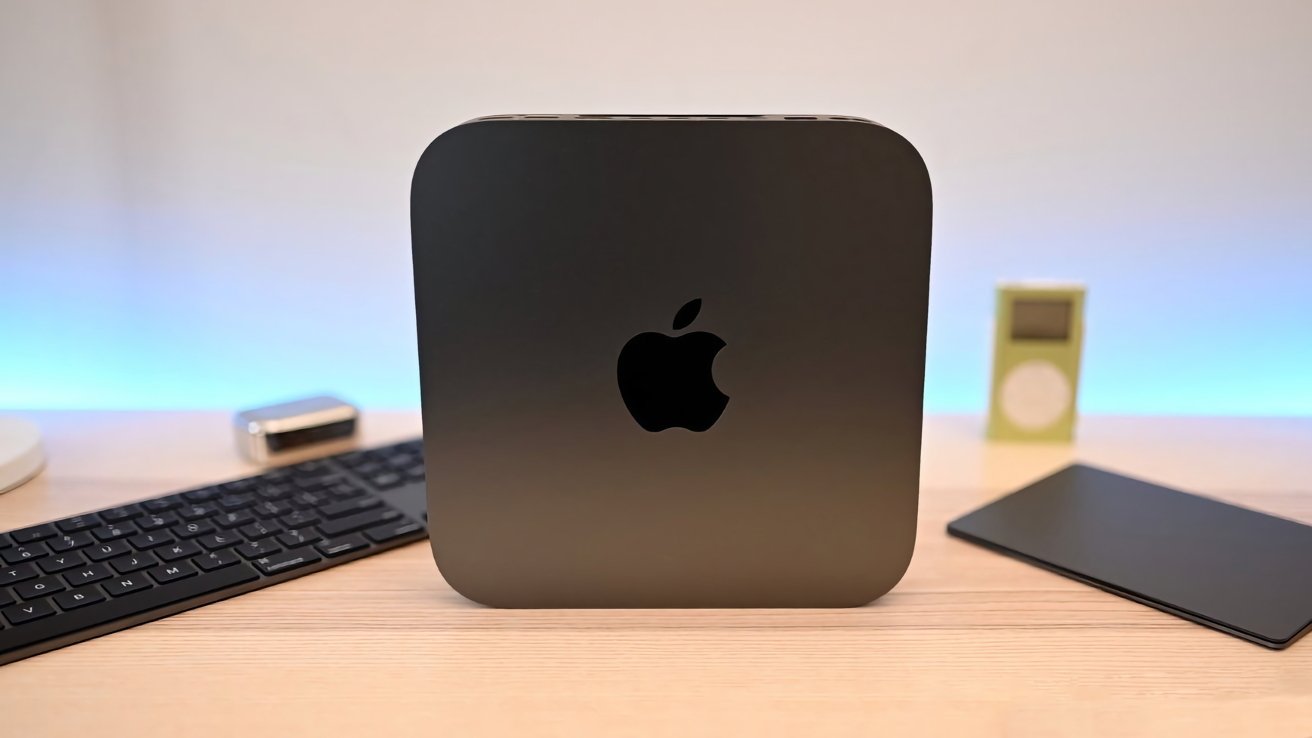
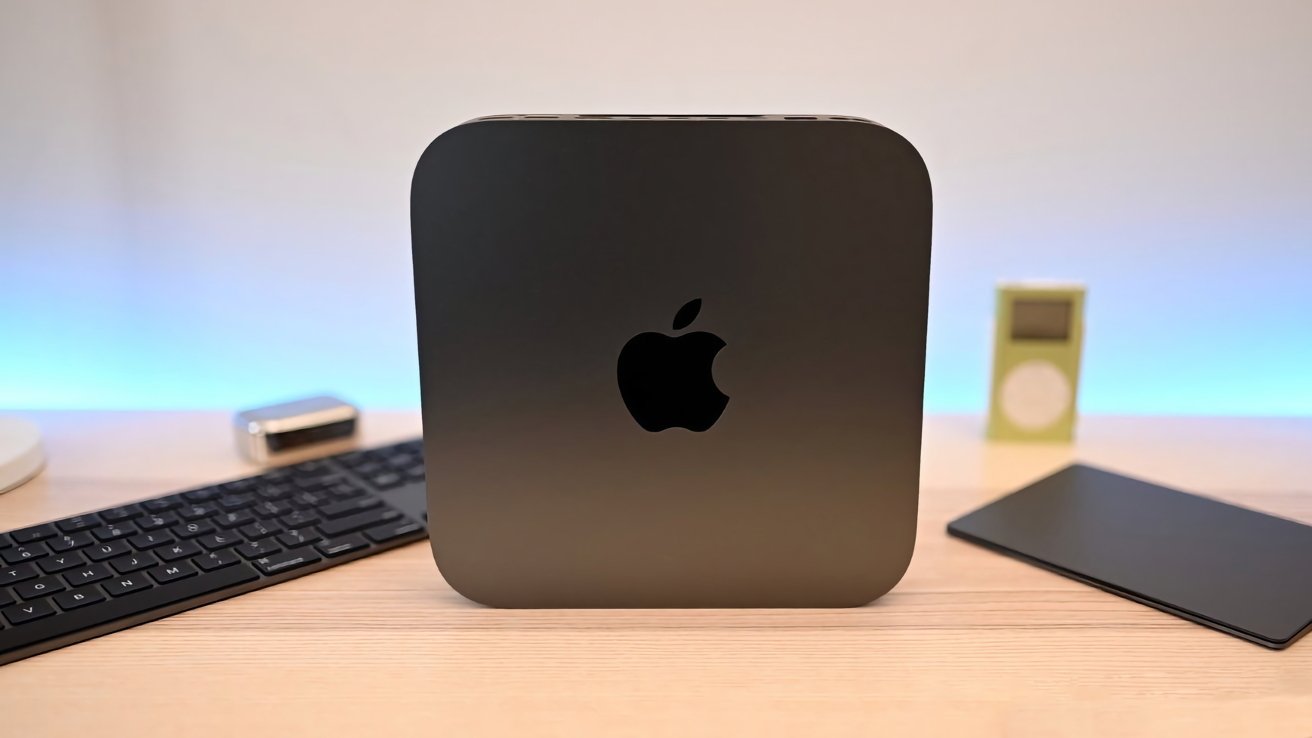
Space gray Apple Mac mini on a wooden desk, flanked by a black keyboard and trackpad, with a small silver gadget and green iPod in the softly lit background
The 2018 Mac mini may be ‘Obsolete’ but it still has its uses.

Buying a new Mac or MacBook can be a thrill. The bump of speed, the extra memory and storage that’s free of clutter, and the unscratched, clean casing can make most Mac users instantly happy.
However, after drinking in all the potential of your new digital workspace, you’ll soon be reminded that you still have your old one. After you’ve migrated your software and files over to your new daily driver, it may seem that there’s little point in keeping your old one around.
Continue Reading on AppleInsider | Discuss on our Forums

Source link

Continue Reading

Trending

Copyright © 2025