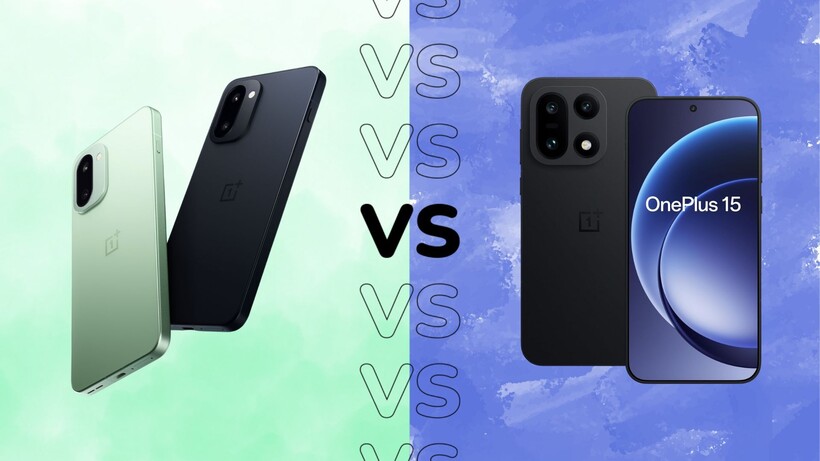
The OnePlus 15 and OnePlus 15R are very similar phones, making the decision of which to buy all the more challenging.
Do you go for the full-fat flagship OnePlus 15 or save a bit of cash with the almost-flagship OnePlus 15R? Is there really a difference in how they perform day-to-day? And what about elements like camera hardware, screen tech and the all-important battery life?
While it’s easy to compare the two on paper, we’ve used both the OnePlus 15 and OnePlus 15R in day-to-day use – and here’s how they compare in the real world.
Pricing and availability
The OnePlus 15 is the more expensive smartphone of the two, though at £849/$899 with 256GB of storage, it’s still more affordable than many competing flagship Android phones.
Advertisement
Advertisement
That said, if budget is a primary concern, the 256GB OnePlus 15R is the one to go for at £649 – as long as you’re in the UK, that is, with no US availability for the more affordable model.
The OnePlus 15 and OnePlus 15R are certainly cut from the same cloth; put both side-by-side and you might struggle to tell the differences at a glance – but look a little closer, and there are a few telltale signs.
Both phones sport an entirely new flat-edged, rounded-cornered design compared to their curvy predecessors, offering a much cleaner look, though one that looks almost too similar to parent company Oppo’s Find X9 Pro. It’d be nice to see OnePlus-branded smartphones have their own separate identity, but that’s neither here nor there when comparing the two OnePlus phones specifically.
OnePlus 15. Image Credit (Trusted Reviews)
Advertisement
The large, centrally placed circular camera housing on the back has been replaced by a more modern rectangular module in the upper-right corner on both models, but the rear finish differs between the two.
The flagship OnePlus 15 is available in a new Sandstorm finish that uses an MAO-processed mid-frame and camera housing, along with a fibreglass back, delivering something that’s noticeably cool to the touch while being more durable than both aluminium and titanium, complete with a nice textured sandstone finish.
There’s also what OnePlus calls Infinite Black, an ultra-deep matte black that reduces reflectivity for a near-Vantablack experience, along with a more standard Ultra Violet (lavender) finish with flashes of bright blue. These two are available with a matte-finish glass that reduces the look of fingerprints and other smudges.
Advertisement
OnePlus 15R. Image Credit (Trusted Reviews)
The OnePlus 15R’s back panels are a little less exciting; it’s available in Mint Breeze, Electric Violet and Charcoal Black, available only with a matte-finished glass panel – none of the fancy fibreglass material or advanced colour shades here. The glass isn’t as durable as the flagship alternative either, using Gorilla Glass 7i in place of Crystal Shield Glass.
The two are more evenly matched when it comes to dust and water resistance however, with both models offering the same IP68/IP69K rating – though the 15 can be dunked down to 2m for up to half an hour, while the 15R can go down to 1.5m for the same amount of time. In reality, that doesn’t really matter – both will survive a stint in the rain, a dunk in the pool and a drop or two.
Advertisement
Screen
Both deliver big, bright, vibrant AMOLEDs
Matching 165Hz refresh and strong outdoor brightness
OnePlus 15 benefits from LTPO tech
The OnePlus 15 and 15R look pretty similar, and that’s also the case when it comes to screen tech – though the flagship takes a win in one key area.
The OnePlus 15R is actually the bigger of the two, though at 6.83 inches compared to 6.78 inches, there really isn’t that much in it in real-world use. These are both big, vibrant AMOLED panels that look great whether you’re scrolling through social media or bingeing on Netflix.
OnePlus 15. Image Credit (Trusted Reviews)
They’re equally matched when it comes to brightness too; both panels clock in at 1800nits in high brightness mode, while HDR-enabled peak brightness caps out at 3600nits. The latter is actually lower than last year’s alternatives, which clocked in at 4500nits, but the HBM is higher – and that’s what you’ll actually see more often.
As a result, they’re perfectly suited for use outdoors, even on bright, sunny days, and they can drop to as low as 0.5 nits for late-night use, too.
Advertisement
OnePlus 15R. Image Credit (Trusted Reviews)
They both also share the same 165Hz refresh rate, though this is also where the two diverge. The flagship OnePlus 15 has LTPO tech that lets it drop to as little as 1Hz to offer a more responsive yet still battery-friendly experience – a feature not present on the 15R, despite being present on last year’s OnePlus 13R.
In fact, last year’s OnePlus 13R had more advanced LTPO 4.1 tech than the then-flagship OnePlus 13, making it a notable step back for this year’s ‘R’ variant.
Advertisement
Cameras
Shared 50MP main camera with a smaller sensor
OnePlus 15 offers better camera versatility
OnePlus 15R has had a serious camera downgrade
Camera tech is one area where the two phones diverge greatly, with the cheaper 15R’s focus on performance meaning camera tech has fallen to the wayside, even compared to last year’s 13R.
That said, both phones sport the exact same main sensor – a 50MP affair with OIS and a wide f/1.8 aperture, though the sensor is rather small at 1/1.56 inches, the same size as the telephoto lens in the Oppo Find X9 Pro. That’s actually a downgrade for the flagship OnePlus 15, whose predecessor sported a larger 1/1.43-inch sensor – and it’s noticeable in everyday use.
Advertisement
OnePlus 15. Image Credit (Trusted Reviews)
While the main sensor delivers sharp, detailed images with pleasing colours and good dynamic range in ideal shooting conditions – outdoors, during the day – things start to take a downturn at night. The phone can handle low-light shots with ambient lighting, but things get much softer and muddier in very dark scenes. This is somewhat forgivable on the 15R, but not so much with the flagship alternative.
That said, the OnePlus 15’s secondary cameras are a damn sight more capable than those of the 15R.
The flagship sports a 50MP 3.5x periscope zoom lens that offers very good quality to around the 7x mark, with acceptable results until the 20-30x mark when those telltale signs of digital enhancement appear, and a 50MP ultrawide that matches the other lenses closely in terms of both colour and overall detail – something that isn’t a given, even at the high end of the market.
OnePlus 15R. Image Credit (Trusted Reviews)
The 15R, on the other hand, sports an 8MP ultrawide and… not much else. That’s a big change compared to last year’s 13R, which also sported a 50MP telephoto lens for better zoom capabilities – and as such, the 15R has to rely on a digital crop of the main sensor to get closer to the action.
Advertisement
The 8MP ultrawide is, to put it nicely, a disappointment for the price, with many rivals sporting higher-res, more capable ultrawide sensors. The 8MP hardware here can handle daylight well, but as soon as light levels drop, it really struggles.
Advertisement
Simply put, not only is the OnePlus 15 better for photography than the OnePlus 15R, but the OnePlus 13R is too.
OnePlus 15R uses Snapdragon 8 Gen 5, slightly behind
Both feel essentially flagship-fast in daily use
In terms of performance, the two smartphones are fairly evenly matched – though the full-fat OnePlus 15 does come out on top by the skin of its teeth.
That’s because, while the OnePlus 15 features the Snapdragon 8 Elite Gen 5 found in most 2026 flagships, the OnePlus 15R features the Snapdragon 8 Gen 5 – just a single step down from the Elite chipset in terms of power output. That’s paired with 12GB of LPDDRX5 RAM on the 15R, and a boosted 16GB on the 15.
Advertisement
OnePlus 15. Image Credit (Trusted Reviews)
With specs like those, you’re not going to run into many issues with either smartphone on a day-to-day basis. The OnePlus 15, with its flagship chipset and rapid screen, is particularly well-suited to gaming, especially with a new Cryo-Velocity cooling system helping keep things stable even during longer sessions.
However, the cheaper 15R also features the same cooling system, so it can match its bigger brother in most regards.
In fact, you’re only really going to notice a difference in performance when benchmarking the two phones, with the 15 scoring slightly higher than the 15R in most GPU and CPU tests – but not by as big a margin as some might assume given the difference in price here.
Advertisement
In reality, both of these phones can handle just about anything you can throw at them, from media-heavy timelines to demanding AAA mobile games – a real achievement for the 15R in particular – with only the most demanding users needing the extra power from the 15.
Software
Identical OxygenOS 16 on top of Android 16
Deep customisation, smooth animations and capable AI tools
Only four OS upgrades and six years of security
Advertisement
Regardless of the phone you opt for, you’ll get the same software experience. Both the OnePlus 15 and 15R run OxygenOS 16 based on Android 16, and while some may prefer the stock experience of Pixels, there’s a lot to appreciate about OnePlus’s custom UI.
OnePlus 15. Image Credit (Trusted Reviews)
OxygenOS 16 has a massive focus on customisation, with pretty much every element of the software able to be tweaked in one way or another. That ranges from features like lock screen customisation, complete with a very Apple-esque UI, to smaller elements like tweaking the size and shape of app icons on the home screen.
It also feels fast in use, thanks to OxygenOS’ Parallel Processing and Flow Motion, technologies that make transitions between apps feel smoother and more responsive – especially if you toggle on the fastest animation speeds in the Settings app.
There’s also a slew of AI features across both models, including pretty standard features like AI writing tools, photo editing tools and voice recording transcription, along with what OnePlus calls Mind Space. It’s essentially a space where you can store screenshots and other information, with AI processing for easier resurfacing later. It’s a handy way to store important screenshots you know you’ll need later, but it’s not a game-changer.
OnePlus 15. Image Credit (Trusted Reviews)
Advertisement
The only downside is the long-term software support; both phones are slated to receive only four OS upgrades and six years of security updates, well behind the likes of Google, Samsung and Honor, which offer seven years of OS upgrades at similar prices.
OnePlus 15R’s 7400mAh matches endurance in real-world use
OnePlus 15 boasts faster wired and convenient wireless charging
One area where neither the OnePlus 15 nor 15R is left wanting is battery life; these phones have some of the largest cells on the market right now, and the day-to-day use reflects this.
The OnePlus 15 has a massive 7300mAh cell that’s not only a big boost over the OnePlus 13’s 6000mAh alternative, but it makes it one of the biggest around right now, leaving the likes of the 5000mAh Galaxy S26 Ultra in the dust.
Advertisement
OnePlus 15. Image Credit (Trusted Reviews)
That extra slice of battery is noticed in everyday use too; the phone is a comfortable all-day phone regardless of what you’re up to, with less busy times seeing the phone push close to two full days before needing a top-up.
Advertisement
The OnePlus 15R, rather inexplicably, has an even bigger battery – though only 100mAh more at 7400mAh, and that’s not enough of a difference to notice in day-to-day use. That said, just like its more expensive sibling, the 15R has the legs to just keep on going, with easy one-day use and the possibility of two days with lighter use.
Where the two differ is in the charging department: the OnePlus 15 gets the full 120W SuperVOOC charging experience, while the 15R is limited to (still rather rapid) 80W. It might not sound like much of a difference, but it meant the OnePlus 15 reached full charge in 45 minutes, while the 15R took slightly longer at 56 minutes.
OnePlus 15R. Image Credit (Trusted Reviews)
The OnePlus 15 also has 50W SuperVOOC wireless charging for speedy wireless top-ups – a convenient feature missing from the 15R.
Verdict
Overall, the OnePlus 15 is the better buy for most people, even though the 15R offers impressive performance and battery life for less cash.
Both phones share a very similar design, bright 165Hz AMOLED displays, near-flagship Snapdragon 8-series performance, and huge batteries that comfortably last a full day or more. However, the OnePlus 15 justifies its higher price with a tougher, more premium build, LTPO display tech for smoother and more efficient refresh rate changes, vastly superior camera hardware, faster 120W wired charging, and the bonus of 50W wireless charging.
Advertisement
Advertisement
The 15R is excellent value if you care primarily about speed and stamina and can live with weaker cameras and slower charging, but if you want a genuinely flagship experience that balances performance, photography and features, the OnePlus 15 is the clear winner.
To see how they compare in the wider market, take a look at our hand-picked selection of the best Android phones.
Microsoft security exec Shawn Bice is returning to Amazon Web Services as VP of AI Services, leading the company’s Automated Reasoning Group as AWS doubles down on making AI agents more reliable.
Bice will report to Swami Sivasubramanian, Amazon’s VP of Agentic AI, according to an internal AWS email Monday afternoon, viewed by GeekWire.
“We are at an inflection point with Agentic AI,” Sivasubramanian wrote in the email, explaining that bringing AI and automated reasoning together is essential to building trustworthy agents.
It’s a full-circle move for Bice. He worked at Microsoft early in his career and spent five years running AWS’s database portfolio before another former AWS leader, Charlie Bell, recruited him back to Microsoft in 2022 to help build the Redmond company’s revamped security organization.
At Microsoft, Bell stepped down from that security leadership role in February to become an individual contributor.
Advertisement
Amazon’s Automated Reasoning Group uses a discipline known as neurosymbolic AI, which combines traditional AI’s pattern-matching abilities with mathematical techniques that can prove whether software is doing what it’s supposed to do.
In the email, Sivasubramanian wrote that bringing automated reasoning and AI together is “the fundamental premise” behind AWS’s investment in the field, calling it critical to building agents that businesses can trust to act on their own.
AWS has been facing questions about the reliability of AI agents in its own operations. In February, Amazon pushed back on a Financial Times report that its Kiro AI coding tool had caused AWS outages, though it acknowledged a limited disruption to a single service after an AI agent was allowed to make changes without human oversight.
At Microsoft, Bice’s role had expanded to Corporate Vice President of Security Platform & AI, overseeing Microsoft Security Copilot, Microsoft Sentinel, and AI security research, according to his LinkedIn profile.
Advertisement
Before that, he spent a year as president of products and technology at Splunk, sandwiched between his two stints at the larger companies.
Bice originally joined Microsoft in 1997 and spent more than 17 years there across two stints, in roles that included managing SQL Server and Azure cloud data services. He left for AWS in 2016, where he ran the database portfolio — including Amazon Aurora, DynamoDB, and RDS — for five years before departing in 2021.
He also serves on the board of WaFd Bank, where he chairs the technology committee.
Digg is relaunching again, this time as an AI-focused news aggregator rather than the Reddit-style community site it recently abandoned. TechCrunch reports: On Friday evening, the founder previewed a link to the newly redesigned Digg, which now looks nothing like a Reddit clone and more like the news aggregator it once was. This time around, the site is focused on ranking news — specifically, AI news to start. In an email to beta testers, the company said the site’s goal is to “track the most influential voices in a space” and to surface the news that’s actually worth “paying attention to.” AI is the area it’s testing this idea with, but if successful, Digg will expand to include other topics. The email warned that the site was still raw and “buggy,” and was designed more to give users a first look than to serve as its public debut.
On the current homepage, Digg showcases four main stories at the top: the most viewed story, a story seeing rising discussion, the fastest-climbing story, and one “In case you missed it” headline. Below that is a ranked list of top stories for the day, complete with engagement metrics like views, comments, likes, and saves. But the twist is that these metrics aren’t the ones generated on Digg itself. Instead, Digg is ingesting content from X in real-time to determine what’s being discussed, while also performing sentiment analysis, clustering, and signal detection to determine what matters most. […] The site also ranks the top 1,000 people involved in AI, as well as the top companies and the top politicians focused on AI issues.
It’s depressing and entirely predictable that any move to improve efficiency is always hit by a wave of misplaced anger and full-on stupidity. In this case, I’m talking about Ed Miliband’s plan for tumble dryers.
In the recent government document, Raising standards for household tumble dryers, the bit that’s been getting certain people chomping at the bit is the sentence, “To improve the efficiency of household tumble dryers, the final regulations introduce a new minimum performance standard that phases out inefficient gas-fired, air-vented, and condenser models.”
In certain sectors, this move has been likened to the Soviet era, as it removes choice and forces consumers to buy more expensive heat pump appliances. All of which are bizarre hot takes, and completely miss the point. I’d know, as I review tumble dryers and have the cold facts.
This situation reminds me of the time that the EU introduced a new law that reduced the maximum power of vacuum cleaners from 1600W to 900W. The same kinds of people who are moaning about tumble dryers also moaned about this rule change, saying that homes would be dirtier and powerful cleaners would be banned.
Advertisement
Of course, those people were wrong about vacuum cleaners. Cleaning performance isn’t so much about raw suction power as it is overall efficiency: lower power vacuum cleaners can have as much suction power as those that draw more power, and things like motorised brushbars can improve dust collection without using significant amounts of power. In a shocking twist, people moaning about tumble dryers are also wrong.
Advertisement
Heat pump tumble dryers cost a little more but are a lot cheaper to run
It’s true, a heat pump tumble does cost more than a vented and condenser models. Looking at entry-level models, you’ll probably pay around £40 more upfront for a heat pump dryer than for a vented or condenser dryer.
That’s not a huge amount, but the more important bit of information is how much they cost to run. I review a lot of tumble dryers (all of my best buy tumble dryers are heat pump models), and the cold hard truth is that heat pump models are significantly cheaper to run.
Advertisement
In our guide, condenser vs heat pump tumble dryers, we looked at running costs for a washer-dryer (which uses a condenser for drying) and a heat pump model. The washer dryer used 2.387kWh to dry a load of clothes, and the heat pump used 0.813kWh.
At the current price cap of 24.67p per kWh of electricity, that’s a cost of 58.88p for the condenser dryer and 20.05p for the heat pump. That means that the condenser dryer costs 38.83p per cycle more to run.
In 103 cycles, the heat pump tumble dryer has clawed back that extra £40 it cost. That could be under a year (if you run a couple of cycles per week), or within two years. Everything past that is just more saving.
Several people complaining about the tumble dryer plan have said that they’d focus on reducing energy costs instead. So, say we could get electricity prices back down to around 16p per kWh.
Advertisement
Advertisement
In this scenario, our condenser dryer would cost 37.19p per cycle and the heat pump dryer 13p per cycle. The condenser is still 24.19p per cycle more expensive to run. In this scenario, it would take 165 cycles to get your extra £40 outlay back, but that’s still within two or three years for more people. Given that you’re likely to have a dryer for a good eight to 10 years, you’ll still save money in the long run.
Heat pump dryers do take longer, but they’re better for your clothes
Another thing thrown at heap pump tumble dryers is that they take longer to dry your clothes. That’s true, because of the way that they work.
Vented and condenser tumble dryers work via a heating element that’s passed into the drum at around 70°C, heating your clothing and removing moisture. This moisture is then either condensed into a tank (a condenser dryer) or vented out the back (a vented dryer).
Advertisement
Using hotter air speeds up the drying process, but it requires more electricity and the heat you generate is just pumped out.
Heat pump tumble dryers use a closed system, and use a compressor rather than a heating element. These dryers extract heat from the closed system and recycle it continuously (our guide, What is a heat pump tumble dryer?, explains more), running at around 50°C.
Advertisement
That lower temperature means longer drying times, but less energy use overall. And lower temperatures are better for clothes, as they’re kinder to the fabric and less likely to cause issues such as shrinking.
Advertisement
Aside from the money factor, energy is a precious resource, so why not use it as efficiently as possible?
That’s even the case if you have solar and are generating your own power. With a heat pump, less of your solar goes onto drying your clothes, which means, depending on the size of your array, you’re more likely to be able to generate the full power for the cycle, or your spare capacity can be used elsewhere: topping up a battery, running your TV or just for exporting to the grid, where you’ll get paid for it. Doing more with the resource you have is better, no matter how you cut it.
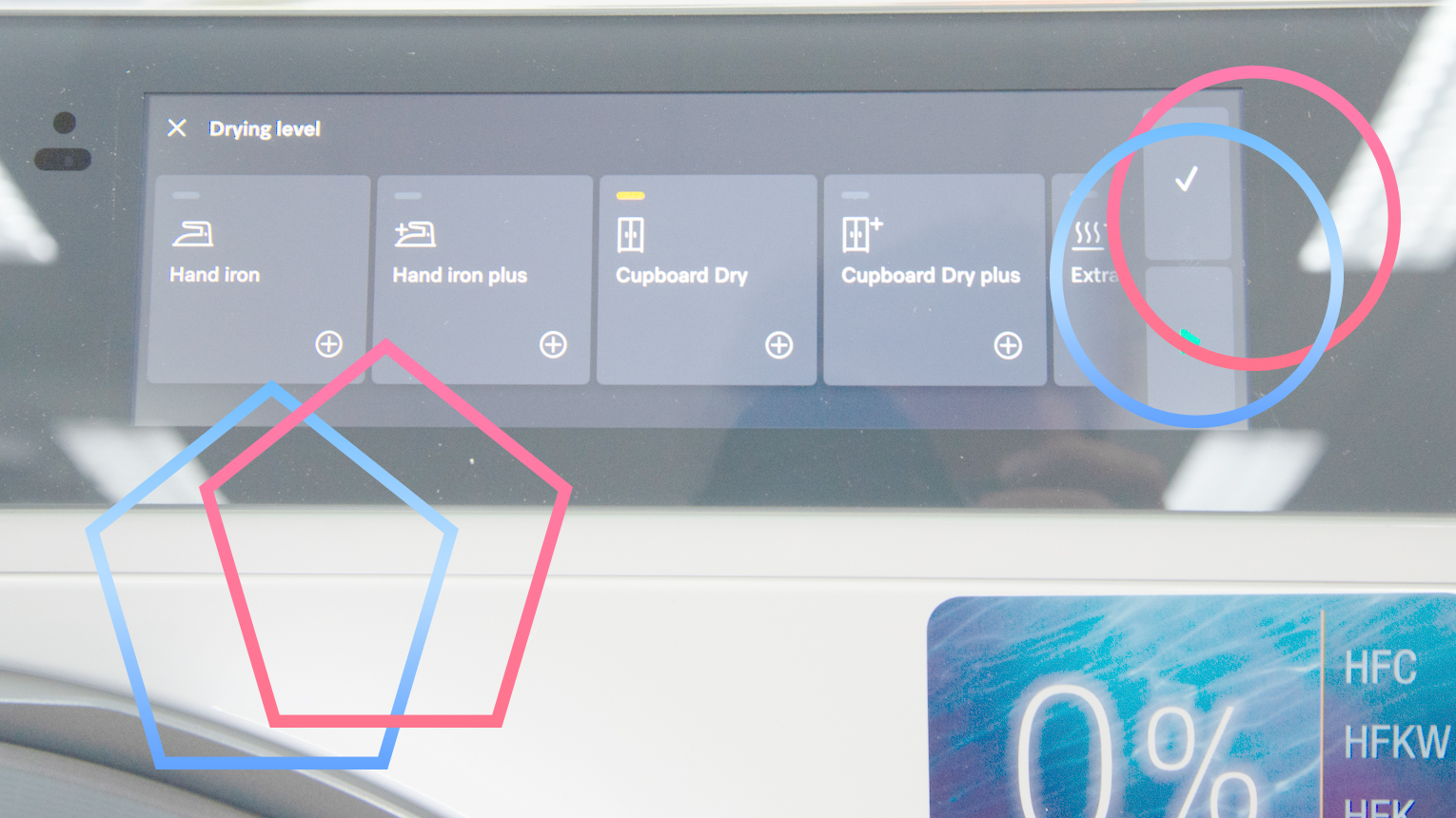
There are alternatives. Hotpoint ColdGuard Heat Pump tumble dryers are built to work in rooms as cold as 0°C.
Advertisement
Heat pump tumble dryers are better than traditional types, and the government taking steps to ensure that efficient models are the only ones you can buy makes sense in the long run. Here, as in any other area, efficiency is better for everyone and a cost saving is a cost saving, regardless of the price of electricity.
There’s a new book out by author Roland Betancourt, entitled, “Disneyland and the Rise of Automation: How Technology Created the Happiest Place on Earth.” In an extensive article about the book in Smithsonian Magazine, written by the author, Betancourt details the events that led Walt Disney to visit several Detroit-area Ford locations in 1948, following his visit to the Chicago Railroad Fair. Disney and his traveling companion, animator Ward Kimball, saw Ford’s collection of locomotives and antique cars, Ford’s historical Greenfield Village, and finally Ford’s huge, 1200-acre River Rouge assembly plant.
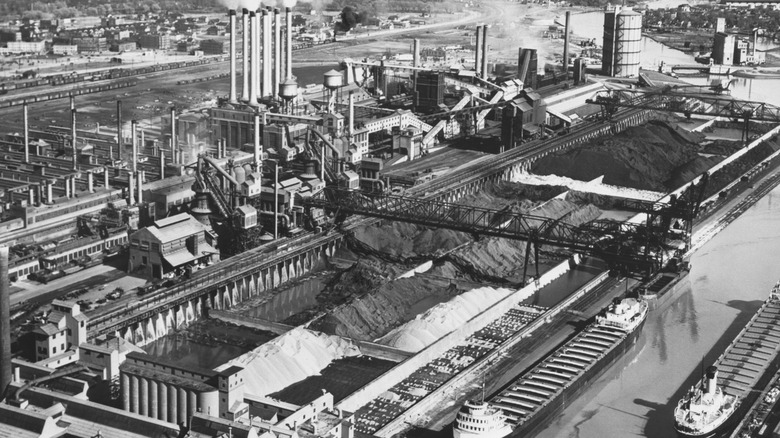
River Rouge was a place where the ore for making steel went in one end and finished automobiles rolled off the assembly line at the other end. The entire process took only 28 hours, from raw materials to completed vehicles.
But there was an additional reality that may not have been lost on Walt Disney and Ward Kimball — the River Rouge plant, built by the man behind America’s first major automotive giant, was also a giant tourist attraction to promote the Ford brand. A full four years before its opening, tours had started going through the plant, moving people from place to place in custom glass-roofed buses. The tour itself started in the Ford Rotunda, a building originally created for an exhibition in Chicago during 1933-34 and moved near River Rouge afterward. The author posits that while Greenfield Village may have inspired Main Street, USA, River Rouge had a direct connection to Disneyland’s Tomorrowland, where future innovations could be showcased.
Advertisement
What else should you know about the Disneyland-Ford connection?
Earl Theisen Collection/Getty Images
Automation was a hot topic in the postwar U.S., from the period of the late 1940s up until the 1960s, stoking fears of widespread job losses. Roland Betancourt makes the case that the technology underpinning the rides at Disneyland was derived from what Walt and Ward saw in action at River Rouge. It was automation that made it possible for Disney’s dream to come true, with repeatable, consistent results and even special effects provided by the machines behind the scenes.
He explains how the Peter Pan ride was based on a commonly used conveyor system that suspended riders from a rail placed above their heads. Programmable logic controllers from the auto industry to control the Matterhorn Bobsleds, as well as the adaptation of magnetic tape drives used in missile testing to animate the Tiki Room’s macaws, were all implementations of automation that seemed friendlier and less threatening.
Advertisement
Five days after returning to California in 1948, Disney sent a message to a production designer concerning a “Mickey Mouse Park.” It included a railroad, a village with stores, and other features he had seen at Ford’s Greenfield Village. By the time that Disneyland officially opened to the public in Anaheim, California on Monday, July 18, 1955, Disney’s vision had expanded to include attractions like Mr. Toad’s Wild Ride, the Jungle Cruise, Snow White’s Adventures, and Space Station X-1, as well as the Castle and the Stagecoach. More than 70 years later, there are six different Disney-themed parks in the U.S., Europe, and Asia.
For decades, assessingcholesterol risk has been built around a simple idea: Lower “bad” cholesterol, lower your chance of a heart attack. The test at the center of that approach measures how much low-density lipoprotein, or LDL cholesterol, is circulating in part of the blood. It has shaped everything from clinical guidelines to the widespread use of statins, medications that reduce LDL.
It works. Lowering LDL cholesterol reduces heart attacks, strokes, and early death. But it doesn’t tell the whole story.
The LDL cholesterol test measures the amount of cholesterol inside the low-density lipoprotein particles circulating in the bloodstream. Those LDL particles containing the cholesterol can get trapped in artery walls, forming plaques that can eventually block blood flow. As the test measures the amount of cholesterol being carried, not the number of LDL particles themselves, two people can have the same LDL cholesterol level but very different numbers of particles, and therefore different levels of risk.
That gap has pushed researchers toward a different way of measuring risk. Apolipoprotein B, or apoB, reflects the total number of cholesterol-carrying particles in the blood rather than how much cholesterol they contain. A growing body of research suggests it’s a more accurate way of identifying who is at risk and who’s not.
Advertisement
In March 2026, the American Heart Association and American College of Cardiology recognized this. Their updated cholesterol guidelines acknowledged apoB as a potentially more precise marker, in line with earlier European recommendations. But they stopped short of recommending apoB as the primary method for testing.
“They review the evidence and rank apoB as superior, but the actual rules of the road continue to prioritize LDL,” says Allan Sniderman, a cardiologist at McGill University.
Sniderman was an author on a 2026 JAMA modeling study that analyzed lifetime outcomes for around 250,000 US adults eligible for statin treatment. Comparing LDL cholesterol, non-HDL cholesterol, and apoB, the study found that using apoB to guide treatment decisions would prevent more heart attacks and strokes than current approaches, while remaining cost-effective.
ApoB testing can be done through standard blood tests. So why has it not filtered into routine care? Not even in Europe, where the guidelines have reflected its usefulness for years.
Advertisement
Part of the answer is inertia. For decades, LDL cholesterol has been both a scientific breakthrough and a public health success story. It is simple, widely understood, and directly linked to treatments that work.
“For 50 years, LDL cholesterol was an amazing discovery,” Sniderman says. “It’s not that it isn’t a good marker. It is a good marker.”
Børge Nordestgaard, president of the European Atherosclerosis Society, agrees that LDL cholesterol remains central for a reason. “The evidence is immense; it’s beyond discussion,” he says. “Statins reduce heart attacks, strokes, and early death through LDL cholesterol lowering.”
That success helped shape a powerful narrative: LDL is “bad cholesterol,” and lowering it saves lives. But that simplicity has also limited how risk is understood.
Advertisement
“The result is patients and physicians know little or nothing about apoB,” Sniderman says.
More recent research suggests that the cholesterol picture is more complex, especially in people already taking statins. Previous studies led by Nordestgaard have shown that in treated patients, high levels of apolipoprotein B and non-HDL cholesterol remain associated with increased risk of heart attacks and mortality, while LDL cholesterol does not. ApoB, in particular, emerged as the most accurate marker.
For Kausik Ray, a cardiologist at Imperial College London, the challenge is not choosing one marker over another, but understanding what each one captures, and what it misses.
“We’re not interested in cholesterol for its own sake,” Ray says. “We’re trying to prevent heart attacks and strokes.”
Checkmarx warned over the weekend that a rogue version of its Jenkins Application Security Testing (AST) plugin had been published on the Jenkins Marketplace.
The compromise was claimed by the TeamPCP hacker group, which initiated a spree of supply-chain attacks that included the Shai-Hulud campaigns on npm and the Trivy vulnerability scanner breach, resulting in the delivery of credential-stealing malware.
Jenkins is one of the most widely used Continuous Integration/Continuous Deployment (CI/CD) automation solutions for software building, testing, code scanning, application packaging, and deploying updates to servers.
The Checkmarx AST plugin on the Jenkins Marketplace integrates security scanning into automated pipelines.
Advertisement
“We are aware that a modified version of the Checkmarx Jenkins AST plugin was published to the Jenkins Marketplace. We are in the process of publishing a new version of this plug-in,” Checkmarx alerted in the update.
This is the third incident in a series of supply-chain attacks the application security testing firm has suffered since late March.
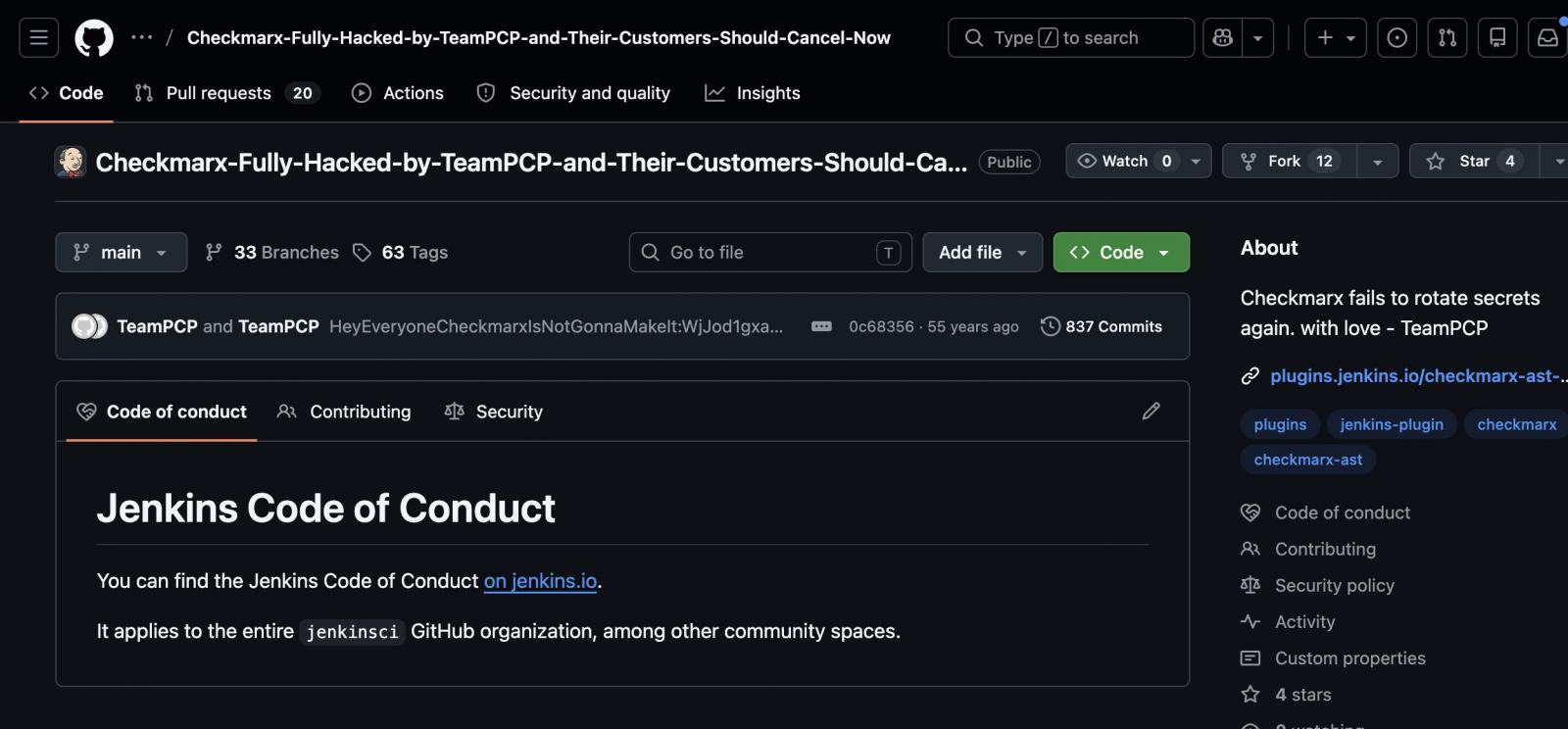
According to offensive security engineer Adnand Khan, TeamPCP gained access to Checkmarx’s GitHub repositories and backdoored the Jenkins AST plugin to deliver credential-stealing malware.
A company spokesperson confirmed to BleepingComputer that the threat actor obtained credentials to the repositories from the Trivy supply-chain attack in March.
Advertisement
A message the hackers left in the about section reads: “Checkmarx fails to rotate secrets again. With love – TeamPCP.”
TeamPCP had access to Checkmarx’s GitHub repositories source: Adnan Khan
“As a result of that access, the attackers were able to interact with Checkmarx’s GitHub environment and subsequently publish malicious code to certain artifacts,” the company spokesperson stated.
Using credentials stolen in the Trivy attack, the hackers published modified versions of multiple developer tools on GitHub, Docker, and VSCode that included info-stealing code.
The threat actor maintained access for at least a month and then published a malicious version of the company’s KICS analysis tool on Docker, Open VSX, and VSCode, which harvested data from developer environments.
In late April, the company confirmed that the LAPSUS$ threat group leaked data stolen from its private GitHub repository.
Advertisement
On Saturday, May 9, a rogue version (2026.5.09 ) of the Checkmarx Jenkins AST plugin was uploaded to repo.jenkins-ci.org. The update was outside the plugin’s release pipeline and included malicious code.
Apart from not following the official date style scheme, the malicious plugin lacked a git tag and a GitHub release.
Checkmarx advised users to ensure that they are using version 2.0.13-829.vc72453fa_1c16 of the plugin published on December 17, 2025, or an older one.
Although Checkmarx hasn’t shared any details about what the rogue Jenkins plugin does on systems, those who have downloaded the malicious version should assume that their credentials are compromised, rotate all secrets, and investigate for lateral movement or persistence.
Advertisement
Checkmarx says that its GitHub repositories are isolated from its customer production environment, and no customer data is stored in the GitHub repository.
“We have communicated with our customers throughout this process and will continue to provide relevant updates as more information becomes available,” the cybersecurity company said, adding that customers can find recommendations on the Support Portal or in the Security Updates sections.
Checkmarx has published a set of malicious artifacts that defenders can use as indicator of compromise (IoCs) on their envirronments.
AI chained four zero-days into one exploit that bypassed both renderer and OS sandboxes. A wave of new exploits is coming.
At the Autonomous Validation Summit (May 12 & 14), see how autonomous, context-rich validation finds what’s exploitable, proves controls hold, and closes the remediation loop.
A People Analytics study analyzing 205 tech professionals found that early employee attrition is driven more by stalled career momentum than workplace culture. Promotions, internal mobility, and visible growth opportunities were the strongest predictors of retention, while team socialization had little measurable impact.
I went into this research convinced I already knew the answer.
Advertisement
After more than a decade in People Analytics, the last few years at Meta, I had a working theory about why tech employees leave their jobs within the first year. Two things, I believed, were doing most of the damage: whether someone was getting promoted, and how often they were socialising with their immediate team outside of work. The first felt obvious. The second felt like the kind of human factor the industry consistently underweights.
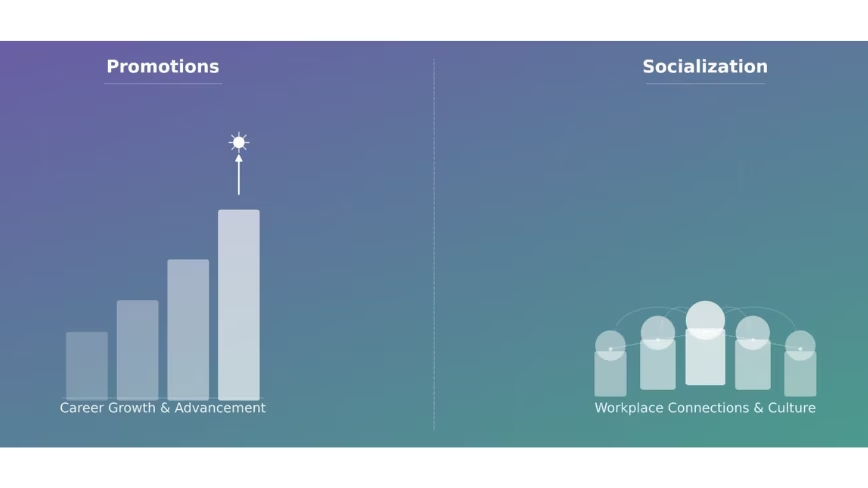
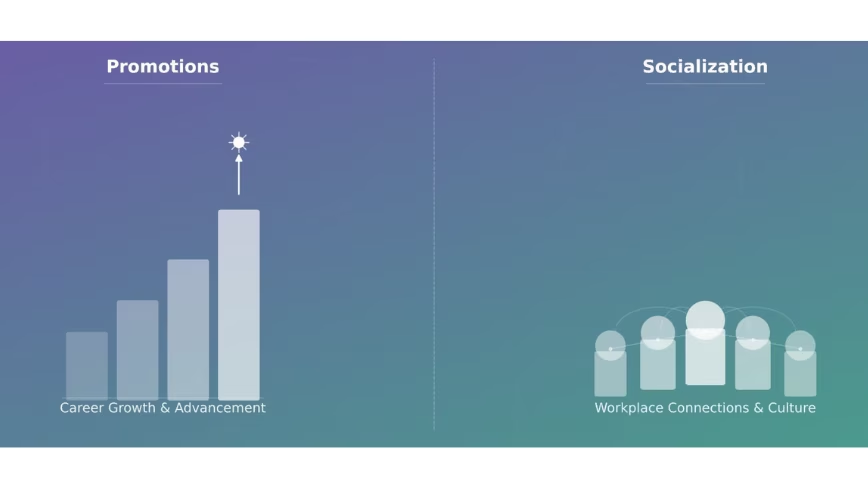
When I surveyed 205 tech professionals globally and trained a machine learning model to predict early attrition, promotions came out as the single strongest signal in the dataset. But socialisation? It barely registered. And the factors that did matter alongside promotions pointed somewhere I hadn’t fully anticipated. Early attrition in tech isn’t primarily a culture problem. It’s a career momentum problem.
That finding changed how I think about retention. I suspect it might do the same for you.
Tech has always had an attrition problem
The technology industry has one of the highest attrition rates of any sector. Median tenure at many tech companies sits at around one year, regardless of company size. This isn’t a post-pandemic hangover or a hot job market anomaly. It’s been the structural baseline for as long as the industry has existed, and the industry has never really solved it.
Advertisement
The costs are well documented. Replacing an employee can run up to 2.5 times their salary once you factor in recruiting, onboarding, lost productivity and the institutional knowledge that walks out the door with them. Research suggests that a single standard deviation increase in attrition rate correlates with an 8.9% drop in profits. In an era where tech companies are simultaneously pouring billions into AI infrastructure and scrutinising every other line of their cost base, haemorrhaging money on preventable attrition is a harder position to defend than it used to be.
What’s less well understood is why the problem persists despite enormous investment in trying to fix it. Tech companies spend heavily on perks, engagement programmes, culture initiatives and manager training. Some of it works at the margins. None of it has bent the curve in any meaningful way.
Part of the reason, I’d argue, is that most retention efforts are reactive. Someone signals they’re unhappy, or worse, hands in their notice, and the response kicks in. By then it’s usually too late. The question that has always interested me professionally isn’t how to respond to attrition once it’s happening. It’s whether you can see it coming early enough to do something about it.
There was no dataset for this, so I made one
The first problem I ran into was data. There’s no shortage of public datasets on employee attrition, but almost none of them specify industry. The most widely used one is a fictional HR dataset created by IBM data scientists, which has been recycled across dozens of academic studies. It’s clean, it’s accessible, and it tells you nothing specific about the technology sector.
Advertisement
So I built my own. I designed a 24-question survey and distributed it globally to professionals in the tech industry, with one hard requirement: both their current and previous employers had to be technology companies. After removing duplicates and incomplete responses, I had 205 usable records. Not a massive dataset by industry standards, but clean, specific, and purpose-built for the question I was trying to answer.
I defined “early attrition” as leaving a job within the first year. Every respondent was then classified as either an early attrition or not, and that classification became the target the model was trained to predict.
From there, I trained five machine learning algorithms on the data and tested each one across multiple configurations. I utilized an F1 score rather than simple accuracy to measure performance, and the reason matters. A model predicting whether someone left within a year could technically achieve high accuracy just by labelling everyone “stayed longer” since that’s the more common outcome. An F1 score accounts for that imbalance and gives a more honest picture of how well the model is actually working. The best-performing setup combined an algorithm called Extra Trees Classifier with a technique called SMOTE, which addressed the imbalance in the dataset by generating synthetic examples of the minority class. That combination achieved an F1 score of 0.97 out of a possible 1.
The model worked. The more interesting question was what it had learned.
Advertisement
Promotion was the loudest signal in the room
Of all the variables in the dataset, the number of times someone had been promoted in their previous job was the single strongest predictor of whether they left within the first year. The correlation was -0.54, which in plain terms means this: the fewer promotions someone had received, the more likely they were to be an early attrition. Not marginally more likely. Significantly more likely.
This confirmed half of my original hypothesis, and it shouldn’t surprise anyone who has worked in tech. Promotion isn’t just a title change or a pay increase. For most people, especially earlier in their careers, it’s the primary signal that the company sees them and is investing in their future. When that signal doesn’t come, people start looking for it elsewhere.
Nearly half of the respondents in my survey, 49%, had never been promoted in their previous job. That number sat with me. In an industry that prides itself on meritocracy and moving fast, nearly half the sample had never received a single formal recognition of progression. The model was picking up on something that was hiding in plain sight.
Alongside promotions, three other factors emerged as meaningful predictors. Each one is worth unpacking individually because the directionality isn’t always what you’d expect.
Advertisement
Age. Younger workers were significantly more likely to be early attritions. The correlation between age and early departure was -0.49, meaning the older the respondent, the less likely they were to have left within the first year. This makes intuitive sense when you think about it from a career psychology perspective. Earlier career employees carry less sunk cost, face more aggressive recruiting from competitors, and tend to have higher expectations of rapid progression. When those expectations aren’t met quickly, they move. For HR leaders, this means early-career and new graduate hires deserve disproportionate attention in the first twelve months. Visible career pathing and early promotion signals aren’t a nice-to-have for this cohort. They’re retention infrastructure.
Internal role changes. This one cuts against a common assumption. Employees who had experienced more role changes within their previous company were actually less likely to have been early attritions, with a correlation of -0.49. The instinct is often to treat internal mobility as a sign of restlessness. The data suggests the opposite. Movement inside a company appears to be a marker of engagement and investment, not instability. People who get moved around, who change teams or functions, are people who have been given reasons to stay invested. Rotational programmes and internal transfers aren’t just good for skill development. They’re retention tools.
Manager changes. The most counterintuitive finding in the dataset. Employees who had experienced more manager changes in their previous company were less likely to have left within the first year, with a correlation of -0.44. The assumption most people make is that manager instability drives attrition, and there is plenty of research supporting that at a general level. But within this dataset, the relationship ran the other way.
One thing worth being transparent about across both of these findings: someone who left within the first year simply had less time to accumulate role changes or manager changes than someone who stayed longer. That tenure effect is real and worth acknowledging. But the directional signal still holds. Employees who had weathered multiple manager changes or moved across teams had, by definition, found reasons to stay through organisational disruption. They had built enough roots that a change in reporting line or a shift in scope wasn’t enough to push them out. The dependency on any single manager or single role appears to be highest in the early months, before an employee has built broader organisational depth.
Advertisement
Taken together, these four factors point toward a consistent underlying pattern. Early attrition in tech tends to cluster around employees who are younger, less promoted, less mobile internally, and less embedded in the organisation. They haven’t been stagnant necessarily, but they haven’t been invested in either. The model wasn’t identifying people who were inherently likely to leave. It was identifying people who hadn’t yet been given enough reasons to stay.
The socialisation hypothesis didn’t survive contact with the data
I want to be honest about the part of my hypothesis that was wrong, because I think it’s actually the more instructive finding.
My original assumption was that how frequently employees socialised with their immediate teammates outside of work would be a meaningful predictor of early attrition. The logic felt sound. A sense of belonging, of actually liking the people you work with enough to spend time with them voluntarily, seemed like exactly the kind of human glue that keeps people in their seats during the first year when everything else is still uncertain.
The data didn’t support it. Socialisation frequency came out as one of the weakest signals in the entire model, with a near-zero correlation to early attrition after balancing the dataset.
Advertisement
I’ve thought about why that might be. One possibility is that socialisation outside work is a symptom of a good job rather than a cause of staying in one. People socialise with their teams when things are going well, when they feel settled, when they’re not spending their evenings on LinkedIn. It may be more of a trailing indicator than a leading one. Another possibility is that within the specific context of the first year, career momentum simply carries more weight than social connection. You can like your team and still leave if you’re not being promoted, not being moved, not being invested in.
What this tells me, practically, is that companies leaning heavily on culture and social programming as a retention strategy may be solving for the wrong thing, at least in the early tenure window. Those investments aren’t wasted. But if promotion cadence and internal mobility are broken underneath, no amount of team offsites is going to close the gap.
The signal is already in your data
Here is what I find most striking about these findings. None of the factors the model identified as predictive of early attrition are hidden. They’re not buried in sentiment data or detectable only through expensive listening programmes. Promotion history, age, internal mobility, manager changes. Every one of those data points exists in your HRIS right now. Most companies are sitting on the signal and not reading it.
The pattern the model learned to recognise looks something like this. An employee who is earlier in their career, has been in role for several months without a promotion conversation on the horizon, has never moved teams or changed scope internally, and whose entire organisational identity is still tied to a single manager they may or may not have a strong relationship with. That person is not necessarily unhappy yet. They may not have even consciously decided to leave. But the conditions for early attrition are already in place.
Advertisement
The traditional response to that situation, if it gets noticed at all, is reactive. A skip-level conversation after someone flags dissatisfaction. A retention offer after a competing offer has already landed. A manager coaching conversation after the engagement survey comes back low. By that point the decision is usually already made, or close to it.
What the data suggests is that the intervention window is much earlier than most organisations treat it. The first six months of someone’s tenure is when the pattern is being set. Are they getting feedback that signals a future at this company? Are they being considered for stretch opportunities or cross-functional projects? Is someone actively managing their career trajectory, or are they simply being left to onboard and get on with it?
This doesn’t require a machine learning model to act on. It requires People Analytics teams and HR business partners to start treating early tenure as a risk period that deserves structured attention, not just a probationary formality. Simple cohort analysis on your existing workforce data can surface who is sitting in the high-risk pattern right now. Who is under 30, has been in their role for more than eight months, has never changed teams, and has not had a promotion discussion documented? That list exists in your data today.
The AI investment angle matters here too. At a moment when technology companies are making significant bets on artificial intelligence and scrutinising headcount and operational costs more carefully than they have in years, the economics of preventable attrition look different than they did in a looser environment. Losing an early-career employee within the first year and absorbing the cost of replacing them, which can reach up to 2.5 times their salary, is not just a talent problem. It is a financial inefficiency that sits alongside every other cost a leadership team is being asked to justify.
Advertisement
Retention, viewed through that lens, stops being a soft HR metric and starts looking like an operational priority.
The harder question isn’t who’s leaving. It’s who you’ve given a reason to stay
Predicting attrition is the easier half of the problem. I want to be clear about that. A model can learn to recognise the pattern of someone who hasn’t been invested in. What it can’t do is tell you why your organisation keeps producing that pattern, or what it would actually take to change it.
That’s the question I’d leave with every HR and People Analytics leader reading this. Not “how do we build a model like this” but “what would we find if we ran this kind of analysis on our own workforce today?” Because the data is there. The pattern is legible. The gap is almost always in whether anyone is looking for it with enough time to act.
Tech companies are currently navigating one of the more complicated cost environments the industry has seen in a while. AI infrastructure spending is accelerating at a pace that is putting real pressure on every other budget line. Headcount decisions are being made with more scrutiny. The tolerance for inefficiency, financial or operational, is lower than it has been in years. In that context, the cost of losing an employee within the first year and absorbing the full weight of replacing them sits in uncomfortable tension with the AI investment conversation happening in the same leadership meeting.
Advertisement
You cannot cut your way to efficiency while quietly haemorrhaging talent at the bottom of the tenure curve. The two conversations need to be in the same room.
The research I did was a starting point, not a solution. A survey of 205 professionals, a machine learning model, a set of findings that confirmed some assumptions and challenged others. What it pointed toward, more than anything, is that early attrition in tech is not mysterious. It follows a pattern. That pattern is detectable. And in most organisations, the data needed to detect it already exists.
A computer the size of a credit card is nothing new. There have been many single-board computers following the familiar dimensions. [Krauseler]’s credit card computer is different, though. It packs an ESP32-C3, e-paper display, NFC reader, and, incredibly, a Li-Po battery into a credit card form factor in three dimensions rather than two. That’s right, this computer is only 1mm thick.
To ensure perfect compliance with the form factor, the enclosure, if that’s what it can be called, is a real NFC card with the middle cut out to take the electronics. The PCB is flexible, and the battery is the thinnest available. The e-paper display is an ultra-thin, flexible variant. A display connector would have been too thick, so a very fine wire-and-solder job was required.
On its own, an ESP32-C3-based computer with an NFC reader and an e-paper display would be a pretty cool project, depending on what software was on it. This one, however, redefines the term “credit card-sized.”
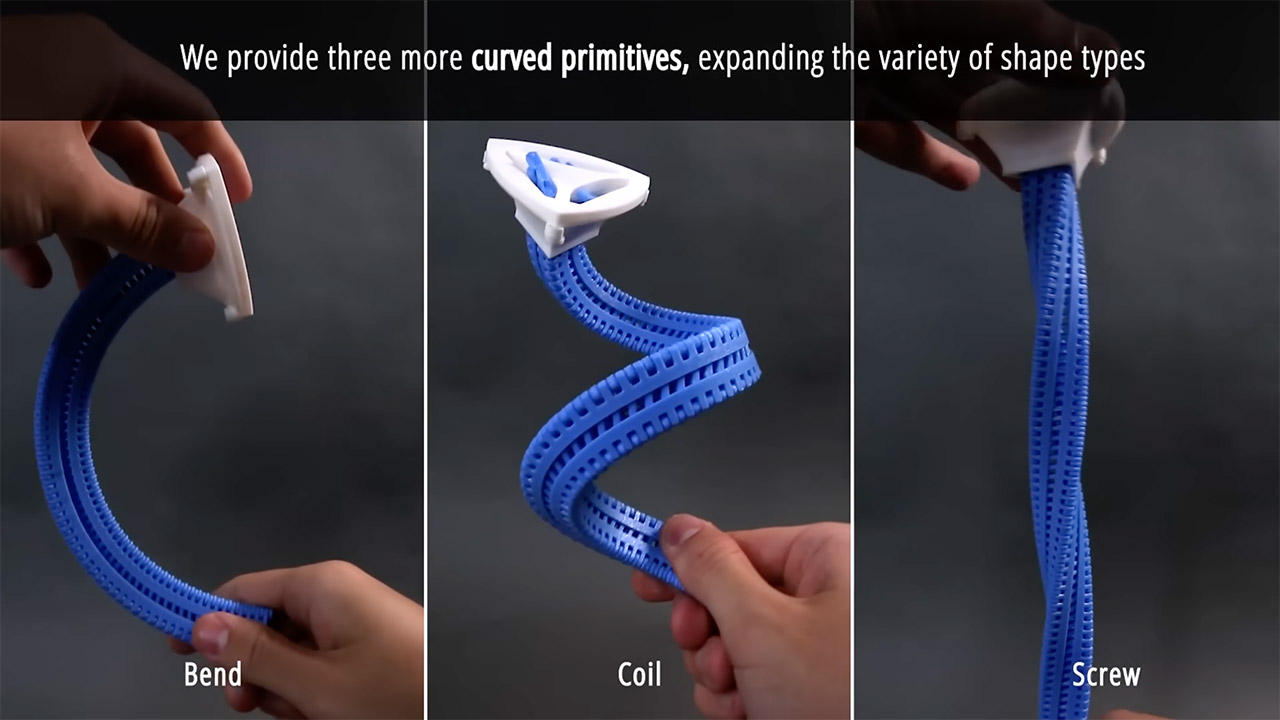
Researchers at MIT reached back to 1985 and pulled an old design out of storage. What they built with 3D printers now turns three floppy plastic strips into a solid beam in seconds. The device carries a simple name: the Y-zipper. Its triangular profile locks parts together so tightly that soft tentacles become load-bearing supports. Engineers can print the whole assembly in ordinary plastic and watch it switch states on command.
Bill Freeman came up with his initial fastener design while working as an electrical engineer at Polaroid. His goal was to develop a fastening mechanism that would allow chairs, tents, or bags to effortlessly transition between loose and taut forms without the need for additional hardware. Back then, however, companies lacked the ability to produce the three matching strips or the slider that looped around all three corners. Freeman submitted the patent but kept the drawings in a drawer. It wasn’t until 40 years later that the CSAIL team decided it was time to put it into production.
High-Speed Precision: Experience unparalleled speed and precision with the Bambu Lab A1 3D Printer. With an impressive acceleration of 10,000 mm/s…
Multi-Color Printing with AMS lite: Unlock your creativity with vibrant and multi-colored 3D prints. The Bambu Lab A1 3D printers make multi-color…
Full-Auto Calibration: Say goodbye to manual calibration hassles. The A1 3D printer takes care of all the calibration processes automatically…
At its core, the system is made up of three separate bands, each with a row of interlocking teeth along two of its long edges. And on top of those bands is a single slider that pulls them all firmly into a triangle shape as it moves. Once the slider is tight, the shape will not bend or twist because triangles distribute stresses evenly. Slide the slider back, and the bands simply pull apart, leaving behind three wonderfully flexible (and independent) ribbons that can bend in almost any way you desire. No tools are required, and the whole operation reverses in no time.
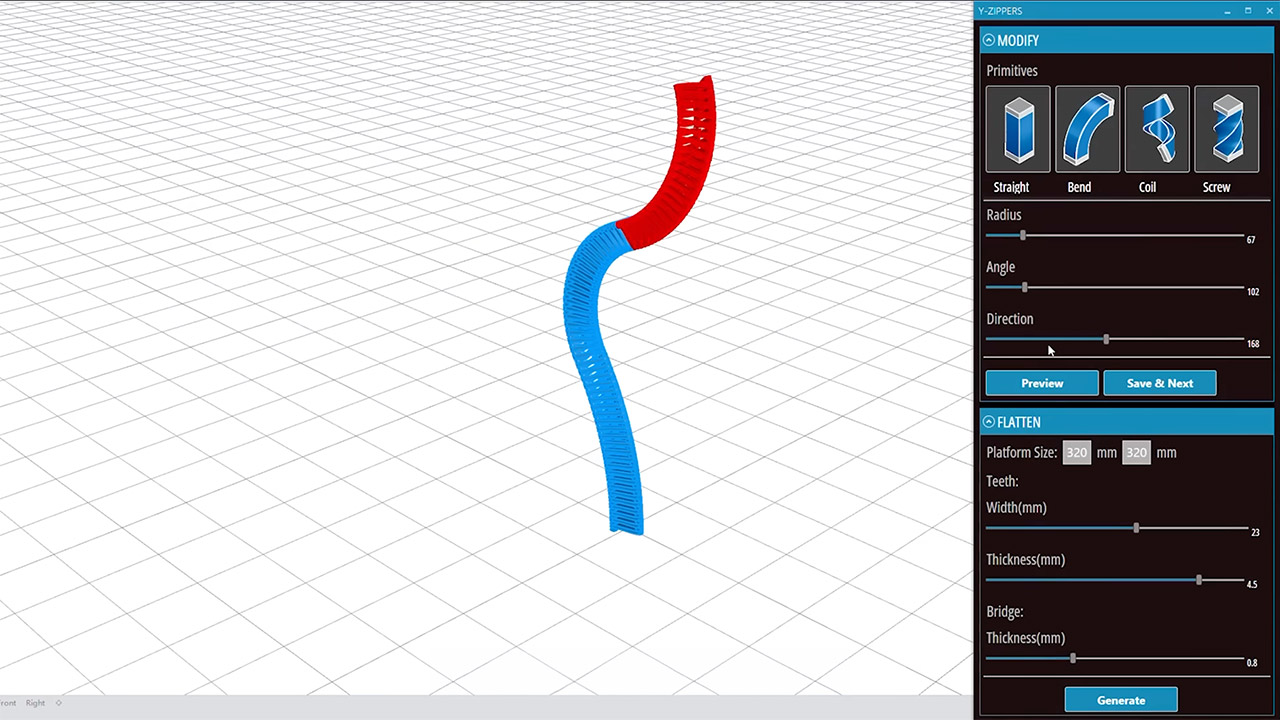
To make it all work, you simply need some software. You give the computer the size of each band, the direction it should curve, and the overall shape you desire (straight line, mild curve, tight spiral, or smooth twist). The software then generates a printable file, and the printer prints the bands made of either stiff (polylactic acid for heavy loads) or flexible (thermoplastic polyurethane for a bit of give). The layers glue together so well that those teeth fit together properly on the first try, with no handfitting required.
Tests have demonstrated how sturdy this assembly is. One system they tested went through 18,000 full open-and-close cycles without displaying even the least indication of wear on a single tooth, and the material flexes just enough to spread out any pressure and prevent snapping. They’ve also conducted load simulations and discovered that the zipped up triangle shape can support far more weight than a flat strip ever could.
Advertisement
Robots are already showing how advantageous this fastening system can be. They are employing a four-legged prototype with a zipper inside each limb. The motors then simply slide the fasteners up and down as needed. When the zippers are tightened, the legs become higher and stiffer, allowing the robot to stroll over rough terrain with ease. When the zippers loosen, the identical limbs drop down low and become much softer, allowing the robot to glide through tiny gaps, and the entire process happens in less than a blink.
Tents are pitched with the same simple hardware that has always been used. Three printed arms emerge and hook onto the cloth panels, and a short burst of power closes the zippers and the entire thing leaps into place in less than a minute and twenty seconds. No more wrestling poles for hours on end; setup is now a breeze. The tent still packs up neatly because when the zippers are closed, the printed arms fold flat.
Medical casts have also become much more comfortable, with one version that wraps over your wrist like a luxury wristband and can be left open during the day to allow your patient to walk about freely. However, as night falls, the slider clicks shut and the support begins to firm up to protect the healing bones. The patient gets to choose when to make the change by flipping a small switch. Artists have even come up with inventive uses for this technology, such as a mechanical flower sitting on a table. [Source]
The new roles will be in areas such as quality, regulatory, supply chain, finance and support functions, according to Evumed.
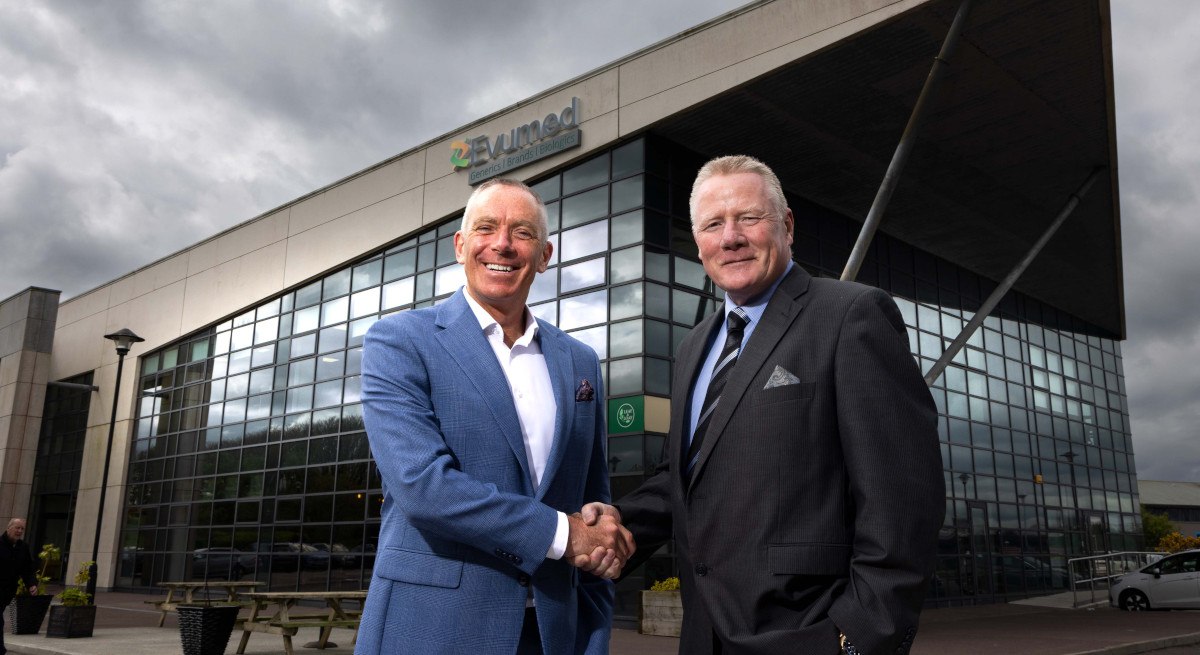
Cork Airport Business Park has announced plans to host the European headquarters of Evumed, a biopharmaceutical company that has committed to a multimillion-euro investment.
The move will see the creation of the 30 new jobs at Evumed throughout 2026, in areas such as quality, regulatory, supply chain, finance and support functions. Evumed aims to advance healthcare by ensuring continuity of supply and enabling patients across Europe to access high-quality, affordable medications.
At Cork Airport Business Park, Evumed’s headquarters are located alongside globally recognised names such as Amazon, IBM, McKesson, Emerson, Aviva, GSK, Statkraft and Red Hat and letting agents are currently in talks with an additional three global organisations regarding potential tenancies at the site.
Advertisement
Colm Moynihan, the president of Evumed, said: “Cork Airport Business Park’s exceptional global connectivity and modern infrastructure, coupled with Cork’s position as a global hub for pharmaceutical manufacturing and innovation offers Evumed the ideal location to grow as we aim to develop and deliver generic, branded and biologic medicines and bring innovation and accessibility together to improve lives.”
There are a range of career opportunities open to Cork-based professionals currently. In April, US software development company MongoDB, which has locations in Dublin and Cork, announced plans to invest €74m into its Irish operations – a move that will generate 200 new jobs.
In March, data management and cloud data platform provider Qumulo officially launched its new European software R&D hub in Cork, amid a plan for expansion that will create 50 new jobs in the area over the next three years. New roles will include opportunities in engineering, R&D and customer service.
Don’t miss out on the knowledge you need to succeed. Sign up for the Daily Brief, Silicon Republic’s digest of need-to-know sci-tech news.


























































You must be logged in to post a comment Login