The Oppo Find X9 Ultra is a massive achievement and an absolute powerhouse, combining an elite, versatile camera system with top-tier performance and exceptional battery life. While its size might not suit everyone, it is easily one of the most well-rounded and recommendable phones on the market right now.
Class-leading camera performance
Top-notch 6.8-inch screen
Highly customisable software
Some of the best battery life around
It’s on the thick and heavy side
No built-in magnetic charging
Squirrel Widget
Advertisement
Key Features
Review Price:
£1449
Advertisement
Advanced camera system
The X9 Ultra sports am advanced five-camera array on the rear, including massive sensors and a rare 10x zoom lens.
Advertisement
Huge battery and fast charging
The X9 Ultra keeps on going with a massive 7050mAh battery, and 100W charging delivers a full charge in under an hour.
Advertisement
Stylish camera-inspired design
The X9 Ultra stands out from the crowd with a design inspired by the Hasselblad X2D camera.
Introduction
The Oppo Find X9 Ultra isn’t just another option in a sea of camera-focused flagships; it’s Oppo at its most ambitious.
Advertisement
Sporting a bold camera-inspired design, one of the most capable and versatile camera setups on any smartphone right now and the kind of battery life that makes most rivals look underpowered, the X9 Ultra is a phone that’s built to impress.
But it’s not just a good camera phone – from its gorgeous AMOLED screen and top-tier performance to Oppo’s slickest software yet, the X9 Ultra feels every bit like a true Ultra phone.
Advertisement
I’ve been using the Oppo Find X9 Ultra as my daily smartphone for the past few weeks, and here’s what I’ve learnt.
Advertisement
Design
Hasselblad-inspired design
Relatively thin camera bump
Durable, but thick and weighty
While 2025’s Oppo Find X8 Ultra looked like a regular phone with a massive camera bump, the X9 Ultra is unapologetically camera-inspired – and it looks all the better for it.
Image Credit (Trusted Reviews)
The overarching design is based on that of the Hasselblad X2D camera, one of the best-looking cameras around in my personal opinion. That means the X9 Ultra features a similar two-tone metal-and-vegan-leather finish on the rear, with a dark brown aluminium frame and black leather cutouts.
Advertisement
These not only help match the X2D aesthetic, but also improve the grip without any annoying smudges or fingerprints. It’s a very different feel from the glass-backed flagships most of us are used to, but in the best way. It’s reassuringly solid, and as a bonus, you won’t need to worry about it shattering when you drop it – something I’ve already done a couple of times over the past few weeks.
Image Credit (Trusted Reviews)
However, if you can’t bear to be without the traditional glass-and-metal smartphone feel, it’s also available in a Canyon Orange finish. It’s not quite as vibrant as Apple’s iPhone 17 Pro hue, with a slightly more pastel look, with rippled canyon-like effects on the glass rear panel. It looks nice, and it’s notably thinner than the Tundra Umber finish, but the leather-clad finish is still my favourite.
The camera bump has also been redesigned, sporting a hexagonal shape inside the centrally-placed circular module that Oppo says is inspired by the aperture of professional lenses.
Image Credit (Trusted Reviews)
I’m not sure about the logic, but it certainly looks premium, and the housing is much slimmer than you might expect with the camera tech on offer. It’s a lot slimmer than Vivo’s X300 Ultra’s camera bump, and beats the Xiaomi 17 Ultra too – though not by as much. But more on the fantastic camera tech a little later.
Advertisement
Advertisement
Alongside the regular power and volume rockers on the right side of the phone, you’ll find Oppo’s camera-focused Quick Button – though the placement has been shifted so it’s actually comfortable to use, unlike options from Apple and Honor. It works in much the same way too, with touch sensitivity that lets you swipe to zoom, as well as a two-stop button to lock AE and AF before taking your snap.
Image Credit (Trusted Reviews)
The left side houses the returning Snap Key, primarily used for Oppo’s Mind Space tech, but it can be reprogrammed with a few taps – something I expect most people will do within the first few weeks.
As ever with Oppo’s flagships, the X9 Ultra is durable, featuring a combination of IP68 and IP69 dust and water resistance, along with Oppo’s crystal shield screen protection – though with a pre-applied screen protector out of the box, scratches aren’t something you’ll need to worry about for a while.
If there’s an elephant in the room, it’d be the phone’s overall size and weight. Measuring 9.1mm thick and 236g in its Tundra Umber finish, it’s not exactly the lightest phone on the market – but then again, camera-focused Ultra phones are usually pretty chonky.
Image Credit (Trusted Reviews)
Advertisement
The Xiaomi 17 Ultra is 8.3mm thick and 223g, while the Vivo X300 Ultra is a similar 8.2mm and 232g – but that doesn’t mean it’s not noticeable, even coming from the not-exactly-thin Samsung Galaxy S26 Ultra as I have. It’s not egregiously heavy to the point where you feel fatigued – I’ve got used to it over the past few weeks just fine – and the trade-off in areas like camera and battery life makes this a worthy sacrifice in my mind.
Advertisement
Some of you may disagree, and that’s fine; if weight and thickness are important to you, you’ve got the iPhone Air and Samsung Galaxy S25 Edge to consider.
Screen
Top-notch 6.8-inch AMOLED screen
LTPO-enabled 144Hz refresh rate
Bright, detailed and highly customisable
The Oppo Find X9 Ultra’s 6.8-inch AMOLED screen is an absolute treat for the eyes – but then again, if you’ve been keeping up with Oppo’s latest releases, that’s no real surprise.
Image Credit (Trusted Reviews)
In many ways it’s similar to the Find X9 Pro’s excellent panel, sporting the same QHD+ resolution and an LTPO-enabled 120Hz refresh rate, with the option to boost to 144Hz for extra frames per second when gaming.
Advertisement
It is a smidgen bigger than the 6.7-inch Pro model, however, and its corners are slightly more angular too. They’re still rounded, but the reduced width brings them closer to the Samsung Galaxy S26 Ultra’s screen than to the X9 Pro’s – and as a result, looks and feels that little bit cleaner and more premium. I’ve no idea why, really, but it does.
Image Credit (Trusted Reviews)
As always with Oppo, the bezels are both uniform and vanishingly thin, giving some of the best panels around from Samsung, Honor and co a run for their money, which further adds to that high-end look on offer.
Image Credit (Trusted Reviews)
There’s plenty of screen real estate on offer here as a result, which is great not only when acting as a viewfinder when taking snaps – the main reason you’ll buy this phone – but when scrolling through apps or watching an episode of The Boys on the go, and the vibrant AMOLED tech also lends itself well to colourful games like Archero 2. It’s bright, with a 3600nit peak brightness, vivid, and with that QHD+ resolution, it’s pixel-perfect.
There are plenty of eye-care features here that are pretty standard in high-end Oppo phones, including PWM dimming, viewing distance and eye comfort reminders, and plenty of screen customisation options if you like your screens more or less punchy.
Advertisement
Advertisement
All of this makes for a panel that, really, is almost impossible to fault. It’d be nice to see something like Samsung’s anti-reflective screen coating or even a take on the S26 Ultra’s privacy screen tech, but these are more wishes than something I expected.
Cameras
Advanced five-camera array on the rear
Leading performance across the board
10x periscope lens is a rare treat
Oppo’s Ultra phones have always been about camera tech, but with the X9 Ultra, it has really kicked things up a notch. While there are plenty of flagships with disappointing secondary cameras, it feels like Oppo has given every lens the TLC it needs, creating a camera system you can actually trust in most scenarios.
Image Credit (Trusted Reviews)
That means that, for once, you’re not forced to default to the main camera for the best quality snaps. There are four high-end shooters on the rear, along with a fifth ‘true colour’ camera that keeps the white balance and tones aligned across the lenses. In essence, it means that blue skies and skin tones don’t shift or jump when you zoom in across the various lenses, a level of consistency that’s still pretty rare.
The main camera remains the star, of course, sporting the Lytia 901 sensor boosted to a whopping 200MP. While the 1/1.12-inch sensor is a hair smaller than the 1-inch giants used by the X8 Ultra and competing Xiaomi 17 Ultra, the massive f/1.5 aperture drinks in an incredible amount of light.
Advertisement
Advertisement
That translates to images that feel, for lack of a better word, expensive. There’s a richness to the contrast and a level of detail that looks more natural than over-sharpened, while avoiding the neon-heavy saturation of Samsung devices. Oppo’s refined colour science produces vibrant yet realistic results that can also be tweaked with a range of Hasselblad-approved filters.
The 200MP 3x telephoto is the lens that you’ll be using more often than you first expect, mainly because it uses a massive 1/12.8-inch sensor that’s larger than the main camera in many rival flagships.
Because of that size and the wide f/2.2 aperture, the photo quality is really impressive. There’s a shallow depth of field that makes subjects pop with as creamy, professional bokeh rather than the cut-out look of software portrait modes – though that customisable bokeh is still available if you like. It’s also so pixel-dense that you can crop to 6x and still get a clean 50MP shot that looks optical, and you won’t find much in the way of obvious digital enhancements up until the 10x mark.
Then there’s the return of the 10x periscope. Many brands abandoned 10x because the quality usually wasn’t the best, but Oppo’s version uses an improved 50MP sensor and an f/3.5 aperture that pulls in 306% more light than the Galaxy S23 Ultra – the last phone with a proper 10x zoom.
Advertisement
Advertisement
The inclusion of a reliable 10x zoom lens has really changed the way that I shoot; whereas before I’d stick to around 5x magnification at most to keep images sharp, I no longer have that limitation. The images are crisp and tight, rather than the muddy, digital mess we’ve come to expect at high magnifications, holding on to textures like hair and fabric very well for the most part, even when you push it to 20x or 30x. It certainly makes for a very good concert or football camera.
Even the 50MP ultrawide manages to hold its own against these impressively high-end lenses. With a 1/1.95-inch sensor and an f/2.0 aperture, landscape shots maintain a high level of sharpness right up to the edges without the telltale stretching or distortion you see on many ultrawide lenses. It’s also one of the few ultrawides that doesn’t fall apart the second you step indoors or into a dimly lit restaurant.
When the light drops, the main sensor is still king, but the gap is smaller than ever. The 3x handles dark street scenes with more poise than most phones’ main cameras, and while the 10x snapper needs a light source to really sing, it’s remarkably capable at night, all things considered.
Advertisement
Advertisement
Video is equally polished, offering 4K@60fps Dolby Vision across all lenses, with the main and 3x lenses pushing to 4K@120fps. For pros, the O-Log2 support is great, but for everyone else, the real-time LUT previews and burn-in mean you get a cinematic, finished look the second you hit record.
Ultimately, the Oppo Find X9 Ultra offers a complete pro-level toolkit. It’s a phone where you no longer have to think, “which lens is the good one?” – because they all are. It easily challenges Apple and Google for the best camera phone crown, with only the most elite Chinese Ultra flagships offering any real debate.
Performance
Snapdragon 8 Elite Gen 5 power
Great for gamers and power users
Healthy RAM and storage allocation
Breaking the trend of Oppo’s flagship collection using the (less popular, but just as powerful) MediaTek Dimensity 9500, the X9 Ultra sports the full-fat Snapdragon 8 Elite Gen 5 along with a healthy helping of 12GB of RAM and 512GB of storage.
Image Credit (Trusted Reviews)
Realistically, you’re not going to notice much of a difference processor-wise compared to the MediaTek-powered X9 Pro, but the Snapdragon 8 Elite Gen 5 does take a healthy win in specific areas like ray-traced gaming performance – something it does very well, even with the full QHD+ resolution enabled.
Advertisement
Advertisement
I’ve had absolutely no complaints playing even demanding games like Call of Duty Mobile and the newly released The Division Resurgence with the highest textures enabled. The phone manages to keep relatively cool, even after close to an hour of constant gameplay, and though 3DMark’s stress test benchmark of 50.1% stability doesn’t exactly inspire confidence, that is a very demanding test that most phones struggle with.
Image Credit (Trusted Reviews)
Outside of gaming, the phone performs equally well. The Snapdragon’s power, combined with Oppo’s ColorOS and its rapid animations, means things feel buttery smooth, whether scrolling through TikTok or editing photos in Lightroom.
Everything feels slick and responsive – aside from the camera processing, which, oddly, takes a few seconds to ‘pop’ into its final form after you take a snap, much like you see on cheap phones. Still, that’s a relatively minor complaint, and could well be a bug – I am using pre-release software, after all.
That everyday experience pretty much aligns with benchmark tests, with the X9 Ultra’s Geekbench 6 multi-core CPU test results of 11.019 putting it above even phones like the Galaxy S26 Ultra and OnePlus 15 with the same chipset. The GPU is equally as strong, hitting 50.6fps in the ray-traced Solar Bay test, and with a Geekbench AI score of 25,132, it handles the variety of baked-in AI tools with ease.
Test Data
Oppo Find X9 Ultra
Samsung Galaxy S26 Ultra
Xiaomi 17 Ultra
Apple iPhone 17 Pro
3DMark Solar Bay
50.6
46.9
–
–
3D Mark – Wild Life
6984
7281
–
5400
3D Mark – Wild Life Stress Test
50.1 %
67.6 %
–
–
Geekbench 6 single core
3618
3519
3617
3870
Geekbench 6 multi core
11019
10713
10936
9994
Geekbench 6 GPU
25132
24611
24342
–
Advertisement
Advertisement
It’s safe to say that the Find X9 Ultra will deliver a top-end experience, regardless of whether you’re editing 4K HDR footage you’ve just shot or simply scrolling through apps, and that excess of power means it’ll stay rapid for some time to come.
Software
OxygenOS 16 is a treat to use
Highly customisable software
New AI tools to play with
I’ve already waxed lyrical about Oppo’s ColorOS 16 extensively in my Find X9 Pro review – and it’s safe to say that I’m a fan of what Oppo is doing here.
Image Credit (Trusted Reviews)
I think Oppo’s implementation of Android surpasses even Google’s in some respects, with a far more customisable interface and a stylish lock screen customisation system that closely resembles the iPhone 17 Pro’s. It just looks more visually appealing as a result, with even minor elements like the ability to expand app icons to include shortcuts to specific features, such as navigating home in Google Maps.
It’s a polished, well-designed, user-friendly interface with a minimal learning curve, especially compared to other customised Android skins like Honor’s MagicOS and Xiaomi’s HyperOS.
Advertisement
Image Credit (Trusted Reviews)
With that said, Oppo has introduced a few new features as part of its 16.1 update, not yet available on the rest of the X9 range, that further improve the experience. There are plenty of small elements, like being able to swipe down on your lock screen notifications to switch to a less intrusive capsule design, but the Camera app redesign is probably the most noticeable change.
It’s now, nicely put, very ‘inspired’ by Apple’s updated Camera UI in iOS 26, with fewer icons and buttons clogging up the viewfinder for a much cleaner look well-suited to the point-and-shooters out there. The more advanced options are still there, but they require a few more taps to access – in the default Photo mode, anyway. The Master mode still features a range of on-screen controls for pro-level tweaks on the fly.
Advertisement
Image Credit (Trusted Reviews)
And, it wouldn’t be a 2026 software update without new AI features. The AI Mind Space, where you can store screenshots, photos and voice clips for easy retrieval later, now supports automatic bill logging, allowing you to log expenses, and it also works with physical receipts.
There’s also what Opo is calling the AI Mind Pilot, a new app that uses multiple AI models (Gemini, DeepSeek, and Perplexity for now) to answer your queries simultaneously and can also use context from data stored in the AI Mind Space app. It should allow you to spot any errors between the responses, one of the big problems with AI chatbots right now, though the rollout is limited to the Asian market for now.
Advertisement
Oppo is also joining Samsung and Google in supporting Quick Share with Apple devices, though it isn’t available just yet – according to my testing at least.
Battery life
Massive 7050mAh battery
Easy all-day battery life, and then some
Rapid 100W wired and 50W wireless charging
As we’ve already seen from the likes of the regular Find X9 and the Find X9 Pro, Oppo is putting some seriously big batteries in its latest flagship collection – and that of course continues with the X9 Ultra.
Image Credit (Trusted Reviews)
Though it’s not quite as big as that of its cheaper brethren, at 7050mAh, it’s both 1000mAh bigger than the X8 Ultra and still frankly massive compared to much of the Ultra competition. For context, Samsung sticks with a 5000mAh cell in its big-screen Galaxy S26 Ultra, while the Xiaomi 17 Ultra has a 6000mAh cell and the Vivo X300 Ultra uses a 6,600mAh alternative.
That’s a roundabout way of saying that the Find X9 Ultra has pretty phenomenal battery life, regardless of what you’re up to. I really pushed the X9 Ultra to the limits with optional features like the always-on display, full QHD+ resolution, and all the screen-boosting tech active, and it hasn’t wavered once over the past three weeks of daily use.
Advertisement
Advertisement
It’s a phone that’ll easily get me through less demanding days (usually working from home, with a bit of scrolling in the evenings) with 60-70% battery left in the tank. Even on busier days when I’m taking advantage of the top-end camera system, playing demanding games like The Division Resurgence and chatting away on apps like WhatsApp, the phone rarely dipped beneath the 40% mark after around 18 hours off charge.
Image Credit (Trusted Reviews)
In essence, it’s a phone that’ll just keep on going, even if the battery isn’t quite as big as others in the X9 collection, and even the most demanding users will find it hard to fault. And, with both 100W wired and 50W wireless charging support, it’s pretty rapid on the refill side of things too.
I saw 36% charge in 15 minutes, 67% in half an hour and a full charge in 58 minutes when plugged in – though with the caveat that you’ll need SuperVOOC-branded wired and wireless chargers to hit those top speeds, and neither comes in the box. It is well worth investing in the wired charger at the very least.
There’s no MagSafe-esque magnet system here without the use of a magnetic case, but that’s still relatively new on the Android side of things.
Advertisement
Squirrel Widget
Advertisement
Should you buy it?
You want a great all-rounder with class-leading cameras
Advertisement
The Find X9 Ultra is a great camera phone and then some, sporting a stylish design, fantastic screen, top-notch power and all-day battery life.
Advertisement
You want a thin, lightweight phone
With the Tundra Umber variant measuring in at 9.1mm thick and the Canyon Orange at 8.6mm, it’s a pretty chunky phone.
Advertisement
Final Thoughts
The Oppo Find X9 Ultra is a massive achievement for Oppo, and it’s a phone that’s very hard to find fault with.
It is an absolutely fantastic camera-focused phone with a no-compromise set of lenses that deliver a consistent experience regardless of zoom, with accurate colours and plenty of detail. It’s a versatile setup that works well up to 30x and beyond, with pro-level video features rarely seen on Android.
But to be honest, it’s more than just a great camera phone – it’s a phenomenal phone full stop. That fantastic camera array is backed by a stylish design, a top-notch AMOLED screen, top-end performance, user-friendly and massively customisable hardware, one of the biggest batteries in any phone and rapid charging to boot.
Yes, it’s not as thin and light as some might like, but with so much else going on here, it’s easy to overlook. In fact, it’s one of the easiest phones to recommend right now if you’ve got the cash for it.
Advertisement
How We Test
We test every mobile phone we review thoroughly. We use industry-standard tests to compare features properly and we use the phone as our main device over the review period. We’ll always tell you what we find and we never, ever, accept money to review a product.
Used as a main phone for three weeks
Thorough camera testing in a variety of conditions
Tested and benchmarked using respected industry tests and real-world data
FAQs
Does the Oppo Find X9 Ultra come with a charger?
Despite offering 100W SuperVOOC charging, a charger isn’t supplied in the box.
Is the Oppo Find X9 Ultra water-resistant?
Advertisement
Yes, it offers IP66, IP68 and IP69 dust and water resistance for added peace of mind.
Most home security cameras demand either a complicated installation, a recurring subscription, or a battery you are replacing every few weeks, and the cheaper ones tend to ask for all three at once.
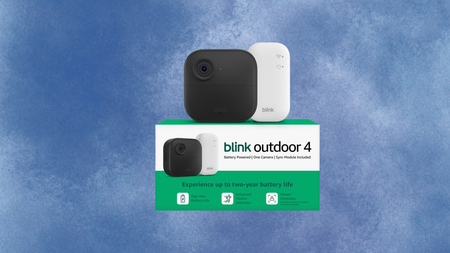
This is a fourth-generation wireless security camera that sets up in minutes, requires no drilling or hardwiring, and runs on two included AA Energizer lithium batteries for up to two years before you need to think about power again.
Advertisement
Video comes through at 1080p HD with a 143-degree diagonal field of view, infrared night vision for low-light coverage, and two-way audio so you can speak directly to whoever is at your door or in your garden from the Blink app on your phone.
The dual-zone enhanced motion detection lets you define exactly which areas of the frame trigger an alert, which cuts down on false notifications from passing cars or shifting shadows rather than actual movement that matters.
Advertisement
Person detection is also available, using embedded computer vision to distinguish a person from an animal or object, though this feature requires an optional Blink Subscription Plan sold separately and is not included in the base price.
Cloud video storage follows the same model, with a 30-day free trial included and a paid subscription needed to keep footage beyond that period, while local backup is possible via a Sync Module XR and MicroSD card, both of which are sold separately.
The included Sync Module Core acts as the system hub, supporting up to ten Blink devices and extending battery life across the camera range, meaning the Blink Outdoor 4 can grow into a wider whole-home setup over time.
Alexa compatibility allows you to pull up a live view, arm or disarm the camera, and set routines using any compatible Amazon device, which makes it a natural fit for households already inside the Amazon ecosystem.
This deal is very much ideal for anyone who wants capable outdoor coverage without a professional installation or a long-term commitment, and $36 saved at today’s price makes it a straightforward decision.
Sealy is a mattress brand that is tried and true for many people, given that it has been around since 1881. That’s a lot of time to refine your product. Sealy has kept pace with the times by offering modern variations like memory foam and hybrid mattresses while also maintaining a strong lineup of traditional innerspring beds.
For example, the Cocoon Chill by Sealy is one of our favorite cooling mattresses that passed our week of testing with flying colors. While I’ve only been in the mattress industry for five years (a blip compared to Sealy’s timeline), I’m the resident sleep writer, reviewer, and certified sleep science coach here at WIRED. These are beds to keep an eye on, especially when they go on sale. Without further ado, here are some Sealy promo codes for this very case.
But if Sealy isn’t the only brand you’re contemplating, you can find our top-tested picks on our best mattresses list, plus the best bedsheets to go with them.
Save $200 on an Ease Power Base With This Sealy Coupon
Sealy doesn’t just make mattresses, and their coupons aren’t just for mattresses—you can also score deals on products like bed frames. The Sealy Ease Power Base allows you to modify the angle of the head and foot of the bed, along with adjustable leg heights to best match your stature. If you plan on getting one to accompany your new Sealy Elite mattress, use Sealy promo code on this page to knock $200 off your bed and Ease power base purchase.
Advertisement
Take $100 Off a Posturepedic Spring Mattress With This Coupon Code
Sealy’s Posturepedic Spring mattress isn’t messing around when it comes to lumbar support. Sealy’s PrecisionFit coils are also working hard within this bed, with firmer coils in the center of the bed right where your spine needs it most—keep that in mind if you have back pain. Gel memory foam layers to keep tension off your pressure points and lower back.
Grab Two Adjustable Support Pillows for $69
Your head and shoulders need as much support as your knees and toes, which is why you’re looking for the best pillow out there and a good deal. Sealy’s got a good thing going with its adjustable pillows, which have the same pressure-relieving memory foam that works to contour around your head. No Sealy promo code needed for this one, because you can bundle to save $29 with a purchase of two pillows.
Get Savings on the Best Mattresses With Sealy
Sealy beds are everywhere. And there’s a reason this mattress is so popular, as they have tons of different models for every type of sleeper. Be sure to check out their complete lineup, including some of their most popular mattresses: the Sealy Posturepedic Hybrid Mattress, the entire Posturepedic Elite Collection, which helps to cradle and support the whole body, and the Cocoon Chill Mattress, ever-popular with hot sleepers who need a cooling mattress.
Sleep on It (Literally) With Sealy’s 90-Night Trial and 10-Year Warranty
Sealy offers you 90 nights and 10 years to back up your new mattress purchase, which is the industry standard. Your body needs at least 30 days to get used to the new bed, and 60 nights beyond that initial timeframe helps you be extra sure it’s the one for you. Ten years is generally how long you can expect a mattress to last, so this is another way of Sealy standing by the durability of its product, whether you plan on buying online or in-store.
Samsung’s Galaxy Book6 Ultra is the latest attempt to take the thin-and-light workstation crown away from Apple’s MacBook Pro. There is a clear winner.
M5 Max 16-inch MacBook Pro [left], Samsung Galaxy Book6 Ultra [right]
The premium notebook market is highly competitive, and Apple has been a big part of that particular industry for decades. The MacBook Pro is synonymous with the concept, being an aluminum-clad slab of portable computing for power users on the go. Many have tried to emulate Apple’s aesthetic, and with some success, too. Even rival companies like Samsung have gone down a similar route with their premium notebooks. Continue Reading on AppleInsider | Discuss on our Forums
Amazon wants 80% of its developers to be using AI every single week
The company is even tracking AI token usage via internal leaderboards
Unwilling workers are using AI where it’s not necessary just to inflate figures
Some Amazon employees are reportedly using the company’s internal agentic AI platform, MeshClaw, to automate unnecessary or trivial parts of their work simply to boost internal AI usage metrics.
This comes as company workers are being pressured from above to use more AI – Amazon wants four in five of its developers to be using the tech weekly, and has since started tracking AI token consumption on internal leaderboards.
With workers adoption still relatively slow, many have turned to behavior described as ‘tokenmaxxing’ to artificially inflate their AI usage metrics, the Financial Timeshas reported.
Latest Videos From
Advertisement
Amazon workers are pretending to use AI more than they are
MeshClaw is one of the company’s internal systems designed to support the adoption of AI, allowing employees to create their own AI agents to navigate software, coding, emails and other regular workflows.
But workers are now said to be optimizing their usage to maximize token counts rather than useful outcomes, ultimately leading to unnecessary AI calls that are increasing Amazon’s compute costs without delivering true ROI.
And it’s not just Amazon looking to drive AI adoption internally, with Meta, Microsoft and other companies also reportedly gamifying uptake with internal leaderboards.
However, a recent study by engineering analytics firm Jellyfish (via Business Insider) reveals that, while the heaviest AI users consumed around 10x more tokens than average, they only achieved a 2x increase in productivity.
Advertisement
Sign up to the TechRadar Pro newsletter to get all the top news, opinion, features and guidance your business needs to succeed!
Conversely, Nvidia CEO Jensen Huang said in an interview with the All-In Podcast he would be “deeply alarmed” if workers like software engineers or AI researchers didn’t use half their annual salary’s worth of AI tokens annually – that’s $250,000 in tokens for a $500,000 worker.
We may receive a commission on purchases made from links.
Folks looking to upgrade their day-to-day lives with smart technology have no particular shortage of options, with most of the major tech companies offering devices to manage almost any scenario you can fathom. But in the smart assistant game, it really comes down to a few major players in Apple’s Siri, Google’s Gemini (and its former iteration, Google Assistant), and, of course, Amazon’s very own Alexa.
Those AI assistants no doubt play a big role in the lives of most folks in the modern world. However, Alexa may own a slight advantage over the competition when it comes to hardware due solely to its ties to Amazon, which happens to be the largest e-commerce outlet in existence by a pretty wide margin. To that end, most of the major manufacturers of tech now make devices that are compatible with Alexa.
Advertisement
Amazon, naturally, also makes an entire line of smart devices that are Alexa enabled and ready to make your life a little easier whether you’re at home or out and about for the day. For this particular list, we’re focusing on that set of smart devices. Similarly, we are keeping to options which can be purchased directly through Amazon, as it sometimes must make sense to buy directly from the source. In any case, if you are looking for Alexa ready devices for your home and beyond, here’s a look at a few of the cheapest you can currently buy through Amazon.
Advertisement
Smart Display: Echo Show 5 – $89.99
Many of Amazon’s Alexa enabled devices are, of course, designed to provide some level of service to users by allowing them to control compatible devices through a single digital point of origin. Some of those devices are, however, are also geared towards providing users with entertainment options, and one of the more popular Alexa devices in that list is the SlashGear-approved Amazon Echo Show 5.
If you’re interested in the entertainment enabled device to your Alexa array, you can add an Echo Show 5 for a typical retail price of $89.99. It should be noted that the sticker price may be even lower on occasions when Amazon is running a sale. For that price, you get an Alexa device that is equipped with a 5.5-inch screen that can indeed be used to stream news programs and your favorite shows from Amazon and any number of streamers. The device can also be used to stream music from your favorite artists, with Amazon claiming dramatic upgrades in the audio setup over previous generations.
On top of that, you can connect the device to doorbell cameras like those from Ring, which is, of course, owned by Amazon. The Echo Show 5 can also be used for video calls if you like, and even possesses some smart home hub capabilities that can help you control smart lights, smart thermostats and your home security system. It can also serve as a digital frame for your favorite photographs.
Advertisement
Smart Speaker: Echo Pop – $39.99
If you don’t need an Alexa device equipped with all that video capability, and just want a little something that can help you kick out the jams in your kitchen, office or bedroom, Amazon’s Echo Pop may be just the stripped back speaker you need. It is also one of the cheaper Alexa enabled devices that Amazon makes, with the online retailer selling it for just $39.99 these days.
Don’t let the term “stripped back” put you off of this little speaker, as it is as well-designed and developed as any of Amazon’s Alexa devices. Though it may be small in stature, it’s also built to provide some solid punch on the audio front, with Amazon claiming it’ll easily fill any average sized room with big sound. It’ll do so directly through Alexa or through a mobile device connected via Bluetooth if you prefer to blast a playlist from your favorite streamer.
Advertisement
Its Alexa capabilities also extend to the control of certain smart devices like lights and plugs via voice commands. Like many other Alexa devices, the Echo Pop can also answer any number of questions, and is fitted with the now common light bar that lets you know when the AI assistant is engaged and when it’s not. According to Amazon, the device is pretty eco-friendly too, with its fabric covering made of 100% post consumer recycled yarn, and its casing being manufactured from 80% recycled aluminum. For the record, it’s also equipped to run the new Alexa+ program.
Advertisement
Smart Car Companion: Echo Auto – $54.99
Amazon does make a few devices that allow you to take Alexa with you. Its Echo Buds wireless earbuds would likely have been the accessory listed here if they hadn’t been listed as “currently unavailable” through Amazon for some time now. Even as some might think Alexa shouldn’t have a place in a moving car, the Echo Auto accessory is designed to put the AI assistant there for any vehicle owner who does.
No, the Echo Auto does not put Alexa at the wheel of our vehicle. Rather, this device is designed to provide more hands-free functionality to drivers on the road. The microphone equipped device — it’s actually got 5-mics built in to ensure you are heard over in-cabin noise – is designed to mount anywhere in your vehicle, and is powered/connected to it via USB connection. Once it’s up and running, you’ve basically got a mobile Alexa device that can perform many of the same functions as the one in your living room, and will do so by way of simple voice commands.
That list includes playing music, podcasts or radio broadcasts, sending text messages and making phone calls. You can also connect the device to your Alexa enabled home hub and use it to engage smart locks on your home, turn lights on and off inside, and even adjust the thermostat while away. Echo Auto may seem like overkill to some, but at $54.99, many may be willing to give it a go.
Advertisement
Smart Alarm Clock: Echo Spot – $79.99
In the context of smart home upgrades, alarm clocks are one place where technology has largely failed us, because, well, even as necessary as they are, they are still just infuriatingly loud and limited in personalization. We’re not here to make any claims that Amazon has fixed the long-running alarm clock conundrum. Nonetheless, the Echo Spot Alarm Clock feels like a solid enough step in the right direction if you’re looking for a new one.
The first version of the Spot was, of course, discontinued a couple of years back. The re-imagined Spot is basically a modified version of the Echo Dot, with Amazon flattening the face of that high-tech orb and replacing it with a flat surface that is half shiny digital display and half speaker. That display is customizable to each user’s needs, but is also designed to prominently feature the time, the date and the temperature. Perhaps more importantly, the device allows users to tailor their wake-up routine to their specific desires, making it easier than ever to rise and shine on your own terms.
Advertisement
Yes, like most Alexa tech, the Echo Spot is also equipped to play music, audiobooks, and podcasts at your request, and provide a myriad of other voice-activated functions. It can also connect to your home hub and aid actions like dimming lights, and can even use motion detection to tweak the thermostat in your home. At $79.99, it’s also a pretty affordable option for such a major alarm clock upgrade.
Advertisement
Smart Home Hub: Echo Hub 8 – $179.99
In the smart home tech market, the home hub is essentially one device to rule them all sort of option. By that standard, “cheap” is sort of a relative term, as the hub offers such a wide range of functionality. Still, there are plenty of budget-friendly smart home hub options on the market, with Amazon’s Alexa enabled Echo Hub 8 — which can be purchased for well under $200 — ranking among them.
For the record, Echo Hub 8 typically sells for $179.99, and yes, the device is indeed compatible with Amazon’s upgraded Alexa+ AI assistant. That means it can be used to run thousands of other compatible devices and seriously streamline your smart home setup. Fronting an 8-inch touch screen, the wall-mountable Echo Hub can be plugged into a standard outlet or hard-wired for a cleaner on-wall look. It’s also easy to set up via the voice command, “Alexa, discover my devices.”
As for what that hub will discover, you can count pretty much any Alexa smart device on that list, as well as a myriad of others, with the easy-to-use Echo Hub able to operate lighting and smart plugs in every room in the house. It can also adjust the thermostat, operate any connected speaker systems, show feeds from doorbell and other security cameras, and provide easy-access control over home security systems. You can even connect it to your smartphone through the Alexa App so you can check the status of all of those smart devices and setting while you’re out.
The European Union wants Google to allow any AI company to use its services, and the company hates the idea. Apple agrees with Google.
Apple doesn’t seem to be listened to by the European Union when it complains about its own experiences trying to work within the Digital Markets Act (DMA). But since the EU has asked for responses to its proposals for Google to open up to rival AI firms, Apple has tried again.
“The DMs [draft measures] raise urgent and serious concerns,” said Apple in a submission to the EU, as seen byReuters.
For instance, Apple is expressly concerned about the idea that any AI firm could in theory send emails or order food via Android, without Google’s or perhaps the user’s knowledge.
Advertisement
“If confirmed, they would create profound risks for user privacy, security, and safety as well as device integrity and performance,” continued Apple.
Apple doubtlessly has its own platforms in mind when it is now objecting to rival firms having full access to Android. But it also makes the point that the EU has specified AI firms in its proposals, and Apple points out how poor and error-strewn AI apps are.
“These risks are especially acute in the context of rapidly evolving AI systems whose capabilities, behaviours, and threat vectors remain unpredictable,” said Apple, “as we are now seeing time and again.”
Anyone can submit their opinion to the EU when there is an open call like this, and everyone who does is really looking to protect their own interests. So Apple is clearly concerned that it, too, may be forced to allow the same rival access in iOS.
Advertisement
However, Apple does also have the experience of what it has previously claimed to be “hundreds of thousands of engineering hours” in complying with the DMA. And as part of its new submission, questioned the EU’s technological expertise.
“The EC is redesigning an OS… it is substituting judgments made by Google’s engineers for its own judgment based on less than three months of work,” said Apple. “It is all the more dangerous given the only value that can be discerned from the [draft measures] guiding this work appears to be open and unfettered access.”
Separately, in May 2026, the EU concluded that its DMA has made a positive impact, thereby ignoring Apple’s lobbying for it to be revised.
What happens next
It’s not clear when Apple submitted its filing to the EU, but it was during the consultation period that ran from April 27, 2026, to May 13, 2026.
Advertisement
The European Commission states that it will “carefully assess” submissions from both Google and what it calls interested parties. It does say that there may be adjustments made to the proposed measures because of the submissions.
However, it also mandates that its final decision “must be adopted within six months” of the opening of the specification proceedings. In this case, that means July 27, 2026.
If you’ve been interested in FreeCAD but haven’t known where to start, here’s a wonderful video tutorial for FreeCAD 1.1 by [Deltahedra] aimed squarely at how to model a 3D part from scratch while also following best engineering practices for part design. It focuses on a concise and meaningful workflow that respects your time and doesn’t make assumptions about skill level. It even starts by taking a few moments to explain how to navigate the interface, a courtesy many will appreciate.
FreeCAD can do quite a lot, so a tutorial that focuses on a specific yet broadly-applicable task with a clear context is a great way to narrow the scope into something manageable, and be comprehensive without getting bogged down in minutiae. [Deltahedra] does this by exclusively using the part design workbench, demonstrating what to do to make a part step-by-step, and showing common mistakes that can happen and how to fix them if they occur. Beyond that, it’s left up to the curious hacker to delve for themselves into what else FreeCAD has to offer.
Since 1.1 is (at this writing) the latest stable release, one can also be confident that the tutorial will match the user interface and features one sees on their own screen. After all, it can be frustrating to attempt to follow a tutorial only to find out things are a few versions behind and nothing is where one expects it to be.
Advertisement
Best practices aren’t just fussy rules about how to do things, and [Deltahedra] demonstrates this by showing how certain procedures just plain make more sense when designing shapes. Our own Arya Voronova has also shared best practices for FreeCAD, so check that out for some added perspective. You’ll be wielding FreeCAD in confidence and comfort in no time.
Fire arrow versus the recreated fire dart. (Credit: Tod’s Workshop, YouTube)
The Mary Rose was a carrack in the English Tudor Navy of King Henry VIII that fought in multiple battles during the 16th century before it was sunk in 1545. After its wreck was located in 1971 and raised in 1982 the ship and all the items contained within the partially preserved hull became the focus of intense study. Among these items are the weaponry found, including the canons, but also massive darts that seemed to have been designed for an incendiary payload. Recently [Tod’s Workshop] collaborated with others to test these presumed incendiary darts.
Although fire arrows have been around for a while, seeing what appears to be super-sized versions of these is somewhat unusual, but could make sense in taking out enemy ships of the time. The main questions are how you would even fire them, and how effective they would be. Were the darts thrown by hand from e.g. the crow’s nest, or fired from a canon?
The reproduction darts used are based on the recovered remnants of the original darts, with an incendiary mixture inside a pitch-covered cloth covering. This mixture would be ignited by wooden fuses after a set amount of time, at which point the resulting fire would be basically impossible to put out. Obviously, this also means that if you were to throw one of these darts, it can absolutely not fall onto your own ship.
First tested was throwing the dart by hand, which seems like it would clear the ship. Of course, the three recovered darts were found near a rather special canon that appeared to be both a miscast and angled upwards. Whether that canon was used for launching apparently somewhat experimental darts is hard to say, but it can be tested. Sadly, lacking a full-sized black powder canon a scale model dart was fired using compressed air.
From that scale test it’s clear that at full charge the dart would disintegrate due to the rapid acceleration, but a ‘soft’, or reduced, charge could work against nearby targets. Once the dart lodges itself into the enemy ship’s structure, it would definitely cause severe damage as further tests in the video demonstrate. Having a salvo of these fire darts fired at you from a nearby ship would definitely make for a pretty bad day.
Microsoft’s professional network becomes the latest name on a list that now includes Meta, Amazon, Oracle, and IBM, even as the same companies are guiding $725 billion of AI capital spending this year.
LinkedIn is cutting roughly 5% of its staff, the latest reduction at a Microsoft-owned business and the most recent entry in a year-long Big Tech contraction that has now displaced more than 100,000 workers across the sector.
Chief executive Dan Shapero, who took over from Ryan Roslansky in late April when Roslansky moved into a new AI role inside Microsoft, set out the cuts in a memo to employees, citing the need to operate “more profitably” and to reinvent how the company works with smaller, more agile teams. Bloomberg reported the memo on Wednesday.
LinkedIn employed roughly 17,500 staff at the start of 2026, implying a cut in the region of 900 to 1,000 roles.
Advertisement
The 💜 of EU tech
The latest rumblings from the EU tech scene, a story from our wise ol’ founder Boris, and some questionable AI art. It’s free, every week, in your inbox. Sign up now!
The company has not confirmed an absolute number, but multiple outlets briefed by sources put the figure at about 875 jobs, with engineering, product, marketing, and the Global Business Organization carrying most of the impact.
The bigger number is the one that frames everything else. By 13 May, the global technology sector had announced more than 100,000 layoffs across some 250 separate events, an average of roughly 880 a day, according to industry trackers.
Advertisement
The TrueUp layoffs tracker had logged 286 events affecting 128,270 workers, the highest reading since the 2023 contraction.
The defining feature is the divergence between payroll and capital expenditure. Amazon, Microsoft, Alphabet, and Meta are collectively guiding to roughly $725 billion of capital spending in 2026, almost all of it directed at AI infrastructure, GPUs, and data centres.
That figure is up from $410 billion in 2025, and rising faster than at any point since the cloud build-out of the late 2010s. Headcount, meanwhile, is going the other direction at the same firms.
The biggest single tranche still ahead this week is Meta’s. The company will begin companywide layoffs on 20 May, cutting approximately 8,000 employees, or about 10% of its 78,865-person workforce, with further reductions planned for the second half of 2026.
Advertisement
Microsoft has taken a different shape. Rather than involuntary cuts, the company in April opened a voluntary-separation programme to around 8,750 US employees, roughly 7% of its domestic headcount, structured under a “Rule of 70” formula in which years of service plus age must total at least 70.
It is the first such programme in the company’s 51-year history. Final notifications went out on 7 May, with a 30-day decision window. LinkedIn’s cuts now layer on top of those Microsoft moves.
Amazon has been quieter but is on a larger absolute trajectory. The company confirmed in January that it was cutting 16,000 corporate roles, bringing total reductions since October 2025 to roughly 30,000, the largest workforce contraction in its history.
Chief executive Andy Jassy framed the cuts as a flattening of layers built up during the 2020-2022 hyper-growth phase, not a direct AI substitution.
Advertisement
The smaller players are following the same pattern at a different scale. Oracle has cut roughly 30,000 positions, around 18% of its global workforce. IBM, Salesforce, Cisco, and SAP have all confirmed cuts over the year, and defence-adjacent contractors tied to federal technology procurement have shed several thousand roles since the start of the year.
For LinkedIn, the framing is narrower. Shapero’s memo pointed to slower revenue growth and an organisational flattening rather than an AI substitution, and the cuts are part of a wider Microsoft-group rebalance that began with the April Rule-of-70 programme.
LinkedIn’s revenue still grew 12% year on year in the most recent quarter, which makes the cut a profitability call, not a top-line one.
Whether the AI-substitution reading holds across the rest of the sector will probably be settled by the second-half 2026 round of disclosures, particularly Meta’s.
Advertisement
Until then, the running 2026 total is the only honest summary of the labour story: more than 100,000 jobs out, $725 billion of capex going in, and a widening gap between where the money sits and where the people do.
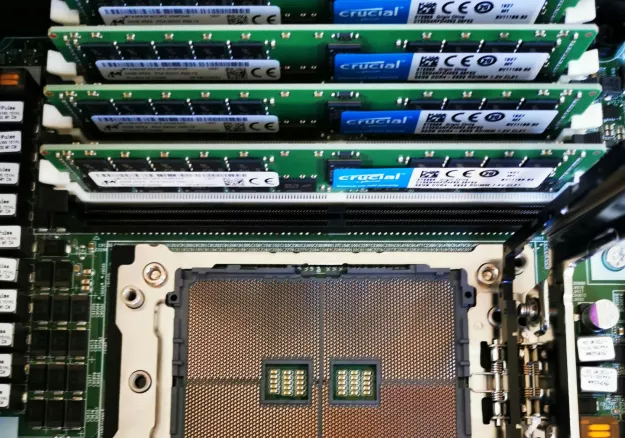
You’ve no doubt heard the short version of this story time and again: AI startups are gobbling up all of the memory that manufacturers can produce, leaving traditional electronics firms to fight for the remaining scraps. In all situations, that means heavily inflated prices and for some near the bottom… Read Entire Article Source link































































You must be logged in to post a comment Login