
Connect with us
DAPA Banner

Tech

Oppo Find X9 Ultra vs Xiaomi 17 Ultra: Comparing the Androids

Published

on

Not sure which camera-focused flagship Android to go for? You’ve come to the right place.

We’ve compared the five-star Oppo Find X9 Ultra to the 4.5-star Xiaomi 17 Ultra so you can decide which camera-focused Android will likely suit you best.

Otherwise, our best camera phones and best Android phones should have you covered too.

Price and Availability

The Xiaomi 17 Ultra is available to buy now, with a starting price of £1299 for the 16+256GB model.

Advertisement

Design

  • Oppo Find X9 Ultra is thicker and heavier than the Xiaomi 17 Ultra
  • Xiaomi 17 Ultra comes with a wider variety of finishes
  • Oppo Find X9 Ultra includes the Quick Button and Snap Key, while the Xiaomi 17 Ultra doesn’t have any additional buttons

Advertisement

Put the Oppo Find X9 Ultra and Xiaomi 17 Ultra side-by-side and the differences are immediate. At 9.1mm, the Find X9 Ultra is thicker compared to the 8.3mm Xiaomi 17 Ultra. The latter is lighter too, at 223g compared to 236g. 

Flip the handsets onto their fronts and you’ll notice a difference between their respective camera bumps too. The X9 Ultra has a hexagonal shape inside the centrally-placed circular module, while the 17 Ultra just sports a large circular hob.

Oppo Find X9 Ultra

Xiaomi 17 Ultra

Advertisement

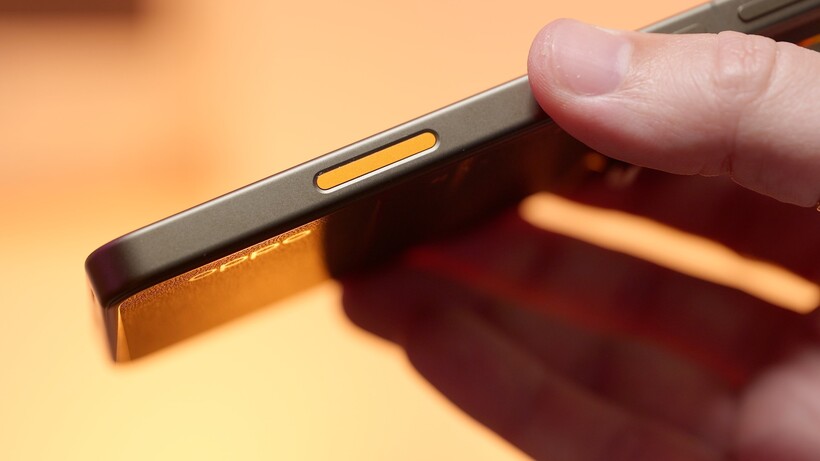
Unlike the Find X9 Ultra, the 17 Ultra doesn’t include any additional buttons other than the volume and power controls. Instead, the Find X9 Ultra is equipped with a Quick Button for accessing the camera and the customisable shortcut Snap Key.

Oppo Find X9 Ultra - camera control closeupOppo Find X9 Ultra - camera control closeup
Image Credit (Trusted Reviews)

The Find X9 Ultra is available in two finishes. There’s the Canyon Orange that’s less vibrant than the iPhone 17 Pro’s own, and has a traditional glass-and-metal smartphone feel, alongside Tundra Umber which has a metal-and-vegan-leather finish instead.

Advertisement

Finally, the 17 Ultra is available in a variety of finishes: Black, White or Green, with the latter sporting a flecked finish. Alternatively you can opt for the Leica edition which comes in either black or white and has a vegan leather rear panel too.

Advertisement

Choosing a winner here is difficult, as they both are striking handsets that feel comfortable in hand. However, as it’s lighter and thinner, we’ll give the win here to the Xiaomi 17 Ultra.

Winner: Xiaomi 17 Ultra

Screen

  • Xiaomi 17 Ultra has a larger display at 6.9-inches
  • Oppo Find X9 Ultra has a slightly higher peak brightness
  • Oppo Find X9 Ultra has the option to boost the 120Hz refresh rate up to 144Hz when gaming, while the Xiaomi 17 Ultra maxed out at 120Hz

We should note that we were impressed with both the Oppo Find X9 Ultra and Xiaomi 17 Ultra’s respective displays. The former is slightly smaller, at 6.8-inches, and sports the same QHD+ resolution and LTPO-enabled 120Hz refresh rate as the cheaper Oppo Find X9 Pro. Speaking of which, the Find X9 Ultra has the option to boost up to 144Hz when gaming too.

Oppo Find X9 Ultra

Xiaomi 17 Ultra

Advertisement

Advertisement

While the Xiaomi 17 Ultra only reaches a 120Hz refresh rate, it still offers a high peak brightness of 3500 nits and, unlike its predecessor, now has a flat display. 

Winner: Oppo Find X9 Ultra

Advertisement

Camera

  • Oppo Find X9 Ultra has a total of five rear lenses
  • Find X9 Ultra’s True Color camera keeps the white balance aligned with tones
  • Xiaomi 17 Ultra struggles with macro shooting

While sometimes on smartphones, there’s a lens or two that you largely ignore, or use in hyper-niche circumstances, all of the Find X9 Ultra’s rear sensors are largely brilliant. Of course, the main 200MP is the star here as, despite being a slightly smaller sensor compared to the Xiaomi 17 Ultra’s own, is able to take in a huge amount of light. Essentially, images look rich and detailed, without looking overly-saturated (we’re looking at you, Samsung.) 

Image taken on Oppo Find X9 UltraImage taken on Oppo Find X9 Ultra
Image Credit (Trusted Reviews)

This is supported by a 200MP 3x lens that we bet you’ll end up using more than you might expect, as the quality is seriously impressive. Then there’s a 50MP, 10x periscope which does an excellent job at holding onto textures from far away. Finally, the 50MP ultrawide manages to hold its own too, even when you head into difficult lighting conditions.

Advertisement

These sensors are flanked by the fifth true colour camera that keeps the white balance and tones aligned across the lot.

On the other hand, the Xiaomi 17 Ultra is fitted with three rear sensors, with a single 200MP telephoto lens that can optically zoom between 3.2x and 4.3x. This is impressive technology, however we were disappointed with its telemacro capabilities as a result, as the telephoto can’t quite focus as close as we’d like. 

Image captured on Xiaomi 17 UltraImage captured on Xiaomi 17 Ultra
Image Credit (Trusted Reviews)

However, the star of the show is undoubtedly the 50MP main which produces fantastic results in all lighting conditions without ever seeming overexposed. 

Winner: Oppo Find X9 Ultra

Advertisement

Performance

  • Both run on Snapdragon 8 Elite Gen 5
  • The Oppo Find X9 Pro scored slightly higher in our benchmark tests
  • Both handsets can handle gaming and other intensive tasks brilliantly

Advertisement

Unsurprisingly as flagship Androids, both the Oppo Find X9 Pro and Xiaomi 17 Ultra run on Qualcomm’s top-end Snapdragon 8 Elite Gen 5 chip. With this in mind, you can guarantee everything from scrolling and even gaming to feel speedy and responsive too. 

Call of Duty on Oppo Find X9 UltraCall of Duty on Oppo Find X9 Ultra
Call of Duty on Oppo Find X9 Ultra. Image Credit (Trusted Reviews)

Having said that, it’s worth noting that the Oppo Find X9 Pro did best the Xiaomi 17 Ultra in our benchmark tests, as seen in the table below.

Even so, generally we think you’re seriously unlikely to notice the difference between the chips in real-world use.

Winner: Oppo Find X9 Pro

Software

  • Oppo’s OxygenOS is a pleasure to use
  • Xiaomi’s HyperOS needs a bit more time to get used to
  • Both are littered with AI features

Advertisement

We really like Oppo’s OxygenOS software, as it’s customisable, polished and easy-to-use. There is, of course, a sprinkling of AI features including AI Mind Space for storing screenshots and the like for easy retrieval, and access to Google’s Gemini too.

Advertisement

In comparison, Xiaomi’s HyperOS needs more time to learn and get used to. It’s not overtly complicated by any means, but it’s not quite as polished as the likes of OxygenOS or iOS – despite HyperOS very clearly resembling the latter. 

Find X9 Ultra

Xiaomi 17 Ultra

Advertisement

There’s also plenty of AI features too, including the ability to add AI-generated subtitles to anything you’re watching on your phone. 

Winner: Oppo Find X9 Pro

Battery

  • Oppo Find X9 Ultra has a larger battery than the Xiaomi 17 Ultra’s
  • Oppo Find X9 Ultra is easily a two-day device
  • Both support 50W wireless charging, but the Oppo Find X9 Ultra supports faster 100W wired speeds

Advertisement

At 7050mAh, the Oppo Find X9 Ultra may not have as big a battery as the Find X9 Pro, but it’s still easily a two-day device. We found on less demanding days we’d end days with up to a whopping 70% battery left in the tank – though of course this will vary depending on your own use.

When it does come time to recharge, the 100W wired and 50W wireless support should help you see a healthy boost quickly. Just remember you’ll need to buy compatible chargers separately. 

Advertisement
Xiaomi 17 Ultra plugged inXiaomi 17 Ultra plugged in
Xiaomi 17 Ultra. Image Credit (Trusted Reviews)

Otherwise, the Xiaomi 17 Ultra has a 6000mAh cell which we found would comfortably see us through one day without worry. However, we’d usually end the day with around 30% which means it’s not quite a two-day device.

While it also supports 50W wireless charging speeds, it’s slightly slower than the Find X9 Ultra’s wired speeds at 100W.

Winner: Oppo Find X9 Ultra

Advertisement

Verdict

With Snapdragon 8 Elite Gen 5 under its belt, a brilliant camera set-up and a seriously mighty battery, there’s so much to love about the Oppo Find X9 Ultra. If you want one of the best camera phones but don’t want to compromise on more general smartphone uses, then the Oppo Find X9 Ultra is a brilliant choice.

Advertisement

Having said that, the Xiaomi 17 Ultra is still a solid alternative. However, it lets itself down with macro photography, while its HyperOS software just isn’t as polished as Oppo’s alternative.

Source link

Advertisement
Continue Reading
Click to comment

You must be logged in to post a comment Login

Leave a Reply

Tech

‘It ultimately made people realize that music was worth paying for’: Spotify’s Sten Garmark on how the streaming giant created an entirely new business model, and its mission to convince users that ‘there was something better than free’

Published

on

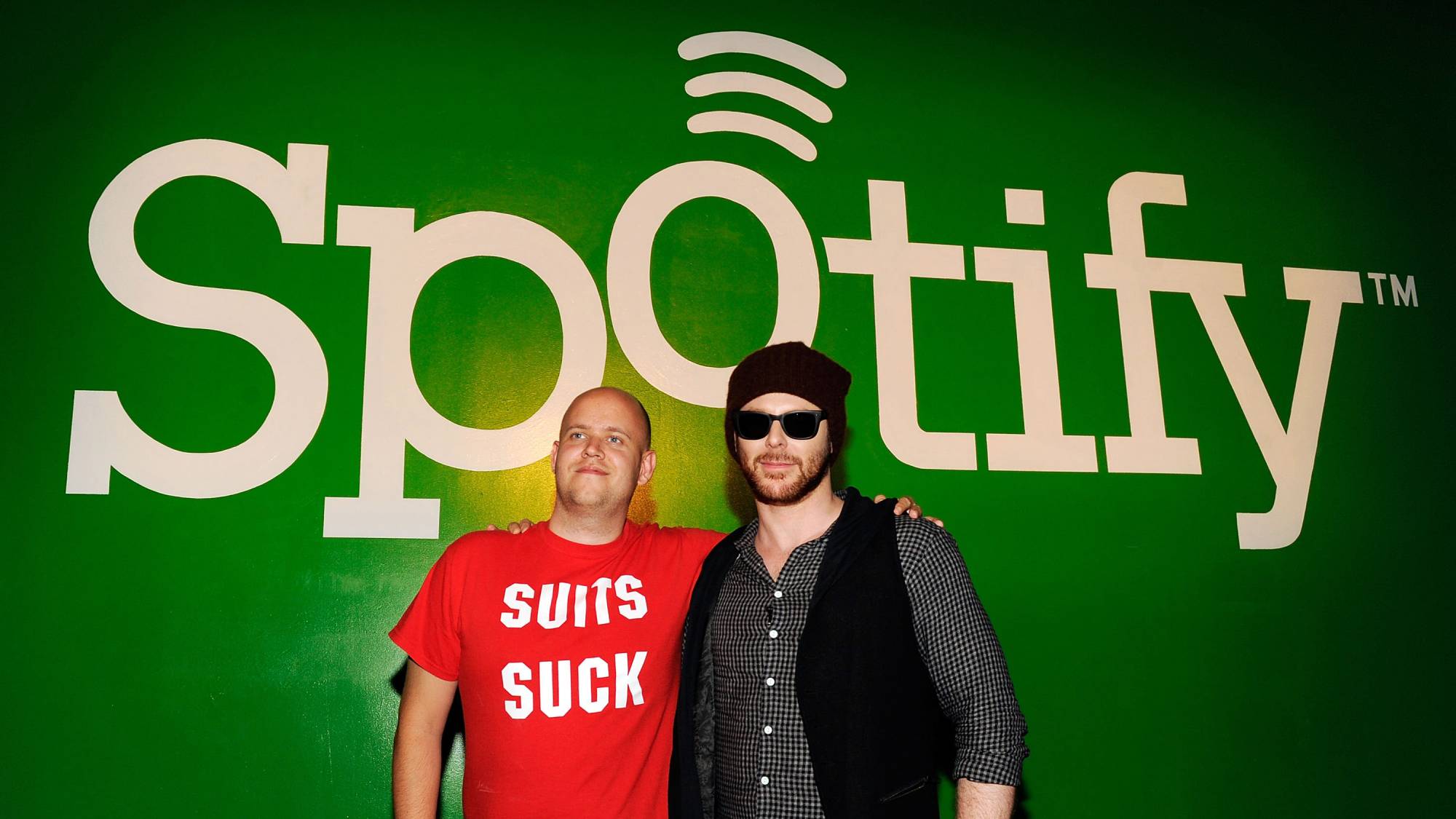
Over the past couple of decades we’ve witnessed a whirlwind of cultural changes in the music industry, but also major changes in terms of how we find and listen to music. And there’s arguably one entity that has contributed to these shifts more than any other: Spotify — which was founded 20 years ago today (April 23). Feel old yet? I sure do.

For many music lovers out there, myself included, Spotify was their introduction to music streaming, and over the last 20 years it’s climbed to the top of the ladder, amassing over 750 million users and cementing its position as one of the best music streaming services — and in the eyes of many, the daddy of them all.

Source link

Continue Reading

Tech

AI galaxy hunters are adding to the global GPU crunch

Published

on

NASA announced that it will launch the Nancy Grace Roman space telescope into orbit in September 2026, eight months ahead of schedule. The new space telescope is expected to deliver 20,000 terabytes of data to astronomers over the course of its life.

That will add to 57 gigabytes of breath-taking imagery downlinked daily from the James Webb Space Telescope, which began its work in 2021, and the start of a survey later this year by the Vera C. Rubin Observatory in the mountains of Chile, which is expected to gather 20 terabytes of data each night.

For comparison, the Hubble Space telescope, once the gold standard, delivers just 1 to 2 gigabytes of sensor readings each day. It’s been a while since all those readings were pored over by hand, but like everyone else with a pile of data, astronomers are now turning to GPUs to solve their problems.

Brant Robertson, a UC Santa Cruz astrophysicist, has had a front-row seat to this step change in science while supporting or using data from these missions. Robertson has spent the past 15 years working with Nvidia to apply GPUs to the problems of understanding space, first through advanced simulations testing theories about supernnova explosions, and now developing the tools to analyze a torrent of data from the newest observatories.

Advertisement

“There’s been this evolution [from] looking at a few objects, to doing CPU-based analyses on large scales of the data set, to then doing GPU-accelerated versions of those same analyses,” he told TechCrunch.

Robertson and then-graduate student Ryan Hausen developed a deep learning model called Morpheus that can pore over large data sets and identify galaxies. Their early AI analysis of Webb data identified a surprising number of a specific type of disc galaxies and added a new wrinkle to theories about the development of our universe.

Now Morpheus is changing with the times: Robertson is switching its architecture from convolutional neural networks to the transformers behind the rise of large language models. That will result in the model being able to analyze several times the area than it can currently, speeding up its work.

Techcrunch event

Advertisement

San Francisco, CA
|
October 13-15, 2026

Robertson is also working on generative AI models trained on space telescope data to improve the quality of observations collected by ground telescopes, which are distorted by Earth’s atmosphere. Despite advances in rocketry, it’s still hard to get an 8 meter mirror into orbit, so using software to improve Rubin’s observations is the next best thing.

Advertisement

But he’s still feeling the pressure of global demand for GPU access. Robertson has used the National Science Foundation to build a GPU cluster at UC Santa Cruz, but it is becoming outdated even as more researchers want to apply compute-intensive techniques to their work. The Trump administration proposed cutting the NSF’s budget by 50% in its current budget request.

“People want to do these AI, ML analyses, and GPUs are really the way to do that,” Robertson said. “You have to be entrepreneurial…especially when you’re working kind of at the edge of where the technology is. Universities are very risk averse because they just have constrained resources, so you have to go out and show them that, ‘look, this is where we’re going as a field.’”

When you purchase through links in our articles, we may earn a small commission. This doesn’t affect our editorial independence.

Source link

Advertisement
Continue Reading

Tech

Making RAM At Home In Your Own Semiconductor Fab

Published

on

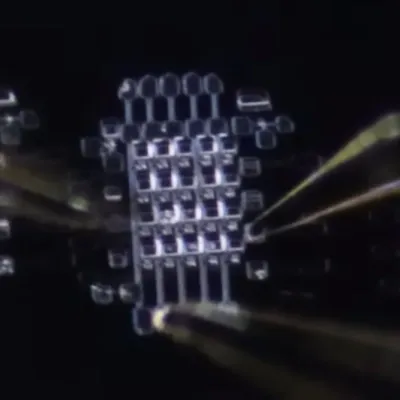
There’s little point in setting up your own shed-based clean room for semiconductor purposes if you don’t try to do something practical with it. Something like responding to the RAMpocalypse by trying to make your own RAM, for example.

Testing the DRAM cells. (Credit: Dr. Semiconductor, YouTube)

After all, what could be so hard about etching the same repeating structures over and over? In a recent video, [Dr. Semiconductor]’s experience doing exactly this are detailed, with actual DRAM resulting at the end.

We covered the construction of the clean room shed previously, which should provide at least the basic conditions to produce semiconductors without worrying about contaminating dies. From here the process is reminiscent of etching PCBs, with a prepared surface coated with photoresist. Using UV exposure through a mask, the pattern is etched into the photoresist and from there the pattern is subsequently etched into the wafer’s surface.

With the patterns formed, the next step is doping of the silicon in order to create the active structures, i.e. the transistors and capacitors. Doping can be done in a variety of ways, with ion implantation being the industry standard method, but a bit too expensive and bulky for a shed fab. Instead a spin-on-glass method was used. After this the remaining functional structures can be built up.

If anyone was expecting to see a DDR5 DRAM die pop out at the end, they’re bound to be disappointed. The target here was to create a 5×4 array of DRAM cells, for a dizzying 20 bits. Still, the fact that it’s possible to DIY DRAM like this at home is already pretty awesome, with clearly plenty of room to push it towards and past fabrication nodes of the 1990s and beyond.

Advertisement

Although the produced DRAM cells have fairly leaky capacitors, they’re good enough for their purpose, and the plan is to scale up to a large DRAM array from here. Whether the DRAM control logic will also be implemented in hardware like this remains to be seen, but the video’s ending makes it clear that the goal is to attach it to a PC somehow.

Source link

Advertisement
Continue Reading

Tech

China’s CATL Reveals 621-Mile EV Battery, Under-7-Minute Charging

Published

on

CATL unveiled a new wave of EV battery tech, “including a lighter battery pack rated for a 1,000-km (621-mile) driving range and an upgraded fast-charging battery that can go from 10 percent to 98 percent in under seven minutes,” reports Interesting Engineering. From the report: The launches were made during a 90-minute event in Beijing ahead of the Beijing Auto Show, where automakers are expected to showcase next-generation EVs and connected technologies. CATL said its latest Qilin battery — a high-energy-density pack often paired with nickel manganese cobalt (NMC) cells for long range and improved space efficiency — can deliver a 1,000-km (621-mile) driving range. It is designed to deliver long range while reducing battery pack weight.

The company said the product is aimed at automakers facing tighter efficiency rules in China and other markets. It also rolled out an upgraded Shenxing battery — CATL’s fast-charging lithium iron phosphate (LFP) pack — that targets one of the biggest barriers to EV adoption: charging time. CATL said the pack can recharge from 10 percent to 98 percent in less than seven minutes.

The new Shenxing battery marks a significant improvement over CATL’s previous version, which charged from 5 percent to 80 percent in 15 minutes, according to Financial Times. […] The company also announced plans to begin mass delivery of sodium-ion batteries in the fourth quarter. Sodium-ion technology is seen as a lower-cost alternative that could reduce dependence on lithium, cobalt, and nickel.

Source link

Advertisement
Continue Reading

Tech

AI Tool Rips Off Open Source Software Without Violating Copyright

Published

on

A satirical but working tool called Malus uses AI to create “clean room” clones of open-source software, aiming to reproduce the same functionality while shedding attribution and copyleft obligations. “It works,” Mike Nolan, one of the two people behind Malus, who researches the political economy of open source software and currently works for the United Nations, told 404 Media. “The Stripe charge will provide you the thing, and it was important for us to do that, because we felt that if it was just satire, it would end up like every other piece of research I’ve done on open source, which ends up being largely dismissed by open source tech workers who felt that they were too special and too unique and too intelligent to ever be the ones on the bad side of the layoffs or the economics of the situation.” 404 Media reports: Malus’s legal strategy for bypassing copyright is based on a historically pivotal moment for software and copyright law dating back to 1982. Back then, IBM dominated home computing, and competitors like Columbia Data Products wanted to sell products that were compatible with software that IBM customers were already using. Reverse engineering IBM’s computer would have infringed on the company’s copyright, so Columbia Data Products came up with what we now know as a “clean room” design.

It tasked one team with examining IBM’s BIOS and creating specifications for what a clone of that system would require. A different “clean” team, one that was never exposed to IBM’s code, then created BIOS that met those specifications from scratch. The result was a system that was compatible with IBM’s ecosystem but didn’t violate its copyright because it did not copy IBM’s technical process and counted as original work.

This clean room method, which has been validated by case law and dramatized in the first season of Halt and Catch Fire, made computing more open and competitive than it would have been otherwise. But it has taken on new meaning in the age of generative AI. It is now easier than ever to ask AI tools to produce software that is identical in function to existing open source projects, and that, some would argue, are built from scratch and are therefore original work that can bypass existing copyright licenses. Others would say that software produced by large language models is inherently derivative, because like any LLM output, it is trained on the collective output of humans scraped from the internet, including specific open source projects.

Malus (pronounced malice), uses AI to do the same thing. “Finally, liberation from open source license obligations,” Malus’s site says. “Our proprietary AI robots independently recreate any open source project from scratch. The result? Legally distinct code with corporate-friendly licensing. No attribution. No copyleft. No problems.” Copyleft is a type of copyright license that ensures reproductions or applications of the software keep it free to share and modify.

Advertisement

Source link

Continue Reading

Tech

53 Nations Gather To Plan a Fossil Fuel Phaseout

Published

on

Ancient Slashdot reader hwstar shares a report from The Conversation: For the first time ever, more than 50 nations will gather next week in Colombia to hash out how to wind down and end their dependence on coal, oil and gas. The history-making conference was planned before the Iran war. But this year’s energy crisis has greatly raised the stakes. […] Around 80% of the trapped oil was destined for the Asia-Pacific. Faced with dwindling supply, the region’s governments are implementing emergency measures such as sending workers home, banning government travel, rationing fuel and cutting school hours. The problem is especially bad in the Pacific. Many island nations use diesel for power generation. In response, leaders declared a regional emergency.

[…] But the real difference from half a century ago is that fossil fuel alternatives are ready for prime time. Since the 1970s, the price of solar panels has fallen 99.9%, while the cost of wind has fallen 91% since 1984. Battery prices have fallen 99% since 1991. […] This year’s oil shock shows signs of creating an unplanned social tipping point — a threshold for self-propelling change beyond which systems shift from one state to another. Climate scientists warn of climate tipping points which amplify feedback and accelerate warming. But social scientists also point to positive tipping points — collective action that rapidly accelerates climate action.

[…] The routine burning of coal, oil and gas is the primary driver of the climate crisis. The world’s highest court last year made clear nations have obligations to stop burning fossil fuels. But fossil fuels have barely been mentioned in 30 years of global climate negotiations, due in part to blocking efforts by big fossil fuel exporters and lobbyists. Frustrated by slow progress, a coalition of nations has bypassed global climate talks to discuss how to actually phase out fossil fuels. The first of these summits will take place next week. More than 50 nations will gather in Santa Marta, Colombia, to discuss a potential standalone treaty to manage fossil-fuel phaseout while protecting workers and financial systems.

Source link

Advertisement
Continue Reading

Tech

KernelUNO, An OS For The Arduino Uno

Published

on

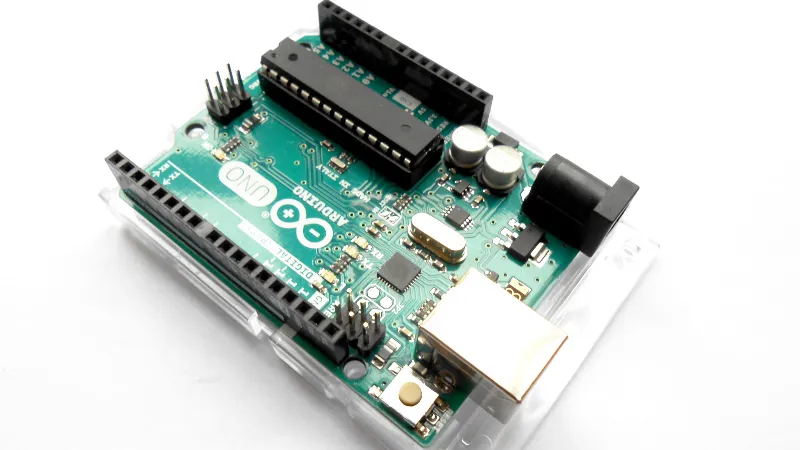
If you were to point to a single device responsible for much of Hackaday’s early success, it might be the Arduino Uno. The little board from an Italian university with its easy to use dev environment changed microcontroller hacking forever, and while it’s now very much old hat, its shadow lies long across single board computing.

Just in case you thought there wasn’t much more life in that old AVR in 2026, along comes [Arc1011], with KernelUNO, describing itself a “A lightweight RAM-based shell for Arduino UNO with filesystem simulation, hardware control, and interactive shell“. It’s an OS for your Arduino, of sorts.

For flashing it to your Uno, you get a shell with some familiar looking filesystem and system commands, the ability to write to files though no editor, and a set of commands to control pins. It’s extremely basic, but you can see the potential.

Advertisement

If we were to speculate as to how this might become more useful then perhaps it might involve a more permanent filesystem perhaps on a flash chip. If possible, the ability to run script files containing a list of commands would also be very nice. Though we are guessing that maybe the reason these features are not in place lies in the meager specifications of an ATmega328, for which we can’t blame the developer at all. Even if it can’t be extended in this way though, it’s still a cool project.

We have to go back quite a while, but this isn’t the first time something like this has appeared on these pages.

Advertisement

Source link

Continue Reading

Tech

The extremely handy Ring Battery Doorbell is now even cheaper at 40% off on Amazon

Published

on

I bought a Ring Doorbell a while back and it’s been incredibly useful. When I’m working, I can see if I should answer the door or not. I have added peace of mind at night, and I can monitor the outside of my home any time I’m on vacation.

Now, the Ring Battery Doorbell has dropped to $59.99 (was $99.99) at Amazon.

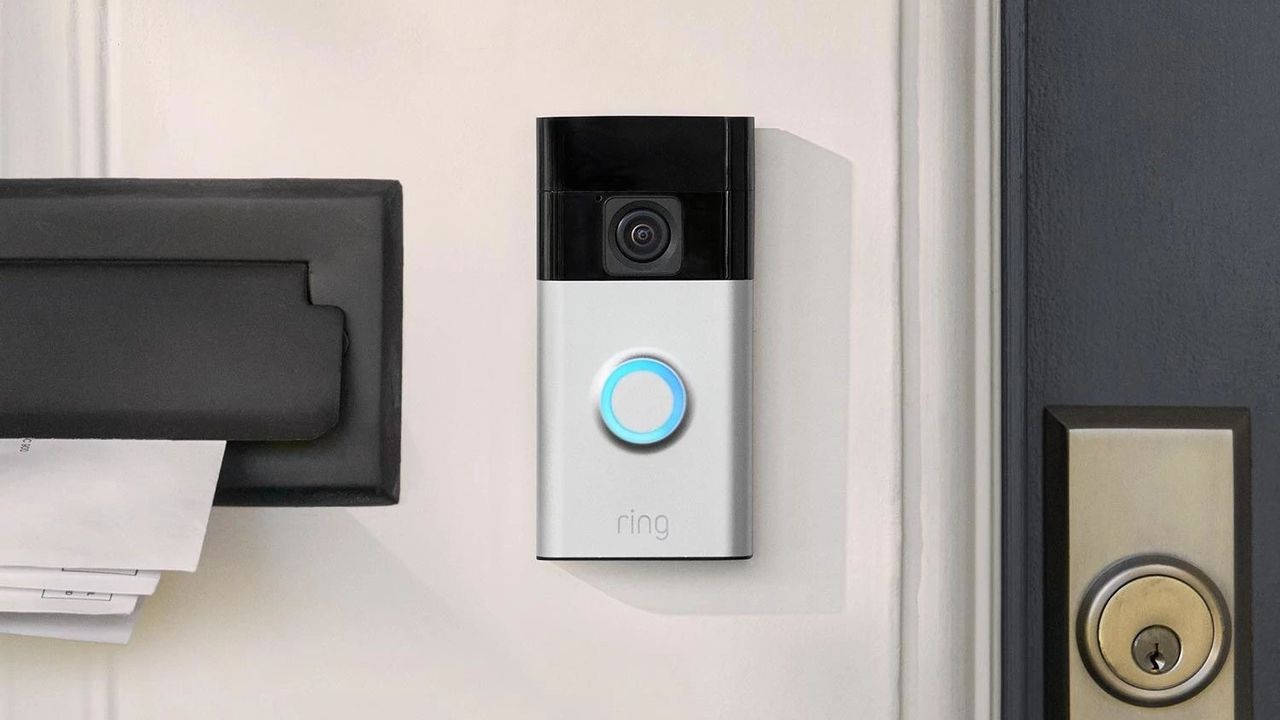
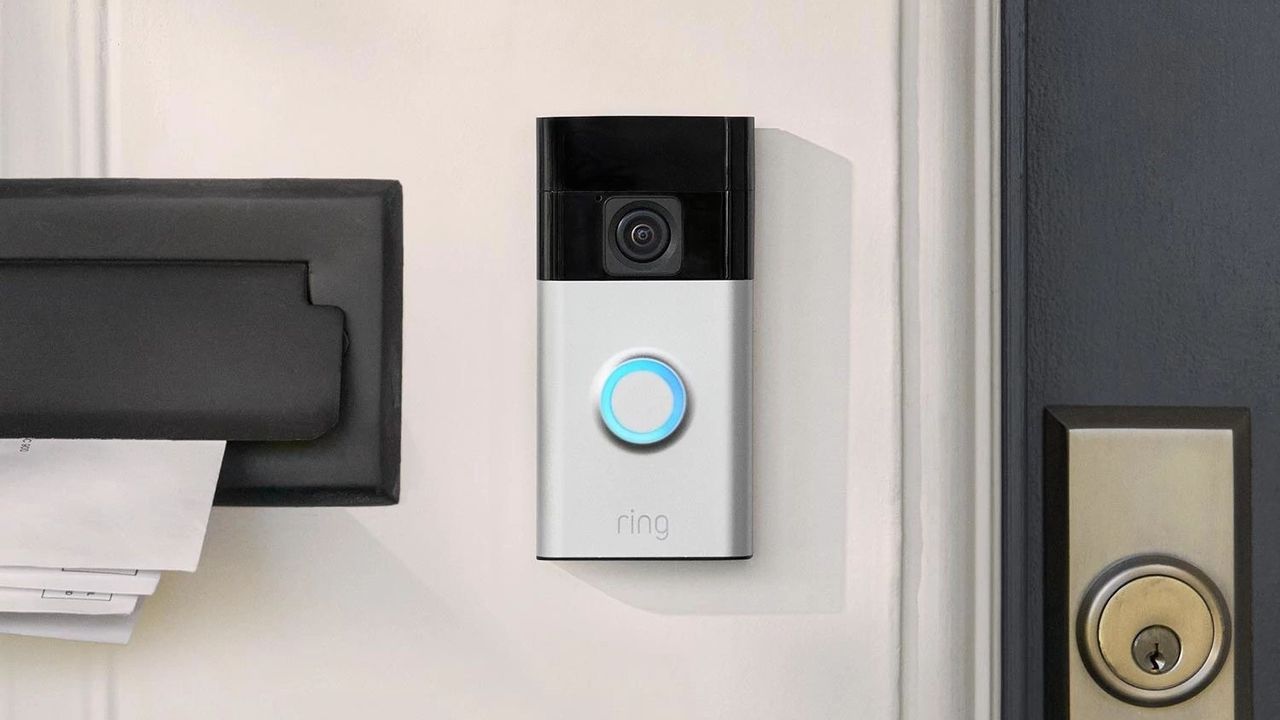
The Ring Battery Doorbell lets you easily see who’s calling at your home, no matter where you are, and you can talk to them, too. It’s a good security measure and a great way to avoid missing parcels. That’s a lot of useful features for such a low price.

Advertisement

best video doorbells. While the Ring Battery Doorbell isn’t the most feature-packed option, it’s very good value for money.

It’s the one I use for my home. It means I get real-time alerts to my phone any time motion is detected, such as if a delivery person is calling or a friend has knocked on the door. Its bell chime reverberates through the house thanks to my many Alexa speakers, which easily pair with it.

Advertisement

I subscribe to Ring’s premium service so I can scroll through the history to see what’s happened. It isn’t entirely essential to subscribe if you just want a regular but smarter doorbell, but I’d recommend it. It’s very useful. It also works with more advanced models like the Ring Video Doorbell Plus. By committing, it can even replicate the best home security cameras pretty well.

Battery life is also pretty good. I find I only have to recharge it every few weeks, and that’s mostly because it detects a lot of motion due to me living on a busy street and leaving the motion zones quite wide. For many people, it’ll last a lot longer. It’s a nice hands-off solution.

There are other Ring doorbell deals around if you’re considering a pricier model or a wired solution. While we’re talking about things that have improved my life massively, there are lots of air fryer deals around too.

Source link

Continue Reading

Tech

Ham Radio Brings Teletext Back to Life

Published

on

Once upon a time in Europe, television remote controls had a magic teletext button. Years before the internet stole into homes, pressing that button brought up teletext digital information services with hundreds of constantly updated pages. Living in Ireland in the 1980s and ’90s, my family accessed the national teletext service—Aertel—multiple times a day for weather and news bulletins, as well as things like TV program guides and updates on airport flight arrivals.

It was an elegant system: fast, low bandwidth, unaffected by user load, and delivering readable text even on analog television screens. So when I recently saw it was the 40th anniversary of Aertel’s test transmissions, it reactivated a thought that had been rolling around in my head for years. Could I make a ham-radio version of teletext?

What is Teletext?

First developed in the United Kingdom and rolled out to the public by the BBC under the name Ceefax, teletext exploited a quirk of analog television signals. These signals transmitted video frames as lines of luminosity and color, plus some additional blank lines that weren’t displayed. Teletext piggybacked a digital signal onto these spares, transmitting a carousel of pages over time. Using their remotes, viewers typed in the three-digit code of the page they wanted. Generally within a few seconds, the carousel would cycle around and display the desired page.

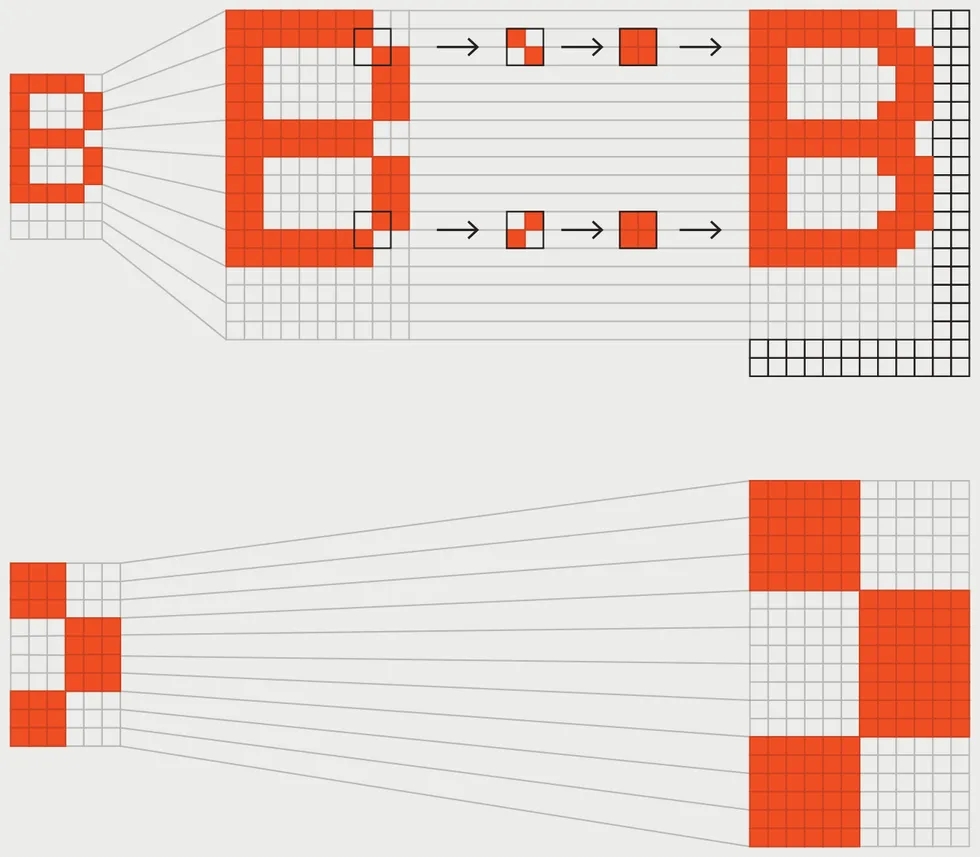
A diagram depicting the enlargement and interpolation process of teletext characters. Teletext created unusually legible text in the 8-bit era by enlarging alphanumeric characters and interpolating new pixels by looking for existing pixels touching diagonally, and adding whitespace between characters. Graphic characters were not interpolated, and featured blocky chunks known as sixels for their 2-by-3 arrangement. My modern recreation uses the open-source font Bedstead, which replicates the look of teletext, including the graphics characters. James Provost

Teletext is composed of characters that can be one of eight colors. Control codes in the character stream select colors and can also produce effects like flashing text and double-height characters. The text’s legibility was better than most computers could manage at the time, thanks to the SAA5050 character-generator chip at the heart of teletext. Although characters are internally stored on this chip in 6-by-10-pixel cells—fewer pixels than the typical 8-by-8-pixel cell used in 1980s home computers—the SAA5050 interpolates additional pixels for alphanumeric characters on the fly, making the effective resolution 10 by 18 pixels. The trade-off is very low-resolution graphics, comprising characters that use a 2-by-3 set of blocky pixels.


Advertisement

Teletext screens use a 40-by-24-character grid. This means that a kilobyte of memory can store a full page of multicolor text, half the memory required for a similar amount of text on, for example, the Commodore 64. The BBC Microcomputer took advantage of this by putting an SAA5050 on its motherboard, which could be accessed in one of the computer’s graphics modes. Despite the crude graphics, some educational games used this mode, most notably Granny’s Garden, which filled the same cultural niche among British schoolchildren that The Oregon Trail did for their U.S. counterparts.

By the 2010s, most teletext services had ceased broadcasting. But teletext is still remembered fondly by many, and enthusiasts are keeping it alive, recovering and archiving old content, running internet-based services with current newsfeeds, and developing systems that make it possible to create and display teletext with modern TVs.

Putting Teletext Back on the Air

I wanted to do something a little different. Inspired by how the BBC Micro co-opted teletext for its own purposes, I thought it might make a great radio protocol. In particular I thought it could be a digital counterpart to slow-scan television (SSTV).

SSTV is an analog method of transmitting pictures, typically including banners with ham-radio call signs and other messages. SSTV is fun, but, true to its name, it’s slow—the most popular protocols take a little under 2 minutes to send an image—and it can be tricky to get a complete picture with legible text. For that reason, SSTV images are often broadcast multiple times.

Advertisement

Teletext is still remembered fondly by many.

I decided to send the teletext using the AX.25 protocol, which encodes ones and zeros as audible tones. For VHF and UHF transmissions at a rate of 1,200 baud, it would take 11 seconds to send one teletext screen. Over HF bands, AX.25 data is normally sent at 300 baud, which would result in a still-acceptable 44 seconds per screen. When a teletext page is sent repeatedly, any missed or corrupted rows are filled in with new ones. So in a little over 2 minutes, I could send a screen three times over HF, and the receiver would automatically combine the data. I also wanted to build the system in Python for portability, with an editor for creating pages, an AX.25 encoder and decoder, and a monitor for displaying received images.

The reason why I hadn’t done this before was because it requires digesting the details of the AX.25 standard and teletext’s official spec, and then translating them into a suite of software, which I never seemed to have the time to do. So I tried an experiment within an experiment, and turned to vibe coding.

Despite the popularity of vibe coding with developers, I have reservations. Even if concerns about AI slop, the environment, and memory hoarding were not on the table, I would still worry about the reliance on centralized systems that vibe coding brings. The whole point of a DIY project is to, well, do it yourself. A DIY project lets you craft things for your own purposes, not just operate within someone else’s profit margins and policies.

Advertisement

Still, criticizing a technology from afar isn’t ideal, so I directed Anthropic’s Claude toward the AX.25 and teletext specs and told it what I wanted. After about 250,000 to 300,000 tokens and several nights of back and forth about bugs and features, I had the complete system running without writing a single line of code. Being honest with myself, I doubt this system—which I’m calling Spectel—would ever have come about without vibe coding.

But I didn’t learn anything new about how teletext works, and only a little bit more about AX.25. Updates are contingent on my paying Anthropic’s fees. So I remain deeply ambivalent about vibe coding. And one final test remains in any case: trying Spectel out on HF bands. Of course, that means I’ll need willing partners out in the ether. So if you’re a ham who’d like to help out, let me know in the comments below!

From Your Site Articles

Related Articles Around the Web

Advertisement

Source link

Continue Reading

Tech

Google says AI now generates 75% of its new code, up from 25% in 2024

Published

on


The shift is tied closely to Google’s internal deployment of its Gemini models, which engineers are using to generate, refactor, and migrate code. The company has also pushed broader use of AI tools beyond engineering, tying their use in some cases to performance reviews.
Read Entire Article
Source link

Continue Reading

Trending

Copyright © 2025