
Tech
OPPO K14 Plus 5G Teased for India Launch: What to Expect

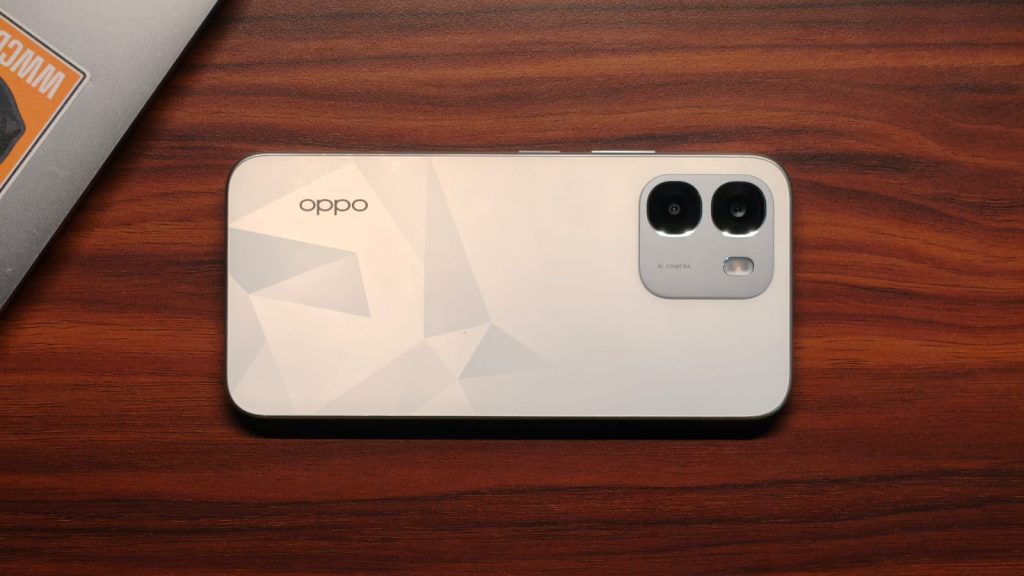
OPPO has teased the K14 Plus 5G for an upcoming launch in India. The phone will be the latest addition to the company’s K14 series, following the K14 Lite, K14, and K14x. So far, OPPO has shared only a teaser image, with no word on the phone’s processor, display, cameras, or battery. The teaser does point to smooth performance and everyday use, though. Here’s what we know about the K14 Plus and what to expect from it.
What the Teaser Reveals
OPPO has shown a teaser of its K14 Plus 5G handset for the Indian market. So far, OPPO has released only side-view images of the new phone. These include images of the power and volume buttons on the side. The teaser also hints at the colors the phone will be available in: orange and dark grey or black. OPPO has said the new phone will focus on performance and usability. However, the teaser does not reveal the hardware that will power the phone. The company has not confirmed its processor, display, or camera setup.
OPPO has not shared details on the processor, screen, cameras, RAM, storage, or battery. The “Plus” in the phone’s name might mean a bigger screen or battery, but it is still unclear.
OPPO K14 Plus 5G Price and Position in the Lineup

It is also unclear where the OPPO K14 Plus sits in the K14 series. As of now, OPPO K14 Lite and K14x are positioned in the below-Rs 20,000 range. Meanwhile, the base variant of the OPPO K14 starts at Rs 25,999 in India. Based on this, the K14 Plus may cost more. It may land in the Rs 30,000 range. This is only an estimate, not the final price. The K14 Plus could help OPPO expand its options in the budget-to-mid-range segment. Its final position will depend on the specifications and features OPPO announces. Buyers should wait for the official price and full specifications before choosing the K14 Plus.

While Silicon Valley is spending billions to make AI agents shop for us, the man who pioneered Apple’s retail stores thinks the industry is overestimating how much of shopping people will hand over to machines — and believes physical stores will continue to thrive.
Ron Johnson, 66, has heard predictions about the demise of physical retail before. He joined Apple in 2000 to build its retail business as online shopping was beginning to take off, and went on to help create a store network that became central to how Apple sells its products and connects with customers.
“AI is a new technology that will improve the online shopping experience,” Johnson said in an interview. “But I don’t know that it’s going to change which way we shop.”
Johnson’s view comes as some of the world’s biggest tech companies are trying to push AI deeper into shopping, betting that agents can automate more of how we find and buy items — a concept commonly called agentic commerce. Google is making that push with its Universal Commerce Protocol, a standard designed to help AI agents take consumers from product discovery to checkout. OpenAI, meanwhile, is turning ChatGPT into a shopping destination where users can research, compare, and, in some cases, even buy products without leaving the chatbot.
Asked whether he could imagine someone letting an agent choose and buy a $1,000 or $2,000 laptop without ever visiting a website or store, Johnson was unequivocal: “Honestly, nobody’s going to do that.”
Buying a laptop, he argued, is too personal a purchase to simply delegate to an AI agent. Buyers want to feel its weight, see the display and decide which size works for them. AI may narrow the choices, Johnson told TechCrunch. He added that many consumers would still want to experience the product themselves before spending that kind of money.
“AI will never be able to have you physically experience a product,” Johnson said. Instead, he expects agents to better inform consumers before they walk into a store. “They’ll just become more informed shoppers when they come to the store.”
Johnson’s conviction stems from a decision Apple made more than two decades ago. Apple’s physical stores, he said, were designed not only as places to buy Macs, but also as places where people could try products, learn how to use them, and return for help when something went wrong.
Some of those bets are revisited in Shop Different: How Retail Revealed Apple’s Genius, Johnson’s new book about building Apple’s retail operations alongside Steve Jobs. Competitors, he said, borrowed Apple’s glass-heavy design, open layouts, and even versions of the Genius Bar, but often missed the people.
“The secret sauce for Apple has always been its people, the people in the store, and how they treat the customer,” Johnson said.
Apple Store employees are not paid on commission, Johnson said, unlike the sales culture common across much of retail. The idea, he said, was to remove the pressure to sell and instead have employees figure out what a customer actually needed.
After leaving Apple, Johnson took over J.C. Penney in 2011 with an ambitious plan to reinvent the struggling department-store chain. He was ousted less than two years later after sales plunged.
Johnson now says he tried to change too much, too quickly, without bringing employees and customers along. Apple’s stores had effectively been a startup that evolved alongside the company’s products. J.C. Penney, on the other hand, was a turnaround that required a different approach.
“I applied a startup mentality to what needed to be a turnaround transformation,” he recalled.
Johnson later returned to the startup world, founding Enjoy Technology, an e-commerce company that brought technology products and setup services directly to customers’ homes. The startup filed for bankruptcy in 2022 and sold substantially all of its assets to Asurion.
For all his skepticism about how AI will reshape shopping, Johnson remains bullish on the technology itself. “I’m a real believer in AI. I’m an AI optimist,” he said.
He believes Jobs would have embraced AI, too, but not as a substitute for human judgment. “There’s no substitute for human intuition,” Johnson said, recalling Jobs’ belief in bringing smart people together to debate problems and find new ways of looking at them.
When you purchase through links in our articles, we may earn a small commission. This doesn’t affect our editorial independence.
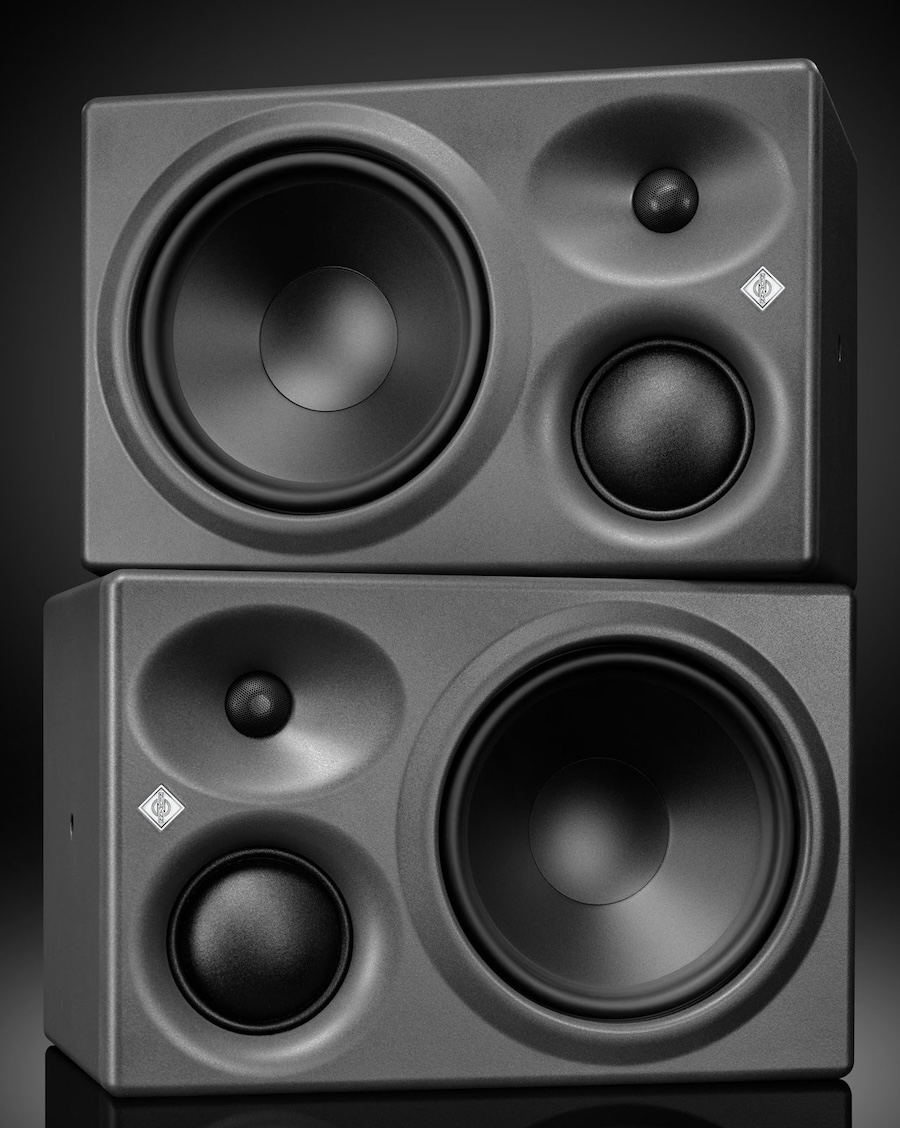
In late 2025, German pro audio brand Neumann expanded its Studio Monitor line with several DSP-powered subwoofers. For 2026, Neumann is following up with the KH 310 II and KH 350, two next-generation 3-way powered studio monitors that combine decades of acoustic expertise with a new DSP platform and improved integration. Both are designed to deliver higher performance, greater flexibility, and the accuracy that has made Neumann a reference in professional recording, mixing, and mastering studios worldwide.
The line separating professional studio monitors from high-end home audio has also become considerably less rigid in recent years. Powered loudspeakers, DSP, room correction, and increasingly sophisticated digital connectivity have made products originally aimed at engineers and producers far more practical for home studios and serious two-channel listening systems.
For listeners who value accuracy, controlled dispersion, and removing a stack of amplifiers and boxes from the equation, a monitor such as the KH 310 II or KH 350 is no longer something that automatically belongs behind a mixing console. That crossover makes Neumann’s latest models relevant to a much wider audience than their “studio monitor” label might suggest.
Building on Tradition, Designed for What Comes Next
The introduction of the KH 310 II and KH 350 marks the latest step in the evolution of Neumann’s monitor portfolio. All Neumann KH loudspeakers follow the same core design philosophy: high linearity, low distortion, and adaptability to the acoustic environment. That consistency also allows models across the KH line to be combined in surround and immersive audio systems.
Neumann’s KH series continues the legacy of German loudspeaker pioneer Klein + Hummel, whose monitoring solutions became a reference for broadcasters and recording studios across Europe. Klein + Hummel helped establish the modern concept of powered studio monitors with active crossovers as early as 1967 with the legendary OY 3-way monitor, the original predecessor to today’s KH 310 II.
The KH 310 II and KH 350 combine in-house-designed drivers, powerful amplification, and advanced 32-bit DSP processing to deliver consistent performance and reliable translation while addressing different monitoring requirements. The KH 310 II advances one of the industry’s established studio references, the KH 310 A, while the KH 350 is a new full-range monitor designed to deliver greater low-frequency extension and output for larger rooms.
Although both models share Neumann’s core acoustic and DSP technologies, they are aimed at different applications. The KH 310 II builds on a familiar nearfield and midfield platform, while the larger KH 350 is intended for environments that require higher output levels and deeper bass response without immediately relying on a separate subwoofer.
Both monitors support Neumann’s MA 1 Automatic Monitor Alignment room correction solution and include both analog and AES3 coaxial digital connectivity. They build on the midrange resolution of the original KH 310 A while offering lower distortion, nearly twice the amplifier power, and tighter production tolerances for greater consistency between speakers.
The result is more precise imaging, predictable performance, and easier integration across stereo, surround, and immersive audio systems. MA 1 support also gives users the ability to adapt each monitor to the acoustic characteristics of the room, an increasingly important feature in both professional studios and high-performance home listening environments.
“The KH 310 has earned an exceptional reputation among recording, mixing, and mastering engineers worldwide,” says Roman Kramer, Product Manager at Neumann. “With the KH 310 II, we worked long and hard to retain everything users love about the original while elevating performance in virtually every area. At the same time, the KH 350 opens new possibilities for engineers who need greater low-frequency authority and the flexibility to work confidently across both nearfield and midfield environments.”
The KH 310 II and KH 350 both incorporate Neumann’s 3-inch soft-dome midrange driver, precision 1-inch tweeter, and advanced 8.25-inch woofer, supported by DSP processing. This combination is designed to improve transparency, phase coherence, and overall accuracy for critical monitoring and production decisions.
“The KH 310 II and KH 350 share the same acoustic DNA and commitment to truthful sound reproduction,” says Stephan Mauer, Product Management Director at Neumann. “Today’s engineers work across a wide range of rooms, formats, and production styles. Our goal was to provide two solutions that deliver the same trusted reference standard while allowing users to choose the monitoring concept that best supports their workflow.”
KH 310 II and KH 350 Shared Features
- In-house-designed custom drivers
- Exceptional midrange resolution from a dedicated 3-inch soft-dome driver
- Advanced precision through 32-bit DSP processing
- Compatibility with Neumann’s MA 1 Automatic Monitor Alignment
- Analog and AES3 coaxial (AES3id) digital connectivity
- 585 watts of amplifier power with high energy efficiency
- Consistent voicing across stereo, surround, and immersive systems
- Tight production tolerances for precise imaging and multichannel installations
KH 310 II
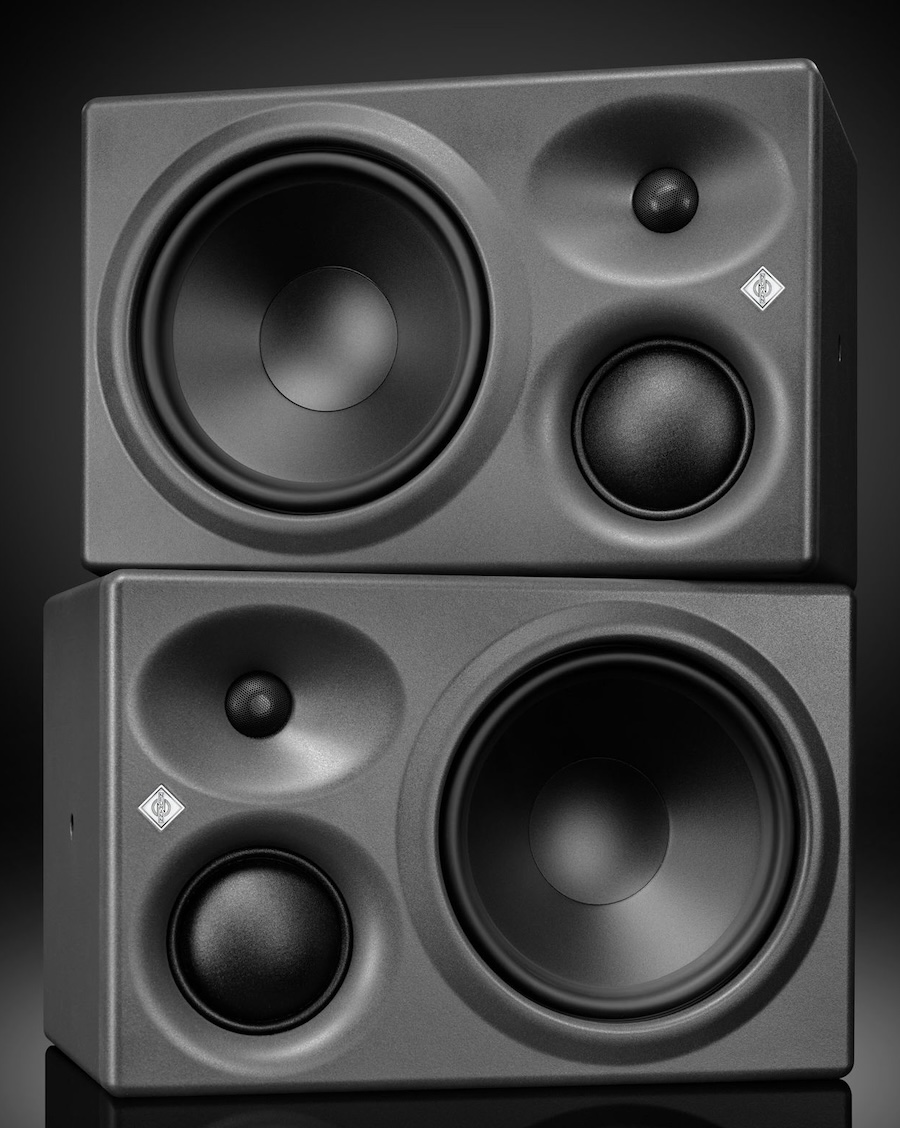
The KH 310 II is the successor to one of professional audio’s most trusted studio monitors, the original KH 310 A, which earned its reputation through accuracy, exceptional midrange clarity, and precise low-frequency reproduction.
The new KH 310 II retains the sealed-cabinet design prized for its fast transient response, low group delay, and tightly controlled bass reproduction. Neumann’s celebrated 3-inch soft-dome midrange driver also remains unchanged, preserving the natural tonal balance and vocal clarity that helped establish the KH 310 A as a studio reference.
Beyond those similarities, the KH 310 II has been extensively re-engineered. A newly developed woofer, increased amplifier power, advanced DSP processing, improved linearity, and lower distortion combine to deliver a substantial performance upgrade. Despite producing a maximum SPL that is 5 dB higher than its predecessor, the KH 310 II retains the same cabinet dimensions as the KH 310 A, simplifying integration into existing studios and installations.
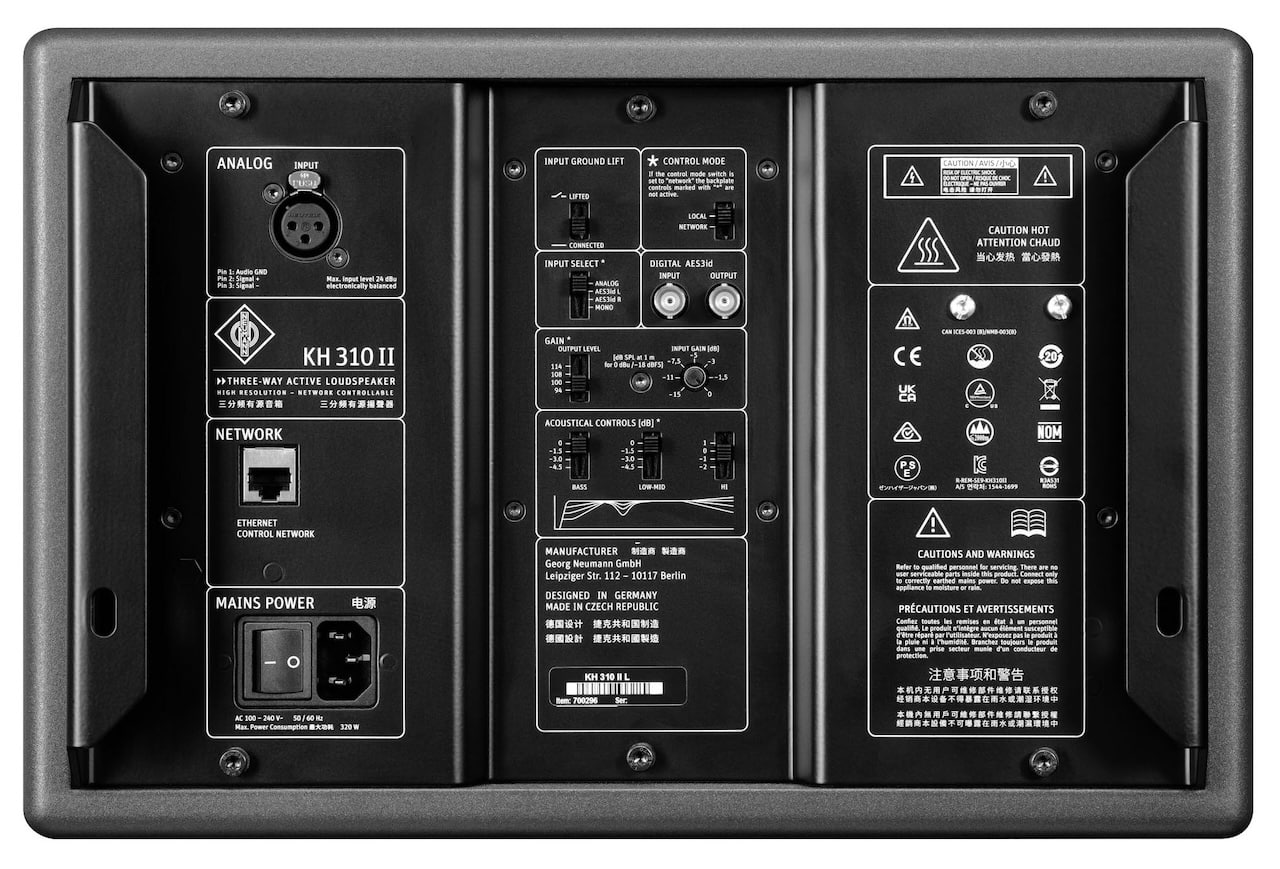
By preserving the strengths of the original platform while updating its amplification, DSP, woofer, and overall performance, the KH 310 II carries Neumann’s established design philosophy forward without abandoning what made the original so successful.
KH 310 II Highlights
- Sealed-cabinet design for fast transient response, low group delay, and tightly controlled bass
- Optimized for critical nearfield monitoring
- Lower distortion and improved linearity
- 5 dB higher maximum SPL than the KH 310 A
- Identical cabinet dimensions for straightforward replacement in existing studios and installations
KH 350
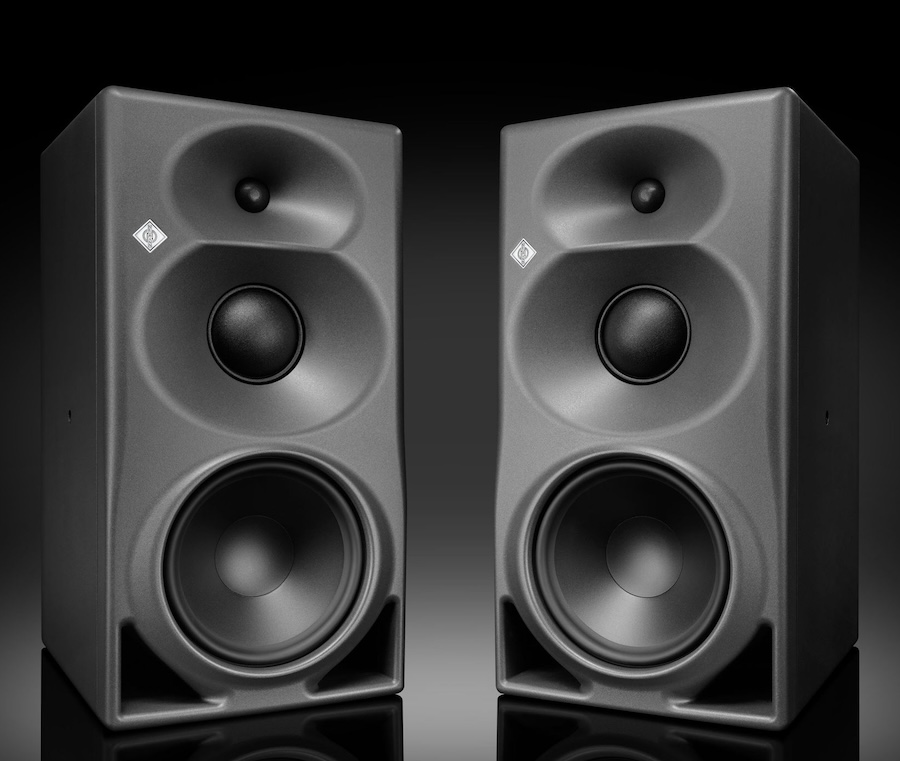
The KH 350 introduces a new monitoring option within Neumann’s studio monitor lineup.
Designed for both nearfield and midfield applications, the KH 350 combines Neumann’s established midrange and high-frequency platform with a bass-reflex enclosure engineered for deeper low-frequency extension, greater physical impact, and full-range performance.
With a cabinet nearly twice the size of the KH 310 II and a vertical driver arrangement, the KH 350 is intended for larger listening environments that require higher SPL capability and greater listening-distance flexibility.
A large MMD waveguide provides improved directivity control across the frequency range, helping to maintain stable imaging, reliable translation, and consistent in-room performance. That also makes the KH 350 well suited for use as an LCR or surround loudspeaker in immersive audio systems.
With low-frequency extension down to 27 Hz (±6 dB), increased output capability, and support for longer listening distances, the KH 350 is designed to deliver the scale and authority required for modern music production, film scoring, post-production, broadcast, and immersive audio workflows.
Positioned between the KH 310 II and the flagship KH 420, the KH 350 gives recording and mixing engineers a new option for deeper bass extension, higher output, and greater placement flexibility without sacrificing the accuracy expected from Neumann’s KH series.
KH 350 Highlights
- Bass-reflex design for extended low-frequency response
- Suitable for both nearfield and midfield monitoring
- Large MMD waveguide for more precise directivity control
- Greater low-frequency authority with full-range performance
- Optimized for larger control rooms and immersive audio applications
Specifications Comparison
| Neumann Model | KH 350 | KH 310 II |
| Product Type | Studio Monitor Speaker | Studio Monitor Speaker |
| Price | $3,599 | $2,999 |
| Monitor Type | Powered | Powered |
| Enclosure Type | Bass Reflex | Sealed |
| Woofer | 210 mm (8 1/4″) | 210mm (8 1/4″) |
| Midrange | 75 mm (3″) with magnetic shielding | 75 mm (3″) with magnetic shielding |
| Tweeter | 25 mm (1″) with protective black metal grille | 25 mm (1″) with protective black metal grille |
| Frequency Response (Free Field) | ±3 dB 30 Hz – 21 kHz
±6 dB 27 Hz – 21 kHz |
±3 dB 33 Hz – 21 kHz
±6 dB 29 Hz – 21 kHz |
| Crossover | 700 and 1700 Hz | 700 and 1700 Hz |
| Crossover Slope | 24 dB / octave | 24 dB / octave |
| Automatic room calibration via MA 1 | Yes | Yes |
| Max. SPL in full space at 3% THD at 1m (averaged between 100 Hz and 6 kHz) | 116.6 dB SPL | 115.4 dB SPL |
| Max. SPL in half space at 3% THD at 1m (averaged between 50 Hz and 100 Hz) | 109.7 dB SPL | 107.8 dB SPL |
| Analog input(s) | XLR: analog electronically balanced | XLR: analog electronically balanced |
| Digital input(s) | BNC (75 Ω): AES3id | BNC (75 Ω): AES3id |
| Digital output(s) | BNC (75 Ω): AES3id | BNC (75 Ω): AES3id |
| Dolby D.A.R.D.T. Max SPL full-range | 120 dB | 118 dB |
| Dolby D.A.R.D.T. Max SPL Bsdd Managed | 124 dB | 123 dB |
| Input Selector | Analog; AES3id L; AES3id R; Mono | Analog; AES3id L; AES3id R; Mono |
| DSP Resolution | 32 Bit Audio, processing 64 Bit double precision | 32 Bit Audio, processing 64 Bit double precision |
| Status Display | Limit / Clip / Errors / Protection /Boot Mute / Shut Down Mute | Limit / Clip / Errors / Protection /Boot Mute / Shut Down Mute |
| Output Power (THD+N with limiter deactivated: 10%) | Woofer – 300 W Midrange – 160 W Tweeter – 125 W |
Woofer – 300 W Midrange – 160 W Tweeter – 125 W |
| Output Power (THD+N with limiter deactivated: 0.1%) | Woofer – 185 W Midrange – 125 W Tweeter – 125 W |
Woofer – 185 W Midrange – 125 W Tweeter – 125 W |
| Mains Power Supply: input voltage; frequency | SMPS: 100-240 V; 50/60 Hz | SMPS: 100-240 V; 50/60 Hz |
| Power consumption (230 V / 100 V) | Standby <300 mW Idle 26 W Full output 320 W |
Standby <300 mW Idle 26 W Full output 320 W |
| Cabinet material | Composite polycarbonate front, wooden sleeve, aluminum electronics panel | Composite polycarbonate front, wooden sleeve, aluminum electronics panel |
| Internal Net Volume | 35 liters | 16.2 liters |
| External Net Volume | 52 liters | 24 liters |
| Cabinet Surface Finish; Color (front/back) | Painted; metallic anthracite (RAL 7021) / black (RAL 9005) | Painted; metallic anthracite (RAL 7021) / black (RAL 9005) |
| Product Dimensions (HWD) | 545 x 280 x 363 mm
21 1/2″ x 11″ x 14 1/4″ |
253 x 383 x 292 mm
10″ x 15 1/8″ x 11 1/2″ |
| Product Weight | 20.0 kg (44 lbs 1 oz) | 13.0 kg (28 lbs 11 oz) |
The Bottom Line
The KH 310 II and KH 350 continue Neumann’s long-established approach to professional monitoring, but the combination of built-in amplification, 32-bit DSP, digital connectivity, controlled directivity, and integration with MA 1 makes these considerably more flexible than traditional powered studio monitors.
The differences between the two new models are equally important. The KH 310 II is the more compact sealed design, optimized for critical mixing, mastering, and nearfield monitoring where transient response and controlled bass behavior take priority. The larger KH 350 uses a bass-reflex enclosure, extends down to 27 Hz (±6 dB), and offers greater output and listening-distance flexibility for larger control rooms, film production, bass-heavy music, and immersive audio installations.
What makes these particularly interesting is the system approach. Rather than treating DSP and room correction as optional features bolted onto otherwise conventional powered speakers, Neumann has designed the KH range to work as an integrated monitoring ecosystem. Anyone spending this much on the KH 310 II or KH 350 should seriously consider budgeting for Neumann’s MA 1 Automatic Monitor Alignment system as well. Buying reference monitors at this level and ignoring what the room is doing to them rather defeats the purpose.
Competition is hardly nonexistent. The Focal Trio6 ST6, which we have covered extensively through Focal’s professional monitoring initiatives, is priced at roughly $3,499 per monitor and offers a very different three-way approach, including its unusual Dual Focus modes. Genelec’s 8341A is another obvious rival, combining a three-way coaxial design with DSP and Genelec’s GLM room-calibration platform, although its current $3,675-per-speaker price puts it slightly above the KH 350.
JBL’s 708P also belongs in the broader conversation, particularly for studios that want DSP, substantial output, and controlled directivity without spending Neumann money. At its current $1,899-per-speaker price, however, it is no longer a direct price competitor. Amphion’s One25A is another studio reference we have covered, but at $14,900 per pair it occupies a considerably more expensive neighborhood.
At $2,999 each for the KH 310 II and $3,599 each for the KH 350, neither model is remotely inexpensive, especially once you multiply that across an immersive system. But Neumann is offering the amplification, DSP, digital signal path, room-alignment capability, and loudspeaker engineering as one coordinated platform. For professional users—and increasingly for serious home listeners who would rather eliminate amplifiers, passive crossovers, and some of the usual system-matching nonsense—that is the real attraction.
Price & Availability
Related Reading:
Tech
Bose QuietComfort Headphones (2nd Gen) Review: Better ANC, More Comfort, But a Tougher Sell at $359?
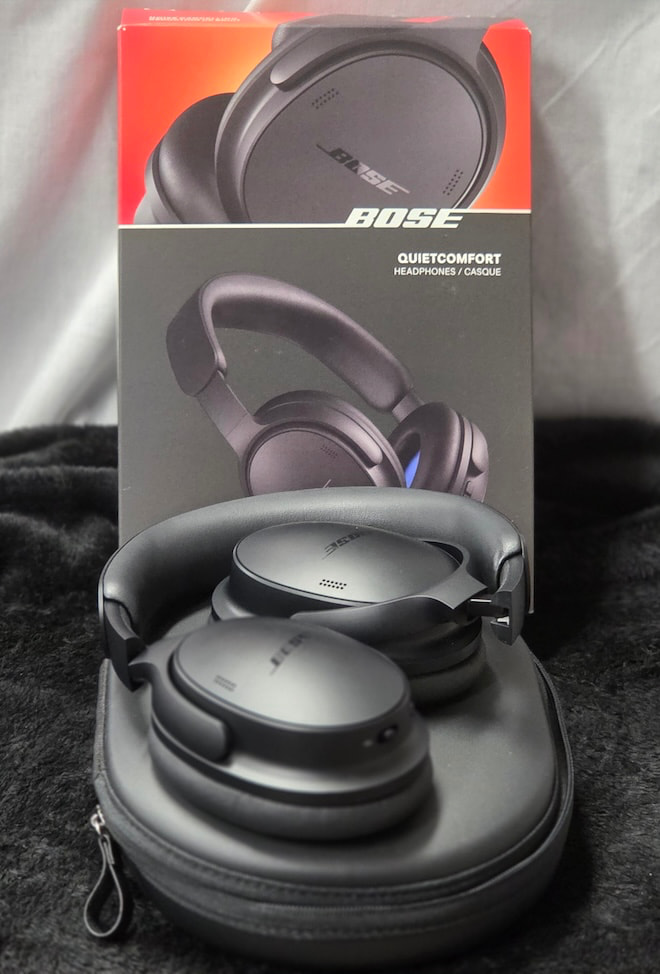
The Bose QuietComfort Headphones (2nd Gen) arrive in the middle of an ANC arms race that has been going on for more than a decade. Bose and Sony have spent years battling for noise-cancelling supremacy, and almost every new flagship has pushed ANC performance to new heights. Unfortunately, the same can be said for the price tags.
The original Bose QC1 sold for $299 when it was released. Today, the top-of-the-line QuietComfort Ultra Headphones (2nd Gen) are $449. That buys you a ton of features, excellent sound, and some of the best noise cancellation available, but what if you don’t need all of it? An infrequent traveler may have a hard time spending $449 for a single flight each year, while someone just starting out can buy a lot of ramen with the $150 difference.
So do those buyers settle for a previous-generation flagship at a reduced price, or step down to a current model that still offers the core features they actually need at a more reasonable tariff?
Buying used has always been a mixed bag with electronics. Batteries don’t last forever, warranties are usually short, and the realistic lifespan of many consumer electronics products isn’t substantially longer. The better spend may be a sub-flagship model like the Bose QuietComfort Headphones (2nd Gen).
Some readers will recognize the QuietComfort name as Bose’s flagship line, but that distinction now belongs to the model carrying the Ultra suffix. The QuietComfort without it sits in the middle of Bose’s lineup, retails for $359, and can sometimes be found for less. Watching the Black Friday sales is always a good play this time of year.
The Bose QuietComfort has long occupied that middle ground. It isn’t as flashy or as cutting-edge as its more expensive sibling, but it has traditionally focused on the features most buyers actually use. When Bose introduces new technology in its flagship models, some of it inevitably trickles down a generation or two later.
That brings us to the newest QuietComfort Headphones (2nd Gen), which I’ll refer to as the QCgen2 from this point forward. For listeners who want strong ANC, long-term comfort, and the features that matter without paying flagship money, the QCgen2 may represent the best compromise between cost and capability.
Related Reviews:
Build Quality and Fit: Familiar Bose Comfort With Useful Refinements
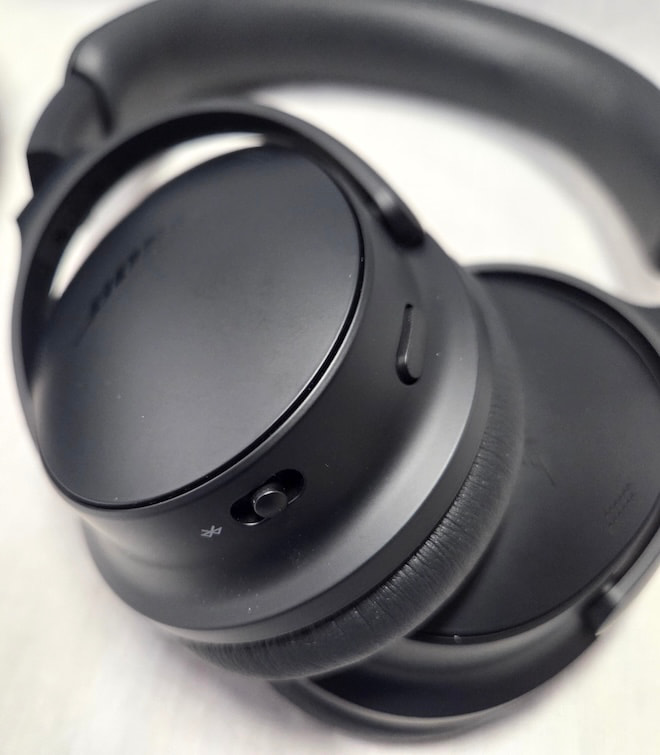
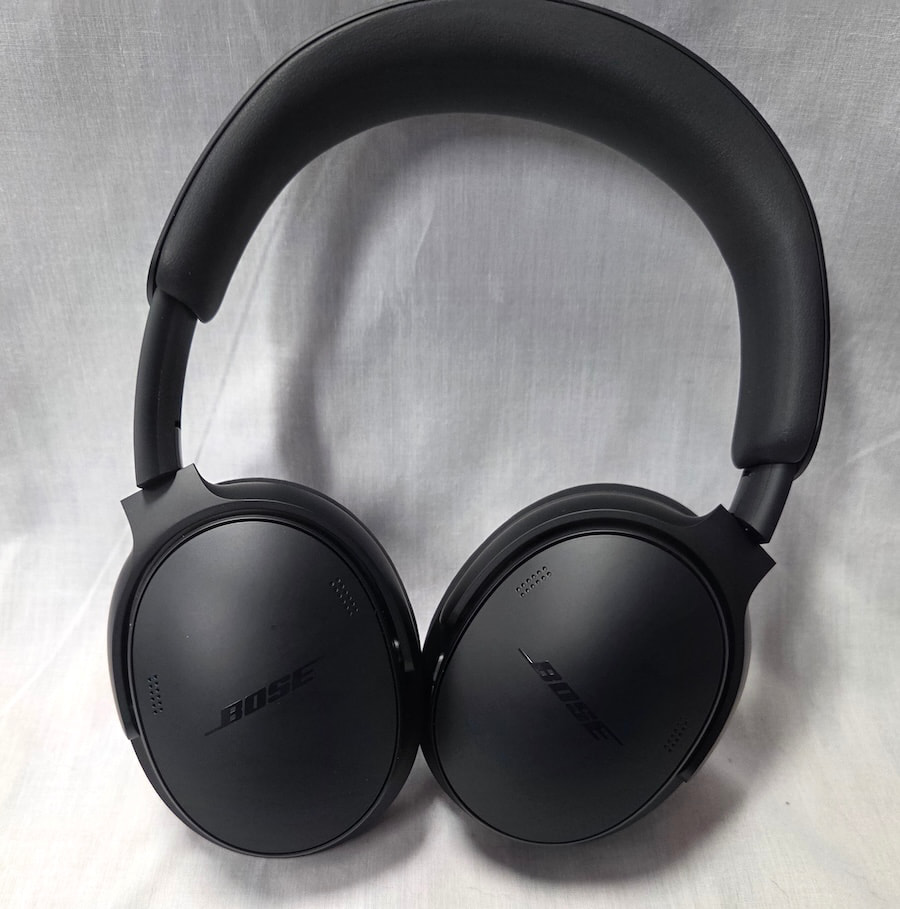
The aesthetic here remains understated, which is either refreshing or disappointing depending on your perspective. Bose has updated the design with treatment similar to what it gave the Ultra. The earcups are more pill-shaped and less rectangular than those of the previous iteration, although the step between the rear of the cup and the face, where the pads attach, is slightly less pronounced than on its sibling. The polymer yoke is wider than the metal version used on the Ultra, but the headband remains the same size as both the previous model and the Ultra.
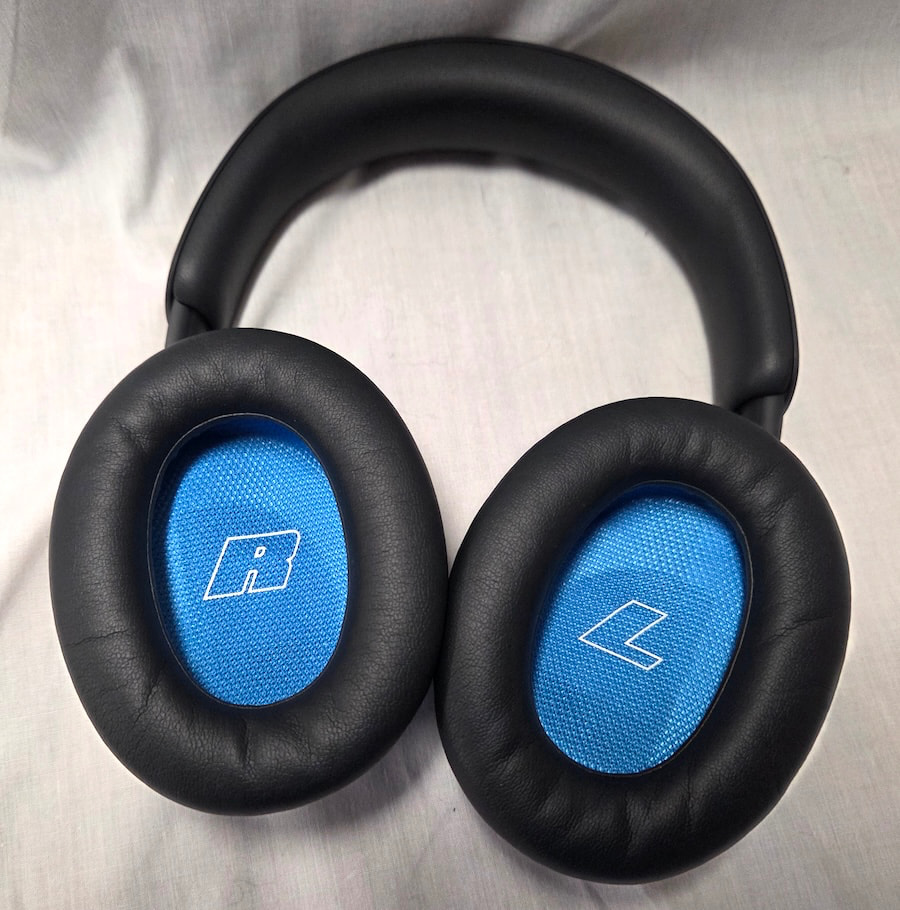
Padding is also shared between the two models, with the headband and ear pads interchangeable between them. Reusing parts where possible helps keep costs down, so it’s no surprise that the line shares as much commonality as it does. One benefit of the greater use of polymer is weight: the QCgen2 comes in at just 230 grams. That puts it firmly in the lightweight class and helps reduce fatigue during longer listening sessions.
Clamping force is moderate for an ANC headphone, with enough pressure to keep the cups firmly in place without feeling like a vise. Overall, I found the QCgen2 comfortable with glasses and easy to wear through an entire movie on a flight or during extended listening sessions.
Color choices used to be limited to black or white, but Bose has expanded the lineup considerably with Eucalyptus Green, Rosewood Mauve, and Dewdrop Mint joining the two original options. I’m not one to use headphones as a vehicle for personal expression, but wearing them as a fashion statement is fairly common now, and Bose has clearly answered the call.
Build quality is solid rather than premium, which is about what one should expect at this level. The materials feel appropriate for the price and should provide reasonable longevity.
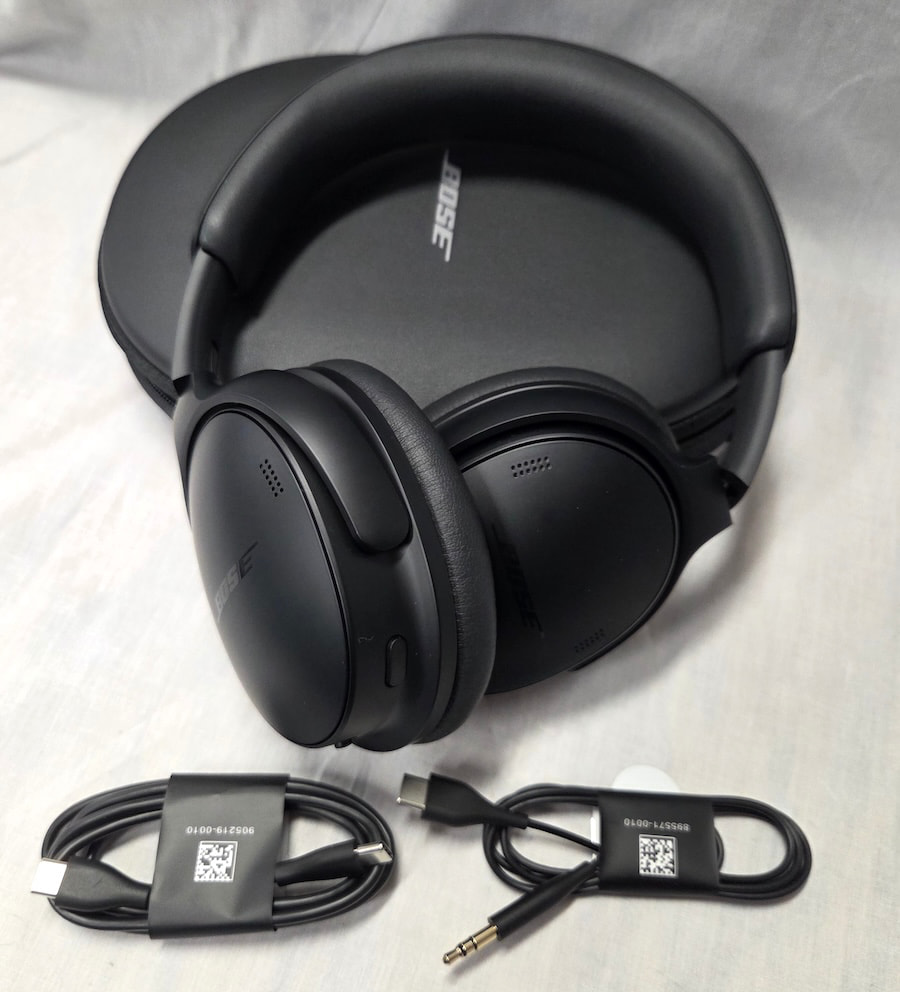
Internals and Connectivity: Lossless USB Audio Joins Bluetooth 5.4
Bose remains fairly tight-lipped about the driver details, revealing only that the QCgen2 uses 30mm dynamic drivers with a nominal impedance of 48 ohms. Frequency response and sensitivity are not listed.
Bluetooth is version 5.4 and supports AAC and SBC, but not aptX like its bigger sibling. Bluetooth multipoint is supported, allowing users to switch between a phone and laptop without additional hassle, which is a welcome addition.
The USB port can now be used for lossless audio playback at up to 24-bit/48kHz, which is another very welcome upgrade. That helps offset the removal of the 3.5mm jack found on the previous model, as the QCgen2 no longer includes an analog connection. USB audio still requires the headphones to be powered on, and a connected phone may take a battery hit if it is also supplying power while you listen.
Battery life is rated at up to 24 hours depending on the mode in use. ANC consumes less power than Immersive Audio, which drops the rated figure to 18 hours. A full charge takes roughly three hours, while a 15-minute quick charge provides about 2.5 hours of playback for those trying to squeeze in some listening during a short layover.
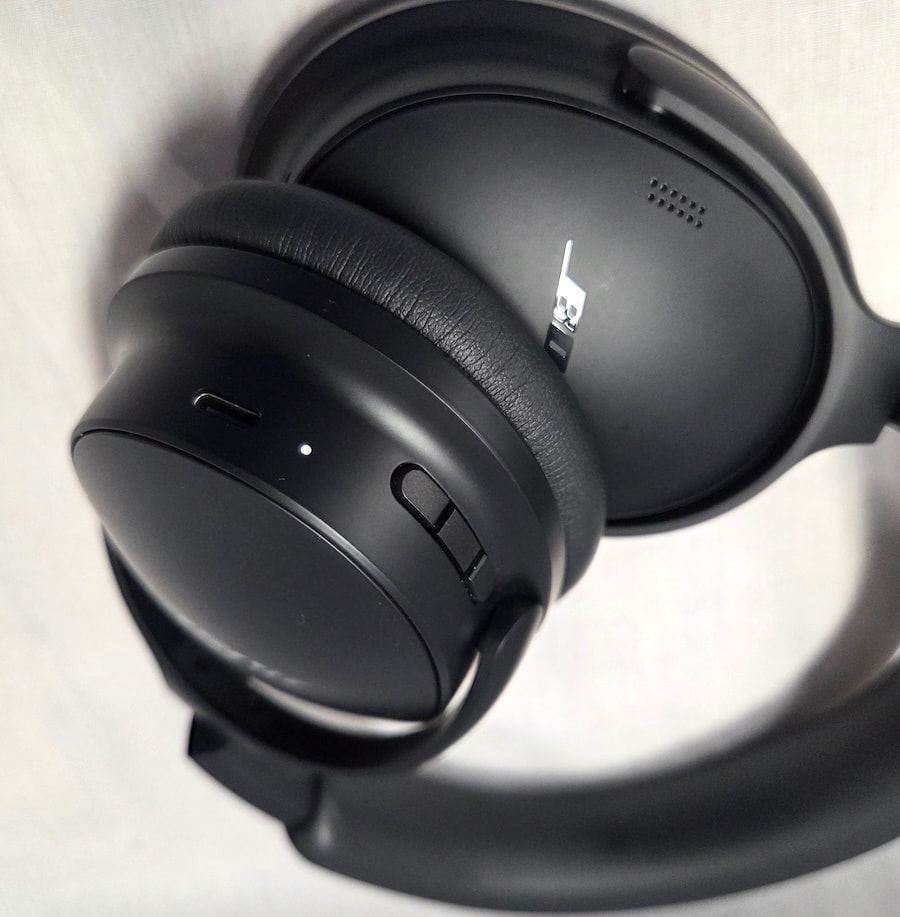
Features: Immersive Audio Arrives, but ANC Is the Bigger Upgrade
The previous section introduced two of the QCgen2’s major additions: USB audio and Immersive Audio with Bose TrueSpace technology. The other significant change is an improvement in ANC performance.
Immersive Audio offers three options: Still Mode, Motion Mode, and Cinema Mode. The technology has been available on previous generations of the Ultra series, but this is the first time it has trickled down to the QuietComfort line. Still Mode anchors the audio in place, while Motion Mode adjusts the presentation as you move. Cinema Mode is designed for movies, TV shows, and podcasts, creating a more spacious presentation while keeping dialogue intelligible.
Still Mode worked fairly well, while Motion Mode sounded more experimental and less refined to my ears. Cinema Mode does help dialogue cut through, which can be useful, but none of the three qualify as a “gotta have it” feature for me. I suspect a fairly large percentage of users will experiment with Immersive Audio for a while and then largely ignore it.
The changes to noise cancellation are more meaningful. Passive isolation hasn’t changed much, so that part is essentially a wash. Bose’s QuietControl ANC system has been improved with six microphones and updated adaptive feedback control, resulting in better noise reduction, particularly with continuous low-frequency sounds such as dishwasher noise and aircraft engines.
Sudden, unexpected sounds are reduced but not eliminated, which is something users should expect from feedback-based ANC systems. Bose has also added ActiveSense, which automatically increases noise cancellation when it detects a sudden rise in environmental noise while the headphones are in Aware Mode. It is a useful addition that helps prevent abrupt changes in the surrounding environment from becoming a distraction.
Overall, the QCgen2’s noise cancellation is on par with the previous-generation Ultra model, which should satisfy all but the most demanding ANC users.
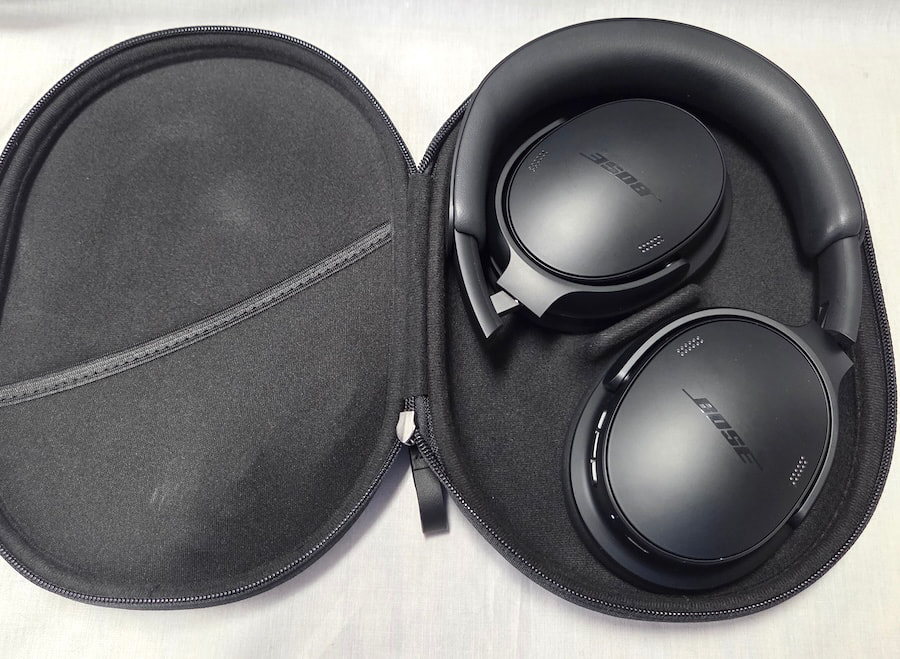
Bose QuietComfort Headphones (2nd Gen) Specifications:
- Drivers: 30mm dynamic
- Impedance: 48 ohms
- Bluetooth: 5.4
- Codecs: AAC, SBC
- Multipoint: Yes
- USB Audio: Up to 24-bit/48kHz lossless
- ANC: Bose QuietControl with 6 microphones
- Immersive Audio: Still, Motion, Cinema
- Battery Life: Up to 24 hours; up to 18 hours with Immersive Audio
- Quick Charge: 15 minutes for up to 2.5 hours
- Full Charge: About 3 hours
- Weight: 230 grams
- 3.5mm Input: No
Listening
The QCgen2 is decidedly not a reference headphone, with a tuning that falls somewhere between an L-shaped and V-shaped signature, along with a healthy amount of mid-bass emphasis. The overall presentation is also highly dependent on which mode and settings are being used.
In its default configuration, the QCgen2 leans heavily toward an L-shaped signature, with a substantial mid-bass lift followed by a relatively flat response above that bump. To my ears, it is an odd tuning choice because vocals tend to sit in the middle or rear of the stage rather than being pushed forward as expected. The soundstage can also feel congested, if not outright cramped, depending on the track.
That might be enough for some listeners to dismiss the QCgen2 were it not for Immersive Audio’s Still Mode. Switching to Still Mode brings the vocals forward and shifts the tuning closer to a V-shaped presentation. The lower leg remains more pronounced than the upper, but the overall balance is considerably better and the presentation sounds more natural and relaxed.
There is also more air and a noticeably larger soundstage in this mode, and to my ears it should be the default. Motion Mode is similar in most respects, so listeners who want to add some head-tracking action get much of the same sonic improvement.
Even with those changes, the upper frequencies remain somewhat subdued, leaving the QCgen2 sounding slightly soft overall. Percussion lacks some of the snap it should have, while transients are slower than what I hear from competing Sony and Sennheiser models. That is clearly the tradeoff for a warmer, bassier presentation, and whether that is a positive will come down to individual preference.
The upside is that very few listeners are likely to find the QCgen2 fatiguing. That makes it a good option for gifting or sharing, as its tuning and various listening modes make it adaptable to a fairly broad range of preferences.
The soundstage is wider than it is deep, with limited overall dimensions and only a modest sense of height, which is hardly uncommon among ANC headphones. Imaging and layering are both acceptable, but the presentation remains somewhat compact because of the limited stage size and can become slightly claustrophobic when tracks get especially busy.
ANC performance is very good, with most continuous droning noises removed almost completely. The ability to adjust the amount of noise cancellation in the Bose app is also useful because increasing ANC has a noticeable effect on the sonic signature. Being able to tailor the level of cancellation to the environment therefore makes a lot of sense.
One weakness is the equalizer in the Bose app, which is fairly limited compared with many competitors. Three bands simply aren’t enough for meaningful tuning, so if neither the default nor Immersive Audio modes match your preferred sound signature, there is only so much you can do to correct it.
It has often been said that Bose makes lifestyle products rather than audiophile ones, and the QCgen2 certainly fits that description. That is not necessarily a criticism. Some competing headphones are more resolving and brighter, but they can also sound harsher and become more fatiguing over longer sessions.
The warmer, more organic presentation of the QCgen2 should appeal to a broad audience, while the expanded range of color options gives Bose another advantage for buyers who care as much about how their headphones look as how they sound.
The Bottom Line
The Bose QuietComfort Headphones (2nd Gen) are a meaningful upgrade over the previous model, with better ANC, improved comfort, USB audio, and Immersive Audio features that have finally trickled down from the Ultra line. Bose has also expanded the color options, which will matter to buyers who increasingly treat headphones as part of the wardrobe rather than something to hide in a carry-on bag.
They are comfortable enough for long sessions, offer solid battery life, and deliver an easygoing, warmer presentation that should work well for a broad range of listeners. The catch is that the default tuning benefits from some adjustment, and Bose’s limited three-band EQ does not give users much room to reshape the sound if it misses the mark.
That makes the $359 asking price the real issue. The QCg en2 is not a cheaper Ultra, and it costs more than several very capable mid-tier competitors. For listeners who value comfort, strong ANC, and Bose’s warmer sonic balance, the premium may be justified. For everyone else, the competition is close enough that $59 can become a surprisingly persuasive reason to keep shopping.
Pros:
- Excellent long-term comfort and lightweight design
- Strong ANC performance approaching the previous Ultra
- Immersive Audio modes noticeably improve the presentation
- USB-C lossless audio up to 24-bit/48kHz
- Warm, non-fatiguing tuning works well for extended listening
- Bluetooth multipoint adds useful everyday flexibility
Cons:
- No 3.5mm analog input
- Three-band EQ is far too limited
- Default tuning is heavily L-shaped and can sound congested
- Soft treble and slower transients reduce perceived detail
- $359 price puts it uncomfortably close to stronger competition
Our Ratings
★★★★★★★★★★ Sound Quality
★★★★★★★★★★ Build Quality
★★★★★★★★★★ Comfort
★★★★★★★★★★ Features
★★★★★★★★★★ ANC
★★★★★★★★★★ Value
Where to Buy:
Related Reading:
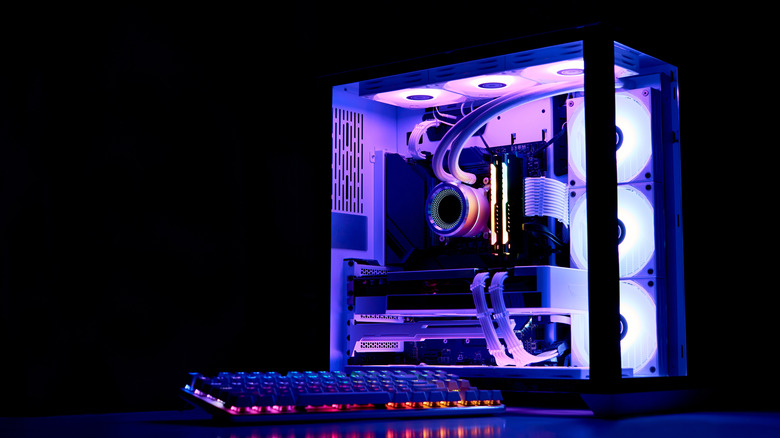
Unplugging your PC during a blackout might be exactly what saves it.
Power outages don’t usually come with a schedule. And when one hits, most people focus on finding the nearest flashlight rather than thinking about their electronics. But if your PC is still plugged into the wall when the lights come back, it could be in danger.
Many assume that a PC (unwillingly) shutting down is enough to keep it safe during an outage, but it isn’t. Even a powered-off computer remains connected to your home’s electrical wiring, and that connection is exactly how damage occurs. PCs are particularly vulnerable, since components like the motherboard, RAM and SSD are built with delicate circuits that are sensitive to unexpected voltage spikes.
The scale of risk is worth understanding. When power cuts unexpectedly, whether due to grid overload, equipment failure or a tripped breaker, the electrical system doesn’t simply go quiet. Voltage can fluctuate sharply in the moments before and after an outage, and the surge that arrives when power is restored is often more damaging than the outage itself. Standard household circuits in the US operate at 120 volts; even moderate spikes above those levels are enough to permanently damage sensitive computer components.
Understanding how to protect your setup can save you from costly repairs, loss of data and the headache of tracking down replacement parts.
Turning off your PC isn’t enough
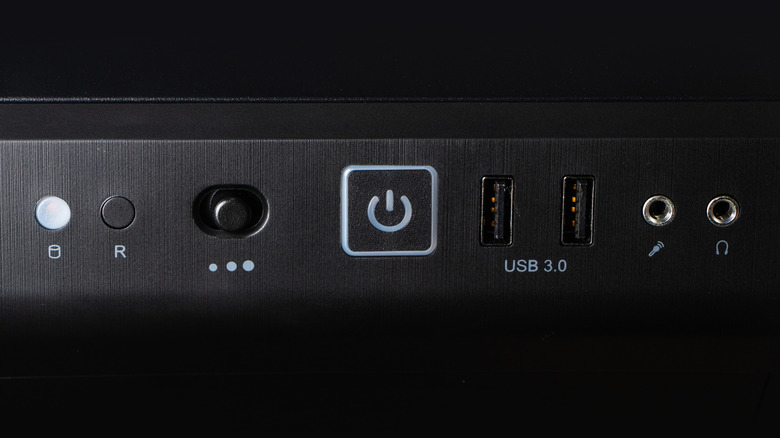
Even if you turned off your PC before the power outage, it’s not necessarily safe. Electricity can still travel through the cord and reach internal components once power comes back on, even while the machine is dark.
Power surges are the most common cause of this; they happen when there’s a sudden jump in electrical current, often triggered by lightning or damage to nearby power lines. Even a strike that doesn’t directly hit your house can send a surge through your local transformer and into your home’s wiring. When the grid comes back online after an outage, it often delivers an additional spike, so the danger doesn’t end when the lights come back on.
On top of that, if your PC is running when the power cuts off, that sudden loss of power can cause its own problems. Any files being saved or updated may be corrupted, which could render your system unusable if it happens during OS updates. If your computer has HDDs, sudden shutdowns can also harm their mechanical heads.
How to protect your PC during a power outage
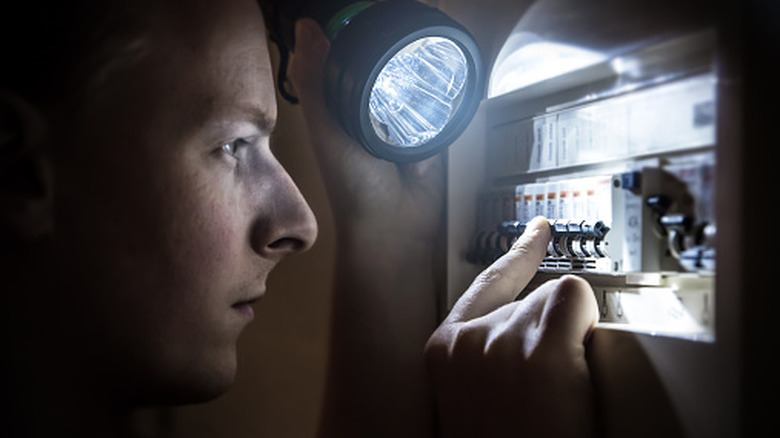
To ensure your PC doesn’t suffer any damage during a storm, shut down your system and unplug it from the wall when you know extreme weather is coming. If the power is already out, it’s still worth unplugging the machine. Do the same for the router while you’re at it, as that’s one of the most frequently fried devices in an electrical storm. You should be restarting your router regularly anyway, so unplugging it won’t hurt. Keep other expensive electronics like your TV safe by unplugging them too.
On a desktop PC, shutting off the PSU can help since that prevents current from entering the system. However, an extreme event like a lightning strike could still cause damage. A surge protector is a much better idea. A quality surge protector acts as a first line of defense, absorbing voltage spikes before they reach your equipment.
Investing in a UPS is even better. An uninterruptible power supply combines surge protection with a battery backup. While it’s not meant to keep your devices running for hours, it will prevent shutdowns during short outages and give you a window to save your work and shut down gracefully instead of losing power instantly. For broader coverage, consider having a licensed electrician install surge protection directly into your electrical panel, shielding every outlet in the house.
Also, when the power returns, don’t immediately jump at the chance to plug everything back in. Wait a few minutes to ensure it won’t go back out again. When you reconnect, plug your surge protector in first, then your PC and any peripherals.
Unplugging your PC during a power outage takes only a few seconds, but it’s one of the most effective ways to protect your investment. Paired with a surge protector or UPS, the simple habit will reduce the chance of hardware damage or data loss. Given what’s at stake, it’s a small effort to make.
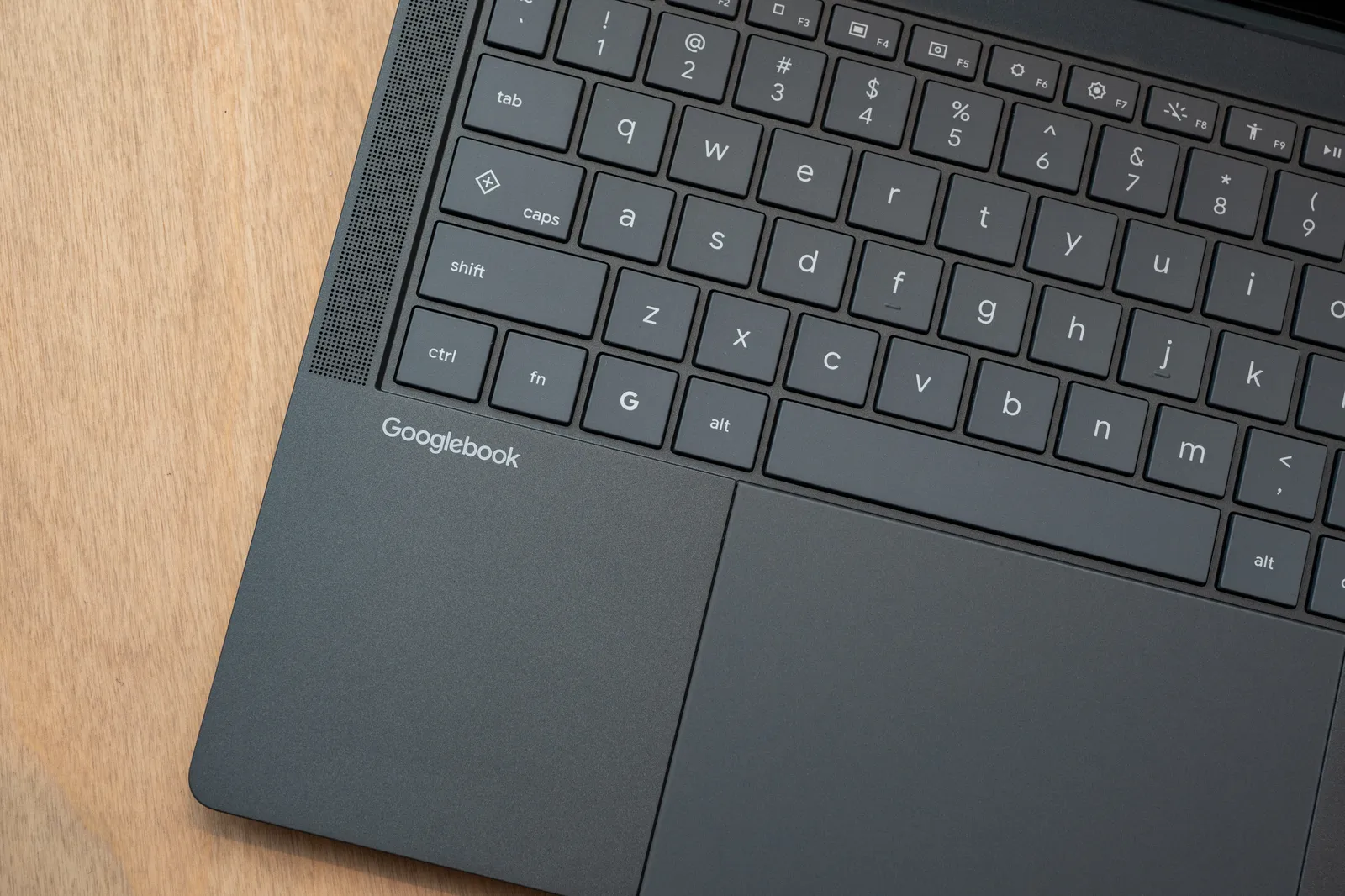
Some of the standards Google has set include using “premium materials,” like aluminum, magnesium, or carbon fiber, to make them lightweight. They need at least 16 GB of RAM, deliver more than 45 tera operations per second (TOPS), a touchscreen (LCD or OLED), a backlit keyboard, a haptic trackpad, Dolby Atmos speakers, studio-quality microphones with noise cancellation, and at least 14 hours of battery life. Googlebooks will receive 10 years of software updates.
They must feature the Glowbar—the signature LED strip on the laptop’s exterior that identifies the machine as a Googlebook. It’s a callback to the glowbar Google used on its original Chromebook Pixel. (Speaking of which, Google hasn’t shared whether it’s making its own Googlebook under its Made by Google Pixel hardware division.) Developers can access the Glowbar to customize the lights to specific actions in their apps, and there’s also an Easter egg app consumers can unlock to customize the light color and animation themselves. Like HiLight introduced on the latest Pixel phones, the Glowbar will illuminate when you talk to Gemini.

“There’s a lot the laptop gets right, but much of it was designed decades ago, before mobile devices were invented,” Sameer Samat, president of the Android ecosystem, said at the event. “Reinventing laptops is a multi-year endeavor. Our first step is to focus on the Android community because today there isn’t a laptop that is designed to seamlessly work with your Android phone.”
Googlebook merges Android’s mobile-first operating system with ChromeOS, the OS powering Chromebooks. Google says Chromebooks aren’t going anywhere and will continue to serve schools and act as the budget-friendly option for consumers. While the Googlebook interface feels like a blown-up version of Android, it’s not just an Android-powered desktop. Rather, it’s a distinct OS optimized for x86 and ARM chip architectures.
What’s particularly interesting is how Android apps work on the device. They’re categorized in three ways. When you set up your Googlebook with your Android phone, important data flows seamlessly to the laptop, including Wi-Fi networks, passwords, settings, messages, contacts, and photos. Not all of your phone apps will automatically be installed, though, as Google deems some apps as “better on the web,” like Facebook. (You can still install the Facebook app if you want and get the mobile-shaped experience.)

Paramount Skydance just “emerged victorious” reports Reuters, “from a legal battle over its $110 billion acquisition of Warner Bros Discovery” that will “dramatically concentrate power across Hollywood’s film, TV, streaming and news businesses.”
The victory comes “after settling with a California-led group of US states and a Hollywood writers union, paving the way for one of the largest media mergers in history.”
Paramount agreed to abide by temporary film quotas and a news oversight committee, avoiding a forced sale of cable assets such as CNN or any of its lucrative film franchises… The Writers Guild of America settled its parallel case against Paramount, while saying it still believes the deal will damage the industry. The states’ settlement forced the union to “contend with the reality of forging ahead alone, with no backing from government enforcers” in a complex case that would have cost millions of dollars…
Paramount promised in the state settlement to bring more film production to the US — spending at least $300 million more each year in domestic production — and adhere to US theatrical release quotas for five years. The company will produce 30 movies in each of the first two years of the deal, and 32 movies in each of the following three years, Bonta said. Each year, at least four of those films must be independent films and at least 20% must be blockbusters. If it falls below that threshold, it will pay $30 million per film, most of it into funds to support workers. Paramount also promised not to raise rates on theater operators for three years.
The article notes that California attorney general Rob Bonta still said “I don’t think these two companies should merge” at a press conference announcing the settlement, “but that’s not something that we are focused on with our resolution here.” He call their agreement “a strong antitrust outcome.”
And Politico notes that Bonta acknowledged at the press conference that “Some of you who may be watching this may have wanted a different outcome. I understand that.”
But he argued he’d reached a settlement capable of “providing more film production that protects Hollywood workers and their livelihoods, that places guardrails allowing for robust cable negotiations, that protects competition and creates more choice for consumers about what this merger could mean for the industry.” It “resolves the antitrust concerns at the heart of our lawsuit against the company and Warner Brothers,” he said…
The agreement came as a disappointment to opponents of the transaction, including the Block the Merger Coalition, which cast the settlement as a sweetheart deal for Paramount Chief Executive David Ellison and his father, Oracle Co-Founder Larry Ellison, who is financially backstopping the acquisition. “This is a bad deal for the future of film, entertainment, independent journalism, and a strong democracy in this country,” the coalition said in a statement. “We are disappointed and angry that the interests of average Americans have been trampled to benefit oligarch billionaires…..”
The $111 billion deal allows Paramount to combine its namesake streaming service with HBO Max, creating a new offering with about 200 million subscribers. That would help Paramount compete against companies such as Netflix, which boasts more than 325 million subscribers worldwide.


Read more of this story at Slashdot.


More Information
As enterprise data volumes grow, replication pipelines built for smaller loads often stop scaling cleanly. Jobs that once finished overnight begin to run into business hours, freshness gaps widen, and compute costs climb. At that point the constraint shifts from the size of the data to the efficiency of the architecture that reads and writes it. Two techniques address this directly. Parallel partitioned reads divide a large source table into row-range partitions and read them at the same time across CPU threads, which reduces read time on large datasets. Write-path optimizations lower the cost of processing result metadata and writing files on the destination side. Wide tables with hundreds of columns benefit most, since per-column work repeats across every file operation. Both techniques build on cloud-native bulk loading, which stages data as optimized files and loads it through a warehouse’s native ingestion interface for higher throughput than row-by-row writes. This White Paper explains the benchmark methodology, reports measured results across common cloud destinations, and outlines a practical configuration for applying these techniques to large-scale replication.


Shortwave radios offer a way to connect one location on Earth to practically anywhere else with minimal infrastructure. But these radios come with some drawbacks—a significant one being that, unlike satellite communications, their transmission rates for digital data are typically measured in just hundreds of bits per second.
Peter Bloom
Peter Bloom is the founder of Rhizomatica, a nonprofit that works with remote, indigenous, and off-grid communities around the world to build shortwave and cellular-communication infrastructure.
Peter Bloom is the founder of Rhizomatica, a Philadelphia-based nonprofit that has open-sourced a digital shortwave-radio set called the High-frequency Emergency and Rural Multimedia Exchange System, or HERMES. The set operates in the high-frequency (HF) band from 3 to 30 megahertz, as does Mercury, its digital modem. Rhizomatica staff travel around the globe to remote locations in countries like Bangladesh, Brazil, and Ecuador. Wherever they go, they use HERMES to help connect locals to the rest of the world.
Bloom spoke with IEEE Spectrum about how HERMES brings better data rates and encryption to shortwave radios.
How does HERMES connect remote locations?
Peter Bloom: We use the ionosphere as our satellite—or mirror—which helps us move information, voice, and data over really long distances. We’re using small radios that put out about 20 watts of power, and we can pretty reliably do 400- to 600-kilometer links between two radios. We’re talking about places that are not easy to reach, where it’s not simple to put terrestrial infrastructure.
What can HERMES send that a basic voice radio can’t?
Bloom: HERMES is a software stack—it’s a set of different programs that all work together in order to be able to send data over HF. HERMES allows you to send pretty much any file. Depending on what the file is, whether it’s a photo or an email or a voice memo, it just sends it as a file. It’s like a data pipeline over HF.
Why does sending files and data matter more than just voice?
Bloom: In emergency situations, people send their latitude and longitude over HF to say, “Hey, I’m here at this place.” People need to be able to send data over HF if there’s a manifest, a parts list, telemedicine—here’s what we have, here’s what we need. Instead of trying to read that out over the air, it’s much easier to just send the file. Same with a photo—if we need evidence that an area was logged illegally, we can just have someone send that over HF, rather than spending days getting down the river to get the photo where it needs to go.
Why did you build in encryption that amateur-radio regulations in many countries don’t allow?
Bloom: Encryption [regulations] for ham radio operators are different in each country. So it’s all optional—you turn it on, you turn it off. The reason we built the encryption is that some of the partners we work with are in very sensitive areas and don’t want to be sending out information that can be easily captured and used against them.
How has HERMES made an impact?
Bloom: We’ve been working with artisanal fishers in Bangladesh on a pilot project. There’s 10 or 11 boats that have HERMES systems on them. Pretty soon after we installed those, one of the boats had a mechanical issue in the Bay of Bengal, 100 or 200 kilometers offshore. They were able to send their GPS position and an SOS that they were having trouble. They were able to coordinate the rescue of the crew and the boat. So that was a really cool moment of HERMES in action that we’re super happy about.
This article appears in the October 2026 print issue as “Peter Bloom.”
From Your Site Articles
Related Articles Around the Web


Harvey’s gross margin fell from about 50% at the start of this year to minus 50% by June as customer usage of its AI agents spiked, and turned positive again only after it released a model of its own built on Moonshot’s Kimi K3. Abridge, Decagon, Ramp and Rogo are making similar moves, and Sequoia Capital and General Catalyst are funding the shift.
Harvey’s gross margin fell from about 50% at the start of this year to minus 50% by June, Bloomberg reported, citing a person familiar with the matter. The legal startup is valued at $15.6B. Customer usage had spiked after a March update to its AI agents.
The cost was the models it rented.
Harvey has seen a twentyfold rise in token usage this year, according to the company. Both OpenAI and Anthropic now charge enterprises for model usage on top of base subscription fees. Its founders knew the spike would not survive contact with those rates.
So it stopped renting.
In August Harvey released its first in-house model, post-trained on Kimi K3 from the Chinese lab Moonshot. Gross margins turned positive again after that launch and other changes to how it uses AI, people familiar with the work told Bloomberg. Harvey declined to comment on specific financials.
It is not alone.
Abridge is building a clinical model on Nvidia’s open weights, and Decagon now routes 80% of customer queries through models of its own. Ramp raised $750M in June and is weighing training for the first time. “It made absolutely no sense a year ago,” co-chief executive Karim Atiyeh said. “It’s starting to make a lot more sense now.”
Anthropic has noticed.
At an investor forum in its offices it showed a slide on startups building their own models, with a reminder that Harvey still needs Opus for its hardest tasks. Mistral’s Arthur Mensch spent July arguing that closed models give providers immense leverage, and named Anthropic cutting off Windsurf while building Claude Code.
September made his case for him.
OpenAI moved to end its Cursor contract after SpaceX bought the company, citing past terms of service breaches by Musk businesses. European buyers have switching rights under the Data Act, but those cover a customer leaving a supplier, not a supplier leaving a customer.
Europe has its own Harvey.
Legora, in Stockholm, reached $100M in revenue inside 18 months and now serves more than 1,200 firms, and it has never said whose models it runs on. Not everyone thinks the answer matters. “Having your own model or not is such the wrong question,” said Menlo Ventures partner Matt Kraning. “In most cases, it tends to be a lot of cosplay.“

Internet Explorer Matters: Internet Explorer is now an obsolete and retired browser, but IE Mode is still hanging around in the latest editions of Windows. Microsoft recently reminded everyone that the company plans to stop supporting this compatibility solution sooner rather than later. Migration efforts should begin soon, although some companies might need more time to replace the ancient technology.
Microsoft retired support for Internet Explorer 11 years ago, but the ancient browser is still lingering in modern Windows releases through the IE Mode feature. By the end of 2029, even IE Mode will finally be gone, along with IE’s ancient web engine technology. Enterprise organizations should prepare for the switch-off now by upgrading or replacing applications that still require IE to run on recent operating systems.
In a recent message pushed to the Microsoft 365 admin center (MC1473151), Redmond reminded organizations about the planned retirement of IE Mode. As the company first announced in 2021, Internet Explorer (IE) mode in Microsoft Edge is going to be supported “at least” until the end of 2029.
Microsoft will share a new end-of-support notice for IE Mode at least one year in advance. However, IT admins must properly plan the migration of their company’s legacy applets, apps, and applications that still require Internet Explorer/IE Mode. Some modernization efforts might take years to complete, which is why Microsoft is routinely sending out deprecation reminders such as MC1473151.

IE Mode is a special compatibility mode available in modern Edge releases. It is based on Google’s Chromium browser engine, and can display web pages using Internet Explorer 11’s Trident engine. Also known as MSHTML, the proprietary layout engine has gone through many changes since its introduction with Internet Explorer 4.0.
Internet Explorer 11 uses MSHTML 7.0, which supports WebGL applets and the now-retired SPDY web communication protocol. If an organization does not use any IE-based applets, no action is required after Microsoft publishes the MC1473151 alert.
IE Mode will likely continue working with few issues even after 2029. However, organizations are asked to properly assess their IT infrastructure to identify the business- and mission-critical elements that still require IE Mode. These applications and websites should be updated, rehosted, replaced, or rebuilt using modern web technologies, Microsoft warned.
The company is even offering to lend a hand through its App Assure service, which should help eligible customers check and improve compatibility of custom applications with modern Windows platforms.
Either way, Microsoft warns that “planning early can help your organization identify migration risks and reduce the likelihood of disruption as you move away from IE mode dependencies.”

Why the start of your run feels so difficult

Can Varmora Granito IPO deliver long-term growth for high-risk investors?

Jamie Dimon says hyperscaler AI spending could hit $1 trillion next year




-

 Fashion3 days ago
Weekend Open Thread: Talbots – Corporette.com
-

 Tech1 day ago
Researchers escape OpenAI Codex sandbox to run commands on host
-

 Crypto World3 days ago
Circle launches Arc Studio AI agent for building onchain apps
-

 Crypto World6 days ago
Robinhood engineers charged over $50K crypto scheme
-
 NewsBeat3 days ago
Trump says US has reached an agreement to take permanent control of Greenland’s security
-

 Crypto World3 days ago
Bitcoin price breaks channel as RSI climbs to 63
-

 Crypto World5 days ago
US Charges Robinhood Engineers Over Crypto Listing Trades
-

 Crypto World6 days ago
What Is the Status of the U.S.-Iran Peace Talks? Here's What Both Sides Are Saying
-

 Crypto World1 day ago
Who Needs CLARITY Anyway? ARB Could See 70X Increase: Hodler’s Digest
-

 Crypto World7 days ago
NVIDIA Analysis: Attempted Rising Wedge Breakout Amid Pressure on the AI Sector
-

 Tech6 days ago
Webb’s IC 348 Mosaic Includes Two-Jupiter Dwarfs, Twin Jets, and a Nursery Still Making Worlds
-

 Crypto World3 days ago
Trading Bitcoin on Robinhood? Why 2% Spread Has Traders Worried
-

 Crypto World3 days ago
World Money launches in 150+ countries with Stripe
-

 Crypto World4 days ago
Silver prices recover quickly, hitting weekly high today
-

 Entertainment6 days ago
Big Brother Update: Melody Explodes at Drew as Illness Sweeps BB28 House
-
 NewsBeat3 days ago
US was ‘on brink of war’ with China over false AI report of nukes moving in Middle East
-

 Crypto World4 days ago
Mortgage and refinance interest rates today, Thursday, September 17, 2026
-

 Crypto World18 hours ago
Bitcoin price holds above $81K as key catalysts line up
-

 Business6 days ago
Federal Reserve expected to hike interest rates 25 basis points at FOMC meeting
-

 Tech4 days ago
GPT-6 Astra Reached the Nether in Minecraft, Lost Its Stash to a Creeper, and Farmed Potatoes for Hours
You must be logged in to post a comment Login