Connect with us

Tech

Smartphones And The Next Generation Of Hearing Aids

Published

on

If you don’t actually need one, you’d be forgiven for thinking a hearing aid just makes everything louder for the wearer. Especially since there are plenty of shady products out there which will do exactly that for just four easy payments of $29.99. But the reality is considerably more complex, as a proper hearing aid needs to be capable of selectively enhancing certain frequencies while squashing down others.

The technical challenges involved in pulling that off in a device small enough to fit inside the human ear and run off of a tiny battery are considerable — and while there’s undoubtedly been some degree of artificial price inflation going on over the years, there’s a reason proper hearing aids have been so much more expensive than their “As Seen on TV” counterparts. These same challenges are also why DIY and open source hardware hearing aids have struggled to gain much traction.

But over the last few years the situation has changed. In 2022 the United States Food and Drug Administration (FDA) established the framework by which hearing aids could be sold over the counter (OTC). Although they’re generally less capable than their prescription counterparts and not suitable for individuals with profound hearing loss, the wide commercial availability of OTC hearing aids has kicked off a competition between manufacturers to deliver more affordable devices.

That competition entered a new phase earlier this month when the FDA granted approval for Samsung’s Galaxy Earbuds to fall under the same category. This follows a similar decision made about Apple’s AirPods back in 2024. The two biggest players in the smartphone market being able to offer their earbuds as OTC hearing aids represents a unique value proposition. Not only are they priced for mass market consumption, but many individuals who would be interested in purchasing an OTC hearing aid will already own them and need only to enable the feature with a software update.

Given how different the situation is today than even just five years ago it’s worth asking just what qualifies as a over-the-counter hearing aid, and how the shifting definition of these devices can inform the community’s efforts to develop open hardware solutions.

Advertisement

What is a Hearing Aid, Anyway?

We’ve already covered what a hearing aid isn’t, but before we go too much further it’s a good idea to clarify what exactly a hearing aid does in comparison to a simple audio amplifier, which in the industry are officially known as Personal Sound Amplification Products (PSAPs). This is a topic we’ve touched on previously here at Hackaday, but the short version is that since the 1980s or so, the frequencies that a hearing aid amplifies have been tailored to match the specific auditory deficiencies of the wearer.

Traditionally, getting a hearing aid prescribed would require going to an audiologist and getting an audiogram. This chart plots the results of a hearing test, and shows how well the patient can hear various frequencies. With this data, it’s possible to quantify the severity of a patient’s hearing loss and determine where a hearing aid could improve the situation. This information could then be programmed into a hearing aid to provide a bespoke amplification profile that takes into account the needs of the wearer.

It’s worth noting that this is only in the context of relatively modern digital hearing aids, essentially those created after the introduction of solid state electronics. Prior to that point, hearing aids were closer to what we would now consider PSAPs and amplified incoming audio indiscriminately.

Defining a Middle Ground

With this in mind, the primary difference between a prescription hearing aid and an OTC model is that the audiologist is cut out of the loop. That means there’s no audiogram, and in turn no data to program the hearing aid’s filters with. The specifics of this does vary from model to model, and both Samsung and Apple offer some basic audio testing tools that can help the user fine-tune their experience. But at this point, no OTC hearing aid product is capable of diagnosing the wearer’s hearing to the same level as a comprehensive hearing test performed by an audiologist

Advertisement

That being the case, it might seem like an OTC hearing aid is just a PSAP. But in their ruling, the FDA established the formal requirements for a device that falls somewhere in the middle. The full document, Medical Devices; Ear, Nose, and Throat Devices; Establishing Over-the-Counter Hearing Aids, comes in at around 200 pages if you’re looking for some light reading.

Fortunately, the agency provides a boiled-down list of what features a device must have to meet the definition of an OTC hearing aid. Some of the requirements have to do with the packaging and marketing of the product, which of course are important for a medical device, but it’s the technical parameters that we’re interested in.
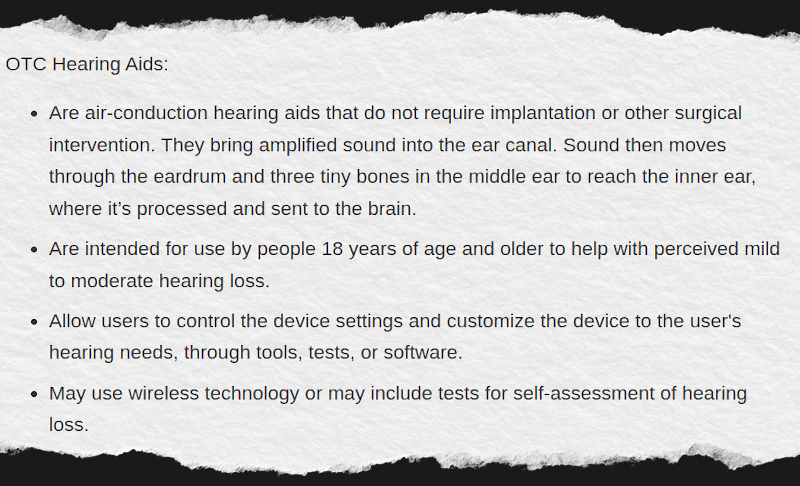
The FDA specifies that all OTC hearing aids must use air-conduction, that is, operate with a speaker inserted into the ear canal. The alternative would be bone conduction, which is generally used in cases with more profound hearing loss. The devices must also allow users to adjust, at least to some degree, the output to match their specific needs.

The intention with this second requirement goes deeper than a simple volume control as you’d have in an PSAP. In lieu of the sort of tailored output a prescription hearing aid would offer, the OTC device can offer a selection of pre-defined audio filter profiles which the user could flip through. At the risk of oversimplifying things, it’s a bit like the audio presets for different genres of music that modern headphones and earbuds usually offer in that the user can cycle through different profiles to find what best matches the current environment.

Advertisement

When combined with the acknowledgement that OTC hearing aids can utilize wireless technology to communicate with another device, it’s not hard to see how the smartphone fits into the equation. While a stand-alone device is capable of meeting the requirements necessary for OTC hearing aid classification, being able to connect to the user’s phone to easily switch between audio profiles on the fly makes for a greatly improved user experience. Additionally, by playing tones through the earbuds, software on the phone can perform a hearing test on the user — the results of which can be used to fine-tune the output beyond what’s possible with simple presets.

Hackers, Take Note

Of course, anyone looking to build an open source hearing aid probably isn’t looking for FDA approval. The goal is likely to make the technology cheaper and more accessible, especially in areas where getting a commercially produced hearing aid may be difficult. As such, the new over-the-counter classification may not seem terribly important for folks like us.

But that doesn’t mean we can’t pick up some tips from what companies like Samsung, Apple, and Jabra are doing. By bringing the user’s smartphone into the mix, they have made hearing aids more accessible and easier to operate. Instead of trying to pack all of the functionality directly into the wearable, using a smartphone to do some of that heavy lifting opens up a lot of new possibilities. There are naturally trade-offs when switching a hardware problem for a software one, especially when dealing with mobile operating systems, but it may be a compromise worth making if it means getting this sort of assistive tech to more people that need it.


Advertisement

Source link

Continue Reading
Click to comment

You must be logged in to post a comment Login

Leave a Reply

Tech

MPC-HC (Media Player Classic) Download Free – 2.8.0

Published

on

Media Player Classic – Home Cinema (MPC-HC) is a free and open-source video and audio player for Windows. MPC-HC is based on the original Guliverkli project and contains many additional features and bug fixes.

The player supports all common video and audio file formats available for playback. It has a built in DVD player with real-time zoom, support for AVI subtitles, built-in MPEG2/SVCD/DVD codec. Media Player Classic was created and is currently maintained by a programmer named “Gabest”. This is a mod of Media Player Classic design for home cinema usage.

Is MPC-HC still being developed?

The original MPC-HC project ended in July 2017 with version 1.7.13. However, a community fork maintained by “clsid2” on GitHub has continued development and is actively releasing new builds.

What is the difference between the original MPC-HC and the clsid2 fork?

The original team stopped due to a lack of developers. The clsid2 fork picked up the codebase and continues to maintain it. It focuses on bug fixes, updating internal libraries like LAV Filters and MediaInfo, and keeping compatibility with modern Windows versions.

Advertisement

How often is MPC-HC updated now?

The clsid2 fork is updated regularly with development builds and stable releases. These include codec updates (e.g., AV1, HEVC improvements), bug fixes, and minor feature improvements. Updates are less frequent than flashy media players, but they still occur several times a year.

Does MPC-HC support modern video formats?

Yes, MPC-HC comes bundled with LAV Filters, which allow playback of most modern formats, including H.264, HEVC, VP9, AV1, and high-resolution audio and video files without the need for additional codec packs.

Does MPC-HC support hardware acceleration?

Yes, MPC-HC supports GPU-accelerated decoding through DXVA2, D3D11, Intel QuickSync, and other APIs, helping reduce CPU usage during playback of high-definition or 4K video.

What are the main differences between MPC-BE and MPC-HC?

While both come from the same Media Player Classic codebase, MPC-BE features a modernized interface, more customization options, built-in dark themes, and broader codec support. MPC-HC is lighter and closer to the original classic design, while MPC-BE focuses on usability and new features, it can use a bit more resources due to extra features and UI elements.

Advertisement

Features

Play HDR video

  • This requires using either MPC Video Renderer (MPCVR) or madVR.
  • These renderers can be selected here:
  • Options > Playback > Output
  • With other video renderers, the colors will be wrong!
  • MPCVR is now included and is the recommended renderer for modern systems. MadVR needs to be installed separately. MPCVR also supports Dolby Vision. MadVR does not.
  • For optimal performance you should change the hardware decoder to D3D11 in LAV Video Decoder settings when using MPCVR on Windows 10/11, because this renderer uses DirectX11.

The installer of MPC-HC is very basic (and that will not change).

  • I therefore recommend using K-Lite Codec Pack. That includes MPC-HC and other essential components. It has a very advanced installation that can automatically create file associations, and helps you with easy configuration of important MPC-HC settings.
  • The Standard version should be sufficient for most people. Use Full version of you like to use MadVR.

Modern GUI Theme (Dark or Light)

  • Options > Player > User Interface
  • It is also possible to change the height of the seekbar and size of the toolbar buttons.

Video preview on the seekbar

  • Options > Player > User Interface > Hover type

Ability to search for subtitles

  • Press D for manual search.
  • Or enable automatic search in: Options > Subtitles > Misc

Adjust playback speed

  • Menu > Play > Playback rate
  • The buttons in the player that control playback rate take a 2x step by default. This can be customized to smaller values (like 10%):
  • Options > Playback > Speed step
  • Adjusting playback speed works best with the internal audio renderer. This also has automatic pitch correction.
  • Options > Playback > Output > Audio Renderer

MPC-HC can remember playback position, so you can resume from that point later
Options > Player > History

You can quickly seek through a video with Ctrl + Mouse Scrollwheel.

You can jump to next/previous file in a folder by pressing PageUp/PageDown.

You can perform automatic actions at end of file. For example to go to next file or close player.
Options > Playback > After Playback (permanent setting)
Menu > Play > After Playback (for current file only)

Advertisement

A-B repeat

  • You can loop a segment of a video. Press [ and ] to set start and stop markers.

You can rotate/flip/mirror/stretch/zoom the video

  • Menu > View > Pan&Scan
  • This is also easily done with hotkeys (see below).

There are lots of keyboard hotkeys and mouse actions to control the player. They can be customized as well.

  • Options > Player > Keys
  • Tip: there is a search box above the table.

You can stream videos directly from Youtube and many other video websites

  • Put yt-dlp.exe in the MPC-HC installation folder.
  • Then you can open website URLs in the player: Menu > File > Open File/URL
  • You can even download those videos: Menu > File > Save a copy
  • Tip: to be able to download in best quality with yt-dlp, it is recommended to also put ffmpeg.exe in the MPC-HC folder.

Several YDL configuration options are found here: Options > Advanced
This includes an option to specify the location of yt-dlp.exe in case you don’t want to put it in MPC-HC folder.

  • Note 1: You also need to install Microsoft Visual C++ 2010 SP1 Redistributable Package (x86)
  • Note 2: yt-dlp nightly build (very latest version made daily)
  • Note 3: yt-dlp win7 compatible build

Besides all these (new) features, there have also been many bugfixes and internal improvements in the player in the past years that give better performance and stability. It also has updated internal codecs. Support was added for CUE sheets, WebVTT subtitles, etc.

What’s New

Changes from 2.7.3 to 2.7.4:

Updates:

  • Updated LAV Filters to version 0.82-4-gab7ca
  • Updated MPC Video Renderer to version 0.10.6.2555

Changes/additions:

  • MPC Video Renderer is now the by default renderer on the majority of systems. Previously EVR-CP was the default. MPCVR is a more advanced modern renderer with support for HDR video.
  • MPC-HC will detect your GPU(s) (once) after updating to this new version and will adjust the video renderer and hardware decoding settings when it makes sense.
  • Added an option to show the playback timer next to the seekbar instead of inside the statusbar. By default it is placed at the right side. There is an advanced option to place it at the left side. Tip: seekbar height can be adjusted in the options. Timer text size is scaled accordingly.
  • Added a new customizable viewing preset (hotkey 4). By default this hides the menu and statusbar compared to the normal viewing preset (hotkey 3).
  • Added an advanced option to specify the default viewing preset when starting the player. By default it remembers to last used
  • viewing mode.
  • Added a submenu to playlist context menu for adjusting the playlist location.

Fixes:

  • A few crash fixes, bug fixes and small improvements.

OpenSubtitles download error 406

Subtitle downloads from OpenSubtitles may fail depending on time of day. This is due to our daily download quota being exceeded. Current amount of donations is barely enough to pay for the existing quota. So it is unlikely that quota can be increased and situation will get worse over time.
If you create an OpenSubtitles account and configure it in MPC-HC settings then you may be able to bypass the quota.
Options > Subtitles > Misc > Right-click on OpenSubtitles.com > Setup > Fill in username/password

Advertisement

Overview of features

A lot of people seem to be unaware of some of the awesome features that have been added to MPC-HC in the past years. Here is a list of useful options and features that everyone should know about:

  • Play HDR video
  • This requires using either MPC Video Renderer (MPCVR) or madVR.
  • These renderers can be selected here:
  • Options > Playback > Output
  • With other video renderers, the colors will be wrong!
  • MPCVR is now included and is the recommended renderer for modern systems. MadVR needs to be installed separately. MPCVR also supports Dolby Vision. MadVR does not.
  • For optimal performance you should change the hardware decoder to D3D11 in LAV Video Decoder settings when using MPCVR on Windows 10/11, because this renderer uses DirectX11.
  • (Automatic detection of GPU and configuration of the above settings is high on my ToDo list, so MPC-HC will have better default out-of-the-box settings on modern systems in the future.)
  • The installer of MPC-HC is very basic (and that will not change).
  • I therefore recommend using K-Lite Codec Pack. That includes MPC-HC and other essential components. It has a very advanced installation that can automatically create file associations, and helps you with easy configuration of important MPC-HC settings, such as preferred subtitle language. It also does automatic configuration of renderer and hardware decoding, for best performance and HDR support.
  • The Standard version should be sufficient for most people. Use Full version of you like to use MadVR.
  • Modern GUI Theme (Dark or Light) or the old classic theme
  • Options > Player > User Interface
  • It is also possible to change the height of the seekbar and size of the toolbar buttons.
  • Plus there are options to show audio/video details in the statusbar, such as codec and resolution.

Customizable toolbar buttons

  • You can add/remove/re-order the player buttons.
  • There are also several different toolbar designs to choose from.
  • Video preview on the seekbar
  • Options > Player > User Interface > Hover type
  • Ability to search for subtitles
  • Press D for manual search.
  • Or enable automatic search in: Options > Subtitles > Misc
  • Adjust playback speed
  • Menu > Play > Playback rate
  • The buttons in the player that control playback rate take a 2x step by default. This can be customized to smaller values (like 10%):
  • Options > Playback > Speed step
  • Adjusting playback speed works best with the internal audio renderer. This also has automatic pitch correction.
  • Options > Playback > Output > Audio Renderer

MPC-HC can remember recently played files and also their playback position, so you can resume playback from when you left
Options > Player > History

  • You can quickly seek through a video with Ctrl + Mouse Scrollwheel.
  • You can jump to next/previous file in a folder by pressing PageUp/PageDown.
  • You can right-click on the framestep button to step backwards. Some other buttons also have right-click actions, such as closing file by right-clicking stop.
  • You can perform automatic actions at end of file. For example to go to next file or close player.
  • Options > Playback > After Playback (permanent setting)
  • Menu > Play > After Playback (for current file only)

A-B repeat

  • You can loop a segment of a video. Press [ and ] to set start and stop markers.
  • You can rotate/flip/mirror/stretch/zoom the video
  • Menu > View > Pan&Scan
  • This is also easily done with hotkeys (see below).

There are lots of keyboard hotkeys and mouse actions to control the player. They can be customized as well.

  • Options > Player > Keys
  • Tip: there is a search box above the table.
  • You can hide GUI elements even in windowed mode
  • Options > User Interface > Hide Windowed Controls
  • That hides most GUI elements during playback. To show them simply move your mouse to bottom of window.
  • You can even hide everything except the video by pressing 1 (restore normal view with 3).

You can seek inside the playlist by simply typing text (when playlist window has the mouse focus).

  • MPC-HC also supports Blu-ray playback.
  • Only limitation is that you need to use a decrypting tool.
  • And it also does not support Blu-ray menus, but you can use the navigate menu in the player to select the content to play.
  • You can stream videos directly from Youtube and many other video websites
  • Put yt-dlp.exe in the MPC-HC installation folder.
  • Then you can open website URLs in the player: Menu > File > Open File/URL
  • You can even download those videos: Menu > File > Save a copy
  • Tip: to be able to download in best quality with yt-dlp, it is recommended to also put ffmpeg.exe in the MPC-HC folder.
  • Several YDL configuration options are found here: Options > Advanced
  • This includes an option to specify the location of yt-dlp.exe in case you don’t want to put it in MPC-HC folder.
  • Note 1: You also need to install Microsoft Visual C++ 2010 SP1 Redistributable Package (x86)
  • Note 2: For optimal Youtube support you may also need to put deno.exe in same folder as yt-dlp.
  • Note 3: yt-dlp nightly build (very latest version made daily)
  • Note 4: yt-dlp windows7 compatible build

Besides all these (new) features, there have also been many bugfixes and internal improvements in the player in the past years that give better performance and stability. It also has updated internal codecs. Support was added for CUE sheets, WebVTT subtitles, etc.

You should really take a few minutes to look through all the options pages if you are a new user or if you are upgrading from a very old version. Don’t forget the advanced options page.

Advertisement

Source link

Continue Reading

Tech

Millions of cars are under recall for catching fire while parked

Published

on

The big picture: Park-outside recalls are becoming a bigger issue for automakers and drivers as vehicles add more electrical systems, battery technology, and software-controlled components. For drivers, the warnings can mean months of inconvenient parking habits while manufacturers work to provide repairs.

In the first seven months of 2026, the NHTSA issued 17 park-outside recall campaigns affecting about 1.7 million vehicles. Eight of those recalls were announced in June and July, including a warning covering 1 million Jeep vehicles with an electrical connection issue involving power-steering pumps.

The notices tell drivers not to park in garages or near buildings because a vehicle could catch fire after it has been turned off. In some cases, owners are also told not to charge their vehicles until repairs are available.

The problem is not limited to electric vehicles. Fire risks can involve high-voltage batteries in plug-in hybrids, but they can also come from wiring, starter relays, seat motors and other components that still carry electrical current after the engine is shut down.

Advertisement

“The engine is off, but the circuits are still hot, and they stay hot all the time,” Frank Borris, a former NHTSA investigator who now works as a safety consultant, told the Washington Post.

Credit: Washington Post

“There is a lot more electronics in vehicles today,” he added, “and that means more stuff can go wrong.”

NHTSA created the park-outside designation in 2015 to draw attention to recalls involving fire risks in or near buildings. In 2022, it added a park-outside warning box to its online recall listings to make the notices easier for consumers to spot.

Advertisement

Carfax estimates that about 3.2 million vehicles nationwide currently have an unresolved park-outside recall. The notices can leave owners in a difficult position because repairs and replacement parts may not be immediately available.

“For consumers, there seems to be no easy choices,” said Sean Kane, president of Safety Research and Strategies, an auto-safety analysis firm. “Where are you going to park it?”

That issue is especially difficult for people who live in apartments, condos or other buildings with enclosed parking. “What if you live in a condo with a parking garage? What are you going to do?” Kane said.

Credit: Washington Post

Advertisement

The Jeep plug-in hybrid recall shows how serious the risk can be. More than 320,000 Jeep Wrangler and Grand Cherokee plug-in hybrid vehicles were recalled because of a high-voltage battery fire risk. Owners were told to park outside, away from structures, and not charge their vehicles until the fix was completed.

Sarah Lammersen received the recall notice for her 2022 Jeep Wrangler plug-in hybrid late last year. She texted her dealership, “I hope the car doesn’t catch on fire while we wait to schedule an appointment.” According to a lawsuit, the Jeep caught fire days later while her daughter was driving it. No one was hurt, but the vehicle was destroyed.

In another case, a man in Fargo, North Dakota, found his parked Hyundai Santa Fe on fire in his garage in December. He later learned that the vehicle had been subject to a park-outside recall. NHTSA has said it is aware of several injuries in recent years that appeared to be tied to similar vehicle fires.

“It can be a giant disaster when cars catch fire and no one is there to see it,” said Michael Brooks, executive director of the Center for Auto Safety.

Advertisement

Some owners face another problem: security. Millions of Hyundai vehicles have received park-outside recalls in recent years, including some models that lacked anti-theft technology and were widely targeted by thieves.

Kane said owners have described the choice as difficult. “I don’t want my house to burn down,” he recalled them telling him. “But I don’t want my car to get stolen. What am I supposed to do?”

Source link

Advertisement
Continue Reading

Tech

A Hot End And Material Database For 3D Printing

Published

on

When it comes to 3D printing in the FDM world, you can go a long way just relying on standard settings that ship with your 3D printer and/or slicer. If you want to push the limits, though, it pays to better understand the hardware and materials you’re working with to know what you can get away with. To that end, [Robert Samples] put together the MeltCalc database to help. 

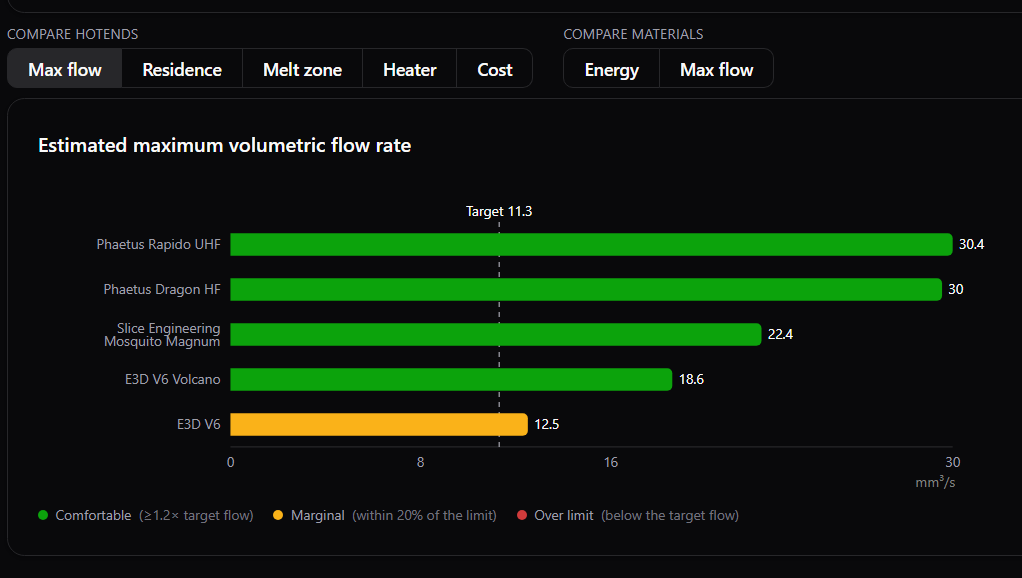
The purpose of MeltCalc is simple—it collates data on hot ends and materials regarding factors like maximum flow rate, print speeds, and heater requirements. If you’re wondering whether a given hot end can flow a given filament at a given rate, for example, this tool is a great place to start. It features 64 different hot ends and 36 polymers typically used in the 3D printing world, and can spit out maximum flow rates and print speed estimations even accounting for fancy tech like Core Heating Technology (CHT) nozzles. It’s all based on thermodynamic modelling which [Robert] put together based on his experience as a chemist who works with polymers. His aim was to provide a tool with realistic flow rates for hot ends, so that end users don’t have to just rely on often-optimistic marketing numbers.

For those eager to dive deeper into the code and modelling, the project source is available on Github. We’ve featured all kinds of other useful hacks in this space lately, too, like our recent look at how to achieve wave overhangs. If you’ve got your own nifty 3D printing tools in the works, don’t hesitate to notify the tipsline.

Advertisement

Source link

Advertisement
Continue Reading

Tech

Apple’s camera AirPods may literally tell you when your hair is in the way

Published

on

Just today, we covered news of AirPods Pro with a built-in camera, spotted through a demo video hidden inside the macOS Tahoe 26.7 release candidate. Now, new leaks from that very same build are confirming two more details about how these AirPods will actually function.

What happens if your hair covers the camera?

Aaron from MacRumors shared the new findings in a post on X. If your hair happens to block the camera on your AirPods, you’ll get an error titled “Hair Detected.” The message reads, “To get the most accurate information about things in your environment, make sure AirPods are not covered.”

Some additional info about AirPods Pro 4 with cameras, found in macOS 26.7 RC:

If you have long hair that blocks the camera, there will be an error that is titled “Hair Detected” that says “to get the most accurate information about things in your environment, make sure AirPods… https://t.co/hUbWovpsyc

— Aaron (@aaronp613) August 18, 2026

Advertisement

It’s a small detail, but it makes sense. Since the camera relies on a clear line of sight to feed information to Visual Intelligence, anything blocking it, including your own hair, would stop the feature from working properly. Apple seems to have thought this through so users aren’t left confused about why the camera suddenly isn’t picking anything up.

What is Secure Pairing all about?

The second detail is a feature called Secure Pairing. According to the string found in the build, it says, “Please put your AirPods in case to continue Secure Pairing.” While we don’t have the full picture of how this process works yet, it strongly suggests that setting up the camera feature will involve an added security step, likely to confirm you’re actually the owner before granting access to your surroundings.

Given that these AirPods will essentially be capturing and processing visual data from your environment, a dedicated secure pairing process makes a lot of sense from a privacy standpoint.

These two additions give us a clearer picture of how Apple is approaching both the usability and the security side of camera-equipped AirPods. With more details surfacing from the same macOS Tahoe 26.7 build, it looks like Apple is getting closer to making this feature official.

Advertisement

Source link

Continue Reading

Tech

The Best Gaming Chairs to Consider in 2026

Published

on

A good gaming setup is usually built around what is directly in front of you, from the monitor and keyboard to the gaming PC or console powering everything. The chair underneath, however, matters just as much, especially when a quick gaming session somehow turns into several hours at your desk.

While basic comfort is essential, features like adjustable lumbar support, flexible armrests, dense cushioning, and tailored sizing set the top models apart. They go beyond flashy racing aesthetics to deliver genuine posture alignment during extended sessions.

With so many options available, choosing the right gaming chair can quickly become overwhelming. To ease your conundrum, the recommendations below cover a wide range of needs, helping gamers find a chair that fits both their setup and their budget, spanning from premium ergonomic models to wallet-friendly picks.

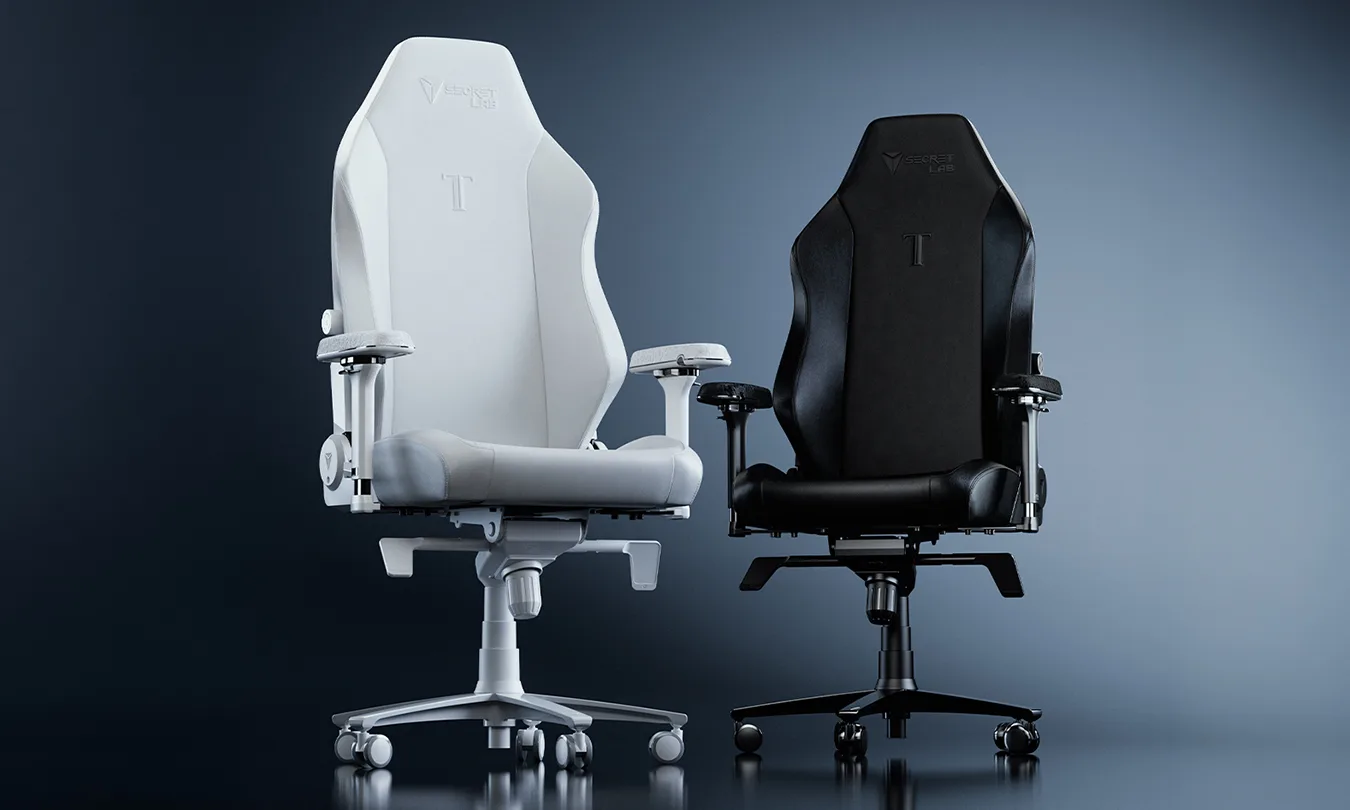
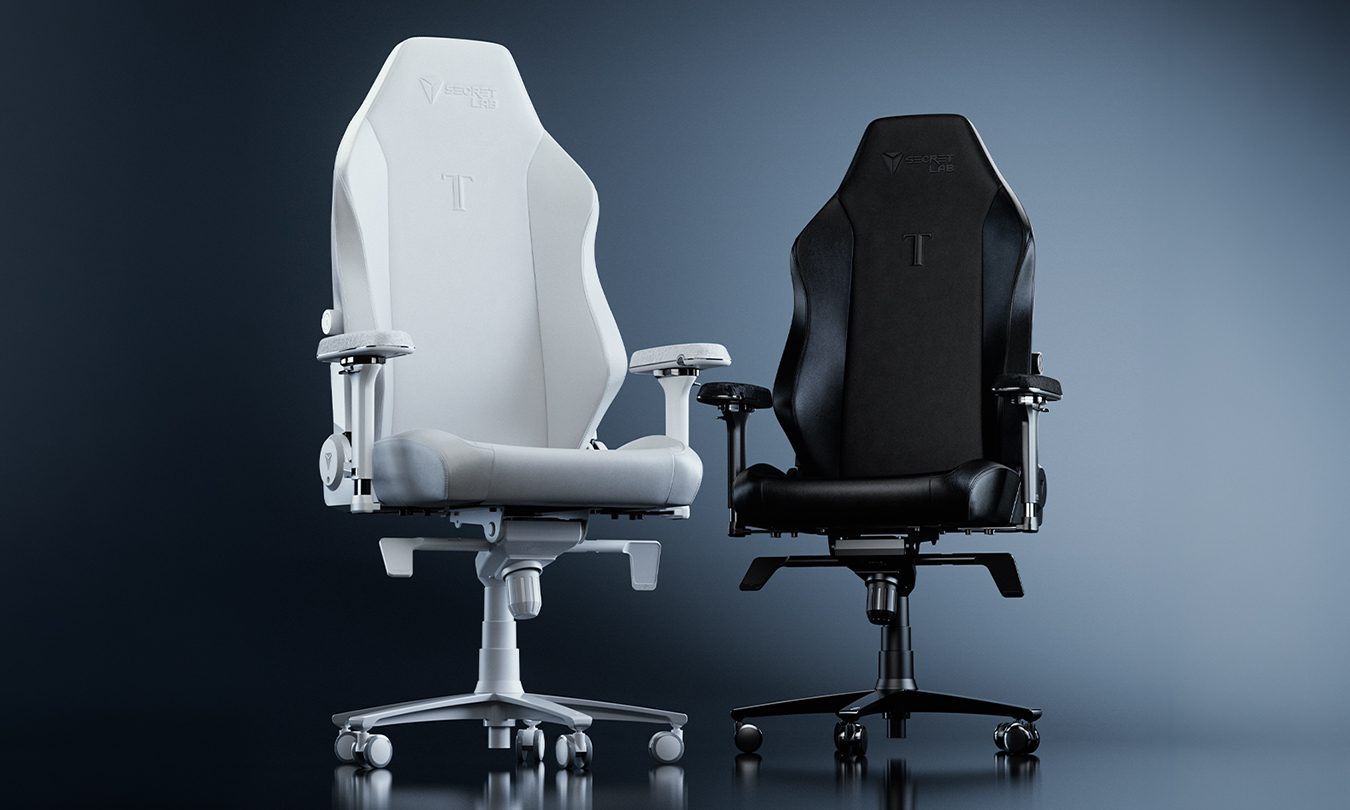
Secretlab TITAN Evo

Best all-around gaming chair

Advertisement

If you’ve ever finished a long gaming session feeling sore or constantly found yourself shifting around to get comfortable, the Secretlab TITAN Evo is built to solve those problems. United States Ergonomics Certified, it prioritizes ergonomics and adjustability, giving you more ways to tailor the chair to your body and sitting style.

That starts with its 4-way L-ADAPT lumbar support system, which lets you personalize both height and depth to find the right alignment for your lower back. Underneath, the sculpted Pebble Seat Base provides extra room to change sitting positions naturally, while Secretlab’s cold-cure foam evenly distributes pressure for balanced, responsive support.

Such thoughtful design extends to smaller details as well. A magnetic memory foam head pillow snaps into place without straps for quick repositioning, while full-metal 4D armrests adjust for height, width, depth, and angle to support your arms whether you’re using a controller or a keyboard and mouse. The backrest also reclines up to 165 degrees, giving you more freedom to lean back between sessions.

Starting at $529, the TITAN Evo is available in Small, Regular, and XL sizes, with the XL supporting up to 395 pounds. You can also choose between NEO Hybrid Leatherette and SoftWeave Plus Fabric upholstery. For those looking for an even higher-end feel, the TITAN Evo NanoGen Edition builds on the same ergonomic foundation with plush NanoGen Hybrid Leatherette and a dual-layer NanoFoam Composite seat.

Secretlab backs the TITAN Evo with a 3-year warranty, which can be extended to 5 years through its complimentary warranty extension program. It also comes with an up to 49-day return/refund policy, although return shipping fees apply.

Advertisement
Pros Cons
Excellent ergonomic support Assembly required
Extensive adjustment options Some accessories sold separately
Available in three sizes

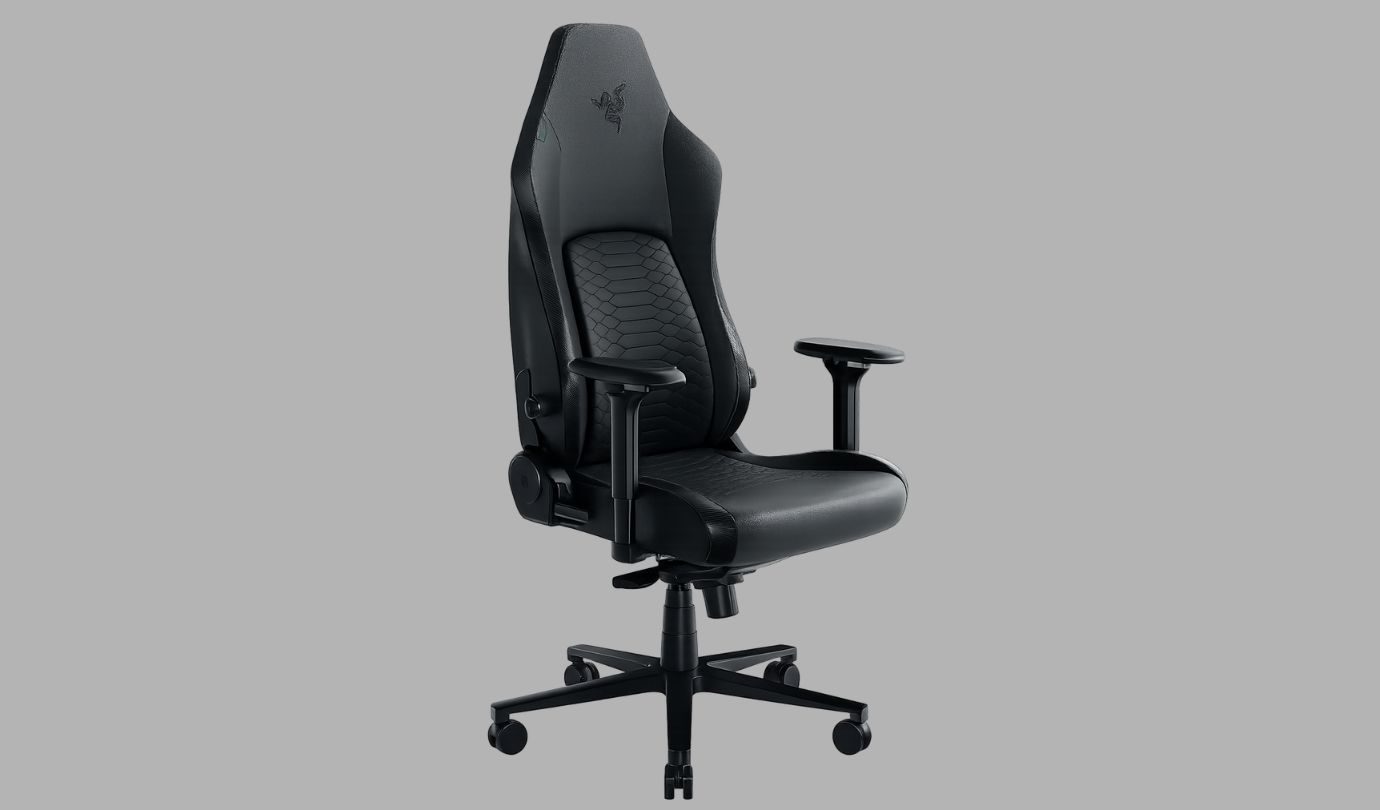
Razer Iskur V2

Best gaming chair for lumbar support

Moving past traditional static designs, the Razer Iskur V2 approaches ergonomics with an active mindset. It features an adaptive lumbar support, precisely engineered to move with you as you change positions, maintaining continuous alignment for your spine whether you’re leaning forward into a clutch play or leaning back during a cutscene.

Alongside automatic adjustments, you get manual control over height (60mm) and depth (40mm). High-density foam keeps things firmly cushioned, backed by a reactive tilt and 152-degree recline for extra flexibility.

For full-body comfort, the Iskur V2 includes 4D armrests that adjust to cushion your arms during gameplay, alongside a memory foam pillow to relieve neck strain. It’s wrapped in EPU-grade synthetic leather that’s designed to resist peeling and cracking, helping the chair maintain its appearance over time.

At $649.79, the Iskur V2 is certainly a premium investment. However, if personalized, fluid ergonomics is your top priority, its level of adjustability makes a strong case for the price.

Advertisement
Pros Cons
Excellent adaptive lumbar support Expensive
Plenty of adjustment options Firm cushioning may not suit everyone
Up to 152-degree recline

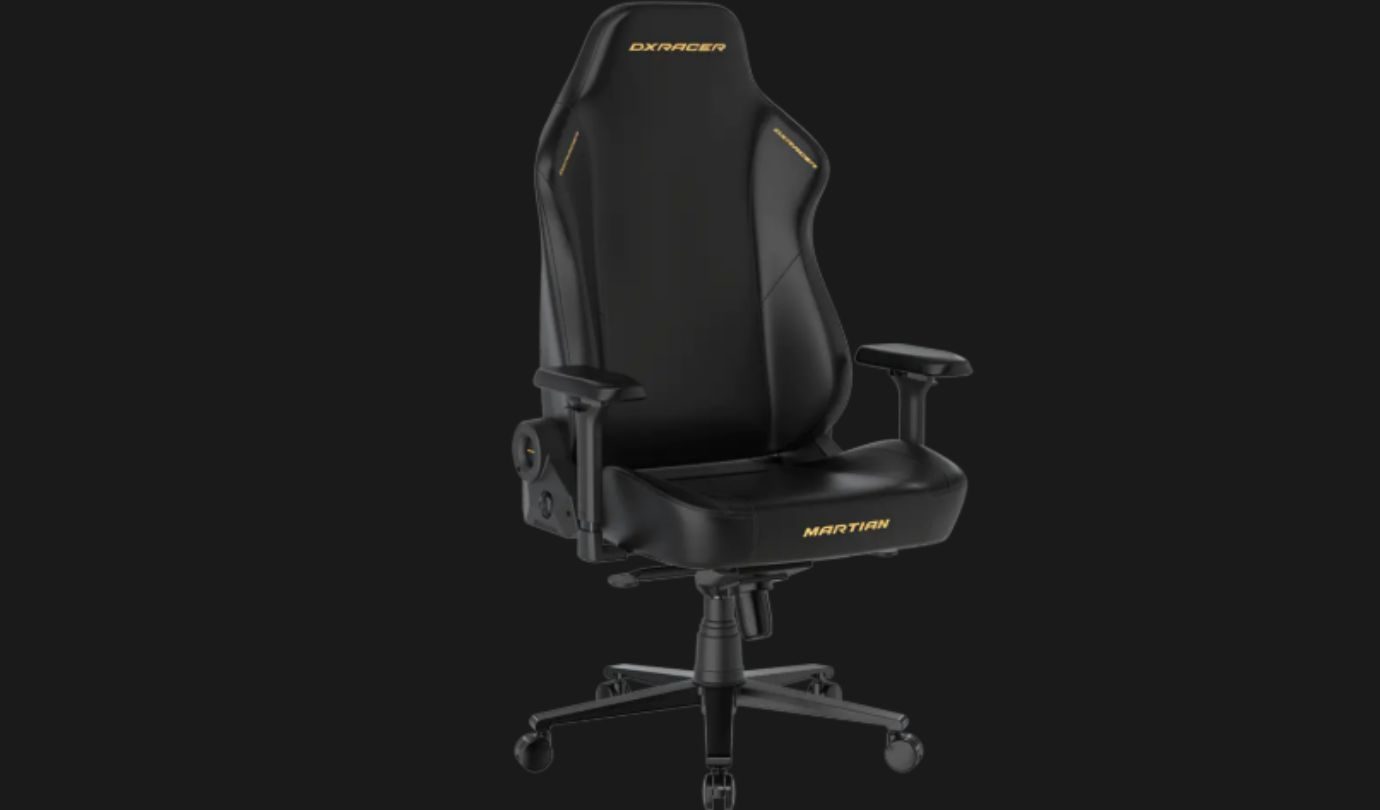
DXRacer Martian Series

Best high-end gaming chair

Gaming chairs have become increasingly ergonomic, but they haven’t changed much beyond the basics. The DXRacer Martian Series takes a different approach by adding smart features that make it easier to relax and stay comfortable during long gaming sessions.

Instead of manually adjusting the backrest, the Martian Series lets you recline between 90 and 135 degrees with the press of a button. Its built-in airbag lumbar support adapts to the natural curve of your spine, letting you find a natural posture without manual hassle.

The technology doesn’t stop there. Three levels of seat heating help keep you warm in colder environments, while the built-in ventilation system circulates air through the seat to reduce heat buildup during longer sessions. When it’s time to take a break, the 8-point massage system offers six vibration modes to help you unwind before jumping back into the game.

A rechargeable 5,000mAh battery powers these features for more than 360 hours on a single charge. Alongside the smart technology, you still get the essentials, including 4D armrests, a magnetic memory foam head pillow, and a durable steel frame that holds up to 300 pounds.

Advertisement

The Martian Series isn’t for everyone, especially at its $699 starting price. But if you’re looking for a gaming chair that does more than provide a place to sit, it’s one of the most feature-packed options available.

Pros Cons
Built-in heating, ventilation, and massage Quite pricey
Electric reclining backrest Many features may go unused
Adjustable airbag lumbar support

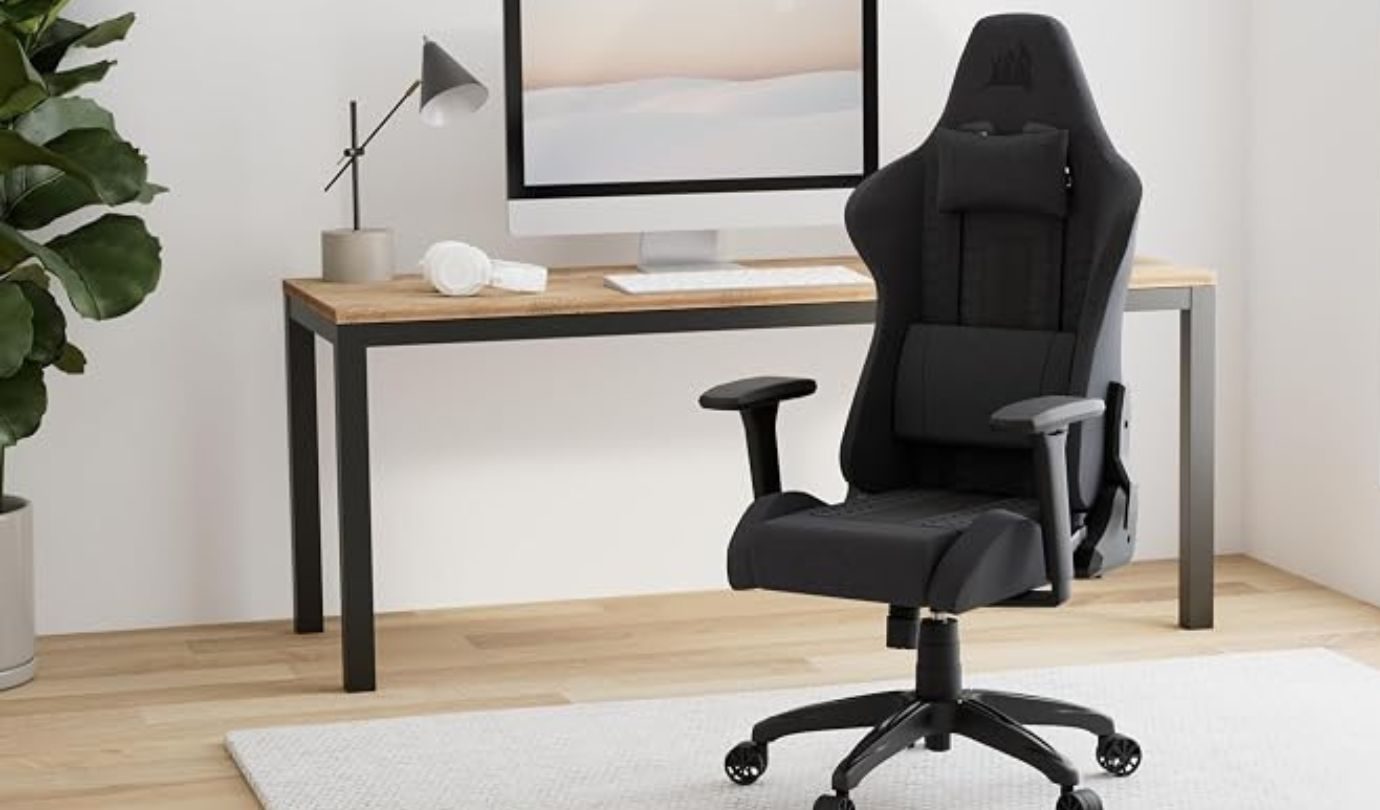
Corsair TC100 Relaxed

Best budget gaming chair

If you find most racing-style gaming chairs too narrow, the Corsair TC100 Relaxed offers a more spacious alternative. Its wider seat and subtle side bolstering give you more room to settle in, making it easier to stay comfortable without feeling squeezed into the chair.

The TC100 Relaxed features a 375mm seating area and reclines from 90 to 160 degrees, allowing you to switch between an upright gaming position and a more relaxed one whenever you need a break. Corsair also includes a high-density lumbar pillow and a detachable memory foam neck pillow, providing extra support without pushing the price into premium territory.

The 2D armrests can be fine-tuned for height and angle, helping you find an eased position while gaming. Buyers can also choose between Soft Fabric or Plush Leatherette upholstery, both designed with perforated sections to improve breathability. A durable steel frame, Class-4 gas lift, and sturdy nylon base complete a chair that’s built for everyday use.

Advertisement

The TC100 Relaxed may not include all the premium adjustments found on higher-end gaming chairs, but it delivers where it matters most. At just $219.99, it offers excellent value for gamers looking for a roomy, dependable gaming chair without sacrificing the essentials.

Pros Cons
Spacious seat with relaxed bolstering 2D armrests instead of 4D
Reclines up to 160 degrees Lumbar support relies on a cushion

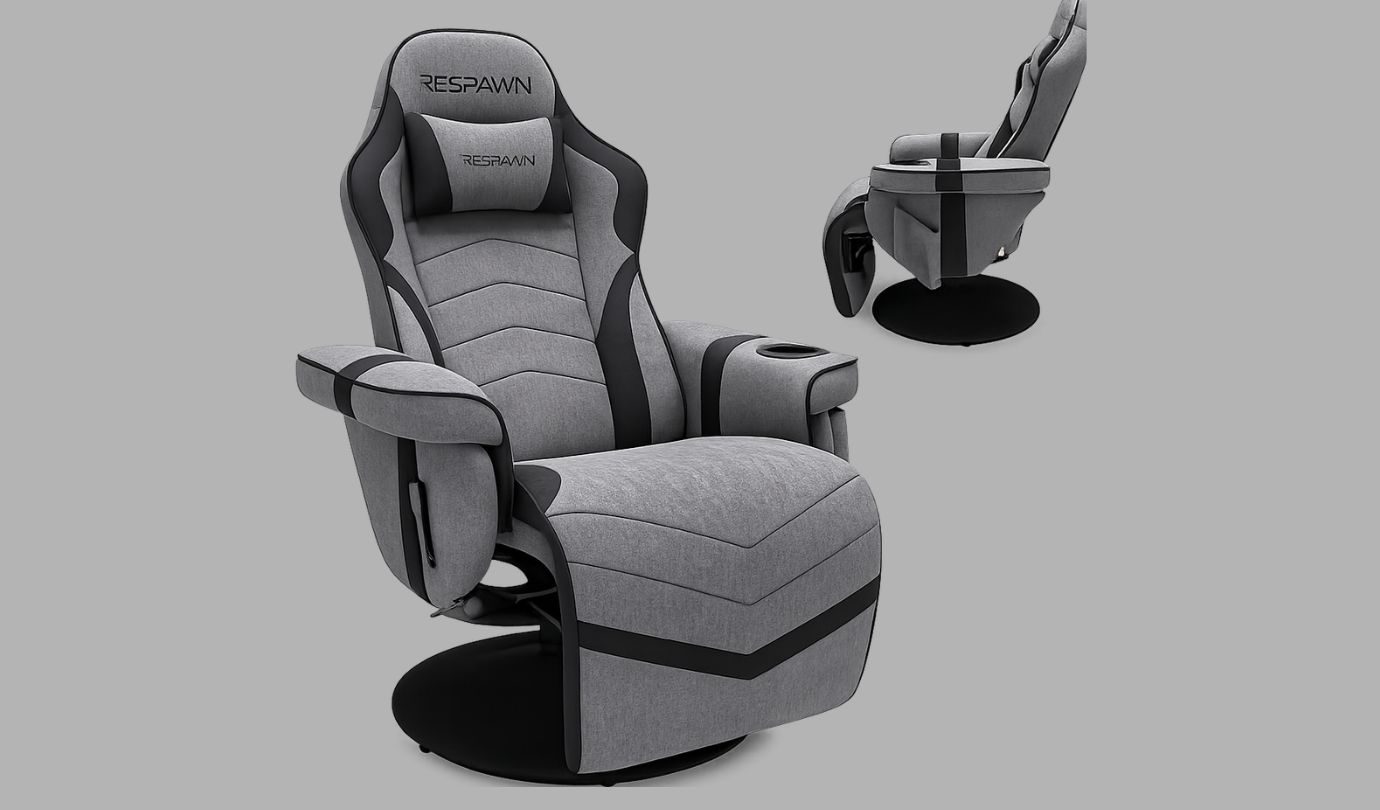
RESPAWN 900 Gaming Recliner

Best recliner gaming chair

Some games are best enjoyed from the edge of your seat. Others are better when you can sit back, put your feet up, and settle in for the long haul. The RESPAWN 900 Gaming Recliner is built for the latter, bringing the laid-back relaxation of a traditional recliner to console gaming.

The plush padding, built-in headrest, and extendable footrest provide generous cushioning for extended play, while the 135-degree recline lets you lean back whenever it’s time to relax. A sturdy pedestal base also provides a full 360-degree swivel, giving you the freedom to move without sacrificing stability.

RESPAWN has also included a few thoughtful touches for everyday gaming. A built-in cup holder keeps your drink within easy reach, while a removable side pouch provides convenient storage for controllers, remotes, or other gaming accessories. The consistent seat and footrest design also helps prevent cables from getting caught while you play.

Advertisement

Supporting up to 275 pounds and backed by a 5-year limited warranty, the RESPAWN 900 is an excellent choice for console gamers who want to bring the coziness of a recliner into their gaming setup.

Pros Cons
Built-in footrest for added comfort Not ideal for desk setups
Convenient cup holder and storage pouch No rolling casters or adjustable armrests
360-degree swivel with 135-degree recline

What to look for in a gaming chair 

The best gaming chair isn’t always the most expensive one. It should rather match the way you play and how long you typically spend gaming. If you spend hours at a desk every day, focus on adjustable lumbar support, seat depth, and flexible armrests. In that case, having proper lower back protection will save you from a lot of unnecessary soreness over time.

Moreover, your setup matters too. A traditional gaming chair is ideal for desk setups, while a gaming recliner may be a better fit if you mostly play on a console in the living room. It’s also worth checking the chair’s size recommendations, weight capacity, and upholstery options to make sure it suits both your body type and personal preferences.

It is also a must to keep in mind that you do not need to stretch your wallet to get solid quality. Premium gaming chairs often offer more adjustment selections and higher-quality materials, but many mid-range models still offer commendable stability and daily comfort. Finally, focusing on the features you’ll use most can make it easier to find a gaming chair that’s just the right fit for your setup.

Advertisement

Source link

Continue Reading

Tech

DOJ’s probe into Andreessen Horowitz over board seats baffles VCs

Published

on

The Justice Department has launched a probe into Andreessen Horowitz regarding the firm’s partners serving on the boards of competing companies, Bloomberg reported.

The nearly year-long investigation focuses specifically on the firm’s board seats at Databricks, which is valued at $190 billion, and Fivetran, which combined with dbt Labs in June. The firm’s co-founder, Ben Horowitz, serves on the board of Databricks, while partner Martin Casado serves on the board of Fivetran.

Several VCs told TechCrunch they were surprised by news of the probe. Databricks and Fivetran are competitors now, but the two companies weren’t rivals when a16z invested in the startups, according to another Databricks investor who spoke on condition of anonymity. Databricks is largely known for its cloud storage products but, with its Lakeflow product, has expanded into AI data pipelines and application connectors. That’s Fivetran’s main business.

Given that Andreessen Horowitz has backed hundreds of companies, it’s almost inevitable that some startups will pivot or expand into the same markets, becoming competitors.

Advertisement

While backing direct rivals has become more acceptable recently, as evidenced by the many VCs that funded both Anthropic and OpenAI, holding a board seat on competing startups creates a far greater conflict of interest. Directors are generally privy to much more sensitive strategic information than non-board investors ever see.  

Such conflicts can be resolved by having a partner step down from one of the boards. However, because Databricks and Fivetran have different individuals from the same VC firm on their boards, a16z can institute a so-called Chinese wall between Horowitz and Casado, which would prevent the two partners from sharing confidential information about the two companies with each other, one investor said.

The investigation invokes Section 8 of the Clayton Act, a 112-year-old law stating that an individual or entity is barred from serving on the boards of competing companies. Since regulators have rarely targeted venture capital with this rule, the industry is watching the DOJ’s probe closely. If a16z is forced to surrender a seat, founders may place less value on board commitments from top-tier VCs, given that those investors might be forced to step down if a portfolio overlap creates a future conflict.

Andreessen Horowitz did not immediately respond to our request for comment, nor did it respond to Bloomberg. Databricks and DOJ declined comment.

Advertisement

When you purchase through links in our articles, we may earn a small commission. This doesn’t affect our editorial independence.

Source link

Continue Reading

Tech

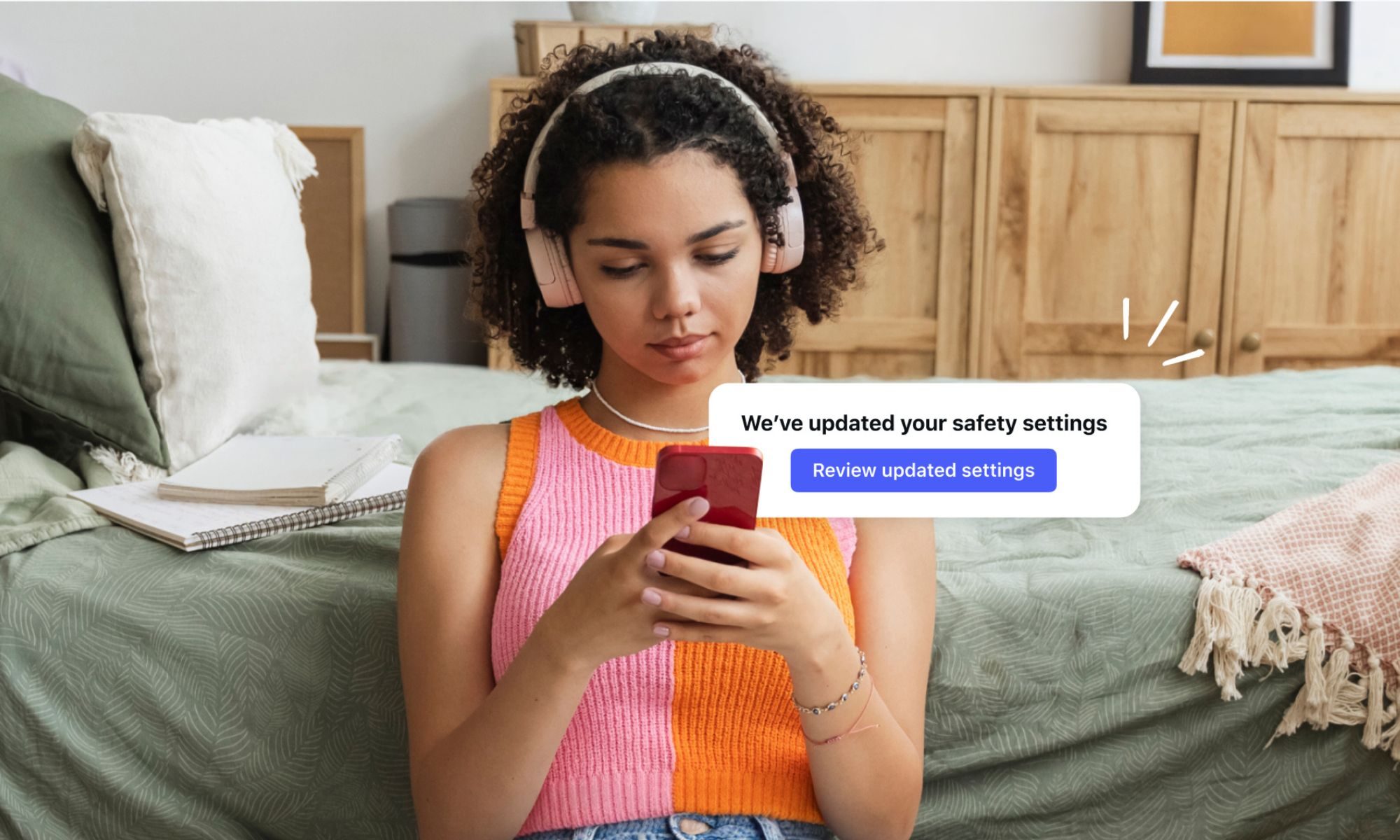
New report says Meta pays influencers to fight social media bans for teens accounts worldwide

Published

on

Picture this. Meta flies parenting influencers to a waterfront venue overlooking Sydney Harbour, hands out personalized scout badges and gourmet s’mores, then asks them to tell their followers that blanket bans on teen social media use are a bad idea.

That’s what happened, according to a new Tech Transparency Project investigation, which found Meta staged the Sydney event in July 2025, five months before Australia’s landmark under-16 ban took effect. TTP’s report shows that this exact playbook has now spread to more than a dozen countries where governments have started weighing similar restrictions.

How Meta’s influencer playbook works

The pattern repeats itself almost identically everywhere, per TTP’s findings. Meta hosts polished branded events, often called Instagram Safety Camp or Screen Smart, then recruits actors, radio hosts, psychologists, and parenting influencers to promote its Teen Accounts as proof that bans are unnecessary.

In Indonesia, actor Darius Sinathrya told his 1.8 million followers to try the safety features. In India, actress Juhi Parmar reassured parents their teens were safer online, just months after Instagram was found approving child abuse advertisements in the country. In Brazil, actor Douglas Silva, with three million followers, did the same.

Many posts use vague hashtags like #instagrampartner rather than clear ad disclosures. Meta also funds youth safety nonprofits and think tanks that echo its anti-ban talking points without always disclosing that funding.

Advertisement

Why does this matter?

Independent testing tells a story different from the influencer posts. The Washington Post previously found Teen Accounts fail to protect kids from harmful content, and TTP confirmed similar gaps, echoing a separate investigation that found Instagram was serving sexual content directly to Teen accounts despite Meta’s own safety promises.

Speaking to The Guardian, Meta spokesperson Edward Patterson disputed that its influence efforts are misleading, saying blanket bans simply push teens toward less safe, unregulated corners of the internet. However, TTP director Katie Paul sees it differently, telling The Guardian that Meta’s reliance on paid messengers proves what the company itself knows, in her words, that “the brand has become a problem.”

Source link

Advertisement
Continue Reading

Tech

Framework’s Cheapest Laptop Just Got A Major Spec Bump

Published

on

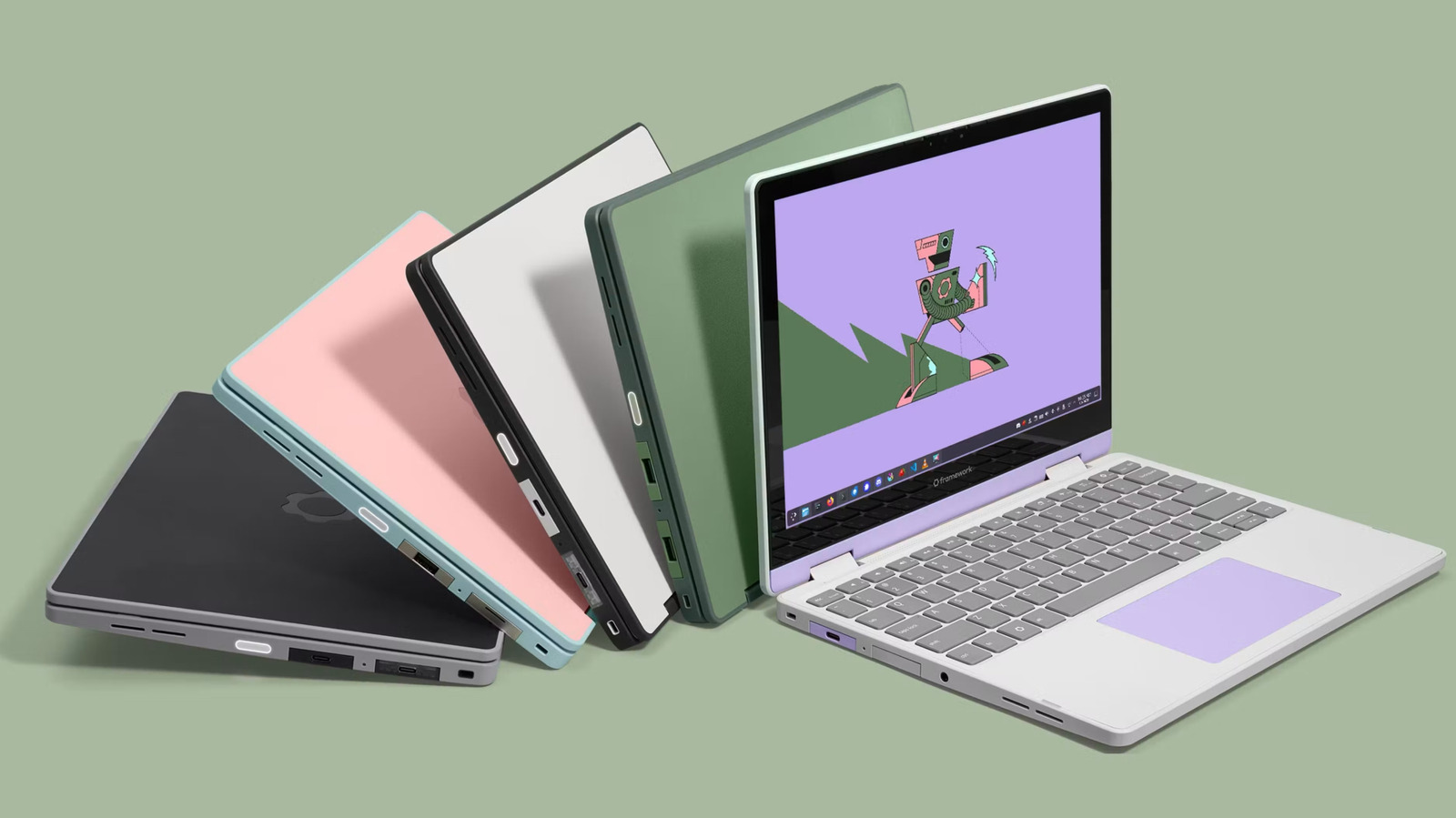
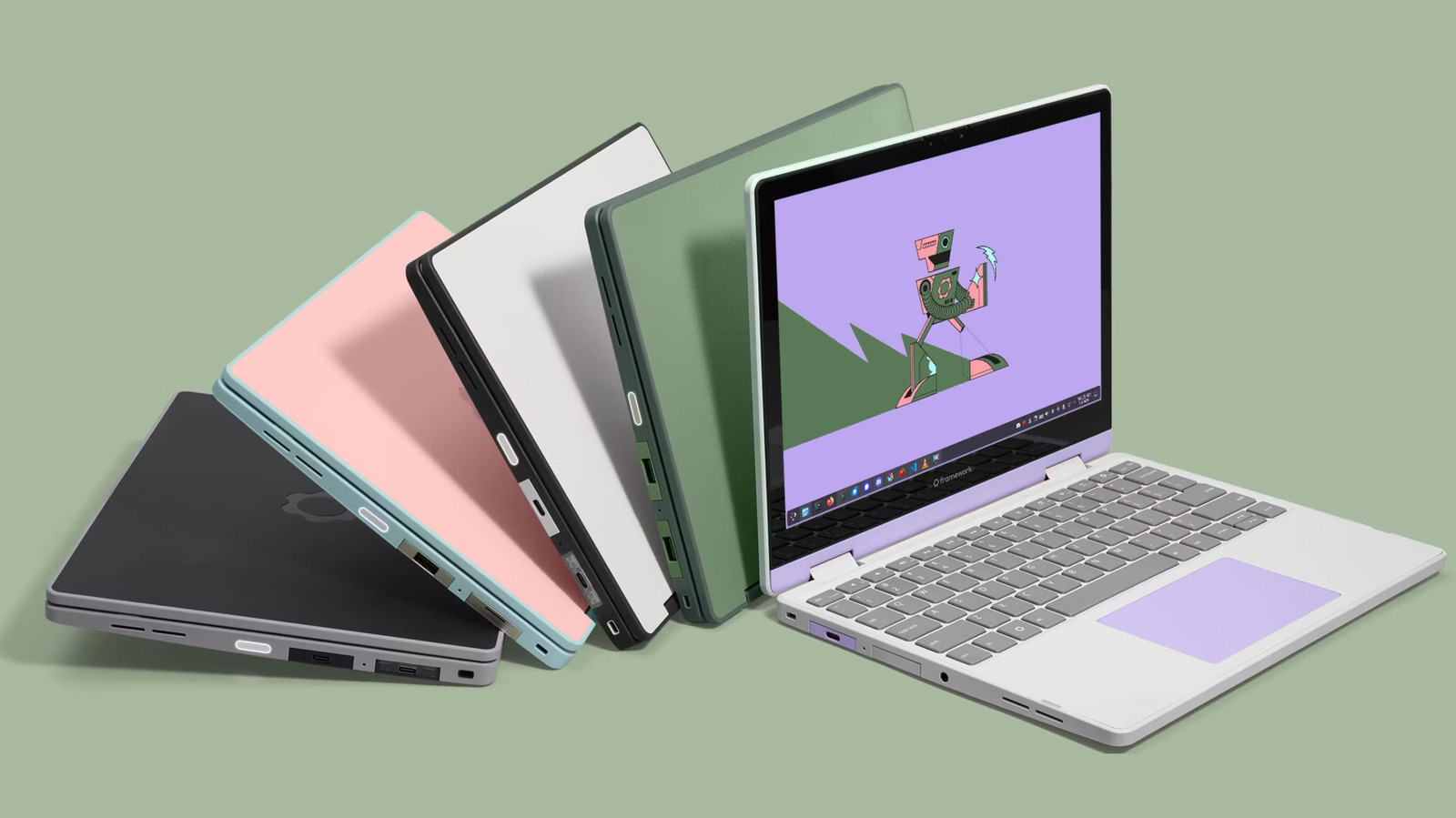
The Framework Laptop 12 now ships with Intel’s Core Series 3 chips and other hardware upgrades.

After introducing a new high-end model of its 13-inch laptop, Framework is turning its attention to its colorful and compact sibling. The newly updated Framework Laptop 12 features Intel’s latest Core Series 3 chips and an optional backlit keyboard and fingerprint reader, meaningful hardware upgrades to the charming but expensive first model.

Framework leaned on efficiency improvements the Intel Core Ultra Series 3 brought to its Framework Laptop 13 Pro, and the company says the entry-level, non-Ultra chips bring similar benefits to the Framework Laptop 12. Pre-built versions of the new laptop features either a Core 3, Core 5 or Core 7 chip, with 8GB of RAM, 16GB of RAM or 32GB of RAM, respectively. Framework says the Laptop 12 has improved battery life as a result of its new chip, and specifically notes the Core 5 model demonstrated 70 percent better battery life while streaming Netflix when compared to the Core i5 version of the original Laptop 12. Starting at 8GB of memory isn’t ideal, but it’s possibly a reflection of the RAMaggedon issues all computer makers are dealing with. Speaking of, you can equip the Laptop 12 with up to 48GB of RAM if you’re happy paying $659 for that upgrade.

Advertisement

Using the latest Intel chip brings along other perks, too, like support for Thunderbolt 4 on two of the Laptop 12’s four hot-swappable Expansion Cards, and faster DDR5 RAM. The 12.2-inch display hasn’t been improved, but the Laptop 12 can be configured to include a backlit keyboard and a fingerprint reader. You’ll have the most flexibility via Framework’s DIY option, but the pre-built Core 5 and Core 7 models running Linux feature both upgrades by default.

Like the Laptop 13 Pro, the Laptop 12 is yet another of Framework’s computers that can come pre-installed with Linux. The company says over 80 percent of original Laptop 12 owners are running Linux, so it’s decided to offer the new model pre-installed with Fedora, with Windows 11 available as a $100 upgrade. Framework says the new Laptop 12 hardware has also been seeded to other Linux distros so support will be ready when the laptop ships.

The Framework Laptop 12 starts at $699 for a pre-built Linux configuration in green or $549 for a DIY version in black, gray, light purple, pink, or green. Framework is collecting pre-orders now and plans to start shipping the new laptop in October.

Advertisement

Source link

Continue Reading

Tech

AI data center boom pushes Caterpillar, Ford, and other US firms into new businesses

Published

on

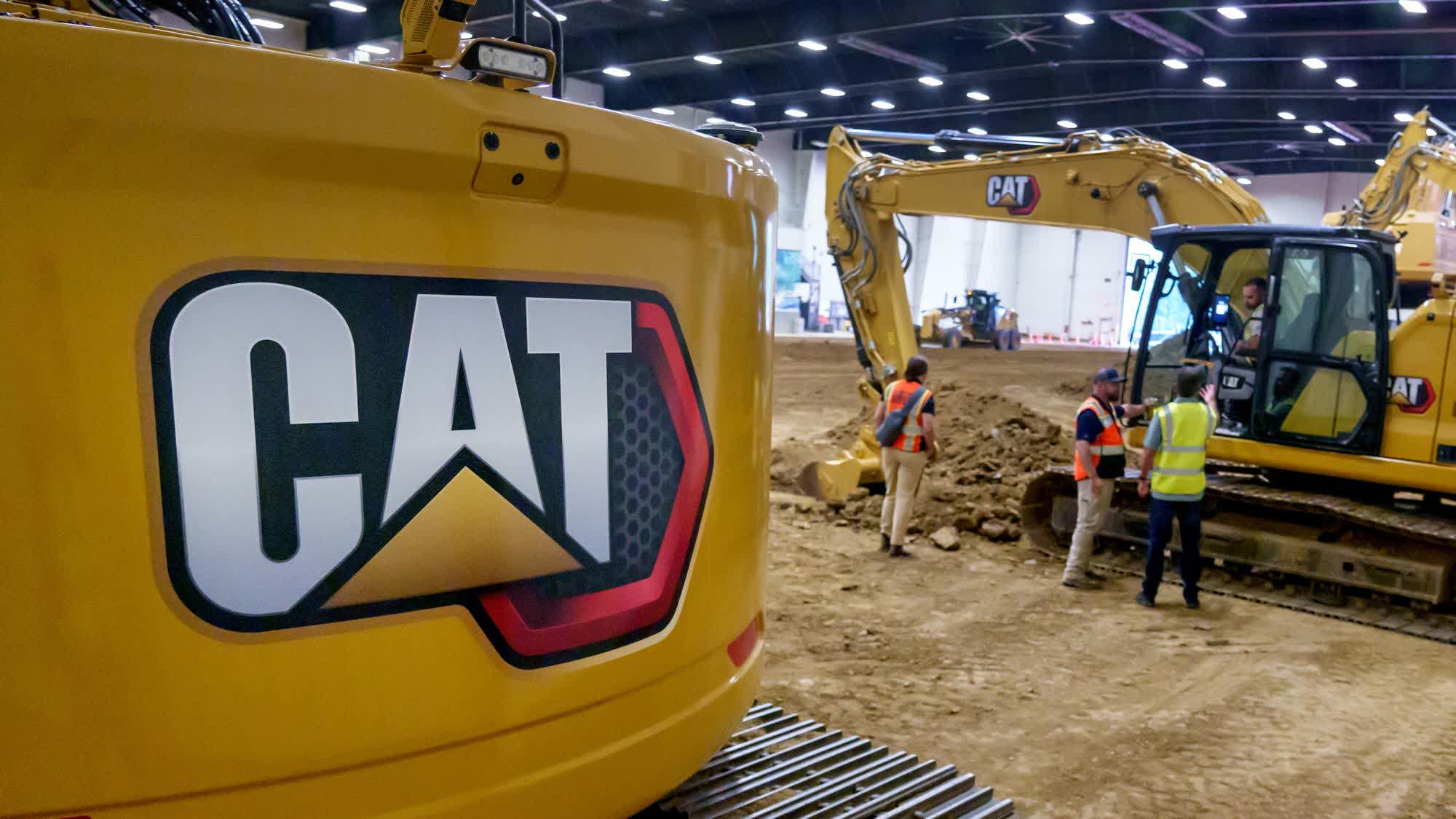
The big picture: Several major US automotive and heavy equipment manufacturers are reportedly modifying their business models to capitalize on the exploding demand for power equipment in AI data centers. Caterpillar, Cummins, Eaton, and Ford are among the major US industrial companies benefiting from the AI boom.

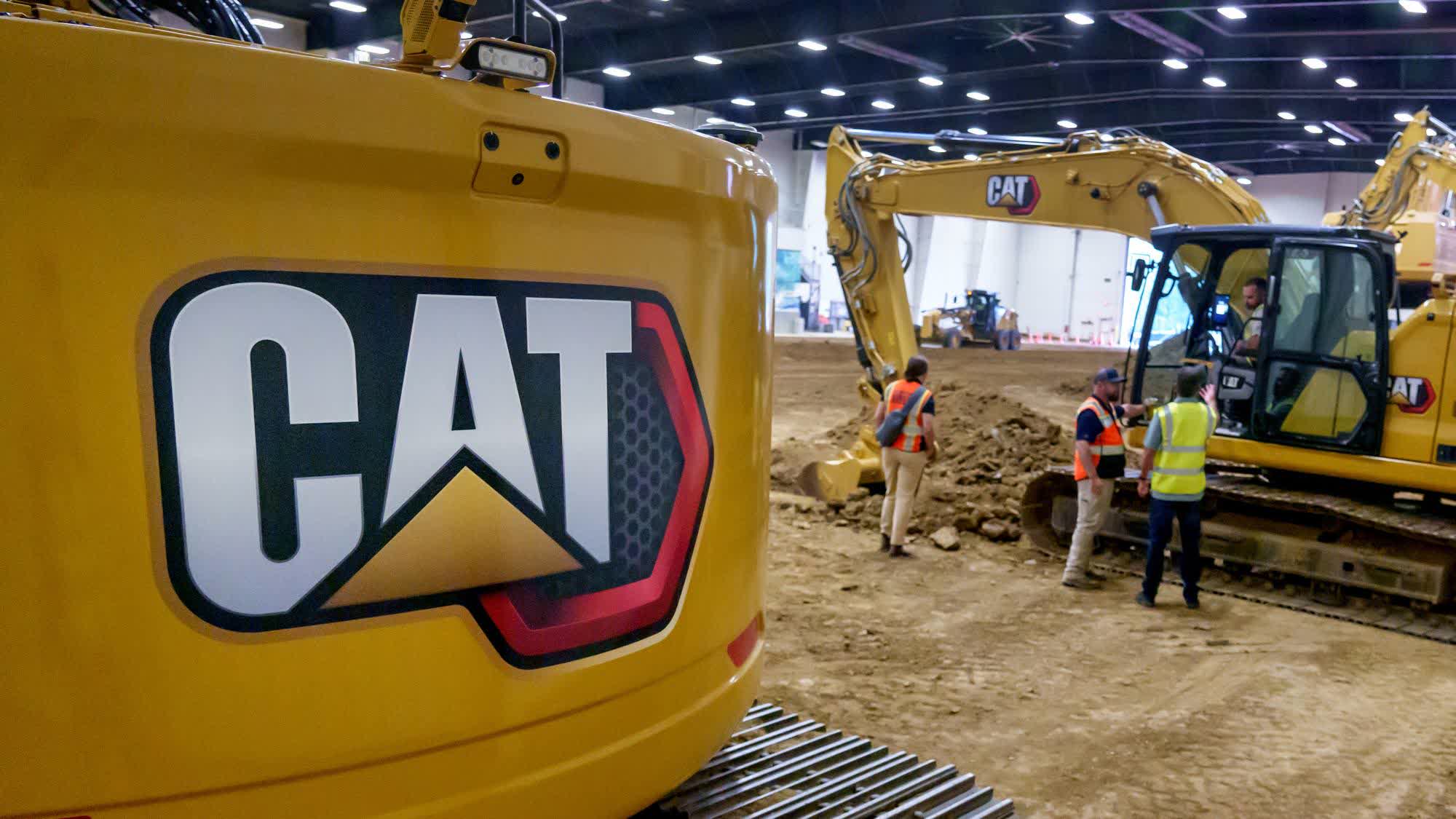
Caterpillar is the world’s largest construction equipment manufacturer, ahead of rivals Komatsu, Volvo CE, Hitachi, and JCB. However, its engine and turbine sales surpassed its construction equipment revenue for the first time last year, as AI data centers turn to jet engines and diesel generators for power.

According to CEO Joe Creed, the company began “modernizing and investing” last year to meet burgeoning demand from data centers. A major part of that investment went toward expanding capacity at its factory in Lafayette, Indiana. The expansion is expected to cost around $275 million and create 100 new jobs.

Earlier this year, Caterpillar won contracts from Nscale to supply G3516 natural gas generators for the proposed 2,250-acre Monarch Compute Campus in Mason County, West Virginia. The facility will provide 1.35GW of power for a Microsoft data center featuring a large-scale deployment of Nvidia’s Vera Rubin NVL72 GPUs.

Advertisement

The Mason County facility is expected to reach a total power capacity of up to 8GW by 2031, potentially becoming “one of the largest dedicated AI compute installations in the world.” The plant will be built in phases, with the first phase expected to come online by 2028 with a capacity of 2GW.

Cummins is also reaping the rewards of the AI boom, with demand for its diesel, natural gas, and hydrotreated vegetable oil generator sets reaching record highs. According to CEO Jennifer Rumsey, the company’s Power Systems segment earned record profits in Q1 2026, fueled by “continued strong demand for data center backup power.”

The company is now expanding its product portfolio to include larger generators that can be used as the primary power source for data centers. The new generators will use 130-liter engines powered by natural gas and produce 4MW of electricity.

Ford is also looking to data centers to supplement its automotive revenue. The company reportedly plans to supply its excess EV batteries to AI data centers and other large factories amid declining demand for electric cars.

Advertisement

Eaton, an Ohio-based manufacturer of circuit breakers, switchgear, and other electrical equipment, has also expanded its data center business. The segment accounted for 21% of the company’s revenue in the last fiscal year, up from 14% in 2023.

Rehlko, Johnson Controls, and a host of other major US heavy equipment manufacturers are also capitalizing on the AI data center boom. The trend has partly contributed to US manufacturing output rising in July to its highest monthly level since the Covid-fueled growth of 2021 – 22.

Source link

Advertisement
Continue Reading

Tech

Cursor capitalizes on Github frustration, launches rival hosting platform

Published

on

For as long as anyone can remember, Github has been the de facto code host preferred by a majority of developers. However, in recent times, the platform has struggled with widely reported outages and performance degradation and, as it drops the ball, Cursor is waiting to pick it up.

The AI startup, which is now officially a part of SpaceXAI, launched Origin this week — a new code hosting platform designed to do all of the things that developers typically use Github for: collaboratively work on codebases, browse and edit them, handle pull-requests (edits made by others asking to be added to the main codebase) and store them in repositories.

This seems like a natural next step for Cursor, whose primary focus up until this point has been selling automated web development services through its AI Code Editor. Cursor has also said that “agent native” features will soon be available for Origin, although hasn’t shared many details yet. The company also says it is building a wider “app ecosystem” to support broader coding efforts within Origin.

Interestingly enough, using Origin doesn’t require a user to stop using Github. Indeed, Origin is designed to allow developers to work alongside Github and pass code back and forth between the two in an interoperable manner.

Advertisement

“Your GitHub repos can sit alongside the ones Cursor hosts,” Cursor says in its blog. “Connect GitHub to Cursor, pick your org, and you’ll see the repos you can sync. Select one and Cursor pulls it in.”

The launch of Origin coincides with ongoing frustration over a perceived dip in Github’s services. Indeed, on the same day that Cursor launched its new platform, Github suffered a quite lengthy worldwide outage. For over six hours, the site’s functions were reportedly degraded, with a nearly 20 percent error rate worldwide.

This isn’t the first time in recent times when this has happened either. Earlier this year, after a rash of outages, Github announced new actions to sate unhappy coders as its availability problems seemed to escalate. More broadly, the platform has suffered 257 outages over the past year, a recent analysis by LeadDev states. Such persistent issues have led to “a visible exodus of high-profile users” writes LeadDev’s reporter Charles Humble.

Still, if Cursor wants to compete with Github, it will have its work cut out for it. According to Github’s own metrics, some 180 million developers use its platform as of last October. The platform, which was founded in 2007 and was acquired by Microsoft in 2012, continues to be the largest source code hosts in the world.

Advertisement

When you purchase through links in our articles, we may earn a small commission. This doesn’t affect our editorial independence.

Source link

Continue Reading

Trending

Copyright © 2025