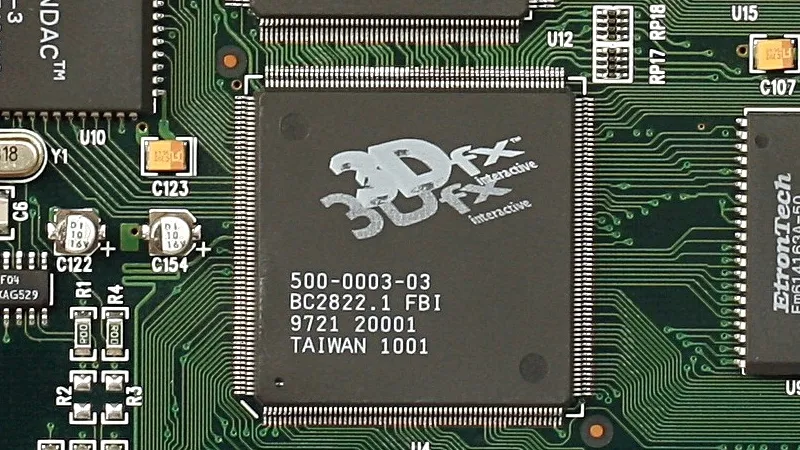
The 3DFX Voodoo was not the first dedicated 3D graphics chipset by any means, but it became the favourite for gamers among the early mass-market GPUs. It would be found on a 3D-processing-only PCI card that sat on the feature connector of your SVGA card. The Voodoo took any game that supported its Glide API into the world of (for the time) smooth and beautiful 3D. They’re worth a bit now, but if you don’t fancy forking out for mid-’90s silicon in 2026, there’s another option. [Francisco Ayala Le Brun] has implemented the 3DFX Voodoo 1 in SpinalHDL for FPGAs.
The write-up goes into the Voodoo’s architecture. Where the parts of a modern GPU are programmable for the various functions it can do, in this part they are dedicated hardware functions for the various graphics tricks the chip can perform. Implementing such an architecture on an FPGA led to bugs and timing problems, and the write-up deals with that in detail.
The whole thing can be found in a GitHub repository if you’re curious, and is definitely worth a read for anyone interested in 1990s retrocomputing. 3DFX themselves would eventually be swallowed by Nvidia, a rival whose offerings would overtake them at the end of the ’90s, but they still represent a somewhat special moment. Don’t forget, if you have the real thing, you can probably upgrade its memory.
Naming AI products is a bit hit-or-miss. Some names sound as if they were polished in a branding lab for six months, while others feel as though they were just pulled from a hat. Claude has a certain elegance. Gemini is fine. ChatGPT, on the other hand, is a rubbish name and only became familiar through brute force when it was suddenly absolutely everywhere.
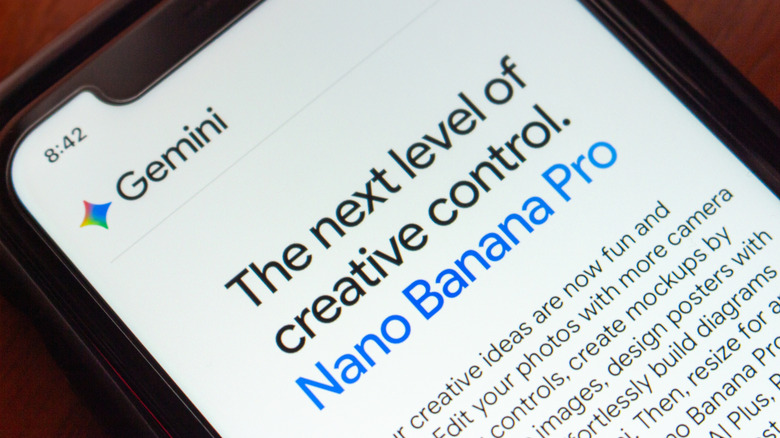
Nano Banana, Google Gemini’s AI image generator that enables anyone to create realistic-looking pictures, is called Gemini 3 Pro Image Preview in Google’s technical documentation. However, the name “Nano Banana” is both more official and less official than you might think. Google openly calls it Nano Banana Pro — and even Nano Banana 2, now — but that wasn’t the original plan.
Nano Banana Pro has such a weird name because that moniker was never intended to be taken seriously. The team needed a temporary name for Arena.ai (then called LMArena), the crowdsourced model-testing platform where systems are compared anonymously. The codename wasn’t chosen until the last minute. Product Manager Naina Raisinghani was pushed to come up with something on the spot and suggested Nano Banana. It was a combination of two of her nicknames. “Some of my friends call me Naina Banana, and others call me Nano because I’m short and I like computers. So I just smushed my two nicknames together,” Naina revealed on Google’s blog, The Keyword.
Advertisement
Nano Banana quickly caught on
Koshiro K/Shutterstock
Despite Google’s attempts to keep its identity secret on Arena.ai, some people were quick to speculate that the highly rated new image generation and editing tool was a Google product. It was initially uploaded to Arena.ai on August 12, 2025. Within days, users were sharing their AI-generated creations on social media. After a week of speculation, a couple of X posts fueled users’ suspicions. Product Lead for Google AI Studio, Logan Kilpatrick, posted a banana emoji, and Naina Raisinghani, the developer behind the name, shared a picture of a banana gaffer-taped to a wall. Nano Banana was officially launched on August 26, 2025, upstaging ChatGPT as the most popular AI image generator.
It’s not the first tech product with “banana” in its name. We might be more familiar with Apple, Blackberry, and Raspberry Pi, but you can also purchase a bananaphone — a banana-shaped Bluetooth headset to pair with your smartphone. There’s also a 2019 research paper with a BANANAS algorithm, which stands for Bayesian Optimization with Neural Architectures for Neural Architecture Search. (You have to respect the contrivance even if it doesn’t quite work.) Tech companies are still naming things after fruit. OpenAI internally used “Strawberry” for the project that became o1, and Meta is currently working on an AI model nicknamed “Avocado.”
Nano Banana may not have been meant as the official name, but it stuck because people liked it. Companies spend fortunes chasing that kind of stickiness, and Google stumbled into it. The model got noticed, the odd codename was memorable, and Google was smart enough not to crush the joke with a committee-approved replacement.
Looking for the most recent regular Connections answers? Click here for today’s Connections hints, as well as our daily answers and hints for The New York Times Mini Crossword, Wordle and Strands puzzles.
Today’s Connections: Sports Edition is a tough one. If you’re struggling with it but still want to solve it, read on for hints and the answers.
Connections: Sports Edition is published by The Athletic, the subscription-based sports journalism site owned by The Times. It doesn’t appear in the NYT Games app, but it does in The Athletic’s own app. Or you can play it for free online.
Hints for today’s Connections: Sports Edition groups
Here are four hints for the groupings in today’s Connections: Sports Edition puzzle, ranked from the easiest yellow group to the tough (and sometimes bizarre) purple group.
Yellow group hint: Get your glove ready!
Advertisement
Green group hint: Sweat equity.
Blue group hint: There used to be a ballpark.
Purple group hint: Not night.
Answers for today’s Connections: Sports Edition groups
GPUs handle prefill operations by converting prompts into key-value caches
SambaNova RDUs generate tokens at high throughput and low latency
Intel Xeon 6 processors manage workload distribution and execute compiled code
Intel and SambaNova Systems have introduced a joint hardware blueprint combining GPUs, SambaNova RDUs, and Intel Xeon 6 processors for large-scale inference workloads.
The system assigns GPUs to prefill operations, RDUs to decoding, and Xeon CPUs to execution and orchestration tasks across agent-driven environments.
“Agentic AI is moving into production — and the winning pattern we’re seeing is GPUs to start the job, Intel Xeon 6 to run it, and SambaNova RDUs to finish it fast,” said Rodrigo Liang, CEO and co-founder of SambaNova Systems.
Article continues below
Advertisement
CPU is the execution and control layer
This design is scheduled to be available in the second half of 2026 for enterprises, cloud providers, and sovereign deployments.
The architecture places Intel Xeon 6 processors at the center of system control, where they manage workload distribution, execute code, and coordinate tool interactions.
Advertisement
It includes handling compilation, validating outputs, and maintaining communication between simultaneous processes.
“When thousands of simultaneous coding agents are generating tool calls, retrieval requests, code builds, and encrypted inter-agent messages, the CPU is not a background component — it is the system’s executive and action layer,” said Harry Ault, CRO of SambaNova.
Sign up to the TechRadar Pro newsletter to get all the top news, opinion, features and guidance your business needs to succeed!
The statement defines the CPU as the primary layer responsible for system behavior rather than a supporting component.
Advertisement
According to SambaNova, Xeon 6 delivers more than 50% faster LLVM compilation times compared with Arm-based server CPUs.
It also delivers up to 70% faster vector database performance compared with other x86-based systems.
These figures relate to execution speed within coding and retrieval workflows, and in this configuration, GPUs process the prefill stage by converting prompts into key-value caches.
Advertisement
SambaNova RDUs operate as the decoding layer, generating tokens at high throughput and low latency.
Xeon 6 processors function as both host CPUs and execution engines, managing system-level operations and running compiled workloads.
“Production inference is moving toward heterogeneous hardware — no single chip type is optimal for every stage of an agentic workflow,” said Banghua Zhu, co-founder and CTO at RadixArk.
He added that combining RDUs with Xeon CPUs allows systems to maintain compatibility with existing software environments.
Advertisement
The system is designed to run inside existing air-cooled data centers without requiring new builds.
According to the companies, this allows scaling of inference workloads without additional strain on water and energy resources.
As Nvidia and Groq continue to focus on improving inference throughput and latency, this announcement adds a layer of competition.
It offers an alternative approach that distributes workloads across multiple hardware layers rather than relying on a single processing model.
If you started with computers early enough, you’ll remember the importance of the RAMdisk concept: without a hard drive and with floppies slow and swapping constantly, everything had to live in RAM. That’s not done much these days, but [Quackieduckie]’s solar powered Pi Zero W web server has gone back to it to save its SD card.
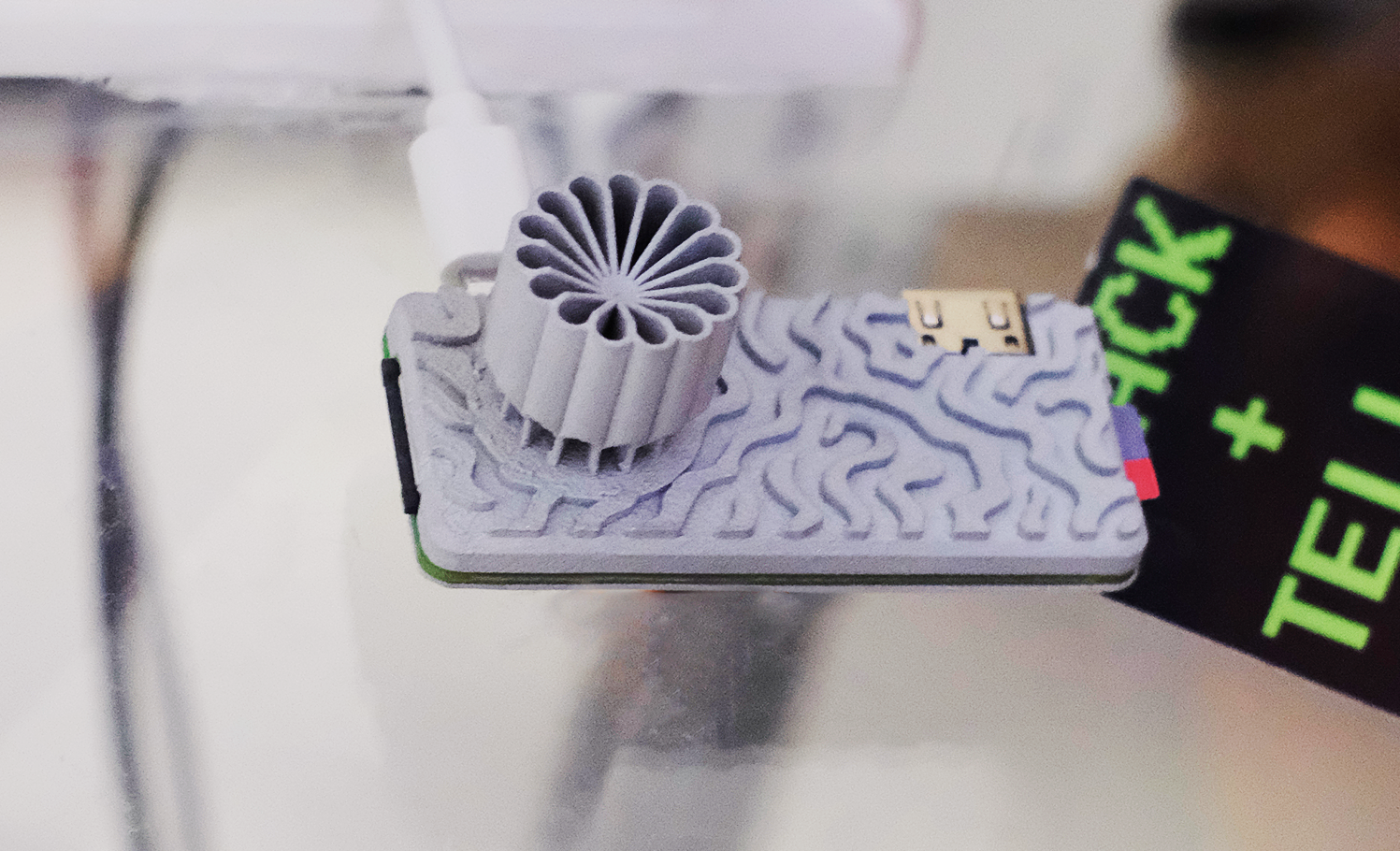
Sustainability and low power is the name of the game. Starting with a Pi Zero W means low power is the default; a an SLS-printed aluminum case that doubles as the heat sink– while looking quite snazzy–saves power that would otherwise be used for cooling. The STLs are available through the project page if you like the look and have a hankering for passively cooled Pi. Even under load [Quackieduckie] reports temperatures of just 29.9°C, less than a degree over idle.
The software stack is of course key to a server, and here he’s using Alpine Linux running in “diskless mode”– that’s the equivalent of what us oldsters would think of as the RAMdisk. That’s not that unusual for servers, but we don’t see it much on these pages. It’s a minimal setup to save processing, and thus electrical power, with only a handful of services kept running: lighttpd, a lightweight webserver, and duckiebox, a python-based file server, along with SSHD and dchron; together they consume 27 MB of RAM, leaving the rest of the 512 MB DDR2 the Pi comes with to quickly serve up websites without the overhead of SD card access.
As a webserver, [Quackieduckie] tested it with 50 simultaneous connections, which would be rather a lot for most small, personal web sites, and while it did slow down to an average 1.3s per response that’s perfectly usable and faster than we’d have expected from this hardware. While the actual power consumption figures aren’t given, we know from experience it’s not going to be drawing more than a watt or so. With a reasonably sized battery and solar cell– [Quackieduckie] suggests 20W–it should run until the cows come home.
Self-similar images are rather common, which are images in which the same image is repeated on a smaller scale somewhere within the image that one is looking at, something which is also referred to as the Droste effect. Yet in [MC Escher]’s 1956 Prentententoonstelling (‘picture gallery’) drawing, this self-similar image is somehow also the foreground image, from where it just keeps looping around in an endless dance. How this effect is accomplished and what the mathematical transformations behind it are and how they work is explained in a recent video by [3Blue1Brown].
The video uses previous work by [B. de Smit] and [H. W. Lenstra Jr] whose 2003 paper detailed the underlying transformations, as well as the mystery of the center of the work.
Although [MC Escher] created a transformation grid with square rectangles into which a non-transformed image could be copied verbatim, he left the center as a void with just his signature in it, leaving many to guess how one might be able to fill in this area with something that made sense. In the work by [Smit] et al. it was postulated that by treating the work as having been drawn on an elliptic curve over a field of complex numbers this might be possible.
While the transformation is simple enough at first, with just four rectangles at different zoom levels to make up the corners, the trick is to connect these rectangles. Using the demonstrated complex method this can be automated, with the central void now filled in and creating its own Droste effect. This once again demonstrates the beautifully complex mathematics in [Escher]’s works, despite him never having had any formal mathematical education.
There will always be a use case for owning both a laptop and a tablet as stand-alone products. But the 2-in-1 laptop is the utopian dream of combining these two into a single device.
Of all the models I’ve tested, no 2-in-1 laptop is equally good at being both a tablet and a laptop. They always lean toward one or the other. But that doesn’t mean you shouldn’t buy one, especially since the convenience of having both in one device makes it an easier pill to swallow, price-wise.
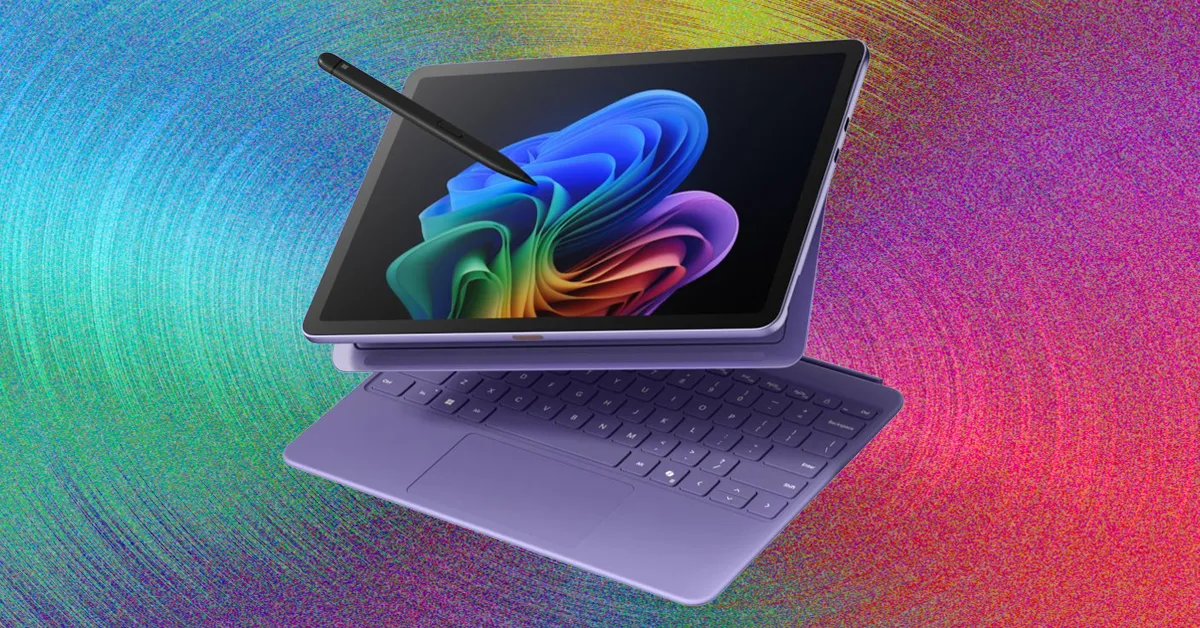
If you want a 2-in-1, think first about a detachable tablet. These are basically tablets that attach to a keyboard. This form factor emphasizes being able to switch between tablet and laptop modes. It’s just as functional as a tablet as it is as a laptop. The Surface Pro is the epitome of this design, pioneering the idea of a tablet with a built-in kickstand that runs a full version of Windows.
Advertisement
Microsoft has refined the hardware over the years, but it wasn’t until the 2024 model that it came into its own. That’s largely thanks to the Qualcomm Snapdragon X Elite (and Plus) processor, which finally gave the device an appropriate amount of performance and battery life. While it’s not cheap (especially once you include the Type Cover), I love that you can now use the keyboard while detached from the screen, making it even more adaptable in scenarios away from a desk. To compete with the iPad Pro, there’s even an OLED model (with 120-Hz refresh rate) available, which really brings visuals on the display to life.
Last year, Microsoft came out with a smaller and more affordable model, the Surface Pro 12. This is the most successful small tablet Microsoft has ever made, and a big reason is because it doesn’t cheap out on quality or shrink down the size too much. With a 12-inch screen, it still allows the keyboard to be large enough to be comfortable typing on. It doesn’t have the option for an OLED screen, but this is still a surprisingly premium-feeling device that is even more portable than its older sibling.
Not only is the Surface Pro 12 cheaper overall, it’s also the only 256-GB storage model on offer. Because Surface devices run a full version of Windows, they are the best 2-in-1 devices to use as full laptop replacements. While the hardware is there to make for a good tablet, Windows isn’t so friendly with touch and doesn’t have a touch-first app ecosystem to support it. That’s where iPads come into play.
The iPad Air and iPad Pro are the best tablets you can buy, largely thanks to the breadth of touch-first apps available in the App Store. In many ways, that’s what makes an iPad such an ideal 2-in-1 laptop, especially if you actually want to use it as a tablet. They are also easier to hold in one hand, as they are lighter than the Surface devices. These days, these iPads are increasingly legitimate laptop replacements too. With the Magic Keyboard attachment, you can add an additional USB-C port and a full-size keyboard and trackpad. I like that this design doesn’t rely on a kickstand either, which makes it easier to use on your lap than the Surface.
Advertisement
iPadOS still isn’t perfect, but with the introduction of windowing and better cursor support, they work as laptops better than ever. The latest model I tested, the M4 iPad Air, is immensely powerful, and with the Magic Keyboard attached, it’s a really solid 2-in-1 laptop that comes in cheaper than the Surface Pro with the keyboard included. It’s plenty of performance for just about anything you’d want to do with an iPad, especially if you opt for the larger 13-inch model. My only real complaint is that the palm rests on the Magic Keyboard are quite small.
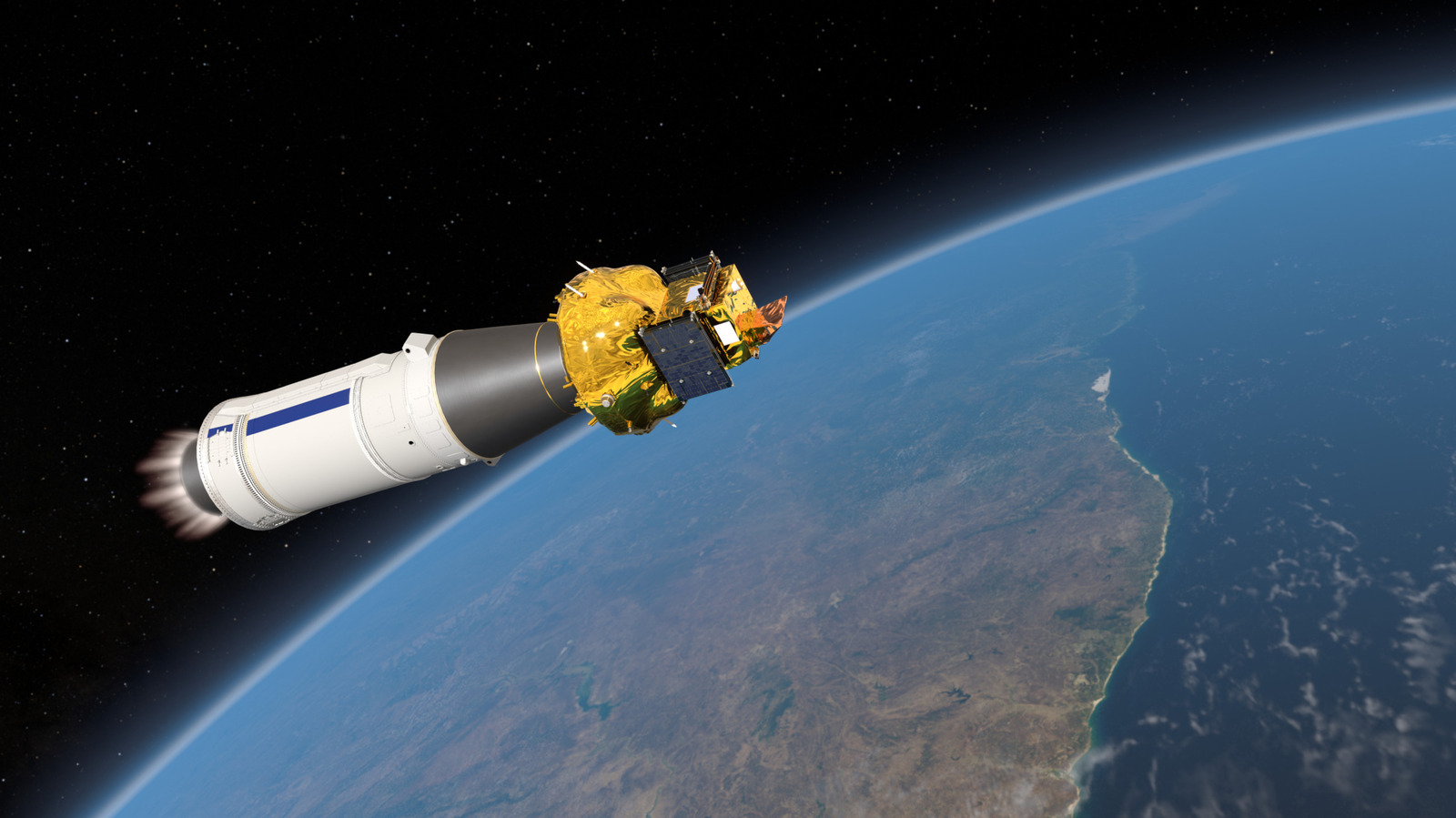
There are now thousands of satellites orbiting Earth, but there’s still a surprisingly basic thing we haven’t yet targeted well. The Earth is often bombarded with solar storms, but so far, we’ve yet to observe the planet’s magnetic field respond to them in real time. Now, a spacecraft built jointly by China and Europe is on the verge of doing just that. The spacecraft is launching as part of SMILE, which stands for Solar wind Magnetosphere Ionosphere Link Explorer.
The venture is the first comprehensive, mission-level space science partnership between the Chinese Academy of Sciences and the European Space Agency. That includes designing, building, and operating the whole thing. The collaboration actually traces back to 2015. That’s when ESA and CAS put out a joint call for mission ideas. SMILE was picked from 13 proposals and entered its study phase a decade ago, in early 2016.
Advertisement
Once SMILE launches, it will head for an unusually elliptical orbit that will swing from just 5,000 kilometers over the South Pole to a whopping 121,000 kilometers above the North Pole. The point of the wider arc is to give the instruments a better vantage point for watching how solar wind slams into Earth’s magnetosphere. That’s important because when that interaction is strong enough, it can trigger geomagnetic storms, which can sometimes be dangerous. Moreover, solar storms can even be a problem for satellites in low-Earth orbit.
Scientists currently have a decent understanding of how the interaction takes place. But the picture is incomplete. There are existing missions like the NASA MMS and the ESA-NASA SOHO spacecraft built for similar purposes. But they’re designed for individual events affecting localized areas, rather than a broad global perspective.
Advertisement
What SMILE aims to learn
Since none of the existing solutions can show the full picture at once, SMILE is designed to fill in this gap. It features a soft X-ray imager, which will map the boundaries of the magnetosphere globally for the first time. The goal is to watch how Earth’s magnetic shield changes shape when solar eruptions pass by.
Better observations could also help predict geomagnetic storms before they hit. Some of these storms are powerful enough to disrupt satellite navigation and radio communications around the world. The last notable one, which hit in May 2024, did just that. Then there was the much worse one from back in 1989, which actually knocked out Quebec’s entire power grid for nine hours, leaving millions without electricity. It’s a reminder of why solar storms affect power grids in the first place. Problems like these can be prevented with better forecasting, as they would give operators time to shut down vulnerable systems in advance.
That said, as is often the case with ambitious space missions, SMILE has run into some snags. It was supposed to lift off on April 9 from Europe’s spaceport in French Guiana. However, ESA announced that the launch had been postponed due to a technical issue on a subsystem component production line. As of writing, we don’t have a new launch date yet.
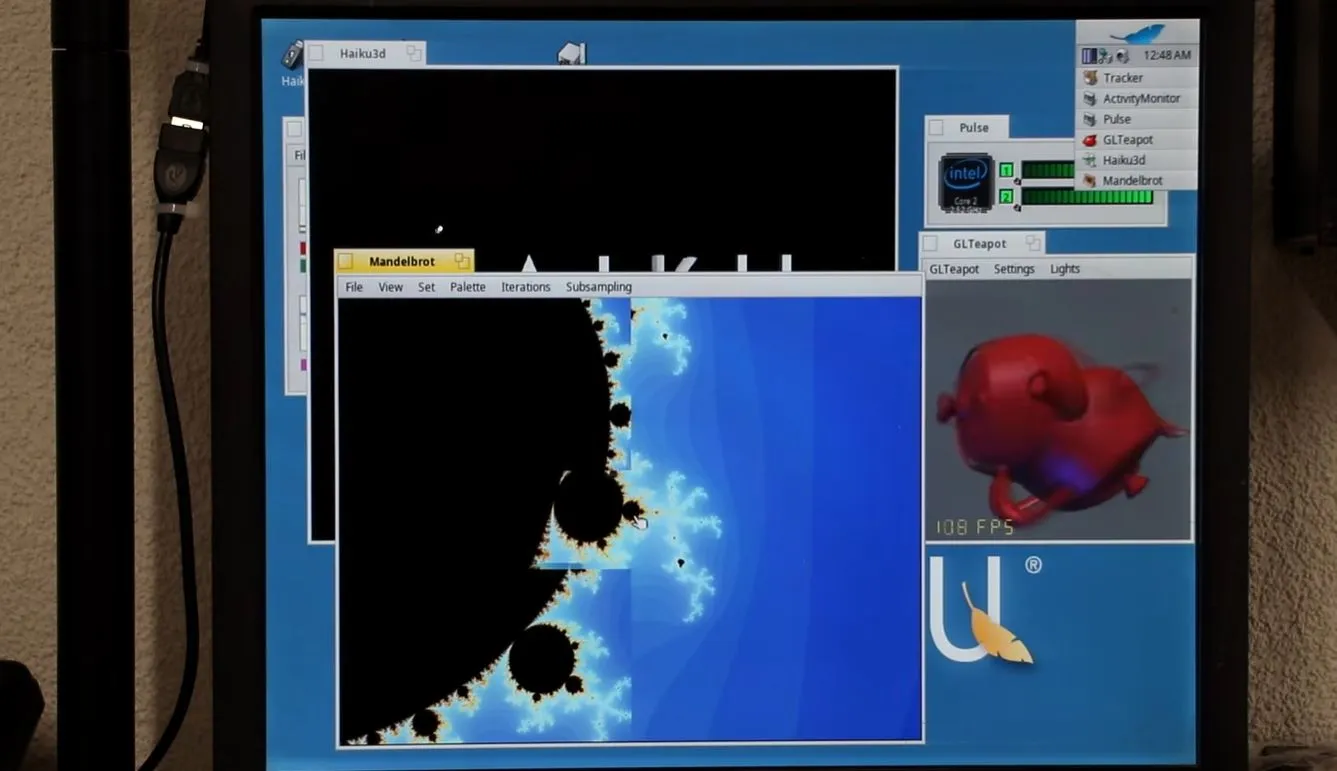
Although the number of uses for a 2009-era Mac Mini aren’t very long, using them to run new-and-upcoming operating systems like Haiku on would seem to be an interesting use case. This is what [The Phintage Collector] recently took a swing at, using both the 2024 Beta 5 release and a current nightly build. The focus was mostly on the 32-bit build, as this has binary compatibility with BeOS applications, but the 64-bit version of Haiku was of course also installed.
One of the main issues with these Mac systems is that they use EFI for the BIOS, so you’re condemned to either take your chances with the always glitchy CSM ‘classical BIOS’ mode, or to make Haiku and EFI get along. While for the 64-bit version of Haiku this wasn’t too much of a struggle, the 32-bit version ran into the problem that the 64-bit EFI BIOS really doesn’t like 32-bit software. After a while the 32-bit version of Haiku was thus abandoned for a later revisit.
With the 64-bit version a lot of things just work, though audio couldn’t be made to work even with a USB dongle, and there’s no hardware acceleration for graphics, so gaming isn’t really going to happen either. The positive thing here is probably that as a test system for 64-bit Haiku such a Mac Mini isn’t too crazy, it being just an Intel system with an Apple-flavor EFI BIOS.
Advertisement
If you’re into giving it a shot yourself, the video description page contains a lot of resources to consult.
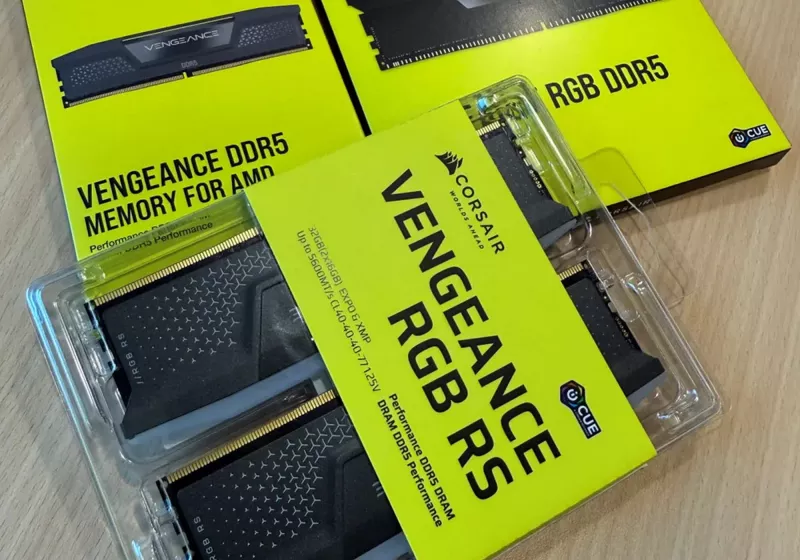
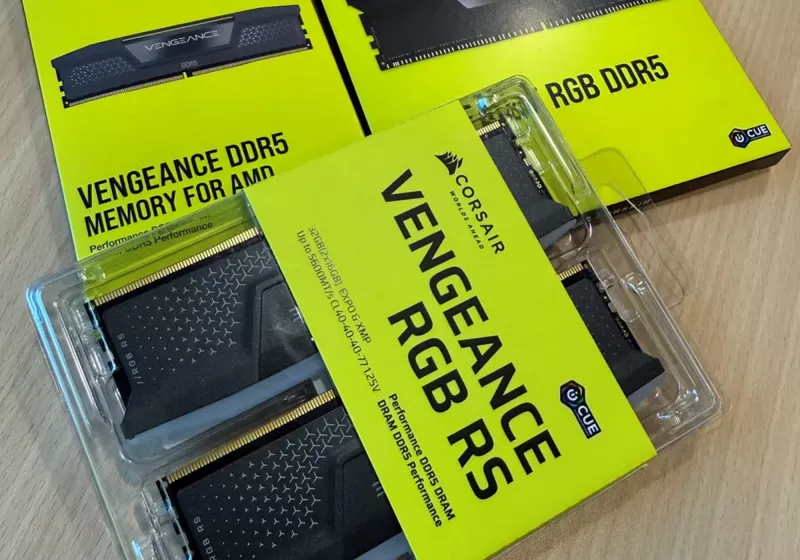
The spot price of a 16GB DDR4 chip has reportedly fallen by around 5% to $74.10 over the past month, following more than a year of unrelenting increases. This modest correction marks the first monthly decline in DRAM spot pricing since the rally began in early 2025, when a 16GB… Read Entire Article Source link

















































You must be logged in to post a comment Login