Handheld gaming systems aren’t niche anymore. Today’s devices range from compact devices built around retro emulation to full-fledged portable PCs capable of running modern AAA games. That variety is exciting, but it also makes shopping harder. The “best” gaming handheld now depends less on a single, standout device and more on how, where and what you want to play.
Some handhelds are designed for quick sessions and classic libraries, prioritizing simplicity, long battery life and pocketable designs. Others blur the line between console and PC, offering large screens, powerful chips and access to massive game libraries, often at the cost of size, price or endurance. There are even more experimental options that focus on unusual controls or intentionally limited experiences.
We’ve spent months testing and tracking the fast-moving handheld space to figure out which devices are actually worth your money right now. Whether you’re looking for a versatile all-rounder, a premium portable gaming PC or a dedicated machine for retro games, these are the gaming handhelds that stand out in an increasingly crowded field.
Editor’s note (11/7/25): A barrage of new mobile emulation handhelds have been announced since our last update, including two follow-ups to our current “best for most” pick (the Retroid Pocket 6 and the more marginally updated Retroid Pocket G2) and a new version of our “best overall” pick (the AYN Odin 3). Other competitors like Ayaneo’s KONKR Pocket Fit are also on the way, and there’s been a wave of new dual-screen models like the AYN Thor, Ayaneo Pocket DS and Anbernic RG DS. We think our current recommendations will still satisfy most shoppers, but since we’re still working to test most of these newer devices, we wanted to give a heads-up for anyone who wants the absolute latest. In the meantime, we’ve added testing notes on a few other emulation-focused handhelds as well as a couple new portable PCs like the ASUS ROG Xbox Ally X.
Three years into its life, Valve’s Steam Deck remains the best balance of price, performance and usability in the gaming handheld market. More specifically, the Steam Deck OLED is a thorough upgrade over the original. Starting at $549 for 512GB of storage, this model features a 7.4-inch OLED display that’s brighter, faster, slightly bigger and more vivid than the 7-inch IPS panel on the entry-level model. The higher contrast and richer colors of an OLED screen makes every game look better by default, but this display also supports HDR, with significantly brighter highlights. The maximum refresh rate jumps from 60Hz to 90Hz as well, which helps many games look smoother in motion.
Due to the less power-hungry display, a more efficient AMD APU and a larger battery, the Steam Deck OLED also lasts longer than the original. No handheld can play resource-intensive “AAA” games for very long, but Valve says the OLED model can run for three to 12 hours depending on the game, whereas the LCD model lasts between two and eight. A larger fan keeps things cooler and quieter, and the chassis feels lighter. Performance is roughly the same, though the OLED model’s increased memory bandwidth can help it gain a couple extra frames in certain games.
Still, $549 isn’t a small investment. The entry-level Steam Deck may come with a more basic LCD display and a smaller 256GB SSD, but it delivers the same core experience for $150 less. At $399, it continues to be a strong bargain. Consider that model our pick for the best “budget” handheld gaming PC you can buy.
To be clear, either Steam Deck model definitely shows its age in 2026. Many of the most graphically demanding games released in the past couple of years just don’t run well on this hardware, if they’re supported at all. Issues with Linux and anti-cheat software have rendered live-service games like Destiny 2 and Apex Legends unplayable, too.
Advertisement
That said, the Deck can still play tons of games that just aren’t possible on the original Nintendo Switch or other handhelds at this price, from Elden Ring to Final Fantasy VII Rebirth to Kingdom Come: Deliverance II. It’s also a natural home for the mountain of older and/or smaller-scale gems littered throughout Steam. (Hello, Balatro.) While official game support is limited to a subset of the Steam library, the list of formally verified and still-playable titles is massive, diverse and constantly growing. You can easily stream games, too, and there are workarounds to access other storefronts.
As for software, a steady stream of updates has turned Valve’s SteamOS into a flexible yet user-friendly platform. You’ll still need to make tweaks every now and then to get a game running optimally, but the process is typically straightforward, and there’s a wealth of community-driven resources that document exactly what settings you may need to change.
The Deck’s processing power, combined with third-party tools like EmuDeck, makes it a superb handheld for emulation as well. Some PS3 and original Xbox games can be tricky, but just about everything else works beautifully. You can also cloud stream Xbox games with a little setup.
The Steam Deck’s biggest issue is its size: At two inches thick and nearly a foot long, it stretches the definition of a “handheld” device, even if the OLED model is lighter by comparison. The LCD Deck can get warm and noisy fairly quickly, too, and the d-pad on both devices is somewhat mushy. But the contoured grips on the back help offset the bulk, and both versions feel sturdy, with responsive face buttons and triggers, smooth joysticks and useful dual touchpads.
Advertisement
Pros
Enough power to play many modern PC games
User-friendly interface
Vivid display on OLED model
LCD model is fantastic value
Superb emulation performance
Cons
Bulky
Not the most powerful hardware
Doesn’t officially support every Steam game or games from other PC clients
The Lenovo Legion Go S is the closest thing we have to a Steam Deck 2. It’s the first third-party device to natively run SteamOS, and as such it has all the same conveniences (and occasional game compatibility issues) as Valve’s handheld. The difference is that it’s a more modern piece of hardware, with a beefier AMD Ryzen Z1 Extreme processor, 32GB of RAM and a 1TB SSD in the configuration we tested. It can also reach a maximum power draw of 33W in handheld mode or 40W when plugged in, well above the Deck’s 15W. All of that makes it better for more resource-intensive games. It can be a noticeable improvement at equal settings, and you get far more room to crank things up and reach that magic 60 frames per second (fps) target in many recent AAA games.
The Legion Go S has a larger 8-inch display than the Deck, with a sharper 1,920 x 1,200 resolution and faster 120Hz refresh rate. It also supports variable refresh rates (VRR), which helps minimize distracting screen tearing. That is a crucial advantage, and the extra real estate is great for taking games in. This is an LCD display, however, not the OLED panel available with the Deck. Colors aren’t quite as vivid and peak brightness is lower at 500 nits. There’s no HDR either. Still, it’s above-average. Which is “better” really comes down to how much you value VRR and pixel count against OLED-level contrast.
The Legion Go S is a little chunkier and heavier than the Steam Deck, which already isn’t exactly svelte, so it’ll be even more fatiguing to hold for hours at a time. But if you can handle the weight, you may find this design more ergonomic. The rounded edges and textured grips are natural to hold, while many longtime console players will feel more at home with the offset joysticks and d-pad. Hall effect sensors (which reduce the risk of joystick drift) and dual USB-C ports are nice perks as well.
Advertisement
There are only two back buttons and one dinky touchpad, however, if you find yourself using those often. The extra horsepower means the fans are much louder. And while it has a bigger 55.5Whr battery, the Deck often lasts a bit longer, especially with less demanding games. If you want to max things out with the heavier stuff, expect the Legion Go S to survive for less than two hours.
The biggest trade-off is the price: The Z1 Extreme version of the Legion Go S now costs a hefty $900. But if you’re looking to play recent blockbusters on the go more than indie games or the older gems in your backlog, it should be worth grabbing.
There is another configuration of the Legion Go S with a lower-tier Ryzen Z2 Go chip, 16GB of RAM and 512GB of storage available for $650, which is $100 more than the Steam Deck OLED. We haven’t been able to test that one yet, but it should still be more performant than Valve’s device, albeit to a lesser extent. If you want a SteamOS device with a bigger screen, higher resolution and VRR, it’s worth considering. That said, keep in mind that Valve is opening up SteamOS to more third-party devices as time goes on.
Advertisement
Pros
Better performance than Steam Deck and most Windows handhelds
If you’re willing to spend extra for more software flexibility, you can skip the SteamOS devices and buy a Windows-based handheld instead. The ASUS ROG Xbox Ally X is our current favorite of those, and it’s a decent if expensive alternative to the Steam Deck if you’re willing to trade some ease of use for a higher performance ceiling.
While Microsoft is marketing it as a handheld Xbox, the Xbox Ally X is really just another iteration of ASUS’ ROG Ally line of portable gaming PCs. It can’t play every game you might own on an Xbox console, nor does it use the exact same simple UI. So don’t go in expecting this to be the Xbox version of a Nintendo Switch. Instead, it runs Windows 11, just like the original ROG Ally and ROG Ally X before it. However, this model ships with a new “Xbox full screen experience” that essentially uses a modified version of the Xbox PC app as its default interface. This aggregates and organizes your PC games from across storefronts (Steam included), reduces background tasks to marginally aid performance and generally makes it easier to navigate the device with gamepad controls.
Taking a wider view, there are three main reasons to consider the ROG Xbox Ally X over the Steam Deck. As with the Legion Go S, the first is power: The last couple of ROG Ally devices were already more consistent about playing graphically intense games at higher frame rates, thanks in large part to a “Turbo mode” that boosts the device’s power draw to 25W, or 30W when plugged in. Here, the latter bumps up to 35W. Either way, the Ryzen Z2 Extreme chip and 24GB of RAM in the Xbox Ally X only furthers this advantage, especially at lower power draws. If you mainly want to play demanding AAA games, this device is far more likely than the Deck to run them well, both today and into the future. It’s still a handheld, so you’ll have to tinker to get some games running optimally, but you won’t have to resort to “potato” settings nearly as often as you do with Valve’s machines.
The second major selling point is VRR. The 7-inch LCD display here is virtually identical to the one used on older ROG Allys: It’s neither as bright nor color-rich as the Steam Deck OLED’s screen, nor is it as spacious as the Legion Go S’ panel. But it’s both sharper (1080p) and faster (120Hz) than the Deck’s display, and its VRR support does wonders to keep games looking smooth even when their frame rate fluctuates.
Advertisement
The third key advantage, and the Xbox Ally X’s biggest pro compared to the Legion Go S, is the fact that Windows lets you play games from any PC client instead of funneling you toward a selection of Steam games. If you’ve built up libraries on stores like Epic, GOG or the Xbox app, you can access them here like you would on any other Windows PC — no workarounds required. For Xbox Game Pass games, Epic Games Store exclusives or finicky always-online titles like Destiny 2 that require anti-cheat software, this is great.
The new Xbox full screen experience does go some way toward minimizing the clunkiness that has long plagued Windows gaming handhelds. Putting the device into sleep mode (mostly) works now. The new app switcher is intuitive. And you do have the freedom to install a distro like Bazzite if you want a near-identical (if unofficial) experience to SteamOS. Of course, you could also just spend most of your time using Steam’s Big Picture Mode.
That said, you’ll probably still run into some familiar Windows quirks and annoyances here. Navigating the OS with touch controls is still frustrating whenever you inevitably end up having to go outside of the Xbox UI. Needing to use the desktop version of the Windows update tool to update the Xbox app, for example, is just awkward. Sometimes you may need to jump into ASUS’ Armoury Crate app to access certain settings instead of the main Xbox UI. Sometimes you won’t see a pop-up, error message or launched app without manually checking what’s going on in the background yourself. And no gaming handheld ever needs programs like Microsoft Teams or OneDrive to come pre-installed.
To reiterate: This isn’t an Xbox, it’s a Windows PC. And while it’s certainly betterthan other Windows handhelds at feeling less…Windows-y, the Steam Deck and SteamOS remain easier to just pick up and use, even if they feel more closed off as a result. But if the flexibility of Windows appeals to you, the changes here do make things a bit more legible. Just note that other handhelds are set to receive this new Xbox UI as well starting next year.
Advertisement
It also helps that the Xbox Ally X is a nice piece of kit. It’s still chunky and heavy, but its pronged grips make it easier to hold for longer stretches than previous Ally devices. The giant 80Whr battery helps it last longer than most Windows handhelds we’ve tested — we got roughly three and a half hours out of Clair Obscur: Expedition33, for example, playing in 1080p at medium settings with the screen brightness maxed out. The face buttons, joysticks and triggers are all tight and comfortable; together they make it feel like you’re using a traditional Xbox controller. The speakers are nice and loud, too.
The Xbox Ally X costs $1,000, so there’s no getting around the fact that it’s a luxury purchase. You could get a Steam Deck OLED and a Nintendo Switch 2 for the same price. But if you have an Xbox Game Pass subscription, or if you’re willing to brave the occasional UX sloppiness in order to play games from any client anywhere you want, it could be worthwhile. If nothing else, it should hold up better than most portable PCs going forward.
Be aware that ASUS makes a lower-cost version of this device called the ROG Xbox Ally (no X). We haven’t been able to test that one, but it comes with a weaker Ryzen Z2 A chip, a smaller battery and half the memory and storage, so it’s a questionable value at $600.
The Retroid Pocket 5 is the handheld to get if you mainly want to emulate older consoles. It’s an Android-based device that’s far less powerful than portable PCs like Steam Deck or ROG Ally X, so it can only play PC, PS5 and Xbox games via streaming. But if you want something more compact and are willing to go through the many, many rigors of getting emulators to actually work, it’s an excellent device.
Advertisement
The Pocket 5 runs on a Snapdragon 865 chip (the same one used by flagship phones from 2020) and 8GB of RAM, plus it has a built-in fan you can set to three different modes to gain a little extra performance. This gives it enough power to play most games from the PlayStation 2 and Nintendo GameCube, two popular retro consoles that can be tough for mobile handhelds to emulate. With some setup, we were able to play relatively demanding PS2 fare like Gran Turismo 4, ESPN NFL 2K5, Ratchet & Clank: Up Your Arsenal and Midnight Club 3 at full speed and 1.5x to 2.5x their native resolution. GameCube games like Super Mario Sunshine, The Legend of Zelda: The Wind Waker, and F-Zero GX, meanwhile, were rock solid at a 2x or 3x upscale. All of that is fantastic for the money.
Just about everything we tested from consoles below the PS2 and GameCube on the performance totem pole — PSP, Dreamcast, PS1, N64, etc. — ran flawlessly at a 3-5x upscale (which maxes out the display’s resolution). Most Wii and 3DS games we tested were smooth at 720p to 1080p as well, though translating the Wii remote to a handheld is often cumbersome, and the 5.5-inch panel is a bit cramped for viewing two DS screens. You can get some Switch games to work, too, but we discourage that when the Switch is still readily available to buy today. As for modern games, Xbox cloud streaming ran about as well as it does on any other device, while native Android apps like Diablo Immortal, Call of Duty Mobile and Asphalt Legends Unite gave us zero issues at max settings.
Let’s be clear: If you’re new to emulation, you need to go into a device like this expecting to tinker. Even after the laborious process of securing ROM files, downloading the best versions of certain emulators, mapping different control schemes for each console and navigating the menu hell that is RetroArch, some games just won’t work right.
The Pocket 5 isn’t immune to this. We had to install a third-party GPU driver to avoid visual glitches in games like New Super Mario Bros. Wii and Mario Superstar Baseball. Gran Turismo 4 required us to tweak the display crop to hide overscan-related artifacts. The most popular Sega Saturn emulator for Android is a mess, so we had to point games for that system to a specific RetroArch core (at which point they all ran great). You will have to fiddle with resolution, rendering and active cooling settings to get many games going at their best — and even then, some tricky ones like Star Wars Rogue Squadron II will suffer from debilitating slowdowns. It’s all terribly tedious. But you’d do it because you truly love old games and don’t mind putting in work to enjoy them comfortably, at a decent price.
Advertisement
We wouldn’t call the Pocket 5’s plastic frame “premium,” but it’s clearly sturdier and more substantial than most emulation handhelds from little-known Chinese companies. The 1080p OLED display is the highlight: It makes everything look more vibrant, from the deep blue ocean of The Wind Waker to the green vegetation in Stardew Valley, and it’s sufficiently sharp and bright. There are textured, modestly-sized grips around the back that give your fingers a natural place to rest. The face buttons are smooth to press, with a comfortable level of travel. The d-pad is firm and precise enough for us to play Tetris DXwithout whining. The analog triggers are conveniently wide and flared, while the clicky bumpers are easy to distinguish. The speakers, while not incredibly full-sounding, can get surprisingly loud.
Our main complaint is with the joystick layout, which situates the left stick underneath the d-pad. This is fine on a PS5 controller, but here it can make playing more modern games a literal pain, as it invites you to leave your left hand dangling partway off the device. But the sticks themselves are neither too loose nor too tight, and they should avoid drifting issues over time thanks to their magnetic Hall effect sensors.
Battery life can vary from three-ish hours with demanding Android games to more than 10 hours when emulating older 8- and 16-bit consoles. That’s solid. The active cooling system keeps the device from ever feeling too hot, though its highest setting is pretty noisy; you wouldn’t want to use it around a sleeping partner. It’s also worth noting that the design won’t actually fit in most pockets, as its name implies, but it certainly won’t hog space in a bag or purse.
Advertisement
Pros
Capable emulation and Android gaming performance
Lovely OLED display
Sticks and buttons feel great
Sturdy, portable design
Cons
Requires a ton of tinkering to get some emulators working optimally
The Retroid Pocket Flip 2 is essentially the Pocket 5 in a clamshell shape. It runs on the same chip — and thus can emulate the same wide range of retro games — with the same great OLED display, Hall effect joysticks, active cooling system, 5,000mAh battery and clean Android OS. The face buttons, triggers, bumpers and d-pad are all roughly as responsive, though the built-in fan can still get distractingly loud at full blast and the speakers don’t offer the best separation (but still get plenty loud).
Advertisement
It’s just built like a fatter Nintendo DS with no second display. It’s thicker and heavier than the Pocket 5, and it has a flat back, so we find it a touch more fatiguing to use over time. There’s also a bit too much empty space on the bottom half — the face buttons and d-pad definitely have room to be larger. And since this is a clamshell, the joysticks have to be recessed in little divots to avoid pressing against the display. They’re still smooth and accurate, but using them always feels somewhat awkward.
However, separating the display gives more space for the different control elements to breathe. The joysticks are offset from the d-pad and face buttons, which makes them feel less cramped with games that are more reliant on analog input. They also sit above the other inputs, so you don’t have to reach as much when playing Game Boy, SNES or other systems that aren’t built for joystick control at all.
The clamshell shape gives everything a natural layer of protection, which in turn makes the device easier to just chuck in a bag. Though we can’t say how well the hinge will hold up years down the road, it feels appropriately tight, and it’s given us no issues after several weeks of testing. The Flip 2 costs $10 more than the Pocket 5 before tariffs, but whether it’s worth buying entirely comes down to how you feel about clamshells. If you want a retro handheld that’s more DS than PSP, grab it instead.
Advertisement
Pros
Capable emulation and Android gaming performance
Sturdy clamshell design provides a natural layer of protection
Lovely OLED display
Cons
Requires a ton of tinkering to get some emulators working optimally
Recessed joysticks
Buttons and d-pad could be larger
Photo by James Trew / Engadget
Display: 6-inch IPS, 1080p resolution, 60Hz | Processor: Qualcomm Snapdragon 8 Gen 2 | RAM: 8GB, 12GB or 16GB LPDDR5x | Storage: 128GB, 256GB or 512GB UFS 4.0 | Battery: 8,000mAh | Dimensions: 8.86 x 3.86 x 0.67 inches | Weight: 0.93 pounds | Wireless: Wi-Fi 7, Bluetooth 5.3 | OS: Android 13
If you have more cash to burn on an emulation-focused machine, the AYN Odin 2 is a step up from the Retroid Pocket 5 and Flip 2. This Android device can play everything our those picks can, just smoother and more reliably. That’s mainly due to its Snapdragon 8 Gen 2 processor, which is the same chip used by flagship phones from 2023.
Advertisement
The Odin 2 starts at $299 for 8GB of RAM and 128GB of storage, which is expensive when the entry-level Steam Deck can run PC games natively for just $100 more. (And in the US, tariffs may erase that gap entirely.) Still, among more compact mobile handhelds, there aren’t many alternatives that run this well at this price. It played all PS2 and GameCube games we tested at two to three times their native resolution, while systems like the PS1, N64 and Dreamcast had no problems at a 3-5x upscale. Most 3DS and Wii games had little to no slowdowns at 2-3x, either. It’s better than most with the Sega Saturn, and it can play a wider range of Switch games than the Pocket 5 and Flip 2 (though you should just buy a Switch if that’s a major concern). More challenging systems will still require some settings tweaks, but the superior chip means you won’t need to tinker on a game-by-game basis as extensively as you would with a lower-cost device.
It’s not just raw performance, though: The Odin 2 is also a refined piece of hardware. It’s larger than Retroid’s handhelds, but it’s still much less chunky than a portable PC, and the curved grips on its back are inviting to hold. The d-pad, face buttons, analog triggers and Hall effect joysticks all feel great; the latter are also offset, which makes the design comfier than the Pocket 5 for streaming recent console and PC games. Other touches like a fingerprint scanner, a dedicated return button, a micro-HDMI out port, two customizable back buttons and clear front-facing speakers are all nice perks.
The 6-inch 1080p touchscreen isn’t as color-rich as the Retroid’s OLED panel, but it’s still bright and well-sized for modern games. Battery life is superb: We got more than eight hours of juice emulating systems like the PS2, but that jumped over 20 hours with lighter tasks. The device supports 65W fast charging as well. Cloud streaming and native Android games work as they should, and since the whole thing runs on a lightly modded version of Android, its stock interface should feel familiar to most.
AYN sells a few different variants of the Odin 2, including the PS Vita-esque Odin 2 Mini and the larger, OLED-sporting Odin 2 Portal. These run on the same chipset as the standard model, so they should be just as powerful. Both should be a little more niche, however. The Retroid Pocket 5 gets you most of the way to the Mini for $120 less. The Odin 2 Portal is definitely more appealing, but it’s closer to the Steam Deck’s width (and price) yet much less capable than Valve’s machine on the whole.
Advertisement
As noted above, you may want to wait on all of these if you need the absolute latest: AYN has launched a new Odin 3 device since our most recent update. We aim to test that one in the near future.
Pros
Excellent emulation and Android gaming performance
Comfortable
Great battery life
Cons
Relatively pricey for a mobile handheld (even before tariffs)
Setting up emulators can still be laborious
Docked experience isn’t seamless
Photo by James Trew / Engadget
Advertisement
Display: 3.5-inch LCD, 1,600 x 1,440 resolution, VRR 30Hz-62Hz | Chipset: Altera Cyclone V FPGA, Altera Cyclone 10 FPGA | RAM: 3.4MB BRAM, 2x 16MB 16-bit cellular RAM, 64MB 16-bit SDRAM, 256KB 16-bit asynchronous SRAM | Battery: 4,300mAh | Dimensions: 5.86 x 3.46 x 0.86 inches | Weight: 0.61 pounds | OS: Analogue OS
The Analogue Pocket is the ultimate Game Boy. Its vertical design is built like a modernized, premium version of Nintendo’s classic handheld, and it can even work with accessories like the Game Boy Camera. Compared to the original, though, the Pocket adds two extra face buttons, a pair of rear triggers, a microSD slot, a USB-C port and a rechargeable battery rated for six to 10 hours of playtime. Most significantly, it has a gorgeous 3.5-inch display that’s both backlit and incredibly sharp (615 ppi) but can be set to look like an old Game Boy panel with different filter modes. The device can also output to a TV with an optional dock.
Unlike the retro handhelds mentioned above, the Pocket is designed to play actual cartridges, not just ROM files. It works with Game Boy, Game Boy Color and Game Boy Advance games through its cartridge slot, while games from the Sega Game Gear, TurboGrafx-16, Neo Geo Pocket and Atari Lynx are playable through optional adapters.
Advertisement
Like past Analogue devices, the Pocket uses field-programmable gate array (FPGA) motherboards to mimic its target systems on a hardware level. In practice, this means the Pocket’s “emulation” of older titles is near-perfect, with a level of responsiveness and visual faithfulness that software-based emulation can’t match. Pop in a Game Boy or GBA cartridge and you can essentially play it as intended. That said, thanks to a big post-launch update and an active user community, the Pocket can also run ROMs off a microSD card and thus play systems like the SNES and Sega Genesis.
The Pocket isn’t cheap at $220, and its shoulder buttons aren’t as crisp to press as the excellent d-pad or face buttons. Still, if you have a collection of Game Boy, Game Gear or GBA games, the Pocket is the most elegant way to play them, and it’s only become more versatile over time. Its biggest flaw is that it can be prone to stock shortages and shipping delays.
Pros
Advertisement
Plays Game Boy, Game Boy Color, and GBA cartridges with near-perfect emulation
Gorgeous display
Impressive build quality
Expandable via adapters
Supports software emulation
Cons
Stock issues and shipping delays are common
Shoulder buttons feel a little spongy
Tiny volume buttons
Engadget
Display: 2.7-inch Memory LCD, 400 x 240 resolution, 1-bit | Chipset: ARM Cortex-M7F @ 168MHz | RAM: 16MB, 8KB L1 cache | Storage: 4GB eMMC | Battery: 740mAh | Dimensions: 2.99 x 2.91 x 0.35 inches | Weight: 0.19 pounds | OS: Playdate OS
The Playdate, from app developer and Untitled Goose Game publisher Panic, is a tiny yellow box with a 2.7-inch monochrome display, two face buttons, a d-pad and a physical crank built into its side. We called it a “cross between a Game Boy and a business card” in our review, and it is indeed incredibly small at roughly three inches tall and 0.18 pounds. It has a dedicated game library that largely consists of oddball indies, most of which focus on one or two core ideas instead of trying to stuff in as many mechanics as possible. A couple dozen of those games are bundled with the device, while others are available via a built-in store or sideloading from shops like Itch.io. The hardware is generally well-built, and its battery life is decent at six to eight hours per charge.
Advertisement
At $229 after a price hike, it’s hard to call the Playdate a great value when it’s only designed to play a selection of niche games. Its display isn’t backlit, either. But in a sea of devices that try to be everything for everyone, the Playdate is admirably focused and low-key. If you’re into smaller-scale fare and have some money to play with, it’ll be a fun toy.
The new Nintendo Switch 2 is already more popular than any of the handhelds above, but we haven’t made it a formal pick in this guide since it exists in its own world. As one of the newest devices from the big three console manufacturers, most people aren’t choosing between it and the handheld PCs or emulation devices above. The main reason to buy a Switch 2 is to play new Nintendo games, and no other device can (legally) offer that. Likewise, the Switch 2 doesn’t even try to offer the flexibility of a Steam Deck, ROG Ally X or even the Retroid Pocket 5.
Advertisement
That said, the hardware itself is a significant upgrade over its predecessor, with dramatically improved performance, a sharper, faster and bigger 7.9-inch display, magnetic Joy-Con controllers and more storage. It’s a wholly more polished take on the Switch 1’s ideas.
Does that make it a must-buy right now? Unless you’re worried about a tariff-induced price hike — which may not be the most outlandish fear — not really. Donkey Kong Bananzais a joy, Mario Kart World is fun enough and playing Cyberpunk 2077 on a Nintendo console is kind of surreal, but the list of true must-plays that are exclusive to the Switch 2 is still limited. That’s OK — it’s only been a few months. But don’t feel like you must rush out and splash the cash today unless you have a serious case of Donkey Kong-inducedFOMO.
Other gaming handhelds we’ve tested
The Lenovo Legion Go 2. (Sam Rutherford for Engadget)
Note: This is a selection of noteworthy gaming handhelds we’ve tested, not a comprehensive list of everything we’ve ever tried.
Lenovo Legion Go 2
The Lenovo Legion Go 2 is a capable alternative to the ROG Xbox Ally X with a mondo-sized 8.8-inch display. That screen is the main reason to consider it, as it’s a vivid OLED panel that supports VRR and has a 144Hz native refresh rate. Like the Switch, it also comes with detachable controllers — one of which includes a useful touchpad for navigating Windows — plus a built-in kickstand for tabletop play.
Advertisement
That said, it’s an absolute tank at just over two pounds, and we found it to perform a little worse than the Xbox Ally X at equal settings. It’s also even more expensive, starting at $1,100 and rising to $1,350 for a config with the same Ryzen Z2 Extreme chip. It’s a lovely device if you’ve got cash to burn — and to be fair, none of these Windows handhelds are for anyone looking for “value” — but the Xbox Ally X is a better buy for most.
The MSI Claw 8 AI+. (Sam Rutherford for Engadget)
MSI Claw 8 AI+
The original MSI Claw was a flop, but the newer Claw 8 AI+ is much more appealing if you’re willing to pay for a larger and slightly more powerful alternative to the ASUS ROG Ally X. With its Intel Core Ultra 7-258V chip and 32GB of RAM, it typically pumped out 10 to 15 percent higher frame rates than last-gen models like the ROG Ally X and Lenovo Legion Go in our testing. (Another model is available with the Ryzen Z2 Extreme chip.) Battery life is relatively strong, while its 8-inch 120Hz IPS display is plenty bright and supports VRR. There are smooth Hall effect thumbsticks and triggers, two Thunderbolt 4 ports and a built-in fingerprint sensor beyond that.
The Claw’s main issue is its price: At $1,100 after recent price hikes, it’s hard to justify over the ROG Xbox Ally X, which is already too expensive for most people. ASUS’ handheld is lighter and easier to grip on top of that — though the Claw is thinner — and its overhauled Xbox UI, while far from perfect, is still easier to get around than MSI’s Center M hub. There’s a smaller 7-inch version of this handheld for $900 as well, but we haven’t tested that one.
The ModRetro Chromatic. (Jeff Dunn for Engadget)
ModRetro Chromatic
The ModRetro Chromatic is a competitor to the Analogue Pocket that can similarly play actual Game Boy cartridges via FPGA. With its premium metal frame, loud speaker, tight d-pad and beautifully bright 2.56-inch display, it’s an impressive modernization of Nintendo’s classic handheld. ModRetro also publishes a number of games specifically for the device, including a pretty great version of Tetris that comes bundled in the box.
Advertisement
However, for many, its faithfulness to the original Game Boy probably goes too far: It requires three AA batteries for power, and unlike the Analogue Pocket it doesn’t support custom save states. It’s also designed for Game Boy and Game Boy Color games only; it can’t play any Game Boy Advance cartridges or games from other retro handhelds like Analogue’s device, nor does doesn’t support ROMs. For only $20 less than the Pocket, that makes it a tough sell, even if the hardware is arguably higher-quality.
There’s also the lethal, autonomous elephant in the room: ModRetro is founded by Palmer Luckey, the idiosyncratic entrepreneur behind the Oculus Rift who has gone on to form Anduril Industries, a defense contractor that makes drones, surveillance systems and other AI-powered military tech. He has also espousedpolitical views that many people — and this is the tamest way I can put this — may not be comfortable backing. We are not here to police where you can spend your money, and the Chromatic does much of what it wants to do well. Still, all of these handhelds are just so inessential, and no other option that we know of is as closely tied to an arms dealer.
The Lenovo Legion Go S. (Sam Rutherford for Engadget)
Lenovo Legion Go S (Windows, Z2 Go chip)
The Windows 11 version of the Lenovo Legion Go S has the same relatively comfortable design and commendable 8-inch 120Hz display as the SteamOS model we highlight above. With the Z2 Go model we tested, though, its performance lags too far behind the ROG Ally X, Claw 8 AI+ and original Legion Go for something priced at $730. Windows is still clunky, too.
The Ayaneo Flip DS. (Photo by Jeff Dunn / Engadget)
Ayaneo Flip DS
The Ayaneo Flip DS is a cool concept: a powerful Windows machine with a clamshell design and dual displays, sort of like a supercharged Nintendo DS. It feels sturdy, it performs roughly on par with the other Ryzen 7 7840U (or 8840U) handhelds in this guide, and its 7-inch top display is sharp, fast and bright. The second screen makes it a natural fit for emulating Wii U or 3DS games, but you could also, say, look up a guide or play a YouTube video without having to close whatever you’re playing.
Advertisement
Unfortunately, this is more of a neat idea than a fully thought-out product. The folding design means that the joysticks have to be short and recessed, while the face buttons and d-pad are uncomfortably flat. The whole thing is overly thick and heavy, plus it runs very hot. Battery life tops out around two hours, and actually managing two displays on a Windows handheld is about as clunky as you’d expect. With prices now starting above $1,100, the Flip DS is hard to recommend unless you’re (oddly) desperate for a handheld Wii U emulator. We’re always happy to see more weird hardware, though.
The Ayaneo Kun. (Photo by James Trew / Engadget)
Ayaneo Kun
The Ayaneo Kun is one of the more decadent Windows handhelds we’ve tested. With a sharp 8.4-inch display, a Ryzen 7 8840U chip, up to 64GB of RAM, up to 4TB of storage, a sizable 75Whr battery and a 54W max TDP, it’s both a capable gaming device and a feasible replacement for a desktop PC. But it now starts at a pricey $999, it’s huge and it suffers from the usual Windows-related issues. It also lacks VRR, and that Ryzen chip is no longer the latest and greatest. The Kun is still a fine device in a vacuum, but the ROG Xbox Ally X is a better buy. This is technically an older model for Ayaneo, too, as the company seems to launch a new handheld every other hour these days.
The Retroid Pocket Classic. (Jeff Dunn for Engadget)
Retroid Pocket Classic
The Retroid Pocket Classic is another Game Boy-style vertical handheld in the vein of the Analogue Pocket, but like the other Retroid models we’ve highlighted, it’s an Android device designed to emulate games via ROM files, not genuine cartridges. (Naturally, it can also play native Android games.) It’s still far clunkier to set up and use as a result, and its overall design feels more toy-like than either the Pocket or ModRetro Chromatic.
But its Snapdragon G1 Gen 2 chip is easily powerful enough to play any classic handheld system (along with most other retro games that don’t require joystick controls), while its 3.9-inch OLED display is superbly bright, sharp and colorful. The battery can last more than 10 hours when emulating lower-power systems, and Retroid sells a version with six face buttons instead of the standard four if you want to play older Sega Genesis and Saturn games in particular. The Analogue Pocket is still more premium and rewarding to use, but if you want a similar form factor and can live with the typical quirks that come with a device like this, the Classic is a good value at $129. Of the many Game Boy-style handhelds out there that solely rely on software emulation, it’s the one we’d recommend first.
Advertisement
The Retroid Pocket Mini (bottom) and Retroid Pocket 5. (Jeff Dunn for Engadget)
Retroid Pocket Mini
The Retroid Pocket Mini is essentially a smaller version of the Retroid Pocket 5. It runs on the same Snapdragon 865 chip and feels just as sturdy, but it has a smaller 3.92-inch display with a 4:3 aspect ratio. This makes it a more natural fit for older retro consoles, as you won’t get the black boxes you’d see on a 16:9 display like the one on the Pocket 5. If you mainly want to emulate systems like the SNES, Sega Genesis or Game Boy Color and don’t mind paying extra for a rich OLED display, it’s a good little device. But the tiny screen is limiting if you ever want to play newer games, and we wish there wasn’t so much empty space around the display.
This device had also generated some controversy within the retro gaming community for having persistent issues with inaccurate shaders (and for the slapdash way Retroid handled the matter). The company replaced the original model with a “V2” iteration that addresses those concerns, however.
Retroid Pocket 4 Pro and Retroid Pocket 4
The 4.7-inch Retroid Pocket 4 Pro is the predecessor to the Pocket 5. Its performance isn’t significantly far off the newer model, so it remains a nice value if you’re determined to spend less than $200 on an emulation device. It misses out on the larger OLED display and more ergonomically-friendly design of its follow-up, however. The base Pocket 4 may also be worth a look if you want to stay under $150, but its weaker chip makes it less adept at emulating games from the PS2, GameCube and up.
The Miyoo Mini Plus (left) and TrimUI Brick. (Jeff Dunn for Engadget)
Miyoo Mini Plus
The Miyoo Mini Plus is a highly affordable handheld with a well-built, Game Boy-style form factor that fits nicely with older games. Its 3.5-inch display pops for something in the $60 to $80 range, its battery lasts as long as it needs to and it can emulate consoles up to the original PlayStation without much issue. Its Linux-based software is extensively customizable, though it requires some tinkering to get it working optimally. Like many cheapo handhelds, it also lacks fast charging. Since it’s from a smaller Chinese firm and isn’t available at major retailers, it can also be difficult to actually buy. It’s a nice choice if you want something more compact than the Retroid Pocket Classic, but that model’s roomier design, more vibrant OLED panel and longer battery life makes it worth the extra cash for most people.
Advertisement
TrimUI Brick
The TrimUI Brick is another low-cost vertical handheld that’s surprisingly well-built for an $80-ish device, thanks to its brushed metal backplate and impressive 3.2-inch IPS display. It has a weaker chip than the Retroid Pocket Classic, but it can still emulate older handheld games just fine, and its tiny frame makes it much easier to actually fit in a pocket. That said, while it has a sharper and more vivid screen than the Miyoo Mini Plus (its closest rival), the face buttons, d-pad and especially back buttons are all stiffer, and its stock UI feels similarly bootleg. (Some of the icons for different systems in the game library: “GomeBuy,” “Fanicon,” and “PloyStotion.”) You can fix the latter with custom firmware, but Retroid’s interface is easier to grok by default, and its setup process is less annoying. Most people interested in this class of device will be happier paying up for the Pocket Classic instead.
The Anbernic RG35XX Plus. (Photo by Jeff Dunn / Engadget)
Anbernic RG35XX Plus
The Anbernic RG35XX Plus is another wallet-friendly vertical handheld. For about the same price as the Miyoo Mini Plus, it offers a faster chipset, more RAM and a bigger battery alongside a similarly impressive design. Its stock OS is overly sloppy and cheap-looking, however, and while its stronger chip is appreciated, it’s still far behind the Retroid Pocket Classic.
The Anbernic RG35XXSP. (Jeff Dunn for Engadget)
Anbernic RG35XXSP
The Anbernic RG35XXSP is a variant of the RG35XX Plus based on the same internals, only it apes the clamshell form factor of the old Game Boy Advance SP. That’s a great design to rip off if you must pick one, and the hardware doesn’t feel nearly as cheap as its (pre-tariff) price tag of $60 or so would suggest. But the software issues noted above still apply (both here and with the many other devices in the same RGXX family). We’ve also seen severaluserreports of quality control issues with the RG35XXSP’s battery, which is automatically disqualifying.
Anbernic RG405M
The Anbernic RG405M is another 4:3 handheld with a 4-inch display and a pleasing metal frame. It’s an OK alternative to the Retroid Pocket Mini if you want a little more screen space for less cash, but it’s slower, and it lacks the Mini’s OLED display. We find the Retroid’s grooved back to be comfier to hold over time as well. And again, Anbernic has paused handheld shipments to America as of this writing.
Advertisement
The PlayStation Portal. (Photo by Devindra Hardawar/Engadget)
PlayStation Portal
The PlayStation Portal is an odd accessory that’s designed to stream games from a PlayStation 5. It lacks built-in apps, so it doesn’t support traditional emulation. Because it’s entirely dependent on the quality of your home Wi-Fi, we can’t guarantee how well it’ll actually perform. It doesn’t work with Bluetooth earbuds either.
The 8-inch display is fine and the DualSense-style controls are great, so PlayStation diehards who want a second screen for local PS5 streaming may see the appeal. Sony recently added the ability to stream a selection of games via the cloud, which is a step in the right direction, but you need an expensive PlayStation Plus Premium subscription to take advantage. In general, there’s little here that you can’t do with a smartphone and mobile game controller, so most people are better off saving their $200.
Logitech G Cloud
The Logitech G Cloud would’ve been a great Android pick when it launched if it cost about $150 less. Its 7-inch 1080p display is bright, vibrant and generally more pleasing to look at than the panel on the AYN Odin 2, its battery lasts a good 10 to 12 hours per charge and its design is comfy to hold for hours at a time. Alas, the G Cloud still tends to retail for $300, which is just too much when the Retroid Pocket 5 offers more power at a lower price.
What to know about the gaming handheld market
Jeff Dunn / Engadget
You can break down the gaming handheld market into three broad tiers. At the top, you have x86-based portable gaming PCs like the Steam Deck or ASUS ROG Xbox Ally X. These are the most powerful handhelds you can buy, as they seek to replicate the experience of a moderately specced gaming desktop. The Steam Deck runs on Linux, but most others use Windows. If you want to play modern, recently released PC games on the go (and need something stronger than a Switch), this is the type of device you’d get. They can also emulate the widest range of retro consoles. They’re typically the largest and most cumbersome devices to hold, however, and their battery life can be short. Naturally, they’re also the most expensive, costing anywhere from $400 to more than $1,000.
Advertisement
Further down on the price spectrum are “mobile handhelds” like the Logitech G Cloud or Retroid Pocket. These devices often run Android or Linux and can range from under $50 to $400-ish (before tariffs). They aren’t equipped to play modern console or PC titles, but they’re usually more compact than a portable PC, and you can still use them for mobile games and cloud streaming. While most are marketed toward those ends, many gamers actually buy them to emulate classic games through software like RetroArch. Getting emulators to work can be complicated, and accessing the BIOS and ROM files required to play games this way is legally murky. One lawsuit from Nintendo led to the shutdown of the most prominent Switch and 3DS emulators, for instance. (Engadget does not condone piracy.) Backing up files of games you already own for personal use only is considered more defensible, though, so for that a mobile handheld can be a more user- and wallet-friendly way to play the classics — provided you don’t want to just use your phone.
We’ll call the last tier “handhelds that do their own thing.” This is a catch-all for things like the Switch 2 or Playdate: portable devices that run heavily customized software and aim to provide a unique gaming experience. They aren’t necessarily ideal for emulation or playing the latest multiplatform titles; instead, they often have distinct game libraries. They might not have the widest appeal as a result (Switch excluded), but they’re often easier for less tech-literate folks to just pick up and use.
Recent updates
November 2025: The ASUS ROG Xbox Ally X replaces the older ROG Ally X as our new favorite Windows gaming handheld. We’ve also added testing notes on the Lenovo Legion Go 2, ModRetro Chromatic and a couple of emulation-based handhelds in the Retroid Pocket Classic and TrimUI Brick. We’re working to test several other recent releases for our next update, including updated versions of the Retroid Pocket 5 and AYN Odin 2.
August 2025: We’ve added the SteamOS version of the Lenovo Legion Go S as a new recommendation and updated our top Windows pick to reflect the upcoming release of ASUS’ and Microsoft’s ROG Xbox Ally devices, which will feature an overhauled Windows UI. We’ve also added a note on the recently released Nintendo Switch 2. We’ll include testing notes on the Retroid Pocket Classic, TrimUI Brick and ModRetro Chromatic in the near future. (Note: Yours truly went on paternity leave after our last update — apologies for the delay!)
Advertisement
May 2025: We’ve tested the Retroid Pocket Flip 2 and recommended it as an alternative to the Retroid Pocket 5. We’re also watching out for the first third-party devices that run SteamOS, starting with the new Lenovo Legion Go S, and the next ASUS ROG Ally device, which seems to be arriving soon based on recent leaks.
January 2025: We have a new top pick among emulation-focused handhelds: the Retroid Pocket 5. Beyond that, we’ve added notes on a few other devices we’ve tested, including the Retroid Pocket Mini and Anbernic RG35XXSP; lightly edited other blurbs to reflect changes in the market; and removed a couple write-ups for products that’ve been discontinued. We’re also keeping an eye on new handhelds that’ve recently been announced or are strongly rumored to arrive in the near future, including devices from MSI and Lenovo.
August 2024: We’ve replaced the ASUS ROG Ally, our prior pick for the best Windows gaming handheld, with the new and improved ROG Ally X. We’ve also checked to make sure all availability and pricing details noted throughout the guide are accurate.
Advertisement
June 2024: We’ve updated this guide to ensure all of our recommendations are up to date, adding a note on ASUS’ upcoming ROG Ally X in the process. We’ve also included details on two new handhelds we’ve tested since our previous update: the MSI Claw and Ayaneo Flip DS. Staying on top of this market is a tall task, but we’re currently looking at recent noteworthy releases like the PSP-esque AYN Odin 2 Mini and the GBA-style Anbernic RG35XXSP as well.
Glen Anderson has been brokering trades in private company shares since 2010, back when the number of institutional investors focused on the late-stage private market could be counted on two hands. Today, he says, there are thousands.
As president of the investment bank Rainmaker Securities, whose focus includes private securities markets — it facilitates transactions in roughly 1,000 stocks — Anderson has a front-row seat to one of the most nail-biting moments in the history of the secondary market. And right now, he suggests, the narrative has three main characters: Anthropic, OpenAI, and SpaceX.
But the storyline is more complicated than the headlines suggest.
Anderson’s read on Anthropic is consistent with what Bloomberg reported earlier this week: demand for the company’s shares has become almost insatiable. Bloomberg quoted Ken Smythe, founder and CEO of Next Round Capital, saying that buyers had indicated to his outfit that they had $2 billion of cash ready to deploy into Anthropic, even as roughly $600 million in OpenAI shares that investors are trying to sell haven’t found takers.
Advertisement
Anderson sees something similar at Rainmaker. “The hardest stock to source in our marketplace is Anthropic,” he told TechCrunch yesterday afternoon from his Miami home. “There’s just no sellers.”
Part of what turbocharged that demand, Anderson argues, was Anthropic’s very public standoff with the Department of Defense — a turn of events that initially seemed like bad news for the company but has wound up becoming a gift.
“The app got more popular, people rallied around the company as kind of a hero, taking on big government,” he said. “I think it amplified the story and made it even more differentiated from OpenAI.”
Techcrunch event
Advertisement
San Francisco, CA | October 13-15, 2026
That distinction is becoming increasingly meaningful to investors navigating a market where, for years, the prevailing logic was to bet on everyone. Anderson notes that many institutional investors still want exposure to both Anthropic and OpenAI. “The jury’s still out,” he said, on which AI model will ultimately win – but the momentum, at least in the secondary market, has shifted.
Advertisement
That doesn’t mean OpenAI has fallen off a cliff. Anderson pushes back slightly on a binary reading of the situation.
“I wouldn’t say it’s a one-or-the-other conversation,” he said.
But the excitement isn’t there. “It’s not nearly as vibrant a market as Anthropic right now,” he acknowledged.
On valuation, Anderson broadly confirmed Bloomberg’s reporting that OpenAI shares on the secondary market are trading as if the company were valued at $765 billion — an appreciable discount to the company’s newest $852 billion primary-round valuation. He cautioned that he was working from memory, but said the Bloomberg figure was “in the right range.”
Advertisement
OpenAI itself has tried to assert more control over secondary trading. “People should be extremely cautious of any firm that purports to have access to OpenAI equity, including through an SPV,” an OpenAI spokesperson told Bloomberg, noting the company had established authorized channels through banks, with no fees, to counter what it described as a high-fee broker model.
Perhaps tellingly — at least for now — banks including Morgan Stanley and Goldman Sachs have begun offering OpenAI shares to their high-net-worth clients without charging carry fees, according to Bloomberg. Goldman, meanwhile, is charging its customary carry – often 15% to 20% of profits – for clients seeking Anthropic exposure.
What none of this accounts for is SpaceX, which stands apart amid shifting sentiment around these other powerful brands. Anderson describes it as one of the only names in Rainmaker’s universe that never experienced the punishing correction that hit much of the private market between 2022 and 2024, a period when many private companies’ shares fell 60% to 70% from their peaks (after their valuations were run up just as fast).
The rocket and satellite behemoth has “been pretty much consistently up and to the right,” Anderson said.
Advertisement
Anderson, who, naturally, has an economic interest in flattering the company and its earlier backers, credits SpaceX’s management with disciplined pricing and not squeezing every last dollar out of each funding round or tender offer.
“A lot of companies will fall for the temptation to maximize the price of their stock in every round,” he said. “The problem is that that doesn’t leave any room for error.”
SpaceX, by contrast, played it conservatively, by “not getting too greedy,” and the payoff for earlier investors has been enormous. “You can imagine if someone got in in 2015 what kind of gain they’re sitting on right now,” said Anderson.
To put a finer point on that comment: SpaceX was valued at roughly $12 billion in 2015, when Google and Fidelity jointly invested $1 billion in the company. Someone who got in at that price is now sitting on a gain of more than 100x, with the company valued at more than $1 trillion ahead of its planned IPO.
Advertisement
That IPO is now imminent, seemingly. SpaceX filed confidentially this week for an initial public offering, setting the stage for what could be one of the largest market debuts in history, with Elon Musk reportedly aiming to raise between $50 billion and $75 billion, possibly in June. Only Saudi Aramco’s 2019 debut, which valued the energy giant at $1.7 trillion, has come close.
Unsurprisingly, the rumored filing has already changed the dynamics of the secondary market for SpaceX shares, according to Anderson.
“Today, I saw a flood of SpaceX investors coming to me saying, ‘Can you give me SpaceX?’” he noted. “It’s been a very active buy side.” But supply is drying up. The closer a company gets to an IPO, the less incentive existing shareholders have to sell because they can see the liquidity event on the horizon.
That’s where things get a little dicier for OpenAI and Anthropic. Both companies are reportedly exploring public offerings of their own and have signaled they could move this year. But SpaceX, by filing first, is about to test the market’s appetite in a major way, and Anderson suggested that whoever follows will be at a disadvantage.
Advertisement
“SpaceX is going to soak up a lot of liquidity,” he said flatly. “There’s only so much money out there allocated to IPOs.” The first mover gets to the trough first; those who follow face both more scrutiny and, potentially, less capital.
It’s a dynamic that plays out in every so-called vertical and from which the AI companies aren’t completely immune, despite the attention being showered on them right now. Time your IPO too early and you’re the one testing market receptivity. Wait for someone else to go first, and you may find the biggest checks have already been written.
You can hear more of our interview with Anderson in the upcoming episode of the StrictlyVC Download podcast, which drops every Tuesday. In the meantime, check out recent episodes, including those with Whoop CEO Will Ahmed and investor Bill Gurley.
Despite being the default for global e-commerce, digital payments still require a degree of “human touch” when disputes and complaints arise. That friction is becoming a growing cost center as online transactions scale, and Visa argues that shifting to AI-managed dispute handling could streamline the process, cut losses, and turn… Read Entire Article Source link
At a media workshop at Samsung’s US headquarters last month, we got to spend some quality time with Samsung’s new 2026 OLED TVs, including the S90H and S95H flagship. Both sets offer impressive performance but they do differ in some important ways like peak brightness and color gamut coverage. In fact, both TVs feature the same video processor and 165Hz native OLED panels, but they’re tuned for different performance levels with the S95H offering much higher peak brightness, making it better suited for bright room viewing.
Bot the S90H and S95H also feature the latest version of Samsung’s Glare Free screen treatment which reduces the reflection of ambient room light. Meanwhile, Samsung’s S85H OLED comes with a more traditional glossy screen with a 120 Hz native OLED panel.
The Samsung S95H OLED TV features a unique “Float Layer” design.
One thing that varies significantly on the S90H and S95H is the cosmetic design. The S95H sports a new “Float Layer” industrial design which features an integrated (non-removable) picture frame around the edges of the panel. The set also comes with an innovative flush wall-mount bracket that allows the TV to sit completely flat against the wall. The design makes the S95H look more like artwork when not in active use. But unlike Samsung’s “The Frame” and “The Frame Pro” TVs, the outer frame itself is neither replaceable nor customizable.
Museum Quality TV?
For the first time on an OLED TV, Samsung has given owners of the S95H access to the Samsung Art Store, a curated collection of artwork which can be displayed on the set when you’re not actively using it to watch video. Although “given” is an odd word to use here. While customers can access up to 30 different pieces of art per month for free, access to the full art store with over 5,000 pieces of art incurs a subscription fee, currently $5.00/month or $50/year.
Compared to last year’s flagship S95F, the S95H does away with the separate One Connect box which had moved all the inputs and outputs to a separate component, connected to the TV by a proprietary cable. This year, all of the inputs and outputs on the set are integrated into the side of the TV itself, but in a discrete manner in which they are not visible when the TV is mounted to the wall using the included flush wall-mount hardware.
Advertisement
Check out the S90H and S95H up close and personal.
Customers who want a simpler installation for the S95H can purchase a wireless One Connect dongle which plugs into a proprietary port in the back of the TV. This allows you to connect all your video source and components to a separate wireless One Connect box, located up to 30 feet away from the TV. With this option, the only cord the S95H needs is a power cord. And, since all of the HDMI ports on the TV and on the OneConnect box are accessible, technically you can connect up to 8 separate sources via HDMI 2.1 if you use the wireless OneConnect box. That’s a lot of ports!
The S90H features a traditional thin black bezel.
Meanwhile the S90H offers a more traditional cosmetic design, with a thin black bezel and all input and output ports recessed into the side/back of the TV. Unlike last year’s S90F, the S90H now includes Samsung’s Glare Free screen treatment which reduces reflections from ambient room lighting. If you prefer a glossy type of screen, Samsung offers the S85H OLED TV without the Glare Free coating.
Samsung’s S85H OLED TV will offer a traditional glossy screen.
QD or Not QD?
In terms of underlying panel differences, Samsung is once again using different panels within a specific model line, depending on screen size. Some use a QD-OLED (Quantum Dot Organic Light-Emitting Diode) panel from Samsung Display, while others use a WOLED (White Organic Light-Emitting Diode) from LG Display. Both offer exceptional black levels thanks to self-emissive pixels, as well as excellent off-axis viewing and freedom from artifacts like Dirty Screen Effect, blooming and haloing around bright objects. QD-OLED panels generally have a slightly wider color gamut than WOLED panels, though this isn’t normally evident while viewing real world content on Blu-ray, streaming or even UHD Blu-ray Disc.
From what we could see (and measure) the 65-inch S95H seems to be using the latest QD-OLED panel from Samsung Display. BT.2020 color gamut tests came in at around 88.4% of BT.2020, which is consistent with a QD-OLED panel. If Samsung takes the same strategy as last year, then we expect that the 55-inch and 77-inch screen sizes of the S95H will also use a QD-OLED panel (at least in the United States), while the 83-inch screen size will use a WOLED panel. The S85H will use a W-OLED panel in all screen sizes.
Advertisement
It gets a little trickier with the S90H. Last year, the “90” model (S90F) used a QD-OLED panel in select screen sizes (55, 65 and 77 inches), but the measurements we made on the S90H in a 65-inch screen size suggest that this new model actually uses a WOLED panel. While it can reach 98.6% of the P3 color standard, it only manages to reproduce 74.77% of the BT.2020 color gamut. And while this isn’t a serious limitation on most of today’s content, it does suggest that the underlying panel is actually WOLED, not QD-OLED.
This may be subject to change, particularly outside the North American market. And we can only report on the actual sample that we viewed and measured at the workshop. Production samples may differ.
Advertisement. Scroll to continue reading.
With a voice remote and Vision AI on-board, you can talk to your TV… and it will talk back.
Samsung Vision AI – The Next Generation
All of Samsung’s 2026 MiniLED, Micro RGB and OLED TVs are taking full advantage of Artificial Intelligence, both in picture processing and in the overall end user experience. More than simple recommendations about what else to watch, Samsung’s Vision AI allows you to interact with your TV with normal language questions and get not only content recommendations but also natural answers to these questions. You can even get real time language translations in a number of different languages via on-screen subtitles (on select content).
Both the S90H and S95H use Samsung’s NQ4 AI Gen3 Processor, the same processor from last year’s flagship OLED TV. This brings several AI-based picture enhancement options to bear, including 4K AI Upscaling Pro to improve the look of lower-resolution content, AI Motion Enhancer Pro, and an Adaptive Picture function that uses AI to optimize the image based on the content being viewed. This assures that sports programs will have blur-free fast motion while movies will preserve a more cinematic look.
Advertisement
In honor of this year’s World Cup, Samsung is offering a new AI Soccer mode which accentuates the green grass of a soccer pitch and enhances the detail and clarity of the moving soccer ball while also giving the crowd noise a more spacious sound effect. We saw a demo of this and have to say it was pretty effective at making you feel like you’re actually at a match, but without any pesky football hooligans.
One UI Tizen FTW
All three of Samsung’s 2026 OLED TVs include the latest version of Samsung’s Tizen Operating System. This platform offers all of the major streaming apps and is one of the better user interfaces when it comes to finding and presenting content without excessive advertising. In our use, we found the menu navigation and apps to be smooth and zippy, and the AI-enhanced search found content from a variety of streaming apps and sources as expected. Samsung says they will provide free upgrades to the O/S for up to 7 years, so customers will get enhanced operation and new features over time without having to buy a new TV every year.
As with Samsung’s 2025 TVs, the S85H, S90H and S95H support HDR10 and HDR10+ HDR options, but not Dolby Vision. They do support Dolby Atmos audio as well as Samsung’s new Eclipsa Audio immersive audio format (but not DTS).
Thoughts on Performance
We spend several hours with both the S90H and S95H using a Kaleidescape Strato E movie player loaded with challenging content as well as a few UHD Blu-ray Discs. Initial tests showed that both the S90H and S95H offer excellent color saturation and detail. Black levels in a darkened room were exceptionally inky, and still pretty strong when we turned on the lights. Unlike the first generation of Samsung’s Glare Free screen treatment, the latest version manages to nearly eliminate light reflections on the screen without sacrificing black levels too drastically.
Advertisement
Even with room lights on, the Samsung S95H was able to create a bright punchy image on 4K/HDR titles like “F1” (photo by Al Griffin).
Skin tones were particularly well represented on both sets as evidenced by test clips on Spears and Munsil’s UHD Benchmark discs. And using 4K/HDR content mastered for 4,000 nits of peak brightness (like the film “Alpha”), we could see that both sets’ on-board HDR Tone Mapping did a great job adjusting the HDR scale so that bright specular highlights were maintained as well as dark shadow details, even when both appeared on screen at the same time.
Skin tone reproduction was spot on with the Samsung S90H (pictured) and S95H OLED TVs as seen in this clip from Spears and Munsil UHD Benchmark disc.
The S95H provided a more punchy and dynamic image overall, thanks to its higher peak brightness, though this advantage was less obvious when we dimmed the lights.
S90F vs. S95H, By the Numbers
Using the latest version of CalMAN software on the S95H, we measured a peak brightness of 2,553 nits in a 10% field white window in Standard mode and 1,072 nits in Filmmaker mode. The brightness measurement in Standard mode is exceptionally high for an OLED TV and about 25% higher than last year’s S95F. And the lower brightness in Filmmaker mode seems to be consistent with recent OLED TVs from both LG and Panasonic, each of which is targeting a closer visual match to the broadcast reference monitors in use in the film industry to master theatrical content for home. Meanwhile the S90H peaked at 1,190 nits, again using a 10% window in Standard mode and 1,295 nits in Filmmaker mode.
In terms of color gamut, both sets were able to reproduce close to 100% of the P3 color standard (99.9% on S95H, 98.6% on S90H), but they differed a bit on the BT.2020 color gamut tests, as we mentioned earlier. The S95H was able to hit 88.4% of BT.2020 while the S90H only managed to hit 74.77% of BT.2020 in the CalMAN tests. This leads us to believe that the S95H is using a QD-OLED panel while the S90H may be using a WOLED panel. Does this matter in real life? Maybe not. Most content on streaming and even on UHD Blu-ray Disc stays within the P3 color space, which both sets are more than capable of reproducing,
In terms of overall color accuracy, we measured the average “Delta E” (color variation from reference) at under 3 for grayscale and under 2 for color on both sets, both in Filmmaker mode. Specifically the S95H averaged 2.9 dE for grayscale and 1.6 for color dE. The S90H actually turned in slightly better out-of-the-box measurements with an average dE for grayscale of 2.8 and an average dE for color of 1.1. These are both impressive measurements for out-of-the-box settings and it’s likely that even better results could likely be attained with a full calibration.
Overall, both sets offered solid performance for an OLED TV. Or really for any display. Whether you’re gaming, streaming, watching HD Blu-ray Discs or 4K UHD Blu-rays, or 4K/HDR movies on Kaleidescape, you’ll be in for a visual treat with either of these sets.
Specs and pricing of the S85H OLED TV are also included below with the S90H and S95H details, but we have not yet spent any hands-on time with the S85H.
Speaker Type: 4.2.2CH Output Power (W): 70W Dolby Atmos Object Tracking OTS+ Q-Symphony: Active Voice Amplifier (AVA) Pro Adaptive Sound: Pro Bluetooth Audio 360 Audio
Speaker Type: 83″-48″: 2.1CH, 42″: 2CH Output Power (W): 83″-48″,40W,42″: 20W Object Tracking: OTS Lite Q-Symphony: Active Voice Amplifier (AVA) Pro Adaptive Sound: Pro Bluetooth Audio 360 Audio
Speaker Type: 2CH Output Power (W): 20W Dolby Atmos Object Tracking Sound (OTS): OTS Lite Q-Symphony Active Voice Amplifier (AVA): AVA Pro Adaptive Sound: Pro Bluetooth Audio 360 Audio
TV Design
FloatLayer 4 Bezel-less Front Color: Slate Black Stand Type: Round Feet Stand Color: Black Adjustable Stand: N/A
LaserSLim 4 Bezel-less Front Color: Graphite Black Stand Type83″ – 48″: Simple Plus Blade 42″: Simple Blade Stand Color: 83″- 48″: Space Titan 42″: Black Adjustable Stand: 83″-48″: N/A 42″: Yes
83″ – 55″: Contour 48″: LaserSlim 4 Bezel-lessFront Color: Graphite Black Stand Type: 83″ – 55″: Simple Linear. 48″: Simple Blade Wide Stand Color: Black Adjustable Stand: 83″-55″: N/A, 48″: Yes
Connectivity
Wi-Fi 6E Bluetooth (BT5.3) One Connect Box: N/A 4 x HDMI HDMI Maximum Input Rate: 4K 165Hz (for HDMI 1/2/3/4) HDMI Audio Return Channel: eARC HDMI-CEC: 3 x USB-A Ports 1 x Ethernet (LAN): 1 x Digital Audio Out (Optical): 1 z RF Connection: Y 1 x RS-232C Input
Wi-Fi 6E Bluetooth (BT5.3) One Connect Box: N/A 4 x HDMI HDMI Maximum Input Rate: 4K 165Hz (for HDMI 1/2/3/4) HDMI Audio Return Channel: eARC HDMI-CEC: 3 x USB-A Ports 1 x Ethernet (LAN): 1 x Digital Audio Out (Optical): 1 z RF Connection: Y 1 x RS-232C Input
Wi-Fi 6E Bluetooth (BT5.3) One Connect Box: N/A 4 x HDMI HDMI Maximum Input Rate: 4K 120Hz (for HDMI 1/2/3/4) HDMI Audio Return Channel: eARC HDMI-CEC: 2 x USB-A Ports 1 x Ethernet (LAN): 1 x Digital Audio Out (Optical): 1 z RF Connection: Y 1 x RS-232C Input
Samsung Vision AI
Vision AI Companion: AI Soccer Mode: AI Sound Controller: Pro Live Translate Generative Wallpaper: Multi AI Agents (Copilot & Perplexity) Pet & Family Care: Home Insight:
Vision AI Companion: AI Soccer Mode: AI Sound Controller: Pro1 Live Translate Generative Wallpaper: Multi AI Agents (Copilot & Perplexity) Pet & Family Care: Home Insight:
AI Soccer Mode: AI Sound Controller: Live Translate Multi AI Agents (Copilot & Perplexity) Pet & Family Care:
Mobile to TV TV initiates mirroring Sound Mirroring Wireless TV On
Mobile to TV TV initiates mirroring Sound Mirroring Wireless TV On
Mobile to TV TV initiates mirroring Sound Mirroring Wireless TV On
Multi-View
Up to 2 videos
Up to 2 videos
Up to 2 videos
Buds Auto Switch
Yes
Yes
Yes
Works with Apple AirPlay
Yes
Yes
Yes
Works with Google Cast:
Yes
Yes
Yes
Daily+
Yes
Yes
Yes
Now Brief
Yes Voice/User Detection
Yes Voice/User Detection
Yes Voice/User Detection
Workout Tracker
Yes
Yes
Yes
Karaoke Mic
Yes
Yes
Yes
Multi-Control
Yes
Yes
Yes
Storage Share:
Yes
Yes
Yes
Gaming Support
Gaming Hub: Cloud Gaming:-Xbox, NVIDIA GeForce Now, Luna, Blacknut, Antstream, Boosteroid AI Auto Game Mode ALLM (Auto Low Latency Mode) Game Motion Plus Super Ultra Wide Game View Game Bar Mini Map Zoom AMD FreeSync: Freesync Premium™ Pro NVIDIA G-SYNC HGiG Hue Sync:
Gaming Hub: Cloud Gaming:-Xbox, NVIDIA GeForce Now, Luna, Blacknut, Antstream, Boosteroid AI Auto Game Mode ALLM (Auto Low Latency Mode) Game Motion Plus Super Ultra Wide Game View Game Bar Mini Map Zoom 83″- 48″: AMD FreeSync: Freesync Premium™ Pro 42″: Freesync Premium™ NVIDIA G-SYNC HGiG Hue Sync:
Gaming Hub: Cloud Gaming:-Xbox, NVIDIA GeForce Now, Luna, Blacknut, Antstream, Boosteroid AI Auto Game Mode ALLM (Auto Low Latency Mode) Game Motion Plus Super Ultra Wide Game View Game Bar Mini Map ZoomAMD FreeSync: Premium™ NVIDIA G-SYNC HGiG Hue Sync:
Security
Knox Vault: N/A Knox Security: Yes
Knox Vault: N/A Knox Security: Yes
Knox Vault: N/A Knox Security: Yes
Power
Power Supply (V): AC110-120V~ 50/60Hz Stand-by Power Consumption (W): 0.5 Typical Power Consumption (W) 83″: 236W 77″: 192W 65″: 145W 55″: 127W Max Power Consumption (W): 83″: 650W 77″: 770W 65″: 600W 55″: 470W Eco Sensor Auto Power Saving Auto Power Off
Power Supply (V): AC110-120V~ 50/60Hz Stand-by Power Consumption (W): 0.5 Eco Sensor: Yes Auto Power Saving: Auto Power Off
Power Supply (V): AC110-120V~ 50/60Hz Stand-by Power Consumption (W): 0.5 Eco Sensor: Yes Auto Power Saving: Auto Power Off
Included Accessories
Remote Control: BT SolarCell™ Remote TM2660H Power Cable Slim Fit Wall-mount Support
Remote Control: BT SolarCell™ Remote TM2660H Power Cable Slim Fit Wall-mount Support
Remote Control: BT SolarCell™ Remote TM2660H Power Cable Slim Fit Wall-mount Support
Sizes and U.S. Pricing of Samsung’s 2026 OLED TVs:
S95H OLED TV
55-inch S95H: $2,499.99
65-inch S95H: $3,399.99
77-inch S95H: $4,499.99
83-inch S95H: $6,499.99
S90H OLED TV
S85H OLED TV
The Bottom Line
With Samsung’s 2026 line-up of OLED TVs, it’s clear that the company is still committed to this category, even as they continue to enhance their LCD TV line-up with both Mini LED and Micro RGB backlighting. The 165 Hz OLED panel, impressive peak brightness, advanced AI processing, deep black levels and accurate color reproduction should appeal to those who want exceptional picture performance without the requirement to turn out the room lights or close the drapes.
Samsung’s industrial design has always had its share of fans and detractors. Incorporating a picture frame into the chassis of the S95H will likely appeal to those who want their TVs to pass as artwork when not in use, but it may be a sticking point for those who want a more traditional thin bezel design. For those who like the idea of the Frame TV but want something with higher picture performance, we believe the S95H will offer a compelling choice.
We also believe moving away from the required One Connect box on the S95F by including the input/output ports on the S95H TV itself and offering a wireless One Connect option for those who want to move the cables to a separate box is a great move. This makes the S95H even easier to install than its predecessor with more options for the consumer and custom installer.
For those who appreciate the wider color gamut reproduction of a QD-OLED panel but dislike the matte finish of Samsung’s Glare Free screen treatment or aren’t fans of the framed design of the S95H, Samsung isn’t really offering an alternative this year. Whether this turns out to be a misstep or just a trivial checklist item remains to be seen.
But what we’ve seen so far of the Samsung OLED line suggests that the flagship S95H will likely be one of the top performing TVs of the year.
Spring has a way of revealing everything your garage doesn’t have. All the clutter you accumulated last winter suddenly needs a place to go so you can get the lawn mower out. The half-finished projects from last year are calling your name again, but the tools you swore you had somehow aren’t where you left them. And all that dust and leaves piled up in the corners can only be ignored for so long.
It’s why, for many homeowners, spring is about more than just cleaning. It’s a time for upgrading, as well. Lucky for you, Costco’s got plenty of the good stuff to get your garage ready for the season. We’ve put together a mix of must-haves ranging from storage systems to power tools to lawn equipment and beyond. No matter what projects await you in the coming months, these five Costco finds should be good enough to get you through.
Advertisement
Trinity Modular Slatwall
No functional garage is complete without proper organization and storage. That’s easier said than done, though, especially if your car or cars take up all the extra room in there. That’s what’s nice about the Trinity Modular Slatwall: it lets you store tons of stuff right there on the wall, no floor space required. The kit comes with four 48-inch by 12-inch PVC panels, covering a total of 16 square feet. Plus, you get 13 hooks in multiple sizes. It’s modular, too, so you can adapt it to whatever kind of wall space you have. The panels can go either vertically in a 4-foot by 4-foot square or horizontally in an 8-foot by 2-foot layout.
The panels can support up to 75 pounds per square foot, which comes out to 1,200 pounds total. It mounts flush with the wall, too, so no worries about it protruding into the workspace. Costco members say it’s sturdy and easy to install, and that it works even better when you order more hooks than the 13 it comes with. It’s an online exclusive priced at $129.99, and you can get it in gray or white.
Advertisement
Ingersoll Rand Combination Wrench Set
If mechanical work is on your spring to-do list, a reliable wrench set is a must-have. To get you taken care of, Costco sells this Ingersoll Rand 16-piece combination wrench set as an online exclusive. It covers sizes from 6mm to 22mm, which should be suitable for everything from basic household fixes to more demanding automotive jobs. Each wrench is engineered to exceed ANSI standards for torque, length, and hardness. They also have a non-slip grip design to help minimize the chances of you stripping your fasteners.
Advertisement
Another big plus: the long handles. They increase your leverage, which means more torque with less effort. Costco members say they’re well-made and feel comfortable enough for all your wrenching needs. It’s going for $99.99 on Costco’s site, which means you’ll be paying about $6.25 a wrench. Sure, there are cheaper mechanics’ tool sets out there, but this one comes with Costco’s excellent customer service to protect your purchase.
Advertisement
DeWalt Wet Dry Vacuum
Everybody likes getting a project done, but very few like the cleanup that comes after. This DeWalt wet-dry vacuum does make it a little easier to manage, though. It’s powered by a 4 peak horsepower motor, so you get strong suction and high airflow for everything from fine dust to heavier debris like nails and wood fragments. And even with all that horsepower, it’s still built with Stealthsonic technology that keeps noise levels below 65 decibels. That makes it about 50% quieter than standard wet/dry vacuums.
The vacuum’s stainless steel tank is pretty resilient against wear and tear, and the crush-resistant hose is built to last just the same. It comes with a 15-foot power cord to get you into every corner of the garage, plus a wrap handle for convenient storage. Costco members call it nice and quiet and perfectly adequate for inside and outside cleanup. Yeah, there are more powerful shop vacs out there, but this should be more than enough for the average Joe. It’s $99.99 in stores and online.
Advertisement
Fanttik Mini Chainsaw
Not every yard work task requires a full-size chainsaw. Sometimes, you just need to do a little cutting and trimming. That’s where the Fanttik Mini Chainsaw comes in handy. It’s a much more compact alternative to the full-size thing that you can even use with one hand. Even with its smaller size, the chainsaw can still handle over 135 cuts on a single charge of its 2500mAh battery. When it comes time to recharge, its fast USB-C charging means very little downtime. You also have a built-in LED display to give you real-time information on battery life and speed settings during operation.
The tool gives you three adjustable speed levels and an integrated LED light for visibility in low-light conditions. Don’t take that as your sign to go chainsawing in the dark, though. Be careful. While it’s not intended for heavy-duty logging, the mini chainsaw is plenty for quick, efficient yard work. Costco members agree, saying it works like a charm and can get the job done with power to spare. It’s $79.99 and is available in-store and online. And if you want to take your garage upgrade a step further, there are several other Costco Finds that can help you do that.
Advertisement
Greenworks Drill & Impact Driver Kit
If your power tools need an upgrade for spring, Costco has a Greenworks 24V drill and impact driver kit that comes with both tools, three batteries, a fast charger, and a range of other bits and accessories. It’s $299.99, and it’s an online exclusive. The drill has a 1/2-inch keyless chuck, a two-speed gearbox reaching up to 2,000 RPM, and an 18-position clutch. The impact driver has a 1/4-inch quick-release hex collet and up to 1,950 inch-pounds of torque. Together, you’ll have just what you need to start knocking out all those projects haunting your to-do list.
The 24V lithium-ion batteries have enough power and runtime to help you get through bigger projects. They also use USB-C fast charging, and they double as an input and output. That means, in a pinch, the batteries can serve as portable power banks for your phone or laptop. Costco members like the sturdy build, the robust torque, and the overall value of the kit itself. It’s definitely one of the most underrated tool brands at Costco.
Advertisement
Methodology
Each item included here was available to purchase from Costco warehouses or Costco.com as of the time of this writing. Items were chosen based on the highest-rated items from member reviews, sorted by newest arrivals on Costco’s website. Particular attention was also given to tools that solve common seasonal challenges during springtime (such as organization, cleanup, and DIY projects around the house or the yard). Each tool represents a different category of need (storage, fastening, cleaning, cutting, and drilling) to provide a well-rounded list of upgrades for your garage this spring.
New renders of the Pixel 11 Pro XL have surfaced, giving us one of the clearest looks yet at Google’s next flagship.
Fresh CAD-based images suggest Google is reworking its signature camera bar, swapping the familiar two-tone look for a more unified, monochromatic design that stretches cleanly across the rear. This is a subtle shift on paper. However, it could give the Pixel 11 lineup a noticeably sharper, more modern feel.
The renders, first shared by Android Headlines, follow earlier leaks of the standard Pixel 11 and Pixel 11 Pro. They complete the picture of Google’s 2026 non-foldable range. While CAD renders aren’t official, they’re typically based on manufacturing dimensions. This makes them a fairly reliable preview of overall shape and layout.
Credit: Android Headlines/OnLeaks
Alongside the new camera bar, there are hints that Google could be dropping the infrared thermometer seen on previous Pro models. That’s one detail worth treating with caution, as smaller features don’t always show up accurately in CAD leaks.
Advertisement
Advertisement
In terms of size, the Pixel 11 Pro XL is expected to come in at 162.7 x 76.5 x 8.5mm, making it marginally smaller than its predecessor. However, the display is tipped to remain unchanged. Google is likely sticking to a 6.8-inch AMOLED panel.
Under the hood, there aren’t many surprises yet. A next-gen Tensor G6 chip is widely expected, but beyond that, details around RAM and storage are still unclear. There’s also no strong indication of a major hardware shake-up this time around.
If Google follows its usual schedule, the Pixel 11 series is still a few months away from launch. An August reveal looks likely.
Senior defense officials told The Wall Street Journal that the autonomous attack drones have been used in strikes against Iranian military and IRGC targets, including weapons facilities, manufacturing sites, and air-defense nodes. They said this contributed to an 83% decline in Iranian drone attacks during the early days of the conflict. Read Entire Article Source link
Mikko Hyppönen is pacing back and forth on the stage, with his trademark dark blonde ponytail resting on an impeccable teal suit. A seasoned speaker, he is trying to make an important point to a room full of fellow hackers and security researchers at one of the industry’s global annual meet-ups.
“I often call this ‘cybersecurity Tetris’,” he tells the audience with a serious face, reeling off the rules of the classic video game. When you complete a whole line of bricks, the row vanishes, leaving the rest of the bricks to fall into a new line.
“So your successes disappear, while your failures pile up,” he tells the audience during his keynote at Black Hat in Las Vegas in 2025. “The challenge we face as cybersecurity people is that our work is invisible… when you do your job perfectly, the end result is that nothing happens.”
Hyppönen’s work, however, has certainly not been invisible. As one of the industry’s longest serving cybersecurity figures, he has spent more than 35 years fighting malware. When he started in the late 1980s, the term “malware” was still far from everyday parlance; the terms instead were computer “virus” or “trojans.” The internet was still something few people had access to, and some viruses relied on infecting computers with floppy disks.
Advertisement
Since then, Hyppönen estimated he has analyzed thousands of different kinds of malware. And thanks to his frequent talks at conferences all over the world, he has become one of the most recognizable faces and respected voices of the cybersecurity community.
While Hyppönen has spent much of his life trying to keep malware from getting into places it is not supposed to, now he is still doing much of the same, albeit a slightly different tack: His new challenge is to protect people against drones.
Hyppönen, who is Finnish, told me during a recent interview that he lives about two hours away from Finland’s border with Russia. An increasingly hostile Russia and its 2022 full-scale invasion of Ukraine, where the majority of deaths have reportedly come from unmanned aerial attacks, have made Hyppönen believe he can have renewed impact by fighting drones.
For Hyppönen, it is also a matter of recognizing that while there are still long-standing problems to solve in the world of cybersecurity — malware is not going anywhere and there are plenty of new problems on the horizon — the industry has made huge strides over the last two decades. An iPhone, Hyppönen brought up as an example, is an extremely secure device. The cybersecurity aspects of drone warfare, on the other hand, remain almost uncharted territory.
Advertisement
Image Credits:courtesy of Mikko Hypponen
From viruses and worms to malware and spyware…
Hyppönen started early in cybersecurity by hacking video games during the 1980s. His love for cybersecurity came from reverse engineering software to figure out a way to remove anti-piracy protections from a Commodore 64 games console. He learned to code by developing adventure games, and sharpened his reverse engineering skills by analyzing malware at his first job at Finnish company Data Fellows, which later became the well-known antivirus maker F-Secure.
Since then, Hyppönen has been on the front lines of the fight against malware, witnessing how it evolved.
In the early years, virus writers developed their malicious code often exclusively out of passion and curiosity to see what was possible with code alone. While some cyberespionage existed, hackers had yet to discover ways to monetize hacking by today’s standards, like ransomware attacks. There was no cryptocurrency to facilitate extortion, nor a criminal marketplace for stolen data.
Form.A, for example, was one of the most common viruses in the early 1990s, which infected computers with a floppy disk. A version of that virus did not destroy anything — sometimes just displaying a message on the person’s screen, and that was it. But the virus travelled around the world, including landing on the research stations at the South Pole, Hyppönen told me.
Hyppönen recounted the infamous ILOVEYOU virus, which he and his colleagues were the first to discover in 2000. ILOVEYOU was wormable, meaning it spread automatically from computer to computer. It arrived via email as a text file, purportedly a love letter. If the target opened it, it would overwrite and corrupt some files on the person’s computer, and then send itself to all their contacts.
Advertisement
The virus infected over 10 million Windows computers worldwide.
Malware has changed dramatically since then. Virtually no one develops malware as a hobby, and creating malicious software that self-replicates is practically a guarantee that it will get caught by cybersecurity defenders capable of neutralizing it quickly, and potentially catching its author.
No one does it for the love of the game anymore, according to Hyppönen. “The age of viruses is firmly behind us,” he said.
Seldom do we now see self-spreading worms — with rare exceptions, such as the destructive WannaCry ransomware attack by North Korea in 2017; and the NotPetya mass-hacking campaign launched by Russia later that year, which crippled much of the Ukrainian internet and power grid. Now, malware is almost exclusively used by cybercriminals, spies, and mercenary spyware makers who develop exploits for government-backed hacking and espionage. Those groups typically stay in the shadows, and want to keep their tools hidden to continue their activities and to avoid cybersecurity defenders or law enforcement.
Advertisement
The other differences today are that the cybersecurity industry is now estimated to be worth $250 billion. The industry has professionalized, in part as a necessity, to fight the increase in malware attacks. Defenders went from giving away their software for free, to turning it into a paid service or product, said Hyppönen.
Computers and newer inventions like smartphones, which began to take off during the early 2000s, have become much harder to hack. If the tools to hack an iPhone or the Chrome browser cost six-figures or even a few million dollars, Hyppönen argued, this effectively makes an exploit so expensive that only the highly resourced, like governments, can use them, rather than financially motivated cybercriminals. That’s a huge win for consumers, and for the cybersecurity industry that’s a job well done.
Image Credits:courtesy of Mikko Hypponen
From fighting spies and criminals… to countering drones
In mid-2025, Hyppönen pivoted from cybersecurity to a different kind of defensive work. He became the chief research officer at Sensofusion, a Helsinki-based company that develops an anti-drone system for law enforcement agencies and the military.
Hyppönen told me that was motivated to get into a developing new industry because of what he saw happening in Ukraine, a war defined by drones. As a Finnish citizen, who serves in the military reserves (“I can’t tell you what I do, but I can tell you that they don’t give me a rifle because I’m much more destructive with a keyboard,” he tells me), and with two grandfathers who fought the Russians, Hyppönen is acutely aware of the presence of an enemy just over his country’s border.
“The situation is very, very important to me,” he tells me. “It’s more meaningful to work fighting against drones, not just the drones that we see today, but also the drones of tomorrow,” he said. “We’re on the side of humans against machines, which sounds a little bit like science fiction, but that’s very concretely what we do.”
Advertisement
The cybersecurity and drone industries may seem leagues apart from one another, but there are clear parallels between fighting malware and fighting drones, according to Hyppönen. To fight malware, cybersecurity companies have come up with mechanisms, known as signatures, to identify what is malware and what is not and then detect and block it. In the case of drones, Hyppönen explained, defenses involve building systems that can locate and jam radio drones, and by recognizing frequencies that are being used to control the autonomous vehicles.
Hyppönen explained that it’s possible to identify and detect drones by recording their radio frequencies, known as their IQ samples.
“We detect the protocol from there and build up signatures for detecting unknown drones,” he said.
He also explained that if you detect the protocol and frequencies used to control the drone, you can also try to conduct cyberattacks against it. You can cause the drone’s system to malfunction, and crash the drone into the ground. “So in many ways, these protocol level attacks are much, much easier in the drone world because the first step is the last step,” Hyppönen said. “If you find a vulnerability, you’re done.”
Advertisement
The strategy in fighting malware and fighting drones is not the only thing that hasn’t changed in his life. The cat-and-mouse game of learning how to stop a threat, and then the enemy learning from that and devising new ways to get around defenses, and on and on, is the same in the world of drones. And then, there’s the identity of the enemy.
“I spent a big part of my career fighting against Russian malware attacks,” he said. “Now I’m fighting Russian drone attacks.”
Starting this week, Microsoft has begun force-upgrading unmanaged devices running Windows 11 24H2 Home and Pro editions to Windows 11 25H2.
According to the company’s Lifecycle Policy site, Windows 11 24H2 will reach end of support in roughly six months, on October 13, 2026.
Also known as the Windows 11 2025 Update, Windows 11 25H2 began rolling out in September to eligible Windows 10 or Windows 11 devices as a minor update installed through enablement packages less than 200 KB in size.
“The machine learning-based intelligent rollout has expanded to all devices running Home and Pro editions of Windows 11, version 24H2 that are not managed by IT departments,” Microsoft said in a Monday update to the Windows release health dashboard.
Advertisement
“Devices running these editions will no longer receive fixes for known issues, time zone updates, technical support, or monthly security and preview updates containing protections from the latest security threats,” it added.
“These devices will automatically receive the update to Windows 11, version 25H2 when they’re ready. No action is required, and you can choose when to restart your device or postpone the update.”
Those who don’t want to wait for the automatic upgrade can manually check whether the update is available in Settings > Windows Update and click the link to download and install Windows 11 25H2.
Advertisement
If you’re not ready to upgrade, you can also pause updates from Settings > Windows Update by selecting the amount of time you’d like to pause them. However, you must install the latest updates after the time limit has passed.
Microsoft also provides a support document and a step-by-step guide to help users resolve problems encountered during the Windows 11 25H2 upgrade process.
Since the March 2026 Patch Tuesday updates were released, Microsoft has issued several emergency updates, including one that addresses a known issue breaking sign-ins with Microsoft accounts across multiple Microsoft apps, such as Teams and OneDrive.
Automated pentesting proves the path exists. BAS proves whether your controls stop it. Most teams run one without the other.
This whitepaper maps six validation surfaces, shows where coverage ends, and provides practitioners with three diagnostic questions for any tool evaluation.
[Washington, DC – April 2, 2026] – IREX, a global pioneer in ethical AI and intelligent video analytics deployed across 10+ countries and over 300,000 cameras, announced a major update to its FireTrack smoke and fire detection module. The update doesn’t require any additional hardware and broadens FireTrack’s applicability to critical infrastructure such as energy facilities and transportation hubs, public institutions including schools and hospitals, residential and commercial buildings, and parks, national parks, and forests.
Built on IREX’s ethical AI platform, the new module processes visual data in just 75–105 milliseconds –or about 0.1 second-, identifying danger almost instantly. This advancement – combined with improved model accuracy and resilience in poor lighting or weather – empowers early intervention by first responders, reducing the risk of catastrophic loss.
The updated model analyzes how fire and smoke evolve over time, distinguishing genuine hazards from harmless visuals like fog, headlights, or glare. This dramatically cuts down false alarms, allowing safety teams to focus on incidents that truly require attention.
To boost accuracy, IREX changed how the system “sees” fire and smoke. Instead of traditional bounding boxes around objects, the updated module uses segmentation, applying a color mask over the exact areas where fire or smoke appears: green for fire and red for smoke, thus better reflecting their irregular shapes. This approach improves the system’s ability to localize hazards precisely within the scene.
Advertisement
Credit: Irex
The updated FireTrack delivers early warning that is significantly faster than traditional optical or heat-based detectors by analyzing live video feeds for the visual signatures of smoke and fire in real time.
“Because the IREX AI platform seamlessly operates on existing camera networks, cities and organizations can strengthen fire safety without installing specialized sensor hardware – simply by connecting their CCTV systems to IREX,” said Serge Smirnoff, Head of PR at IREX. “Each detection event comes with a video snapshot for instant visual verification, enabling operators and first responders to quickly assess the situation and respond effectively.”
By leveraging the surveillance infrastructure already in place, the new FireTrack model offers a cost-effective path to comprehensive fire safety across both built environments and natural landscapes.
“The pride I feel for the IREX team today is immense. This FireTrack launch is a monumental achievement that reflects our core mission, to deploy ethical, intelligent AI to solve the world’s most critical problems,” said Calvin Yadav, CEO of IREX. “We are strengthening the resilience of entire communities globally, proving that every hour of hard work put into responsibly designed artificial intelligence is actively saving lives long before a single alarm sounds.”
The SDIC 8-bit MCU. (Credit: electronupdate, YouTube)
In this wonderful world of MEMS technology, sensor technology has been downsized and reduced in cost to the point where you can buy a car tire pressure sensor for less than $3 USD on a site like AliExpress. Recently [electronupdate] got his mittens on one of these items to take a look inside, and compare it against his trusty old mechanical tire pressure gauge.
Perhaps unsurprisingly, there isn’t a whole lot inside these devices once you pop them open to reveal the PCB. The MEMS device is a tiny device at the top, which has the pressurized air from the tire guided to it. The small hole inside the metal can leads to the internals that consist of a thin diaphragm with four piezoresistors that enable measurements on said diaphragm from which pressure can be determined.
Handling these measurements and displaying results on the small zebra connector-connected LCD is an 8-bit MCU manufactured by Chinese company SDIC. Although the part number on the die doesn’t lead to any specific part on the SDIC site, similar SDIC parts have about 256 bytes of SRAM and a few kB of one-time programmable ROM.
This MCU also integrates the clock oscillator, thus requiring virtually no external parts to work. Finally, its sigma-delta ADC interacts with the MEMS device, rounding out a very simple device that’s nevertheless more than accurate enough for a spot check as well as quite portable.


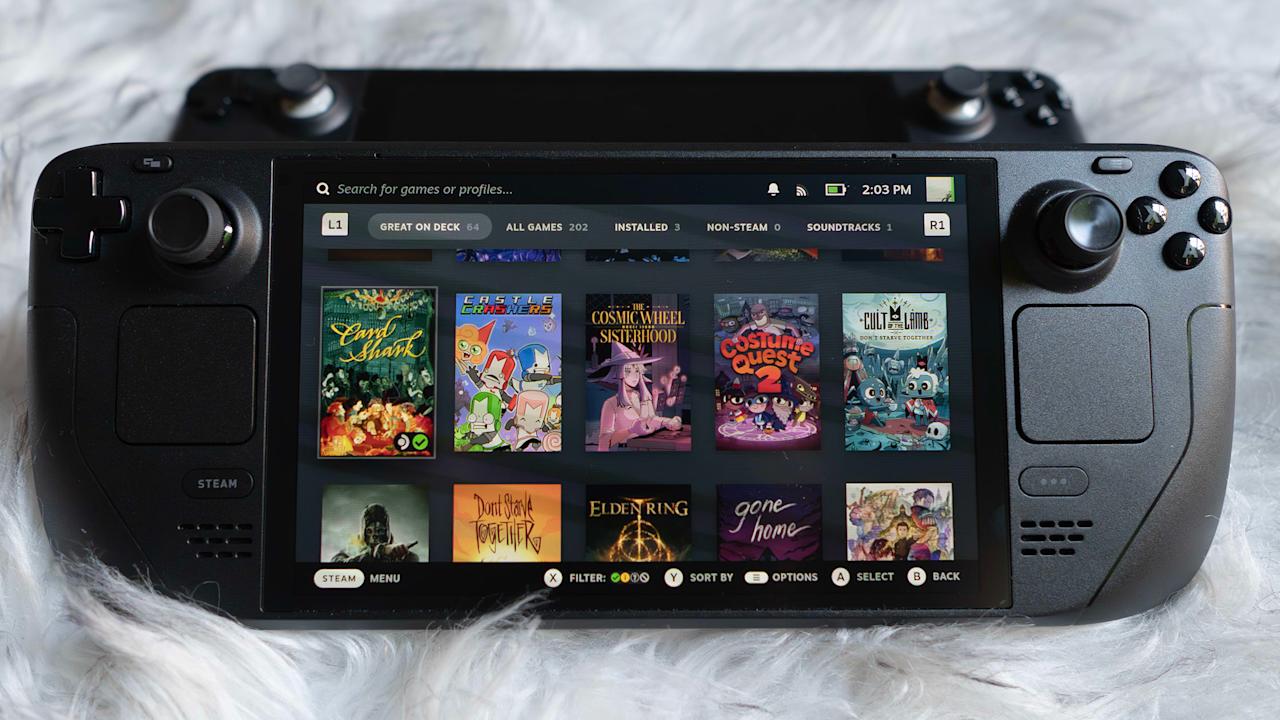





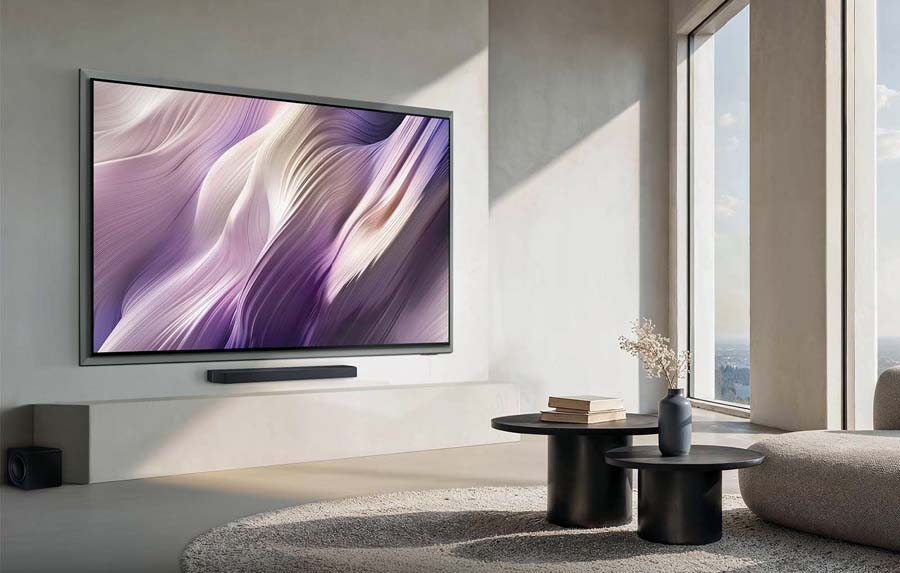
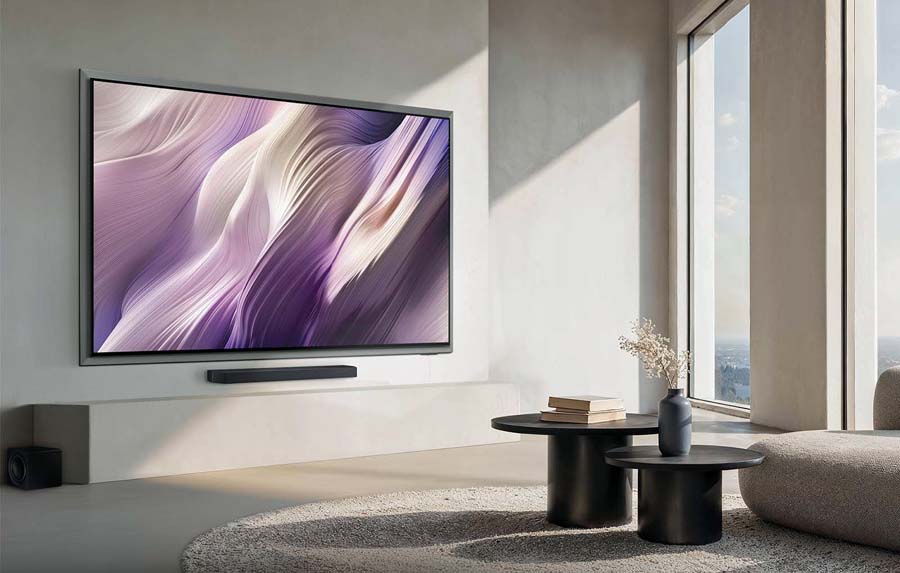
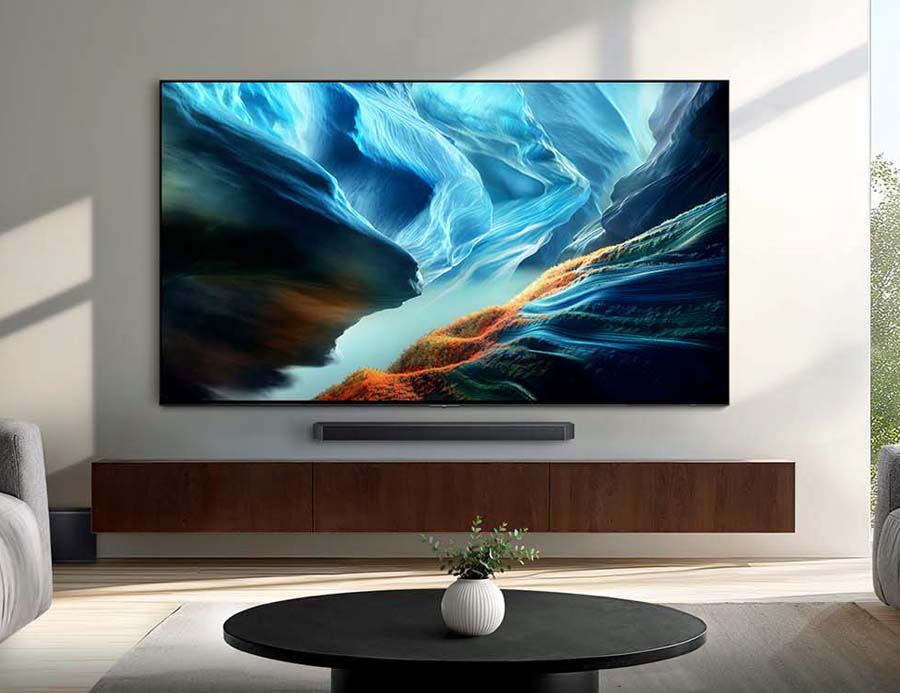
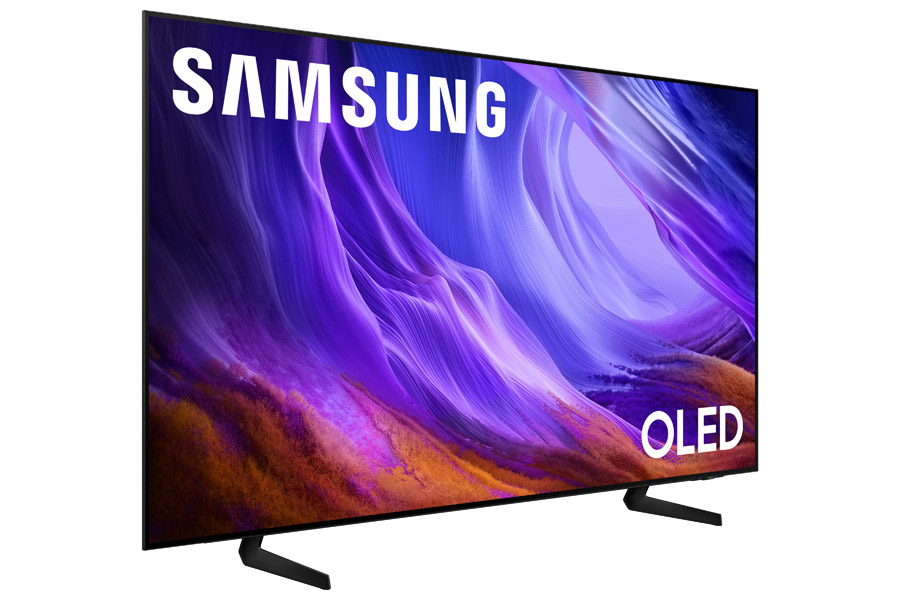
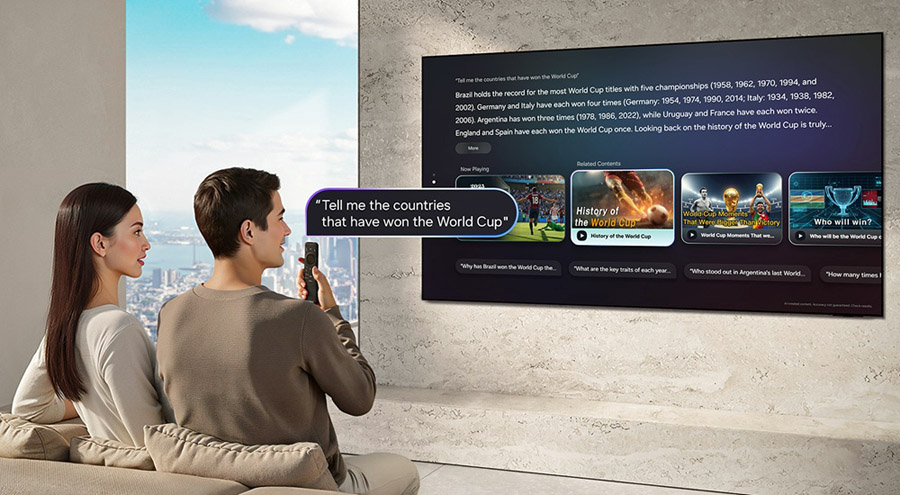

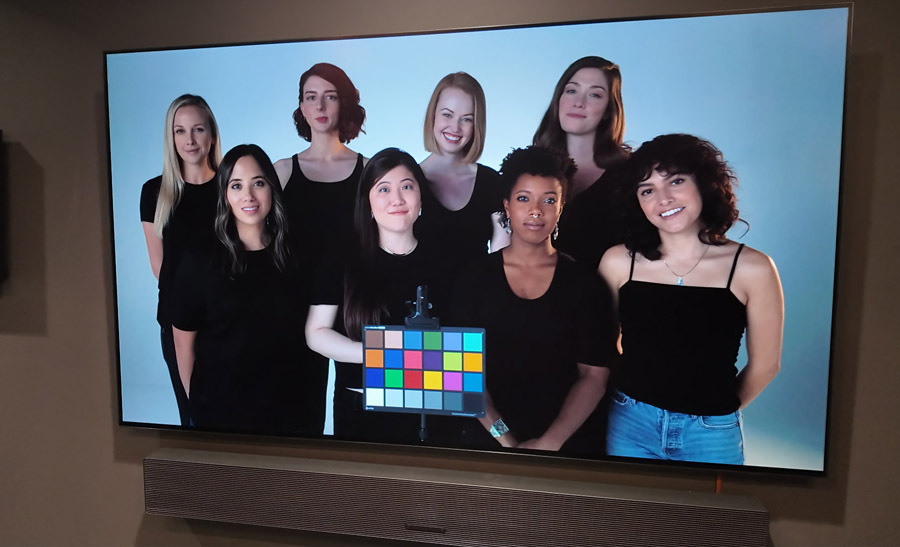
















































You must be logged in to post a comment Login