Connect with us
DAPA Banner
DAPA Coin
DAPA
COIN PAYMENT ASSET
PRIVACY · BLOCKDAG · HOMOMORPHIC ENCRYPTION · RUST
ElGamal Encrypted MINE DAPA
🚫 GENESIS SOLD OUT
DAPAPAY COMING

Tech

The hyped iPad Mini OLED is getting closer to reality

Published

on

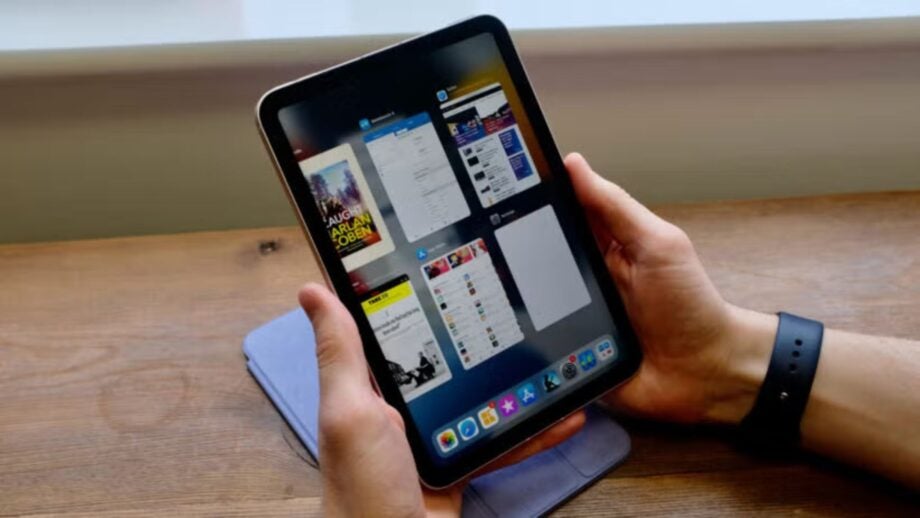
Apple’s long-rumoured OLED iPad mini may finally be moving closer to launch. And we couldn’t be happier.

According to ETNews (via MacRumors), Samsung Display has reportedly started mass production of OLED panels for Apple’s first OLED iPad mini. This means the upgrade is looking more than just an early rumour.

The current iPad Mini 7 still uses LCD tech, so a move to OLED would be a major screen upgrade for Apple’s smallest tablet. OLED should bring deeper blacks, higher contrast, and better power efficiency, which could make the iPad mini much better for watching videos, reading, and gaming. All the best tablets use OLED tech.

The iPad Pro has already shown what OLED can do for Apple’s higher-end devices. Since the 2024 M4 model, the display upgrade has made a real difference to contrast, brightness and overall image quality.

Advertisement

There is still no confirmed release date for the OLED iPad mini, and Apple has not announced the device. However, a late 2026 launch is widely expected, which would line up with the timing of panel production reportedly starting now.

Advertisement

The same ETNews report also claims OLED panel production for the next MacBook Pro is scheduled to begin in July. According to Bloomberg’s Mark Gurman and Apple analyst Ming-Chi Kuo, the OLED MacBook Pro is also expected to be Apple’s first touchscreen Mac.

If accurate, it would mark a major redesign for the MacBook Pro line, with OLED replacing the current mini-LED display and touchscreen support potentially coming to Macs after years of Apple avoiding it.

Advertisement

Samsung Display is said to be the exclusive supplier for the OLED iPad mini, OLED MacBook Pro, and Apple’s rumoured foldable iPhone displays. LG Display is also reportedly supplying OLED panels for some other Apple products launching later this year.

As of now, the OLED iPad mini is still unofficial. But if panel production has really started, Apple’s smallest tablet may be in line for its biggest display upgrade in years.

Source link

Advertisement
Continue Reading
Click to comment

You must be logged in to post a comment Login

Leave a Reply

Tech

Meta is testing an AI bedtime story app for people with no imagination

Published

on

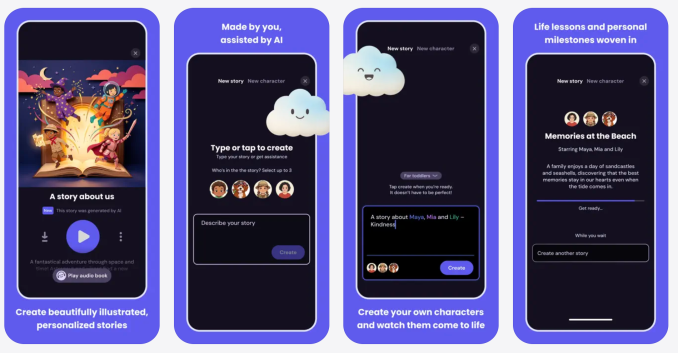
Meta is working on an AI storytelling app called StoryKit, which creates AI-generated children’s stories with custom characters, settings, lessons, and music. As the App Store listing assures parents, “You don’t need to write a single word.”

At last, a tech company has found a way to outsource humanity’s oldest pastime: using our imaginations.

StoryKit was first spotted in the App Store by 9to5Mac. Meta confirmed to TechCrunch that the company is piloting StoryKit in select countries to see how parents like it. A Meta spokesperson described StoryKit as a creative storytelling app used to craft personalized, imaginative storybooks for children and noted that it uses AI safety filters with no social features and is only available to users over the age of 18.

To generate a story in the app, you first select a character, which you can create by “[snapping] a photo of their favorite toy or person to bring them to life,” according to the description in the App Store. Then you describe the world of your story and choose a lesson, so that you can “weave in values like kindness, courage, or empathy without it feeling like a lecture.”

Advertisement
Image Credits:StoryKit (opens in a new window)

The good news about StoryKit is that it could be a lot worse. Meta regularly ships boneheaded ideas like Instagram deepfake generators and “pervert glasses.” Comparatively, is it so bad to doom children to soulless bedtime stories? Should we have expected anything better from the company that promised us a utopian world of virtual reality work meetings?

Humans have their faults, but if we’re good at anything, it’s making stuff up. We’ve been telling stories for as long as we’ve existed. We don’t even have to spin up original tales of fairy princesses and dragon slayers. We have always drawn from mythology, fables, and other stories — the blockbuster movie of the summer is literally an ancient myth that originated from this same tradition of oral storytelling.

Parents lead exhausting, busy lives, but it has always been possible to survive bedtime without using an inherently uncreative technology that calculates the most predictable response to a prompt.

You could see how it might be tempting to pull up StoryKit when your kid rejects your bookcase full of children’s books and demands that you improvise an intergalactic tale about a turtle and a hedgehog who are best friends and solve space mysteries. But do we really want to reject a chance at whimsy and silliness and instead outsource these moments of connection to reading AI-generated scripts from our smartphones?

Perhaps the moral of the story here is that we can choose not to live in a world where children are raised on bedtime stories written by large language models. Meta’s vision of the future may be antisocial and bleak, but we have the power to reject that reality.

Advertisement

When you purchase through links in our articles, we may earn a small commission. This doesn’t affect our editorial independence.

Source link

Continue Reading

Tech

A go-to Affordably-priced smart thermostat

Published

on

The Aqara W200 smart thermostat is the first to take advantage of Apple’s Adaptive Temperature technology for Apple Home, and that’s a big deal for users.

At least in the U.S., two or three big players largely have a stranglehold on the premium smart thermostat market. If you want a nice-looking smart thermostat, you’re likely opting for Ecobee, Nest, or Honeywell Home.

Aqara is looking to shake that up with its W200, which first launched at CES 2026. It’s compact, well-designed, and is the only model that currently supports Adaptive Temperature for Apple Home.

This thermostat supports Apple Home, Amazon Alexa, Google Assistant, and Matter, among others. As a bonus, it can double as a hub.

Advertisement

Let’s dig in, and I’ll explain why this thermostat is so enticing to any Apple user.

Aqara W200 thermostat review: Upscale design, affordable price

The Aqara W200 is a sleek-looking thermostat, easily catching your eye from across the room. It’s a rounded square and includes an optional back trim plate that can cover a larger opening on the wall.
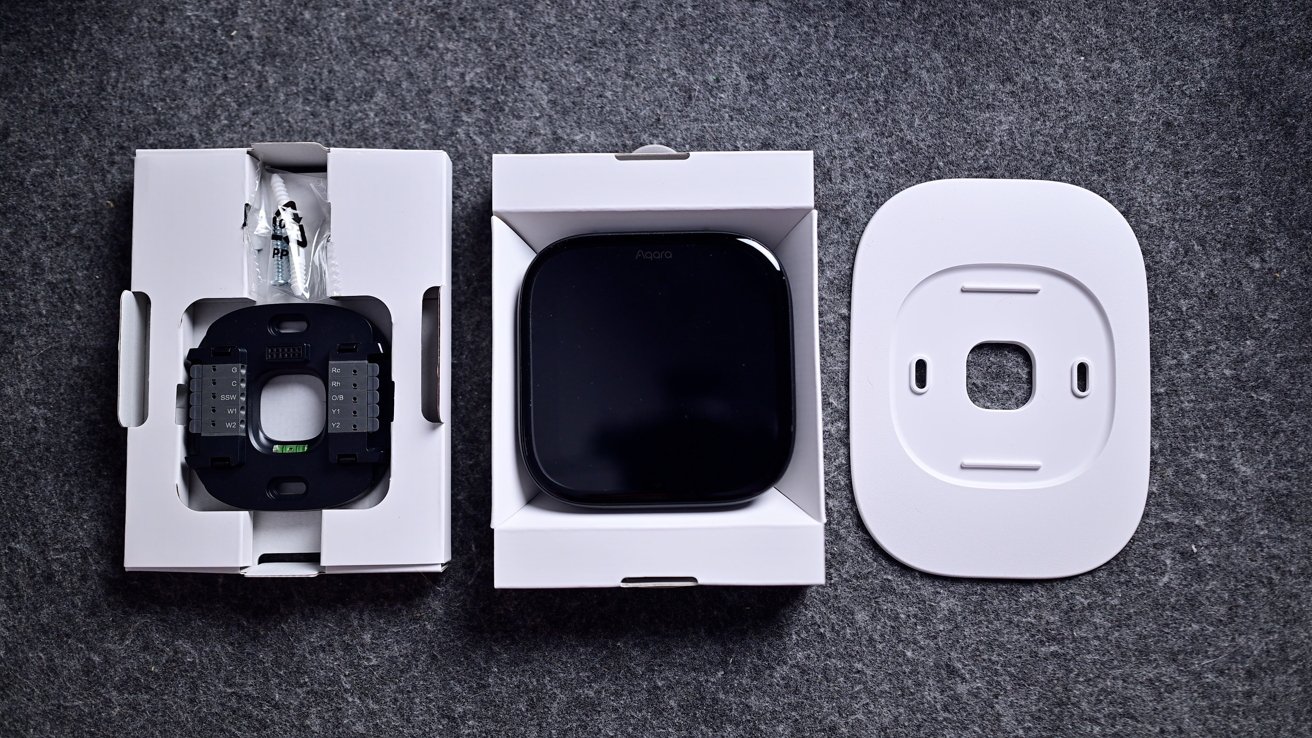
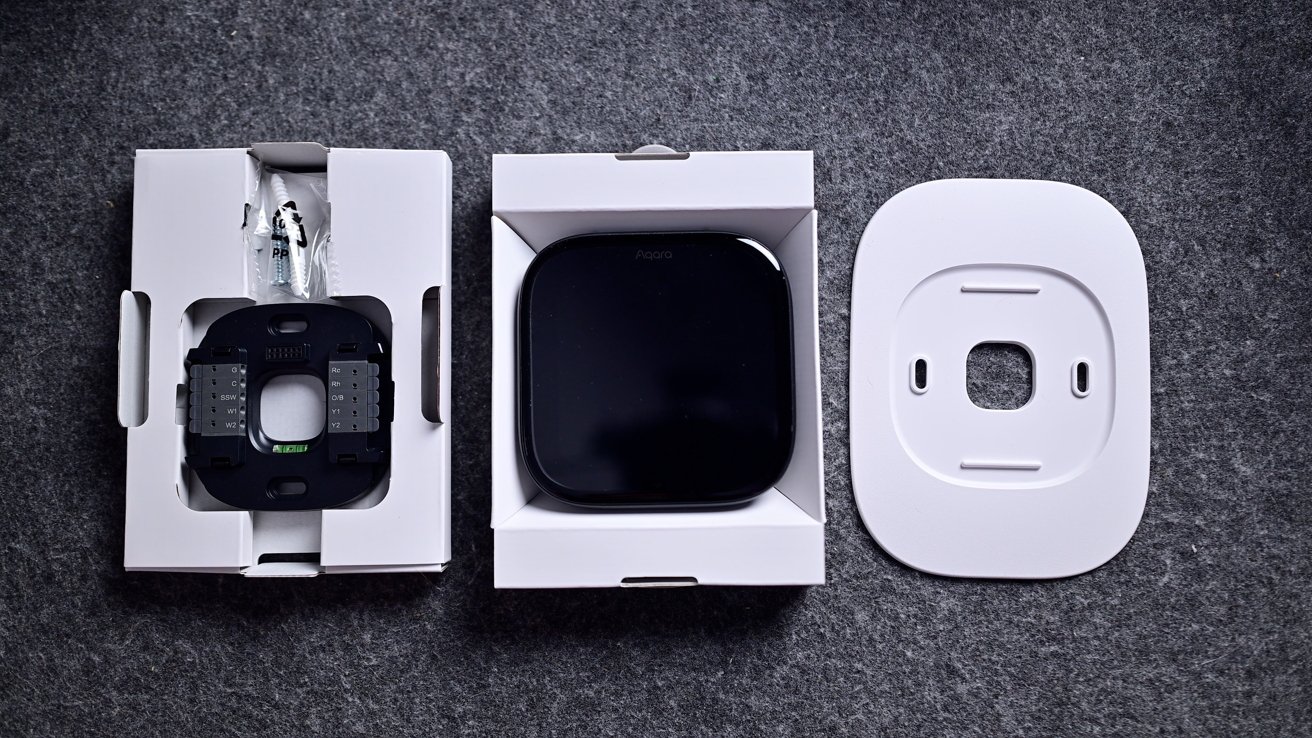
Smart home device components on gray fabric: a wired square sensor in packaging, a glossy black square device in an open box, and a separate white mounting plate with center cutout

Aqara W200 thermostat review: You get (almost) everything you need in the box except a C-Wire adapter

For my install, I still had some legacy screw holes that I chose to hide. I could have spackled them and painted them for a cleaner look, but for that, I’d have to still have some of that original paint around.

Advertisement

If you aren’t comfortable installing a thermostat, it’s easy to find a handyman to do so, but it’s not particularly difficult. That’s especially true if you’re coming from an old smart thermostat, as it’s just an easy move of the wires from one bracket to the other.
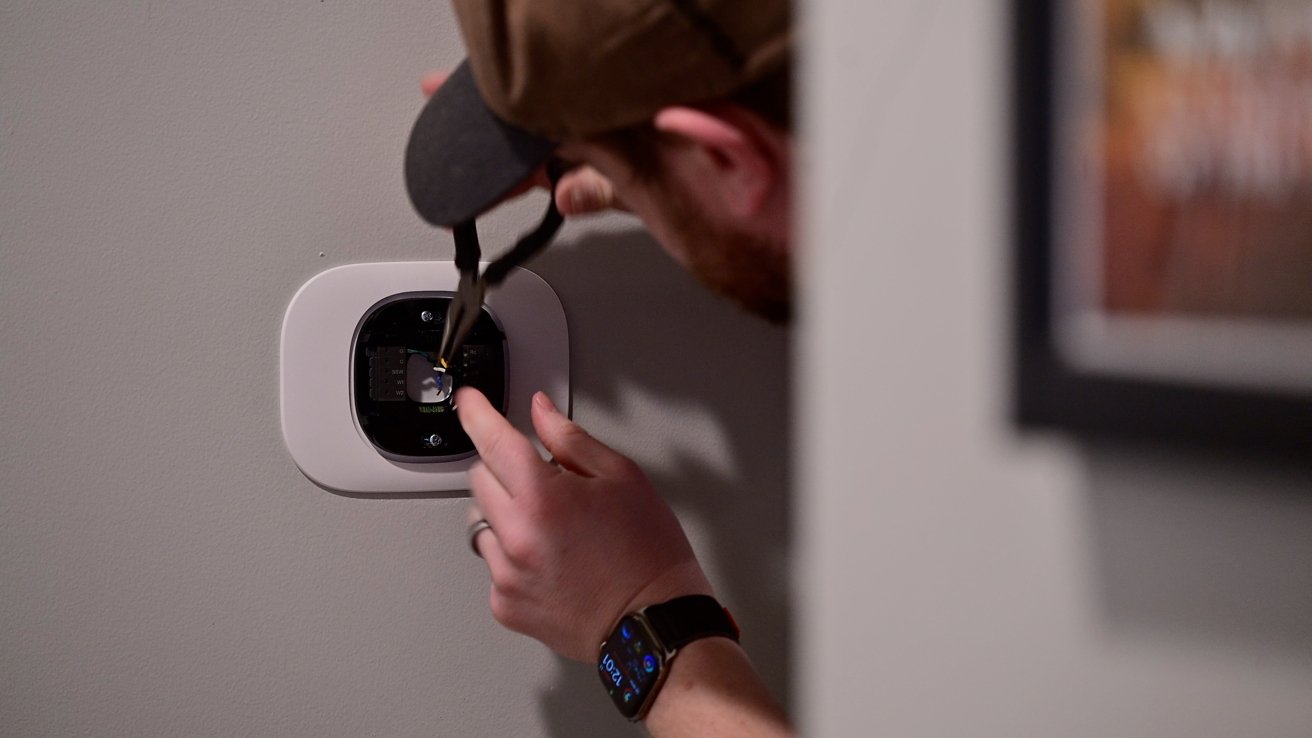
Man wearing a cap and smartwatch uses a screwdriver to install or adjust a smart thermostat on a gray wall, with a framed picture partially visible to the side

Aqara W200 thermostat review: It took only a few minutes to complete the install

Going from my old Ecobee, I first turned off the breaker and then pulled my thermostat off the wall. I then took a reference photo and moved each of the wires from the Ecobee bracket to the Aqara bracket with the same label.

I had it installed in just a few minutes. If you need the C-wire power adapter, it is available as an extra purchase.
Advertisement
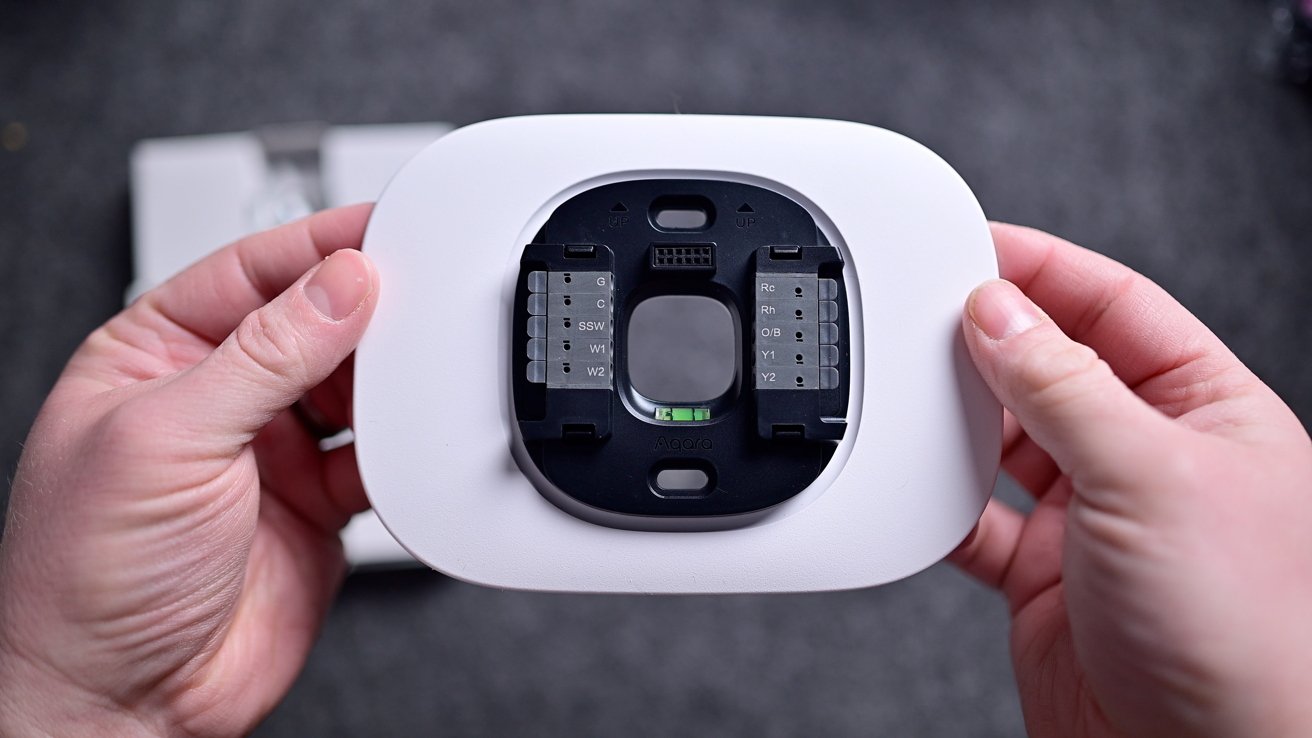
Hands holding a white rectangular smart thermostat base, showing exposed wiring terminals and connection points against a blurred gray background

Aqara W200 thermostat review: I needed to use the trim plate to cover a larger hole

In my case, I didn’t use it, but the Aqara app also walks you through this installation process. Each step is clear, and I think that most homeowners who consider themselves even a little handy can manage to get it hooked up in less than 15-30 minutes.

The thermostat isn’t metal like Nest or Ecobee Smart Thermostat Premium, but it still looks good nonetheless. It’s all black with a customizable 4-inch touchscreen on the front and a 480×480 pixel resolution.

From a distance, the screen nearly blends right into the body of the thermostat. On top are two grilles on the corners, as well as microphone inputs, used for two-way communication with a video doorbell.
Advertisement
Smart thermostat mounted on a wall, screen showing digital clock face and theme settings with options labeled Classic and Lightflash, surrounded by a white rectangular frame

Aqara W200 thermostat review: You have two themes to choose from

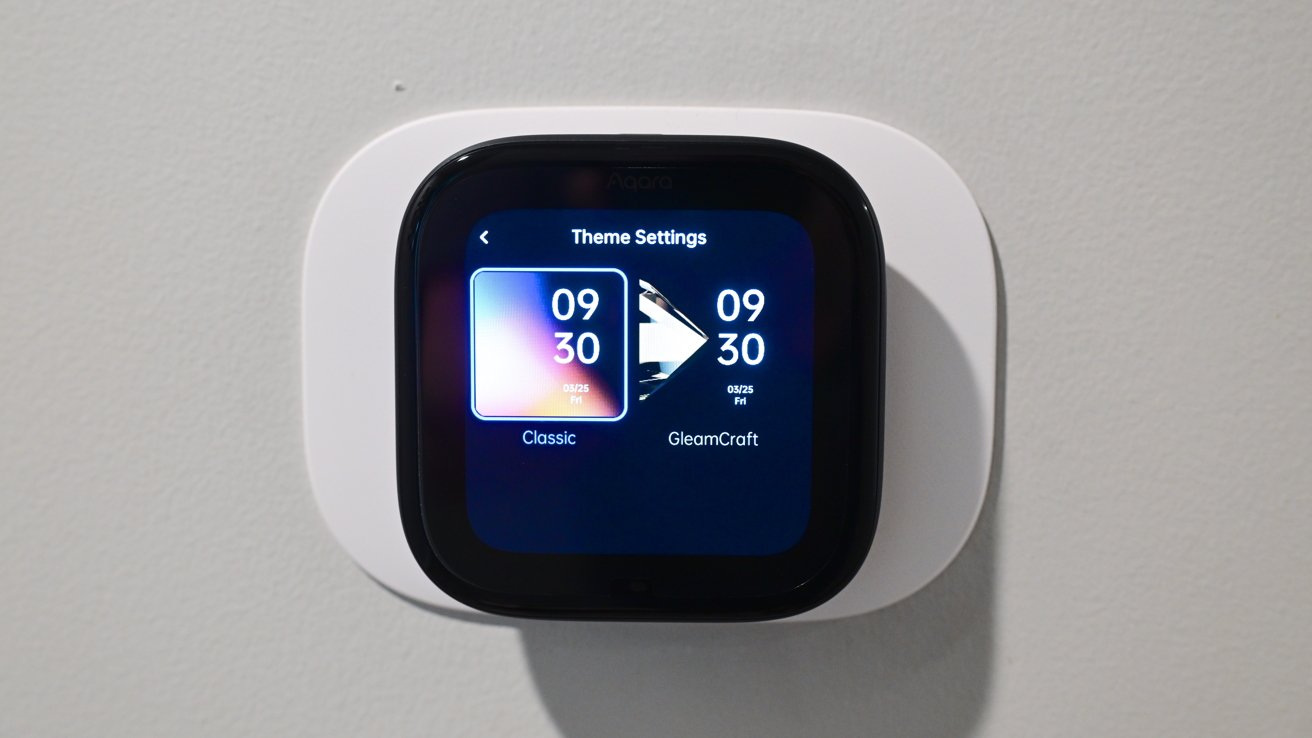
Currently, the W200 has two themes for users to choose from for appearance: classic or GleamCraft. Interestingly, they’re labeled in the Aqara app as “free,” possibly implying the ability to purchase additional themes in the future.

These themes change the general color scheme of the thermostat, while screensavers are what show on the screen when idle. As you approach the thermostat, the screensaver fades to the temperature interface.

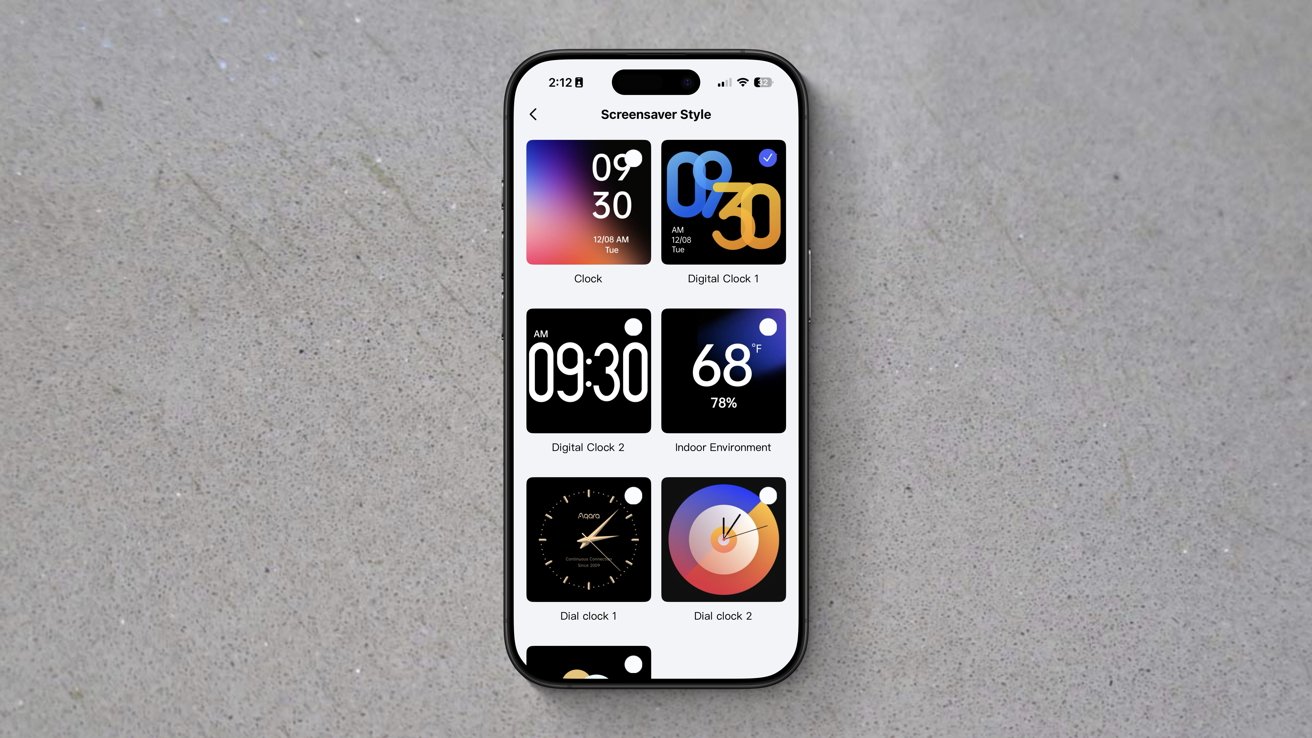
There are currently seven screensavers to choose from, though I wish there were more. This is a longstanding grievance of mine with similar devices.

Advertisement

A software feature like screensavers is exceedingly basic. They just require a bit of design, but exist as a single interface screen and don’t otherwise require many system resources.
Smartphone on gray surface displaying a customization screen with six colorful lock screen and clock style options arranged in a grid.

Aqara W200 thermostat review: There are seven themes, but I still want more

I think that seven is paltry, especially considering one of them is just showing the weather. Three of them have bright orange and blue colors, while the only dial-based clock is gold.

In my home, I’m not looking for vivid colors on the thermostat, and gold doesn’t match our decor. It may be nitpicking, but I’d love a few more styles, or at least the ability to adjust the colors.

Advertisement

The W200 is using mmWave radar to detect your presence and your approach. When it detects you walking up, that’s what triggers the screensaver to go away or to wake the thermostat if the display was asleep.

Out of the box, my W200 was not triggering this properly, which I partially blame on its installation location. It’s right around the corner, so I don’t walk up to it head-on.

Luckily, this is a user-adjustable setting in the Aqara app. I could change the screen activation distance, and now it works perfectly.

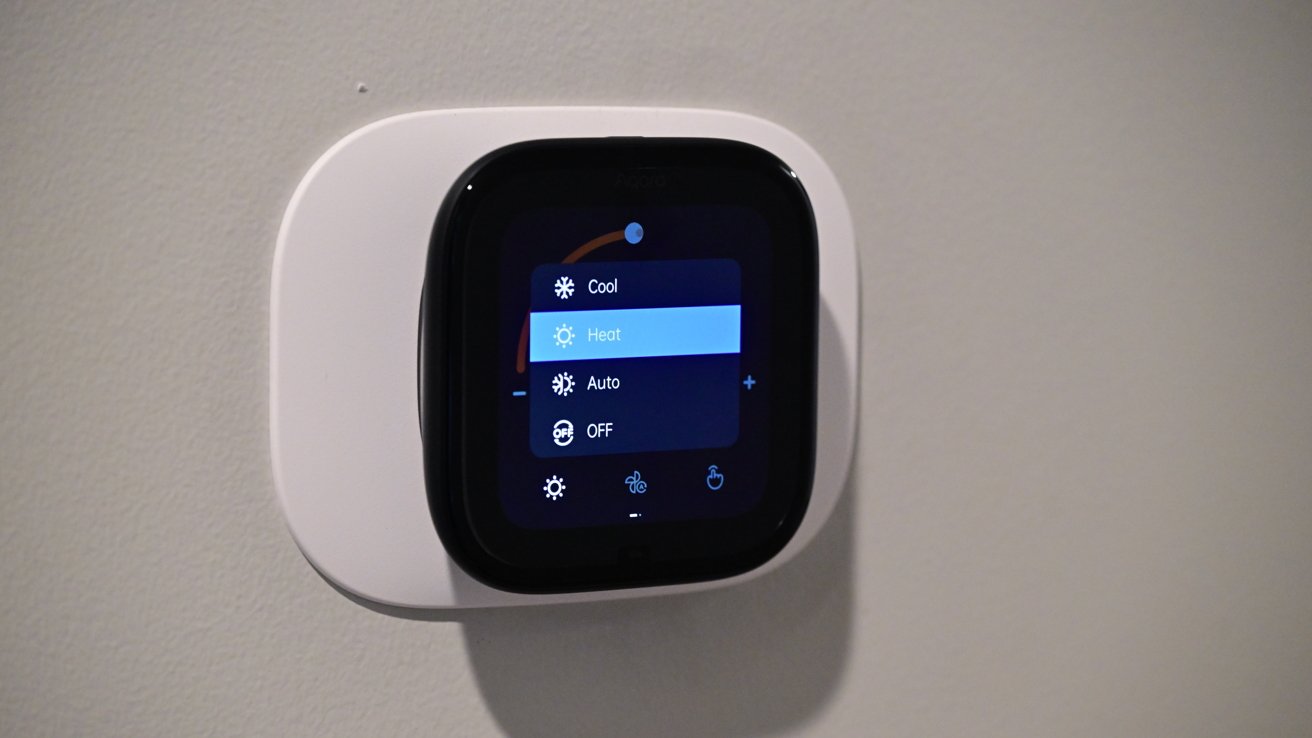
Using the touchscreen is easy and intuitive. You see a large number representative of the current temperature and an arced slider showing the target temperature.

Advertisement

You can run your finger along the slider to adjust the target temperature up or down, or you can press the +/- buttons on either side.
Square smart thermostat mounted on a plain wall, touchscreen lit with a dark interface showing highlighted heat mode option and additional options for cool, auto, and off

Aqara W200 thermostat review: Heating mode enabled

Along the bottom of the display, you have touch controls for mode (heat/cool/auto), fan, and what kind of control (manual/home/away/vacation). These extra controls probably could have been hidden, as I’ve rarely used them in my two months with this thermostat.

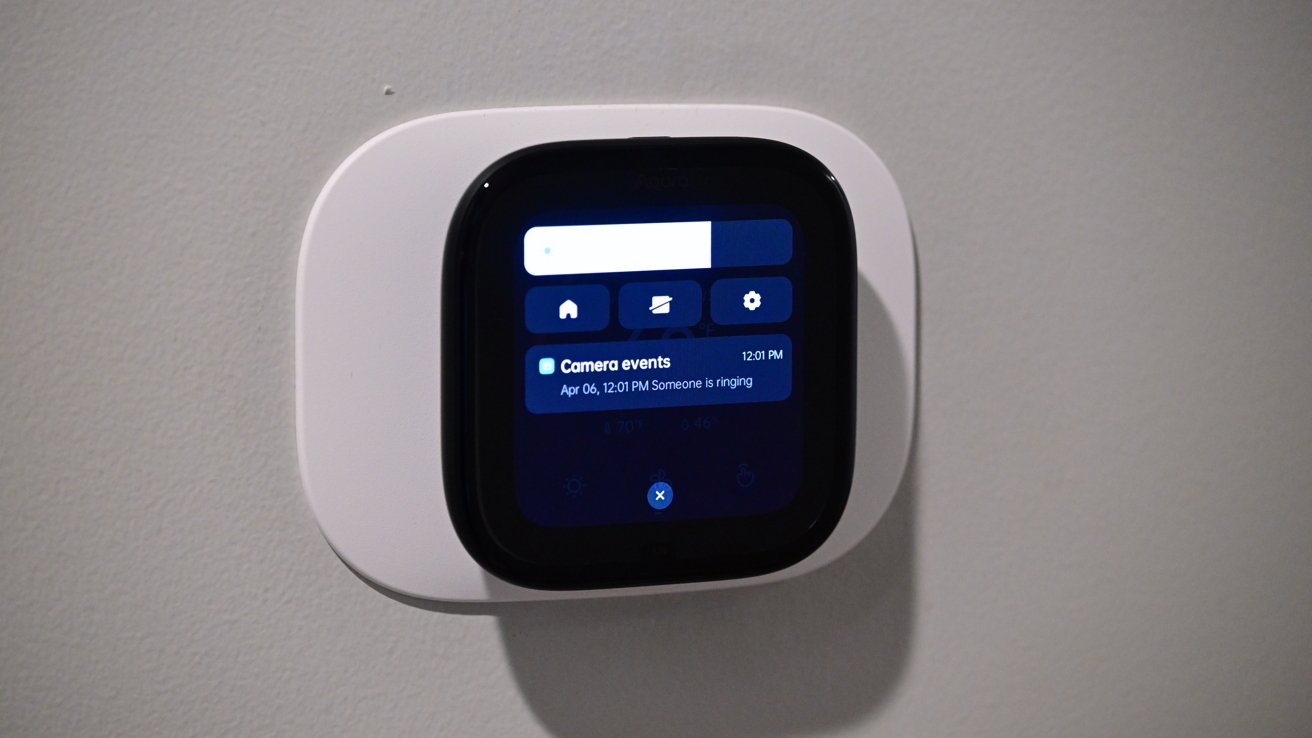
If you swipe down from the top, you get a slider for the screen brightness, a display toggle, and settings. It will also show any doorbell notifications that come through.
Advertisement
Wall-mounted smart home touchscreen display with rounded white frame showing a dark interface, including home icons and a notification about recent camera events on a gray wall

Aqara W200 thermostat review: Slide down from the top to access quick settings

Using the Aqara app, you can set up a secondary screen, but we’ll talk about that more in a few minutes as we get into the Aqara ecosystem.

Aqara W200 thermostat review: Doubling as a smart home hub

These days, it becomes a lot to unpack the varying degrees of smart features baked into a product. Take a look at a smart thermostat from 15 years ago, and while you could create schedules, you were more or less limited to controlling your thermostat from your phone.

Nest was most innovative, calling it a “learning” thermostat that would automatically adjust based on your interactions with it as well as your location. In 2026, it does a whole lot more.

Advertisement

The Aqara W200 is not just a smart thermostat, but it also acts as a Matter hub, integrates into various ecosystems, and has unique features amongst Aqara’s own product line.
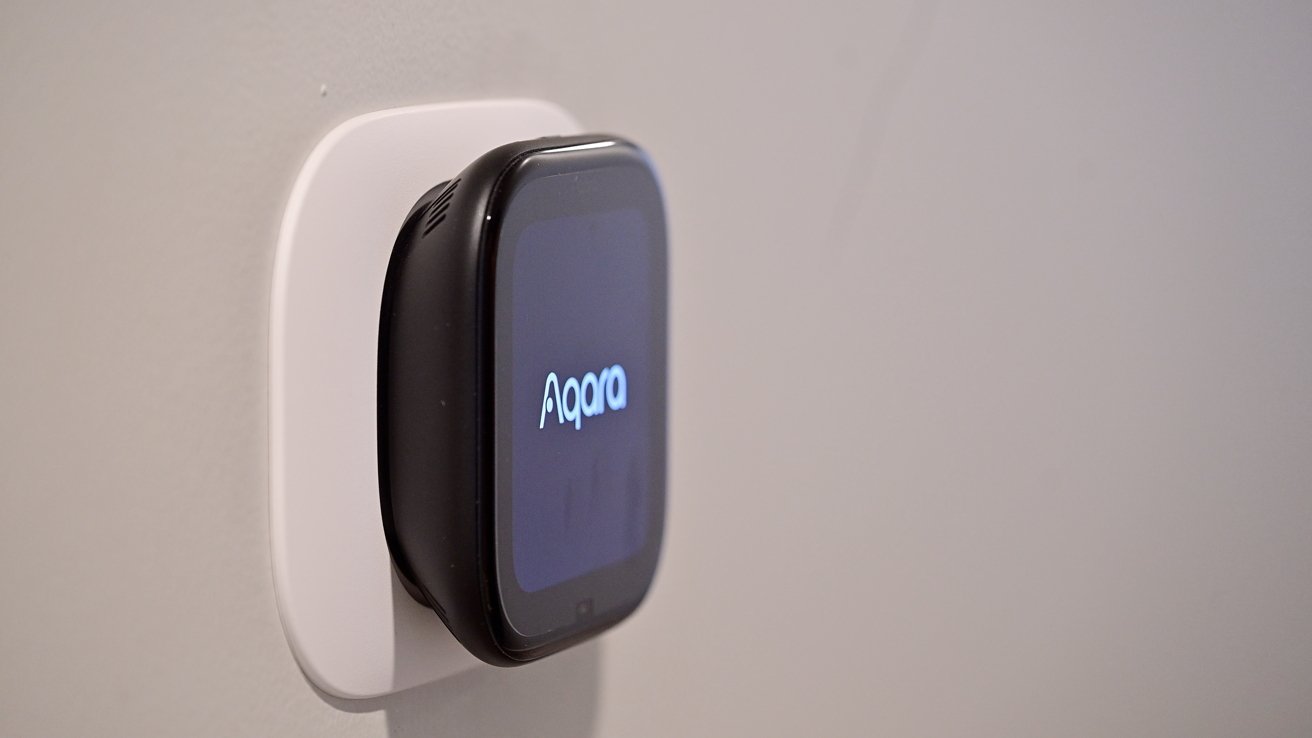
Small black Aqara smart device with a glowing screen mounted on a white wall plate against a plain light-colored wall

Aqara W200 thermostat review: Aqara logo on boot

As a refresher, Matter is the new unifying smart home standard. A device can get certified with Matter and automatically work with any compatible ecosystem.

This makes it easier for device manufacturers to get certifications. Multiple ecosystems can support the device at the same time, too, like Apple Home and Samsung SmartThings.

Advertisement

In this case, it doesn’t make a massive difference as the W200 has native support for Apple Home and all the major platforms. It also has uniquely Apple features, like Adaptive Temperature and Clean Energy Guidance.

The big benefit is that this can act as a hub. It can bring support for different devices into Apple Home by way of Matter.
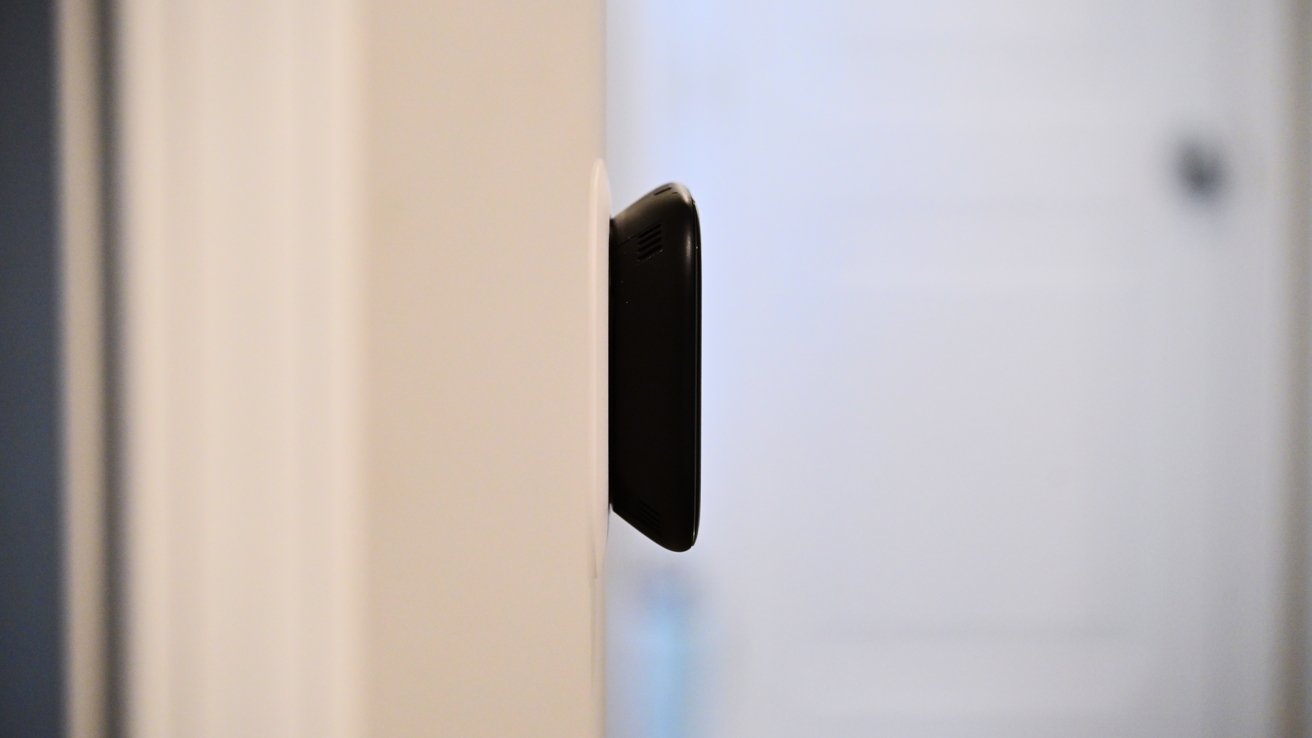
Side view of a narrow black rectangular device mounted on a light-colored wall inside a house, with a softly focused white door and hallway in the background

Aqara W200 thermostat review: The Aqara W200 sticks out a bit from the wall

You can connect up to 50 child devices with both Thread and Zigbee. Light switches, smart plugs, room sensors, and other devices that may not connect natively can all be bridged via this hub.

Advertisement

If the thermostat is in a good central location, this may be an ideal smart hub. It’s always connected to power and has both 2.4GHz and 5GHz Wi-Fi for a strong, reliable wireless connection.

Aqara W200 thermostat review: Aqara ecosystem

Acting as a hub is beneficial, but I also see a lot of value in the larger Aqara ecosystem. Aqara is doing everything right by being platform agnostic, supporting all ecosystems, while also bringing added value when used with other Aqara products.

So you can use this thermostat by itself with your ecosystem of choice, no problem at all. If you happen to choose a few Aqara products, the experience gets better. It’s similar to Apple’s approach with accessories like AirPods that just work better with its own products.

If you pair a remote Aqara FP300 sensor with the W200, you can use that as a room sensor and prioritize that when heating or cooling the home. This is akin to other premium thermostats with room sensors.

Advertisement

Even better is the Aqara Climate Sensor W100, which can show a room’s temperature and humidity. The sensor has buttons, which can act as a remote control for the thermostat, making it easy to adjust the temperature, right from your desk, counter, or bed.
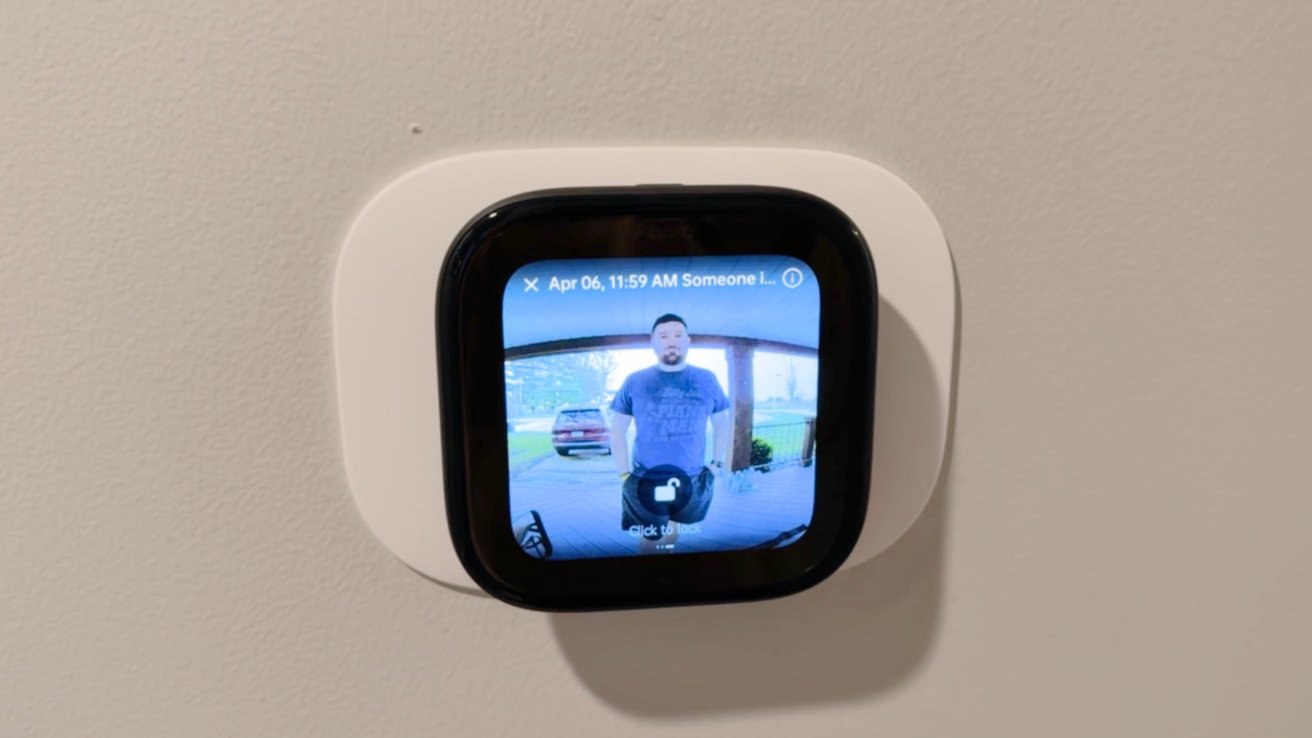
Square smart home display on a wall showing a video doorbell feed of a man standing outside under a carport, with a parked vehicle visible in the background

Aqara W200 thermostat review: When someone rings your Aqara doorbell, it shows on the thermostat

Borrowing a feature that Ecobee did, the W200 can show a live video feed from your doorbell when using an Aqara video doorbell. That includes the brand new G400 or wireless G4/G410.

When the doorbell rings, and you see the alert or hear the chime, you can use two-way communication to talk to the person standing at your door. Even better, if you have an Aqara door lock, you can unlock the door for them.

Advertisement

I’m a big fan of Ecobee and its premium thermostat, but Aqara has a much larger ecosystem of products that can offer unique experiences. I love how Aqara door locks and the W100 can bring more value, and I’m sure the offerings will expand.

Ecobee also doesn’t support Matter, let alone act as a Matter hub. The one thing Ecobee does have is Siri built into the thermostat.
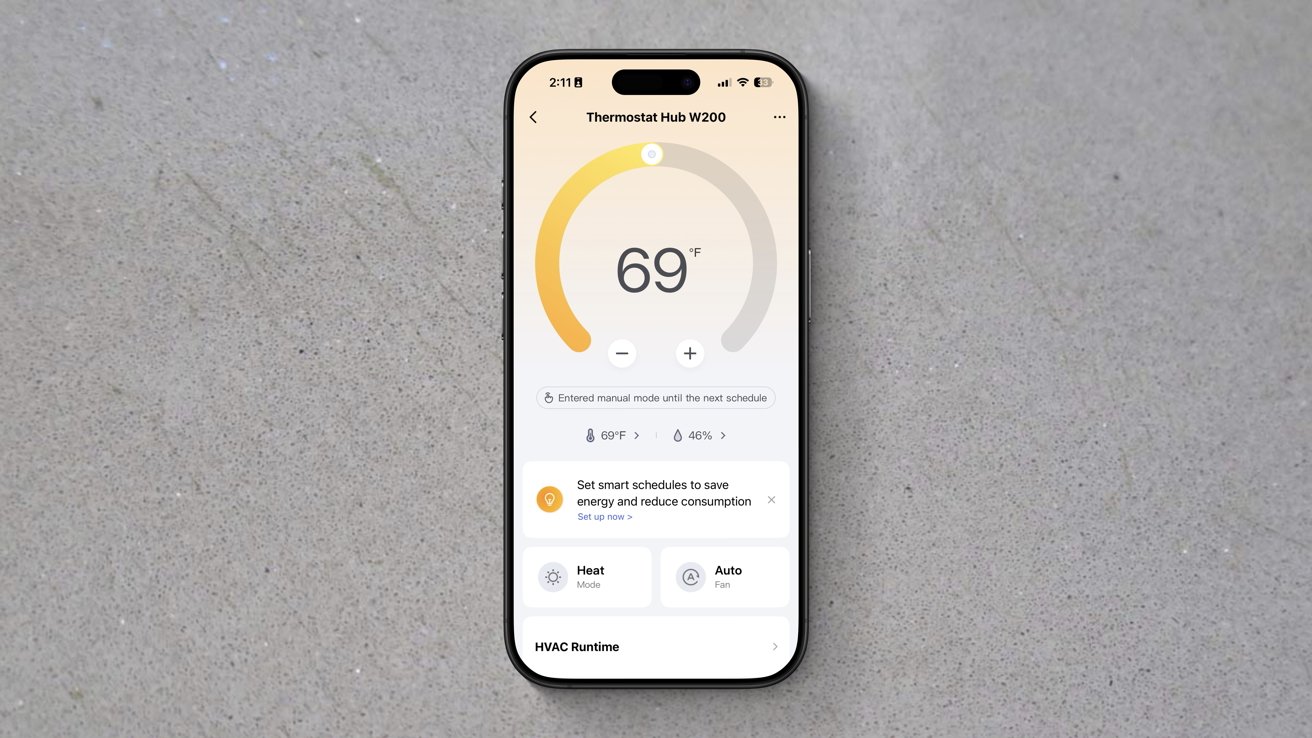
Smartphone displaying a thermostat app set to 69 degrees, with a circular temperature gauge and controls for scheduling, heat and cool modes, and automatic energy-saving options on a plain gray surface

Aqara W200 thermostat review: Aqara app has a ton of settings

Aqara does this on its wall panel, but not the thermostat, and I think that’s a better play. With the wall panel, you can put Siri into any wall switch in your home, whereas the thermostat is limited to where your wiring is located.

Advertisement

In my case, the thermostat is in a hallway, which works great for the doorbell integration, but Siri, not as much. It’s between multiple rooms that all have their own HomePods.

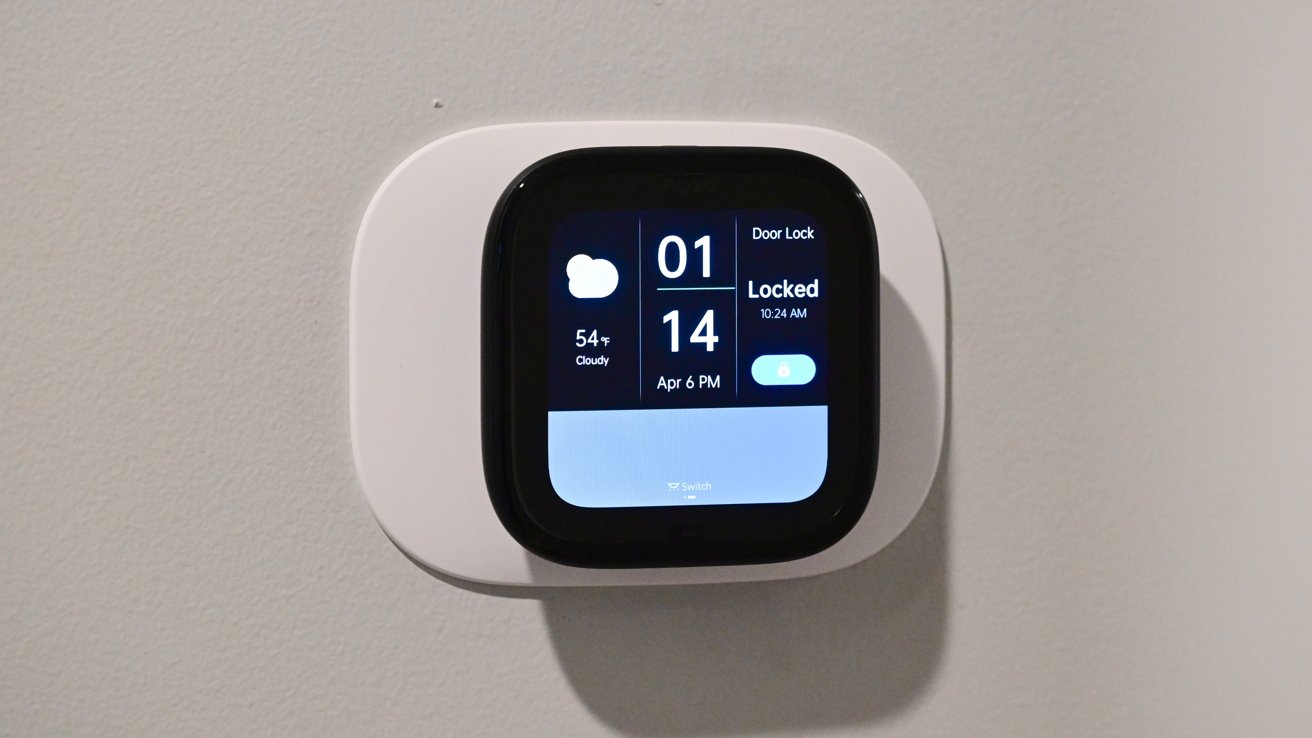
If you swipe from right to left, the W200 thermostat can show additional screens. Users can create and customize these additional screens from the Aqara app.
Smart home wall-mounted touchscreen panel displaying time, date, weather, and door lock status; the interface shows the door locked with a toggle switch on a light-colored wall

Aqara W200 thermostat review: You can add screens to the W200 to control other devices

There are a bunch of layouts in different grid patterns to choose from. Each of the grid spaces can show different information, like the weather, time, or other devices.

Advertisement

In my home, I set it to toggle off the lights in our toddler’s room, the local weather, the time, and the lock for our bedroom door. At least until our toddler figures out how that one works.

The more Aqara or Matter devices you add, the more options you have for these screens. It very much makes me want to invest more in Aqara devices.

If there was one feature I would like to see Aqara add, it’s the ability to pause your HVAC routine when a door has been open for too long. You can create an automation that pauses when a door is open, but it’s harder to get it to resume its programming, let alone to set durations as Ecobee does.

Aqara W200 thermostat review: Apple Home-exclusive features

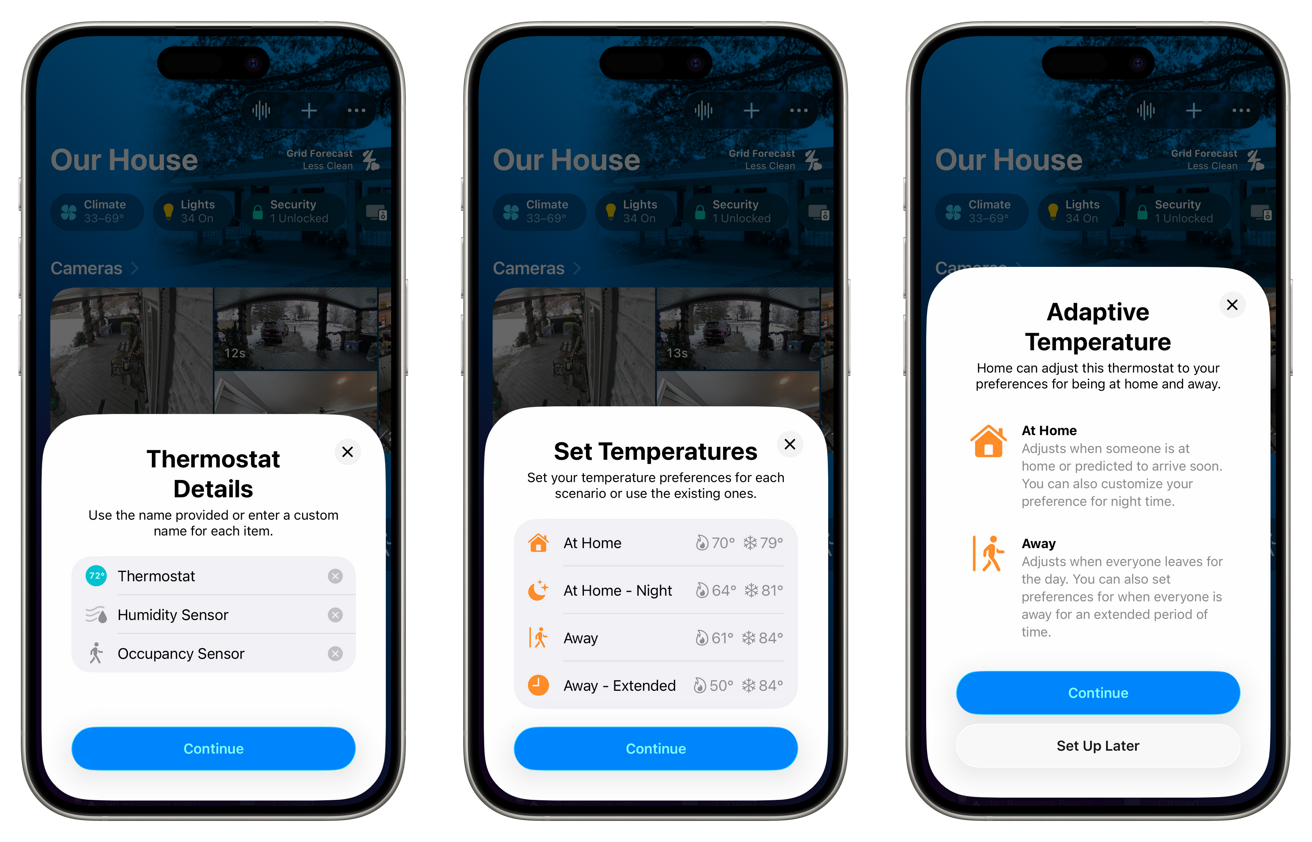
Apple Home support is what makes the W200 particularly well-suited to the average Apple user. The thermostat shows in the Home app, like every other Apple Home accessory.
Advertisement
Three smartphone screens showing a smart home app setup: thermostat details, temperature presets for different scenarios, and adaptive temperature explanations with options for at home and away, each with a continue button

Aqara W200 thermostat review: Setup is easy in Apple Home

You can adjust the temperature, change the mode, and put it into any scenes or automation routines that you’d like. This is all standard for a smart thermostat.

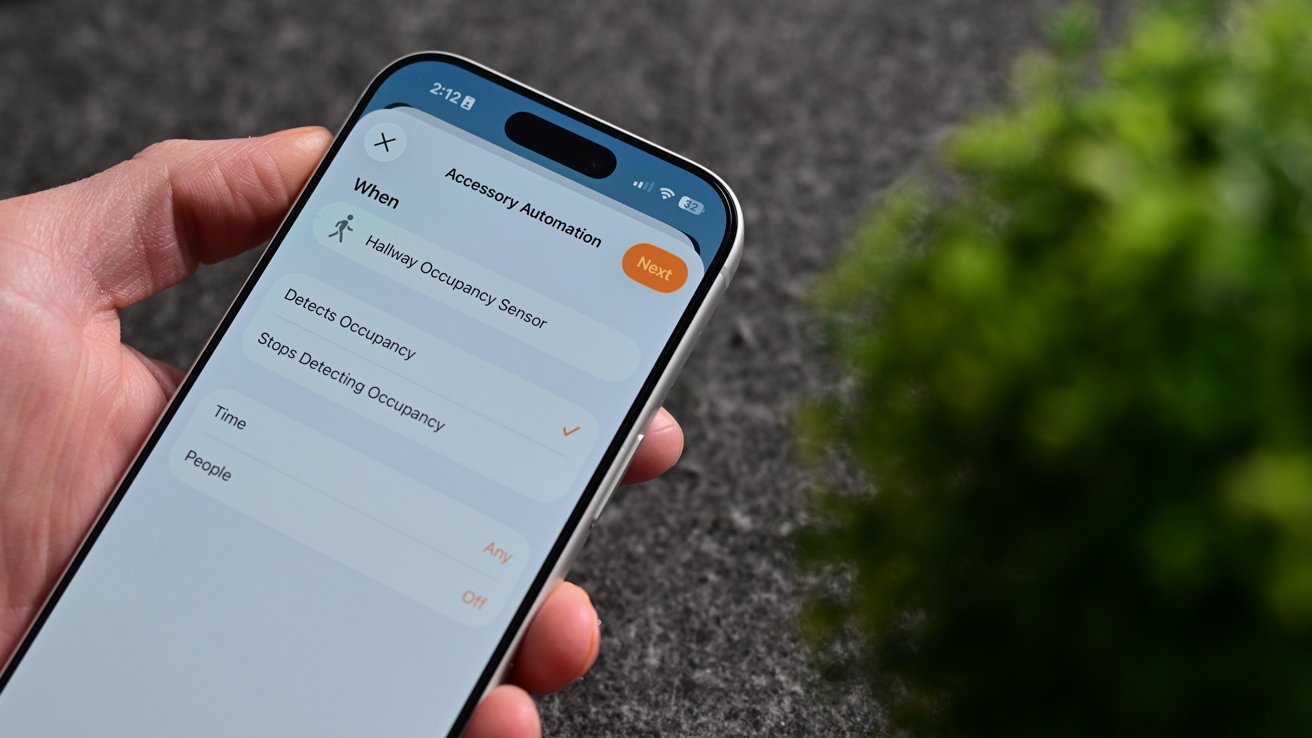
The W200 has that mmWave radar sensor, which is exposed to the Home app. The sensor shows as an occupancy sensor, which can control other home accessories, like turning on the lights in the room when a person is in it and turning them off after they leave.
Hand holding a smartphone displaying an accessibility automation settings screen beside a blurred green plant on a dark textured surface

Aqara W200 thermostat review: The mmWave radar works as an occupancy sensor for automations

Advertisement

What’s even more unique is support for both Adaptive Temperature and Clean Energy Guidance. The latter of which I wasn’t able to fully test.

With other smart thermostats, they can change your temperature mode (away versus home) based on your location. You leave the house, and it detects this and changes the mode to away.

As you arrive home, it also detects this and puts it into home mode. The problem is that this is always reactive, not proactive.

It’s been a particularly cold winter, and my family and I were away for the weekend. While away, we had our home set into away mode that dropped the home temperature to around 55 degrees.
Advertisement
Hand holding a modern smartphone displaying a blue fitness or health app screen with a large circular progress bar and the number 69 on a dark fabric background

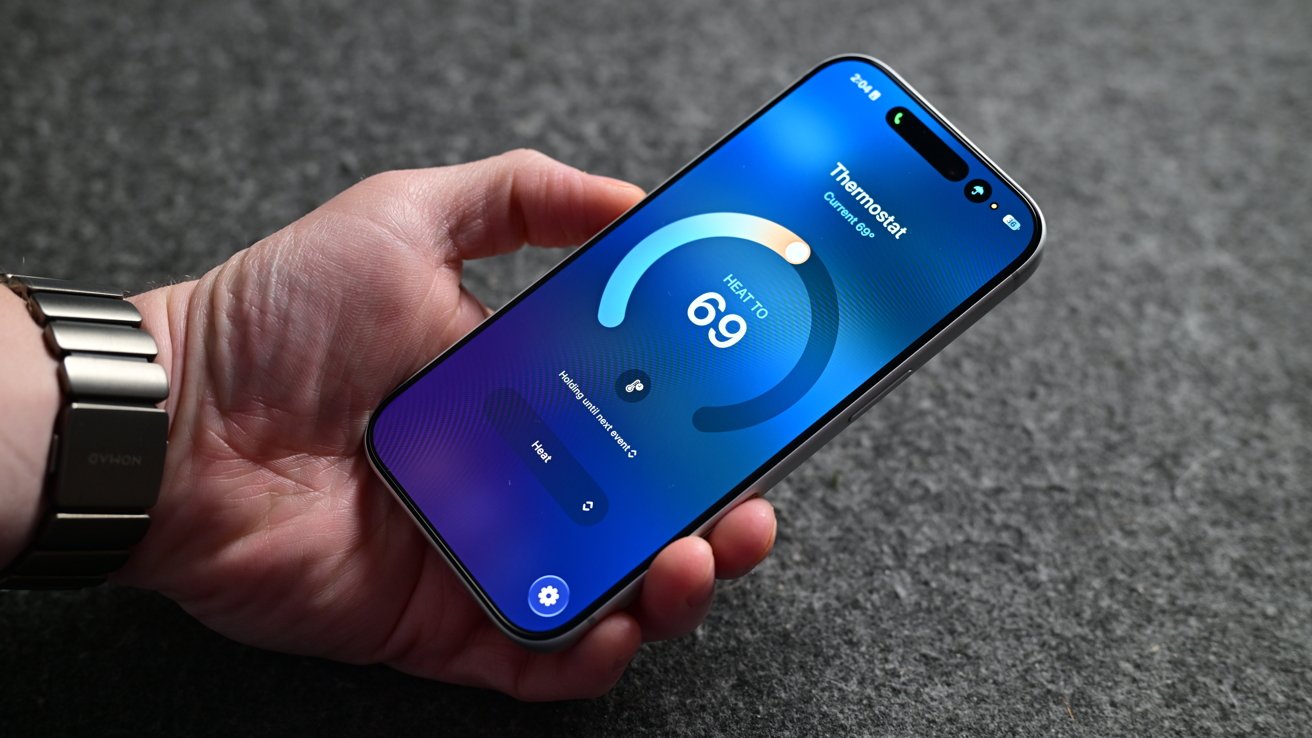
Aqara W200 thermostat review: Viewing the Aqara W200 in the Home app

When we arrived home to our Ecobee thermostat, it correctly switched to home mode and started heating our home back up to a comfortable temperature. The problem was that we were already standing in a cold home.

We had a baby who was only a few months old, who was tired, cranky, and ready to go to bed. The house was cold enough that we didn’t want to put her down until the temperature had risen.

Not to mention my other half is always cold and was quite unhappy that the temperature was sub-60 degrees inside and below zero degrees outside. This is just one recent example of other thermostats being problematic for comfort.

Advertisement

Adaptive Temperature has largely solved these issues.

What happens is that Apple takes what it knows about you to proactively adjust the thermostat. Think about when you get into the car, and Maps seemingly already knows where you’re going based on history.
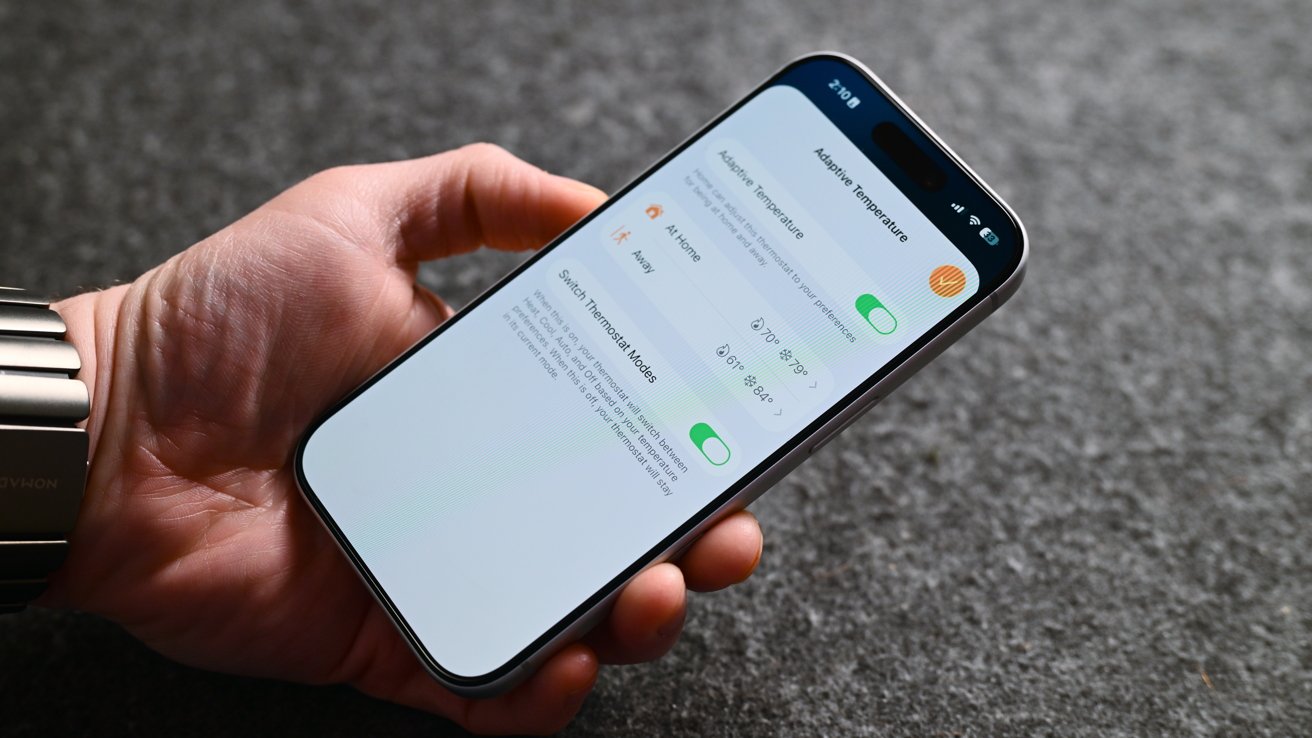
Hand holding a smartphone displaying a settings screen with toggle switches and options on a gray textured surface, showing accessibility or notification controls turned on and off

Aqara W200 thermostat review: Adaptive Temperature predicts when you’ll be home

Your iPhone also has access to your map routing, your schedule, and more, so it can guess when you’ll be heading home. This all gets processed locally on your device, making it very private.

Advertisement

Since installing the W200, our home has been far more comfortable, especially as we come and go. I’ve also got a lot fewer complaints from my partner.

Clean Energy Guidance is the other new feature here that we haven’t seen implemented before now. For those who live where energy prices change based on time of day and who are using a supported energy provider, this can be toggled on in the Home app.

It will make small adjustments to your home’s climate to reduce electricity usage based on the time of day to save money. You shouldn’t even notice this is happening, as it is designed not to impact overall comfort.

Unfortunately, supported providers are very limited at the moment. If you live outside that area, you can potentially use Grid Forecast, which will try to reduce usage when energy is less clean, which is what I have enabled.

Advertisement

Aqara W200 thermostat review: The smart thermostat for Apple users

There’s very little not to love about the Aqara W200 smart thermostat. It checks nearly every box I could ask for.

There are a few small features and changes I’d like to see rolled out, i.e., more screensavers and door sensors, but otherwise, it is an exceptional device. Apple users won’t be able to find a more full-featured option.
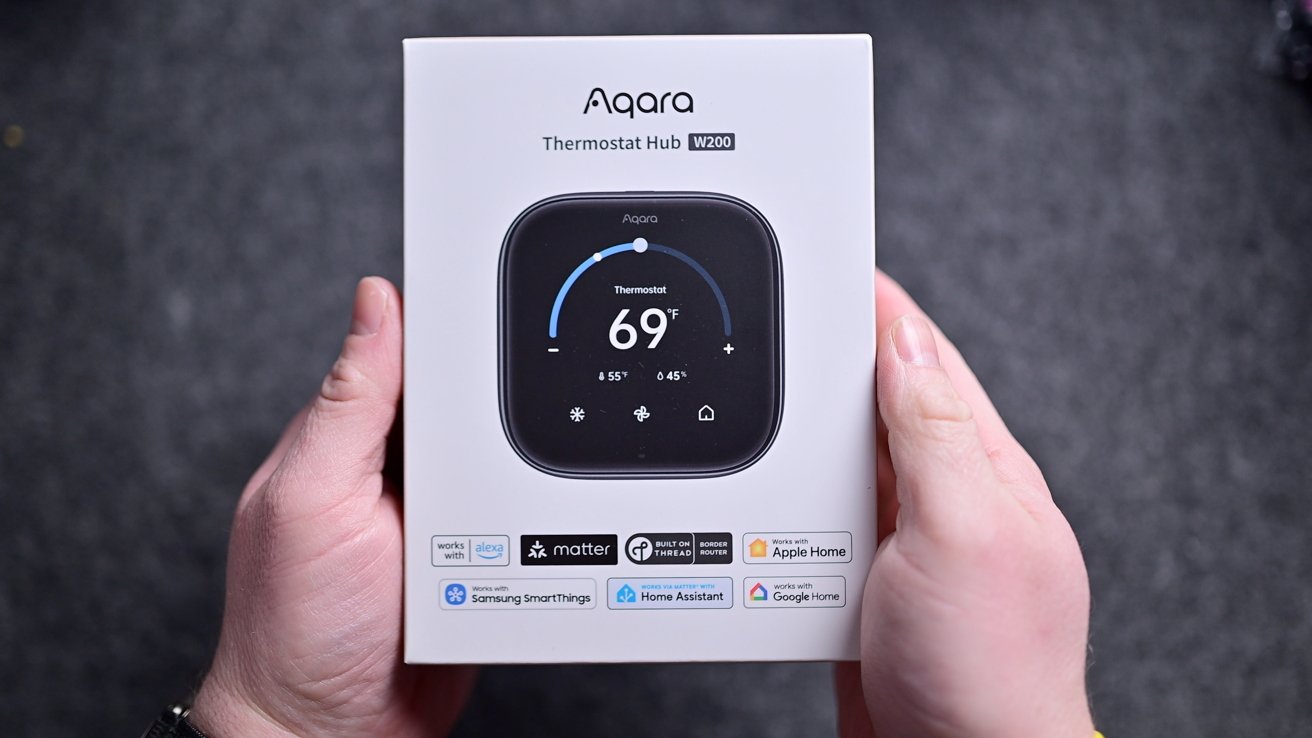
Hands holding a white Aqara Thermostat Hub box showing a smart thermostat set to 69 degrees, with app and smart home compatibility icons displayed beneath the product photo

Aqara W200 thermostat review: Aqara W200 in the box

That’s all before you consider the price. It’s launching with a price tag of $159.99, barely above the Ecobee Essential thermostat.

Advertisement

The Ecobee Essential thermostat is priced at $139, but doesn’t even include the trim plate. That’s an extra $14.99, but it’s included with the Aqara.

This costs close to the $129 Nest, but is closer to competing with the premium learning thermostat, Ecobee Premium, or Honeywell Home X8S. It’s cheaper than its competition and offers more features.

Soon, we’ll see other thermostats launching with Apple’s Adaptive Temperature, but I’m unsure if any others will offer the value that Aqara is offering. Right now, this is the smart thermostat that Apple users should opt for.

Aqara W200 thermostat review: Pros

  • Clean, simple design
  • Aggressively priced
  • First to support Apple Adaptive Temperature & Clean Energy Guidance
  • Customizable appearance
  • mmWave radar to trigger automation routines
  • Support for Apple Home & Matter, plus works as a hub
  • Easy install
  • Supports Thread, Zigbee, & Wi-Fi (2.4GHz & 5GHz)
  • Deep integration with other Aqara devices

Aqara W200 thermostat review: Cons

  • No white model
  • Limited screensavers and themes
  • No auto-pause based on contact sensor state

Aqara W200 thermostat rating: 5 out of 5

The Aqara W200 thermostat hub is available now in North America for $159.99 on Amazon. It’s launching in Apple Stores in September 2026 for $169.99 in an exclusive matte finish.

Advertisement

Source link

Continue Reading

Tech

Samsung Steps Into US Credit Cards With the Galaxy Card, Competing Directly with the Apple Card

Published

on

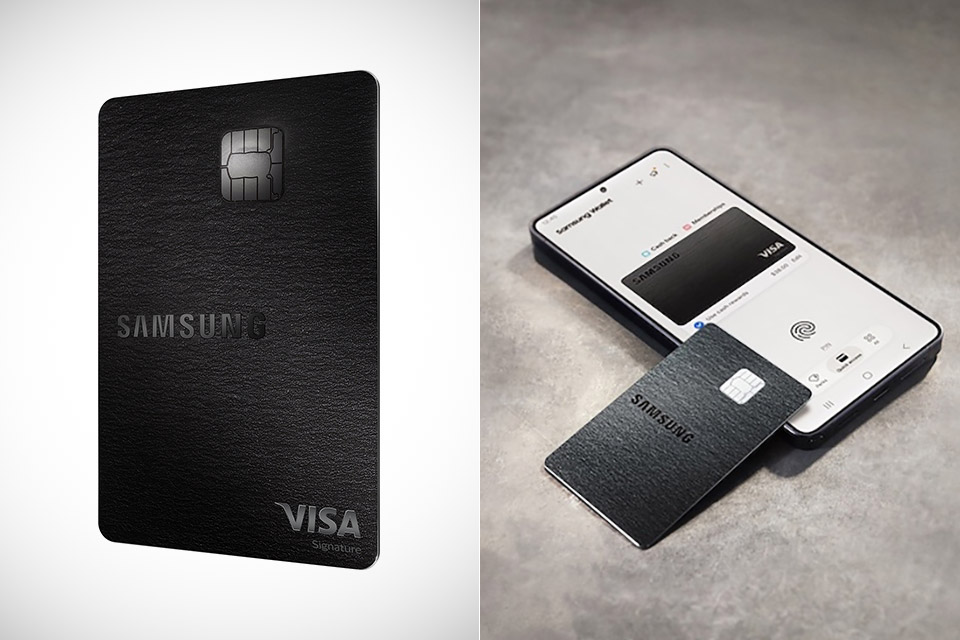
Samsung Galaxy Card Credit Card Launch
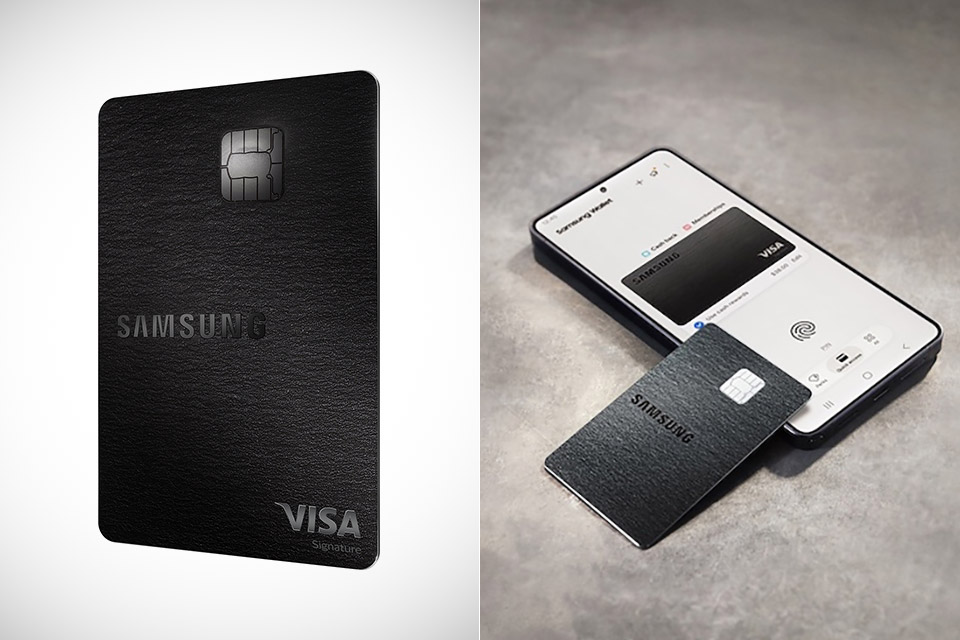
Samsung has entered the US credit card market with the Galaxy Card, its first such product in the country. The card comes from a partnership with Barclays US Consumer Bank and runs on the Visa network. Applications for early-access customers opened July 21, while the public can apply starting July 22 online or at any Samsung retail store.


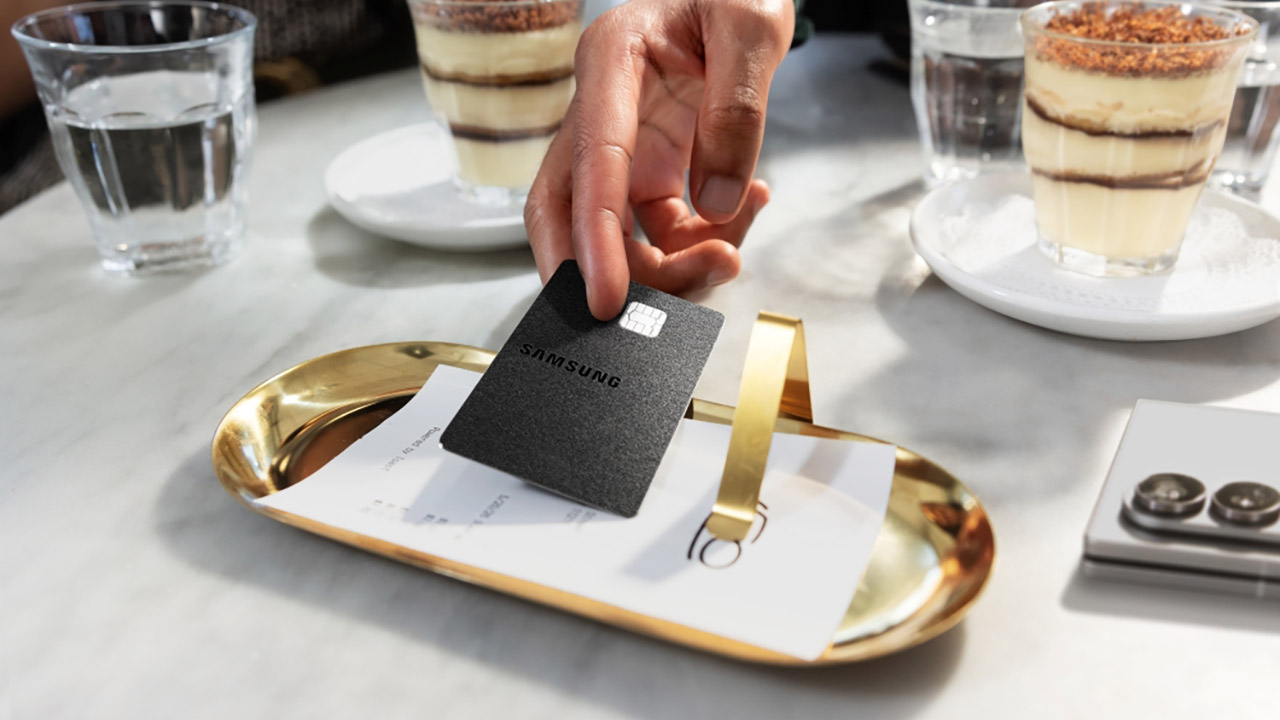
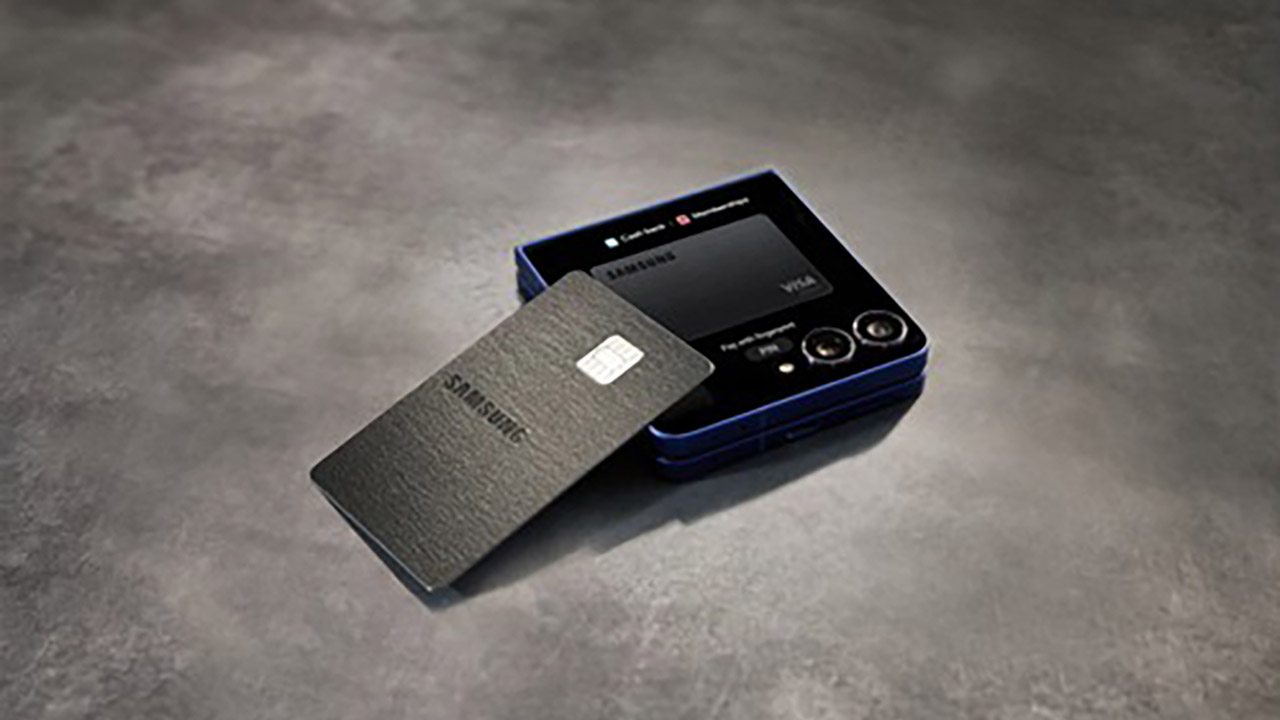
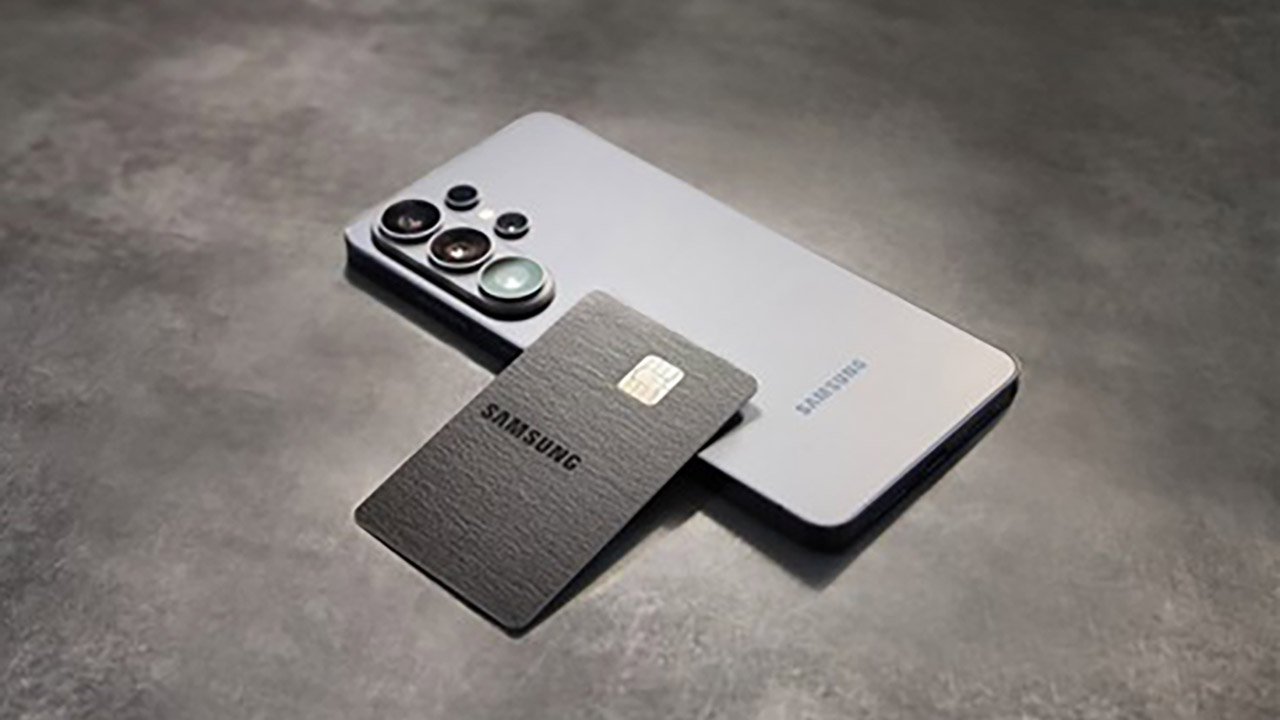
This new offering comes in two forms: a virtual card that appears in Samsung Wallet as soon as you receive approval, and a sleek black metal counterpart with the Samsung emblem that will be delivered to you later. Once inside the wallet, it is stored alongside all of your other payment cards, digital IDs, passes, and keys, all of which are protected by Samsung’s Knox security. From there, you can track your spending, get rewards, and remain organized without ever leaving the Samsung Wallet app on a compatible Galaxy phone.

Sale


Samsung Galaxy S26 Ultra, Unlocked Android Smartphone, 512GB, Privacy Display, Galaxy AI, AI Camera…
  • PRIVACY DISPLAY: Automatically hide your screen from those beside you. The built-in privacy display can be preset¹ to turn on when receiving…
  • TYPE IT IN. TRANSFORM IT FAST: Enhance any shot in seconds on your smartphone by using Photo Assist² with Galaxy AI.³ Add objects, restore details…
  • NIGHTS, CAPTURED CLEARLY: From gigs to city lights, record and capture moments after dark with clarity using Nightography so your photos and videos…

Cash rewards are the main attraction here, and they apply to purchases made directly from Samsung, whether online at Samsung.com, in one of their experience stores, via the Shop app, the Galaxy Store, Care+, or any linked service, since they all earn you 5%. Put the card in your Samsung Wallet, and you’re looking at 3 percent for those purchases. Streaming services such as Netflix, Disney+, and Spotify pay you 2 percent, while everything else earns you 1 percent.

Advertisement


New sign-ups who spend $2000 during the first three months of creating an account will receive a $200 cash rewards bonus. If you pay for or renew a Samsung VIP Advantage membership with the Galaxy Card, you’ll get a 20% discount (on top of the 5% cash rewards rate). This card comes with no annual fee, which is a relief for some.

Samsung Galaxy Card Credit Card Launch
Barclays is presenting the Galaxy Card as the first digital wallet credit card of its sort, which means that all transactions take place within Samsung Wallet rather than a separate banking app. Visa acceptance takes care of the rest, so you know it’ll work anywhere Visa does. You can also use it to finance a Galaxy device purchased straight from Samsung, allowing you to pay for new phones, tablets, and other items over time.

Samsung Galaxy Card Credit Card Launch
In terms of incentives, this appears to be a better offer than the Apple Card, especially if you spend a lot of money on Samsung products or use Samsung Wallet on a frequent basis. Apple presently offers 3% on Apple purchases and certain partners, 2% on Apple Pay transactions, and 1% on everything else. Samsung’s arrangement focuses more on their platform, although it also offers daily return on streaming and general purchases.

Samsung Galaxy Card Credit Card Launch
In the grand scheme of things, it’s clear that Samsung wants to make its handsets, wallet software, and the money consumers spend every day inextricably intertwined. For those who already own a few Samsung products, the increasing benefits on direct Samsung purchases and Samsung Wallet spending are a compelling reason to retain your purchasing habits within the Samsung ecosystem. On July 22, the program became available to the general public, giving anyone in the United States a simple online option to enter and check if the card fits their shopping habits.

Source link

Advertisement
Continue Reading

Tech

Report warns employees are increasingly asking AI questions they previously have asked their co-workers

Published

on


  • Report finds 74% of regular AI users now pose questions to AI instead of human colleagues
  • New workers are missing out on vital social interactions for company culture
  • Employees say they feel more self-sufficient and comfortable making decisions

While the jury is still out on whether AI could be set to replace human workers or severely impact their scopes by automating major parts of their workflows, one thing is clear – humans are increasingly happy to use AI as a colleague and collaborator.

A new MyIQ analysis of nearly 22,500 adults found around three in four (74%) regular AI users now pose the questions they would formerly have asked colleagues to AI.

Source link

Continue Reading

Tech

Who’s Building That Data Center?

Published

on

One of the biggest “David versus Goliath” stories in tech right now is the towns beset by AI data center projects they may or may not have asked for. Powered By Who is tracking data center development in the US on this convenient map.

Currently, there are over 2,100 data centers being tracked by the project ranging from proposals to sites fully up-and-running. While you have to build bypasses data centers to keep the internet running (which we’re partial to here at Hackaday), there are certainly questions around the amount of power and water consumed by these sites, the emissions they’re sending into the surrounding community, and who exactly is reaping the benefits.

Whether you’re pro, against, or ambivalent about the proliferation of “AI” data centers, the map offers an engaging way to look at what projects are happening around the nation, especially when you start looking at clusters and how that interacts with the power generation and political makeup in a region. It’s particularly interesting how only three states account for roughly 70% of all the projects. Let us know if there’s a similar tracker in your area if you’re from one of the other parts of the globe!

Advertisement

Looking past the debate, there’s a lot of interesting engineering involved in keeping these data centers cool, although there are questions about where that heat ends up going. DC distribution inside the site, underwater data centers, and even putting them in space are some of the solutions for keeping the cooling loads tamed.

Source link

Advertisement
Continue Reading

Tech

Tapo C246D 2K Indoor / Outdoor HybridCam Boasts Two Lenses That Work Together and Keep Up With the Action

Published

on

Tapo C246D 2K Indoor / Outdoor HybridCam
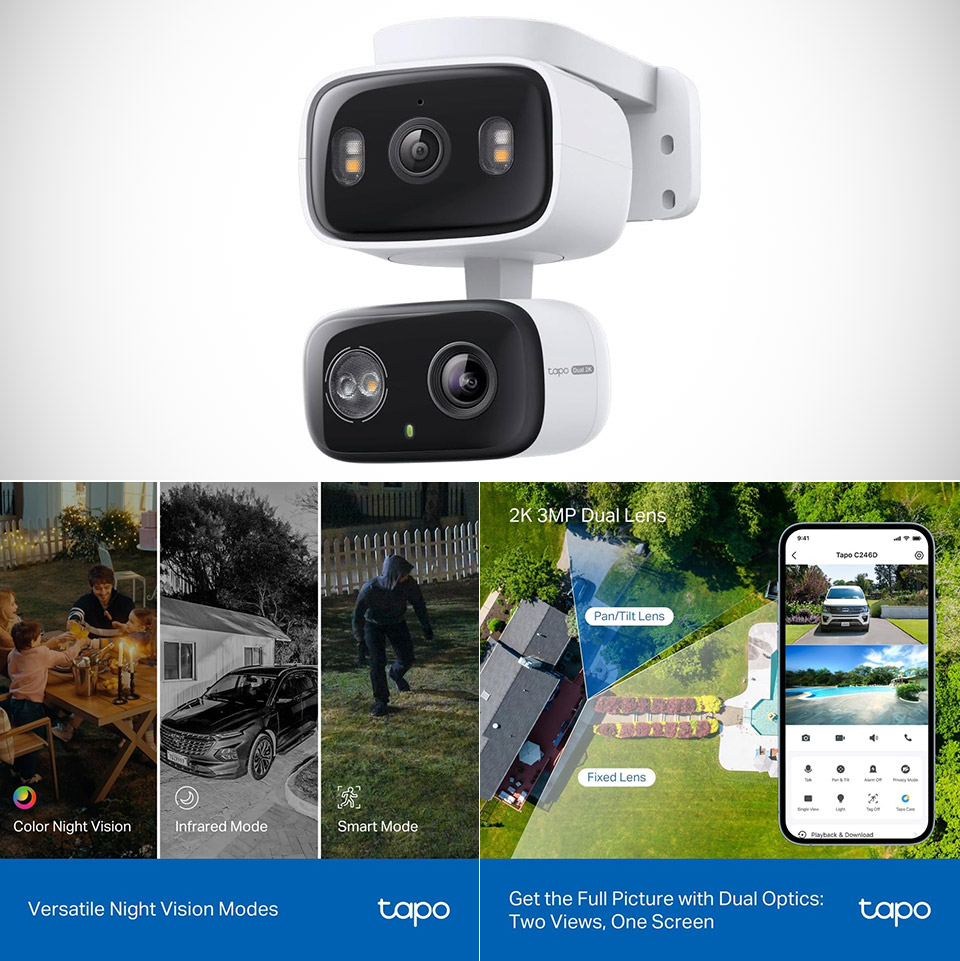
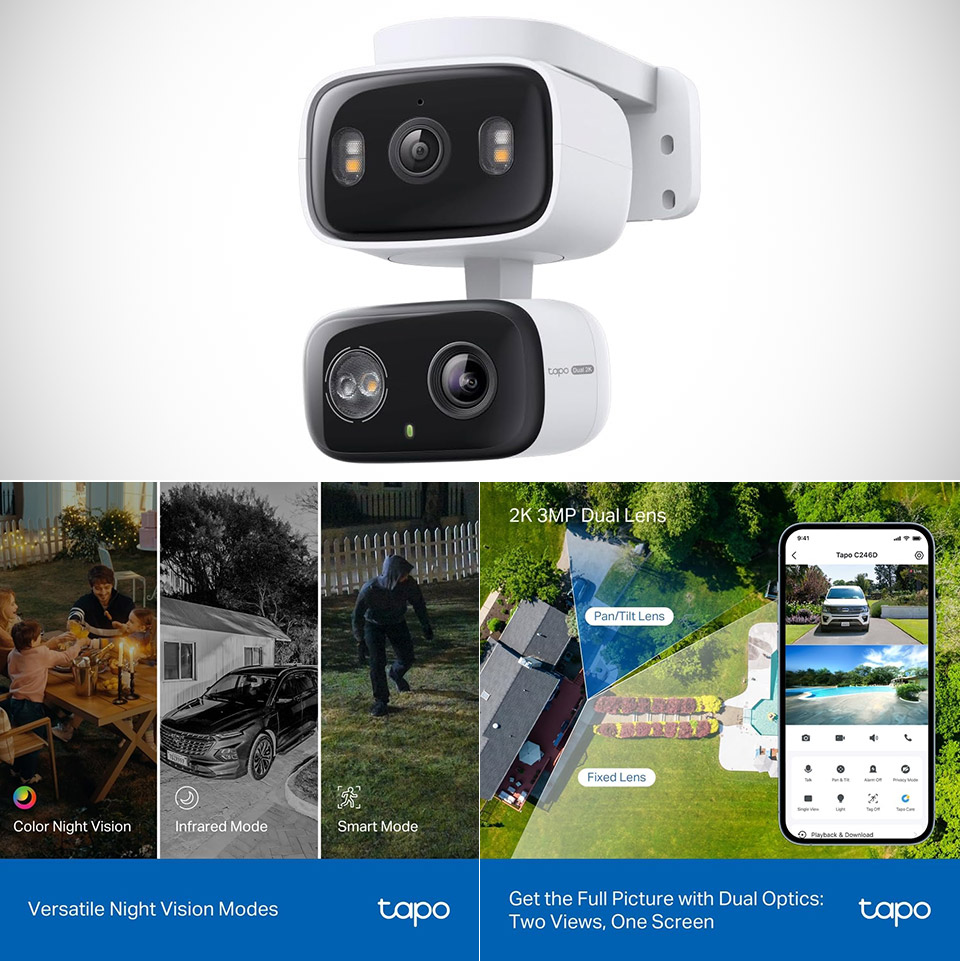
Most security cameras force a choice. You either get a wide view that shows everything but leaves details fuzzy, or a tighter lens that catches faces and license plates while leaving big parts of the room or yard uncovered. Tapo’s C246D, priced at $54.99 (was $70), refuses that trade-off by packing two separate 2K sensors into one compact body.


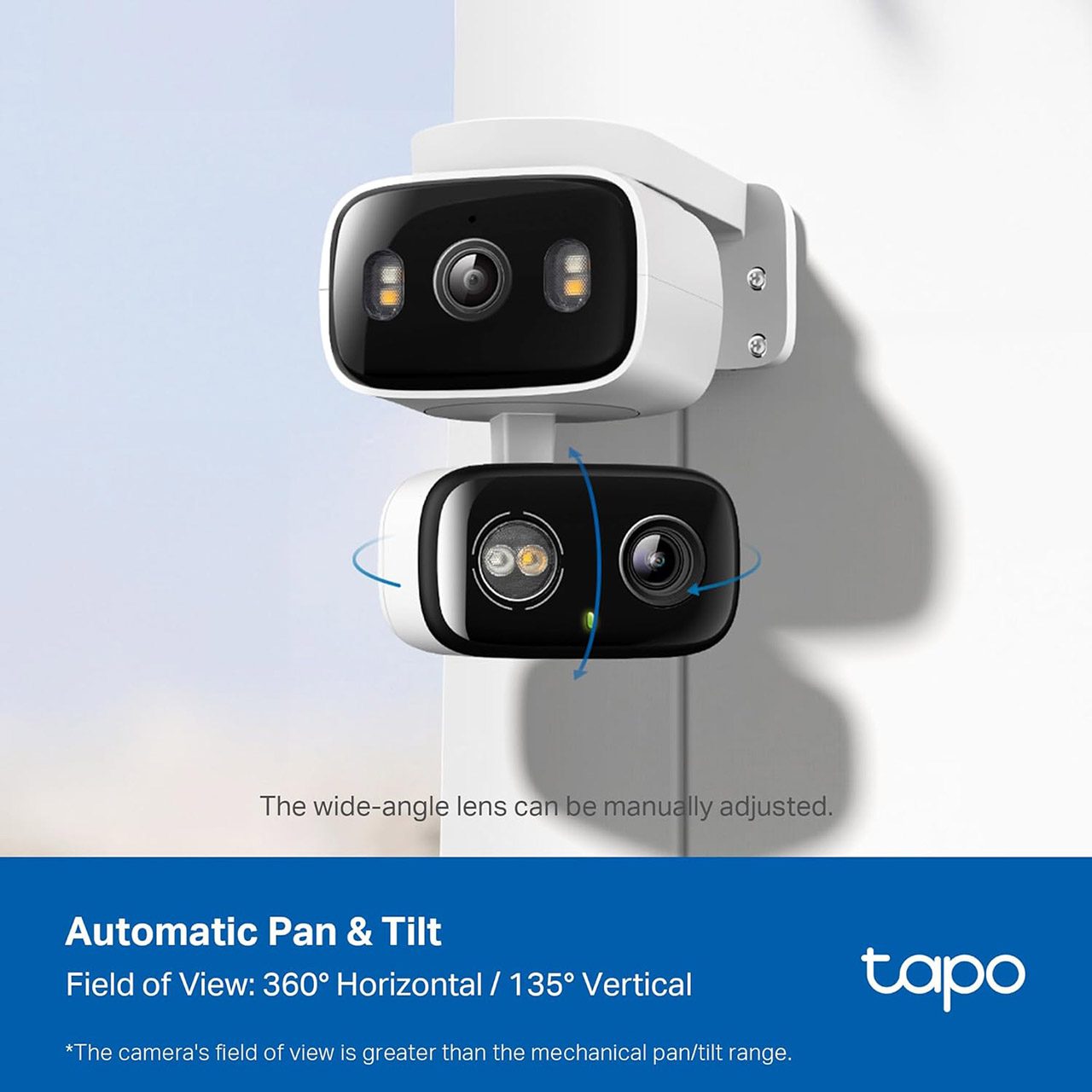
A lens sits steady and wide, providing a massive 125 degrees of view with a 2.8mm optic. The second lens, however, is a 6mm telephoto unit that can pan and tilt on its own, and both of these lenses record at 2304 by 1296 resolution and 15 frames per second. You get the full picture and the close-up all on the same live broadcast, without having to switch cameras or buy a new gadget.

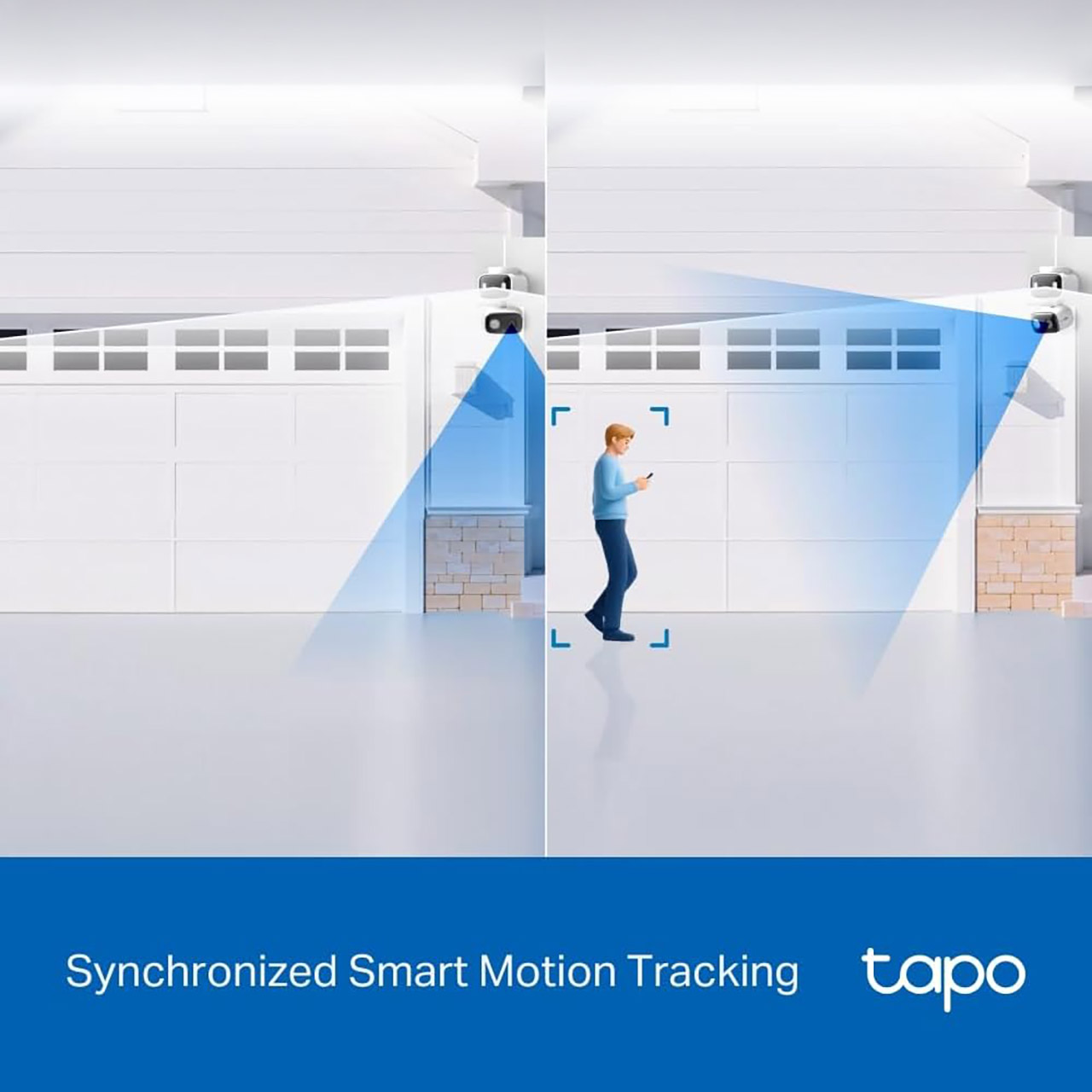
When the wide lens detects movement, it automatically swings across and locks onto the subject. This synchronized tracking makes a significant difference in day-to-day operations. A person going across the driveway or a puppy racing through the living room remains nicely centered in the tighter frame, but the wide perspective keeps an eye on the rest of the environment. You can even press any point in the Tapo app’s wide view to have the pan-tilt lens zoom in on it. The Tapo also lets you configure up to eight preset patrol stations, allowing the camera to cycle around all of your essential regions on a fixed timetable.

Tapo C246D 2K Indoor / Outdoor HybridCam
The camera itself has an IP65 rating, allowing you to mount it almost anyplace. You can place it under an eave on your porch, on a shelf inside, or even on a wall. During installation, you may even move the fixed wide lens 360 degrees and tilt it slightly by hand to ensure that everything is just correct before switching to the motorised lens. Power is supplied via a 3 metre wire and a normal 5v converter. There is no battery option, however the wire is long enough to fit almost anywhere.

Tapo C246D 2K Indoor / Outdoor HybridCam
Nighttime illumination is provided by three built-in spotlights for full-color video and several 850nm infrared LEDs that can reach up to 40 feet in black and white mode. The camera will automatically switch between the two based on the lighting, and a starlight sensor ensures that both lenses can produce usable images even in low light. On the hardware side, a 99db siren and two-way audio with noise reduction complete the package.


Amazon Basics 128GB microSDXC Memory Card with Adapter for Smartphones, Drones, Cameras, Full HD, Read…
  • 128GB Micro SD Card compatible with smartphones, tablets, cameras, GoPro/action cameras, laptops, desktop computers, DSLRs, drones, gaming consoles…
  • Ideal for recording and storing Full HD/4K/5K videos, high resolution photos, and other data types
  • Read speed up to 200MB/s. Write speed up to 150MB/s. For optimal smartphone experience includes UHS-I, U3, Class 10 and A2 speed classes. Note: to…

The AI detection works without a subscription; it can recognize people, pets, cars, babies crying, broken glass, and even specific animal noises, and then sends a snapshot and a notification. Activity zones allow you to ignore the street or the neighbor’s garden if you like. Footage is saved locally on a 512GB microSD card, or in Tapo Care cloud storage if you wish. You can even use Alexa, Google Assistant, or SmartThings to operate everything, including live viewing and simple voice requests.


Advertisement

Source link

Continue Reading

Tech

NYT Strands hints and answers for Wednesday, July 22 (game #871)

Published

on

Looking for a different day?

A new NYT Strands puzzle appears at midnight each day for your time zone – which means that some people are always playing ‘today’s game’ while others are playing ‘yesterday’s’. If you’re looking for Tuesday’s puzzle instead then click here: NYT Strands hints and answers for Tuesday, July 21 (game #870).

Strands is the NYT’s latest word game after the likes of Wordle, Spelling Bee and Connections – and it’s great fun. It can be difficult, though, so read on for my Strands hints.

Want more word-based fun? Then check out my NYT Connections today and Quordle today pages for hints and answers for those games, and Marc’s Wordle today page for the original viral word game.

Advertisement

Source link

Advertisement
Continue Reading

Tech

This inflatable 24-foot drone can fly for 10 hours, travel 500 miles, and reportedly fit inside a normal car

Published

on


  • Celeste Ecoflyers daS10, an inflatable drone, can reportedly fly for more than 10 hours
  • Its 8-meter pneumatic wing replaces much of a conventional aircraft structure
  • The drone can reportedly cover approximately 500 miles in one direction

A French aerospace startup is developing a 24-foot inflatable drone designed to remain airborne for more than 10 hours while covering roughly 500 miles one way.

The company recently completed early flight testing for the drone dubbed daS10, which uses a pressurized textile envelope and pneumatic wings.

Source link

Advertisement
Continue Reading

Tech

Samsung’s new robotics division appoints former Boston Dynamics lead

Published

on

The Korean company plans to establish robotics research hubs in the US, China and Japan and consolidate those operations under a strategy led by Dongkun Lee.

Samsung Electronics is establishing a new robotics division reporting directly to its chief executive and to be overseen by a recently hired former Hyundai Motor Group robotics strategist.

The new ‘robotics experience’ (RX) division of the South Korean giant will oversee mid- to long-term robotics strategy, core technology development and business execution while expanding research capabilities at home and ‌internationally, according to media reports today (21 July).

The company plans to establish robotics research hubs in the US, China and Japan and consolidate those operations under RX, whose strategy will be led by Dongkun Lee. Lee was previously in charge of Hyundai Motor Group’s robotics strategy, including the direction of its now wholly owned subsidiary Boston Dynamics.

Advertisement

Bloomberg reported that Samsung’s moves are likely to lead to expanded collaboration between it and Hyundai in the field of robotics.

The RX division has also hired two academics with prominent backgrounds in guidance and control for autonomous robots and drones, and the design of robotic hands and grippers that aim for dexterity function that humanoid robots would need for physical tasks.

Samsung has previously noted the cost and complexity of implementing dextrous hand-like function in humanoids.

Earlier this year, the company said it wanted tangible humanoid robotics results in 2026 and would consider investments and acquisitions where needed. It has a goal of deploying humanoid robots at manufacturing sites before potentially expanding to homes and retail.

Advertisement

Samsung’s shares rose by around 6pc today following the news. Reports suggest that the company plans to invest around $13bn in developing physical AI infrastructure and humanoid robot manufacturing facilities at its site in the city of Gumi.

Last week, following its full acquisition of Boston Dynamics, it was reported that Hyundai is aiming to deploy Atlas humanoid robots at some of its factories in the US.

American tech giants have been making investments in the robotics space in 2026. In May, Meta acquired humanoid robotics start-up Assured Robot Intelligence; in March, Amazon bought the New York-based Fauna Robotics.

Don’t miss out on the knowledge you need to succeed. Sign up for the Daily Brief, Silicon Republic’s digest of need-to-know sci-tech news.

Advertisement

Source link

Continue Reading

Tech

Apple’s $634M payment to Masimo now set in stone

Published

on

The Masimo trial ultimately failed to get a permanent ban on Apple Watch sales or use of the blood oxygen sensor, but the final verdict will have Apple pay $634M to Masimo’s new owner Danaher after the appeal was rejected.

Apple Watch users have been able to take advantage of the blood oxygen sensor in Apple Watch since a software update in January 2024 successfully bypassed a sales ban. Masimo’s attempts to reinstate a ban failed, and all that was left in the case for Apple to pay a fine.

Apple appealed the merits of the jury’s findings based on the definition of a “patient monitor.” According to a report from Law360, U.S. District Judge James V. Selna turned down Apple’s request.

That means Apple must pay the $634 million fine. There doesn’t appear to be any other path for appeal or recourse, as the judge rejected both requests for either a new judgement or trial.

Advertisement

Given the complexity of the United States legal system, don’t put it past Apple to find some other avenue for appeal. The money owed to Masimo is a paltry sum for the multi-trillion-dollar company, but Apple will always appeal where it can.

At least the lawyers got paid

In the end, Masimo didn’t succeed in getting the Apple Watch banned or fundamentally redesigned. It won an empty victory with the funds it will be paid, and the patents affecting the lawsuit will expire in 2028 and 2029 anyway.

Masimo isn’t a patent troll in the traditional sense of the word, as it does build products with its patents. However, it isn’t clear why the CEO pursued this lawsuit with such vehemence when the end result cost a lot of time and money.

As usual with these lawsuits, the real loser is the customer. At the least, it seems we may finally be able to put the Masimo saga to bed.

Advertisement

Masimo was purchased by the technology company Danaher on June 10, 2026 for $9.9 billion. It isn’t clear if the new parent company will care about the lawsuit or the patents in question.

That acquisition did tell us one thing — Danaher expects Masimo to generate EBITDA of more than $530 million in 2027. So, Apple’s $634M payment will be quite the boon for the new owners.

Time will tell if this Masimo case is somehow brought back from the dead.

Advertisement

Source link

Continue Reading

Trending

Copyright © 2025