
Tech
This Was Nintendo’s Most Unsuccessful Console

Nintendo’s worst-ever console was awkward to use and didn’t even sell a million units.
For as many massively successful systems as Nintendo has had (like the Game Boy, Nintendo DS, and Nintendo Switch), the company has also suffered through stumbles. Some of the minor missteps were limited to accessories, such as the clumsy e-Reader, or Nintendo 64DD that never released outside of Japan. But entire consoles have flopped too, which stings much more.
When you think of failed Nintendo platforms, the GameCube or Wii U might come to mind. During the sixth generation, the GameCube came in third place behind the wildly successful PS2 and newcomer Xbox. And the Wii U represented one of Nintendo’s darkest periods, offering many mixed-reception games for confusing hardware that wasn’t marketed well.
But the Nintendo console that had the worst run wasn’t either of these. Rather, it was a short-lived system from the mid-1990s that didn’t even last a year and sold just a fraction of the units. And as lambasted as it was, a recent comeback means it’s easier than ever to try today.
The Virtual Boy was Nintendo’s biggest disaster
You’ll realize the Virtual Boy is unusual just by looking at it. Rather than a traditional home video game console that hooks up to a TV or a portable one you hold in your hands, the Virtual Boy falls into an awkward middle ground. It uses a viewfinder “binocular” design supported by a stand to guide you into the flagship feature: rudimentary three-dimensional visuals. The proper term for this is “stereoscopic 3D,” where a different image is shown to each of your eyes to create the illusion of 3D. And while this technology sounds impressive for the time, it was really an underbaked mess fraught with problems.
Nintendo began selling the Virtual Boy in North America in August 1995, shortly after its Japanese release. This was before the Nintendo 64 or the Game Boy Pocket revision arrived in 1996, meaning Nintendo’s hardware market had been quiet since the SNES’s North American release in 1991. March 1996 saw the last Virtual Boy game released in North America (Tetris 3D), with Nintendo silently discontinuing the system not long after. Europe never even got it.
In June 1996, Nintendo reported that the console had sold 770,000 units. This makes it the worst-selling Nintendo console by far — the Wii U is next-worst, but still miles away at 13.6 million sold.
It was uncomfortable to use…
If you’re wondering how you’re supposed to comfortably play the Virtual Boy, you’ve happened upon the first major problem. Setting the Virtual Boy’s stand on a table meant you had to lean forward to put your face inside, which wasn’t a comfortable position to hold for long periods. Tilting the stand could help, or you could get creative with various angles like lying down. A strap would have been great, but Nintendo never released one. It’s not a good sign when simply figuring out how to start using a system is a challenge.
For power, the Virtual Boy used six AA batteries in the back of the controller (or an optional adapter for a wall plug that slid onto the back of the controller instead). Its controller had a unique double D-pad design, which several games utilized. However, the A/B and Start/Select buttons having the exact same shape made it easy to forget which was which, since you couldn’t easily look down to see them.
There were also complaints at the time about not being connected to the people around you while playing, since the Virtual Boy was a one-person experience. Others in the house couldn’t watch you or easily pass the controller around. It clearly wasn’t a portable console either; using this in a car would have been ridiculous.
…and the screen caused physical sickness
The Virtual Boy’s discomfort doesn’t end with getting your face into the device. Once you put your eyes up to the screen, another one of its huge issues becomes apparent: the screen is only in black and red. According to Nintendo, adding full color would have made production far too expensive. The color palette commonly caused eye strain and headaches, especially given how close your eyes were to the screen.
Aside from a boring single color, the Virtual Boy’s 3D display technology made people feel nauseous. Internally, the system used oscillating mirrors to reflect a single-pixel-wide line of LEDs and create the images you see while playing (this video from The Slow Mo Guys illustrates it well). Because everyone’s eyes are different, the unit had a slider on top to adjust the distance between the mirrors. I’m sure many people didn’t do this properly (or at all), which contributed to the eye and head sickness.
Nintendo was aware of these problems, so the Virtual Boy had a built-in reminder to take a break every 15 minutes or so. The longer you went without stopping, the more likely you were to feel unwell. It’s hard to get absorbed in an experience when you have to keep breaking the immersion.
The game library was limited and weak
Perhaps people would have forgiven the hurdles to using the Virtual Boy if the games had been worth playing. Unfortunately, almost all the system’s titles were unremarkable. Many were hurt by the lackluster graphics of primitive wireframes and vast pools of black. Releases also fell into repetitive genres like sports, arcade, and puzzle. Plus, Nintendo’s best-known franchises were largely absent; Zelda, Metroid, Kirby, and many others were nowhere to be seen.
A few Virtual Boy games were highlights, but hardly justified the price of the console. Teleroboxer had a lot of the same “puzzle-fighting” elements as Punch-Out!!, while the pack-in title Mario’s Tennis was a good showcase for the 3D effects (and is the first game in the Mario Tennis series). But because of their short lengths and basic gameplay, nearly the entire library felt like tech demos instead of must-have releases.
Nearly everyone agrees Virtual Boy Wario Land is the best game for the system, featuring crisp graphics and a neat gimmick where you can swap between background and foreground layers. It’s a brief experience, but a fun one — that’s unfortunately stuck on Virtual Boy.
You can try a Virtual Boy today
Clearly, the Virtual Boy hit shelves in an incomplete state; it was rushed out so Nintendo could focus on the upcoming N64. Unlike the Wii, where everyone who tried one wanted their own, people trialing the Virtual Boy at a friend’s house or through a Blockbuster rental promo realized how shallow it was. Its competition didn’t help the situation, either. In North America, the PlayStation arrived a month after the Virtual Boy (in September 1995) and offered far superior 3D graphics.
Aside from a few minor references in other games, Nintendo was mostly silent about the Virtual Boy until September 2025, when it revealed Virtual Boy games would come to the Nintendo Switch Online + Expansion Pack service. Place your Switch or Switch 2 into either a cardboard slot or a replica of the original Virtual Boy and you’ll experience what the Virtual Boy was like. Two images are displayed on your system’s screen, with lenses creating the 3D effect. Your Switch controller of choice is compatible, while an August 2026 update enabled changing the color to something other than red.
The Expansion Pack is $50/year (there’s no option to pay monthly), with the replica model costing $100 and the cardboard version at $25. There’s no option to disable the 3D effect, so you can’t play these games on the TV. That’s quite a cost to try such a limited library of games, but those curious about Nintendo’s biggest flop should still have some fun with it.


A specific cadence for contemporary group chats eludes me. The rapid-fire tempo of texts combined with custom stickers, often based on inside jokes, leaves me behind. My digital fate: the silent lurker. As I let the notifications wash over me, I am a ghostlike figure haunting the group chat, a silent watcher who rarely responds without a specific invocation.
Group chats are dominating the social lives of younger Americans. In a recent YouGov poll, 34 percent of adults under 30 said they are in at least four group chats, whether via text or other messaging app. Power texters are spending hours juggling multiple message threads—3 percent of adults under 30 said they are in more than 20 distinct group chats.
These group chats are not just for the young folk, though. All attempts at social interactions now spark a new group message. A WhatsApp thread for our monthly book club. An Instagram group for that weekend getaway. A bulbous iMessage chat with random cousins attempting to plan a family reunion. Group chat hell is everywhere you turn.
Here are a few tips for maintaining your sanity during the reign of the group chat, without becoming a textless social pariah. Hint: It’s all about boundaries.
Core Compromise
Maybe you thrive in the chaos of hundreds of notifications, but I don’t. I started by choosing which text threads were most important to me. A text thread with my immediate family is nonnegotiable. A group message about a trip that’s in one month is actually helpful for logistics. A random thread where people are throwing out Halloween ideas might be fun, but it’s on the chopping block. Make a short list of what you actually want to participate in and stay there.
Walk Away
For the others, you can leave the chat. It really is that easy. Especially for event-based group chats, I’m quick to leave the conversation after it’s all wrapped and any outstanding bills are settled. Much like I’m not going to be the last person to leave an afterparty, I’m walking away from group chats without hesitation. If there’s a specific aspect of the conversation I want to keep going, I’ll follow up with those people.
Mute It
You’ve picked your core group chats you don’t want to give up, and you’ve walked away from the rest. Now is your time to play with the notification settings and see what your smartphone offers. It’s worth looking into the settings overall, as well as the options for individualized threads inside apps, especially if some notifications rarely come through while other text threads are more active.
If you balk at the idea of notification distractions, consider Do Not Disturb settings. Be forewarned that being this unreachable can sometimes become a headache for those closest to you.
Get Creative
For those group chats you decide to stay in, why not spruce up the place a bit? Whether you’re on an iPhone or Android, there are plenty of options for making your group chats more specific to your context and potentially just more fun to use. Right now I’m watching Game of Thrones from the beginning for the first time. I have a group chat with friends to process some of our reactions and update the background image to whatever character I’m currently rooting for.
Go Direct
I mentioned earlier that when I leave a group thread and I want to keep some aspect of the conversation going, I’ll follow up directly with people. This seems to be the better direction to take overall. While you may get a dopamine rush from shooting off hilarious memes and receiving reaction emojis in the group chat, cultivating relationships often happens best with one-on-one moments. Directly texting someone feels like a worthwhile compromise to escape from group chat hell, without fully excluding yourself from modern messaging. Though a face-to-face chat always feels best.
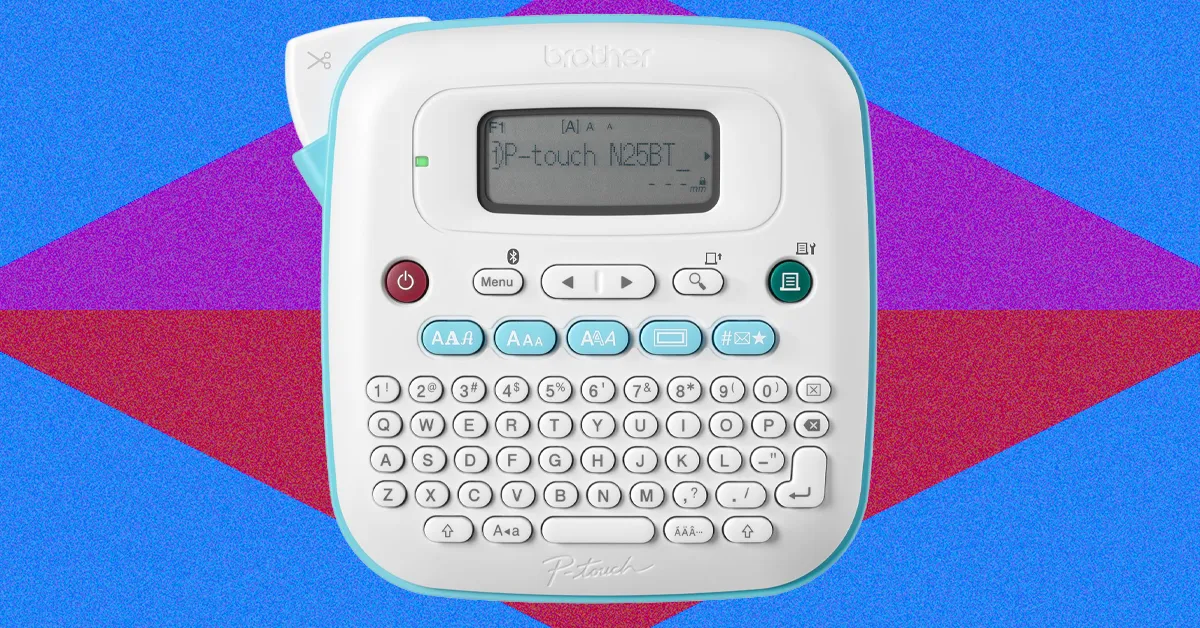
If what you value in a label maker is a result that looks polished, professional, and decidedly not homemade, the P-touch Cube Plus is calling your name. It allows for great versatility in its labels, printing on tape as narrow as 6 mm and as wide as 24 mm, meaning you can use it to organize the small jars on your spice rack and large boxes in your storage unit.
The Cube Plus also supports a huge selection of designs, with hundreds of fonts, borders, and graphics, available via your choice of three design apps and platforms accessible via Bluetooth connection: Brother Design&Print 2 (also compatible with the Brother PT-n25bt), iPrint&Label, and P-touch Editor software that you can use with a desktop, the latter of which I did not test. Like the Brother Design&Print 2 app, discussed above, the iPrint&Label is seamless to use. Its templates are less ornate, but on this upscale device, I found this simple quality to be nice, eliminating the time-suck of customization flourishes but still producing a professional-quality label. You do have to use one of these apps, though, as there’s no on-device keyboard. Once you select “print,” the connection is quick—just a couple of seconds—and the Cube Plus self-cuts your new label for you.
At nearly three times the price of the Brother PT-n25bt, the Cube Plus’ upscale features do come at a cost, though—and the bills don’t stop once you buy the machine. The Cube Plus works with Brother’s TZe laminated label tape; replacement cartridges start at $15 for black print on clear tape and are pricier for specialty colors, like $24 for black print on glitter yellow tape. But the labels feel as premium as they claim to be, with text printed between seven layers of lamination. In my testing, the tape held up to heat, sunlight, microwaving, dishwashing, and general wear and tear.
Price aside, there is something joy-inducing about making a jazzed-up label—my 4-year-old, for one, was thrilled about his shimmery gold new lunchbox label. Also, I was intrigued to learn that Brother sells a TZe fabric label tape that’s compatible with the Cube Plus. Though I didn’t test it, fabric tape is something I haven’t seen as an option on other home label makers, and parents in particular will find the ability to label clothes super-useful, even though this version still requires the extra step of ironing it on.
| Specs | |
|---|---|
| Type of ink | Thermal transfer |
| Power source: | USB |
| Dimensions: | 5″ x 2.6″ x 5″ |
| App compatibility: | Brother Design&Print 2, iPrint&Label, or P-touch Editor software from a PC |
| Tape-width range and cost: | 6 mm, 9 mm, 12 mm, 18 mm, and 24 mm widths, available in dozens of color options, starting at $15 for 26.2-ft tape cartridges |
| Warranty: | 1 year limited |

One day in 1982, Joseph “Rod” Canion and two colleagues from Texas Instruments sat down at the House of Pies in Houston and used a napkin to sketch out what would become Compaq’s portable PC. In 1996, Felix Zandman, founder of Vishay Intertechnology, dined at Husker Steak House in Columbus, Neb., grabbed a napkin and drafted a design for a power metal strip resistor, which became crucial to power-management components in industrial, automotive, and consumer applications. Now that wispy piece of paper resides at the Smithsonian’s National Museum of American History. Perhaps most famously, Robert Metcalfe, working at Xerox PARC in 1973, roughed out some early designs for what would become the [?] Ethernet, though contrary to popular belief, no napkin was involved.
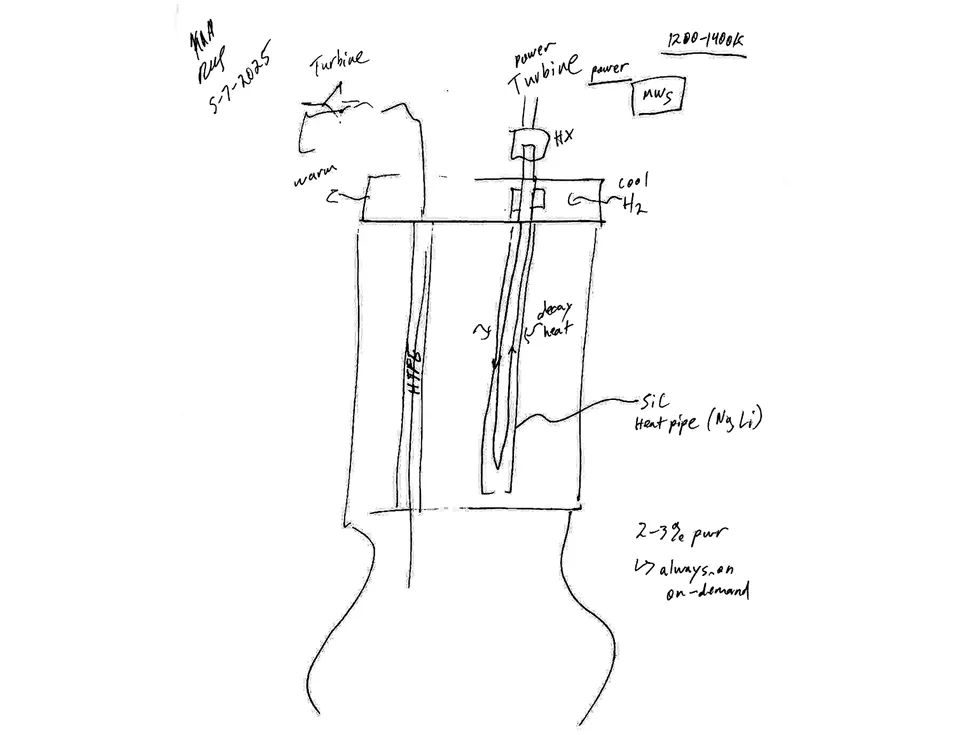
Yet another napkin was pressed into service last year, when Kurt Polzin, chief engineer of the space nuclear propulsion project at NASA’s Marshall Space Flight Center, met Robert Schleicher of General Atomics Electromagnetic Systems at a conference and started talking about nuclear rocket design.
“They did the classic let’s-sketch-out-an-idea-on-a-napkin,” says IEEE Spectrum’s Special Projects Editor and our in-house spaceflight expert Stephen Cass. “This rocket engine is still at the paper-planning stage, which, to be fair, is where most of NASA’s humans-to-Mars planning has been for the last 60 years.”
Meanwhile, the world’s richest person is pushing for humans to colonize Mars in time for him to escape our hospitable blue marble for a completely barren red planet. One big problem with this idea: It takes a long time in hostile space to get there.
“Here’s our napkin. Noodle on this with us and tell us what you think.” —Stephen Cass
There’s an old saw, mostly used in the context of road safety, that speed kills. But when it comes to sending humans on interplanetary missions, the faster the better. As Cass pointed out, “Once you get outside the Van Allen belts, there’s so much natural radioactivity—that’s the real killer.” Nuclear electric propulsion could both minimize launch costs and the time fragile human bodies are subjected to microgravity and radiation. And that makes a synchronal bimodal nuclear engine that could both power and propel a spaceship an attractive alternative to a conventional rocket.
Polzin and Schleicher think their nuclear engines could halve the time it takes to get to Mars. There may be ways to tweak the design to go even faster and further. But for now, the idea sits on the drawing board, awaiting feedback and refinement.
“They’re pulling together a lot of fairly mature technology,” says Cass, who edited Polzin and Schleicher’s article, “A Reimagined Nuclear Rocket.” “Electric propulsion is mature. Nuclear thermal propulsion is not, but thanks to [previous efforts], we have a good idea how to do it. The new part is merging them together, and that of course throws up its own challenges.”
Thanks to Cass and illustrator John MacNeill, Polzin and Schleicher’s idea has moved from a napkin to the pages of this month’s issue. Says Cass, “The whole point of the article is to say, ‘Here’s our napkin. Noodle on this with us and tell us what you think.’” We invite you to do so in the comments beneath the web version of this article. Or do it the old-fashioned way and mail the authors your own napkin.
From Your Site Articles
Related Articles Around the Web
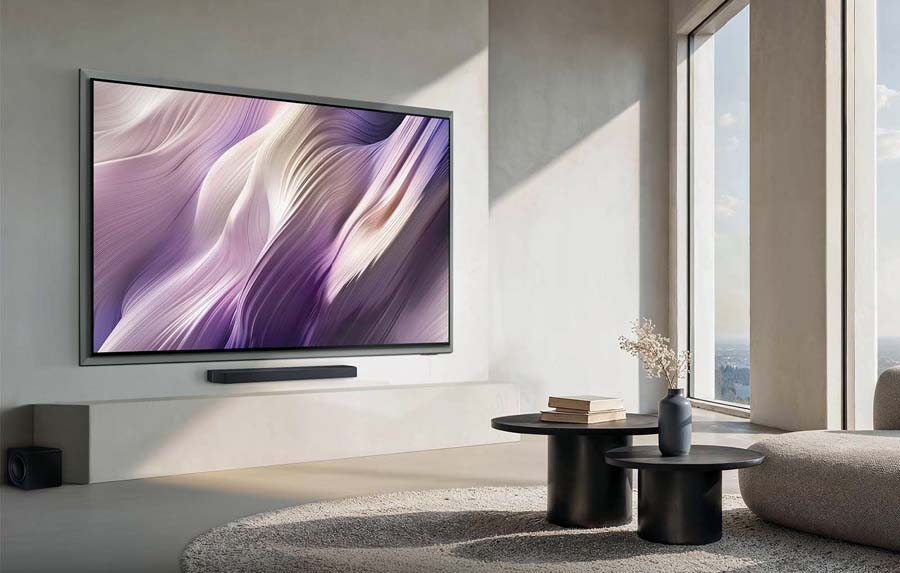
Samsung hasn’t become the number 1 TV maker worldwide by accident. The company continues to invest in the underlying technology for both LCD TV and OLED TV and its display division (Samsung Display) is one of only two companies who are actually still manufacturing the OLED panels used in consumer OLED TVs (LG being the other).
But Samsung’s story doesn’t end with the technology. The company also considers a TV’s industrial design and usability to matter as much as the performance. Samsung invented the “Art TV” category with their “The Frame” LCD TV, and it became one of their top sellers. Apparently a lot of folks don’t want their TVs to look like big black rectangles on the wall when they’re not in active use but love the idea that their TV can pass itself off as a work of art when not in use.
But consumers have had to make a choice: get an LCD TV that can look like a painting or print when not in use (but sacrifice picture quality), or get a high-end RGB-lit LCD TV or OLED TV that offers stunning picture quality, but looks like a boring black rectangle when not in use. This year, Samsung decided to unite both worlds with the S95H, a high performance OLED TV that can look like a piece of art when not in use. Is it a successful mash-up? Read on to find out.
What Is It?
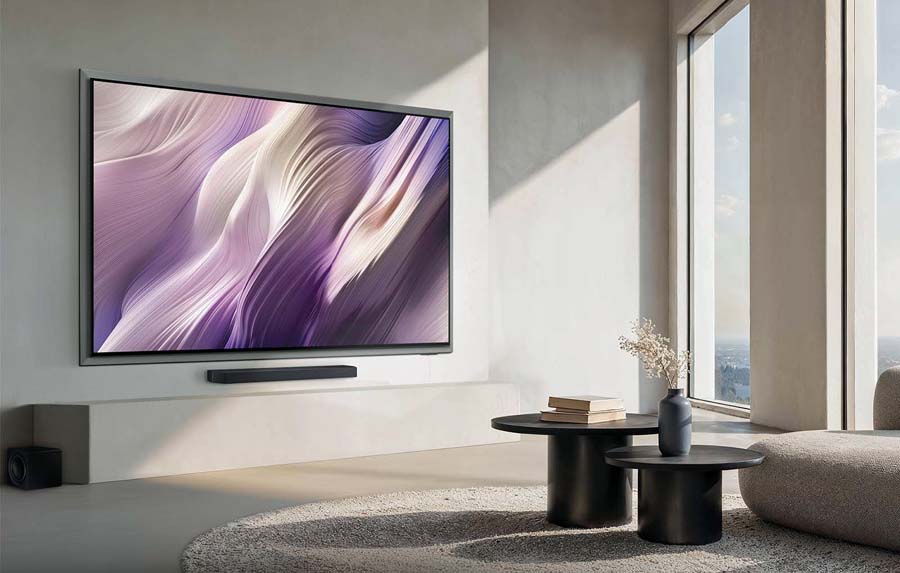
The Samsung S95H is an OLED TV, available in screen sizes of 55, 65, 77 and 83 inches. At sizes up to 77 inches, in the U.S. market, the S95H uses a QD-OLED (Quantum Dot Organic Light Emitting Diode) panel from Samsung Display. At the 83-inch size, the S95H uses a W-OLED panel from LG Display. Our review sample was the 55-inch version, and we also measured and reviewed a pre-production prototype in the 65-inch size and can confirm that both of those TVs use a QD-OLED panel. We expect similar performance from the 55-inch, 65-inch and 77-inch models. Specs on the 83-inch model may differ, particularly in color gamut coverage.
The S95H features a bold new industrial design which Samsung calls “FloatLayer.” Behind the screen is a metal frame which makes the screen itself look as if it’s floating in space. This is definitely a departure from the ultra low profile slim bezel design of its predecessor, the S95F. As a point of comparison, the 65-inch version of last year’s S95F measured in at just 0.4 inches (10 mm) deep while the 65-inch S95H measures in at 1.0 inches (26 mm) deep. And the bezel width went from 0.06 inches (1.5mm) wide on top and sides and 0.33 inches (8.5 mm) on the bottom on last year’s model to roughly 1.5 inches (38.1mm) wide all around for the frame on the S95H.

Part of the reason that the TV needed to be thicker this year is that Samsung eliminated the wired “OneConnect” box that came with last year’s model. With the S95F, all connections (HDMI, ethernet, antenna, etc.) were made to a separate OneConnect box, and this box had to be connected to the TV via a proprietary cable. On the S95H, all four of the HDMI ports (which are all HDMI 2.1 ports) are physically located on the back of the TV.
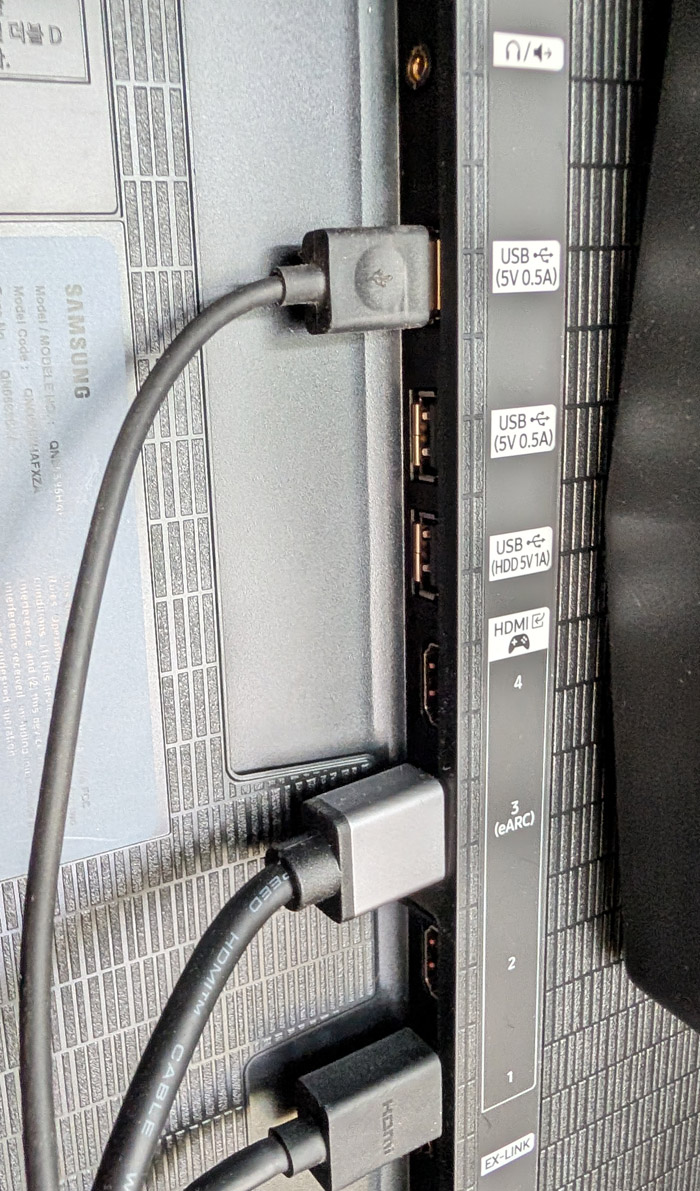
Those who want a cleaner installation can purchase an optional wireless OneConnect box. This can allow you to plug all your sources into the wireless OneConnect box and it will wirelessly stream the audio and video to the TV from up to 30 feet away in full 4K/HDR quality with support for lossless audio. Those who have a lot of sources can actually use the inputs on the TV itself and on the wireless OneConnect box for a total of eight HDMI 2.1 ports.
The S95H comes with a pair of feet for table/credenza use. They attach easily – without screws – but are set relatively far apart, so they won’t work well with a slim tower-type rack, but will be fine with a wider console or credenza. There’s an optional flush wall-mount available that allows the TV to sit virtually flush right against the wall. This creates an elegant, custom look, but it can make accessing the side/rear HDMI ports tricky. With this in mind, Samsung includes a pair of spacers for wall installation that allow the bottom of the TV to be pulled out slightly from the wall while it remains mounted to the wall, in order to access those ports.
The S95H also supports a standard VESA wall-mount using thick M8 mounting bolts. The 55-Inch model uses a 300mm x 200mm hole pattern, the 65-Inch model uses a 400mm x 300mm hole pattern and the 77-Inch and 83-Inch models use a 400mm x 400mm hole pattern. Be sure you have mounting bolts which are not too long (or use spacers) as the bolt holes are fairly shallow. We tried the feet and a standard articulating VESA TV mount and both worked as expected.
Smart TV Gets Even Smarter
Unlike some TV brands which rely on third party Smart TV platforms such as Fire TV, Roku or Google TV, Samsung uses its own in-house Smart TV OS Tizen as well as its own Smart Home platform and app, called SmartThings. In 2026, Tizen has been enhanced with AI to improve navigation and search. The overall AI implementation is called “Samsung Vision AI.”
You have a choice between Microsoft’s Copilot or another AI platform called “Perplexity,” an independent AI company which Samsung has both invested in and partnered with for phones and TVs. To me “Perplexity” seems a terrible name for AI. Being “perplexed” means you’re confused or stumped. So why would you want your AI enhanced search engine to be confused? But I digress…
Tizen supports pretty much all of the major (and minor) video and audio streaming apps but lacks support for some specialized apps like VLC Media Player or the HD Homerun app for playback of OTA content from an HD Homerun digital tuner. The S95H does include an ATSC 3.0 (Next Gen TV) digital tuner on-board so you can tune in your local TV channels at resolutions up to 4K with Dolby Atmos surround for free if you’re close enough to OTA (over the air) broadcast antennas. The tuner is also compatible with legacy ATSC 1.0 broadcasts.
Samsung uses AI extensively in its picture and sound processing for upconversion and dialog enhancement and also for unique features like automatic translation and creation of multi-language subtitles (on compatible content). It also includes picture modes with AI enhancements like “AI Soccer Mode Pro,” which is designed to accentuate the green in those soccer fields and provide a crystal clear view of the ball even as it travels at high speeds all over the soccer pitch and into the back of the net. I found the motion clarity in this mode to be appealing, but the soccer pitches were a bit too vivid. The set also offers an AI picture mode which adjusts its processing to match the input signal, but this also produced mixed results with some over-hyped colors, particularly on SDR content like broadcast TV.
For audio codecs, the TV supports Dolby Digital, PCM and Dolby Atmos, but does not support any version of DTS, neither with an on-board decoder nor in pass-through mode. However, the TV does support the new Eclipsa Audio codec. Eclipsa Audio is Samsung’s name for the IAMF (Immersive Audio Model and Formats), an open standard immersive audio format developed by Samsung, Google and others. Eclipsa Audio has the unique distinction of being the only immersive audio surround sound format supported on YouTube. Note: you will need a sound system or soundbar that supports Eclipsa Audio decoding in order to take advantage of this feature.
The Set-Up
Setting up the S95H is fairly straightforward. If you want to take advantage of the on-board streaming and advanced AI options, you’ll need to connect to WiFi or use an ethernet cable for a hard-wired connection and you’ll need to either log into an existing Samsung account or create a new one in order to download apps from Samsung’s app store and access advanced features like voice control. Unlike Google TV, which can remember streaming account credentials for various streaming services, you will need to manually log into each service either on the TV itself or via a QR code that allows you to login to a service via your phone.
During the set-up process, the TV will ask if you want to enable Motion Detection or Presence Detection in order to give you a nice little daily briefing page when you approach the TV. JUST SAY NO! With the TV placed in my entry room during the review and this presence detection turned on, the TV would wake up and turn itself on every time I or any of my family members came home or left the house, or just walked into the room for any purpose at all. Super annoying and wasteful with electricity. And turning the feature back off is NOT easy.
The reason the auto-on proximity sensor feature is hard to disable is that it has been called different things in different years and on different models, so finding where you need to go in the settings menu to turn off the feature can be tricky. On the S95H model, to turn off the feature, you need to go to the Home page, click on “Settings,” then “All Settings,” then “Advanced Features,” then “Now Brief.” Within that “Now Brief” section, you need to de-select (turn off) ”Enable with User Detection.” On some other Samsung TVs, disabling the motion sensor is in the “Eco” menu or even the “Accessibility” menu. But on the S95H, it’s that “Now Brief” setting. Once you disable it, the TV will no longer automatically power up every time you walk by it. Your family members (and the planet) will thank you.
Meanwhile, the most useful aspect of the proximity sensor – to enable art mode and make the TV look like artwork as soon as someone enters the room – is not available on this TV. The only way you can display art on this TV is to go to the Home menu, manually navigate to the art store tab and select a piece of art to display. If you have a Samsung phone, you can program the SmartThings app to identify when your phone is close to your TV and then automatically display artwork, but this is both complicated and limited as it’s only available to Samsung phone owners.
With the matte Glare Free screen, and QD-OLED’s outstanding contrast, off-axis viewing and wide color gamut, the S95H is probably the best looking “Art TV” you can buy. But omitting this automation feature effectively rules it out as an Art TV. It’s just too complicated. But the Art Store is just one of many features available on the S95H, so this in itself should not be a showstopper for most buyers. We hope Samsung will add art mode via a software update, or to a future OLED model.
Turn This Off Right Now
If you want to get the highest performance out of your TV, then be sure to disable eco mode. Energy Star regulations require this to be on by default, but turning it off isn’t going to kill your electricity bill. Leaving it on will kill your video performance. When we measured the TV, we disabled both the eco mode and the ambient light sensor.
During the set-up you can also choose to use either Copilot or Perplexity (or neither) for AI-enhanced search. Whichever you select will influence how you get your search results, either when typing them in or when using the voice remote.
The S95H has an integrated speaker system which Samsung calls a “4.2.2-channel” system. We found it offered reasonably good sound, with good dialog clarity and good width and spatiality across the front. Its up-firing drivers even give a decent sense of height on Dolby Atmos content, which is missing from most TVs. But low bass was virtually non-existent. It will get you by in a pinch, but we’d recommend at least getting a soundbar like the HW-Q990H soundbar system, which we reviewed earlier this summer.
Design Notes
The S95H design is a bit polarizing. Some prefer the traditional narrow bezel we find on most TVs these days. But I actually like the floating metal frame on the S95H. It does make the TV stand out a bit more than a traditional black rectangle on the wall. Also, the matte “glare free” screen does improve viewing in bright rooms by minimizing the reflection of lamps or direct sunlight, but it does so at the expense of black level and contrast.
With the lights off, neither of these issues matters, but in a bright room, they do. We’d suggest seeing the S95H in person before buying so you can get a better sense of what it will actually look like in your room.
Daily Use
As I mentioned earlier, I had inadvertently enabled the TV’s “Now Brief” feature to wake the TV up anytime anyone went near it. Once I figured out how to disable that, my experience with the set got better, but overall, I found some aspects of the user interface to be somewhat mystifying. I’ll admit, I’ve had more experience with Google TV, Fire TV, Roku TV and even LG WebOS than I have had with Samsung Tizen so I’m sure some of this is just a lack of familiarity with the interface.
But doing fairly simple things like finding a new app to install (Fandango at Home, the app formerly known as VUDU) was more difficult than it should have been. I clicked on the Apps tab in the home menu, looked for a “search” option to find an app, found none, then scrolled down to the “Videos” section and manually scrolled through dozens of video-related apps. Lots of options, but no sign of “Fandango at Home.” So then I tried the general purpose “Search” option on the home page. Here when searching for “Fandango” I found several YouTube videos talking about the streaming service or other YouTube content that matched the name, but not the app itself.
Eventually, once I found the app and installed it, the next time I searched for “Fandango,” the app itself showed up prominently in the search results. Apparently the AI search learns. But an “Add a New App” or dedicated app search in the Apps section itself would have made this process easier. Most of the apps I was looking for were available, except Radio Paradise (my favorite internet radio station), and the VLC Media Player. As on Google TVs, the Amazon Music app on Tizen does not output Dolby Atmos, so if you want to listen to Dolby Atmos music, you’ll need to connect a separate streaming device like a Fire TV Stick.
The S95H is one of Samsung’s first TVs to support Google Cast, but that support isn’t comprehensive. I was able to cast a YouTube video from my phone to the TV, but trying to cast from the Amazon Music app on a Google Pixel 10 Pro phone did not work as it couldn’t see the TV as available for casting.
I do like that if I’m watching a show on a particular app on the TV, and hit “Home” I can see the home page without disrupting playback of the show. When I was watching a show on HBO Max, and hit the “Home” button, the show kept on playing in a little window on the home page, and it was easy to return to the show right where I left off.
Also, there are so many different settings in the set-up menus, that it’s difficult to find things when you want to make adjustments. The remote is simple and streamlined but this streamlined design means there is no direct “Input Select” button. To switch inputs, you need to hit the “Home” button, scroll to the top left to “Connected Devices” and navigate down to find the name of the device that you want to watch.
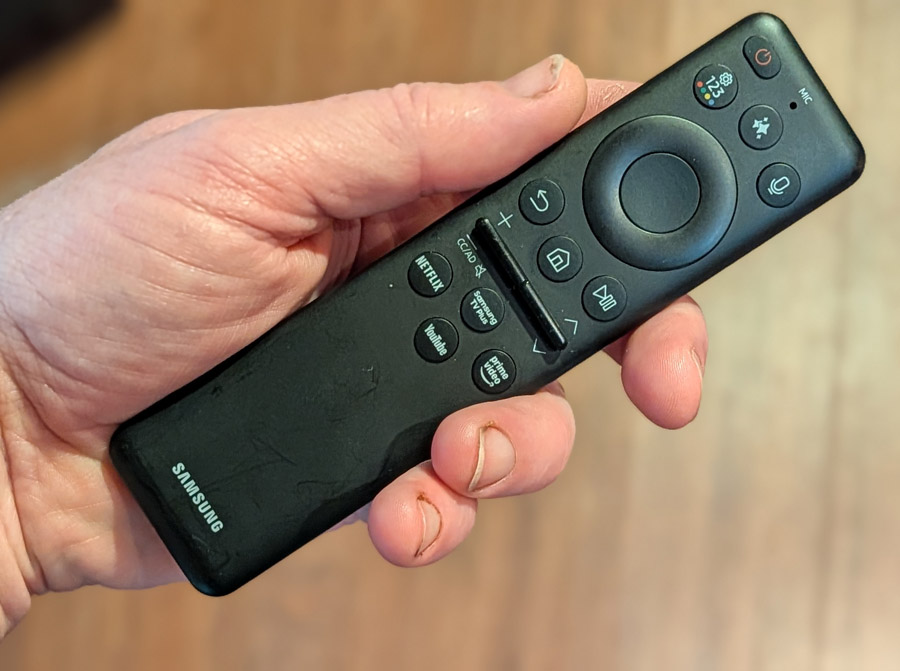
What I like about the Tizen interface is that it’s pretty light on advertising. But Samsung’s “Samsung TV Plus” app loads by default when you turn on the TV, and this may launch one of the many FAST (Free Ad Supported TV) channels and start blaring some live TV show at you every time you turn on the TV. In my case, it seemed like every time I turned on the TV, it was playing “Fairly Oddparents” so at one point, I thought that maybe the TV was haunted… or possessed. You can turn off this default in the “General and Privacy” settings “Start Screen” option. Turn off “Auto Run Samsung TV Plus” but keep “Start with Smart Hub Home” in order to get a more restful start screen experience. To me, this was better (and cheaper) than a formal exorcism.
Once I figured out my way around, switching among various apps was pretty intuitive and the transitions from screen to screen were quick and responsive. Editing the app list order was also super-easy. I still don’t love the lack of input buttons on the remote, but users who just use the built-in streaming apps won’t notice this omission.
Measurements
When we review a TV, we like to replicate the experience of an end user, so, after turning off simple stuff like eco mode and the ambient light sensor, we watch content in Standard mode (default) and in the most accurate picture mode. On the Samsung, “Filmmaker” mode is the most accurate out of the box. Then we run through a series of measurements in Calman to see how the set performs out of the box with default settings in these two modes. It is entirely possible that owners will get better performance out of any set by performing (or paying for) a professional calibration, but this is not something most consumers do, and neither do we.
According to Calman, peak brightness numbers were exceptionally good for an OLED, with the S95H able to hit a peak brightness of 2,526 nits on a 10% field white pattern in Filmmaker mode and 2,471 nits on a 10% pattern in Standard mode, both with HDR test signals. On SDR content, the set produced a peak brightness of 215 nits in Filmmaker mode and 527 nits in Standard mode, both with 10% windows.
In terms of color reproduction, the S95H also excels here, able to reproduce 99.9% of the P3 color standard and 89.7% of BT.2020. Its Delta E numbers (variance from reference) are also impressive, with an average score of 1.5 on color testing, with only cyan coming in slightly on the high side at 2.6. Grey scale Delta E was slightly on the high side at 3.3 with out of the box settings, but this can be addressed with calibration for those who want to put in the extra time (or investment) for that last drop of accuracy.
Great for Gaming
The Samsung S95H will surely appeal to gamers, both hardcore and casual, thanks to its overall performance and gaming-friendly features. It includes four HDMI 2.1 ports capable of delivering 4K resolution at up to 165Hz refresh rate. It effectively eliminates screen tearing and stuttering through NVIDIA G-SYNC compatibility and AMD FreeSync Premium Pro, while Auto Low Latency Mode (ALLM) and super-fast panel response times reduce input lag down to 9.7 ms at 4K/60 Hz (as measured on a Bodnar 4K input lag meter). This is the lowest we’ve measured yet on any 2026 TV. Stepping down to 1080p/120 Hz would likely drop that number even further.
Gamers can also take advantage of Samsung’s integrated Gaming Hub for console-free cloud streaming (including XBox Cloud Gaming) and a dedicated on-screen Game Bar dashboard to monitor live FPS rates and tweak performance settings on the fly for your own personal tastes.
Viewing Impressions
While measurements are important, they don’t tell the whole story. Playing a series of movies, shows and test clips over several weeks, my subjective impression of the S95H was as positive as its test scores, if not more so. The S95H excelled with just about all of the content we fed it, from standard definition DVDs, to streaming services to top notch 4K video sources in HDR10 and HDR10+ on 4K UHD Blu-ray Disc and on Kaleidescape. Samsung chooses not to support Dolby Vision HDR so Dolby Vision content didn’t make our playlist, but HDR10+ content on Amazon Prime Video, Netflix and Apple TV+ as well as on UHD Blu-ray Disc were included in our viewing tests.
Most 4K content is available with some form of HDR (High Dynamic Range) in order to take advance of modern TVs’ high brightness and contrast capabilities. But some HDR titles are mastered for TVs with peak brightness of 4,000 nits, and there aren’t many TVs that can hit this peak. In cases like this a TV’s HDR tone mapping comes into play. This allows the TV to map the bright peaks to its own capabilities.
The film “Alpha” is one such example of a film mastered for 4,000 nits. Toward the end of the film, a sunset captures the full orb of the sun. On many TVs and projectors, the sun is presented as an amorphous blob due to poor HDR tone mapping. But on the S95H, the sun is round and well-defined. It’s actually so bright that you may need to look away, you know, like the real sun.

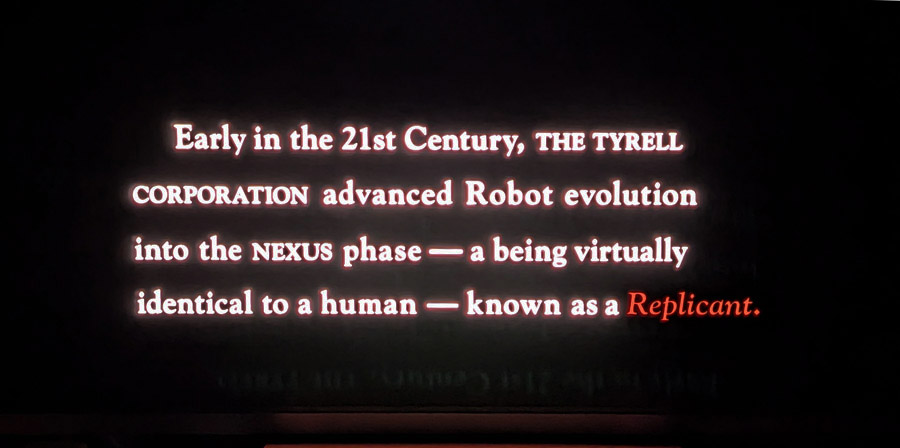
Another type of content that’s difficult for many TVs to reproduce is when you have bright well-defined areas of the image on a dark or black background, particularly if these bright areas are moving. One such torture test is the opening text scroll of “Blade Runner.” The film opens with a description of what Replicants are and how society has chosen to treat them. This white and red text scrolls to the top of the screen. On most LCD TVs, you can see some blooming or haloing around the text as it moves up the screen. But on the S95H, there is no hint of haloing or blooming. The white text stands perfectly crisp against the black background.
Star fields and outer space shots are another tricky bit of content for many TVs. LCD TVs, even those with advanced Mini LED and RGB backlights can never really hit true black without turning off a dimming zone entirely, which can impact other parts of the image. With an OLED TV, stars in space can be illuminates with just one or 2 pixels, while the surrounding space stays black. This is evident on films like “Gravity,” where star fields and space shots are plentiful. The S95H had no trouble reproducing these shots.

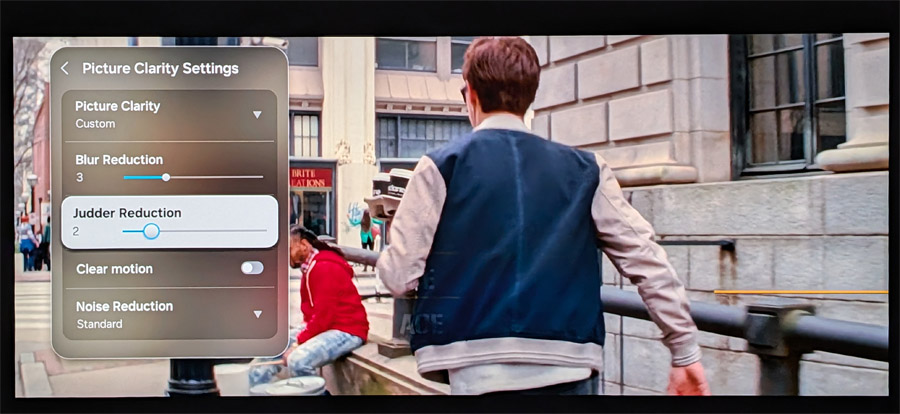
Motion reproduction can also be tricky. TV shows and movies sourced from 24p (24 frames/second) content like 35mm film can appear unnatural when displayed on a TV. This is particularly evident when you see a camera panning across a landscape or cityscape. About 6 and a half minutes into the film “Baby Driver,” we see an extended sequence where the lead character (named “Baby,” natch) walks through city streets on an errand for his boss. This includes several pans past buildings, graffiti and street signs. In “Filmmaker” mode, with all motion processing disabled, there is some stutter in this sequence, but this is a typical artifact of OLED TVs. Switching to “Cinema” mode, or manually setting the TV’s “de-judder: processing to 2 or 3 out of 10 eliminates the stutter, while still avoiding the unnatural “soap opera effect” of excessively smooth motion.
Another issue that can plague some TVs is color banding or posterization. This occurs when you have a color gradient on screen with a fade from light to dark. On many TVs, instead of appearing as a smooth transition, you see visible bands of color. One torture test for this is the scene in the film, “The Green Knight” where Sir Gawain descends into bloody waters to retrieve the skull of St. Winifred. On the S95H, the transition from bright crimson red to darkness is smooth, without any hint of posterization. Color banding is not an issue for this TV.
As for sports, we watched a fair number of World Cup soccer matches on the S95H and found that its motion handling of the fast-moving soccer ball was exceptionally good. Individual faces in the crowd shots were easy to make out and the sweat and determination on the players’ faces was gritty and real. I did try out the much-touted AI Soccer Mode, and while it brought even greater clarity and detail to the moving soccer ball, the exaggerated green of the pitch was a bit distracting.
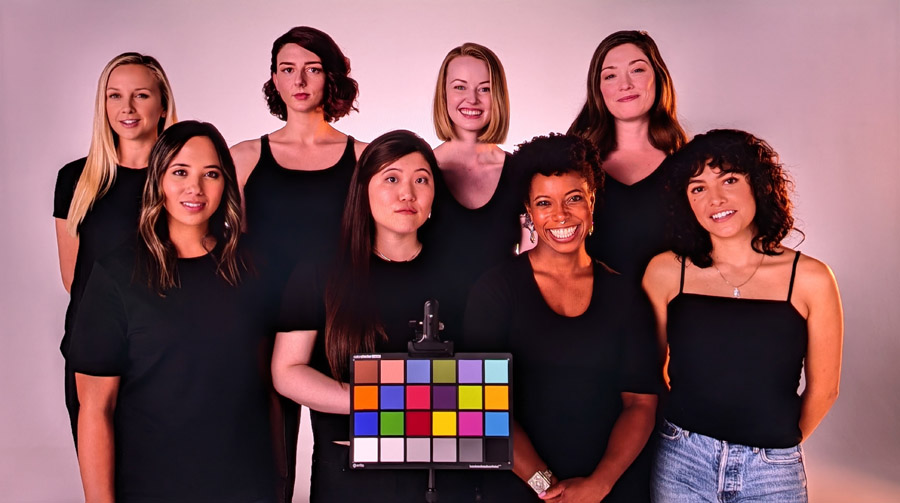
Moving onto test patterns and clips, the uniform field tests on the “Spears and Munsil UHD Benchmark” disc show that the S95H is virtually impervious to “Dirty Screen Effect” with uniform brightness across the entire screen and virtually no hot-spotting. And the Skin Tones test, which features women of varying skin tones on screen at the same time shows that the Samsung’s color accuracy prowess in its test pattern measurements translates directly to actual video content. The S95H is able to reproduce every shade of skin tone with remarkable accuracy.
The Bottom Line
Based on what we saw and heard before getting the TV in house, we had hoped that the S95H would be the perfect blend of performance and aesthetics, allowing the TV to pass for artwork when not in use, and deliver gorgeous OLED imagery when watching movies and TV shows. But the requirement to manually load artwork through the TV’s home menu makes it practically useless as an art TV. It’s just that automation that makes the Art feature on TVs like The Frame useful.
That said, the S95H offers excellent picture quality, right out of the box, strong performance in both dark and bright rooms. and a robust user interface that is relatively free from invasive advertising. While the Float Layer metal frame and the Glare Free matte screen may not appeal to everyone, Samsung has created something special with the S95H and we feel it represents the current high water mark for overall picture performance. Highly recommended.
Pros:
- Excellent contrast, black levels and color saturation
- High peak brightness enables bright room viewing
- First Samsung OLED TV to support Art Store (sort of)
- Glare Free screen is extremely effective at minimizing room reflections
- Eliminating OneConnect box requirement simplifies installation
- Optional wireless One Connect box enables one wire installation
- Extended wide color gamut support
- Supports Eclipsa Audio on YouTube
Cons:
- Glare Free screen coating leads to subtle purple tinge on black images with high ambient room light and overall raised black level in bright rooms
- No automated way to display artwork when you walk into the room – this is NOT an Art TV
- No Dolby Vision support
- No direct access to Inputs from the remote control
- Metal frame “Float Layer” design will not appeal to all buyers
- No support for DTS sound
Our Ratings:
★★★★★★★★★★ Picture Quality
★★★★★★★★★★ Design
★★★★★★★★★★ Usability
★★★★★★★★★★ Sound Quality
★★★★★★★★★★ Features
★★★★★★★★★★ Value
Where to Buy:
Related Reading

Matt Allen wasn’t sure he wanted to pursue a career at McKinstry, the Seattle-based company his grandfather co-founded in 1960. The business started with plumbing and piping, evolving into a construction and energy services firm with national reach.
But after joining in 2012, Allen began appreciating the impact McKinstry has helping customers find affordable, planet-friendly solutions for their operations.
It could be as simple as replacing an old, natural gas boiler with a high-efficiency heat pump, Allen said, “but you feel like you’re part of that customer’s journey, and our societal journey, to get to a carbon-free environment.”
Now serving as McKinstry’s chief client officer, Allen shared his thoughts with GeekWire about sustainability. His quotes have been edited for clarity and length.
What’s your biggest worry when it comes to solving climate change?
With all the expansion in energy consumption and the race for compute, I worry about maintaining our progress around decarbonization. And having a young son, I do worry about rising temperatures and what the world is going to look like for young people. However, I am encouraged to see a continued emphasis in decarbonization action across industries. On the data center side, the hyperscalers that we work with are evolving their designs to focus on sustainability as much as possible.
What gives you hope for the planet?
Human ingenuity has been able to innovate our way through challenging spots. Western Washington is a big hotbed for clean nuclear solutions, deep geothermal, and some of these new, emerging clean energy generation technologies. When enough brain power is focused on those pieces, combined with capital infusion, progress is made. I think there is a lot of motivation to increase clean energy generation through innovative solutions. That gives me hope.
If you could invent one sustainability solution overnight, what would it be?
Clean nuclear fusion. If you could accelerate Helion, Zap or Avalanche, that would be great. Or deep geothermal — Fervo Energy, for example, is developing a commercial project down in Utah. If we could snap our fingers and get some of those technologies to market, you could rapidly accelerate people’s willingness to electrify systems and connect to a clean grid. A lot of this comes back to having a clean grid, so when we’re doing electrification projects at a building level, the building owners can have confidence in having energy availability to reduce their carbon footprint.
What’s an underrated solution that deserves more attention?
Operations — that’s a big focus for us, finding optimized ways to operate buildings and turn down systems when appropriate. We joke that everyone talks about first cost when they’re building or doing a retrofit, but they don’t talk about the ongoing operation and maintenance costs. If we can find more efficient ways to operate buildings, that reduces strain on the grid and reduces overall energy consumption while providing real savings for our clients.
What’s one metric you watch obsessively?
We rigorously track greenhouse gas emissions. Our baseline started in 2019, around the time we signed the Amazon Climate Pledge, which has a net zero target of 2040. We hope to hit net zero sooner. We’re also tracking a couple of different measures. One is GHG emissions on a per-revenue basis. So, as we’re growing our revenue, are we still taking a bite out of emissions? We also track it on a per-FTE-employee basis. Those two measures hold us accountable as an institution to make sure we’re not taking our eye off the ball moving toward net zero.
The scope of the climate challenge is daunting — how do you approach this work?
For the work we do for customers, or even the work we do internally to reduce our own carbon footprint in our business operations, you just take it quarter by quarter, project by project — focus on doing a good job for your customers, bring things in on time and on budget, and help strategize with them on the most cost-effective ways to do things.
We do the same thing internally, creating a glide pattern. There is no magic bullet, so you take it one piece at a time. A good example for us is our biggest carbon emitter — our vehicle fleet. We have 600 service vans and another 300 utility trucks out on the road, and we track our progress toward electrifying that fleet. We’re 10 or 15% of the way through, and every time a vehicle needs to be replaced, we replace it with an electric one.
What impact do you hope your work has in 20 years?
I just hope that there isn’t an existential climate crisis, that we’ve taken collective action — whether it’s the Paris Climate Accord or some other macro commitment — and come together as a society to ensure we’ve left the campsite in a better place than we found it and that our world remains a habitable, thriving, healthy environment for the next generation to live in.
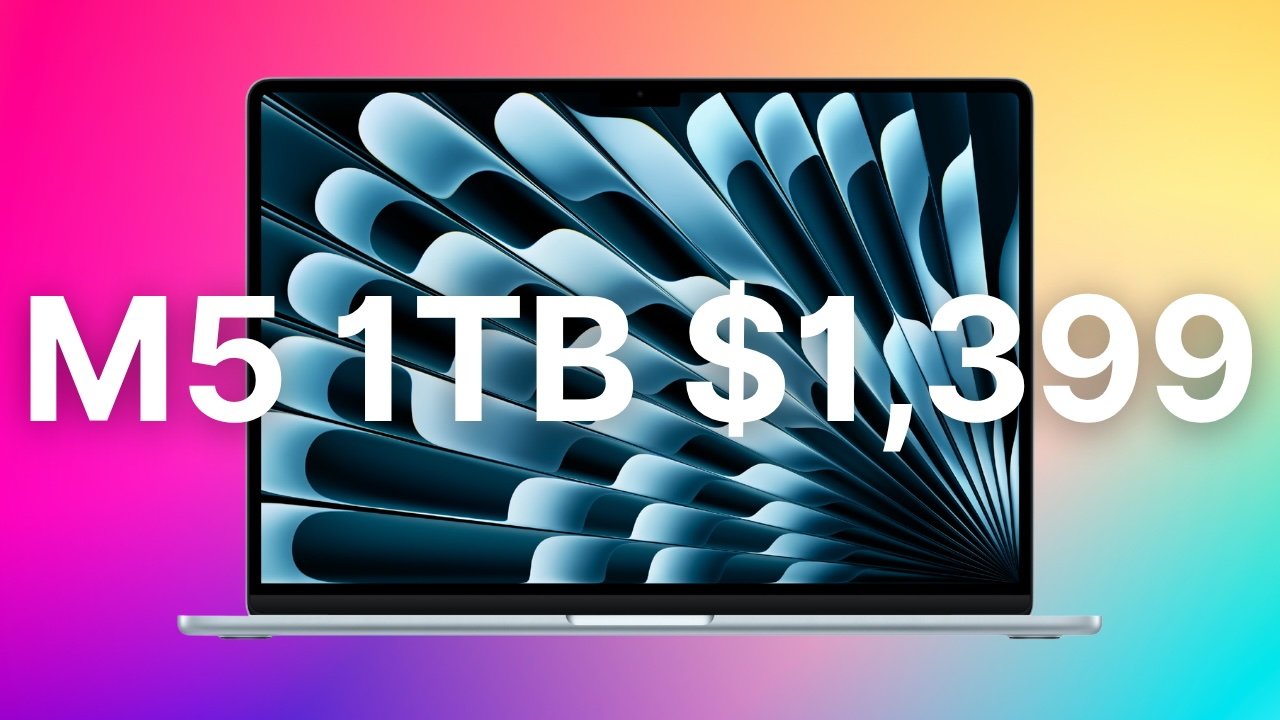
Apple’s 1TB M5 13-inch MacBook Air is down to $1,399 at Amazon thanks to a $200 month-end discount.
The lowest price since Prime Day is available now on Apple’s M5 13-inch MacBook Air with an upgrade to a 1TB SSD. The $200 discount is hosted by Amazon, bringing the cost of the Sky Blue model with a 10-core GPU and 16GB of unified RAM down from $1,599 to $1,399.
Buy 1TB MacBook Air for $1,399
According to our 13-inch MacBook Air M5 Price Guide, this is the steepest discount across the entire product line.
Prime members can get delivery as soon as tomorrow, so you won’t have to wait long to use your new laptop.

Lake Ontario is no more on Google Maps in the US. Google changed the name of easternmost of the Great Lakes to “Lake America” late Saturday, days after President Donald Trump ordered its rebranding in official government databases.
Trump issued the executive order on Thursday as part of an ongoing feud over tariffs with Canada, whose capital province is called Ontario. It followed a similar order he issued in January 2025 to rename the Gulf of Mexico as the Gulf of America as part of a fight with the US trading partner to the south.
Google, Apple, Microsoft, and other maps providers adopted the Gulf of America naming as soon as the US Department of the Interior updated its records, which came a couple of weeks after Trump’s order. So it was no surprise that when those records—which are used to determine names on roadway signs and in government literature—reflected Lake America, digital maps from Google also quickly took on the new name.
Apple Maps and Bing Maps have not yet reflected the change but are expected to. In fact, the map for the federal government’s Geographic Names Information System database, which informs these changes, still showed Lake Ontario as of Sunday morning, with a note that the maps are “in the process of being updated to reflect this name change.”
While Google and other private organizations that provide maps are not bound by law to use official names, they generally follow government databases like GNIS. The location names a user sees depends on their own geography.
“People using Maps in the US will see ‘Lake America,’ those in Canada will continue to see ‘Lake Ontario,’ and those outside of the US and Canada will see both names,” Google said in an unsigned statement. “These updates follow our long-standing policy for bodies of water with names that vary from country to country, and are starting to roll out now.”
Trump’s efforts to rewrite maps have generated considerable public debate in open-source mapping communities such as OpenStreetMap, whose technology is used by companies such as Uber and Lyft. Ultimately, OpenStreetMap recognizes both the US and foreign names and gives organizations using its maps the choice over which to show.
One map provider has said it would decline to make the change is MapQuest, which said in a social media post in response to Trump’s order that “we’re not changing it.”
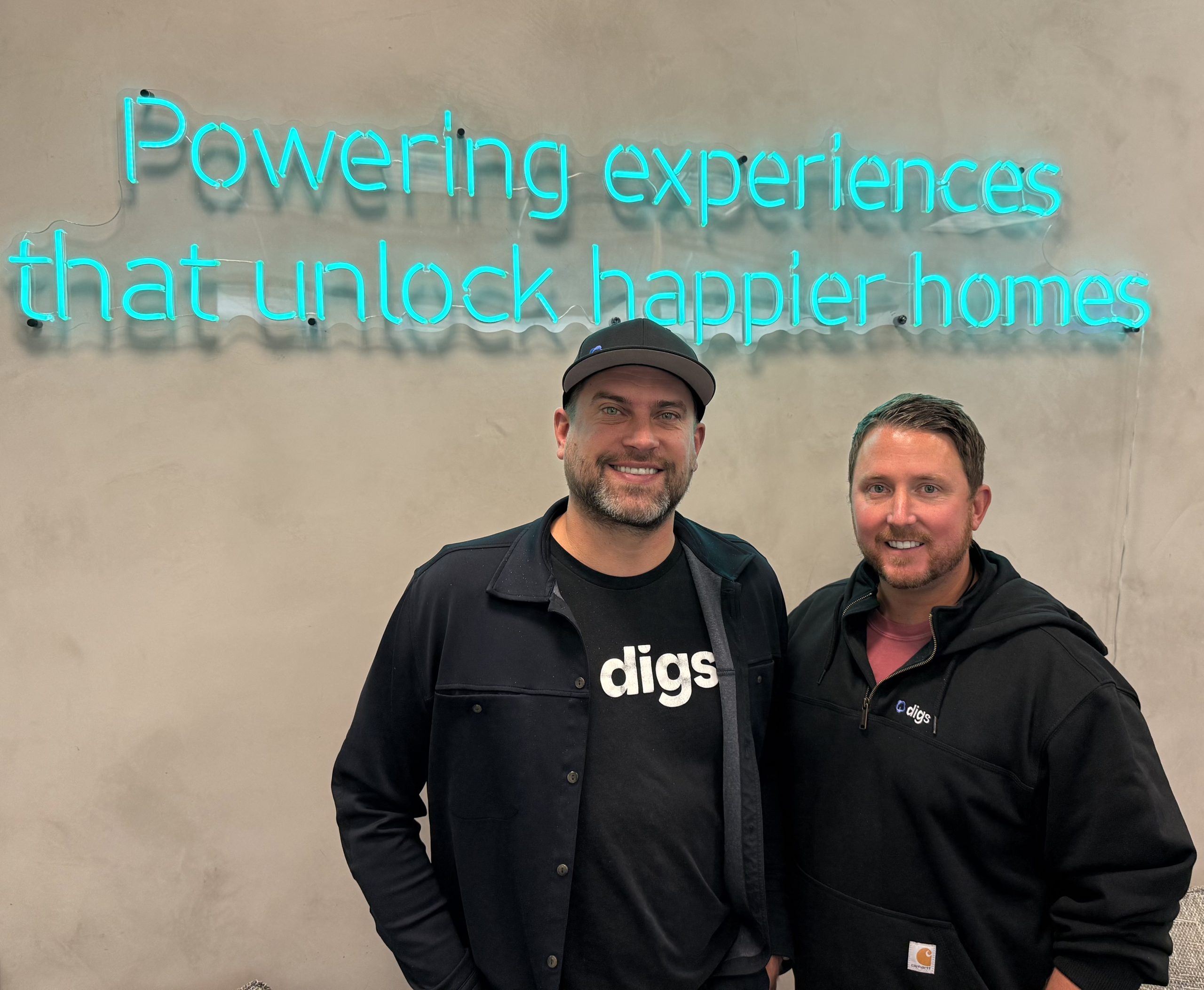
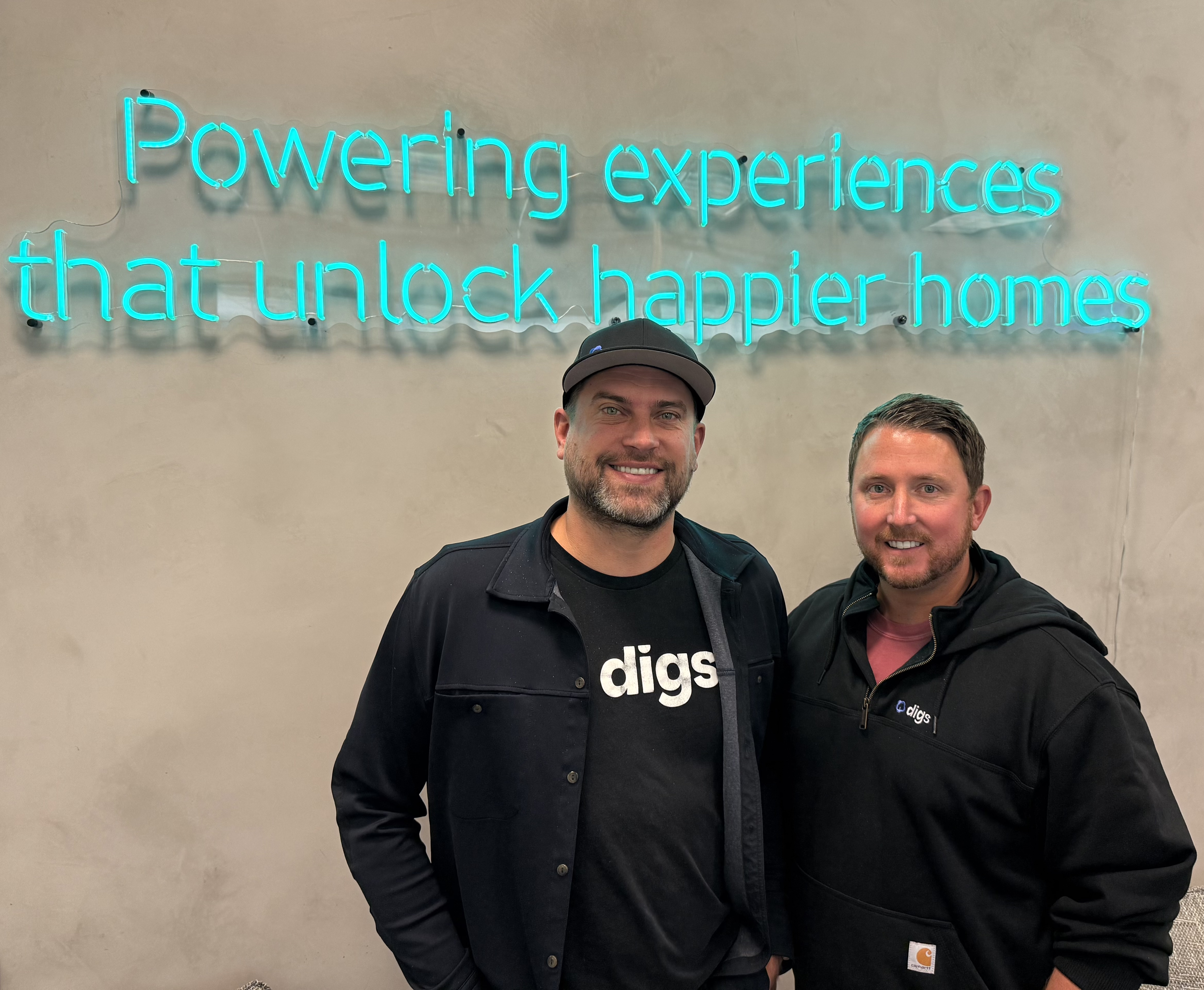
Digs, a Vancouver, Wash.-based startup building AI software for residential construction, raised $25.3 million in Series A funding led by building products giant Builders FirstSource, the companies announced Tuesday.
Under the five-year agreement, Builders FirstSource will integrate Digs’ AI platform into its digital ecosystem, expanding tools for its 140,000 builder clients. The technology streamlines everything from pre-construction estimates and blueprint collaboration to post-move-in home maintenance and warranty care for homeowners.
The deal represents a major milestone for Digs, which was founded in 2022 by Ryan Fink and Ty Frackiewicz. Fink said the partnership moves Digs closer to its vision of creating “the first scalable true digital twin of the home” that lives on well past the construction phase.
The Series A pushes Digs’ total funding to more than $47 million, building on a $5 million pre-Series A round in late 2025. The startup previously drew backing from regional venture firms including Fuse, Flying Fish, Oregon Venture Fund, and Cascade Seed Fund.
Digs has grown to 37 employees and Fink said they’ll look to double that count to more than 60 by the end of the year, mostly in engineering, design, and product and some in sales and marketing.
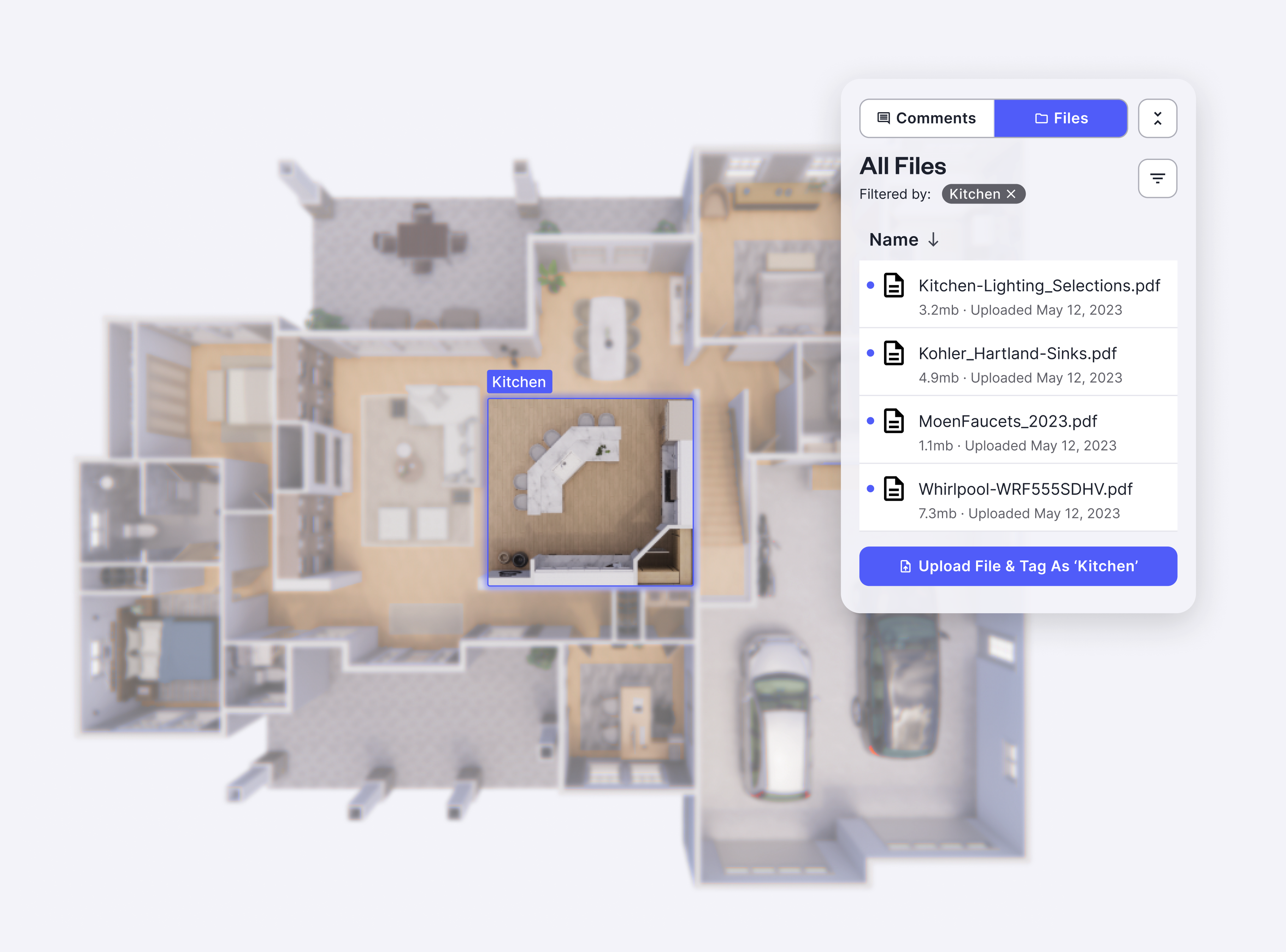
Digs charges builders on a SaaS model and currently has thousands of homes on its platform across all 50 states. Fink often describes the tool as a “CarFax for the home,” replacing static PDF blueprints and lost paperwork with an AI-powered hub that tracks a property’s history, materials, and warranty details.
Fink and Frackiewicz previously collaborated on augmented reality startup ONtheGo Platforms, which was acquired in 2015. Fink later founded home-service AR startup Streem (acquired by Frontdoor in 2019), while Frackiewicz brought a background in construction engineering and luxury homebuilding.
Headquartered in Irving, Texas, Builders FirstSource is the nation’s largest supplier of building materials and prefabricated components for residential construction. The Fortune 500 company operates approximately 565 locations across 43 states, supplying structural building products, trusses, and millwork to professional homebuilders in 91 of the top 100 U.S. metropolitan markets.
“Our customers are looking for seamless technology that helps them operate more efficiently and deliver a better homeowner experience,” Builders FirstSource President and CEO Peter Jackson said in a statement. “By combining Builders FirstSource’s scale, deep customer relationships, product data, and extensive digital ecosystem with Digs’ AI platform, we are advancing tools that can simplify workflows, improve productivity, and create a more connected experience across the homebuilding lifecycle.”
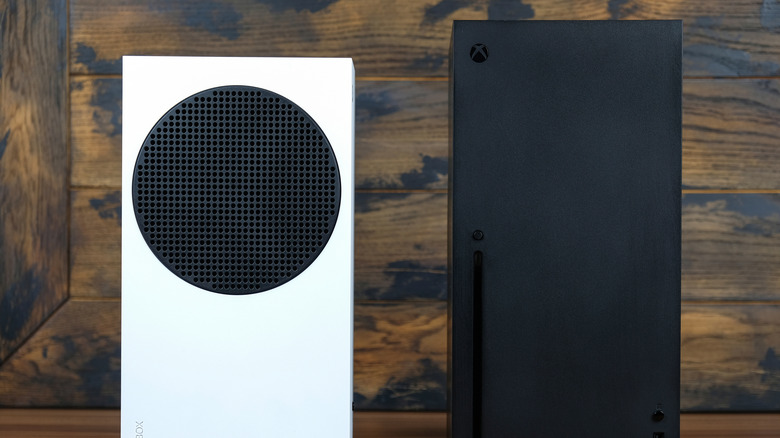
Birthdays are great. Cake! An increasingly sprawling number of candles! Microsoft Rewards points! Wait… come again? Yup, you can indeed claim birthday gifts from the Xbox App if you own an Xbox Series X/S or use Xbox Game Pass on a gaming laptop. Though said gifts aren’t exceptionally glamorous and require you to make purchases on the Microsoft Store before you can claim them, they’re better than nothing. Below, we’ll guide you through the process of how you can earn Rewards points during your birthday week, while also breaking down exactly what these points can be spent on.
What free gifts does Xbox give for birthdays?
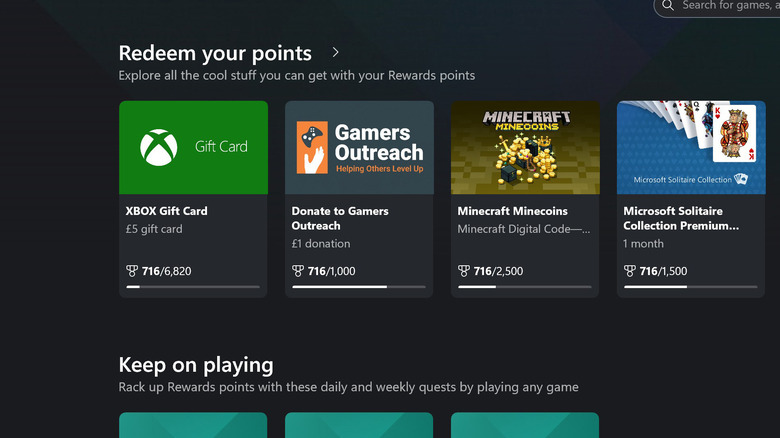
Microsoft doesn’t technically gift you anything on the week of your birthday. Crappy of the Big M, we know. Before you glumly put away all your party streamers, though, you can claim extra Microsoft Rewards points during your birthday week. We’ll explain more about that shortly. As for what you can spend these points on, don’t go dreaming that you’ll be able to claim Forza Horizon 6 or Halo Campaign Evolved if you accumulate a bunch of them. Sadly, the rewards aren’t quite that exciting.
Once you go to the Xbox Rewards hub, you’ll find a fairly limited array of items you can unlock. These range from gift cards to digital currency for select games. Want some examples? A $5/£5 Xbox gift card can be claimed for 6,820 Rewards points; a Candy Crush gift card costs 1,500 points; a League of Legends gift card costs 6,500 points; an Ancient Coin Pack for Sea of Thieves costs 1,700 points; and 330 Minecraft Minecoins will set you back 2,500 points. In a nice touch, you can also give $1/£1 to various charities (like UNICEF or Girls Who Code) by donating 1,000 Rewards points.
How to get free gifts from Xbox Rewards on your birthday
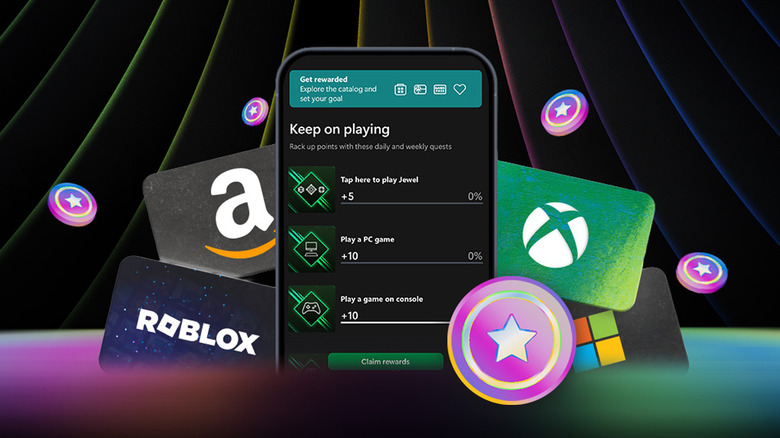
There are a couple of caveats before you can claim your birthday-related Rewards points. First up, you obviously need a Microsoft Account. You also need to sign up for Rewards with Xbox. Once you’ve ticked these two boxes, you can start earning points. As for your birthday, starting on the Monday of the week you inch one step closer to the grave and concluding on the Sunday, you’ll earn double Microsoft Rewards points for any game or add-on/piece of DLC you buy from the Microsoft Store.
After you’ve completed your purchase, head to the Xbox Rewards hub (most easily accessed through the Xbox app) to see how many points you’ve racked up. While we’ve already made it clear you can’t unlock the best Xbox games with your points, if you’re obsessed with Candy Crush or Sea of Thieves, the various gift cards you can splurge on aren’t too shabby. Because Rewards points can’t be spent directly on games themselves, we’d advise that you don’t waste any birthday money you might have been given on the Microsoft Store just to earn said points.

As RAM prices surge and RAMageddon headlines multiply, Google posted new requirements for Android app developers earlier this week. Starting in 2027, apps distributed via Google Play must work within strict memory thresholds to “help protect the overall user experience from applications using excess memory and causing system-wide slowdowns.”
The idea is to prevent a single misbehaving app from glitching the device, hogging RAM and degrading your entire smartphone experience. Not surprisingly, Google explicitly cited the supply shortage in memory — now a scarce, expensive resource amid booming AI demand — as one of the motivations behind the new rules.
And these are rules, not just suggestions. Google threatens that apps that don’t comply “will be slowed down and may be terminated.” Compared with a lot of past updates, it also seems a pretty tight time frame for compliance.
Far from punishing innovation, these rules codify what responsible development should look like — efficient memory use, faster launches and smoother multitasking experiences — and once they’re in the codebase, they might hang around for years. That means our phones may no longer slow down with every OS update.
So, for everyday Android users, that’s a win: Not only could everything run better on today’s lower-end phones and computers, but it might also, hopefully, prolong the life of older hardware by slowing the upward climb in system requirements for upgraded software. And anything that runs well on low-end hardware generally runs faster and more smoothly on the best devices.
Who has the headache now?
Operating system and application developers have gotten accustomed to prioritizing what I think of as the most expensive common denominator — showy, resource-hogging features that highlight the high-margin devices manufacturers most want to sell, with lots of memory, storage and powerful processors.
But the component supply crunch and skyrocketing prices have suddenly made low-end configurations of phones and computers critical to sustaining sales in those contracting device categories.
The crunch is really for anything created in a semiconductor fab, though the effects are most visible in memory supplies and prices. Fab resources have been, or are expected to be, reallocated toward whatever’s ultimately most profitable.
Right now, that means anything critical to AI, especially data centers. Memory producers and packagers can make a lot more money from high-bandwidth memory and SRAM for advanced processing rather than from the DDR incorporated into consumer devices.
So there’s a lot more incentive for developers to optimize operating systems and application performance for less memory and lower-power hardware. Even if the memory shortage eases in 2027 (though that’s unlikely), the benefits of making our smartphones less sluggish should continue for some time.
RAM shortages affect Windows, too
Then there’s Windows.
I can’t remember when it last ran decently with 8GB of RAM (and I’d love to know in what universe it can run on 4GB, the minimum requirement on paper). In March 2026, Microsoft finally announced it was taking Windows 11’s poor memory management seriously, “lowering the baseline memory footprint for Windows.”
The company’s June update on its progress implied that part of the problem is the current interface framework applications are built with (WinUI 3), which rolled out in 2021, as well as the web components integrated into the OS (that’s why Edge is everywhere).
After five years, shortages finally made it a Microsoft problem, not just a “you need to upgrade” solution.
It’s not completely fair to accuse the operating systems of resource bloat. MacOS and iOS only have to run on Apple hardware and have a far smaller application ecosystem to worry about, but systems like Android and Windows have to support a wide variety of hardware and an anarchic ecosystem of apps and games.
That means a lot more overhead, including resources that must remain in memory to keep everything communicating. And to date, they’ve had the luxury of being able to back-burner, or at least deprioritize, efforts to make the OSes run more efficiently with less memory.
Hopefully, no longer. When platforms start treating memory as a scarce resource and push developers to respect that scarcity, the result could be fewer surprise slowdowns and longer lifespans for existing devices.
The AI irony
One of the reasons for the increase in memory requirements over the past few years has been the AI push. On-device AI features, such as local LLMs, image generation and advanced photo editing, require bursts of memory to run smoothly or to complete tasks with fewer errors. If ordinary apps are maxing out RAM, there’s no room for these features without constant throttling or crashing.
Another irony? As demand for AI server memory pushes DRAM prices higher, we can’t afford or get the devices that companies have been pushing, and the models have been getting smaller as well.
Manufacturers have responded by incorporating less RAM or even cutting it in new phones. Google’s own Pixel 11 Pro base models, for example, drop from 16GB to 12GB compared to prior generations
Hardware prices might never return to pre-RAMageddon levels. But by squeezing waste out of everyday apps now, Google is carving out space needed for next-generation AI experiences on the same hardware.


TRUMP JUST NUKED XRP… XRP WATCH FAST

Woman sheds 12.5 stone after being being ‘crippled by pain and mobility issues’

The Jobs Report May Force A September Rate Hike And Send Rates Soaring





-

 Crypto World5 days ago
SpaceX stock could rise 75% to $240, JPMorgan says
-

 Fashion2 days ago
Weekend Open Thread: Maeve – Corporette.com
-

 Crypto World3 days ago
Bitcoin’s 22% rally now needs real demand to outlast Treasury liquidity boost
-

 Crypto World4 days ago
Warsh Jackson Hole keynote puts financial innovation first
-

 Crypto World6 days ago
A $30 Billion AI Fund Implodes, Now the SEC Is Investigating Wall Street’s Role
-

 Business3 days ago
Salesforce Stock Soars 19% as Blowout Earnings and Agentforce AI Growth Silence Software Skeptics
-

 Crypto World5 days ago
Did Trump Just Move SpaceX Stock With One Truth Social Post?
-

 Crypto World4 days ago
Elon Musk Grok Bot Promise: We Will Make You Whole if AI Loses Your Money
-

 Business4 days ago
Walmart takes aim at younger shoppers with new fashion brand
-
 NewsBeat4 days ago
Lindsay Clancy jury braces for closing arguments as judge tells court: ‘You’ve heard all the evidence’ – Live updates
-

 Business3 days ago
Apple Confirms September 9 Keynote and Reveals Its Full Pre-Order Schedule
-

 Crypto World2 days ago
Bitcoin price tests $82K resistance as Brandt stays long
-

 Crypto World4 days ago
NVIDIA revenue hits $96.2B as AI demand doubles
-

 Business6 days ago
Moderna CEO warns China is pouring state money into mRNA technology
-
 Business5 days ago
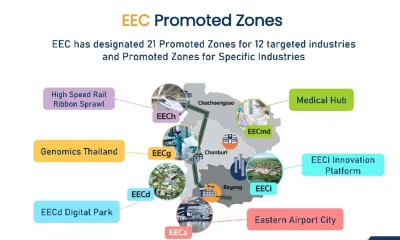
Thailand’s Eastern Economic Corridor Capital City (EECiti): Key Developments and Investment Opportunities
-

 Business2 days ago
iPhone 18 Pro Pre-Orders Could Shift to Saturday as Apple Reportedly Avoids September 11 Anniversary
-

 Business6 days ago
NVIDIA Stock Drops Nearly 2 Percent to $210 on Seventh Losing Day Ahead of Critical AI Earnings
-
 Crypto World7 days ago
$92 Billion Nvidia Earnings Could Make or Break the AI Trade
-

 NewsBeat5 days ago
Trump’s trade truce with China faces test with Iran effort
-
 Crypto World4 days ago
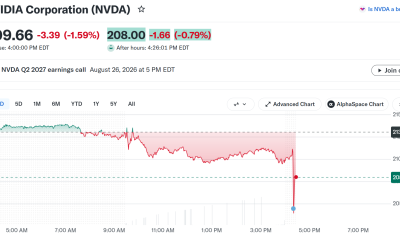
Nvidia Q2 Earnings Reveal $96.2 Billion Beat, So Why Is NVDA Falling?
You must be logged in to post a comment Login