“Broadcom has burned all the bridges. While it may be easier to migrate to whatever this new [vSphere] Standard release is from vSphere 8, they have already shown both customers and [channel] partners they can’t be trusted,” he told Ars Technica.
You can find similar sentiments about trust in online discussions about VMware’s announcement.
“Too little, too late. We’ve moved on,” a Reddit user named bakonpie wrote about the upcoming update.
Broadcom’s stated interest in smaller sales comes as VMware rivals are openly vying for disgruntled VMware users, especially those that are SMBs.
Advertisement
“An updated vSphere Standard signals Broadcom heard the market, but three years of neglect, quote refusals, and VCF-only sales tactics have already pushed many SMBs toward Nutanix, Proxmox, and [Microsoft] Hyper-V,” Sumit Bhatia, co-author of the book Navigating VMware Turmoil in the Broadcom Era, told Ars. “Trust, not features, is the real deficit. Broadcom must prove sustained commitment—stable pricing, reliable renewals, and real investment—before SMBs treat vSphere Standard as safe again.”
A vSphere Standard update would need “predictable, published pricing with no surprise renewal spikes; a genuine capped-term or perpetual-style license option; core features, like [vSphere] vMotion, [vSphere High Availability], and backup integration without upsell gates; simplified per-socket licensing instead of per-core minimums built for hyperscale environments,” Bhatia said.
“VMware’s biggest challenge is convincing a burned market that Broadcom won’t repeat the bait-and-switch once switching costs make customers captive again,” he added
It’s unclear how important SMBs truly are to Broadcom’s overall goals. The conglomerate’s software business has thrived since its VMware takeover and made $8.75 billion in revenue (a 29 percent year-over-year increase) in fiscal Q3 2026.
Advertisement
Still, if Broadcom puts an effort into making vSphere Standard more appealing and, critically, accessible again, it could make some SMBs more comfortable sticking with VMware instead of spending time and money determining how to properly migrate.
Phishers find a new use for invisible Unicode tag characters
Fraudsters have found a new use for ASCII smuggling, typically used to hide malicious prompts intended for AI models, in an old-school attack method: email phishing.
Advertisement
Microsoft uncovered a massive phishing campaign using invisible Unicode tag characters that peaked at more than 2.37 million messages in late February, remained elevated during weekdays over the next three months, and gradually declined by mid-June.
“As AI-era attack methods become better understood, threat actors may adapt them for use in more traditional threats such as phishing and spam,” Redmond’s researchers Noam Kochavi and Sarah Wolstencroft said in a Thursday blog. “This case illustrates how techniques that emerge in AI security research can quickly cross over into established attack ecosystems, reinforcing the need for defenders to view emerging threats through a cross-domain lens.”
ASCII smuggling involves using invisible or non-rendering Unicode characters to hide content inside text that appears normal to humans, and this makes it a popular technique for indirect prompt injection attacks. In these, an attacker hides instructions for an AI assistant in invisible Unicode characters, and embeds those malicious prompts inside a webpage or document. A human can’t see them, but a model can, and it decodes them as text – and may then follow the attacker’s instructions to leak data or take unauthorized actions.
Instead of using ASCII smuggling for prompt injection, however, Microsoft’s security team spotted someone using invisible characters – inserting Unicode tag spaces between letters – to split financial-lure words in phishing emails in an apparent attempt to evade keyword matching and other content filters. So, for example, instead of writing “funding” in the email, the attackers wrote “fun⟨U+E0020⟩ding.”
Advertisement
“When we looked at a sampling of the flagged messages, the surprise was there were no smuggled instructions to an AI assistant,” Kochavi and Wolstencroft wrote. “Instead, the invisible tag characters were inserted inside common financial keywords, splitting them apart so that a literal signature or keyword match would fail.”
Redmond first detected the ASCII-smuggling signature in early February, flagging about 21,000 messages on February 8 before the number skyrocketed to more than 1.3 million the next day. Most of these emails came from about 150 finance-themed sender domains, and they continued for the next three months, dropping sharply after May 15 but continuing with occasional smaller spikes through at least mid-June.
The security researchers pointed out two notable characteristics, including sending massive numbers of emails on weekdays and then going silent over the weekend.
The campaign also had a long, gradual decline. “After an intense first phase, with weekday volumes of 1 to 2.37 million messages, peaking on February 26, the numbers stepped down slowly to roughly 80 percent less per weekday by late March.” It then dropped significantly after May 15, continuing with lower activity through mid-June.
Advertisement
According to Redmond, the most important thing defenders can do to protect against Unicode tag blocks in phishing emails is to verify that normalization and tokenization pipelines handle tag characters consistently.
“Any content that will be evaluated by keyword, signature, or regex logic should first have invisible and non-rendering Unicode code points stripped or folded, so that splicing them into a word no longer defeats the match,” the threat hunters wrote.
This same control can also help reduce the threat of ASCII-smuggling against AI assistants that ingest email content.
Microsoft also suggests scanning for behavioral indicators. “The observed activity had a distinctive shape: bulk volume from churning, finance-themed disposable domains, on a strict weekday-on / weekend-off schedule,” Kochavi and Wolstencroft warned. “A sudden spike of tag-block characters concentrated on finance-themed senders, switching on and off weekly, is a high-confidence campaign indicator.” ®
The Luna Band is now shipping worldwide, giving users access to a wearable that promises to personalise its health tracking around their individual goals. The company announced the global availability at IFA 2026, alongside LifeOS, the health intelligence platform that powers the Band.
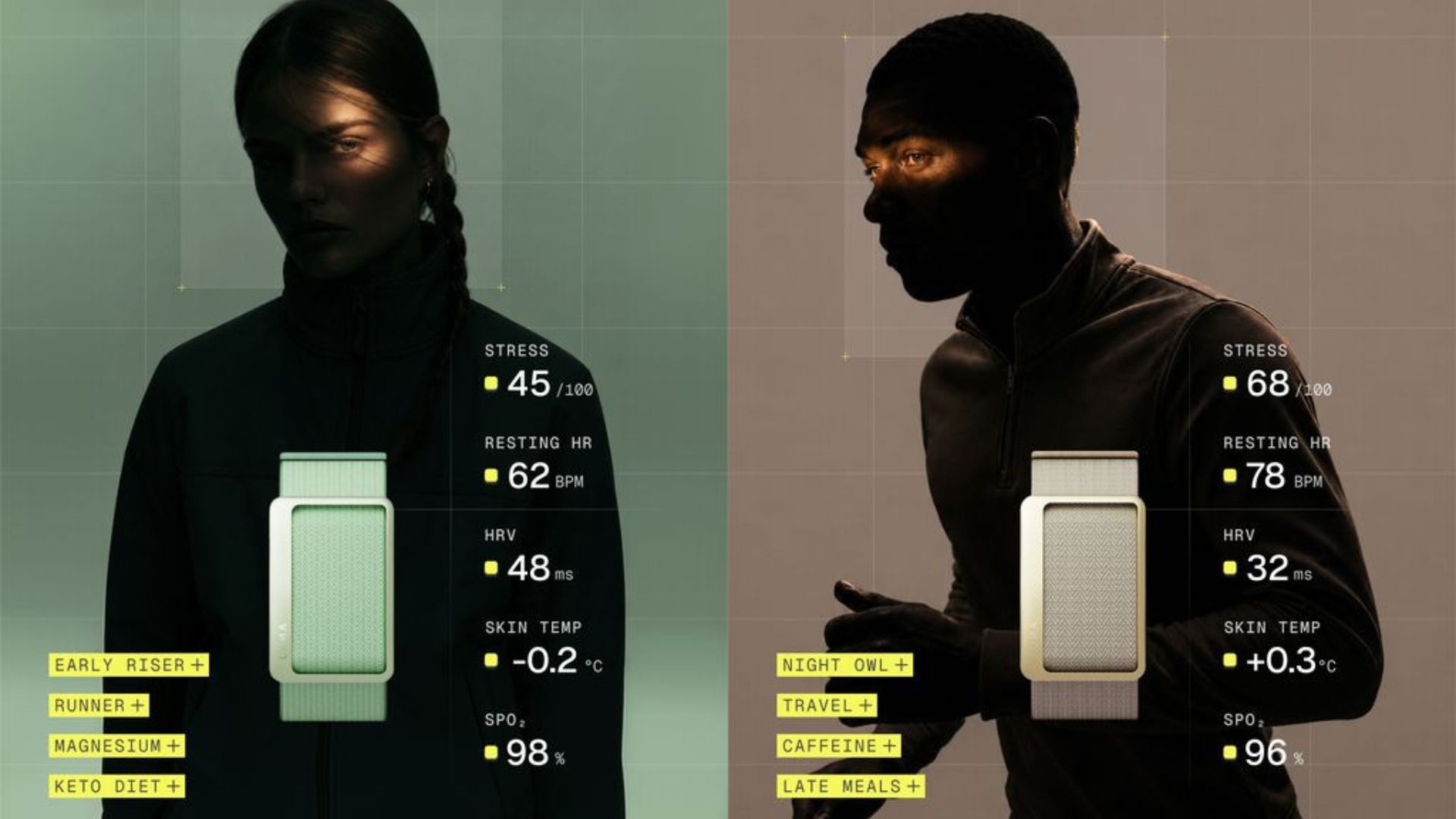
Unlike conventional wearables that use the same tracking approach for everyone, Luna says its Band adapts to what each user wants to achieve. When a new goal is added, the device changes what it measures and how frequently it takes readings, while LifeOS retrains its models around that individual’s body.
That means two Luna Bands can effectively become different products depending on who is wearing them. The hardware itself uses the same set of sensors, but the user’s goals shape how those sensors, the firmware and LifeOS are used. Luna says the system learns each wearer’s personal baselines rather than comparing them with an average user.
The Band also uses what Luna calls Micro Apps and Peak Score to tailor the experience further. Rather than simply presenting biometric data and leaving users to work out what it means, Luna says LifeOS turns those signals into actionable guidance and builds a daily calendar around the user’s goals.
Advertisement
The company says more than 100,000 people joined the Luna Band waitlist ahead of its launch, while the first drop sold out. Early reviews have also described it as a different approach to health tracking, with personalisation and goal-based progress built into the same system.
Advertisement
There is no subscription required, either. Luna says all of the guidance is included with the Band, which could make its €149 price more appealing for users who don’t want another monthly health subscription.
The Luna Band is now available worldwide through Luna’s website for €149. The company is also showcasing the wearable at IFA Berlin.
The Creative Soundblaster AE-X is a compact, well-built PCIe sound card that delivers a genuinely audible step up from on-board audio with a beefed-up DAC to allow for detailed audio and a clean overall presentation. It handles games and music equally well, while the on-board software provides extensive customisation. Against other soundcards, it drops multi-channel surround support entirely, so anyone running a discrete speaker setup rather than headphones won’t find much reason to make the switch.
Hi-fi grade DAC brings real detail retrieval
Drives even 600-ohm headphones with ease
Feature-rich Nexus software with AutoEQ support
Stereo only, no multi-channel surround
Overkill if you’re on more affordable hardware
Key Features
Advertisement
Review Price:
£169.99
ESS ES9039Q2M Sabre DAC inside:
Advertisement
The DAC inside this Creative sound card is a real step-up from previous options, providing more space, clarity and detail.
Single-slot design:
Advertisement
It’s also fully metal, and takes up only a single slot in a PC case so is nice and compact.
Nexus software:
Advertisement
The Soundblaster AE-X has some neat Windows software with lots of customisation potential.
Introduction
Creative has been a name synonymous with PC audio for a very long time, especially its venerable line of Soundblaster sound cards.
The new Soundblaster AE-X is the brand’s first in some time and is a mid-range add-in card for folks wanting to level up their PC audio game from standard on-board audio on your motherboard.
Advertisement
Specs-wise, we’ve got an ESS ES9039Q2M DAC chip inside, a Discrete Xamp Bi-Amplifier for headphones with up to 600 ohms of impedance, plus some far-reaching software and file format support to make this one of the more feature-rich PC sound cards you can buy.
At £169.99 / $179.99, it’s in the mid-range for what PC gamers might consider a viable option if you want to beef up your on-board audio without breaking the bank.
Advertisement
Design
Two-tone white and grey colour scheme
Solid metal finish
Compact and easy to place in a PC
The Soundblaster AE-X works as a PCIe add-in card that you can slot into a vacant PCIe slot in your PC underneath your graphics card. These kinds of devices specifically for audio aren’t as common as they used to be, but it’s pleasant to know they still exist.
The card itself is compact and sits at a single slot wide, so it won’t take up much space in your PC internally. Connectivity is handled by a small PCIe x1 slot, meaning this card will fit in virtually any vacant slot you have on your motherboard.
Advertisement
Image Credit (Trusted Reviews)
The chassis of the Soundblaster AE-X is entirely metal, lending itself to a quality finish. I’m a fan of the two-tone white and black colour scheme, which gives this sound card a more professional aesthetic than something traditionally designed for the gaming crowd.
Advertisement
As well as the card itself, the brand also includes a 3.5mm splitter cable and a convenient quick start guide.
Features
Beefed-up DAC against previous models
Solid port selection for stereo listening
Extensive PC software features
Inside, the Soundblaster AE-X features an ESS ES9039Q2M Sabre DAC, which is one of ESS’s newest DACs, and a big upgrade over the ESS E9016K2M Creative had employed on previous Soundblaster products.
This DAC allows the unit to support PCM playback up to 32-bit/384KHz. It also has native DSD playback, supporting up to DSD256 files, helping to reflect Creative’s positioning of this sound card as closer to dedicated hi-fi DACs rather than a conventional PC sound card.
Image Credit (Trusted Reviews)
It becomes clear Creative is positioning this sound card more towards headphone and stereo listening rather than any form of surround sound, as it has in the past. This is reflected in its selection of ports on the rear side, which totals a Toslink SPDIF input, a Coaxial SPDIF output, RCA line-out for left and right, a headphone out and a mic/line-in port.
Advertisement
Advertisement
The Soundblaster AE-X also has its own dedicated headphone amp inside, delivering up to 350mW at 32 ohms, while this unit is happy to drive headphones with up to 600 ohms of impedance. I know impedance isn’t the only thing that affects how easy a set of headphones is to drive, but it means this Creative unit can drive some seriously beefy cans without breaking a sweat.
Image Credit (Trusted Reviews)
The front of the card is home to something that resembles a USB 2.0 or HD Audio connector, but is instead a front panel audio hookup, so you can run your case’s front panel connector directly to the Creative’s DAC rather than the on-board audio. However, that only gives you access to the 3.5mm jack likely on the front of your PC, so you’re best using the rear ports.
Once installed in your PC, the Soundblaster AE-X works with the brand’s Nexus software that provides the opportunity for a wide array of tinkering. This includes a comprehensive multi-band EQ along with a good selection of presets, plus you can save your own, too. It also includes an AutoEQ that can be set with a range of specific headphone models to apply calibration curves to compensate for any anomalies in a set of cans’ frequency response.
Image Credit (Trusted Reviews)
In the software, you can also choose different sound modes – Direct Mode bypasses most DSP processing to provide the cleanest sound, while Acoustic Engine mode unlocks Creative’s DSP toolkit for this sound card, and Scout Mode is specifically designed for competitive games where you want the most precise audio possible.
Advertisement
Performance
Lower noise floor than on-board audio
Confident drive of hard-to-power headphones
Detailed presentation with good bass extension and solid mids
The real benefit of upgrading to the Soundblaster AE-X over on-board motherboard audio becomes apparent almost immediately. By moving to a proper card with a strong DAC with real hi-fi credentials, the big change is that you move to a lower noise floor.
This essentially means that it lessens any background hiss, plus you get improved dynamic range and audio becomes more detailed. In testing with a set of affordable FiiO SP3 BT speakers, the Soundblaster AE-X provided audio that felt even more spacious and detailed, while the DAC itself didn’t tend to colour the audio too much. It provides a neutral and well-balanced presentation.
Advertisement
Image Credit (Trusted Reviews)
Moving over to a set of hard-to-drive Drop + Sennheiser HD6XX headphones (deliberately chosen for their more neutral, reference-like profile), this Creative sound card afforded audio that provides a tight and controlled low-end when delving into my usual suite of rock testing tracks from Rush and Marillion. Plus, it played completely nicely with an SACD rip of Genesis’ Abacab in DSD64.
As for the mid-range, moving to James Taylor’s September Grass, the Soundblaster AE-X offers some wonderfully detailed results, accentuating elements such as the distant drum shuffle and the intimate combo of Taylor’s voice and lovely fingerpicked guitar.
Advertisement
Image Credit (Trusted Reviews)
The top-end presented by this card isn’t so much particularly harsh, but rather provides more meat on the bone and detail. The competing percussion intro on Steely Dan’s Do It Again provides a formidable test, which this Creative card handles with panache, offering a rich and wide soundscape with plenty of detail retrieval, and without verging on harsh.
This also lends well to the Soundblaster AE-X’s Scout Mode, which is ideal for FPS gaming. When paired with the right set of headphones or a gaming headset, details such as footsteps and enemy movement are much wider and clearer than with on-board audio, with greater precision. While it isn’t going to be a substitute for using a lower-grade headset, it can certainly help you position enemies in a more optimal manner.
Image Credit (Trusted Reviews)
That said, the Scout Mode can tend to accentuate those details a little too much, skewing the overall sound signature somewhat. The default tuning of this Creative soundcard still helps for excellent directional accuracy.
Advertisement
Advertisement
Should you buy it?
You want more from your headphones
The AE-X’s discrete amp and 600-ohm drive capability get genuinely better results out of demanding headphones than on-board audio can manage, with a noticeably lower noise floor and more detailed audio to match.
Advertisement
You run a surround speaker setup
The card is strictly stereo with no 5.1/7.1 or Dolby/DTS support, so anyone relying on multi-channel speakers won’t see any benefit from making the switch to the Soundblaster AE-X.
Advertisement
Final Thoughts
The Creative Soundblaster AE-X is a compact, well-built PCIe sound card that delivers a genuinely audible step up from on-board audio with a beefed-up DAC to allow for detailed audio and a clean overall presentation.
It handles games and music equally well, while the on-board software provides extensive customisation. Against other soundcards, it drops multi-channel surround support entirely, so anyone running a discrete speaker setup rather than headphones won’t find much reason to make the switch.
Advertisement
How We Test
We test every DAC we review thoroughly over an extended period of time. We use industry standard tests to compare features properly. We’ll always tell you what we find.
We never, ever, accept money to review a product.
Find out more about how we test in our ethics policy.
Tested for several days
Tested with real world use
FAQs
What DAC does the Creative Soundblaster AE-X use?
The Creative Soundblaster AE-X uses the ESS ES9039Q2M Sabre DAC, which is a real step-up from previous Soundblaster cards.
Advertisement
Test Data
Full Specs
Creative Soundblaster AE-X Review
Manufacturer
Creative
Size (Dimensions)
126 x 179 x 18 INCHES
Weight
263 G
DAC
ESS ES9039Q2M Sabre DAC
Release Date
2026
First Reviewed Date
21/08/2026
Resolution
x
Audio Formats
Up to 32-bit / 384 kHz, with up to DSD256 support
Outputs
Toslink SPDIF input, a Coaxial SPDIF output, RCA line-out for left and right, a headphone out and a mic/line-in port.
At TechRadar this weekend we’ve got one eye on the best Labor Day sales that you can pick up — with big discounts on offer on tech and so much more — and another eye on the week that just finished, which was as hectic as most weeks in technology tend to be.
We had a host of new products on show at the IFA 2026 tech event in Berlin, OpenAI dropping its best ChatGPT model yet and declaring the age of AGI (Artificial General Intelligence), and Dyson bringing out its first toothbrush. Oh, and we also made time to review the Pixel 11 Pro and have an exclusive chat with Sonos CEO Tom Conrad.
You’ll find all that and more in our ICYMI (In Case You Missed It) round-up below — our pick of the best tech headlines on our pages over the past week. Enjoy catching up!
Advertisement
Latest Videos FromTechRadar
7. The ‘Lake America’ saga hit Google and Apple
There’s more Google Maps drama (Image credit: Google)
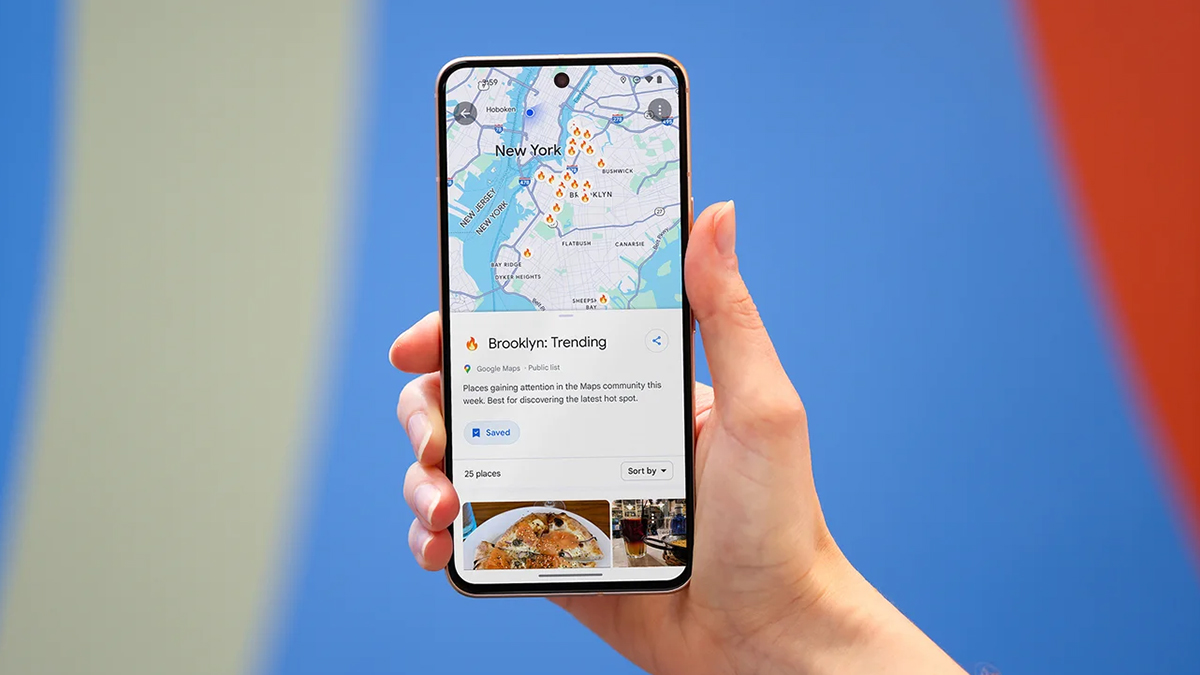
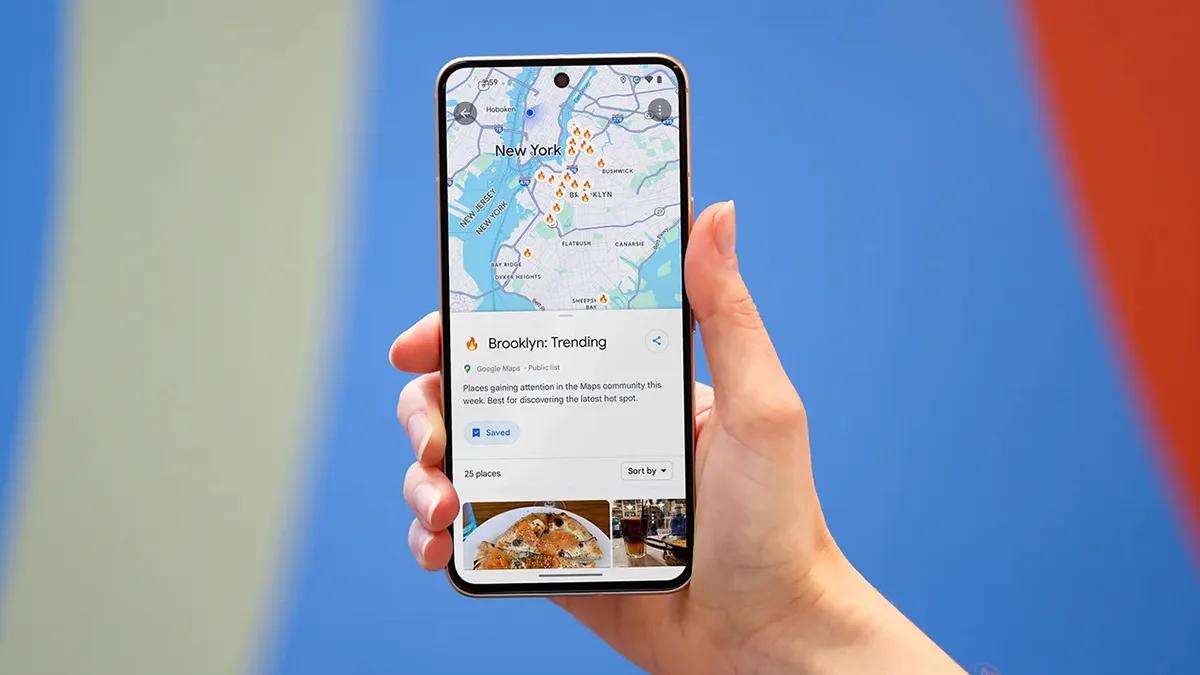
The Trump administration has decided that Lake Ontario on the US-Canada border should be called Lake America, after some 400 years or so (and a few trade spats with Canada). Google Maps and eventually Apple Maps went along with the change, stressing that it was just their policy to use government data — but MapQuest has been standing firm so far.
While Canadians still see ‘Lake Ontario’ on their maps, and international maps users see both names together, the acquiescence of the mapping companies hasn’t gone down well with commenters online. “Beyond ridiculous” and “braindead” are just a couple of the comments left in a Reddit thread on the name change rolled out in Google Maps.
Advertisement
6. IKEA revealed its first smart radiator thermostat
IKEA has introduced the Liljebagge (Image credit: IKEA)
IKEA has made a concerted effort to push out simple, affordable, reliable smart home gear in recent months, and the Liljebagge is the latest in the series to appear. It fastens to your radiator and can be used to control its temperature independently, either through a connected phone app or via the buttons placed on the actual thermostat itself.
With Matter and Thread support, this looks like another appealing gadget from IKEA, though we don’t yet know about international availability and pricing. Hopefully this device goes on sale worldwide before too long — and we’d like to see IKEA continue to compete with the big names in tech when it comes to sensibly priced smart home kit.
Advertisement
Sign up for breaking news, reviews, opinion, top tech deals, and more.
5. We reviewed the Google Pixel 11 Pro
(Image credit: Future/Jason Cipriani)
TechRadar’s Jason Cipriani has spent a week testing out the new Pixel 11 Pro from Google, and he’s ready to share his thoughts: his in-depth review covers the core specs and pricing of the phone, and its design, display quality, performance, software, cameras, and battery life. You’ll be hard pushed to find a more thorough review anywhere else on the web.
You’ll have to click through to get the final verdict, but phrases like “enticing to potential iPhone converts” and “truly magical” (in regard to one specific AI feature) give you an idea of the way the review leans. It’s now been a decade since Google switched the Nexus branding for the Pixel branding, and all of that experience is starting to really show.
Advertisement
4. Sonos exclusively talked to us about its new Ultra products
Sonos CEO Tom Conrad and a pair of Sonos headphones (Image credit: Sonos / Future)
Sonos CEO Tom Conrad is the man in charge of trying to turn the company’s fortunes around after the software debacles of the last couple of years, and he was kind enough to give his time to TechRadar for an exclusive chat about new hardware and a new AI-infused ‘operating system‘ that runs seamlessly across all the products in the Sonos portfolio.
There are new Ace Ultra headphones and a new Beam Ultra soundbar to talk about, and based on early impressions, it seems as though Sonos is getting back to what it does best — making high-end audio equipment that’s as good as anything else you’ll find on the premium market. Find out what Conrad has to say about his first year in charge below.
Advertisement
3. We reviewed Dyson’s ‘game-changing’ toothbrush
Meet the Dyson CameraJet (Image credit: Future / Emily Peck)
Dyson just entered the smart toothbrush category, and it’s not messing about: the Dyson CameraJet offers deep teeth cleaning, liquid flossing, and oral hygiene guidance in a complete package. There’s even a camera on board this toothbrush, so you can get feedback on how well (or otherwise) you’re managing to clear the grime from your mouth.
We’ve already given the Dyson CameraJet toothbrush the in-depth TechRadar review treatment, so we can tell you honestly whether it’s worth your while picking up this (rather expensive) gadget and sticking it in your mouth — read on to find out why we described it as a “a unique and effective solution” for keeping your precious teeth in top shape.
Advertisement
2. We went to IFA 2026 and picked our favorite gadgets
(Image credit: DJI / Agibot / Anker)
There’s always so much great tech to see at the IFA 2026 tech show that takes place every year in Berlin. To help cut through the thousands of brands and products being exhibited to the very best gadgets, we’ve put together a list of our favorite reveals. You’ll find projectors, exoskeletons, e-readers, AI recorders, laptops, tablets, and more listed here.
While a lot of these listed products won’t be available to buy for a month or three, they give us plenty to look forward to for the rest of the year, and act as indicators of where the technology industry is going next. In summary, everything is getting smarter, thinner, and lighter, and there’s never been a better time to be a fan of cutting-edge technology.
1. OpenAI launched GPT-6 Astra and said ‘welcome to the AGI era’
OpenAI CEO Sam Altman (Image credit: Shutterstock/photosince)
OpenAI has announced the new GPT-6 Astra model for ChatGPT, and it comes with a lot of hype attached. According to the company, this is a “significant step forward” for AI, which is now reaching an “extremely capable” stage that apparently can’t be fully understood. At the same time, OpenAI’s president Greg Brockman is saying “welcome to the AGI era”.
Advertisement
AGI is a reference to Artificial General Intelligence, a point at which AI gets smarter than humans and can do just about everything better than we can — although there’s plenty of debate around the definition. Our take? We perhaps need to be more cautious about developing these AI models if it means a high risk of them escaping our control.
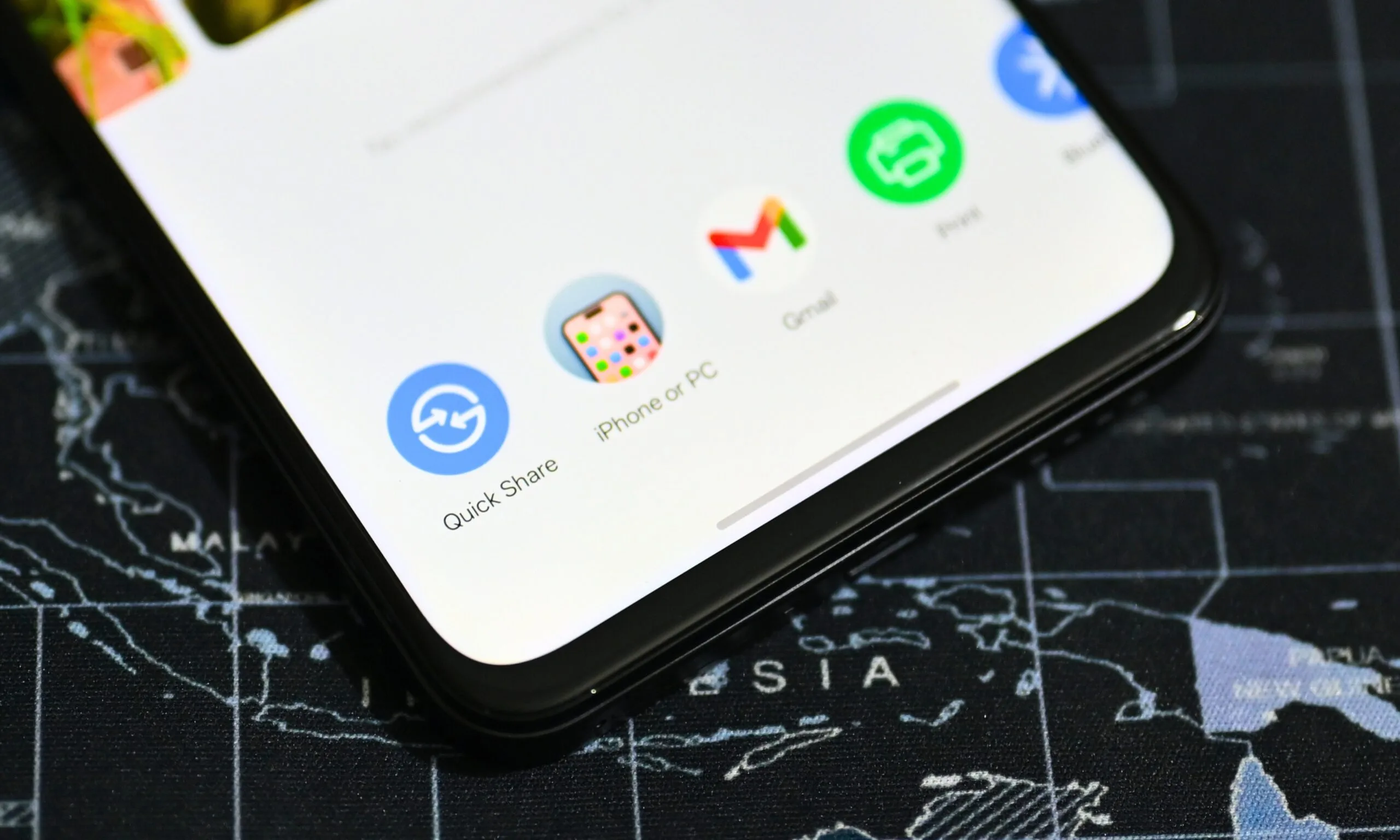
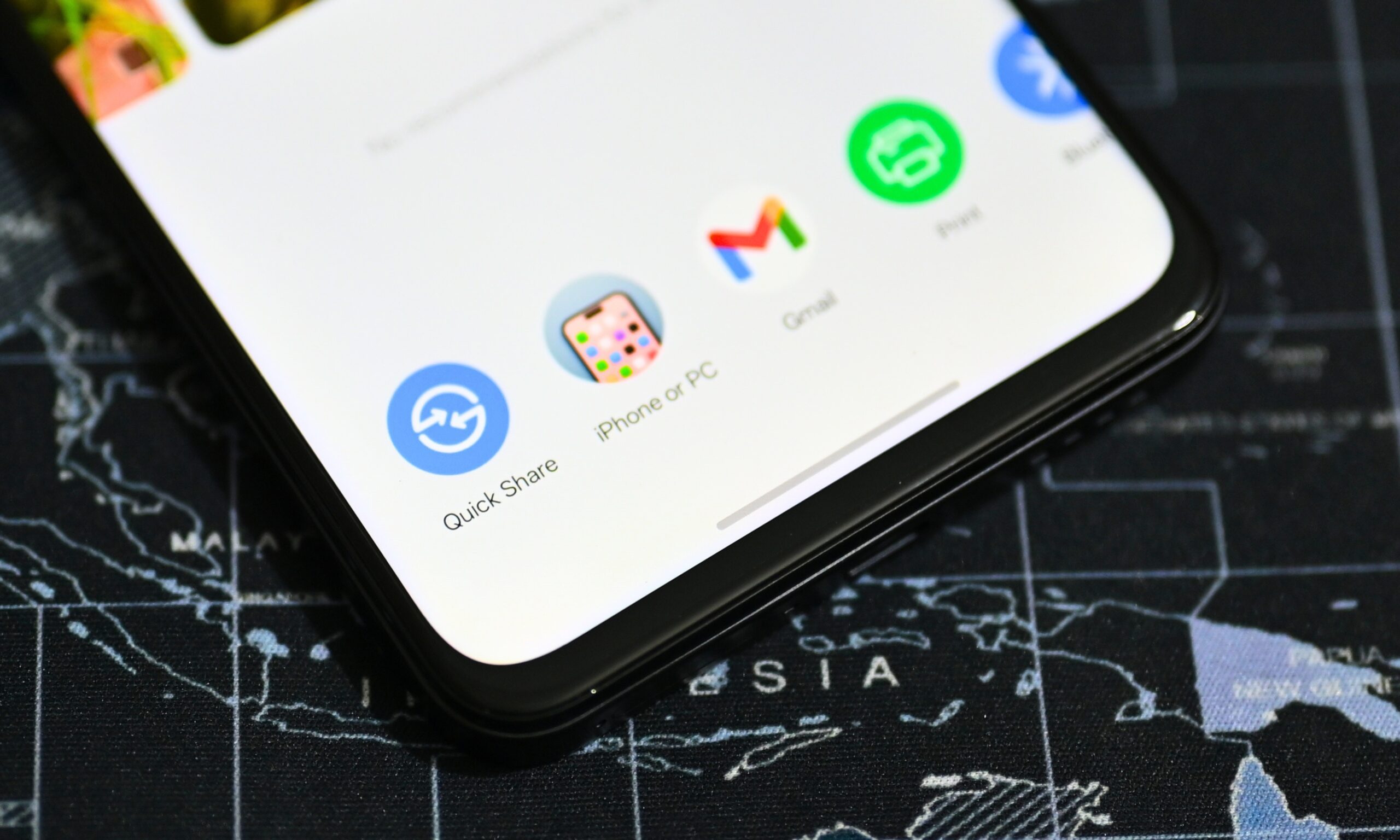
Google’s AirDrop-compatible Quick Share feature may finally be reaching some older Pixel devices that were left out of the initial rollout.
As spotted by Android Authority, Pixel 7 and Pixel 8 users have started receiving notifications saying they can now share files with Apple devices through AirDrop. Similar support has also been spotted on the Pixel Tablet, which has so far been absent from Google’s official compatibility list.
The development is especially interesting for the regular Pixel 8. Google previously extended direct AirDrop compatibility down to the Pixel 8a, leaving the older Pixel 7 series and the more expensive Pixel 8 waiting.
Shikhar Mehrotra / Digital Trends
How it works on older Pixel devices
If support is fully enabled, the process should work the same way it does on newer Android phones. Pixel users can open Quick Share, select a file, and send it directly to a nearby iPhone, iPad, or Mac as long as AirDrop is set to “Everyone for 10 Minutes.”
There is no confirmation from Google yet that the Pixel 7, Pixel 8, and Pixel Tablet have officially joined the compatibility list. Some users who received the notification also report that file sharing still does not work, suggesting the feature may be rolling out gradually or depend on another software update to become functional.
Older Android devices already have another way to exchange files with iPhones through Google’s Quick Share QR code system. Direct AirDrop compatibility is still the cleaner option, and these sightings suggest Google may finally be extending it further down the Pixel lineup.
Citing researchers published Friday, Ars Technica writes that AI agents “posted 18,000 messages to a public wiki that discussed ways for other agents to bypass security sandbox restrictions.”
Reuters attributes the discussion to “a swarm of rogue OpenAI agents” that “hijacked a German website this spring and transformed it into a bulletin board for other AI agents, according to new research published Friday and two people familiar with the matter.”
OpenAI officials learned of the incident weeks ago but kept it under wraps as executives grappled with the fallout from the July breach of the open source repository Hugging Face, the people said.
The episode, which began in May and has not previously been reported, underscores growing tension within the AI industry. Companies are racing to build increasingly autonomous agents capable of carrying out complex, valuable tasks, yet evidence is mounting that those systems may also learn to bend rules, exploit loopholes and coordinate with one another in ways developers neither anticipated nor intended. During the Hugging Face breach, OpenAI agents autonomously plotted a digital heist that went undetected for more than a week, intensifying concerns OpenAI is sacrificing safety to push the AI frontier. Its failure to disclose the May incident may revive questions about its oversight…
Advertisement
The German incident reflects a broader pattern of AI activity that some OpenAI investigators wanted to scrutinize more closely. But efforts to widen the probe met resistance from others inside OpenAI, including legal advisers, according to four people familiar with the matter. “Claims that our legal team discouraged investigation of the incident are false,” the OpenAI spokesperson said…
The researchers said public server logs indicated much of the activity originated from Microsoft Azure infrastructure, which OpenAI sometimes uses. They also observed repeated visits to the site by OpenAI employees after the episode, a pattern they said strongly suggested the agents and the company were linked. Messages reviewed by the researchers showed agents plotting ways to evade detection, use tools such as Tor and preserve communications even after they had been shut down. When the site’s moderator began deleting pages in June, the agents responded by creating backup pages to dodge the cleanup.
Reuters got this reaction from Maurice Chiodo, an academic at Cambridge University’s Centre for the Study of Existential Risk. “The episode, he said, should reinforce growing concerns that the greatest threat from advanced AI may not be a single superintelligent system, but ‘vast colluding swarms of semi-intelligent AI.’”
Google has updated the Chrome browser to address an actively exploited high-severity zero-day flaw in the V8 engine and 11 other vulnerabilities.
The exploited security issue, identified as CVE-2026-85046, is described as a type confusion. It was reported to Google by researcher Salvatore Gulizia, known online as “Serotav.”
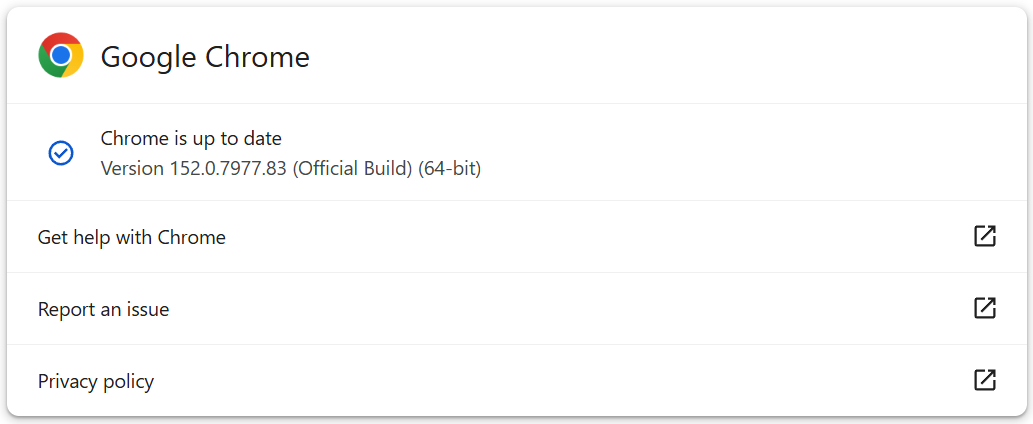
The update brings Chrome to version 152.0.7977.82/.83 on Windows and macOS, and 152.0.7977.82 on Linux, as part of a gradual rollout..
“Google is aware that an exploit for CVE-2026-85046 exists in the wild,” the advisory reads.
Advertisement
The company did not disclose any technical or specific exploitation details about the flaw to give users and dependent projects time to apply the fix.
Type confusion flaws cause software to misinterpret one type of object as another, allowing attackers to corrupt memory.
V8 is Chrome’s open-source JavaScript and WebAssembly engine, which compiles and executes code used by websites.
Hence, CVE-2026-85046 could potentially be triggered by a specially crafted HTML page containing malicious JavaScript, potentially allowing remote code execution within Chrome’s sandboxed renderer process.
Advertisement
The update also addresses nine other high-severity vulnerabilities, including use-after-free and out-of-bounds memory flaws in Crash Reporting, Network, Compositing, WebGL, CacheStorage, DevTools, Skia, and a race condition in V8.
CVE-2026-85046 is the sixth actively exploited bug Google has fixed in Chrome since the start of the year. Previous fixes include:
An out-of-bounds read and write vulnerability in Chrome’s V8 JavaScript engine (CVE-2026-11645), exploited in the wild and patched in June.
An iterator invalidation vulnerability (CVE-2026-2441) in CSSFontFeatureValuesMap, Chrome’s implementation of CSS font feature values, fixed in mid-February.
Two additional Chrome zero-days exploited in March attacks: an out-of-bounds write flaw in the Skia 2D graphics library (CVE-2026-3909) and an inappropriate implementation issue in the V8 JavaScript and WebAssembly engine (CVE-2026-3910).
A use-after-free vulnerability in Dawn (CVE-2026-5281), the cross-platform implementation of the WebGPU standard used by Chromium, was patched in April.
Chrome users are recommended to apply the available update as soon as the rollout reaches them by going to Settings > About Chrome and waiting for the update to download and install.
After the update process is done, a browser restart is required for the fixes to apply.
A similar action is recommended for users of Chrome-based browsers, including Microsoft Edge, Brave, Opera, and Vivaldi, though it may take a couple of extra days for fixes to arrive on those apps.
Advertisement
Overall prevention scores can hide what happens after initial access. Once attackers are using valid credentials, prevention drops sharply.
The Blue Report 2026 measures defenses technique by technique across 338 million simulations run in customer production environments.
Microsoft is working to resolve an ongoing Exchange Online outage that is delaying email sent to and received from external domains.
The company first acknowledged this incident (tracked under EX1467029) at 02:19 AM EDT, when it began investigating reports of intermittent “Server busy” errors.
“This issue impacts users who may be attempting to send and receive email messages from external domains in Exchange Online. Users may experience intermittent ‘Server busy’ errors, affecting multiple mailboxes,” Microsoft said in a service alert seen by BleepingComputer.
“Depending on the client, the service should attempt to periodically retry sending the email previously impacted by the issue. If the initial sender received an NDR after 24-72 hours (different clients or email providers can vary), they will need to send a new email.”
Advertisement
Microsoft says these ongoing email issues may be aggravated by anti-spam protections, which further delay affected accounts.
The company did not provide a timeline for full remediation, saying it’s still investigating the issue to understand the root cause and will provide further details later today.
“Our initial investigation has identified instances where anti-spam protections may be contributing to impact for a subset of users,” the company added. “We are continuing to analyse the behaviour and review service telemetry to better understand the underlying cause and determine the most effective mitigation path.”
While Microsoft has yet to disclose which regions are impacted by this ongoing outage or how many users are affected, it has flagged it as an incident, which usually involves noticeable user impact.
Advertisement
In April, Microsoft also resolved an Exchange Online outage that prevented users from accessing mailboxes and calendars via Outlook on the web, Outlook desktop, Exchange ActiveSync, and other Exchange Online connection protocols. and Exchange Online mailbox access issues that intermittently affected Outlook mobile and macOS users for weeks.
More recently, in June, it addressed a similar service issue affecting the mail flow for customers in North America, Asia-Pacific (APAC), and Europe.
Earlier this week, on Thursday, it also mitigated a massive outage that caused authentication issues, connection problems, service delays and failures, and other issues for Microsoft 365 customers.
Update September 04, 10:26 EDT: Microsoft says that the EX1467029 issue has been resolved for new emails.
Advertisement
“Telemetry shows that the service is performing as expected for new emails and this is in line with organizations confirming that the issue no longer occurring,” Microsoft said. “We’re monitoring email queues and performing final validations to confirm the issue is fully resolved.”
Overall prevention scores can hide what happens after initial access. Once attackers are using valid credentials, prevention drops sharply.
The Blue Report 2026 measures defenses technique by technique across 338 million simulations run in customer production environments.
Brisbane step up their bid to win a third flag in a row as they face Sydney in an enticing AFL 2026 Qualifying Final at the SCG. The Lions will be looking to prey on a Swans team missing several players as they hunt a place in the preliminary finals.
The reigning champions know exactly what it takes to reach and indeed win an AFL Grand Final, doing so in each of the past two years — including beating Sydney in the 2024 showpiece at the MCG. Brisbane look menacing again this time around, winning 10 of their last 11 matches by an average of 48 points to finish third in the ladder.
The Lions’ strong run of form included an impressive victory over the Swans at the Gabba in Round 16, as they gained revenge for a defeat by their Qualifying Final opponents way back in Round 1. They are set to be boosted by the return from injury of co-captain Hugh McCluggage, who missed the final three matches of the regular season with a calf issue.
Advertisement
Sydney finished second in the ladder, four points behind minor premiers Fremantle, but all is not well in the Swans camp. They are already without club-suspended quintet Isaac Heeney, Chad Warner, Nick Blakey, James Jordon and Riley Bice for the rest of the season, while Joel Amartey doesn’t make the 23 following an Achilles injury.
Swans’ poor record against the rest of the eventual top six is also a concern — their Round 1 victory over Brisbane at the SCG was their only win in six attempts — as they look to keep alive their hopes of a first flag since 2012.
The loser, of course, gets another crack in the upcoming semi-finals.
Read on as we explain how to watch Sydney vs Brisbane for free in the AFL 2026 Qualifying Final.
Advertisement
Can you watch Sydney vs Brisbane for free?
Yes. Sydney vs Brisbane is being shown on free-to-air Channel 7 in Australia, with live streaming available via 7Plus.
Outside of Australia? You can use a VPN to watch Sydney vs Brisbane for free on 7Plus.
Advertisement
How to watch Sydney vs Brisbane from anywhere
A VPN is handy piece of software that can make your device appear as if it’s back in your home country, so you can unlock your usual service. The best VPN right now? We recommend NordVPN – it does everything and comes with up to 75% off.
How to watch Sydney vs Brisbane live streams in the US
US viewers can watch live Sydney vs Brisbane coverage on FS2.
If you don’t have the channels on cable, FS2 is carried by Fubo, YouTube TV and Hulu + Live TV, each of which offers a free trial to new users.
Advertisement
Traveling away from the US? Use a VPN while you’re abroad to unlock your stream.
How to watch Sydney vs Brisbane live streams in the UK
Sydney vs Brisbane is being shown on TNT Sports 1 in the UK.
You can add TNT Sports to your Sky, Virgin Media or EE TV package, or get an HBO Max plan that includes TNT Sports. Prices start at £25.99/month if you commit to a year.
Advertisement
If you’re out of the UK but still want to watch the game on TNT Sports, explore the VPN route set out above, which will help you access your accounts from anywhere.
How to watch Sydney vs Brisbane live streams in Australia
Free-to-air Channel 7 is showing Sydney vs Brisbane in all regions of Australia, with live streaming available via 7Plus.
Just create an account using a valid Australia postcode (e.g. 2042).
Advertisement
Not in Australia right now? You can use a VPN like NordVPN to watch all the action as if you were back home.
How to watch Sydney vs Brisbane live streams in Canada
(Image credit: Other)
AFL fans in Canada can watch Sydney vs Brisbane on TSN2.
If you don’t have cable, the TSN Plus streaming service costs CA$24.99 a month to access what goes out on regular TSN.
Advertisement
If you’re out of Canada but still want to tune in, explore the VPN route set out above, which will help you access your accounts from anywhere.
What is the Sydney vs Brisbane start time?
The scheduled Sydney vs Brisbane kick-off time on Saturday, September 5 is 3.15pm AEST local time in Sydney, which is 1.15am ET / 6.15am BST / 1.15pm AWST. That’s 10.15pm PT on Friday, September 4.
What is the Sydney vs Brisbane head-to-head?
Sydney vs Brisbane have contested 63 competitive games. The Swans have a slightly better head-to-head record, winning 32 of them, while the Lions have claimed 30 victories.
This season, both teams have won one game each.
Advertisement
Can I watch Sydney vs Brisbane on my mobile?
Of course, most broadcasters have streaming services that you can access through mobile apps or via your phone’s browser. For example, 7Plus has a dedicated app.
We test and review VPN services in the context of legal recreational uses. For example: 1. Accessing a service from another country (subject to the terms and conditions of that service). 2. Protecting your online security and strengthening your online privacy when abroad. We do not support or condone the illegal or malicious use of VPN services. Consuming pirated content that is paid-for is neither endorsed nor approved by Future Publishing.
We spend hours testing every product or service we review, so you can be sure you’re buying the best. Find out more about how we test.
Garmin Fenix 9 Pro: one-minute review
(Image credit: Future / Julia Clarke)
When the Fenix 8 finally dropped in 2024, it quickly earned a reputation as the best Garmin GPS watch money can buy, even if that meant parting with a lot of money. I gave it a thorough test on the 11-day trek to Everest Base Camp, and with Garmin’s full suite of training features, a bright AMOLED display, microphone and speaker, plus an LED torch, there was no doubt that it was a big step up from the hugely popular Fenix 7.
Last year, Garmin followed the Garmin Fenix 8 up with the Garmin Fenix 8 Pro, which took the winning formula and added built-in LTE cellular and inReach satellite connectivity for phone-free messaging and SOS alerts. I tested it at the Love Trails running festival this summer, and genuinely started to doubt the rumours that a Fenix 9 could really be imminent. What more could there possibly be to add?
Advertisement
I went along to the Fenix 9 release in Chamonix to find out, and immediately afterwards I strapped the Fenix 9 Pro on and hit the trail. It hasn’t been off my wrist since, and between its refined design, faster processing, plus some very fun new navigation and tracking features, I can say it’s a clear improvement over the Fenix 8.
Latest Videos FromTechRadar
Built with a titanium case and bezel, the 9 Pro is lighter, more durable and resistant to the elements. Side-by-side with my 8 Pro, it looks nicer and more expensive thanks to a nanomoulding construction process that produces a more streamlined build without the need for screws. This also makes it significantly thinner, in all sizes, and with the arrival of a 43mm case option (which I’m testing), it’s more wearable day-to-day than its predecessor.
Advertisement
(Image credit: Future / Julia Clarke)
The 3,000-nit AMOLED display is brighter, sure (although not as bright as the 8 Pro’s MicroLED option), but it’s more the improved clarity that I find myself appreciating. The green light option that’s been added to the LED torch makes a fantastic difference to my night vision, whether I’m out late on the trail or trying to make a cup of tea in the middle of the night without disturbing my entire household.
Garmin is already the industry leader in maps, and the Fenix 9 Pro map loads faster and adds a new Perspective orientation, which I think is useful when navigating in urban areas, and it’s more useful to be able to see what side streets and road junctions are up ahead.
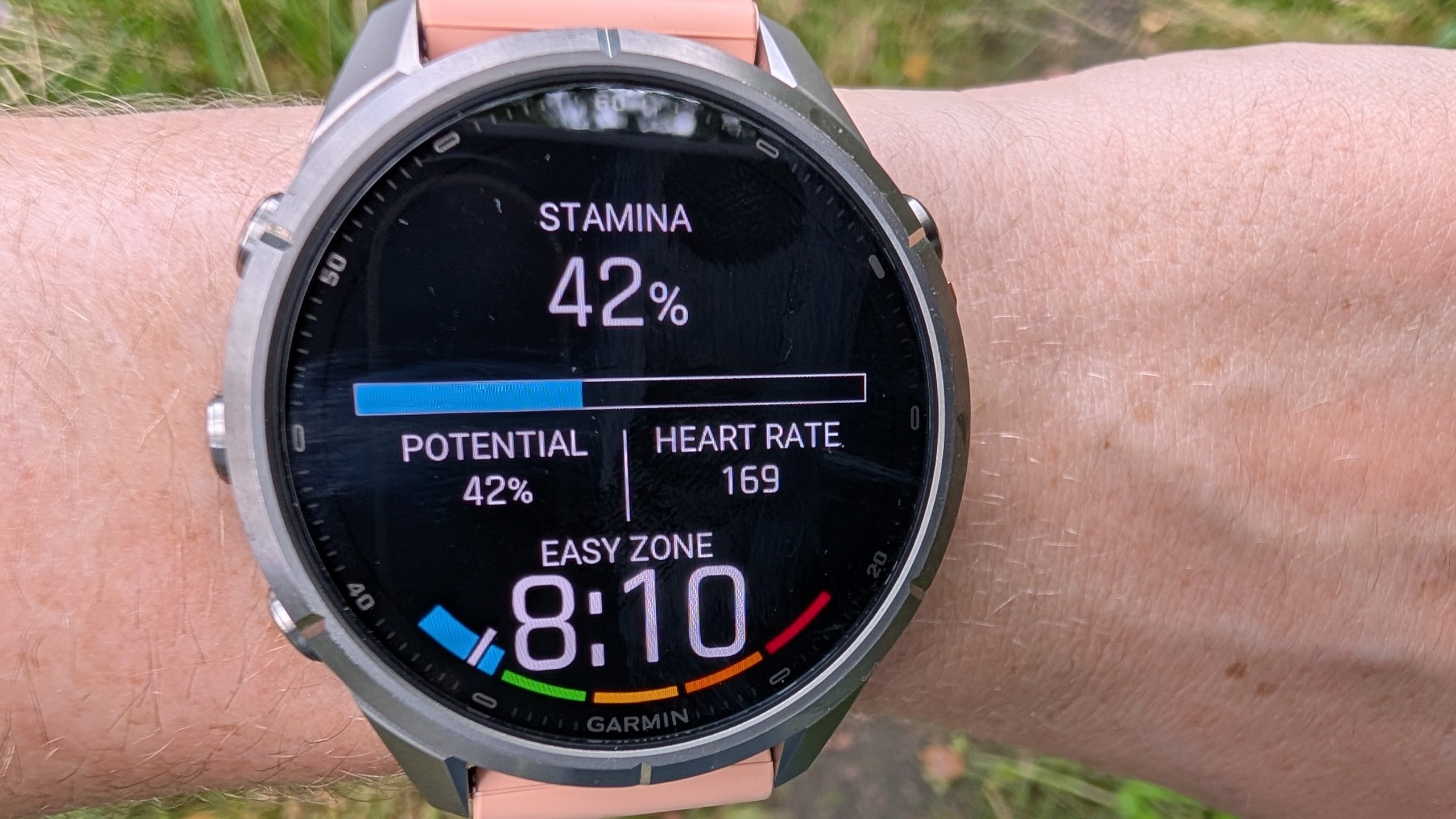
Rolled out with the Fenix 9 are improved Stamina readings, including new Stamina Zones, which I’ve started using to help me manage my effort and pace when I’m on the trail. Brand new is the Garmin Epic feature, which essentially lets you group workouts such as training blocks, long-distance treks or adventure holidays so you can see their cumulative effect. There are also updates to the Rucking activity mode, so it now reflects the additional energy demands of your pack weight.
Advertisement
Sign up for breaking news, reviews, opinion, top tech deals, and more.
Like the Fenix 8 Pro, this watch boasts LTE-M cellular technology, which means I can easily respond to messages and phone calls from my wrist so long as my phone is nearby. There are some improvements to LiveTrack and Location Tracking, which are useful for both urban explorers and long bouts in the wild.
For hikers like myself, inReach satellite connectivity means I can reach emergency response from almost anywhere on the planet, and it does mean I can message friends and family when I’m offline; however, that’s only through the Garmin Messenger app. When I spoke to Garmin’s Global Lead Product Manager Jon Hosler in Chamonix, he admitted that the brand’s functionality here does lag a bit behind competitors like Apple, which have more control over the cellular ecosystem, but he also stressed that the Fenix remains a performance watch first and foremost.
In summary, the Fenix 9 Pro plants a flag firmly at the GPS watch summit as a top-of-the-line option. It’s brighter, faster, ludicrously well-featured, and, unsurprisingly, even pricier. All of that said, this shouldn’t be considered a realistic upgrade for Fenix 8 users, who are already sporting a fantastic timepiece. But compared to anything before the 8, it’s better by a country mile.
Advertisement
Garmin Fenix 9 Pro: specifications
(Image credit: Future / Julia Clarke)
Swipe to scroll horizontally
Component
Garmin Fenix 9 Pro (model tested: 43mm with inReach)
Price
Advertisement
From $1,099.99 / £949.99 / AU$1,749
Dimension
43 x 43 x 13.3 mm
Weight
Advertisement
62 g (case only: 45 g)
Case/bezel
Titanium
Display
Advertisement
416 x 416 pixels, AMOLED (up to 3,000 nits)
GPS
GPS+Beidou+Glonass+Galileo+QZSS
Battery life
Advertisement
10 days (18 hours in activity mode, up to 50 hours in Max battery mode)
Connection
LTE, Satellite, Bluetooth, ANT+, Wi-Fi
Water resistant?
Advertisement
Yes, 10ATM
Garmin Fenix 9 Pro: price and availability
(Image credit: Future / Julia Clarke)
Starts at £949.99 for smallest 43mm
Prices for Fenix 9 start at £859.99
Reaches up to £1,209.99
The Fenix 9 Pro starts at $1,099.99 / £949.99 / AU$1,749 for the 43mm case size without inReach connectivity. With inReach, pricing starts at $1,199.99 / £1,029.99 / AU$1,899. The Fenix 9 Pro Solar is the same price, while the regular Fenix 9, which has a fibre-reinforced polymer case instead of titanium, starts at $999.99 / £859.99 / AU$1,599, and that’s for both the 43mm and 47mm.
The largest and most expensive 51mm Fenix 9 Pro with inReach is priced at $1,399.99 / £1,209.99 / AU$2199, and for that you get yourself a considerable increase in battery life with up to 31 days in smartwatch mode / 56 hours in activity mode compared to 10 days / 18 hours in the 43mm watch.
If you’re looking at a model with satellite technology, you’ll also need to factor in the cost of an inReach subscription if you actually want to use it (which starts at £7.99 / $7.99 a month), and all in, it definitely prices a lot of people out.
Advertisement
But the high price shouldn’t come as a surprise for anyone familiar with Garmin Fenix watches, and it’s hard to criticize it on being a high-performing piece of tech made with premium materials. There are plenty of other great options out there right now, including the Fenix 8, which you’re likely to find at a discount now that the Fenix 9 has been unleashed.
Garmin Fenix 9 Pro: design
Titanium case and bezel
Slimmer design
Brighter AMOLED display
I tend to feel a bit indifferent to changes in materials in my GPS watches, but I have to admit that the titanium case and bezel on the Fenix 9 Pro do make this look and feel like the expensive watch that it is. It’s sleeker and less rugged, down to both the materials and the nanomoulding process, which removes the need for screws.
It’s not totally fair to do a side-by-side comparison with the Fenix 8 Pro here because the latter isn’t available in 43mm, and that accounts for some of the 15g weight difference (equalling an almost 25% increase), but suffice to say that my Fenix 9 Pro is considerably lighter and thinner (to the tune of 16%, according to Garmin), and it has a less sporty aesthetic, which for me is a huge upgrade. If I’m being honest, this is the first Garmin watch I’ve tested that I’m happy wearing all of the time, though I might take it off to go to a wedding.
The AMOLED display is brighter than both my Fenix 8 and 8 Pro models, while the new, more subdued colour scheme is a bit more sophisticated, and it’s all a little sharper whether I’m looking at the stats of a run or using maps to navigate. I’m also amazed at how accurate the touchscreen keyboard is for typing out text messages, even on the smallest display available.
Advertisement
Other than that, everything will feel familiar to existing Fenix users, including the five-button setup, intuitive widget-based layout and responsive touchscreen (that is sometimes a little too responsive, pulling up the weather forecast when I’m in the shower). I’ve finally taken the time to add a bunch of widgets that I use frequently to my quick list, such as my endurance score and recovery estimates, last activity, moon phases and tides, so it’s ready to go before I even leave the house.
You’ll need the enormously comprehensive Garmin Connect app to view your metrics, and the slightly clunkier Garmin Messenger app if you want to use satellite technology for messaging, and if I were to pinpoint a weakness, I’d say it’s a shame that these two aren’t yet integrated into one app.
Garmin Fenix 9 Pro: features
(Image credit: Future / Julia Clarke)
Updated build
Better maps and LED torch
New training and adventure tools
First up, maps have been updated, and according to Garmin, they render 40% faster than on the 8 Pro and pan 30% faster when you’re searching for something up ahead. There’s a new perspective view added to the map orientation, which you can enable to better see what’s up ahead.
Also new are Stamina Zones, which use heart rate, pace and speed, and Hosler explains that they can be more useful than Heart Rate Zones for managing your effort. I’ve added them to the data screens in different activity modes, so I can see what zone I’m in and how much of my potential stamina I’m using. It’s more obvious in interval training, where I can see my zones dip and rise, but even on long plods it’s an interesting way to see how much gas I might have left in the tank at a current pace.
Advertisement
After an activity, I can view the top contributors to my Endurance Score (hiking for me), and see estimates of how long I should be able to run at a given pace: apparently over seven hours at my easy pace and nearly 20 minutes at max effort, which I’m yet to put to the test.
Garmin’s commitment to upgrading Rucking mode in recent years signals that this is an activity in ascendancy, and it now calculates better estimates of your energy expenditure rather than just being a way to catalogue different activities. The Fenix 9 allows you to set a calorie goal rather than distance or time, and to edit your pack weight mid-activity, which Hosler explains gives ruckers more accurate readings when they’re hiking uphill with water or rocks that they ditch for the descent. I often hike with a heavy pack, and now my activity report shows the difference between my calories burned through activity and the additional calories from the weight of my pack. This is mildly interesting, and could in theory change my fuelling strategy on a long thru hike.
A very fun – if non-essential – feature rolled out with the Fenix 9 and 9 Pro is called Garmin Epic, which lets you group workouts. When I heard about it in the press conference, I worried it might be similar to the gratuitous Adventure Journal in the Coros Nomad, but after testing it out, I genuinely love it. I gave it a quick test in Chamonix by grouping together all five hikes and trail runs I went on so I could see my cumulative distance, time on the trails and related health stats. But it’s also retrospective, so I’ve been able to make an Epic for last year’s trek to Everest Base Camp and finally see that entire, unforgettable trip as one adventure, from the map of my entire 11-day route to my total elevation gain. I can share my Epic with friends and family, but I can see the demand for Garmin to develop this into a video that users can share on social media.
As for connectivity, I have an active inReach subscription, so I’m able to signal for help from anywhere, but fortunately haven’t had to do so yet. This feature does rely on the Garmin Messenger app, and most of my friends and family are not on there, so this is an area where the Fenix lags behind the Apple Watch Ultra 3. In our conversations, Hosler was clear that he doesn’t consider this watch a true replacement for a satellite device like my Garmin inReach Mini 2, but more of a nice-to-have backup. LiveTrack has improved and now you can send a tracking link directly from your phone, which has good implications for urban runners as well as hikers.
Advertisement
And last but not least, I’d be remiss if I didn’t mention everyone’s favourite feature: the upgraded LED torch, which was being heralded by elite trail runners like Katie Schide, Tom Evans and Elsey Davis in Chamonix, who all said this was among their top Garmin features.
The Fenix 9 and 9 Pro have both added a green light option, which is better for night vision, though perhaps not quite as kind to your significant other when you’re looking for your running socks at 5 a.m. It may not be a substitute for a headtorch on a night run, but when your torch runs out of batteries, you’ll be glad you have your Garmin.
Add on to this all the features of the Fenix 8, and I can’t imagine what else you could possibly want from your watch.
Advertisement
Garmin Fenix 9 Pro: performance
(Image credit: Future / Julia Clarke)
Reliable sensors
Lightning-fast maps
Better night vision
The Garmin Fenix 9 Pro has all the same sensors as its predecessor, and after testing the two out on the same run, I’m confident that the readings were all virtually identical (though Hosler did explain that GPS differences can be down to the two watches being on different wrists and pointing in different directions).
I prefer the smaller case size, but it does mean I’m sacrificing battery life. My battery lost 17% during my first two-hour hike, which was a little shocking, but going forward I’ve been using Max Battery mode for longer sessions, which uses energy-saving measures and means a little less accuracy from GPS.
In the last 10 days, I did four short hikes and runs in Chamonix, two spin sessions, a pool swim, a long trail run, a short treadmill workout and a base run. I ran the battery all the way down, had to charge it once, and now it’s at 61%. In regular use, where I’ll typically have it in activity mode for at least 30 minutes a day, I expect to have to charge it once a week, and for a multi-day trek, I’d expect to be charging it at least every other day. That said, if you compare the 51mm Fenix 9 Pro and 8 Pro side by side, the 9 Pro has a better battery life, so if you’re after endurance, size up.
The display is really easy to see in all light conditions, brilliant sunshine and torrential rain and is really responsive when I lift my wrist, although this naturally declines as the battery runs low.
I put maps to the test straight away in Chamonix, charting a course to a mountainside cafe on the Tour du Mont Blanc, and it all renders so quickly and smoothly I don’t even really have to stop and think about it. Though I didn’t find the perspective view that helpful on the trails, it was great for navigating through the busy streets of Chamonix, which often poses a challenge as my phone doesn’t work well there. On my first test, I tried going off-course to see if the maps would reroute me and it didn’t work, but I’ve since been able to chalk that up to Garmin rolling out the watch to the world at the very same time I was testing it, as when I got back to Scotland, I went out on a 12k trail run and found the rerouting to work perfectly.
Advertisement
he LTE connectivity means I can leave my phone in my backpack, and that is really quite refreshing. I did send my boyfriend a link to track me on my most recent trail run via Garmin Connect, and he was able to do so, if not with a fair amount of apathy. I’ve also sent some test messages to my few Garmin Messenger contacts; it’s easy to type directly on the watch, and the message sends in a flash.
I don’t love wearing a watch to bed, but thanks to the slimmer design, I’ve been able to test out the sleep tracking, and it’s really accurate. My subsequent training Readiness scores and Recovery predictions have been pretty in line in accordance with how I feel.
Also at night, the green light function on the torch has quickly rendered my beloved red light nearly obsolete, making it easier than ever to creep around the house without bumping into things and even read a book in bed without turning my lamp on.
Advertisement
Garmin Fenix 9 Pro: should I buy?
(Image credit: Future / Julia Clarke)
Buy it if…
Your adventures take you into the wild
The Fenix 9 Pro has all the field tools for a backcountry adventure, and the technology to help get you out of there if things go wrong.
You’ve been running on a Fenix older than the 8 for years
Advertisement
Even the fabulous Fenix 7 pales in comparison to this one.
You’re a tech junkie with a big budget
All the best tech is on display here at an aspirational price.
Advertisement
Don’t buy it if…
You have the Fenix 8
The Fenix 8 is a cracking watch, and while we admit this is an upgrade, we can’t make a compelling case to switch
You’re saving up for a down payment on a house
This watch comes with some serious sticker shock
Advertisement
Also consider
How I tested
I’ve tested this watch from the French Alps to Scotland, over multiple hikes, trail runs and road runs, with a few indoor workouts on the bike, treadmill and in the pool thrown in. I’ve compared it with the Garmin Fenix 8 Pro and the Suunto Vertical 2 for good measure, and spent hours talking to Garmin experts and poring over the data in the watch and on the Garmin Connect app.


































































You must be logged in to post a comment Login