

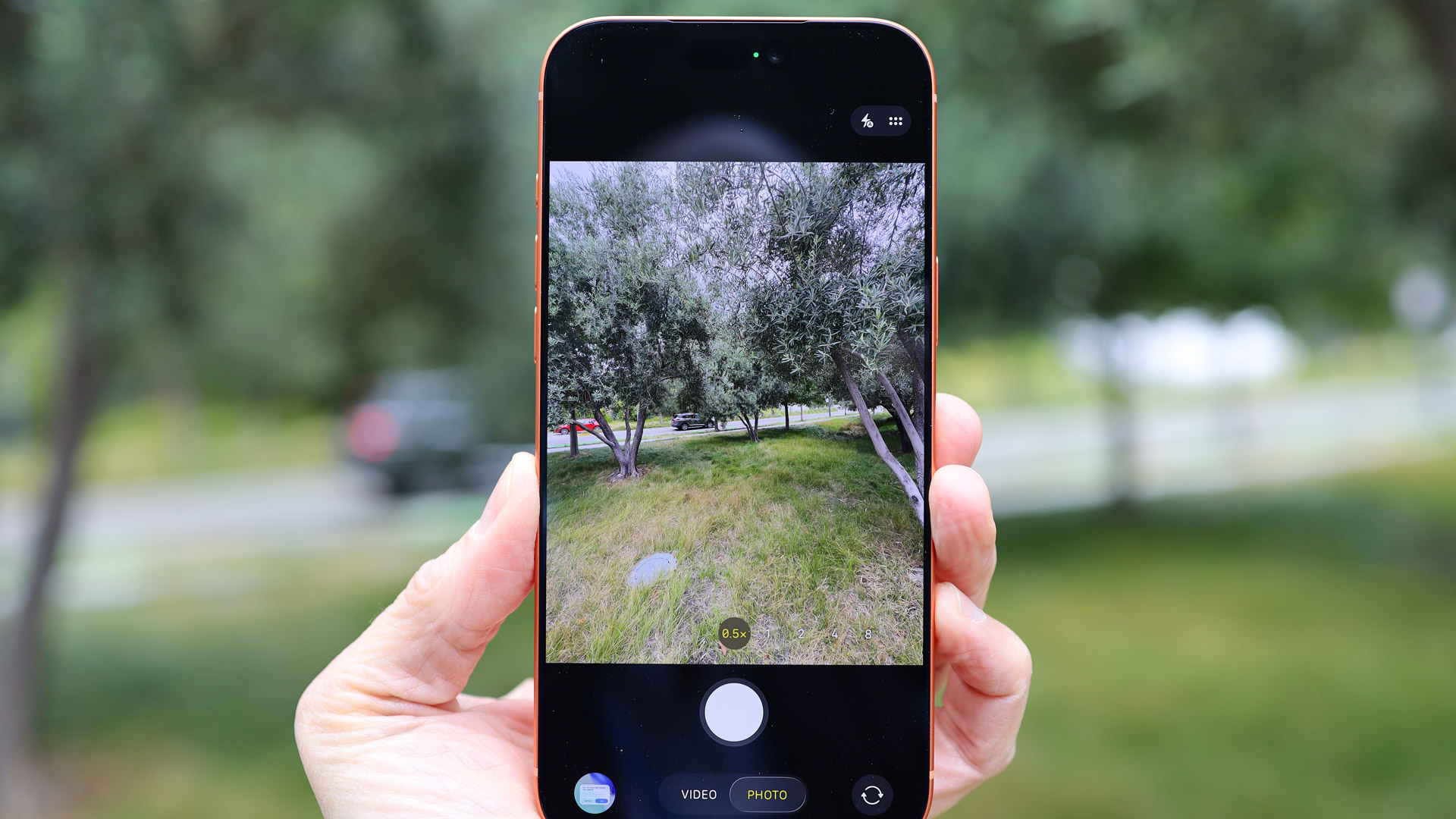
The recent mission to the moon by Artemis II astronauts was memorable, inspiring, and scientifically important for so many reasons. It also brought us a treasure trove of new images and videos ready to be added to NASA’s vast library of content.
Consider this photo of Earth from more than 250,000 miles away, for example, taken from the other side of the moon. Or these widely shared pictures of our home planet from inside the Orion capsule, which were taken using iPhone 17 Pro Max phones. Truly out of this world snaps, but taken using a device many of us have in our pockets.
These images have popped up all across social media, but what you might not know is that NASA makes its huge library of images and videos available for anyone to dig through, marvel at, and reshare. Because NASA is funded by the US government, most of its published media is released into the public domain.
That’s the good news. The bad news is that it’s not immediately obvious where this library is and how you can access it.
Advertisement
If you’re ready to browse through decades’ worth of incredible photos and videoclips from NASA—from giant star constellations to spacesuit designs—here’s how to get started. A word of warning though: It’s easy to get lost for hours inside these collections.
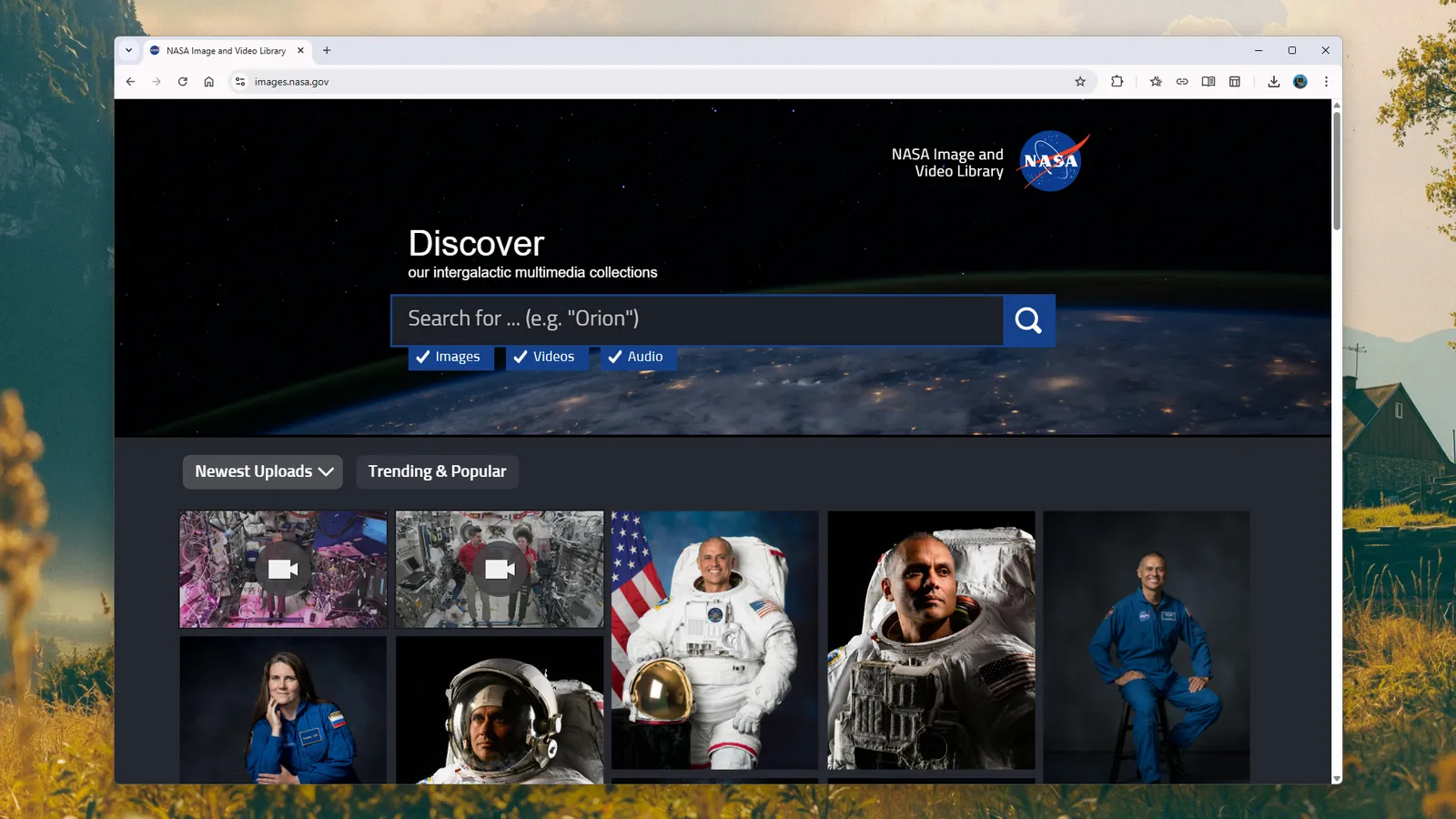
The NASA Image and Video Library
The comprehensive NASA library portal.
Courtesy of David Nield
Let’s start with the biggest resource: The NASA Image and Video Library. This is where you’ll find just about every image, video, and audioclip that NASA wants to share, from astronaut photos and space conferences to planet shots and satellite imagery. By default, you get to see the newest uploads first, but you can also click Trending & Popular to see frequently viewed content from across the years.
Click on an image or video here to get a wealth of information about it, including what it shows and when it was captured. Some of the captions here are mini-essays, and a lot of the content on this portal comes with EXIF data included, which will be of interest to photographers (or anyone who wants to know which pictures were snapped with an iPhone 17 Pro Max).
Advertisement
As wonderful as this resource is, it’s also difficult to sift through, unless you specifically know what you’re looking for. You’re basically relying on the search box at the top, and common keywords can return dozens and dozens of pages of results. Try being as specific as you can with search terms. Also, use the keywords on each photo and video listing to find related content.
NASA Images
The front page of NASA Images.
Courtesy of David Nield
In addition to the NASA Image and Video Library page, there’s also NASA Images—which includes a link to the Image and Video Library. (Those of you at the back, try to keep up). NASA Images isn’t as comprehensive as the Image and Video Library, but it is better organized, and it’s easier to find recent content here.
A WIRED investigation revealed this week that Meta contractors posed as kids and teens to see how chatbots like Gemini and ChatGPT responded to prompts about high-risk subjects, including suicide, sex and drugs.
But wait, there’s more! Each week, we round up the security and privacy news we didn’t cover in depth ourselves. Click the headlines to read the full stories. And stay safe out there.
Advertisement
Back in 2021, Apple launched its Hide My Email tool, which as the name suggests, allows people to sign-up for online services using an email address that isn’t linked directly to them. The privacy feature generates “unique, random email addresses” that will forward incoming messages to a user’s personal email address—reducing the amount of information you need to hand over to companies.
Reporting from 404 Media this week revealed that a vulnerability in the system has made it possible, for at least a year, for people’s real email addresses to be uncovered when they are using Apple’s privacy service. “Apple Hide My Email is leaking email addresses that are supposed to be hidden,” security researcher Tyler Murphy, who discovered the flaw in June 2025, told the publication. “In our limited tests with volunteers, 100% of Hide My Email addresses were exploitable,” he said.
The exact details of the vulnerability and how it works have not been revealed as the problem hasn’t been fixed. In tests conducted by 404 Media and Murphy, it was possible for a newly created Hide My Email address, which uses the @icloud.com domain, to be linked back to the real email address of its creator. Murphy said he originally reported the problem to Apple last summer and was told it had been “addressed” by March this year. However, when the researcher continued testing the issue, it remained exploitable, with Apple telling Murphy a couple of months ago that it was still investigating the issue. Apple did not respond to requests for comment from the publication.
A nineteen-year-old has been arrested and extradited to the United States to face charges over their alleged involvement in the notorious Scattered Spider hacking group, the Department of Justice (DoJ) announced this week. Peter Stokes, an Estonian-US dual citizen, was arrested in Finland in April and has been charged with computer intrusion, conspiracy and fraud, linked to the criminal gang.
Advertisement
It is alleged that Stokes, along with other members of the loose hacking collective, hacked into an unnamed “luxury jewelry retailer” and demanded a $8 million cryptocurrency ransom in May 2025. The company did not pay but still spent $2 million on the incident, according to a DoJ press release. In recent years, the Scattered Spider group, which is largely believed to be composed of young, English-speaking teenagers, has caused havoc around the world by hacking into and disrupting dozens of businesses. The arrest of Stokes follows two British Scattered Spider members, Thalha Jubair and Owen Flowers, recently pleading guilty to hacking Transport for London in 2024 and causing millions in damages.
Following a move by encrypted messaging app Signal last year, WhatsApp has announced it will soon roll out usernames to billions of people. The option means it is possible for people to connect and message each other without having to share phone numbers, increasing privacy protections. However, officials in India, one of WhatsApp’s biggest markets, who have previously tried to unfurl encryption protections on the Meta-owned app, have opposed the introduction of usernames. A letter from the Indian government, seen by Reuters, asked WhatsApp to pause the rollout of usernames in the country. The letter claimed the move could increase fraud and cybercrime, citing concerns around allowing online anonymity. The letter was followed by separate messages to Signal and Telegram about their use of usernames.
Thousands of automatic license plate reader cameras, known as ALPRs, have appeared across the United States over the last few years. The cameras, which can be deployed by cops, cities, and businesses, photograph passing cars and record details about their movements. As well as license plate numbers, the systems can log the time and location of the photos, make and model of a vehicle, as well as bumper stickers. Billions of images and details of car movements have been captured in vast ALPR databases.
However, an increasing body of evidence shows that when the camera systems make mistakes, innocent people can be detained by law enforcement officials and accused of crimes. A review of court records and media reports, which are likely the tip of the iceberg, by the nonprofit the Institute for Justice this week found at least 24 cases of misidentification over the last eight years. These reportedly include a couple with a baby in their car being detained at gunpoint; a camera misreading an “O” as a “0”, leading to grandparents being detained; and someone being pulled over after their license plate was not removed from a wanted list. The findings add to a growing list of errorsfrom theAI-enabled cameras.
Humans are odd creatures, and no two are exactly alike, which is likely why so many different methods exist for tracking the progress of tasks that must be accomplished. [Simone Giertz] has graced us with her own spin on task tracking that adds an element of chance.
[Giertz] tells us that she started with written lists that she tackled in dice-determined order to keep her from overthinking or cherry-picking tasks. While this worked fine, she longed for a more elegant solution. Approaching the UI first, unlike any Open Source project ever, she determined that a marker that could randomly point to a task on a vertical list would be most pleasant.
The bulk of the project was evaluating different mechanisms to make the marker pick tasks at random while not selecting a task that had already been completed. A set of magnetic toggles that could repel the marker proved ineffective, but a simpler solution involving moving the completed tasks past a divider won the day. The finished product has a satisfying selection mechanism that makes interacting with the chore chart a joy, which probably helps make it more likely things get done.
A leaker with a reasonable track record, except regarding the Apple Watch, claims that the Apple Watch Series 12 will feature a new health sensor, but only in its fluoroelastomer band.
Apple Watch already tracks a huge number of different health metrics, but Apple has regularly been rumored to add even more sensors via a watch band. According to leaker Kosutami, the company is finally going to do it, although with one significant catch.
[Censo-Wat]ch Series 12 gonna have a sensor on band, injection molded(to the silicon band, they hasn’t yet figured out how to putting a sensor on band with other materials now.).
The leaker says nothing about what the band’s sensor could measure, but says it will solely be in the silicone band. That is presumably the basic fluoroelastomer band that Apple provides if a customer does not also order a specific band.
Advertisement
If correct, this could mean that the Apple Watch’s latest health sensor could only be available on the lowest-cost band. It’s more likely, though, that Apple will sell this version of the fluoroelastomer band separately.
As for what it could measure, Apple has previously been reported to be working on multiple options for external sensors. They include a hydration sensor, or one based around muscle movement sensing.
Apple is known to be working on non-invasive blood sugar monitoring as well. To date, there has been no suggestion that this will be on a band-mounted sensor, and instead integrated into the optical array underneath the watch body. It’s not clear when this feature will ship.
Kosutami has had a fair track record with Apple leaks, and most recently claimed that the company has suspended work on its project to add cameras to AirPods. But they have been significantly wrong before, such as with a 2023 claim that Apple was going to change how bands connect to the Apple Watch.
Advertisement
Separately, that persistent rumor has recently resurfaced. If it’s accurate this time, perhaps it’s because a new sensor band requires a different connector.
Valve has open-sourced the design for a customizable e-ink front panel for the Steam Machine, dubbed the “Inkterface.” “All of it is available on their GitLab under the MIT license, which goes over everything you need to make your own and stick it on the front of your fancy new Steam Machine,” reports GamingOnLinux. From the report:
They’re now calling it the “Inkterface” and there’s a good few things you’ll need to make it including: 1 x Adafruit ESP32 Feather with 2MB PSRAM. 1 x Adafruit eInk Breakout Friend. 1 x Adafruit 5.83″ Monochrome eInk Panel. 13 x M2.5 x 5mm Pan Head Machine Screws. 4 x 1/4″ x 1/4″ x 3/16″ Stepped Magnet SB443-OUT.
Valve even provided a video on the GitLab showing it being put together […].
An anonymous reader quotes a report from TechSpot: Video Game History Foundation founder Frank Cifaldi recently supported claims that piracy is the only effective way to preserve video games. The comments lay the blame squarely on game companies’ refusal to keep legacy content available or allow archivists to build legal repositories. Sony’s announcement that all PlayStation games will be digital-only from 2028 onward has sparked concern that titles will become harder to preserve and more easily vanish, since the company’s servers will become the sole point of distribution. In an official statement, Cifaldi noted that the end of physical PlayStation games has surprisingly little impact on the Foundation’s efforts because the majority of games from the last two decades are already digital-only.
According to the Foundation, most games nowadays are not released for consoles, let alone on physical discs. Furthermore, many discs for major titles require downloading updates before they are playable, although the DoesItPlay database reveals that, even today, most are playable offline out of the box. Cifaldi claimed that the true reason piracy remains the best option for preservation is that the Entertainment Software Association, which lobbies for game publishers, has closed off other routes. For example, in 2018, the Association opposed efforts to grant copyright exemptions for museums, libraries, and archives to retain copies of abandoned online games for research.
This is the same organization that recently helped defeat a proposed California bill to preserve premium-priced online-only games by falsely claiming that community servers are illegal. The Foundation accused the ESA of repeatedly blocking attempts by cultural heritage institutions to reform DRM legislation. Cifaldi also described the Library of Congress’ outdated software preservation process, which currently only requires tiny snippets of source code. For example, Capcom once asked the Foundation to provide the LoC with “the first and last ten pages of code” for a Mega Man game. Unable to discern where digital records began and ended, the group simply chose random segments. Platform holders’ habit of closing online storefronts and removing media from users’ accounts is also unhelpful. “What continues to baffle us is what the industry expects institutions like ours to do about it,” the Video Game History Foundation said. “If platform owners are deciding to eliminate physical media and older digital storefronts, then we’d also like to see trade groups like the Entertainment Software Association offer meaningful solutions for archives and museums to legally preserve digital-only content and make it accessible for research.
For as good as solar panels are at converting sunlight directly into usable electricity, especially for how cheap they’re becoming, they can still only gather around 20-30% of the energy that hits them. That’s fine if you have a large roof or a huge tract of land, but if you have limited space and need to do something like heat a home, there are better options available to capture more of that energy. [Greenhill Forge] has built five solar air heating panels to test this concept, and do it much more inexpensively than commercial options.
These solar heaters use sunlight to heat a fluid, in this case air, and move that heated fluid to another space. Each panel is about two square meters, insulated on all sides except the top, and configured in a way that air can flow past something that the sun has heated. The first panel, a control, does not use a glazing to help trap this heat, but the rest all have a polycarbonate window to increase the greenhouse effect of the panels. The four remaining all experiment with the way air flows around a black corrugated steel sheet to gather more of the heat, with the fifth panel using a set of black screen instead.
With the panels all set out in the sun, [Greenhill Forge] is using a set of thermocouples from a previous project to measure the efficiency of each panel. Surprisingly, he found that the panel using the layers of screen was the best at gathering energy, although he notes several times that these types of panels are extremely sensitive to changes in physical configuration, so this is not the most definitive test possible. However, at only around $100 per panel it’s quite a deal if the goal is a usable space heater that doesn’t use any fuel or grid electricity.
Here are a few other MagSafe wireless chargers we have tested that didn’t quite manage to earn a place above.
Photograph: Simon Hill
Mous Dual Charging Station for $100: This dual charger from Mous is a looker, but disappoints on charging speeds, maxing out at 15 watts for the main MagSafe pad and just 5 watts for the second Qi pad, though there is a spare USB-C port that can charge at 18 watts. You can also add an Apple Watch charger ($55) that connects magnetically to the pogo pins at one end (5-watt maximum) and pops up for Nightstand mode.
Advertisement
Anker MagGo Wireless Charger Pad (Qi2) for $26: Our top pick until Apple’s redesign, this Qi2 charger brings MagSafe-style magnetic charging and a 15-watt charging rate. This pad stays put, has a durable aluminum casing that remains relatively cool, and comes with a 5-foot USB-C cable permanently attached. It can also charge AirPods with a magnetic charging case, but it does not come with a power adapter.
Belkin BoostCharge Pro Convertible Magnetic Wireless Charging Stand for $55: This Qi2-certified stand has a magnetic pad that can lie flat to charge older phones or fold out to act as a stand for MagSafe iPhones and other Qi2 phones in portrait or landscape orientation (handy for StandBy mode). It charges at up to 15 watts and comes with a 5-foot USB-C to USB-C cable and a power supply.
Casetify Magnetic Wireless Charger for $38: Cute design galore elevates Casetify’s MagSafe charger lineup. It offers more than 600 designs, from cat art to sports teams. It is a Qi charger with MagSafe, so it will align perfectly with MagSafe iPhones and charge at 7.5 watts, but it also supports Qi charging and can juice up any Qi phone at up to 15 watts. It comes with a 3.3-foot (permanently attached) and a black-and-white braided USB-C cable, but you need a power adapter.
MagSafe is the name of Apple’s accessory system integrated into the iPhone 12, iPhone 13, iPhone 14, iPhone 15, iPhone 16, and iPhone 17 range, excluding the iPhone 16e. A ring of magnets on the back of the phone (and in MagSafe cases) can help transfer power more precisely and faster than traditional wireless chargers. However, it’s also a handy way to hold an accessory in place, like a wallet, or to mount the iPhone without requiring clamps. There’s an enormous range of MagSafe-compatible accessories now.
Advertisement
Qi2 is the next-generation wireless charging standard, and Apple worked with the Wireless Power Consortium to develop it. Compared to the original Qi standard, it brings MagSafe-style magnetic charging, faster charging rates, and improved efficiency—but where MagSafe is an Apple technology designed for Apple products, any device can support Qi2. Apple updated the iPhone 12 and newer to support Qi2, so Qi2 should be a term you look for when shopping for a magnetic wireless charger. We are starting to see more Qi2 Android phones, such as the Google Pixel 10 lineup (except the 10a), and Qi2 Ready phones that add magnets using a compatible case. A Qi2 charger can charge your iPhone and any other Qi2 phones.
Qi2 25W is the latest Qi2.2 update, supporting faster charging up to 25 watts for phones that support the standard, such as the iPhone 17 series and the Pixel 10 Pro XL.
StandBy mode was introduced in iOS 17 and enables you to use your phone as a bedside alarm clock. When you place your iPhone on a charger in landscape orientation, it will turn the screen into a dock of sorts, showing the clock (with different designs you can choose from), photos from your library, or widgets. If you have an iPhone that supports an always-on screen, you can choose to have the display automatically turn off after some time when the iPhone isn’t in use or if the room is dark. Head to Settings > Standby to customize it.
Android phone owners can set a screensaver to pop up when their phone is placed on a Qi2 charging stand. You can set a digital or analog clock, a slideshow from Google Photos, or Google Home controls for fast access to your smart home devices. Head to Settings > Display & touch > Screensaver to configure it.
Advertisement
How I Test MagSafe Chargers
I test every Qi2 or MagSafe charger for at least a week, using it to charge my iPhone 16 and my wife’s iPhone 12. I also test Qi2 chargers with my Pixel 10 Pro XL. I live with most chargers on my nightstand or work desk. Where possible, I check the charging rate and note the time it takes to charge my iPhone. I assess the usability of the design, the strength of the magnets, test any additional charging pads or ports, and try out any special features.
Parents who post pictures of their kids online are being told to rethink the habit. The UK’s National Crime Agency and the Internet Watch Foundation have issued new guidance urging families to lock down their social media accounts, warning that publicly shared photos are increasingly being pulled and altered by AI tools to create child sexual abuse material.
The two organizations say most parents have no idea this is happening. Criminals no longer need to contact a child directly to generate such material. They can scrape an ordinary photo and run it through widely available nudify apps.
What the guidance recommends
The NCA and IWF are not telling parents to stop posting images of their kids entirely, according to The Guardian. Their guidance focuses on limiting who can see those photos by making social media accounts private or sharing images within a “close friends” list. Parents are also being asked to check their accounts for old photos that could be misused, including photos posted by relatives or friends.
Frank Ching / Unsplash
Tim Wright, a senior manager at the NCA, said the changes only require a few simple actions. Lorna Sinclair, a child sexual abuse education manager at the agency, said many parents don’t take those steps because they don’t realize the problem exists in the first place.
The scale of the problem
The IWF says AI-generated abuse material rose 14 percent last year, with more than 8,000 confirmed images and videos identified in 2025 alone. Cases have included blackmail attempts against teenagers and school websites targeted specifically for photos of students’ faces, echoing findings from an earlier report on how generative AI has scaled abusive content online.
Advertisement
Even the IWF’s own technology chief admits the advice feels uncomfortable to give, since it puts the burden on families rather than the platforms or AI developers. Until stronger safeguards exist, tightening privacy settings may be the only real protection parents have.
Inside a vast exhibition hall in Bologna, one student stepped onto a platform three meters above the floor and gave the aircraft a firm push. The wings extended farther than a city bus is long, yet the structure left the edge cleanly and settled into a steady glide. It traveled 59 meters before its nose met a line of columns at the far end of the space. That single launch secured the Guinness World Record for the largest paper airplane ever built and flown. Engineering students from the University of Pisa created the aircraft, known as ICARUS. It spans 20.04 meters from wingtip to wingtip, measures 7 meters in length, and weighs 28.49 kilograms at completion.
The previous record, held since 2013 by a team from Germany’s Braunschweig Institute of Technology, was a real beast, with 18.21 meters of wingspan and an official flight distance of 18 meters, but this latest plane absolutely exploded the old mark, flying more than triple the distance while meeting all official requirements. You know what was really crazy? The whole thing was made entirely of paper and glue. The students utilized stronger 120-gram stock for the major pieces and lighter 40-gram sheets for the covering, then laminated many layers on top of each other in a smart honeycomb design that provided the necessary stiffness without adding bulk. That meant that the wings retained their shape well even under flying loads, and they managed to keep the overall weight low.
PILOTED FLIGHT – Grab a sheet of paper, fold it, and go! Instantly put yourself in the cockpit of an amazing smartphone controlled paper airplane that…
INCREDIBLE STABILITY – Loops, Barrel Rolls, & Hammerheads are achieved with the special Acro Mode! Your paper plane’s onboard computer automatically…
CONNECTED FLYING – Pair your plane with the POWERUP App to maneuver your plane, keep a robust flight log, compete with other flyers on the…
Fifteen engineering students built the entire thing from scratch, by hand. They included lengthy spars that run the length of each wing, as well as ribs to maintain the proper airfoil curve and a tail section to keep things stable. They even ran computer simulations of airflow around the shape to help refine the design before cutting out any large pieces, and they built smaller prototypes to test and tweak the balance and control, which began with some simple paper airplanes they folded during class breaks. That began out as a joke, but when the team decided to go for the record, science communicator Jakidale stepped in to help them out, sort of coordinating resources and sharing updates as they built the thing.
Advertisement
One of the most difficult challenges they faced was determining the appropriate humidity. Paper does not like wetness because it expands and compresses, wreaking havoc on surfaces and glued parts. They had to keep a constant check on the working conditions while assembling all of the separate sections, and every millimeter counted because excess weight or being even slightly off would reduce their lift and make it difficult to stay airborne.
Guinness World Records required a launch from a platform no higher than three metres and a minimum flight distance of 15 metres. ICARUS breezed past that with ease, and even had an official judge and an engineer on hand to inspect the wingspan and other dimensions during the We Make Future event at BolognaFiere. [Source]
Every June, after Apple wraps up its annual WWDC keynote, I install the latest iOS beta on my iPhone, watch the progress bar crawl to completion, and wait for the inevitable restart. For years, picking up my phone afterward felt almost identical to how it did before the update.
I saw the same grid of icons, the same Control Center, and the same version of Siri until iOS 26 finally broke that pattern in 2025.
Rachit Agarwal / Digital Trends
iOS 26 raised the bar. iOS 27 didn’t clear it
It was the first major update in years that made compatible iPhones feel genuinely different, and I’d give most of the credit to Apple’s Liquid Glass design language. With the redesigned Control Center and plenty of customization options (including the Clear Look for the Home Screen), iOS 26 actually felt substantial.
iOS 27, on the other hand, didn’t impress me quite as much. Don’t get me wrong. I’m not saying it’s bad. The new Apple Intelligence features, especially the revamped Siri experience (first promised in 2024), along with the new Photos features, are impressive enough that I’ve written entire pieces about them
To Apple’s credit, the AI features are real, functional, and occasionally delightful. The catch is that their value depends almost entirely on whether they slot naturally into your routine.
The problem isn’t Siri AI; it’s me
Over the last couple of years, I’ve tried pretty much every major AI service to figure out which one works best for me, and most of them have already secured a place in my workflow. I pay Claude a monthly fee because it’s become my go-to for research, fact-checking, and crunching numbers.
But what about the rest of the iOS 27 changelog? Respectfully, it feels like Apple is running out of room to reinvent the core iPhone experience or introduce a new one that doesn’t revolve around AI.
They’re useful under-the-hood additions that work in the background to improve your experience. The problem is that I’ve already moved on from several of these apps because they fell behind the curve for so long.
Shikhar Mehrotra / Digital Trends
The little things are genuinely better
It’s not like there aren’t changes I appreciate. AirDrop, for instance, feels much faster in iOS 27. App launches are noticeably quicker, and switching between mobile data and Wi-Fi is much smoother. Apple’s Continuity features are all intact and arguably better thanks to the under-the-hood refinements (even if they still decide to throw a tantrum every now and then).
However, after willingly putting my iPhone 17 through beta duty and installing iOS 27 with both excitement and nervousness, I came away feeling less rewarded than I’d initially hoped.
Maybe this is peak iOS
The more mature way to look at this might be that iOS has already reached a near-perfect state, both in terms of how it looks and the features it offers, and once we get there, every new feature or experience risks upending what already works.
Advertisement
Apple
I guess I need to re-evaluate my expectations for Apple’s annual updates. iOS 26 only felt so exciting and different because so many earlier versions looked exactly the same.
While I wouldn’t call iOS 27 only a fresh coat of paint, it also doesn’t feel like the kind of leap it might appear to be, at least not if Siri AI and Apple Intelligence aren’t already central to how you use your iPhone.
You must be logged in to post a comment Login