
Tech
Which MacBook to Buy (2026): My Honest Advice on Which to Buy

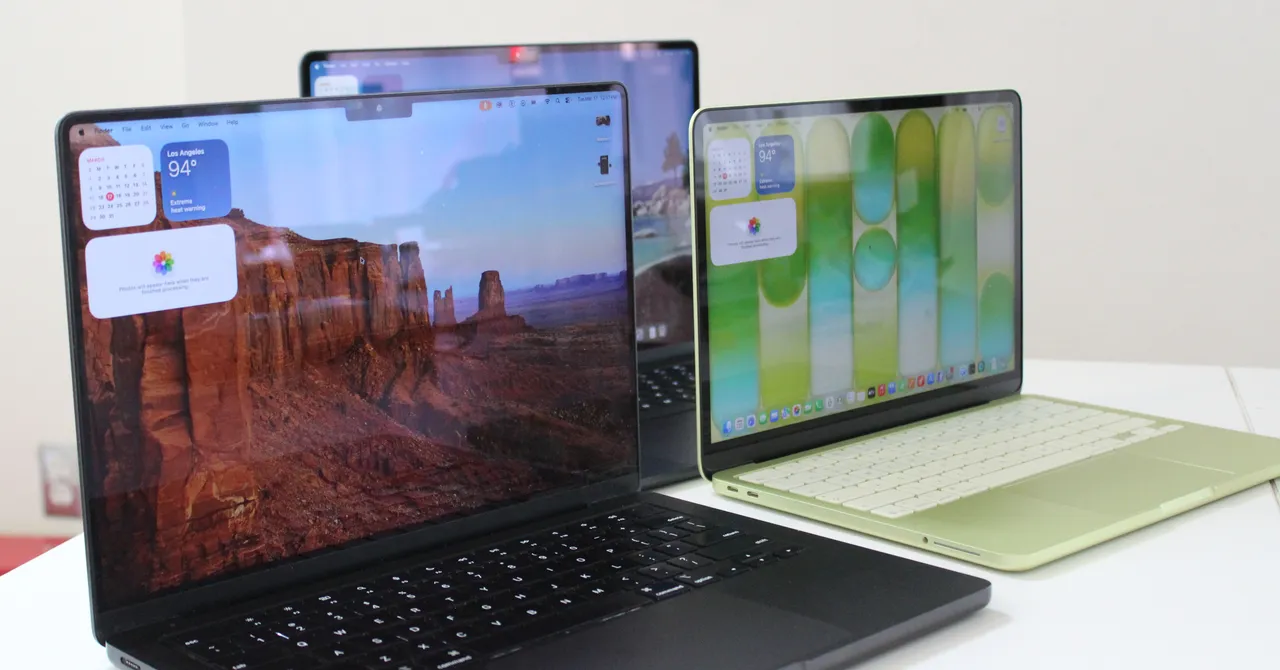
All of Apple’s processors are scattered throughout different MacBook models, and you can find older models at specific third-party retailers online, either completely new or refurbished. If you do stumble upon its older chips (which came out four years ago), you might be wondering how they compare to other options. Here, get a breakdown of the differences to consider.
M5 Series
M5: The M5 chips are the latest options from Apple, having arrived in late 2025 with the launch of the 14-inch MacBook Pro, iPad Pro, and Vision Pro. The base M5 still has up to a 10-core CPU and 10-core GPU, though there’s also a lower-tier 9-core CPU that’s available on the iPad Pro. The M5 is around 10 to 15 percent faster in CPU performance but also takes a significant step up in GPU, AI workloads, and even storage speed. Like Apple’s mobile chips, the M5 is now also available on the MacBook Air.
M5 Pro: Currently available exclusively on the 14-inch and 16-inch MacBook Pros, the M5 Pro comes with up to an 18-core CPU and a 20-core GPU. The base configuration starts with only a 15-core CPU and 16-core GPU. As with previous generations, the “Pro” chip gets all the same benefits as those in the M5 architecture but adds more cores and improved memory bandwidth. The biggest advantage is in GPU and on-device AI performance. This time around, however, both the M5 Pro and M5 Max also debuted an update: “Fusion Architecture” is a new version of UltraFusion (which was previously used only on the Ultra chips) that combines two dies together across a superfast interconnect.
M5 Max: The M5 Max is the M5 Pro—only with more GPU power. You get the option for up to 40 GPU cores, which puts the MacBook Pro on the level of high-end gaming laptops in terms of graphics performance. Add in the neural accelerators that are now built into each GPU core, and you’ve got one of the most powerful AI laptops on the market. In terms of Apple rankings, it’s only bested in GPU performance by the M3 Ultra, which is currently available only in the Mac Studio.
M4 Series
M4: The M4 originally launched in 2024. It has a 10-core CPU and a 10-core GPU. Apple claims the M4 delivers 1.8 times faster CPU performance and 2.2 times faster GPU performance than the M1. Meanwhile, the neural engine is more than three times faster than the original and twice as fast as the M3. It also starts with 16 GB of unified memory, which helps to power Apple Intelligence (the company’s suite of artificial intelligence features) more smoothly. It’s available on the 14-inch MacBook Pro (2024), iMac (2024), and MacBook Air (13-inch and 15-inch, 2025).
M4 Pro: The M4 Pro has a 14-core CPU (which Apple claims is up to 1.9 times faster than the M1 Pro) and up to a 20-core GPU, with up to 64 GB of unified memory. Built on a second-generation 3-nanometer process, it also supports enhanced GPU features like mesh shading and ray tracing—the latter of which is now twice as fast as on M3 chips. You’ll find it on the 2024 MacBook Pro (14-inch and 16-inch) and Mac Mini (2024).
M4 Max: This chip has a 16-core CPU and up to a 40-core GPU with support for up to 128 GB of unified memory. Apple says the CPU is up to 2.2 times faster than the M1 Max, while the GPU is up to 1.9 times faster. As with the M4 Pro, it packs support for mesh shading and ray tracing. The M4 Max is available as an option on the 2024 14-inch and 16-inch MacBook Pro, and you can also get it as an option in the current Mac Studio.
M3 Series
M3: The M3 was available on the 14-inch MacBook Pro (late 2023), 13-inch MacBook Air (2024), 15-inch MacBook Air (2024), and 24-inch iMac (2023). It packs an 8-core CPU and up to a 10-core GPU with 24 GB of unified memory. When compared with the M1, Apple claimed CPU performance was up to 35 percent faster, and GPU performance was up to 65 percent faster. The company said the CPU and GPU are both 20 percent faster than the M2. As with the M1 and M2, it was great for basic tasks like word processing, sending emails, using spreadsheets, and light gaming. With the 13-inch and 15-inch MacBook Air, you also had support for two external displays (one display with up to 6K resolution at 60 Hz and another with up to 5K resolution at 60 Hz).
M3 Pro: With a 12-core CPU and an 18-core GPU, Apple claimed the M3 Pro’s GPU was only up to 10 percent faster than the M2 Pro, making it a marginal upgrade from its predecessor. Compared with the M1 Pro, however, the M2 Pro was up to 40 percent faster in GPU performance and 20 percent faster in CPU performance. It was available on the 14-inch and 16-inch MacBook Pro from 2023. It was the ideal in-between for those who needed a chip that was more powerful than the M3 but wouldn’t use the full power of the M3 Max.
M3 Max: This was the next step up from the M2 Max. It had a 16-core CPU, 40-core GPU, and up to 128 GB of unified memory. According to Apple, the CPU performance was up to 80 percent faster than the M1 Max and up to 50 percent faster than the M2 Max. As for GPU performance, it was said to be up to 50 percent faster than the M1 Max and 20 percent faster than the M2 Max. The M3 Max was available on the 14-inch and 16-inch MacBook Pro (late 2023).
M3 Ultra: While the M3 lineup was introduced in 2023, Apple announced an M3 Ultra in 2025. Confusingly, it remains the most powerful chip in the M-series lineup—even better than the latest M4 Max and M5. It has a CPU of up to 32 cores (with 24 performance cores) and a GPU with up to 80 cores. Apple claims it’s up to 2.5 times faster than the M1 Ultra. It also comes with 96 GB of unified memory, with the option to upgrade up to 512 GB, while SSD storage can be increased to 16 TB. This chip is currently available only on the 2025 Mac Studio.
M2 Series
M2: The M2 was an entry-level chip like the M1, with slightly more processing power. It packed an 8-core CPU and up to a 10-core GPU (two more GPU cores than its predecessor), along with support for up to 24 GB of unified memory. Apple said the second-generation chip has an 18 percent faster CPU and a GPU that’s 35 percent more powerful than its earlier version. The M2 was great for daily tasks like word processing and web browsing, but such tasks as editing multiple streams of 4K footage and 3D rendering should be reserved for the M1 Pro or M1 Max (or the next two chips). It was available in the MacBook Air (13-inch, 2022), MacBook Air (15-inch, 2022), and MacBook Pro (13-inch, 2022).
M2 Pro: The M2 Pro was the next step up from the M2. It had up to 12 cores in the CPU and up to a 19-core GPU, with up to 32 GB of unified memory. Apple claimed performance was up to 20 percent faster than with the 10-core M1 Pro and graphics were 30 percent faster. We recommended this chip for intermediate video and photo editors. It was a marginal upgrade compared with the M1 Pro, but it was the best option for those who wanted a more future-proof processor. You could find it in the MacBook Pro (14-inch and 16-inch) from early 2023 and the Mac Mini (2023).
M2 Max: The M2 Max packs up to a 12-core CPU and up to a 38-core GPU (with support for up to 96 GB of unified memory). According to Apple, graphics are 30 percent faster than on the M1 Max. The M2 Max is an excellent choice for those who work with graphics-intensive content, including graphic design, 3D modeling, and heavy-duty video footage. But as with the M2 Pro, it’s an incremental upgrade if you’re coming from an M1 Max. It’s available in the MacBook Pro (14-inch and 16-inch) that came out early in 2023 and the Mac Studio (2023).
M2 Ultra: Successor to the M1 Ultra, the M2 Ultra was available on the second-generation Mac Studio and the Mac Pro (2023). Composed of two M2 Max chips, using Apple’s UltraFusion technology, the M2 Ultra had a 24-core CPU and a GPU configurable with 60 or 76 cores. Apple claimed the CPU delivered up to 20 percent faster performance and a 30 percent faster GPU than the M1 Ultra. This was the chip to get if you were working with extremely heavy-duty content that you believed the M1 Ultra, M2 Pro, or M2 Max simply wouldn’t be able to handle. You’d have known if you needed a chip this robust.
M1 Series
M1: For years, Apple continued to sell the M1 MacBook Air through Walmart for just $599, which was a killer price for this laptop. The MacBook Neo has since replaced it, using the A18 Pro iPhone chip. The M1 was the first custom silicon Apple debuted for its MacBook Air in 2020. It has an 8-core CPU and up to an 8-core GPU. Originally, there was support for up to 16 GB of unified memory (RAM) at an extra cost, but nowadays you can only purchase the 8-GB model. It was much faster than any previous Intel-powered MacBook Pro, and it was the practical choice for most people, as it was inside the most affordable MacBook Air you could buy (from third-party retailers). It packed more than enough processing power to get you through common day-to-day tasks and even light gaming. It could also handle more intense jobs, like photo editing.
M1 Pro: From there, the next step up was the M1 Pro. It had up to 10 cores in the CPU and up to a 16-core GPU, with up to 32 GB of unified memory. Apple said the performance and graphics were both twice as fast as on the M1. We found it to be considerably more capable than the base chip, making it ideal for anyone who works heavily on MacBooks for music production or photo and video editing. Only the MacBook Pro (14-inch and 16-inch) from 2021 used this chip.
M1 Max: Like the M1 Pro, the M1 Max had a 10-core CPU but a heftier 32-core GPU (with support for up to 64 GB of unified memory). Apple said it was four times faster than the M1 in terms of graphics. As proved in testing, this chip was extremely powerful and handled every heavy-duty task with ease. It was the go-to choice if you needed a computer that could handle multiple streams of 8K or 4K video footage, 3D rendering, or developing apps and running demos. You probably already knew whether you needed this much power. It was available in the MacBook Pro (14-inch and 16-inch) from 2021.
M1 Ultra: The M1 Ultra was the most powerful of them all. It’s two M1 Max chips connected with a technology called UltraFusion. It packs a 20-core CPU, 64-core GPU (which can be configured with up to 128 GB of unified memory), and a 32-core neural engine—complete with seven times more transistors than the base M1. Even with the M3 Ultra now available, the M1 Ultra remains powerful and a solid option for anyone who needs a heavy-duty processor for working with intense visuals and graphics. It was available only on the first-generation Mac Studio.

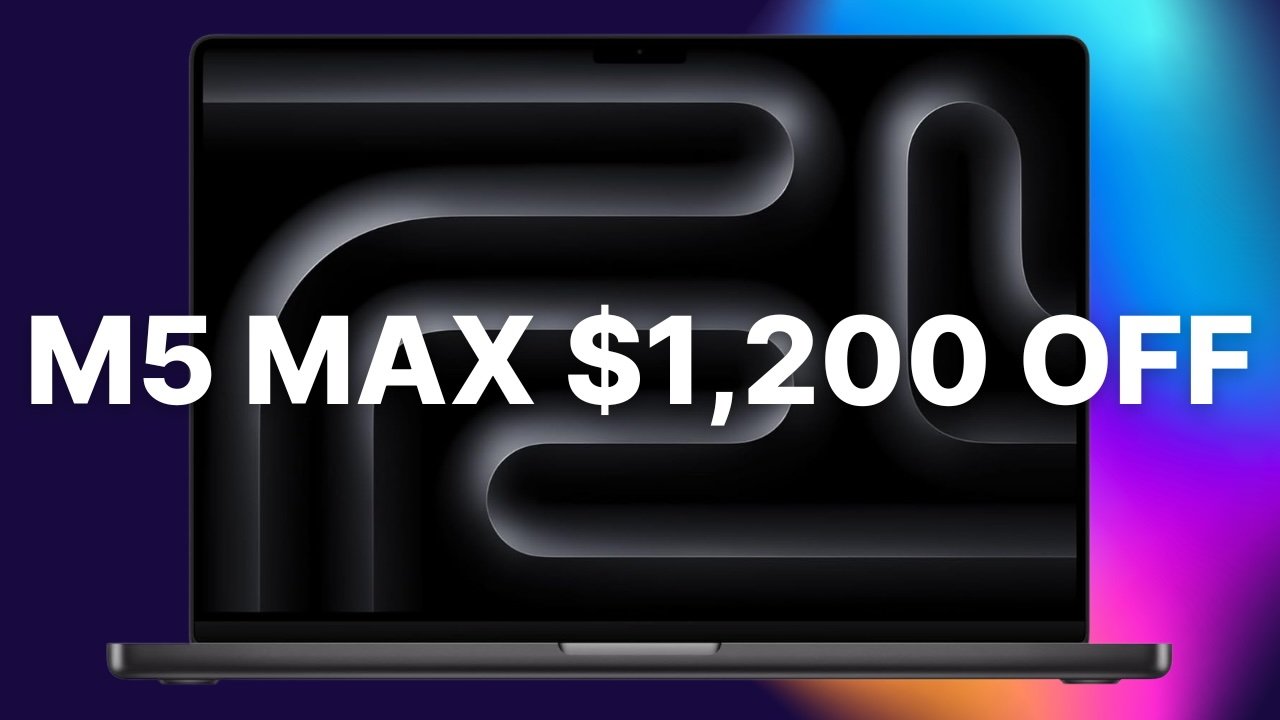
A staggering $1,200 discount is available exclusively to AppleInsider readers, delivering the lowest price on record for the M5 Max 16-inch MacBook Pro config.
The exclusive $1,200 discount* brings the cost of Apple’s latest 16-inch MacBook Pro with an M5 Max chip down to $3,199, the lowest price on record, when ordered in Space Black.
Save $1,200 on 16″ MacBook Pro M5 Max
B&H has partnered with AppleInsider to bring you the limited-time discount on the high-end configuration that’s equipped with an 18-core CPU and 32-core GPU. It has 36GB of unified memory and a spacious 2TB SSD as well, making it a well-equipped configuration for content creation, AI tasks, business management, and more.
Along with the exclusive markdown, B&H is tacking on free standard shipping within the contiguous U.S. And if you’re looking to save on tax, the store’s Payboo Card offers an instant sales tax refund for purchases in qualifying states.
Wondering how the deal stacks up against other Apple resellers? You can easily compare prices in our 16-inch MacBook Pro Price Guide. According to the guide, Amazon is selling the exact same model for $800 more, making B&H’s $3,199 price the lowest available.
In our hands-on 16-inch MacBook Pro review, we found the M5 Max chip to be blazing fast, with excellent performance when running AI tasks. Wi-Fi 7 support is also a plus, as is the faster SSD compared with the previous-generation MacBook Pro.
To activate the exclusive discount that’s valid this week only, you must shop through the special pricing links in this post or in our Price Guide from a laptop or desktop computer. The offer cannot be activated through B&H’s mobile app at this time.
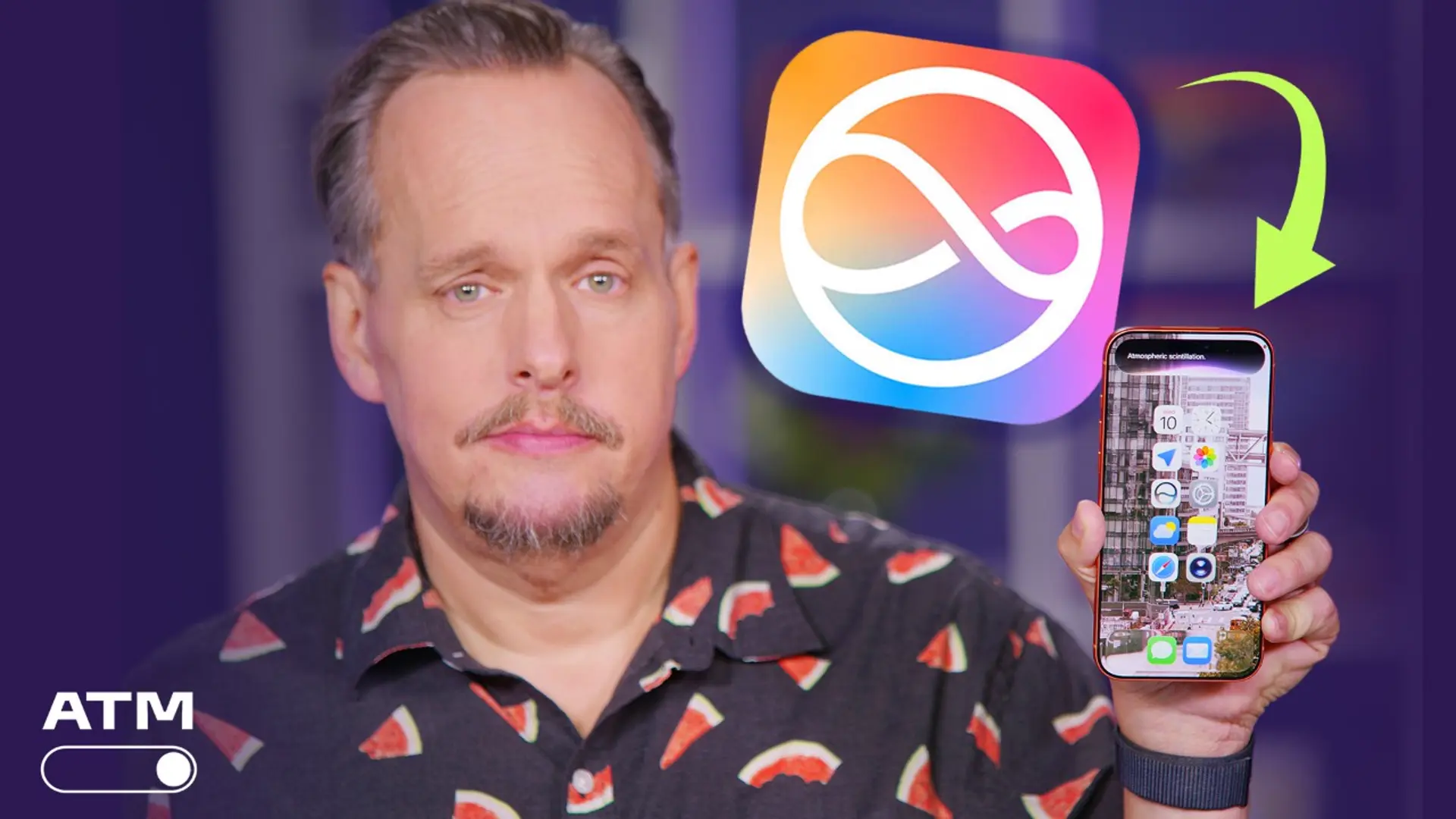
Siri AI is coming soon. The redesign of Apple’s voice assistant was first unveiled at Apple’s Worldwide Developer Conference in June. Since then, the buzz has been all about what to expect from the new Siri 2.0.
But Siri AI may cost you, at least if you use it a lot.
Outgoing CEO Tim Cook hinted at a possible upcharge during Apple’s quarterly earnings call on Thursday.
Cook was asked about iOS 27, Apple Intelligence, feedback from the public beta and how Apple is thinking about compute costs and the ability to recover those costs through iCloud Plus. He suggested the possibility of charging for Siri AI as a part of the iCloud Plus application stack.
“We do believe there will be people that want to use it a lot, and so we will have some kind of upgrade possibilities on iCloud Plus,” Cook said.
He added that those ideas are in the early stages and did not discuss a complete plan. Apple’s team is “off-the-charts excited about Siri AI,” he added, saying feedback has been overwhelmingly positive so far.
The earnings call, Cook’s last before John Ternus takes over as CEO, comes weeks after Apple announced price increases for Apple Music and Apple One subscription bundle.
Apple has said the new AI-powered virtual assistant will be available on iOS 27, iPadOS 27, MacOS 27 and VisionOS 27. You can expect Siri AI to have its own app, customization, Visual Intelligence and a new design.
Examples of Siri’s new capabilities include being able to find out about the latest concert, how to get tickets and remind you when it’s time to buy them. Other features include finding information in your messages (e.g. “Call the eye doctor who messaged me”), creating a photo album specifically for a loved one that includes photos of them, and even identifying a place from a picture.
Apple did not immediately respond to a request for comment.

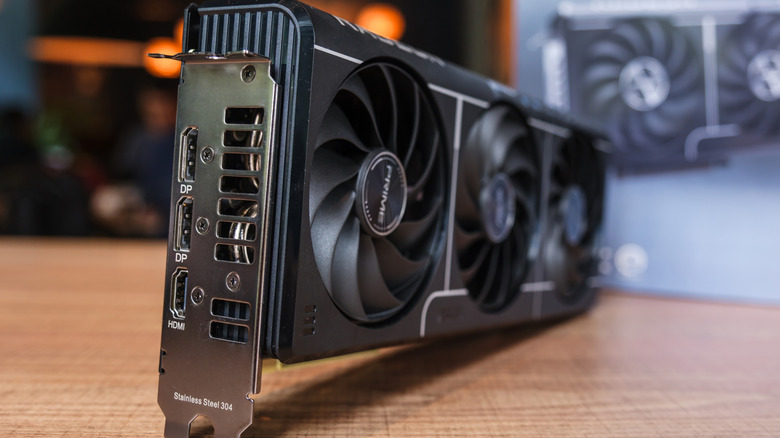
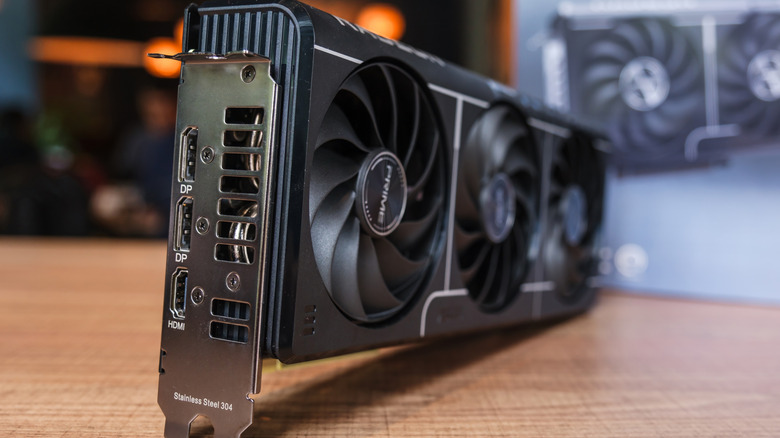
HDMI has emerged as one of the most ubiquitous audio/video standards to ever be adopted in consumer electronics. According to the HDMI Licensing Administrator, Inc. (HDMI LA), almost 14 billion HDMI-enabled devices have shipped since HDMI 1.0 was introduced in 2002. The latest HDMI 2.2 was announced in 2025, and we expect to see HDMI 2.2 devices in 2027. You can find an HDMI port on something as small as a Raspberry Pi single-board computer, or as big as something like Samsung’s The Wall 130″ smart display. Somewhere on that spectrum is graphics cards, which have been incorporating HDMI ports for years.
The first graphics cards that made use of HDMI hit the market in 2006, and have continued to evolve alongside HDMI, as well as other technologies like DisplayPort. Modern graphics cards usually ship with only one HDMI port alongside usually 2 or more DisplayPort ports. As far as why so many graphics cards ship with only one HDMI port is a question many users have pondered, and there isn’t a single answer. The truth is that the decision comes down to equal parts business costs, user needs, and engineering.
In the world of monitors, DisplayPort is king
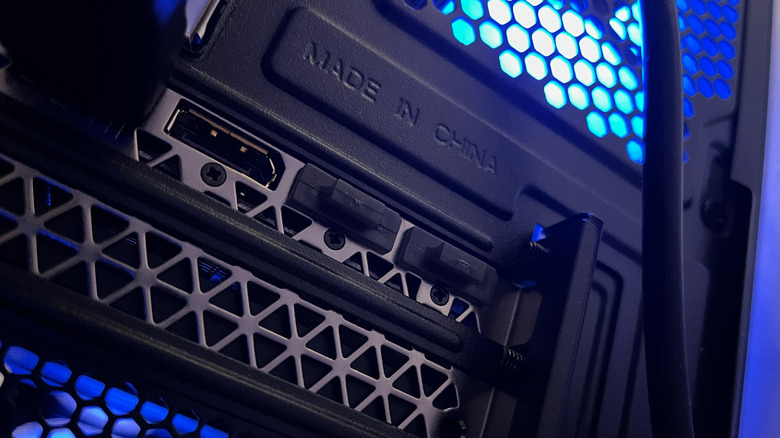
Graphics cards are built for PCs, and PCs are predominantly going to use monitors. Monitors favor DisplayPort, as the format has become an incredibly robust and PC-centric standard that can carry video, audio, data, and power along a single cable. DisplayPort also enables multi-monitor setups by daisy-chaining monitors with Multi Stream Transport (MST), with only a single cable from the source. DisplayPort is also better equipped to consistently handle higher refresh rates, and also supports VESA Adaptive Sync, which is what variable refresh rate technologies like AMD’s FreeSync are based on. Importantly, Nvidia’s G-Sync is limited to DisplayPort, but G-Sync Compatible will work over HDMI in addition to DisplayPort.
On a graphics card, HDMI is treated more like a compatibility port, ensuring the card can be used across a variety of potential outputs, monitors included. The bandwidth roadmap for DisplayPort has also routinely exceeded that of HDMI, though HDMI 2.2 looks to change that with a top end bandwidth of 96 Gbps –- but HDMI 2.2 ports will come with a catch in the form of certified cables and ports that will likely be expensive and confusing to buy into. DisplayPort 2.1 can already accommodate up to three 4K monitors at 90 Hz or two 4K monitors at 144 Hz without using compression, all while being the more versatile interface.
The slight bandwidth lead HDMI 2.2 enjoys likely won’t make a huge impact, as resolutions beyond 4K have yet to break into the mainstream consumer market. And based on the history of DisplayPort’s roadmap, we can expect the next version to leapfrog HDMI 2.2.
HDMI is expensive to implement
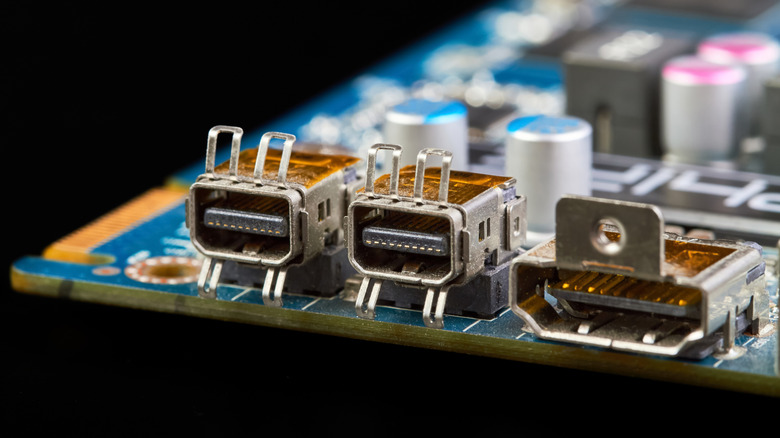
Compared to DisplayPort, HDMI is costly to build into a graphics card. An HDMI port has a higher physical complexity than DisplayPort, and can take up more PCB space –- which is already premium real estate on graphics cards. Depending on the version, HDMI ports can also require additional hardware and board space to meet the electrical and bandwidth requirements. For instance, an HDMI 2.1 port that supports the newer Fixed Rate Link (FRL) encoding will cost more than an HDMI 2.0 port that relies on Transition-minimized differential signaling (TMDS).
GamersNexus covers this in a tour they took of a Taiwan factory that manufactures Intel Arc GPUs for Sparkle. In that video, it is also revealed that HDMI ports cost about $1/port for Sparkle’s Intel Arc GPUs, with most of the cost going to licensing fees. This is because HDMI is not an open standard; HDMI adopters (companies paying to license HDMI) have to pay annual adopter fees and royalties on devices. For something like Sparkle’s Intel A310 Omni View SKU that has 4 HDMI ports, that’s $4 in HDMI costs for a card that’s targeting a $100-$110 price point. Sparkle’s Taiwanese factory produces over 1,000 Intel Arc GPUs per day, so you can see where the math is going. Then there’s mandatory compliance and certification testing according to HDMI’s Compliance Test Specification, which has to be completed by an Authorized Testing Center. HDMI 2.1 –- and eventually HDMI2.2 –- will compound these costs further.
DisplayPort is an open and royalty free standard, which is another huge difference between HDMI and DisplayPort, and manufacturers can implement the ports at no cost. The VESA DisplayPort Compliance Program is also not tied to licensing agreements like HDMI, and is driven by VESA members and the DisplayPort ecosystem.

WIRED is obsessed with what comes next. Through rigorous investigations and game-changing reporting, we tell stories that don’t just reflect the moment—they help create it. When you look back in 10, 20, even 50 years, WIRED will be the publication that led the story of the present, mapped the people, products, and ideas defining it, and explained how those forces forged the future. WIRED: For Future Reference.

Need some help with today’s Mini Crossword? A few of the clues are tricky. Read on for all the answers.
Mini across clues and answers
1A clue: Something you might ask for while staying over at a friend’s house
Answer: WIFI
5A clue: Genre for “Stranger Things”
Answer: SCIFI
7A clue: Unlikely pants to wear to a wedding
Answer: JEANS
8A clue: Octagonal sign word
Answer: STOP
9A clue: Where sows are housed
Answer: STY

Mini down clues and answers
1D clue: Newspaper that covers the stock market, for short
Answer: WSJ
2D clue: Puts a cold pack on
Answer: ICES
3D clue: Official decrees
Answer: FIATS
4D clue: “Otherwise …”
Answer: IFNOT
6D clue: Words before “with my little eye,” in a game
Answer: ISPY

Get CNET’s top-rated VPN for privacy and usability

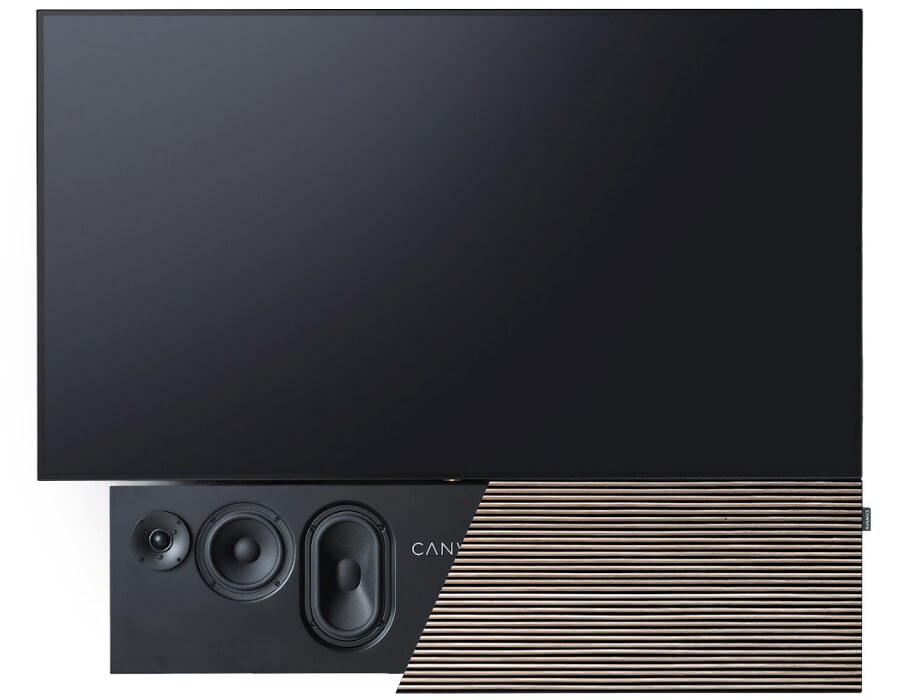
The Danish TV audio specialist is expanding beyond direct sales, giving American buyers a chance to hear, install, and service its premium systems through authorized dealers. Spending $5,000 or more on a TV audio system you have never actually heard requires confidence, disposable income, and a rather trusting relationship with international freight.
CANVAS HiFi is attempting to make that proposition somewhat less adventurous.
The Danish manufacturer has appointed Playback Distribution as its exclusive U.S. distributor, opening the door to a broader network of specialty audio dealers and custom integrators across the country.
That might not sound as exciting as a new amplifier, larger woofer, or proprietary acronym involving spatial audio, but it could be one of the more important developments for the brand in the United States.
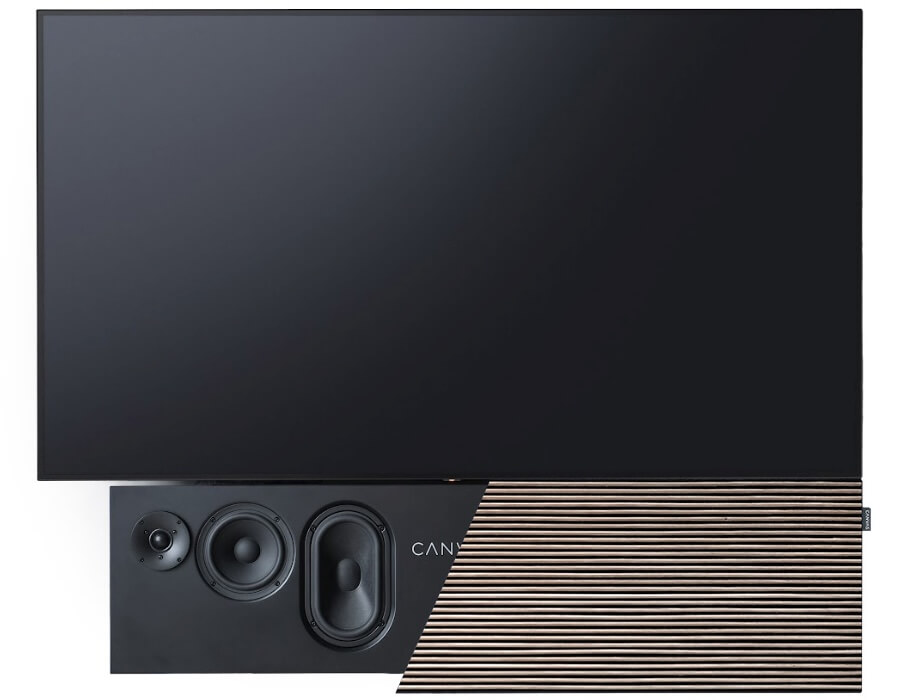
CANVAS is not a $399 soundbar that can be carried out of Costco between the paper towels and frozen dumplings. Its products are large, heavy, configurable audio systems designed to visually integrate with televisions ranging from 55 to 85 inches; and eventually even larger screens with the forthcoming CANVAS L.
For American consumers, the ability to hear one before buying it, confirm that it will work with a specific television, and have somebody else install the thing properly has considerable value.
Related Stories:
What Playback Distribution Brings to CANVAS
Playback Distribution was founded in 2023 by industry veteran Rob Standley and represents a growing collection of premium audio brands, including Advance Paris, Amphion, AudioSolutions, AVID HiFi, Esoteric, PMC, TEAC, Velodyne Acoustics, Vicoustic, and Vienna Acoustics.
That portfolio gives CANVAS access to dealers already selling expensive loudspeakers, electronics, subwoofers, room treatments, and custom-installed home-theater systems.
More importantly, Playback already has the sales, logistics, dealer-support, parts, warranty, and customer-service infrastructure required to support products that are considerably more complicated than their minimalist appearance suggests.
CANVAS combines loudspeakers, amplification, DSP, streaming, room correction, television mounting, and interchangeable furniture-grade front panels in one rather substantial enclosure. When everything works, the result can be visually striking and far less intrusive than a conventional collection of speakers, racks, amplifiers, and cables.
When something does not work, buyers will probably prefer calling a local dealer rather than holding an international video conference while kneeling behind a 77-pound audio system with a flashlight between their teeth.
CANVAS has already sold directly to American customers, with shipping and import costs included in its pricing. The Playback agreement adds something the direct-sales model could not easily provide: local demonstrations, professional installation, and support from somebody who has actually seen the product outside of an Instagram reel.
What Is CANVAS HiFi?
The original CANVAS is an active stereo speaker system built into a structure designed to align visually with a television. Calling it a soundbar is technically convenient but somewhat misleading.
Most soundbars use multiple small drivers packed into a shallow enclosure and rely heavily on digital processing to create the impression of a larger presentation. CANVAS takes a more traditional loudspeaker approach.
The system uses two 6.5-inch SB Acoustics bass and midrange drivers, two 29mm silk-dome tweeters, and two passive radiators inside a 24-liter braced MDF enclosure. Four channels of Class D amplification deliver a combined 250 watts, while a Burr-Brown DAC and Analog Devices DSP handle digital conversion, crossover functions, and signal processing.
CANVAS also uses BACCH 3D crosstalk cancellation to produce a wider and deeper stereo presentation without rear speakers or a conventional Dolby Atmos speaker layout. Room correction can be performed using an iPhone microphone or the company’s optional Zen Microphone.
Connectivity includes HDMI eARC, optical digital, analog audio, Apple AirPlay 2, Google Cast, Spotify Connect, TIDAL Connect, Roon, and DLNA.
Magnetically attached front panels are available in multiple fabric and wood finishes, allowing the system to match different screen sizes and room designs. The television, despite the rather persuasive product photography, is not included.
CANVAS L Is the Larger Prize
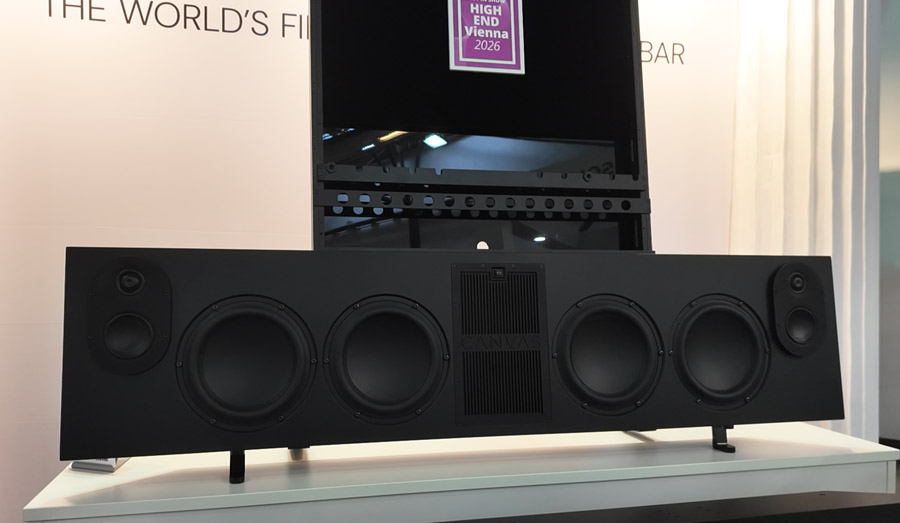
The distribution agreement also gives CANVAS a stronger U.S. foundation ahead of the arrival of CANVAS L, which the company unveiled at High End Vienna 2026.
CANVAS L is considerably more ambitious than the original model. It uses custom Scan-Speak midrange and bass drivers, SB Acoustics ring-radiator tweeters, four 8-inch woofers, matching passive radiators, and 1,500 watts of Class D amplification.
It also adds BACCH 3D+, upgraded DSP, room correction, HDMI eARC, analog and digital inputs, and compatibility with televisions ranging from 65 to 115 inches.
A 115-inch television is not something most people install casually on a Tuesday evening after dinner. Products of that size and price need dealers and integrators who understand wall construction, television mounting, cable routing, network configuration, room acoustics, and why drilling into a water pipe tends to end the demonstration rather abruptly.
CANVAS expects the L to reach authorized retailers during the fourth quarter of 2026. European pricing begins at €5,999, while final U.S. pricing and configurations have not yet been announced.
Why This Matters for U.S. Buyers
CANVAS has generated considerable attention at CES, High End Vienna, and other international events. It has also earned multiple eCoustics Best in Show selections.
The problem has been access.
Reading about BACCH processing and Scandinavian industrial design is one thing. Hearing whether the system actually produces a convincing stereo image from beneath a television is another. And it’s something that has left a very positive on members of the press who have been able to try it at home. This sounds nothing like the soundbar systems you’ve tried so far — and for these prices, it needs to be significantly better.
That does not mean a CANVAS display will suddenly appear in every audio showroom from Manhattan to Missoula. Dealers will still have to decide whether local customers are interested in a premium product that occupies the space between an active loudspeaker system, a soundbar, a television mount, and a piece of Danish furniture.
But CANVAS is precisely the kind of product that benefits from being demonstrated in person.
Playback Distribution gives CANVAS a better opportunity to explain that proposition to American consumers—and allows those consumers to decide whether the performance justifies the price before an extremely large crate appears in the driveway.
Pricing & Availability
CANVAS HiFi products are now available in the United States through Playback Distribution’s network of authorized dealers.
Current U.S. pricing begins at approximately $4,999, depending on the size, finish, front-panel material, and configuration.
Final U.S. pricing and availability for CANVAS L will be announced closer to its expected fourth-quarter 2026 launch.
For more information: canvashifi.com
Related Reading:
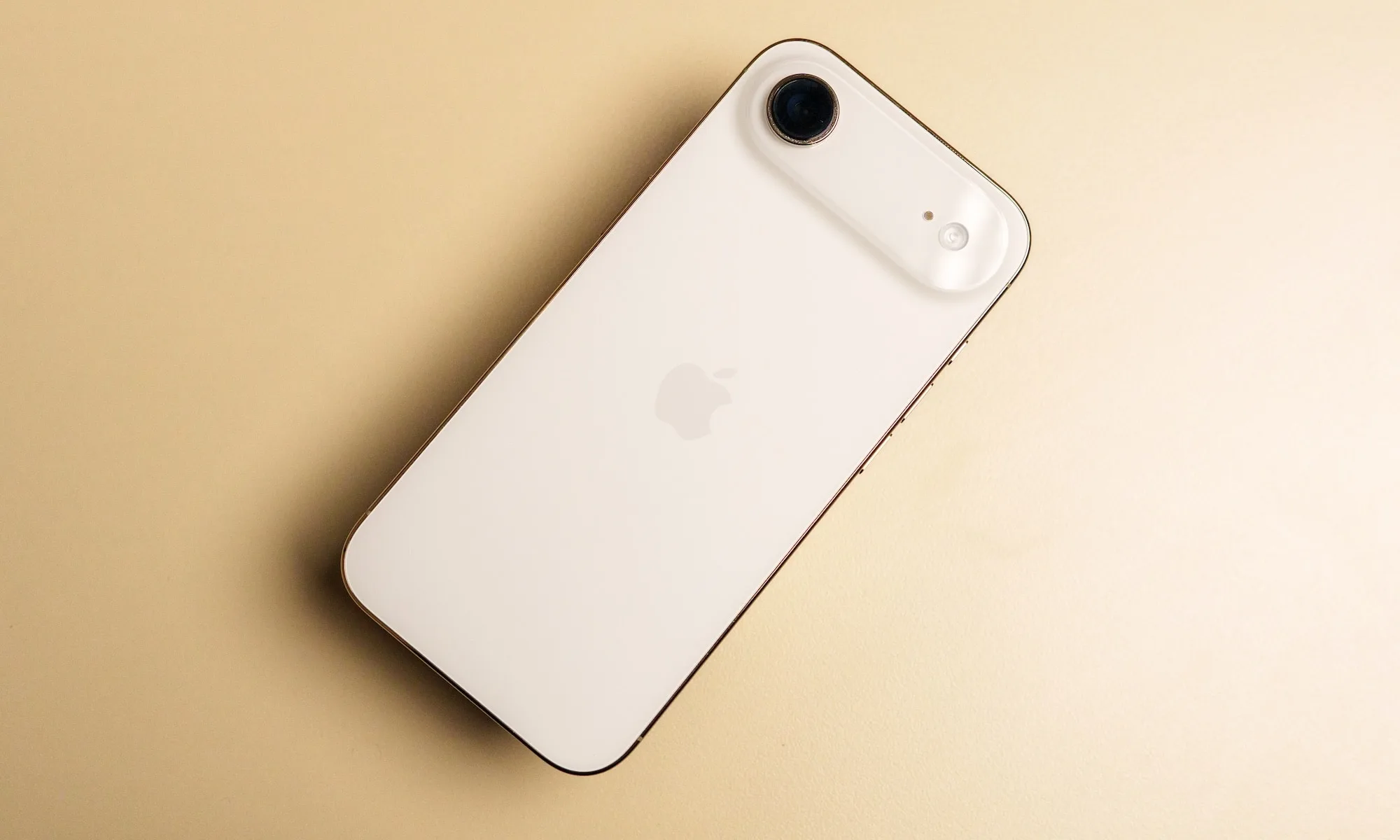
Apple’s second-generation iPhone Air is beginning to take shape, and if the latest supply chain report is accurate, the company isn’t simply refreshing the hardware. Instead, it appears to be refining the formula that made the first iPhone Air stand out. According to analyst Jeff Pu, the iPhone Air 2, expected to launch in early 2027, will retain its slim profile while introducing a smaller Dynamic Island, an upgraded camera system, and Apple’s next-generation silicon.
Unlike the Pro models, which often chase headline-grabbing camera upgrades or new materials, the Air lineup appears to be evolving through careful iteration. None of the rumored changes are individually revolutionary, but together they suggest Apple is addressing some of the biggest compromises of the original device.
Apple appears to be refining, not reinventing, the Air
According to Pu, the iPhone Air 2 will retain the 6.55-inch display found on its predecessor, but Apple is reportedly reducing the size of the Dynamic Island. While the difference may seem subtle on paper, a smaller cutout would free up more usable screen space and make the display feel cleaner during everyday use.

The camera system could also receive one of the biggest upgrades in the Air lineup so far. Pu claims the phone will feature the existing 48-megapixel main camera alongside a new 48-megapixel ultra-wide sensor, giving the Air a far more versatile imaging setup than the first-generation model. That addition would narrow one of the biggest gaps between Apple’s premium and mainstream iPhones.
Under the hood, Apple is expected to introduce the A20 Pro, reportedly built on TSMC’s 2nm process using Wafer-Level Multi-Chip Module (WMCM) packaging. The technology integrates memory closer to the processor, which could improve both performance and power efficiency without increasing the chip’s physical footprint. The report also points to 12GB of RAM, a titanium frame, and Apple’s next-generation C2 modem, replacing the original Air’s C1X modem.
Small upgrades could make a meaningful difference
On paper, none of these upgrades dramatically change what the iPhone Air represents. That’s arguably the point. The first-generation iPhone Air established itself as Apple’s answer for users who wanted something lighter and thinner than a Pro model without sacrificing flagship performance. If these reports prove accurate, Apple isn’t trying to reinvent that identity. Instead, it’s strengthening it by fixing practical shortcomings that users notice every day, whether that’s gaining a little more screen real estate, improving ultra-wide photography, or squeezing better efficiency from next-generation silicon.
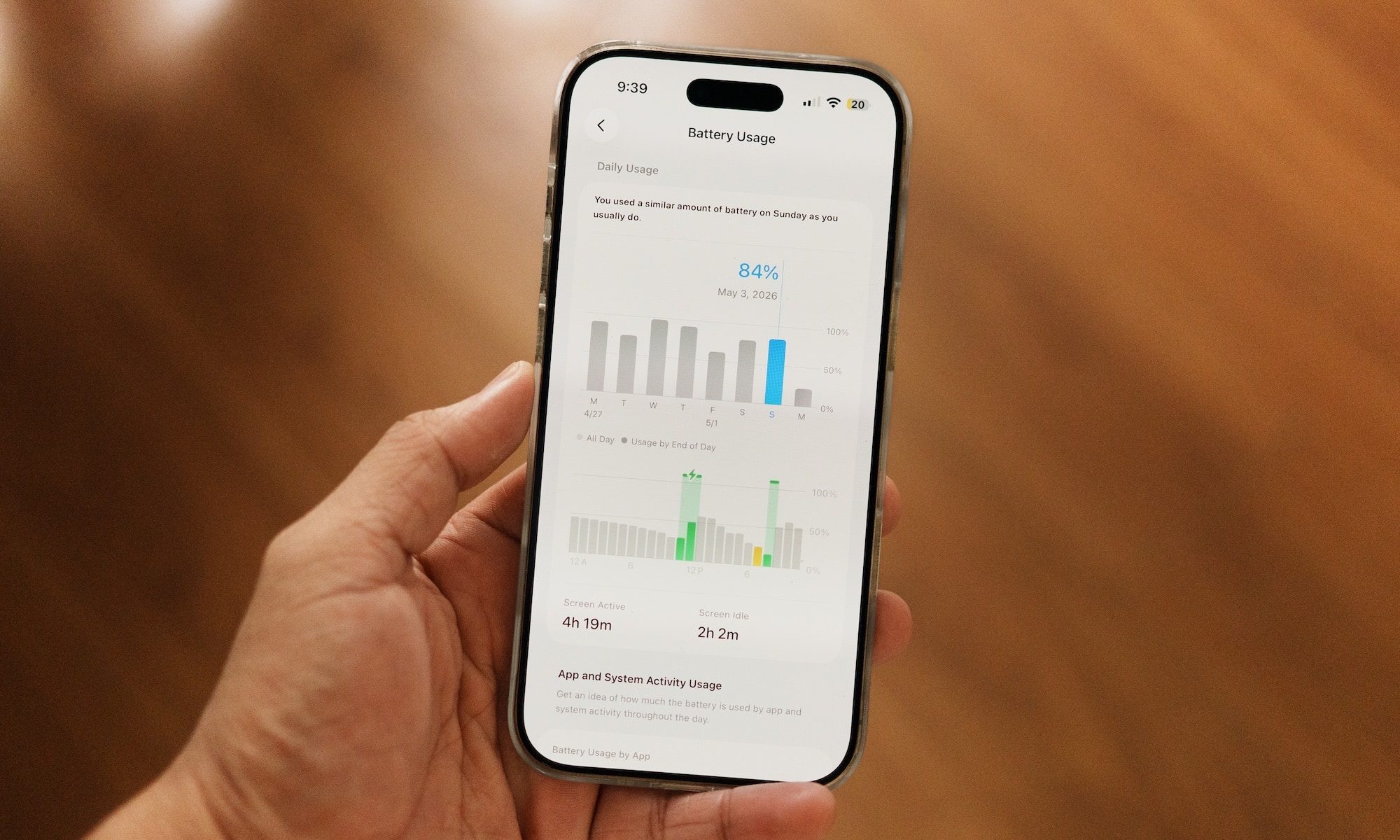
The timeline also fits Apple’s broader roadmap. Pu expects Apple to unveil the iPhone Air 2 alongside the base iPhone 18 during the first quarter of 2027, while the iPhone 18 Pro and Apple’s long-rumored foldable iPhone are expected to arrive several months earlier.
As always, these details remain based on supply chain intelligence rather than official announcements. But if Apple is indeed focusing on refinement over reinvention, the iPhone Air 2 could become a stronger example of something the company often does well: making a familiar product noticeably better through a series of thoughtful, incremental upgrades.
Tech
Ayaneo’s new handheld revives the Game Boy Advance. Nintendo probably wishes it had done it first
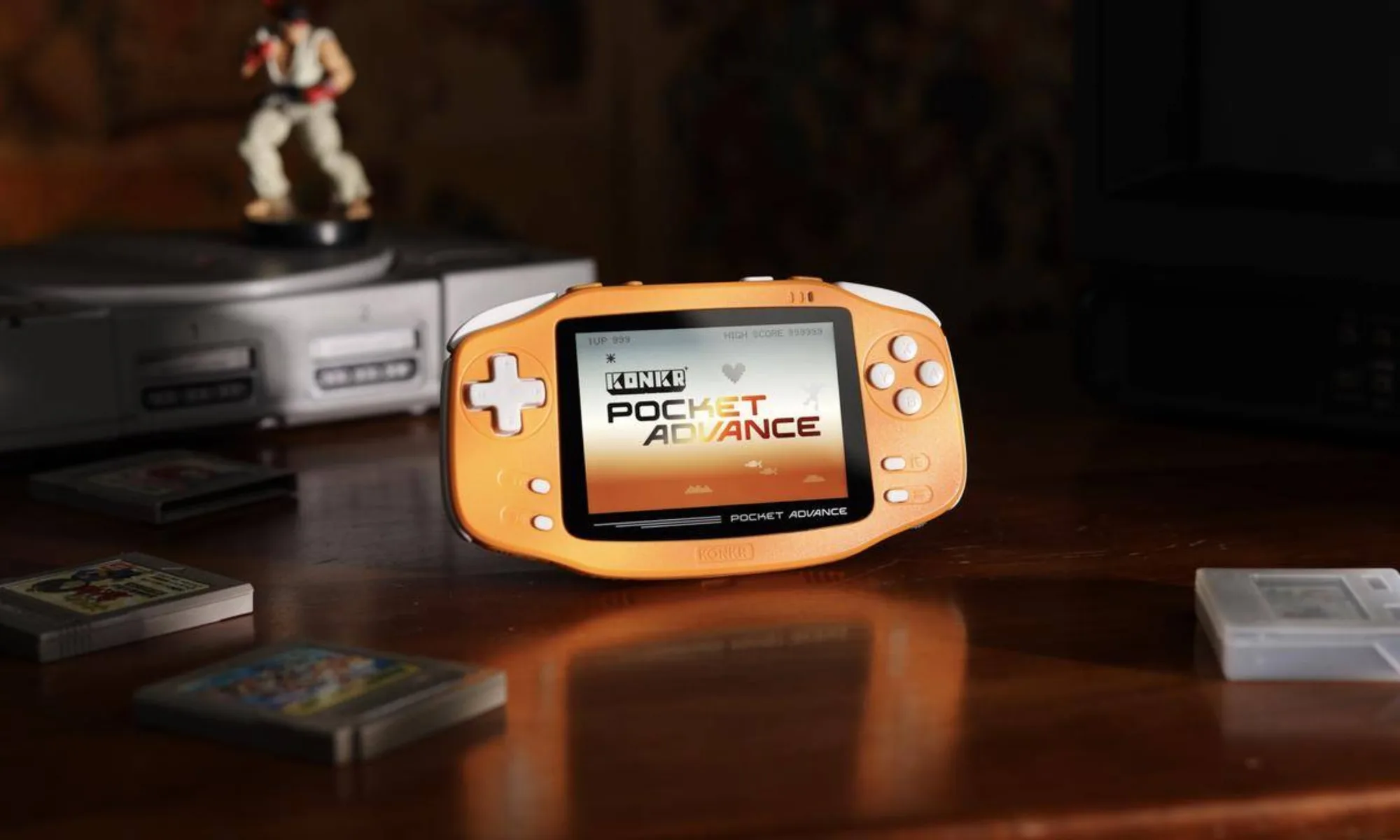
The Game Boy Advance is celebrating its 25th anniversary in the US, and while Nintendo has largely chosen to honor the handheld through its Switch Online library, another company has decided to recreate the hardware itself. Chinese handheld maker Ayaneo has unveiled the Konkr Pocket Advance, a modern reinterpretation of the iconic Game Boy Advance that updates almost every part of the original while preserving the horizontal design that made Nintendo’s console so beloved.
Rather than building a nostalgia piece that simply looks like the original, Ayaneo is targeting the growing retro gaming market with modern hardware. The Konkr Pocket Advance features a higher-resolution display, additional controls, USB-C connectivity and wireless support, making it less of a replica and more of a contemporary handheld inspired by one of gaming’s most influential consoles.
The announcement also arrives at a time when retro handhelds are becoming a serious product category rather than a niche hobby. Companies such as Anbernic, Retroid, Miyoo and Ayaneo have spent the last few years proving that there is sustained demand for devices designed around classic games instead of cutting-edge graphics.
A familiar design with modern hardware underneath
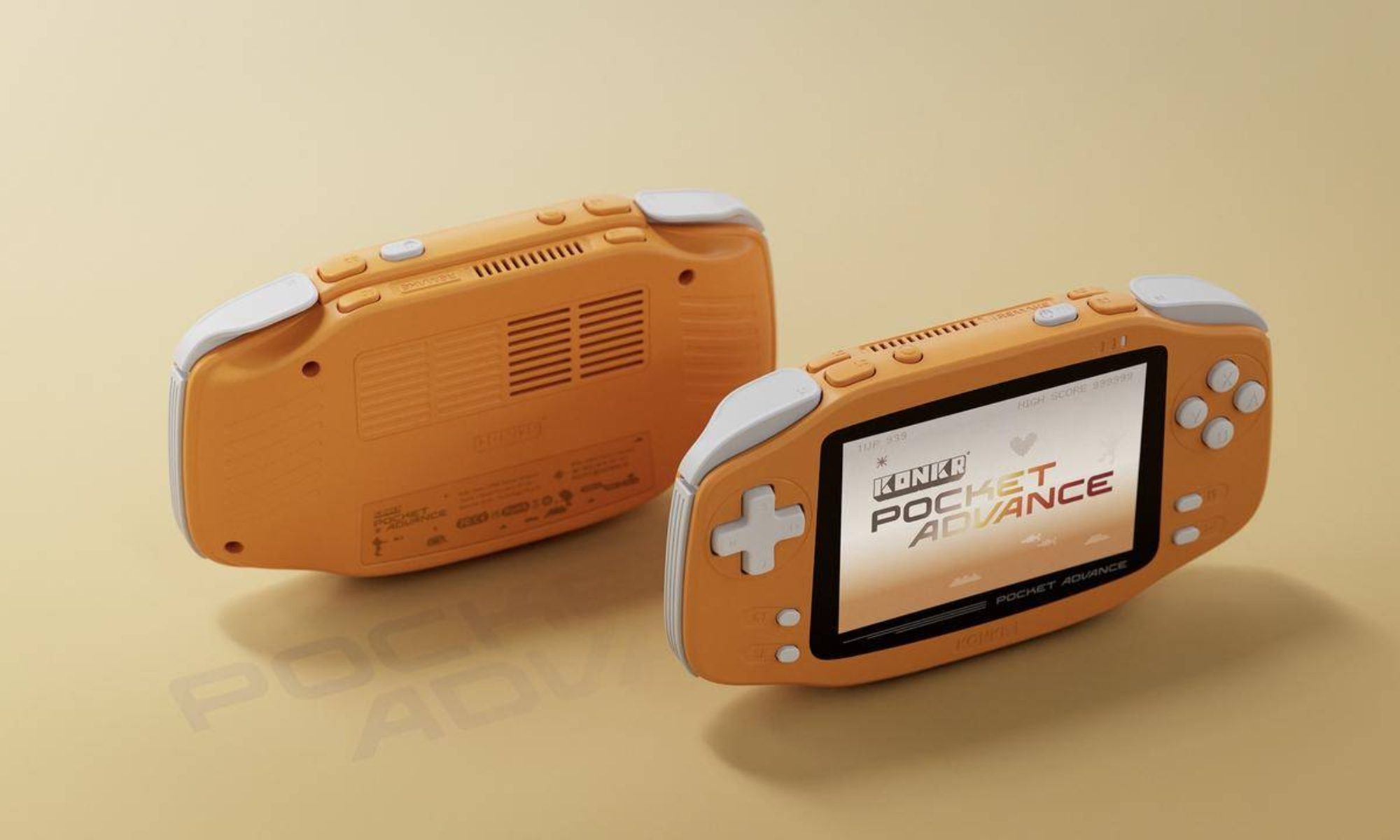
At first glance, the Konkr Pocket Advance is unmistakably inspired by the original Game Boy Advance. It retains the signature horizontal layout while introducing a 3.5-inch display with a 960 × 640 resolution, considerably sharper than Nintendo’s original hardware. Ayaneo has also added a full set of ABXY buttons, additional menu and shoulder buttons, USB-C, microSD expansion, Wi-Fi, Bluetooth, a 3.5mm headphone jack, and even a dedicated volume wheel.
The handheld will initially launch in two color options: a navy blue inspired by the classic Indigo Game Boy Advance and a coral orange reminiscent of Nintendo’s Spice Orange edition, which was originally exclusive to Japan. Ayaneo has not announced pricing or a release date but says the device will arrive later this year. Unlike some of its earlier limited-production handhelds, the company also expects broader availability for the Pocket Advance.
Retro gaming is no longer just about nostalgia
Ayaneo’s latest handheld highlights a broader trend that Nintendo itself has been surprisingly cautious about. Despite the enduring popularity of the Game Boy Advance and a library that includes classics such as Advance Wars, Golden Sun, Metroid Fusion, Pokémon FireRed and LeafGreen, The Legend of Zelda: The Minish Cap and WarioWare, Nintendo has shown little interest in producing dedicated retro hardware beyond occasional emulation through Switch Online. The accompanying retrospective in Engadget underscores just how influential those games remain two and a half decades later.
That has created an opportunity for third-party manufacturers. Modern retro handhelds no longer appeal only to collectors; they attract players who want sharper displays, rechargeable batteries, wireless connectivity and ergonomic designs without sacrificing access to classic games.
The Konkr Pocket Advance won’t replace Nintendo’s original hardware in the hearts of longtime fans. But it does reflect something increasingly clear about the gaming industry: while Nintendo owns the memories, companies like Ayaneo are becoming remarkably good at selling the hardware people wish Nintendo still made.


Brazil ordered Jair Bolsonaro to stay silent. Last weekend, a giant AI version of him addressed a campaign rally anyway.
At the launch of his son Flávio’s presidential bid in São Paulo on Saturday, a video avatar of the jailed former president loomed over the crowd. The clever part was the confession. “What you see here is not me,” it said. “This is a simulation of my image and my voice using artificial intelligence.”
Then it campaigned. “As everyone here knows, I am imprisoned and silenced by an unjust and arbitrary decision,” the avatar said, before asking the crowd to back Flávio, “blood of my blood.” Bloomberg timed the clip at 46 seconds, and both Reuters and AFP reported the appearance.
Why this is not a normal deepfake
The debate over AI in elections has focused on lies: fake videos that trick voters into believing something false. This clip does the opposite. It announces that it is synthetic. That honesty is the whole gambit.
Bolsonaro is under house arrest, serving 27 years for plotting a coup after he lost the 2022 election to President Luiz Inácio Lula da Silva. A condition of that arrest is a ban on public communication, on social media or by any other means. He cannot phone, post or speak to a rally.
An avatar can. That is the loophole the courts must now weigh: not whether the video deceived anyone, but whether a disclosed simulation lets a court-silenced man keep campaigning through a screen.
The legal fight
The challenge came fast. On Sunday, a coalition of Lula’s campaign and other left and centre-left parties petitioned the Superior Electoral Court, the TSE. They argued Brazil’s rules bar synthetic content that reproduces a real person to sway voters.
Flávio’s team fired back a day later. The video broke no rule, they said, because it disclosed its use of AI, caused no harm and never mixed fabricated footage with real images. On that reading, it is not a deepfake at all.
Jair Bolsonaro, through his lawyer Paulo Cunha Bueno, denied authorising anything. He “did not authorise the use of his image and voice,” the lawyer wrote, and “could not have done so,” since he is barred from seeing visitors. He added that the former president had never objected to his children using his image.
A court he helped build
The judges are split in tone. The TSE’s president, Justice Kássio Nunes Marques, whom Bolsonaro appointed to the Supreme Court, said using AI to campaign is permissible. What is forbidden, he added, is using it to harm someone.
Supreme Court Justice Alexandre de Moraes was sharper. Authorising the video could be a “serious violation” of the house-arrest terms, he warned, and using Bolsonaro’s image to imply he is campaigning could amount to electoral disinformation.
The stakes are steep. The TSE could disqualify Flávio’s run if it finds the clip broke the rules. Bolsonaro himself is unlikely to be punished, said Insper law professor Ivar Hartmann, because he can argue he neither recorded nor approved it. One Lula coordinator predicted the most heavily litigated election since Brazil returned to democracy.
The rules are already behind
Politicians are reaching for avatars faster than the law can frame them. Malaysia’s prime minister has fielded his own AI stand-in, and regulators are scrambling to respond. France plans to triple the penalties for AI-driven election disinformation.
Most of those rules turn on disclosure. The EU’s AI Act will force a label on synthetic media, and Brazil’s own code targets fabricated content that misleads. The Bolsonaro clip met that bar and marched straight through it. India is wrestling with the flip side, opening a case over altered videos of its prime minister.
That is the gap this stunt exposes. A label tells you a video is fake. It does not tell you whether a jailed politician should be allowed to speak through it. Brazil votes on 4 October. Its court has until then to decide.
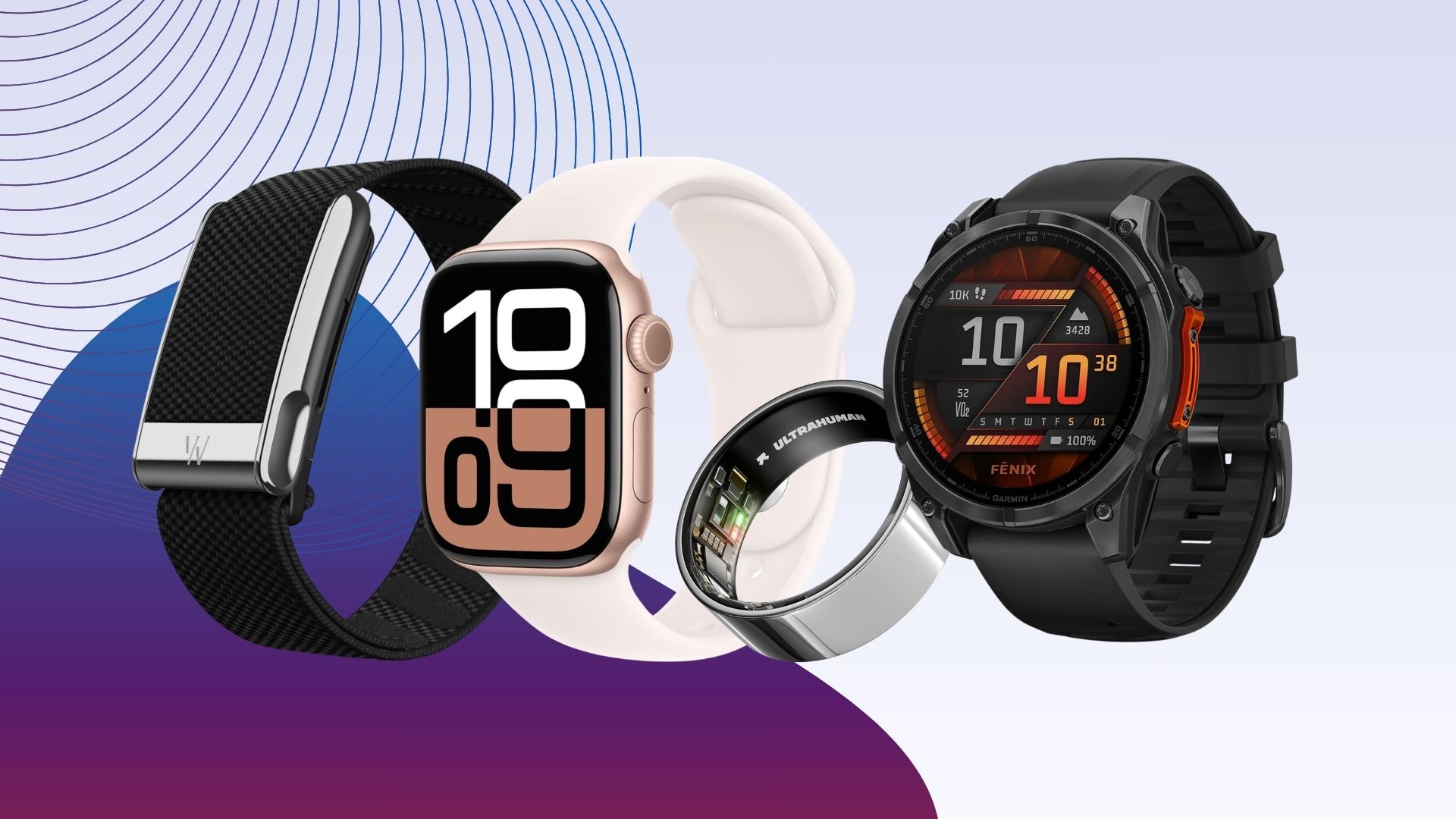
Looking to upgrade your fitness tracker, or even get one for the first time? You’re in the right place with our collection of the best fitness trackers on the market.
One of the best goals you can set for yourself at any point of the year is to lead a healthier lifestyle, but the problem is that unless you’re signing up with a personal trainer, it can be tricky to know where to start or how to keep tabs on your progress. With that in mind, having a dedicated fitness tracker on your wrist is a great place to start.
Not only can these devices track your heart rate and effort during workouts to get a look at how your body reacts to certain exercises, but they can also suggest workouts to try and guide you towards getting a better night’s sleep, which is crucial for recovery. Of course, if you’ve had even a cursory glance at the amount of fitness trackers available, the sheer degree of choice can feel a bit overwhelming.
Luckily for you, we’ve personally tested countless fitness trackers, observed how they perform in the real world, and documented our results. Off the back of that testing, we’ve put together the following list to let you know which fitness trackers impressed us the most, and why they’re worth buying.
We’ve taken out plenty of other wearables beyond the realm of fitness tracking, so if you want to see the best smartwatches, best cheap smartwatches, best Apple watches and the best Wear OS watches, then we’ve got you covered. If you do want to see a few more fitness-related options however then our best running watch, best Fitbit and best Garmin watch round-ups are well worth a look.
Best Fitness Tracker at a glance
Find out more about how we test fitness trackers
We use every fitness tracker we review as our primary wearable for at least a week – or longer, if the battery life lasts beyond that point or we need more time to trial its features.
During that time we will test it on a variety of different activities. These will range from basic step tracking, to how well it tracks runs, swims, cycling and more.
For distance tracking, we assess how accurately the device records runs on tracks we know the length of. We also evaluate the level of battery life lost per hour using features such as built-in or connected GPS. To check heart rate accuracy, we compare the results from the wearable to a dedicated HRM strap.
Next we combine the data recorded with our general experience of using the wearable day-to-day, revealing whether the device proved comfortable to wear, alongside any issues we may have encountered with unexpected bugs over the review period.
We then evaluate key metrics including app support, usability and battery life.
-
Slim and very comfortable to wear
-
Goes well beyond claimed seven days of battery
-
Google Health app is fantastic
-
Some of the best, most helpful uses of AI yet
-
No on-wrist charging
-
No bicep strap accessories
-
Lacks built-in GPS
If you want a fitness tracker that stays completely out of your way and never pesters you for attention, the Google Fitbit Air is the best screenless option you can buy right now, and the Google Health app is a big reason why.
The screenless design keeps your focus on your day rather than your wrist. It’s genuinely slim, sliding under a shirt cuff without any bulk, and light enough that you’ll forget you’re wearing it overnight. Sleep tracking held up well in our testing, catching the disturbances we remembered and closely matching how rested we actually felt the following morning.
The real draw here isn’t the hardware itself; it’s how the Air connects into the new Google Health app. There are no cluttered dashboards or walls of numbers you’ll never read. The app runs on both iOS and Android and points you toward things you can genuinely act on, largely through Google’s AI-driven Health Coach.
That coach genuinely surprised us during testing. Tell it you work from home, or that Mondays start at 6am, and it shifts its workout and sleep suggestions to match. You can also log meals or extra activity by voice or by snapping a photo, which is a handy shortcut if food tracking is already part of your routine.
There is a catch worth knowing about. Full access to the coaching features requires a Google Health Premium subscription at £7.99/$9.99 a month. Given the Air itself costs £84.99/$99.99, we think that’s a reasonable ask, particularly when you put it next to what a Whoop membership demands. Skip the subscription and you still get the core fundamentals: heart rate, steps, and sleep data.
For workouts, the Air logs heart rate, calories, and steps, but with no screen you’re either reaching for your phone mid-run or going by feel. Some people will prefer that simplicity. Others won’t.
Battery life is a genuine highlight, with close to ten days per charge in our testing, well beyond the seven days Google claims. There’s no bicep strap option, but 5ATM water resistance means swimming is covered, and replacement straps are reasonably priced.
-
Welcome addition of LTE connectivity
-
MicroLED brings sharper, brighter display technology
-
Same great Fenix sports and outdoor features
-
Big jump in cost
-
You need to pay for an inReach subscription
-
New sensors equal a thicker case
-
MicroLED battery drain
The Garmin Fenix 8 Pro takes everything that has made the Fenix series a firm favourite among endurance athletes and layers on a set of useful additions that push it even further ahead of the competition.
At its core, you get the same multi-band GPS, Elevate Gen 5 heart rate sensor with ECG readings, and Garmin’s mapping and navigation stack that remains the best in the business. The training analysis tools go deep enough to satisfy even the most data-obsessed athletes, with Training Readiness telling you when to push hard and when to ease off, Garmin Coach now extending to strength plans alongside running ones, and Daily Suggested Workouts giving you a structured training week without having to build one yourself.
Preloaded topographic maps are ready straight out of the box, with Up Ahead and Dynamic Round-Trip Routing proving particularly useful on race day or during longer adventures, flagging waypoints and rebuilding routes on the fly.
Where the Pro really distances itself from the standard model is in connectivity. Built-in LTE allows for calls, messages, location sharing, and live tracking without needing a phone in your pocket, while integrated InReach satellite technology picks up coverage the moment you venture properly off-grid. SOS functionality and Garmin Response back everything up if things go wrong.
There is also a 51mm MicroLED variant available which is brighter and sharper than the AMOLED, making maps and data noticeably easier to read in strong sunlight.
For those who want the deepest training tools, the finest mapping available, and the peace of mind that comes from LTE and satellite messaging, the Fenix 8 Pro is exceptionally hard to beat.
-
Most of that good Garmin sports tracking
-
Useful big screen for viewing maps
-
It’s really light to wear
-
Misses out on Garmin dual-band GPS and ECG
-
Square design isn’t all that eye-grabbing
-
Battery life in always-on display mode
It’s taken Garmin a while to embrace the direction of the smartwatch industry at large fully, but the wait has very much been worth it thanks to the brilliance of the Garmin Venu X1.
Unlike the more rugged, adventure-focused Garmins of old, the Venu X1 charts a new path to serve as a more direct competitor to the Apple Watch Ultra 2.
Even just by looking at it, you can tell that the Venu X1 is nothing like Garmin’s usual batch of devices – its square design is straight out of the Apple playbook, and instead of the chunkier frame that you might see on the Fenix 8 or the Enduro 3, this fitness tracker is incredibly slim, being just 7.9mm thick.
Alongside the revamped design is a new screen that really shows off Garmin’s operating system in its best light. This two-inch panel isn’t just massive, with plenty of room to show off the watch face and any workout metrics, it’s also wonderfully bright with a colourful AMOLED panel.
When you are diving into that data, it’s very much the same experience that we’re used to seeing with Garmin’s very best watches. From our testing, heart rate data was largely in sync with a dedicated chest-worn heart rate strap, and you can see exactly which parts of a run had you struggling, giving you insight as to where you need to improve in the future.
All of this is great, but one of the key reasons why you’d want to choose the X1 over the Apple Watch Ultra 2 is the inclusion of an eight-day battery life. That destroys the two-day stint of Apple’s wearable, which also happens to be a fair bit more expensive. Throw in the fact that the watch also has a built-in torch which can be used to find your way on a trail, and it’s easy to see why the Garmin Venu X1 is among our favourite fitness trackers right now.
SQUIRREL_PLAYLIST_10207770
-
Good overall fitness and sports tracking
-
Improved user interface
-
Slimmer than the Vivoactive 5
-
Largely the same design as Vivoactive 5
-
Doesn’t include the latest sensor technology
-
Just one case size option
While the absolute top-tier Garmin wearables will always be worth picking up for those who spend almost all of their time exercising, the company’s entry-level/mid-range options are now so good that they’re a far better buy for the majority of people. With that in mind, if you enjoy going to the gym, attending the local park run or are simply tempted to start making moves towards a healthier lifestyle, the Garmin Vivoactive 6 is the ideal wearable companion.
Even though it packs a relatively affordable price point of £279.99/$299, the Vivoactive 6 still has the same great fitness and sports tracking software that has made Garmin such a mainstay in this industry. Daily step tracking is reliable, as is the Body Battery monitor which gives you an idea of how much energy you have left in the tank so that you can tweak your next workout accordingly.
There’s GPS tracking for when you’re delving into an outdoor workout, letting you see after the fact which parts of your route had you struggling, and there’s even onboard storage so that you can listen to your go-to running playlists offline and without needing your phone with you.
All of this is shown to you via a gorgeous 1.2-inch AMOLED display that not only makes Garmin’s watch faces pop with an eye-catching level of contrast, it’s also incredibly easy to read in darker scenarios, which couldn’t always be said for some of Garmin’s older displays.
Compared to its predecessor, the Vivoactive 6 is now slimmer, so it can sit on your wrist and feel less obtrusive than before. The upgraded UI also feels like a step in the right direction, making the Vivoactive 6 feel far more intuitive and closer In style to what you’d get with more traditional smartwatches. As a final note, the Vivoactive 6 manages to decimate competing devices from Apple and Samsung where battery life is concerned, reaching up to 11-days of use on a single charge.
-
Comfortable to wear 24/7 with strong quality display
-
Nice array of features for the price
-
Gets new mini-workouts feature
-
More limited app store access
-
Inconsistent feature support across iOS and Android
-
Agreeing to consent on every feature
Budget-conscious athletes who can live without the premium extras found on more expensive wearables should put the Huawei Watch Fit 5 near the top of their shortlist.
For something sitting at £149.99, it packs in a great deal. The 1.82-inch AMOLED display is bright and punchy, and it sits alongside two physical buttons that work in tandem with the touchscreen to help you navigate HarmonyOS 6.10 without any fuss.
An optical heart rate sensor handles real-time tracking while also running Pulse Wave Arrhythmia analysis, which can flag serious conditions like atrial fibrillation. Runners and cyclists benefit from deeper workout metrics too, with the added option to pair external sensors such as power meters, which is an impressive inclusion at this price point.
A standout addition is the new mini-workouts feature. These are short, simple sessions that can be completed pretty much anywhere, with each one taking just 30 seconds, making it easy to sneak some movement into your day without a great deal of effort.
Rounding things out, the Watch Fit 5 tracks sleep quality and general wellbeing alongside dual-band GPS, 5 ATM water resistance, and up to 10 days of battery life on a single charge. For those taking their first serious steps into fitness tracking, it’s a compelling package.
-
Added ceramic case model
-
Lovely, sharp and vibrant AMOLED display
-
Good GPS and heart rate tracking accuracy
-
Remains a button-free band
-
No Bluetooth calls
-
Mi Fit app could be slicker
Xiaomi has taken what made the Smart Band 9 Pro a solid budget pick and pushed things noticeably further with the Band 10 Pro.
The design feels more premium this time around, there’s even a ceramic edition for those who want something a bit more special. The AMOLED panel has grown to 1.74 inches with a peak brightness of 2,000 nits, meaning it’s genuinely readable in direct sunlight in a way that cheaper trackers often aren’t.
Like the Smart Band 9 Pro, the Band 10 Pro also brings built-in GPS, so you can head out for a run or ride without your phone in your pocket. A new PPG module and reworked algorithms have sharpened heart rate and sleep tracking, too, which were areas where the Smart Band 9 Pro could be hit-or-miss.
There are over 150 sports modes on board, and 5 ATM water resistance means swimming is no problem, with dedicated pool and open water modes included. If contactless payments matter to you, there’s an NFC version available at a slightly higher cost.
Battery life reaches up to 21 days, though leaning on GPS and the brighter display will bring that figure down. The companion app remains fairly bare-bones, particularly around workout breakdowns and sleep analysis, but it handles the basics without getting in the way.
At £69.99, the Band 10 Pro is one of the strongest cases for spending just a little more than the absolute minimum on a fitness tracker.
-
Screen is nice and bright
-
Sapphire glass for added screen protection
-
Some useful new running metrics
-
Battery drop from the the 965
-
The price has increased massively
-
Garmin heart rate monitor needed for new metrics
The Garmin Forerunner 970 is the best option for cardio tracking on this list, earning that spot by packing a sharp AMOLED display, best-in-class sensor accuracy, and a suite of running-specific tools into one seriously capable sports watch.
Garmin’s shift to AMOLED has been gradual, but the 970 shows the company has fully found its footing with the format. The panel is notably brighter than what you’d find on older Forerunner models, and the addition of sapphire crystal protection means it holds up better against scratches than most rivals in this category.
The software side runs on Garmin’s own operating system, which works smoothly with both iPhones and Android devices. Garmin Connect remains the hub for syncing data and adjusting settings, and a new optional Connect+ subscription adds AI-driven insights on top of the standard experience. The watch itself gets a reworked interface that tries to blend sports and smartwatch functionality more naturally than previous generations managed.
Where the 970 really separates itself is in tracking depth. Multiband GPS and an upgraded sensor array put it near the top of the field for accuracy, and two new running-specific metrics, running economy and running tolerance, give you a clearer picture of how your training is actually affecting your body over time.
The one genuine drawback is battery life. At roughly 4 to 5 days of moderate use, it falls a long way short of the 15 days delivered by its predecessor, the Forerunner 965. If runtime is your main concern, the 965 remains the smarter buy. For anyone else who wants the most advanced cardio tracking on this list, the Forerunner 970 is an outstanding pick; just be prepared for the premium asking price that comes with it.
-
Fantastically compact, premium design
-
Great overview of health and fitness
-
Polished, clutter-free app experience
-
Excellent battery life and rapid charging
-
No real changes to the app
-
New software features are region-locked
-
Requires a monthly subscription
The Oura Ring 5 is our top pick for the best smart ring you can buy right now, and it earns that spot in large part because of how far Oura has pushed the design.
Where the Ring 4 came close to looking like genuine jewellery, the Ring 5 is the first version that actually pulls it off. At 6.09mm wide and 2.28mm thick, it sits among the slimmest rings available anywhere, and the titanium build not only keeps things lightweight but also offers noticeably better scratch resistance than before. The gold version we tested came across as convincingly premium, which isn’t something you could say about every smart ring out there.
Beneath that refined exterior, the Ring 5 delivers the same sharp sleep and wellness tracking that built Oura’s reputation. The readiness score and sleep breakdowns remain some of the best you can get from any wearable, giving you a clear picture of how your body is recovering and where adjustments are worth making.
The one consideration worth flagging is that, unlike some rivals, Oura still operates on a monthly subscription model. At £5.99/$5.99 per month, you get access to a clean, polished app with smart food tracking and an AI health coach built in, but it is an ongoing cost you will need to factor into your decision before committing.
-
Attractive and very comfortable design
-
Bigger display doesn’t feel huge on the wrist
-
Fun addition of mini-workouts
-
Not a radical upgrade on the Fit 4 Pro
-
Android users will enjoy stronger smartwatch support
-
Huawei Health app is still full of bloatware
The Watch Fit 5 Pro is the best pick on this list for those who want a Huawei fitness tracker with serious stamina and a genuinely useful set of health monitoring tools, even if it doesn’t always steal the spotlight from flashier models in the range.
At first glance, the 44.5mm case bears a resemblance to an Apple Watch, and Huawei has stuck closely to the design language of its previous Pro model. The lug-style connector makes swapping straps a much less fiddly process than the pin mechanisms found on other Huawei smartwatches.
Where the Fit 5 Pro starts to diverge from the competition is in its software. iPhone users will feel boxed in, unable to act on notifications or access the full app library, while Android users get a better deal with a handful of useful extras. That said, Huawei’s own wellness tools are genuinely worth having. Sleep tracking and stress monitoring both performed well during our testing.
Fitness tracking is where the Fit 5 Pro really earns its place on this list. A wide range of sport modes covering walking, running, and hiking are all backed by dual-band GPS for accurate route and pace data.
The 5ATM water resistance rating extends to recreational diving at depths of up to 40 metres, which is a genuinely impressive spec for a fitness tracker at this level. There is also a new mini-workout feature that nudges you into simple exercises during periods of inactivity.
Battery life came in at around a week during our testing, which is a strong showing for stamina among fitness trackers in this category.
-
Same great swim tracking and AR display
-
Adds tougher display material
-
Battery life remains strong
-
No software differences from Swim 2
-
Added a process to protect against lens fogging
-
The hardware and subscription combo still isn’t cheap
Form’s smart swimming goggles have earned a loyal following for good reason, and the second-generation Smart Swim 2 Pro remains one of the most compelling options on the market.
Any swimmer who has tried tracking their sessions with a wrist-based watch will know that glancing down mid-lap is less than ideal, and that is precisely where these goggles carve out their niche. The built-in AR display puts your pace, distance and heart rate directly on the lens, so you can check your metrics without breaking your rhythm for a second.
Stroke detection proved accurate during testing, picking up different techniques without issue, and lap counts stayed reliable throughout. Battery life sits at 14 hours, which is enough to cover several sessions before you need to reach for the proprietary magnetic charging cable, though that is one area where Form asks you to play by its own rules.
The Swim 2 Pro’s tougher Gorilla Glass 3 lenses make it the better choice for swimmers who spend more time in open water or regularly train in more challenging conditions. They should stand up better to knocks and wear than standard plastic lenses, adding extra reassurance for anyone who is harder on their kit.
-
Comfortable to wear 24/7
-
Solid heart rate tracking accuracy
-
Useful for daily activity and sleep tracking
-
Overly sensitive exercise recognition support
-
Zepp Health app still needs refining
-
General sports tracking could be improved
The Amazfit Helio Strap is one of the most compelling subscription-free fitness trackers you can buy right now, and it earns that distinction by delivering a deep feature set without asking for a penny beyond the upfront cost.
There is no screen, which will immediately put some buyers off, but for anyone who finds constant wrist notifications a distraction during training, that absence is actually a selling point rather than a shortcoming.
The feature list is impressive for the price. You get 27 sports modes, 25 strength exercises that the strap detects automatically, and a dedicated Hyrox race mode for tracking combined running and effort. That kind of sports coverage would be noteworthy on a device priced twice as much.
Accuracy is where the Helio Strap really justifies its place on this list. Heart rate tracking held up well throughout testing, and VO2 Max estimates were similarly reliable. BioCharge Wake, Zepp Health’s take on a readiness score, tracked closely with readings from an Oura Ring worn simultaneously, which is no small feat.
Sleep tracking was a highlight too, with wake and sleep times, sleep stages, and overnight heart rate data all consistent with what the Oura Ring recorded on the other wrist. Battery life is rated at up to 10 days by Amazfit, but expect closer to a week once continuous stress monitoring and blood oxygen tracking are switched on.
At £99/$99 with no subscription required, the Helio Strap is an easy pick for anyone who wants capable, out-of-the-way fitness tracking without an ongoing monthly commitment.
FAQs
GPS is a key functionality we recommend any buyer who regularly exercises outdoors invest in. The feature uses satellite networks to offer reliable location and distance tracking. This lets most trackers with it provide better analytics on activities like hiking, outdoor running and cycling.
The answer to this depends largely on what you want to use the tracker for. If you want a top-end multi-sports tracker to help you train for a triathlon, then you’ll want to spend a little more on a tracker with a decent water resistance rating, reliable in-built GPS and lengthy battery life. These tend to cost $400/£400-plus. But if you’re just getting started and only need basic features like step tracking and heart rate zones, there are plenty of decent, affordable trackers, many of which cost less than $150/£150.
Whether a Fitbit or a Garmin smartwatch is better for you will depend on your usage. Generally speaking, a Fitbit will likely suffice for beginners, those looking for a more general overview of their health and fitness, and those who don’t necessarily have over £400/$400 to spend on a wearable.
However, if you’re looking for a smartwatch that offers a closer, more in-depth look at your health and fitness and want to benefit from additional features, such as a built-in LED torch or accurate GPS tracking, then a Garmin is likely to suit you better – as long as you have the budget.
Plus, as Garmin offers such a varied range of smartwatches, you’re bound to find a wearable that suits your lifestyle best. Our list of the best Garmin smartwatches offers more insight.
For a closer look at the differences between the two smartwatch brands, visit our Garmin vs Fitbit guide.
Full Specs
| Google Fitbit Air Review | Garmin Fenix 8 Pro Review | Garmin Venu X1 Review | Garmin Vivoactive 6 Review | Huawei Watch Fit 5 Review | Xiaomi Smart Band 10 Pro Review | Garmin Forerunner 970 Review | Oura Ring 5 Review | Huawei Watch Fit 5 Pro Review | Form Smart Swim 2 Pro Review | Amazfit Helio Strap Review | |
|---|---|---|---|---|---|---|---|---|---|---|---|
| Manufacturer | Garmin | Garmin | Garmin | Huawei | Xiaomi | Garmin | – | Huawei | Form | Amazfit | |
| Screen Size | 0 inches | 1.4 inches | 2 inches | 1.2 inches | 1.82 inches | 1.74 inches | 1.2 mm | 0 mm | 1.92 inches | – | – |
| IP rating | IP68 | IP68 | Not Disclosed | IP68 | IPX6 | IP68 | Not Disclosed | IP68 | IP68 | IP68 | IP68 |
| Waterproof | 5ATM | 10ATM | 5ATM | 5ATM | 5ATM | 5ATM | 5ATM | 5ATM | 5ATM | 5ATM | 5ATM |
| Battery | – | – | – | – | – | 350 mAh | – | 22 mAh | 471 mAh | – | 232 mAh |
| Size (Dimensions) | 17 x 34.9 x 8.3 MM | 47 x 16 x 47 MM | 46 x 7.9 x 41 MM | 42.2 x 10.9 x 42.2 MM | 42.9 x 9.5 x 38.2 MM | 32.2 x 9.7 x 42.8 MM | 47 x 12.9 x 47 MM | 6.09 x 6.09 x MM | 44.5 x 9.5 x 40.8 MM | x x INCHES | 34 x 10.6 x 24.3 MM |
| Weight | 12 G | 73 G | 37 G | 36 G | 27 G | 28 G | 56 G | 2 G | 30 G | 70.5 G | 20 G |
| ASIN | – | – | – | B0F38GK1QZ | – | – | B0F8QZ7233 | – | – | – | – |
| Operating System | – | Garmin OS | – | Garmin | HarmonyOS | HyperOS | – | – | – | – | – |
| Release Date | 2026 | 2025 | 2025 | 2025 | 2026 | 2026 | 2025 | 2026 | 2026 | 2025 | 2025 |
| First Reviewed Date | 26/05/2026 | 06/10/2025 | 02/07/2025 | 14/05/2025 | 23/07/2026 | 05/06/2026 | 03/07/2025 | 08/06/2026 | 07/05/2026 | 08/09/2025 | 15/09/2025 |
| Colours | – | – | Black | Lunar Gold, Slate, Metallic Jasper, Metallic Pink Dawn | Silver, Purple, Green, White, Black | Black, White, Pink, Silver | Black, Green, Purple | Black, Silver, Stealth, Brushed Silver, Gold and Deep Rose | Orange, White, Black | – | Black |
| GPS | – | Yes | Yes | Yes | Yes | Yes | Yes | – | Yes | – | – |
| UK RRP | £84.99 | £1029.99 | £679.99 | £279.99 | £149.99 | £69.99 | £629.99 | £399 | £249 | £279 | £99 |
| USA RRP | $99.99 | $1199.99 | $799.99 | $299.99 | TBC | – | $749.99 | $399 | Unavailable | $329 | $99 |
| EU RRP | – | – | – | – | – | €79.99 | – | – | – | – | – |

Analyst Claims XRP Could Ease Japan’s Yen Crisis: Is It Realistic?

Tom Cruise’s Forgotten $286 Million Sci-Fi Epic Is Quietly Becoming a Global Streaming Sensation

I Started A Dog Rescue And Chose Purpose Over A Soulmate


-
 Sports7 days ago
Commonwealth Games boxing: Jadumani Singh seals dominant 5-0 win over Pakistan’s Sumama Rehman to enter quarter-finals | Commonwealth Games News
-

 Business4 days ago
Why Trees Belong on the Risk Register
-

 Fashion2 days ago
Weekend Open Thread: Wit & Wisdom
-

 Tech6 days ago
Intel is reversing course and bringing hyper-threading back to its server chips
-

 Politics1 day ago
Meta enters AI-training agreement with far-right ‘propaganda rag’ Newsmax
-

 Politics6 days ago
Luke Littler dismantles Gerwyn Price to retain title in Blackpool
-

 Crypto World18 hours ago
MicroStrategy Post-Earnings CLARITY Act Push Could Add New Catalyst for Its Stock
-

 Politics5 days ago
The Part of the Electric Transition Nobody Wants to Discuss
-
 Entertainment5 days ago
‘Stargate’ Creator’s New Sci-Fi Series Returns for Season 3 Tomorrow
-

 News Videos7 days ago
BITCOIN JUST ENTERED THIS CRITICAL ZONE…
-

 Business4 days ago
Major shareholder moves on Canyon
-

 Politics7 days ago
Spain sweeps the board at 2026 World Cup with individual awards
-

 News Videos3 days ago
Bitcoin Enters the 3rd Stage of the Bear Market
-

 Crypto World1 day ago
XRP Ledger v3.3.0 brings five institutional features
-

 Crypto World4 days ago
Kraken Enables Retail Access to Jersey Mike’s IPO via Tokenized Shares
-

 Tech5 days ago
New macOS Sequoia & Sonoma security updates for older Macs
-

 News Videos5 days ago
Claude: Build Financial Dashboards in Minutes (2026)
-

 Politics3 days ago
Luke Littler’s dominance sparks GOAT debate
-

 Sports2 days ago
Seema Kaliramna Wins Discus Throw Bronze, Takes India’s CWG Medals Tally To 17
-

 Business4 days ago
Johnson & Johnson agrees to $5.5B settlement over talc cancer claims
You must be logged in to post a comment Login