Connect with us

Tech

Why Beats Studio Pro are the Over-Ear Option That Actually Makes Sense Right Now

Published

on

Beats Studio Pro Premium ANC Headphones 2026
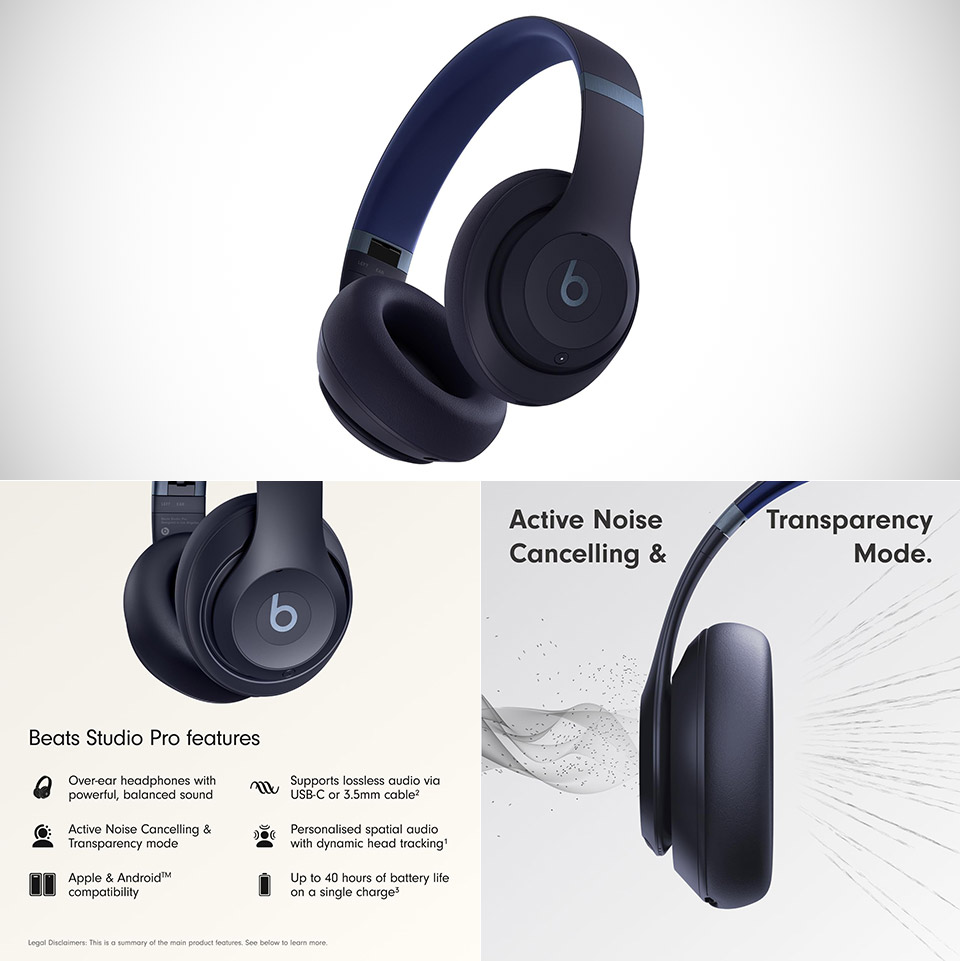
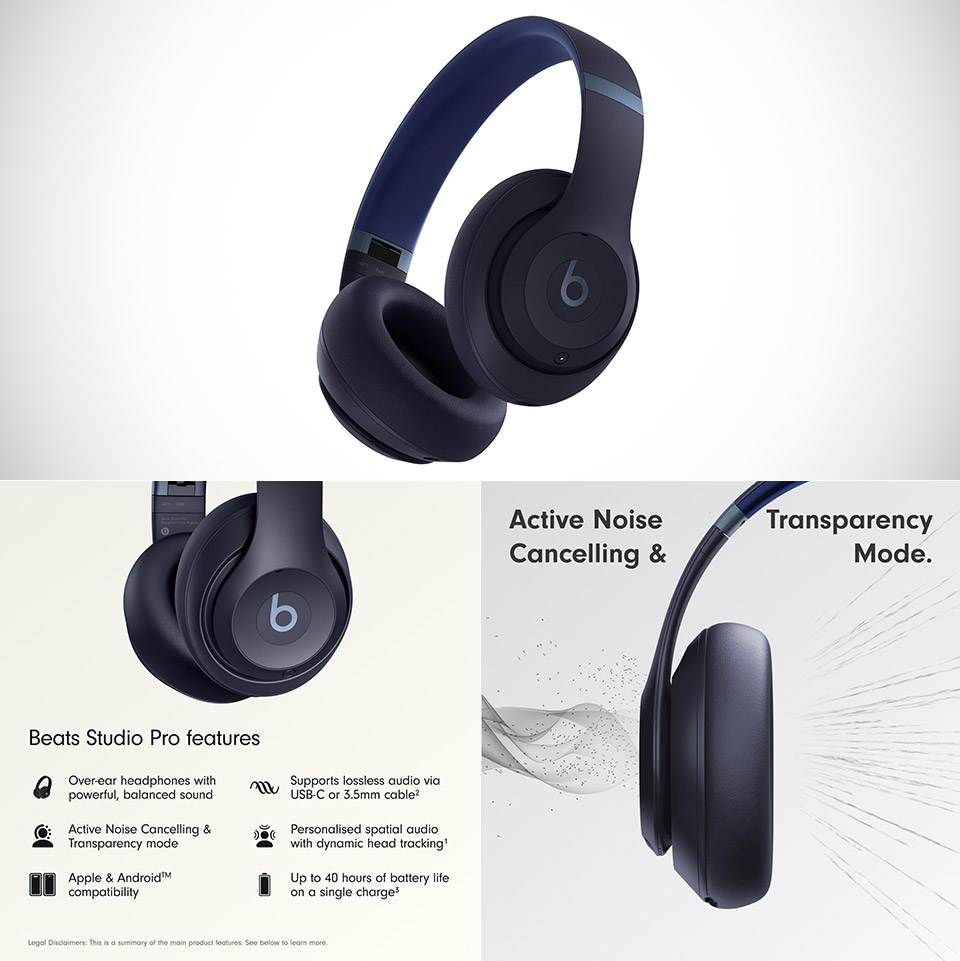
People who want a pair of over-ear headphones with good noise cancelation and a long battery life without spending money on AirPods Max continue to prefer the Beats Studio Pro, priced at $149.99 (was $350). They borrow enough from Apple’s playbook to be comfortable while being versatile enough for Android users, and they do it in a package that is substantially lighter and more robust than the aluminum cans that many people desire.


Beats preserved the Studio style, but made some substantial changes to the materials. The earcups now include UltraPlush cushions coated in this beautiful engineered leather with no seams. The headband is made entirely of metal sliders that can be adjusted with ease, and when you’re finished, simply fold it up and store it in the provided protective case. They weigh roughly 260 grams, which is significantly lighter than the AirPods Max, and you’ll notice the difference after a few hours.

Sale


Beats Studio Pro Premium Wireless Over-Ear Headphones- Up to 40-Hour Battery Life, Active Noise…
  • INCREDIBLE SOUND: Custom acoustic platform delivers rich, balanced audio for music, calls and everyday listening.
  • LOSSLESS AUDIO SUPPORT: USB-C lossless audio and sound profiles optimize music quality across devices and environments. Additional option to use the…
  • ACTIVE NOISE CANCELLING (ANC): block distractions at work, on flights or during your daily commute. Or use Transparency mode to let the sounds of your…


The sound comes from a custom 40mm speaker drivers that Beats fully overhauled from the previous Studio model. They claim to have decreased distortion by up to 80% at high volumes by combining a two-layer diaphragm, stronger magnets, and enhanced micro-venting. In practice, it sounds significantly more balanced than their prior work, while still providing Beats’ signature thunderous bass. The low end has considerable weight to it without being overly muddy. The mids are clear enough to hear what people say in voices and podcasts, and the treble is just fine, not too harsh.

Advertisement

Beats Studio Pro Premium ANC Headphones
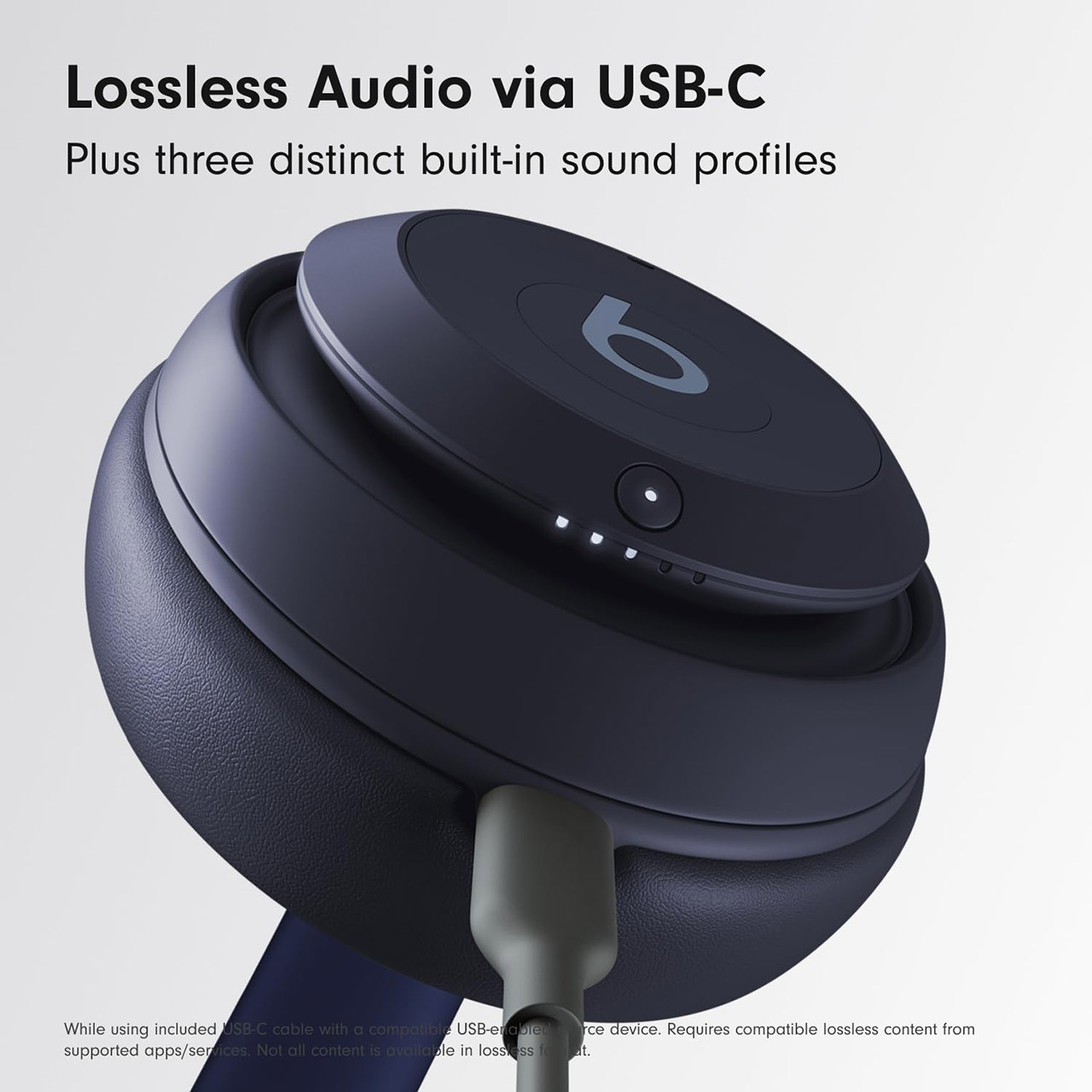
When you connect the USB-C cable, you gain access to all of this, including lossless audio and some very intriguing sound profiles: a balanced Signature mode, an Entertainment mode that amplifies the sound for movies and games, and a Conversation mode that simply focuses your voice. Those profiles only operate via USB-C, and noise cancelation is turned off when you plug the cord in, but it’s still really useful for simply laying around on your desk or in a location where Bluetooth won’t work.

Beats Studio Pro Premium ANC Headphones
The active noise cancellation is really effective. Four of the six microphones are constantly sampling what’s happening around you and changing the noise filtering in real time. As a result, it easily manages all of that consistent low-frequency sounds, such as jet engines and air conditioners, while also eliminating any background noise. Transparency mode is also fairly slick; it allows outside sound in without making it sound false and echoed. For calls, the other two beam-forming microphones do an excellent job of making your speech sound crystal clear; according to Beats, this enhances voice quality by up to 27% over the previous Studio model. You’ll notice that your calls perform well in noisy surroundings.

Beats Studio Pro Premium ANC Headphones
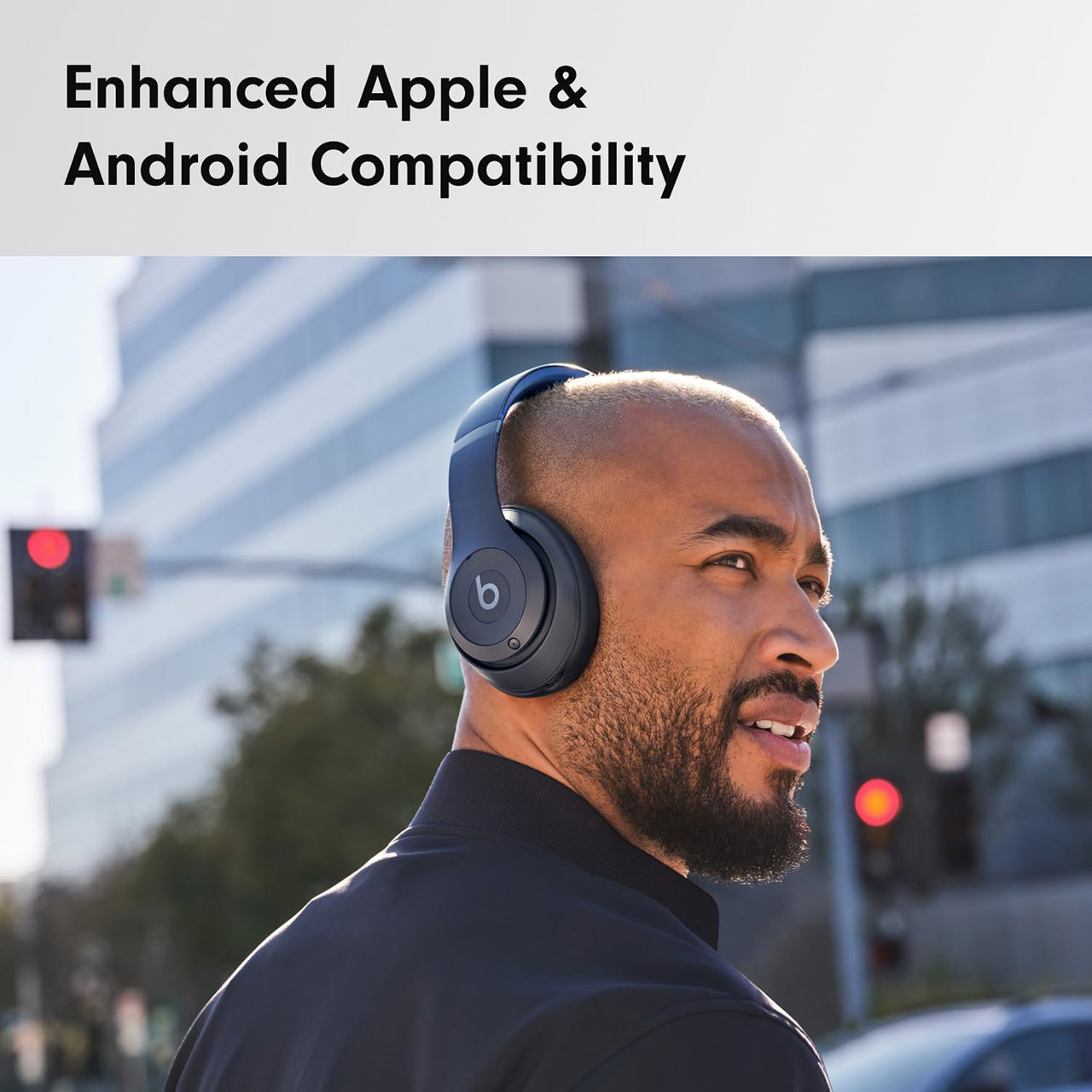
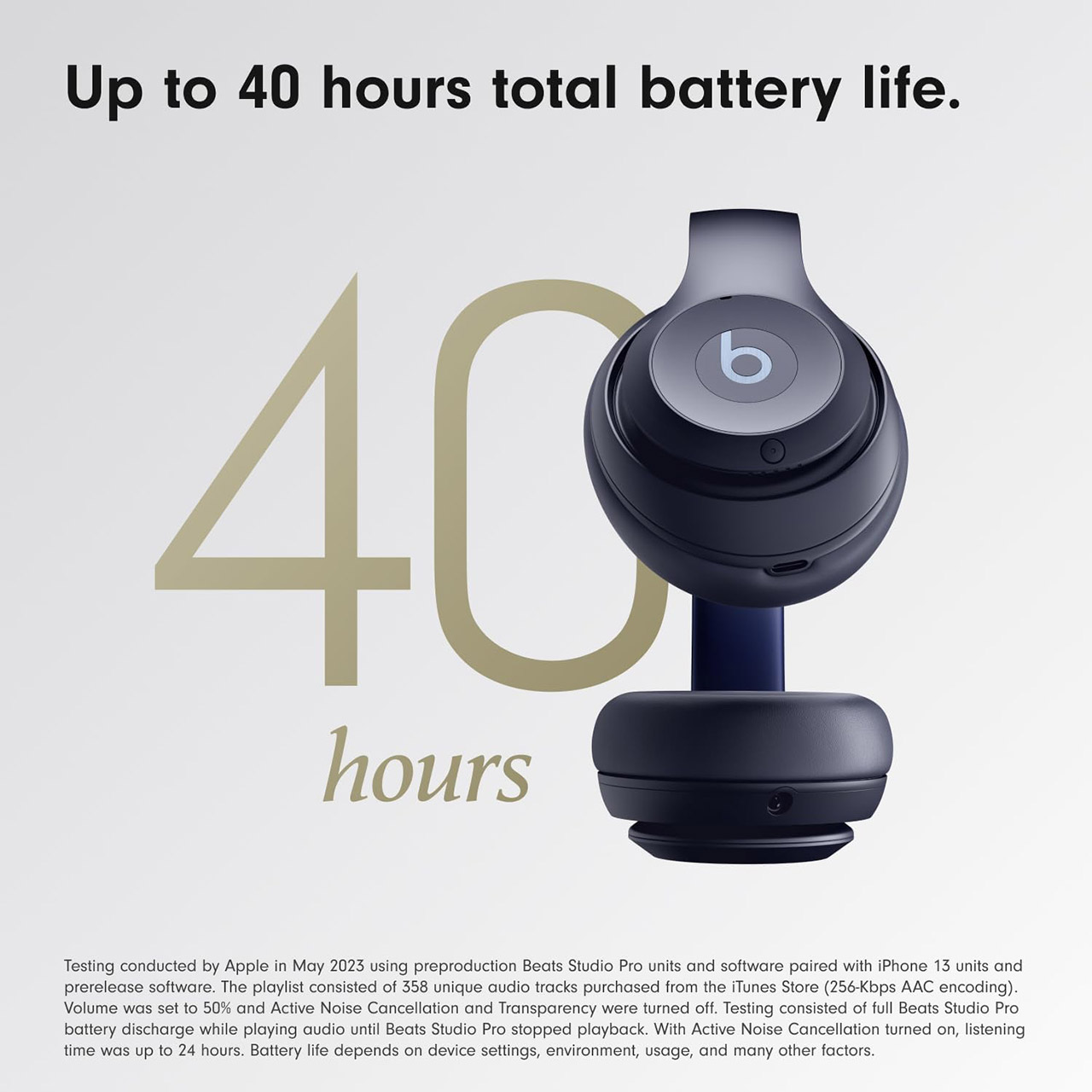
One of the clear winners here is battery life, which can last up to 40 hours with noise cancelation and transparency set off and 24 hours with either switched on. If you’re running low, simply plug in your headphones for ten minutes to receive four hours of listening time back. Bluetooth 5.3 is a reliable connection with a good range that is simple to set up. iOS and Android users get a fairly similar experience, with Apple users receiving additional features such as Personalized Spatial Audio and Find My, while Android users have Google Fast Pair, Audio Switch, and a variety of other benefits. They also support AAC and SBC audio codecs over Bluetooth.

Source link

Continue Reading
Click to comment

You must be logged in to post a comment Login

Leave a Reply

Tech

Ninja Releases ‘Practical Magic’-Inspired Slushie Machine After Original Sold Out in 2 Hours

Published

on

When Ninja first released its hefty Ninja Slushi Twist machine in May, it sold out on the brand’s website in less than two hours. Today, the company is launching the same machine again, but with another twist.

Ahead of the release of Practical Magic 2, Ninja is conjuring the Ninja Slushi Twist in four colors related to the cult-classic franchise: potion purple, midnight margarita, bewitching blue and moon stone.

Unboxing Ninja ‘Practical Magic’-Inspired Slushie Machine

Besides the colors, inspired by the film’s main characters, the Owens sisters, no other changes were made to the popular machine, which is like two Ninja Slushi machines in one.

The Slushi Twist, though, features two separate sides that can each hold 48 ounces of liquid and together make up to 72 ounces of frozen drinks, since the liquid expands as it freezes. A Dual Slush Assist button allows both sides to begin mixing and freezing, but if you only want to use one side of the machine, that’s possible, too. 

a Ninja Slushi Twist box on the floor
Even the box is Practical Magic-themed.Tara Brown/CNET

It also has two levers so you can enjoy both flavors at once or one at a time, depending on your preference. And speaking of levers, Tara Brown, our social media guru, who got her hands on the potion purple color, said, “I know it’s supposed to give Practical Magic, but it’s also giving Yzma from Emperor’s New Groove.” 

The machine excels at slushie-making, as long as sugar or alcohol is added to the mix to help it freeze. Since I first received the device, it has become a staple at birthday parties and other family gatherings. 

Advertisement

The Ninja Slushi Twist sells for $400 and is now available in the four bewitching colors. 

Source link

Continue Reading

Tech

This iOS 27 Shortcut Stopped My Mindless Scrolling

Published

on

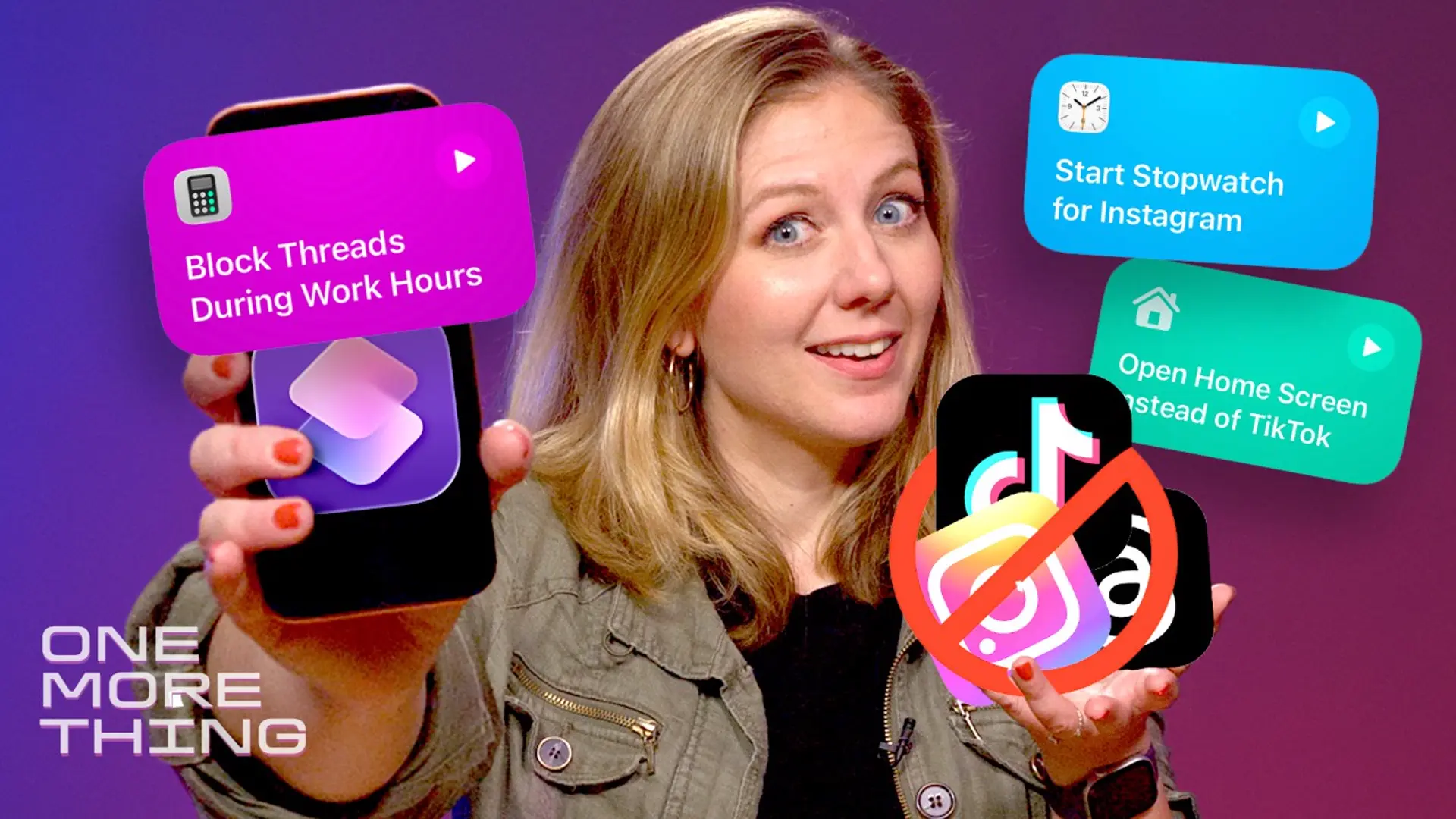
It got to the point where I couldn’t remember why I picked up my phone. I compulsively opened Threads and TikTok at all hours of the day and got sucked into the endless scroll — but I found a way to retrain my brain this week, thanks to a new iOS 27 feature. 

I’m beta testing the upcoming operating system and its refreshed Shortcuts app, which lets you program your iPhone to do things using ordinary language. It’s called Describe a Shortcut. I speak my wishes into the app, and it obeys.

This iPhone Trick Helped Stop My Mindless Scrolling

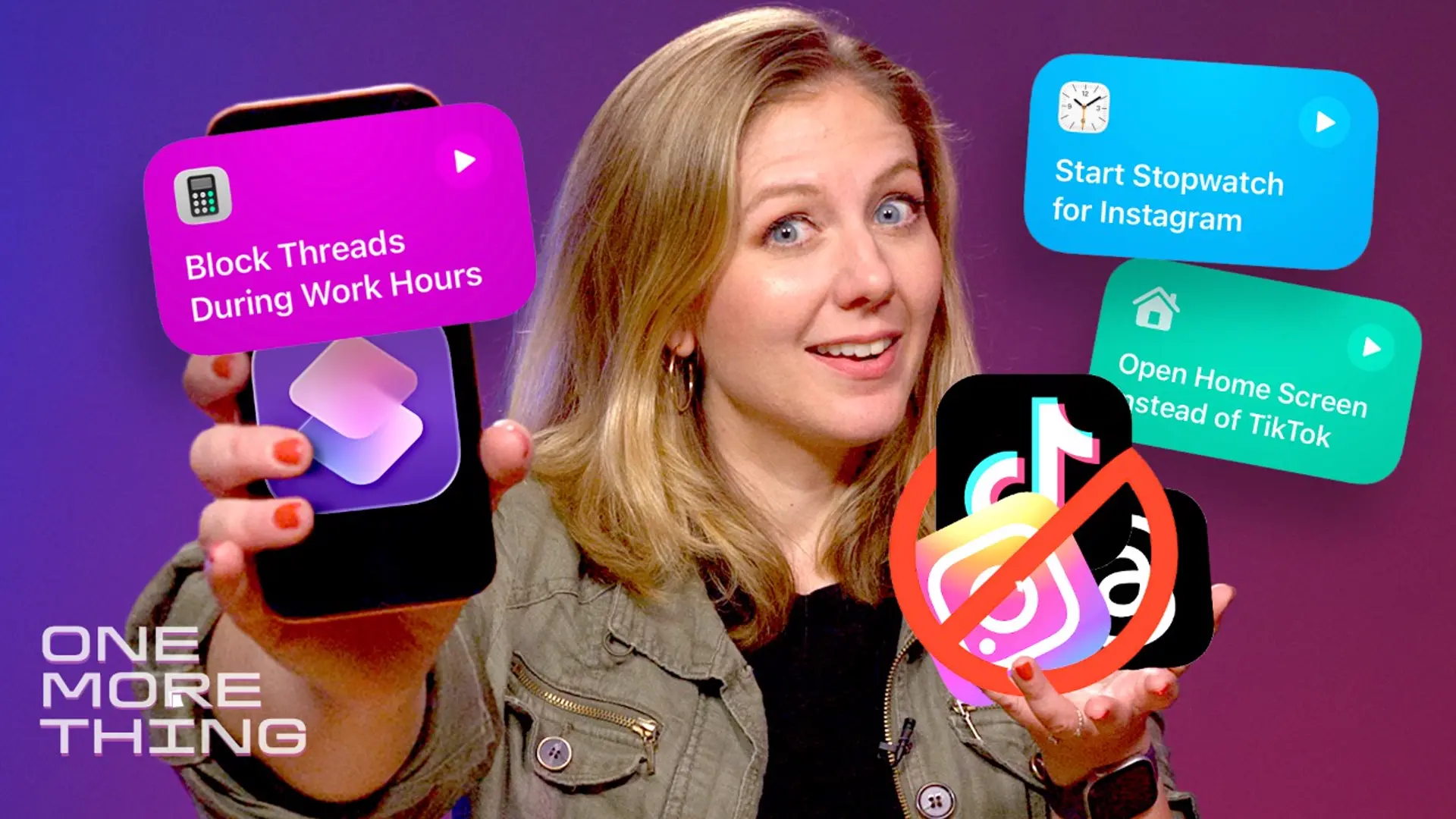
So in this week’s One More Thing video, which you can watch embedded above, I found out what happens when you tell Shortcuts to not let you open Instagram (or Threads, or TikTok) during work hours.

This is probably not what Apple developers had in mind for Shortcuts. After all, the Apple Screen Time app already has plenty of ways to help curb a social media addiction. But reprograming my phone to turn it into a brick is more fun than paying for another company to “Brick” my phone. (Yes, people do this.)

For more One More Thing, subscribe to our YouTube page to catch Bridget Carey breaking down the latest Apple news and issues every Friday.

Advertisement

Source link

Advertisement
Continue Reading

Tech

Apple’s September 2026 event: Everything we know about the iPhone 18 Pro and iPhone Ultra launch event

Published

on

If you’re eyeing an iPhone upgrade this September, the equation is a bit more complicated than usual. Apple is reportedly splitting its big September reveal into two relatively smaller but equally important product drops: iPhone 18 Pro and iPhone Ultra (the rumored foldable) this fall, and the regular iPhone 18, iPhone Air 2, and the iPhone 18e in spring 2027. 

That means anyone who wants a new iPhone in September most likely has three options, all at the premium end of Apple’s lineup, including a foldable that could cost as much as a laptop. Although the company hasn’t sent out invitations for the event yet (they could go out on August 26), plenty of rumors from reputable sources paint a picture of what to expect from Apple’s 2026 September event

When is Apple’s September event happening?

Usually, Apple prefers the second Tuesday of September to reveal its new iPhones. That’s what happened with the iPhone 17 and the iPhone 15, with the iPhone 16 being the only exception. This year, rumors point to Wednesday, September 9, 2026, as the potential date for the big fall event, as Monday, September 7, is Labor Day. 

Pre-orders for the announced iPhones could begin on September 11 or 12, likely the latter, as Apple might want to sidestep the 25th anniversary of 9/11 on September 11, with retail availability expected from September 18. That is everything we know about Apple’s launch timeline for the upcoming iPhones. Below are details on the three expected iPhones. 

Apple’s September 2026 event at a glance

iPhone 18 Pro iPhone 18 Pro Max iPhone Ultra
Display 6.3-inch (unchanged) 6.9-inch (unchanged) 5.5-inch cover, 7.8-inch inner
Chip A20 Pro (2nm) A20 Pro (2nm) A20 Pro (2nm)
Modem C2 (Apple) C2 (Apple) C2 (Apple)
Main camera Variable aperture Variable aperture Dual 48MP, no telephoto
Selfie camera 24MP 24MP Dual 18MP (one per display)
Battery (rumored) ~4,300–4,900mAh ~5,100–5,300mAh ~4,883mAh (two-cell)
Biometrics Face ID Face ID Touch ID
Starting price (rumored) 1,299–1,399 1,449–1,499 1,999–2,200
Availability September 18 September 18 September 18 (limited supply expected)

iPhone 18 Pro: Silicon refresh with minor upgrades across the board

The iPhone 18 Pro could be a classic example of Apple’s tried-and-tested playbook of making the biggest leap under the hood while keeping everything else relatively familiar. To begin with the expected changes, we could see a slightly smaller Dynamic Island. Some reports point to under-display Face ID components, though I don’t think it will happen this year. 

Advertisement

The 6.3-inch display size is expected to carry over unchanged from the iPhone 17 Pro. Under its shiny aluminum and glass exterior, the iPhone 18 Pro could sport the new A20 Pro chip, which could be Apple’s first chip to embrace the highly efficient 2nm fabrication technology (after Samsung and Google). 

Rumors also mention a new Wafer-Level Multi-Chip Module (WMCM) packaging, which places the CPU, GPU, Neural Engine, and memory closer together for better performance and AI efficiency. A new in-house C2 modem is also expected to debut on the flagship, potentially running alongside Qualcomm hardware depending on region, likely with expanded satellite connectivity that unlocks 5G via satellite.

Like every year, the new iPhones will ship with stable iOS 27 builds and deeper Apple Intelligence integration, including the new Siri AI experience, new editing features in Photos, and a couple of other new features. On the optics front, the most repeated rumor is new variable-aperture hardware paired with the primary sensor, giving photographers more control over depth and low-light performance. 

A 24MP selfie camera is also expected (up from 18MP), likely with the square-shaped camera sensor that enables the Center Stage camera experience on the iPhone 17. Battery capacity estimates vary across sources, but I expect them to be similar to the iPhone 17 Pro: around 4,288 mAh for the eSIM-only model and 4,065 mAh for the ones with a physical SIM. 

Pricing is expected to rise by $200 to $300 over the iPhone 17 Pro’s $1,099 starting price, so we could be looking at $1,299 and $1,399 for the baseline iPhone 18 Pro.

iPhone 18 Pro Max could pack similar internals in a bigger chassis

The iPhone 18 Pro Max should carry the same core upgrades as its smaller sibling, scaled up to fit the larger 6.9-inch form factor. Expect the same shrunken Dynamic Island, the same A20 Pro chip on TSMC’s 2nm node running iOS 27, and the same C2 modem with expanded satellite internet as the iPhone 18 Pro. 

When it comes to optics, a recent rumor claims the variable-aperture primary camera could be exclusive to the Pro Max variant. However, that would leave buyers with one less compelling reason to consider the iPhone 18 Pro, especially if they’re coming from the iPhone 17 Pro. It could also further narrow the gap between the iPhone 18 Pro and the regular iPhone 18.

Advertisement

The Pro Max could really pull ahead in battery capacity. The numbers differ across sources so that I won’t confuse you with them. However, we could be looking at a ~10% bigger battery on the upcoming handset compared to the iPhone 17 Pro Max’s eSIM-only (5,088 mAh) and physical SIM (4,823 mAh) batteries. 

If that happens, the iPhone 18 Pro Max could offer a few more hours of use between charges, making it the longest-lasting iPhone Apple has ever shipped. However, pricing is where the handset starts looking less impressive. Like the Pro, the Pro Max is said to see a price hike of around $250 to $300, which could put the base iPhone 18 Pro Max between $1,449 and $1,499. 

That’s a meaningful jump for buyers already stretched by rising memory costs across the entire smartphone industry this year. Apple may or may not offset that increase by bumping the base model storage from 256GB to 512GB, but the price hike seems inevitable. A recent rumor also suggests the iPhone 18 Pro models could be in short supply at launch, possibly extending delivery times.  

Apple’s first foldable might be available in limited quantity at launch

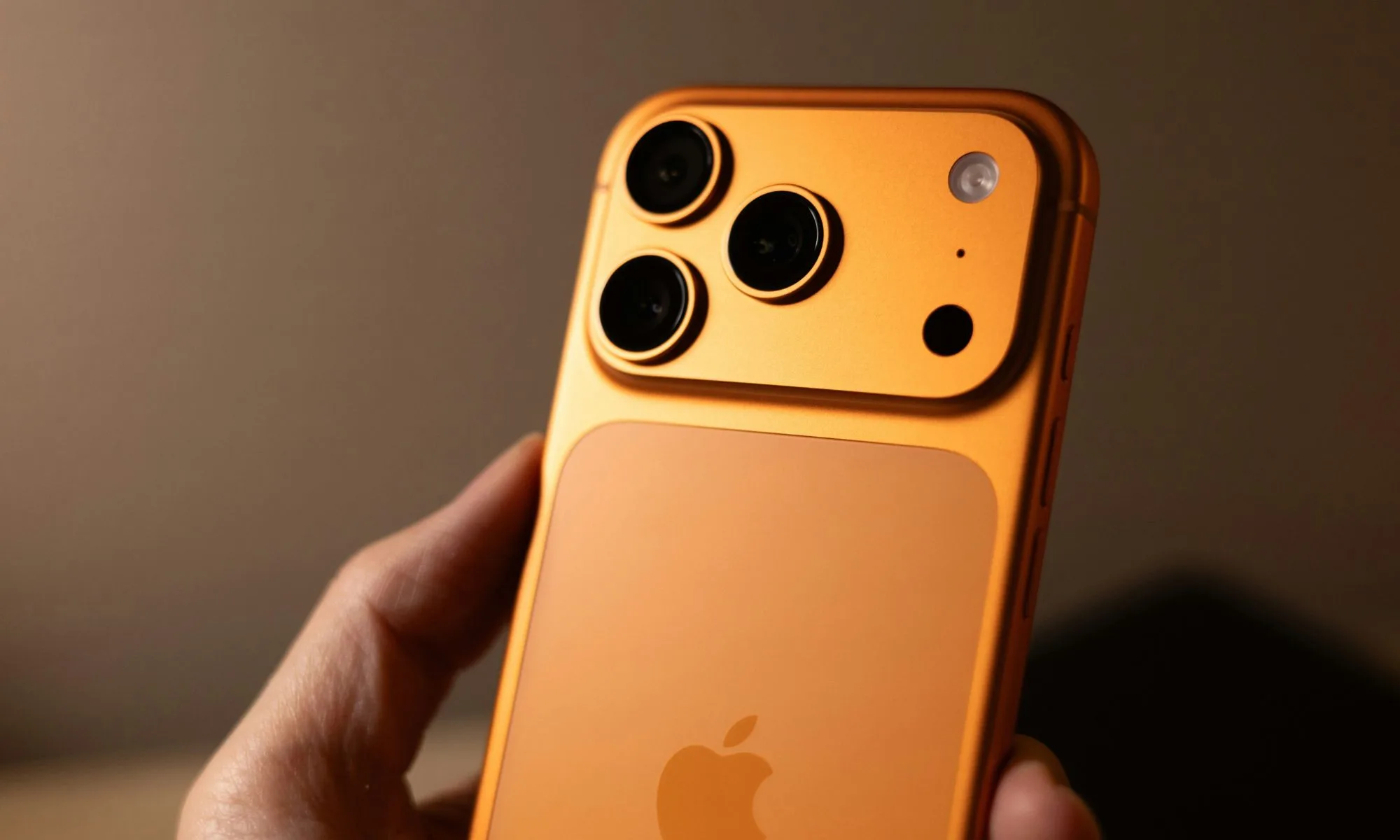
Apple’s first foldable iPhone, widely expected to carry the “Ultra” moniker, could be the company’s most important launch in a few years, especially after the last big design breakthrough with the iPhone X in 2017. 

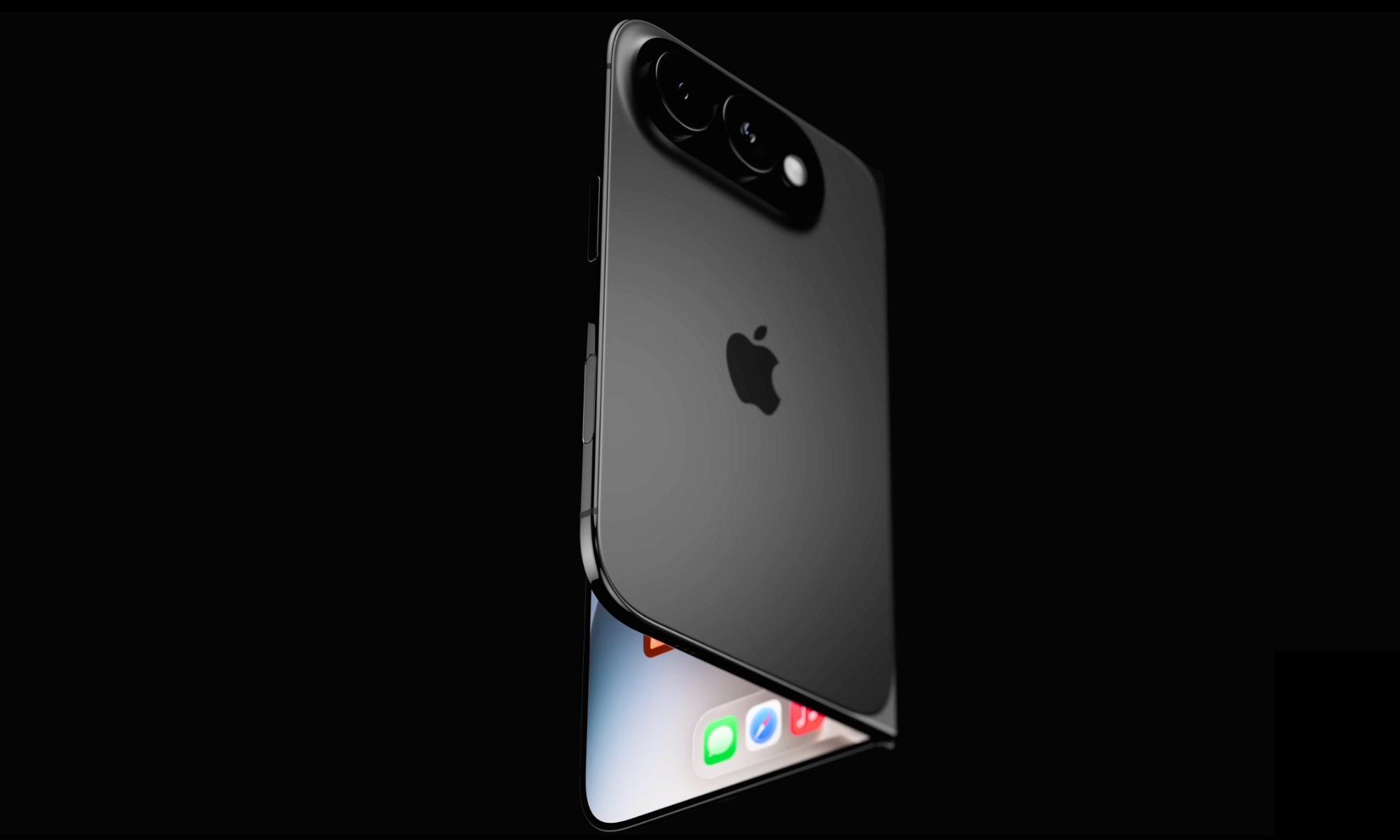
Renders point to a short, wide, “passport-style” book-fold with a 5.5-inch cover display and a 7.8-inch inner display at roughly a 4:3 ratio, closer to an iPad mini or the recently launched Galaxy Z Fold 8. Thickness estimates land around 4.5 mm unfolded and 9-9.5 mm folded

While it might not be the thinnest foldable available at launch, Apple is reportedly working on the handset’s hinge and crease, using liquid metal and ultra-thin glass to strengthen them (respectively). For the chassis, the company might go with a mix of titanium and aluminum. The foldable could also feature a Touch ID biometric authentication system to make up for the lack of Face ID

Under the hood, the iPhone Ultra will most likely run on the A20 Pro (2nm) chip with Apple’s C2 modem. Like the Pro models, the silicon could be paired with 12GB of RAM on the foldable, with 256GB of storage on the base variant. While the rest of the lineup will share Siri AI and the iOS 27 experience, the foldable iPhone could get a multi-app split-screen layout to leverage the extra screen real estate. 

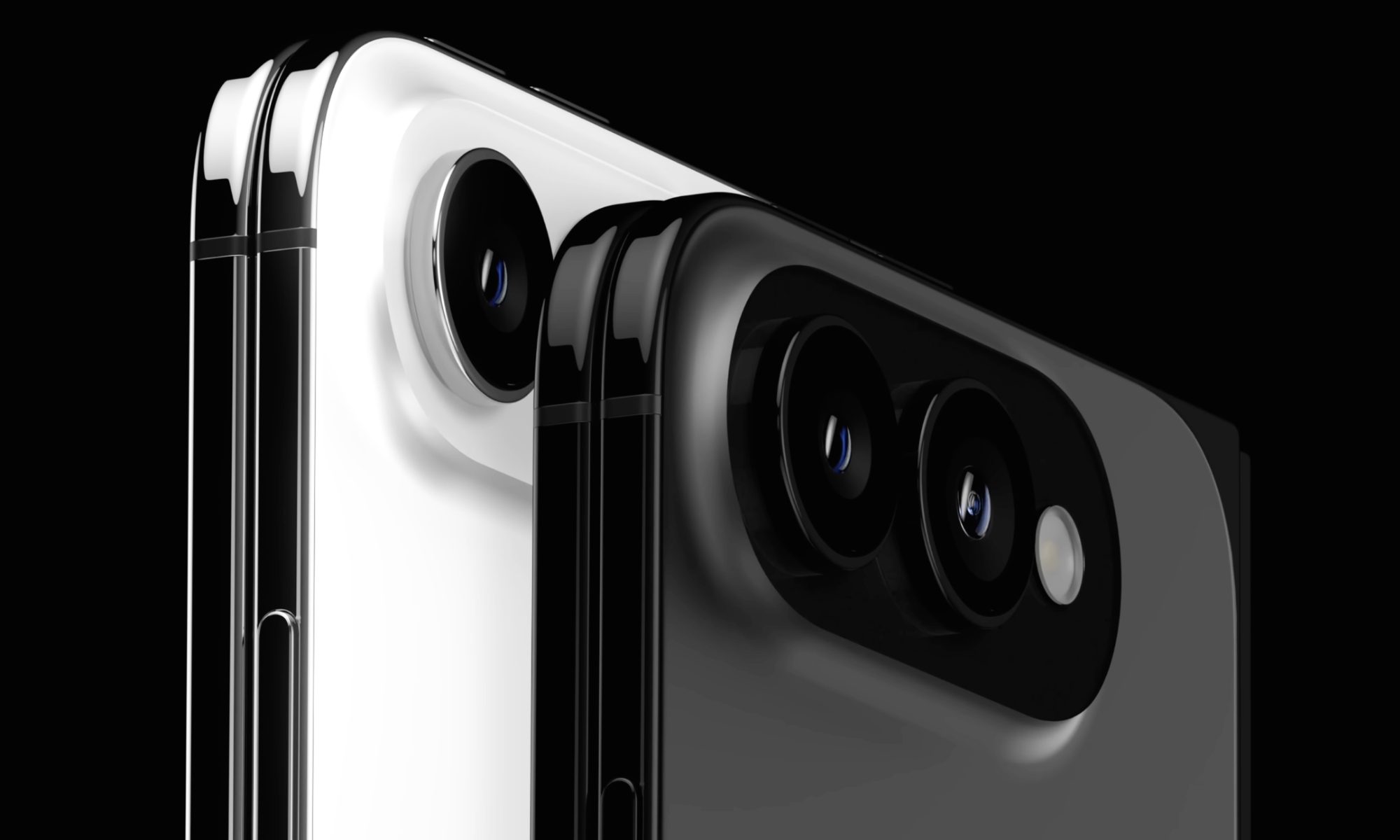
The handset could feature a dual-camera setup similar to the iPhone 17: a primary and ultrawide sensor with 48MP resolution. Whether the front-facing camera on the cover screen and the inner screen (rumored to be 18MP sensors) will feature Center Stage is still unclear. 

Advertisement

For those wondering about the battery, Apple could go with a dual-cell design with a combined capacity of around 5,000 mAh or more. Some rumors also suggest the iPhone Ultra could have the biggest battery Apple has ever shipped. However, all of that could seem a little less impressive once you see the rumored price.

The baseline iPhone Ultra with 256GB could cost around $2,000 to $2,300. If Apple goes with the $2,300 tag, it could risk placing the iPhone above the $2,099.99 Galaxy Z Fold 8 Ultra, making it a bit too expensive.

Should you buy now or wait?

If you’re using an older iPhone, like an iPhone 12 or iPhone 13, and you’ve been waiting for the iPhone 18 series to upgrade, keep two things in mind before you decide. First, there might not be a baseline iPhone 18 at the September launch event. Second, the new iPhone 18 Pro models could command a $200 to $300 premium over the iPhone 17 Pro. 

If you ask me, the iPhone 17 or iPhone 17 Pro is still an excellent upgrade for anyone using an iPhone 14 or older. Practically speaking, you can buy it right now instead of waiting for the September event. However, if budget isn’t a constraint for you and you’re comfortable paying a higher asking price, you could wait and see what Apple has in store.

Source link

Advertisement
Continue Reading

Tech

Employers are quietly rehiring the people AI replaced, and paying them less to come back

Published

on

Forrester reports that 55% of employers regret laying off workers for AI and expects half of AI-attributed layoffs to be quietly reversed, with jobs returning offshore or at significantly lower wages. In Europe, a revised directive will require consultation before such decisions, backed by financial penalties.

The companies that cut jobs for AI are having second thoughts. Forrester reports that 55% of employers regret laying workers off for AI, and expects half of all AI-attributed layoffs to be quietly reversed.

That reversal is not the happy ending it sounds like. Forrester says the jobs come back offshore or at significantly lower wages, which means the correction costs the worker rather than the employer.

The fear has not moved with the evidence. A Reuters Ipsos poll found 53% of Americans worry AI will put someone in their household out of work, and TNW has asked what AI is doing to European jobs on the same question.

Advertisement

Inside the workplace the number is identical. A 2026 Software Finder report found 53% of workers worry AI tools will make their role feel less necessary.

Gartner’s Jackie Swanson describes the gap precisely. “Every organization has an AI adoption roadmap. Almost none of them have an honest plan for what AI is doing to their people, their pace and their pipeline of future leaders,” she wrote.

The fixes companies are reaching for are all voluntary. Ironclad’s chief technology officer taught internal classes, the syrup maker Torani has gone 103 years without a layoff, and Superhuman lets teams choose their own tools.

We don’t start with a top-down AI mandate,” said Kenny Mendes, Superhuman’s chief people officer. Teams close to a problem pick up a tool themselves, which he says stops the change reading as cost-cutting.

Advertisement

In Europe none of this is a management philosophy. Informing and consulting workers before a decision that reshapes their work is a legal duty, in a region still arguing over whether rules can protect jobs without slowing innovation.

That duty is about to get sharper. Directive 2025/2450 revises the European Works Councils rules, must be transposed by 1 January 2028, and requires consultation in good time and in a form that allows a thorough assessment before decisions are taken.

It also arrives with money attached. Member states must impose effective and dissuasive financial sanctions calculated with company turnover in the mix, in a period when Meta alone cut 8,000 jobs while redirecting billions toward AI infrastructure.

So the two continents are having different arguments. America is debating whether to tell workers what AI is doing to their jobs, while Europe is settling when, in what form, and what it costs to get it wrong.

Advertisement

Source link

Continue Reading

Tech

5 Modern Performance Cars That Prove A Turbocharger Isn’t Always The Answer

Published

on


Turbocharged engines have become increasingly popular with automakers. In essence, a turbine uses exhaust gas, which would otherwise be wasted, and compresses it, sending more air back into the engine. More air means more power, making turbochargers a great option when trying to squeeze out greater performance while still offering good fuel economy and meeting emissions standards. Even some holdouts like Lamborghini have added turbocharging to its first supercar, a $385,000 Temerario that buys you a whole lot of drama.

However, turbochargers have their downsides, such as increased complexity, lag (although advanced designs have made it nearly unnoticeable), and a high-pitched whining sound during acceleration. There’s something to said of a large naturally aspirated engine providing a steady delivery of power without delay and a predictable driving feel. There are also not many that would argue they prefer the ol’ turbo whistle,to a pure, full-range engine note. From the low rumble of a V8 to the exhilarating scream of a high-revving V12, non-boosted engines provide an unfiltered audio experience.

Advertisement

According to U.S. Department of Energy data, only 1 percent of cars came with factory equipped turbocharged engines in 2000. Meanwhile in the U.S. in 2025, turbocharged engines were included in nearly 50 percent of new cars being purchased, according to The New York Times. Fortunately, if you’re in search of performance power without the turbo, there are still some great options from around the world in terms of robust, naturally aspirated sports cars.

Advertisement

The Subaru BRZ

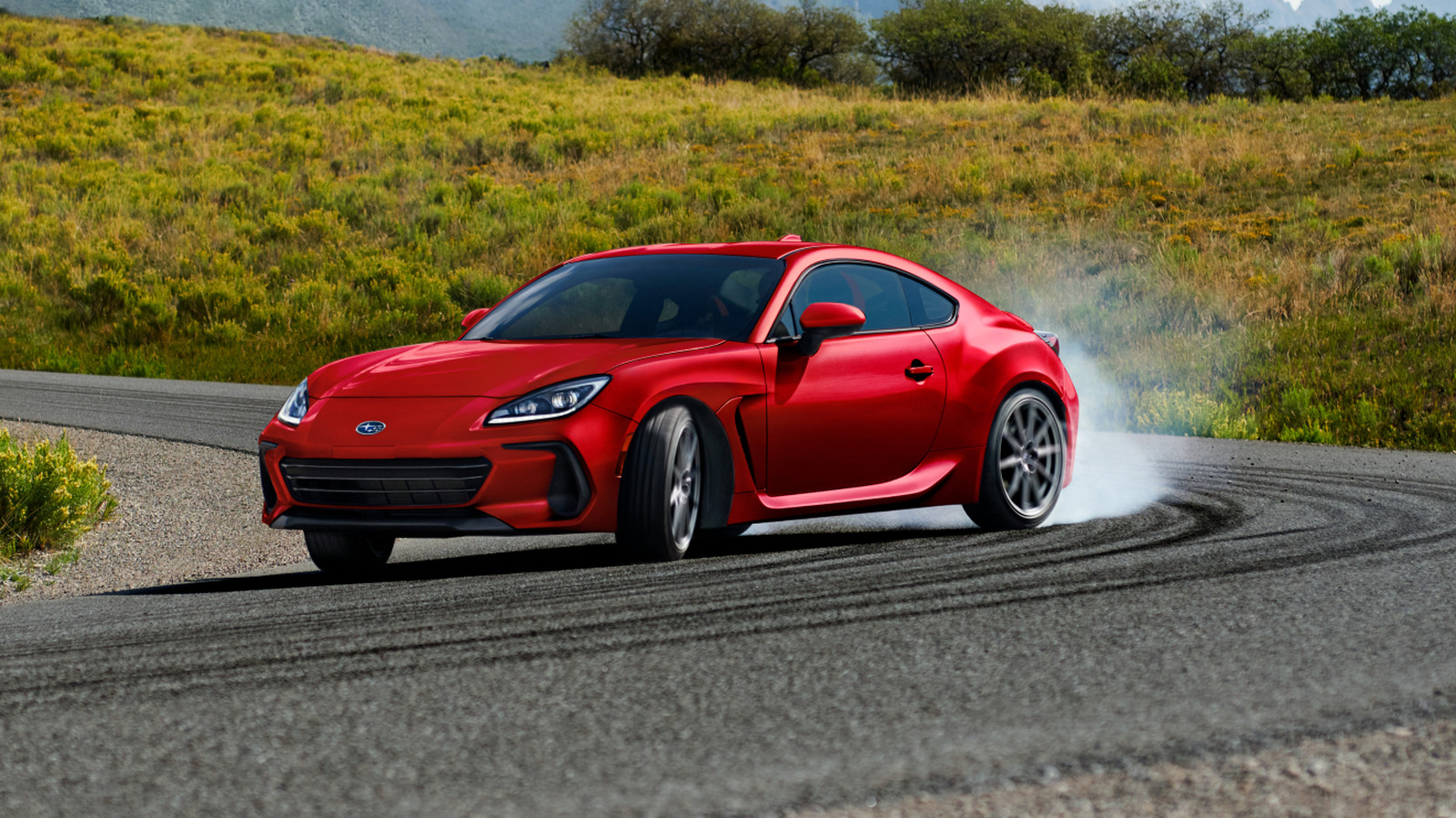
Japanese automaker Subaru is often associated with its celebrated Outback model and its off-road capability. However, for those looking for an affordable sports car that features a naturally-aspirated engine, the BRZ is worth a look starting at just $35,860.

Featuring the smallest engine on this list, a 2.4-liter Boxer 4-cylinder, you might be skeptical of its performance capabilities. However, this rear-wheel drive, 6-speed manual generates 228 horsepower while only weighing around 2,843 pounds. This means it can achieve a 0-to 60 mph time of just 5.5 seconds, and the car feels decidedly nimble. In fact, some review outlets admitted this budget sports car rekindles the fun of driving they lost somewhere along the way.

You also get a range of features that help enhance handling, such as a limited-slip rear differential that improves traction and stability around corners. For a few thousand dollars more you can opt for the tS model, which features an STI tuned four-wheel independent suspension and enhanced Brembo brake system.

Advertisement

The Ford Mustang

Believe it or not, Ford is now on its seventh generation of the Mustang, an ongoing fixture in the American automotive scene since its debut in 1964. Although, if you rank every Ford Mustang generation, there are clearly some more impressive years than others. However, if you’re looking for something sporty today that doesn’t include forced induction, there are a few options in the Mustang lineup.

The Mustang GT comes equipped with a 5.0-liter Ti-VCT V8 under the hood that provides an ample 480 horsepower and starts at around $46,800. You can also step up to the Mustang Dark Horse, which in addition to some cool styling differences also boasts a 5.0-liter Coyote V8 that produces 500 horsepower. According to some review outlets, the sound of this Mustang is so pleasing, it rivaled other cars at the track including Lamborghini, catching everyone’s attention as it passed. The Dark Horse starts at $64,080, with the premium version being a bit more expensive.

Advertisement

However, you’ll want to steer clear of the top-trim Mustang Dark Horse SC, as it’s not naturally aspirated but instead comes with a supercharger. When comparing a supercharger versus a turbocharger, it’s important to understand that both are a form of forced induction, but accomplish it in very different ways.

Advertisement

The Chevrolet Corvette

The iconic Chevy sports car has seen some changes over the years, particularly more recently when Corvette switched from a front-engine to a mid-engine design. Fortunately, the automaker hasn’t completely abandoned the naturally-aspirated engine in its signature performance model lineup, at least not completely. If you select the Corvette ZR1 or ZR1X though, you’ll run right into a twin turbocharged 5.5-liter V8.

Thankfully, the Stingray, Grand Sport, and Z06 don’t include turbochargers, and still offer quite a punch in terms of raw power. Both the Stingray, which starts at $71,000, and the Grand Sport (from $86,000) come standard with a large 6.7-liter V8 with direct-injection that can output 535 horsepower and 520 pound-feet of torque. 

However, if you step up to the Corvette Z06, you get a smaller but more potent 5.5-liter flat-plane crank V8 that manages to push out 670 horses. Topping out at 8600 rpm, this version of the Corvette sounds positively Italian, emitting similar screaming engine notes to notable European supercars. That said, it will cost you significantly more than a Stingray or Grand Sport at $121,500 to start.

Advertisement

The Porsche 911 GT3

For those who have the impression that a naturally aspirated engine has to be much larger than a turbo variant in order to offer exceptional performance, look no further than Porsche. The 911 GT3 handily demonstrates it has ample power with its robust six-cylinder flat engine. With a 4-liter (3,996 cc) powerplant under the hood, this German powerhouse manages to make 502 horsepower and 331-pound feet of torque.

On the track, this translates to a top speed of 193 and a quick 3.2-second 0 to 60 mph time. The 911 GT3 can also rev up to 9,000 rpm, indicating you’ll likely be equally satisfied with the performance and the undampened engine note.

Advertisement

Unfortunately, Porsche isn’t exactly giving these cars away, at a starting price of just under $236,000. Although, in our 2022 Porsche 911 GT3 review, we couldn’t help but feel dropping serious money on this car was something we couldn’t blame anyone for doing, as it serves as a true benchmark.

Advertisement

The Ferrari 12Cilindri

While Lamborghini has resisted turbocharging until recently, it has actually been present in Ferrari road cars for several decades, though it went on hiatus until being reintroduced in 2014. Despite this, there are still some glorious naturally aspirated engines available from the Italian automaker, like the one in the 12Cilindri model. This Ferrari comes with a 6.5-liter V12 under the hood that offers 819 horsepower and 500 pound-feet of torque. As you might expect, this engine is designed to rev high, reaching 9500 rpm. Without the audio muting effects of a turbocharger, this engine lets out a shiver-inducing shriek under throttle.

Ferrari estimates the 12Cilindri can go from a stop to 60 mph in just 2.9 seconds. However, outlets like Car and Driver think it might be closer to 2.7 seconds. This model can also reportedly hit 211 mph (340 km/h) in terms of top speed. Yet while the 12Cilindri offers the most potent performance figures of this list, it’s also the most expensive, by a lot. You’re looking at prices starting at $465,994, though you’re unlikely to find anything else like it.

Advertisement


Source link

Continue Reading

Tech

What Is A VESA Mount And How To Know What Type Your TV Has

Published

on

The VESA dimensions tell you where the mounting holes line up, but you still need to check the mount’s weight limit and hardware.

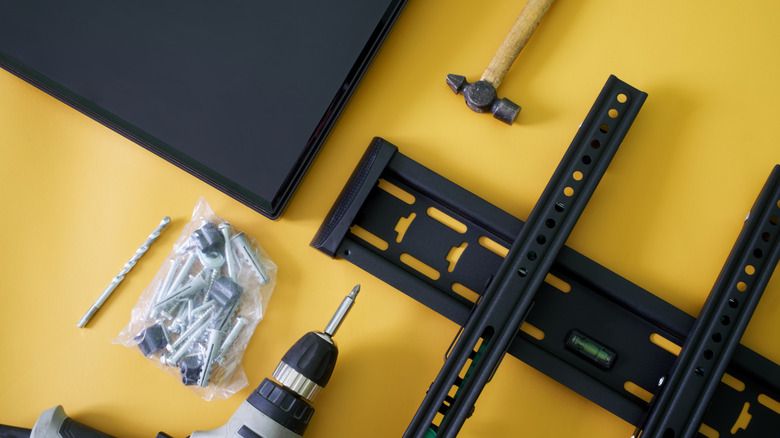
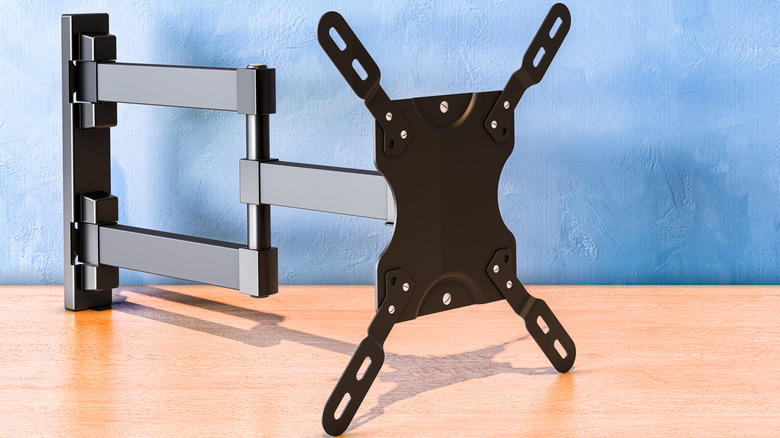
Thankfully, VESA 400 × 400 isn’t another TV resolution you need to learn. VESA stands for Video Electronics Standards Association, and in TV-mount shopping, a VESA size or VESA pattern describes the spacing between the mounting holes on the back of a TV or display. A VESA mount isn’t one particular style of bracket; it simply supports one or more of those standardized patterns.

Advertisement

What does a VESA size such as 200 × 200 mean?

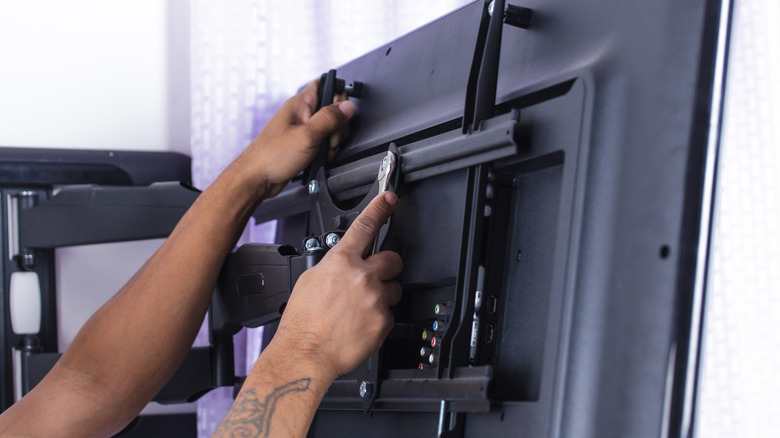
Look at the back of a typical mountable TV and you’ll find threaded mounting holes, usually arranged in a square or rectangle. The VESA pattern describes the distance between those holes, measured in millimeters.

The first number is the horizontal distance and the second is the vertical distance. So a TV with a 400 × 200 pattern has mounting holes spaced 400mm apart from left to right and 200mm apart from top to bottom. A 200 × 200 pattern measures 200mm in both directions.

The VESA numbers don’t describe the TV’s resolution or screen dimensions. Larger TVs often use larger mounting patterns, but screen size alone doesn’t tell you which pattern a particular model uses. Checking your exact TV model is more reliable than guessing from its screen size.

You also don’t need a mount limited to that exact VESA size. Many mounts support multiple VESA patterns, so you don’t need a bracket labeled only for your exact size. Your TV’s pattern just needs to appear on the mount’s list of supported patterns.

Advertisement

How to find your TV’s VESA pattern

The easiest method doesn’t require a ruler at all. Look up the exact TV model in its manual or on the manufacturer’s support page and find the wall-mount or VESA specifications. Manufacturers commonly list the mounting-hole pattern in millimeters.

If you can’t find the specification, you can measure the mounting holes yourself. Measure from the center of one mounting hole to the center of the corresponding hole horizontally, then do the same vertically. Write the result as horizontal × vertical, in millimeters.

For example, if the mounting holes are 400mm apart horizontally and 200mm apart vertically, the TV has a 400 × 200 VESA pattern. Measure in millimeters so you can compare the result directly with the mount’s specifications.

Advertisement

A matching VESA pattern isn’t enough

A matching VESA pattern tells you the bracket can line up with the TV’s mounting holes. It doesn’t tell you whether the mount can safely hold the TV, so the next specification to check is its weight limit.

Compare the mount’s maximum load with the weight of your TV. A bracket can support the correct VESA pattern and still be unsuitable for a TV that’s too heavy.

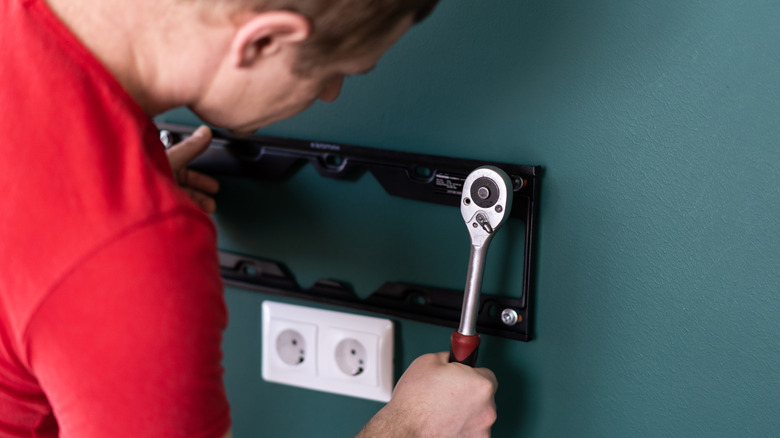
You should also check the hardware required by your TV. VESA compatibility also says nothing about how the bracket should attach to the wall. Once you’ve confirmed the pattern and weight rating, use the TV manufacturer’s instructions to check the required mounting screws and follow the mount manufacturer’s instructions for attaching the bracket to the wall.

Advertisement

Source link

Continue Reading

Tech

Dual-screen laptops and ROG machines

Published

on

In the world of laptops, there are plenty of established brands that adhere to a certain degree of quality including Apple, Samsung and Acer, but very few of them can boast quite the same range of products as Asus. We’ve tested countless Asus laptops over the years and if you’re tempted to see what all the fuss is about then here are the ones that we recommend above the rest.

It doesn’t matter if you’re a student who needs something portable for university, a professional on a mid-range budget or even a gamer who needs something high-end with plenty of processing power to boot – we can almost guarantee that Asus has a laptop design for your needs, and we should know.

Our team of tech experts haven’t just tested the latest Asus laptops, they’ve tested the best laptops across the board so we know exactly how Asus’ devices compare to the wider market. All of this means that when using our guides, you can shop with confidence, knowing that you’ll be getting an amazing device that suits your needs.

Because there are so many Asus laptops available, we’ve made sure to include a good variety of options here, so don’t just expect to see Asus laptops with flagship GPUs and CPUs. There’s very much something for everyone here – just make sure that you have an idea of which features you prioritise the most to make sure that you don’t overspend.

Advertisement

Given just how many models Asus releases in a single year, if you’re still on the fence or waiting to save up then it’s worth checking back here later down the line in case the rankings have changed. If you’re looking to upgrade your entire desk set-up in one fell swoop then it’s well worth reading our similar guides to the best monitors, best keyboards and the best wireless mice.

Best Asus Laptop – at a glance

Advertisement

SQUIRREL_ANCHOR_LIST

Learn more about how we test laptops

Every laptop we review goes through a series of uniform checks designed to gauge key things including build quality, performance, screen quality and battery life.

Advertisement

These include formal synthetic benchmarks and scripted tests, plus a series of real world checks, such as how well it runs the most frequently used apps.

We also make sure to use every laptop we review as our primary device for at least a week to ensure our review is as accurate as possible.

  • Lightweight and super portable

  • Increased grunt from Snapdragon X2 Elite chip

  • Immense battery life

  • More expensive than its predecessor

  • 1920×1200 resolution feels off for the price

Advertisement

The Zenbook A-range has always been about providing a solid work laptop in a form factor that’s simple to carry around, and no laptop really encapsulates that idea better than the Asus Zenbook A14 (2026). With a 14-inch display, the A14 is one of the most compact Asus laptops around right now, and perfect for those who value portability above all else.

With a chassis that weighs in at less than 1kg, the Zenbook A14 (2026) can easily be carried around one-handed, so if you need to quickly dash between meeting rooms or locations in a building and don’t have a laptop bag to hand, then there isn’t really any friction here. The same goes for when you’re travelling long distances and you need to throw the Zenbook A14 into a backpack as you’ll barely notice its presence.

What’s great is that in spite of the assumptions that might come with such a portable laptop, the Zenbook A14 is still a productivity powerhouse. Our review unit packed the phenomenal Snapdragon X2 Elite chipset inside, which in turn was backed up by 32GB RAM to make short work of everything from filling in spreadsheets to video editing.

Because of the ARM-based horsepower that Snapdragon’s chipset provides, this laptop has access to Microsoft’s Copilot+ suite of AI features. This means that, in a pinch, you can rely on AI tools for photo editing, and to bounce around project ideas with Copilot’s chatbot. This particular model also came with a 1TB SSD so you don’t have to worry too much about relying on cloud storage.

Advertisement

The one key problem working against the Zenbook A14 is its price, with this model going for £1599. At that price, we would have liked to see a better display onboard, rather than one that’s capped at a 1920 x 1200 resolution. Still, for truly high-end power that’s easy to carry around, the Zenbook A14 will be worth the expense for plenty of professionals out there.

SQUIRREL_PLAYLIST_10208535

Advertisement
  • Super light and stylish

  • Beefy performance

  • Excellent endurance

As much as we love the more compact A14, there’s no denying that if you want a robust screen but want to hold on to a similar degree of portability then the Asus Zenbook A16 (2026) is the easy pick to recommend. It packs so much of what makes the A14 great but takes it one step further with a screen that’s simply lovely to use.

It’s a 16-inch panel (as you may have guessed), but it comes with a 3K resolution, a 120Hz refresh rate and, above all, it uses OLED technology for superior contrast. With these elements combined, the Zenbook A16 is exactly the fix we wanted when testing the A14 which, despite being a great laptop, doesn’t have the best display around.

In everyday use, the 120Hz refresh rate is helpful for making web browsing and scrolling through spreadsheets feel buttery smooth, but the whole thing really comes to life when enjoying a bit of entertainment. That higher refresh rate is perfect for more fast-paced games, so if you want to enjoy a bit of Counter-Strike 2 in your downtime then you’ll find an enjoyable experience here, so long as you tweak the settings to find the optimal build.

Advertisement

When kicking back with a bit of Netflix or Disney Plus, the 3K resolution is an absolute treat on the eyes as you can pick up on so much detail, and the OLED panel really lets colours pop onscreen. It just means that when you’re on the road and without a proper TV to lean on, the Asus Zenbook A16 can become a great entertainment centre.

Of course, with the Snapdragon X2 Elite chipset and Copilot+ AI features, the A16 is primarily intended for work, and you’ll be able to blitz through most tasks with ease. Our battery test got the laptop through 19 hours and 17 minutes of use on a single charge, so you won’t have to worry either if you’re typing away in a cafe and there isn’t an available power outlet.

Advertisement
  • Bright and sharp OLED screen

  • Fantastic battery life

  • Sharp looks

  • New processor doesn’t move the needle too much in terms of overall grunt

  • Quite expensive

While the Zenbook A14 is a great laptop in its own right, and arguably the better buy here for anyone who’s solely fixated on having a super portable workstation, the Asus Zenbook S 14 (2026) is really the next step up in the ranks for those who need a more powerful, ultra-book style device for fairly demanding work tasks such as photo and video editing.

Running the show here is the new and improved Intel Core Ultra 9 Panther Lake processor, and it’s an absolute beast in operation. When put through our benchmarking tests, we picked up on improved single and multi-threaded performance compared to laptops using the Intel Core Ultra 9 285H, like the MSI Prestige 16 AI Evo (2025).

Advertisement

The S 14’s ability to carry out complex tasks throughout the working day is seriously impressive, although we had hoped that the gaming performance might be a tad better than it is, given the laptop’s high price point. We only picked up on 27fps when playing Returnal at 1080p, and Cyberpunk 2077 ran slower than that, so we don’t recommend picking up this laptop for gaming unless you want to spend a fair amount of time tinkering with the settings.

Still, for the price you are getting one of Asus’ most well-built laptops as it uses the brand’s ceraluminum material on the lid (which is already known for being durable yet lightweight), and the rest of the chassis is comprised of aluminium. All of this combines to a weight of just 1.2kg which is almost unheard of, even for a smaller 14-inch laptop.

Speaking of that 14-inch panel, you’re treated to a gorgeous 3K OLED experience which is just as potent in offering up essential details during the editing process, as it is with bringing your favourite films and TV shows to life after a long day’s work. There’s even a 120Hz refresh rate to make everything feel buttery smooth. The final cherry on top is the 18-hour and 28-minute battery life we recorded which can safely get you through two working days.

Advertisement
  • Strix Halo makes this very powerful

  • Far-reaching port selection

  • Surprisingly long battery life

  • Hideously expensive

  • Screen is only 60Hz

Of all the tech collaborations we’ve seen over the years, Asus and GoPro might not seem like the most obvious pairing but in the Asus ProArt GoPro Edition PX13, the whole thing turns out to be an excellent partnership. While there’s no denying that the laptop’s £2999.99 price tag will just be too much for some buyers, it is worth every penny if you’re a creator in need of a workstation that can do it all.

Advertisement

If you’re tempted, you might be wondering where GoPro fits into the equation, and there are quite a few ways that the brand has been incorporated, the most obvious of which is in the design. The jet black colourway and ridged lid is taken straight from GoPro’s rugged aesthetic, and the laptop even comes with a rough and ready sleeve that’s designed to keep it protected when you head out into the world.

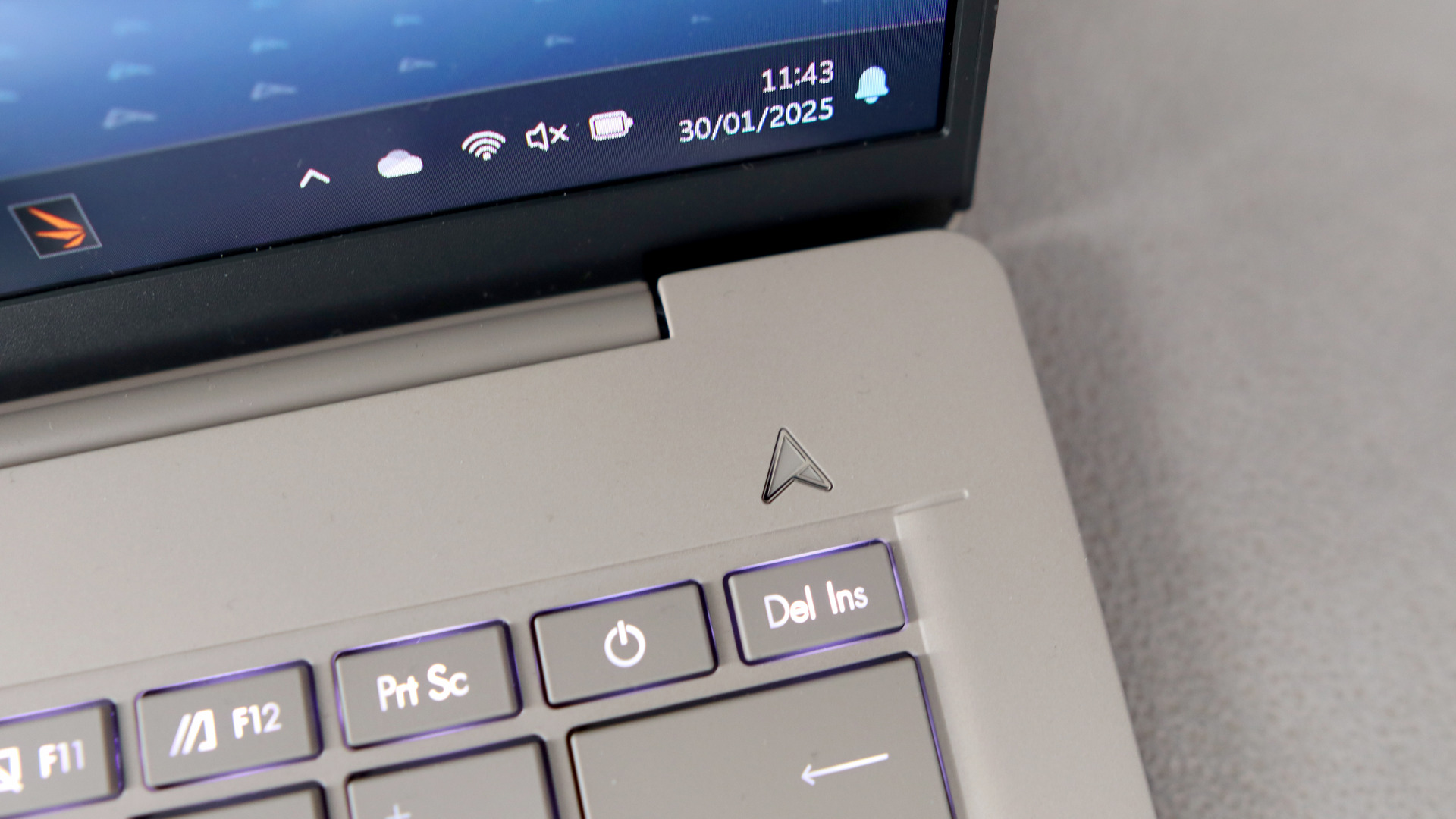
When you actually dive into the laptop itself, you’ll notice very quickly that there’s a dedicated GoPro hotkey on the function bar which can be used to launch GoPro Player. For those who use a GoPro camera to shoot content on the go, it just makes the process of getting it all edited and pieced together that bit easier.

It doesn’t matter if you’re working with meaty 4K files either as the AMD Strix Halo chipset is a true workhorse that simply doesn’t buckle. If you want to dabble in a bit of gaming after you’re done uploading all your edited footage, then you can do just that. We recorded 66fps in Cyberpunk 2077 when running the game at 1080p, and it still ran at a respectable 31.89fps when cranking up the graphics to 1440p.

Whatever it is you’re using the laptop for, it all looks great thanks to the 13-inch 2880 x 1800 OLED panel. It’s touchscreen too, so if you need to use a stylus for drawing up some digital art or a thumbnail, then you have the freedom to do so. It would have been nice to see the laptop use a refresh rate higher than 60Hz, particularly given how expensive it is, but this is just a minor gripe on what is otherwise an outstanding machine.

Advertisement
  • Brighter and sharper OLED screen

  • Excellent port selection

  • Modern looks

  • Only a modest bump in performance

  • Worse battery life than its predecessor

Advertisement

If you read our review for the Asus Zenbook S 14 and thought that it sounded like a good match, but you would prefer to have just a slightly larger screen for easier multitasking, and a faster processor to boot then fear not, the Asus Zenbook S 16 (2026) is exactly what you’re after.

As you no doubt guessed from its name, the S 16 packs a bigger 16-inch display which is nice and wide – providing just enough room so that you can have two (or even three) apps sat side by side. You don’t need us to tell you how useful that additional space can be when you’re in a flow state, especially as it saves you from having to constantly jump from one app to another.

The screen itself is bright too, reaching a peak brightness of 1000 nits (double that of the 2024 S 16), so if you fancy catching up on some work from a beer garden or on the patio, then you won’t have any issues there. It’s also an OLED panel, so you’re getting deep inky blacks alongside those brighter colours, making for a very visually arresting experience, regardless of whether you’re being productive or kicking back with some entertainment.

The performance level is similarly excellent, thanks to the use of AMD’s Ryzen AI 9 465 chipset which powered our review unit. There are 10 cores and 20 threads to boot, the combination of which led to fairly impressive results in Geekbench 6 and Cinebench R23. Admittedly, the scores we recorded weren’t major leaps forward on what was achievable with the previous S 16, but it’s still enough oomph to get most users through their workload with ease.

Advertisement

We’re always big fans of ports on ultrabook-style laptops, especially as there are too many that follow the Apple style of old and try and get away with including as few ports as possible, but that’s not an issue with the latest Zenbook S 16. You’ve got a full-sized HDMI, an SD card reader, a headphone jack, one USB-A slot and two USB-C slots. For incorporating accessories and other devices, you’ve got a ton of freedom.

  • Fantastic power with the Ryzen AI Max 390

  • Decent port selection

  • Excellent endurance

Advertisement
  • Dimmer keyboard backlighting

  • Keyboard cover is a little flimsy

Asus has no shortage of great gaming laptops under its Republic of Gamers brand, but for those who want something a bit more versatile than the rest of the crowd, the Asus ROG Flow Z13 (2025) is an excellent option to consider. This is a 2-in-1 device, making it far more versatile as you can remove the keyboard attachment whenever you please, and using the built-in kickstand to prop it up on a table. With a controller in tow, you could use the keyboard-free setup to game on a plane or train.

In terms of actual performance, the ROG Flow Z13 is right up there with the best of them. Even our review unit, which came with the slightly lesser powered Ryzen AI Max 390 CPU (you can opt for the more powerful Ryzen AI Max+ 395 build), was able to destroy other gaming laptops like the MSI Prestige 16 AI Evo (2025) in Geekbench, Cinebench and PCMark benchmarking tests.

Despite the fact that the Z13 uses an integrated graphics chip, we were able to get Cyberpunk 2077 to run at 53.94fps with a 1080p resolution, which is astounding. By comparison, the integrated GPU in the Intel Core Ultra 9 285H isn’t capable of half that, so it’s really impressive to see what Ryzen has achieved here.

Advertisement

The whole experience is further bolstered by the lovely 13.4-inch 2560 x 1600 IPS display, which packs a 180Hz refresh rate. Even though it’s not an OLED panel, we found the contrast levels to be sublime, and they’re paired with astounding colour accuracy, with our colorimeter picking up 99% sRGB, 97% DCI-P3 and 88% Adobe RGB colour space coverage.

As a final cherry on top, the battery life of the latest Z13 is much improved over its predecessor, lasting a whopping 11 hours and 38 minutes in our test. That type of longevity is almost unheard of for a 2-in-1 device, and allows the Z13 to outdo quite a few gaming laptops, including Asus’ own ProArt P16 (4K Lumina Pro OLED). We would like to see the keyboard attachment improved upon in a successor as it’s a bit too flimsy for our liking, but it’s not enough to detract from the excellent gaming experiences the Z13 can offer.

Advertisement
  • Innovative form factor

  • Dazzling pair of OLED screens

  • Surprisingly excellent endurance

  • Not quite as powerful as other RTX 5090-powered laptops

  • Horrendously expensive

Asus has fully embraced the double-screen concept now, and while the Asus Zenbook Duo (2026) will be the better option for professionals who value battery life above anything else, it’s the Asus ROG Zephyrus Duo (2026) that’s designed with gamers in mind. Even though there are plenty of great gaming laptops on the market, very few can compete with the full experience being offered here.

Because you have two displays to hand, there are certain use cases that are just so much easier with the ROG Zephyrus Duo. For instance, if you’re stuck on a particular game and need to peruse a walkthrough to get beyond where you’re at, you don’t have to minimise the game to check it as you can simply have the guide open on one of the screens. Similarly, if you’re a Twitch streamer then you can more easily engage with your audience on the screen that isn’t showing the game you’re currently playing.

Advertisement

There are so many more possibilities but regardless of what you have in mind, the experience is fantastic due to the specs onboard. The two 16-inch displays not only carry a 3K resolution and 120Hz refresh rate, they also boast OLED panels for stunning contrast as you game. For horror titles like Resident Evil Requiem, you’ll find yourself drawn into plunging hallways where you’re not quite sure what lurks in the darkness.

In terms of raw performance, because the laptop is powered by an Intel Core Ultra 9 386H processor and an RTX 5090 graphics card, there really isn’t much that it can’t handle. Running Cyberpunk 2077 at 1080p, we saw an average of 110.10fps, which was a wonderful way to explore Night City, and even when upping the resolution to 1440p, the laptop could still maintain an impressive 73.45fps.

Thanks to the massive 90Whr battery crammed inside the unit, the ROG Zephyrus Duo was able to last for 15 hours and four minutes in our battery test, which is quite impressive for a gaming laptop, especially one that needs to power two screens in this case. Admittedly, you do get a longer stint of battery life with the aforementioned Asus Zenbook Duo (2026), but that laptop is designed more for productivity and doesn’t boast the gaming chops found here.

Advertisement
  • Lightweight and stylish

  • Beefy performance from Panther Lake chip

  • Excellent battery life

Whenever the topic of a business-ready laptop comes up, it probably isn’t too uncommon to imagine a bulky and dated-looking device, the kind that you’d rather not be seen with outside of the office. While that might be a fair description of some devices in this area, the Asus ExpertBook Ultra (2026) is anything but, as this is an eye-catching laptop that just happens to have been made with professionals in mind.

In fact, the ExpertBook Ultra is so stylish, with a ceramic coating and a slim build that you’d be forgiven for thinking that it was meant for a different audience altogether. At just 990g, the ExpertBook Ultra is wonderfully lightweight, so if you do need to move between a handful of meeting rooms and maybe even a cafe across the street, you won’t feel bogged down by the tech on hand.

Advertisement

Thinking about the needs of business owners and professionals in 2026, Asus has made sure to include some forward-thinking features in the software, including AI Meeting Minutes and AI Translated Subtitles. These features can be found in Asus’ ExpertPanel which can be called upon quickly. It also helps that with a dedicated button for Microsoft Copilot, you can always bounce around a few ideas with the chatbot before fleshing them out with your team.

Regardless of what your day has in store, the ExpertBook Ultra has enough power to take it all on thanks to the next-level Intel Core Ultra X7 358H Panther Lake processor. With 16 cores and 16 threads, the ExpertBook feels blazingly fast in everyday use. There’s so much power at hand that you can even delve into a bit of gaming after the working day is done, as we saw Cyberpunk 2077 run at 44.94fps at 1080p resolution.

Speaking of entertainment, the tandem OLED display, which stacks layers of OLED panels on top of one another to increase the level of brightness available (something regular OLED panels tend to struggle with) is great for kicking back and enjoying some Netflix. Of course, it works just as well for scrolling through spreadsheets and documents, but you’ll really see the colour come to life when streaming.

Advertisement
  • Innovative redesigned chassis

  • Panther Lake processor provides much stronger performance

  • Fantastic improvement to battery life

  • Significantly more expensive than last year’s model

  • Okay port selection

If you’ve been eyeing up the latest ExpertBook Ultra as your next work laptop but would like the idea of having the same dual-screen set-up as the ROG Zephyrus Duo then it sounds like the Asus Zenbook Duo (2026) is the right upgrade for you. This is a true powerhouse workstation that, admittedly, does cost a small fortune with our testing unit priced at £2299.99/$2299.99, but it leaves you wanting for nothing.

Advertisement

Because of the dual-screen set-up, you don’t have to worry about bringing a separate screen with you on the go, or making sure that you’re at a desk with a dedicated monitor. The two 14-inch 3K OLED displays are nothing short of stunning, and having them available at all times means that tasks such as writing and researching are so much easier, not to mention taking a video call on one screen whilst using the other to look at the document or presentation that’s the focal point of the discussion.

With a bevvy of AI features onboard, the Zenbook Duo can also be called upon to act as your personal assistant on the go. For example, you can use Microsoft Copilot (which has a dedicated summon button on the keyboard) to quickly find the perfect restaurant for a client meeting, or flesh out an idea you have into actionable points that can then be easily delegated.

What powers these AI features, and indeed the fast performance of the Zenbook Duo as a whole, is the phenomenal Core Ultra X9 388H processor, which is from Intel’s state-of-the-art Panther Lake range. You can zip through browser tabs, photo editing software and more without seeing the Duo break a sweat. There’s even capacity for a spot of gaming, with the fast-paced title Returnal clocking an impressive 50fps at 1080p.

Where the Zenbook Duo really comes into its own however is with battery life. Asus has crammed the thing with a massive 99Whr cell which paved the way for a whopping 19 hours and 43 minutes of use in our battery test. That’s great news for those who can be working in a completely different place from one day to the next, as you won’t have to constantly worry about parking yourself in a spot that’s near a charging outlet.

Advertisement

FAQs

Is Asus a good laptop manufacturer?

Judging by the laptops we’ve tested and the high scores that some of them have garnered, Asus has a fantastic reputation in the laptop industry.

Advertisement
Which is better: Acer or Asus?

This is really subjective, as there isn’t a clear winner here. Asus makes top-rated, high-end productivity and gaming laptops, while Acer usually excels with its more affordable hardware, especially with Chromebooks.

Advertisement

Test Data

  Asus Zenbook A14 (2026) Asus Zenbook A16 (2026) Asus Zenbook S 14 (2026) Asus ProArt GoPro Edition PX13 Asus Zenbook S 16 (2026) Asus ROG Flow Z13 (2025) Asus ROG Zephyrus Duo (2026) Asus ExpertBook Ultra (2026) Asus Zenbook Duo (2026)
PCMark 10 9011 9569 8695 -4
Cinebench R23 multi core 12396 14569 12431 12785 12785 21266 20626 18201 16417
Cinebench R23 single core 1593 1579 2003 1819 1819 1980 2005 2043 2165
Geekbench 6 single core 3699 3711 2824 2808 2808 2916 2849 2811 3003
Geekbench 6 multi core 19254 21940 16299 13271 13271 16959 16918 16359 17285
3DMark Time Spy 3965 4317 2913 9569 3513 8532 17355 7586 7189
CrystalDiskMark Read speed 7066.43 MB/s 7101.27 MB/s 7053.97 MB/s 7111.32 MB/s 7111.32 MB/s 6158.08 MB/s 14090.06 MB/s 14076.83 MB/s 7063.95 MB/s
CrystalDiskMark Write Speed 6021.67 MB/s 5739.05 MB/s 5816.75 MB/s 6727.37 MB/s 6727.37 MB/s 5358.81 MB/s 10662.76 MB/s 11052.63 MB/s 5836.55 MB/s
Brightness (SDR) 379.4 nits 467.4 nits 461.7 nits 461.5 nits 434.3 nits 448.8 nits 458.2 nits 596.8 nits 460.5 nits
Brightness (HDR) 600 nits 1000 nits 1100 nits 500 nits 1000 nits 1100 nits 1400 nits 1000 nits
Black level 0.01 nits 0.01 nits 0.01 nits 0.01 nits 0.01 nits 0.11 nits 0.03 nits 0.07 nits 0.01 nits
Contrast ratio 29500:1 34100:1 33700:1 33650:1 31610:1 1070:1 10890 8590:1 33650:1
White Visual Colour Temperature 6600 K 6600 K 6500 K 6800 K 6800 K 7000 K 6500 K 6800 K 6900 K
sRGB 100 % 100 % 100 % 100 % 100 % 99 % 100 % 100 % 100 %
Adobe RGB 95 % 94 % 93 % 95 % 93 % 88 % 92 % 88 % 91 %
DCI-P3 100 % 100 % 100 % 100 % 100 % 97 % 100 % 99 % 100 %
PCMark Battery (office) 22.5 hrs 19.25 hrs 18.5 hrs 11 hrs 10 hrs 11.5 hrs 15 hrs 20.5 hrs 19.75 hrs
Battery discharge after 60 minutes of online Netflix playback -2 % 2 % 8 % 10 % 10 % 7 % 6 % 2 % 4 %
Battery recharge time 68 mins 95 mins 85 mins 70 mins 103 mins 70 mins 65 mins 75 mins 82 mins
Cyberpunk 2077 (Quad HD) 16.69 fps 10.39 fps 31.89 fps 7.71 fps 32.16 fps 73.55 fps 27.83 fps 23.83 fps
Cyberpunk 2077 (Full HD) 23.67 fps 28.24 fps 17.46 fps 66.00 fps 19.82 fps 53.94 fps 110.10 fps 44.94 fps 44.19 fps
Cyberpunk 2077 (Full HD + RT) 4.33 fps 6.77 fps 21.33 fps 4.28 fps 12.55 fps 47.46 fps 18.71 fps 16.59 fps
Cyberpunk 2077 (Full HD + Supersampling) 24.93 fps 78.53 fps 23.97 fps 65.13 fps 121.73 fps 64.98 fps 55.95 fps
Returnal (4K) -2 fps
Returnal (Quad HD) 24 fps 95 fps 39 fps 33 fps
Returnal (Full HD) 23 fps 31 fps 27 fps 70 fps 20 fps 54 fps 124 fps 64 fps 50 fps
Rainbow Six Extraction (Quad HD) 21 fps 66 fps 133 fps 60 fps 48 fps
Rainbow Six Extraction (Full HD) 36 fps 154 fps 42 fps 116 fps 196 fps 90 fps 72 fps

Advertisement

Full Specs

  Asus Zenbook A14 (2026) Review Asus Zenbook A16 (2026) Review Asus Zenbook S 14 (2026) Review Asus ProArt GoPro Edition PX13 Review Asus Zenbook S 16 (2026) Review Asus ROG Flow Z13 (2025) Review Asus ROG Zephyrus Duo (2026) Review Asus ExpertBook Ultra (2026) Review Asus Zenbook Duo (2026) Review
CPU Qualcomm Snapdragon X2 Elite Qualcomm Snapdragon X2 Elite Extreme Intel Core Ultra 9 386H AMD Ryzen AI Max+ 395 AMD Ryzen AI 9 465 AMD Ryzen AI Max 390 Intel Core Ultra 9 386H Intel Core X7 358H Intel Core Ultra X9 388H
Manufacturer Asus Asus Asus Asus Asus Asus Asus Asus
Screen Size 14 inches 16 inches 14 inches 13 inches 16 inches 13.4 inches 16 inches 14 inches 14 inches
Storage Capacity 1TB 1TB 1TB 2TB 2TB 1TB 2TB 1TB 2TB
Front Camera 1080p webcam 1080p webcam 1080p webcam 1080p webcam 1080p webcam 5MP IR webcam 1080p webcam 1080p IR webcam 1080p webcam
Battery 70 Whr 70 Whr 77 Whr 73 Whr 83 Whr 70 Whr 90 Whr 70 Whr 99 Whr
Battery Hours 22 25 19 17 18 28 10 57 10 10 11 38 15 4 20 27 19 43
Size (Dimensions) 310.7 x 213.9 x 13.4 MM 353.5 x 242.4 x 16.5 MM 310.3 x 214.7 x 12.9 MM 298.2 x 209.9 x 15.8 MM 353.6 x 243 x 11 MM 300 x 206 x 12.9 MM 355 x 247 x 24.9 MM 310.9 x 212.8 x 10.9 MM 310.18 x 208.66 x 23.34 MM
Weight 990 G 1.2 KG 1.2 KG 1.39 KG 1.5 KG 1.59 KG 2.82 KG 990 G 1.65 KG
Operating System Windows 11 Windows 11 Windows 11 Windows 11 Windows 11 Windows 11 Windows 11 Windows 11 Windows 11
Release Date 2026 2026 2026 2026 2026 2025 2026 2026 2026
First Reviewed Date 07/04/2026 27/03/2026 18/02/2026 25/02/2026 08/02/2026 18/02/2025 09/07/2026 15/06/2026 25/01/2026
Resolution 1920 x 1200 2880 x 1800 2880 x 1800 2880 x 1800 2880 x 1800 2560 x 1600 2880 x 1800 2880 x 1800 2880 x 1800
HDR Yes Yes Yes Yes Yes Yes Yes Yes Yes
Refresh Rate 60 Hz 120 Hz 120 Hz 60 Hz 120 Hz 180 Hz 120 Hz 120 Hz 144 Hz
Ports 2x USB 4.0 Gen 3 Type-C with support for display / power delivery (data speed up to 40Gbps) 1x USB 3.2 Gen 2 Type-A (data speed up to 10Gbps), 1x 3.5mm Combo Audio Jack 1x HDMI 2.1 TMDS 2x USB-C, 1x HDMI, 1x 3.5mm headphone jack, 1x USB-A 1x USB 3.2 Gen 2 Type-A (data speed up to 10Gbps) 2x Thunderbolt™ 4 with support for display / power delivery (data speed up to 40Gbps) 1x HDMI 2.1 TMDS 1x 3.5mm Combo Audio Jack 1x USB 3.2 Gen 2 Type-A (data speed up to 10Gbps) 2x USB 4.0 Gen 3 Type-C with support for display / power delivery (data speed up to 40Gbps) 1x HDMI 2.1 FRL 1x 3.5mm Combo Audio Jack 1x DC-in Micro SD 4.0 card reader – Support XG MobileGC34 1x USB 3.2 Gen 2 Type-A (data speed up to 10Gbps) 2x USB 4.0 Gen 3 Type-C with support for display / power delivery (data speed up to 40Gbps) 1x HDMI 2.1 TMDS 1x 3.5mm Combo Audio Jack SD 4.0 card reader 1x HDMI 2.1 1x Command Center button 1x USB Type-C (USB4* 40Gbps + DP2.1 + PD3.0) 1x USB Type-C (USB4* 40Gbps + DP2.1 + PD3.0) 1x USB Type-A (USB 3.2 Gen 2 10Gbps) 1x microSD Card Reader (UHS II) 1x 3.5mm Combo Audio Jack 1x DC-in jack (for the included 300W/250W power supply) 1x HDMI 2.1 (supports high-resolution/high-refresh-rate displays)1x USB-C with Thunderbolt 4.0 (supports DisplayPort 2.1 and up to 100W Power Delivery)1x USB-A 3.2 Gen 2 1x 3.5mm combo audio jackRight Side:1x USB-A 3.2 Gen 21x USB-C with Thunderbolt 4.0 (supports DisplayPort 2.1 and up to 100W Power Delivery)1x Full-sized SD Card Reader (UHS-II) 2x Thunderbolt 4 with DisplayPort and Power Delivery, 2x USB-A 3.2 Gen 2, 1x HDMI 2.1, 1x 3.5mm combo audio jack 2 x Thunderbolt™ 4 USB-C (Up to 40 Gbps, PD, DP supported) 1 x USB 3.2 Gen2 Type-A 1 x full-size HDMI® 2.1 (FRL) 1 x 3.5mm audio combo jack
Audio (Power output) 60 W
GPU Qualcomm Adreno Intel Arc Graphics AMD Radeon 880M iGPU AMD Radeon 8050S iGPU Nvidia RTX 5090 Intel Arc B390 iGPU Intel Arc B390 IGPU
RAM 32GB 32GB 32GB 128GB 32GB 32GB 32GB 32GB
Connectivity Wifi 7, Bluetooth 5.4 Wifi 7, Bluetooth 5.4 Wifi 7, Bluetooth 5.4 Wifi 7, Bluetooth 5.4 WiFi 7, Bluetooth 5.4 Wifi 7, Bluetooth 5.4 Wi-Fi 7, Bluetooth 6.0 Wifi 7, Bluetooth 5.4
Colours Beige Sandstone
Display Technology OLED OLED OLED OLED OLED LCD OLED OLED OLED
Screen Technology IPS
Touch Screen Yes No Yes Yes Yes Yes Yes Yes Yes
Convertible? No No No Yes No Yes Yes No Yes
UK RRP £1599 £2099.99 £1599.99 £2999.99 £1699.99 £2199.99 £5799.99 £2299.99
USA RRP $1999.99 $1999.99 $5500 $3599.99

Source link

Advertisement
Continue Reading

Tech

Trump wants America to launch more than 1,000 rockets a year by 2030, and the race is already heating up fast

Published

on


  • Trump wants US to up aims to launch over 1,000 spacecraft every year by 2030
  • Only 178 launches happened in 2025, mostly carried out by SpaceX
  • Federal agencies must find new land for rocket launch sites

A new presidential memorandum signed by Donald Trump sets an ambitious annual benchmark for American commercial space activity within the next four years.

The new National Space Transportation Policy wants government agencies to work together so that the US hits over 1,000 spacecraft launches and returns per year by 2030.

Source link

Continue Reading

Tech

Samsung may be planning two Galaxy S27 Ultra sizes next year

Published

on

The Galaxy S27 Ultra could be getting more than just a major design change next year. A new leak suggests Samsung may also be considering two different sizes for its next Ultra flagship, which could make the Galaxy S27 family much larger than we are used to.

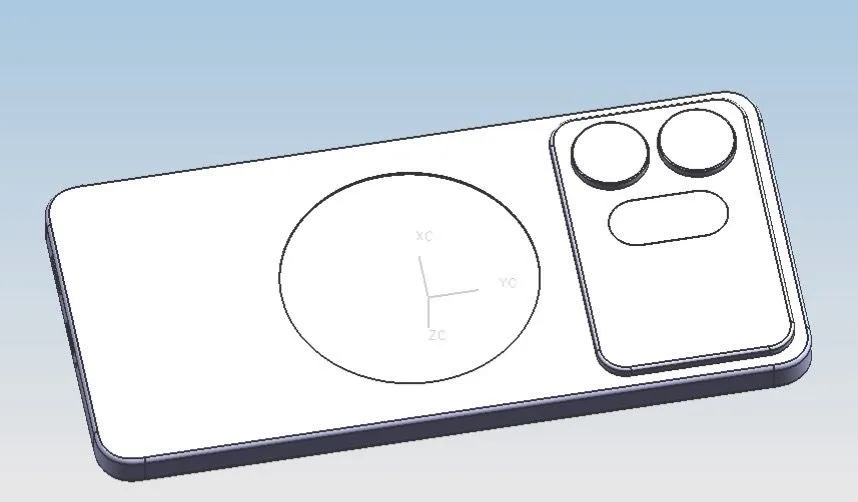
Tipster Sonny Dickson has shared two CAD models that appear to represent differently sized Galaxy S27 Ultra devices. Ice Universe has also weighed in on the leak, although it is still unclear whether both models actually belong to the Ultra lineup or if the smaller one is the rumored Galaxy S27 Pro. If Samsung really is preparing two Ultra sizes, there is one obvious reason why it would make sense.

Samsung could finally have an answer for both iPhone Pro models

Apple gives buyers a choice between the iPhone 17 Pro and the larger iPhone 17 Pro Max while keeping both firmly within its premium Pro lineup. Samsung currently takes a different approach, with the Ultra standing alone as its largest and most expensive Galaxy S model.

Two Galaxy S27 Ultra sizes could change that. A smaller Ultra would give Samsung a more direct alternative to the upcoming iPhone 18 Pro, while the larger version could continue competing with the iPhone 18 Pro Max. Of course, this is still speculation based on leaked CAD models. The smaller device could simply turn out to be the Galaxy S27 Pro, which has also appeared in previous rumors.

Advertisement

Galaxy Unpacked could have five S27 models

If both devices are actually Ultra models, Samsung could end up with an unusually crowded flagship lineup in 2027. Assuming the company keeps the standard Galaxy S27 and S27+ while also introducing the rumored S27 Pro, two Ultra sizes would bring the total to five phones.

Samsung is already rumored to be making some substantial changes to the Ultra next year. We recently covered a leaked sketch showing a much wider camera section, while earlier reports suggested the redesign could help Samsung fit built-in Qi2 magnets for MagSafe-style accessories.

There are still plenty of unanswered questions around the two CAD models, but if both turn into retail devices, Samsung could be preparing its most expansive Galaxy S lineup yet.

Source link

Advertisement
Continue Reading

Tech

Galbot Robots complete 100 consecutive rallies against a tennis champion

Published

on

Galbot says its robot completed more than 100 consecutive autonomous tennis rallies against former world number 15 Zheng Jie at the World Humanoid Robot Games in Beijing. The rally count, the autonomy claim and the robot’s identity all rest on the company’s own account.

A robot spent Saturday rallying with a former Wimbledon semi-finalist. The Beijing company Galbot says its machine sustained more than 100 consecutive exchanges against Zheng Jie at the World Humanoid Robot Games, with no teleoperation and no scripted sequence.

The described performance is not trivial. Chinese state media reported serves above 100 kilometres per hour, and said the robot fell backwards on a high looping ball and got itself upright within seconds.

Tennis is a far better test than the sprint records set at the same event. A rally demands tracking a fast object, planning a whole-body response and adapting to an opponent inside a fraction of a second, which is closer to the problem Europe’s robot makers have chosen than a straight line is.

Advertisement

Then there is the sourcing. The rally count, the world record framing and the no-teleoperation claim all come from Galbot’s own press release, repeated by Chinese state broadcasters, with no independent audit and no published figures on interventions or success rates.

The opponent is worth stating plainly. Zheng Jie reached a career high of world number 15 and the Wimbledon semi-finals in 2008, and she retired from professional tennis a decade ago.

The larger gap is which robot this was. No account we could find names the model, and Galbot’s commercial machine, the G1, is a wheeled dual-arm manipulator that does not have legs to fall over or stand back up on.

CGTN adds that the system was built with Tsinghua University. That is a research collaboration, which raises the possibility that the machine on court is not the machine the company sells.

Advertisement

What Galbot sells is unglamorous. The G1 works in warehouses, hospital pharmacies and more than 30 Chinese cities under the Galbot Store brand, on $800mn raised at a $3bn valuation, in a sector where rivals carry valuations above $2bn.

Europe is already inside that supply chain. Galbot lists Bosch among its deployment partners, alongside CATL, Toyota and Hyundai.

Bosch turns out to be on both sides of this race. The German group is also lined up to manufacture for Humanoid, the London startup that raised $152mn to build robots for factory work.

So the checkable version of this story is not on a tennis court. It is whether a wheeled robot restocks a pharmacy shelf for a year without a person fixing it, which is the thing Galbot actually sells and the thing nobody films.

Advertisement

Source link

Continue Reading

Trending

Copyright © 2025