Microsoft is rolling out Windows Update improvements that give users more control over how updates are installed while reducing disruption from frequent or poorly timed restarts.
The company says the improvements are now rolling out to Windows Insiders, following user feedback that highlighted two key issues: updates are disrupting workflows, and there is a lack of control over when they are installed.
“We are continually reading the feedback submitted about the Windows update experience. Personally, I’ve had the opportunity to read over 7,621 direct verbatims over the last few months,” explains Microsoft’s Aria Hanson.
“Across this feedback there are two key themes that persistently pop out: disruption caused by untimely updates and not enough control over when updates happen. The changes we’re rolling out today are focused on giving Windows users more control over their PC experience, while keeping devices secure by design and by default.”
Microsoft has already introduced a new feature that lets Windows users skip updates during the out-of-box experience (OOBE), allowing them to access the desktop faster and install updates when it’s most convenient. This option is not available on managed commercial devices or systems that require updates to function.
Advertisement
The company is now introducing changes to how update pauses work, allowing Windows users to select a specific date to pause updates for up to 35 days using a flyout calendar interface. This pause can then be extended repeatedly without a fixed limit.
Windows Update calendar flyout for pausing updates Source: Microsoft
Another change targets a common complaint, which is unexpected updates during shutdown or restart.
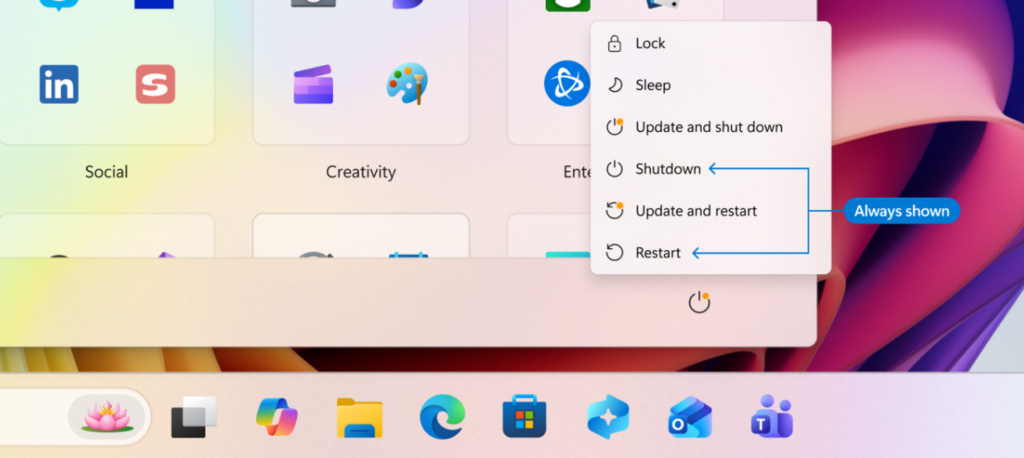
The Power menu will now separate standard power options from update-related actions, offering “Restart” and “Shut down” options without triggering updates, while the normal “Update and restart” and “Update and shut down” options are used when updates are ready to be installed.
New Update and Shutdown options when updates are available Source: Microsoft
Microsoft says they are also going to be clearer about how they offer updates, especially drivers, which are commonly offered under the same company name but without any indication of which device they are for.
Windows Update will now display the device type, such as display, audio, or battery, directly in the update title to help users determine what is being installed.
Finally, Microsoft is reducing disruptions by consolidating different update types into a single monthly restart. For example, Driver, .NET, and firmware updates will now be installed along with the monthly cumulative updates, reducing the number of required reboots.
Advertisement
“Updates will download in the background, then will wait for a coordinated installation and restart. This installation and restart will align with the next Windows quality update or other update that you manually approve,” explains Hanson.
“Users can always acquire all or specific updates earlier if desired by initiating download, install, restart (if applicable) for available updates.”
The features are currently rolling out to Windows Insiders in the Dev and Experimental channels, with them later being rolled out to all users.
AI chained four zero-days into one exploit that bypassed both renderer and OS sandboxes. A wave of new exploits is coming.
At the Autonomous Validation Summit (May 12 & 14), see how autonomous, context-rich validation finds what’s exploitable, proves controls hold, and closes the remediation loop.
After experiencing temporary hearing loss in my left ear, I became committed to protecting my hearing. Even though losing my hearing for a few weeks was caused by eustachian tube dysfunction — when the tube connecting the middle ear to the back of the nose no longer functions properly — I began to wonder about what else can negatively impact our ears.
While researching ear health tips, I discovered that a common piece of technology, my earbuds, could have contributed to my hearing issues. To find out more, I spoke to audiologists, health care providers who diagnose and treat hearing, balance and or ear disorders. This is what they taught me.
The hearing and ear health risks earbuds can pose
Earbuds can pose a few risks, according to Dr. Ruth Reisman, a licensed audiologist and New York hearing aid dispenser. They can trap heat and moisture in the ear, increasing the risk of ear infections. With repeated use, earbuds can also push earwax deeper into the ear, leading to buildup or impaction. Plus, if your earbuds don’t fit correctly or you wear them for long periods, they can cause irritation or soreness in your ear canal.
Advertisement
“Earbuds sit directly in the ear canal, which can increase several risks. The biggest concern is noise-induced hearing loss if volume is too high or listening time is too long,” said Reisman. “I have witnessed all of these problems in the course of my 15 years as an audiologist.”
When you listen to content at high volume, particularly for an extended period, Dan Troast, an audiologist at HearUSA, explains that it can permanently damage the delicate hair cells in your inner ear. Earbud use combined with high volume can cause:
Noise-induced hearing loss
Tinnitus (ringing, buzzing or hissing in the ears)
Sound sensitivity over time
Misusing earbuds is also common. If they don’t have noise cancellation, you might repeatedly turn up the volume to avoid hearing background noise, which can put you in an unsafe listening range fast. However, even listening at a moderate volume can become a problem if you do so for hours each day.
“Early signs of overexposure include temporary muffled hearing or ringing after listening sessions — both are warning signals from the auditory system,” Troast said. Even if you periodically experience temporary ringing in your ears, it can ultimately increase your risk of developing chronic tinnitus.
Earbuds and radiation
In my search for ear health tips, I came across several articles discussing whether wireless Bluetooth earbuds can cause harm through radiation. I asked Reisman if this is true.
Advertisement
“Current scientific evidence doesn’t show that the energy from Bluetooth earbuds causes harm,” she said. “These devices emit far less radiation than cell phones and remain well below established safety limits. From an audiology standpoint, sound exposure is a far greater risk than radiation.”
Me wearing my beloved AirPods Pro 2.
Anna Gragert/CNET
Follow the 60/60 rule when using earbuds
Both Reisman and Troast recommend the “60/60 rule” to people who wear earbuds. The 60/60 rule means you listen at no more than 60% of the maximum volume for no more than 60 minutes at a time.
Advertisement
“Daily use is fine if the volume stays safe and ears are given time to rest,” Reisman advises. “I usually tell patients to take a 15- to 20-minute break for every hour of use.”
If you haven’t already, Troast recommends checking whether your devices have built-in hearing health settings that automatically monitor volume exposure. For instance, on your iPhone, Apple Watch or iPad, you can set up headphone notifications to alert you to lower the volume when you’ve reached the seven-day audio exposure limit (such as 80 decibels for 40 hours over seven days). Or, you can activate the Reduce Loud Audio feature to have your headphone volume automatically lowered once it exceeds your set decibel level.
Safer headphones for your ears
Over-the-ear headphones are generally safer, according to Reisman, because they sit outside the ear canal and don’t concentrate sound as directly on the eardrum. Since they aren’t in the ear canal like earbuds, they’re also less likely to cause irritation or earwax buildup.
“Over-the-ear headphones can be safer — if they allow for lower listening volumes,” said Troast. “Even better are noise-canceling headphones, which reduce background noise, so listeners don’t feel the need to crank up the volume.” Just make sure you’re still aware of your surroundings, especially if you’re outdoors near traffic.
Advertisement
Open earbuds could also be a safer option. They use bone-conduction technology, which transmits sound through the earbones and the skull rather than directly to the eardrum. “Several headphone companies claim open earbuds are better for your hearing health and are more hygienic,” said David Carnoy, CNET’s resident headphone expert.
Since open earbuds don’t sit inside or cover the ear:
Warmth and moisture, like sweat, won’t build up, which can cause ear infections.
Debris, such as dust, won’t transfer from the earbuds into the ear.
They won’t push earwax deeper in your ear, which can lead to impaction.
Don’t rub or press on the ear canal, reducing discomfort or irritation.
However, if you listen to content at high volumes, no headphone style is completely safe. What matters most for your ear and hearing health is total sound exposure over time, so make sure you’re monitoring your volume level and giving your ears breaks.
If you continue to wear earbuds, make sure you’re doing so safely — and that they fit properly.
Advertisement
Anna Gragert/CNET
Expert earbud tips
If earbuds are your preferred headphone type for listening to your favorite music, shows and podcasts, Troast offers the following tips from an audiology perspective:
Use built-in volume limit settings on smartphones.
Choose noise-canceling earbuds or headphones to avoid increasing volume in loud environments.
Take regular listening breaks.
Avoid sleeping in earbuds.
Get a baseline hearing test, especially if you use earbuds daily.
If you’re already experiencing tinnitus, it’s especially important that you manage your volume level to prevent it from worsening.
Carnoy adds that there have also been instances of people being allergic to the materials used for earbud tips. If you have a known allergy, make sure your earbuds don’t use that material, or replace the tips. If you do have an allergic reaction, stop using the earbud tips until you can find a substitute.
Lastly, Reisman advises keeping your earbuds clean, avoiding sharing them and ensuring they fit properly. Most earbuds come with tips in different sizes, so you can find the right fit for your ear size.
When to see an audiologist or doctor for hearing issues
If you experience ringing in the ears, muffled hearing, ear pain or frequent infections, Reisman recommends you consider an evaluation with an audiologist.
Advertisement
You’ll also want to pay attention to early warning signs of inner ear damage from noise exposure, such as ringing in the ears, difficulty hearing or needing to turn up the volume over time.
If you’re already experiencing hearing loss, Troast said that addressing it with hearing aids can provide relief. Tinnitus, on the other hand, can be treated with evidence-based approaches such as sound therapy or specific counseling strategies.
“Hearing damage is gradual and cumulative,” Reisman said, “but it’s also largely preventable with smart and healthy listening habits.” And that includes using your headphones — or, in my case, earbuds — responsibly.
A new NYT Strands puzzle appears at midnight each day for your time zone – which means that some people are always playing ‘today’s game’ while others are playing ‘yesterday’s’. If you’re looking for Saturday’s puzzle instead then click here: NYT Strands hints and answers for Saturday, April 25 (game #783).
Strands is the NYT’s latest word game after the likes of Wordle, Spelling Bee and Connections – and it’s great fun. It can be difficult, though, so read on for my Strands hints.
Want more word-based fun? Then check out my NYT Connections today and Quordle today pages for hints and answers for those games, and Marc’s Wordle today page for the original viral word game.
Advertisement
SPOILER WARNING: Information about NYT Strands today is below, so don’t read on if you don’t want to know the answers.
Article continues below
NYT Strands today (game #784) – hint #1 – today’s theme
What is the theme of today’s NYT Strands?
• Today’s NYT Strands theme is… Get into it
NYT Strands today (game #784) – hint #2 – clue words
Play any of these words to unlock the in-game hints system.
Advertisement
BUSKER
BUSH
READ
QUAD
REAL
GLARE
NYT Strands today (game #784) – hint #3 – spangram letters
How many letters are in today’s spangram?
• Spangram has 9 letters
NYT Strands today (game #784) – hint #4 – spangram position
What are two sides of the board that today’s spangram touches?
First side: top, 3rd column
Last side: bottom, 4th column
Advertisement
Right, the answers are below, so DO NOT SCROLL ANY FURTHER IF YOU DON’T WANT TO SEE THEM.
Advertisement
NYT Strands today (game #784) – the answers
(Image credit: New York Times)
The answers to today’s Strands, game #784, are…
ARGUE
DIFFER
QUARREL
WRANGLE
SQUABBLE
BICKER
SPANGRAM: LOCKHORNS
My rating: Easy
My score: Perfect
Initially I thought the theme “Get into it” was describing new hobbies, like when you get into something new — like baking or model railways or jigsaws. Spotting ARGUE put a stop to this notion and sent me off on the path of enlightenment — or should we say path of disagreement.
Sign up for breaking news, reviews, opinion, top tech deals, and more.
The order in which you spot game words is crucial to how quickly you complete Strands.
Had I seen LOCKHORNS and WRANGLE first I would have thought we were looking to get into some rodeo action. We weren’t, obviously.
Advertisement
Yesterday’s NYT Strands answers (Saturday, April 25, game #783)
CORNER
DISCOUNT
GROCERY
CONVENIENCE
LIQUOR
SPANGRAM: STOREFRONT
What is NYT Strands?
Strands is the NYT’s not-so-new-any-more word game, following Wordle and Connections. It’s now a fully fledged member of the NYT’s games stable that has been running for a year and which can be played on the NYT Games site on desktop or mobile.
I’ve got a full guide to how to play NYT Strands, complete with tips for solving it, so check that out if you’re struggling to beat it each day.
Spoiler for the very first thing you see in the upcoming game Saros: It’s a bunch of words. The letters type out one by one onto the screen, spelling out some world-building that gives context to kick off the game’s story. I don’t remember what any of it said, because I was so focused on the tactile vibrations coming from the controller in my hands. There is a sharp haptic buzz for every letter, and it immediately feels very clicky-clacky. From the very beginning, Saros makes its intentions clear—this is a story you’ve got to feel.
Since the launch of the PlayStation 5, Sony’s DualSense controllers have enabled haptic feedback that developers can use to make the controller vibrate in just the right way to communicate the feel of what is happening on the screen. Maybe it’s letters typing across the screen, little patters of rainfall, or a big rumble when shooting a gun or whacking something with a melee weapon. Adaptive triggers add resistance to the main triggers, meaning the difference between feathering the trigger and pulling it all the way down is very apparent.
Saros, launching on April 30, is developed by Housemarque, a Finnish studio owned by Sony. It has been here before, when it released the highly regarded PlayStation 5 game Returnal in 2021. That game, as a launch title for the console, aimed to make use of all the new technology Sony was offering with its hardware, especially the haptic and adaptive features in the DualSense controller. Gregory Louden, the creative director at Housemarque who has helmed development on both games, says both titles came with an added bit of pressure to show off what the console could do.
“Back when we started Returnal, we almost felt a responsibility—because we were a launch window title for PlayStation 5—what can you do with this hardware?” Louden tells WIRED. “In a lot of ways, we’re doing it for our players, but also doing it for the medium to try to inspire others.”
As it did with Returnal, Housemarque has developed its newest game to take full advantage of the PlayStation 5’s DualSense controllers. It also uses 3D audio features to make the world feel more lively. Returnal and Saros came out on the same hardware, but Louden says it all gels even more now than ever.
Advertisement
“We’ve really pushed the graphics and pushed the hardware,“ Louden says. “We wanted to do something even better for players and really make the most of the DualSense.”
From the few hours I’ve spent with it, Saros feels quite excellent to play. It is a dark sci-fi roguelike where you mow down dozens of hostile aliens in a barrage of frenetic, tactile gameplay. The battles feel especially palpable because everything onscreen translates to what you feel in the controller. The obvious moves are replicating the feel of shooting a weapon or feeling the reverberations when the enemies’ bullets and explosives crash into your shield. But Housemarque has also deployed haptics in more careful, subtler ways, like during cinematics, where a steady haptic pulse helps make the onscreen characters’ tension and anger more visceral.
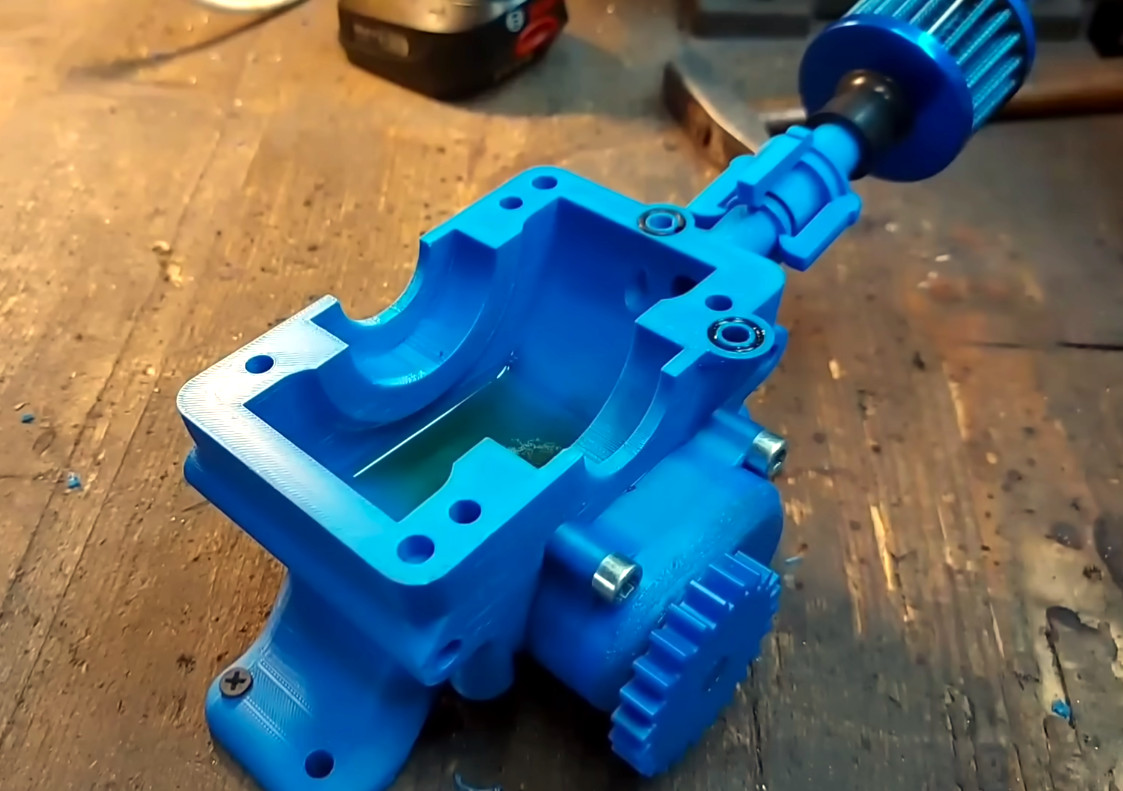
Although 3D printing it a great tool for making all sorts of things, the nature of the plastics used in most desktop FDM printers means it isn’t the first tool most would think of to build an internal combustion engine. [Alexander] is evidently not most people, as he’s on his third generation 3D printed engine.
There are 3D printed pumps to distribute coolant water and oil, plus some clever engineering in the head to make sure they don’t mix — a problem with a previous iteration. As you probably guessed, the engine isn’t fully printed. Assembling it requires add-on hardware for things like bearings, belts, and filters.
But it’s still impressive just how much of this beast is actually made of plastic. Not even fancy engineering plastic, either — there are a few CF-Nylon parts, but most of it is apparently good old ASA and ABS.
If you’re looking for “cheats”, the plastic engine block does get a stainless steel sleeve, and the head is CNC’d aluminum, but we hesitate to call anything that gets a homemade engine running a “cheat”. It’s hard enough using all the ‘right’ materials. Just like another 3D printed engine we featured, the carb is also an off-the-shelf component.
Advertisement
Still, it’s the dancing bear all over again: it’s not how well it runs that impresses, but the fact that it runs at all. We’ve also seen hackers use 3D printing to make steam engines, hot-air Stirling engines, and electric motors— all with varying amounts of non-printed parts.
If you’ve upgraded to a new Mac, don’t throw away your old one. Here are some ideas of things you can do to get more out of your older Apple desktop.
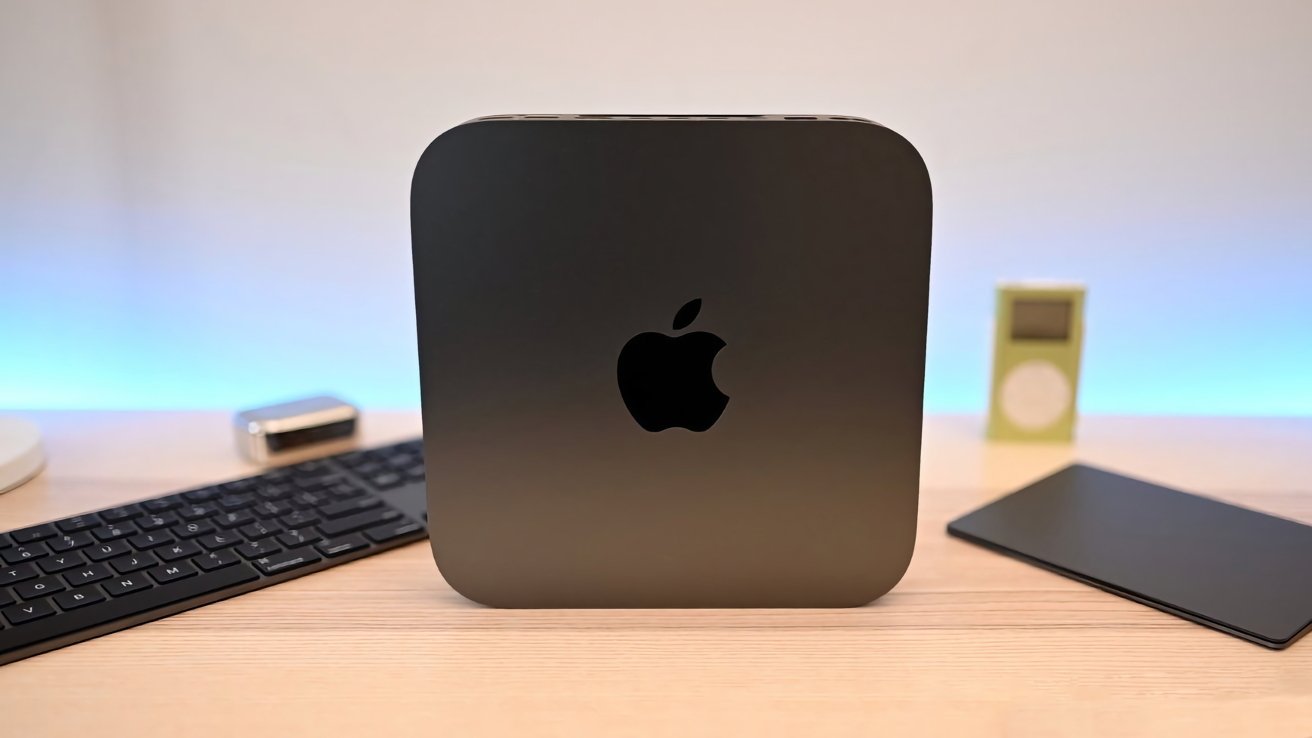
The 2018 Mac mini may be ‘Obsolete’ but it still has its uses.
Buying a new Mac or MacBook can be a thrill. The bump of speed, the extra memory and storage that’s free of clutter, and the unscratched, clean casing can make most Mac users instantly happy. However, after drinking in all the potential of your new digital workspace, you’ll soon be reminded that you still have your old one. After you’ve migrated your software and files over to your new daily driver, it may seem that there’s little point in keeping your old one around. Continue Reading on AppleInsider | Discuss on our Forums
BYD may be known for its affordable all-electric cars, but that doesn’t mean it won’t dabble in the occasional hypercar under one of its subsidiary brands. Through its Denza subbrand, BYD unveiled the Denza Z, a hypercar that can push out more than 1,000 horsepower with an all-electric motor, at the Beijing Auto Show. According to CarNewsChina, the Denza A can hit 0 to 60 mph in less than two seconds, rivaling the likes of the Rimac Nivera.
BYD first showed off the Denza Z as a concept during the Shanghai Auto Show in 2025. A year later, the Chinese EV maker confirmed its latest hypercar as a four-seater that will come in hard-top, convertible and “track” configurations. BYD hasn’t revealed the Denza Z’s full specs yet, so we’re not sure what differentiates the track edition. So far, the company has shared that it would use the company’s intelligent suspension system called DiSus-M, which is similar to Chevrolet Corvette’s Magnetic Ride Control, and its Flash Charging system. BYD also told AutoExpress that the Denza Z will have some of the features seen with the BYD’s YangWang U9, like autonomous driving and “tank turning.”
Surprisingly, BYD is planning to release the Denza Z to Europe first, with an inaugural ride at the Goodwood Festival of Speed in the UK in July. The automaker hasn’t revealed pricing yet, but it should be more available than BYD’s other hypercar under its YangWang subsidiary that’s limited to 30 units.
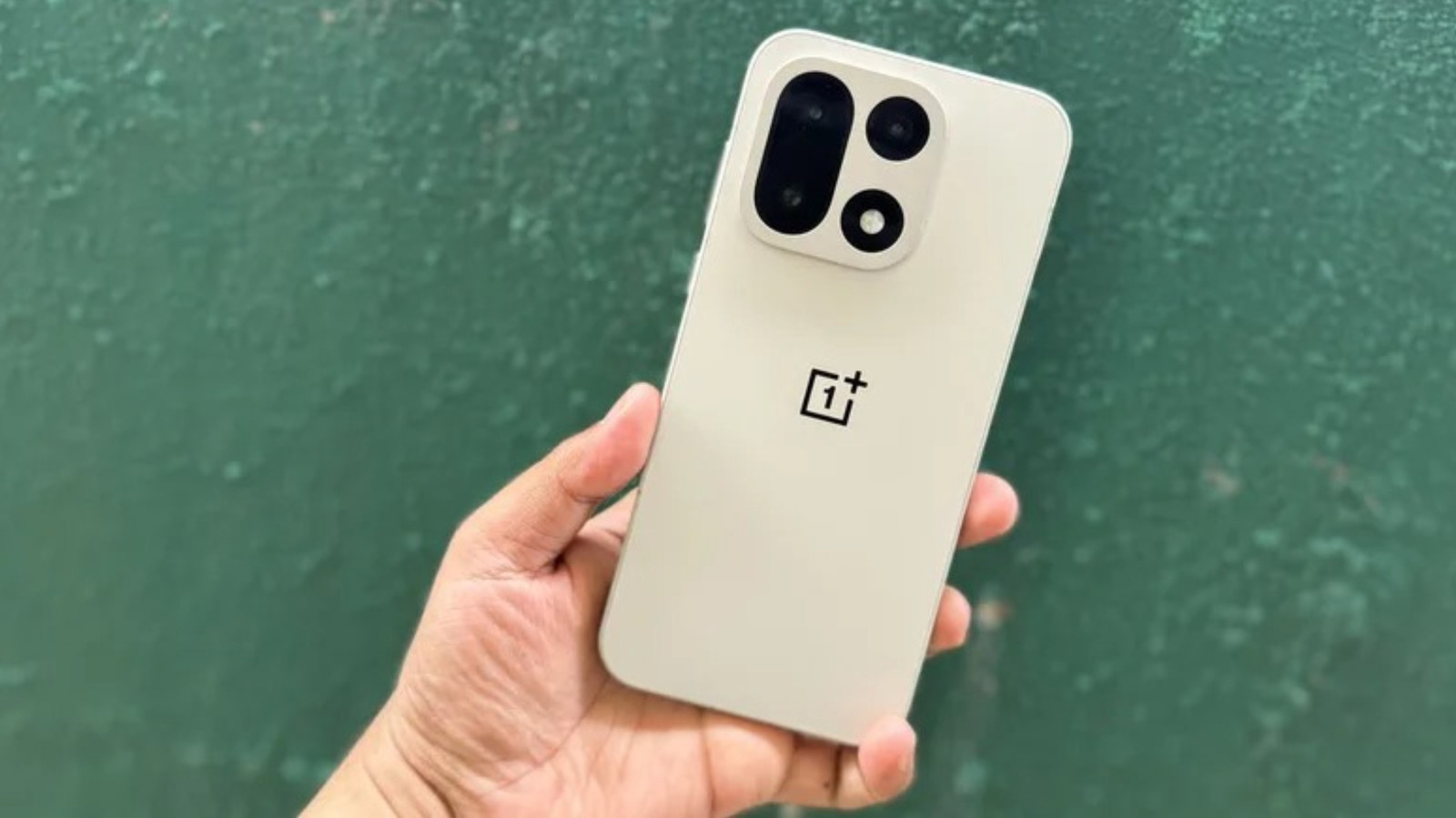
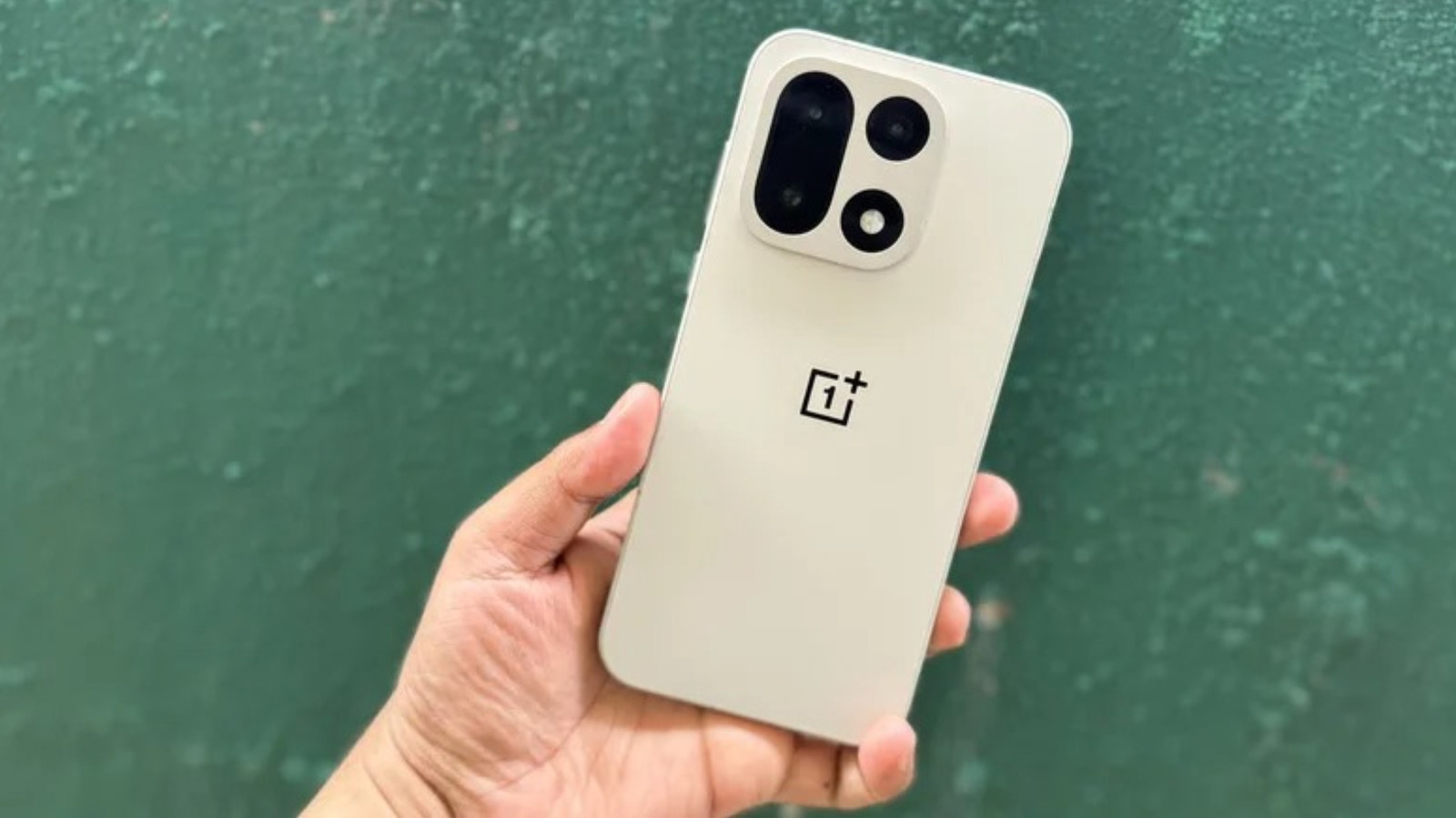
Starting last year, smartphone batteries began doing something previously thought impossible. Battery technology had long been somewhat stagnant, and 5,000 milliamp-hours (mAh) was considered to be on the large side. Batteries of that size can power a flagship phone for one to three days, depending on use patterns and software optimization, but they’re also easy to kill in a few hours if you shoot a lot of video or play demanding video games. But then a new battery technology called silicon-carbon hit the market. We quickly saw phones like the OnePlus 15, which carries a 7,300 mAh cell, and the Honor Power 2, which carries a whopping 10,080 mAh capacity. And these aren’t chunky devices. They’re as sleek as you’d expect a brand-new smartphone in the mid-2020s to be.
Given all of this, smartphone enthusiasts have started to wonder why Apple, Samsung, and Google are late to the party. Battery improvements are one of the most tangible ways to make consumers upgrade their phones. A slightly improved camera might move some photography-forward folks, but a battery that’s impossible to kill before you make it home from work? That’s an upgrade everyone can see the value in. So why did the iPhone 17, the Galaxy S26, and the Pixel 10 all launch with old-fashioned lithium-ion batteries?
Advertisement
YouTuber Marques Brownlee, better known as MKBHD, decided to investigate. His findings were inconclusive, but pointed toward a very simple explanation. Namely, major brands like the big three can’t afford to take risks on an unproven battery technology. So, is that the real reason for the lack of silicon-carbon batteries in Western markets, and if so, does it hold up under scrutiny? Here’s what we know.
Advertisement
Silicon carbon may be too big a risk for major smartphone makers
In his video exploring the rationale driving companies like Apple and Google to hold off on adopting silicon-carbon batteries, Marques Brownlee found a simple explanation. Those companies have brand reputations to maintain, and if there’s a risk that their latest flagship phones could become the next Galaxy Note 7 (which had the worst smartphone recall in history due to thermal runaway issues in its batteries, and was even banned on flights by the Department of Transportation, they’d rather appear behind the cutting edge than face that kind of public crisis. Granted, the Note 7 was powered by lithium-ion batteries.
Brownlee, who has griped about the lack of silicon-carbon batteries in his recent smartphone reviews, claimed that a number of employees at various companies have reached out to him and clarified some of the concerns about the technology. Though he declined to name sources in order to protect their anonymity, Brownlee said the emails were corroborated by other sources he spoke with, who each mentioned concerns around the potential for battery swelling and poor longevity in silicon-carbon batteries.
As Brownlee explained, batteries naturally swell and contract as they heat and cool. It’s a basic principle of physics that affects not only the way batteries are designed, but also buildings, public infrastructure, and more. And, of course, this cycle of expansion and contraction degrades batteries over time. Silicon-carbon batteries expand more than lithium-ion batteries — in fact, as Brownlee notes, the carbon is largely there to absorb the excess stress caused by a power cycle. Given the uncertainty around their safety and longevity, silicon-carbon batteries likely won’t show up in iPhones, Pixels, or Galaxy devices for a bit longer.
Advertisement
The counterpoint: all smoke, no fire
The reason Apple, Google, and Samsung aren’t using silicon-carbon batteries may indeed be that they’re scared to adopt new battery technology before it’s been proven safe, as Marques Brownlee was allegedly told by industry insiders. But the only thing his video actually confirmed, some argue, is that companies are afraid to use the tech, not that their fears are well-founded.
Silicon-carbon battery technology has now been on the market for a while, and adoption truly exploded (pun intended) in 2025 as many Chinese brands rushed silicon-carbon-powered phones to market with enormous cell capacities plastered on their marketing materials. If fears around the stability and longevity of these batteries were warranted, wouldn’t we have seen an epidemic of combusting Honor, Oppo, and Xiaomi phones by now?
Advertisement
It is, of course, possible that issues will show up later. Maybe a bunch of OnePlus 15 devices will start exploding next year, or the year after. Meanwhile, lithium-ion batteries aren’t exactly bulletproof (again, the Note 7 bears mentioning). Many people have experienced the terror of finding their smartphone split open from a swollen battery. It’s just one reason why that old smartphone sitting in your drawer could be a disaster waiting to happen.
Risk-averse tech companies are likely to wait a bit longer before dipping their toes into the silicon-carbon waters, while smaller firms, which have more to gain from impressive spec sheets than they have to lose if a product goes sideways, will keep swimming laps around them. In some ways, that’s a healthy ecosystem. The average consumer who isn’t a tech enthusiast will continue to buy smartphones from safe, mainstream brands, while those who would willingly read an article like this to its conclusion can indulge in the bleeding edge.
China’s Ministry of Commerce warned that US chip export legislation would “severely disrupt” global semiconductor supply chains, responding to the House Foreign Affairs Committee’s April 22 markup of 20+ export control bills, the largest in congressional history. The centrepiece is the MATCH Act, which would require the Netherlands and Japan to align DUV lithography export restrictions with US rules within 150 days or face unilateral enforcement, cutting off ASML’s remaining China sales and banning servicing of existing machines. China has already enacted comprehensive supply chain security regulations and rare earth restrictions, while the US simultaneously builds domestic capacity through CHIPS Act investments and the $25B Terafab project.
China’s Ministry of Commerce warned on Friday that US legislation advancing through Congress would “severely disrupt the international economic and trade order and seriously undermine the stability of the global semiconductor industry chain and supply chain.” The legislation in question is the MATCH Act, the Multilateral Alignment of Technology Controls on Hardware, which passed the House Foreign Affairs Committee on April 22 as part of what lawmakers described as the largest markup on semiconductor export controls in congressional history. The bill would require the Netherlands and Japan to align their chip equipment export restrictions with American rules within 150 days or face unilateral US enforcement, including an expanded Foreign Direct Product Rule that would give Washington jurisdiction over equipment containing any American technology, regardless of where it was manufactured. If enacted, the MATCH Act would cut off China’s access to the DUV immersion lithography machines that ASML still sells there and ban the servicing of machines already installed, a step that would affect every advanced and near-advanced fab in the country.
Advertisement
The markup
The House Foreign Affairs Committee advanced more than 20 export control bills on April 22, chaired by Representative Brian Mast. The MATCH Act, introduced by Representative Michael Baumgartner on April 2, has bipartisan support in both chambers. Senators Jim Risch, Pete Ricketts, Andy Kim, and Chuck Schumer introduced the Senate companion on April 8. The bill names SMIC, Huawei, Hua Hong, CXMT, and YMTC as “covered facilities,” including all subsidiaries and affiliates, and would prohibit the export of DUV immersion lithography equipment to any of them. It would also ban allied firms from providing engineering services to maintain or upgrade machines already operating in Chinese fabs, a servicing restriction that would degrade existing capacity over time as machines require regular maintenance to sustain yield.
The committee also advanced the Chip Security Act, which would require advanced chips to include location verification mechanisms before export so that exporters can flag the government if a chip reaches an unauthorised destination. The Semiconductor Industry Association opposes this provision, warning of “untested and potentially infeasible on-chip mechanisms” that could undermine global trust in American semiconductors. The ECRA Penalty Increase Act would quadruple civil penalties for export violations, raising the per-violation ceiling from $300,000 to $1.2 million. The ECRA Statute of Limitations Extension Act would double the window for prosecution from five to ten years. The Deterring American AI Model Theft Act would authorise sanctions on Chinese AI firms accused of misusing US-developed models.Smuggling $2.5 billion of Nvidia servers to China, as Super Micro Computer’s co-founder is alleged to have done through a diversion scheme routed via Southeast Asia, demonstrates both the scale of demand for restricted chips and the limits of an enforcement regime that relies on declared end-use and corporate compliance teams.
The escalation
The MATCH Act would be the most significant escalation in US semiconductor export controls since the initial restrictions imposed in October 2022. Those rules prohibited the export of advanced computing chips and chipmaking equipment to China. They were updated in October 2023 to close loopholes, expanded in December 2024 to cover high-bandwidth memory and additional equipment, and supplemented in January 2026 when the Trump administration imposed a 25% Section 232 tariff on advanced semiconductor imports and shifted the export review policy for Nvidia’s H200 and AMD’s MI325X from presumption of denial to case-by-case evaluation. Blackwell-class chips remain under presumption of denial. The January 2026 changes were partly a response to pressure from Nvidia, whose CEO Jensen Huang had dinner with Trump at Mar-a-Lago and argued that overly restrictive controls would push Chinese AI labs toward domestic alternatives.DeepSeek optimising AI models for Huawei chips instead of Nvidia hardwareis, in Huang’s words, “a horrible outcome” for the United States, because it would break the software dependency on Nvidia’s CUDA ecosystem that currently gives American chips their lock-in advantage.
The MATCH Act moves in the opposite direction from the January relaxation. Where the executive branch loosened restrictions on finished chips, Congress is tightening restrictions on the equipment used to make them. The logic is that controlling equipment is more effective than controlling chips because a lithography machine is a $200 million tool that requires years of servicing by the manufacturer, while a chip is a commodity that can be rerouted through intermediaries. ASML, the sole manufacturer of both EUV and the most advanced DUV immersion lithography systems, has seen its shares fall since the bill’s introduction. China accounted for 33% of ASML’s 2025 revenue. The company expects that share to drop to approximately 20% in 2026 even without the MATCH Act. If the bill passes, the decline would be far steeper. Applied Materials projects $600 million to $710 million in lost China revenue for fiscal 2026. Lam Research reported that China still accounted for 43% of its Q1 fiscal 2026 revenue, $2.28 billion, but expects that share to fall below 30% this year.
Advertisement
The response
China’s countermeasures are already extensive. Beijing imposed export bans on gallium, germanium, and antimony in December 2024, suspended them in November 2025 for one year but retained licensing requirements. It restricted exports of seven medium and heavy rare earths, including terbium, dysprosium, and yttrium, in April 2025, then partially suspended those restrictions in November 2025. It announced silver export controls on December 31, 2025. On April 7, 2026, the State Council published Order No. 834, the “Regulations on Industrial and Supply Chain Security,” which creates a unified legal framework monitored by more than 15 agencies, including MOFCOM and the Ministry of Industry and Information Technology, authorising legal action against companies deemed to be harming China’s supply chains. China has mandated that domestic chipmakers procure 50% of their equipment from Chinese suppliers, a requirement that threatens an estimated $18 billion in annual US equipment sales. The MOFCOM statement on Friday said China would “resolutely take necessary measures to firmly safeguard the legitimate and lawful rights and interests of Chinese enterprises.” No specific new retaliatory measures were announced, but the regulatory architecture for them is now in place.
The supply chain consequences extend well beyond the two principal combatants. Japan, whose Tokyo Electron, Nikon, Canon, Screen Holdings, and Advantest all sell equipment to Chinese fabs, already implemented controls on 23 types of equipment in July 2023. The MATCH Act would require Japan to expand those restrictions within 150 days or lose access to American technology in its own supply chain. The Netherlands faces the same deadline. South Korea’s memory giants, SK Hynix and Samsung, operate fabs in China that depend on equipment servicing from the companies the MATCH Act would restrict.The EU’s 700 million euro investment in its NanoIC semiconductor pilot lineat imec in Leuven, backed by ASML and national governments, reflects Europe’s assessment that the chip supply chain is fragmenting and that building domestic capacity is no longer optional.
The race
China’s semiconductor industry has made genuine progress under pressure. SMIC is producing 7-nanometre chips for Huawei’s Kirin processors and is working to double 7nm capacity in 2026. It has entered pilot runs at 5nm, targeting mass production for Huawei and Alibaba, though yield improvement remains the critical challenge. CXMT is mass-producing DDR5 and LPDDR5 memory and is targeting HBM3 production, though the timeline has slipped and mass production within 2026 now appears unlikely. YMTC is expanding NAND flash output and developing HBM packaging technologies. Huawei is reportedly preparing to send a 3nm chip design using carbon nanotubes and 2D materials to SMIC, an unconventional approach that has not been independently confirmed with technical detail. China’s semiconductor self-sufficiency rate was approximately 33% in 2024 and is estimated at roughly 50% in 2025. The new target, embedded in the 15th Five-Year Plan, is 80% by 2030, with priorities including a fully domestic 7nm equipment line and stable 14nm production. Tom’s Hardware assessed that China remains “still a decade behind, despite hundreds of billions spent and significant progress.”
The United States is pursuing the inverse strategy: restricting China’s access to equipment while building domestic manufacturing capacity at unprecedented scale.The US government’s $36 billion stake in Intel under the CHIPS Act, converted from grants to equity, funds fab construction in Ohio and Arizona.Intel’s foundry partnership with Musk’s $25 billion Terafab chip megaprojectadds another advanced manufacturing facility. TSMC is building fabs in Arizona. Samsung is expanding in Texas. The theory is that export controls buy time for domestic capacity to come online, at which point the United States can supply its own advanced chips and those of its allies without depending on a supply chain that runs through a geopolitical adversary. The problem is that the timeline for building fabs is measured in years, the timeline for Congressional legislation is measured in months, and the timeline for retaliatory export restrictions on rare earths and critical minerals is measured in days. China’s warning on Friday was not that the MATCH Act would fail to restrict its chip industry. It was that the disruption would not be confined to China. When both sides of a supply chain use restriction as a weapon, the chain does not hold. It fragments, and everyone pays the cost of rebuilding separate ones.
In the last few years, drone cameras have become ever more accessible to the point where they are no longer a specialist’s device. While there are still plenty of options for professionals who need top-of-the-line specs for film and TV productions, budding content creators can get their hands on drones with a simplified UI that’s easy to get to grips with. Whatever your background, we’re here to help with our round-up of the best drones to buy.
For anyone who’s thinking about buying their very first drone, know that the big allure of these devices is their ability to capture stunning cinematic shots of wide open vistas, and to follow subjects/objects from above as they move through an environment. Once upon a time, such a shot was only really possible via a crane or helicopter, but now drones have taken charge as they’re much easier to manoeuvre and set up.
As drone cameras have only grown in popularity, there’s now more choice than ever but that does mean that in order to get paired up with the one that’s right for you, it helps to make a list beforehand of your must-have features. For instance, if you plan on jumping between multiple locations in a day then portability is key, whilst those who are shooting at a professional level and are likely to stay in one location for a while will know that a high-end resolution is essential.
Bear in mind that there are also several legalities to consider when it comes to drone ownership. In the UK, any drone weighing over 250g can only be flown by a registered operator. Anything less than that will require you to get an official Flyer ID, so it’s best to check the official government advice before deciding on which drone to buy.
Advertisement
Once you’re all caught up on the advice and have a solid idea of the features you want the most, our guide can help you with your purchase to make your money go even further. Of course, there’s always a chance that you might be better served by a different type of camera or equipment. For smooth, stable footage, the best smartphone gimbals can get the job done brilliantly, whilst the best action cameras are ideal for fast-paced scenes.
Best drones at a glance
Advertisement
SQUIRREL_ANCHOR_LIST
Learn more about how we test drones
We thoroughly test camera drones with hours of flight time, as well as capturing sample photos and videos. We’ll always tell you what we find and we never, ever accept money to review a product.
Advertisement
Pros
Three superb cameras
Flexible camera gimbal
Long battery life
Omnidirectional obstacle sensors plus LiDAR
Quiet operation
Cons
Expensive – and no US price yet
Weight makes it subject to flight restrictions
Pros
Excellent image quality
Superb flight and safety features
Pocket-sized design
Cons
Battery life falls short of expectations
Some confusion over weight
Pros
249g weight circumvents most drone restrictions
Omnidirectional vision sensors
Excellent image quality
Cons
Not cheap by small drone standards
Average low light image quality
Pros
Weighs under 250g
Front-facing sensor
Good flight performance
Solid photo and video performance
Cons
No omnidirectional obstacle avoidance
Pros
Great value as an entry-level drone
Stunning overall video and image quality
Lightweight and portable design
Cons
Can’t quite match the DJI Mini 3 Pro for preformance
Photos lose quality when cropping
No Active Track
Pros
Makes FPV flying easier than ever
Lightweight Goggles 3 with pass-through video
Good battery life
Impressive camera performance
Cons
Weight restricts legal UK flight locations
Quite expensive
Three superb cameras
Flexible camera gimbal
Long battery life
Omnidirectional obstacle sensors plus LiDAR
Quiet operation
Expensive – and no US price yet
Weight makes it subject to flight restrictions
Even if you’ve only had a cursory glance at this list, you’ve probably already noticed that DJI rules the roost where drones are concerned. Part of DJI’s success is down to the features it implements with each device, but also the range of drones available to suit a variety of budgets. The Mavic series has long been the go-to choice for creators at the higher end of the scale, but with the DJI Mavic 4 Pro, the company has just taken things to a whole new level.
Advertisement
Starting with the highlight feature, the Mavic 4 Pro has not one, not two but three separate cameras built in, providing three distinct fields of view which give you more flexibility to find the exact shot you want from the scene that you’ve settled on. If you want to get a sprawling shot of the landscape, or a tracking shot of one person walking through a luscious forest, you have the tools to do so with this drone.
What will probably be the biggest boon however for those who own the Mavic 3 Pro, and any of DJI’s earlier drones, is that the battery life has now been extended so that it can run for up to 51 minutes on a single charge. As any filmmaker or content creator knows, sometimes having that bit of extra charge in the tank can make all the difference in getting that one shot that makes it into the final edit. For this alone, the Mavic 4 Pro is worth the investment.
Even though you might not be too fussed about obstacle detection if you’re a skilled drone handler, DJI’s technology in this area has finally seen a massive leap forward in efficiency. With LiDAR in tow, the low-light vision sensors can now easily pick up whether or not the drone is in danger of crashing into an object after dark, which is just so much more helpful for peace of mind when engaging in night-time shoots.
You can also capture plenty of detail when shooting with the Mavic 4 Pro. Not only can you shoot 4K 120fps for fast paced action scenes, but there’s also capacity for 6K 60fps for rich, cinematic style footage that’ll help your project to stand out from the crowd. No matter which mode you’re shooting in, the drone still manages to be impressively quiet in operation, so you’re far less likely to disrupt local habitats when out on location.
Advertisement
Excellent image quality
Superb flight and safety features
Pocket-sized design
Battery life falls short of expectations
Some confusion over weight
Advertisement
DJI’s Mini-series of drones has long been our go-to recommendation for entry-level buyers given how easy they are to use, not to mention how compact they are compared to the larger drones on the market. Well, the DJI Mini 5 Pro isn’t just a great addition to that esteemed lineup; it arguably shows the world exactly why DJI is at the top of its game right now in the world of drones.
The typical trade-off with getting one of DJI’s Mini drones is that while you get the type of portability that makes carrying these devices a breeze, you don’t get quite the same level of capture quality that more heavy-duty drones are capable of. Well, with a massive one-inch sensor onboard the Mini 5 Pro, that compromise now feels like a thing of the past.
It’s one heck of an achievement, and the result of having this upgraded sensor is that the DJI Mini 5 Pro can capture a lot more detail, especially in lower light where previous compact drones would have fallen short. HDR performance is now equally excellent, giving all areas of a shot the attention they deserve, so your eyes can drift and spot new points of interest in a single photo.
When it comes to video capture, it’s not a massive leap over the DJI Mini 4 Pro, but that’s no bad thing. You can shoot crisp 4K footage at up to 60fps, or bump it to 120fps for slow-motion video for a bit of cinematic flair. There’s also D-Log M and HLG colour profiles available, giving more freedom to intermediate users who might want to add their own distinct look to footage after the fact.
Advertisement
The one thing holding back the DJI Mini 5 Pro is the issues that arise over its seemingly fluctuating weight. Our test unit came in at 253g but that doesn’t seem to be a consistent number, which is why DJI has labelled the device as a “near-250g drone”. Because it can exceed the 250g limit that would require a licensed operator to fly the drone in the UK, anyone living there should be careful to follow official drone law to make sure that they’re not at fault.
249g weight circumvents most drone restrictions
Omnidirectional vision sensors
Excellent image quality
Advertisement
Not cheap by small drone standards
Average low light image quality
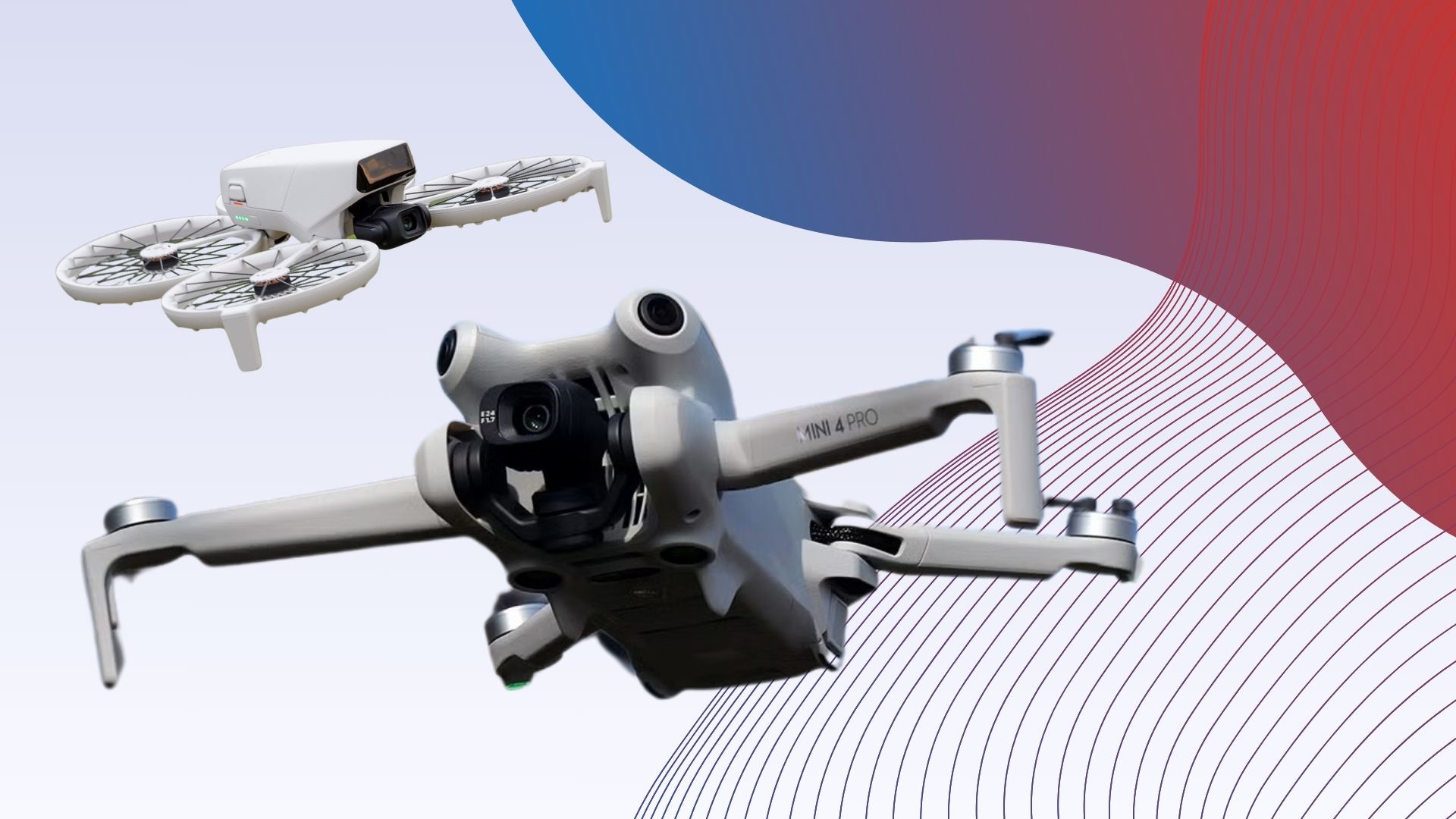
The DJI Mini 4 Pro is the best of DJI’s sub-250g Mini series, making it our recommended choice for hobbyists and professionals looking to fly their drone in the UK with the fewest restrictions possible.
The DJI Mini 4 Pro costs slightly more than its predecessor, the DJI Mini 3 Pro, but with this new price comes some small but significant upgrades. The drone is also a fraction of the price of the flagship Mavic 3 Pro.
The DJI Mini 4 Pro is a small, lightweight drone that collapses down tiny enough to fit in a large coat pocket.
Advertisement
The simple twin-stick control setup is responsive and allows for precise movements. The Mini 4 Pro can travel as fast as 16m/s in S mode and the four motors are strong enough to ensure the drone remains steady in winds of up to 10.7m/s.
Key features include obstacle avoidance via vision sensors, with the Mini 4 Pro covering more angles and directions than the Mini 3 Pro. We found that the sensors work well but it’s worth noting they aren’t as effective in low-light conditions. The Mini 4 Pro also includes an improved version of DJI’s ActiveTrack subject tracking, along with ActiveTrack 360 to circle your subject while moving up and back or forward without crashing.
Inside the drone is a gimbal-stabilised 12-megapixel, 1/1.3-inch CMOS sensor with support for 4K video at up to 60fps, or slow-motion 4K at up to 100fps. There’s also 1080p/200fps for those looking to increase the frame rate even further. The new imaging processor supports 10-bit colour up from 8-bit through the D-Log M profile for a wider colour gamut and greater dynamic range.
Stills can be captured at 12-megapixels or 48-megapixels thanks to the Quad Bayer sensor, but low light performance can be hit and miss – especially when compared to results from the larger sensors in DJI’s Mavic drones.
Advertisement
When it comes to battery life, the Mini 4 Pro delivers the same 34 minutes of flight time as the Mini 3 Pro.
Weighs under 250g
Front-facing sensor
Good flight performance
Solid photo and video performance
Advertisement
No omnidirectional obstacle avoidance
The DJI Flip is an entry-level folding quadcopter, ideal for first-time flyers looking for a lightweight and affordable drone for casual use or dipping their toe into the world of aerial photography.
Weighing below 250g, the Flip is subject to fewer regulatory restrictions in the UK than larger, heavier drones. This allows it to be flown in public places and within 50m of uninvolved people as long as you pass a basic online exam and pay £11 for an operator ID.
Beyond its weight, the Flip features an innovative folding design that stacks the four prop motors on top of each other when not in use. Prop guards are also incorporated into the design, preventing the propellers from colliding with objects or people and making the Flip suitable for indoor flight.
Advertisement
We found the Flip to be easy and safe to fly, offering an impressive 31-minute battery life despite its weight, though it can fall closer to 20 minutes when you factor in manoeuvres and camera use.
The Flip offers multiple flight control options, including the RC 2 controller, the DJI Fly app and even hand gestures – a feature also found on the DJI Neo. The drone can take off and land on your palm and includes AI-assisted subject tracking.
This drone only includes a forward-facing sensor for detecting objects in its way. If you want an ultra-light drone with full, omnidirectional object sensing, you’ll need to pay out for the DJI Mini 4 Pro. Wind resistance is also limited, though any lightweight drone would also struggle in the conditions we put the Flip through.
Moving on to the camera, this drone features a 1/1.3-inch CMOS sensor with a 24mm equivalent lens. The camera is capable of capturing 48-megapixel stills and 4K HDR video at up to 60fps, or 100fps when recording slow-motion content.
Advertisement
Photos can be captured in JPEG or DNG RAW, while the D-Log M colour profile allows video to be colour-graded in post. While you’ll get superior results from a premium drone such as the DJI Air 3S, our reviewer was more than happy with the Flip’s photo and video performance with the drone producing excellent results in good lighting.
Great value as an entry-level drone
Stunning overall video and image quality
Lightweight and portable design
Advertisement
Can’t quite match the DJI Mini 3 Pro for preformance
Photos lose quality when cropping
No Active Track
The DJI Mini 3 is another small drone, sitting just below the Mini 3 Pro in DJI’s Mini 3 line-up. While not as well-equipped as our favourite drone, the Mini 3 remains an excellent entry-level option that delivers a lot for its low price.
The Mini 3 looks very similar to the Mini 3 Pro and weighs the same 249g thanks to its thin plastic construction. At 148 x 90 x 62mm, the drone is small enough to slip into a coat pocket and the low weight means it falls under a less restricted category of UK drone law than larger drones like the DJI Mavic 3.
There’s a USB-C port for charging and file transfers as well as a microSD slot for storage, and the drone is compatible with the same choice of two controllers supported by the Mini 3 Pro.
Advertisement
Unlike the Mini 3 Pro, the Mini 3 doesn’t benefit from front and back sensors to help detect and avoid obstacles around it and avoid collisions. Instead, the Mini 3 sticks to downward-facing sensors which only aid stability and landing so you’ll need to be a little more careful when flying this drone.
The drone itself is very responsive and easy to fly with no discernable delay between the twin joystick controllers and the drone’s reactions and 720p live feeds are clear and stable. The device has a maximum control range of 6km.
The Mini 3 is capable of hitting speeds of up to 16m/s in windless conditions and we found the drone did a decent job of withstanding coastal wind despite its tiny size. Furthermore, the battery life is even longer than that on the Mini 3 Pro at 38 minutes to the Pro’s 34 minutes.
There are also features like automatic take-off, landing and return-to-home available here, along with some automated shot modes. However, unlike the Mini 3 Pro and the DJI Mavic 3, there’s no Active Track tracking so you will need an actual person to control the drone if you want the camera to follow you around.
Advertisement
The 12-megapixel 1/1.3-inch CMOS sensor is a downgrade compared to the Mini 3 Pro’s camera, but the ability to snap 12-megapixel stills and shoot 4K/30fps video is still impressive for an entry-level drone.
Makes FPV flying easier than ever
Lightweight Goggles 3 with pass-through video
Good battery life
Impressive camera performance
Advertisement
Weight restricts legal UK flight locations
Quite expensive
The DJI Avata 2 is the best drone we’ve tested for FPV flight and the ideal gateway for those interested in it.
If you’re looking for a drone that handles more like a plane than the steady DJI Mini, Air, and Mavic, zipping through the sky and allowing you to bank, roll, and loop through the air, then the Avata 2 is the one for you.
The Avata 2 is sleeker and around 40g lighter than its predecessor, the DJI Avata, with a reworked design for improved aerial agility and responsiveness. The drone also includes 46GB of built-in storage and a microSD slot for expansion.
Advertisement
Despite its reduced weight, the 380g drone remains too heavy to fit into the sub-250g class, meaning the drone cannot be flown over or closer than 50m to ‘uninvolved people’ or within 150m of residential, recreation, commercial, or industrial sites under UK law.
The drone comes with DJI’s Goggles 3 headset and RC Motion 3 controller, allowing you to see what the drone sees on two 100Hz 1080p micro OLED displays. There’s also a camera built into the Goggles 3, allowing you to check your surroundings without pausing to remove the headset.
The Avata offers similar speeds to its predecessor, including 8m/s in Normal mode, 14m/s in Sport mode and 27m/s in Manual, with the latter requiring the twin-stick Remote Controller 3 rather than the RC Motion 3. Manual mode removes the stabilisers, allowing for exhilarating dives and turns, albeit with a higher risk of crashing. If you’re keen to avoid damage to your drone, you’ll likely want to stick with the Normal and Sport modes.
The drone features improved camera specs compared to the original DJI Avata, though video resolutions and frame rates remain mostly unchanged. The ultra0wide camera can capture 4K video at up to 60fps, or 2.7K at up to 120fps, but low-light performance and the dynamic range have been bolstered, allowing the drone to draw more detail out of interiors and night-time shots than its predecessor.
Advertisement
The Avata 2 can now shoot video with a 10-bit D Log M colour profile for easier colour grading in post-production, and the HorizonSteady and RockSteady image stabilisation modes found on other DJI drones are available. We found these modes to be effective at providing smooth, horizon-locked footage.
Finally, the DJI Avata 2 includes a 23-minute battery life. If you’re searching for a user-friendly introduction to FPV flying, the Avata 2 is a great (though expensive) choice.
Advertisement
FAQs
Do I need a license to fly a drone in the UK?
According to the CAA, “you do not need to register if you’ll only use a drone or model aircraft that weighs below 250g and is a toy or does not have a camera”.
However, all other drones will need to be registered and the owner must register for either a flyer or operator ID, depending on if they plan to fly it or are just responsible for managing and maintaining the drone.
Advertisement
What are the rules for flying a drone in the UK?
You can find all of the rules you’re required to follow as someone with a drone in the UK on the CAA’s website.
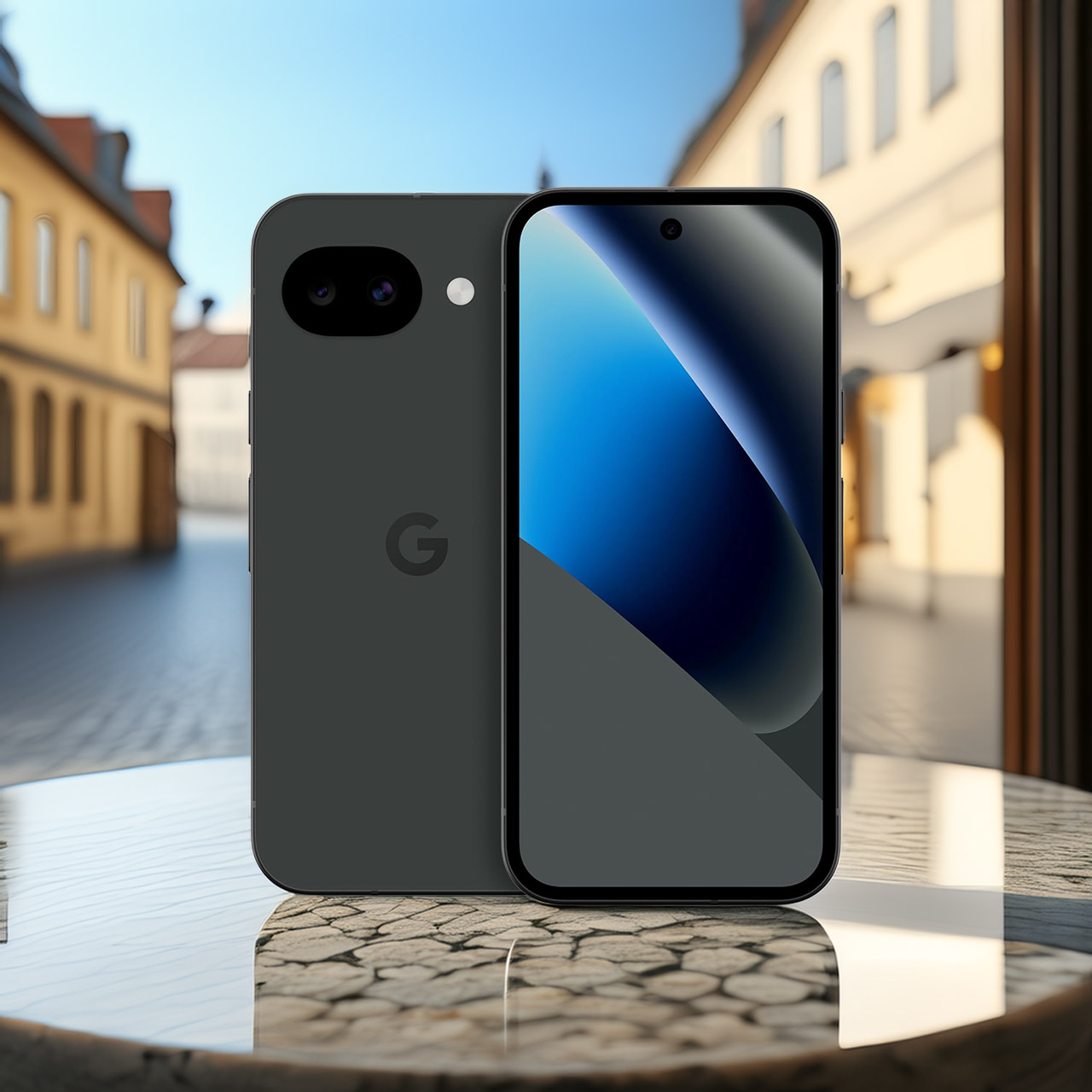
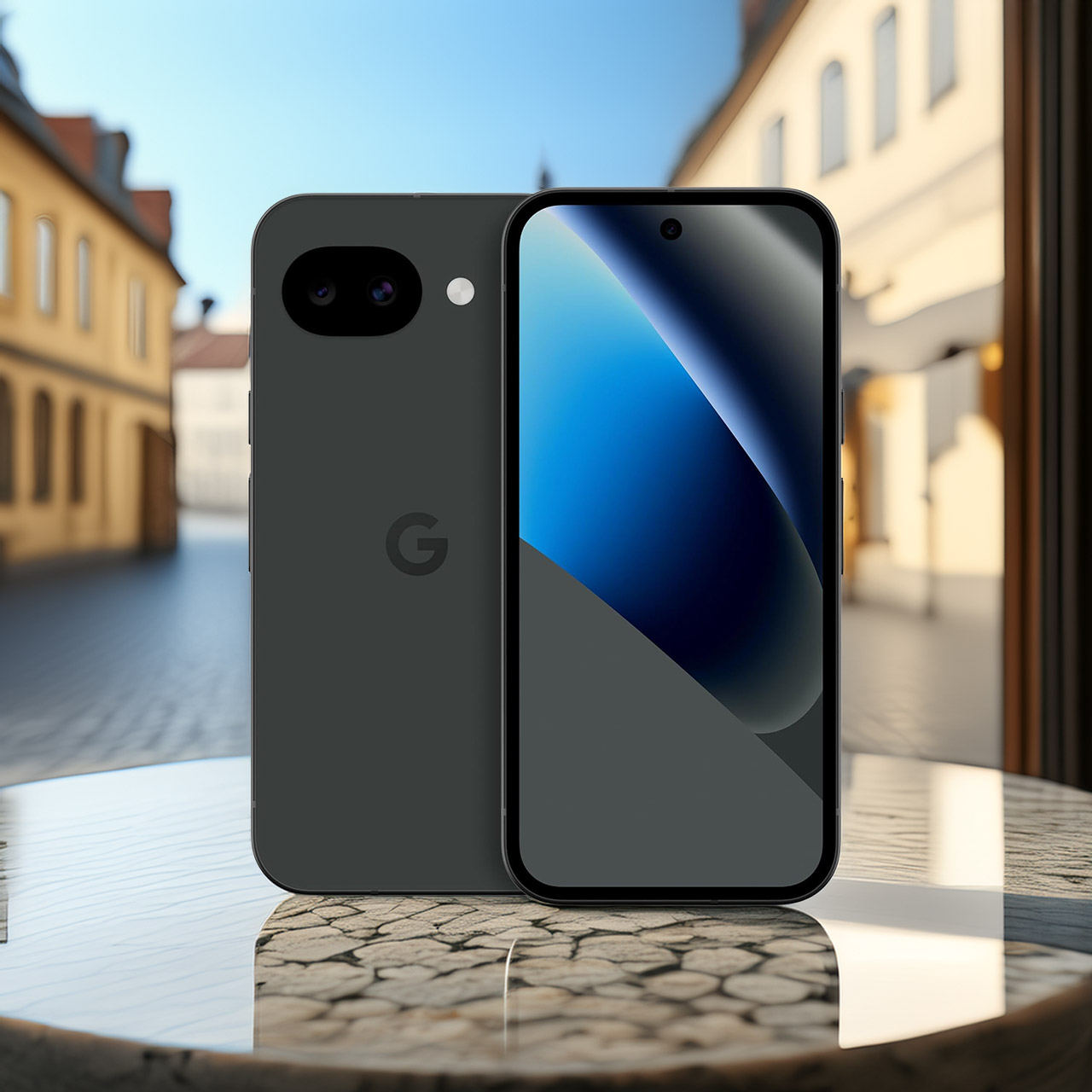
The Pixel 10a by Google is without a doubt the best budget phone in 2026 (as far as we know), and there are many reasons for this. It will set you back a mere $449 (was $499) and provides a flagship Android phone experience that will fit comfortably into your hand.
Dimensions are pretty standard as well: 153.9 mm x 73 mm x 9 mm (if one likes to be precise, then 6.06 inches x 2.87 inches x 0.35 inches). This way it is simply perfect as it is not that big or small. The design looks quite attractive as well, since thanks to its flat surface and silky texture it is easy to grip, even while carrying a purse, keychain, and some additional items. And finally, since it is waterproof, one does not need to worry about damaging it in case of rain.
Google Pixel 10a is a durable, everyday phone with more[1]; snap brilliant photography on a simple, powerful camera, get 30+ hours out of a full…
Unlocked Android phone gives you the flexibility to change carriers and choose your own data plan; it works with Google Fi, Verizon, T-Mobile, AT&T…
Pixel 10a is sleek and durable, with a super smooth finish, scratch-resistant Corning Gorilla Glass 7i display, and IP68 water and dust protection[4]
Next comes the 6.3 inches Actua display that truly blows one away with its brightness peaking at 3,000 nits allowing for perfect viewing even in full sunlight. You will not have any problems reading your map or watching movies during train rides due to this great feature. It supports a refresh rate of 120Hz, providing flawless scrolling without annoying screen lag.
Advertisement
The camera system of the Pixel 10a has the most potential in its class, thanks to the presence of a wide-angle camera with a resolution of 48 megapixels and an ultrawide camera with a resolution of 13 megapixels. No matter whether the weather is sunny or close to evening, the image quality will be amazing. On top of that, with a Tensor G4 processor and 8 gigabytes of RAM, you won’t notice any delays while using the phone.
Battery life isn’t really an issue either, since 30 hours is more than enough for anyone, even with video streaming, GPS mapping, and messaging on various networks at the same time. In case you want to play it safe, you always have the choice to enable the Extreme Battery Saver mode, which will provide you with an additional five days of battery time, although you’ll never really use it.






















































You must be logged in to post a comment Login