Connect with us
DAPA Banner
DAPA Coin
DAPA
COIN PAYMENT ASSET
PRIVACY · BLOCKDAG · HOMOMORPHIC ENCRYPTION · RUST
ElGamal Encrypted MINE DAPA
🚫 GENESIS SOLD OUT
DAPAPAY COMING

Tech

You Can Now Check ASUS Laptop Spare Part Prices Online Before Booking a Repair

Published

on

Repair costs are often unknown until you visit a service center. ASUS aims to address that with its new Part Price Checker, which lets customers check the prices of genuine spare parts online before booking a repair. The user just needs to provide the device’s serial number to view the prices of ASUS spare parts. This will give them an idea of the cost of repairs before going to a service center.

Part of the ASUS Assurance Program

Asus NVIDIA RTX Spark

The Part Price Checker is part of the ASUS Assurance program, which aims to make after-sales support more convenient for customers. The program is built around four key pillars: Assured Quality, Always-on Support, All-around Coverage, and Added-value Services. The new tool lets customers check the prices of genuine spare parts online before visiting a service center. This makes it easier to estimate repair costs before taking the device for service.

ASUS recently expanded the availability of genuine laptop batteries through its Exclusive Stores and authorized partners across India. The Part Price Checker builds on that effort by giving customers another way to plan repairs before booking a service.

Instead of guessing replacement costs, customers can determine the true cost before visiting their authorized ASUS repair facility. This enables customers to budget for the repair and schedule visits to the repair facility at a convenient time.

Source link

Advertisement
Continue Reading
Click to comment

You must be logged in to post a comment Login

Leave a Reply

Tech

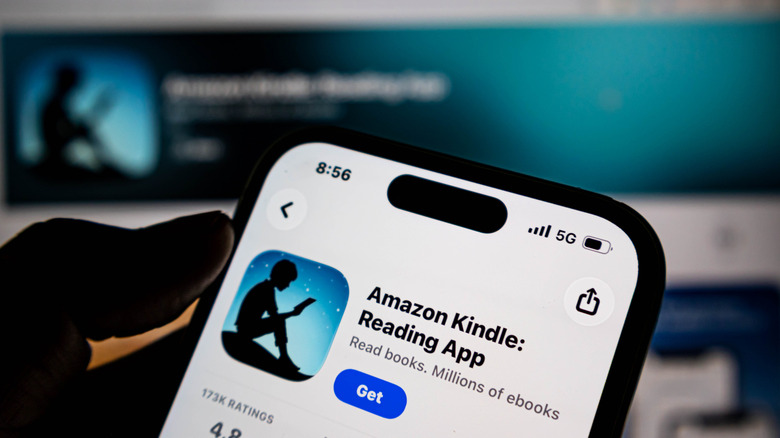
The Kindle App For iOS Has Features Your Aging Kindle Doesn’t

Published

on

Amazon’s Kindle AI features help you read beyond the lines, so long as you have the right ereader.

Amazon is going all-in on bringing artificial intelligence to your reading experience, adding several new smart features to its famed Kindle ereaders. Officially announced in June 2026, the conglomerate frames its AI add-ons as “making it easier to stay immersed in your books” by offering spoiler free recaps and AI assistants capable of bringing context to your reading experience. When combined with your Kindle’s previous smart features, which allowed users to do everything from look up definitions to translate foreign languages, the rollout is indicative of an publishing landscape searching for new ways to incorporate emerging technologies into your reading experience, whether you asked for it or not.

Unfortunately, not every reader will have access to Kindle’s AI infusion. As it stands, Amazon has rolled out its new recap features to newer Kindle devices and American iOS users. However, its Ask this Book AI chatbot will only be available on the the US-version of its iOS Kindle application, for now. Kindles will be receiving the Ask this Book feature later this year. Likewise, both recaps and Ask this book functionalities are expected to come to Android applications by the end of 2026.

The additions come as Amazon pushes users towards newer models of their flagship ereader. Earlier this year, the Seattle company announced it would discontinue support for its earliest Kindle models. To assuage concerns, Kindle assured users that their older models will continue to function. However, users won’t be able to import new titles to their libraries.

Advertisement

In a similar vein, Amazon will not be pushing its latest features update onto its older Kindle models. Instead, the contextual tools will only be available to Kindles released in 2024 or after. With that in mind, the phone application proves a useful workaround, allowing readers to test whether AI functionality is really worth the upgrade.

Previously on Kindle . . .

Amazon pitches its new Recaps functions as something akin to the “previously on …” segments of popular television shows. Readers can seamlessly return to their favorite series without missing a beat through “quick refreshers” of previous installments, including key plot points and character developments. It’s important to note that these recaps are anything but spoiler-free. As someone who judges those that skip to the back of the book, the thought of accidentally reading a recap of a book I’ve yet to devour sends a cold shiver down my spine. Proceed with cautious.

Readers can discover if Recaps are available for their favorite series in both their Kindle and iOS app. If using your ereader, simply visit the series’ page in your Kindle Library and select the “View Recaps” button above the listed books. From there, select the book you’d like a refresher on. You can also select the “View Recaps” via the three dotted menu at the upper righthand corner of your screen. If using your phone, the same option will appear once you select and hold the book grouping in your library.

Advertisement

A new addition to Recaps’ functionalities is Amazon’s Story So Far feature, which allows readers the option of receiving spoiler free summaries “tailored to your current position in the story.” American users can access the feature on all Kindle Scribe devices, as well as any Kindles, Kindle Colorsofts, or Kindle Paperwhites released in 2024 or afterward. Readers married to their older Kindle products can access the upgrade through the iOS app.

It’s important to note that these updates are not available for all Kindle books. To learn whether your read is included in the “thousands of best-selling English-language eBooks” eligible for Amazon’s newest feature, look for the “Read recap” button when you press and hold a book in your Kindle. To access the feature while reading your book, tap the three-dot menu at the top right corner of the screen.

Advertisement

Your new AI reading assistant

A new AI assistant will be added to your reading experience. In its press release, Amazon states that its chatbot, dubbed Ask this Book, will instantly answer “questions about plot details, character relationships, and thematic elements without disrupting your reading flow.” Although these responses will be tailored to your current place in a story, users can also ask the chatbot about the entirety of the book. You can also ask text-specific questions by highlighting passages in your Kindle. 

Ask this Book is available on Kindle’s iOS application for US customers. The chatbot will be extended to Amazon’s newer Kindle devices and Android OS app by the end of 2026. But not all books are eligible for the tool. To learn if your text is within Amazon’s AI tutor’s wheelhouse, simply highlight any selection of text in your book, where you will see an “ask” symbol besides features like “highlight,” “look up,” “copy” and “note.”

Users can access their Ask this Book assistant in one of several ways. First, you can find the feature in the application’s in-book menu. You can find the chatbot in your in-book menu, or access it whenever you highlight a passage in your selected text. From there, tap “ask” and a prompt of suggested questions will appear on the bottom of your screen. You can also type your own question in the grey space below. From there, you can interact with your book assistant exactly like you might any chatbot.

Advertisement

A controversial new feature

Unsurprisingly, Amazon’s latest AI features have sparked controversy, as authors, publishing houses, and readers alike criticized the conglomerate for potential copyright infringements. As the Authors Guild points out in a statement, Amazon did not receive prior licensing permission from authors and their publishers to include their work in its chatbot feature. As the Guild argues, the addition of AI features “turns books into searchable, interactive products akin to enhanced ebooks or annotated editions—a new format for which rights should be specifically negotiated.” 

Amazon, for its part, responded to the Authors Guild by stating that Ask this Book “only uses content from the book as a prompt,” rather than to train its underlying LLM. Amazon also noted that the function serves as “a natural language expansion of the search functionality that already exists in Kindle apps and for which no license is required,” likening Ask this Book to the internet searches users make throughout their reading processes.

As it stands, authors and publishers have no control over whether their books are included in Amazon’s chatbot toolkit. In response to the publishing industry newsletter Publishers Lunch, an Amazon spokesman said that the conglomerate did not provide the ability to opt out of the tool in order to maintain “a consistent reading experience.” Moreover, Amazon’s dominance of the ebook market further constrains author’s ability to opt out of the feature, as Amazon holds an estimated three quarters of the ereader market. On balance, the Authors Guild said the feature “sets a dangerous precedent for the future of licensing for AI features.”

Ultimately, the controversy speaks to the ongoing legal battles raging throughout the AI space. Will authors be compensated for their role in AI models? Or will it simply be considered the cost of doing business in an ever-changing ebook landscape? No matter where you fall on the issue, Amazon’s latest AI features reflect the forces shaping the next era of book publishing. Whether Amazon’s customers feel that the benefits of AI are worth the moral ambiguity it engenders will remain center stage.

Advertisement

Source link

Continue Reading

Tech

Audio Advice Buys Miami’s Sound Components in Major South Florida Expansion

Published

on

Audio Advice is not merely adding another pin to its map. Following its acquisition of The Sound Room in St. Louis and plans for a new Las Vegas location, the Raleigh-based retailer has acquired Miami’s Sound Components, extending its reach into another affluent, design-conscious market where custom installation, serious two-channel audio, and luxury home theater can all coexist under the same very expensive roof.

Founded in 1978, Audio Advice has grown from a respected regional specialist into one of America’s most influential audio and home theater retailers, combining deep technical knowledge, award-winning showroom experiences, a substantial e-commerce operation, and its increasingly prominent Audio Advice Live Home Audio & Video Experience.

The strategy is becoming difficult to miss. Audio Advice is acquiring established retailers in markets with wealth, luxury real estate, population growth, and a customer base willing to invest in properly designed entertainment spaces rather than another soundbar mounted beneath an oversized television. St. Louis brings a respected Midwest foothold, Las Vegas offers access to one of the country’s most active luxury-development markets, and Miami places the company directly in the path of South Florida’s continuing appetite for high-end residential technology, along with its far friendlier tax environment.

Just as notable is where Audio Advice is not expanding: the Northeast. That is not an empty market, but it is a more mature and fragmented one, crowded with legacy dealers, entrenched relationships, and expensive suburbs. Miami, Las Vegas, and St. Louis offer a different kind of opportunity: recognizable local brands, room to scale, and markets where the next generation of high-end AV customers is still arriving.

Advertisement

The addition of Sound Components to its portfolio means another dealer and installation powerhouse has joined the growing Audio Advice “empire,” which now includes company stores in Raleigh, Charlotte, and Wilmington, North Carolina; Nashville, Tennessee; and St. Louis, Missouri, formerly known as The Sound Room.

The Las Vegas location represents Audio Advice’s first move into the growing Southwest. With Phoenix and Scottsdale continuing to attract affluent residents and luxury development, can an Arizona location be far behind?

bill-petters-scott-newnam
Bill Petters (left) with Scott Newnam (right)

For over five decades, Sound Components has delivered superb audio, video, and personalized service to our clients,” said Bill Petters, president of Sound Components.I’ve known the Audio Advice team for decades. Their national reputation, customer service, software systems, and worldwide YouTube, social media, and website following are best in class. These resources and access to additional product lines will enable our team to bring even more value to our loyal customer base.

We are thrilled to welcome Sound Components into the Audio Advice family,” said Scott Newnam, CEO of Audio Advice. “I’ve admired Bill and the team at Sound Components since I met them nearly two decades ago. Our shared value of excellence and passion for delivering happiness make this a natural partnership. Together, we will continue to raise the bar for what customers can expect from an audio, video, and automation company.”

Advertisement

Sound Components will continue operating from its South Miami location, with its current team providing the same level of service and expertise, now under the Audio Advice umbrella. The showroom is expected to double in size, allowing customers to experience even more lighting, shades, audio, video, and home theater solutions firsthand. Customers will also gain access to Audio Advice’s nationwide team, award-winning online resources, design tools, and expanded product lines.

Audio Advice Live 2026 Banner

The Bottom Line 

Audio Advice’s acquisition of Sound Components matters because it signals that the high-end AV business is becoming more organized, better capitalized, and more geographically ambitious at a moment when affluent homeowners are spending heavily on custom installations, dedicated theaters, whole-home control, lighting, shading, and serious two-channel systems.

For customers in South Florida, the immediate benefit should be broader product access, a larger showroom, deeper technical resources, and the continuity of a local team that already understands the market. For manufacturers, it creates another powerful retail and installation partner with the scale to support complex demonstrations, dealer training, national marketing, and long-term customer service.

Advertisement. Scroll to continue reading.
Advertisement

The broader industry impact is harder to ignore. Independent specialists remain essential to high-performance audio and custom integration, but the cost of operating a serious showroom, retaining capable installers, and supporting increasingly complicated smart-home ecosystems is not getting any cheaper. Audio Advice is building a larger platform around respected regional dealers rather than trying to replace their local expertise with a corporate logo and a call center.

Its growing footprint across the Southeast and Midwest, the forthcoming Las Vegas location, and the continued expansion of Audio Advice Live suggest a company looking well beyond Raleigh. Whether the next move is Phoenix, Scottsdale, or another luxury-growth market remains to be seen, but Audio Advice is clearly positioning itself as one of the most consequential brick-and-mortar high-end audio, home theater, and custom-installation retailers in America.

That expansion also raises a larger question: could Audio Advice Live eventually become a regional event platform rather than a single Raleigh-area destination? Florida already has an established audio show in Tampa, but South Florida is a very different market. A Miami, Fort Lauderdale, or Palm Beach-area event would sit far enough from Tampa to attract a large and affluent audience from Palm Beach, Broward, and Miami-Dade without merely duplicating what already exists on the Gulf Coast.

Las Vegas presents a similarly intriguing possibility, with the potential to draw customers and industry partners from Nevada, Arizona, Utah, and Southern California. Audio Advice has announced no such plans, but its growing retail footprint makes the prospect more credible than idle trade-show speculation.

Advertisement

For more information, shop Audio Advice online now.

Source link

Advertisement
Continue Reading

Tech

Your Samsung Galaxy S26 Ultra Can Take Better Photos by Changing Just a Few Settings

Published

on

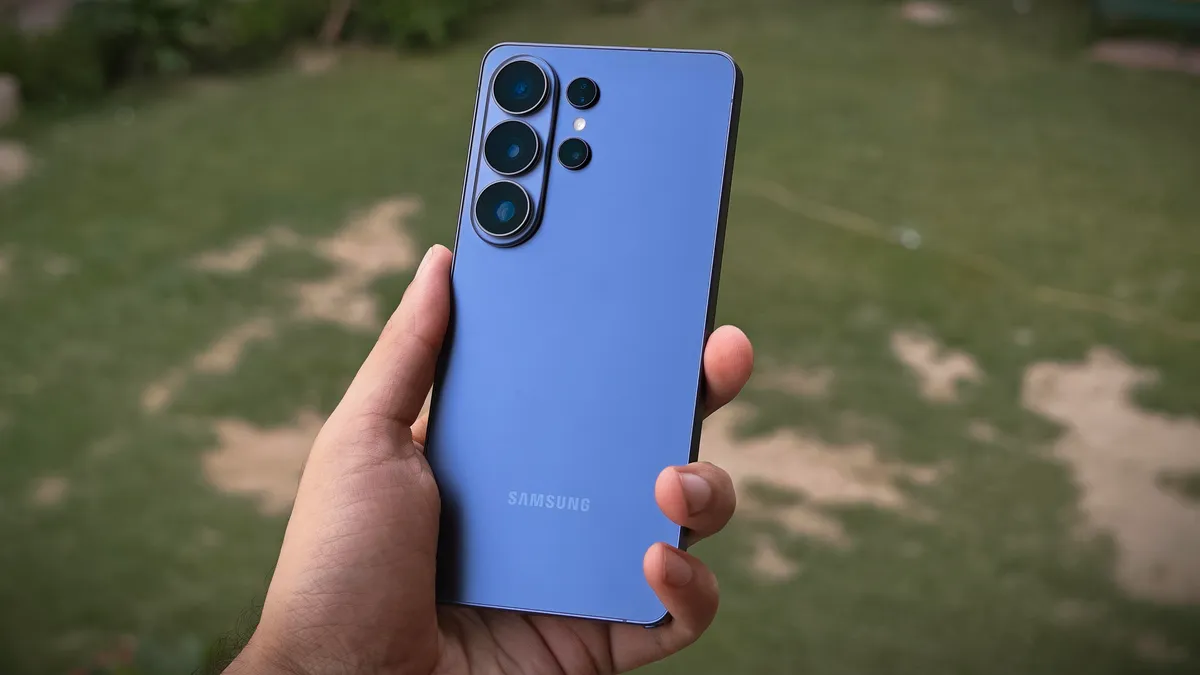
The Samsung Galaxy S26 Ultra is one of the best phones you can buy in 2026, and if you already own one, I have some positive news for you: Your phone can take better photos than it does right now.

Samsung added a larger aperture (on two sensors) and upgraded its camera processing to fare better against Apple’s iPhone 17 Pro this year. However, if you haven’t played around with the settings, you aren’t making the most of Samsung’s new upgrades.

The Galaxy S26 Ultra has a versatile camera system, but the default settings might not work for everyone. They didn’t for me. So I took a deep dive into the buried menus and found ways to improve the shutter speed, reduce compression and trigger the 24-megapixel processing pipeline, among other things. If you aren’t satisfied with the image quality on your Samsung phone right now, I recommend taking a look at these options in the Samsung Camera Assistant.

Advertisement

Locate the Camera Assistant settings

Camera Assistant settings on the Galaxy S26 Ultra.

Change these Camera Assistant settings to get the most out of your Galaxy S26 Ultra cameras.

Prakhar Khanna/CNET

The Camera Assistant on Galaxy smartphones is a Good Lock module (essentially like a plugin). It adds additional settings to the default Camera app. For the longest time, Samsung didn’t preload these settings on its flagship phones, but things have changed with One UI 8.5 on the latest Samsung flagships. You can now find the Camera Assistant settings within the Camera app.

To find these additional settings:

Advertisement
  1. Open the Camera app.
  2. Tap on the four-dot icon to get the menu.
  3. Tap on Settings.
  4. Scroll to the Camera Assistant. Tap on it.
  5. It’ll take you to the Samsung Galaxy Store with a pop-up for Camera Assistant. Tap on Install.

However, if it is not present here, you’ll need to install the Good Lock app through the Galaxy Store. Search for Camera Assistant and download the module from there.

Once located, you’re now ready to take control over the processing and camera performance. Several of these options aren’t objectively better than the other, but here’s what I recommend changing and which setting could fit in what scenario.

Use all those megapixels

Camera Resolution setting in the Galaxy S26 Ultra's camera viewfinder.

Changing to 24-megapixel mode will give you better photos in all scenarios.

Prakhar Khanna/CNET

The Galaxy S26 Ultra has a 200-megapixel main camera, but it defaults to 12-megapixel photos out of the box. While these photos are small in size, you won’t get the same amount of detail and clarity as higher-resolution modes. I don’t recommend capturing everything in 200-megapixel mode, either – it is slow and will eat up your storage quicker than anything else.

Advertisement

I’ve found the 24-megapixel mode to be the best of both worlds. It can take quick snaps and get sharp results simultaneously without having a large file size.

The best part is that Samsung upgraded its processing to capture 24-megapixel resolution photos even in digital zoom.

24-megapixel image in 9.2x zoom (213mm).

Prakhar Khanna/CNET

As a result, you get 24-megapixel shots on three camera sensors, including these zoom ranges: 0.6x to 0.9x for ultrawide, 1x to 1.9x for the main and 5x to 9.9x for the periscope telephoto camera.

The 10-megapixel 3x tele sensor misses out on this feature due to its lower resolution and the main camera defaults everything from 2x to 2.9x in 12 megapixels, despite using a higher resolution mode.

The 24-megapixel vs 50-megapixel shot: The 50-megapixel mode photo (right) is about 900 KB larger, but it doesn’t give you objectively more detail or clarity.

Prakhar Khanna/CNET

I suggest you change the default resolution to 24-megapixel mode because it is enough for almost all scenarios. The only time I’ve noticed a difference was while capturing neon lights in each mode. The former artificially brightens the whole frame, whereas the 50-megapixel mode in 9.2x zoom exposes for the signboards, which results in more natural-looking photos like the example below.

The 24-megapixel vs. 50-megapixel shots at 9.2x zoom: In both photos, I tapped on the Star Wars sign to focus. The 50-megapixel mode processed it better than the 24-megapixel mode.

Prakhar Khanna/CNET

For most of the other scenarios, 24-megapixel mode remains the sweet spot and here’s how you can make it the default resolution for your Galaxy S26 Ultra photos:

  1. Go to the Camera Assistant.
  2. Scroll down to find the Photos settings.
  3. Tap on 24 MP resolution
  4. You’ll see two settings: 24 MP in Photo mode and Keep 24 MP resolution. Turn on both of them.

While you’re at it, these are the settings to change under the Camera Assistant settings if:

Advertisement

You want full control over lenses

Galaxy S26 Ultra's camera viewfinder.

Disabling Auto Lens Switching will give you more control over the cameras on Galaxy S26 Ultra.

Prakhar Khanna/CNET

You need to disable Auto Lens Switching. By default, the Galaxy S26 Ultra camera system automatically switches between the four rear cameras based on the lighting, the phone’s distance from the subject and zoom range.

It isn’t the smartest decision to rely on your phone’s smarts. For example, when you take the phone close to the subject for a macro shot, it takes a few seconds to land on a usable lens based on your distance. In this time, the moment could be lost.

Advertisement

You can instead decide on the lens you want to use, get close to the subject and take the photo, without any automatic lens switching. All you need to do is turn off the Auto Lens Switching toggle under the Lens and Zoom option.

You need more accurate skin tones

Photo Softening turned off (left) vs. Photo Softening set to high (right).

Advertisement

Prakhar Khanna/CNET

Samsung phones can oversharpen skin tones, especially under artificial lighting conditions. If you’re not a fan of the processed look, you can opt for softer skin tones by going to the Photo Softening option under the Photos menu and setting it to Medium or High.

In the above two shots, you can notice how the left image (with Photo Softening turned off) has a stronger black point and shadows. In comparison, the shot on the right (with Photo Softening turned to High) has a more natural feel to it. My skin and beard still have similar details in both shots, but I prefer the softer, less processed photo on the right.

What else?

Adaptive Pixel and Upscale Digital Zoom turned off (left) vs. both settings turned on (right). Notice the complications on the watch — the left one has sparkles, which aren’t visible on the left photo.

Prakhar Khanna/CNET

By default, Samsung keeps Distortion Correction turned on and Adaptive Pixel and Upscale Digital Zoom turned off. But you should experiment with these settings according to your photos. Turning them on could result in a better-looking shot. For example, when capturing my watch, the default settings couldn’t get the sparkles on the earthphase complication (on the left with Snoopy). However, once I turned on Adaptive Pixel and Upscale Digital Zoom, it was able to give me more details on the dial.

On the other hand, Distortion Correction fixes the bending lines in a photo, which could be caused by lens distortion. So turning it on results in better-looking photos, especially those that involve buildings.

Other than these two settings, I used to recommend turning on Quick Tap Shutter until last year. However, I haven’t seen a noticeable difference in photos with this setting turned on or off on my Galaxy S26 Ultra. Samsung has improved the shutter speed on its flagship this year, but moving subjects can still get a halo effect in default settings. You can slightly improve on this by enabling the Prioritize Focus over Speed toggle (located under Focus).

Advertisement

Tinkering around with these settings has helped me make the most of the camera in my pocket. I hope they’ll improve your photo-taking experience on the Galaxy S26 Ultra, too. I also suggest exploring the filters present in the viewfinder and trying to create your own, according to your taste. It is fun!

Watch this: Which Phone Takes Better Photos? iPhone 17 Pro Max vs. Galaxy S26 Ultra

Source link

Advertisement
Continue Reading

Tech

Why Do Some Engines Require Higher Octane Fuel?

Published

on


Octane really is just a measure of how well fuel resists lighting itself under pressure. Some engines need to run on fuel that that offers more resistance than others, specifically the kind that run a high compression ratio. These are engines where the piston jams the air and fuel mixture which much more force, and does so in a far smaller space than regular engines. Even turbocharged engines love premium gas even if they don’t require it, since higher-octane fuel works well with the additional airflow a turbo feeds into the engine’s cylinders.

Either way, in such engines, the pressure and temperature inside climb way up. As they increase, it becomes easier for low-octane fuels to ignite early.  Higher octane gas is designed to cushion against this phenomenon, which is called knock. When a stray pocket of low-octane fuel combusts early, this causes the cylinder pressure to jump sharply and unevenly. Inside the engine, the process acts like tiny hammers pounding away at the protective film of the piston, causing the full heat of combustion to reach bare metal. In the long run, knocking can lead your engine to seize, which is hard to fix. Most of the time, though, avoiding engine knocking is as easy as switching to the octane level your engine is actually designed for.

But why even build an engine that’s so picky in the first place? Well, higher compression ratios have a range of benefits, and they all have to do with the fact that they are able to squeeze more energy out of the exact same amount of fuel. This results in greater thermal efficiency, which in turn gets you more power and better mileage.

Advertisement

High-octane gas only benefits high-compression engines

The catch with higher octane fuel is the higher price you pay for it. Even the high-compression-ratio engines themselves that depend on it often require heavier-duty components and advanced engine-management electronics. So it makes sense that the cars with such engines are the performance ones – like sports cars and anything turbo/supercharged. And it’s not just cars either, since plenty of sports motorcycles, supercharged jet skis, and of course, prop airplanes, call for it too.

Now since higher octane can bring better performance, you might be tempted to use that fuel in a car labeled with a lower octane rating. You shouldn’t, though, but not because doing so would be unsafe. The downside is that you’ll be paying for a more expensive fuel option that buys you nothing if your car doesn’t need it. Premium-octane fuel is more expensive, since topping off a regular-sized tank with high-octane gas costs roughly 12 dollars more than regular unleaded fuel. Do that every week, and that “small” $12 difference can pile up fast. Meanwhile, premium and regular gas pack roughly the same chemical energy, so it’s not the fuel that nets you extra horsepower — it’s the ability to handle extra compression that gives you the performance boost.

Advertisement

That said, going the other way can actually hurt. Drop low-octane gas into an engine that requires premium and you risk damaging it over time. You might even void the warranty in some cases. However, the good news is that many modern cars have built-in safeguards. They include equipment like knock sensors, which help your car’s electronics to tweak the engine’s ignition timing depending on the fuel the engine is being fed. This aids to avoid knocking caused by low-octane fuel.


Advertisement

Source link

Continue Reading

Tech

Weekend Apple sale on Amazon cuts up to $650 off Macs, iPads

Published

on

Prime Day 2026 may be over, but you can save up to $650 across Apple’s Mac, iPad, AirPods, and AirTag lines.

Prime Day 2026 may be over, but aggressive deals still remain in effect across Apple hardware, especially considering Apple raised prices on Macs and iPads on Thursday. Save up to $650 on Apple devices during the weekend sale.

Shop Apple deals on Amazon

Top Apple deals

AirPods 4 $99, AirPods Pro $179

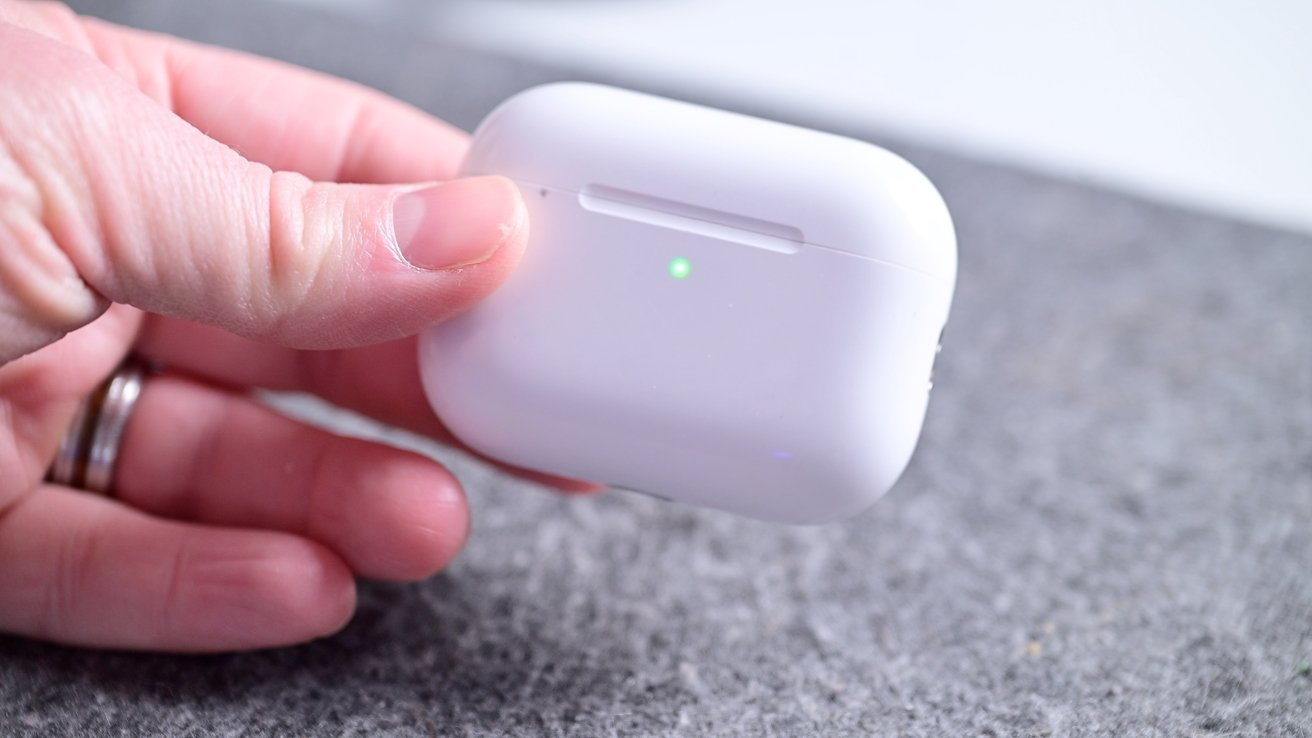
Hand holding AirPods Pro 3 wireless earbuds charging case on a gray surface, with a small green light glowing on the front of the case.

AirPods Pro 3 are still discounted to $179 after Prime Day.

Advertisement

Amazon’s Prime Day AirPods sale prices have remained in effect this weekend, with AirPods Pro 3 a top choice at $179.

Weekend AirPods deals

AirTag 2 on sale from $24

Dark gray backpack on the floor with an Apple AirTag 2 in a brown holder clipped near a side pocket, showing part of the shoulder strap and soft background cushion

Apple’s AirTag 2 has received the first material discount for Prime Day.

The first material discounts on Apple’s second-generation AirTag have been extended.

AirTag 2 Prime Day deals extended

iPads up to $350 off

iPad Air M4 standing upright on a table, flanked by two small cartoon-style plant pots and resting on a smartphone, with a softly blurred purple and blue background

Amazon has steep discounts on iPad Air and Pro models.

Advertisement

You can score deals of up to $350 off in our iPad Price Guide.

Save up to $350 on iPads

Today’s top iPad deals

Apple Pencil markdowns

Apple Watch Series 11 $279

Close-up of the back of an Apple Watch Series 1 with circular sensors and text around the edge, attached to a perforated light-colored sports band held by a hand

Apple Watch Series 11 prices have dipped to as low as $279.

Multiple Prime Day Apple Watch deals have been extended, including the Series 11 for $279 ($120 off) and the Ultra 3 for $649 ($150 off).

Advertisement

Buy Apple Watch S11 for $279

42mm Apple Watch Series 11

  • 42mm Apple Watch Series 11 GPS (Aluminum Case, Sport Band): $279 ($120 off)
  • 42mm Apple Watch Series 11 GPS + Cellular (Aluminum Case, Sport Band): $379 ($120 off)
  • 42mm Apple Watch Series 11 GPS + Cellular (Titanium Case, Milanese Loop Band): $609 ($140 off)

46mm Apple Watch Series 11

  • 46mm Apple Watch Series 11 GPS (Aluminum Case, Sport Band): $309 ($120 off)
  • 46mm Apple Watch Series 11 GPS + Cellular (Aluminum Case, Sport Band): $399 ($130 off)
  • 46mm Apple Watch Series 11 GPS + Cellular (Titanium Case, Sport Band): $569.97 ($180 off)
  • 46mm Apple Watch Series 11 GPS + Cellular (Titanium Case, Milanese Loop Band): $639 ($160 off)

Apple Watch Ultra 3 $150 off

MacBooks up to $650 off

Sky Blue Apple MacBook Air laptop half open on a white surface, displaying the black Apple logo on the back, with a soft blue and purple gradient background

Save up to $650 on MacBooks with Amazon’s deals.

While the discounts aren’t quite as steep as Day 1 of Prime Day, Amazon still has the lowest prices on numerous MacBook configurations, which are worth exploring as Apple’s price hikes trickle over to third-party retailers.

Weekend MacBook Air deals

Blowout MacBook Air sales from $789

  • 13″ MacBook Air M4 (16GB RAM, 256GB SSD, Restored): $789 ($210 off) at Walmart

Top 14-inch MacBook Pro discounts

Best 16-inch MacBook Pro sales

  • 16″ MacBook Pro M5 Pro (18C CPU, 20C GPU, 24GB, 1TB, Standard Display, Space Black): $2,649.99 ($350 off)
  • 16″ MacBook Pro M5 Max (18C CPU, 32C GPU, 36GB, 2TB, Standard Display): $3,849.99 ($550 off)
  • 16″ MacBook Pro M5 Max (18C CPU, 40C GPU, 48GB, 2TB, Standard Display, Space Black): $4,349.99 ($650 off)

OLED TVs up to $702 off

LG OLED evo AI TV screen with colorful abstract swirl graphic, bold white text OLED TV DEALS across the screen, and a badge mentioning world's number one OLED TV for 10 years

Save up to $702 on OLED TVs.

Advertisement

Prime Day deals on OLED TVs have been extended as well, with discounts of up to $702 off on models from LG, Samsung, and Sony.

LG OLED TV Prime Day deals

Samsung OLED TV Prime Day discounts

Sony OLED TV Prime Day sale

Source link

Continue Reading

Tech

Amazon, Microsoft face strict EU DMA rules over cloud dominance

Published

on

AWS and Azure are the largest and second-largest cloud computing services in the EU respectively.

The EU wants to designate Amazon and Microsoft’s cloud services as gatekeepers under the bloc’s strict competition regulations.

Amazon Web Services (AWS) and Microsoft’s Azure are the largest and second-largest cloud computing services in the EU respectively, but they do not meet the Digital Markets Act’s (DMA) thresholds for size, user number and market position to be called gatekeepers.

The DMA aims to regulate players in various digital markets by setting responsibilities and banning unfair practices – and the designation is only given to platforms that provide an important gateway between businesses and consumers.

Advertisement

The Commission launched an investigation into the platforms nonetheless last November, arguing that the companies’ cloud services showed “very strong [market] positions”.

In its preliminary conclusion today (25 June), it noted that the two companies already hold the gatekeeper title in other services; Amazon, for its online marketplace and ads, and Microsoft for its Windows operating system and social network platform LinkedIn.

It highlighted their “significant” turnover and investments that “seem to have significantly outpaced” its competitors.

“They both have vast and entrenched user bases and appear to benefit from lock-in effects and high switching costs, in addition to a large ecosystem,” the Commission said.

Advertisement

Meanwhile, AWS and Azure also service a “large proportion” of businesses seeking cloud services due to the surging demand for AI, while holding an “entrenched and durable position in the EU cloud computing sector”, the EU added.

Amazon and Microsoft can refute these claims and respond to the bloc if they want to.

The EU has made concerted efforts in recent years to regulate Big Tech and explore a way out of its heavy reliance on foreign digital infrastructure (nearly all of its DMA-designated gatekeepers across sectors are based in the US, except for TikTok-owner ByteDance and Amsterdam-based Booking.com).

“In Europe, we are increasingly reliant on cloud computing services. From consumers to business large and small, to public administrations,” said EU executive vice-president for clean, just and competitive transition Teresa Ribera.

Advertisement

“These services will only continue to grow in importance, which is why it essential that we ensure a well-functioning and competitive market, and a level playing field for all cloud service providers.”

The Commission launched a similar investigation into Apple Ads and Maps late last year, but concluded in February that the company’s particular services do not constitute a designation under DMA.

Don’t miss out on the knowledge you need to succeed. Sign up for the Daily Brief, Silicon Republic’s digest of need-to-know sci-tech news.

Advertisement

Source link

Continue Reading

Tech

MSI Claw 8 EX AI+, Sony A7R VI, Ray-Ban Meta Optics And More

Published

on

A roundup of recent reviews published by Engadget.

Hot Reviews Summer™ is in full swing, and we’re back with another round of devices that we’ve recently put through their paces. If you’re into gaming handhelds, smart glasses, smart speakers and both pro-grade and vlogging cameras, this week’s roundup is for you. Keep scrolling to catch up on some of the reviews you might’ve missed before the next batch arrives. 

Advertisement

MSI Claw 8 EX AI+

New gaming handhelds are popping up all of the time, and MSI’s Claw 8 EX AI+ made a lasting impression during our tests. It’s expensive, but for the high price you get massive performance, according to senior reviews writer Sam Rutherford. “The Claw 8 EX is a beastly handheld that has pushed mobile PC gaming performance to new highs,” he said. “It just sucks that the price basically makes it off limits to most folks, unless you have seriously deep pockets.”

Advertisement

Sony A7R VI

With Sony’s cameras, you typically have to choose between either speed or resolution. The company hasn’t delivered both in the same model until the arrival of the A7R VI. And that combination, according to contributing writer Steve Dent, makes a near-perfect high-resolution camera. “The A7R VI is Sony’s most impressive camera in years, offering ultra-high resolution images and impressive speed,” he said. “It’s still primarily a portrait and landscape camera, but might tempt action photographers who would love the extra megapixels to crop in on distant subjects.”

Ray-Ban Meta Optics

The Ray-Ban/Meta team-up has delivered several options for the smart glasses crowd, but only recently has the duo given users the ability to grab a pair with prescription lenses. They aren’t cheap, but they do offer a better fit than previous versions. “Ultimately, if you already like Ray-Ban Meta glasses, and you want to use them with your prescription, the Optics line is definitely the most comfortable, premium version you can get,” senior reporter Karissa Bell said. “It’s just a question of whether you can justify what it costs.”

Advertisement

Insta360 Luna Ultra

Insta360 is not only coming for DJI’s grip on the gimbal camera market, but the company beat its rival to the punch with a dual-lens model. The Luna Ultra also offers optical zoom and a clever detachable display, but the most attractive feature (for now) is availability. “The good news is that the Luna Ultra is independently a great vlogging camera,” said contributing reviews writer James Trew. “Insta360 made a great debut into the category and we’re all just waiting to see how DJI responds.”

Advertisement

Google Home Speaker

Google has a new smart speaker for the new Gemini for Home era. Unfortunately, that means we may not know the ultimate usefulness of the plainly named Google Home Speaker for a while. “If you’re someone who already has some Google or Nest speakers and aren’t happy with how the Google Home app and Gemini are working, this new speaker doesn’t change that,” deputy news editor Nathan Ingraham said. “Hopefully Google will continue to improve things on the software front, because the Google Home Speaker does a good job of holding up its end of the bargain.”

Advertisement

XGIMI MemoMind One

If you’re worried AI could ruin your smart glasses experience, look away now. Senior writer Daniel Cooper discovered an awfully creepy AI assistant on the XGIMI MemoMind One glasses, despite the device having several excellent qualities. “The irony is that I actually quite like using MemoMind One as my glasses, because I find having a second screen to be tremendously useful,” he said. “What lets all of this down is the finer margins that just need a little more time in the oven before they’re fully baked. Perhaps that could be a wish the creepy Wishes app could capture and fulfill, deleting itself from the product before it launches.”

Source link

Advertisement
Continue Reading

Tech

The fittest founder in the room got cancer. Here’s how he used AI to fight back.

Published

on

Conno Christou doesn’t leave things to chance. He tracks his sleep with a Whoop band, cross-references it with an Oura ring, and gets nearly 100 biomarkers checked every year. He had been doing the annual bloodwork for four consecutive years, following the protocols of longevity researchers like Peter Attia and Rhonda Patrick. He was optimizing his supplements, his circadian rhythm, his protein intake.

At 35, building his second company, he was as dialed-in on the latest in health research as anyone he knew. His last checkup, in 2025, was green across the board. “It was the best I’d had in years,” he says.

Then, after a workout, his arm swelled.

He didn’t think much of it at first. A week passed before he saw a doctor, who found two blood clots in his veins and scheduled surgery. But the pre-op exams changed everything. A doctor walked back into the room and told him the procedure wasn’t happening.

Advertisement

“We see an 11-by-11-by-8 centimeter mass behind your sternum,” the doctor said.

A biopsy confirmed what Christou had never before even contemplated. He had an aggressive, fast-growing form of non-Hodgkin’s lymphoma — a rare diagnosis affecting roughly one in 420,000 people, caused by a random genetic mutation with no connection to lifestyle, diet, or stress.

The tumor had only existed for about three months. In three more weeks, it would have reached stage four.

“Lucky in my unluckiness,” Christou told this editor this week from his home in Athens, where he lives part time. “It was only found because I went in for something else entirely.”

Advertisement

What followed was an education in the limits of the medical system, and in what a determined patient can do about that with tools now available.

His first oncologist, a renowned specialist, recommended the lighter of two available chemotherapy regimens. Christou booked his first infusion three days out. Then, the night before, he sought a second opinion.

That doctor didn’t hesitate. He recommended the harder regimen — continuous in-hospital infusion, cycling every three weeks across six months — citing Christou’s specific pathology. The lighter treatment carried roughly a 60% success rate for his presentation. The aggressive one brought that number to around 85%. Two world-class doctors. Diametrically opposite recommendations.

“As founders, we hold the wheel,” Christou says of the propensity of many people to accept what they are told — and why more should not. “You hear many things. You don’t have to follow the first advice.”

Advertisement

He didn’t opt to just follow the second advice, either. Over the next two days, he gathered 12 opinions in total — drawing on his professional network, reaching out to hematologists and oncologists in the US and abroad, calling in every favor he could. Eleven to one voted in favor of the harder path. He took it. The decision, he says, didn’t feel brave so much as logical. When the stakes are existential, you collect data.

Over six months of treatment, Christou approached chemotherapy the way he approached building a company: as a marathon of sprints, each of them with a finite cycle, each week filled with data points. He had done a mandatory 25-month military service in Cyprus at age 18 and he borrowed from that experience, too. He was going to be a good soldier, he told himself. Trust the process. Six cycles. Get through it.

He wore his Whoop throughout, and found it remarkably accurate at predicting the days his immune system would bottom out, sometimes flagging them before symptoms arrived. He kept a symptom journal using voice transcription, logging every shift, every side effect, every medication and counter-medication. He narrowed his focus to three variables: sleep, nutrition, and, first and foremost, psychology. (“It moves the needle more than anything,” said Christou. “I never asked ‘why me’ — not once. That question has no useful answer.”)

He fed all of it — blood results, scan data, wearable output, journal entries — into Claude. He’s far form alone in turning to chatbots for medical guidance. A public opinion poll released in March found that a third of American adults now use them for health information and advice. The stories accumulating online suggest that for some patients, AI is delivering what the system couldn’t.

Advertisement

Experts urge caution; Danielle Bitterman, clinical lead for data science and AI at Mass General Brigham, has told the New York Times in recent months that general-purpose chatbots are frequently wrong and “have not been thoroughly evaluated” for personalized diagnoses.

Christou doesn’t disagree. “It didn’t replace the doctors,” he says, but it “helped me ask the right questions.”

For a condition as rare as his — one an oncologist might see once a year — access to a model that had absorbed the full body of medical literature was, he says, simply not the same as a Google search.

That distinction proved critical at the end of treatment. His final PET scan — the imaging used to detect active disease — came back ambiguous. His oncologist began discussing a second line of therapy, potentially radiotherapy, near his heart and lungs. It was an alarming development.

Advertisement

Christou again did his homework. He read that for this specific lymphoma, the false-positive rate on end-of-treatment PET scans is around 60% — a statistic that still astonishes him. “It’s 2026,” he says. “Sixty percent.”

He fed all three of his PET scans and his MRI into Claude, which flagged a known but easily overlooked phenomenon: in patients under 40 recovering from this type of lymphoma, the thymus gland can reactivate after chemotherapy, showing up on imaging as what appears to be active disease. Given his age, his specific scan characteristics, the model put the probability of that explanation at roughly 90%.

He sought three more opinions. The fourth doctor confirmed it: thymus rebound. There was no active disease. No radiotherapy was needed. He was clear.

Christou is still unfolding what the last year has meant, for his health, how he works, and how he thinks about time. He built Keragon, his current company, before any of this happened; it’s an AI-powered platform that helps medical practices automate their administrative operations.

Advertisement

But going through the system as a patient has given him new perspective. He watched nurses and doctors buried under tasks that had nothing to do with care. He received the same chemotherapy protocol as an 80-year-old woman, the side effects managed through a cascading chain of additional drugs, each causing problems of their own. He says he’s certain that we will look back at this era of treatment and cringe.

He takes Sundays off now, mostly. He tries to be present — at lunch with friends, at home with his dog, in conversations that might once have felt like a distraction from work. A VC friend told him something years ago that he said he kept replaying during treatment: Be happy now. He says it’s among the hardest things to do and yet he finally appreciates its importance.

He says he’d be happy to talk to anyone going through something similar to share notes, compare experiences. He seems to means it.

“It’s not happening in 10 years,” he says of what AI can already do for patients willing to use it. “It’s happening today.”

Advertisement

When you purchase through links in our articles, we may earn a small commission. This doesn’t affect our editorial independence.

Source link

Continue Reading

Tech

Asian AI startups launch Mythos-like models as Anthropic’s export ban drags on

Published

on

On Wednesday, Chinese cybersecurity firm 360 reportedly unveiled Tulongfeng, an AI tool it says can go head-to-head with Anthropic’s Mythos. That’s the cybersecurity-focused AI model that is reportedly so powerful, the Trump Administration has currently banned it and its more restricted version, Fable 5, from the hands of non-Americans.

Earlier the same week Sakana AI, a Tokyo-based AI startup launched Fugu, a model named after the Japanese word for blowfish. The company says this frontier AI model “stands shoulder-to-shoulder with leading models like Anthropic’s Fable 5 and Mythos Preview.” It is also designed for agents, with an ability to orchestrate access to other models though their APIs.

The two new Asian model products come as the U.S. government’s ban drags on. It’s order that prevents Anthropic from global access to Mythos and Fable occurred two weeks ago.

A spokesperson at Sakana AI told TechCrunch that release of its new model was “entirely coincidental,” yet that hasn’t stopped it from capitalizing on the moment. It’s website advertises “delivering frontier capability without the risk of export controls.”

Advertisement

“Sakana Fugu is something we have been building since last year — the research behind it was presented at ICLR this spring, and it reflects an approach that is central to how we deliver frontier-level value at Sakana AI. We were confident in the product on its own merits; the timing simply happened to coincide with a moment that brought it more attention than we expected,” the spokesperson said about launching during the Mythos/Fable export ban.

Sakana, co-founded in 2023 by former Google researchers Ren Ito,  Llion Jones and David Ha, makes affordable generative AI models that work well with small datasets and are optimized for the Japanese language and culture.

While the company is targeting Fugu at Japanese businesses and government agencies looking to reduce their exposure to tightening export controls, it isn’t yet proclaiming a lasting shift away from U.S. AI in Asia.

“U.S. models remain important to Asia,” the spokesperson said, a view consistent with remarks co-founder Ren Ito made at the G7 summit in Evian last week, where AI access and export controls were one of the central topics. “We’d characterize the current moment in those terms rather than as a permanent realignment toward any one set of players.”

Advertisement

Sakana co-founder Ren Ito elaborated on that view in an op-ed published in the Project Syndicate last week. He urged the US federal government, that consider that its “first priority should be to preserve access,” for America’s closest allies, and argued that “AI should not become a technology that is hoarded; it should be one that is developed together.”

David Ha, co-founder and CEO of Sakana, described Fugu as more than just a land grab during a vulnerable moment for a US competitors. It is designed to coordinate agent usage among many models.

“Orchestration Models are the next frontier, beyond bigger models,” he wrote on X. Relying on a single provider for national infrastructure, he argued, is a risk the recent export controls made impossible to ignore.

“Access to top models can disappear overnight,” he wrote. “Collective intelligence is the practical hedge against this concentration of power.”

Advertisement

While Tokyo-based Sakana positioned Fugu as a hedge strategy, a way to preserve access to frontier AI, not replace it, China’s 360 wasn’t hedging.

The Chinese firm reportedly unveiled two AI security tools. Tulongfeng is designed to automatically discover software vulnerabilities, and Yitianzhen is built to automate cyber defence and incident response.

The product launch, however, came with a message. According to Reuters, 360’s founder Zhou Hongyi described vulnerability-finding AI as a national strategic asset, and flagged what he called the risk of “one-way transparency”, a situation in which some actors could access advanced vulnerability-detection capabilities while others could not.

Anthropic had been on a historic growth trajectory. The US AI lab said its run-rate revenue crossed $47 billion in May 2026. How much of that depends on Asian enterprise customers is not publicly known.

Advertisement

But in the weeks since the export order took effect, at least two companies, one in Tokyo, one in Beijing, have stepped into the space it left behind. Even if US companies could win back trust should this ban ever end, local alternatives, trained to better understand local language and nuance, are already filling the gap.

360 did not respond to a request for comment.

When you purchase through links in our articles, we may earn a small commission. This doesn’t affect our editorial independence.

Source link

Advertisement
Continue Reading

Tech

The Differences Between Dolby Digital, DTS And Atmos (And Which Is Better)

Published

on

How to decide which of these surround sound formats is best for your home theater.

If you’ve been down the rabbit hole of home theater audio, you’ve likely encountered the world of surround sound audio formats. The two main players, Dolby and DTS, can be found in some of the best home audio gear and each offer multiple standards, and the differences can be opaque at first blush. So, what are the differences between Dolby Digital and Dolby Atmos, and what makes DTS:X unique compared to DTS?

DTS (short for Digital Theater Systems, the name of the company which owns the technology) has been a longtime competitor to Dolby formats, with Dolby first throwing down the gauntlet with Dolby Digital during the early days of home theater surround sound, and now with Atmos as spatial audio takes the cutting edge. Emerging with the move from analog to digital home video, both Dolby Digital and DTS aimed to deliver theater-style surround sound to the living room. DVDs were able to deliver channel-mixed sound using either format, a major boon for those who had invested in home theater systems.

Those early versions are now outdated. With the rise of 3D, object-based mixing, in which each individual sound within a mix can be tracked spatially rather than directed to channels (adding a Z-axis to the previously 2D mix), we now have Dolby Atmos competing against DTS:X. But while both technologies aim to deliver a similar audio experience, they have different pros and cons, as well as different levels of support that can affect which one is the better choice for you.

Advertisement

Dolby and DTS both offer multiple formats

The holy grail of tech is a single specification to rule them all. But in practice, that almost never happens. To accommodate different use cases, both Dolby and DTS offer multiple formats, and differentiating between them isn’t simple. Spatial formats aside (covered further down), the main differences come down to the way each codec compresses the audio stream.

Beginning with traditional, 5.1 and 7.1-channel surround sound, Dolby offers Digital and Digital Plus, respectively. These are both lossy formats, meaning they drop some detail compared to the original audio master. Dolby Digital Plus is the baseline audio format for many streaming services. DTS Digital Surround competes against these, and is also lossy, though slightly less so.

DTS-HD Master Audio and Dolby TrueHD are a step up. Both are bit-perfect, lossless formats, which makes them quite a bit more data-intensive. As a consequence, they are typically included on 4K Blu-Ray discs but not streaming services (this is why audiophiles with expensive home theater setups tend to prefer physical media over streaming). Even so, DTS-HD Master audio is technically more detailed, delivered at up to 24.5 megabits per-second (Mbps) with a sample rate of 96 kHz at 24 bits of depth compared to Dolby TrueHD, which maxes out at 18 Mbps with a sample rate of 96 kHz and 24 bits of depth when in an 8-channel configuration or 192 kHz and 24-bits when in a 6-channel setup. You should not give a single hoot about these differences unless you’ve invested enough money into your home theater sound system to fund a small startup, but if that’s you, DTS-HD is worth pursuing.

Advertisement

Dolby Atmos has strict requirements, while DTS:X adapts

Dolby Atmos has strict technical requirements that can make porting it from a theater to your home challenging. When installing a proper Dolby Atmos speaker setup, you need to mount some of them on the ceiling in order to properly hear the Z-axis of the spatial mix. You’ll need at least two and up to four top-mounted speakers for full height imaging. Soundbars with Atmos from companies like Samsung attempt to circumnavigate that requirement by firing some of their sound toward the ceiling and bouncing the audio waves back down to the listener. But as many have found out the hard way, this requires very flat ceilings without any lighting fixtures, and even then, it can disappoint because your soundbar doesn’t know how high your ceiling is. Ultimately, Dolby Atmos is the best choice for those who can invest in a fully custom multi-channel speaker arrangement configured to Dolby’s precise specifications.

DTS:X is contrastingly adaptable to your needs, partially because it runs on the multi-dimensional audio (MDA) open-source standard —despite itself being a proprietary format. Rather than requiring a specific configuration of speakers, it uses whatever you’re already working with and uses an automatic calibration process to map spatial objects within your existing speaker setup. Additionally, it is not as reliant on overhead sound, and can mix down to a 5.1 or 7.1 setup. This can make it a better choice for unconventionally shaped rooms or for those who cannot afford a full 7.1.4 system. It also theoretically supports unlimited audio objects compared to Atmos’s 128-object limit. While this all makes it sound like DTS:X is the no-brainer choice, we haven’t yet talked about compatibility.

Advertisement

How many speakers do you need for Dolby and DTS formats?

We should briefly touch on speaker configurations, but in general, you can feel free to choose a number of speakers that makes the most sense for you. Both DTS and Dolby formats are highly configurable, though, as alluded to above, Dolby Atmos has relatively stringent requirements. Channel configurations are numerically represented as X.Y.Z, where X represents the number of primary speakers, Y stands for the number of subwoofers, and Z denotes top-mounted height channels. For example, 7.1.4 configurations have seven main speakers, one subwoofer, and four overhead speakers.

Dolby Digital, Digital Plus, and TrueHD are configurable with mono and stereo speakers, as well as 5.1 and 7.1-channel setups. The same goes for DTS and DTS-HD Master Audio.

Advertisement

Dolby Atmos needs at least 3.1.2 channels, which is what you’ll get with most Atmos soundbars (covered below in more depth). For a full speaker array, the most common layouts are 5.1.2 and 7.1.4. However, Atmos is configurable up to a whopping 11.1.8 setup, which will map each object in the mix with maximum precision. There are many other supported speaker configurations for Atmos, so head to Dolby’s speaker setup guide page to see each of those options.

As mentioned above, DTS:X is channel-agnostic, and can adapt to any speaker arrangement you happen to have. If you want both Atmos and DTS:X, prioritize dialing in your perfect Atmos setup, then configure DTS:X after the fact.

Advertisement

Soundbars, surround sound, and you

The technical differences between Dolby and DTS formats pertain mainly to multi-channel speaker setups. However, soundbars are far more popular, since you can simply plop them on your TV console and plug them into your HDMI port. Many soundbars market themselves as supporting Dolby and DTS formats, and there’s a solid chance you clicked on this article hoping to determine whether you’re actually getting the capabilities advertised on the box.

It is self-evidently impossible for a single soundbar to deliver the full-fat experience of being surrounded by speakers, especially when some are supposed to be overhead. Instead, most Dolby Atmos or DTS:X-capable soundbars have a number of drivers which point upward at an angle. In combination with an onboard processor, it blasts sound toward your ceiling, bouncing it back down toward you. It’s a clever workaround, but the spatial effect can be fragile.

Object-based audio from a soundbar with Dolby Atmos or DTS:X requires very flat ceilings without any lighting fixtures, and even then, it can disappoint because your soundbar doesn’t know how high your ceiling is. If your room has flat ceilings with an average height of around 12 feet and no lights or other fixtures to get in the way, soundbars can deliver much more impressive spatial audio than you might assume. But if you’ve got vaulted ceilings, ceiling fans, or hanging lamps, you’ll struggle to hear the immersive effect. Even a popcorn ceiling can cause the sound waves to disperse rather than reflecting back into your ear. If your room is suitable, position the soundbar so that nothing is above it to block the top-firing drivers, and position your couch the same distance from the soundbar as the soundbar is from the ceiling.

Advertisement

Which surround sound format is best for you?

When it comes to choosing between DTS and Dolby formats, high-resolution physical formats like 4K Blu-Ray  often use Dolby Atmos mixing but sometimes use DTS:X. However, if you’re primarily streaming movies, you’ll be getting Dolby Atmos in most cases. With the exception of Disney+, which supports both formats, major streaming services have almost exclusively embraced Dolby Atmos. That includes Amazon Prime Video, Apple TV+, HBO Max, Netflix, and even Paramount+. In theaters, you’ll find Dolby Atmos in auditoriums with Dolby Cinema, versus Imax, which uses DTS sound for home video releases through its Imax Enhanced program (although Imax sound in theaters uses Imax’s proprietary audio format).

If you must choose for whatever reason, prioritize Dolby Atmos support in your audio setup for the broadest possible compatibility. The good news is that most consumers do not need to choose between Dolby and DTS formats. The vast majority of audio receivers and soundbars can handle both.

Ultimately, Dolby Atmos reigns supreme due to its hold over the industry. When assembled to Dolby’s specifications, Atmos can create a magical experience that makes you feel like you’re inside the action, but that illusion can quickly fall apart if you do not or cannot meet its exacting requirements. DTS:X has more limited support but can be much easier to adapt to your room and speaker configuration. 

Advertisement

Source link

Continue Reading

Trending

Copyright © 2025