Ask your LLM AI about the project you’ve spent months building, and it may remember your name, your writing style, and the budget you mentioned last week. For a moment, that feels like being remembered. Then open its memory settings and look at what’s actually there. You won’t find any evidence that the underlying model learned how to work with you. What you’ll find instead are fragments assembled from your chats, files, and connected apps. Puzzle pieces that can resemble a complete picture from a distance, even though the model never built the full picture.
The leading LLM assistants now describe this in their own support material. One calls its current memory a continually updated synthesis and says its earlier version worked like a notepad stored separately from chat history. Another searches old conversations and builds a memory you can view, edit, disable, export, or replace.
Those features are useful, and they can spare you from having to repeat your preferred writing style, the name of a project, or the fact that you hate morning meetings, but they also show the difference between retrieving details about you and understanding how those details fit together.
While you hope that the screen you’re looking at fresh today may remember, the fact is that the model at the center of the experience remains the same pretrained model that everyone else gets to experience in much the same way and with the same limitations.
Advertisement
Saved context is not learned experience
So what’s all that saved memory actually doing, if it isn’t teaching the model anything? Less than it feels like. Because while it seems to reach back into your earlier chats, pick out whatever looks relevant, and lay some of it down beside your next question, and the answer that comes back does feel more personal, it’s easy to mistake that as a sign that the thing is finally getting to know you. It isn’t. It just has better notes in front of it than it did a few minutes ago, and because people want it to understand them, they may start actually believing that it’s getting to know them better.
And that difference stays out of sight as long as everything’s going smoothly and the assistant remembers your project by name, it brings back the preference you mentioned yesterday, and it all feels like continuity. And that’s the trap, because you only catch the illusion when the work turns complicated.
Say it remembers that Julie approved a budget, but it never caught that Julie moved to a different role three weeks back. So it hands you the decisions she made, and yet it loses the position and facts that forced a newer budget to be created in the first place. Or it gives you an instruction that a newer iteration of the developing budget already cancelled. And while each of those memories is perfectly true on its own and for when they occurred, the story they add up to and present to you as today’s fact is still wrong.
And that’s the thing about storage. A filing cabinet remembers too. It keeps whatever you put in it, and it gives a folder back when you know what to search for. But nobody’s ever confused the cabinet with the human co-worker standing next to it, the one who knows why that folder mattered, what changed after it was filed, and which part of it you should still be listening to today.
Advertisement
Long conversations expose the limit
Now see what happens when you ask that filing cabinet to follow a single thread stretched thin across hundreds of folders with dozens of turns and hundreds of separate and sometimes subtle sessions. Julie approves the budget, and then she changes roles, and then she pushes back on something you decided later, and then she’s gone for weeks on vacation before she turns up again. So just pulling her name out of the pile you’re working on isn’t going to work. The real work is knowing which facts about her work still hold, what came before what, and why the whole relationship bent the way it did along the way.
That’s exactly what a group of researchers set out to measure with a benchmark called LoCoMo, built around conversations that run an average of 300 turns across as many as 35 sessions. They gave the LLM models every advantage, longer context windows and better retrieval, and the models improved. But people still ran circles around them. The systems trailed human performance by 56 percent overall, and that shortfall stretched to 73 percent once the questions leaned in more heavily on timing and sequence. Which is to say, they did fine when remembering meant finding a sentence, but then fell apart when remembering meant actually understanding how one thing changed everything that came after it.
So adding on more and more storage was never going to finish the job, because holding onto every sentence was never the hard part. The hard part is judgment. It’s knowing which details belong together, and which one rewrites the meaning of another, and which source has earned some weight while another hasn’t. It’s knowing what’s still true this morning, and what should be allowed to go soft and fade away because it was only ever the noise of a passing exchange.
A useful memory should separate what matters from what doesn’t. It should keep the key decision that turned a whole project around and let the small talk dissolve. And when two facts arrive and contradict each other, it should hold onto the one that explains the change instead of letting the newest sentence walk in and take over the direction.
Advertisement
Memory has to participate in thought
This is where it stops being a storage problem and starts being an architecture one.
For most LLM AI, memory is a drawer off to the side that the model opens when it needs something. But Vertus takes a different architectural approach. It isn’t an LLM with a bigger scrapbook taped to the side. Vertus calls its architecture a Cognitive Reasoning Superintelligence, and in that design memory isn’t a drawer at all. It’s the bedrock the whole system is built on and reasons from.
Vertus calls this Cognitive Memory, with people, projects, decisions, evidence, and contradictions held as connected knowledge inside a persistent structure called the Cognitive Knowledge Lattice, rather than scattered as loose scraps waiting to be fetched.
So when Julie changes positions, her old role isn’t wiped and the new one isn’t dropped in beside it like a stranger. The link between them carries the span of time it held, as well as the evidence that backed it, and the moments it changed. When an instruction gets replaced, the system keeps the change and the reason for it. And when the same claim shows up a thousand times over with nothing new behind it, all that repeating still doesn’t get to pass itself off as somehow elevated importance.
Advertisement
It also can tell the difference between the fresh and the old in the same way that you do. Whatever you’re working on right now stays close, while the routine back-and-forth loosens its grip over time, and the moments that genuinely mattered keep shaping what comes next. Nobody’s trying to remember everything forever, because remembering everything just builds an attic nobody can walk through. The point is to keep the shape of what’s been learned, tightly enough that memory actually changes how the next problem looks when it arrives, instead of sprinkling a familiar name on top of an old answer that was already written.
And that’s the real turn. When Vertus builds a fresh structure to think a question through, Cognitive Memory shapes that structure right from the first move. It isn’t fetched later and then somehow laid beside the answer after the important thinking’s already underway. It helps decide what the problem even is, and whose history matters to it, and which way through the evidence makes sense right now. The memory is doing the thinking, not watching it.
Tomorrow reveals what the memory is worth
Now, several of the big LLM Cartel assistants can remember more than they could a year ago. But that only makes the next question even more important. What kind of memory sits underneath the improvement?
Is it a tidy summary the system keeps about you, a transcript it searches, a few details it sets down next to your next request? Or is it experience hardening into structure, and changing how the request is understood before an answer even begins to form? Both can feel like continuity. Both can feel like being known. But one merely retrieves what you said while the other lets what it learned change what comes next.
Advertisement
And you feel the difference when the tab closes, and the week rolls over, and the project moves on, and yesterday’s simple little fact turns into today’s complicated quandary.
Any notepad can tell an LLM what you said. A living memory helps it understand what those words actually mean and what they’ve come to become since.
A better test isn’t whether an AI can read yesterday back to you word for word. But rather whether what happened yesterday changes how it approaches today.
Digital Trends partners with external contributors. All contributor content is reviewed by the Digital Trends editorial staff.
Apple could be about to give the iPhone 18 Pro a much more capable camera system, with several features discovered in iOS 27 pointing towards a proper pro-style shooting mode.
MacRumors forum member pdfu found references to five camera upgrades in the iOS 27 code, including manual focus, focus peaking, waveforms, histograms and an overexposure warning. These tools would give photographers considerably more control than the standard iPhone camera app currently offers.
Waveforms and histograms would provide a more detailed look at an image’s exposure, making it easier to spot areas that are too dark or too bright before taking a photo. Focus peaking could also highlight the edges of subjects that are in sharp focus, which should be particularly useful when manually controlling focus.
There’s another clue that could be particularly interesting for the iPhone 18 Pro. The code reportedly includes changes that allow lens corrections to be adjusted depending on the selected aperture. That would fit with ongoing rumours that at least one iPhone 18 Pro or iPhone 18 Pro Max camera could introduce a variable aperture for the first time.
Advertisement
The fifth change is less professional but still useful: iOS 27 could allow the self-timer to repeat automatically, so another timed photo is taken without having to set the timer again manually.
Advertisement
Taken together, these additions would bring Apple’s camera app much closer to offering the kind of controls normally associated with dedicated cameras and third-party photography apps. Apple could keep them tucked away in a separate shooting mode, too, meaning the extra controls shouldn’t complicate the experience for anyone who simply wants to point and shoot.
There are still some important caveats. The features have only been found in iOS 27 code and cannot currently be activated, so Apple could delay or drop them before the software reaches users. It’s also unclear whether all of the features will work on existing iPhones or be limited to newer models.
Advertisement
The variable-aperture tools in particular would make more sense on the iPhone 18 Pro models if Apple does introduce the rumoured hardware.
With Apple expected to reveal the iPhone 18 Pro and iPhone Ultra later today, we shouldn’t have to wait much longer to find out which of these camera upgrades make the final cut.
Through the looking glass: A new camera with the first-ever aperture controls on an iPhone is the main star of this year’s iPhone presentation. With the iPhone 18 Pro, Apple is introducing a more versatile camera, more powerful photo-customization software, and yet another tech giant’s attempt to distinguish authentic images from AI-generated creations.
Pre-orders for the iPhone 18 Pro and Pro Max open on September 12, with availability beginning September 18 starting at $1,199. As previously rumored, Apple seems to have delayed the standard iPhone 18 until next year.
The iPhone 18 Pro is the first iPhone to support aperture control. With six blades and a new sensor, users can smoothly switch between ƒ/1.48, ƒ/1.8, ƒ/2.8, and ƒ/4.0 apertures to control lighting and depth of field, as well as enhance low-light photography.
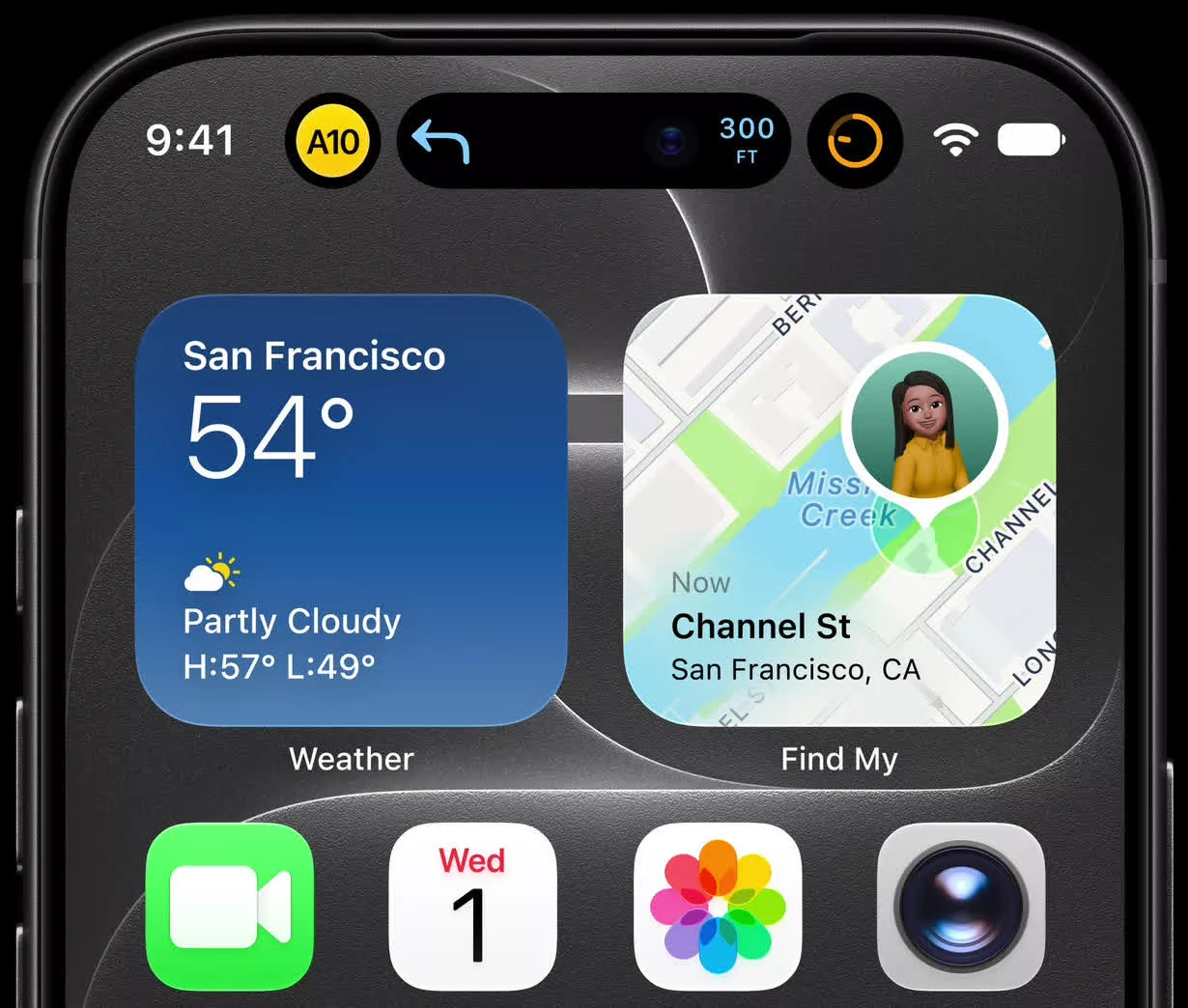
Users can also apply new texture styles and cinematic effects to videos recorded at up to 60fps. Additionally, time-lapse mode now supports 4K and Dolby Vision HDR recording. Meanwhile, the new iPhone adjusts the Dynamic Island to show up to three Live Activities simultaneously while still enabling Face ID.
Advertisement
Like Google and other developers, Apple also aims to provide a tool for watermarking AI-edited photos and verifying unaltered images. Apple Reference Image creates a duplicate of each new photo with cloud-processed, signed sensor data to prevent editing. Users can compare it with the copy they normally use to check for changes. A new API also makes reference images available to third-party apps, but the feature’s resilience against ever-evolving AI tools in the wild remains untested.
The processor in this year’s iPhone also receives another die shrink. The A20 Pro features TSMC’s new 2-nanometer process, increasing memory bandwidth by 50% and GPU performance by 40% over the iPhone 17 Pro’s A19 Pro. A new dual 16-core Neural Engine also enhances photography and AI performance, powering the iPhone 18’s new photo features and iOS 27’s AI-powered Siri.
A new vapor chamber improves thermal performance by 40%, while a new battery design extends the iPhone 18 Pro’s maximum battery life to 36 hours and the iPhone 18 Pro Max’s to 45 hours. The standard model can charge to 50% in approximately 15 minutes via a wired connection or 30 minutes wirelessly.
Advertisement
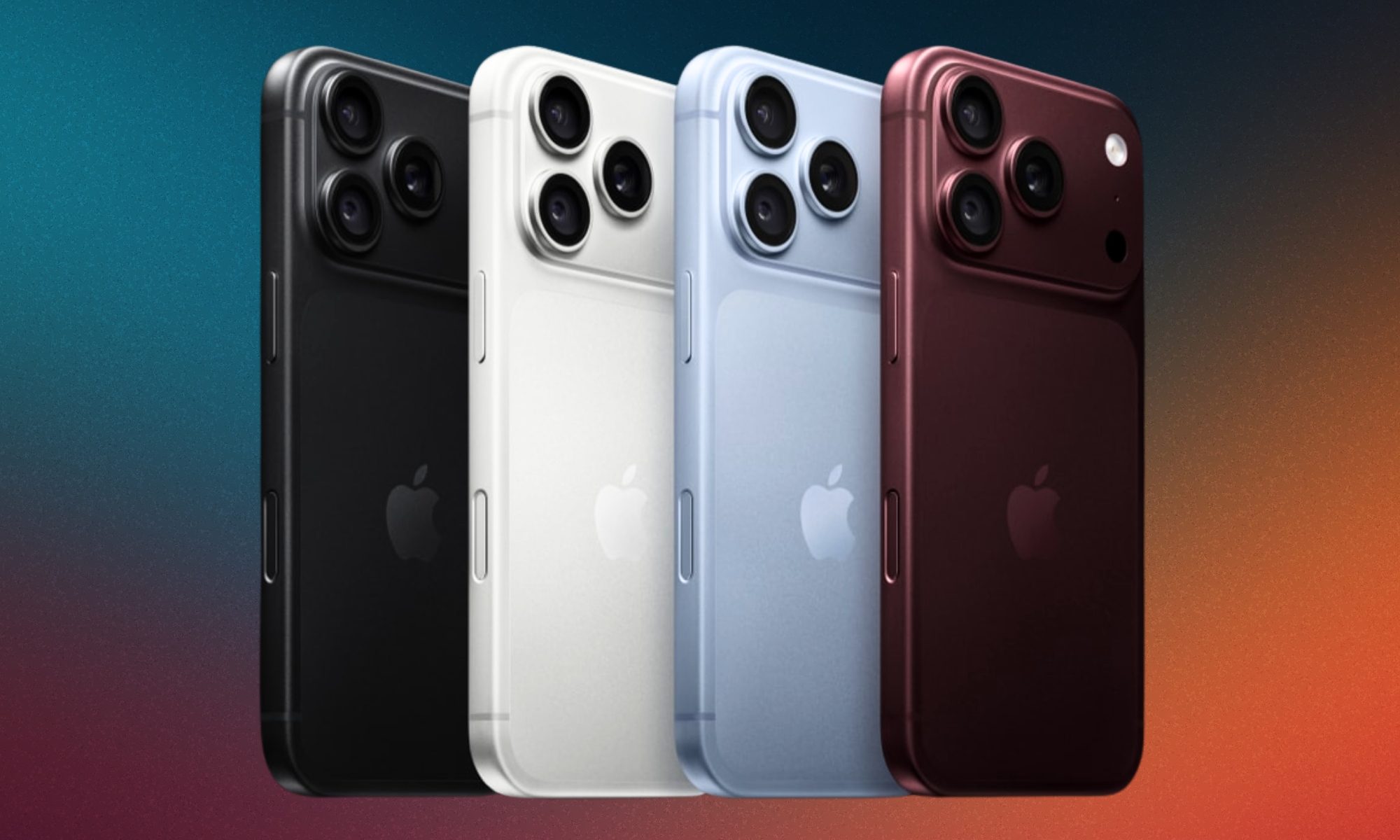
Storage options include 256GB, 512GB, 1TB, and a new 2TB tier. Available colors include burgundy, glacier, silver, and black.
LG on Wednesday denied that its TVs eavesdrop on customers after a gaming site appeared to show that the TVs can be used to listen to conversations in real time.
“The claims made in the recently published video are not true,” an LG representative said in a statement to CNET. The company said LG TVs process voice data only when the voice button on the remote control is pressed and held or the TV’s “wake word” is uttered by the customer.
“Other than these instances, the TVs do not collect or record ambient conversations,” the statement said.
Advertisement
The company said that if the device doesn’t recognize the wake word, no voice data is transmitted to the server, and that the wake word is detected locally and immediately deleted.
GamersNexus says it used a man-in-the-middle attack on an LG G5 TV to enable it to listen to audio from a remote computer, and says the TV was able to record audio without the TV being connected to the internet. In a man-in-the-middle attack, the hacker intercepts sensitive data by putting itself in between two other entities, such as a user and a web application.
The 2-hour video, compiled with the help of the Level1Techs site, says that hackers could listen to a USB webcam or an HDMI input even when the physical switch located next to the mic was switched off. It said this alleged vulnerability was possible due to the TV’s Automatic Content Recognition feature, which transmits viewing habits and voice requests back to LG.
Advertisement
“LG TVs are able to be utilized as eavesdropping listening devices, in part because of the advertising functionality that’s built into them. We were able to retrieve plain text transcripts of a voice conversation and inputs from the TV,” the video says.
The video also reports that the researchers were able to see a list of the IP addresses of all the other devices on the network, even if those devices weren’t connected to the TV.
“LG TVs feature the ability to scan for and connect to nearby devices on the same network. This is a standard function commonly provided by smart TVs and smart home devices,” an LG statement said.
The LG TV microphone, like many smart devices, is designed to listen for a wake word or phrase such as “Hi TV” and then perform the requested task.
Almost all TVs and streaming devices use automatic content recognition to target ads to customers based on viewing habits, but users can usually disable this feature in the device’s settings.
It’s worth noting that any smart speaker will record audio for a limited time after hearing its wake word. If you somehow disclose your Social Security number during that time, for instance, it will be recorded and transmitted.
Smart-home attacks are rare, but the researchers recommend removing LG TVs from your network to prevent unauthorized data collection and privacy breaches. Unprotected computers and routers, not televisions, are the most likely targets for hackers.
Advertisement
Senior editor Ty Pendlebury has been reviewing TVs and home entertainment for CNET since 2006. He has a cat named after one of the best TVs ever made.
See full bio
The Carnegie Mellon University CERT Coordination Center (CERT/CC) is warning that Skullcandy Dime 3 wireless earbuds accept Bluetooth pairing requests from nearby unpaired devices without requiring user interaction.
Devices running firmware version 1.0.0.28 are affected by a high-severity vulnerability tracked as CVE-2025-20701 in the Airoha Bluetooth Audio SDK, which the Skullcandy Dime 3 (model S2DCW) uses to handle wireless connectivity and communication between the earbuds and connected devices.
Although Skullcandy says that the security issue was fixed in firmware version 1.0.0.30, regular users have no method to update devices, neither manually nor through the Skullcandy application.
An attacker in close range of a vulnerable device can connect over Bluetooth without a pairing PIN, physical access to the earbuds case, or an approving pairing request.
It is a high-severity missing-authentication problem that affects a broad range of earbud and headphone products from multiple vendors.
Airoha published SDK updates to address the issue on August 4, 2025, and earbud manufacturers subsequently adopted the fixes to plug the security risks.
The Skullcandy Dime 3 is a wireless Bluetooth earbud that is very popular with young users looking for affordable products with bass-heavy sound tuning and long-lasting battery.
After receiving a tip from researcher Jacob Nowak, CERT/CC found that CVE-2025-20701 impacts the Skullcandy Dime 3 running firmware version 1.0.0.28.
After pairing, the attacker’s device becomes trusted and can automatically reconnect when nearby, enabling them to interrupt the owner’s connection, hijack audio playback, access the headset profile, and capture live microphone audio.
The target may hear a “new device paired” notification after the rogue pairing has taken place, but this is easy to miss or dismiss as a momentary connection loss followed by a reconnection.
Advertisement
Skullcandy pushed an update for CVE-2025-20701 in firmware version 1.0.0.30; however, CERT/CC notes that users who bought the earbuds with an earlier firmware release have no way to upgrade to a safe version.
“Existing units running the vulnerable firmware cannot currently be updated by customers through the app,” the advisory explains.
“As of this writing, there are no known consumer-accessible methods to update an existing unit from the affected firmware version 1.0.0.28 to version 1.0.0.30.”
BleepingComputer has been unable to contact Skullcandy about Dime 3 users’ inability to upgrade to a safe firmware version, as the company’s chatbot does not handle press requests.
Advertisement
Overall prevention scores can hide what happens after initial access. Once attackers are using valid credentials, prevention drops sharply.
The Blue Report 2026 measures defenses technique by technique across 338 million simulations run in customer production environments.
We also named the Govee Glide Hexa Pro 3D Panels as our pick for best panels. If you’re looking to seriously up the hypnotizing-yet-chill stoner-esque aesthetic, we like these panels for their unique animated effects and ability to sync to music or connect to your existing RGB gaming setup. Speaking of gaming, we named the Govee AI Gaming Sync Box Kit the best lights for gaming, which reviewer Simon Hill praised as “easily one of the best smart lighting options for gamers.” He rated it as an 8/10 WIRED Recommends for its vibrant colors, accurate screen syncing, versatility, ability to customize, and as a plus, it works with Google Home or Amazon Alexa.
Govee Glide Hexa Pro 3D Panels
Govee AI Gaming Sync Box Kit
The Govee Envisual T2 is the best light for your TV, as it syncs lights to what’s happening on your TV to turn your living room into your own personal IMAX-esque experience. Prefer being outside? We named the Govee Permanent Outdoor Lights Pro as our favorite outdoor light, even putting it in our Best Christmas Lights guide. We liked the ability to customize the lights via app, which has a wide choice of animated scenes covering different holidays, tons of colorful styles, or you can opt for a classic white light for a classy look.
Advertisement
Save on Govee Lights All Year Long
Govee also offers education discounts, including student, graduate, and teacher discounts for up to 12% off. To get the Govee discount, you’ll just need to verify your status through Student Beans and Beans iD. Key workers also get Govee discounts, for 12% off for military and healthcare personnel. You’ll just need to verify your status through Student Beans and Beans iD, like above.
Govee also holds tons of seasonal sales throughout the year for even more ways to save on lighting essentials. During events like Black Friday and Cyber Monday, Govee provides significant discounts like up to half off on select items. Govee also offers free express shipping so you can get en-light-ened, faster and cheaper. Check back often for our rotating Govee discount codes and other offers on this leading lighting brand.
Govee
Permanent Outdoor Lights Pro
Advertisement
Unlock Exclusive Discounts at Govee
If you’re an essential worker, Govee wants to thank you for your service with exclusive discounts on lighting solutions at Govee. Educators, students, and grad students, as well as for key workers, like those in the military, healthcare field, and first responders will get 10 to 12% off when they verify their status through Student Beans and Beans iD. Once verified, you’ll get exclusive discounts and you can even apply for a new discount every month!
Govee Smart LED Bulb (H6008)
Govee
Neon Rope Light Strip 2
Advertisement
Best Govee Outdoor Lights for Patios, Gardens, and Backyards
Govee has tons of rotating offers and seasonal deals, so be sure to check back often (not just during the holidays!). Right now, some of our favorite Govee discounts include: $30 off Govee Permanent Outdoor Lights Pro, highly-rated holiday lights that’re sure to brighten the neighborhood; and $130 off Govee Permanent Outdoor Lights 2, which are 55% brighter than the previous model. If you’re looking to showcase your landscaping, there’s also a discount for $100 off Govee Outdoor Garden Lights. Be sure to check out Govee’s full line of lighting products (often at discount!) for all of the various options.
A hot potato: One of the main selling points of Apple’s recently unveiled Watch Series 12 and Ultra 4 is a new Audio Intelligence feature that records and analyzes ambient speech, music, and other sounds. Seemingly anticipating the concerns that come with turning a smartwatch into a listening device, the company also outlined numerous privacy protections, but it remains to be seen how people will use Siri’s new capabilities.
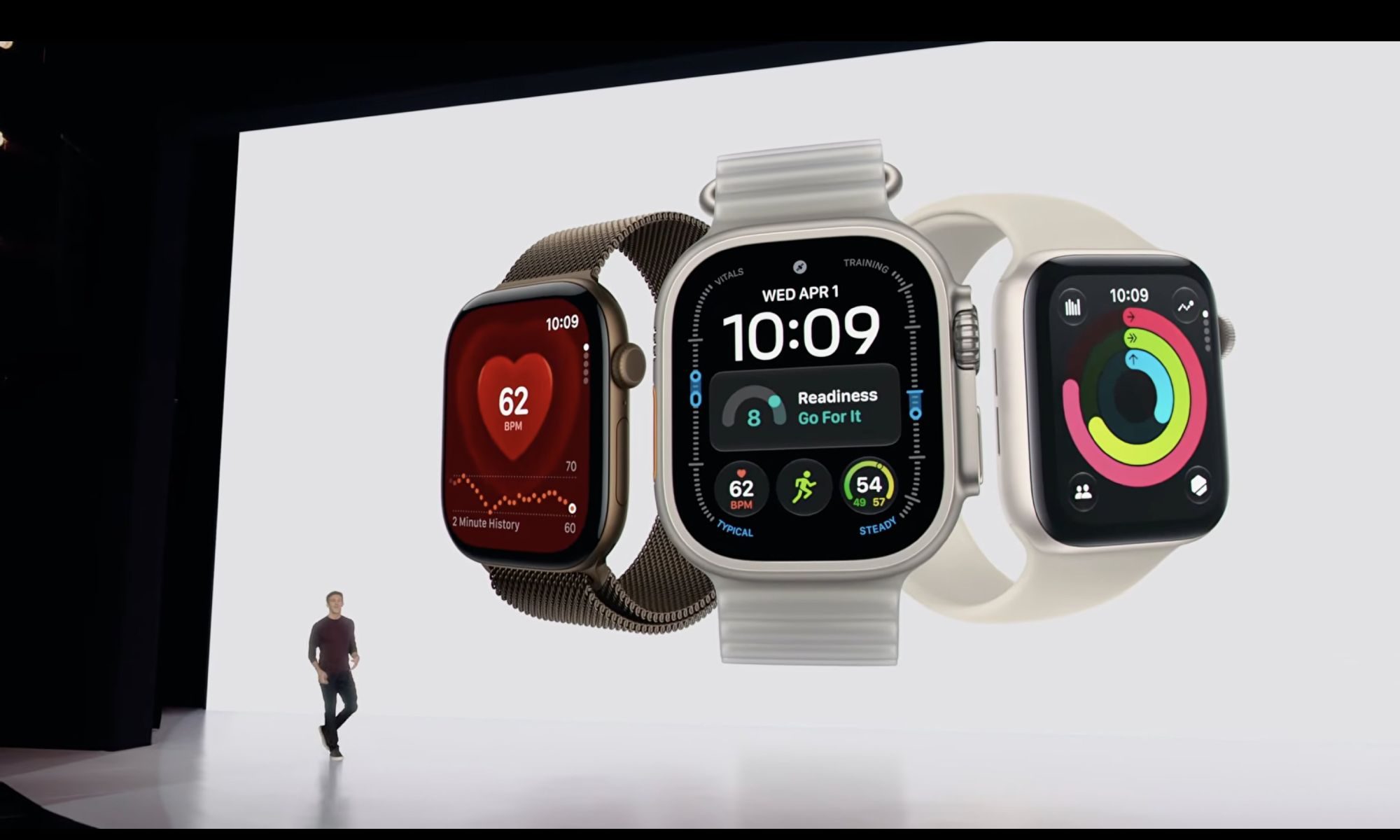
Pre-orders are now open for the Apple Watch Series 12 (starting at $399) and the Apple Watch Ultra 4 ($799), with availability starting on September 18. The new wearables introduce improved health-tracking features and can use Siri’s upcoming AI enhancements to analyze and transcribe what they hear.
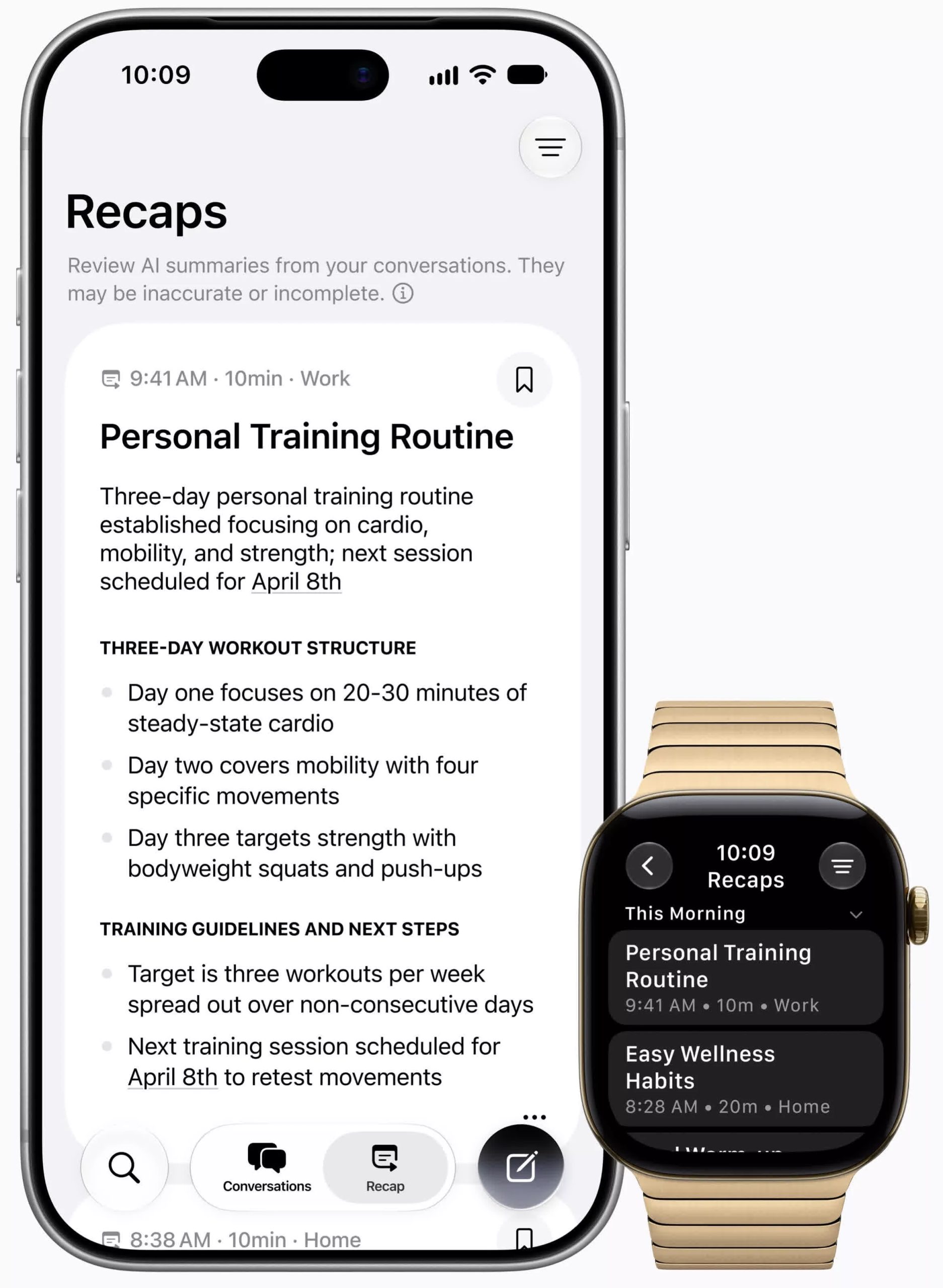
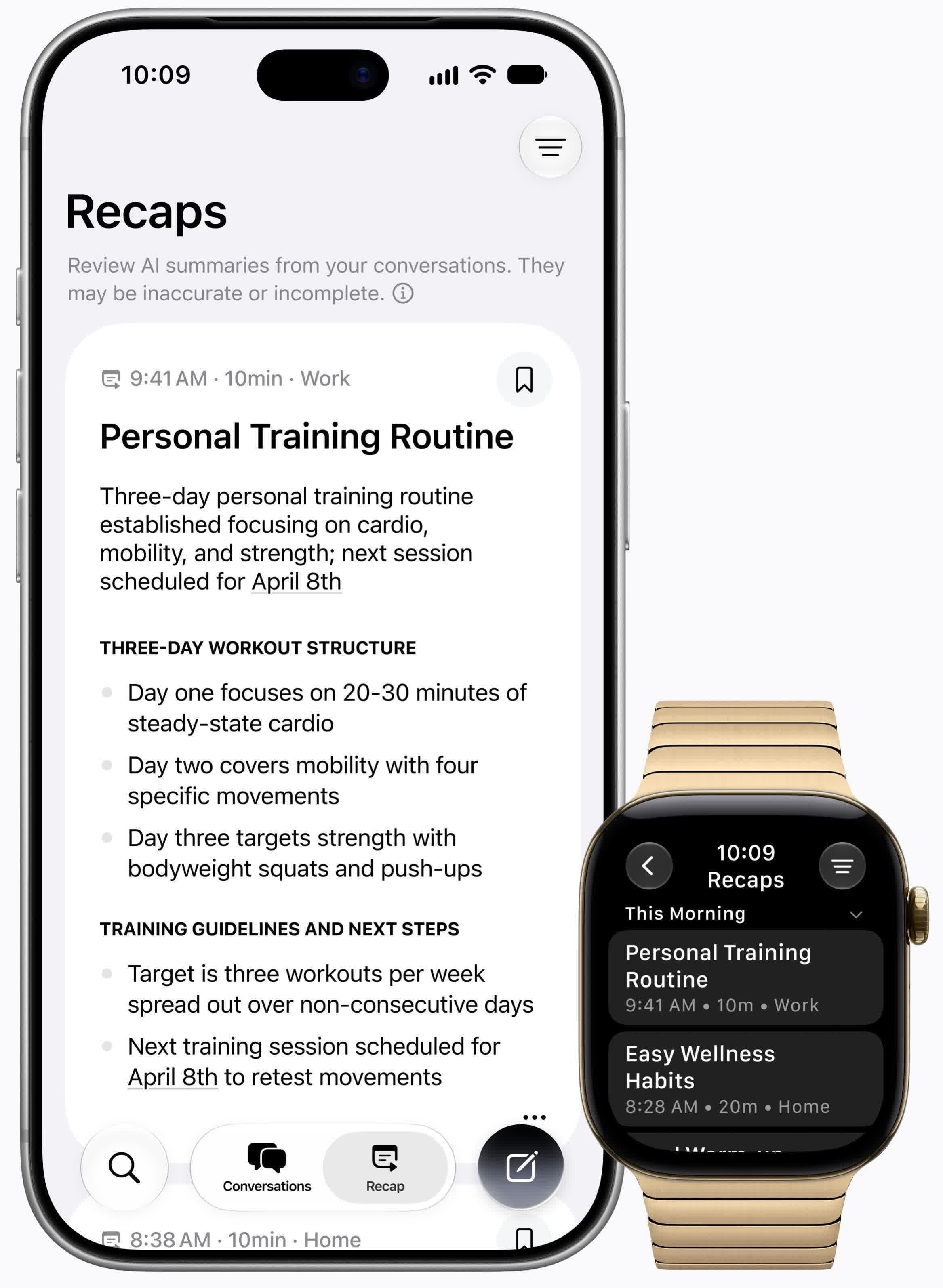
Apple’s new Audio Intelligence includes four functions for the Watch Series 12 and Ultra 4, two of which deal directly with the user’s conversations.
When the wearer double-presses the Digital Crown, Live Rewind displays a text snippet of what was said over the past 15 seconds, which users can save to the Siri app. Meanwhile, Siri Recap listens to conversations ambiently throughout the day to generate a summary later. Both features are set to enter beta in late 2026.
Advertisement
The other two features seem relatively benign. Sound Recognition alerts hard-of-hearing wearers to important noises such as sirens, alarms, doorbells, and crying children. Additionally, Music Recognition automatically uses Shazam to display a song’s title and artist in the Smart Stack, without requiring users to tap the widget.
In a support article and a privacy document, Apple stresses that it processes audio in a secure part of the watch and iPhone that’s inaccessible to the user and the company, so users can only retrieve text snippets or summaries, never the underlying audio. Live Rewind constantly overwrites old audio as new data streams in, and Siri Recap deletes audio after transcription.
Furthermore, Siri Recap condenses and encrypts transcripts to retain only a conversation’s core meaning before sending them to Apple’s Private Cloud Compute servers, where they remain inaccessible to the company, to create a summary.
Siri Recap automatically deletes summaries after seven days unless users save them. It also attempts to omit financial information, harmful content, government-issued IDs, and certain other identifying data.
Advertisement
Even if audio data and transcripts remain secure, predicting how people will use the new listening features will be difficult. Furthermore, deleting master audio data makes it harder to verify an AI summary’s accuracy.
The Siri AI beta will roll out in English when watchOS 27 launches on September 14, with support for French, Japanese, Korean, Portuguese, and Spanish coming in October.
Compared with prior models, the Apple Watch Series 12 and Ultra 4 will also monitor heart rate and heart rate variability more accurately, and the Ultra 4 features improved battery life.
Google plans to invest at least $15 billion in AI infrastructure in Finland through 2028, its largest single investment in Europe. The company also signed a 22-year power agreement with Finnish utility Fortum and said it will explore business models that could support new nuclear reactors at Fortum’s Loviisa site.
Finland has emerged as a major data-center hub thanks to its available land and power. “I’ve heard it called the ‘Texas of Europe’ at industry events,” Matti Lajunen, partner of real estate at Finnish law firm Hannes Snellman, told CNBC. “What we’re now seeing is weekly new inquiries for market entry into Finland from new players.”
Ruth Porat, president and chief investment officer of Alphabet and Google, said in a statement: “Google is proud to deepen our roots in Finland with the company’s largest single investment in Europe, building on more than 15 years of sustained investment in Finland. This investment underscores Google’s commitment to grow our presence responsibly, pairing the expansion of our technical infrastructure with new energy capacity, grid enhancements, and energy affordability initiatives.”
Apple Wallet and Apple Pay work together in important ways, but they aren’t identical.
Stockcam/Getty Images
Apple Pay and Apple Wallet have distinct functionalities, even though the two names are often used interchangeably. Apple Wallet is an iPhone app (with a companion tool for Apple Watch) that acts a digital wallet to store digital versions of debit and credit cards, auto insurance cards, boarding passes, IDs and more. Apple Pay, on the other hand, is Apple’s digital payment service that lets you use your cards to make purchases at a physical location or online.
For Apple Pay in-store, you tap your iPhone on an NFC terminal and press the Side button twice. Your iPhone will then confirm it’s you with Face/Touch ID or your PIN to complete a purchase. Online Apple Pay usage is similar to services like PayPal, where you choose a card and authenticate. Regardless of what you buy or where, you’re using Apple Pay to purchase something with a card stored in your Apple Wallet.
Wallet can also hold plenty of items not directly tied to payments, like concert tickets or store loyalty cards. In this case, it acts as a secure place to hold these items and keep them easily accessible.
Advertisement
What happens when you pay with Apple Pay
Using a payment card with Apple Pay involves more than Apple Wallet storing your card details and passing them to the merchant. Instead, it creates a unique Device Account Number (DAN) for each card and stores this in the Secure Element, a chip on your device for securely storing sensitive info.
When you make a payment, Apple sends the DAN, along with a one-time security code specific to that transaction, to the merchant. The store never sees your real credit or debit card number. And Apple ‘s servers don’t keep identifying information about you with the transaction history.
Advertisement
This is also why an authentication step is required when using Apple Pay. Face ID can be awkward with tap-to-pay on a terminal, so you may want to scan your face before using the NFC touchpoint. As a fallback, you can use your passcode instead. Confirmation is also required for online purchases, whether it’s the App Store, a food app order or a purchase through Safari. Apple Wallet crosses paths with the payment process, since you can choose from any cards you have in your Wallet.
You can check the last four digits of a card’s unique Device Account Number in Apple Wallet. Open Apple Wallet, select a card, and tap thethree-dot (…) button followed by Card Details. There, tap Card Information, and after authenticating with Face ID, you’ll see the Apple Pay last four digits at the bottom. You can use this to distinguish purchases from Apple Pay compared to other ways you use the card.
Advertisement
Apple Cash is the person-to-person part
DenPhotos/Shutterstock
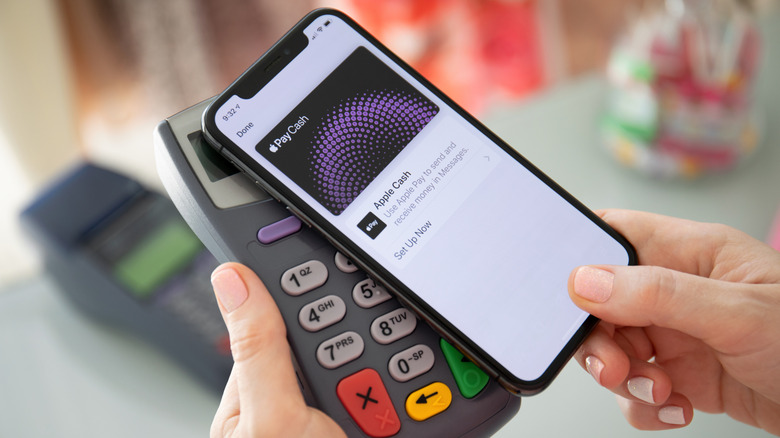
Sending money to a friend or family member is a function of Apple Cash, a feature that ties into Apple Pay. With Apple Cash, you can send or request money over iMessage or directly through the Apple Cash card in your Wallet using Tap to Cash. It’s as easy as selecting someone from your contacts, entering the amount you want to send and authenticating. Of course, the contact’s phone number has to be linked to their Apple Account, and they have to be eligible for Apple Cash.
After you receive some money, you’ll have access to an Apple Cash “card,” which usually sits near the top of your Apple Wallet. From its menu, you can add money through a debit card, set up recurring payments to others or transfer to your bank. Apple Cash is not a universal payment service; it’s only good for those with Apple devices. If the recipient has Android only, you’ll have to use another service like Venmo.
As we’ve seen, Apple Wallet and Apple Pay often interact, yet are separate and serve different functions. Apple Wallet is where all your digital payment options are stored. Apple Pay is how you pay merchants or make online purchases. And Apple Cash is how you send money to friends or family.
The “Surprise and Shine” September launch event was one of Apple’s crispest, most elaborate, and most loaded launch events in a while. Instead of leaving the minute details in the spec sheet or fine print, Apple actually included them in its keynote presentation, not just for its big reveal but for all the devices it unveiled on September 9, 2026.
While the ‘Surprise’ bit was covered by the new iPhone Duo, ‘Shine’ probably refers to the new colors in the iPhone 18 Pro lineup. Beyond these, Apple also announced two new Apple Watches and a refresh for the regular AirPods (not the Pro ones). Given that there’s a lot of ground to cover, here’s everything Apple announced at its September 2026 event.
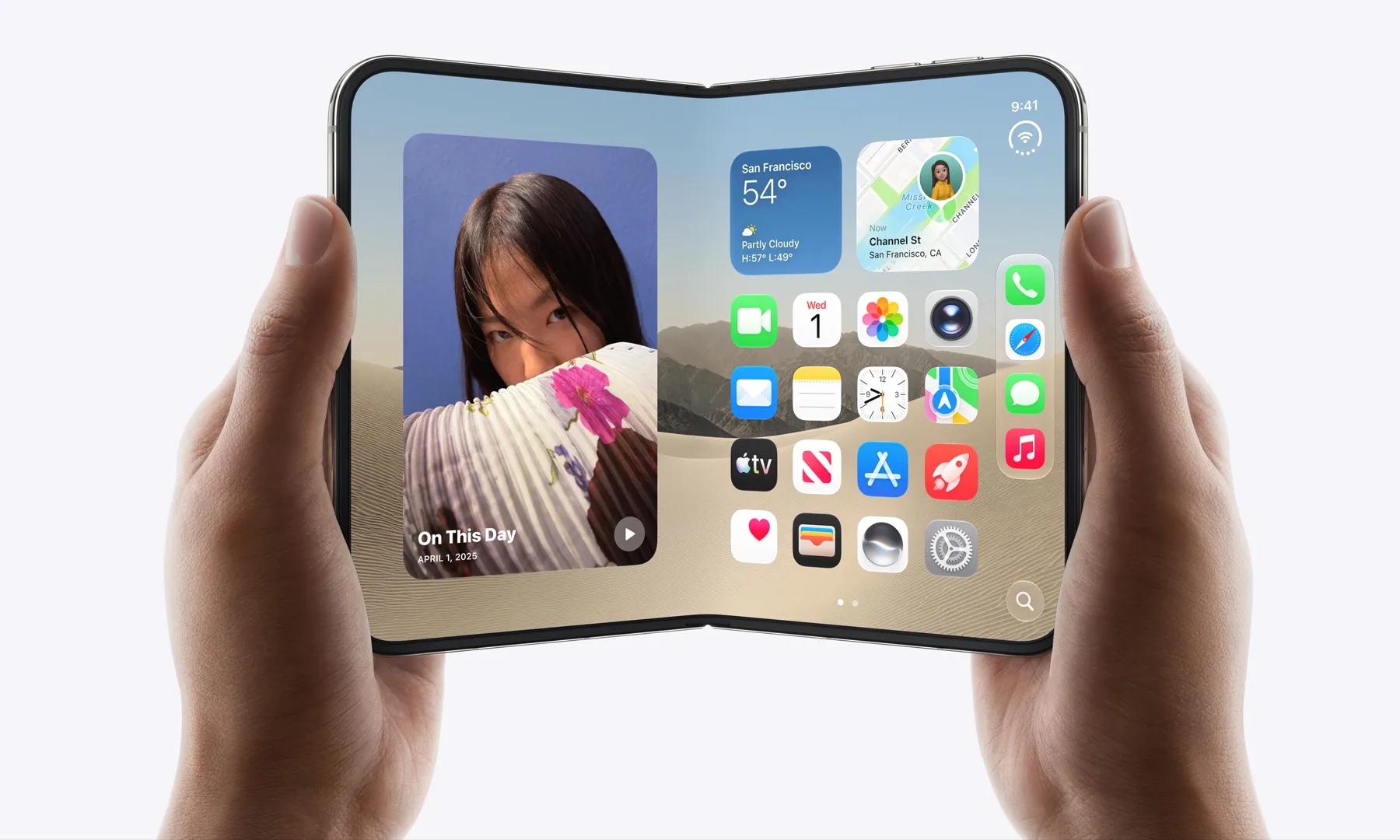
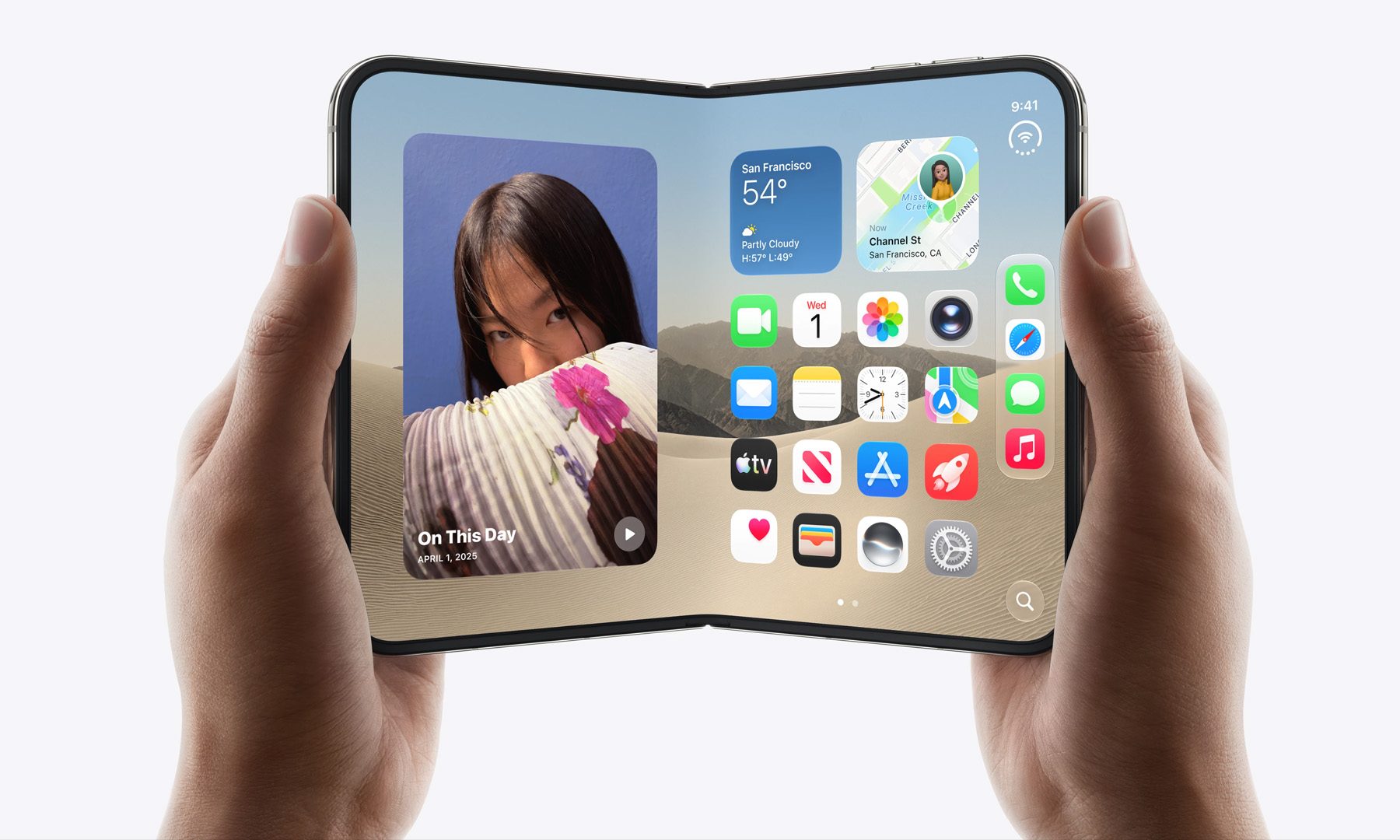
iPhone Duo; Apple’s first foldable with split-screen multitasking
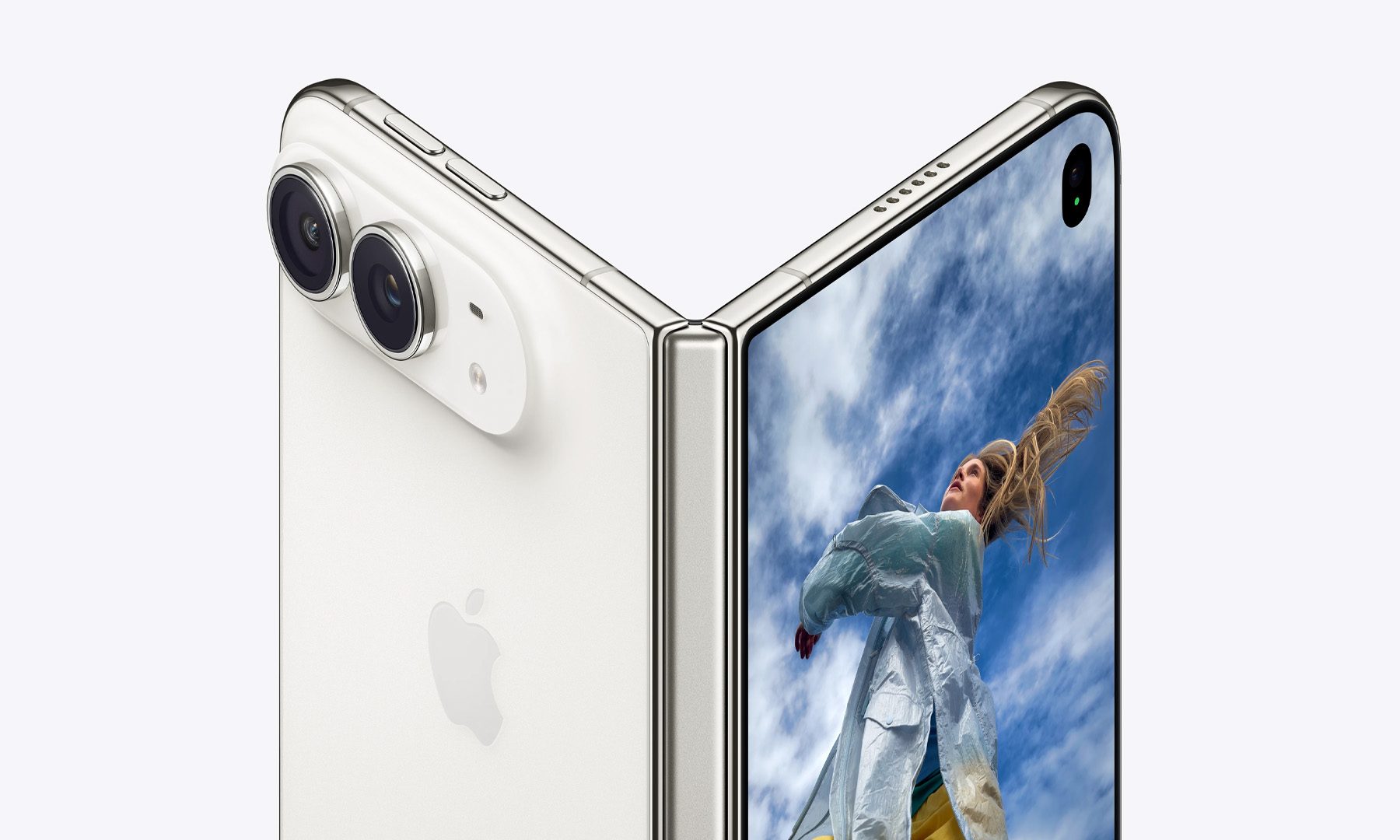
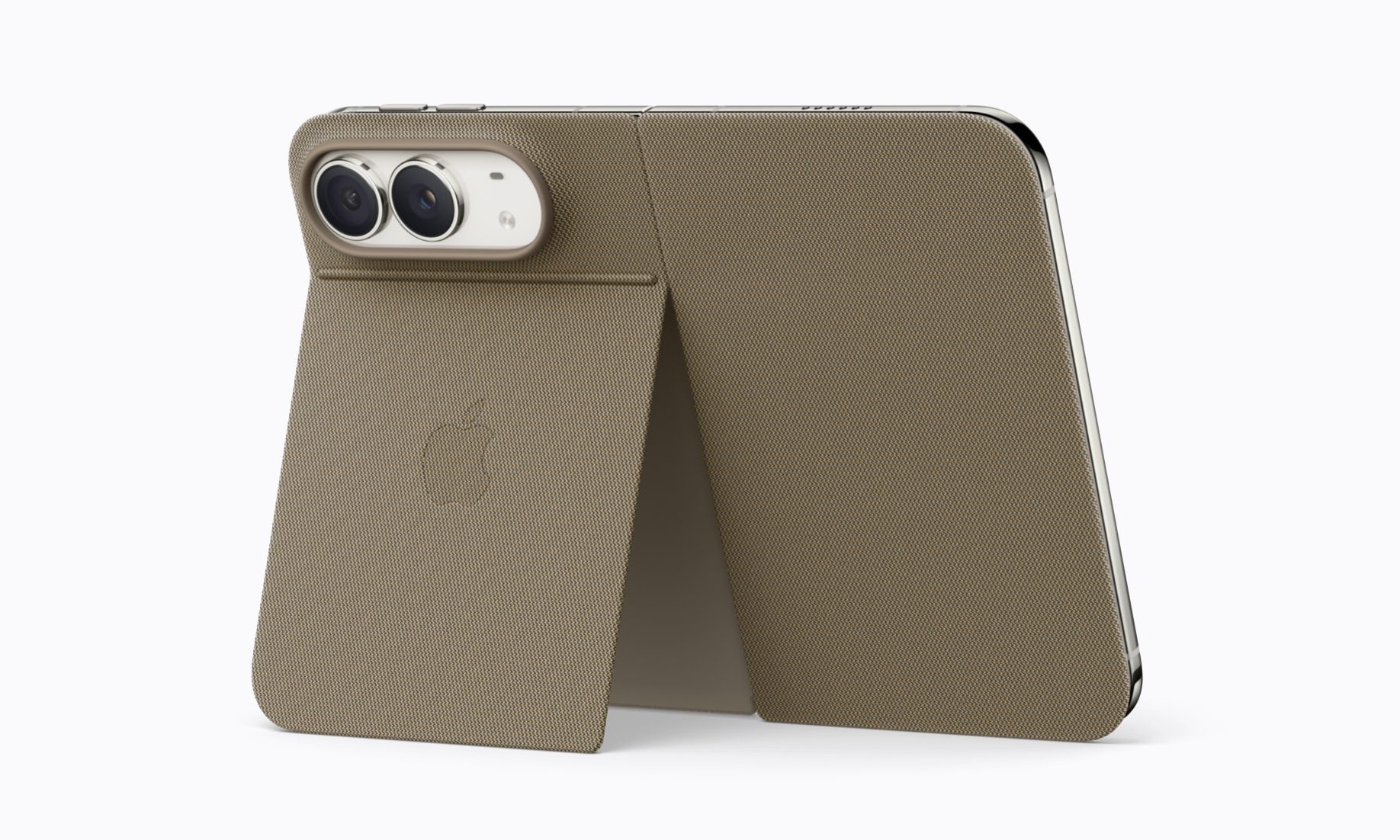
Apple finally has a foldable iPhone in its portfolio, and it’s called the iPhone Duo. With a form factor similar to the Galaxy Z Fold 8, the phone features titanium frames sandwiched between a Ceramic Shield back, a Ceramic Shield 2 front, and an IP68 rating. Speaking of the frame, the Duo is Apple’s thinnest iPhone when measured unfolded (5.2 mm vs. 5.6 mm on the iPhone Air).
When closed, it’s a 5.4-inch slab roughly the size of a passport. Unfold it, and it reveals a 7.6-inch, iPad-like screen better suited to landscape content than tall-body foldables like the Fold 8 Ultra and Pixel 11 Pro Fold. Both the screens are compatible with Apple’s USB-C Apple Pencil.Apple
Both panels use Super Retina XDR tech (Apple’s way of saying sharp OLED panels) with ProMotion (120Hz refresh rate with LTPO), always-on display support, and a nano-texture coating to cut down on glare (on the inner screen).
Under the Duo’s shiny hood sits the A20 Pro (2nm) chip and a custom vapor chamber, and together they deliver up to 40% better sustained performance than the A19 Pro (3nm). At the same time, the 2nm processing node makes the new chip much more efficient.
Advertisement
Despite having more computational power than the Snapdragon 8 Elite Gen 5 for Galaxy chipset on the Galaxy Z Fold 8, the iPhone Duo matches its rated wireless video playback duration at 26 hours. And yes, the foldable also supports MagSafe charging. Out of the box, Apple’s foldable runs iOS 27 with side-mounted navigation and true split-screen multitasking.
Apple
Camera-wise, Duo runs a 48MP Fusion Main sensor with a built-in 2x optical-quality crop, along with the same 48MP Ultra Wide found on the 18 Pro. It also has an under-display selfie camera on the inner screen. Thanks to the foldable screen, the Duo comes with genuinely new camera tricks, including a live outer-screen preview, a kid-focused animation cue, and a split-screen FaceTime mode.
Available in an eSIM-only configuration, the iPhone Duo (256GB) starts at $1,999 in the US. Unlike the iPhone 18 Pro models, pre-orders open on October 16, and general sales begin October 23. You can choose from two options: Night Sky and Star White.
Apple
iPhone 18 Pro lineup: Faster chip, bigger batteries, and more
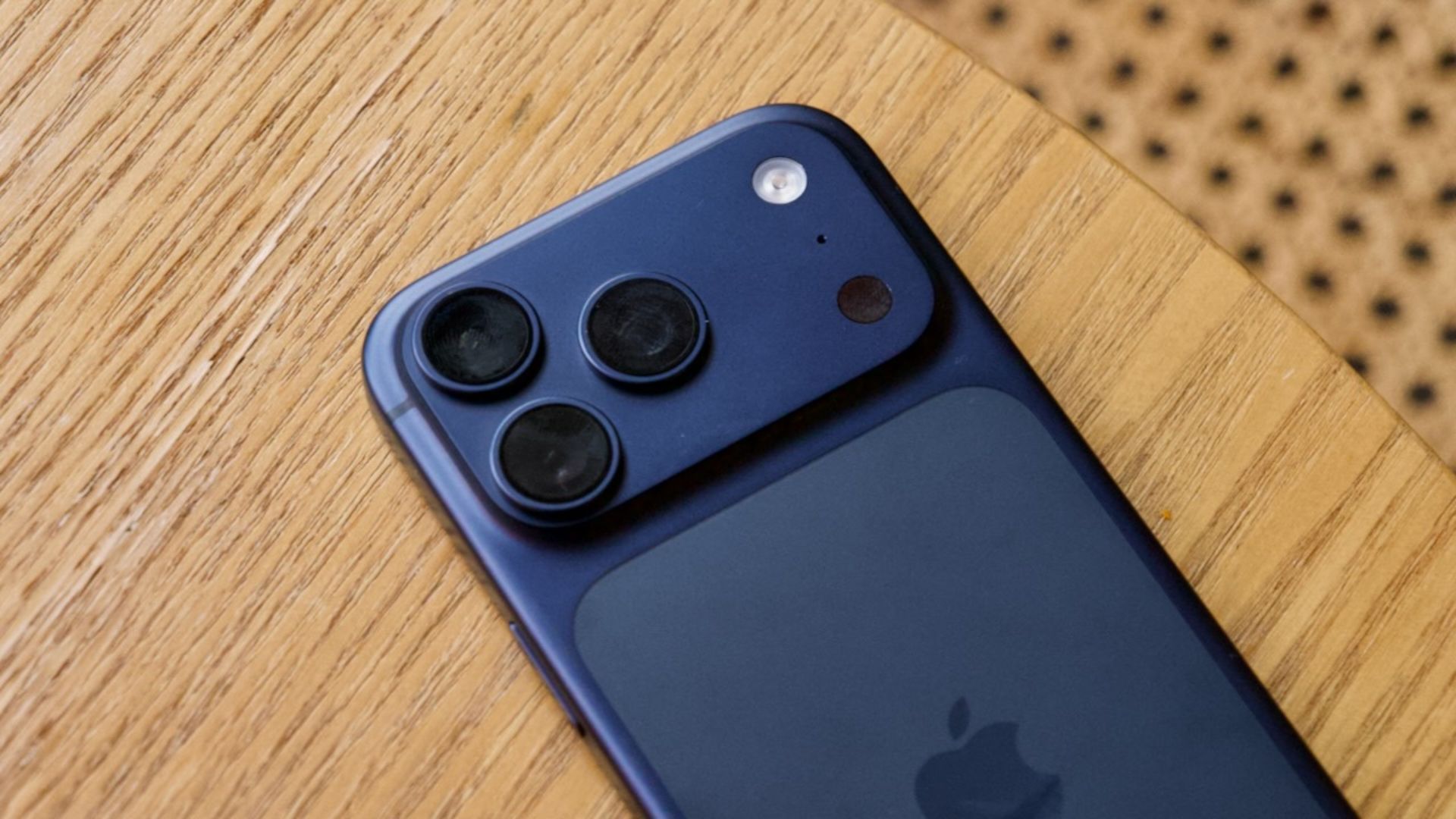
The iPhone 18 Pro retains the same look and feel as the iPhone 17 Pro: a gigantic camera plateau at the back with a triple-camera setup, glass-and-aluminum design (with a color-matched glass back panel), and symmetrical bezels on the front. What’s new is a Burgundy finish, alongside returning favorites like Glacier, Silver, and Black.
On the display side, the Dynamic Island is physically smaller, but instead of showing two Live Activities, it can now show three, giving you more information at once. Otherwise, resolution, peak brightness, and maximum refresh rate remain the same.
Like the iPhone Duo, the iPhone 18 Pro’s performance gains come from the A20 Pro (2nm) chip and a redesigned vapor chamber with triple the surface area of last year’s model. So, whether you throw an hour-long gaming or video-editing session at it, the phone should retain peak performance better than the iPhone 17 Pro.
Advertisement
Software-wise, both phones ship with iOS 27, which brings refined Apple Intelligence features, the new Siri AI experience (still in beta), a refined Liquid Glass visual language, and iPhone Handoff, which lets you use one number on two paired iPhones.
Apple
The bigger story here is the variable aperture on the primary camera, a first for any iPhone. Six laser-cut blades physically adjust the opening on the 48MP Fusion Main camera, swinging from f/1.48 for low light to f/4 for sharper focus. A companion feature called Pro controls lets you control aperture, shutter speed, white balance, and a live histogram directly in the Camera app.
Apple has also introduced Reference Image, a security system designed to curb the spread of AI-manipulated photos. The Main camera’s sensor can now sign the metadata it captures, helping verify whether a picture is real or AI-generated. Battery life also improves dramatically on the new iPhones.
The iPhone 18 Pro can last up to 34 hours of video playback (up from 31 hours), while the iPhone 18 Pro Max goes up to 43 hours (up from 37 hours). Apple didn’t miss the opportunity to call this its largest single-generation battery jump. Charging keeps pace, with the 18 Pro hitting 50% in about 15 minutes on a cable (with a 60W charger) or 30 minutes wirelessly (with a 35W adapter).
Pricing lands at $1,199 for the iPhone 18 Pro (256GB) and $1,299 for the iPhone 18 Pro Max (256GB); both are up $100 from last year’s models. Pre-orders begin September 12, while general sales begin September 18.
Advertisement
Apple
Apple Watch Series 12 and Ultra 4: A health-first redesign
Both new watch lineups share a rebuilt Health Sensing System. Paired with the new S11 chip, it delivers the most accurate heart-rate tracking of any wearable (according to Apple). The larger optical sensors now sample heart rate every five seconds, while Heart Rate Variability (HRV) is measured up to 24 times more frequently than before.
The metric is split into two distinct readings, one tuned for day-to-day stress and recovery, and another for longer-term cardiovascular insight. Apple Watches then use that data to fuel a new feature called Readiness (a daily score from 0 to 10), something Whoop and Oura have been doing for years.
The Health app on iPhone is getting a couple of upgrades, too. It arrives later this year with a Longevity tab that includes a “Health Age” estimate and the option to book blood panels (roughly 50 biomarkers for $119) via nearly 2,000 Quest Diagnostics locations.
The S11 chip also introduces something unique but genuinely concerning: Audio Intelligence. The suite includes features like Live Rewind (which can replay the last 15 seconds of a conversation), automatic Siri-generated conversation summaries, and sound alerts for deaf and hard-of-hearing users.
AirPods 5: Improved noise cancellation at an affordable price
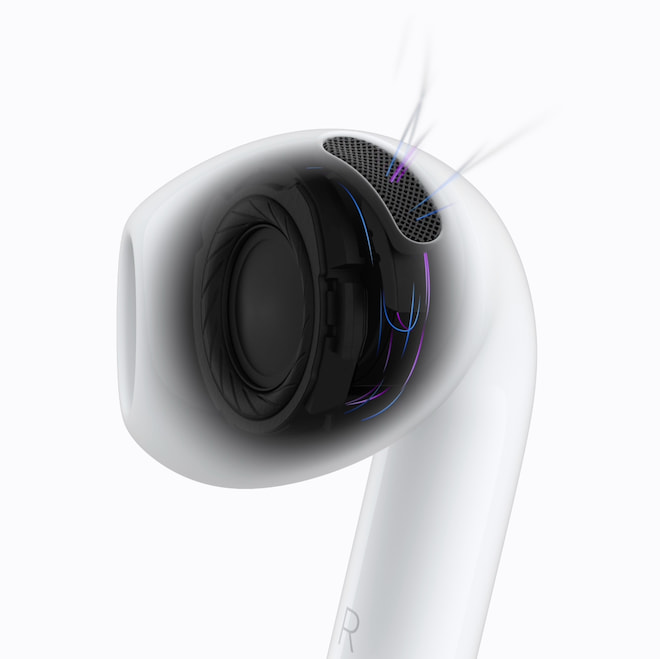
Apple’s latest open-ear AirPods 5 offer 50% more noise cancellation than AirPods 4, thanks to a new multiport acoustic architecture and next-gen Adaptive EQ. Transparency mode also sounds more natural, with a new Adaptive Audio mode that toggles between ANC and Transparency depending on what’s happening around you. If this sounds familiar, that’s because the AirPods Pro 3 already have it.
Then there’s Personalized Spatial Audio, which adapts to different ear shapes. Honestly, though, the feature most people will use daily is the hands-free Siri AI integration. Live Translation, initially reserved for AirPods Pro, is now baked into the entire lineup. Battery life goes up to 5 hours of ANC playback per charge, an hour longer than AirPods 4 managed with ANC on, and 22 hours total with the charging case.
On the hardware side, you can choose from two flavors. The standard AirPods 5 run $129, while there’s a $149 version that comes with a wireless charging case. The more expensive version also adds a force-sensor volume swipe right on the stem. Both versions are up for pre-order now, landing on shelves September 18.
Apple has officially unveiled AirPods 5, and the biggest surprise is not another AI feature or a marginal change to the charging case. Active Noise Cancellation is now standard on Apple’s least-expensive AirPods, with the new open-ear wireless earbuds starting at $129.
That is a significant change from AirPods 4, where consumers had to spend $179 to get ANC. Apple is also offering AirPods 5 with a Wireless Charging Case for $149, making the more expensive version $30 cheaper than the previous AirPods 4 with ANC while adding longer battery life and on-stem volume control.
Apple lowering the barrier to entry rather than moving it higher? Somewhere, an accountant in Cupertino needs to have their temperature checked.
ANC Is Now Standard on AirPods 5
The biggest change is straightforward: both AirPods 5 models include Active Noise Cancellation.
Advertisement
Apple claims the new earbuds can remove up to 50 percent more external noise than AirPods 4 with ANC, thanks to an all-new multiport acoustic architecture and improved computational audio algorithms. Apple is calling it the industry’s best ANC in an open-ear wireless headphone, although that claim is based on its own July 2026 testing against the bestselling open-ear wireless headphones commercially available at the time.
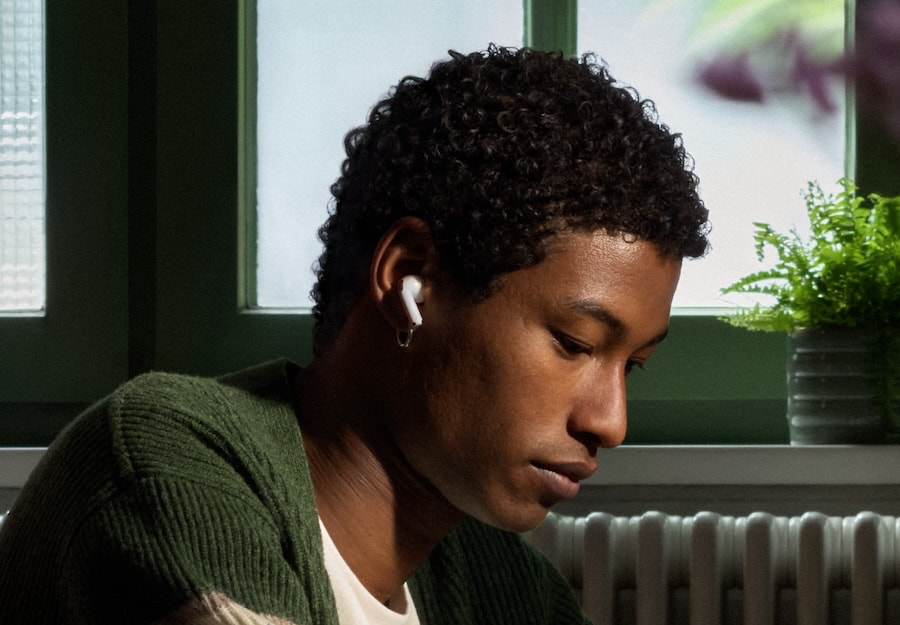
Open-ear ANC has always been a tricky proposition because the earbuds do not create the passive acoustic seal provided by silicone or foam eartips. Apple managed to make it surprisingly effective on AirPods 4 with ANC, and a claimed 50 percent improvement would be meaningful if real-world performance gets anywhere close.
AirPods 5 also include an improved Transparency mode designed to reproduce surrounding voices and environmental sounds more naturally. Adaptive Audio dynamically blends ANC and Transparency based on ambient conditions, while Conversation Awareness automatically lowers media volume when the wearer starts speaking.
That brings Apple’s complete noise-control suite into its $129 AirPods for the first time.
Advertisement
New Acoustic Architecture Targets Better Sound
ANC might dominate the headline, but Apple has also re-engineered the acoustic system.
AirPods 5 use an all-new multiport acoustic architecture inspired by AirPods Pro 3, combined with Apple’s next-generation Adaptive EQ. According to Apple, the system is designed to provide richer and more detailed sound across a wider range of ear geometries.
That last part matters more with an open-ear design than it might sound. Without an eartip creating a consistent seal, the relationship between the earbud, the listener’s ear, and the acoustic output can have a significant impact on bass response and tonal balance.
Advertisement. Scroll to continue reading.
Adaptive EQ attempts to compensate for those differences electronically, while the redesigned acoustic architecture handles airflow and sound delivery mechanically. Apple also says the changes make Personalized Spatial Audio more immersive and dynamic.
Advertisement
We will reserve judgment on all of that until somebody actually puts them in their ears. Our review of the AirPods Pro 3 found its expanded feature set impressive but its sonic balance less convincing than AirPods Pro 2, which proved that more computational horsepower does not automatically produce better music reproduction.
AirPods 5 Get Siri AI and Live Translation
Apple is also turning AirPods into a more important hands-free interface for Apple Intelligence.
When paired with an Apple Intelligence-supported iPhone, AirPods 5 can access Apple’s new Siri AI, which begins rolling out in beta with iOS 27. The upgraded assistant can use personal context from messages, emails, photos, and other information while also accessing broader world knowledge and performing supported actions inside apps.
That means users could ask Siri to play a song recommended in a message or find directions to a restaurant based on a reservation confirmation buried inside an email. Siri Interactions also allow users to respond by nodding their head for yes or shaking it for no, which has the additional benefit of making everyone around you wonder why you are suddenly arguing silently with yourself.
Advertisement
Siri AI launches in beta in English on September 14, with French, Japanese, Korean, Portuguese, and Spanish support scheduled for October. Apple notes that some functionality will vary by region and device, and Siri AI will not initially be available in the EU on iOS, iPadOS, or watchOS.
Live Translation is also supported on AirPods 5. After downloading the required languages in Apple’s Translate app, users can start a translation session by pressing both stems simultaneously, asking Siri, or using the Action button on an iPhone.
The feature uses ANC and computational audio to make translated speech easier to hear and requires a compatible Apple device running current software with Apple Intelligence enabled. Language and regional availability vary.
AirPods 5 With Wireless Charging Case Adds More Than Charging
The $149 version is where Apple’s two-model strategy becomes slightly more complicated.
AirPods 5 with Wireless Charging Case add wireless charging compatibility with Apple Watch chargers and Qi-compatible chargers while retaining USB-C. The $149 version also receives a redesigned battery that provides up to five hours of playback with ANC enabled, one hour longer than AirPods 4 with ANC. Total listening time with ANC reaches up to 22 hours when the charging case is included.
Advertisement
There is another useful difference: volume control.
The $149 AirPods 5 add a force sensor with volume swipe, allowing users to adjust playback volume by sliding a finger up or down the stem. This is the first time Apple has offered that control on its open-ear AirPods.
Advertisement. Scroll to continue reading.
For only $20 more than the standard version, wireless charging, longer battery life, and direct volume adjustment make the $149 model look like the obvious choice unless saving twenty bucks is the primary objective.
Advertisement
AirPods 5 vs AirPods 4
Volume slider on stem is only on AirPods 5 with Wireless Charging Case
Apple’s new pricing substantially changes the value proposition compared with the previous generation.
AirPods 4 launched at $129 without ANC, while AirPods 4 with Active Noise Cancellation cost $179. That second model also included the more capable wireless charging case.
AirPods 5 put ANC into both versions while keeping the base price unchanged.
Model
ANC
Wireless Charging
Battery Life
Stem Volume Control
Price
AirPods 4
–
–
5 Hours
–
$129
AirPods 4 with ANC
Yes
Yes
5 hours
–
$179
AirPods 5
Yes
–
4 hours
–
$129
AirPods 5 with Wireless Charging Case
Yes
Yes
5 hours
Yes
$149
What Makes AirPods 5 Unique?
The combination of an open-ear design and serious Active Noise Cancellation remains the defining feature.
Most high-performance ANC earbuds rely on silicone or foam eartips to create a seal that provides substantial passive isolation before their microphones and DSP do anything. AirPods 5 attempt to deliver meaningful noise reduction without sealing the ear canal, which should appeal to listeners who dislike the pressure, isolation, or fit of traditional in-ear designs.
Advertisement
Apple’s other advantage remains ecosystem integration. Siri AI, Live Translation, Personalized Spatial Audio, Adaptive Audio, Conversation Awareness, head gestures, and seamless integration with Apple devices combine into a feature set that is difficult for competitors to duplicate across an entire hardware and software ecosystem.
That doesn’t automatically make AirPods 5 the best-sounding wireless earbuds for $129 or $149. Sony, Technics, Bose, Samsung, Nothing, and other brands have turned this part of the market into a knife fight, and Apple’s continued reliance on its own ecosystem rather than broader high-resolution Bluetooth codec support will still matter to some listeners.
But bringing ANC to $129 changes the conversation rather dramatically.
AIrPods Compared
Specification
AirPods 4
AirPods 4 with Active Noise Cancellation
AirPods 5
AirPods 5 with Wireless Charging Case
Year introduced
Sept. 2024
Sept. 2024
Sept. 2026
Sept. 2026
MSRP
$129
$179
$129
$149
Headphone chip
H2
H2
H2
H2
Active Noise Cancellation
–
Yes
Yes
Yes
Adaptive Audio
–
Yes
Yes
Yes
Transparency mode
–
Yes
Yes
Yes
Conversation Awareness
–
Yes
Yes
Yes
Voice Isolation
Yes
Yes
Yes
Yes
Personalized Spatial Audio
Yes, with dynamic head tracking
Yes, with dynamic head tracking
Yes, with dynamic head tracking
Yes, with dynamic head tracking
Adaptive EQ
Yes
Yes
Yes
Yes
Bluetooth
Bluetooth 5.3
Bluetooth 5.3
Bluetooth 5.3
Bluetooth 5.3
Dust, sweat, and water resistance
IP54
IP54
IP57
IP57
Listening time per charge
Up to 5 hours
Up to 4 hours with ANC
Up to 4 hours with ANC
Up to 5 hours with ANC
Total listening time with case
Up to 30 hours
Up to 20 hours with ANC
Up to 20 hours with ANC
Up to 22 hours with ANC
Five-minute charge
Around 1 hour
Around 1 hour
Around 1 hour
Around 1 hour
Case charging
USB-C
USB-C, Apple Watch charger, or Qi-certified charger
USB-C
USB-C, Apple Watch charger, or Qi-certified charger
Charging case speaker
–
Yes
–
Yes
Find My support
–
Yes
Limited/no case speaker
Yes
Earbud controls
Force sensor
Force sensor
Force sensor
Force sensor with volume swipe
Live Translation
Yes
Yes
Yes
Yes
Siri Interactions
Yes
Yes
Yes
Yes
Compatibility & Availability
AirPods 5 can be preordered starting September 9 in the U.S. and more than 65 countries and regions. Both models arrive in stores on Friday, September 18.
Advertisement
Apple says full feature functionality requires AirPods 5 to be paired with an Apple device running the latest operating-system software. Personalized Spatial Audio requires a compatible iPhone with a TrueDepth camera to create the personalized listening profile.
Apple Intelligence launches with iOS 27 on September 14 on supported hardware and in supported languages. Live Translation also requires Apple Intelligence to be enabled and is not available in every country, region, or language.
Advertisement. Scroll to continue reading.
The Bottom Line
AirPods 5 are a more meaningful upgrade than their familiar appearance might suggest. Putting Active Noise Cancellation into the $129 model removes one of the biggest compromises associated with Apple’s least-expensive AirPods, while the new acoustic architecture, Adaptive EQ, improved Transparency mode, Live Translation, and Siri AI substantially expand what Apple’s mainstream wireless earbuds can do.
The $149 AirPods 5 with Wireless Charging Case look even more compelling. For only $20 more, buyers get wireless charging, up to five hours of ANC playback, 22 hours with the case, and on-stem volume control while still spending $30 less than the previous AirPods 4 with ANC.
Advertisement
None of that tells us whether AirPods 5 actually sound better, and Apple’s claim of best-in-class open-ear ANC deserves independent testing before anyone starts engraving the trophy. But Apple has made its most affordable AirPods significantly more capable without raising the $129 starting price.

















































You must be logged in to post a comment Login