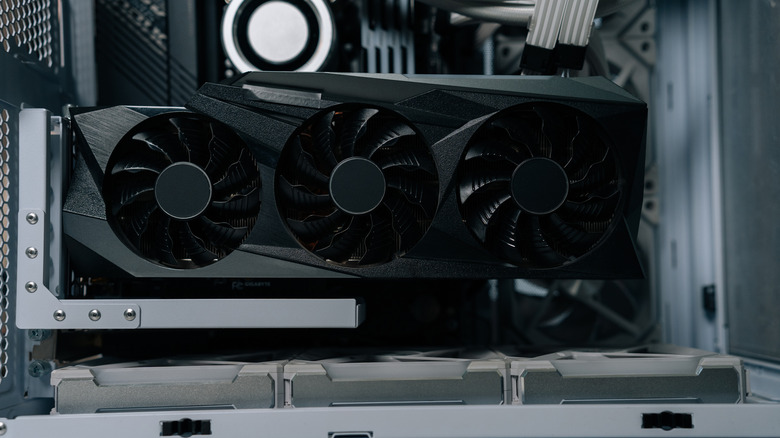
If the RAMaggedon’s good for anything, it’s turning your old GPU into a potential goldmine.
Dikushin/Getty Images
Whether it’s from excessive use, sheer age or an upgrade that outclasses it, there are plenty of reasons that you may switch from one GPU to another. If you end up with an extra GPU lying around, there’s a lot you can do with it — including keeping it as a back-up or re-using it to build something new. However, even a well-worn GPU can be worth a nice pile of cash on the aftermarket.
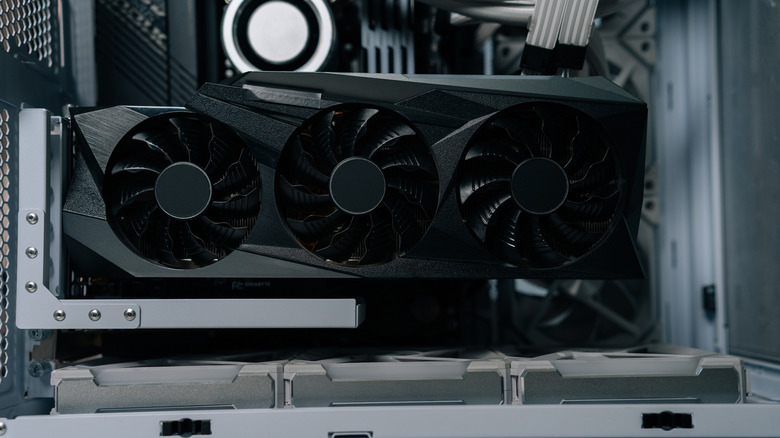
Finding an affordable GPU during the great RAMaggeddon of 2026 is no easy task, with the AI gold rush sending prices into the stratosphere. While this has been generally problematic for would-be PC builders everywhere, it has at least provided a great window for selling any old GPU you might have. Even a long-dead GPU can find new life scrapped for parts, and one with a decent life ahead of it can sell for some good money.
Advertisement
How much a used GPU could be worth in 2026
Jovana Kuzmanovic/Shutterstock
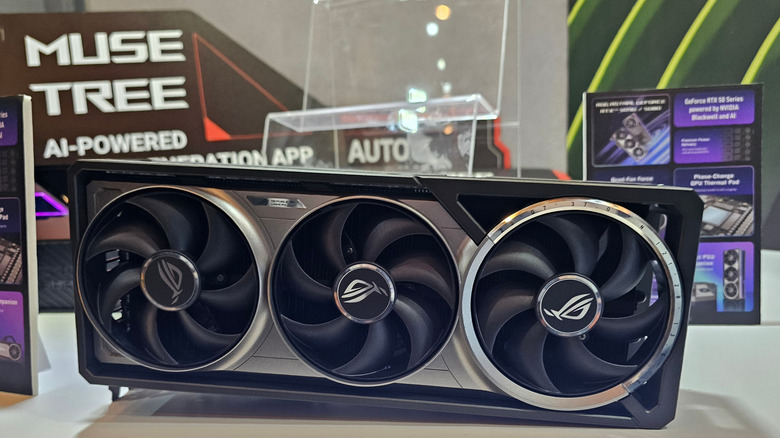
First, it’s important to look at the prices you can expect. For instance, NVIDIA’s RTX 50-series cards have shot up as much as 39 percent, and a further 30 percent hike isn’t out of the cards — not to mention AMD’s price hikes of as much as 10 percent. This demand comes not only from big LLM companies, but from individuals creating their own local AI setups, which means the most valuable cards you could be selling are those with a lot of VRAM (as this is what LLM’s use to temporarily store data when generating or training). Most users in the AI vein will be looking for 12 to 16 GB, but bigger teams will be looking for as much as 48 GB — and there is no shortage of start-ups.
Therefore, the AI boom that sent GPU prices soaring is also what determines how much you can sell your GPU for — as a used model with a lot of VRAM is still worth a lot for AI and gaming. Moreover, many older GPUs (such as the NVIDIA GeForce RTX 3090) are even more valuable as they pack in more VRAM than many newer models. It’s pretty reasonable, then, to expect a used card with plenty of VRAM (in good condition) to retain at least 40 to 60 percent of its value.
Advertisement
Where to sell a used GPU
Casimiro PT/Shutterstock
Then comes actually selling a used GPU. Peer-to-peer sites like eBay or Facebook Marketplace require the most effort (you’ll have to create a listing, take photos, answer questions, handle shipping and hope to even be spotted in the first place), but also yield the most reward; looking at recent Sold listings on eBay, models like the NVIDIA GeForce RTX 5060 Ti and the EVGA GeForce RTX 3080 not only sell at 40 to 60 percent of their original price, but can sell for higher than their original MSRP. Even busted-up GPUs can sell for a good price here, if you can catch the right buyer’s eye.
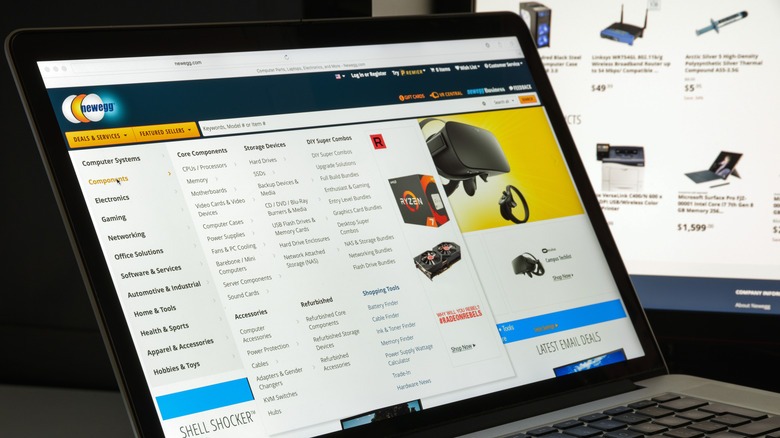
That’s still a lot of hassle, though, so trade-ins and over-the-counter deals can still make decent options. Going to your local PC repair shop or using Newegg’s GPU trade-in program can offer great convenience, as these companies will, in most cases, turn around a quick offer and take care of the shipping process. However, that convenience comes at the expense of your payout, so you’re liable to make far less in trades like this. If you have a used GPU that’s still got decent shine to it, definitely play the long game by selling it yourself. On the other hand, if you’ve got a worn model with scarce VRAM, a quick and easy trade-in probably won’t hurt.
Hollywood studios are turning to film schools for graduates who already know how to use AI video tools, rather than training their own staff, Semafor reported on Thursday.
“How do we find people who already know how to use this?” studios are now asking, Runway chief executive Cristóbal Valenzuela told Semafor.
Runway, which makes AI tools for generating and editing video, has helped build that pipeline. It announced its first university course, with NYU’s Tisch School of the Arts, in December 2024. The NYU Tisch course began in January 2025 at the Martin Scorsese Virtual Production Center.
USC’s School of Cinematic Arts also runs a graduate AI filmmaking course that uses Runway’s tools, according to the company. In addition, Semafor reported that courses using Runway are taught at the Rhode Island School of Design, MIT, and Harvard, and at universities in Europe and Latin America.
Google and OpenAI run their own programmes. In September 2025, Google Labs launched Flow Sessions, which gives selected filmmakers access to its Flow AI filmmaking tool, along with mentoring and training.
Advertisement
OpenAI, meanwhile, teamed up with Tribeca Studios on a year-long programme. It funded independent filmmakers to make short films with OpenAI’s tools, with premieres planned for the 2026 Tribeca Festival.
Filmmaker Brad Tangonan, who took part in Flow Sessions, told Semafor he expects AI skills to become a requirement for working in film.
“You’re going to have to learn how to use [these tools] if you do want to be in the industry,” Tangonan told Semafor.
The hiring push comes as studios use more AI in production. Netflix said it used generative AI in about 300 titles this year, and it has asked all its staff to build AI fluency.
Google has also moved closer to film studios. In June, it invested $75m in A24 and set up an AI filmmaking research partnership between the studio and Google DeepMind.
I’m lucky that my job takes me to all kinds of events, and when I’m travelling, whether abroad and closer to home, having the right backpack to carry my kit is a no-brainer.
Harber London’s backpacks have always been a popular choice for high-end travellers, offering a mix of style and durability – I’ve been trying out the new Venture Edition of the classic Roll Top backpack, and it’s been invaluable so far.
Designed for both modern travel and everyday usage, the collection combines water-repellent recycled nylon made from reclaimed marine plastic with full-grain leather accents – the perfect combination to keep your belongings protected.
Advertisement
Latest Videos FromTechRadar
Roll with it
If you’re not a Harber fan already, their backpacks and weekend bags are truly some of the best we’ve ever tried.
Each one is handcrafted in the company’s workshop in Spain, built of its SEAQUAL® yarn, a premium recycled nylon made from reclaimed marine plastics, to build a waterproof and lightweight product that weighs in at just 1.05Kg/2.31lbs.
Advertisement
Currently only available in Black, the backpack comes with a magnetic roll-top opening for fast, effortless access to the main compartment, with two magnetic front buckles allowing quick access and adjustment when needed.
The bag offers around 22 litres of space, and a frankly silly seven total pockets. Inside, the backpack features a special laptop compartment capable of fitting devices with anything from a 13in-16in span, so all your usual favourites should easily slide in.
Sign up to the TechRadar Pro newsletter to get all the top news, opinion, features and guidance your business needs to succeed!
Advertisement
The compartment even has a water-repellent YKK zipper for enhanced protection, and inside, there’s a number of zippered interior pockets for all your bits and pieces – all with a lighter-toned interior lining which should help you quickly spot what you need.
(Image credit: Harber London)
As mentioned, I’m a frequent traveller, so I really appreciate a well-made and designed bit of luggage – and this backpack definitely delivers.
The amount of kit you can squeeze in is frankly ridiculous, and I’m able to pack in my laptop, water bottle, charging cables, notebooks, snacks, and much much more.
The bag is quick and easy to adjust, and feels super secure thanks to the roll top. The shoulder straps are beautifully padded as well, so you don’t start to ache towards the end of the day.
Advertisement
Overall, as with all Harber products, the build quality is fantastic – you can really tell this a product handmade with care by people who really know what they’re doing.
The backpack comes with a one year warranty, and 60-day return policy, with shipping around the globe – so get yours now, prices start at £369, with free shipping.
Join Charlie Brown, Snoopy, Linus, Lucy, and the rest of the gang and tune in to watch “It’s the Great Pumpkin, Charlie Brown” for free for everybody on Apple TV. Here’s how, and when.
Watch ‘It’s the Great Pumpkin Charlie Brown’ on Apple TV
For many of us, Charlie Brown and the “Peanuts” gang mark some of our very first movie memories. That’s why Apple TV is ensuring everyone can revisit those warm and fuzzy childhood feelings, regardless of whether they have an active Apple TV subscription. “It’s the Great Pumpkin, Charlie Brown” follows the gang on their Halloween adventures, including trick-or-treating and waiting for the Great Pumpkin. Continue Reading on AppleInsider | Discuss on our Forums
Social media platforms are having a historical moment of reckoning in 2026, and the latest to join the list is TikTok. The short video platform has settled a lawsuit with the state of Alabama, alleging that the platform is addictive by design, exposed teens to violent and self-harm content, and led to a surge in the number of emergency room visits tied to self-harm. The lawsuit claimed that the company misled with its claims that the platform protects teen users from exposure to risky content.
Now, the company has agreed to settle the lawsuit before it goes to trial, making it the first legal tussle of its kind against a state. “Under the settlement, Alabama will receive a minimum of $100 million, due to the state within 45 days, with the potential to receive up to $300 million if certain conditions are met,” says a press note from the office of Alabama Attorney General Steve Marshall.
What’s ultimately changing for at-risk users?
TikTokUnsplash
More importantly, TikTok has agreed to implement over half a dozen restrictions to ensure that young users have a safe social media experience, following similar limits implemented by Meta, Snapchat, and even AI platforms like OpenAI in the past few months. Following is the full list of changes that have been proposed by the state of Alabama:
A two-hour daily time limit, with parental controls that allow parents to further limit the amount of time their children spend on TikTok.
“Productive pauses” that interrupt teen users after 15 minutes of continuous use and again at 60 and 90 minutes to limit endless scrolling.
“Nighttime access” that restricts children’s access from 12:00 a.m. to 6:00 a.m., plus restrictions on messaging and push notifications overnight and during school hours.
Robust age assurance measures to more effectively verify the age of young users.
Stronger content moderation provisions, including limits on discoverability of teen accounts by adults and parental notification of suspicious interactions between teen users and adults.
A blanket prohibition on the use of cosmetic filters by teen users.
The data breach is in retaliation for alleged disinformation published by the FBI about ShinyHunters’ cybercrime methods, according to the group.
Cybercriminal group ShinyHunters said it breached the US Federal Bureau of Investigation (FBI) yesterday (22 September) and stole the personal information of a number of current and former FBI employees.
A screenshot shared by the group with a number of outlets reportedly showed information ShinyHunters had obtained on 5,000 FBI agents, including names, addresses, phone numbers and details on the employees’ spouses.
Reuters said it could not verify whether the screenshot was real, but was able to partially verify the authenticity of some of the information displayed – the outlet was able to match details from the leak to FBI employees in at least 10 instances, one of which was FBI director Kash Patel.
Advertisement
However, the publication said it could not establish where the data came from, or whether it had been stolen from the FBI’s internal systems as claimed by ShinyHunters.
According to 404 Media, which cited an FBI spokesperson, ShinyHunters was able to instigate the breach through a zero-day exploit in an Oracle product called PeopleSoft, after which the group managed to access AWS GovCloud servers and download data. The total exfiltrated data amounts to between 2TB and 3TB, according to the publication.
In a statement first posted to the group’s website on the dark web, ShinyHunters said it had targeted the FBI due to a report the agency published about the group earlier this year, which detailed the group’s methods and advised people not to pay if targeted for ransom.
ShinyHunters said the FBI made false allegations about the group and its cybercrime methods in the report – including alleged usage of threatening phone calls and false claims of compromising information – and has given the FBI one week to “correct or simply remove” the report.
Advertisement
It’s unclear what the group plans to do with the data if the one-week deadline passes. When asked by BleepingComputer if it would release the stolen data if the FBI failed to correct or remove the report, ShinyHunters said: “No comment.”
Commenting on the FBI breach, Closed Door Security CEO William Wright told SiliconRepublic.com: “Hell hath no fury like a ShinyHunter scorned.
“This is a retaliation attack, which not only demonstrates that no organisation is safe from the group, but also the fact that they will go to any length to protect their image.
“The group clearly wants to control the narrative around their activities, ensuring nothing is said that could dent their reputation. Just like any organisation, reputation is everything, even in the dark and unruly world of cybercrime.”
Advertisement
Wright also said Oracle needs to act fast to mitigate the zero-day vulnerability that allegedly allowed this breach to occur.
“It is essential Oracle takes steps to understand the [exploited] CVE [Common Vulnerabilities and Exposures] and whether it is already known to them. If not, an emergency update is essential,” he said.
“Any gaps between this announcement and a patch being released will only leave organisations vulnerable. Other threats actors will use the gap to exploit the CVE and launch further attacks.”
ShinyHunters has been linked to a number of high-profile breaches in recent months.
Merlin Entertainments and Mojang Studios used Saturday’s Minecraft Live stream to confirm Minecraft World Hotel will open in 2027 at Chessington World of Adventures in south-west London, inside a new £50 million land called Minecraft World. The stay sits beside the first official Minecraft theme park land, a project first sketched in March 2026 and now far enough along that construction footage shows coaster track already going in.
Sixty-nine rooms will be packed into a four-story building at Chessington, divided into 20 premium and 49 regular rooms that truly bring the world of Minecraft to life, with biomes, creatures, and items replicated just as they would appear in game. Family rooms will be designed out similarly to Merlin’s Legoland hotels, with larger beds for adults and a separate section for children, often a set of bunks or a trundle bed. The blocky aesthetic can be found everyplace, from Creeper face pillows to wooden chests that double as furniture, block style lighting, and wall scenes, as well as passageways that resemble mineshafts and lifts straight out of a video game. Beds are provided, therefore there is no need to bring your crafting table, as stated on the official page.
LEGO MINECRAFT TOY WITH ANIMALS – The Baby Pig House is packed with pretend play fun for girls and boys ages 7 years old and up who have a passion…
MINECRAFT FIGURES – This set includes a hero character in a wolf skin, a baby pig, bee, an adult pig and a zombified piglin
BUILDABLE PLAYSET – Kids build a pig-shaped house that comes with a farm plot where potatoes and beets grow, plus a field with a gate to guide the…
The public spaces are equally immersive as the apartments themselves. The lobby concept picture is packed of detail, with minecart tracks, Steve brandishing a pickaxe, and a newborn zombie dressed as a chicken jockey. Great food is essential in every hotel, and at the Deep Sea Diner, you can eat from tables that are truly surrounded by an underwater setting. The hotel bar is inspired on the Woodland Mansion. Room rates and a release date have yet to be determined, and booking a room is currently unavailable.
Minecraft fans are also in for a treat with the brand new Escape the Nether rollercoaster, which is marketed as the world’s first Minecraft rollercoaster. You get to board a minecart with Steve and Alex and rush through the darkness, avoiding aggressive creatures and lava until bursting out into the Nether portal and splashing into the Overworld. The rules for riders will be announced closer to the event’s start. Chessington Park has also added a new area dedicated to Minecraft World, which will have play spaces, interactive adventures, its own shops and eating, and even the opportunity to meet some of the game’s most famous mobs. It replaces the previous Wild Asia region.
Merlin and Mojang struck a deal in 2024 to bring Minecraft to the UK and US, with £85 million set aside for the two nations, and Chessington is the first of the new venues to launch. No information about other US sites has been given yet. Daisy Mercedes, Merlin’s creative producer, says you’ll be able to sleep inside the game and wake up exactly where you want to be. Filip Keatley Thoms, Mojang’s head for Minecraft Parks and Experiences, stated that the team worked hard to ensure that the game felt as immersive in real life as it does in the game when strolling around the biomes and witnessing the critters in person.
As useful as steel and iron are to the modern world, their tendency to rust is a major downside. There’s a spectrum of ways to prevent it, from quickly slapping on a coat of paint on the easy side to alloying, chromizing, or physical vapor deposition at the extremely difficult or industrial-only end. For a middle ground accessible to the home shop, galvanizing is a go-to method of rust prevention that deposits a layer of zinc onto the metal instead, but even this generally involves the use of strong acids. This method, though, makes galvanizing accessible without any acids. (Spoiler alert: substitute strong bases.)
Although the acids are omitted, the solution is caustic, so similar safety measures are still advised. The first step in the process is to dissolve sodium hydroxide into a container of distilled water. Metallic zinc can then be dissolved in the solution, with a bit of sugar and liquid soap to improve the finished quality of the coating. An electric current is applied to the solution, using a graphite plate at the anode and the part to be electroplated as the cathode. After some time, the part will be uniformly coated in a layer of zinc, which can then be brightened in a solution of only-mildly-acidic citric acid if needed.
One of the benefits of using a strong base to galvanize a metal part, beyond the preference of avoiding strong acids, is that this process can be better at plating parts that are non-uniform in shape, so things with deep crevices or other odd shapes that might coat unevenly in acid. If there’s a preference for electroplating with acid, there are some ways of producing one’s own using various methods.
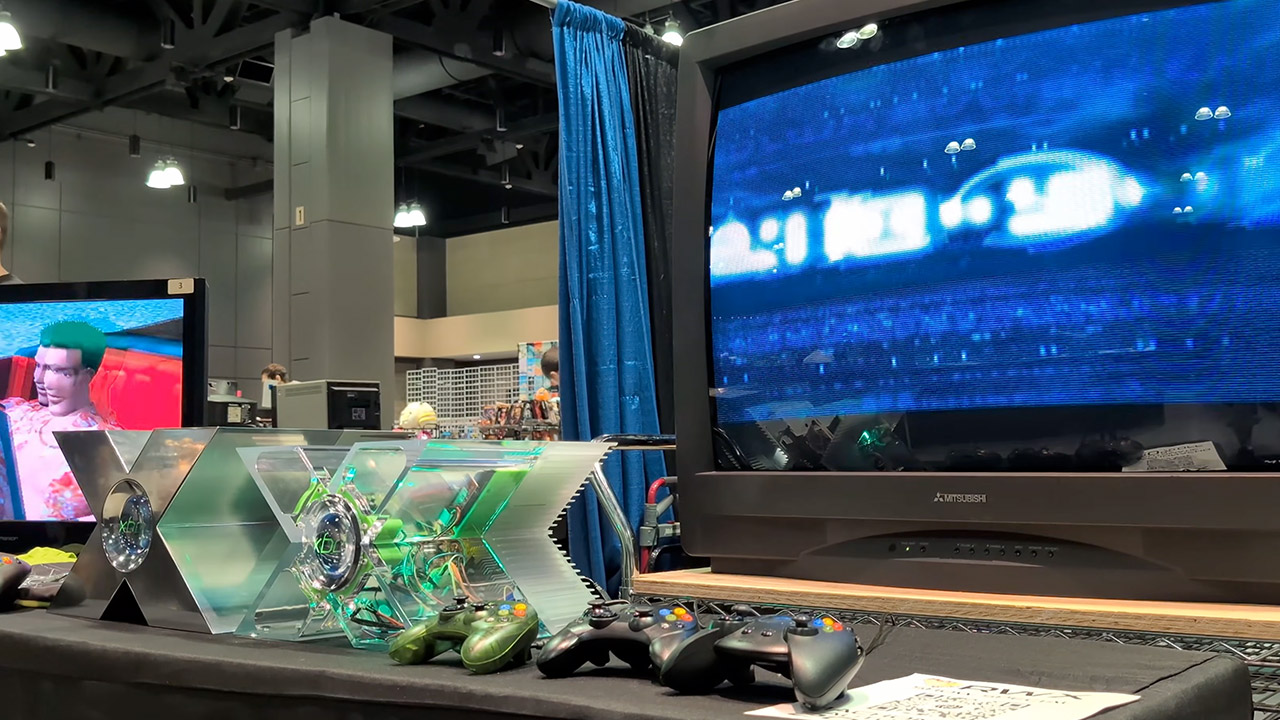
Mitsubishi spent the late 1980s and early 1990s stretching the limits of glass and electron guns until a 40-inch direct-view tube became something you could actually buy. The CS4307 belongs to that short, expensive run of sets that sat at the top of the company’s American lineup in the mid-1990s. Few other makers even tried a tube this large for living-room use. Projection sets offered more inches for less money, yet they never matched the punch of a real cathode-ray picture. Owners who wanted the biggest possible image without a projector chose this family of Mitsubishi consoles and paid accordingly.
A finished CS4307 weighs about 250 pounds and measures 39 and a half inches broad, 32 inches tall, and 27 inches deep, making it a bit of a handful to lift. Usually, you need four adults to lift the item. The cabinets, by the way, come in a fairly standard dark plastic with a very basic front panel layout that includes a power button, volume control, channel select, input select, a dedicated degauss switch because, you know, having one on the front can be useful at times, and an A/V reset for when things go wrong.
Do what you love, uninterrupted — 25% faster performance than the previous generation and is ideal for seamless streaming, reading, and gaming.
High-def entertainment — A 10.1″ 1080p Full HD display brings brilliant color to all your shows and games. Binge watch longer with 13-hour battery…
Thin, light, durable — Tap into entertainment from anywhere with a lightweight, durable design and strengthened glass made from aluminosilicate…
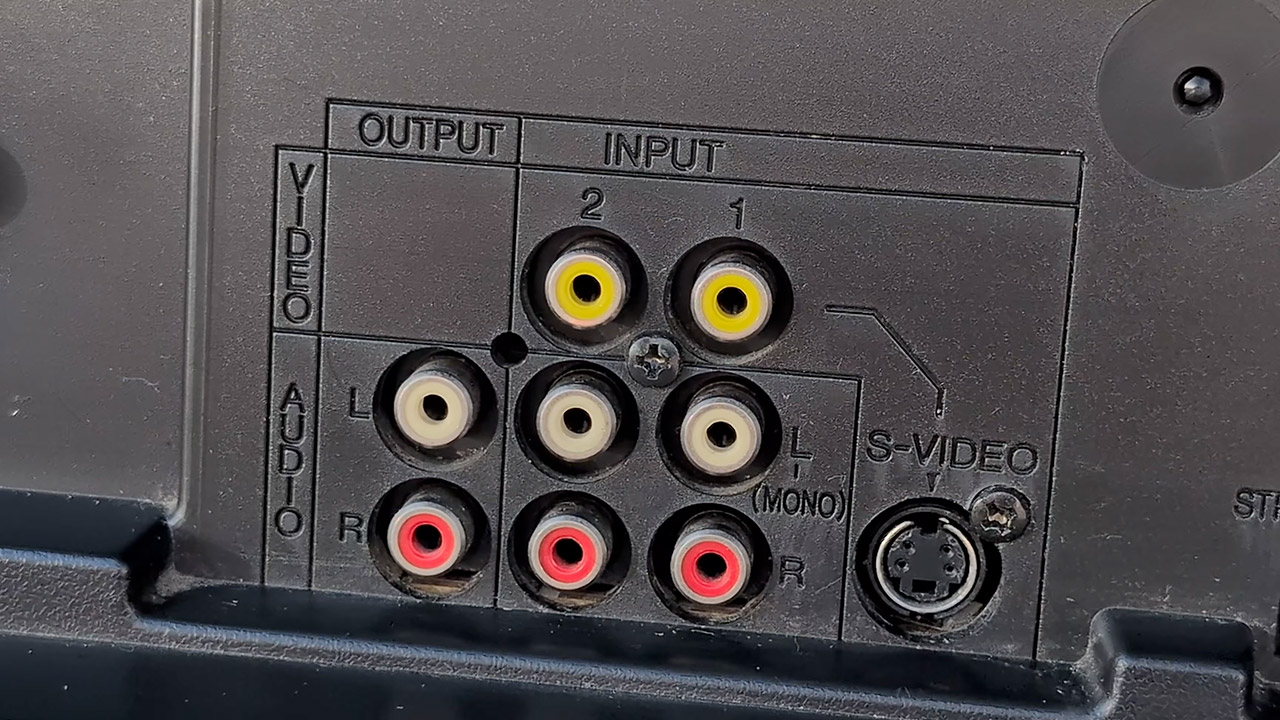
Rear connections? Pretty basic for the time, however most 1996 versions include RF, composite, and S-Video; later, one of its siblings added component video, making it the only 40-inch standard-definition set in North America with that input. Some of the higher-end models also had twin tuners, which allowed you to view one channel in a small window while retaining the other full screen. The stereo speakers that came with it sit on either side of the image tube and generate surprisingly clear sound for a mid-nineties television.
Mitsubishi built the chassis in Braselton, Georgia, and paired it with a Japanese-made slot-mask tube with a dark tint and a dual-focus electron gun. Horizontal scan remains rock solid at 15 kHz, vertical scan at 60 Hz, hence the set performs best at 240p and 480i. Now I’m told that the three-line digital comb filter handles the most of the work when it comes to differentiating color and brightness.
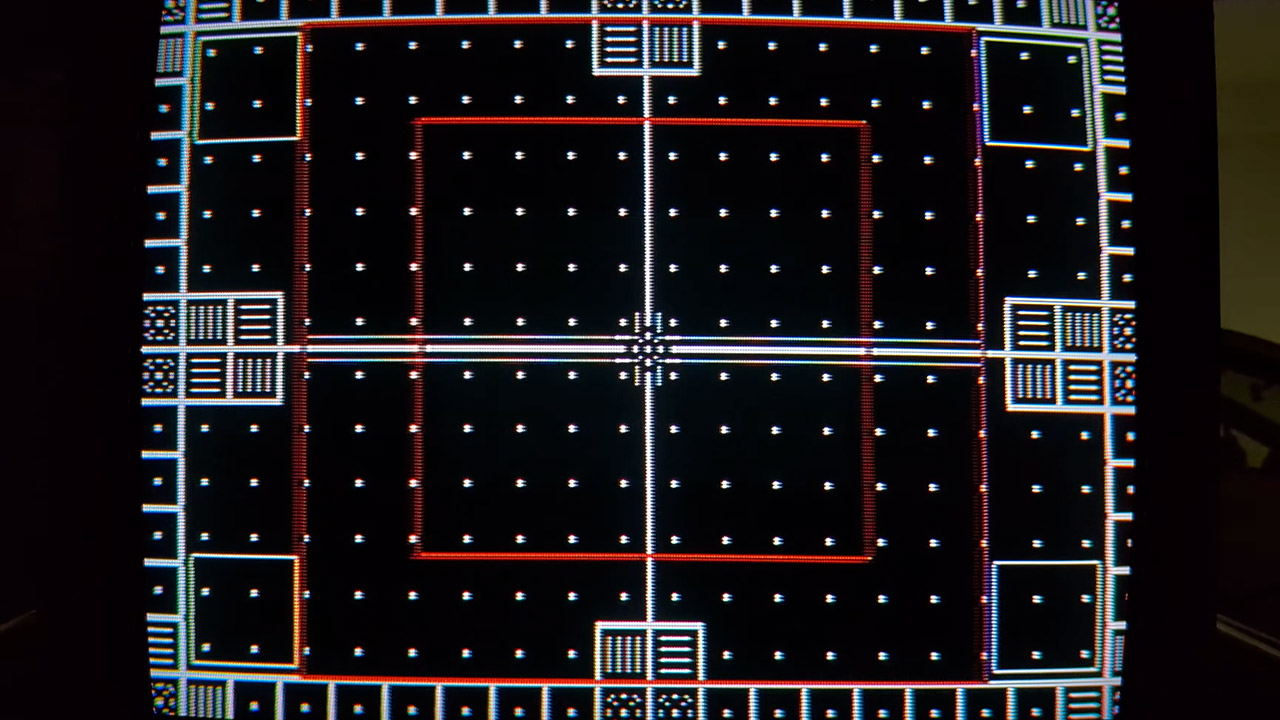
The geometry on a well-adjusted example is somewhat unexpected, especially given the size of the thing, since circles appear round and squares appear square after consulting the service menu. Of course, color purity is important, as the huge glass in this item is sensitive to the Earth’s magnetic field. That’s why you get a variety of switches to help tell the set if it’s facing north, south, or sitting in a neutral position, as well as a manual degauss button right on the front for when the picture starts to become a little weird and you get that telltale patch of color.
The list price was between $3,400 and $4,000 ($7,259 and $8,540 today), depending on the year and any extras you wanted, such as the StarSight program guide or the ViewPoint on-screen menu. For that money, you got a picture with deep blacks, natural skin tones, and enough brightness to cut through a typically lighted room after a little gray-scale tweaking. Letterboxed films looked their best because the black bars stayed black, and retro gamers later discovered the same strength: 240p from a NES, Super Nintendo, or PlayStation looked sharp and colorful through S-Video, and the large screen on set thing brought light-gun games closer to the arcade experience.
We spend hours testing every product or service we review, so you can be sure you’re buying the best. Find out more about how we test.
INNOCN E49M1R: 30-second review
The 49-inch ultrawide market has always demanded a compromise. Curve the panel, and you gain immersion but lose straight lines along your windows’ edges. Keep it flat, and those two features simply swap places. Innocn has decided that trade-off is no longer guaranteed, and the E49M1R is the result.
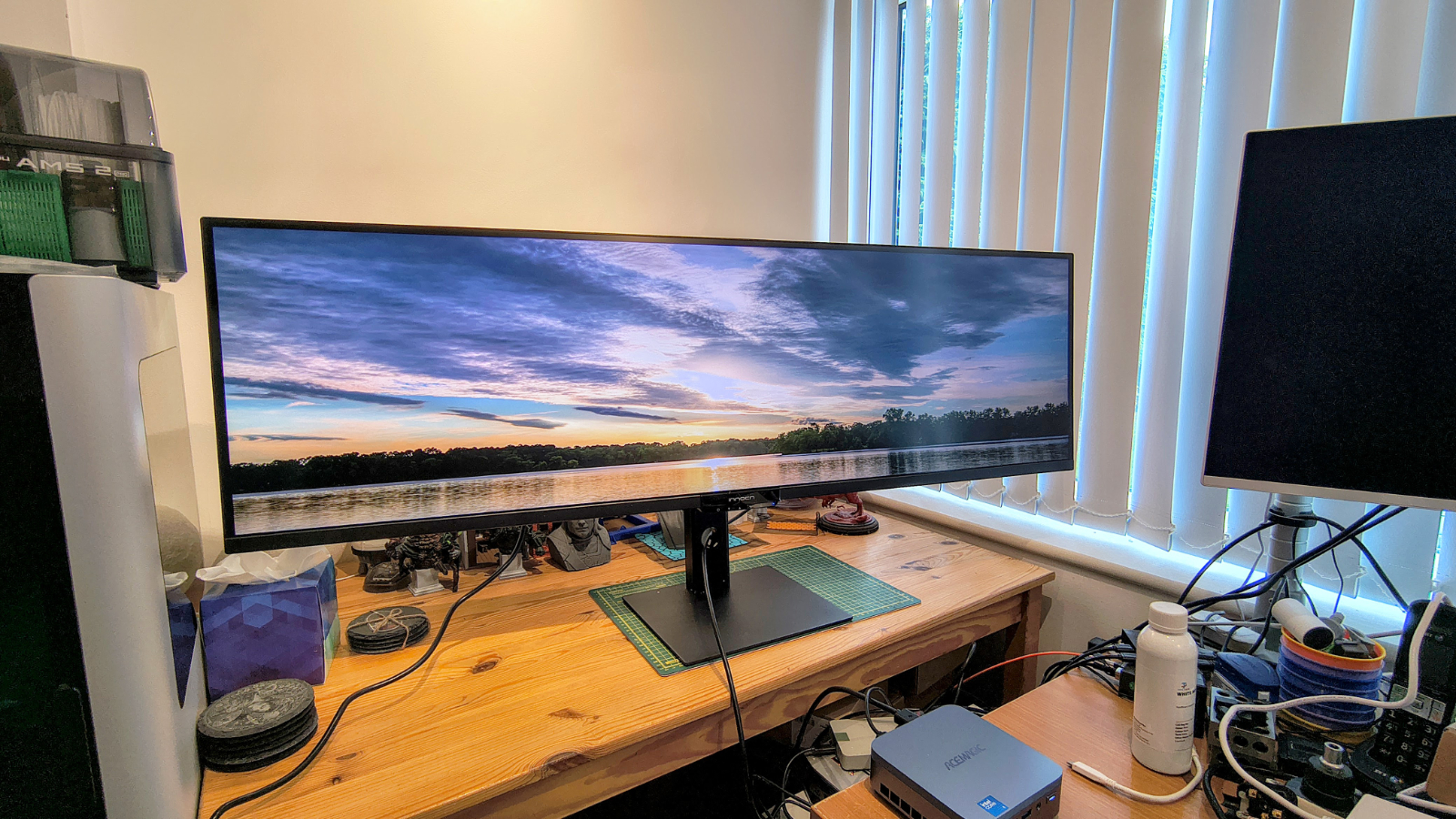
By the maker’s own description, this is the world’s first 49-inch flat Mini LED ultrawide monitor. That single design choice sets it apart from almost every other super ultrawide currently on sale, since curved panels have dominated this size class for years. Traders, video editors, developers and anyone who values straight lines over cinematic curvature now have a genuine flat alternative at this scale.
Advertisement
Underneath that flat glass sits a 5120 x 1440 VA panel, often marketed as DQHD, which is effectively two 27-inch QHD monitors joined without a centre bezel. Add a 165Hz refresh rate and a 2ms overdrive response time, and you have a display built to appeal equally to people juggling financial dashboards, editors scrubbing long timelines, and gamers who want peripheral vision without warped geometry.
Backlighting comes from 1760 local dimming zones, a genuinely high number for a monitor at this size and this price. INNOCN pairs that with HDR1000 certification, a typical brightness of 450 nits, and a claimed peak that reaches four figures in HDR content. On paper, that combination should deliver punchy highlights alongside properly dark shadows, rather than the washed-out grey blacks that cheaper Mini LED panels sometimes produce.
Colour coverage looks strong too, with sRGB essentially maxed out and comfortable coverage claimed of the wider Adobe RGB and DCI-P3 spaces. Either way, the combination suggests this panel was built with more than gaming in mind, rather than for design work.
Advertisement
Connectivity runs to two HDMI 2.1 ports and two DisplayPort 1.4 inputs, a sensible spread for switching between a desktop and a laptop, or a work machine and a console, without reaching for an adapter. You can display all four inputs at once, or use a range of picture-in-picture options.
A USB hub, twin 5W speakers and support for AMD FreeSync round out the feature list.
Sign up to the TechRadar Pro newsletter to get all the top news, opinion, features and guidance your business needs to succeed!
The stand offers 120mm of height adjustment along with tilt from minus five to plus fifteen degrees and a modest fifteen degrees of swivel. There is no mention of pivot, which is hardly surprising given the sheer width involved. At 13.3kg with the stand attached, this design rewards a permanent spot on a desk rather than regular repositioning.
Advertisement
Pricing in the US sits at $999.99, which places the E49M1R against established 49-inch rivals from Samsung and LG, several of which still rely on curved panels at similar or higher price points.
The core promise here, a genuinely flat super ultrawide with Mini LED backlighting and a proper refresh rate, is compelling enough that INNOCN deserves the benefit of the doubt until testing confirms whether the numbers hold up on a desk rather than on a spec sheet.
Advertisement
INNOCN E49M1R: Price and availability
(Image credit: Mark Pickavance)
How much does it cost? $999
When is it out? Available now in the US and Japan
Where can you get it? Direct from Innocn
Innocn lists the E49M1R at $999.99 on its US store, with free shipping, a 30-day return window and a standard 12-month warranty. Orders placed before 1 October 2026 qualify for an extended three-year warranty as a launch promotion.
The monitor also launched in Japan on 10 September 2026 at 159,999 yen, roughly $1,044, with an introductory price of 135,990 yen, roughly $887, running for a limited period around launch.
Is this a good price? It’s hard to say, since no other monitor brand has anything like this available to compare.
INNOCN E49M1R: Specs
Swipe to scroll horizontally
Specification
Advertisement
Detail
Model
E49M1R
Panel size
Advertisement
49 inches, flat
Panel type
VA, Mini LED backlit
Resolution
Advertisement
5120 x 1440 (5K DQHD)
Aspect ratio
32:9
Refresh rate
Advertisement
165Hz
Response time
8ms GtG, 2ms with overdrive
Local dimming zones
Advertisement
1760
HDR
HDR1000
Brightness
Advertisement
450 nits quoted
Contrast ratio
3000:1
Colour depth
Advertisement
8bit
Colour coverage
100% sRGB claimed, 98% tested
Connectivity
Advertisement
2x HDMI 2.1, 2x DisplayPort 1.4, USB hub, 1x audio out
Adaptive sync
AMD FreeSync
Speakers
Advertisement
2x 5W
Stand adjustment
120mm height, tilt -5 to +15 degrees, 15 degree swivel
VESA mount
Advertisement
100 x 100mm
Power consumption
95W typical, 240W maximum
Weight with stand
Advertisement
13.3kg
Warranty
3-year (launch offer)
Advertisement
INNOCN E49M1R: Design
(Image credit: Mark Pickavance)
Flat panel, not curved
Minimal bezel across a 32:9 frame
Height-adjustable stand but modest rotation
Where most 49-inch ultrawides curve their panel to keep the far edges within easy view, the E49M1R stays flat.
Innocn calls it the first monitor of its kind at this size, and it is a genuine point of difference rather than a marketing flourish. A flat panel keeps straight lines straight, which matters for anyone lining up spreadsheet columns, CAD drawings or video timelines across the full width of the screen.
You can get the same 5120 x 1440 resolution at this scale by combining two 27-inch 1440p displays, and that would be cheaper. But for those who want a single seamless experience, this is the way.
However, that creates an entirely different issue: the sides of the screen are significantly farther from a centrally placed viewer than the middle.
How much further? Well, if you are 75cm from the middle of the panel then the left and right edges are another 20cm away.
Advertisement
Depending on the flexibility of your eyesight, this is either not a problem or a major snag.
You might want to consider a desk you can slide sideways so that, if you are working at one side, you can bring it nearer, then roll your chair to the other when needed. This might seem silly, but if you are using this panel to monitor things, you’ll need to make some adjustments.
What’s impressive is how narrow the bezel is on the top and sides, making the display the predominant aspect of this screen.
(Image credit: Mark Pickavance)
The stand provides 120mm of height travel, a tilt range from minus five to fifteen degrees, and also fifteen degrees of swivel. No pivot option is listed, which makes sense given the panel’s width. It has a VESA 100 mounting point in the centre, but you need to consider that any support will need to handle the not insignificant weight of the E49M1R.
Advertisement
At 13.3kg with the stand fitted, this is not a monitor you will want to move often, or possibly without some help.
Settings on this monitor are slightly old-school, with five buttons under the central Innocn logo being used to control an on-screen menu.
I’ll be honest and say I hate these menus, because six clicks to make a change when it would be one with a mouse and an app seems bonkers. However, all the interesting features are on this menu, if you can be bothered to click through them.
Overall, there isn’t much that’s revolutionary here in the design; most of that showboating is reserved for the underlying technology.
Advertisement
However, despite the obvious awkwardness of having a monitor this large, in most respects it works as intended, and for some applications is something of a joy.
The trick I think Innocn missed is that this screen is perfect for controlling multiple systems, since you can display each input simultaneously. What’s required to make this perfect is a KVM, and since Innocn put a USB hub into the monitor, why did they not make this a KVM?
Even if it only supported two computers, splitting the screen for two systems, and tracking a hotkey switch (like a SCRL LOCK double tap) to flip the USB port over for mouse and keyboard, this would be terrific. Yes, you can get the same effect with a separate KVM, as I have, but if it were all in one package, it would be brilliant.
The key weaknesses are the lack of motion on the stand and the lack of a software control panel, which forces you to use tiny buttons to change modes.
Advertisement
But these flaws don’t undermine what is a solid product in most respects.
(Image credit: Mark Pickavance)
INNOCN E49M1R: Performance
Up to 480 nits
98% sRGB
72% AdobeRGB
Swipe to scroll horizontally
Colour Gamut
Percentage
sRGB
Advertisement
98%
AdobeRGB
72%
P3
Advertisement
74%
NTSC
68%
Rec2020
Advertisement
53%
Gamma
1.8
Maximum Brightness
Advertisement
481.5
Maximum Contrast
4180 : 1
This design has a weird dichotomy I’ve never seen before: some of it comes from the design choices, and some from the panel’s technology.
Advertisement
But first, let’s talk about what’s good about this screen, because in many respects the positive aspects outweigh the negative ones.
Two aspects are 5/5 in my opinion: color gamut and contrast. Being able to display lots of colours and a decent contrast between the brightest and darkest makes this an extremely readable display, and a punchy chromatic experience. I’m not sure how that fits with the Innocn specification that this is an 8-bit VA panel underneath.
The brightness is also greater than the 450nits that the maker quotes, and typically that number is overstated.
On paper, the E49M1R’s performance case rests on three pillars. The first is contrast, delivered by 1760 local dimming zones feeding a VA panel with a quoted 3000:1 native contrast ratio. That is a considerably more granular backlight than the edge-lit arrangements found on cheaper ultrawides, and it should translate into deeper blacks alongside bright highlights in HDR content, rather than the obvious blooming that coarser dimming grids produce.
Advertisement
The second is color. Innocn claims essentially full sRGB coverage, with wide claimed coverage of Adobe RGB and DCI-P3 as well, alongside a Delta E accuracy target below two. Those numbers would put the E49M1R comfortably ahead of most gaming-focused ultrawides for colour-critical work, but it’s more nuanced than that.
While the gamut is great, color accuracy isn’t wonderful, making this design less than ideal for designers working with color. You might be able to tweak settings to improve colour accuracy, but this screen will never compete with an OLED panel.
The third pillar is motion. A 165Hz refresh rate, 2ms overdrive response time, and AMD FreeSync support should keep fast-moving content smooth, though the product page makes no G-Sync compatibility claim, which is worth noting for Nvidia users who rely on that certification.
In conclusion, if you need an ultrawide display for monitoring multiple systems, huge spreadsheets, motion graphics, a flight or racing simulator, then this is an excellent choice.
Advertisement
The lack of accuracy here is an issue for color-critical jobs, but that’s not something most people buy an ultrawide monitor for.
(Image credit: Mark Pickavance)
INNOCN E49M1R: Final verdict
On specification alone, the E49M1R makes a compelling case. Innocn has combined a genuinely novel flat panel with a dense Mini LED backlight, a proper 165Hz refresh rate and colour coverage that reaches well beyond sRGB.
For traders, editors, developers and anyone tired of curved screens distorting their straight lines, this looks like the ultrawide the category has been missing.
Advertisement
I do wonder if Innocn has another E49M1 design in development that uses OLED and would address the color accuracy issues I detected, but for now this VA design with Mini LED backlighting is a dramatic improvement over any single-source backlight hardware.
With the hardware available today, the E49M1R could be one of the year’s most significant ultrawide launches. And, at less than $1000, this is a huge monitor for a modest asking price. If you don’t need such a high resolution, Innocn also offers the slightly cheaper E49M1G with a 3840 x 1080 resolution and a 144Hz refresh rate.
On a personal note, I’ve been using this panel this week, and having my PC desktop on one side and a mini PC I’m benchmarking on the other makes for a great workflow. Similarly, when I transfer my work from Word to the publishing system, being able to extend my desktop is equally helpful.
While the E49M1R isn’t for everyone, for those who can use its abilities, it’s genuinely revolutionary.
Advertisement
(Image credit: Mark Pickavance)
InnoCN GA27S1Q: Report card
Swipe to scroll horizontally
Value
When only a company makes something, the price is the price
5 / 5
Advertisement
Design
Massive display with a restrictive stand, but plenty of good features
4 / 5
Performance
Advertisement
Large gamut and incredible contrast, but not color accurate
4 / 5
Total
Easily worth what the maker is asking for an Mini LED this big
We spend hours testing every product or service we review, so you can be sure you’re buying the best. Find out more about how we test.
Reolink OMVI 3i: two-minute review
Shenzhen-based firm Reolink is a well-established brand in the home security market having gained a solid reputation for well-built, user-friendly cameras and video doorbells at an affordable price. I’ve reviewed quite a few models for TechRadar in my time and have generally been very impressed. One particular favourite is the recently launched Reolink Solar Floodlight Cam which combines a solar panel with two powerful spotlights either side of the main unit, as well as a loud onboard siren.
Like the Solar Floodlight Cam, the OMVI 3i also features powerful spotlights (there are eight in total) plus an ear-piercing 110dB siren. However, the key difference is that rather than relying on solar power combined with a built-in lithium-ion battery that can be recharged, the much bulkier Reolink OMVI 3i is mains-operated only and can’t be powered by battery or solar. This means it will have to be located near an AC power supply which isn’t always possible outdoors.
Advertisement
Two versions are available, a wired Power of Ethernet (PoE) version and the Wi-Fi model that we tested. Unlike some cheaper models, the OMVI 3i supports both 2.4GHz and 5GHz Wi-Fi — though the 5GHz frequencies are recommended for outdoor use. Practically identical to one another, both models are very bulky, requiring careful mounting on a wall using a drill in conjunction with brackets, screws and wall plugs provided.
Latest Videos FromTechRadar
(Image credit: Future)
Whereas most security cameras rely on cloud-based processing to identify objects, this latest Reolink features powerful integrated edge AI. This onboard intelligence allows the camera to easily distinguish between people, animals, and vehicles, letting you independently adjust sensitivity settings for each category to help dramatically reduce false alarms. Particularly clever is the smart tracking option alongside advanced package detection, which can alert you if a parcel is removed from a specific zone – making it a potentially useful tool in the fight against porch pirates.
Advertisement
When viewing footage via the easy-to-use app, two screens are displayed – one from the top panoramic camera producing a 180-degree image from two separate lenses and the other from a motorized pan-and-tilt camera that can rotate horizontally up to 355 degrees and vertically up to 50 degrees. Rather usefully, if you spot something untoward on the panoramic display such as an intruder, you can simply identify the area with your finger and it will then hone in on that area using the pan-and-tilt camera underneath.
Finally, where security camera manufacturers usually make their money is in selling you a monthly subscription to store your video footage in the cloud. Not only is this a potential cybersecurity risk, it can also get very expensive over time. With the Reolink OMVI 3i, there’s the choice between storing on a MicroSD card slot (not supplied) or subscribing to Reolink’s cloud service from just £2.71 (about $3.60 / AU$5.10) per month (yes it’s a strange amount). And because this OMVI 3i is mains-operated, the camera can record 24/7 if you want it to without having to worry about the battery losing its charge. This makes it ideal for business as well as consumer use.
Reolink OMVI 3i: subscription options
Reolink Cloud, Single Device Plan: Up to 30-day cloud video history, one camera, unlimited cloud storage, unlimited rich notifications, AI Video Search. £2.71 (about $3.60 / AU$5.10) per month.
Advertisement
Sign up for breaking news, reviews, opinion, top tech deals, and more.
Reolink Cloud, Standard Plan: Up to 30-day cloud video history, up to five cameras supported, unlimited cloud storage, unlimited rich notifications. £2.87 (about $2.80 / AU$5.40) per month.
When is it available? Available since June / July 2026
Where is it available? UK, US, Australia, and select global markets via Amazon and Reolink’s official store.
When you consider everything that the Reolink OMVI 3i camera has to offer, including dual panoramic lenses, a 4K pan-and-tilt mechanism, integrated edge AI and powerful spotlights, this security camera simply is fantastic value for money — especially as it’s pretty well built too. A few years ago, a device like this would have set you back nearer to £400 in the UK where I’m reviewing it, yet at the time of writing Amazon is offering it for just £220.
And while there are of course cheaper models on the market, none that I’ve seen offer anywhere near the same levels of performance. In fact, the Reolink OMVI 3i substantially undercuts commercial-grade monitoring systems, making it the ideal choice for small businesses/shops that want to use it for monitoring their premises.
Furthermore, even if you opt for cloud storage, the subscription fee isn’t that bad coming in at under £3 a month. Better still, you can avoid ongoing costs completely by buying your own MicroSD card for local event logging, 24/7 continuous recording, or audio capture, making it a remarkably cost-effective long-term investment.
Heavy-duty weatherproof (IP66) housing with drilling template included
Mains-powered only
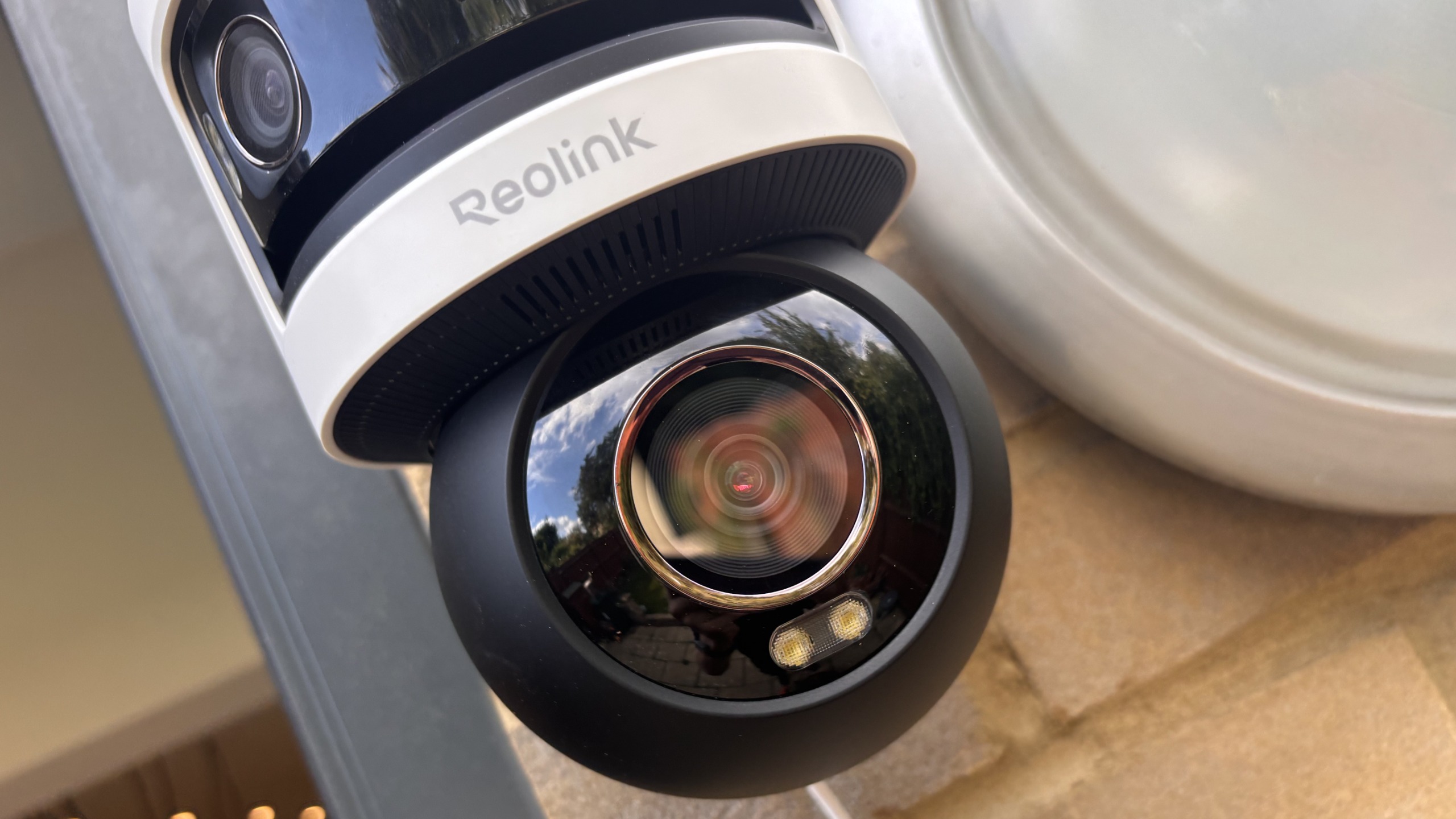
Unlike many modern compact outdoor security cameras, the OMVI 3i is one heck of a big beast! Tipping up the scales at 2.4lbs / 1.1kg for the Wi-Fi variant and 2.9lbs / 1.3kg for the PoE version, it’s a really bulky unit. Installation isn’t the easiest either. Because of its weight and the way it protrudes from the wall, it requires a very secure mount. It’s not a camera you can casually stick up with a couple of small screws. Instead, you’ll need a drill, screws, wall plugs and the mount to ensure it stays firmly anchored.
Image 1 of 2
Advertisement
(Image credit: Future)
(Image credit: Future)
Using the template provided I drilled holes for the sturdy mounting bracket, placing the unit high up on my outside wall overlooking the garden. But there’s no getting away from the fact this is a big unit designed for high performance rather than looks. Another major problem is that it needs to be plugged into the mains. Thankfully I already have a mains socket outdoors, but if you don’t, you will run have to connect the cabling to a plug indoors.
(Image credit: Future)
Essentially the design comprises two main elements — the upper part with twin lenses for panorama mode and the single lens pan-and-tilt camera underneath. Round the back of the unit is a waterproof rubber flap housing a MicroSD card slot and reset button. The maximum supported MicroSD card size for the Reolink OMVI 3i (both WiFi and PoE versions) is 512 GB. Alternatively you can subscribe to store recorded footage in the cloud or buy a Reolink NVR (network video recorder).
Reolink OMVI 3i: performance
SyncTrack enables the Pan-Tilt camera to automatically lock on and follow subjects
Integrated edge AI for people, animals and vehicles
Removed item alerts and 24/7 continuous recording capability
When it comes to performance, the Reolink OMVI 3i Wi-Fi is certainly one of the best I’ve ever seen. Freed from battery limitations, it can focus completely on offering high-definition recordings from the triple-lens set up, rather than having to compromise on image quality to save battery power.
Indeed, visual performance is exceptionally strong. The 4K 8-megapixel pan-and-tilt camera delivers crisp, high-definition clarity that lets you easily zoom in on distant facial features or car number plates. Furthermore, the 10MP panoramic lenses on top provide an ultra-wide 180-degree overview, delivering the ultimate ‘best of both worlds’ setup where nothing escapes your field of vision. When an event occurs in the panoramic overview, you can simply tap or click on a specific area within the wide feed, and the 4K PTZ camera will instantly ‘pinpoint’ and swivel to that exact spot, zooming in to provide close-up detail without losing track of the broader context.
(Image credit: Future)
Even at night, picture quality remains exceptional. Infra-red night vision provides sharp monochrome clarity, while the multiple integrated spotlights proved amazingly powerful, bathing my garden in light late at night to ensure color recordings. Also on board is a powerful 110dB siren for startling unwanted trespassers, as well as two-way audio so you can tell intruders to get off your land!
Advertisement
But that’s not all. Particularly impressive is OMVI 3i’s built-in local AI processing. Rather than relying on sluggish or privacy-invasive cloud servers, the camera runs intelligence directly on the device. This allows it to distinguish between people, animals and vehicles with impressive accuracy. You can also independently fine-tune the motion sensitivity for each category, which dramatically cuts down on the nuisance false alarms that plague many security cameras.
(Image credit: Future)
Although I didn’t test the feature, removed-item alerts enable you to get a notification if a parcel is lifted from a marked doorway zone (handy in the fight against porch pirates!) while if you want continuous coverage, you can set the camera to record 24/7 or configure it to record audio by default.
Yet despite these standout strengths, the camera’s performance is not entirely without flaws. One small issue I encountered during testing is that the software stitching between the two top cameras for the 180-degree panorama occasionally fails, disrupting the seamless wide-angle view (this can be corrected with software within the app). Additionally, while the automated tracking of people, vehicles and animals is generally smooth, fast-moving targets can cause the pan-and-tilt mechanism to stutter or momentarily lose tracking if they dart across the frame too quickly.
(Image credit: Future)
Finally, because the camera captures such a massive, wide-angle view, it does demand careful positioning. If you have limited private space, its lenses can easily spill over into neighboring properties or public walkways, requiring you to use the detection exclusion zones software provided.
Advertisement
Should you buy the Reolink OMVI 3i?
Swipe to scroll horizontally
Attribute
Notes
Score
Advertisement
Value
The Reolink is excellent value for money considering its triple-lens hardware, local AI and flexible storage options.
5/5
Design
Advertisement
Heavy and bulky, requiring wall plugs and a drill for secure mounting. Also runs on mains power and is unsuited for tight private spaces due to large field of view.
3.5/5
Performance
Combines crisp 4K resolution, Pinpoint synchronized tracking, a 180-degree panoramic overview, 355-degree PTZ tracking, powerful spotlights, and a loud siren.
Advertisement
4.5/5
Buy it if
Don’t buy it if
Advertisement
Reolink OMVI 3i: also consider
Swipe to scroll horizontally
Header Cell – Column 0
Reolink OMVI 3i Wi-Fi
IMOU AOV PT
Reolink Solar Floodlight Cam
Subscription price
Advertisement
Optional cloud from £2.71 a month (or MicroSD storage)
Optional subscription from £3 a month
None. Optional subscription from £2.71 a month
Viewing angle
Advertisement
180-degree panoramic dual lens and 355-degree pan and tilt camera
360-degree pan and tilt lens
150-degree ultra-wide diagonal
Network connection
Advertisement
Wi-Fi/ PoE versions (2.5GHz/5GHz)
Wi-Fi (2.4GHz)/4G cellular
Wi-Fi (2.4GHz/5GHz)
Audio
Advertisement
Two-way audio
Two-way audio
Two-way audio
Video
Advertisement
4K 8MP PTZ + 10MP panoramic resolution
3K (5MP) video resolution
2K (1440p) video resolution
Power
Advertisement
Mains power (with waterproof cable design)
Battery/Solar
Battery/Solar
Hardware price
Advertisement
£220-£250
£129 (with separate solar panel)
£85 (with built in solar panel)
Advertisement
How I tested the Reolink OMVI 3i
I used the camera outdoors for seven days
I set it up myself using the fittings provided by the manufacturer
The security camera was installed facing my back garden.
Usually when testing outdoor security cameras, I like to install them on my summer house which doubles as a home office and gym. This gives me a great view of the garden back towards the house. However, for the Reolink OMVI 3i I had to change things around for a couple of reasons.
Firstly, the size of the camera meant that I couldn’t be sure that the wooden-built summer house would hold the weight. Secondly, although I have power inside the summer house I would have needed to run power quite a long way to the outside of the building which wasn’t possible with the cable provided.
So, instead, I opted to drill the camera bracket into the wall outside my kitchen and face the camera the other way towards the end of the garden. This had the added advantage of the camera not being visible to the neighbors. I tested the camera for several days and nights, using the onboard AI to capture people and animals in the garden, though thankfully no intruders made it into my heavily fortified property.









































































You must be logged in to post a comment Login