
Connect with us
DAPA Banner
DAPA Coin
DAPA
COIN PAYMENT ASSET
PRIVACY · BLOCKDAG · HOMOMORPHIC ENCRYPTION · RUST
ElGamal Encrypted MINE DAPA
🚫 GENESIS SOLD OUT
DAPAPAY COMING

Tech

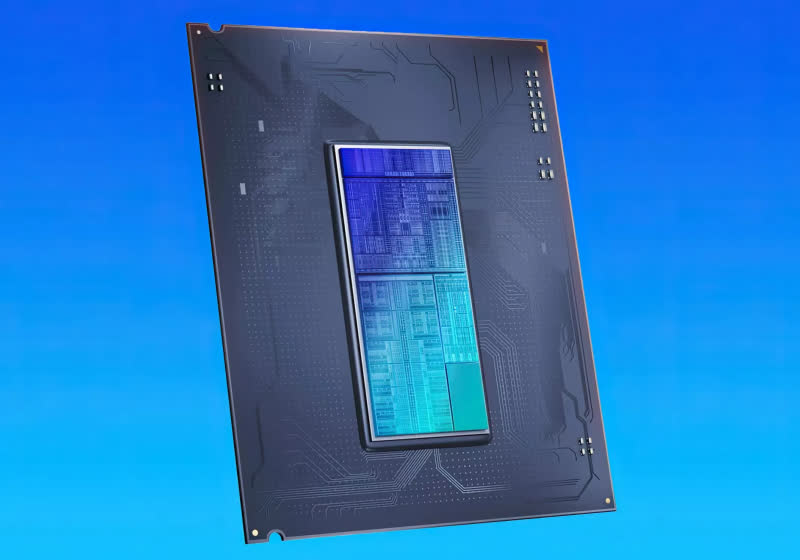
Intel roadmap leak reveals Nova Lake, Razor Lake, Titan Lake, and Moon Lake through 2028 with Nvidia RTX GPU tile integration

Published

on


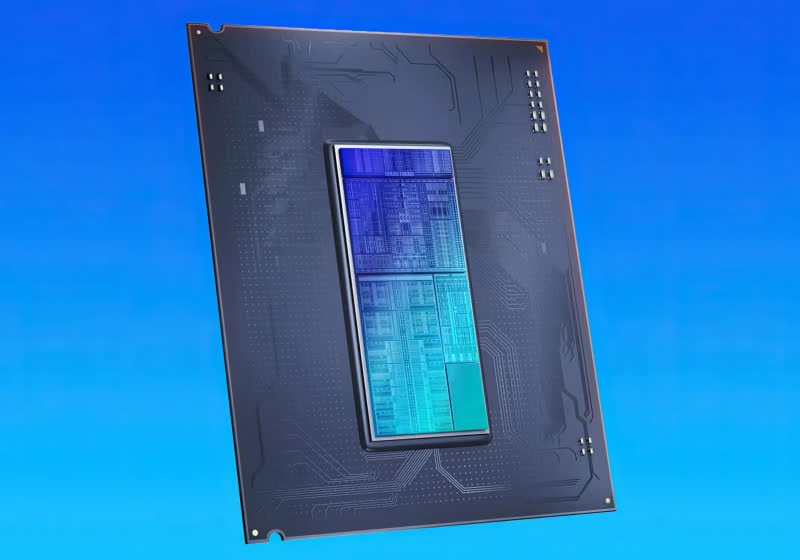
Sources tell DigiTimes that after Intel launches its Nova Lake processors in the second half of this year, Razor Lake will follow in late 2027, with Titan Lake and Moon Lake arriving in 2028. The desktop and mobile lineups are expected to directly address areas where Chipzilla has fallen behind AMD.
Read Entire Article
Source link

Continue Reading
Click to comment

You must be logged in to post a comment Login

Leave a Reply

Tech

Premier League Soccer: Stream West Ham vs. Arsenal From Anywhere Live

Published

on

When to watch West Ham vs. Arsenal

  • Sunday, May 10, at 11:30 a.m. ET (8:30 a.m. PT).

Where to watch

  • West Ham vs. Arsenal will air in the US on USA Network.
See at Sling TV
Sling TV icons

Watch the Premier League on USA Network from $46 a month

Advertisement

Sling Blue

73% off with 2yr plan (+4 free months). Now only $3.49/month


See more details

See at Fubo
Fubo

Watch the Premier League in Canada

Advertisement

Fubo Canada

Two teams, both in need of a win for very different reasons, meet on Sunday in this tantalizing all-London match-up, as relegation-threatened West Ham hosts table-topping Arsenal in the English Premier League. 

Advertisement

Man City’s slip-up against Everton on Monday handed the advantage to the Gunners in the title race. An impressive double remains in the cards for Arsenal after it reached the UEFA Champions League final in midweek with a 2-1 aggregate win over Atlético Madrid.

West Ham, meanwhile, took a step closer to the trapdoor last weekend, with its demoralizing 3-0 defeat away at Brentford. That was compounded by relegation rival Tottenham picking up an unexpected win against Aston Villa, pushing the Hammers back into the drop zone. 

West Ham takes on Arsenal on Sunday, May 10, at the London Stadium, with kickoff set for 4:30 p.m. BST. That makes it an 11:30 a.m. ET or 8:30 a.m. PT start in the US and Canada, and a 1:30 a.m. AEST kickoff in Australia in the early hours of Monday morning. 

Advertisement
Bukayo Saka of Arsenal laughing, celebrating.

The reverse fixture between these two teams at the Emirates Stadium in October saw Bukayo Saka score from the penalty spot in a 2-0 win for Arsenal. 

Alex Pantling/UEFA/Getty Images

How to watch West Ham vs. Arsenal in the US without cable

Sunday’s crucial clash at the London Stadium will be broadcast on USA Network, which you can access with a live TV streaming service like Sling TV, or a pricier option such as YouTube TV or DirecTV’s MySports package. 

Advertisement

Sling TV/CNET

The Sling TV Blue plan comes with USA Network, making it a great option for those who want to watch Premier League action. It costs $46 a month and includes more than 40 channels, including sports channels ESPN and FS1. Read our Sling TV review.

How to watch the Premier League 2025-26 with a VPN

If you’re traveling abroad and want to keep up with Premier League action while away from home, a VPN can help enhance your privacy and security when streaming.

It encrypts your traffic and prevents your internet service provider from throttling your speeds, and can also be helpful when connecting to public Wi-Fi networks while traveling, adding an extra layer of protection for your devices and logins. VPNs are legal in many countries, including the US and Canada, and can be used for legitimate purposes such as improving online privacy and security. 

Advertisement

However, some streaming services may have policies that restrict VPN use to access region-specific content. If you’re considering a VPN for streaming, check the platform’s terms of service to ensure compliance.

If you choose to use a VPN, follow the provider’s installation instructions to ensure you’re connected securely and in compliance with applicable laws and service agreements. Some streaming platforms may block access when a VPN is detected, so verify whether your streaming subscription allows VPN use.

James Martin/CNET

Price $78 for two yearsLatest Tests No DNS leaks detected, 18% speed loss in 2025 testsJurisdiction British Virgin IslandsNetwork 3,000 plus servers in 105 countries

Advertisement

ExpressVPN is our current best VPN pick for people who want a reliable and safe VPN, and it works on a variety of devices. It’s normally $120 a year for its most popular plan (Advanced), but if you sign up for an annual subscription for $90, you’ll get three months free. That’s the equivalent of $6 a month.

Note that ExpressVPN offers a 30-day money-back guarantee.

Advertisement

73% off with 2yr plan (+4 free months). Now only $3.49/month

Livestream West Ham vs. Arsenal in the UK 

This Sunday afternoon clash is exclusive to Sky Sports and will be shown on its Sky Sports Main Event channel. If you already have Sky Sports as part of your TV package, you can stream the game via its Sky Go app. Cord-cutters will want to set up a Now account and a Now Sports membership to stream the game. 

Sky’s standalone streaming service Now offers access to Sky Sports channels with a Now Sports membership. You can get a day of access for £15 or sign up to a monthly plan from £35 a month right now.

Livestream West Ham vs. Arsenal in Canada 

If you want to livestream English Premier League games in Canada this season, you’ll need to subscribe to Fubo. The service has secured exclusive rights to the Premier League and is broadcasting all 380 matches live. 

Fubo is the go-to destination for Canadians looking to watch the EPL, with exclusive streaming rights to every match. It currently costs CA$27 for the first month, then CA$31.50 per month thereafter.

Livestream West Ham vs. Arsenal in Australia 

Livestreaming rights for the EPL are now with Stan Sport, which is showing all 380 matches live, including this game.

Stan Sport will set you back AU$20 a month (on top of a Stan subscription, which starts at AU$12). It’s also worth noting that the streaming service is currently offering a seven-day free trial.

A subscription will also give you access to Premier League, Champions League and Europa League action, as well as international rugby and Formula E.

Advertisement

Source link

Continue Reading

Tech

iPhone 14 Won’t Charge? 6 Fixes That Actually Work

Published

on

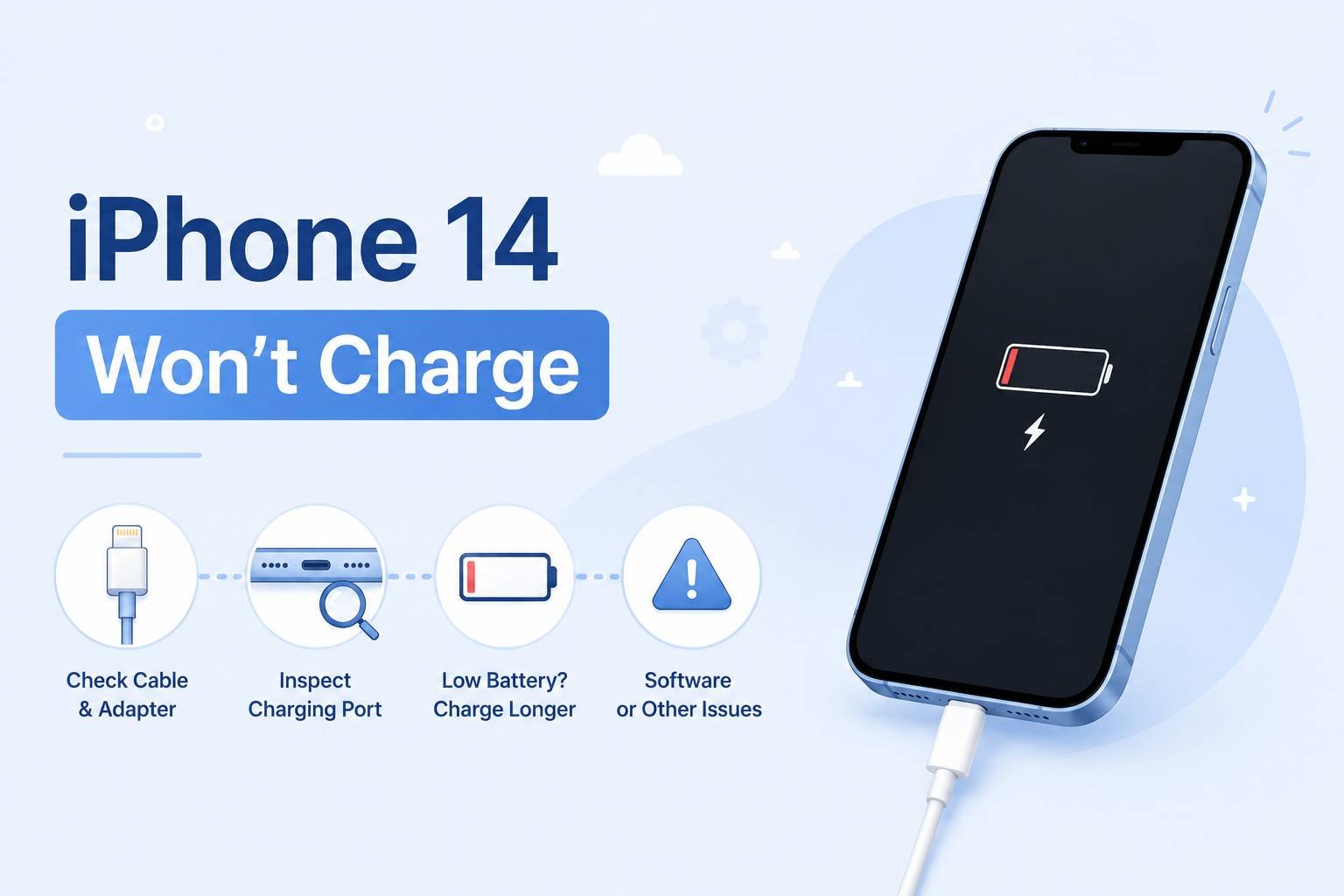
Your iPhone 14 won’t charge — and the cause is almost always one of four things: a damaged or non-certified cable, debris packed into the Lightning port, a software glitch stopping the charging process, or a battery that needs replacing. All of these are diagnosable at home. This guide walks through each fix in the order most likely to solve the problem first, so you’re not replacing hardware you don’t need to replace.

These steps apply to iPhone 14, iPhone 14 Plus, iPhone 14 Pro, and iPhone 14 Pro Max.

Quick Take: Start with the cable and port — the majority of iPhone 14 charging failures trace back to a faulty cable, a dirty port, or a low-wattage power source. Clean the port with a dry toothbrush before assuming anything is broken. If the hardware checks out, a force restart fixes most software-related charging blocks. If your phone charges fine but stops at 80%, that is Optimized Battery Charging doing its job — not a fault.

Before You Start: Rule Out These Two Things

Two scenarios look like charging failures but are not faults at all.

Advertisement

The first is Optimized Battery Charging. If your iPhone 14 consistently stops charging at around 80% overnight, that is a deliberate iOS feature — not a glitch. Apple’s Optimized Battery Charging holds the charge at 80% and finishes charging to 100% just before your typical wake-up time, based on your learned daily routine. It is designed to reduce battery aging. If you want to verify this is happening, go to Settings > Battery > Battery Health & Charging and check whether the feature is toggled on. It is enabled by default.

The second is a deeply drained battery. If the screen shows nothing at all when you plug in, that does not mean charging has failed. A battery at absolute zero charge may take 5–15 minutes before showing any indicator on screen. Give it at least 15 minutes before drawing any conclusions.

Step 1: Check the Cable, Adapter, and Power Source

This is where roughly half of all charging problems start. Inspect the Lightning cable for fraying near either end — the strain relief (the plastic collar where the cable meets the connector) is the most common failure point. A cable that looks intact from the outside can have broken internal wires from repeated bending. If you have another cable available, swap it in and test.

If you see the alert “This accessory is not certified” or “may not be supported” when you plug in, your cable either lacks MFi certification (Made for iPhone, Apple’s licensing standard for accessories) or the cable’s internal chip has failed. Non-certified cables trigger this alert by design and will often charge intermittently or not at all. Replace the cable with an Apple original or an MFi-certified third-party cable before trying anything else.

Advertisement

For the power source: plug directly into a wall outlet using an Apple or MFi-certified USB power adapter. USB ports on computers, keyboards, and older USB hubs frequently deliver too little current to reliably charge an iPhone 14. Apple’s official guidance specifies using a wall power outlet and checking for firm connections at every point in the chain — cable to phone, cable to adapter, adapter to wall.

Step 2: Clean the Lightning Port

Compacted lint and debris inside the Lightning port is one of the most underestimated causes of iPhone charging problems, and it is almost always invisible until you look closely with a light. Over time — particularly if you carry your phone in a pocket or bag — fibers accumulate at the back of the port and physically prevent the cable connector from seating fully. The cable appears to plug in, but the electrical contact is poor or absent.

Power off the iPhone before cleaning. Then, using a flashlight, inspect the interior of the port. If you see compacted gray or brown material at the back, clean it out as follows, per iFixit’s port cleaning guide:

  1. Insert the head of a dry, soft-bristled toothbrush into the port.
  2. Rotate the brush gently in small circles to break up compacted debris.
  3. Use a can of compressed air (dust blower) to blow loosened debris out — hold the can upright to avoid propellant spray.
  4. Repeat the brush pass if debris remains.
  5. Plug in the cable and check for the charging icon.

Do not use metal tools — toothpicks, pins, or SIM ejectors — inside the port. The Lightning pins are fragile, and a single bent pin means a port replacement. A dry toothbrush removes the vast majority of debris without any risk of damage.

Step 3: Force Restart the iPhone

A software crash or a frozen charging process can make a working charger appear to do nothing. A force restart clears this state without deleting any data and takes about 20 seconds.

Advertisement
  1. Quickly press and release the Volume Up button.
  2. Quickly press and release the Volume Down button.
  3. Press and hold the Side button until the Apple logo appears — then release.

Keep the phone plugged into the charger while you do this. When the Apple logo appears, release the Side button and allow the phone to finish booting. Once it has restarted, check whether the charging icon appears in the status bar.

One common mistake: releasing the Side button when the “slide to power off” screen appears. That is not the restart — keep holding through it. The Apple logo comes after, and the full sequence can take up to 20 seconds.

Step 4: Update iOS

iOS bugs occasionally interfere with charging behavior, and some have been resolved in point releases. If you have been delaying an update, this is a good reason to install it. Go to Settings > General > Software Update and install any available update. You do not need a full charge to initiate an update — connect to Wi-Fi, plug in, and let it run.

If your phone cannot charge enough to update over the air, you can initiate a software update through Finder (Mac) or iTunes (Windows) by connecting via Lightning cable. This method does not require a minimum battery level and will attempt to update rather than erase.

Step 5: Check Battery Health

A severely degraded battery can cause unpredictable charging behavior — the iPhone may refuse to charge past a certain point, charge very slowly, or drop charge percentage immediately after unplugging. To check battery health on iPhone 14: go to Settings > Battery > Battery Health & Charging.

Advertisement

The “Maximum Capacity” figure shows how much charge your battery holds relative to when it was new. Apple’s battery health guidance indicates that a battery at 80% or below warrants replacement. At that level, the phone will also begin displaying a message recommending service. A degraded battery is not a charging fault per se — the charger is doing its job — but the battery cannot accept and hold a full charge anymore, which reads like a charging problem to the user.

If the reading is above 80% and all other steps have been completed, the battery itself is not the cause of your charging issue.

Step 6: Try Wireless Charging as a Diagnostic

If you have a Qi-compatible wireless charger or a MagSafe charger available, try charging wirelessly. The iPhone 14 supports Qi wireless charging at up to 7.5W and MagSafe at up to 15W. If the phone charges wirelessly but not via Lightning cable, you have isolated the problem to the Lightning port or the cable — not the battery or software.

A few things to check if wireless charging also fails: the phone must be centered over the charging coil on the pad, as misalignment breaks the connection. A thick case, metal case, or a case with a magnetic wallet attachment can interfere with power transfer — remove the case and retry. If the iPhone is hot (warm to the touch), iOS will reduce or pause charging until the device cools. Move it away from direct heat or sunlight and wait a few minutes before placing it on the pad again.

Advertisement
Scenario What it likely means Next step
Wired fails, wireless works Lightning port or cable issue Replace cable; inspect port; book port repair if cable swap fails
Both wired and wireless fail Battery, software, or internal hardware fault Force restart, update iOS, check battery health, book service if no improvement
Charges but stops at 80% Optimized Battery Charging active (normal) Leave overnight — it finishes to 100% before typical wake time. Or disable in Settings
Charges slowly on computer USB Underpowered source Switch to a wall outlet with Apple or MFi adapter
“Accessory not supported” alert Non-MFi cable or dirty port Replace cable with MFi-certified; clean port

When to Stop DIY and Book a Repair

If you have worked through all six steps and the iPhone 14 still won’t charge, the problem is almost certainly hardware — a damaged Lightning port, a failed charging IC (the internal chip that manages charging), or a battery that is too degraded to accept current. None of these are DIY-fixable without specialized tools and components.

Your options at this point:

  • Apple Store or Apple Authorized Service Provider: Apple’s service and repair page lets you book a Genius Bar appointment or mail-in repair. Out-of-warranty battery replacement for iPhone 14 is listed at $99 (USD) through Apple — verify current pricing when booking, as this can change. If the port is damaged, Apple will assess whether it is repairable or requires a device replacement.
  • Independent repair shop: A legitimate alternative for port replacement and battery swaps at lower cost. Battery replacement at third-party shops typically runs less than Apple’s rate. Using an independent shop will not affect an already-expired warranty, but it will void any remaining warranty coverage. Ask whether the shop uses OEM-equivalent batteries and whether they provide a warranty on the repair itself.
  • AppleCare+: If you have an active AppleCare+ plan, battery service is covered at no additional cost when battery health is below 80%. Check your coverage status at Settings > General > VPN & Device Management or at appleid.apple.com before booking a paid repair.

One scenario that is not worth attempting DIY: liquid damage to the port. If the iPhone was exposed to water and corrosion has formed inside the Lightning port, forcing a cable in risks shorting internal contacts. Let a technician assess and clean it before attempting to charge.

Key Takeaways

  • Most iPhone 14 charging failures are caused by a faulty cable, debris in the Lightning port, or a low-power source — fix these before assuming the battery or hardware is at fault.
  • Stopping at 80% is Optimized Battery Charging working correctly, not a malfunction. Check Settings > Battery > Battery Health & Charging to confirm and disable it if needed.
  • A force restart with the cable plugged in clears software-related charging blocks in seconds, with no data loss.
  • If wired charging fails but wireless works, the fault is isolated to the Lightning port or cable — not the battery.
  • If all DIY steps fail, book a repair through Apple or an authorized provider rather than continuing to troubleshoot. Hardware faults do not resolve themselves and can worsen with repeated charging attempts on a damaged port.

Frequently Asked Questions

My iPhone 14 is plugged in but the charging icon isn’t showing. Is it charging?

Not necessarily. The charging icon in the status bar and on the lock screen only appears when the iPhone is actively receiving power. If the icon is missing, the phone is either not receiving current (cable, adapter, or port issue), too hot to accept a charge, or experiencing a software freeze. Work through Steps 1–3 above. If the icon appears after a force restart with the cable plugged in, the issue was a software block.

Can I charge my iPhone 14 faster?

Yes. The iPhone 14 supports fast charging when paired with a USB-C power adapter of at least 20W (Apple’s own 20W USB-C adapter or a compatible third-party equivalent) and a USB-C to Lightning cable. The standard 5W adapter included with older iPhones significantly slows charge times. Note that Apple no longer includes a power adapter in the iPhone 14 box — only a USB-C to Lightning cable is included. If you are using an older 5W adapter you already own, upgrading the adapter alone will noticeably improve charging speed.

Why does my iPhone 14 get hot while charging and then slow down?

iOS intentionally reduces charging speed — and can pause charging entirely — when the device temperature rises above its normal operating range. This is a protective measure to prevent heat damage to the battery. Charging generates heat by nature, and a thick case traps it. Remove the case while charging, avoid placing the phone on fabric surfaces that retain heat, and keep it away from direct sunlight. Once the phone cools, charging resumes normally. This is expected behavior, not a fault.

Advertisement
My iPhone 14 says “Charging on Hold” — what does that mean?

This message appears when the iPhone’s temperature is too high to safely charge. The phone is connected to power and will resume charging automatically once it has cooled to a safe operating temperature. Do not attempt to cool it rapidly — do not put it in a refrigerator or freezer, as condensation inside the device can cause damage. Move it to a cooler room-temperature environment and wait.

My charging cable looks fine but the phone won’t charge. Could the cable still be the problem?

Yes. Lightning cables frequently fail internally at the strain relief point while the outer sheath looks intact. The copper conductors inside break from repeated bending, but the insulation holds its shape and hides the damage. The simplest test: try the same cable on a different Apple device, or try a different known-good cable on your iPhone 14. If the cable fails on another device too, replace it. If a different cable charges your iPhone, the original cable is faulty regardless of how it looks.

How do I know if my iPhone 14’s Lightning port is damaged and needs replacing?

Signs of a port that needs professional repair: the cable feels loose or wiggles significantly when inserted; the charging icon appears only at specific angles; you can see bent, corroded, or missing pins inside the port with a flashlight; or cleaning the port with a toothbrush made no difference and the cable is confirmed good. At that point, booking a service appointment with Apple or an authorized repair provider is the correct next step. Continuing to insert and remove cables into a damaged port risks further damage to the internal contacts.

Will updating iOS fix a charging problem?

It can, in specific cases where a software bug is interfering with the charging management system. There have been documented instances where iOS point releases resolved battery and charging anomalies reported after a major update. Updating is a low-risk step that costs nothing — do it via Settings > General > Software Update or, if the battery is too low to update over the air, via Finder or iTunes on a computer with the Lightning cable connected. However, if the cause is physical — a damaged port, faulty cable, or degraded battery — no software update will fix it.
Advertisement

Source link

Continue Reading

Tech

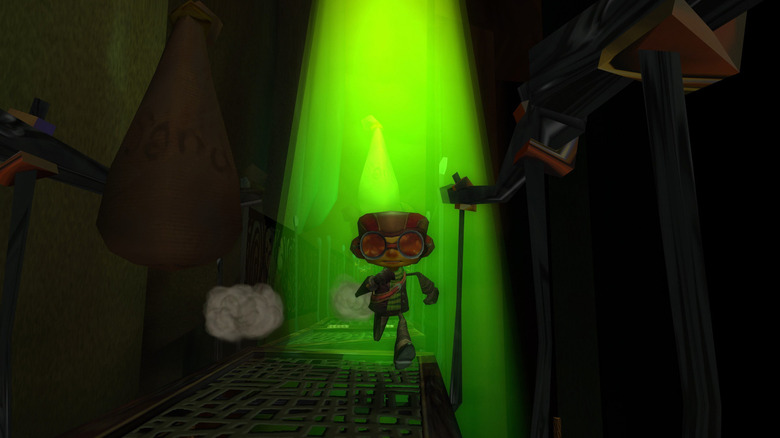
Workers For Xbox Studio Double Fine Are Forming A Union

Published

on


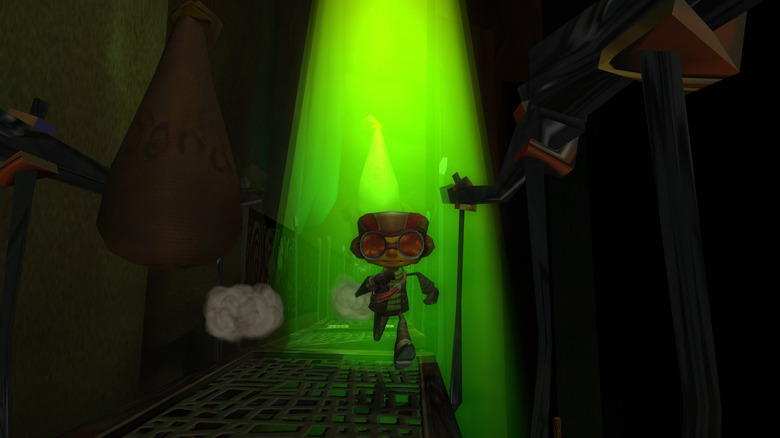
Double Fine, the first-party Xbox game developer behind Psychonauts, is forming a union. As Aftermath reports, the studio has filed a petition with the National Labor Relations Board (NLRB) on May 7 to form a union with the Communications Workers of America (CWA) involving all 42 regular part-time and full-time employees. 

CWA told the publication that the studio made the decision to organize to “preserve and extend [its] commitments to creative excellence, diversity and inclusion, and worker quality of life.” Workers are asking Microsoft for voluntary recognition, in addition to filing an election petition with the NLRB to secure union representation. “We appreciate that Microsoft has taken a neutral approach and agreed not to interfere in any way with worker’s rights to organize unions,” the labor union said. 

The workers of Double Fine are following in the footsteps of other Microsoft-owned developer groups that have unionized in the past. More than 500 World of Warcraft workers within Blizzard formed a union with the CWA in 2024, while the Overwatch team formed a wall-to-wall union with nearly 200 developers almost a year later. The quality assurance employees of ZeniMax Studios, perhaps best known for its work on The Elder Scrolls Online, ratified their union agreement with Microsoft last year. And in August 2025, more than 450 Diablo developers at Blizzard have voted to unionize with the CWA, as well. 

Advertisement

Double Fine became part of Microsoft in 2019, almost two decades are it released Psychonauts, a game about a young boy with psychic abilities. Under Xbox Game Studios, it released Psychonauts 2, Keeper, an adventure game featuring a sentient lighthouse, and multiplayer pottery game Kiln


Advertisement

Source link

Continue Reading

Tech

The Razer Kishi V3 Makes Mobile Gaming Feel Like a Real Console Experience Without Breaking the Bank

Published

on

Razer Kishi V3 iPhone Android Game Controller
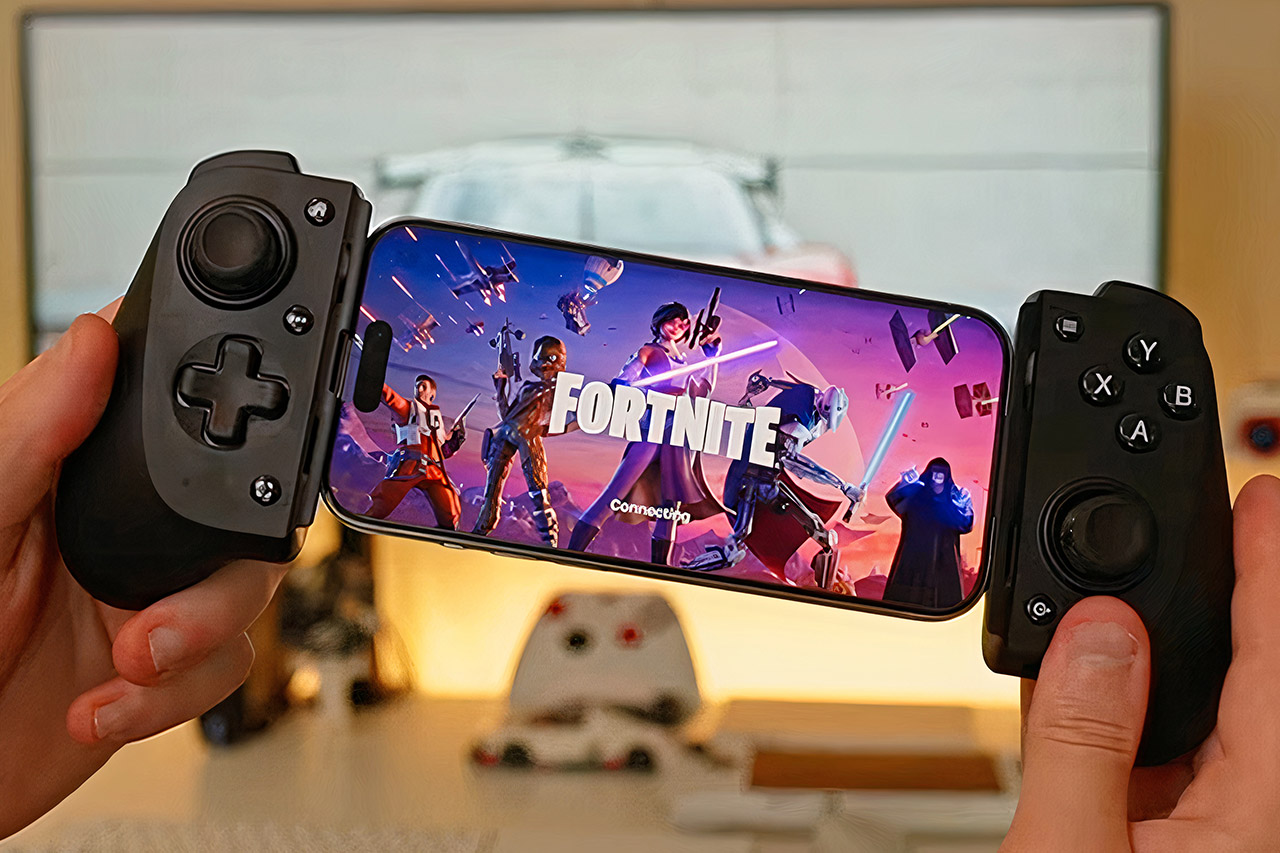
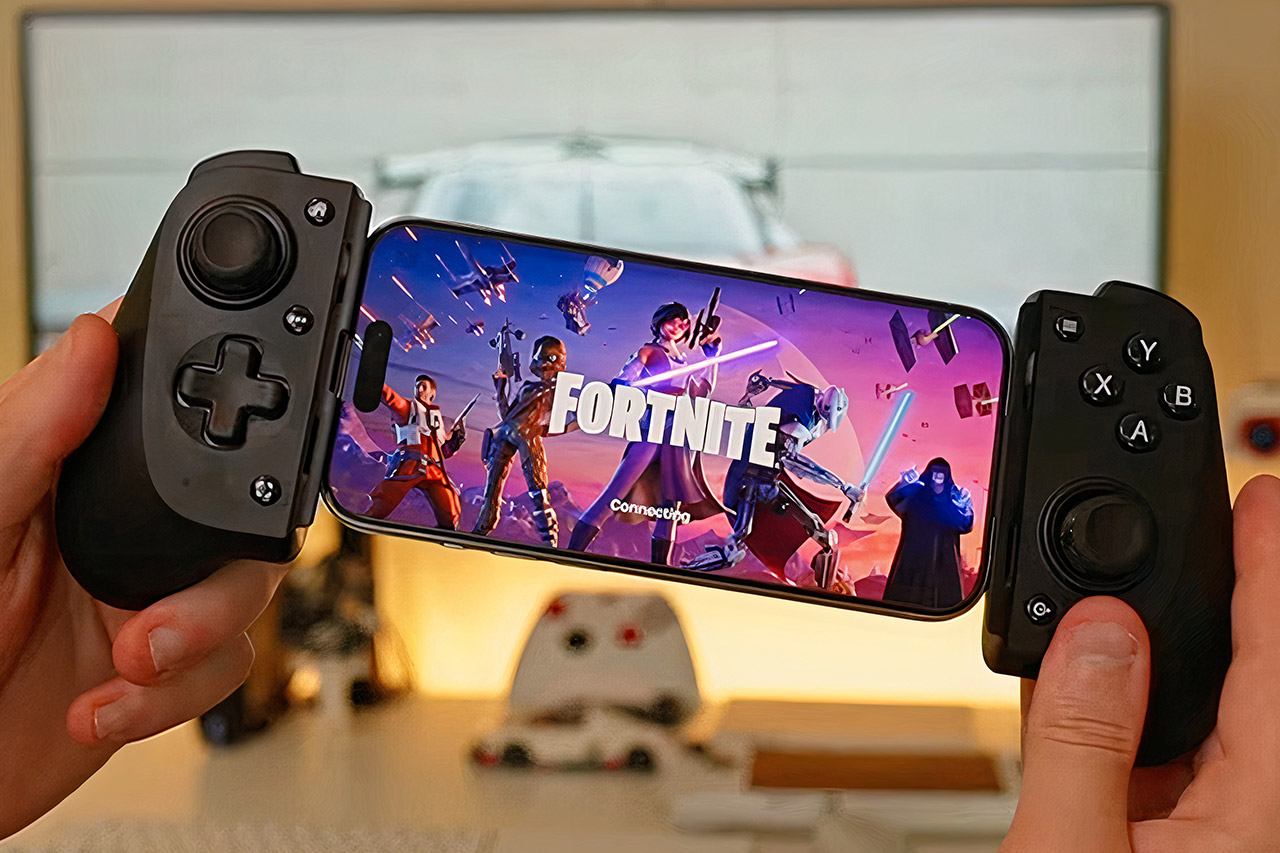
When mobile gamers rely solely on touchscreens, they face numerous challenges. Swipes miss their target at the worst possible times, fingers slip during frantic sequences, and sophisticated games require more dexterity than a flat glass surface can provide. The Razer Kishi V3, priced at $74.99 after clipping the on-page coupon (was $100), is a basic solution that clamps onto your phone and provides tactile controls designed for serious play.


Anyone who picks up the controller immediately notices how natural it feels in their hands. Most USB-C phones have larger ergonomic grips around the sides, including latest iPhone models and popular Android handsets such as the Samsung Galaxy and Google Pixel series. The extendable bridge adjusts to hold a phone case in place, saving you from having to remove protection each time. Without a phone, the entire system weighs just over seven ounces, making it light enough for long periods while yet sturdy enough to avoid seeming flimsy.


Razer Kishi V3 Gaming Controller for iPhone 15, 16, 17 Series & Android: Full Sized TMR Thumbsticks…
  • FULL SIZED CONTROLLER FORM FACTOR — Console performance meets mobile convenience for iPhone* and Android; play for extended periods in complete…
  • FULL SIZED TMR THUMBSTICKS — Perfect your aim with high-precision, anti-drift thumbsticks that are superior to Hall Effect designs
  • DUAL MOUSE CLICK BACK BUTTONS — Enjoy the same ultra-responsive actuation found in our top gaming mice with 2 back buttons built into the…


Full-sized thumbsticks are positioned just where thumbs expect them, and TMR technology ensures smooth, accurate movement without the gradual drift that plagues many controllers over time. The action buttons have a sharp, consistent click, and the D-pad and bumpers respond promptly to each press. Two more back buttons on the underside provide rapid inputs that can be assigned whichever you want using the accompanying app. These pieces work together to give every game the same amount of control as a dedicated console pad.

Razer Kishi V3 iPhone Android Game Controller
Setup is simple: slide the phone into position until the USB-C connector clicks, and the controller powers up and is ready to use. Passthrough charging keeps the phone charged over extended gaming sessions, ensuring that battery life never runs out. A 3.5-millimeter audio connection allows you to connect headphones for great sound without requiring any additional adapters. On compatible devices, the connection remains connected and direct, resulting in no discernible delay between your inputs and what appears on the screen.

Razer Kishi V3 iPhone Android Game Controller
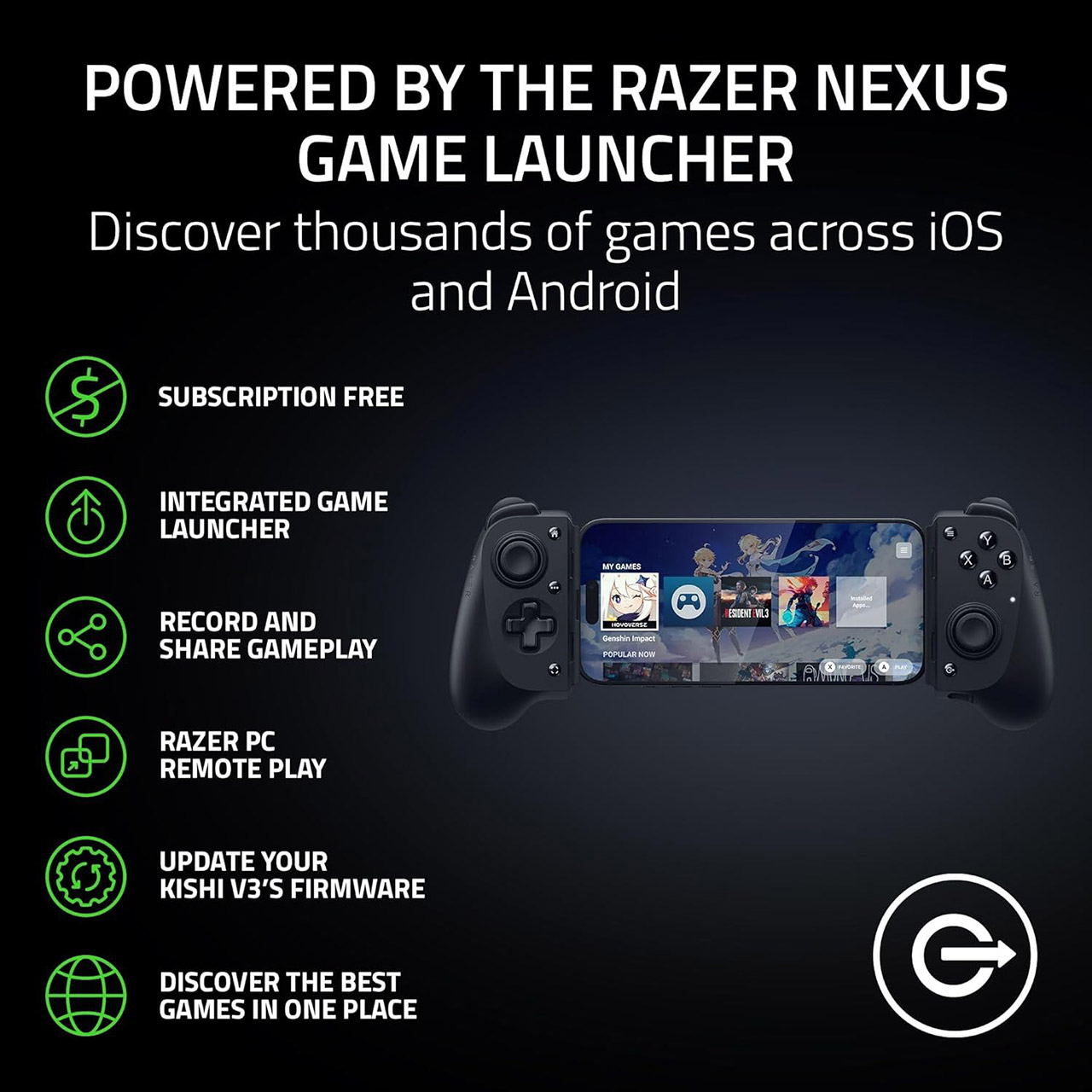
The free Razer Nexus app brings everything together in one place. It searches your phone for installed games, arranges them neatly, and allows you to launch them directly from the controller’s dedicated button. Inside the app, you may change the sensitivity of the sticks, remap the back buttons, and record short films of memorable moments to share later. Streaming services like Xbox Cloud Gaming and Steam Link also work perfectly, allowing you to play bigger titles from your home PC or the cloud with the same precise controls.

Advertisement

Source link

Continue Reading

Tech

NASA’s Curiosity Rover Gets Its Drill Stuck, Recordings From The Arctic Seafloor And More Science Stories

Published

on

What a week. Beloved nature communicator David Attenborough turned 100 on Friday, and scientists named a newly discovered species of wasp in his honor. The wasp from Chile, called Attenboroughnculus tau, isn’t the first to be named after Attenborough — it joins a list of over 50 organisms bearing his name in some way, which seems about right. Also this week, NASA shared an update about its Curiosity rover, which encountered some issues during a sampling attempt on Mars, and the agency released a new batch of photos from the Artemis II mission. 

Read on on to learn more about those and other science stories we found interesting this week.

Curiosity runs into a bit of trouble

NASA’s Curiosity rover found itself in a bit of a pickle recently after drilling into some Martian rock that proved unexpectedly clingy. In an incident that was captured by Curiosity’s cameras on April 29, the rover can be seen with a slab of rock stuck on its drill bit after it attempted to collect a sample. The rock, dubbed Atacama, was about 1.5 feet wide and weighed nearly 30 pounds, according to NASA. Somehow in the 14 years the rover has been exploring Mars, this has never happened before, and vibrating the drill to shake the rock free didn’t work at first.

“When the rover retracted its arm, the entire rock lifted out of the ground, suspended by the fixed sleeve that surrounds the rotating drill bit,” NASA explains in a blog post. “Drilling has fractured or separated the upper layers of rocks in the past, but a rock has never remained attached to the drill sleeve.” After a few more attempts over the next couple of days, the team was able to get the rock loose by “tilting the drill more, rotating and vibrating the drill, and spinning the drill bit.” We can see the rock finally dropping away from Curiosity and breaking apart in images taken on May 1.

Advertisement

Curiosity has taken dozens of samples from the surface of Mars by drilling into rock, as shown in this image from 2024 (trypophobia warning). After drilling, the rover collects the powderized rock and analyzes it with its Sample Analysis at Mars (SAM) and Chemistry & Mineralogy (CheMin) instruments to determine the composition. Now that its brief mishap has been resolved, it can get back to work.

What goes on at the bottom of an Arctic fjord

The Arctic seafloor isn’t exactly an easy place to observe, but thanks to a long-running research program at Inglefield Bredning in northwest Greenland, we’ve got a glimpse of what life is like there deep beneath the surface. As part of this effort, researchers deployed a video camera and hydrophone 260 meters deep in the fjord for a week in August 2025 to assess the seafloor environment and biodiversity. Their findings were just published in the journal PLOS One, along with some incredible photos and videos (don’t be alarmed by the eerie hue, that’s due to the red light they used underwater).

The team recorded a total of 478 different organisms, including comb jellies, arrowworms, snailfish and shrimp. In one clip, a snailfish can be seen passively riding the current to drift backward, which the researchers note was “peculiar.” Check out the highlights here

The instruments also picked up the sounds of nearby narwhals, which were present on every day of the study except one, as well as the sounds of cracking and melting icebergs and boat engine noises. The footage also shows tons of what’s known as “marine snow,” or organic debris like poop and material from dead animals and plants. It’s kind of gross to think about, but many deep-sea creatures rely on this material that falls from higher waters.

Based on the success of their observations, the researchers say their approach could be a feasible way to study these deep Arctic ecosystems. “So far, there have been few direct underwater observations in the Arctic for ecological research,” the authors wrote. “With video setups becoming accessible, more studies would be beneficial for filling this knowledge gap.” Compact, portable moorings with video recorders could be “an important tool for exploration of the Arctic seafloor,” they note.

Advertisement

Feast your eyes on 12,000+ photos from Artemis II

NASA this week released thousands of pictures captured during last month’s Artemis II mission around the moon. You can find them all here. In classic government website fashion, the UI kind of sucks, but it’s well worth it to click through the catalog if you’ve got some time on your hands. While their target was the moon, and there are lots of great shots of the moon both from up close and afar, there are some really striking images of Earth and the Milky Way in there too. 

Before you go, be sure to check out these stories too:

Source link

Continue Reading

Tech

Voice AI in India is hard. Wispr Flow is betting on it anyway.

Published

on

India’s internet users already rely heavily on voice notes, voice search, and multilingual messaging. Turning those habits into a scalable AI business, however, remains difficult because of the country’s linguistic complexity, mixed-language usage, and uneven monetization patterns. Wispr Flow is betting the opportunity is worth the challenge.

The Bay Area-headquartered startup, which builds AI-powered voice input software, says India is now its fastest-growing market, even though voice-based AI products remain early and fragmented in the South Asian nation. That growth has pushed Wispr Flow to expand more aggressively for Indian users, beginning with Hinglish — a hybrid mix of Hindi and English commonly spoken by locals. The startup is also planning broader multilingual voice support, a local hiring push, and, eventually, lower pricing as it looks to expand beyond white-collar users and into Indian households.

Earlier waves of voice technology in India — from digital assistants to WhatsApp voice notes — largely revolved around convenience. AI startups such as Wispr Flow are now betting that generative AI can turn those habits into a broader computing layer.

To make the product more relevant for Indian users, Wispr Flow began beta testing a Hinglish voice model earlier this year and launched on Android — India’s dominant mobile operating system — after initially debuting on Mac and Windows before expanding to iOS in 2025.

Advertisement

Co-founder and CEO Tanay Kothari told TechCrunch that the startup initially saw adoption in India largely among white-collar professionals such as managers and engineers, but it’s increasingly seeing broader usage patterns emerge, including among students and older users being onboarded by younger family members.

India has emerged as Wispr Flow’s second-largest market after the U.S. in terms of both users and revenue, Kothari said, with growth accelerating following the startup’s recent India-focused push. The startup has seen faster growth following the rollout of Hinglish support, benefiting from the widespread habit among Indian users of mixing Hindi and English in everyday conversations, particularly as users began expanding beyond work-focused use cases into more personal communication.

“The biggest thing is people are starting to use it more in personal apps,” Kothari said, pointing to messaging platforms such as WhatsApp and social media apps where users frequently switch between Hindi and English while speaking.

Techcrunch event

Advertisement

San Francisco, CA
|
October 13-15, 2026

Wispr Flow, Kothari said, was growing about 60% month over month in India earlier this year, but growth accelerated to around 100% following its recent India launch campaign. The startup last month rolled out a broader marketing push in the country, including a launch video from Kothari and offline campaigns in Bengaluru aimed at introducing the product to more mainstream users.

Advertisement

Kothari told TechCrunch that Wispr Flow plans to expand its multilingual voice support over the next 12 months, allowing users to switch between English and other Indian languages beyond Hindi while speaking. In December, the startup introduced India-specific pricing at ₹320 (around $3.4) per month for annual plans, significantly lower than its standard $12 monthly pricing globally.

The startup eventually wants to bring costs down even further — potentially to as low as ₹10–20 (around 10–20 cents) per month — as it looks to expand beyond white-collar and urban users.

“I want every single person in the country to be able to use Wispr Flow, and that’s what we’re really building for,” Kothari said. “That’s going to happen slowly and steadily.”

Earlier this year, Wispr Flow hired Nimisha Mehta to lead its India operations as it looks to expand its local presence. Kothari told TechCrunch the startup plans to grow to around 30 employees in India over the next year, building out consumer growth, partnerships, and enterprise teams alongside existing engineering and support functions. The startup currently has about 60 employees globally.

Advertisement

India’s voice AI challenge

Wispr Flow is not alone in viewing India as a key market for voice-based AI products. Companies including ElevenLabs have highlighted India as an important growth market for some time. Similarly, local startups such as Gnani.ai, Smallest AI, and Bolna have continued attracting investor interest as voice-based AI tools gain wider adoption across consumer and business use cases.

Nevertheless, turning voice AI into a mainstream consumer product in India remains challenging despite growing interest from startups and investors.

“India is the ultimate stress test for voice AI,” Neil Shah, vice president of research at Counterpoint Research, told TechCrunch, adding that “linguistic, accent, and contextual friction” continue to slow wider adoption.

Data shared with TechCrunch from Sensor Tower shows Wispr Flow was downloaded more than 2.5 million times globally between October 2025 and April 2026, with India accounting for 14% of installs during the period, making India its second-largest market by downloads (after, as mentioned, the U.S.). India, however, contributed only around 2% of Wispr Flow’s in-app purchase revenue during the same period, according to Sensor Tower. However, the startup remains largely desktop-driven globally.

Advertisement

Wispr Flow’s usage in India, Kothari said, is currently split roughly 50:50 between desktop and mobile, compared with an 80:20 desktop-heavy mix in the U.S.

Kothari said Wispr Flow sees strong repeat usage among its users, claiming roughly 70% retention after 12 months globally and in India. Moreover, the startup currently employs two full-time linguistics PhDs as it continues refining multilingual voice models and expanding support for additional Indian language combinations.

When you purchase through links in our articles, we may earn a small commission. This doesn’t affect our editorial independence.

Source link

Advertisement
Continue Reading

Tech

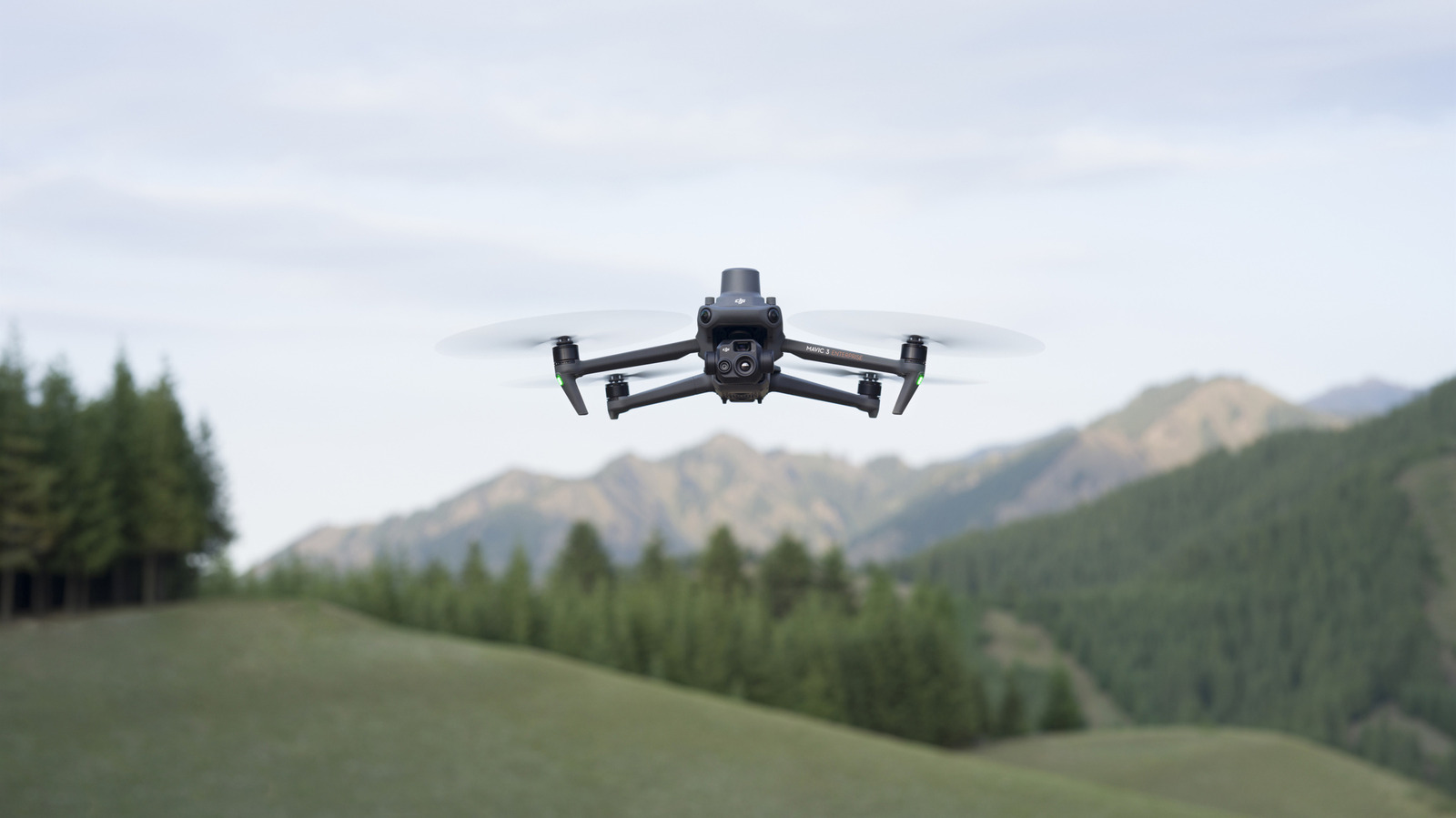
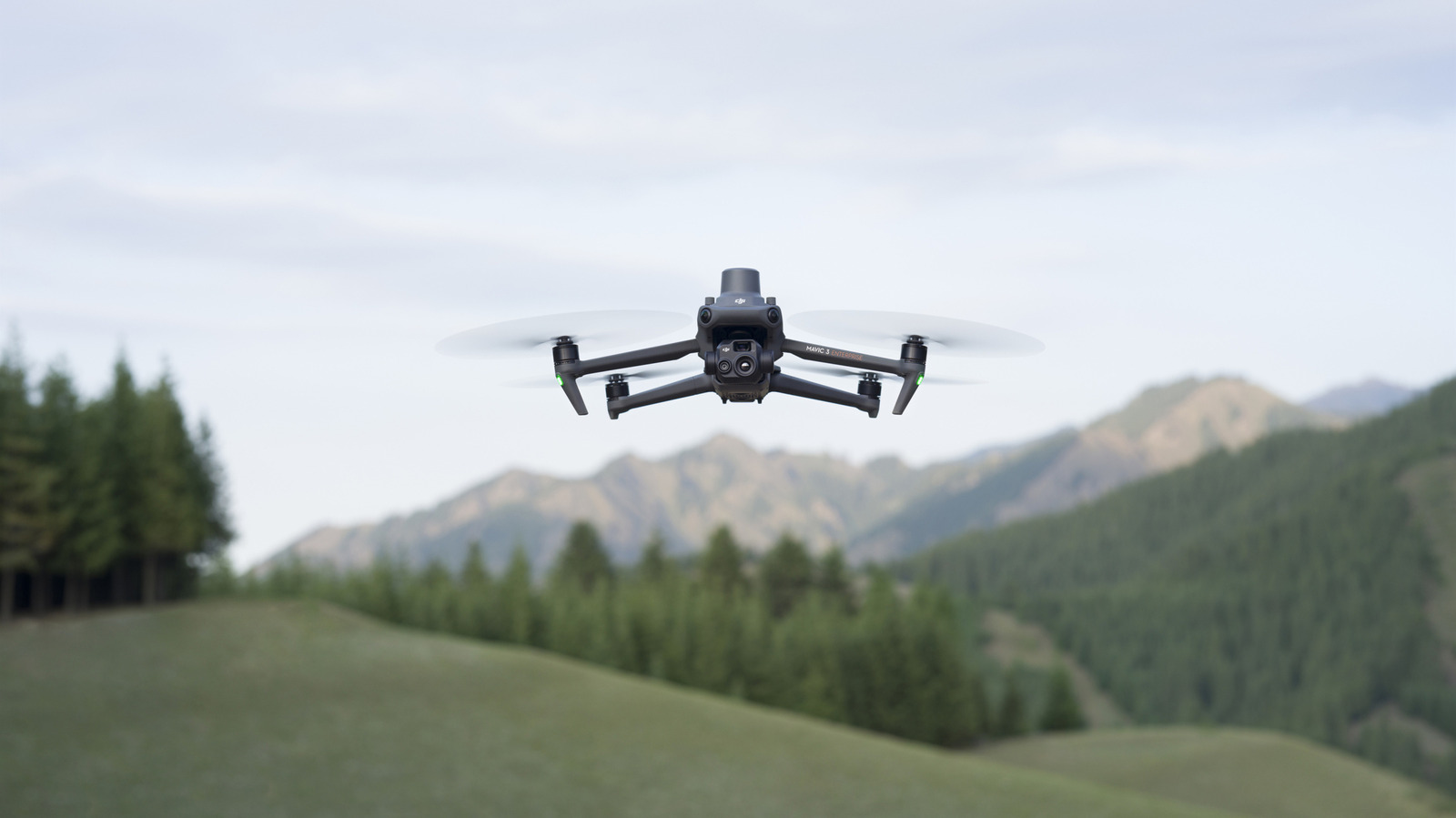
Banned Drones And Routers In The US Will Still Get Critical Updates Until 2029

Published

on


If you have a foreign-made drone or router that has since been banned by the Federal Communications Commission, you’ll be able to get some more use out if it for the next couple of years. The FCC’s Office of Engineering and Technology (OET) posted an announcement on May 8 that stated affected routers and drones will be able to receive “software and firmware updates that mitigate harm to US consumers,” until January 1, 2029. The latest notice extends the update deadline by about two years from its initial cut-off.

The FCC added “uncrewed aircraft systems,” better known as drones, and drone components to its Covered List of communications equipment and services that pose national security concerns in December 2025. A few months after, the federal agency added routers manufactured outside of the US to the list, but allowed an exception that affected routers would receive updates at least through March 1, 2027. With the FCC’s latest notice, the OET argued in favor of extending the update deadline, adding that “special circumstances warrant a deviation from the general rules and the public interest would be better served by extending the waiver of the prohibitions.”

Advertisement

The extension could be in part due to lobbying from the Consumer Technology Association (CTA), since the trade organization suggested to extend updates and patches to previously authorized devices “beyond just one year” in a letter to the FCC. The CTA also requested “further clarification” on the scope of products affected by the ban and more collaboration with the National Security Council and Department of Defense to offer more transparency and guidance to companies who manufacture the affected products.


Advertisement

Source link

Continue Reading

Tech

Porsche Is Discontinuing Its Performance E-Bike Division

Published

on


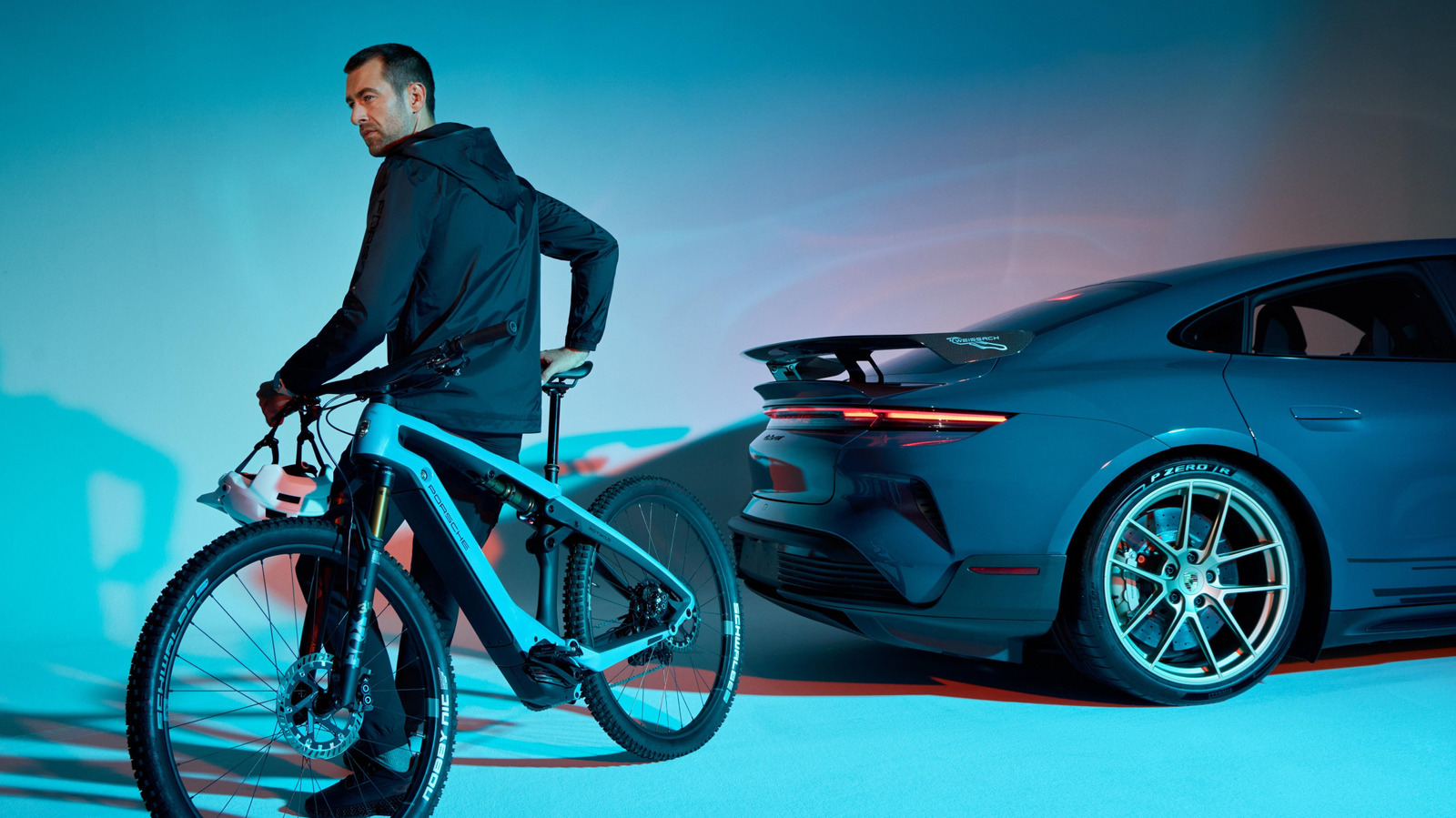
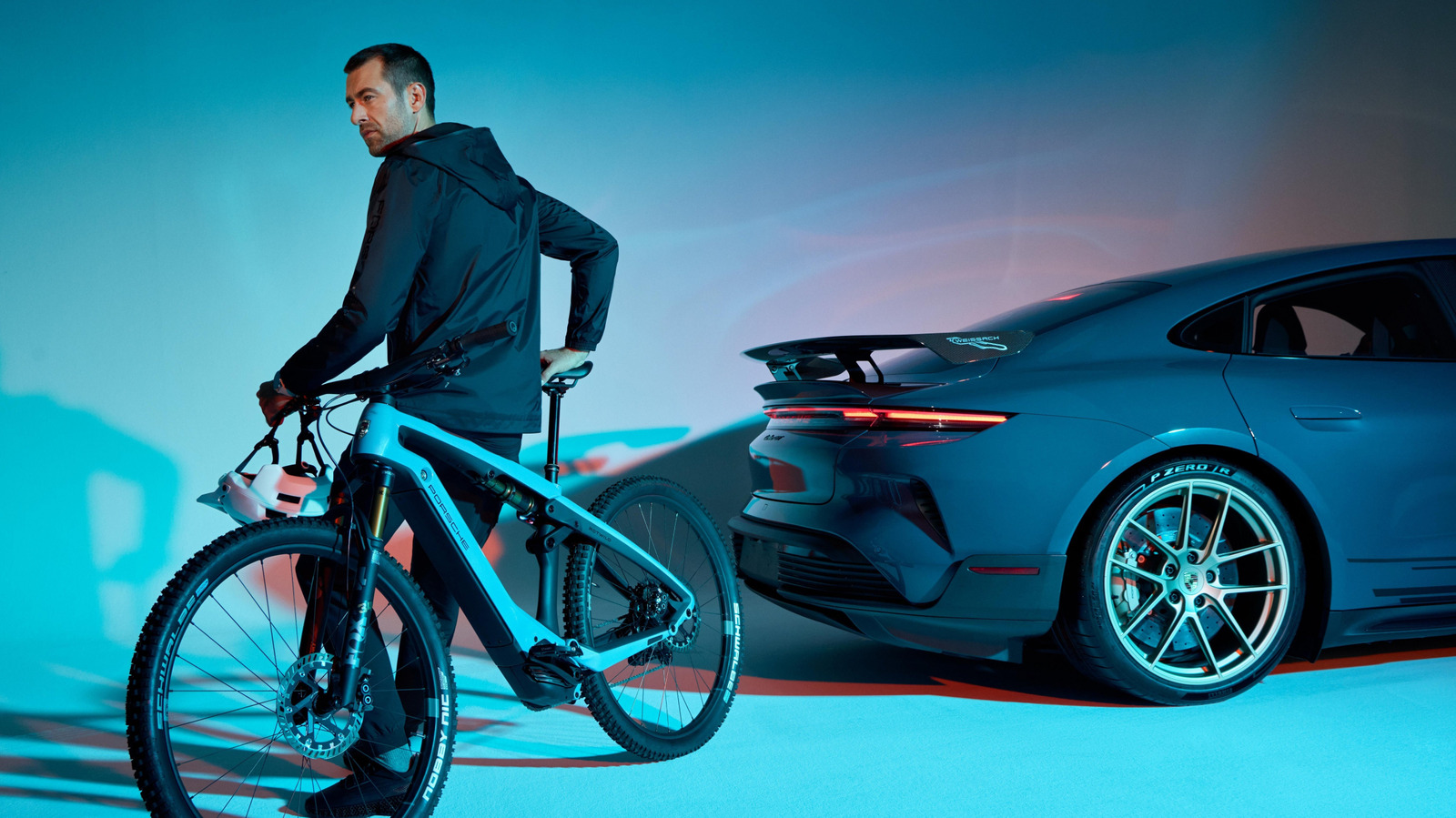
Porsche is hitting the brakes on its electric bicycle subsidiary called Porsche eBike Performance GmbH. The German automaker launched its e-bike offshoot in August 2022 with plans to develop components like motors and batteries. After nearly four years of operation, Porsche decided to discontinue the subsidiary and will close the company’s factories in Ottobrunn, Germany and Zagreb, Croatia, putting around 350 employees out of work.

Porsche said in a press release that the e-bike division was created to make “high-performance e-bike drive systems and market them worldwide,” but added that market conditions have changed. Porsche eBike Performance created several e-bikes during its short run, including the Porsche eBike Sport for road rides and the Porsche eBike Cross for off-road adventures. The eBike Sport even made it to its fifth generation, despite the $10,920 starting price tag.

Advertisement

Porsche is shutting down more than just its e-bike program. The company’s CEO, Michael Leiters, said it was also shuttering Cellforce Group GmbH, its battery cell subsidiary, and Cetitic GmbH, a software company used by Porsche and The Volkswagen Group, as part of its decision to “refocus on our core business.” Porsche has been steadily electrifying its vehicle portfolio, but also recently decided to sell its minority stake in Bugatti Rimac, a joint venture created between Porsche and the Rimac Group. The automaker also sold its smaller stake in The Rimac Group, despite having invested tens of millions into the the luxury electric supercar maker.


Advertisement

Source link

Continue Reading

Tech

Bugatti’s Tourbillon Tackles Sweden’s Deep Freeze in the Ultimate Cold Weather Test

Published

on

Bugatti Tourbillon Specs Cold Weather Testing Sweden
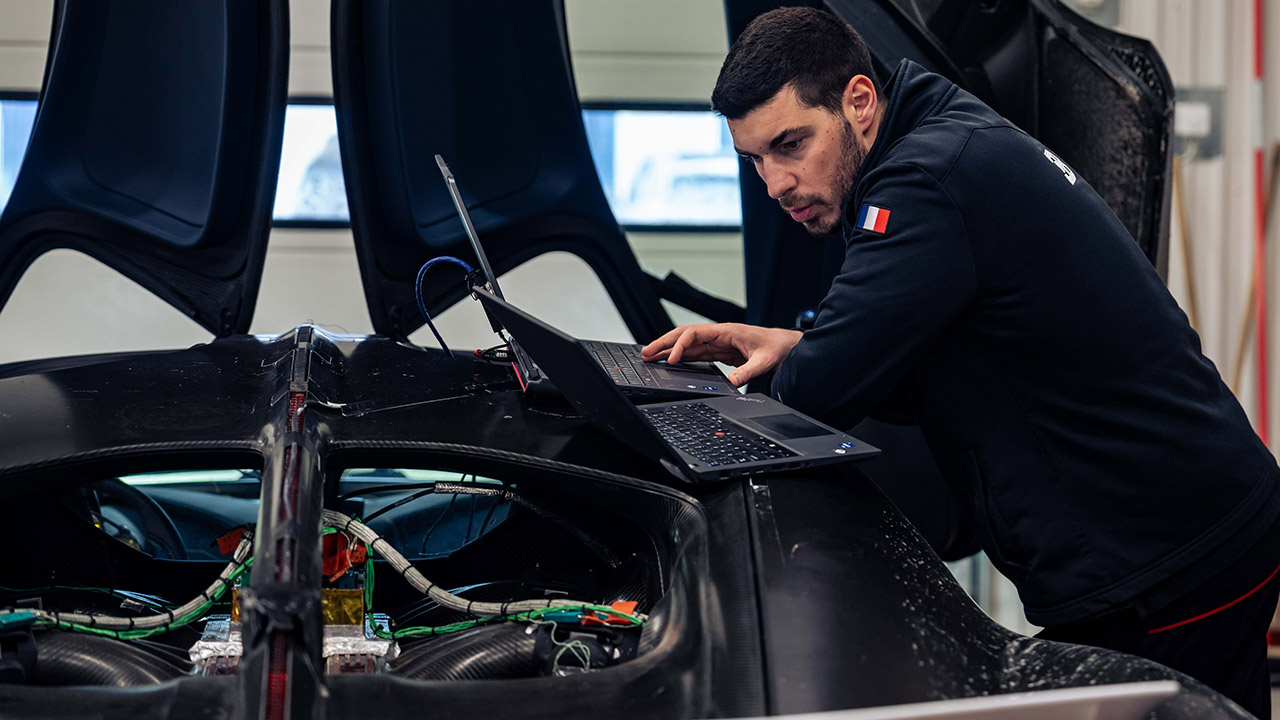
Engineers and drivers gathered at the Colmis Proving Ground in Arjeplog, northern Sweden, for a four-week endurance test of the new Bugatti Tourbillon hypercar under the worst winter conditions possible. As they arrived, the place was a winter paradise (or nightmare), with snow piled up everywhere and temps starting at -30 degrees. Conditions were also slippery, with drivers encountering a mix of slick ice, hard-packed snow, slush, and even some asphalt, which presented some unexpected surprises. Their mission was simple: ensure that every function in the automobile worked flawlessly regardless of the weather.


At the heart of it all was a team of around 20 people, with a tiny core of six working long hours on weekends and at night. When the temperature rose somewhat during the day, the ice and slush softened, so they shifted their daytime testing sessions to after dark, when the surfaces were still frozen solid, which was ideal for collecting important data. The Chief Development Driver, Miroslav Zrnčević, emphasized the need of testing hypercars such as the Tourbillon in cold and icy conditions to ensure consistent and reliable performance for customers


LEGO Technic Bugatti Chiron Pur Sport Hypercar Building Toy for Boys & Girls – Sports Car Toy W/Realistic…
  • HIGH SPEED THRILLS – Kids construct an authentic race car with the LEGO Technic Bugatti Chiron Pur Sport Hypercar (42222) building toy for boys and…
  • REALISTIC FEATURES & FUNCTIONS – Young builders can steer using the knob on top, explore the W16 engine, and open the doors and hood to discover…
  • VIBRANT BUGATTI DESIGN – This hypercar model features the eye-catching orange bodywork and black design inspired by the real Bugatti Chiron Pur…

Bugatti Tourbillon Specs Cold Weather Testing Sweden
First, the team focused on the brake-by-wire technology. This thing has three electric motors that generate regenerative braking, two in the front and one in the back, as well as hydraulic brakes for good measure. However, when they are stuck on low-grip terrain (such as ice), it can be difficult to get the entire system to work together in the brake pedal such that it feels natural and predictable. They also had to cope with some really dangerous events known as MU-jumps, in which you’d be stranded on beautiful hot asphalt and then abruptly encounter ice in the middle of a stop, but to their delight, the brakes, ABS, and stability control all did an excellent job of remaining calm and stable.

Bugatti Tourbillon Specs Cold Weather Testing Sweden
Next, the drivers focused on traction control and fine-tuning all-wheel drive. This beast is powered by a naturally aspirated V16 engine and electric motors that drive all four wheels. When you’re in Comfort mode, the system is basically monitoring your back and will take action early to keep the wheels in line. However, when you switch to Sport mode, the vehicle begins to behave more neutrally and the engine begins to make the sound it is designed to make. And if you switch to Track mode, you may practice controlled drifting without losing grip completely.

Bugatti Tourbillon Specs Cold Weather Testing Sweden
The team then tested the climate control to check how quickly the interior warmed up, whether the windshield wipers kept the fog away, and whether the air remained comfortable for hours on end. The drivers made their observations, then conducted some objective tests to validate their findings, all while the motor was merrily cranking out lots of heat and the HVAC unit had to keep running to keep things from becoming too sticky in the cabin.
[Source]

Source link

Advertisement
Continue Reading

Tech

The Noctua Fan Files And The Limits Of 3D Printing PC Fans

Published

on

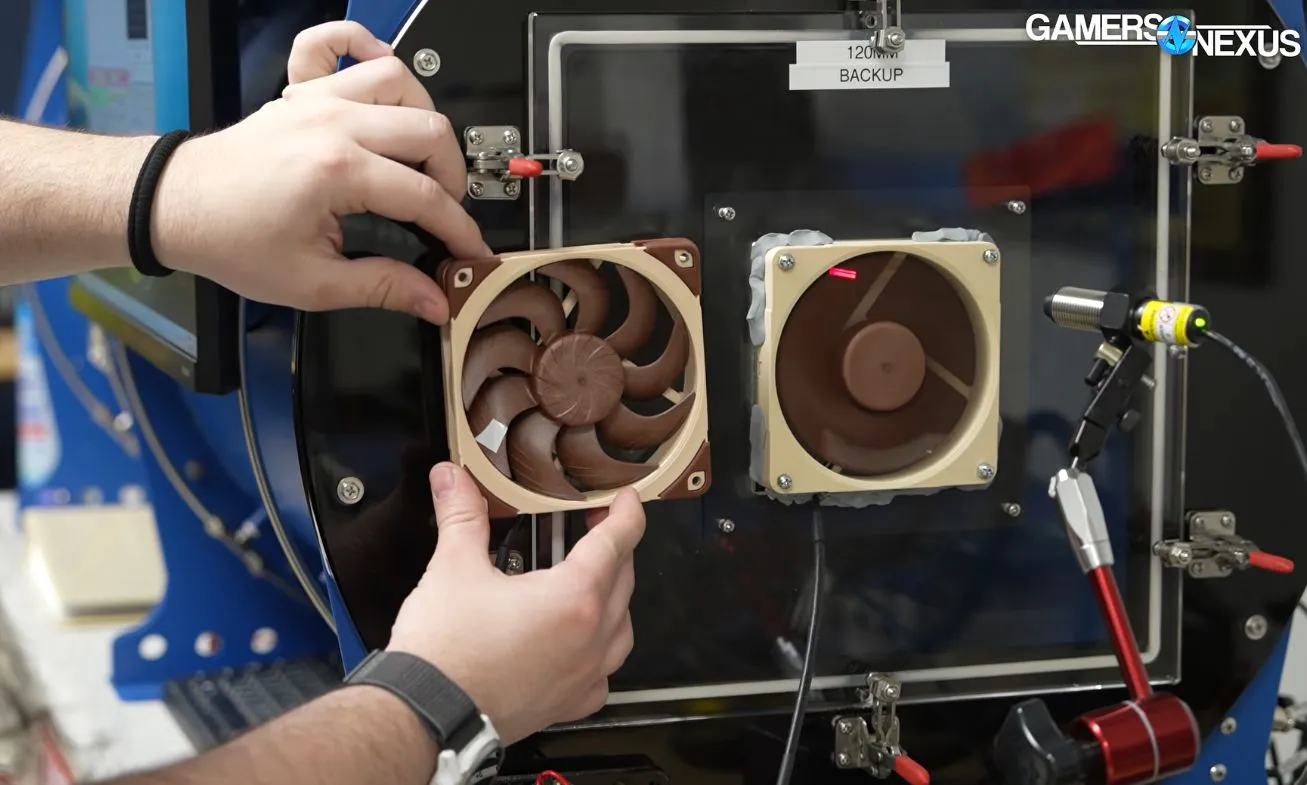
After Noctua recently released CAD files for a range of their computer fans, one of the first thoughts that popped up for most people was: Can you just to 3D print their fans? Even though Noctua begs you not to 3D print the files and even says they changed the design slightly so it wouldn’t be the same anyway, the question persists. Fortunately, [Steve] of Gamers Nexus is here to help us answer the question of whether it makes sense to 3D print a computer fan.

Unsurprisingly, the answer is mostly a resounding ‘no’. After reworking the original CAD models to be both printable on a Bambu Lab FDM printer and printing the parts in PLA, the arguably most important part, the motor, still had to be sourced from an original Noctua fan. Although you could source a cheaper motor, that could change the fan’s characteristics.

The other issue is materials. The special polymer that Noctua uses for its fans is designed not to change shape significantly when the fan blades are spinning, whereas PLA and basically every other thermoplastic will likely deform enough to hit the inside of the fan with the blades. For this reason, a 3 mm gap was used in the PLA print compared with the approximately 0.5 mm gap of the original Noctua fan.

Using the professional fan tester and semi-anechoic chamber over at Gamers Nexus, the original and replica fans were compared, showing that the 3D-printed fan had a similar noise profile but produced only about half the airflow. This is likely due to the blade shape and angle, the increased gap, and probably a dozen other details that presumably justify putting a cool $40 down for the original fan.

Advertisement

In short, you’re probably best off using these Noctua fan CAD models for fit testing in a larger CAD model, or 3D printing it for a similar purpose, rather than for a functional fan design. At least now we know. Thanks, [Steve].

Source link

Advertisement
Continue Reading

Trending

Copyright © 2025