

Tech
Ikea home automation review : Amazing, when they work

Ikea Matter-over-Thread lineup review: Part of Ikea’s new smart home lineup with Matter-over-Thread
Ikea has an impressive new lineup of Matter-over-Thread devices works with Apple Home, but after months of testing, we think that lingering connection issues with bulbs, controls, and sensors are the main problem.
Unlike Tradfri, Ikea’s last smart home push, the fresh batch of smart home wares doesn’t have a unifying name. Instead, it is made up of over 20 individual products.
The launch made big waves as the Swedish brand was putting all of its weight behind both Matter and Thread. With such affordable prices and a large array of choices, I went in thinking this was going to be a slam dunk.
Unfortunately, Ikea has been a victim of emerging standards. Many users, including staff here at AppleInsider, have reported connectivity issues.
After extensive testing, multiple interviews, and much user feedback, the full picture is complex, to say the least.
Ikea Matter-over-Thread lineup review: Many new devices
Ikea’s lineup of Matter-over-Thread devices keeps growing. It originally was 21 devices but has since expanded, including the updated Varmblixt donut-shaped lamp.
Here’s the current availability:
- Kajplats: Smart bulbs
- E27/E26 standard globe (white spectrum, 1,521 lumens)
- E27/E26 standard globe (white spectrum, 1,055 lumens)
- E27/E26 standard globe (white spectrum, 470 lumens)
- P45 E14 (white spectrum, 470 lumens)
- P45 E14 (white spectrum, 806 lumens)
- P45 E14 (color and white spectrum, 806 lumens)
- GU10 directional spot (color and white spectrum, 470 lumens)
- GU10 directional spot (white spectrum, 575 lumens)
- E14 decorative clear glass (white spectrum, 470 lumens)
- E27 decorative clear glass 60mm (white spectrum 470 lumens)
- E27 decorative clear glass large globe 95mm (white spectrum 810 lumens)
- Myggspray: Motion sensor
- Myggbett: Door/window contact sensor
- Timmerflotte: Temperature and humidity sensor
- Alpstuga: Air quality sensor
- Klippbok: Water leak sensor
- Bilresa: Two-button remote
- Bilresa: Scroll wheel remote
- Grillplats: Smart plug
- Varmblixt: Donut-shaped lamp
I’ve been testing out a few of the light bulbs, the contact sensor, the motion sensor, the two-button remote, the temperature sensor, the lamp, and the air quality monitor.
These won’t be my last Ikea smart home devices, but opinion varies amongst the AppleInsider staff.
Ikea Matter-over-Thread lineup review: Bilresa
Of the entire lineup, I was most excited to test out the Bilresa remote. My house is fairly well equipped with smart plugs and bulbs, but I can always use a reliable new remote.
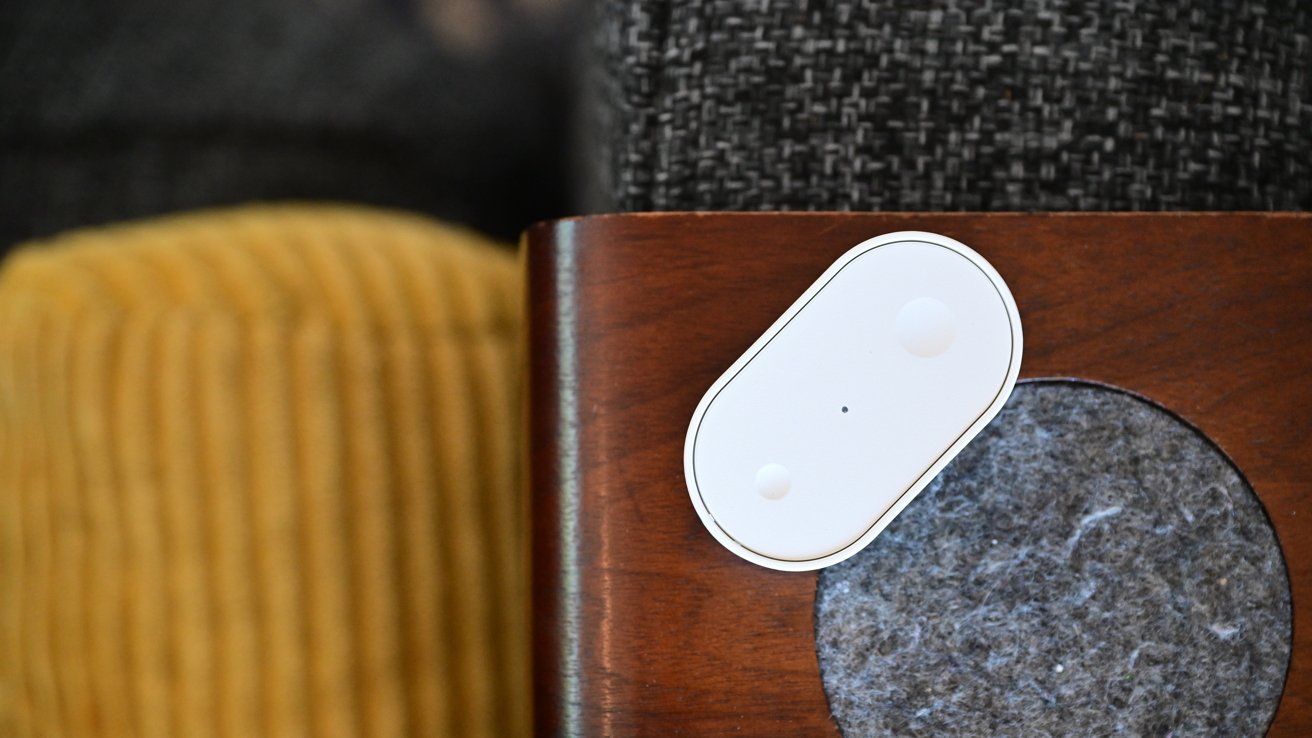
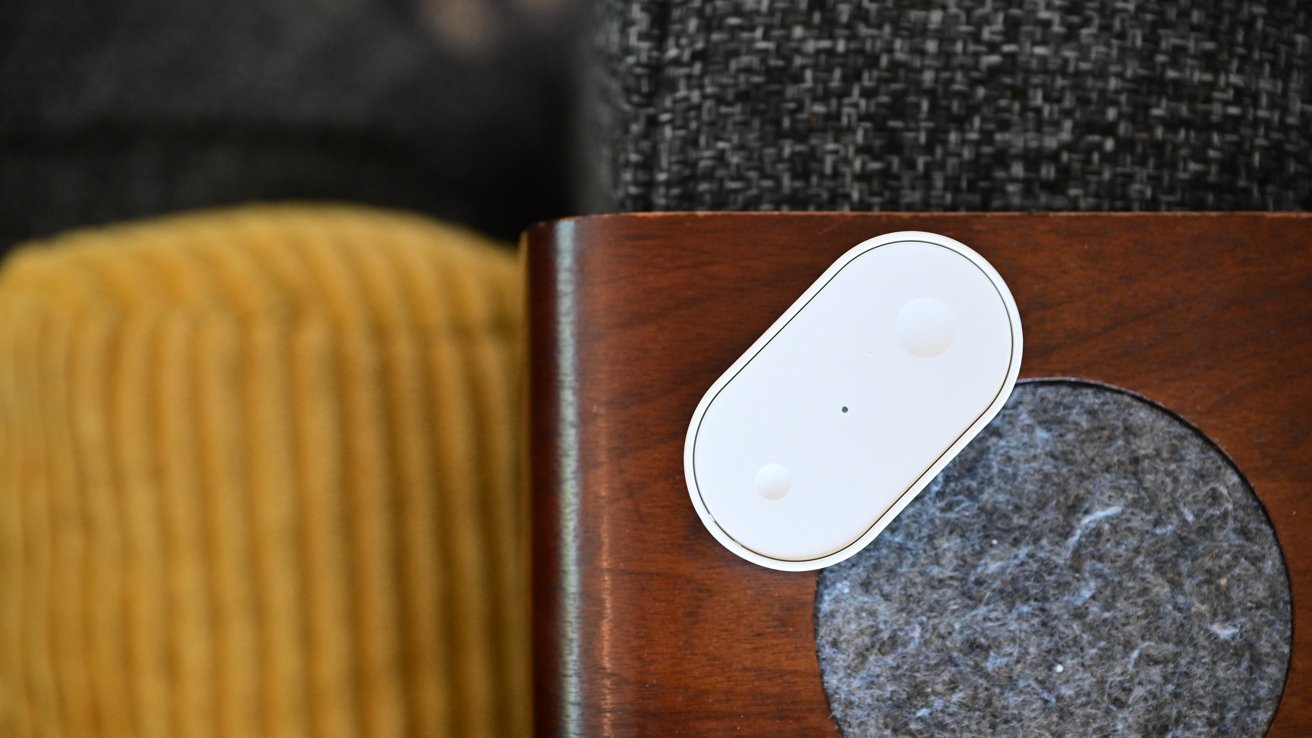
Ikea Matter-over-Thread lineup review: Bilresa remote can be mounted or carried around
The remote is simple, made of characteristic white plastic with small and large dimples on the top. The front of the remote is removed by pressing the release clip on the end to access the battery compartment.
Two AAA batteries power the remote. I use rechargeable ones, which should last me roughly two years depending on usage.
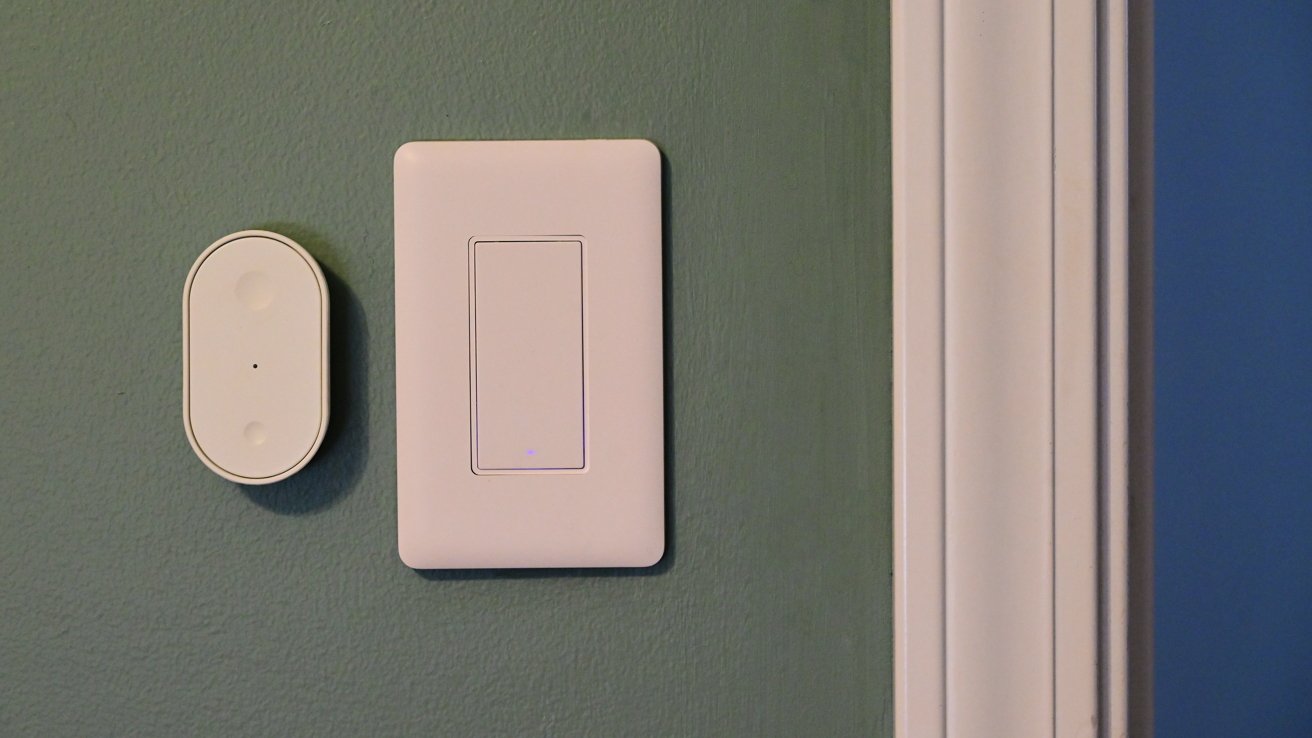
Ikea Matter-over-Thread lineup review: Ikea Matter-over-Thread lineup review: The Bilresa remote mounted to the wall
The back of the remote is magnetic, which enables it to stick onto a fridge or other metal surface. Ikea includes a small piece of metal, too, that fits right onto the back of the remote.
The adhesive pre-installed on the piece of metal offers a quick option for mounting, but it also features two holes for alternative mounting. This makes it easy to mount the remote under your desk, on a wall, or on the edge of a nightstand.
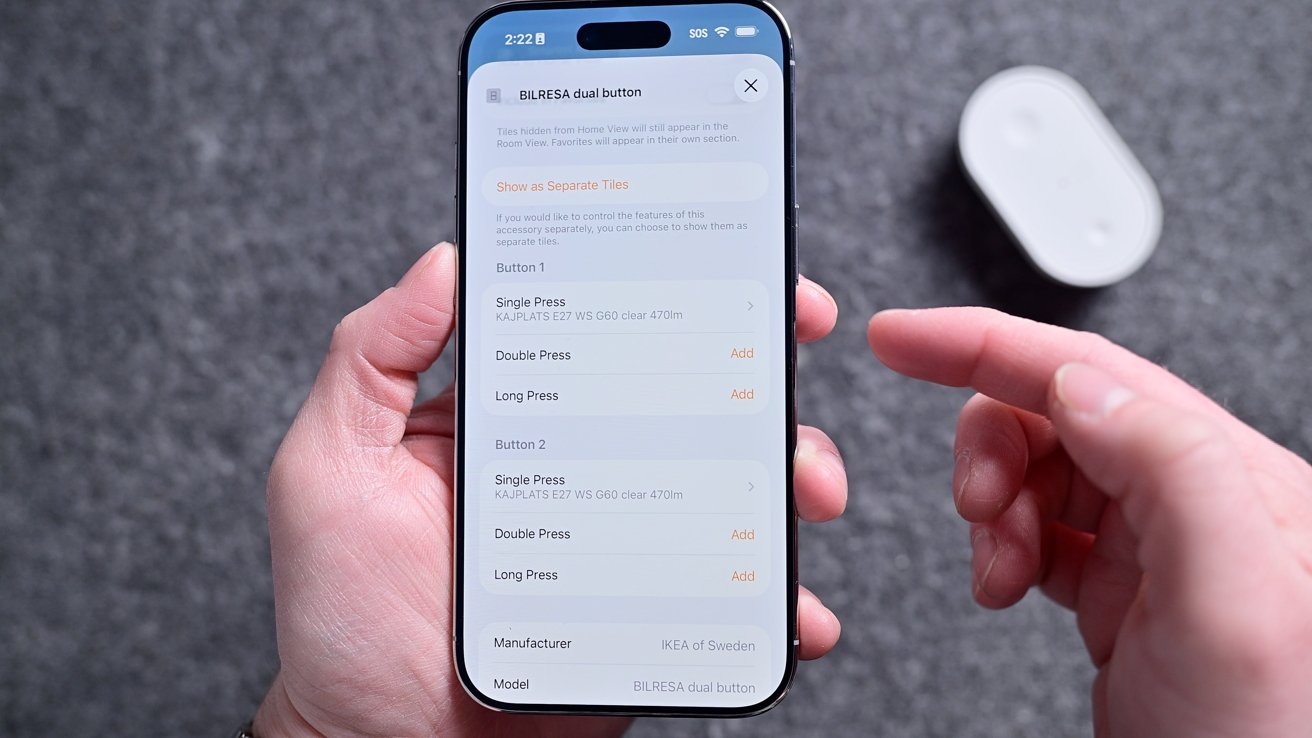
Ikea Matter-over-Thread lineup review: The remote has six commands you can program
Like with other Apple Home-compatible buttons, this technically shows as six programmable buttons in the Home app. You can set a single press, double-press, or long-hold for each of the two buttons.
Setting six commands can be overwhelming for some, but they’re certainly not required. For example, the one I have in my son’s room only has two scenes set: one for his good morning scene and one for his goodnight scene.
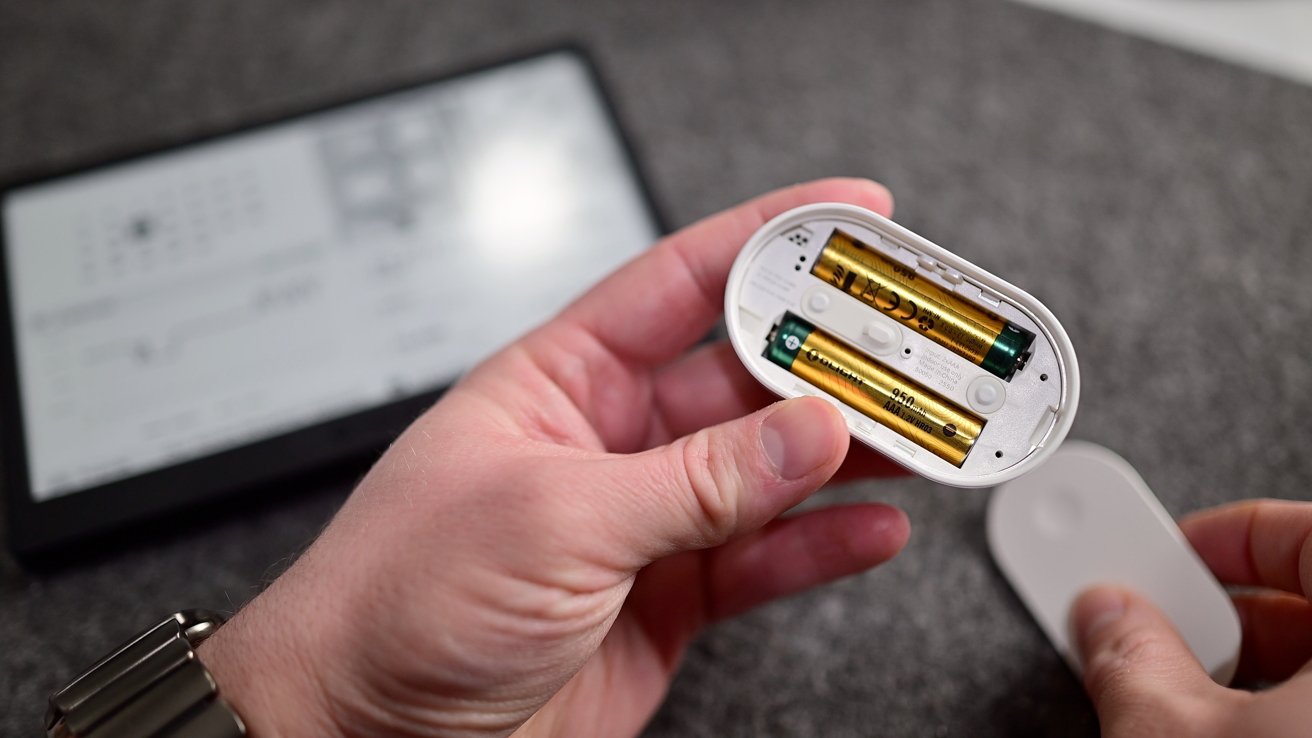
Ikea Matter-over-Thread lineup review: It runs on two AAA batteries
In our master bedroom, I get a bit fancier. One button sets the lights to 100%, 50%, and off, while the other sets the air purifier fan to the same three levels.
Priced at $6, this is an incredible value, and it’s taken no time at all for me to buy several more to place throughout the home. I use one in the studio to set my filming scenes and in the living room to control our two different window shades.
Ikea Matter-over-Thread lineup review: Kajplats
That little Bilresa remote can also be perfectly paired with any of Ikea’s other devices. You could adjust its Kajplats lights, its smart plug, or the lamp.
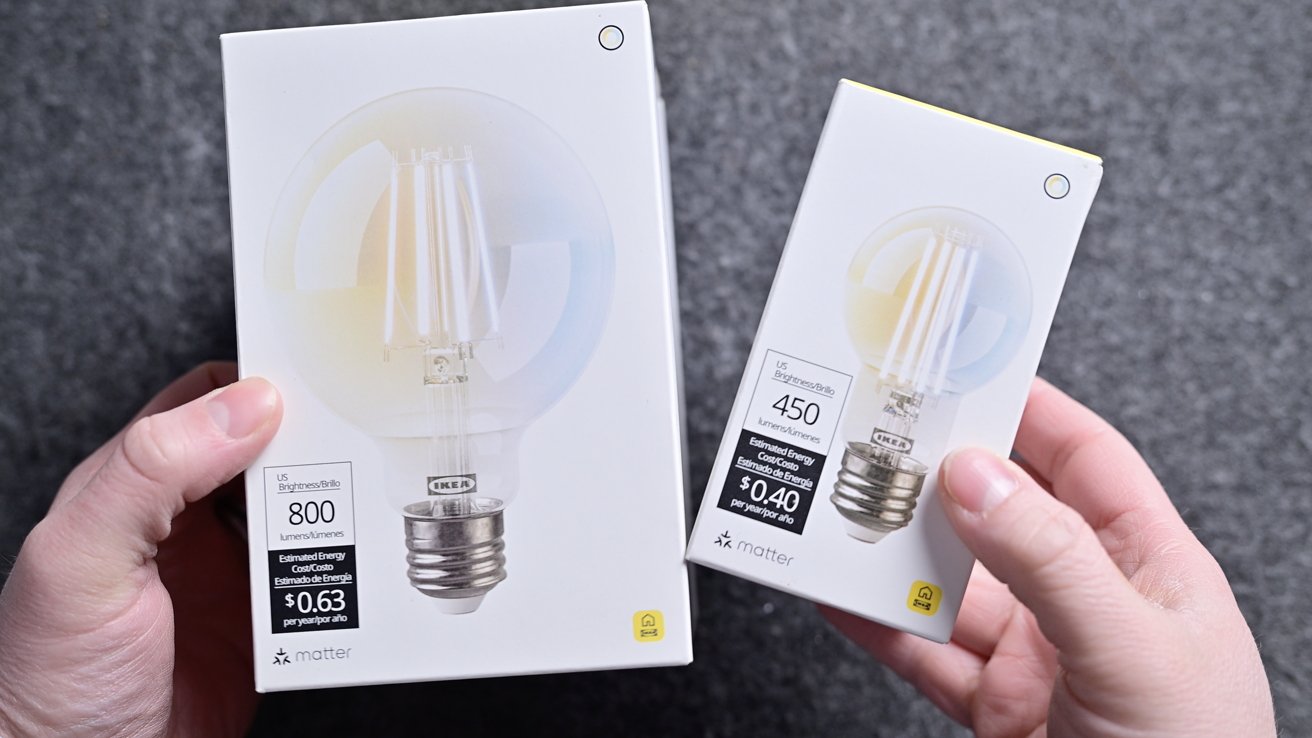
Ikea Matter-over-Thread lineup review: Two of Ikea’s smart bulbs
With the Kajplats bulbs, Ikea did an exceptional job. There’s a wide variety in shapes/sizes, brightnesses, and color choices.
There are plenty of sizes and designs Ikea could still launch, but out of the gate, this is a great selection. I don’t have anything fancy, but I chose two of the clear filament-style decorative bulbs for our home.
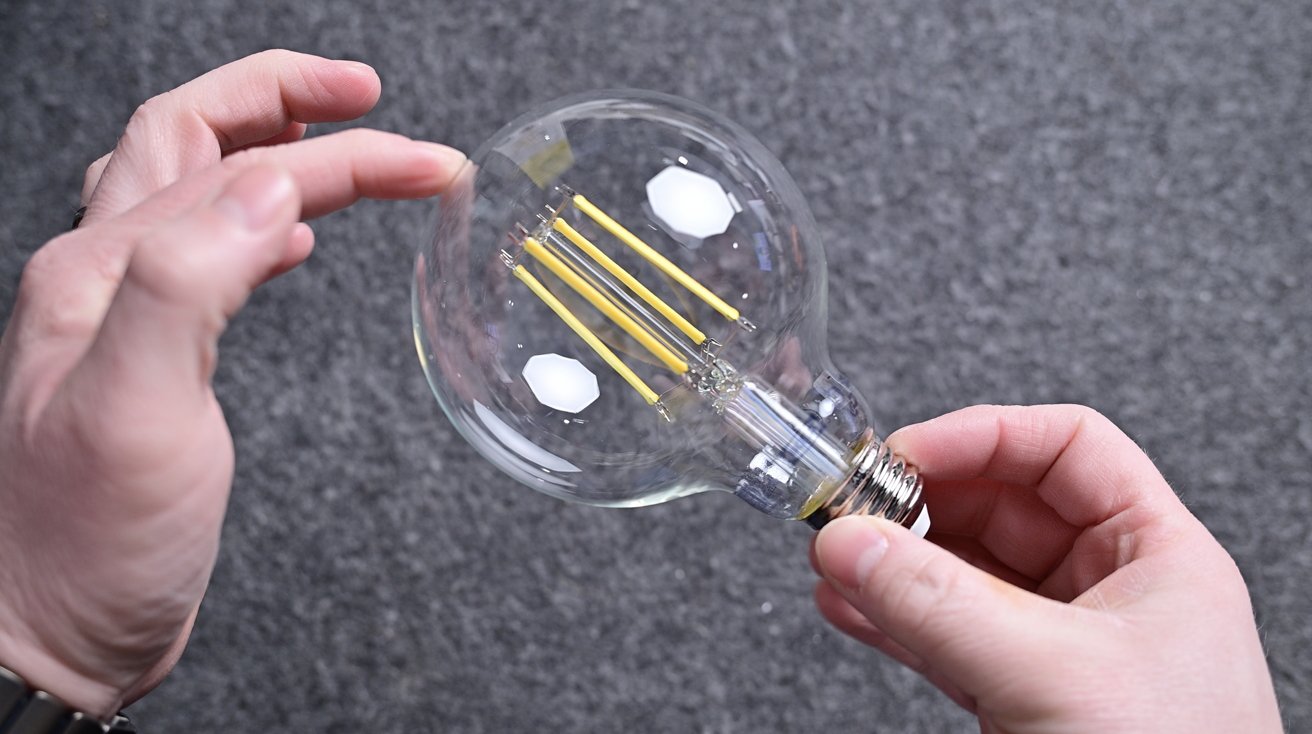
Ikea Matter-over-Thread lineup review: The decorative globe bulb looks great
First, I have the large, clear globe in our master bedroom closet, and the second one I have as a desk lamp in the studio. Both look wonderful and don’t give off the obvious appearance of a smart bulb.
One of the best parts about these bulbs is that no matter which model you choose, they all support Apple’s Adaptive Lighting feature. This is extra impressive because many more expensive smart bulbs lack this feature.
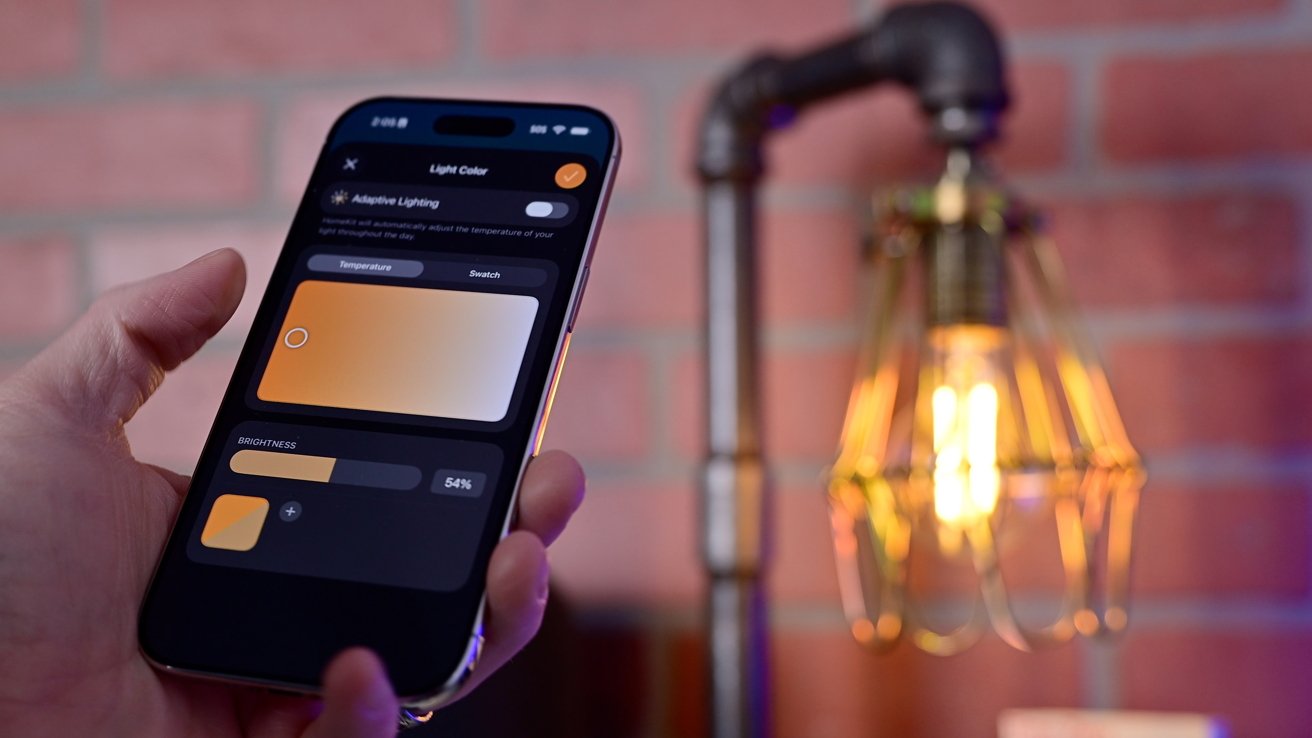
Ikea Matter-over-Thread lineup review: Adjusting the white balance on the Ikea decorative filament bulb
Adaptive Lighting will automatically adjust the color temperature throughout the day so it’s warmer in the morning as you wake up, cool white in the middle of the day to promote focus, and warmer at night to help you wind down.
Other manufacturers tell me that they omit this feature because of the onerous hardware requirements for Adaptive Lighting and Matter. That excuse falls apart when Ikea does it for less than $10 a bulb.
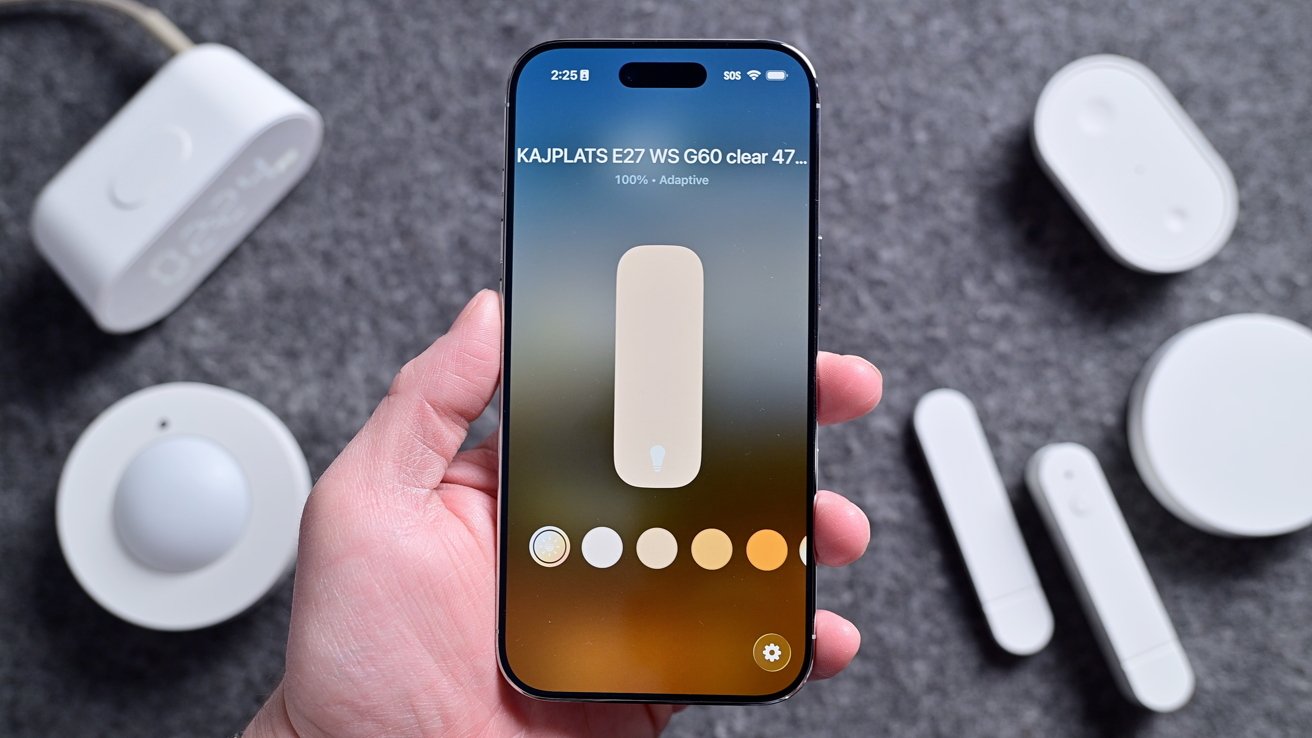
Ikea Matter-over-Thread lineup review: Adaptive Lighting in the Home app
You can turn on Adaptive Lighting from the Home app, just as you would adjust the color for any smart bulb. If you have the color versions, you can choose any color you’d like, while the white spectrum just has cool to warm whites to select.
I’m the biggest fan of the clear decorative style, as the colored ones look cheaper. They have a white plastic base and a white globe that helps diffuse the light at the top.
It will always depend on your installation location, but current design trends mean that most of my light bulbs are exposed. I’d rather have elegant-looking white spectrum clear bulbs than the full-color ones.
Ikea Matter-over-Thread lineup review: Varmblixt
Outside of the straight light bulbs, Ikea also has the Varmblixt lamp. This is the viral donut-shaped lamp that has been updated with Matter and Thread compared to the old, non-smart version.
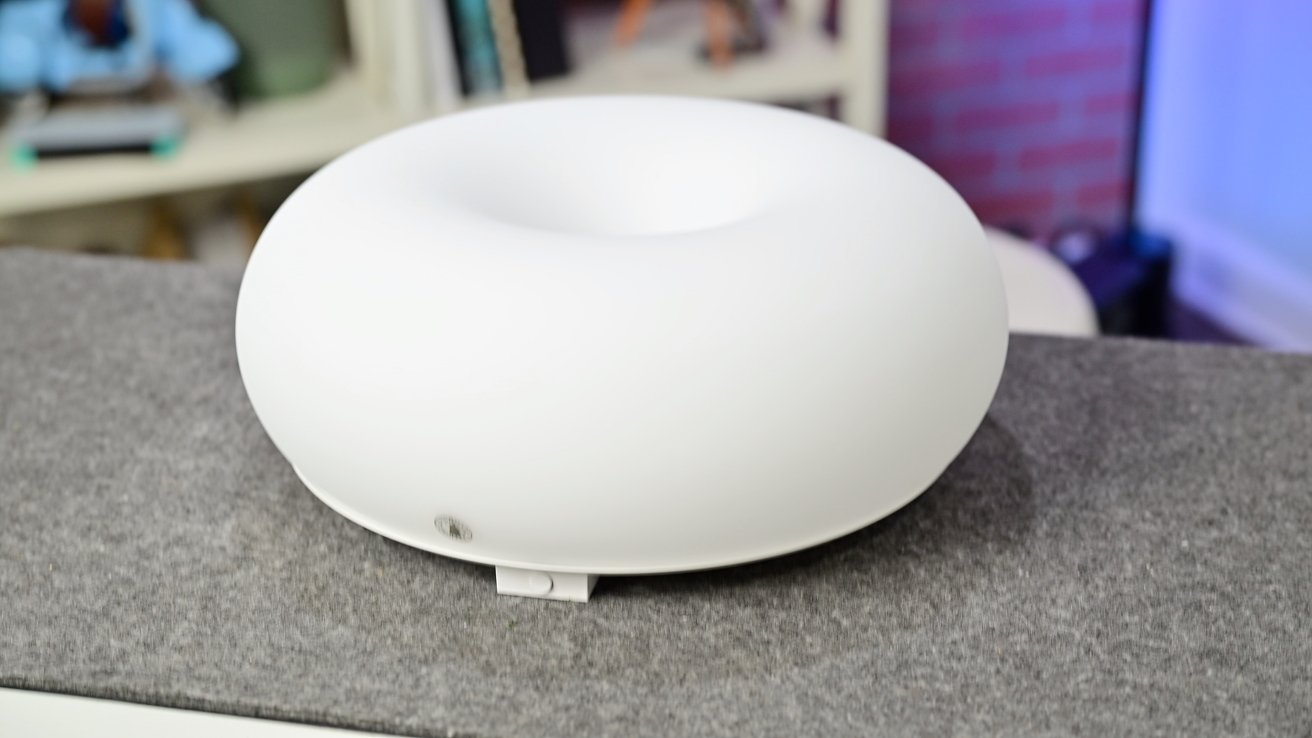
Ikea Matter-over-Thread lineup review: The donut-shaped lamp is all glass with a metal back
This is the most expensive of the lineup, priced at $99, but it also includes a Bilresa remote in the box. The quality helps justify that price, though, as the whole enclosure is glass instead of plastic with a braided power cable.
The Varmblixt is a foot wide with a metal back. There are key holes in the back that you can use to hang the light on the wall, or you can set it on a table or shelf with its silicone feet.

Ikea Matter-over-Thread lineup review: The light looks great mounted on the wall, though the cable is visible
Out of the box, the Bilresa remote is directly paired to the lamp, and you can use it to cycle through multiple predefined colors. You can optionally pair the remote and the lamp to Apple Home via Matter for smart control and automation.
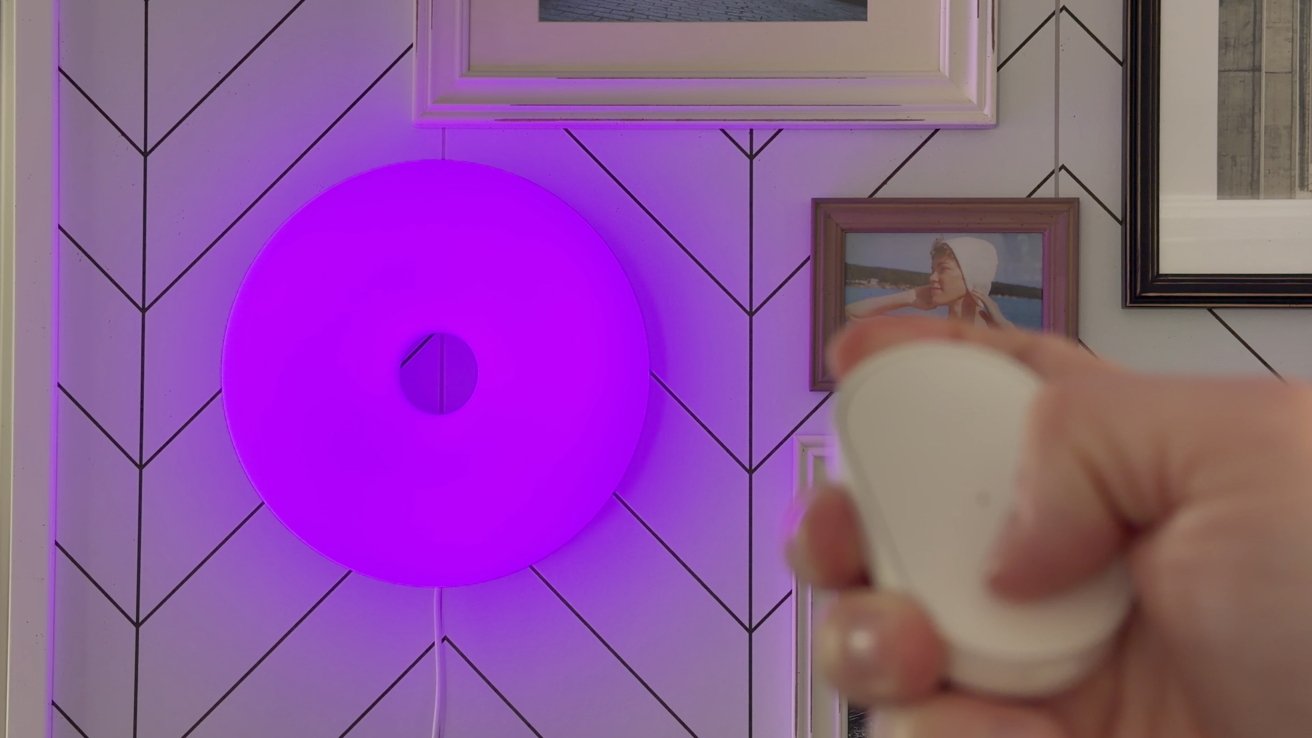
Ikea Matter-over-Thread lineup review: The lamp can change colors
I love the look of this lamp, and there is a reason it’s so popular. The glass has a matte finish to it, which helps nicely diffuse the light so it’s never too bright and is a great accent piece in any room.
Ikea Matter-over-Thread lineup review: Timmerflotte
Next in my collection is the Timmerflotte, which is a temperature and humidity sensor. It’s two and a half inches around with a sensor opening on the bottom and a keyhole mount on the back.
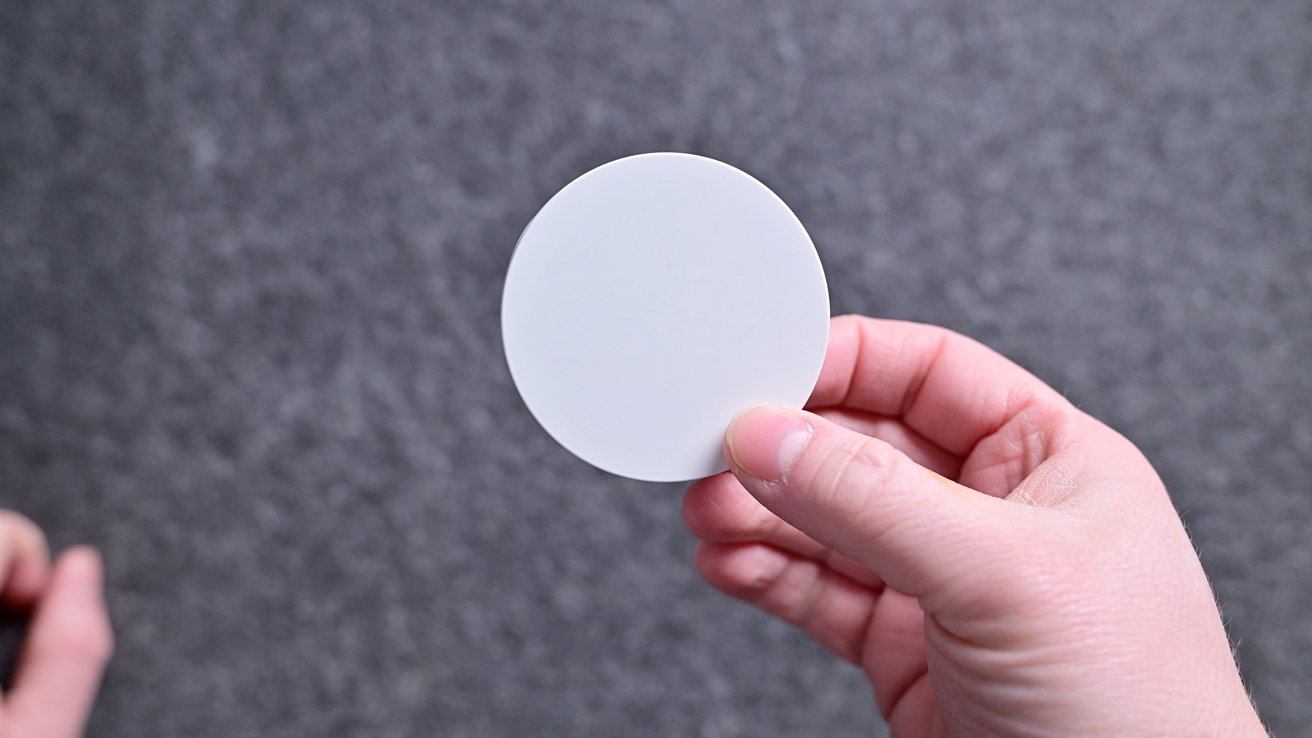
Ikea Matter-over-Thread lineup review: The temp sensor looks like a plain white circle with the display off
The circle is blank and looks pure white, but when you press it, it shows a hidden display. It’s a retro-looking dot matrix display that shows first the temperature and then the humidity.
It supports both Celsius and Fahrenheit with a toggle hiding on the back. Remove the back, and you can change it to your units of choice and replace the two AA batteries.
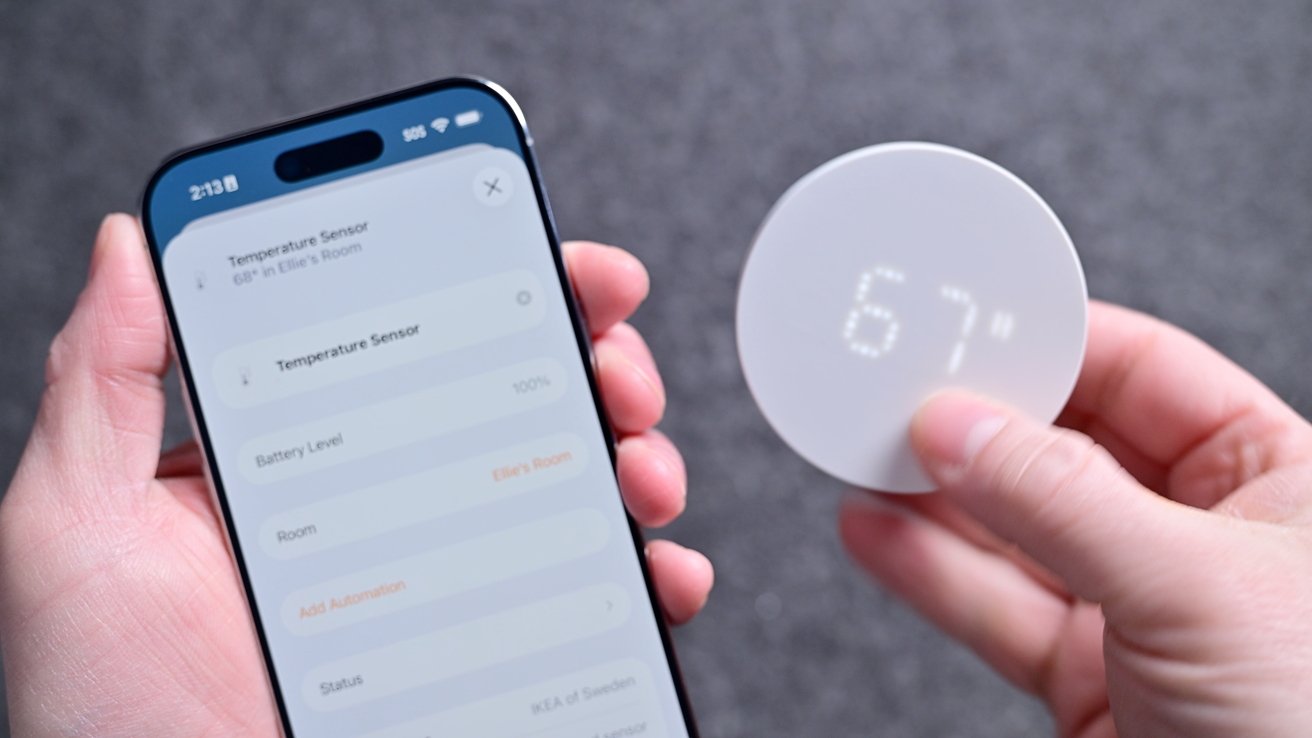
Ikea Matter-over-Thread lineup review: The display shows the temperature and humidity
Lately, I’ve been using this as a remote sensor for my Aqara W200 thermostat, which is amazing. That allows me to heat or cool my home based on an average temperature versus what is measured in the hallway.
You can use this to trigger other automations too, such as turning on a fan, humidifier, or dehumidifier based on the readings.
Ikea Matter-over-Thread lineup review: Myggspray
Moving on, we have the Myggspray motion sensor. This is great for basic motion control, but not ideal for larger room setups.
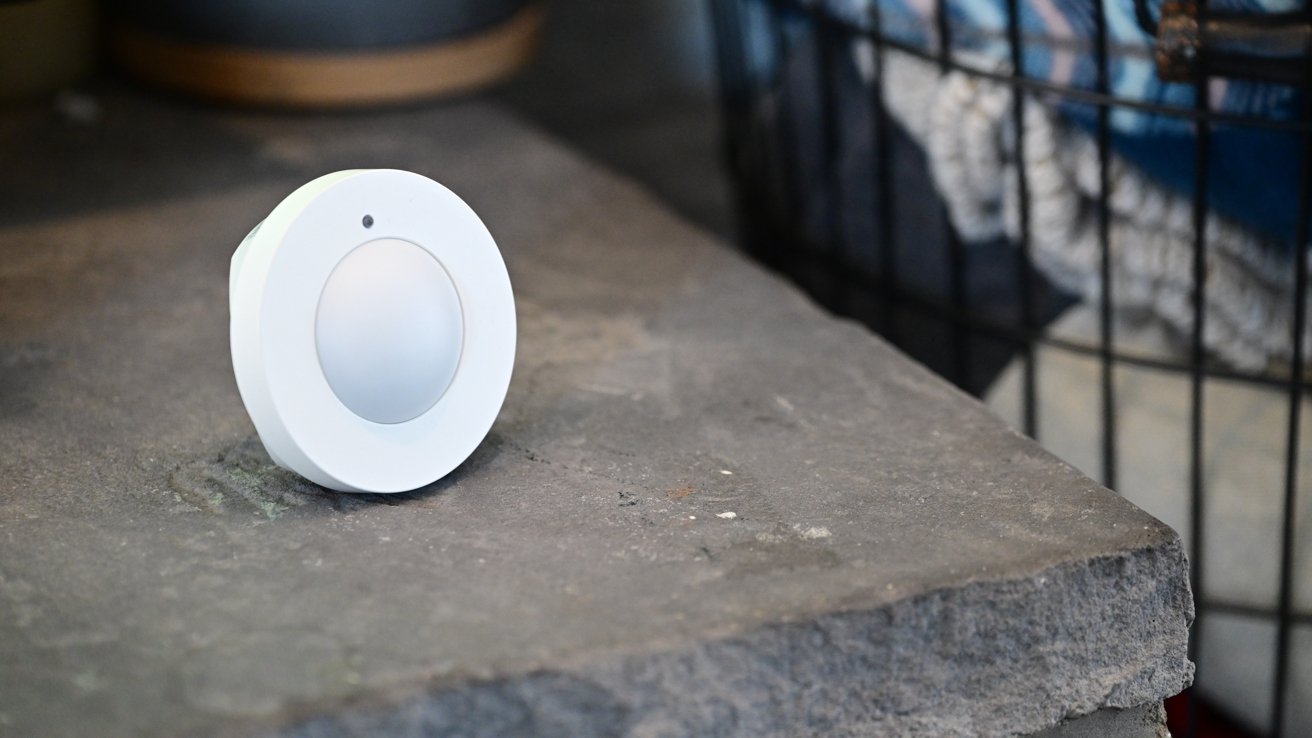
Ikea Matter-over-Thread lineup review: The motion sensor may not be well-suited for large rooms or occupancy
Since it detects motion, it’s not very smart. Pets, shadows, or robot vacuums can trigger motion, and if you sit still too long (like while watching a movie), it will stop detecting motion.
So if you create an automation to turn on your living room lights when you walk into the room, they may turn off on you while you’re watching TV. By design, they’re just too unreliable for this use case.
For rooms, it’s best to use a presence sensor instead that relies on mmWave radar, which can detect occupancy even if you’re sitting still. That’s not to say motion sensors aren’t useful, though.
They’re cheaper than presence sensors and are great for places like closets, which is where I use mine. So when my partner or I go into our master closet, the light turns on and turns off when we leave.
It comes with a snap-on back that you can mount to the wall. The bracket has four mounting holes and works at angles, too, so that it can appropriately face into the room.
My only wish is that Ikea also offered a presence sensor to give people options. Perhaps an mmWave sensor will be coming down the line, and we can get a more affordable version than what’s available now.
Ikea Matter-over-Thread lineup review: Alpstuga
The sensor I’ve had the most mixed results with is the Alpstuga environmental sensor. This is also the first one that requires USB-C power rather than batteries.
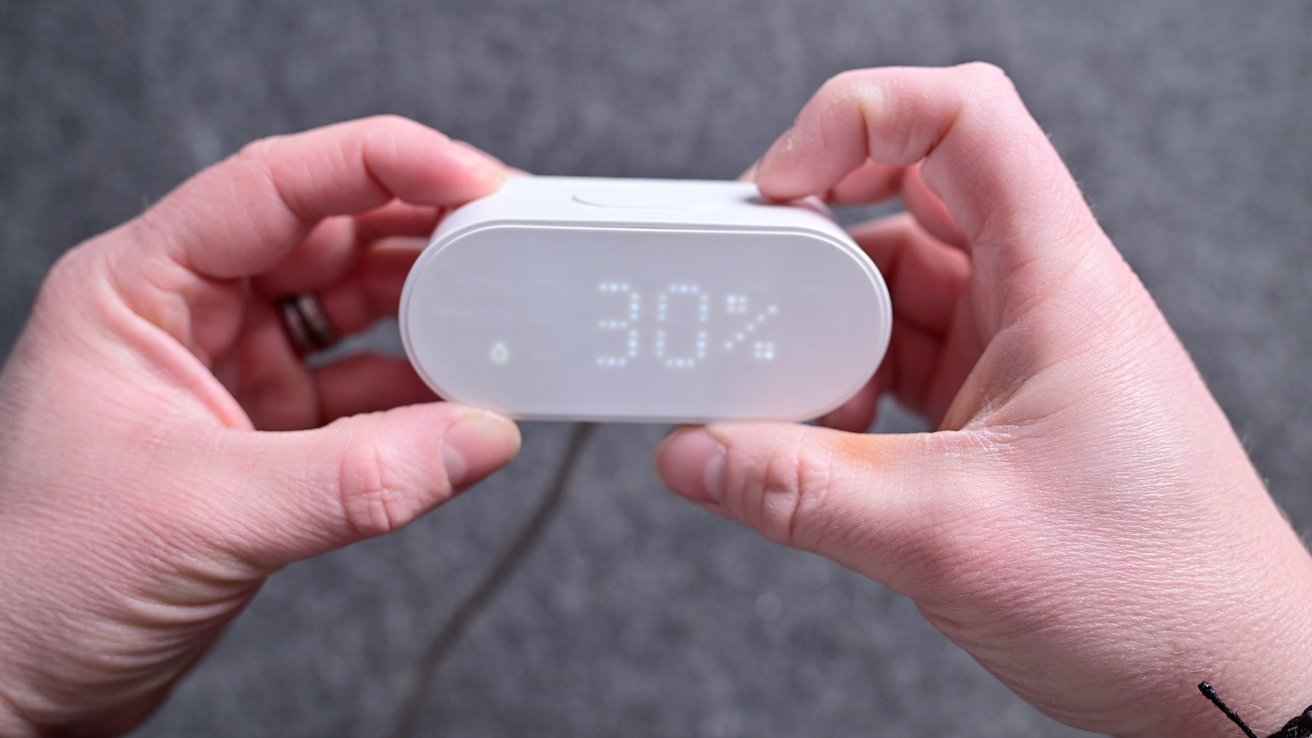
Ikea Matter-over-Thread lineup review: The Alpstuga has a display that can show the time and various metrics
It can sit on your desk or bedside and will show the different environmental metrics on the front-facing dot matrix display. It records air quality, PM2.5, VOCs, CO2 levels, humidity, and temperature.
IKEA says that it partnered with Sensirion for its sensors. Ikea says that the sensor has an accuracy tolerance of +/- 100 ppm + 10%, and it takes up to 12 hours for self-calibration. We’re not sure about the accuracy.
Unfortunately, mine continues to read very high CO2 levels in my studio. Thanks to some friends in the federal government, we also tested the Alpstuga in an airtight chamber calibrated to 600 ppm CO2, and left it in there for 24 hours.
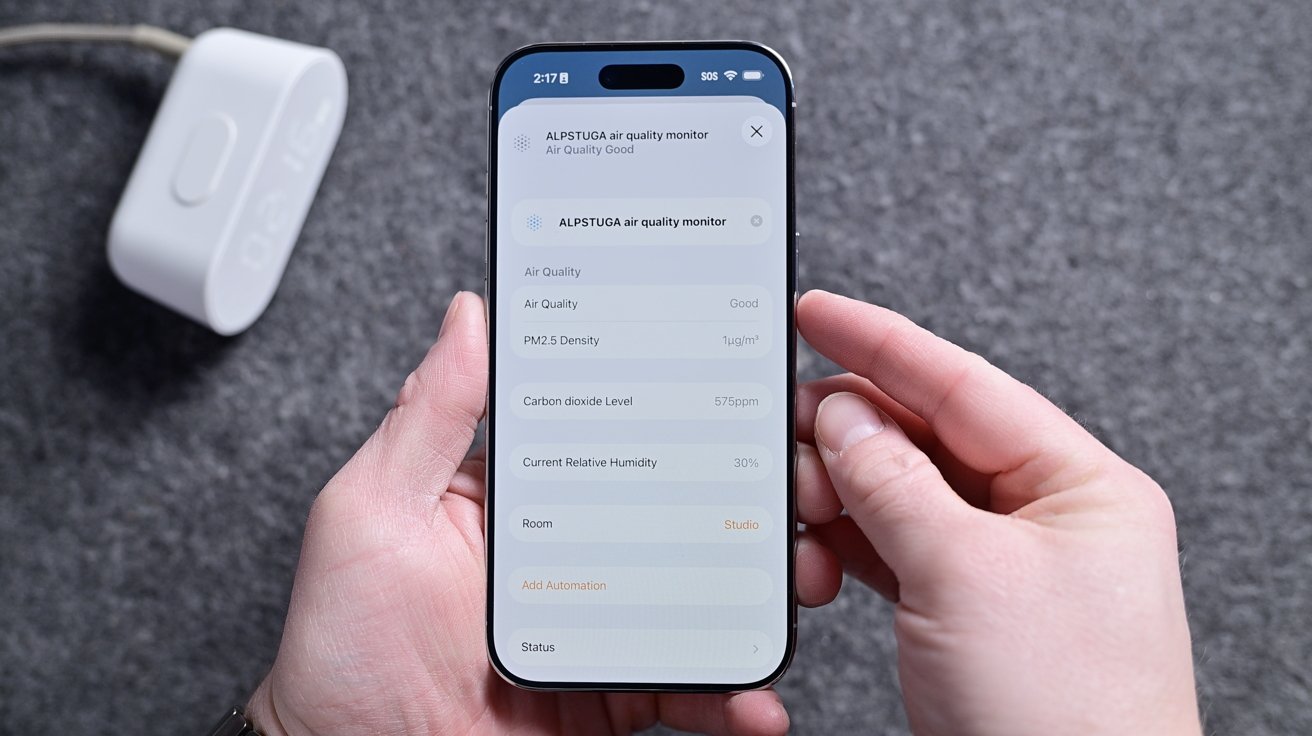
Ikea Matter-over-Thread lineup review: All the different Alpstuga metrics in the Home app
The results showed incredibly wild swings in the CO2 reading far outside the promised tolerance. We tested four different sensors, and all had results nowhere near the 600 ppm for which the chamber was calibrated.
Perhaps we got multiple bad units, but that seems unlikely. The CO2 sensors just aren’t accurate, and Ikea had no comment on the matter after we provided our testing inforamtion. All the other sensors seemed accurate, though, matching the other sensors I had in my studio.
Ikea Matter-over-Thread lineup review: Myggbett
For my Myggbett door sensor, I use it on an interior door. It’s your standard contact sensor with a main body and a secondary magnet that triggers the sensor when it comes close enough.
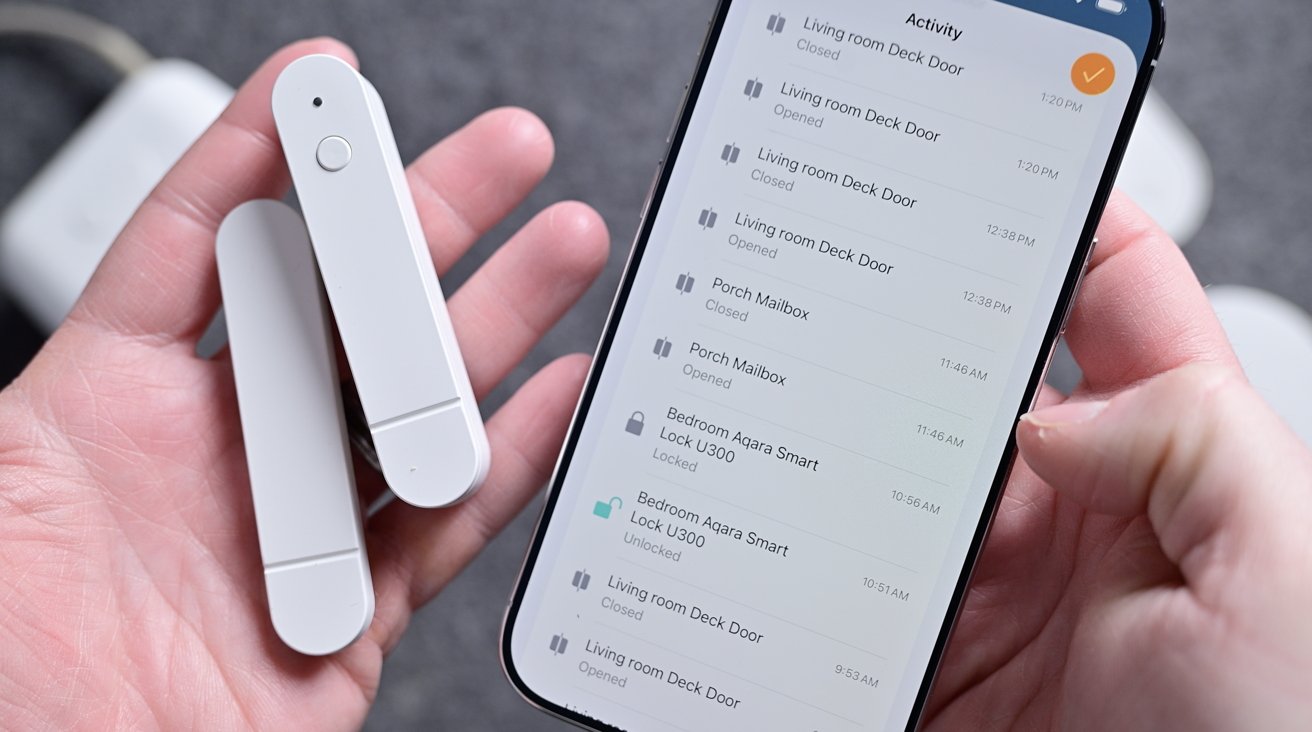
Ikea Matter-over-Thread lineup review: The Ikea door sensor attaches with adhesives
You could use this on a cabinet, window, door, mailbox, and more. Through Apple Home, you can get an alert any time the sensor is opened or closed, and it attaches with an adhesive.
I’ve had no issues with this sensor, and I have it programmed to turn on a light whenever it is opened. It works as advertised and runs on a single AAA battery on the inside.
Ikea Matter-over-Thread lineup review: Apple Home
Unsurprisingly, I used all of these devices with Apple Home. I also simultaneously paired a few of them to Samsung SmartThings to test multi-ecosystem support, which worked great.
I could see all the devices, and they were all responsive in both ecosystems at the same time. This is a big benefit of Matter devices.
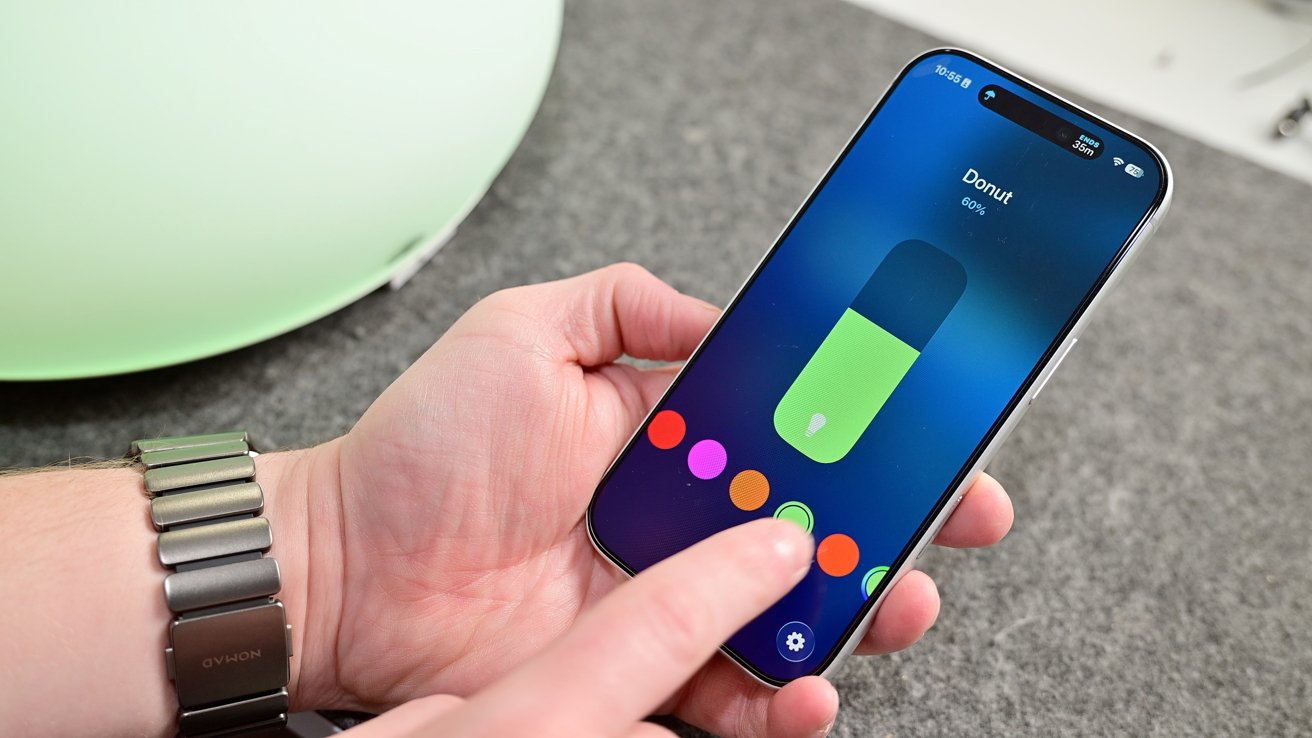
Ikea Matter-over-Thread lineup review: Adjusting color via Apple Home
Setup works exactly as you’d expect. You just scan the pairing code on each device, give them a name, assign them a room in your home, and you’re good to go.
You can use them in conjunction with any other Apple Home or Matter devices. For example, I can use the Timmerflotte temperature and humidity sensor to trigger my Matter-enabled Hisense dehumidifier when the humidity level in the room rises.
Scenes can be triggered based on time of day, location, and much more. It’s best to get creative in how sensors, controls, and other accessories can work together.
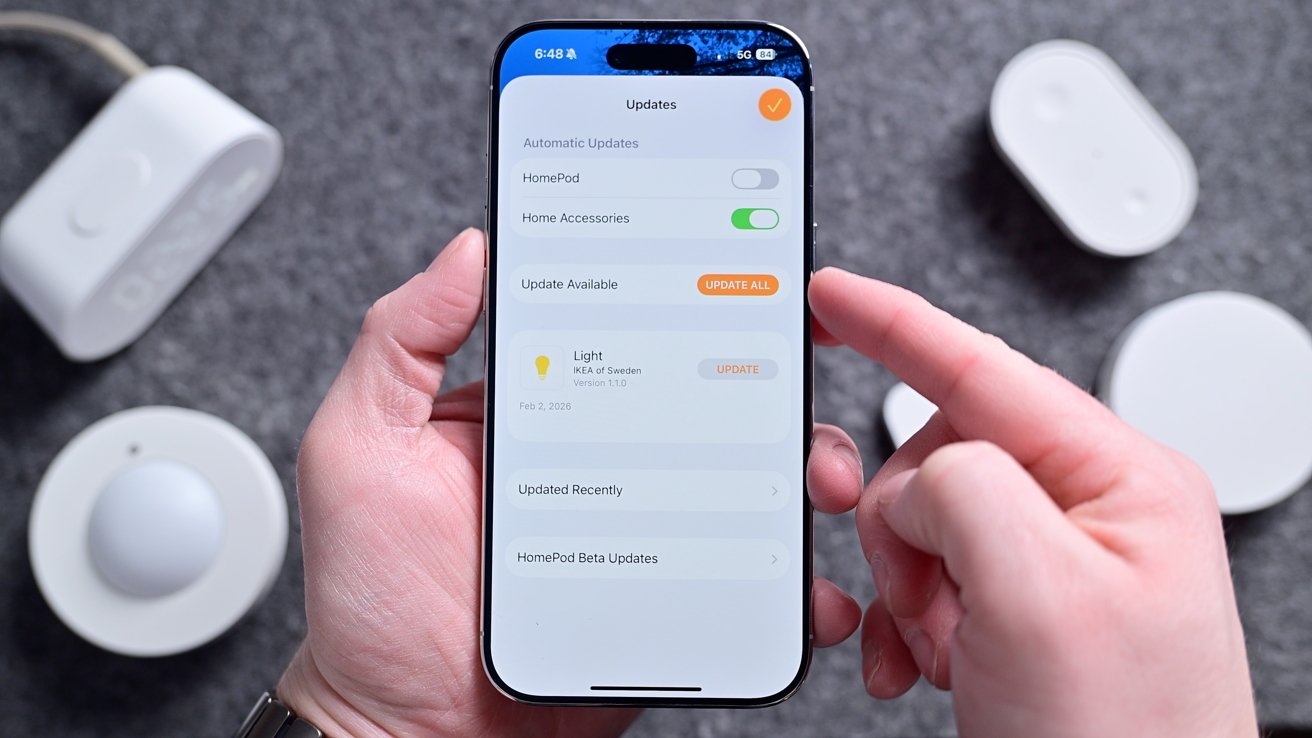
Ikea Matter-over-Thread lineup review: You can do firmware updates right from Apple Home
As we’ll talk about, updating accessories is very important, and Ikea makes this as easy as it gets. Each device can be updated straight through the Home app, just like a HomePod.
Devices can be updated in the background, or you can turn off automatic updates and install them when you’re ready for them. There’s no need for any third-party Ikea app for setup or updates.
Ikea Matter-over-Thread lineup review: Matter, Thread, and connectivity
Part of the reason behind a compilation review is that all the devices seem to be plagued by the same central set of issues. All, regardless of whether they are USB-C or battery-powered, support Matter-over-Thread.
Matter is the unifying smart home standard that allows these devices to work with Apple Home, Samsung SmartThings, Google Home, Amazon Alexa, and more. Here, I tested primarily with Apple Home, but some sensors I connected to a secondary ecosystem, as I mentioned.
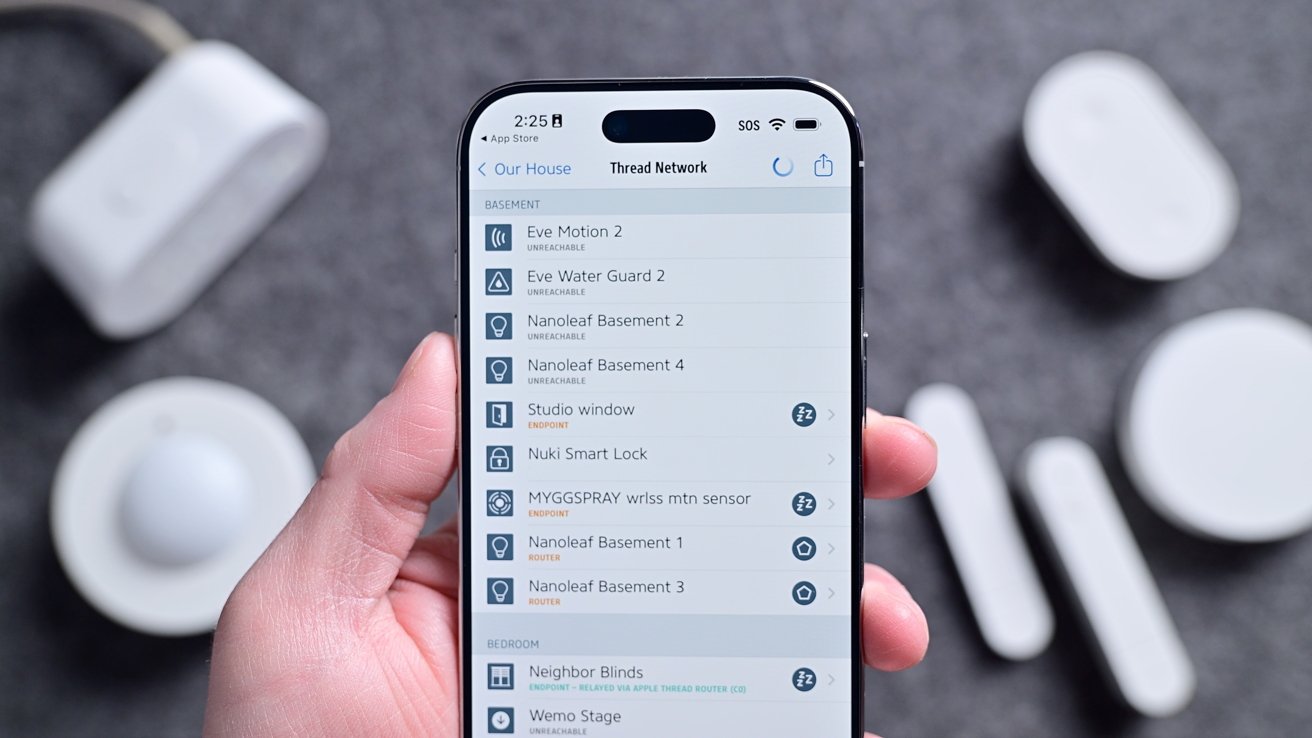
Ikea Matter-over-Thread lineup review: My home’s Thread network
Thread, though often lumped in with Matter, is a wireless connectivity standard. It’s how these devices communicate with each other and your home’s network.
What’s nice about Thread is that it is extremely low power, very fast, and self-healing. Compared to older standards like Zigbee or Bluetooth, it’s more modern and has several benefits.
The biggest benefit in my eyes is that it doesn’t require a central hub to operate. With Zigbee, you need one primary hub that all link back to.
On the other hand, Thread can have any number of what are known as “Border Routers.” Border Routers, which would primarily mean a HomePod, HomePod mini, or Apple TV for Apple Home users, bridge the Thread network to the internet.
If one of the Border Routers goes offline, it’s a non-issue as another one will pick up in its place. At least, that’s how it is supposed to work.
Since they launched, the entire Ikea Matter-over-Thread lineup has had connectivity issues. Some users struggled getting their devices commissioned, requiring multiple resets.
Others got them set up, but they kept going unresponsive.
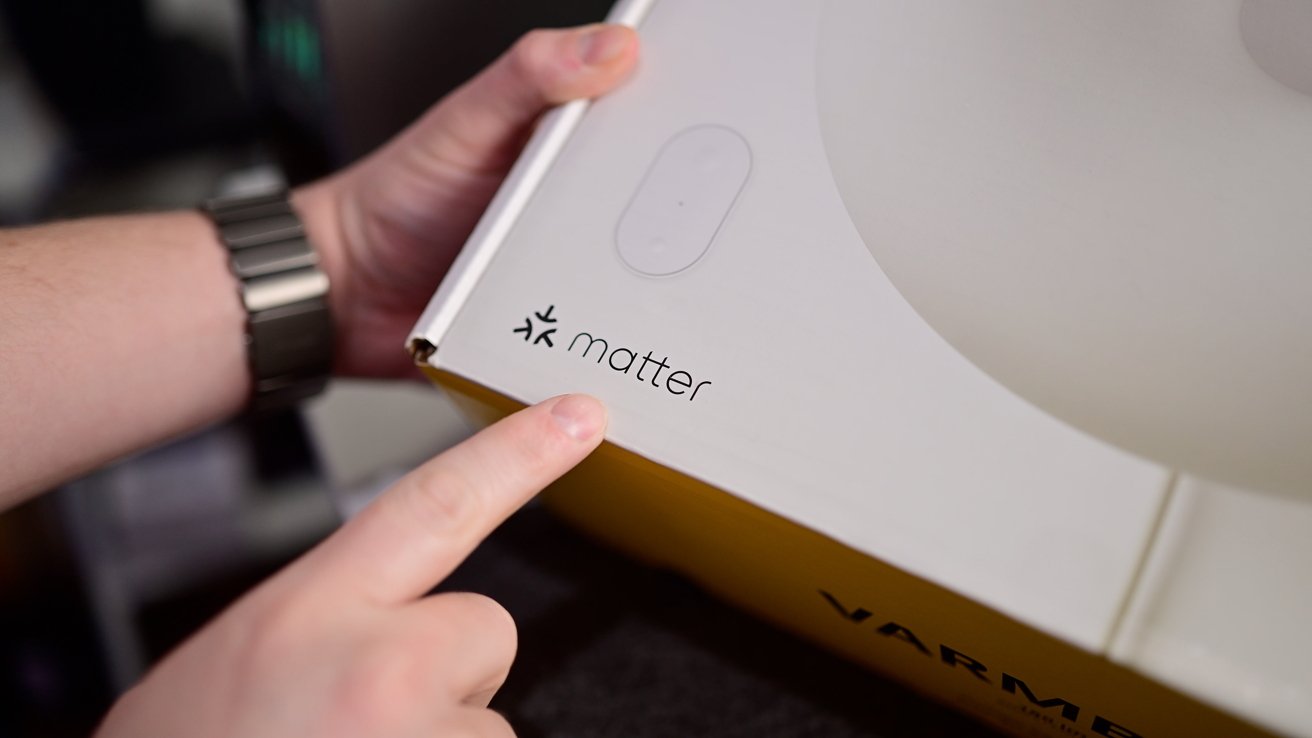
Ikea Matter-over-Thread lineup review: All devices support Matter
These were widely reported online. Here at AppleInsider, our own Mike Wuerthele had constant issues with his setup and ongoing connectivity, even after he took the extreme act of bouncing power on his entire house to refresh the Thread network.
At the same time, my home was the definition of perfect. All devices but one set up on the first try, and that one device worked on the second try.
Light bulbs respond nearly instantly to button presses and scenes. Asking Siri for the temperature gave me the real-time temperatures without delay.
Plus, all of my automated scenes have worked without issue, such as turning on my bedside light when my son opens his door at night or my timed morning scene that turns on a few ambiance lights.
It’s honestly frustrating to have such a stellar experience while others struggle.
I reached out to multiple users, other reviewers, Ikea, and the Connectivity Standards Alliance to collect as much information as possible about what was going on.
Ultimately, I never got a clear, singular answer as to what was causing the problems. Unsurprisingly, it seems largely related to home networks and communication across the network to Thread, and Matter.
Needless to say, none of this should be a problem, and is incredibly frustrating for users. It’s unacceptable to have this inconsistent experience across homes, especially considering that Ikea devices at this price point are probably the first tiptoe into home automation for beginning users.
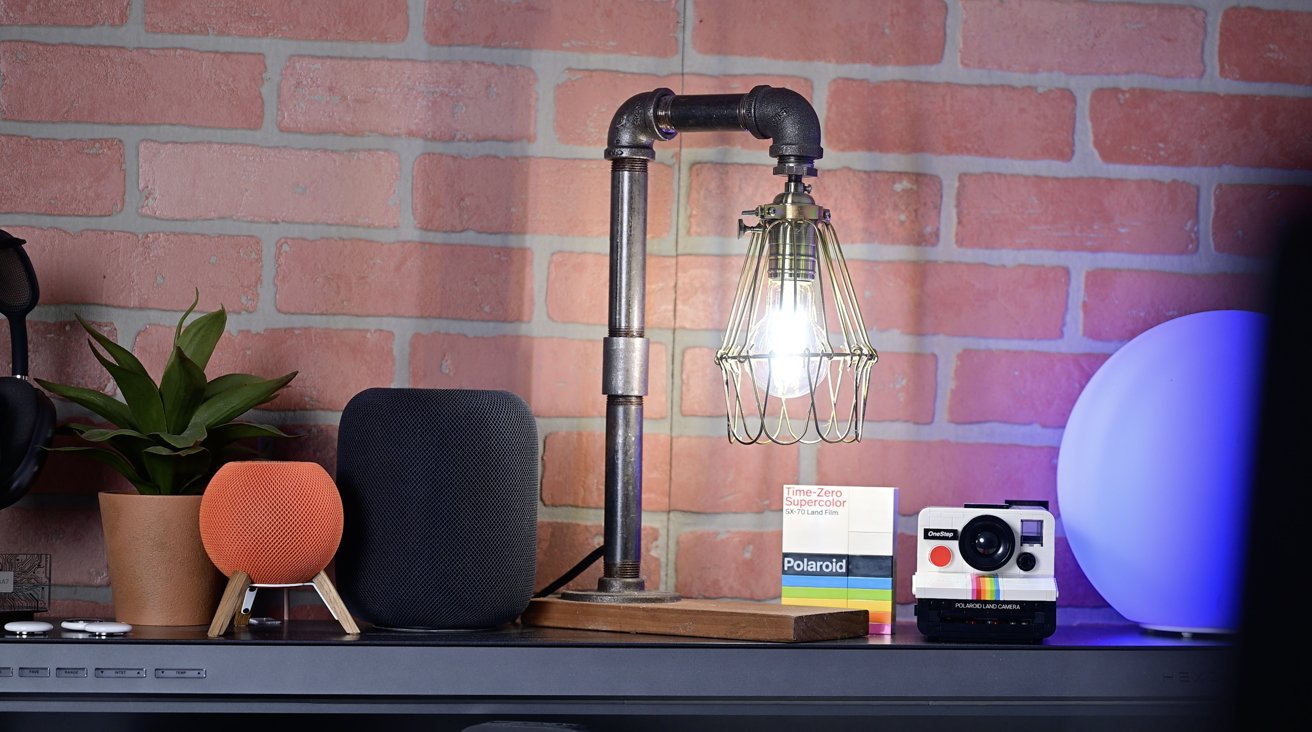
Ikea Matter-over-Thread lineup review: The Ikea bulbs are great, bright, and responsive
Perhaps it’s the price Ikea is paying for being a fairly early adopter. The good news is that by and large, it seems to be getting better.
Ikea has continued to roll out firmware updates for its devices, and many of the people I originally spoke to were no longer having problems. Most recently, the Bilresa remote was updated to support Matter version 1.4.
“We are continuing to investigate the onboarding and stability issues that some users have experienced with the new Matter-over-Thread range,” Ikea told me. “We’ve already rolled out a number of improvements, and additional work is ongoing together with ecosystem partners and the Connectivity Standards Alliance.”
“These have included changes aimed at improving Thread network stability and making onboarding more reliable in a wider range of home environments. What we see at this stage is still that the large majority of customers are getting the experience we intend, while the remaining issues in general tend to appear in more complex environments where multiple border routers, controllers, and different ecosystems interact,” Ikea added. “We do believe the situation has improved as updates have rolled out across the ecosystem, but we also know there is still work to do.”
We’ll see. My system is perfect after initial problems. Mike’s is better, but not perfect.
Ikea Matter-over-Thread lineup review: Should you buy Ikea’s new smart home lineup?
The uncertainty around connectivity makes unconditionally recommending the new lineup tough to do. I don’t want to tell everyone to run out and pick up a whole array of devices when the performance may not necessarily be where it should be.
Simultaneously, for those who do have a good experience, there are few better options on the market. The price point is unbeatable, and the performance is superior to many more expensive devices out there.
You can pick up a three-pack of wireless remotes for $15. I can replace 8 bulbs in my master bathroom with decorative, tunable, dimmable smart bulbs for about $65.
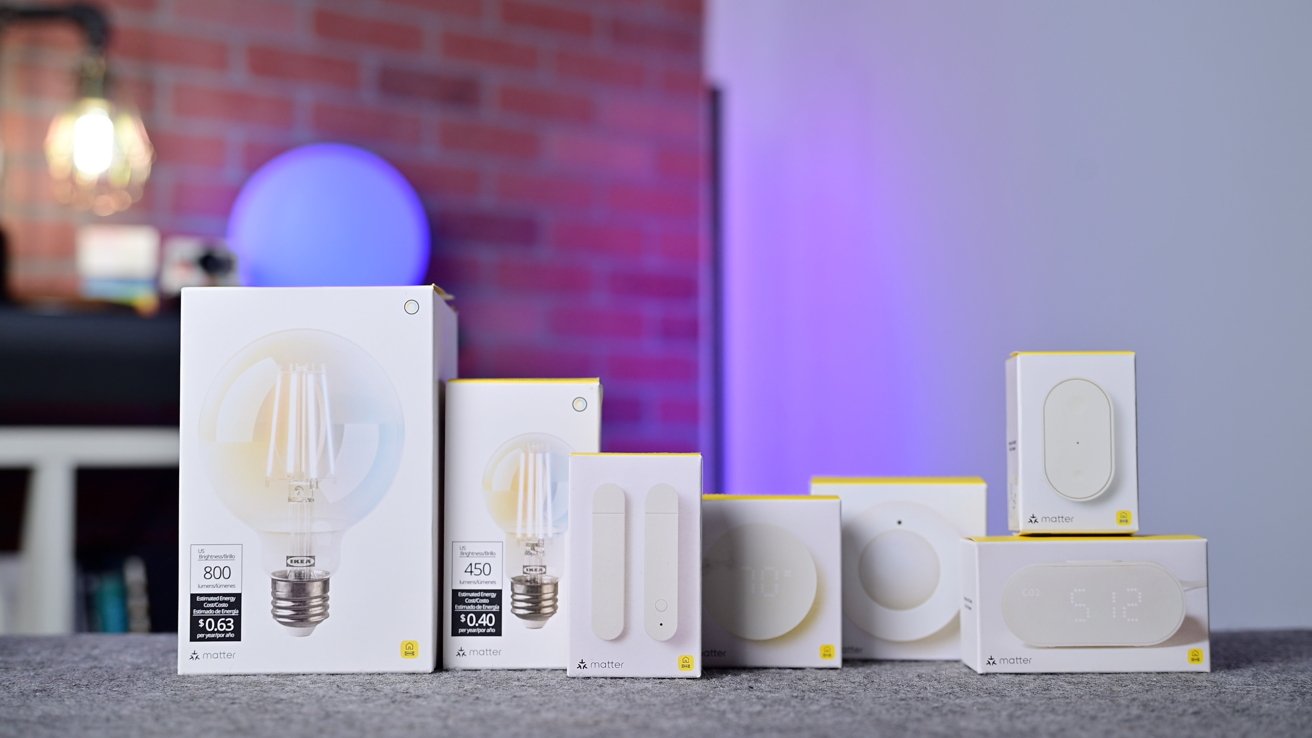
Ikea Matter-over-Thread lineup review: Ikea’s new lineup of devices
Smart home devices are often notoriously expensive and have made it hard for people to fully outfit their homes. Ikea is fixing that.
For me, they work so well that I’ve put them in places where I don’t have wiggle room for error. The contact sensor tells me when my son opens his door, especially while we’re in our bedroom.
The Bilresa remote is used to set my son’s “goodnight” scene that closes his windows, turns on his two nightlights, and turns on his starlight laser projector. I don’t want to have to explain to my toddler at bedtime why the remote isn’t doing anything, so it needs to work reliably, 100% of the time.
Ikea also went above and beyond, including things like Adaptive Lighting for Apple Home and native updates through various ecosystems. This means you truly do not need the Ikea app, which enhances user experience.
This full-lineup support for Matter and Thread is just what we want to see from smart home manufacturers. Even if there are a few growing pains here at the beginning.
If you’re understandably hesitant about buying into Ikea’s new devices, my recommendation is perhaps to try just one or two. If you have a local Ikea, you can go grab a few devices and easily return them if they don’t work.
More than likely, your experience is going to be great. For me, these devices are an easy 5 out of 5 stars, but until all the fringe cases are sorted out, they’re going to be rated a bit more down the middle.
Ikea Matter-over-Thread lineup review: Pros
- Native Apple Home features like updates & Adaptive Lighting
- Good build quality
- Most of the time, fantastic performance and reliability
- Works with multiple ecosystems at the same time
- Super affordable and widely available
Ikea Matter-over-Thread lineup review: Cons
- Alpstuga CO2 sensor is very bad
- Still ongoing connection issues for some networks
Ikea Matter-over-Thread lineup rating: 3.5 out of 5
You can pick up the new smart home range from Ikea stores or online, starting at only $5.99 and rising to $99.



A zero-day exploit circulating online allows people with physical access to a Windows 11 system to bypass default BitLocker protections and gain complete access to an encrypted drive within seconds.
The exploit, named YellowKey, was published earlier this week by a researcher who goes by the alias Nightmare-Eclipse. It reliably bypasses default Windows 11 deployments of BitLocker, the full-volume encryption protection Microsoft provides to make disk contents off-limits to anyone without the decryption key, which is stored in a secured piece of hardware known as a trusted platform module (TPM). BitLocker is a mandatory protection for many organizations, including those that contract with governments.
When one disk volume manipulates another
The core of the YellowKey exploit is a custom-made FsTx folder. Online documentation of this folder is hard to find. As explained later, the directory associated with the file fstx.dll appears to involve what Microsoft calls the transactional NTFS, which allows developers to have “transactional atomicity” for file operations in transactions with a single file, multiple files, or ones that span multiple sources.
The steps for carrying out the bypass are simple:
- Copy the custom FsTx folder from the Nightmare-Eclipse exploit page to an NTFS- or FAT-formatted USB drive
- Connect the USB drive to the BitLocker-protected device
- Boot up the device and immediately press and hold down the [Ctrl] key
- Enter Windows recovery
There are at least two ways to accomplish the third step. One way is to boot into Windows, hold down the [Shift] key, click on the power icon, and click restart. Another is to power on the device and restart it as soon as Windows starts booting.
In either case, a command (CMD.EXE) prompt appears. The prompt has full access to the entire drive contents, allowing an attacker to copy, modify, or delete them. In a normal Windows Recovery flow, the attacker would need to enter a BitLocker recovery key. Somehow, the YellowKey exploit bypasses this safeguard. Multiple researchers, including Kevin Beaumont and Will Dormann, have confirmed the exploit works as described here.
It’s unclear what in the custom FsTx folder causes the bypass. Dormann said that it appears to be related to Transactional NTFS, which itself uses command-log file system under the hood. Dormann further noted that by looking at the Windows fstx.dll, one will see code that explicitly looks for \System Volume Information\FsTx in the FsTxFindSessions() function.”

Looking for the most recent Mini Crossword answer? Click here for today’s Mini Crossword hints, as well as our daily answers and hints for The New York Times Wordle, Strands, Connections and Connections: Sports Edition puzzles.
Need some help with today’s Mini Crossword? It’s not too tough, but 7-Across and 8-Across go together, and I always find paired clues difficult to solve. Read on for all the answers. And if you could use some hints and guidance for daily solving, check out our Mini Crossword tips.
If you’re looking for today’s Wordle, Connections, Connections: Sports Edition and Strands answers, you can visit CNET’s NYT puzzle hints page.
Read more: Tips and Tricks for Solving The New York Times Mini Crossword
Let’s get to those Mini Crossword clues and answers.
The completed NYT Mini Crossword puzzle for May 15, 2026.
Mini across clues and answers
1A clue: Baseball stat hidden in “super big hit”
Answer: RBI
4A clue: Hi, in Hawaii
Answer: ALOHA
7A clue: With 8-Across, start running or going to the gym
Answer: GETIN
8A clue: See 7-Across
Answer: SHAPE
9A clue: Opposite of NNE
Answer: SSW
Mini down clues and answers
1D clue: Opposite of riches, in a saying
Answer: RAGS
2D clue: “Ew, gross”
Answer: BLEH
3D clue: Tiny bits
Answer: IOTAS
5D clue: Where the hands are placed when “Hey, Macarena!” is sung
Answer: HIPS
6D clue: All over again
Answer: ANEW

from the rudderless-ship dept
We’ve complained a great deal about RFK Jr.’s stint running HHS and its effects on the health of Americans in the short and long term because, well, there’s a lot to complain about. His anti-vaxxer stances have begun infecting national vaccine policy, of course, and his stance of essentially ignoring an ongoing 17 month measles outbreak have generated national headlines. Regarding measles cases, by the way, the official case count in America is at roughly 80% of the total of last year already, which was itself the highest case count in several decades. I’ll take this moment to remind you that it’s May, not even half way through the year.
But there has also been an insane amount of chaos at HHS and its child agencies under Kennedy. And that chaos isn’t slowing down, it seems, with the announcement that FDA chief Marty Makary will be resigning his post. And, because this is the dumbest of timelines in which we live, the reason behind it appears to be Trump’s push to allow for flavored e-cigarettes to entice the nation’s youth.
Makary’s insiders said the former Johns Hopkins University cancer surgeon resigned after Trump forced his hand on authorizing fruit-flavored e-cigarettes. Makary had reportedly been resisting the sign-offs out of concern that the kid-friendly flavors could again entice youth use and addiction—something public health officials and experts have for years worked to combat. But Makary’s stance was in conflict with Trump’s “save vaping” campaign promise—and with the tobacco industry’s interests.
Earlier this month, The Wall Street Journal reported that Trump had called Makary over a weekend to scold him for not moving fast enough to authorize flavored vapes, particularly menthol, mango, and blueberry flavors from the Los Angeles manufacturer Glas. The FDA authorized those flavored products days later and issued a new policy that would make it easier to market flavored vapes.
The ArsTechnica post goes on to note that Makary had pissed off a bunch of lobbyists for tobacco, pharma, and biotech firms, all while health professionals have been complaining about his participation in Kennedy’s anti-vaxxer nonsense at the FDA as well. He essentially managed to piss off everyone, courting zero allies, which is a remarkable achievement itself.
But the larger story here is that HHS is suffering from a rather damning lack of leadership. Not by performance, but through vacancies of Senate-confirmed people to actually run things.
The firing or resignation of Food and Drug Administration Commissioner Marty Makary is more intra-MAHA chaos at a beleaguered and battered Department of Health and Human Services.
When you don’t have a CDC Director, an FDA Commissioner, or a Surgeon General, the obvious question is: Why do you have this HHS Secretary? Robert F. Kennedy, Jr., is the cause of much of the chaos that has resulted in these job vacancies. HHS is rotting from the head.
It really is incredible to realize that those three positions, important as they are, are currently being helmed by acting leadership members at best. There’s a reason those positions exist. They’re not unimportant. But currently, we have essentially temp employees filling them.
Does anyone really believe that American health is a ship that can be successfully steered without a rudder? That’s what’s happening right now, because Trump and Kennedy can’t seem to get anyone across the finish line in the Senate for these roles. And if the ship crashes, we’re all going to pay for it.
Filed Under: e-cigarettes, fda, flavored vapes, health & human services, hhs, maha, marty makary, rfk jr.
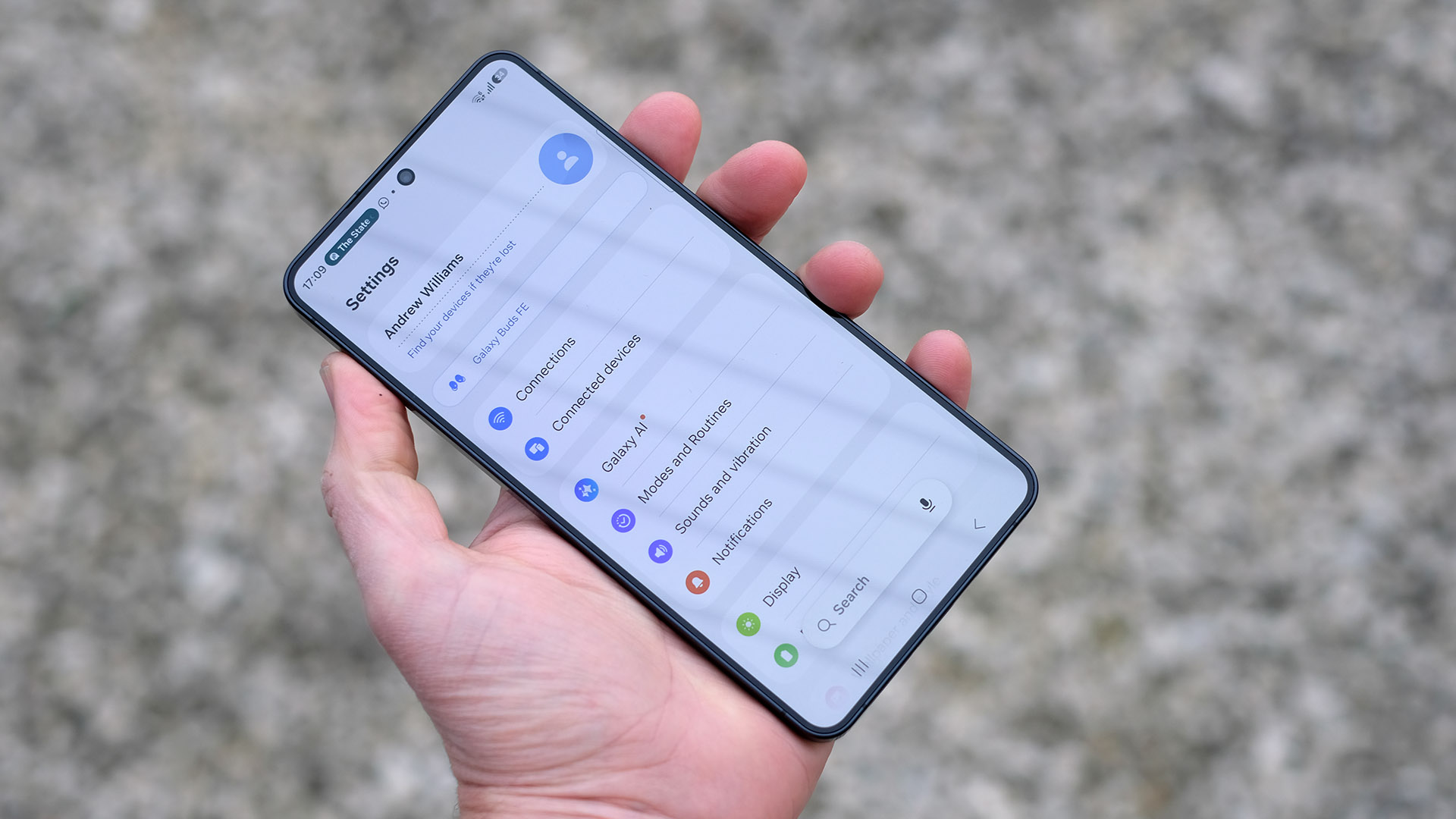
Samsung looks set to take Digital Wellbeing a step further in One UI 9, with a new feature designed to actively reduce app distractions by cutting off internet access for selected apps.
The feature has been spotted in early beta code for the Android 17-based update currently rolling out to the Galaxy S26 series. This suggests it’s still in development, but already quite far along.
The feature, reportedly called “Network management for concentration,” goes beyond the usual app timers found in Samsung’s existing wellbeing tools. Instead of just limiting screen time, it appears to block or restrict internet access for specific apps entirely. This makes them far less useful for time-wasting activities like social media scrolling, video streaming, or gaming.
Leaked screenshots shared by Android Authority show a dedicated “Network restriction” settings page. On this page, users can manually select which apps should lose connectivity, a key difference compared to current Digital Wellbeing tools that typically shut apps down after a set usage limit but still provide access to online content.
Samsung also appears to be adding more control and security around the feature. Code strings suggest users will be able to set a six-digit PIN, preventing others from disabling restrictions without permission. That could make it especially useful for parents managing children’s device usage, where bypassing limits is often too easy today.
Another notable addition is a “Downtime” scheduler, which would allow users to automatically activate restrictions during set hours. That means instead of manually turning the feature on and off, users could have it kick in during work hours, study sessions, or bedtime routines. It would then switch off again automatically afterwards.
In practice, this puts One UI 9 closer to a system-level focus mode rather than a simple timer-based restriction tool. For example, even if a user has downloaded videos offline, blocking internet access would still limit the core functionality of apps like YouTube once restrictions are in place.
That said, the feature is still in its early stages, and there’s no guarantee it will make it into the final release of One UI 9. Samsung will refine several parts of the update before launch. This could include changes or even the removal of this tool.
If it does arrive as described, though, it could become one of Samsung’s most aggressive and useful digital wellbeing features yet.
We may receive a commission on purchases made from links.
Sometimes it feels like Amazon is no longer the surefire way to save money when shopping online. While there are a couple of tricks that can help deal with the store’s quirks, the platform’s prices keep increasing for users and for sellers. As a result, many users have gone back to getting their stuff from specialized websites and physical stores like Home Depot (even if saving money from Home Depot isn’t always easy).
Having said that, it’s not impossible to find some Amazon products that are flat-out cheaper and better than what you can find from a home improvement retailer. We’ve found some Amazon picks that outshine Ace Hardware in the past, and we’re about to give you a few that will put Home Depot’s massive inventory to shame.
Speaking of massive inventories, Amazon and Home Depot offer so much choice that it would be impossible to compare the two in their entirety, even when talking about specific kinds of tools. Instead, we’re going to give you four solid products you can get on Amazon that beat Home Depot’s most popular alternatives in both price and quality.
Amazon Basics by Skil 4V Cordless Stick Screwdriver
Made by Skil and sold by Amazon Basics, this 4V Cordless Stick Screwdriver is a lightweight (10.6 ounces) driver that comes with nine of the most common bits you’ll ever use, plus a bit holder/extender. It has a compact body, measuring about 1.4 x 1.4 x 7 inches, which is ideal for when you need to work in cramped spaces. The tool’s only potential downside is that the battery is not replaceable, but according to the over 3,000 mostly positive user reviews on Amazon, the battery lasts a long time and doesn’t seem to degrade very rapidly.
Of all the many, many popular cordless screwdrivers at Home Depot, the only one that is in the same category as the Amazon Basics is the Ryobi USB Lithium Screwdriver Kit with a pivoting head. But while the pivoting head may be useful in some specific circumstances, it doesn’t necessarily help the product fit into small spaces, since the end of the screwdriver is pretty thick. This product is also not as versatile as the one by Skil and Amazon, as it doesn’t have torque control or a bit extender, the latter being very useful when working in awkward spaces.
Talking about price and stats, Amazon’s model is half as expensive as the $50 Ryobi, but there’s no clear winner for speed and strength: Amazon’s model has a faster 300 RPM speed, while Home Depot’s has a better torque of 55 in-lbs. Ultimately, the Amazon Basics is the best choice for, well, basic tasks, with a faster speed and a respectable 22 in-lbs of torque, for a much lower price.
Roxon CM1349 Spark Multi Tool
Deep inside the Amazon listings of popular, affordable multi-tools, you’ll find the Roxon Spark CM1349. A 14-in-1 multi-tool, the Spark is pretty much a Swiss Army-style Knife for everyday use, and according to almost 3,500 user reviews, it plays its role really well — there’s a reason why it’s one of our favorite cheap hand tools you can buy on Amazon. There are a million reasons why you might want a multi-tool: a one-stop solution for basic tasks in your garage, the finishing touch for that mini tool set you got on Amazon, or a small gift for tinkerers. This tiny, half-pound model includes a saw, a can opener, a flint stone, and a whistle, making it a good choice as an emergency mini tool for outdoor use.
Home Depot sells a lot of multi-tools, including some that have a bunch of functions, some aimed at outdoor use, and a number of cheap options under $30. It doesn’t seem to have any popular options that happen to be all three of these things at once. The closest it gets is the DeWalt MT21 Multi-Tool, but even this model lacks a flint stone and a whistle, and the can opener shares a space with the bottle opener. In other words, it’s not an outdoors emergency tool, so it doesn’t really compete in the same category as the Roxon Spark.
WorkPro Precision Screwdriver Kit 69-piece
Do you need 69 bits for your multi-bit screwdriver? Probably not, but having too many bits never hurt anyone, especially if, as is the case with the WorkPro Precision Screwdriver Kit, you get a nice case to keep everything in place. Plus, the “pieces” in the product’s name aren’t just precision driver bits but include an extension bar and a magnetizer/demagnetizer tool. The magnetizer alone sells for about $7 at Home Depot, while on Amazon, you can get this whole set for just $6.27.
There’s no way Home Depot can compete with this price, even if it does try. The Anvil 36-piece Precision Repair Tool Kit is the closest it gets. With a price of about $10, it’s not exactly as cheap, but it’s close enough to consider. However, going with Home Depot’s option comes with some serious shortcomings. Its fabric pouch has been replaced with a plastic case that likely won’t last as long, and there’s no magnetizer tool included. The bit count has gone down, too, from 60 to just 36. You may argue that Anvil is a well-known brand, even if it isn’t especially popular, but WorkPro easily wins on name recognition, and it has an excellent warranty to boot.
Kitevich Four-pack Telescoping Magnet Pick-up Tool Set

This Kitevich four-pack telescoping magnet pick-up tool set is nearly identical to the kit that made it into our list of handy gadgets for your garage, but a pickup tool can always come in handy. With this kit, you have enough to distribute them around the house or keep them in a dedicated drawer. And if the $10 price tag for the four of them sounds like too good to be true, consider that magnets and metal rods aren’t especially expensive materials. Sure, $2.50 each is a very good price, but it’s not so suspiciously cheap that you should run away.
This pack includes a portable, telescoping, magnetic pickup tool plus a bigger version of that same tool that can hold up to 10 pounds of metal, a flexible magnetic tool, and a longer flexible tool with a hand crane of sorts on its end. You will simply not find a bundle like this at Home Depot for a comparable price. You can find a nearly-identical set for $57, but frankly, three out of the four items appear to be exactly the same; they’re just overpriced. Alternatively, you could spend $9 to get a single, fancy-looking pickup tool branded Powerbuilt that comes with an integrated light but a lower max load than the Amazon option.
Let’s be honest, there’s virtually no reason to go with Home Depot in this case. The only exceptions would be if you need something with a very specific form factor, like a strong pickup tool with wheels, or if you enjoy spending money to have a big brand name printed on your cheap tools.
Methodology
This list is made entirely of Amazon products that are cheaper than the alternatives we found on Home Depot, while outshining them in some area or another — power, versatility, portability, etc. We couldn’t realistically compare these picks to every similar product sold by Home Depot, since there are just too many, so we stuck with the most popular options of similar price and functionality. We found these popular options by organizing Home Depot’s search page by “Top Sellers” and “Top Rated Products.” The Amazon products we selected had to have at least 100 reviews with a four-star average, but most of those that made it onto the list have far more reviews and over 4.5 stars.
Tech
Trump’s Tech Posse in China, Who’s Winning in Musk v. Altman, and Hantavirus Conspiracy Theories

Brian Barrett: Our best and brightest.
Leah Feiger: Yeah. And so I’m just like, no, no, no, this is clearly not just about tech. This is about showing very specifically who Trump’s allies are and being able to position himself in front of a country and leader that he hasn’t spent a lot of time with recently.
Zoë Schiffer: Since we’re still talking about the people that he is going to China with, what do we know about why Jensen Huang was left off the list and then re-added last minute? Because my though when I saw it was, oh, this is about export controls and they think it’s going to be kind of weird and complicated to have him on the trip. But then obviously he is now on the trip.
Leah Feiger: So someone I cannot name, someone said to me, “Oh, I think the President may have just forgotten him,” to which I laughed.
Zoë Schiffer: Oh, you remembered Brett Ratner and you forgot?
Leah Feiger: No, I was like, “This is not true.” It’s just not even sort of true to the point where I was like, “I’m sorry, you’re expecting me to entertain this right now?”
Zoë Schiffer: I would absolutely buy that Trump forgot this man, but I’m like, “Trump has other people around him.”
Leah Feiger: This team didn’t forget this man.
Zoë Schiffer: Yes, please.
Leah Feiger: No, there’s no way on earth. I was very much just like, “Uh-huh. Yeah, yeah, yeah. Keep it moving.” And obviously guys, we have to talk about the Musk of it all. I know that Elon has been making his appearances back at a variety of White House or White House adjacent events, but this does feel like such a big moment for him to be on the international stage again by Trump’s side.
Zoë Schiffer: Did you know that Elon Musk’s mother is like low-key a celebrity in China?
Brian Barrett: Maye Musk, international model, Maye Musk.
Leah Feiger: Wait, new information. Say more.
Zoë Schiffer: People are obsessed with her there.
Leah Feiger: What?
Zoë Schiffer: Just a little fun fact.
Brian Barrett: I want to take a moment too not to get away from Maye Musk. We can talk and talk about Maye Musk all day long. About a year ago when the Pentagon set up Musk for a war briefing about what would happen if the US went to war. Do we remember this?
Leah Feiger: I do.
Zoë Schiffer: Oh, my gosh, I fully forgot about this. Yes.
Brian Barrett: The Pentagon invited Musk over to check out what the war plans would be if we went to fight China over Taiwan and that got scuttled apparently before he went. This was a New York Times report, but it is how far we’ve come and how not far. I don’t know. If I’m China, I don’t think I want to see Musk anywhere near this coalition. And if I’m Musk, I’m feeling pretty great about the level of influence I now have. Again, and then maybe I get a chance to look at those war plans again. Maybe I can sweet talk Pete Hegseth.
Tech
Sony shows off AI-touched Xperia 1 VIII camera samples. It’s an epic self-own that I can’t digest

Sony has a camera legacy that most brands, regardless of whether they make cameras or smartphones, dream of. The company rewrote what full-frame sensors could do with its Alpha series.
That particular rendering of skin tones, that restraint with saturation, the commitment to accurate white balance; the company’s color science is precisely why cinematographers, videographers, and photographers like me, in the consumer tech space, swear by its color science and camera hardware.
So when the official Sony Xperia X account posted “Origin vs. AI Camera Assistant” side-by-side comparisons, particularly to promote the Xperia Intelligence on the company’s new Xperia 1 VIII, I kept staring at my screen for minutes. Not in admiration, but in genuine disbelief. I’d say this bluntly: whoever approved those samples has either never used a Sony Alpha series camera, or never spoken to someone who does.

What exactly is Sony’s Xperia Intelligence actually doing to these images?
Let me walk you through this in technical terms, because what’s happening in those pictures deserves a discussion. In the first portrait shot, Sony’s Xperia Intelligence has boosted mid-tone exposure so aggressively that it has clipped the highlights across the grass and the subject’s face.
The details are blown away, while the dynamic range is all messed up. Similarly, in the shot with the vase, the new AI-based algorithm has crushed the shadows so hard that the floor loses all its texture. While the original picture has some depth and visible wood grain, the edited one looks like it has a flat, high-contrast filter applied, with the intensity slider dragged all the way up.

Then there’s the sandwich. I genuinely can’t figure out what Sony’s AI saw when it decided those reds and greens needed to be desaturated. Seriously, it looks like someone tuned up the exposure and brightness sliders on the picture, without realizing that they’re blowing up the finer details and the colors.
Across all three samples, the AI introduces a forced yellow-orange warmth, in different intensities, an artificial white-balance shift that moves every shot away from neutral or natural colors toward what looks like an Instagram or Snapchat filter. They all looked like they were captured from a sensor pushed way past its native ISO ceiling, with plenty of noise.
I’d say that all the pictures looked better the way they were, but Sony’s AI Camera Assistant or Xperia Intelligence fixed them in a way that’s beyond any post-production repairs. And mind you, the pictures have been posted to promote the exceptional photography results that buyers can achieve with the new Xperia 1 VIII.

Sony can’t afford an identity crisis
The Xperia 1 series has always been Sony’s answer to the question: what if a smartphone camera behaved like the one on a camera? However, what Xperia Intelligence appears to be doing is chasing the aggressively and unnecessarily processed, high-vibrance aesthetic, that, I’d say, looks worse than what a Samsung, Google, or Apple smartphone would have processed.
While the originals in the tweet are genuinely well-exposed, have natural-looking colors, and a decent amount of dynamic range, the AI versions look like the Xperia’s camera got bored with being too good. For those who are buying the Xperia 1 VIII for its camera, and that’s almost certainly the reason why they would, get comfortable with the settings menu early; that’s all I have to say.


Today’s pickup truck buyers tend to favor models with rear seats that seat up to six passengers. These models have evolved over the years into two primary categories: crew cab and extended cab. While there are differences between crew cab and extended cab pickup trucks, both cab configurations provide extra space behind the front seats to accommodate additional passengers or cargo.
Dodge introduced the first extended cab two-door pickup truck, known as the Dodge Club Cab, for the 1973 model year. It had an extra pair of small windows located behind the doors, and offered just enough room for two additional passengers.
While the rear passenger accommodations weren’t exactly luxurious by today’s standards, the opposing jump seats offered a more comfortable place to sit than the pickup bed. When extra passenger seating wasn’t required, the jump seats folded against the rear cab walls. This allowed maximum space when carrying cargo, keeping it better away from the pickup bed’s wind and weather exposure.
Ford was next in the extended cab pickup market, launching its SuperCab option in 1974. The early SuperCab versions only had two doors, like the Dodge Club Cab. Newer Ford SuperCab and Crew Cab trucks offer a number of differences, starting with more doors for easier access.
Crew cab pickups actually came before extended cab versions
The larger-cab option for pickup trucks debuted in 1957 with the introduction of the Travelette, a three-door pickup featuring a full-size rear bench seat that seated up to six passengers across two bench seats. Don’t worry if you’ve never heard of or seen a Travelette. They were designed and marketed as work trucks meant to haul workers and materials to job sites, and built by International Harvester.
International Harvester is a brand best remembered for its school buses, though some may recall the Scout. This early 4×4 SUV was one of the coolest trucks of the 1970s, and it ultimately became the last consumer vehicle produced by International Harvester before the company ended light-duty production in 1980.
That same year, a third-party contractor began up-fitting Dodge pickups with larger cabs, a relationship that lasted a few years until Dodge began rolling them off the assembly line in 1964. Ford debuted its four-door Crew Cab pickup in 1965, and Chevy and GMC waited until the 1970s to offer their versions.

Meta’s decision to track employee keystrokes and mouse data is causing an uproar within the company. “Selfishly, I don’t want my screen scraped because it feels like an invasion of my privacy,” wrote an engineer in an internal post seen by nearly 20,000 coworkers this week. “But zooming out, I don’t want to live in a world where humans—employees or otherwise—are exploited for their training data.”
The message aimed to rally support for a petition circulating inside the company since last Thursday that demands an end to what Meta calls the Model Capability Initiative. It’s a piece of mandatory software that Meta began installing on the laptops of US employees last month. The tool records employees’ screens when using certain apps with the goal of collecting “real examples of how people actually use” computers, including “mouse movements, clicking buttons, and navigating dropdown menus,” according to Reuters. Meta has yet to say whether the initial data is paying off.
“I’m mixed on Al. On one hand, I really enjoy using it to write software. On the other hand, I’m really nervous about its impact on the world,” the engineer wrote in an internal forum for coders. “And what kind of norms are we establishing about how the technology is used, and how people are going to be treated?”
The petition, also seen by WIRED, states that “it should not be the norm that companies of any size are permitted to exploit their employees by nonconsensually extracting their data for the purposes of Al training.”
In the US, employers generally have wide latitude to monitor workers’ devices for security, training, evaluation, and safety purposes. But using these tools to build datasets that instruct AI systems on navigating computers without human supervision appears to be a new tactic—and one that doesn’t sit right with many Meta workers. Over the past few years, several companies have jumped into the race to develop agentic AI models. But when gathering data, they have typically tapped volunteers, sometimes paid, who are willing to have their computer activity recorded.
Meta’s decision to move forward with its tracking tool despite weeks of protest from employees has become one of the leading reasons for what 16 current and former employees recently described to WIRED as record-low morale. It’s also the leading driver of an employee unionization effort at Meta’s UK offices.
“The workplace surveillance and training AI models is the number one thing,” says Eleanor Payne, a representative of United Tech and Allied Workers, which is helping organize Meta employees. She declined to specify the number of employees seeking to form a labor union but called it “significant” and unprecedented.
While only US employees are currently subjected to tracking, UK employees are concerned for their colleagues and the potential for expansion of the program. “I think of it pretty much as a breakdown of trust,” Payne says. New laws that eased unionization in the UK have encouraged employees about the chances of success, she adds.
In Meta offices in California and New York, workers have been posting flyers in cafeterias and other communal areas pointing colleagues to the petition. Two employees, speaking on the condition of anonymity because they were not authorized to speak to the media, say the company has removed some posters, with those on bathroom walls seemingly staying up longer.
Tech
Developers can now debug and evaluate AI agents locally with Raindrop’s open source tool Workshop


Observability startup Raindrop AI’s new open source, MIT Licensed “Workshop” tool, launched today, gives developers something that they’ve likely wanted, perhaps subconsciously, since the agentic AI era kicked off in earnest last year: a local debugger and evaluation tool specifically designed for AI agents, allowing devs to see all the traces of what their agent has been doing in a single, lightweight Structured Query Language (SQL) database file (.db)
It functions as a local daemon and UI that streams every token, tool call, and decision to a local dashboard—typically hosted at localhost:5899—the moment it occurs. By visiting their localhost, developers can then see everything their agent was up to — including mistakes or errors — and identify what went wrong, when, and ideally, discern why. It’s all stored in a single .db file, which takes up relatively little memory, according to a X direct message VentureBeat received from Ben Hylak, Raindrop’s co-founder and CTO (and a former Apple and SpaceX engineer).
This real-time telemetry eliminates the latency of traditional polling and addresses a growing developer concern regarding the privacy of sending local traces to external servers.
The tool is available for macOS, Linux, and Windows. It can be installed through a one-line shell command that automates binary placement and PATH configuration for bash, zsh, and fish shells. For developers who prefer to build from source, the repository is hosted on GitHub and utilizes the Bun runtime.
The product: establishing a self-healing eval loop
The platform’s standout feature is the “self-healing eval loop,” which allows coding agents like Claude Code to read traces, write evals against the codebase, and fix broken code autonomously.
In a practical application, if a veterinary assistant agent fails to ask necessary follow-up questions, Workshop captures the full trajectory. Claude Code then reads this trace, writes a specific eval, identifies the logic error in the prompt or code, and re-runs the agent until all assertions pass.
Compatibility and ecosystem integration
Workshop is compatible with a broad range of programming languages, including TypeScript, Python, Rust, and Go.
It integrates with popular SDKs and frameworks such as the Vercel AI SDK, OpenAI, Anthropic, LangChain, LlamaIndex, and CrewAI. It is also designed to work seamlessly with various coding agents, including Claude Code, Cursor, Devin, and OpenCode.
Licensing and community implications
Workshop is released under the MIT License, ensuring it remains free and open-source for all users. This permissive licensing is intended to foster community contribution and allow enterprise users to maintain data sovereignty.
Hylak noted on X that the tool was built to provide a “sane” way to debug agents locally, changing how their team and early customers build autonomous systems.
To celebrate the launch, Raindrop offered limited-edition physical merchandise to users who installed the tool and executed a specific “drip” command.

How Big Celebrity Buys GOLD Safety Tips #finance #shorts

Elon Musk Calls Out Farage Over Donation Allegation

Review: A Casa six decades in the making

Manchester United reach agreement with Casemiro over contract clause amid transfer speculation

US brings back mandatory military draft registration

Steven Gerrard disagrees with Gary Neville over ‘shock’ Chelsea and Arsenal claim | Football
![[CONFIRMED] Bitcoin Holders...This is BIG!](https://wordupnews.com/wp-content/uploads/2026/05/1778822840_maxresdefault-80x80.jpg)

-
 Crypto World7 days ago
HarrisX Poll Found 52% of Registered Voters Support the CLARITY Act
-

 Fashion6 days ago
Weekend Open Thread: Marianne Dress
-

 Fashion3 days ago
Coffee Break: Travel Steam Iron
-

 Fashion4 days ago
What to Know Before Buying a Curling Wand or Curling Iron
-

 Tech5 days ago
Auto Enthusiast Carves Functional Two-Stroke Engine from Solid Metal
-

 Politics3 days ago
What to expect when you’re expecting a budget
-
 Business6 days ago
Ignore market noise, India’s long-term story intact, say D-Street bulls Ramesh Damani and Sunil Singhania
-

 Politics6 days ago
Politics Home Article | Starmer Enters The Danger Zone
-

 Tech4 days ago
GM Agrees To Pay $12.75 Million To Settle California Lawsuit Over Misuse Of Customers’ Driving Data
-

 Crypto World6 days ago
PROS explodes 48% as Upbit and Bithumb listings ignite demand
-

 Crypto World5 days ago
CZ says US crypto rivals tried to block Trump pardon
-

 Tech3 days ago
GM agrees to $12.75M California settlement over sale of drivers’ data
-

 Entertainment6 days ago
YNW Melly Denied Bond Again Ahead Of Double Murder Retrial
-

 Sports7 days ago
Bayern Munich vs PSG UEFA Champions League SF2 live match time, streaming | Football News
-
Tech7 days ago
The Most Exciting Apple Products In The Pipeline For 2026 And Beyond
-
Crypto World7 days ago
The Hantavirus Danger: Can a Potential Outbreak Spark a New Meme Coin Frenzy?
-

 Crypto World6 days ago
Kraken Parent Seeks OCC Charter, Signaling Regulated Banking Access
-

 Politics7 days ago
David Attenborough ‘Overwhelmed’ By Love Shown Ahead Of 100th Birthday
-

 Sports6 days ago
After Waka Waka, Shakira now drops first teaser for FIFA WC 2026 song | FIFA World Cup 2022
-

 Crypto World6 days ago
Solana UFO Meme Coins Surge After Pentagon Reveals Alien Files
You must be logged in to post a comment Login