Connect with us
DAPA Banner
DAPA Coin
DAPA
COIN PAYMENT ASSET
PRIVACY · BLOCKDAG · HOMOMORPHIC ENCRYPTION · RUST
ElGamal Encrypted MINE DAPA
🚫 GENESIS SOLD OUT
DAPAPAY COMING

Tech

Ikea home automation review : Amazing, when they work

Published

on

Ikea Matter-over-Thread lineup review: Part of Ikea’s new smart home lineup with Matter-over-Thread

Ikea has an impressive new lineup of Matter-over-Thread devices works with Apple Home, but after months of testing, we think that lingering connection issues with bulbs, controls, and sensors are the main problem.

Unlike Tradfri, Ikea’s last smart home push, the fresh batch of smart home wares doesn’t have a unifying name. Instead, it is made up of over 20 individual products.

The launch made big waves as the Swedish brand was putting all of its weight behind both Matter and Thread. With such affordable prices and a large array of choices, I went in thinking this was going to be a slam dunk.

Advertisement

Unfortunately, Ikea has been a victim of emerging standards. Many users, including staff here at AppleInsider, have reported connectivity issues.

After extensive testing, multiple interviews, and much user feedback, the full picture is complex, to say the least.

Ikea Matter-over-Thread lineup review: Many new devices

Ikea’s lineup of Matter-over-Thread devices keeps growing. It originally was 21 devices but has since expanded, including the updated Varmblixt donut-shaped lamp.

Here’s the current availability:

Advertisement
  • Kajplats: Smart bulbs
    • E27/E26 standard globe (white spectrum, 1,521 lumens)
    • E27/E26 standard globe (white spectrum, 1,055 lumens)
    • E27/E26 standard globe (white spectrum, 470 lumens)
    • P45 E14 (white spectrum, 470 lumens)
    • P45 E14 (white spectrum, 806 lumens)
    • P45 E14 (color and white spectrum, 806 lumens)
    • GU10 directional spot (color and white spectrum, 470 lumens)
    • GU10 directional spot (white spectrum, 575 lumens)
    • E14 decorative clear glass (white spectrum, 470 lumens)
    • E27 decorative clear glass 60mm (white spectrum 470 lumens)
    • E27 decorative clear glass large globe 95mm (white spectrum 810 lumens)
  • Myggspray: Motion sensor
  • Myggbett: Door/window contact sensor
  • Timmerflotte: Temperature and humidity sensor
  • Alpstuga: Air quality sensor
  • Klippbok: Water leak sensor
  • Bilresa: Two-button remote
  • Bilresa: Scroll wheel remote
  • Grillplats: Smart plug
  • Varmblixt: Donut-shaped lamp

I’ve been testing out a few of the light bulbs, the contact sensor, the motion sensor, the two-button remote, the temperature sensor, the lamp, and the air quality monitor.

These won’t be my last Ikea smart home devices, but opinion varies amongst the AppleInsider staff.

Ikea Matter-over-Thread lineup review: Bilresa

Of the entire lineup, I was most excited to test out the Bilresa remote. My house is fairly well equipped with smart plugs and bulbs, but I can always use a reliable new remote.
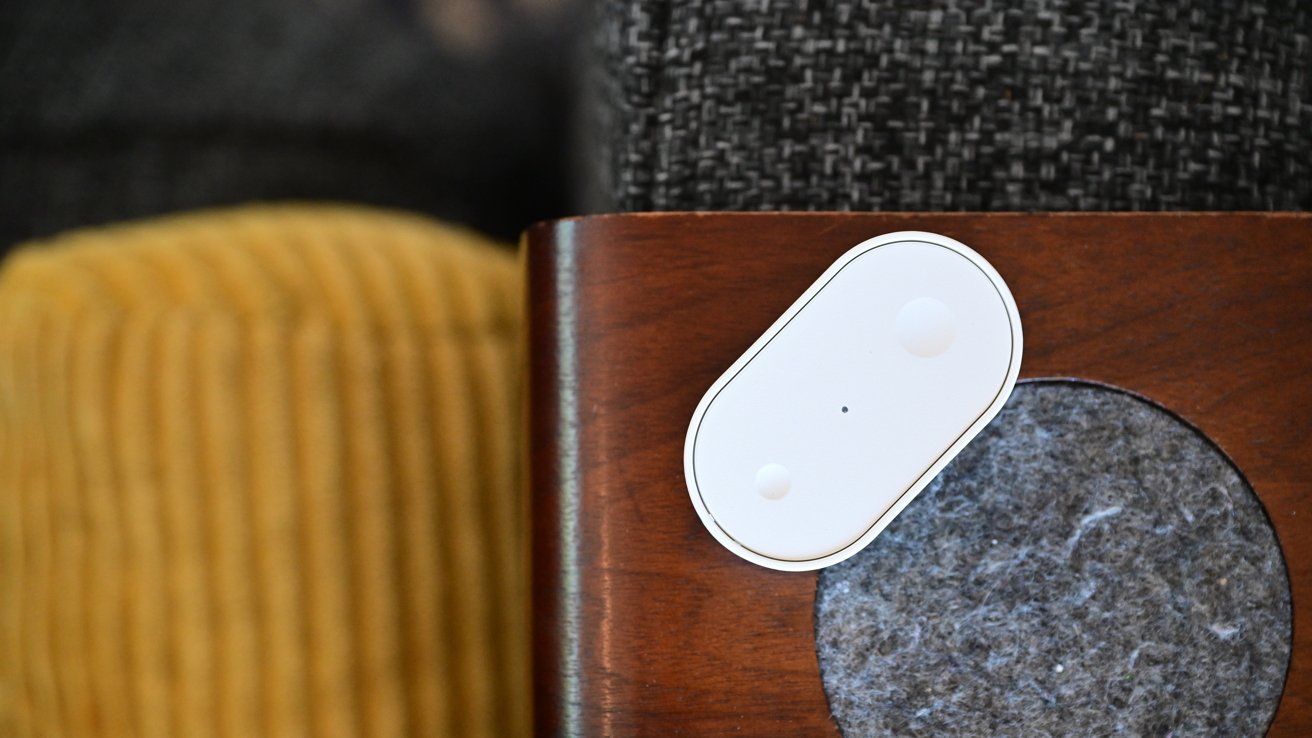
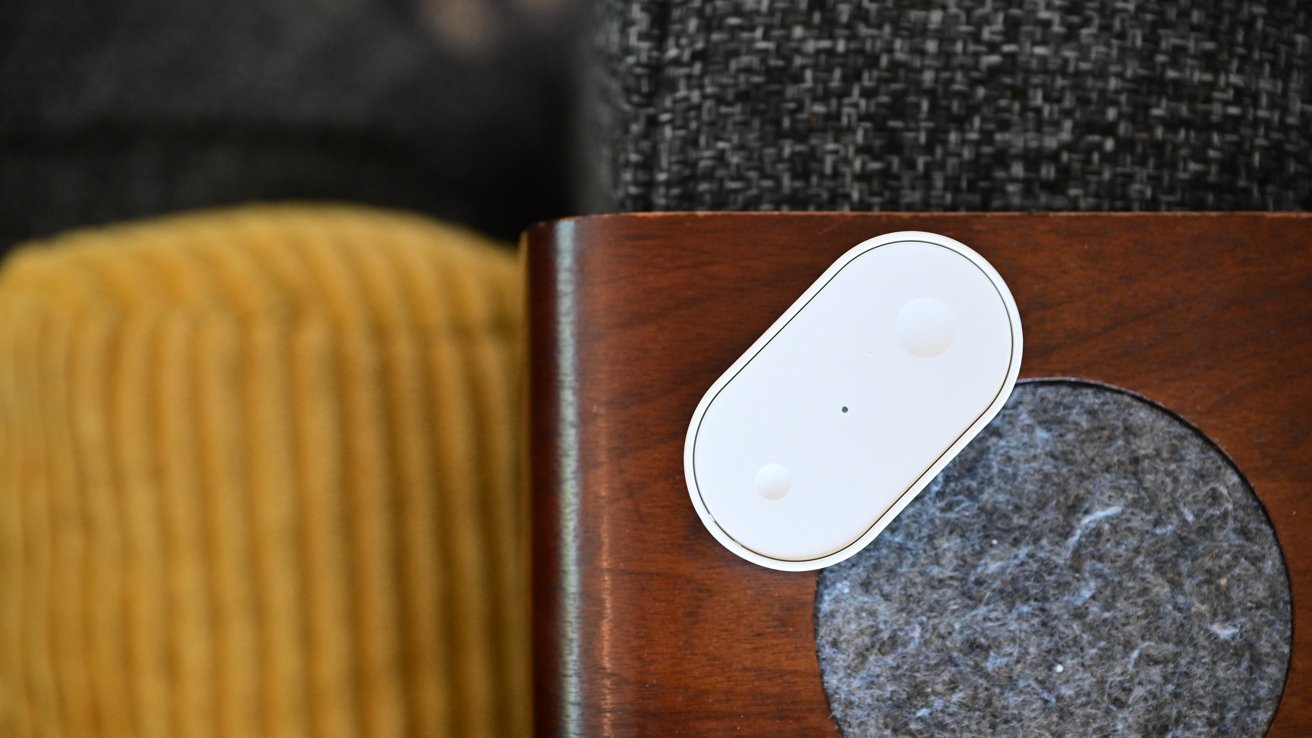
Small white oval smart sensor on a wooden furniture edge beside a gray felt pad, with textured gray upholstery above and mustard yellow corduroy fabric in the background

Ikea Matter-over-Thread lineup review: Bilresa remote can be mounted or carried around

The remote is simple, made of characteristic white plastic with small and large dimples on the top. The front of the remote is removed by pressing the release clip on the end to access the battery compartment.

Advertisement

Two AAA batteries power the remote. I use rechargeable ones, which should last me roughly two years depending on usage.
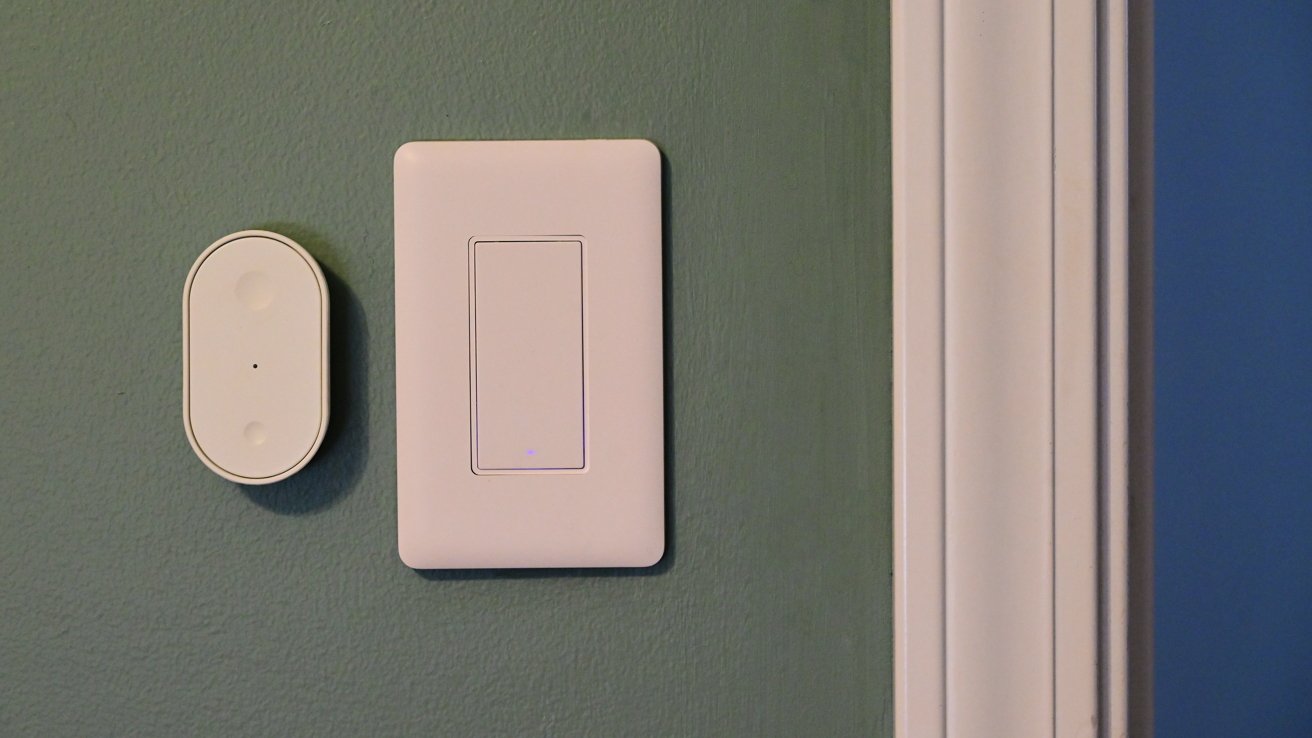
Green wall with a modern rectangular white light switch and a smaller oval white smart sensor beside it, next to a white door frame on the right

Ikea Matter-over-Thread lineup review: Ikea Matter-over-Thread lineup review: The Bilresa remote mounted to the wall

The back of the remote is magnetic, which enables it to stick onto a fridge or other metal surface. Ikea includes a small piece of metal, too, that fits right onto the back of the remote.

The adhesive pre-installed on the piece of metal offers a quick option for mounting, but it also features two holes for alternative mounting. This makes it easy to mount the remote under your desk, on a wall, or on the edge of a nightstand.
Advertisement
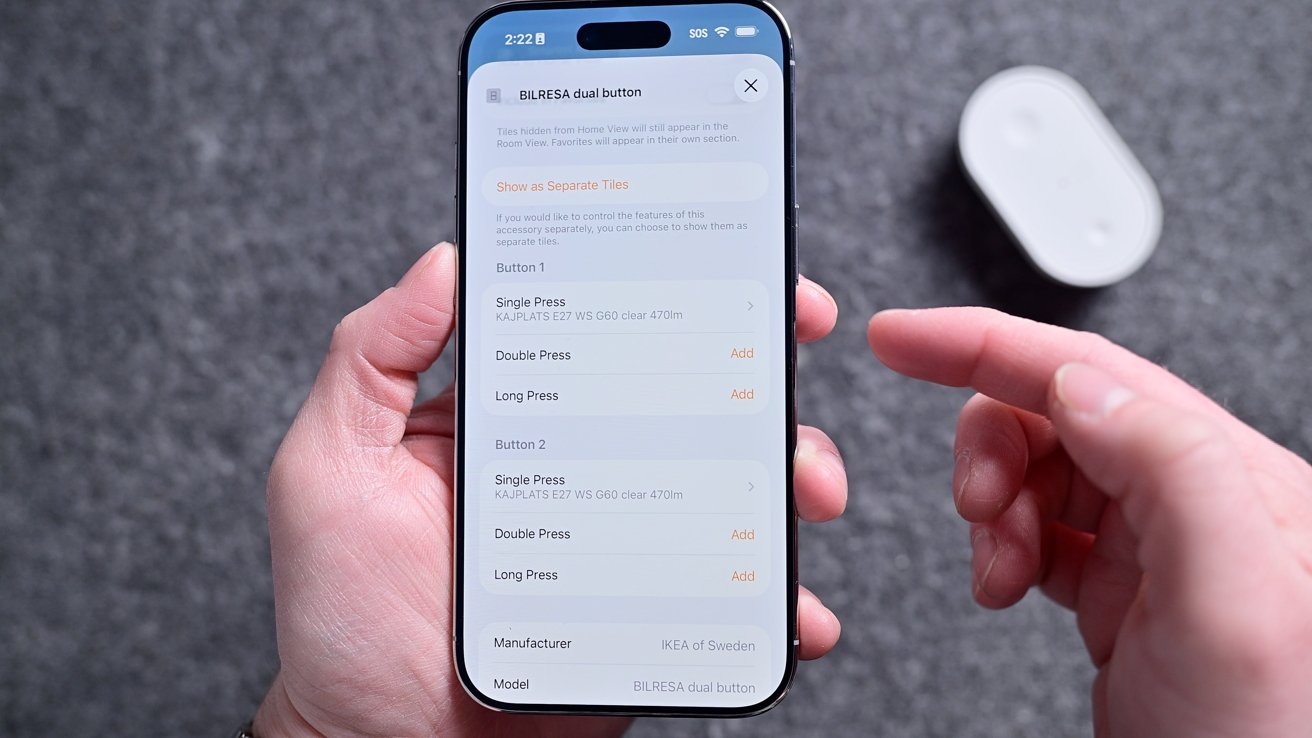
Person holding a smartphone showing a settings screen for customizing button presses, while their other hand points at the display; a small white gadget rests blurred in the background

Ikea Matter-over-Thread lineup review: The remote has six commands you can program

Like with other Apple Home-compatible buttons, this technically shows as six programmable buttons in the Home app. You can set a single press, double-press, or long-hold for each of the two buttons.

Setting six commands can be overwhelming for some, but they’re certainly not required. For example, the one I have in my son’s room only has two scenes set: one for his good morning scene and one for his goodnight scene.
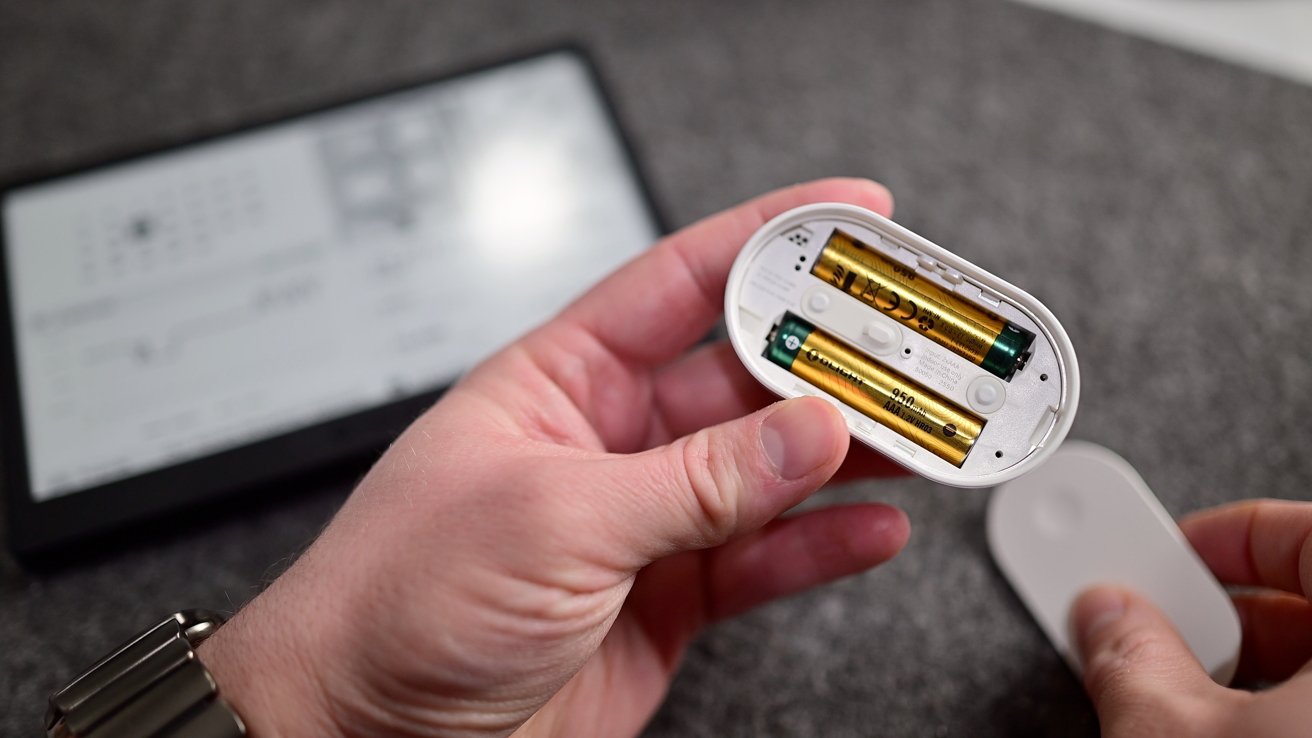
Hands holding a small oval device with its battery compartment open, revealing two AA batteries, while a blurred electronic screen or e-reader lies on a gray surface in the background

Ikea Matter-over-Thread lineup review: It runs on two AAA batteries

Advertisement

In our master bedroom, I get a bit fancier. One button sets the lights to 100%, 50%, and off, while the other sets the air purifier fan to the same three levels.

Priced at $6, this is an incredible value, and it’s taken no time at all for me to buy several more to place throughout the home. I use one in the studio to set my filming scenes and in the living room to control our two different window shades.

Ikea Matter-over-Thread lineup review: Kajplats

That little Bilresa remote can also be perfectly paired with any of Ikea’s other devices. You could adjust its Kajplats lights, its smart plug, or the lamp.
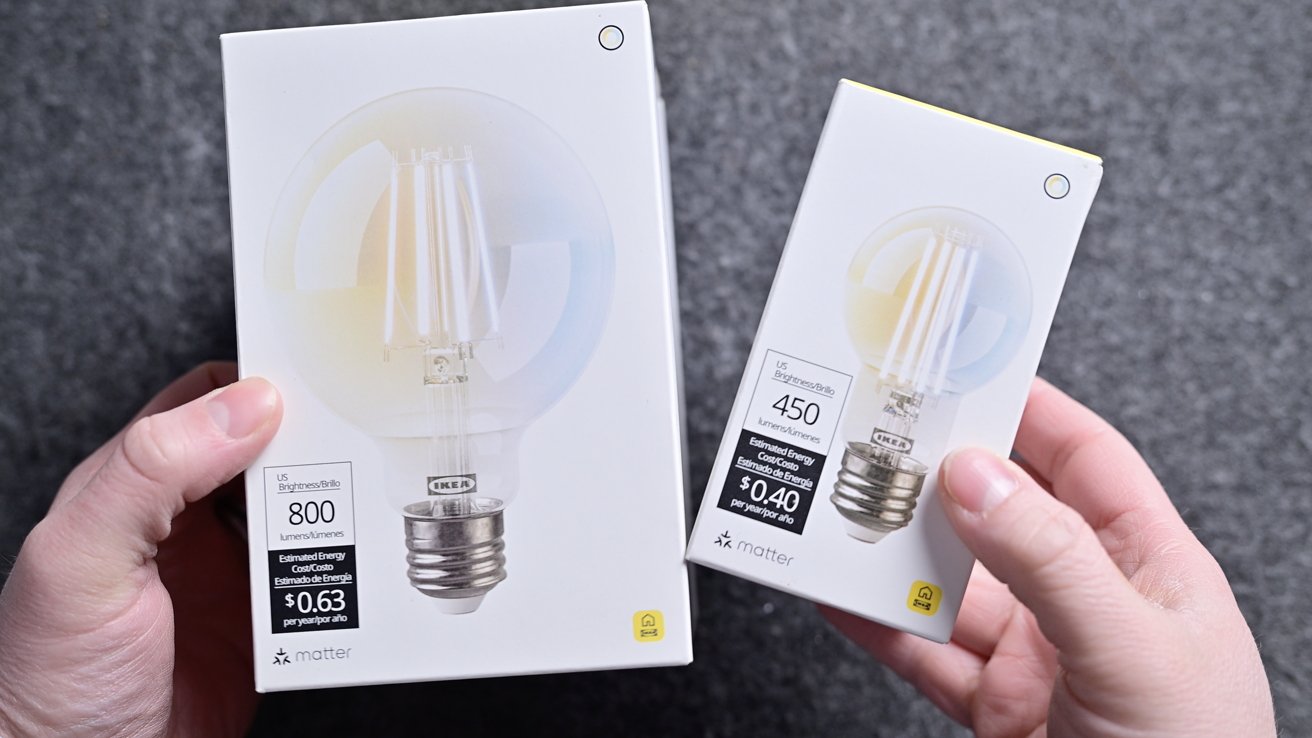
Two hands holding two white LED light bulb boxes of different sizes, showing wattage and brightness labels, against a gray textured background

Ikea Matter-over-Thread lineup review: Two of Ikea’s smart bulbs

Advertisement

With the Kajplats bulbs, Ikea did an exceptional job. There’s a wide variety in shapes/sizes, brightnesses, and color choices.

There are plenty of sizes and designs Ikea could still launch, but out of the gate, this is a great selection. I don’t have anything fancy, but I chose two of the clear filament-style decorative bulbs for our home.
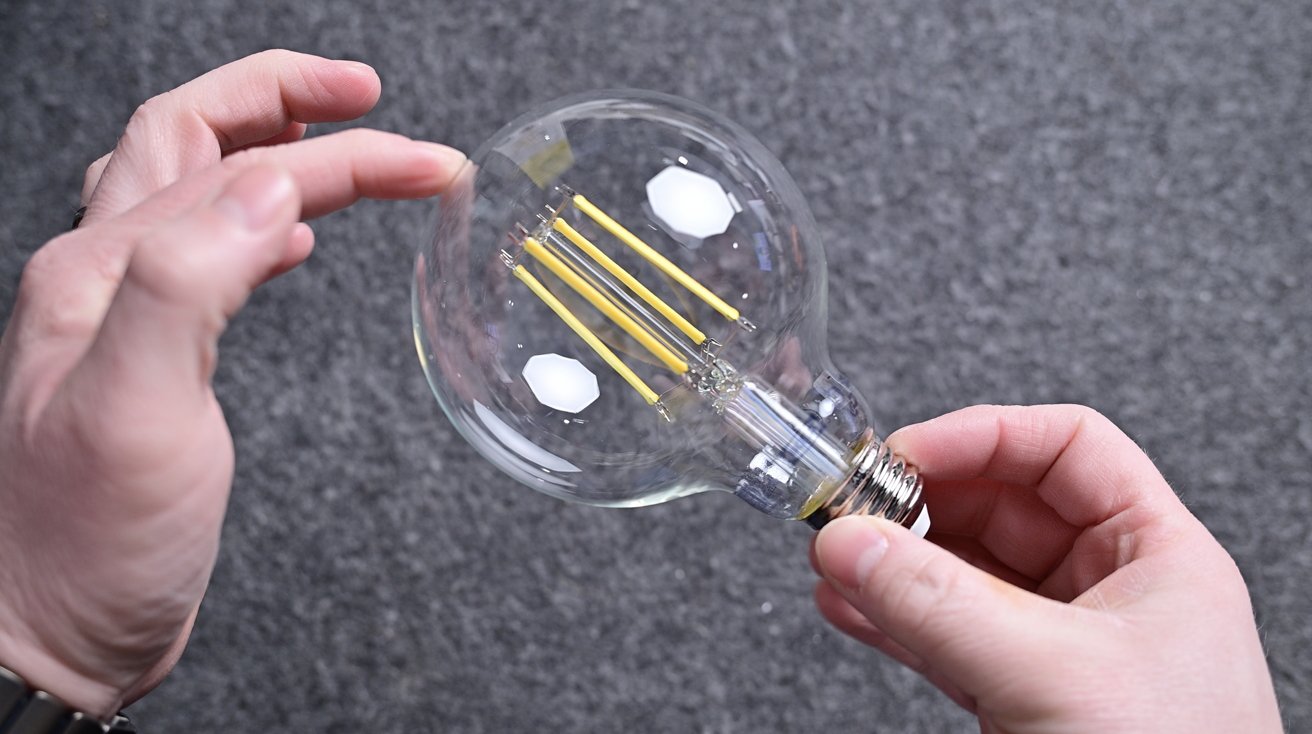
Two hands holding a large clear LED filament light bulb against a gray textured background, with fingers gently touching the glass near the top of the round bulb

Ikea Matter-over-Thread lineup review: The decorative globe bulb looks great

First, I have the large, clear globe in our master bedroom closet, and the second one I have as a desk lamp in the studio. Both look wonderful and don’t give off the obvious appearance of a smart bulb.

Advertisement

One of the best parts about these bulbs is that no matter which model you choose, they all support Apple’s Adaptive Lighting feature. This is extra impressive because many more expensive smart bulbs lack this feature.
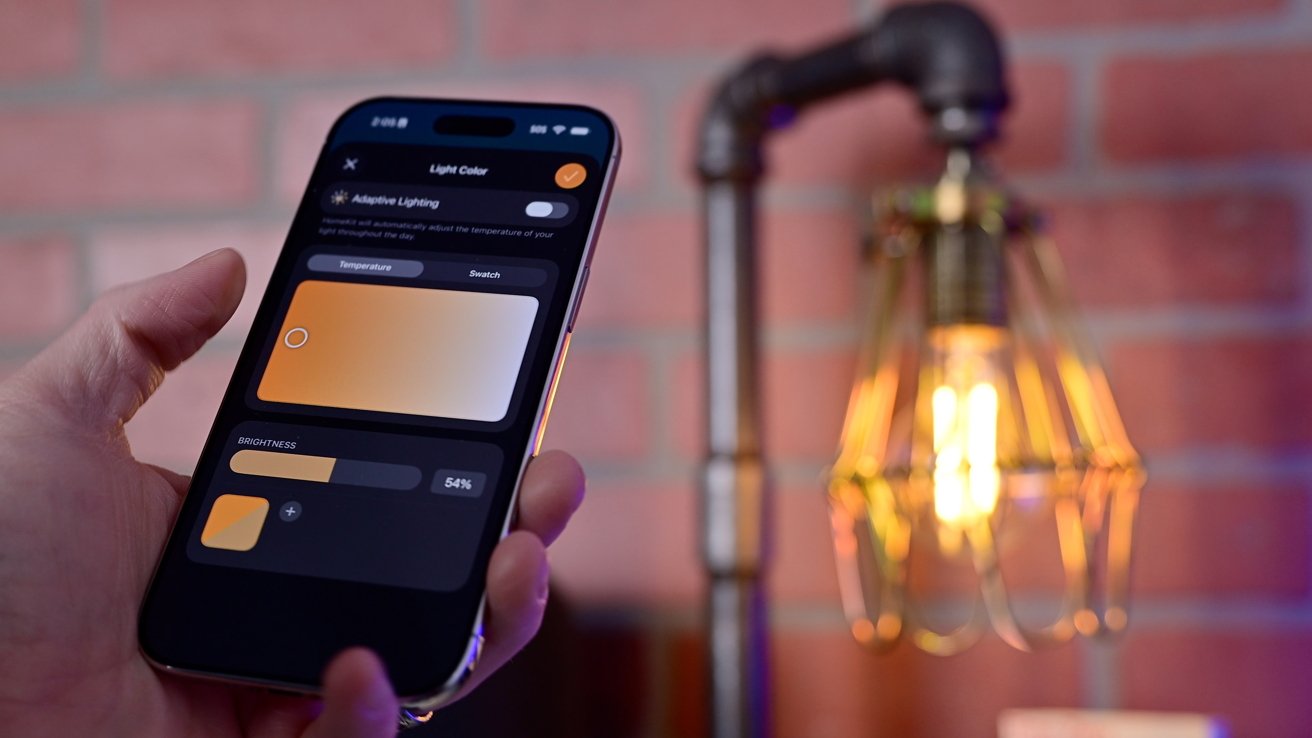
Hand holding a smartphone with a smart lighting app controlling warm light color and brightness, next to an exposed vintage-style bulb lamp against a red brick wall

Ikea Matter-over-Thread lineup review: Adjusting the white balance on the Ikea decorative filament bulb

Adaptive Lighting will automatically adjust the color temperature throughout the day so it’s warmer in the morning as you wake up, cool white in the middle of the day to promote focus, and warmer at night to help you wind down.

Other manufacturers tell me that they omit this feature because of the onerous hardware requirements for Adaptive Lighting and Matter. That excuse falls apart when Ikea does it for less than $10 a bulb.
Advertisement
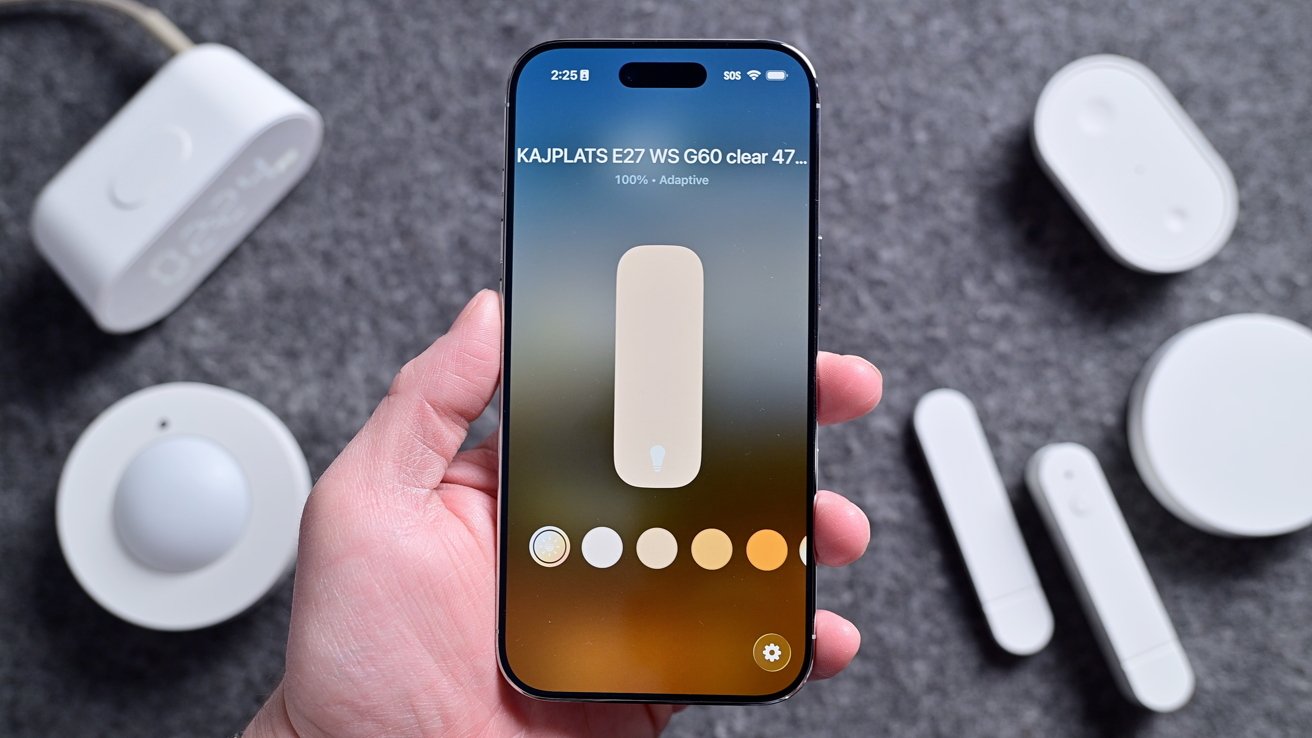
Hand holding a smartphone showing a light control app with brightness slider and color temperature options, surrounded by several small white smart home devices on a gray surface

Ikea Matter-over-Thread lineup review: Adaptive Lighting in the Home app

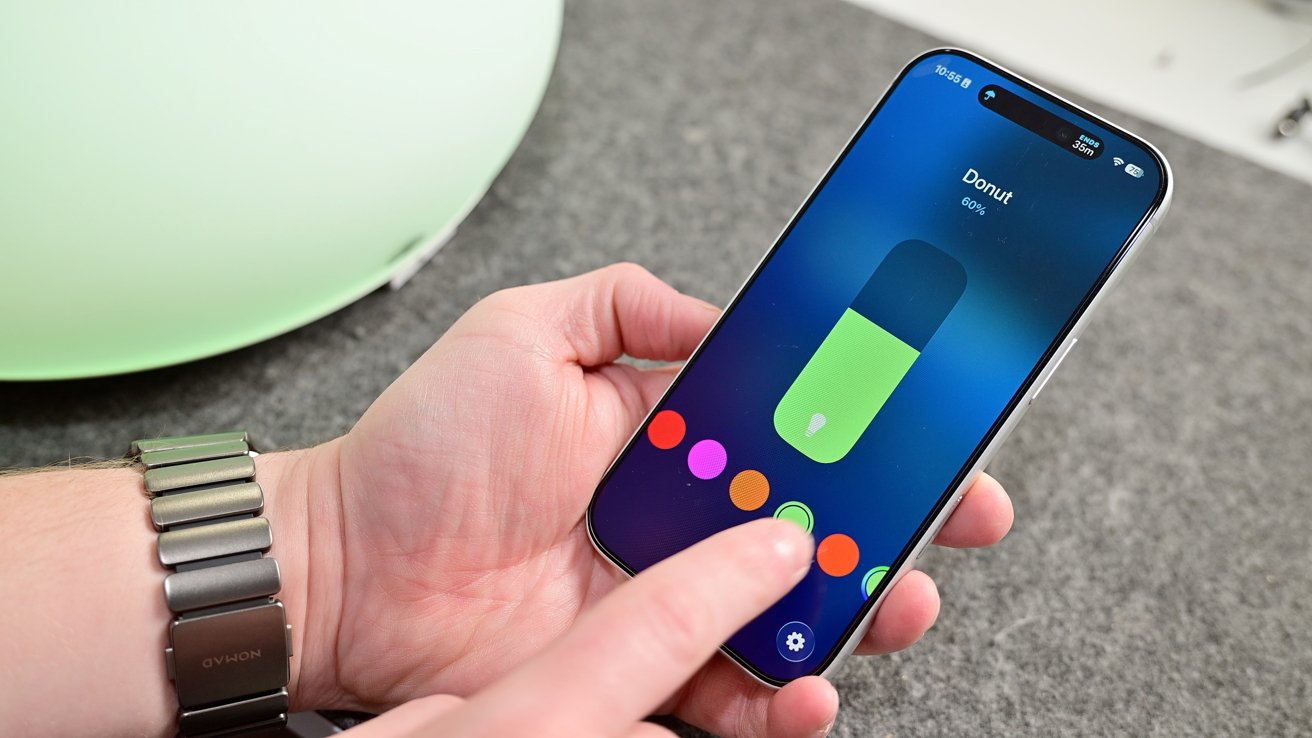
You can turn on Adaptive Lighting from the Home app, just as you would adjust the color for any smart bulb. If you have the color versions, you can choose any color you’d like, while the white spectrum just has cool to warm whites to select.

I’m the biggest fan of the clear decorative style, as the colored ones look cheaper. They have a white plastic base and a white globe that helps diffuse the light at the top.

It will always depend on your installation location, but current design trends mean that most of my light bulbs are exposed. I’d rather have elegant-looking white spectrum clear bulbs than the full-color ones.

Advertisement

Ikea Matter-over-Thread lineup review: Varmblixt

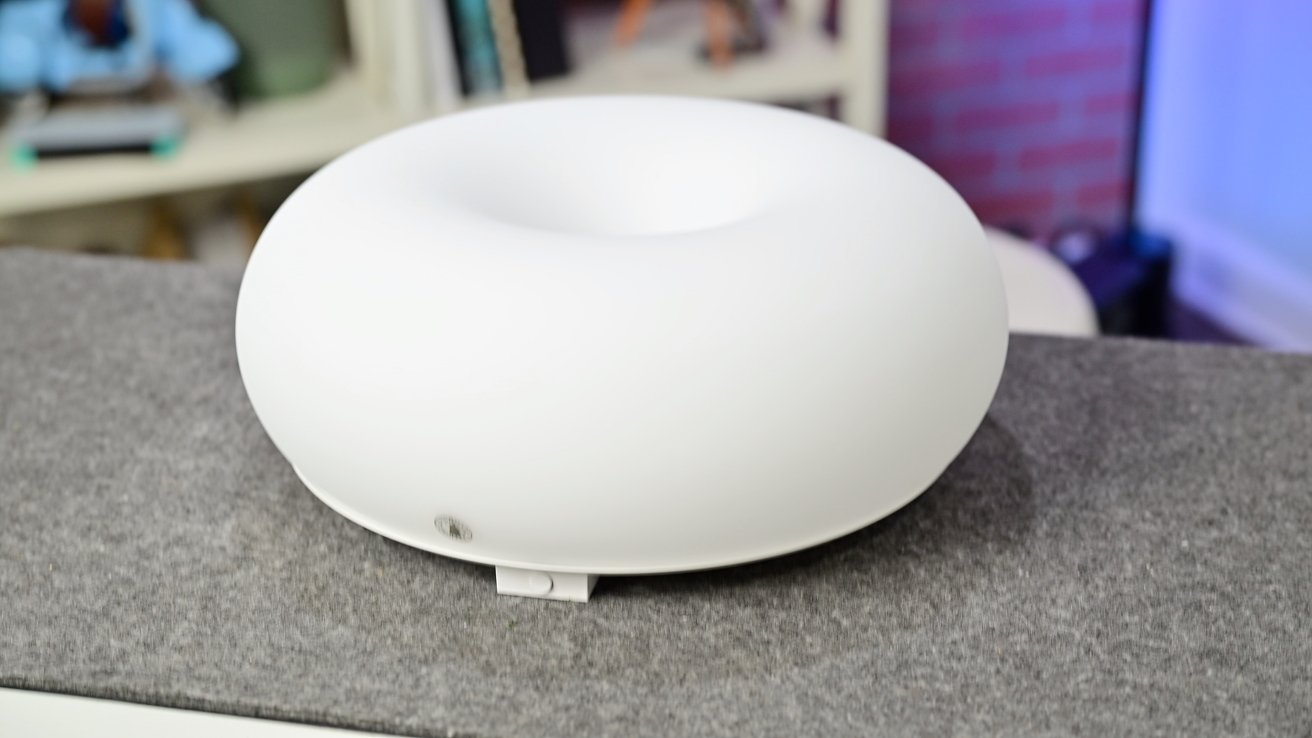
Outside of the straight light bulbs, Ikea also has the Varmblixt lamp. This is the viral donut-shaped lamp that has been updated with Matter and Thread compared to the old, non-smart version.
White, donut-shaped electronic device with a smooth matte surface sitting on a gray countertop, with shelves and books softly blurred in the background

Ikea Matter-over-Thread lineup review: The donut-shaped lamp is all glass with a metal back

This is the most expensive of the lineup, priced at $99, but it also includes a Bilresa remote in the box. The quality helps justify that price, though, as the whole enclosure is glass instead of plastic with a braided power cable.

The Varmblixt is a foot wide with a metal back. There are key holes in the back that you can use to hang the light on the wall, or you can set it on a table or shelf with its silicone feet.

Advertisement
Decorative entryway with chevron-patterned wall, round glowing wall light, multiple framed city photos, and a white door on the left holding a gray umbrella filled with pink and peach flowers

Ikea Matter-over-Thread lineup review: The light looks great mounted on the wall, though the cable is visible

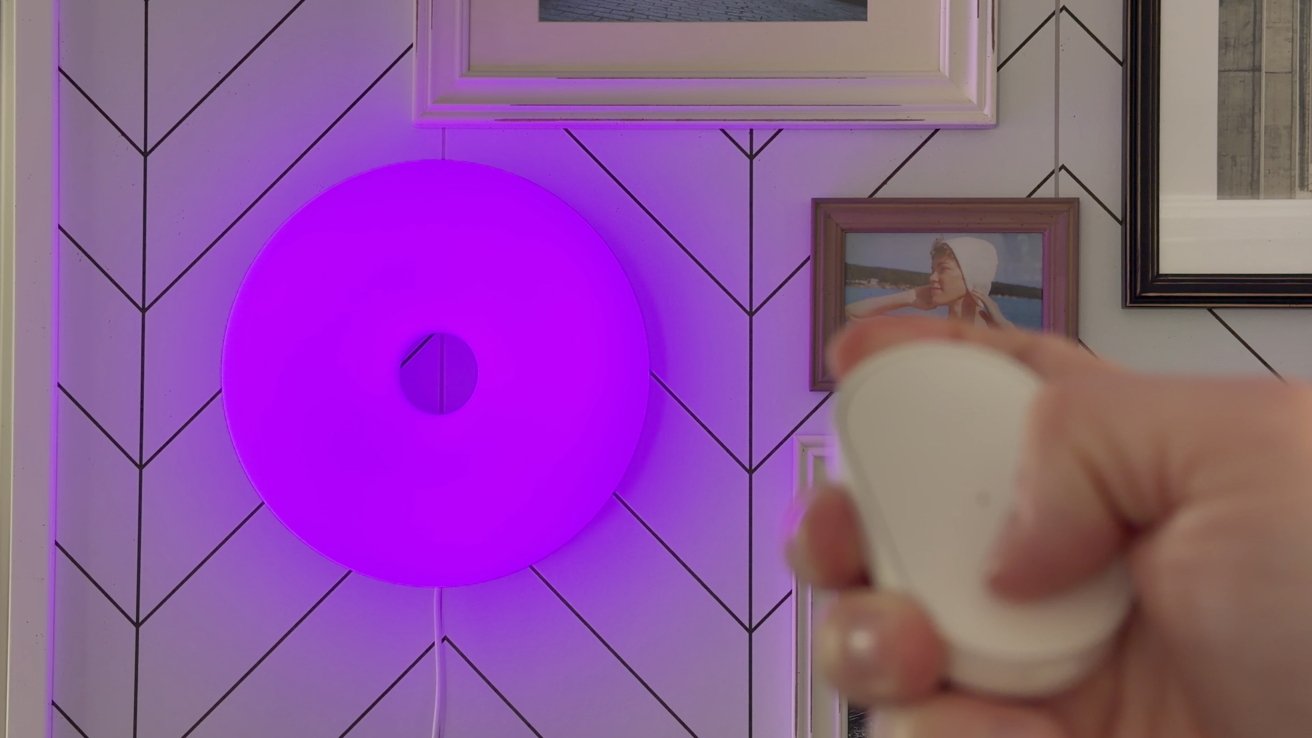
Out of the box, the Bilresa remote is directly paired to the lamp, and you can use it to cycle through multiple predefined colors. You can optionally pair the remote and the lamp to Apple Home via Matter for smart control and automation.
Hand holding a small white remote control in front of a round purple wall light, mounted on a chevron-patterned wall with framed photographs in the background

Ikea Matter-over-Thread lineup review: The lamp can change colors

I love the look of this lamp, and there is a reason it’s so popular. The glass has a matte finish to it, which helps nicely diffuse the light so it’s never too bright and is a great accent piece in any room.

Advertisement

Ikea Matter-over-Thread lineup review: Timmerflotte

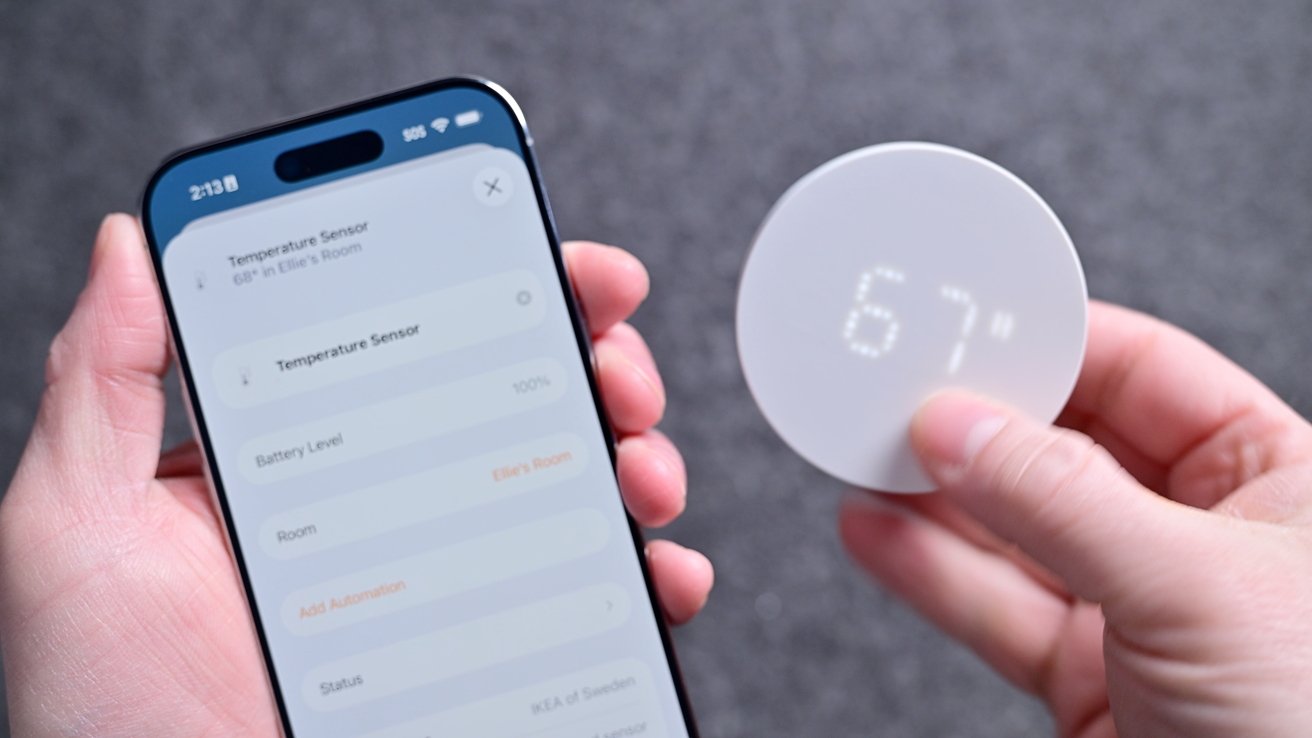
Next in my collection is the Timmerflotte, which is a temperature and humidity sensor. It’s two and a half inches around with a sensor opening on the bottom and a keyhole mount on the back.

A hand holds a plain white circular disc against a gray textured background, with another hand partially visible in the lower left corner

Ikea Matter-over-Thread lineup review: The temp sensor looks like a plain white circle with the display off

The circle is blank and looks pure white, but when you press it, it shows a hidden display. It’s a retro-looking dot matrix display that shows first the temperature and then the humidity.

It supports both Celsius and Fahrenheit with a toggle hiding on the back. Remove the back, and you can change it to your units of choice and replace the two AA batteries.
Advertisement
Hands holding a smartphone app and a small round digital temperature sensor displaying 67, showing a connected home device setup against a neutral gray background

Ikea Matter-over-Thread lineup review: The display shows the temperature and humidity

Lately, I’ve been using this as a remote sensor for my Aqara W200 thermostat, which is amazing. That allows me to heat or cool my home based on an average temperature versus what is measured in the hallway.

You can use this to trigger other automations too, such as turning on a fan, humidifier, or dehumidifier based on the readings.

Ikea Matter-over-Thread lineup review: Myggspray

Moving on, we have the Myggspray motion sensor. This is great for basic motion control, but not ideal for larger room setups.

Advertisement
Small white circular smart sensor with a central dome resting on a rough stone surface, with a wire storage basket and blurred household objects in the background

Ikea Matter-over-Thread lineup review: The motion sensor may not be well-suited for large rooms or occupancy

Since it detects motion, it’s not very smart. Pets, shadows, or robot vacuums can trigger motion, and if you sit still too long (like while watching a movie), it will stop detecting motion.

So if you create an automation to turn on your living room lights when you walk into the room, they may turn off on you while you’re watching TV. By design, they’re just too unreliable for this use case.

For rooms, it’s best to use a presence sensor instead that relies on mmWave radar, which can detect occupancy even if you’re sitting still. That’s not to say motion sensors aren’t useful, though.

Advertisement

They’re cheaper than presence sensors and are great for places like closets, which is where I use mine. So when my partner or I go into our master closet, the light turns on and turns off when we leave.

It comes with a snap-on back that you can mount to the wall. The bracket has four mounting holes and works at angles, too, so that it can appropriately face into the room.

My only wish is that Ikea also offered a presence sensor to give people options. Perhaps an mmWave sensor will be coming down the line, and we can get a more affordable version than what’s available now.

Ikea Matter-over-Thread lineup review: Alpstuga

The sensor I’ve had the most mixed results with is the Alpstuga environmental sensor. This is also the first one that requires USB-C power rather than batteries.
Advertisement
Two hands hold a small white digital device displaying 30 percent on a soft gray surface, with a cable extending from the back

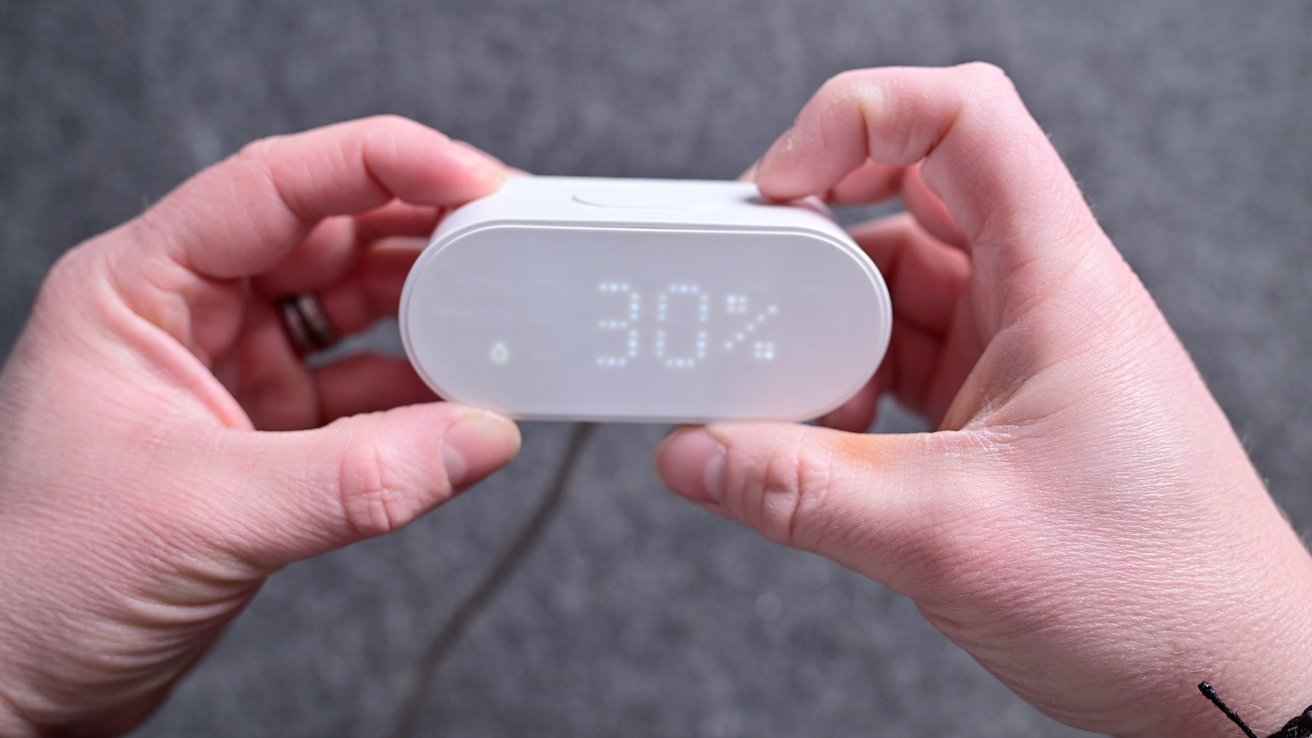
Ikea Matter-over-Thread lineup review: The Alpstuga has a display that can show the time and various metrics

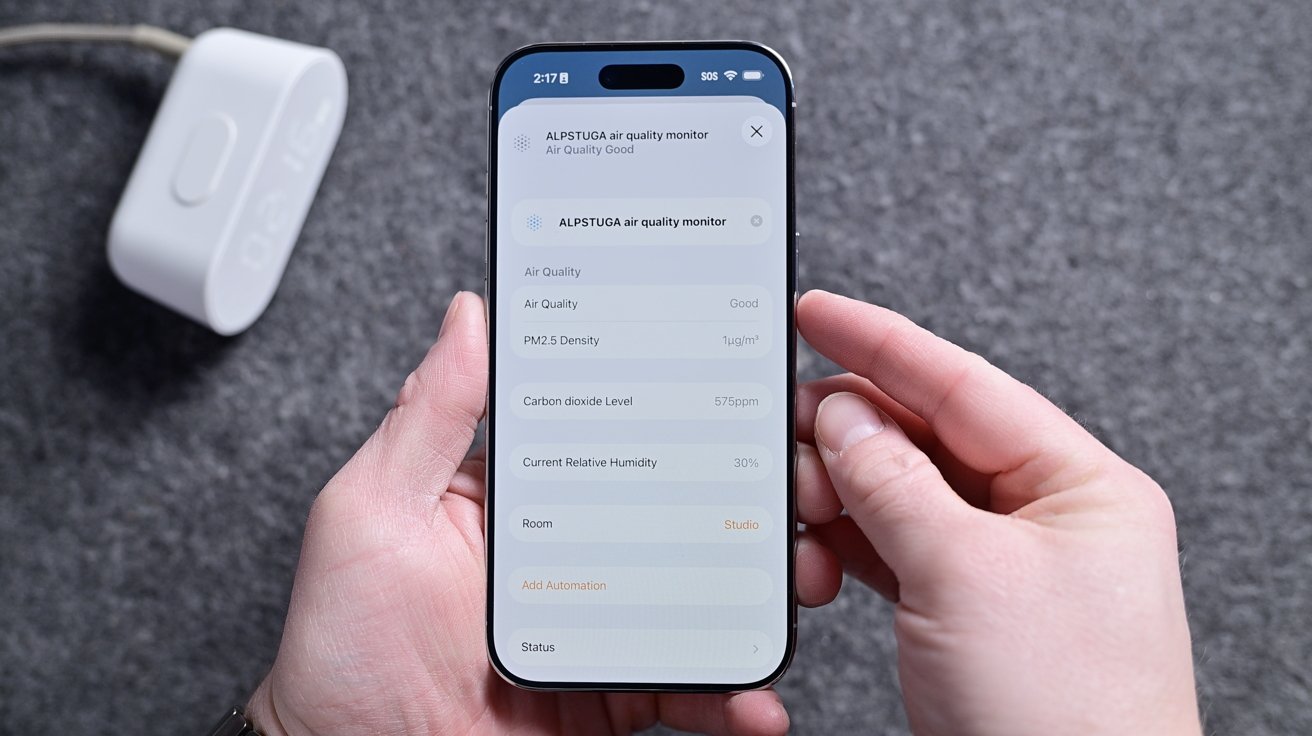
It can sit on your desk or bedside and will show the different environmental metrics on the front-facing dot matrix display. It records air quality, PM2.5, VOCs, CO2 levels, humidity, and temperature.

IKEA says that it partnered with Sensirion for its sensors. Ikea says that the sensor has an accuracy tolerance of +/- 100 ppm + 10%, and it takes up to 12 hours for self-calibration. We’re not sure about the accuracy.

Unfortunately, mine continues to read very high CO2 levels in my studio. Thanks to some friends in the federal government, we also tested the Alpstuga in an airtight chamber calibrated to 600 ppm CO2, and left it in there for 24 hours.
Advertisement
Hands holding a smartphone displaying an air quality monitor app with sensor readings, against a gray surface, with a white plugged-in device resting nearby

Ikea Matter-over-Thread lineup review: All the different Alpstuga metrics in the Home app

The results showed incredibly wild swings in the CO2 reading far outside the promised tolerance. We tested four different sensors, and all had results nowhere near the 600 ppm for which the chamber was calibrated.

Perhaps we got multiple bad units, but that seems unlikely. The CO2 sensors just aren’t accurate, and Ikea had no comment on the matter after we provided our testing inforamtion. All the other sensors seemed accurate, though, matching the other sensors I had in my studio.

Ikea Matter-over-Thread lineup review: Myggbett

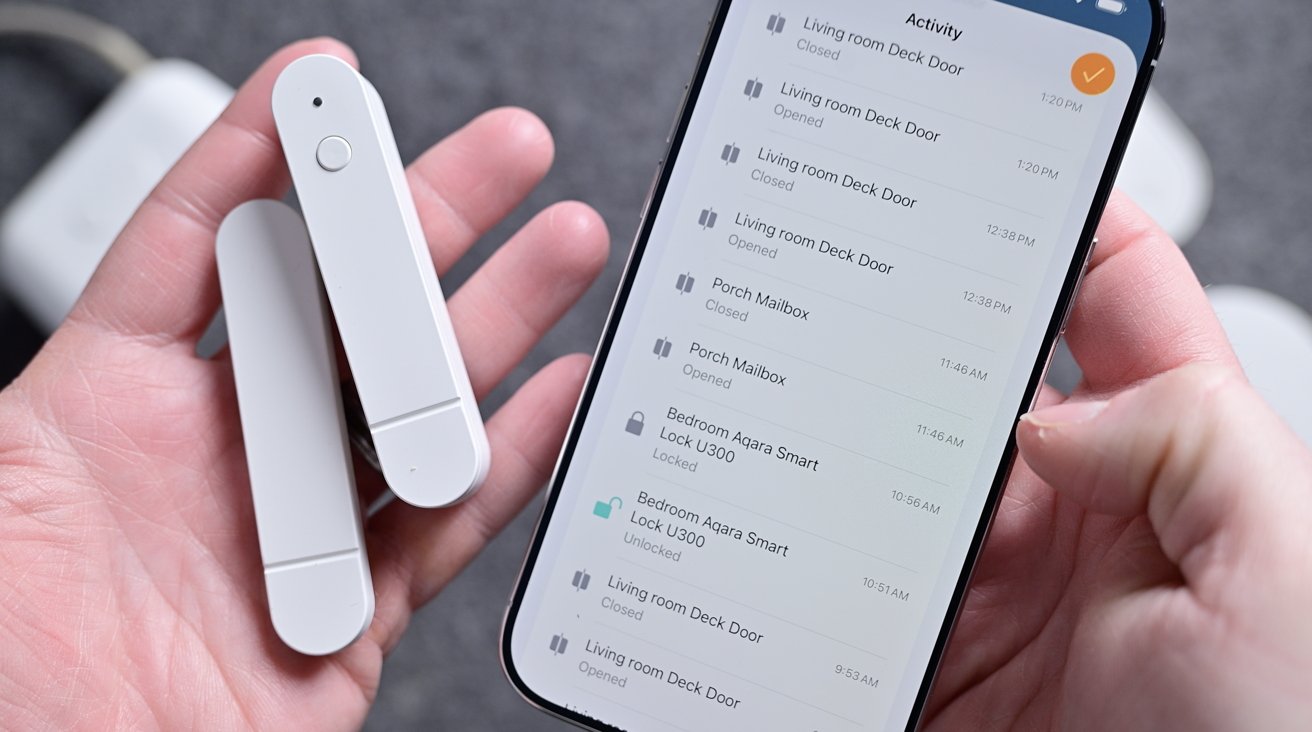
For my Myggbett door sensor, I use it on an interior door. It’s your standard contact sensor with a main body and a secondary magnet that triggers the sensor when it comes close enough.
Advertisement
Hands holding a smartphone and two slim white smart home sensors, with the phone screen displaying a list of security activity alerts and device statuses

Ikea Matter-over-Thread lineup review: The Ikea door sensor attaches with adhesives

You could use this on a cabinet, window, door, mailbox, and more. Through Apple Home, you can get an alert any time the sensor is opened or closed, and it attaches with an adhesive.

I’ve had no issues with this sensor, and I have it programmed to turn on a light whenever it is opened. It works as advertised and runs on a single AAA battery on the inside.

Ikea Matter-over-Thread lineup review: Apple Home

Unsurprisingly, I used all of these devices with Apple Home. I also simultaneously paired a few of them to Samsung SmartThings to test multi-ecosystem support, which worked great.

Advertisement

I could see all the devices, and they were all responsive in both ecosystems at the same time. This is a big benefit of Matter devices.
Person holding a smartphone, adjusting a colorful on-screen control slider with one hand, while the other hand supports the phone on a gray surface with a green object blurred in the background

Ikea Matter-over-Thread lineup review: Adjusting color via Apple Home

Setup works exactly as you’d expect. You just scan the pairing code on each device, give them a name, assign them a room in your home, and you’re good to go.

You can use them in conjunction with any other Apple Home or Matter devices. For example, I can use the Timmerflotte temperature and humidity sensor to trigger my Matter-enabled Hisense dehumidifier when the humidity level in the room rises.

Advertisement

Scenes can be triggered based on time of day, location, and much more. It’s best to get creative in how sensors, controls, and other accessories can work together.
Hand holding a smartphone displaying a smart home updates screen, surrounded by several white smart home devices on a gray surface

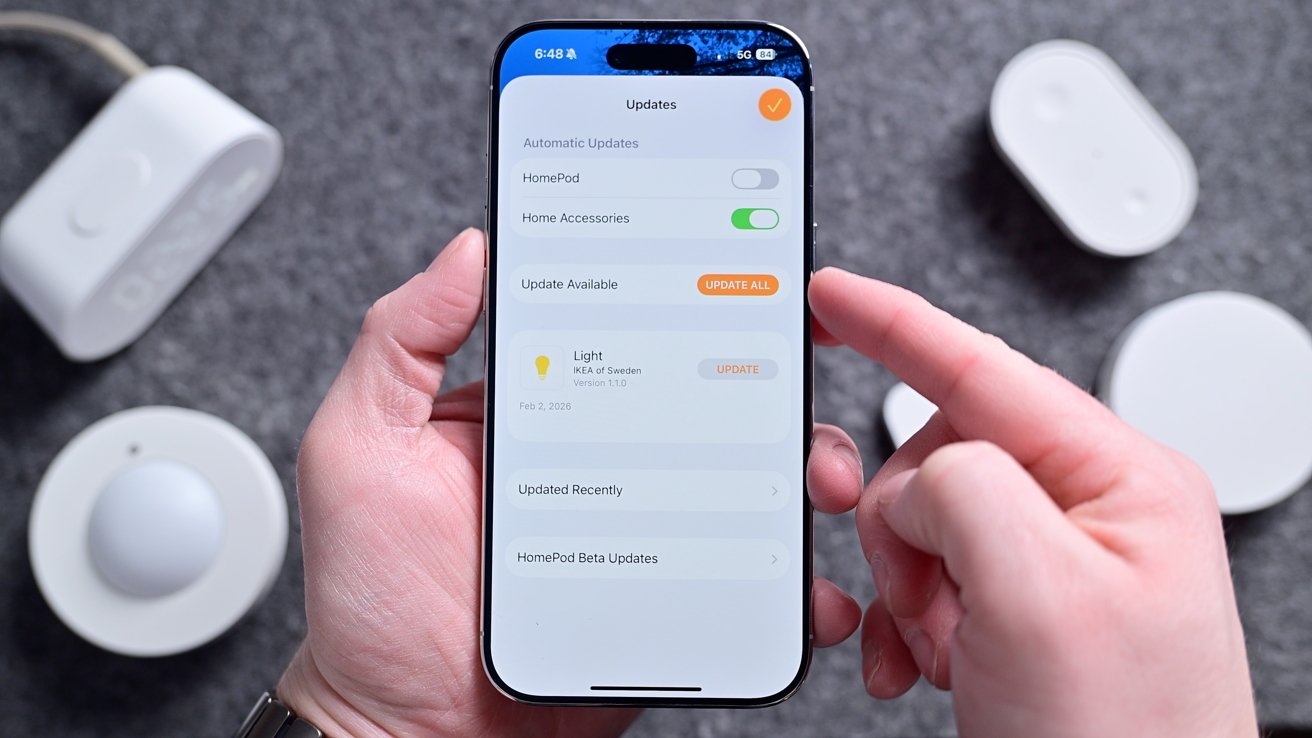
Ikea Matter-over-Thread lineup review: You can do firmware updates right from Apple Home

As we’ll talk about, updating accessories is very important, and Ikea makes this as easy as it gets. Each device can be updated straight through the Home app, just like a HomePod.

Devices can be updated in the background, or you can turn off automatic updates and install them when you’re ready for them. There’s no need for any third-party Ikea app for setup or updates.

Advertisement

Ikea Matter-over-Thread lineup review: Matter, Thread, and connectivity

Part of the reason behind a compilation review is that all the devices seem to be plagued by the same central set of issues. All, regardless of whether they are USB-C or battery-powered, support Matter-over-Thread.

Matter is the unifying smart home standard that allows these devices to work with Apple Home, Samsung SmartThings, Google Home, Amazon Alexa, and more. Here, I tested primarily with Apple Home, but some sensors I connected to a secondary ecosystem, as I mentioned.
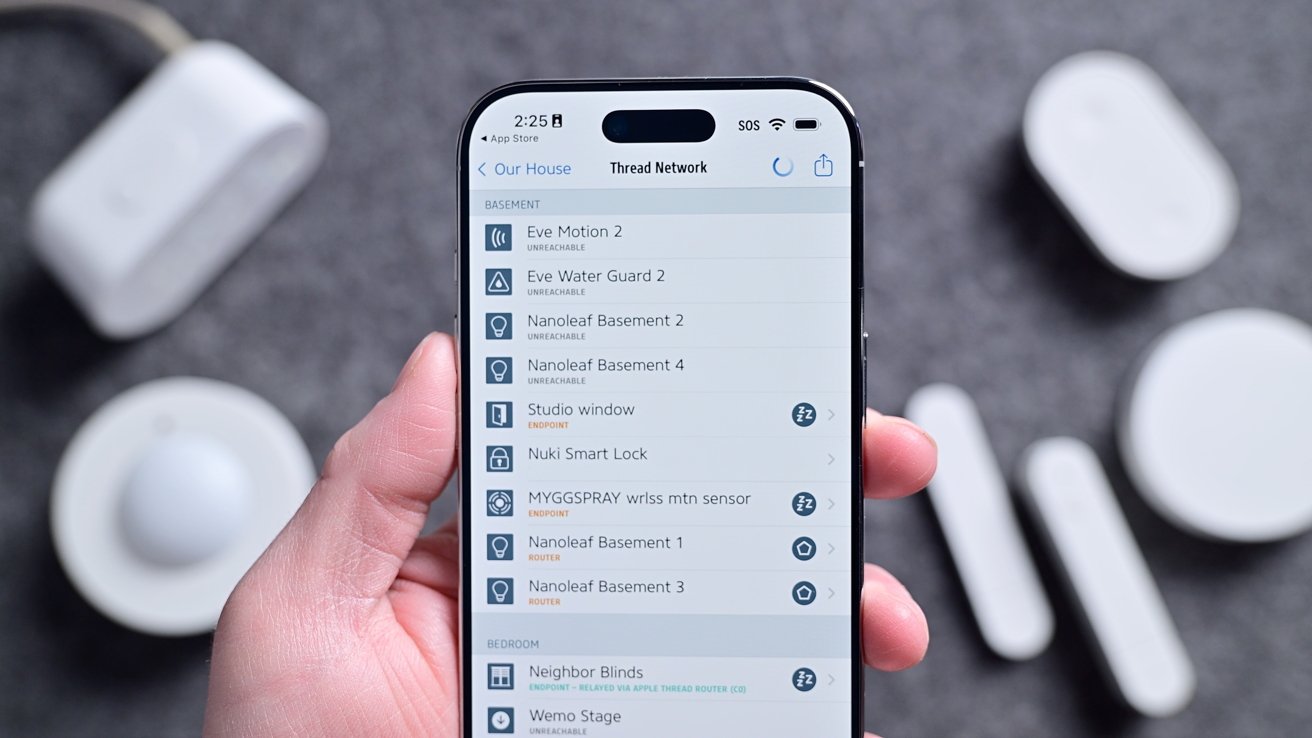
Hand holding a smartphone displaying a smart home app with a list of connected devices, surrounded by several small white smart home sensors and gadgets on a gray surface

Ikea Matter-over-Thread lineup review: My home’s Thread network

Thread, though often lumped in with Matter, is a wireless connectivity standard. It’s how these devices communicate with each other and your home’s network.

Advertisement

What’s nice about Thread is that it is extremely low power, very fast, and self-healing. Compared to older standards like Zigbee or Bluetooth, it’s more modern and has several benefits.

The biggest benefit in my eyes is that it doesn’t require a central hub to operate. With Zigbee, you need one primary hub that all link back to.

On the other hand, Thread can have any number of what are known as “Border Routers.” Border Routers, which would primarily mean a HomePod, HomePod mini, or Apple TV for Apple Home users, bridge the Thread network to the internet.

If one of the Border Routers goes offline, it’s a non-issue as another one will pick up in its place. At least, that’s how it is supposed to work.

Advertisement

Since they launched, the entire Ikea Matter-over-Thread lineup has had connectivity issues. Some users struggled getting their devices commissioned, requiring multiple resets.

Others got them set up, but they kept going unresponsive.
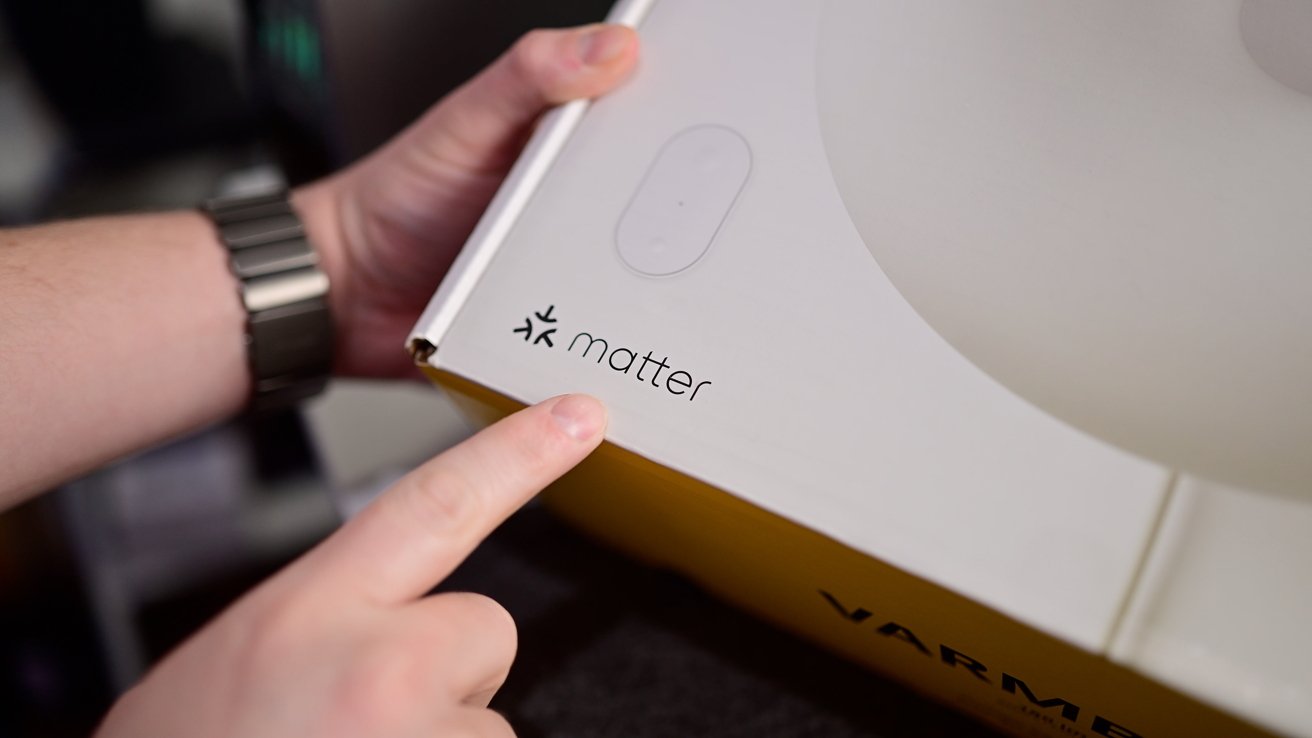
Hand pointing to the Matter logo and symbol printed on the corner of a white product box with yellow sides, suggesting smart home device packaging

Ikea Matter-over-Thread lineup review: All devices support Matter

These were widely reported online. Here at AppleInsider, our own Mike Wuerthele had constant issues with his setup and ongoing connectivity, even after he took the extreme act of bouncing power on his entire house to refresh the Thread network.

Advertisement

At the same time, my home was the definition of perfect. All devices but one set up on the first try, and that one device worked on the second try.

Light bulbs respond nearly instantly to button presses and scenes. Asking Siri for the temperature gave me the real-time temperatures without delay.

Plus, all of my automated scenes have worked without issue, such as turning on my bedside light when my son opens his door at night or my timed morning scene that turns on a few ambiance lights.

It’s honestly frustrating to have such a stellar experience while others struggle.

Advertisement

I reached out to multiple users, other reviewers, Ikea, and the Connectivity Standards Alliance to collect as much information as possible about what was going on.

Ultimately, I never got a clear, singular answer as to what was causing the problems. Unsurprisingly, it seems largely related to home networks and communication across the network to Thread, and Matter.

Needless to say, none of this should be a problem, and is incredibly frustrating for users. It’s unacceptable to have this inconsistent experience across homes, especially considering that Ikea devices at this price point are probably the first tiptoe into home automation for beginning users.
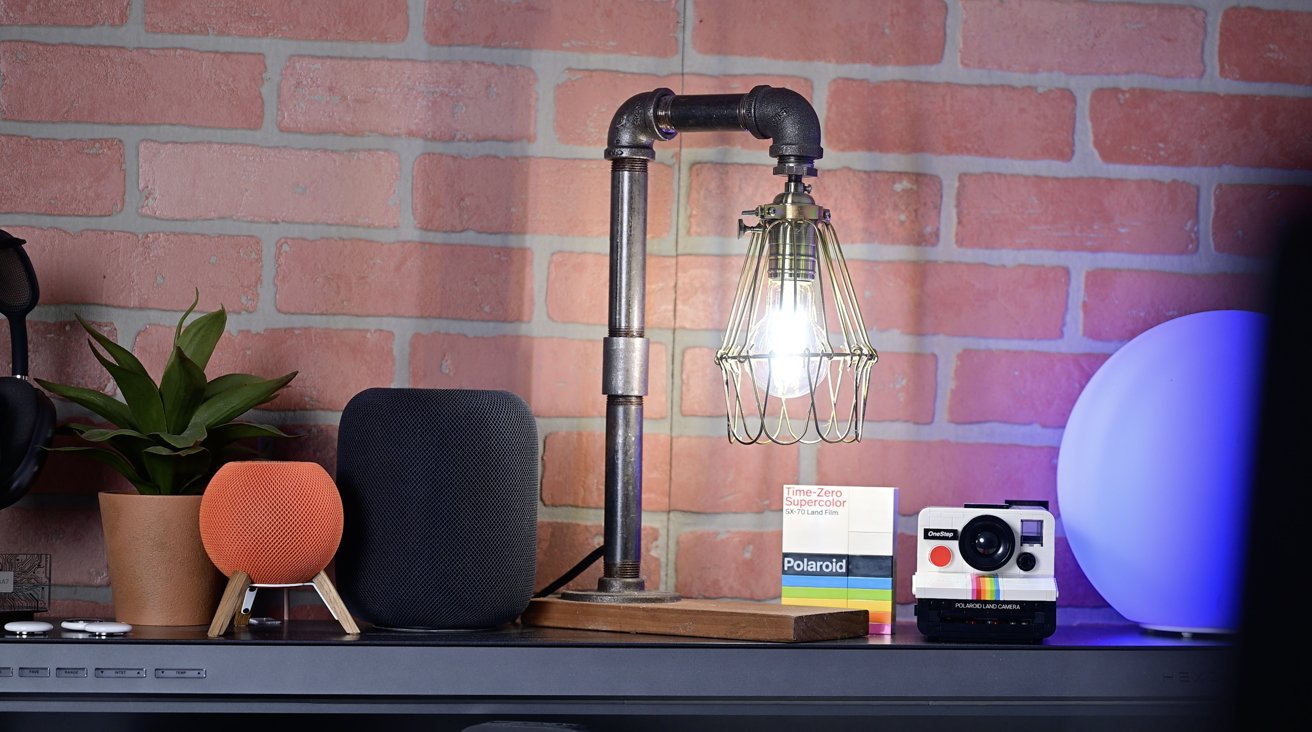
Desk against a brick wall with an industrial pipe lamp, small potted plant, smart speakers, a box of Polaroid film, and a vintage Polaroid camera, softly lit.

Ikea Matter-over-Thread lineup review: The Ikea bulbs are great, bright, and responsive

Advertisement

Perhaps it’s the price Ikea is paying for being a fairly early adopter. The good news is that by and large, it seems to be getting better.

Ikea has continued to roll out firmware updates for its devices, and many of the people I originally spoke to were no longer having problems. Most recently, the Bilresa remote was updated to support Matter version 1.4.

“We are continuing to investigate the onboarding and stability issues that some users have experienced with the new Matter-over-Thread range,” Ikea told me. “We’ve already rolled out a number of improvements, and additional work is ongoing together with ecosystem partners and the Connectivity Standards Alliance.”

“These have included changes aimed at improving Thread network stability and making onboarding more reliable in a wider range of home environments. What we see at this stage is still that the large majority of customers are getting the experience we intend, while the remaining issues in general tend to appear in more complex environments where multiple border routers, controllers, and different ecosystems interact,” Ikea added. “We do believe the situation has improved as updates have rolled out across the ecosystem, but we also know there is still work to do.”

Advertisement

We’ll see. My system is perfect after initial problems. Mike’s is better, but not perfect.

Ikea Matter-over-Thread lineup review: Should you buy Ikea’s new smart home lineup?

The uncertainty around connectivity makes unconditionally recommending the new lineup tough to do. I don’t want to tell everyone to run out and pick up a whole array of devices when the performance may not necessarily be where it should be.

Simultaneously, for those who do have a good experience, there are few better options on the market. The price point is unbeatable, and the performance is superior to many more expensive devices out there.

You can pick up a three-pack of wireless remotes for $15. I can replace 8 bulbs in my master bathroom with decorative, tunable, dimmable smart bulbs for about $65.
Advertisement
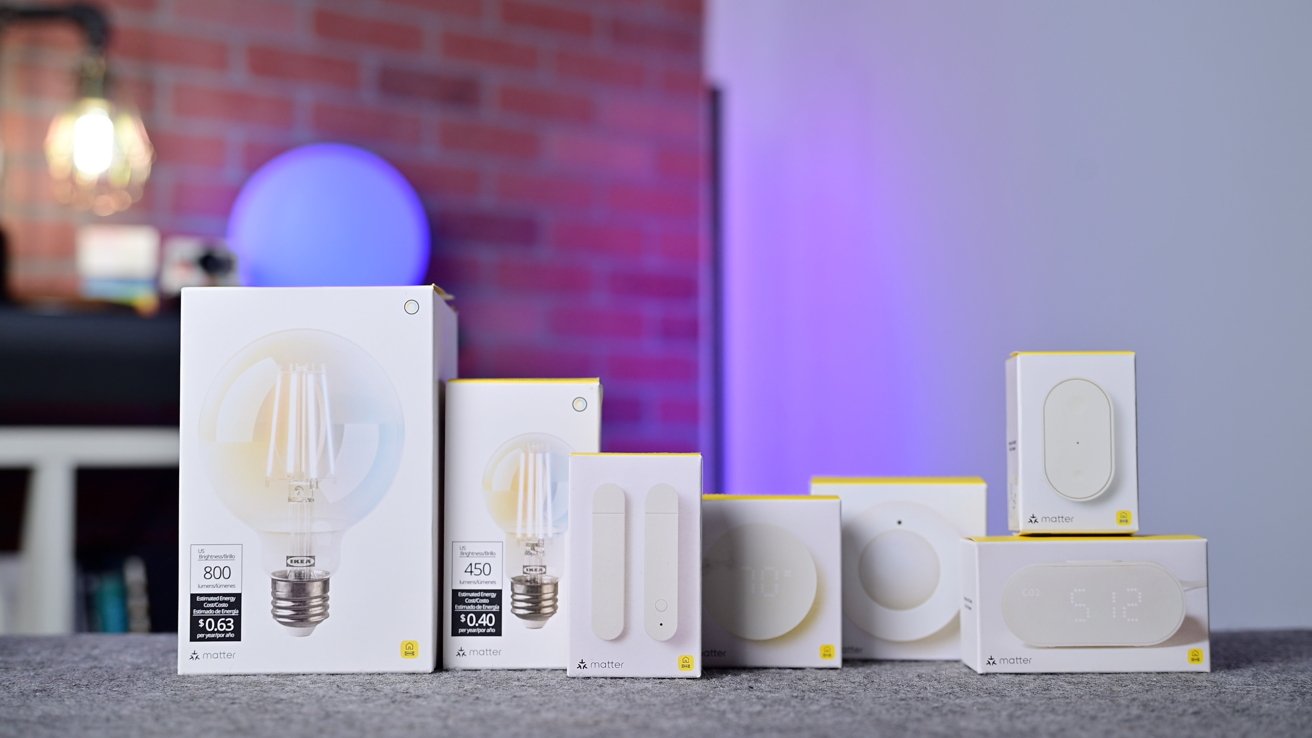
Several smart light bulb and switch boxes arranged on a gray surface, with a blurred background featuring a brick wall, glowing lamp, and purple-blue ambient lighting

Ikea Matter-over-Thread lineup review: Ikea’s new lineup of devices

Smart home devices are often notoriously expensive and have made it hard for people to fully outfit their homes. Ikea is fixing that.

For me, they work so well that I’ve put them in places where I don’t have wiggle room for error. The contact sensor tells me when my son opens his door, especially while we’re in our bedroom.

The Bilresa remote is used to set my son’s “goodnight” scene that closes his windows, turns on his two nightlights, and turns on his starlight laser projector. I don’t want to have to explain to my toddler at bedtime why the remote isn’t doing anything, so it needs to work reliably, 100% of the time.

Advertisement

Ikea also went above and beyond, including things like Adaptive Lighting for Apple Home and native updates through various ecosystems. This means you truly do not need the Ikea app, which enhances user experience.

This full-lineup support for Matter and Thread is just what we want to see from smart home manufacturers. Even if there are a few growing pains here at the beginning.

If you’re understandably hesitant about buying into Ikea’s new devices, my recommendation is perhaps to try just one or two. If you have a local Ikea, you can go grab a few devices and easily return them if they don’t work.

More than likely, your experience is going to be great. For me, these devices are an easy 5 out of 5 stars, but until all the fringe cases are sorted out, they’re going to be rated a bit more down the middle.

Advertisement

Ikea Matter-over-Thread lineup review: Pros

  • Native Apple Home features like updates & Adaptive Lighting
  • Good build quality
  • Most of the time, fantastic performance and reliability
  • Works with multiple ecosystems at the same time
  • Super affordable and widely available

Ikea Matter-over-Thread lineup review: Cons

  • Alpstuga CO2 sensor is very bad
  • Still ongoing connection issues for some networks

Ikea Matter-over-Thread lineup rating: 3.5 out of 5

You can pick up the new smart home range from Ikea stores or online, starting at only $5.99 and rising to $99.

Source link

Advertisement
Continue Reading
Click to comment

You must be logged in to post a comment Login

Leave a Reply

Tech

iOS 27 and macOS 27 pack strong evidence of iPhone Fold and touch MacBook Pro

Published

on

Apple’s latest developer betas for iOS 27 and macOS 27 are quietly adding fuel to long-running rumours about two of its most anticipated future devices.

Nothing is officially confirmed, but the code and system changes in the first betas are starting to look less like general platform tweaks. Instead, they look more like support work for new hardware form factors.

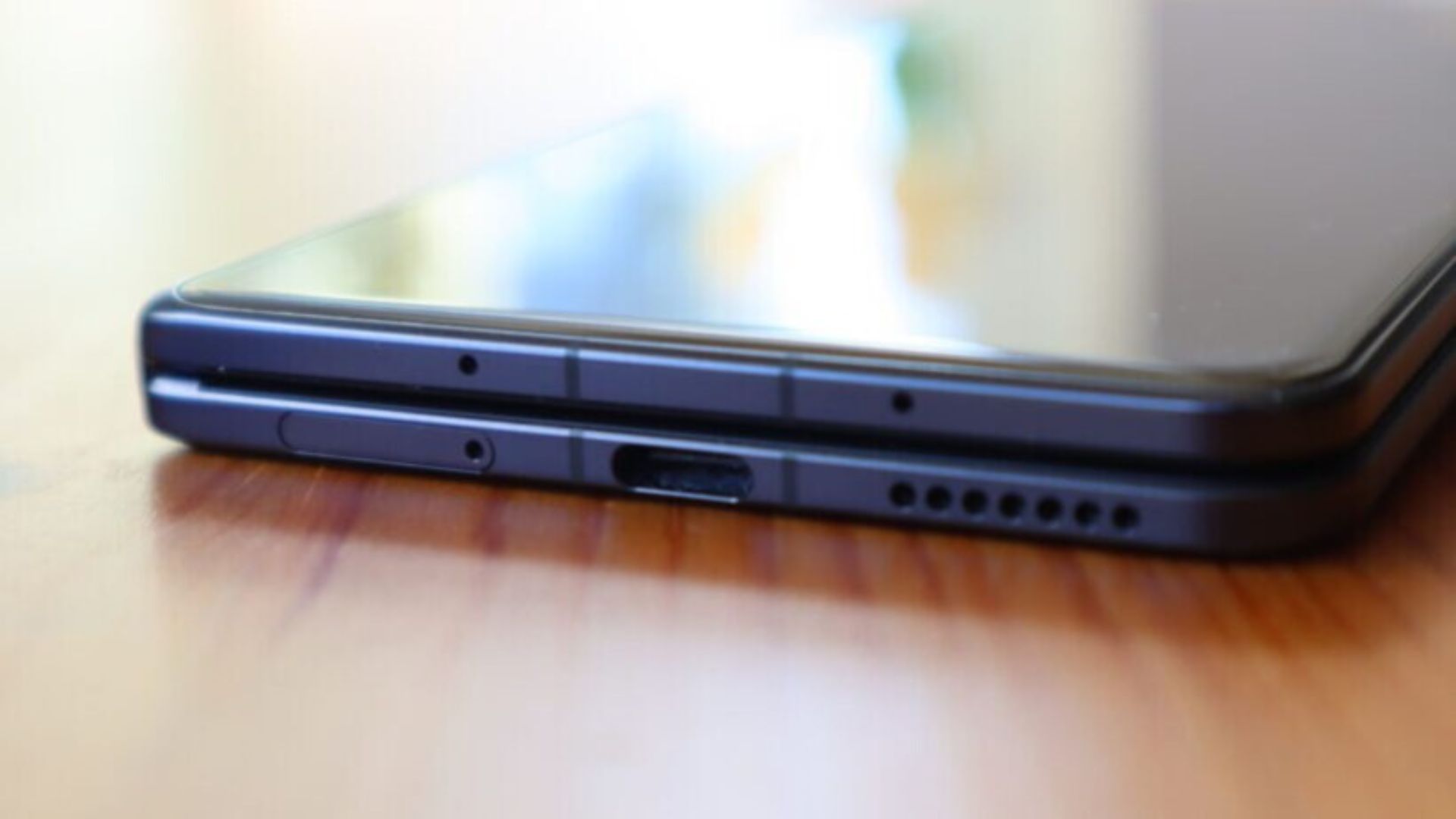
Starting with the iPhone Fold, references spotted in iOS 27 include terms like “foldState”, “angleDegrees” and multiple display identifiers.

These strongly suggest the system is being prepared to handle a device that changes shape depending on how it’s opened. These kinds of parameters would make sense for a folding device. In particular, one that needs to dynamically adjust its interface between folded and unfolded states.

Advertisement

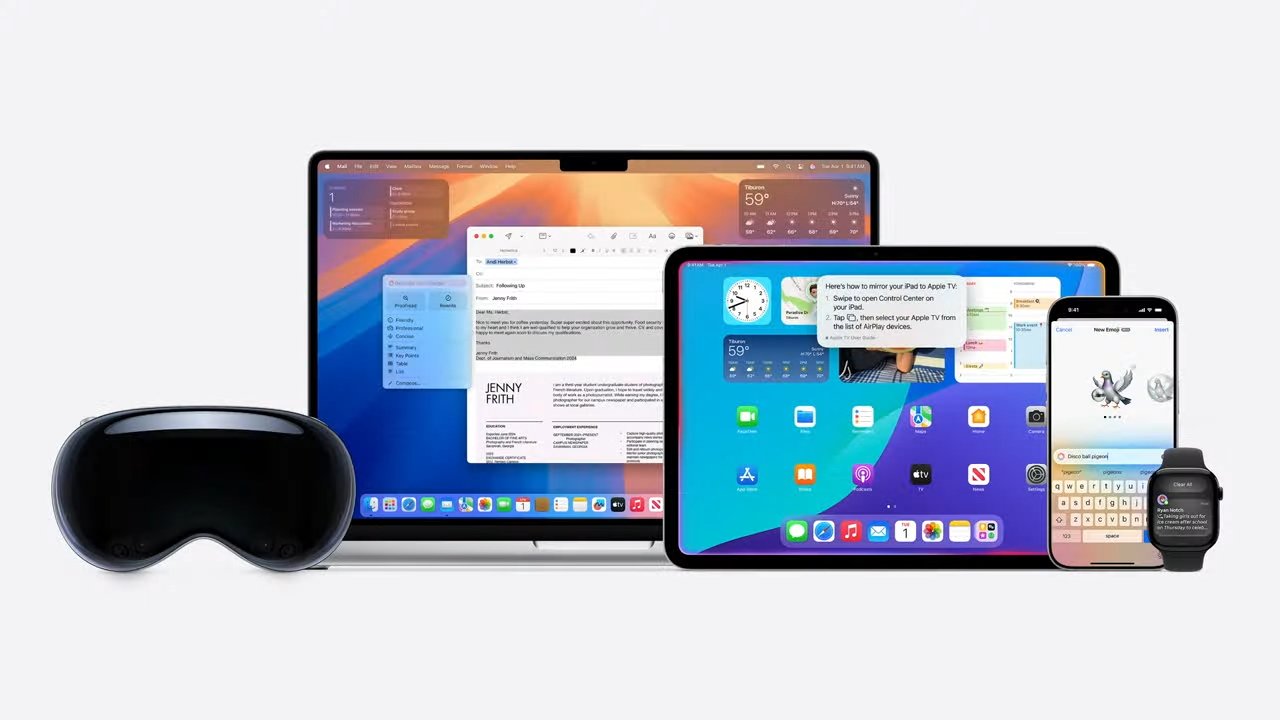
On the macOS side, Apple has updated the iPhone Mirroring app to support wider, more flexible layouts that resemble an expanded iPad-style interface. While that could simply improve compatibility with larger screens, it also lines up neatly with expectations for a foldable iPhone display.

Advertisement

There are also broader design signals in iOS 27. Apple has pushed developers toward “app adaptability”, encouraging apps to scale more fluidly across different screen sizes and aspect ratios. Again, that’s not new in itself. However, it becomes more notable when paired with references to a squarer, more variable display shape.

For the touchscreen MacBook, the clues are more indirect but still interesting. macOS 27 introduces refinements like improved Sidecar touch input behaviour, allowing more direct interaction between devices. Additionally, there are UI changes such as pull-to-refresh gestures. These are familiar touch-first design patterns, even if they’re currently still compatible with trackpad and mouse input.

Advertisement

There’s also a new Siri Search and Ask interface with a more compact, pill-shaped design. Some have noted this could eventually translate into a more touch-friendly system UI, if Apple goes in that direction.

Taken individually, none of these changes are proof of new hardware. Apple frequently updates its operating systems to prepare for multiple generations of devices. Many of these adjustments could simply improve flexibility across existing iPhones, iPads and Macs.

But taken together, they do fit neatly with long-running reports from well-sourced Apple watchers. These reports suggest a folding iPhone could arrive soon. After that, there might be a MacBook Pro with touch support.

(via Bloomberg)

Advertisement

Advertisement

Source link

Continue Reading

Tech

Facebook’s New AI Tools Offer More Of The Same, With Photo-Editing And Question-Answering Capabilities

Published

on

Now you can ask a different chatbot which restaurant to try.

Meta just announced a suite of AI tools for Facebook users. Nothing here looks especially new, but availability on Facebook could be of some use to certain power users.

First up, there’s the simply-named AI Mode. This is a standard chatbot that answers questions, with Meta using the example everyone uses when rolling out one of these tools. The company highlights a person asking the chatbot for nearby summer vacation spots.

Advertisement

Meta does say that AI Mode pulls data from across its apps, like from Groups and Reels, so maybe the information provided will be slightly different than when asking about summer getaways via Gemini, Claude, Grok, ChatGPT and all the rest. The company promises “real perspectives and experience rather than a generic list of search results.” This is all powered by the Meta’s recently-announced Muse Spark technology.

The update also includes photo-editing capabilities, as that tends to be the other big selling point of these tools beyond “find me somewhere to vacation.” There are fresh collage cutout templates for altering photos from the camera roll and new transition effects to create “smooth, stylized video montages that are ready to share.” Meta says it can whip up these videos with “just a tap.”

Finally, there are new photo presets that “make it easy to change your clothing, hair and accessories with AI.” Meta is pitching this for sports fans, so folks “can easily rep your fandom and virtually wear a team jersey to celebrate.” Nothing says true fandom like a fake jersey.

This is launching right now to mobile Facebook users. We don’t know if there’s a version coming to the web, but that would likely be difficult as computers don’t tend to have a camera roll or anything like that.

Advertisement

Source link

Advertisement
Continue Reading

Tech

Adani and Jabil plan to make AI data-centre gear in India

Published

on

Adani and Jabil are teaming up to make AI hardware in India.

The Adani Group, India’s infrastructure-and-energy conglomerate, and Jabil, the US contract manufacturer, said on Monday they intend to form a strategic alliance to build a vertically integrated AI and data-centre hardware platform in the country. They put no number on it, and the agreement is not yet signed.

What they want to make is the physical guts of an AI data centre. The plan is multi-gigawatt capacity for high-density, liquid-cooled AI racks, servers, storage and networking, plus the power and cooling gear that surrounds them: distribution and coolant units, transformers, switchgear and thermal systems.

The pitch is a single, end-to-end source, from design to deployment. Jabil brings 60 years of manufacturing and, after recent acquisitions, power and thermal expertise; Adani brings infrastructure, green energy, logistics and its own fast-growing data-centre operations.

Advertisement

Why Adani and Jabil are betting on India

The 💜 of EU tech

The latest rumblings from the EU tech scene, a story from our wise ol’ founder Boris, and some questionable AI art. It’s free, every week, in your inbox. Sign up now!

The demand case is a sovereignty case. India’s data-centre capacity is forecast to reach 5 to 8 gigawatts by 2030, hyperscalers have lined up more than $50bn in spending, and the country’s data-protection law and data-localisation push are nudging buyers toward hardware made at home.

A new tax holiday for data centres, running to 2047, sweetens the export maths further.

Advertisement

For Adani, the alliance slots into a vast existing bet: a $100bn commitment to develop 5 gigawatts of green-powered, AI-ready data centres by 2035. Making the racks and power gear domestically, rather than importing them, lets it capture more of that build-out and, in theory, sell the surplus abroad.

Gautam Adani framed it in epochal terms, calling AI an “Intelligence Revolution” and arguing India must be “a creator, builder, and exporter of intelligence,” not just a consumer.

Make in India, for AI

The deal is one piece of a much larger surge. India has now attracted more than $200bn in AI-infrastructure commitments, led by a $110bn pledge from Reliance, with tens of billions more from Google, Microsoft and Amazon; only last week Meta signed its first Indian data-centre deal, with Reliance.

The country is trying to convert its position as a huge AI consumer into a place that builds the kit, too, the same sovereignty instinct now driving its push for homegrown models.

Advertisement

The caution is that this is, so far, a press release. There is no disclosed investment, no binding contract, and the companies say they are still negotiating the “definitive operational frameworks.” Their own filing warns the alliance may never be finalised, and the headline-grabbing “$3 trillion market” is their framing of the opportunity, not a commitment.

The ambition is real and well-timed; whether it becomes gigawatts of Indian-made AI racks, or stays a signing-day vision, depends on what gets funded and signed next.

Source link

Advertisement
Continue Reading

Tech

Second developer betas for iOS 26.6, macOS 26.6 surface

Published

on

Apple’s beta testing routine for the current-gen operating systems continues, with the second developer builds of iOS 26.6, iPadOS 26.6, watchOS 26.6, tvOS 26.6, visionOS 26.6, and macOS Tahoe 26.6 out now.

The second developer builds arrive after the first, which landed on May 26.

While usually we deal with only one set of betas, sometimes we have to manage two of them. Following the WWDC keynote, Apple has introduced developer betas of its 27-generation operating systems, including iOS 27 and macOS 27.

Apple will continue to update the 26-generation operating systems as usual, complete with beta rounds running close to the fall release of the 27 generation.

Advertisement
  • iOS 26.6 build 2 is 23G5043d, replacing 23G5028e
  • iPadOS 26.6 build 2 is 23G5043d, replacing 23G5028e
  • watchOS 26.6 build 2 is 23U5040d, replacing 23U5025e
  • visionOS 26.6 build 2 is 23O5743c, replacing 23O5728e
  • tvOS 26.6 build 2 is 23L5744d, replacing 23L5729e
  • macOS Tahoe 26.6 build 2 is 25G5043d, replacing 25G5028f
  • HomePod Software 26.6 build 2 is 23L5744d, replacing 23L5729e

At the same time, Apple has also brought out two more release candidates:

  • macOS 15.7.8 RC 2 is 24G809
  • macOS 14.8.8 RC 2 is 23J607

Generally speaking, when there are two developer beta tracks, the next-generation version will include the feature changes, while the current-gen track tends to be more muted.

Apple is keen to keep the features for the new versions. The current-gen beta updates are usually performance and security-focused.

The first iOS 26.6 beta build included a new feature for Contacts that notifies if users reach the maximum of 20,000 blocked listings. There was also a security fix for Apple Maps.

AppleInsider and Apple strongly recommend that users avoid installing beta operating systems or beta software onto “mission-critical” or primary-use hardware, due to the potential for issues and data loss. Instead, they should retain backups of their data and try to use secondary hardware that isn’t as essential to maintain.

For users wanting a less risky experience, Apple usually brings out a public beta version shortly after the developer counterpart. It is a more battle-hardened version of the update, with typically fewer issues than the developer builds.

Advertisement

Find any changes in the new builds? Reach out to us on Twitter at @AppleInsider or @Andrew_OSU, or send Andrew an email at [email protected].

Source link

Advertisement
Continue Reading

Tech

Downloadable Xbox Thumbstick Toppers Give Gamers Accessibility Options

Published

on

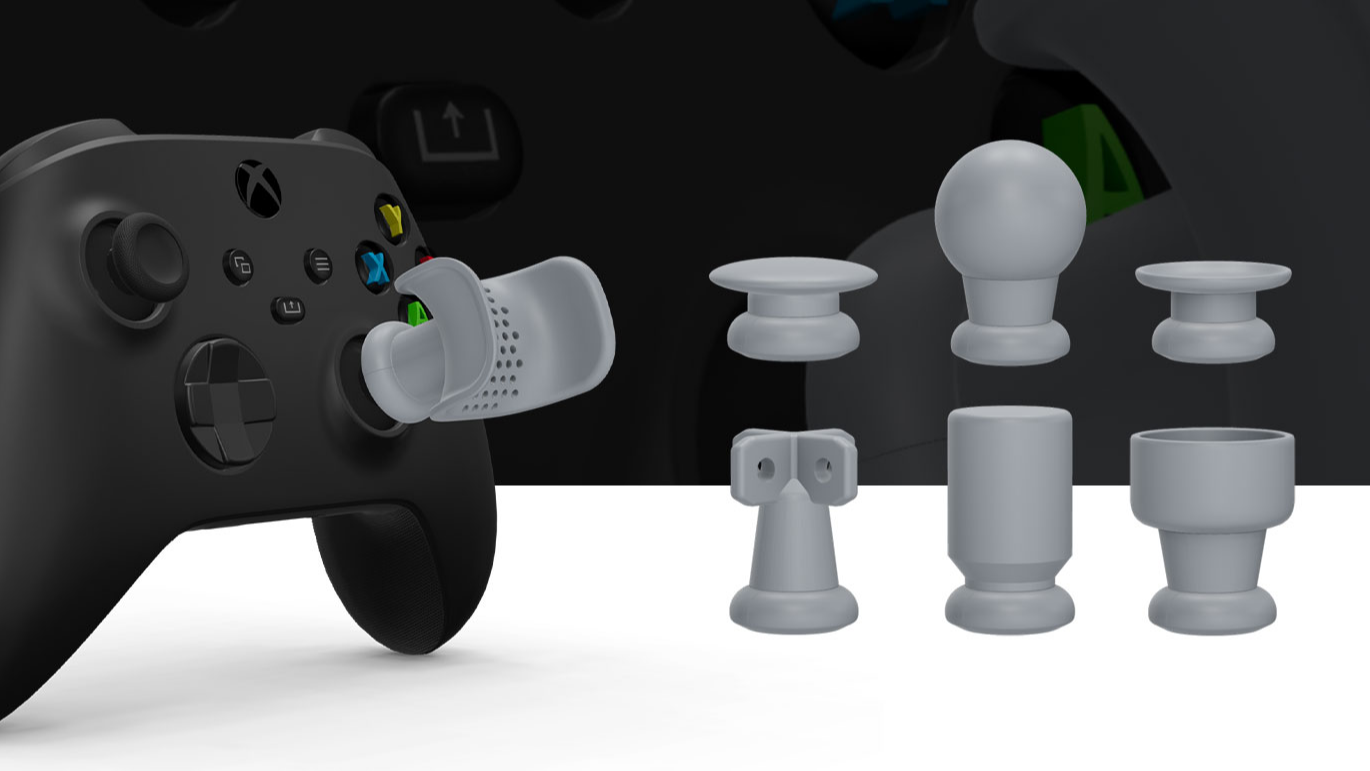
Microsoft has a history of taking accessibility options seriously for gaming controllers, and that trend continues with downloadable thumbstick toppers for Xbox controllers. Being straight from the source, the 3D models should fit as well as can be expected with a minimum of fiddling. Just make sure you select the right controller model, because they are each subtly different.

The toppers themselves come in different styles, and there’s a design to fit a variety of needs, from a thumb cradle to ones intended for more serious adaptations —  the perforated X-shaped topper, for instance, is meant to anchor a custom shape molded overtop it.

Microsoft does offer a remarkably hackable adaptive controller that is meant to make it easy to integrate with other hardware, and we’ve seen it used in some truly awesome ways. But it’s nice to see an easy way to extend and adapt normal thumbsticks on regular controllers, giving people even more options.

Advertisement

We love to see companies offer useful 3D models of their products, saving consumers from having to 3D scan or model things themselves. It’s a form of hacker-friendly hardware design, which we celebrate when we see it, while at the same time wishing it were more common.

Have you benefited from hacker-friendly design and made something useful that wouldn’t exist otherwise? Let us know on the tips line!

Advertisement

Source link

Continue Reading

Tech

Vibe coding can build your pipeline. It can’t explain it six months later

Published

on

AI coding agents are rapidly accelerating data engineering by generating transformations, pipelines, orchestration workflows, validation tests, and infrastructure configurations from prompts.

However, enterprise data platforms have long operated across fragmented systems owned by different teams and built on different technologies. As these systems evolve independently, organizations increasingly struggle with inconsistent business logic, duplicated implementations, difficult downstream impact analysis, and hidden dependencies across the platform.

The rise of vibe coding can further amplify these problems as more operational context, architectural decisions, and business knowledge become scattered across prompts, conversations, generated code, and disconnected workflows rather than becoming part of the system itself.

Spec-driven development (SDD) is emerging as one approach to address this challenge. In SDD, prompts, business rules, validation logic, orchestration behavior, and implementation workflows are converted into executable and versioned specifications that become part of the system itself. These specifications act as persistent operational memory for both humans and AI agents, allowing systems to evolve more consistently across releases, teams, and AI-assisted workflows.

Advertisement

Because enterprise data engineering already relies heavily on reusable patterns, metadata-driven pipelines, and standardized operational workflows, it is especially well-suited for SDD. By combining AI-assisted generation with deterministic and reusable system contracts, SDD may provide a new operational layer for reducing fragmentation and improving long-term coordination across increasingly AI-generated data platforms.

Vibe coding alone lacks persistent system memory

Vibe coding works remarkably well for generating isolated implementations quickly. But prompts are inherently temporary. They capture an engineer’s assumptions, business context, implementation logic, and system knowledge only for that specific conversation and moment in time.

In practice, making AI-generated systems work often requires far more than a simple prompt. Engineers continuously provide background information, architectural decisions, business rules, schema assumptions, downstream dependencies, operational constraints, debugging history, and implementation guidance throughout the development process.

These contexts become the real operational knowledge behind AI-assisted development.

Advertisement

However, in most vibe coding workflows, this information remains scattered across prompts, conversations, Jira tickets, documentation, chat history, generated code, and disconnected workflows rather than becoming part of the system itself.

This creates a major problem for enterprise data engineering because modern data platforms are naturally fragmented across many interconnected systems, including ingestion pipelines, warehouses, orchestration frameworks, semantic layers, APIs, dashboards, and machine learning (ML) systems. As more logic and context become embedded inside prompts and generated implementations, organizations gradually lose visibility into:

Over time, the system itself no longer contains the full reasoning behind how it was built. Critical business context, architectural assumptions, and operational knowledge still largely exist inside human judgement and scattered conversations rather than inside the platform itself.

Vibe coding makes implementation significantly faster, but from a system perspective, overall engineering efficiency does not improve proportionally because much of the development lifecycle still depends on human validation, domain knowledge, coordination, and decision-making.

Advertisement

More importantly, prompts are not naturally iterable engineering artifacts. Enterprise systems continuously evolve across releases, schema changes, business logic updates, and downstream dependencies. Teams repeatedly revisit and refine systems over time, but prompts are optimized for fast local generation rather than system long-term evolution.

They are difficult to:

Even the same prompt may not reliably generate the same implementation with different context in the future.

This is where SDD begins to move to the center of AI-assisted data engineering. Instead of leaving operational knowledge scattered across prompts and conversations, SDD integrates business context, validation logic, transformation behavior, orchestration requirements, and implementation workflows directly into executable specifications that become part of the system itself.

Advertisement

The system now has persistent memory about how it was designed, why certain decisions were made, and how different components are connected across the platform. This allows teams and AI agents to iterate systems more reliably over time while reducing fragmentation across increasingly distributed data environments.

Spec-driven development turns prompts into system memory

In SDD, systems are built around executable specifications rather than loosely coordinated prompts and implementations alone. Instead of treating specifications as passive documentation written after development, SDD treats them as operational contracts that directly drive code generation, validation, testing, orchestration, and deployment workflows.

In many ways, SDD extends ideas from Infrastructure-as-Code and GitOps into AI-assisted engineering. Specifications combine declarative system definitions with executable implementation workflows. The declarative layer provides system context, schemas, dependencies, constraints, and operational requirements, while workflow-oriented instructions guide AI agents on how to implement and evolve the system consistently.

Once these contexts, rules, and implementation patterns are converted into persistent and versioned contracts stored in repositories and integrated into CI/CD workflows, the system becomes significantly more iterable and governable over time. These specifications effectively become long-term system memory for both humans and AI agents, allowing systems to evolve consistently across releases, teams, and increasingly AI-assisted development workflows.

Advertisement

In practice, the structure of specifications largely depends on the type of systems and workflows being implemented. However, spec-driven systems often begin with a foundational “constitution” that defines project-wide principles and constraints that should remain consistent across the platform, such as technology standards, naming conventions, architectural rules, governance policies, and core system requirements. On top of this foundation, multiple layers of specifications serve different operational purposes across the development lifecycle:

  • schema specifications define structural compatibility

  • transformation specifications define business logic

  • validation specifications define quality rules

  • orchestration specifications define execution behavior

  • semantic specifications define shared business definitions

  • AI workflow specifications define reusable implementation instructions for coding agents

A simplified specification might look like this:

pipeline_spec:

  source:

Advertisement

    system: mysql

    table: order

  transformation:

    logic:

Advertisement

      – load_strategy: scd2

  target:

    platform: snowflake

    table: dim_order

Advertisement

  validation:

    primary_key: order_id

Additional workflow files can then provide reusable implementation instructions for coding agents:

  1. Generate Python ingestion code for Salesforce customer data.

  2. Generate DBT models implementing Type 2 SCD logic.

  3. Generate Airflow workflows for hourly execution.

  4. Generate validation tests for downstream compatibility.

These specification documents are often maintained as markdown-based operational artifacts generated and refined through AI-assisted workflows. Engineers can iteratively update the specifications, provide additional business context, and collaborate with coding agents to improve implementation logic, workflows, and prompt instructions over time. Compared to traditional documentation processes, AI-assisted specification generation is significantly faster and more adaptive.

Advertisement

The important shift is not simply better documentation. Specifications become reusable operational context that allows systems to evolve consistently across releases, teams, and AI-assisted workflows. Architectural intent, business assumptions, and implementation logic no longer disappear into temporary prompts and disconnected implementations, but instead become persistent system knowledge integrated directly into the development lifecycle.

Why spec-driven development specifically fits data engineering

SDD can theoretically be applied across many areas of software engineering, but data engineering is especially well-suited for this model because of the nature of modern data platforms.

Enterprise data systems naturally span many interconnected technologies and layers, including transactional systems, ingestion frameworks, streaming platforms, warehouses, orchestration systems, semantic layers, APIs, dashboards, and ML pipelines. Data engineers regularly work across long technology stacks and distributed systems where a single upstream change can impact many downstream consumers.

Enterprise data platforms also support many different teams and applications across fragmented environments. As systems evolve independently, understanding the full downstream impact of an upstream schema or business logic change becomes increasingly difficult. A seemingly small modification can silently break downstream pipelines, dashboards, APIs, semantic models, or machine learning workflows across the platform.

Advertisement

SDD can address this fragmentation by introducing shared and versioned operational contracts across systems. Because schemas, dependencies, validation rules, transformation logic, and orchestration behavior are explicitly defined within specifications, teams and AI agents gain much better visibility into how systems are connected and how changes propagate across the platform.

Additionally, the goal of data engineering is not simply delivering pipelines quickly. Teams must also optimize for system stability, scalability, consistency, maintainability, operational reliability, and infrastructure cost.

This requires significant system and solution design work from engineers. Teams must define tech stack, create schemas, transformation patterns, orchestration behavior, validation rules, storage strategies, and downstream compatibility requirements carefully across the platform.

However, once these architectural and operational patterns are established, much of the implementation work becomes highly repetitive and standardized.

Advertisement

For example, after defining a reusable ingestion and transformation pattern for Salesforce customer data, onboarding a new table may only require adding another table definition into the specification, while the remaining implementation can be generated automatically through existing specifications and workflows that follow the same operational pattern:

source:

  system: salesforce

  tables:

Advertisement

    – customer

    – order

    – product

From this specification alone, coding agents could generate new data pipelines following the same governed implementation pattern across the platform. This combination of human-driven architectural design and highly repeatable implementation workflows makes data engineering particularly suitable for SDD.

Advertisement

In many ways, data engineering has always been moving toward higher levels of automation, from ETL frameworks and metadata-driven pipelines to IaC and declarative orchestration systems. SDD represents another step in that evolution by combining prompt-based AI generation with deterministic and versioned operational contracts.

Instead of relying entirely on temporary conversational prompts or rigid template systems, SDD introduces a middle layer where reusable specifications provide structure, coordination, validation, and persistent system memory for AI-assisted development.

How SDD changes AI-assisted data engineering

SDD introduces a much higher level of automation into enterprise data engineering while also helping reduce the fragmentation problems that modern data platforms increasingly face.

Because schemas, business rules, transformation behavior, orchestration requirements, validation logic, and downstream dependencies are explicitly defined inside reusable specifications, coding agents can generate and evolve large portions of the implementation consistently across the platform. Instead of repeatedly rebuilding pipelines and workflows from temporary prompts and disconnected context, teams can iterate systems through shared operational contracts and reusable implementation patterns.

Advertisement

This significantly improves consistency, traceability, and coordination across distributed environments. Schema evolution becomes easier to manage, downstream impact becomes more visible, and systems can evolve incrementally instead of through disconnected generations of implementations.

At the same time, human engineers still remain essential in the development lifecycle. While AI agents can automate large portions of implementation work, human judgement is still critical for defining business logic, designing architectures, managing tradeoffs, validating correctness, and coordinating system evolution across organizations.

As more implementation work becomes AI-generated, the role of data engineering also begins shifting. Engineers spend less time writing repetitive pipelines and orchestration logic, and more time defining specifications, designing reusable operational patterns, managing validation rules, and coordinating business context across systems.

This may also gradually reduce some of the traditional boundaries between different data engineering teams. Because implementation becomes increasingly standardized and AI-assisted through shared specifications, organizations may rely less on highly siloed platform-specific implementation teams and more on shared operational contracts and reusable system patterns.

Advertisement

Ultimately, SDD shifts data engineering toward a more specification-oriented and system-oriented model where humans focus on intent, architecture, and business coordination, while AI agents increasingly handle implementation, testing, and operational generation at scale.

Shuhua Xu is a lead data engineer.

Welcome to the VentureBeat community!

Our guest posting program is where technical experts share insights and provide neutral, non-vested deep dives on AI, data infrastructure, cybersecurity and other cutting-edge technologies shaping the future of enterprise.

Advertisement

Read more from our guest post program — and check out our guidelines if you’re interested in contributing an article of your own!

Source link

Continue Reading

Tech

Creality Falcon T1 Combines Five Laser Engravers Into One Machine

Published

on

Laser engraving can be incredibly versatile. You can engrave designs on metal or wood and gift them to your loved ones or sell them as a business. But there has always been a catch. If you want to work with different materials like metal, wood, glass, acrylic, or crystal, you’ll often need multiple machines, each designed for a specific job. This can quickly multiply the costs and make engraving an expensive hobby. Well, that’s exactly the problem the Creality Falcon T1 plans to solve. It’s a 5-in-1 laser workstation that lets you swap between five different laser modules in a single desktop machine.

How Does This Work?

Falcon t1 laser engraver

The main selling point of the Falcon T1 is its modular design. Instead of buying separate machines for different materials, users can swap between five laser modules in about 15 seconds without tools.

Each module is designed for a specific type of work. The 20W Fiber Laser is intended for deep engraving on materials like stainless steel, aluminum, and hardwood. If you’re working primarily with metals and need things like color marking or deeper engravings, the 60W MOPA Laser is designed for materials such as titanium, gold, silver, brass, and copper.

For more traditional maker projects, the 20W and 40W Diode Lasers can cut and engrave wood, acrylic, MDF, leather, ceramics, and bamboo. Meanwhile, the 5W UV Laser focuses on transparent materials such as glass, crystal, and acrylic, opening up possibilities that standard diode lasers typically struggle with.

In practical terms, this means you could engrave a custom design on a metal nameplate and switch modules, then cut a wooden display stand for it with the same machine. According to Creality, building a similar setup using dedicated machines could easily cost over $20,000, whereas the Falcon T1 starts at $2,249.

Advertisement

Finally, to help you not blow your eyes out, the T1 has Class 1 laser safety certification and a fully enclosed design. Additional safeguards include automatic shutdown when the lid is opened, flame detection systems, airflow monitoring, an emergency stop button, and a laser key lock.

Source link

Continue Reading

Tech

CNET’s Shopping Experts Found the Best Deals of the Week So You Don’t Have To

Published

on

CNET’s deals team and I are always looking to bring you the best discounts from your favorite retailers, like Amazon and Walmart. With the Prime Day sale event creeping up on us, we’re seeing quite a few early discounts that are secretly dropping. It can be tricky trying to decide if it’s a real steal or just retailer fluff, especially during a sale event. We rounded up the standout discounts our CNET shopping experts actually recommend this week, including savings on tech, home essentials and everyday favorites.

Our CNET Deals text subscribers get these deals sent to them before anyone else does. I’ll send the best deals straight to your phone, so you can keep an eye on the hottest drops and jump on them before everyone else does. And it’s completely free. It’s never a bad time to save money, and finding affordable items in 2026 is more welcome than ever. Signing up for the CNET Deals text group is safe and trusted, plus you can opt out anytime.

Best deals of the week

The Amazon Smart Thermostat works with Alexa to create schedules, adjust temperatures automatically and let you control your home’s temp from anywhere through the app. It is Energy Star certified and compatible with select Alexa devices. Plus, DIY installation makes setup relatively easy.

Advertisement

The Houl Zallee portable speaker is built with dual tweeters, woofers and passive radiators to deliver punchy bass and room-filling audio. The IPX7 waterproof rating means it can handle sudden rain showers or splashes from the pool party. A battery life of up to 32 hours helps keep the music going all weekend long, and the integrated carry handle makes it easy to take from the backyard to the campsite. 

This lightweight camping hammock is 16 ounces and can pack down small enough to fit in most backpacks. It’s made from parachute nylon with triple-stitched seams so it can handle everything from campground overnights to evenings in the backyard. The included tree straps and carabiners makes for easy setup.

Advertisement

This handheld fan doubles as a desktop fan, thanks to an included USB-C charging dock. It features 100 adjustable speed settings, an oversized seven-blade design for smooth airflow and a built-in cooling plate. With up to 16 hours of battery life, a foldable design and a detachable lanyard, it’s perfect to take anywhere all summer.

The A16 iPad is a solid tablet, even though it’s been overshadowed by newer, fancier models. It’s an excellent size and offers amazing graphical performance with the A16 Bionic chip. Best of all, you can pick one up now at a discounted price.

How we choose the deals at CNET

Many of us at CNET have covered shopping events for over five years, including Black Friday, Prime Day, Memorial Day and countless others. Not to mention covering, researching and hunting deals on the daily. We’ve gotten good at weeding out scams and superficial deals, so you see only the best offers from all over. 

When choosing deals to show you, we look for real discounts, quality reviews and remaining sale time. Our team of experts has tested countless products to ensure we’re only sharing the best deals.

Advertisement
  • Real discounts mean exactly that. We look at the price history for that product to make sure no brands are inflating prices to make the discount seem more substantial than it is.
  • Quality reviews and in-depth testing are important for any product. If you’re unhappy the first time you use it, the discount wasn’t a worthwhile one. 
  • Remaining sale time is a huge part of our vetting process. If a deal seems like it will only be around for a short while or will only be available for the remaining stock, we’ll let you know upfront so you don’t come back to the deal later only to be disappointed. 

Source link

Continue Reading

Tech

What Stoat And Element Actually Fix

Published

on

Hosting your own group chat could let you avoid a lot of drama.

Discord has become a go-to tool for friend groups, fan communities and online organizations of various sizes because of how simple it makes it to host text chats, voice calls and share your screen with other people. Over the last few years it’s also become a lot more annoying to use for those tasks for some of the same reasons. In an effort to pay for servers and keep members safe, Discord has adopted an approach to subscriptions, ads and age-verification that have rubbed a lot of users the wrong way.

Most social platforms of a certain size will deal with similar issues, so at least for now, the only real way to avoid Discord’s problems is to switch to smaller group chats or take the big step of hosting your own server. There’s a growing number of Discord alternatives out there, but open-source chat platforms where you have complete control over your data and don’t have to worry about features being locked behind a subscription will likely be your best option.

Advertisement

Why are people leaving Discord?

Complaints about Nitro, Discord’s subscription, and the venture capital-backed pressure to grow that guides the company’s product decisions have existed for years. While those might play a role, the current exodus from Discord seems like it can rest squarely at the feet of the company’s age-verification policies.

Discord announced a new collection of teen safety features in February 2026 to follow the United Kingdom’s Online Safety Act, and a growing number of laws that require platforms to use age verification to prevent children from accessing adult content. Discord’s so-called “Teen Default Experience” introduces new default settings for teenagers 13 years and older and an age verification system for any user Discord’s inference model suspects could be underage.

Under the new system, users are expected to provide a video selfie and submit identity documents to one of Discord’s partners to confirm their age. The company says that selfies never leave whatever device is running Discord, and its partners don’t keep a copy of any uploaded identity documents, but backlash to the somewhat invasive nature of the system was swift. Discord ultimately decided to postpone its rollout to the second half of 2026 so it could adjust its approach, including adding more age-verification options. Underlining the risks of collecting identifying information, one of Discord’s third-party service providers was later hacked in October 2025, possibly exposing up to 70,000 Discord users’ government IDs.

Advertisement

What open-source Discord alternatives are out there?

With an open-source chat platform, security is still an issue, but a mass age-verification system isn’t a concern when you’re just hosting a server for you and your friends. Not every option offers the same familiar interface as Discord, but you can get core features like text chat and voice and video calls from most open-source chat apps.

If you actually want to easily self-host a server, the options get more limited. Apps like Stoat, Element, Fluxxer and Cinny offer Discord or Slack-like experiences that you can run on your own hardware, either using a bespoke system or the open-source Matrix protocol. Matrix-based apps in particular benefit from being based on a transparent and open standard, and are usually interoperable with one another. In terms of matching Discord’s look and feel, however, Stoat and Element seem to get the closest.

Advertisement

Stoat

Stoat, the open-source chat app formerly known as Revolt, offers an app that looks like Discord with the numbers filed off. The app supports text, voice, and video calls, and, according to its GitHub, began rolling out a screen-sharing feature earlier this year that should make it a better tool for sharing games with friends. The app also supports things like theming, custom emoji and a roles-based moderation system that makes it relatively flexible for anyone porting their community over from Discord.

Stoat will happily host your server for you, but the chat platform can also be self-hosted with a bit of setup. Whether you opt for self-hosting or let Stoat handle the technical details for you, all servers work with the platform’s web, Linux, Windows, macOS, Android, iOS and iPadOS apps.

Advertisement

Element

Compared to Stoat, Element is a bit more buttoned up, offering a free, self-hosted option and a paid service for enterprise and government customers. Element is end-to-end encrypted, and supports text chats, voice and video calls, screen sharing, file sharing and even location sharing when you’re accessing the platform through a mobile app. Where the app differs is Discord’s more playful elements. Element doesn’t support custom emoji by default, but you can freely theme your Element app however you want.

Also, since Element is built on Matrix (and also run by its creators), the app benefits from the built-in qualities of the protocol. Element is decentralized and interoperable with other apps that run on the Matrix protocol by default. That doesn’t mean it supports the features of every other Matrix app, but you should be able to at least talk to all of them. Element is available for Linux, Windows, macOS, iOS and Android.

Advertisement

The best open-source Discord alternative

Both Stoat and Element have their strengths and weaknesses. Stoat should be more immediately familiar to anyone coming from Discord, but it’s missing the benefits of being built on Matrix. Element is less like Discord by default, but seems like it might receive more robust development support. The larger problem is getting your friends and colleagues off of Discord in the first place. Discord became as popular as it is because it’s free to use and there were already a lot of people using it. Getting anyone to move to a new app is a challenge. It doesn’t matter whether Stoat or Element are better if you can’t get people to switch to them.

Source link

Advertisement
Continue Reading

Tech

The Y2K bug is back! Danish dev digs up untimely flaw in old BSD build

Published

on

offbeat

26 years late and no threat unless you still run a PDP-11/70 and rely on short-wave timekeeping broadcasts

It’s been more than a quarter century since the Y2K bug threatened to disrupt the not-so-modern world, and while the patching efforts of global IT heroes prevented a millennial mess, the problem persists as a Dutch dev just found a new instance of the numeric nightmare.

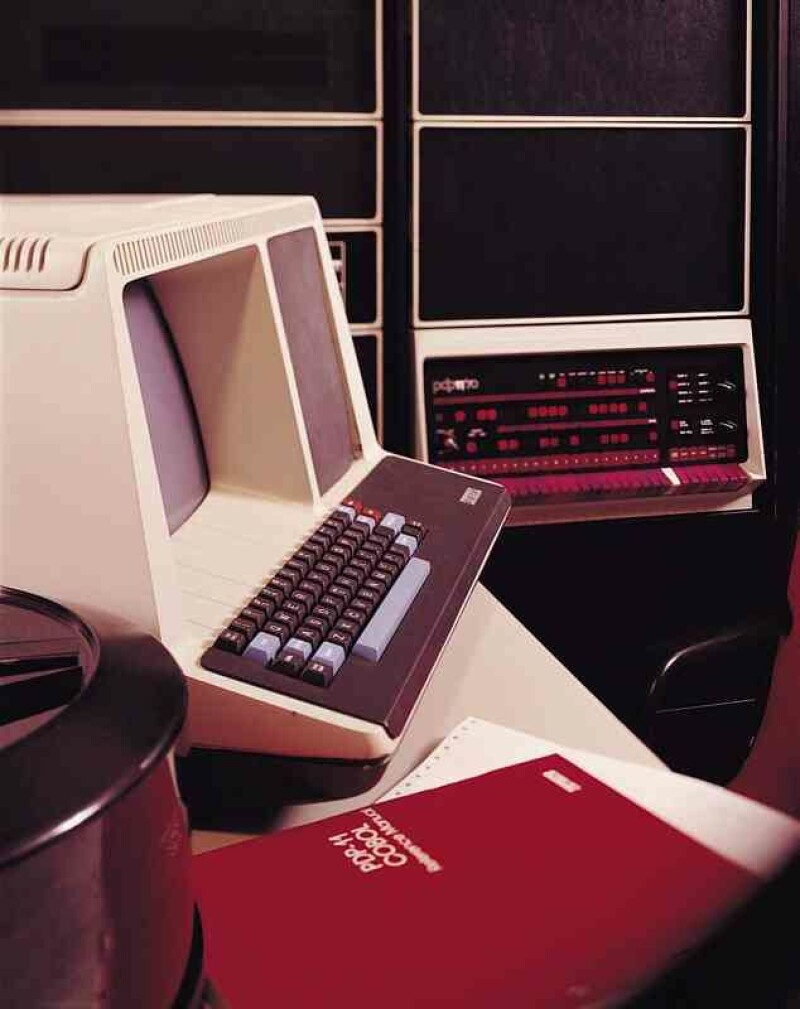
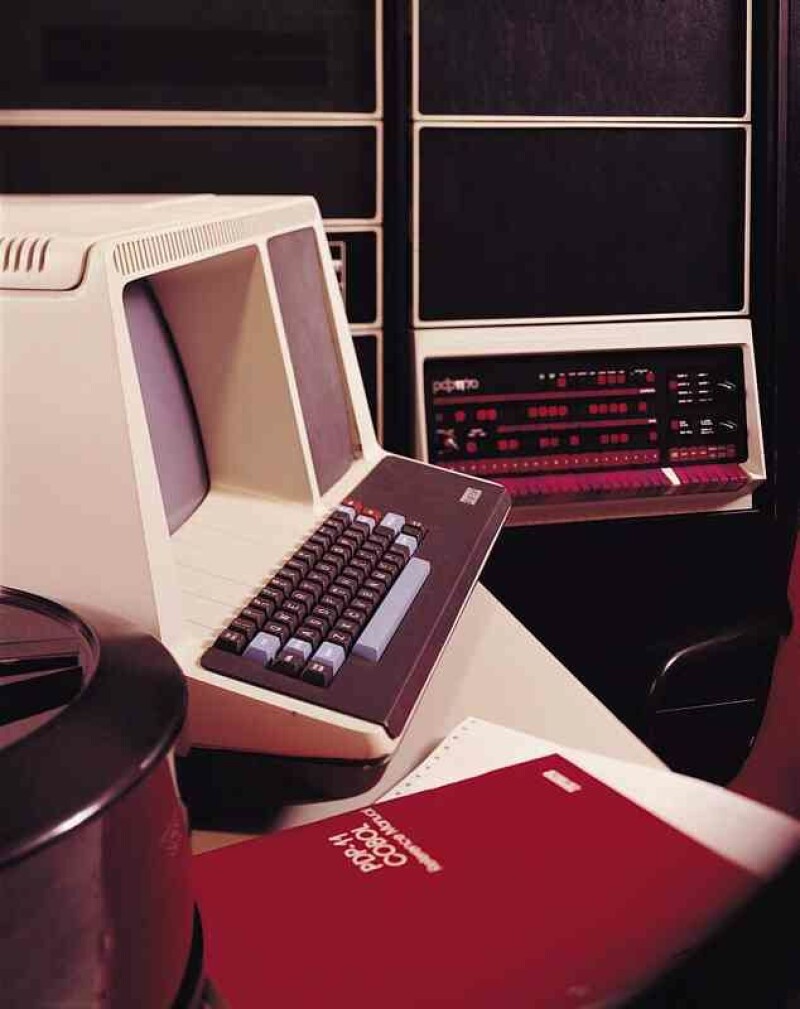
While working on an emulator for the venerable Programmed Data Processor (PDP) series of “minicomputer” systems manufactured between the 1950s and 1990s, Folkert van Heusden spotted an unpatched Y2K bug in the Network Time Protocol daemon in BSD 2.11.

Advertisement

To be fair, it’s not like van Heusden stumbled onto a potentially devastating issue that’s simply waiting to cause chaos: Not only was the bug specific to the PDP-11/70, a system that entered service in 1975, but it also requires a Precision Standard Time, Inc.(PSTI) receiver manufactured by defunct hardware maker Traconex used to pick up time signals broadcast by short wave radio stations managed by the US National Institute of Standards and Technology. Even at that point, the bug won’t instantly break network time, as a would-be attacker must take several steps to configure the ancient mahicnes in a way that causes the error.

Van Heusden’s writeup explains how to trigger the flaw.

“I’m writing a PDP emulator,” van Heusden told The Register in an email. “I’m also very much interested in time keeping on computers. That combined, I dove into the NTP-implementation on the PDP. When adding emulation for the PSTI-device, I suddenly noticed 19126 for the year.”

Unsurprisingly, when the PSTI receiver actually produces the correct output, the system throws an error that the time offset between the PDP emulator and the emulated PSTI device is a bit “excessive.” Only by 17,000 years, give or take a couple centuries.

Advertisement

Luckily, van Heusden has coded a fix that’ll bring the times back in sync, eliminating what may be one of the few remaining Y2K bugs still floating around in the wild – after all, when’s the last time you heard of a forgotten (or, in this case, overlooked due to technological obsolescence) Y2K bug being patched?

If you want to tinker with a 50-year old emulated system running a 35-year old operating system, the good news is that the PDP and its 16-but CPU ran at 5MHz and needed just 4 MB main memory – a spec that van Heusden’s PDP-11/70 emulator can easily run on modest hardware like a Raspberry Pi Pico, and it’s available on GitHub.

Just be sure you patch that Y2K bug if you plan to tinker with time keeping. ®

Source link

Advertisement
Continue Reading

Trending

Copyright © 2025