An FCC filing lists a pair of unreleased Apple over-ear headphones as on the way, but it’s more likely to be a Beats product than an AirPods Max stablemate.
Occasionally, unannounced Apple products surface through regulatory filings as they undergo testing and other necessary tasks before going on sale. While these filings can often provide a lot of clues about what Apple has planned, they can sometimes raise more questions than answers.
A filing at the Federal Communications Commission found by @Aaronp613 and spotted byMacRumors on Friday are for a pair of “Bluetooth over-ear headphones.” The report, dated May 5, 2026, identifies Apple as the company behind the tested product.
There are a few real clues about what it is, aside from the description that it uses Bluetooth and has an over-ear design. There is an Apple product number of A3577, an FCC ID of BCGA3577, and an image showing where the FCC ID would be shown on an earcup.
Advertisement
While an FCC filing confirms that something from Apple underwent testing, it does not indicate when the headphones will launch and go on sale. The best guess is sometime in 2026.
Personal audio speculation
The nature of an early FCC filing like this isn’t that helpful when determining what product line it belongs to. There’s enough vagueness to make it too difficult to nail down.
That Apple product number isn’t that helpful, since A3577 is far away from the AirPods Max 2, which is A3454. The preceding AirPods Max were A2096 and A3184 for Lightning and USB-C, respectively.
The unearthed image does little to help, either, since it is a simple diagram. There’s no way to determine the product’s identity visually.
Advertisement
While it is entirely possible for Apple to be working on other over-ear headphones to accompany the AirPods Max 2, there are no rumors circulating about it.
Another possibility is that Apple is preparing more headphones for its subsidiary, Beats. The most recent Beats headphone release was the Solo 4 in April 2024.
The other headphones in its lineup, the Beats Studio Pro, were released in July 2023, making it three years old.
It is entirely possible that a brand new headphone line is on the way, but it’s a small chance. The better bet is on an update to an existing older product line, making the Beats Studio Pro a good candidate.
Watch Bayern Munich vs Stuttgart live streams as Vincent Kompany’s league winners attempt to complete a domestic double by overcoming the cup holders in Berlin and lifting the German Cup for the 21st time.
What a season it has been for Bayern Munich. Under the guidance of Kompany, the Bavarians romped to the league title, losing only one of their 34 Bundesliga matches and scoring 122 goals in the process. However, their journey to their first DFB-Pokal final in six years was far from plain sailing as they required a 94th-minute winner just to overcome third-division side SV Wehen Wiesbaden in the first round. Having seen off Bayer Leverkusen in the semi-finals, they’ll now aim for a repeat of the 4-2 win over Stuttgart in April that sealed a 35th Bundesliga title.
After finishing fourth in the league and securing Champions League football, Stuttgart will look to cap a strong season by successfully defending the trophy. Like Bayern, Sebastian Hoeneß’s side also struggled in the opening round of the competition as they required penalties to get past Bundesliga 2 side Eintracht Braunschweig, but after beating Freiburg 2-1 in the semi-finals, now have the chance to win the Cup for the fifth time. Key to their success will be stopping Bayern’s remarkable attack and providing chances for Deniz Undav, who finished the season as the second-top scorer in the Bundesliga behind Bayern’s Harry Kane.
Advertisement
Here’s how to watch Bayern Munich vs Stuttgart in the 2025/26 DFB-Pokal final from anywhere in the world.
Can I watch Bayern Munich vs Stuttgart for free?
In Germany, Das Erste will broadcast the DFB-Pokal final between Bayern Munich and Stuttgart for free.
Those traveling outside their home country can unlock the free stream using a VPN — more on that below.
Advertisement
Use a VPN to watch Bayern Munich vs Stuttgart live streams
Outside your usual country and can’t access your home stream of Bayern Munich vs Stuttgart? This is where a VPN comes in handy.
A VPN allows you to make your device appear as though you’re still at home, no matter where you are in the world. This means that you don’t have to miss this epic clash due to any geo-blockers. We recommend NordVPN, it’s the best on the market.
Advertisement
How to watch Bayern Munich vs Stuttgart live streams in the USA
In the US, Bayern Munich vs Stuttgart will be shown on ESPN.
For the game, you’ll need the ESPN Select subscription which starts at $12.99/month. However, you can also choose the Disney+ and Hulu bundle which unlocks a wealth of additional content for $19.99/month, or ad-free for $29.99/month.
Outside of the US? Use a VPN whilst you’re traveling away from home to unlock your stream.
Advertisement
How to watch Bayern Munich vs Stuttgart live streams in the UK
The match between Bayern Munich vs Stuttgart will be live on Premier Sports in the UK.
Premier Sports costs £12.99 a month on a 12-month contract or £17.99 per month on a flexible, rolling 30-day plan.
The game will be broadcast on Premier Sports 1.
Those outside of the UK can use NordVPN to watch while they’re away from home.
Advertisement
How to watch Bayern Munich vs Stuttgart live streams in Canada
In Canada, DAZN is the place to go for Bayern Munich vs Stuttgart.
You will need DAZN’s soccer package with prices starting at CA$24.99/month.
For fans traveling outside of Canada, use NordVPN to login to your DAZN account from anywhere in the world.
Advertisement
How to watch Bayern Munich vs Stuttgart live streams in Australia
(Image credit: free)
Stan Sport will be broadcasting Bayern Munich vs Stuttgart in Australia.
Stan Sport subscriptions cost AU$20/month on top of a Stan subscription, which starts at AU$12/month.
Outside of Oz? You can use a VPN to access your usual coverage of the German Cup.
Advertisement
We test and review VPN services in the context of legal recreational uses. For example: 1. Accessing a service from another country (subject to the terms and conditions of that service). 2. Protecting your online security and strengthening your online privacy when abroad. We do not support or condone the illegal or malicious use of VPN services. Consuming pirated content that is paid-for is neither endorsed nor approved by Future Publishing.
I own a 14-inch laptop, and I’m often craving more screen real estate. When I’m working on a large document, doing some photo editing, or multitasking, I know a couple of extra inches would make all the difference. That’s why I’m tempted by the Dell 16 Plus, which is on sale at Dell for $899.99 (was $1,429.99).
That’s a whopping $530 saving on a powerful laptop for college students and business users. This is for the spec with an Intel Core Ultra 7 256V CPU, 16GB of RAM, and a 1TB SSD. You might be tempted to get an even better deal by reducing the capacity of the SSD, but that will, in fact, increase the price.
So, if you want a solid mid-tier laptop that we rated an impressive four stars in our review, then this deal is worthy of consideration.
Advertisement
Today’s best Dell laptop deal
When we reviewed the Dell 16 Plus, we gave it a solid four stars and called it “a trustworthy mid-range [laptop] that’s light, runs well and has fine battery life”. This laptop is one of many Dell laptops that we rate highly, as you read about in our 4.5-star rated reviews of the XPS 13, XPS 14, and Dell 14 Plus.
As already mentioned, this Dell 16 Plus boasts an Intel Core Ultra 7 CPU and 16GB of DDR5 RAM. This is more than enough power for most users, even if you find yourself multitasking and using power-hungry applications. You’ll also get a large 1TB SSD for storing all your files locally and an impressive battery life of up to 20 hours.
A deal like this doesn’t come along every day, but it won’t fit the bill for everyone. If that’s the case, head over to our best laptops and best cheap laptops guides. It’s also worth checking out ourbest laptop deals page for the latest discounts.
Following the rollout of its 2026 4K OLED evo and Micro RGB evo LED TVs, LG is turning its attention to the LCD side of the aisle with its latest QNED evo Mini LED lineup.
The headline act is the LG QNED evo Mini LED 92B, a 115-inch display aimed squarely at buyers who think “big screen” should mean something closer to a wall with a power cord. For those with slightly more reasonable rooms, LG is also offering the 100-inch QNED84B.
These extra large screen sizes are designed for consumers who want a more immersive home entertainment experience without moving into projector territory. Sports, movies, gaming, and the occasional 4K nature documentary that makes your living room feel like a zoo enclosure are all part of the pitch.
The 2026 LG QNED evo lineup is available for pre order now at LG.com, with the flagship 115-inch QNED92 priced at $12,999. More pricing and availability details are included below.
Advertisement
LG 2026 QNED evo TVs
LG 2026 QNED evo models provide several features designed to provide optimized image and audio quality, as well as personalization.
Dynamic QNED Color Pro: This featureoptimizes color mapping, helping maintain rich and accurate tones even in bright HDR scenes. Certified by Intertek for achieving 100 percent Color Volume, this means that QNED Color Pro provides wide color gamut coverage with color reproduction suitable for larger QNED evo screens, amplifying impact when watching bright sports scenes or gaming.
Precision Dimming Ultra: Available on the QNED92B, this feature controls thousands of local dimming zones to reveal fine detail in dark scenes while keeping bright highlights crisp. It also delivers deeper blacks and cleaner highlights for stronger contrast, preserving depth even in shadow-heavy scenes on larger screens.
α (Alpha) 8 AI Processor Gen 3: LG’s latest processor for it QNED evo TVs supports high-quality visuals on screens up to 115 inches with high brightness, color, and detail.
AI Super Upscaling uses LG’s AI processor to analyze on screen objects and improve texture, edges, and fine detail. The goal is cleaner, more natural looking 4K images that remain sharp on larger screen sizes.
AI Picture Pro identifies faces, bodies, and other key elements in the image to enhance perceived depth and detail. Dynamic Tone Mapping Pro analyzes each frame to adjust brightness, clarity, and contrast for improved HDR performance.
Advertisement
Gaming Support: The latest QNED evo TVs also include gaming features designed for fluid motion and responsive play. Supporting Variable Refresh Rate (VRR) up to 165Hz, AMD FreeSync Premium and Auto Low Latency Mode (ALLM), QNED evo TVs optimize motion clarity so that rapid in-game action stays sharp, highly responsive, and free of lag.
Advertisement. Scroll to continue reading.
The new Motion Booster increases the refresh rate to up to 330Hz on supported models, helping reduce motion blur and improve visual smoothness during fast paced shooters, racing games, and other titles where quick response matters.
The LG Gaming Portal also gives users access to a wide selection of cloud gaming services and native web games, making the 2026 QNED evo lineup a more complete option for gaming without requiring a console for every experience.
Advertisement
AI Sound Pro: In addition to image quality, LG QNED evo TVs are also designed to provide an immersive audio listening experience. AI Sound Pro provides a virtual 11.1.2 channel surround sound field that provides clearer spatial separation and a more immersive soundstage through the TV’s built-in speakers.
WebOS 26: With the webOS 26 smart TV platform, the 2026 LG QNED evo TVs help users keep up with live sports with a suite of versatile features, bringing a more connected and personalized way to enjoy sports matches. The Sports Portal provides a centralized hub with live content, scores, match schedules, and league standings, letting sports lovers check key information without switching apps or inputs. Sports Alert allows users to receive notifications for selected teams and leagues, including score updates, match results, and upcoming games.
Key stats such as match progress and game result predictions can be easily checked through an on‑screen AI Concierge card, helping users stay updated on multiple games at once.
AI Personalization, Secured by LG Shield: LG’s webOS 26 platform also provides AI-based personalization features for the 2026 QNED evo TV lineup. Voice ID allows individual users to automatically load their personalized My Page home screen. AI Concierge provides context‑aware suggestions and quick access to helpful functions based on current viewing activity. With additional AI support from Google Gemini and Microsoft Copilot, users can also ask questions, check information, and search for related content while watching.
LG still owns a lot of mindshare with OLED, but the 2026 QNED evo Mini LED lineup is clearly aimed at buyers who want a very large screen without moving into OLED pricing or projector complexity. The standout here is size: up to 115 inches with the QNED evo Mini LED 92B, plus a 100 inch QNED84B for buyers who still want a massive display but have some respect for drywall.
Advertisement
What makes these models worth watching is LG’s continued investment in its LCD based TV platform, including improved AI processing, upscaling, gaming features, and larger screen options. Samsung, TCL, and Hisense have been aggressive in this category, and LG clearly does not want QNED treated like the side salad next to OLED.
What is missing? At least for now, LG does not appear to be offering a new QNED model with Zero Connect Box wireless connectivity, unless last year’s 9M series carries over or a new version arrives later. WiSA support also does not appear to be listed, which matters for buyers hoping to build a cleaner wireless speaker setup around the TV.
These TVs are for consumers who want a very large 4K screen for sports, movies, gaming, and everyday streaming, but who are not shopping for an OLED or a dedicated projection system. At $12,999.99 for the 115-inch QNED92, this is still premium territory, but the target customer is obvious: someone who wants the biggest LG LCD based TV experience available without turning the room into a custom theater project.
Pricing & Availability
The LG QNED evo Series is available for order at the following pricing:
Advertisement
Advertisement. Scroll to continue reading.
115-inch QNED evo AI QNED92B: $12,999.99 at LG.com
100 Inch QNED evo AI QNED84B: $3,999.99 at LG.com | Amazon
Tip: Pricing and availability for the QNED84BA series are still forthcoming. Also, LG has released two non-evo QNED Mini LED TV model series for 2026, the 75B and 74B.
Or is it just life today, with AI constantly digging through code repositories in search of security holes?
OPINIONDirty Frag, Copy Fail, and Fragnesia are less a random cluster of Linux bugs and more the public unveiling of how AI tools can pry open security holes with just a prompt or two. What they also have in common is their shared abuse of a core kernel abstraction: The page cache. What does this mean for you and me? Is this the rainstorm before a downpour of killer Linux security problems, or is this just a shower? It depends on who you ask.
Whatever else may be true, these problems must be addressed. As Igor Seletskiy, CEO of CloudLinux, said: “The real story here is that we typically see one or two kernel-level LPE (Linux privilege escalations) vulnerabilities that affect multiple distros/versions per year. And now we see two such vulnerabilities one week apart. We should expect this trend to continue for quite a few months, meaning companies might have to reboot servers weekly.”
Advertisement
Ouch!
But is this the start of a trend? Linus Torvalds, who knows a thing or two about Linux, said at Open Source Summit North America in Minneapolis that until recently, the kernel community would quietly notify distributions about a bug and ask them to upgrade without detailing the vulnerability, and “most of the time, nobody would figure out what happened.” That was then. This is now. With AI‑accelerated analysis, he recalled that “last week, we fixed the bug; within three hours, there was a blog post about the implications of that bug fix, because security people love getting attention.”
As a result of this kind of thing, Torvalds has changed how the Linux security community will deal with AI-discovered security holes. “AI-detected bugs are pretty much by definition not secret, and treating them on some private list is a waste of time for everybody involved – and only makes that duplication worse because the reporters can’t even see each other’s reports.”
In addition, Torvalds added, in the case of AI-discovered bugs, you need to keep in mind that just “because you found it with AI, 100 other people also found it with AI.”
Advertisement
That means we’re going to hear a lot more about Linux security problems. But are they getting worse? I asked Greg Kroah-Hartman, the Linux stable kernel maintainer, and he told me: “Maybe? It’s hard to tell; the ‘recent’ ones really are very minor, as the number of systems that have ‘untrusted users’ is not common anymore. I don’t see any real uptick in our actual bug fixes that I can tell.”
He continued: “We fix bugs like that on a daily basis, it’s just the rise of people wanting to ‘name a bug’ and release a public exploit seems to be all the rage at the moment.”
An important point that Chris Wright, Red Hat’s CTO, made at Red Hat Summit, the week before, is that in “security, all things aren’t created equal. There will always be a spectrum of vulnerabilities that will surface. Some of those will be really critical and we will need to respond very quickly, so that becomes a clear priority. Others will have a longer tail of lower severity.”
Torvalds also added at Open Source Summit that just because you read stories about Linux and AI-discovered bugs, you shouldn’t think the same thing isn’t happening to proprietary software, such as Windows. “If you think that AI can’t reverse engineer closed source, you’re in for a surprise.” In fact, he warned, “closed source is even worse in this respect, because the AI can’t help you fix those problems, but the AI sure can help find those problems in the first place.”
Advertisement
He also discouraged security researchers from publishing working exploits: “When it comes to things that really are security issues, you may not want to make the exploit public… Don’t be that guy who then crows about it publicly and says, ‘Look, I could bring down this big company.’”
Following on this theme, Christopher “CRob” Robinson, chief security architect for the Open Source Software Foundation (OpenSSF), told The Register that thanks to AI, “roughly 30 percent of reported Linux security bugs were duplicates. That’s going to be another problem in this AI age, where everybody’s a researcher, right, with a $20 cloud code account.” That, in turn, will burden already overworked maintainers with yet more patches to deal with.
Linux, Torvalds added, is something that its maintainers can handle. Smaller open source projects, however, are all too likely to be overwhelmed.
So what does this mean? Yes, we’re going to see a lot more security vulnerabilities showing up in Linux and other open source projects. Yes, some of them will be serious, and all too many will have exploits out before the patches arrive. It’s not, however, that Linux has suddenly become less secure. It’s that AI eyes are much better at detecting bugs than human eyes have ever been. We will catch up, and AI can help with that, too.
In the meantime, system administrators and developers will have to be more security-conscious than ever before. As Wright told The Reg, it’s high time we switched from using SELinux in permissive to restrictive mode. Enforcing strict security is a pain, but what’s even more of a pain is having to rebuild your containers and servers after a serious attack gets through. ®
Google is opening up its Gemini AI system in a much bigger way. This time it’s not just about new features; it’s about letting other companies build the hardware too.
That includes more than just software. Google is also sharing hardware reference designs, covering things like processors, microphones, and camera modules. This means manufacturers don’t have to start from scratch. As a result, it’s a move that could significantly speed up the development of new smart home products, especially for smaller brands.
On the software side, Gemini for Home is designed to handle a few core experiences. One of the biggest is Camera Intelligence, which lets users search through security footage using natural language. Instead of scrubbing through hours of video, you can just ask Gemini to show you specific moments.
Advertisement
There’s also Ask Home, which turns smart home control into something closer to a conversation. Additionally, there’s Home Brief, which delivers a daily summary of what’s happening across your connected devices, from sensors to cameras.
Advertisement
At launch, Google is focusing mainly on smart speakers and security cameras. This makes sense given that those are the two most common entry points into smart home setups. The company says its reference designs will help partners build everything from high-end audio systems to more advanced camera setups with Gemini built in from day one.
Google is also expanding beyond traditional hardware makers. It’s working with internet providers and carriers, including AT&T, to bundle smart home features and integrate Gemini insights directly into their own apps and services.
Advertisement
It’s still early days, and Google hasn’t said which brands will actually launch Gemini for Home devices first. But the direction is clear: instead of being just a feature inside Google Home, Gemini is being positioned as the backbone of an entire smart home ecosystem.
Most people working with AI today are not using one tool. They are using multiple tools for a single task. A PDF goes into ChatGPT for a summary, key points are copied into Canva for design, and a script moves into ElevenLabs for audio. Similarly, a slide deck gets built in Gamma. Then everything is checked again against the original source because nobody fully trusts the output. That is the modern version of tab overload.
ChatGPT and Claude are strong with text, but visuals still take work. NotebookLM is excellent for source-based summaries and audio overviews, but it does not give users much creative design control. Gamma makes quick slides, but it does not turn research into podcasts, comics, videos, or broader creative assets.
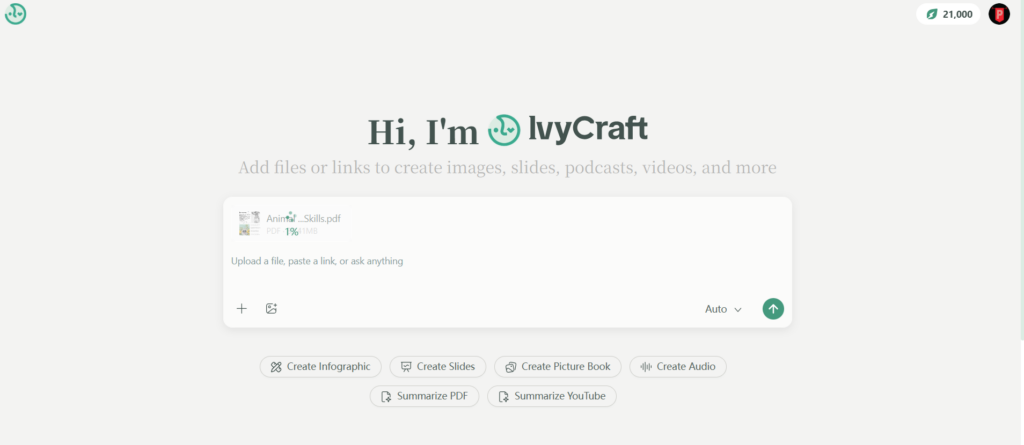
IvyCraft enters that gap. It is not just another chat box, but works more like an integrated AI creation workspace built for people who need to turn source material into finished communication assets.
What Is IvyCraft?
IvyCraft is a source-to-screen AI creation workspace. That means it starts with raw material and helps turn it into polished outputs. The input side is broad. Users can upload PDFs, paste URLs, add video links, work with audio files, or start from text. The output side is where IvyCraft becomes more interesting. It can generate infographics, slides, videos, comics, podcasts, posters, and storybook-style content from the same source base.
Advertisement
The most useful part is source tracing. When IvyCraft generates a claim, users can trace it back to the original material. AI tools are useful, but only when the user can verify where the information came from. IvyCraft is designed around that need, which makes it more practical for research, education, marketing, and business content. In other words, IvyCraft is positioned as a platform that moves beyond simple chat by turning documents, videos, and audio into multiple content formats.
How IvyCraft Was Tested?
For this review, IvyCraft was tested across two weeks of regular use. The input materials included a 20-page academic PDF on climate technology, a 45-minute YouTube investor lecture, and a recorded internal team audio memo. These were chosen on purpose. A good AI workspace should not only handle clean text. It should be able to make sense of dense research, spoken content, and messy internal material.
The outputs tested included one slide deck, one infographic, one short video, one comic strip, and one podcast script. The IvyCraft review focused on three things: whether the outputs stayed coherent, whether the design quality was usable without heavy fixing, and whether the platform reduced hallucination by tying claims back to source content.
Results:
Deep Dive: Core Features
Here are some core features of IvyCraft that you should know about:
The Source Library
The Source Library is where IvyCraft starts to feel less like a chatbot and more like a workspace.
Instead of asking questions in an empty chat window, users first upload or add their source materials. That could be a PDF report, a YouTube lecture, an audio memo, a URL, or a text document. IvyCraft then reads those materials before generating anything.
Advertisement
That matters more than it sounds. In many AI tools, users spend half the time reminding the model what the project is about. IvyCraft keeps the source context available. The workflow feels closer to building from a research folder than chatting with a general model.
For researchers, this is useful because arguments stay closer to the source. For marketers, it means one webinar or white paper can become several content assets. For teachers, a lesson can start from one video or chapter and turn into a visual learning material.
AI Infographics: The Visual Breakthrough
The infographic tool is one of IvyCraft’s strongest features. The basic process is simple. Highlight or select content, then generate an infographic. The question is whether IvyCraft simply dumps bullet points into a decorative template or actually understands the information.
The answer is mixed, but mostly positive. For the climate tech PDF, IvyCraft did more than create a circle of bullets. It grouped related ideas, separated causes from outcomes, and turned timeline-style information into a visual flow. The first version still needed refinement, mostly spacing and wording, but the logic of the layout made sense.
This is where IvyCraft stands apart from text-first AI tools. A summary is useful, but an infographic changes how quickly someone else can understand the material. The platform seems to understand that knowledge work does not end with comprehension. It ends when the idea can be communicated clearly.
Results:
Advertisement
The weaker side needs polishing. Dense source material can lead to crowded visuals. Shorter, cleaner sections produce better infographics. Still, as a first draft, the feature is strong enough to save serious time.
AI Video and Comics
The video and comic tools are built for repurposing. That is where IvyCraft starts becoming valuable for educators, marketers, and internal communication teams.
A dry report can become a short explainer video. A lecture can become a comic strip for students. A webinar can turn into short social content.
The short video output was best when the topic had a clear structure. The investor lecture, for example, converted well into a short “key takeaways” video. The pacing was acceptable, the script was readable, and the visuals followed the main ideas. It was not a replacement for a professional editor. It was, however, a very solid first version.
Result:
The voiceover quality was usable. It sounded clean enough for internal content, learning material, and social snippets. For polished brand campaigns, manual editing would still help.
The comic output was surprisingly effective for education-style content. IvyCraft turned abstract climate tech concepts into a sequence of panels that felt easier to follow than a plain summary.
The main limitation is depth. IvyCraft’s AI video feature is better for short loops, explainers, and social clips than long narrative videos. That is not a failure. It is just where the tool currently fits best.
Advertisement
AI Slides: The Gamma Competitor
Slides are where IvyCraft enters more familiar territory. Gamma, Tome, and similar tools already made prompt-to-deck generation popular.
IvyCraft’s advantage is not that it creates slides. It is that the slides are grounded in the uploaded source material.
When the climate tech PDF was converted into a deck, IvyCraft did a decent job identifying the argument structure. It opened with the problem, moved into market forces, then covered technology categories and investment implications. That is better than simply shuffling facts.
If the goal is a quick startup pitch from a short prompt, Gamma may feel faster. If the goal is a slide deck based on a real document, IvyCraft feels safer.
Source Traceability: The Fact-Check Mode
Source traceability is one of IvyCraft’s most important features.
When a generated output contains a claim, users can trace that claim back to the source. In practice, this reduces the anxiety that comes with AI-generated material. Instead of rereading the entire PDF to verify one point, users can jump back to the original section.
Advertisement
NotebookLM is already strong in source-grounded Q&A. IvyCraft’s key move is applying similar trust mechanics to creative outputs. A slide, infographic, or podcast script is more useful when it can still point back to the original source.
For casual users, this may feel like a nice bonus. For professional users, it is one of the reasons the product is worth taking seriously.
Workflow Comparison: Before Vs. After
The biggest value of IvyCraft becomes obvious when comparing workflows.
Scenario
The Old Way
The IvyCraft Way
Researcher
Read PDF for 2 hours, summarize in Word, build PowerPoint manually
Upload PDF, generate summary, convert key sections into infographic and slides
Teacher
Find YouTube video, write questions, search for images, create worksheet
Paste video URL, generate comic strip, create quiz or lesson asset
Marketing Team
Listen to webinar, transcribe audio, feed notes into ChatGPT, design assets in Canva
Upload audio, extract quotes, generate video clips and visual content
Analyst
Review long report, pull charts manually, build executive summary
Upload source, generate slide deck, trace claims back to source
Internal Team
Turn meeting audio into notes, then rewrite for updates
Upload audio memo, generate summary, podcast script, and short shareable content
This is where IvyCraft’s value becomes clearer. It does not only save time on one task. It reduces handoffs between tools.
That matters because most knowledge work is not difficult at one step. It becomes difficult because the work keeps moving between apps.
Advertisement
Why Choose IvyCraft Over NotebookLM?
NotebookLM is a strong tool. It is especially useful for source-based Q&A and audio summaries. But it has limits.
NotebookLM can help users understand sources, but its creative flexibility is narrower. Its generated images cannot be edited afterward in the same way a design workspace allows. Outside of image and podcast generation, users still rely heavily on prompts and external tools to create visual assets.
IvyCraft does not have that same limitation. It supports a wider range of outputs, including PPTX presentations, infographics, comics, podcasts, posters, videos, and more. That makes it more useful when the goal is not only to understand material but to turn that material into communication.
Source traceability is also comparable in intent. Both platforms take grounding seriously. The difference is that IvyCraft carries that traceability into more content formats.
Advertisement
So the choice is not simply “IvyCraft vs. NotebookLM.” It is more about the job. If the goal is studying and asking questions, NotebookLM works well. If the goal is turning source material into finished creative assets, IvyCraft has the broader workspace.
Head-To-Head Comparison
Feature
IvyCraft
NotebookLM
Gamma
ChatGPT
Core Output
Visual + Audio + Text
Audio + Notes
Slides
Text/Chat
Infographics
Native
No
Limited
Limited
Video/Comics
Yes
No
No
No
Podcasts
Yes
Yes
No
Script only
Slides
Yes
No native deck generation
Yes
Outline only
Source Citation
Strong visual/source tracing
Strong text grounding
Limited
Depends on input
Best For
End-to-end content creation
Study and source Q&A
Quick decks
Brainstorming and writing
IvyCraft’s strongest advantage is range. It combines analysis and creation in a way most competitors do not.
Pros And Cons
Here are some pros and cons that can help you come up with a decision:
Pros
The Glue is Real:IvyCraft brings reading, summarizing, designing, and repurposing into one flow. That is its strongest quality.
Visual IQ is Better than Expected: The infographic and comic tools are not just decorative. They often organize ideas in a way that makes sense.
Source Tracing Builds Trust: Being able to click back to original material reduces the “black box” feeling that comes with many AI tools.
Good for Repurposing: One source can become a deck, podcast, short video, and visual summary.
Cons
Video Still Works Best for Short Content: It is useful for clips and explainers, but not yet a full replacement for long-form video production.
The Workspace Model Takes Adjustment: Users coming from ChatGPT may expect to start typing immediately. IvyCraft works better when sources are uploaded first.
Visual Exports May Need Cleanup: Dense infographics and slides can require manual spacing fixes before final use.
Pricing And Value
IvyCraft’s value depends on how many tools it replaces. A typical content or research workflow may involve Canva Pro, ChatGPT Plus, NotebookLM, a video tool, a podcast tool, and a slide generator. Even if some of those tools are free, the workflow still costs time and attention.
Basic: $7.00/month with 10,000 tokens
Pro: $14.00/month with 20,000 tokens
Max: $70.00/month with 100,000 tokens
Who Is IvyCraft For?
Good Fit
Researchers and Analysts who need to turn dense source material into visual briefs, slides, or summaries.
Educators who want to make lessons more engaging by converting chapters or videos into comics, quizzes, storyboards, or audio material.
Content Marketers who need to repurpose one webinar, report, or podcast into multiple pieces of content.
Consultants who regularly turn research into decks, client summaries, and visual explanations.
Bad Fit
Coders who need advanced code execution, debugging, or notebook-style computation.
Users Who Only Need Simple Chat may find the workspace model more than they need.
FAQ
Is IvyCraft Better Than NotebookLM?
It depends on the use case. NotebookLM is excellent for source Q&A and audio overviews. IvyCraft is stronger when users need multiple output formats, such as slides, infographics, comics, podcasts, posters, and videos. It is better for creation, not just study.
Advertisement
Can IvyCraft Generate AI Podcasts From My PDF?
Yes. IvyCraft can use uploaded source material, such as PDFs, to generate podcast-style scripts or audio content. This is useful for turning long reports or research documents into easier listening formats.
Advertisement
Is The Infographic Export High Resolution?
IvyCraft’s infographic output is usable for presentations, internal reports, teaching material, and social content. Complex visuals may still need light editing, especially when the source material is dense.
Does IvyCraft Hallucinate Facts?
Advertisement
IvyCraft reduces hallucination risk by grounding outputs in uploaded sources and offering traceability. That does not mean users should skip review. It means fact-checking is much easier because claims can be traced back to the original material.
Can I Edit the Slides After AI Generates Them?
Yes. IvyCraft-generated slides can be adjusted after creation. In practice, most decks still benefit from light editing before presentation, especially around wording, spacing, and visual emphasis.
Advertisement
The Verdict
IvyCraft earns a strong 4.5 out of 5. It is not just a chat wrapper. The platform understands something many AI tools still miss: knowledge work does not stop at summarization. Most professionals need to explain, present, teach, publish, or repurpose what they learn. That is where IvyCraft stands out. It connects source understanding with content creation, and it does so across formats that usually require several tools. It still has rough edges. Some features might need improvement, but the direction is right. For anyone tired of copying text between AI tools, design apps, slide generators, and audio tools, IvyCraft feels like a serious step forward. Stop switching tabs. Start crafting. Try IvyCraft for free!
Consumer-grade 3D printers are useful for lots of things, but they kind of fall down when it comes to making stuff that survives high temperatures. [Mr. More Gooder] wasn’t deterred from a rocket build using FDM printed parts though, instead relying on water cooling to try and beat this practical limit.
The concept is simple enough—[Mr. More Gooder] printed a propane-burning combustion chamber and nozzle out of plastic that you’d totally expect to melt when the flames started. Thus, the nozzle was given fittings to allow water to be continually pumped through to try and drag away enough heat to let the rocket survive more than a few seconds. Unfortunately, during testing the uncooled combustion chamber quickly melted. A redesign with water cooling throughout performed a little better, until the water jacket began to leak into the main chamber and extinguished the flames. Melted plastic could be seen dripping out of the nozzle shortly after ignition, too.
Even if the nozzle did hold up for a longer period of time, it’s worth noting this is probably not a viable route towards a flight-ready engine. Mostly because you would need a huge supply of water to keep the components cool which would add a great deal of weight to any such build. There’s a reason NASA doesn’t recycle old drink bottles to make rocket engines, after all.
When someone searches Google, you can see exactly where you rank. When someone asks ChatGPT for a software recommendation, you have no idea whether your brand comes up at all. That gap is widening, and most rank-tracking tools were not built to close it.
This article contains affiliate links. If you make a purchase through these links, we may earn a commission at no extra cost to you.
A growing share of product research and buying decisions now starts with an AI assistant rather than a search engine. The brands showing up in those responses are gaining ground quietly, without leaving any trace in the dashboards marketing teams check every morning. Traditional SEO tools measure a world that is changing faster than most tool roadmaps can follow. Position one in Google still matters. But for an increasing number of queries — “what is the best project management tool for a remote team?” or “which SEO platform do agencies prefer?” — the first answer a potential customer sees comes from a large language model, not a search results page.
Moz, which has tracked search behaviour for over 20 years, has responded directly to this shift. Its AI SEO Toolkit, built into Moz Pro, adds three tools designed to close the gap between traditional SEO and LLM visibility, without requiring a separate platform or a second login.
Advertisement
The centrepiece is the AI Visibility dashboard. You enter your brand name, specify which terms count as mentions, add up to three competitors, and the tool begins tracking how your brand appears in responses from ChatGPT and Gemini. The dashboard shows not just whether you are mentioned, but where in the response you appear. This matters because an AI answer is not a ranked list of ten links where position three is still visible. It also plots your share of mentions against competitors on the same timeline, so you can see whether a content push, a product launch, or a press mention shifted how often an AI recommends your brand rather than a rival’s.
The other two tools in the toolkit are built to feed that outcome. AI Research surfaces the conversational prompts users are asking AI assistants about your category, paired with organic search data: monthly volume, keyword difficulty, and intent. This is the research layer, telling you which questions to answer before you know whether you are answering them. AI Content Brief then converts that research into a structured brief covering content type, target audience, locale, a sample summary, and a suggested content structure. The three tools form a loop: identify the prompts that matter, brief content to answer them, then track whether your brand earns visibility in the AI responses that follow.
What makes the timing relevant is that most competitors are not measuring this yet. The brands establishing presence in LLM-generated answers now are the ones that will be difficult to dislodge when AI-assisted search becomes the default rather than the exception. The window for building that presence without fighting for ground is still open, but it will not stay that way indefinitely.
AI Visibility is available on Moz Pro’s Medium plan and above. A free trial lets you set up your dashboard, enter your competitors, and see where your brand currently stands in AI-generated responses before committing to a plan.
If you’re a PlayStation customer who lives in the US, you may be eligible to claim part of an upcoming $7.85 million settlement payout. The case centers on an allegation that Sony “unlawfully eliminated competition and monopolized the market for [its] digital games” by no longer selling game-specific vouchers that let PlayStation owners buy digital games from different online shops.
The class-action lawsuit Caccuri v. Sony Interactive Entertainment alleged that Sony’s actions caused “consumers to pay more for certain digital games than they otherwise would have paid on the PlayStation Store.” It alleges that this action is a violation of antitrust laws, as it forces PlayStation customers to buy from a single storefront at an inflated price.
Put simply, the lawsuit alleges that Sony limited the sale of digital games on other marketplaces, funneling customers into its own PlayStation Store. Some of these games include PlayStation exclusive titles, such as The Last of Us, as well as third-party games like Mass Effect Trilogy and Resident Evil 4.
Advertisement
The lawsuit was initially settled in 2024, but the settlement was rejected twice during the approval process — most recently in July 2025 (PDF), when the presiding judge said the proposed plan “[did] not provide an estimated recovery or a range of potential recovery for class members.” The approval process was reinitiated in April.
Sony denied that it engaged in any wrongdoing or that settlement class members were damaged by its actions, and the court has not decided if the company violated any laws. Despite this, the court has preliminarily approved the $7.85 million settlement payment, subject to the court’s final approval hearing.
The settlement website is live now. The hearing is scheduled to take place on Oct. 15, and it’s meant to confirm the settlement sum, allocate up to 25% of the funds for attorneys’ fees and create a plan to distribute the rest of the money to eligible class members.
If you fit all of the criteria to be part of the Sony PlayStation game-voucher settlement, you’re automatically a class member in this lawsuit and will be able to collect a portion of the settlement money — added directly to your PlayStation Network account wallet — sometime after the final approval hearing.
Advertisement
Gamers who have deactivated their PlayStation Network accounts can apply for the settlement payment by sending qualifying purchase information to the email address info@PSNDigitalGamesSettlement.com. Customers with deactivated accounts will receive cash payments instead of PSN account accreditation.
You can opt out of the settlement if you’d like to retain your right to sue Sony separately in regard to its game-voucher sales practices. If you don’t send a written request to the court opting out of or objecting to the settlement by July 2, you will remain part of the settlement class.
Who can be part of the Sony PlayStation settlement?
Not every PlayStation owner is automatically eligible. The money is reserved for those who purchased a digital game through the PlayStation Store during a period after Sony ceased its sales of game-specific vouchers for alternative online storefronts.
In order to join, you must meet the following qualifications:
Advertisement
Be a living individual human being in the US or its territories.
Have purchased one of the eligible digital games (PDF) through the PlayStation Store between the period of April 1, 2019 and Dec. 31, 2023.
Affected individuals are automatically part of the settlement class and will receive their compensation through their PlayStation Network account wallet, subject to approval at the final hearing, the date and time of which could change. Any updates will be posted to the settlement website.
How much will the Sony PlayStation settlement pay?
It’s unclear how much each settlement class member will receive, though we know affected parties will automatically receive compensation in the form of PlayStation account funds.
Up to a quarter of the $7.85 million settlement will be used to pay attorneys’ fees, taxes and other administrative costs. The remaining settlement money will be administered equally to every settlement class member. Settlement class members will likely see a couple of dollars added to their PlayStation accounts once the funds are fully allocated.
Crostplay2 spent six months transforming the official LEGO Wall-E set into a robot that actually moves and responds on its own. Pixar fans everywhere know the official set looks perfect on a shelf yet stays completely still once assembled. Crostplay2 decided to change that completely by adding electronics, custom parts, and precise controls that bring the little trash-compacting character to life. The finished robot drives around smoothly, tilts its head, waves its arms, plays sounds from the movie, and even lights up in different patterns, all operated from a distance with a PlayStation 4 controller.
Everything starts with the LEGO Wall-E set, which was released late last year, but Crostplay2 turned the normal design on its head. They kept the famous yellow body and rails, but made room for completely new innards. The enhanced motor configuration is the true game changer; hobby-grade power allows the tracks to move like tanks, allowing you to blast forward, spin on a dime, or simply sit and spin in circles. To make things even more interesting, the right trigger accelerates the tracks, while the left joystick gives each side more independence, allowing for some really tight turns.
LEGO SET FOR ADULTS – The WALL-E and EVE (43279) building set offers adults 18 years old and up an immersive construction challenge featuring…
4 DISNEY PIXAR CHARACTERS – Builders can create iconic robots WALL-E, EVE, M-O and Hal from the hit movie—each with authentic functionality like…
MINDFUL BUILDING EXPERIENCE – This detailed construction set lets builders practice advanced construction techniques for an immersive and relaxing…
Its brain is an ESP32, which facilitates WiFi connections and allows you to connect via Bluetooth without the need for any other components. It also includes the Bluepad32 library, which allows it to communicate with a PS4 controller like a pro, ensuring that every stick, trigger, button, and even the gyroscope function as they would on your console. The cool thing is that when you tilt the controller, the head moves with it, courtesy to a bespoke dual-rod neck created from 3D-printed pieces and rods that replaced the goofy original joint. It’s pretty smooth now, and it looks as it should be after all is said and done.
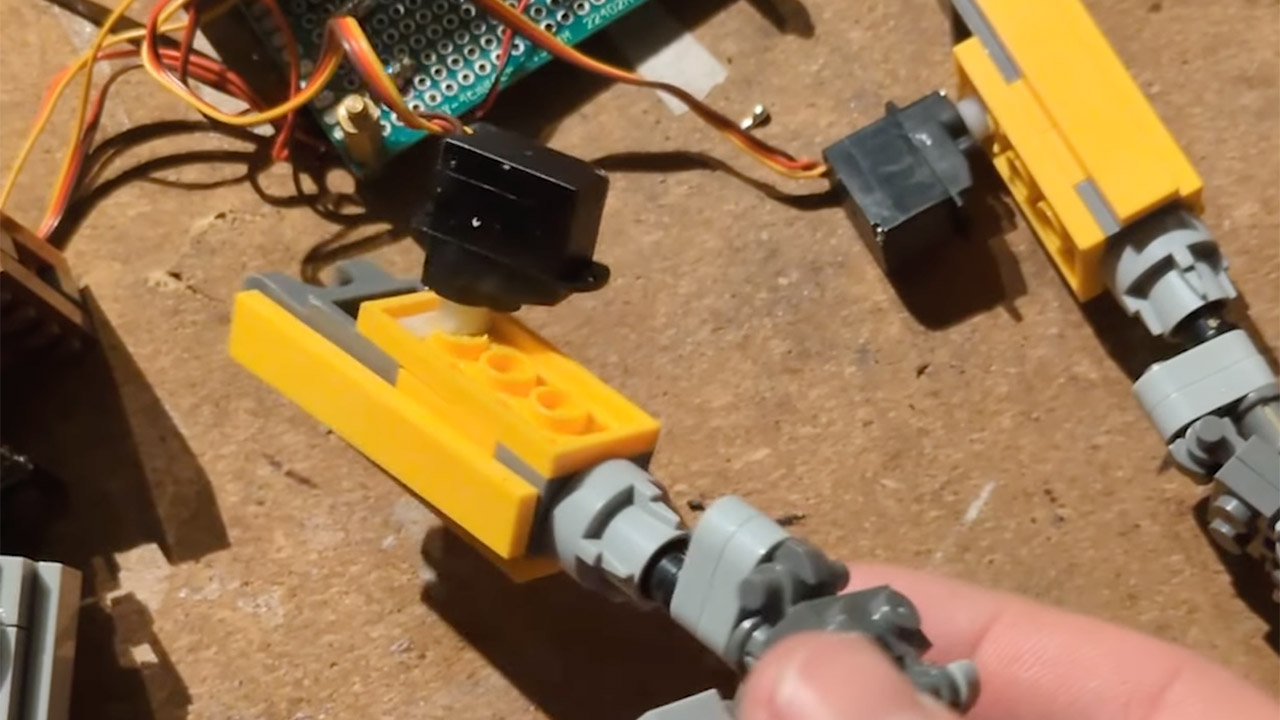
You’ll also notice a host of tiny micro servos hidden away doing their thing, such as making the arms go up and down on a timer so they don’t collide with the tracks, opening and closing the front hatch, and even adjusting the head from side to side when you press a button so it appears to be looking around. Since there weren’t enough pins on the ESP32 to handle everything, an Arduino Nano had to come in and help with the chest-mounted screen, which displays an animated solar charging graphic and tells you how much battery life you have left. Some addressable LEDs illuminate the headlights and taillights, and when the party mode is enabled, they flash all over the body like crazy. Finally, when you press the controller’s touchpad, a small speaker plays some brief and beautiful sound clips from the film.
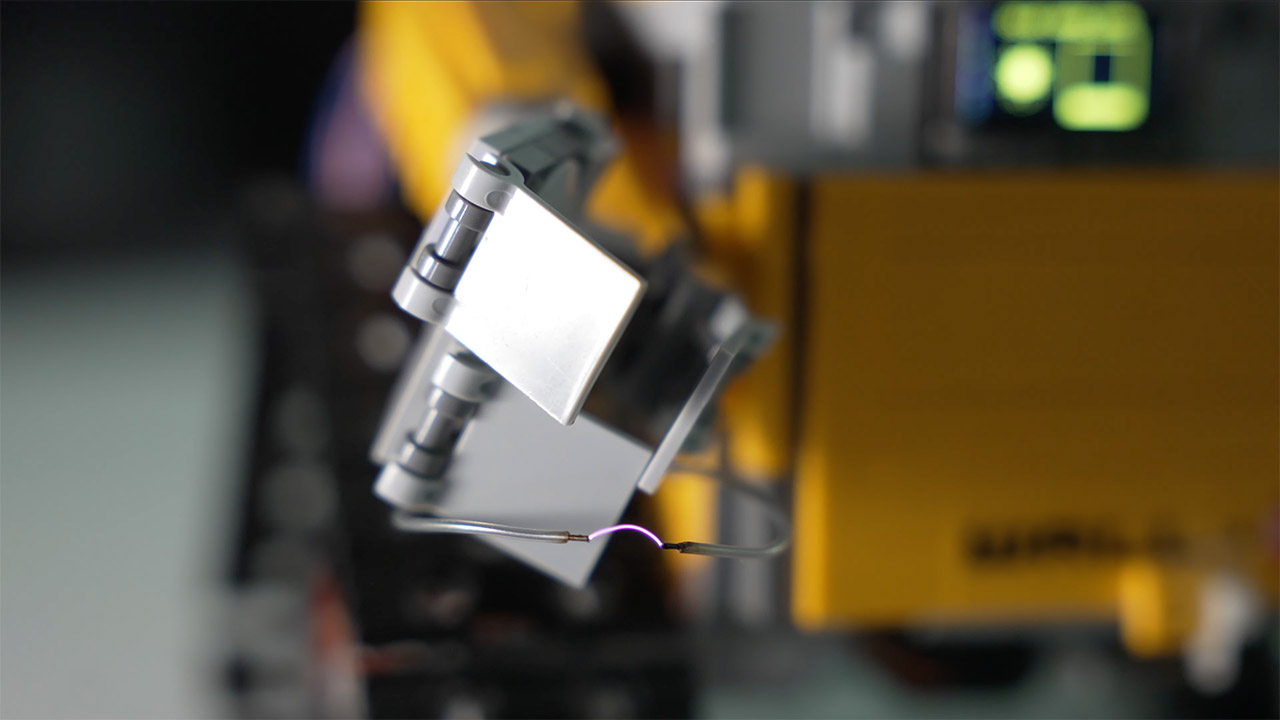
One of the most useful features is that Crostplay2 designed and printed custom mounts and gears that really work with LEGO, as normal bricks weren’t going to suffice for extra power. Thanks to those carefully printed components, the complete device seems very clean from the outside. Prioritizing safety, a small isolation switch was included to protect the motor drivers during firmware upgrades after some questionable input during the early stages of development fried a couple of boards. Crostplay2 also included a tiny 2,000-volt taser module, which allows you to create some real drama, complete with visible electrical arcs, when you want that extra burst of personality to match the movie’s daring vibe. [Source]

































































You must be logged in to post a comment Login