One of Nothing’s boldest ideas, Essential Apps, is now available for Phone 3 users, unlocking a new way to create highly personalized, AI-generated widgets for your home screen without any coding wizardry.
The feature, currently rolling out in beta through the web-based Nothing Playground platform, is an early step toward the company’s long-term vision of an AI-native operating system called Essential OS.
Create apps shaped exactly around your specific needs and context.
That’s what Essential Apps are.
You describe what you need. AI builds it. It appears on your phone’s home screen, ready to use.
But what is Essential Apps anyway? Think of it as tiny yet useful tools that do very specific things for users, in the form of a widget.
Advertisement
Want a widget that can track your water intake? Or one that finds the highest-rated restaurants in the locality (could be very useful if you travel around)? Well, the promise here is that you can create personalized widgets that perform specific tasks (tailored to your daily requirements) without writing a single line of code.
Nothing’s own example includes a widget that finds the best days and time to run outside (taking into consideration the weather and calendar).
We were promised there would be “an app for that” and for a while, it felt true. But open app stores gradually gave way to the same few default apps and platforms – built by a handful of companies, for billions of people at once.
Essential Apps can only access three device permissions for now
You can even change or edit the widget’s design or functionality after creating it. The widgets can access information from the internet as well, so that’s a plus point.
For now, the Essential Apps can access three different permissions from your smartphone: Location, Calendar, and Contacts. So, you should be able to create location or calendar-based reminders, countdowns, and one-tap navigation widgets.
In the future, the widgets should be able to access additional permissions, including camera, microphone, notifications, calling, vibration, and Bluetooth.
Advertisement
As mentioned in the beginning, the Nothing Essentials Apps Beta is currently available to Phone 3 users via a waitlist. However, the company should extend support to more devices running Nothing OS 4.0 in the near future.
Right wing broadcasters are having a very good time under Brendan Carr, who has looked to destroy all remaining media consolidation limits to let them merge. Such companies, like Sinclair, Nexstar, and Tegna, don’t do journalism so much as they do soggy, right wing propaganda and infotainment, usually with endless fear mongering about drugs, homelessness, and crime rates.
They’re just one part of the right wing’s effort to remake the entirety of media into a massive safe space for dim autocrats.
Carr’s latest effort: he rubber stamped Nexstar Media Group’s $6.2 billion purchase of Tegna behind closed doors. Carr let the merged companies ignore our remaining media consolidation limits, which prevent one company from being the primary broadcast news voice for more than 39 percent of households (the new combined company reaches 54.5 percent).
Nexstar (a very Republican friendly company that also owns The Hill), not that long ago fired a journalist whose reporting angered Trump. Combined with Tegna, the two companies will own 221 Big Four broadcast stations, or more than half of the U.S. stations affiliated with FOX, NBC, ABC, or CBS.
Advertisement
Carr’s been on a campaign to ensure these right-wing loyal companies have more power in their dealings with their national counterparts (remember how they helped Carr censor Jimmy Kimmel?). The efforts come as local Americans increasingly live in “local news deserts” where quality local journalism simply no longer exists.
Anna Gomez, the lone Democrat left at the FCC (Republicans refuse to fill the other seat), didn’t have nice things to say about Carr’s decision to ignore the public interest protections without a transparent, public vote (indicating Carr very clearly knew this would be very unpopular):
As always, Carr’s order approving the merger leverages all manner of pseudo-legalistic sounding bullshit to justify ignoring Congress and the law. And he parrots a bunch of completely empty promises by Nexstar that they’ll ramp up the production of more “local news”:
“We note that Nexstar has made significant commitments in the agency’s record as well, further ensuring that this transaction promotes the public interest. To further serve its local communities, Nexstar commits to expanding its investment in local news and programming, including increasing the amount of local news it provides in acquired markets.”
Except again, by “news” we mean right wing propaganda. And Brendan Carr never meaningfully holds corporate power accountable for anything, unless it involves a comedian making fun of the president or companies not being suitably racist enough for the president’s liking.
Eight states have already filed a lawsuit challenging the legality of the decision. The lawsuits understandably focus heavily on the competition impacts, and the likely higher cable TV prices that will result for most of you:
Advertisement
“By consolidating with a major competitor, Nexstar would likely acquire the power to charge MVPDs higher retransmission consent fees for Big 4 station content. In turn, those MVPDs would likely pass on the increased retransmission consent fees, in large measure, to their subscribers in the form of substantially higher cable and satellite bills.”
California regulators attempted to slow the process down by proposing a standard timing agreement with Nexstar, where the company would suspend its acquisition of Tegna until the state completed its investigation.
But something of particular note: on pages 16-17 of the states’ amended complaint, it becomes clear that Nexstar completely ignored the State AGs for 8 days, then ignored their lawsuit for another 18 hours, and then told the state AGs “The relief sought in your Complaint is no longer available.”
In other words, what passes for some of the only real antitrust enforcement we have (a scattered coalition of states) have to fight both consolidated corporate power and the authoritarian, corrupt government simultaneously to make any inroads in the public interest.
“This is completely unprecedented,” Free Press (the consumer group, not the Bari Weiss troll farm) Research Director S. Derek Turner told me via email. “Nexstar and the Trump DOJ and FCC seem to have acted in concert to deprive the citizens of of these 8 states their rights to have our AG enforce the antitrust laws on our behalf.”
If Carr succeeds here, I suspect it won’t be long before you see Sinclair and this new combined company merge. Carr is also fielding requests by the big four national broadcasters to eliminate restrictions preventing them from merging as well (one of many reasons they’ve been so feckless). After that, you’ll likely see more consolidation across telecom, tech, and media.
Advertisement
It is, just in case we’ve forgotten, the complete opposite of the “antitrust reform populism” Trump, and a long line of useful idiots, promised last election season.
While this is certainly an act of some desperation (less than 20% of all U.S. TV viewing is now broadcast), claiming this doesn’t matter because this is “just local broadcasting” and the “future is the internet” (something I see often) is a violent misread of the dire stakes of the situation. This aggressive, Trump-loyal consolidation hasn’t, and isn’t, just being confined to broadcast television (see: Twitter, TikTok).
This is, to be clear, a coordinated and illegal authoritarian/corporatist effort to ignore the public interest and the law to expand right wing propaganda’s power over an already clearly befuddled and broadly misinformed electorate. Right wingers will continue to engage in this quest to dominate the entirety of U.S. media (following in the steps of Victor Orban in Hungary) until they run into something other than the political and policy equivalent of soft pudding.
Isaiah Taylor was sixteen when he decided the nuclear industry had a size problem. Not that reactors were too dangerous or too expensive, though they are both, but that they were simply too big. The multi-gigawatt monuments to Cold War-era engineering that still dot the American landscape were designed for a grid that moved power in one direction: from a distant plant to a distant city. They were never meant to sit behind a hyperscaler’s fence line, feeding a cluster of GPU racks whose appetite doubles every eighteen months.
Taylor, now 27, founded Valar Atomics in 2023 to build something different. On Tuesday, the El Segundo, California-based startup announced it has raised $450 million at a $2 billion valuation, according to Bloomberg. The round comprises $340 million in equity and $110 million in debt, and it lands barely five months after a $130 million Series A that valued the company at a fraction of its current price.
The backers read like a roster of the Americandefence-tech establishment that has lately been writing enormous cheques. Palmer Luckey, the Anduril Industries founder whose company was recently reported to be pursuing a $4 billion raise at a $60 billion valuation, is an investor. So is Shyam Sankar, the chief technology officer of Palantir Technologies. The earlier Series A was led by Snowpoint Ventures, the firm co-founded by Doug Philippone, Palantir’s former head of global defence, alongside Day One Ventures and Dream Ventures. Lockheed Martin board member and former AT&T chief executive John Donovan also participated.
Valar’s pitch is built around what it calls “gigasites”, sprawling industrial campuses that would host hundreds or even thousands of small, high-temperature gas-cooled reactors operating in concert. Each unit uses helium as a coolant and TRISO fuel encased in graphite, a combination that allows the reactors to run at significantly higher temperatures than conventional light-water designs. The company says these clusters can deliver dense, steady, carbon-free power tailored to the load profiles of AI data centres, industrial manufacturers, and grid-constrained regions.
It is anaudacious answer to an increasingly urgent question: where will the electricity come from? The International Energy Agency projects that data-centre power consumption will double by 2026. Goldman Sachs estimates that 85 to 90 gigawatts of new nuclear capacity will eventually be needed to help fill the gap. Microsoft, Amazon, and Google have all signed nuclear power agreements in recent months, but the reactors those deals depend on do not yet exist at commercial scale.
Advertisement
Valar claims a meaningful head start. In November 2025, the company announced that its NOVA Core achieved zero-power criticality at Los Alamos National Laboratory’s National Criticality Experiments Research Centre, making it what the Breakthrough Institute described as the first company to reach that milestone under the US Department of Energy’s Nuclear Reactor Pilot Programme. Zero-power criticality — a self-sustaining chain reaction of uranium-235 without reaching full operating temperatures — is a necessary validation step, not a working power plant, but it is further than most of Valar’s competitors have publicly demonstrated.
The company is now preparing its Ward250 reactor, a 100-kilowatt thermal high-temperature gas-cooled unit, for power operations at the Utah San Rafael Energy Research Centre. In February 2026, the reactor was airlifted from California to Utah aboard three C-17 Globemaster military cargo aircraft in a joint operation between the Departments of Defence and Energy — a logistical stunt that doubled as a proof of concept for rapid reactor deployment. Valar is targeting operational status before 4 July 2026, the deadline the DOE set for three reactors in its pilot programme to achieve criticality.
Taylor’s trajectory has beenunconventional even by deep-tech standards. A self-taught coder who launched his first venture as a teenager, he comes from a family with nuclear roots: his great-grandfather, Ward Schaap, was a physicist on the Manhattan Project. The Ward250 reactor carries Schaap’s name. Taylor has assembled a leadership team that includes Mark Mitchell, the former president of Ultra Safe Nuclear Corporation, and Muhammad Shahzad, the former president and chief financial officer of Relativity Space.
The competitive field is crowded and well-funded. TerraPower, backed by Bill Gates, broke ground on a sodium-cooled reactor in Wyoming last year. Kairos Power is building a molten-salt demonstration plant in Tennessee. X-energy has a partnership with Dow Chemical for an industrial HTGR. Oklo, which went public via a SPAC in 2024, is developing a fast-neutron microreactor. None has yet delivered commercial power from an advanced design.
Advertisement
Valar has also taken a combative approach to regulation thatfew young companies would risk. In April 2025, the startup sued the Nuclear Regulatory Commission, arguing that the agency’s licensing framework unlawfully restricts small-scale reactor innovation by requiring the same approval process for low-power test reactors as for full-scale commercial plants. The lawsuit, filed alongside the states of Texas, Utah, Louisiana, Florida, and Arizona, as well as fellow reactor startups Last Energy and Deep Fission, seeks to shift regulatory authority for small reactors to individual states. The case has since been paused amid the Trump administration’s broader executive order to overhaul the NRC.
The $2 billion valuation places Valar among the most richly valued nuclear startups in the United States, a distinction that would have seemed absurd five years ago. Whether the premium reflectsgenuine confidence in the technology or the gravitational pull of AI-adjacent capitalis a question the next eighteen months should begin to answer. If the Ward250 reaches power operations in Utah this summer, Valar will have done something no advanced-reactor startup has managed: moved from incorporation to criticality to grid-connected electricity in roughly three years. If it does not, $2 billion will buy a very expensive physics experiment in the desert.
A delivery of medical supplies by Project C.U.R.E. (Project C.U.R.E. Photo)
[Editor’s Note: Agents of Transformation is an independent GeekWire series, underwritten by Accenture, exploring the adoption and impact of AI and agents. See coverage of our related event.]
Project C.U.R.E. had the answers. Decades of repair manuals for X-ray machines, anesthesia equipment and other medical devices — plus inventory data for the 250 semi-truck containers of supplies it ships to clinics worldwide every year. The problem was access: the archives had grown too large for any one person to navigate.
Now the nonprofit is turning to AI to start unlocking those resources, using the technology to predict future supply needs and search its manuals database for specific fixes.
“We’ve got almost 40 years of manuals,” said Doug Jackson, CEO of Project C.U.R.E., a Denver nonprofit providing medical aid. “There’s no way that any one person can sit down in a room and read through all those manuals. But AI can.”
Project C.U.R.E. was among 1,500 organizations in Bellevue, Wash., last week for Microsoft’s Global Nonprofit Leadership Summit, which centered on a high-stakes paradox for the social sector. The event’s focus was accelerated AI adoption and agentic tools, but the move toward automation keeps running into the gap between the technology’s potential and the real costs, skills and time required to deploy it.
Advertisement
Children International, a Kansas City-based organization serving impoverished youth, found a way to bridge that divide. Its employees are using AI agents for tasks including bulk translation of the letters sent from donors to children receiving their support.
“We had to do something different,” said Tim Batcha, vice president of Global Information Technology at Children International, speaking at the summit. He explained that too much effort was going toward day-to-day operations instead of advancing the nonprofit’s core mission.
To help others eager to deploy AI, the tech giant last Wednesday unveiled Microsoft Elevate for Changemakers, which expands the company’s Elevate program launched last July.
The initiative has three components:
Advertisement
“AI for Nonprofits” credential: The professional certificate created with LinkedIn and NetHope develops skills applicable for this specific sector.
AI skills training: Live and on-demand instruction modules are focused on nonprofit needs and target areas such as Microsoft Copilot’s agentic tools, change management and responsible AI governance.
Changemaker Fellowship: The program creates a global cohort supporting fellows deploying AI in their operations and is funded by Microsoft, EY, Caribou and others.
Inclusion and anxiety
Justin Spelhaug, president of Microsoft Elevate, left, and Tim Batcha, vice president of Global Information Technology at Children International, speaking at a Microsoft summit on March 25. (GeekWire Photo / Lisa Stiffler)
Changemakers aims to address challenges Microsoft own leaders’ repeatedly acknowledged at the summit — that while AI is likely to be one of the most influential technologies of this era, it’s also creating widespread concerns around job loss and other community impacts and threatens to further widen tech inequities worldwide.
“This defining moment of our time can either be more inclusive or it can be less inclusive based on the decisions that we make in rooms like this all around the world,” said Justin Spelhaug, director of Microsoft Elevate, addressing attendees.
Microsoft President Brad Smith said that one of the best ways to overcome fears and build support for AI is to get people using the technology at home and in their work.
“Anxiety, especially in the United States, has reached people before AI has,” Smith said.
Advertisement
The company has committed to providing more than $5 billion in support for nonprofits over the next year alone through discounts and donations of its technology, as well as grants.
In an interview with GeekWire, Spelhaug pointed to two key operations where AI is likely to have the greatest impact for nonprofits:
Answering calls from the people served by the organizations to answer basic questions and address straightforward needs, replacing automated phone systems with a “press 1, press 2” menu.
Improving fundraising by tracking donor information, providing personalized communications and supporting lead follow ups.
“There’s no shortage of problems in the world to solve,” Spelhaug said. “Let’s get people solving those problems and AI taking care of the work that it can take care of.”
AI ambitions and experiments
Seattle-based Evergreen Goodwill is testing AI as a tool for managing the millions of pounds of donated apparel and household goods every year that it sells or tries to recycle.
The century-old nonprofit was selected last year as an AI for Good Lab grant recipient and is using the funds to pilot the use of AI in pricing some of the roughly 26 million items it processes annually. It’s testing computer vision tech at one site that scans items and suggests prices — currently requiring staff to display individual items, but eventually aimed at an automated system.
Advertisement
Manually sorting and pricing “is very high stress,” said Brent Deim, Goodwill’s vice president of technology. The tech should help employees work faster, build AI skills, and its language capabilities can open up roles for people with limited English.
The AI-enabled tech should also result in more consistent pricing, prevent undervaluing of items, and ultimately increase proceeds that fund its free education and job training programs.
Evergreen Goodwill needs to price 26 million donated items each year to sell in its stores. (Evergreen Goodwill Photo)
And those initiatives are another opportunity for integrating AI, said Huan Do, Goodwill’s VP of mission advancement. Do is eager to apply the Changemakers’ AI credential to the programs to “enable our students to be the best employees available for a 21st century workforce.”
Rapid pace of change
Jackson of Project C.U.R.E. has his own ambitious ideas for AI. One is to create videos with avatars that guide healthcare workers in remote communities in repairing broken medical devices themselves — avatars that reflect the people being assisted, speaking their language and dialect.
But he also recognizes the hurdles to making AI initiatives a reality. For his 35-person team — even with 35,000 volunteer supporters — budget and staffing constraints loom large.
Advertisement
So do the challenges of digitizing historic paper records, persuading clinics to enter current operational data, and navigating privacy and data-use concerns. Keeping pace with rapidly evolving technologies, and ensuring those technologies can talk to one another, add further pressure.
“I’m just sitting here thinking, ‘Oh man, we are so far behind already,’” Jackson said after a tech demo at the summit. “We’ll try to get there.”
The Harbor Freight tool ecosystem includes plenty of quality gear. The retailer prioritizes great prices on equipment that’s no less valuable in actual use than more expensive types. Harbor Freight sells a range of in-house brands under a variety of toolmaker badges, focusing on automotive equipment, power and hand tools, and even accessories like safes, workbenches and other storage solutions. But there are some tools sold by the outlet that demand a bit of experience and knowledge to use safely or correctly.
DIYers are often eager to get their hands on a new piece of gear. This can give them the motivation they need to set off on a journey of discovery as they tackle the next exciting project on their to-do list. Yet some tools are far more difficult to use than others, introducing issues or safety concerns for those with limited experience or who don’t know how they operate. There’s also a wide range of tools that may feature simple operation, but are only utilized in support of extremely demanding tasks that beginners may not be ready to handle. These 12 tools epitomize this slate of issues. Yet, in many cases bringing their output within your wheelhouse is all about brushing up on your knowledge base; home improvement YouTube channels, online forums, and work within smaller, similar project areas can prepare you a bit better to enlist the help of these pieces of equipment.
Advertisement
Bauer 20V 4-1/2-Inch Slide Switch Angle Grinder
The Bauer 20V 4-1/2-Inch Slide Switch Angle Grinder is an obvious inclusion on a list of tools the beginners might want to rethink. This type of equipment is supremely versatile power, as it can be deployed for cutting, shaping, and even surface preparation tasks like sanding. But this is a tool that feels bound by a blood feud against its owner every time the disc spins up. Angle grinders produce incredible rotational force, and so you’ll want to be extra careful about keeping a firm grasp as you use one. This Bauer model also features a slide switch, which can be a little more dangerous than a paddle-operated solution because it’s unlikely you’ll be holding it at the switch while in use, prompting routine use of the lock-on position. The paddle switch on a tool like an alternative Hercules model features better trigger placement, allowing you to cut the power with much greater ease.
Advertisement
A beginner might still be enticed by the Bauer model, particularly because of its $40 price tag. It does possess a tool-free blade guard and a dual-position side handle. Opting for this tool isn’t necessarily a mistake, but understanding that the unit produces up to 10,500 RPM with a lock-on functionality that you’ll use virtually every time you reach for the grinder (speaking from experience) will keep you safer.
Advertisement
Pittsburgh Needle File Set (12-Piece)
Harbor Freight’s range of accessory tools is robust; plenty of options in this part of its catalog are certainly impressive. The Pittsburgh Needle File Set offers extensive coverage across a range of file geometries that can help support innumerable tasks ranging from touching up a shovel’s edge to keeping your lawn mower’s blades in good working order. The set it is listed at Harbor Freight for just $4, adding an element of cost effectiveness that is truly rare for such a hard hitting option with tremendous versatility. There’s absolutely nothing wrong with this set of files and 601 Harbor Freight buyers have given it a 4.6 star average rating with a 98% recommendation rate.
Where this tool set falls short for beginners is at the back end of each file; none of the tools come with a handle. This is just fine for users who understand how to add them, or perhaps prefer to tackle detail work without one attached for greater control. But this demands a different level of dexterity and command that beginners may not have mastered yet. Pittsburgh also offers a 10-piece needle file set as well as a 12-piece precision set that each feature handles attached to the tools alongside price tags that remain below $10.
Advertisement
Pittsburgh 8-Pound Hickory Sledgehammer
Most tasks featuring a hammer won’t require truly excessive pounding force, but demolition can sometimes demand a sledgehammer. There’s nothing quite like knocking down wall elements with a heavy sledge. Sometimes it’s impractical, and a different demo tool like a reciprocating saw might do a better job, but it’s undeniable how much fun you’ll have smashing apart components bound for the trash heap. However, beginners might not realize until they swing their sledgehammer for the first time that varying handle materials can play a significant role in the experience. The hammer that gets the nod on this list is the outlet’s Pittsburgh 8-Pound Hickory Sledgehammer.
The potential trouble here is that while a wooden handle offers a traditional feel and better responsiveness to the user, it also translates vibration significantly more freely into the hands. For the same reason that youth players don’t swing wooden bats while the pros exclusively carry lumber to the plate, a wooden handle on your striking tool can ultimately send painfully uncomfortable shockwaves running through your forearms. Pittsburgh also offers an 8-pound fiberglass-handled option for $27, just two bucks more than the hickory selection.
Advertisement
Bauer 15 Amp 14-Inch Portable Concrete Pull Saw
The consaw is a critically important tool for anyone working with brick, block, or concrete. It’s something of a demolition tool, but it can also be used to cut material to length during installation tasks. This is a tool that delivers immense power to support some of the hardest cutting requirements you’ll encounter. I’ve rented a consaw on a few occasions, and they’ve always been gasoline-powered models laid out in the traditional format for a classic power output and surprisingly buttery smooth cutting performance. I don’t have personal experience with the Bauer 15 Amp 14-Inch Portable Concrete Pull Saw, but two important features underpinning its use give me pause as someone who’s used tools in this arena before.
It’s worth noting that the tool is listed at Harbor Freight for $300, which is significantly cheaper than the typical consaw that can easily cost thousands of dollars. It also features a 4.2 star average rating from 235 buyers. However, the corded power source means that your mobility may ultimately be severely restricted. It’s also designed to cut on a pull stroke, specifically. This can limit your ability to make clean cuts in vertical walls and other elements, but is likely to enhance accuracy when cutting stock in a horizontal motion.
Advertisement
Windsor Design No. 33 Bench Plane
Harbor Freight offers a small selection of hand planes. The Windsor Design No. 33 Bench Plane appears to be a beautifully crafted woodworking tool, featuring a 23-degree blade angle, hardwood handles with brass fittings, and a high carbon steel cutting blade measuring 2-¾ inches wide for quality cutting and a pleasant experience all around. The tool is listed for $13, making it a cost-effective option that’s likely even more approachable than vintage gear you’d find at a garage sale. However, this is a tool that frequently gets middling to poor user ratings: It features a 3.7 star average from 779 buyers.
Advertisement
Numerous users report that the blade is not razor sharp out of the package and that additional elements of setup work are required to get the plane to take a smooth shaving. It’s simply not ready to use out of the box. To be fair, a $13 precision woodworking tool really shouldn’t be compared directly to much more expensive alternatives that might be capable of transitioning straight from packaging to workbench. Expectation and knowledge about plane maintenance can really trip up a beginner woodworker with this unit. If you aren’t aware of the tasks involved in preparing a hand plane for service, you may ultimately find more frustration with this tool than enjoyment.
Advertisement
Fasten-Pro Tacking Gun
The Fasten-Pro Tacking Gun looks to be the same kind of tool as any other staple gun you might consider. Because of this visual similarity it’s easy to mix up heavy duty tacking guns and staplers designed for lighter service. This unit from Harbor Freight gets quality reviews, with a 4.2 star average rating from 436 buyers, but it’s not the right tool for handling light fastening tasks. Instead, this fires heavy gauge T-50 style staples suitable for use in hardwoods and even soft metal components.
The tacking gun is a quality option for handling heavier fastening formats, but it’s actually not the best solution for this kind of work in many instances. If you’re driving lots of heavy duty staples into workpieces, the Fasten-Pro hammer tacker is often the better solution because it’s much faster and also limits the amount of force placed on your hands and forearms.
If lighter duty jobs or on the docket, the same brand is still a go-to option, with a three-way tacker and staple gun that delivers standard brad fasteners or U-shaped staples. This tool offers a lighter touch when a heavy dollop of force that would come from a tool like the tacking gun might damage your work surface. Finally, Fasten-Pro’s 2-in-1 stapler/brad nailer offers the same nuanced touch with an electric-powered actuation rather than your grip strength.
Advertisement
Pittsburgh 28-Inch Cable Cutters
The Pittsburgh 28-Inch Cable Cutters is yet another tool that makes this list, but not because it’s a bad implement or fails to achieve a similar standard to alternative solutions. Instead, it exists within a niche subsection of the DIY world in which users will be buying the tool to support a specific, often highly demanding task. Heavy-duty cable cutters like this are not pulled out of the toolbox to shear through small wires designed to carry minimal current. This tool features 28-inch handles to deliver the extreme leverage required to bite into armored cables and other dense power supply lines. Anytime you’re working with electricity, it’s crucial to ensure that you’ve taken the time to prepare the environment and double check your safety protocols. There are a range of mistakes that DIYers frequently make during electrical tasks; many of them come from a lack of experience and can result in shocks or injuries.
By all accounts this is a high quality tool, with 432 customers giving it a 4.1 star average rating. They like its $25 price point and note routinely that it can cut with ease through even thick cable and wire rope. But users will need to be abundantly careful when pulling out these cutters to ensure they aren’t preparing to snip through a live wire carrying a dangerous amperage level. Fortunately, electrical safety is exceedingly simple as long as you’re diligent about your checks and workflow.
Advertisement
Chicago Electric Power Tools 7 Amp 4-Inch Handheld Dry-Cut Tile Saw
Cutting tile isn’t a job for the faint of heart. Even with quality tools at your disposal, this is a nerve-wracking task that requires precision and patience. Maintaining deliberate action throughout a cut and moving at the right speed to limit chipping or breakage is essential. For this reason, many users across all levels of knowledge and skill tend to gravitate toward bulkier, stationary cutting implements, frequently involving moving the workpiece rather than the blade. A tool like the Chicago Electric Power Tools 7 Amp 4-Inch Handheld Dry-Cut Tile Saw runs counter to this preference.
Advertisement
The tool retails for just $40, making it an affordable power tool. It also sports a 4.4 star average rating from 475 customer reviews, indicating that so can be useful in the right hands. Personally, I have limited experience cutting tile but I did try once with an angle grinder, failing miserably to keep the edges clean. However, I’ll add that anytime you leave a chipped edge, there’s a high probability of creating a razor-sharp side while throwing equally dangerous chips around your workspace. Therefore, any tile job you encounter requires care and attention. The tool itself delivers 12,000 RPM blade speeds with the ability to cut material up to 1-⅛-inch thick.
Advertisement
Central Machinery 7 Horsepower Plate Compactor
A plate compactor is a heavy-duty power tool, frequently running on a gasoline engine. The Central Machinery 7 Horsepower Plate Compactor is exactly this kind of device, and offers plenty of pounding force to flatten hard landscaping material. The tool gets great reviews from buyers, with a 4.7 star average rating across 250 reviews and a 97% recommendation rate. It’s listed for $700, which is a pretty good bargain when considering the high cost alternatives out there in the market. Where a beginner may falter with a tool like this is in their project scope.
Even a small landscaping job requiring a plate compactor tends to leverage a huge volume of heavy material. Last year, when installing a paver driveway, I rented one of these tools; the task of compacting my subbase material was straightforward and enjoyable. What was far more time-consuming was the actual task of laying gravel and sand. A one-car installation required substantial excavation alongside 8 tons of replacement material in addition to the paver bricks themselves, which are no picnic to move either. If you aren’t fully prepared for the physicality of the tasks that come before a plate compactor makes its entrance in your project workflow, you’ll likely be rethinking your decision about handling the job yourself.
Advertisement
Pittsburgh 7-Inch Poly Hand Riveter Kit
Rivets form an important addition to any renovator’s fastening capabilities. You’ll often lean on nails and screws, but rivets are just as valuable when securing fabrics and other materials to wood or even in handling repairs to clothing. Riveters are a key tool when using these fasteners. Among Harbor Freight’s options is the Pittsburgh 7-Inch Poly Hand Riveter Kit. It’s a one-handed tool that promises to set rivets of varying sizes “perfectly in a single stroke.” For those with experience handling a riveter, this may be the case, but operating this type of tool with one hand can be challenging for beginners. The force required to collapse a rivet and set the back end for a secure hold is fairly substantial. Doing it without two hands on the tool can ultimately be more effort than many are ready to deliver.
A classic riveter that offers more leverage is the Fasten-Pro 11-inch model. It features a 360-degree swivel head and comes with four nosepieces for great coverage across a range of needs. Another selection that can make for an enhanced experience is the Doyle 10-inch professional model. It’s a little more expensive, but features a “100% lifetime guarantee” and offers even greater leverage with an ergonomic grip design and a range of color-coded nosepieces.
The Hercules 15 Amp 66-Pound 1-⅛-Inch Hex Breaker Hammer is a heavy-duty tool that serves one hyper-specific purpose. It’s not like a rotary hammer that can function as a drilling tool or a concrete chipping option, as it just performs the singular demolition task. Instead, this tool exclusively delivers up to 58 joules of impact energy, making it capable of immense power output in support of large scale demolition. It’s exceptionally capable, but the job it’s designed to handle isn’t one that many beginner tool users will want to take on by themselves.
Breaking up large concrete segments is a multi-stage job. First you’ll need to destroy the element using a tool like the breaker hammer. This option offers 1,000 beats per minute while also utilizing a built in Maximum Vibration Control to keep user fatigue to a minimum. But that’s only part of the task. Removing the heavy concrete remnants is an entirely new and demanding subtask that can’t be ignored once the initial demolition is completed. As a result, this is easily a job that can make you feel like you’re in over your head.
Advertisement
Bauer 4 Cubic Foot Cement Mixer
The Bauer 4 Cubic Foot Cement Mixer is a tool with 190 ratings from customers, accumulating a 4.8 star average with a 98% recommendation rate. Customers frequently note that it’s easy to use while delivering high quality at a low price. The tool can support mixing tasks featuring up to two 80-pound bags of concrete, mortar, stucco, or other needs. This makes it quality option in support of medium to semi-large concrete tasks or finish work like plastering or rendering walls. Even on smaller projects, having a dedicated mixer available can take a lot of the hassle out doing this job yourself. The tool is available for $380, which is by all accounts a very reasonable price point.
Advertisement
Anyone in the market for a concrete mixing solution will certainly want take a look at this tool. However, it usually takes a special kind of project to demand a mixer like this. You’re often going to seek out mixing solutions for larger pours or substantial plastering tasks rather than small touchup work. As a result, all the other elements of the project are frequently intensely demanding. This may not always be feasible for a home improver, and getting halfway through before realizing you’re way past your comfort zone can sometimes be worse than starting from scratch with professional help.
Advertisement
Methodology
Each of the tools on this list presents unique challenges of one type or another. Frequently, there’s a different option from Harbor Freight that may be better suited to a beginner’s needs. However, some jobs that these tools are specifically designed to fulfill may be better left to professionals. Potentially dangerous tools can increase the risk of injury in the hands of a less experienced operator, while others are purpose-built for heavy duty work that can quickly become overbearing on a beginner who may not have fully prepared for the amount of work ahead.
Although the jogging stroller is a fixture of suburban life, allowing parents the opportunity to get some exercise while letting their young children a chance for some fresh air, it would seem like the designers of these strollers have never actually gone for a jog. Requiring a runner to hold their hands at fixed positions can be incredibly uncomfortable and disrupts most people’s strides and cadence — so [John] attempted to solve the problem after finding one of these strollers on the secondhand market.
While there are some purpose-built strollers that attempt to address these issues, they can be pricey. Rather than shell out for a top-dollar model, [John] got to work with his 3D printer and created a prototype device that allows him to attach the stroller at his waist while leaving his hands free. There were a few problems to overcome here, the first of which would cause the device to buckle under certain loading situations. This was solved with some small pieces of rope which act as flexible bump stops, keeping the hinge mechanism from binding up. Another needed to be solved with practice, which was that it took some time to be able to steer the stroller without using one’s hands.
As an added bonus, [John] also included a system that tracks the distance the stroller has traveled. Using a hall effect sensor and a magnet attached to the wheel, a small microcontroller is able to quickly calculate distance and display it on a tiny screen mounted near the handlebars. Although smartphones are handy, their GPS systems can be surprisingly inaccurate, so a system like this can be a better indicator since it’s being directly measured. All in all, not a bad few upgrades to a secondhand stroller.
As generative AI matures from a novelty into a workplace staple, a new friction point has emerged: the “shadow AI” or “Bring Your Own AI (BYOAI)” crisis. Much like the unsanctioned use of personal devices in years past, developers and knowledge workers are increasingly deploying autonomous agents on personal infrastructure to manage their professional workflows.
“Our journey with Kilo Claw has been to make it easier and easier and more accessible to folks,” says Kilo co-founder Scott Breitenother. Today, the company dedicated to providing a portable, multi-model, cloud-based AI coding environment is moving to formalize this “shadow AI” layer: it’s launching KiloClaw for Organizations and KiloClaw Chat, a suite of tools designed to provide enterprise-grade governance over personal AI agents.
The shadow AI crisis: Addressing the BYOAI problem
The impetus for KiloClaw for Organizations stems from a growing visibility gap within large enterprises. In a recent interview with VentureBeat, Kilo leadership detailed conversations with high-level AI directors at government contractors who found their developers running OpenClaw agents on random VPS instances to manage calendars and monitor repositories.
“What we’re announcing on Tuesday is Kilo Claw for organizations, where a company can buy an organization-level package of Kilo Claws and give every team member access,” explained Kilo co-founder and head of product and engineering Emilie Schario during the interview.
“We can’t see any of it,” the head of AI at one such firm reportedly told Kilo. “No audit logs. No credential management. No idea what data is touching what API”.
This lack of oversight has led some organizations to issue blanket bans on autonomous agents before a clear strategy on deployment could be formed.
Advertisement
Anand Kashyap, CEO and founder of data security firm Fortanix, told VentureBeat without seeing Kilo’s announcement that while “Openclaw has taken the technology world by storm… the enterprise usage is minimal due to the security concerns of the open source version.”
Kashyap expanded on this trend:
“In recent times, NVIDIA (with NemoClaw), Cisco (DefenseClaw), Palo Alto Networks, and Crowdstrike have all announced offerings to create an enterprise-ready version of OpenClaw with guardrails and governance for agent security. However, enterprise adoption continues to be low.
Enterprises like centralized IT control, predictable behavior, and data security which keeps them compliant. An autonomous agentic platform like OpenClaw stretches the envelope on all these parameters, and while security majors have announced their traditional perimeter security measures, they don’t address the fundamental problems of having a reduced attack surface. Over time, we will see an agentic platform emerge where agents are pre-built and packaged, and deployed responsibly with centralized controls, and data access controls built into the agentic platform as well as the LLMs they call upon to get instructions on how to perform the next task. Technologies like Confidential Computing provide compartmentalization of data and processing, and are tremendously helpful in reducing the attack surface.”
Advertisement
KiloClaw for Organizations is positioned as the way for the security team to say “yes,” providing the visibility and control required to bring these agents in-house.
It transitions agents from developer-managed infrastructure into a managed environment characterized by scoped access and organizational-level controls.
Technology: Universal persistence and the “Swiss cheese” method
A core technical hurdle in the current agent landscape is the fragmentation of chat sessions.
During the VentureBeat interview, Schario noted that even advanced tools often struggle with canonical sessions, frequently dropping messages or failing to sync across devices.
Advertisement
Schario emphasized the security layer that supports this new structure: “You get all the same benefits of the Kilo gateway and the Kilo platform: you can limit what models people can use, get usage visibility, cost controls, and all the advantages of leveraging Kilo with managed, hosted, controlled Kilo Claw”.
To address the inherent unreliability of autonomous agents—such as missed cron jobs or failed executions—Kilo employs what Schario calls the “Swiss cheese method” of reliability. By layering additional protections and deterministic guardrails on top of the base OpenClaw architecture, Kilo aims to ensure that tasks, such as a daily 6:00 PM summary, are completed even if the underlying agent logic falters.
This is critical because, as Schario noted, “The real risk for any company is data leakage, and that can come from a bot commenting on a GitHub issue or accidentally emailing the person who’s going to get fired before they get fired”.
Product: KiloClaw Chat and organizational guardrails
While managed infrastructure solves the backend problem, KiloClaw Chat addresses the user experience. Schario noted that “Hosted, managed OpenClaw is easier to get started with, but it’s not enough, and it still requires you to be at the edge of technology to understand how to set it up”. Kilo is looking to lower that barrier for the average worker, asking: “How do we give people who have never heard the phrase OpenClaw or Claudebot an always-on AI assistant?”.
Advertisement
Traditionally, interacting with an OpenClaw agent required connecting to third-party messaging services like Telegram or Discord—a process that involves navigating “BotFather” tokens and technical configurations that alienate non-engineers.
“One of the number one hurdles we see, both anecdotally and in the data, is that you get your bot running and then you have to connect a channel to it. If you don’t know what’s going on, it’s overwhelming,” Schario observed.
“We solved that problem. You don’t need to set up a channel. You can chat with Kilo in the web UI and, with the Kilo Claw app on your phone, interact with Kilo without setting an external channel,” she continued.
This native approach is essential for corporate compliance because, as she further explained, “When we were talking to early enterprise opportunities, they don’t want you using your personal Telegram account to chat with your work bot”. As Schario put it, there is a reason enterprise communication doesn’t flow through personal DMs; when a company shuts off access, they must be able to shut off access to the bot.
Advertisement
Looking ahead, the company plans to integrate these environments further. “What we’re going to do is make Kilo Chat the waypoint between Telegram, Discord, and OpenClaw, so you get all the convenience of Kilo Chat but can use it in the other channels,” Breitenother added.
The enterprise package includes several critical governance features:
Identity Management: SSO/OIDC integration and SCIM provisioning for automated user lifecycles.
Centralized Billing: Full visibility into compute and inference usage across the entire organization.
Admin Controls: Org-wide policies regarding which models can be used, specific permissions, and session durations.
Secrets Configuration: Integration with 1Password ensures that agents never handle credentials in plain text, preventing accidental leaks.
Licensing and governance: The “bot account” model
Other security experts note that handling bot and AI agentic permissions are among the most pressing problems enterprises are facing today
As Ev Kontsevoy, CEO and co-founder of AI infrastructure and identity management company Teleport told VentureBeat without seeing the Kilo news: “The potential impact of OpenClaw as a non-deterministic actor demonstrates why identity can’t be an afterthought. You have an autonomous agent with shell access, browser control, and API credentials — running on a persistent loop, across dozens of messaging platforms, with the ability to write its own skills. That’s not a chatbot. That’s a non-deterministic actor with broad infrastructure access and no cryptographic identity, no short-lived credentials, and no real-time audit trail tying actions to a verifiable actor.”
Advertisement
Kilo is proposing to solve it with a major change in organizational structure: the adoption of employee “bot accounts”.
In Kilo’s vision, every employee eventually carries two identities—their standard human account and a corresponding bot account, such as scott.bot@kiloco.ai.
These bot identities operate with strictly limited, read-only permissions. For example, a bot might be granted read-only access to company logs or a GitHub account with contributor-only rights. This “scoped” approach allows the agent to maintain full visibility of the data it needs to be helpful while ensuring it cannot accidentally share sensitive information with others.
Addressing concerns over data privacy and “black box” algorithms, Kilo emphasizes that its code is source available.
Advertisement
“Anyone can go look at our code. It’s not a black box. When you’re buying Kilo Claw, you’re not giving us your data, and we’re not training on any of your data because we’re not building our own model,” Schario clarified.
This licensing choice allows organizations to audit the resiliency and security of the platform without fearing their proprietary data will be used to improve third-party models.
Pricing and availability
KiloClaw for Organizations follows a usage-based pricing model where companies pay only for the compute and inference consumed. Organizations can utilize a “Bring Your Own Key” (BYOK) approach or use Kilo Gateway credits for inference.
The service is available starting today, Wednesday, April 1. KiloClaw Chat is currently in beta, with support for web, desktop, and iOS sessions. New users can evaluate the platform via a free tier that includes seven days of compute.
Advertisement
As Breitenother summarized to VentureBeat, the goal is to shift from “one-off” deployments to a scalable model for the entire workforce: “I think of Kilo for orgs as buying Kilo Claw by the bushel instead of by the one-off. And we’re hoping to sell a lot of bushels of of kilo claw”.
That’s a massive $1250 saving on a machine packed with serious hardware. At the center of the Nimo N159 is an 8-core AMD Ryzen 7 7735HS processor paired with Radeon 680M graphics which delivers nippy performance across demanding tasks, creative workflows, and heavy multitasking.
Backing that up is 32GB of DDR5 RAM, giving the system plenty of headroom for running multiple applications.
Advertisement
Today’s top creative laptop deal
A large 1TB NVMe SSD provides fast boot times, quick app launches, and enough space for projects, media libraries, and everyday files.
The 15.6-inch Full HD IPS display promises clear visuals with wide viewing angles, making it comfortable to use for long sessions. A nearly 180-degree hinge adds flexibility when sharing content or adjusting the screen to suit different working positions.
While the integrated graphics card is going to limit use for video editing, the high-performance Ryzen 7 processor coupled with 32GB DDR5 RAM is an essential for photo editing, particularly if you’re creating images for online. I can’t see color gamut listed here or on the official website, so I can’t recommend it for print-ready content creation.
Advertisement
A built-in fingerprint reader allows quick sign-ins, and a physical webcam privacy switch gives direct control over camera access when you’re not using it.
It’s powered by a 54Wh battery paired with 100W USB-C fast charging support. The laptop includes HDMI and five USB ports, as well as Wi-Fi and Bluetooth support.
At just $859, the Nimo N159 with 32GB of RAM and a 1TB SSD is a solid deal you won’t want to miss out on.
We spend hours testing every product or service we review, so you can be sure you’re buying the best. Find out more about how we test.
JBL Live 780NC: Two-minute review
I was not expecting to be as impressed by the JBL Live 780NC as I ended up being. Even out of the box, it looked like another good but not great $200-range pair of headphones that excel in certain areas but end up making compromises elsewhere. But really the only compromises are the lack of a charging cable and the fact you can’t remove the ear pads.
But dig a little deeper and the JBL Live 780NC start to shine. The feature set rivals that of the best wireless headphones out there like the Sony WH-1000XM6. Sure, most wireless headphones now come with active noise cancellation and an ambient mode, but many don’t come with Auracast, as powerful of an EQ (and personalized EQ), or Dolby Atmos and Hi-Res support. At least, not at this price.
Advertisement
I’ll throw in the obligatory these-aren’t-perfect counterpoints — and there are a few. The bass can sometimes get a little out of control to the point where I usually had the bass cut through the EQ when listening. And the Dolby Atmos feature is a bit underwhelming for music, not to mention that only a handful of streaming services provide Dolby Atmos content. Still, the JBL Live 780NC get high marks from me. And if you give them a chance, you’ll probably feel the same.
(Image credit: Future / James Holland)
JBL Live 780NC: Price and release date
Priced $249.95 (about £190 / AU$360, but currently launched in US only)
Launch date March 12, 2026
With a March 2026 launch date in the US, the JBL Live 780NC are the newest addition to JBL’s lineup of over-ear headphones, having landed alongside their 680NC on-ear counterparts. And despite being among the more expensive of JBL’s offerings (only out priced by the JBL Tour One M3 Smart Tx and the JBL Quantum One), they’re firmly in the mid-tier price range for over-ear wireless cans in general, coming in at $249.95 (about £190 / AU$360). They’re also available in five colors: black, green, blue, white, and champagne.
Unfortunately, at the time of writing, the JBL Live 780NC are only available in the US. However, considering their predecessor, the 2023-issue JBL Live 770NC, can be purchased in the UK and Australia, my guess is that it’s only a matter of time before these headphones will become available in those regions as well.
Advertisement
JBL Live 780NC: Specs
Swipe to scroll horizontally
Drivers
40mm drivers
Active noise cancellation
Advertisement
Adaptive
Battery life
Up to 50 hours with ANC On, 80 without
Weight
Advertisement
260g
Connectivity
Bluetooth 6.0
Frequency range
Advertisement
10Hz – 40kHz
Waterproofing
N/A
Other features
Advertisement
Multipoint connectivity, App Support, Adaptive Active Noise Cancellation and Transparency Mode, Hi-Res, Spatial Audio, Fast Charging, Auracast, Voice Assistant
JBL Live 780NC: Features
Image 1 of 4
(Image credit: Future / James Holland)
(Image credit: Future / James Holland)
(Image credit: Future / James Holland)
(Image credit: Future / James Holland)
Multipoint and Auracast available
Personalizable EQ according to what you can hear
Deep EQ manipulation
The JBL Live 780NC may be as feature-filled as any other pair of headphones on the market. Not only do they come with multipoint connectivity, but allow for use with Auracast where you can connect multiple headphones to one source, as well as Bluetooth with LE Audio (something Apple doesn’t currently support). They even do that thing where they stop playing when you take them off your head.
The active noise cancellation and Ambient (sometimes referred to as transparency) mode are fairly deep. You can set levels of both using a slider, as well as turn on an adaptive mode for the ANC. TalkThru, basically an ambient mode hyperaware of human voices, is also an option here. And they work pretty well too.
Advertisement
Sign up for breaking news, reviews, opinion, top tech deals, and more.
The ANC was able to completely block out ambient noise with music playing at 50%, while the ambient mode was able to still allow me to fully understand a conversation on TV while listening to music at 60%.
Of course, while you can cycle through the types of “Ambient Sound Control” as JBL calls it with a press of a button on the headphones, the real fine tuning happens in the JBL headphone app. The app has a number of additional features and ways of customizing your experience.
For instance, Personi-fi 3.0 is a cool feature that tests how well you can hear a series of frequencies on both ears and then adjusts the EQ to offset any hearing loss you have. I also appreciated that I could toggle it on and off after going through the process.
Advertisement
Speaking of EQ, there are six presets available through the included Equalizer function with the ability to add more. More importantly, however, is the fact that I can create a completely custom EQ with a seemingly infinite amount of points (I stopped at 17) where you can boost or cut up to 6 dB.
Spatial sound gets its own set of three presets – Movie, Music, and Game – though there isn’t any more control other than selecting between them. There’s also a left / right balance, and a Low Volume Dynamic EQ setting so that audio still sounds present even when turned down.
I also appreciate the number of settings for better sounding calls, even allowing you to hear your own voice if you want.
Lastly, it also comes with a relax mode that allows you to play any combination of up to five relaxing sounds from one to sixty minutes (selectable along a slider). It’s a nice if slightly gimmicky feature.
Advertisement
JBL Live 780NC: Design
No charging cable included
Comfortable, (if slightly tight) fit
Plenty of on-unit controls
When unboxing the JBL Live 780NC, a couple things popped out to me. I was a little disheartened to see that JBL didn’t include a charging cable, though not too much, since it uses USB-C and anyone with a modern smartphone can use the same cable to charge these headphones. More appreciated was the inclusion of a carrying pouch, albeit a fairly thin one, as well as the USB-C to aux cable for more analog listening.
Mostly though, I liked the fact that the JBL Live 780NC, while not reinventing the wheel, don’t look like every other pair of over-ear wireless headphones out there. Not only do they come in the five different colors mentioned above (my test unit is black), but the earcups have a rounded almost-retro-but-not-quite shape to them that with oversize earpads give it an accessible yet slightly elevated look.
(Image credit: Future / James Holland)
The earpads might not be removable but they are plush as is the headband, while the rest of the Live 780NC are a combination of durable plastic and sturdy metal – most notably the hinge. JBL doesn’t give an exact measurements, but each earcup looks to have an adjustment range of about an inch and a half giving these headphones the flexibility to fit on just about any head. Plus, the earcups can swivel flat as well as fold, which make them easier to carry.
The headphones sit tight on the head without too much pressure for a secure and comfortable fit. And if you try these on and find them too tight, adjusting the ear cups will alleviate the pressure. At 260 grams, they’re not light. But I didn’t find them fatiguing to wear for long listening sessions. Though they’re not really meant for active wear, I even tried them on while going for a run and found them comfortable the entire time.
Advertisement
I also like the fact that cloth covering the 40mm drivers has a sizable “L” and “R” etched into them to indicate sides. I’ve experienced more than one pair of headphones that hide the left and right indicators in some forgotten crevice, making me spend a few extra seconds figuring out the proper headphone orientation (first world problems).
Typically, many wireless headphones have all the controls on one side. That’s not the case with the JBL Live 780NC. The right side does have more on it, containing the power / bluetooth slider and ANC / AmbientAware button along with the USB-C port. You can also tap the outside of the ear cup for various additional controls like play / pause, mic mute, call answer, and voice assistant cycling. The left side is a little more minimal but does have the all important volume controls.
(Image credit: Future / James Holland)
JBL Live 780NC: Sound
Really impressive sound, except for overly pronounced bass
Spatial audio is a treat, if a bit underwhelming
Ridiculously long battery life
Having spent quite some time testing the JBL Live 780NC, listening to all sorts of genres through Apple Music with Dolby Atmos and lossless on (and therefore able to listen to music in Hi-Res and with spatial audio on), I’ve come away quite impressed.
The sound quality here is better than I was expecting it to be considering the more mid-range price tag. Regardless of what I listened to, the mids and high end came through very clearly.
Advertisement
The mids have a good amount of body so rock and more mid-forward music retains its edge, while the high end has the kind of clarity to keep sounds like cymbals coming through with a crispness they deserve.
The one place that the audio quality lines up more closely with my experience of headphones in this price range is the bass. For instance, I’ve never listened to U2 and thought there was too much bass.
(Image credit: Future / James Holland)
That is until I tested these headphones and put on Until The End of the World in an effort to find some kind of rock in Dolby Atmos. I also tested with some hip hop, like Duckwrth and J. Cole, where that big bass worked better, but as soon as I turned on the bass boost EQ preset, it completely overwhelmed the rest of the audio. If you’re a bass head and welcome hearing damage, you might like that.
I did appreciate the ability to play Dolby Atmos through these headphones, though the availability of this content is limited to only a handful of streaming services. Yet, the spatial audio effect is more limited than it is with a physical atmos system. On the bright side, it is more impactful when watching shows or movies (or gaming), giving content a more three dimensional experience.
Advertisement
Still, everything does have more clarity to it with more separation between aural elements like instruments and backing vocals. Part of that is listening in Hi-Res lossless audio but some of it is also the Dolby Atmos since it allows for a bigger sense of space in the soundstage. It is a virtual approximation since these headphones rock just one 40mm driver per side. That said, this is still incredible audio for $250.
Using the headphones for calls is almost as impressive. As the wearer, I was able to hear calls clearly. And due to the dual beamforming mics — there are four mics total — coupled with an AI-trained algorithm, the caller on the other end could hear me just as clearly, stating that they wouldn’t have even known I was speaking through the 780NC if I hadn’t told them.
What probably blows me away the most — at least in terms of how far headphones have come in a few years — is the ridiculously long battery life. A five minute fast charge garners four hours use. And though it takes two hours to fully charge from empty, once charged, the JBL Live 780NC can last up to 80 hours, 50 if you’re always using ANC. I’ve charged these headphones once since I got them and that’s only because they arrived with a 50% battery life out of the box.
(Image credit: Future / James Holland)
Advertisement
JBL Live 780NC: Value
JBL Live 780NC sound better than their price
Similar features in other headphones cost more
Only a few headphones come with better battery life
Aesthetically and design-wise, the JBL Live 780NC look like the mid-tier headphones that they are. But, the amount of features on hand as well as the superb sound quality (as long as you’re okay with a big low end) and impressive battery life feel like they belong in a more expensive pair.
If we look at other wireless headphones out there, the Sony WH-1000XM6 are one of the first ones to pop up on any best of list. While their ANC is probably the best out there (along with Bose’s top options), they also go for a much heftier $449 / £399 / AU$699. They also have a more limited battery life, lasting 30 hours with ANC on. And they’re a bit more limited when it comes to other features. They would get a little bit of a pass regarding the limited features since they’ve been out since 2024, but the prices haven’t really come down much since their release. You might find them at around $400, but not really any less than that outside of a sales event.
You can find some headphones with better battery life like the Cambridge Audio Melomania P100, which provide up to 100 hours of battery life. But those are more expensive, at $299 / £249 (AU$510 approx.), and don’t offer spatial audio support. On top of that, the ANC is not as good on the Cambridge as it is on the JBL.
Should I buy the JBL Live 780NC?
Swipe to scroll horizontally
Beyerdynamic Aventho 300 scorecard
Attributes
Advertisement
Notes
Rating
Features
Just about every feature from ANC to personalized EQ and spatial audio are on hand here.
Advertisement
5/5
Design
The JBL Live 780NC have a comfortable fit and are available in a number of colors. I do wish they came with a charging cable.
4.5/5
Advertisement
Performance
The spatial audio might be too subtle and the bass too big, but make no mistake – these headphones sound very good. Plus, the battery life is amazing.
4.5/5
Value
Advertisement
These headphones punch above their weight when it comes to features, battery life, and sound quality.
4.5/5
Buy them if…
Advertisement
Don’t buy them if…
JBL Live 780NC: Also consider
(Image credit: Future / James Holland)
How I tested the JBL Live 780NC
Tested over a two-week period
Tested with different music as well as video streaming and gaming
Tested the various features
I spent two weeks using the JBL Live 780NC as my daily headphones. While using them, I listened to all sorts of genres from electronic and hip hop to rock and acoustic music to compare the frequency range and soundstage. I also tested them with streaming video, video games, and used the various settings such as ANC, transparency mode, EQ, and multipoint.
I’ve spent the last few years reviewing audio equipment and have spent even longer using my critical ear as a listener and musician to understand what does and doesn’t sound good.
It’s easy to assume that Robert Woo was defined by the accident that took away his ability to walk.
Certainly, the day of his accident—14 December 2007—was a turning point. Woo, an architect working on the new Goldman Sachs headquarters in New York City, hadn’t attended his company’s holiday party the night before, and that morning he was the only one in the trailer that served as the construction-site office. He was bent over his laptop when, 30 floors above, a crane’s nylon sling gave way, sending about 6 tonnes of steel plummeting toward the trailer. The roof collapsed, folding Woo in half and smashing his face into his laptop, which smashed through his desk.
“I was conscious throughout the whole ordeal,” Woo remembers. “It was an out-of-body experience. I could hear myself screaming in pain. I could hear the voices of the rescue workers. I heard one firefighter say, ‘Don’t worry, we’re getting to you.’” The rescue workers hauled him out of the rubble and got him to the emergency room in 18 minutes flat; with one lung crushed and the other punctured, he wouldn’t have lasted much longer. In those frantic early moments, a doctor told him that he might be paralyzed from the neck down for the rest of his life. He remembers asking the doctors to let him die.
Woo simply couldn’t imagine how a paralyzed version of himself could continue living his life. Then 39 years old, he worked long hours and jetted around the world to supervise the construction of skyscrapers. More important, he had two young boys, ages 6 months and 2 years. “I couldn’t see having a life while being paralyzed from the neck down, not being able to teach my boys how to play ball,” he recalls. “What kind of life would that be?”
Advertisement
Robert Woo walks inside the Wandercraft facility in New York City using the company’s latest self-balancing exoskeleton. Nicole Millman
But in a Manhattan showroom last May, Woo showed that he’s not defined by that accident, which left him paralyzed from the chest down, but with the use of his arms. Instead, he has defined himself by how he has responded to his injury, and the new life he built after it.
In the showroom, Woo transferred himself from his wheelchair to a 80-kilogram (176-pound) exoskeleton suit. After strapping himself in, he manipulated a joystick in his left hand to rise from a chair and then proceeded to walk across the room on robotic legs. Woo’s steps were short but smooth, and he clanked as he walked.
This exoskeleton, from the French company Wandercraft, is one of the first to let the user walk without arm braces or crutches, which most other models require to stabilize the user’s upper body. The battery-powered exoskeleton took care of both propulsion and balance; Woo just had to steer. The bulky apparatus had a backplate that extended above Woo’s head, a large padded collar, armrests, motorized legs, and footplates. Walking across the room, he appeared to be half man, half machine. On the other side of the showroom’s plate-glass window, on Park Avenue, a kid walking by with his family came to a dead halt on the sidewalk, staring with awe at the cyborg inside.
Advertisement
Robert Woo prepares to walk in a Wandercraft exoskeleton; the device’s controller enables him to stand up, initiate walk mode, and choose a direction. Bryan Anselm/Redux
The amazement on the boy’s face was reminiscent of Woo’s young sons’ reaction when they saw a photo of Woo trying out an early exoskeleton, back in 2011. “Their first comment was, ‘Oh, Daddy’s in an Iron Man suit,’” he remembers. Then they asked, “When are you going to start flying?” To which Woo replied, “Well, I’ve got to learn how to walk first.”
The title of exoskeleton superhero suits Woo. He’s as soft-spoken and mild-mannered as Clark Kent, with a smile that lights up his face. Yet the strength underneath is undeniable; he has built a new life out of sheer determination.
For 15 years, he’s been a test pilot, early adopter, and clinical-study subject for the most prominent exoskeletons under development around the world. He placed the first order for an exoskeleton that was approved for home use, and he learned what it was like to be Iron Man around the house. Throughout it all, he has given the companies detailed feedback drawn from both his architectural design skills and his user experience. He has shaped the technology from inside of it.
Saikat Pal, a researcher at the New Jersey Institute of Technology, in Newark, met Woo during clinical trials for Wandercraft’s first model. Like so many others in the field, Pal quickly recognized that Woo brought a lot to the table. “He’s a super-mega user of exoskeletons: very enthusiastic, very athletic,” Pal says. “He’s the perfect subject.”
Advertisement
By pushing the technology forward, Woo has paved the way for thousands of people with spinal cord injuries as well as other forms of paralysis, who are now benefiting from exoskeletons in rehab clinics and in their homes. “Our bionics program at Mount Sinai started with Robert Woo,” says Angela Riccobono, the director of rehabilitation neuropsychology at Mount Sinai Hospital, in New York City, where Woo became an outpatient after his accident. “We have a plaque that dedicates our bionics program to him.”
Robert Woo walks down a sidewalk in New York City in 2015 using a ReWalk exoskeleton, one of the first exoskeletons designed for use outside the rehab clinic. Eliza Strickland
It’s a fitting tribute. Woo’s post-accident life has been marked by victories, frustrations, deep love, and one devastating loss, and yet he has continued to devote himself to bionics. And while his vision for exoskeletons hasn’t changed, experience has reshaped what he expects from them in his lifetime.
Long before Woo ever stood up in a robotic suit, he had developed the habits of mind that would later make him an unusually perceptive test pilot.
Advertisement
Woo has always been a builder, a tinkerer, a fixer. Growing up in the suburbs of Toronto, he put together model kits of battleships and airplanes without looking at the instructions. “I just put things together the way I thought it would work out,” he says. He trained as an architect and in 2000 joined the Toronto-based firm Adamson Associates Architects, a job that soon had him traveling to Europe and Asia to work on corporate high-rises.
Adamson specializes in taking the stunning designs of visionary architects and turning them into practical buildings with elevators and bathrooms. “Most of the design architects don’t really have a clue about how to build buildings,” Woo says. He liked solving those problems; he liked reconciling beautiful designs with the stubborn reality of construction. That talent for understanding a structure from the inside and spotting the flaws would prove essential later.
After his accident, Woo had two major surgeries to stabilize his crushed spine, which required surgeons to cut through muscles and nerves that connected to his arms. For two months, he couldn’t feel or move his arms; there was a chance he never would again. Only when sensation began creeping back into his fingertips did he allow himself to imagine a different future. If he wasn’t paralyzed from the neck down, he thought, maybe more of his body could be brought back online. “My focus was to walk again,” he says.
Woo was discharged in March 2008 and went back to his New York City apartment. He was still bedridden and required around-the-clock care. He doesn’t much like to talk about this next part: By May, his then-wife had moved back to Canada and filed for divorce, asking for full custody of their two children. Woo remembers her saying, “I can’t look after three babies, and one of them for life.”
Advertisement
It was a dark time. Riccobono of Mount Sinai, who met Woo shortly after he became an outpatient there in 2008, recalls the despondent look on his face the first time they talked. “I wasn’t sure that he wasn’t going to take his life, to be honest,” she says. “He felt like he had nothing to live for.”
Angela Riccobono of Mount Sinai Hospital (left) credits Woo with jump-starting the hospital’s bionics program; a plaque in the department of rehabilitation medicine recognizes his role.
Yet Woo harbors no animosity toward his ex-wife. “If we hadn’t separated and gone through the custody hearing, I don’t think I would have gotten this far,” he says. To win partial custody of his children, Woo had to become independent. He had to get off narcotic pain medications, regain strength, and learn how to navigate life in a wheelchair. He had to show that he no longer needed constant nursing, and that he could take care of both himself and his boys.
There were milestones: learning how to get back into his wheelchair after a fall, learning to drive a car with hand controls, learning to manage his body as it was, not as it had been. The biggest change came when he reconnected with his high school sweetheart, a vivacious woman named Vivian Springer. She was then dividing her time between Toronto and New York City, and she had a son who was almost the same age as Woo’s two boys. Springer had worked in a nursing home and knew how to change the sheets without getting him out of bed; she was currently working in human resources and knew how to deal with insurance companies. “You wouldn’t believe how much stress it lifted off of me,” Woo says. Over time, they became a family.
Robert Woo’s wife, Vivian, was trained in how to operate the device he used at home. His sons, Tristan (left) and Adrien, grew up watching their dad test exoskeletons. Left: Lifeward; Right: Robert Woo
Once Woo had that foundation in place, Riccobono witnessed a profound change. “He went from focusing on ‘what I can’t do anymore’ to ‘What’s still possible? What can I do with what I have?’” At Mount Sinai, Woo remembers asking his doctor Kristjan Ragnarsson, who was then chairman of the department of rehabilitation medicine, if he would ever walk again. “His response was, ‘Yes, you can walk again,’” Woo remembers, “‘but not the way you used to walk.’”
Advertisement
First Steps in an Exoskeleton
As soon as he had regained use of his hands, Woo had started googling, looking for anything that could get him back on his feet. He tried rehab equipment like the Lokomat, which used a harness suspended above a treadmill to enable users to walk. But at the time, it required three physical therapists: one to move each leg and one to control the machine. It was a far cry from the independent strides he dreamed of.
Several years in, he learned about two companies that had built something radically different: exoskeleton suits for people with spinal cord injuries. These prototypes had motors at the knees and the hips to move the legs, with the user stabilizing their upper body with arm braces. Woo desperately wanted to try one, although the technology was still experimental and far from regulatory approval. So he took the idea to Ragnarsson, asking if Mount Sinai could bring an exoskeleton into its rehab clinic for a test drive. Ragnarsson, who’s now retired, remembers the request well. “He certainly gave us the kick in the behind to get going with the technology,” he says.
Robert Woo tries out an early exoskeleton from Ekso Bionics at Mount Sinai Hospital, where he first began testing the technology. Mario Tama/Getty Images
Ragnarsson had seen decades of failed attempts to get paraplegics upright, including “inflatable garments made of the same material the astronauts used when they went to the moon,” he says. All those devices had proved too tiring for the user; in contrast, the battery-powered exoskeletons promised to do most of the work. And he knew one of the founders of Ekso Bionics, a Berkeley, Calif.–based company that had built exoskeletons for the military. In 2011, Ekso brought its new clinical prototype to Mount Sinai.
The day came for Woo’s first walk. “I was excited, and I was also scared, because I hadn’t stood up for almost five years,” he remembers. “Standing up for the first time was like floating, because I couldn’t feel my feet.” In that first Ekso model, Woo didn’t control when he stepped forward; instead, he shifted his weight in preparation, and then a physical therapist used a remote control to trigger the step. Woo walked slowly across the room, using a walker to stabilize his upper body, his steps a symphony of clunks and creaks and whirs. He found it mentally and physically exhausting, but the effort felt like progress.
Advertisement
Robert Woo stands using an exoskeleton and embraces his wife, Vivian. Woo says that exoskeleton use has both physical and psychological benefits. Mt. Sinai
Riccobono was there for those first steps, with tears running down her face. “I remembered how he looked the day I first met him, so defeated,” she says. “To see him rise from the chair, to see him rise to a standing position, to see how tall he was, to see him take those first steps—it was beautiful.” Ragnarsson saw clear benefits to the technology. “Any type of walking is good physiologically,” he says. “And it’s a tremendous boost psychologically to stand up and look someone in the eye.” Woo remembers hugging his partner, Springer, and for the first time not worrying about running over her toes with his wheelchair. I first met Woo a few days later, during his third session with the Ekso at Mount Sinai.
Ann Spungen (left), a researcher at a Veterans Affairs hospital, led early clinical trials of exoskeletons. Her research focused on the medical benefits of exoskeleton use. Robert Woo
Later that same year, at a Department of Veterans Affairs (VA) hospital in the Bronx, Woo got to try a prototype of the world’s other leading exoskeleton: the ReWalk, from the Israeli company of the same name (since renamed Lifeward). VA researchers, led by Ann Spungen, were keen to determine if exoskeleton use had real medical value for veterans with spinal cord injuries. Woo was part of that clinical trial, for which he had more than 70 walking sessions, and he’s since been in many others. But he remembers the first VA trial with the most gratitude. “Dr. Spungen’s first exoskeleton clinical trial really turned things around for me,” he says.
Over the course of the trial’s nine intense months, Woo says he saw noticeable improvements to many facets of his health. “By the end of the trial, I eliminated about three-quarters of my medication intake,” he says, including narcotic pain pills and medication for muscle spasms. He grew fitter, with less body fat, more muscle mass, and lower cholesterol. His circulation improved, he says, causing scrapes and cuts to heal more quickly, and his digestion improved too. The results Woo experienced have generally been borne out in research studies at the VA and elsewhere—exoskeletons aren’t just good for the mind, they’re good for the body.
Advertisement
Improving Exoskeletons From the Inside
During the VA trial, Woo began to think of exoskeletons not as miraculous machines, but as works in progress.
Pierre Asselin (right), a biomedical engineer, worked with Robert Woo during clinical trials of exoskeletons. He says Woo was always pushing the limits of the technology. Robert Woo
Pierre Asselin, the biomedical engineer coordinating the VA’s study, watched participants respond very differently to the equipment. “These devices are not the equivalent of walking—you’re tired after walking a mile,” he says. He notes that later models of both the Ekso and ReWalk enabled users to initiate each step through software that recognized when they shifted their weight. Asselin adds that the cognitive load is “like learning to drive a manual transmission car, where at first you’re really struggling to coordinate the clutch and the brake.” Woo picked it up immediately, he remembers.
Robert Woo uses an exoskeleton to reach items in a kitchen cabinet during a test of the device’s utility for everyday tasks. Eliza Strickland
Woo became an invaluable partner, Asselin says. “When we first started with the devices, there was no training manual. We developed all of that through collaboration with Robert and other participants.” Woo pushed the limits of the technology, Asselin says, whether it was seeing how many steps he could take on one battery charge or simulating a failure mode. “He’d say, ‘What happens if I was to fall? What would be the approach to getting up?’”
Woo approached the ReWalk the way he had approached buildings in his previous life: He looked inside the structure and found the weak points. An early model left some users with leg abrasions where the straps rubbed—a small injury for most people, but a serious risk for someone who can’t feel a wound forming. Woo suggested better padding and stronger abdominal supports to redistribute the load. He also hated the heavy backpack that carried the battery and computer, so one afternoon he grabbed an old pack, cut off the straps, and rebuilt it into a compact hip-mounted pouch. Then he snapped photos and sent them to the company. The next model arrived with a fanny pack.
Advertisement
Robert Woo sent detailed design sketches as part of his feedback to exoskeleton engineers. Robert Woo
Sometimes his fixes were more ambitious. One Ekso unit that he used at Mount Sinai kept shutting down after 30 minutes. Woo felt the hip motors and found them hot to the touch. “I said, ‘Can I remove these? I’m going to make a really quick fix, okay? Give me a drill and I’ll put a couple of holes in it,” he recalls telling the therapists, proposing to create a DIY heat sink. He wasn’t allowed to modify the prototype, but a year later the company introduced improved cooling around the hip motors. “There is a Robert Woo design on this device,” one therapist told him.
Eythor Bender, who was then the CEO of Ekso, called Woo to thank him for his feedback and invite him to spend a week at Ekso’s headquarters. “There was no lack of engineering power in that building,” says Bender. “But sometimes when you work with engineers, they overlook important things.” Bender says Woo brought both design skills and lived experience to his weeklong residency. “He told the engineers, ‘Guys, this has to be something that people actually like to wear.’”
Ekso Bionics CEO Eythor Bender and Mount Sinai physician Kristjan Ragnarsson were both on hand for Woo’s early trials of the Ekso device. Ragnarsson says he saw physical and psychological benefits of exoskeleton use. Robert Woo
The longer Woo tested, the further ahead he started thinking. With motors only at the hips and knees, every exoskeleton still required crutches. Add powered ankles, he told the Ekso and ReWalk teams, and the suits could balance themselves, freeing the user’s hands. But Woo was ahead of his time. “They said they weren’t going to do that. They weren’t going to change their whole platform,” he remembers. Years later, though, hands-free exoskeletons like those from Wandercraft would emerge built around exactly that principle.
When the Exoskeleton Came Home
By the mid-2010s, Woo had pushed the technology as far as he could in clinics. What he wanted now was to use an exoskeleton at home.
Advertisement
That milestone came after ReWalk’s exoskeleton became the first to win FDA approval for home use in 2014. ReWalk engineers still remember Woo’s help on the final tests for that personal-use model. It was the end of May in 2015, recalls David Hexner, the company’s vice president of research and development. “He said, ‘Guys, this is great. I’m going to buy it.’”
Woo was the first customer to buy an exoskeleton to bring home, paying US $80,000 out of pocket. His insurance wouldn’t cover the cost, but he was able to make the purchase in part because of a legal settlement after his accident. The home-use model came with a requirement that the user have at least one companion who was fully trained in operating the device. In Woo’s case, that meant that Springer learned to suit him up, realign his balance, and help him if he fell.
On delivery day, two SUVs drove up to a hotel down the street from Woo’s condo in the Toronto area. The technicians hauled two huge boxes into a hotel room and assembled his personal exoskeleton. They took Woo’s measurements, made adjustments, checked the software. This latest version could be controlled by either weight shifting or tapping commands on a smartwatch, and Woo had the app ready. He tested out everything in the hotel room, signed off, and then the technicians drove his robot legs to his home.
That was the start of his golden period with the ReWalk—similar to the excitement many people experience with a new piece of exercise equipment. “I used it every day for a few hours, and then I started logging how many steps I’d done,” Woo says. “My last count was probably just slightly over a million steps,” he says, with half of those steps taken in his home unit and half in training programs and clinical trials.
Advertisement
The ReWalk was the first exoskeleton available for use outside the clinic. Robert Woo’s ReWalk arrived in two large boxes. ReWalk engineers assembled it in a hotel room, and Woo tried it out in the hallway before taking it home. Robert Woo
Tristan, Woo’s eldest son, remembers doing laps with his dad in the condo’s underground parking garage while his dad was training for a 5-kilometer race in New York City. Tristan admits that he had previously been embarrassed about his dad, but training for the race shifted something for him. “I was so used to not wanting to tell people that my dad was in a wheelchair, but then I shared his passion for the training,” he says. “When people would come up to us, I’d tell them about it.”
The ReWalk could turn ordinary moments into small engineering projects. On weekends, Woo would take his boys to the golf course behind their condo and bring a baseball. He had rigged two holsters to the sides of the suit so he could stash a crutch and stand on three points (two legs and one arm) while he pitched or caught. Throw, switch crutches, catch. On the day of his accident, he never thought such a scene would be possible. But with the exoskeleton, it became just another design problem to solve. “It’s a little more work. It’s not perfect,” he says. “But in the end, you still get to do what you want to do—which is play ball with your sons.”
Tristan, now a college student, says he didn’t realize at the time how hard his dad worked to make those mundane activities possible. “Reflecting on it now,” he says, “he has shaped almost every element of my life, and he definitely is my hero.”
But even during that golden stretch, the ReWalk had a way of asserting its limits. Every so often it would freeze mid-stride and require a reboot—a small technical hiccup in theory, but a serious problem when there’s a person strapped inside. Once, when he was walking on his own in the parking garage (without his mandated companion), the suit glitched and went into “graceful collapse” mode, lowering him to a seated position on the ground. Woo had to ask security to bring his wheelchair and a dolly.
Advertisement
He had imagined the exoskeleton would be most useful in the kitchen. Woo loves to cook, and he had pictured himself standing at the stove, looking down into pots, and moving easily between counter and sink. The reality, he found out, was more complicated. “It’s actually very time-consuming and troublesome” to cook in an exoskeleton, he says.
Preparing a meal meant first rolling through the kitchen in his wheelchair to gather every ingredient and utensil, then transferring himself into the ReWalk and moving himself into position at the counter, stopping at just the right moment. “That’s when I fell once,” Woo says. “I collided with the counter and then lost my balance and fell backward.” If all went well, he’d lean either on one crutch or the counter to keep his balance while he worked. But if he’d forgotten to grab the vinegar from the cabinet, he’d have to go into walk mode, crutch over to it, and figure out how to carry the bottle back to his workstation.
Sitting unused in Robert Woo’s home, his ReWalk exoskeleton reflects both the promise and the limits of early devices. Robert Woo
Gradually, he stopped trying. The suit, which he’d once worn every day, spent more time sitting idle in the hallway; like so many abandoned treadmills and stationary bikes, it gathered dust. Part of the reason was the exoskeleton’s practical limitations, but part of it was a shocking development: In 2024, Vivian was diagnosed with an aggressive form of breast cancer. She died in November of that year, at the age of 54.
Woo was scheduled to begin a new round of clinical trials for the Wandercraft home-use exoskeleton that month. In the aftermath of Vivian’s death, he postponed his sessions and questioned whether he would ever go back. “At the time, I thought, ‘What’s the point?’” he remembers.
Advertisement
He did go back, though. “He just rolled up, right into my office,” says Mount Sinai’s Riccobono. “He still had Vivian’s box of ashes on his lap. That’s how fresh it was.” Woo brought the box into a meeting of spinal cord injury patients and shared the story of losing the love of his life. And he told them that he heard his wife’s voice in his head every day, telling him to get back to work. Once again, he was figuring out how to move forward with what he had.
How Close Are We to Everyday Exoskeletons?
In the Wandercraft showroom last May, Woo steered toward the door to the street, technicians flanking him like spotters. The slope down to the sidewalk was barely an inch high, but everyone tensed. He shifted his weight and took a step forward. The suit halted automatically. He tried again—step, stop; step, stop—as the suit kept detecting the slight decline and a safety feature kicked in. The Wandercraft isn’t yet rated for slopes of more than 2 percent, and even the gentle pitch of Park Avenue was enough to trigger its safeguards. When he finally reached the sidewalk, Woo broke into a grin. A man in the back seat of a stopped Uber leaned out his window, filming.
During testing of the Wandercraft exoskeleton, straps caused an abrasion on Robert Woo’s leg, which he documented as part of his feedback to the company. Robert Woo
Woo had recently completed seven sessions with the Wandercraft at the VA hospital and had been impressed overall. But at the showroom, he rolled up his pants leg to reveal an abrasion on his shin, the result of a strap that had worn away a patch of skin during a long walking session. He would later send Wandercraft a nine-page assessment with photos and a technology wish list, asking the company to work on things like padding, variable walking speeds, and deeper squats.
Wandercraft’s engineers relish that kind of user feedback, says CEO Matthieu Masselin. Exoskeletons are a far more difficult engineering problem than humanoid robots, he explains. “You basically have two systems of equal importance. You know about the robot—it’s fully quantified and measured. But you don’t know what the person is doing, and how the person is moving within the device.”
Advertisement
Since Woo began testing exoskeletons 15 years ago, both the technology and the market have made strides. ReWalk and Ekso won FDA clearance for clinical use in the 2010s, and both now sell home-use versions. The companies have sold thousands of exoskeletons to rehab clinics and personal users, and they see room for growth; in the United States alone, about 300,000 people live with spinal cord injuries, and millions more have mobility impairments from stroke, multiple sclerosis, or other conditions. The VA began supplying devices to eligible veterans in 2015, and Medicare recently established a system for reimbursement, a move that private insurers are beginning to follow. What was once experimental is slowly becoming established.
Researchers who test the devices say the technology still has significant limits. Pal, of the New Jersey Institute of Technology, mentions battery life, dexterity, and reliability as ongoing challenges. But, he says with a laugh, “Our bodies have evolved over many millions of years—these machines will need a bit more time.” Pal hopes the companies will keep pushing the technological frontier. “My lifetime goal is to see the day when someone like Robert Woo can wake up in the morning, put this device on, and then live an ordinary life.”
For Woo, the real question about the self-balancing Wandercraft was: Could he cook with it? In the VA hospital’s home mockup, he tried it out in the kitchen, stepping sideways to retrieve items from cabinets and squatting to grab something from the fridge’s lower shelf. For the first time in years, he could work at a counter without leaning on crutches. “The self-standing exoskeleton changes everything,” he says. He imagines a user placing a Thanksgiving turkey on a tray attached to the suit and walking it into the dining room.
Back in the showroom, Woo finishes the demo and brings the suit to a seated position before transferring back to his wheelchair. After so many years of testing prototypes, he’s now realistic about the technology’s timeline. A truly all-day exoskeleton—the kind you live in, the kind that replaces a wheelchair—may be a decade or more away. “It may not be for me,” he says. But that’s no longer the point. He’s thinking about young people who are newly injured, who are lying in hospital beds and trying to imagine how their lives can continue. “This will give them hope.”
Whether you simply like to keep entertained on your commute or you generally prefer mobile gaming, a decent mobile game controller will significantly level up your experience.
Regardless of whether you favour free-to-play titles or more premium console-level games, you’ll likely agree that playing on a phone isn’t always the most seamless experience. Sure, many of the best gaming phones and best smartphones are powerful enough to run more graphic-hungry titles, tapping away at a touchscreen is certainly not reminiscent of the traditional gaming experience.
And that’s where one of the best mobile game controllers comes in. Essentially, a mobile game controller is a brilliant portable accessory that slots onto your phone and offers you more of that typical game controller experience you’re likely used to.
However, with so many options on the market, it can be difficult to determine which mobile controller is actually worth it. Are some options fitted with more features than others – and if so, how relevant are those additions to your own gaming preferences? Does it matter if you own an iPhone or an Android smartphone?
Advertisement
As not all mobile controllers are built equally, we’re here to help. We’ve reviewed a plethora of mobile controllers, from budget friendly options designed for casual use to the more hefty models for hard-core gamers. Regardless of their price, we put every controller through the same range of strict tests and have handpicked the best performers for this guide.
Read on to see our round-up of the best mobile game controllers we’ve reviewed below. Otherwise, if you’re more of a traditionalist, our list of the best game controllers reveals the best options to enhance your PC and console gameplay. Finally, if you want to enjoy the big-screen gaming experience, visit our best games consoles and best gaming monitors guides instead.
Advertisement
Best mobile controllers at a glance
SQUIRREL_ANCHOR_LIST
Advertisement
Learn more about how we test mobile controllers
Every mobile controller we test is used by the reviewer as their main gamepad for at least a week. During that time, we’ll test it on a variety of mobile games, from FPS shooters to racing games.
We’ll test both wired and wireless connectivity where available to ensure there’s no latency or issues that may impede your gaming experience. In instances where the controller needs power for use, we’ll also check the pad’s battery life, measuring how much playtime it offers before needing to be charged.
Where applicable, we’ll also test how customisable they are and delve into the companion apps to see what they offer.
Advertisement
Pros
Excellent mobile gaming controls
Improved and updated hardware compatibility
Excellent all-encompassing UI
Cons
Still expensive
Can be fiddly to fit your phone
Not very different from the original
Pros
Chunky and comfortable frame
Precise and solid-feeling triggers and thumbsticks
Clever software integration
Pros
Superb build quality and controls
Replaceable Hall Effect analogue sticks
Works with a wide range of phones
Cons
Iffy software, especially for iPhone users
Not the most portable controller of its kind
Not cheap
Pros
Bluetooth connectivity means wider game compatibility
Ergonomic design
Clever portable design
Cons
Clunky sticky pad mounting system
Bluetooth means no pass-through charging or wired headphones
Controls not as premium-feeling as top rivals
Pros
Compact and light
Solid gaming performance
Bonus trigger controls
Cons
Overpriced
HyperSense haptics not entirely successful
Doesn’t feel as premium as BackBone One
Pros
Unique active cooling system
Chunky, comfortable holding position
Flexible control set-ups
Cons
Need to plug in for cooling
Janky, unintuitive software
Controls don’t feel the most premium
Pros
Hall Effect joysticks
Clicky microswitch buttons
Good fit for players and devices
Cons
Passthrough charging port can’t be used to connect to other devices
Not quite as portable as some other mobile controllers
No 3.5mm headphone passthrough
Pros
Superb build quality and controls
Replaceable Hall Effect analogue sticks
Works with virtually everything
Cons
GameSir app needs work
Big and heavy
Requires charging
Pros
Comfortable in-hand
Excellent compatibility
Responsive inputs
Cons
Rivals have more advanced features
No software support
Excellent mobile gaming controls
Improved and updated hardware compatibility
Excellent all-encompassing UI
Still expensive
Can be fiddly to fit your phone
Not very different from the original
The Backbone One (2023) is the best mobile controller for iOS and Android that we’ve tested. It not only looks and feels great, but it offers wide compatibility with both USB-C and Lightning variants, and its companion app is one of the better options around right now.
Advertisement
While the Backbone One might not look all that different from the swathe of clamp-style mobile controllers on the market, small tweaks to its already premium design make it all the more accommodating. These include new swappable magnetic adapters that allow support for phones of all shapes and sizes, along with returning favourites like a 3.5mm headphone jack for wired audio and a USB-C port for passthrough charging.
The Backbone One offers your usual slate of console-esque controls including analogue sticks, a D-pad, buttons and rear triggers, with the company offering both PlayStation and Xbox-specific branding for compatibility with their respective cloud game streaming apps. The quality and build are top-notch, with a tight tolerance on both the buttons and triggers that make them feel ultra-responsive in titles like Resident Evil Village.
The accompanying Backbone app is also polished to a high level, providing shortcuts to installed games on your phone as well as links to cloud gaming services in a PlayStation-esque UI. And for games that don’t offer controller support, Backbone’s clever TouchSync software automatically maps controls.
It might be pricey, but it offers a top-notch gaming experience.
Advertisement
Chunky and comfortable frame
Precise and solid-feeling triggers and thumbsticks
Clever software integration
While there are plenty of options on this list for casual gamers who just like to drop into a bit of Stardew Valley or Balatro when the mood strikes, the Razer Kishi Ultra is for the gamers on the other end of that equation, the ones who simply have to play the latest titles as they launch and are obsessed with having the best input method money can buy.
Advertisement
As you might expect, the Razer Kishi Ultra works with both Android phones and USB-C touting iPhones, but what’s quite surprising is that it also works with the iPad Mini. If you’re a fan of gaming on Apple’s tablet range, this controller will help you to make the most of the form factor, especially if you have access to Apple Arcade.
Having that extra bit of device compatibility is great but what really sets the Razer Kishi Ultra apart is its use of haptic feedback to elevate the gaming experience. Having the sensation of rumble as you play just makes the game at hand feel far more immersive – we delved into a session of Dirty Rally 2.0 via Steam Link and it was incredible to feel the car’s movement over gravel.
Because the Kishia Ultra is large enough to accommodate an iPad Mini, the controller itself is nice and chunky in the best way possible. You can get a comfortable grip on this thing, a feeling that’s only emboldened by the responsive triggers and thumb sticks that really help you to get lost in the enjoyment of whichever game you’re playing.
As if all that wasn’t enough, there’s also RGB lighting on this thing which can be customised via the Razer Nexus app, giving you the chance to add a bit of personal flair to the overall design. For all that you get with the Razer Kishi Ultra, it’s hard to imagine recommending anything else for seasoned gamers who want a console-like experience on their smartphone.
Advertisement
Superb build quality and controls
Replaceable Hall Effect analogue sticks
Works with a wide range of phones
Iffy software, especially for iPhone users
Not the most portable controller of its kind
Not cheap
Advertisement
When it comes to mobile gaming hardware, it’s hard to fault the GameSir G8 Galileo. It’s one of the more premium options from the accessory maker, but it’s well worth the cost.
It sports the same clamp-style design as most other mobile controllers, but the expanding mechanism offers less of a fight to get the phone into place. It features a wide and smooth-sliding bridge, the open rubberised grip system means you don’t need any fiddly adapters to make phones fit into place, and the experience is further improved by a hinged USB-C connector.
The controller is big and heavy at 253g, but that’s because the G8 Galileo adopts a full-size controller shape – like an Xbox controller that has been split in two. It includes the regular combination of buttons and analogue sticks, and you can swap the sticks for Hall Effect alternatives that come in the box to further tailor the experience. There are two remappable controls on the rear too.
With hardware like that, the G8 Galileo was in the running for our ‘best overall’ award – but the GameSir companion app puts a dampener on things compared to the likes of the Backbone One and Razer Kishi V2 Pro.
Advertisement
The app not only lacks the general polish of the competition, but it regularly failed to recognise the controller on iOS (though it still worked fine in games) and even though it provides profiles for games that lack controller support like Call of Duty Mobile, these didn’t work in testing.
Bluetooth connectivity means wider game compatibility
Ergonomic design
Clever portable design
Advertisement
Clunky sticky pad mounting system
Bluetooth means no pass-through charging or wired headphones
Controls not as premium-feeling as top rivals
The Turtle Beach Atom is a rather unique mobile controller as, unlike the majority that are connected by some kind of spring mechanism, the Atom is made of two distinct parts that connect via a proprietary 2.4GHz wireless link. So rather than fiddling with a clamp mechanism, the left and right portions attach snuggly to the sides of your phone using vertical clamps.
The only downside to this approach is how Turtle Beach handles securing phones into place, providing a couple of sizes of sticky pads that stick on each side of controller. It feels comparatively cheap compared to the magnetic alternative from Backbone, and the spongey texture will likely flatten and become less useful over time.
Fit niggles aside, the Atom’s design allows for it to be impressively portable, with magnets holding the two halves together when not in active use. The use of Bluetooth instead of USB-C also allows for wider compatibility with both Lightning and USB-C devices, though as a result, you’ll have to charge the controller separately to use it.
Advertisement
Importantly, the gaming experience from the full-size controls is solid, if not quite as premium as other options in our chart. The accompanying Turtle Beach Atom app not only provides shortcuts to games, but allows you to customise elements like analogue dead zones and responsiveness to get the best performance possible from the accessory.
Compact and light
Solid gaming performance
Bonus trigger controls
Advertisement
Overpriced
HyperSense haptics not entirely successful
Doesn’t feel as premium as BackBone One
The Razer Kishi V2 Pro started life as a dedicated controller for the Razer Edge gaming tablet, but the company has since started offering the controller separately – and with its USP, it’s not hard to see why.
You see, unlike most mobile controllers on the market, the Razer Kishi V2 Pro actually offers haptic feedback in the form of the company’s HyperSense system. It might seem odd, but iOS and Android don’t officially offer haptic feedback for controllers – it’s one of the biggest disparities between mobile gaming and PC/console gaming.
Razer got around this issue by taking audio input as a cue to generate rumbling haptic feedback to explosions, gunshots, and the like. The downside is that the rumble sometimes kicks in at odd times. It’s not explicitly programmed, as would be the case with PC and console gaming, but it does help bridge the gap somewhat.
Advertisement
Elsewhere, the Razer Kishi V2 Pro is a familiar device with the same expanding design as most other options in our chart. It’s complete with the usual smattering of controls and triggers, though there are additional digital buttons on the top edge to help give you an edge in online games. The performance is refreshingly solid, too, with clicky responsive feedback that translates well to games like Dead Cells.
The big issue right now is compatibility; even with a USB-C connection suited to the iPhone 15 range, the controller doesn’t currently work with iOS devices. Razer claims a fix is on the way, but for now, this one is for Android gamers only. It’s also very expensive compared to other options in our chart, so be sure you’ll make the most of the haptics before investing.
Advertisement
Unique active cooling system
Chunky, comfortable holding position
Flexible control set-ups
Need to plug in for cooling
Janky, unintuitive software
Controls don’t feel the most premium
The GameSir X3 may not achieve the same lofty heights as the company’s own Galileo G8, but it does offer something that most competitors don’t: active cooling.
You don’t need us to explain that smartphones can get pretty hot when playing games, especially over longer periods, but you might not know that this can have a negative impact on performance as phones essentially throttle performance to keep things cool. The GameSir X3 helps negate this issue with the use of a Peltier cooling system that draws heat away from your phone’s body using a combination of silicone plates and a big old fan.
Advertisement
This does mean that the USB-C-enabled GameSir X3 is a chunky, hefty controller that, at 292g, is a whopping 40g heavier than the already-cumbersome G8 Galileo. You do get a carry case with the controller, but it doesn’t really make it that much more portable.
The bigger downside is that the controller needs to be plugged into a wall outlet to be powered, which pretty much makes the X3 an at-home device. And that’s a bit of a shame, considering the Nintendo Switch-esque design and digital triggers for fast response times deliver a pretty solid gaming experience, improved by the active cooling of the controller.
Advertisement
Hall Effect joysticks
Clicky microswitch buttons
Good fit for players and devices
Passthrough charging port can’t be used to connect to other devices
Not quite as portable as some other mobile controllers
No 3.5mm headphone passthrough
You’ll have already spotted from the contenders on this list that GameSir has given some of the more widely known brands a run for their money, and that continues to be the case when shopping for more budget friendly mobile controllers.
At just £49.99/$46.99, it’d be easy to assume that the GameSir X2s would offer a serviceable, albeit compromised gaming experience in order to meet its budget price but in spite of those assumptions, it actually offers up some premium specs in a few areas – most notably in its joysticks.
Advertisement
The GameSir X2s utilises Hall Effect joysticks which don’t rely on friction in order to register an input, meaning that they won’t develop any issues with joystick drift. This design also makes the joysticks more durable in the longrun, which is great to see.
The shoulder buttons also feel incredibly tactile thanks to their use of microswitches to register trigger-finger inputs. For fast paced games like Dead Cells, these types of buttons can make all the difference.
The GameSir X2s itself features a more playful aesthetic than some of its competitors, making it feel more accessible from the jump. In fact GameSir has supposedly taken some design cues from the Nintendo 2DS of all things for the development of this device.
It’s certainly an impressive package for the price, but the GameSir X2s isn’t completely without fault. One of the biggest omissions is the lack of a 3.5mm headphone jack, which many mobile game controllers tend to have. If you use Bluetooth headphones then this won’t be a dealbreaker, but it’s sure to put off those who prefer using a wired connection for high fidelity audio.
Advertisement
The X2s is also a bit chunkier than other controllers when not in use. There’s a sizeable bit of a space between each end of the controller when it’s retracted, so it won’t fit into a pocket quite in the same way that the Turtle Beach Atom can.
Superb build quality and controls
Replaceable Hall Effect analogue sticks
Works with virtually everything
Advertisement
GameSir app needs work
Big and heavy
Requires charging
While there are plenty of great games to play on mobile, if you have another portable console like the Nintendo Switch, it may be a better shout to pick up a controller that works across your main devices. With that in mind, the GameSir G8 Plus is the perfect pick.
Because this controller uses Bluetooth instead of a direct connection via USB-C or Lightning, it is able to pair wirelessly with your smartphone, Nintendo Switch and PC/laptop. That level of versatility is a rare thing to come by, but it means that you can jump from one device to another without ever feeling like you need to downgrade your control set-up in the process.
Just like many of GameSir’s other products, the G8 Plus utilises Hall Effect analogue sticks that prevents them from succumbing to the ‘drift’ problem that plagues other controllers, which in turn makes the accessory a better alternative to the problematic Joy-Cons that come with the Nintendo Switch.
Advertisement
Even though there isn’t a physical connector to keep devices in place, the G8 Plus uses a rubberised grip in its interior, alongside a tight clasp to make sure that everything stays where it needs to be during gaming. Our reviewer never had an issue during testing wherein they felt that a device could have been at risk of falling out of the controller.
Because of the lack of a physical port however, this does mean that the G8 Plus also ships without a 3.5mm headphone jack. While that’s unlikely to be a dealbreaker for most people, it will be an annoyance to anyone who swears by wired headphones for their audio fidelity.
In order to fit larger devices like the Nintendo Switch, the G8 Plus isn’t the most pocketable controller that GameSir has ever made either, although it’s still small enough to be transported in a backpack.
A great controller that goes well beyond the realm of mobile gaming, there’s a lot to like about the GameSir G8 Plus.
Advertisement
Comfortable in-hand
Excellent compatibility
Responsive inputs
Rivals have more advanced features
No software support
Advertisement
If you’ve invested in a budget gaming phone and you don’t have too much cash left over for picking up accessories, then you might want to check out the Acer Nitro Mobile Gaming Controller. Despite having a big name brand like Acer on the box, this controller still packs an affordable price point of £69.99 which is brilliant for all the features you get with it.
For starters, you don’t have to worry about compatibility as this controller thankfully works with both Android phones and iPhones that use USB-C, so if you do ever swap from one ecosystem to another then you’ll still be able to use the controller to enjoy your favourite games.
When it comes to the design, Acer has done an excellent job here. The buttons are wonderfully tactile and responsive, and we found the performance to be up to scratch when delving into a bit of Forza Horizon 5 and EA FC 24 via the Games Pass cloud service. When you’re done, the Nitro is also collapsible, so it can easily fit into a small back after the fact, making for a more portable experience than some of the larger gaming handhelds provide nowadays.
It’s also worth mentioning that the controller just feels great in the hand, and is very comfortable to hold for long periods of time. It can be easy to overlook comfort when you’re distracted by software features, but as far as we’re concerned, this is a crucial part of any mobile gaming controller that’s worth investing in, as the last thing you’d ever want is to buy a controller and then discover that it cramps your hand after just a short while of use.
Advertisement
As a final note, the Nitro is also plug-and-play so you don’t have to waste any valuable time with a laborious set-up process. Just attach the controller to your phone and you’re away. There’s even a USB-C slot to allow for up to 18W of charging as you play, keeping any pangs of battery anxiety at bay.
FAQs
Do all USB-C controllers work with the iPhone 16?
Advertisement
They should, but we’ve mentioned specific cases above (like the Razer Kishi V2 Pro) where support is not yet available.
Should I buy a wired or wireless controller?
It depends on your use case. Wired controllers deliver lower latency and potentially features like passthrough charging and a 3.5mm headphone jack, but you’ll also be tied to whatever connector is used. Wireless Bluetooth controllers, on the other hand, are compatible with a wider range of devices, though they’ll need charging separately.








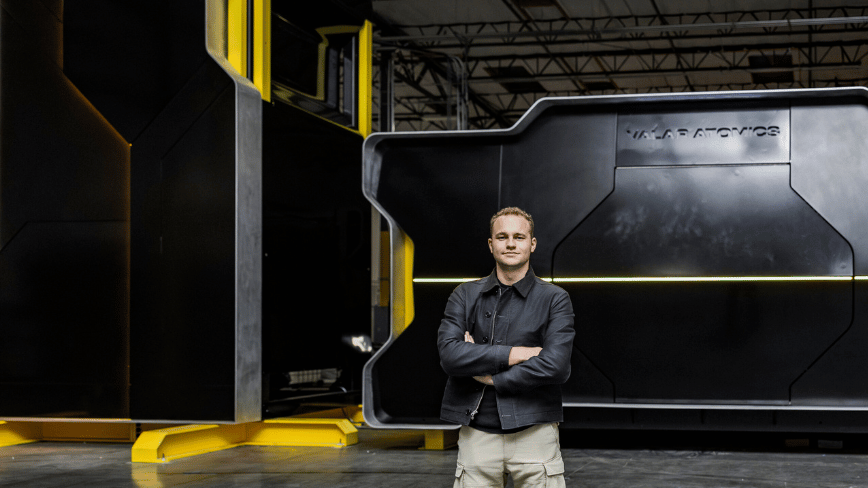












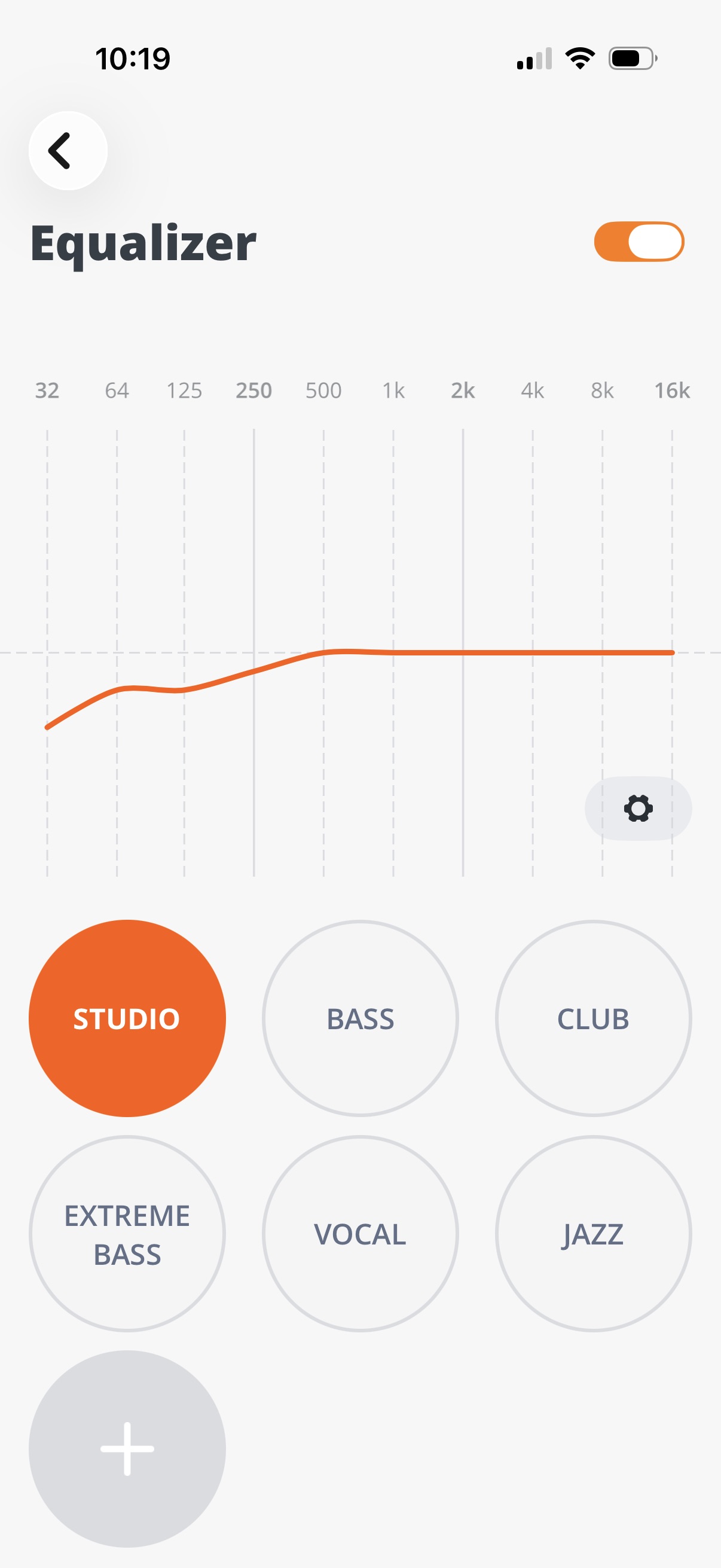


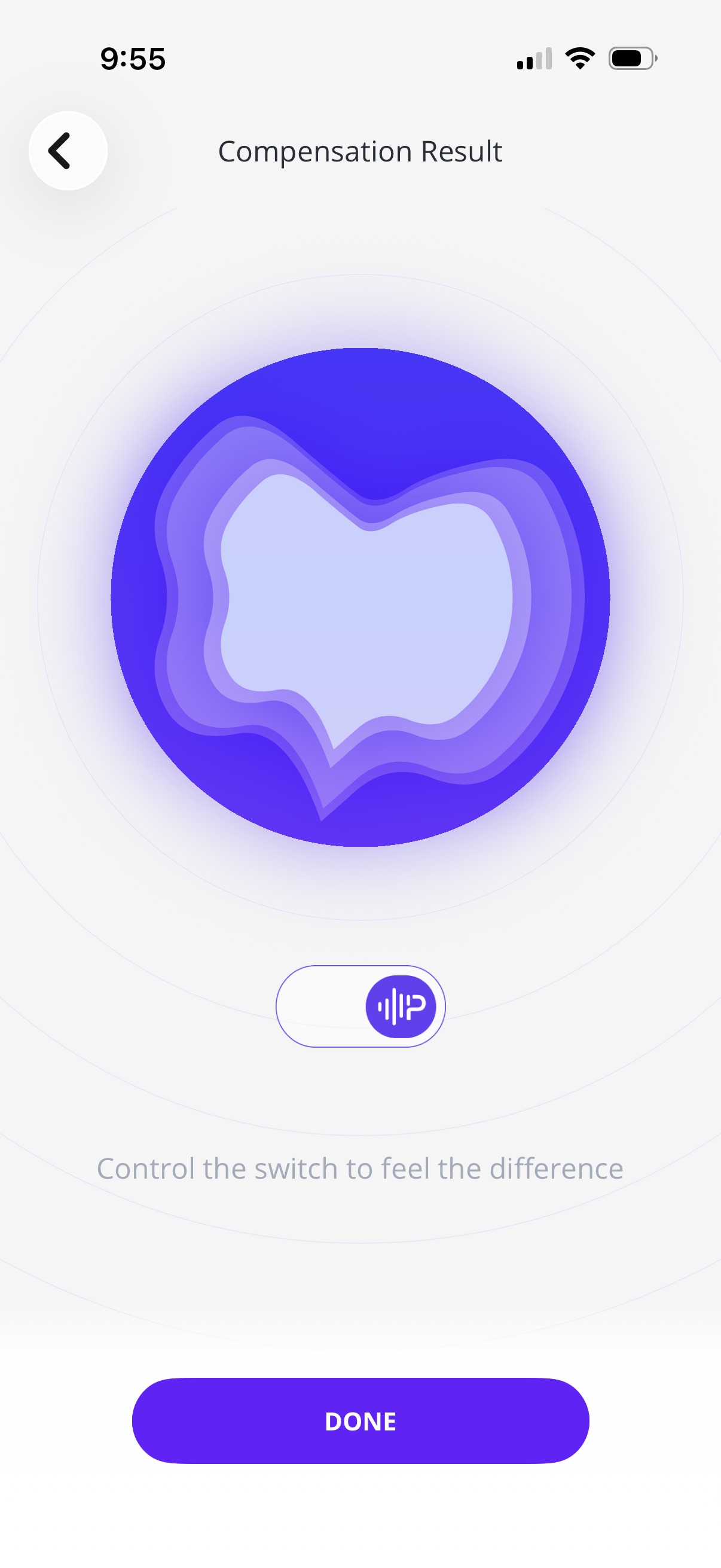


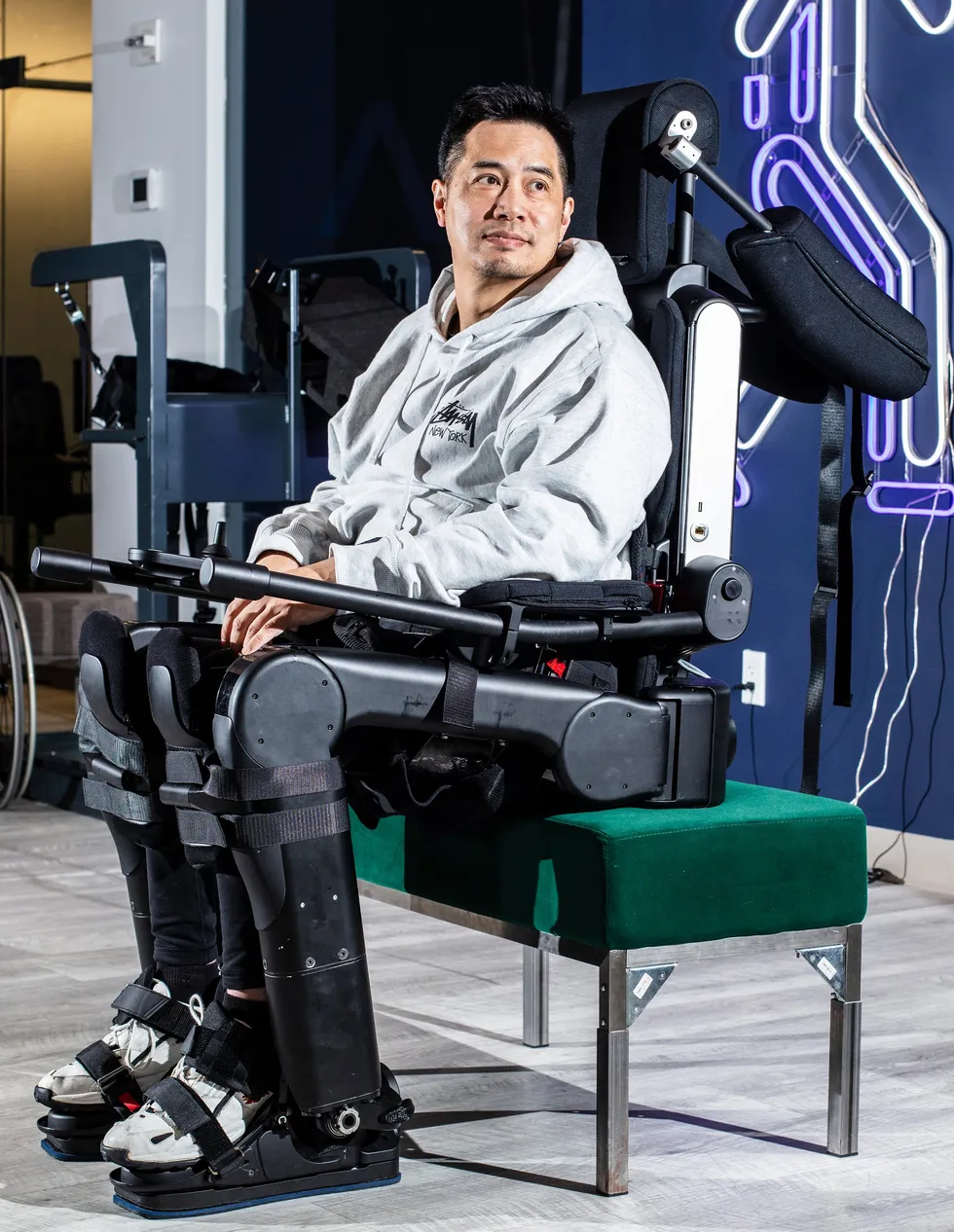

 Robert Woo prepares to walk in a Wandercraft exoskeleton; the device’s controller enables him to stand up, initiate walk mode, and choose a direction. Bryan Anselm/Redux
 Angela Riccobono of Mount Sinai Hospital (left) credits Woo with jump-starting the hospital’s bionics program; a plaque in the department of rehabilitation medicine recognizes his role.
 Robert Woo’s wife, Vivian, was trained in how to operate the device he used at home. His sons, Tristan (left) and Adrien, grew up watching their dad test exoskeletons. Left: Lifeward; Right: Robert Woo
 Robert Woo tries out an early exoskeleton from
  Ann Spungen (left), a researcher at a Veterans Affairs hospital, led early clinical trials of exoskeletons. Her research focused on the medical benefits of exoskeleton use. Robert Woo
 Pierre Asselin (right), a biomedical engineer, worked with Robert Woo during clinical trials of exoskeletons. He says Woo was always pushing the limits of the technology. Robert Woo
 Robert Woo uses an exoskeleton to reach items in a kitchen cabinet during a test of the device’s utility for everyday tasks. Eliza Strickland
 Robert Woo sent detailed design sketches as part of his feedback to exoskeleton engineers. Robert Woo
 Ekso Bionics CEO Eythor Bender and Mount Sinai physician Kristjan Ragnarsson were both on hand for Woo’s early trials of the Ekso device. Ragnarsson says he saw physical and psychological benefits of exoskeleton use. Robert Woo
 The ReWalk was the first exoskeleton available for use outside the clinic. Robert Woo’s ReWalk arrived in two large boxes. ReWalk engineers assembled it in a hotel room, and Woo tried it out in the hallway before taking it home. Robert Woo
 Sitting unused in Robert Woo’s home, his ReWalk exoskeleton reflects both the promise and the limits of early devices. Robert Woo
 During testing of the Wandercraft exoskeleton, straps caused an abrasion on Robert Woo’s leg, which he documented as part of his feedback to the company. Robert Woo
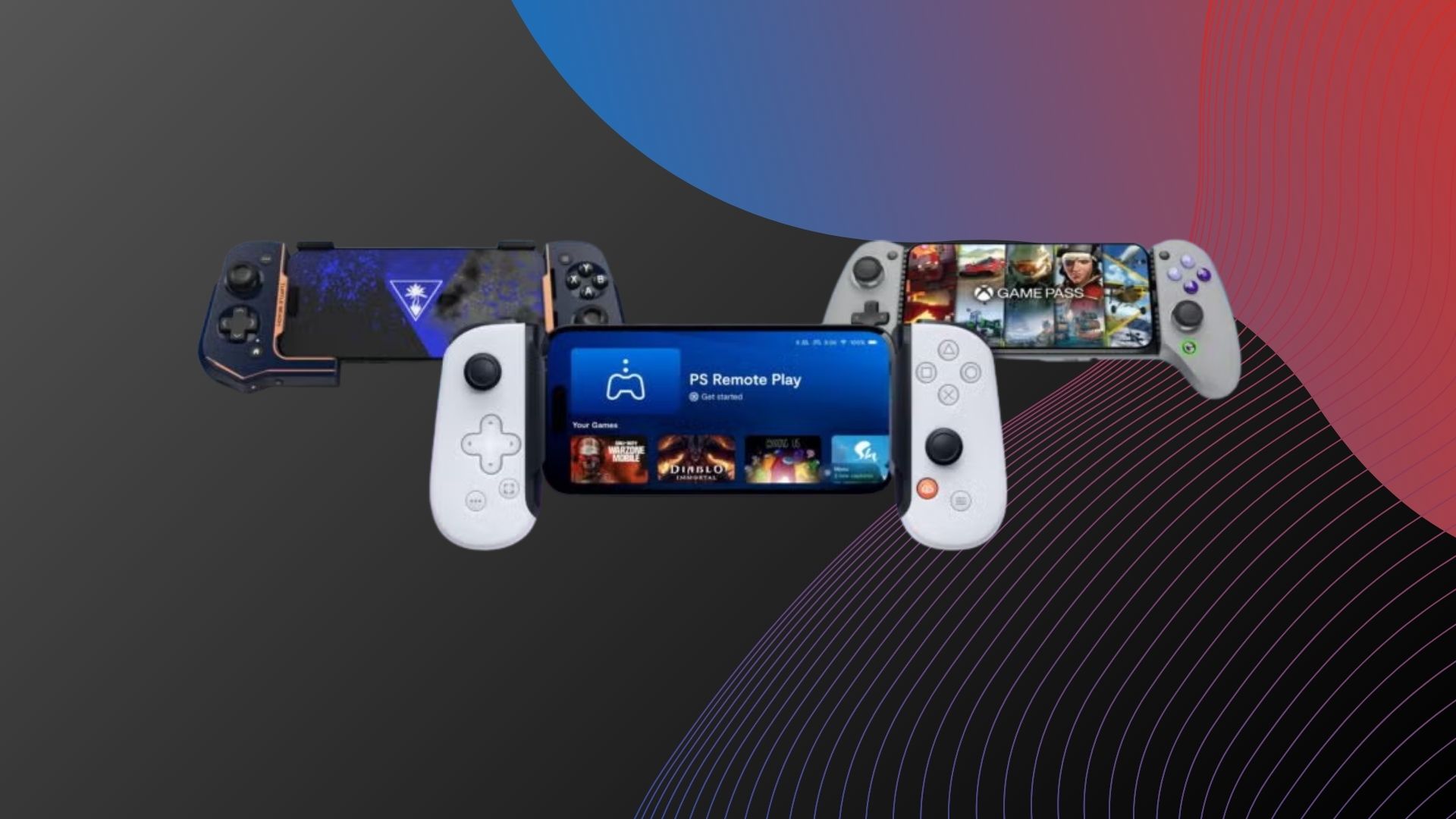







































You must be logged in to post a comment Login