
Tech
Microsoft will stop finishing your sentences in Word and Outlook



AI AND ML
Predictive text remains available, but users will have to invite it into their workflow
Microsoft is switching off text predictions by default in Word and Outlook after acknowledging that unwanted suggestions can interrupt rather than assist some users.
The change is coming to Word for Windows, the web, iOS, and Android, as well as classic Outlook for Windows and Outlook for Mac. The feature will remain available but will no longer be enabled by default.
Introduced several years ago, the feature is the computing equivalent of Microsoft peering over users’ shoulders and suggesting what they might type next. Depending on the user and their workflow, it can be a boon, an irritation, or simply something to ignore. The irksome part was that it was turned on by default.
According to Microsoft, “text predictions helps you write documents and emails more efficiently by suggesting words and phrases as you type. While some people find these suggestions useful, others prefer to write without predictive text. This update gives you more flexibility, allowing you to customize your editing experience and create a workflow that best suits your needs.
“This update helps ensure that predictive text remains available for people who find it helpful, while reducing unwanted interruptions for those who prefer to write without suggestions appearing automatically.”
The Windows behemoth did not explain whether the change will disable text predictions for users who have already enabled them or apply only to new installations and profiles. Users who want the suggestions will still be able to switch them on through the applications’ settings.
Microsoft is not the only company to suggest text as users type. Google, for example, introduced Smart Compose in Gmail in 2018.
Microsoft did not say whether telemetry or user feedback prompted the reversal, but it has elected to make the feature opt-in rather than opt-out.
It is a small change, but perhaps a sign that Microsoft is listening to customers who would rather decide for themselves whether AI belongs in their workflow. ®

Tech
Klipsch Reference Signature Speakers Get Their First Listen at CEDIA 2026 Ahead of Winter Launch
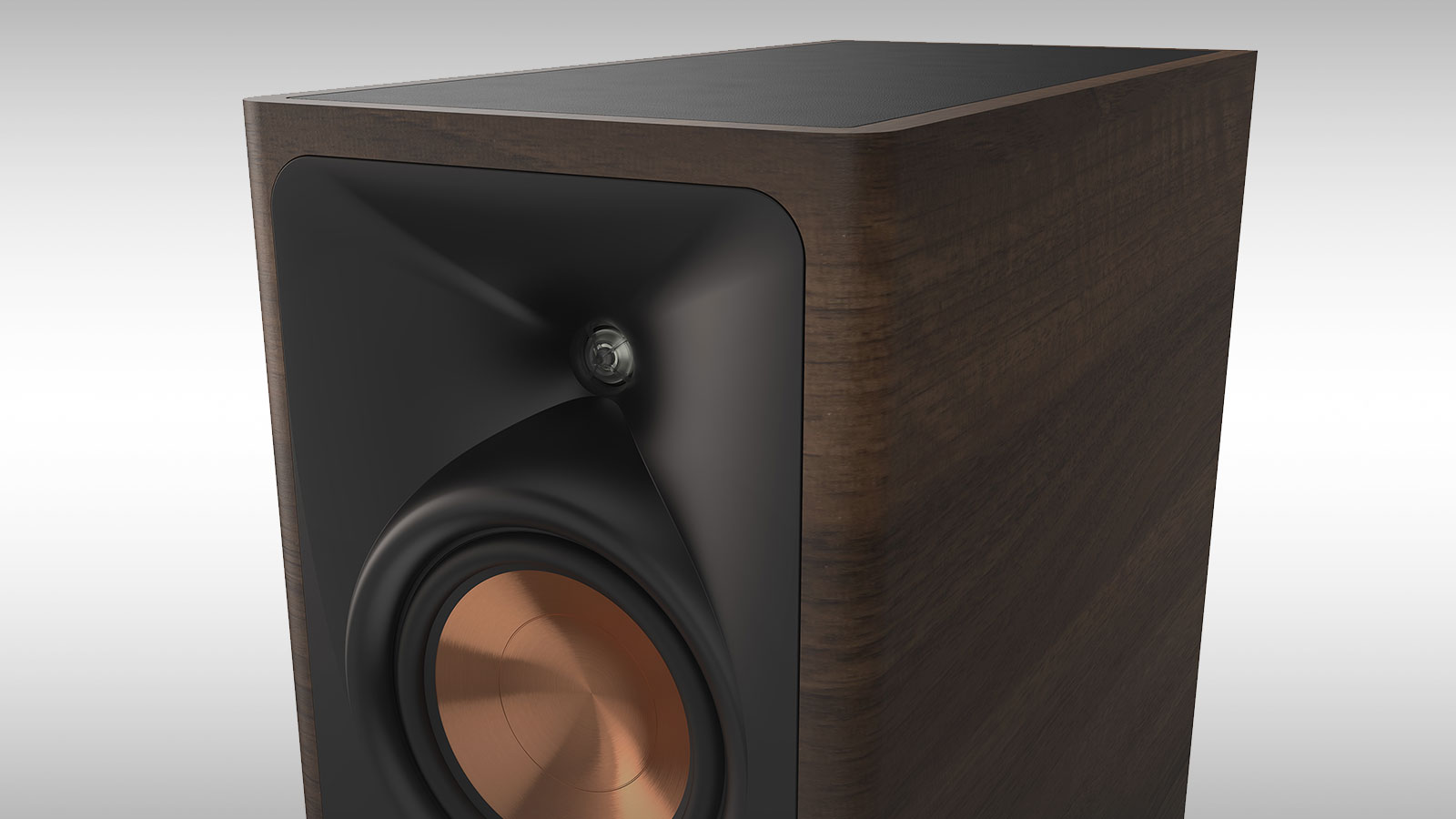
Klipsch showed us quite a lot of hardware at CES 2026, but some of the most interesting products were sitting behind closed doors and came with the rather important disclaimer that we were looking at concepts.
The new Klipsch Reference Signature Series was one of them.
Eight months later, Klipsch is bringing Reference Signature to CEDIA Expo 2026 in Denver, and this time attendees will actually get to hear them. The company has also confirmed the six-model lineup, disclosed considerably more about the acoustic design, and provided an initial indication of what the speakers will cost when select models arrive this winter.
If Reference Signature sounds familiar, you have been paying attention.
We covered the early versions at CES in January, where Klipsch described Reference Signature as a more ambitious extension of its modern horn-loaded loudspeaker platform alongside the considerably more experimental Project Apollo.
What we did not see at Audio Advice Live 2026 was a Reference Signature launch. Klipsch used the Raleigh show in August for the global debut of its Reference Premiere III Series, including a rather substantial 7.4.4-channel home theater demonstration with Onkyo electronics.
Different speakers. Different series. There are already enough Klipsch model numbers in circulation without us helping create another family reunion nobody can follow.
Related Reviews:
Six Reference Signature Speakers
The new Reference Signature lineup consists of two floorstanding speakers, two monitor models, one center channel and a multipurpose Dolby Atmos, height and surround speaker.
Klipsch Reference Signature Series
- RS-8301F: Three-way 8-inch floorstanding loudspeaker
- RS-6301F: Three-way 6.5-inch floorstanding loudspeaker
- RS-8301M: Three-way 8-inch monitor loudspeaker
- RS-6301M: Three-way 6.5-inch monitor loudspeaker
- RS-6301C: Three-way 6.5-inch center-channel loudspeaker
- RS-6101SA: Two-way 6.5-inch Dolby Atmos, height and surround loudspeaker
The biggest departure from Reference Premiere is not the cabinetry or another variation on Klipsch’s familiar copper-colored drivers.
It is the dedicated midrange driver.
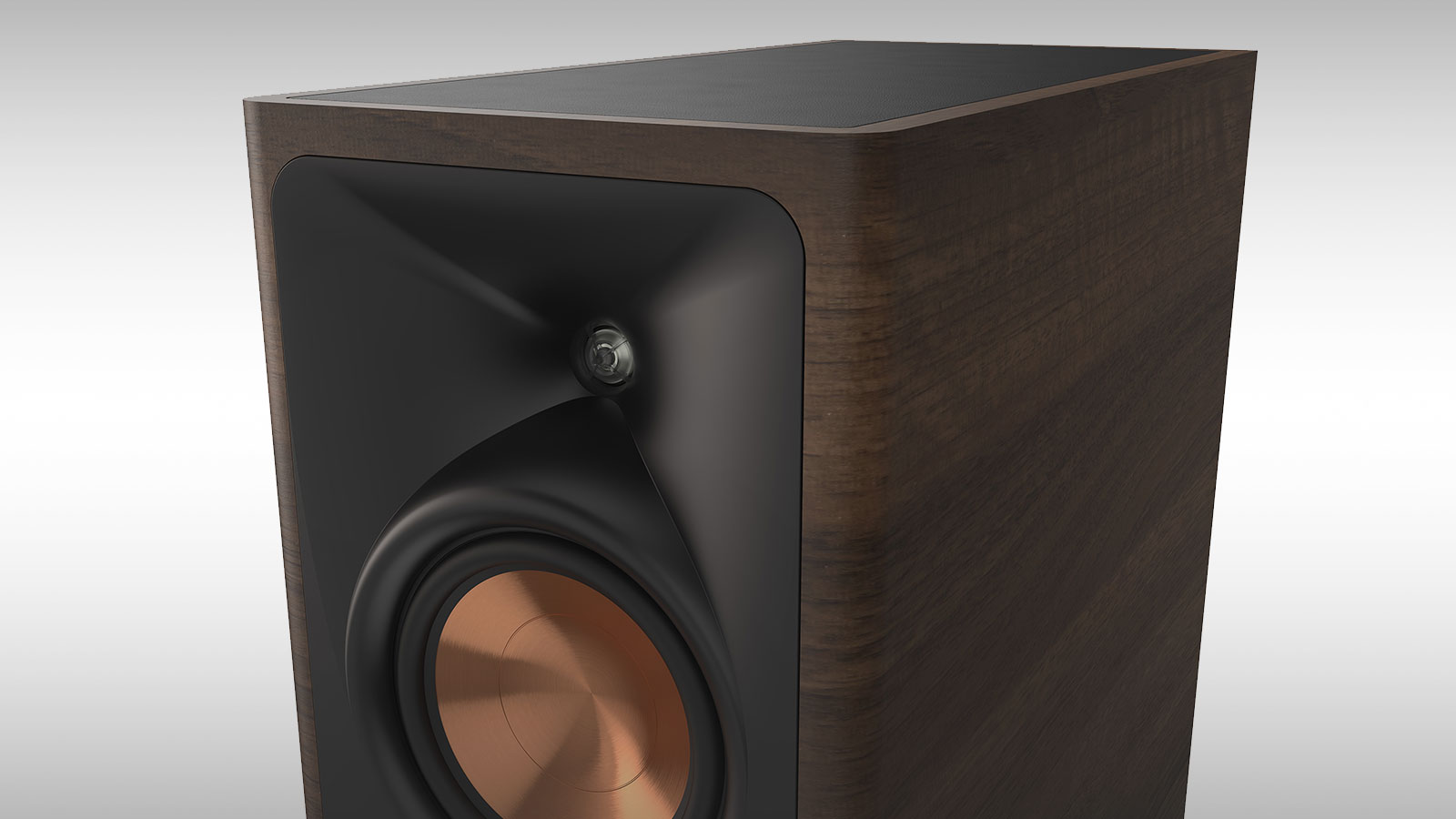
The floorstanding, monitor and center-channel models are true three-way designs with separate high-frequency, midrange and bass drivers. Klipsch says this allows each driver to handle a narrower portion of the audible spectrum and moves the crossover regions away from the frequencies where human hearing is particularly sensitive.
Paul W. Klipsch famously argued that “the midrange is where we live,” and apparently somebody in Indianapolis has been reading the old man’s notes.
A Different Kind of Klipsch Horn
Reference Signature still relies on horn loading and Klipsch’s titanium-diaphragm Linear Travel Suspension tweeter, but the more interesting development is its new phase-aligned horn architecture.
Klipsch positions the midrange directly within the tweeter horn so that the midrange and high frequencies originate from the same acoustic center. The objective is better coherence through the crossover region and more consistent tonal balance across a wider listening area.
That could prove particularly important in a home theater, where the person who paid for the system is rarely the only person sitting in front of it.
The larger Reference Signature models combine 8-inch Cerametallic bass drivers with a 6.5-inch midrange, while the smaller models pair 6.5-inch bass drivers with a 5.25-inch midrange. The floorstanding speakers use dual woofers, while the monitors use a single bass driver.
Klipsch’s spun-copper Cerametallic cones remain part of the recipe, maintaining some visual and technological continuity with Reference Premiere.
The Center Channel Might Be the Most Important Speaker Here
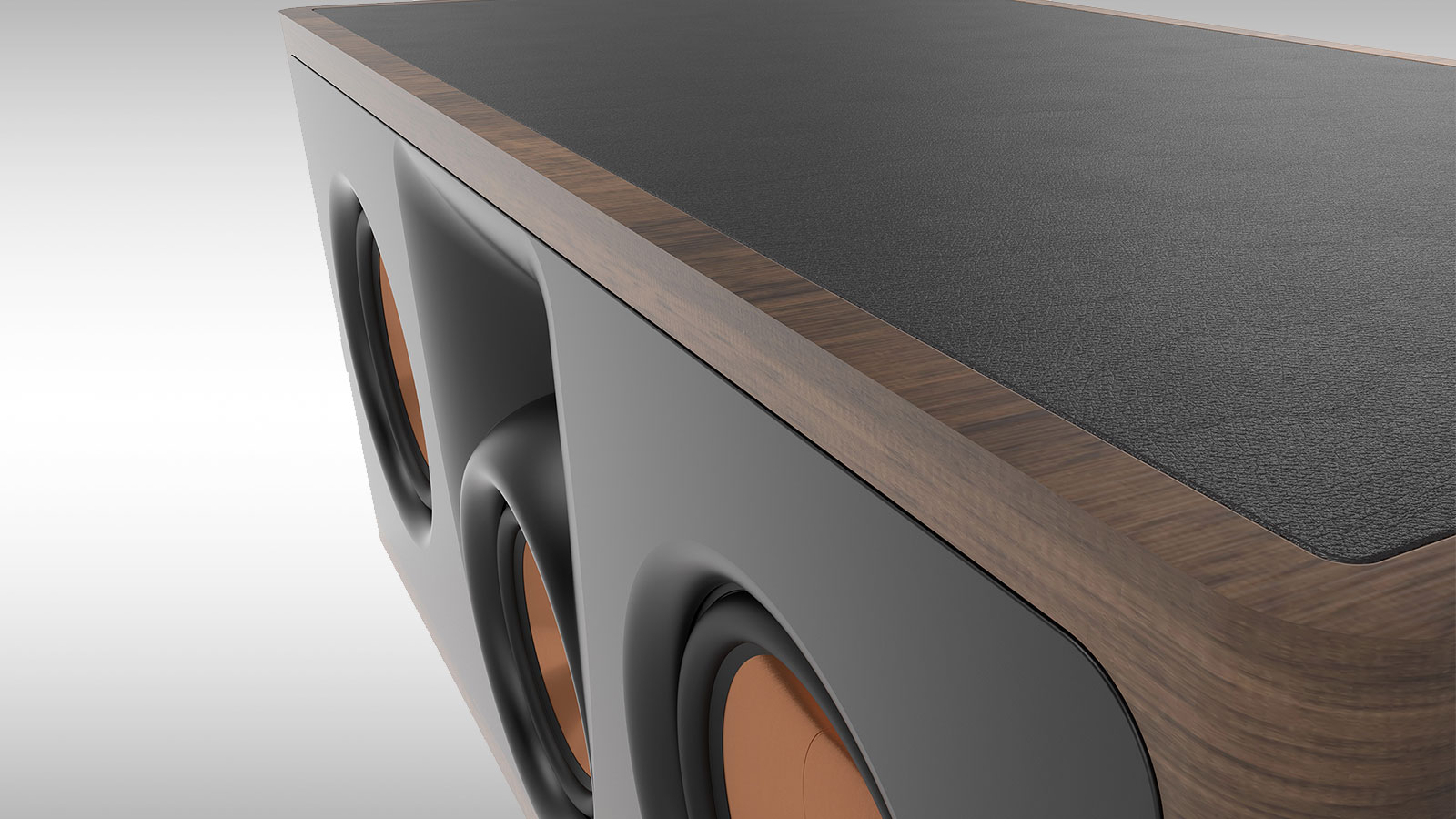
The RS-6301C deserves additional attention because Klipsch has moved away from the conventional horizontal MTM arrangement commonly used in center-channel loudspeakers.
Instead, Reference Signature uses a vertical driver array designed to reduce the horizontal lobing and comb-filtering issues that can make dialogue and tonal balance change as listeners move away from the center seat.
For a serious multichannel system, that is more than an engineering footnote.
The center channel carries an enormous percentage of movie dialogue and front-stage information, yet it is frequently the loudspeaker most compromised by furniture, screen placement and seating position. Klipsch’s approach is intended to provide clearer dialogue and more consistent timbre across multiple seats while maintaining a closer tonal match with the Reference Signature towers.
We want to hear this one from well off-axis before reaching any conclusions.
Atmos Without Locking Yourself Into Atmos
Klipsch has also avoided making the RS-6101SA a one-trick Dolby Atmos module.
The two-way speaker can sit on top of a Reference Signature tower or monitor and fire upward toward the ceiling, but it can also be wall-mounted for use as a direct-radiating height or rear surround channel.
A rear-panel switch changes the crossover configuration between Atmos and Surround operation.
That flexibility matters if somebody changes rooms, moves from reflected Atmos to direct-mounted height channels, or eventually realizes that drilling holes in drywall is less frightening than explaining another speaker upgrade to their spouse.
Klipsch Dresses Up
Reference Signature also represents a noticeable industrial-design upgrade over Reference Premiere.
Klipsch is using a one-piece BMC front baffle designed to provide a denser and more rigid mounting surface while reducing unwanted cabinet resonance. Rounded cabinet edges are intended to reduce diffraction and improve off-axis performance.
Ebony and Walnut finishes feature horizontal grain running along the curved cabinet profile, and Klipsch has added a decorative leather top panel along with metal carpet spikes and rubber feet.
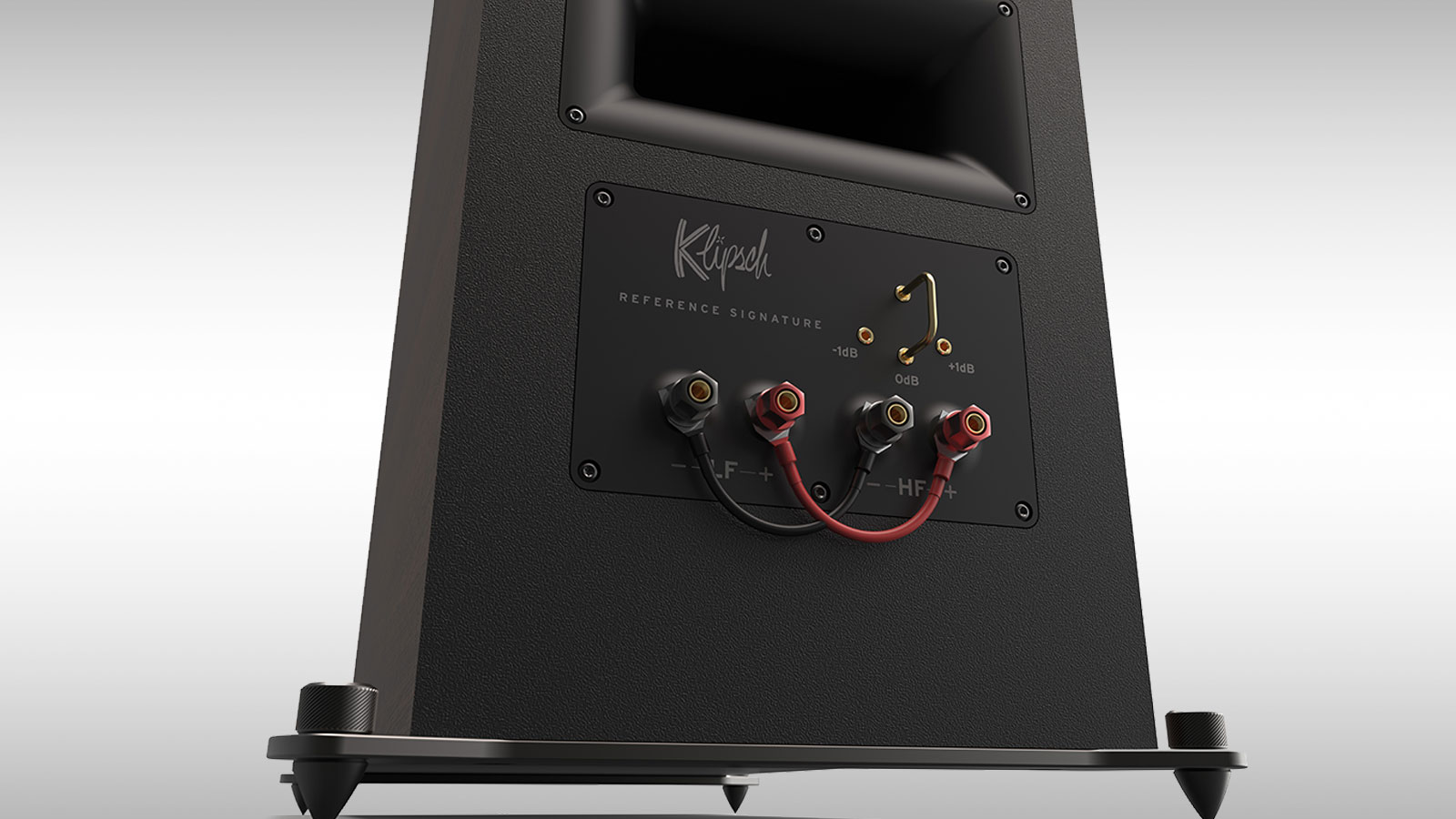
All models will also provide adjustable tweeter output at +1 dB, 0 dB or -1 dB, giving owners a small degree of room or preference-based tonal adjustment without reaching for DSP.
Dual binding posts for bi-wiring and bi-amping will also be available on select models. None of that transforms loudspeaker performance by itself, but Reference Signature clearly needs to look and feel more expensive if Klipsch expects buyers to move beyond Reference Premiere.
The Bottom Line
Reference Signature should not be confused with the Reference Premiere III Series introduced at Audio Advice Live.
Reference Premiere III remains Klipsch’s broad modern passive loudspeaker platform for both two-channel and home theater systems. Reference Signature pushes further with dedicated three-way designs, more elaborate horn geometry, upgraded cabinetry and a considerably more premium presentation.
It is also not Project Apollo.
Klipsch previewed Apollo alongside Reference Signature at CES as a separate, more ambitious exploration of high-performance two-channel audio. Reference Signature is the more recognizable Klipsch proposition: a complete modern speaker family capable of supporting both serious stereo listening and immersive home theater.
That distinction makes the new series potentially more important commercially.
Klipsch does not need another loudspeaker that exists primarily to prove what its engineers can build when cost and living-room diplomacy are removed from the equation. It already has Heritage products capable of occupying that territory rather convincingly.
Reference Signature has to work in actual homes.
Price & Availability
Klipsch is targeting $1,600 to $3,000 per pair, with final pricing and complete specifications to be announced at launch. Select Reference Signature models are expected to arrive in winter 2026.
With CEDIA now underway, we’ll have a chance to hear the new three-way horn architecture for ourselves in Denver and find out whether Reference Signature delivers on the promise of what Klipsch first showed us at CES.
For more information: Klipsch Reference Signature
Related Reading:


Presented by Zeta
Every forward-deployed engineering (FDE) pitch sounds identical for the first ten minutes: an engineer embedded on-site, a workflow encoded within weeks, a demo that finally works on the customer’s real data. What differs is what happens in the following months, and most vendors will not tell you until you ask directly.
FDE has become one of enterprise AI’s most consequential operating models. Vendors are building entire go-to-market motions around engineers who embed with customers, wire products into operating environments, and make the demo real. Investors often read FDE headcount as a growth signal and buyers read it as a promise of speed. Neither tells you whether the work is becoming a product advantage or simply accumulating as delivery labor.
The test is simple: after an FDE engagement, does the next customer start with more product and fewer unknowns — or just a new services team?
FDE is not one thing. At its weakest, it papers over a product that cannot yet stand on its own, translating by hand what the software should eventually understand. At its strongest, it is a disciplined product-learning function: it finds the edge cases of an AI-native architecture and turns them into reusable capability. The org chart looks the same, but the economics and trajectory do not.
FDE is valuable because it creates automation that powers a system of intelligence. A system of intelligence is more than software that executes workflows. It captures enterprise context, incorporates what it learns from every deployment, and improves the quality of future decisions. Forward-deployed engineers are how that context enters the system in the first place.
The engineers are the context layer
Model choice still matters in some domains. But in many enterprise workflows, the bigger constraint is not the model, it is what the enterprise knows about itself including business rules, exceptions, workflow logic, and definitions that took a decade of operating history to settle. Access to data is not the same as understanding the business.
In one large telecommunications deployment, an initial definition of a “high-intent” customer did not survive contact with the operating systems. The model’s signal said one thing while the retention team’s actual save-desk criteria said another. Those criteria were built from years of which offers actually worked, on which tenure bands, in which regions. No schema documented that logic; it lived in the judgment of people who’d been doing the job for a decade. An engineer had to sit with them, extract the knowledge, and encode it before the intelligence layer we were building could be trusted to trigger an action instead of just a score.
Once that logic was encoded into the intelligence layer, new acquisition and retention use cases could move from idea to execution in days rather than months. Rather than rebuilding the integration each time, teams were adding decisions to a shared foundation.
That kind of work produces more than an answer for one customer. Properly captured, it can become a semantic mapping, a policy module, a workflow template, a connector, or an evaluation that guards the decision in future deployments. The FDE is the context layer delivered first as a person, who then translates and delivers it as product.
Sandbox, mud, and what happens to the learning
The useful question in a diligence call or renewal conversation is not whether a vendor has FDEs. It’s whether an engineer touching your environment is playing in a sandbox of tools, or trying to dig you out of the mud.
In the sandbox, FDEs use a general-purpose engine in specific, gnarly environments. Their job is to find where the engine needs a new part, install it, and feed the learning back so that part can ship again. In the mud, the engineer manually constructs a missing capability one customer at a time, and there is no engine underneath waiting to receive the part; instead, it’s another custom build.
Do not mistake these for a clean binary, though. Most companies live somewhere in the middle: reusable playbooks and connectors for the common cases, bespoke judgment for everything else. From the outside, sandbox, mud, and the middle can all look identical: a smart engineer, on-site, writing code against your data. The tell is what happens to what they learn. Either the next deployment begins with fewer unknowns, less custom code, and better tests, or it begins from zero with a prettier deck.
The strategic version of FDE treats every engagement as a disciplined learning loop. It starts with observing the exception in the field, codifying it into a reusable artifact, validating it with an evaluation and security review, releasing it into the product, then measuring whether the next deployment actually got easier. That last step is where most companies quietly fail. Not every field discovery belongs in the core product. Some customer logic is proprietary, temporary, or too idiosyncratic to generalize. Good teams know the difference between three things that get lumped together under “FDE”: product intelligence that compounds across every customer, configurable customer logic that’s reusable for one account but shouldn’t ship broadly, and one-off services work that is exactly what it looks like.
Customization is expected. The failure lies in not labeling which bucket the work is in, or in losing the learning from the parts that can compound.
This is the difference between a company that gets better at deploying and a product that gets better at understanding. The former can build a capable services business; its advantage lies in execution and relationships. The latter builds compounding product capability that persists after the engineer leaves.
The best FDE organization changes shape
The uncomfortable conclusion for teams building FDE functions is that human translation should shrink per unit of value delivered, even as absolute headcount grows. A fast-growing company may keep adding FDEs while still making each deployment materially lighter because more of the required logic already exists in the product. Each deployment should require less custom engineering than the last, with engineers spending more time extending reusable capabilities than rebuilding the same integrations, workflows, and decision logic.
Track four things:
-
engineers per live workflow
-
engineering hours per deployment
-
time-to-value by vertical
-
and the share of implementation work that gets reused rather than rebuilt.
Track one more that matters just as much and gets watched far less: the productization lag, the time between a field discovery, and a tested capability available to the next customer. Over time, that lag should fall, custom engineering should decline, and reuse should increase. If none of these are improving, the organization is delivering, without learning whatever the headcount chart says.
FDE is scaffolding only when it stays outside the building. The goal isn’t to eliminate the people doing the work; it’s to ensure more of what they learn becomes load-bearing product capability.
Three questions that get past the pitch
1. How is FDE priced?
Pricing is a signal rather than a verdict. A separate professional-services line may reflect honest transparency, bundled FDE may be a loss leader paid for by utilization. The more useful question is whether the contract, renewal, and margin story make clear which work is repeatable productization and which is bespoke delivery.
2. Where does field learning go?
Don’t infer this from résumés alone. Ask who owns the handoff from FDE to product, what artifacts are produced, and how quickly they become tested, supported capabilities. The organizational interface is what reveals whether learning compounds, not the job title.
3. What got faster on the last repeat deployment?
Ask for a specific vertical and a specific delta such as fewer engineering hours, fewer weeks to value, fewer custom integrations, or a higher reuse rate. A credible vendor can name what changed and how it was measured. General claims about “learnings” and “playbooks” are not enough.
Enterprise AI creates lasting advantage when every deployment leaves behind more than a satisfied customer. It leaves behind a deeper understanding of how enterprises operate. The goal isn’t simply to deploy AI. It’s to build a system of intelligence that captures enterprise context, converts customer learnings into reusable capability, and compounds over time.
Neej Gore is Chief Data Officer at Zeta.
Sponsored articles are content produced by a company that is either paying for the post or has a business relationship with VentureBeat, and they’re always clearly marked. For more information, contact sales@venturebeat.com.
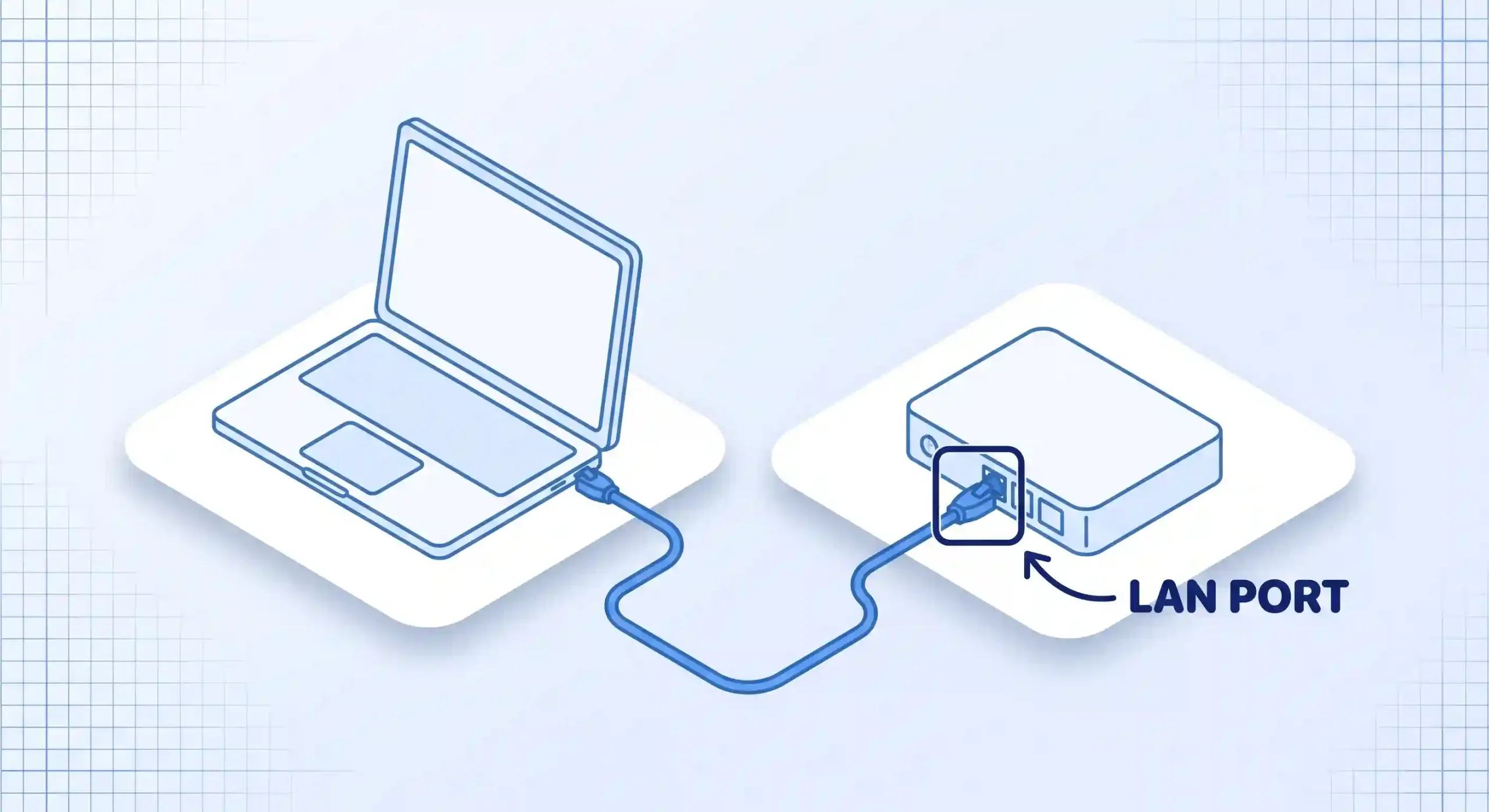
A speed test measures three things in under a minute: how fast you can download data, how fast you can upload it, and how long a signal takes to reach a test server and come back. Run one for free at Speedtest by Ookla or Fast.com, ideally over a wired connection, and you’ll have a real answer before your coffee gets cold.
Quick Take
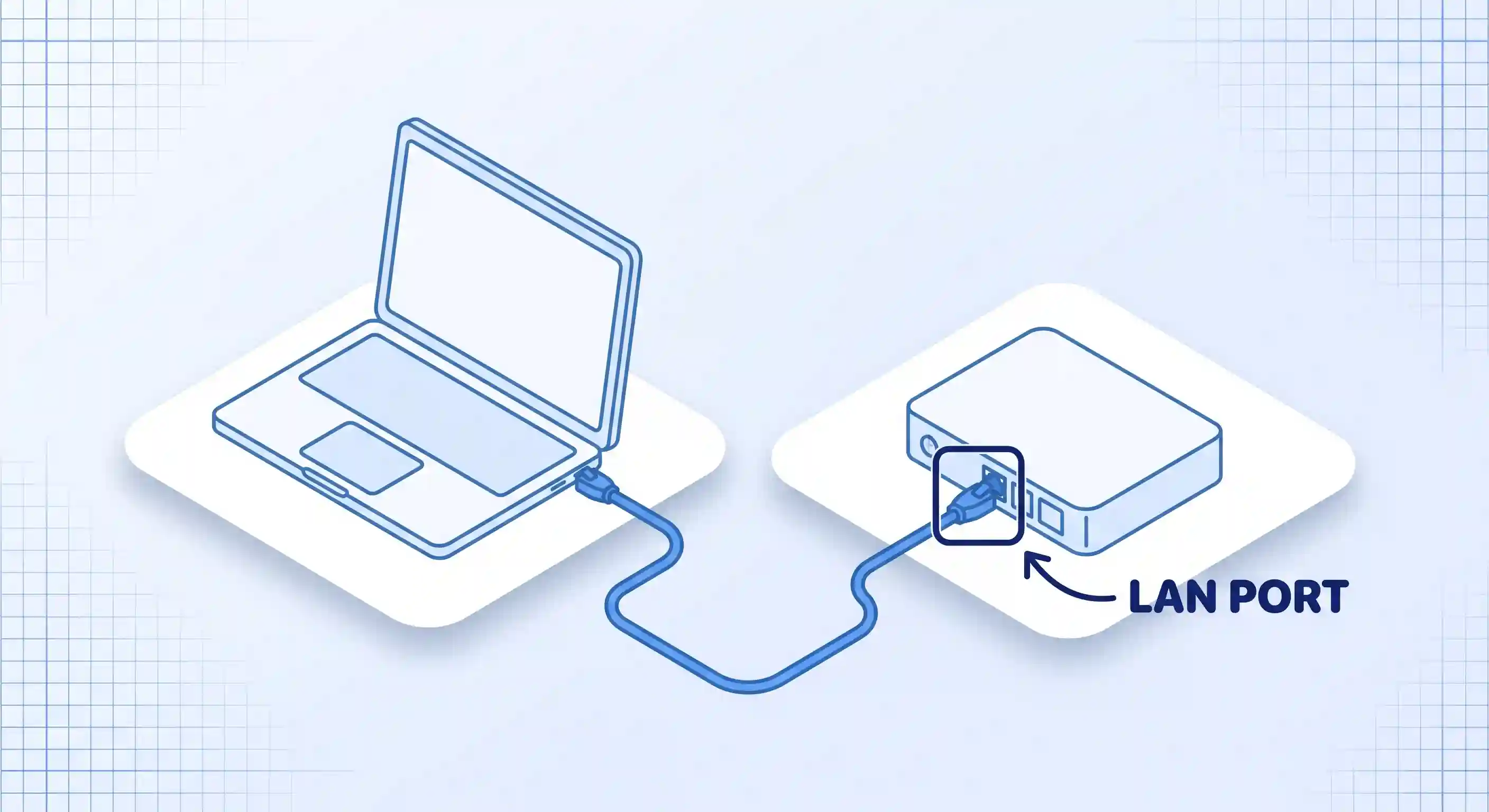
Plug your computer into your router with an Ethernet cable for the clearest reading. Then run one test on Speedtest by Ookla and one on Fast.com — two tools catch problems a single test can miss. When the test finishes, look at three numbers: download speed, upload speed, and ping, also called latency. If your download number lands within about 20% of your plan’s advertised speed, your connection is working as sold. Wi-Fi tests are useful too. But they measure your router’s performance as much as your internet plan itself. The table further down turns these numbers into real guidance for video calls, streaming, and gaming.
Before You Test
You don’t need to install anything to check your speed. A browser and about three minutes are enough. Close anything that’s actively downloading or streaming in the background first. Another device mid-download will drag your number down, and the test will show a falsely low reading.
How you test depends on what you’re actually trying to find out:
- Testing a computer: connect by Ethernet if you can. This shows your plan’s real ceiling, without your Wi-Fi signal getting in the way.
- Testing a phone or tablet: turn off Wi-Fi to test your cellular data speed, or leave it on to test your home Wi-Fi. These measure two completely different connections.
- Testing your whole network: run the test on the device sitting closest to your router. That reading comes closest to your plan’s real speed.
Run the Test
Once you’ve picked your path above, the actual test takes four short steps.
- Pick a real test tool. Speedtest by Ookla and Fast.com are both free and need no account. Fast.com pulls its test data from Netflix’s own streaming servers, so it doubles as a check on your real Netflix performance, not just a lab number. Running both catches the rare case where one tool’s test server is having a bad day.
- Connect the way your path calls for. Plugging in with an Ethernet cable gives the cleanest read on your plan’s real ceiling, according to T-Mobile’s testing guide. If you’re testing Wi-Fi, sit close to the router with as few walls in between as you can manage. Testing cellular means switching Wi-Fi off first.
- Run the test and let it finish on its own. Tap or click Go. Most tests take 20 to 40 seconds and stop automatically once the numbers stabilize.
- Repeat it three times, at different times of day. Try once in the morning, once during peak evening hours, and once more the next day. Write down all three sets of numbers before you draw any conclusions.
Reading Your Results
Your result screen shows four numbers, and each one tells you something different about your connection.
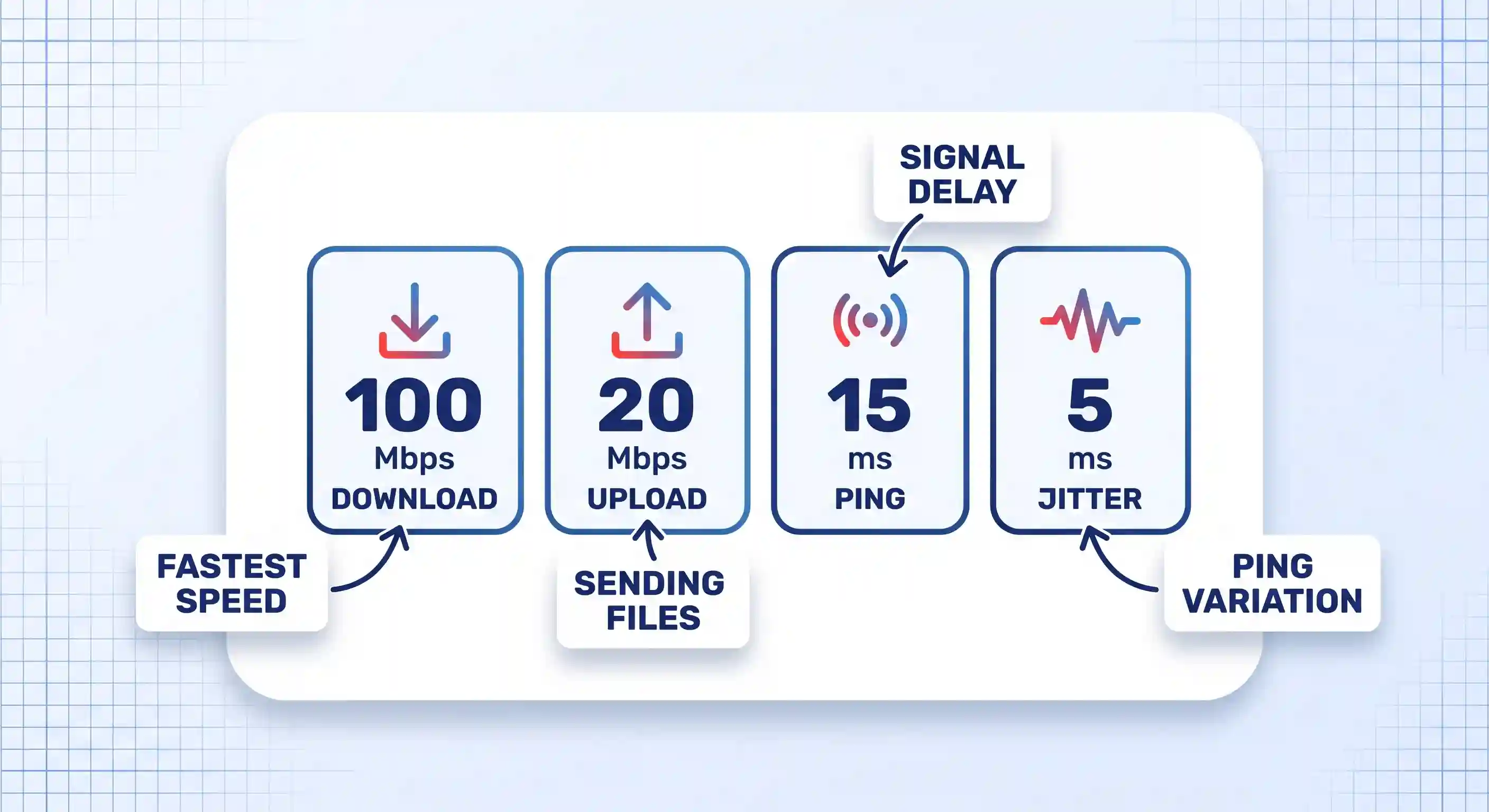
Download speed is how fast data moves from the internet to your device. It’s the number that decides how fast a video buffers or a webpage loads.
Upload speed is the reverse: how fast your device sends data out. It matters most for video calls, uploading files to cloud storage, and live streaming to an audience.
Ping, also called latency, is how many milliseconds a signal takes to reach the test server and return. Lower is better. High ping doesn’t slow down downloads, but it makes anything real-time feel laggy even on a fast connection. For online gaming specifically, ping usually matters more than download speed, and switching to a faster DNS server can shave off extra milliseconds.
Jitter is how much your ping bounces around from moment to moment. A connection with low average ping but high jitter still feels choppy on calls, because the delay keeps changing instead of holding steady.
What Speed Do You Actually Need?
The FCC’s household broadband guide sorts household needs into three rough bands, based on how many things you’re doing at once rather than any single app.
| Typical activity | Recommended download speed | FCC service tier |
|---|---|---|
| Email, web browsing, basic video calls | 3–8 Mbps | Basic |
| HD video streaming, group video calls, most online gaming | 12–25 Mbps | Medium |
| 4K streaming, multiple people working from home at once | 25+ Mbps | Advanced |
| Meeting the FCC’s current definition of broadband | 100 Mbps download / 20 Mbps upload | 2024 benchmark |
These tiers come from the FCC’s household broadband guide, and the agency is upfront that they’re rough estimates, not lab-tested numbers. The bottom row reflects a separate, more recent change: in 2024, the FCC raised its official broadband speed benchmark to 100 Mbps down and 20 Mbps up, four times higher than the old 25/3 Mbps standard.
Verify Your Result Against Your Plan
Compare your download number to what you’re actually paying for. Real-world speeds often run a bit below the advertised number, especially during peak hours when your neighbors are all streaming at once. A gap of 10 to 20% below your plan’s rating is normal and not worth worrying about.
A gap of 50% or more, especially across multiple tests at different times, points to a real problem. It could sit with your equipment, your home wiring, or your provider’s network.
If you run a small business or work from home full time and you keep landing short of what you’re paying for, it may be worth comparing a broadband service built for business use, since those plans are usually built for steadier, more simultaneous demand than a typical home plan.
Troubleshooting Slow or Inconsistent Results
Most bad speed test readings trace back to one of a handful of causes. Work through these in order before you call your provider.
Your Wi-Fi band is congested
Most routers broadcast two bands: 2.4GHz and 5GHz. The 2.4GHz band reaches further through walls but runs slower, and it gets crowded by other devices, from cordless phones to neighboring Wi-Fi networks. If your result is low over Wi-Fi but fine over Ethernet, log into your router’s settings and switch your device to the 5GHz band, or simply move closer to the router.
Too many devices are active at once
Smart TVs, game consoles, and phones that auto-update in the background all quietly use bandwidth. If your household runs a dozen connected devices, a handful of them syncing at once can eat a real chunk of your plan before you’ve opened a single tab.
A VPN is adding overhead
A VPN encrypts your traffic and routes it through an extra server, and both steps cost some speed. For a well-built, up-to-date VPN, that cost is usually small. A free or overloaded VPN service can cost far more, sometimes cutting your speed drastically. If you rely on one regularly, it’s worth checking that you’re running a tested, well-reviewed VPN app rather than a free option pulling double duty for thousands of other users.
It’s peak hours in your neighborhood
Cable connections in particular share bandwidth with neighbors at the local node. Between roughly 7 and 10pm, when everyone is streaming or gaming at once, speeds can dip well below what you’d see at 6am. This is a real, physical limit of shared infrastructure. It isn’t a sign that your equipment is broken.
Your router or modem is outdated
Equipment older than five to seven years may not support the full speed of a newer plan, even if the plan itself is fine. Outdated firmware can cause the same problem. Restarting your router clears a surprising number of these issues, and checking for a firmware update is worth the extra two minutes.
Your device says you’re connected, but nothing loads
Occasionally a device shows a full Wi-Fi signal while the connection itself is dead upstream. That’s a different problem from a slow test result, and it needs its own fix — if you’re on Windows and seeing exactly this, the steps for Wi-Fi connected but no internet access walk through it directly.
The problem isn’t your line at all
If your speed test looks fine but one specific app or site still feels slow, the bottleneck is often somewhere else entirely. An overloaded browser with forty open tabs, background extensions, or a slow DNS lookup can all make things feel sluggish even when your raw connection is healthy. Before blaming your provider, it’s worth checking whether clearing out background tabs and extensions fixes the feeling on its own.
Where This Approach Has Limits
A speed test is a snapshot, not an average. It tells you what your connection did for those 20 to 40 seconds, not what it does at 11pm on a Friday when your whole household is home and active.
It also can’t tell you where a problem actually lives. A low reading could point to your provider’s network, your own router, bad wiring in the walls, or a damaged cable. The test alone won’t say which.
A mesh Wi-Fi system or a set of powerline adapters complicates a clean reading further, since each hop between units adds its own small loss. Satellite and fixed wireless home internet behave differently than cable or fiber, too: higher and more variable ping is normal for those connections, even when the download number looks perfectly fine.
Key Takeaways
- Test over Ethernet when you can. It’s the only way to see your plan’s real ceiling without your Wi-Fi getting in the way.
- Run the test more than once, at different times of day, before drawing any conclusion about your service.
- Download, upload, ping, and jitter each measure something different. Read all four, not just the headline number.
- A result within 10 to 20% of your plan’s advertised speed is normal. A much bigger gap is worth investigating.
- Wi-Fi band, VPN use, and peak-hour congestion are the most common reasons a result looks worse than it should.
- A speed test can tell you that a problem exists. It can’t always tell you where that problem lives.
FAQ
Why do I get different numbers on different speed test sites?
Each tool picks its own test server and measures slightly differently — Fast.com, for example, tests only download speed by default and pulls from Netflix’s own servers, while other tools test upload and ping against a separate network of third-party servers. A 10 to 15% difference between tools on the same connection, at the same time, is normal. Watch the trend across tools rather than expecting an exact match between them.
How often should I test my internet speed?
Once a month is enough for most households just to keep a baseline on file. Test more often, and specifically at different times of day, whenever something actually feels slow or you’re deciding whether to change plans.
Can my ISP tell if I ran a speed test?
There’s no indication that running a public speed test alerts your provider or changes your service in any way. The test simply measures the connection that’s already there, the same way any other website or app would.
Why is my upload speed so much lower than my download speed?
Most cable and DSL plans are built asymmetrically on purpose, because most home use — browsing, streaming, downloading — is download-heavy. Fiber connections are more often symmetrical, with upload and download speeds close to equal, since the underlying technology doesn’t force the same tradeoff.
Is a wired Ethernet test really necessary, or is Wi-Fi close enough?
For everyday use, a Wi-Fi test is close enough to tell you whether your internet feels normal. Ethernet testing matters more in two specific situations: when you’re trying to prove to your provider that your plan isn’t being delivered, or when you’re trying to isolate whether a slowdown is coming from your ISP or from your own Wi-Fi setup.
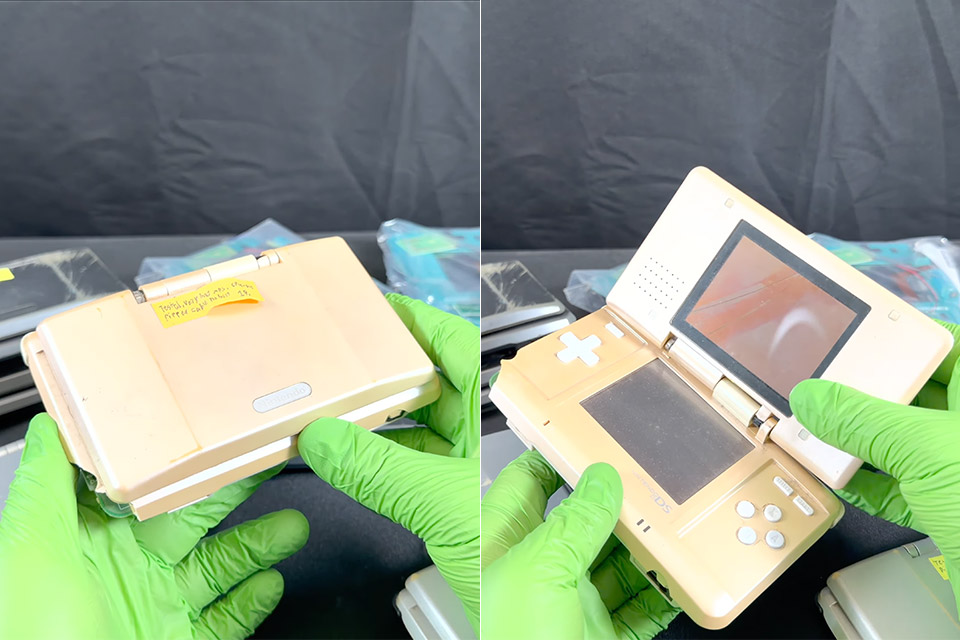
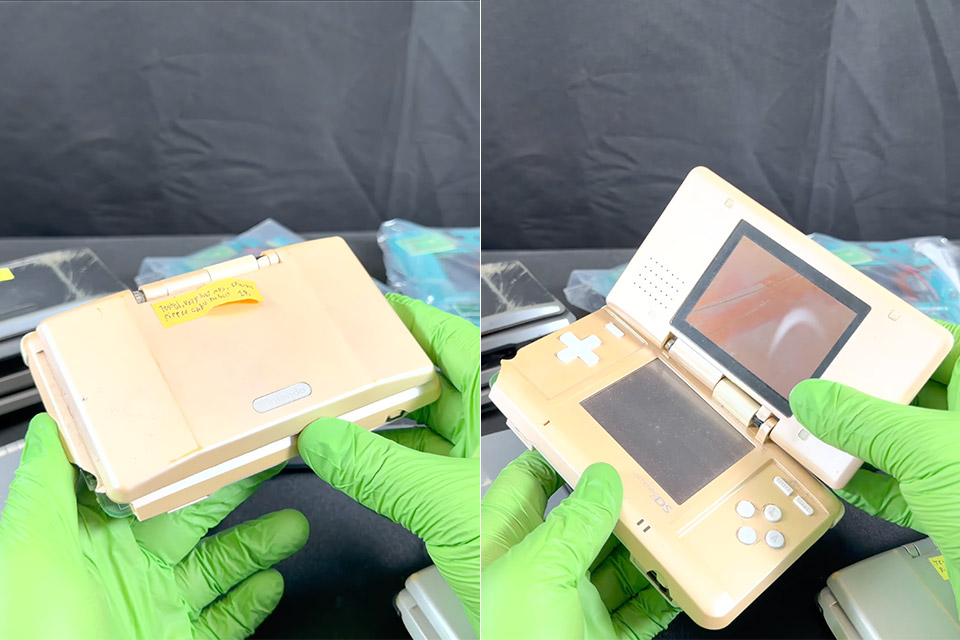
Original Nintendo DS handhelds from late 2004 keep showing up in repair piles with hinges that snap and shells that powder at the slightest pressure. Owners who stored one in a drawer for two decades often discover the damage only when they try to swap a dead screen or tighten a loose screw. Metallic paint Nintendo laid over the ABS plastic appears to be reacting with the case itself. Yellow or greenish stains leak out around edges, button wells, and hinge roots. Force the clamshell open and the plastic flakes instead of flexing.
Gold Plastic Syndrome was named after a particular annoyance among Transformers collectors who noticed that gold and bronze swirl components began to shatter from the late 1980s onwards, frequently falling apart without any visible stress. The initial wave of successes comprised late Generation 1 figures, Generation 2 combiners, and Beast Wars toys. This state was differentiated not only by the stress-free manner in which the parts dissolved, but also by the shards’ appearance to leave microscopic fine residue for the collectors to clean up.

Nintendo Switch 2 System
- The next evolution of Nintendo Switch
- One system, three play modes: TV, Tabletop, and Handheld
- Larger, vivid, 7.9” LCD touch screen with support for HDR and up to 120 fps
Hasbro later said that the main reason for this was the large number of metallic flecks mixed into the plastic, which simply did not adhere properly, leaving microscopic gaps that accumulated and grew until the part failed with very no force. Sqwerks noticed the same thing on multiple original DS units and Game Boy Advance SP shells with the same gold finish.
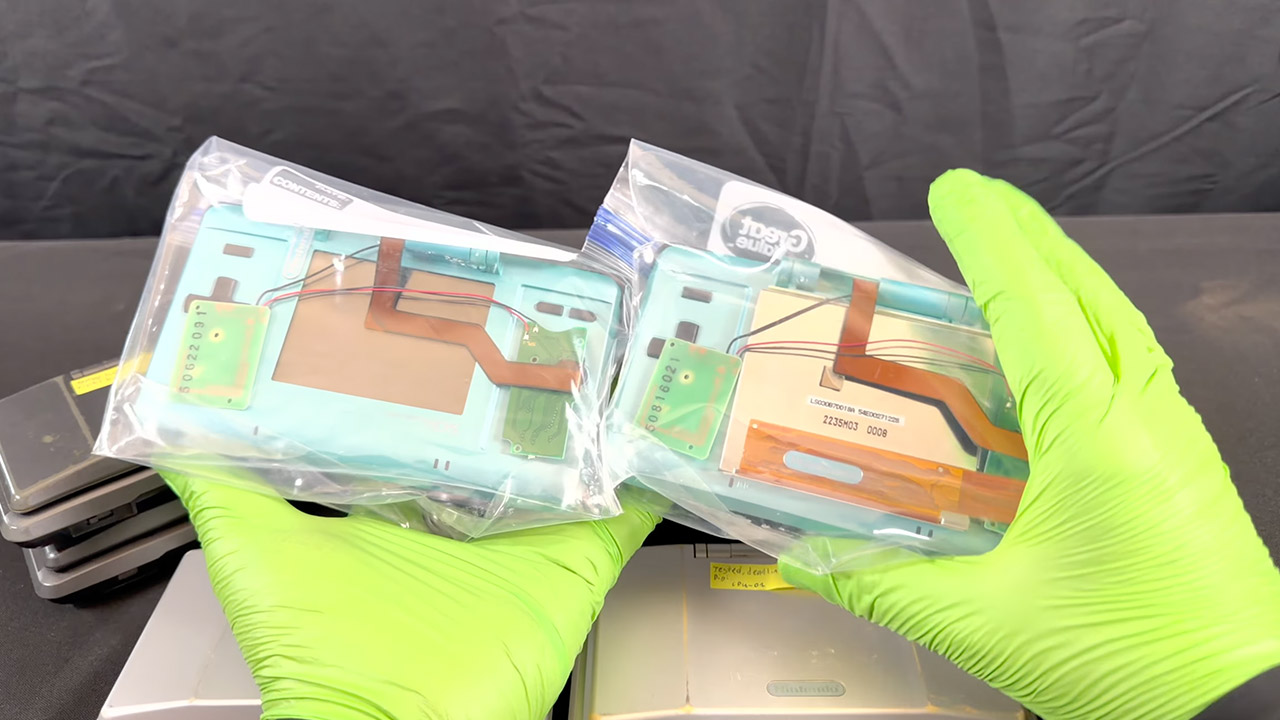
Sqwerks spent years dealing with dozens of original DS consoles and only lately began documenting the awful state of the situation late last August, and the results are telling. A sky blue one still has some flexibility in the hinge, but another identical one that has the syndrome is showing signs of deterioration from the lid being pushed around. The paint appears to be a thin layer over a yellow green cast on the graphite black ones. The worst of them just completely break apart, with sides missing and a shredded ribbon cable as a bonus. The board and screen are usually still functional. The case, not so much. It only takes seconds to figure out why; take a screwdriver to a mid panel on an affected case, and it snaps with light pressure. Repeat the process with an unaffected unit, and everything should be OK.
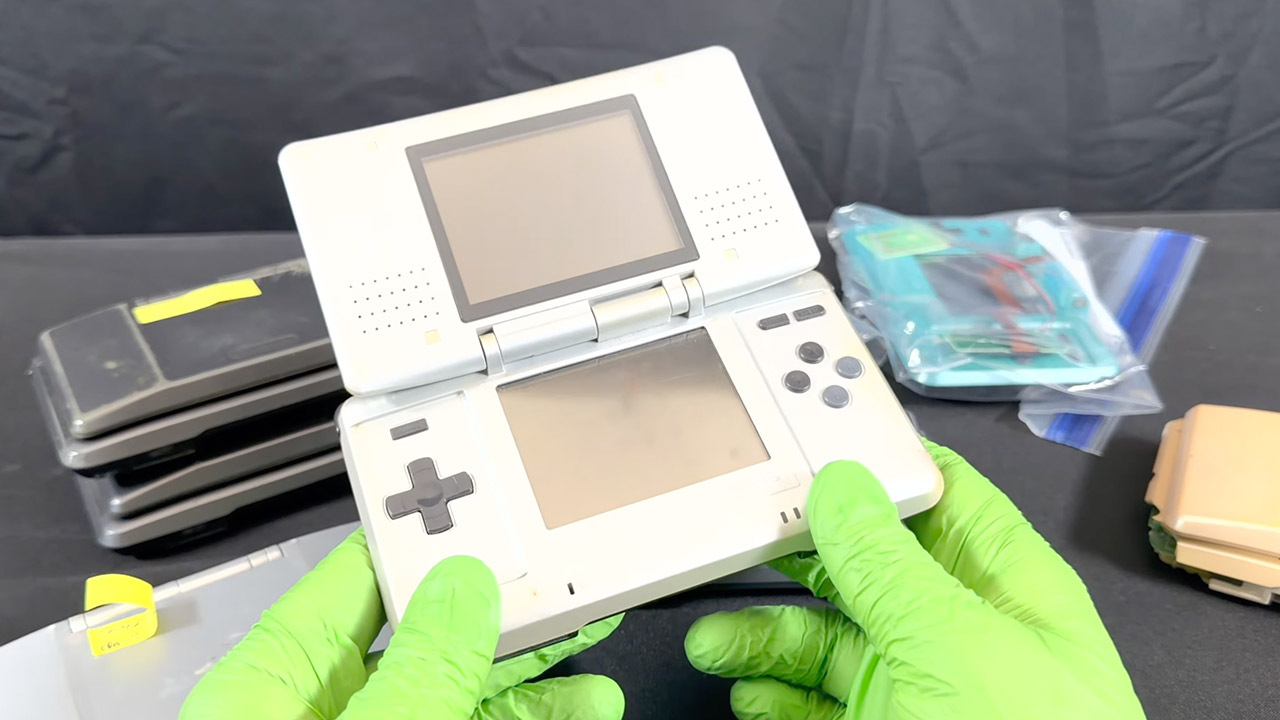
As far as he can tell, no lab study has ever been able to pinpoint exactly what kind of chemistry is at work here, but it’s clear that the additives used to give off that metal sheen and nice swirl finish don’t work well with ABS plastic in the long run, leaving it brittle and prone to shattering. What accelerates the process even more? Age. Combine that with some heat and a layer of paint, and watch it break. No, Retrobrite won’t assist much because it only changes the colors of the old yellowed plastics. Oils that soften old rubber will also be of little use in this situation.
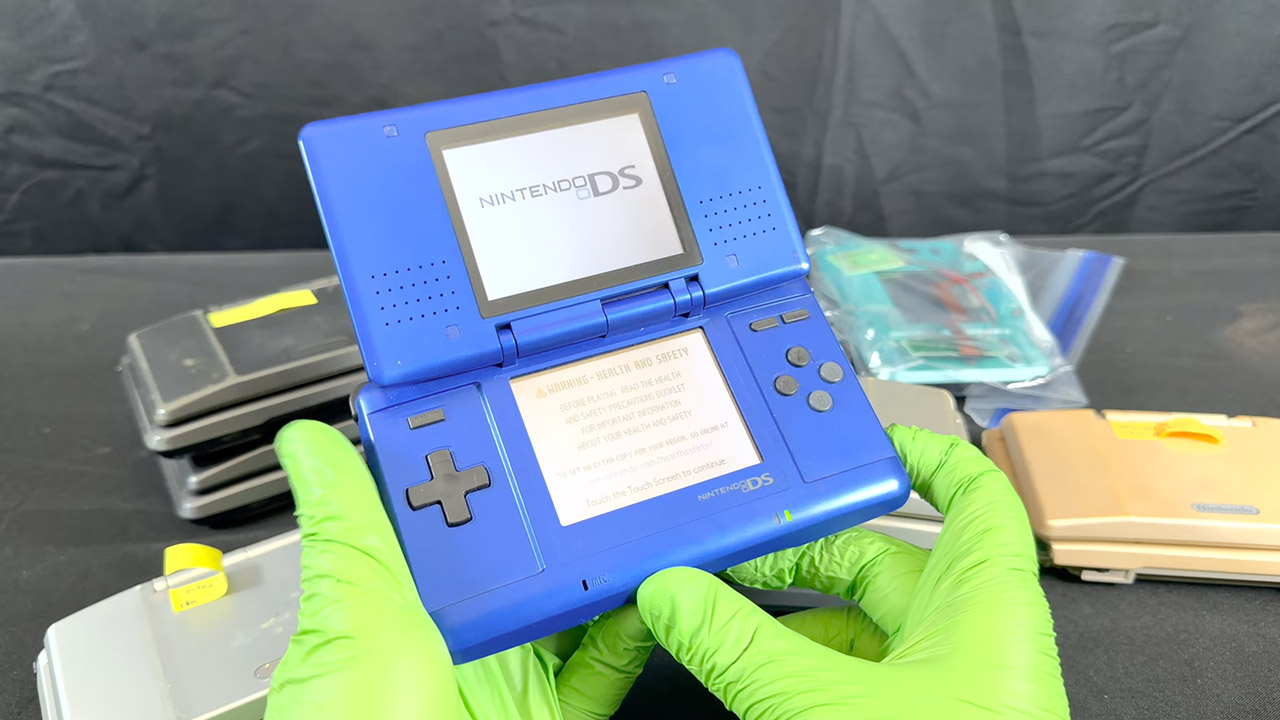
He believes that purchasing an aftermarket shell and getting rid of the factory one before it chooses to disintegrate on its own would be a better choice for people who own an original Nintendo DS in the same state. Save the original board, displays, digitizer, buttons, and other useful components.
[Source]
The Trusted Reviews Awards are back for 2026, and we can finally reveal the shortlist for the top prizes.
Our mission is to provide our readers with the best possible product reviews. We review thousands of products across multiple categories every year with this in mind. From fridges to phones, ovens to gaming handhelds, we pride ourselves on our in-depth testing and original reporting.
The Trusted Reviews Awards is where we celebrate the very best tech reviewed by our experts. Categories for 2026 include Computing, TV & Audio, Mobile, Homes and Cameras. We’re also handing out a special Sustainability Award with eBay.
While the winners will be announced at our ceremony on October 1st, our shortlisted products have now been announced, and they can be viewed below.
Best Monitor
- Samsung Odyssey OLED G6 G60SF
- Dell UltraSharp 32 4K QD-OLED Monitor U3226Q
- LG UltraGear GX9 45GX950A-B
- Samsung ViewFinity 40S85TH
- BenQ MA320UP
Best Mouse
- Razer Viper V4 Pro
- SteelSeries Aerox 3 Wireless Gen 2
- Logitech G Pro X2 Superstrike
- Sony Inzone Mouse-A
- Logitech MX Master 4
Best Headset
- SteelSeries Arctis Nova Pro Omni
- Sony Inzone H6 Air
- Astro A20X Lightspeed Wireless
- SteelSeries Arctis Nova Elite
- Logitech G325 Lightspeed
Best Gaming Handheld
- MSI Claw A8
- Asus ROG Xbox Ally
- Lenovo Legion Go S SteamOS
- Asus ROG Xbox Ally X
- Lenovo Legion Go 2
Best Keyboard
- Ducky OK-M-98
- Gravastar Mercury V60 Pro
- Sony Inzone KBD-H75
Best VPN
- Proton VPN
- NordVPN
- ExpressVPN
- Mullvad
- Windscribe
Best Gaming Laptop
- MSI Stealth A18 AI+
- Acer Nitro 16 AI
- Medion Erazer Beast 16 X1 Ultimate
- Acer Predator Helios 18 AI
- Acer Predator Triton 15 AI
Best Student Laptop
- Apple MacBook Neo
- Lenovo Yoga Slim 7x Gen 11
- Acer Swift Go 14 AI
- Acer Swift Edge 14 AI
- Acer Chromebook Plus Spin 514
Best Laptop
- Asus ProArt P16
- Samsung Galaxy Book 6 Pro
- Apple MacBook Air M5
- Acer TravelMate P6 14 AI
- Asus ExpertBook Ultra
Best Gaming Monitor
- Samsung Odyssey OLED G6 G60SF
- LG UltraGear GX9 45GX950A-B
- AOC Agon Pro AGP277QKDC
- BenQ Mobiuz EX271UZ
- Philips Evnia 27M2N5901A
Best Coffee Machine
- Nespresso Vertuo Up
- Ninja Prestige Dualbrew System CFN802UK
- KitchenAid Semi Automatic Espresso Machine
Best Bean-to-cup Coffee Machine
- Ninja AutoBarista Pro
- Philips Series 5500 LatteGo Bean to Cup Coffee Machine
Best Air Fryer
- Instant Pot Vortex Compact 5L Air Fryer
- Typhur Sync Air Fryer
- Ninja Crispi Pro
Best Power Station
- EcoFlow Delta 3 Max Plus
- BLUETTI Pioneer Na Portable Power Station (Sodium-ion)
- DJI Power 1000 Mini
Best Hob
- KM 8885-2 FL Diamond&Msense
- Hisense Hi8 Induction Hob 60cm HI6443SRWF
Best Cordless Vacuum Cleaner
- Dyson V10 Konical
- Shark PowerDetect Speed Clean and Empty Pet Pro IA3241UKT
- Hoover HF6 TurboSense
Best Plug-in Vacuum Cleaner
- Vax LiftOut Multi Pet-Design
- Hoover HL4
Best Hard Floor Cleaner
- Philips OneUp 5000 Series Electric Mop
- Dyson PencilWash
- Dyson Clean+Wash Hygiene
Best Carpet Cleaner
- Vax ONEPWR Compact Cordless Carpet Cleaner
- Shark StainStriker HairPro Pet Stain & Spot Cleaner PX250UKT
- Shark StainForce Cordless Stain-Destroying Spot Cleaner HX100UKT
Best Robot Vacuum
- Eufy Omni S2
- Shark PowerDetect UV Reveal RV3000XEUK
- Roborock Saros S20
Best Smart Doorbell
- Aqara Doorbell Camera G400 (Wired)
- Ring Wired Video Doorbell (2nd Gen)
- Ring Battery Video Doorbell 2K Plus
Best Smart Home Product
- Homey Pro 2026
- Flic Duo
- Aqara Valve Controller T1
- Ultion Nuki 2025
- Alexa+
Best Smart Security Camera
- Reolink E331 Smart Security Camera
- TP-Link Tapo C660 Kit
- Arlo Pro 6 2K
- Ring Outdoor Cam Pro
Best Smart Lighting Product
- Govee Floor Lamp 3
- Philips Hue Neon Outdoor Strip Light
Best Oven
- Masterbuilt Gravity 1150
- Samsung Bespoke Compact Oven Series 7 50L NQ5B7993AAK
- Hisense BSA66226ADBGUK
Best Dishwasher
- Haier XF 4A4M4PDA-80
- Samsung Series 6 WaterJet Clean DW60DG760FSLU4
- Hisense Hi9 HS693A90ADBX
Best Large Fridge/Freezer
- Hisense RQ5P640SYSD
- Miele KFN 7934 D
- Liebherr MBsddi 9024 plus BioFresh NoFrost
Best Washing Machine
- Hisense WF5I1245BBR
- Hotpoint HPC 96 Care UK
Best Washer Dryer
- Hisense WD5I1245BBRH
- Siemens WN54C2ATGB
Best Fan
- Duux Whisper 3
- SwitchBot Battery Circulator Fan
- Dreo TurboCool Misting Fan 765S
- Dyson Find+Follow Purifier Cool PC3
Best Grass Trimmer
- Stihl FSA 50 Cordless Grass Trimmer
- Webb Eco WEV20LTB2 Cordless Line Trimmer
Best Lawn Mower
- STIGA Collector 140e Kit
- Karcher LMO 18-36 Cordless Battery Lawn Mower
- Gtech CLM50
Best Robot Lawn Mower
- Mammotion Luba 3 AWD
- Husqvarna AutoMower 430V NERA
- Ecovacs Goat O1200 LiDAR Pro
- Segway Navimow i205 AWD
Best Hedge Trimmer
- Stihl HLA 40 Cordless Long-reach Hedge Trimmer
- VonHaus Cordless Pole Hedge Trimmer 40V Max. Battery 3500231
Best Heater
- Shark TurboBlade Cool + Heat TH200UK
- Dyson Purifier Hot+Cool HP1
Best Portable Projector
- JMGO N3 Ultimate
- XGIMI Elfin Flip Laser
Best lifestyle projector
- BenQ GP520
- Optoma UHZ58LV
- XGIMI Horizon 20 Max
- Hisense XR10
- AWOL Vision Aetherion Max
Best Projector
- Sony Bravia Projector 7
- Hisense XR10
- BenQ W2720i
Best affordable TV
- Xiaomi TV F Pro
- Haier H65S90GUF
- Samsung M80H
Best Mini LED TV
- TCL 65C7L
- Sony Bravia 9 II
- Samsung QE75R95H
Best OLED TV
- Samsung S90H
- Samsung S99H
- Sony Bravia 8 II
- LG C6 OLED
Best TV
- Sony Bravia 9 II
- LG C6 OLED
- Samsung S90H
- TCL C7L
- Samsung S99H
Best Amplifier
- Musical Fidelity B1xi
- Lyngdorf TDAI 2210
- MOON 371
Best Soundbar
- Samsung HW-QS90H
- JBL Bar 3000MK2
- Bose Lifestyle Ultra Soundbar
- Sony Theatre Bar 7
Best Stereo Speakers
- Dali Kupid
- Wharfedale Diamond 12.1i
- Ruark Talisman-R
- Bowers & Wilkins 707 Prestige
Best Outdoor Speaker
- JBL Flip 7
- JBL Charge 6
- Marshall Stockwell III
- Moto Sound Flow
- Tribit Stormbox Micro 3
- JBL Go 5
Best Party Speaker
- Marshall Bromley 450
- Ikarao Shell S1
- JBL PartyBox 720
Best Wireless Speaker
- Samsung Music Studio 7
- Denon Home 400
- DALI VEGA
- Bluesound Pulse Flex (2025)
- WiiM Sound
- Marshall Acton IV
- KEF Coda W
- Bose Lifestyle Ultra Speaker
Best DAC
- iFi Go Link Max
- Topping D900 DAC
- Eversolo DAC-Z10
- Topping DX9 Discrete
Best Music System
- Focal Mu-so Hekla
- Philips The Tina
- Majority Quadriga
- Cambridge Audio Evo One
Best Radio
- Roberts Stream 219
- Pure Elan Mode
Best Sports Headphones
- JLab Go Sport+
- Beats Powerbeats Fit
- JBL Endurance Peak 4
Best Noise Cancelling Headphones
- Apple AirPods Pro 3
- Sennheiser Momentum 5 Wireless
- Sony WF-1000XM6
Best Wired Headphones
- Meze 99 Classics 2nd Gen
- HEDDphone TWO GT
- Audio Technica ATH-ADX7000
Best Open Earbuds
- Shokz OpenFit Pro
- Shokz OpenDots 2
- Baseus Bowie MC2
Best Wireless Earbuds Under £100
- EarFun Air 4 Pro+
- Oppo Enco Air5
- Final Audio ZE300
Best Wireless Headphones
- Nothing Headphone A
- Sony 1000X The Collexion
- Sennheiser Momentum 5 Wireless
- Focal Bathys MG
- Sennheiser HDB 630
- Noble FoKus Artemis
Best Wireless Earbuds
- Apple AirPods Pro 3
- Soundcore Sleep A30
- Sony WF-1000XM6
- Sennheiser Momentum True Wireless 5
Best Headphones
- Sony WF-1000XM6
- Apple AirPods Pro 3
- Soundcore Sleep A30
- Meze 99 Classics 2nd Gen
Best Camera
- Canon EOS R1
- Canon PowerShot V1
- Panasonic Lumix DC-L10
- Nikon Z5II
- Fujifilm X Half
Best Pocket Camera
- DJI Osmo Pocket 4P
- Insta360 Luna Ultra
- DJI Osmo Nano
- Insta360 X6
Best Tablet
- Honor MagicPad 4
- RedMagic Astra 2
- iPad Air M4
- Xiaomi Pad 8 Pro
- Samsung Galaxy Tab S11 Ultra
Best Tablet Under £400
- OnePlus Pad Go 2
- Lenovo Idea Tab Plus
- Poco Pad X1
Best Smart Ring
- Oura Ring 5
- Cudis 002 Sporty Ring
- Pin Pulse
Best Running Watch
- Samsung Galaxy Watch Ultra 2
- Huawei Watch GT Runner 2
- Coros Pace 4
- Garmin Forerunner 170 Music
Best Fitness Tracker
- Google Fitbit Air
- Amazfit Active 3 Premium
- Huawei Watch Fit 5 Pro
- Xiaomi Smart Band 10 Pro
- Garmin Cirqa
Best Smartwatch
- Samsung Galaxy Watch Ultra 2
- Xiaomi Watch 5
- Huawei Watch Ultimate 2
- Samsung Galaxy Watch 9
- Google Pixel Watch 5
Best Foldable Phone
- Samsung Galaxy Z Fold 8
- Samsung Galaxy Z Fold 8 Ultra
- Honor Magic V6
- Motorola Razr Fold
- Motorola Razr 70 Ultra
Best Gaming Phone
- RedMagic 11S Pro
- Poco X8 Pro Max
- RedMagic 11 Air
- OnePlus 15
Best Camera Phone
- Oppo Find X9 Ultra
- Samsung Galaxy S26 Ultra
- Xiaomi 17 Ultra
- Honor Magic 8 Pro
- iPhone 17 Pro
Best Phone Under £400
- Motorola Edge 70 Fusion
- Poco X8 Pro
- Nothing Phone 4a
- Honor Magic 8 Lite
- Xiaomi Redmi Note 15 Pro Plus 5G
Best Phone Under £700
- Google Pixel 10a
- Samsung Galaxy A57 5G
- Poco F7 Ultra
- Honor 600
- Nothing Phone 4a Pro
Best Phone
- Oppo Find X9 Pro
- Samsung Galaxy S26 Ultra
- Honor Magic 8 Pro
- iPhone 17 Pro
- Google Pixel 11 Pro
Sustainability Award
- Fairphone 6 Plus
- Bang & Olufsen Beosound Premiere
- Sennheiser Momentum 5 Wireless
- Acer Swift Go 14 AI (2026)
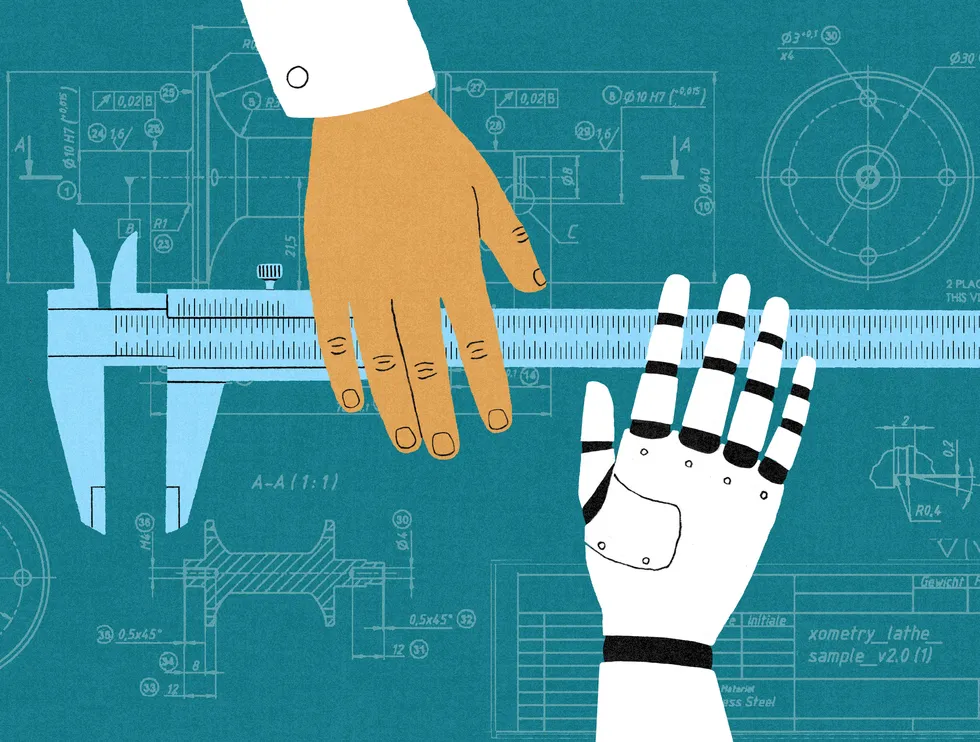

A little over a decade ago, I led the controls design for a first-of-its-kind full digital control system for a U.S. nuclear plant. It was, on paper, a beautiful machine—engineered to run itself the way a modern airliner does, with operators watching over a system that rarely needed them. And we made a decision that, to an efficiency-minded observer, looked backward: We deliberately left manual steps inside sequences the system could execute on its own.
We were solving a specific problem. An operator who only ever supervises automation slowly stops being an operator. The hands go cold. The mental model of what the plant is actually doing gets fuzzy. Then comes the day the automation hands control back. It’s always the worst day, because automation only quits when it’s confused or in trouble. But by then, you have a person in the chair who hasn’t truly operated the thing in years. The manual steps were there to keep the human current. It was inefficient by design, on purpose.
That plant, as it happened, was never built. It was shelved amid the politics and economics that surround nuclear power in this country, for reasons that had nothing to do with the engineering. But the design instinct outlived the project, and I’ve come to believe it’s the most useful idea I can offer to the argument now consuming every boardroom: What happens to human expertise when AI does the work that used to build it?
AI Is Disrupting the Engineering Career Ladder
The data has gotten hard to wave away. A Harvard University working paper covering some 65 million workers at more than 280,000 U.S. firms found that after companies adopted generative AI, junior employment fell roughly 9 percent within six quarters relative to non-adopters, while senior employment kept right on growing. A Stanford analysis of ADP payroll records points the same way: The youngest workers in the most AI-exposed occupations lost ground after late 2022 while their more experienced colleagues held theirs. The Stanford researchers found that the losses concentrate where AI automates the work; where it merely augments, junior employment holds steady or rises.
The causal story is still contested, and honesty requires saying so. Researchers at the New York Fed attribute much of the rise in young-graduate unemployment not to AI but to remote work, arguing that firms are reluctant to hire inexperienced people whom they cannot train and mentor at a distance. But notice what the explanations share. Whether a model is absorbing the formative work or distance is severing the mentorship around it, both describe the same broken mechanism: the apprenticeship channel through which expertise passes from senior to junior. Either way, “entry-level” has quietly come to mean “three years of experience required.”
Strip away the noise and you’re left with one deceptively simple problem: you cannot become a senior engineer without first being a junior one. Expertise is not downloaded. It is earned through failed builds, dead-end debugging sessions, and the “why on earth did that work” moments that a capable AI will now happily spare the newcomer. Spare them enough of those, and you produce a cohort that can supervise a model on paper but never developed the gut sense to know when the model is confidently, catastrophically wrong.
Most of the commentary stops at the diagnosis, or reaches for policy solutions that treat the loss of junior jobs as an economic problem. Yet it’s also an engineering problem, and safety-critical fields have already spent decades learning how to solve it.
My own career started at the sharp end of automation. My first job out of school was verifying and validating the software in the digital jet-engine controller that decides, faster than any pilot could, how a fighter plane’s engine responds. Even then, in the late 1980s, the central tension was visible: The machine outperforms the human in routine cases, but the human is all that stands between the aircraft and disaster in the cases the machine didn’t anticipate. This tension is known as the automation paradox, in which increasingly capable automation gives human operators less practice, while leaving them only the most difficult situations.
Aviation learned, repeatedly and expensively, what happens when human skills atrophy inside that gap. The canonical example is Air France flight 447, which fell into the Atlantic in 2009. The proximate cause was mundane. Iced-over airspeed sensors fed the autopilot bad data, and it did what it is designed to do: it disconnected and handed control of the airplane back to the crew. What followed was not a hardware failure. It was a competence failure. A recoverable situation became an unrecoverable one because the pilots, conditioned by thousands of hours of watching the automation fly, could not read a high-altitude aerodynamic stall and hand-fly their way out of it. The airplane was working. The training the automation had quietly eroded was not.
The industry’s response is instructive, and it’s the same move we made in that nuclear control room. It did not rip out the autopilot. It built deliberate manual practice back in. In 2017 the FAA issued Safety Alert for Operators 17007, “Manual Flight Operations Proficiency,” declaring that “manual flight is the foundation upon which other technical flying skills are built.” The alert formally recognized skill decay as a hazard in its own right. Some airlines amended their procedures to encourage hand-flying both the initial climb and initial descent in benign conditions, knowingly trading a sliver of fuel efficiency to keep the crew’s raw flying skills alive. That trade is the whole point. A perfectly optimized system that produces incompetent operators is not optimized at all. It has simply moved its failure mode somewhere the spreadsheet can’t see it.
Manual Gates Could Preserve Engineering Skills
Put the aviation lesson and the nuclear instinct side by side and they point to one design pattern we now need in AI-augmented work: the deliberate “manual gate.”
A manual gate is a point in a workflow where a human takes the controls, not because it is the fastest way to get the task done, and not only as a safety interlock, but specifically to exercise and preserve a skill that would otherwise decay. The distinguishing feature is that it is chosen. You decide, as a matter of design, which competencies your organization must keep alive in human beings because those are the ones you will need on the bad day. Then you engineer the friction required to keep them warm.
Picture how this might work on a software team that leans on AI for most of its code. The team places a manual gate around the skill it can least afford to lose: debugging. When a defect surfaces in a critical module, the assigned engineer—deliberately, often a junior one—must first reproduce the failure, trace it to root cause, and write an automated test that captures the bug, all with the AI assistant switched off. Only after the engineer commits to a diagnosis does the model come back on, to propose the fix, generate alternatives, and sweep the codebase for similar bugs. The engineer then compares their diagnosis against the model’s. When the two disagree, that’s the design working, surfacing the disagreement before the bad day instead of during it.
This approach reframes the junior engineer entirely. The instinct today is to let AI do the entry-level work because it is faster and cheaper. But some of that work is not overhead to be eliminated. It is the training apparatus of your future senior staff, and you should protect it the way you’d protect any other piece of critical infrastructure. It may not be efficient this quarter, but dismantling it quietly mortgages your capability a decade out.
Why Companies Must Keep Training Junior Engineers
None of this is free, and pretending otherwise would insult the people who have to sign the budgets. A deliberate manual gate is, by construction, less efficient in the near term than full automation. Keeping juniors doing formative work and running the manual sequences costs something now to protect something later.
That’s a hard sell in a market that judges most leaders on quarterly results. A hired executive who carries “unnecessary” humans that AI could replace will hear about it from the board long before the payoff arrives. The math only works for someone insulated from that pressure: a founder with control, a private company, an institution with a genuinely long horizon, or a regulator willing to require workers to demonstrate their skills regularly, as pilots must. Which means the organizations most likely to preserve their own expertise are the ones structurally able to spend short-term margin on long-term capability; everyone else will need that outside push.
So here is the argument, in one line: Deliberate inefficiency is not waste. In safety-critical engineering we have always known it as insurance, and we buy it on purpose. As AI takes over the work where expertise is forged, the smart move is not to resist the automation. It is to keep our hands on the controls by design—so that when the automation fails, as it always eventually does, there is still someone in the chair who knows how to fly.
From Your Site Articles
Related Articles Around the Web
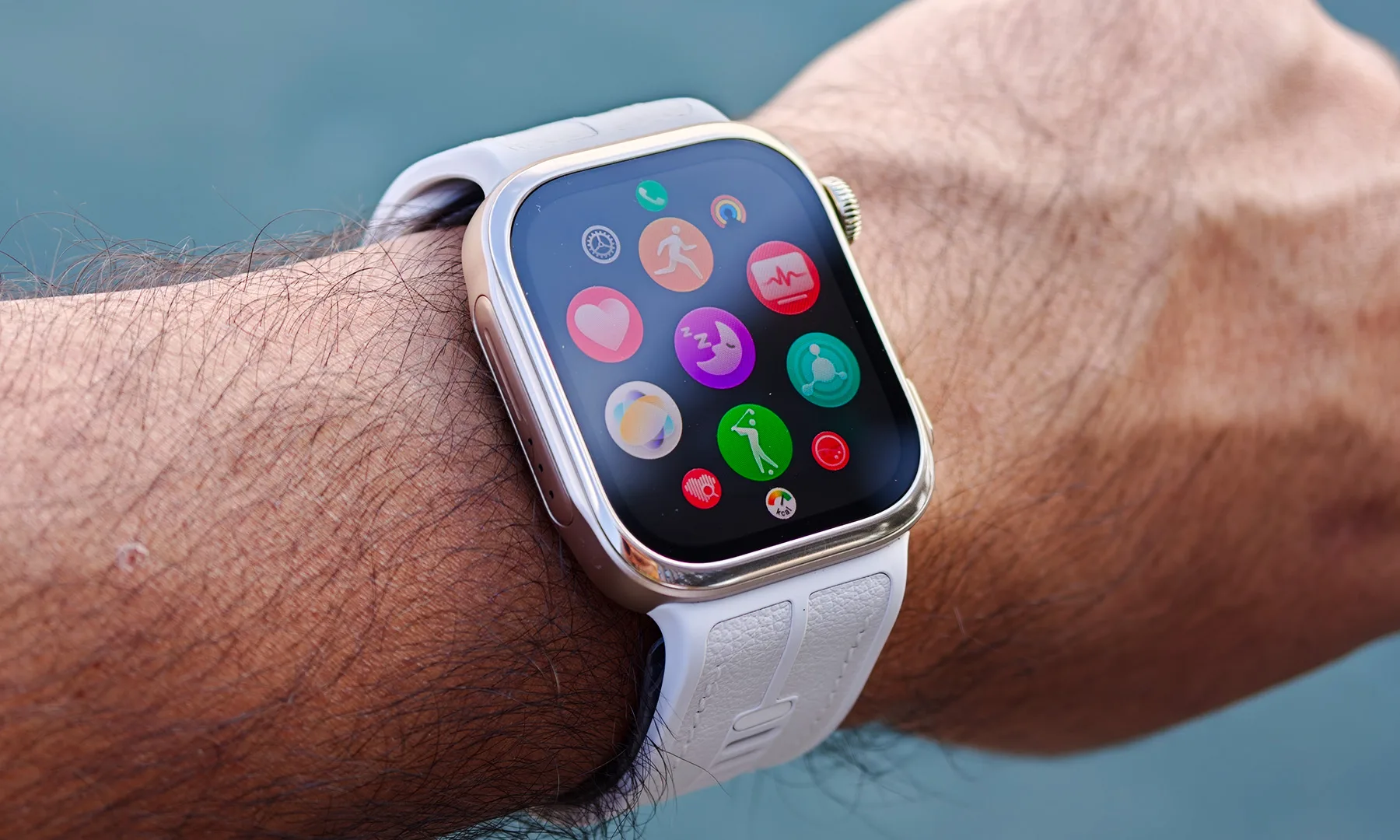
There are plenty of smartwatches that can tell you how many steps you’ve taken, how well you slept, and whether your heart rate is doing something unusual. Then there’s the Huawei Watch D3, which looks at all of that and essentially asks: “That’s nice. But what’s your blood pressure?”
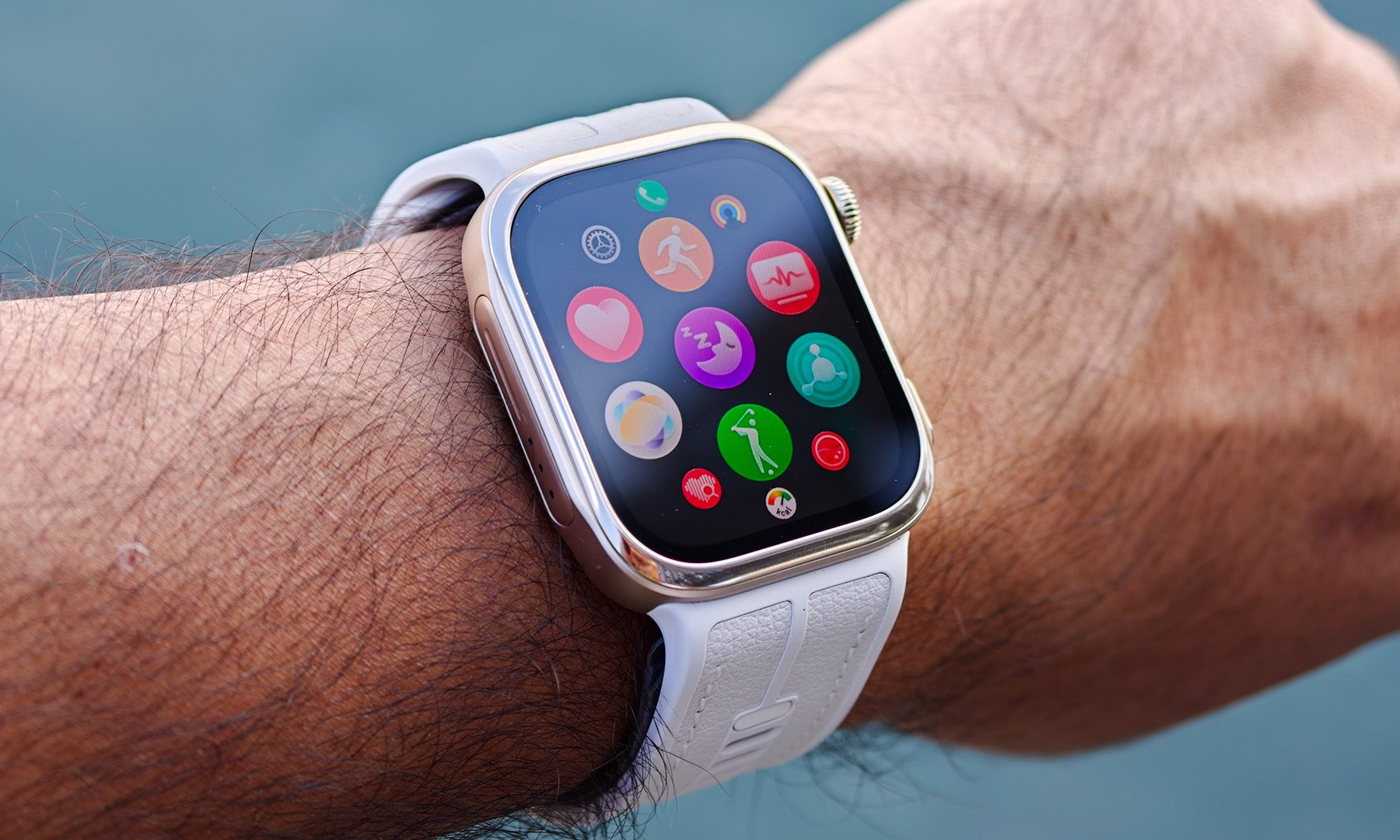
I’ve been wearing the Watch D3 for a handful of days now, and it’s quickly become one of the more interesting smartwatches I’ve tested in a while. Not necessarily because it does everything better than the competition, but because it is trying to solve a very different problem. This is a smartwatch built around cardiovascular health first, and everything else second.
A slimmer Watch D makes a big difference
The first thing you’ll notice about the Watch D3 is that it looks considerably less imposing than its predecessor. Huawei has brought the thickness down to 11.4mm from 13.3mm, and while that might not sound dramatic on paper, it makes a noticeable difference once the watch is actually sitting on your wrist.
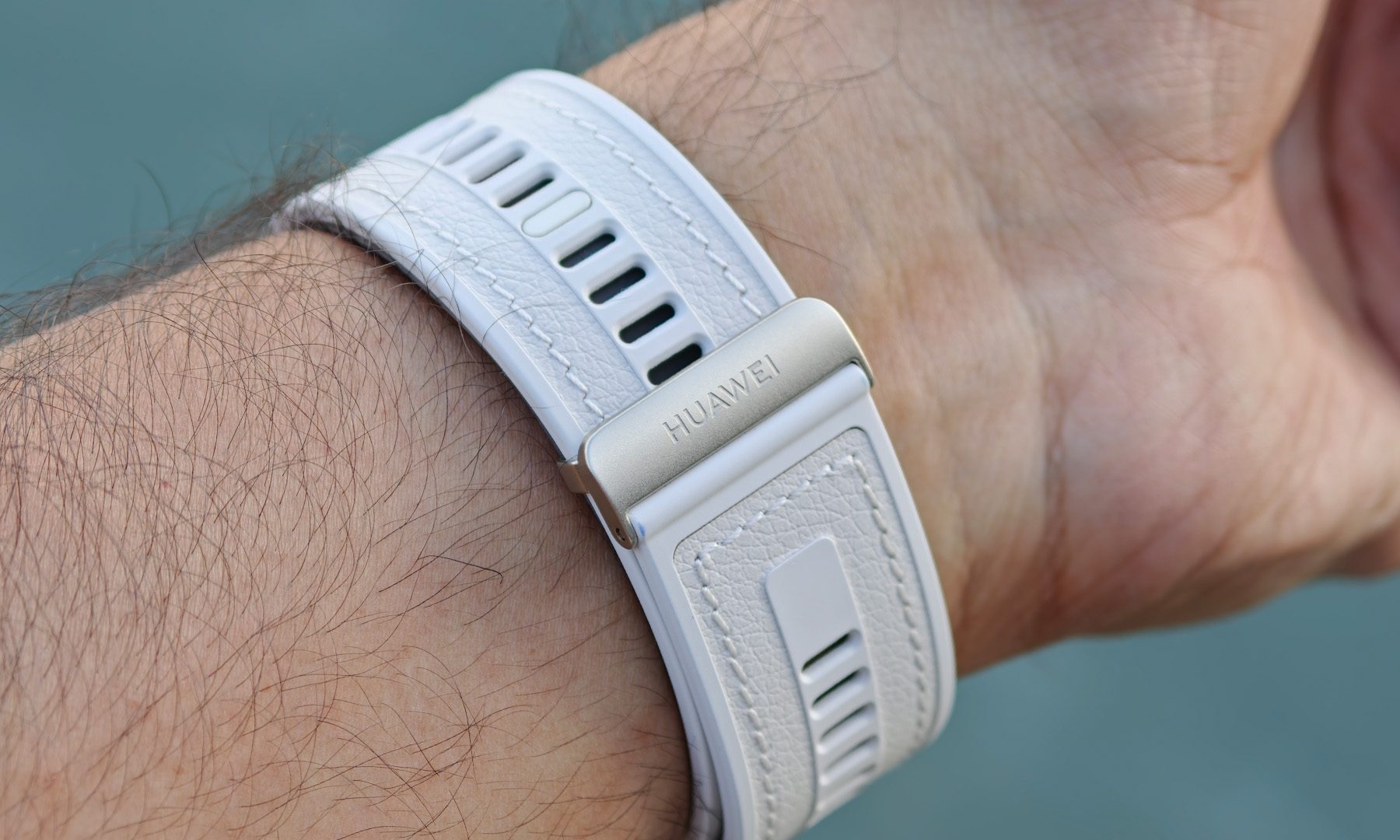
It’s also considerably easier to live with overnight. That’s important because the D3 isn’t really a watch you buy just to glance at notifications during the day. A big part of its appeal is continuous health monitoring, and that works much better when you can comfortably forget you’re wearing it. The larger 1.92-inch display helps, too, making everything from blood-pressure readings to other health metrics easier to read at a glance.
The clever bit is hiding in the strap
The D3’s party trick is something you won’t find on your average Apple Watch or Galaxy Watch: an inflatable cuff built directly into the strap. There’s a miniature pump inside the watch that inflates the cuff around your wrist, allowing the D3 to take a pressure-based blood-pressure measurement rather than simply estimating it from optical sensor data.
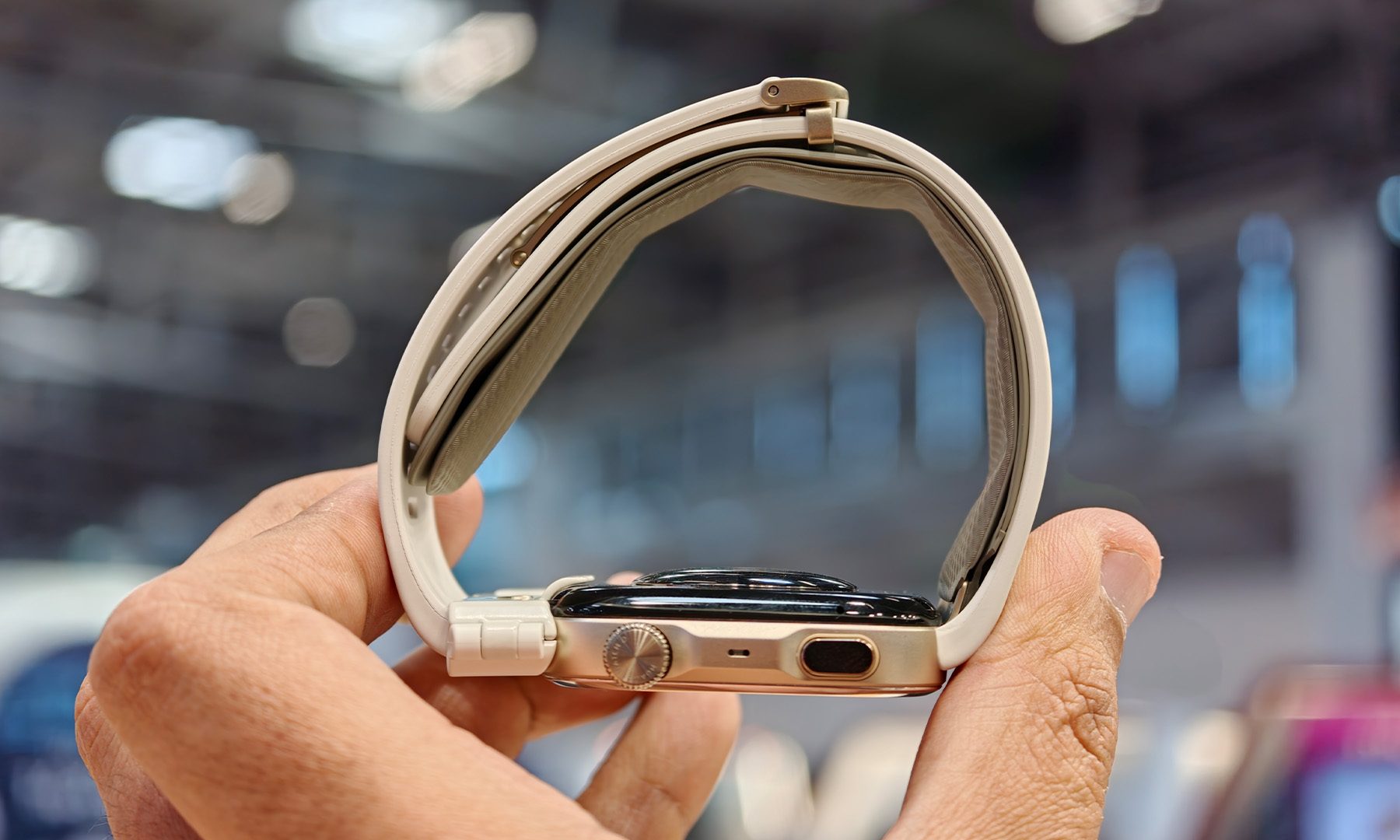
The process itself is surprisingly painless. Raise your wrist so the watch is positioned close to heart level, start a measurement, and roughly 30 seconds later you’ve got a reading. There’s obviously some pressure involved as the cuff inflates, but it’s hardly an ordeal. After a few attempts, it becomes just another thing you can do from your wrist.
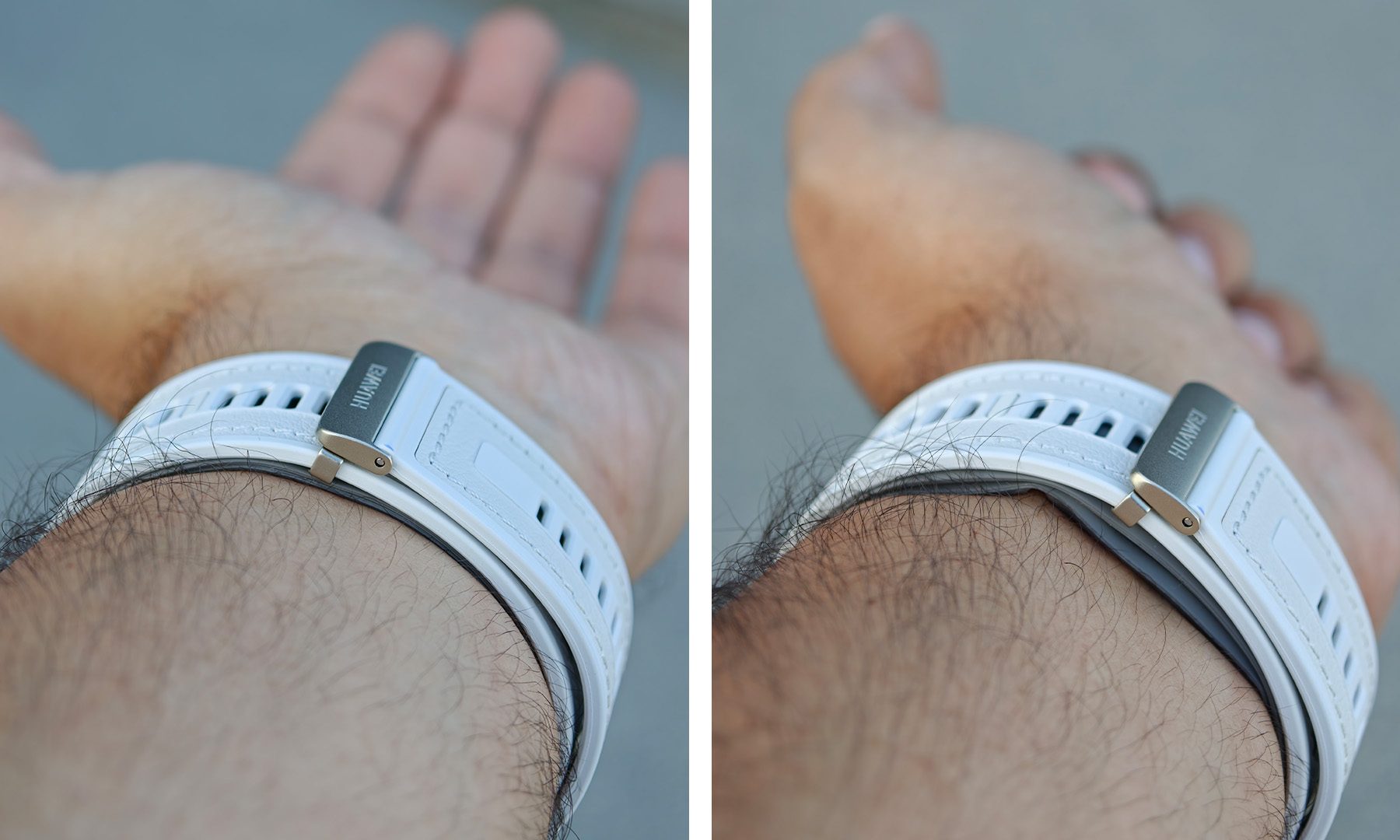
That hardware does come with a few compromises. The Watch D3 carries an IP68 rating, but Huawei’s design means this isn’t a smartwatch I’d treat like a dedicated swimming companion. Prolonged water exposure, diving, hot showers, and similar activities aren’t really what this particular piece of wrist hardware was designed for. It’s a small price to pay for having an inflatable blood-pressure cuff hiding in the strap.
Blood pressure gets a little more interesting
The real appeal of measuring blood pressure this way is that it gives the D3 a different perspective on your health. Most smartwatches build their stress and wellness insights from signals such as heart rate, heart-rate variability and sleep. The D3 can add actual blood-pressure measurements to that picture.
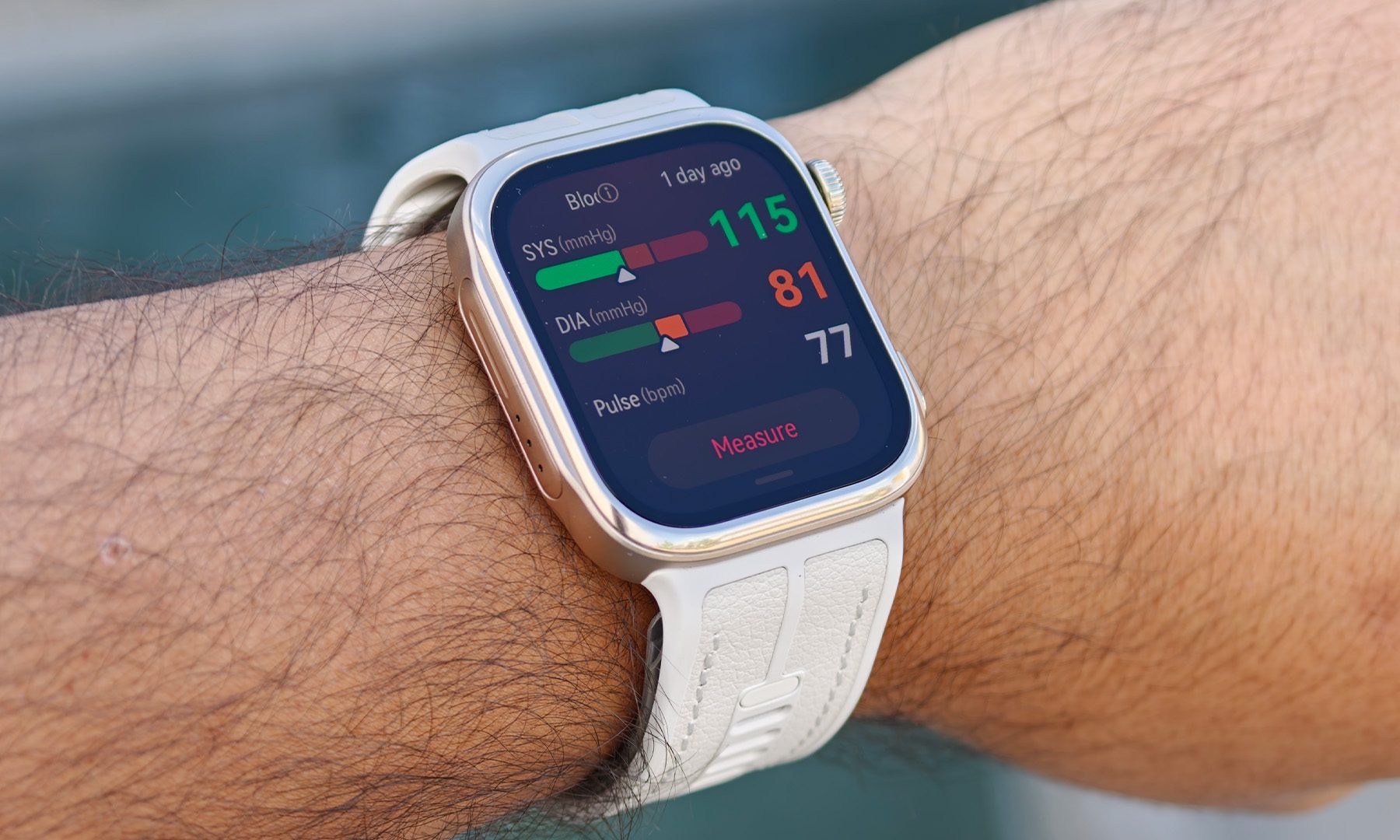
Huawei has also expanded the blood-pressure capabilities of the previous-generation D2. The D3 can record blood pressure before and after exercise, and Huawei says it can maintain accurate measurements at elevated heart rates. It also introduces contextual reminders to check blood pressure during situations such as sudden temperature changes or stays at high altitude.
That last bit is particularly interesting because it makes the monitoring feel a little more intelligent. Instead of simply collecting numbers and dumping them into an app, the D3 can recognize situations where a blood-pressure check may be useful and nudge you toward taking one. It’s a small feature, but one that makes the whole concept feel more purposeful.
This isn’t trying to be an Apple Watch
And that’s where the Watch D3 gets interesting. It would be easy to compare it with an Apple Watch, Galaxy Watch, or Garmin and start ticking off the features it doesn’t have. There are fewer sports modes, the water restrictions are more significant, and its entire design is dictated by hardware that most smartwatches don’t need to accommodate. But that misses the point.
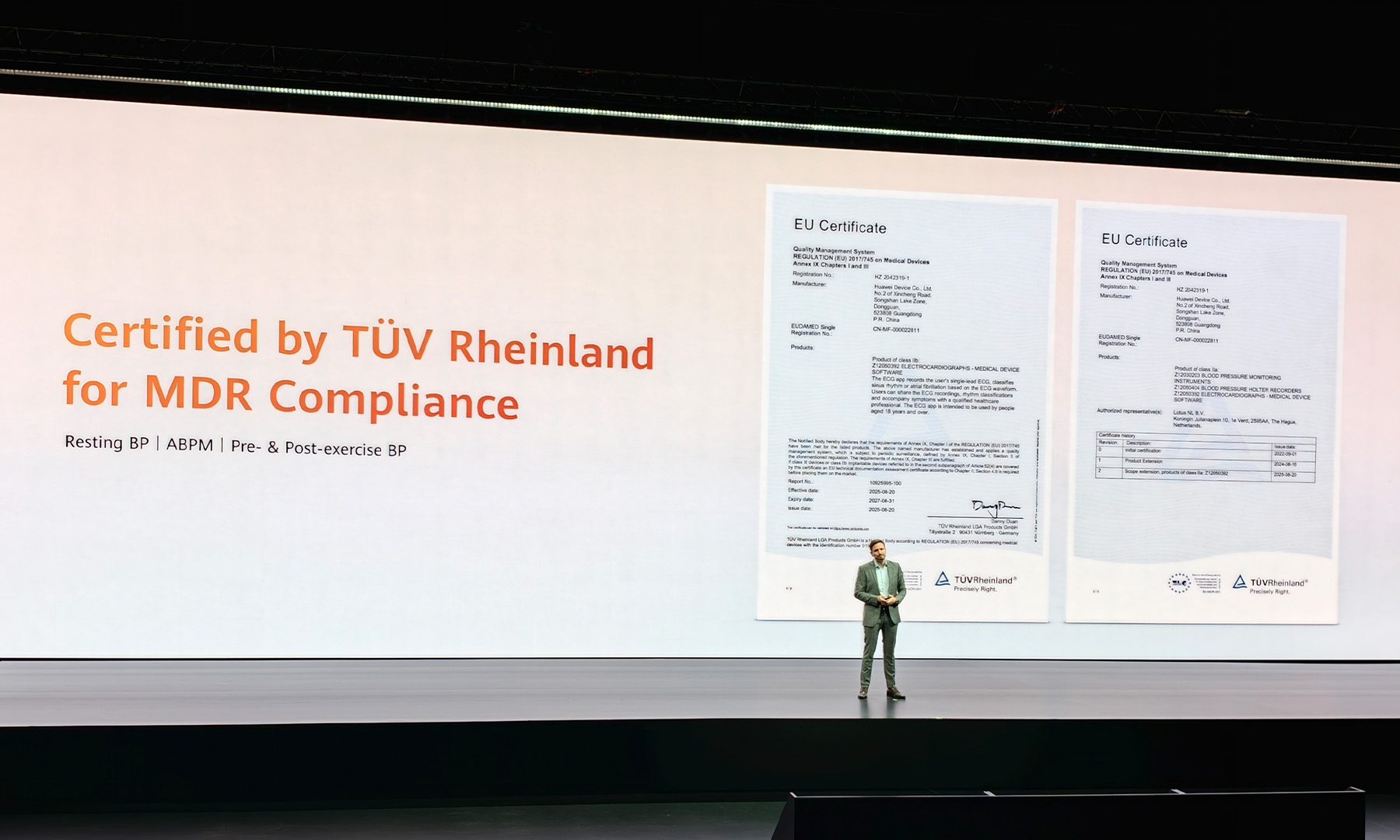
The D3 isn’t really designed to win a smartwatch feature checklist. Its target audience is much more specific: people who care deeply about cardiovascular health, users managing hypertension, adults aged 40 and above, or anyone for whom regular blood-pressure monitoring is more important than having the most comprehensive sports watch on their wrist.

That medical focus was on full display when Huawei previewed the D3 at the European Society of Cardiology (ESC) Congress in Munich, where it attracted positive interest from cardiology professionals. Huawei says the D3’s CE-MDR certification in the European Union covers single blood-pressure measurements, ambulatory blood-pressure monitoring, and measurements before and after exercise.
A surprisingly compelling niche
After a handful of days with the Watch D3, I’m still figuring out how useful all of this additional health data will be over the long term. That’s something I’ll need more time to properly evaluate, particularly when it comes to accuracy in different circumstances, battery life, and whether the novelty of taking blood-pressure measurements actually translates into a lasting habit.
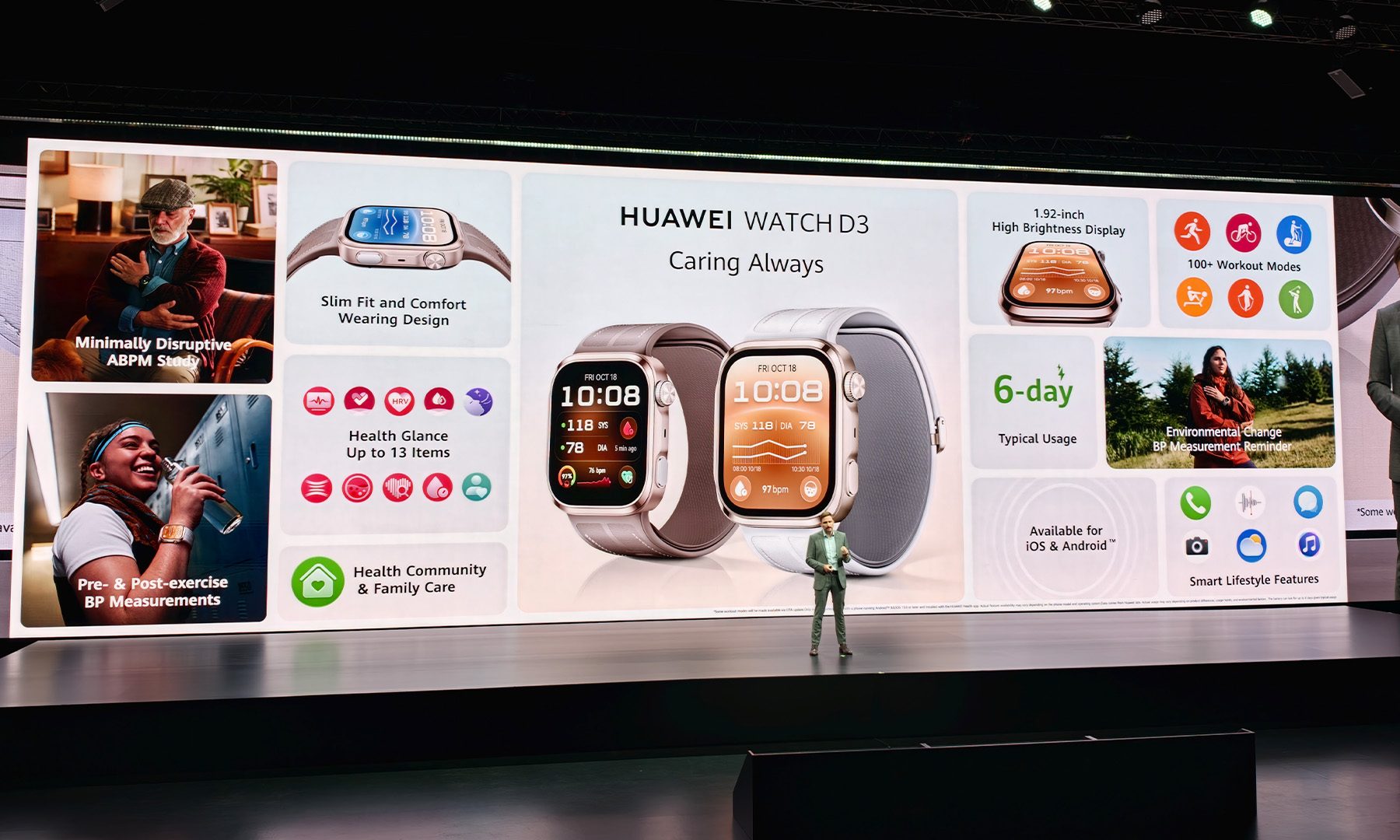
But the early impression is certainly positive. Huawei has managed to shrink a fairly complicated piece of health-monitoring hardware into something that feels much more like a conventional smartwatch than you might expect. And the fact that the D3’s CE-MDR certification specifically encompasses several blood-pressure monitoring scenarios makes its proposition considerably more interesting than simply adding another estimated health metric to a smartwatch.
The Watch D3 isn’t going to replace the Apple Watch or Galaxy Watch, and I don’t think Huawei wants it to. It’s going after a much narrower, but potentially much more valuable audience. If you’re someone who actually needs to keep tabs on your blood pressure, having that capability wrapped around your wrist instead of sitting in a drawer could be a pretty big deal.


Like Hetzner Online, both Softaculous and Zet.net, the transit peer downstream from Hetzner Online, failed to properly monitor their systems and, as a result, didn’t catch the hijacking until it had been ongoing on and off for 22 hours. There are also questions about another host provider, Nexon Host, whose infrastructure somehow facilitated the malicious announcement.
Ben Cartwright-Cox, a BGP expert and creator of the BGP Tools suite, called the lapses “silly, preventable mistakes.” Softaculous, Hetzner, and Zet.net didn’t immediately respond to emailed questions.
A brief history of BGP
BGP attacks target the underpinnings that make the Internet a unified, worldwide network. The Internet is splintered into many ASes (autonomous systems), also known as ASNs (autonomous system networks). Each AS is an independent network assigned a portion of the 3.7 billion publicly available addresses under the IPv4 protocol. BGP is the glue that binds all these ASes together and allows each one to connect to any other.
To allow an address assigned to an AS in, say, Germany to reach IPs in North America, an AS must “announce” the other ASes that should transit the traffic. These routing announcements are declarations made as entries on a global routing table used by all ASes and the hosting providers serving them. In the Internet’s early days, BGP ran on trust. Providers simply assumed announcements were valid and made in good faith.
Over the years, attackers repeatedly abused this trust by making announcements for IPs they had no valid right to control. Attackers—with ties to both nation-states and financially motivated groups—capitalized on the lax system to, in some cases, route petabytes’ worth of sensitive data through networks they controlled.
Eventually, Internet architects developed a series of measures to prevent such hijacking. The most prominent of these is RPKI (Resource Public Key Infrastructure) ROV (Route Origin Validation). RPKI ROV uses cryptographic records called Route Origin Authorizations (ROAs) to assert the proper origin and prefix mask length of routes in BGP. ASes that deploy RPKI ROV will reject routes that don’t match the information contained in ROAs, preventing hijacks from spreading throughout the Internet.

Labor Day wearable sales are packed with questionable no-name watches and discounts that aren’t really tied to the holiday. I filtered those out. These four are explicitly part of Amazon or Best Buy’s Labor Day sales, cover different budgets and use cases, and actually look worth buying.
Samsung Galaxy Watch7 40mm

Best Buy marks the Galaxy Watch7 as a Labor Day Deal at $189.99, down from $249.99. Despite being a 2024 model, it’s still an excellent Android smartwatch thanks to its bright AMOLED display, dual-frequency GPS, and broad health features. In our Galaxy Watch7 review, we found it fast, polished, and comfortable. Battery life remains its biggest weakness, but at under $200 it’s much easier to overlook.
Garmin vívoactive 5
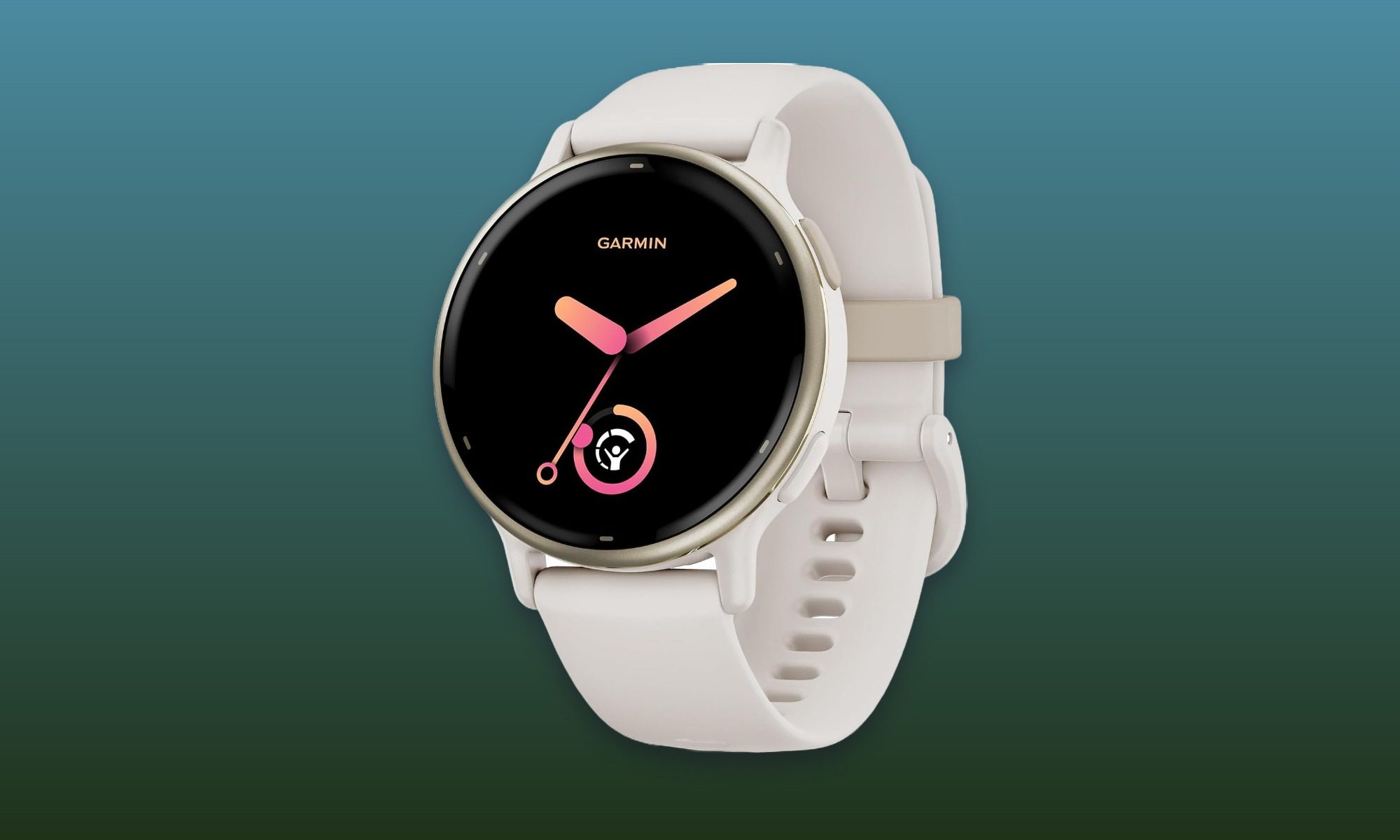
At $181.97 instead of $299.99 at Amazon, the vívoactive 5 carries the biggest percentage discount of these four. It makes more sense for someone who prioritizes workouts, sleep, and recovery data over a huge smartwatch app ecosystem. Our Garmin vívoactive 5 review highlighted its AMOLED screen, strong battery endurance, useful wellness tools, and lack of a required subscription. It’s an especially strong buy for anyone who wants Garmin’s fitness features without paying flagship prices.
Amazfit Active 3
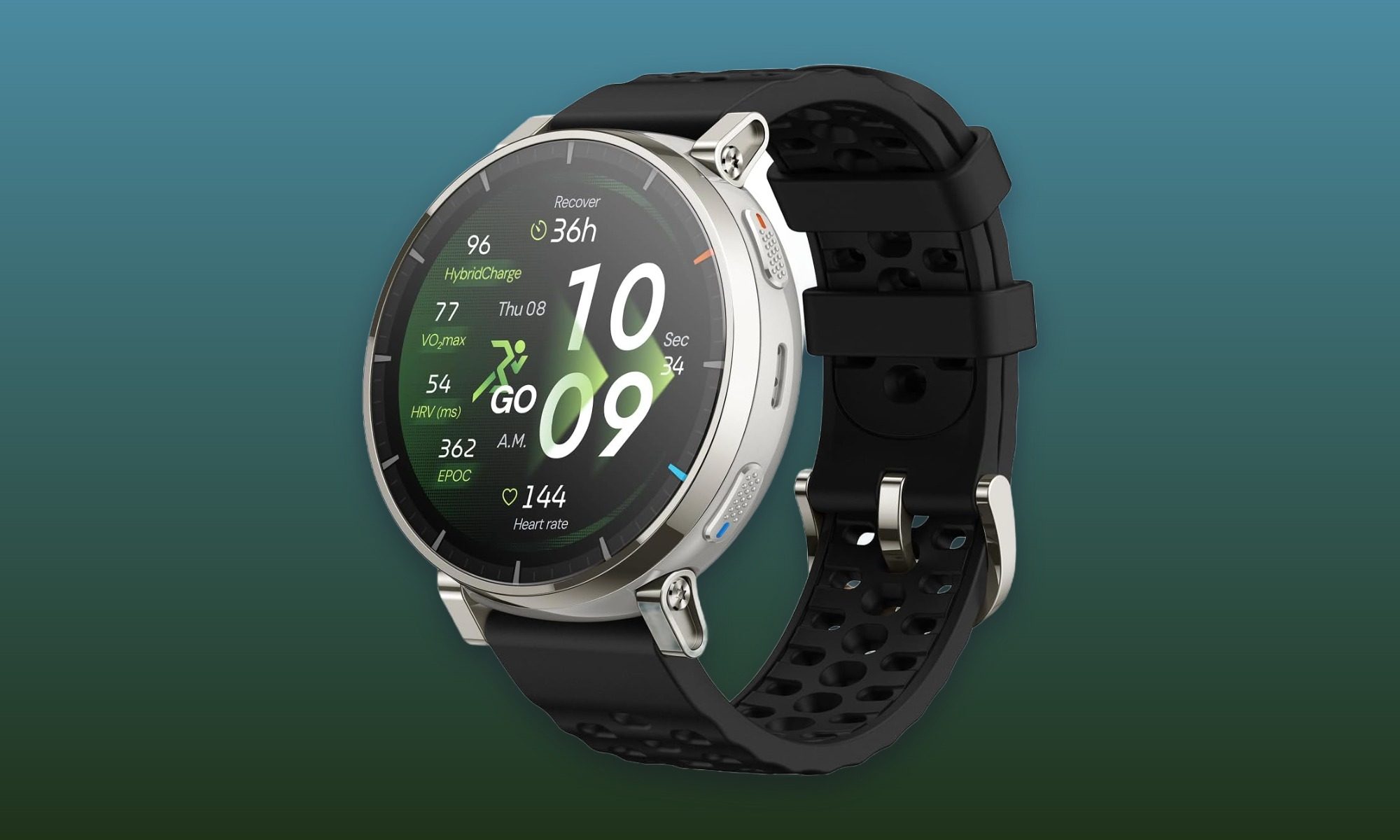
Amazon has the Amazfit Active 3 for $125.99, down from $169.99, making it the affordable option here without dipping into the mystery-brand watches cluttering the sale page. Its 1.32-inch AMOLED screen and sapphire glass are unusually premium touches at this price, while support for plenty of workout modes and up to 12 days of rated battery life round out the package. It’s the easiest recommendation here for someone who wants the basics covered without spending $200 or more.
Garmin Instinct 3 Solar 45mm
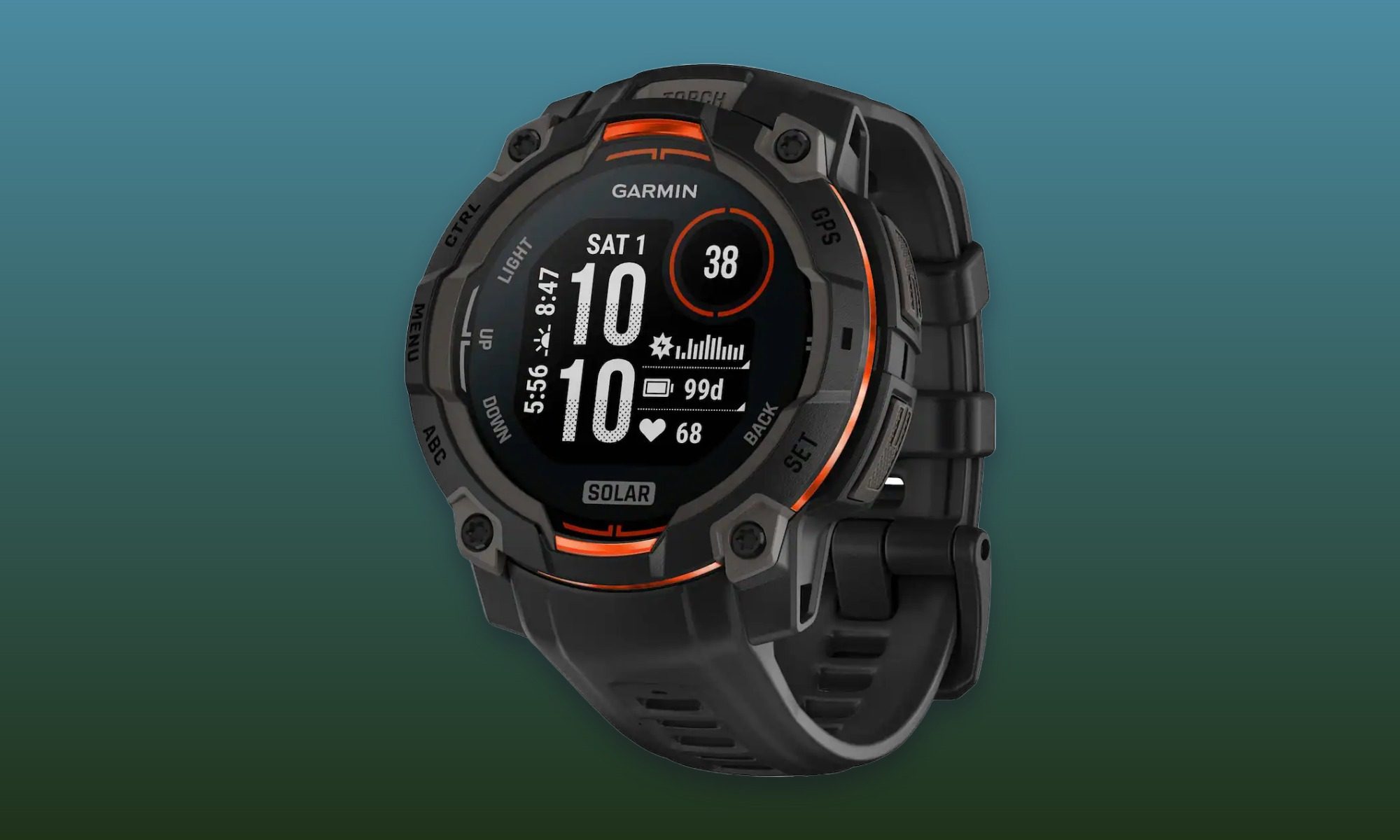
The rugged option comes from Garmin. Best Buy’s Labor Day price puts the Instinct 3 Solar at $299.99 instead of $349.99. Solar charging, a built-in flashlight, and its adventure-focused design make it better suited to hiking and outdoor training than everyday smartwatch duty. Our Instinct 3 hands-on shows why endurance is one of its defining strengths. It’s also the most specialized pick here, which is exactly what makes it useful in a lineup otherwise focused on more mainstream wearables.
Tech
Samsung’s $799 Galaxy Book6 challenges the MacBook Neo with a larger screen and claimed 25-hour battery life
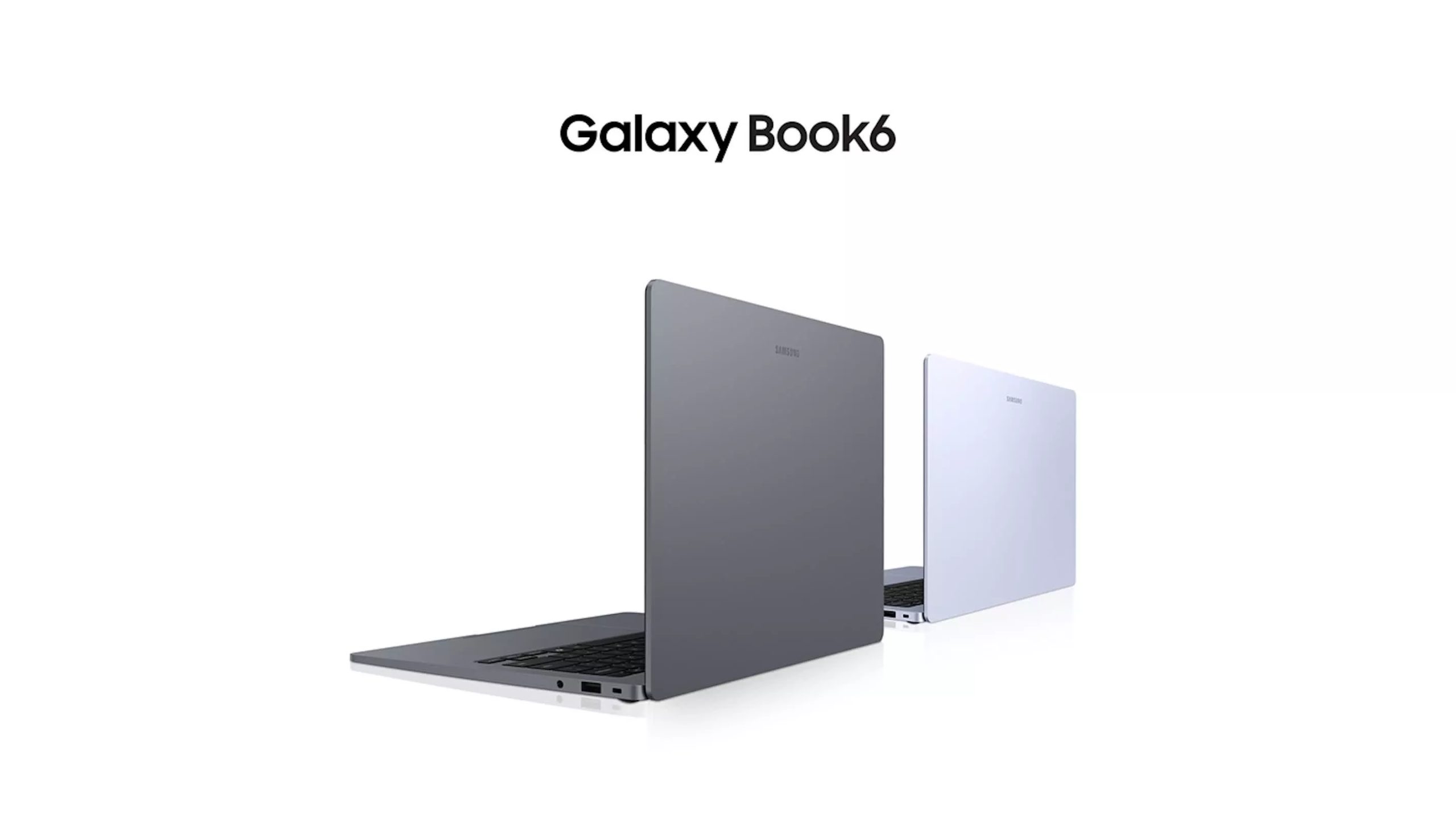
First look: Samsung is targeting the lower-cost laptop market with the Galaxy Book6, a 14-inch Windows notebook starting at $799. Powered by Intel Wildcat Lake processors, the system is aimed at everyday work, school, web use, and streaming rather than the higher-end workloads handled by Samsung’s premium Galaxy Book models. That puts the new laptop in competition with Apple’s MacBook Neo, though Samsung is betting on a different mix of features.
Samsung’s model starts at a higher price than the Neo, but it offers a larger display, more built-in ports, and a much higher claimed battery life rating. Apple’s laptop does have a sharper and brighter screen, though.
Samsung has not identified the processors used in the Book6, though the available options are expected to be Intel’s Core 3 304 and Core 5 315 chips from its Wildcat Lake lineup. The Core 3 model is the lower-end option, while the Core 5 version should provide more room for heavier daily workloads.
The base configuration includes 8GB of RAM and a 256GB SSD. Samsung will also offer configurations with up to 16GB of memory and 1TB of storage.
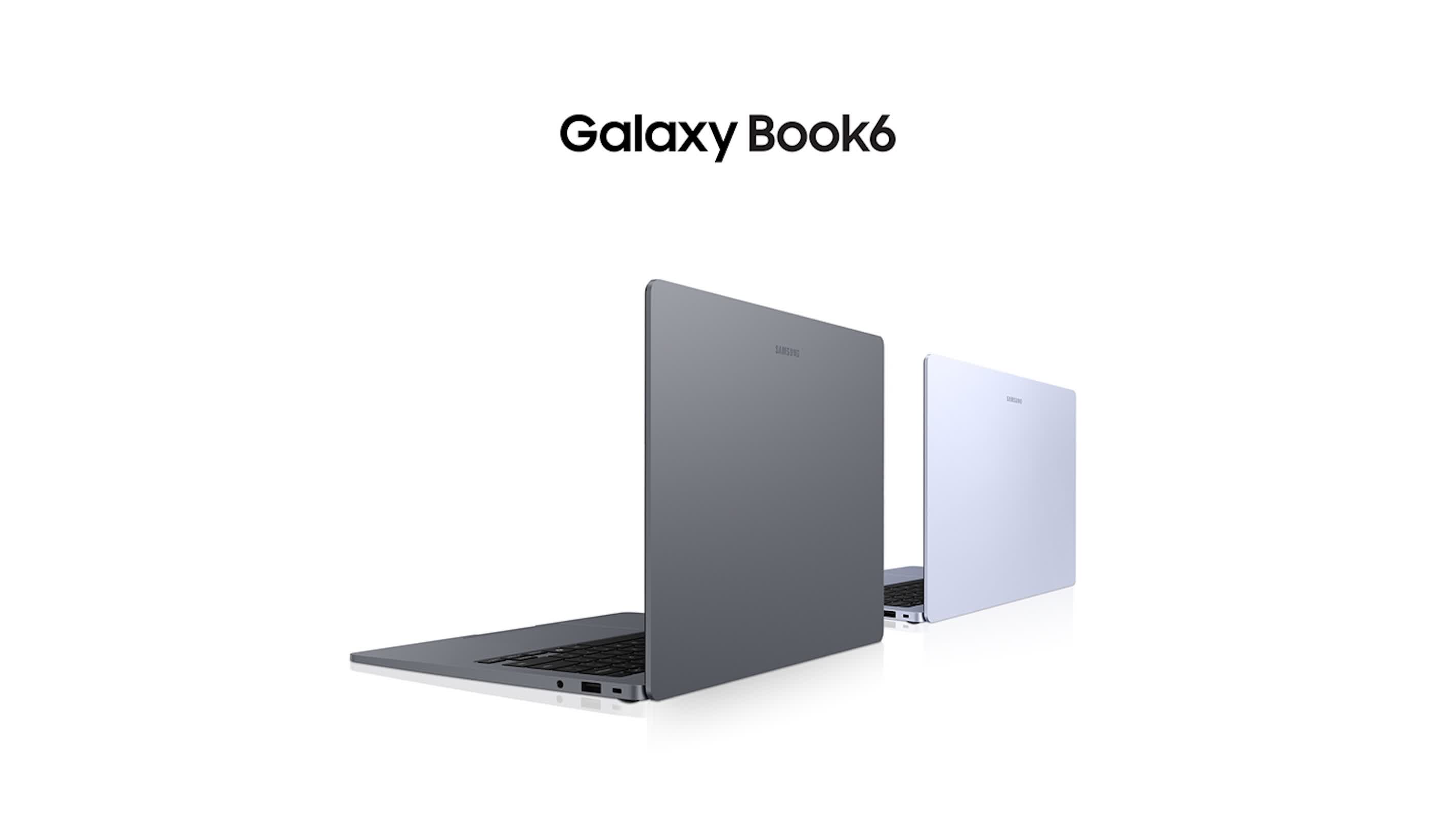
Samsung says the Book6 can run for up to 25 hours on its 61.2Wh battery. Apple rates the MacBook Neo for up to 16 hours. Those figures are not directly comparable without independent testing, since battery life changes with screen brightness, workloads, software, and wireless use. Nevertheless, Samsung’s rating is one of the most important parts of its pitch for the laptop.
The Book6 has a 14-inch display with a 1,920 x 1,200 resolution and a peak brightness rating of 350 nits. Apple’s MacBook Neo uses a 2,408 x 1,506 panel rated at 500 nits. That gives Apple an advantage for users who place a premium on display sharpness and brightness, while Samsung is betting that battery life and a slightly larger screen will carry more weight with some buyers.
Samsung also gives the Book6 a more versatile port selection than many thin laptops. It includes two USB-C ports, a USB-A port, HDMI, and a 3.5mm headphone jack. Wi-Fi 6 and Bluetooth 5.4 are included, along with stereo speakers that support Dolby Atmos.
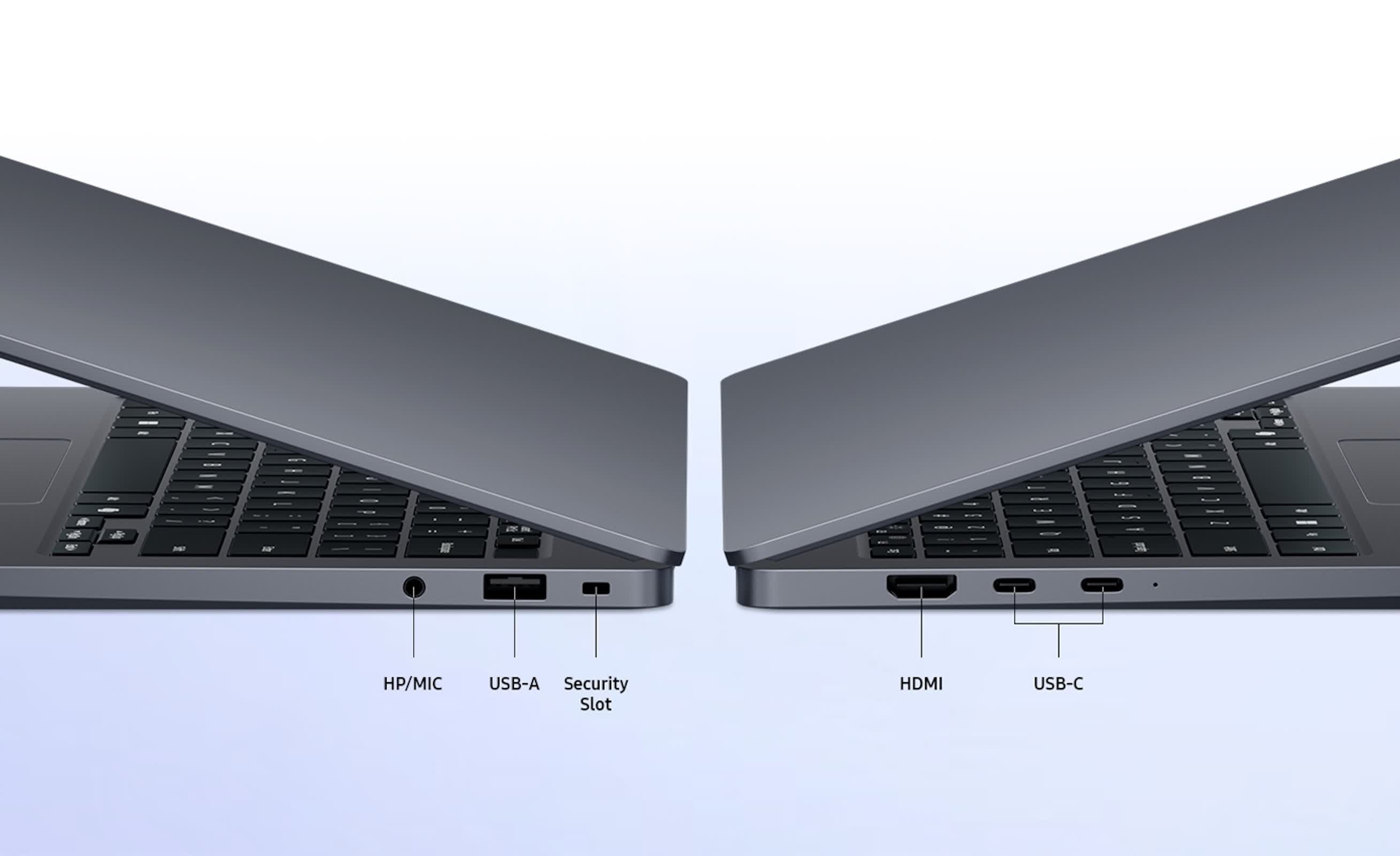
The laptop measures 15.7mm thick and weighs 1.35kg, or about 2.97 pounds. That keeps it within the range of portable 14-inch systems while leaving room for HDMI and USB-A.
The Book6 differs from the Panther Lake-equipped Galaxy Book6 models Samsung previously introduced. Its use of Wildcat Lake places it in a more affordable part of the company’s lineup.
Samsung will first sell the Book6 in select markets before expanding availability. Its ability to compete with the MacBook Neo will depend on final pricing for the better-equipped versions and on how the Wildcat Lake processors and battery hold up in real-world testing.

Major Relief For Tiger Woods, Avoids Jail In DUI Case, Agrees To 5-Year Driving Ban

Klipsch Reference Signature Speakers Get Their First Listen at CEDIA 2026 Ahead of Winter Launch

Massive Financial Crash Likely While Gold Skyrockets | Phil Low





-

 Fashion5 days ago
Weekend Open Thread: Maeve – Corporette.com
-

 Crypto World6 days ago
Bitcoin’s 22% rally now needs real demand to outlast Treasury liquidity boost
-

 Business6 days ago
Apple Confirms September 9 Keynote and Reveals Its Full Pre-Order Schedule
-

 Crypto World7 days ago
Elon Musk Grok Bot Promise: We Will Make You Whole if AI Loses Your Money
-

 Business6 days ago
Salesforce Stock Soars 19% as Blowout Earnings and Agentforce AI Growth Silence Software Skeptics
-

 Business5 days ago
Onto Innovation Stock: AI’s Next Bottleneck Is Yield (NYSE:ONTO)
-
 NewsBeat7 days ago
Lindsay Clancy jury braces for closing arguments as judge tells court: ‘You’ve heard all the evidence’ – Live updates
-

 Crypto World7 days ago
NVIDIA revenue hits $96.2B as AI demand doubles
-

 Crypto World5 days ago
Bitcoin price tests $82K resistance as Brandt stays long
-
 Crypto World7 days ago
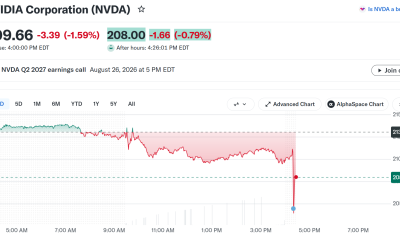
Nvidia Q2 Earnings Reveal $96.2 Billion Beat, So Why Is NVDA Falling?
-
 Tech4 days ago
Hugging Face built a $4.5 billion empire on free AI models. Now Nvidia is buying it for $12.9 billion
-

 Business5 days ago
iPhone 18 Pro Pre-Orders Could Shift to Saturday as Apple Reportedly Avoids September 11 Anniversary
-
 Tech7 days ago
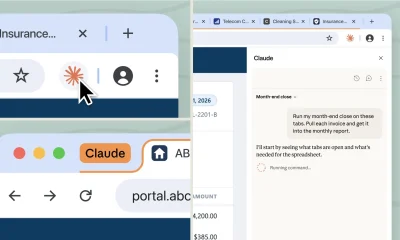
Claude Cowork gets its own browser that doesn’t touch your tabs, bookmarks, or saved passwords
-

 Crypto World6 days ago
Truflation calls for Fed rate cut after PCE forecast
-

 Crypto World7 days ago
GENIUS Act missed its deadline as OCC writes rules anyway
-

 Tech5 days ago
PaperCut releases second emergency patch for exploited flaws
-

 News Videos3 days ago
Charlie Munger on Robinhood: No one should believe that Robinhood’s trades are free
-

 Tech7 days ago
Apple’s iPhone 18 Pro event is on September 9
-

 Tech6 days ago
The fix for the AI agent that hijacked a company’s DNS: it can propose the change, but it can’t approve it
-
 Entertainment5 days ago
‘Adults’ Creators Break Down Season 2’s Most Shocking Moments and Tease a Potential Season 3
You must be logged in to post a comment Login