
Business
Oracle Japan Q1 FY27 slides: cloud revenue surges 32%, margins expand




Sky Quarry restarts Eagle Springs refinery in Nevada

I once posted a video at what three different “best time to post” articles swore was the golden hour, used a trending sound, added a caption I was genuinely proud of and watched it die at 340 views. Meanwhile, a video I filmed in one take because I was running late hit 60,000. There was no lesson in that except the one nobody wants to hear: virality isn’t a vibe, it’s a scorecard, and I hadn’t been reading mine.
So here’s the actual scorecard TikTok is using in 2026:
- Your video gets tested with your existing followers before anyone else sees it
- You now need roughly a 70% completion rate to break out, up from 50% in 2024
- Shares carry more algorithmic weight than likes
- You have about three seconds to earn the rest of the watch
- Video length is flexible, retention matters more than duration
- TikTok increasingly functions like a search engine, not just a feed
- Follower count isn’t a direct ranking factor, but consistency compounds over time
None of that is luck. Here’s what each one actually means for the next video you post.
Wait : Does TikTok Really Show My Video to My Followers First?
Yes, and this is the single biggest shift in how the algorithm behaves this year. When you publish, TikTok now tests the video with a small sample of your own followers first, typically a few hundred people, before deciding whether it’s worth pushing to your For You Page [FYP, TikTok’s main recommendation feed] audience. If that initial group engages, the video graduates to wider testing pools. If they scroll past it, the video’s reach quietly caps out.
The practical upshot: your existing audience’s engagement habits now directly gatekeep your next video’s shot at going wide. Replying to comments in the first hour, and posting at times your specific followers are actually online, matters more than it used to.
What Completion Rate Do You Actually Need?
Completion rate [the percentage of viewers who watch a video all the way to the end] is the metric doing the most damage to creators who haven’t adjusted their strategy. The bar has risen from roughly 50% in 2024 to around 70% now, meaning a video padded with a slow intro or a meandering middle gets penalized far more harshly than it would have two years ago.
Rewatch rate adds another layer on top of that. A viewer who watches your video three times is a stronger signal to the algorithm than three different viewers each watching once – TikTok reads that as content strong enough to revisit, and a rewatch rate above 15–20% is generally considered a solid boost. Practically, that means loops, punchlines that land on replay, or information dense enough that people need a second pass all outperform content that’s “watchable once and done.”
How Long Should Your Video Actually Be?
There’s no single right answer here, and most advice oversimplifies it. TikTok’s own default recommendation sits around 9–15 seconds, and short videos in the 15–30 second range tend to post the highest completion rates simply because there’s less runway to lose someone. But longer formats – a minute, even several minutes – can rack up more total watch time if the hook is strong enough and the pacing never sags, because total watch time and rewatch behavior matter alongside completion percentage.
The honest rule: match the length to how much genuinely engaging content you have, not to a template. A tight 15-second video beats a padded 45-second one every time; a genuinely gripping 90-second story beats a rushed 15-second version of the same idea.
Why Do the First Three Seconds Matter So Much?
Because that’s roughly how long a viewer takes to decide whether to keep watching or scroll on, and the data backs this up hard – a majority of top-performing videos deliver their core message within the first three seconds, not after a slow build. If your video opens with a logo animation, a “hey guys” intro, or any kind of warm-up, you’re burning the exact window that determines whether the algorithm’s test audience sticks around long enough to count as a good sign.
A quick way to fix a weak hook:
- Write your script backward : start from the payoff or punchline and work out what the fastest possible path to it looks like.
- Cut your current opening line entirely and see if the video still makes sense. If it does, you didn’t need it.
- Say or show the most interesting part of the video in the first sentence, then explain how you got there.
- Watch the first three seconds with the sound off : if it’s not visually arresting on its own, it needs work.
Do Likes Still Matter, or Is It All About Shares Now?
Shares have overtaken likes as the stronger algorithmic signal, and the logic makes sense from TikTok’s side: a like keeps a viewer on the platform, but a share brings in someone new. Content that prompts a “you need to see this” reaction – genuinely useful information, relatable frustration, or mildly controversial takes people want to weigh in on – tends to outperform content that’s simply well-made.
A few tactics that reliably lift share rate: explicitly say “send this to someone who-” when it fits naturally, package information densely enough that saving it feels useful, and don’t be afraid of a take with a little edge to it. Safe, agreeable content is easy to like and forget; content with a point of view is what gets forwarded.
Is TikTok Basically a Search Engine Now?
Increasingly, yes. TikTok has been leaning harder into search-style discovery, and its algorithm now reads the keywords in your caption, the words you actually say out loud (auto-transcribed), and any on-screen text to figure out which niche searches your video should surface for, not just which interests it might match on the FYP.
How to optimize for this before you post:
- Type your target topic into TikTok’s own search bar and see what related searches and existing videos come up : that’s your keyword research.
- Say your main keyword phrase out loud somewhere in the video, since the algorithm reads spoken audio.
- Add on-screen text that repeats the core topic, not just decorative captions.
- Use 3–5 hashtags that mix one or two broad tags (#fyp, #viral) with two or three specific to your exact topic : hashtags now support your SEO rather than driving discovery on their own.
What Content Formats Are Actually Performing Right Now?
Trending sounds haven’t disappeared, but using one exactly as-is is increasingly a missed opportunity – original voiceovers, or a trending audio with your own twist layered on top, tend to stand out precisely because the algorithm (and viewers) have grown numb to identical use of the same clip. Story-based content is also having a moment in longer formats: a well-paced narrative with a clear beginning, tension, and payoff can sustain the 60–180 second range far better than a straightforward tips list can.
The common thread across everything performing well right now: specificity. “Here’s a marketing tip” underperforms “here’s the exact caption structure that got my last video 2 million views” – the second version promises something the algorithm can measure people staying for.
What Kills Your Reach Before It Even Starts?
A few habits quietly cap videos that otherwise had a real shot:
- Padding runtime to hit a “recommended” length. If your idea is finished at 12 seconds, stretching it to 30 just to match a template tanks your completion rate.
- Recycling a trending sound with zero twist. The algorithm and viewers have both seen it a thousand times already; identical reuse rarely earns the same distribution the original did.
- Posting on autopilot without checking analytics. If you’re not comparing completion and rewatch rates across your last several posts, you’re guessing instead of iterating.
- Burying the hook under a slow intro. Even a well-made video loses its testing window if the first three seconds don’t earn the next ten.
- Hashtag stuffing instead of targeting. Ten generic tags dilute the signal the algorithm needs to categorize your video correctly; three to five precise ones do more work.
Do You Need a Following to Go Viral?
Officially, no. TikTok has confirmed follower count isn’t a direct ranking factor, and plenty of zero-follower accounts break out on a single video that performs well with its test audience. Small businesses posting their very first video have gained tens of thousands of followers overnight this way, and some of the platform’s biggest all-time hits came from accounts with no prior track record at all.
That said, the follower-first testing model does mean an engaged, even modest, existing audience gives your video a better initial testing pool to clear before it’s judged against strangers. Zero followers doesn’t block virality, it just means you’re relying entirely on the content itself to win over a cold audience on the first try.
Putting It Together: A Pre-Post Checklist
- Confirm your hook delivers the payoff (or the promise of one) within the first three seconds.
- Trim anything that doesn’t earn its place : every extra second is a chance to lose completion rate.
- Say your target keyword out loud and reflect it in on-screen text.
- Add 3–5 hashtags mixing broad and niche.
- Post when your actual followers are active, not a generic “best time” from an article.
- Reply to comments within the first hour : you’re still inside the follower-testing window.
- Check completion rate and rewatch rate in your analytics 24–48 hours later, and let that data, not guesswork decide what you post next.
Going viral was never really about luck. It’s about clearing a specific, measurable bar TikTok sets for you every single time you hit post and now you know exactly where that bar sits. Once the views start coming in consistently, that’s usually the point worth asking a different question: how do you actually turn that reach into income? That’s a whole guide on its own.
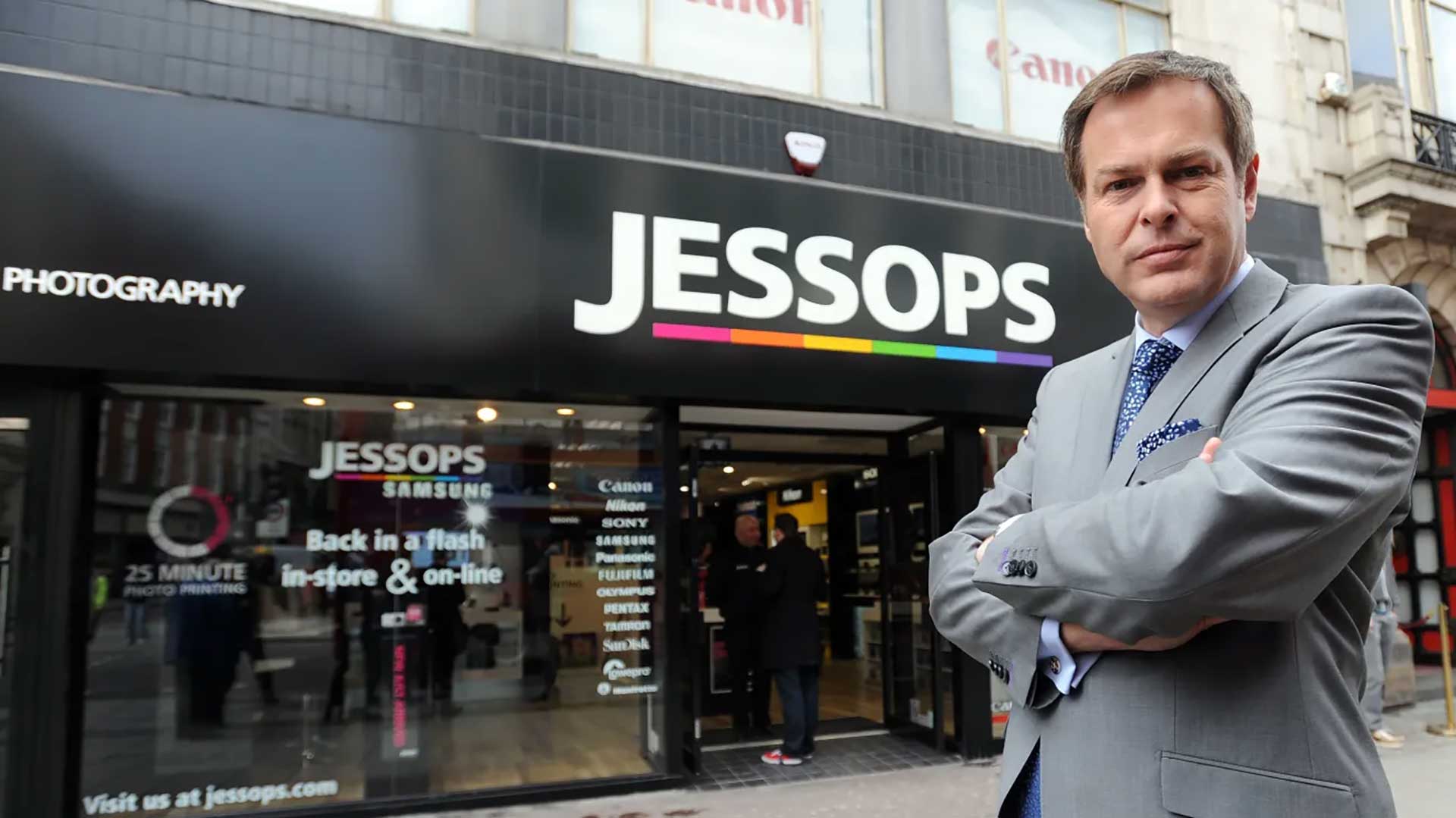
The Dragons’ Den investor Peter Jones has sold the photography retailer Jessops to the online electrical retailer AO World, more than a decade after he rescued the chain from administration. The financial terms of the deal have not been disclosed.
AO World announced the purchase in a trading update ahead of its annual general meeting. The company said it plans to integrate Jessops into its existing musicMagpie operations.
John Roberts, AO’s founder and chief executive, said: “I am delighted to welcome Jessops into the AO family and look forward to growing the existing business.”
Jessops operates a small collection of high street shops alongside an online service, Camera Jungle, which allows customers to buy and sell cameras and accessories.
MusicMagpie, which lets people buy, sell and rent used consumer technology, phones, games and media, was acquired by AO in 2024 for less than £10m. At the time of that deal, Roberts said musicMagpie’s trade-in service would support AO in scaling refurbished technology.
Jones acquired Jessops for £5m in 2013, following the chain’s collapse into administration. Under his ownership, the business reduced the number of its high street shops and built a larger online presence.
The chain has faced difficulties in recent years. In 2024, Business Matters reported that Jessops faced a winding-up petition from HMRC over unpaid taxes, at a time when its sales had fallen 7.5 per cent to £19.97m.
Jones spent nine years on Dragons’ Den, the BBC programme, during which he invested millions of pounds in start-ups including Levi Roots’s Reggae Reggae jerk sauce, Bladez Toyz and Boot Buddy, the shoe cleaning gadget. Earlier this year he bought the golf retailer American Golf from the private equity firm Endless.
Jessops was founded in Leicester in 1935 by Frank Jessop and grew rapidly under his son, Alan, as personal photography became more popular. It was sold to Bridgepoint Capital after Alan Jessop retired in 1996. Bridgepoint attempted to float the business twice before selling it to ABN Amro, the Dutch bank, for £116m in 2002.
Alongside the acquisition, AO said it expects revenue for the six months to the end of September to rise 5.5 per cent year-on-year. Pre-tax profit for the period is projected to reach about £21.5m, which the company said was underpinned by gains in its mobile and musicMagpie businesses.
Roberts said: “We’ve carried our momentum into the new financial year with continued growth against a sluggish backdrop in the wider UK retail sector.”
Despite the half-year performance, AO left its full-year profit guidance unchanged.
The update follows AO’s full-year results in June, when the retailer reported record profits of £50.5m and Roberts said Labour’s tax and wage policies had led the company to move 200 customer service jobs to South Africa.

Paul Jones
Harvard alumni and former New York Times journalist. Editor of Business Matters for over 15 years, the UKs largest business magazine. I am also head of Capital Business Media’s automotive division working for clients such as Red Bull Racing, Honda, Aston Martin and Infiniti.
Business
(VIDEO) Trump Visibly Winces at Loud Military Flyover During Historic Tarmac Welcome for Xi Jinping

WASHINGTON — President Donald Trump personally greeted Chinese President Xi Jinping on the tarmac at Joint Base Andrews Wednesday evening, taking the unusual step of welcoming a foreign leader at the Maryland military base rather than the White House, in a ceremony that briefly went off script when Trump visibly winced at the sound of a low-flying military jet overhead.
Trump, joined by first lady Melania Trump, greeted Xi and his wife, Peng Liyuan, as they arrived to begin Xi’s state visit to the United States. The two leaders and their spouses walked along a 100-foot red carpet flanked by U.S. service members, with American and Chinese flags on display. The ceremony featured the national anthems of both countries performed by the U.S. Air Force band, a 21-gun salute, a guard of honor, a display of six F-16 and six F-22 fighter jets, and a flyover by two B-1 Lancer bombers.
It was during that flyover, coming near the end of the U.S. national anthem, that the ceremony’s most talked-about moment occurred. As the B-1 bombers roared overhead, Trump, who was saluting at the time, visibly recoiled at the noise, ducking, gritting his teeth, turning his head toward the aircraft and lowering his salute in front of assembled reporters and photographers. Xi, standing beside him, remained composed and showed no visible reaction to the flyover, as did both Melania Trump and Peng Liyuan.
The moment was captured on a White House livestream of the ceremony but was not included in the edited highlight footage of the event that Trump’s aides released afterward, according to reporting on the ceremony.
Trump’s decision to personally welcome Xi at Joint Base Andrews marked a significant departure from typical diplomatic protocol, under which U.S. presidents generally receive visiting foreign leaders at the White House rather than traveling to greet them upon arrival. According to historical records, the last time an American president greeted a world leader personally at Joint Base Andrews was in 1962, when President John F. Kennedy met British Prime Minister Harold Macmillan. Notably, Xi did not extend the same gesture to Trump when the American president traveled to Beijing for his own state visit to China in May.
The elaborate welcome drew a range of reactions online, much of it focused on Trump’s visible reaction to the flyover. Journalist Aaron Rupar noted the apparent contrast between the mild weather and Trump’s attire, writing, “it is 64 degrees at Joint Base Andrews right now and yet Trump is wearing gloves as he greets President Xi.” Twitch streamer Hasan Piker, who broadcast footage of the arrival ceremony to his viewers, joked about Trump’s reaction to the flyover, asking, “Trump — it’s YOUR airshow. How do you get scared?”
Beyond the social media reaction to the flyover moment, the lavish nature of the welcome itself drew more substantive criticism from at least one member of Trump’s own party. Mississippi Sen. Roger Wicker addressed the ceremony directly in remarks delivered on the Senate floor, expressing reservations about the scale of the welcome extended to Xi. “Had the White House asked me for advice, I would have suggested the president not invite Xi Jinping to Washington for such a lavish welcome here in the United States, based on all of the troubling issues we have with President Xi and the Chinese Communist Party,” Wicker said. He urged Trump to remain mindful of Xi’s record throughout the visit, describing the Chinese leader in blunt terms. Wicker said Trump should remember “during every minute of dialogue” that “his guest is a brutal, unelected and oppressive dictator who seeks to dominate his neighbors and whose massive military arsenal is aimed directly at the United States of America.” Wicker’s public criticism was described as a rarity on Capitol Hill, where Republican pushback against Trump’s foreign policy decisions has remained uncommon even as some GOP lawmakers have grown more willing to break with the president publicly in recent weeks.
The high-profile diplomatic gesture unfolded alongside a substantive economic announcement the same day. U.S. Treasury Secretary Scott Bessent said Wednesday that the United States and China had agreed to extend the so-called “Busan agreement,” a temporary trade truce between the world’s two largest economies, providing at least a measure of near-term stability to the broader U.S.-China economic relationship even as tensions over technology, security and regional influence continue to shape the overall dynamic between the two countries.
Artificial intelligence has emerged as a particularly significant point of friction shaping the broader Trump-Xi meeting, reflecting deep and persistent distrust between Washington and Beijing over the technology’s military and economic implications, according to analysts tracking the visit.
With Xi’s state visit continuing in the days ahead, Wednesday’s arrival ceremony, and Trump’s visible reaction to the military flyover in particular, is likely to remain a widely discussed moment from the trip, even as the substantive discussions between the two leaders on trade, technology and broader bilateral relations continue to unfold over the course of the visit.
The Starbucks logo is seen at a store in Houston on September 25, 2025.
Ronaldo Schemidt | Afp | Getty Images
Starbucks on Thursday announced it will close about 1% of its North American cafes as part of its turnaround.
Under CEO Brian Niccol, Starbucks has staged a revamp of its U.S. business that has focused on improving the customer experience, including in-person interactions at its cafes. The announcement marks the second round of closures in North America during Niccol’s two-year tenure.
Starbucks expects to shutter about 250 cafes out of its more than 18,000 locations in North America. For fiscal 2026, Starbucks is now projecting net new openings of 440 cafes, down from its prior outlook of 600 to 650 locations. Those new cafes will come from its international markets.
“The Company continues to see significant longer-term growth opportunity ahead in North America and is actively developing a strong pipeline of new coffeehouses,” the company said in a regulatory filing.
Most of the closures will occur before the end of fiscal 2026, according to the filing. Starbucks’ fiscal year ends later this month.
The company expects to incur about $300 million in restructuring charges related to the closures. About $200 million of that charge will be related to the costs of exiting leases early and paying employees separation benefits. The remaining $100 million will be non-cash charges from the disposal and impairment of its company-owned restaurant assets.
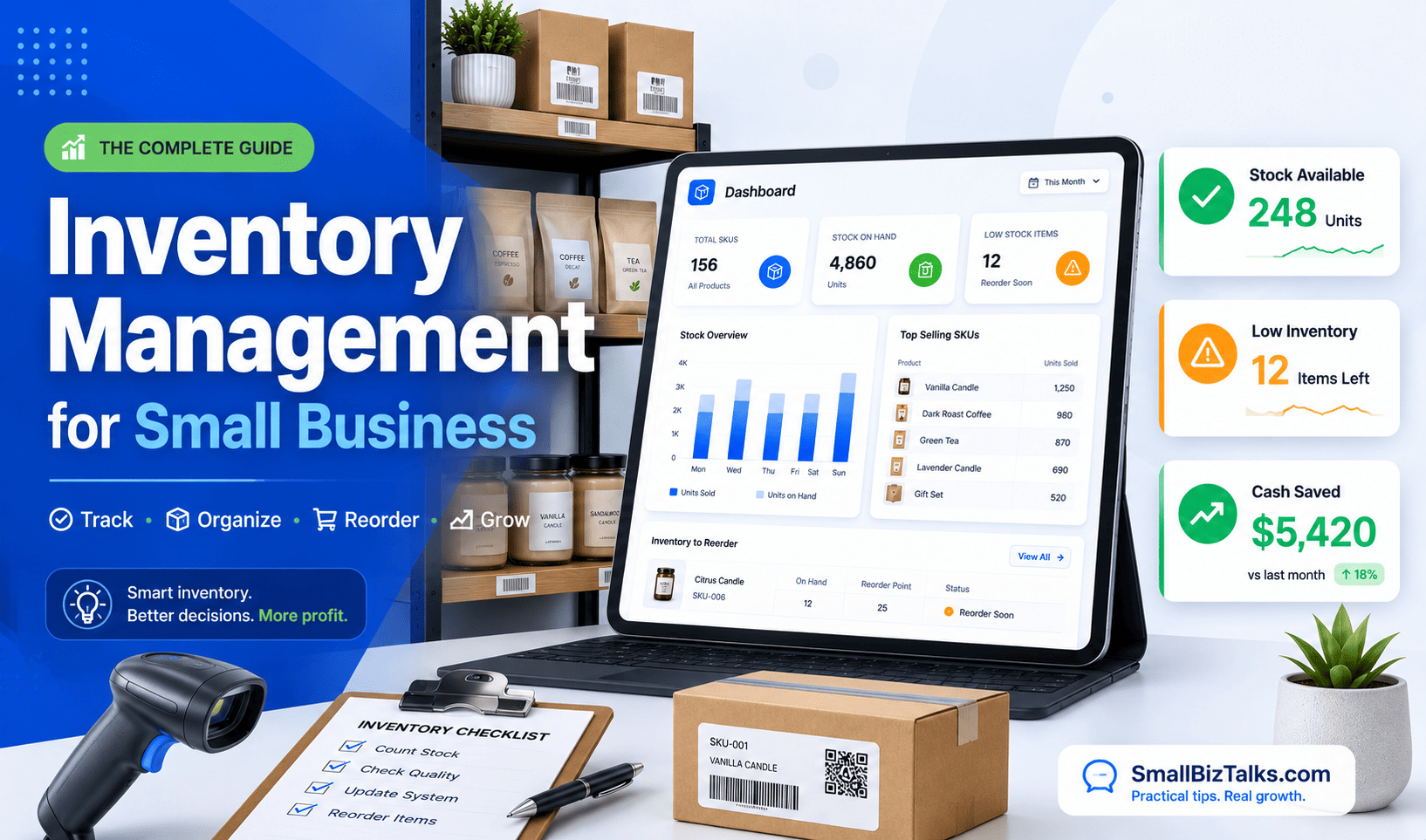
For most small businesses, inventory is the second-largest use of cash after payroll and rent. Yet it rarely gets managed with the same discipline. Payroll runs on a schedule. Rent is a fixed line item. Inventory, by contrast, is often tracked in a spreadsheet that someone updates when they remember to, or not tracked in any structured way at all until a bestseller runs out mid-season or a storage unit fills up with stock that stopped moving a year ago.
That gap matters more for a small business than a large one. A national retailer that misjudges demand on one product line barely notices. A small business that ties up a third of its working capital in the wrong stock can spend months recovering.
This guide covers what inventory management actually involves, the core methods worth knowing, how to build a working system from scratch, and where a spreadsheet stops being enough.
What Inventory Management Means for a Small Business
Inventory management is the process of tracking, ordering, and controlling the stock a business buys and sells, so it has the right amount of product on hand without tying up more cash than necessary.
At a large company, that process is usually a dedicated function with its own software and staff. At a small business, it’s typically one person, often the owner, doing it alongside sales, hiring, and everything else.
That difference shapes the whole approach. A small business can’t absorb the cost of overstock the way a larger one can, and it usually can’t negotiate the supplier terms that make just-in-time ordering low-risk. The goal isn’t to copy enterprise inventory practices at a smaller scale. It’s to run a version built for thin margins, limited storage, and one or two people managing it.
Why Small Businesses Struggle With It
The challenges are fairly consistent across industries, even though the products differ.
Knowing how much to buy. Order too much and cash sits on a shelf instead of in the business. Order too little and a customer walks out empty-handed or worse, buys from a competitor and doesn’t come back.
Limited space. Most small businesses don’t have a warehouse to absorb excess stock. A storage closet or a corner of the shop floor has to do double duty, which makes overbuying a physical problem as much as a financial one.
Manual tracking errors. Spreadsheets and handwritten logs drift from reality fast. A miscount here, a forgotten update there, and the numbers on paper stop matching what’s actually on the shelf.
Supplier leverage. Small businesses generally don’t have the order volume to negotiate the pricing or flexible terms that larger buyers get, which makes lead times and minimum order quantities harder constraints to work around.
Seasonal and demand swings. A slow month can look like healthy inventory levels right up until a rush hits and reveals how thin the buffer actually was.
None of these are solved by one trick. They’re solved by picking a method that fits the business and applying it consistently, which is the next section.
Core Inventory Management Methods
A handful of methods cover most of what a small business needs. Few businesses use just one; most combine two or three.
ABC Analysis
ABC analysis sorts inventory into three tiers based on value and sales impact, not just volume:
- A items : a small share of SKUs that drive the largest share of revenue or cost. These get the closest attention: frequent counts, tighter reorder rules, stronger supplier relationships.
- B items : moderate value, moderate attention. Monthly reviews are usually enough.
- C items : the bulk of the catalog by count, but a small share of value. Quarterly review is often sufficient, and some businesses move slow C items to special-order only.
The practical benefit is focus. A business with 500 SKUs doesn’t need to watch all 500 with equal intensity, it needs to watch the 50 or so that actually move the needle.
A quick example: a boutique candle shop carries 120 SKUs. Ranking them by annual revenue shows that 18 scented candles account for roughly 70% of sales – those become A items, checked weekly. The next 30 or so items (seasonal scents, gift sets) make up another 20% of revenue and become B items, reviewed monthly. The remaining 70-plus SKUs – one-off colors, discontinued scents still on the shelf – generate the last 10% and become C items, counted quarterly and candidates for clearance if they don’t move.
FIFO (First In, First Out)
FIFO means the oldest stock sells first. It’s standard for anything perishable or trend-sensitive – food, cosmetics, seasonal apparel – where holding onto older inventory too long turns it into a write-off. Rotating stock physically (older items to the front) makes FIFO easy to enforce without extra software.
Reorder Point (ROP)
The reorder point is the stock level that triggers a new order, calculated as expected demand during the supplier’s lead time, plus a buffer for uncertainty (safety stock):
Reorder point = (average daily sales × lead time in days) + safety stock
Example: a product sells 8 units a day, and the supplier takes 6 days to deliver. Lead-time demand is 48 units. Add a safety stock buffer of 15 units for demand variability, and the reorder point is 63 units – the moment stock hits that number, it’s time to order, not the moment the shelf looks low.
Economic Order Quantity (EOQ)
EOQ estimates the order size that minimizes total cost by balancing ordering costs (placing and receiving an order) against carrying costs (storing it). It’s most useful for A-tier items with steady, predictable demand for volatile or seasonal products, it tends to oversimplify.
Just-in-Time (JIT)
JIT means ordering stock to arrive right when it’s needed, minimizing how much cash sits in storage. It works well when suppliers are fast and reliable. For a small business with a single supplier and a multi-week lead time, it’s a riskier fit – a single delayed shipment can mean empty shelves with no buffer to absorb it.
Building an Inventory System, Step by Step
Most small businesses don’t need a sophisticated system on day one. They need a consistent one.
1. Pick one tracking method and commit to it. Spreadsheet, dedicated software, or a hybrid, the specific tool matters less than using it consistently. Switching methods every few months is what causes the drift that leads to phantom inventory: stock that exists on paper but not on the shelf, or vice versa.
2. Set par levels and reorder points for your top sellers first. Trying to calculate reorder points for an entire catalog on day one is a good way to never finish. Start with the 15–20 SKUs that drive most of the revenue, using the ABC framework above, and expand from there.
3. Build in cycle counting. Instead of one exhausting annual count, count a rotating slice of inventory on a regular schedule – A items weekly or biweekly, B items monthly, C items quarterly. Discrepancies get caught while they’re small, not after they’ve compounded for a year.
4. Connect inventory to your books. If sales, stock counts, and accounting live in three disconnected places, someone is doing manual reconciliation and manual reconciliation is where errors hide the longest. Setting up a solid framework for small business bookkeeping ensures your inventory costs accurately flow into your financial statements.
Spreadsheet or Software? Knowing When to Switch
A spreadsheet is a perfectly reasonable inventory system for a business with a small catalog and one sales channel. The signs it’s time to move on are fairly clear:
- Stock counts are wrong often enough that staff double-check before promising a customer availability
- The business sells across more than one channel (in-store, online, marketplace) and keeping them in sync manually eats real time each week
- Inventory tracking is taking hours a week that could go toward the business itself
- The business has outgrown a single location
When those signs show up, a handful of tools cover most small business needs:
Tool
Best for
Starting price*
Zoho Inventory
Multi-channel sellers (in-store, online, marketplace)
Free tier available; paid plans scale with order volume
Square for Retail
Businesses already using Square for point-of-sale
Free plan; paid tiers add barcode and vendor tools
QuickBooks Online (Plus/Advanced)
Single-location retailers or service businesses with a light product line
Add-on to an existing QuickBooks subscription
Katana
Small manufacturers and makers tracking raw materials and production
Paid plans only, no free tier
*Confirm current pricing directly with each vendor, plans and rates change frequently.
None of these is universally “best” – the right one depends on sales channels, whether the business manufactures anything, and what it already uses for point-of-sale or accounting. It’s worth testing free tiers or trials against actual order volume before committing to a paid plan. If the business is also choosing accounting software around the same time, best small business accounting software is worth reading alongside this, since the two decisions often affect each other.
Inventory KPIs Worth Tracking
A few numbers reveal whether an inventory system is actually working, beyond a gut sense of “we seem to be running low on things.”
Inventory Turnover Ratio
How many times inventory is sold and replaced over a period, calculated as COGS [cost of goods sold – the direct cost of the products a business sells, defined in detail in the IRS’s Tax Guide for Small Business] ÷ average inventory value. A low ratio suggests overstocking or slow-moving products; a very high one can mean the business is understocked and risking stockouts.
Carrying Cost
The cost of holding inventory, including storage, insurance, and capital tied up. It typically runs 20–30% of inventory value per year. When working with tight cash margins, cutting unnecessary overhead – whether by avoiding overstocking or using free payroll software for your team, helps keep operating capital free for inventory replenishment.
Stockout Rate
The share of demand that couldn’t be met because an item was out of stock. This one is easy to underestimate, since a stockout often shows up as a customer who simply leaves rather than a complaint that gets logged.
Sell-Through Rate
The percentage of received stock that actually sells within a given period. A consistently low sell-through rate on a product is usually the clearest early signal that it needs to be discounted, bundled, or dropped.
Mistakes That Quietly Cost Small Businesses Money
Buying in bulk without running the carrying-cost math. A supplier discount for ordering 500 units instead of 100 looks like savings on the invoice. If 300 of those units sit unsold for six months, the storage and capital cost can erase the discount entirely.
Counting inventory once a year and trusting the number the rest of the time. A lot can drift in eleven months. Cycle counting catches problems while they’re still small and cheap to fix.
Treating every sales channel as the same pool of stock. A business selling in-store and online without synced inventory will eventually oversell a product on one channel while it sits unsold in the other.
Ignoring supplier lead time until it becomes urgent. Reorder points built on the assumption that a supplier will always deliver on time tend to fail exactly when they’re needed most – during a supplier’s own busy season.
Not distinguishing A items from C items. Applying the same level of attention to a top seller and a slow-moving accessory wastes time on the products that matter least and under-manages the ones that matter most.
Where to Start
A small business doesn’t need every method in this guide running at once. The practical starting point is narrower: pick a tracking system, calculate reorder points for the products that actually drive revenue, and build in a counting rhythm that catches errors before they compound. Everything else – software, KPIs, more advanced methods like EOQ – is worth adding once that foundation is in place, not before.
A spreadsheet can track inventory for exactly as long as a business stays small enough that nobody minds double-counting a pallet or missing a reorder point. Past that, the gap between what the spreadsheet says is on the shelf and what’s actually there starts costing real money in rush shipping, in stockouts, in the customer who orders a product that quietly sold out three days ago.
That’s the problem inventory management software is built to solve, and there’s no shortage of it built specifically for small businesses. But “best” depends heavily on what kind of small business is asking. A boutique running one storefront on Square has almost nothing in common, inventory-wise, with a three-person team assembling furniture from raw materials, or a Shopify seller juggling stock across Amazon, TikTok Shop, and their own site. The tool that’s a perfect fit for one is often the wrong choice or wildly overpriced – for another.
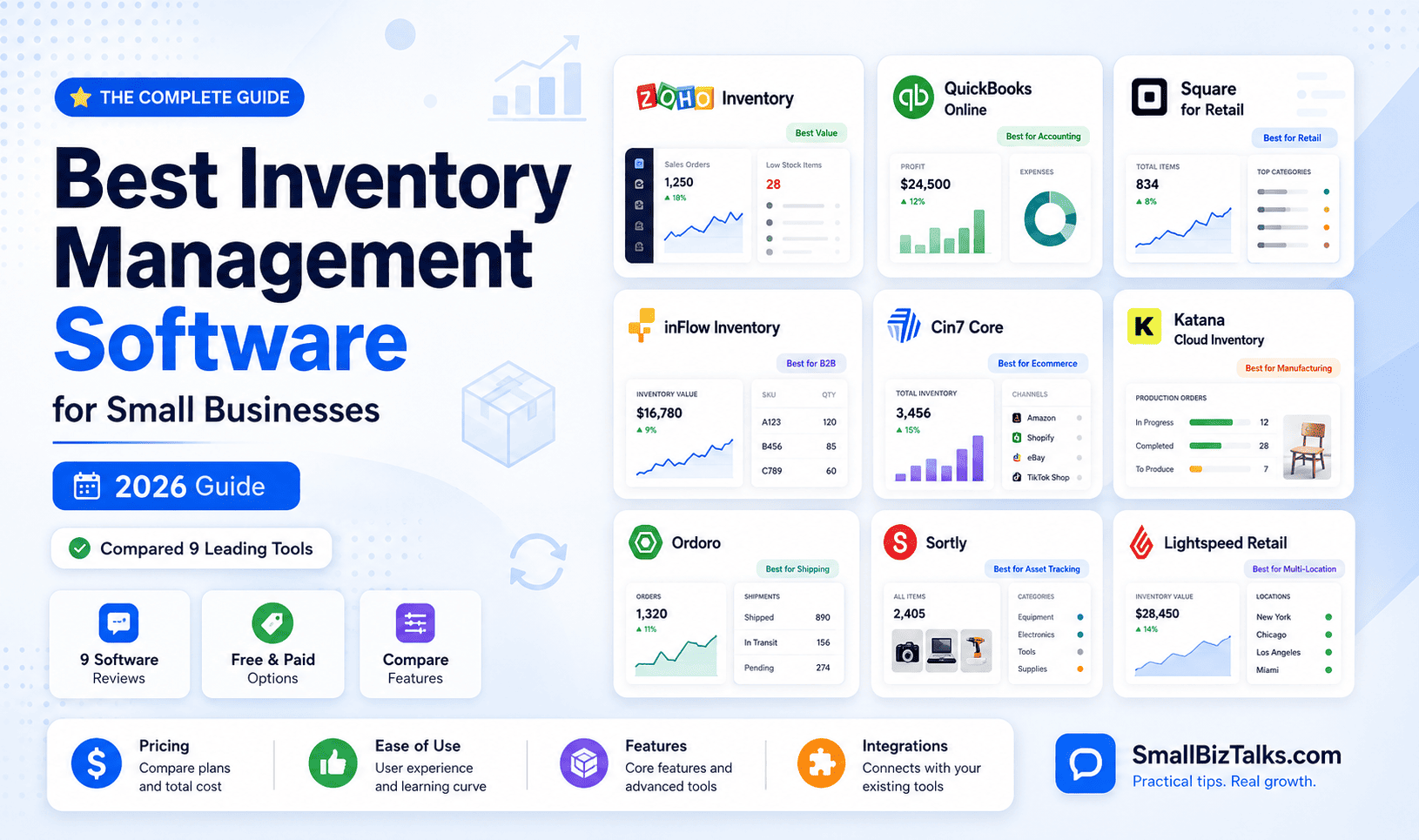
Below are nine inventory management platforms worth considering, organized by the type of small business each one fits best, along with current pricing, so there are no surprises after the free trial ends.
Best Inventory Management Software at a Glance
| Software | Best for | Starting price |
|---|---|---|
| Zoho Inventory | Overall value | Free; paid plans from $29/month |
| QuickBooks Online | Businesses that want accounting and inventory together | Plus plan, roughly $115–$140/month |
| Square for Retail | Brick-and-mortar retailers already on Square | Free; Plus plan $49/month per location |
| inFlow Inventory | Wholesale, distribution, and B2B | $129/month (billed annually) |
| Cin7 Core | Multichannel ecommerce brands | $349/month |
| Katana Cloud Inventory | Small manufacturers and makers | Starter Plan: Starts at $179/month |
| Ordoro | Ecommerce sellers who also need shipping/dropshipping | Free shipping tier; Inventory from $349/month |
| Sortly | Simple, photo-based asset and equipment tracking | Free; paid plans from $49/month |
| Lightspeed Retail | Growing, multi-location specialty retail | $89/month (billed annually) |
What actually matters when comparing these tools
Before getting into the list, it’s worth being clear about what separates a genuinely useful inventory system from a glorified spreadsheet with a login screen. A few things matter more than the length of the feature list:
- Real-time syncing across sales channels. If stock counts update on a delay, overselling is only a matter of time.
- Order volume limits. Several platforms below cap how many orders or invoices a plan can process monthly – a business can outgrow a plan’s limits well before it outgrows the software itself.
- What it integrates with. An inventory tool that doesn’t talk to the accounting software, ecommerce platform, or POS system already in use just creates a second system to reconcile by hand.
- Pricing model. Some tools charge per user, some per order volume, some per location, and that structure can make a “cheaper” plan more expensive in practice, depending on how the business operates.
With that framework in mind, here’s the list.
1. Zoho Inventory : Best overall value
Best for: Small businesses starting out or replacing spreadsheets | Starting at: Free; paid plans from $29/month | Standout feature: A genuinely usable free plan plus native integration with the rest of the Zoho ecosystem
Zoho Inventory is the rare inventory platform that’s genuinely useful on its free plan, which makes it a sensible starting point for a small business that isn’t ready to commit to a monthly bill yet. The free tier covers 50 orders and 50 invoices per month for one user across two locations – thin, but enough to test whether the workflow fits before paying anything.
Paid plans scale cleanly: Standard runs $29/month (billed annually; $39 month-to-month) for 500 orders and three users, Premium is $79/month for 3,000 orders and five users, Plus is $129/month for 7,500 orders and ten users, and Enterprise tops out at $249/month for 15,000 orders. Every tier includes multichannel selling, warehouse management, and order fulfillment tools, and the platform integrates natively with the rest of the Zoho ecosystem – a real advantage for a business already using Zoho Books or Zoho CRM.
The trade-off is that Zoho Inventory’s advanced features, serial and batch tracking, for instance – are locked behind the Professional tier and above, so a business with compliance-heavy inventory (food, cosmetics, electronics with warranties) may need to budget for a higher plan sooner than the sticker price suggests.
2. QuickBooks Online : Best for businesses that want accounting and inventory in one place
Best for: Businesses that want inventory and accounting under one login | Starting at: Plus plan, roughly $115–$140/month (verify current rate) | Standout feature: Inventory synced directly with invoicing, COGS, and payroll
For a small business already doing its books in QuickBooks, adding a separate inventory platform means reconciling two systems that were never designed to talk to each other perfectly. QuickBooks Online sidesteps that by building basic inventory tracking directly into its Plus plan: quantity on hand, cost of goods sold [COGS, the direct cost of the products a business has sold], and purchase orders, all inside the same login used for invoicing and payroll.
Pricing here needs a caveat: Intuit has raised QuickBooks Online prices more than once through 2026, and third-party trackers currently disagree on the exact current rate for Plus, with figures ranging from roughly $115 to $140 per month depending on when they were last updated. The Plus plan supports up to five users and includes project profitability tracking alongside inventory.
The real limitation isn’t price, it’s depth. QuickBooks Online’s inventory tools cover the basics well but lack the multichannel, warehouse, and manufacturing features that dedicated inventory platforms offer. A business selling on three marketplaces or assembling products from components will likely outgrow it quickly.
3. Square for Retail : Best for brick-and-mortar retailers already on Square
Best for: Retailers already processing payments through Square | Starting at: Free; Plus plan $49/month per location | Standout feature: Inventory tools built into the same POS already running sales
Square for Retail makes the most sense for a business that’s already processing payments through Square and wants inventory tracking layered onto the same system, rather than bolted on separately. Under Square’s current unified pricing, the Free plan includes basic point-of-sale and inventory tools with no monthly fee, while Square Plus adds advanced inventory tracking, low-stock alerts, and purchase order management for $49 per month per location, with a reduced 2.5% + 15¢ in-person processing rate. Square Premium, aimed at higher-volume sellers, runs $149 per month per location with further-reduced processing fees.
Square for Retail’s inventory features are genuinely strong for a single-location or small multi-location retailer: cross-location stock transfers, vendor management, and barcode label printing are all included at the Plus tier. Where it falls short is scale, retailers running many locations or complex wholesale operations tend to find Square’s inventory tools thinner than purpose-built platforms like Lightspeed or Cin7.
4. inFlow Inventory : Best for wholesale, distribution, and B2B
Best for: Wholesalers and distributors managing vendor relationships alongside sales | Starting at: $129/month, billed annually | Standout feature: Built-in B2B showroom for wholesale ordering
inFlow is built around a workflow that a lot of inventory software treats as secondary: selling to other businesses rather than directly to consumers. Its built-in B2B showroom, purchase-order-heavy design, and strong barcode and label tools make it a natural fit for wholesalers and distributors who spend as much time managing vendor relationships as they do sales.
Pricing starts at $129/month (billed annually) for the Entrepreneur plan, which includes two team members and 1,200 sales orders per year, but caps users at a single inventory location. The Small Business plan, inFlow’s most popular tier, runs $349/month for five team members, 12,000 annual orders, and unlimited locations. Mid-Size jumps to $699/month with unlimited orders, and Enterprise pricing is custom. inFlow also sells a separate, cheaper Manufacturing product for businesses that assemble finished goods, and a bare-bones Stockroom app (from $99/month) for simple scan-in, scan-out tracking.
The entry-level plan’s single-location limit is worth flagging: a small business planning to add a second warehouse or storefront will need to budget for the $349/month tier from the start, not the $129 headline price.
5. Cin7 Core : Best for multichannel ecommerce brands
Best for: Brands selling the same products across several channels at once | Starting at: $349/month | Standout feature: Real-time stock sync across every connected sales channel
Cin7 Core : formerly known as DEAR Systems before its 2022 rebrand – is built for businesses selling the same products across several channels at once: a Shopify store, an Amazon listing, a wholesale account, maybe a physical pop-up. Its strength is keeping stock levels synchronized across all of them in real time, so a sale on one channel doesn’t lead to overselling on another.
The Standard plan costs $349/month for five users, two ecommerce integrations, and roughly 6,000 orders per year (about 500 a month). Pro runs $599/month with more users and integrations plus manufacturing resource planning [MRP, tools for scheduling production and tracking materials] features, and Advanced reaches $999/month for high-volume operations needing warehouse management. Cin7 also offers a separate enterprise product, Cin7 Omni, with custom pricing.
Cin7 Core is priced well above the entry-level tools on this list, which makes it a harder sell for a business just starting to outgrow spreadsheets. It earns that price for a business already selling on multiple channels – the alternative, reconciling stock across platforms by hand, tends to be more expensive in the long run through overselling and refunds.
6. Katana Cloud Inventory : Best for small manufacturers and makers
Best for: Businesses that turn raw materials into finished products | Starting at: $179/month | Standout feature: Bill-of-materials and real-time raw-material allocation built for production
Most inventory software assumes a business buys finished goods and resells them. Katana assumes the opposite: that raw materials go in, and a different, finished product comes out – the exact workflow a small manufacturer, food producer, or maker business needs and generic inventory tools don’t handle well.
Katana offers a free plan limited to 30 SKUs and one location, useful mainly for testing the platform. The paid Core plan starts at $299/month and includes bill-of-materials tracking, production scheduling, and real-time raw material allocation. Katana’s pricing model has shifted more than once in recent years, and several add-ons – warehouse management, batch traceability, and advanced manufacturing routing, are priced separately from the Core plan, which can push the effective monthly cost considerably higher for a business that needs them.
That pricing structure is the main thing to watch. Katana is genuinely well-suited to small manufacturers, but a business with modest order volumes and lower-priced items should model the full cost, add-ons included, before committing – several reviewers report the order-based pricing scaling faster than expected as sales grow.
7. Ordoro : Best for ecommerce sellers who need shipping and dropshipping bundled in
Best for: Ecommerce sellers who want shipping, inventory, or dropshipping without paying for all three | Starting at: Free shipping tier; Inventory app from $349/month | Standout feature: Modular apps you can mix and match instead of one bundled platform
Ordoro splits itself into three separate apps – Shipping, Inventory, and Dropshipping – that a business can mix and match rather than paying for a single bundled platform. That’s useful for an ecommerce seller who mainly needs discounted shipping labels today but expects to need inventory or dropship automation later.
The Shipping app has a genuinely free tier (100 labels per month, one user) with an Advanced plan at $59/month for higher volume. The Inventory app starts at $349/month for the Advanced tier and $499/month for Premium, which adds purchase orders and bill-of-materials tracking. The Dropshipping app, aimed at businesses that route orders to suppliers rather than holding stock themselves, starts at $299/month. Bundling all three requires contacting Ordoro’s sales team for custom pricing.
The modular pricing is a double-edged sword: it lets a small business pay only for what it needs right now, but the Inventory app alone starts well above what Zoho or Square charge for comparable core functionality – Ordoro’s real value shows up for businesses that actually need the shipping and dropshipping pieces alongside it, not for inventory tracking in isolation.
8. Sortly : Best for simple, photo-based tracking
Best for: Tracking equipment, tools, or supplies rather than retail inventory | Starting at: Free; paid plans from $49/month | Standout feature: Visual, photo-first interface with no sales or order-management layer to learn
Not every small business is tracking retail inventory. Sortly is built for the ones tracking equipment, tools, supplies, or materials – a contractor’s van inventory, a salon’s product backstock, a nonprofit’s donated goods – where a visual, photo-first interface matters more than purchase orders or multichannel sync.
Sortly’s free plan covers basic tracking for a single user. Paid plans start at Advanced ($49/month), then Ultra ($149/month) for growing teams, and Premium ($299/month) for businesses needing custom reports and deeper QuickBooks integration; an Enterprise tier is available on request. Every paid plan includes barcode and QR scanning, low-stock alerts, and custom folders and tags for organizing items by job, project, or location.
Sortly’s limitation is built into what makes it simple: it’s not a sales or order management platform. A retailer or ecommerce seller processing transactions will need something else entirely; Sortly earns its place on this list specifically for the small businesses tracking physical items that never go through a checkout.
9. Lightspeed Retail : Best for growing, multi-location specialty retail
Best for: Specialty retailers outgrowing single-location simplicity | Starting at: $89/month, billed annually | Standout feature: Deep product-variant and vendor management built for specialty categories
Lightspeed Retail positions itself a step above Square for a retailer that’s outgrowing single-location simplicity – specialty stores in categories like apparel, jewelry, sporting goods, and furniture, where product variants, vendor relationships, and multi-location stock transfers get complicated fast.
The Basic plan runs $89/month billed annually ($109 month-to-month) for one register with integrated payments and core inventory tools. Core, Lightspeed’s most popular tier, is $149/month annually ($179 monthly) and adds loyalty programs and deeper reporting. Plus reaches $289/month annually ($339 monthly) with custom reporting and API access, and Enterprise pricing requires a custom quote. Each tier includes one register; additional registers and multi-location setups typically require a conversation with Lightspeed’s sales team rather than a published per-location rate.
The trade-off for that retail-specific depth is cost and complexity relative to Square: a single-location boutique that doesn’t need Lightspeed’s variant and vendor management may find it more software than necessary, and pricier than a comparable Square Plus setup.
Choosing between them
There isn’t a single best answer here, and that’s really the point, the right platform depends on whether the business is reselling finished goods, building products from raw materials, selling on one channel or six, and how much it’s already invested in an existing POS or accounting system. A business already running QuickBooks or Square has a real head start using the inventory tools built into what it already pays for; one that’s outgrown those basics will get more value from a dedicated platform like Zoho, Cin7, or inFlow, even at a higher monthly cost.

Detectives are continuing to probe the affairs of late investment promoter Stephen Robert Bruce after charging his wife with seven counts of gaining a benefit by fraud.
Business
Harvey Weinstein Sentenced to 15 Years in Prison as Years-Long New York Sex Crimes Saga Reaches an End

NEW YORK — Harvey Weinstein, the disgraced former Hollywood producer whose downfall helped ignite the global #MeToo movement, was sentenced Wednesday to 15 years in prison in Manhattan for sexually assaulting a former production assistant in 2006, closing out a New York legal saga that has spanned more than six years, two convictions and a reversal by the state’s highest court.
Weinstein, 74, was convicted last year at a retrial of first-degree criminal sexual act for assaulting Miriam Haley, a former “Project Runway” production assistant, at his Manhattan apartment in 2006. The retrial followed the 2024 reversal of Weinstein’s original 2020 conviction and 23-year sentence, after New York’s highest court ruled he had not received a fair trial due to the inclusion of testimony from accusers whose allegations were not part of the formal indictment.
At the 2025 retrial, the jury convicted Weinstein again on the charge involving Haley, while acquitting him of a separate count involving model Kaja Sokola and deadlocking on a third-degree rape charge tied to an allegation from Jessica Mann. Manhattan prosecutors ultimately dropped the Mann charge rather than pursue a fourth trial, after Mann said she could not bear to testify again, a decision that cleared the way for Wednesday’s sentencing.
Manhattan Supreme Court Justice Curtis Farber, who presided over the sentencing, delivered a pointed rebuke of Weinstein from the bench. “You will be remembered for the many wonderful films you brought to the silver screen, but recognition for these achievements will pale … for what you did, for what you became. A sexual predator. The literal face of the MeToo movement,” Farber said. He continued, “You took what you wanted by force, and you have never accepted responsibility.”
Prosecutors had sought a 20-year sentence, while Weinstein’s defense attorneys had asked for nine years; Farber’s 15-year sentence fell between the two requests. Weinstein had faced a maximum of up to 25 years for the charge.
Haley addressed the court directly before sentencing, delivering a victim impact statement describing the toll the yearslong legal process has taken on her. “Having been sexually assaulted by Harvey Weinstein has had a devastating effect on my life and sense of security that may never go away,” Haley said. “Making the decision to speak up will have me looking over my shoulder for years to come.” She described the experience of testifying against Weinstein across multiple trials as compounding her trauma. “I’ve been further traumatized in exercising my right to hold him accountable,” she said, later adding, “It has often felt like I was the one on trial. This process has been the worst decision of my life, for me personally. I considered pulling out so many times.” Haley, who first testified against Weinstein in 2020 before his conviction was later overturned, said she hoped Wednesday’s proceeding would mark the final time she would need to face him in court. “I certainly didn’t think I’d be standing here again six years after the first conviction,” she said, adding that she trusted it would be her last.
Weinstein addressed the court as well, maintaining his denial of the underlying allegations while offering a limited apology. He apologized “to anyone I may have hurt by my actions” but insisted he never violently attacked anyone. Weinstein appeared in the courtroom in a wheelchair, with his hands cuffed to his seat.
Weinstein has remained incarcerated since his original 2018 arrest, cycling through New York’s prison system amid the repeated retrials, appeals and judicial proceedings that have defined the case. He is currently held at Rikers Island, where he has spent time moving between the general prison population and a secure hospital ward due to ongoing health issues. Weinstein has separately complained publicly about the conditions of his confinement, describing his treatment at Rikers as “torturous” and saying he believes he has been denied basic human rights and treated worse than an animal.
Once one of the most powerful figures in the entertainment industry, Weinstein produced or oversaw a string of acclaimed films, including “Shakespeare in Love,” “Pulp Fiction” and “Chocolat,” before sexual assault allegations became public in 2017 and triggered what grew into the broader #MeToo movement, ultimately drawing accusations from nearly 100 women against him.
Wednesday’s sentencing does not resolve all of Weinstein’s outstanding legal matters. He still faces resentencing in California, where an appeals court vacated his original 16-year sentence tied to a 2013 conviction for raping and sexually assaulting an Italian model and actor at a Los Angeles hotel. It remains unclear whether any new California sentence would run concurrently or consecutively with his New York sentence, and no date has yet been set for that resentencing proceeding. Weinstein is expected to appeal Wednesday’s sentence.
With Wednesday’s sentencing concluding the New York chapter of Weinstein’s legal reckoning, barring a successful appeal, he is expected to remain incarcerated well into his 80s, closing out a case that has stretched across nine years since the allegations against him first became public and helped reshape public conversation around sexual misconduct in the entertainment industry and beyond.
Mark Beyer speaks to Justin Fris about health fund HIF and its focus on WA.

Secret Bitcoin SIP Strategy to Beat Market Returns (Step-by-Step Guide)

Inside Ella Mountbatten’s high society wedding: Duke and Duchess of Edinburgh join King’s cousin Ivar Mountbatten at his daughter’s big day – with original Chitty Chitty Bang Bang car and special role for godfather Prince Edward
Sky Quarry restarts Eagle Springs refinery in Nevada




-

 Fashion6 days ago
Weekend Open Thread: Talbots – Corporette.com
-

 Tech4 days ago
Researchers escape OpenAI Codex sandbox to run commands on host
-

 Crypto World2 days ago
Goldman Sachs and Deutsche Bank Agree: The S&P 500 Rally Isn't Over
-

 Crypto World5 days ago
Circle launches Arc Studio AI agent for building onchain apps
-

 Crypto World4 days ago
Who Needs CLARITY Anyway? ARB Could See 70X Increase: Hodler’s Digest
-
 NewsBeat6 days ago
Trump says US has reached an agreement to take permanent control of Greenland’s security
-

 Crypto World6 days ago
Trading Bitcoin on Robinhood? Why 2% Spread Has Traders Worried
-

 Crypto World7 days ago
Mortgage and refinance interest rates today, Thursday, September 17, 2026
-

 Crypto World5 days ago
Bitcoin price breaks channel as RSI climbs to 63
-

 Tech3 days ago
Google’s $899 Googlebook is a bet that you’ll buy a new laptop for Gemini
-

 Business4 days ago
Analog Devices (ADI) Bets $1.35 Billion on Chips that Let Machines Think for Themselves
-

 Crypto World3 days ago
Coinbase, Robinhood, Circle Seen as Tokenized-Stock Winners
-
 Business1 day ago
Oil Price Today (September 23): Crude oil below $100 on hopes of US-Iran talks. What did Trump say?
-

 Tech5 days ago
Trump suggests rebranding AI with a new name, says he’s also creating an AI Force
-

 Tech7 days ago
GPT-6 Astra Reached the Nether in Minecraft, Lost Its Stash to a Creeper, and Farmed Potatoes for Hours
-

 Crypto World5 days ago
World Money launches in 150+ countries with Stripe
-

 Crypto World6 days ago
Silver prices recover quickly, hitting weekly high today
-

 Crypto World3 days ago
Bitcoin price holds above $81K as key catalysts line up
-

 Crypto World2 days ago
Meta Jumps 11% As Muse Shines and Investors Show an Appetite for Advancing AI
-
 NewsBeat6 days ago
US was ‘on brink of war’ with China over false AI report of nukes moving in Middle East
You must be logged in to post a comment Login