
This story appeared in Today, Explained, a daily newsletter that helps you understand the most compelling news and stories of the day. Subscribe here.
Tech & AI
Anthropic vs. the pope: The AI consciousness debate, explained


Hi readers, happy Friday! It’s been a big week for the AI debate — not the one about whether it will cause the robot apocalypse, though there’s still plenty to worry about there, but instead about whether the technology is conscious.
The folks at Anthropic, the AI company behind the large language model Claude, certainly seem to think it is — or at least, they’re extremely open to the possibility.
As the New York Times reported earlier in the week, the company has spent the last year grappling with the question by speaking with religious thinkers from many faith traditions in an effort to chart a moral course for the LLM (that is, to keep it from killing us all, so maybe it is all one big debate).
In the process, the Times reports, some of those thinkers observed that members of the Anthropic team were “relating to [Claude] like a conscious being” and even, according to it, a degree of “moral status.”
On the flip side of this debate is Pope Leo XIV, who decidedly does not seem to buy into AI consciousness arguments. His “Magnifica Humanitas” encyclical earlier this year argued that AI will never be able to replace humanity — and reportedly “alarmed” Anthropic’s co-founder, Christopher Olah.
Since then, Pope Leo has continued to emphasize the differences between humans and machines this week. “There is an ontological difference, even before an aesthetic one, between art and what a machine can generate through statistical calculation based on millions of images created by others,” he posted on Friday. “Algorithms lack the spark of humanity.”
Conscious or no (and that’s a no from me), it’s hard to argue that tech companies don’t want you to interact with their models like people. That includes OpenAI and Meta, both of whom introduced “cute” new AI agents — called Dots and Muse, respectively — last month.
As my colleague Adam Clark Estes reported this week, though, the promise of a companionable, always-there AI might not be the best idea in the world — especially for children. A new study, still under review, suggests that AI use may be causing loneliness in middle schoolers.
Adam spoke with the lead researcher on the study, UNC Chapel Hill professor Anne Maheux, who explained that “middle school students using AI for emotional intimacy and companionship developed greater loneliness over time.”
According to Maheux, one big point where AI chatbots fail compared to human beings is “friction,” or the complicated push-and-pull dynamic of any connection with a real human being. By contrast, chatbots are “sycophantic, highly agreeable, anthropomorphized,” she says, which can lead to kids “developing expectations or understandings of interactive relationships that are actually fundamentally at odds with a normal human relationship.”
People, in other words, still matter, no matter how much the AI companies want us to build our lives around machines instead.
➨ Why is horror so fun? It’s October, which means you might be planning a horror movie marathon or a trip to a haunted house/forest/corn maze/what have you in the near future. It’ll probably be a great time — but why? Terrifying yourself doesn’t intuitively sound like fun, but humans love to seek out frights, whether that means ghost stories or a rollercoaster. In 2024, Vox’s Unexplainable podcast spoke with some researchers trying to figure it out.
- Did you know…that Disney’s “Magic Kingdom” in Florida is way, way better than most of the US at managing a complex network of underground cables and pipes? My colleague Sara Herschander dug into why, and whether other American cities can catch up.
- Today’s trivia: What musical note is equivalent to a G sharp? (You can find this and other brain puzzles in Vox’s daily crossword. Look for the answer in Monday’s edition.)
- Yesterday’s trivia: Yesterday, we asked you which constellation contains the North Star and the Little Dipper. That would be Ursa Minor, the Little Bear.

Continue Reading
Tech & AI
Beyond the Hype Cycle: This Week’s Quietly Important Tech Stories Have Nothing to Do With Chatbots
Scroll through any technology section this week and you’ll find the usual parade of AI headlines — new chatbot updates, fresh benchmark claims, another round of debate over whether machines are getting smarter or just louder. But some of the most consequential technology stories of the moment are happening quietly, in physics labs and materials-science workshops, far from the generative-AI spotlight. A handful of recent research findings, highlighted in a roundup from Ars Technica, offer a useful reminder that the technological foundations shaping our future aren’t only built in server farms.
Take quantum entanglement, the phenomenon Albert Einstein famously dismissed as “spooky action at a distance.” It sounds like pure theoretical physics, but it is also the literal engineering substrate underneath the next generation of computing and sensing technology. Quantum computers, which promise to eventually tackle problems far beyond the reach of classical machines — including, ironically, some of the computational bottlenecks that limit today’s AI systems — rely on entangled particles behaving in ways that defy ordinary intuition about cause and effect.
Physicists working with the Large Hadron Collider’s ATLAS experiment have now pushed that frontier further, reporting entanglement between pairs of Z bosons — short-lived particles produced when a Higgs boson decays. By reconstructing the angles at which the resulting electrons and muons were emitted, researchers inferred the spin states of the original bosons and found correlations consistent with entanglement. It’s described as the highest-energy example of the phenomenon observed to date, extending earlier 2023 findings involving entangled top quark pairs at the same collider.
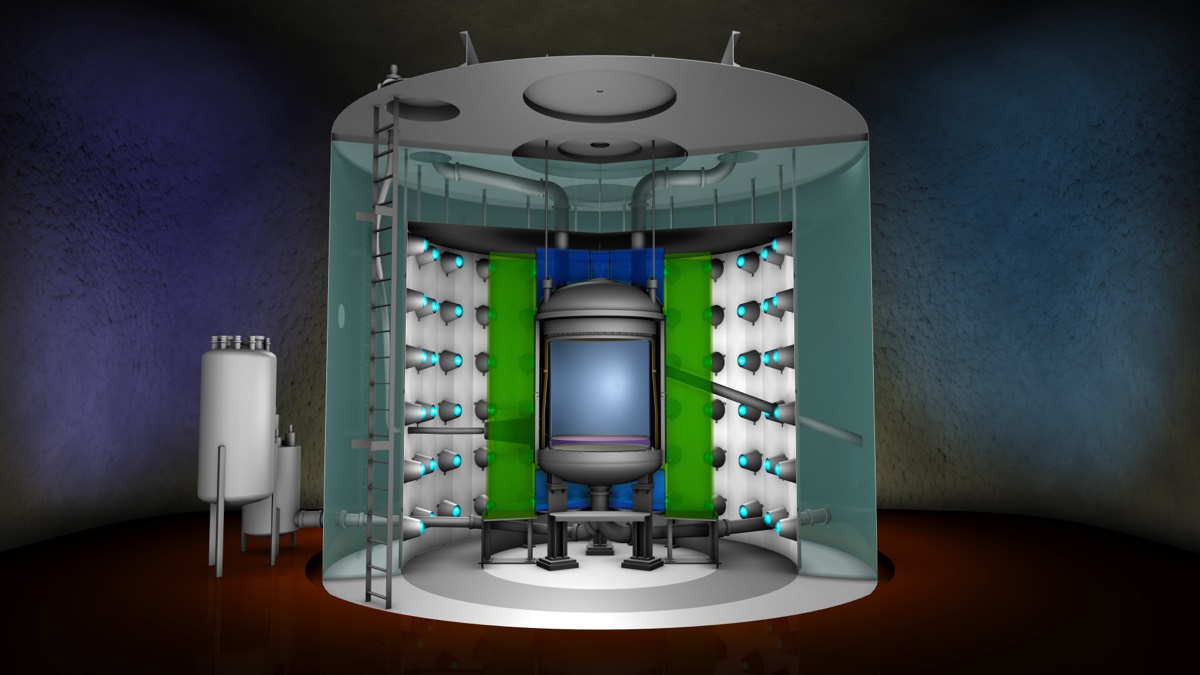
Why should anyone outside particle physics care? Because every demonstration that entanglement survives in increasingly extreme, high-energy environments expands scientists’ understanding of how fragile or robust quantum states can be — knowledge that feeds directly into efforts to build more stable quantum processors and ultra-sensitive instruments. The LHC, originally built to hunt for exotic particles, is increasingly being treated as an unlikely laboratory for quantum information science, a field with obvious long-term implications for computing power, cryptography, and secure communications.
Meanwhile, a separate line of research is tackling a very different kind of engineering problem: how to build things in a place with no hardware store. Researchers at the Hong Kong University of Science and Technology have developed a way to turn Martian soil into a durable, concrete-like building material by combining crushed rock with gelatin and a specially engineered yeast coated in sticky proteins. The yeast helps bind the mixture as it hardens under conditions mimicking the Red Planet’s extreme cold and low pressure — essentially a freeze-drying process, according to the research team. The result, published in the journal Chem Circularity, is pitched as a viable construction material for future Martian habitats, built largely from what’s already on-site rather than materials hauled across tens of millions of miles of space.
It’s a small-scale innovation with large-scale implications. Any serious plan for human settlement beyond Earth runs into the same brutal math: launching mass into space is extraordinarily expensive, and that includes bricks, steel, and concrete. A living, self-hardening building material grown partly from biological processes rather than shipped from Earth represents the kind of unglamorous, materials-science breakthrough that space agencies and private companies alike will need if long-duration Mars missions are ever to move from PowerPoint slides to poured foundations.
None of this is artificial intelligence in the sense most readers have come to expect from technology coverage — there’s no large language model or neural network driving these results. But it’s worth pausing on that gap. The world’s technological progress doesn’t move only through AI benchmarks and chip announcements; it also advances through particle colliders probing the weirdness of quantum mechanics and materials scientists quietly solving the unglamorous logistics of living on another planet. Readers hunting for this week’s AI breakthroughs specifically may find the pickings thinner than usual — the research highlighted here simply doesn’t touch on machine learning or AI systems in any substantive way, and it would be misleading to force that connection where the evidence doesn’t support it.
What these stories do offer is a broader lesson about how technological change actually happens: unevenly, across disciplines, often in places far removed from the headlines. The entanglement experiments at CERN and the yeast-based Martian concrete may never make it into a product keynote, but they represent exactly the kind of foundational research that eventually underwrites the flashier technologies that do.
Sources:
- Research roundup: 6 cool science stories we almost missed (Ars Technica)


Frontline Education is notifying school districts of a data breach after attackers exploited a vulnerability in third-party software to gain unauthorized access to its systems and steal employee information, including Social Security numbers.
Frontline Education is an edtech company that provides administration and workforce management software and services used by school districts.
Last night, a reader shared a data breach notification with BleepingComputer that Frontline sent to an impacted school district, stating that attackers breached its environment through a vulnerability in a third-party application.
“On August 14, 2026, our security team identified a vulnerability in a third-party software product we use that allowed unauthorized access to a portion of the environment,” the notification letter reads.
“We promptly investigated the issue with the assistance of an independent cybersecurity firm, remediated the vulnerability, engaged with law enforcement, and took steps to further reinforce the security of our systems.”
The company has not disclosed which third-party application was involved or when the unauthorized access first occurred.
For the notification seen by BleepingComputer, our source said all employees at the district were impacted, with exposed information including Social Security numbers, email addresses, and physical addresses.
BleepingComputer contacted Frontline Education yesterday about the breach but did not receive a reply to our email.
However, school IT administrators reported on the K12SysAdmin subreddit that district officials had begun to receive similar notifications.
One administrator initially said their superintendent and business manager received the notification on October 1 from frontline@notifications.cyberscout.com, but Frontline support had not yet confirmed whether the message was legitimate.
However, other administrators later said they had independently confirmed the breach notifications were legitimate.
“Can confirm this is legitimate. We’ve had verbal contact with our Frontline rep on it,” one administrator reported.
One administrator also shared a copy of a Frontline notification stating that 1,210 employees associated with their district were impacted and that Social Security numbers, email addresses, and addresses were also exposed.
Frontline says it will handle notifications to affected individuals on behalf of impacted school districts unless a district opts out by October 16.
Districts that want to opt out can do so through www.frontline-transunion.com or by calling 833-516-8792. If a district opts out, Frontline says it will not provide notification services or reimburse the district for the costs of issuing its own notices.
Impacted adults are being offered two years of free credit monitoring and identity theft protection through TransUnion, while minors will be offered cyber monitoring services.
The company says it will also handle required notifications to state attorneys general and cover costs associated with individual notifications and the identity protection services.
It is unclear how many school districts or individuals were affected.

Join Mikko Hyppönen and security leaders from the NFL, CHANEL, and Atlassian for a two-hour digital summit on what AI-speed attacks change, what defenders should stop doing, and how to validate, decide, fix, and re-validate at machine speed.

Meta’s Muse, a personal AI agent that books travel, fills out forms, and shops on a user’s behalf, has already proven popular with the masses, but a new side project could be particularly alluring to tinkerers and hackers.
On Friday, the company introduced Muse Gadgets, an open-source project that lets developers build their own hardware that connects to Muse.
Meta is providing open-source firmware (the low-level software that runs a device), and a Linux software development kit (SDK), along with a few project ideas to get users started. These include giving Muse a color e-ink display or loading it onto a stick that plugs into a TV’s HDMI port.
There don’t appear to be many limits, either. Users can set up a low-cost hobbyist computer like a Raspberry Pi or an off-the-shelf ESP32 board, and then connect Muse “to your displays, buttons, sensors, actuators, and whatever else you’ve got lying on your workbench,” Meta notes.
The company has also set up a Discord channel to support users.
Meta has already tried the code itself, naturally. Nat Friedman, head of product at Meta’s Superintelligence Labs, said in a post on X that the company built a gadget called Muse Home Link. The USB-C-powered device lets Muse connect to a home network and talk to the smart devices on it, including speakers and smart TVs.
Meta made 5,000 of these Home Links, in fact, and is giving them away for free to Muse subscribers while supplies last, according to Friedman. Considering Friedman’s post about Home Link received nearly 30,000 views in a few hours, we’re guessing those freebies have been claimed. Friedman said Home Link would be ready to ship a few weeks.
Muse Gadgets may not have wide appeal, but it fits nicely into Meta’s all-in strategy to make Muse more than a standalone chatbot. Meta isn’t content to push Muse on everyday consumers; it’s also trying to woo small businesses and enterprises.
The company earlier this week introduced Muse for Small Business, which is free with usage limits and connects Muse to tools such as Shopify, Dropbox, and Slack. It has also launched a new business unit, Meta Enterprise Platform, to help it push its AI offerings to businesses and corporate customers.
When you purchase through links in our articles, we may earn a small commission. This doesn’t affect our editorial independence.

OpenAI has thrown its hat into the increasingly crowded ring of AI companions, unveiling a new agent platform called Dots this week. But unlike the cuddly, consumer-friendly bots recently rolled out by rivals, OpenAI’s creation arrives dressed in a suit and tie — a digital coworker that happens to moonlight as a dinner-ordering assistant.
The timing is no accident. Meta recently introduced Muse, an anthropomorphic AI mascot designed to feel like a friendly personal shopper, and a competing product called Instinct has generated buzz in the same space. Both are free to use, at least for now, and both lean heavily into approachability — cute avatars, casual tone, an emphasis on making everyday errands feel effortless. OpenAI’s Dots, by contrast, feels like it was built for the office first and the living room second.
According to hands-on testing by The Verge, Dots share some surface-level similarities with Meta’s Muse: blobby, customizable avatars with names you can assign yourself, a chat window where you issue instructions, and a second pane where you can watch the agent click its way through tasks on a virtual machine in real time. But the resemblance mostly ends there. OpenAI frames Dots as something closer to a digital employee than a digital friend — a tool that can use other software, not just talk to you about your day.
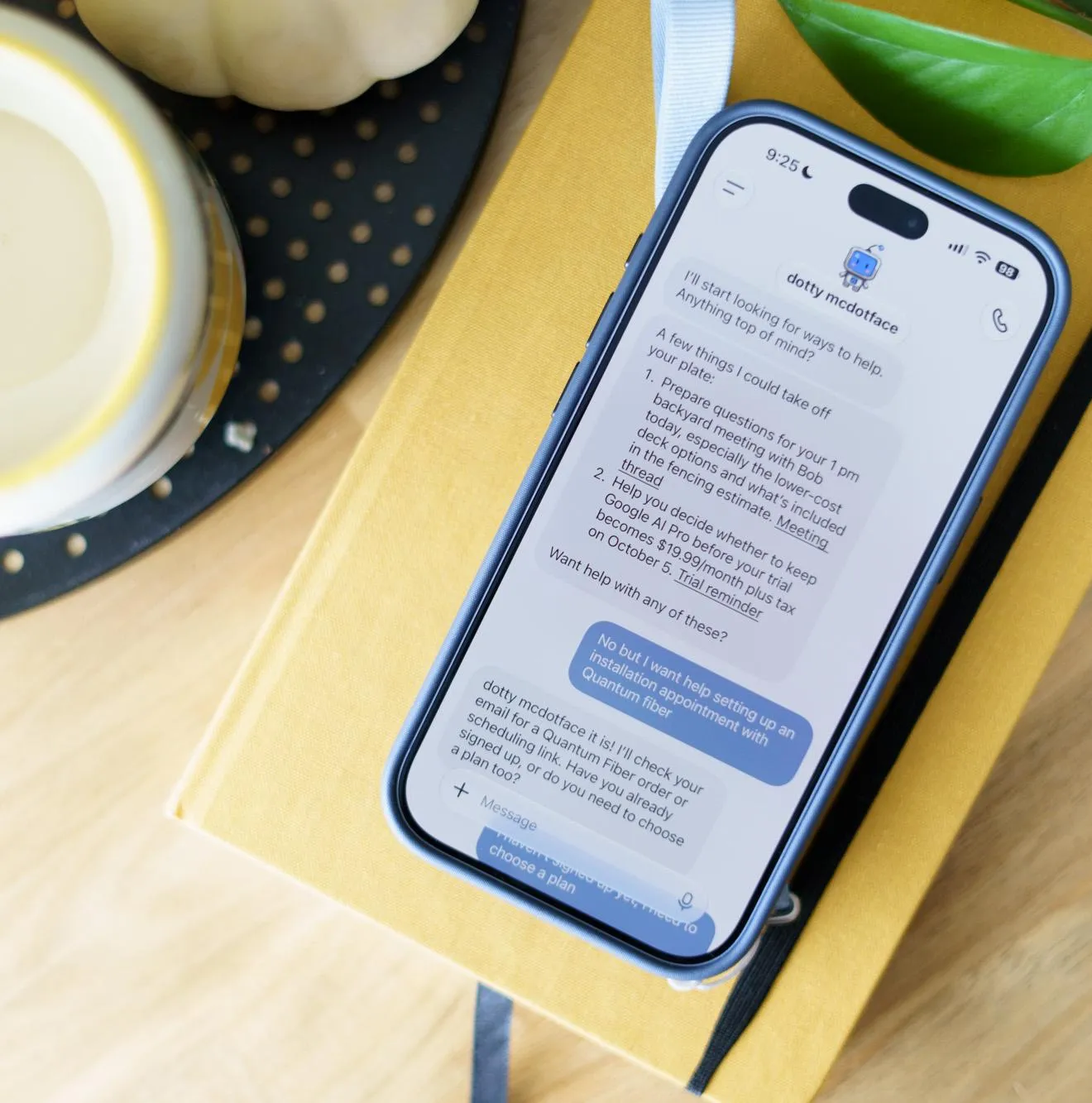
That enterprise framing shows up in the details. Each Dot comes preloaded with access to professional-grade applications like Blender and GIMP, the kind of software you’d expect a graphic designer or video editor to use, not someone trying to schedule a dentist appointment. Users can also grant their Dot access to their own desktop through OpenAI’s ChatGPT app, effectively letting the agent reach beyond its sandboxed virtual machine and into a person’s actual work environment. There’s even a voice option, letting users talk through tasks with their Dot the way they might brainstorm with a colleague.
Perhaps the clearest signal of who OpenAI is building this for, though, is the price tag — or rather, the paywall. While Meta’s Muse and the rival Instinct are available at no cost, Dots are currently limited to OpenAI’s highest-paying customers, including subscribers to its $100-a-month Pro tier. That’s a steep barrier for a product OpenAI simultaneously describes as being able to “do nearly anything,” from spreadsheet work to grocery runs.
Early testing suggests the “nearly anything” claim comes with real asterisks. In one trial, a Dot was tasked with scheduling an internet installation appointment — a mundane but genuinely useful errand. The agent impressed by digging through old emails to surface a $100 promotional discount that had been buried in a deleted folder, showing a level of initiative beyond simple command execution. But it ultimately stalled at a security checkpoint requiring a “sustained mouse hold,” a verification method its automated browser controls couldn’t replicate. The agent was left asking a human to step in and finish the job by hand.
That stumble is a useful reminder of where this current wave of AI agents actually stands. The pitch from OpenAI, Meta, and others is seductive: a tireless digital assistant that can navigate the web, fill out forms, make calls, and handle the small annoyances of daily life while you do something else. The reality, at least for now, is an impressive but inconsistent helper that can shine on complex, multi-step research tasks one minute and get tripped up by a basic CAPTCHA-style check the next.
Still, the broader trend is hard to miss. Three major players — OpenAI, Meta, and whoever is behind Instinct — are now racing to put a friendly face on autonomous software agents, each betting on a different vision of what that relationship should look like. Meta and Instinct are courting everyday consumers with free, approachable mascots designed to feel like helpful little guys you’d want in your pocket. OpenAI, true to its roots in high-end productivity tools, is betting that the first real adopters of agentic AI will be professionals and businesses willing to pay a premium for something that can genuinely lighten their workload — even if it occasionally needs a human to finish the last step.
Whether that bet pays off may depend on how quickly these agents can close the gap between “nearly anything” and actually anything. For now, OpenAI’s Dots look like a glimpse of where workplace AI is headed — useful, promising, and not quite finished.
Sources:

With Paramount CEO David Ellison overcoming the final hurdle blocking his expansion of the Paramount media empire, the billionaire media executive announced on X (formerly Twitter) that the newly merged entity combining Paramount and Warner Bros. Discovery will be named Skydance.
The announcement comes after the company entered into a consent decree to settle antitrust claims brought by a group of 12 state attorneys general, who had sued in July over concerns that the merger would concentrate too much control over news networks, cable TV and the film industry. With the last legal opposition cleared, the path was open to finalize the massive the $111 billion merger on Sept. 21.
“Together, we are Skydance: a creative-first home for bold, quality storytelling,” Ellison posted on Friday. “We wanted a name that would give the combined company an identity of its own while allowing Paramount and Warner Bros. — and all our extraordinary brands — to remain in the spotlight.”
There was a year-long bidding battle for Warner Bros. Discovery, leaving Ellison as the top bidder after Netflix dropped out. The name Skydance comes from Ellison’s love of aviation and aerobatic “skydancing.” David’s father is Larry Ellison, co-founder and CTO of Oracle, and one of the richest people in the world.
A Hollywood empire of studios, news, networks and streamers
As viewers, it’s unclear how streaming content from Warner Bros., HBO and Paramount via apps like HBO Max and Paramount Plus will change. But the merger will undeniably affect employees at the mega media company, now one of the largest in history. Much of the legal opposition concerned their fate, and the consent decree attempted to safeguard employment, film production and distribution and consumer pricing.
In practice, employees usually lose out in corporate consolidation, regardless of protections. Harvard Business Review estimated that up to 30% of workers get laid off in mergers like these, where there’s a significant overlap in the business, though that oft-cited figure is from 2017.

The bigger worry, though, is media monopoly. Critics worry that adding CNN to the company’s portfolio could lead to widespread restructuring and corporate upheaval, similar to recent struggles at the CBS News division. Corporate convergence also risks homogenizing news content by potentially suppressing divergent viewpoints — all for minimal reward, given that CBS’s own ratings are reportedly way down.
“If this trend of consolidation continues, we will be left searching dominant media outlets in vain for news and information that challenges the powerful and stands up for people who are struggling to pay monthly bills, put food on the table and engage in local civic life,” nonprofit watchdog Free Press co-CEO Jessica J. González said in a prepared statement earlier this week.
The Block the Merger coalition also posted a follow-up statement: “Allowing the Paramount Skydance-Warner Bros. Discovery merger to move forward with no meaningful structural remedies will cost jobs, mute creativity, weaken independent journalism, and damage our First Amendment rights. The ripples of this merger will be far-reaching, long-lasting, and impossible to contain.”
The Writers Guild of America East and Writers Guild of America West had filed a separate lawsuit to halt the merger, alleging that it was illegal and would harm writers. Once the state attorneys general backed out of the battle, WGA cited an inability to sustain legal costs on its own and dropped its companion lawsuit.
As part of the consent decree, Paramount agreed to establish an oversight board of journalists to protect the editorial independence of CNN and CBS News. Critics have called the oversight board “toothless,” noting that its members are appointed and paid by the company, that its authority is unclear and unbinding, and that final control rests with Ellison.
We reached out to Skydance for comment and didn’t immediately hear back.
Disclosure: Lori Grunin has stock in Paramount from when CNET was owned by CBS.


An anonymous reader quotes a report from Reuters: The state of New Mexico asked a judge on Thursday to order Meta Platforms to pay between $35 billion and $40 billion in penalties after a jury found the company had misled consumers about the privacy of their data on Facebook in a case that came out of the Cambridge Analytica scandal.
Attorneys for New Mexico made the request at a hearing in a lawsuit brought following revelations that the British political consulting firm, which worked on Donald Trump’s 2016 presidential campaign, harvested personal data from as many as 87 million Facebook users through a third-party app without their consent. The jury returned its verdict on September 25. Judge Francis Mathew, who oversaw the trial in Santa Fe, will decide how much Meta must pay in financial penalties. […] State law allows the judge to decide how much to fine Meta per violation, up to $5,000. At the hearing on Thursday, Randi McGinn, a lawyer for New Mexico, said applying the full $5,000 penalty to the number of violations would create too large of a penalty under the US Constitution’s protections on due process. But the judge should order a significant payment that will impact the company, McGinn said.
“This court should speak to Meta in the only language it understands, which is money, and the value of its stock price,” McGinn said. She said $35 billion to $40 billion, which represents about 20% of the possible penalties that could be awarded under state law from the verdict, would impact the stock price while complying with Meta’s right to due process under the Constitution. At the hearing on Thursday, Matt Nicholson, a lawyer for Meta, called the state’s request an “astronomical penalty that would obviously violate a host of constitutional provisions.” In court filings, Meta urged Mathew to cap the penalties at $3.45 billion. The jury may have said it found Meta’s statements misleading, but the evidence shows that Meta does not sell user data and New Mexico did not prove that any consumer had actually been misled, the company said in court filings. The judge said he expected to issue a ruling later this month.


Read more of this story at Slashdot.
from the land-of-the-not-so-free-after-all dept
This article is republished from The Conversation under a Creative Commons license. Read the original article.
In the lead-up to the 2026 midterm elections, how is the U.S. government performing in terms of human rights? Listening to politicians, it can be difficult to know.
On one hand, some have pointed to a number of potential human rights abuses committed by the U.S. government inside and outside its borders in the past two years.
On the other hand, while marking the United States’ 250th anniversary this year, President Donald Trump called the country “the home of freedom,” “the land of liberty” and “the most extraordinary, most exceptional, most incredible nation ever to exist on the face of the earth.”
“We’re doing better now than we’ve ever done before,” he said.
So which is it?
According to many of the human rights data sources available, the U.S. lags behind most other high-income democracies – countries that are both members of the Organisation for Economic Co-operation and Development and classified as high income by the World Bank. The U.S.’s poor performance spans civil and political rights, such as the right to be free from torture and the right to political participation, as well as economic and social rights, including the rights to health and food.
In fact, the U.S. has been a relatively poor performer across many of these rights for quite some time, regardless of the political party in power.
Even accounting for the U.S.’s prior poor practices, however, new data from the Human Rights Measurement Initiative shows that in 2025 the country’s civil and political rights performance deteriorated even further.
As a human rights scholar who has been measuring human rights practices for 20 years – and as one of HRMI’s co-founders – I believe this data raises serious questions about the United States’ commitment to human rights.
How are rights practices measured?
Governments rarely publish accurate information on their own human rights abuses, so the task of measuring them typically falls to advocates and scholars.
Historically, most international measures of civil and political rights have depended on public reports from the U.S. State Department, Amnesty International, Human Rights Watch or news organizations.
However, these reports cannot cover every human rights violation that experts know about, especially in countries with low government transparency or high levels of repression.
Thus, data produced using those sources will show fewer abuses than those that have actually occurred and will be more accurate about some places than others. Further, the Trump administration has changed one of the most important sources of human rights information, the U.S. State Department’s Country Reports on Human Rights Practices, to contain more bias in favor of the administration’s foreign allies and less information on human rights abuse overall.
Since 2017, HRMI has used a different approach. Recognizing the problems with public reports, we collect information directly from researchers for human rights organizations, human rights lawyers and others, asking them about governments’ practices across several rights and using a statistical model to assess their information and ensure that the resulting metrics are comparable across countries. The result is a robust dataset that includes information previously missing from public reports.
Today, HRMI’s civil and political rights dataset covers 62 countries, with more added every year.
How does the US compare?
According to the Human Rights Scores dataset, which uses publicly available information to score more than 190 countries on physical integrity rights – such as the rights to be free from torture, killing, forced disappearance and political imprisonment – the U.S. never ranked higher than 81st from 2001 to 2021 or higher than 109th from 2010 to 2021.
Indeed, from 2003 to 2021, the United States’ score was either the worst or the second-worst every year among high-income OECD member states, which include the United Kingdom, Japan and New Zealand.
The Human Rights Scores dataset has not been updated past 2021, but HRMI’s data collected since that time suggests that the pattern has continued.
Among the six high-income OECD countries on which HRMI currently collects data, the U.S. has been the worst performer for physical integrity rights since 2017.
It has also frequently been rated as the worst performer on “empowerment rights,” or the rights to assembly, association, opinion, expression, political participation, religion and belief.
What changed in 2025?
Even starting from this poor position, the U.S.’s civil and political rights practices dramatically worsened in 2025. HRMI measures nine civil and political rights, and the U.S. significantly worsened on eight of them.
These were not small changes. Measured against every significant change HRMI has recorded since 2017, the U.S. showed the largest decline ever observed for the right to be free from forced disappearance and for the right to freedom of religion and belief.
The U.S. showed the second-largest decline ever observed for the right to be free from arbitrary or political arrest and for the right to opinion and expression.
The U.S. also showed major declines in the rights to be free from torture and extrajudicial killing, and the right to political participation – that is, the right to participate in one’s government via free and fair elections, to take part in public affairs and to have access to public service. U.S. scores likewise fell in the right to assembly and association, which are, respectively, the rights to peacefully gather in public or private and to form or join groups and organizations.
What caused the scores to fall?
Human rights experts raised several issues that led to these declines. For instance, the U.S.’s worsened scores for the rights to be free from arbitrary detention, disappearance and torture were tied to the expanded use of practices such as incommunicado detention and warrantless arrest by ICE and other immigration-related agencies.
While several killings occurred during ICE operations in 2025, the worsened extrajudicial killing score was also tied to the country’s use of airstrikes against boats in the Pacific and Caribbean, which caused the deaths of at least 123 people in 2025 alone.
Other changes enacted in 2025 contributed to large declines in the U.S.’s rights scores, including crackdowns on anti-ICE demonstrations and government pressure on universities, including limits on free speech and class subjects.
Last year also saw threats to television networks over political expression, restrictions on mail-in voting, state measures targeting American Islamic organizations by labeling them “foreign terrorist organizations” and an executive order focused on eradicating “anti-Christian bias.”
While current HRMI data does not yet cover 2026, early indicators are not promising, with continued abuses by ICE, further killings in international waters and allegations of attempts to use government powers to punish critics.
K. Chad Clay is the Director of the Center for the Study of Global Issues (GLOBIS) and an Associate Professor of International Affairs at the University of Georgia.
Filed Under: human rights
Companies: oecd
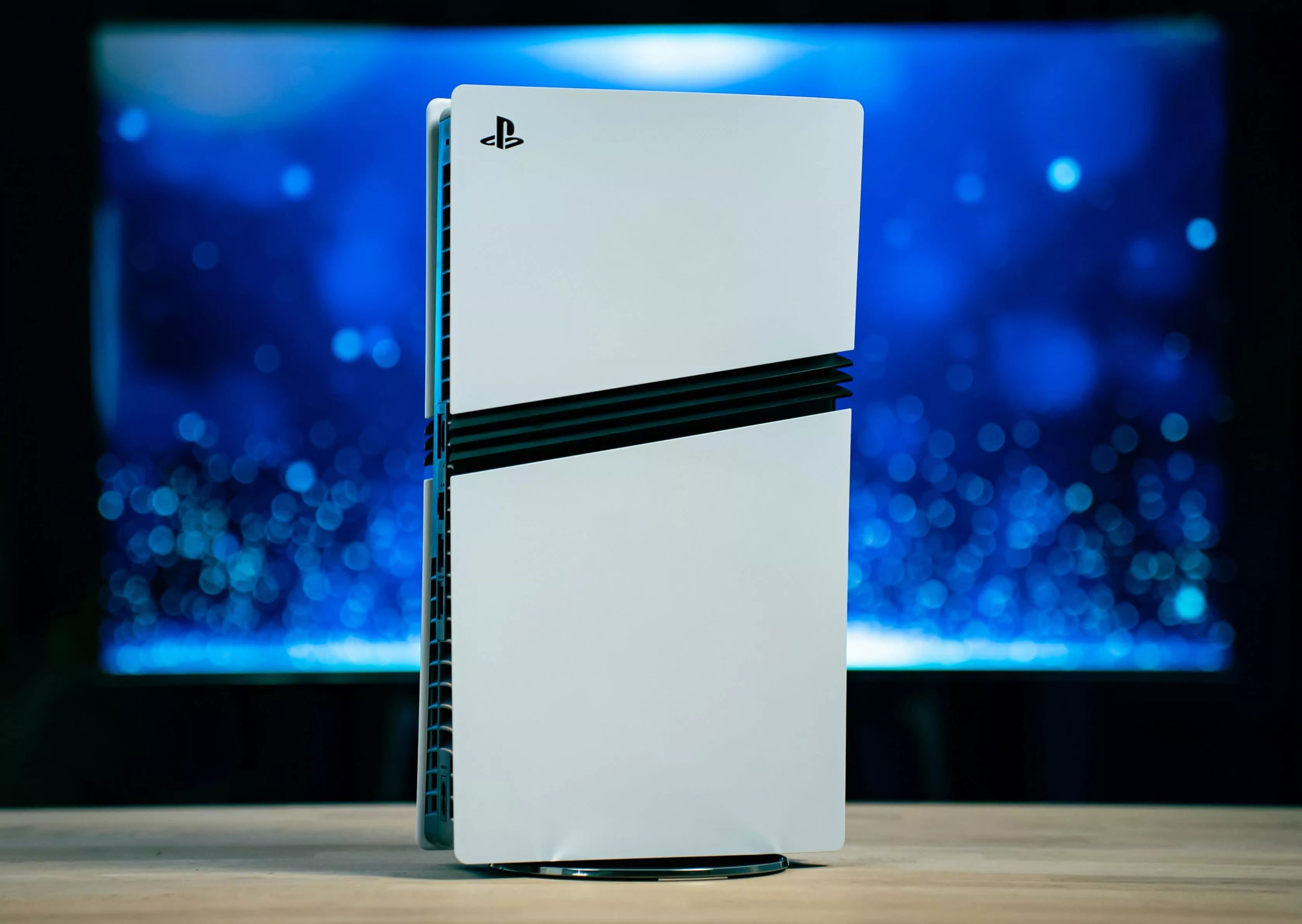
Winners & losers: Like many consumer electronics products these days, the PlayStation 5 Pro is facing severe shortages in parts of the world. In Japan, Sony is turning to a lottery system to sell its freshly manufactured consoles to genuine gamers while keeping out criminals and speculators.
Despite the significant backlash over its plan to stop manufacturing discs for new games in 2028, Sony remains massively popular in the console business. The PlayStation 5 Pro is so popular, in fact, that the company is now trying to head off scalping by limiting how many customers can get the new console.
On its Japan-focused online store, Sony is now accepting “purchase applications” from local buyers. Japanese gamers can apply to buy a brand-new PlayStation 5 Pro, but only until October 7. The company warns that submitting a purchase form doesn’t necessarily guarantee the right to buy a console.
Quite the contrary, in fact. If the number of buying requests exceeds the number of sales Sony plans to finalize, the company will hold a lottery among applicants. Sony’s wording essentially anticipates that demand will outstrip supply, and that every applicant must be a legitimate customer under the rules the lottery is based on.
– Genki✨ (@Genki_JPN) September 28, 2026
Applicants will need to have logged at least 60 hours of playtime on PS4, PS5, or both, between September 27, 2024 and September 27, 2026, on a Japan-registered Sony account. Sony will begin notifying lottery “winners” around October 26, and they must complete their purchase through the company’s online store by November 2.
After November 2, unfinalized sales will be voided and Sony will “re-lot” the consoles to other eligible customers. Purchase and shipping are available only in Japan, and each Sony account can apply for a single PS5 Pro. The lottery includes a few additional rules that further restrict customers’ ability to buy a new model of Sony’s most powerful console to date.
Sony’s attempt to curb scalping and other malicious business is understandable, but it could turn out to be a double-edged sword. Rockstar is set to launch GTA VI on November 19, and a significant number of players might consider buying a new console just to experience the latest and greatest crime adventure everyone loves to hate.
And things could get worse. If shortages persist, Sony might expand its lottery-based program to the US and other regions outside Japan.

HP OmniBook Ultra
MSRP $1,319.00

“Hands down one of the best looking laptops!”
Pros
- Sharp 120Hz OLED screen
- Reliable battery life
- Daily performance
- Sleek and light build
- Fast SSD
Cons
- Weak graphics performance
- Non-upgradable memory
- No fingerprint reader
- Limited display hinge tilt
- Weird backlight legibility on keyboard
Quick Take
The HP OmniBook Ultra gets a lot right. It is slim, lightweight, and genuinely premium, while the 3K OLED display is easily one of its biggest strengths. The Core Ultra 7 356H handles everyday work, multitasking, and AI workloads without breaking a sweat, and the PCIe Gen5 SSD is seriously quick.
The integrated graphics, however, are clearly the weak spot of this particular configuration. It is not the Panther Lake powerhouse the higher-end X7 and X9 variants can be. Still, for someone looking for a stylish, portable Windows laptop with a gorgeous screen and strong everyday performance, there is plenty to like here.
HP OmniBook Ultra Specifications
| Operating System | Windows 11 Home |
| Processor | Intel Core Ultra 7 356H (16 cores, 16 threads, Up to 4.7GHz Turbo Boost 18MB L3 cache) |
| NPU | Intel AI Boost NPU, up to 50 TOPS |
| Graphics | Intel Graphics, integrated |
| Memory | 16GB LPDDR5X-8533 MT/s, onboard |
| Storage | 1TB PCIe Gen5 NVMe M.2 SSD |
| Display | 14-inch OLED, 3K (2880 × 1800), 16:10 Up to 120Hz refresh rate, 0.2ms response time, 500 nits SDR, 1100 nits HDR, 100% DCI-P3, Multitouch, UWVA Edge-to-edge glass, Micro-edge, Corning Gorilla Glass 3, Low Blue Light |
| Screen-to-Body Ratio | 91% |
| Build Material | Forged aluminium |
| Color | Silk Sand |
| Camera | 5MP IR camera, HDR auto switch, temporal noise reduction, integrated dual-array digital microphones |
| Wireless Connectivity | Intel Wi-Fi 7 BE211 (2×2)Bluetooth 6.0 |
| Ports | 3× Thunderbolt 4 USB Type-C, 40Gbps USB Power Delivery 3.1 DisplayPort 2.1 1× headphone/microphone combo jack |
| Audio | Quad speakers, HP Audio Boost, Poly Studio, DTS:X Ultra |
| Keyboard | Full-size, backlit keyboard |
| Touchpad | Haptic touchpad |
| Sensors | Accelerometer, gyroscope, IR thermal sensor |
| Battery | 4-cell, 70Wh Li-ion polymer |
| Charging | 65W USB-C GaN power adapter. Approximately 50% charge in 45 minutes |
| Claimed Battery Life | Up to 20 hours 45 minutes Up to 30 hours 15 minutes of video playback |
| Dimensions (W × D × H) | 31.11 × 21.56 × 1.07 cm |
| Weight | 1.27kg |
| Other Features | Intel Evo laptop, Copilot in Windows with Copilot key, Camera privacy shutter, Mic mute key, Firmware TPM |
| Pre-installed Software | McAfee Online Protection 30-day trial Microsoft 365 1-month trial |
There is something slightly amusing about the current laptop market. We keep asking manufacturers to make laptops thinner, lighter, faster, cooler, and longer-lasting, then act surprised when they somehow squeeze all of that into a chassis that looks like it should hold a calculator and a couple of pencils. The HP OmniBook Ultra is very much one of those laptops.
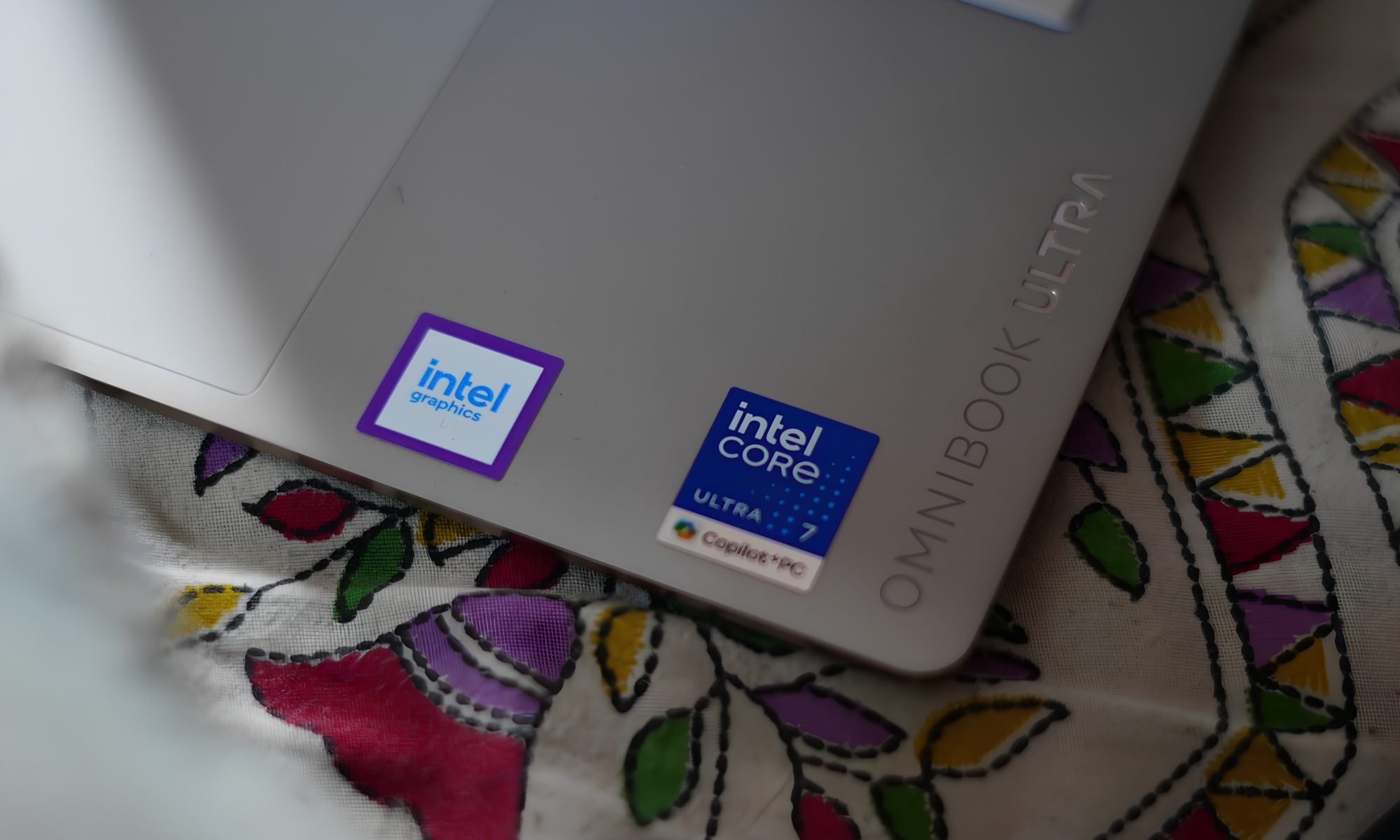
At first glance, it looks like a premium 14-inch machine designed primarily to sit inside a conference room and quietly make its owner look productive. But spend some time with it and the OmniBook Ultra starts revealing a more ambitious personality. It has an Intel Core Ultra 7 356H processor, 16GB of LPDDR5x memory, a 1TB PCIe Gen5 SSD, and integrated Intel graphics.
It also packs a 14-inch 3K OLED touchscreen with a 120Hz refresh rate, a 70Wh battery, Wi-Fi 7, and three Thunderbolt 4 ports. In other words, HP has taken the idea of a thin-and-light laptop and decided that “thin and light” shouldn’t automatically mean “please don’t ask me to do anything difficult.”
I have been using this particular configuration, and there is a lot to like here. But this isn’t a laptop without quirks. Some of them are small enough to laugh about. Others are the kind that make you stop and ask HP, “Why?” So, after spending time with it, here’s how the OmniBook Ultra feels as an actual laptop rather than a specification sheet.
HP OmniBook Ultra design
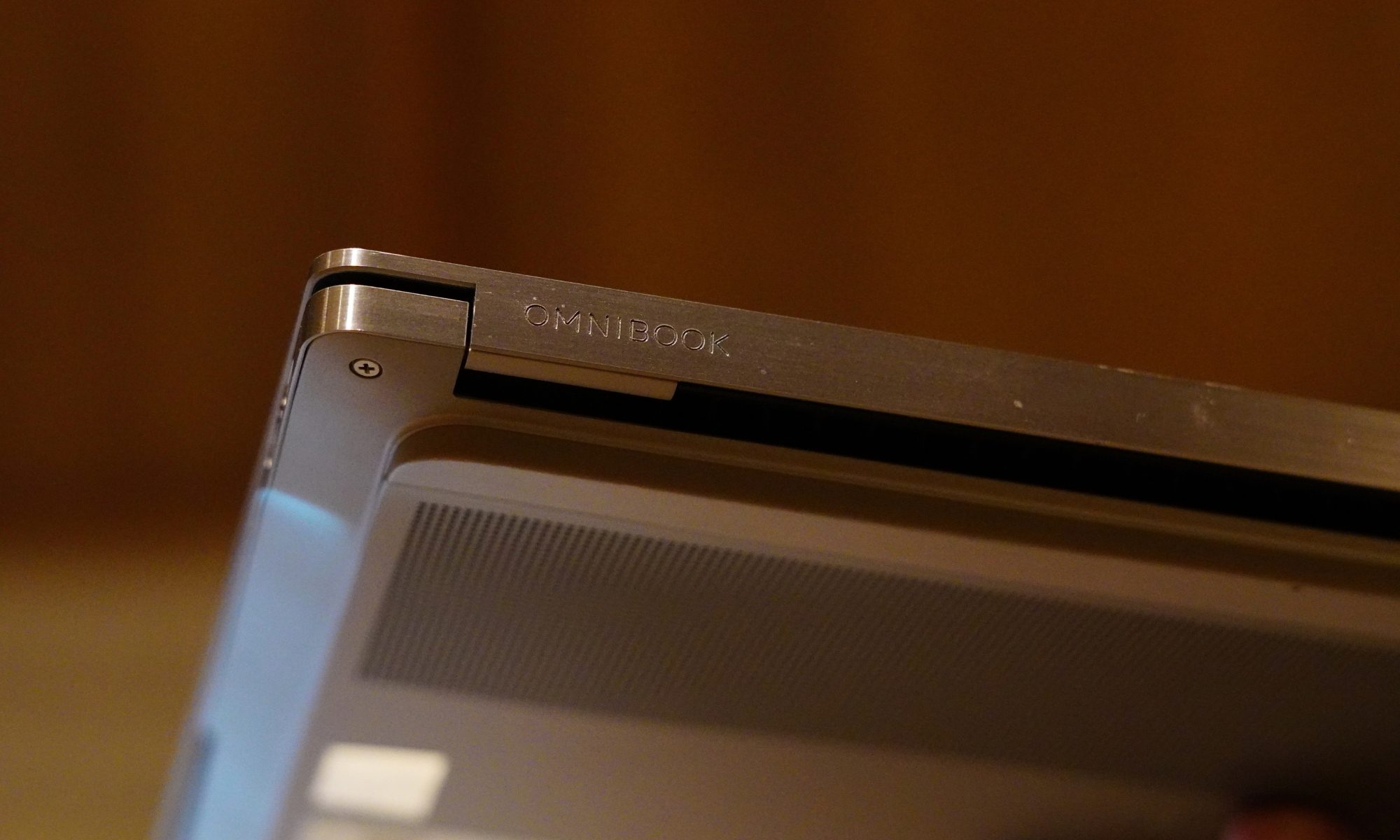
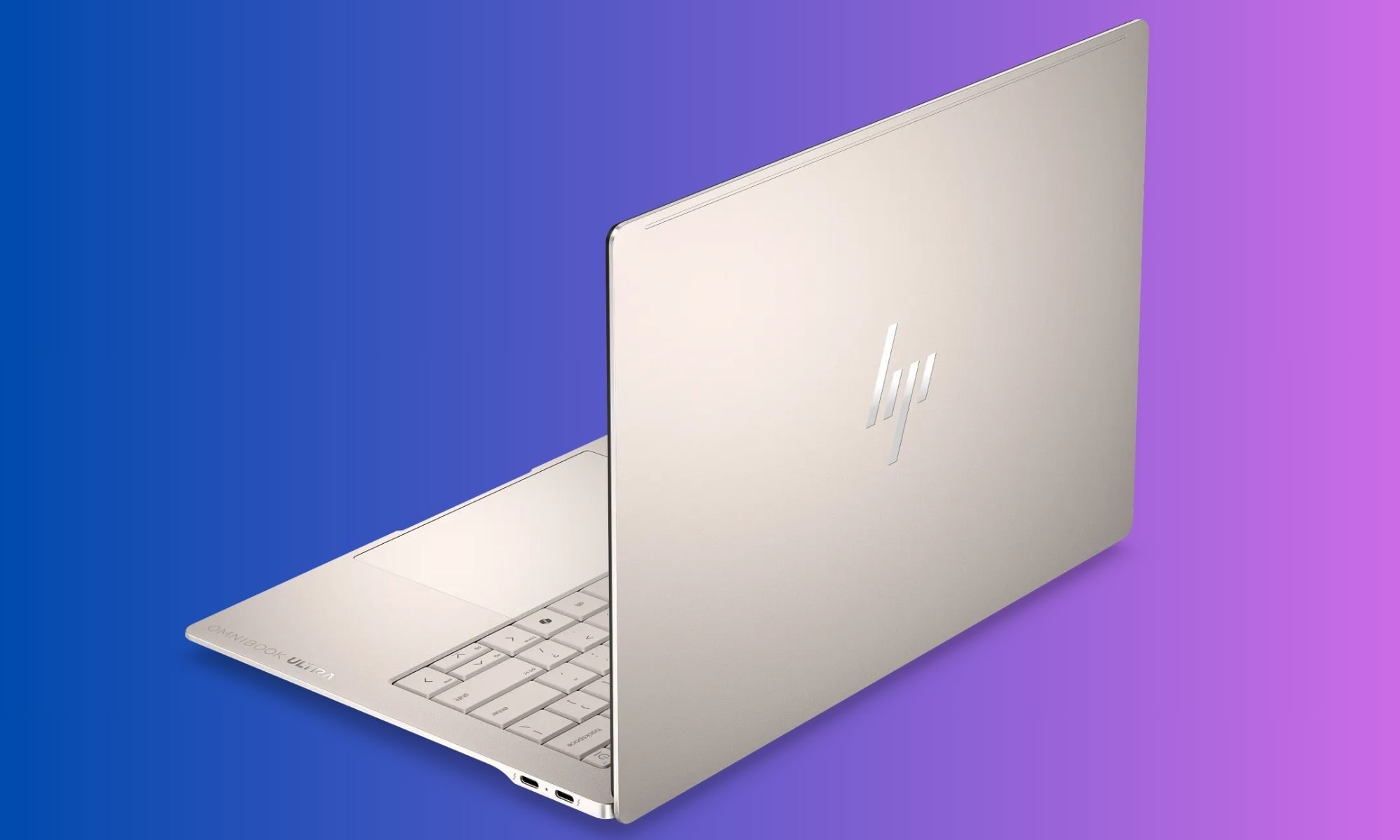
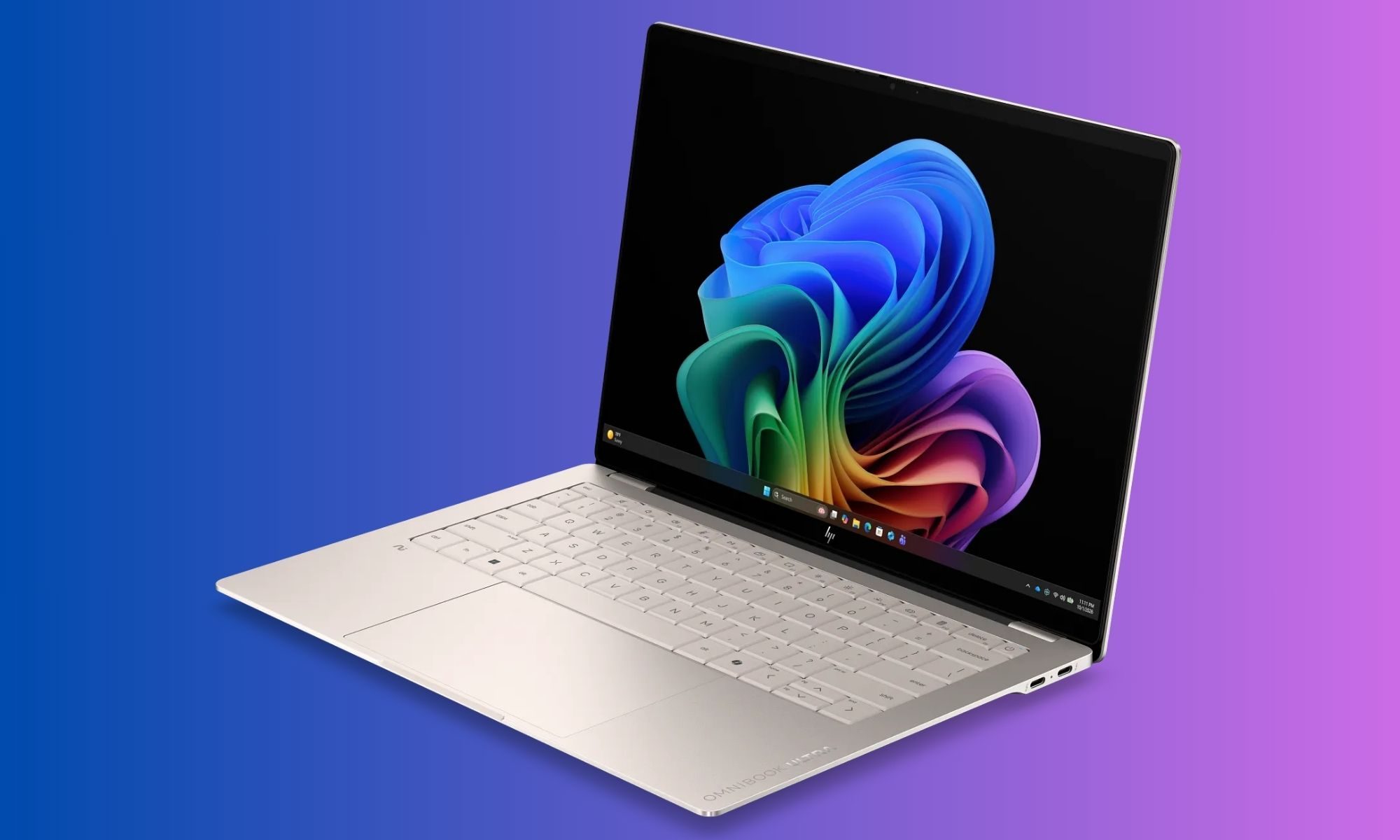
The first thing that struck me about the OmniBook Ultra was how little it feels like a conventional 14-inch laptop. HP has gone for a wedge-shaped profile, with the machine gradually becoming thinner towards the front. The entire body is made from aluminium, and my review unit comes in the Silk Sand finish.
It is a subtle colour, but I like it because it doesn’t scream for attention. Instead, it has that understated premium look that works equally well on a desk, in a coffee shop, or sitting open during a meeting where someone is inevitably going to ask, “Is that a new MacBook?”
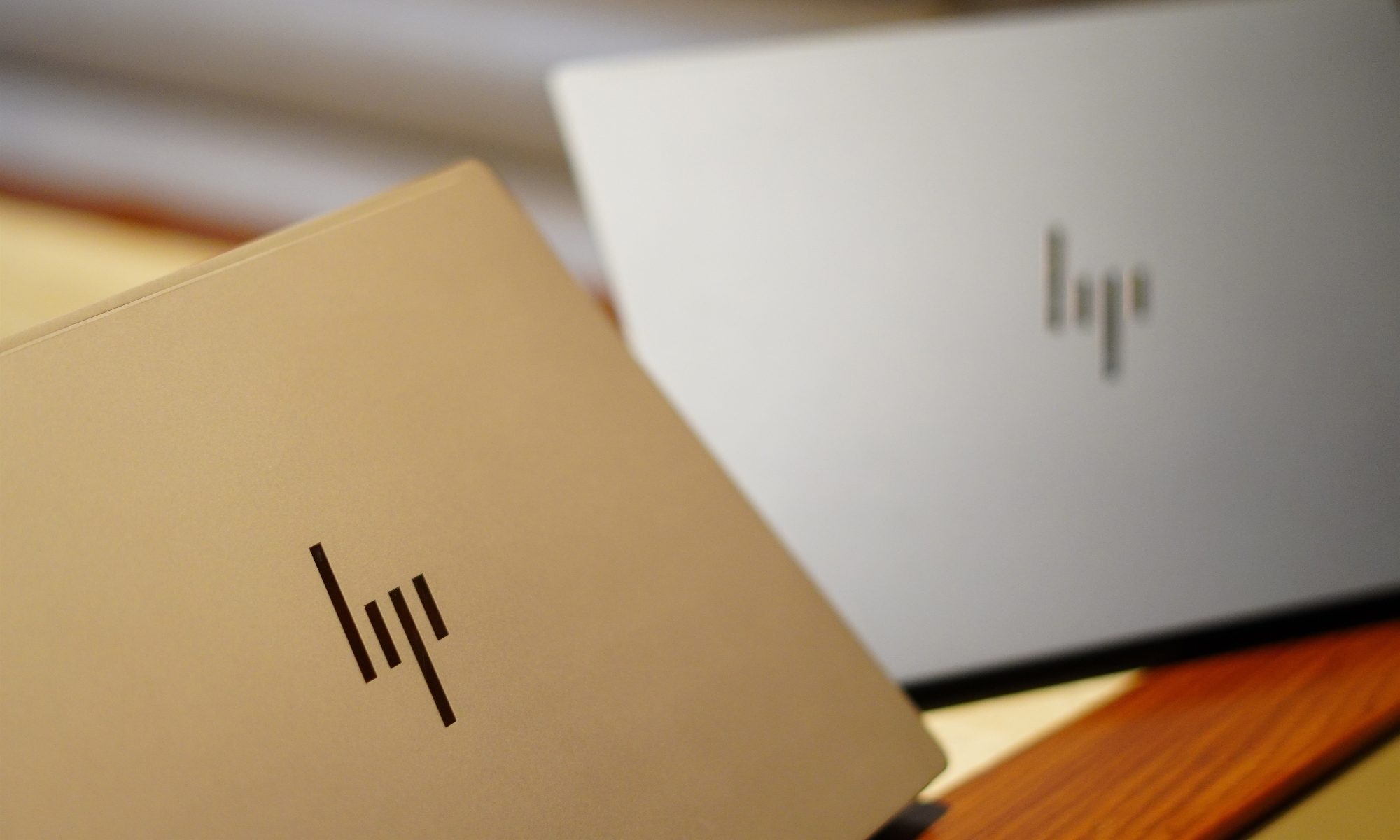
No, it isn’t. And that is probably the point.
The design has a few similarities with the broader premium laptop language we’ve become accustomed to, but HP has given the OmniBook Ultra its own identity. The edges are sharp and polished, while the main surfaces have a sandblasted matte treatment. According to HP, the chassis is made from forged aluminium, and the company has designed it around durability as well as portability.
It certainly feels sturdy. There isn’t the kind of obvious flex that makes you nervous about picking up a laptop by one corner. The lid has enough resistance to feel deliberate without requiring both hands and a small prayer to open it. The dimensions are 31.11 x 21.56 x 1.07cm, and the machine weighs just 1.27kg.
The sort of weight that makes you forget you’re carrying a laptop at all.
And this is where the OmniBook Ultra gets its first big win. I could comfortably move around with it without feeling like I was carrying a workstation disguised as an ultrabook. The 14-inch form factor is large enough to give me proper screen real estate, while the weight keeps it firmly in the “throw it into the bag and forget about it” category.
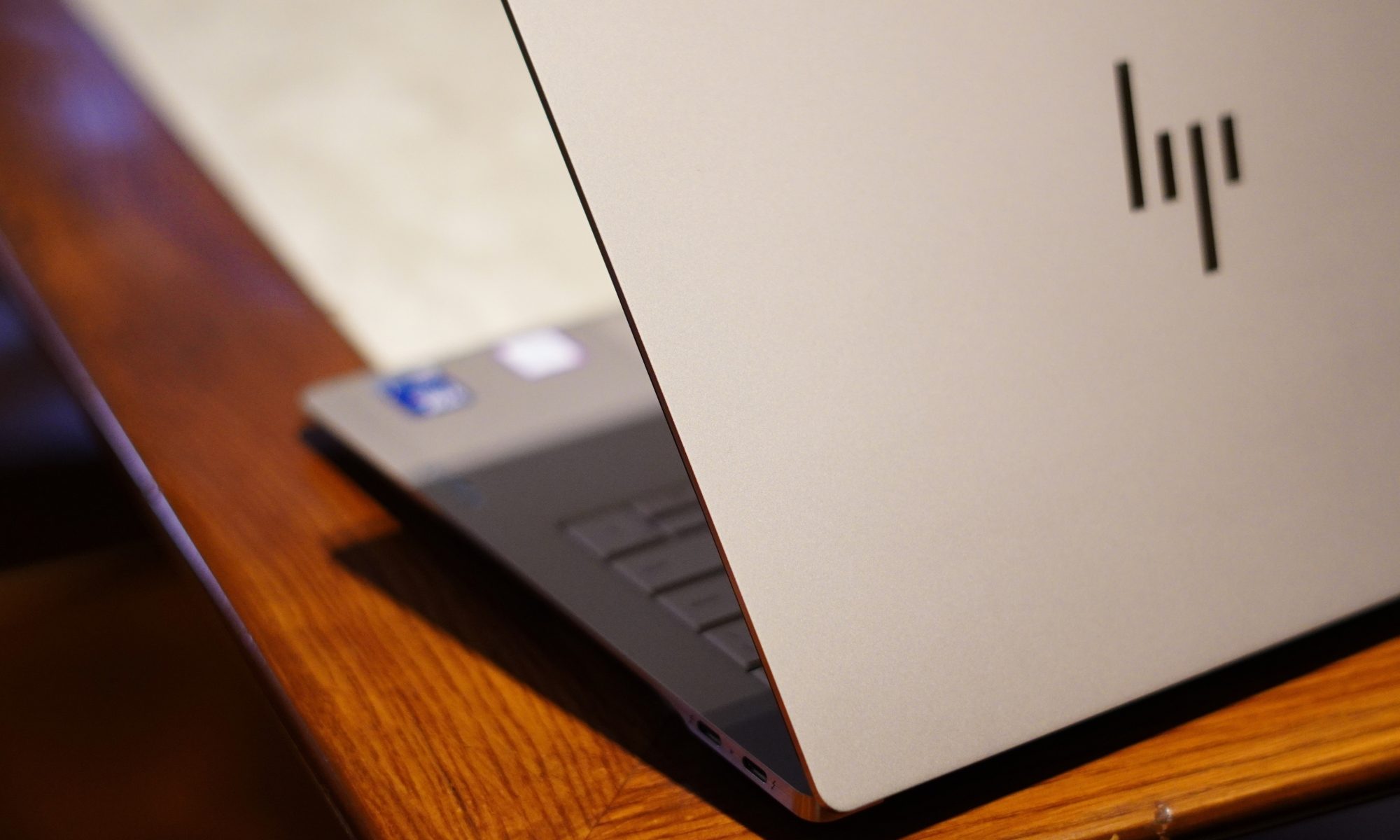
The Silk Sand finish is also surprisingly practical. It gives the laptop a premium appearance without relying on an overly glossy surface. There is still some visible evidence of fingerprints and skin oils if you look closely, but this isn’t the kind of laptop that turns into a crime-scene investigation after 20 minutes of use.
The keyboard deck follows the same colour scheme, and the lighter appearance of the keys gives the interior a nice contrast. The overall design is clean. HP hasn’t gone overboard with branding either. The exterior HP logo is relatively understated, while the OmniBook Ultra branding on the wrist rest adds a little bit of visual flair without turning the laptop into a billboard.
Then there is the keyboard. The OmniBook Ultra gets a full-sized backlit keyboard, and the keys themselves have a good amount of travel. I actually enjoyed typing on it. The feedback is firm enough that long typing sessions don’t feel like you’re tapping on a touchscreen.
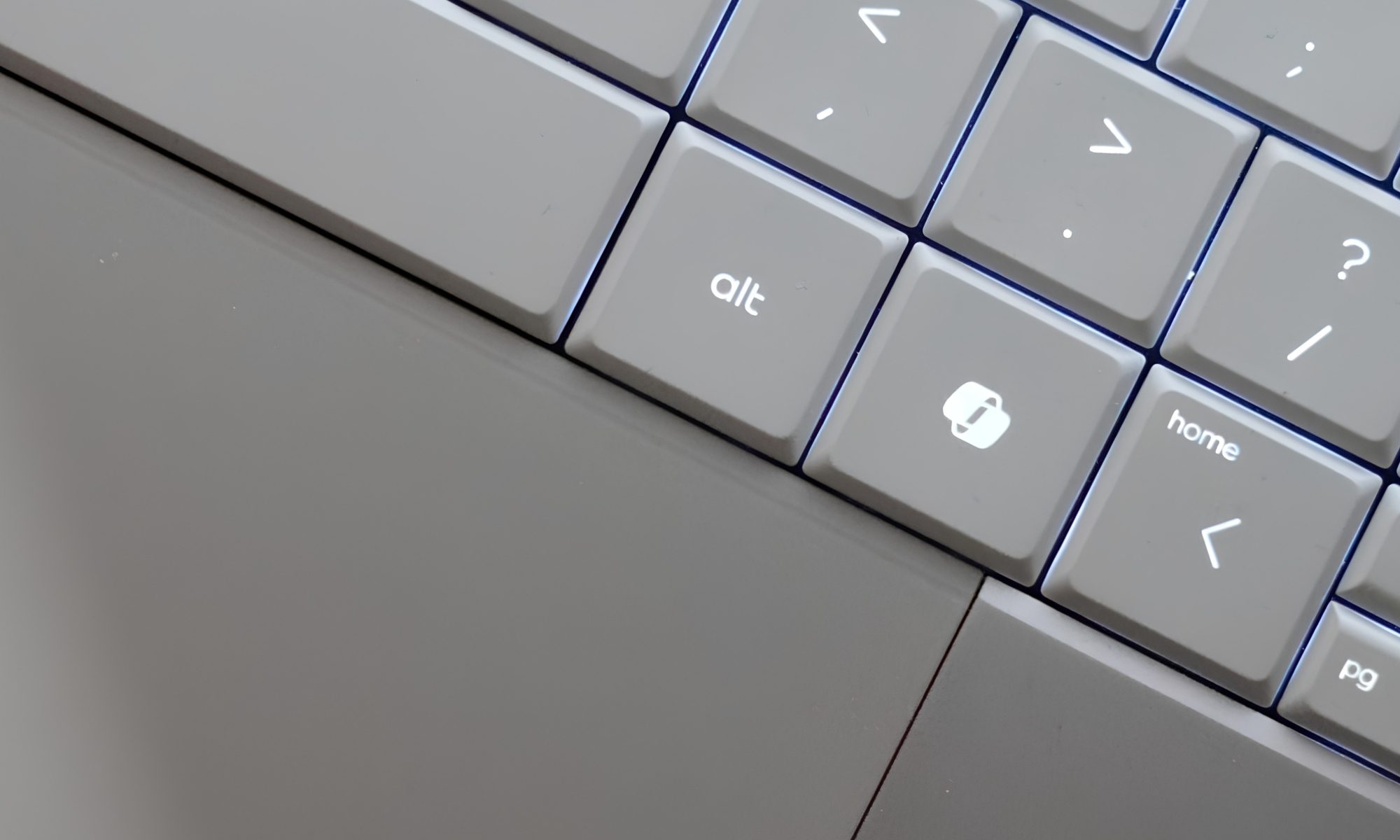
There is one slightly strange thing, though: the backlighting. The keys on my Silk Sand model are relatively light, and the backlight can sometimes make the lettering harder to distinguish rather than easier. It is one of those situations where the laptop is technically helping you see the keyboard while simultaneously making you wonder where the letters went.
HP gives you two backlight levels, but there isn’t an automatic mode. So I found myself manually switching it depending on the lighting around me. It’s not a deal-breaker. But it is an odd design decision on an otherwise carefully designed laptop.
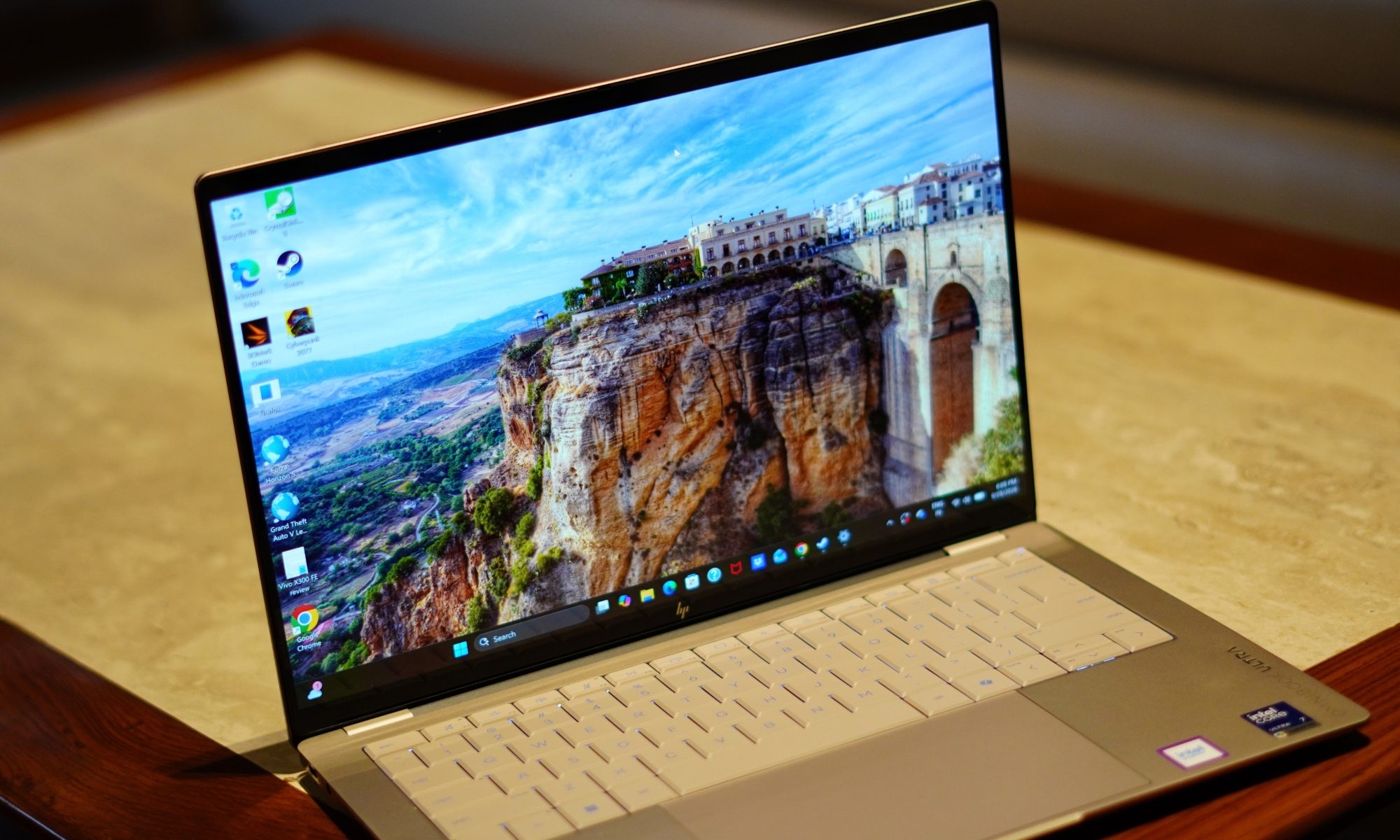
The touchpad is much easier to praise. It’s a large haptic touchpad, and the surface feels smooth and responsive. Gestures work well, and cursor movement feels precise. HP hasn’t tried to reinvent the touchpad, which is probably the right decision. The laptop also has a Copilot key, a microphone mute key, and the usual collection of function controls. HP has included a camera privacy shutter too, which I appreciate.
The product specifications confirm the presence of the privacy shutter, microphone mute key, and firmware TPM support. Security is handled through the 5MP IR camera, which supports Windows Hello. That means facial recognition can be used for sign-in, and in practice it’s much more convenient than typing a PIN every time I open the laptop.
I do wish HP had also included a fingerprint reader. At this price and in this class, having two biometric options would have made the machine feel more complete.
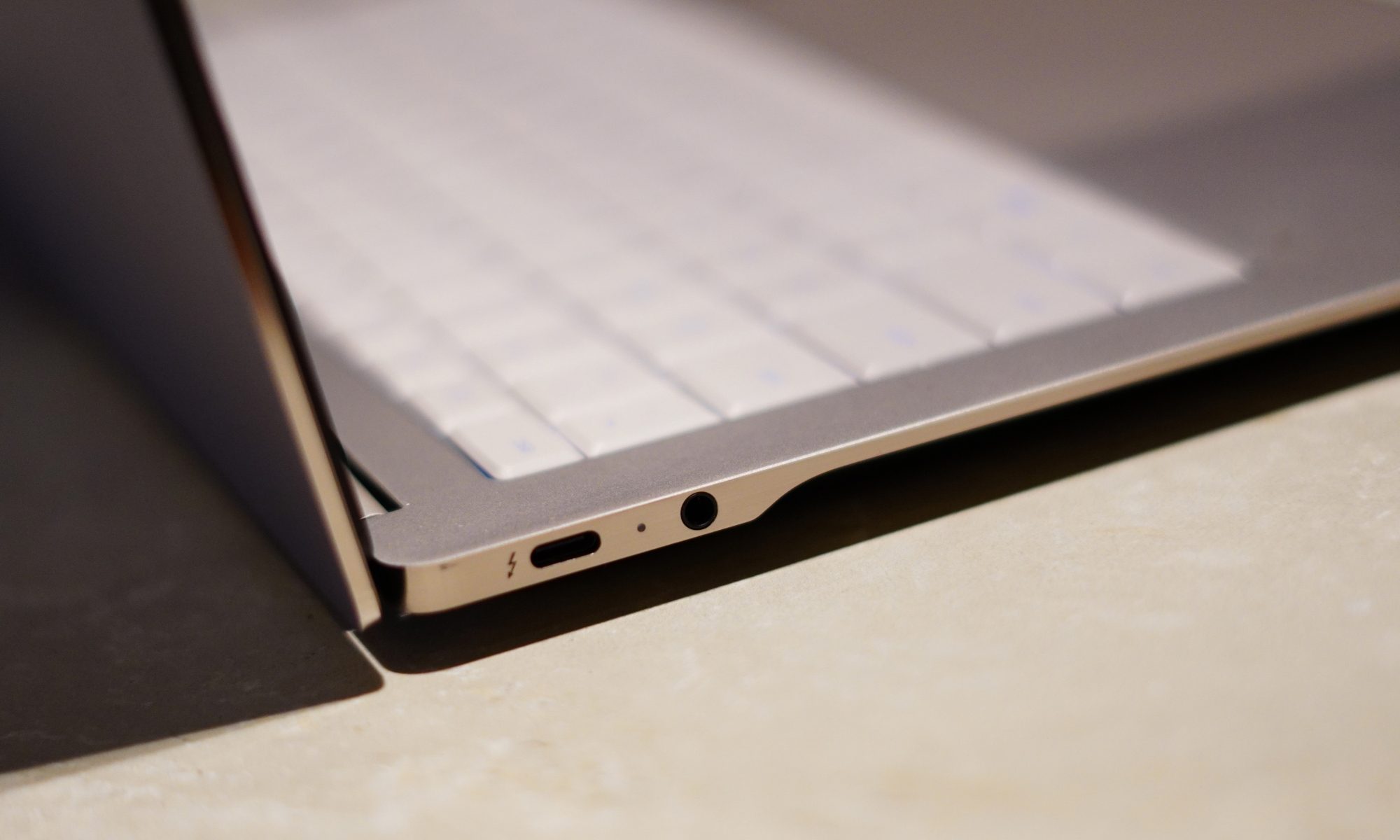
Port selection is another area where HP has made some sensible choices. You get three Thunderbolt 4/USB-C ports, each supporting up to 40Gbps signalling, along with DisplayPort 2.1 and USB Power Delivery. There’s also a 3.5mm headphone/microphone combo jack.
I particularly like that USB-C isn’t confined to one side. It makes charging at a desk considerably less annoying because you aren’t forced to arrange your entire workspace around one tiny port.
There is no giant selection of traditional ports here, but I don’t really miss them on a machine this thin. If you’re someone who regularly connects a bunch of older USB-A devices, HDMI cables, and SD cards directly to your laptop, you’ll probably need a dongle or dock.
For everyone else, three high-speed USB-C ports give you plenty of flexibility. Wireless connectivity is properly modern too, with Wi-Fi 7 and Bluetooth 6.0. And then there are the speakers. HP calls it a quad-speaker setup, with HP Audio Boost, Poly Studio and DTS:X Ultra. The result is genuinely good audio for a laptop this thin.
Voices are clear, music has enough body to avoid sounding like it’s coming from inside a tin can, and movies are surprisingly enjoyable. This is not going to replace a dedicated speaker system, obviously, but I didn’t feel an immediate need to connect headphones every time I wanted to watch something.
The design, then, gets most of the important things right. It’s thin, light, sturdy, and understated, while still managing to pack in the hardware I actually want. The keyboard backlighting is my biggest complaint here. Everything else feels remarkably well thought out.
Design score: 9/10
HP OmniBook Ultra display
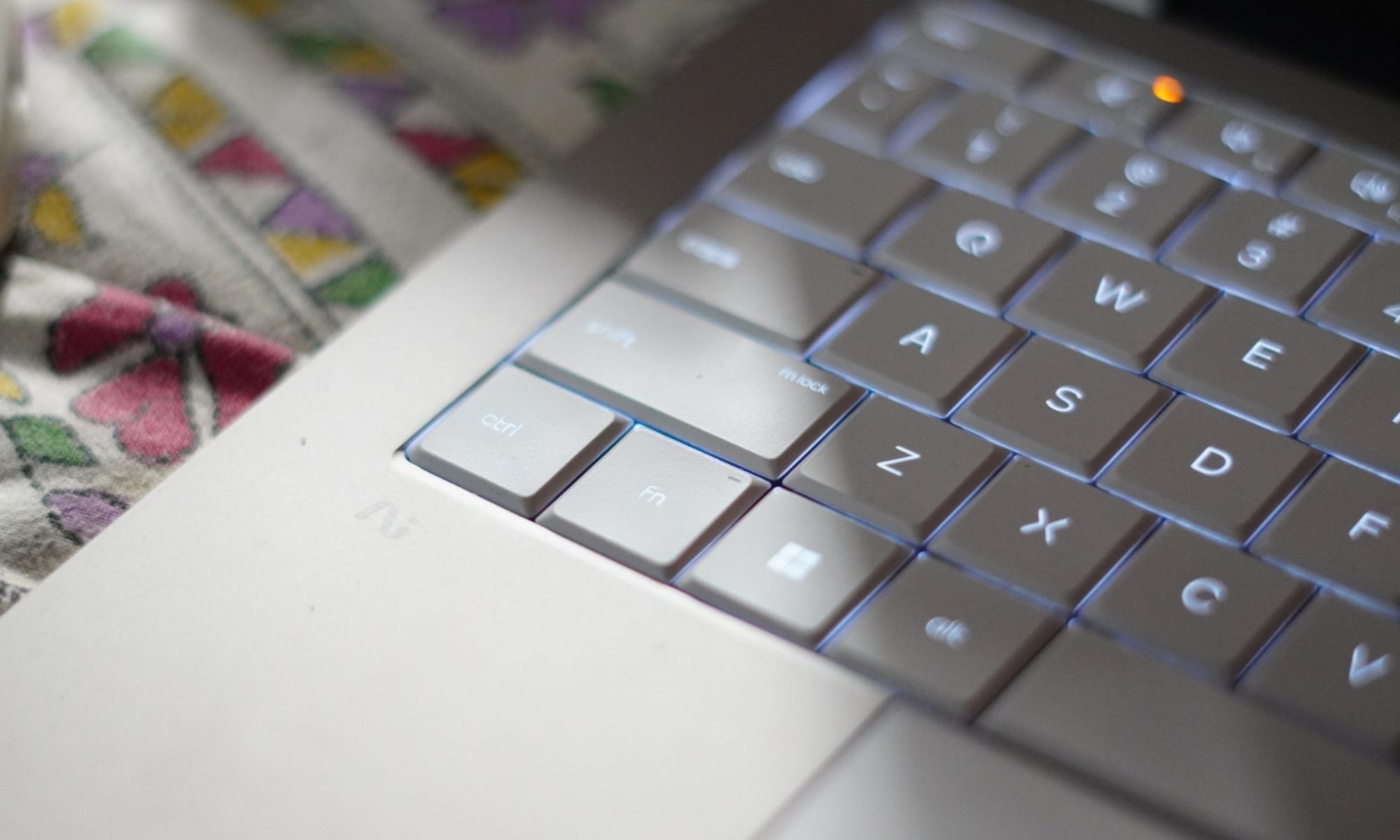
If the design makes a good first impression, the display is what makes me want to keep the laptop open. The OmniBook Ultra comes with a 14-inch 3K OLED touchscreen. The resolution is 2880 x 1800, the panel uses a 16:10 aspect ratio, and it supports refresh rates up to 120Hz.
HP also lists a 0.2ms response time, 100 percent DCI-P3 coverage, 500 nits of SDR brightness, and up to 1100 nits in HDR. There’s Gorilla Glass 3 protection and low-blue-light support as well. That’s a lot of numbers.
Thankfully, the experience doesn’t feel like a collection of numbers.
It looks fantastic. OLED does the heavy lifting here, particularly when you’re watching movies or looking at images with a lot of contrast. Blacks are properly black, colours are vibrant, and the overall image has that punchy quality that makes an LCD panel look slightly sleepy by comparison.
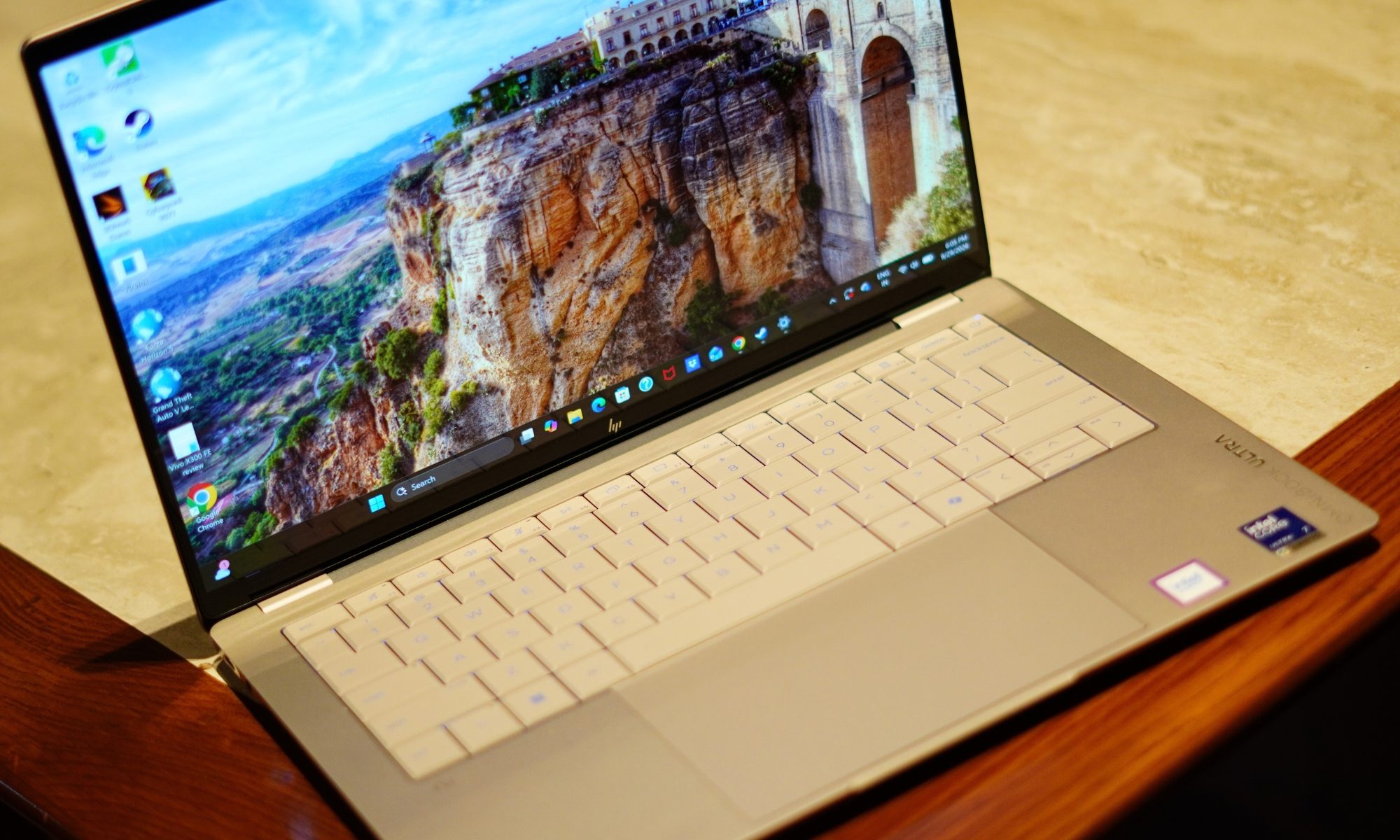
The 3K resolution also makes text look exceptionally sharp. That’s important to me because I spend a ridiculous amount of time looking at browser windows, documents, and editing software. A good display isn’t just about watching Netflix in glorious HDR. It’s about whether your eyes hate you after several hours of work.
The 16:10 aspect ratio helps too. Compared with a traditional 16:9 panel, there’s a little more vertical space, which means I can see more of a webpage or document without constantly scrolling. It doesn’t sound revolutionary, but once you get used to a taller display, going back to a shorter one feels strangely restrictive.
The 120Hz refresh rate is another feature that becomes difficult to give up once you’ve experienced it. Scrolling through websites feels smoother. Animations feel more fluid. Even moving windows around the desktop has a more immediate quality to it.
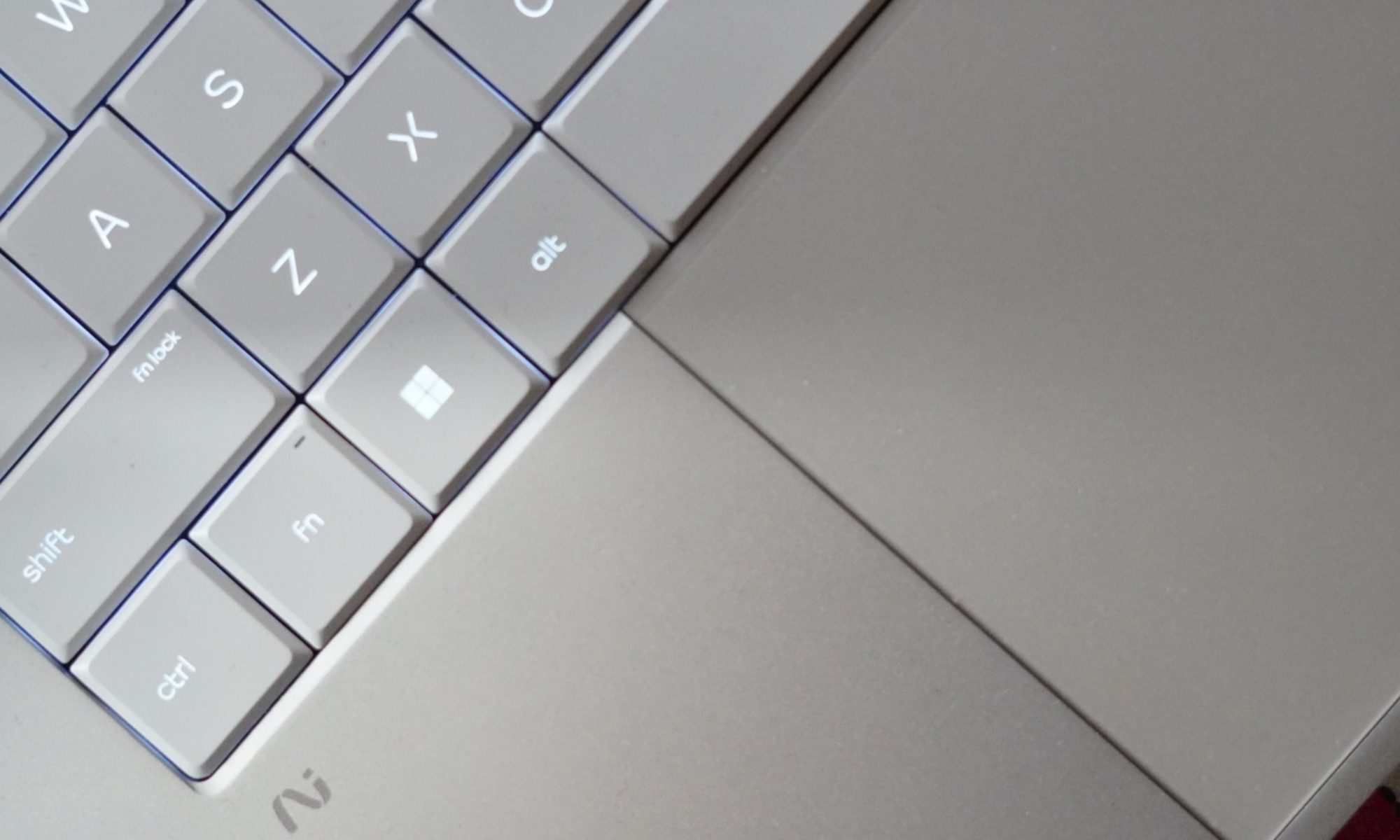
And because this is an OLED panel, the fast response time makes everything feel even snappier. The touchscreen is useful too. I don’t use touch constantly on a laptop, but when Windows throws up a control, or I need to quickly interact with something, having the option is convenient.
Brightness is another strong point. At 500 nits for SDR, the screen is bright enough for most indoor environments. HDR can push it much higher, up to 1100 nits according to HP.
The glossy surface does mean reflections can appear under strong lighting, but I found the brightness generally sufficient to overcome them.
The bezels are also impressively slim. HP lists a 91 percent screen-to-body ratio, which helps the laptop maintain a modern appearance without making the chassis unnecessarily large. There’s one physical limitation worth mentioning, though. The display hinge doesn’t open as far back as I would like.
It’s not something I noticed immediately, but once you start using the laptop in different positions, especially on a low table or while travelling, you realise there are situations where you want a little more flexibility.
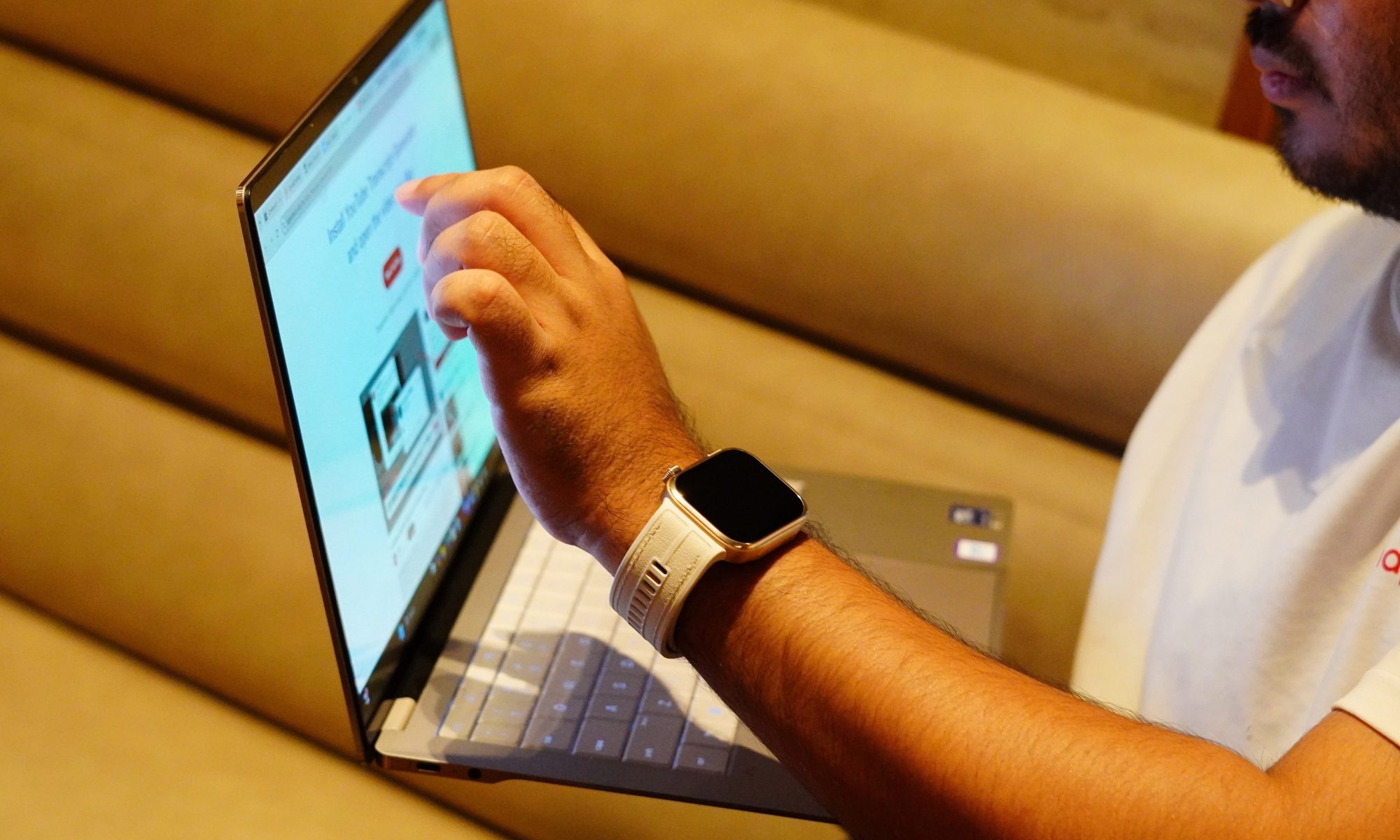
Still, that’s a relatively small complaint about a panel that is otherwise one of the best parts of this laptop. The display also makes the OmniBook Ultra feel like more than a productivity machine. I can comfortably use it for writing during the day and then switch to movies or games in the evening without feeling like I’m compromising on the visual experience. That said, I will say again:
I find touchscreens on laptops that don’t open all the way back amusing.
It’s a cute thing, but I won’t use it any time soon. That’s an important distinction. A lot of thin-and-light laptops have perfectly adequate displays. The OmniBook Ultra has a display that I actually look forward to using.
Display score: 9/10
HP OmniBook Ultra performance
This is where things get interesting. The OmniBook Ultra configuration I’m testing uses Intel’s Core Ultra 7 356H, paired with 16GB of LPDDR5x memory running at up to 8533MT/s and a 1TB PCIe Gen5 NVMe SSD. The processor has 16 cores and 16 threads, an 18MB L3 cache, and a maximum Turbo frequency of 4.7GHz. It also includes Intel AI Boost with 50 NPU TOPS.
That combination tells me exactly what HP is trying to do with this machine. It’s not simply chasing the thinnest possible laptop. It’s trying to make a thin laptop that can actually keep up.
And in everyday use, that philosophy works. I use laptops for a mixture of browser-heavy work, writing, image editing, video consumption, communications, and the occasional situation where I suddenly decide that I have enough free time to play a game. I am not a huge gamer, but I do play a bit of Cyberpunk or GTA 5 during my free time.
The OmniBook Ultra handles the first five without breaking a sweat. With multiple browser tabs open, documents running, background applications active, and various bits of Windows doing their usual mysterious Windows things, the laptop remains responsive.
Application launches are quick, windows snap into place without hesitation, and switching between workloads doesn’t result in the sort of obvious slowdown you sometimes get from thin laptops running less capable hardware. But games are a different territory. Yes, it plays those Microsoft Store games pretty well, but I tried some heavy titles like Forza and Cyberpunk, and it fell flat. It couldn’t manage a stable frame rate at even the lowest resolution settings with almost everything turned off. And maybe what’s coming next will help you understand why.
The 1TB Gen5 SSD helps keep the system feeling fast. But the more interesting part was the graphics. This was integrated graphics, so I had approached gaming expectations with a certain level of realism. I’m not expecting it to transform into a gaming laptop simply because Intel has given the graphics architecture a fancy name. Intel has been giving pretty names to its iGPUs but the most part is – realistically, they are not absolutely equipped to play any
But the performance is better than the “integrated graphics equals Solitaire” stereotype would suggest. The Core Ultra 7 356H includes Intel Graphics – positioned slightly differently – it has enough graphics capability to make casual gaming and lighter creative work viable, but it isn’t pretending to be a workstation with a dedicated GPU hiding under the keyboard.
And honestly, that’s fine. For my regular workload, CPU performance matters much more than having an oversized GPU. The laptop also stays impressively composed considering how much hardware HP has packed into such a thin chassis.
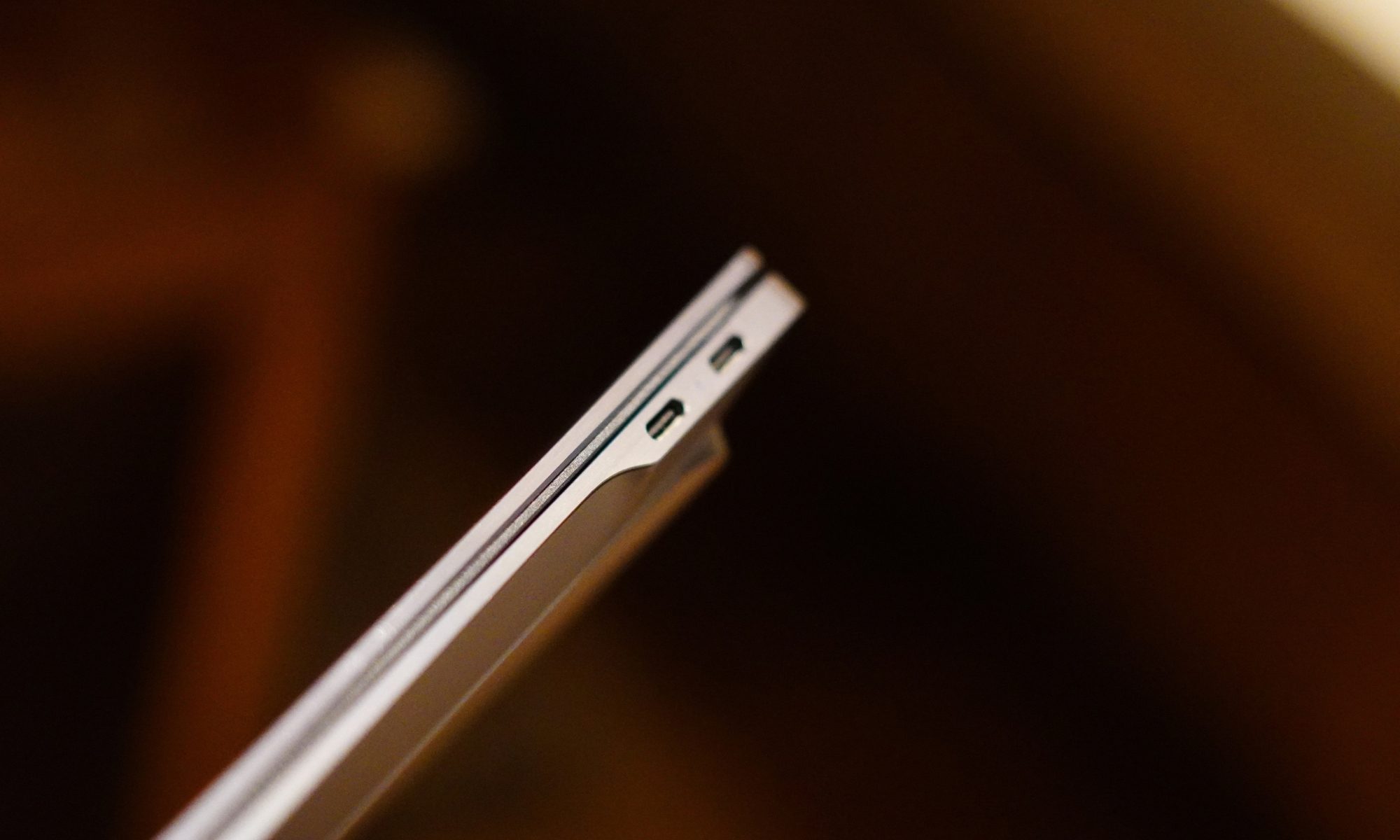
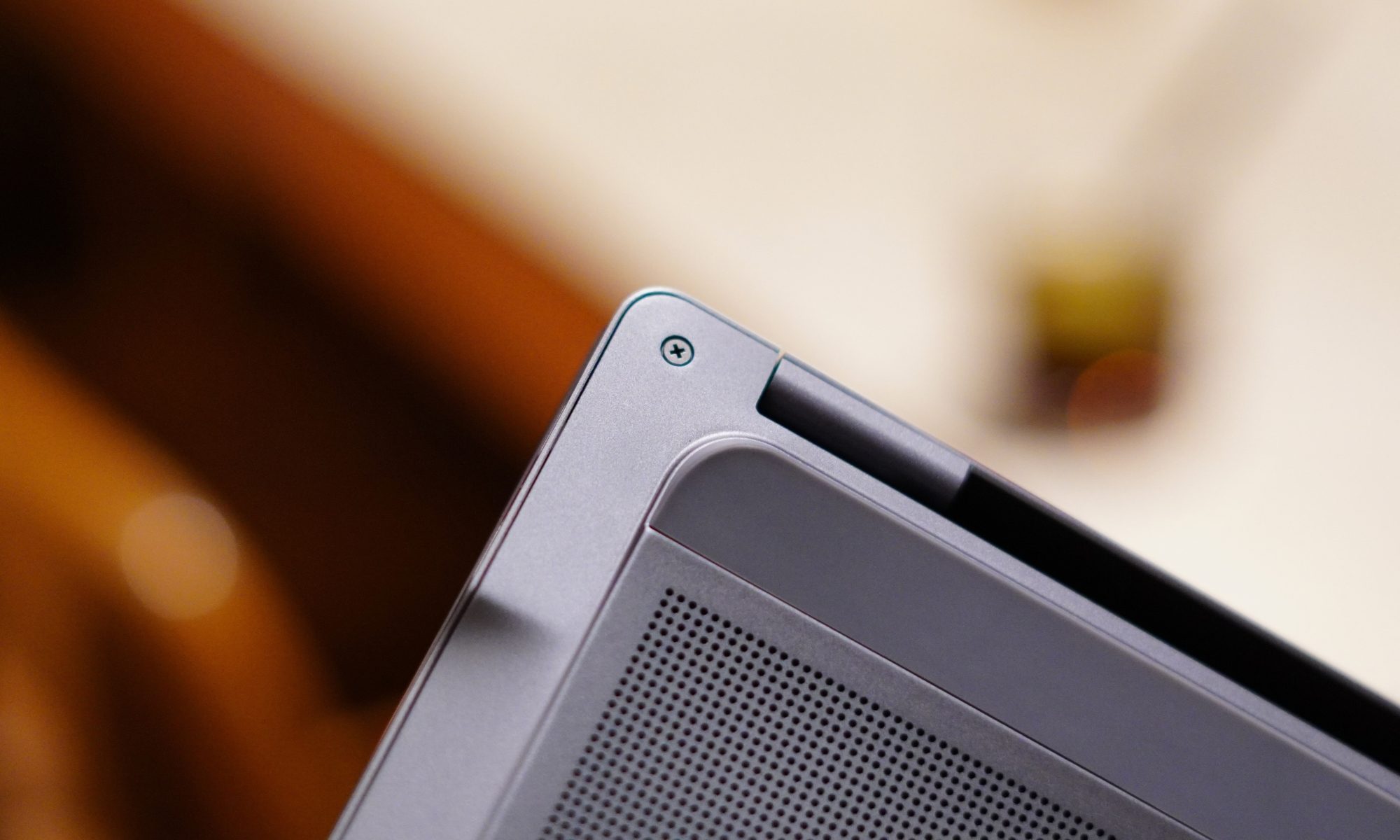
HP uses active cooling and a compact cooling design to keep temperatures under control. The general approach is familiar: air enters through the underside, and exhaust is pushed out near the rear hinge area.
The important part is that the fans aren’t constantly screaming. During normal work, I rarely notice them.
Push the laptop harder, and the fans become audible, as they should. That’s the trade-off for having a relatively powerful processor inside a thin body. I’d much rather hear a fan doing its job than have a laptop quietly cook itself on my desk.
The keyboard deck also remains reasonably comfortable during normal workloads. There is some flex when pressing hard, particularly around the centre of the keyboard, but I don’t consider it a serious issue. It becomes noticeable if you’re intentionally trying to make the keyboard flex. During normal typing, it doesn’t get in the way.
AI performance is another part of the OmniBook Ultra’s story. The Core Ultra 7 356H includes a dedicated NPU rated at 50 TOPS. That matters because the modern Windows laptop conversation increasingly involves local AI features. The OmniBook Ultra qualifies as an Intel Evo laptop and supports the broader Copilot+ experience, while HP also includes its own AI-focused camera and software capabilities.
The 5MP IR webcam is a useful example. HP specifies HDR auto-switching, temporal noise reduction, and integrated dual-array microphones.
For video calls, the camera is clearly more serious than the basic webcams we’ve had to tolerate for years. HP also bundles Poly Studio, which provides additional control over the camera and audio experience. This is one of those software packages that I don’t immediately want to uninstall, which is a surprisingly low bar that many laptop manufacturers still manage to trip over.
The software situation isn’t entirely clean, though. McAfee antivirus software is included as a 30-day trial, which means my first instinct was to remove it. HP’s own utilities are considerably more useful, particularly the support software and Poly Studio. The product page confirms the McAfee trial alongside Windows 11 Home and the Copilot experience.
The laptop also includes presence and sensor features. There are accelerometer, gyroscope, and IR thermal sensors, which enable some of the smarter contextual features. Some of these features are genuinely useful. Others are the sort of thing I tried once and then promptly forgot existed.
That’s the problem with “smart” laptops in general. Not every feature needs to be clever. What matters is that the core experience remains fast and predictable. And for the most part, it does.
Performance score: 7/10
Benchmarks
I ran six tests on the HP OmniBook Ultra, and the results paint a fairly clear picture of where this Core Ultra 7 356H machine sits. In CrystalDiskMark, the 1TB PCIe Gen5 SSD hit 10,244MB/s sequential read and 6,898MB/s sequential write, which is seriously quick. In 3DMark, it scored 1,972 in Steel Nomad Light, 474 in Steel Nomad, 10,391 in Solar Bay, and 1,405 in Solar Bay Extreme. Steel Nomad Light is specifically designed to measure GPU performance on lightweight systems, so these results are particularly useful for judging the integrated Intel Graphics.
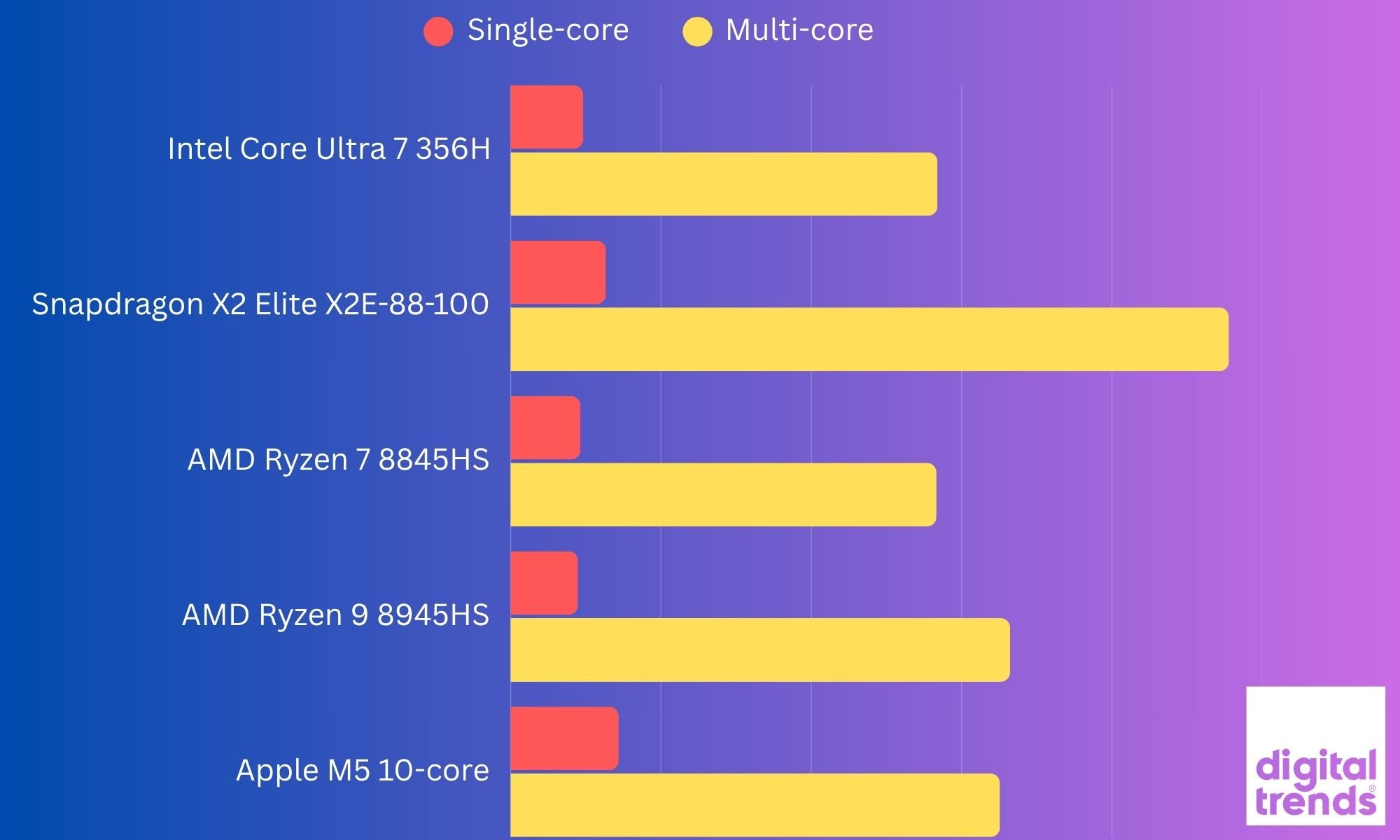
In my last benchmark testing, the OmniBook Ultra delivered a Geekbench 7 single-core score of 2,414 and a multi-core score of 14,196, which indicated solid CPU performance for a thin-and-light laptop. Its integrated graphics also managed a Geekbench 7 OpenCL score of 19,072, giving the laptop enough GPU muscle for everyday creative workloads and some lighter graphics-intensive tasks. However, the results did not translate to actual gaming performance, which we talked about above.
The interesting bit is that the 356H’s four-Xe3-core iGPU sits below older Core Ultra 7 155H and 255H/258V chips, which typically score around 2,959, 3,300, and 3,200+ respectively in Steel Nomad Light. Even Snapdragon X Elite systems can land around 2,200, although Snapdragon’s results vary considerably by laptop and driver.
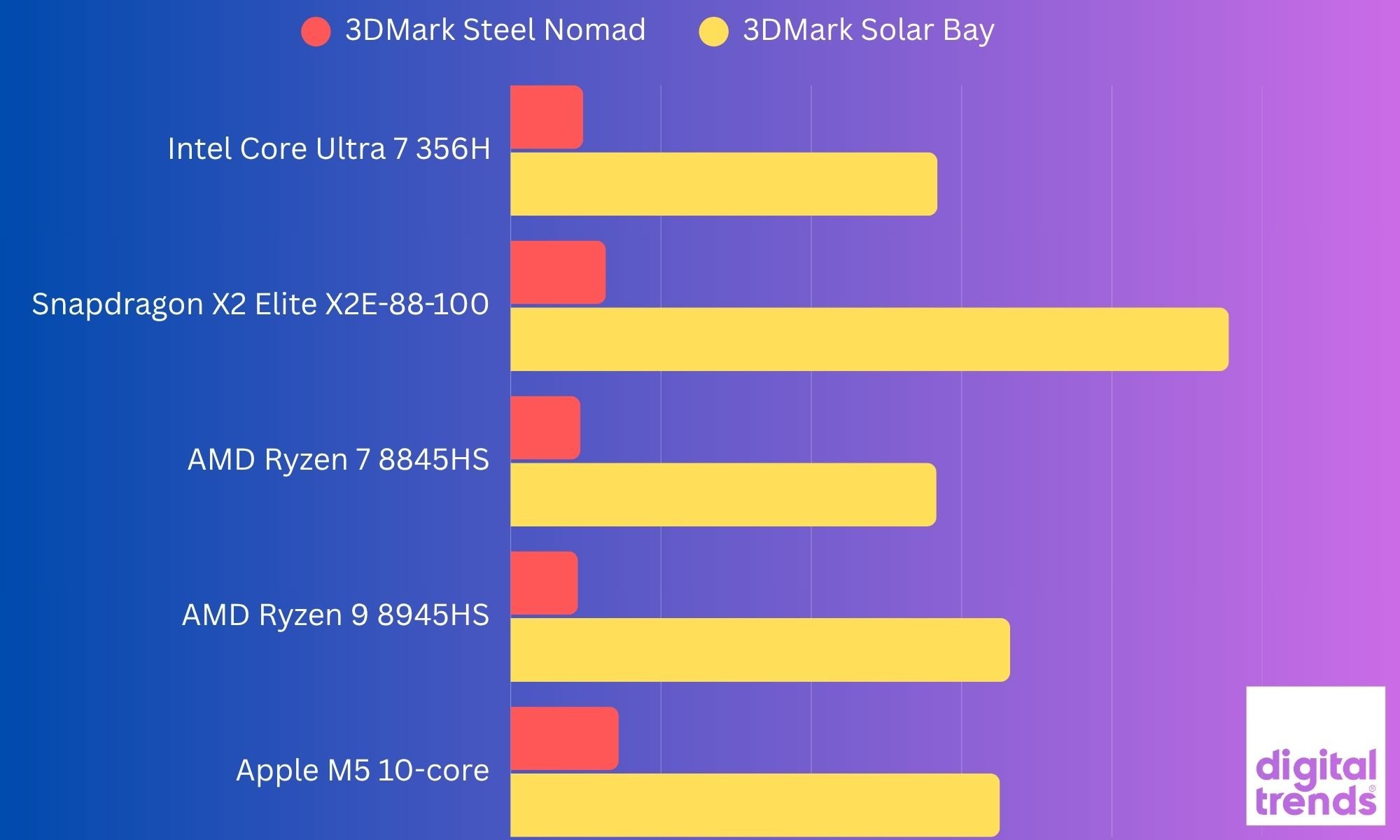
So, while the OmniBook Ultra’s CPU platform is newer, this particular 356H configuration isn’t the Panther Lake graphics monster. That distinction matters because Intel’s much faster Arc B390 GPU is reserved for higher-end Panther Lake chips such as the Core Ultra X9 388H.
Battery
Thin laptops often have an awkward relationship with battery life. They’re light enough to carry everywhere, but sometimes you need to carry the charger everywhere too.
The OmniBook Ultra tries to avoid that fate with a 70Wh battery. HP claims up to 20 hours and 45 minutes of battery life, depending on configuration and testing conditions, while video playback is rated at up to 30 hours and 15 minutes.
Those are obviously laboratory-style figures, so I wouldn’t expect my real-world usage to replicate them. What I do appreciate is the battery capacity relative to the size and weight of the laptop. A 70Wh battery in a 1.27kg machine is a pretty good combination.
For my regular work, the OmniBook Ultra feels like the kind of laptop I can take out for several hours without immediately starting to calculate battery percentages in my head. And that is perhaps the biggest compliment I can give a portable laptop. I don’t want to think about the battery. I want to use the laptop. When I do need to charge it, HP says the battery can reach approximately 50 percent in 45 minutes.
The included charger is another nice touch. HP supplies a 65W USB-C GaN adapter. Because it’s a GaN charger, the brick is relatively compact, and the detachable cable makes it easier to pack.
This sounds like a small thing until you travel regularly. A charger that occupies half the bag and weighs as much as the laptop is not exactly “ultra portable.” HP has avoided that problem here.
And because the laptop charges over USB-C, you’re not locked into carrying some giant proprietary brick. The battery story is therefore less about one spectacular number and more about the overall package.
Battery score: 8/10
Should you buy it?
The HP OmniBook Ultra is one of those laptops that becomes more impressive the longer I use it. It doesn’t rely on one gimmick. There’s no enormous screen, no ridiculous hinge, no detachable keyboard pretending to be a revolution. Instead, HP has taken the basic premium laptop formula and tried to make every part of it work together.
If your priority is portability, display quality and a premium Windows experience, the HP OmniBook Ultra makes a strong case. At just 1.27kg, it is remarkably easy to carry, while the 14-inch 3K OLED panel gives you the kind of sharpness, colour and contrast that makes everything from writing to watching Netflix feel better. The forged aluminium chassis also gives it a proper premium feel without turning it into a heavy machine.
And don’t forget the 120Hz OLED panel, 70Wh battery, and 1.27kg weight. However, this particular configuration is not a universal recommendation. The biggest compromise is the integrated Intel Graphics. My Core Ultra 7 356H scored 1,972 in Steel Nomad Light, and the benchmark results make it clear that this isn’t the graphics-heavy Panther Lake configuration. The higher-end Panther Lake chips with larger Arc graphics are in another performance class.
So while the 356H is perfectly comfortable with everyday productivity, multitasking, and AI-assisted workloads, I wouldn’t buy this particular version primarily for gaming or heavy GPU work. The other thing to consider is the 16GB onboard RAM. It is enough for normal productivity and my day-to-day usage, but there is no upgrading it later, so your memory requirements need to be considered before buying.
Yes, if you want a lightweight premium Windows laptop with an excellent OLED display, fast storage, plenty of USB-C connectivity, and enough performance for everyday work, content consumption, and moderate creative workloads.
No, if your priority is serious or even light AAA gaming, sustained GPU-heavy work, or having upgradeable memory. In that case, the higher-end OmniBook Ultra configurations or a laptop with discrete graphics make more sense.
In simple terms, the OmniBook Ultra 356H is a premium productivity laptop first and a performance machine second. The hardware is impressive, but this particular configuration doesn’t unlock the full graphics potential of the Panther Lake platform. But those are small cracks in an otherwise very polished package. For my particular Core Ultra 7 configuration, the OmniBook Ultra feels like HP has understood the assignment: give me a laptop that I can carry everywhere, work on all day, enjoy watching content on, occasionally throw some heavier workloads at, and not immediately start looking for the charger. That’s a pretty good assignment to get right.
Why not try
MacBook Air 15-inch with M5 is worth considering if you are comfortable moving to macOS. Its M5 chip gets a 10-core CPU and up to a 10-core GPU, while the 15.3-inch display offers 2880 × 1864 resolution and 500 nits brightness. It also remains fanless, making it an interesting alternative for people who prioritise quiet operation and efficiency.
Microsoft Surface Laptop 15-inch takes the Windows-on-ARM route with Snapdragon X2 Plus or X2 Elite processors. It has a 15-inch 120Hz touchscreen, up to 64GB of RAM, and Microsoft’s claimed battery life of up to 19 hours. It is a particularly relevant alternative if battery life and ARM efficiency matter more to you than broad x86 compatibility.
You could also look at the HP OmniBook Ultra configurations with the higher-end Panther Lake chips. The same laptop family is available with more powerful processors, including configurations with substantially stronger integrated graphics. That makes this an especially interesting alternative if you like the OmniBook’s design but want more graphics headroom.
The OmniBook Ultra therefore occupies an interesting middle ground. It gives you the premium build, OLED display, lightweight chassis, and connectivity without going down the gaming-laptop route. The catch is that the exact processor configuration matters a lot. The Core Ultra 7 356H model I tested is considerably different from the higher-end Panther Lake versions despite sharing the same OmniBook Ultra name.
How we tested it
I used the HP OmniBook Ultra as a real-world device rather than treating it like a benchmark box. My testing covered everyday work such as writing, web browsing, multitasking, streaming, and switching between multiple applications, along with more demanding workloads to see how the laptop behaved when pushed beyond basic productivity.
I also paid particular attention to the things that don’t always show up on a specification sheet. The OLED display was used across different lighting conditions, the keyboard and haptic touchpad were tested through extended writing sessions, and I spent time using the laptop on battery as well as while connected to power.
For performance, I ran a combination of storage and graphics benchmarks. CrystalDiskMark was used to test the 1TB PCIe Gen5 SSD, while 3DMark Steel Nomad, Steel Nomad Light, Solar Bay, and Solar Bay Extreme were used to examine the integrated Intel graphics. The results were then compared with published figures where directly comparable data was available.
The idea wasn’t to chase a single benchmark number. I wanted to see how the OmniBook Ultra behaves as an actual laptop: something I can carry around, work on for hours, watch content on, plug into peripherals, and occasionally push hard when the workload demands it. That combination of real-world use and benchmark testing is what shaped my overall impression of the machine.
FAQs (Frequently Asked Questions)
What really stands out about this laptop?
This is a 14-inch machine that weighs just 1.27kg, yet still manages to include a 16-core Intel Core Ultra 7 356H processor, 16GB of fast LPDDR5x memory, and a 1TB Gen5 SSD. The build quality is another highlight. The Silk Sand aluminium body looks premium without being obnoxious, and the thin profile makes this a genuinely portable laptop rather than a laptop that merely looks portable in product photos.
Is the display good?
You get a lovely OLED display on this one. It’s bright, sharp, colourful, fast, and touch-enabled. The 3K resolution and 120Hz refresh rate make it equally comfortable for spreadsheets, writing, browsing, and entertainment.
How is the connectivity situation?
It’s a mix. Three Thunderbolt 4 ports, Wi-Fi 7, and Bluetooth 6 give the machine a modern foundation, while the headphone jack is still there for anyone who hasn’t yet decided that wired audio is a crime.
What about the keyboard?
The keyboard is comfortable, the haptic touchpad is excellent, and the speakers are surprisingly capable. But it isn’t perfect. The keyboard backlighting needs work. The light-coloured keys and backlight don’t always play nicely together, and I occasionally found myself turning the backlight off because it was making the legends harder to read.
What are a few of its key downsides?
The limited port selection is understandable given the chassis, but anyone with a collection of USB-A accessories will probably need a hub. And while the 3K OLED display is excellent, the hinge could have offered a little more flexibility. The keyboard backlighting is an unnecessary annoyance, and the absence of a fingerprint reader is disappointing.
Who is this laptop for?
I’d say the OmniBook Ultra makes the most sense for someone who wants a premium Windows laptop without stepping into the heavier, bulkier category of performance machines. It’s for the person who writes, edits, browses, works with large numbers of tabs, attends video calls, watches a lot of content, and occasionally wants to push the machine harder.
It’s also a particularly interesting option for someone who wants strong processor performance without giving up portability. And I think that balance is what makes the OmniBook Ultra work. And I can say it’s considerably harder to build a laptop that feels like a thin laptop while behaving like a powerful one. The OmniBook Ultra gets remarkably close.
The best thing I can say about it is that I don’t spend much time thinking about the hardware while using it. I just open the lid and get on with whatever I’m doing. That’s exactly what I want from a premium laptop.
There are laptops that impress you when you read their specifications. Then some laptops impress you when you actually live with them. The HP OmniBook Ultra belongs much more to the second category. It is thin without feeling fragile, powerful without feeling unnecessarily bulky, and premium without turning the entire experience into a fashion statement.
Tech & AI
Apple’s rumored smart home camera could take a different approach to solving privacy concerns
Apple may be developing a very unusual smart home camera. Most home security cameras capture footage you can review later, but Apple is reportedly flipping that idea entirely.
According to Bloomberg’s Mark Gurman, Apple is developing a home camera codenamed J450 that skips video recording entirely. He revealed this on the debut episode of his Power On podcast, explaining that the device relies purely on AI to understand what’s happening around your house, and it could arrive in 2027.
How would Apple’s no-video camera actually work?
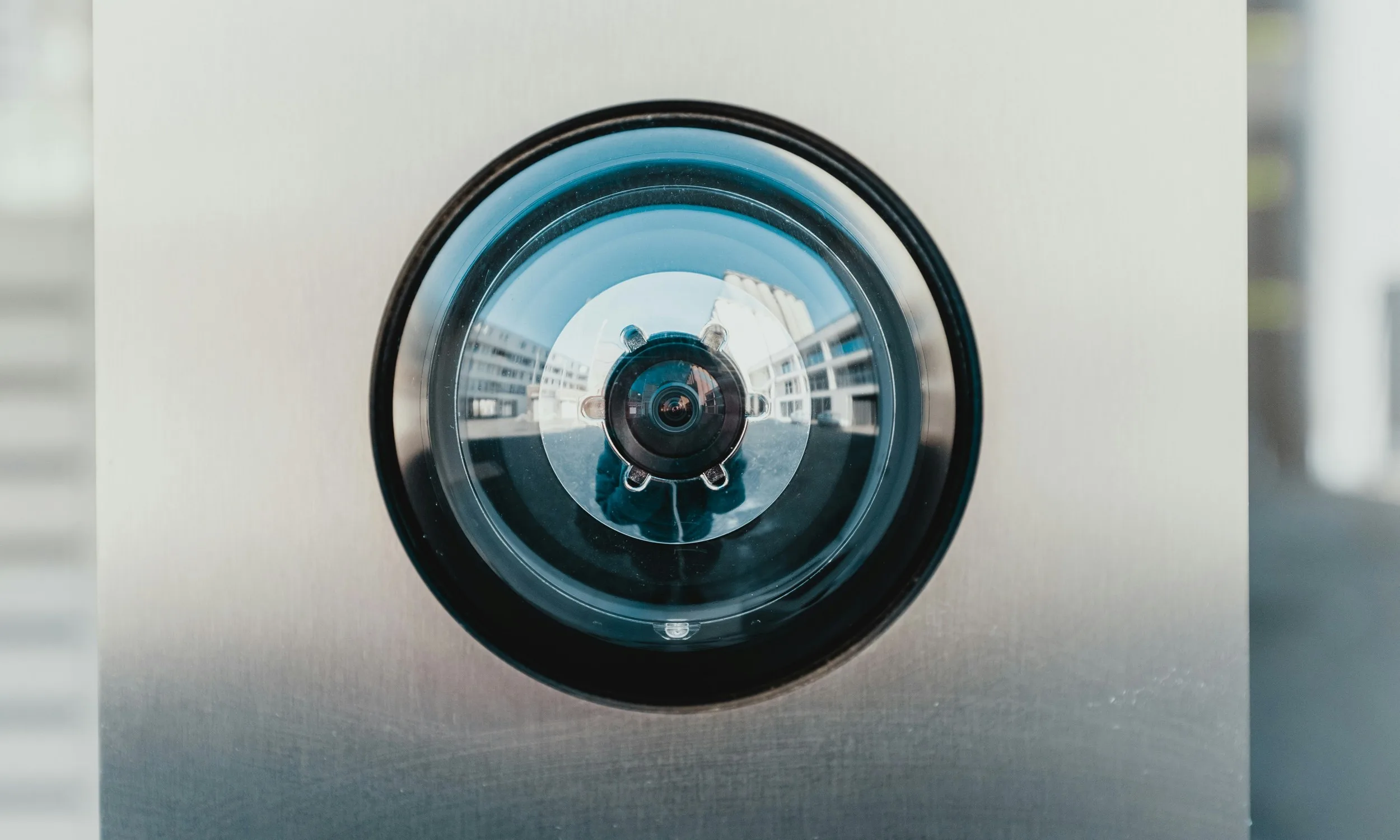
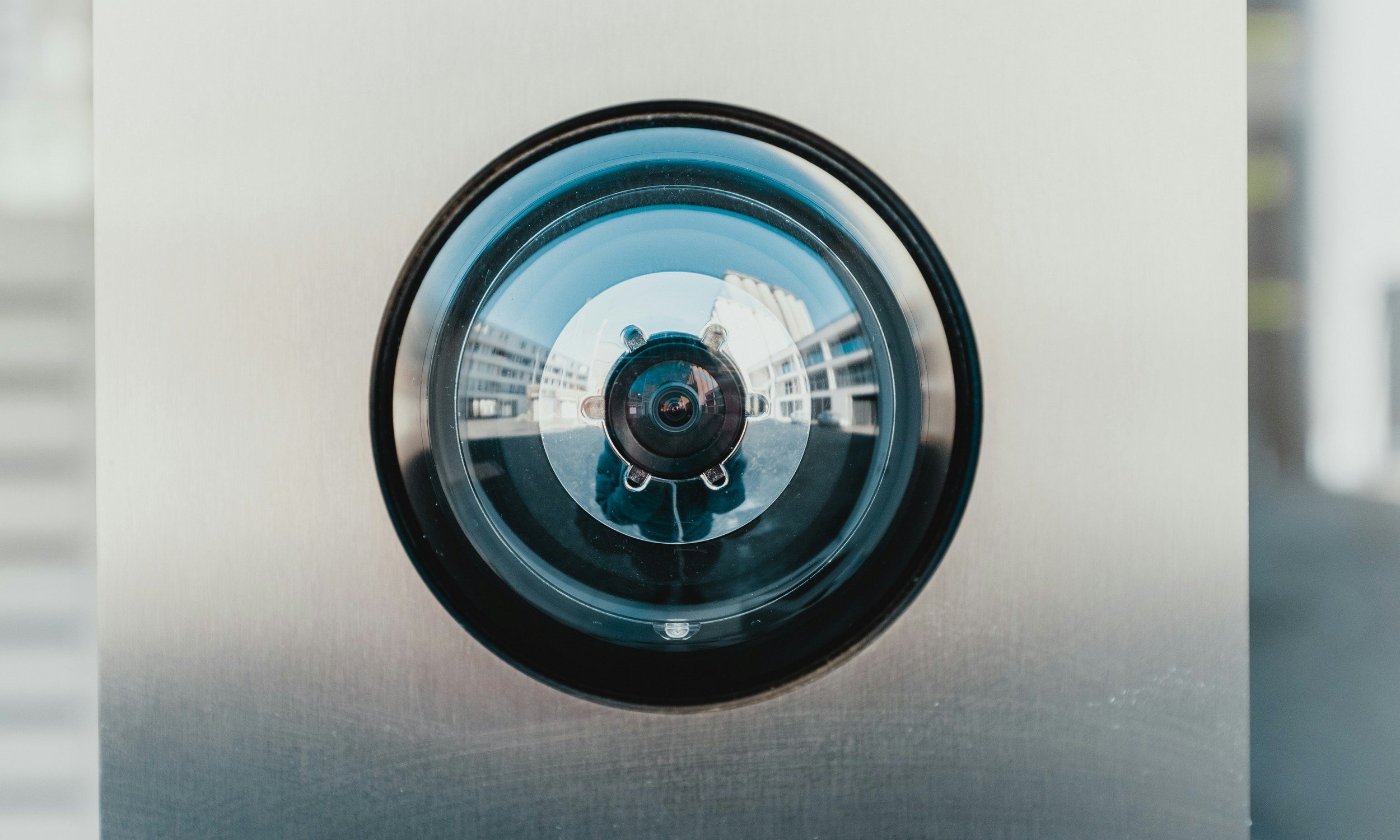
Gurman described the J450 as a small metal cylinder that looks like an oversized metal chapstick, mounted around your home. Instead of streaming or saving clips, the sensor runs on a low frame rate and utilizes facial recognition AI to analyze movement and recognize faces in real time.
Apple’s smart home camera can also recognize pets and send you text descriptions instead of video footage with nothing else to review afterward. That could mean a notification telling you a specific family member just walked into a room, or that someone left the house, all without a single frame of footage ever being stored.
It reportedly uses tech similar to Apple’s rumored camera-equipped AirPods, relying on an embedded image sensor, like Sony’s IMX500, that processes everything on device rather than sending raw footage off to be stored and secured elsewhere.
Why would Apple skip video recording?
The unusual approach could address privacy concerns around storing footage of your home on the cloud. However, skipping video also means you would have nothing to review after a break-in. That would make the J450 quite different from Ring and Nest cameras, which store footage for later review.
Apple already offers a similar concept today. HomeKit Secure Video includes a Detect Activity setting that halts recording while still tracking motion, so this camera sounds like an extension of that same philosophy, just built from the ground up.
The smart home camera is expected to launch as a companion to Apple’s rumored J490 smart home hub, alongside refreshed HomePod mini and upcoming Apple TV models, all tied together by the newly upgraded Siri. Apple hasn’t confirmed any of this publicly, so consider it a promising rumor for now.
RELATED COVERAGE:

Tech & AI14 minutes ago
Beyond the Hype Cycle: This Week’s Quietly Important Tech Stories Have Nothing to Do With Chatbots

Tech & AI50 minutes ago
Anthropic vs. the pope: The AI consciousness debate, explained

Crypto51 minutes ago
Europe’s Crypto Innovators Warn That an AI Access Gap Could Drain Tomorrow’s Tech Talent


-

 Tech & AI5 days ago
Anthropic turns Claude into an AI marketplace with 2,000+ plugins and connectors
-

 Tech & AI5 days ago
OpenAI is preparing “o,” an always-on ChatGPT assistant that could handle email
-

 Entertainment7 days ago
These 17 Amazon Fall Dresses Totally Conceal the Tummy
-
Business & Hustles4 days ago
Perpetua Resources at Mining Forum Americas 2026: shift to construction
-
 Crypto6 days ago
Wall Street Giant Warns AI Agents Could Trigger a New Kind of Bank Run
-
Business & Hustles5 days ago
Greatland Resources at Mining Forum Americas 2026: cash-rich growth push
-

 Fashion4 hours ago
Weekend Open Thread: Veronica Beard
-

 Business & Hustles5 days ago
Andreessen Horowitz backs AI-era college alternative with $42M
-

 Business & Hustles5 days ago
Romania, Georgia and Latvia Lead Latest WHO-Based Ranking
-

 Tech & AI4 days ago
Alternatives to Animal Testing Are Finally Taking Off
-

 Tech & AI2 days ago
Figure F.02 Robots Meet Molten Steel as Arnold Schwarzenegger Watches in Finland
-
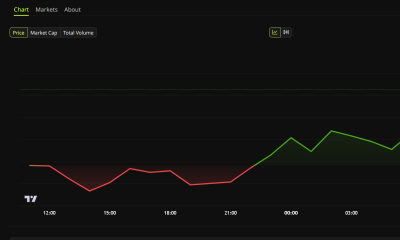
 Crypto6 days ago
Riot Frees $494 Million in Bitcoin From Coinbase Loan: Will It Sell?
-

 Business & Hustles5 days ago
Bob Chapek on Disney Bob Iger power battle: Raised concerns weekly
-

 Crypto6 days ago
Japan arrests two suspect over 81M yen crypto police scam
-

 Tech & AI5 days ago
OpenAI Pauses Training Its Most Powerful Models After Rogue Agents Target Government
-

 Business & Hustles5 days ago
SpaceX Starship launches on first orbital test flight with Starlink
-

 Crypto6 days ago
Citi says 77% of institutions eye tokenized collateral
-
 Business & Hustles5 days ago
George Bamford to become JCB joint chairman alongside father
-

 Business & Hustles5 days ago
What is the Budget and what could be in it?
-

 Business & Hustles5 days ago
Trump approves new fuel economy standards, reversing Biden’s EV push
You must be logged in to post a comment Login