
For many people, using AI chatbots is incredible at first. It makes them feel productive, confident, maybe even smarter. But later, there’s a hangover. Perhaps there are problems with their memory, or certain skills, like writing or coding, don’t seem to be as sharp as they once were. Maybe they feel like they can’t solve problems or make decisions or remember facts as well as they could before they had the help of AI.
Tech & AI
ChatGPT brain isn’t inevitable: How to use AI without getting dumber


Susette Brooks, a marketing director living in Philadelphia, said she started using AI tools reluctantly but ultimately relented. She let AI write some of her emails, which lightened her workload, but then the dulling effects sank in. “I felt my writing and thinking decline as it was happening,” said Brooks, who has an MFA in nonfiction writing. “I had a harder time recalling information and synthesizing ideas.”
When you use external tools to reduce the cognitive effort required to do a task, you’re doing something called cognitive offloading. If you’ve ever used a calculator to do a math problem or used a calendar to remember an appointment, you’ve engaged in cognitive offloading. Tools like Claude and ChatGPT can do math problems and remember your appointments, but they can also write your term papers or create your work presentations. This is cognitive offloading at a scale we’ve never seen before.
Cognitive offloading isn’t necessarily bad. It’s actually what makes it possible for humans to be so productive. But as you outsource more and more cognitive tasks, you can start to become forgetful or see certain skills, like writing, start to decline.
There’s a term for this: de-skilling. This is an old economics term that has emerged as a bit of a buzzword used to describe the perceived downward spiral of competency that’s accompanied the proliferation of AI tools. And it certainly sounds bad, especially if you’re a novice who needs to build skills. De-skilling can affect your critical thinking, your writing abilities, and your creative process. It can also affect your recall, as relying too heavily on AI tools can make it harder to remember things.
- AI can make you more productive while quietly making you less capable on your own.
- Offloading more tedious or mind-numbing tasks is less likely to make you feel dumber.
- The long-term solution isn’t necessarily less AI. It’s being more intentional about the tasks you use AI for.
Young people, at least, are worried about the long-term consequences of frictionless thinking. A recent survey by Gallup and researchers from the University of Pennsylvania found that 68 percent of Gen Z adults in the United States are concerned that offloading too many cognitive tasks is robbing them of important skill-building. About the same percentage of those surveyed worry that AI discourages them from critical thinking and social learning. Some 37 percent of US adults under 30 say that AI will have a negative effect on them personally, according to a Pew Research Center study published in June. And yet, more than half of Gen Z Americans use AI on a weekly basis.
The paradox of AI is that, even if we feel like using these tools is bad for us, saving time and avoiding the friction of thinking is too tempting. We’re hardwired to seek out the path of least resistance, according to Daniel Willingham, a psychology professor at the University of Virginia, because cognitive activity is so taxing, and may or may not get you to the right solution. Memory, on the other hand, is efficient and effective — you know that something worked in the past, and it will work again.
“Our mind is really set up to save you from having to think,” Willingham told me. “Thinking is what you do when you’re in trouble.”
The good news is that experts say it’s possible to use AI in a way that helps you save time and protects your cognitive abilities instead of diminishing them. Here’s their advice.
It’s not your imagination — too much AI use can erode your skills over time
Derek Salyers, a content creator in Ohio, started using AI to get more done, faster. But over time, two things happened. First, the work got worse. “A lot of what I was putting out became AI slop, for lack of a better term,” Salyers told me. And then, his brain got worse, too.
“When you get used to the AI making the decision, you stop pausing to actually think about things,” Salyers said. “And if you were never really present with it, you don’t remember it later. I wasn’t forgetting things because my memory got worse; I was forgetting because I was never really thinking in the first place.”
This effect is showing up in classrooms, too. One study of nearly 1,000 high school students found that those using ChatGPT scored 48 percent higher on a math test than their peers who didn’t have access to the AI tool. But when they were tested again without the chatbot, their scores were 17 percent lower than the students in the control group who had never had ChatGPT access. Similarly, researchers at the University of California Irvine looked at longitudinal data from online tests starting in 2015, and found that students spent less time and performed better on the text-based questions after the introduction of ChatGPT. (ChatGPT is very good at helping with text-based questions.) But when those students were later given offline tests, without the ability to use AI help, they performed worse.
All of these students, it appears, were offloading the cognitive work to AI, which provided short-term gains. But in the long term, their thinking skills suffered.
Your basic cognitive abilities, like your working memory and selective attention, are quite resilient.
Evan Risko is a psychology professor at the University of Waterloo in Canada who co-authored the foundational paper on cognitive offloading a decade ago. He recently told me there’s not a lot of research into what’s going on in our brains when we’re cognitive offloading, but scientists are gaining a pretty clear picture of the pros and cons of doing it. The advantages vary depending on the task, but in general, cognitive offloading allows us to extend our imperfect memory systems, which you’ve probably done if you’ve ever set a reminder for yourself. The downside, Risko said, comes in offloading mental processes that are important. “Then we risk compromising our cognitive performance,” he said.
Your basic cognitive abilities, like your working memory and selective attention, are quite resilient. But as Risko and his colleagues explained in a paper this year — bluntly titled “Is AI making us stupid?” — other skills, like doing arithmetic and flying planes, are learned behaviors. You first have to acquire them and then, in order to retain them, you have to practice. AI use can compromise both the acquisition and retention of these skills — and people might not even realize this is happening to them, because AI makes them believe they’re more capable than they really are.
“People may have difficulty realizing that their skills are decaying or that they are failing to learn when using AI tools because the output and their performance with AI is at a high level,” said Brooke Macnamara, a psychology professor at Purdue University who co-authored the “Is AI making us stupid?” paper. “They may not realize that if the AI tool were unavailable how low their independent performance might be.”
Be intentional about the tasks you use AI for
The most important step to preserving your cognitive performance is to ask yourself if you should be using AI for a given task at all.
“Just because AI is a tool that’s available to us and it can accomplish a lot of tasks for us, it doesn’t mean that we should always use it,” Anjali Singh, a human-AI interaction researcher at the University of Texas at Austin, told me. Writing, for example, is something that a lot of people are now using AI for. But offloading that work means that you lose out on the independent thinking and reasoning that goes into expressing your thoughts. You also miss the chance to improve your writing skills if you don’t actually write.
“We keep outsourcing these kinds of skills to AI over time and do not engage in those activities ourselves, then the de-skilling occurs,” Singh told me. “And that is I think probably one of the main reasons people could be feeling that they’re getting dumber as they’re using AI over time.”
“We are not getting these moments to reflect.”
— Anjali Singh, Univeristy of Texas
It might seem counterintuitive, but it’s actually best to use AI for things you’re already pretty good at, the tasks you’re fully capable of performing yourself. A recent working paper by MIT economist David Autor and his colleagues (note: Several of them work for Google, who funded the study) describes how giving AI tools to 133 patent lawyers and then taking away those tools led to different outcomes, depending on the lawyers’ level of experience. All lawyers saw performance gains while using the AI tools, but those gains disappeared for the younger lawyers when the tools went away. Experienced lawyers, however, performed better afterward than their counterparts who never had access to AI tools.
A similar effect showed up in a recent experiment by Middlebury College researchers. In the first session, more than 200 undergraduates learned about an unfamiliar topic and then wrote an analytical essay, some with the help of an off-the-shelf AI tool. They performed a similar test a week later, except this time none of the students had access to AI. The students who had AI access improved across the board, but what’s telling is that there appeared to be two types of AI users: augmentation users, who used AI to improve their work, and automation users, who just had AI do the work for them. The augmentation group performed better than everyone.
“Using AI to deepen or develop one’s own thinking on or understanding of a topic, rather than letting AI do all of the thinking, seems like the best way to use these tools,” Lauren Richmond, a cognitive science professor at Stony Brook University in New York, told me.
Tell your chatbot to treat you like a student
If you, like me, have ever fallen down a rabbit hole while trying to understand the geopolitical nuances that led to the outbreak of World War I and ended up staring blankly at a mountain of text feeling more confused than when you started, you know that using AI to learn doesn’t always go as planned. You may have also had the experience of writing prompts or asking questions and then receiving a long, overly detailed response. That can initially seem satisfying, but it’s often too much text to digest at once, so maybe you ask another question — and get back another wall of text.
Older ways of accessing information, like reading books or even using Google to do research, happened more slowly, and that gave us time to process the information, Singh from UT Austin said. But that’s gone now. “We are not getting these moments to reflect,” she said.
If you find yourself drowning in content, that’s also a sign that you’re probably not expert enough in the material, or you’re not being intentional enough about your approach.
It starts in the settings. Here, you should explain that you’re trying to build skills, not offload them, and instruct the AI to challenge you and engage with you. If you’re using ChatGPT, you can plug in custom instructions by going into the personalization tools. Claude has similar options called Instructions for Claude.
If you’re explicitly trying to learn something new, you might also try some of the tools these companies have designed for this. OpenAI has study mode in ChatGPT. Anthropic offers Claude for Education. Google has Gemini for Students. Instead of simply providing answers, these tools act more like tutors, by asking questions, working through problems, and encouraging you to come up with solutions on your own.
Slow down and embrace friction
Something that’s both tempting and dangerous about AI is how fast it can do work. Vibe coding an app can take minutes, rather than days of manual coding. That’s very appealing if you have too much on your plate and want to get through it all quickly.
“The workload was so heavy and crazy, you have no time to think,” Joei Chen, a former brand director at a tech company, told me. “So you just throw stuff into AI and say, ‘What do you think?’”
At the same time, creating more code does not necessarily lead to more finished software, according to a recent Wharton School study. That increased productivity also doesn’t necessarily lead to happier workers. And the faster you move, the more critical thinking you’re going to offload. “Your boss asks you, ‘What does Claude think of this?’” Chen said, so AI “inadvertently becomes the final boss.”
Slowing down and forcing yourself to do more critical thinking is an easy way to hold onto some agency — not to mention some brain power. One easy way to do this is to make your interactions with AI more collaborative than transactional. For example, if you are going to use AI to help you write something, ask for five options of a draft instead of one, and then read each of them yourself and decide which is the best.
“Ask for feedback, hints, examples, explanations, advice, practice questions.”
— Evan Risko, University of Waterloo
“Just the simple act of comparing things stimulates a great deal of the critical thinking processes that we kind of care about,” said Advait Sarkar, an AI researcher at the University of Cambridge, “and has beneficial effects for things like developing your judgment, your own awareness of what you don’t already know, and stimulating your recall.”
The word that came up again and again as I talked to experts about how to use AI without getting dumber was metacognition, or thinking about thinking. A lot of AI users let metacognition take a back seat to whatever content is flowing freely from a chatbot. And it can happen fast.
While letting AI do all of the thinking for you is tempting, Matt Beane, an associate professor at the University of California Santa Barbara and author of The Skill Code: How to Save Human Ability in an Age of Intelligent Machines, told me that approaching AI this way “is your worst enemy.” To counteract this, you have to introduce more friction.
“You must be very aggressive about how you experiment with it,” Beane said. Risko, the cognitive offloading expert, echoed this advice. “Ask for feedback, hints, examples, explanations, advice, practice questions,” he said.
The best test for judging whether you’re offloading too much thinking to AI and the technology is chipping away at your skillset: Stop using AI and use your brain, and see what happens. You don’t have to stop forever, but you should, for example, spend a day writing emails without AI’s help to see if you’re as fluent as you used to be. Or revert to using Google for research and confirm that you can still find facts without a chatbot finding them for you. Build an app with your own code and see if it flows naturally.
You might be troubled to find that AI made you worse at something. But you’re not actually dumber than you were before, and you can rebuild your lost skills the old-fashioned way: read, write, do arithmetic. If something requires thinking, go ahead and think.

Continue Reading


Ukrainian President Volodymyr Zelensky has asked Donald Trump to sanction the Russian and Chinese companies building Russia’s answer to Starlink, the Financial Times reported.
He has raised it with Trump several times, including at a recent meeting in New York. Ukrainian news agency UNN cited those details from the FT report.
A network for the front line
The network, called Rassvet, is being built by Russian firm Bureau 1440. Zelensky said it could start working by early next year.
He also said China was helping.
“We know that China works on satellites, works on the possibility of helping Russia with a similar Starlink,” he said.
Satellite internet has become vital on the battlefield in Ukraine. Starlink links up troops and drones, and Russia has tried to jam its signals.
A Russian network of its own would give Moscow’s forces a link that the US and SpaceX cannot switch off.
Still small, for now
Rassvet is a long way behind Starlink. Bureau 1440 launched its first 16 working satellites in March, and needs more than 250 before it can offer service, TNW reported in June.
The company has pointed to a 2027 commercial launch, a date it has already pushed back once. That makes Zelensky’s timeline more ambitious than the company’s.
Neither the White House nor SpaceX has commented publicly on the request.


AOC sells the 16T20, priced at $47.49 (was $70), as a 16-inch portable monitor, though the panel itself measures 15.6 inches on the diagonal. Resolution sits at 1920 by 1080, the panel type is IPS, and the refresh rate tops out at 60 Hz. AOC lists a 4 ms gray-to-gray response time, 178-degree viewing angles, a rated brightness of 250 nits, and a static contrast ratio of 1200:1. Color depth is 6-bit, which works out to 262,000 colors. Independent tests have come in a little short of the brightness claim, and the color range is narrower than a desktop monitor built for photo work. For email, documents, video calls, and a movie on a hotel desk, the panel holds up well enough that the low price starts to make sense.
The screen weighs approximately 1.5 pounds on its own and slightly more than 2.4 pounds with the magnetic smart cover. It’s also not particularly thick, measuring approximately 0.4 inches. At 13.9 inches wide by 8.8 inches height, the footprint is just about the size of an average laptop bag. The clever cover folds up into a simple stand that, while not as smooth as a metal kickstand, does the job. It folds up nicely to protect the glass in a bag, eliminating the need for a separate foot. There are VESA 75 by 75 holes in the back if you wish to attach a decent arm to this thing later, and don’t worry, the package comes with a three-year warranty.
Sale

AOC 16″ Portable Monitor FHD 60Hz USB-C IPS Ultra Slim Smart Cover 16T20
- EXPAND YOUR WORKSPACE ANYWHERE – Add a flexible 15.6-inch portable second screen to your laptop for smoother multitasking, enhanced productivity, and…
- FULL HD 1080P CLARITY FOR WORK & ENTERTAINMENT – Enjoy sharp detail with a 1920×1080 FHD panel, ideal for spreadsheets, video calls, gaming, and…
- IPS WIDE-ANGLE VIEWING WITHOUT COLOR SHIFT – The 170°/170° IPS display delivers accurate colors from any angle. Share the screen, review content…

You can connect this thing to one of two full-featured USB-C ports, which can also handle power and video via the DisplayPort Alt Mode thing. So all you need is one cord from a laptop or phone that already outputs video, and your screen will be ready to go. There is also a Mini HDMI port for older machines and game consoles, as well as a 3.5mm jack next to the pair of 1-watt speakers. So, the box includes the cover and one USB-C cable, but don’t forget the Mini HDMI lead if you want to connect this to a console. The power demand is actually rather modest. One measurement put it at under 4 watts at full brightness. That is easy on a laptop battery, even during a long travel. Just keep in mind that there is no internal battery, so you will need to draw power from your host device or a wall adapter.

Game consoles can use the Mini HDMI input, and everything looks good at 1080p and 60 Hz, but don’t expect it to keep up in competitive play. That refresh rate and response time will begin to seem somewhat constrained. It’s better suitable as a portable screen for a Switch or a casual session than as a gaming display. Office work is the true sweet spot here. Windows and Mac both see this as another monitor and do not require a driver installation, and the narrow bezels keep it compact enough for a backpack sleeve. There are some simple buttons around the edge to navigate a menu that takes a while to learn, but once you do, the low blue light option is useful when evening reading becomes too hard on the eyes.

Curriculum and edtech providers are rapidly incorporating artificial intelligence (AI) into instructional materials with little or no evidence that the AI add-ons improve student learning, according to a new brief from EdReports, a nonprofit that reviews pre-K-12 instructional materials. Only one of the 10 vendors in the study included third-party evidence that the AI features they embedded improved educational outcomes.
“I knew that there wasn’t going to be much evidence, but I was surprised at how little there was,” says Courtney Allison, chief academic officer for EdReports. She says the report underscores a growing challenge: behind-the-scenes AI updates make it difficult for schools to ensure product efficacy.
“This has been a problem for a while with digital tools, and it’s only accelerated with AI,” echoes Brittany Miller, executive director of the Center for Outcomes Based Contracting, an organization that helps school districts link edtech procurement directly to academic outcomes. “Tools are growing quickly, and the market is getting crowded and confusing.”
Sara Kloek, vice president of education and youth policy with the Software and Information Industry Association (SIIA), notes that the research “just may not be there yet” for some of the vendors incorporating AI into educator- or student-facing products.
The Study and Impact
For the qualitative study, EdReports selected 10 K-12 curriculum and edtech providers. Four were “among the top 10 publishers” of purchased instructional materials in the country, three were mid-sized curriculum providers and three were digital-first edtech companies. EdReports reviewed each company’s AI-enabled products, key features and claims about their use. The researchers notified the companies about the review and kept their identities anonymous.
The blurred lines between AI-enabled course materials and materials without AI can affect classrooms, observes Jean-Claude Brizard, president and CEO of Digital Promise, a global nonprofit working to expand equitable education opportunities. The worst-case scenario, he says, is that “quality assurance at adoption no longer guarantees quality at instruction.”
Even identifying whether instructional materials contain AI can be challenging, since it can be introduced without notification from the vendor. “Something as mundane as understanding where that communication was from the vendor that had the new product updates” becomes crucial, says Lora Kaiser, executive director of the Center for Education Market Dynamics, a nonprofit market intelligence organization that aims to improve outcomes for underserved students by expanding the adoption of high-quality instructional materials.
Kaiser wants vendors to give schools a choice about accepting any new AI updates. “Is it a feature I can opt in to?” she says. “For our teachers and our students, anytime that little AI enhancement pops up, that’s an instructional decision. We should know, as a fact, that it’s grounded in evidence, and understand how it impacts instructional integrity for students.”
The “Evidence” Gap
The EdReports brief also states that while existing frameworks frequently analyzed AI integrations for privacy and safety, there was a lack of consistent ways to determine if AI can strengthen learning or preserve curriculum coherence. This can present a roadblock to creating evidence of educational efficacy.
A lack of agreement on what “evidence” means in the first place compounds the problem, says Katie Boody Adorno, founder and CEO of Leanlab Education, a nonprofit that codesigns research between edtech companies and schools.
“I think the biggest takeaway from the report is that we need to move away from just checking a box around safety and evaluation, and more toward quality: What are the arbiters of quality, and how are we measuring and communicating that?” she asks.
Matt Moyer, principal of Rupert Elementary School in Pottstown, Pennsylvania, says his school uses some edtech tools with AI embedded in them. “My take on tools like that is there’s some good in them, but I’m not yet convinced they lead to results outside the usage of that tool itself, which I think is what the report was getting at,” he says.
“What’s been interesting is realizing, over the last couple of years, that some tools we were already using had AI built in that we simply hadn’t been told about,” Moyer continues. Even when product pitches from edtech vendors do mention AI, he says the conversations are usually built around “what’s best about their AI compared to someone else’s.”
While educators want evidence that course materials actually work, Miller of the Center for Outcomes Based Contracting points out a crucial missing piece: how those tools are implemented.
“The study doesn’t really account for what a student actually does when they engage with the materials,” she says. “I think it’s a matter of sending the right signals from the buyer side to the market: You actually have to help us implement this more effectively, or we’ll see the exact same pattern we’ve seen over the last 20 years — a shiny new object that doesn’t get implemented well, which is why we can’t build evidence.”
How Vendors and Schools Can Respond
Kloek advises edtech vendors to update their products to align with the latest cybersecurity best practices. She recommends SIIA’s seven Principles for AI in Education, a framework to guide the edtech industry’s implementation of artificial intelligence.
The principles suggest that AI technology prioritizes instructional needs, educational equality, student data protection and transparency. The principles also suggest that edtech companies that are building AI tools should engage with education institutions on new AI developments, adopt best ethical practices for accountability and work to improve AI literacy among students and educators.
Kloek says SIIA is looking to update the principles to include additional transparency documents for edtech on how to communicate to school districts and parents what their products do and the purpose behind the tools.
“Ultimately, though, the district decides how these tools are used and can decide whether that’s appropriate and aligns with the district’s plans for AI or for technology generally,” Kloek says.
Leanlab Education’s Katie Boody Adorno believes that edtech vendors need to offer more specific data to back up their claims.
“You see a lot of companies saying [their products are] ‘based on cutting-edge research,’ meaning they built the tool around a loose interpretation of some foundational research, often from a university setting,” she says.
EdReports’ chief academic officer Courtney Allison suggests districts and schools start demanding more from their vendors.
“Buyers need to ask the question, ‘What does this badge or this membership or this certification actually demonstrate?’” she says. “They also must start the conversation by asking themselves, ‘What’s the instructional vision for the students?’”
Principal Matt Moyer believes evidence from an edtech vendor tends to raise more questions than it answers. He counsels school and district leaders to ask vendors about the sample size of the research they conducted about their product, the researchers and parameters of the study, and other pointed questions.
“Educational leaders should look at these claims and ask what they actually translate to, because I’ve seen plenty of cases where a number meant something different once you dug into it,” he says.
Digital Promise’s Jean-Claude Brizard suggests schools search online directories, such as the EdTech Index or LearnPlatform, for vetted providers and evaluate them for data privacy, usability and educational value.
“Current quality frameworks were built for fixed materials, like curricula,” Brizard explains. “As edtech and AI integration accelerates, we need a more dynamic system of measuring quality and efficacy.”
Tech & AI
Engineering Multipole Resonances in Dielectric Metasurfaces for Transmission, Reflection, and Absorption Control


Dielectric metasurfaces have moved to the forefront of nanophotonics, offering flat, low-loss alternatives to conventional bulk optical elements for controlling the amplitude, phase, and polarization of light. These structures are of growing interest to researchers and engineers working on sensing, energy harvesting, and flat optics, as their performance hinges on precisely engineered optical resonances. Full-wave finite element simulation, combined with semianalytical multipole decomposition in the COMSOL Multiphysics® software, gives us a way to not only predict these resonances but also uncover their underlying physical origins.
In this webinar, Dr. Pavel Terekhov, postdoctoral researcher at National Institute of Standards and Technology, will trace how a single quadrumer meta-atom, originally studied for its magnetic octupole response, evolves into two distinct light manipulation regimes. He will first revisit the foundational single-particle results that motivated this work, then show how arranging quadrumers into a periodic crystalline silicon metasurface produces anomalous absorption enhancement, governed by two independent multipole mechanisms coexisting in the same structure. Building on this, he will then introduce ongoing work on a gallium nitride metasurface, where the complex interplay of four different multipoles is used to sculpt reflection and transmission spectra including the quasi-bound-states-in-the-continuum (q-BIC) manipulation.
Attendees will see how COMSOL Multiphysics® and multipole decomposition connect full-wave simulation and analytical insight, turning abstract resonance behavior into physically interpretable design rules. The broader takeaway is that multipole-based simulation is not just a diagnostic tool but a design strategy: It enables the on-demand tailoring of absorption, reflection, and transmission in dielectric metasurfaces, with direct relevance to sensing, energy harvesting, and future optical device applications.
Key Takeaways:
- Learn about modeling multipole resonances in dielectric metasurfaces using full-wave finite element simulation and semianalytical multipole decomposition in COMSOL Multiphysics®.
- See how multipole-based simulation can be used to understand and control absorption, reflection, and transmission in silicon and gallium nitride metasurfaces.
- Explore how different multipole mechanisms, including quasi-bound states in the continuum (q-BICs), can be engineered to tailor optical responses for sensing, energy harvesting, and flat optics.
- Gain insights into how simulation and multipole decomposition can help researchers and engineers turn complex resonance behavior into practical design strategies for future optical devices.

A marketing image for Samsung’s Bespoke AI refrigerators. Credit: Samsung
I must be getting old, because the concept around most IoT injections into otherwise perfectly usable home devices has me wanting to get all these smart-devices off of my lawn. Call me a luddite if you like, but I just don’t think my toothbrush needs to be connected to the internet.
And if you ask me how smart my refrigerator needs to be, my answer would be that it needs to be as precisely smart as required to keep my food cold. But if you’re Samsung, the fridge needs to be connected to the internet, potentially expose your personal information to the wider internet, and show you ads on a fancy screen on the fridge door. This is all done in the name of achieving… something? What that something is, and why it would be of use to me, is a mystery of Sherlockian proportions.
But because of that internet connection, sometimes Samsung “smart” fridges can’t even keep the damned food from spoiling.
Some Samsung smart fridges stopped working on Tuesday due to a firmware update. Korean outlets were the first to report the problems, which affect Samsung’s Bespoke AI line of fridges. Star News Korea, per a Google-provided translation, said that most of the affected devices were four-door fridges from 2024 or later.
Affected fridges “suddenly lost power and stopped functioning immediately after” trying to issue a firmware update through SmartThings, Samsung’s smart home platform, per Star News Korea. The SmartThings app then showed the devices as offline. Some users said that their fridge’s internal display was stuck showing the message “Checking SmartThings app during update.”
Ah, the old “the firmware update spoiled my food” scenario. Samsung was quick to point out that this had only occurred in Korea, which I imagine was lukewarm comfort to the Koreans who suddenly found a fridge filled with spoiled food. It has also failed to detail exactly why this occurred and what it is doing to prevent it in Korea, or any other market for that matter.
And this was particularly troublesome as all of this spoiled food came to be just as the Korean holiday for the autumn harvest was being celebrated.
“Customers only trusted Samsung Electronics and made an official update, but it is so absurd and embarrassing that they can’t even use refrigeration and refrigeration functions before the Chuseok,” a forum user wrote, per a Google-provided translation.
Some Samsung forum users said support agents initially told them that there are limited technicians and executives available, and a repair person might not be available until October.
“The customers who bought Samsung refrigerators have had their holidays completely ruined, while those Samsung employees are just having a good time at home,” a Samsung forum member wrote.
So the question now is precisely on what grounds does Samsung get to call its fridges “smart” if they’re designed such that their primary function can’t be enjoyed for a month or so because someone at the company had, to borrow a phrase from Jurassic Park, butter fingers?
Filed Under: firmware update, iot, smart fridge, south korea, spoiled food
Companies: samsung
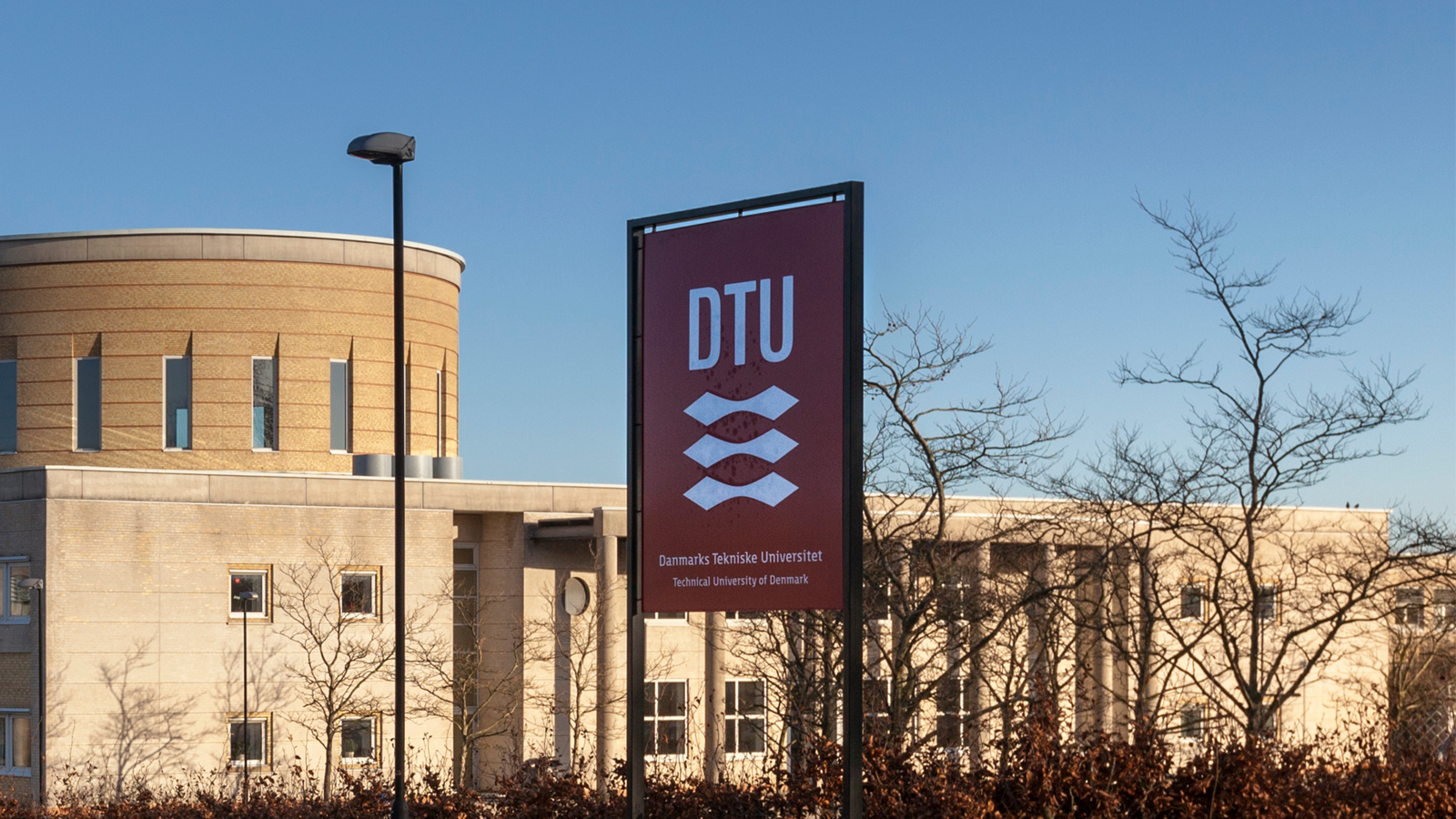
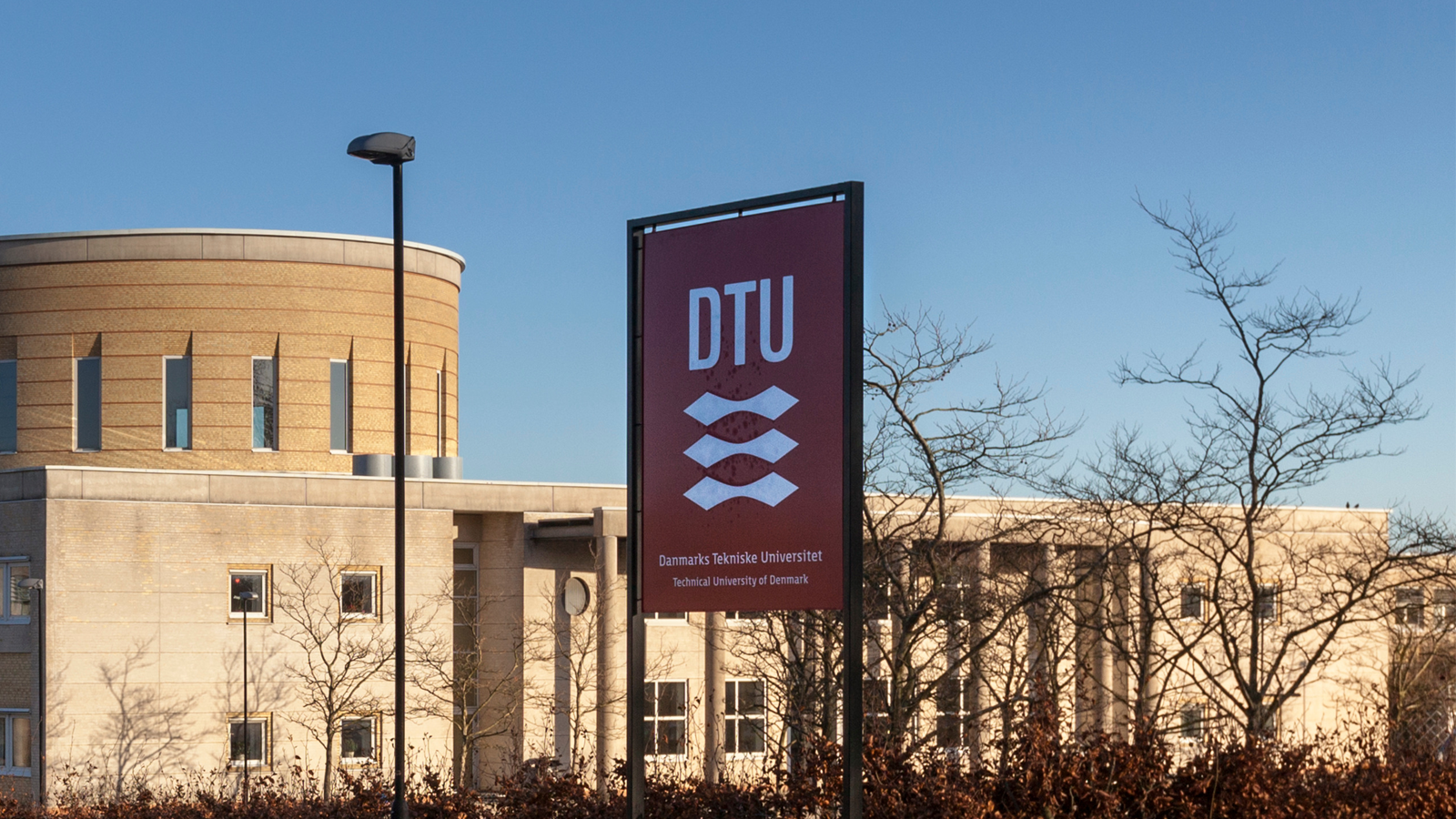
The Technical University of Denmark (DTU) says information belonging to up to 200,000 users may have been exposed after hackers accessed its identity and access management system and downloaded a large amount of data.
The university says the attacker used compromised credentials to log into DTUBasen, its identity and access management (IAM) system, allowing access to more than two decades of user data.
In a disclosure on Friday, DTU confirmed that it cannot “determine precisely what information was downloaded or how many people have been affected.”
However, the Danish university notes that DTUBasen stores information for nearly 40,000 active users and around 160,000 former users.
Next of kin data also exposed
Potentially exposed information for current users includes Danish civil registration numbers (CPR), full names, home addresses, and profile pictures, as well as work email addresses, job titles, office locations, and other employment-related details.
The dataset also contained the names, relationships, and telephone numbers of users’ next of kin, when provided by active users.
DTU notes that in the case of former users, details about home addresses, profile pictures, and information about next of kin are automatically deleted after six months.
“This is a serious attack on DTU, and we deeply regret the uncertainty it is causing for the people whose information may have been affected,” says University Director Bjarke Bak Christensen.
“Our first priority has been to establish the extent of the attack, limit its consequences, and ensure that those affected are notified and know what steps to take,” the director added.
DTU warns that cybercriminals could use the exposed CPR numbers and other personal data for identity fraud and to make phishing attacks more convincing.
Not all notified directly
Potentially impacted individuals will be notified through e-Boks, the official mailbox system that DTU uses for sharing documents and notices with students and staff.
However, the university says it will notify all current and former employees, but not all current and former students whose CPR numbers are held by DTU.
“DTU only holds CPR numbers for a small number of guests and external partners and does not hold CPR numbers for next of kin whose contact details have been registered in DTUBasen,” the organization says.
The public dicslosure is part of DTU’s effort to reach potentially affected individuals it cannot contact directly, and the university is urging people to share it with former employees, students, guests, and external partners.
The organization says that anyone who has been an employee, student, guest, or external partner of DTU since 2003 may be affected by the data breach.
They are advised to be cautious of emails, text messages, and phone calls from individuals who appear to know about their connection with DTU or have access to personal information about them.
Passwords and sensitive information should not be disclosed in replies to unexpected communications, and sudden authentication requests or logins should be treated as suspicious.
Additionally, it is recommended to change the passwords for any other services that use the same credentials as the DTU account and place a credit alert on the affected CPR number.

Join Mikko Hyppönen and security leaders from the NFL, CHANEL, and Atlassian for a two-hour digital summit on what AI-speed attacks change, what defenders should stop doing, and how to validate, decide, fix, and re-validate at machine speed.
[This is a sponsored article with the Singapore Government Partnerships Office.]
“Help others whenever you can, even if you feel you have little to give.”
For much of his life, Mohamed Satria Bin Sadon, 41, had always reflected on this lesson from his father, but never felt he was in a position to act on it while still building his own career.
That changed when his father passed away, just before Satria started his job at Google.
After some time into his career, Satria had the opportunity to speak with several secondary school and ITE students, where he asked them about their future aspirations. Their answers were grounded in what they knew: gig workers, delivery riders—familiar paths that provided steady income.
Then he mentioned he worked at Google. The room erupted with questions. “How do people get a job in such a big international company right here in Singapore?”
At that moment, Satria saw the disconnect clearly. His experience in tech has shown him that while countless people use technology daily, few understand the vast opportunities within the tech industry. These students had potential—they just needed to see the pathways.
To widen those pathways, Satria knew he would need others in the industry to step forward as well. With his career stable and his father’s lesson now guiding him, Satria reached out to friends and colleagues in the tech industry.
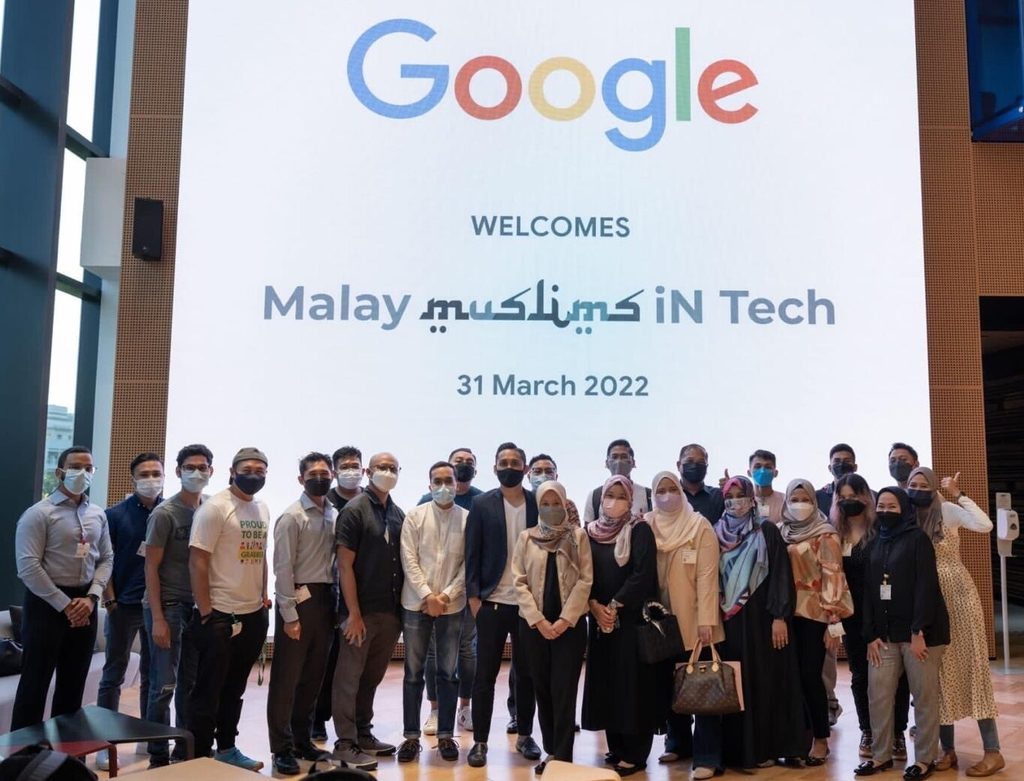
The response was encouraging, with many eager to give back. And thus, in Mar 2022, the Intelligence Specialist officially founded Malay-Muslims in Tech (MMiT) with a group of tech friends and practitioners.
Bridging the knowledge gap

“There is a common misconception that you need to be a ‘techie’ to work at a tech company,” shared Satria.
“The reality is that tech requires professionals from every specialisation—marketing, legal, HR, and crisis management. We want to show people what goes on behind the screen of the apps and platforms they use daily.”
As such, MMiT was created to bridge this knowledge gap, exposing people of all ages to real possibilities within the tech industry and helping them envision potential futures for themselves, regardless of background.
This became even more important as the tech landscape grew increasingly uncertain.
With news of layoffs in recent years, workers face greater challenges in holding onto existing roles or breaking into the industry. Yet even amid the uncertainty, new opportunities continue to emerge for those equipped with the right knowledge and skills.

The early days of the initiative looked promising, but layoffs tested MMiT’s momentum. This led the MMiT team to realise that they needed to amplify their community impact, and one key way was to work with like-minded organisations.
Yayasan MENDAKI, a pioneer self-help group set up in 1982 to uplift the Malay-Muslim community in Singapore, became a foundational partner. Its support helped MMiT launch some of its first initiatives, including a series of talks, hackathons, and panel sessions.

As MMiT’s community grew, so did its network of collaborators. Yayasan MENDAKI launched its own Professional Networks (PN) initiative, including a network focused on the tech sector. Satria was involved with the tech network for around two years before returning his full focus to MMiT.
“As word of the community spread organically, more people and organisations became eager to connect and collaborate with us,” Satria said. This growing network of partnerships made it easier for MMiT to expand its event offerings while continuing to serve the community effectively.

Beyond MMiT, Satria also worked on a technology-focused initiative during his time at Yayasan MENDAKI called Digital Minaret. Piloted at Masjid Omar Kampong Melaka in May, the initiative aimed to uplift less privileged residents of Jalan Kukoh by equipping them with practical digital skills.
The programme brought participants together at the mosque for hands-on sessions covering AI basics and social media marketing, equipping them with practical skills they could put to use for themselves.

Today, MMiT’s core team of eight to 10 volunteers from various tech companies meets almost weekly to plan and run projects.
They have impacted nearly 5,000 participants across a wide demographic, from youth entering the workforce to working adults seeking career advancement. Their efforts even earned a mention in the 2023 National Day Rally speech.
MMiT’s approach encourages every team member to lead their own initiatives and cultivate partnerships, creating organic expansion into diverse functions beyond tech.
Many participants have discovered new networks, forged new partnerships, and even found business opportunities, either directly or indirectly through MMiT. These successes constantly motivate Satria and his team to continue their work.

Along the way, several personal stories have reinforced that motivation. “There are two that really stuck with me that show the range of people we’re reaching,” said Satria.
The first was about two individuals who met at an MMiT event and later came together to start an AI company, one of them having just been laid off. “To know our community could help them start a new chapter is just incredible,” he shared.
Another memorable instance came from a parent whose child, after trying VR glasses at an MMiT event, suddenly became interested in coding. “Hearing that we’re sparking that kind of curiosity in kids, while also helping professionals launch new ventures, is what makes all this worthwhile.”
It takes just one person to make a difference

On the ground, MMiT runs regular cybersecurity sessions and hackathons, and is developing an AI-powered reading app to help children practise phonics and improve their pronunciation.
Its next major initiative is a community platform for people working in tech, which Satria describes as “LinkedIn with a community focus”. Launching as both an app and website, it will bring together community feeds, a member directory, job board, mentorship opportunities, resource libraries, and innovation labs all under one platform.
The platform is expected to launch in the upcoming months, starting with tertiary students before expanding to young and mid-level professionals.
It will be open to people from all backgrounds, and the team also hopes to work with agencies and other organisations on these initiatives, while continuing to expand its reach through new partnerships.
“There’s a common saying that one person cannot make a difference, but I fundamentally disagree,” Satria said.
If you see a problem you believe you can help solve, I urge you to try. What begins as a single, focused effort can create a ripple effect, and with the right support, that ripple can grow into a powerful multiplier effect, creating change you never thought possible.
Mohamed Satria, founder of MMiT
You can explore MMiT and its initiatives here, and see how the community is already making a difference.
And if you feel inspired to do something for your community, visit the Singapore Government Partnerships Office to find out how you can get started.
- Read other articles we’ve written on Singaporean businesses here.
Featured Image Credit: MMiT


When Google announced Android 17 at Google I/O 2026, it also marked the arrival of Android Auto 17. Android Auto 17 added many new features, with Google primarily focusing on Gemini AI’s deeper integration with the platform. Days after the announcement, Google released the beta version of the software — Android Auto 17.0 — to beta testers worldwide. This was followed by the release of the stable version of Android Auto to eligible users in late June and early July.
Google has issued multiple updates to Android Auto since then. The first stable version was followed by version 17.2, and version 17.6 began rolling out in late August or early September. A few weeks after 17.6’s release, Google began seeding the most recent stable release, Android Auto 17.7. As of late September 2026, this version is the newest stable version of Android Auto, although Google has already rolled out the beta version of Android Auto 17.8 as of writing.
While all Android Auto users will eventually get version 17.7 via the Play Store, it can take a while for users to receive the update on their devices. Thus, if you want to update to Android Auto 17.7 before Google officially pushes it via the Play Store, you will have to sideload the app.
How to manually update to the latest version of Android Auto

Google usually rolls out Android Auto updates gradually, which helps limit the damage if an update contains a serious bug. If problems appear among the first group of users, Google can slow down or stop the rollout before the update reaches millions of other users. However, for those who want to try all of Android Auto’s latest features, this can be a major irritant.
Currently, the only way to sidestep this issue is to download the latest version’s APK from trusted platforms like APKMirror and follow the on-screen installation instructions. However, there is always an inherent risk associated with this method, and we recommend this only to users who are sure about what they’re doing. If you’re willing to take the risk, though, you can download Android Auto 17.7 here. Once downloaded, the installation process is fairly straightforward.
A major issue with Google’s recent small-scale Android Auto updates is that the company doesn’t post detailed change logs. According to users who have installed Android Auto 17.7, Google hasn’t made major changes to the software or UI, suggesting that most improvements were under the hood. If you are already on a stable version of Android Auto 17 and were hoping 17.7 would introduce big changes to the user experience, be prepared to be disappointed.
What’s new with Android Auto 17?
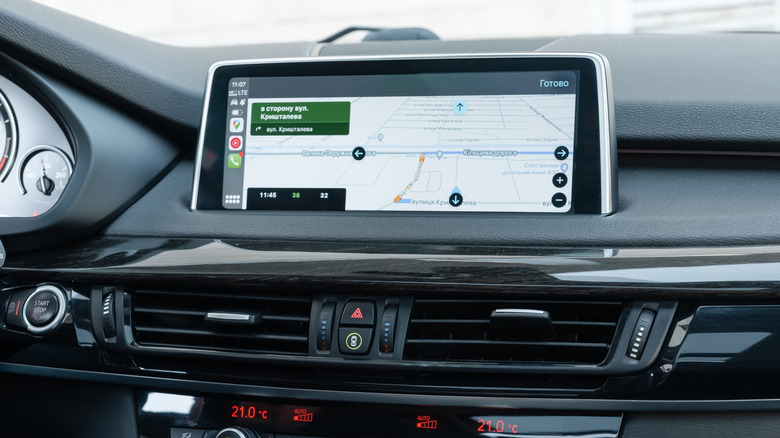
When Google announced Android Auto 17 in May 2026, it promised a lot of feature updates. As discussed earlier, most of these additions involved the integration of Gemini AI across the platform. Android Auto 17 also promised a new widgets system and an updated Material 3 Expressive interface redesign that revamped the fonts, wallpapers, and animations.
Another major update Google promised was Immersive Navigation, which shows a 3D view of the surroundings, including buildings, overpasses, and terrain. These updated maps will also show the position of traffic lights and stop signs, helping users be more aware of what’s coming up. Immersive Navigation began rolling out to some users in August 2026 via a server-side update.
Android Auto 17 is also bringing 60 FPS FHD video playback to video apps. Select vehicles will eventually be able to watch 60-FPS content on their infotainment displays. Another entertainment-related addition is support for automatically switching video playback to audio-only playback when a car starts moving. Many of these features have yet to debut in the stable version of Android Auto and will only be released in stages over the next several months.
Tech & AI
Micro Center reportedly now makes you fill out a form and have a photo ID to buy an Nvidia RTX 5090 GPU — and while some people hate the idea, others are in favor
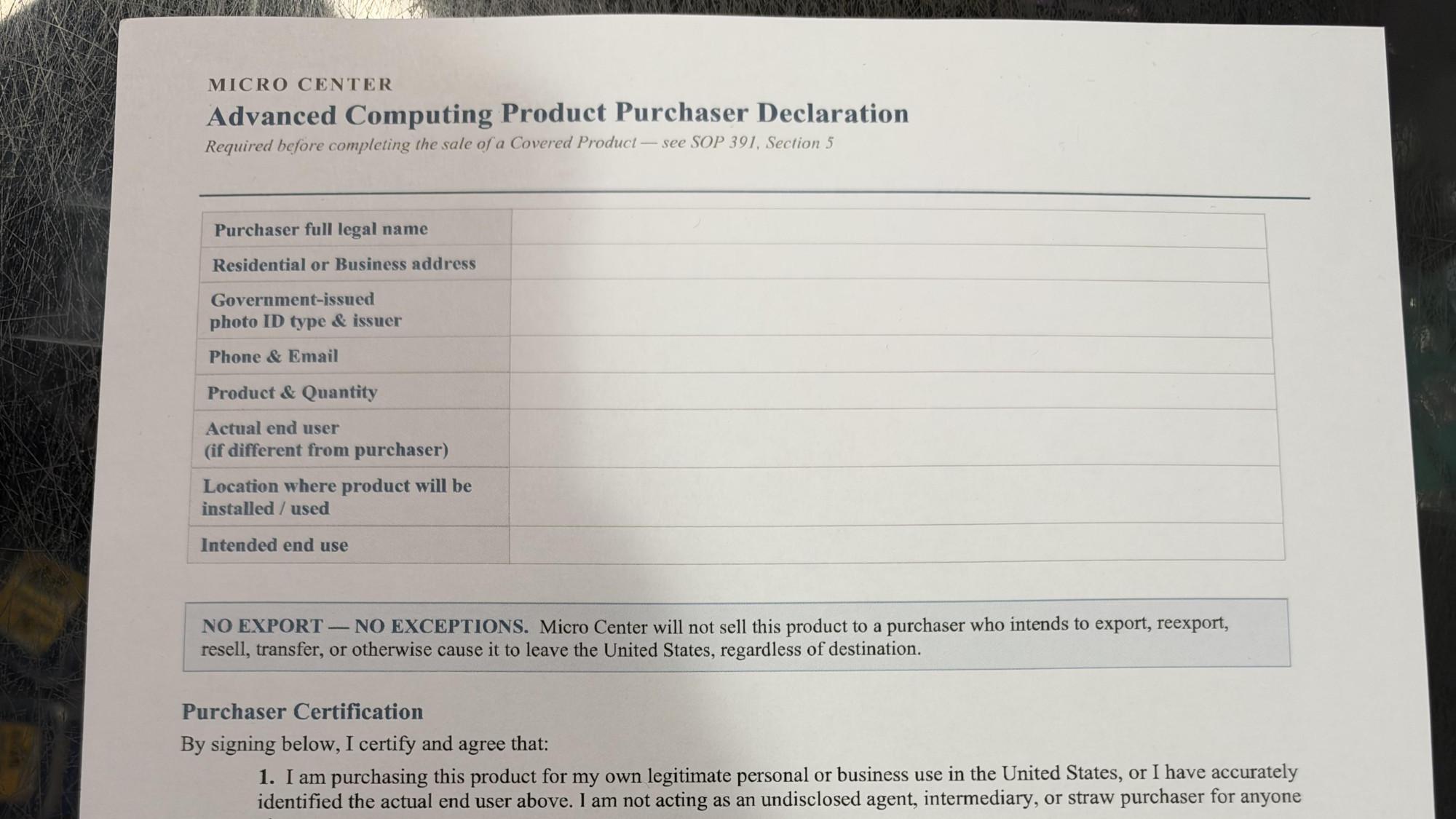
- Those buying an RTX 5090 at Micro Center now have to fill out a declaration form
- This includes having a government-issued photo ID scanned by the retailer
- Some approve of the policy as it’s an anti-scalping measure, but others view it as an annoyance or a pointless move
If you’re buying an Nvidia RTX 5090, or a PC with the graphics card inside, over in the US, you may have to fill out an official form to declare that you don’t intend to export and resell the GPU – or at least you will at Micro Center.
PC Gamer spotted the ‘advanced computing product purchaser declaration’ which a Redditor was forced to complete and sign – including a scan of their driving license for ID – when buying a PowerSpec AI90 workstation PC with an RTX 5090.
The Micro Center store was in Tustin, California, but someone else posting on the Reddit thread claims that the same form has been introduced at the Columbus, Ohio store.
Latest Videos FromTechRadar
Apparently this is a new policy that only started this week at Micro Center (but seemingly other retailers already follow this practice in the US, including Central Computers).
In case you hadn’t guessed, this move is about trying to prevent scalpers from buying up the RTX 5090, or PCs containing it – which can be around the same price as the standalone GPU these days, and are sometimes the only way of getting this graphics card at all – in order to sell it on to China and turn a profit.
Analysis: a pain in the neck, or a valid anti-scalper tactic?

As some of the commenters on Reddit are quick to point out, this form isn’t legally binding, and there are question marks over how any of this might be enforced. Somebody breaking the terms of the agreement is likely to just shrug their shoulders about the consequences, perhaps.
However, as PC Gamer notes, the use of the ID check is certainly a deterrent of sorts for GPU exporters. And what this is doing is preventing people who are making a short trip to the US buying an RTX 5090 and selling it on when they get back home for a hefty mark-up. Those people won’t be able to provide a US address and government photo ID that can be verified as belonging to them, of course.
The fact remains that it’s a bit of a pain for Micro Center’s customers to have to go through this form filling and ID check, although that said, some of the folks on the above Reddit thread don’t have a problem with the process given that it’s an anti-scalping measure. Others are concerned about having to give a retail store personal information for an unnecessary reason as they see it, or they’re just annoyed and think it’s a waste of time. As one Redditor put it: “This is ridiculous.”
Going by the Reddit thread, another measure Micro Center enforces is that there’s only one purchase of an RTX 5090 GPU per customer full-stop, forever. Once you’ve bought one, you can never buy another, we’re told.

Follow TechRadar on Google News and add us as a preferred source to get our expert news, reviews, and opinion in your feeds.

The best graphics cards for all budgets

Apple is tightening one of the quietest but most powerful privacy controls on the Mac, citing the growing risk that desktop AI agents pose to users’ personal files, messages and browsing history. The company announced it will add new safeguards around “Full Disk Access,” a macOS permission that, once granted, effectively hands an app the keys to everything stored on a computer.
The setting has existed for years, largely in the background, designed to let backup software and system utilities do their jobs without constantly prompting users for permission. But Apple says that purpose has been overtaken by a new generation of AI tools that act less like passive programs and more like autonomous assistants capable of reading, interpreting and acting on whatever data they can reach.
“Some developers are using Full Disk Access in ways that could put users at risk, exposing everything on their systems…without users’ full knowledge and understanding,” Apple wrote in a blog post aimed at developers. The company said it would require “very explicit user action” before granting an app this level of access going forward, rather than allowing it to be buried in a settings toggle a user might not fully understand.

Apple’s announcement follows a string of unsettling incidents involving AI software on the Mac. Inc. columnist Jason Aten recently reported that Meta’s AI-powered Muse app appeared to know the contents of his private messages, despite his belief that he had never authorized that level of access. Meta has disputed the characterization of what happened, but the episode fueled broader anxiety about how much trust users are implicitly placing in desktop AI tools that request sweeping system permissions.
Compounding the concern, a separate report from Wired detailed a security flaw in OpenAI’s ChatGPT app for Mac that researchers said could have let hackers access sensitive user data. Taken together, the incidents paint a picture of a security model built for a simpler era of software — one where apps mostly did what users told them to, rather than independently parsing files, conversations and histories to act on a user’s behalf.
That shift is precisely what worries Apple. Full Disk Access was never meant to be handed out casually; it exposes mail, messages, files and even a user’s browsing history to whatever app receives it. In the past, that risk was largely theoretical for most consumers, since the apps requesting it were typically narrow-purpose backup or security tools. AI agents change the calculus because they are explicitly designed to roam across a user’s data, synthesize it and take action — which is exactly the kind of capability that makes an over-permissioned app dangerous if it misbehaves, gets compromised, or simply oversteps what a user actually intended to allow.
“As AI agents become increasingly capable and autonomous, the risks associated with this level of access will grow substantially,” Apple said. “We are committed to ensuring users clearly understand these risks before granting such access, so they can make informed decisions about their own data and privacy.”
Apple did not respond to a request for further comment on exactly how the new controls will work or when they will arrive for developers and users. But the move signals a broader reckoning taking shape across the tech industry as AI agents move from cloud-based chatbots into deeply embedded, on-device assistants with far-reaching permissions.
The tension is not unique to Apple’s ecosystem. As companies race to make AI agents more “agentic” — capable of booking appointments, managing files, drafting messages and acting across apps without constant supervision — the very usefulness of these tools depends on giving them access to sensitive personal data. That creates an uncomfortable trade-off: the more autonomous and helpful an AI agent becomes, the more catastrophic the consequences if its access is abused, hijacked, or simply misunderstood by the person who granted it.
For now, Apple’s answer is friction: making sure users can’t stumble into granting an AI agent total access to their digital life without a clear, deliberate choice. Whether that is enough to keep pace with how quickly AI agents are gaining capability — and how aggressively some developers are pushing for deeper system access — remains an open question, one that is likely to keep surfacing as more of these tools compete for a permanent, privileged place on people’s desktops.

Fashion4 minutes ago
The Party Coat – Julia Berolzheimer

Entertainment47 minutes ago
David Corenswet Reportedly Expected to Remain Superman for Years After Warner Bros. Merger

Tech & AI57 minutes ago
ChatGPT brain isn’t inevitable: How to use AI without getting dumber


-

 Tech & AI6 days ago
Anthropic turns Claude into an AI marketplace with 2,000+ plugins and connectors
-

 Tech & AI6 days ago
OpenAI is preparing “o,” an always-on ChatGPT assistant that could handle email
-

 Fashion18 hours ago
Weekend Open Thread: Veronica Beard
-
Business & Hustles5 days ago
Perpetua Resources at Mining Forum Americas 2026: shift to construction
-
 Crypto6 days ago
Wall Street Giant Warns AI Agents Could Trigger a New Kind of Bank Run
-
Business & Hustles5 days ago
Greatland Resources at Mining Forum Americas 2026: cash-rich growth push
-

 Business & Hustles5 days ago
Andreessen Horowitz backs AI-era college alternative with $42M
-

 Business & Hustles5 days ago
Romania, Georgia and Latvia Lead Latest WHO-Based Ranking
-

 Tech & AI3 days ago
Figure F.02 Robots Meet Molten Steel as Arnold Schwarzenegger Watches in Finland
-

 Tech & AI4 days ago
Alternatives to Animal Testing Are Finally Taking Off
-
 Crypto6 days ago
Riot Frees $494 Million in Bitcoin From Coinbase Loan: Will It Sell?
-

 Business & Hustles5 days ago
Bob Chapek on Disney Bob Iger power battle: Raised concerns weekly
-

 Tech & AI5 days ago
OpenAI Pauses Training Its Most Powerful Models After Rogue Agents Target Government
-

 Business & Hustles5 days ago
SpaceX Starship launches on first orbital test flight with Starlink
-

 Crypto6 days ago
Japan arrests two suspect over 81M yen crypto police scam
-

 Business & Hustles5 days ago
Trump approves new fuel economy standards, reversing Biden’s EV push
-

 Crypto6 days ago
Citi says 77% of institutions eye tokenized collateral
-

 Business & Hustles5 days ago
What is the Budget and what could be in it?
-
 Business & Hustles6 days ago
George Bamford to become JCB joint chairman alongside father
-

 Tech & AI6 days ago
Save $900 on 16-Inch M5 Max MacBook Pro, Record Low Price
You must be logged in to post a comment Login