Connect with us
DAPA Banner
DAPA Coin
DAPA
COIN PAYMENT ASSET
PRIVACY · BLOCKDAG · HOMOMORPHIC ENCRYPTION · RUST
ElGamal Encrypted MINE DAPA
🚫 GENESIS SOLD OUT
DAPAPAY COMING

Tech

5 Useful Google Maps Features You Must Try

Published

on

Google Maps is now one of the most commonly used applications for daily travel. It provides direction, displays real-time traffic information, and facilitates searches of destinations such as food outlets, petrol pumps, or even accommodation centers. Nevertheless, most of its users use only the primary functions and overlook the others. From organizing your saved places to improving navigation accuracy, these tools can make traveling and planning far more convenient.

1. Use Emojis to Organize Your Saved Places

image for use  Emojis to Organize in google maps

The first problem with saved places in Google Maps concerns their similarity in representation. This is problematic because users cannot quickly find what they need when there are too many markers on the map. Google Maps allows people to personalize their categories with emojis. Thus, the user creates associations and sees pictures rather than icons, which facilitates the search process.

  1. Open Google Maps.
  2. Tap on the “You” tab at the bottom.
  3. Open an existing list or create a new one.
  4. Tap Edit (for existing lists).
  5. Select the Choose icon.
  6. Pick an emoji that matches your category and tap Save.

2. Avoid Stairs While Navigating

image for google maps to Avoid Stairs While Navigating

A useful feature of Google Maps is the ability to hide stairs along the way. By enabling the accessibility function, the application will automatically adjust the route and find a better option without any additional steps.

  1. Open the Google Maps app.
  2. Enter your destination and tap Directions.
  3. Select Walking or Transit mode.
  4. Tap the filter/settings icon.
  5. Turn on Wheelchair accessible.
  6. Choose the recommended route.

3. Turn Screenshots Into Saved Locations

These days, people often discover new places through social media. But when you actually need those places, they’re hard to find in your gallery. To make this easier, Google Maps includes a feature that converts screenshots into saved locations. It uses AI to scan text in the image and match it with real places. This keeps all your saved spots in one place, making travel planning more organized and efficient.

  1. Open Google Maps on your Apple device.
  2. Tap on the You tab.
  3. Open the Screenshots list.
  4. Allow access to your photos when prompted.
  5. Tap Choose screenshots and select the screenshots you want to scan.
  6. Tap Add and wait for processing.
  7. Review and save the detected locations.

4. Set Reminders for When to Leave

image to Set Reminders for When to Leave

Most people calculate their departure time manually. They consider their destination and traffic, then use other applications to remind them of the exact departure time. However, Google Maps can do all of this in a single application. It allows users to schedule trips and be reminded of their departure time.

  1. Open Google Maps.
  2. Search your destination.
  3. Tap Directions.
  4. Tap the three-dot icon.
  5. Select Set a reminder to leave.
  6. Choose Leave at or Arrive by.
  7. Enter your time and save your reminder.

5. Fix Incorrect Location on Google Maps

image to Calibrate location. on google maps

One problem that can arise when using maps is inaccurate location tagging. This can make it difficult to find your way through crowded places. This problem can be solved by using the camera-based map calibration system. This will help the phone tag locations of the surrounding buildings be accurately calculated to determine your position.

  • Open the Google Maps app.
  • Tap your current location (blue dot).
  • Select the Calibrate location.
  • Tap Start.
  • Use your camera to scan nearby landmarks.
  • Wait for the accuracy confirmation.

Source link

Continue Reading
Click to comment

You must be logged in to post a comment Login

Leave a Reply

Tech

Ikea home automation review : Amazing, when they work

Published

on

Ikea Matter-over-Thread lineup review: Part of Ikea’s new smart home lineup with Matter-over-Thread

Ikea has an impressive new lineup of Matter-over-Thread devices works with Apple Home, but after months of testing, we think that lingering connection issues with bulbs, controls, and sensors are the main problem.

Unlike Tradfri, Ikea’s last smart home push, the fresh batch of smart home wares doesn’t have a unifying name. Instead, it is made up of over 20 individual products.

The launch made big waves as the Swedish brand was putting all of its weight behind both Matter and Thread. With such affordable prices and a large array of choices, I went in thinking this was going to be a slam dunk.

Advertisement

Unfortunately, Ikea has been a victim of emerging standards. Many users, including staff here at AppleInsider, have reported connectivity issues.

After extensive testing, multiple interviews, and much user feedback, the full picture is complex, to say the least.

Ikea Matter-over-Thread lineup review: Many new devices

Ikea’s lineup of Matter-over-Thread devices keeps growing. It originally was 21 devices but has since expanded, including the updated Varmblixt donut-shaped lamp.

Here’s the current availability:

Advertisement
  • Kajplats: Smart bulbs
    • E27/E26 standard globe (white spectrum, 1,521 lumens)
    • E27/E26 standard globe (white spectrum, 1,055 lumens)
    • E27/E26 standard globe (white spectrum, 470 lumens)
    • P45 E14 (white spectrum, 470 lumens)
    • P45 E14 (white spectrum, 806 lumens)
    • P45 E14 (color and white spectrum, 806 lumens)
    • GU10 directional spot (color and white spectrum, 470 lumens)
    • GU10 directional spot (white spectrum, 575 lumens)
    • E14 decorative clear glass (white spectrum, 470 lumens)
    • E27 decorative clear glass 60mm (white spectrum 470 lumens)
    • E27 decorative clear glass large globe 95mm (white spectrum 810 lumens)
  • Myggspray: Motion sensor
  • Myggbett: Door/window contact sensor
  • Timmerflotte: Temperature and humidity sensor
  • Alpstuga: Air quality sensor
  • Klippbok: Water leak sensor
  • Bilresa: Two-button remote
  • Bilresa: Scroll wheel remote
  • Grillplats: Smart plug
  • Varmblixt: Donut-shaped lamp

I’ve been testing out a few of the light bulbs, the contact sensor, the motion sensor, the two-button remote, the temperature sensor, the lamp, and the air quality monitor.

These won’t be my last Ikea smart home devices, but opinion varies amongst the AppleInsider staff.

Ikea Matter-over-Thread lineup review: Bilresa

Of the entire lineup, I was most excited to test out the Bilresa remote. My house is fairly well equipped with smart plugs and bulbs, but I can always use a reliable new remote.
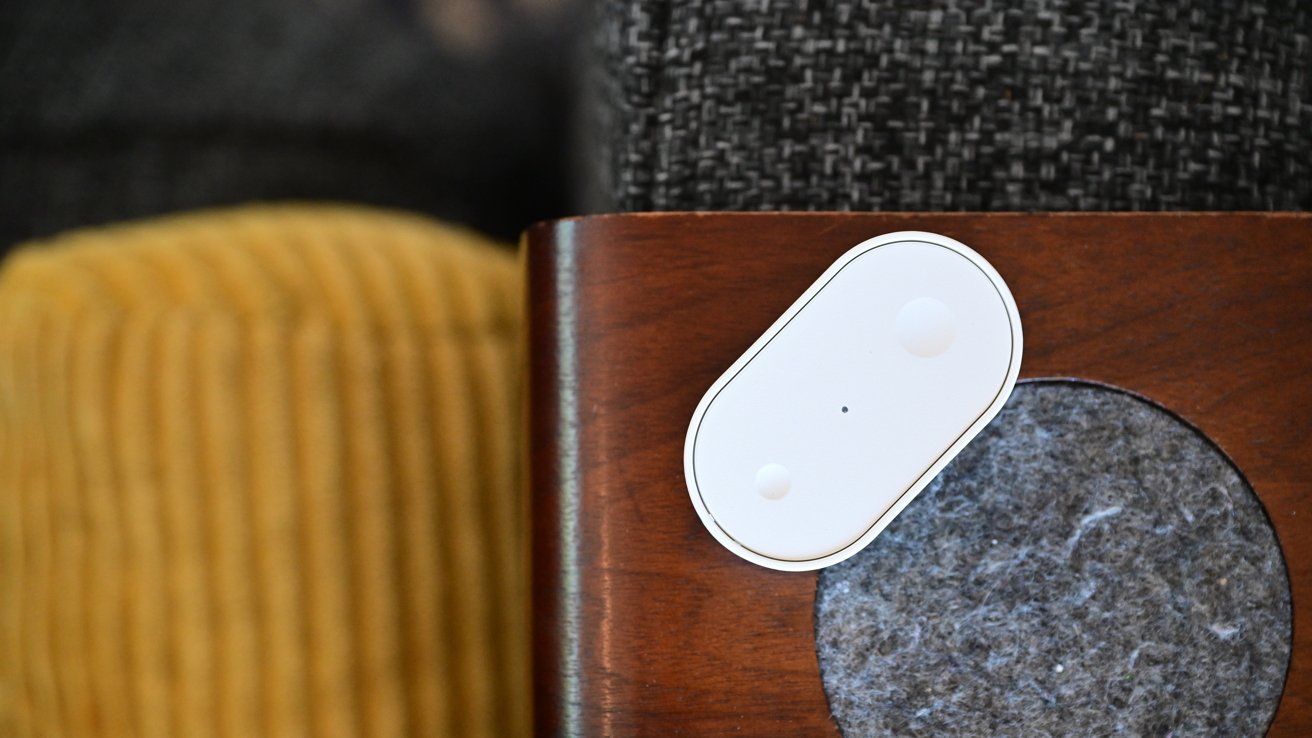
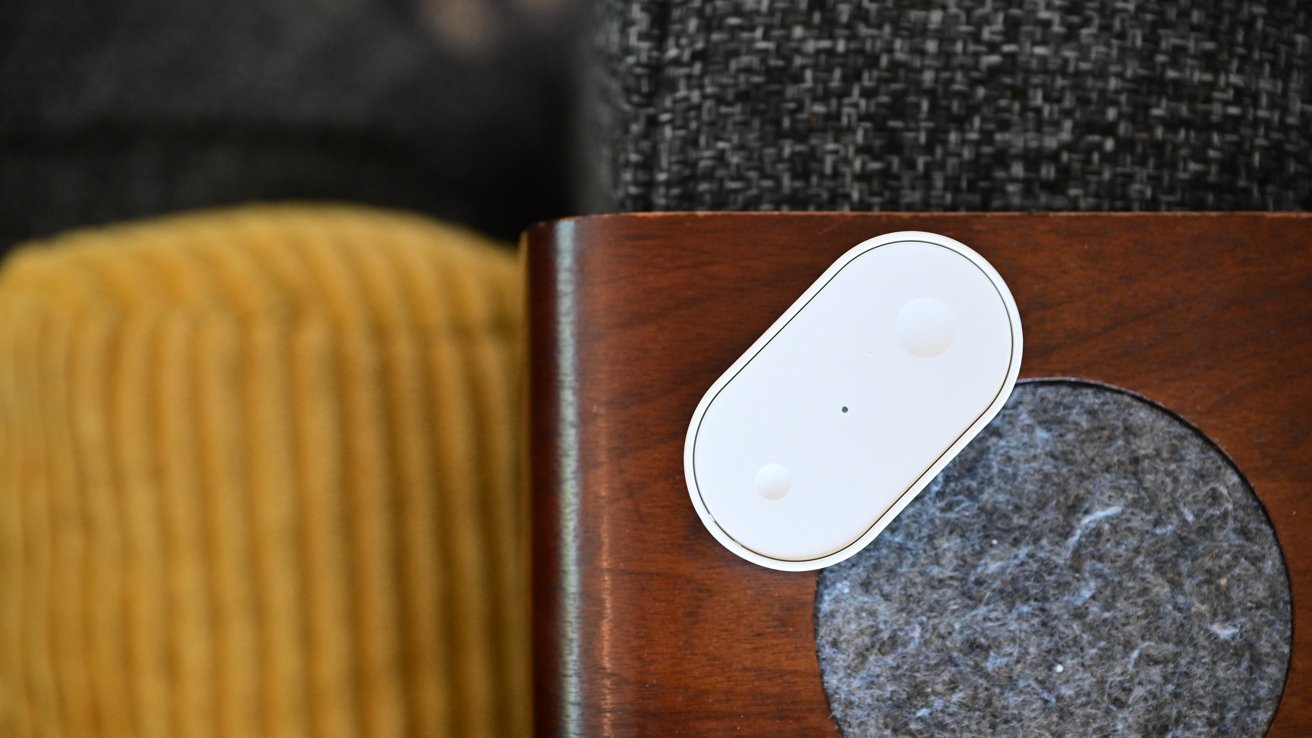
Small white oval smart sensor on a wooden furniture edge beside a gray felt pad, with textured gray upholstery above and mustard yellow corduroy fabric in the background

Ikea Matter-over-Thread lineup review: Bilresa remote can be mounted or carried around

The remote is simple, made of characteristic white plastic with small and large dimples on the top. The front of the remote is removed by pressing the release clip on the end to access the battery compartment.

Advertisement

Two AAA batteries power the remote. I use rechargeable ones, which should last me roughly two years depending on usage.
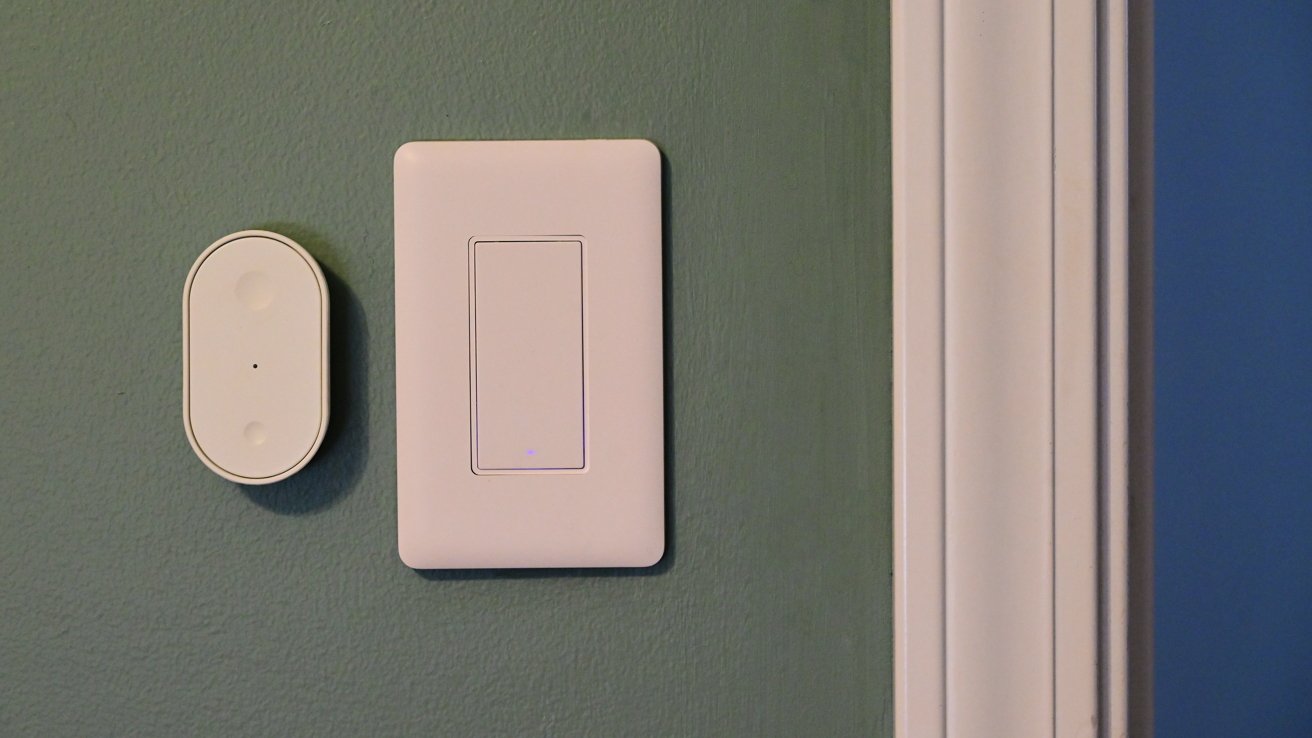
Green wall with a modern rectangular white light switch and a smaller oval white smart sensor beside it, next to a white door frame on the right

Ikea Matter-over-Thread lineup review: Ikea Matter-over-Thread lineup review: The Bilresa remote mounted to the wall

The back of the remote is magnetic, which enables it to stick onto a fridge or other metal surface. Ikea includes a small piece of metal, too, that fits right onto the back of the remote.

The adhesive pre-installed on the piece of metal offers a quick option for mounting, but it also features two holes for alternative mounting. This makes it easy to mount the remote under your desk, on a wall, or on the edge of a nightstand.
Advertisement
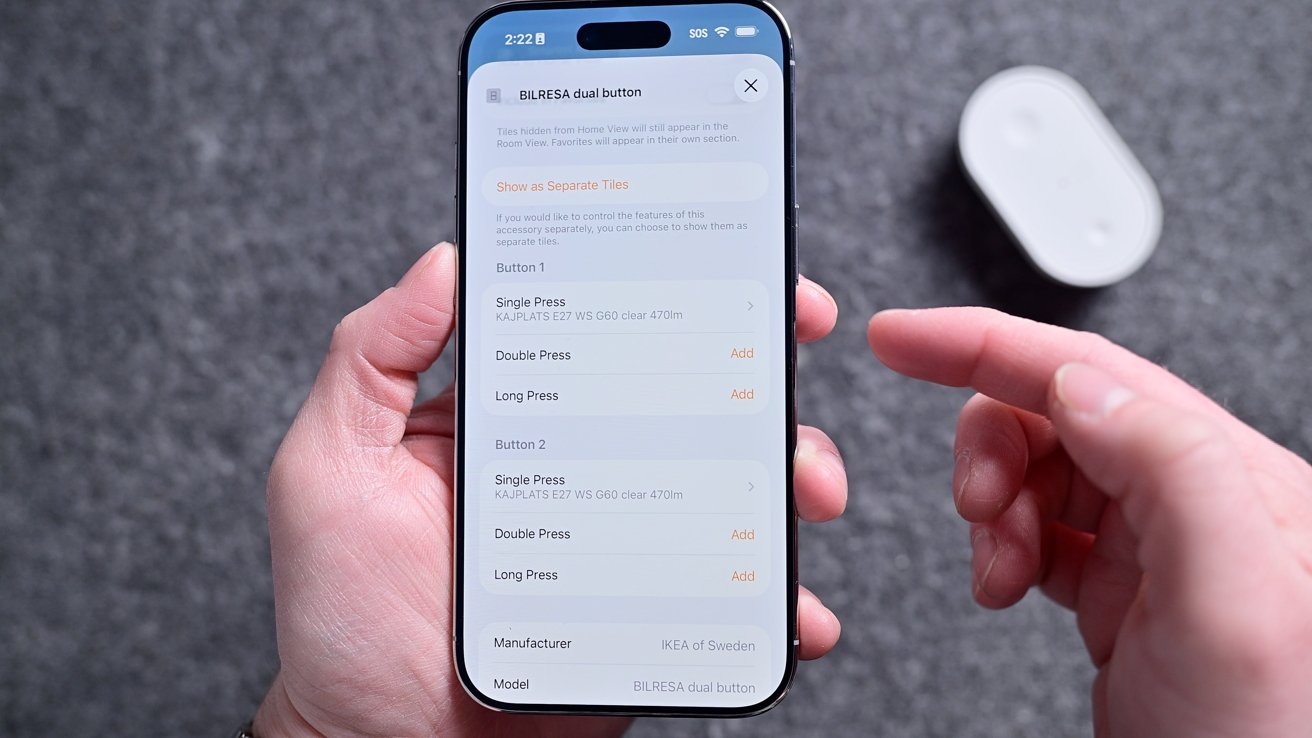
Person holding a smartphone showing a settings screen for customizing button presses, while their other hand points at the display; a small white gadget rests blurred in the background

Ikea Matter-over-Thread lineup review: The remote has six commands you can program

Like with other Apple Home-compatible buttons, this technically shows as six programmable buttons in the Home app. You can set a single press, double-press, or long-hold for each of the two buttons.

Setting six commands can be overwhelming for some, but they’re certainly not required. For example, the one I have in my son’s room only has two scenes set: one for his good morning scene and one for his goodnight scene.
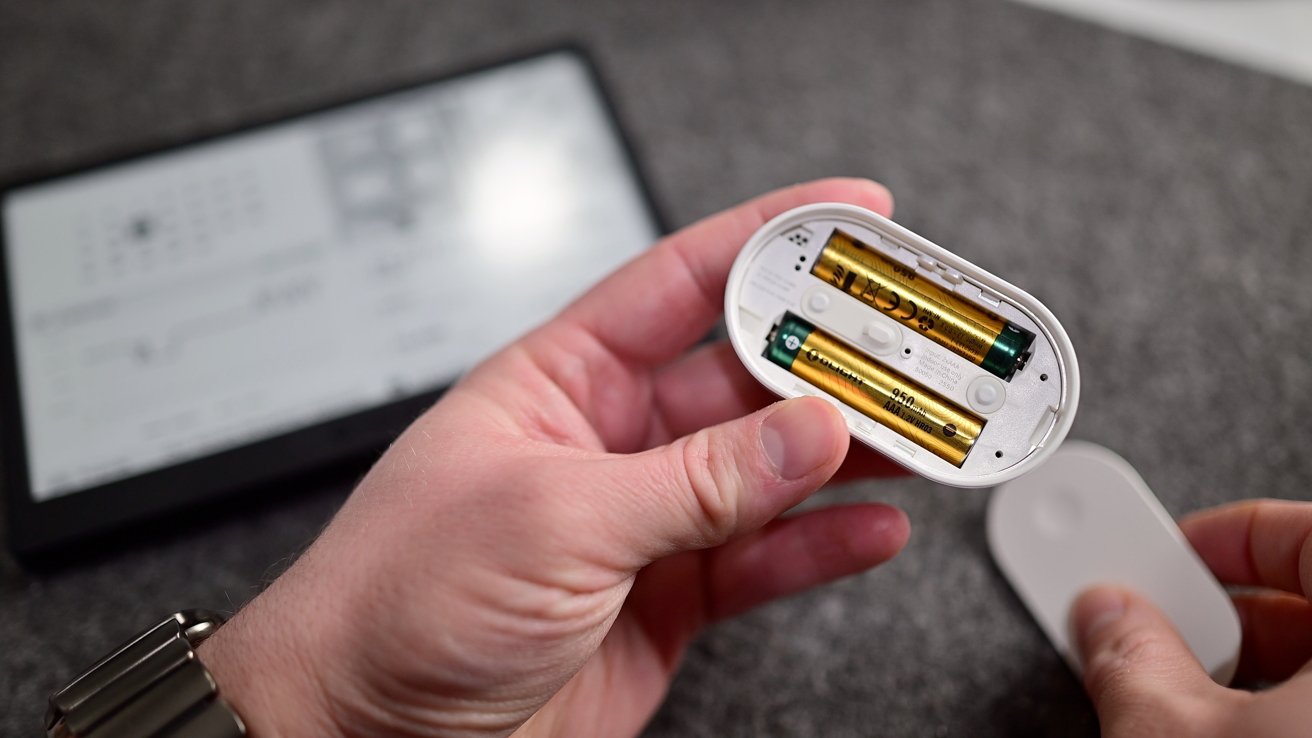
Hands holding a small oval device with its battery compartment open, revealing two AA batteries, while a blurred electronic screen or e-reader lies on a gray surface in the background

Ikea Matter-over-Thread lineup review: It runs on two AAA batteries

Advertisement

In our master bedroom, I get a bit fancier. One button sets the lights to 100%, 50%, and off, while the other sets the air purifier fan to the same three levels.

Priced at $6, this is an incredible value, and it’s taken no time at all for me to buy several more to place throughout the home. I use one in the studio to set my filming scenes and in the living room to control our two different window shades.

Ikea Matter-over-Thread lineup review: Kajplats

That little Bilresa remote can also be perfectly paired with any of Ikea’s other devices. You could adjust its Kajplats lights, its smart plug, or the lamp.
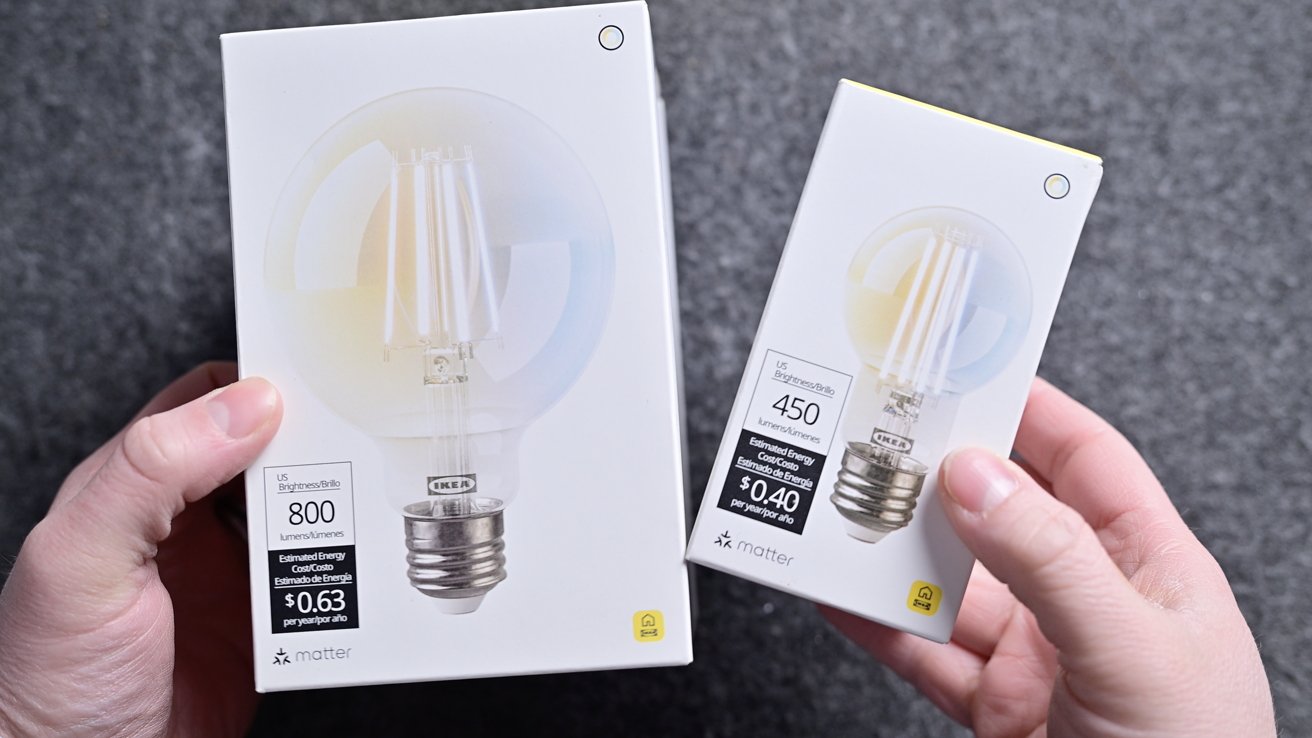
Two hands holding two white LED light bulb boxes of different sizes, showing wattage and brightness labels, against a gray textured background

Ikea Matter-over-Thread lineup review: Two of Ikea’s smart bulbs

Advertisement

With the Kajplats bulbs, Ikea did an exceptional job. There’s a wide variety in shapes/sizes, brightnesses, and color choices.

There are plenty of sizes and designs Ikea could still launch, but out of the gate, this is a great selection. I don’t have anything fancy, but I chose two of the clear filament-style decorative bulbs for our home.
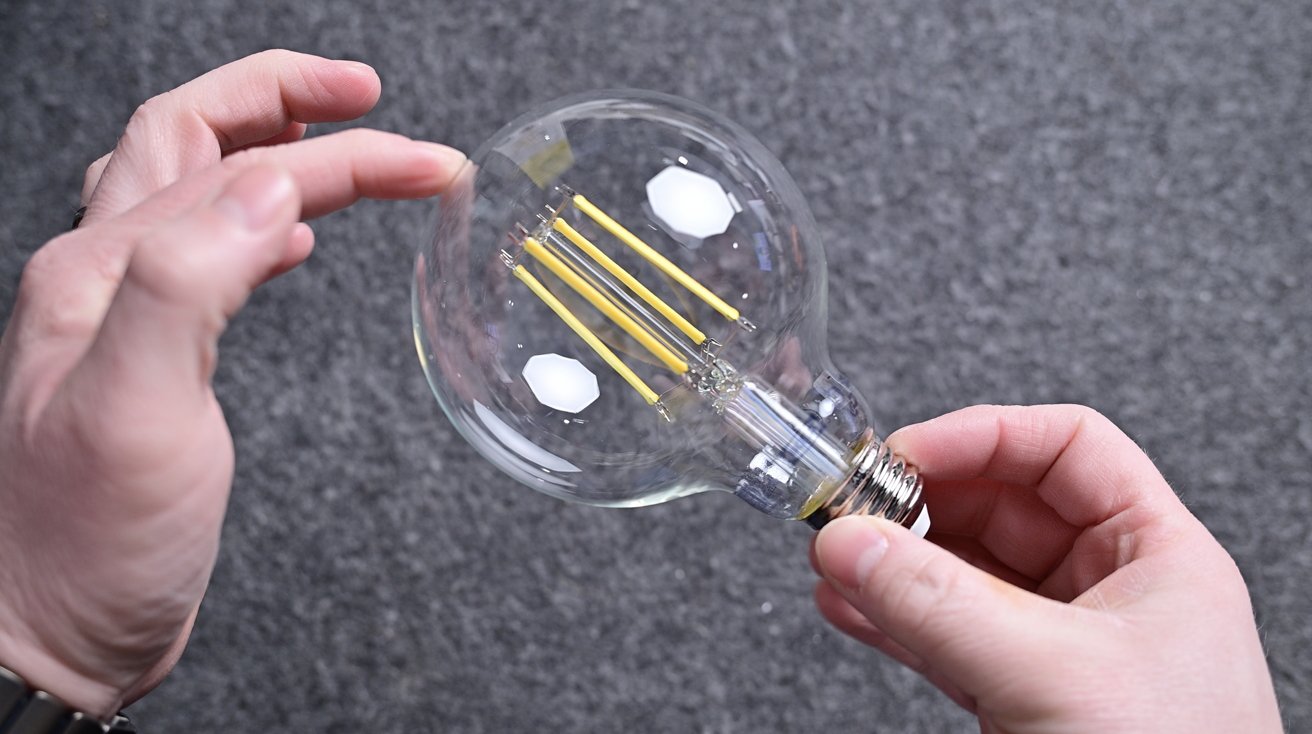
Two hands holding a large clear LED filament light bulb against a gray textured background, with fingers gently touching the glass near the top of the round bulb

Ikea Matter-over-Thread lineup review: The decorative globe bulb looks great

First, I have the large, clear globe in our master bedroom closet, and the second one I have as a desk lamp in the studio. Both look wonderful and don’t give off the obvious appearance of a smart bulb.

Advertisement

One of the best parts about these bulbs is that no matter which model you choose, they all support Apple’s Adaptive Lighting feature. This is extra impressive because many more expensive smart bulbs lack this feature.
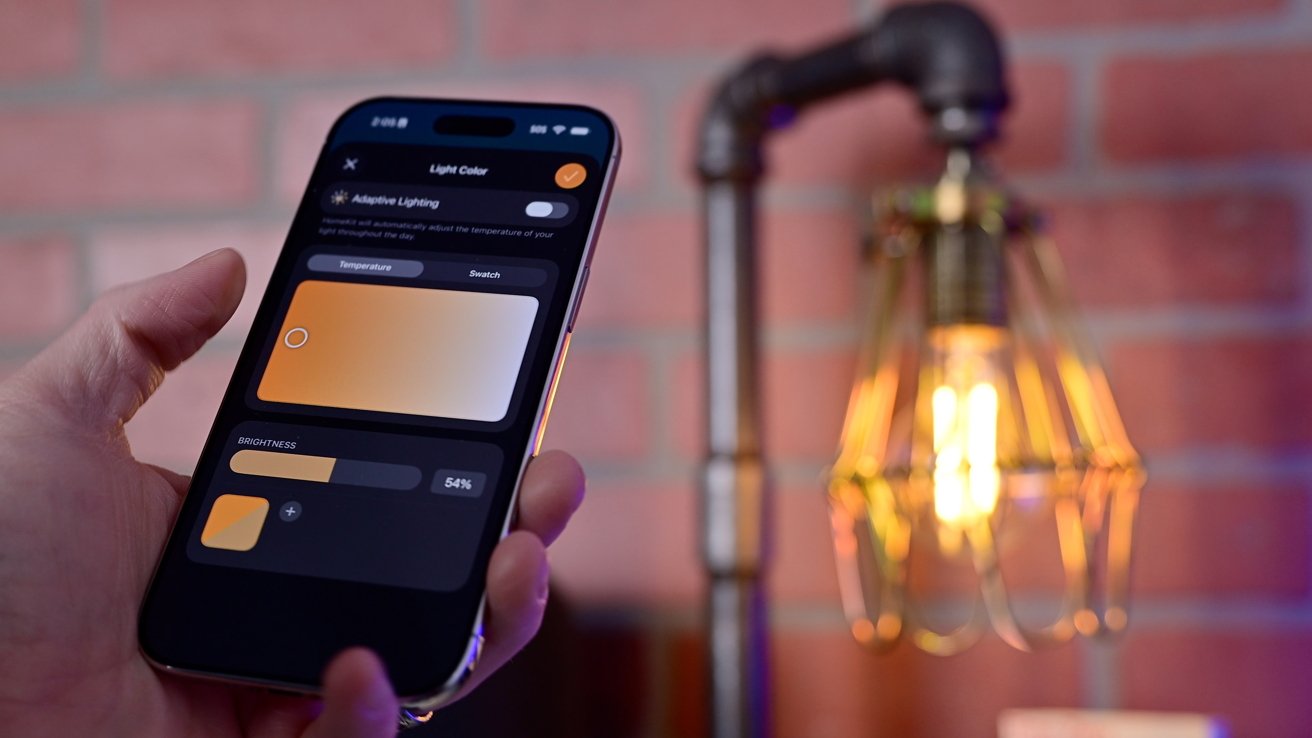
Hand holding a smartphone with a smart lighting app controlling warm light color and brightness, next to an exposed vintage-style bulb lamp against a red brick wall

Ikea Matter-over-Thread lineup review: Adjusting the white balance on the Ikea decorative filament bulb

Adaptive Lighting will automatically adjust the color temperature throughout the day so it’s warmer in the morning as you wake up, cool white in the middle of the day to promote focus, and warmer at night to help you wind down.

Other manufacturers tell me that they omit this feature because of the onerous hardware requirements for Adaptive Lighting and Matter. That excuse falls apart when Ikea does it for less than $10 a bulb.
Advertisement
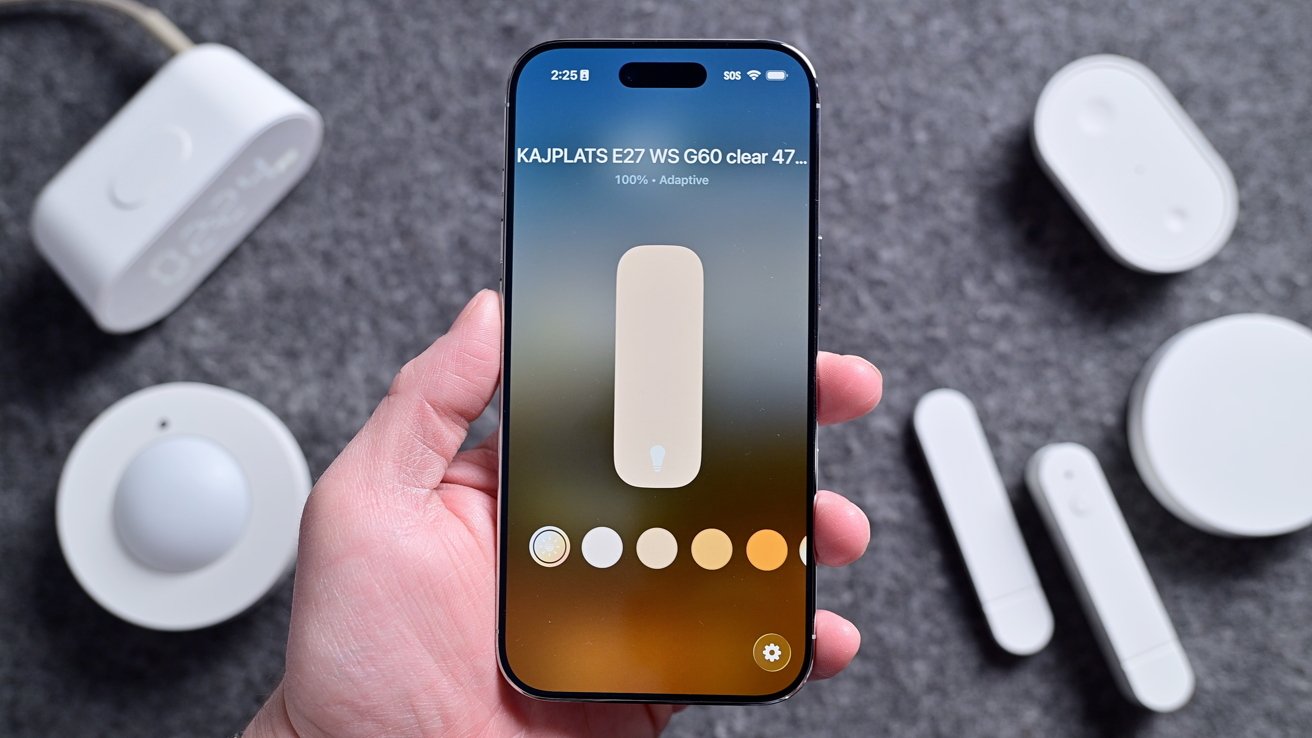
Hand holding a smartphone showing a light control app with brightness slider and color temperature options, surrounded by several small white smart home devices on a gray surface

Ikea Matter-over-Thread lineup review: Adaptive Lighting in the Home app

You can turn on Adaptive Lighting from the Home app, just as you would adjust the color for any smart bulb. If you have the color versions, you can choose any color you’d like, while the white spectrum just has cool to warm whites to select.

I’m the biggest fan of the clear decorative style, as the colored ones look cheaper. They have a white plastic base and a white globe that helps diffuse the light at the top.

It will always depend on your installation location, but current design trends mean that most of my light bulbs are exposed. I’d rather have elegant-looking white spectrum clear bulbs than the full-color ones.

Advertisement

Ikea Matter-over-Thread lineup review: Varmblixt

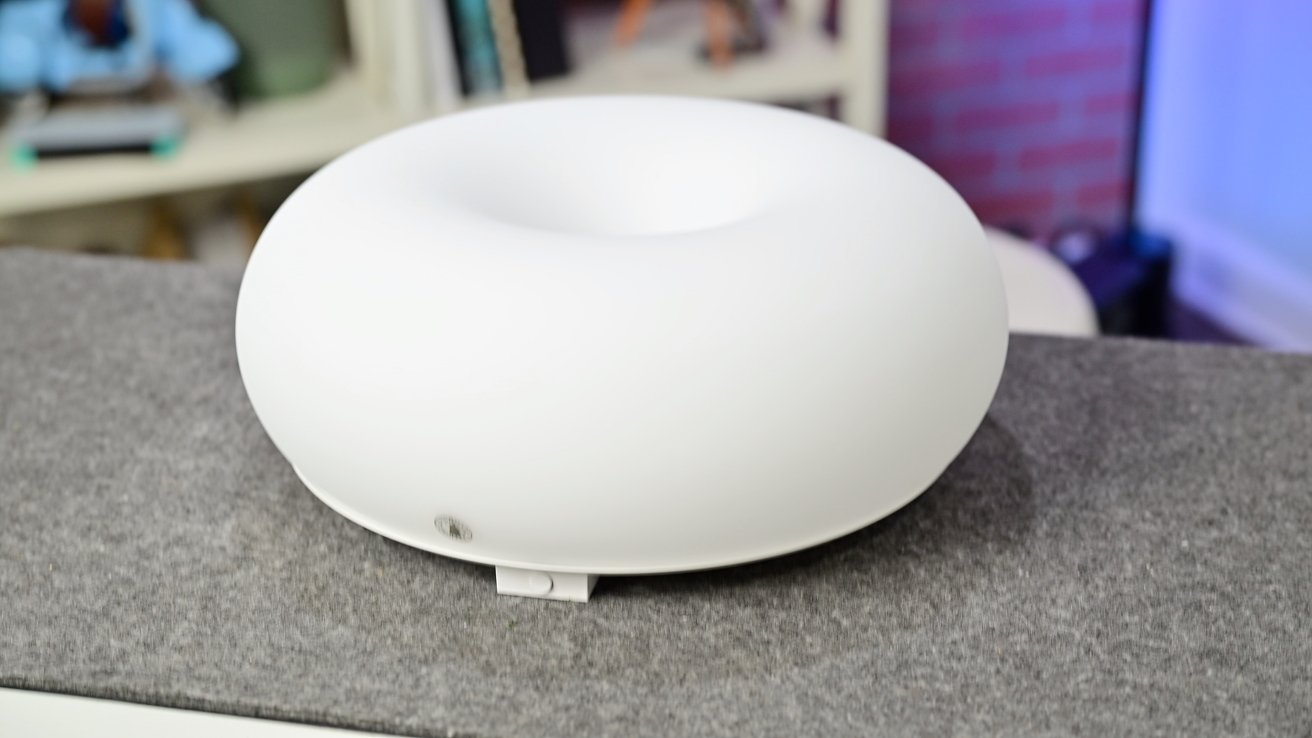
Outside of the straight light bulbs, Ikea also has the Varmblixt lamp. This is the viral donut-shaped lamp that has been updated with Matter and Thread compared to the old, non-smart version.
White, donut-shaped electronic device with a smooth matte surface sitting on a gray countertop, with shelves and books softly blurred in the background

Ikea Matter-over-Thread lineup review: The donut-shaped lamp is all glass with a metal back

This is the most expensive of the lineup, priced at $99, but it also includes a Bilresa remote in the box. The quality helps justify that price, though, as the whole enclosure is glass instead of plastic with a braided power cable.

The Varmblixt is a foot wide with a metal back. There are key holes in the back that you can use to hang the light on the wall, or you can set it on a table or shelf with its silicone feet.

Advertisement
Decorative entryway with chevron-patterned wall, round glowing wall light, multiple framed city photos, and a white door on the left holding a gray umbrella filled with pink and peach flowers

Ikea Matter-over-Thread lineup review: The light looks great mounted on the wall, though the cable is visible

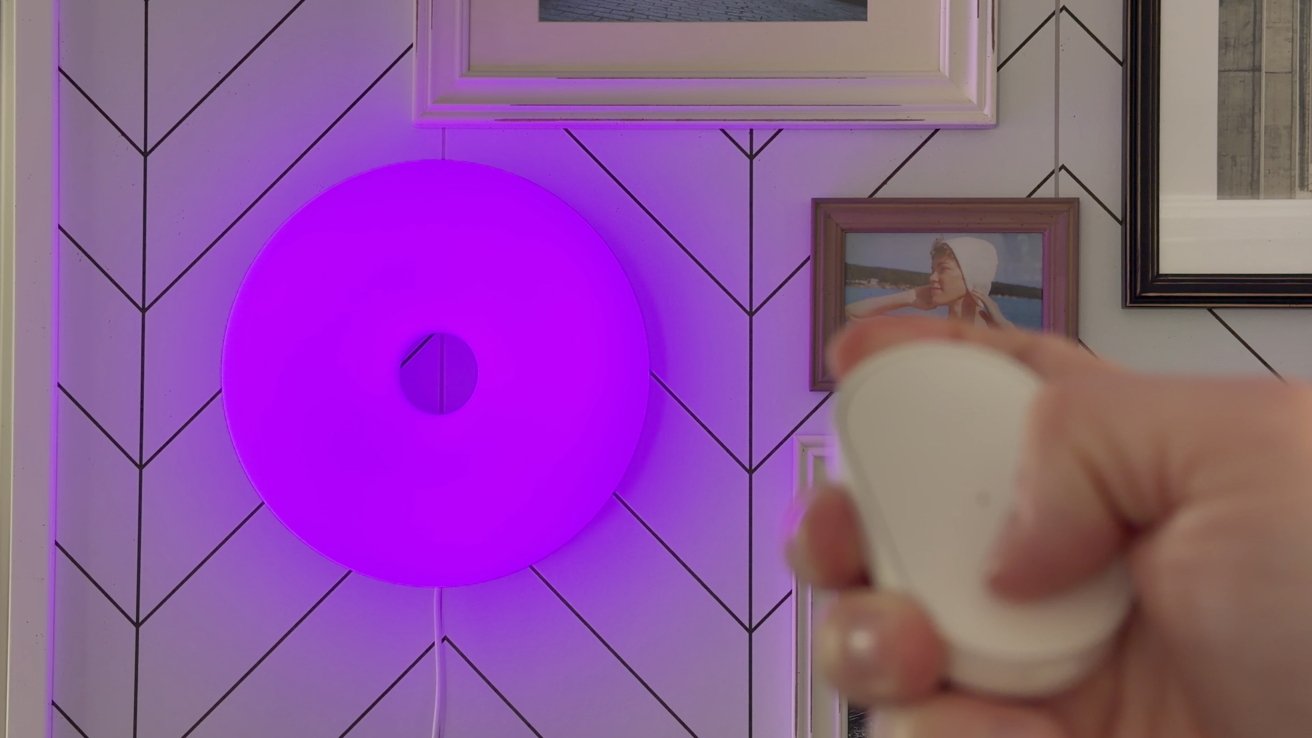
Out of the box, the Bilresa remote is directly paired to the lamp, and you can use it to cycle through multiple predefined colors. You can optionally pair the remote and the lamp to Apple Home via Matter for smart control and automation.
Hand holding a small white remote control in front of a round purple wall light, mounted on a chevron-patterned wall with framed photographs in the background

Ikea Matter-over-Thread lineup review: The lamp can change colors

I love the look of this lamp, and there is a reason it’s so popular. The glass has a matte finish to it, which helps nicely diffuse the light so it’s never too bright and is a great accent piece in any room.

Advertisement

Ikea Matter-over-Thread lineup review: Timmerflotte

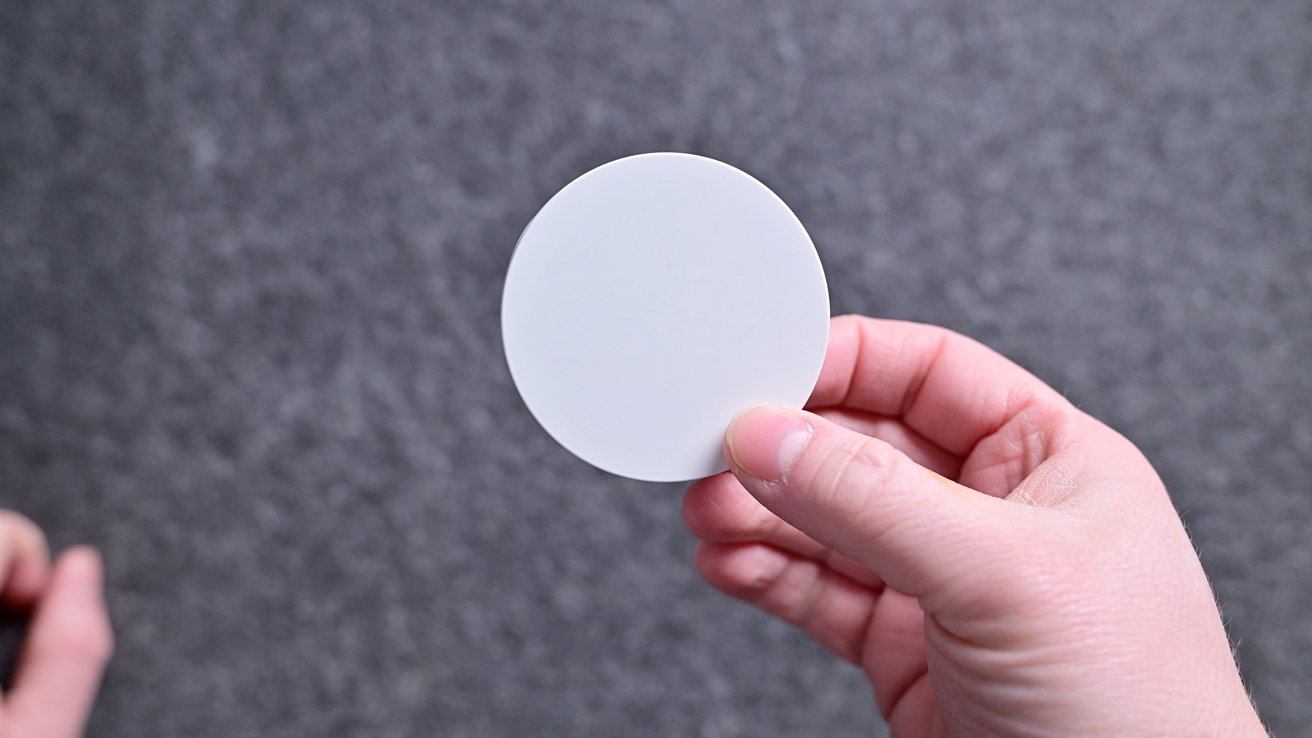
Next in my collection is the Timmerflotte, which is a temperature and humidity sensor. It’s two and a half inches around with a sensor opening on the bottom and a keyhole mount on the back.
A hand holds a plain white circular disc against a gray textured background, with another hand partially visible in the lower left corner

Ikea Matter-over-Thread lineup review: The temp sensor looks like a plain white circle with the display off

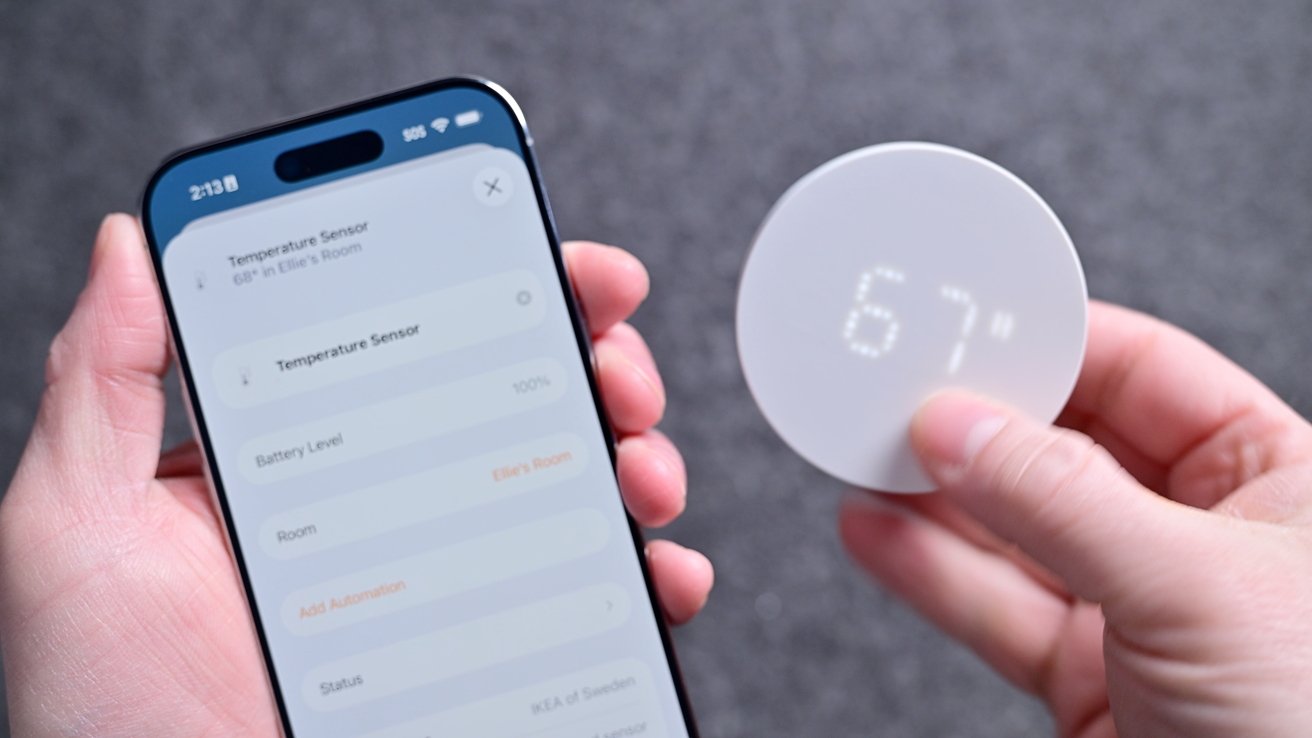
The circle is blank and looks pure white, but when you press it, it shows a hidden display. It’s a retro-looking dot matrix display that shows first the temperature and then the humidity.

It supports both Celsius and Fahrenheit with a toggle hiding on the back. Remove the back, and you can change it to your units of choice and replace the two AA batteries.
Advertisement
Hands holding a smartphone app and a small round digital temperature sensor displaying 67, showing a connected home device setup against a neutral gray background

Ikea Matter-over-Thread lineup review: The display shows the temperature and humidity

Lately, I’ve been using this as a remote sensor for my Aqara W200 thermostat, which is amazing. That allows me to heat or cool my home based on an average temperature versus what is measured in the hallway.

You can use this to trigger other automations too, such as turning on a fan, humidifier, or dehumidifier based on the readings.

Ikea Matter-over-Thread lineup review: Myggspray

Moving on, we have the Myggspray motion sensor. This is great for basic motion control, but not ideal for larger room setups.

Advertisement
Small white circular smart sensor with a central dome resting on a rough stone surface, with a wire storage basket and blurred household objects in the background

Ikea Matter-over-Thread lineup review: The motion sensor may not be well-suited for large rooms or occupancy

Since it detects motion, it’s not very smart. Pets, shadows, or robot vacuums can trigger motion, and if you sit still too long (like while watching a movie), it will stop detecting motion.

So if you create an automation to turn on your living room lights when you walk into the room, they may turn off on you while you’re watching TV. By design, they’re just too unreliable for this use case.

For rooms, it’s best to use a presence sensor instead that relies on mmWave radar, which can detect occupancy even if you’re sitting still. That’s not to say motion sensors aren’t useful, though.

Advertisement

They’re cheaper than presence sensors and are great for places like closets, which is where I use mine. So when my partner or I go into our master closet, the light turns on and turns off when we leave.

It comes with a snap-on back that you can mount to the wall. The bracket has four mounting holes and works at angles, too, so that it can appropriately face into the room.

My only wish is that Ikea also offered a presence sensor to give people options. Perhaps an mmWave sensor will be coming down the line, and we can get a more affordable version than what’s available now.

Ikea Matter-over-Thread lineup review: Alpstuga

The sensor I’ve had the most mixed results with is the Alpstuga environmental sensor. This is also the first one that requires USB-C power rather than batteries.
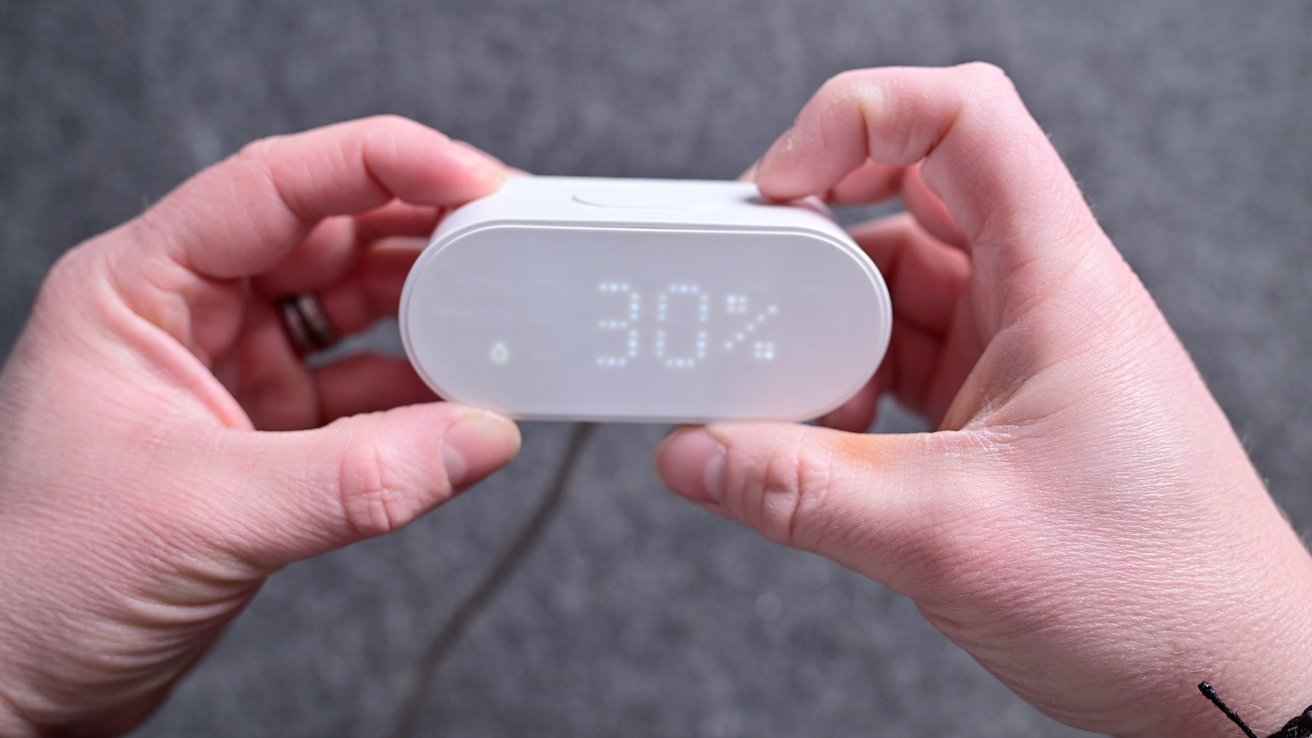
Advertisement
Two hands hold a small white digital device displaying 30 percent on a soft gray surface, with a cable extending from the back

Ikea Matter-over-Thread lineup review: The Alpstuga has a display that can show the time and various metrics

It can sit on your desk or bedside and will show the different environmental metrics on the front-facing dot matrix display. It records air quality, PM2.5, VOCs, CO2 levels, humidity, and temperature.

IKEA says that it partnered with Sensirion for its sensors. Ikea says that the sensor has an accuracy tolerance of +/- 100 ppm + 10%, and it takes up to 12 hours for self-calibration. We’re not sure about the accuracy.

Unfortunately, mine continues to read very high CO2 levels in my studio. Thanks to some friends in the federal government, we also tested the Alpstuga in an airtight chamber calibrated to 600 ppm CO2, and left it in there for 24 hours.
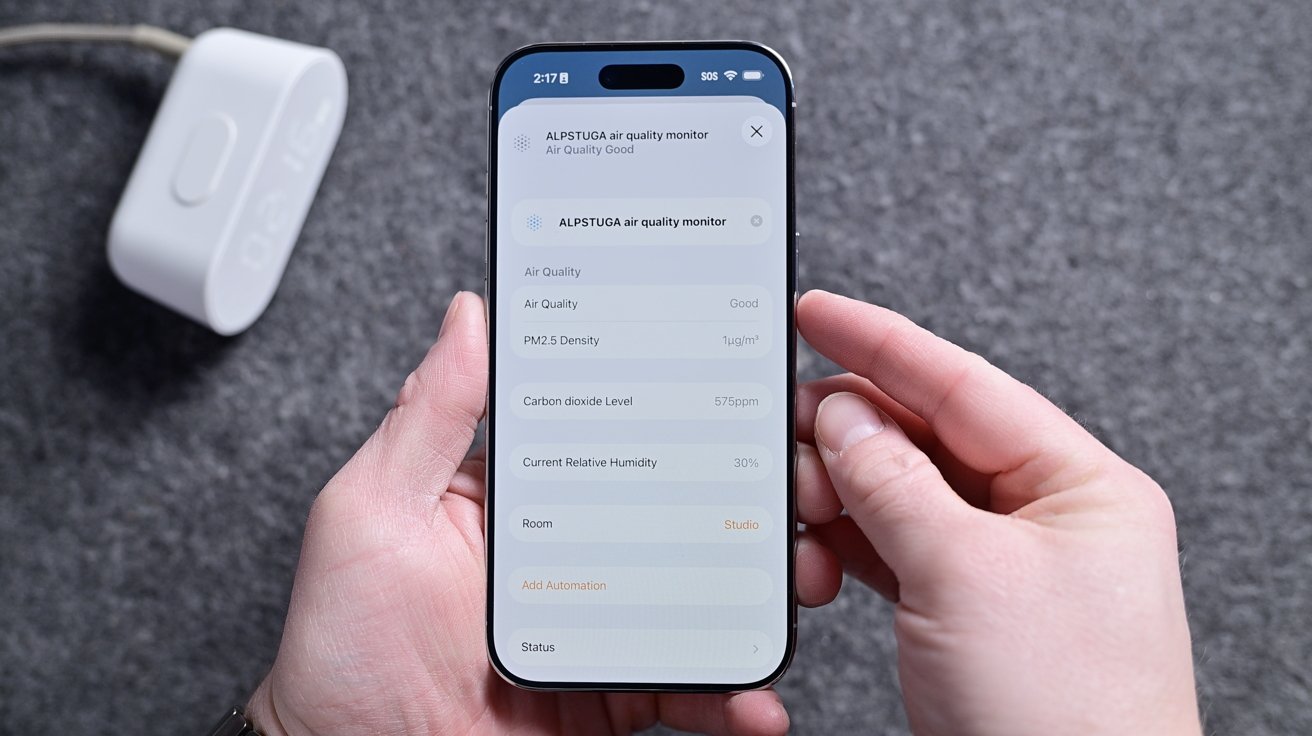
Advertisement
Hands holding a smartphone displaying an air quality monitor app with sensor readings, against a gray surface, with a white plugged-in device resting nearby

Ikea Matter-over-Thread lineup review: All the different Alpstuga metrics in the Home app

The results showed incredibly wild swings in the CO2 reading far outside the promised tolerance. We tested four different sensors, and all had results nowhere near the 600 ppm for which the chamber was calibrated.

Perhaps we got multiple bad units, but that seems unlikely. The CO2 sensors just aren’t accurate, and Ikea had no comment on the matter after we provided our testing inforamtion. All the other sensors seemed accurate, though, matching the other sensors I had in my studio.

Ikea Matter-over-Thread lineup review: Myggbett

For my Myggbett door sensor, I use it on an interior door. It’s your standard contact sensor with a main body and a secondary magnet that triggers the sensor when it comes close enough.
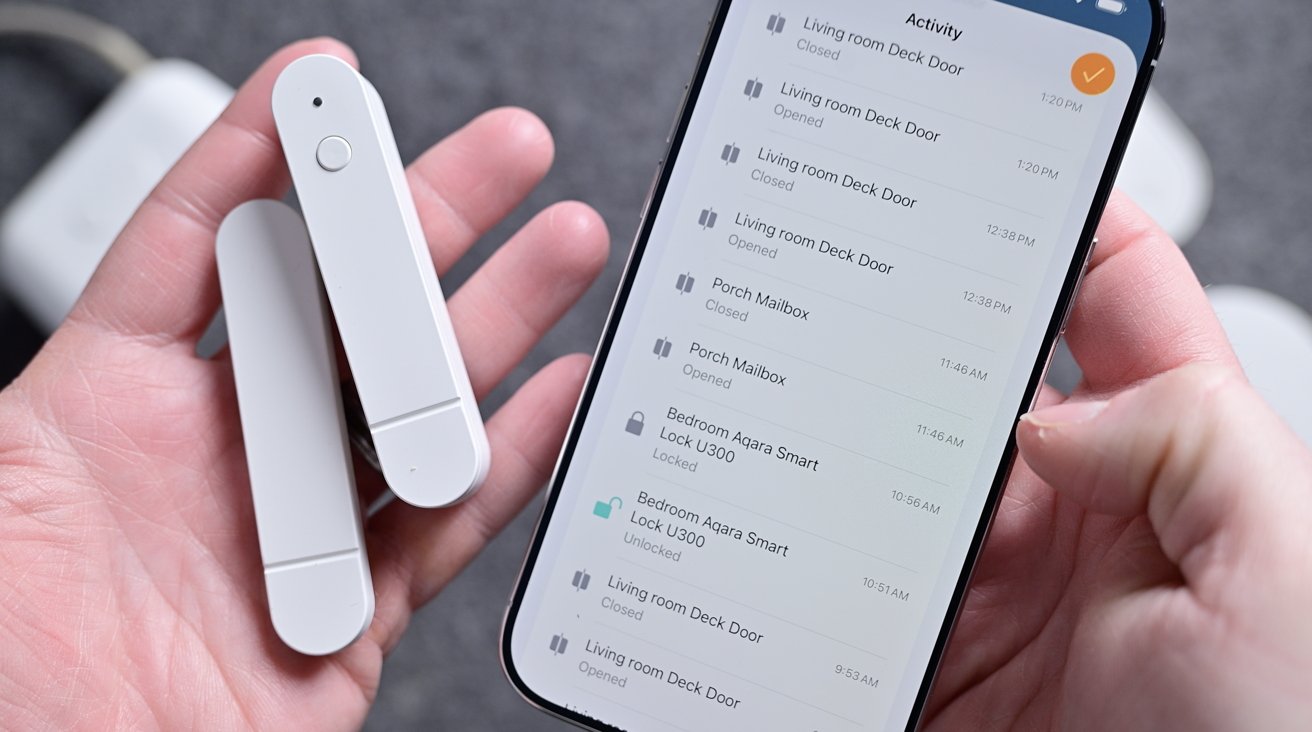
Advertisement
Hands holding a smartphone and two slim white smart home sensors, with the phone screen displaying a list of security activity alerts and device statuses

Ikea Matter-over-Thread lineup review: The Ikea door sensor attaches with adhesives

You could use this on a cabinet, window, door, mailbox, and more. Through Apple Home, you can get an alert any time the sensor is opened or closed, and it attaches with an adhesive.

I’ve had no issues with this sensor, and I have it programmed to turn on a light whenever it is opened. It works as advertised and runs on a single AAA battery on the inside.

Ikea Matter-over-Thread lineup review: Apple Home

Unsurprisingly, I used all of these devices with Apple Home. I also simultaneously paired a few of them to Samsung SmartThings to test multi-ecosystem support, which worked great.

Advertisement

I could see all the devices, and they were all responsive in both ecosystems at the same time. This is a big benefit of Matter devices.
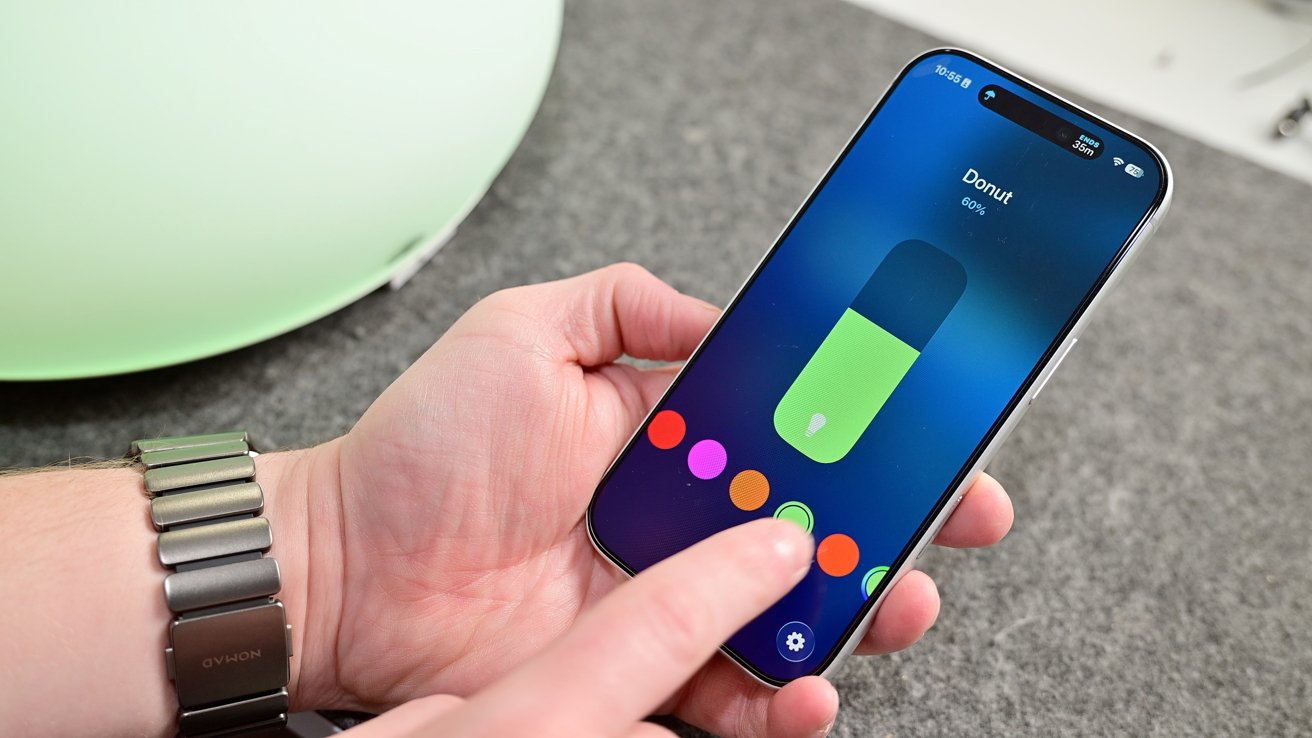
Person holding a smartphone, adjusting a colorful on-screen control slider with one hand, while the other hand supports the phone on a gray surface with a green object blurred in the background

Ikea Matter-over-Thread lineup review: Adjusting color via Apple Home

Setup works exactly as you’d expect. You just scan the pairing code on each device, give them a name, assign them a room in your home, and you’re good to go.

You can use them in conjunction with any other Apple Home or Matter devices. For example, I can use the Timmerflotte temperature and humidity sensor to trigger my Matter-enabled Hisense dehumidifier when the humidity level in the room rises.

Advertisement

Scenes can be triggered based on time of day, location, and much more. It’s best to get creative in how sensors, controls, and other accessories can work together.
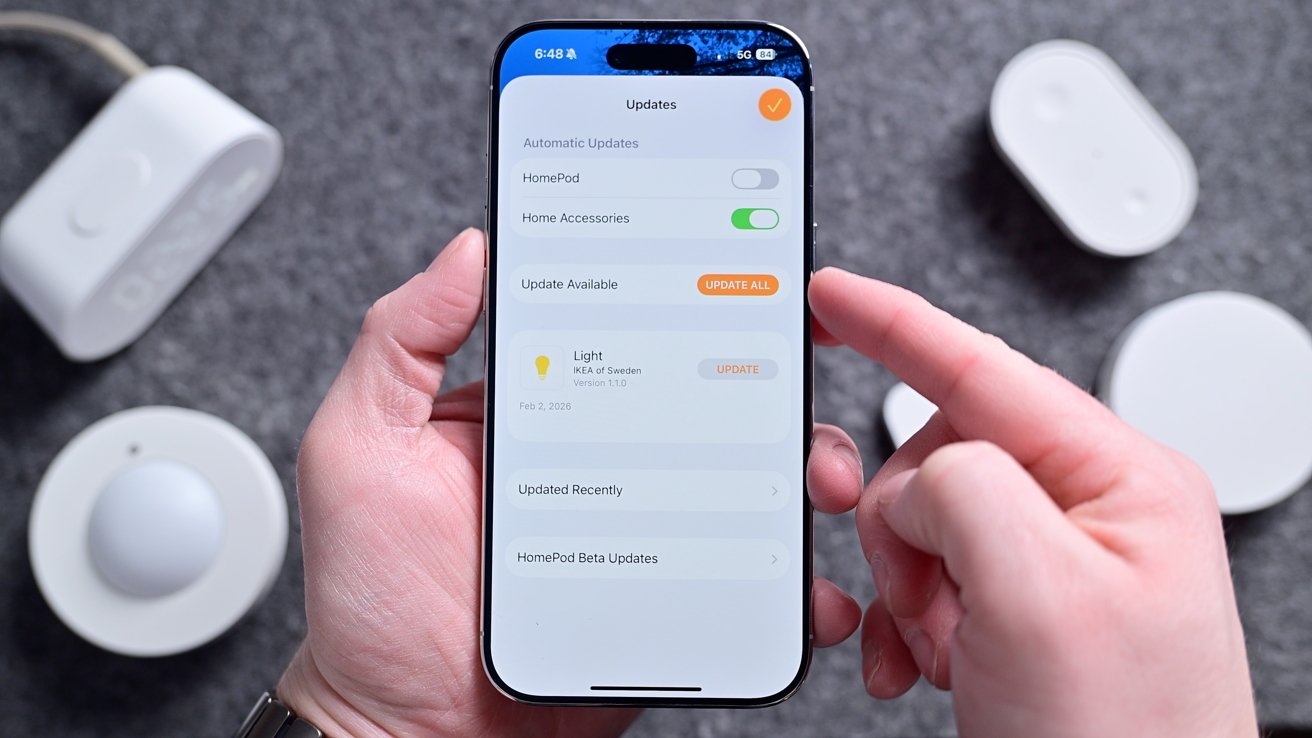
Hand holding a smartphone displaying a smart home updates screen, surrounded by several white smart home devices on a gray surface

Ikea Matter-over-Thread lineup review: You can do firmware updates right from Apple Home

As we’ll talk about, updating accessories is very important, and Ikea makes this as easy as it gets. Each device can be updated straight through the Home app, just like a HomePod.

Devices can be updated in the background, or you can turn off automatic updates and install them when you’re ready for them. There’s no need for any third-party Ikea app for setup or updates.

Advertisement

Ikea Matter-over-Thread lineup review: Matter, Thread, and connectivity

Part of the reason behind a compilation review is that all the devices seem to be plagued by the same central set of issues. All, regardless of whether they are USB-C or battery-powered, support Matter-over-Thread.

Matter is the unifying smart home standard that allows these devices to work with Apple Home, Samsung SmartThings, Google Home, Amazon Alexa, and more. Here, I tested primarily with Apple Home, but some sensors I connected to a secondary ecosystem, as I mentioned.
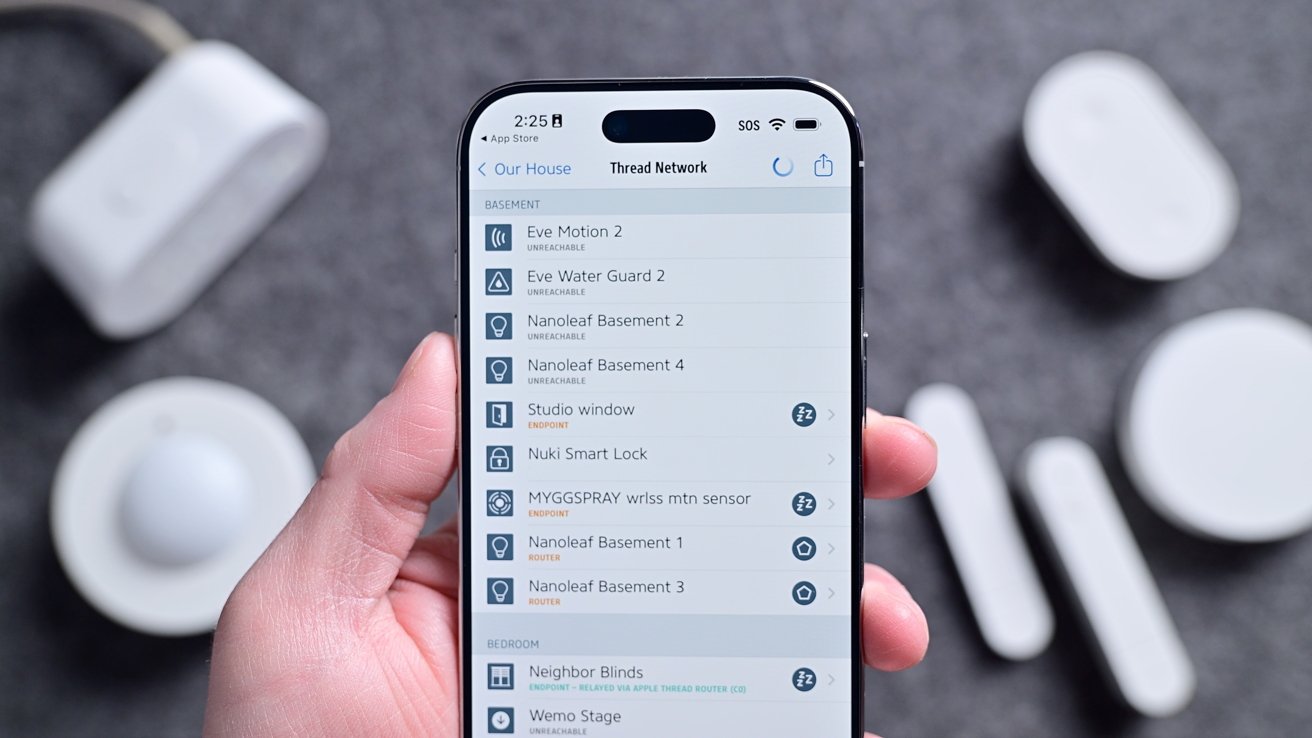
Hand holding a smartphone displaying a smart home app with a list of connected devices, surrounded by several small white smart home sensors and gadgets on a gray surface

Ikea Matter-over-Thread lineup review: My home’s Thread network

Thread, though often lumped in with Matter, is a wireless connectivity standard. It’s how these devices communicate with each other and your home’s network.

Advertisement

What’s nice about Thread is that it is extremely low power, very fast, and self-healing. Compared to older standards like Zigbee or Bluetooth, it’s more modern and has several benefits.

The biggest benefit in my eyes is that it doesn’t require a central hub to operate. With Zigbee, you need one primary hub that all link back to.

On the other hand, Thread can have any number of what are known as “Border Routers.” Border Routers, which would primarily mean a HomePod, HomePod mini, or Apple TV for Apple Home users, bridge the Thread network to the internet.

If one of the Border Routers goes offline, it’s a non-issue as another one will pick up in its place. At least, that’s how it is supposed to work.

Advertisement

Since they launched, the entire Ikea Matter-over-Thread lineup has had connectivity issues. Some users struggled getting their devices commissioned, requiring multiple resets.

Others got them set up, but they kept going unresponsive.
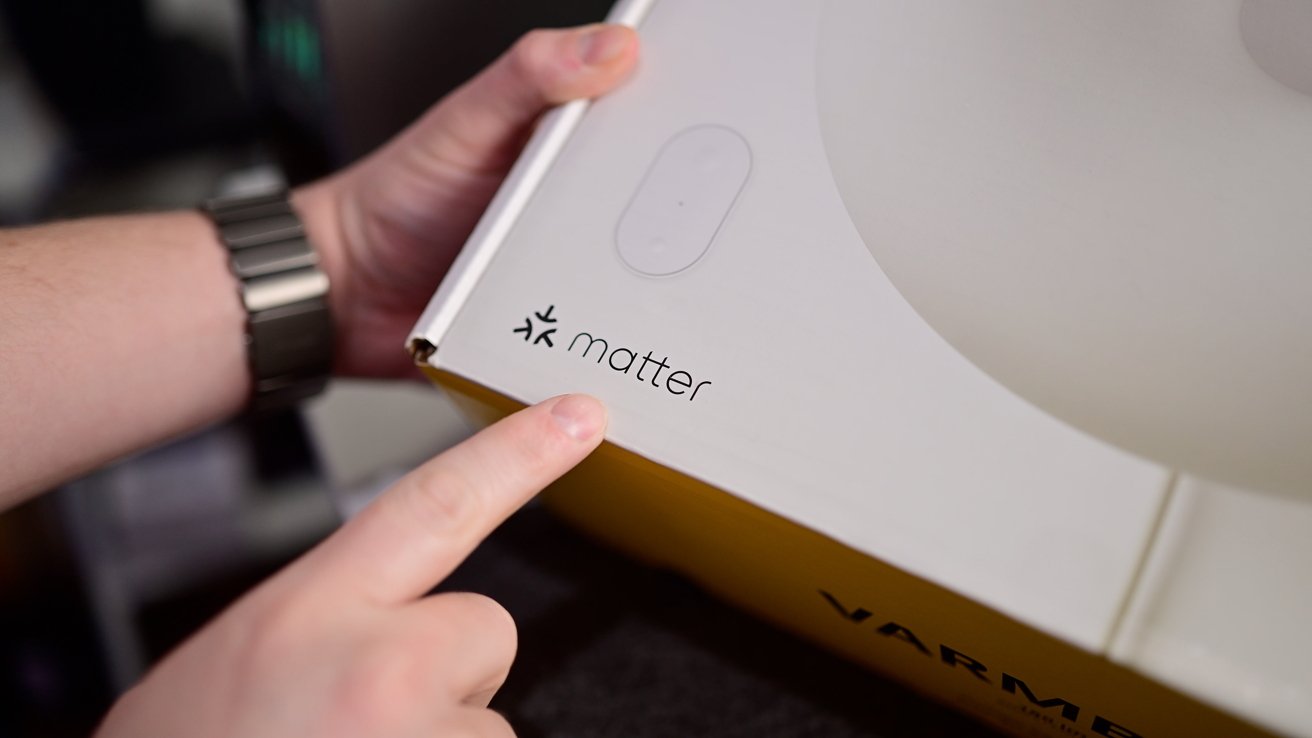
Hand pointing to the Matter logo and symbol printed on the corner of a white product box with yellow sides, suggesting smart home device packaging

Ikea Matter-over-Thread lineup review: All devices support Matter

These were widely reported online. Here at AppleInsider, our own Mike Wuerthele had constant issues with his setup and ongoing connectivity, even after he took the extreme act of bouncing power on his entire house to refresh the Thread network.

Advertisement

At the same time, my home was the definition of perfect. All devices but one set up on the first try, and that one device worked on the second try.

Light bulbs respond nearly instantly to button presses and scenes. Asking Siri for the temperature gave me the real-time temperatures without delay.

Plus, all of my automated scenes have worked without issue, such as turning on my bedside light when my son opens his door at night or my timed morning scene that turns on a few ambiance lights.

It’s honestly frustrating to have such a stellar experience while others struggle.

Advertisement

I reached out to multiple users, other reviewers, Ikea, and the Connectivity Standards Alliance to collect as much information as possible about what was going on.

Ultimately, I never got a clear, singular answer as to what was causing the problems. Unsurprisingly, it seems largely related to home networks and communication across the network to Thread, and Matter.

Needless to say, none of this should be a problem, and is incredibly frustrating for users. It’s unacceptable to have this inconsistent experience across homes, especially considering that Ikea devices at this price point are probably the first tiptoe into home automation for beginning users.
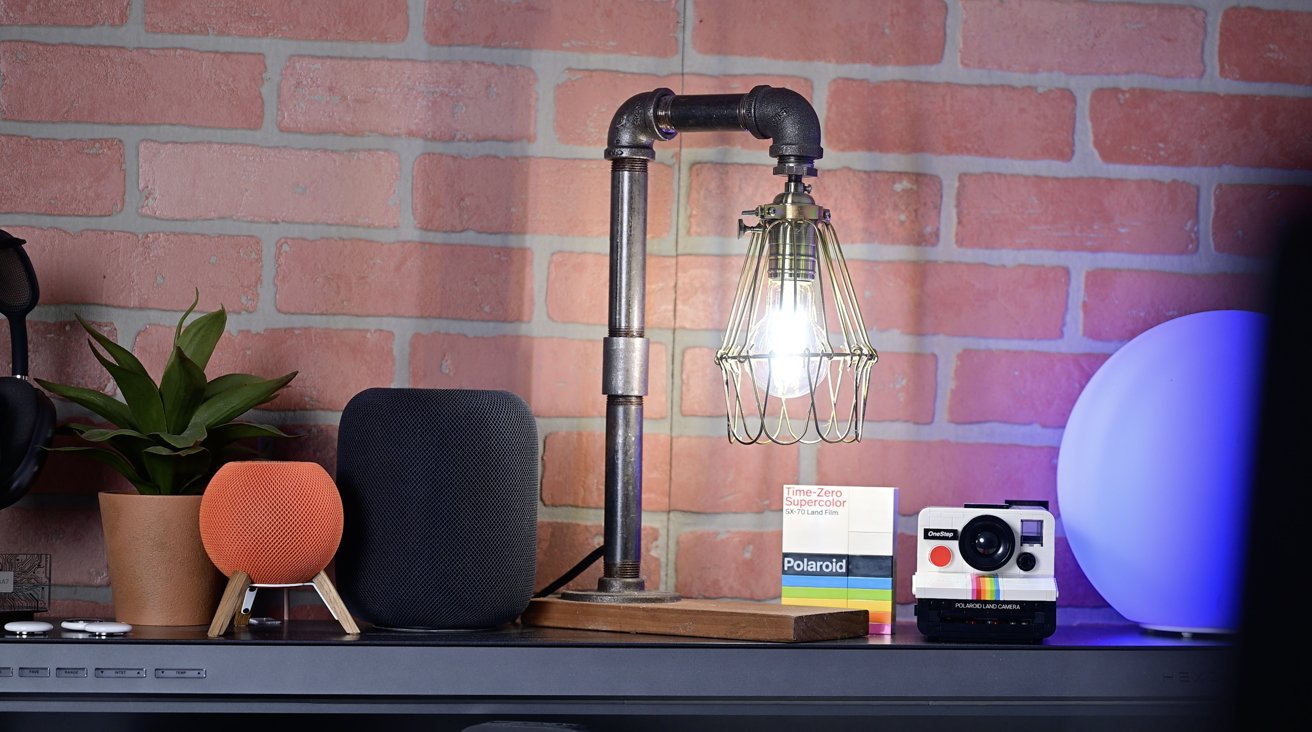
Desk against a brick wall with an industrial pipe lamp, small potted plant, smart speakers, a box of Polaroid film, and a vintage Polaroid camera, softly lit.

Ikea Matter-over-Thread lineup review: The Ikea bulbs are great, bright, and responsive

Advertisement

Perhaps it’s the price Ikea is paying for being a fairly early adopter. The good news is that by and large, it seems to be getting better.

Ikea has continued to roll out firmware updates for its devices, and many of the people I originally spoke to were no longer having problems. Most recently, the Bilresa remote was updated to support Matter version 1.4.

“We are continuing to investigate the onboarding and stability issues that some users have experienced with the new Matter-over-Thread range,” Ikea told me. “We’ve already rolled out a number of improvements, and additional work is ongoing together with ecosystem partners and the Connectivity Standards Alliance.”

“These have included changes aimed at improving Thread network stability and making onboarding more reliable in a wider range of home environments. What we see at this stage is still that the large majority of customers are getting the experience we intend, while the remaining issues in general tend to appear in more complex environments where multiple border routers, controllers, and different ecosystems interact,” Ikea added. “We do believe the situation has improved as updates have rolled out across the ecosystem, but we also know there is still work to do.”

Advertisement

We’ll see. My system is perfect after initial problems. Mike’s is better, but not perfect.

Ikea Matter-over-Thread lineup review: Should you buy Ikea’s new smart home lineup?

The uncertainty around connectivity makes unconditionally recommending the new lineup tough to do. I don’t want to tell everyone to run out and pick up a whole array of devices when the performance may not necessarily be where it should be.

Simultaneously, for those who do have a good experience, there are few better options on the market. The price point is unbeatable, and the performance is superior to many more expensive devices out there.

You can pick up a three-pack of wireless remotes for $15. I can replace 8 bulbs in my master bathroom with decorative, tunable, dimmable smart bulbs for about $65.
Advertisement
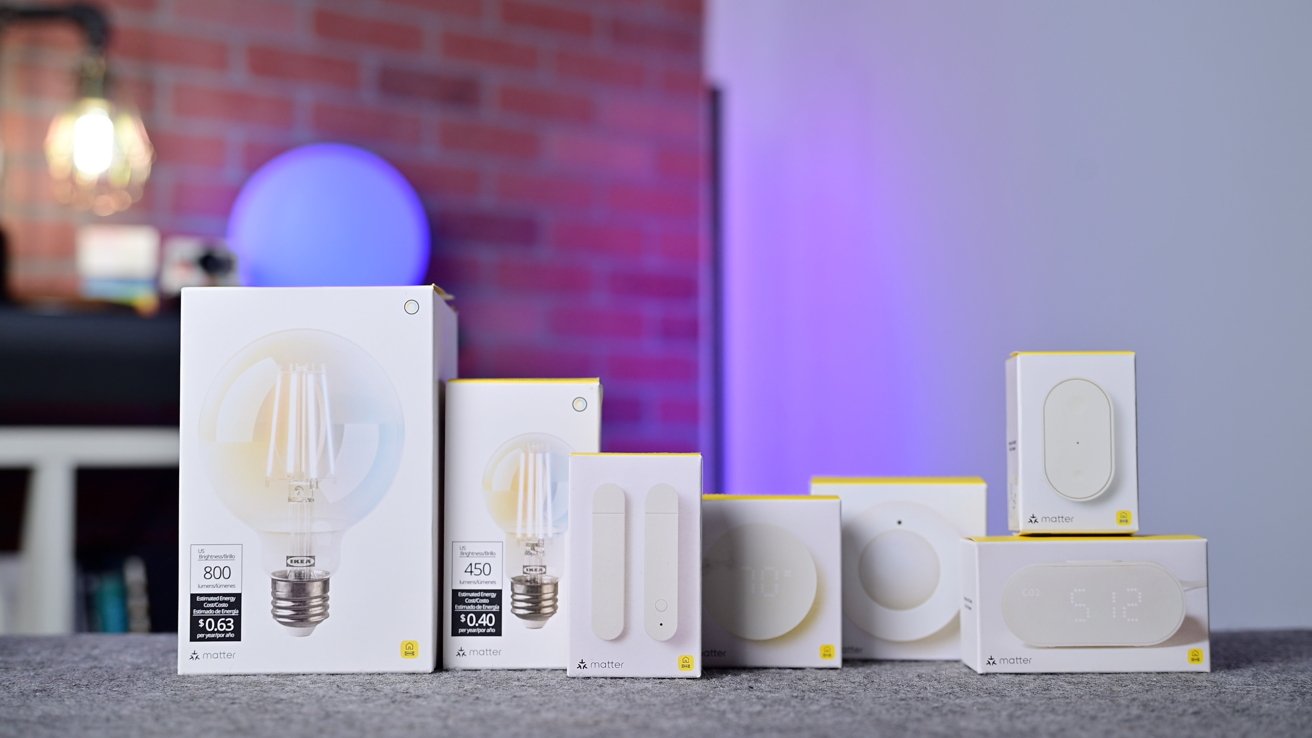
Several smart light bulb and switch boxes arranged on a gray surface, with a blurred background featuring a brick wall, glowing lamp, and purple-blue ambient lighting

Ikea Matter-over-Thread lineup review: Ikea’s new lineup of devices

Smart home devices are often notoriously expensive and have made it hard for people to fully outfit their homes. Ikea is fixing that.

For me, they work so well that I’ve put them in places where I don’t have wiggle room for error. The contact sensor tells me when my son opens his door, especially while we’re in our bedroom.

The Bilresa remote is used to set my son’s “goodnight” scene that closes his windows, turns on his two nightlights, and turns on his starlight laser projector. I don’t want to have to explain to my toddler at bedtime why the remote isn’t doing anything, so it needs to work reliably, 100% of the time.

Advertisement

Ikea also went above and beyond, including things like Adaptive Lighting for Apple Home and native updates through various ecosystems. This means you truly do not need the Ikea app, which enhances user experience.

This full-lineup support for Matter and Thread is just what we want to see from smart home manufacturers. Even if there are a few growing pains here at the beginning.

If you’re understandably hesitant about buying into Ikea’s new devices, my recommendation is perhaps to try just one or two. If you have a local Ikea, you can go grab a few devices and easily return them if they don’t work.

More than likely, your experience is going to be great. For me, these devices are an easy 5 out of 5 stars, but until all the fringe cases are sorted out, they’re going to be rated a bit more down the middle.

Advertisement

Ikea Matter-over-Thread lineup review: Pros

  • Native Apple Home features like updates & Adaptive Lighting
  • Good build quality
  • Most of the time, fantastic performance and reliability
  • Works with multiple ecosystems at the same time
  • Super affordable and widely available

Ikea Matter-over-Thread lineup review: Cons

  • Alpstuga CO2 sensor is very bad
  • Still ongoing connection issues for some networks

Ikea Matter-over-Thread lineup rating: 3.5 out of 5

You can pick up the new smart home range from Ikea stores or online, starting at only $5.99 and rising to $99.

Source link

Advertisement
Continue Reading

Tech

Developers can now debug and evaluate AI agents locally with Raindrop’s open source tool Workshop

Published

on

Observability startup Raindrop AI’s new open source, MIT Licensed “Workshop” tool, launched today, gives developers something that they’ve likely wanted, perhaps subconsciously, since the agentic AI era kicked off in earnest last year: a local debugger and evaluation tool specifically designed for AI agents, allowing devs to see all the traces of what their agent has been doing in a single, lightweight Structured Query Language (SQL) database file (.db)

It functions as a local daemon and UI that streams every token, tool call, and decision to a local dashboard—typically hosted at localhost:5899—the moment it occurs. By visiting their localhost, developers can then see everything their agent was up to — including mistakes or errors — and identify what went wrong, when, and ideally, discern why. It’s all stored in a single .db file, which takes up relatively little memory, according to a X direct message VentureBeat received from Ben Hylak, Raindrop’s co-founder and CTO (and a former Apple and SpaceX engineer).

This real-time telemetry eliminates the latency of traditional polling and addresses a growing developer concern regarding the privacy of sending local traces to external servers.

The tool is available for macOS, Linux, and Windows. It can be installed through a one-line shell command that automates binary placement and PATH configuration for bash, zsh, and fish shells. For developers who prefer to build from source, the repository is hosted on GitHub and utilizes the Bun runtime.

Advertisement

The product: establishing a self-healing eval loop

The platform’s standout feature is the “self-healing eval loop,” which allows coding agents like Claude Code to read traces, write evals against the codebase, and fix broken code autonomously.

In a practical application, if a veterinary assistant agent fails to ask necessary follow-up questions, Workshop captures the full trajectory. Claude Code then reads this trace, writes a specific eval, identifies the logic error in the prompt or code, and re-runs the agent until all assertions pass.

Compatibility and ecosystem integration

Workshop is compatible with a broad range of programming languages, including TypeScript, Python, Rust, and Go.

It integrates with popular SDKs and frameworks such as the Vercel AI SDK, OpenAI, Anthropic, LangChain, LlamaIndex, and CrewAI. It is also designed to work seamlessly with various coding agents, including Claude Code, Cursor, Devin, and OpenCode.

Advertisement

Licensing and community implications

Workshop is released under the MIT License, ensuring it remains free and open-source for all users. This permissive licensing is intended to foster community contribution and allow enterprise users to maintain data sovereignty.

Hylak noted on X that the tool was built to provide a “sane” way to debug agents locally, changing how their team and early customers build autonomous systems.

To celebrate the launch, Raindrop offered limited-edition physical merchandise to users who installed the tool and executed a specific “drip” command.

Source link

Advertisement
Continue Reading

Tech

Edge browser on mobile gets a huge upgrade that makes it a worthy pick over Chrome

Published

on

Chrome is still the default browser for many smartphone users, but Microsoft’s latest Edge update gives them a practical reason to try something else.

Microsoft has announced a major Copilot update for Edge across desktop and mobile. The rollout comes ahead of Google’s Gemini-powered Chrome upgrade for Android, which is expected in June, giving Edge a chance to stand out on phones before Chrome’s next big AI push.

The update is also arriving on Edge desktop, where Copilot can help across open tabs and browsing history. But the mobile rollout may be more useful day to day, simply because tab clutter is harder to manage on a smaller screen.

Advertisement

What are the biggest new Edge mobile features?

The most useful upgrade is Copilot’s ability to reason across open tabs on mobile. That means users can ask Edge to compare details across different pages instead of manually jumping between tabs.

This could be useful for everyday tasks such as planning a trip, comparing phones, checking restaurant options, researching a purchase, or making sense of multiple articles. I tried the feature, and it felt easy to use right away. Edge lets you choose the tabs Copilot should reference, or type @all to include every open tab as context for questions, comparisons, or planning.

Another useful addition is Journeys, which is now coming to the Edge mobile app after being available on desktop. It organizes browsing history into topic-based cards with summaries and suggested next steps, so users can return to unfinished searches without digging through their history or reopening random tabs. For anyone who starts planning something on their phone and forgets where they left off, this could be one of the more practical upgrades.

Advertisement

Is Edge mobile worth trying before Chrome’s Gemini update?

Voice and Vision are also coming to mobile, letting users talk through what they are viewing on screen. The new tab page has also been redesigned, bringing chat, search, and browsing into one cleaner starting point.

Chrome may still be the browser most Android users use by default, but Edge now has something Chrome does not yet offer on mobile. Its Copilot features are already arriving, while Chrome’s major Gemini upgrade is expected next month. After trying the new Edge features, I’m giving it a genuine shot as my default mobile browser.

Source link

Advertisement
Continue Reading

Tech

Garmin Instinct E Aims to be the Rugged Smartatch That Lasts Weeks and Tracks Everything That Matters

Published

on

Garmin Instinct E Rugged GPS Smartwatch
Users slip on the Garmin Instinct E, priced at $199.99 (was $300), and immediately notice its lightweight polymer case resting comfortably against the skin. No heavy metal edges or glossy finishes compete for attention. Instead the watch settles in like an old reliable tool built for actual use rather than display. Its monochrome screen stays readable under bright sun or in deep shade without draining power. Buttons feel deliberate and few in number, keeping every interaction straightforward during a hike or while checking the time at work.


Battery life is the one element that continues to surprise users long after the first unboxing experience has worn off. In standard smartwatch mode, the 45-millimeter device can last up to sixteen days, but when you switch to energy saver mode, those numbers jump to thirty-five or even forty days. Even if you’re using GPS to navigate, the watch can last for more than twenty hours before needing to be recharged. In real life, however, we’re talking about days filled with exercising, monitoring sleep, and sporadically receiving notifications, which last far longer than anyone anticipates from a device strapped to your wrist. Charging it becomes something you do on weekends rather than every day, saving up time and mental space.

Health monitoring runs discreetly in the background, never interfering with your everyday activities. Your wrist-based heart rate data is fed into your sleep scores, stress readings, and the “Body Battery,” which shows you how recovered you are at any one time. The watch automatically logs your steps and intensity minutes, and then provides straightforward insights into how you’re recovering from a strenuous workout. None of this requires you to constantly tap on the screen or navigate endless menus. They simply sit there silently until you need them, at which point they provide genuine valuable information that allows you to change your routine, rather than simply cluttering your screen with numbers.


Sports monitoring includes activities that are important to outdoor enthusiasts such as running, hiking, cycling, swimming, and strength training. The watch features built-in profiles for everything that uses GPS to properly track distance and pace. It also captures elevation changes and heart rate zones throughout longer workouts, which are subsequently synced to your phone app for further review. There isn’t a vast list of extras cluttering up the experience, either, because you just get the precise info on effort and route that you need, without having to trawl through things you’ll never use. For weekend warriors or daily trainers, this balance simply feels right.

Garmin Instinct E Rugged GPS Smartwatch
Smart notifications appear on the screen in a clean and straightforward manner as long as your phone is nearby. Calls, messages, and calendar alerts appear with little effort and no complicated setup. You may make changes to your music or respond to a fast message in seconds, even while on the go. The watch conveniently bypasses music storage and contactless payments, both of which keep the software lean and the battery solid. What remains, however, functions perfectly on a daily basis, providing you with just enough connectivity to stay current without diverting your focus away from reality.

Garmin Instinct E Rugged GPS Smartwatch
The build quality, as expected, matches the simple style to the best of its ability. The case satisfies military shock and temperature resistance standards and can even be submerged in 10 atmospheres. The lens barely registers scratches, while the overall design easily withstands trail dust, rain, and unexpected drops. People who have worn their Instinct E through rugged terrain or on their regular commutes all say the same thing: it just keeps going. When things go difficult, there are no finicky components or showy embellishments to worry about because the watch simply keeps ticking away.

Advertisement

Source link

Continue Reading

Tech

Cerebras’ wafer-scale AI bet delivers blockbuster IPO

Published

on

Cerebras Systems has done what many chip startups aspire to but few ever achieve. On Thursday, the company and long-time Nvidia rival raised $5.55 billion in an initial public offering (IPO), making the company worth more than $66 billion on its first day of trading.

The milestone didn’t happen overnight. It took more than a decade, a radically different approach to chipmaking, and two separate attempts at an IPO to pull off.

Founded in 2015 by former SeaMicro head Andrew Feldman, Cerebras Systems’ first chips looked nothing like GPUs or AI accelerators of the time.

The bet that put Cerebras on the map

At the time, most high-end GPUs used dies measuring roughly 800 square mm that’d been cut from a larger wafer. Eight or more of these GPUs would typically be stitched together by high-speed interconnects, like NVLink, which allowed them to pool their resources and behave like one big accelerator.

Advertisement

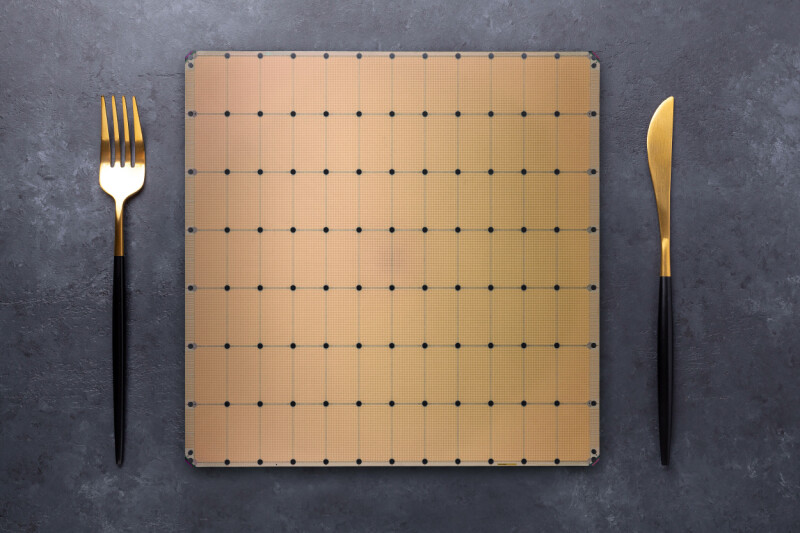
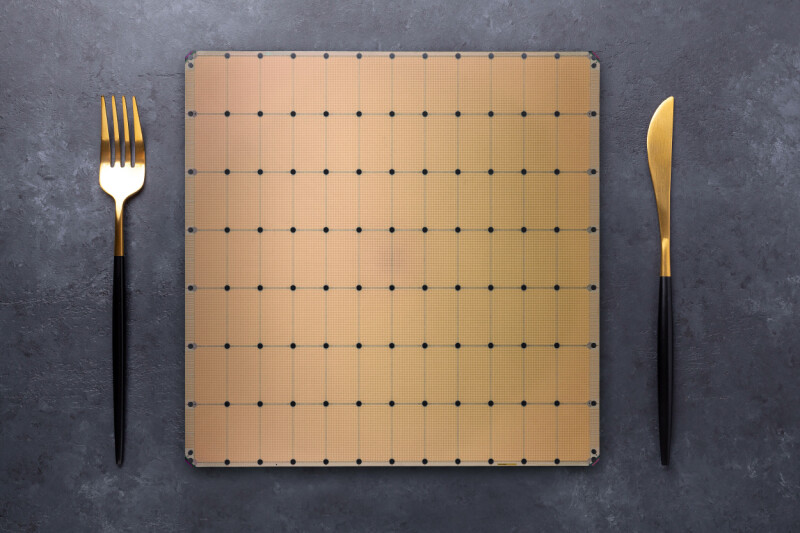
Rather than cutting up a wafer into smaller chips just to reconnect them again, Cerebras figured why not etch all that compute into a wafer-sized chip? And so the Wafer-Scale Engine (WSE), a giant chip measuring 46,225 square mm — about the size of a dinner plate — was born.

Cerebras’ first chips weren’t just bigger; they were purpose-built for AI training and sported a novel compute engine designed to speed up the highly sparse matrix multiply-accumulate operations common in deep learning.

This hardware sparsity took advantage of the fact that large portions of a neural network’s parameters ultimately end up being zeros, allowing Cerebras to boost the effective computational output of its first-gen WSE accelerators from 2.65 16-bit petaFLOPS to 26.5.

Nvidia added support for sparsity in its Ampere generation a year later, but it only worked for a specific ratio (2:4), limiting its effectiveness to select use cases.

Advertisement

To train a model, up to 16 of these chips could be ganged together over a high-speed interconnect. This was kind of important too, because unlike GPUs, which stored model weights in HBM or GDDR memory, Cerebras’ chips were almost entirely reliant on on-chip SRAM. Although SRAM is insanely fast, which is why it’s used for caches in basically every modern processor, it’s not particularly space efficient.

While Cerebras’ first wafer-scale accelerator could theoretically reach 9 petabytes per second of memory bandwidth, it was limited to just 18 GB of capacity at a time when Nvidia was already at 32 GB per GPU and about to make the leap to 40 GB or even 80 GB per chip.

Still, the approach was performant enough that for its second-generation wafer-scale accelerator, launched in 2021, Cerebras doubled down on the architecture.

While the WSE-2 wasn’t physically larger, the move to TSMC’s 7nm process tech allowed the company to more than double the transistor count, compute density, SRAM capacity, and bandwidth.

Advertisement

The chips also supported larger clusters, scaling up to 192, though in practice these clusters were usually smaller at between 16 and 32 systems per site.

It was also around this time that Cerebras caught the attention of United Arab Emirates-based cloud provider G42, which quickly became its largest financier. By mid-2023, the chip startup had secured orders worth $900 million for nine supercomputing sites with a 36 exaFLOPS of super sparse AI compute between them.

A year later, Cerebras made the jump to TSMC’s 5nm process with the WSE-3 and while memory and bandwidth only saw modest gains, compute once again doubled now topping a 125 petaFLOPS of Sparse (12.5 petaFLOPS dense) compute at 16-bit precision.

Cerebras’ CS-3 systems have now seen the largest deployment, and now power the majority of the Condor Galaxy cluster it built for G42, as well as several new sites across North America and Europe.

Advertisement

Cerebras’ inference inflection

Up to mid-2024, Cerebras’ primary focus had been on training, but then the company announced a boutique inference-as-a-service offering to rival those from competing chip startups like Groq and SambaNova.

It turns out, Cerebras’ latest AI accelerators’ massive SRAM capacity not only made them potent training accelerators but particularly well suited to high-speed LLM inference. 

In its third iteration, Cerebras’ wafer scale accelerators boasted more memory bandwidth than they could realistically use. At 21 PB/s, the chip’s memory is nearly 1000x faster than Nvidia’s new Rubin GPUs.

This, along with a dash of speculative decoding, allowed Cerebras to generate tokens far faster than any GPU-based system of the time. Even today, Cerebras routinely ranks among the fastest inference providers in the world.

Advertisement

According to Artificial Analysis, Cerebras’ kit can churn out more than 2,200 tokens a second when running GPT-OSS 120B High, 2.8x faster than the next closed GPU cloud Fireworks.

Cerebras didn’t know it at the time, but its inference platform would be a much bigger business than anyone had expected, and in September 2024, the company submitted its S-1 filing to the SEC to take the company public. Almost exactly a year later, Feldman quietly pulled its S-1, delaying its IPO.

His reasons? The company’s initial S-1 filing was rather concerning, as it showed G42 was responsible for 87 percent of its revenues. But in the year since launching its inference platform, Cerebras had racked up several high-profile customer wins from big names like Alphasense, AWS, Cognition, Meta, Mistral AI, Notion, and Perplexity. Feldman explained that the initial S-1 didn’t yet show the financial results of this growth. The company believed it would have a better story to tell investors later down the road.

Cerebras’ inference platform has only grown since then. The company has steadily expanded its footprint while announcing deeper relationships with AWS and adding OpenAI as a customer.

Advertisement

On Thursday, the startup officially joined the NASDAQ under the ticker CBRS, having raised $5.5 billion in the process. Shares skyrocketed nearly 70 percent on the first day of trading, as investors poured their money into a new way to play the AI boom.

An IPO is something many startups aspire to but few, especially in the cut throat world of semiconductors, ever accomplish. 

What happens now

From a technical perspective, Cerebras is overdue for a refresh.

The WSE-3 accelerators that pushed it over the IPO finish line are getting rather long in the tooth and the architecture lead afforded by its SRAM-heavy design is shrinking.

Advertisement

Nvidia’s acquihire of Groq gave Feldman’s long-time rival an SRAM-packed inference platform of its own, while others are racing to catch up.

From here, we can only speculate, but we’ll hazard a guess that Cerebras’ new shareholders are going to want to see new silicon sooner than later.

Based on its existing roadmap, we expect WSE-4 will offer a sizable leap in floating point performance, though not necessarily at 16-bit precision. Much of the industry has aligned around lower precision data types like FP8 and FP4. An exaFLOP of ultra-sparse FP4 compute wouldn’t shock us in the least. 

How useful sparsity would actually be for LLM inference is another matter. LLM inference hasn’t historically benefited much from sparsity, but that’s never stopped chipmakers from advertising sparse FLOPS anyway.

Advertisement

We also expect to see Cerebras pack more SRAM into its next wafer scale compute platform, possibly using TSMC’s 3D chip stacking tech to do it. The WSE-3’s 44GB of SRAM capacity remains a limiting factor for what models it can and can’t serve efficiently.

A trillion parameter model like Kimi K2 would require somewhere between 12 and 48 of Cerebras’ WSE-3 accelerators, depending on how the model weights are stored and how many parameters have been pruned, and so any increase in SRAM capacity would go a long way toward improving the efficiency of its accelerators.

More collaborations

Alongside new silicon, we can also expect to see more collaborations akin to Cerebras’ tie-up with AWS.

Earlier this year, AWS announced it would combine its Trainium3 AI accelerators with Cerebras’ WSE-3-based systems to speed up its inference platform in much the same way Nvidia is doing with Groq’s accelerators.

Advertisement

Cerebras could certainly do something similar with AMD or any other chipmaker. In this sense, Cerebras is in the position to offer its chips as a decode accelerator, which offloads the bandwidth intensive parts of the inference pipeline onto its chips, while other parts handle the compute heavy prompt processing side of the equation.

However, Cerebras frames its next collab; its shareholders are going to expect growth. And as the saying goes, the enemy of my enemy is my friend. ®

Source link

Advertisement
Continue Reading

Tech

Figma Q1 revenue grows 46% as AI credit monetization shows early traction

Published

on

TL;DR

Figma reported Q1 2026 revenue of $333.4 million, up 46% year on year, beating analyst expectations of $316 million. The design software company raised full-year guidance by $55 million to $1.422-$1.428 billion and issued Q2 guidance of $348-$350 million, roughly $20 million above consensus. The stock jumped more than 8% after hours. The key data point: after Figma began enforcing AI credit limits on 18 March, more than 75% of higher-tier users who exceeded their allocation continued paying for credits, though about 5% of those users left the platform entirely. Net dollar retention hit 139%, a two-year high, and paid customers grew 54% to approximately 690,000. The stock remains down more than 80% from its post-IPO peak of $142.92.


Advertisement

For ten months, Figma has been a case study in how quickly Wall Street can fall out of love. The company went public on 31 July 2025 at $33 a share, soared past $140 on its debut, and has spent most of 2026 in freefall,  battered by Google’s free Stitch design tool, Anthropic’s Claude Design launch, a class-action investigation, and the general conviction that artificial intelligence would commoditise the very design tools Figma sells. By May, the stock was trading near its 52-week low of $16.60, down more than 80% from its post-IPO peak.

Then the first-quarter numbers landed. Revenue grew 46% year on year to $333.4 million, accelerating from 40% growth in the previous quarter. Earnings per share came in at 10 cents on a non-GAAP basis, against consensus expectations of six cents. Figma raised its full-year revenue guidance by $55 million to between $1.422 billion and $1.428 billion, and issued second-quarter guidance of $348 million to $350 million,  roughly $20 million above the $329.7 million analysts had expected. Shares jumped more than 8% in after-hours trading.

The AI credit experiment

The 💜 of EU tech

The latest rumblings from the EU tech scene, a story from our wise ol’ founder Boris, and some questionable AI art. It’s free, every week, in your inbox. Sign up now!

Advertisement

The number that mattered most was not in the headline. On 18 March, Figma began enforcing credit limits on AI features across its platform, the first real test of whether customers would pay for AI-powered design tools or simply stop using them. Chief financial officer Praveer Melwani said that among Organisation and Enterprise users who had previously exceeded their free allocation, more than 75% continued purchasing AI credits in April. Roughly 95% of those users remained active on the platform as of 30 April.

The 5% who left is the less comfortable figure. Bloomberg’s original report noted that about 5% of higher-tier users who exceeded the limit are now no longer active, a churn rate that is modest by software standards but not negligible for a company whose stock is priced on the assumption that AI will expand rather than erode its addressable market. The question is whether the 75% who kept paying represent durable demand or early adopters whose enthusiasm may not generalise across Figma’s roughly 690,000 paid customers.

The numbers beneath the numbers

Figma’s underlying metrics suggest the expansion is broad-based rather than concentrated among a few large accounts. Net dollar retention, the measure of how much more existing customers spend over time, reached 139%, up three percentage points from the previous quarter and the highest in more than two years. Paid customers with more than $100,000 in annual recurring revenue grew 48% year on year to 1,525. New Pro team conversions, Figma’s entry-level paid tier, grew more than 150% year on year, which the company attributed to adoption of its AI features.

Non-GAAP operating income was $52.1 million, giving the company a 16% non-GAAP operating margin. Free cash flow was $88.6 million. The GAAP picture is less flattering: a net loss of $142.4 million, driven primarily by $169 million in stock-based compensation expense — the accounting consequence of going public in the middle of a talent war.

Advertisement

The existential question

The bull case for Figma rests on a phrase its chief executive, Dylan Field, used in the earnings release: “When code is a commodity, design is the competitive edge.” The argument is that as AI coding tools make it trivially easy to generate functional software, the craft of designing what that software looks like and how it behaves becomes the scarce input, and Figma is the platform where that craft happens.

The bear case is that the same AI revolution making code cheap is also making design cheap. Google’s Stitch, which uses Gemini 2.5 Pro to generate high-fidelity UI designs from text prompts, remains entirely free and triggered an 8.8% single-day drop in Figma’s stock when it was upgraded in March. Anthropic’s Claude Design, launched in partnership with Canva, caused a further 7% decline. The competitive threat is not that these tools will replace Figma tomorrow, but that they establish a price anchor of zero for capabilities Figma is trying to charge for.

Figma’s response has been to lean into the parts of its platform that free tools cannot easily replicate: collaborative workflows, enterprise-grade design systems, and the network effects that come from having roughly 78% of the Forbes 2000 as customers. The company’s Model Context Protocol, which allows AI coding agents to read and write directly to Figma files, saw weekly active users grow five times quarter on quarter. Paid customers with more than $100,000 in annual recurring revenue who used the MCP server grew seats approximately 70% faster than those who did not. The strategy is to make Figma the canvas that AI agents design on, rather than the tool they replace.

The Adobe shadow

It is worth remembering that Figma was nearly acquired by Adobe for $20 billion in 2022, a deal that collapsed in December 2023 after EU and UK regulators raised antitrust concerns. Adobe paid a $1 billion termination fee. Figma then went public at a valuation that briefly exceeded $60 billion on its first day of trading. Today, the company’s market capitalisation sits around $10.6 billion.

Advertisement

That trajectory — from $20 billion acquisition target to $60 billion public debut to $10 billion in under a year, captures the volatility of a market where AI valuations can swing wildly on narrative alone. Figma’s first-quarter results do not resolve the debate about whether design software is being disrupted or upgraded by AI. What they do is demonstrate that, at least for now, the disruption thesis has outrun the data. Revenue is accelerating. Customers are paying for AI features. The platform is expanding rather than contracting.

Whether that is enough to justify a recovery depends on whether investors believe the 75% conversion rate on AI credits is a leading indicator or a ceiling. For a stock that has been priced for obsolescence, the answer matters more than the question.

Source link

Advertisement
Continue Reading

Tech

Jeff Bezos’ Blue Origin space venture reportedly considers seeking outside investment for the first time

Published

on

Blue Origin New Glenn rocket lifts off from Florida launch pad
Blue Origin’s New Glenn rocket lifts off from its Florida launch pad in April. (Blue Origin Photo)

For more than a quarter-century, Jeff Bezos has been funding his Blue Origin space venture primarily with his gains from Amazon, the other big company he founded — but according to a report in the Financial Times, Blue Origin is now weighing a plan to seek outside investment for the first time.

The report says Blue Origin CEO Dave Limp told employees at a recent all-hands meeting that the company might have to turn to external fundraising if it went ahead with plans to increase its launch cadence significantly. The Financial Times attributed its report to two unidentified sources who attended the meeting. We’ve reached out to Blue Origin for comment and will update this report with anything we hear back. The company doesn’t typically comment on claims attributed to unidentified sources.

Blue Origin launched its heavy-lift New Glenn rocket for the first time in January 2025, and two more New Glenn missions have followed since then. The most recent launch took place last month but failed to put its payloads in their proper orbit. As a result, New Glenn is grounded until the company completes an investigation and takes corrective actions under the oversight of the Federal Aviation Administration.

Past reports have suggested that Blue Origin was targeting as many as 12 New Glenn launches this year, and as many as 100 launches per year in the longer term.

Bezos founded his space venture in 2000. In 2017, he told reporters that his business model was to “sell about $1 billion a year of Amazon stock” and invest it in Blue Origin. Since then, the company has brought in revenue from suborbital spacefliers and researchers, commercial satellite operators and government agencies including NASA. One of the notable contracts was a $3.4 billion award to build a crew-capable lunar landing system for NASA.

Advertisement

But Blue Origin has billions of dollars in capital expenses to cover, including expanded manufacturing and launch facilities in Florida. It also has to compete for talent with SpaceX, which is planning an initial public offering that values the company at more than $2 trillion.

During the all-hands meeting, Limp reportedly referred to the potential for outside fundraising as he responded to questions about a new stock option plan for employees. The Financial Times quoted its sources as saying that Limp did not rule out a future IPO.

Source link

Advertisement
Continue Reading

Tech

Exciting courses to kick-start your career in future health

Published

on

Whether you are a professional, a student or a novice, there are plenty of opportunities open to those looking to expand their skills.

The medtech and future health ecosystem is excitingly broad in that there are a plethora of career routes open to students and professionals looking to advance. Whether your interests lie in AI, medical devices or regulation, SiliconRepublic.com has compiled a list of some of the most interesting courses designed to take professionals to that next phase of their careers. 

So, if you are looking to excel in a dynamic and ever-evolving space then read on to see if one of these educational opportunities is right up your alley. 

Coursera

For the professionals at the intersection between the healthcare and technology spaces, with plans to innovate for the future, Coursera has courses such as ‘AI in Healthcare’ specialisation.

Advertisement

This five-course series takes roughly four weeks to complete at 10 hours a week, is designed for beginners and can be engaged with a flexible schedule. Students will identify the problems that healthcare providers face, learn where machine learning can have an impact, analyse how AI affects patient care safety, quality and research, relate AI to the science, practice and the business of medicine, and “apply the building blocks of AI to help innovate and understand emerging technologies”.

Other courses on offer – some paid and some free – include ‘AI in Healthcare & Drug Discovery’, ‘Future Health: Digital Health and Healthcare Innovation’, and ‘Pharmaceutical and Medical Device Innovations’. Most of these courses come with an assessment at the end and a shareable certificate acknowledging the achievement. 

EIT Health

EU-backed healthcare, innovation and entrepreneurship network EIT Health currently has a paid course that would likely appeal to European professionals looking to further their understanding of regulation in the health-tech space.

The ‘Healthcare Regulations: Ensuring Regulatory Compliance by Design’ course is a little more costly than others on this list at €300, but the programme is self-paced, takes roughly a month to complete and can be engaged with entirely online.

Advertisement

This programme helps students understand how to integrate regulatory thinking into every step of product development, ensuring “technology is market-ready from day one”. Through real-world examples and case studies, students will learn how to design, test and validate medical devices that meet European standards while fostering a culture of innovation and safety.

It is designed for professionals and postgraduate learners in medtech, biotechnology and digital health who want to strengthen their ability to lead compliant innovation.

FutureLearn

On the FutureLearn website, the University of Leeds is offering several medtech-focused courses for those with more of a budget who are looking to expand their education.

One such course is the ‘MedTech: Orthopaedic Implants and Regenerative Medicine’ module. The introductory level programme is two-weeks long, requires about 10 hours total and comes with a certification of accreditation at the end. In this course, students will learn about how medtech is used in orthopaedics and how the benefits of regenerative medicine will affect the future of the tech. Courses can be engaged with via a free trial, or various different paid subscription models.

Advertisement

Similar courses offered by the University of Leeds through FutureLearn include ‘MedTech: Digital Health and Wearable Technology’, ‘MedTech: AI and Medical Robots’, ‘MedTech: Trends and Product Design’, and ‘MedTech: Exploring the Human Genome’.

Harvard University

For students and professionals in the medtech and life sciences sectors, there are plenty of opportunities in the study of pathogens, drug discovery, delivery and public policy.

To start you off, Harvard University has a self-paced, intermediate-level course called ‘Foundations I: Conceptual Foundations of Pathogen Genomics’.

Students will learn what pathogen genomics is and how it contributes to public health decision-making. Upon completion of the course, students will also be able to describe the expertise and key considerations needed to develop and maintain adaptable pathogen genomic programmes, and identify common applications of pathogen genomics in public health practice.

Advertisement

There is also a follow-up course, ‘Foundations II: Technical Introduction to Pathogen Genomic Epidemiology: Mutations, Transmission, and Phylogenetics’.

Innopharma Education

Innopharma Education aims to advance skills and capabilities across the pharmaceutical, food, medtech and digital transformation industries.

Throughout the year, Innopharma offers Springboard+ courses, masters’ and postgraduate courses, degree courses, certificate courses and micro-credential courses in areas such as biopharma and medical devices, among others.

Depending on the subject, courses can be engaged with over weeks or months and the cost is relative to the specific subject and programme. 

Advertisement

Don’t miss out on the knowledge you need to succeed. Sign up for the Daily Brief, Silicon Republic’s digest of need-to-know sci-tech news.

Source link

Advertisement
Continue Reading

Tech

Sony Xperia 1 VIII vs Xperia 1 VII: What’s new?

Published

on

Sony has just announced its latest flagship Android with the Xperia 1 VIII, but how does it measure up to last year’s?

We’ve compared the specs of the new Xperia 1 VIII to the VII and highlighted the key differences and updates between the two. Keep reading to see what’s really new with the Sony Xperia 1 VIII compared with the Xperia 1 VII and decide whether it’s worth updating or not. 

For more options, visit our best Android phones, best smartphones and best camera phones guides instead.


Specs comparison table

Sony Xperia 1 VIII Sony Xperia 1 VII
Colours Graphite Black, Garet Red, Iolite Silver (256GB only) Native Gold (1TB only) Moss Green, Orchid Purple, Slate Black
Dimensions 162 x 74 x 8.3mm 162 x 74 x 8.2mm
Display 6.5-inch FHD+ 6.5-inch FHD+
IP Ratings IPX5, IPX8 and IP6X IPX5, IPX8 and IP6X
Front Camera 12MP 12MP
Rear Cameras 48MP + 48MP + 48MP 48MP + 48MP + 12MP
Battery 5000mAh 5000mAh
UK RRP £1399 £1399
Weight 200g 197g

Price and Availability

At the time of writing, the Sony Xperia 1 VIII is available for pre-order and will launch from mid-June. The handset has a starting RRP of £1399/€1499 for the 256GB iteration, which rises to an eye-watering £1849/€1999 for the 1TB Native Gold version.

Advertisement

Advertisement

Although the Sony Xperia 1 VII shares the same starting RRP of £1399/€1499, we would expect this price to drop as its successor starts to roll out.

Sony Xperia 1 VIII has a new AI Camera Assistant

Sony has unveiled the new AI Camera Assistant within the Xperia 1 VIII which is designed to make “photography even more enjoyable”. Powered by Xperia Intelligence, Sony’s AI technology, the AI Camera Assistant will automatically recognise a scene on camera and suggest different options for your image. It does this by assessing what the subject actually is, plus the weather or lighting conditions to provide suggestions for colour tones, lens effects and bokeh expressions. 

The Xperia 1 VII also uses AI within its camera set-up with AI Camerawork, which ensures your subject always remains in focus. As part of this, there’s Posture Estimation that anticipates human movement while Subject Position Lock maintains a subject’s position in frame.

Advertisement
Xperia 1 VIIXperia 1 VII
Sony Xperia 1 VII camera. Image Credit (Trusted Reviews)

Advertisement

Xperia 1 VIII’s telephoto sensor is around four times larger than the VII’s own

Speaking of photography, one of the reasons to opt for a Sony Xperia is undoubtedly its camera set-up. In fact, their predecessor the Sony Xperia 1 VI has a spot on our best camera phones guide.

One of the biggest upgrades with the Xperia 1 VIII is with its telephoto camera, which now sports a four times larger sensor than the VII’s own at 1/1.56-inches. This, according to Sony, will deliver clear and detailed images “even in low-light conditions”. 

Sony also explains that all lenses will see RAW multi-frame processing which expands dynamic range (HDR) and performs noise reduction in low-lighting too.

Sony Xperia 1 VIII ColoursSony Xperia 1 VIII Colours
Sony Xperia 1 VIII. Image Credit (Sony)

Xperia 1 VIII’s speakers promise better overall sound quality

Both the VIII and VII are equipped with a 3.5mm headphone jack – which is something of a rarity in modern smartphones. The jack supports high-quality audio with wired headphones and claims to offer “exceptional sound quality inherited from Walkman”.

Sony Xperia 1 VIII headphone jackSony Xperia 1 VIII headphone jack
Sony Xperia 1 VIII headphone jack. Image Credit (Google)

Advertisement

However, the VIII also benefits from newly developed speaker units for further advances in stereo performance. The speakers are designed to produce deeper bass, more extended high frequencies and to create a wider and deeper soundstage too. 

Advertisement

Sony says that voices and instruments will be reproduced with greater clarity and richness for a more immersive and engaging audio experience. We’ll have to wait until we review the handset to determine how well the speakers really perform.

Snapdragon 8 Elite Gen 5 vs Snapdragon 8 Elite

Unsurprisingly for a 2026 Android flagship, the Xperia 1 VIII runs on Qualcomm’s Snapdragon 8 Elite Gen 5 chip. Found in many of the best Android phones, we’ve found that Snapdragon 8 Elite Gen 5 offers both a brilliant everyday performance and copes admirably with more intense tasks like gaming or even video editing. In comparison, the Xperia 1 VII runs on last year’s Qualcomm flagship chip, Snapdragon 8 Elite.

Gaming on Sony Xperia 1 VIIGaming on Sony Xperia 1 VII
Sony Xperia 1 VII. Image Credit (Trusted Reviews)

Sony promises that the Xperia 1 VIII sees a 20% improvement in processing speed and performance. Having said that, Snapdragon 8 Elite remains a solid chip that performs well within the Xperia 1 VII, and you’re unlikely to realistically notice much of a difference in everyday use.

Even so, both handsets promise decent efficiency with a two-day battery life.

Advertisement

Advertisement

Xperia 1 VIII houses its cameras in a revamped square bump

Flip the Xperia 1 VIII and VII over and you’ll notice how different their rears are. While the VII looks somewhat reminiscent of the Samsung Galaxy S26, albeit with its three rear cameras in a raised bump, the VIII’s own trio are housed in a square bump instead.

Otherwise, both handsets are equipped with the dedicated camera shutter button that mirrors dedicated cameras and improves shooting.

Sony Xperia 1 VIII

Sony Xperia 1 VII

Advertisement

Early Verdict

With a flagship processor, larger telephoto lens and new design, the Sony Xperia 1 VIII is a promising overall upgrade over its predecessor. However, with a hefty £1399/€1499 starting price, it’s one of the more expensive options currently on the market. 

With this in mind, if you’re still sporting the Xperia 1 VII then there’s really little reason to upgrade. While its design isn’t quite as sleek as its successor, the VII still benefits from a decent chip and a promise of two-days battery too. Plus, now that it’s been succeeded, the year-old Xperia 1 VII is likely to see a decent price drop in the coming weeks – making it a more appealing and affordable option.

Advertisement

Advertisement

Source link

Continue Reading

Tech

Microsoft’s CTO testifies about email at the heart of Elon Musk’s allegations against the tech giant

Published

on

Kevin Scott, Microsoft CTO, in Redmond in May 2025. (GeekWire File Photo / Todd Bishop)

Microsoft CTO Kevin Scott took the stand Wednesday and, for the first time, publicly addressed the internal email that Elon Musk’s lawyers have cited to support allegations that Microsoft knew OpenAI was abandoning its nonprofit mission before investing billions in the company.

That email, sent by Scott on March 7, 2018, read in part, “I wonder if the big OpenAI donors are aware of these plans? Ideologically, I can’t imagine that they funded an open effort to concentrate ML [machine learning] talent so that they could then go build a closed, for-profit thing on its back.”

Musk alleges in the suit that Sam Altman and OpenAI secured his donations to found a nonprofit AI lab and then, with Microsoft’s help, converted it into a for-profit venture that enriched its leaders.

On the stand Wednesday, Scott said he was asking whether OpenAI even had standing to pursue the commercial plans it was pitching to Microsoft, not raising bigger questions about its mission. He explained that both companies were behind Google in AI, that OpenAI had recently left Azure for Google, and that he was worried the conversations would be “a big distraction.” 

Scott said the OpenAI donor he had in mind was not Musk but rather his friend Reid Hoffman, the LinkedIn co-founder, who sits on the Microsoft board.

Advertisement

But later that year, Scott testified, over dinner with Altman and retired Microsoft exec Craig Mundie at Flea Street Cafe in Menlo Park, he learned a key detail: Hoffman, the donor he had wondered about, was actually investing in OpenAI’s new for-profit entity and joining the non-profit board.

Also at the dinner, Scott said he learned that OpenAI was raising a $500 million round, that Altman was leaving Y Combinator to lead the company full time, and that OpenAI had created a new “capped profit” corporate structure as part of the new funding round. Scott called that structure “surprising and interesting” — something he said he had never seen before.

The path to a deal: But Microsoft was still far from committing. Scott testified that the company had “a substantial amount of diligence we needed to do,” including technical, financial, legal, and governance. 

By June 2019, the stakes were becoming more clear. In a confidential memo at the time, filed as an exhibit in the case, Scott and Microsoft CFO Amy Hood formally asked Microsoft’s board to approve a $1 billion investment in OpenAI. Scott warned that Google had used its proprietary AI training infrastructure to pull ahead, and that Microsoft was “scrambling to replicate” the results. 

Advertisement

Without OpenAI, Scott wrote in an appendix to the memo, Microsoft faced “gaps in experience and talent” that would make building its own program “time-consuming and risky.” 

A key part of the strategic case was that Microsoft needed what Scott called a “frontier AI workload” on Azure — a customer pushing the platform at a scale that would reveal what infrastructure needed to be built. Google had that advantage; Microsoft did not.

The board approved the investment. Microsoft announced the deal in July 2019, the first investment in a multi-year partnership that would see the company commit a total of $13 billion to OpenAI.

Within six months of that first deal, the companies had built their first AI supercomputer together, and OpenAI used the computing horsepower to train what would become known as GPT-3.

Advertisement

On the stand Wednesday, Scott called the partnership a success. “I’m very proud of our infrastructure capabilities,” he said, adding that he was proud overall of what Microsoft enabled OpenAI to do.

Pushback from Musk’s team: One of Musk’s lawyers challenged elements of Scott’s account in a brief but pointed cross-examination.

For example, Scott had testified that he did not have any understanding when writing the March 2018 email of whether OpenAI was releasing its technology as open source. Musk’s lawyer showed Scott an email he had received earlier, in which Microsoft chief scientist Eric Horvitz wrote OpenAI had “been sharing their work openly, per their basic tenet.” Scott confirmed he received it. 

Musk’s lawyer also pressed the Scott on whether Microsoft had conducted legal due diligence specifically for compliance with nonprofit law. Scott said he didn’t know, adding that the legal work was handled by others on Microsoft’s team.

Advertisement

New financial details: Also on the stand Wednesday, Microsoft corporate development leader Michael Wetter addressed the scale of Microsoft’s commitment to OpenAI. He testified that Microsoft’s total spending related to OpenAI — including its $13 billion in investment commitments, Azure infrastructure, and hosting costs — is “upwards of $100 billion” as of this fiscal year end in June. 

Wetter testified that Microsoft had generated approximately $9.5 billion in direct revenue from the partnership through March 2025. Separately, The Information reported this week that Microsoft’s total OpenAI-related revenue (including Azure server rentals, Copilot sales, and revenue-sharing payments) exceeded $30 billion between 2023 and 2025.

Under their deal announced last fall, Microsoft received a stake of roughly 27% in OpenAI, with a commitment by OpenAI to spend $250 billion on Microsoft’s Azure cloud services. 

On cross-examination by a lawyer for Musk, Wetter acknowledged that Microsoft, having contributed 98% of the capital in OpenAI’s for-profit entity at one point in time, held effective approval rights over major corporate transactions. This is a level of influence Musk’s lawyers have argued amounted to control.

Advertisement

Wetter said Microsoft has never rejected an approval request. 

Under the latest renegotiation of their deal, announced as the trial began, OpenAI gained the ability to serve its products on any cloud platform, ending its exclusive commitment to Azure. Amazon Web Services quickly moved to offer OpenAI’s models on its own platform. 

Microsoft’s license to OpenAI’s technology was extended through 2032 but became non-exclusive, and the companies removed a clause that could have cut Microsoft off from future models if OpenAI declared it had achieved artificial general intelligence. 

Musk’s legal case: Lawyers for the SpaceX and Tesla founder have argued that Microsoft’s approval rights gave it effective control over OpenAI’s transformation from nonprofit to for-profit, and that the company proceeded despite its own CTO flagging the potential problem in 2018.

Advertisement

Microsoft has maintained that it relied on OpenAI’s contractual assurances that the partnership would not violate any third-party rights. Wetter testified that Microsoft found “no conditions related to Elon Musk” in its normal process of due diligence.

Microsoft is named as a defendant in the case on allegations of aiding and abetting what Musk asserts was a breach of charitable trust by Altman and OpenAI in the for-profit conversion. 

What’s next in the suit: Testimony in the case ended around 1 p.m. today in federal court in Oakland. Closing arguments are set for Thursday, with jury deliberations expected to begin on Monday.

The jury will determine whether OpenAI breached its charitable trust and whether Altman and others were unjustly enriched. If the jury finds for Musk, the judge will determine the amount of financial damages.

Advertisement

Musk is seeking up to $134 billion across all defendants, though U.S. District Judge Yvonne Gonzalez Rogers has questioned the methodology behind those financial calculations. Musk, the world’s richest person, has said he would donate the proceeds to charity.

GeekWire reported on today’s proceedings via the court’s audio livestream.

Source link

Advertisement
Continue Reading

Trending

Copyright © 2025