
Security teams log 54% of successful attacks and alert on just 14%. The rest move through your environment unseen.
The Picus whitepaper shows how breach and attack simulation tests your SIEM and EDR rules so threats stop slipping by detection.



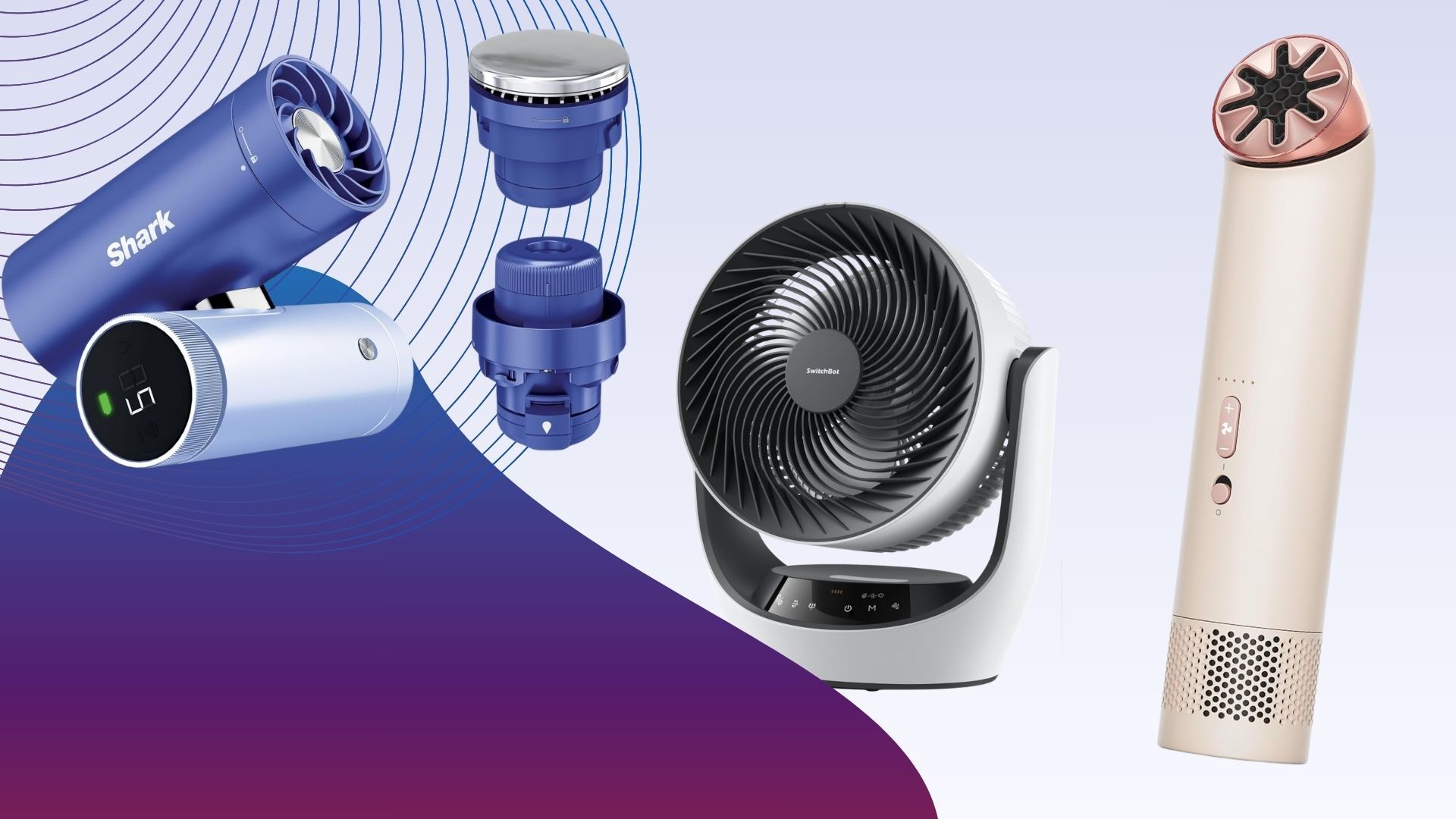
Fans might be good for keeping you cool at home, but all those bulky plug-in models are no good the second you step outside the door. Thanks to improvements in battery power and motors, portable fans, handheld, wearable or simply wire-free, are as good as their fixed counterparts.
The good news is that there are a lot more products to choose from. The bad news is that many, handheld models particularly, are cheap no-brand models that are basic at best.
If you want a bit more from a portable fan, then you’re in the right place. Here, we’ve rounded up a variety of products, including handheld fans that you can take on the move, and battery-powered ones that are ideal for quickly moving around the house or taking into the garden.
It’s important to work out what you want from a portable fan before you buy. If travel is your primary objective, whether that’s sitting on the beach or stuffed into a hot train, then a handheld model is ideal.
Make sure you buy one with enough battery life, enough power to cool you and quiet enough operating levels.
For wider cooling of multiple people and at a greater range, a battery-powered fan is ideal as you can carry it where you need without needing a power socket. Standing fans are good where you don’t have surfaces; desktop versions are useful in bedrooms or for when you want to put a fan on a table.
There’s a lot to consider but our in-depth testing means that you can rely on our product choices. If you want a plug-in model, then check out our guide to the best fans.
SQUIRREL_ANCHOR_LIST
We test every fan using the same process so that their performance is easy to compare.
First, we measure air flow in metres per second (m/s). We take readings at two distances (15cm and 1m) to see how much the air flow drops off. We do this at both the minimum and maximum fan speeds to understand the full performance range. A good fan should offer a wide range of speeds, from a gentle breeze to a powerful blast of air.
We also measure noise levels at the lowest and highest speeds to see how loud each fan is. You can read more in our detailed guide, how we test fans. A far more flexible handheld fan than many others, the Shark ChillPill is a brilliant tool that offers three ways of cooling.
It’s smartly designed, too, and available in multiple colours. It has a body comprised of two barrels (one for the controls and battery, one for the main fan) that are hinged in the middle. This lets you twist the fan to point it where you want, or you can place it on a desk and have it point at you.
There are also optional clips and straps available if you want to wear the fan, or even have it clipped to your bike’s handlebars.
In fan mode, you can use the ChillPill while it’s charging via USB-C, or take it handheld with battery life running between 1.5 hours and 11 hours, depending on which of the ten fan speeds you use.
Controls are really smart: the LCD shows the selected speed and battery life, and a twist of the outer dial adjusts the speed. When measured at 15cm, this fan ranges from 1m/s to 4.6m/s and is extremely powerful, ideal for cooling down a single person.
More than just a fan, the ChillPill also has two additional attachments. The Misting Pod takes water and blows a stream of water droplets at you for up to 10 minutes (you then need to refill the reservoir). It works brilliantly and makes a difference in places where a fan alone isn’t enough, such as on a hot train. Then, there’s the InstaChill Plate, which is a metal attachment that cools down that you can place on key parts of your body, such as your temples, wrists or neck.
It’s this overall flexibility that makes the Shark ChillPill one of the best handheld fans.
By taking everything the company knows about motors and fans and distilling it into a compact form, the Dyson HushJet Mini Cool is the most powerful handheld fan available.
Available in a wide range of colours, it’s also one of the smallest, with the fan measuring just 38mm in diameter, making it easy to store in a bag, slip into a pocket or even wear with the provided neck strap. At the top is the air outlet, which rotates so that you can direct air where you want it. There’s then a power switch to turn the fan on, and up/down buttons to cycle through the five fan speeds. And, hold the plus button down to turn on the Boost mode.
Air speeds are incredible, running between 2.6m/s and 8.1m/s on standard power modes, and an incredible 11.3m/s on Turbo. At high speeds, the fan gets loud, but it can blast so much air that on a hot day, you won’t care.
Battery life runs between one hour and six hours, so there’s enough juice to last for a long commute. When charging via USB-C, the fan can be used on fan speed one; with the provided desk mount, it’s a handy workstation cooling solution, too.
Circulator fans, which have vertical and horizontal oscillation, are great in hot weather, as they can push stuffy air around and improve airflow through your home. With the SwitchBot Standing Circulator Fan, you get all of these benefits, plus the built-in battery means you can put the fan where you want it, whether that’s a different room or out in the garden.
There’s a choice of assembly, and the fan can be put together with no stand parts to make a desktop version, one segment for a mid-sized version, and two for the full standing effect. That’s neat, but it does mean that conversion from one mode to another is quite slow. Controls are via the buttons on the base or the slightly cheap-feeling remote that clips into the back of the fan’s head. As the IR sensor is on the fan’s base, it can be tricky to get the line of sight you need.
Fortunately, the SwitchBot Standing Circulator Fan is also a smart product and you can control it via Bluetooth or, if you have a SwitchBot hub, Wi-Fi.
This fan is powerful. Measuring from 1m away, the fan outputs a gentle breeze at fan speed one, up to 3.8m/s at fan speed nine. It’s also relatively quiet, running at between 35.9dB and 57.2dB.
Battery life is impressive, and the fan can last between two and 12 hours, depending on settings. Opt for a mid-level fan speed and you’ve got enough juice to last for a night’s sleep. To top it all off, this fan even has a nightlight, which makes it ideal for use in a kid’s bedroom. Well priced and flexible, this is a very good multi-purpose fan.
A brilliant and flexible fan, the Shark FlexBreeze Portable Fan FA220UK is designed with indoor and outdoor use in mind.
This fan looks like a regular standing fan, but it also has a clever trick. Press the button on the stand, and you can slip out the top section, fold out the feet and you’ve got a desktop model.
Controls are on the top and via the remote, which attaches magnetically to the back. This fan has five fan speeds to choose from, and 180° horizontal oscillation. The fan head can be tilted vertically manually.
It’s a little hard to see which fan speed you’re on, as one LED lights up per speed and they’re hard to see in sunlight. For outdoor use, this fan has a clip-on mister, which attaches to a hose. This blasts a shower of cooling water at you, but it’s for outdoor use only: there’s too much water for inside and you will get a bit damp if you sit too close. However, for those very hot days, this fan provides a nice way to cool down.
The Shark FlexBreeze Portable Fan FA220UK is powerful, running at between 0.8m/s and 3.6m/s, when measured from 1m away. With sound peaking at 50dB, this fan is also quite quiet.
Fully charged, the internal battery will last between two and 24 hours, depending on the fan speed. For cooling during a BBQ or coming inside for the night, there’s enough battery power to get through the hottest periods.
Rather than a fan, the Sony Reon Pocket Pro Plus is a personal cooling device that you wear. This updated version has a redesigned neck band that makes it more comfortable to wear, and a new algorithm to adjust its cooling.
With the cooling pad on your back, the Sony Reon Pocket Pro Plus can cool down to 20°, which is 2° cooler than with the previous model. That’s a bigger difference than it seems, and this device certainly improves comfort levels in hot environments. App control makes it easy to use this device on the move. This device also ships with the Pocket Tag 2, which takes in external environmental information, including temperature and humidity, allowing the device to adjust its cooling (or heating) to suit.
It works brilliantly, helping your body maintain a more comfortable temperature. It is expensive, but if you want something smarter to keep you cool, the Sony Reon Pocket Pro Plus is a great product.
A more standard handheld fan, the VersionTECH Hand Held Fan is much cheaper than everything else on this list, but it also has some clever features.
The best thing about this fan is that its handle can fold back 180°, making the fan easier to transport. But, place it on a desk, and the hinge turns this into a desktop fan. Fold the handle out, and you’ve got a standard handheld model.
With a built-in clip, so you can attach the fan to the underside of an umbrella, or similar, the VersionTECH Hand Held Fan is very flexible. It charges via microUSB and will last between two and six hours, depending on which fan speed you use. There’s a choice of three fan speeds, which is a little limiting, but they cover enough range to suit most uses.
Fan speeds range between 2.3m/s and 3.9m/s, which good but you do have to hold the fan close to you to really feel its effect; the other handheld models here are much more powerful but also more expensive.
If you want something simple and cheap to travel with, the VersionTECH Hand Held Fan is a good option.
The MeacoFan Sefte 8″ Portable Battery Air Circulator combines all of the features that we’ve come to love from the company and adds a battery for additional portability.
Extremely well-made, this fan is a desktop model designed to sit next to you while you work, on a table or a bedside table for sleep. Although an air circulator, it has motorised horizontal oscillation only, although you can manually tilt the fan head up to get air where you want it.
For ease, a remote control attaches to the front of the fan, giving you quick access to all of the fan’s functions.
On its lowest fan speed, the MeacoFan Sefte 8″ Portable Battery Air Circulator pushes out a gentle breeze, but at full power (setting 12), air speed increases to 3.1m/s at 15cm. Even at 1m the air speed is 2.6m/s, so you can cool multiple people in a room when you need to. It’s also very quiet, never going above 54dB, so this fan fades into the background.
Battery life is rated at up to 17 hours, so even on moderate fan speeds, you can get this to last through the night. The SwitchBot Battery Circulator Fan is similar to the company’s standing fan, but the desktop body is better built and this fan feels quite a bit more premium, even if it is quite chunky.
As an air circulator, this fan has both horizontal and vertical oscillation, so can really push air around a room.
Controls are on the front, but there’s also a handy remote control that gives you access to all of the fan’s features. It’s a shame that the remote can’t stick magnetically to the fan’s body, though.
Alternatively, as this is a SwitchBot product, you can remote control the fan using the app via Bluetooth. Add a SwitchBot Hub in and you can remote control of the fan, too.
And, like its Standing version, the SwitchBot Battery Circulator Fan also has a nightlight built in, making it a good choice for a child’s bedroom. This is a powerful fan, running at between 0.9m/s on the lowest fan speed up to 3.8m/s on the highest setting of nine, measured from 15cm away. From 1m away, on maximum, the fan managed a powerful 2.5m/s. That’s a bit less than the standing version, but enough power to cover a few people in a room.
Slightly lower fan speeds are good for battery life, and the SwitchBot Battery Circulator Fan can last between six hours on maximum up to 12 hours on minimum speed.
If you want the benefits of an air circulator mixed with a desktop fan that you can take anywhere, this is a good choice.
Learn more about how we test fans
Test Data
Shark ChillPill
Dyson HushJet Mini Cool
SwitchBot Standing Circulator Fan
Shark FlexBreeze Portable Fan FA220UK
Sony Reon Pocket Pro Plus
VersionTECH Hand Held Fan
MeacoFan Sefte 8″ Portable Battery Air Circulator
SwitchBot Battery Circulator Fan
Sound (low)
42.1 dB
60.6 dB
35.9 dB
32.1 dB
–
38.7 dB
34.8 dB
33.9 dB
Sound (medium)
–
72.7 dB
44.8 dB
38.1 dB
–
45.8 dB
43.5 dB
42.1 dB
Sound (high)
67.9 dB
78 dB
57.2 dB
50 dB
–
50.9 dB
54.0 dB
54 dB
Air speed 15cm (low)
–
2.6 m/s
0.9 m/s
1.1 m/s
–
2.3 m/s
0.0 m/s
0.9 m/s
Air speed 15cm (medium)
–
5.5 m/s
3 m/s
3.2 m/s
–
3.2 m/s
2.0 m/s
2.5 m/s
Air speed 15cm (high)
4 m/s
8.1 m/s
5.1 m/s
4.6 m/s
–
3.9 m/s
3.1 m/s
3.8 m/s
Air speed 1m (low)
–
–
–
0.8 m/s
–
0 m/s
0.0 m/s
–
Air speed 1m (medium)
–
–
2.1
2.4
–
1
1.8
2
Air speed 1m (high)
–
–
3.8 m/s
3.6 m/s
–
1.2 m/s
2.6 m/s
2.5 m/s
Full Specs
Shark ChillPill Review
Dyson HushJet Mini Cool Review
SwitchBot Standing Circulator Fan Review
Shark FlexBreeze Portable Fan FA220UK Review
Sony Reon Pocket Pro Plus Review
VersionTECH Hand Held Fan Review
MeacoFan Sefte 8″ Portable Battery Air Circulator Review
SwitchBot Battery Circulator Fan Review
UK RRP
–
–
£99.99
£199.99
£199
£25.99
£79.99
–
USA RRP
–
–
$99.99
$199.99
–
–
–
–
EU RRP
–
–
–
–
€229
–
–
–
Manufacturer
Shark
Dyson
SwitchBot
Shark
Sony
–
Meaco
SwitchBot
Quiet Mark Accredited
–
–
–
–
–
–
No
–
Size (Dimensions)
84 x 45 x 112 MM
38 x 38 x 180 MM
335 x 290 x 1000 MM
35 x 35 x 94 CM
125 x 175 x 60 MM
11 x 14 x 10 CM
261 x 211 x 384 MM
173 x 384 x 334 MM
Weight
350 G
210 G
3.45 KG
5.67 KG
259 G
150 G
2.3 KG
2.4 G
ASIN
–
–
–
–
–
B07BT18FFP
–
–
Release Date
2026
2026
2026
2024
2026
2021
2025
2025
First Reviewed Date
10/03/2026
22/05/2026
11/06/2026
25/06/2024
24/06/2026
21/08/2023
23/06/2025
16/06/2026
Model Number
Shark ChillPill
Dyson HushJet Mini Cool
SwitchBot Standing Circulator Fan
Shark FlexBreeze Portable Fan FA220UK
–
VersionTECH Small Portable Personal Mini Desk Table Folding Fan with USB
–
SwitchBot Battery Circulator Fan
Remote Control
–
–
Yes
Yes
Yes
–
Yes
Yes
App Control
–
–
Yes
–
Yes
–
–
Yes
Number of speeds
10
5
9
5
5
3
12
9
Fan Type
Portable fan, mister and cooling pad
Handheld
Battery/mains air circulator
Battery or mains powered, desktop or pedestal fan
Wearable air conditioner
Portable
Desk fan
Portable air circulator
Oscillation
No
–
Yes (Vertical -10° to 90°, Horizontal -45° to 45°)
Yes (up to 180°)
–
No
70 degrees
Yex (90° horizontal, 90° vertical)
Timer
No
–
Yes
Yes (one-hour intervals up to five hours)
–
No
No
Yes (hourly up to nine hours)
Night Mode
–
–
Yes
–
–
–
Yes
Yes
Heat mode
No
–
–
No
Yes
No
No
–
Prime Day 2026 is winding down, and now is the time to snap up some of the lowest prices of the year before Apple’s Mac and iPad price increases hit Amazon.
The final day of Prime Day sees a return of popular Apple deals that are even more attractive considering Apple raised prices on Thursday.

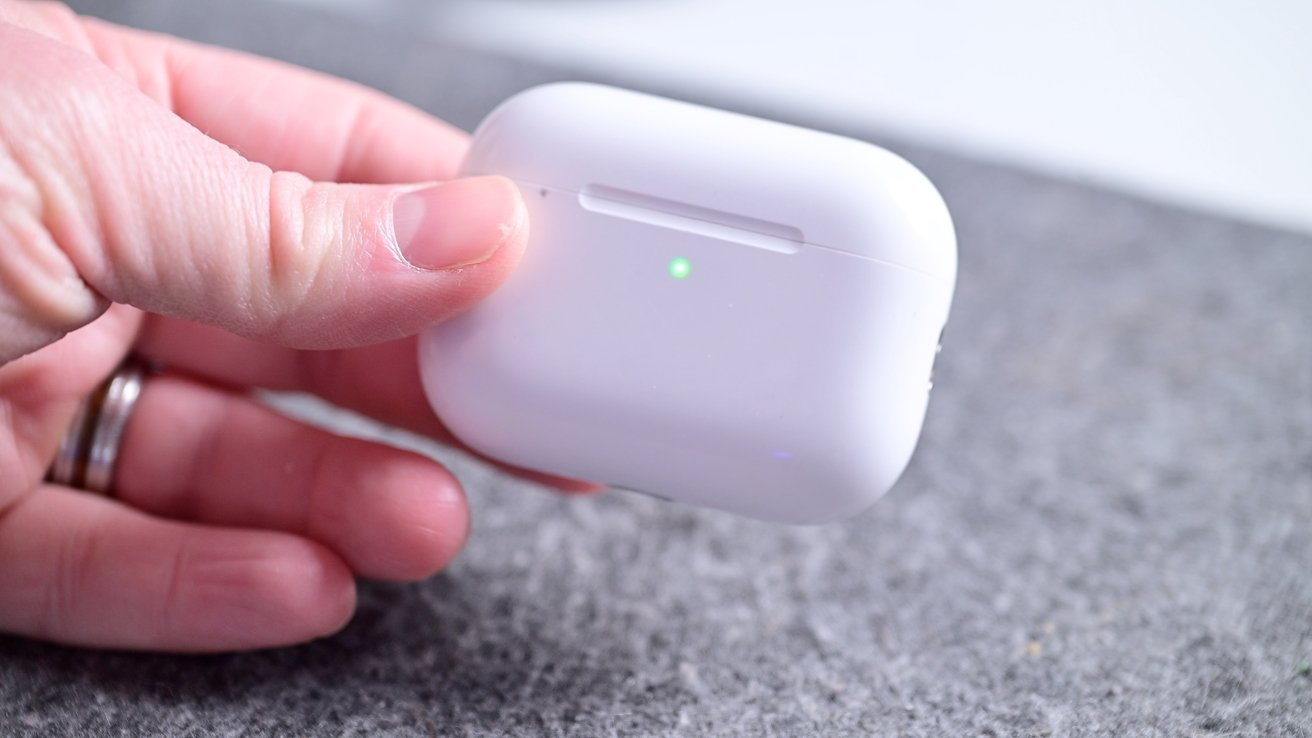
AirPods Pro 3 are down to $179 on the last day of Prime Day.
AirPods prices have dipped to as low as $99 as Prime Day nears an end, with AirPods Pro 3 coming in as a top-seller this Prime Day.

Apple’s AirTag 2 has received the first material discount for Prime Day.
Apple’s second-generation AirTag has been priced at MSRP since its release, but Amazon issued a material discount on both the single pack and 4-pack for Prime Day.

Apple’s entire iPad line is marked down during Prime Day.
You can score deals from just $299 in our iPad Price Guide, with a blowout iPad Pro discount of $250 off still available.

Apple Watch Series 11 prices have dipped to as low as $279.
Day 4 of the Prime Day shopping event is seeing even more Apple Watch deals sell out, but the popular $120 discount on the Series 11 is still available.

Save up to $300 on MacBooks with Prime Day deals.
Apple raised MacBook prices today, but these Prime Day deals are still available. Compare prices across dozens of configurations in our Mac Price Guide.

Save up to $700 on OLED TVs.
OLED TVs from LG, Samsung, and Sony are heavily discounted during the sale event.

Save up to 71% on accessories from Anker, Apple, and more.
From iPhone cases to docking stations for your Mac, accessories are up to 71% off for Prime Day.
The Hisense TV is the epitome of a mid-tier model punching way above its weight. The mini-LED backlighting produces a spectacularly bright image, and it’s a particularly good choice of gamers thanks to its 165-Hz refresh rate and full-featured HDMI ports. Our own testing didn’t produce perfect results, such as its uneven backlighting and mediocre off-angle performance. But it’s easily the best Prime Day TV deal, with the price dropping to a new low of just $850. —Luke Larsen
Jump to Section: Best Tech Deals, Best Amazon Device Deals, Best Apple and Apple Accessory Deals, Best AV Deals, Best Home & Kitchen Deals, Best Beauty & Wellness Deals, Best Mobile & Wearable Deals
Easily the smartest indoor security camera currently available, Google’s third-generation Nest Cam indoor kicks the resolution up to 2K at 30 fps, with HDR and night vision. There’s also two-way audio, enforced two-factor authentication, and accurate detection to alert you about people, animals, or vehicles. The Google Home Premium subscription is pricey at $10 per month ($100/year) for 30 days of event video history and familiar face alerts, but it covers all your Nest devices. —Simon Hill


Amazon, Microsoft and other leading tech companies are joining a new nonpartisan workforce organization launched Thursday aimed at helping American workers navigate the transition to an AI-driven economy.
RAISE US aims to partner with governors, employers, and training organizations to retrain and redeploy workers displaced or affected by AI, with a goal of raising $1 billion in multi-year commitments — more than half of which has already been secured.
The organization is led by former U.S. Commerce Secretary Gina Raimondo, who will serve as CEO, and former Indiana Gov. Eric Holcomb, who will serve as co-chair. The two are pitching the effort as explicitly bipartisan.
“If we build the best AI systems in the world and leave millions of Americans behind, we won’t have won anything; we’ll have automated our own decline,” Raimondo said in a news release. “I believe AI will create new jobs and industries over time, but the transition could be disruptive, and it’s already underway.”
Amazon, Anthropic, Microsoft and the OpenAI Foundation are serving as anchor partners. The coalition also includes more than two dozen companies and philanthropies, among them IBM, Cisco, General Motors, Mastercard, the Rockefeller Foundation, and Pivotal, the organization founded by Melinda French Gates. Initial state partnerships include Arkansas, Connecticut, Maryland, and Utah.
The launch of RAISE US comes amid layoffs and cost-cutting across the tech industry and widespread anxiety — from workers to recent graduates — about AI’s impact on employment. Some employers, including Meta, have cited AI as a reason for cuts, including in Washington state. Amazon CEO Andy Jassy blamed massive layoffs that started last year on a culture correction at the tech giant rather than being AI-driven.
In a blog post Thursday, Amazon Chief Global Affairs & Legal Officer David Zapolsky said investment in workers must keep pace with the technology.
“The transition to an AI-driven economy will create enormous opportunity, but only if we invest now in helping workers develop the skills to seize it,” Zapolsky wrote.
Zapolsky cited Amazon’s own efforts to prepare workers for the AI economy, including its Career Choice program, which has helped more than 300,000 employees earn degrees and certificates over 14 years, and a broader $2.5 billion commitment to skills training through its Future Ready 2030 initiative.
Microsoft said it has already been piloting a model for the kind of worker transition RAISE US aims to scale — cross-training entry-level lawyers across different parts of the organization and equipping them with AI skills so they can be repositioned as technology evolves, The New York Times reported.
“It creates an opportunity to transfer people from jobs that are being eliminated to jobs that are being created,” Microsoft President Brad Smith told the Times.


Anthropic appears to be testing Claude Cowork support on mobile, allowing you to manage long-running Claude tasks from your phone.
For those unaware, Claude Cowork is Anthropic’s desktop-focused agentic mode for Claude, and it brings some of Claude Code’s task-running abilities to regular knowledge work.
Unlike Claude Code, which is optimized for coding/development tasks, Cowork can work on longer tasks, use files, create documents, generate spreadsheets, write reports, and continue working in the background while you monitor progress.

In my tests, I’ve found Cowork to be useful when I have to deal with documentation, pictures, and even managing my storage partition.
For example, when I was compiling a React Native app on my local storage, and it ran out of storage, Cowork investigated all my local folders in the partition and found files using most of my storage that I may not have been aware of.
Until now, Cowork has been mostly tied to Claude Desktop on macOS and Windows, but screenshots posted on X suggest Anthropic is preparing a proper mobile experience for it.
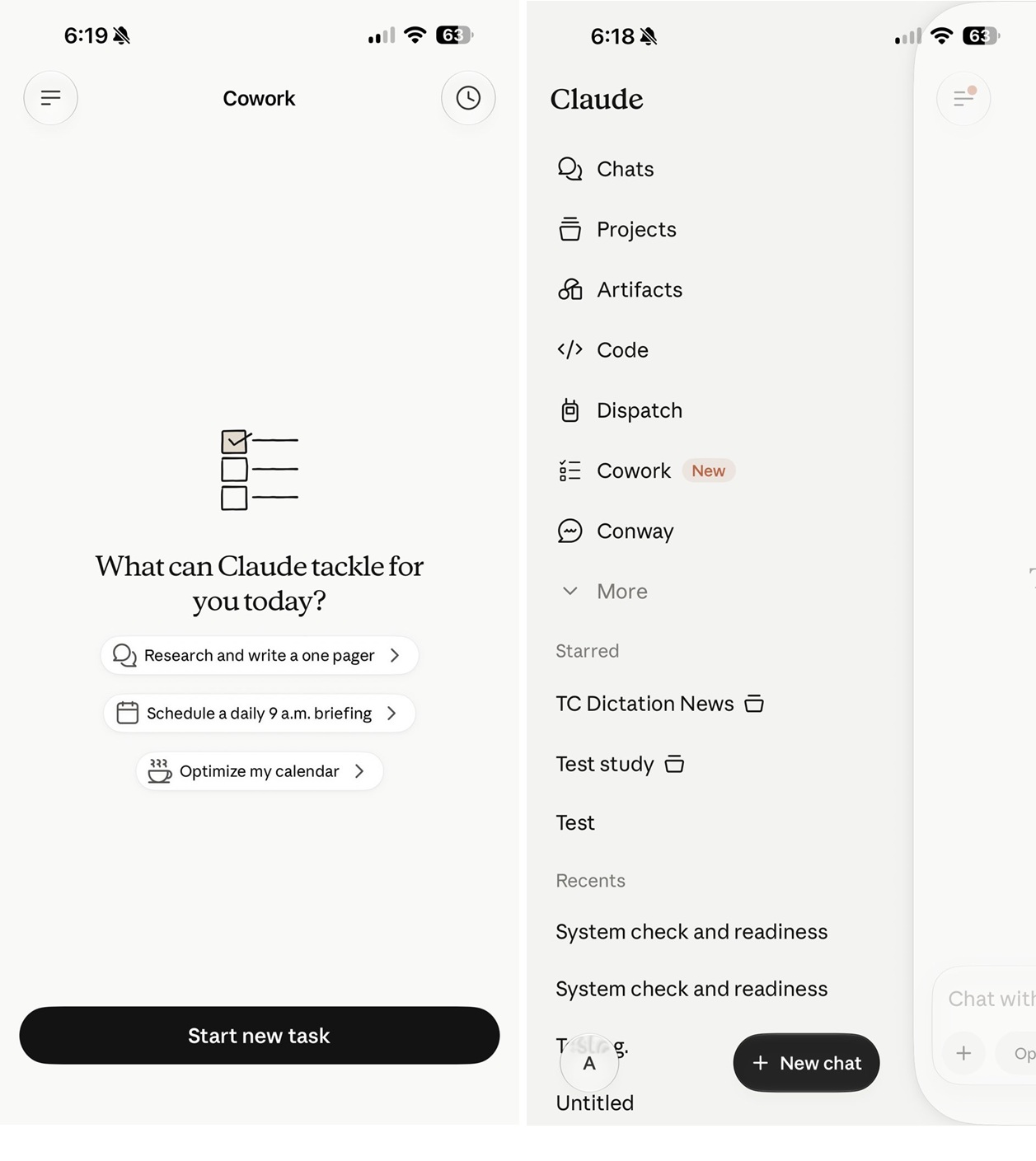
If you look at the above screenshot, it clearly confirms that you will be able to “start and steer tasks directly from your phone,” and also “check in from your phone, browser, or Claude desktop app.”
Most importantly, Anthropic notes that “work continues in the background, even when you close the app.”
Based on the screenshots, it’s quite obvious that Anthropic does not plan to turn Claude’s mobile app into a full desktop app.
Instead, it appears that Claude Cowork on mobile would be similar to a remote control for Cowork on your PC.
This aligns with Anthropic’s current explanation of Cowork. The company says Cowork runs directly on your computer, giving Claude access to the files you choose to share.
In other words, your phone may become the remote control for Cowork, but your computer is still where the actual heavy lifting happens.
Anthropic has not publicly announced full mobile Cowork support yet, but the screenshots suggest the feature is already being prepared inside Claude for mobile.

Security teams log 54% of successful attacks and alert on just 14%. The rest move through your environment unseen.
The Picus whitepaper shows how breach and attack simulation tests your SIEM and EDR rules so threats stop slipping by detection.
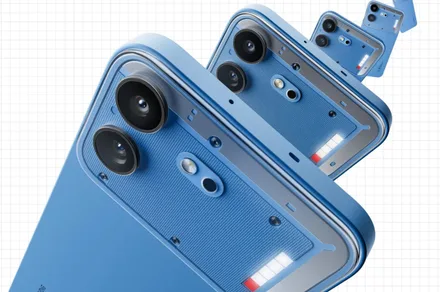
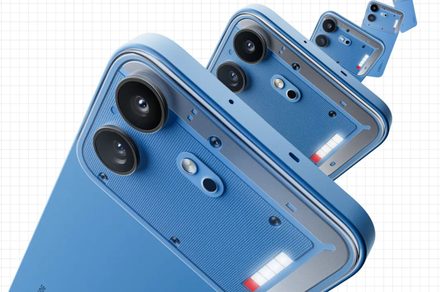
Nothing is gearing up to launch a new budget phone early next month, and the company recently gave us an early look at its design. While it hasn’t revealed the device’s specifications, a new leak has outlined what the Phone 4b may offer in terms of display, chip, battery, and storage.
According to tipster Yogesh Brar, the Nothing Phone 4b will come in three colors. Nothing has already showcased the device in a blue colorway, but there’s no word yet on what the other colors could be. The leak also points to two storage configurations, 128GB and 256GB, both paired with 8GB of RAM.
The device is said to feature a 6.7-inch AMOLED display with a 120Hz refresh rate, the same as the Phone 4a launched earlier this year. Under the hood, it could pack Qualcomm’s Snapdragon 6 Gen 4 chip, which would position the Phone 4b below the 4a duo in Nothing’s lineup. The phone is also expected to house a 5,400mAh battery.
Brar’s post also points to a 50MP camera, though specifics on the sensor, aperture, and the second camera haven’t surfaced yet. Nothing has not confirmed any of these specs itself. More details are expected to surface in the lead-up to the July 7 reveal.
The Phone 4b’s design was confirmed earlier this week, with Nothing showing off a build that mixes the unibody design of the Phone 4a Pro with the Glyph Bar from the standard Phone 4a. The company has also confirmed that the device will feature a soft, skin-friendly finish and offer enhanced durability.
If accurate, this leak suggests Nothing is keeping the Phone 4b firmly in the mid-range segment while still offering some standout features, like a large battery and a high refresh rate display. Provided the company gets the price right, the device could be one of the most compelling budget options this year.
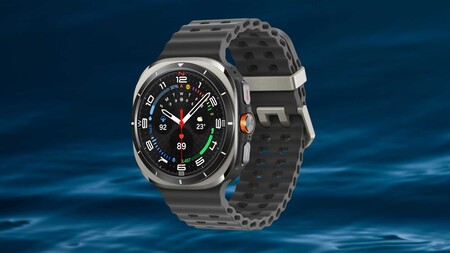
Samsung builds smartwatches across a wide range of budgets, but the Galaxy Watch Ultra sits at the top of that range for a reason.
That reason is easier to act on today, with the Samsung Galaxy Watch Ultra down from £599 to £331, a saving of £268 that brings a proper expedition-grade smartwatch into reach for the first time at a genuinely competitive price on Prime Day.

Prime Day knocks over £260 off the Samsung Galaxy Watch Ultra, giving you LTE connectivity and a tough, go‑anywhere design for far less
Save more than £260 on the Galaxy Watch Ultra — a durable, LTE‑equipped smartwatch built to handle anything, now for much less.
The titanium casing and 10 ATM water resistance mean this is a watch built for environments where most wearables would ask you to leave them at home, covering open water swimming, mountain conditions, and extreme heat without any meaningful compromise.
A dual-frequency GPS incorporating both L1 and L5 bands delivers the most accurate location tracking Samsung has put into a Galaxy Watch, maintaining precision even through dense urban environments where single-frequency systems tend to lose their footing.

Battery life sits at up to 100 hours in Power Saving mode and up to 48 hours in Exercise Power Saving mode, and 64GB of onboard storage means GPX route data can be recorded across extended expeditions without running short of space.
The AI-powered Energy Score gives a daily readiness assessment drawn from sleep data, heart rate, and activity levels, while the Running Coach feature provides real-time feedback during training sessions for anyone using the watch as a performance tool.
A long press of the Quick Button activates a siren audible up to 180 metres away, and the watch also provides fall detection, SOS, and instant access to Medical info, which adds a meaningful safety layer for solo outdoor activities.
The honest caveat is that full functionality, including some AI-driven health features, works best when paired with a Samsung Galaxy smartphone, so the experience on other Android devices or iOS may be more limited than the headline spec suggests.
At £331, the Samsung Galaxy Watch Ultra makes a compelling case for anyone who wants expedition-grade capability without the full-price commitment, and our Best Samsung Galaxy Watch guide is there for anyone still weighing up where it sits within the wider Samsung wearable lineup.
Despite the odd quirk, the Samsung Galaxy Watch Ultra brings a refreshing premium touch to the Wear OS ecosystem.
It’s certainly true that the Ultra’s design appears heavily inspired by Apple’s homonymous alternative, but I don’t suspect Android users craving a supercharged smartwatch will care much. If you can handle the clunky navigation, mildly unpredictable battery life, and oversized footprint, the Galaxy Watch Ultra is an excellent upgrade to the typical mid-range smartwatch experience.
Wear OS gets some design personality
Strong GPS and HR accuracy
Ultra-bright and clear display
Comprehensive sleep tracking
Navigation crying out for rotating bezel
Inconsistent battery life
Not a good fit for smaller wrists
Exclusive features for Samsung phones
SQUIRREL_PLAYLIST_10148964


Choosing a first smartphone or a reliable step up from an older device often comes down to practical questions. Will the screen feel good during long scrolls and videos? Will the battery carry through a full day? Will the software stay current without extra cost or hassle? Samsung built the Galaxy A27 5G around answers to those questions rather than loading it with extras that rarely get used.
New users will immediately see the impact the display has on their first impressions. The 6.7-inch Super AMOLED screen features the Infinity O design, which looks very elegant even with the small punch hole camera, and the borders are noticeably smaller than on prior models in this series. With a refresh rate of 120 Hz, you may enjoy an extremely smooth scrolling experience while surfing apps or viewing videos. Motion never feels juddery or stuttery, and it looks nice even at low frame rates.
Sale

The Snapdragon 6 Gen 3 processor and ample memory ensure that nothing falters even while running many apps at the same time. Opening Instagram, checking Google Maps, browsing a website, or running a few programs in the background all happen without lag. The 5000mAh battery will last you a whole day of normal use, and if you do get some video or navigation in, you’ll still have enough juice to finish work/school/errands. When you do need to top up, 25 watt charging will quickly recharge your battery and fit into your regular routine. The phone itself is quite thin, measuring only 7.8 millimeters, making it easy to use during calls, reading, or even one-handed.
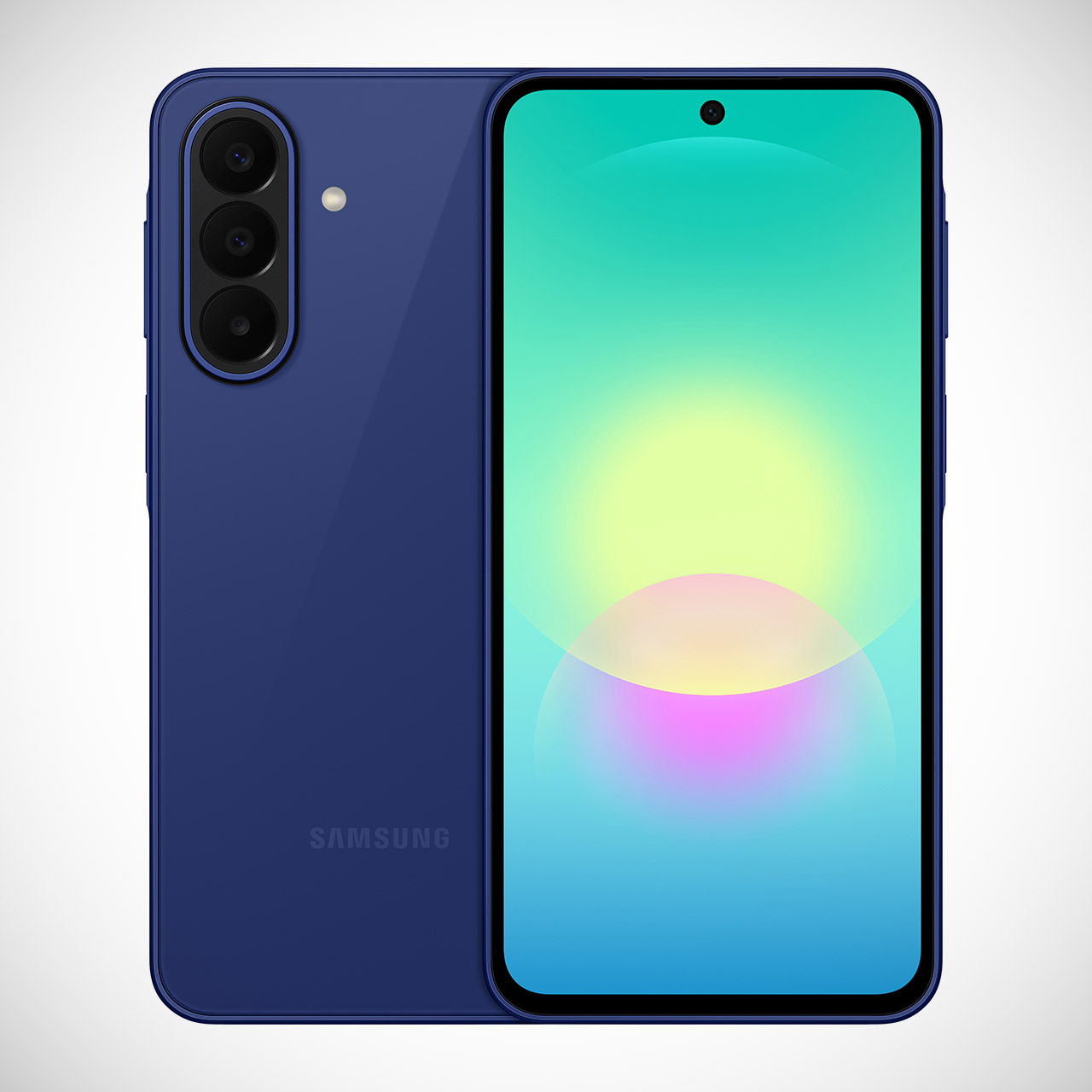
The main camera does a decent job with most photos and movies, and the built-in stabilization is useful. The 50 megapixel sensor handles everyday light well and does a fantastic job of reducing blur, even when your hands move slightly. The ultrawide lens is good for capturing a broader picture of a gathering or a piece of terrain, whilst the macro lens is useful for photographing microscopic details. If you just want to take some decent selfies, the 12 megapixel front camera does the trick without requiring any post editing.
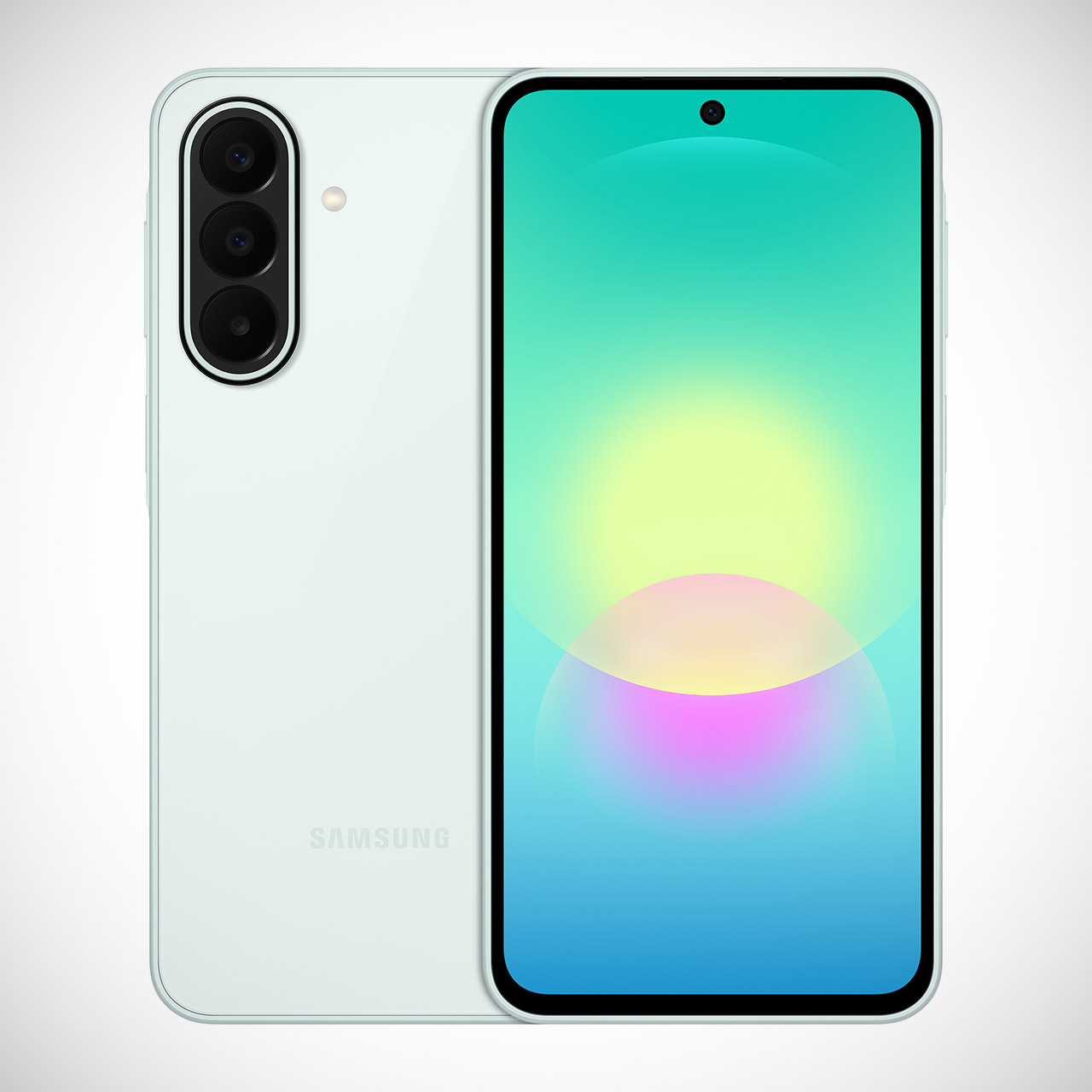
With microSD card support, you can easily store a large number of files. The storage starts at a comfortable 128GB and can accept cards up to 2 terabytes, which is quite big enough to hold tons of photographs, videos, music, and documents right on the phone, eliminating the need to continually juggle removals or hurry into a cloud subscription. Having some room to develop from the start eliminates one of the initial challenges for anyone gathering a collection of personal items.
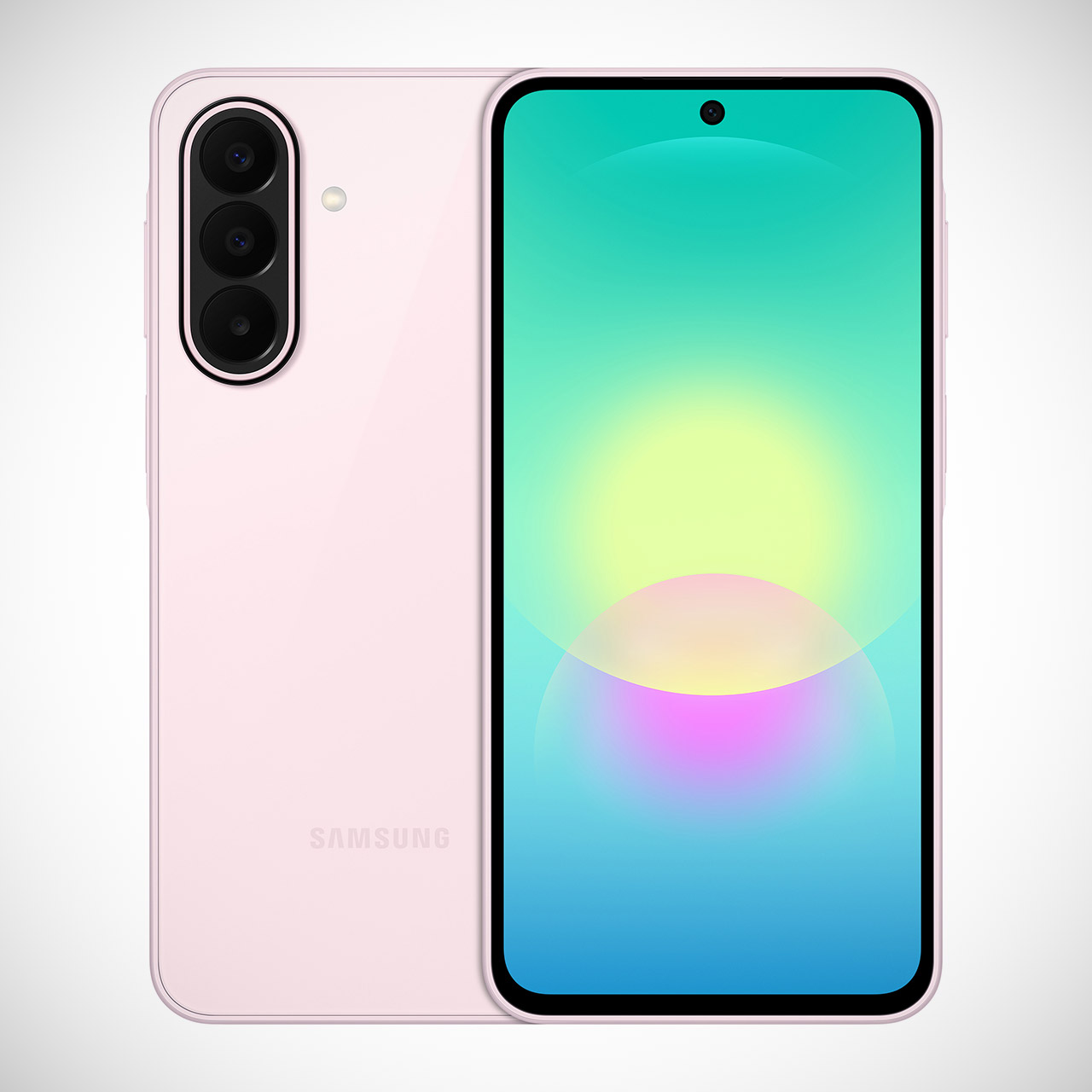
Samsung’s extensive update schedule greatly enhances long-term dependability. The phone runs Android 16 with One UI features and receives six major operating system upgrades, as well as six years of security patches, to ensure its security. And that plan allows you to stretch your dollar while maintaining a consistent experience as you settle into your daily routine. All of this adds up to great value at $350 (July 14 US relaese) when you consider everything you get for the money.

The smart TV is a fixture in most houses, variously an entertainment portal, corporate data gathering tool, or sometimes an outright spy. It’s a nice monitor with a computer built in, so can that computer be released to do something else? It’s a question [Xen’on] is answering, on an Android-based TV.
The guide is not too different from many others relating to Android phones, with a few quirks. An Android Debug Bridge (ADB) connection is established, root access is gained using Shizuku, and then it’s a case of installing a more conventional Linux front end with the Openbox window manager through Termux. There are some TV-specific things to do with handling power cycles, but the TV is now a usable Linux box.
It’s always good to see someone retrieve the Linux underneath a locked-down device, but the system spec tells the real story. By the looks of things this TV is a few years old as it had an Android version that’s a bit long in the tooth, and thus it also packs an aged version 4.x kernel. Couple that with a more seat-of-your-pants experience compared to a regular distro where many of the annoyances are taken care of, this isn’t an easy route to a trouble free desktop. Instead it has a lot of potential for making the TV what it was intend to be, an entertainment device. Merely one that gives much more software freedom.
Meanwhile, this isn’t the first Termux guide we’ve seen.

Apple’s price increases have resulted in increased demand for Amazon’s Prime Day deals, which remain unchanged. A top seller is this M5 15-inch MacBook Air for $1,149.
Amazon’s discounted prices have remained in effect this third day of Prime Day, despite Apple raising prices this morning. Save $350 on the standard 15-inch MacBook Air M5 with 16GB of RAM and 512GB of storage or $450 on the M5/16GB/1TB model before supply runs out.
Buy M5 15″ MacBook Air for $1,149
You can compare prices across retailers in our M5 15-inch MacBook Air Price Guide, but the deals above are easily the most aggressive available as Amazon hasn’t implemented Apple’s price hikes that took effect earlier today.

So much for voluntary review.

You may not be able to use the new ChatGPT 5.6 as soon as it’s finished. According to a report in The Information, OpenAI plans to stagger the release of its new AI model, and the first users will only be parties that are approved by the federal government. The publication’s sources said that, according to a staff memo from CEO Sam Altman, federal leaders will be “approving access customer by customer during this preview period,” hopefully followed a “couple of weeks later” by a more general release of the 5.6 model.
“We’ve made clear to the US government that this is not our preferred long term model, and will work with them and others in industry to achieve a more sustainable approach for future releases,” Altman reportedly told employees in the memo.
Several agencies appear to be involved in directing the change in course from OpenAI. The Information cited interactions with the Office of the National Cyber Director and the Office of Science and Technology Policy, as well as involvement from Department of Commerce Secretary Howard Lutnick. Neither the White House’s nor the Office of the National Cyber Director’s representatives replied to the publication’s requests for comment.
President Donald Trump signed an executive order earlier this month asking AI companies to participate in a voluntary federal review of their more powerful models before they are publicly released. The government is expected to create a framework to standardize how it will assess new models. Shortly after, however, OpenAI rival Anthropic disabled all access to two of its recent models following a federal directive. That order didn’t provide specifics around its security concerns, only that the government wanted to block access to Anthropic’s tools for any foreign nationals. Between that instance and this additional stage to OpenAI’s latest rollout, there still appears to be a fair bit of confusion around how the review process will work and just how voluntary it is.





Weekend Open Thread: Miami – Corporette.com


Renter of Home in Anne Heche Crash Denies Settlement With Son

Two goals and an assist by sheer aura: Cristiano Ronaldo just entered the World Cup chat


Microsoft accidentally kills epic Outlook email threads


Soccer-U.S. defends Iran World Cup travel restrictions, says discussions ongoing


Andy Burnham and the meaning of Makerfield


Potential 2028er World Cup attendee leaderboard


Keir Starmer Allies Question His Chances For No 10


A Look At A Gaggle Of Transputer Boards
Bitcoin (BTC) Dips Below $62K, Ethereum (ETH) Plunges 6% Daily: Market Watch


Securitize Wraps Roubini's SEC-Registered ETF as Dubai VARA Digital Security
Entergy settles forward sale agreements, raises $672 million in cash proceeds

Wall Street Week Ahead: Investors see Micron earnings as pulse check of AI rally momentum

Can Charles Hoskinson Really Rescue Cardano?


HIVE shares jump as $220M AI deal speeds Bitcoin mining pivot


Jake Chervinsky accuses CME of protecting derivatives monopoly


Jose Alvarado Wants Taylor Swift at More Knicks Games

Signal’s Meredith Whittaker says AI chatbots ‘are not your friends’ and calls Copilot agents a backdoor


India vs Bangladesh LIVE Score, Women’s T20 World Cup: Bangladesh Opt To Bat; India Enter ‘Do-Or-Die’ Stage As Semi-Final Race Heats Up


Nearly 7,000 fake Amazon domains registered ahead of Prime Day 2026, researchers warn


You must be logged in to post a comment Login