The company is expected to complete the round in the next couple of weeks.
Chinese AI leader DeepSeek is close to finalising a $7.4bn funding round led by Tencent and Contemporary Amperex (CATL), with participation from the $8bn state-backed National Artificial Intelligence Industry Investment Fund, multiple publications have reported.
The round is expected to value the GenAI darling between $52bn and $59bn, sources added, placing it leagues ahead of rival Moonshot, which raised $2bn last month at a valuation of $20bn.
External participants are expected to invest around $4.4bn, with Tencent pitching in $1.5bn and battery giant CATL around $735m, while company founder Liang Wenfeng has personally invested around $2.94bn, reports suggested.
Advertisement
Alibaba was also reported to be taking part in this round, while Tencent was reported to have proposed taking a 20pc stake in the company, which is expected to complete the round in the next couple of weeks.
DeepSeek’s latest funding round comes as AI contemporaries across the world are raising capital to compete in the fast-advancing race for enterprise adoption.
Claude parent Anthropic announced that it filed to go public earlier this week, with reports estimating the company’s valuation could soar above $1trn. The AI leader raised $65bn at a $965bn valuation in its last private round.
OpenAI, recently valued at $852bn, is also planning to go public. CNBC reported that the company was preparing to confidentially file for an IPO late last month.
The company took more than a year after R1 to release its long-awaited V4 large language model, which, it claimed at the time, “redefine[d] the state-of-the-art for open models”. V4 was hyped to be the company’s most important launch since R1, and V3 in late 2024.
Other AI rivals in China made a flurry of launches ahead of V4 to avoid competition, including Alibaba with Qwen3.5; ByteDance’s Seedance 2.0; Zhipu’s GLM-5, trained entirely using Chinese chips; MiniMax, which released M2.5; and the Alibaba-backed Moonshot AI, which came out with Kimi K2.5.
Don’t miss out on the knowledge you need to succeed. Sign up for the Daily Brief, Silicon Republic’s digest of need-to-know sci-tech news.
If there’s one group that knows how to move fast, it’s runners — and that’s exactly what you’ll need to do to take advantage of this deal. Strava members can earn a free two-week Runna Premium subscription by running a 5K on Wednesday, which marks Global Running Day.
Strava is a popular fitness app that records and logs your runs, rides, hikes and other activities, including strength training. Last April, Strava acquired Runna, an AI-personalized running app, to customize training plans for different race distances and coaching for its subscribers. Strava doesn’t provide training plans, but it can log your runs, let you create your own routes, view your running stats after each run and share them with your app followers.
You can use Strava for free, but to access additional features, you would need to upgrade your membership to an individual ($80 annually), family ($140 annually for a family of four) or student subscription ($40 annually) if you’re willing to pay for the Strava and Runna combination plan, which costs $150 a year. You can also experience Runna for free, but to access it fully, you’ll need a subscription for $120 annually.
Advertisement
However, if you run, walk, trail run or use a wheelchair and log a 5K on Global Running Day on your Strava app, you can experience Runna free for two weeks to decide for yourself if it’s worth the investment. Strava is counting GPS, virtual and manual activities toward the challenge goal.
Apple is also participating in Global Running Day and giving Apple Watch owners the chance to earn a digital badge by logging a 5K run indoors or outdoors. This also applies if you have other third-party fitness apps that log runs and connect to your Apple Health account.
For months the fight in India’s App Store antitrust case was not really about app stores. It was about a spreadsheet. The Competition Commission of India wanted Apple’s financial records; Apple did not want to give them up, least of all the global ones. On 3 June, Apple agreed to submit the financials, removing the obstacle that had stalled the long-pending case.
The reason the data mattered so much is the reason Apple resisted it. Under India’s competition law as updated in 2024, penalties can be calculated against a company’s global turnover rather than its revenue inside the country. For most companies that distinction is academic.
For Apple, whose Indian revenue is a sliver of a business that turns over hundreds of billions of dollars worldwide, it is the difference between a manageable fine and an existential one. Apple has said it fears a penalty of up to $38bn, a figure it has invoked as evidence the regulator is overreaching.
That fear is what drove the months of manoeuvring. Apple had refused to fully comply with the CCI’s demand for detailed financial disclosures, argued that global figures should be out of scope, and escalated the dispute to the Delhi High Court, seeking to pause the proceedings before they reached a final hearing.
Advertisement
The 💜 of EU tech
The latest rumblings from the EU tech scene, a story from our wise ol’ founder Boris, and some questionable AI art. It’s free, every week, in your inbox. Sign up now!
The regulator declined to slow down. The result was a standoff in which the substance of the case, whether Apple abused its market position, was held up by a procedural fight over what the regulator was allowed to see.
The underlying allegation is not new. A 2024 CCI investigation found that Apple had abused its dominant position in the iPhone apps market by requiring developers to use its proprietary in-app purchase system, the same conduct that has drawn regulatory fire in the European Union, the United States and elsewhere. India’s case has moved more slowly, but its penalty framework, anchored to global turnover, gives it unusual teeth.
Advertisement
TNW readers have followed the procedural thread. The Delhi High Court recently brokered a compromise in which it told Apple to cooperate while ordering the CCI not to issue its ruling before 15 July, granting Apple a roughly two-month reprieve while requiring it to produce the data. Wednesday’s agreement is Apple acting on that, handing over the records it had fought to keep back rather than continuing a fight the courts had signalled it would lose.
What the concession does is unblock the case rather than decide it. With the financials in hand, the CCI can move toward the part that actually matters: whether to penalise Apple and, if so, how much.
The global-turnover framework means that calculation is where the real stakes sit, and it is the calculation Apple’s resistance was designed to forestall. Handing over the data does not concede the underlying conduct; it concedes the regulator’s right to the information it needs to act.
The case is now one of several fronts on which Apple’s in-app payment rules are under pressure at once, and India’s is among the more dangerous because of how the fine could be sized. Apple has bought itself a deadline of mid-July and lost the argument over disclosure. The ruling that follows, and the number attached to it, is the part still to come, and the part Apple spent months trying to delay.
From industrial gears to healthcare products to luxury goods, Alitheon’s FeaturePrint provides a link between physical objects and digital traceability without tags, labels, or stickers. (Alitheon Photo)
Bellevue, Wash.-based Alitheon raised $8 million in new funding to expand its FeaturePrint technology, which uses optical AI to create a unique digital “fingerprint” for physical objects — no barcodes, tags, or labels required.
FeaturePrint works by reading the microscopic surface variations every manufactured object naturally has using nothing more than a standard camera. Alitheon calls it “biometrics for things” and says it works on everything from designer purses to industrial gears to pharmaceutical packaging.
“We aren’t just identifying goods; we are powering the trust layer of the global economy, providing a level of security that additives and standard AI simply cannot match,” Alitheon CEO Roei Ganzarski said in a news release this week.
Founded in 2015, Alitheon has built a portfolio of 55+ patents and attracted customers across industries including aerospace, automotive, luxury goods and defense. Swiss precious metals company Argor-Heraeus is a customer.
Alitheron has landed $1.5 million in federal contracts, including work with the Pentagon’s Nuclear Weapons Center. Time magazine named FeaturePrint one of the 200 best inventions of 2023.
Advertisement
In a 2024 GeekWire feature, Ganzarski illustrated the problem his company is trying to solve.
“Last year, auditors found that Lockheed Martin had lost a million parts in the F-35 program,” he said. “Lost? You don’t ‘lose’ parts. They just become unidentifiable. The barcode fell off, the sticker got erased.”
The Series A1 round was led by Emerald Technology Ventures, with participation from eBay Ventures. Alitheon, which employs 24 people, has raised a little over $40 million to date.
BioBead won the top prize at the Demsey Startup Competition, awarded by Trish Held (left), manager of philanthropy at the BECU Foundation, and received by BioBead’s Jared Espinosa and Renee Davis. (UW Photo)
The big winner at the University of Washington’s 29th annual Dempsey Startup Competition was BioBead, a startup launched by a UW team with an ag tech solution for boosting soil health and crop production.
The company won $25,000 from BECU as well as the $2,500 Voyager Capital Best Business to Business Idea Prize.
A record 186 startups entered the competition, whittled down to 16 contenders who pitched before judges in mock boardroom settings. Winners took home a share of $92,500 in prize money.
The event is open to student entrepreneurs from across Washington, Oregon, Idaho, Alaska and British Columbia. Entrants range from very early-stage startups with a prototype to teams with minimum viable products or technologies ready for commercial production.
The competition runs over seven weeks, during which teams refine their strategies — recruiting business students to strengthen go-to-market plans, for example. Judges this year noted that AI is helping teams design more sophisticated technologies.
Grand prize recipient BioBead is developing small, biodegradable pellets that bring together bacteria and fungi that have coexisted in soil for 400 million years, helping plants absorb essential nutrients including nitrogen and phosphorus.
“People seem to be quite disconnected from everything below our feet because we can’t see it,” said Korena Mafune, a BioBead co-founder and UW research scientist. But those organisms are what allow crops above ground to flourish, she added.
BioBead’s other co-founders are Renee Davis, who is finishing her doctoral degree at the UW, and Mari Winkler, a UW professor in civil and environmental engineering. Jared Espinosa, a recent MBA graduate from the UW’s Foster School of Business, joined the team for the competition.
Advertisement
The startup has been working with farmers growing lettuces, tomatoes, corn and wheat to test the benefits of the soil treatment. Initial results show higher crop yields while reducing the need for increasingly expensive fertilizers.
Mafune last month also won a $275,000 grant from the Washington Research Foundation to support commercialization of the technology.
The second to fourth prize winners were:
$15,000 WRF Capital Second Place Prize – CPRight (UW and Western University of Health Sciences in Oregon) is developing a low-cost patch that provides real-time information on compression depth and pace during cardiac emergencies requiring CPR. CPRight also won the $2,500 Chris and Barbara Petersen Best Health & Wellness Impact Idea Prize.
Advertisement
$10,000 iSpot.tv Third Place Prize – Kinnex Health (University of Idaho) is building a wearable sensor to provide continuous joint-movement data collected from patients after orthopedic surgeries and procedures. The team also won the $2,500 Amazon Best Consumer Product Idea Prize.
$7,500 Friends of the Dempsey Startup Fourth Place Prize – Alarmable (UW) is creating a wearable bracelet charm that also serves as an alarm that can be triggered in emergency situations.
Other winners:
$5,000 Wilson Sonsini Social Impact Big Picture Prize – Osanwe Link (UW)
$5,000 Kathryn Gardow & David Bradlee Climate Solutions Big Picture Prize – LEAF (UW)
$5,000 Glympse Emerging Tech Big Picture Prize – Adam Biotech (UW)
$2,500 Smukowski Family Best Sustainable Business Prize – Clubless Collective (UW)
$2,500 eBay Best Marketplace Idea Prize – Kindred (UW)
$2,500 Perkins Coie Best Innovation/Technology Idea Prize – Emerald Dynamics(UW)
$2,500 Saara Romu Community Impact Prize – UWEMS (UW)
$2,500 DLA Piper Best Idea with Global Reach Prize – GridGuard (UBC)
An anonymous reader quotes a report from Ars Technica: Microsoft’s Build developer conference kicked off today, and as with almost everything the company has done in the last few years, Microsoft’s opening keynote focused overwhelmingly on AI and other closely related technologies. […] On the hardware front, we didn’t get any updates for existing Surface devices (not counting yesterday’s Surface Laptop Ultra announcement), but we did get something new: the Surface RTX Spark Dev Box is “a compact developer PC” built around Nvidia’s new RTX Spark chip with up to 128GB of built-in memory. The Dev Box looks a little like a cartoon anvil or piano fell onto an Xbox Series X and flattened it. Its aluminum casing was designed “to double as a heatsink,” and its preloaded version of Windows 11 Pro will include a “purposeful” set of developer-centric default settings and preinstalled tools.
This is a follow-up of sorts to the Windows Dev Kit 2023, also known as “Project Volterra.” This Qualcomm Snapdragon 8cx Gen 3-powered PC was essentially the system board from a Surface Pro tablet stuffed into a plastic box, and it was introduced alongside Arm-native versions of several Microsoft developer tools. It helped to set the stage for the Arm-based flagship Surface devices that launched the next year, which benefitted from a better and faster x86-to-Arm code translation technology called Prism and a greater number of Arm-native third-party apps that didn’t need to be translated in the first place. Microsoft didn’t announce pricing or specific specs for the RTX Spark Dev Box, but you can probably expect it to cost quite a bit more than the $600 that Project Volterra did. Hopefully, Microsoft can keep the price at least somewhat lower than the $4,699 asking price for Nvidia’s similarly specced DGX Spark box.
On the software side, several developer-centric changes are coming to Windows 11, particularly for users of the Windows Subsystem for Linux (WSL). Microsoft is introducing a Windows-native version of the coreutils command line tools, so that commands or scripts made for Linux work within Windows and the other way around; the ability to run WSL inside of containers, said to be arriving in “the coming months”; and something called Windows Developer Configurations that uses the WinGet tool to quickly set up “a distraction-free dev environment with VS Code, GitHub Copilot, WSL, PowerShell 7 and developer-optimized settings with one command on any Windows 11 device.” Microsoft also introduced Microsoft Execution Containers (MXC), as “enterprise-grade sandboxed environments” that let AI agents like OpenClaw operate on Windows without getting unrestricted access to the whole system. In theory, MXC could let organizations enforce agent-specific limits, such as blocking access to personal accounts, separating work and personal data, or requiring permission before deleting files.
The MXC GitHub repo also notes support for “multiple containment backends,” meaning the same sandboxing concept could apply beyond AI agents to other plugins, tools, and workloads.
For certain professions, like designers, developers, and digital creators, the portfolio-first idea keeps coming back. As the argument goes, if your work speaks for itself, why would you ever need a resume? However, anyone who has recently applied for a contract or full-time role knows the reality of the situation.
Hiring still very much happens through structured filters, applicant tracking systems (ATS), and busy recruiters. Yes, you need a decent portfolio to be memorable but having a compelling resume is what gets you screened in.
Here’s the good news: resume builders in 2026 have caught up. The best ones are AI-integrated, ATS-intelligent, and allow you to balance personal branding with structured information.
If you’re a freelancer, a designer, a developer, or a digital creator, then using one of these resume builders is the perfect way to compliment your personal website.
Advertisement
What makes a resume builder worth using in 2026
You need to understand that the category for this type of software has evolved. A few years ago, most resume builders were nothing more than template libraries. The bar is much higher now.
Ideally, a resume builder that’s worth your time and money has these four major facets:
AI that understands resumes, not just text. General AI tools rewrite bullets without knowing what a recruiter is actually looking for. Tools trained on resume best practices focus on the specifics, like action verbs, quantified results, and missing keywords from the job description.
ATS intelligence without hacks. The ideal resume builder employs clear layouts and logical keyword placement, ensuring that your resume is easily readable by both machine algorithms and people.
Real-time feedback. The builders that offer you real value can tell you exactly which bullet is vague, which section is light, and what you need to fix.
Design that compliments a portfolio. For designers and developers, a resume that looks like it was made in the previous decade contradicts the work it’s attached to. Layout, typography, and visual hierarchy still matter.
Now let’s go over the tools that meet most of the criteria.
Side-by-side resume builder comparison
Tool
Best for
AI features
ATS-friendly
Free plan
Enhancv
Best overall for personal branding
ATS intelligence, AI content tailoring, real-time feedback
Yes
Limited
Canva
Full creative control
Basic AI writing
Mixed
Generous
Novoresume
Structured, polished layouts
Content suggestions
Yes
Limited
Resume.io
Speed and simplicity
Pre-written bullets
Yes
No
Kickresume
AI-assisted writing
GPT-based generator
Yes
Limited
FlowCV
Minimalist resumes
Light AI assistance
Yes
Generous
Now let’s take a closer look at each tool.
Enhancv: best overall resume builder for personal branding
Enhancv is the strongest all-rounder resume builder. It’s the most consistent pick for developers and digital creators who want their resume to do more than list jobs. It combines AI assistance with real-time feedback. That’s what separates it from tools that only generate text.
Advertisement
You can use the AI resume tailoring feature to analyze a job description and adjust your resume to match it. It will rework your keywords, skills, accomplishments, and phrasing. The Resume Checker runs 27 distinct checks across content, layout, formatting, and style, and explains the why behind every recommendation. The content checker is trained on hiring patterns, rewording weak bullets into active, quantified ones.
The template library is ATS-tested. And the drag-and-drop editor gives high degrees of customization. For digital creators who want personality and recruiter-readiness in one document, Enhancv’s resume templates are the safest default.
However, Enhancv isn’t a design tool. Despite the high levels of personalization you can achieve with it, you’d need a dedicated design tool for complete visual control. This brings us to the next best option.
Canva: best for full creative control
Canva gives you a lot of freedom to make your design look the way you want it to. Drag, drop, recolor, add an icon, swap a font. The flexibility is genuine, and for portfolio-related positions where the resume serves as a design example, Canva is effective.
Advertisement
But the trade-off is also real. ATS parsability on heavily designed Canva documents can be a hit or miss. Multi-column layouts, embedded graphics, and non-standard visuals can confuse older parsers.
Canva’s AI writing tools have advanced, yet they still seem more general-purpose compared to the specialized ones designed for resumes. The optimal approach is to utilize Canva when the focus is on the design itself. Nonetheless, combine it with a simpler version for the ATS systems.
Novoresume: best for structured, polished layouts
Novoresume leans more into clean, structured layouts. The sections of the resume are clearly defined, the spacing is uniform, and the final product appears refined immediately. This is an excellent option for those who desire their resume to appear traditional and professional without investing much time in making adjustments.
AI assistance is lesser here than at Enhancv. It provides you with content ideas, but the feedback loop is much narrower. The main idea is that Novoresume is perfect for those who have their content ready and just need help with the design.
Advertisement
Resume.io: best for speed and simplicity
Resume.io optimizes for the quickest path between a blank page and finished ATS-ready PDF. The interface is straightforward, the prompts are simple to comprehend, and the suggested pre-written bullet points help you with the most tedious aspect of resume writing.
However, what this tool lacks is depth. Customization is limited, design variation is modest, and the AI is limited to filling in blanks rather than diagnosing what’s weak. Still, if you need a resume real quick, then Resume.io will suffice.
Kickresume: best for AI-assisted resume writing
As a product, Kickresume bets heavily on AI-generated content. It can create a complete initial draft from a job title and some prompts. This is useful if you’re unable to get beyond looking at an empty document. The template library is robust, and ATS compatibility is typically effective.
But keep in mind that drafts generated by AI still require editing and personal contributions. Kickresume produces a polished output, but recruiters can easily identify a generic application from afar. Utilize it to start, then rephrase the bullet points in your unique style.Your portfolio and your resume should look like they were made by the person so make sure your resume sounds like you and shows your character.
Advertisement
FlowCV: best minimalist resume builder
FlowCV is known for minimal, ATS-friendly resumes. There’s little friction and the free plan is unusually generous. The interface is calm, and the output is pretty much what you’d expect for a developer who wants a straightforward document.
The AI features are light, design options are intentionally narrow to minimize choice fatigue, and the tool assumes you know exactly what to say in your document. If you’re a developer or a freelance engineer, and you prefer a visually quiet resume, then FlowCV is a reliable option.
Resume builder vs. personal website: what should you use?
As we established, the two formats serve different parts of the same job search.
When a resume builder is enough
Modern resume builders cover what most hiring pipelines actually require:
Advertisement
Applying through traditional channels (job boards, company career pages, recruiter inboxes).
structured document that an ATS can read in under a second.
The role values consistency and credentials over visual differentiation.
Corporate design teams, in-house developer roles, and full-time positions routed through HR usually expect a resume. A polished personal site you have to ask the recruiter to bookmark won’t suffice.
When you should build a personal website instead
A personal website is the better investment when the work is the pitch:
You’re a freelancer, contractor, or creator selling services directly.
Your portfolio needs to breathe (case studies, process write-ups, video, interactive demos).
You want clients finding you via search, not just applying through a job board.
You care about branding (domain, design system, voice, all within your control).
For independent designers and developers, a well-put WordPress website is often the difference between getting referrals and chasing them.
The hybrid approach (recommended)
For most digital creators, it’s best to have both.
Use a resume builder that suits you for your applications. When a recruiter asks for a PDF, you’ll have one ready.
Meanwhile, use your WordPress site for presence and credibility. That’s the long tail of work that wins trust before the interview. Besides, you can link to your site from your resume header.
Advertisement
Final thoughts
The portfolio-first mindset is partially correct. Portfolios continue to serve as evidence. The thing is, recruiters usually look at your resume first to decide if they want to consider you for a job. Portfolios are evidence of your work and skills and resumes help recruiters screen people from a sea of candidates.
In 2026, the top resume creators connect the two. They offer AI that comprehends recruitment, feedback that enhances the resume, and formats that succeed in ATS.
If you choose to invest in just one tool, Enhancv is the safest overall choice. It is particularly effective for developers and creators seeking to establish personal branding while ensuring recruiter appeal in one document.
The BCG report found that many organisations are struggling to turn AI into a resource that shows genuine company-wide value.
New research from Boston Consulting Group (BCG), has found that for some organisations, artificial intelligence is fundamentally reshaping the nature of work, leadership and how employees experience the workplace. However, whether the change is positive or negative is up for debate.
To collect data for BCG’s fourth annual AI at Work report, the organisation gathered information from 11,749 globally dispersed employees across 14 markets in a broad range of industries. What was discovered is that 72pc of respondents believe AI has already considerably changed skills expectations in their roles. Almost half report spending more time managing and directing AI than doing the work itself.
More than two-thirds of people who regularly use AI say it has improved their job satisfaction. However, four out of every 10 contributors to the research find that it has increased cognitive load, creating a ‘joy paradox’ where AI is making work better and harder at the same time.
Advertisement
Despite widespread usage, many companies are finding that they are not necessarily converting supposed AI-driven efficiency gains into something that is of measurable value.
For example, while 42pc of regular frontline users report saving at least a full workday through AI per week, 66pc also reported that they get limited or no guidance on what to do with that time. More than half don’t redirect it into strategic work, meaning any time saved leaks out of the organisation.
“The first wave of AI focused on individual productivity. The coming wave will need to transform collective work,” said Vinciane Beauchene, a managing director and partner at BCG, who is also a co-author of the report.
“Everyone is talking about AI replacing work, but it is in fact really about rethinking the human value-add inside. This is the role of leaders. Our survey reveals a true managerial revolution in the age of AI. 65pc of managers and leaders now believe agents will take over at least half of their job in the next three years and frontline workers see their jobs evolving towards more managing and directing AI.”
Advertisement
Strategic clarity
Since last year’s report, more than double the number of respondents said that AI agents are already integrated into workflows, however, there are clear issues around clarity and efficacy. 61pc of contributors agreed that agents could do at least half their job within three years, yet more than half (52pc) still have a limited understanding of what agents are and governance still lags far behind the technology.
The report finds that strategic clarity emerges from the survey as “the most crucial differentiator in sustaining AI’s impact over time as organisations are moving past simply implementing AI tools in use-case deployment initiatives”. This has resulted in what the report authors called the ‘reshape/invent dividend’, which “leads to more value captured and a better employee experience”.
Sylvain Duranton, another co-author and the global leader of BCG X said: “The joy equation rewrites itself within a year of using AI. Early on, AI’s novelty and cognitive stretch fuel enjoyment, but that ‘AI honeymoon’ fades without strategic clarity.
“Employees don’t push back on AI intensity, they thrive when the strategy is clear, the direction is real and the message reaches them. Business value and employee enjoyment aren’t trade-offs. The organisations capturing the greatest business value are the same ones where employees enjoy work the most.”
Advertisement
In mid-May, International Data Corporation (IDC), in partnership with Dell Technologies, published a global study exploring how European governments and public sector organisations are approaching sovereign and agentic AI and what it will take to deploy the technology at scale.
What was discovered is that leaders in Europe’s public sector are showing strong drive in accelerating modernisation through agentic AI, although they also face a critical gap in the skills that are needed to operate advanced technologies. This is creating a significant divide between ambition and operational capacity, according to the report.
Don’t miss out on the knowledge you need to succeed. Sign up for the Daily Brief, Silicon Republic’s digest of need-to-know sci-tech news.
Meta is scaling back parts of its employee tracking initiative after staff objected to software that collected mouse movements, clicks, keystrokes, and other actions for AI training data. According to Reuters, the company will now let workers pause collection for up to 30 minutes and request exemptions. Reuters reports: [Stephane Kasriel, a vice president in Meta’s AI model-building Superintelligence Labs unit] said the team behind the software had also introduced “several optimizations” to reduce its impact on computer battery life, after employees complained it was consuming so much data it was causing their home internet usage to spike. “While we remain confident in the privacy protections we put in place at launch, which went through several layers of risk review, we have heard your concerns about personal data on work devices, battery life, and wanting more control over when capturing happens,” Kasriel said in the memo.
Previously, I looked at using the Linux video loopback system from the command line. The basic trick was simple enough: capture video from a real camera, process it with something like ffmpeg, and write the result to a fake camera device via the v4l2loopback device. Then a browser, or any camera-enabled software, sees the fake camera as if it were real. This allows you to manipulate video before sending it to the rest of the world.
That works, and for those of us who like command lines, it’s easy enough to execute. But not everyone loves the command line. In the comments, there was another obvious answer: use OBS Studio.
While OBS is excellent, it is also a bit like using a laser to chop a carrot. If you already use OBS, fine. If you only want to crop a webcam, add an effect, mirror an image, or feed a virtual camera, it can feel like a lot. If you must have a GUI, you can try Webcamoid, which sits somewhere between a simple webcam viewer and a full video production system.
Webcamoid gives you a GUI for selecting a camera, applying effects, and sending the result to a virtual camera. Conceptually, it is much closer to the command-line loopback setup from the previous post than to OBS. You are still building a pipeline from input camera to output camera, but now you can do much of it with buttons and menus instead of shell commands.
Advertisement
That’s in theory, of course. Implementing Webcamoid turned out to be quite the exercise. Granted, this probably varies depending on where you install software. If your distro has a clean working copy of Webcamoid and its dependencies, good for you. For everyone else, keep reading.
The Moving Parts
There are two pieces to understand. Webcamoid is the GUI application. It captures video, previews it, applies effects, and can write to a virtual camera. You also need a driver to produce the fake or virtual camera. AkVCam is one of the virtual camera drivers that Webcamoid can use on Linux. It can also use v4l2loopback, as we discussed last time. Both approaches create fake /dev/videoX devices, but their configuration models are different.
With v4l2loopback, the typical setup is command-line oriented:
Then some program writes frames to /dev/video10. For example, ffmpeg can read from a real webcam and write to the virtual one. Of course, if you want a permanent virtual camera, you can make an entry in /etc/modprobe.d.
Advertisement
AkVCam is more structured. Instead of simply creating a generic loopback device, it uses a configuration file that defines one or more virtual cameras, their input/output relationship, and the formats they support. That sounds like more work, and in a way it is. But it also gives you tighter control over what formats the virtual camera advertises. This sometimes matters more than you might expect.
Install, Remove, Install…
The hard part of Linux webcam work is often not getting video — it’s getting every piece of the chain to agree on width, height, frame rate, and pixel format, along with matching each other’s API expectations.
I tried three different ways to install Webcamoid. First, I used the normal OpenSUSE Tumbleweed repos to install the program. It couldn’t find any cameras. My next stop was a Flatpak version. That worked well, but it is deliberately crippled and won’t even try to drive a virtual camera, directing you to install the regular version instead. Then I tried an AppImage. This seemed to work OK, but the virtual camera would never display anything but a black screen.
Note that the version on AppImageHub is old, and the source project requires payment for prebuilt binaries. I didn’t try either of those options.
Advertisement
I tried a lot of things to make it work. My final answer was to use the AppImage, but I had to build my own version of AkvCam from GitHub.
Even then, at first, the video output was highly pixelated. The culprit was AkVCam using the 640×480 RGB format. Upscaling created a blocky mess.
You can see what a device is doing with:
v4l2-ctl -d /dev/video3 --all
In my case, the virtual output reported:
Advertisement
Width/Height : 640/480
Pixel Format : 'RGB3'
scaling_mode : Fast
aspect_ratio_mode : Ignore
That explains it. “Fast” scaling usually means “not pretty,” and 640×480 is not a great starting point for modern video calls.
The fix was to simplify the AkVCam configuration. Instead of giving the virtual camera a long list of supported formats, I configured it with essentially one useful format. For example, if the pipeline is meant to be 1280×720 at 30 fps, make that the format. Do not give every program in the chain an opportunity to negotiate itself down to postage-stamp resolution.
A minimal AkVCam setup generally defines a capture device, an output device, a connection between them, and formats. In the generated config I was using, the output camera had several formats:
The problem was that format 19 was 640×480. The high-resolution formats were present, but not preferred. Reordering the list might help, but for reliability, using only the desired format is even better.
Advertisement
Webcamoid As A GUI Pipeline
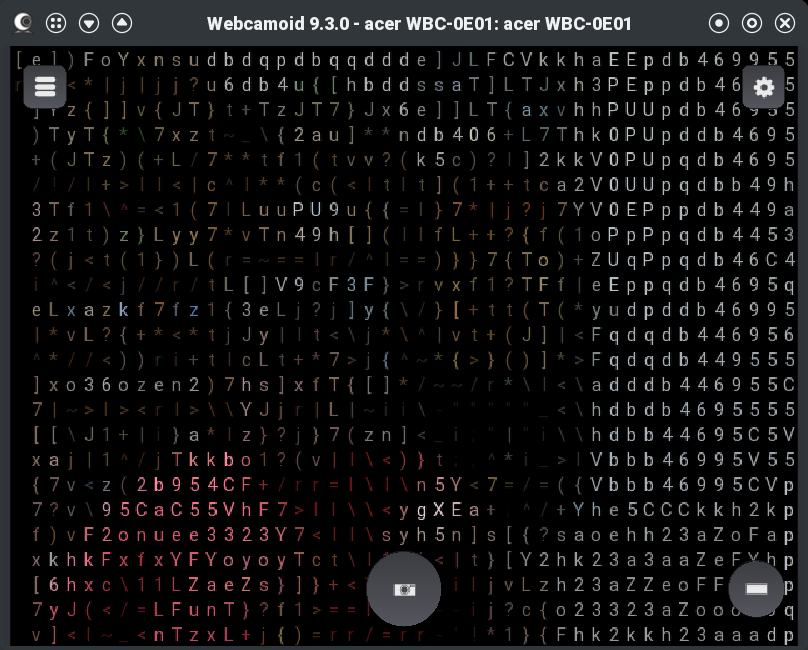
ASCII filter in action.
Once the virtual camera driver is sane, Webcamoid works well. You select the real camera as the source, apply whatever effects you want, and select the AkVCam virtual camera as the output. The receiving application then sees the virtual camera.
Compared to the command-line approach, Webcamoid makes experimentation easier. Want to flip the image, adjust color, crop, blur, or test silly filters? That is all much easier in a GUI than in an ffmpeg or gstreamer filter chain, although I still don’t mind the command line. There’s not much difference between using Webcamoid as a friendly front end or manipulating the image as we did last time.
However, I would not oversell it. Webcamoid is not OBS. It is not really a scene compositor. If you want multiple live sources — say, a screen capture as the main image and your webcam as picture-in-picture — OBS is the obvious GUI tool. With the command line, you can easily do things like this by calling ffmpeg directly.
That’s a Wrap!
If you want a full production environment, OBS is still the right answer. It handles scenes, multiple sources, transitions, screen capture, overlays, and virtual camera output in a single application. But if you liked the command-line loopback idea and wished it had a friendlier face, Webcamoid plus AkVCam is worth a look. It gives you a GUI for the common case: one camera in, effects applied, one virtual camera out. You just need to fight through the installation and configuration with your specific setup. Hopefully, yours will be easier than mine.
As usual, Linux rewards knowing what is happening under the hood. Webcamoid can make the workflow friendlier, but v4l2-ctl is still your friend, and, at least for some people, you’ll need some Linux Fu to get it all working in harmony.
A new Entertainment Software Associationstudy found that most Americans think video games provide the most entertainment value for their money compared to other forms of entertainment
75% of parents are actively play video games each week, while 81% enjoy playing with their children
The majority of players across all age groups are also spending money on in-game content
A new Entertainment Software Association (ESA) study has found that the majority of gamers in the United States prefer to spend their money on video games because they think they provide more entertainment value than other forms of media.
According to the ESA, 67% of Americans between the ages of five and 90 are now playing video games one or more hours per week, which equates to 212.3 million. This is up by 3% (7.2million) compared to 2025, and split fairly equally between men and women, with 53% of men and 46% of women actively playing.
Latest Videos From
The latest stats show that parents actually like their children playing video games and enjoy gaming with them, with 75% actively playing video games each week, and 81% saying they also game with their children (52% at least weekly).
Nearly half (49%) of parents also believe that their children playing games teaches important skills, such as problem solving and creative thinking, while the majority of American adults recognize the positive benefits of play.
Advertisement
85% find games to be fun, 78% say they offer stress relief, and 79% say they provide mental stimulation. Younger gamers in the Gen Z category (88%) also believe gaming brings people together and builds relationships (87%).
Gaming is a billion-dollar industry, and the cost of consoles and software has been increasing over the past few years, with most AAA first-party games now costing upwards of $80 to $90.
Sign up for breaking news, reviews, opinion, top tech deals, and more.
Advertisement
However, according to the study, most Americans (63%) believe games offer the most value for their money compared to other forms of media like video streaming services for music, TV, movies, books, and magazines.
The majority of players across all age groups are also spending additional money on in-game content, with 69% of Gen Alpha, 78% of Gen Z, and 67% of Millennials typically spending $20 per month.
54% of parents are even purchasing in-game content for their children, although we don’t know which games. 93% of them also said they require approval for in-game purchases made by their kids.























































You must be logged in to post a comment Login