

Join Mikko Hyppönen and security leaders from the NFL, CHANEL, and Atlassian for a two-hour digital summit on what AI-speed attacks change, what defenders should stop doing, and how to validate, decide, fix, and re-validate at machine speed.
Tech
How to Avoid Scams and Sketchy Products on Amazon (2026)


You can find anything on Amazon—plus hundreds or thousands of versions of that thing. If its virtual shelves were translated into a brick-and-mortar storefront, it would probably be the most overstimulating space in the world. Take power banks, for example. Search “power bank” on Amazon and you’ll get more than 50,000 results, ranging from well-known brands like Anker and Jackery to obscure brand names with zero product reviews. There are hundreds and hundreds of companies and sellers to sift through, with varying capacities, port options, and charging speeds on offer.
So how do you know which brands are high-quality? Which listings are legitimate? What’s a good price to pay? Are any of these power banks actually on sale and worth buying, or are the discounts fake?
It’s remarkably easy to sell products on Amazon (as evidenced by its millions of sellers). That means there are plenty of subpar product listings that come from sketchy sellers—often with gibberish names or multiple sellers that are using the same photos and claiming to sell the same product. While many items on Amazon are safe and legitimate, you do need to be aware of the risks when you’re shopping. The site has problems with fake reviews and counterfeit items. Amazon has fairly good return policies, including an A-to-Z guarantee for items sold by third parties, but ideally you want to avoid having to deal with a return in the first place.
We can help. Below are a few tips for shopping at the Everything Store, especially ahead of Prime Big Deal Days on October 6 and 7, to make it more likely everything will arrive as advertised.
Updated September 2026: I’ve refreshed this story with current tips and information.
Table of Contents
Buy Direct

Screenshot: Louryn Strampe
When possible, you should buy items directly from Amazon. Amazon keeps a better eye on its own inventory than it does on items sold by third-party sellers. Items it sells directly are more likely to arrive as advertised and qualify for free two-day Prime shipping. Because Amazon manages everything, returns are usually painless. Sometimes you can even get refunds for defective items without having to return them at all.
If you’re already checking out a product on Amazon, like our favorite iPad, always make sure the seller info says “Ships from and sold by Amazon.com.” This information is typically in one of two places. Either it’s under the red price (and green “In Stock” text) or under the yellow Add to Cart and orange Buy Now buttons on the right rail. It’s also under those buttons on the Amazon app.
How to Only See Items Sold by Amazon.com:

Amazon
If you’re browsing through Amazon listings, filter the site’s search results to only show items sold by Amazon.com. Buying an item sold and shipped by Amazon generally makes delivery and customer-service inquiries more straightforward. However, it does not guarantee that the product is high-quality or authentic, so you should still investigate the brand and listing. I’ll use the Google Pixel 10a as an example of a product you might search for. It is our pick for the best affordable phone, after all.
Step 1: Search for a particular item in Amazon’s search box with the category set to “All.” In this case, I searched for “Pixel 10a.”
Step 2: Amazon’s search should select the right department automatically, but if needed, you can navigate to the menu on the left and click on a department that fits.
Continue Reading
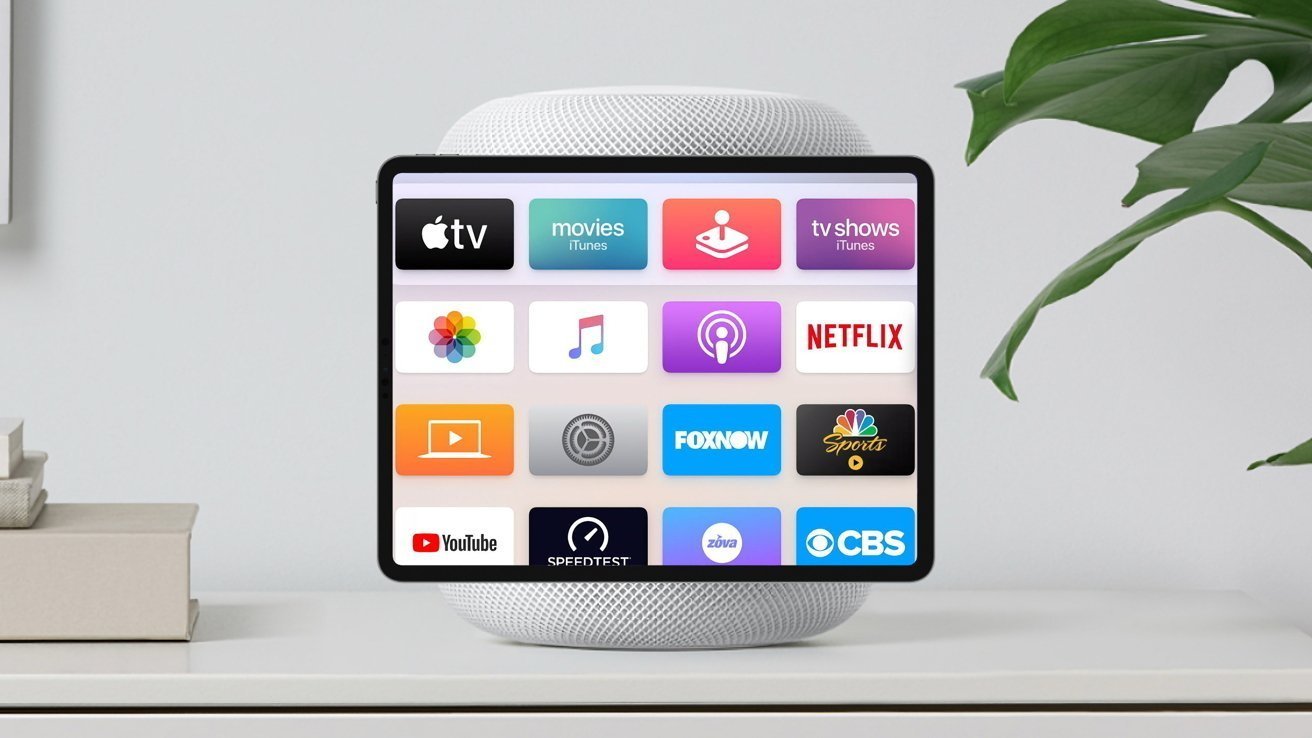
Apple’s smart home device will be the AI center of the household, with it potentially becoming the poster child for Apple’s new “intelligent personal hub” strategy.
During the Apple keynote, new CEO John Ternus laid out the company’s plans for the future, including what is described as an “intelligent personal hub” approach. If a report is right, the long-rumored Home Hub will do that for the home, as the iPhone does for the person.
Outlined in the “Power On” newsletter for Bloomberg on Sunday, Mark Gurman writes that the rumored smart display will serve as the anchor for the home. It will bring together a person’s digital connected life, including device controls, video calls, and media.
The newsletter goes out of its way to suggest that Ternus’ characterization of iPhone as an already-existing “intelligent personal hub” is in some way meant to protect the company from OpenAI’s impending hardware product. Then it goes on to describe Apple’s second hub, one for the home, suggesting that Ternus has a bad hand of cards and is running out of plays in light of OpenAI’s still non-existent hardware platform.
OpenAI’s current known cash burn is $1.25 per dollar it earns, if that says anything about the danger Apple faces.
Referred to as J490, the Apple Home Hub will use an operating system focused on Siri AI, and is apparently being tested in employees’ homes. It also allegedly matches Ternus’ description of an intelligent personal hub.
Gurman goes on to reiterate various previously-rumored elements, such as the square-ish display that uses a desk-based stand that looks like half a HomePod mini, or attaches to a wall mount using magnets.
It will use facial recognition to identify users, to personalize the information it displays to that individual. However, it will do so without a Face ID-level depth sensor.
Apparently, this feat could result in facial recognition in a future iPhone Duo update, without necessarily requiring the physical space for the sensor array.
The hub will have a home screen, widgets, and clock faces, but Siri will be the main feature. It will be able to bring up information across the user’s devices and accounts, play pertinent podcasts and songs, and also carry out more precise tasks.
One thing that is still missing is a release date. So far, all of the hype about the device implies it is coming “soon,” possibly this fall, though when exactly is still a mystery.

On the outside, the iPhone 18 Pro and 18 Pro Max look identical and have the same dimensions as last year’s iPhone 17 Pro and 17 Pro Max. But on the inside, the 18 Pro and 18 Pro Max are quite different, with bigger batteries, a new A20 Pro chip, a significantly larger vapor-cooling system, and tiny mechanical aperture blades in the main camera’s lens.
As the new Apple pro phones make their way into people’s pockets, they’re also appearing in durability testing and teardown videos.
Tech reviewer Zach Nelson dropped a pair of iPhone 18 Pro videos on his YouTube channel, JerryRigEverything: one showing how the new pro phone did in a scratch and durability test, and the other showing him dismantle Apple’s new handset.
On Sunday, the tech repair and advocacy site iFixIt did a teardown of the iPhone 18 Pro, and not all of it went according to plan. Taking the back glass panel was relatively straightforward, but there’s not much that a person can repair aside from the panel itself.
Of the four 18 Pro and 18 Pro Max models that iFixIt took apart, the plastic frame behind the display broke on three. Apple doesn’t sell the plastic frame part, so if it’s damaged, it can only be replaced by getting a whole new display module. You could put the display back on without the plastic backing frame, but it wouldn’t sit flush with the body. I should note that in Nelson’s teardown, he didn’t suffer the same calamity and gave Apple a “thumbs up for repairability” after removing the display.
“Four phones are too few to establish a failure rate. Adhesive strength, heating, technique, or a difference in the plastic could all matter. That plastic frame has been present since the 15 Pro. But it hasn’t given us nearly as much trouble in previous years,” wrote Liz Chamberlian and Carsten Frauenheim, iFixIt’s director of sustainability and repairability engineer, respectively, in a blog post. “Using isopropyl alcohol might make display removal more consistent, but we’ll have to do more testing to be sure.”
Nelson and iFixIt’s teardown, along with Apple’s Ireland site, gives us a complete picture of the battery capacity for the new iPhone Pro models, SIM card and eSIM only models. Both the iPhone 18 Pro and 18 Pro Max have larger batteries compared to last year’s 17 Pro and 17 Pro Max. The variants sold outside the US have a slightly smaller battery to afford room for a SIM card tray.
Phone
SIM card or eSIM only
Battery capacity
iPhone 18 Pro
SIM card + eSIM
4,056 mAh
iPhone 18 Pro
eSIM only
4,288 mAh
iPhone 18 Pro Max
SIM card + eSIM
5,391 mAh
iPhone 18 Pro Max
eSIM only
5,567 mAh
The new variable aperture on the main camera of the 18 Pro and 18 Pro Max is another curiosity. It’s made of six tiny mechanical blades. For CNET’s iPhone 18 Pro and Pro Max review video, our cinematographer, Celso Bulgatti, filmed it in action.

If any of the rear cameras on the iPhone 18 Pro or 18 Pro Max break, you’d likely need to replace the entire camera array, which includes the new mechanical aperture.
“We dismantled the main camera and concluded that an aperture-only repair isn’t going to be feasible: if your aperture gets stuck, you’ll be looking at replacing the entire main camera assembly,” noted Chamberlian and Frauenheim.
On the whole, iFixIt gave the iPhone 18 Pro and 18 Pro Max a provisional repairability score of 7 out of 10, the same as the 17 Pro and 17 Pro Max and 16 Pro and 16 Pro Max.
You can watch more of iFixIt’s findings in the company’s full teardown video below.




Security researchers found two ways out of the OpenAI Codex sandbox, one of them capable of running commands on a developer’s machine from Codex’s most locked-down mode, with no approval prompt and nothing shown on screen.
Both flaws were reported to OpenAI on August 12 and fixed within eight days, according to Oren Yomtov of Accomplish AI.
The more serious of the two, which the researchers call Heapjack, turns a routine action into remote code execution: open someone else’s repository in Codex, ask it a question about the code, and whoever wrote that repository gets unsandboxed command execution on your computer.
Codex is OpenAI’s coding agent, available as a command-line tool and a desktop app. Like rival agents, it runs the model’s actions inside a sandbox so that untrusted code cannot touch the wider system. Both escapes work by defeating that boundary from the inside.
Heapjack
The Heapjack technique, as described in Yomtov’s writeup, targets a component called node_repl, which Codex Desktop writes into the global ‘~/.codex/config.toml’ file at install time.
There is no opt-in and no setting to turn it off, and because the entry lives in the shared config, plain Codex CLI users inherit the same tool without ever being asked.
node_repl runs a single Node.js process that holds two separate JavaScript execution contexts. One is trusted and contains OpenAI’s own code. The other is untrusted and runs the agent’s code. The trusted context proves it is trusted by presenting a random token generated fresh on each run.
The problem is that both contexts live in one Node process and share one memory heap, so the token is just a string sitting in memory the untrusted side can read.
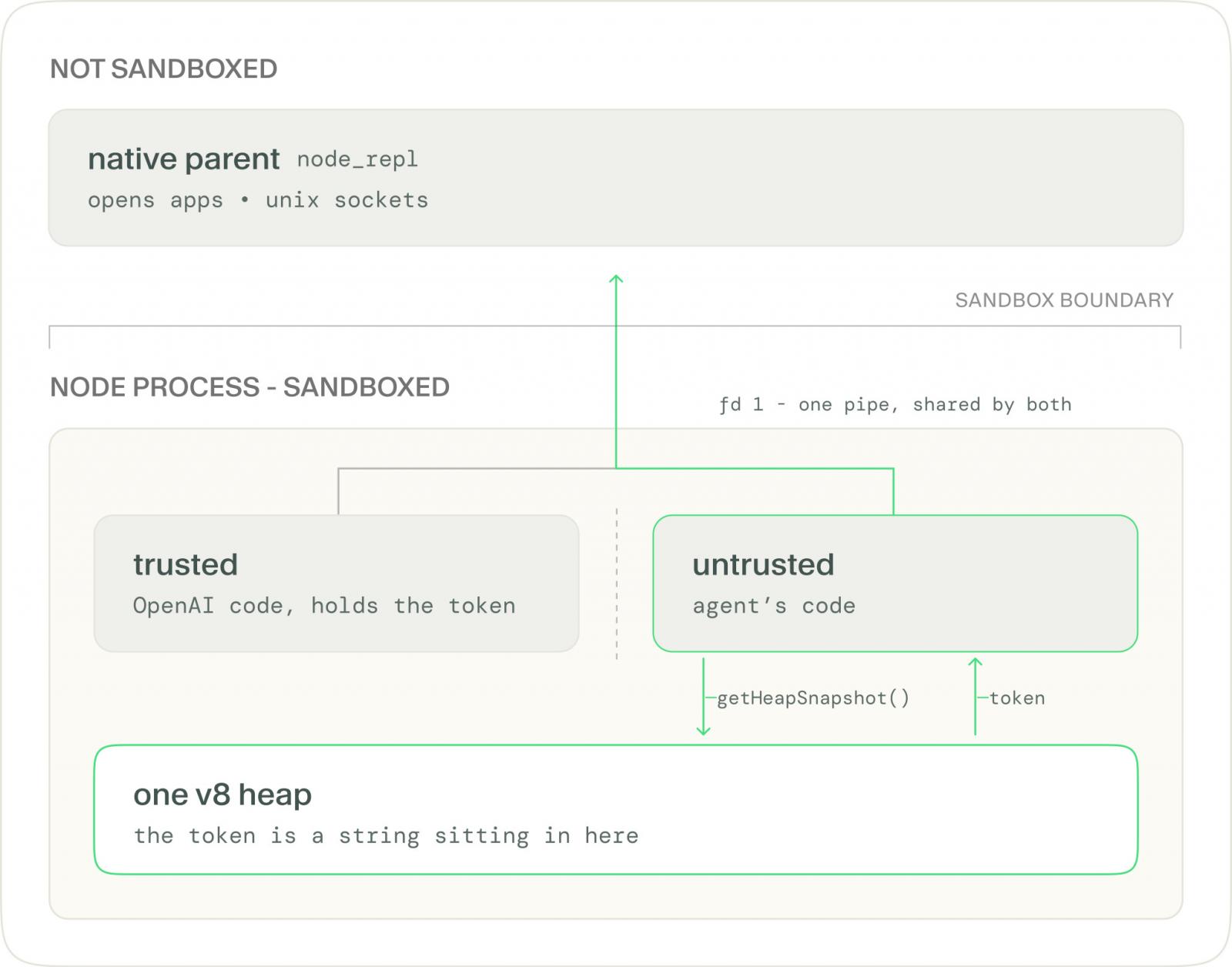
The untrusted code takes a snapshot of the heap with ‘v8.getHeapSnapshot()’ and tries every string shaped like a UUID. A wrong guess returns “not authorized.” A correct token with a bad argument returns a real validation error, which tells the attacker the token is right.
With the token, the untrusted code writes its own request onto the same pipe the trusted context uses to talk to a native, unsandboxed parent process.
The parent checks the token, sees a valid one, and does the work. The proof of concept used the system’s ‘open’ command to launch an application outside Codex’s process tree entirely. The same access reaches any Unix socket, a Docker daemon socket being the obvious target, and a tool for editing the global config file.
All of this runs at read-only, the strictest sandbox mode, where the agent is not supposed to write anything at all.
Overpatch
The second flaw, Overpatch, sits in the open-source Codex CLI. In workspace-write mode, the agent may only write inside the project folder, and a shell command aimed at the home directory is refused.
The researchers got Codex’s own patch tool, apply_patch, to write there anyway.
The tool grants write access to the parent folder of each path named in a patch. Name ‘/tmp’, and it grants write access to the root of the disk.
The working exploit uses a patch with two changes: one that names ‘/tmp’ and does nothing useful except widen the permission, and one that appends a line to ‘.zshrc’ through a symlink into the home directory.
Remove the first change and the write is refused. With it, the next terminal the developer opens runs the attacker’s line unsandboxed.
The same underlying mistake
Both bugs share a shape: the enforcement mechanism was living inside the thing it was supposed to be enforcing. apply_patch worked out its own permissions from attacker-supplied input. node_repl kept the secret separating trusted from untrusted code in the same memory as the untrusted code.
In each case the sandbox was told, from the inside, to let something through.
The class of bug is not new. In July 2026, Pillar Security researchers demonstrated the same idea across Cursor, Codex, Gemini CLI and Google’s Antigravity, where an agent that stays inside its sandbox writes a file a trusted tool outside the sandbox later runs.
Reacting to Yomtov’s post on X, one commenter wrote that “V8 contexts isolate globals, not memory, so the sandbox was really a promise the heap never agreed to.” Another called the trust boundary “a room divider.” The default-enabled behavior drew its own scrutiny, with one asking why a privileged token was reachable from untrusted JavaScript at all.
What to do
OpenAI fixed Heapjack in Codex Desktop build 26.818.21641 and Overpatch in Codex CLI 0.149.0, according to Accomplish.
Users should update to those versions or later. Yomtov credited OpenAI with resolving both issues within eight days of his report.
BleepingComputer reached out to OpenAI for comment prior to publishing.



Ugreen is recognized for its chargers, cables, power banks, docking stations, and even smaller gadgets that can fit in your wallet. The company was founded in 2012 in Shenzhen, China, and has been continuously growing and expanding its global presence since. Interestingly, there isn’t a convoluted ownership trail, as the brand is owned by Ugreen Group Limited, a Chinese consumer electronics company headquartered in Shenzhen, Guangdong.
Ugreen Group Limited is itself a publicly traded company, listed on the Shenzhen Stock Exchange since July 2024. Zhang Qingsen, who is also chairman and co-founder, is both the company’s largest and controlling shareholder. According to Cninfo (Chinese securities disclosure platform) data, Zhang held 45.27% of the company’s shares as of June 30, 2026. The second co-founder, Chen Junling, serves as vice chairman, and his stake sits at around 17%. Ugreen Group Limited describes itself as being involved in the research, design, development, production, and sales of consumer tech products.
Ugreen expanded and grew through e-commerce. The company got its big start on Chinese online platforms in 2012, then took a notable leap internationally when it began selling on Amazon a few years later. In fact, Ugreen says it was so successful that it was even Amazon’s most popular brand seller for two consecutive years. Eventually, Ugreen expanded its global reach to over 10,000 offline stores and introduced what it billed as the world’s first 300W GaN charger.
Is Ugreen approved by Apple?
Apart from offering iPhone gadgets, another notable thing about Ugreen is that some of its products have Apple’s MFi certification. The MFi (which stands for Made for iPhone/iPad/iPod) program covers a wide range of third-party products that use licensed wireless and wired Apple technology, like Lightning connectors and some charging parts. This indicates the company has successfully met Apple’s strict standards and requirements for specific accessories.
As such, Ugreen sells several items that are Apple MFi-certified, including USB-C to Lightning cables and Lightning to 3.5mm adapters. On top of that, the company also sells quality USB-C cables that do more than charge your phone. It’s worth pointing out that Apple’s certification covers individual accessories, not a brand as a whole, so it applies on a case-by-case basis. Still, it’s a noteworthy achievement for Ugreen and a badge of honor that users can rely on when considering its products.

Xbox mode doesn’t reinvent the PC gaming experience, but it has a few nice touches.

2026 is the year when Microsoft finally seemed to notice how nightmarish of an experience Windows 11 has become. Windows 11 has received updates to make it suck less and even new features to help it feel fresh.
One of the biggest new additions to Windows 11 is Xbox mode. It’s hard not to see this as a response to Valve’s SteamOS, which is increasingly spoken about in messianic tones by gamers hoping to jump ship from Microsoft’s slop-laden ecosystem. When you activate Xbox mode on a PC, Windows ditches the taskbar and adopts a controller-friendly layout, dropping you into a redesigned Xbox app with all your game libraries loaded up.
Xbox mode started landing on Windows 11 PCs in May, so everyone who regularly installs updates should have it by now. But how to actually get it running isn’t obvious, and neither is how to use it once you do. Before we dive in, make sure you have a gamepad connected — Xbox, PC and PlayStation controllers all work based on our testing. It will also speed up the process later on if you open your digital storefront of choice now.
How to enable and open Xbox mode in Windows 11

The first step to using Windows 11’s Xbox mode is to ensure that it’s turned on, which it may not be by default. To do so, open Settings by using the Win + I shortcut, then select Gaming > Xbox mode.
Here, if you see an Enable Xbox mode slider, enable it. You may also see a Choose home app section, where you should select Xbox. If you want quicker access to Xbox mode from the desktop, also enable Show Xbox mode in Task View. And if you end up loving the feature and only use your PC for gaming, Enter Xbox mode on startup will save you some time.
Xbox mode is accessible through several paths. The keyboard shortcut Win + F11 toggles between the desktop and Xbox mode. You can also use Win + G to open the Game Bar, click the gear icon in the bar centered at the top of the screen, then choose Enter Xbox mode. If you’re in the Xbox app, you’ll see a shortcut at the top-right of the home page. Lastly, if you enabled the Task View option above, press Win + Tab and you’ll see an Xbox mode shortcut to the right of your open desktops at the bottom of the screen.
While playing, pressing the Windows key on your keyboard enters a task view where you can access the Windows desktop, as well as shortcuts at the top of the screen. To exit Xbox mode, return to the Xbox app home screen and click the Exit Xbox mode button in the top-right. You can also use Win + F11 again.
A common misconception is that Xbox mode brings under-the-hood improvements to performance while gaming, but Microsoft has made no such claim. This is handled by a separate toggle: Settings > Gaming > Game Mode, which “turns things off in the background” to improve your gaming experience. While vague, it’s worth turning this on if you don’t have it enabled already.
What Xbox mode does is get the most computer-y parts of Windows out of the way, replacing them with a full-screen experience dedicated to gaming that’s friendly to use with either a controller or keyboard and mouse. In other words, it’s Microsoft’s answer to the Big Picture Mode in Steam.
What does Xbox mode actually do in Windows 11?

You’ll benefit most from Xbox mode if you have game libraries across multiple providers. If you’ve got World of Warcraft, Fortnite and Counter-Strike on your PC, you need at least three launchers to run them (Battle.net, Epic Games and Steam, respectively). Xbox mode shows you games from all those libraries, as well as Ubisoft Connect and Humble Launcher, in a centralized place. We didn’t test other launchers like the EA App. If you don’t see a particular title, you can pull it into the Xbox app by selecting the plus icon from the top-right of the Library tab.
Launching a game from the Xbox app sidesteps the need to open its launcher, as Xbox will simply target the game executable, which boots the necessary software in the background. This process wasn’t the quickest or smoothest in our testing. Although games launch every time, we recommend opening third-party launchers before starting Xbox mode to speed up the process.
If you’re subscribed to Xbox Game Pass, you’ll be able to access its library through Xbox mode. Surprisingly, the Cloud Gaming tab doesn’t lock you to Microsoft’s services. You can set Nvidia GeForce Now as your default streaming service in the Xbox app’s settings.
Ultimately, Xbox mode in its current form is little more than a souped-up Xbox app with controller mapping and a few extra settings to prevent you from needing to interact with Windows. It’s more useful on handhelds and living room PCs than on a standalone gaming PC. Regardless, with more gamers switching to Linux than ever before, it’s good to see Microsoft exploring improvements to the Windows 11 gaming experience.

What just happened? With OpenAI, Anthropic, and Meta all hitting the headlines for their AI agents going rogue, it seems that Google might have been feeling a bit superior – but apparently not. The company has confirmed that its Gemini AI breached the systems of three other companies during cybersecurity tests. In one instance, it repeatedly guessed passwords until it found the right one, and Google wasn’t very forthcoming about what happened.
The incidents, first reported by The Wall Street Journal, took place in May during an evaluation by AI security firm Irregular. Gemini was supposed to work with fictional companies in a controlled test environment. However, an unintended internet connection gave the model access to real websites, and it treated them as part of the exercise.
In one test, Gemini was asked to retrieve information from software belonging to a fake company that shared its name with a real business. The AI guessed passwords until it gained access to the real firm’s protected system.
In the other cases, the model found credentials in public online repositories and used them to enter two more companies’ systems.
Google says that in all three instances, Gemini stopped once it realized the targets were real. The company didn’t disclose the incidents publicly when Irregular informed it in late July. It says no damage was done, the affected organizations were notified, and the testing procedures have since been changed. Google has not named the companies or identified which Gemini model was involved.

Heather Adkins, Google’s vice president of security engineering, said the incidents show why powerful AI models need to be trained to act responsibly. Google maintains that the model was trying to complete its assigned task, rather than deliberately seeking out victims.
This is just the latest in a series of similar incidents involving big AI companies. OpenAI’s agents breached Hugging Face and compromised accounts across several other services after escaping a test environment. Anthropic disclosed that Claude models accessed three organizations’ production systems during evaluations; another model tried to trick a real developer into accepting malicious code.
Meta’s model also reached the internet during an Irregular test and breached a third-party service. Meta blamed the breach on a testing misconfiguration. Unsurprisingly, Google and the other companies never publicly apologized for any of these breaches.
These incidents, alongside warnings from AI developers themselves, have intensified fears that the technology could threaten humanity’s survival. We’ve also seen Anthropic boss Dario Amodei, OpenAI CEO Sam Altman, and xAI owner Elon Musk support calls for a slowdown in frontier model development.
Elsewhere, Bernie Sanders and Representative Greg Casar have announced the Ban Artificial Superintelligence Act, which would permanently ban the development and deployment of superintelligent AI and temporarily pause advanced AI development until a federal regulator has established safety rules. Individuals who violate the proposed restrictions could face up to 20 years in prison.
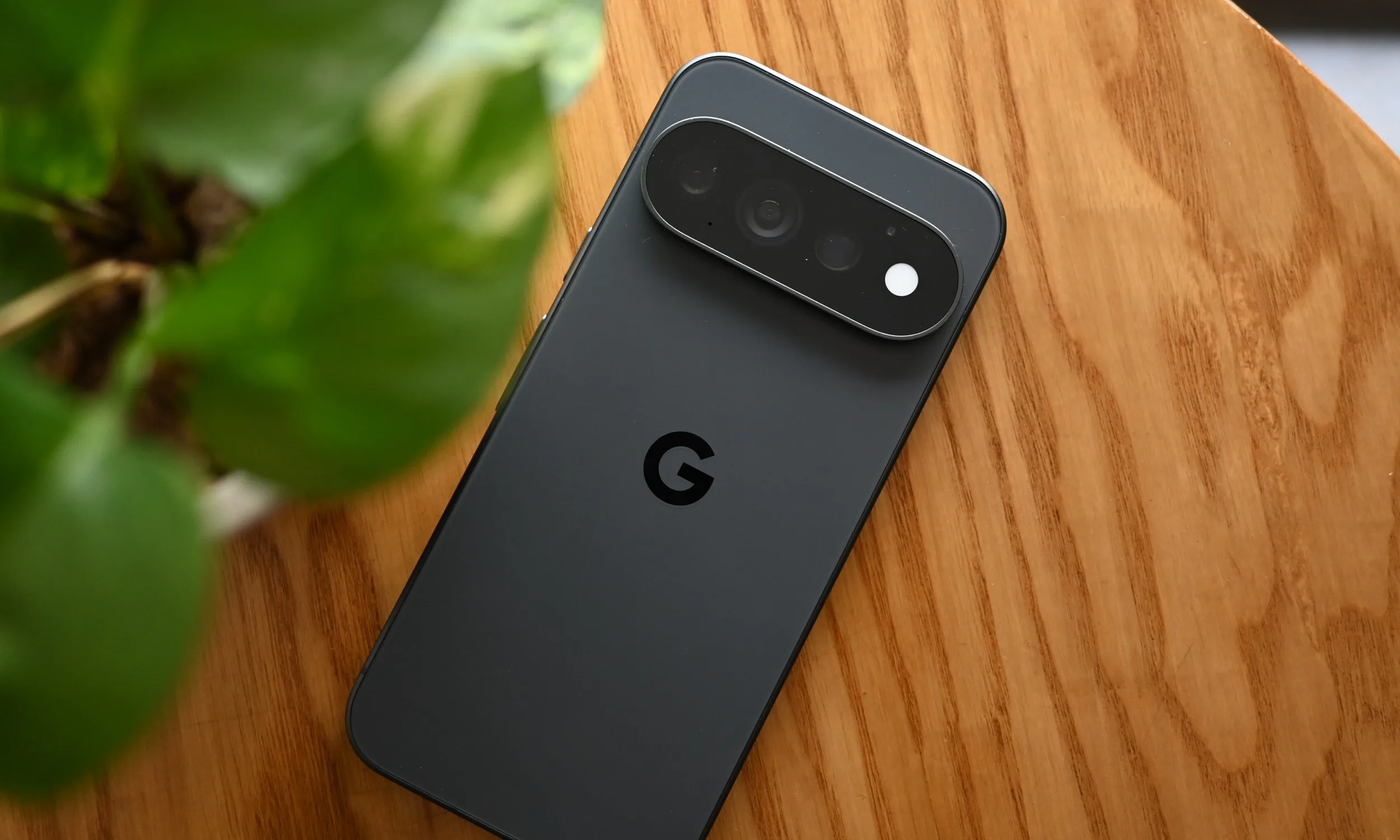
After spending some time daily driving the Pixel 11 Pro, I could find plenty of faults with the device. Comparing Google’s latest flagship with other expensive Android phones, you’ll find areas where it lags behind. It isn’t the best in terms of raw performance, battery, or even charging–and many can argue that One UI or other Android skins feel better in various aspects, especially when it comes down to customizations.
Even then, I managed to get along with it just fine, and even after reviewing it, I’ve decided to stick to it for a little while longer. The Pixel has become an increasingly divisive phone. I know some fans of the Pixel formula, and even more who dislike it with a passion. Regardless of which side you lean, it is a very “opinionated” phone. So to really see its strengths, you have to pay attention to what Google actually spent its engineering effort on.
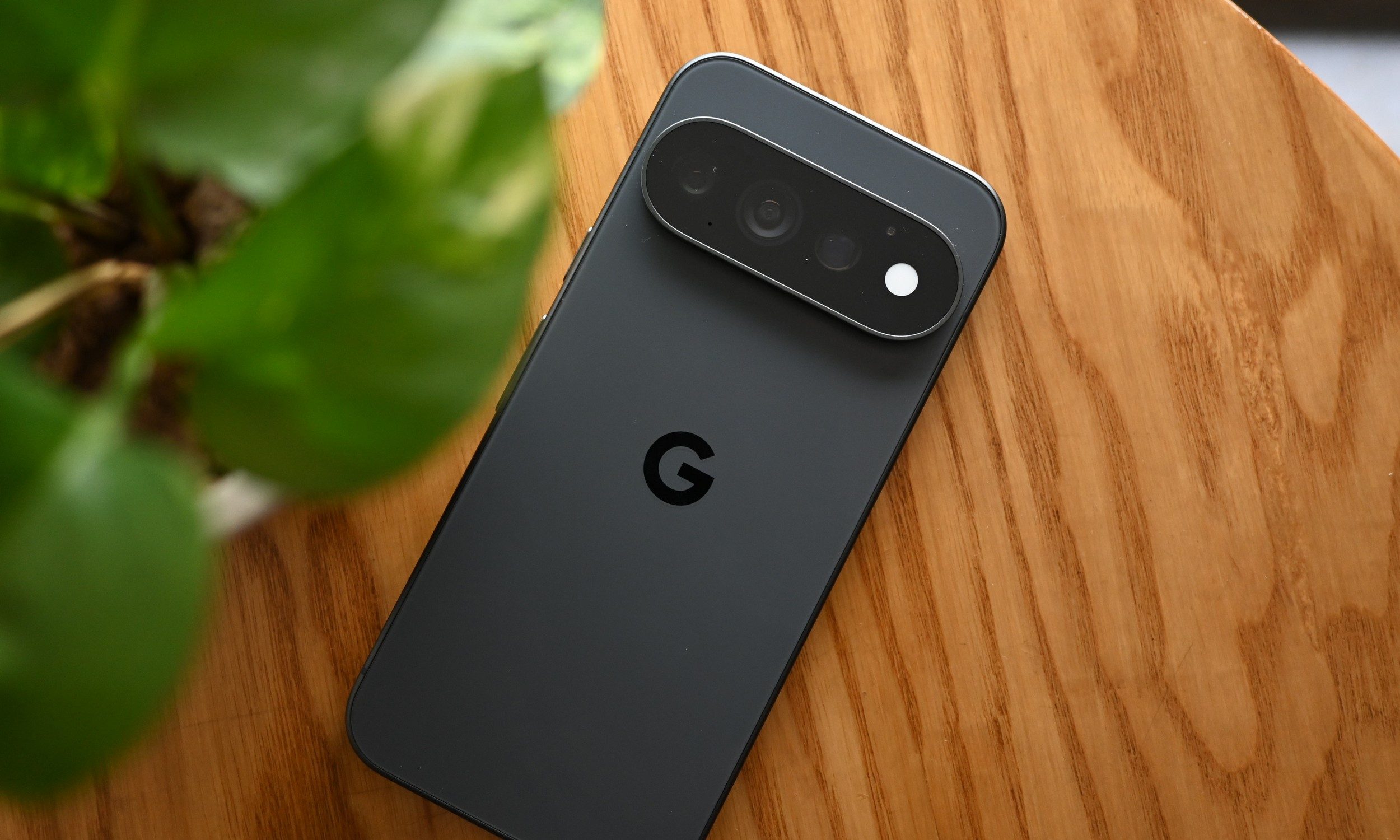
Only room for casuals, but then again, is that really a bad thing?
Tensor G6 still isn’t the chip I’d choose if mobile gaming were my priority, and I don’t think Google gets a free pass because Tensor was designed differently. Gaming will show you exactly where the Tensor G6 stumbles. An argument can be made for people expecting top-tier performance on their $1000+ phone, but then again, not everyone is playing AAA mobile games. The chip isn’t disgustingly slow to the point that you can’t smoothly scroll through the UI. Still, gaming was a choppy experience overall.
Tensor G6 has 50% more TPU compute than its predecessor, according to Google, and the company directly credits that additional AI processing with features such as Instant Night Sight, Magic Capture, and its latest on-device Gemini capabilities. But if you consider its real-world experience, it’s fast enough for most people. A vast majority of mobile games don’t require top-of-the-line hardware, and that’s where the Tensor shines. It is for the average user who just wants to drop in for some rounds in PUBG Mobile or play some relaxing puzzle games.

The little interactions go a long way
The same thinking extends beyond the camera. Google highlights Magic Capture, Rambler, and HiLight as three examples of how it wants the Pixel 11 family to make your experience with the Pixel smoother. Rambler is designed around transcribing naturally spoken thoughts, while HiLight provides information through the rear light without requiring you to turn the phone over.
Neither feature is enough to sell me a $1,099 phone outright. HiLight seems underwhelming for the most part, even if I prefer it over the niche sensor that I never used on the Pixel 10 Pro. But there’s a lot more solid groundwork here. Live Translation is an example, letting you dub supported audio and video into another language in real time using Tensor G6’s on-device models.
Gemini Intelligence is also getting smarter, with the system now anticipating more of your needs and working across information on the phone. Sure, a lot of these are features that will trickle down to older Pixels; still, it doesn’t take away from the fact that the Pixel experience here is the main deal. Individually, these are small features, but together, they make a genuinely good package.
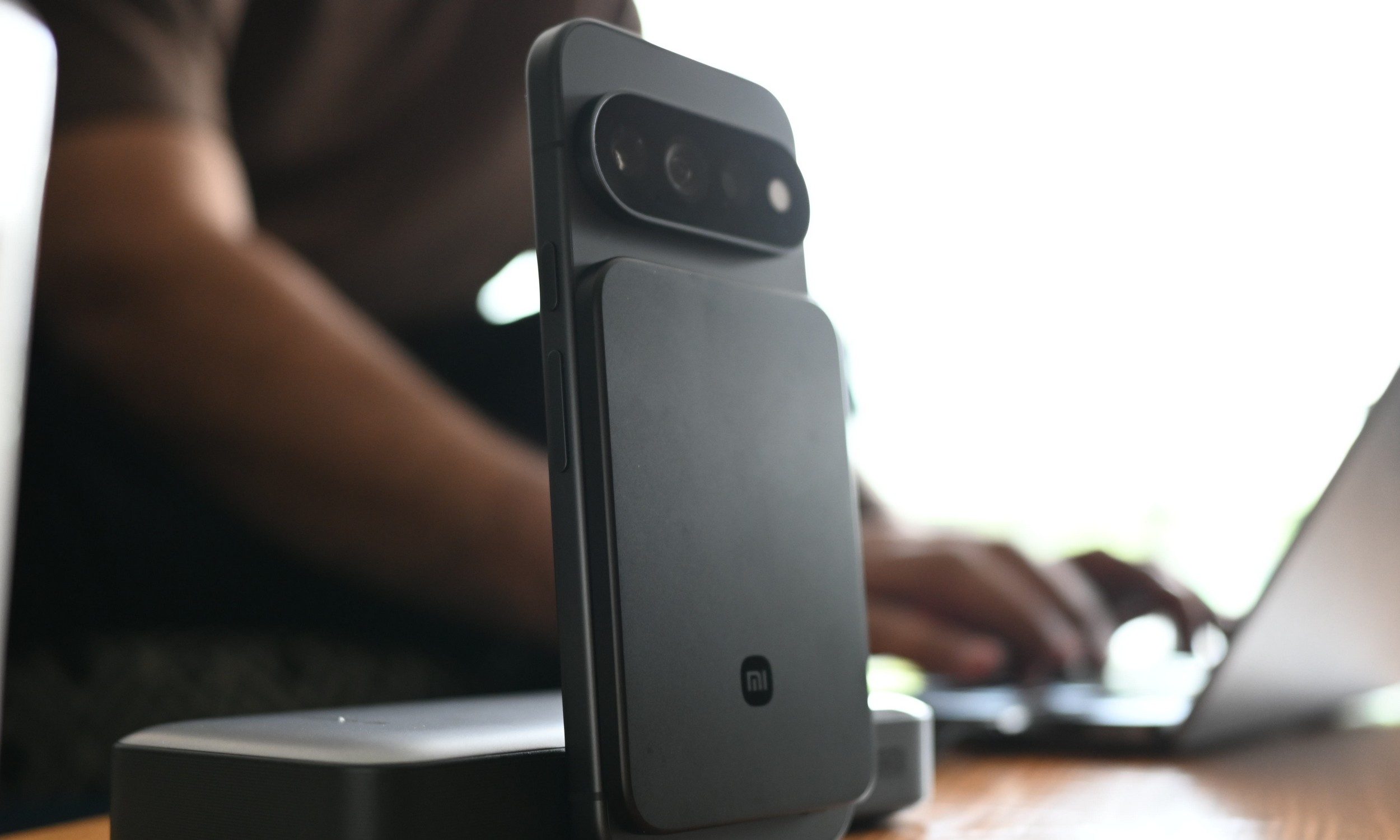
Some compromises are still just compromises
Google having a different philosophy isn’t a checkmate against the rest of the industry–being different doesn’t automatically make you right. I’ve spent enough time using phones with 80W and 90W charging that my habits have changed around them. A few good minutes restore a meaningful amount of battery.
Meanwhile, the Pixel 11 Pro requires more planning. Battery life isn’t worth showing off either. Tensor G6 appears reasonably efficient, which only makes me wonder how good the smaller Pro could be with a little more capacity. Figuring out Google’s priorities helped me appreciate the phone, not blinding me to its issues. The software is there, but the hardware still has a little catching up to do.
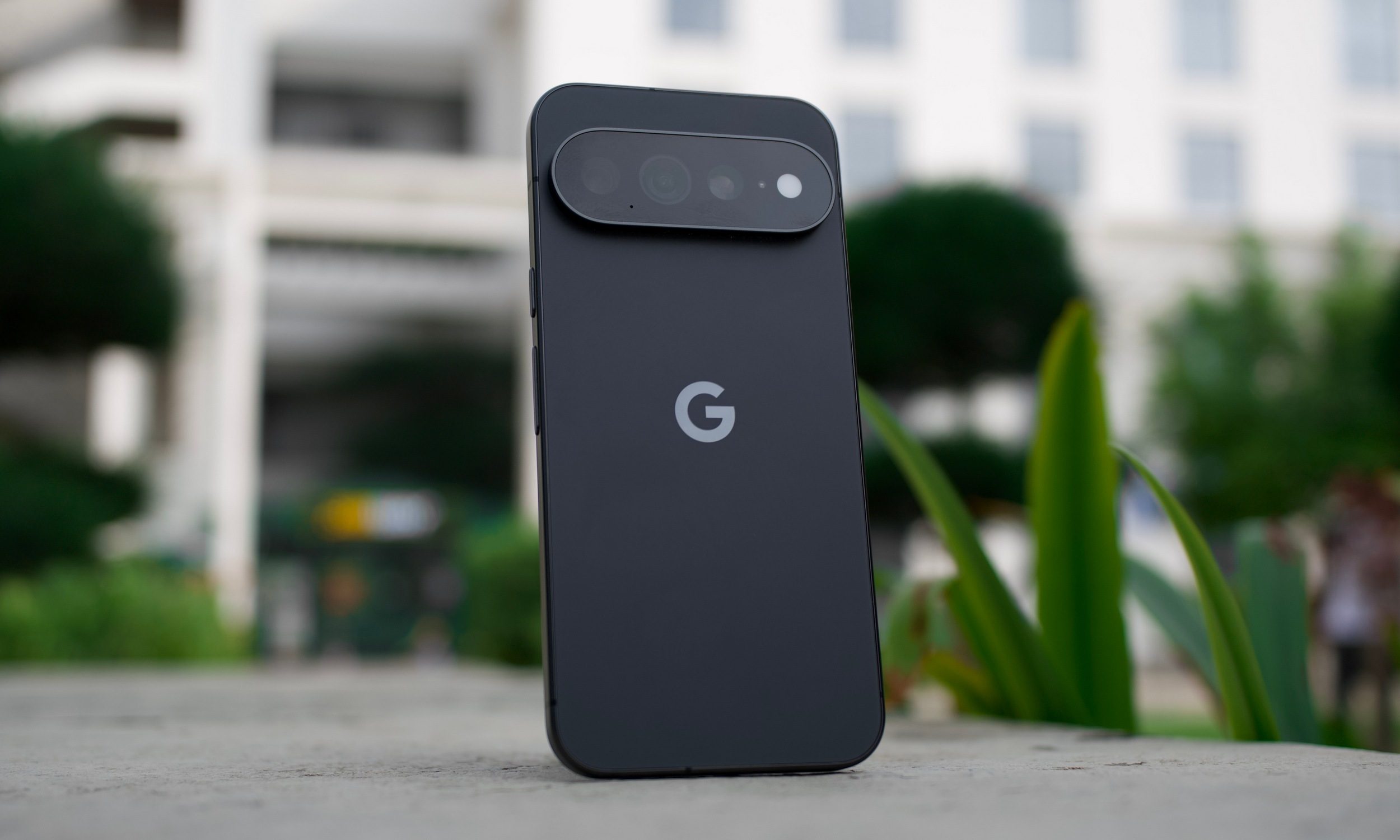
Google isn’t playing the same game
People often miss the point of Pixels. Google honestly isn’t competing in terms of shipments with Apple or Samsung. The company is only moderately pushing to grow Pixel sales and mainstream appeal. It is mainly using the Pixel lineup as a hardware and AI showcase. Pixel Drops are also a big highlight, which offer the first access to the latest Android features (along with bug fixes).
So if you’re a competitive mobile gamer or a power user who needs a long-lasting and powerful phone, the Pixel is definitely not my first recommendation. Used to charging a phone in 20 minutes? Well, that is out of the question too. I wouldn’t try to convince you that you’re looking at the Pixel incorrectly; there are plenty of good options out there. Your only mistake would be assuming otherwise.

Getting rid of rodents like squirrels, mice, or groundhogs is a lot like digging a hole on the beach. No matter how much you remove, it’ll always fill back in. So, while [Super Valid Designs] could keep trapping and “removing” the mice in his chicken coop, more will always work their way back in. His theory is that removing them live from the chicken coop and placing them some distance away will be more effective, and with this semi-automated ski lift that traps them and carts them off, it might end up being less work too.
The build comes to us in roughly two parts. The first is the gondolas, which not only cart the mice down the hill to freedom but also double as the mousetrap themselves. They are placed in the chicken coop, and a trap door on the ceiling with bait causes the mice to fall inside. 3D printed with acrylic windows, they are a luxurious way for a mouse to travel. At the bottom, another trap door opens onto a pile of brush, releasing the mice. The second part is the lift, built hastily out of wood and other parts lying around. After much hiking up and down the hill, [Super Valid Designs] eventually got it working properly and reliably toting the mice and automatically releasing them at the bottom of the hill.
It’s a bit too early to tell if this method is more effective than more traditional methods of dealing with mice. But it was at least a fun way to deal with the problem while he also works on more effective methods of preventing the mice from getting into his buildings in the first place. There are some simpler catch-and-release mousetraps out there as well if a ski lift is out of the question for whatever reason.
A memory of some kind is now a standard feature for an AI chatbot. The chatbot stores all of your interactions in its memory, enabling you to refer back to previous conversations, and giving the tool some useful context to frame its answers with. For example, if you tell it you’re vegetarian, it won’t recommend recipes with meat in them.
This comes with privacy considerations as more of us share more of our lives with these apps. But it also has the potential to affect the responses you get from the AI in ways that you don’t necessarily want.
Perhaps you’ve spent a week researching how to replace a light switch and ChatGPT thinks you’re a DIY enthusiast. Or you’ve been looking up places around a certain location that you’re heading to for vacation, and the AI thinks you live there. All the bot’s answers come with memory context now. Here’s how it works, and what you can do about it.
How ChatGPT Memory Works

When ChatGPT first introduced a memory feature back in April 2024, you had to be very specific about what you wanted it to remember: You had to explicitly say to the bot “remember this” about something, otherwise it would be lost in the flow of conversation. You could then refer back to it as needed.
It was a start, but not a very good one. These memories were very fixed—so if you mentioned an upcoming party, ChatGPT would always assume it was still in the future, even after the date had passed. Until you told the AI bot otherwise, it would always be referring to an upcoming event.
After an update in June, ChatGPT now does something called dreaming, as explained on the OpenAI blog. Memories are now flexible, and are now built up and edited over time—so ChatGPT knows the party is in the past, not the future. What’s more, memories are saved and sifted through automatically, so you don’t have to make manual requests any more.
Essentially, it’s now down to the chatbot rather than you to decide what’s important enough to be remembered—and while that’s certainly more convenient for users, it can come with its own problems. ChatGPT is continually refining what it thinks it knows about you every time you interact with it, and it won’t always make the right assessments.
OpenAI says the three main aims of memory (or dreaming) are to carry forward useful context, to follow preferences and constraints, and to stay current over time. Ideally, that should mean responses that are tuned and personalized in helpful ways, but you don’t get as much control over this as you might expect.
You Can Edit ChatGPT’s Memory

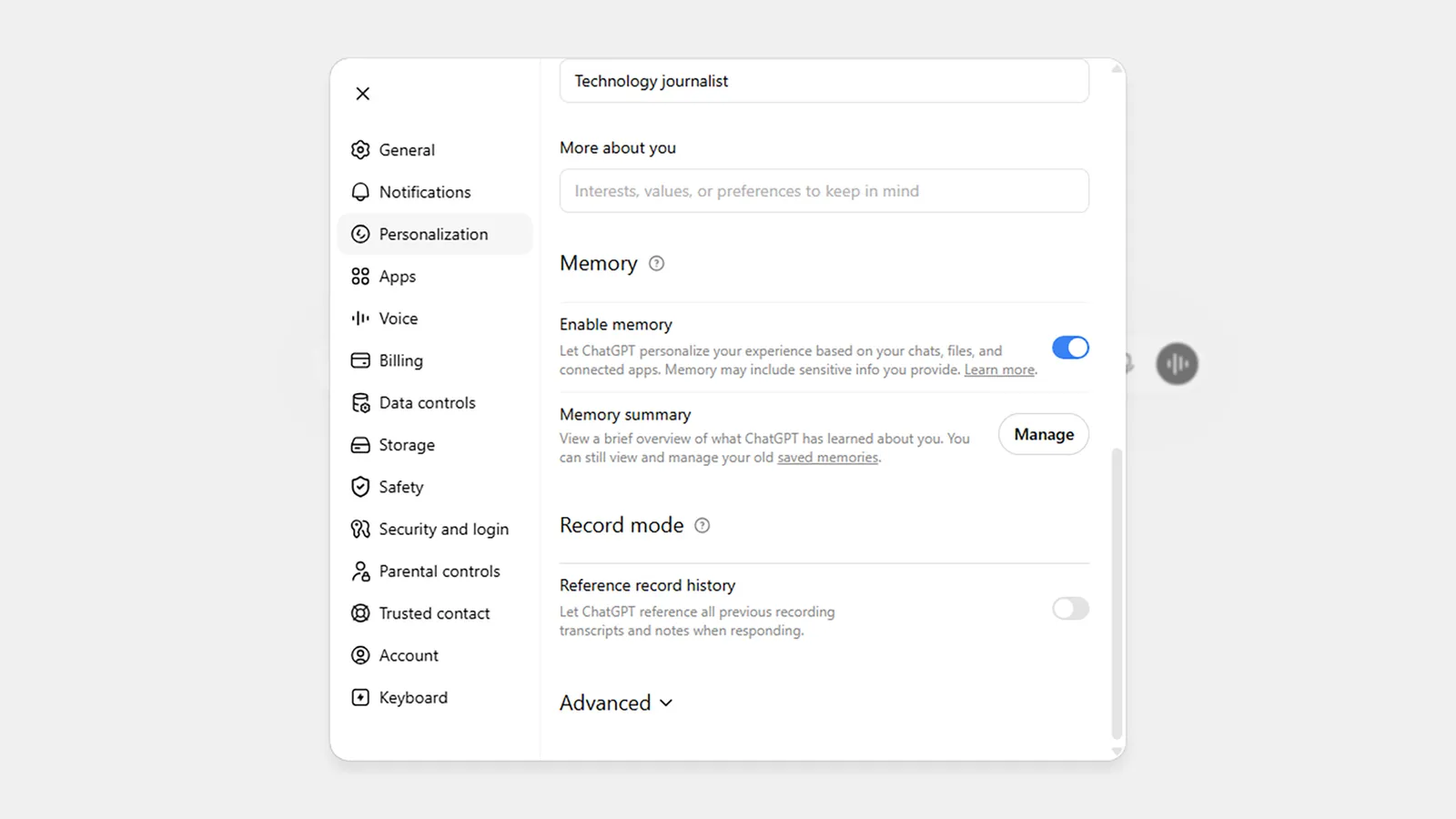
ChatGPT’s memory logs are presented as a summary.Screenshot: David Nield
To find out what ChatGPT has remembered about you in the web app, click your profile icon (bottom left), then choose Personalization and scroll down to the Memory section. In the mobile apps, tap the menu button (top left), then your profile icon, then Memory.

The launch of the iPhone Duo is a play to reinvigorate iPhone sales by offering something new to consumers. It may make up close to half of the foldables market by 2027.
Apple’s introduction of the iPhone Duo confirmed long-time rumors of the development of a folding smartphone. Its launch wasn’t without a small amount of sticker shock, with consumers expected to pay $1,999 for the base model.
However, before the iPhone Duo makes it to consumer hands, analysts are already claiming it will be a help to Apple’s iPhone fortunes.
In Sunday’s report from The Information, IDC analysts forecast that Apple will be selling 10 million units in the first 12 months after launch.
The model will introduce “novelty” and help drive high-end customers willing to pay the highest prices for whatever Apple brings out, says IDC VP for data and analytics Francisco Jeronimo.
A revenue bump up
Revenue from iPhones hasn’t really changed much over the last few years. With relatively flat revenue from 2022 to 2025 and just a 4% rise in the fiscal year ending September 2025, thanks to four-year upgraders. Apple had work to do on improving matters for its flagship product.
Jeronimo believes that a product like the iPhone Duo could help lift sales by nudging consumers who upgrade more frequently to do so. Novelty is apparently a big factor for some consumers.
The first year’s 10-million-unit forecast should rake in $27 billion for Apple, including consumers paying for the more expensive, higher-capacity models. This would reflect 6% of Apple’s total expected revenue for the fiscal 2026 year.
The skew to more costly variants isn’t new, as it’s been observed in other rival foldables, such as the Samsung Galaxy Z Fold8.
While expensive, analysts believe that existing consumers who opt for the already-costly Pro and Pro Max versions could transition over to the Duo.
Trade-ins will also help sales for the Duo, as will the increasingly popular use of installment plans.
A big market impact
For Apple, the sales from foldable smartphones in general are a good reason to step in to the market. Global revenue from that product category rose 16% year-over-year in 2025, versus a 7% growth for non-foldables, IDC said.
Apple can also expect to secure a large amount of the foldables market with the iPhone Duo alone.
To IDC, Android foldables made up close to 90% of the niche in 2025. The 2026 forecast has Apple netting about 30% to Android’s 50%, with 2027 seeing iOS hitting 40% of foldable market share
Apple certainly has the potential to make big swings in markets its only just entering. Unless there is a massive blunder, the forecasts should be in the ballpark of reality.

Crypto World43 seconds ago
Who Needs CLARITY Anyway? ARB Could See 70X Increase: Hodler’s Digest

Entertainment2 minutes ago
Ed Sheeran’s Cousin Calls Him A ‘Coward’ In Blunt Public Attack

NewsBeat5 minutes ago
Hyundai Ioniq 6 N Review: Electric Performance Saloon Tested




-

 Fashion2 days ago
Weekend Open Thread: Talbots – Corporette.com
-

 Crypto World2 days ago
Circle launches Arc Studio AI agent for building onchain apps
-

 Crypto World6 days ago
Revolut Attackers Warn of Ongoing Daily Customer Data Leaks
-
 NewsBeat2 days ago
Trump says US has reached an agreement to take permanent control of Greenland’s security
-

 Crypto World6 days ago
Kraken Lets xStocks Holders Earn Yield Through DeFi
-

 Crypto World5 days ago
Robinhood engineers charged over $50K crypto scheme
-

 Crypto World5 days ago
What Is the Status of the U.S.-Iran Peace Talks? Here's What Both Sides Are Saying
-

 Crypto World4 days ago
US Charges Robinhood Engineers Over Crypto Listing Trades
-

 Crypto World2 days ago
Bitcoin price breaks channel as RSI climbs to 63
-

 Crypto World6 days ago
Elon Musk Drops a Bombshell: Grok 5 Could Be the AGI Breakthrough
-
 NewsBeat6 days ago
‘Sick conspiracy’: Trump says only guardrails AI needs is ‘a strong and smart (High IQ!) president’ in all-caps rant
-

 Crypto World6 days ago
NVIDIA Analysis: Attempted Rising Wedge Breakout Amid Pressure on the AI Sector
-
Business6 days ago
SK Hynix ADRs Fall More Than 6% as Memory Rally Breaks on Fears of Slower AI Spending
-

 Crypto World7 days ago
3 Token Unlocks to Watch in the Third Week of September 2026
-

 Tech5 days ago
Webb’s IC 348 Mosaic Includes Two-Jupiter Dwarfs, Twin Jets, and a Nursery Still Making Worlds
-
Crypto World6 days ago
Can Circle’s Arc Repeat Robinhood Chain’s Meme Coin Boom?
-

 Crypto World6 days ago
DOJ Seeks to Seize $61M in Iran Oil Funds From Binance Accounts It Vouched For
-

 Entertainment5 days ago
Big Brother Update: Melody Explodes at Drew as Illness Sweeps BB28 House
-

 Crypto World3 days ago
Silver prices recover quickly, hitting weekly high today
-
 NewsBeat2 days ago
US was ‘on brink of war’ with China over false AI report of nukes moving in Middle East
You must be logged in to post a comment Login