Google Family Link is a free parental control tool built directly into Android that lets you manage your child’s device from your own phone. It covers app approvals, screen time limits, content filters, location sharing, and more — all without installing any third-party software. This guide walks you through every step: from pre-setup requirements to configuring the controls that actually matter after you are linked.
Quick take: Setup takes about ten minutes if both devices are nearby and the child’s Google Account is already created. The most common cause of failure is having multiple Google accounts on the child’s device — Family Link requires the child’s supervised account to be the only account on their phone during setup.
Before you start: what you need
Getting the right pieces in place before you open the app saves time and avoids the most common setup errors.
Device requirements
According to Google’s official Family Link device compatibility page, your child’s Android device needs to run Android 7.0 (Nougat) or higher for full functionality. Devices running Android 5.0 or 6.0 may support some settings but are not fully reliable. Your own device — the parent phone — needs Android 7.0 or higher, or iOS 16 or higher if you use an iPhone.
Advertisement
To check your child’s Android version: open Settings → scroll to the bottom → tap About phone → look for Android version.
Account requirements
You need a Google Account (standard Gmail is fine).
Your child needs a Google Account. If they are under 13, you will create one through the Family Link setup flow — you cannot use a standard account for children under 13 without parental supervision.
The child’s device must have only one Google account signed in at setup time. If there are multiple accounts, Family Link will remove them during the process — a warning you want to see before, not during, setup.
Apps to download
On your phone: Google Family Link (the parent version)
On your child’s phone: Google Family Link for Children & Teens (a separate app)
Both are free on the Google Play Store. Make sure you download the correct version for each device — they are listed separately and serve different functions.
Step 1: Create your child’s Google Account (if they do not have one)
If your child already has a supervised Google Account, skip to Step 2.
Open the Family Link app on your phone and tap Get started. The app will ask whether your child has a Google Account. Select No. You will then be guided through creating a supervised account, which requires:
Your child’s first name (a last name is optional)
Their date of birth — this determines the type of account created and the applicable age rules in your country
A Gmail address for the child (the app will suggest available options)
A password for the child’s account
Your own Google Account password to verify parental consent
Once the account is created, Google will ask you to review the privacy settings and data collection preferences for the account. Read through these carefully — this is where you control whether Google can use personalised ads, activity tracking, and similar settings on your child’s profile.
Step 2: Link the accounts using a code
With both apps open and both devices nearby, the Family Link app on your phone will generate a short linking code. Here is the exact sequence:
Advertisement
On your phone (parent device): open the Family Link app, sign in with your Google Account, select your child’s account, and tap through until you see the linking code screen. Keep this screen visible.
On your child’s phone (child device): open the Family Link for Children & Teens app, sign in with the child’s Google Account, and enter the code shown on your screen when prompted.
Back on your phone: the app will confirm that the devices are linked. Tap Next to proceed to the permissions setup screen.
If the code expires before you enter it, tap Generate new code on the parent device. Codes are valid for a short window.
Step 3: Grant permissions on the child’s device
After the link code is accepted, the child’s device will display a series of permission screens. Keep tapping Allow or Next through all of them — these permissions are what allow Family Link to enforce screen time limits, manage apps, and report activity. Without them, most controls will not work.
You will also be prompted to name the child’s device (useful if you have more than one child or device) and to choose which apps the child can access immediately. You can approve or restrict app access from this screen, but you can also do it later from the Family Link dashboard on your own phone.
Step 4: Configure the controls that matter most
Once linked, most parents open the dashboard and are not sure where to start. Here is a practical order that covers the highest-value settings first.
Screen time limits and Downtime
Go to Screen time in the Family Link app on your phone (this tab was redesigned in Google’s February 2025 Family Link update). You can set a total daily screen time limit, schedule Downtime (when the device locks automatically — useful for bedtime and homework), and view how much time your child spends on each app. These are the controls most families configure first.
Advertisement
School Time
School Time is a dedicated block mode that limits device use to approved apps only during school hours. It was previously available on smartwatches and became available on Android phones and tablets in the same February 2025 update. Set your child’s school schedule once, and the device will automatically restrict access during those hours without you needing to manage it manually each day.
App approvals
Under Controls, you can require your approval for every app your child attempts to download from the Play Store. When your child requests an app, you receive a notification on your phone and can approve or decline with one tap. You can also block specific apps already installed on the device.
Content filters
Family Link applies content filters across Google Search (SafeSearch), Chrome (site filtering), YouTube (supervised or restricted mode), and the Play Store (age-based content ratings). Go to Controls → Content filters to review each one. The default settings are conservative but worth reviewing against your child’s age and needs.
Approved contacts
Following the February 2025 update, parents can now set which contacts their child is allowed to call and text on Android phones. Go to Controls → Contacts to add approved contacts directly from the Family Link app. Your child can request to add new contacts, which you can approve or decline. This is useful for younger children whose device use should be limited to family and close contacts.
Advertisement
Location sharing
Under your child’s profile in the app, you will find a Location section. Tap See location to view the device on a map. Location sharing requires the child’s device to be on with location services enabled and connected to mobile data or Wi-Fi. It does not update in real time continuously; it shows the most recent known location and can be refreshed manually.
Step 5: Review security settings on the child’s device
Before handing the device back, confirm that Google Play Protect is enabled on the child’s phone. It scans installed apps for harmful behaviour and runs automatically in the background. To check: open Play Store → tap your account icon → Play Protect → confirm scanning is on.
Also review which apps have access to the camera, microphone, and location under Settings → Privacy → Permission manager. Remove permissions that do not match an app’s obvious function. This is a good habit to repeat every few months, particularly after new apps are added. For a broader overview of what each permission does, see the guide on understanding Android app permissions on this site.
What happens when your child turns 13
This is the section most setup guides miss, and it changed significantly at the start of 2026. Previously, children could independently disable Family Link supervision once they reached age 13. Google reversed that policy in January 2026 — teens now require explicit parental permission to remove supervision, regardless of age. You will receive a notification when your child is approaching the applicable age and can decide at that point whether to continue supervision or transition to an unsupervised account through a managed conversation.
Advertisement
If you choose to continue supervision for a teenager, it is worth revisiting your content filter and screen time settings. Controls that work well for a nine-year-old often create unnecessary friction for a fourteen-year-old, which can damage the trust that makes monitoring useful in the first place. You can find a more detailed discussion of that transition in the wider guide on legal Android phone monitoring for parents.
Decision framework: Family Link or a third-party app?
Child under 13 using a personal Android device → Family Link is the right default. Free, official, no third-party trust required.
Teenager active on social media with mental health or safety concerns → consider adding Bark alongside Family Link. Bark’s AI content detection covers platforms Family Link does not.
Multiple children across Android and iOS, or a need for detailed per-app time limits → Qustodio covers multi-device families better than Family Link alone.
Want to know more before deciding → the Bark vs Qustodio comparison on this site covers both in detail.
Implementation checklist
Confirm child’s device runs Android 7.0 or higher.
Download the correct Family Link app on both devices (two separate apps).
Remove any additional Google accounts from the child’s device before starting.
Create a supervised child Google Account during setup if the child does not already have one.
Grant all permissions on the child’s device when prompted — do not skip any.
Set Screen Time limits and Downtime schedule immediately after linking.
Configure School Time if the child’s school schedule is consistent.
Enable app approval for Play Store downloads.
Set approved contacts if the child is young enough to benefit from contact restrictions.
Confirm Google Play Protect is active on the child’s device.
Review app permissions on the child’s device before handing it back.
Troubleshooting
The link code is not working
Codes expire quickly. Tap Generate new code on the parent device and re-enter it on the child’s device within a few seconds. Make sure both devices are connected to the internet.
Family Link is installed but controls are not applying
The most common cause is the child’s device being offline. Controls sync when the device has an internet connection. Also check that all permissions were granted during setup — open the child’s Family Link app and look for any incomplete setup warnings.
The child’s device shows a different account is still signed in
Family Link requires the child’s supervised account to be the only Google Account on the device. Go to Settings → Accounts on the child’s phone and remove any additional accounts before relinking.
Location is not updating
Check that location services are enabled on the child’s device (Settings → Location → make sure it is on). Also verify that the Family Link app has location permission under Settings → Apps → Family Link → Permissions.
Advertisement
App approvals are not coming through to the parent device
Check that notifications are enabled for the Family Link app on your own phone (Settings → Apps → Family Link → Notifications). Without notifications, approval requests will pile up unnoticed.
School Time is not locking the device during school hours
Confirm the schedule was saved correctly in the app and that the child’s device time zone matches the schedule you set. Devices in a different time zone will trigger School Time at the wrong local time.
Key takeaways
Family Link is free, built by Google, and integrates at the OS level — it is the most reliable starting point for Android parental controls.
Setup requires two separate apps: one on your phone, one on your child’s phone. Using the wrong app on either device is the most common setup error.
The child’s supervised account must be the only Google Account on their device during setup.
As of January 2026, teens need parental approval to remove supervision — this is a significant change from earlier policy.
School Time, parent-approved contacts, and the redesigned Screen Time tab were all added in the February 2025 update — older setup guides may not mention these.
Family Link works best alongside a conversation about why monitoring is in place. Transparent oversight tends to build better digital habits than hidden controls.
FAQ
Is Google Family Link free?
Yes. Google Family Link is completely free. There is no paid tier or premium version — all features are included at no cost.
Does my child know they are being monitored?
Yes. Family Link is a transparent tool by design. The child’s device displays a supervision indicator, and the child can see which apps are approved or restricted. It is not a hidden monitoring app.
Can I use Family Link if my child already has a Google Account?
Yes, but only if the account was created for a child under 13 through the supervised account creation flow, or if you add supervision to a teen’s existing account. Standard adult Google Accounts cannot be placed under Family Link supervision.
Advertisement
What happens if my child’s phone dies or goes offline?
Screen time limits and Downtime schedules that were already set will continue to apply. However, the parent dashboard will not update with new location data or activity reports until the device reconnects.
Can I use Family Link on an iPhone?
The parent Family Link app supports iOS 16 or higher on the parent’s device. However, Family Link cannot manage an iPhone as the child’s device — it only supervises Android devices and Chromebooks. For iPhone supervision, Apple’s Screen Time is the equivalent built-in tool.
Does Family Link track my child’s location all the time?
Family Link can show you your child’s device location when the device is online and location services are active. It does not continuously stream a live location; instead, it shows the most recent known location and allows you to request a refresh.
Can my child delete the Family Link app?
No. Family Link cannot be uninstalled by the child from a supervised Android device without parental approval. Since January 2026, teenagers also need parental permission to disable supervision from their account settings.
Advertisement
What is the difference between Family Link and Google Play parental controls?
Google Play parental controls only restrict content ratings inside the Play Store itself — they do not cover screen time, location, app usage, web filtering, or the rest of the device. Family Link is the full parental control system that includes Play Store controls alongside all other features. If you only want to restrict what your child can download, Play Store controls alone may be enough; for broader oversight, you need Family Link.
Password resets are often the first response to a suspected compromise. It makes sense; resetting credentials is a quick way to cut off an attacker’s most obvious path back in.
However, that doesn’t always completely solve the issue. In both Active Directory (AD) and hybrid Entra ID environments, password changes do not immediately invalidate the old credential across every authentication path.
Even a short window is an opportunity that potentially allows attackers to maintain access or re-establish a foothold.
For security architects and IT administrators, this gap has real implications during incident response.
Advertisement
The password reset gap
Windows systems cache password hashes locally to support offline logon. If a device hasn’t reconnected to the domain, it may still hold the previous credential in a usable form. In hybrid environments, there can also be a short delay before the new password syncs to Entra ID.
This means there are three possible states created after a password reset:
1. The user has logged in with the new credential while connected to AD. The cached credential store updates, invalidating the old hash.
2. The user has not logged in to a particular machine since the reset. The old cached credential may still be usable for certain authentication attempts.
Advertisement
3. In hybrid deployments, the password has been reset in AD but the new hash has not yet synchronized to Entra ID. The old password may still authenticate during the password hash synchronization interval.
Verizon’s Data Breach Investigation Report found stolen credentials are involved in 44.7% of breaches.
Effortlessly secure Active Directory with compliant password policies, blocking 4+ billion compromised passwords, boosting security, and slashing support hassles!
Attackers take advantage of cached password hashes with methods like pass-the-hash, where the hash itself is used instead of the plaintext password. If that hash was captured before the reset, changing the password doesn’t immediately invalidate it everywhere.
Limiting that exposure is crucial to defending AD environments. Solutions like Specops uReset enable secure self-service password resets by enforcing end-user ID verification to reduce the risk of reset abuse.
Advertisement
When combined with the Specops Client, uReset can update the local cached credential store immediately on the device where the reset is performed, closing the window where the old hash remains usable on that endpoint.
This doesn’t remove identity drift entirely, but it does reduce exposure at the network edge, where corporate laptops and remote systems are frequently targeted.
Specops uReset
Active sessions
AD authentication is primarily handled through Kerberos tickets, which are valid for a set period of time. If a user or attacker already has a valid ticket, they can continue accessing resources without re-entering a password.
That means an attacker with an active session remains authenticated even after the password has been changed. In some cases, that window is long enough to establish additional persistence or move laterally.
Unless sessions are explicitly invalidated, through logoff, reboot, or ticket purging, access can continue well beyond the reset itself.
Advertisement
Service accounts
Unlike user accounts, service accounts tend to have long-lived passwords, with elevated privileges tied to critical systems. Attackers can expose those credentials through techniques like Kerberoasting or discover them when moving laterally through a network.
Because these accounts are tied to running services, they’re less likely to be reset quickly, especially if there’s a risk of disruption. That makes them a reliable fallback for attackers after an initial access point is closed.
Ticket attacks
As mentioned above, in environments using the Kerberos authentication protocol, access is controlled through tickets rather than repeated password checks. If an attacker can forge those tickets, they don’t need valid credentials at all.
A Golden Ticket attack, made possible by compromising the Kerberos Ticket Granting Ticket account, allows attackers to create valid ticket-granting tickets for any user in the domain. Silver Tickets are more targeted, granting access to specific services without contacting a domain controller.
Advertisement
In both cases, these attacks effectively bypass password changes. Resetting user passwords won’t invalidate forged tickets, and access can continue until the underlying issue is addressed.
Permissions
AD is heavily driven by Access Control Lists (ACLs). If an attacker grants a compromised account (or a new one they control) rights like resetting passwords for other users, they’ve effectively created a backdoor. Even if the original password is changed, those permissions remain.
Furthermore, accounts protected by AdminSDHolder (like Domain Admins) inherit permissions from a specific template. Attackers who modify the ACL on the AdminSDHolder object can ensure their permissions are re-applied every hour by SDProp.
How to ensure attackers are removed
The time between a password reset and it synching across AD and Entra ID is small, typically just a few minutes, which severely limits the opportunity attackers have to exploit the gap. Forcing more frequent synchronizations is also possible, for instance turning on AD Change Notification or manually initiating a Sync to the Entra ID tenant.
Advertisement
However, the gap still exists, and by the time an account compromise is discovered, attackers may have been able to establish additional footholds. If password resets aren’t enough on their own, defenders need to look at fully closing off access.
That starts with invalidating anything already in play. Active sessions should be terminated, and Kerberos tickets cleared by forcing logoffs or reboots on affected systems. For more serious compromises, resetting the KRBTGT account (twice) is often necessary to invalidate forged tickets.
Next comes credential hygiene beyond standard user accounts. Service account passwords should be rotated, especially those with elevated privileges, and any cached credentials on endpoints should be cleared as systems reconnect.
Just as important is reviewing what’s changed in the directory itself. That means auditing:
Advertisement
Group memberships
Delegated rights and ACLs
Privileged accounts and roles
Look for anything that could allow access to be re-established without relying on a password.
For serious breaches, there isn’t a single step that guarantees eviction. It’s a combination of cutting off sessions, rotating the right credentials, and verifying that no hidden access paths remain.
Secure your AD today
Hardening your AD requires every account to be protected by strong passwords, combined with a secure reset process that limits opportunities for abuse.
Specops helps you do both, giving you confidence that password resets strengthen your security rather than introduce new gaps.
Book a demo to see how our solutions can support your identity security strategy.
The surveillance infrastructure tracking American drivers has grown far more sophisticated than most people realize. What began as simple plate-logging technology has evolved into AI systems capable of identifying faces, flagging unusual travel patterns and building detailed movement profiles — all without the knowledge of the people being watched. Companies such as Flock Safety now operate in communities across 49 states, and their data is accessible to thousands of law enforcement agencies, including federal immigration enforcement, according to civil liberties groups. State legislatures are among the few institutions actively writing rules around how these systems can be used, and what those rules say (or don’t say) have real consequences for your privacy on the road.
That raises a large question: What are the best privacy protection laws? I wanted to provide more details for anyone wondering what to support or what their state is currently doing. One challenge is that every state is different, and there’s no clear guide on what privacy laws work and which have flaws.
I spoke to Chad Marlow, senior policy counsel and lead for the American Civil Liberties Union’s surveillance work, to find the best examples. These laws are making the biggest difference in our privacy.
Advertisement
“Collective action, rather than individual action, is required,” Marlow told me. “I would caution that while Flock is the most problematic ALPR company in America, there are many other ALPR companies, like Axon and Motorola, that present serious privacy risks, so switching from Flock to Axon/Motorola ALPRs at best may constitute minimal harm reduction, but it is far from a solution.”
Which of today’s laws are a better solution? This is a “throw everything against the wall and see what sticks” situation. Let’s talk about what’s sticking.
The best laws on the books for limiting new surveillance technology
The details matter when it comes to laws against surveillance.
Advertisement
Lawrence Glass/Getty
Current privacy laws focus on two recent capabilities of local law enforcement: ALPRs, or automatic license plate readers, that can identify and track cars, and drone surveillance equipped with AI cameras. Security companies, such as Flock, are also starting to offer more traditional cameras that can provide live views and track people from the ground.
With AI features like Flock’s “Freeform” technology that let police enter any type of search they like to see what cameras bring up, these are powerful tools, and new legislation is required to address them. Let’s go over several categories of laws that make a difference.
Laws restricting the use of AI detection features
Some of the broadest laws tackle what AI cameras are allowed to do at all. These laws don’t specifically target ALPR cams or drones, but they do limit the searches that police and commercial entities can make.
Illinois has long been the best example of these privacy laws with its BIPA, or Biometric Information Privacy Act that protects personal ID like fingerprints and facial data, and requires written consent if a company wants to use them.
Advertisement
That law is so far-reaching that certain camera features like Google Nest’s Familiar Faces technology is completely blocked in Illinois, along with some of Flock’s recognition features. Cities can pass similar legislation, too: Travel to Portland, Oregon and you’ll find that certain facial recognition features won’t work there, either.
The one issue with laws like these is that they don’t include license plate and vehicle data, at least not yet. That information, which is closely tied to your name and address, needs to be protected by additional legislation or added onto existing biometric laws. So far, the former is more common: California is the only state I’ve noticed that now includes ALPR data as “personal information” for its privacy laws.
Laws that ban what details police cameras can see
States are also passing new types of laws that allow the use of ALPR cameras, but ban those cameras from being able to record and pass along personal information, or at least make that information confidential in some way — including Florida and New Hampshire.
These laws can ban cameras from seeing details like the people inside a car, for example, limiting them only to a license plate. Companies like Flock advertise the ability of their cameras to notice other descriptive details above a vehicle such as bumper stickers or roof racks, so laws like these can hamper the use of such AI detection.
Advertisement
In a related note, states may add stricter authorization steps for police cameras. For example, rules that require the police chief to sign off on any search using ALPRs make it less likely that the data is misused when collected.
Police have free reign over AI searches unless constrained by laws and policies.
EvgeniyShkolenko/Getty
Laws that limit the use of ALPRs to certain police activities
A number of states have created laws that allow the use of license plate and AI cameras, but only for specific purposes, such as ongoing investigations involving a murder or kidnapping. Some states have very strict limits on how these cameras can be used, while others have much broader descriptions.
Advertisement
Laws like these keep ALPR cameras out of the hands of businesses, HOAs and similar organizations, who would otherwise be able to contract with companies like Flock Safety. They may also block cameras from being used in certain areas, such as on public highways.
Laws requiring that any data collected by cameras be deleted within a certain timeframe
One of the most effective surveillance laws for protecting privacy is the requirement to delete any footage caught by these cameras unless its actively being used in a confirmed investigation. That means police can’t make unauthorized searches or share that data with outside organizations after a certain time.
Laws like these also prevent police departments from creating long-term files about people they want to keep an eye on and note their routines and behaviors. As Marlow said, “The idea of keeping a location dossier on every single person just in case one of us turns out to be a criminal is just about the most un-American approach to privacy I can imagine.”
New Hampshire has the most stringent laws here, requiring the collected data to be deleted within 3 minutes if not used, a far shorter timeline than most, but one the ACLU agrees with.
Advertisement
“For states that want a little more time to see if captured ALPR data is relevant to an ongoing investigation, keeping the data for a few days is sufficient,” Marlow told me. “Some states, like Washington and Virginia, recently adopted 21-day limits, which is the very outermost acceptable limit.” Marlow warned that the longer police keep this data, the easier it is to build patterns of life “that can eviscerate individual privacy.”
I’ve also seen states with laws that require ALPR data deleted after several years, but at that point it’s largely useless, as the data could easily be compiled and moved to other platforms by then.
Laws banning police from sharing data outside of the state
States like Virginia and Illinois have passed laws making it illegal to share any ALPR or related data outside the state, including with federal agencies. These laws are typically targeted at the Department of Homeland Security and ICE, which (along with the FBI and other agencies) have been known to request data from local police Flock cameras or be granted backdoor access to Flock search systems.
Laws that keep data from going out of state prevent that — as long as there are ways to track data transmission and enforce the law — which is difficult. “Ideally, no data should be shared outside the collecting agency without a warrant,” Marlow said, “But some states have chosen to prohibit data sharing outside of the state, which is better than nothing, and does limit some risks.”
Advertisement
States like Minnesota have also added requirements to make ALPR searches public so that citizens can check what searches the police have made, an important step for accountability that’s still rare for this technology.
State laws are on the rise to limit the use of surveillance drones, too.
picture alliance/Contributor/Getty
Laws requiring state approval and office certifications for any ALPR camera
There’s another option to manage these high-powered cameras — subject them to an approval process by the state before contracts and installation. The tricky part is that approval process can look completely different depending on the state.
Vermont, however, enacted a series of laws to create a lengthy approval process to ensure ALPR cameras could only be used in certain circumstances and that the data was tightly controlled. This approval process was so thorough that local organizations decided to pass altogether: By 2025, no law enforcement agency in the state was using ALPR cams.
Laws requiring warrants before launching surveillance drones
In the past year, I’ve seen a new concern on the rise in neighborhoods in addition to ALPR cameras. There are now surveillance drones equipped with cams that can recognize vehicles or human features (beards, hats, shirt colors and so on) and follow people automatically. Those have required a further set of laws to address.
States including Alaska, Idaho, Utah and Texas have laws specifically requiring a warrant before drones are used for surveillance. Technically, this should prevent the use of Flock’s automatic drone launches for things like gunshot detection or 911 calls, but local law enforcement appears to have found ways around these laws due to exemptions and other loopholes.
Advertisement
It’s worth noting my state nearly nuked its drone warrant requirements with new legislation in 2025, which ultimately failed to pass, a reminder that the rules are always up for change.
Keep an eye on the legislation in your state
State legislation can change, be repealed or added onto — and the details are important.
John Elk/Getty
New laws are subject to frequent challenges, including companies such as Flock or local police departments outright ignoring them. That requires extensive legal action to address and a buildup of case law that can take years, not mention methods of investigation and enforcement by the state that may not currently exist.
Advertisement
Proposed legislation can also be subject to many changes, even if it’s likely to be passed, so the details can shift. That means if you want to see specific bans or privacy requirements in your state, you should track ongoing legislation as it passes through approval stages, and continue to contact your senators and representatives.
If you’re not sure what’s in a law, it’s important to read it carefully or find analysis by a legal expert to learn more. Many lesser laws I didn’t include on this list have lots of carveouts, exceptions and latitude in how surveillance cameras can be used, rendering them fangless for privacy purposes.
But that’s not all you can do. I’ve also seen the rise of advocacy initiatives like The Plate Project from the Institute of Justice that you can join, contribute to or just read up on to do more. And don’t forget about the local level — voicing concerns at a city council forum could help limit surveillance contracts before they even begin.
BNP Paribas, Deutsche Bank and JPMorgan have the mandate. Maturities run from three years to 25 years.
The trade follows Alphabet’s record Swiss issuance in February and Amazon’s $37bn dollar deal in March, and is the latest demonstration that hyperscalers are now multi-currency borrowers.
Amazon is preparing its first-ever Swiss franc bond issuance, Bloomberg reported on Monday, in a six-tranche deal that stretches across three-, five-, seven-, ten-, fifteen- and twenty-five-year maturities.
BNP Paribas, Deutsche Bank, and JPMorgan have been mandated to run the books. Amazon has not yet disclosed the size of the trade; pricing is expected later this week.
The trade is the most visible sign yet that the largest US hyperscalers have crossed a threshold in their funding strategy. A US dollar bond programme is no longer sufficient on its own.
Advertisement
The capital required to fund AI infrastructure has become large enough that Big Tech treasurers are now actively diversifying into euros, sterling, and Swiss francs, often within the same multi-currency programme, to broaden their investor base and to capture pockets of demand that the US market alone cannot satisfy at acceptable rates.
Amazon’s path into the Swiss market follows a well-trodden one. Alphabet sold more than CHF 2.75bn (roughly $3.6bn) across five maturities in February as part of a multi-currency drive that included sterling, euro, and a rare 100-year US dollar bond.
That Swiss tranche was the biggest-ever corporate bond sale in the Swiss market. Caterpillar and Thermo Fisher Scientific have both used the same market in the past eighteen months.
What Amazon adds to that list is scale: with roughly $200bn of capex planned for 2026 according to CEO Andy Jassy’s recent comments, the company’s incremental funding requirement runs to multiple tens of billions per year.
Advertisement
Six tranches across the Swiss curve is consistent with a treasurer trying to lock in long-duration capacity rather than to fund a specific project.
On 10 March, Amazon raised about $37bn across eleven tranches in the US bond market. That trade was followed shortly afterwards by a EUR 14.5bn deal split across multiple tenors.
The combined dollar-and-euro raise was, at the time, the largest single funding event in the company’s history. Demand on the dollar trade was reported to have run roughly four times the size sold.
Pricing on the long end came inside Treasury yields by margins that would have been inconceivable for the company a decade ago.
Advertisement
The Swiss franc issuance now extends that pattern into a third currency and a market structure where issuance costs typically run materially below dollar equivalents for similarly-rated borrowers.
The arithmetic behind the issuance is straightforward. Amazon Web Services is growing AI-related revenue at the high end of the hyperscaler range, but the capex required to support that growth is sufficiently lumpy that the company has chosen to pre-fund a significant share through long-duration debt rather than to draw down cash reserves.
That choice is being made simultaneously by Alphabet, Microsoft, Meta and Oracle. Combined hyperscaler debt issuance ran past $121bn in 2025 and is on pace to top that figure by mid-2026; the $650bn of combined Big Tech AI capex now planned for 2026 is the operating-budget number that explains the funding-side urgency.
Investor reception of these trades has been consistently strong. The four largest US hyperscalers all retain credit ratings in the AA range, which gives them access to the deepest pools of institutional fixed-income demand at margins that no private-market financing structure can match.
Advertisement
The largest 2025 trades were oversubscribed by margins that would have looked unusual in any other sector; Amazon’s March dollar trade ran roughly 4x covered.
The Swiss franc market is smaller in absolute terms (the all-currency corporate market clears around CHF 60-70bn a year by Refinitiv tracking), but the rate environment, with Swiss yields running materially below US dollar and euro equivalents, makes it commercially attractive for issuers whose absolute funding needs can be split across currencies.
The currency-strategy logic is genuinely diversification rather than yield optimisation. A multi-currency programme reduces dependence on any single investor base, gives a treasurer flexibility about which tranches to access in periods of regional volatility, and lengthens the average maturity profile by tapping markets where long-duration demand is particularly deep.
Amazon’s choice of a 25-year tranche at the long end of this Swiss deal is consistent with that strategy. Three, five, seven and ten-year tranches give the company belly-of-curve flexibility.
Advertisement
The fifteen and twenty-five-year pieces match insurance and pension demand that is harder to source in equivalent size in dollars.
The wider question, which the cleaner trades of the past three months have made more rather than less acute, is how long the supportive funding environment lasts.
Hyperscaler bond issuance has been running at a pace that even bullish analysts had not modelled at the start of 2025. Morgan Stanley and JPMorgan have estimated that the sector may need to issue as much as $1.5 trillion of additional debt over the coming several years to fund the AI build-out at planned pace.
That figure assumes capex continues to grow on its current trajectory; if AI revenue growth lags those expectations, the credit metrics underpinning the AA ratings could come under more scrutiny.
Amazon’s specific position remains comfortable. The company generated approximately $100bn of free cash flow in fiscal 2025 against group capex of about $80bn, with the gap funded from existing cash reserves and incremental debt.
AWS’s operating margins have stayed above 30%, the highest in the segment. The credit spread on Amazon’s recent dollar issuance was in line with that of higher-rated peers, and the Swiss franc trade is expected to price comfortably inside the broader US dollar curve.
Amazon’s current programme is, in dollar terms, several multiples of that size and is unlikely to be the largest such trade for very long.
What the Swiss issuance does not yet answer is whether AI revenue scaling will eventually justify the issuance pace.
Amazon’s bond investors are taking the company’s AWS-plus-retail combined cash-flow profile as collateral for the AI build, not the AI revenue itself, which remains too early in its monetisation curve to support credit metrics on a standalone basis.
That is the same bet Alphabet, Microsoft, and Meta are asking their bond books to take. The premise has worked through 2025 and into 2026.
Advertisement
Whether it works through to the back half of the decade depends on what AWS, Google Cloud, and the various large-language-model product lines deliver in revenue over the same window.
For now, the Swiss tranche prices when it prices, and Amazon adds a fourth jurisdiction to a treasury programme that increasingly looks more like that of a sovereign issuer than a corporate one.
The company has yet to issue in yen. On the current trajectory, that is a question of when rather than whether.
The New York Times is betting that the Wordle craze isn’t over yet. On Monday, the Times announced that it would be turning the hit mobile word game into a televised game show on NBC.
“Today” show anchor Savannah Guthrie will host the affair, while The Times and “The Tonight Show” host Jimmy Fallon will both serve as production partners. Guthrie and Fallon announced the news on the 8:00 AM broadcast of the “Today” show on Monday, where they shared that the game show had been in development for the past two-and-a-half years.
The show, which will begin airing on NBC next year, is being described as “fast-paced” and a “great family game.” That sounds a bit different from the mobile game, which often requires long periods of thought where users work through the possible choices.
This will be the first time that The Times has collaborated with a TV broadcaster for an entertainment-based program, representing yet another shift in the media company’s pivot to build a sustainable digital subscription business as print revenue continues to decline.
Advertisement
Wordle began its life as a popular online word puzzle game after being released in October 2021 by Josh Wardle, a software engineer in Brooklyn. In January of the following year, The NYT acquired the title for its growing games business, almost immediately bringing “tens of millions” of new users to the New York Times. As of last year, NYT Games says that users played more than 11 billion puzzles across all its games over the course of the year, up from 8 billion in 2023.
NBC will start shooting episodes of the game show this summer and is currently looking for contestants.
Wordle, the New York Timesword puzzle sensation, is coming to your TV screen. NBC has greenlit a primetime game show based on Wordle, set to be produced by Jimmy Fallon’s Electric Hot Dog, Universal Television Alternative Studio and The New York Times. The group is promising a “fresh, fast-paced” format for the show, hosted by avid Wordle player and Today Show co-host Savannah Guthrie.
As with the online version, the Wordle game show will focus on solving five-letter word puzzles but will also incorporate a teamwork element. “It builds on the way the puzzle community engages with Wordle every day — solving together, sharing wins, debating strategies and cheering one another on,” the NYT wrote in a press release. “Now, that style of play comes to life as the most obsessed and competitive players will team up in squads and go head-to-head in the ‘Wordle’ arena, playing for an incredible cash prize.”
The New York Times said it “carefully considered” its partners. It noted that Jimmy Fallon’s production shingle already produces the game shows Password and That’s My Jam, while also bringing a game emphasis to The Tonight Show with bits like “Lip Sync Battle” and “Box of Lies.” Savannah Guthrie, meanwhile, “absolutely loves Wordle and she is also really good at it,” said the NYT‘s Caitlin Roper.
Advertisement
Wordle was created by Josh Wardle, debuted in 2021 and was purchased by The New York Times in 2022. It has already been turned into an official Hasbro board game, VR app and seen numerous unofficial variants. Production for the game show is set to start later this year and will debut in 2027.
We may receive a commission on purchases made from links.
Goodyear hasn’t become a huge name in the automotive and tire world by staying in a single product lane. The company has expanded its operation to include Goodyear products that aren’t tires, as well as a host of different tire options for different seasons, budgets, and performance levels. In terms of basic, all-season commuter tires, two standout names are the widely-available Goodyear Assurance and the Walmart-exclusive Goodyear Reliant product lines. Both are relatively budget-friendly options from manufacturer that promise all-season performance, but it should be said that buying Assurance tires doesn’t necessarily equate to buying Reliant tires, and vice versa.
Advertisement
First and foremost, there isn’t a lot of variety with the Reliant tire line. On the Walmart website, there appear to be different tire types, but these are just size differences intended to support different vehicles. Meanwhile, there are multiple different Assurance tires to consider. A few variants include the standard Assurance All-Season, the ComfortDrive, which promises a quieter, smoother ride in comparison as the name implies, and the road grip and poor weather handling-focused WeatherReady 2. While there are numerous Assurance tires to compare to the Reliant, the most apt and equal comparison is the regular All-Season tire. As far as price, Reliant tires range from around $80 to $200 per tire depending on their size. Meanwhile, the Assurance All-Season is a bit higher of a buy with a $111 to $246 range, which is also influenced by the tire size needed.
When comparing tires, size and options are just two elements to be aware of. More important is their performance, so what do the Assurance All-Season and Reliant tires each bring to the road?
Advertisement
What Reliant and Assurance tires bring to your commute
Looking at their functionality and features, Goodyear Reliant and Assurance All-Season tires bring different things to the driving experience. Starting with Reliant tires, they feature Goodyear’s Aquatred technology to move water while driving for improved traction. They include Goodyear’s patented Decoupling Grooves along the shoulder of the tire to aid in tire heat reduction and improve handling while driving. The tread blocks themselves are also designed to provide strong traction and keep tire wear even throughout the life of the set. They come with a 65,0000-mile limited treadlife warranty. Larger and heavier than the Assurance All-Season, these tires are more suitable for bigger vehicles like light trucks and SUVs.
That brings us to the regular Assurance All-Season. As far as what it’s said to include, it doesn’t use a lot of flashy language or promise Goodyear-specific technology like the Reliant does. It’s said to have wide tread grooves to evacuate water and improve grip while driving in wet conditions, along with edges that flex and “bite” to maintain traction while moving through wet or snowy roadways. The all-season tires’ large shoulder blocks are also advertised as improving handling in wet and dry conditions alike. It also shares an identical treadlife warranty. Overall, it’s positioned to be a “daily driver” tire, ideal for smaller vehicles like family cars.
Visually, the Goodyear Reliant and Assurance All-Season tires don’t deviate much. However, digging into what the company promises from each one, their price points, and their accessibility, it becomes clear how different they really are. Of course, if you’re not impressed by either, there are plenty of budget-friendly Goodyear tire alternatives to consider otherwise.
Robert Walters’ report explores how Ireland’s professionals are managing increasing yet unrecognised workloads.
According to research from Robert Walters, Irish professionals are reporting an increase in work as a result of a growing ‘shadow workload’, consisting of the invisible, non-core tasks employees often undertake alongside their main responsibilities and activities.
Six out of 10 Irish participants in Robert Walters’ study said that in the last year, the remit of their work has expanded, without being officially recognised, acknowledged or accompanied by additional pay or career progression.
In response, professionals are finding themselves in a position where they are now working longer hours (53pc of respondents). Nearly one in five said that they often have to delegate tasks where possible. Only 16pc of those who contributed their data have even spoken to their employer about the sudden spike in workload.
Advertisement
Commenting on the announcement, Suzanne Feeney, the country manager at Robert Walters Ireland, said, “Many Irish organisations are navigating a tougher operating environment right now, facing cost pressures, greater competition for top talent and the need to deliver more with fewer resources.”
Flaming out
In the workplace, when the level of work increases it is often accompanied by burnout, fatigue and general dissatisfaction. The report found that to manage added responsibilities, employers are now turning to AI tools as a means of creating more time. 37pc of Irish workers admitted to using AI tools to handle tasks they typically wouldn’t be able to manage.
More than two in five participants (42pc) explained that burnout at work is a frequent occurrence, while a further 35pc reported it as being an intermittent experience.
“Taking on new responsibilities can be valuable for both individuals and organisations, particularly when it supports growth and capability building,” said Andrew Powell, the chief commercial officer at Robert Walters.
Advertisement
“But if that effort isn’t recognised or managed effectively, it can lead to fatigue and diminishing returns, impacting everything from decision-making to overall productivity.”
Powell advised employers and leaders to keep an eye on how work is being distributed and whether employees are under increasing levels of pressure.
He said, “Addressing workload creep requires having greater visibility of where pressure is building and responding with the right mix of solutions, whether that’s redistributing work, investing in the right tools or bringing in temporary expertise where needed.
“Ultimately, organisations that strike the right balance between efficiency and sustainable workloads will be better positioned to maintain long term performance.”
Advertisement
Don’t miss out on the knowledge you need to succeed. Sign up for the Daily Brief, Silicon Republic’s digest of need-to-know sci-tech news.
AirPods started as the wireless earbuds people bought for music, calls, podcasts, and ignoring strangers on the subway with commitment. Apple’s next move could make them a lot harder to ignore.
According to reporting from Bloomberg’s Mark Gurman, Apple is testing a future version of AirPods with built-in low-resolution cameras designed for AI features, not traditional photo or video capture. The goal, reportedly, is to let AirPods gather visual information about the user’s surroundings and feed that context into Siri or other Apple Intelligence features. In other words, this is less “AirPods become a GoPro for your ears” and more “Apple wants its earbuds to understand what you are looking at.”
The reported prototypes are said to be in design validation testing, a late development stage before production validation, with Bloomberg describing the design and feature set as close to final. Apple has not announced the product, confirmed a release date, or posted anything about camera-equipped AirPods on its own website, so this remains a reported product in testing rather than an official launch.
That distinction matters, especially when the words AirPods, cameras, and AI appear in the same sentence and everyone starts acting like Cupertino just invented surveillance earrings.
Advertisement
What makes this interesting is not that Apple might add cameras to earbuds. It is what those cameras would be for. If the reporting is accurate, future AirPods could become another sensor layer in Apple’s wearable ecosystem, working alongside the iPhone, Apple Watch, Vision Pro, and eventually whatever comes next in smart glasses. Music would still be part of the story, but the bigger play is contextual AI: earbuds that can listen, sense, and help Apple’s software understand the world around the user without requiring a headset on your face.
AI Sensing, Not Ear Photography
The reported goal is not to turn AirPods into a tiny camera rig for people who think society has not suffered enough. The cameras would reportedly be used primarily as sensors, giving Apple’s earbuds a better understanding of the user’s surroundings and helping support more advanced AI-driven features.
That could include the ability to read and interpret elements of the user’s environment, provide more useful contextual awareness through Apple Intelligence, support spatial computing experiences, and improve gesture or motion recognition.
The important distinction is that these would not be cameras in the traditional “take a photo and post it” sense, even if still-image capture were technically possible.
Advertisement
Apple AirPods Pro 3 with charging case (2025 model)
The Real Play Is Device Coordination
The more interesting angle is not what the cameras see, but how Apple might use that information across its devices and AI platform.
AirPods already sit in a privileged position: they are worn close to the head, always connected, and used in moments when pulling out an iPhone is inconvenient or socially awkward. Add visual sensing to that equation, and Apple gains another input point for hands-free interaction.
That could make future AirPods useful for things like confirming where a user is facing, helping Siri respond with better situational context, or improving control methods that do not require tapping a screen. The earbuds become less of a standalone product and more of a quiet relay between the user and Apple’s larger hardware stack.
Advertisement. Scroll to continue reading.
Advertisement
The iPhone would still do the heavy lifting, because of course it would. At this point, the iPhone is less a phone and more the overworked manager at an Apple Store on launch day. But the value of camera-equipped AirPods would come from feeding it better real-world context, not replacing it.
That is where this rumor starts to make sense. Apple may not be trying to reinvent the earbud. It may be trying to make AirPods another control surface for the next phase of computing.
Apple TV May Be Next in Apple’s AI Hardware Push
The AirPods rumor is not the only sign that Apple may be trying to move AI deeper into its hardware lineup. A next-generation Apple TV box is also reportedly in development, with a newer chip designed to support more advanced Apple Intelligence and Siri features.
The expected upgrades are said to include better Siri interaction, improved video processing, stronger connectivity, and enhanced audio support. A built-in camera has also been reported, although that would likely be aimed at FaceTime, gesture control, user recognition, or smart home interaction rather than turning the Apple TV into a living-room security camera with better branding.
Advertisement
The catch, predictably, is Siri. Reports suggest the new Apple TV has been pushed back because Apple’s upgraded AI version of Siri still is not ready for prime time. That matters because a more capable Siri would be central to the whole pitch. Without it, Apple just has a faster streaming box with a camera, and that is not exactly a revolution. That is a Zoom meeting with better Dolby Vision.
The Bottom Line
The important distinction is that Apple has confirmed none of this. There is no official AirPods-with-cameras announcement, no new Apple TV box announcement, no Apple TV Pro branding, and no published Apple release date for either product. For now, these are reported developments, not finished products.
What appears credible is the direction of travel. Bloomberg’s Mark Gurman reports that Apple’s camera-equipped AirPods have reached an advanced testing stage, with low-resolution cameras designed to feed visual context to Siri and Apple’s AI systems rather than function like traditional cameras. The Verge, Macworld, and others have also covered the Bloomberg reporting, while Geeky Gadgets has summarized separate Apple TV 4K rumors involving a faster chip, Apple Intelligence, smarter Siri, and possible timing delays.
The rumor side is just as important. A built-in camera for Apple TV, “Apple TV Pro” branding, final specs, pricing, and launch timing remain unconfirmed. Reports around a delayed 2026 Apple TV upgrade also point back to the same central issue: Apple needs the next version of Siri to be smarter before these products make sense. Without that, this becomes expensive hardware waiting for the software to stop eating paste in the corner.
Advertisement
Why does it matter? Because Apple may be moving beyond passive devices and toward products that see, hear, process, and react with more context. That could make AirPods and Apple TV more useful for accessibility, smart home control, spatial computing, FaceTime, gesture control, entertainment, and hands-free AI interaction. It also raises obvious privacy questions, because putting cameras into earbuds or a living room streaming box is not exactly a small psychological hurdle.
Lemme tell you sumthin’ about The Punisher: it’s about time he received top billing in a project set in the Marvel Cinematic Universe (MCU) — and that time is now.
Indeed, The Punisher: One Last Kill will see Jon Bernthal’s anti-hero take center stage in a new Marvel TV Special. Thankfully, we don’t have much longer to wait for its arrival, either, because it’ll make its Disney+ debut later this week.
Want to know when it’ll air where you live? Of course you do. So, read on to learn more.
Advertisement
Latest Videos From
What time can I watch The Punisher: One Last Kill?
One Last Kill is reportedly set before and during Daredevil: Born Again season 2 (Image credit: Marvel Television/Disney+)
In North and South America, the MCU TV special will launch on Disney+, one of the best streaming services, at 6pm PT / 9pm ET on Tuesday, May 12.
Don’t worry if you don’t live on either of those continents. The Marvel Phase 6 production will also be available to watch in other territories, albeit a day later on Wednesday, May 13. Check out the list below to see what time it’ll drop where you live:
Advertisement
US — Tuesday, May 12 at 6pm PT / 9pm ET
Canada — Tuesday, May 12 at 6pm PT / 9pm ET
UK — Wednesday, May 13 at 2am BST
India — Wednesday, May 13 at 6:30am IST
Singapore — Wednesday, May 13 at 9am SGT
Australia — Wednesday, May 13 at 11am AEST
New Zealand — Wednesday, May 13 at 1pm NZST
What is the runtime for The Punisher: One Last Kill?
The Punisher’s TV Special should lead directly into Marvel’s next big-screen project (Image credit: Marvel Television/Disney+)
The Punisher’s Special Presentation should last around 60 minutes. View it as a slightly longer version of a traditional Marvel TV show episode, which usually runs between 30 and 50 minutes, rather than a TV movie per se.
It’s unclear if that runtime includes its end credits crawl, and a mid- and/or post-credits scene. However, considering One Last Kill is expected to lead directly into the events of Spider-Man: Brand New Day, in which Frank Castle will appear, I wouldn’t be surprised if there’s an end credits scene to stick around for.
Sign up for breaking news, reviews, opinion, top tech deals, and more.
Although there’s no denying that the Apple Watch very much led the charge across the smartwatch industry for a good while there, in 2026 Wear OS watches are as good as they’ve ever been, boasting several features that’ll leave even Apple users feeling jealous. If you’re an Android user and are curious to know what the best Wear OS watches are right now, then we’re here to help.
One of the key things that really works in Wear OS’s favour right now is that unlike the Apple Watch which, on average, presents you with three choices each generation, you have an absurd amount of choice here. You have companies like TicWatch that have been Wear OS stalwarts for years, alongside more recent converts like OnePlus and Samsung, but then you also have Google.
The Android maker finally getting into the wearable space and effectively showing its confidence in its wrist-based platform was the game-changer that Wear OS needed. The Pixel Watch series now serves as a great example of what’s possible with Wear OS, much in the same way as the best Pixel phones with stock Android. Since the first Pixel Watch, we’ve only seen companies build upon that concept with more features, showing that innovation in this space is very much alive and well.
The only key thing to know is that, unlike how it used to be before Google shifted everything forward from Wear OS 3 onwards, these smartwatches do not work with iPhone. If you are tempted by any of the smartwatches we’ve highlighted here then you’ll need to have one of the best Android phones in tow.
Advertisement
With more Wear OS watches hitting the scene every year, this list is in a constant state of flux so it’s always worth checking back to see how our rankings have changed. If you’re focused purely on tracking your running performance then you may be better set with one of the best Garmin watches or the best fitness trackers. Alternatively, anyone who doesn’t want to go beyond a certain budget can find cost-effective picks in our guide to the best cheap smartwatches.
Best Wear OS Smarwatch at a glance
Advertisement
SQUIRREL_ANCHOR_LIST
How we test
Find out how we test Wear OS smartwatches
Advertisement
Every smartwatch we test is used by the reviewer for at least a week, or longer if the battery life lasts beyond that point or we need more time to trial its features.
During testing, we will check it for key metrics, including app support, usability and battery life. If the device offers fitness, location or health tracking features, we will also test these for accuracy and reliability.
For distance tracking, we record how accurately the device recorded runs on tracks we know the length of. We also record how much battery is lost using things like in-built or connected GPS per hour. To check heart rate accuracy, we compared the results recorded on the wearable to those of a dedicated HRM strap.
After recording the data, we then pair it with our general experience using the wearable day-to-day, letting you know if it’s comfortable to wear or if we encountered unexpected bugs over the review period.
Advertisement
Pros
The new Galaxy Watch Ultra-inspired design
An actually useful smart assistant
Welcome user interface changes
Cons
The promised battery life improvement is disappointing
Some health features still tied to Samsung smartphones
Some might not be sold on new design
Pros
Best battery life of any Wear OS smartwatch
Impressive durability given its sleek look
Top-notch health and fitness tracking capabilities
Cons
Only available in one size
Wellness score can be hit-and-miss
Pros
Outstanding battery life
Wear OS 3 is finally on a TicWatch
Fast charging
The secondary FSTN display is always welcome
Cons
Not the most stylish of smartwatches
Included watch faces are hit and miss
No Google Assistant
Pros
Charming take on Wear OS 6
Excellent Fitbit-powered health tracking
LTE and satellite connectivity
Multi-day battery life and rapid charging
Cons
Fitbit Premium locks some health data behind a paywall
Exposed screen could make it more prone to damage
Some AI features not available outside the US
Pros
Rotating bezel makes it easy to scroll
New software is a joy to use
In-depth sleep and health tracking
Cons
Screen is relatively small for a wearable of its size
Just over a day of battery life
Some flagship features exclusive to Samsung phones
You need to install three separate apps on your phone
Pros
Wear OS gets some design personality
Strong GPS and HR accuracy
Ultra-bright and clear display
Comprehensive sleep tracking
Cons
Navigation crying out for rotating bezel
Inconsistent battery life
Not a good fit for smaller wrists
Exclusive features for Samsung phones
The new Galaxy Watch Ultra-inspired design
An actually useful smart assistant
Welcome user interface changes
The promised battery life improvement is disappointing
Some health features still tied to Samsung smartphones
Some might not be sold on new design
Depending on who you ask, the redesigned Samsung Galaxy Watch 8 is either a great move forward in allowing Samsung’s wearable to stand out in an ever-growing market, or it’s a weird Frankenstein’s monster that does away with the sleek aesthetic that we’ve come to expect. For our money, the Galaxy Watch Ultra-inspired ‘squarcle’ chassis is refined in its own way, and it does grab your attention.
Advertisement
Although the revamped design is the biggest change on the surface, the real upgrade with this watch is the replacement of Google Assistant with Gemini from the point of launch. Don’t get us wrong, Google Assistant was great and far more helpful than Siri, but having access to Gemini and all that comes with an AI platform on your wrist is an absolute game changer for on-the-go functionality.
You can have a full-on conversation with Gemini, all without ever having to reach for your phone. If you want a recommendation for a decent cafe to hang out in then you can ask Gemini and it’ll provide a few options right there on the watch. Obviously you can do far more than that, but it serves as a good example of what’s possible.
Having quick access to Gemini very much feels like the cherry on top of the Galaxy Watch 8’s software which already builds upon the excellent refinements we’ve seen from Samsung over the years. This take on Wear OS feels great to use, and that extends to the fitness tracking which feels robust, providing plenty of options and reams of data that enthusiasts can pore over.
One thing we would have liked to see, especially as it became a key point of the Pixel Watch 4, is a noticeable uptick in battery life. For the most part, the Galaxy Watch 8 still needs to be charged daily which just feels absurd in 2026, so you may want to switch off the always-on display to get a little more juice out of the watch in between charges.
Advertisement
Best battery life of any Wear OS smartwatch
Impressive durability given its sleek look
Top-notch health and fitness tracking capabilities
Only available in one size
Wellness score can be hit-and-miss
Advertisement
For the longest time it was the TicWatch Pro 5 that held the top spot on this list, but as soon as we got the OnePlus Watch 3 in for testing, we knew that the ranking would change fairly quickly. The chasm between the original (and abysmal) OnePlus Watch and the new OnePlus Watch 3 couldn’t be wider, and it shows just how much OnePlus has looked at the industry and taken that knowledge to improve its own products.
While there’s no denying that the OnePlus Watch 3 is a stylish bit of kit, the one area where it truly amazes above all is in battery life. The longevity of smartwatches has been a conundrum for quite some time, and even Apple has yet to really find a fix that can make the Apple Watch Series 10 last for more than a day, but that’s not a problem for the OnePlus Watch 3.
On a single charge, OnePlus’ wearable can last for up to five days at time, so it could easily outlast your smartphone several times over. As if that wasn’t enough, the power-saving RTOS mode can extend that run-time to a whopping 16 days which, at that point, you’re starting to get into Garmin territory, which isn’t something that we typically anticipate from a Wear OS watch.
Even when the RTOS mode is on, there’s still tons of functionality available on your wrist including music controls, workout tracking and even heart rate monitoring. Similar to the ingenious dual-display on the TicWatch Pro 5, this RTOS mode is the type of feature that we’d love to see more of the competition adopt going forward.
Advertisement
The only area that didn’t quite stack up was the wellness score provided by the OnePlus Watch 3, as it often seemed at odds with how we actually felt in the moment, but it’s an otherwise small blemish on what is a long lasting smartwatch that’s packed with features.
Outstanding battery life
Wear OS 3 is finally on a TicWatch
Fast charging
The secondary FSTN display is always welcome
Advertisement
Not the most stylish of smartwatches
Included watch faces are hit and miss
No Google Assistant
Mobvoi has been one of the staunchest supporters of Wear OS, even when Google was supplying the software with the bare minimum in terms of updates. While the company’s devices have been hit and miss in terms of quality, its experience in the market finally came to fruition with the excellent TicWatch Pro 5.
The watch has seen several price drops since its launch and you can now pick it up at a significantly discounted rate, even though it’s still an absolute beast where battery life is concerned. Thanks to the low-power secondary FSTN display at sits atop of the main screen, you can expect up to five days of use on a single charge.
That amount of longevity absolutely destroys most smartwatches, and the secondary display is a feature that we wish was adopted by more competitors. Not only is it easier to read in direct sunlight, but the coloured backlight can quickly let you know of your current heart rate zone during a workout. Features like these make the TicWatch Pro 5 one of the most well-rounded smartwatches on the market, and not just amongst its Wear OS peers.
Advertisement
Charming take on Wear OS 6
Excellent Fitbit-powered health tracking
LTE and satellite connectivity
Multi-day battery life and rapid charging
Fitbit Premium locks some health data behind a paywall
Exposed screen could make it more prone to damage
Some AI features not available outside the US
Advertisement
One of the key things the Pixel Watch has always had going for it is its memermising design, and that only continues with the Pixel Watch 4. The pebble-like chassis which hides its bezels phenomenally well is just unlike any other Android smartwatch on the market, and it feels more akin to something that you might find amongst the latest Apple Watches.
With the eye-catching design, you’re getting one of the best looks at Wear OS that’s currently available. This shouldn’t be too surprising given that Google is behind the device, so it very much gets preferential treatment here with a slick UI and seamless integration with Google services, but if you want the cleanest, almost watchOS-like take on Wear OS then this is it.
When it comes to fitness tracking, the Pixel Watch 4 uses the new Google Health Coach software to provide an accessible yet comprehensive look at your bill of health. The app goes all in on offering personalised information that’s tailor-made to your fitness journey, although if you want to access all of the features available then you’ll need to sign up to a Google Health Premium account which, at the time of writing, costs £7.99/$9.99 a month.
Although we’ve seen a handful of smartwatches fall into iterative territory with each update, this complaint can’t be levied at the Pixel Watch 4, which has included quite a few meaningful changes. For starters, the battery can now last for around two days on a single charge – a big win for doing away with battery anxiety over the course of a busy day.
Advertisement
The screen is also brighter than before, peaking at 3000 nits and making the Pixel Watch 4 very easy to read against direct sunlight. Listening to plenty of feedback on the matter, Google has even endeavoured to make the process of repairing the Pixel Watch 4 much easier than before (it was nigh-on impossible on the Pixel Watch 3). This won’t be a feature that everyone needs to tap into but as far as we’re concerned, it’s a big win for consumer value.
Rotating bezel makes it easy to scroll
New software is a joy to use
In-depth sleep and health tracking
Advertisement
Screen is relatively small for a wearable of its size
Just over a day of battery life
Some flagship features exclusive to Samsung phones
You need to install three separate apps on your phone
As much as we love the standard Galaxy Watch 8, if you want something that’s a bit more refined with a few extras that make a big difference with everyday use, then the Samsung Galaxy Watch 8 Classic is well worth a look. Even just to glance at the 8 Classic, it’s easy to see that this is one of the nicest-looking Wear OS watches on the market, being right up there with the Pixel Watch 4.
In addition to the more sophisticated design, the Watch 8 Classic comes with a physical rotating bezel – a feature which doesn’t exist on any other Wear OS watch. With this unique input, you can scroll through menus and engage with contextual controls (such as changing the volume of a song) just by rotating the bezel. It feels wonderfully tactile, and it can be very helpful to have mid-workout when you don’t want to smudge the touchscreen.
Because this is a larger wearable than the standard Galaxy Watch 8, offering just one 46mm sizing, the 8 Classic has more space available for the battery. As such, this device can run for up to two days on a single charge under more conservative use, although it’s more likely that you’ll get through a day and a half before needing to top up, especially if you want to have the always-on display and several health tracking features enabled.
Advertisement
Just like its smaller sibling, the Watch 8 Classic offers up access to Google Gemini on your wrist. With the type of dialogue that you can only enjoy through a proper large language model, Gemini leaves Siri in the dust here, as you can now do far more without ever having to reach for your phone. Want directions to a nearby establishment or an answer to a tricky question? Gemini’s got you covered.
The Watch 8 Classic also packs 64GB of storage, more than the 32GB allowance of the Watch 8, so you have more room for storing songs and podcasts offline, as well as holding on to more apps. At £449/$499, the Galaxy Watch 8 Classic is far more expensive than most Wear OS watches, although the sense of luxury will be worth the expense for some, and we’ve seen it drop in price quite a few times since launch so this isn’t as much of an issue as it used to be.
Advertisement
Wear OS gets some design personality
Strong GPS and HR accuracy
Ultra-bright and clear display
Comprehensive sleep tracking
Navigation crying out for rotating bezel
Inconsistent battery life
Not a good fit for smaller wrists
Exclusive features for Samsung phones
Aside from a few outliers from high-end companies like Mont Blanc, Wear OS watches have largely avoided the premium space, opting to stay just below the Apple Watch in terms of pricing. The Samsung Galaxy Watch Ultra serves to buck that trend, offering a top shelf experience that isn’t too dissimilar to what iPhone users have been able to enjoy with the Apple Watch Ultra.
With an asking price of £599/$649, the Galaxy Watch Ultra will far exceed the budgets of most buyers but in return, you’re getting a watch that’s built with grade 4 titanium and to fit a level of military grade durability. There’s also a new quick button which can’t be found on any other Galaxy Watch, making things easier when toggling features like fitness tracking or the torch function.
Advertisement
The only thing missing is a physical rotating bezel similar to the one found on the Samsung Galaxy Watch 6 Classic. The digital rotating bezel from the standard Galaxy Watch is here, but it’s less useful given that physical inputs are far easier to use during extended periods of exercise, something that’s understood by the best Garmin watches.
When it comes to Wear OS, the Galaxy Watch Ultra is able to show off Google’s operating system in its best light. In addition to the super bright display that can reach 2000 nits, the Watch also has Wear OS 5 out of the box, making it one of the first wearables of its kind to do so (alongside the Galaxy Watch 7).
The Watch’s dual-frequency GPS and powerful heart rate sensor allow it to also pump out accurate fitness tracking data, making it an easy option for anyone who wants the sports focussed approach of a Garmin, but with all the smarts that Wear OS has to offer.
Advertisement
Test Data
Samsung Galaxy Watch 8
OnePlus Watch 3
TicWatch Pro 5
Google Pixel Watch 4
Samsung Galaxy Watch 8 Classic
Samsung Galaxy Watch Ultra
Full Specs
Samsung Galaxy Watch 8 Review
OnePlus Watch 3 Review
TicWatch Pro 5 Review
Google Pixel Watch 4 Review
Samsung Galaxy Watch 8 Classic Review
Samsung Galaxy Watch Ultra Review
UK RRP
£319
£319
£329.99
£349
£449
£599
USA RRP
$349
–
$349.99
$349
$499
$649
EU RRP
–
–
€359.99
–
–
–
CA RRP
–
–
CA$469.99
–
–
–
AUD RRP
–
–
AU$519.99
–
–
–
Manufacturer
Samsung
OnePlus
Mobvoi
Google
Samsung
Samsung
Screen Size
1.47 inches
1.5 inches
–
1.4 inches
1.34 inches
1.5 inches
IP rating
IP68
IP68
–
IP68
IP68
IP68
Waterproof
5ATM
5ATM
–
5ATM
5ATM
10ATM
Battery
435 mAh
631 mAh
–
455 mAh
445 mAh
590 mAh
Size (Dimensions)
43.7 x 8.6 x 46 INCHES
46.6 x 11.75 x 47.6 MM
x x INCHES
45 x 12.3 x 45 MM
46.4 x 10.6 x 46 MM
x x INCHES
Weight
34 G
81 G
44.3 G
31 G
63.5 G
60.5 G
ASIN
B0F7QD4HSD
–
B0BYS4KJV6
–
–
–
Operating System
OneUI 8 (Wear OS 6)
Wear OS 5/RTOS
–
Wear OS 6 (Material 3 Expressive)
Wear OS 6
Wear OS 5
Release Date
2025
2025
2023
2025
2025
2024
First Reviewed Date
09/07/2025
18/02/2025
07/07/2023
08/10/2025
29/07/2025
10/07/2024
Colours
Graphite, Silver
Black, Silver/Green
–
Obsidian, Porcelain, Lemongrass, Iris, Moonstone
Black, White
Silver, Grey, White
GPS
Yes
Yes
–
Yes
Yes
Yes
Advertisement
Can you use Wear OS smartwatches with iPhone?
Smartwatches sporting Wear OS 3 or above do not work with iPhones, but some Wear OS 2 wearables still offer up connectivity with iOS.







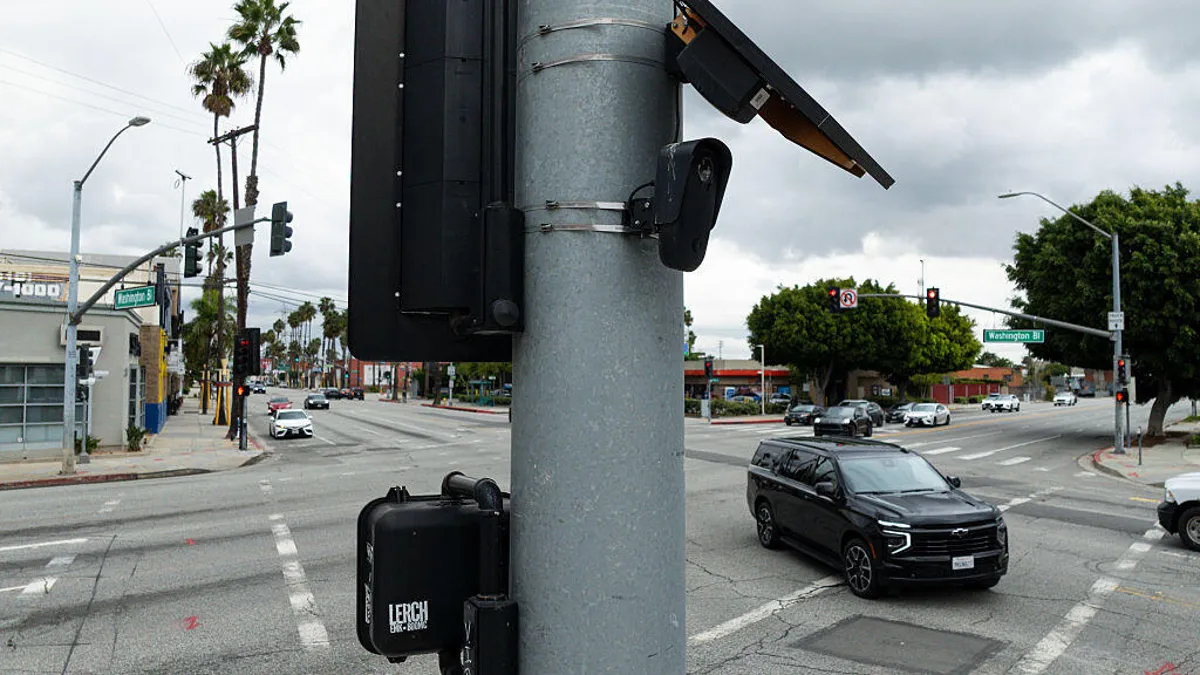


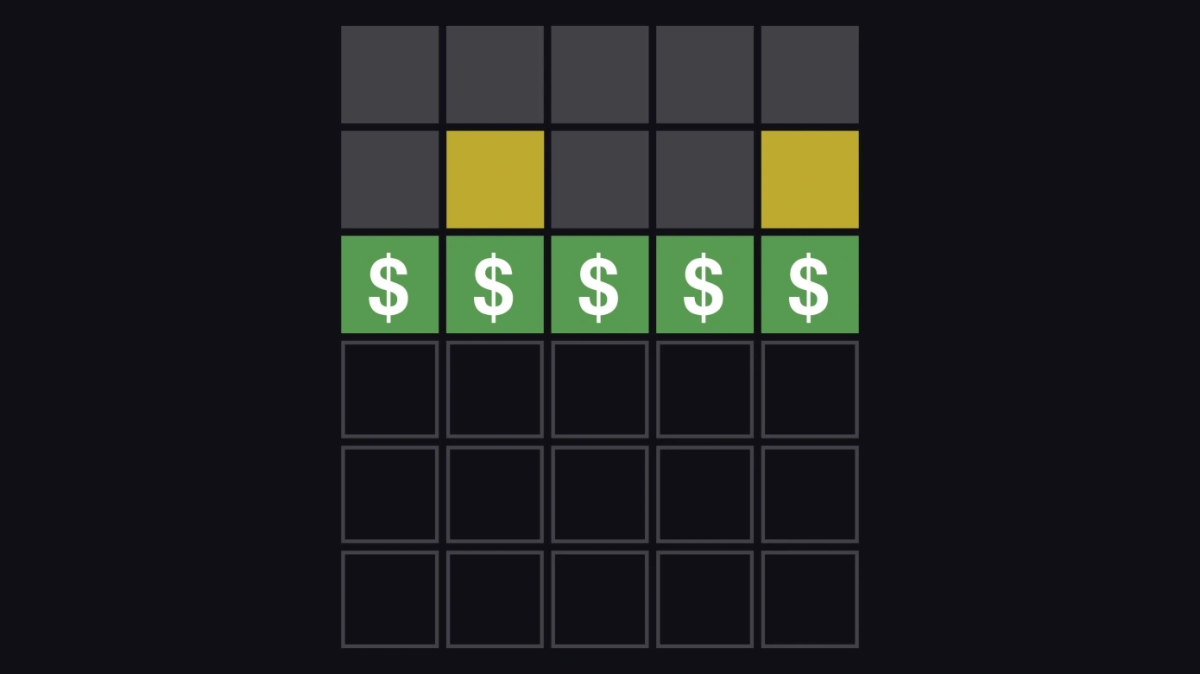


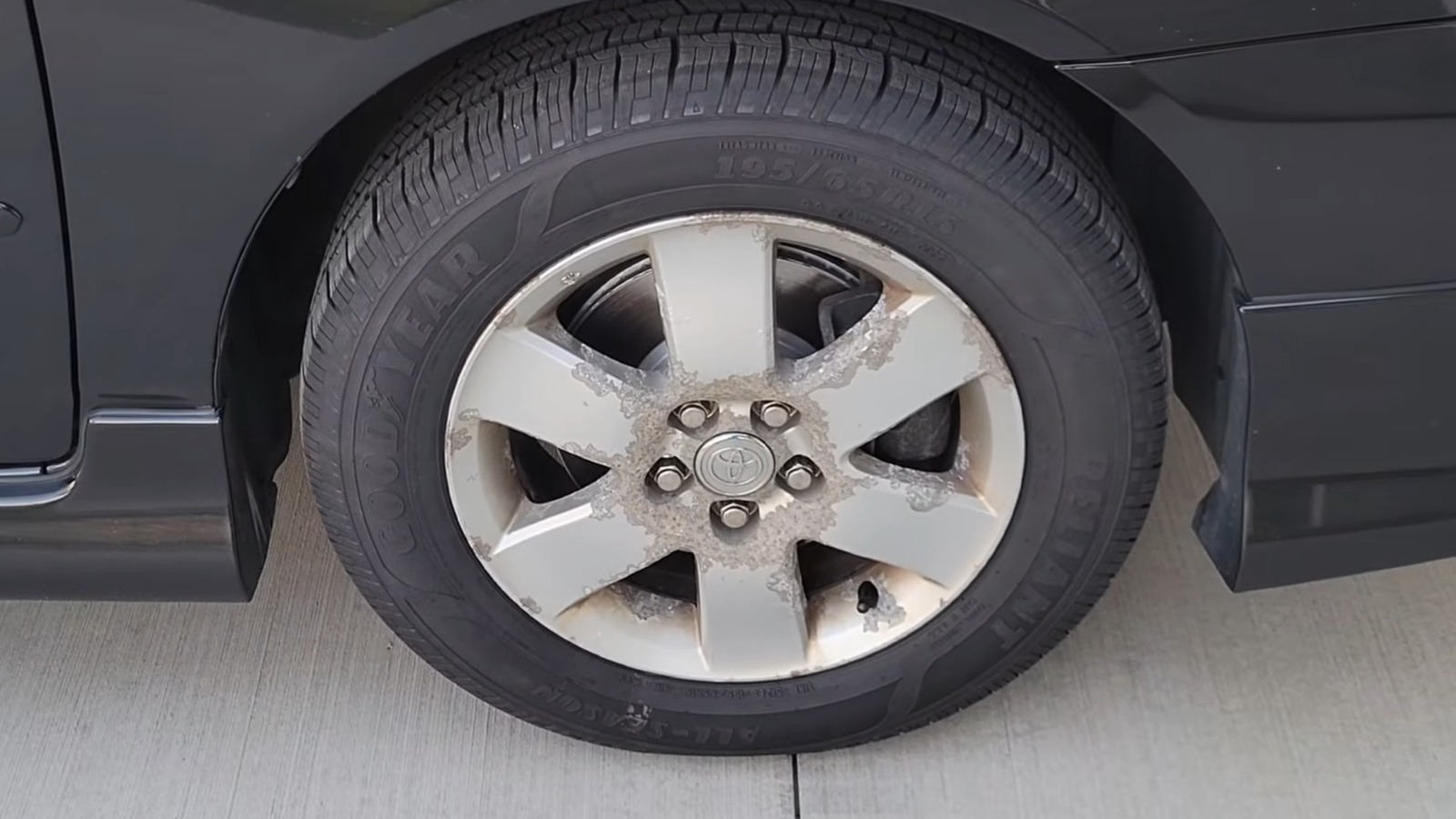
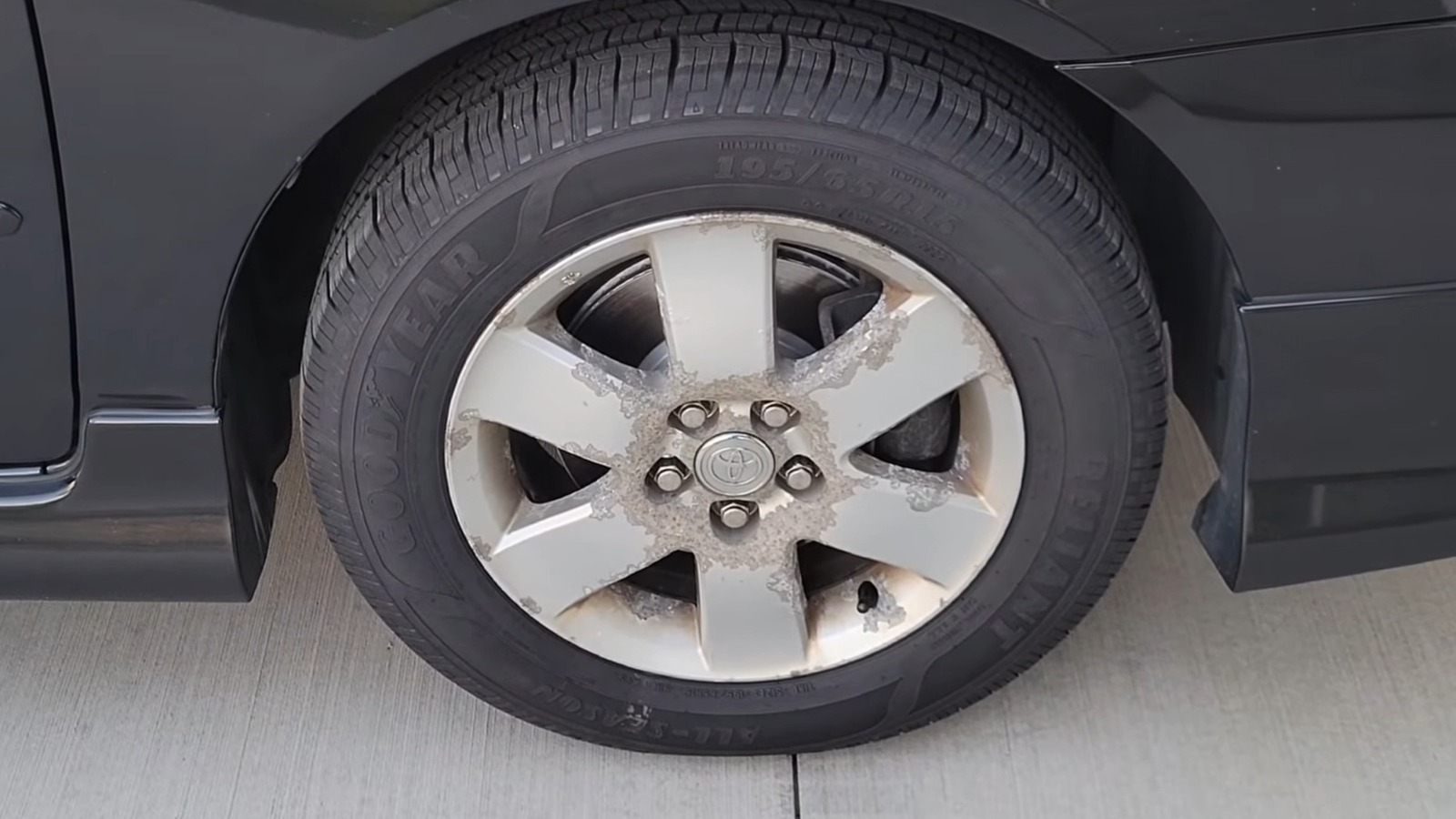



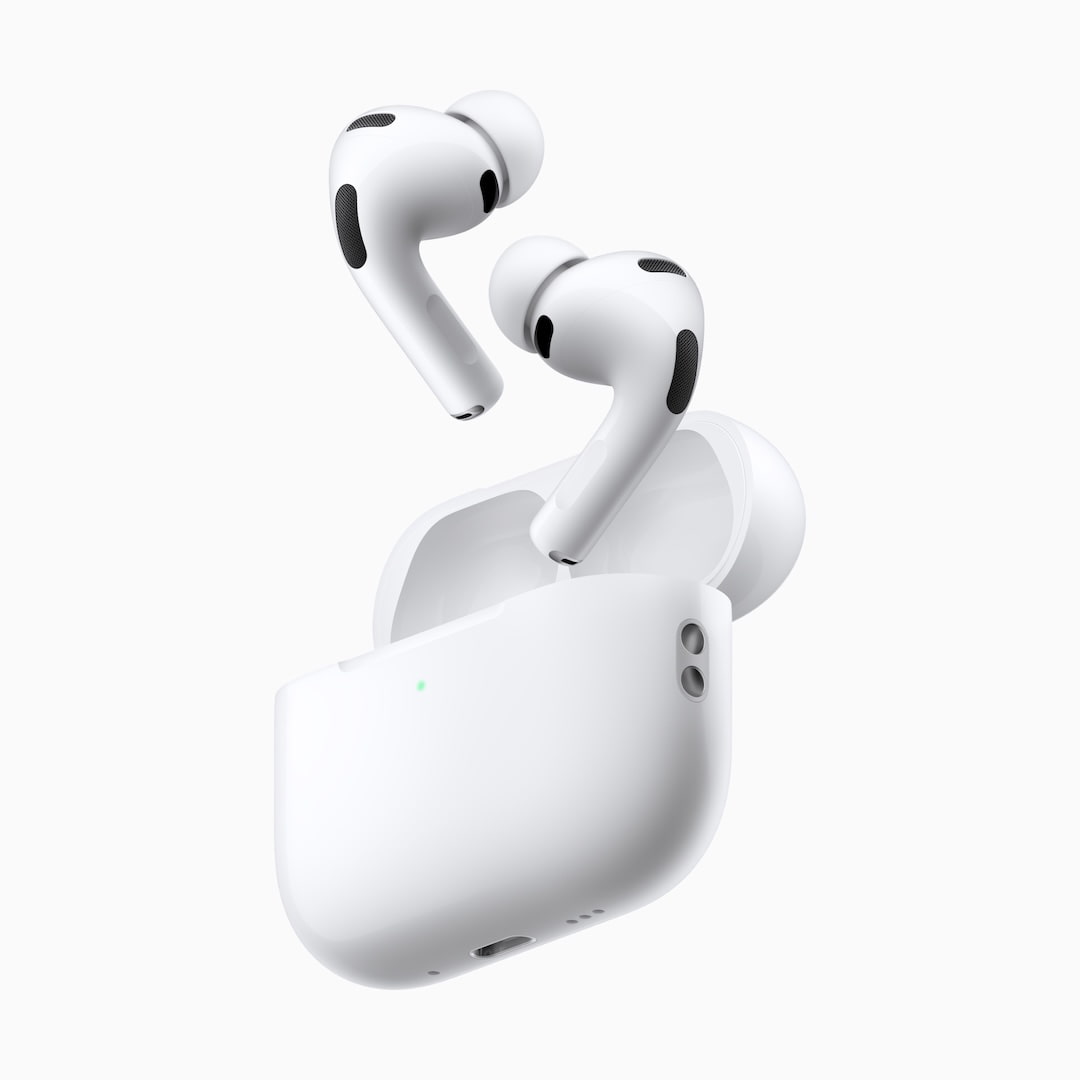





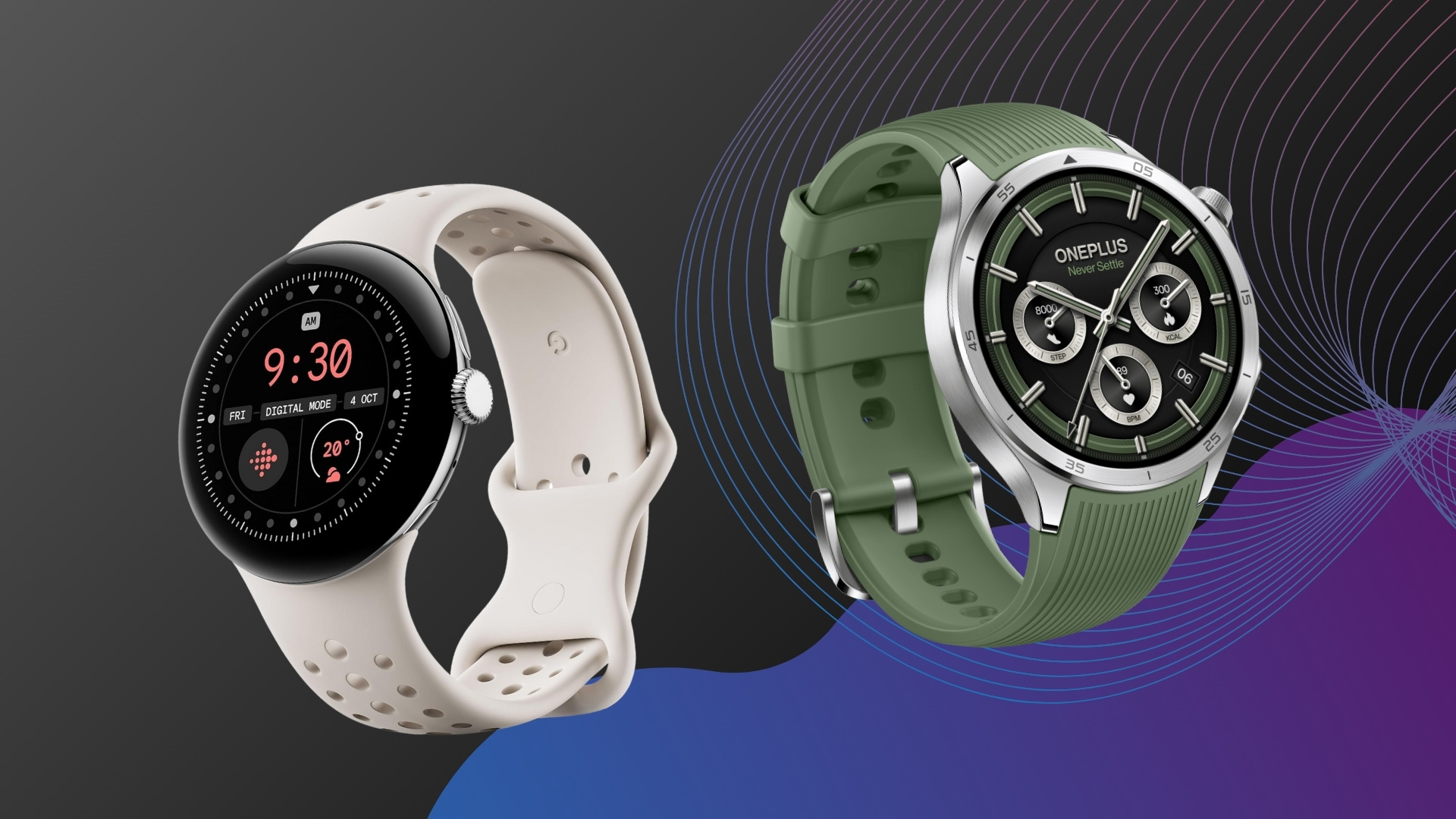































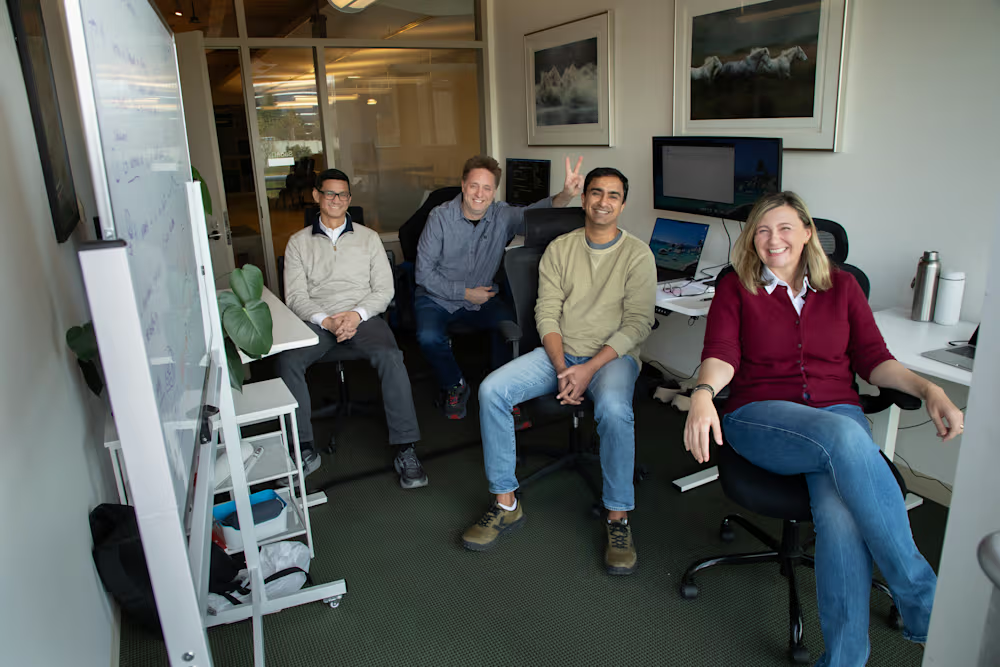
You must be logged in to post a comment Login